

Implementing MySQL Cluster
  in the cloud
Marco Tusa
MySQL CTL
May 17 2012
Why Pythian
•  Recognized Leader:
•    Global industry-leader in remote database administration services and consulting for Oracle, Oracle
     Applications, MySQL and SQL Server
•    Work with over 165 multinational companies such as Forbes.com, Fox Sports, Nordion and Western
     Union to help manage their complex IT deployments

•  Expertise:
•    One of the world’s largest concentrations of dedicated, full-time DBA expertise. Employ 7 Oracle
     ACEs/ACE Directors
•    Hold 7 Specializations under Oracle Platinum Partner program, including Oracle Exadata, Oracle
     GoldenGate & Oracle RAC

•  Global Reach & Scalability:
•    24/7/365 global remote support for DBA and consulting, systems administration, special projects or
     emergency response


                                                        2
                                                © 2012 Pythian
Who am I?
     •    Cluster Technical Leader at Pythian for MySQL technology
     •    Previous manager Professional Service South EMEA at MySQL/SUN/
          Oracle
     •    In MySQL before the SUN gets on us
     •    Lead the team responsible for Oracle & MySQL DBs service in
          support to technical systems, at Food and Agriculture Organization
          of United Nations (FAO of UN)
     •    Lead developer & system administrator teams in FAO managing the
          Intranet/Internet infrastructure.
     •    Worked (a lot) in developing countries like (Ethiopia, Senegal,
          Ghana, Egypt …)
     •    My Profile http://it.linkedin.com/in/marcotusa
     •    Email tusa@pythian.com marcotusa@tusacentral.net
3                                     © 2012 Pythian
What we will talk about

    1.    Practical aspects related to:
    2.    Amazon images to use and node identifications
    3.    MySQL cluster set-up
    4.    Cluster parameters dimensioning and definition
    5.    Starting and checking cluster
    6.    Distribution Awareness & AQL
    7.    Taking numbers (doing tests)
    8.    Results and comments


4                             © 2012 Pythian
What we will NOT talk about
    •  What is MySQL Cluster
    •  What is a data node/node group/manager
    •  What is a fragment
    •  What is a Cluster data Replicas
    I assume you know MySQL cluster basics.
    Other webinars
    •  Mysqlcluster for begginer
    •  Use mysql cluster replication
    •  Use Java API for mysql cluster
    •  Monitor mysql cluster

5                         © 2012 Pythian
Amazon image to use
    The choice needs to take in to account:

    •  Memory    requirements (from Dataset calculation)


    •  CPU   numbers (from the real workload)


    •  Disks   configuration (from transaction modification/sec)


6                                  © 2012 Pythian
Amazon image to use
    Choose image from Large 2 Core 7.5 GB
    To High memory Quadruple Extra Large 8 Core 68.4 GB.
    Wait to have the information on the data set.


    But never go below!
    CPU needs to be at least 2 to manage efficiently the Kernel
    blocks.
    7.5GB Ram means a data allocation per node of 4GB.


    Cluster is an in memory database, BUT it flush on disk a lot,
    do not use Table on disk on EC2.


7                               © 2012 Pythian
Amazon image to use
    Brief consideration on disk configuration,
    Cluster flush it’s status constantly (unless DISKLESS is define)
    using ephemeral disk is not a good idea:
    •  In case of ZONE crash you will loose local data
    •  performance   are less consistent then using EBS and RAID
    I have achieve the better stability using:
    •  6 EBS (or 4)
    •  RAID0
    If possible split the REDO log from DATA
       Datadir=/opt/mysql-cluster/datacluster
       FileSystemPath=/opt2/mysql-cluster/datacluster


8                                 © 2012 Pythian
Amazon image to use
    Brief consideration on Network configuration

    Cluster need to talk internally, and need to be consistent.
    To avoid issues
    •  Createyour own VPC
    • Associate network device with defined IP (10.0.1.138)
    •  Name the device respecting the node (easy to remember)
       cluster1_ndbmtd_4 associate to data node 4 in cluster 1
    •  Set   the IPs in the config to match the internal IPs


9                                   © 2012 Pythian
Amazon image to use
     Dimensioning the cluster dataset as it is right now
     •  Use a fake/local cluster installation
     •  Use   Sizer from www.severalnines.com
     •  Estimate   the real requirements.


     Pay particular attention to:
      DataMemory
      IndexMemory
     Play with Number of nodes to have your configuration
     matching requirements
     DO NOT CHANGE number of replicas (never use 1)


10                                  © 2012 Pythian
Amazon image to use
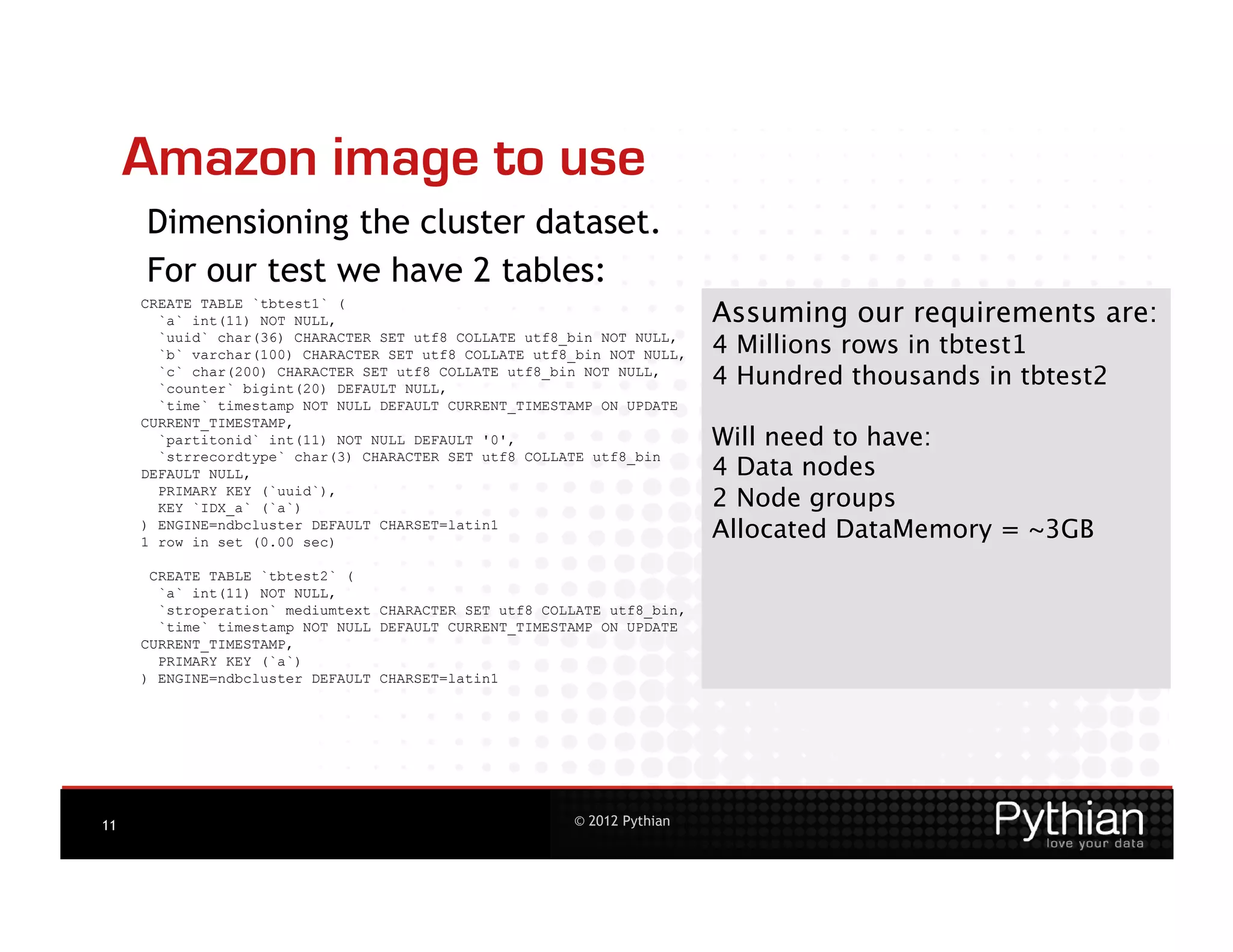
     Dimensioning the cluster dataset.
     For our test we have 2 tables:
     CREATE TABLE `tbtest1` (
       `a` int(11) NOT NULL,                                            Assuming our requirements are:
                                                                                                     
       `uuid` char(36) CHARACTER SET utf8 COLLATE utf8_bin NOT NULL,
       `b` varchar(100) CHARACTER SET utf8 COLLATE utf8_bin NOT NULL,   4 Millions rows in tbtest1
       `c` char(200) CHARACTER SET utf8 COLLATE utf8_bin NOT NULL,
       `counter` bigint(20) DEFAULT NULL,
                                                                        4 Hundred thousands in tbtest2
       `time` timestamp NOT NULL DEFAULT CURRENT_TIMESTAMP ON UPDATE
     CURRENT_TIMESTAMP,
       `partitonid` int(11) NOT NULL DEFAULT '0',                       Will need to have:
       `strrecordtype` char(3) CHARACTER SET utf8 COLLATE utf8_bin
     DEFAULT NULL,                                                      4 Data nodes
       PRIMARY KEY (`uuid`),
       KEY `IDX_a` (`a`)                                                2 Node groups
     ) ENGINE=ndbcluster DEFAULT CHARSET=latin1
     1 row in set (0.00 sec)
                                                                        Allocated DataMemory = ~3GB
      CREATE TABLE `tbtest2` (
       `a` int(11) NOT NULL,
       `stroperation` mediumtext CHARACTER SET utf8 COLLATE utf8_bin,
       `time` timestamp NOT NULL DEFAULT CURRENT_TIMESTAMP ON UPDATE
     CURRENT_TIMESTAMP,
       PRIMARY KEY (`a`)
     ) ENGINE=ndbcluster DEFAULT CHARSET=latin1


11                                                     © 2012 Pythian
MySQL cluster set-up
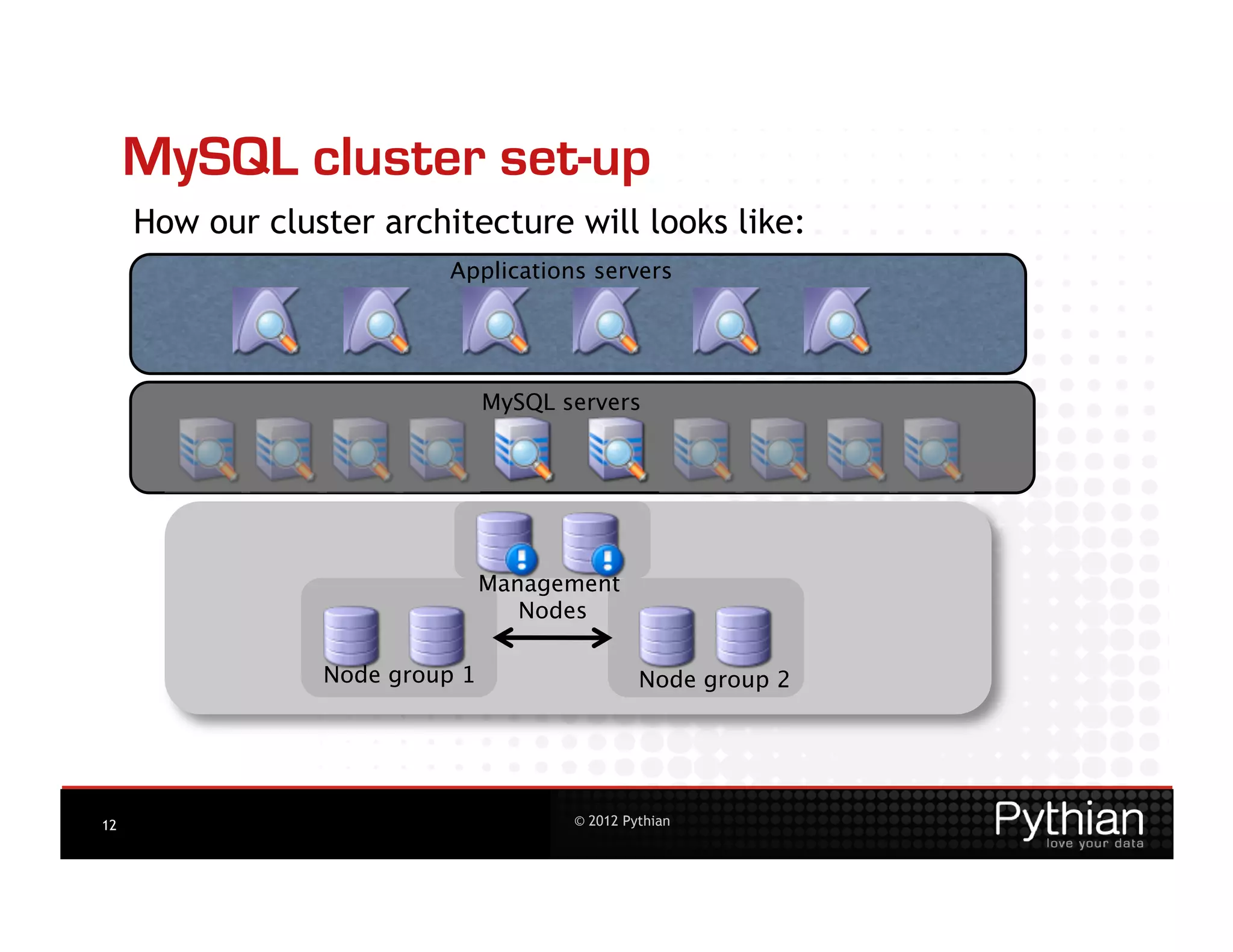
     How our cluster architecture will looks like:
                          Applications servers


                                MySQL servers


                                Management
                                   Nodes
                                       

                 Node group 1
                            
                   Node group 2


12                                     © 2012 Pythian
MySQL cluster set-up
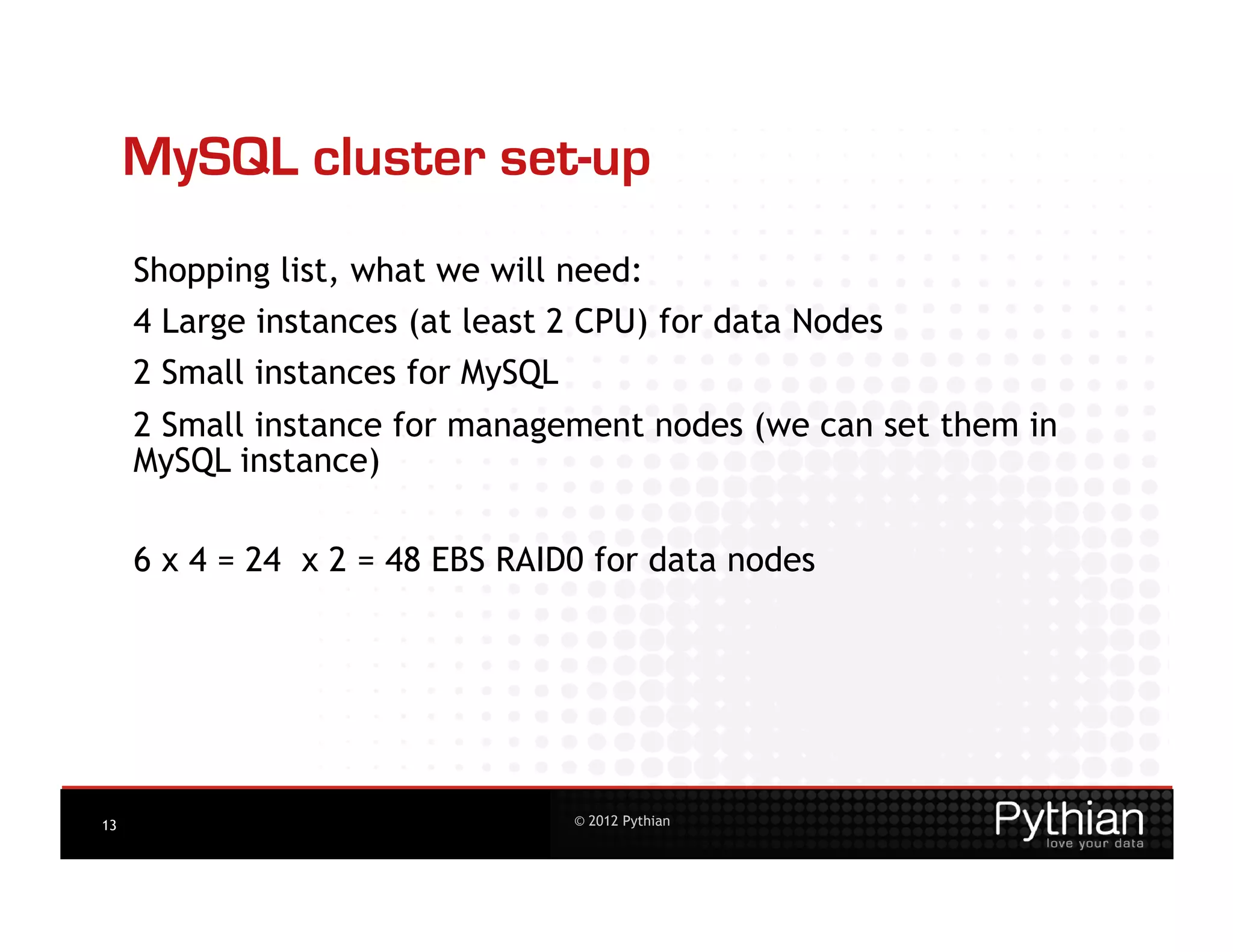
     Shopping list, what we will need:
     4 Large instances (at least 2 CPU) for data Nodes
     2 Small instances for MySQL
     2 Small instance for management nodes (we can set them in
     MySQL instance)

     6 x 4 = 24 x 2 = 48 EBS RAID0 for data nodes


13                                 © 2012 Pythian
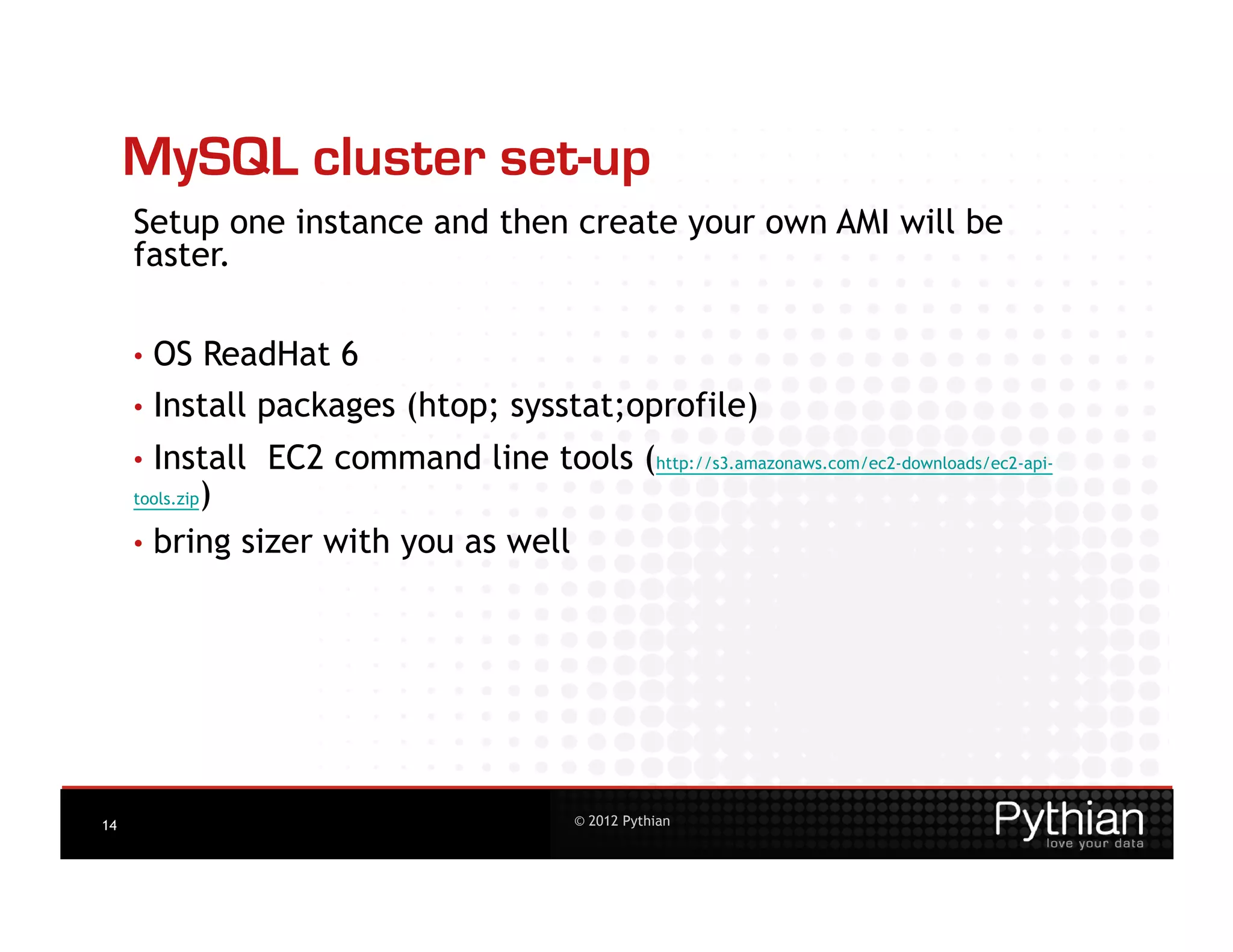
MySQL cluster set-up
     Setup one instance and then create your own AMI will be
     faster.

     •  OS       ReadHat 6
     •  Install     packages (htop; sysstat;oprofile)
     •  Install     EC2 command line tools (http://s3.amazonaws.com/ec2-downloads/ec2-api-
           )
     tools.zip

     •  bring sizer with you as well


14                                             © 2012 Pythian
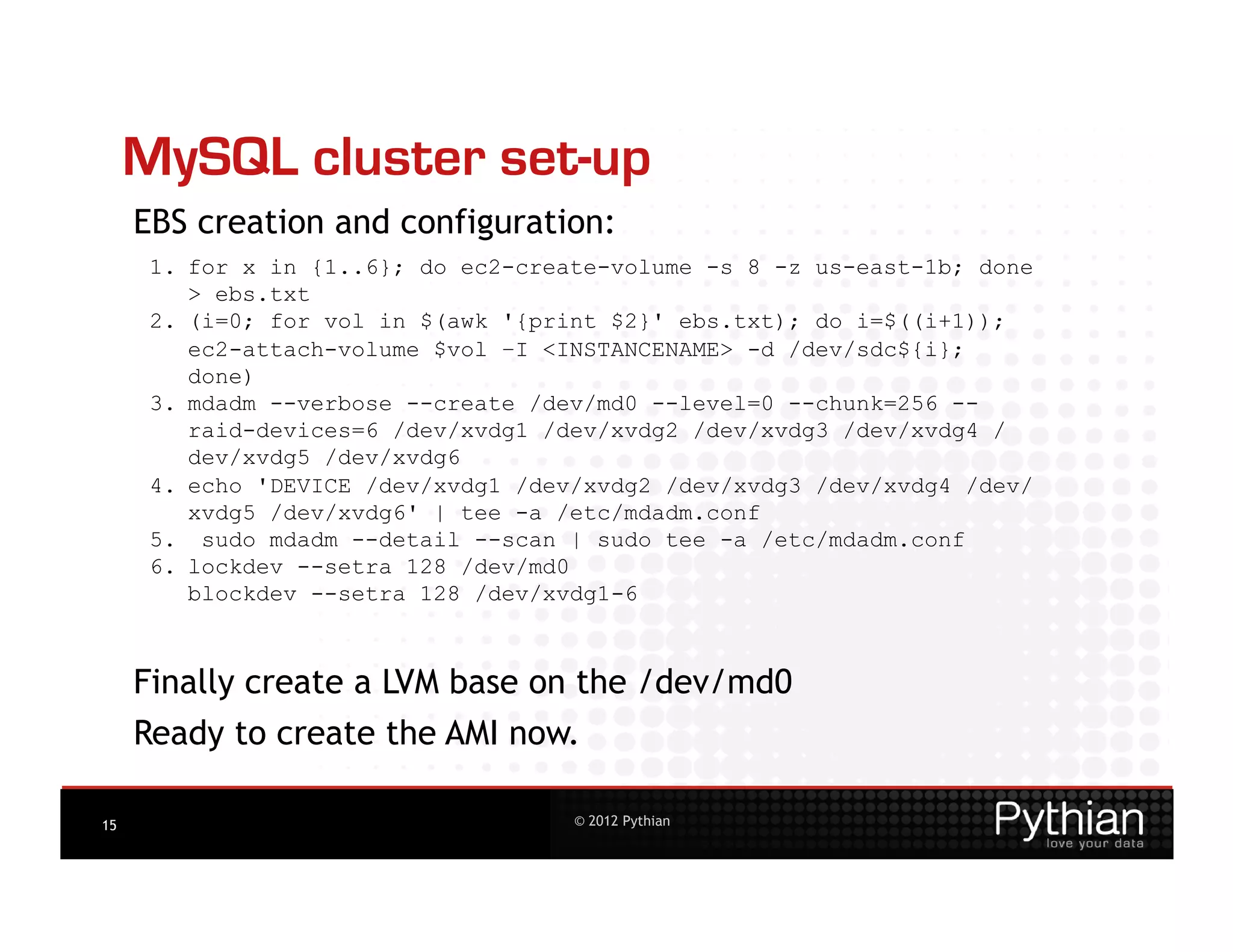
MySQL cluster set-up
     EBS creation and configuration:
      1.  for x in {1..6}; do ec2-create-volume -s 8 -z us-east-1b; done
          > ebs.txt
      2.  (i=0; for vol in $(awk '{print $2}' ebs.txt); do i=$((i+1));
          ec2-attach-volume $vol –I <INSTANCENAME> -d /dev/sdc${i};
          done)
      3.  mdadm --verbose --create /dev/md0 --level=0 --chunk=256 --
          raid-devices=6 /dev/xvdg1 /dev/xvdg2 /dev/xvdg3 /dev/xvdg4 /
          dev/xvdg5 /dev/xvdg6
      4.  echo 'DEVICE /dev/xvdg1 /dev/xvdg2 /dev/xvdg3 /dev/xvdg4 /dev/
          xvdg5 /dev/xvdg6' | tee -a /etc/mdadm.conf
      5.  sudo mdadm --detail --scan | sudo tee -a /etc/mdadm.conf
      6.  lockdev --setra 128 /dev/md0
          blockdev --setra 128 /dev/xvdg1-6


     Finally create a LVM base on the /dev/md0
     Ready to create the AMI now.

15                                   © 2012 Pythian
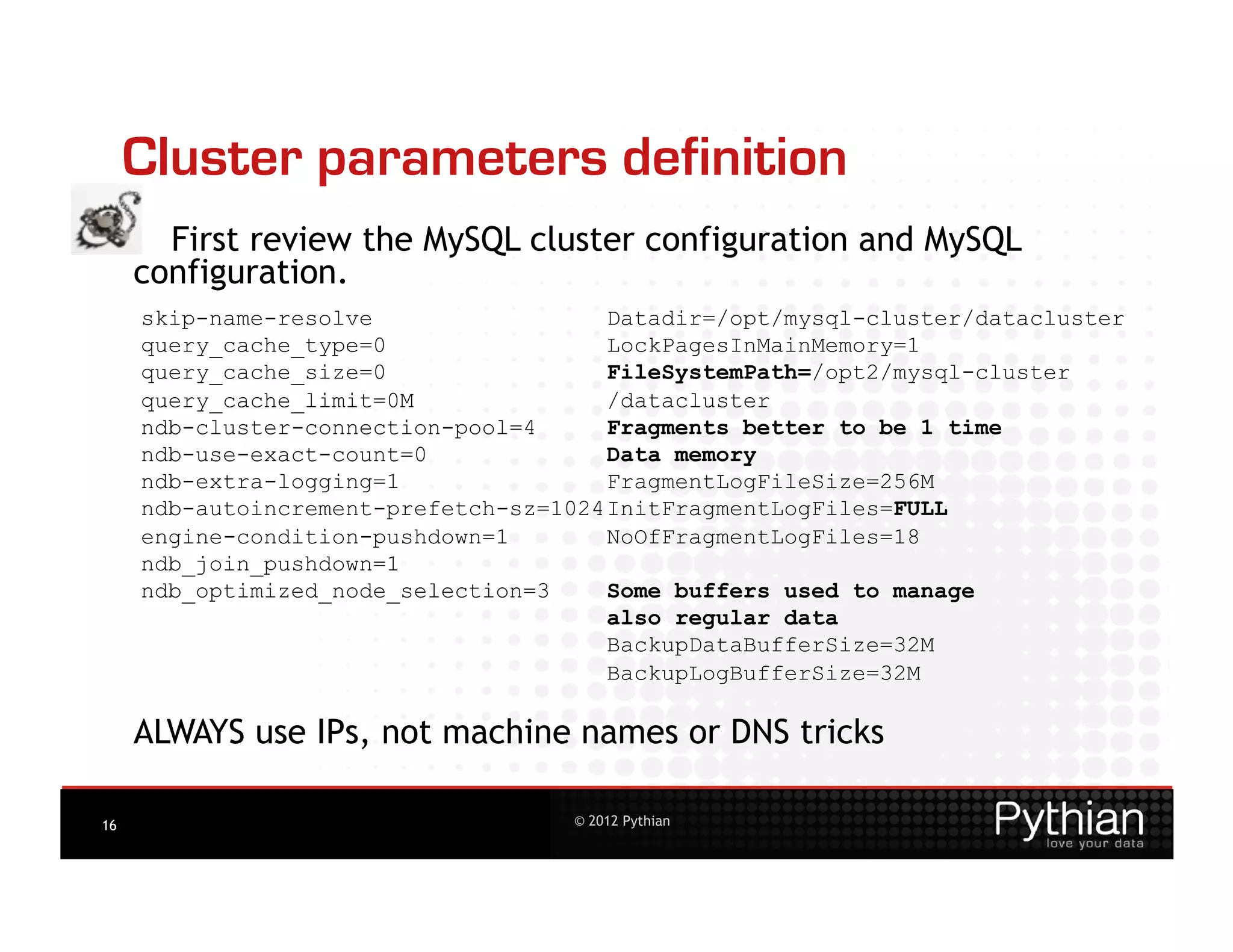
Cluster parameters definition
       First review the MySQL cluster configuration and MySQL
     configuration.
     skip-name-resolve                  Datadir=/opt/mysql-cluster/datacluster
     query_cache_type=0                 LockPagesInMainMemory=1
     query_cache_size=0                 FileSystemPath=/opt2/mysql-cluster
     query_cache_limit=0M               /datacluster
     ndb-cluster-connection-pool=4      Fragments better to be 1 time
     ndb-use-exact-count=0              Data memory
     ndb-extra-logging=1                FragmentLogFileSize=256M
     ndb-autoincrement-prefetch-sz=1024 InitFragmentLogFiles=FULL
     engine-condition-pushdown=1        NoOfFragmentLogFiles=18
     ndb_join_pushdown=1
     ndb_optimized_node_selection=3     Some buffers used to manage
                                        also regular data
                                        BackupDataBufferSize=32M
                                        BackupLogBufferSize=32M

     ALWAYS use IPs, not machine names or DNS tricks

16                                   © 2012 Pythian
Starting MySQL Cluster
     Start ndb_mgmd as usual:
     bin/ndb_mgmd -f config.ini --ndb-nodeid=1 --config-dir=`pwd` --initial

     Start the nodes
     bin/ndbmtd -c 10.118.19.9:1186 --ndb-nodeid=6 –-initial

     Check the log for connection message:
     ndb_mgm> all status

     Connected to Management Server at: localhost:1186

     2012-05-15 11:27:41 [MgmtSrvr] INFO     -- Node 3: Started (mysql-5.5.15 ndb-7.2.2)

     2012-05-15 11:27:41 [MgmtSrvr] INFO     -- Node 5: Started (mysql-5.5.15 ndb-7.2.2)

     2012-05-15 11:27:41 [MgmtSrvr] INFO     -- Node 6: Started (mysql-5.5.15 ndb-7.2.2)

     2012-05-15 11:27:41 [MgmtSrvr] INFO     -- Node 4: Started (mysql-5.5.15 ndb-7.2.2)

     …

     Node 3: starting (Last completed phase 1) (mysql-5.5.15 ndb-7.2.2)

     Node 6: starting (Last completed phase 1) (mysql-5.5.15 ndb-7.2.2)


17                                                 © 2012 Pythian
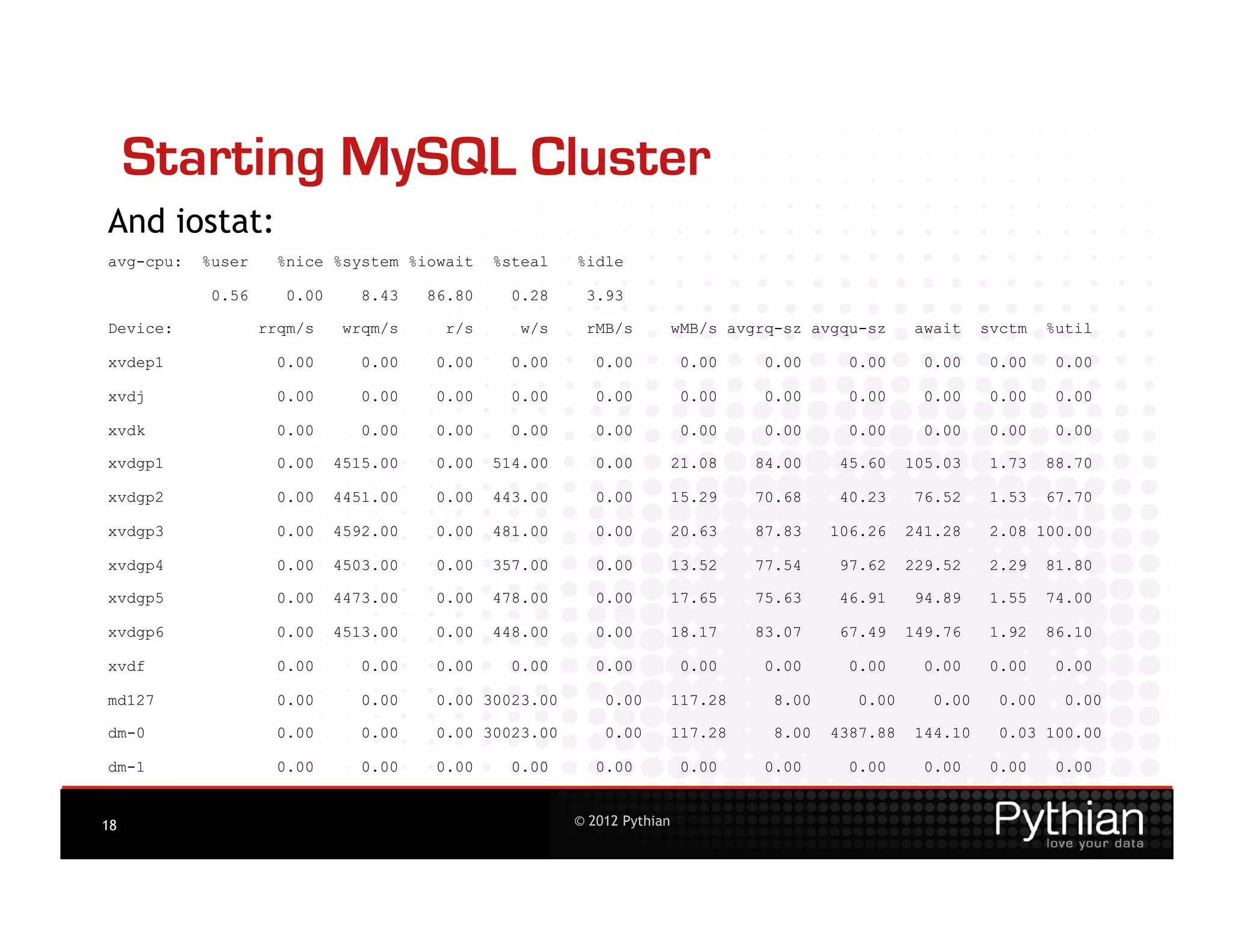
Starting MySQL Cluster
And iostat:
avg-cpu:   %user     %nice %system %iowait     %steal   %idle

            0.56      0.00      8.43   86.80     0.28    3.93

Device:            rrqm/s    wrqm/s     r/s       w/s    rMB/s           wMB/s avgrq-sz avgqu-sz     await     svctm    %util

xvdep1               0.00       0.00    0.00     0.00      0.00           0.00     0.00      0.00      0.00     0.00     0.00

xvdj                 0.00       0.00    0.00     0.00      0.00           0.00     0.00      0.00      0.00     0.00     0.00

xvdk                 0.00       0.00    0.00     0.00      0.00           0.00     0.00      0.00      0.00     0.00     0.00

xvdgp1               0.00    4515.00    0.00   514.00      0.00          21.08    84.00     45.60    105.03     1.73    88.70

xvdgp2               0.00    4451.00    0.00   443.00      0.00          15.29    70.68     40.23     76.52     1.53    67.70

xvdgp3               0.00    4592.00    0.00   481.00      0.00          20.63    87.83    106.26    241.28     2.08 100.00

xvdgp4               0.00    4503.00    0.00   357.00      0.00          13.52    77.54     97.62    229.52     2.29    81.80

xvdgp5               0.00    4473.00    0.00   478.00      0.00          17.65    75.63     46.91     94.89     1.55    74.00

xvdgp6               0.00    4513.00    0.00   448.00      0.00          18.17    83.07     67.49    149.76     1.92    86.10

xvdf                 0.00       0.00    0.00     0.00      0.00           0.00     0.00      0.00      0.00     0.00     0.00

md127                0.00       0.00    0.00 30023.00       0.00         117.28     8.00      0.00      0.00     0.00     0.00

dm-0                 0.00       0.00    0.00 30023.00       0.00         117.28     8.00   4387.88    144.10     0.03 100.00

dm-1                 0.00       0.00    0.00     0.00      0.00           0.00     0.00      0.00      0.00     0.00     0.00


18                                                      © 2012 Pythian
Cluster logs to check
     •  MySQL   log:
     120515 12:11:15 [Note]   NDB: NodeID is 7, management server
     '10.114.122.44:1186’
     120515 12:11:15 [Note]   NDB[0]:   NodeID:       7, all storage nodes connected
     120515 12:11:16 [Note]   NDB[1]:   NodeID:       8, all storage nodes connected
     120515 12:11:17 [Note]   NDB[2]:   NodeID:       23, all storage nodes connected
     120515 12:11:17 [Note]   NDB[3]:   NodeID:       24, all storage nodes connected


     •  Cluster
                  General log in :
     LogDestination=FILE:filename=ndb_1_cluster.log


     •  Data   Node log:
      Datadir=/opt/mysql-cluster/datacluster


19                                       © 2012 Pythian
Cluster data nodes Kernel blocks
     Check what is going on to the inside and to our CPUs
     thr: 0 tid: 19836 (main) cpu: 0 OK DBTC(0) DBDIH(0) DBDICT(0) NDBCNTR(0) QMGR(0) NDBFS(0) TRIX(0)
     DBUTIL(0) DBSPJ(0)
     thr: 1 tid: 19837 (rep) cpu: 0 OK BACKUP(0) DBLQH(0) DBACC(0) DBTUP(0) SUMA(0) DBTUX(0) TSMAN(0) LGMAN
     (0) PGMAN(0) RESTORE(0) DBINFO(0) PGMAN(5)
     thr: 2 tid: 19838 (ldm) cpu: 1 OK PGMAN(1) DBACC(1) DBLQH(1) DBTUP(1) BACKUP(1) DBTUX(1) RESTORE(1)

     thr: 3 tid: 19829 (recv) CMVMI(0)

     2012-05-15 12:30:18 [ndbd] INFO      -- Start initiated (mysql-5.5.15 ndb-7.2.2)

     NDBFS/AsyncFile: Allocating 310392 for In/Deflate buffer

     2012-05-15 12:30:18 [ndbd] WARNING   -- Ndb kernel thread 1 is stuck in: Unknown place elapsed=9

     2012-05-15 12:30:18 [ndbd] INFO      -- Watchdog: User time: 3   System time: 47

     Locked to CPU ok


     Kernel Blocks will be allocated as we define in config.ini
     ThreadConfig=ldm={count=1,cpubind=1},main={cpubind=0},rep={cpubind=0},io=
     {count=1,cpubind=1}


20                                                  © 2012 Pythian
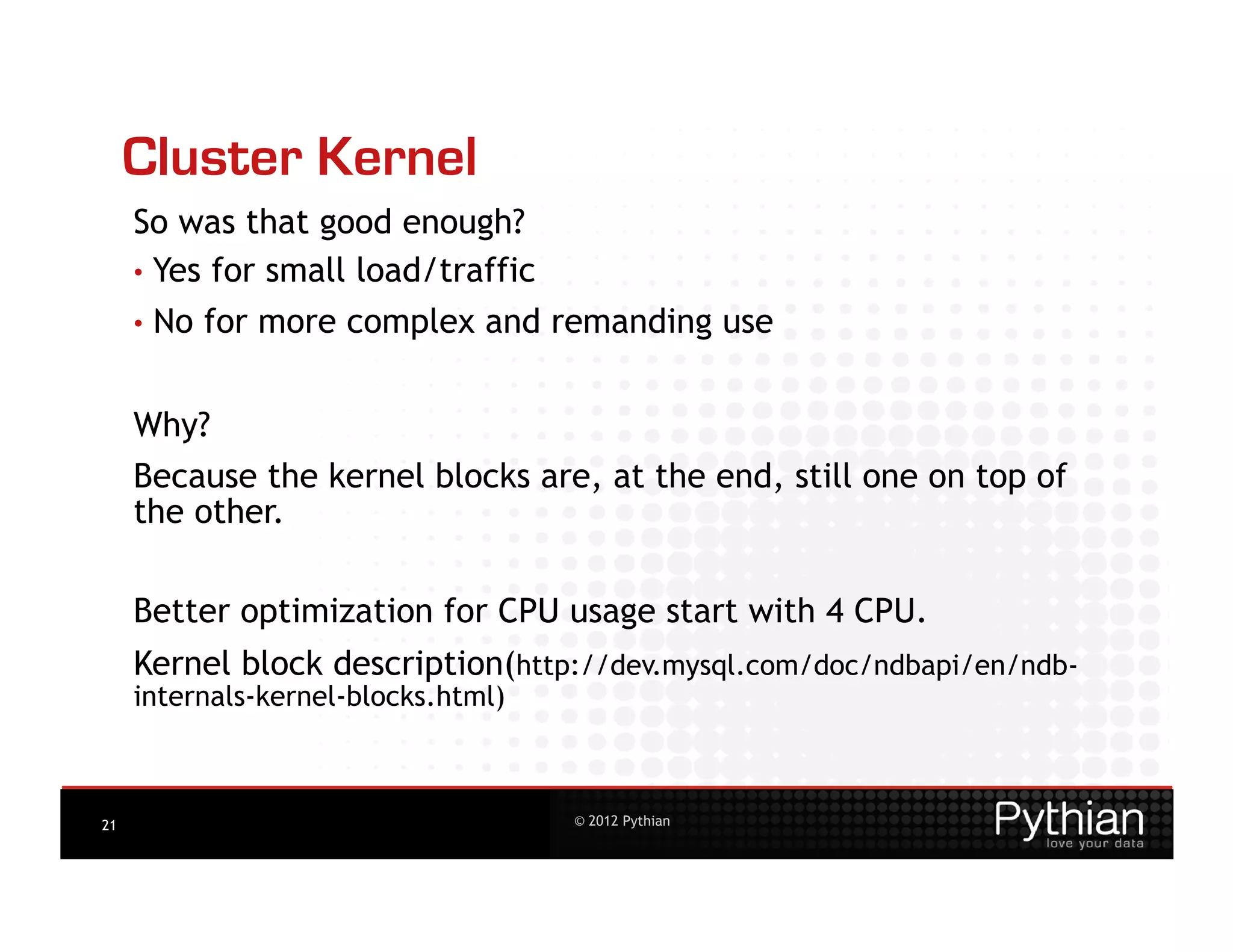
Cluster Kernel
     So was that good enough?
     •  Yes for small load/traffic
     •  No   for more complex and remanding use


     Why?
     Because the kernel blocks are, at the end, still one on top of
     the other.

     Better optimization for CPU usage start with 4 CPU.
     Kernel block description(http://dev.mysql.com/doc/ndbapi/en/ndb-
     internals-kernel-blocks.html)


21                                   © 2012 Pythian
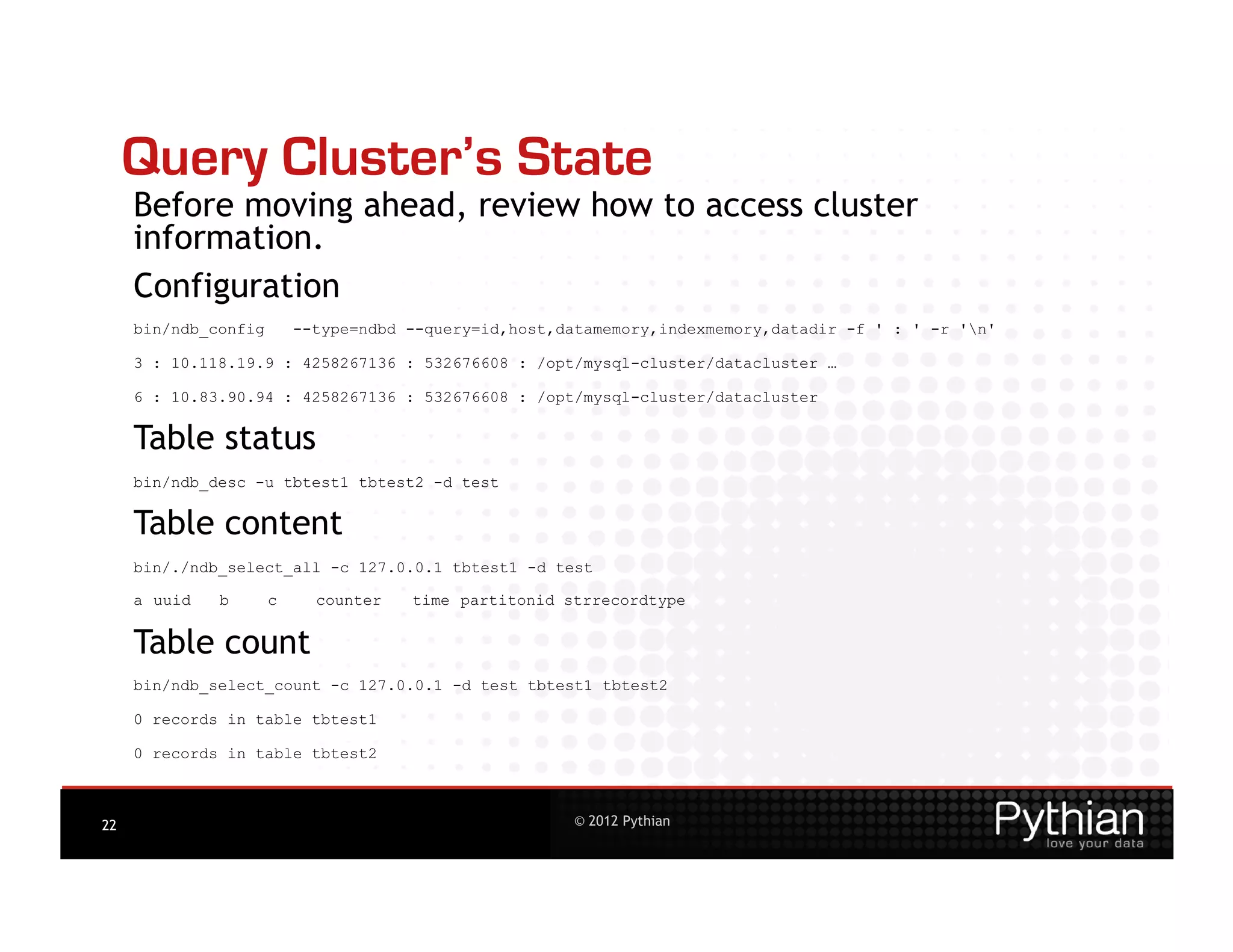
Query Cluster’s State
     Before moving ahead, review how to access cluster
     information.
     Configuration
     bin/ndb_config       --type=ndbd --query=id,host,datamemory,indexmemory,datadir -f ' : ' -r 'n'

     3 : 10.118.19.9 : 4258267136 : 532676608 : /opt/mysql-cluster/datacluster …

     6 : 10.83.90.94 : 4258267136 : 532676608 : /opt/mysql-cluster/datacluster


     Table status
     bin/ndb_desc -u tbtest1 tbtest2 -d test


     Table content
     bin/./ndb_select_all -c 127.0.0.1 tbtest1 -d test

     a uuid   b       c     counter   time partitonid strrecordtype


     Table count
     bin/ndb_select_count -c 127.0.0.1 -d test tbtest1 tbtest2

     0 records in table tbtest1

     0 records in table tbtest2


22                                                     © 2012 Pythian
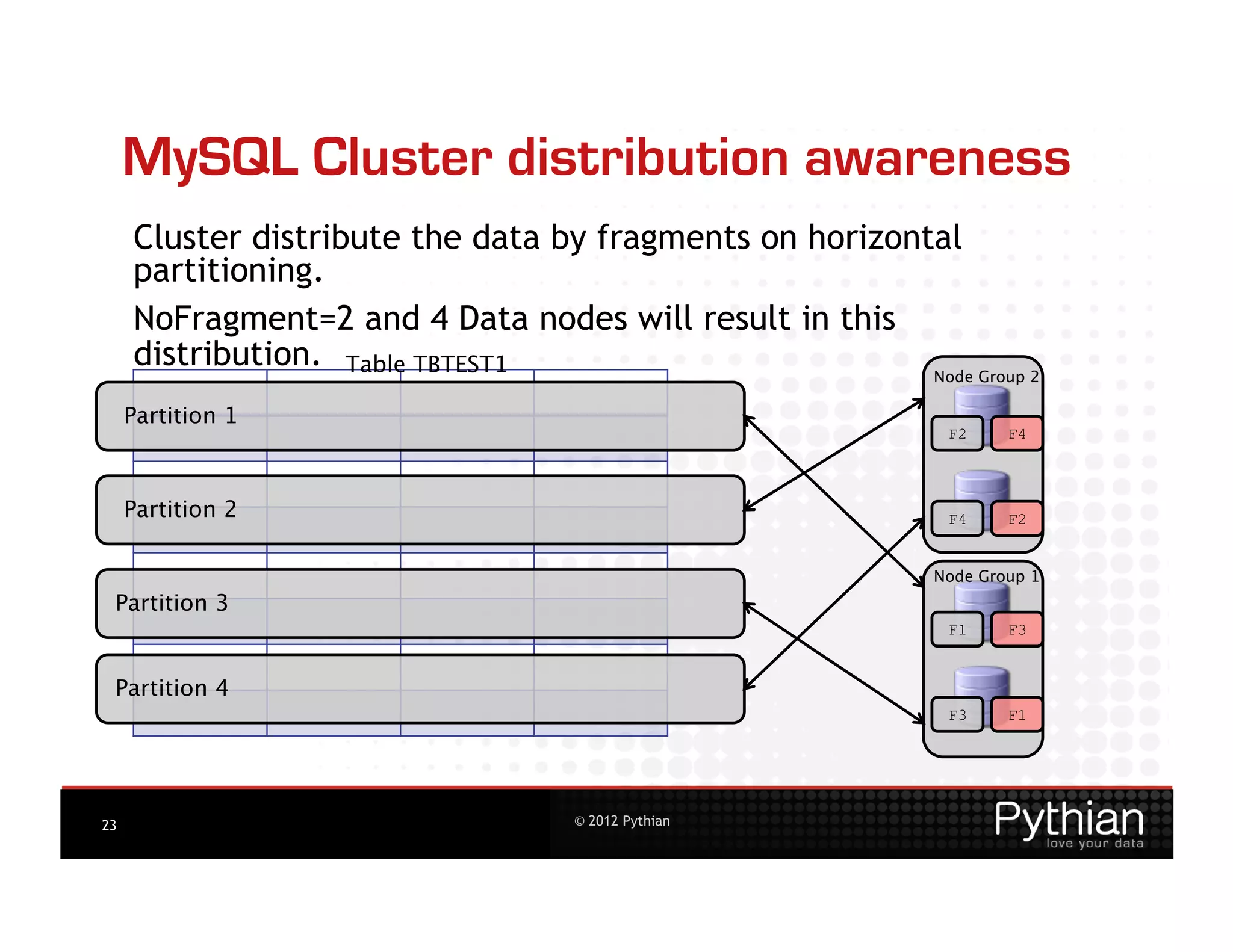
MySQL Cluster distribution awareness
     Cluster distribute the data by fragments on horizontal
     partitioning.
     NoFragment=2 and 4 Data nodes will result in this
     distribution. Table TBTEST1
                        Node Group 2

     Partition 1
                                                               F2     F4


     Partition 2
                                              F4     F2


                                                              Node Group 1
 Partition 3
                                                               F1     F3


 Partition 4
                                                               F3     F1


23                                  © 2012 Pythian
MySQL distribution awareness
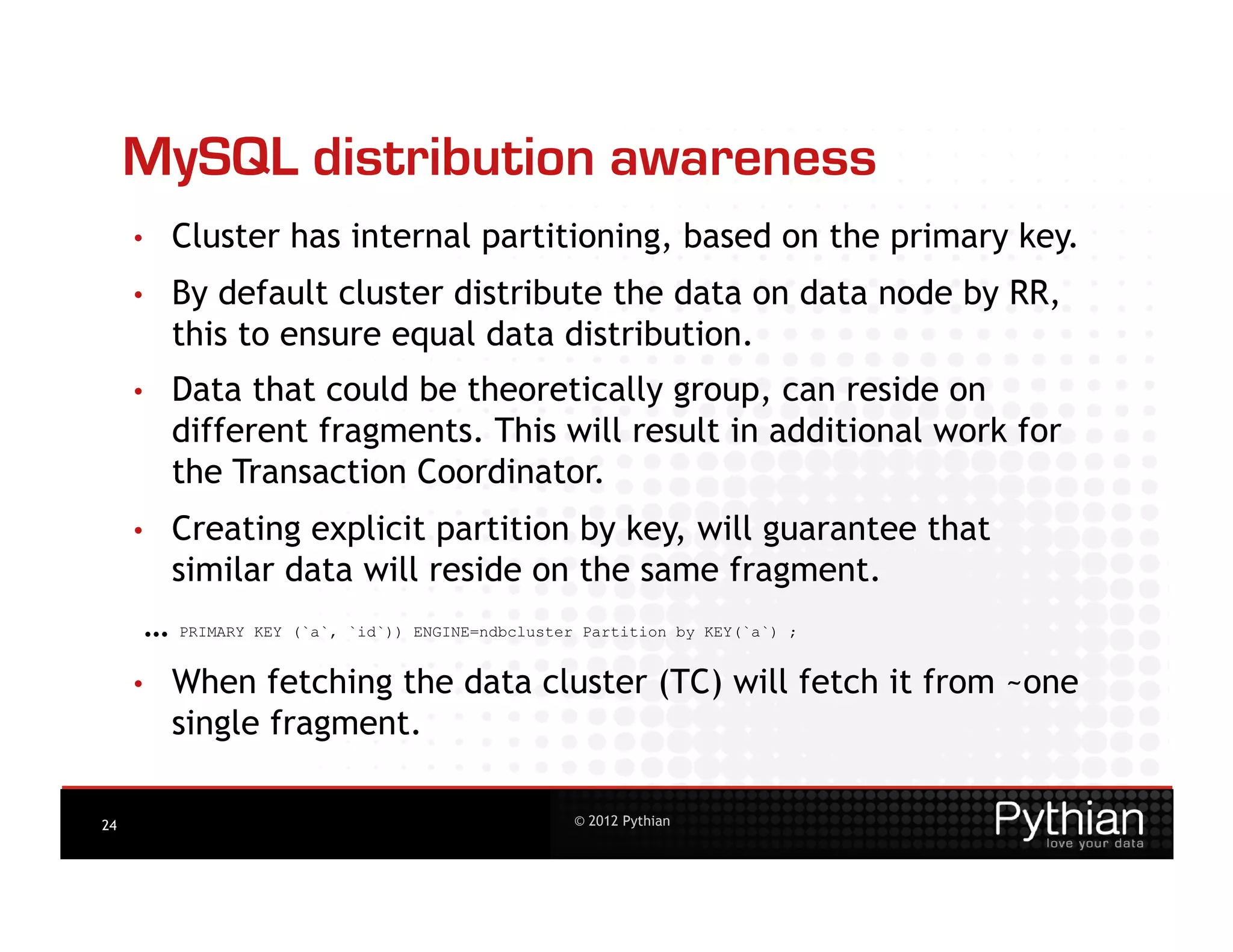
     •    Cluster has internal partitioning, based on the primary key.
     •    By default cluster distribute the data on data node by RR,
          this to ensure equal data distribution.
     •    Data that could be theoretically group, can reside on
          different fragments. This will result in additional work for
          the Transaction Coordinator.
     •    Creating explicit partition by key, will guarantee that
          similar data will reside on the same fragment.
      …   PRIMARY KEY (`a`, `id`)) ENGINE=ndbcluster Partition by KEY(`a`) ;


     •    When fetching the data cluster (TC) will fetch it from ~one
          single fragment.

24                                                  © 2012 Pythian
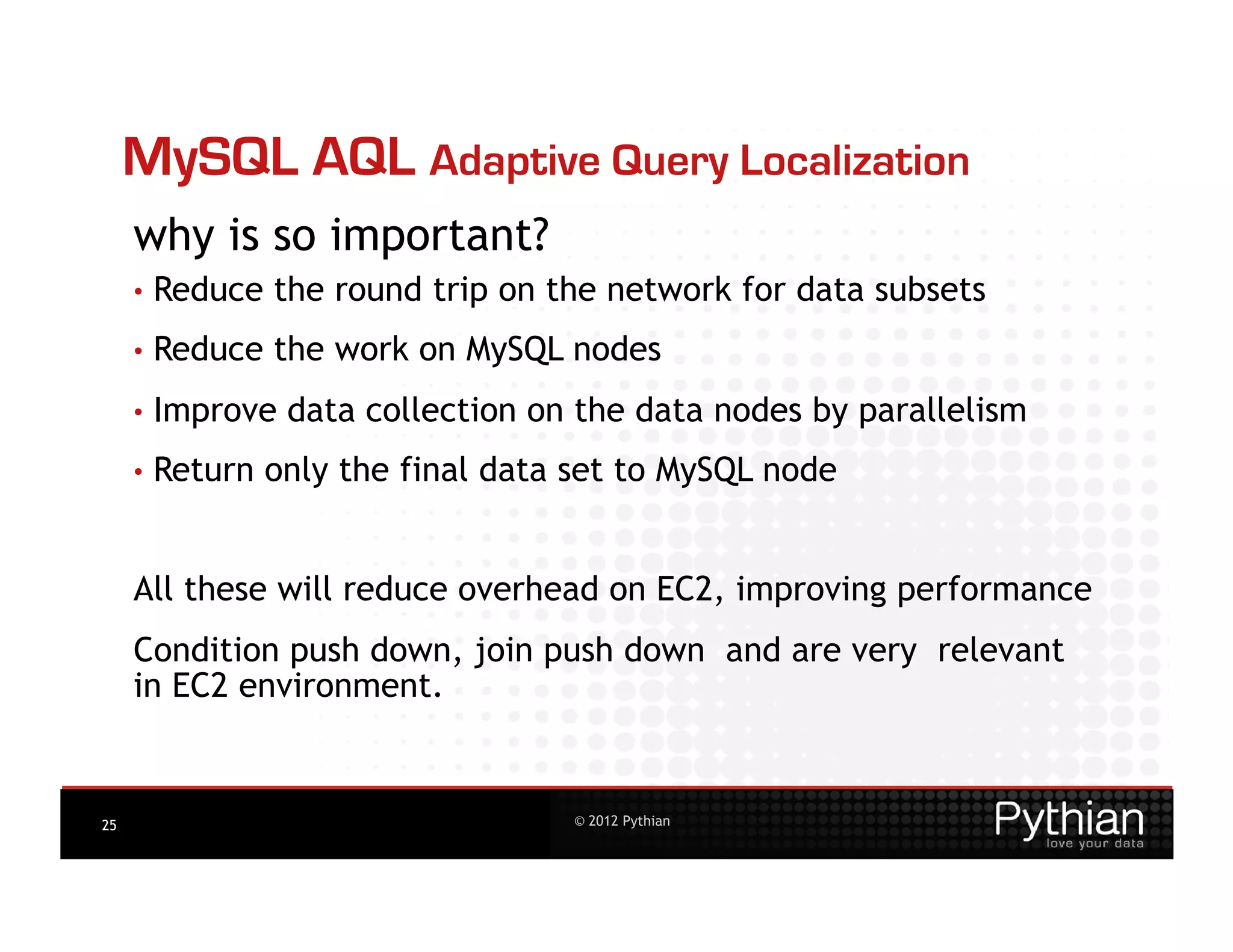
MySQL AQL Adaptive Query Localization
     why is so important?
     •  Reduce   the round trip on the network for data subsets
     •  Reduce   the work on MySQL nodes
     •  Improve   data collection on the data nodes by parallelism
     •  Return   only the final data set to MySQL node


     All these will reduce overhead on EC2, improving performance
     Condition push down, join push down and are very relevant
     in EC2 environment.


25                                   © 2012 Pythian
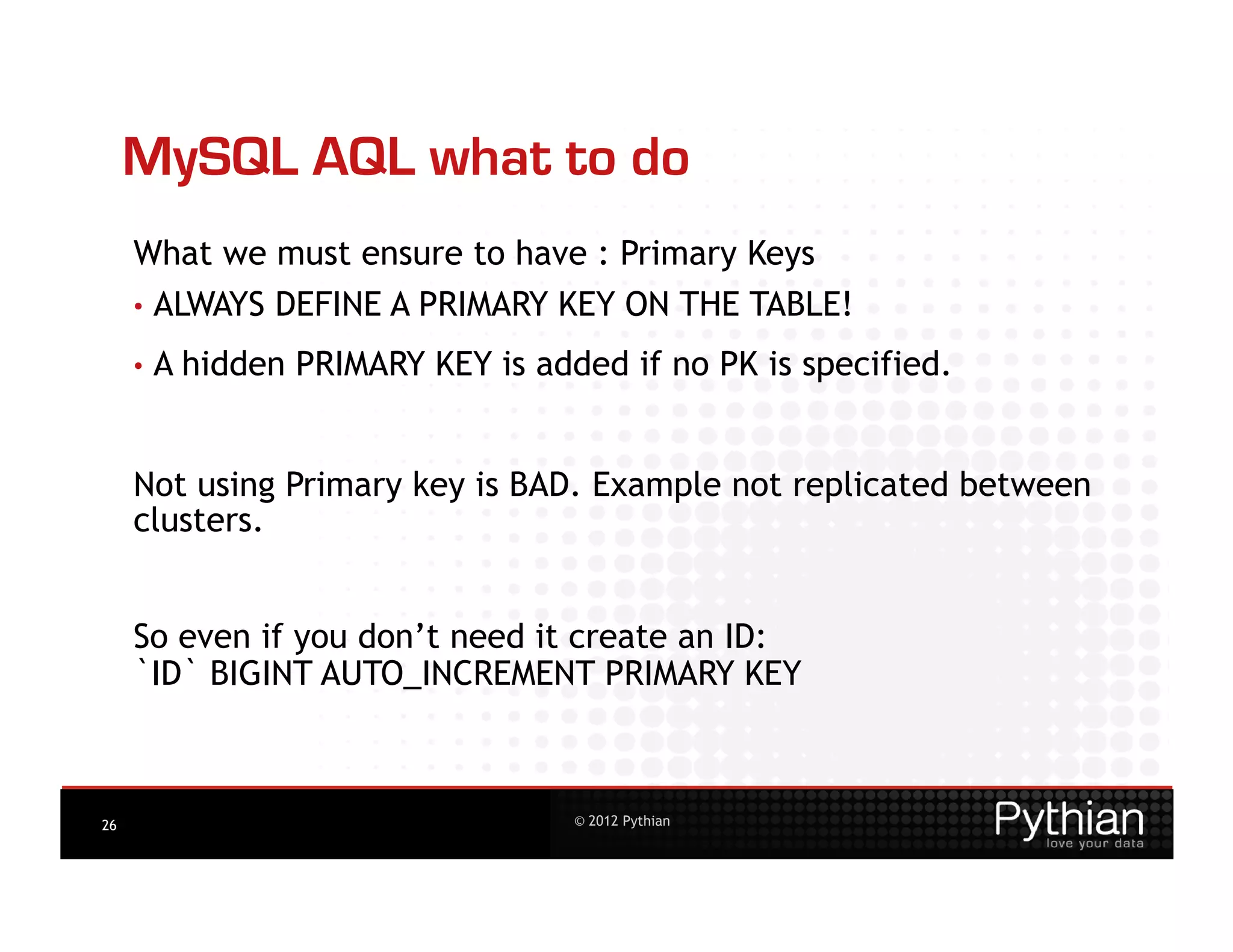
MySQL AQL what to do
     What we must ensure to have : Primary Keys
     •  ALWAYS    DEFINE A PRIMARY KEY ON THE TABLE!
     •  A   hidden PRIMARY KEY is added if no PK is specified.


     Not using Primary key is BAD. Example not replicated between
     clusters.


     So even if you don’t need it create an ID:
     `ID` BIGINT AUTO_INCREMENT PRIMARY KEY


26                                   © 2012 Pythian
MySQL AQL what to do
     •  Joined   columns must be of identical types
     •  No reference to BLOB or TEXT columns
     •  No explicit lock (select .. for update)
     •  Child tables in the Join must be accessed using one of the
        ref, eq_ref, or const
     •  Do not partition by [LINEAR] HASH, LIST, or RANGE
     • Avoid    ‘Using join buffer' in the PLAN
     •  If
         root of Join is an eq_ref or const, child tables must be
       joined by eq_ref
     • Avoid range
     ANALIZE table is not an option it is a MUST

27                                    © 2012 Pythian
MySQL AQL what to do
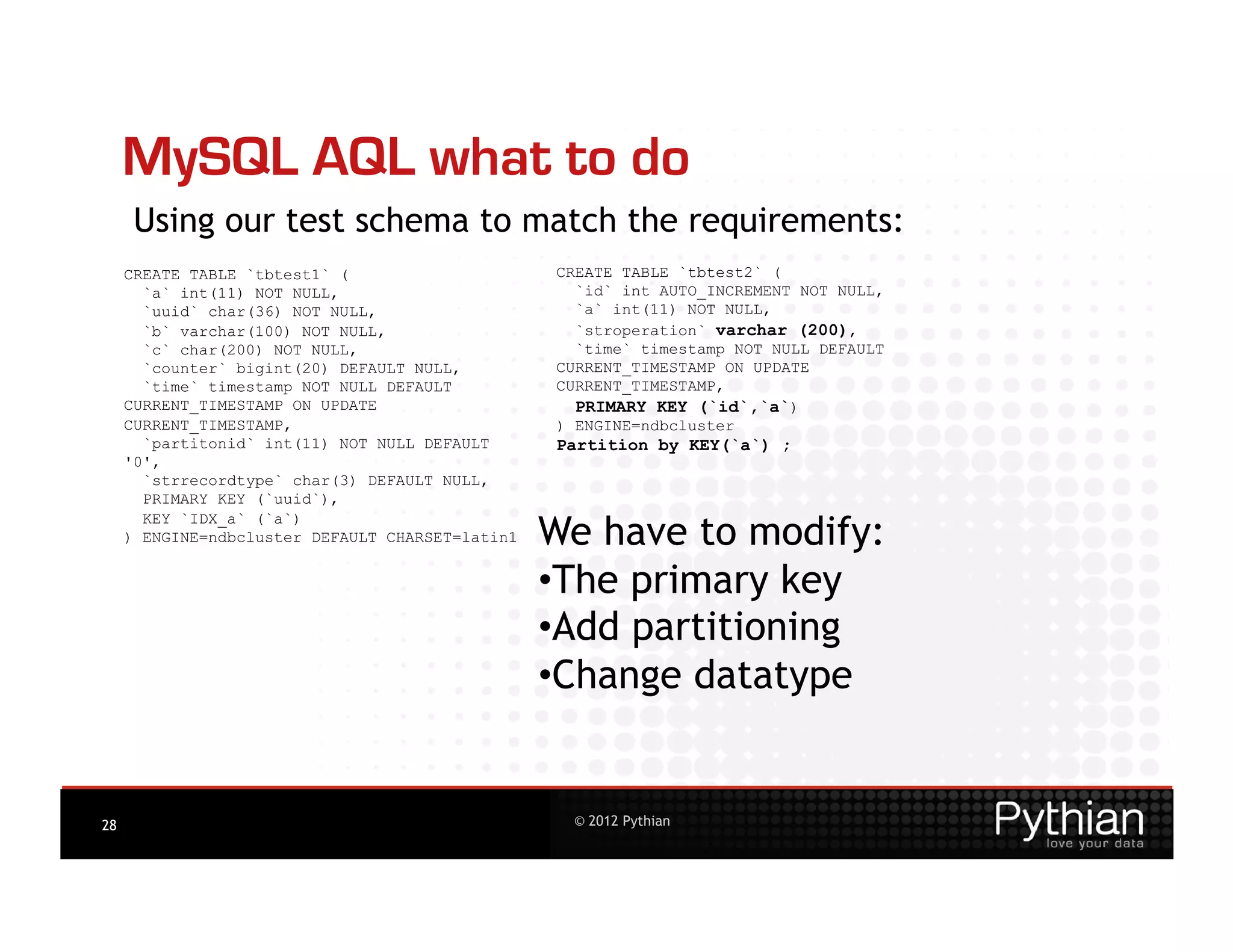
      Using our test schema to match the requirements:
     CREATE TABLE `tbtest1` (                     CREATE TABLE `tbtest2` (
       `a` int(11) NOT NULL,                        `id` int AUTO_INCREMENT NOT NULL,
       `uuid` char(36) NOT NULL,                    `a` int(11) NOT NULL,
       `b` varchar(100) NOT NULL,                   `stroperation` varchar (200),
       `c` char(200) NOT NULL,                      `time` timestamp NOT NULL DEFAULT
       `counter` bigint(20) DEFAULT NULL,         CURRENT_TIMESTAMP ON UPDATE
       `time` timestamp NOT NULL DEFAULT          CURRENT_TIMESTAMP,
     CURRENT_TIMESTAMP ON UPDATE                    PRIMARY KEY (`id`,`a`)
     CURRENT_TIMESTAMP,                           ) ENGINE=ndbcluster
       `partitonid` int(11) NOT NULL DEFAULT      Partition by KEY(`a`) ;
     '0',
       `strrecordtype` char(3) DEFAULT NULL,
       PRIMARY KEY (`uuid`),

                                                  We have to modify:
       KEY `IDX_a` (`a`)
     ) ENGINE=ndbcluster DEFAULT CHARSET=latin1


                                                  •  he primary key
                                                   T
                                                  •  dd partitioning
                                                   A
                                                  •  hange datatype
                                                   C


28                                                 © 2012 Pythian
MySQL load data and test
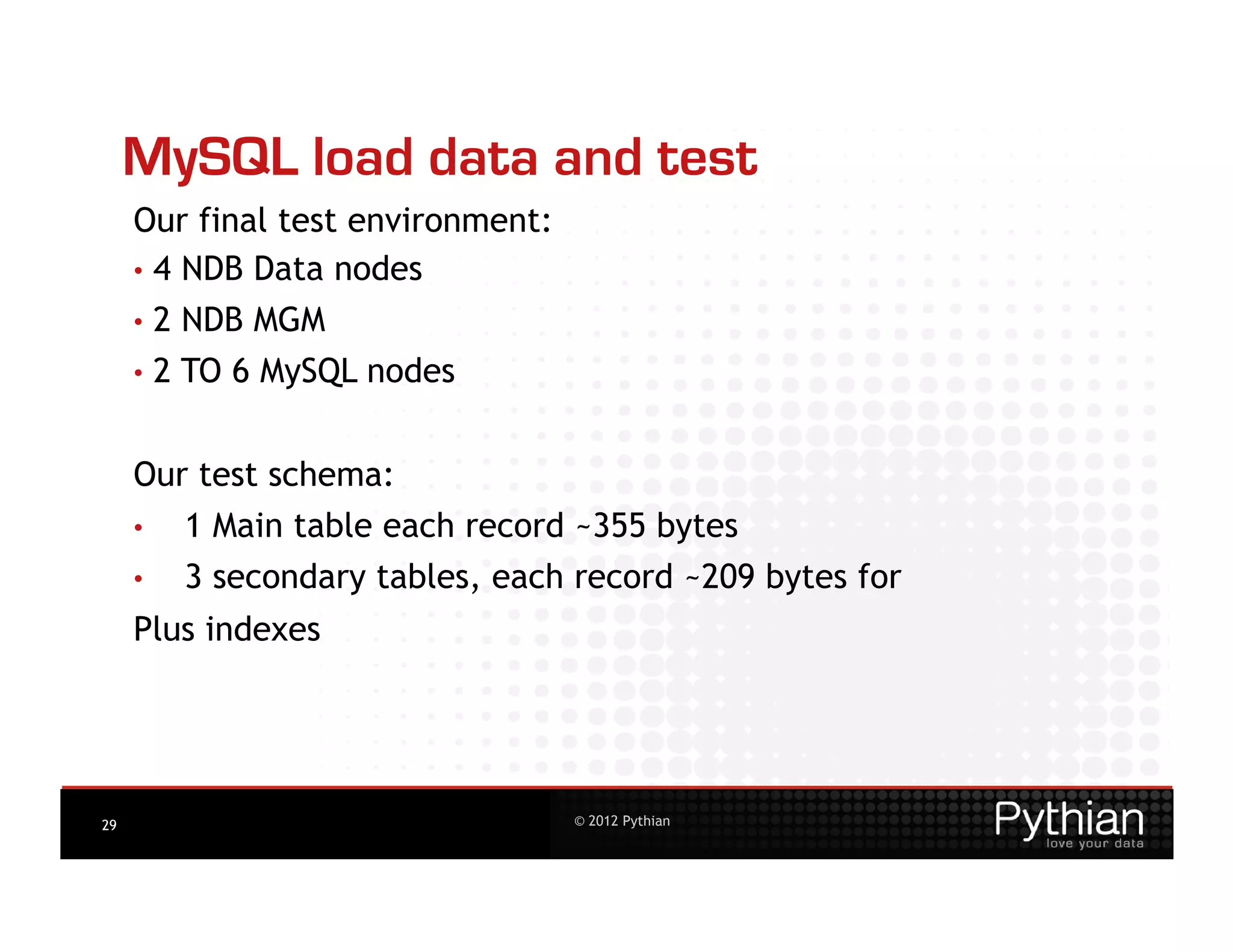
     Our final test environment:
     •  4 NDB Data nodes
     •  2   NDB MGM
     •  2   TO 6 MySQL nodes


     Our test schema:
     •      1 Main table each record ~355 bytes
     •      3 secondary tables, each record ~209 bytes for
     Plus indexes


29                                  © 2012 Pythian
MySQL load data and test
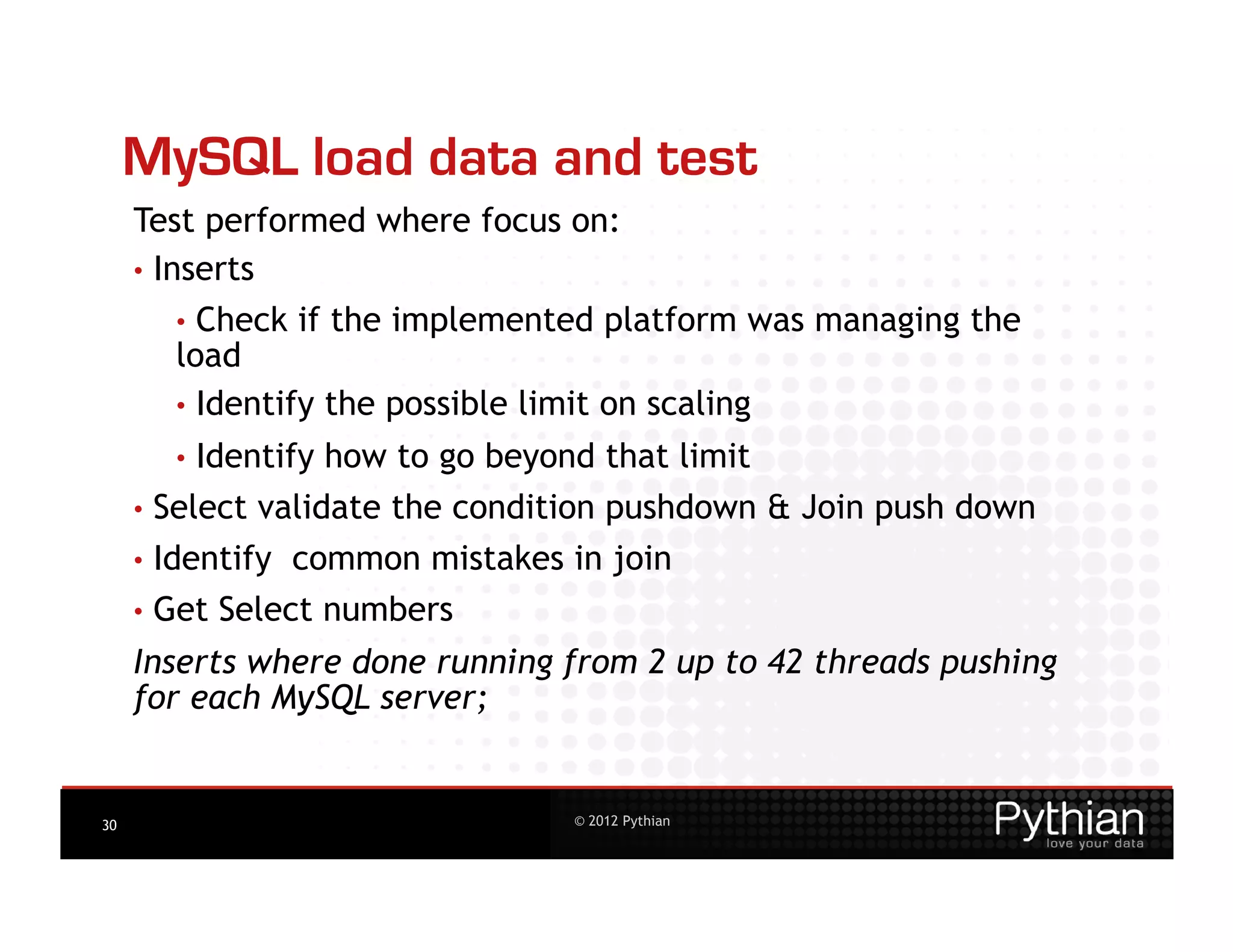
     Test performed where focus on:
     •  Inserts
        •  Check   if the implemented platform was managing the
        load
        •  Identify the possible limit on scaling
        •  Identify   how to go beyond that limit
     •  Select   validate the condition pushdown & Join push down
     •  Identify   common mistakes in join
     •  Get   Select numbers
     Inserts where done running from 2 up to 42 threads pushing
     for each MySQL server;


30                                   © 2012 Pythian
MySQL load data and test
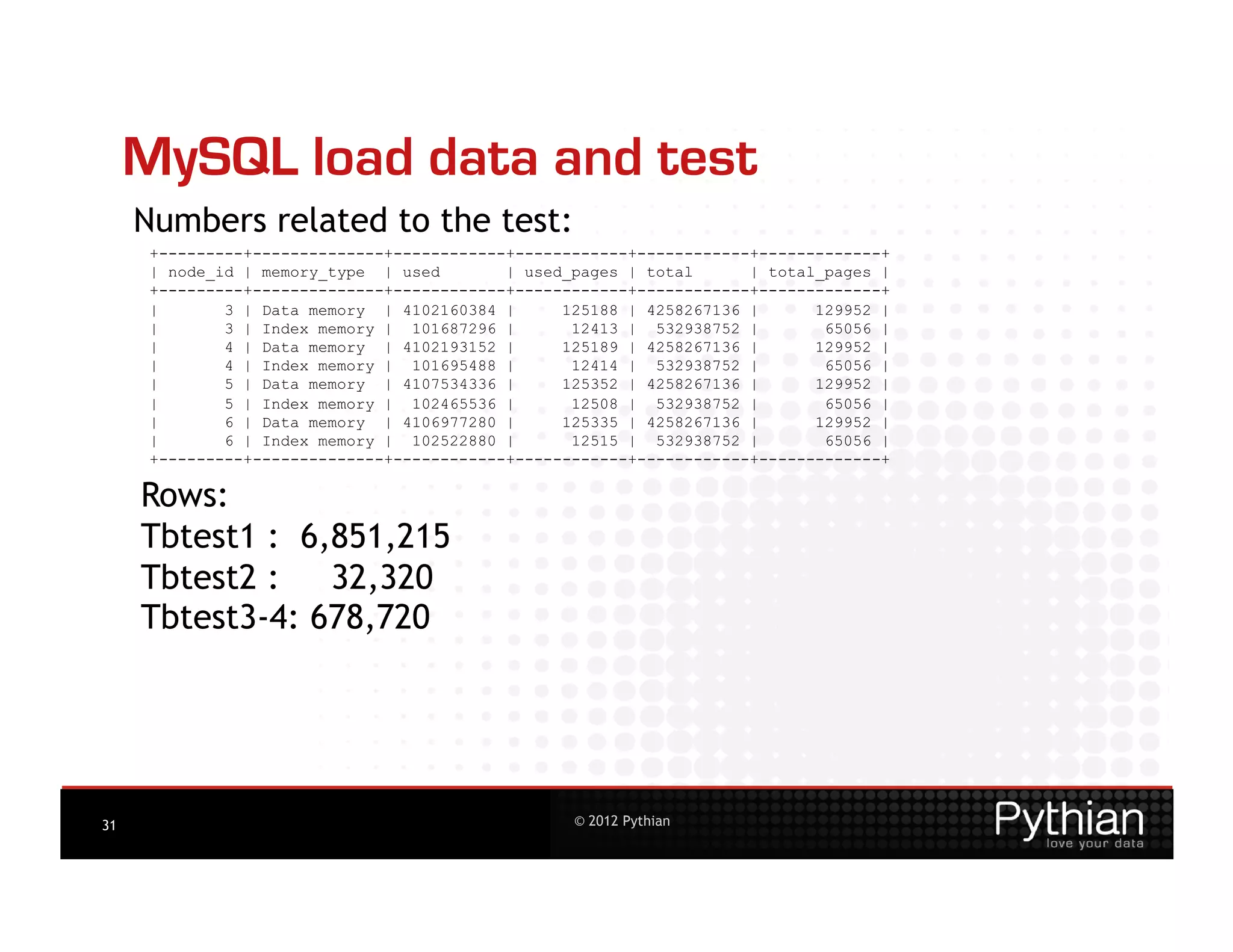
     Numbers related to the test:
      +---------+--------------+------------+------------+------------+-------------+
      | node_id | memory_type | used        | used_pages | total      | total_pages |
      +---------+--------------+------------+------------+------------+-------------+
      |       3 | Data memory | 4102160384 |      125188 | 4258267136 |      129952 |
      |       3 | Index memory | 101687296 |       12413 | 532938752 |        65056 |
      |       4 | Data memory | 4102193152 |      125189 | 4258267136 |      129952 |
      |       4 | Index memory | 101695488 |       12414 | 532938752 |        65056 |
      |       5 | Data memory | 4107534336 |      125352 | 4258267136 |      129952 |
      |       5 | Index memory | 102465536 |       12508 | 532938752 |        65056 |
      |       6 | Data memory | 4106977280 |      125335 | 4258267136 |      129952 |
      |       6 | Index memory | 102522880 |       12515 | 532938752 |        65056 |
      +---------+--------------+------------+------------+------------+-------------+

     Rows:
     Tbtest1 : 6,851,215
     Tbtest2 :   32,320
     Tbtest3-4: 678,720


31                                                 © 2012 Pythian
MySQL load data and test
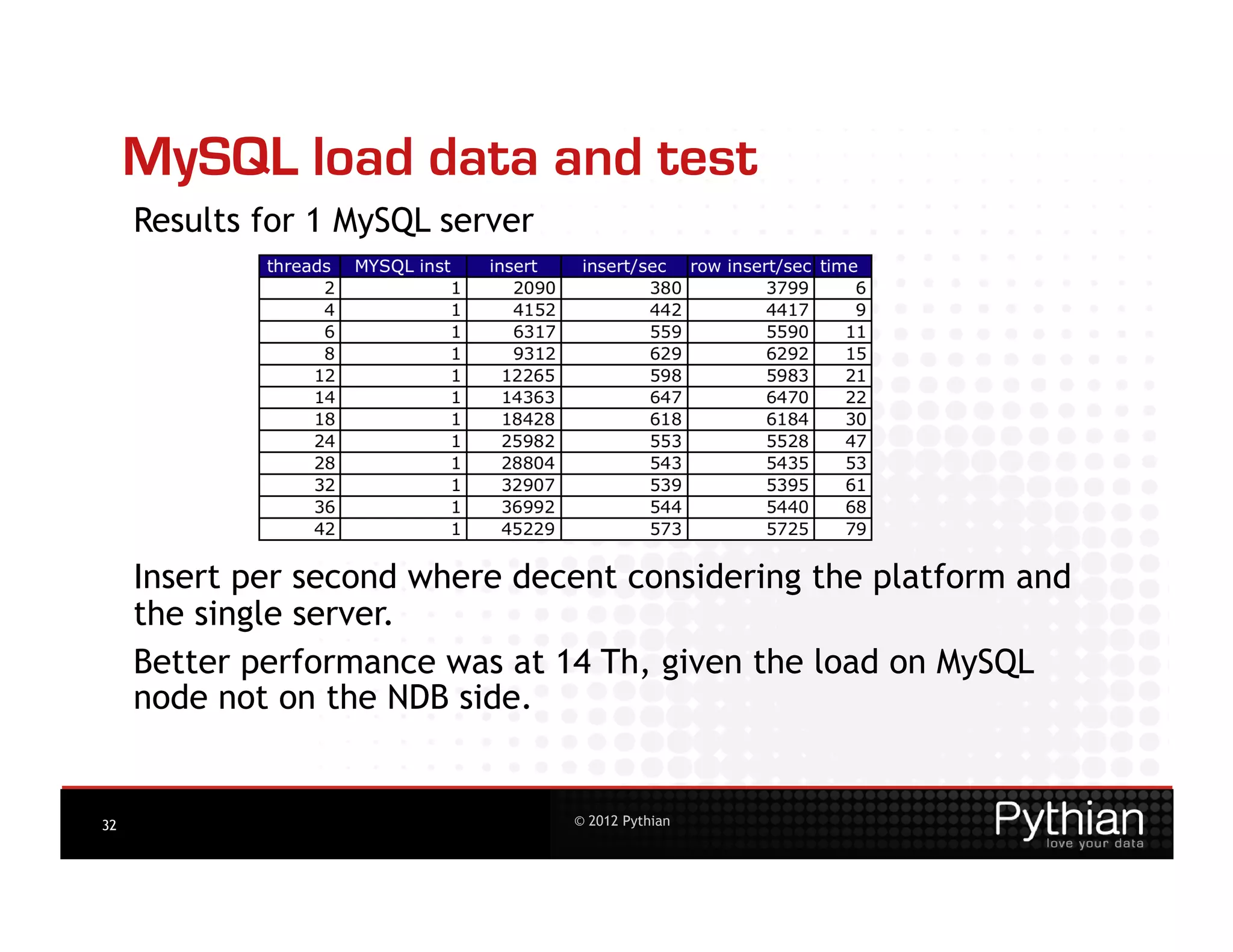
     Results for 1 MySQL server


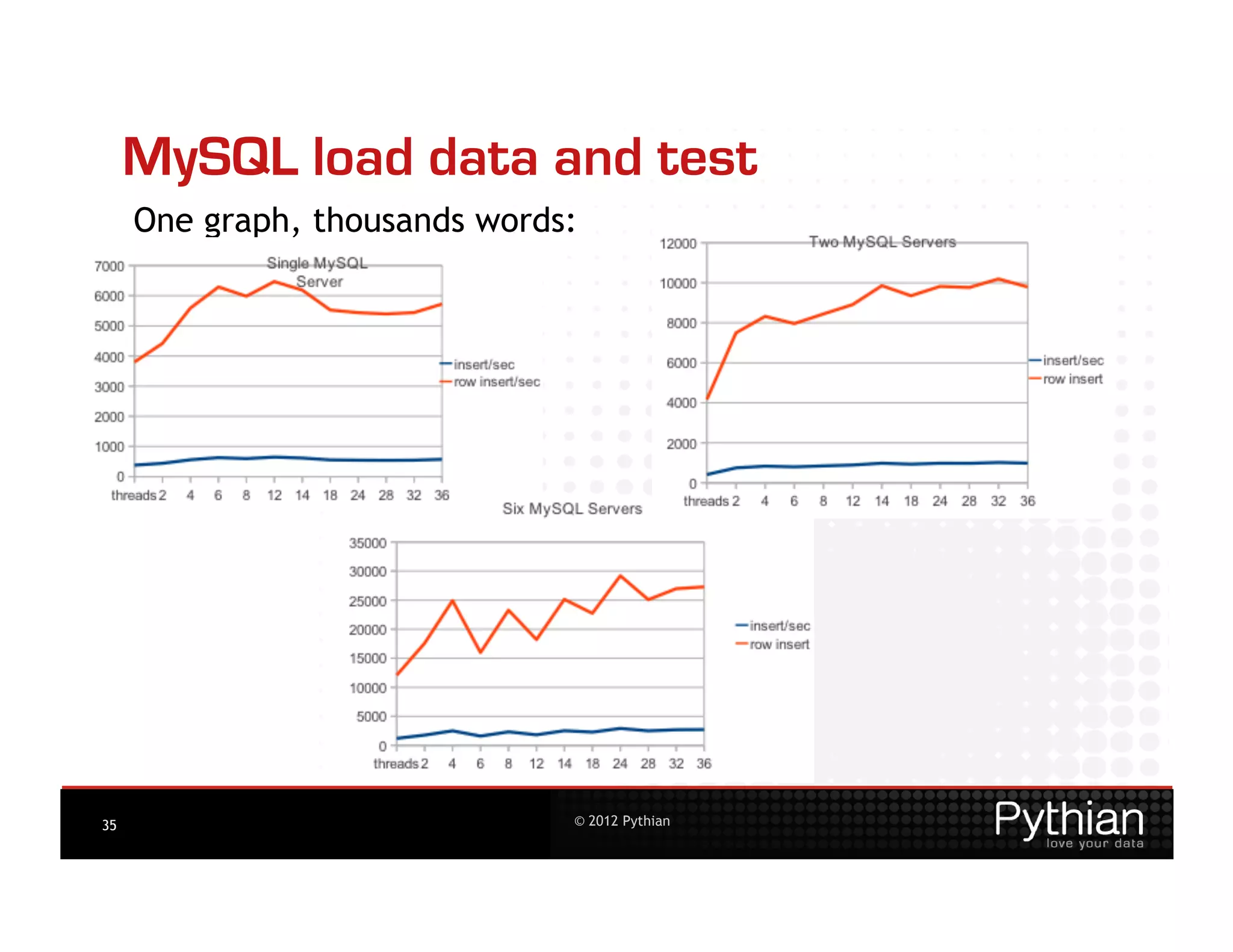
     Insert per second where decent considering the platform and
     the single server.
     Better performance was at 14 Th, given the load on MySQL
     node not on the NDB side.


32                                © 2012 Pythian
MySQL load data and test
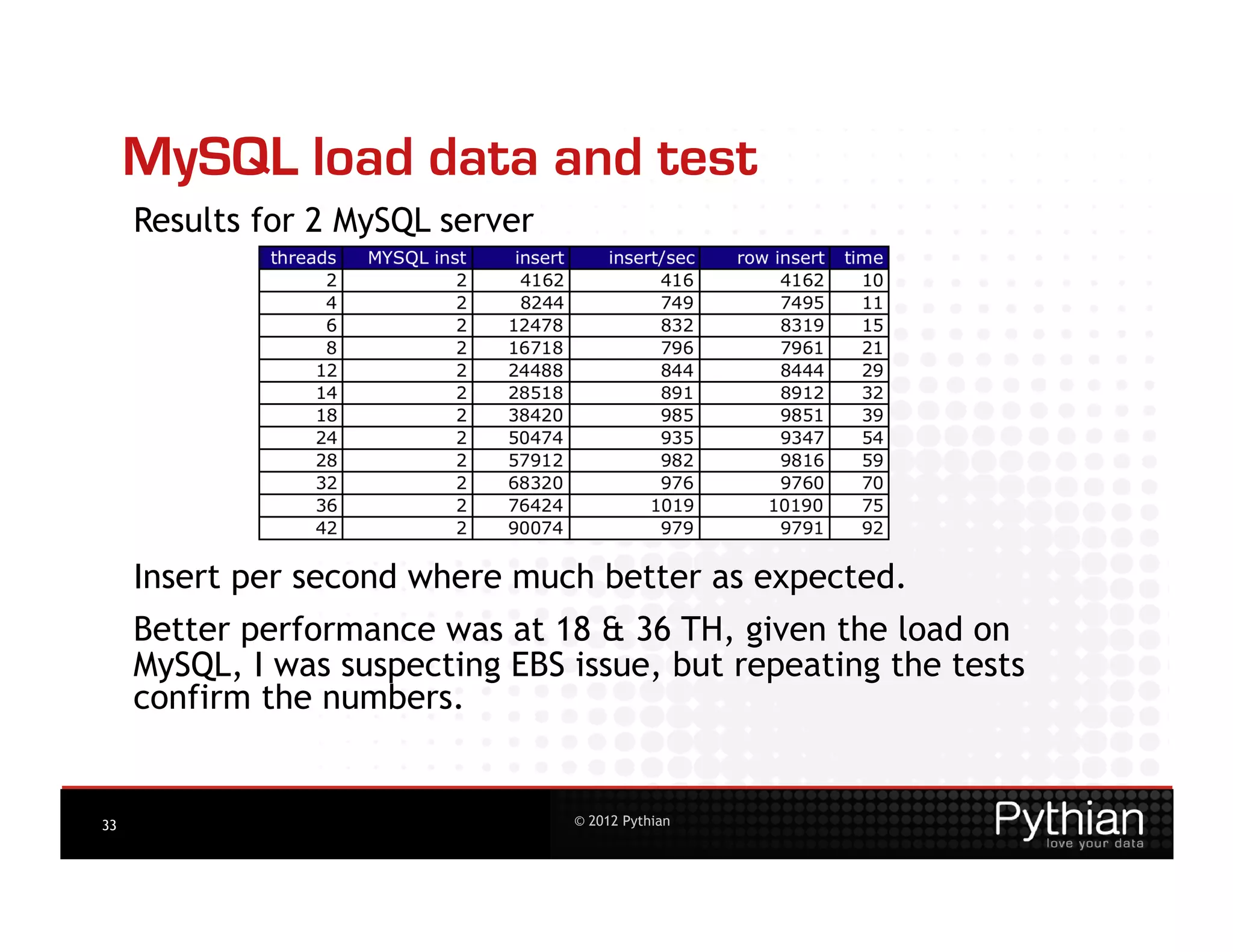
     Results for 2 MySQL server


     Insert per second where much better as expected.
     Better performance was at 18 & 36 TH, given the load on
     MySQL, I was suspecting EBS issue, but repeating the tests
     confirm the numbers.


33                                © 2012 Pythian
MySQL load data and test
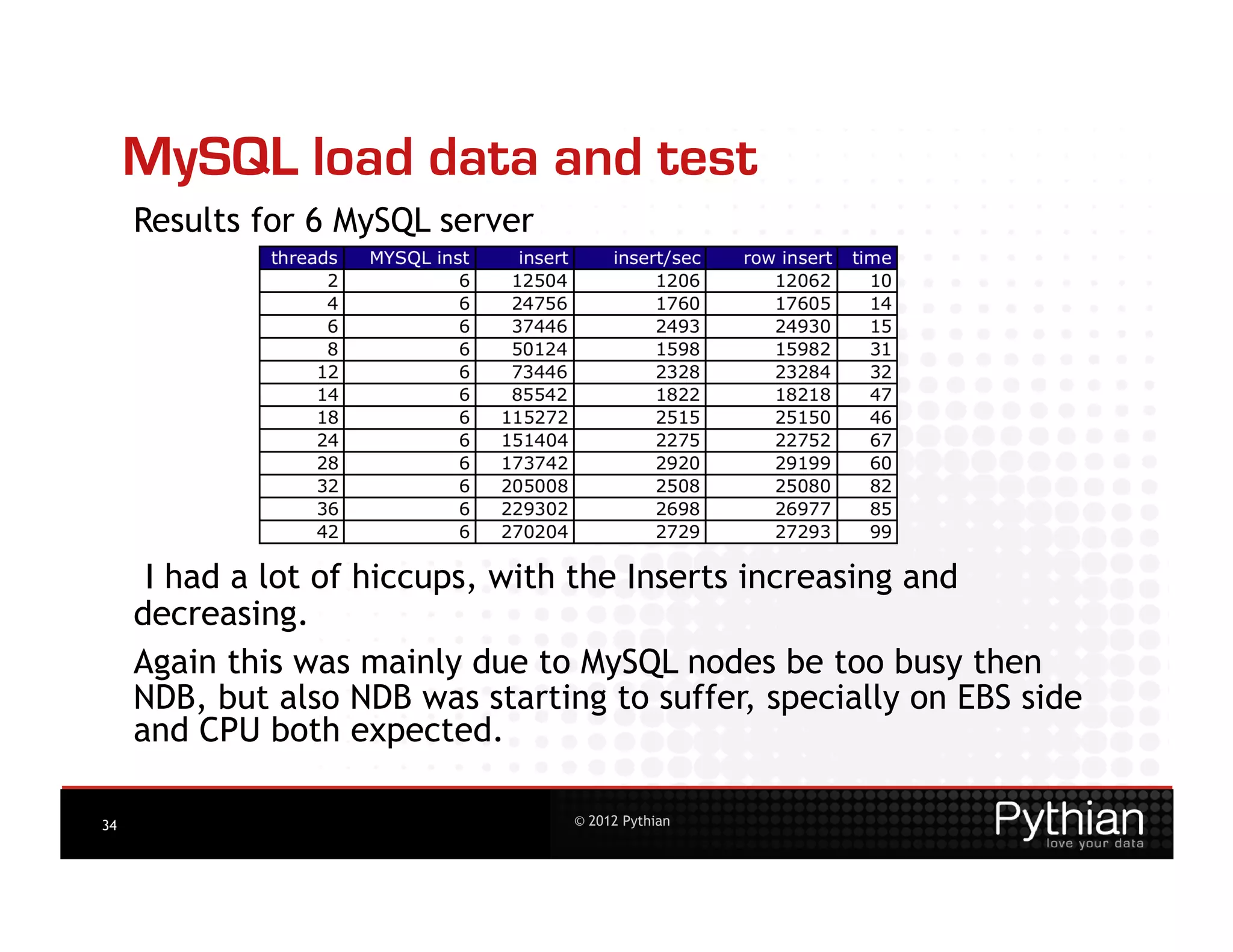
     Results for 6 MySQL server


      I had a lot of hiccups, with the Inserts increasing and
     decreasing.
     Again this was mainly due to MySQL nodes be too busy then
     NDB, but also NDB was starting to suffer, specially on EBS side
     and CPU both expected.

34                                © 2012 Pythian
MySQL load data and test
     One graph, thousands words:


35                             © 2012 Pythian
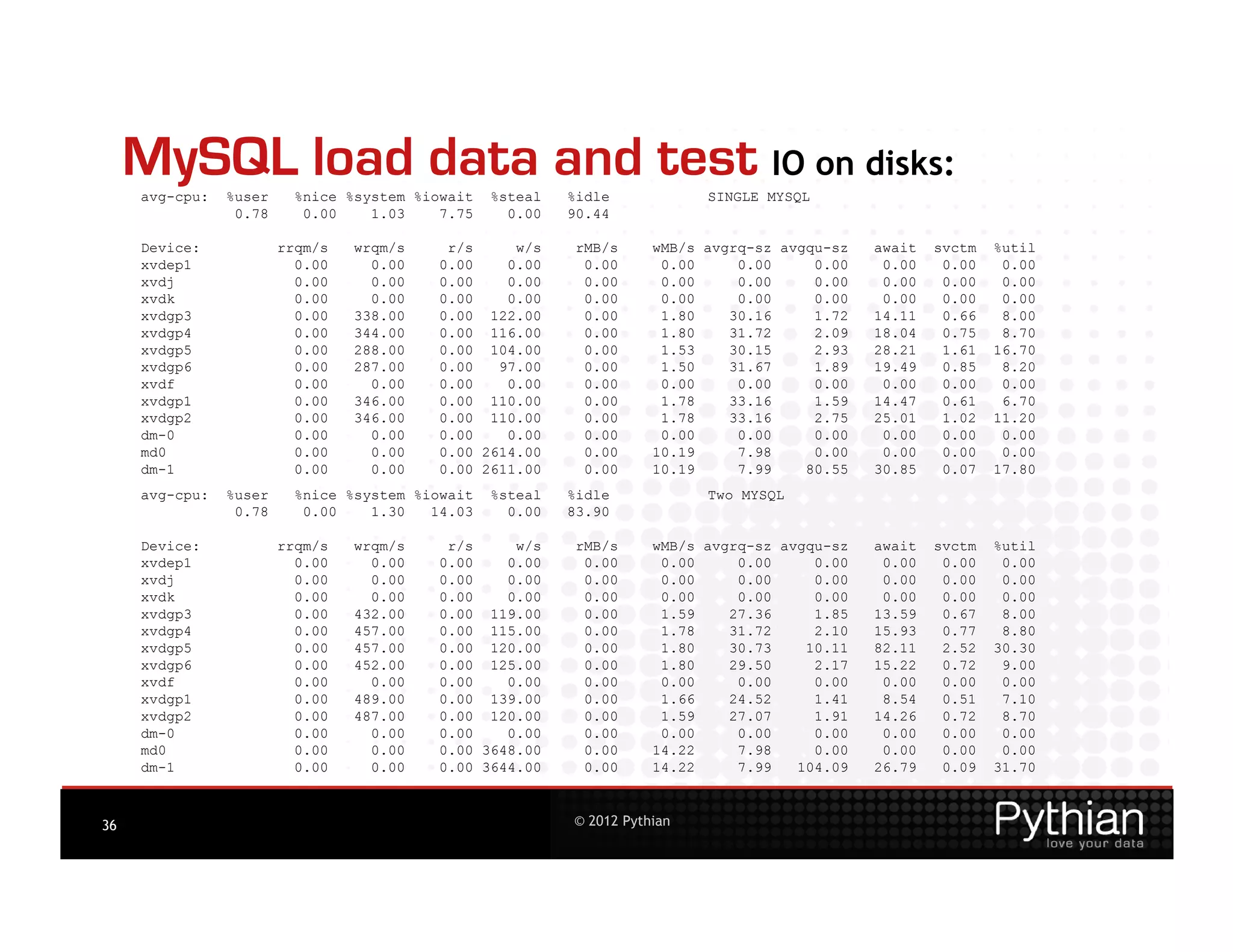
MySQL load data and test IO on disks:
     avg-cpu:   %user     %nice %system %iowait   %steal   %idle            SINGLE MYSQL
                 0.78      0.00    1.03    7.75     0.00   90.44

     Device:            rrqm/s   wrqm/s     r/s     w/s    rMB/s      wMB/s avgrq-sz avgqu-sz   await   svctm   %util
     xvdep1               0.00     0.00    0.00    0.00     0.00       0.00     0.00     0.00    0.00    0.00    0.00
     xvdj                 0.00     0.00    0.00    0.00     0.00       0.00     0.00     0.00    0.00    0.00    0.00
     xvdk                 0.00     0.00    0.00    0.00     0.00       0.00     0.00     0.00    0.00    0.00    0.00
     xvdgp3               0.00   338.00    0.00 122.00      0.00       1.80    30.16     1.72   14.11    0.66    8.00
     xvdgp4               0.00   344.00    0.00 116.00      0.00       1.80    31.72     2.09   18.04    0.75    8.70
     xvdgp5               0.00   288.00    0.00 104.00      0.00       1.53    30.15     2.93   28.21    1.61   16.70
     xvdgp6               0.00   287.00    0.00   97.00     0.00       1.50    31.67     1.89   19.49    0.85    8.20
     xvdf                 0.00     0.00    0.00    0.00     0.00       0.00     0.00     0.00    0.00    0.00    0.00
     xvdgp1               0.00   346.00    0.00 110.00      0.00       1.78    33.16     1.59   14.47    0.61    6.70
     xvdgp2               0.00   346.00    0.00 110.00      0.00       1.78    33.16     2.75   25.01    1.02   11.20
     dm-0                 0.00     0.00    0.00    0.00     0.00       0.00     0.00     0.00    0.00    0.00    0.00
     md0                  0.00     0.00    0.00 2614.00     0.00      10.19     7.98     0.00    0.00    0.00    0.00
     dm-1                 0.00     0.00    0.00 2611.00     0.00      10.19     7.99    80.55   30.85    0.07   17.80
     avg-cpu:   %user     %nice %system %iowait   %steal   %idle            Two MYSQL
                 0.78      0.00    1.30   14.03     0.00   83.90

     Device:            rrqm/s   wrqm/s     r/s     w/s    rMB/s      wMB/s avgrq-sz avgqu-sz   await   svctm   %util
     xvdep1               0.00     0.00    0.00    0.00     0.00       0.00     0.00     0.00    0.00    0.00    0.00
     xvdj                 0.00     0.00    0.00    0.00     0.00       0.00     0.00     0.00    0.00    0.00    0.00
     xvdk                 0.00     0.00    0.00    0.00     0.00       0.00     0.00     0.00    0.00    0.00    0.00
     xvdgp3               0.00   432.00    0.00 119.00      0.00       1.59    27.36     1.85   13.59    0.67    8.00
     xvdgp4               0.00   457.00    0.00 115.00      0.00       1.78    31.72     2.10   15.93    0.77    8.80
     xvdgp5               0.00   457.00    0.00 120.00      0.00       1.80    30.73    10.11   82.11    2.52   30.30
     xvdgp6               0.00   452.00    0.00 125.00      0.00       1.80    29.50     2.17   15.22    0.72    9.00
     xvdf                 0.00     0.00    0.00    0.00     0.00       0.00     0.00     0.00    0.00    0.00    0.00
     xvdgp1               0.00   489.00    0.00 139.00      0.00       1.66    24.52     1.41    8.54    0.51    7.10
     xvdgp2               0.00   487.00    0.00 120.00      0.00       1.59    27.07     1.91   14.26    0.72    8.70
     dm-0                 0.00     0.00    0.00    0.00     0.00       0.00     0.00     0.00    0.00    0.00    0.00
     md0                  0.00     0.00    0.00 3648.00     0.00      14.22     7.98     0.00    0.00    0.00    0.00
     dm-1                 0.00     0.00    0.00 3644.00     0.00      14.22     7.99   104.09   26.79    0.09   31.70


36                                                         © 2012 Pythian
MySQL read data and test
     Selects, what about condition push down and Join push down?
          First of all remember to do ANALYZE on your tables.

      (root@localhost) [test]explain select count(tbtest4.a) from tbtest4, tbtest1 where
      tbtest1.a=tbtest4.a and tbtest1.a=346424503;
      +----+-------------+---------+------+---------------+---------+---------+-------+------+-------+
      | id | select_type | table   | type | possible_keys | key     | key_len | ref   | rows | Extra |
      +----+-------------+---------+------+---------------+---------+---------+-------+------+-------+
      | 1 | SIMPLE       | tbtest1 | ref | IDX_a          | IDX_a   | 4       | const |   13 |       |
      | 1 | SIMPLE       | tbtest4 | ref | PRIMARY        | PRIMARY | 4       | const | 823 |        |
      +----+-------------+---------+------+---------------+---------+---------+-------+------+-------+
      2 rows in set (0.00 sec)

      (root@localhost) [test]explain select count(tbtest4.a) from tbtest4, tbtest1 where
      tbtest1.a=tbtest4.a and tbtest1.a=346424503;
      +----+-------------+---------+------+---------------+---------+---------+-------+------+-------+
      | id | select_type | table   | type | possible_keys | key     | key_len | ref   | rows | Extra |
      +----+-------------+---------+------+---------------+---------+---------+-------+------+-------+
      | 1 | SIMPLE       | tbtest1 | ref | IDX_a          | IDX_a   | 4       | const |    2 |       |
      | 1 | SIMPLE       | tbtest4 | ref | PRIMARY        | PRIMARY | 4       | const | 5960 |       |
      +----+-------------+---------+------+---------------+---------+---------+-------+------+-------+


      Don’t be surprise if the plan will not be good, if you do not
      act good
37                                                 © 2012 Pythian
MySQL read data and test
     Second remember to do ANALYZE on your tables.
      (root@localhost) [test]select count(tbtest4.a) from tbtest4, tbtest1 where tbtest1.a=tbtest4.a and
      tbtest1.a=346424503;
      +------------------+
      | count(tbtest4.a) |
      +------------------+
      |             1491 |
      +------------------+
      1 row in set (1.71 sec)
      (root@localhost) [test]analyze table tbtest1;
      +--------------+---------+----------+----------+
      | Table        | Op      | Msg_type | Msg_text |
      +--------------+---------+----------+----------+
      | test.tbtest1 | analyze | status   | OK       |
      +--------------+---------+----------+----------+
      1 row in set (32.46 sec)

      (root@localhost) [test]select count(tbtest4.a) from tbtest4, tbtest1 where tbtest1.a=tbtest4.a and
      tbtest1.a=346424503;
      +------------------+
      | count(tbtest4.a) |
      +------------------+
      |             1491 |
      +------------------+
      1 row in set (0.03 sec)


38                                                 © 2012 Pythian
MySQL read data and test
     Why this two queries have the same results but the second
      takes much longer?
      (root@localhost) [test]select count(tbtest4.a) from tbtest4, tbtest1 where tbtest1.a=tbtest4.a and
      tbtest1.a=346424503;
      +------------------+
      | count(tbtest4.a) |
      +------------------+
      |             1491 |
      +------------------+
      1 row in set (0.03 sec)

      (root@localhost) [test]select count(tbtest2.a) from tbtest2, tbtest1 where tbtest1.a=tbtest2.a and
      tbtest1.a=346424503;
      +------------------+
      | count(tbtest3.a) |
      +------------------+
      |             1491 |
      +------------------+
      1 row in set (1.64 sec)


                                                       ?

39                                                 © 2012 Pythian
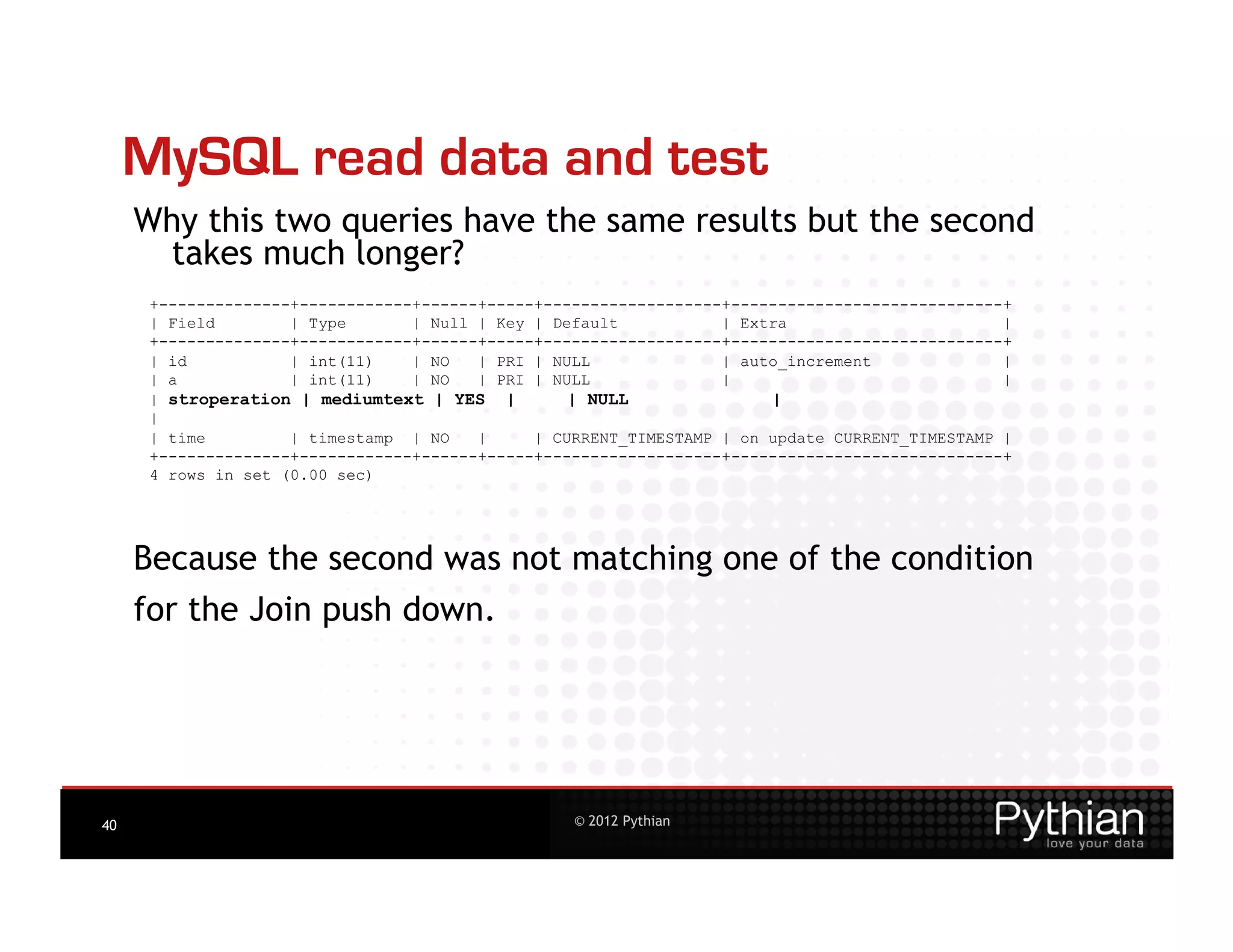
MySQL read data and test
     Why this two queries have the same results but the second
      takes much longer?
      +--------------+------------+------+-----+-------------------+-----------------------------+
      | Field        | Type       | Null | Key | Default           | Extra                       |
      +--------------+------------+------+-----+-------------------+-----------------------------+
      | id           | int(11)    | NO   | PRI | NULL              | auto_increment              |
      | a            | int(11)    | NO   | PRI | NULL              |                             |
      | stroperation | mediumtext | YES |          | NULL               |
      |
      | time         | timestamp | NO    |     | CURRENT_TIMESTAMP | on update CURRENT_TIMESTAMP |
      +--------------+------------+------+-----+-------------------+-----------------------------+
      4 rows in set (0.00 sec)


     Because the second was not matching one of the condition
     for the Join push down.


40                                                 © 2012 Pythian
MySQL read data and test
      Another aspect that we must take in consideration and be
        careful:
(root@localhost) [test]explain Select … from test.tbtest1, test.tbtest2 where tbtest1.a = tbtest2.a and
tbtest1.a > 822845727 and tbtest1.a <1362834750;
+----+-------------+---------+-------+---------------+------+---------+----------------+------
+-----------------------------------+
| id | select_type | table   | type | possible_keys | key | key_len | ref              | rows | Extra
|
+----+-------------+---------+-------+---------------+------+---------+----------------+------
+-----------------------------------+
| 1 | SIMPLE       | tbtest2 | range | a             | a    | 4       | NULL           | 1616 | Using where with
pushed condition |
| 1 | SIMPLE       | tbtest1 | ref    | a,IDX_a      | a    | 4       | test.tbtest2.a |    1 |
|
+----+-------------+---------+-------+---------------+------+---------+----------------+------

(root@localhost) [test]explain Select … from test.tbtest1, test.tbtest4 where tbtest1.a = tbtest4.a and
tbtest1.a > 822845727 and tbtest1.a <1362834750;
+----+-------------+---------+-------+---------------+------+---------+----------------+-------
+--------------------------------------------------------------+
| id | select_type | table   | type | possible_keys | key | key_len | ref              | rows | Extra
|
+----+-------------+---------+-------+---------------+------+---------+----------------+-------
+--------------------------------------------------------------+
| 1 | SIMPLE       | tbtest4 | range | PRIMARY,a      | a   | 4       | NULL           | 33936 | Parent of 2
pushed join@1; Using where with pushed condition |
| 1 | SIMPLE       | tbtest1 | ref   | a,IDX_a        | a   | 4       | test.tbtest4.a |     1 | Child of
'tbtest4' in pushed join@1                          |
+----+-------------+---------+-------+---------------+------+---------+----------------+-------


 41                                                © 2012 Pythian
MySQL read data and test
     In the fist query we have the medium text so condition push
     down apply but not Join.
     In the second query a range was used in the first instance, then
     Join push down.
     This has very bad effect on the performance, because range can
     scan cross nodes and takes a lot of resources = SLOW! As the
     facto it is:
(root@localhost) [test] Select count(tbtest1.a) from test.tbtest1, test.tbtest4 where tbtest1.a = tbtest4.a and
tbtest1.a > 822845727 and tbtest1.a <1362834750;
+------------------+
| count(tbtest1.a) |
+------------------+
|           168651 |
+------------------+
1 row in set (8.81 sec)

|


42                                               © 2012 Pythian
MySQL read data and test
     Just for fun let us see what happen with subqueries, I know it
     will take ages:
root@localhost) [test]explain select count(tbtest1.a) from
tbtest1 where tbtest1.a IN (select tbtest4.a from tbtest4          Id: 275
where tbtest4.a > 1362834750)G                                  User: root
*************************** 1. row                               Host: localhost
***************************                                        db: test
           id: 1                                              Command: Query
  select_type: PRIMARY                                           Time: 3442
        table: tbtest1                                          State: preparing
         type: ALL                                               Info: select count(tbtest1.a) from tbtest1
possible_keys: NULL                                           where tbtest1.a IN (select tbtest4.a from
          key: NULL                                           tbtest4 where tbtest4
      key_len: NULL
          ref: NULL
         rows: 6851215                                        And counting …
        Extra: Using where
*************************** 2. row
***************************
           id: 2
  select_type: DEPENDENT SUBQUERY
        table: tbtest4
         type: index_subquery
possible_keys: PRIMARY,a
          key: PRIMARY
      key_len: 4
          ref: func
         rows: 2112
        Extra: Using where


43                                                © 2012 Pythian
MySQL read data and test
     Rewrite the same as Join:
(root@localhost) [test]explain select count(tbtest1.a) from   (root@localhost) [test]select count(tbtest1.a)
tbtest1 LEFT join tbtest4 on tbtest4.a=tbtest1.a where        from tbtest1 LEFT join tbtest4 on
tbtest4.a > 1362834750G                                      tbtest4.a=tbtest1.a where tbtest4.a >
*************************** 1. row                            1362834750;
***************************                                   +------------------+
           id: 1                                              | count(tbtest1.a) |
  select_type: SIMPLE                                         +------------------+
        table: tbtest4                                        |           193074 |
         type: range                                          +------------------+
possible_keys: PRIMARY,a                                      1 row in set (13.86 sec)
          key: a
      key_len: 4
          ref: NULL
                                                              Not excellent because the
         rows: 67872
        Extra: Parent of 2 pushed join@1; Using where with
                                                              range but … at least 13
pushed condition
*************************** 2. row                            seconds.
***************************
           id: 1
  select_type: SIMPLE
        table: tbtest1
         type: ref
possible_keys: a,IDX_a
          key: a
      key_len: 4
          ref: test.tbtest4.a
         rows: 1
        Extra: Child of 'tbtest4' in pushed join@1
2 rows in set (0.00 sec)


44                                                © 2012 Pythian
MySQL read data and test
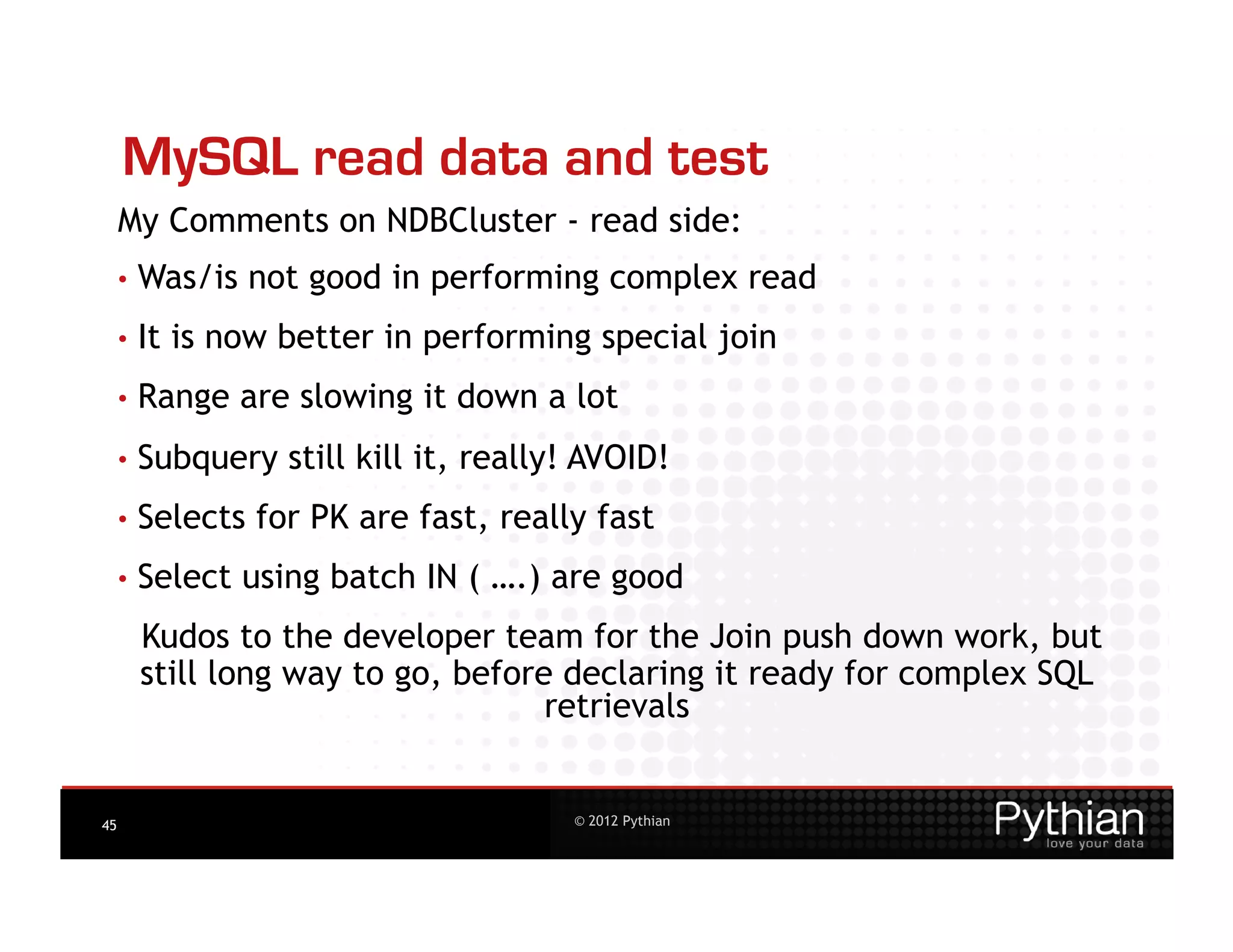
     My Comments on NDBCluster - read side:
     •  Was/is    not good in performing complex read
     •  It   is now better in performing special join
     •  Range    are slowing it down a lot
     •  Subquery    still kill it, really! AVOID!
     •  Selects   for PK are fast, really fast
     •  Select   using batch IN ( ….) are good
       Kudos to the developer team for the Join push down work, but
       still long way to go, before declaring it ready for complex SQL
                                   retrievals


45                                       © 2012 Pythian
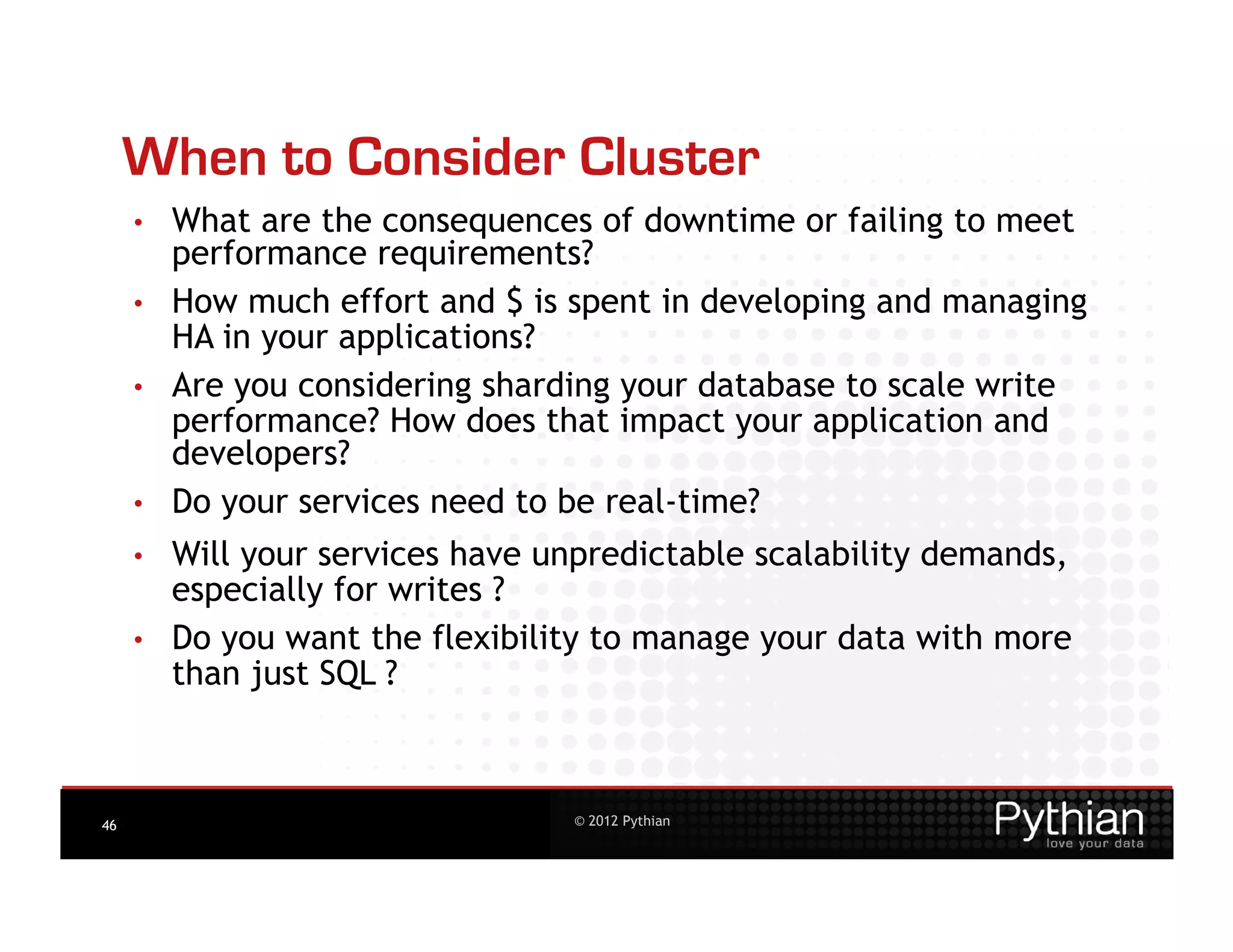
When to Consider Cluster
     •    What are the consequences of downtime or failing to meet
          performance requirements?
     •    How much effort and $ is spent in developing and managing
          HA in your applications?
     •    Are you considering sharding your database to scale write
          performance? How does that impact your application and
          developers?
     •    Do your services need to be real-time?
     •    Will your services have unpredictable scalability demands,
          especially for writes ?
     •    Do you want the flexibility to manage your data with more
          than just SQL ?


46                                 © 2012 Pythian
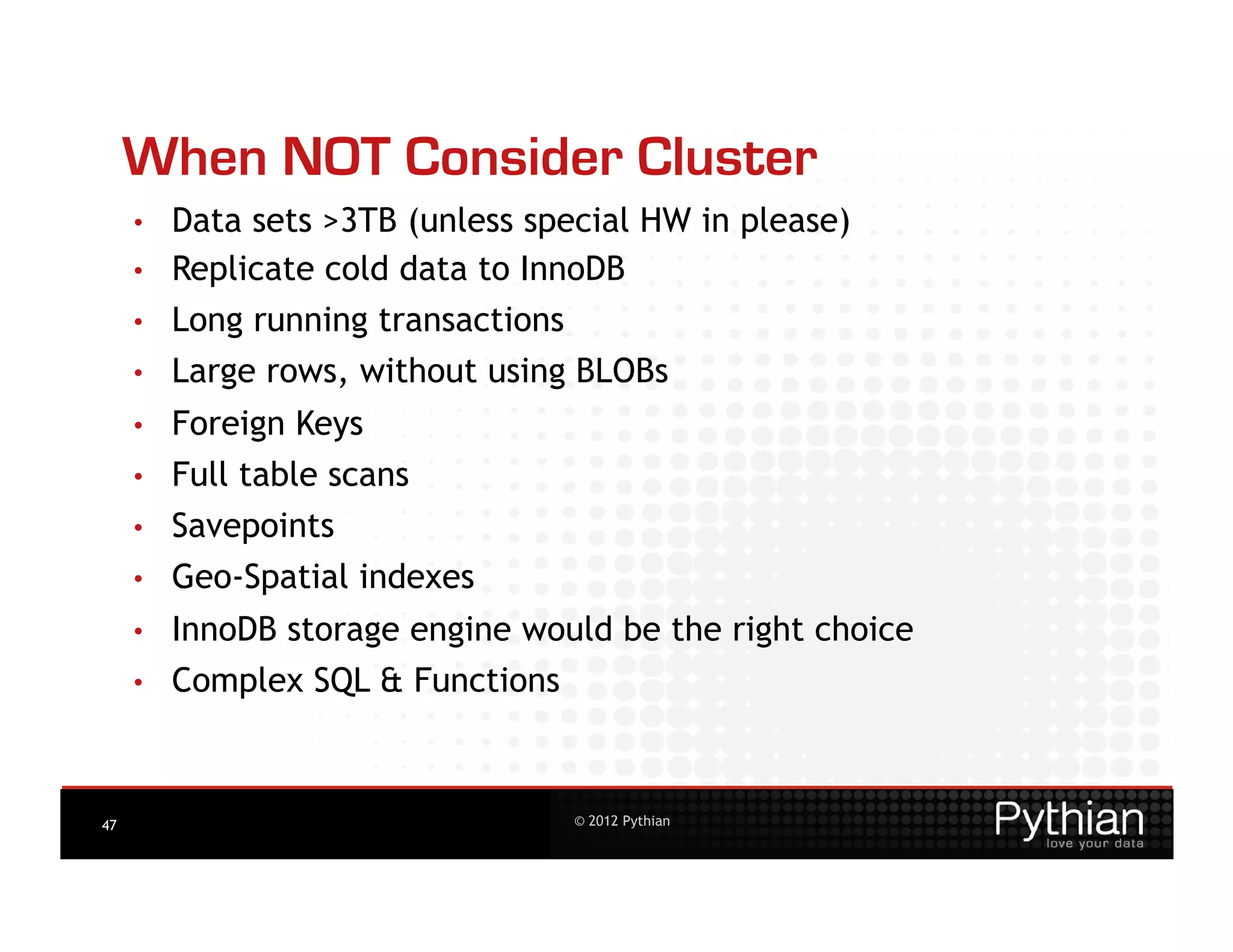
When NOT Consider Cluster
     •    Data sets >3TB (unless special HW in please)
     •    Replicate cold data to InnoDB
     •    Long running transactions
     •    Large rows, without using BLOBs
     •    Foreign Keys
     •    Full table scans
     •    Savepoints
     •    Geo-Spatial indexes
     •    InnoDB storage engine would be the right choice
     •    Complex SQL & Functions


47                                    © 2012 Pythian
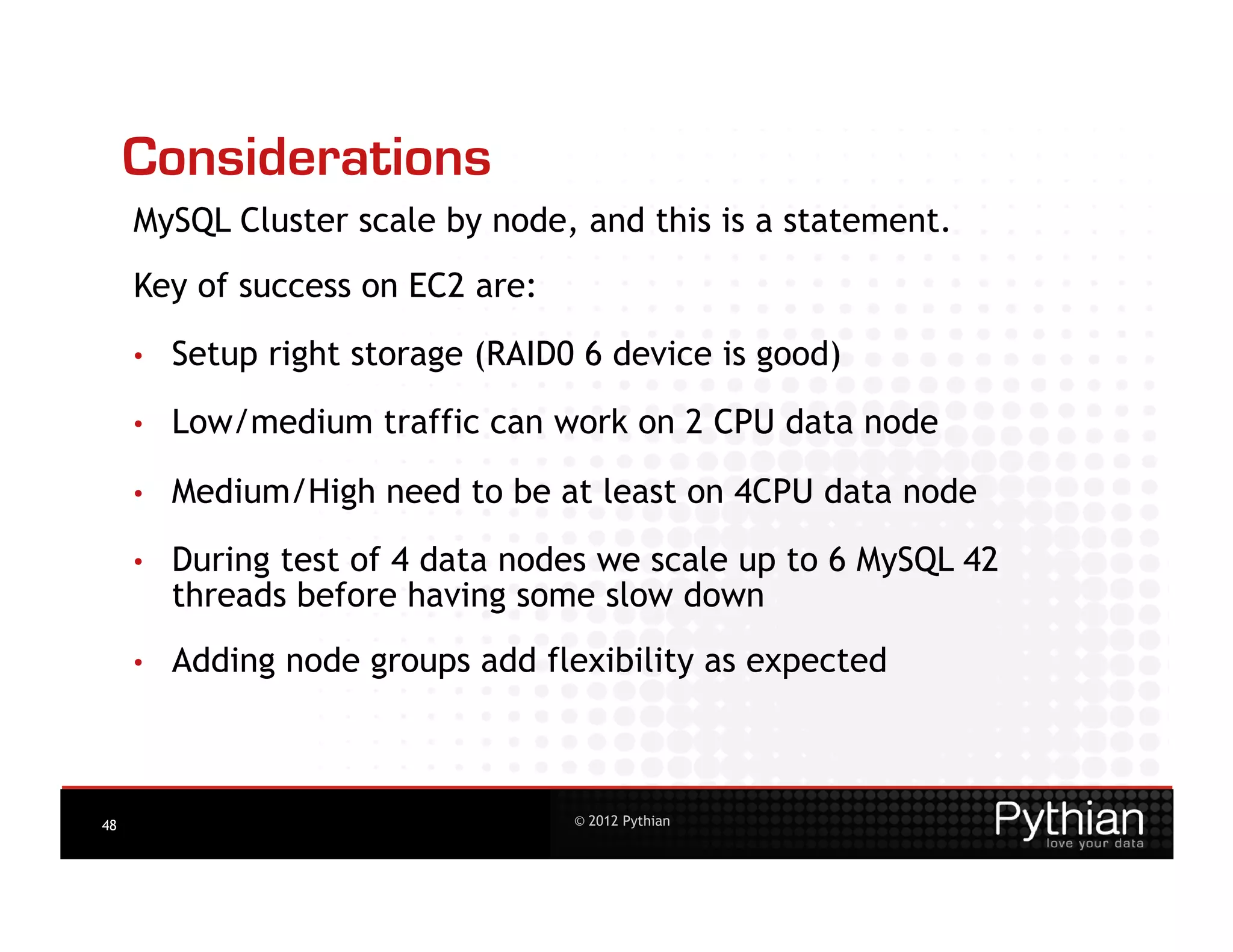
Considerations
     MySQL Cluster scale by node, and this is a statement.
     Key of success on EC2 are:
     •    Setup right storage (RAID0 6 device is good)
     •    Low/medium traffic can work on 2 CPU data node

     •    Medium/High need to be at least on 4CPU data node

     •    During test of 4 data nodes we scale up to 6 MySQL 42
          threads before having some slow down
     •    Adding node groups add flexibility as expected


48                                  © 2012 Pythian
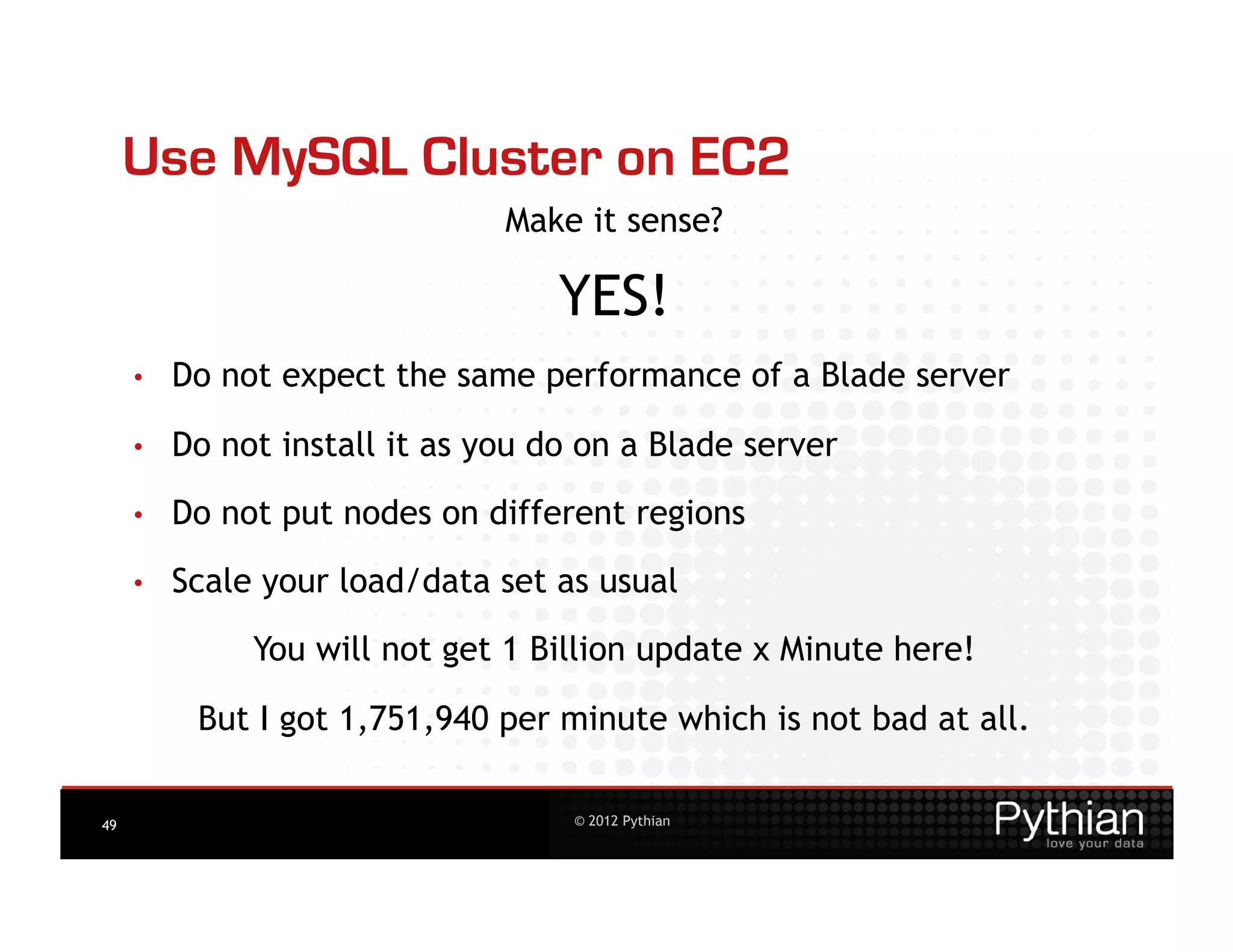
Use MySQL Cluster on EC2
                                Make it sense?

                                    YES!
     •    Do not expect the same performance of a Blade server

     •    Do not install it as you do on a Blade server

     •    Do not put nodes on different regions
     •    Scale your load/data set as usual
               You will not get 1 Billion update x Minute here!

           But I got 1,751,940 per minute which is not bad at all.

49                                   © 2012 Pythian
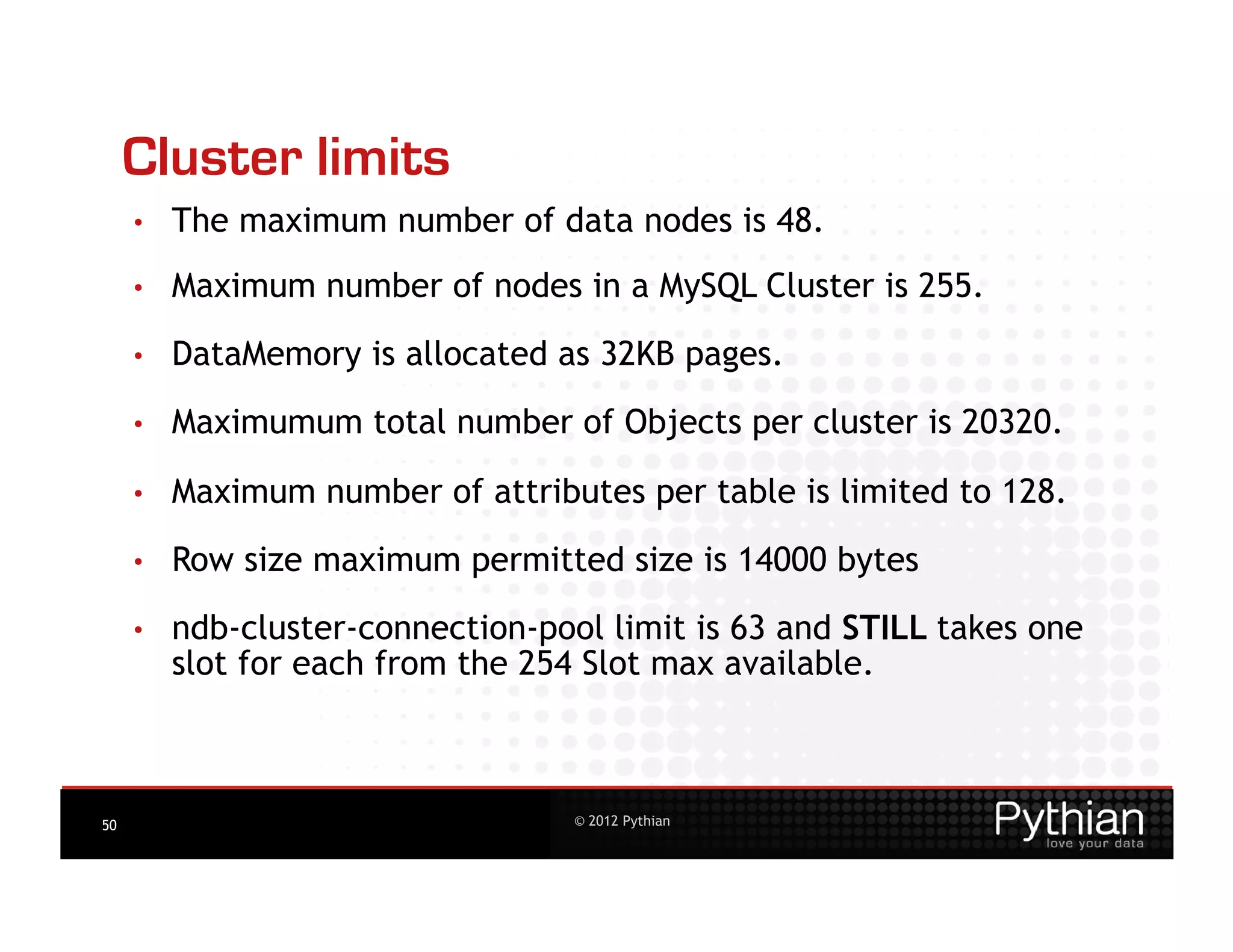
Cluster limits
     •    The maximum number of data nodes is 48.
     •    Maximum number of nodes in a MySQL Cluster is 255.
     •    DataMemory is allocated as 32KB pages.
     •    Maximumum total number of Objects per cluster is 20320.

     •    Maximum number of attributes per table is limited to 128.

     •    Row size maximum permitted size is 14000 bytes
     •    ndb-cluster-connection-pool limit is 63 and STILL takes one
          slot for each from the 254 Slot max available.


50                                  © 2012 Pythian
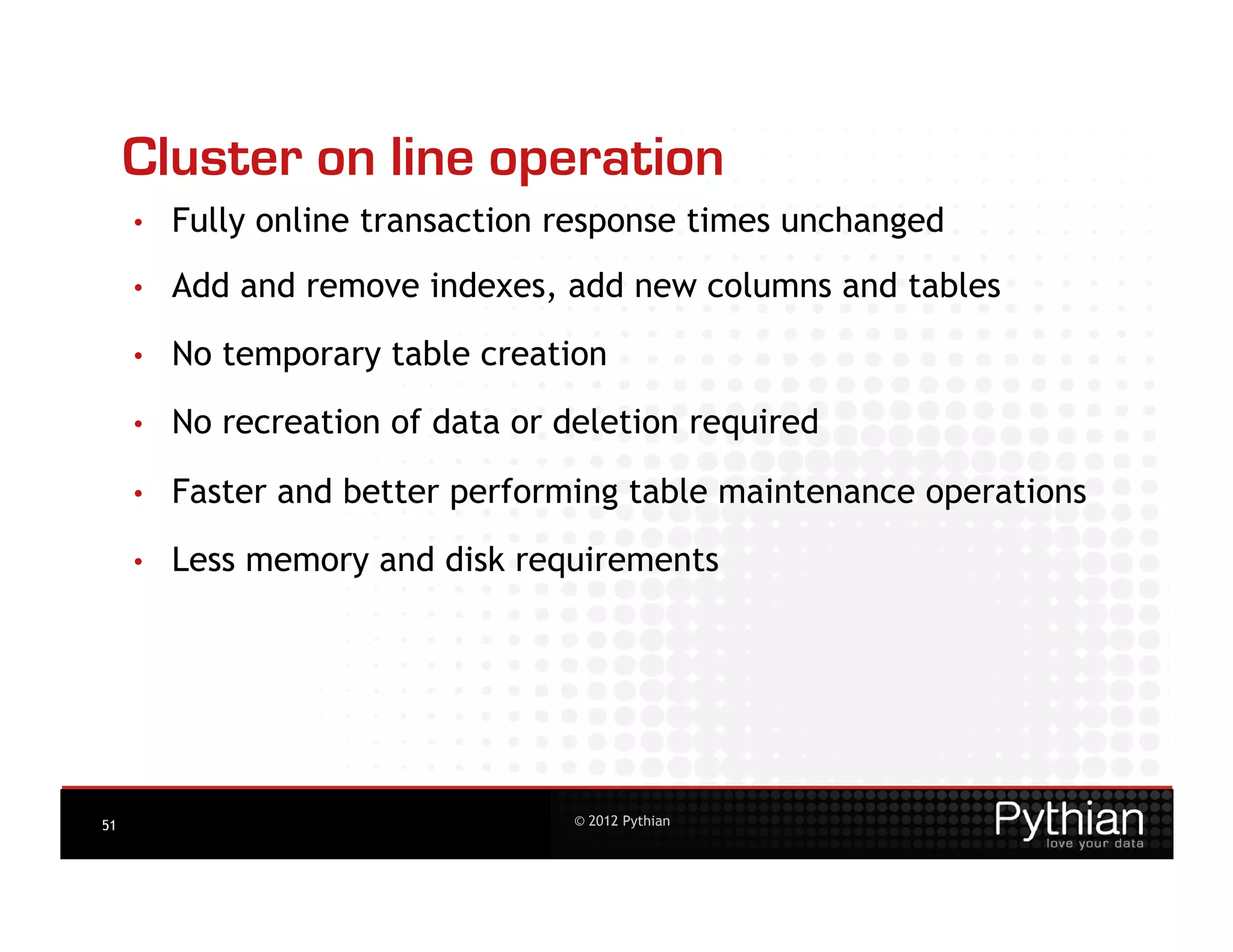
Cluster on line operation
     •    Fully online transaction response times unchanged
     •    Add and remove indexes, add new columns and tables
     •    No temporary table creation
     •    No recreation of data or deletion required

     •    Faster and better performing table maintenance operations

     •    Less memory and disk requirements


51                                  © 2012 Pythian
Cluster on line operation
     •    Scale the cluster (add data nodes)
     •    Repartition tables
     •    Recover failed nodes
     •    Upgrade / patch servers & OS

     •    Upgrade / patch MySQL Cluster

     •    Back-Up


52                                  © 2012 Pythian
Thanks to:
     I must thank few people for their work, that makes working
     with MySQL cluster still fun.
     •  SeveralNines
                  (http://www.severalnines.com) for their tool,
     their competence, and friendship.
     •  FromDual (http://www.fromdual.com) for their article and
     broad vision.
     •  MikaelRonstrom (http://mikaelronstrom.blogspot.ca) Each
     article on his blog is a MILESTONE.
     •  Oracle   developers around the globe, (Stockholm specially)


53                                  © 2012 Pythian
Thank you and Q&A
     To contact us…

            sales@pythian.com	


            1-877-PYTHIAN	


     To follow us…

            http://www.pythian.com/news/	


            http://www.facebook.com/pages/The-Pythian-Group/163902527671	


            @pythian	


            @pythianjobs 	


             http://www.linkedin.com/company/pythian	


54                                               © 2012 Pythian

MySQL cluster 72 in the Cloud

  • 1.
    Implementing MySQL Cluster in the cloud Marco Tusa MySQL CTL May 17 2012
  • 2.
    Why Pythian •  RecognizedLeader: •  Global industry-leader in remote database administration services and consulting for Oracle, Oracle Applications, MySQL and SQL Server •  Work with over 165 multinational companies such as Forbes.com, Fox Sports, Nordion and Western Union to help manage their complex IT deployments •  Expertise: •  One of the world’s largest concentrations of dedicated, full-time DBA expertise. Employ 7 Oracle ACEs/ACE Directors •  Hold 7 Specializations under Oracle Platinum Partner program, including Oracle Exadata, Oracle GoldenGate & Oracle RAC •  Global Reach & Scalability: •  24/7/365 global remote support for DBA and consulting, systems administration, special projects or emergency response 2 © 2012 Pythian
  • 3.
    Who am I? •  Cluster Technical Leader at Pythian for MySQL technology •  Previous manager Professional Service South EMEA at MySQL/SUN/ Oracle •  In MySQL before the SUN gets on us •  Lead the team responsible for Oracle & MySQL DBs service in support to technical systems, at Food and Agriculture Organization of United Nations (FAO of UN) •  Lead developer & system administrator teams in FAO managing the Intranet/Internet infrastructure. •  Worked (a lot) in developing countries like (Ethiopia, Senegal, Ghana, Egypt …) •  My Profile http://it.linkedin.com/in/marcotusa •  Email tusa@pythian.com marcotusa@tusacentral.net 3 © 2012 Pythian
  • 4.
    What we willtalk about 1.  Practical aspects related to: 2.  Amazon images to use and node identifications 3.  MySQL cluster set-up 4.  Cluster parameters dimensioning and definition 5.  Starting and checking cluster 6.  Distribution Awareness & AQL 7.  Taking numbers (doing tests) 8.  Results and comments 4 © 2012 Pythian
  • 5.
    What we willNOT talk about •  What is MySQL Cluster •  What is a data node/node group/manager •  What is a fragment •  What is a Cluster data Replicas I assume you know MySQL cluster basics. Other webinars •  Mysqlcluster for begginer •  Use mysql cluster replication •  Use Java API for mysql cluster •  Monitor mysql cluster 5 © 2012 Pythian
  • 6.
    Amazon image touse The choice needs to take in to account: •  Memory requirements (from Dataset calculation) •  CPU numbers (from the real workload) •  Disks configuration (from transaction modification/sec) 6 © 2012 Pythian
  • 7.
    Amazon image touse Choose image from Large 2 Core 7.5 GB To High memory Quadruple Extra Large 8 Core 68.4 GB. Wait to have the information on the data set. But never go below! CPU needs to be at least 2 to manage efficiently the Kernel blocks. 7.5GB Ram means a data allocation per node of 4GB. Cluster is an in memory database, BUT it flush on disk a lot, do not use Table on disk on EC2. 7 © 2012 Pythian
  • 8.
    Amazon image touse Brief consideration on disk configuration, Cluster flush it’s status constantly (unless DISKLESS is define) using ephemeral disk is not a good idea: •  In case of ZONE crash you will loose local data •  performance are less consistent then using EBS and RAID I have achieve the better stability using: •  6 EBS (or 4) •  RAID0 If possible split the REDO log from DATA Datadir=/opt/mysql-cluster/datacluster FileSystemPath=/opt2/mysql-cluster/datacluster 8 © 2012 Pythian
  • 9.
    Amazon image touse Brief consideration on Network configuration Cluster need to talk internally, and need to be consistent. To avoid issues •  Createyour own VPC • Associate network device with defined IP (10.0.1.138) •  Name the device respecting the node (easy to remember) cluster1_ndbmtd_4 associate to data node 4 in cluster 1 •  Set the IPs in the config to match the internal IPs 9 © 2012 Pythian
  • 10.
    Amazon image touse Dimensioning the cluster dataset as it is right now •  Use a fake/local cluster installation •  Use Sizer from www.severalnines.com •  Estimate the real requirements. Pay particular attention to: DataMemory IndexMemory Play with Number of nodes to have your configuration matching requirements DO NOT CHANGE number of replicas (never use 1) 10 © 2012 Pythian
  • 11.
    Amazon image touse Dimensioning the cluster dataset. For our test we have 2 tables: CREATE TABLE `tbtest1` ( `a` int(11) NOT NULL, Assuming our requirements are: `uuid` char(36) CHARACTER SET utf8 COLLATE utf8_bin NOT NULL, `b` varchar(100) CHARACTER SET utf8 COLLATE utf8_bin NOT NULL, 4 Millions rows in tbtest1 `c` char(200) CHARACTER SET utf8 COLLATE utf8_bin NOT NULL, `counter` bigint(20) DEFAULT NULL, 4 Hundred thousands in tbtest2 `time` timestamp NOT NULL DEFAULT CURRENT_TIMESTAMP ON UPDATE CURRENT_TIMESTAMP, `partitonid` int(11) NOT NULL DEFAULT '0', Will need to have: `strrecordtype` char(3) CHARACTER SET utf8 COLLATE utf8_bin DEFAULT NULL, 4 Data nodes PRIMARY KEY (`uuid`), KEY `IDX_a` (`a`) 2 Node groups ) ENGINE=ndbcluster DEFAULT CHARSET=latin1 1 row in set (0.00 sec) Allocated DataMemory = ~3GB CREATE TABLE `tbtest2` ( `a` int(11) NOT NULL, `stroperation` mediumtext CHARACTER SET utf8 COLLATE utf8_bin, `time` timestamp NOT NULL DEFAULT CURRENT_TIMESTAMP ON UPDATE CURRENT_TIMESTAMP, PRIMARY KEY (`a`) ) ENGINE=ndbcluster DEFAULT CHARSET=latin1 11 © 2012 Pythian
  • 12.
    MySQL cluster set-up How our cluster architecture will looks like: Applications servers MySQL servers Management Nodes Node group 1 Node group 2 12 © 2012 Pythian
  • 13.
    MySQL cluster set-up Shopping list, what we will need: 4 Large instances (at least 2 CPU) for data Nodes 2 Small instances for MySQL 2 Small instance for management nodes (we can set them in MySQL instance) 6 x 4 = 24 x 2 = 48 EBS RAID0 for data nodes 13 © 2012 Pythian
  • 14.
    MySQL cluster set-up Setup one instance and then create your own AMI will be faster. •  OS ReadHat 6 •  Install packages (htop; sysstat;oprofile) •  Install EC2 command line tools (http://s3.amazonaws.com/ec2-downloads/ec2-api- ) tools.zip •  bring sizer with you as well 14 © 2012 Pythian
  • 15.
    MySQL cluster set-up EBS creation and configuration: 1.  for x in {1..6}; do ec2-create-volume -s 8 -z us-east-1b; done > ebs.txt 2.  (i=0; for vol in $(awk '{print $2}' ebs.txt); do i=$((i+1)); ec2-attach-volume $vol –I <INSTANCENAME> -d /dev/sdc${i}; done) 3.  mdadm --verbose --create /dev/md0 --level=0 --chunk=256 -- raid-devices=6 /dev/xvdg1 /dev/xvdg2 /dev/xvdg3 /dev/xvdg4 / dev/xvdg5 /dev/xvdg6 4.  echo 'DEVICE /dev/xvdg1 /dev/xvdg2 /dev/xvdg3 /dev/xvdg4 /dev/ xvdg5 /dev/xvdg6' | tee -a /etc/mdadm.conf 5.  sudo mdadm --detail --scan | sudo tee -a /etc/mdadm.conf 6.  lockdev --setra 128 /dev/md0 blockdev --setra 128 /dev/xvdg1-6 Finally create a LVM base on the /dev/md0 Ready to create the AMI now. 15 © 2012 Pythian
  • 16.
    Cluster parameters definition First review the MySQL cluster configuration and MySQL configuration. skip-name-resolve Datadir=/opt/mysql-cluster/datacluster query_cache_type=0 LockPagesInMainMemory=1 query_cache_size=0 FileSystemPath=/opt2/mysql-cluster query_cache_limit=0M /datacluster ndb-cluster-connection-pool=4 Fragments better to be 1 time ndb-use-exact-count=0 Data memory ndb-extra-logging=1 FragmentLogFileSize=256M ndb-autoincrement-prefetch-sz=1024 InitFragmentLogFiles=FULL engine-condition-pushdown=1 NoOfFragmentLogFiles=18 ndb_join_pushdown=1 ndb_optimized_node_selection=3 Some buffers used to manage also regular data BackupDataBufferSize=32M BackupLogBufferSize=32M ALWAYS use IPs, not machine names or DNS tricks 16 © 2012 Pythian
  • 17.
    Starting MySQL Cluster Start ndb_mgmd as usual: bin/ndb_mgmd -f config.ini --ndb-nodeid=1 --config-dir=`pwd` --initial Start the nodes bin/ndbmtd -c 10.118.19.9:1186 --ndb-nodeid=6 –-initial Check the log for connection message: ndb_mgm> all status Connected to Management Server at: localhost:1186 2012-05-15 11:27:41 [MgmtSrvr] INFO -- Node 3: Started (mysql-5.5.15 ndb-7.2.2) 2012-05-15 11:27:41 [MgmtSrvr] INFO -- Node 5: Started (mysql-5.5.15 ndb-7.2.2) 2012-05-15 11:27:41 [MgmtSrvr] INFO -- Node 6: Started (mysql-5.5.15 ndb-7.2.2) 2012-05-15 11:27:41 [MgmtSrvr] INFO -- Node 4: Started (mysql-5.5.15 ndb-7.2.2) … Node 3: starting (Last completed phase 1) (mysql-5.5.15 ndb-7.2.2) Node 6: starting (Last completed phase 1) (mysql-5.5.15 ndb-7.2.2) 17 © 2012 Pythian
  • 18.
    Starting MySQL Cluster Andiostat: avg-cpu: %user %nice %system %iowait %steal %idle 0.56 0.00 8.43 86.80 0.28 3.93 Device: rrqm/s wrqm/s r/s w/s rMB/s wMB/s avgrq-sz avgqu-sz await svctm %util xvdep1 0.00 0.00 0.00 0.00 0.00 0.00 0.00 0.00 0.00 0.00 0.00 xvdj 0.00 0.00 0.00 0.00 0.00 0.00 0.00 0.00 0.00 0.00 0.00 xvdk 0.00 0.00 0.00 0.00 0.00 0.00 0.00 0.00 0.00 0.00 0.00 xvdgp1 0.00 4515.00 0.00 514.00 0.00 21.08 84.00 45.60 105.03 1.73 88.70 xvdgp2 0.00 4451.00 0.00 443.00 0.00 15.29 70.68 40.23 76.52 1.53 67.70 xvdgp3 0.00 4592.00 0.00 481.00 0.00 20.63 87.83 106.26 241.28 2.08 100.00 xvdgp4 0.00 4503.00 0.00 357.00 0.00 13.52 77.54 97.62 229.52 2.29 81.80 xvdgp5 0.00 4473.00 0.00 478.00 0.00 17.65 75.63 46.91 94.89 1.55 74.00 xvdgp6 0.00 4513.00 0.00 448.00 0.00 18.17 83.07 67.49 149.76 1.92 86.10 xvdf 0.00 0.00 0.00 0.00 0.00 0.00 0.00 0.00 0.00 0.00 0.00 md127 0.00 0.00 0.00 30023.00 0.00 117.28 8.00 0.00 0.00 0.00 0.00 dm-0 0.00 0.00 0.00 30023.00 0.00 117.28 8.00 4387.88 144.10 0.03 100.00 dm-1 0.00 0.00 0.00 0.00 0.00 0.00 0.00 0.00 0.00 0.00 0.00 18 © 2012 Pythian
  • 19.
    Cluster logs tocheck •  MySQL log: 120515 12:11:15 [Note] NDB: NodeID is 7, management server '10.114.122.44:1186’ 120515 12:11:15 [Note] NDB[0]: NodeID: 7, all storage nodes connected 120515 12:11:16 [Note] NDB[1]: NodeID: 8, all storage nodes connected 120515 12:11:17 [Note] NDB[2]: NodeID: 23, all storage nodes connected 120515 12:11:17 [Note] NDB[3]: NodeID: 24, all storage nodes connected •  Cluster   General log in : LogDestination=FILE:filename=ndb_1_cluster.log •  Data Node log: Datadir=/opt/mysql-cluster/datacluster 19 © 2012 Pythian
  • 20.
    Cluster data nodesKernel blocks Check what is going on to the inside and to our CPUs thr: 0 tid: 19836 (main) cpu: 0 OK DBTC(0) DBDIH(0) DBDICT(0) NDBCNTR(0) QMGR(0) NDBFS(0) TRIX(0) DBUTIL(0) DBSPJ(0) thr: 1 tid: 19837 (rep) cpu: 0 OK BACKUP(0) DBLQH(0) DBACC(0) DBTUP(0) SUMA(0) DBTUX(0) TSMAN(0) LGMAN (0) PGMAN(0) RESTORE(0) DBINFO(0) PGMAN(5) thr: 2 tid: 19838 (ldm) cpu: 1 OK PGMAN(1) DBACC(1) DBLQH(1) DBTUP(1) BACKUP(1) DBTUX(1) RESTORE(1) thr: 3 tid: 19829 (recv) CMVMI(0) 2012-05-15 12:30:18 [ndbd] INFO -- Start initiated (mysql-5.5.15 ndb-7.2.2) NDBFS/AsyncFile: Allocating 310392 for In/Deflate buffer 2012-05-15 12:30:18 [ndbd] WARNING -- Ndb kernel thread 1 is stuck in: Unknown place elapsed=9 2012-05-15 12:30:18 [ndbd] INFO -- Watchdog: User time: 3 System time: 47 Locked to CPU ok Kernel Blocks will be allocated as we define in config.ini ThreadConfig=ldm={count=1,cpubind=1},main={cpubind=0},rep={cpubind=0},io= {count=1,cpubind=1} 20 © 2012 Pythian
  • 21.
    Cluster Kernel So was that good enough? •  Yes for small load/traffic •  No for more complex and remanding use Why? Because the kernel blocks are, at the end, still one on top of the other. Better optimization for CPU usage start with 4 CPU. Kernel block description(http://dev.mysql.com/doc/ndbapi/en/ndb- internals-kernel-blocks.html) 21 © 2012 Pythian
  • 22.
    Query Cluster’s State Before moving ahead, review how to access cluster information. Configuration bin/ndb_config --type=ndbd --query=id,host,datamemory,indexmemory,datadir -f ' : ' -r 'n' 3 : 10.118.19.9 : 4258267136 : 532676608 : /opt/mysql-cluster/datacluster … 6 : 10.83.90.94 : 4258267136 : 532676608 : /opt/mysql-cluster/datacluster Table status bin/ndb_desc -u tbtest1 tbtest2 -d test Table content bin/./ndb_select_all -c 127.0.0.1 tbtest1 -d test a uuid b c counter time partitonid strrecordtype Table count bin/ndb_select_count -c 127.0.0.1 -d test tbtest1 tbtest2 0 records in table tbtest1 0 records in table tbtest2 22 © 2012 Pythian
  • 23.
    MySQL Cluster distributionawareness Cluster distribute the data by fragments on horizontal partitioning. NoFragment=2 and 4 Data nodes will result in this distribution. Table TBTEST1 Node Group 2 Partition 1 F2 F4 Partition 2 F4 F2 Node Group 1 Partition 3 F1 F3 Partition 4 F3 F1 23 © 2012 Pythian
  • 24.
    MySQL distribution awareness •  Cluster has internal partitioning, based on the primary key. •  By default cluster distribute the data on data node by RR, this to ensure equal data distribution. •  Data that could be theoretically group, can reside on different fragments. This will result in additional work for the Transaction Coordinator. •  Creating explicit partition by key, will guarantee that similar data will reside on the same fragment. … PRIMARY KEY (`a`, `id`)) ENGINE=ndbcluster Partition by KEY(`a`) ; •  When fetching the data cluster (TC) will fetch it from ~one single fragment. 24 © 2012 Pythian
  • 25.
    MySQL AQL AdaptiveQuery Localization why is so important? •  Reduce the round trip on the network for data subsets •  Reduce the work on MySQL nodes •  Improve data collection on the data nodes by parallelism •  Return only the final data set to MySQL node All these will reduce overhead on EC2, improving performance Condition push down, join push down and are very relevant in EC2 environment. 25 © 2012 Pythian
  • 26.
    MySQL AQL whatto do What we must ensure to have : Primary Keys •  ALWAYS DEFINE A PRIMARY KEY ON THE TABLE! •  A hidden PRIMARY KEY is added if no PK is specified. Not using Primary key is BAD. Example not replicated between clusters. So even if you don’t need it create an ID: `ID` BIGINT AUTO_INCREMENT PRIMARY KEY 26 © 2012 Pythian
  • 27.
    MySQL AQL whatto do •  Joined columns must be of identical types •  No reference to BLOB or TEXT columns •  No explicit lock (select .. for update) •  Child tables in the Join must be accessed using one of the ref, eq_ref, or const •  Do not partition by [LINEAR] HASH, LIST, or RANGE • Avoid ‘Using join buffer' in the PLAN •  If root of Join is an eq_ref or const, child tables must be joined by eq_ref • Avoid range ANALIZE table is not an option it is a MUST 27 © 2012 Pythian
  • 28.
    MySQL AQL whatto do Using our test schema to match the requirements: CREATE TABLE `tbtest1` ( CREATE TABLE `tbtest2` ( `a` int(11) NOT NULL, `id` int AUTO_INCREMENT NOT NULL, `uuid` char(36) NOT NULL, `a` int(11) NOT NULL, `b` varchar(100) NOT NULL, `stroperation` varchar (200), `c` char(200) NOT NULL, `time` timestamp NOT NULL DEFAULT `counter` bigint(20) DEFAULT NULL, CURRENT_TIMESTAMP ON UPDATE `time` timestamp NOT NULL DEFAULT CURRENT_TIMESTAMP, CURRENT_TIMESTAMP ON UPDATE PRIMARY KEY (`id`,`a`) CURRENT_TIMESTAMP, ) ENGINE=ndbcluster `partitonid` int(11) NOT NULL DEFAULT Partition by KEY(`a`) ; '0', `strrecordtype` char(3) DEFAULT NULL, PRIMARY KEY (`uuid`), We have to modify: KEY `IDX_a` (`a`) ) ENGINE=ndbcluster DEFAULT CHARSET=latin1 •  he primary key T •  dd partitioning A •  hange datatype C 28 © 2012 Pythian
  • 29.
    MySQL load dataand test Our final test environment: •  4 NDB Data nodes •  2 NDB MGM •  2 TO 6 MySQL nodes Our test schema: •  1 Main table each record ~355 bytes •  3 secondary tables, each record ~209 bytes for Plus indexes 29 © 2012 Pythian
  • 30.
    MySQL load dataand test Test performed where focus on: •  Inserts •  Check if the implemented platform was managing the load •  Identify the possible limit on scaling •  Identify how to go beyond that limit •  Select validate the condition pushdown & Join push down •  Identify common mistakes in join •  Get Select numbers Inserts where done running from 2 up to 42 threads pushing for each MySQL server; 30 © 2012 Pythian
  • 31.
    MySQL load dataand test Numbers related to the test: +---------+--------------+------------+------------+------------+-------------+ | node_id | memory_type | used | used_pages | total | total_pages | +---------+--------------+------------+------------+------------+-------------+ | 3 | Data memory | 4102160384 | 125188 | 4258267136 | 129952 | | 3 | Index memory | 101687296 | 12413 | 532938752 | 65056 | | 4 | Data memory | 4102193152 | 125189 | 4258267136 | 129952 | | 4 | Index memory | 101695488 | 12414 | 532938752 | 65056 | | 5 | Data memory | 4107534336 | 125352 | 4258267136 | 129952 | | 5 | Index memory | 102465536 | 12508 | 532938752 | 65056 | | 6 | Data memory | 4106977280 | 125335 | 4258267136 | 129952 | | 6 | Index memory | 102522880 | 12515 | 532938752 | 65056 | +---------+--------------+------------+------------+------------+-------------+ Rows: Tbtest1 : 6,851,215 Tbtest2 : 32,320 Tbtest3-4: 678,720 31 © 2012 Pythian
  • 32.
    MySQL load dataand test Results for 1 MySQL server Insert per second where decent considering the platform and the single server. Better performance was at 14 Th, given the load on MySQL node not on the NDB side. 32 © 2012 Pythian
  • 33.
    MySQL load dataand test Results for 2 MySQL server Insert per second where much better as expected. Better performance was at 18 & 36 TH, given the load on MySQL, I was suspecting EBS issue, but repeating the tests confirm the numbers. 33 © 2012 Pythian
  • 34.
    MySQL load dataand test Results for 6 MySQL server I had a lot of hiccups, with the Inserts increasing and decreasing. Again this was mainly due to MySQL nodes be too busy then NDB, but also NDB was starting to suffer, specially on EBS side and CPU both expected. 34 © 2012 Pythian
  • 35.
    MySQL load dataand test One graph, thousands words: 35 © 2012 Pythian
  • 36.
    MySQL load dataand test IO on disks: avg-cpu: %user %nice %system %iowait %steal %idle SINGLE MYSQL 0.78 0.00 1.03 7.75 0.00 90.44 Device: rrqm/s wrqm/s r/s w/s rMB/s wMB/s avgrq-sz avgqu-sz await svctm %util xvdep1 0.00 0.00 0.00 0.00 0.00 0.00 0.00 0.00 0.00 0.00 0.00 xvdj 0.00 0.00 0.00 0.00 0.00 0.00 0.00 0.00 0.00 0.00 0.00 xvdk 0.00 0.00 0.00 0.00 0.00 0.00 0.00 0.00 0.00 0.00 0.00 xvdgp3 0.00 338.00 0.00 122.00 0.00 1.80 30.16 1.72 14.11 0.66 8.00 xvdgp4 0.00 344.00 0.00 116.00 0.00 1.80 31.72 2.09 18.04 0.75 8.70 xvdgp5 0.00 288.00 0.00 104.00 0.00 1.53 30.15 2.93 28.21 1.61 16.70 xvdgp6 0.00 287.00 0.00 97.00 0.00 1.50 31.67 1.89 19.49 0.85 8.20 xvdf 0.00 0.00 0.00 0.00 0.00 0.00 0.00 0.00 0.00 0.00 0.00 xvdgp1 0.00 346.00 0.00 110.00 0.00 1.78 33.16 1.59 14.47 0.61 6.70 xvdgp2 0.00 346.00 0.00 110.00 0.00 1.78 33.16 2.75 25.01 1.02 11.20 dm-0 0.00 0.00 0.00 0.00 0.00 0.00 0.00 0.00 0.00 0.00 0.00 md0 0.00 0.00 0.00 2614.00 0.00 10.19 7.98 0.00 0.00 0.00 0.00 dm-1 0.00 0.00 0.00 2611.00 0.00 10.19 7.99 80.55 30.85 0.07 17.80 avg-cpu: %user %nice %system %iowait %steal %idle Two MYSQL 0.78 0.00 1.30 14.03 0.00 83.90 Device: rrqm/s wrqm/s r/s w/s rMB/s wMB/s avgrq-sz avgqu-sz await svctm %util xvdep1 0.00 0.00 0.00 0.00 0.00 0.00 0.00 0.00 0.00 0.00 0.00 xvdj 0.00 0.00 0.00 0.00 0.00 0.00 0.00 0.00 0.00 0.00 0.00 xvdk 0.00 0.00 0.00 0.00 0.00 0.00 0.00 0.00 0.00 0.00 0.00 xvdgp3 0.00 432.00 0.00 119.00 0.00 1.59 27.36 1.85 13.59 0.67 8.00 xvdgp4 0.00 457.00 0.00 115.00 0.00 1.78 31.72 2.10 15.93 0.77 8.80 xvdgp5 0.00 457.00 0.00 120.00 0.00 1.80 30.73 10.11 82.11 2.52 30.30 xvdgp6 0.00 452.00 0.00 125.00 0.00 1.80 29.50 2.17 15.22 0.72 9.00 xvdf 0.00 0.00 0.00 0.00 0.00 0.00 0.00 0.00 0.00 0.00 0.00 xvdgp1 0.00 489.00 0.00 139.00 0.00 1.66 24.52 1.41 8.54 0.51 7.10 xvdgp2 0.00 487.00 0.00 120.00 0.00 1.59 27.07 1.91 14.26 0.72 8.70 dm-0 0.00 0.00 0.00 0.00 0.00 0.00 0.00 0.00 0.00 0.00 0.00 md0 0.00 0.00 0.00 3648.00 0.00 14.22 7.98 0.00 0.00 0.00 0.00 dm-1 0.00 0.00 0.00 3644.00 0.00 14.22 7.99 104.09 26.79 0.09 31.70 36 © 2012 Pythian
  • 37.
    MySQL read dataand test Selects, what about condition push down and Join push down? First of all remember to do ANALYZE on your tables. (root@localhost) [test]explain select count(tbtest4.a) from tbtest4, tbtest1 where tbtest1.a=tbtest4.a and tbtest1.a=346424503; +----+-------------+---------+------+---------------+---------+---------+-------+------+-------+ | id | select_type | table | type | possible_keys | key | key_len | ref | rows | Extra | +----+-------------+---------+------+---------------+---------+---------+-------+------+-------+ | 1 | SIMPLE | tbtest1 | ref | IDX_a | IDX_a | 4 | const | 13 | | | 1 | SIMPLE | tbtest4 | ref | PRIMARY | PRIMARY | 4 | const | 823 | | +----+-------------+---------+------+---------------+---------+---------+-------+------+-------+ 2 rows in set (0.00 sec) (root@localhost) [test]explain select count(tbtest4.a) from tbtest4, tbtest1 where tbtest1.a=tbtest4.a and tbtest1.a=346424503; +----+-------------+---------+------+---------------+---------+---------+-------+------+-------+ | id | select_type | table | type | possible_keys | key | key_len | ref | rows | Extra | +----+-------------+---------+------+---------------+---------+---------+-------+------+-------+ | 1 | SIMPLE | tbtest1 | ref | IDX_a | IDX_a | 4 | const | 2 | | | 1 | SIMPLE | tbtest4 | ref | PRIMARY | PRIMARY | 4 | const | 5960 | | +----+-------------+---------+------+---------------+---------+---------+-------+------+-------+ Don’t be surprise if the plan will not be good, if you do not act good 37 © 2012 Pythian
  • 38.
    MySQL read dataand test Second remember to do ANALYZE on your tables. (root@localhost) [test]select count(tbtest4.a) from tbtest4, tbtest1 where tbtest1.a=tbtest4.a and tbtest1.a=346424503; +------------------+ | count(tbtest4.a) | +------------------+ | 1491 | +------------------+ 1 row in set (1.71 sec) (root@localhost) [test]analyze table tbtest1; +--------------+---------+----------+----------+ | Table | Op | Msg_type | Msg_text | +--------------+---------+----------+----------+ | test.tbtest1 | analyze | status | OK | +--------------+---------+----------+----------+ 1 row in set (32.46 sec) (root@localhost) [test]select count(tbtest4.a) from tbtest4, tbtest1 where tbtest1.a=tbtest4.a and tbtest1.a=346424503; +------------------+ | count(tbtest4.a) | +------------------+ | 1491 | +------------------+ 1 row in set (0.03 sec) 38 © 2012 Pythian
  • 39.
    MySQL read dataand test Why this two queries have the same results but the second takes much longer? (root@localhost) [test]select count(tbtest4.a) from tbtest4, tbtest1 where tbtest1.a=tbtest4.a and tbtest1.a=346424503; +------------------+ | count(tbtest4.a) | +------------------+ | 1491 | +------------------+ 1 row in set (0.03 sec) (root@localhost) [test]select count(tbtest2.a) from tbtest2, tbtest1 where tbtest1.a=tbtest2.a and tbtest1.a=346424503; +------------------+ | count(tbtest3.a) | +------------------+ | 1491 | +------------------+ 1 row in set (1.64 sec) ? 39 © 2012 Pythian
  • 40.
    MySQL read dataand test Why this two queries have the same results but the second takes much longer? +--------------+------------+------+-----+-------------------+-----------------------------+ | Field | Type | Null | Key | Default | Extra | +--------------+------------+------+-----+-------------------+-----------------------------+ | id | int(11) | NO | PRI | NULL | auto_increment | | a | int(11) | NO | PRI | NULL | | | stroperation | mediumtext | YES | | NULL | | | time | timestamp | NO | | CURRENT_TIMESTAMP | on update CURRENT_TIMESTAMP | +--------------+------------+------+-----+-------------------+-----------------------------+ 4 rows in set (0.00 sec) Because the second was not matching one of the condition for the Join push down. 40 © 2012 Pythian
  • 41.
    MySQL read dataand test Another aspect that we must take in consideration and be careful: (root@localhost) [test]explain Select … from test.tbtest1, test.tbtest2 where tbtest1.a = tbtest2.a and tbtest1.a > 822845727 and tbtest1.a <1362834750; +----+-------------+---------+-------+---------------+------+---------+----------------+------ +-----------------------------------+ | id | select_type | table | type | possible_keys | key | key_len | ref | rows | Extra | +----+-------------+---------+-------+---------------+------+---------+----------------+------ +-----------------------------------+ | 1 | SIMPLE | tbtest2 | range | a | a | 4 | NULL | 1616 | Using where with pushed condition | | 1 | SIMPLE | tbtest1 | ref | a,IDX_a | a | 4 | test.tbtest2.a | 1 | | +----+-------------+---------+-------+---------------+------+---------+----------------+------ (root@localhost) [test]explain Select … from test.tbtest1, test.tbtest4 where tbtest1.a = tbtest4.a and tbtest1.a > 822845727 and tbtest1.a <1362834750; +----+-------------+---------+-------+---------------+------+---------+----------------+------- +--------------------------------------------------------------+ | id | select_type | table | type | possible_keys | key | key_len | ref | rows | Extra | +----+-------------+---------+-------+---------------+------+---------+----------------+------- +--------------------------------------------------------------+ | 1 | SIMPLE | tbtest4 | range | PRIMARY,a | a | 4 | NULL | 33936 | Parent of 2 pushed join@1; Using where with pushed condition | | 1 | SIMPLE | tbtest1 | ref | a,IDX_a | a | 4 | test.tbtest4.a | 1 | Child of 'tbtest4' in pushed join@1 | +----+-------------+---------+-------+---------------+------+---------+----------------+------- 41 © 2012 Pythian
  • 42.
    MySQL read dataand test In the fist query we have the medium text so condition push down apply but not Join. In the second query a range was used in the first instance, then Join push down. This has very bad effect on the performance, because range can scan cross nodes and takes a lot of resources = SLOW! As the facto it is: (root@localhost) [test] Select count(tbtest1.a) from test.tbtest1, test.tbtest4 where tbtest1.a = tbtest4.a and tbtest1.a > 822845727 and tbtest1.a <1362834750; +------------------+ | count(tbtest1.a) | +------------------+ | 168651 | +------------------+ 1 row in set (8.81 sec) | 42 © 2012 Pythian
  • 43.
    MySQL read dataand test Just for fun let us see what happen with subqueries, I know it will take ages: root@localhost) [test]explain select count(tbtest1.a) from tbtest1 where tbtest1.a IN (select tbtest4.a from tbtest4 Id: 275 where tbtest4.a > 1362834750)G User: root *************************** 1. row Host: localhost *************************** db: test id: 1 Command: Query select_type: PRIMARY Time: 3442 table: tbtest1 State: preparing type: ALL Info: select count(tbtest1.a) from tbtest1 possible_keys: NULL where tbtest1.a IN (select tbtest4.a from key: NULL tbtest4 where tbtest4 key_len: NULL ref: NULL rows: 6851215 And counting … Extra: Using where *************************** 2. row *************************** id: 2 select_type: DEPENDENT SUBQUERY table: tbtest4 type: index_subquery possible_keys: PRIMARY,a key: PRIMARY key_len: 4 ref: func rows: 2112 Extra: Using where 43 © 2012 Pythian
  • 44.
    MySQL read dataand test Rewrite the same as Join: (root@localhost) [test]explain select count(tbtest1.a) from (root@localhost) [test]select count(tbtest1.a) tbtest1 LEFT join tbtest4 on tbtest4.a=tbtest1.a where from tbtest1 LEFT join tbtest4 on tbtest4.a > 1362834750G tbtest4.a=tbtest1.a where tbtest4.a > *************************** 1. row 1362834750; *************************** +------------------+ id: 1 | count(tbtest1.a) | select_type: SIMPLE +------------------+ table: tbtest4 | 193074 | type: range +------------------+ possible_keys: PRIMARY,a 1 row in set (13.86 sec) key: a key_len: 4 ref: NULL Not excellent because the rows: 67872 Extra: Parent of 2 pushed join@1; Using where with range but … at least 13 pushed condition *************************** 2. row seconds. *************************** id: 1 select_type: SIMPLE table: tbtest1 type: ref possible_keys: a,IDX_a key: a key_len: 4 ref: test.tbtest4.a rows: 1 Extra: Child of 'tbtest4' in pushed join@1 2 rows in set (0.00 sec) 44 © 2012 Pythian
  • 45.
    MySQL read dataand test My Comments on NDBCluster - read side: •  Was/is not good in performing complex read •  It is now better in performing special join •  Range are slowing it down a lot •  Subquery still kill it, really! AVOID! •  Selects for PK are fast, really fast •  Select using batch IN ( ….) are good Kudos to the developer team for the Join push down work, but still long way to go, before declaring it ready for complex SQL retrievals 45 © 2012 Pythian
  • 46.
    When to ConsiderCluster •  What are the consequences of downtime or failing to meet performance requirements? •  How much effort and $ is spent in developing and managing HA in your applications? •  Are you considering sharding your database to scale write performance? How does that impact your application and developers? •  Do your services need to be real-time? •  Will your services have unpredictable scalability demands, especially for writes ? •  Do you want the flexibility to manage your data with more than just SQL ? 46 © 2012 Pythian
  • 47.
    When NOT ConsiderCluster •  Data sets >3TB (unless special HW in please) •  Replicate cold data to InnoDB •  Long running transactions •  Large rows, without using BLOBs •  Foreign Keys •  Full table scans •  Savepoints •  Geo-Spatial indexes •  InnoDB storage engine would be the right choice •  Complex SQL & Functions 47 © 2012 Pythian
  • 48.
    Considerations MySQL Cluster scale by node, and this is a statement. Key of success on EC2 are: •  Setup right storage (RAID0 6 device is good) •  Low/medium traffic can work on 2 CPU data node •  Medium/High need to be at least on 4CPU data node •  During test of 4 data nodes we scale up to 6 MySQL 42 threads before having some slow down •  Adding node groups add flexibility as expected 48 © 2012 Pythian
  • 49.
    Use MySQL Clusteron EC2 Make it sense? YES! •  Do not expect the same performance of a Blade server •  Do not install it as you do on a Blade server •  Do not put nodes on different regions •  Scale your load/data set as usual You will not get 1 Billion update x Minute here! But I got 1,751,940 per minute which is not bad at all. 49 © 2012 Pythian
  • 50.
    Cluster limits •  The maximum number of data nodes is 48. •  Maximum number of nodes in a MySQL Cluster is 255. •  DataMemory is allocated as 32KB pages. •  Maximumum total number of Objects per cluster is 20320. •  Maximum number of attributes per table is limited to 128. •  Row size maximum permitted size is 14000 bytes •  ndb-cluster-connection-pool limit is 63 and STILL takes one slot for each from the 254 Slot max available. 50 © 2012 Pythian
  • 51.
    Cluster on lineoperation •  Fully online transaction response times unchanged •  Add and remove indexes, add new columns and tables •  No temporary table creation •  No recreation of data or deletion required •  Faster and better performing table maintenance operations •  Less memory and disk requirements 51 © 2012 Pythian
  • 52.
    Cluster on lineoperation •  Scale the cluster (add data nodes) •  Repartition tables •  Recover failed nodes •  Upgrade / patch servers & OS •  Upgrade / patch MySQL Cluster •  Back-Up 52 © 2012 Pythian
  • 53.
    Thanks to: I must thank few people for their work, that makes working with MySQL cluster still fun. •  SeveralNines (http://www.severalnines.com) for their tool, their competence, and friendship. •  FromDual (http://www.fromdual.com) for their article and broad vision. •  MikaelRonstrom (http://mikaelronstrom.blogspot.ca) Each article on his blog is a MILESTONE. •  Oracle developers around the globe, (Stockholm specially) 53 © 2012 Pythian
  • 54.
    Thank you andQ&A To contact us… sales@pythian.com 1-877-PYTHIAN To follow us… http://www.pythian.com/news/ http://www.facebook.com/pages/The-Pythian-Group/163902527671 @pythian @pythianjobs http://www.linkedin.com/company/pythian 54 © 2012 Pythian