Designing Effective Learning Experiences   for Technology Training January 19, 2005 By Beth Kanter N-TEN Webinar
What We’ll Cover When training fails Crash course: learning theory Using learning styles Blending technology content with learning activities Anatomy Lesson: 90-minute workshop Summary and Q&A
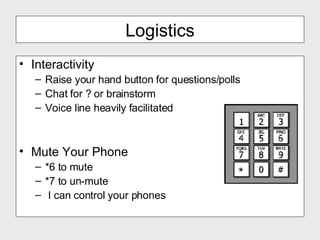
Logistics Interactivity Raise your hand button for questions/polls Chat for ? or brainstorm  Voice line heavily facilitated Mute Your Phone *6 to mute *7 to un-mute I can control your phones
Introductions Quick Poll Share one title of a technology training workshop you are designing or recently delivered
What happens when training fails?
I said, sit!
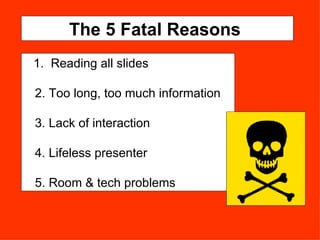
The 5 Fatal Reasons  1.  Reading all slides 2. Too long, too much information 3. Lack of interaction 4. Lifeless presenter 5. Room & tech problems
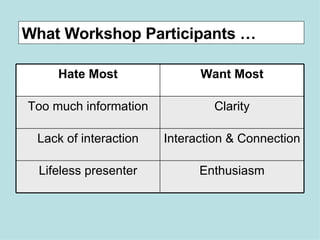
What Workshop Participants … Enthusiasm Lifeless presenter Interaction & Connection Lack of interaction Clarity Too much information Want Most Hate Most
Apply these 7 principles of learning theory to your workshop design and delivery
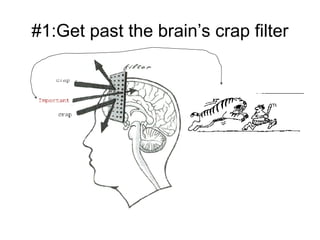
#1:Get past the brain’s crap filter
Role Play Exercise:  Why?  Who Cares?  So What?
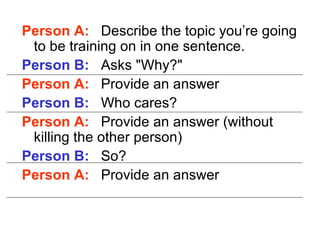
Person A:   Describe the topic you’re going to be training on in one sentence. Person B:   Asks "Why?"  Person A:   Provide an answer Person B:   Who cares?  Person A:   Provide an answer (without killing the other person) Person B:   So? Person A:   Provide an answer
#2. The power of visual processing! Use diagrams, pictures, visual metaphors
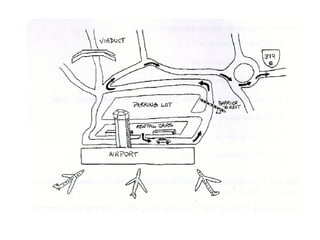
Exercise:  Power of Visuals From the airport, take the road that goes out to the rental parking lot and follow it past the barrier around the lot until you get to the end where you connect up with the road out.  Take the road, and just before it veers right, you’ll see a triple fork.  If you take the left branch, you’ll head west and away from the lake.  Don’t do that!  Straight puts you under the viaduct and really off track.  Take the right branch and, at the next for, bear right to the roundabout where you go not quite halfway around to the second road.  That’s 378 East, although it really goes South, so don’t be worried.  From then on, it’s a straight shot to our house.
How much of the details do you remember?
 
Does the visual make it easier to remember?
Debrief Why incorporate an exercise like this in your presentation?
#3.  Use "chunking" to reduce cognitive overhead and help the learner remember.
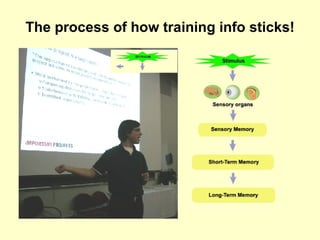
The process of how training info sticks!
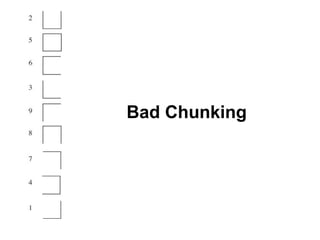
Bad Chunking
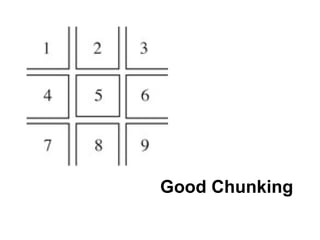
Good Chunking
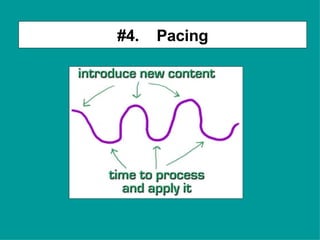
#4.  Pacing
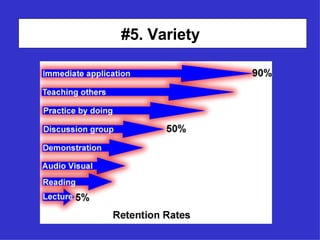
#5. Variety
#6. Emotions Matter!
 
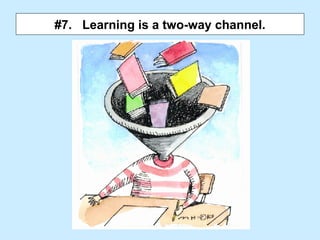
#7.  Learning is a two-way channel.
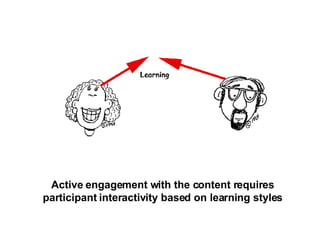
Active engagement with the content requires participant interactivity based on learning styles
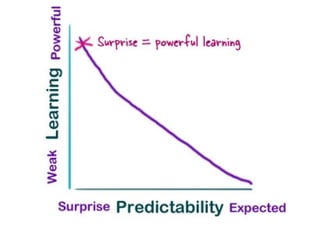
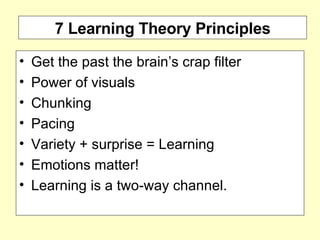
7 Learning Theory Principles Get the past the brain’s crap filter  Power of visuals Chunking Pacing  Variety + surprise = Learning Emotions matter!  Learning is a two-way channel.
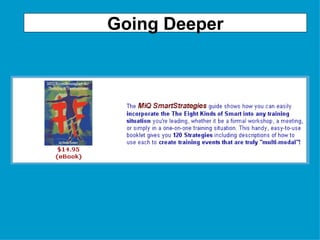
Going Deeper
 
Questions?
Online Learning Styles Survey http://www.mitest.com/o7inte~1.htm If you took it already and have your results, please raise your hand!
 
Who is this man?
 
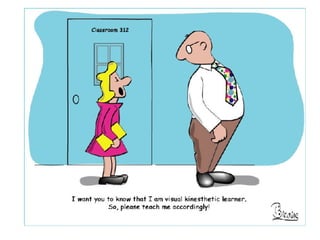
Exercise I’m going to ask you  to raise your hand  if a particular preferred learning style is yours.  (That is, it was one of the your top 2 or 3 scores) I’m say your name and  ask you this question :  Given that your preferred learning style is X, what helps you learn best? 3. Answer on the phone
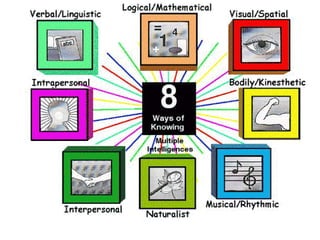
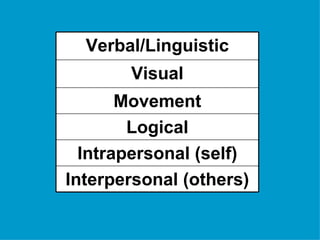
Visual Interpersonal (others) Intrapersonal (self) Logical Movement Verbal/Linguistic
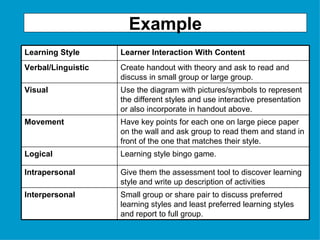
Example Use the diagram with pictures/symbols to represent the different styles and use interactive presentation or also incorporate in handout above. Visual Small group or share pair to discuss preferred learning styles and least preferred learning styles and report to full group. Interpersonal Give them the assessment tool to discover learning style and write up description of activities Intrapersonal Learning style bingo game. Logical Have key points for each one on large piece paper on the wall and ask group to read them and stand in front of the one that matches their style. Movement Create handout with theory and ask to read and discuss in small group or large group. Verbal/Linguistic Learner Interaction With Content Learning Style
Going Deeper
Blending Your Technology  Content With Learning Styles To Create Activities ….
Brainstorm Exercise: Task A workshop title and learning goal or concept Yours or mine .. Slide with two learning styles and sample activities Brainstorm how to adapt activities to the topic.
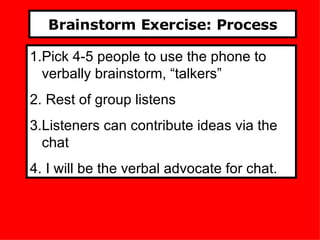
Brainstorm Exercise: Process Pick 4-5 people to use the phone to verbally brainstorm, “talkers” Rest of group listens Listeners can contribute ideas via the chat I will be the verbal advocate for chat.
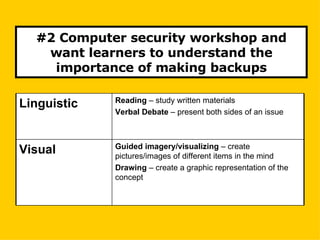
#2 Computer security workshop and want learners to understand the importance of making backups Guided imagery/visualizing  – create pictures/images of different items in the mind Drawing  – create a graphic representation of the concept Visual Reading  – study written materials Verbal Debate  – present both sides of an issue Linguistic
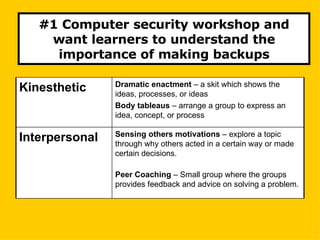
#1 Computer security workshop and want learners to understand the importance of making backups Sensing others motivations  – explore a topic through why others acted in a certain way or made certain decisions. Peer Coaching  – Small group where the groups provides feedback and advice on solving a problem. Interpersonal Dramatic enactment  – a skit which shows the ideas, processes, or ideas Body tableaus  – arrange a group to express an idea, concept, or process Kinesthetic
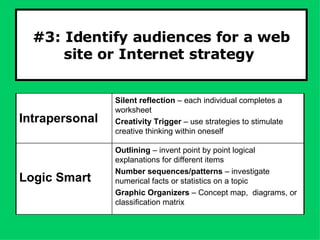
#3: Identify audiences for a web site or Internet strategy  Outlining  – invent point by point logical explanations for different items Number sequences/patterns  – investigate numerical facts or statistics on a topic Graphic Organizers  – Concept map,  diagrams, or classification matrix Logic Smart Silent reflection  – each individual completes a worksheet Creativity Trigger  – use strategies to stimulate creative thinking within oneself Intrapersonal
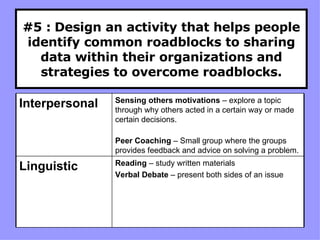
#5 :   Design an activity that helps people identify common roadblocks to sharing data within their organizations and strategies to overcome roadblocks. Reading  – study written materials Verbal Debate  – present both sides of an issue Linguistic Sensing others motivations  – explore a topic through why others acted in a certain way or made certain decisions. Peer Coaching  – Small group where the groups provides feedback and advice on solving a problem. Interpersonal
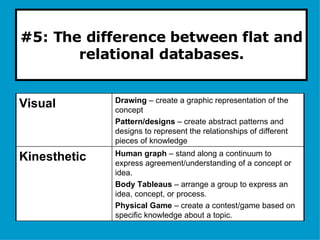
#5: The difference between flat and relational databases. Human graph  – stand along a continuum to express agreement/understanding of a concept or idea. Body Tableaus  – arrange a group to express an idea, concept, or process. Physical Game  – create a contest/game based on specific knowledge about a topic. Kinesthetic Drawing  – create a graphic representation of the concept Pattern/designs  – create abstract patterns and designs to represent the relationships of different pieces of knowledge Visual
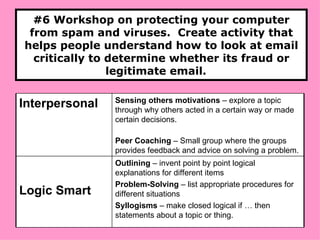
#6 Workshop on protecting your computer from spam and viruses.  Create activity that helps people understand how to look at email critically to determine whether its fraud or legitimate email.  Outlining  – invent point by point logical explanations for different items Problem-Solving  – list appropriate procedures for different situations Syllogisms  – make closed logical if … then statements about a topic or thing. Logic Smart Sensing others motivations  – explore a topic through why others acted in a certain way or made certain decisions. Peer Coaching  – Small group where the groups provides feedback and advice on solving a problem. Interpersonal
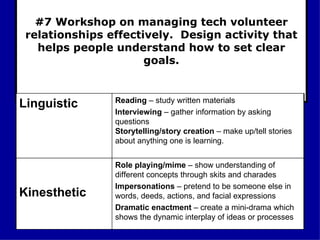
#7 Workshop on managing tech volunteer relationships effectively.  Design activity that helps people understand how to set clear goals. Role playing/mime  – show understanding of different concepts through skits and charades Impersonations  – pretend to be someone else in words, deeds, actions, and facial expressions Dramatic enactment  – create a mini-drama which shows the dynamic interplay of ideas or processes Kinesthetic  Reading  – study written materials Interviewing  – gather information by asking questions Storytelling/story creation  – make up/tell stories about anything one is learning. Linguistic
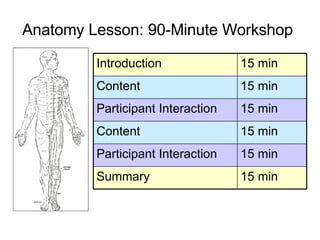
Anatomy Lesson: 90-Minute Workshop   15 min Summary 15 min Participant Interaction 15 min Content 15 min Participant Interaction 15 min Content 15 min Introduction
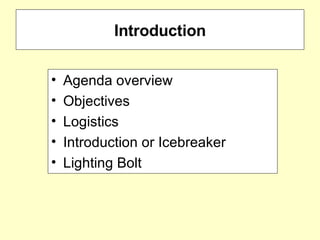
Introduction Agenda overview Objectives Logistics Introduction or Icebreaker Lighting Bolt
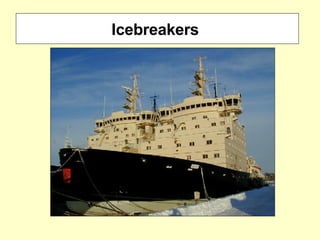
Icebreakers
The Lighting Bolt!
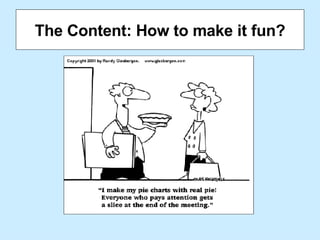
The Content: How to make it fun?
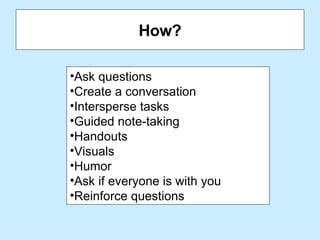
How? Ask questions  Create a conversation  Intersperse tasks Guided note-taking  Handouts  Visuals  Humor Ask if everyone is with you Reinforce questions
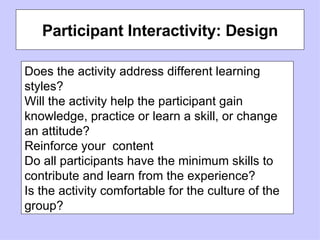
Participant Interactivity: Design Does the activity address different learning styles? Will the activity help the participant gain knowledge, practice or learn a skill, or change an attitude? Reinforce your  content Do all participants have the minimum skills to contribute and learn from the experience? Is the activity comfortable for the culture of the group?
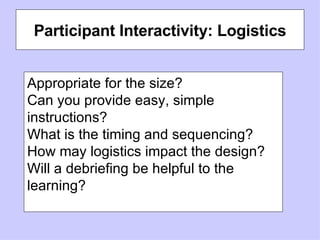
Participant Interactivity: Logistics Appropriate for the size? Can you provide easy, simple instructions? What is the timing and sequencing?  How may logistics impact the design? Will a debriefing be helpful to the learning?
Summary, Q&A, Lighting Bolt
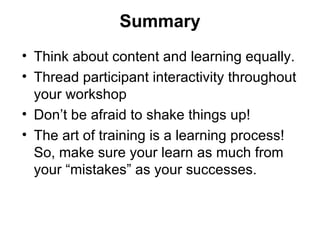
Summary Think about content and learning equally. Thread participant interactivity throughout your workshop  Don’t be afraid to shake things up! The art of training is a learning process!  So, make sure your learn as much from your “mistakes” as your successes.
Questions?
Using learning styles will help your training stick!

Designing Effective Technology Learning Experiences for Nonprofits

  • 1.
    Designing Effective LearningExperiences for Technology Training January 19, 2005 By Beth Kanter N-TEN Webinar
  • 2.
    What We’ll CoverWhen training fails Crash course: learning theory Using learning styles Blending technology content with learning activities Anatomy Lesson: 90-minute workshop Summary and Q&A
  • 3.
    Logistics Interactivity Raiseyour hand button for questions/polls Chat for ? or brainstorm Voice line heavily facilitated Mute Your Phone *6 to mute *7 to un-mute I can control your phones
  • 4.
    Introductions Quick PollShare one title of a technology training workshop you are designing or recently delivered
  • 5.
    What happens whentraining fails?
  • 6.
  • 7.
    The 5 FatalReasons 1. Reading all slides 2. Too long, too much information 3. Lack of interaction 4. Lifeless presenter 5. Room & tech problems
  • 8.
    What Workshop Participants… Enthusiasm Lifeless presenter Interaction & Connection Lack of interaction Clarity Too much information Want Most Hate Most
  • 9.
    Apply these 7principles of learning theory to your workshop design and delivery
  • 10.
    #1:Get past thebrain’s crap filter
  • 11.
    Role Play Exercise: Why? Who Cares? So What?
  • 12.
    Person A: Describe the topic you’re going to be training on in one sentence. Person B: Asks "Why?" Person A: Provide an answer Person B: Who cares? Person A: Provide an answer (without killing the other person) Person B: So? Person A: Provide an answer
  • 13.
    #2. The powerof visual processing! Use diagrams, pictures, visual metaphors
  • 14.
    Exercise: Powerof Visuals From the airport, take the road that goes out to the rental parking lot and follow it past the barrier around the lot until you get to the end where you connect up with the road out. Take the road, and just before it veers right, you’ll see a triple fork. If you take the left branch, you’ll head west and away from the lake. Don’t do that! Straight puts you under the viaduct and really off track. Take the right branch and, at the next for, bear right to the roundabout where you go not quite halfway around to the second road. That’s 378 East, although it really goes South, so don’t be worried. From then on, it’s a straight shot to our house.
  • 15.
    How much ofthe details do you remember?
  • 16.
  • 17.
    Does the visualmake it easier to remember?
  • 18.
    Debrief Why incorporatean exercise like this in your presentation?
  • 19.
    #3. Use"chunking" to reduce cognitive overhead and help the learner remember.
  • 20.
    The process ofhow training info sticks!
  • 21.
  • 22.
  • 23.
  • 24.
  • 25.
  • 26.
  • 27.
    #7. Learningis a two-way channel.
  • 28.
    Active engagement withthe content requires participant interactivity based on learning styles
  • 29.
    7 Learning TheoryPrinciples Get the past the brain’s crap filter Power of visuals Chunking Pacing Variety + surprise = Learning Emotions matter! Learning is a two-way channel.
  • 30.
  • 31.
  • 32.
  • 33.
    Online Learning StylesSurvey http://www.mitest.com/o7inte~1.htm If you took it already and have your results, please raise your hand!
  • 34.
  • 35.
  • 36.
  • 37.
    Exercise I’m goingto ask you to raise your hand if a particular preferred learning style is yours. (That is, it was one of the your top 2 or 3 scores) I’m say your name and ask you this question : Given that your preferred learning style is X, what helps you learn best? 3. Answer on the phone
  • 38.
    Visual Interpersonal (others)Intrapersonal (self) Logical Movement Verbal/Linguistic
  • 39.
    Example Use thediagram with pictures/symbols to represent the different styles and use interactive presentation or also incorporate in handout above. Visual Small group or share pair to discuss preferred learning styles and least preferred learning styles and report to full group. Interpersonal Give them the assessment tool to discover learning style and write up description of activities Intrapersonal Learning style bingo game. Logical Have key points for each one on large piece paper on the wall and ask group to read them and stand in front of the one that matches their style. Movement Create handout with theory and ask to read and discuss in small group or large group. Verbal/Linguistic Learner Interaction With Content Learning Style
  • 40.
  • 41.
    Blending Your Technology Content With Learning Styles To Create Activities ….
  • 42.
    Brainstorm Exercise: TaskA workshop title and learning goal or concept Yours or mine .. Slide with two learning styles and sample activities Brainstorm how to adapt activities to the topic.
  • 43.
    Brainstorm Exercise: ProcessPick 4-5 people to use the phone to verbally brainstorm, “talkers” Rest of group listens Listeners can contribute ideas via the chat I will be the verbal advocate for chat.
  • 44.
    #2 Computer securityworkshop and want learners to understand the importance of making backups Guided imagery/visualizing – create pictures/images of different items in the mind Drawing – create a graphic representation of the concept Visual Reading – study written materials Verbal Debate – present both sides of an issue Linguistic
  • 45.
    #1 Computer securityworkshop and want learners to understand the importance of making backups Sensing others motivations – explore a topic through why others acted in a certain way or made certain decisions. Peer Coaching – Small group where the groups provides feedback and advice on solving a problem. Interpersonal Dramatic enactment – a skit which shows the ideas, processes, or ideas Body tableaus – arrange a group to express an idea, concept, or process Kinesthetic
  • 46.
    #3: Identify audiencesfor a web site or Internet strategy Outlining – invent point by point logical explanations for different items Number sequences/patterns – investigate numerical facts or statistics on a topic Graphic Organizers – Concept map, diagrams, or classification matrix Logic Smart Silent reflection – each individual completes a worksheet Creativity Trigger – use strategies to stimulate creative thinking within oneself Intrapersonal
  • 47.
    #5 : Design an activity that helps people identify common roadblocks to sharing data within their organizations and strategies to overcome roadblocks. Reading – study written materials Verbal Debate – present both sides of an issue Linguistic Sensing others motivations – explore a topic through why others acted in a certain way or made certain decisions. Peer Coaching – Small group where the groups provides feedback and advice on solving a problem. Interpersonal
  • 48.
    #5: The differencebetween flat and relational databases. Human graph – stand along a continuum to express agreement/understanding of a concept or idea. Body Tableaus – arrange a group to express an idea, concept, or process. Physical Game – create a contest/game based on specific knowledge about a topic. Kinesthetic Drawing – create a graphic representation of the concept Pattern/designs – create abstract patterns and designs to represent the relationships of different pieces of knowledge Visual
  • 49.
    #6 Workshop onprotecting your computer from spam and viruses. Create activity that helps people understand how to look at email critically to determine whether its fraud or legitimate email. Outlining – invent point by point logical explanations for different items Problem-Solving – list appropriate procedures for different situations Syllogisms – make closed logical if … then statements about a topic or thing. Logic Smart Sensing others motivations – explore a topic through why others acted in a certain way or made certain decisions. Peer Coaching – Small group where the groups provides feedback and advice on solving a problem. Interpersonal
  • 50.
    #7 Workshop onmanaging tech volunteer relationships effectively. Design activity that helps people understand how to set clear goals. Role playing/mime – show understanding of different concepts through skits and charades Impersonations – pretend to be someone else in words, deeds, actions, and facial expressions Dramatic enactment – create a mini-drama which shows the dynamic interplay of ideas or processes Kinesthetic Reading – study written materials Interviewing – gather information by asking questions Storytelling/story creation – make up/tell stories about anything one is learning. Linguistic
  • 51.
    Anatomy Lesson: 90-MinuteWorkshop 15 min Summary 15 min Participant Interaction 15 min Content 15 min Participant Interaction 15 min Content 15 min Introduction
  • 52.
    Introduction Agenda overviewObjectives Logistics Introduction or Icebreaker Lighting Bolt
  • 53.
  • 54.
  • 55.
    The Content: Howto make it fun?
  • 56.
    How? Ask questions Create a conversation Intersperse tasks Guided note-taking Handouts Visuals Humor Ask if everyone is with you Reinforce questions
  • 57.
    Participant Interactivity: DesignDoes the activity address different learning styles? Will the activity help the participant gain knowledge, practice or learn a skill, or change an attitude? Reinforce your content Do all participants have the minimum skills to contribute and learn from the experience? Is the activity comfortable for the culture of the group?
  • 58.
    Participant Interactivity: LogisticsAppropriate for the size? Can you provide easy, simple instructions? What is the timing and sequencing? How may logistics impact the design? Will a debriefing be helpful to the learning?
  • 59.
  • 60.
    Summary Think aboutcontent and learning equally. Thread participant interactivity throughout your workshop Don’t be afraid to shake things up! The art of training is a learning process! So, make sure your learn as much from your “mistakes” as your successes.
  • 61.
  • 62.
    Using learning styleswill help your training stick!