Technology Wellness in the Nonprofit Workplace:
Avoiding Collaborative Overload
Beth Kanter, Master Trainer, Speaker, Author
@kanter
www.bethkanter.org
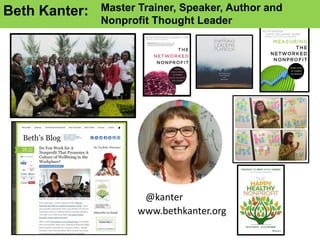
Beth Kanter: Master Trainer, Speaker, Author and
Nonprofit Thought Leader
• Nonprofit Professionals: Nonprofits
• Understanding Connection between Tech and
Burnout
• Personal Technology Wellness Tips
• Nonprofit Workplace: Organizations
• Bringing Technology Wellness into the
Nonprofit Workplace
What I’m going to talk about …..
bethkanter.wikispaces.com/erie2
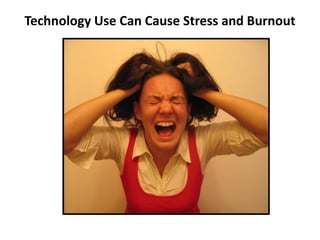
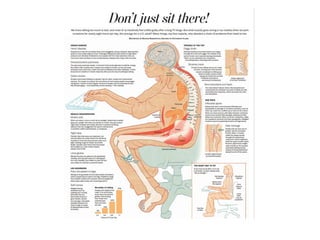
Technology Use Can Cause Stress and Burnout
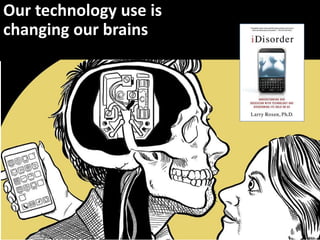
Our technology use is
changing our brains
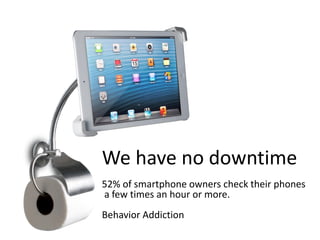
We have no downtime
52% of smartphone owners check their phones
a few times an hour or more.
Behavior Addiction
What is the
average human
attention span
online?
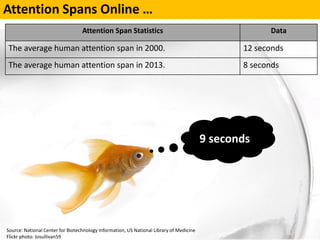
Attention Spans Online …
Source: National Center for Biotechnology Information, US National Library of Medicine
Flickr photo: Josullivan59
Attention Span Statistics Data
The average human attention span in 2000. 12 seconds
The average human attention span in 2013. 8 seconds
9 seconds
Information Overload
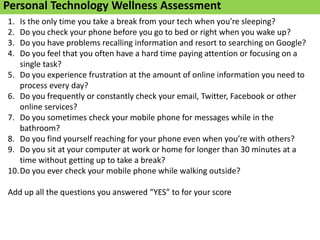
Personal Technology Wellness Assessment
1. Is the only time you take a break from your tech when you’re sleeping?
2. Do you check your phone before you go to bed or right when you wake up?
3. Do you have problems recalling information and resort to searching on Google?
4. Do you feel that you often have a hard time paying attention or focusing on a
single task?
5. Do you experience frustration at the amount of online information you need to
process every day?
6. Do you frequently or constantly check your email, Twitter, Facebook or other
online services?
7. Do you sometimes check your mobile phone for messages while in the
bathroom?
8. Do you find yourself reaching for your phone even when you’re with others?
9. Do you sit at your computer at work or home for longer than 30 minutes at a
time without getting up to take a break?
10.Do you ever check your mobile phone while walking outside?
Add up all the questions you answered “YES” to for your score
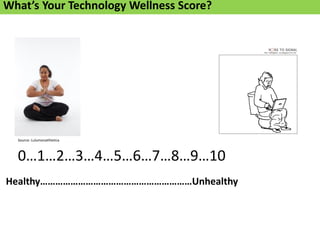
0…1…2…3…4…5…6…7…8…9…10
Source: Lulumonathletica
Healthy……………………………………………………Unhealthy
What’s Your Technology Wellness Score?
Technology Wellness Tips for
Nonprofit Professionals
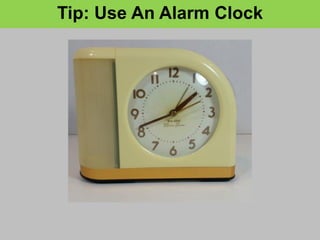
Tip: Use An Alarm Clock
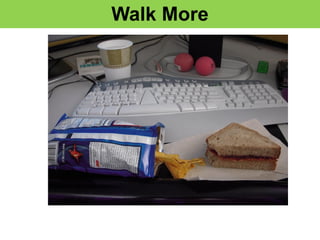
Walk More
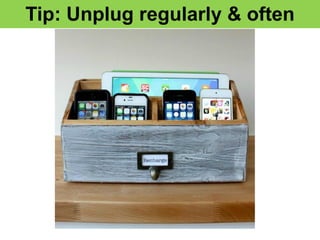
Tip: Unplug regularly & often
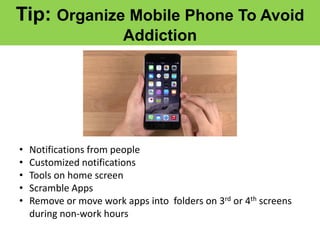
Tip: Organize Mobile Phone To Avoid
Addiction
• Notifications from people
• Customized notifications
• Tools on home screen
• Scramble Apps
• Remove or move work apps into folders on 3rd or 4th screens
during non-work hours
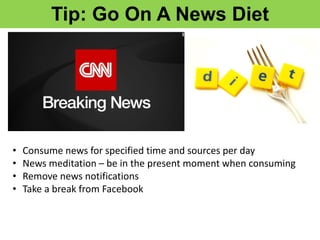
Tip: Go On A News Diet
• Consume news for specified time and sources per day
• News meditation – be in the present moment when consuming
• Remove news notifications
• Take a break from Facebook
• What is one personal
technology wellness
habit you can start
doing now?
Mindful Moment
Technology Wellness in the Nonprofit Workplace
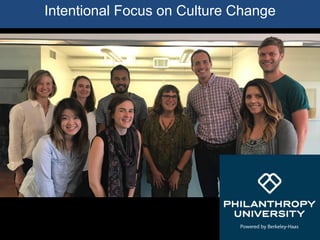
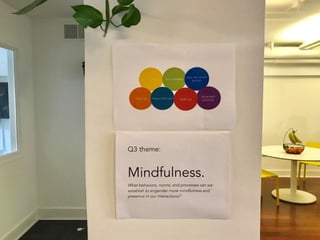
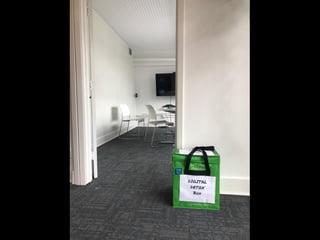
Intentional Focus on Culture Change
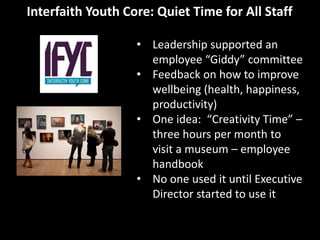
Interfaith Youth Core: Quiet Time for All Staff
• Leadership supported an
employee “Giddy” committee
• Feedback on how to improve
wellbeing (health, happiness,
productivity)
• One idea: “Creativity Time” –
three hours per month to
visit a museum – employee
handbook
• No one used it until Executive
Director started to use it
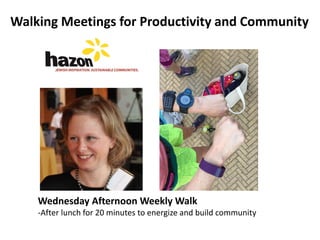
Walking Meetings for Productivity and Community
Wednesday Afternoon Weekly Walk
-After lunch for 20 minutes to energize and build community
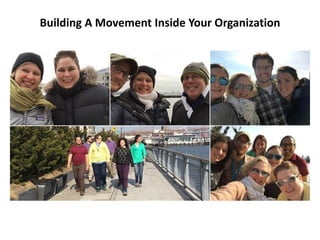
Building A Movement Inside Your Organization
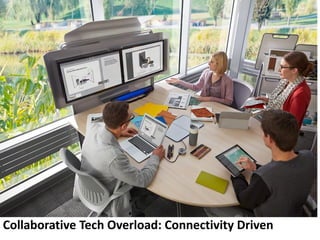
Collaborative Tech Overload: Connectivity Driven
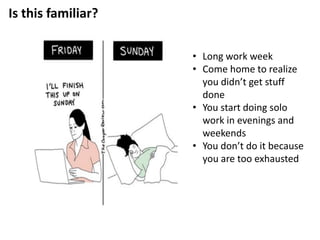
Is this familiar?
• Long work week
• Come home to realize
you didn’t get stuff
done
• You start doing solo
work in evenings and
weekends
• You don’t do it because
you are too exhausted
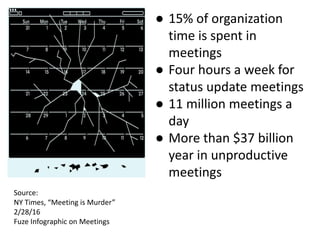
● 15% of organization
time is spent in
meetings
● Four hours a week for
status update meetings
● 11 million meetings a
day
● More than $37 billion
year in unproductive
meetings
Source:
NY Times, “Meeting is Murder”
2/28/16
Fuze Infographic on Meetings
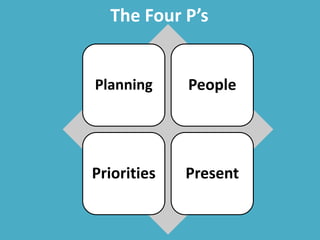
The Four P’s
Planning People
Priorities Present
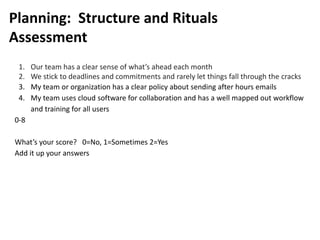
Planning: Structure and Rituals
Assessment
1. Our team has a clear sense of what’s ahead each month
2. We stick to deadlines and commitments and rarely let things fall through the cracks
3. My team or organization has a clear policy about sending after hours emails
4. My team uses cloud software for collaboration and has a well mapped out workflow
and training for all users
0-8
What’s your score? 0=No, 1=Sometimes 2=Yes
Add it up your answers
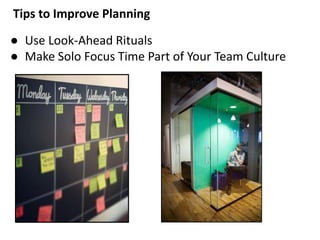
Tips to Improve Planning
● Use Look-Ahead Rituals
● Make Solo Focus Time Part of Your Team Culture
Tips to Improve Planning
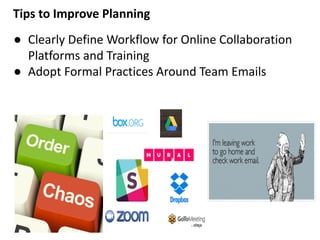
● Clearly Define Workflow for Online Collaboration
Platforms and Training
● Adopt Formal Practices Around Team Emails
People: How You Relate To Others
Assessment
1. I am comfortable saying no, negotiating requests, and making requests of others.
2. I stay away from gossip, office politics, and drama
3. Our team communicates precisely via email and online collaboration tools
4. Our team has an effective approach to integrating remote and on-site staff for
meetings and collaboration
What’s your score? 0=No, 1=Sometimes 2=Yes
Add it up your answers
0-8
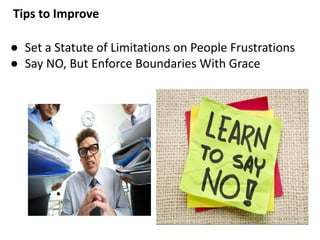
Tips to Improve
● Set a Statute of Limitations on People Frustrations
● Say NO, But Enforce Boundaries With Grace
Tips to Improve People
● Write emails that are precise
● Create a remote working charter for your team
Subjects w/Keywords
[ACTION] [SIGN]
[DECISION] [CORD]
[INFO]
Bottom Line Up Front (BLUF)
Fewer Words
Link to Attachments
Priorities: How You Spend Your Time
1. We spend time working on key priorities and goals that move the needle for our
organization, our team, or my own performance and growth.
2. I complete tasks even when I don’t want to do them.
3. My organization or team has clear rationales for how we use our time
4. I understand and accept the trade-offs that I make when choosing how to spend my
time.
What’s your score? 0=No, 1=Sometimes 2=Yes
Add it up your answers
0-8
Tips to Improve
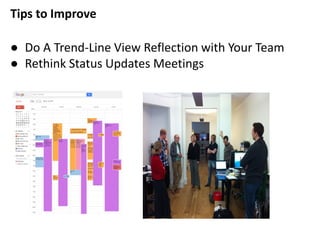
● Do A Trend-Line View Reflection with Your Team
● Rethink Status Updates Meetings
Tips to Improve
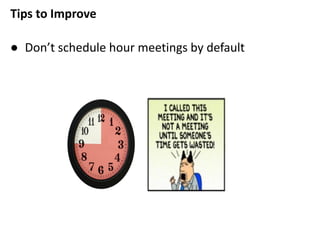
● Don’t schedule hour meetings by default
Being Present: How You Focus and Pay
Attention
1. Our team schedules work according energy levels
2. Our team is focused and engaged in meetings and not multi-tasking
3. We have distraction free environment and time needed to complete the things that
require focus or strategic thinking.
4. When I have free time, I know how to use it productively or restoratively.
What’s your score? 0=No, 1=Sometimes 2=Yes
Add it up your answers
0-8
Tips to Improve
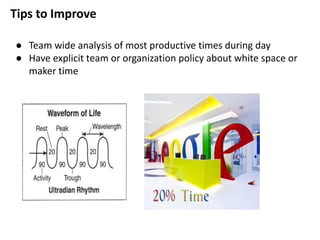
● Team wide analysis of most productive times during day
● Have explicit team or organization policy about white space or
maker time
Tips to Improve
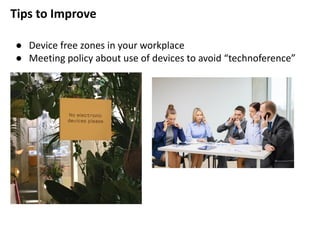
● Device free zones in your workplace
● Meeting policy about use of devices to avoid “technoference”
Summary
Our personal and organizational use of
technology can create stress leading to
burnout. But if we are intentional
about how we use our devices and our
workplace culture, we can be more
productive, healthier, and happier.
Thank you!
www.bethkanter.org
The Happy Healthy Nonprofit
http://bit.ly/happyhealthynpbook

Avoiding Nonprofit Collaborative Overload

  • 1.
    Technology Wellness inthe Nonprofit Workplace: Avoiding Collaborative Overload Beth Kanter, Master Trainer, Speaker, Author
  • 2.
    @kanter www.bethkanter.org Beth Kanter: MasterTrainer, Speaker, Author and Nonprofit Thought Leader
  • 3.
    • Nonprofit Professionals:Nonprofits • Understanding Connection between Tech and Burnout • Personal Technology Wellness Tips • Nonprofit Workplace: Organizations • Bringing Technology Wellness into the Nonprofit Workplace What I’m going to talk about ….. bethkanter.wikispaces.com/erie2
  • 4.
    Technology Use CanCause Stress and Burnout
  • 5.
    Our technology useis changing our brains
  • 6.
    We have nodowntime 52% of smartphone owners check their phones a few times an hour or more. Behavior Addiction
  • 9.
    What is the averagehuman attention span online?
  • 10.
    Attention Spans Online… Source: National Center for Biotechnology Information, US National Library of Medicine Flickr photo: Josullivan59 Attention Span Statistics Data The average human attention span in 2000. 12 seconds The average human attention span in 2013. 8 seconds 9 seconds
  • 16.
    Information Overload Personal TechnologyWellness Assessment 1. Is the only time you take a break from your tech when you’re sleeping? 2. Do you check your phone before you go to bed or right when you wake up? 3. Do you have problems recalling information and resort to searching on Google? 4. Do you feel that you often have a hard time paying attention or focusing on a single task? 5. Do you experience frustration at the amount of online information you need to process every day? 6. Do you frequently or constantly check your email, Twitter, Facebook or other online services? 7. Do you sometimes check your mobile phone for messages while in the bathroom? 8. Do you find yourself reaching for your phone even when you’re with others? 9. Do you sit at your computer at work or home for longer than 30 minutes at a time without getting up to take a break? 10.Do you ever check your mobile phone while walking outside? Add up all the questions you answered “YES” to for your score
  • 17.
  • 18.
    Technology Wellness Tipsfor Nonprofit Professionals
  • 19.
    Tip: Use AnAlarm Clock
  • 20.
  • 21.
  • 22.
    Tip: Organize MobilePhone To Avoid Addiction • Notifications from people • Customized notifications • Tools on home screen • Scramble Apps • Remove or move work apps into folders on 3rd or 4th screens during non-work hours
  • 23.
    Tip: Go OnA News Diet • Consume news for specified time and sources per day • News meditation – be in the present moment when consuming • Remove news notifications • Take a break from Facebook
  • 24.
    • What isone personal technology wellness habit you can start doing now? Mindful Moment
  • 25.
    Technology Wellness inthe Nonprofit Workplace
  • 26.
    Intentional Focus onCulture Change
  • 30.
    Interfaith Youth Core:Quiet Time for All Staff • Leadership supported an employee “Giddy” committee • Feedback on how to improve wellbeing (health, happiness, productivity) • One idea: “Creativity Time” – three hours per month to visit a museum – employee handbook • No one used it until Executive Director started to use it
  • 31.
    Walking Meetings forProductivity and Community Wednesday Afternoon Weekly Walk -After lunch for 20 minutes to energize and build community
  • 33.
    Building A MovementInside Your Organization
  • 34.
    Collaborative Tech Overload:Connectivity Driven
  • 35.
    Is this familiar? •Long work week • Come home to realize you didn’t get stuff done • You start doing solo work in evenings and weekends • You don’t do it because you are too exhausted
  • 36.
    ● 15% oforganization time is spent in meetings ● Four hours a week for status update meetings ● 11 million meetings a day ● More than $37 billion year in unproductive meetings Source: NY Times, “Meeting is Murder” 2/28/16 Fuze Infographic on Meetings
  • 37.
    The Four P’s PlanningPeople Priorities Present
  • 38.
    Planning: Structure andRituals Assessment 1. Our team has a clear sense of what’s ahead each month 2. We stick to deadlines and commitments and rarely let things fall through the cracks 3. My team or organization has a clear policy about sending after hours emails 4. My team uses cloud software for collaboration and has a well mapped out workflow and training for all users 0-8 What’s your score? 0=No, 1=Sometimes 2=Yes Add it up your answers
  • 39.
    Tips to ImprovePlanning ● Use Look-Ahead Rituals ● Make Solo Focus Time Part of Your Team Culture
  • 40.
    Tips to ImprovePlanning ● Clearly Define Workflow for Online Collaboration Platforms and Training ● Adopt Formal Practices Around Team Emails
  • 41.
    People: How YouRelate To Others Assessment 1. I am comfortable saying no, negotiating requests, and making requests of others. 2. I stay away from gossip, office politics, and drama 3. Our team communicates precisely via email and online collaboration tools 4. Our team has an effective approach to integrating remote and on-site staff for meetings and collaboration What’s your score? 0=No, 1=Sometimes 2=Yes Add it up your answers 0-8
  • 42.
    Tips to Improve ●Set a Statute of Limitations on People Frustrations ● Say NO, But Enforce Boundaries With Grace
  • 43.
    Tips to ImprovePeople ● Write emails that are precise ● Create a remote working charter for your team Subjects w/Keywords [ACTION] [SIGN] [DECISION] [CORD] [INFO] Bottom Line Up Front (BLUF) Fewer Words Link to Attachments
  • 44.
    Priorities: How YouSpend Your Time 1. We spend time working on key priorities and goals that move the needle for our organization, our team, or my own performance and growth. 2. I complete tasks even when I don’t want to do them. 3. My organization or team has clear rationales for how we use our time 4. I understand and accept the trade-offs that I make when choosing how to spend my time. What’s your score? 0=No, 1=Sometimes 2=Yes Add it up your answers 0-8
  • 45.
    Tips to Improve ●Do A Trend-Line View Reflection with Your Team ● Rethink Status Updates Meetings
  • 46.
    Tips to Improve ●Don’t schedule hour meetings by default
  • 47.
    Being Present: HowYou Focus and Pay Attention 1. Our team schedules work according energy levels 2. Our team is focused and engaged in meetings and not multi-tasking 3. We have distraction free environment and time needed to complete the things that require focus or strategic thinking. 4. When I have free time, I know how to use it productively or restoratively. What’s your score? 0=No, 1=Sometimes 2=Yes Add it up your answers 0-8
  • 48.
    Tips to Improve ●Team wide analysis of most productive times during day ● Have explicit team or organization policy about white space or maker time
  • 49.
    Tips to Improve ●Device free zones in your workplace ● Meeting policy about use of devices to avoid “technoference”
  • 51.
    Summary Our personal andorganizational use of technology can create stress leading to burnout. But if we are intentional about how we use our devices and our workplace culture, we can be more productive, healthier, and happier.
  • 52.
    Thank you! www.bethkanter.org The HappyHealthy Nonprofit http://bit.ly/happyhealthynpbook