GridBagLayout Quick Start Albert Guo [email_address]
What is GridBagLayout ? GridBagLayout is the most complex and most flexible of the layout managers.  With GridLayout, elements are arranged in a rectangular grid, and each element in the container is sized identically (where possible).  With GridBagLayout, elements can have different sizes and can occupy multiple rows or columns Note The maximum capacity of a screen using GridBagLayout is 512 rows by 512 columns. This is specified by the protected MAXGRIDSIZE constant of the layout manager
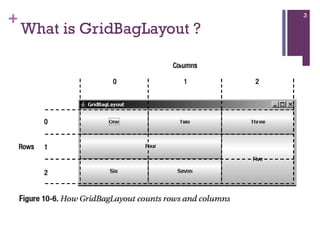
What is GridBagLayout ?
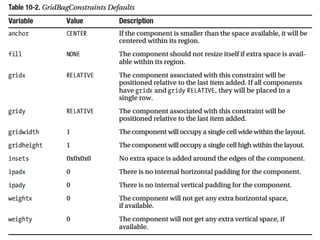
GridBagConstraints Class The magic of the layout manager is strictly controlled by the different GridBagConstraints objects passed in for each component added to the container.  Each specifies how to display a specific component. Unlike most other layout managers, which have a built-in idea about what to do with their display, the GridBagLayout is a blank slate.  The constraints attached to the components tell the layout manager how to build its display.
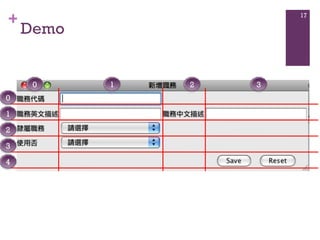
Create a Add Job Duty Frame btnPanel includes save button and reset button 0 1 2 3 4 0 1 2 3
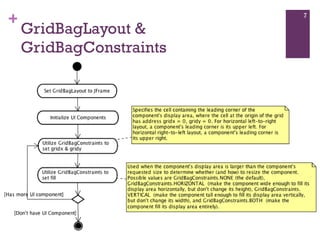
GridBagLayout & GridBagConstraints
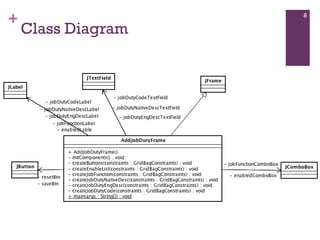
Class Diagram
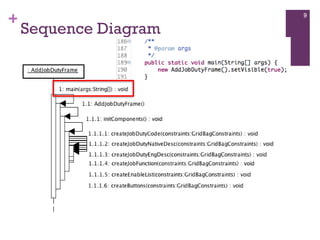
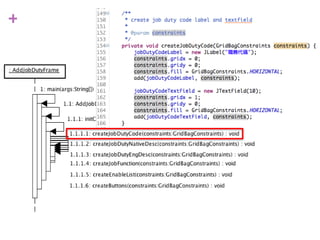
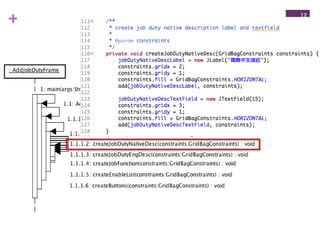
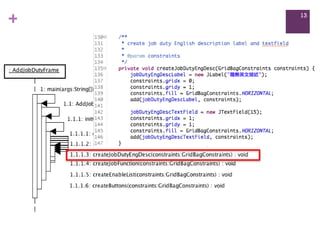
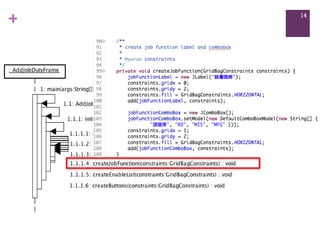
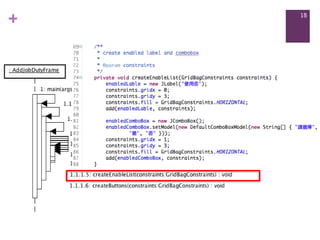
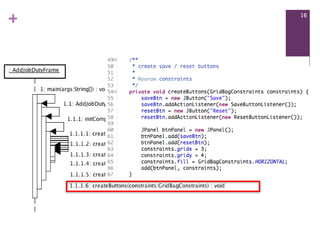
Sequence Diagram
Demo 0 1 2 3 0 1 2 3 4

GridBagLayout Quick Start

  • 1.
    GridBagLayout Quick StartAlbert Guo [email_address]
  • 2.
    What is GridBagLayout? GridBagLayout is the most complex and most flexible of the layout managers. With GridLayout, elements are arranged in a rectangular grid, and each element in the container is sized identically (where possible). With GridBagLayout, elements can have different sizes and can occupy multiple rows or columns Note The maximum capacity of a screen using GridBagLayout is 512 rows by 512 columns. This is specified by the protected MAXGRIDSIZE constant of the layout manager
  • 3.
  • 4.
    GridBagConstraints Class Themagic of the layout manager is strictly controlled by the different GridBagConstraints objects passed in for each component added to the container. Each specifies how to display a specific component. Unlike most other layout managers, which have a built-in idea about what to do with their display, the GridBagLayout is a blank slate. The constraints attached to the components tell the layout manager how to build its display.
  • 6.
    Create a AddJob Duty Frame btnPanel includes save button and reset button 0 1 2 3 4 0 1 2 3
  • 7.
  • 8.
  • 9.
  • 17.
    Demo 0 12 3 0 1 2 3 4