SinglyLinkedListPseudoCode.txt
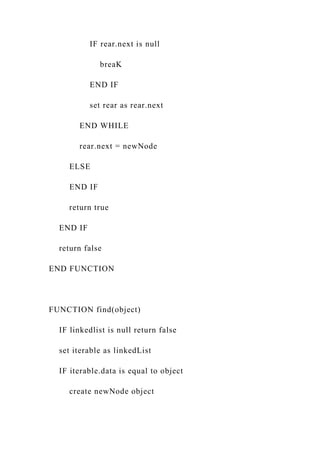
CLASS SinglyLinkedList:
set linkedList as Node
FUNCTION getLinkedList()
return linkedList
END FUNCTION
FUNCTION add(object)
found = find(object)
IF found
create newNode object using object
IF linkList is null
set linkedList as newNode
ELSE
set rear as linkedList
WHILE rear is not null
IF rear.next is null
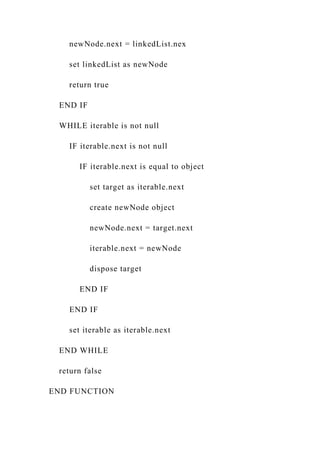
breaK
END IF
set rear as rear.next
END WHILE
rear.next = newNode
ELSE
END IF
return true
END IF
return false
END FUNCTION
FUNCTION find(object)
IF linkedlist is null return false
set iterable as linkedList
IF iterable.data is equal to object
create newNode object
newNode.next = linkedList.nex
set linkedList as newNode
return true
END IF
WHILE iterable is not null
IF iterable.next is not null
IF iterable.next is equal to object
set target as iterable.next
create newNode object
newNode.next = target.next
iterable.next = newNode
dispose target
END IF
END IF
set iterable as iterable.next
END WHILE
return false
END FUNCTION
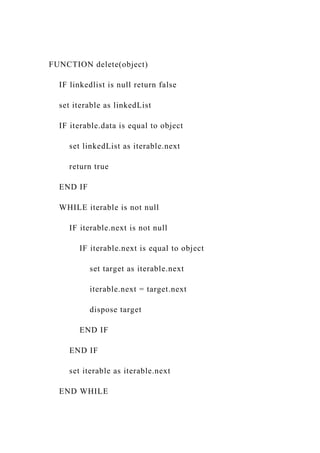
FUNCTION delete(object)
IF linkedlist is null return false
set iterable as linkedList
IF iterable.data is equal to object
set linkedList as iterable.next
return true
END IF
WHILE iterable is not null
IF iterable.next is not null
IF iterable.next is equal to object
set target as iterable.next
iterable.next = target.next
dispose target
END IF
END IF
set iterable as iterable.next
END WHILE
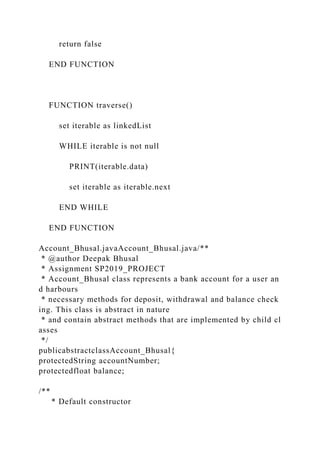
return false
END FUNCTION
FUNCTION traverse()
set iterable as linkedList
WHILE iterable is not null
PRINT(iterable.data)
set iterable as iterable.next
END WHILE
END FUNCTION
Account_Bhusal.javaAccount_Bhusal.java/**
* @author Deepak Bhusal
* Assignment SP2019_PROJECT
* Account_Bhusal class represents a bank account for a user an
d harbours
* necessary methods for deposit, withdrawal and balance check
ing. This class is abstract in nature
* and contain abstract methods that are implemented by child cl
asses
*/
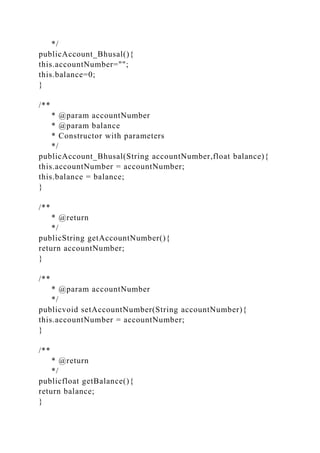
publicabstractclassAccount_Bhusal{
protectedString accountNumber;
protectedfloat balance;
/**
* Default constructor
*/
publicAccount_Bhusal(){
this.accountNumber="";
this.balance=0;
}
/**
* @param accountNumber
* @param balance
* Constructor with parameters
*/
publicAccount_Bhusal(String accountNumber,float balance){
this.accountNumber = accountNumber;
this.balance = balance;
}
/**
* @return
*/
publicString getAccountNumber(){
return accountNumber;
}
/**
* @param accountNumber
*/
publicvoid setAccountNumber(String accountNumber){
this.accountNumber = accountNumber;
}
/**
* @return
*/
publicfloat getBalance(){
return balance;
}
/**
* @param balance
*/
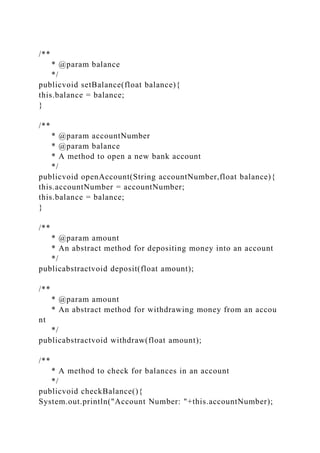
publicvoid setBalance(float balance){
this.balance = balance;
}
/**
* @param accountNumber
* @param balance
* A method to open a new bank account
*/
publicvoid openAccount(String accountNumber,float balance){
this.accountNumber = accountNumber;
this.balance = balance;
}
/**
* @param amount
* An abstract method for depositing money into an account
*/
publicabstractvoid deposit(float amount);
/**
* @param amount
* An abstract method for withdrawing money from an accou
nt
*/
publicabstractvoid withdraw(float amount);
/**
* A method to check for balances in an account
*/
publicvoid checkBalance(){
System.out.println("Account Number: "+this.accountNumber);
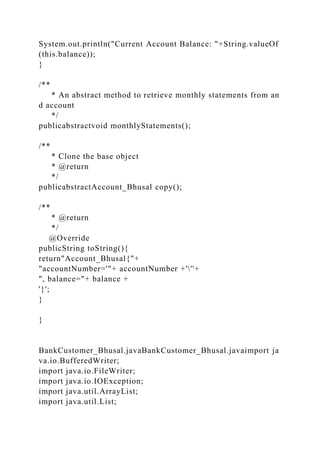
System.out.println("Current Account Balance: "+String.valueOf
(this.balance));
}
/**
* An abstract method to retrieve monthly statements from an
d account
*/
publicabstractvoid monthlyStatements();
/**
* Clone the base object
* @return
*/
publicabstractAccount_Bhusal copy();
/**
* @return
*/
@Override
publicString toString(){
return"Account_Bhusal{"+
"accountNumber='"+ accountNumber +'''+
", balance="+ balance +
'}';
}
}
BankCustomer_Bhusal.javaBankCustomer_Bhusal.javaimport ja
va.io.BufferedWriter;
import java.io.FileWriter;
import java.io.IOException;
import java.util.ArrayList;
import java.util.List;
/**
* @author Deepak Bhusal
* Assignment SP2019_PROJECT
* BankCustomer_Bhusal class represents a bank customer
*/
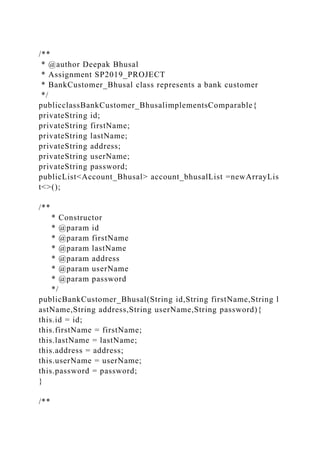
publicclassBankCustomer_BhusalimplementsComparable{
privateString id;
privateString firstName;
privateString lastName;
privateString address;
privateString userName;
privateString password;
publicList<Account_Bhusal> account_bhusalList =newArrayLis
t<>();
/**
* Constructor
* @param id
* @param firstName
* @param lastName
* @param address
* @param userName
* @param password
*/
publicBankCustomer_Bhusal(String id,String firstName,String l
astName,String address,String userName,String password){
this.id = id;
this.firstName = firstName;
this.lastName = lastName;
this.address = address;
this.userName = userName;
this.password = password;
}
/**
* Empty constructor
*/
publicBankCustomer_Bhusal(){
}
/**
* id accessor
* @return
*/
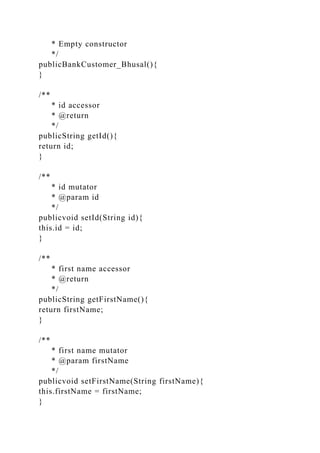
publicString getId(){
return id;
}
/**
* id mutator
* @param id
*/
publicvoid setId(String id){
this.id = id;
}
/**
* first name accessor
* @return
*/
publicString getFirstName(){
return firstName;
}
/**
* first name mutator
* @param firstName
*/
publicvoid setFirstName(String firstName){
this.firstName = firstName;
}
/**
* last name accessor
* @return
*/
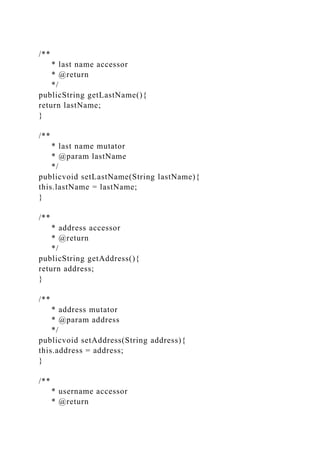
publicString getLastName(){
return lastName;
}
/**
* last name mutator
* @param lastName
*/
publicvoid setLastName(String lastName){
this.lastName = lastName;
}
/**
* address accessor
* @return
*/
publicString getAddress(){
return address;
}
/**
* address mutator
* @param address
*/
publicvoid setAddress(String address){
this.address = address;
}
/**
* username accessor
* @return
*/
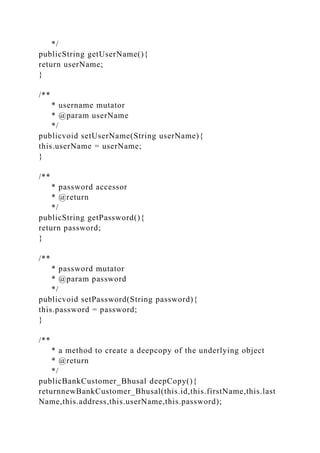
publicString getUserName(){
return userName;
}
/**
* username mutator
* @param userName
*/
publicvoid setUserName(String userName){
this.userName = userName;
}
/**
* password accessor
* @return
*/
publicString getPassword(){
return password;
}
/**
* password mutator
* @param password
*/
publicvoid setPassword(String password){
this.password = password;
}
/**
* a method to create a deepcopy of the underlying object
* @return
*/
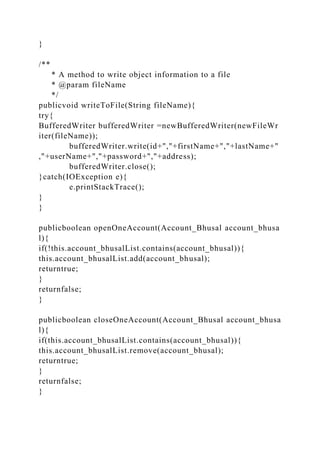
publicBankCustomer_Bhusal deepCopy(){
returnnewBankCustomer_Bhusal(this.id,this.firstName,this.last
Name,this.address,this.userName,this.password);
}
/**
* A method to write object information to a file
* @param fileName
*/
publicvoid writeToFile(String fileName){
try{
BufferedWriter bufferedWriter =newBufferedWriter(newFileWr
iter(fileName));
bufferedWriter.write(id+","+firstName+","+lastName+"
,"+userName+","+password+","+address);
bufferedWriter.close();
}catch(IOException e){
e.printStackTrace();
}
}
publicboolean openOneAccount(Account_Bhusal account_bhusa
l){
if(!this.account_bhusalList.contains(account_bhusal)){
this.account_bhusalList.add(account_bhusal);
returntrue;
}
returnfalse;
}
publicboolean closeOneAccount(Account_Bhusal account_bhusa
l){
if(this.account_bhusalList.contains(account_bhusal)){
this.account_bhusalList.remove(account_bhusal);
returntrue;
}
returnfalse;
}
/**
* toString method
* @return
*/
@Override
publicString toString(){
StringBuilder stringBuilder =newStringBuilder();
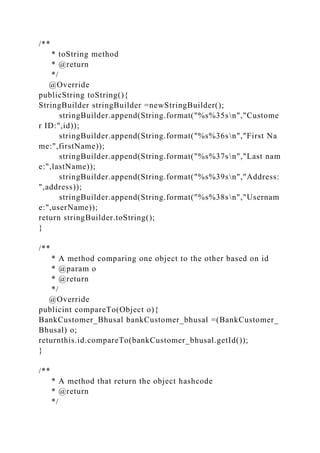
stringBuilder.append(String.format("%s%35sn","Custome
r ID:",id));
stringBuilder.append(String.format("%s%36sn","First Na
me:",firstName));
stringBuilder.append(String.format("%s%37sn","Last nam
e:",lastName));
stringBuilder.append(String.format("%s%39sn","Address:
",address));
stringBuilder.append(String.format("%s%38sn","Usernam
e:",userName));
return stringBuilder.toString();
}
/**
* A method comparing one object to the other based on id
* @param o
* @return
*/
@Override
publicint compareTo(Object o){
BankCustomer_Bhusal bankCustomer_bhusal =(BankCustomer_
Bhusal) o;
returnthis.id.compareTo(bankCustomer_bhusal.getId());
}
/**
* A method that return the object hashcode
* @return
*/
publicint hashCode(){
char[] chars =this.id.toCharArray();
int sum=0;
for(char c: chars){
sum+=(int)c;
}
return sum%19;
}
}
BankService_Bhusal.javaBankService_Bhusal.javaimport javax.
swing.*;
import java.io.*;
import java.util.*;
/**
* @author Deepak Bhusal
* Assignment SP2019_PROJECT
* BankService_Bhusal class representing the driver class
*
*/
publicclassBankService_Bhusal{
privatestaticSinglyLinkedList customers =newSinglyLinkedList(
);
privatestaticLinkedList<String> linkedList =newLinkedList<>()
;
privatestaticBankCustomer_Bhusal currentCustomer;
privatestaticRandom random =newRandom();
privatestaticScanner scanner =newScanner(System.in);
privatestaticfinalString INPUT_FILE ="input/bankCustomer.csv
";
privatestaticfinalString OUTPUT_FILE ="input/bankCustomero
ut.csv";
/**
* @param args
*/
publicstaticvoid main(String[] args){
//read file first
readCustomersFile();
customers.traverse();
printLine("n");
while(true){
showInitialMenu();
int choice =Integer.parseInt(scanner.nextLine());
if(choice ==0){
writeFileandExit();
}elseif(choice ==1){
handleBankEmployeeTasks();
}elseif(choice==2){
handleBankCustomerTasks();
}else{
printLine("Invalid choice");
}
}
}
/**
* A method to show the initial menu
*/
privatestaticvoid showInitialMenu(){
printLine("COSC2436 FA2018 BANK SERVICE APPLIC
ATION");
printLine("1. Bank Employee ");
printLine("2. Bank Customer ");
printLine("0. Exit ");
}
/**
* A method to show one submenu
*/
privatestaticvoid showOption1Menu(){
printLine("TASKS FOR BANK EMPLOYEE");
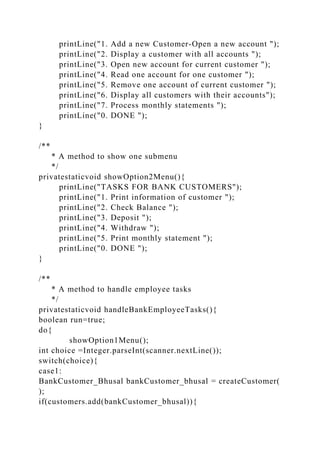
printLine("1. Add a new Customer-Open a new account ");
printLine("2. Display a customer with all accounts ");
printLine("3. Open new account for current customer ");
printLine("4. Read one account for one customer ");
printLine("5. Remove one account of current customer ");
printLine("6. Display all customers with their accounts");
printLine("7. Process monthly statements ");
printLine("0. DONE ");
}
/**
* A method to show one submenu
*/
privatestaticvoid showOption2Menu(){
printLine("TASKS FOR BANK CUSTOMERS");
printLine("1. Print information of customer ");
printLine("2. Check Balance ");
printLine("3. Deposit ");
printLine("4. Withdraw ");
printLine("5. Print monthly statement ");
printLine("0. DONE ");
}
/**
* A method to handle employee tasks
*/
privatestaticvoid handleBankEmployeeTasks(){
boolean run=true;
do{
showOption1Menu();
int choice =Integer.parseInt(scanner.nextLine());
switch(choice){
case1:
BankCustomer_Bhusal bankCustomer_bhusal = createCustomer(
);
if(customers.add(bankCustomer_bhusal)){
showMessageBox("Customer successfully adde
d");
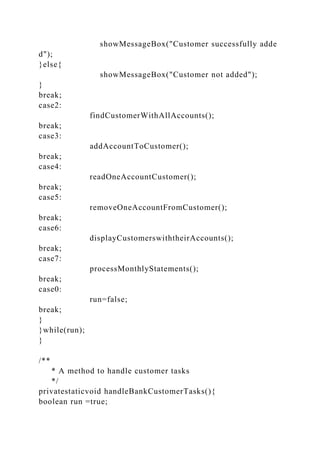
}else{
showMessageBox("Customer not added");
}
break;
case2:
findCustomerWithAllAccounts();
break;
case3:
addAccountToCustomer();
break;
case4:
readOneAccountCustomer();
break;
case5:
removeOneAccountFromCustomer();
break;
case6:
displayCustomerswiththeirAccounts();
break;
case7:
processMonthlyStatements();
break;
case0:
run=false;
break;
}
}while(run);
}
/**
* A method to handle customer tasks
*/
privatestaticvoid handleBankCustomerTasks(){
boolean run =true;
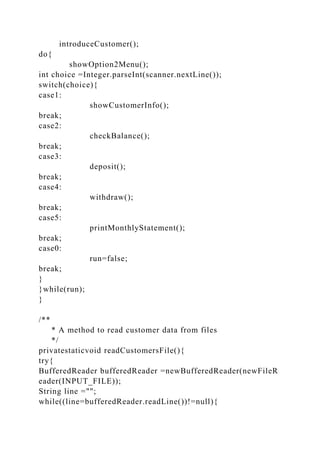
introduceCustomer();
do{
showOption2Menu();
int choice =Integer.parseInt(scanner.nextLine());
switch(choice){
case1:
showCustomerInfo();
break;
case2:
checkBalance();
break;
case3:
deposit();
break;
case4:
withdraw();
break;
case5:
printMonthlyStatement();
break;
case0:
run=false;
break;
}
}while(run);
}
/**
* A method to read customer data from files
*/
privatestaticvoid readCustomersFile(){
try{
BufferedReader bufferedReader =newBufferedReader(newFileR
eader(INPUT_FILE));
String line ="";
while((line=bufferedReader.readLine())!=null){
String[] items = line.trim().split(",");
String id = items[0];
String firstName = items[1];
String lastName = items[2];
String username = items[3];
String password = items[4];
String address = items[5];
BankCustomer_Bhusal bankCustomer_bhusal =newBankCustom
er_Bhusal(id,firstName,lastName,address,username,password);
String accountNumber1 = items[6];
float balance1 =Float.parseFloat(items[7]);
float limit1 =Float.parseFloat(items[8]);
linkedList.add(accountNumber1);
if(Double.parseDouble(items[9])<1){
//saving account
float srIr =Float.parseFloat(items[9]);
Account_Bhusal account_bhusal =newSavingAccount_Bhusal(sr
Ir,limit1);
account_bhusal.openAccount(accountNumber1,bal
ance1);
bankCustomer_bhusal.account_bhusalList.add(acc
ount_bhusal);
}else{
float srIr =Float.parseFloat(items[9]);
Account_Bhusal account_bhusal =newCheckingAccount_Bhusal
(srIr,limit1);
account_bhusal.openAccount(accountNumber1,bal
ance1);
bankCustomer_bhusal.account_bhusalList.add(acc
ount_bhusal);
}
if(items.length==14){
String accountNumber2 = items[10];
float balance2 =Float.parseFloat(items[11]);
float limit2=Float.parseFloat(items[12]);
linkedList.add(accountNumber2);
if(Double.parseDouble(items[13])<1){
float srIr2 =Float.parseFloat(items[9]);
Account_Bhusal account_bhusal2 =newSavingAccount_Bhusal(s
rIr2,limit2);
account_bhusal2.openAccount(accountNumber2
,balance2);
bankCustomer_bhusal.account_bhusalList.add(a
ccount_bhusal2);
}else{
float srIr2 =Float.parseFloat(items[9]);
Account_Bhusal account_bhusal2 =newCheckingAccount_Bhusa
l(srIr2,limit2);
account_bhusal2.openAccount(accountNumber1
,balance1);
bankCustomer_bhusal.account_bhusalList.add(a
ccount_bhusal2);
}
}
//printLine("This customer has "+bankCustomer_bhusal.account
_bhusalList.size()+" accounts");
customers.add(bankCustomer_bhusal);
}
bufferedReader.close();
}catch(IOException e){
e.printStackTrace();
}
}
/**
* A method to write bank customers to file
*/
privatestaticvoid writeFileandExit(){
try{
BufferedWriter bufferedWriter =newBufferedWriter(newFileWr
iter(OUTPUT_FILE));
Node current = customers.getLinkedList();
while(current!=null){
StringBuilder stringBuilder =newStringBuilder();
BankCustomer_Bhusal bankCustomer_bhusal = current.getData(
);
stringBuilder.append(bankCustomer_bhusal.getId()).
append(",");
stringBuilder.append(bankCustomer_bhusal.getFirst
Name()).append(",");
stringBuilder.append(bankCustomer_bhusal.getLastN
ame()).append(",");
stringBuilder.append(bankCustomer_bhusal.getAddre
ss()).append(",");
stringBuilder.append(bankCustomer_bhusal.getUser
Name()).append(",");
stringBuilder.append(bankCustomer_bhusal.getPassw
ord()).append(",");
for(Account_Bhusal account_bhusal:bankCustomer_bhusal.acco
unt_bhusalList){
if(account_bhusal instanceofCheckingAccount_Bhusal){
CheckingAccount_Bhusal obj =(CheckingAccount_Bhusal)acco
unt_bhusal;
stringBuilder.append(obj.getAccountNumber()).
append(",");
stringBuilder.append(obj.getBalance()).append(
",");
stringBuilder.append(obj.getLimitAmount()).ap
pend(",");
stringBuilder.append(obj.getServiceFee()).appe
nd(",");
}elseif(account_bhusal instanceofSavingAccount_Bhusal){
SavingAccount_Bhusal obj =(SavingAccount_Bhusal)account_b
husal;
stringBuilder.append(obj.getAccountNumber()).
append(",");
stringBuilder.append(obj.getBalance()).append(
",");
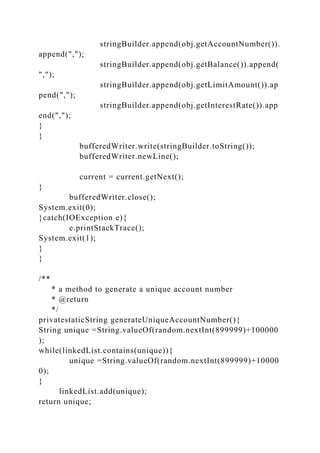
stringBuilder.append(obj.getLimitAmount()).ap
pend(",");
stringBuilder.append(obj.getInterestRate()).app
end(",");
}
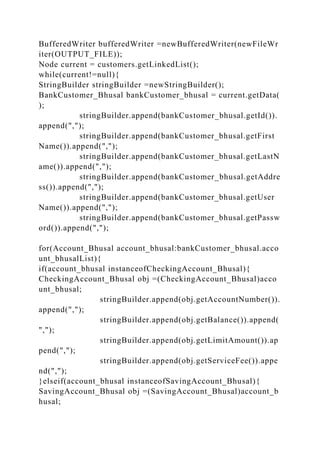
}
bufferedWriter.write(stringBuilder.toString());
bufferedWriter.newLine();
current = current.getNext();
}
bufferedWriter.close();
System.exit(0);
}catch(IOException e){
e.printStackTrace();
System.exit(1);
}
}
/**
* a method to generate a unique account number
* @return
*/
privatestaticString generateUniqueAccountNumber(){
String unique =String.valueOf(random.nextInt(899999)+100000
);
while(linkedList.contains(unique)){
unique =String.valueOf(random.nextInt(899999)+10000
0);
}
linkedList.add(unique);
return unique;
}
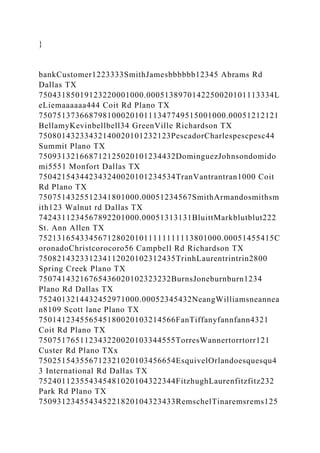
bankCustomer1223333SmithJamesbbbbbb12345 Abrams Rd
Dallas TX
75043185019123220001000.0005138970142250020101113334L
eLiemaaaaaa444 Coit Rd Plano TX
75075137366879810002010111347749515001000.00051212121
BellamyKevinbellbell34 GreenVille Richardson TX
75080143233432140020101232123PescadorCharlespescpesc44
Summit Plano TX
750931321668712125020101234432DominguezJohnsondomido
mi5551 Monfort Dallas TX
750421543442343240020101234534TranVantrantran1000 Coit
Rd Plano TX
7507514325512341801000.00051234567SmithArmandosmithsm
ith123 Walnut rd Dallas TX
7424311234567892201000.00051313131BluittMarkblutblut222
St. Ann Allen TX
7521316543345671280201011111111113801000.00051455415C
oronadoChristcorocoro56 Campbell Rd Richardson TX
750821432331234112020102312435TrinhLaurentrintrin2800
Spring Creek Plano TX
75074143216765436020102323232BurnsJoneburnburn1234
Plano Rd Dallas TX
7524013214432452971000.00052345432NeangWilliamsneannea
n8109 Scott lane Plano TX
750141234556545180020103214566FanTiffanyfannfann4321
Coit Rd Plano TX
750751765112343220020103344555TorresWannertorrtorr121
Custer Rd Plano TXx
750251543556712321020103456654EsquivelOrlandoesquesqu4
3 International Rd Dallas TX
752401123554345481020104322344FitzhughLaurenfitzfitz232
Park Rd Plano TX
750931234554345221820104323433RemschelTinaremsrems125
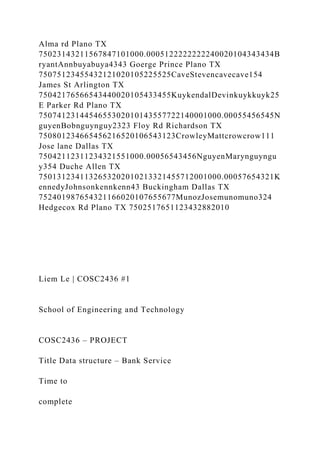
Alma rd Plano TX
75023143211567847101000.0005122222222240020104343434B
ryantAnnbuyabuya4343 Goerge Prince Plano TX
75075123455432121020105225525CaveStevencavecave154
James St Arlington TX
75042176566543440020105433455KuykendalDevinkuykkuyk25
E Parker Rd Plano TX
7507412314454655302010143557722140001000.00055456545N
guyenBobnguynguy2323 Floy Rd Richardson TX
750801234665456216520106543123CrowleyMattcrowcrow111
Jose lane Dallas TX
75042112311234321551000.00056543456NguyenMarynguyngu
y354 Duche Allen TX
7501312341132653202010213321455712001000.00057654321K
ennedyJohnsonkennkenn43 Buckingham Dallas TX
752401987654321166020107655677MunozJosemunomuno324
Hedgecox Rd Plano TX 7502517651123432882010
Liem Le | COSC2436 #1
School of Engineering and Technology
COSC2436 – PROJECT
Title Data structure – Bank Service
Time to
complete
Nine weeks
COURSE OBJECTIVES
LEARNING OUTCOME
LAB OBJECTIVES
-Apply Object Oriented programming
-Complete the lab on time (Time
Management)
-Do the lab by following the project process:
analysis, design, write the code, test, debug,
implement
-UML of data type class
-Write comments
-Write the code of data type classes
including data members, no-argument
constructor, parameter constructors,
mutator methods, assessor methods,
toString and other methods
-INHERITANCE: write the code of child
classes including, data members,
constructors and other methods inherited
from parent class
-apply Polymorphism: using object of the
parent class to point to object of child
classes
-control structure: if..else, switch, do..while
-create object, access members of data type
class
-format the output in columns and double
numbers with 2 decimal digits
-display message box
- create one of the data structure types:
UnsortedOptimizedArray, Restricted Data
Structures: Stack and Queue, Linked List,
Hashed, Tree
-Create a new project, add source file to the project, compile
and run the program without errors and qualified to the
requirement
-Declare variables of int, double, String;
-provide UML of data types
-Create data types with data members, constructors, mutator
methods
-Apply Inheritance relationship
-Apply polymorphism in the project
-provide the pseudo-code of program
-create and manage the menu to loop back to re-display after
each task: using do.. while
-Use switch statement to determine and define the action for
each task
-Format the output in columns and double numbers wiwth 2
decimal digits
-Display message box
-can create a data structure of UnsortedOptimizedArray,
Restricted Data Structures: Stack and Queue, Linked List,
Hashed, Tree
-can process all operations of UnsortedOptimizedArray,
Restricted Data Structures: Stack and Queue, Linked List,
Hashed, Tree
-can access data in file .xlxs
Liem Le | COSC2436 #2
Skills
required to
do the Lab
To do this lab, students have to know:
-Review to create the pseudo-code or a flowchart of a lab
-Review the syntax to create a data type class with data
members, constructors, mutator
accessor methods, method toString
-Review how to define a child class including data member,
constructor, toString and other
methods inheriting from parent class:
-Review how to declare an object in main(), how to access the
methods of data type classes
from main()
-Review how to apply polymorphism
-Review control structure: if..else, switch, do..while loop
-How to set the decimal digits (2) of a double number
-How to display the message box
-How to access on each operation of UnsortedOptimizedArray,
Restricted Data Structures:
Stack and Queue, Linked List, Hashed, Tree
-How to access file .xlxs
HOW TO DO
EACH PART
*Step1: Create the pseudo-code [QA2]
*Step2: Write the code
-start editor create the project, add .java file [QA1b] or
[QA1d]
-follow the pseudo-code and use java to write the code of the
program
*Step3: compile and run the program
*Step4: debug if there is any errors to complete the program
PROJECT
Requirement – COSC2426_FA2018_BANK SERVICE
APPLICATION
A bank asks for an application for their bank service. That can
help bank employees and bank
customers to do some tasks relating to their bank service.
The application should keep the information of Bank Customer
including customer id (String
or a number), lastname(String), firstname(String), user
name(String), password(String),
address (String) and a list of accounts that keeps all bank
accounts (java LinkedList)
Besides the constructors, the class of Bank Customer should
have some methods that relates
to some actions of a bank customer, for example, open one new
account, close one account,
read one account, method to write information of customer to an
output file, method to print
the bank customer information that lists customer’s name, id,
address, and the list of all
accounts in the following format (for example):
Liem Le | COSC2436 #3
Beside Bank Customers, the application needs to manage Bank
Accounts that need:
-Class BankAccount has account number (String) and balance
(float)
-Class BankCheckingAccount inherits account number(String)
and balance (float) from class
BankAccount and also have limitAmount (float) that is smallest
amount of money in the
account and serviceFee(float)
-Class BankSavingAccount inherits account number (String and
balance (float) from class
BankACcount and also have limitAmount (float) and
interestRate(float)
-These classes should have constructors, method check balance,
deposit, withdraw, print
monthly statement, toString and method write to file
Each Bank Customer has several accounts; either Checking
account or Saving account.
Therefore, in the class Bank Customer, you can use java
LinkedList as a data member to hold
all account that customer has
The project will keep BankCustomer as nodes and place them to
a data structure type when
the project starts. You can select any type of data structure that
we learned from the course
(UnsortedOptimizedArray, Singly LinkedList, Hashed, OR
Tree) ➔ Therefore, you should
provide the class of the selected data structure
TOTAL YOU HAVE at least 6 CLASSES INCLUDING THE
DRIVER CLASS: class of
BankCustomer_yourLastName, Account_yourLastName,
CheckingAccount_yourLastName,
SavingAccount_yourLastName, class of data structure type and
the driver class named
BankService_yourLastName
Suppose that the Bank stores all the information of Bank
Customers in an Excel file
bankCustomers.xlsx (downloaded from eCampus)
Before running the program, you have to open the file
bankCustomers.xlsx then Save As with
the extension is csv ➔ bankCustomers.csv
(Note: When you read the file with the extension .csv the
information of all cells in each row
will be separated by comma “,”
For example:
222,Smith,James,bbb,bbb,djkf
dkjfdjkfd,1850191232,2000.0,20.0,10.0,1389701422,500.0,100.
0,.0005,
Liem Le | COSC2436 #4
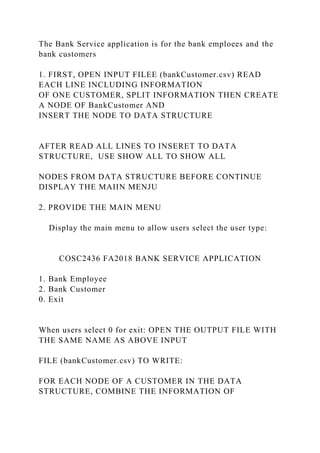
The Bank Service application is for the bank emploees and the
bank customers
1. FIRST, OPEN INPUT FILEE (bankCustomer.csv) READ
EACH LINE INCLUDING INFORMATION
OF ONE CUSTOMER, SPLIT INFORMATION THEN CREATE
A NODE OF BankCustomer AND
INSERT THE NODE TO DATA STRUCTURE
AFTER READ ALL LINES TO INSERET TO DATA
STRUCTURE, USE SHOW ALL TO SHOW ALL
NODES FROM DATA STRUCTURE BEFORE CONTINUE
DISPLAY THE MAIIN MENJU
2. PROVIDE THE MAIN MENU
Display the main menu to allow users select the user type:
COSC2436 FA2018 BANK SERVICE APPLICATION
1. Bank Employee
2. Bank Customer
0. Exit
When users select 0 for exit: OPEN THE OUTPUT FILE WITH
THE SAME NAME AS ABOVE INPUT
FILE (bankCustomer.csv) TO WRITE:
FOR EACH NODE OF A CUSTOMER IN THE DATA
STRUCTURE, COMBINE THE INFORMATION OF
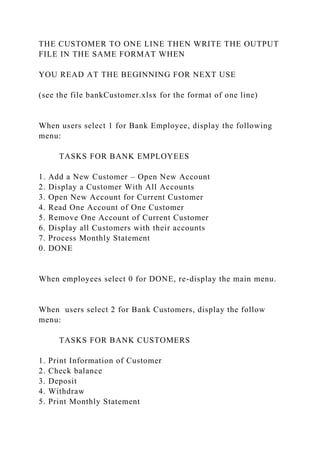
THE CUSTOMER TO ONE LINE THEN WRITE THE OUTPUT
FILE IN THE SAME FORMAT WHEN
YOU READ AT THE BEGINNING FOR NEXT USE
(see the file bankCustomer.xlsx for the format of one line)
When users select 1 for Bank Employee, display the following
menu:
TASKS FOR BANK EMPLOYEES
1. Add a New Customer – Open New Account
2. Display a Customer With All Accounts
3. Open New Account for Current Customer
4. Read One Account of One Customer
5. Remove One Account of Current Customer
6. Display all Customers with their accounts
7. Process Monthly Statement
0. DONE
When employees select 0 for DONE, re-display the main menu.
When users select 2 for Bank Customers, display the follow
menu:
TASKS FOR BANK CUSTOMERS
1. Print Information of Customer
2. Check balance
3. Deposit
4. Withdraw
5. Print Monthly Statement
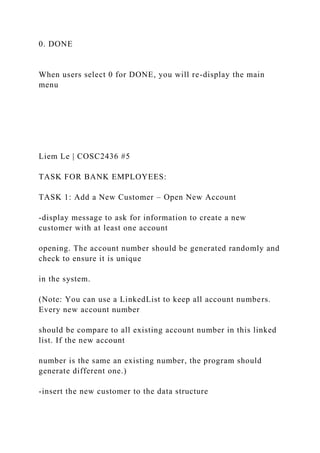
0. DONE
When users select 0 for DONE, you will re-display the main
menu
Liem Le | COSC2436 #5
TASK FOR BANK EMPLOYEES:
TASK 1: Add a New Customer – Open New Account
-display message to ask for information to create a new
customer with at least one account
opening. The account number should be generated randomly and
check to ensure it is unique
in the system.
(Note: You can use a LinkedList to keep all account numbers.
Every new account number
should be compare to all existing account number in this linked
list. If the new account
number is the same an existing number, the program should
generate different one.)
-insert the new customer to the data structure
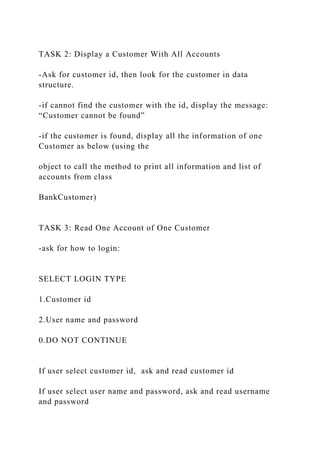
TASK 2: Display a Customer With All Accounts
-Ask for customer id, then look for the customer in data
structure.
-if cannot find the customer with the id, display the message:
“Customer cannot be found”
-if the customer is found, display all the information of one
Customer as below (using the
object to call the method to print all information and list of
accounts from class
BankCustomer)
TASK 3: Read One Account of One Customer
-ask for how to login:
SELECT LOGIN TYPE
1.Customer id
2.User name and password
0.DO NOT CONTINUE
If user select customer id, ask and read customer id
If user select user name and password, ask and read username
and password
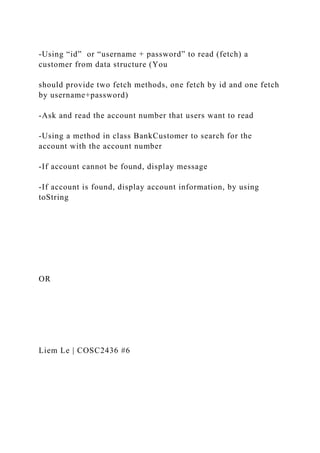
-Using “id” or “username + password” to read (fetch) a
customer from data structure (You
should provide two fetch methods, one fetch by id and one fetch
by username+password)
-Ask and read the account number that users want to read
-Using a method in class BankCustomer to search for the
account with the account number
-If account cannot be found, display message
-If account is found, display account information, by using
toString
OR
Liem Le | COSC2436 #6
TASK 4: Open New Account for Current Customer
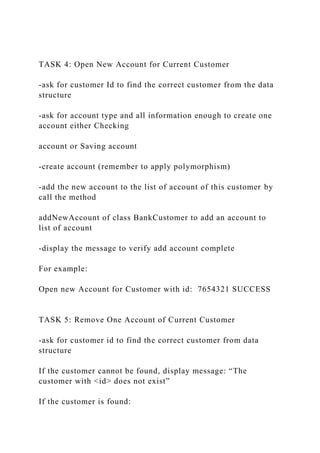
-ask for customer Id to find the correct customer from the data
structure
-ask for account type and all information enough to create one
account either Checking
account or Saving account
-create account (remember to apply polymorphism)
-add the new account to the list of account of this customer by
call the method
addNewAccount of class BankCustomer to add an account to
list of account
-display the message to verify add account complete
For example:
Open new Account for Customer with id: 7654321 SUCCESS
TASK 5: Remove One Account of Current Customer
-ask for customer id to find the correct customer from data
structure
If the customer cannot be found, display message: “The
customer with <id> does not exist”
If the customer is found:
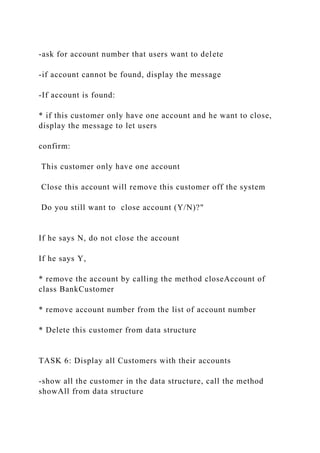
-ask for account number that users want to delete
-if account cannot be found, display the message
-If account is found:
* if this customer only have one account and he want to close,
display the message to let users
confirm:
This customer only have one account
Close this account will remove this customer off the system
Do you still want to close account (Y/N)?"
If he says N, do not close the account
If he says Y,
* remove the account by calling the method closeAccount of
class BankCustomer
* remove account number from the list of account number
* Delete this customer from data structure
TASK 6: Display all Customers with their accounts
-show all the customer in the data structure, call the method
showAll from data structure
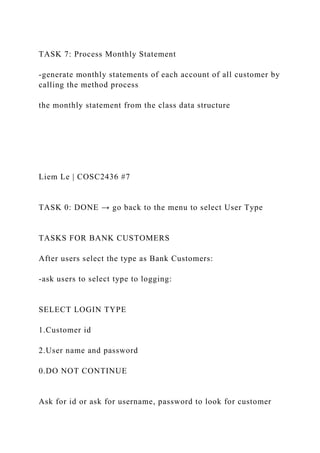
TASK 7: Process Monthly Statement
-generate monthly statements of each account of all customer by
calling the method process
the monthly statement from the class data structure
Liem Le | COSC2436 #7
TASK 0: DONE → go back to the menu to select User Type
TASKS FOR BANK CUSTOMERS
After users select the type as Bank Customers:
-ask users to select type to logging:
SELECT LOGIN TYPE
1.Customer id
2.User name and password
0.DO NOT CONTINUE
Ask for id or ask for username, password to look for customer
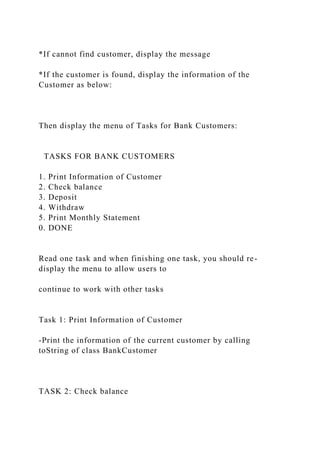
*If cannot find customer, display the message
*If the customer is found, display the information of the
Customer as below:
Then display the menu of Tasks for Bank Customers:
TASKS FOR BANK CUSTOMERS
1. Print Information of Customer
2. Check balance
3. Deposit
4. Withdraw
5. Print Monthly Statement
0. DONE
Read one task and when finishing one task, you should re-
display the menu to allow users to
continue to work with other tasks
Task 1: Print Information of Customer
-Print the information of the current customer by calling
toString of class BankCustomer
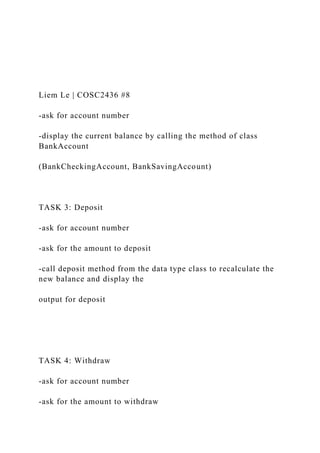
TASK 2: Check balance
Liem Le | COSC2436 #8
-ask for account number
-display the current balance by calling the method of class
BankAccount
(BankCheckingAccount, BankSavingAccount)
TASK 3: Deposit
-ask for account number
-ask for the amount to deposit
-call deposit method from the data type class to recalculate the
new balance and display the
output for deposit
TASK 4: Withdraw
-ask for account number
-ask for the amount to withdraw
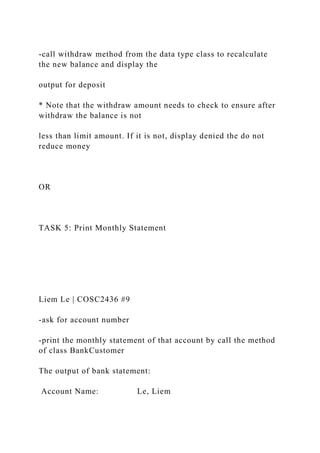
-call withdraw method from the data type class to recalculate
the new balance and display the
output for deposit
* Note that the withdraw amount needs to check to ensure after
withdraw the balance is not
less than limit amount. If it is not, display denied the do not
reduce money
OR
TASK 5: Print Monthly Statement
Liem Le | COSC2436 #9
-ask for account number
-print the monthly statement of that account by call the method
of class BankCustomer
The output of bank statement:
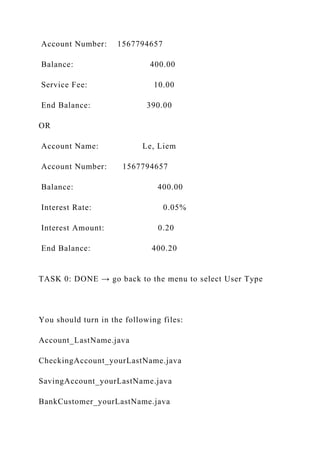
Account Name: Le, Liem
Account Number: 1567794657
Balance: 400.00
Service Fee: 10.00
End Balance: 390.00
OR
Account Name: Le, Liem
Account Number: 1567794657
Balance: 400.00
Interest Rate: 0.05%
Interest Amount: 0.20
End Balance: 400.20
TASK 0: DONE → go back to the menu to select User Type
You should turn in the following files:
Account_LastName.java
CheckingAccount_yourLastName.java
SavingAccount_yourLastName.java
BankCustomer_yourLastName.java
Data structure file
BankService_yourLastName.java
Account_LastName.class
CheckingAccount_yourLastName.class
SavingAccount_yourLastName.class
BankCustomer_yourLastName.class
Data structure file .class
BankService_yourLastName.class
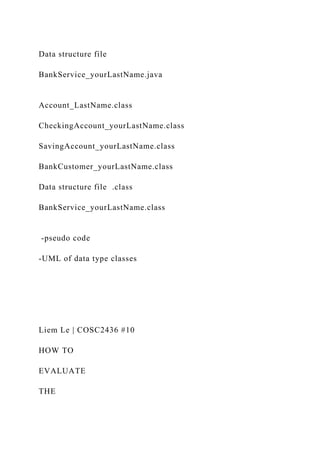
-pseudo code
-UML of data type classes
Liem Le | COSC2436 #10
HOW TO
EVALUATE
THE
PROJECT
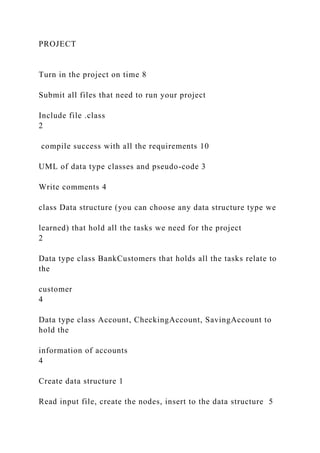
Turn in the project on time 8
Submit all files that need to run your project
Include file .class
2
compile success with all the requirements 10
UML of data type classes and pseudo-code 3
Write comments 4
class Data structure (you can choose any data structure type we
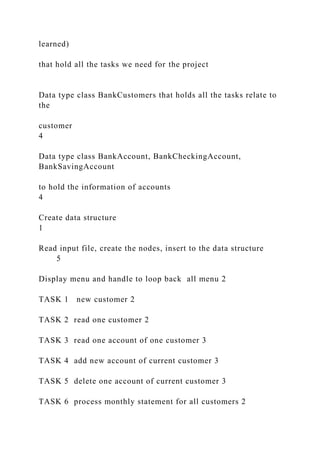
learned) that hold all the tasks we need for the project
2
Data type class BankCustomers that holds all the tasks relate to
the
customer
4
Data type class Account, CheckingAccount, SavingAccount to
hold the
information of accounts
4
Create data structure 1
Read input file, create the nodes, insert to the data structure 5
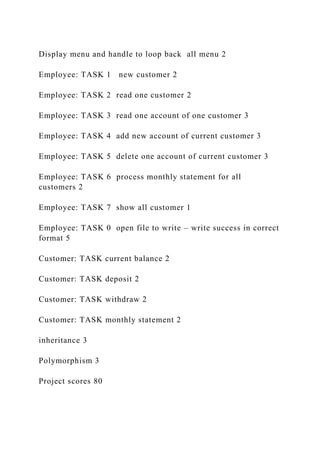
Display menu and handle to loop back all menu 2
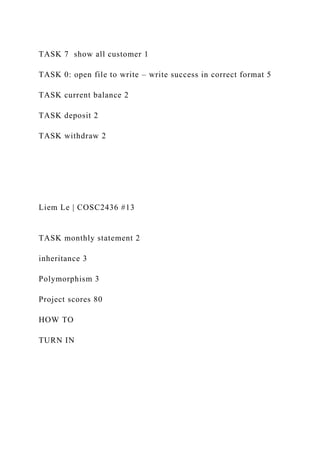
Employee: TASK 1 new customer 2
Employee: TASK 2 read one customer 2
Employee: TASK 3 read one account of one customer 3
Employee: TASK 4 add new account of current customer 3
Employee: TASK 5 delete one account of current customer 3
Employee: TASK 6 process monthly statement for all
customers 2
Employee: TASK 7 show all customer 1
Employee: TASK 0 open file to write – write success in correct
format 5
Customer: TASK current balance 2
Customer: TASK deposit 2
Customer: TASK withdraw 2
Customer: TASK monthly statement 2
inheritance 3
Polymorphism 3
Project scores 80
Liem Le | COSC2436 #11
HOW TO
EVALUATE
THE
Liem Le | COSC2436 #12
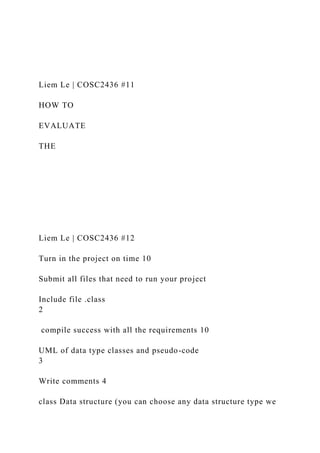
Turn in the project on time 10
Submit all files that need to run your project
Include file .class
2
compile success with all the requirements 10
UML of data type classes and pseudo-code
3
Write comments 4
class Data structure (you can choose any data structure type we
learned)
that hold all the tasks we need for the project
Data type class BankCustomers that holds all the tasks relate to
the
customer
4
Data type class BankAccount, BankCheckingAccount,
BankSavingAccount
to hold the information of accounts
4
Create data structure
1
Read input file, create the nodes, insert to the data structure
5
Display menu and handle to loop back all menu 2
TASK 1 new customer 2
TASK 2 read one customer 2
TASK 3 read one account of one customer 3
TASK 4 add new account of current customer 3
TASK 5 delete one account of current customer 3
TASK 6 process monthly statement for all customers 2
TASK 7 show all customer 1
TASK 0: open file to write – write success in correct format 5
TASK current balance 2
TASK deposit 2
TASK withdraw 2
Liem Le | COSC2436 #13
TASK monthly statement 2
inheritance 3
Polymorphism 3
Project scores 80
HOW TO
TURN IN
SinglyLinkedListPseudoCode.txtCLASS SinglyLinkedList    se.docx

SinglyLinkedListPseudoCode.txtCLASS SinglyLinkedList se.docx

  • 1.
    SinglyLinkedListPseudoCode.txt CLASS SinglyLinkedList: set linkedListas Node FUNCTION getLinkedList() return linkedList END FUNCTION FUNCTION add(object) found = find(object) IF found create newNode object using object IF linkList is null set linkedList as newNode ELSE set rear as linkedList WHILE rear is not null
  • 2.
    IF rear.next isnull breaK END IF set rear as rear.next END WHILE rear.next = newNode ELSE END IF return true END IF return false END FUNCTION FUNCTION find(object) IF linkedlist is null return false set iterable as linkedList IF iterable.data is equal to object create newNode object
  • 3.
    newNode.next = linkedList.nex setlinkedList as newNode return true END IF WHILE iterable is not null IF iterable.next is not null IF iterable.next is equal to object set target as iterable.next create newNode object newNode.next = target.next iterable.next = newNode dispose target END IF END IF set iterable as iterable.next END WHILE return false END FUNCTION
  • 4.
    FUNCTION delete(object) IF linkedlistis null return false set iterable as linkedList IF iterable.data is equal to object set linkedList as iterable.next return true END IF WHILE iterable is not null IF iterable.next is not null IF iterable.next is equal to object set target as iterable.next iterable.next = target.next dispose target END IF END IF set iterable as iterable.next END WHILE
  • 5.
    return false END FUNCTION FUNCTIONtraverse() set iterable as linkedList WHILE iterable is not null PRINT(iterable.data) set iterable as iterable.next END WHILE END FUNCTION Account_Bhusal.javaAccount_Bhusal.java/** * @author Deepak Bhusal * Assignment SP2019_PROJECT * Account_Bhusal class represents a bank account for a user an d harbours * necessary methods for deposit, withdrawal and balance check ing. This class is abstract in nature * and contain abstract methods that are implemented by child cl asses */ publicabstractclassAccount_Bhusal{ protectedString accountNumber; protectedfloat balance; /** * Default constructor
  • 6.
    */ publicAccount_Bhusal(){ this.accountNumber=""; this.balance=0; } /** * @param accountNumber *@param balance * Constructor with parameters */ publicAccount_Bhusal(String accountNumber,float balance){ this.accountNumber = accountNumber; this.balance = balance; } /** * @return */ publicString getAccountNumber(){ return accountNumber; } /** * @param accountNumber */ publicvoid setAccountNumber(String accountNumber){ this.accountNumber = accountNumber; } /** * @return */ publicfloat getBalance(){ return balance; }
  • 7.
    /** * @param balance */ publicvoidsetBalance(float balance){ this.balance = balance; } /** * @param accountNumber * @param balance * A method to open a new bank account */ publicvoid openAccount(String accountNumber,float balance){ this.accountNumber = accountNumber; this.balance = balance; } /** * @param amount * An abstract method for depositing money into an account */ publicabstractvoid deposit(float amount); /** * @param amount * An abstract method for withdrawing money from an accou nt */ publicabstractvoid withdraw(float amount); /** * A method to check for balances in an account */ publicvoid checkBalance(){ System.out.println("Account Number: "+this.accountNumber);
  • 8.
    System.out.println("Current Account Balance:"+String.valueOf (this.balance)); } /** * An abstract method to retrieve monthly statements from an d account */ publicabstractvoid monthlyStatements(); /** * Clone the base object * @return */ publicabstractAccount_Bhusal copy(); /** * @return */ @Override publicString toString(){ return"Account_Bhusal{"+ "accountNumber='"+ accountNumber +'''+ ", balance="+ balance + '}'; } } BankCustomer_Bhusal.javaBankCustomer_Bhusal.javaimport ja va.io.BufferedWriter; import java.io.FileWriter; import java.io.IOException; import java.util.ArrayList; import java.util.List;
  • 9.
    /** * @author DeepakBhusal * Assignment SP2019_PROJECT * BankCustomer_Bhusal class represents a bank customer */ publicclassBankCustomer_BhusalimplementsComparable{ privateString id; privateString firstName; privateString lastName; privateString address; privateString userName; privateString password; publicList<Account_Bhusal> account_bhusalList =newArrayLis t<>(); /** * Constructor * @param id * @param firstName * @param lastName * @param address * @param userName * @param password */ publicBankCustomer_Bhusal(String id,String firstName,String l astName,String address,String userName,String password){ this.id = id; this.firstName = firstName; this.lastName = lastName; this.address = address; this.userName = userName; this.password = password; } /**
  • 10.
    * Empty constructor */ publicBankCustomer_Bhusal(){ } /** *id accessor * @return */ publicString getId(){ return id; } /** * id mutator * @param id */ publicvoid setId(String id){ this.id = id; } /** * first name accessor * @return */ publicString getFirstName(){ return firstName; } /** * first name mutator * @param firstName */ publicvoid setFirstName(String firstName){ this.firstName = firstName; }
  • 11.
    /** * last nameaccessor * @return */ publicString getLastName(){ return lastName; } /** * last name mutator * @param lastName */ publicvoid setLastName(String lastName){ this.lastName = lastName; } /** * address accessor * @return */ publicString getAddress(){ return address; } /** * address mutator * @param address */ publicvoid setAddress(String address){ this.address = address; } /** * username accessor * @return
  • 12.
    */ publicString getUserName(){ return userName; } /** *username mutator * @param userName */ publicvoid setUserName(String userName){ this.userName = userName; } /** * password accessor * @return */ publicString getPassword(){ return password; } /** * password mutator * @param password */ publicvoid setPassword(String password){ this.password = password; } /** * a method to create a deepcopy of the underlying object * @return */ publicBankCustomer_Bhusal deepCopy(){ returnnewBankCustomer_Bhusal(this.id,this.firstName,this.last Name,this.address,this.userName,this.password);
  • 13.
    } /** * A methodto write object information to a file * @param fileName */ publicvoid writeToFile(String fileName){ try{ BufferedWriter bufferedWriter =newBufferedWriter(newFileWr iter(fileName)); bufferedWriter.write(id+","+firstName+","+lastName+" ,"+userName+","+password+","+address); bufferedWriter.close(); }catch(IOException e){ e.printStackTrace(); } } publicboolean openOneAccount(Account_Bhusal account_bhusa l){ if(!this.account_bhusalList.contains(account_bhusal)){ this.account_bhusalList.add(account_bhusal); returntrue; } returnfalse; } publicboolean closeOneAccount(Account_Bhusal account_bhusa l){ if(this.account_bhusalList.contains(account_bhusal)){ this.account_bhusalList.remove(account_bhusal); returntrue; } returnfalse; }
  • 14.
    /** * toString method *@return */ @Override publicString toString(){ StringBuilder stringBuilder =newStringBuilder(); stringBuilder.append(String.format("%s%35sn","Custome r ID:",id)); stringBuilder.append(String.format("%s%36sn","First Na me:",firstName)); stringBuilder.append(String.format("%s%37sn","Last nam e:",lastName)); stringBuilder.append(String.format("%s%39sn","Address: ",address)); stringBuilder.append(String.format("%s%38sn","Usernam e:",userName)); return stringBuilder.toString(); } /** * A method comparing one object to the other based on id * @param o * @return */ @Override publicint compareTo(Object o){ BankCustomer_Bhusal bankCustomer_bhusal =(BankCustomer_ Bhusal) o; returnthis.id.compareTo(bankCustomer_bhusal.getId()); } /** * A method that return the object hashcode * @return */
  • 15.
    publicint hashCode(){ char[] chars=this.id.toCharArray(); int sum=0; for(char c: chars){ sum+=(int)c; } return sum%19; } } BankService_Bhusal.javaBankService_Bhusal.javaimport javax. swing.*; import java.io.*; import java.util.*; /** * @author Deepak Bhusal * Assignment SP2019_PROJECT * BankService_Bhusal class representing the driver class * */ publicclassBankService_Bhusal{ privatestaticSinglyLinkedList customers =newSinglyLinkedList( ); privatestaticLinkedList<String> linkedList =newLinkedList<>() ; privatestaticBankCustomer_Bhusal currentCustomer; privatestaticRandom random =newRandom(); privatestaticScanner scanner =newScanner(System.in); privatestaticfinalString INPUT_FILE ="input/bankCustomer.csv "; privatestaticfinalString OUTPUT_FILE ="input/bankCustomero ut.csv"; /** * @param args
  • 16.
    */ publicstaticvoid main(String[] args){ //readfile first readCustomersFile(); customers.traverse(); printLine("n"); while(true){ showInitialMenu(); int choice =Integer.parseInt(scanner.nextLine()); if(choice ==0){ writeFileandExit(); }elseif(choice ==1){ handleBankEmployeeTasks(); }elseif(choice==2){ handleBankCustomerTasks(); }else{ printLine("Invalid choice"); } } } /** * A method to show the initial menu */ privatestaticvoid showInitialMenu(){ printLine("COSC2436 FA2018 BANK SERVICE APPLIC ATION"); printLine("1. Bank Employee "); printLine("2. Bank Customer "); printLine("0. Exit "); } /** * A method to show one submenu */ privatestaticvoid showOption1Menu(){ printLine("TASKS FOR BANK EMPLOYEE");
  • 17.
    printLine("1. Add anew Customer-Open a new account "); printLine("2. Display a customer with all accounts "); printLine("3. Open new account for current customer "); printLine("4. Read one account for one customer "); printLine("5. Remove one account of current customer "); printLine("6. Display all customers with their accounts"); printLine("7. Process monthly statements "); printLine("0. DONE "); } /** * A method to show one submenu */ privatestaticvoid showOption2Menu(){ printLine("TASKS FOR BANK CUSTOMERS"); printLine("1. Print information of customer "); printLine("2. Check Balance "); printLine("3. Deposit "); printLine("4. Withdraw "); printLine("5. Print monthly statement "); printLine("0. DONE "); } /** * A method to handle employee tasks */ privatestaticvoid handleBankEmployeeTasks(){ boolean run=true; do{ showOption1Menu(); int choice =Integer.parseInt(scanner.nextLine()); switch(choice){ case1: BankCustomer_Bhusal bankCustomer_bhusal = createCustomer( ); if(customers.add(bankCustomer_bhusal)){
  • 18.
    showMessageBox("Customer successfully adde d"); }else{ showMessageBox("Customernot added"); } break; case2: findCustomerWithAllAccounts(); break; case3: addAccountToCustomer(); break; case4: readOneAccountCustomer(); break; case5: removeOneAccountFromCustomer(); break; case6: displayCustomerswiththeirAccounts(); break; case7: processMonthlyStatements(); break; case0: run=false; break; } }while(run); } /** * A method to handle customer tasks */ privatestaticvoid handleBankCustomerTasks(){ boolean run =true;
  • 19.
    introduceCustomer(); do{ showOption2Menu(); int choice =Integer.parseInt(scanner.nextLine()); switch(choice){ case1: showCustomerInfo(); break; case2: checkBalance(); break; case3: deposit(); break; case4: withdraw(); break; case5: printMonthlyStatement(); break; case0: run=false; break; } }while(run); } /** *A method to read customer data from files */ privatestaticvoid readCustomersFile(){ try{ BufferedReader bufferedReader =newBufferedReader(newFileR eader(INPUT_FILE)); String line =""; while((line=bufferedReader.readLine())!=null){
  • 20.
    String[] items =line.trim().split(","); String id = items[0]; String firstName = items[1]; String lastName = items[2]; String username = items[3]; String password = items[4]; String address = items[5]; BankCustomer_Bhusal bankCustomer_bhusal =newBankCustom er_Bhusal(id,firstName,lastName,address,username,password); String accountNumber1 = items[6]; float balance1 =Float.parseFloat(items[7]); float limit1 =Float.parseFloat(items[8]); linkedList.add(accountNumber1); if(Double.parseDouble(items[9])<1){ //saving account float srIr =Float.parseFloat(items[9]); Account_Bhusal account_bhusal =newSavingAccount_Bhusal(sr Ir,limit1); account_bhusal.openAccount(accountNumber1,bal ance1); bankCustomer_bhusal.account_bhusalList.add(acc ount_bhusal); }else{ float srIr =Float.parseFloat(items[9]); Account_Bhusal account_bhusal =newCheckingAccount_Bhusal (srIr,limit1); account_bhusal.openAccount(accountNumber1,bal ance1); bankCustomer_bhusal.account_bhusalList.add(acc ount_bhusal); } if(items.length==14){ String accountNumber2 = items[10]; float balance2 =Float.parseFloat(items[11]);
  • 21.
    float limit2=Float.parseFloat(items[12]); linkedList.add(accountNumber2); if(Double.parseDouble(items[13])<1){ float srIr2=Float.parseFloat(items[9]); Account_Bhusal account_bhusal2 =newSavingAccount_Bhusal(s rIr2,limit2); account_bhusal2.openAccount(accountNumber2 ,balance2); bankCustomer_bhusal.account_bhusalList.add(a ccount_bhusal2); }else{ float srIr2 =Float.parseFloat(items[9]); Account_Bhusal account_bhusal2 =newCheckingAccount_Bhusa l(srIr2,limit2); account_bhusal2.openAccount(accountNumber1 ,balance1); bankCustomer_bhusal.account_bhusalList.add(a ccount_bhusal2); } } //printLine("This customer has "+bankCustomer_bhusal.account _bhusalList.size()+" accounts"); customers.add(bankCustomer_bhusal); } bufferedReader.close(); }catch(IOException e){ e.printStackTrace(); } } /** * A method to write bank customers to file */ privatestaticvoid writeFileandExit(){ try{
  • 22.
    BufferedWriter bufferedWriter =newBufferedWriter(newFileWr iter(OUTPUT_FILE)); Nodecurrent = customers.getLinkedList(); while(current!=null){ StringBuilder stringBuilder =newStringBuilder(); BankCustomer_Bhusal bankCustomer_bhusal = current.getData( ); stringBuilder.append(bankCustomer_bhusal.getId()). append(","); stringBuilder.append(bankCustomer_bhusal.getFirst Name()).append(","); stringBuilder.append(bankCustomer_bhusal.getLastN ame()).append(","); stringBuilder.append(bankCustomer_bhusal.getAddre ss()).append(","); stringBuilder.append(bankCustomer_bhusal.getUser Name()).append(","); stringBuilder.append(bankCustomer_bhusal.getPassw ord()).append(","); for(Account_Bhusal account_bhusal:bankCustomer_bhusal.acco unt_bhusalList){ if(account_bhusal instanceofCheckingAccount_Bhusal){ CheckingAccount_Bhusal obj =(CheckingAccount_Bhusal)acco unt_bhusal; stringBuilder.append(obj.getAccountNumber()). append(","); stringBuilder.append(obj.getBalance()).append( ","); stringBuilder.append(obj.getLimitAmount()).ap pend(","); stringBuilder.append(obj.getServiceFee()).appe nd(","); }elseif(account_bhusal instanceofSavingAccount_Bhusal){ SavingAccount_Bhusal obj =(SavingAccount_Bhusal)account_b husal;
  • 23.
    stringBuilder.append(obj.getAccountNumber()). append(","); stringBuilder.append(obj.getBalance()).append( ","); stringBuilder.append(obj.getLimitAmount()).ap pend(","); stringBuilder.append(obj.getInterestRate()).app end(","); } } bufferedWriter.write(stringBuilder.toString()); bufferedWriter.newLine(); current = current.getNext(); } bufferedWriter.close(); System.exit(0); }catch(IOExceptione){ e.printStackTrace(); System.exit(1); } } /** * a method to generate a unique account number * @return */ privatestaticString generateUniqueAccountNumber(){ String unique =String.valueOf(random.nextInt(899999)+100000 ); while(linkedList.contains(unique)){ unique =String.valueOf(random.nextInt(899999)+10000 0); } linkedList.add(unique); return unique;
  • 24.
    } bankCustomer1223333SmithJamesbbbbbb12345 Abrams Rd DallasTX 75043185019123220001000.0005138970142250020101113334L eLiemaaaaaa444 Coit Rd Plano TX 75075137366879810002010111347749515001000.00051212121 BellamyKevinbellbell34 GreenVille Richardson TX 75080143233432140020101232123PescadorCharlespescpesc44 Summit Plano TX 750931321668712125020101234432DominguezJohnsondomido mi5551 Monfort Dallas TX 750421543442343240020101234534TranVantrantran1000 Coit Rd Plano TX 7507514325512341801000.00051234567SmithArmandosmithsm ith123 Walnut rd Dallas TX 7424311234567892201000.00051313131BluittMarkblutblut222 St. Ann Allen TX 7521316543345671280201011111111113801000.00051455415C oronadoChristcorocoro56 Campbell Rd Richardson TX 750821432331234112020102312435TrinhLaurentrintrin2800 Spring Creek Plano TX 75074143216765436020102323232BurnsJoneburnburn1234 Plano Rd Dallas TX 7524013214432452971000.00052345432NeangWilliamsneannea n8109 Scott lane Plano TX 750141234556545180020103214566FanTiffanyfannfann4321 Coit Rd Plano TX 750751765112343220020103344555TorresWannertorrtorr121 Custer Rd Plano TXx 750251543556712321020103456654EsquivelOrlandoesquesqu4 3 International Rd Dallas TX 752401123554345481020104322344FitzhughLaurenfitzfitz232 Park Rd Plano TX 750931234554345221820104323433RemschelTinaremsrems125
  • 25.
    Alma rd PlanoTX 75023143211567847101000.0005122222222240020104343434B ryantAnnbuyabuya4343 Goerge Prince Plano TX 75075123455432121020105225525CaveStevencavecave154 James St Arlington TX 75042176566543440020105433455KuykendalDevinkuykkuyk25 E Parker Rd Plano TX 7507412314454655302010143557722140001000.00055456545N guyenBobnguynguy2323 Floy Rd Richardson TX 750801234665456216520106543123CrowleyMattcrowcrow111 Jose lane Dallas TX 75042112311234321551000.00056543456NguyenMarynguyngu y354 Duche Allen TX 7501312341132653202010213321455712001000.00057654321K ennedyJohnsonkennkenn43 Buckingham Dallas TX 752401987654321166020107655677MunozJosemunomuno324 Hedgecox Rd Plano TX 7502517651123432882010 Liem Le | COSC2436 #1 School of Engineering and Technology COSC2436 – PROJECT Title Data structure – Bank Service Time to complete
  • 26.
    Nine weeks COURSE OBJECTIVES LEARNINGOUTCOME LAB OBJECTIVES -Apply Object Oriented programming -Complete the lab on time (Time Management) -Do the lab by following the project process: analysis, design, write the code, test, debug, implement -UML of data type class -Write comments -Write the code of data type classes including data members, no-argument constructor, parameter constructors, mutator methods, assessor methods, toString and other methods -INHERITANCE: write the code of child
  • 27.
    classes including, datamembers, constructors and other methods inherited from parent class -apply Polymorphism: using object of the parent class to point to object of child classes -control structure: if..else, switch, do..while -create object, access members of data type class -format the output in columns and double numbers with 2 decimal digits -display message box - create one of the data structure types: UnsortedOptimizedArray, Restricted Data Structures: Stack and Queue, Linked List, Hashed, Tree -Create a new project, add source file to the project, compile and run the program without errors and qualified to the
  • 28.
    requirement -Declare variables ofint, double, String; -provide UML of data types -Create data types with data members, constructors, mutator methods -Apply Inheritance relationship -Apply polymorphism in the project -provide the pseudo-code of program -create and manage the menu to loop back to re-display after each task: using do.. while -Use switch statement to determine and define the action for each task -Format the output in columns and double numbers wiwth 2 decimal digits -Display message box -can create a data structure of UnsortedOptimizedArray, Restricted Data Structures: Stack and Queue, Linked List,
  • 29.
    Hashed, Tree -can processall operations of UnsortedOptimizedArray, Restricted Data Structures: Stack and Queue, Linked List, Hashed, Tree -can access data in file .xlxs Liem Le | COSC2436 #2 Skills required to do the Lab To do this lab, students have to know: -Review to create the pseudo-code or a flowchart of a lab -Review the syntax to create a data type class with data members, constructors, mutator accessor methods, method toString -Review how to define a child class including data member, constructor, toString and other methods inheriting from parent class:
  • 30.
    -Review how todeclare an object in main(), how to access the methods of data type classes from main() -Review how to apply polymorphism -Review control structure: if..else, switch, do..while loop -How to set the decimal digits (2) of a double number -How to display the message box -How to access on each operation of UnsortedOptimizedArray, Restricted Data Structures: Stack and Queue, Linked List, Hashed, Tree -How to access file .xlxs HOW TO DO EACH PART *Step1: Create the pseudo-code [QA2] *Step2: Write the code -start editor create the project, add .java file [QA1b] or [QA1d] -follow the pseudo-code and use java to write the code of the program *Step3: compile and run the program
  • 31.
    *Step4: debug ifthere is any errors to complete the program PROJECT Requirement – COSC2426_FA2018_BANK SERVICE APPLICATION A bank asks for an application for their bank service. That can help bank employees and bank customers to do some tasks relating to their bank service. The application should keep the information of Bank Customer including customer id (String or a number), lastname(String), firstname(String), user name(String), password(String), address (String) and a list of accounts that keeps all bank accounts (java LinkedList) Besides the constructors, the class of Bank Customer should have some methods that relates to some actions of a bank customer, for example, open one new account, close one account, read one account, method to write information of customer to an output file, method to print the bank customer information that lists customer’s name, id, address, and the list of all accounts in the following format (for example):
  • 32.
    Liem Le |COSC2436 #3 Beside Bank Customers, the application needs to manage Bank Accounts that need: -Class BankAccount has account number (String) and balance (float) -Class BankCheckingAccount inherits account number(String) and balance (float) from class BankAccount and also have limitAmount (float) that is smallest amount of money in the account and serviceFee(float) -Class BankSavingAccount inherits account number (String and balance (float) from class
  • 33.
    BankACcount and alsohave limitAmount (float) and interestRate(float) -These classes should have constructors, method check balance, deposit, withdraw, print monthly statement, toString and method write to file Each Bank Customer has several accounts; either Checking account or Saving account. Therefore, in the class Bank Customer, you can use java LinkedList as a data member to hold all account that customer has The project will keep BankCustomer as nodes and place them to a data structure type when the project starts. You can select any type of data structure that we learned from the course (UnsortedOptimizedArray, Singly LinkedList, Hashed, OR Tree) ➔ Therefore, you should provide the class of the selected data structure TOTAL YOU HAVE at least 6 CLASSES INCLUDING THE DRIVER CLASS: class of BankCustomer_yourLastName, Account_yourLastName, CheckingAccount_yourLastName,
  • 34.
    SavingAccount_yourLastName, class ofdata structure type and the driver class named BankService_yourLastName Suppose that the Bank stores all the information of Bank Customers in an Excel file bankCustomers.xlsx (downloaded from eCampus) Before running the program, you have to open the file bankCustomers.xlsx then Save As with the extension is csv ➔ bankCustomers.csv (Note: When you read the file with the extension .csv the information of all cells in each row will be separated by comma “,” For example: 222,Smith,James,bbb,bbb,djkf dkjfdjkfd,1850191232,2000.0,20.0,10.0,1389701422,500.0,100. 0,.0005, Liem Le | COSC2436 #4
  • 35.
    The Bank Serviceapplication is for the bank emploees and the bank customers 1. FIRST, OPEN INPUT FILEE (bankCustomer.csv) READ EACH LINE INCLUDING INFORMATION OF ONE CUSTOMER, SPLIT INFORMATION THEN CREATE A NODE OF BankCustomer AND INSERT THE NODE TO DATA STRUCTURE AFTER READ ALL LINES TO INSERET TO DATA STRUCTURE, USE SHOW ALL TO SHOW ALL NODES FROM DATA STRUCTURE BEFORE CONTINUE DISPLAY THE MAIIN MENJU 2. PROVIDE THE MAIN MENU Display the main menu to allow users select the user type: COSC2436 FA2018 BANK SERVICE APPLICATION 1. Bank Employee 2. Bank Customer 0. Exit When users select 0 for exit: OPEN THE OUTPUT FILE WITH THE SAME NAME AS ABOVE INPUT FILE (bankCustomer.csv) TO WRITE: FOR EACH NODE OF A CUSTOMER IN THE DATA STRUCTURE, COMBINE THE INFORMATION OF
  • 36.
    THE CUSTOMER TOONE LINE THEN WRITE THE OUTPUT FILE IN THE SAME FORMAT WHEN YOU READ AT THE BEGINNING FOR NEXT USE (see the file bankCustomer.xlsx for the format of one line) When users select 1 for Bank Employee, display the following menu: TASKS FOR BANK EMPLOYEES 1. Add a New Customer – Open New Account 2. Display a Customer With All Accounts 3. Open New Account for Current Customer 4. Read One Account of One Customer 5. Remove One Account of Current Customer 6. Display all Customers with their accounts 7. Process Monthly Statement 0. DONE When employees select 0 for DONE, re-display the main menu. When users select 2 for Bank Customers, display the follow menu: TASKS FOR BANK CUSTOMERS 1. Print Information of Customer 2. Check balance 3. Deposit 4. Withdraw 5. Print Monthly Statement
  • 37.
    0. DONE When usersselect 0 for DONE, you will re-display the main menu Liem Le | COSC2436 #5 TASK FOR BANK EMPLOYEES: TASK 1: Add a New Customer – Open New Account -display message to ask for information to create a new customer with at least one account opening. The account number should be generated randomly and check to ensure it is unique in the system. (Note: You can use a LinkedList to keep all account numbers. Every new account number should be compare to all existing account number in this linked list. If the new account number is the same an existing number, the program should generate different one.) -insert the new customer to the data structure
  • 38.
    TASK 2: Displaya Customer With All Accounts -Ask for customer id, then look for the customer in data structure. -if cannot find the customer with the id, display the message: “Customer cannot be found” -if the customer is found, display all the information of one Customer as below (using the object to call the method to print all information and list of accounts from class BankCustomer) TASK 3: Read One Account of One Customer -ask for how to login: SELECT LOGIN TYPE 1.Customer id 2.User name and password 0.DO NOT CONTINUE If user select customer id, ask and read customer id If user select user name and password, ask and read username and password
  • 39.
    -Using “id” or“username + password” to read (fetch) a customer from data structure (You should provide two fetch methods, one fetch by id and one fetch by username+password) -Ask and read the account number that users want to read -Using a method in class BankCustomer to search for the account with the account number -If account cannot be found, display message -If account is found, display account information, by using toString OR Liem Le | COSC2436 #6
  • 40.
    TASK 4: OpenNew Account for Current Customer -ask for customer Id to find the correct customer from the data structure -ask for account type and all information enough to create one account either Checking account or Saving account -create account (remember to apply polymorphism) -add the new account to the list of account of this customer by call the method addNewAccount of class BankCustomer to add an account to list of account -display the message to verify add account complete For example: Open new Account for Customer with id: 7654321 SUCCESS TASK 5: Remove One Account of Current Customer -ask for customer id to find the correct customer from data structure If the customer cannot be found, display message: “The customer with <id> does not exist” If the customer is found:
  • 41.
    -ask for accountnumber that users want to delete -if account cannot be found, display the message -If account is found: * if this customer only have one account and he want to close, display the message to let users confirm: This customer only have one account Close this account will remove this customer off the system Do you still want to close account (Y/N)?" If he says N, do not close the account If he says Y, * remove the account by calling the method closeAccount of class BankCustomer * remove account number from the list of account number * Delete this customer from data structure TASK 6: Display all Customers with their accounts -show all the customer in the data structure, call the method showAll from data structure
  • 42.
    TASK 7: ProcessMonthly Statement -generate monthly statements of each account of all customer by calling the method process the monthly statement from the class data structure Liem Le | COSC2436 #7 TASK 0: DONE → go back to the menu to select User Type TASKS FOR BANK CUSTOMERS After users select the type as Bank Customers: -ask users to select type to logging: SELECT LOGIN TYPE 1.Customer id 2.User name and password 0.DO NOT CONTINUE Ask for id or ask for username, password to look for customer
  • 43.
    *If cannot findcustomer, display the message *If the customer is found, display the information of the Customer as below: Then display the menu of Tasks for Bank Customers: TASKS FOR BANK CUSTOMERS 1. Print Information of Customer 2. Check balance 3. Deposit 4. Withdraw 5. Print Monthly Statement 0. DONE Read one task and when finishing one task, you should re- display the menu to allow users to continue to work with other tasks Task 1: Print Information of Customer -Print the information of the current customer by calling toString of class BankCustomer TASK 2: Check balance
  • 44.
    Liem Le |COSC2436 #8 -ask for account number -display the current balance by calling the method of class BankAccount (BankCheckingAccount, BankSavingAccount) TASK 3: Deposit -ask for account number -ask for the amount to deposit -call deposit method from the data type class to recalculate the new balance and display the output for deposit TASK 4: Withdraw -ask for account number -ask for the amount to withdraw
  • 45.
    -call withdraw methodfrom the data type class to recalculate the new balance and display the output for deposit * Note that the withdraw amount needs to check to ensure after withdraw the balance is not less than limit amount. If it is not, display denied the do not reduce money OR TASK 5: Print Monthly Statement Liem Le | COSC2436 #9 -ask for account number -print the monthly statement of that account by call the method of class BankCustomer The output of bank statement: Account Name: Le, Liem
  • 46.
    Account Number: 1567794657 Balance:400.00 Service Fee: 10.00 End Balance: 390.00 OR Account Name: Le, Liem Account Number: 1567794657 Balance: 400.00 Interest Rate: 0.05% Interest Amount: 0.20 End Balance: 400.20 TASK 0: DONE → go back to the menu to select User Type You should turn in the following files: Account_LastName.java CheckingAccount_yourLastName.java SavingAccount_yourLastName.java BankCustomer_yourLastName.java
  • 47.
    Data structure file BankService_yourLastName.java Account_LastName.class CheckingAccount_yourLastName.class SavingAccount_yourLastName.class BankCustomer_yourLastName.class Datastructure file .class BankService_yourLastName.class -pseudo code -UML of data type classes Liem Le | COSC2436 #10 HOW TO EVALUATE THE
  • 48.
    PROJECT Turn in theproject on time 8 Submit all files that need to run your project Include file .class 2 compile success with all the requirements 10 UML of data type classes and pseudo-code 3 Write comments 4 class Data structure (you can choose any data structure type we learned) that hold all the tasks we need for the project 2 Data type class BankCustomers that holds all the tasks relate to the customer 4 Data type class Account, CheckingAccount, SavingAccount to hold the information of accounts 4 Create data structure 1 Read input file, create the nodes, insert to the data structure 5
  • 49.
    Display menu andhandle to loop back all menu 2 Employee: TASK 1 new customer 2 Employee: TASK 2 read one customer 2 Employee: TASK 3 read one account of one customer 3 Employee: TASK 4 add new account of current customer 3 Employee: TASK 5 delete one account of current customer 3 Employee: TASK 6 process monthly statement for all customers 2 Employee: TASK 7 show all customer 1 Employee: TASK 0 open file to write – write success in correct format 5 Customer: TASK current balance 2 Customer: TASK deposit 2 Customer: TASK withdraw 2 Customer: TASK monthly statement 2 inheritance 3 Polymorphism 3 Project scores 80
  • 50.
    Liem Le |COSC2436 #11 HOW TO EVALUATE THE Liem Le | COSC2436 #12 Turn in the project on time 10 Submit all files that need to run your project Include file .class 2 compile success with all the requirements 10 UML of data type classes and pseudo-code 3 Write comments 4 class Data structure (you can choose any data structure type we
  • 51.
    learned) that hold allthe tasks we need for the project Data type class BankCustomers that holds all the tasks relate to the customer 4 Data type class BankAccount, BankCheckingAccount, BankSavingAccount to hold the information of accounts 4 Create data structure 1 Read input file, create the nodes, insert to the data structure 5 Display menu and handle to loop back all menu 2 TASK 1 new customer 2 TASK 2 read one customer 2 TASK 3 read one account of one customer 3 TASK 4 add new account of current customer 3 TASK 5 delete one account of current customer 3 TASK 6 process monthly statement for all customers 2
  • 52.
    TASK 7 showall customer 1 TASK 0: open file to write – write success in correct format 5 TASK current balance 2 TASK deposit 2 TASK withdraw 2 Liem Le | COSC2436 #13 TASK monthly statement 2 inheritance 3 Polymorphism 3 Project scores 80 HOW TO TURN IN