SYMANTEC: SOLUTION OVERVIEW SERIES
Symantec Endpoint Protection
Iftikhar Ali Iqbal
https://www.linkedin.com/in/iftikhariqbal/
Valid till Feb 2016
Agenda
Company Overview1
Solution Portfolio2
Features, Architecture, Design and Licensing4
SYMANTEC: Endpoint Protection
Look and Feel5
Symantec Endpoint Protection3
OVERVIEW: MINDWARE & SYMANTEC
SYMANTEC: Endpoint Protection
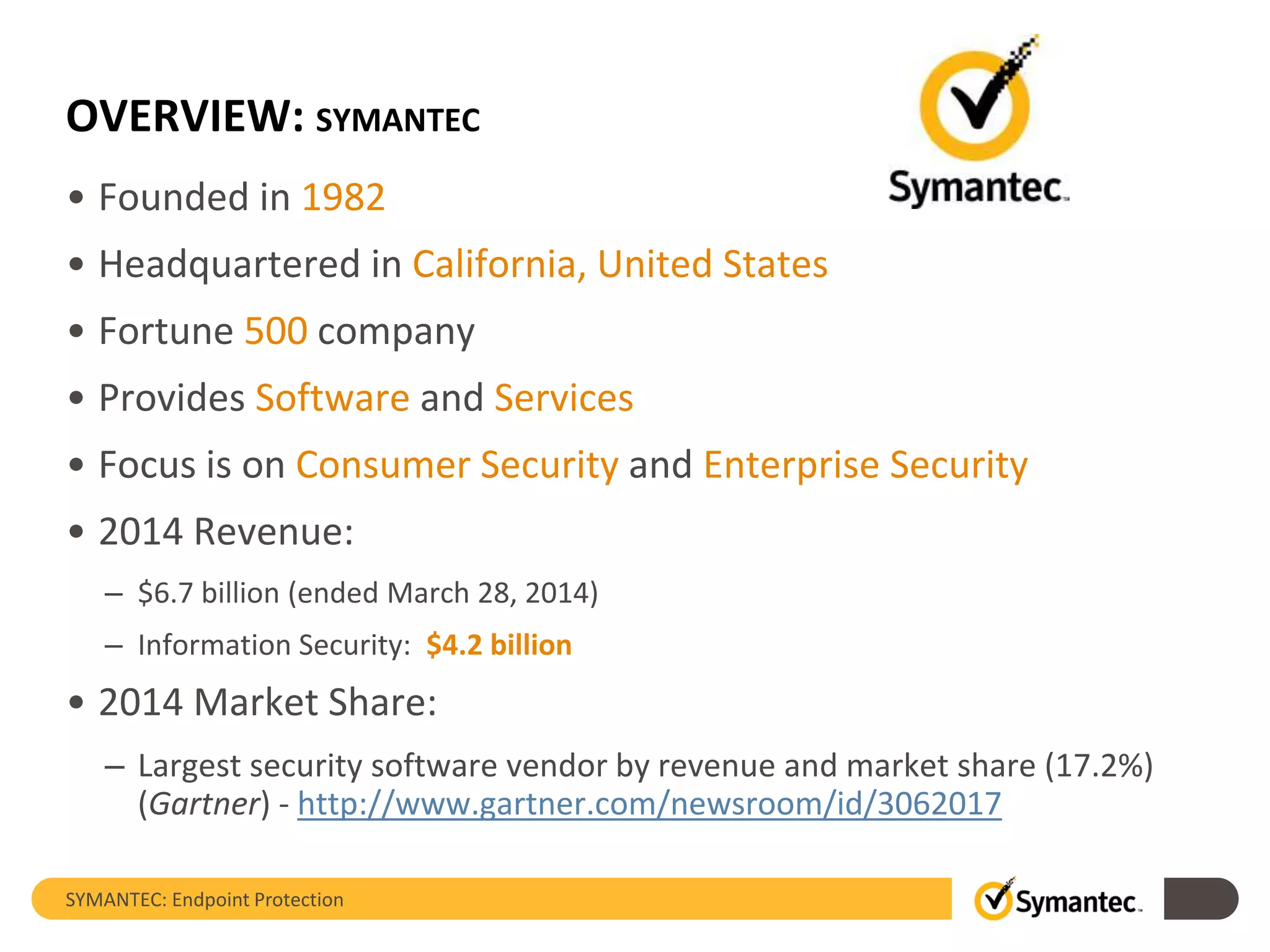
OVERVIEW: SYMANTEC
• Founded in 1982
• Headquartered in California, United States
• Fortune 500 company
• Provides Software and Services
• Focus is on Consumer Security and Enterprise Security
• 2014 Revenue:
– $6.7 billion (ended March 28, 2014)
– Information Security: $4.2 billion
• 2014 Market Share:
– Largest security software vendor by revenue and market share (17.2%)
(Gartner) - http://www.gartner.com/newsroom/id/3062017
SYMANTEC: Endpoint Protection
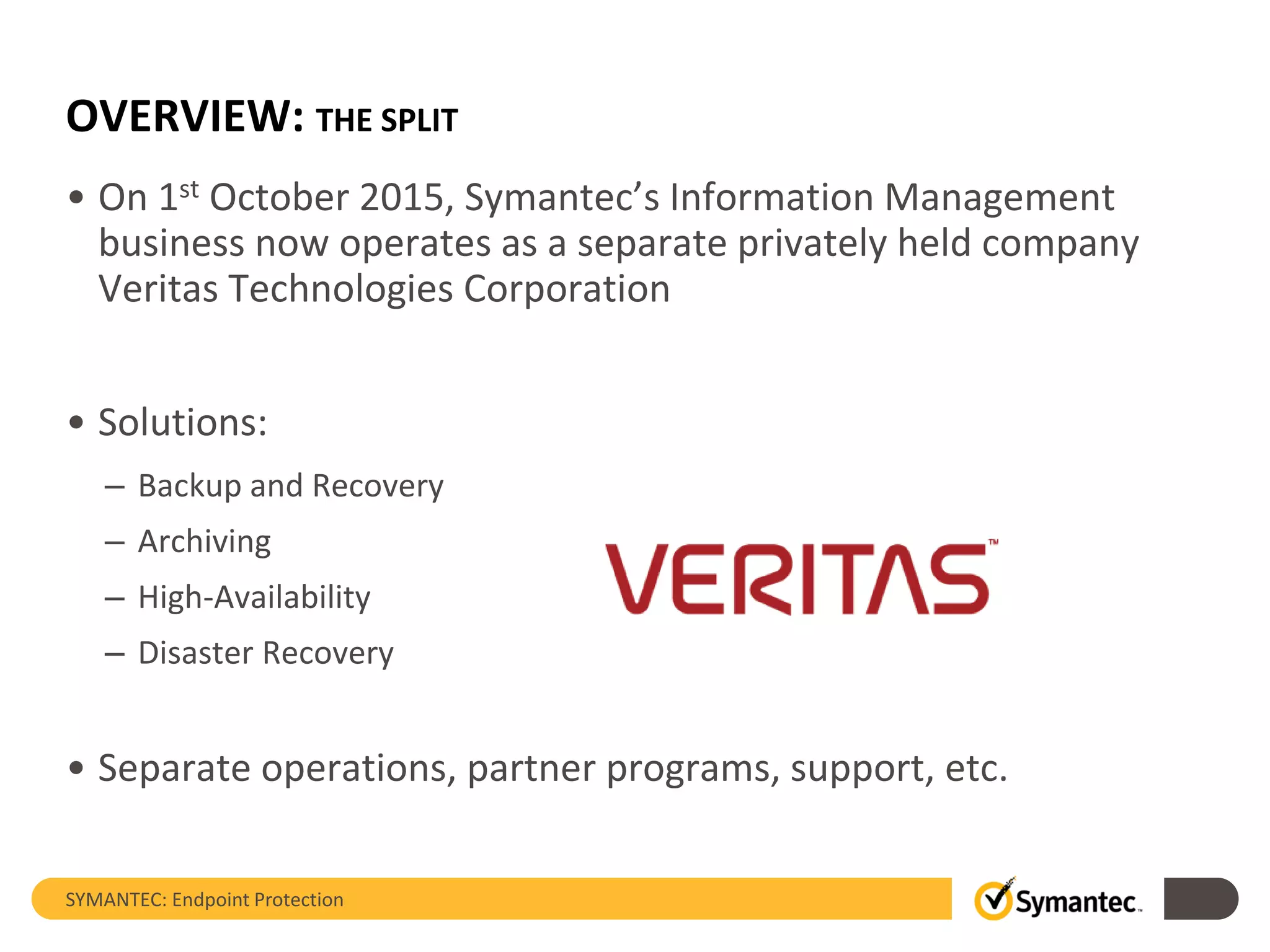
OVERVIEW: THE SPLIT
• On 1st October 2015, Symantec’s Information Management
business now operates as a separate privately held company
Veritas Technologies Corporation
• Solutions:
– Backup and Recovery
– Archiving
– High-Availability
– Disaster Recovery
• Separate operations, partner programs, support, etc.
SYMANTEC: Endpoint Protection
OVERVIEW: AREAS OF FOCUS
• Solutions to Protect against:
– Malware and Spam
– Advanced Persistent Threats and Cyber Attacks
– Identity Theft and Loss of Confidential Information
• Solutions to Manage:
– Governance, Risk and Compliance
– Client, Asset, Server and Mobility
• Services:
– Product Support
– Cyber Security
– Education
SYMANTEC: Endpoint Protection
SYMANTEC: PORTFOLIO
SYMANTEC: Endpoint Protection
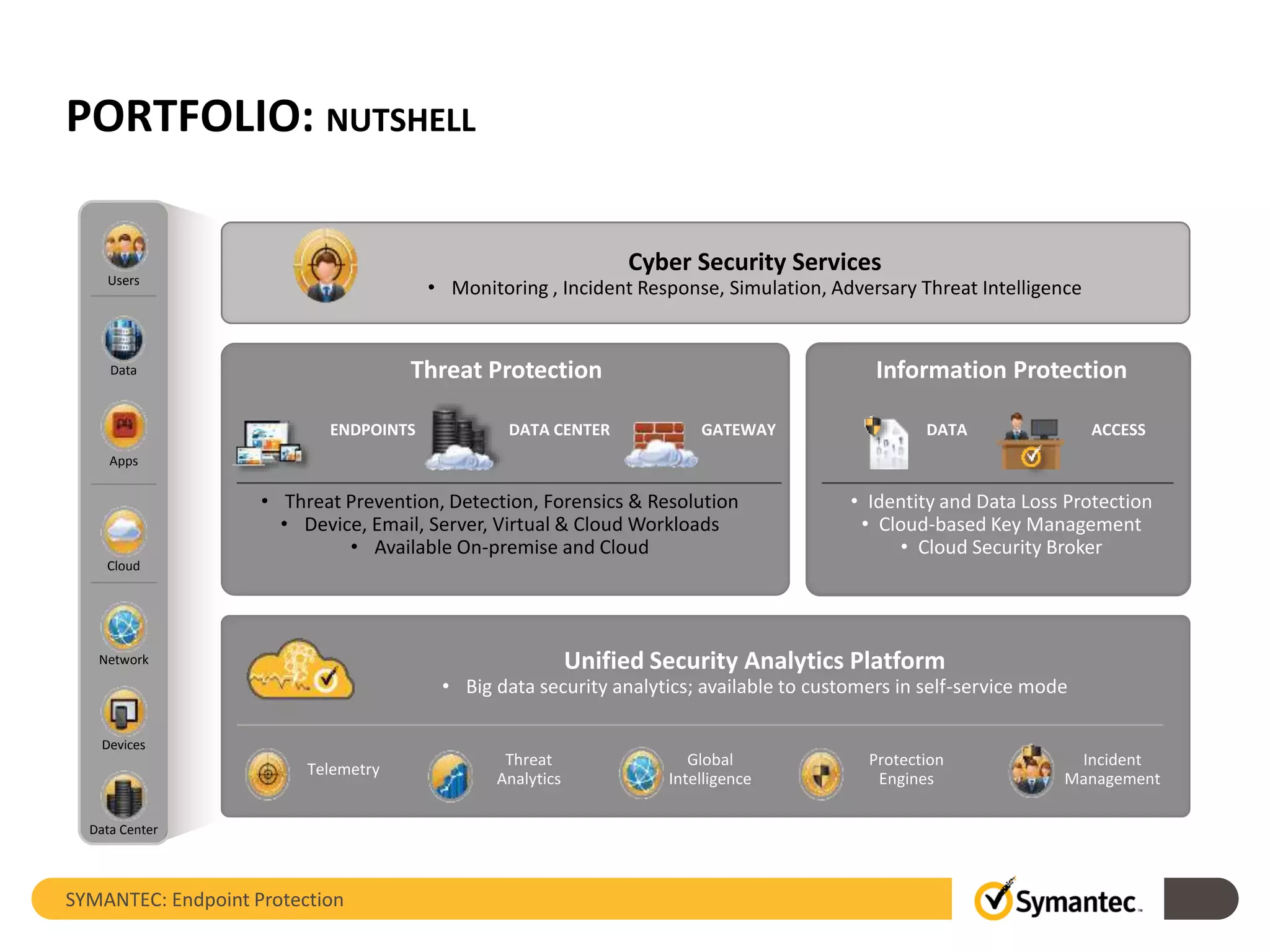
PORTFOLIO: NUTSHELL
Cyber Security Services
• Monitoring , Incident Response, Simulation, Adversary Threat Intelligence
Threat Protection
ENDPOINTS DATA CENTER GATEWAY
• Threat Prevention, Detection, Forensics & Resolution
• Device, Email, Server, Virtual & Cloud Workloads
• Available On-premise and Cloud
Unified Security Analytics Platform
• Big data security analytics; available to customers in self-service mode
Telemetry
Incident
Management
Protection
Engines
Global
Intelligence
Threat
Analytics
Information Protection
DATA ACCESS
• Identity and Data Loss Protection
• Cloud-based Key Management
• Cloud Security Broker
Users
Data
Apps
Cloud
Devices
Network
Data Center
SYMANTEC: Endpoint Protection
SYMANTEC: ENDPOINT PROTECTION
Introduction and Features
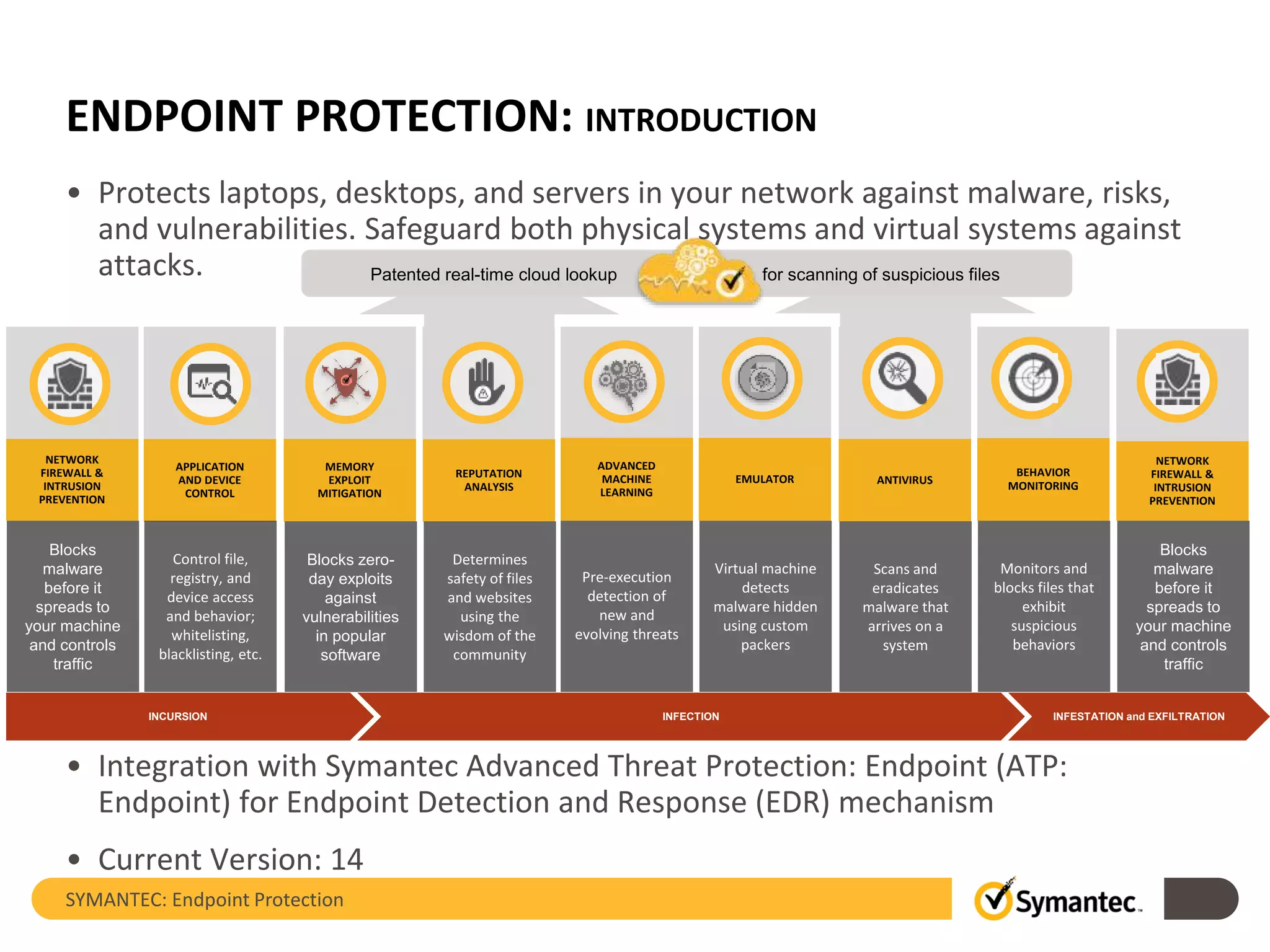
ENDPOINT PROTECTION: INTRODUCTION
SYMANTEC: Endpoint Protection
Pre-execution
detection of
new and
evolving threats
INCURSION INFESTATION and EXFILTRATIONINFECTION
ANTIVIRUS
NETWORK
FIREWALL &
INTRUSION
PREVENTION
APPLICATION
AND DEVICE
CONTROL
BEHAVIOR
MONITORING
MEMORY
EXPLOIT
MITIGATION
REPUTATION
ANALYSIS
ADVANCED
MACHINE
LEARNING
EMULATOR
Patented real-time cloud lookup for scanning of suspicious files
NETWORK
FIREWALL &
INTRUSION
PREVENTION
Scans and
eradicates
malware that
arrives on a
system
Blocks
malware
before it
spreads to
your machine
and controls
traffic
Determines
safety of files
and websites
using the
wisdom of the
community
Monitors and
blocks files that
exhibit
suspicious
behaviors
Blocks zero-
day exploits
against
vulnerabilities
in popular
software
Control file,
registry, and
device access
and behavior;
whitelisting,
blacklisting, etc.
Virtual machine
detects
malware hidden
using custom
packers
Blocks
malware
before it
spreads to
your machine
and controls
traffic
• Protects laptops, desktops, and servers in your network against malware, risks,
and vulnerabilities. Safeguard both physical systems and virtual systems against
attacks.
• Integration with Symantec Advanced Threat Protection: Endpoint (ATP:
Endpoint) for Endpoint Detection and Response (EDR) mechanism
• Current Version: 14
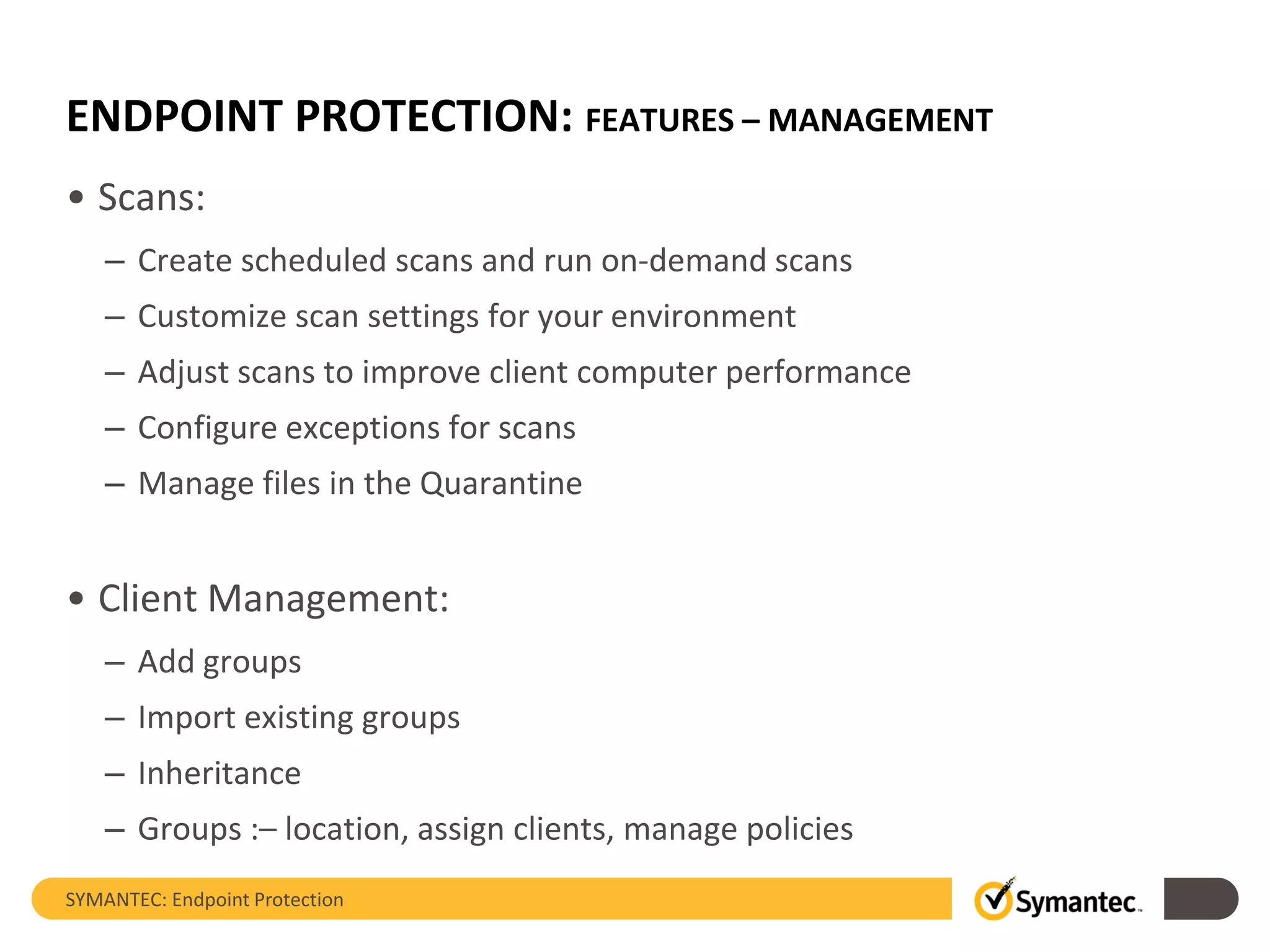
ENDPOINT PROTECTION: FEATURES – MANAGEMENT
• Scans:
– Create scheduled scans and run on-demand scans
– Customize scan settings for your environment
– Adjust scans to improve client computer performance
– Configure exceptions for scans
– Manage files in the Quarantine
• Client Management:
– Add groups
– Import existing groups
– Inheritance
– Groups :– location, assign clients, manage policies
SYMANTEC: Endpoint Protection
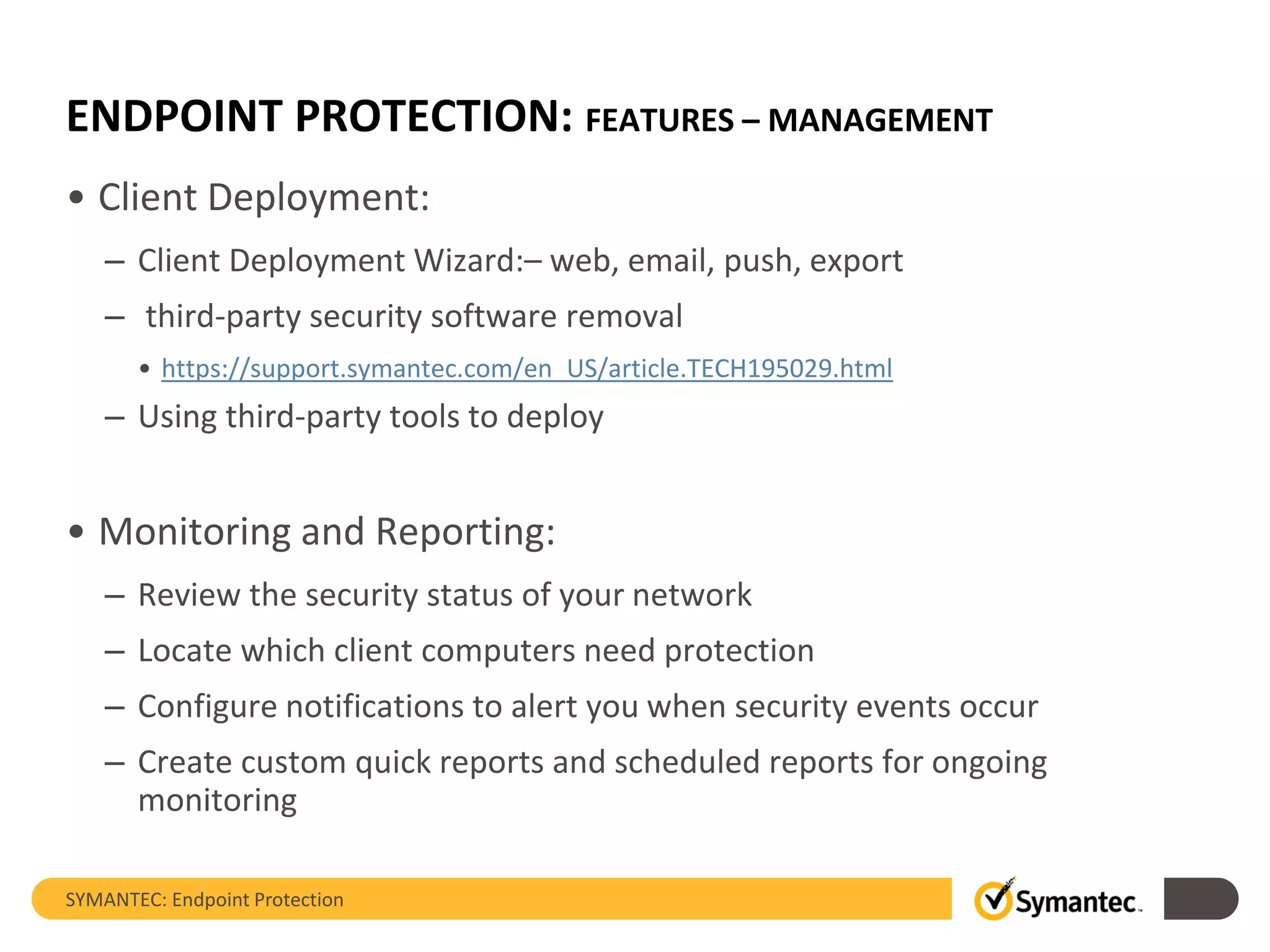
ENDPOINT PROTECTION: FEATURES – MANAGEMENT
• Client Deployment:
– Client Deployment Wizard:– web, email, push, export
– third-party security software removal
• https://support.symantec.com/en_US/article.TECH195029.html
– Using third-party tools to deploy
• Monitoring and Reporting:
– Review the security status of your network
– Locate which client computers need protection
– Configure notifications to alert you when security events occur
– Create custom quick reports and scheduled reports for ongoing
monitoring
SYMANTEC: Endpoint Protection
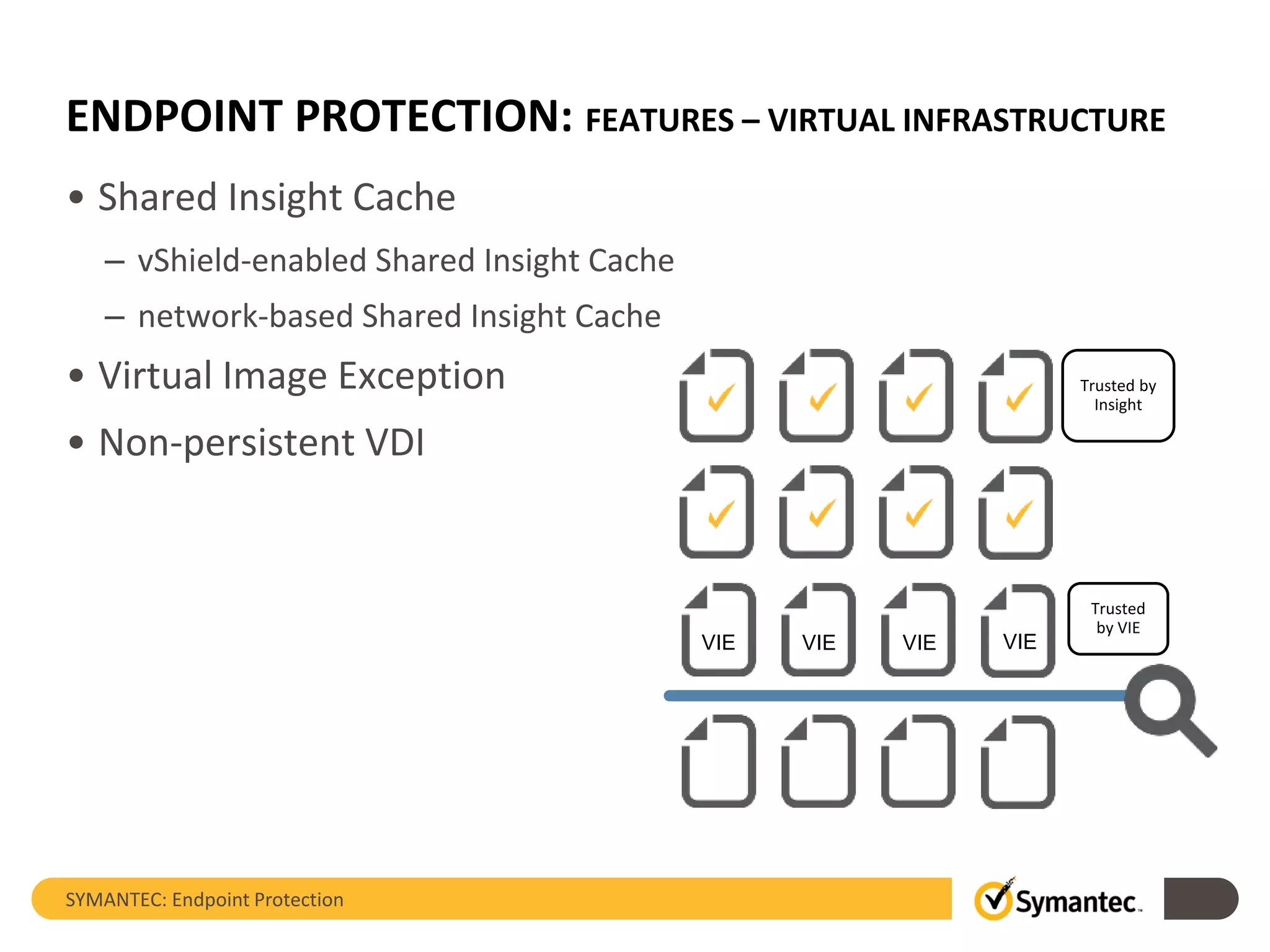
ENDPOINT PROTECTION: FEATURES – VIRTUAL INFRASTRUCTURE
• Shared Insight Cache
– vShield-enabled Shared Insight Cache
– network-based Shared Insight Cache
• Virtual Image Exception
• Non-persistent VDI
SYMANTEC: Endpoint Protection
Trusted by
Insight
VIE VIE VIE VIE
Trusted
by VIE
SYMANTEC: Endpoint Protection
SYMANTEC: ENDPOINT PROTECTION
Architecture, Design and System Requirements
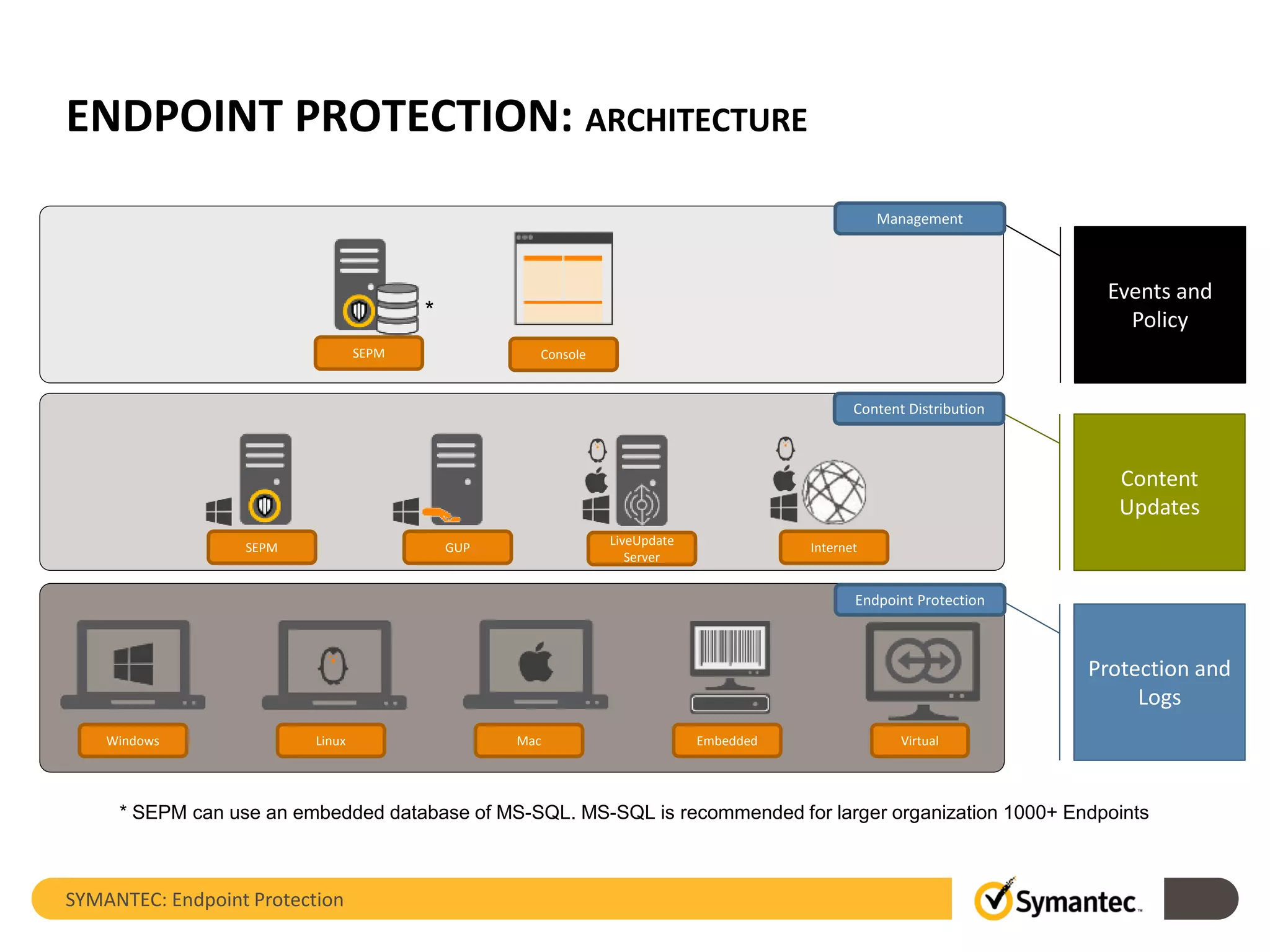
ENDPOINT PROTECTION: ARCHITECTURE
SYMANTEC: Endpoint Protection
Windows Linux Mac Embedded
SEPM GUP
LiveUpdate
Server
SEPM Console
Virtual
*
Events and
Policy
Management
Content
Updates
Content Distribution
Protection and
Logs
Endpoint Protection
Internet
* SEPM can use an embedded database of MS-SQL. MS-SQL is recommended for larger organization 1000+ Endpoints
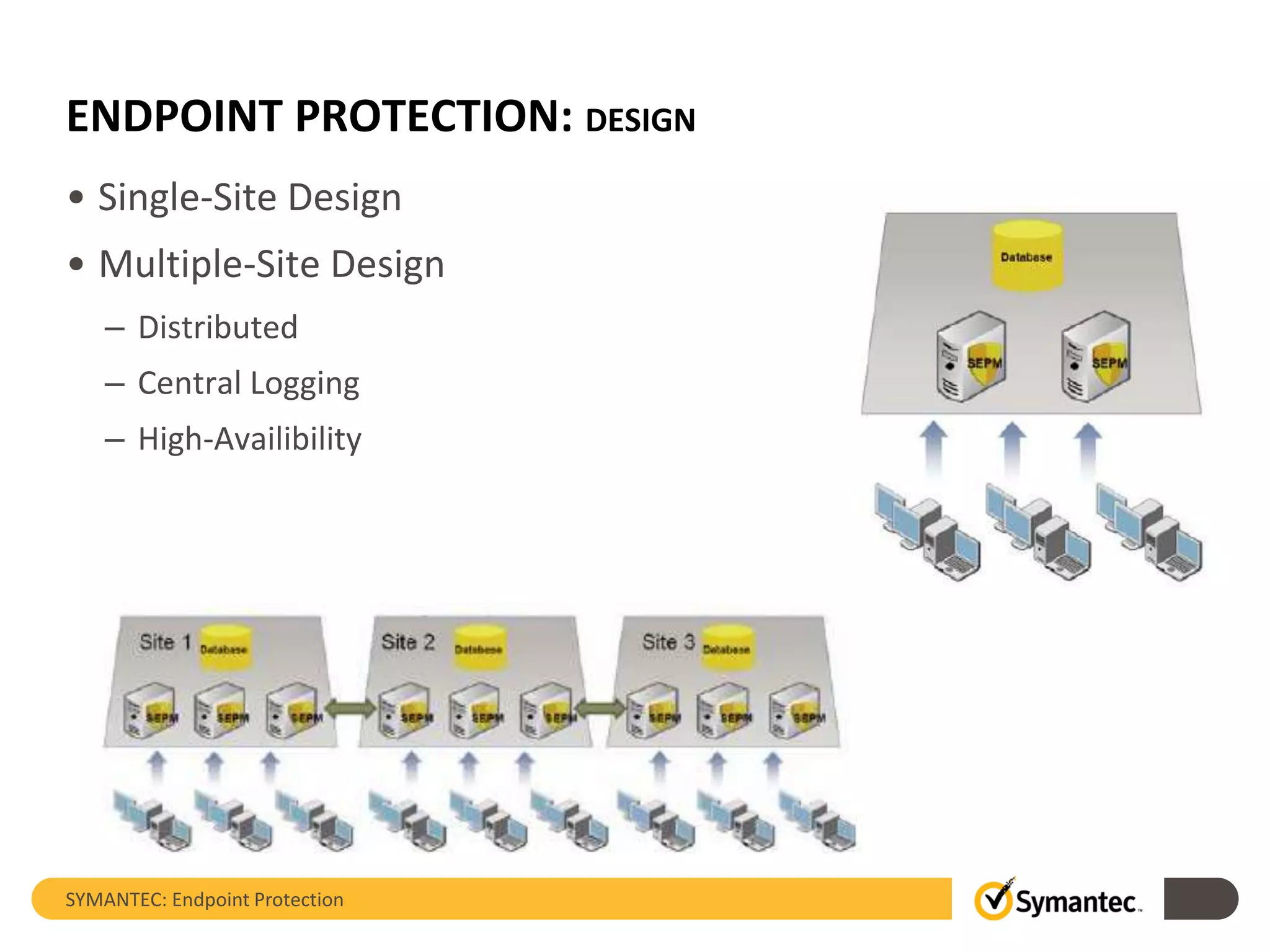
ENDPOINT PROTECTION: DESIGN
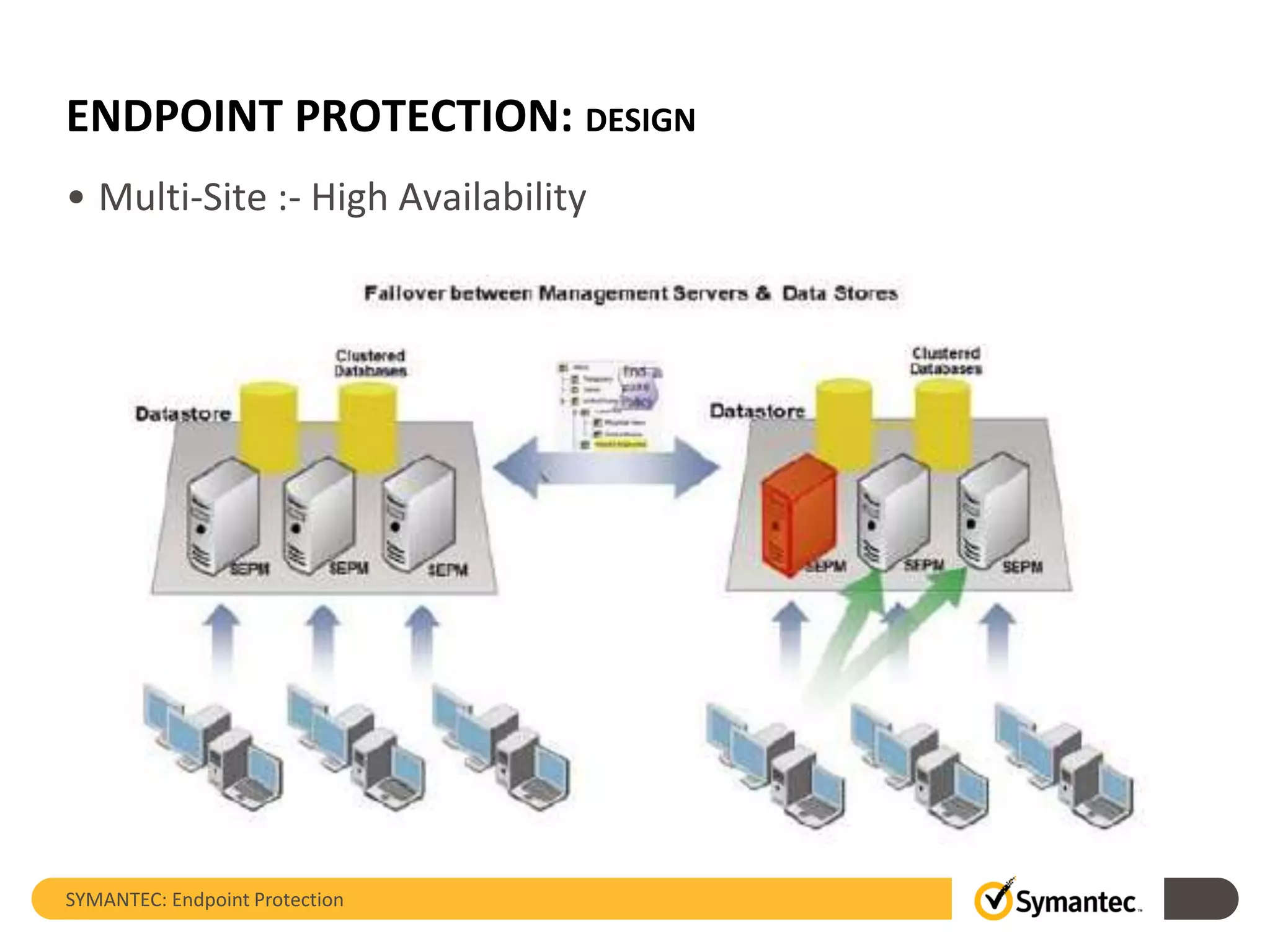
• Single-Site Design
• Multiple-Site Design
– Distributed
– Central Logging
– High-Availibility
SYMANTEC: Endpoint Protection
ENDPOINT PROTECTION: DESIGN
• Multi-Site :- High Availability
SYMANTEC: Endpoint Protection
ENDPOINT PROTECTION: SYSTEM REQUIREMENTS
• Symantec Endpoint Protection Manager
– CPU: Intel Pentium Dual-Core or equivalent minimum
– RAM: 4 GB RAM or more available recommended
– HD: 16 GB available minimum (100 GB recommended) for the management server; 40 GB available
minimum (200 GB recommended) for the management server and a locally installed database.
– OS: Microsoft Windows Server 2003, 2008, 2012 including R2
– Database: Microsoft SQL Server 2005, 2008, 2012, 2014
• Symantec Endpoint Protection Client
– Windows Embedded
– Windows Desktop and Server flavours
– Mac OS X 10.8, 10.9, 10.10
– Cent OS, Debian, Novell OES, Oracle Linux, RHEL, SUSE Server and Desktop, Ubuntu Server and Desktop
– Azure, AWS, VMware, Citrix, Virtual Box, Hyper-V, MED-V, Virtual Server
• Always make sure to check for latest system requirements:
– https://support.symantec.com/en_US/article.TECH230602.html
SYMANTEC: Endpoint Protection
SYMANTEC: ENDPOINT PROTECTION
Licensing and Packaging
ENDPOINT PROTECTION: LICENSING
• SEP 14.0 is licensed ”per-user” – User or Device
• Embedded Databased – Sybase is included
• Virtualized Environment:
– Each separately installed and concurrently running instance of the
software must be licensed
– VMware Example: 2 VMware Hosts with 25 Guest Machines = 25
– Hyper-V Example: 2 Hyper-V Hosts with 25 Guest Machines = 27
– Hyper-V: To protect the virtual instances themselves and the hosts
SYMANTEC: Endpoint Protection
ENDPOINT PROTECTION: PACKAGING
• Symantec Endpoint Protection
• Symantec Endpoint Protection – Small Business Edition
(subscription)
• Symantec Endpoint Protection for VDI
• Symantec Protection Suite
– Symantec Endpoint Protection
– Symantec Mail Security for Exchange
– Symantec Messaging Gateway
• Symantec Advance Threat Protection: Endpoint (subscription)
– Requires Symantec Endpoint Protection (not included in ATP)
SYMANTEC: Endpoint Protection
SYMANTEC: ENDPOINT PROTECTION
Look and Feel
Thank you!
Copyright © 2015 Symantec Corporation. All rights reserved. Symantec and the Symantec Logo are trademarks or registered trademarks of Symantec Corporation or its affiliates in
the U.S. and other countries. Other names may be trademarks of their respective owners.
This document is provided for informational purposes only and is not intended as advertising. All warranties relating to the information in this document, either express or implied,
are disclaimed to the maximum extent allowed by law. The information in this document is subject to change without notice.
Thank you!
Iftikhar Ali Iqbal
https://www.linkedin.com/in/iftikhariqbal/
SYMANTEC: Endpoint Protection

Technology Overview - Symantec Endpoint Protection (SEP)

  • 1.
    SYMANTEC: SOLUTION OVERVIEWSERIES Symantec Endpoint Protection Iftikhar Ali Iqbal https://www.linkedin.com/in/iftikhariqbal/ Valid till Feb 2016
  • 2.
    Agenda Company Overview1 Solution Portfolio2 Features,Architecture, Design and Licensing4 SYMANTEC: Endpoint Protection Look and Feel5 Symantec Endpoint Protection3
  • 3.
    OVERVIEW: MINDWARE &SYMANTEC SYMANTEC: Endpoint Protection
  • 4.
    OVERVIEW: SYMANTEC • Foundedin 1982 • Headquartered in California, United States • Fortune 500 company • Provides Software and Services • Focus is on Consumer Security and Enterprise Security • 2014 Revenue: – $6.7 billion (ended March 28, 2014) – Information Security: $4.2 billion • 2014 Market Share: – Largest security software vendor by revenue and market share (17.2%) (Gartner) - http://www.gartner.com/newsroom/id/3062017 SYMANTEC: Endpoint Protection
  • 5.
    OVERVIEW: THE SPLIT •On 1st October 2015, Symantec’s Information Management business now operates as a separate privately held company Veritas Technologies Corporation • Solutions: – Backup and Recovery – Archiving – High-Availability – Disaster Recovery • Separate operations, partner programs, support, etc. SYMANTEC: Endpoint Protection
  • 6.
    OVERVIEW: AREAS OFFOCUS • Solutions to Protect against: – Malware and Spam – Advanced Persistent Threats and Cyber Attacks – Identity Theft and Loss of Confidential Information • Solutions to Manage: – Governance, Risk and Compliance – Client, Asset, Server and Mobility • Services: – Product Support – Cyber Security – Education SYMANTEC: Endpoint Protection
  • 7.
  • 8.
    PORTFOLIO: NUTSHELL Cyber SecurityServices • Monitoring , Incident Response, Simulation, Adversary Threat Intelligence Threat Protection ENDPOINTS DATA CENTER GATEWAY • Threat Prevention, Detection, Forensics & Resolution • Device, Email, Server, Virtual & Cloud Workloads • Available On-premise and Cloud Unified Security Analytics Platform • Big data security analytics; available to customers in self-service mode Telemetry Incident Management Protection Engines Global Intelligence Threat Analytics Information Protection DATA ACCESS • Identity and Data Loss Protection • Cloud-based Key Management • Cloud Security Broker Users Data Apps Cloud Devices Network Data Center SYMANTEC: Endpoint Protection
  • 9.
    SYMANTEC: Endpoint Protection SYMANTEC:ENDPOINT PROTECTION Introduction and Features
  • 10.
    ENDPOINT PROTECTION: INTRODUCTION SYMANTEC:Endpoint Protection Pre-execution detection of new and evolving threats INCURSION INFESTATION and EXFILTRATIONINFECTION ANTIVIRUS NETWORK FIREWALL & INTRUSION PREVENTION APPLICATION AND DEVICE CONTROL BEHAVIOR MONITORING MEMORY EXPLOIT MITIGATION REPUTATION ANALYSIS ADVANCED MACHINE LEARNING EMULATOR Patented real-time cloud lookup for scanning of suspicious files NETWORK FIREWALL & INTRUSION PREVENTION Scans and eradicates malware that arrives on a system Blocks malware before it spreads to your machine and controls traffic Determines safety of files and websites using the wisdom of the community Monitors and blocks files that exhibit suspicious behaviors Blocks zero- day exploits against vulnerabilities in popular software Control file, registry, and device access and behavior; whitelisting, blacklisting, etc. Virtual machine detects malware hidden using custom packers Blocks malware before it spreads to your machine and controls traffic • Protects laptops, desktops, and servers in your network against malware, risks, and vulnerabilities. Safeguard both physical systems and virtual systems against attacks. • Integration with Symantec Advanced Threat Protection: Endpoint (ATP: Endpoint) for Endpoint Detection and Response (EDR) mechanism • Current Version: 14
  • 11.
    ENDPOINT PROTECTION: FEATURES– MANAGEMENT • Scans: – Create scheduled scans and run on-demand scans – Customize scan settings for your environment – Adjust scans to improve client computer performance – Configure exceptions for scans – Manage files in the Quarantine • Client Management: – Add groups – Import existing groups – Inheritance – Groups :– location, assign clients, manage policies SYMANTEC: Endpoint Protection
  • 12.
    ENDPOINT PROTECTION: FEATURES– MANAGEMENT • Client Deployment: – Client Deployment Wizard:– web, email, push, export – third-party security software removal • https://support.symantec.com/en_US/article.TECH195029.html – Using third-party tools to deploy • Monitoring and Reporting: – Review the security status of your network – Locate which client computers need protection – Configure notifications to alert you when security events occur – Create custom quick reports and scheduled reports for ongoing monitoring SYMANTEC: Endpoint Protection
  • 13.
    ENDPOINT PROTECTION: FEATURES– VIRTUAL INFRASTRUCTURE • Shared Insight Cache – vShield-enabled Shared Insight Cache – network-based Shared Insight Cache • Virtual Image Exception • Non-persistent VDI SYMANTEC: Endpoint Protection Trusted by Insight VIE VIE VIE VIE Trusted by VIE
  • 14.
    SYMANTEC: Endpoint Protection SYMANTEC:ENDPOINT PROTECTION Architecture, Design and System Requirements
  • 15.
    ENDPOINT PROTECTION: ARCHITECTURE SYMANTEC:Endpoint Protection Windows Linux Mac Embedded SEPM GUP LiveUpdate Server SEPM Console Virtual * Events and Policy Management Content Updates Content Distribution Protection and Logs Endpoint Protection Internet * SEPM can use an embedded database of MS-SQL. MS-SQL is recommended for larger organization 1000+ Endpoints
  • 16.
    ENDPOINT PROTECTION: DESIGN •Single-Site Design • Multiple-Site Design – Distributed – Central Logging – High-Availibility SYMANTEC: Endpoint Protection
  • 17.
    ENDPOINT PROTECTION: DESIGN •Multi-Site :- High Availability SYMANTEC: Endpoint Protection
  • 18.
    ENDPOINT PROTECTION: SYSTEMREQUIREMENTS • Symantec Endpoint Protection Manager – CPU: Intel Pentium Dual-Core or equivalent minimum – RAM: 4 GB RAM or more available recommended – HD: 16 GB available minimum (100 GB recommended) for the management server; 40 GB available minimum (200 GB recommended) for the management server and a locally installed database. – OS: Microsoft Windows Server 2003, 2008, 2012 including R2 – Database: Microsoft SQL Server 2005, 2008, 2012, 2014 • Symantec Endpoint Protection Client – Windows Embedded – Windows Desktop and Server flavours – Mac OS X 10.8, 10.9, 10.10 – Cent OS, Debian, Novell OES, Oracle Linux, RHEL, SUSE Server and Desktop, Ubuntu Server and Desktop – Azure, AWS, VMware, Citrix, Virtual Box, Hyper-V, MED-V, Virtual Server • Always make sure to check for latest system requirements: – https://support.symantec.com/en_US/article.TECH230602.html SYMANTEC: Endpoint Protection
  • 19.
    SYMANTEC: Endpoint Protection SYMANTEC:ENDPOINT PROTECTION Licensing and Packaging
  • 20.
    ENDPOINT PROTECTION: LICENSING •SEP 14.0 is licensed ”per-user” – User or Device • Embedded Databased – Sybase is included • Virtualized Environment: – Each separately installed and concurrently running instance of the software must be licensed – VMware Example: 2 VMware Hosts with 25 Guest Machines = 25 – Hyper-V Example: 2 Hyper-V Hosts with 25 Guest Machines = 27 – Hyper-V: To protect the virtual instances themselves and the hosts SYMANTEC: Endpoint Protection
  • 21.
    ENDPOINT PROTECTION: PACKAGING •Symantec Endpoint Protection • Symantec Endpoint Protection – Small Business Edition (subscription) • Symantec Endpoint Protection for VDI • Symantec Protection Suite – Symantec Endpoint Protection – Symantec Mail Security for Exchange – Symantec Messaging Gateway • Symantec Advance Threat Protection: Endpoint (subscription) – Requires Symantec Endpoint Protection (not included in ATP) SYMANTEC: Endpoint Protection
  • 22.
    SYMANTEC: Endpoint Protection SYMANTEC:ENDPOINT PROTECTION Look and Feel
  • 23.
    Thank you! Copyright ©2015 Symantec Corporation. All rights reserved. Symantec and the Symantec Logo are trademarks or registered trademarks of Symantec Corporation or its affiliates in the U.S. and other countries. Other names may be trademarks of their respective owners. This document is provided for informational purposes only and is not intended as advertising. All warranties relating to the information in this document, either express or implied, are disclaimed to the maximum extent allowed by law. The information in this document is subject to change without notice. Thank you! Iftikhar Ali Iqbal https://www.linkedin.com/in/iftikhariqbal/ SYMANTEC: Endpoint Protection