SASTechies [email_address] http://www.sastechies.com
You can use a DATA step to read raw data into a SAS data set from multiple sources; Instream data  – Cards / datalines / input External file  – Infile / Input DBMS  – SAS Access to DBMS (Oracle/SQL Server etc.) 11/13/09 SAS Techies  2009
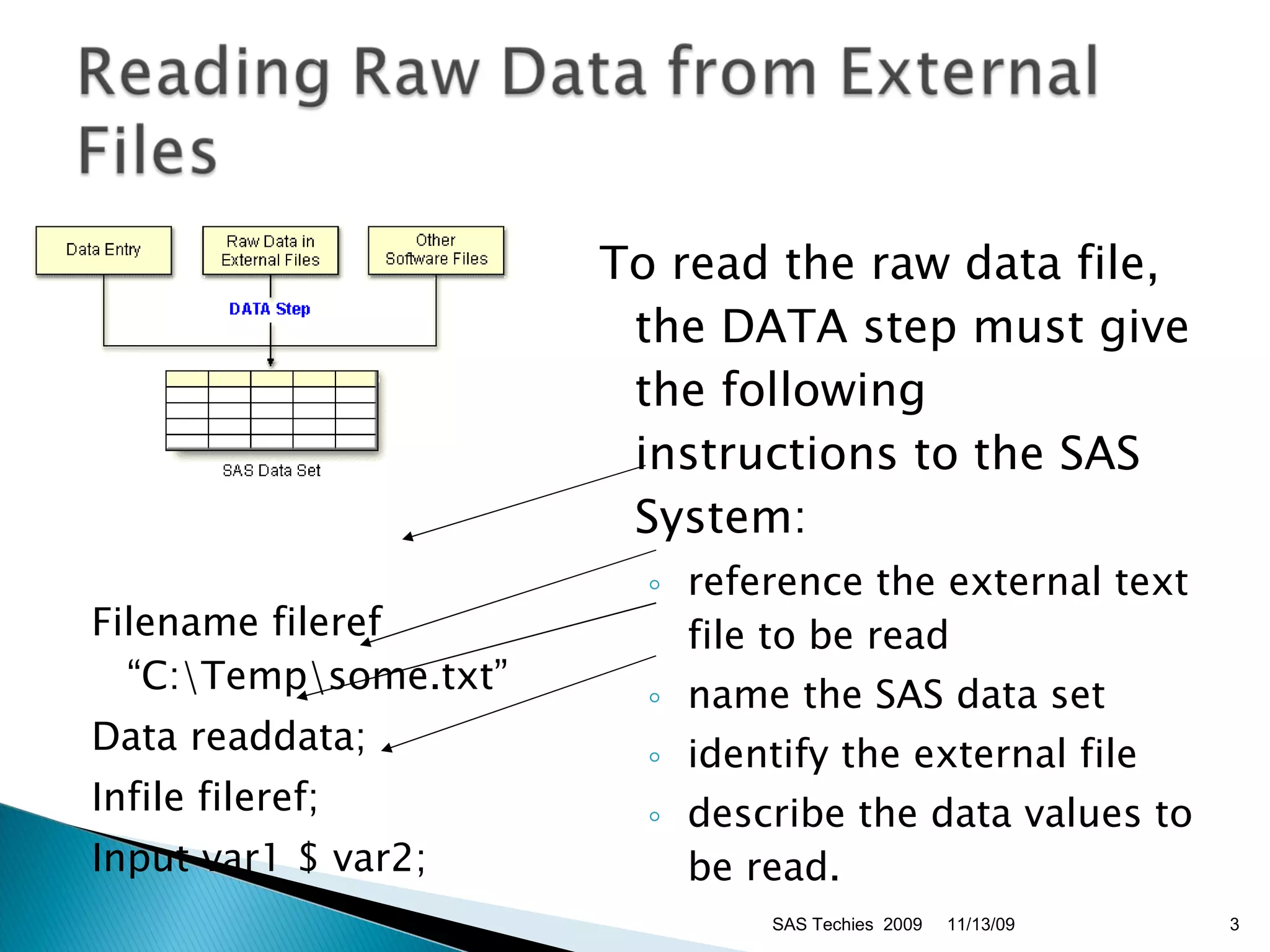
Filename fileref “C:\Temp\some.txt” Data readdata; Infile fileref; Input var1 $ var2; To read the raw data file, the DATA step must give the following instructions to the SAS System:  reference the external text file to be read  name the SAS data set  identify the external file  describe the data values to be read.  11/13/09 SAS Techies  2009
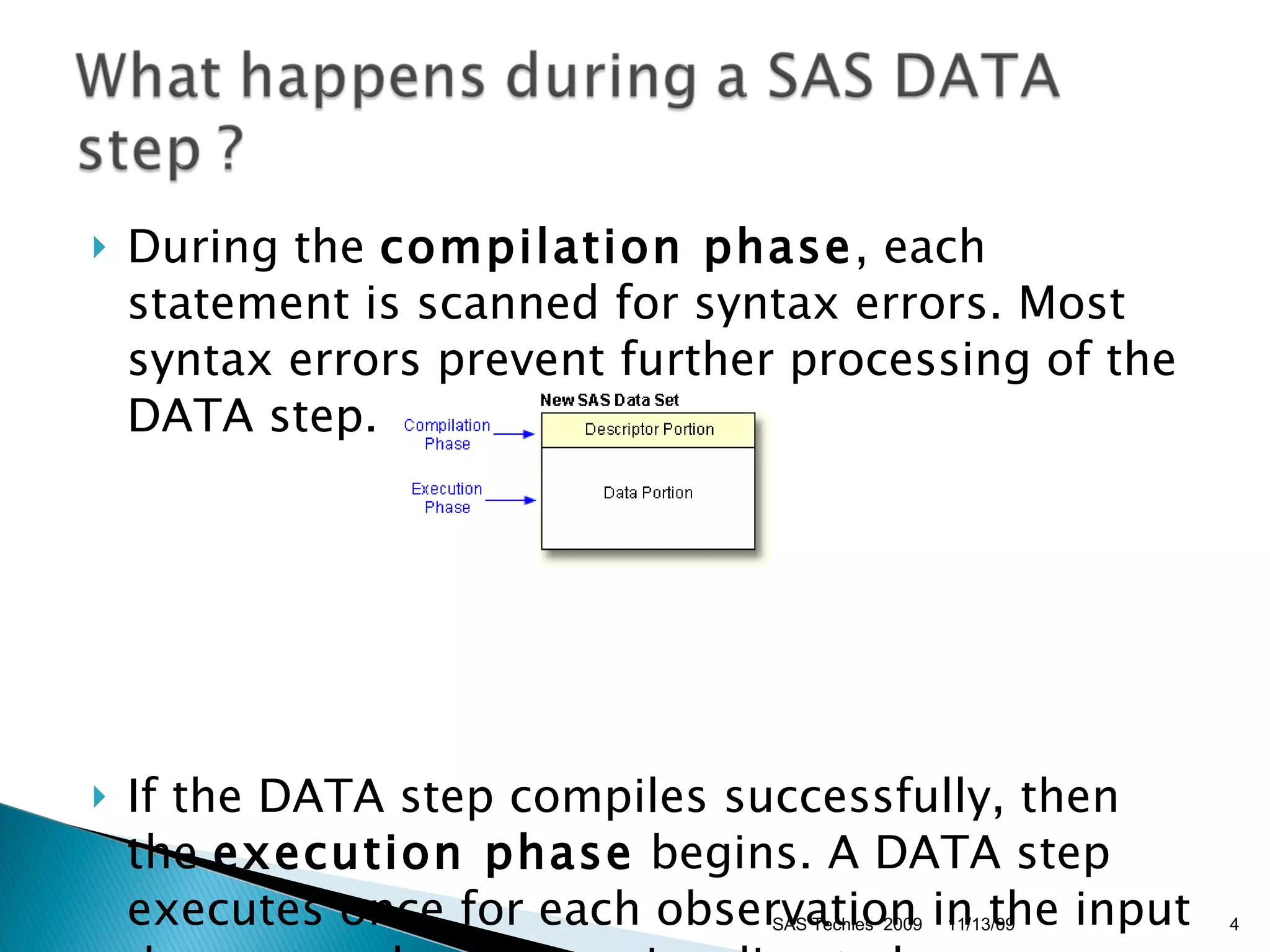
During the  compilation phase , each statement is scanned for syntax errors. Most syntax errors prevent further processing of the DATA step. If the DATA step compiles successfully, then the  execution phase  begins. A DATA step executes once for each observation in the input data set, unless otherwise directed.  11/13/09 SAS Techies  2009
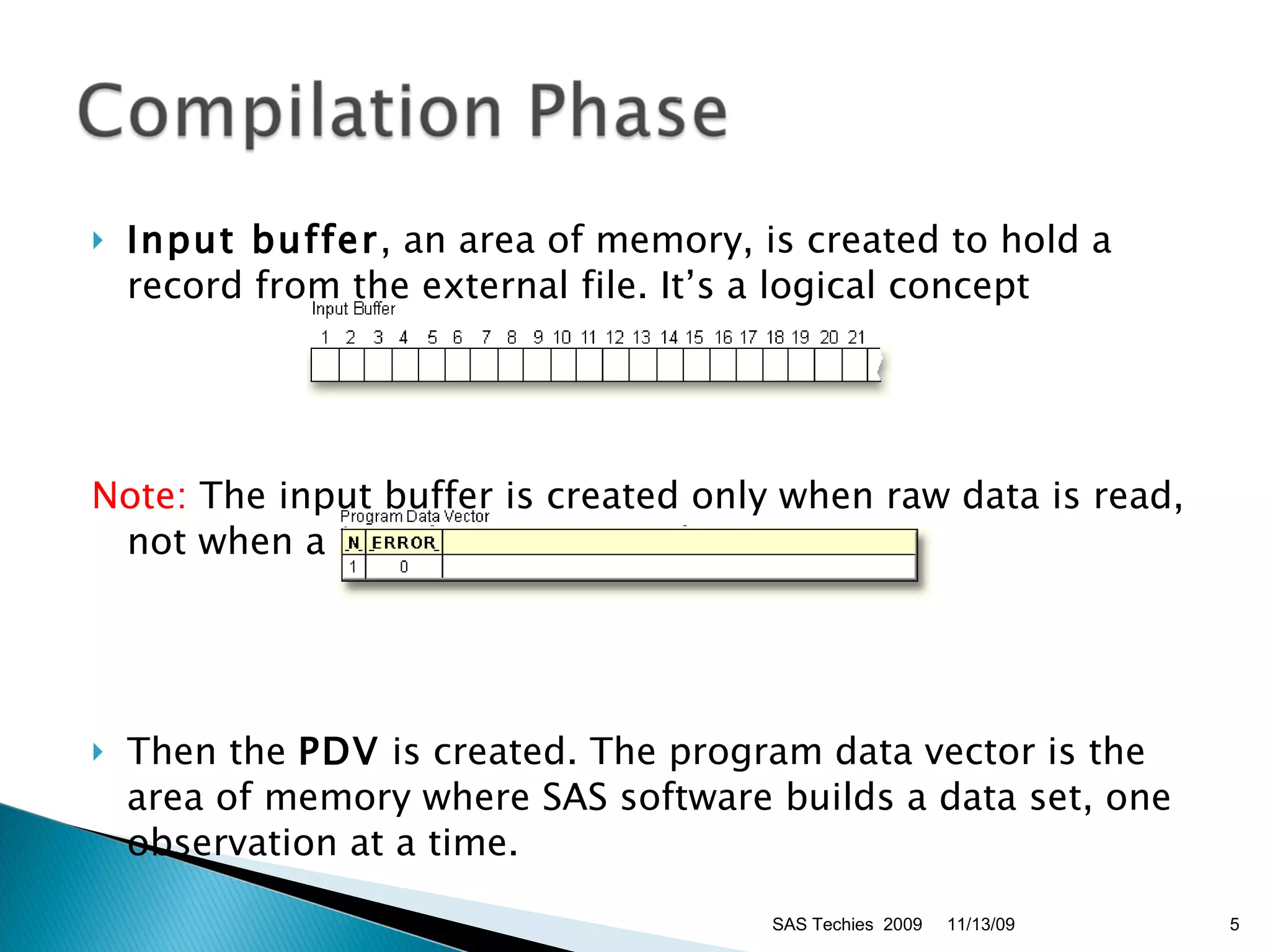
Input buffer , an area of memory, is created to hold a record from the external file. It’s a logical concept Note:  The input buffer is created only when raw data is read, not when a SAS data set is read.  Then the  PDV  is created. The program data vector is the area of memory where SAS software builds a data set, one observation at a time.  11/13/09 SAS Techies  2009
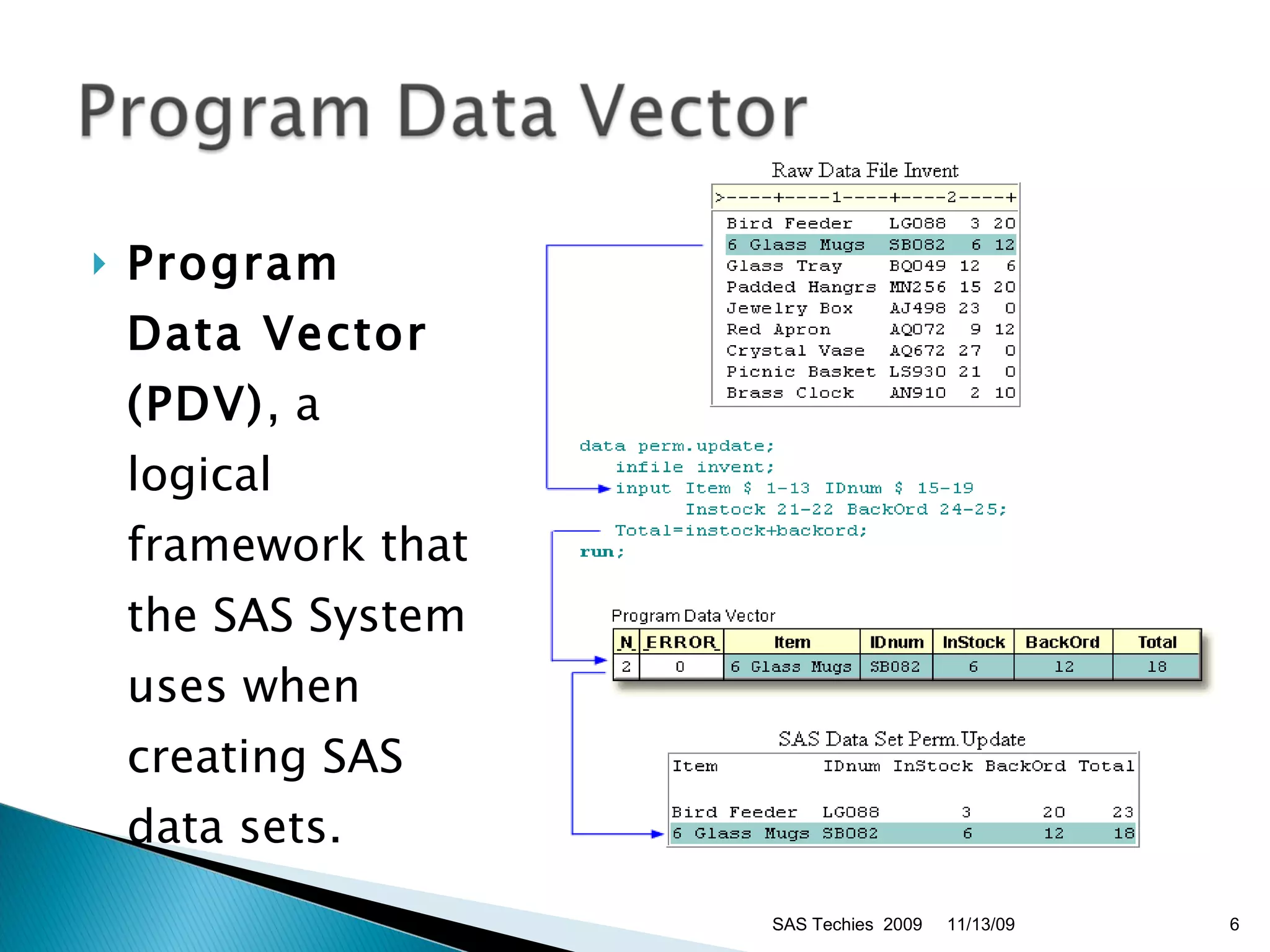
Program Data Vector (PDV) , a logical framework that the SAS System uses when creating SAS data sets. 11/13/09 SAS Techies  2009
During the compilation phase, SAS software also scans each statement in the DATA step, looking for syntax errors. Syntax errors include:  missing or misspelled keywords  invalid variable names  missing or invalid punctuation  invalid options.  Variable attributes such as length and type are determined the first time that a variable is encountered.  11/13/09 SAS Techies  2009
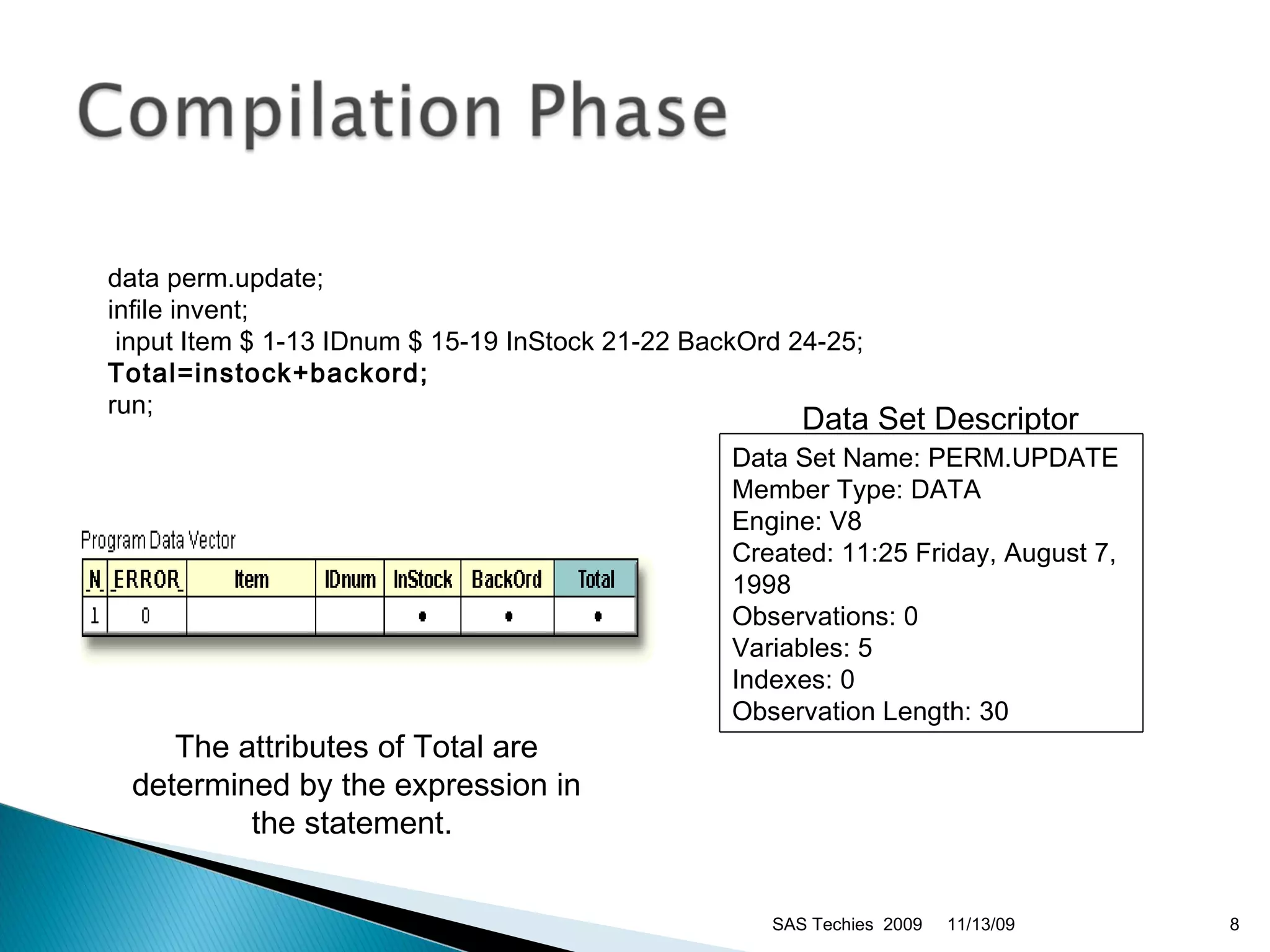
Data Set Descriptor  The attributes of Total are determined by the expression in the statement.  11/13/09 SAS Techies  2009 data perm.update;  infile invent; input Item $ 1-13 IDnum $ 15-19 InStock 21-22 BackOrd 24-25; Total=instock+backord;   run;  Data Set Name: PERM.UPDATE  Member Type: DATA  Engine: V8 Created: 11:25 Friday, August 7, 1998  Observations: 0  Variables: 5  Indexes: 0  Observation Length: 30
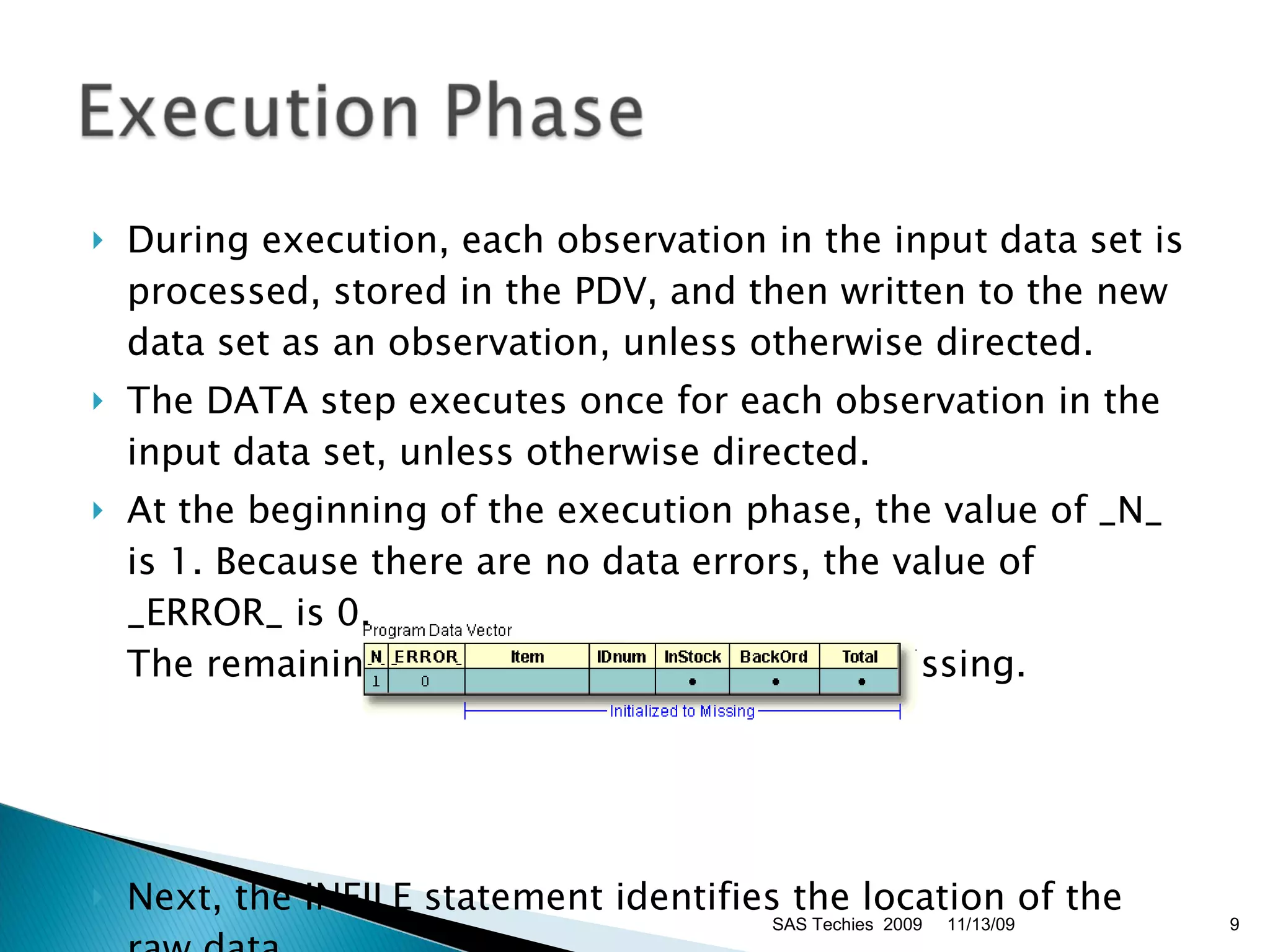
During execution, each observation in the input data set is processed, stored in the PDV, and then written to the new data set as an observation, unless otherwise directed.  The DATA step executes once for each observation in the input data set, unless otherwise directed. At the beginning of the execution phase, the value of _N_ is 1. Because there are no data errors, the value of _ERROR_ is 0.  The remaining variables are initialized to missing. Next, the INFILE statement identifies the location of the raw data.  11/13/09 SAS Techies  2009
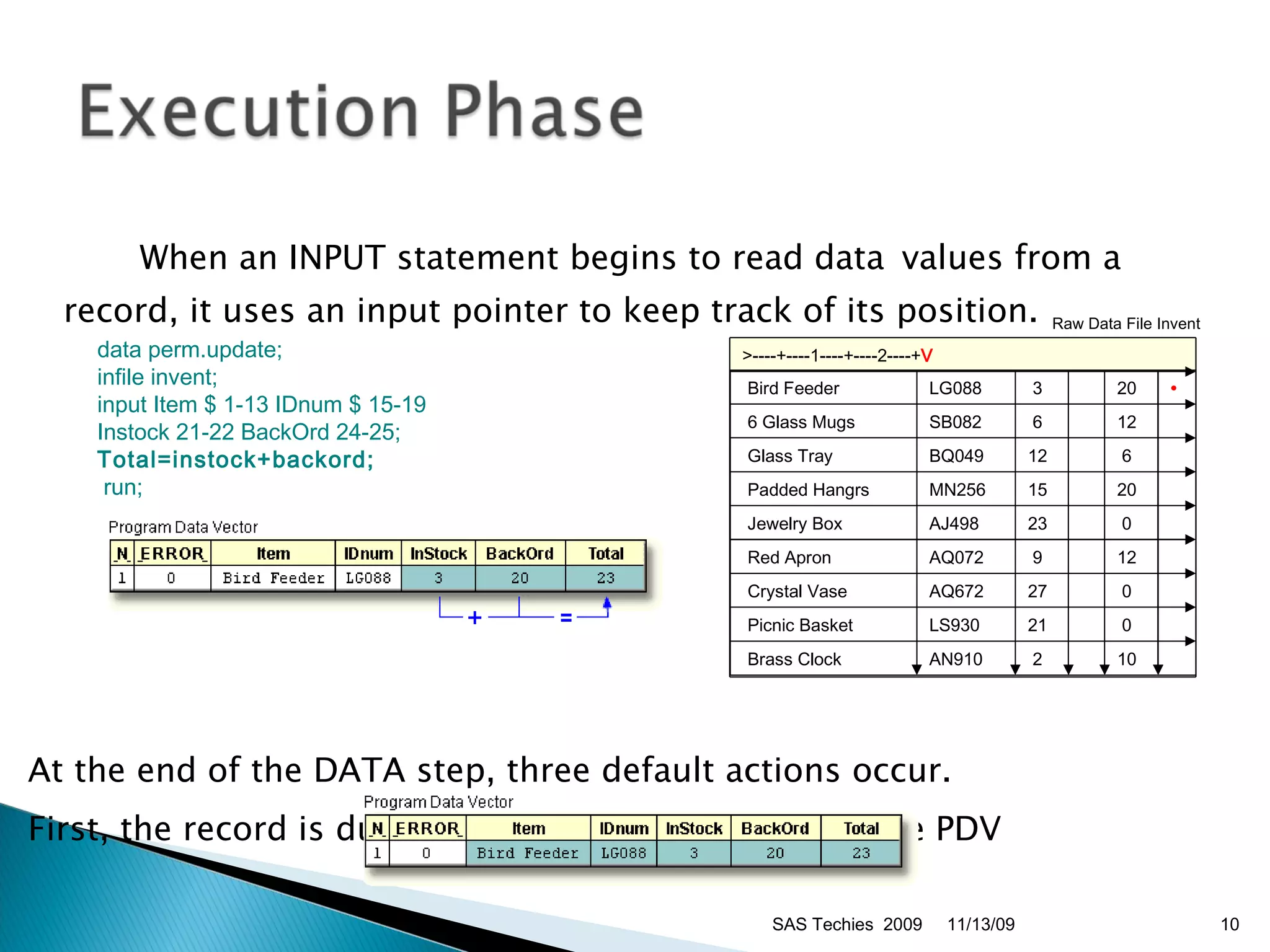
When an INPUT statement begins to read data  values from a record, it uses an input pointer to keep track of its position. At the end of the DATA step, three default actions occur.  First, the record is dumped to the SAS dataset from the PDV Raw Data File Invent  11/13/09 SAS Techies  2009 data perm.update;   infile invent;   input Item $ 1-13 IDnum $ 15-19   Instock 21-22 BackOrd 24-25;   Total=instock+backord; run;   >----+----1----+----2----+ V   Bird Feeder LG088    3   20 •   6 Glass Mugs SB082   6   12     Glass Tray  BQ049 12     6     Padded Hangrs  MN256 15   20     Jewelry Box  AJ498 23     0     Red Apron  AQ072   9   12     Crystal Vase  AQ672 27     0     Picnic Basket  LS930 21     0     Brass Clock  AN910   2   10  
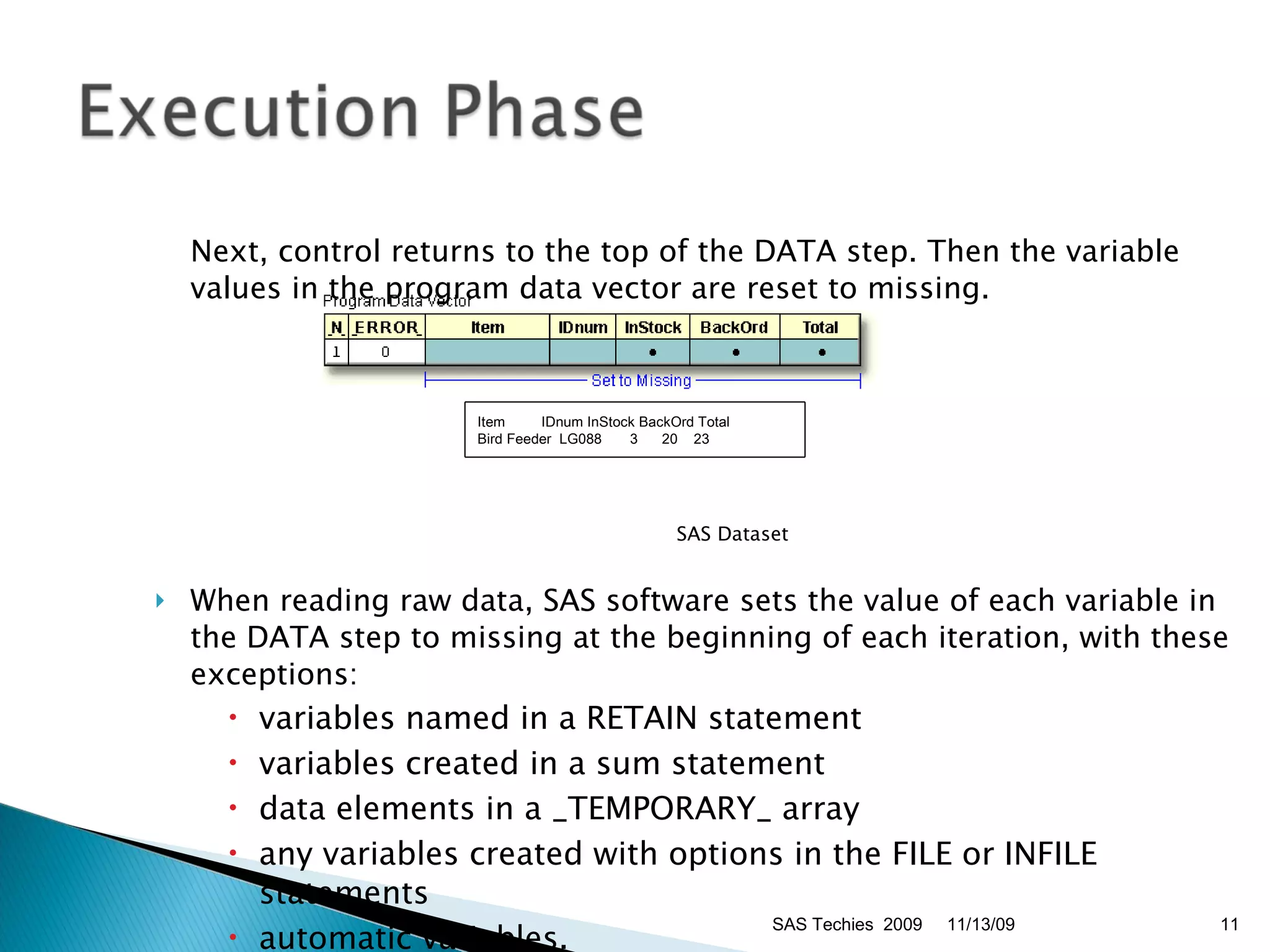
Next, control returns to the top of the DATA step. Then the variable values in the program data vector are reset to missing.  SAS Dataset When reading raw data, SAS software sets the value of each variable in the DATA step to missing at the beginning of each iteration, with these exceptions:  variables named in a RETAIN statement  variables created in a sum statement  data elements in a _TEMPORARY_ array  any variables created with options in the FILE or INFILE statements  automatic variables.  11/13/09 SAS Techies  2009 Item         IDnum InStock BackOrd Total   Bird Feeder  LG088       3      20    23
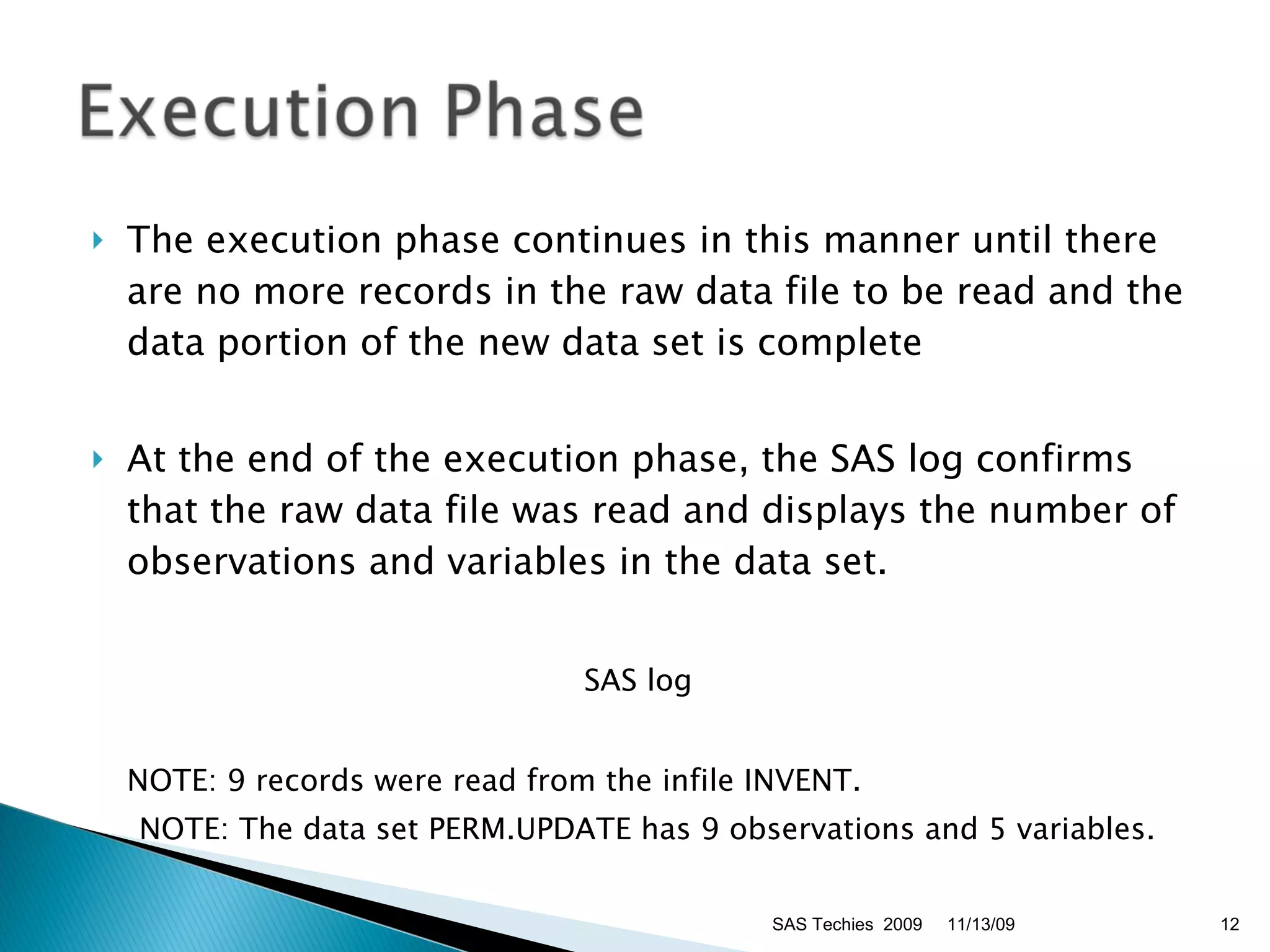
The execution phase continues in this manner until there are no more records in the raw data file to be read and the data portion of the new data set is complete At the end of the execution phase, the SAS log confirms that the raw data file was read and displays the number of observations and variables in the data set.  SAS log NOTE: 9 records were read from the infile INVENT.  NOTE: The data set PERM.UPDATE has 9 observations and 5 variables.  11/13/09 SAS Techies  2009
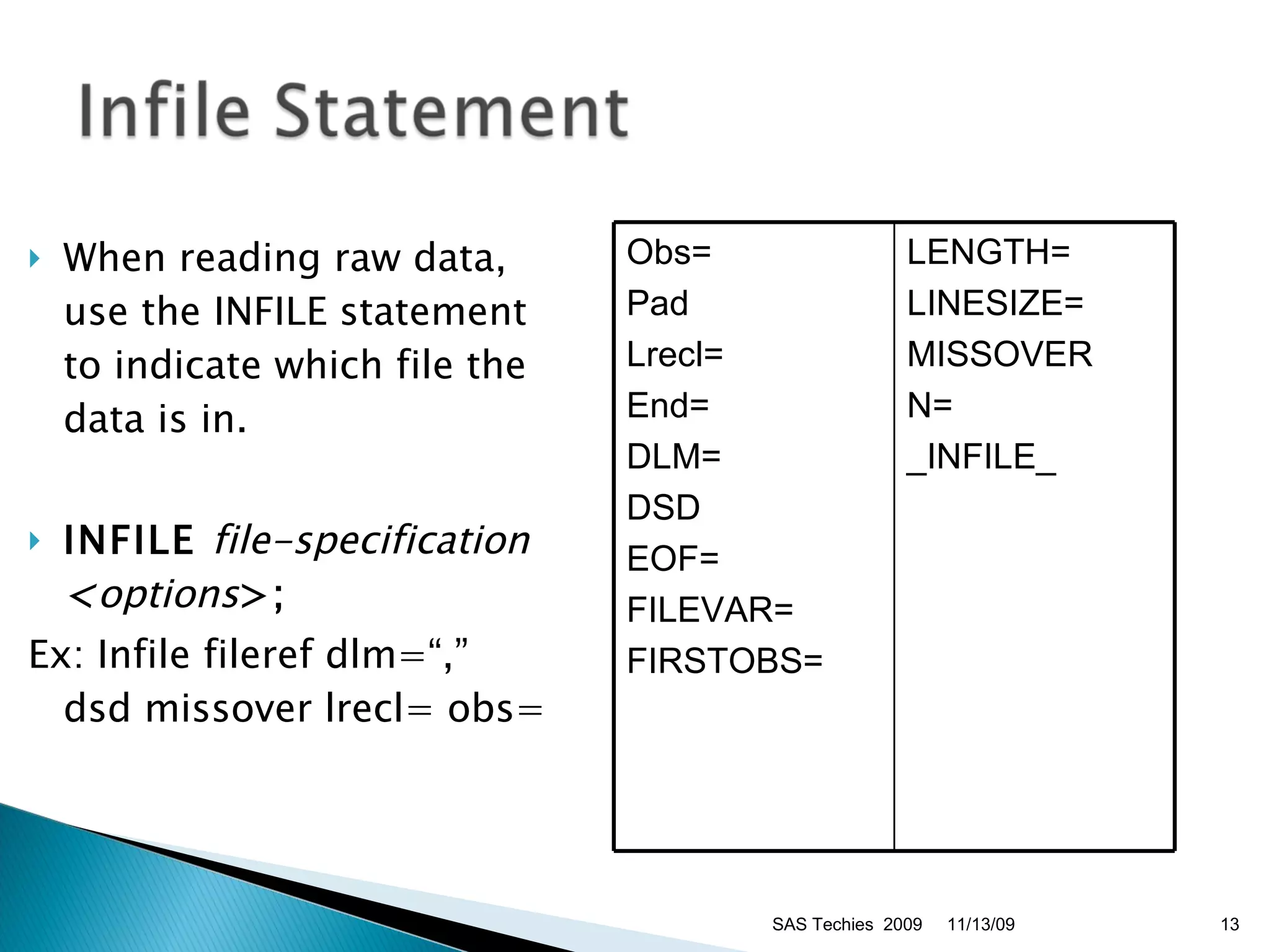
When reading raw data, use the INFILE statement to indicate which file the data is in. INFILE  file-specification  < options >;   Ex: Infile fileref dlm=“,” dsd missover lrecl= obs= 11/13/09 SAS Techies  2009 Obs= Pad Lrecl= End= DLM= DSD EOF= FILEVAR= FIRSTOBS= LENGTH= LINESIZE= MISSOVER N= _INFILE_
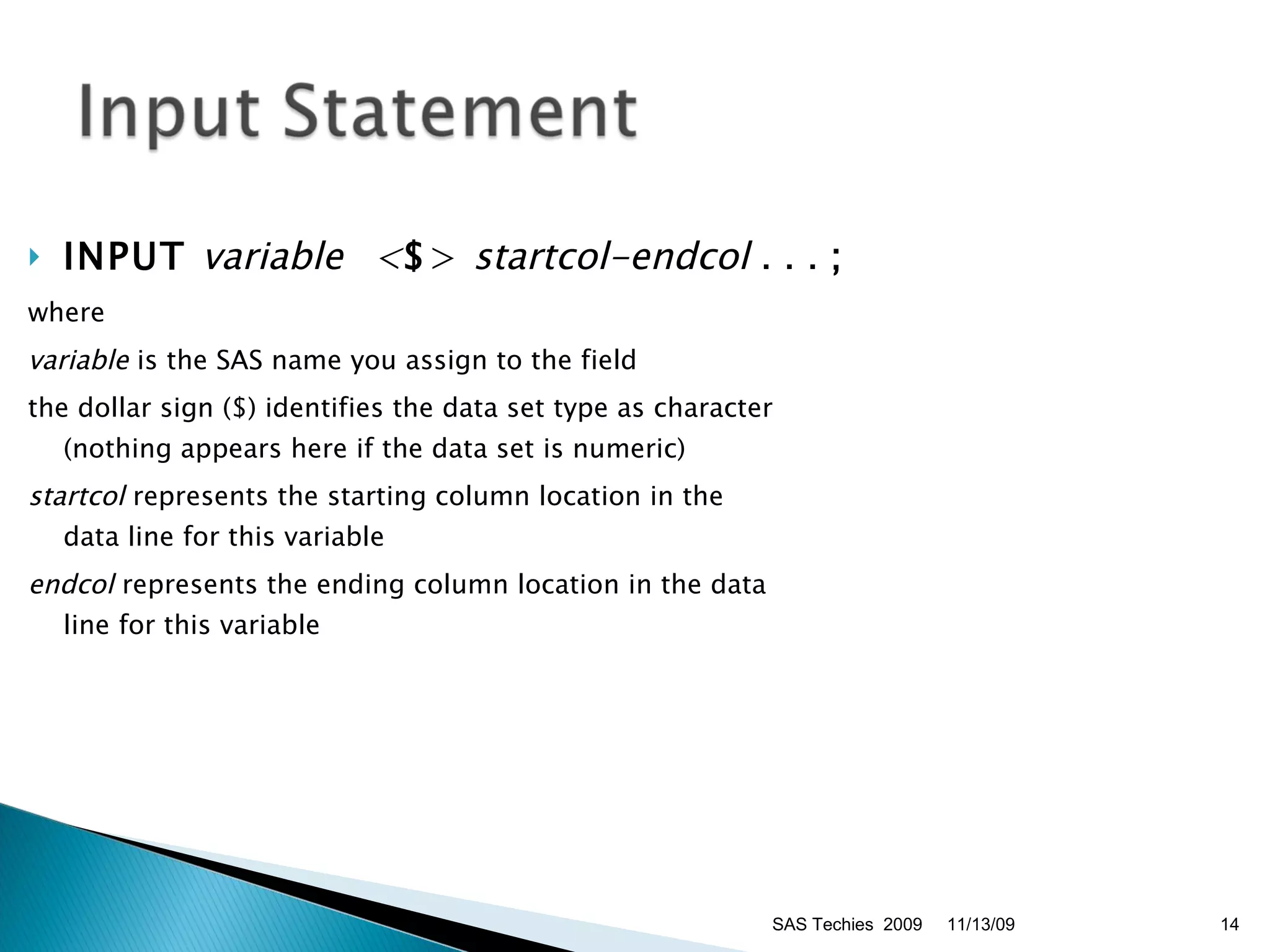
INPUT   variable    < $ >   startcol-endcol  . . .  ;   where  variable  is the SAS name you assign to the field  the dollar sign ($) identifies the data set type as character (nothing appears here if the data set is numeric)  startcol  represents the starting column location in the  data line for this variable  endcol  represents the ending column location in the data line for this variable  11/13/09 SAS Techies  2009
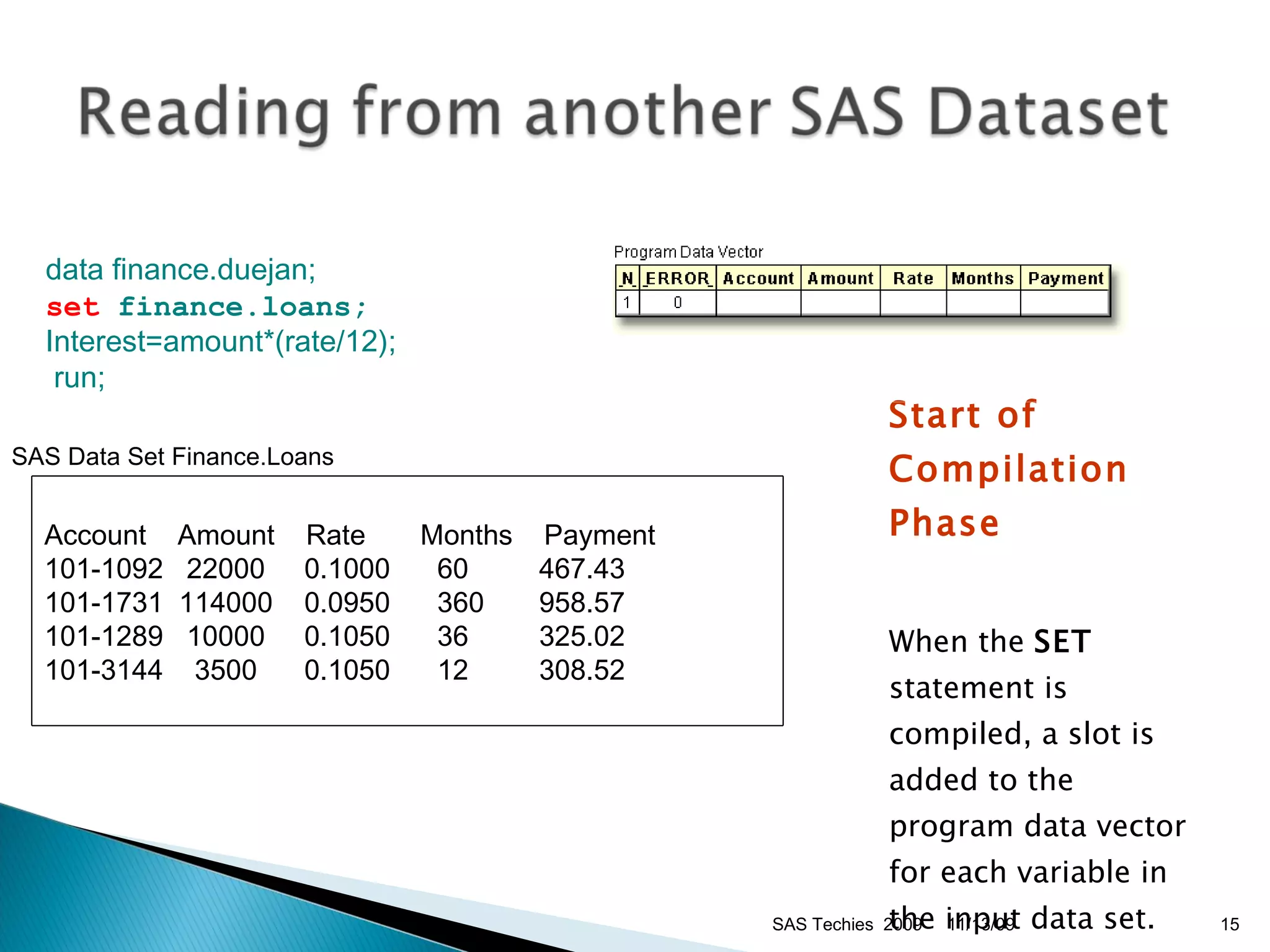
Start of Compilation Phase When the  SET  statement is compiled, a slot is added to the program data vector for each variable in the input data set.  data finance.duejan;  set  finance.loans; Interest=amount*(rate/12);  run; SAS Data Set Finance.Loans  11/13/09 SAS Techies  2009 Account  Amount  Rate  Months  Payment 101-1092   22000  0.1000      60    467.43 101-1731  114000   0.0950     360    958.57 101-1289   10000    0.1050      36    325.02 101-3144    3500   0.1050      12    308.52
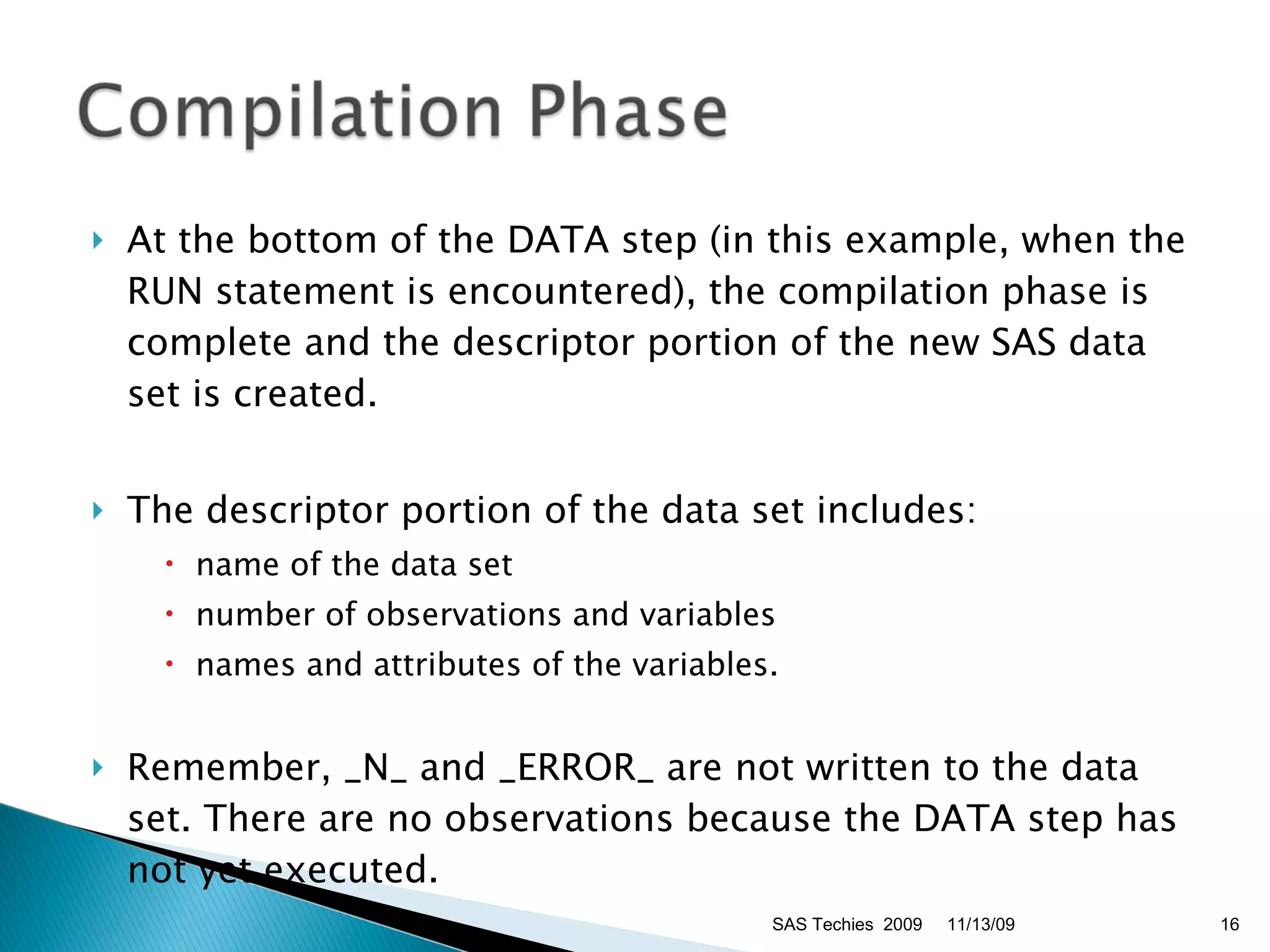
At the bottom of the DATA step (in this example, when the RUN statement is encountered), the compilation phase is complete and the descriptor portion of the new SAS data set is created.  The descriptor portion of the data set includes:  name of the data set  number of observations and variables  names and attributes of the variables.  Remember, _N_ and _ERROR_ are not written to the data set. There are no observations because the DATA step has not yet executed.  11/13/09 SAS Techies  2009
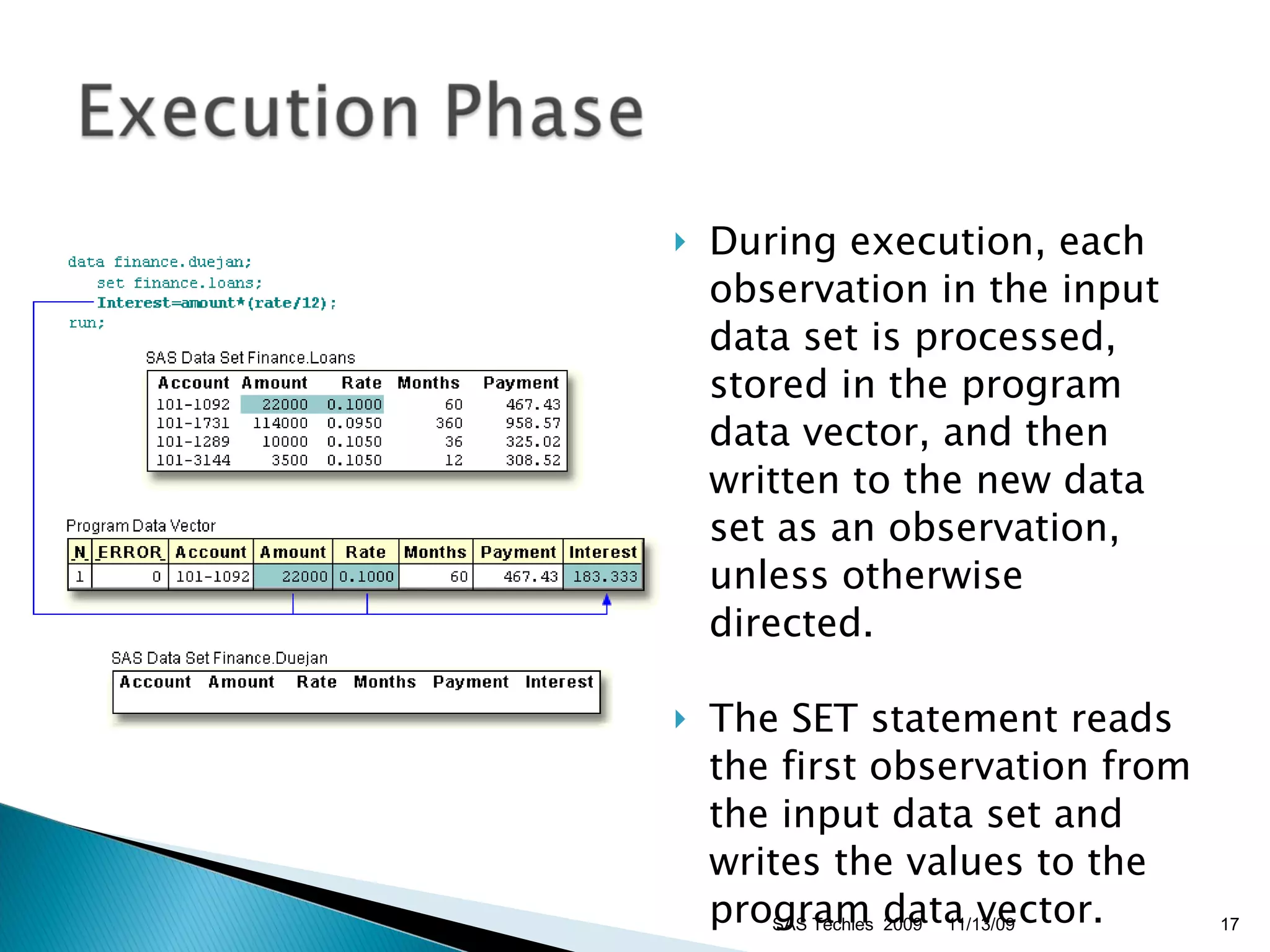
During execution, each observation in the input data set is processed, stored in the program data vector, and then written to the new data set as an observation, unless otherwise directed. The SET statement reads the first observation from the input data set and writes the values to the program data vector.  11/13/09 SAS Techies  2009
First, the values in the program data vector are written to the new data set as the first observation.  Second, control returns to the top of the DATA step.  Third, SAS retains the values of variables that were read from a SAS data set with the SET statement, or that were created by a sum statement. All other variable values, such as the variable Interest, are set to missing.  11/13/09 SAS Techies  2009
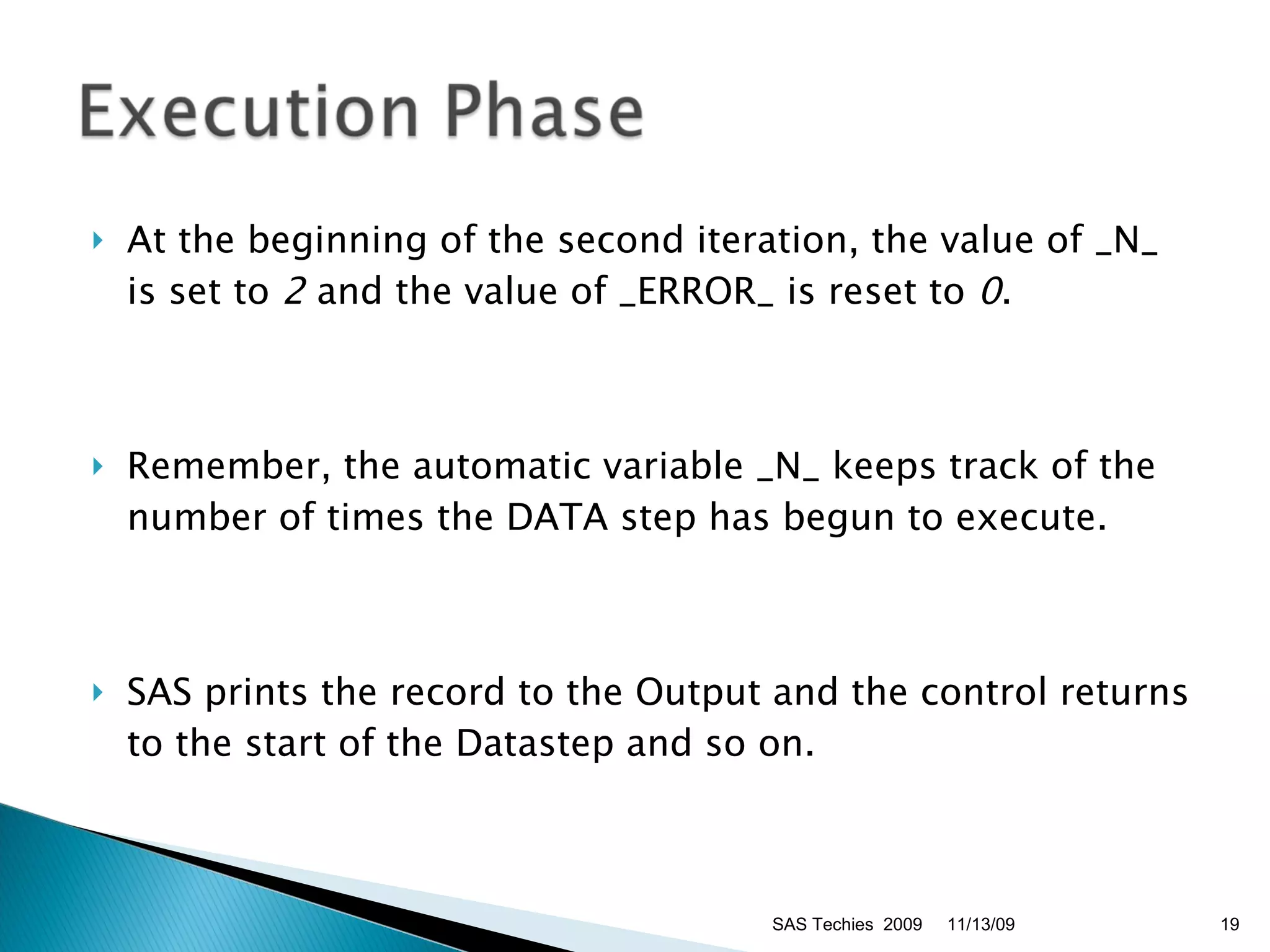
At the beginning of the second iteration, the value of _N_ is set to  2  and the value of _ERROR_ is reset to  0 .  Remember, the automatic variable _N_ keeps track of the number of times the DATA step has begun to execute.  SAS prints the record to the Output and the control returns to the start of the Datastep and so on. 11/13/09 SAS Techies  2009
11/13/09 SAS Techies  2009
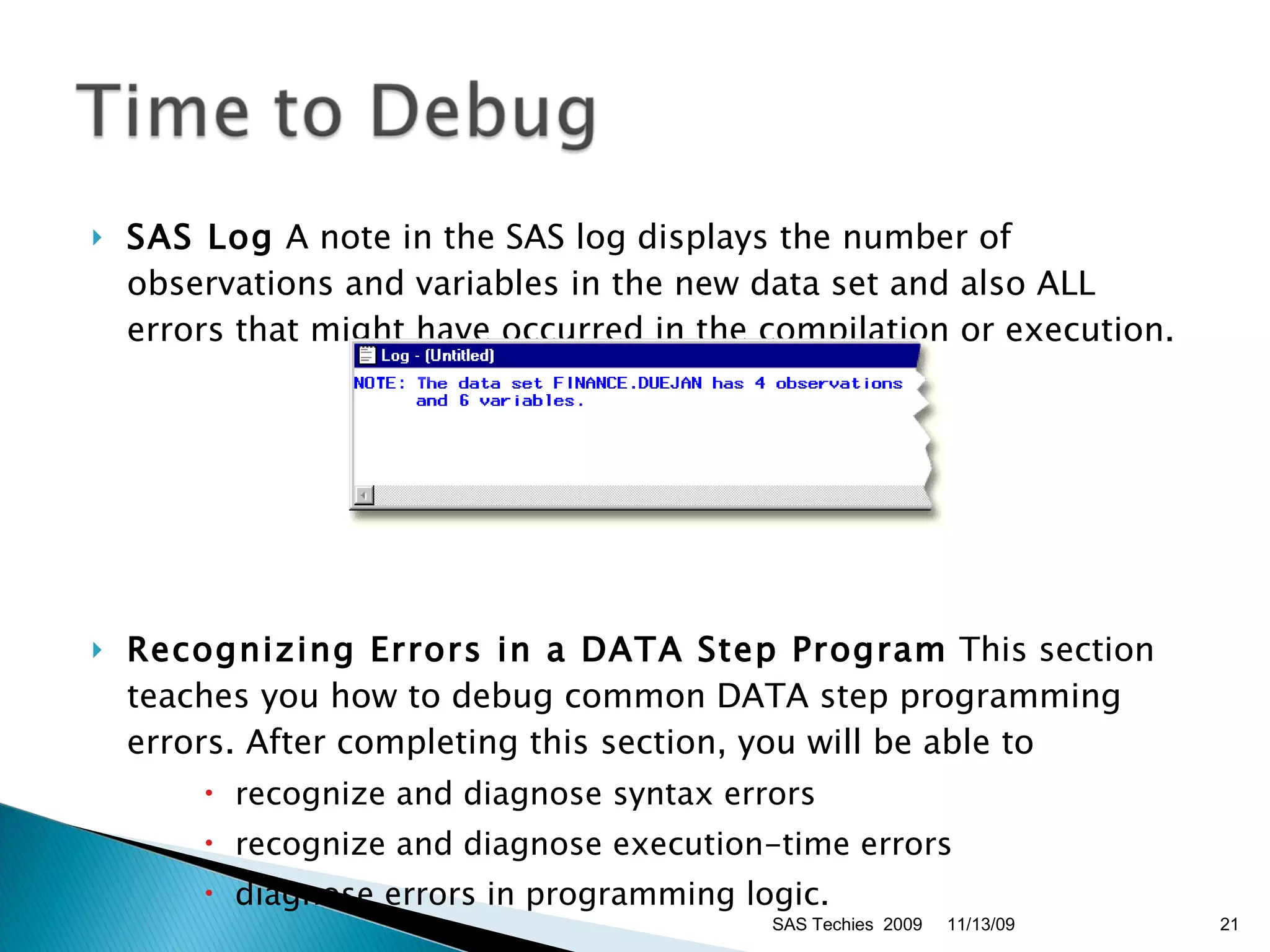
SAS Log  A note in the SAS log displays the number of observations and variables in the new data set and also ALL errors that might have occurred in the compilation or execution. Recognizing Errors in a DATA Step Program  This section teaches you how to debug common DATA step programming errors. After completing this section, you will be able to  recognize and diagnose syntax errors  recognize and diagnose execution-time errors  diagnose errors in programming logic.  11/13/09 SAS Techies  2009
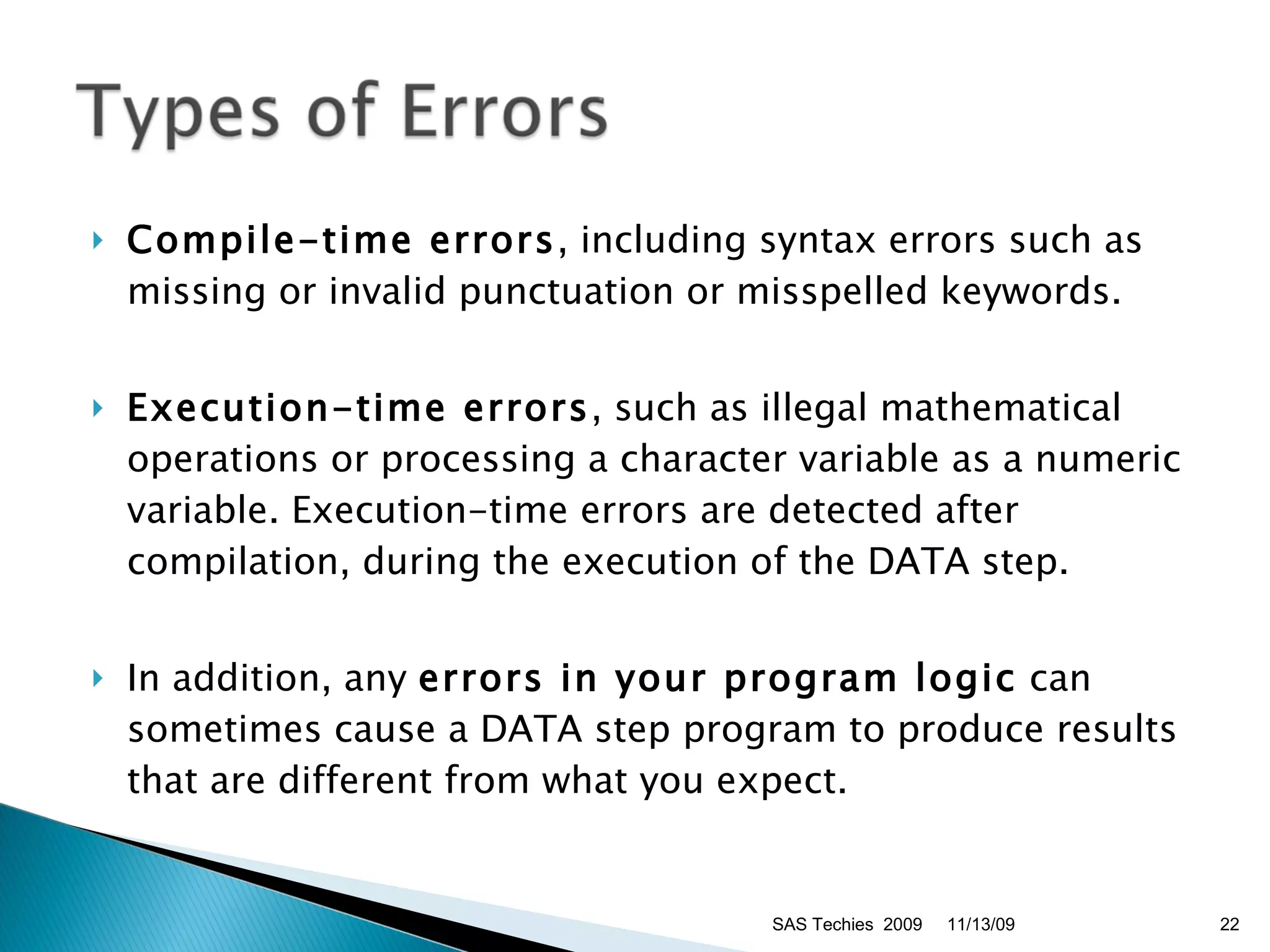
Compile-time errors , including syntax errors such as missing or invalid punctuation or misspelled keywords. Execution-time errors , such as illegal mathematical operations or processing a character variable as a numeric variable. Execution-time errors are detected after compilation, during the execution of the DATA step. In addition, any  errors in your program logic  can sometimes cause a DATA step program to produce results that are different from what you expect.  11/13/09 SAS Techies  2009
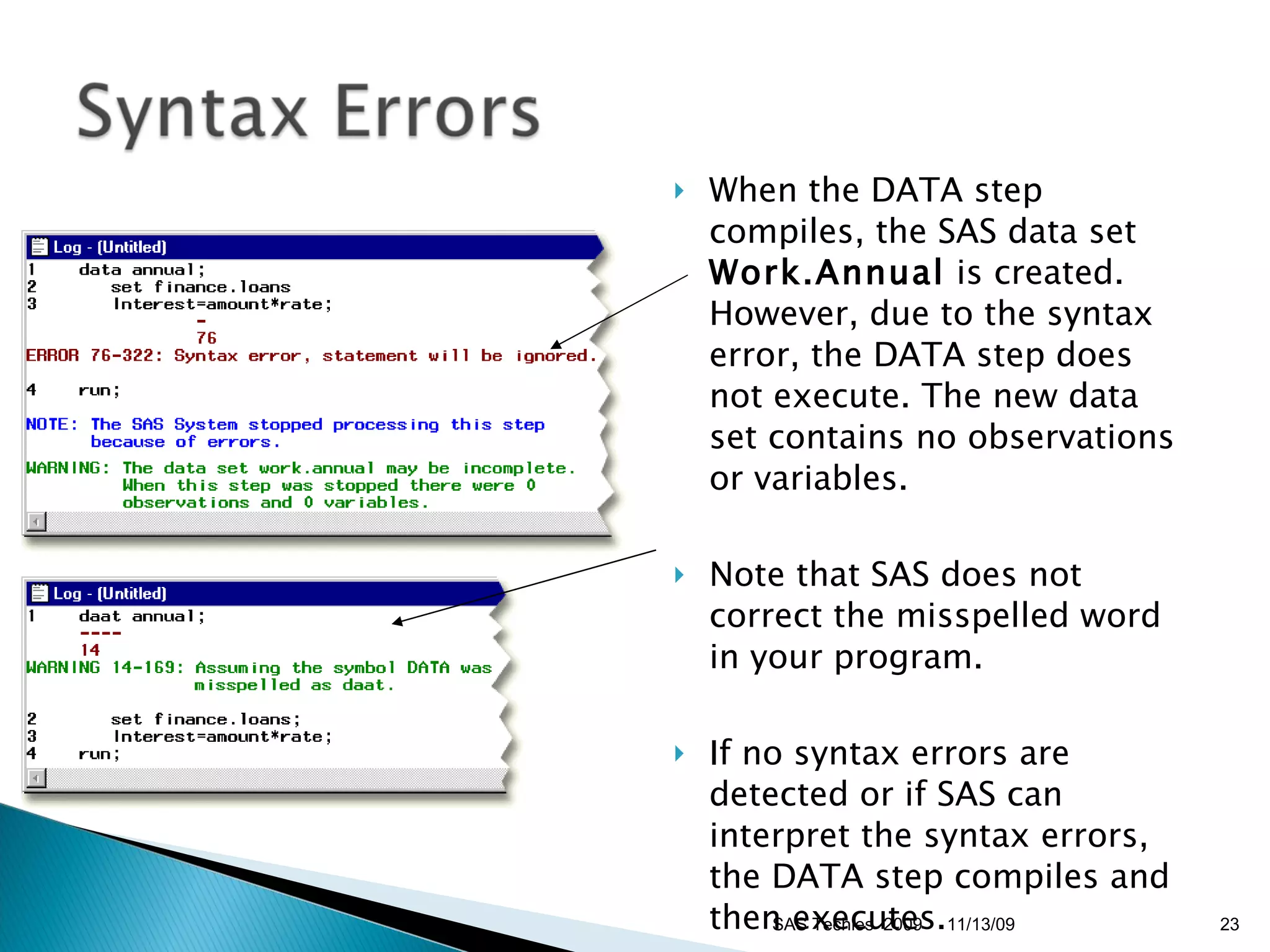
When the DATA step compiles, the SAS data set  Work.Annual  is created. However, due to the syntax error, the DATA step does not execute. The new data set contains no observations or variables. Note that SAS does not correct the misspelled word in your program.  If no syntax errors are detected or if SAS can interpret the syntax errors, the DATA step compiles and then executes.  11/13/09 SAS Techies  2009
Most execution-time errors produce warning messages but allow the SAS program to continue executing. Note: If you process a DATA step in noninteractive mode, execution-time errors may cause the program to stop processing.  The new data set is created and contains nine observations, even though some values are missing.  11/13/09 SAS Techies  2009
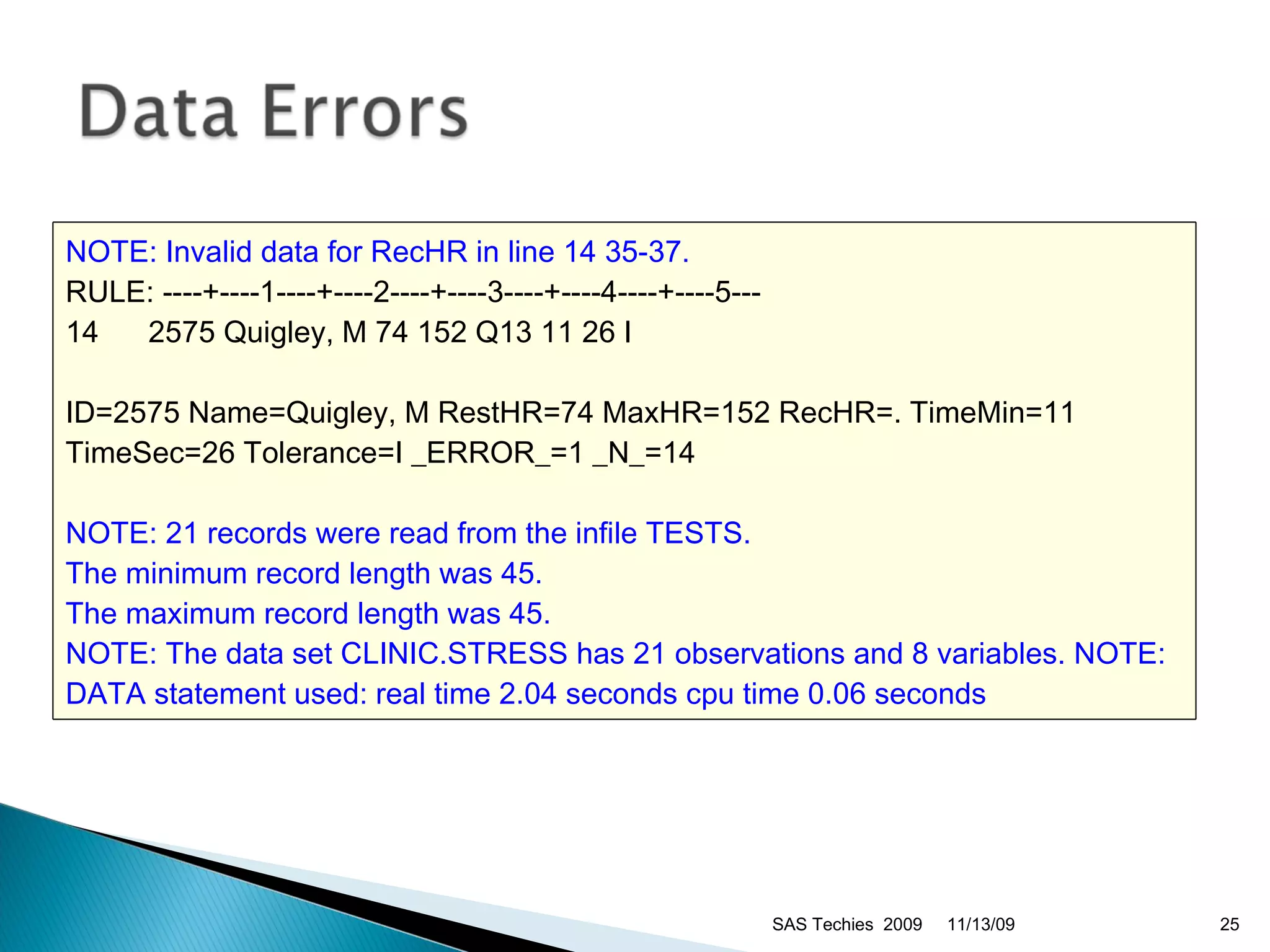
11/13/09 SAS Techies  2009 NOTE: Invalid data for RecHR in line 14 35-37.   RULE: ----+----1----+----2----+----3----+----4----+----5---  14  2575 Quigley, M 74 152 Q13 11 26 I ID=2575 Name=Quigley, M RestHR=74 MaxHR=152 RecHR=. TimeMin=11 TimeSec=26 Tolerance=I _ERROR_=1 _N_=14  NOTE: 21 records were read from the infile TESTS.   The minimum record length was 45.   The maximum record length was 45.   NOTE: The data set CLINIC.STRESS has 21 observations and 8 variables.   NOTE: DATA statement used:   real time 2.04 seconds   cpu time 0.06 seconds
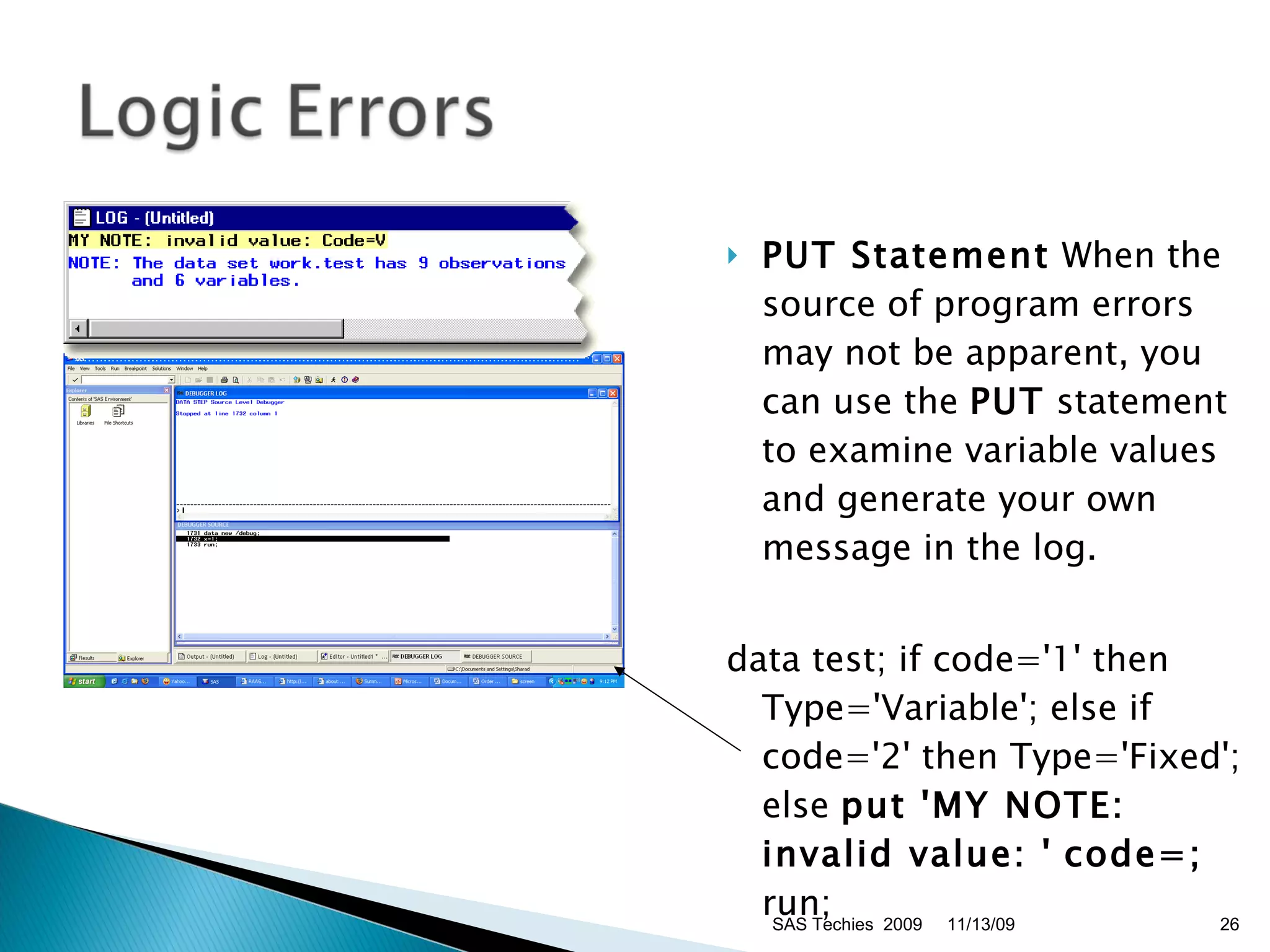
PUT Statement  When the source of program errors may not be apparent, you can use the  PUT  statement to examine variable values and generate your own message in the log.  data test; if code='1' then Type='Variable'; else if code='2' then Type='Fixed'; else  put 'MY NOTE: invalid value: '   code=;  run;  Data step Debugger 11/13/09 SAS Techies  2009
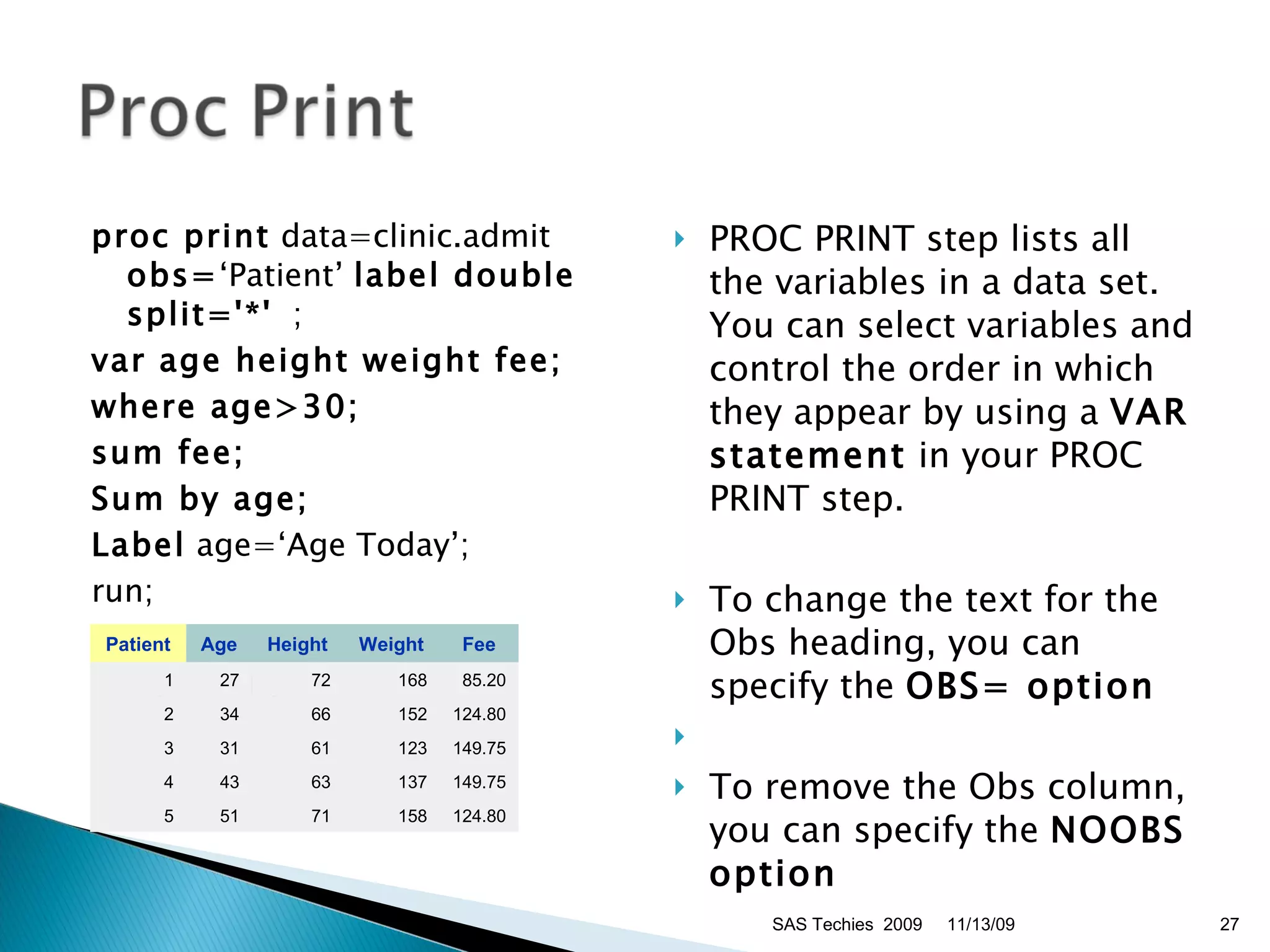
proc print  data=clinic.admit  obs= ‘Patient’  label double split='*'   ;  var age height weight fee;   where age>30;   sum fee;   Sum by age; Label  age=‘Age Today’; run; Sample Output: PROC PRINT step lists all the variables in a data set. You can select variables and control the order in which they appear by using a  VAR statement  in your PROC PRINT step. To change the text for the Obs heading, you can specify the  OBS= option To remove the Obs column, you can specify the  NOOBS option   SAS Techies  2009 11/13/09 Patient Age Height Weight Fee 1 27 72 168 85.20 2 34 66 152 124.80 3 31 61 123 149.75 4 43 63 137 149.75 5 51 71 158 124.80
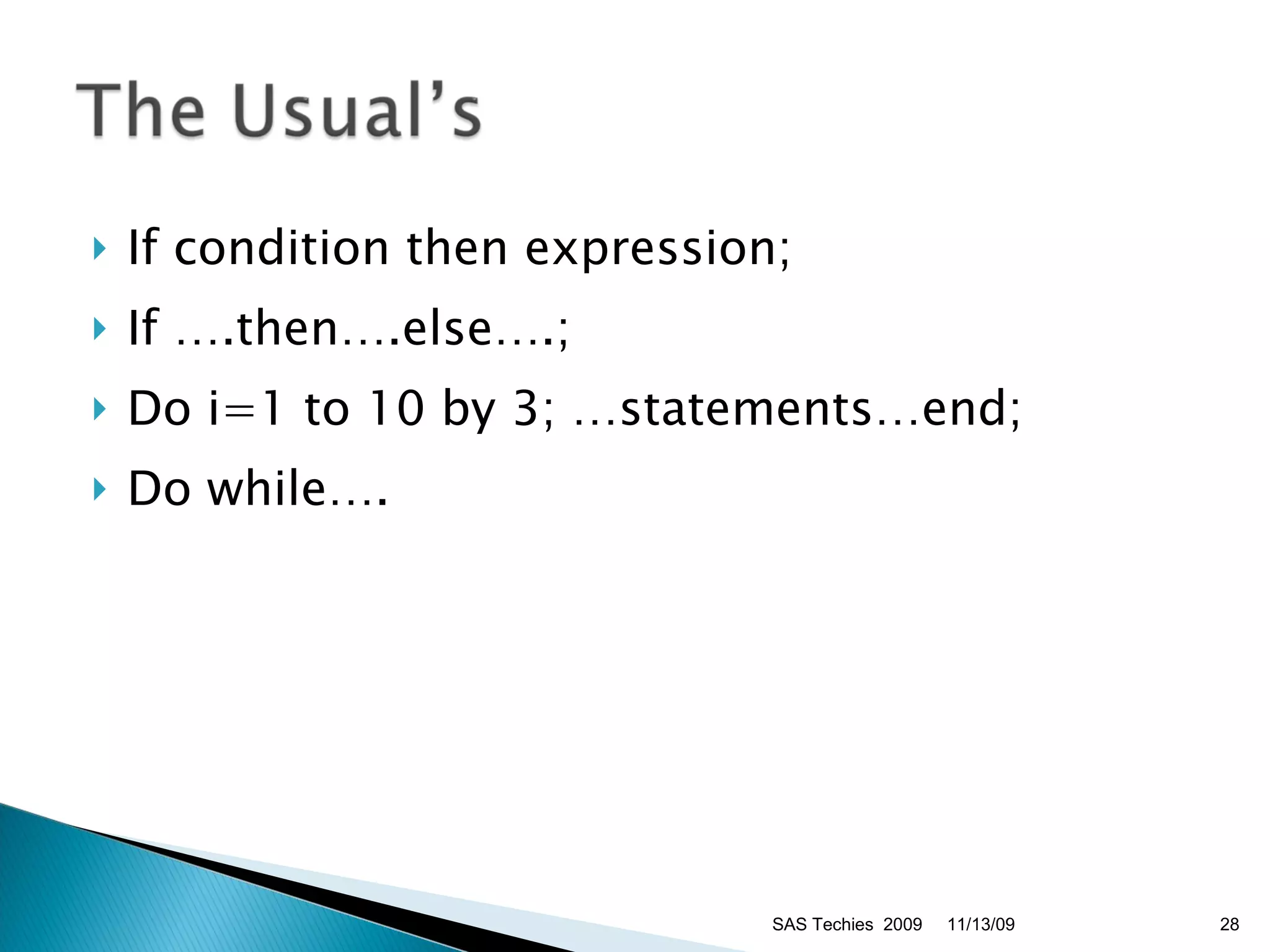
If condition then expression; If ….then….else….; Do i=1 to 10 by 3; …statements…end; Do while…. SAS Techies  2009 11/13/09

Understanding SAS Data Step Processing

  • 1.
  • 2.
    You can usea DATA step to read raw data into a SAS data set from multiple sources; Instream data – Cards / datalines / input External file – Infile / Input DBMS – SAS Access to DBMS (Oracle/SQL Server etc.) 11/13/09 SAS Techies 2009
  • 3.
    Filename fileref “C:\Temp\some.txt”Data readdata; Infile fileref; Input var1 $ var2; To read the raw data file, the DATA step must give the following instructions to the SAS System: reference the external text file to be read name the SAS data set identify the external file describe the data values to be read. 11/13/09 SAS Techies 2009
  • 4.
    During the compilation phase , each statement is scanned for syntax errors. Most syntax errors prevent further processing of the DATA step. If the DATA step compiles successfully, then the execution phase begins. A DATA step executes once for each observation in the input data set, unless otherwise directed. 11/13/09 SAS Techies 2009
  • 5.
    Input buffer ,an area of memory, is created to hold a record from the external file. It’s a logical concept Note: The input buffer is created only when raw data is read, not when a SAS data set is read. Then the PDV is created. The program data vector is the area of memory where SAS software builds a data set, one observation at a time. 11/13/09 SAS Techies 2009
  • 6.
    Program Data Vector(PDV) , a logical framework that the SAS System uses when creating SAS data sets. 11/13/09 SAS Techies 2009
  • 7.
    During the compilationphase, SAS software also scans each statement in the DATA step, looking for syntax errors. Syntax errors include: missing or misspelled keywords invalid variable names missing or invalid punctuation invalid options. Variable attributes such as length and type are determined the first time that a variable is encountered. 11/13/09 SAS Techies 2009
  • 8.
    Data Set Descriptor The attributes of Total are determined by the expression in the statement. 11/13/09 SAS Techies 2009 data perm.update; infile invent; input Item $ 1-13 IDnum $ 15-19 InStock 21-22 BackOrd 24-25; Total=instock+backord; run; Data Set Name: PERM.UPDATE Member Type: DATA Engine: V8 Created: 11:25 Friday, August 7, 1998 Observations: 0 Variables: 5 Indexes: 0 Observation Length: 30
  • 9.
    During execution, eachobservation in the input data set is processed, stored in the PDV, and then written to the new data set as an observation, unless otherwise directed. The DATA step executes once for each observation in the input data set, unless otherwise directed. At the beginning of the execution phase, the value of _N_ is 1. Because there are no data errors, the value of _ERROR_ is 0. The remaining variables are initialized to missing. Next, the INFILE statement identifies the location of the raw data. 11/13/09 SAS Techies 2009
  • 10.
    When an INPUTstatement begins to read data values from a record, it uses an input pointer to keep track of its position. At the end of the DATA step, three default actions occur. First, the record is dumped to the SAS dataset from the PDV Raw Data File Invent 11/13/09 SAS Techies 2009 data perm.update; infile invent; input Item $ 1-13 IDnum $ 15-19 Instock 21-22 BackOrd 24-25; Total=instock+backord; run; >----+----1----+----2----+ V   Bird Feeder LG088    3   20 •   6 Glass Mugs SB082   6   12     Glass Tray  BQ049 12     6     Padded Hangrs  MN256 15   20     Jewelry Box  AJ498 23     0     Red Apron  AQ072   9   12     Crystal Vase  AQ672 27     0     Picnic Basket  LS930 21     0     Brass Clock  AN910   2   10  
  • 11.
    Next, control returnsto the top of the DATA step. Then the variable values in the program data vector are reset to missing. SAS Dataset When reading raw data, SAS software sets the value of each variable in the DATA step to missing at the beginning of each iteration, with these exceptions: variables named in a RETAIN statement variables created in a sum statement data elements in a _TEMPORARY_ array any variables created with options in the FILE or INFILE statements automatic variables. 11/13/09 SAS Techies 2009 Item         IDnum InStock BackOrd Total Bird Feeder  LG088       3      20    23
  • 12.
    The execution phasecontinues in this manner until there are no more records in the raw data file to be read and the data portion of the new data set is complete At the end of the execution phase, the SAS log confirms that the raw data file was read and displays the number of observations and variables in the data set. SAS log NOTE: 9 records were read from the infile INVENT. NOTE: The data set PERM.UPDATE has 9 observations and 5 variables. 11/13/09 SAS Techies 2009
  • 13.
    When reading rawdata, use the INFILE statement to indicate which file the data is in. INFILE file-specification < options >; Ex: Infile fileref dlm=“,” dsd missover lrecl= obs= 11/13/09 SAS Techies 2009 Obs= Pad Lrecl= End= DLM= DSD EOF= FILEVAR= FIRSTOBS= LENGTH= LINESIZE= MISSOVER N= _INFILE_
  • 14.
    INPUT variable   < $ > startcol-endcol . . . ; where variable is the SAS name you assign to the field the dollar sign ($) identifies the data set type as character (nothing appears here if the data set is numeric) startcol represents the starting column location in the data line for this variable endcol represents the ending column location in the data line for this variable 11/13/09 SAS Techies 2009
  • 15.
    Start of CompilationPhase When the SET statement is compiled, a slot is added to the program data vector for each variable in the input data set. data finance.duejan; set finance.loans; Interest=amount*(rate/12); run; SAS Data Set Finance.Loans 11/13/09 SAS Techies 2009 Account Amount Rate Months Payment 101-1092  22000 0.1000     60   467.43 101-1731 114000  0.0950   360   958.57 101-1289  10000   0.1050     36   325.02 101-3144    3500  0.1050     12   308.52
  • 16.
    At the bottomof the DATA step (in this example, when the RUN statement is encountered), the compilation phase is complete and the descriptor portion of the new SAS data set is created. The descriptor portion of the data set includes: name of the data set number of observations and variables names and attributes of the variables. Remember, _N_ and _ERROR_ are not written to the data set. There are no observations because the DATA step has not yet executed. 11/13/09 SAS Techies 2009
  • 17.
    During execution, eachobservation in the input data set is processed, stored in the program data vector, and then written to the new data set as an observation, unless otherwise directed. The SET statement reads the first observation from the input data set and writes the values to the program data vector. 11/13/09 SAS Techies 2009
  • 18.
    First, the valuesin the program data vector are written to the new data set as the first observation. Second, control returns to the top of the DATA step. Third, SAS retains the values of variables that were read from a SAS data set with the SET statement, or that were created by a sum statement. All other variable values, such as the variable Interest, are set to missing. 11/13/09 SAS Techies 2009
  • 19.
    At the beginningof the second iteration, the value of _N_ is set to 2 and the value of _ERROR_ is reset to 0 . Remember, the automatic variable _N_ keeps track of the number of times the DATA step has begun to execute. SAS prints the record to the Output and the control returns to the start of the Datastep and so on. 11/13/09 SAS Techies 2009
  • 20.
  • 21.
    SAS Log A note in the SAS log displays the number of observations and variables in the new data set and also ALL errors that might have occurred in the compilation or execution. Recognizing Errors in a DATA Step Program This section teaches you how to debug common DATA step programming errors. After completing this section, you will be able to recognize and diagnose syntax errors recognize and diagnose execution-time errors diagnose errors in programming logic. 11/13/09 SAS Techies 2009
  • 22.
    Compile-time errors ,including syntax errors such as missing or invalid punctuation or misspelled keywords. Execution-time errors , such as illegal mathematical operations or processing a character variable as a numeric variable. Execution-time errors are detected after compilation, during the execution of the DATA step. In addition, any errors in your program logic can sometimes cause a DATA step program to produce results that are different from what you expect. 11/13/09 SAS Techies 2009
  • 23.
    When the DATAstep compiles, the SAS data set Work.Annual is created. However, due to the syntax error, the DATA step does not execute. The new data set contains no observations or variables. Note that SAS does not correct the misspelled word in your program. If no syntax errors are detected or if SAS can interpret the syntax errors, the DATA step compiles and then executes. 11/13/09 SAS Techies 2009
  • 24.
    Most execution-time errorsproduce warning messages but allow the SAS program to continue executing. Note: If you process a DATA step in noninteractive mode, execution-time errors may cause the program to stop processing. The new data set is created and contains nine observations, even though some values are missing. 11/13/09 SAS Techies 2009
  • 25.
    11/13/09 SAS Techies 2009 NOTE: Invalid data for RecHR in line 14 35-37. RULE: ----+----1----+----2----+----3----+----4----+----5--- 14 2575 Quigley, M 74 152 Q13 11 26 I ID=2575 Name=Quigley, M RestHR=74 MaxHR=152 RecHR=. TimeMin=11 TimeSec=26 Tolerance=I _ERROR_=1 _N_=14 NOTE: 21 records were read from the infile TESTS. The minimum record length was 45. The maximum record length was 45. NOTE: The data set CLINIC.STRESS has 21 observations and 8 variables. NOTE: DATA statement used: real time 2.04 seconds cpu time 0.06 seconds
  • 26.
    PUT Statement When the source of program errors may not be apparent, you can use the PUT statement to examine variable values and generate your own message in the log. data test; if code='1' then Type='Variable'; else if code='2' then Type='Fixed'; else put 'MY NOTE: invalid value: ' code=; run; Data step Debugger 11/13/09 SAS Techies 2009
  • 27.
    proc print data=clinic.admit obs= ‘Patient’ label double split='*' ; var age height weight fee; where age>30; sum fee; Sum by age; Label age=‘Age Today’; run; Sample Output: PROC PRINT step lists all the variables in a data set. You can select variables and control the order in which they appear by using a VAR statement in your PROC PRINT step. To change the text for the Obs heading, you can specify the OBS= option To remove the Obs column, you can specify the NOOBS option SAS Techies 2009 11/13/09 Patient Age Height Weight Fee 1 27 72 168 85.20 2 34 66 152 124.80 3 31 61 123 149.75 4 43 63 137 149.75 5 51 71 158 124.80
  • 28.
    If condition thenexpression; If ….then….else….; Do i=1 to 10 by 3; …statements…end; Do while…. SAS Techies 2009 11/13/09

Editor's Notes

  • #3 SASTechies.com Sharad C Narnindi - Attic Technologies 2005
  • #4 SASTechies.com Sharad C Narnindi - Attic Technologies 2005
  • #5 SASTechies.com Sharad C Narnindi - Attic Technologies 2005
  • #6 SASTechies.com Sharad C Narnindi - Attic Technologies 2005
  • #7 SASTechies.com Sharad C Narnindi - Attic Technologies 2005
  • #8 SASTechies.com Sharad C Narnindi - Attic Technologies 2005
  • #9 SASTechies.com Sharad C Narnindi - Attic Technologies 2005
  • #10 SASTechies.com Sharad C Narnindi - Attic Technologies 2005
  • #11 SASTechies.com Sharad C Narnindi - Attic Technologies 2005
  • #12 SASTechies.com Sharad C Narnindi - Attic Technologies 2005
  • #13 SASTechies.com Sharad C Narnindi - Attic Technologies 2005
  • #14 SASTechies.com Sharad C Narnindi - Attic Technologies 2005
  • #15 SASTechies.com Sharad C Narnindi - Attic Technologies 2005
  • #16 SASTechies.com Sharad C Narnindi - Attic Technologies 2005
  • #17 SASTechies.com Sharad C Narnindi - Attic Technologies 2005
  • #18 SASTechies.com Sharad C Narnindi - Attic Technologies 2005
  • #19 SASTechies.com Sharad C Narnindi - Attic Technologies 2005
  • #20 SASTechies.com Sharad C Narnindi - Attic Technologies 2005
  • #21 SASTechies.com Sharad C Narnindi - Attic Technologies 2005
  • #22 SASTechies.com Sharad C Narnindi - Attic Technologies 2005
  • #23 SASTechies.com Sharad C Narnindi - Attic Technologies 2005
  • #24 SASTechies.com Sharad C Narnindi - Attic Technologies 2005
  • #25 SASTechies.com Sharad C Narnindi - Attic Technologies 2005
  • #26 SASTechies.com Sharad C Narnindi - Attic Technologies 2005
  • #27 SASTechies.com Sharad C Narnindi - Attic Technologies 2005
  • #28 SASTechies.com Sharad C Narnindi - Attic Technologies 2005
  • #29 SASTechies.com Sharad C Narnindi - Attic Technologies 2005