



Second Screen
Storytelling
Benson Hendrix
@desertronin
University of New Mexico
Social Media Manager
Goal
Creating a second screen
digital experience for our
online audiences
But how???
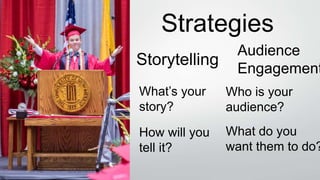
Strategies
Storytelling
Audience
Engagement
What’s your
story?
Who is your
audience?
How will you
tell it?
What do you
want them to do?
What is the “second screen”?
• When you use social and digital
media to create a unique, shared
online experience. Usually through
mobile channels.
• Audience isn’t passive. Encourage
them to be a part of the
experience.
Our Mobile-Centric Universe
The information playing field in the
future isn’t going to be on a laptop
sitting on the couch, or an Xbox or an
Apple TV.
Your integrated experience will be
connected to you 24-7.
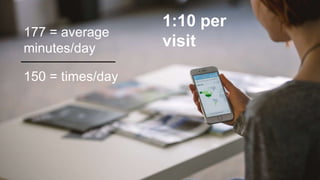
150 = times/day
177 = average
minutes/day
1:10 per
visit
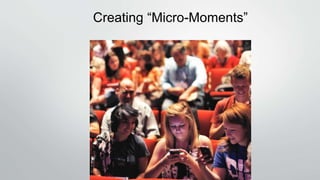
Creating “Micro-Moments”
Transmedia Storytelling
Rivalry Games
Pre-Event Planning
• What are the best platforms to tell your story? (Native Content)
• What platforms are your audiences most active on?
• Be strategic. Don’t try to be everywhere, especially if you don’t have
the staff to manage it.
• Why should your audience care? What’s the emotional
attachment?
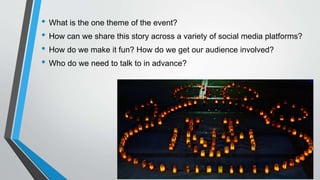
• What is the one theme of the event?
• How can we share this story across a variety of social media platforms?
• How do we make it fun? How do we get our audience involved?
• Who do we need to talk to in advance?
During the Event
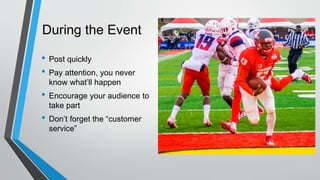
• Post quickly
• Pay attention, you never
know what’ll happen
• Encourage your audience to
take part
• Don’t forget the “customer
service”
Don’t Bust Out the Drinks Yet
• Remember to follow up with your key
influencers
• Your work can be seen after the
event ends, don’t forget to check in
from time to time.
• Is there anything unique that your
school does to celebrate events?
• What posts got the most attention?
PuttingYourTeamTogether
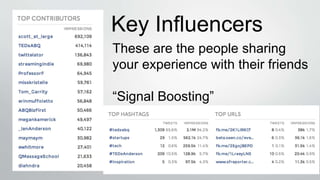
Key Influencers
These are the people sharing
your experience with their friends
“Signal Boosting”
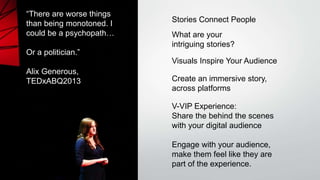
“There are worse things
than being monotoned. I
could be a psychopath…
Or a politician.”
Alix Generous,
TEDxABQ2013
Stories Connect People
Visuals Inspire Your Audience
V-VIP Experience:
Share the behind the scenes
with your digital audience
Engage with your audience,
make them feel like they are
part of the experience.
Create an immersive story,
across platforms
What are your
intriguing stories?
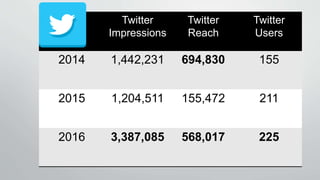
Twitter
Impressions
Twitter
Reach
Twitter
Users
2014 1,442,231 694,830 155
2015 1,204,511 155,472 211
2016 3,387,085 568,017 225
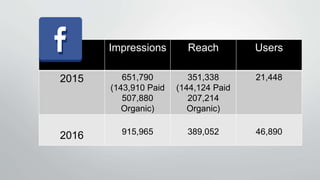
Impressions Reach Users
2015 651,790
(143,910 Paid
507,880
Organic)
351,338
(144,124 Paid
207,214
Organic)
21,448
2016 915,965 389,052 46,890
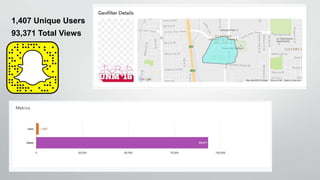
1,407 Unique Users
93,371 Total Views
Any Questions?
Bonus: bit.ly/tedxabqplaybook
Desertronin
Benson.Hendrix

EduWeb 2016 Second Screen Storytelling

Editor's Notes

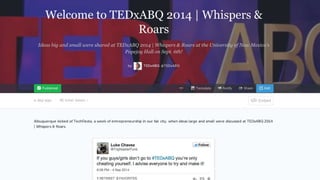
  • #3 Much of this presentation is based in my digital media experience working with TEDxABQ and UNM. Much of the work I did with TEDxABQ eventually created the foundation of what I do with UNM, so you’ll be seeing examples from both organizations in today’s presentation. These experiences helped me develop a blueprint for how I create a ”Virtual VIP” experience for the university’s digital audience. At UNM I noticed we don’t livestream major events on campus, from graduation to holiday events. To make up for that, I wanted to provide a unique experience for members of the UNM community who couldn’t show up at these events, including our distance learning students and alumni. So I started developing a plan…
  • #4 … with a goal of creating a unique, second screen digital experience for our online audience. Something that, even if you were at our event, you weren’t a part of without being connected to us online. And at our events, not just graduation but also holiday events, announcements and other big events, we provide our audience with all of the hashtag and social network information in advance and encourage them to share their experience with us.
  • #5 But how do we do this? At UNM our audience isn’t as active as other organizations, and we had to look at moving beyond just engaging with our audience.
  • #6  For years people have been using social media to share their opinion about events in real time (look at the Super Bowl, the Oscars, or an prolonged election cycle). Now with everyone on their mobile phones, this opened up the potential to bring this event coverage and engagement into university events. I wanted to step beyond just engaging with our audience. I wanted to combine both sides of social media, the content and the engagement, to share the university’s story while encouraging our audience to contribute. Going from “my story” to “our story”. And what is this idea of the “second screen,” anyway?
  • #7 Done well, it merges your digital media efforts with your audience’s desire to learn more, or just not be bored, and share their opinion during the “dead space” of your event. And they do this through…
  • #8 .. Our mobile centric universe. We’re long past the time where every family needs a computer to do the majority of our online activities. We live in a world where people use their smartphone to access the majority of information they are interested in.
  • #9 68% of smartphone users surveyed by Google said they check their phone within 15 minutes of waking up in the morning, while 30% of those same users said they feel anxious when they don’t have their smartphones with them. For millennials, who are a large part of our target audience, that information jumps.
  • #10 People are on their phone “on and off” all day. In little microbursts of activity.
  • #11 And we’re trying to create these micromoments for our audience. These are the moments when people turn to their smartphone/tablet for more information During events, you have to be able to act quickly. People are actively looking for real-time information and entertainment and we can provide that with a little advance legwork and knowing what our audience is interested in. Here are some organizations that “get it”
  • #12 Who does this extremely well? Here are a few organizations you might want to follow, if you aren’t following them already. These organizations don’t just create a lot of great content and keep their fans interested and engaged, they understand that native content is critical. And these organizations do this through…
  • #13 Transmedia storytelling. The right tool for the right job. And if people wanted the complete online experience, they needed to be keeping up across all of our social media outposts.
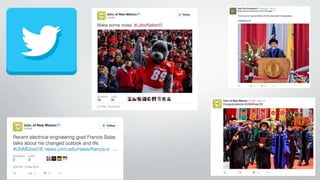
  • #14 For this kind of coverage, Twitter serves as our “in the moment” play-by-play network. Twitter is still the go-to-network for “news style” social media reporting. Twitter’s strengths also include real-time stakeholder relations and sharing images from our followers.
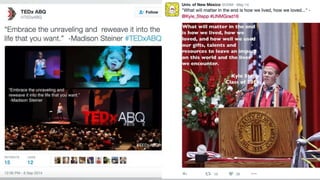
  • #15 We’ve found that on Twitter, adding text to our photos made it easier to get our message across. It’s like a thought bubble you would see from a comic strip.
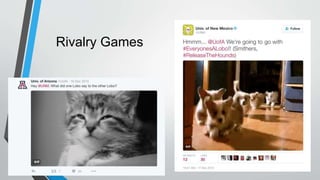
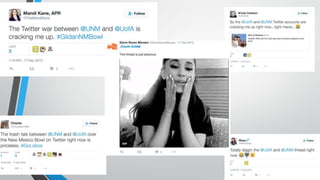
  • #16 A great use of Twitter is in rivalry games. This past December, UNM was facing off with the University of Arizona in the New Mexico Bowl. In addition to being neighboring states, the UofA social media manager is a UNM graduate. So she started hitting us up with animated GIFs. After a little reticence we dove back with some responses and had a great back and forth for a couple of days before the game. A back and forth that was noticed by UNM and UofA fans alike.
  • #18 While you’re event’s going on, you can start looking for tweets, Instagram posts for a post-event wrap up on Storify, then you can use this story to further the reach for your own event, as well as hold on to it to use it again before the next event - “Previously at UNM…” Plus the people whose tweets you share are then notified that they are in your story, and can share it with their friends.
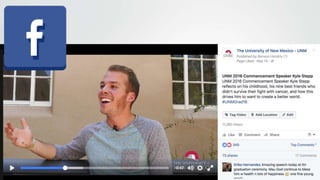
  • #19 We went bigger on video content on Facebook this year than in previous years. And instead of polished “graduation event” video, I wanted to go with shorter, one-off video clips from our keynote speaker sharing his story with our audience. We received a great boost in our engagement by using these videos. Native video content to Facebook gathered many more views than they would have if we had posted them to YouTube and then tried to share them over
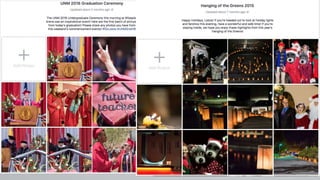
  • #20 Facebook has also served as our “long tail” social media network. During our events we’ll create a photo album and start uploading images a few at a time during the event. Then for about a week afterwards, we’ll keep updating the album with more images and ask for people to share their images. It keeps the story fresh in people’s minds for longer than if we had uploaded all of these images at once.
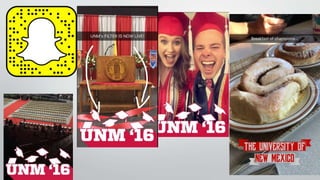
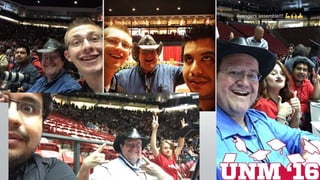
  • #22 Snapchat is great because we use it to tell the story of “the event’s day” – from behind the scenes, to student shout outs, to touchdowns we catch in real time (see what I did there?). The thing I love about Snapchat is how we are able to really mix up our content and try to have fun with it. We’ve primarily used Snapchat to share moments and stories with our fans that they can be a part of, and showing more moment-to-moment stories around campus. Since this is where our current student audience is, as well out potential students, we want to reach out to them, and use custom geofilters to reach out to their audience, to reach those potential students.
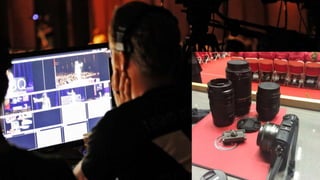
  • #23 But while you’re audience is engaging with you on mobile, it doesn't mean your content can only be created on a phone. Your creation platform has to be more robust than ever.. We have to keep this in mind when we balance the types of content we create, from platforms that allow us the opportunity to create polished content (Facebook, Twitter, Pinterest) and other networks that benefit from mobile-created content (Snapchat, Instagram) As brands move onto new platforms, they bring greater editing power and creativity with them. We have to match it to keep our audience’s attention. A lot of this work can be done in advance, before the event starts.
  • #28 Building your team for these special events is incredibly important. Many of us are one-person shops, or work with a student or two. But this is an opportunity to shanghai as many of your coworkers as possible. Look for other social media professionals at your university. Does student activities have a social media professional you can get to sign on and help? The Dean of Students Office? Do you have any staff or faculty who are really active on social media on their own? How can you get them more involved? If you have a core team to work with, you’ll start to know each other’s strengths and weaknesses and you’ll see your workflow get easier.
  • #30 After your event ends, use your research to find out who the most active people were online during the event. Plus those who have larger audiences, these will start to build a list of people you’ll want to reach out to for future events, or to keep an eye on and encourage them to be a larger part of your community. They are already interested in your university, build on that.
  • #33 Video Plays: 36,351
  • #34 This was the first time we paid for a Snapchat filter. 13 cents per unique user that day 0.2 cents per view