VB Script
    By:
    Satish Sukumaran
• VBScript stands for Visual Basic Scripting, is a scripting
language was launched by Microsoft in1996.

VB Scripting language is a lightweight programming
language.

VBScript can be used to write both client-side and
server-side scripting.
• VBScript supports only one Data type called ‘Variant’


•A Variant is a special type of data that can contain
different kinds of information, depending upon how it is
used.
•A variant behaves as a number when it is used in a
numeric context and as a string when used in string
context.
VBScript Variables
A variable is a "container" /Placeholder that refers to a memory
  location,that stores program information that may change at
  run time.

Variable Declaration:
Dim :Variable declared with Dim at script level are available
      To all procedures within the script.
Public: Variables are available to all procedures in all scripts.
Private: Variables are available only to the scripts in which they
         are declared.
Naming Rules:
       Must begin with an alphabetic character
       Cannot contain an embedded period
       Cannot exceed 255 characters
       Must be unique within its scope in which it is declared.
  Implicit Declaration:

   You can Assign a Value to variable directly (without declaring a
    variable). But not a good practice, because you may misspell the
    variable name in one or more places, causing unexpected result
    when your script is run.

   Option Explicit :Option Explicit to avoid incorrectly typing the name of
   an existing variable.
 Example  :
        Option explicit
        Dim var_ x
        var_x=1
Constants
 The values that do not alter during the entire
  execution of the program are called as constants.
 Const keyword is used to declare constants.
 It is necessary to initialize the Constant during its
  declaration.
 You cannot change the value of constants in later
  script.
Syntax:
  const x=1
  const my string=“This is my string”
Arrays
 A Variable containing single value is called scalar
  variable.
 Sometimes you want to assign more than one value to
  a single variable. Then you can create a variable that
  can contain a series of values. This is called an array
  variable.
Arrays (cont.)
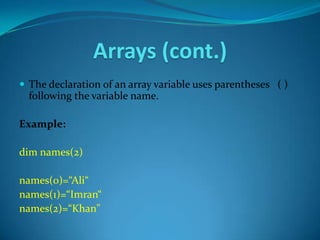
 The declaration of an array variable uses parentheses ( )
  following the variable name.

Example:

dim names(2)

names(0)=“Ali“
names(1)=“Imran“
names(2)=“Khan"
Arrays (cont.)
 An array can be multi dimensional.


 There can be 60 (maximum) dimensions in an array.


 Multiple dimensions are declared by separating the
 numbers in the parentheses with commas.
Procedures
A Sub procedure:
 is a series of statements, enclosed by the Sub and End
  Sub statements
 can perform actions, but does not return a value
 can take arguments that are passed to it by a calling
  procedure
 without arguments, must include an empty set of
  parentheses ()
Procedures (Cont)
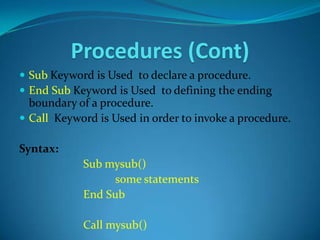
 Sub Keyword is Used to declare a procedure.
 End Sub Keyword is Used to defining the ending
  boundary of a procedure.
 Call Keyword is Used in order to invoke a procedure.

Syntax:
            Sub mysub()
                 some statements
            End Sub

            Call mysub()
Procedures (Cont)
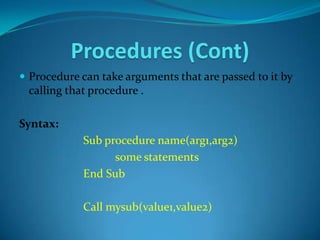
 Procedure can take arguments that are passed to it by
 calling that procedure .

Syntax:
            Sub procedure name(arg1,arg2)
                  some statements
            End Sub

            Call mysub(value1,value2)
Functions
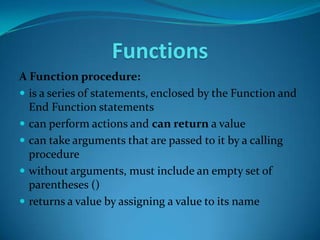
A Function procedure:
 is a series of statements, enclosed by the Function and
  End Function statements
 can perform actions and can return a value
 can take arguments that are passed to it by a calling
  procedure
 without arguments, must include an empty set of
  parentheses ()
 returns a value by assigning a value to its name
Functions (Cont)
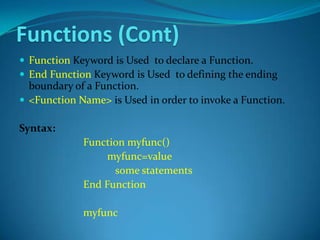
 Function Keyword is Used to declare a Function.
 End Function Keyword is Used to defining the ending
  boundary of a Function.
 <Function Name> is Used in order to invoke a Function.

Syntax:
             Function myfunc()
                  myfunc=value
                   some statements
             End Function

             myfunc
If Condition
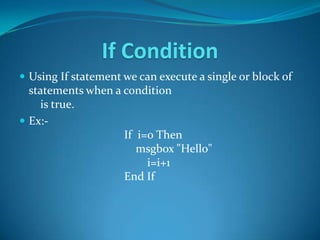
 Using If statement we can execute a single or block of
  statements when a condition
    is true.
 Ex:-
                    If i=0 Then
                       msgbox "Hello"
                         i=i+1
                    End If
If-Else Condition
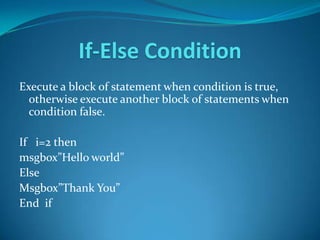
Execute a block of statement when condition is true,
  otherwise execute another block of statements when
  condition false.

If i=2 then
msgbox”Hello world”
Else
Msgbox”Thank You”
End if
If-Elseif Condition (cont.)
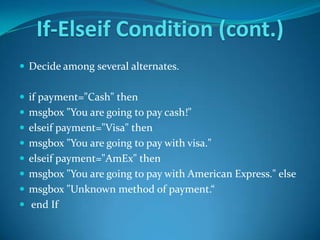
 Decide among several alternates.


 if payment="Cash" then
 msgbox "You are going to pay cash!"
 elseif payment="Visa" then
 msgbox "You are going to pay with visa."
 elseif payment="AmEx" then
 msgbox "You are going to pay with American Express." else
 msgbox "Unknown method of payment.“
 end If
Select Case Condition
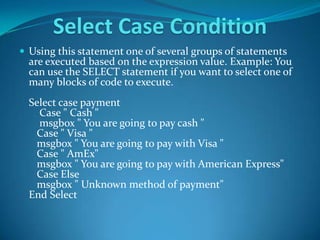
 Using this statement one of several groups of statements
  are executed based on the expression value. Example: You
  can use the SELECT statement if you want to select one of
  many blocks of code to execute.
  Select case payment
    Case " Cash "
    msgbox " You are going to pay cash "
   Case " Visa "
   msgbox " You are going to pay with Visa "
   Case " AmEx"
   msgbox " You are going to pay with American Express"
   Case Else
   msgbox " Unknown method of payment"
  End Select
For Loop
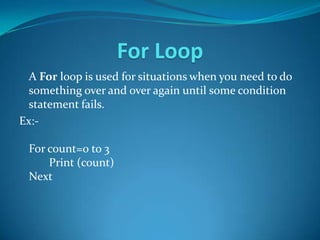
  A For loop is used for situations when you need to do
  something over and over again until some condition
  statement fails.
Ex:-

 For count=0 to 3
     Print (count)
 Next
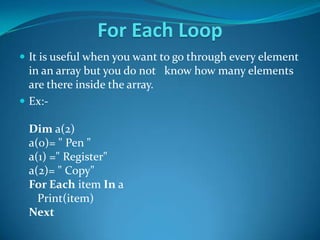
For Each Loop
 It is useful when you want to go through every element
  in an array but you do not know how many elements
  are there inside the array.
 Ex:-

 Dim a(2)
 a(0)= " Pen "
 a(1) =" Register"
 a(2)= " Copy"
 For Each item In a
   Print(item)
 Next
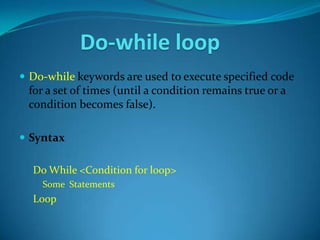
Do-while loop
 Do-while keywords are used to execute specified code
 for a set of times (until a condition remains true or a
 condition becomes false).

 Syntax

  Do While <Condition for loop>
    Some Statements
  Loop
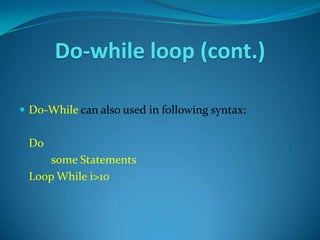
Do-while loop (cont.)

 Do-While can also used in following syntax:


 Do
     some Statements
 Loop While i>10
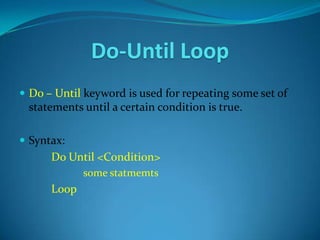
Do-Until Loop
 Do – Until keyword is used for repeating some set of
 statements until a certain condition is true.

 Syntax:
      Do Until <Condition>
             some statmemts
      Loop
Do-Until Loop (cont.)
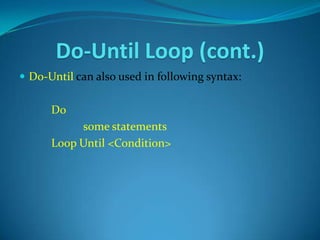
 Do-Until can also used in following syntax:


      Do
           some statements
      Loop Until <Condition>
Built in Functions
 VB Script provides several built in functions that can
 be used just by calling them.

 Few Examples:


 Date
 Time
 Int
Thank You !

VB Script

  • 1.
    VB Script By: Satish Sukumaran
  • 2.
    • VBScript standsfor Visual Basic Scripting, is a scripting language was launched by Microsoft in1996. VB Scripting language is a lightweight programming language. VBScript can be used to write both client-side and server-side scripting.
  • 3.
    • VBScript supportsonly one Data type called ‘Variant’ •A Variant is a special type of data that can contain different kinds of information, depending upon how it is used. •A variant behaves as a number when it is used in a numeric context and as a string when used in string context.
  • 4.
    VBScript Variables A variableis a "container" /Placeholder that refers to a memory location,that stores program information that may change at run time. Variable Declaration: Dim :Variable declared with Dim at script level are available To all procedures within the script. Public: Variables are available to all procedures in all scripts. Private: Variables are available only to the scripts in which they are declared.
  • 5.
    Naming Rules:  Must begin with an alphabetic character  Cannot contain an embedded period  Cannot exceed 255 characters  Must be unique within its scope in which it is declared. Implicit Declaration:  You can Assign a Value to variable directly (without declaring a variable). But not a good practice, because you may misspell the variable name in one or more places, causing unexpected result when your script is run. Option Explicit :Option Explicit to avoid incorrectly typing the name of an existing variable.  Example : Option explicit Dim var_ x var_x=1
  • 6.
    Constants  The valuesthat do not alter during the entire execution of the program are called as constants.  Const keyword is used to declare constants.  It is necessary to initialize the Constant during its declaration.  You cannot change the value of constants in later script. Syntax: const x=1 const my string=“This is my string”
  • 7.
    Arrays  A Variablecontaining single value is called scalar variable.  Sometimes you want to assign more than one value to a single variable. Then you can create a variable that can contain a series of values. This is called an array variable.
  • 8.
    Arrays (cont.)  Thedeclaration of an array variable uses parentheses ( ) following the variable name. Example: dim names(2) names(0)=“Ali“ names(1)=“Imran“ names(2)=“Khan"
  • 9.
    Arrays (cont.)  Anarray can be multi dimensional.  There can be 60 (maximum) dimensions in an array.  Multiple dimensions are declared by separating the numbers in the parentheses with commas.
  • 10.
    Procedures A Sub procedure: is a series of statements, enclosed by the Sub and End Sub statements  can perform actions, but does not return a value  can take arguments that are passed to it by a calling procedure  without arguments, must include an empty set of parentheses ()
  • 11.
    Procedures (Cont)  SubKeyword is Used to declare a procedure.  End Sub Keyword is Used to defining the ending boundary of a procedure.  Call Keyword is Used in order to invoke a procedure. Syntax: Sub mysub() some statements End Sub Call mysub()
  • 12.
    Procedures (Cont)  Procedurecan take arguments that are passed to it by calling that procedure . Syntax: Sub procedure name(arg1,arg2) some statements End Sub Call mysub(value1,value2)
  • 13.
    Functions A Function procedure: is a series of statements, enclosed by the Function and End Function statements  can perform actions and can return a value  can take arguments that are passed to it by a calling procedure  without arguments, must include an empty set of parentheses ()  returns a value by assigning a value to its name
  • 14.
    Functions (Cont)  FunctionKeyword is Used to declare a Function.  End Function Keyword is Used to defining the ending boundary of a Function.  <Function Name> is Used in order to invoke a Function. Syntax: Function myfunc() myfunc=value some statements End Function myfunc
  • 15.
    If Condition  UsingIf statement we can execute a single or block of statements when a condition is true.  Ex:- If i=0 Then msgbox "Hello" i=i+1 End If
  • 16.
    If-Else Condition Execute ablock of statement when condition is true, otherwise execute another block of statements when condition false. If i=2 then msgbox”Hello world” Else Msgbox”Thank You” End if
  • 17.
    If-Elseif Condition (cont.) Decide among several alternates.  if payment="Cash" then  msgbox "You are going to pay cash!"  elseif payment="Visa" then  msgbox "You are going to pay with visa."  elseif payment="AmEx" then  msgbox "You are going to pay with American Express." else  msgbox "Unknown method of payment.“  end If
  • 18.
    Select Case Condition Using this statement one of several groups of statements are executed based on the expression value. Example: You can use the SELECT statement if you want to select one of many blocks of code to execute. Select case payment Case " Cash " msgbox " You are going to pay cash " Case " Visa " msgbox " You are going to pay with Visa " Case " AmEx" msgbox " You are going to pay with American Express" Case Else msgbox " Unknown method of payment" End Select
  • 19.
    For Loop A For loop is used for situations when you need to do something over and over again until some condition statement fails. Ex:- For count=0 to 3 Print (count) Next
  • 20.
    For Each Loop It is useful when you want to go through every element in an array but you do not know how many elements are there inside the array.  Ex:- Dim a(2) a(0)= " Pen " a(1) =" Register" a(2)= " Copy" For Each item In a Print(item) Next
  • 21.
    Do-while loop  Do-whilekeywords are used to execute specified code for a set of times (until a condition remains true or a condition becomes false).  Syntax Do While <Condition for loop> Some Statements Loop
  • 22.
    Do-while loop (cont.) Do-While can also used in following syntax: Do some Statements Loop While i>10
  • 23.
    Do-Until Loop  Do– Until keyword is used for repeating some set of statements until a certain condition is true.  Syntax: Do Until <Condition> some statmemts Loop
  • 24.
    Do-Until Loop (cont.) Do-Until can also used in following syntax: Do some statements Loop Until <Condition>
  • 25.
    Built in Functions VB Script provides several built in functions that can be used just by calling them.  Few Examples:  Date  Time  Int
  • 26.

Editor's Notes

  • #5 A variable is a &quot;container&quot; for information you want to store. A variable&apos;s value can change during the script. You can refer to a variable by name to see its value or to change its value. In VBScript, all variables are of type variant, that can store different types of data. 
  • #12 Dim num1,num2,resultSub add() num1= 10 num2 = 20 result=num1 + num2 msgbox (&quot;The Result is:&quot; &amp; result)End SubCall add()
  • #15 &apos; *********************Creating a Function without Arguments**********************************Function addition() Dim val1,val2,result val1=50 val2=50 result=val1+val2 addition=result End Functionmsgbox(&quot;The Result is:&quot; &amp;addition)
  • #16 **********************Code for simple If condition*******************Dim user_inputuser_input = inputbox(&quot;Enter any value less than 10 to execute If statement code &quot;)If user_input &lt; 10 Thenmsgbox(&quot;Code in if statement is executed......!&quot;)End If