Reproducible Data Science with R
David Smith
R Community Lead, Microsoft
@revodavid
What is reproducibility?
“Two honest researchers would
get the same result”
– John Mount
• Transparent data sourcing and availability
• Fully automated analysis pipeline (code provided)
• Traceability from published results back to data
2
Why Reproducibility?
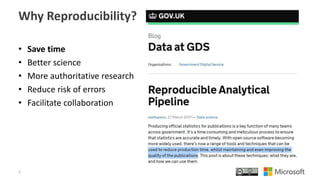
• Save time
• Better science
• More authoritative research
• Reduce risk of errors
• Facilitate collaboration
3
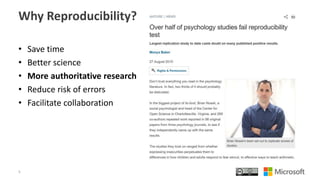
Why Reproducibility?
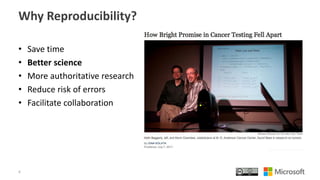
• Save time
• Better science
• More authoritative research
• Reduce risk of errors
• Facilitate collaboration
4
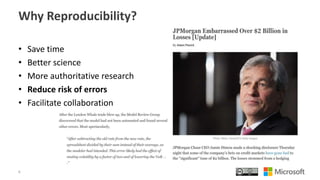
Why Reproducibility?
• Save time
• Better science
• More authoritative research
• Reduce risk of errors
• Facilitate collaboration
5
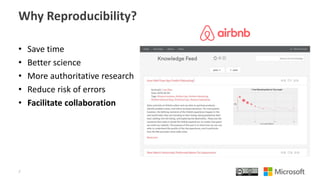
Why Reproducibility?
• Save time
• Better science
• More authoritative research
• Reduce risk of errors
• Facilitate collaboration
6
Why Reproducibility?
• Save time
• Better science
• More authoritative research
• Reduce risk of errors
• Facilitate collaboration
7
Accessing Data
• Data sources
– databases, sensor logs, spreadsheets, file download, APIs, …
– Remember, these are sources: don’t modify them!
• Snapshot data into local static files (text is good)
– You will likely include some ETL steps here
– Record a timestamp of when data was extracted: Sys.time()
– With big data, sample during development, scale up to finalize
– Document how this was all done, preferably with code (source file)!
• Import text files using R functions
– Recommended package: readr (avoids issues with locale, dates, etc)
8
Analysis process
• Interactively explore data & develop analyses as usual
• Capture the entire process in an R script
– library(tidyverse) is helpful for cleaning, feature generation, etc.
– Re-usable components can be shared as (private) packages
• Generate artifacts using scripts
– Graphics (please, no JPGs!)
– Tables
– Documents
• Include timestamps in output: Sys.time()
9
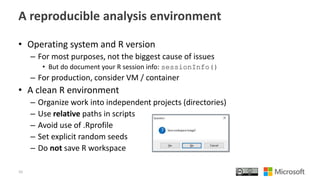
A reproducible analysis environment
• Operating system and R version
– For most purposes, not the biggest cause of issues
• But do document your R session info: sessionInfo()
– For production, consider VM / container
• A clean R environment
– Organize work into independent projects (directories)
– Use relative paths in scripts
– Avoid use of .Rprofile
– Set explicit random seeds
– Do not save R workspace
10
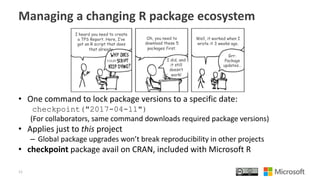
Managing a changing R package ecosystem
• One command to lock package versions to a specific date:
checkpoint("2017-04-11")
(For collaborators, same command downloads required package versions)
• Applies just to this project
– Global package upgrades won’t break reproducibility in other projects
• checkpoint package avail on CRAN, included with Microsoft R
11
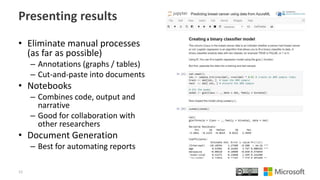
Presenting results
• Eliminate manual processes
(as far as possible)
– Annotations (graphs / tables)
– Cut-and-paste into documents
• Notebooks
– Combines code, output and
narrative
– Good for collaboration with
other researchers
• Document Generation
– Best for automating reports
12
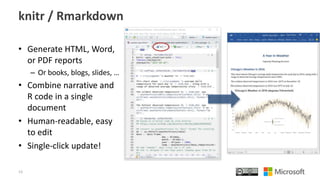
knitr / Rmarkdown
• Generate HTML, Word,
or PDF reports
– Or books, blogs, slides, …
• Combine narrative and
R code in a single
document
• Human-readable, easy
to edit
• Single-click update!
13
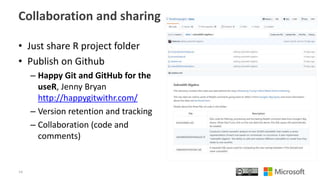
Collaboration and sharing
• Just share R project folder
• Publish on Github
– Happy Git and GitHub for the
useR, Jenny Bryan
http://happygitwithr.com/
– Version retention and tracking
– Collaboration (code and
comments)
14
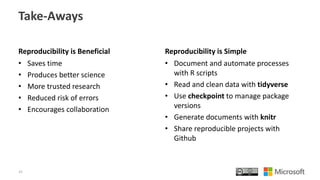
Take-Aways
Reproducibility is Beneficial
• Saves time
• Produces better science
• More trusted research
• Reduced risk of errors
• Encourages collaboration
Reproducibility is Simple
• Document and automate processes
with R scripts
• Read and clean data with tidyverse
• Use checkpoint to manage package
versions
• Generate documents with knitr
• Share reproducible projects with
Github
15
Reproducible Data Science with R
David Smith
R Community Lead, Microsoft
@revodavid

Reproducible Data Science with R

  • 1.
    Reproducible Data Sciencewith R David Smith R Community Lead, Microsoft @revodavid
  • 2.
    What is reproducibility? “Twohonest researchers would get the same result” – John Mount • Transparent data sourcing and availability • Fully automated analysis pipeline (code provided) • Traceability from published results back to data 2
  • 3.
    Why Reproducibility? • Savetime • Better science • More authoritative research • Reduce risk of errors • Facilitate collaboration 3
  • 4.
    Why Reproducibility? • Savetime • Better science • More authoritative research • Reduce risk of errors • Facilitate collaboration 4
  • 5.
    Why Reproducibility? • Savetime • Better science • More authoritative research • Reduce risk of errors • Facilitate collaboration 5
  • 6.
    Why Reproducibility? • Savetime • Better science • More authoritative research • Reduce risk of errors • Facilitate collaboration 6
  • 7.
    Why Reproducibility? • Savetime • Better science • More authoritative research • Reduce risk of errors • Facilitate collaboration 7
  • 8.
    Accessing Data • Datasources – databases, sensor logs, spreadsheets, file download, APIs, … – Remember, these are sources: don’t modify them! • Snapshot data into local static files (text is good) – You will likely include some ETL steps here – Record a timestamp of when data was extracted: Sys.time() – With big data, sample during development, scale up to finalize – Document how this was all done, preferably with code (source file)! • Import text files using R functions – Recommended package: readr (avoids issues with locale, dates, etc) 8
  • 9.
    Analysis process • Interactivelyexplore data & develop analyses as usual • Capture the entire process in an R script – library(tidyverse) is helpful for cleaning, feature generation, etc. – Re-usable components can be shared as (private) packages • Generate artifacts using scripts – Graphics (please, no JPGs!) – Tables – Documents • Include timestamps in output: Sys.time() 9
  • 10.
    A reproducible analysisenvironment • Operating system and R version – For most purposes, not the biggest cause of issues • But do document your R session info: sessionInfo() – For production, consider VM / container • A clean R environment – Organize work into independent projects (directories) – Use relative paths in scripts – Avoid use of .Rprofile – Set explicit random seeds – Do not save R workspace 10
  • 11.
    Managing a changingR package ecosystem • One command to lock package versions to a specific date: checkpoint("2017-04-11") (For collaborators, same command downloads required package versions) • Applies just to this project – Global package upgrades won’t break reproducibility in other projects • checkpoint package avail on CRAN, included with Microsoft R 11
  • 12.
    Presenting results • Eliminatemanual processes (as far as possible) – Annotations (graphs / tables) – Cut-and-paste into documents • Notebooks – Combines code, output and narrative – Good for collaboration with other researchers • Document Generation – Best for automating reports 12
  • 13.
    knitr / Rmarkdown •Generate HTML, Word, or PDF reports – Or books, blogs, slides, … • Combine narrative and R code in a single document • Human-readable, easy to edit • Single-click update! 13
  • 14.
    Collaboration and sharing •Just share R project folder • Publish on Github – Happy Git and GitHub for the useR, Jenny Bryan http://happygitwithr.com/ – Version retention and tracking – Collaboration (code and comments) 14
  • 15.
    Take-Aways Reproducibility is Beneficial •Saves time • Produces better science • More trusted research • Reduced risk of errors • Encourages collaboration Reproducibility is Simple • Document and automate processes with R scripts • Read and clean data with tidyverse • Use checkpoint to manage package versions • Generate documents with knitr • Share reproducible projects with Github 15
  • 16.
    Reproducible Data Sciencewith R David Smith R Community Lead, Microsoft @revodavid