Download as PDF, PPTX
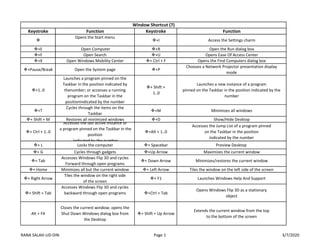
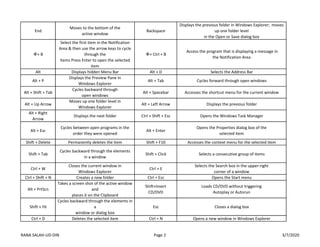
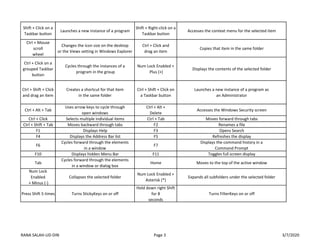
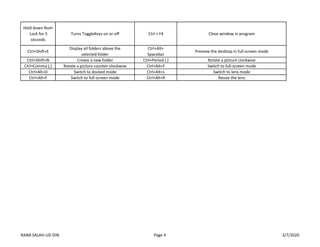

This document lists keyboard shortcuts for Windows 10. It provides over 50 shortcuts for navigating and interacting with the Windows interface, applications, and files. Some of the key shortcuts include using the Windows key along with letters, numbers, and symbols to open Start menu items, switch between apps, show the desktop, lock the computer, and more. Additional shortcuts involve using Ctrl, Alt, Shift and arrow keys to select items, cycle through windows and tabs, modify text, and control zooming and layouts.


