Introduction to Metascan® Client
TonyBerning
ProductManager
aberning@opswat.com
Agenda
 Overview of Metascan
 Metascan Client Overview
 Packages Available
 Metascan Remote Client Licenses
 Metascan Client and Metascan
 Metascan Client Demo
 Further Resources
Overview of Metascan
Multi-scanning solution
What is Metascan?
Multi-scanning engine
An API driven server application that allows customers to
incorporate multiple AV engine scanning technologies into
their security architecture
 Supports 0 to 30 anti-malware engines [and growing!]
 Simultaneously scans files with all engines
 Scan directories, files, archives, buffers, and boot sector
 Automatic online definition updates or manual offline updates
What is Metascan?
Multi-scanning engine
 Flexible and scalable API driven solution
 Many programming Interfaces –
C++
Java
PHP
C#/ASP.NET
RESTful (Web API)/HTTP
CLI[command line interface]
 Analyzes files locally on a single server or remotely
accesses files from Windows, Macintosh, or Linux
systems
Metascan Client
Easy endpoint scanning with multiple engines
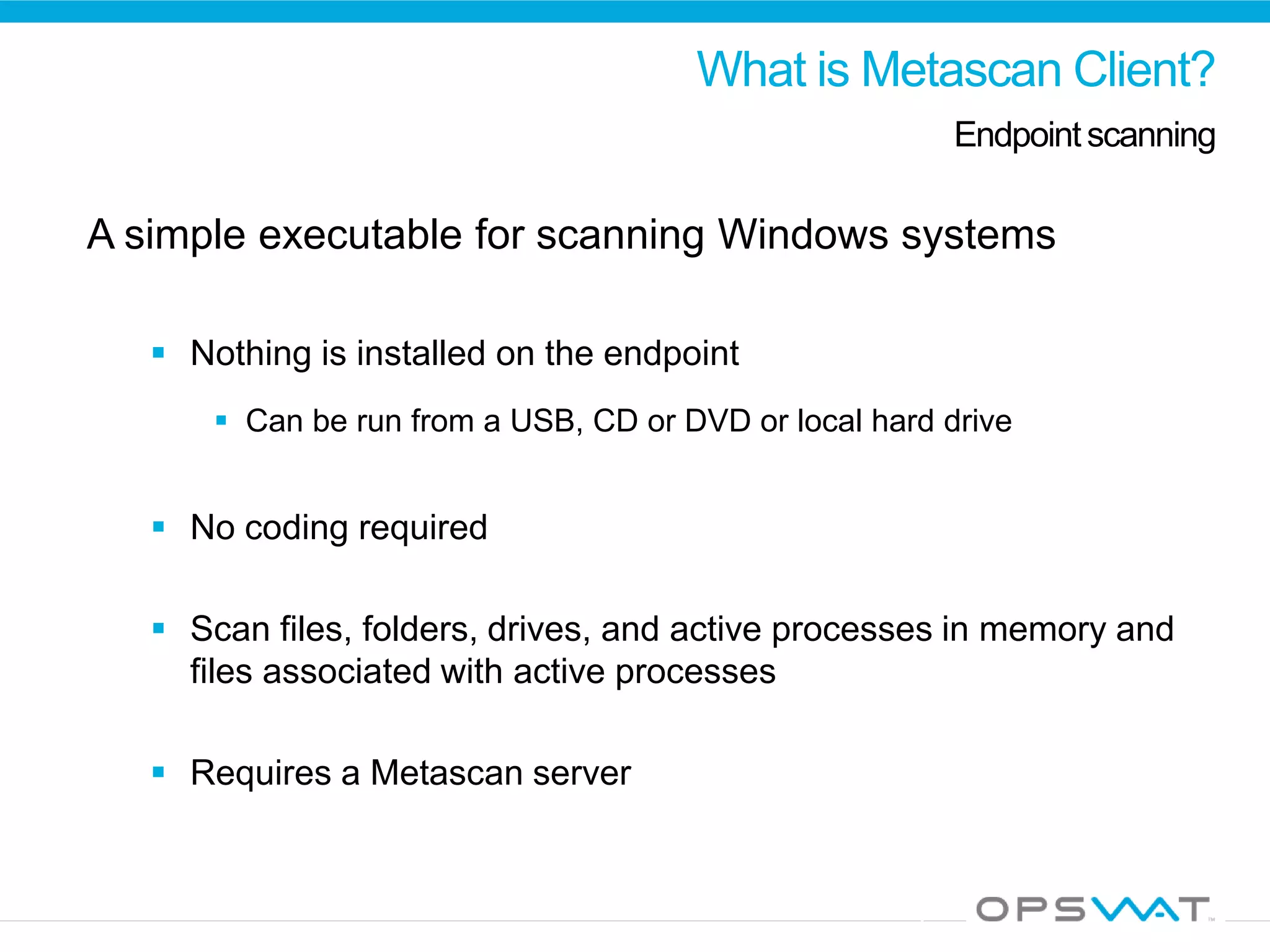
What is Metascan Client?
Endpointscanning
A simple executable for scanning Windows systems
 Nothing is installed on the endpoint
 Can be run from a USB, CD or DVD or local hard drive
 No coding required
 Scan files, folders, drives, and active processes in memory and
files associated with active processes
 Requires a Metascan server
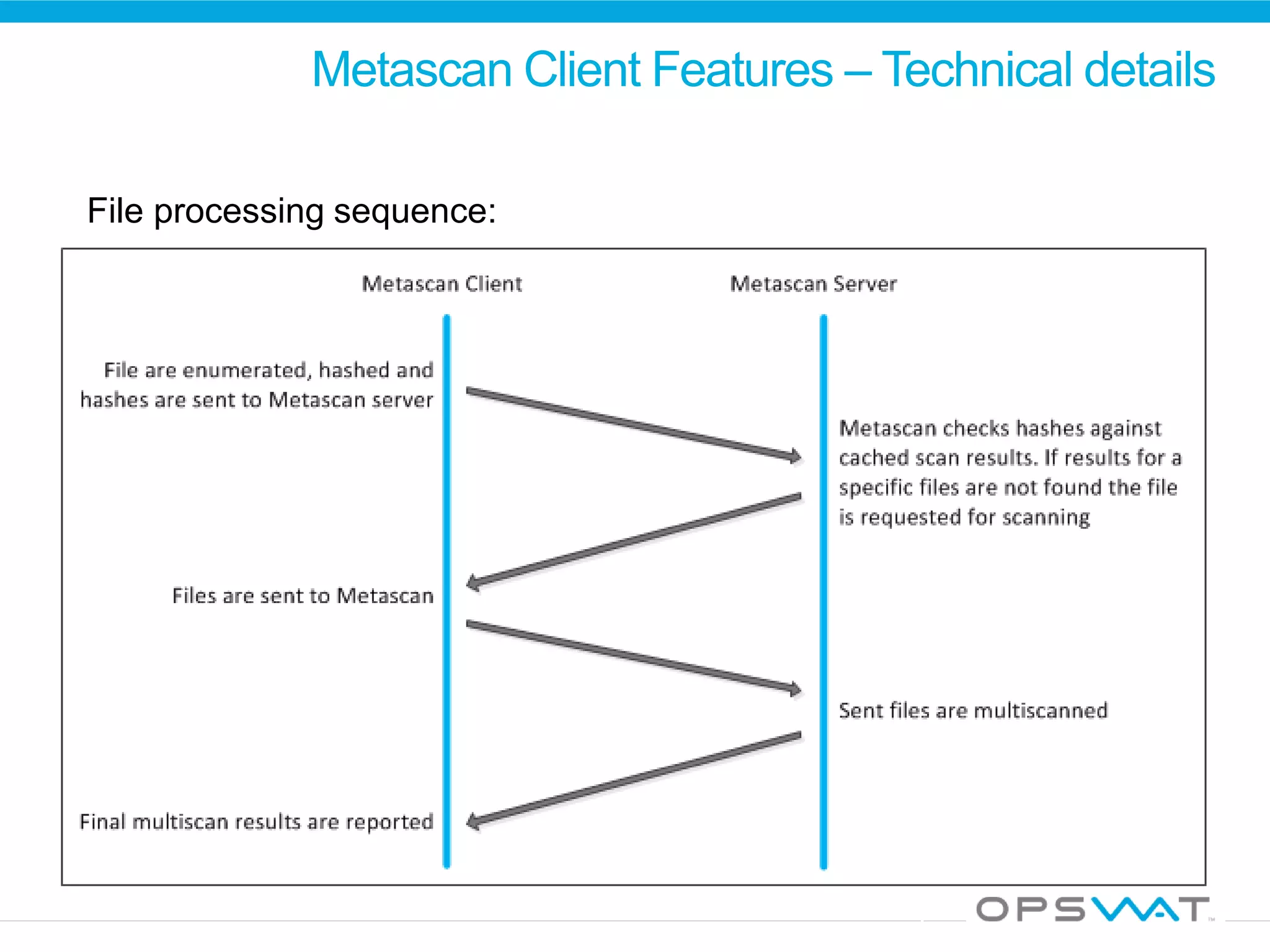
Metascan Client Features – Technical details
File processing sequence:
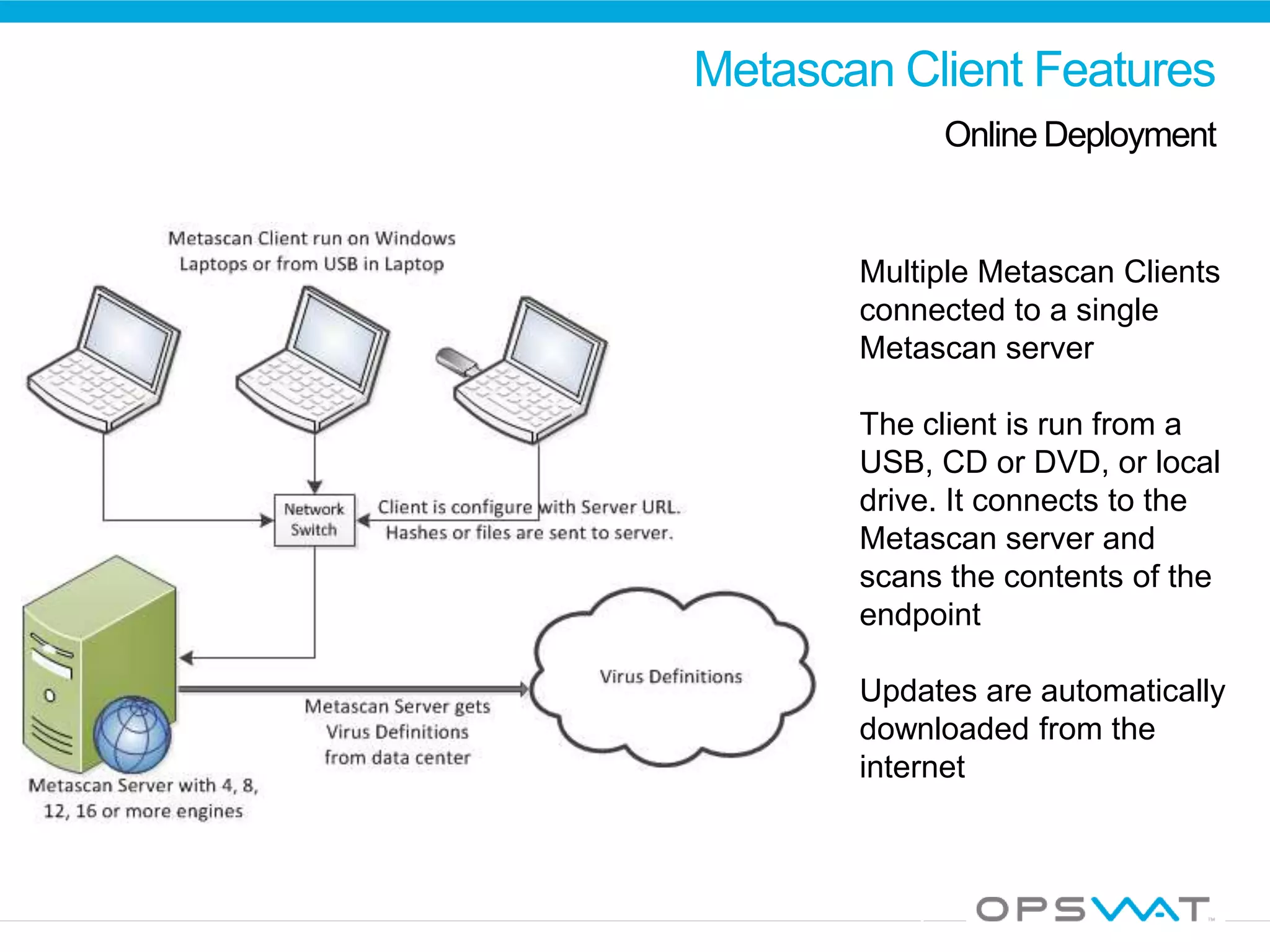
Metascan Client Features
Online Deployment
Multiple Metascan Clients
connected to a single
Metascan server
The client is run from a
USB, CD or DVD, or local
drive. It connects to the
Metascan server and
scans the contents of the
endpoint
Updates are automatically
downloaded from the
internet
Metascan Client Features
Offline Deployment
Multiple Metascan
Clients connected to a
single Metascan server.
The client is run on the
endpoints. It connects to
the Metascan server and
scans the contents of the
endpoint.
The Metascan server is
offline [not connected to
the internet] and updated
manually
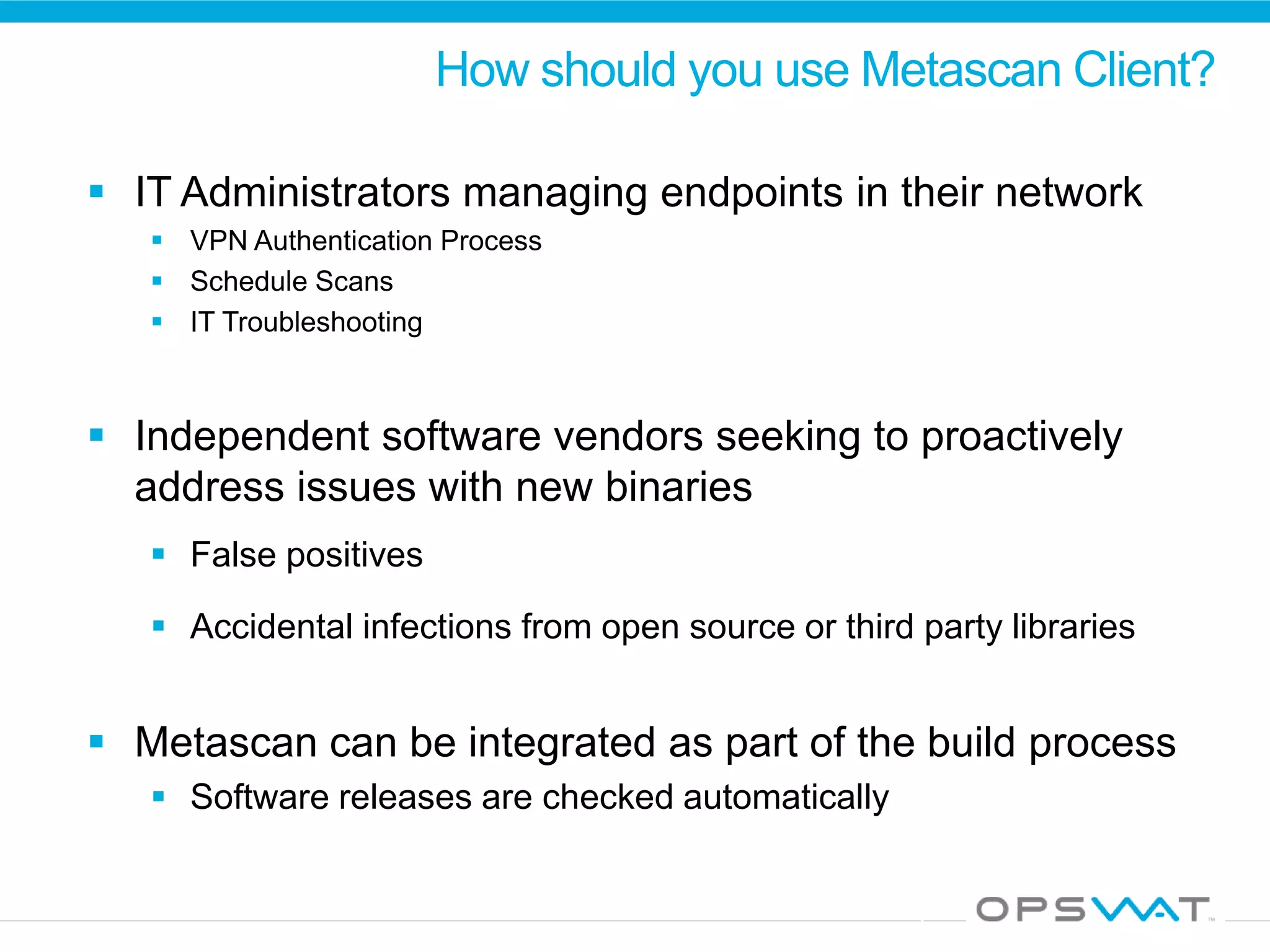
How should you use Metascan Client?
 IT Administrators managing endpoints in their network
 VPN Authentication Process
 Schedule Scans
 IT Troubleshooting
 Independent software vendors seeking to proactively
address issues with new binaries
 False positives
 Accidental infections from open source or third party libraries
 Metascan can be integrated as part of the build process
 Software releases are checked automatically
Metascan Client Packages
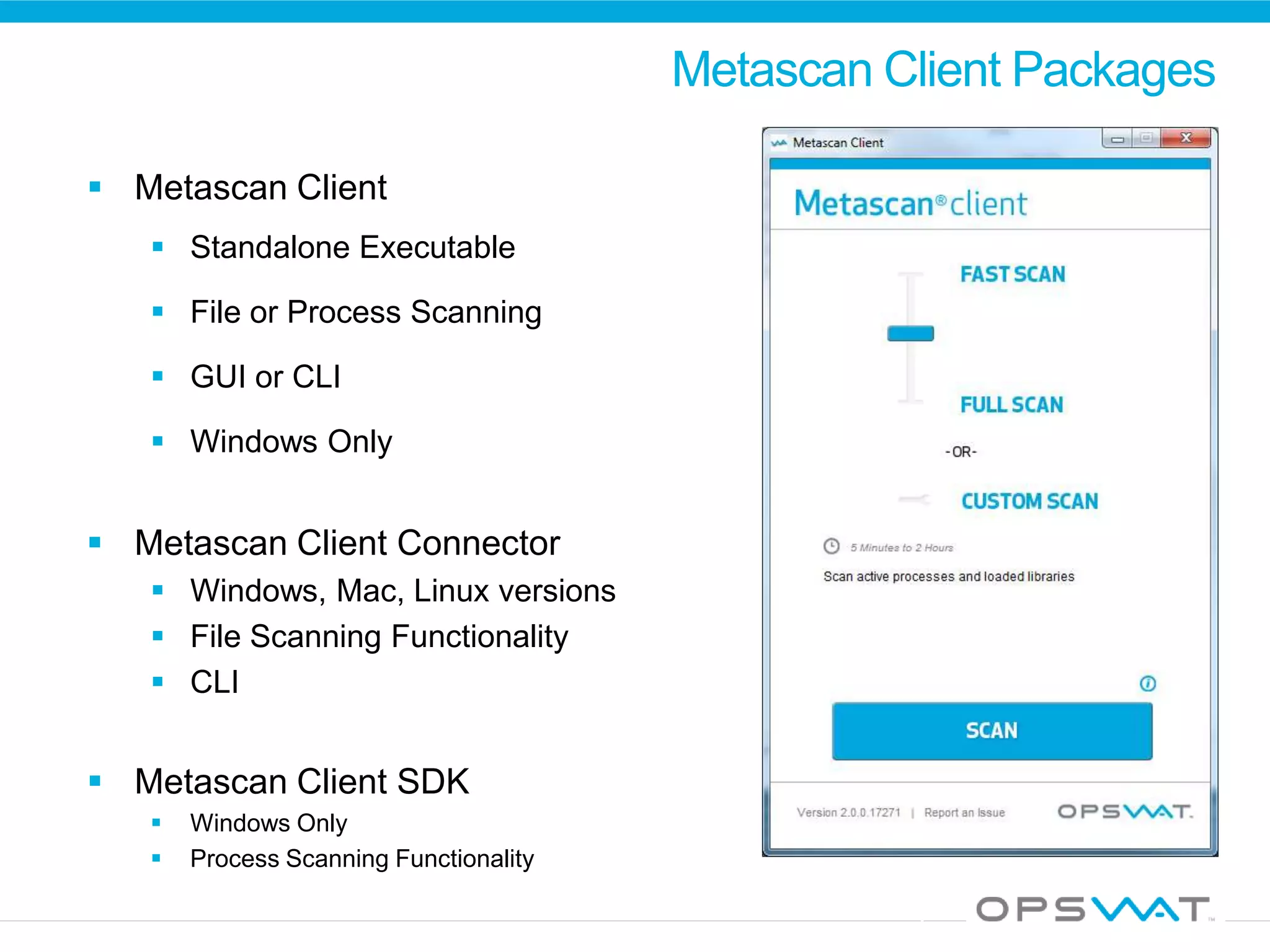
 Metascan Client
 Standalone Executable
 File or Process Scanning
 GUI or CLI
 Windows Only
 Metascan Client Connector
 Windows, Mac, Linux versions
 File Scanning Functionality
 CLI
 Metascan Client SDK
 Windows Only
 Process Scanning Functionality
Metascan Remote Client Licenses
 Two types of licensing, concurrent and non-
concurrent
 Concurrent restricts the number of remote clients connected at the same time
 Non-concurrent restricts the number of unique remote clients that have ever
connected to the Metascan server
 Every Metascan Server license includes 1
concurrent remote client license
Metascan Client and Metascan Server
 Metascan Client is included in Metascan 3.7.1
 Included download page allows users to download a customized
Metascan Client tied to that Metascan Server
 Administrators can edit Metascan Client configuration on the Metascan
Server and generate the download package
 Download is a self-extracting application that runs immediately from
the download directory
Metascan Client Demo
 Available for download from http://www.opswat.com/metascan-client
 Demo is restricted to the ‘lightest’ scan level. Full system and custom
scans are disabled.
 Scans files using the Metascan Cloud server
 Full-featured Metascan Client can be trialed by downloading and
installing a trial version of Metascan from https://portal.opswat.com
Further Resources
 Metascan Client product details and demo available at
http://www.opswat.com/metascan-client
 Metascan Server demo installations (including Metascan Client)
available at https://portal.opswat.com (requires creation of a free
OPSWAT Portal account)
 For further questions on Metascan Client, contact sales@opswat.com

Introduction to Metascan Client

  • 1.
    Introduction to Metascan®Client TonyBerning ProductManager aberning@opswat.com
  • 2.
    Agenda  Overview ofMetascan  Metascan Client Overview  Packages Available  Metascan Remote Client Licenses  Metascan Client and Metascan  Metascan Client Demo  Further Resources
  • 3.
  • 4.
    What is Metascan? Multi-scanningengine An API driven server application that allows customers to incorporate multiple AV engine scanning technologies into their security architecture  Supports 0 to 30 anti-malware engines [and growing!]  Simultaneously scans files with all engines  Scan directories, files, archives, buffers, and boot sector  Automatic online definition updates or manual offline updates
  • 5.
    What is Metascan? Multi-scanningengine  Flexible and scalable API driven solution  Many programming Interfaces – C++ Java PHP C#/ASP.NET RESTful (Web API)/HTTP CLI[command line interface]  Analyzes files locally on a single server or remotely accesses files from Windows, Macintosh, or Linux systems
  • 6.
    Metascan Client Easy endpointscanning with multiple engines
  • 7.
    What is MetascanClient? Endpointscanning A simple executable for scanning Windows systems  Nothing is installed on the endpoint  Can be run from a USB, CD or DVD or local hard drive  No coding required  Scan files, folders, drives, and active processes in memory and files associated with active processes  Requires a Metascan server
  • 8.
    Metascan Client Features– Technical details File processing sequence:
  • 9.
    Metascan Client Features OnlineDeployment Multiple Metascan Clients connected to a single Metascan server The client is run from a USB, CD or DVD, or local drive. It connects to the Metascan server and scans the contents of the endpoint Updates are automatically downloaded from the internet
  • 10.
    Metascan Client Features OfflineDeployment Multiple Metascan Clients connected to a single Metascan server. The client is run on the endpoints. It connects to the Metascan server and scans the contents of the endpoint. The Metascan server is offline [not connected to the internet] and updated manually
  • 11.
    How should youuse Metascan Client?  IT Administrators managing endpoints in their network  VPN Authentication Process  Schedule Scans  IT Troubleshooting  Independent software vendors seeking to proactively address issues with new binaries  False positives  Accidental infections from open source or third party libraries  Metascan can be integrated as part of the build process  Software releases are checked automatically
  • 12.
    Metascan Client Packages Metascan Client  Standalone Executable  File or Process Scanning  GUI or CLI  Windows Only  Metascan Client Connector  Windows, Mac, Linux versions  File Scanning Functionality  CLI  Metascan Client SDK  Windows Only  Process Scanning Functionality
  • 13.
    Metascan Remote ClientLicenses  Two types of licensing, concurrent and non- concurrent  Concurrent restricts the number of remote clients connected at the same time  Non-concurrent restricts the number of unique remote clients that have ever connected to the Metascan server  Every Metascan Server license includes 1 concurrent remote client license
  • 14.
    Metascan Client andMetascan Server  Metascan Client is included in Metascan 3.7.1  Included download page allows users to download a customized Metascan Client tied to that Metascan Server  Administrators can edit Metascan Client configuration on the Metascan Server and generate the download package  Download is a self-extracting application that runs immediately from the download directory
  • 15.
    Metascan Client Demo Available for download from http://www.opswat.com/metascan-client  Demo is restricted to the ‘lightest’ scan level. Full system and custom scans are disabled.  Scans files using the Metascan Cloud server  Full-featured Metascan Client can be trialed by downloading and installing a trial version of Metascan from https://portal.opswat.com
  • 16.
    Further Resources  MetascanClient product details and demo available at http://www.opswat.com/metascan-client  Metascan Server demo installations (including Metascan Client) available at https://portal.opswat.com (requires creation of a free OPSWAT Portal account)  For further questions on Metascan Client, contact sales@opswat.com

Editor's Notes

  • #2 1 min
  • #3 <why multiscanning>Growth of MalwareMore engines are better than 1OutbreaksVulnerabilities in engines <technology overview of Metascan>What is Metascanwhy use MetascanCurrent feature set <different implementations of Metascan>Out of box solution: MDTADemo of metascanonline.com (local box with wireless access point)Endpoint client (MD4SA)Demo of MD4SA <Managing Metascan>Introduction to the management station
  • #4 What is Metascan online? It is just slightly customized version of Metascan. Of course, it is not all of Metascan and lets dig into further to know more about MetascanOnMetascan is multiscanning solution with different layers and various API which overcome the challenge of using multiple antivirous. Flexible integration options from low level integration to out-of-box solution such as slightly modified version of Metascan.