Face Recognition
Attendance System
Jigar Patel (44)
Amey Mohite (61)
Naomi Kulkarni (65)
Shivani Sharma (93)
PROJECT: DUMMY
Group No: 8
Agenda
• Definition
• Scope
• Project Status
• Methodology
• Data Flow Diagrams
• System Architecture
• Database Dictionary
• Database Diagram
• Demo
• Designing of System (Snapshots)
• Learning and experience
2
Definition
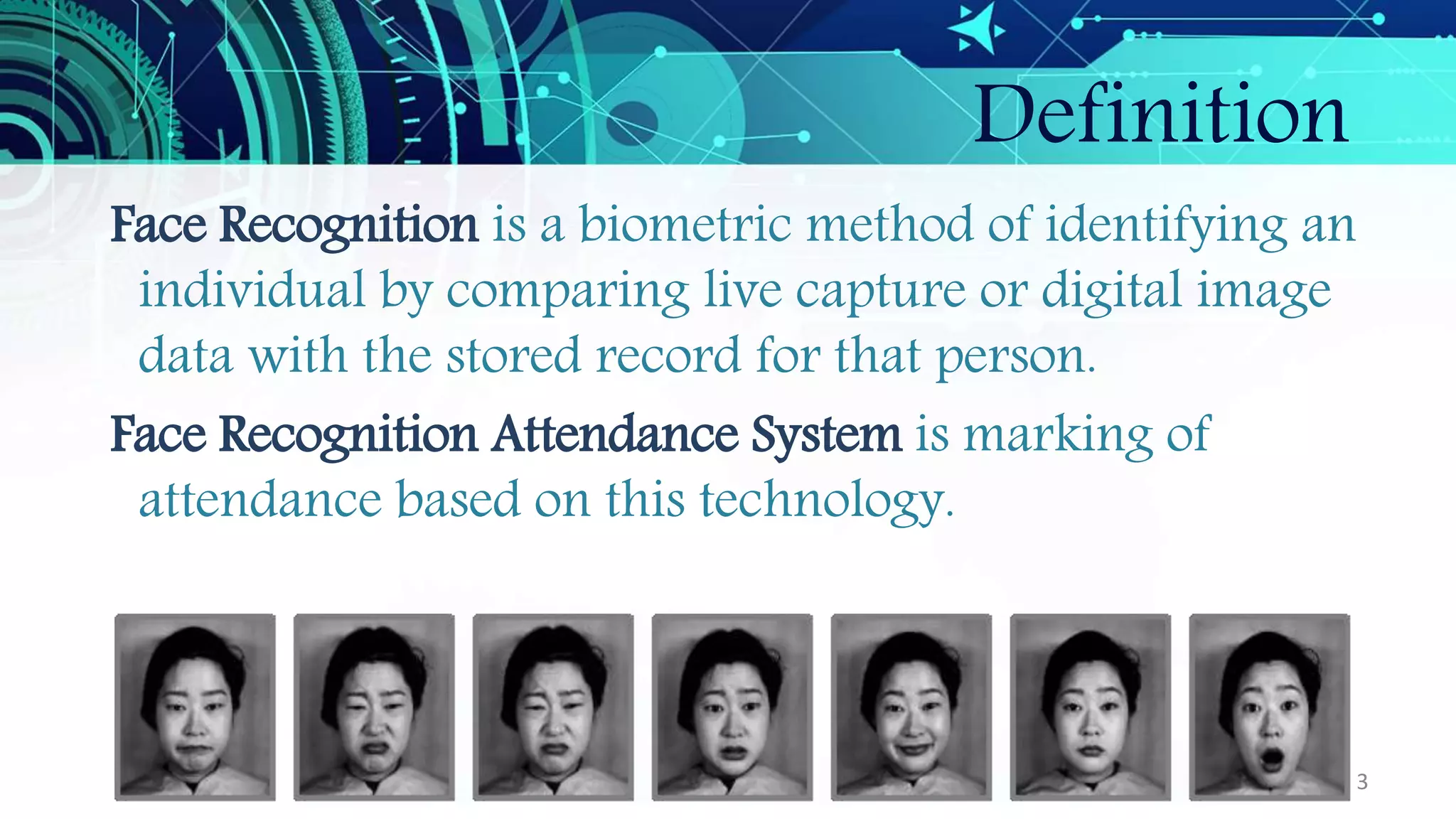
Face Recognition is a biometric method of identifying an
individual by comparing live capture or digital image
data with the stored record for that person.
Face Recognition Attendance System is marking of
attendance based on this technology.
3
Scope
• Provides an automated attendance system that is practical,
reliable and eliminate disturbance and time loss of
traditional attendance systems.
• Present a system that can accurately evaluate student’s
performance depending on their recorded attendance
rate.
4
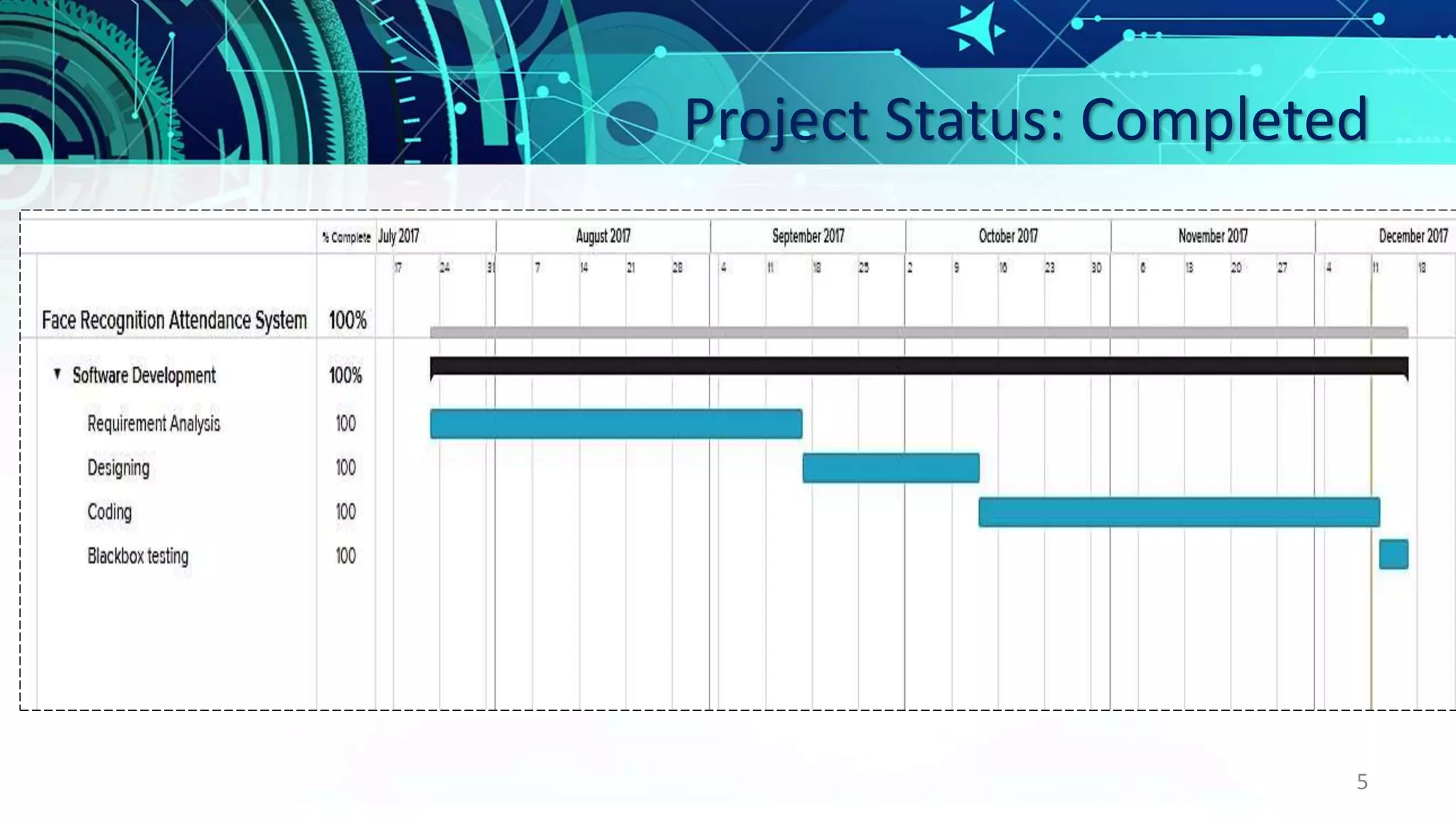
Project Status: Completed
.
5
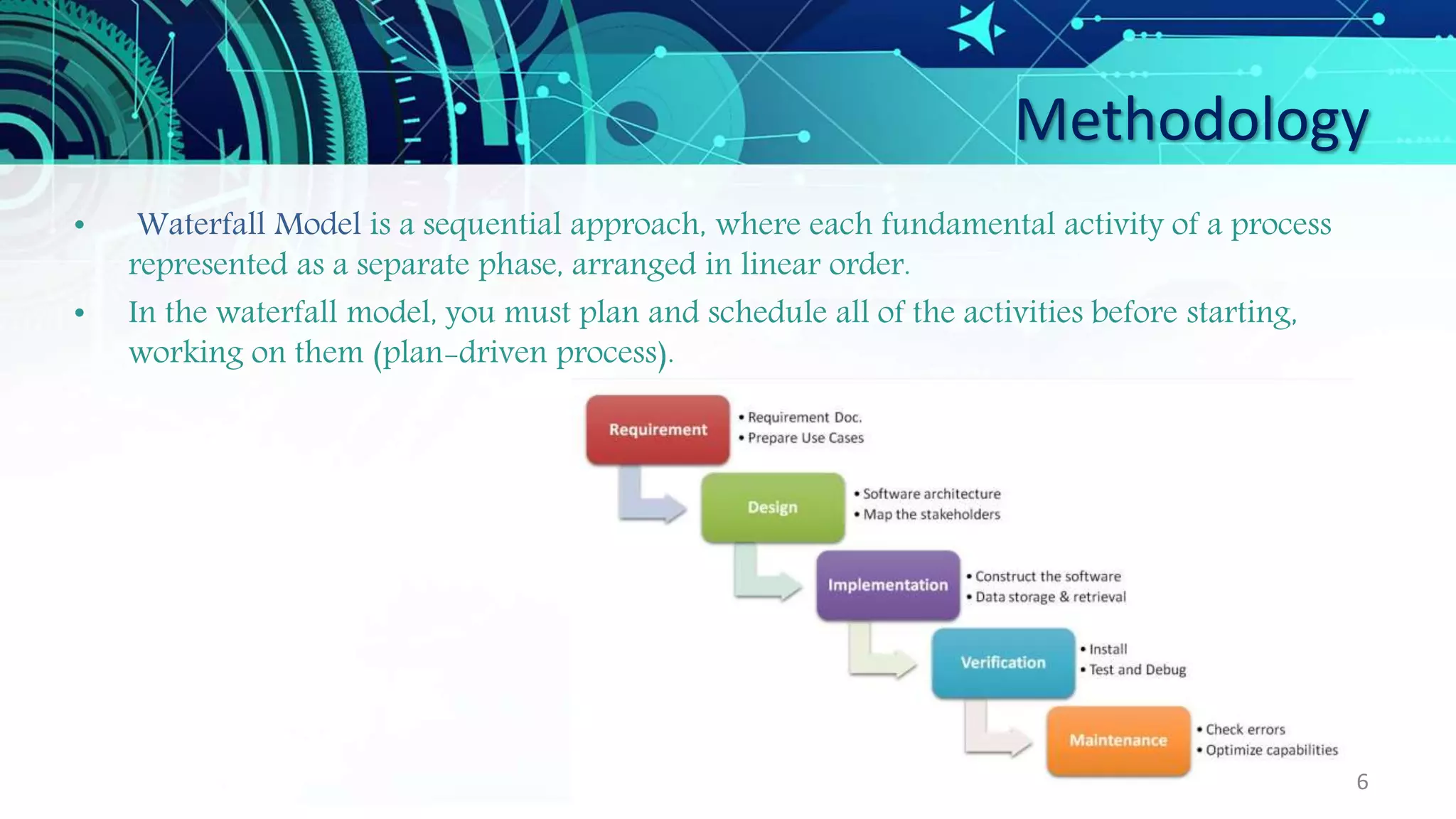
Methodology
• Waterfall Model is a sequential approach, where each fundamental activity of a process
represented as a separate phase, arranged in linear order.
• In the waterfall model, you must plan and schedule all of the activities before starting,
working on them (plan-driven process).
6
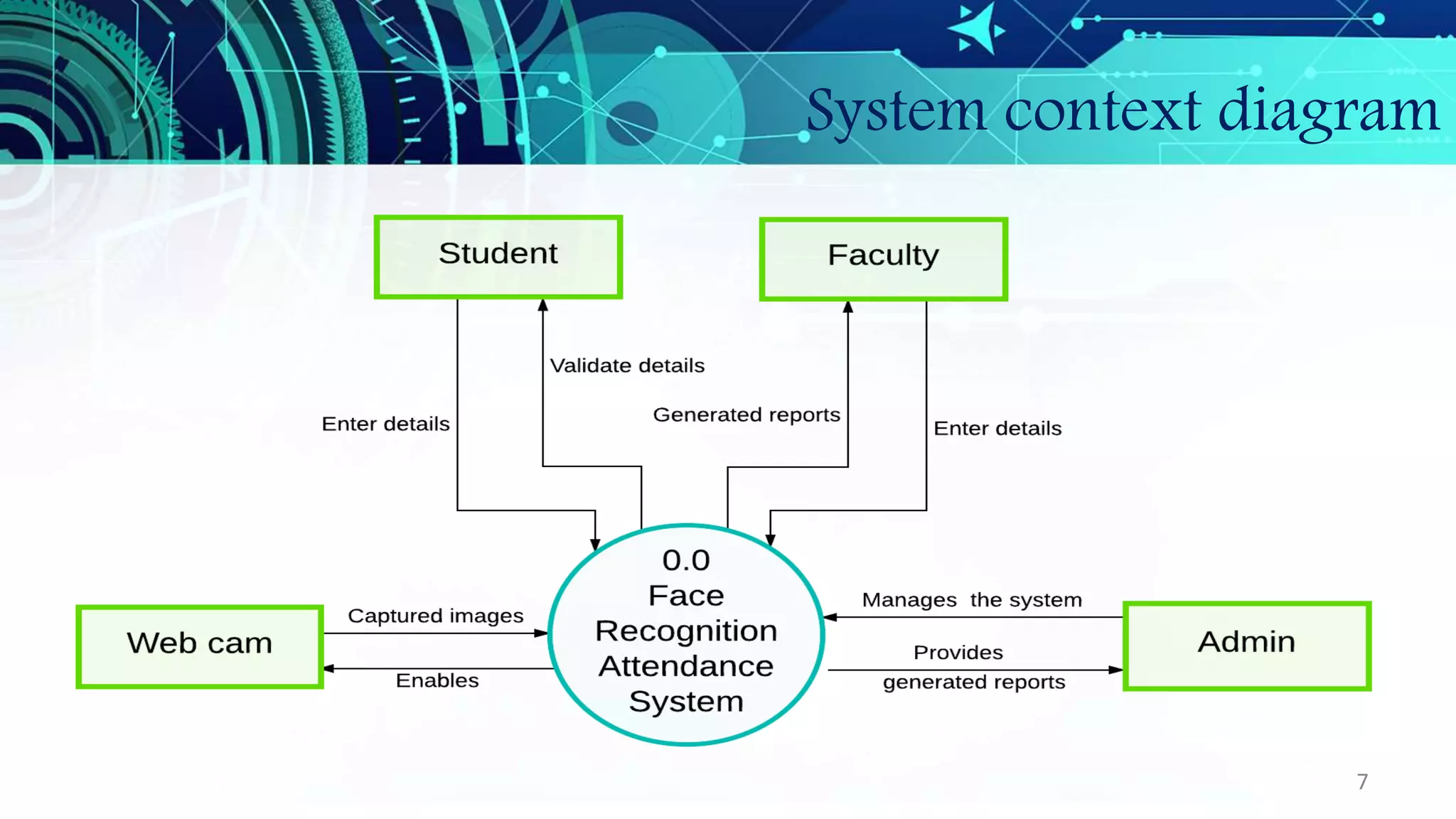
System context diagram
7
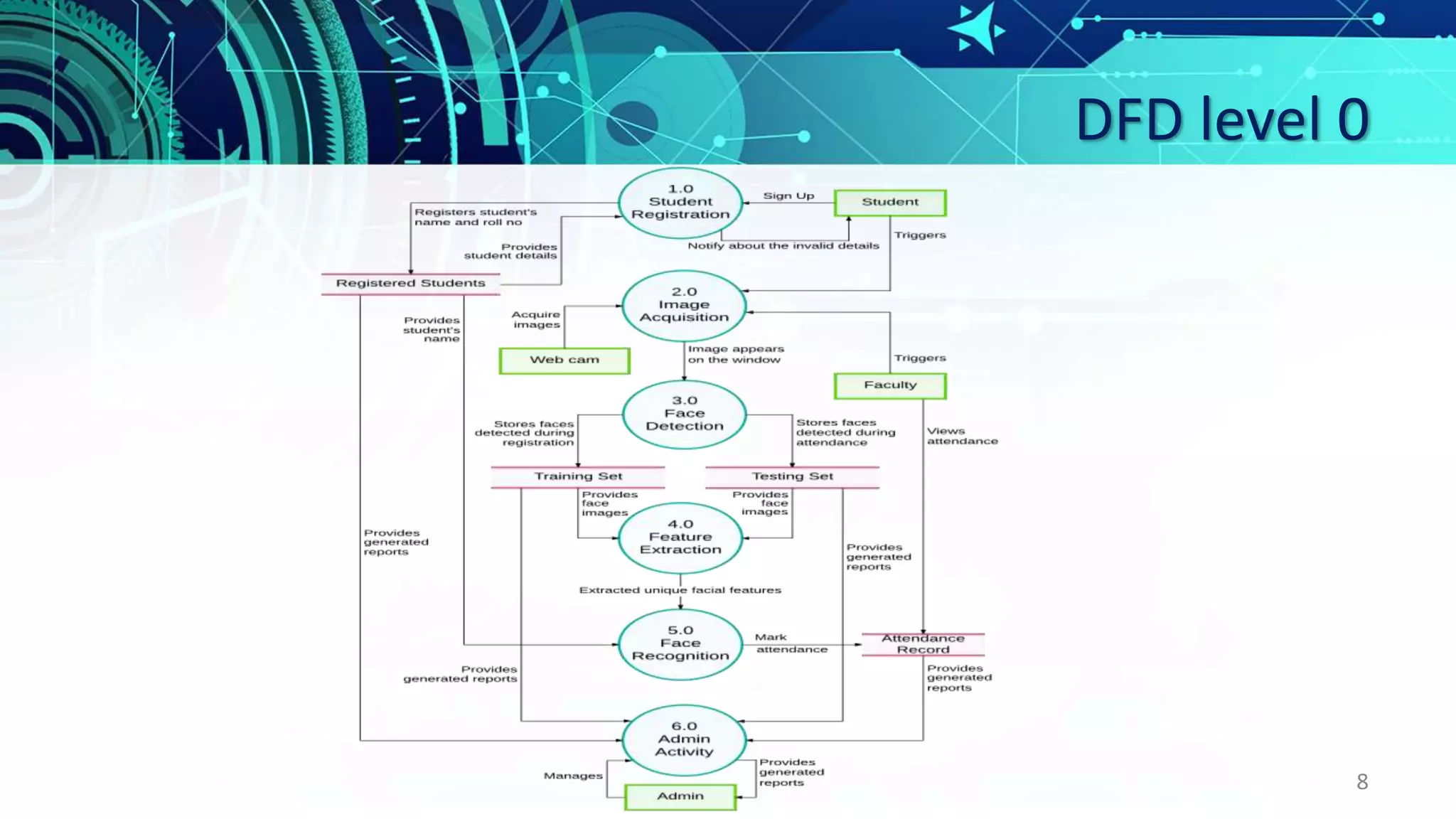
DFD level 0
8
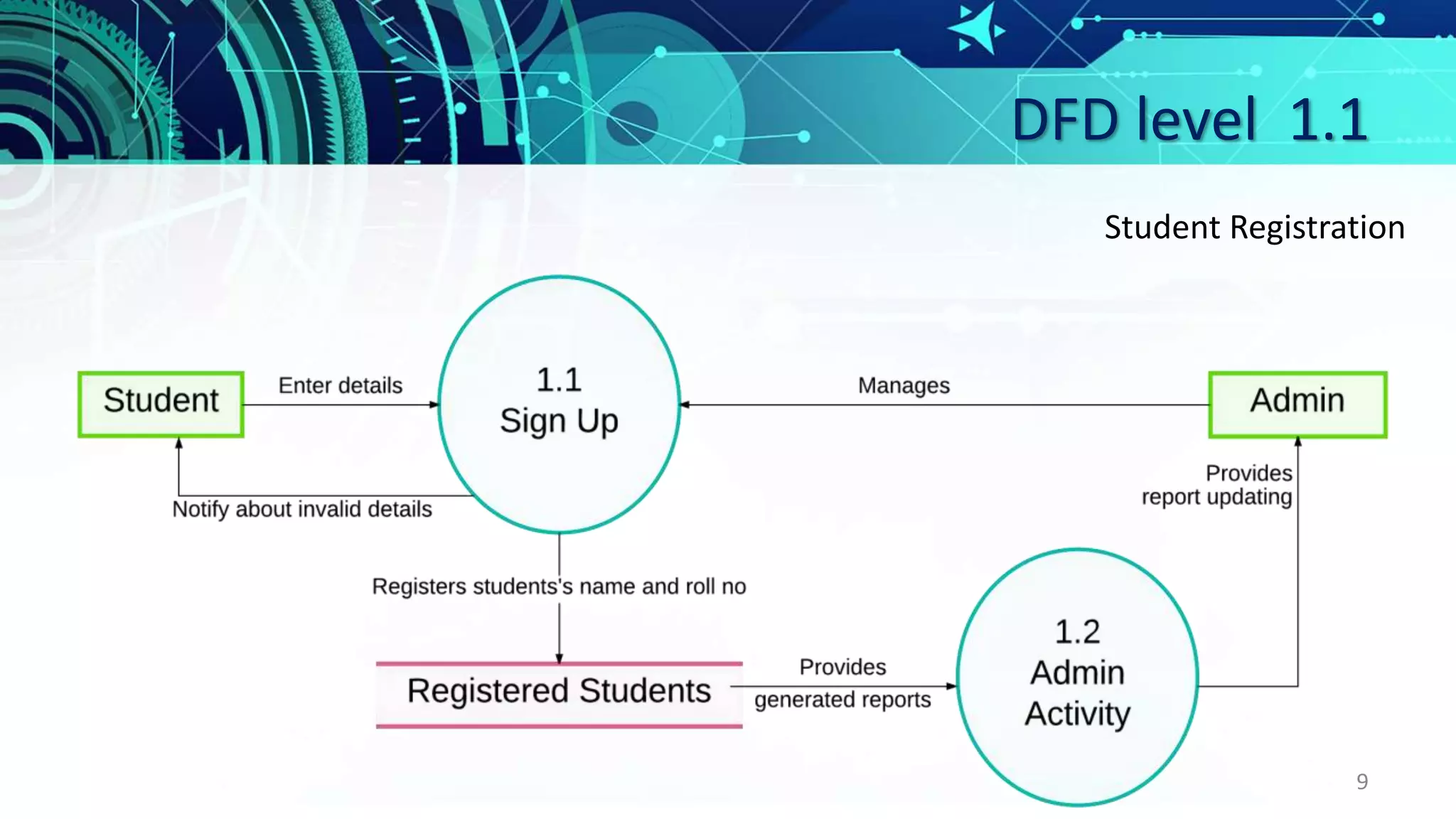
DFD level 1.1
9
Student Registration
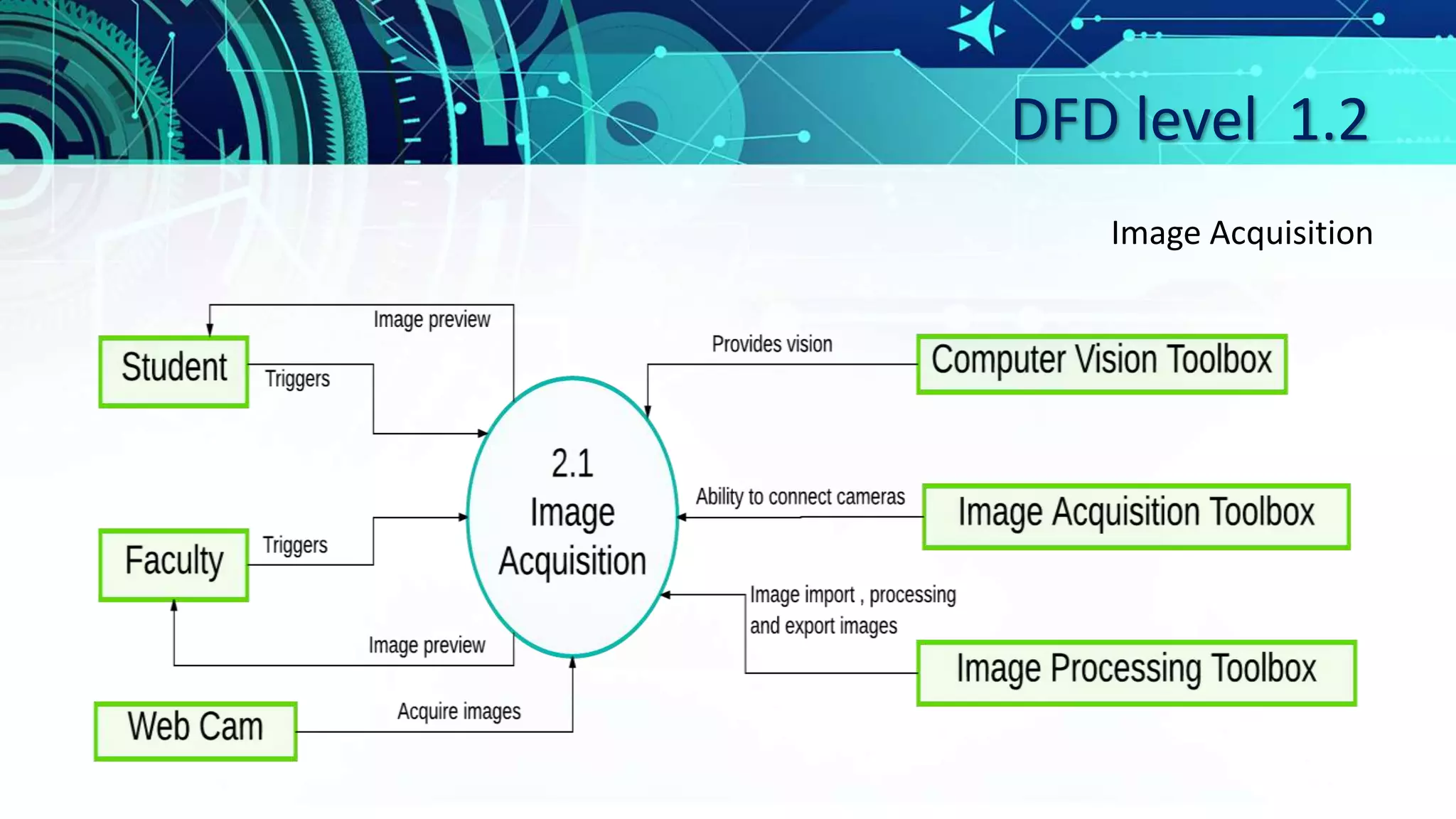
DFD level 1.2
Image Acquisition
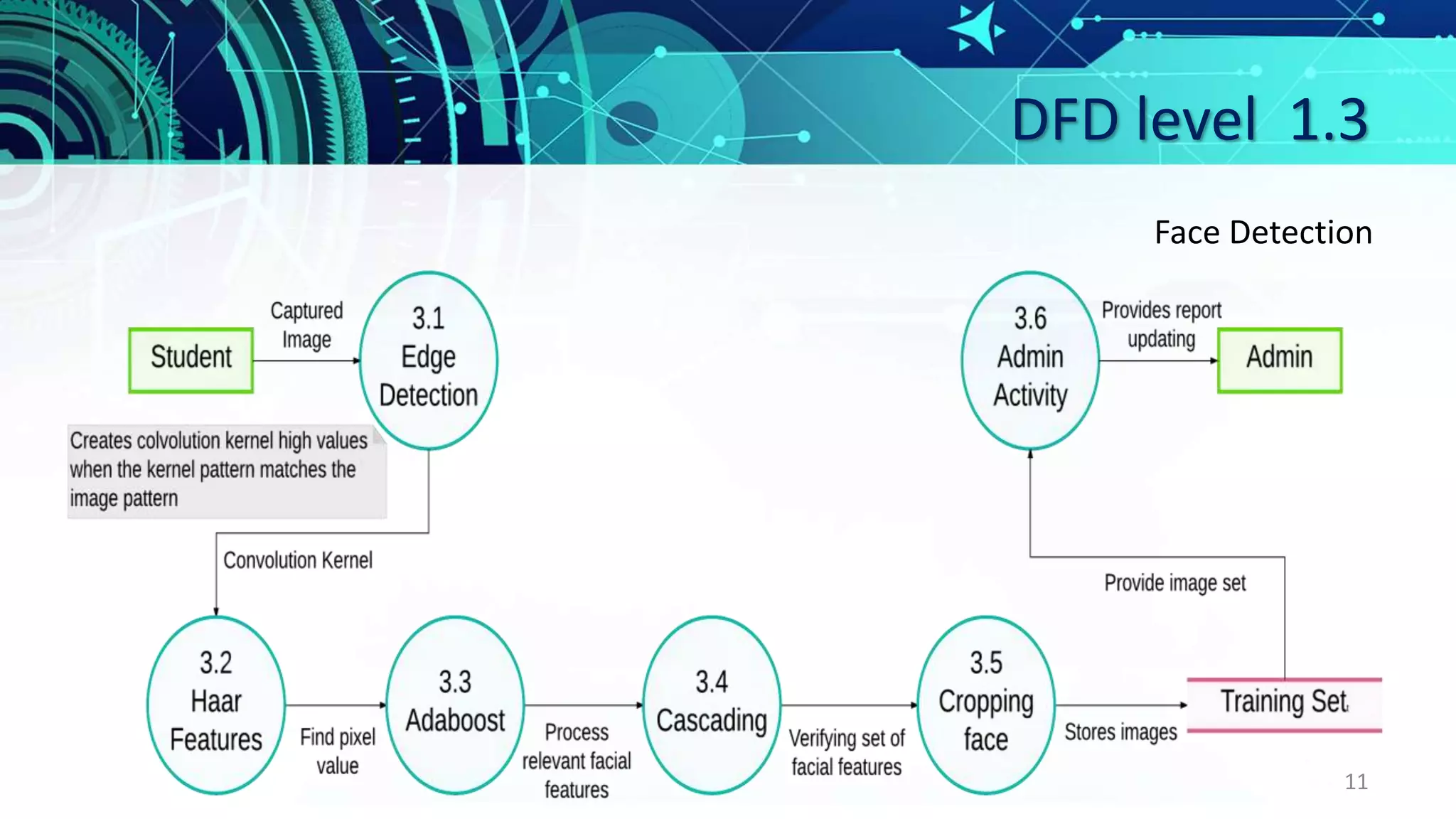
DFD level 1.3
11
Face Detection
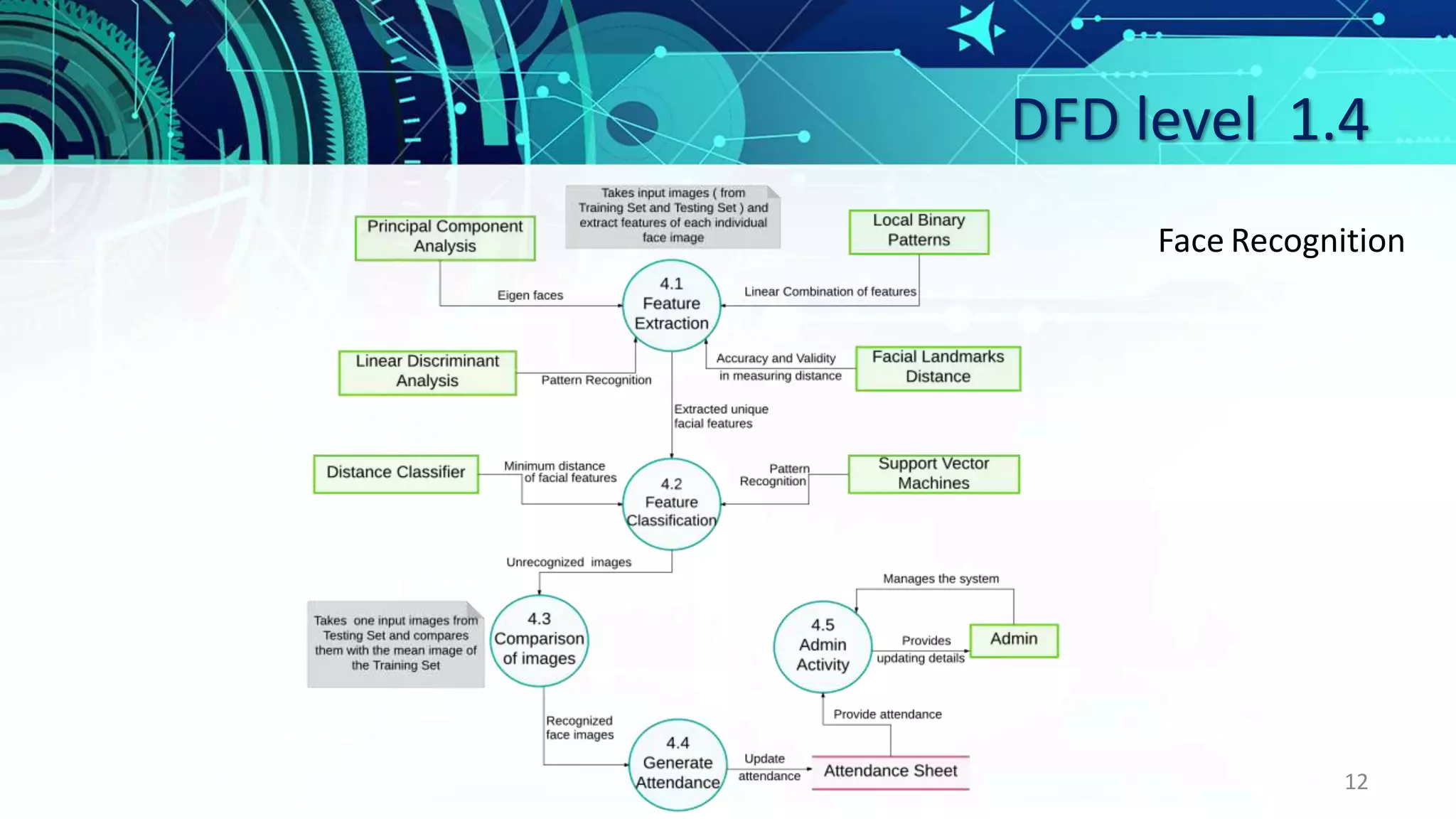
DFD level 1.4
12
Face Recognition
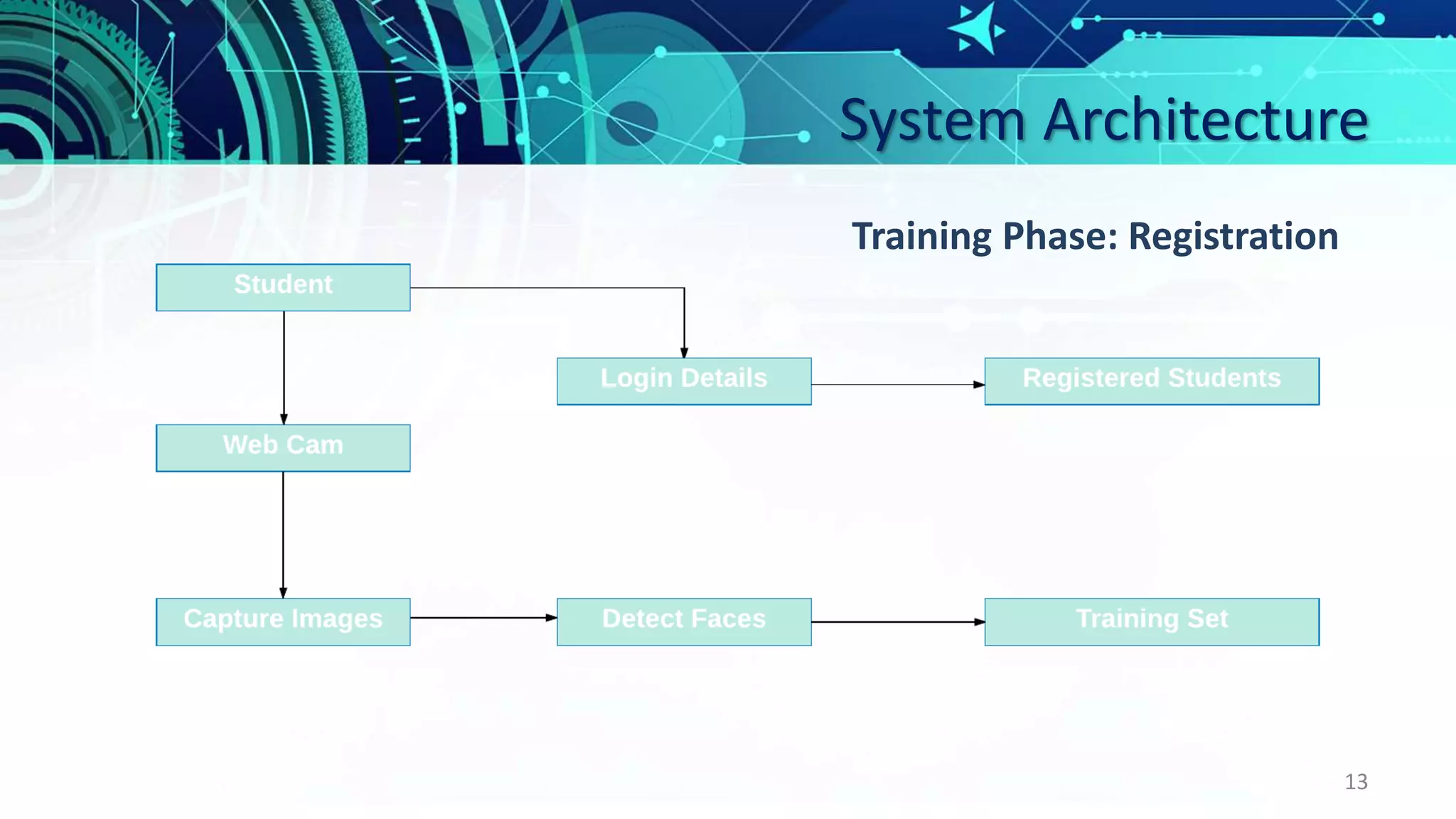
System Architecture
13
Training Phase: Registration
System Architecture
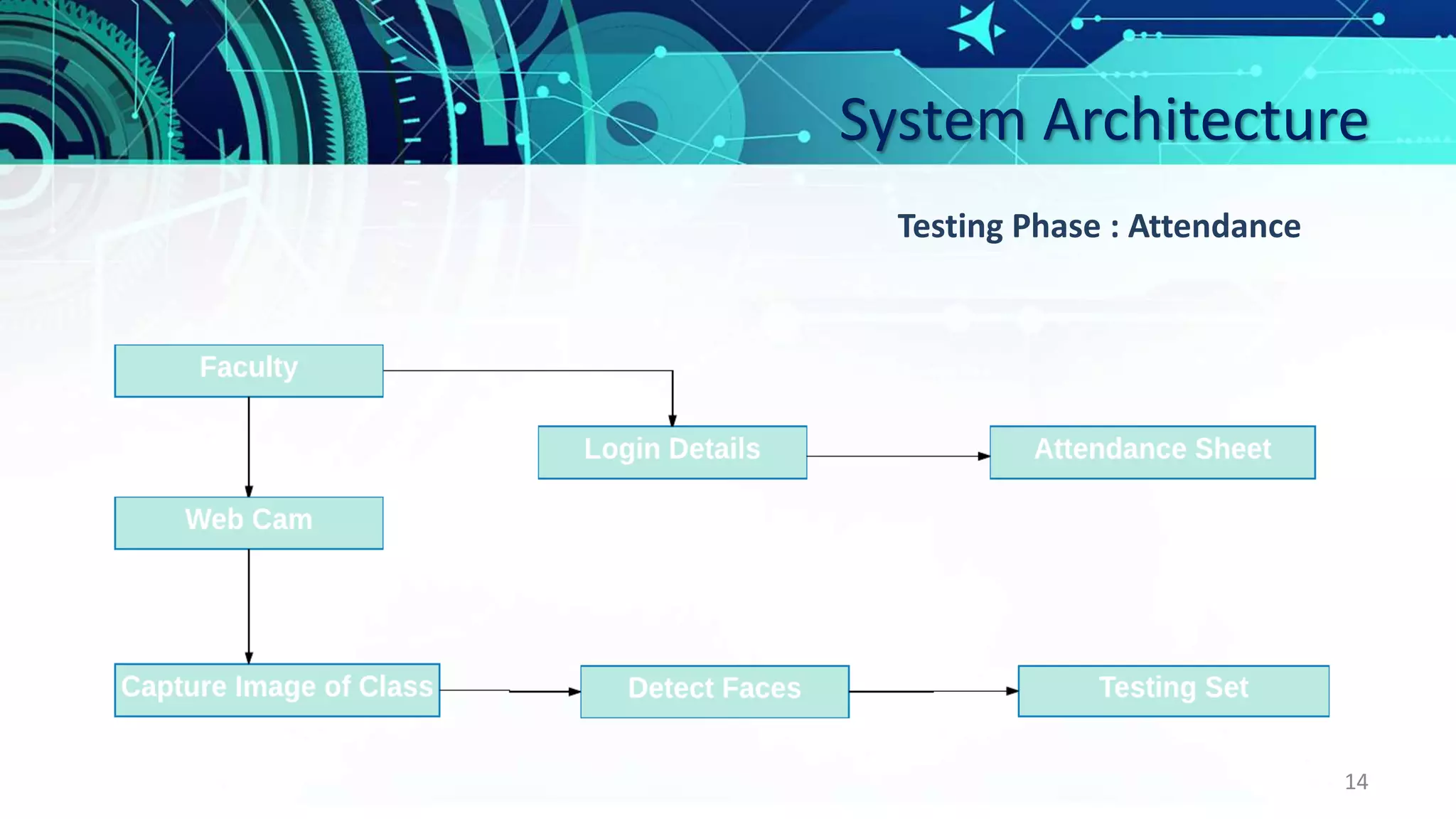
14
Testing Phase : Attendance
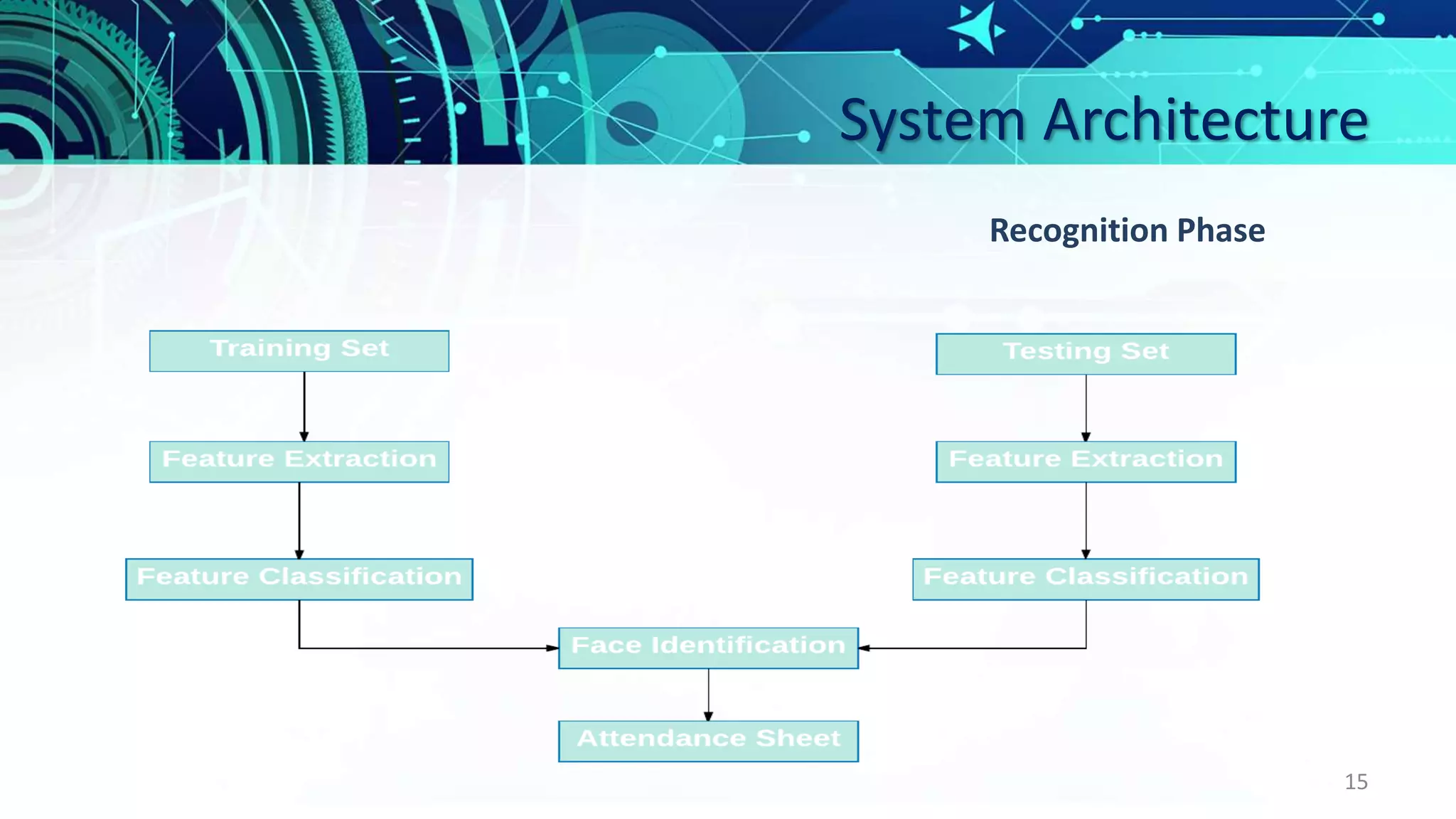
System Architecture
15
Recognition Phase
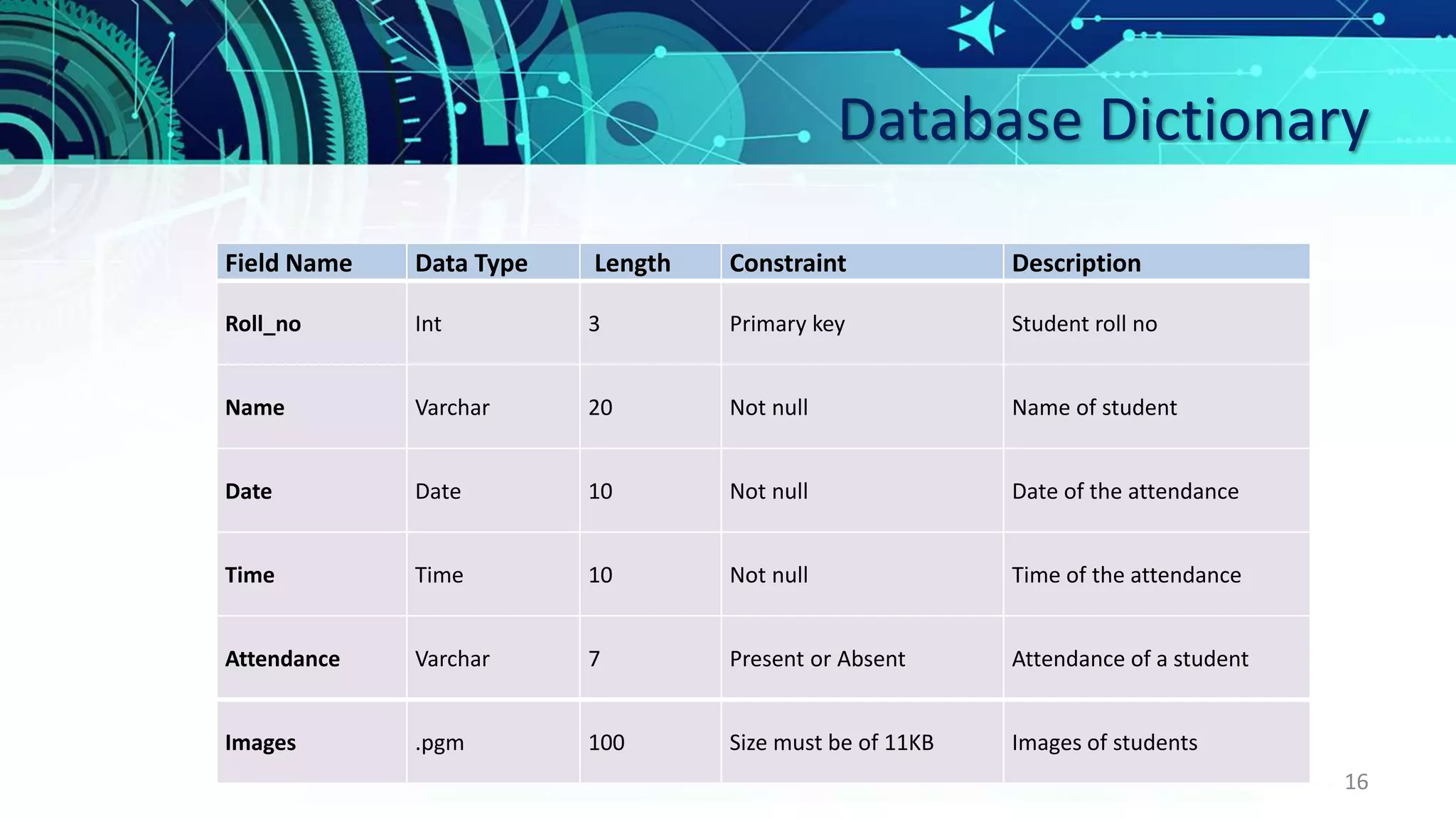
Database Dictionary
16
Field Name Data Type Length Constraint Description
Roll_no Int 3 Primary key Student roll no
Name Varchar 20 Not null Name of student
Date Date 10 Not null Date of the attendance
Time Time 10 Not null Time of the attendance
Attendance Varchar 7 Present or Absent Attendance of a student
Images .pgm 100 Size must be of 11KB Images of students
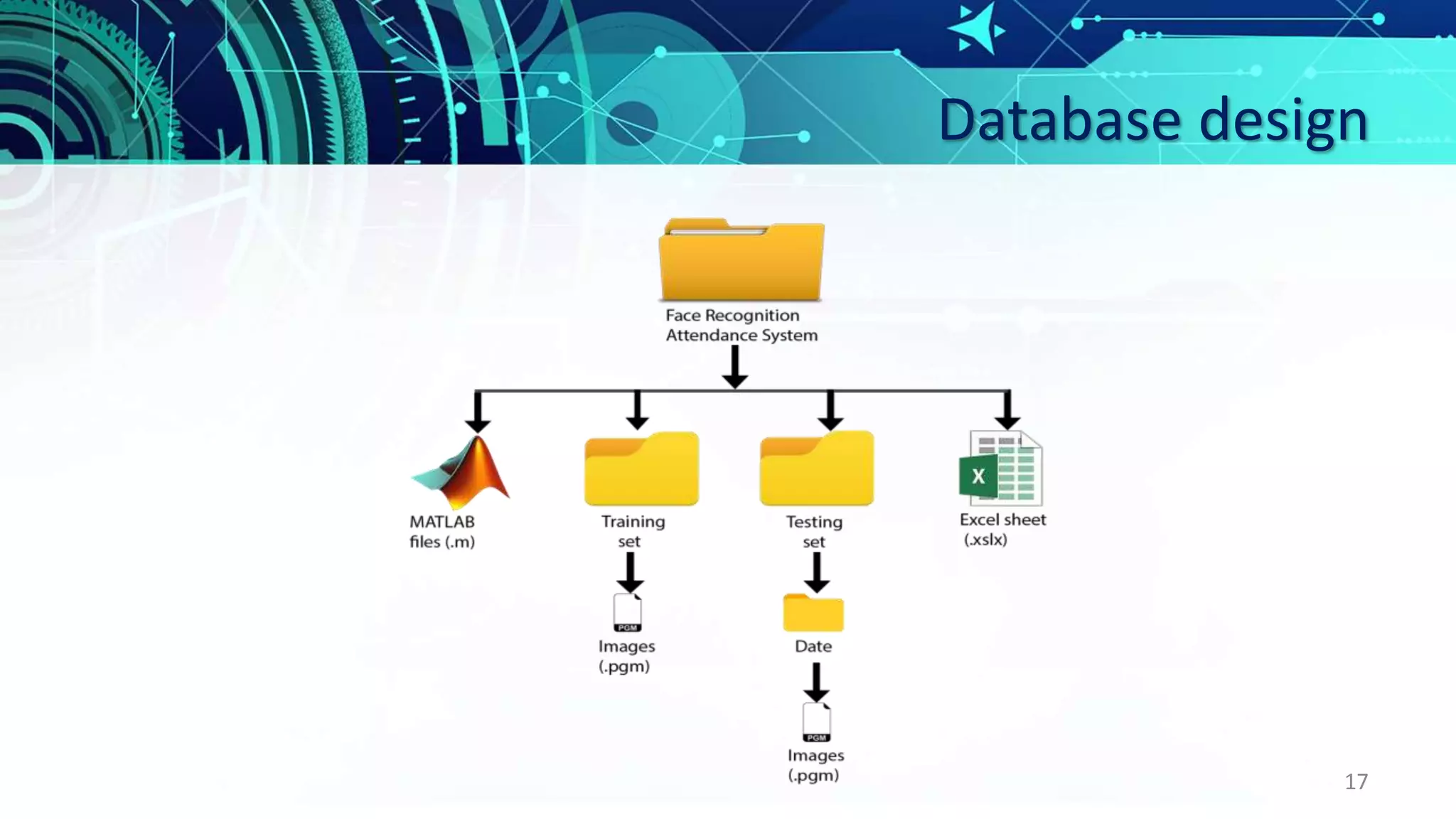
Database design
17
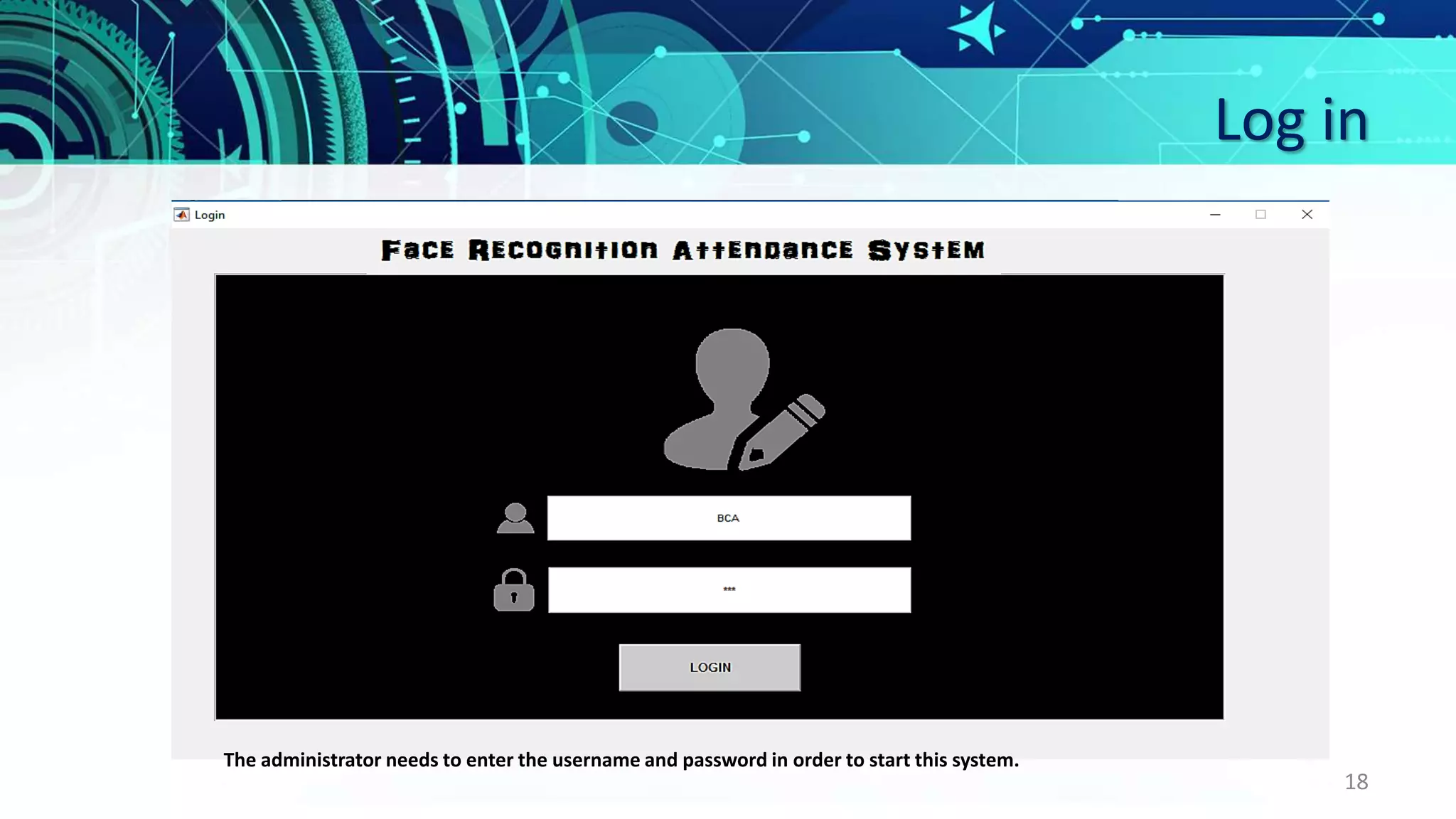
Log in
18
The administrator needs to enter the username and password in order to start this system.
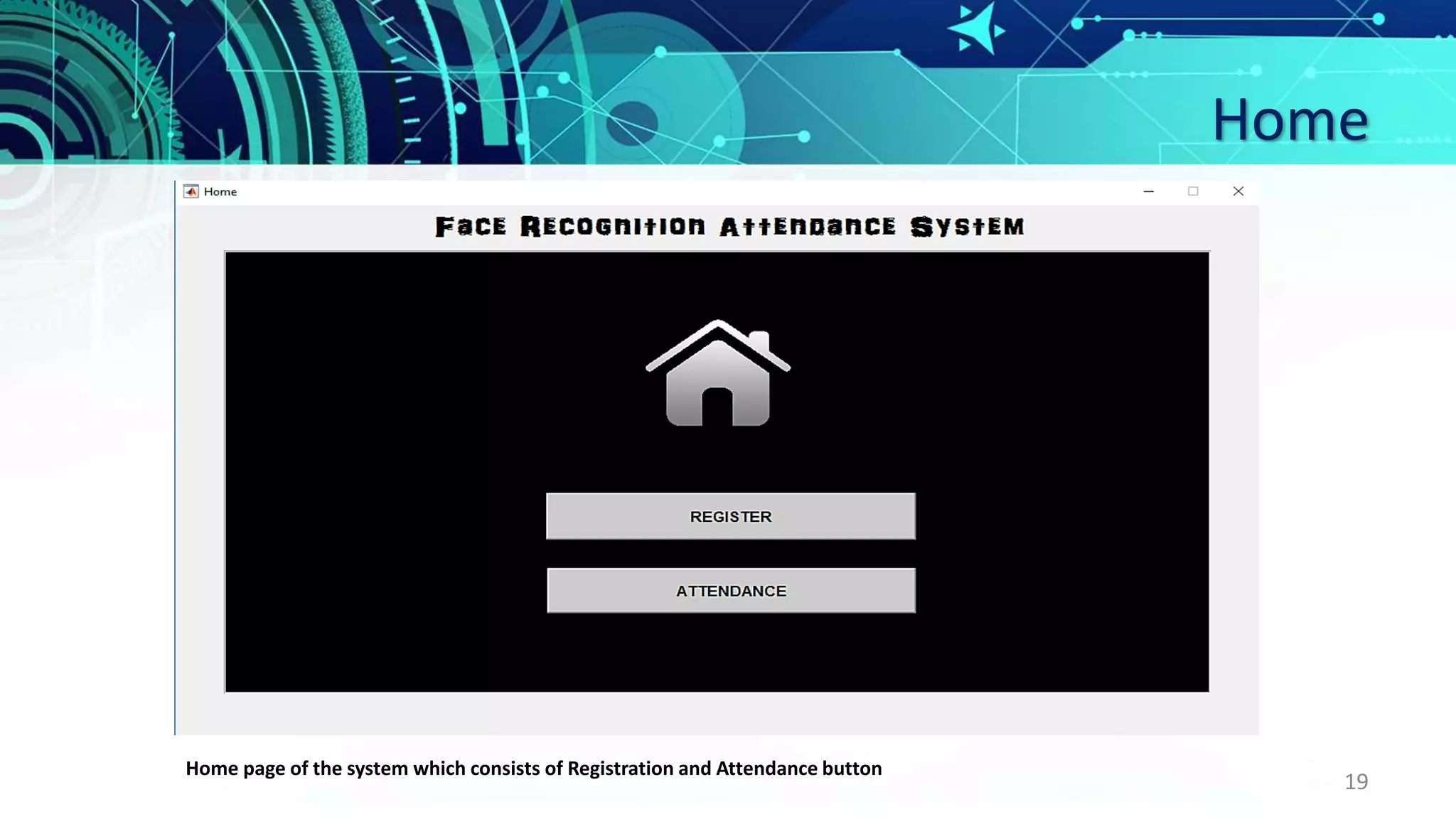
Home
19
Home page of the system which consists of Registration and Attendance button
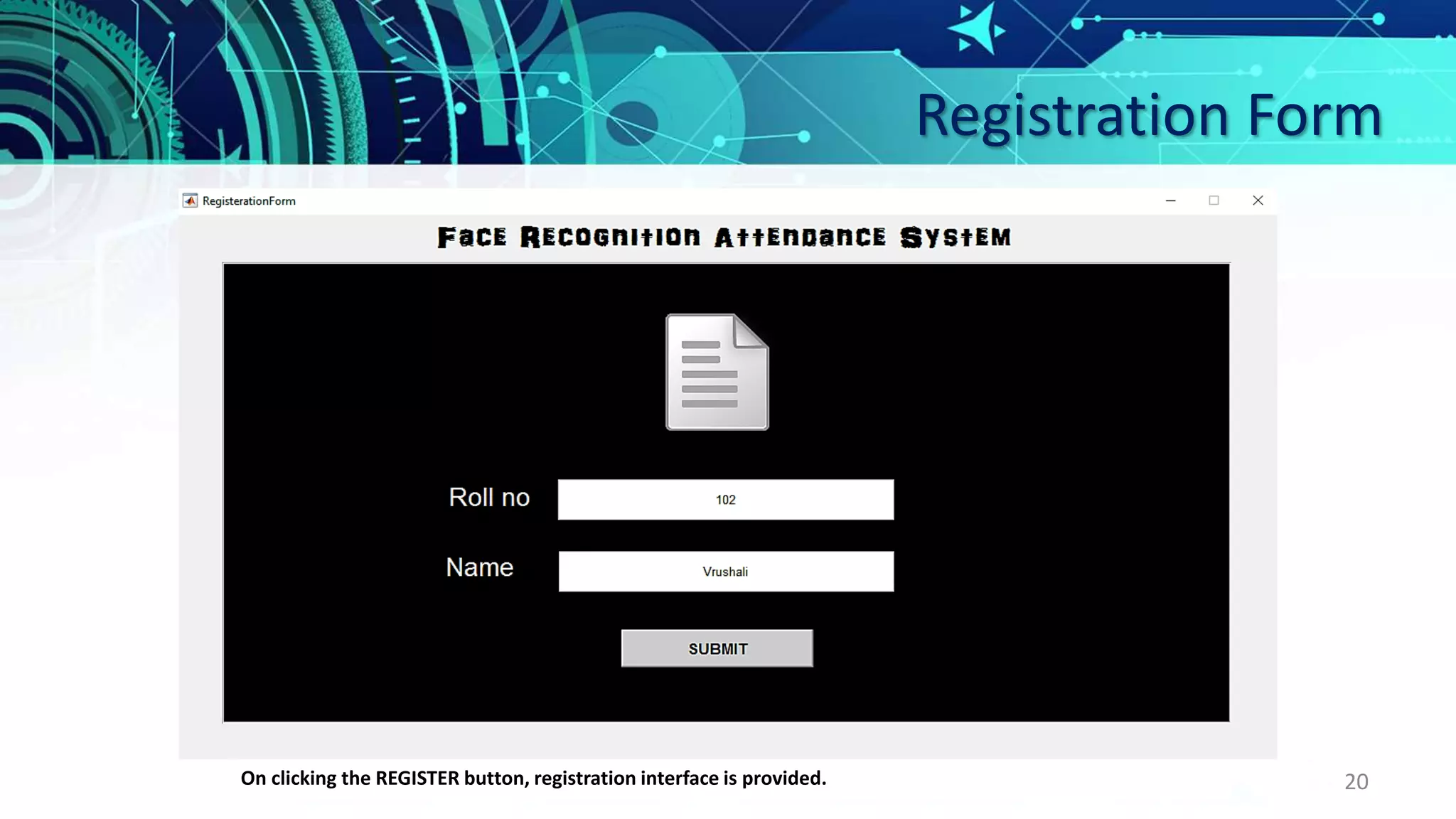
Registration Form
20On clicking the REGISTER button, registration interface is provided.
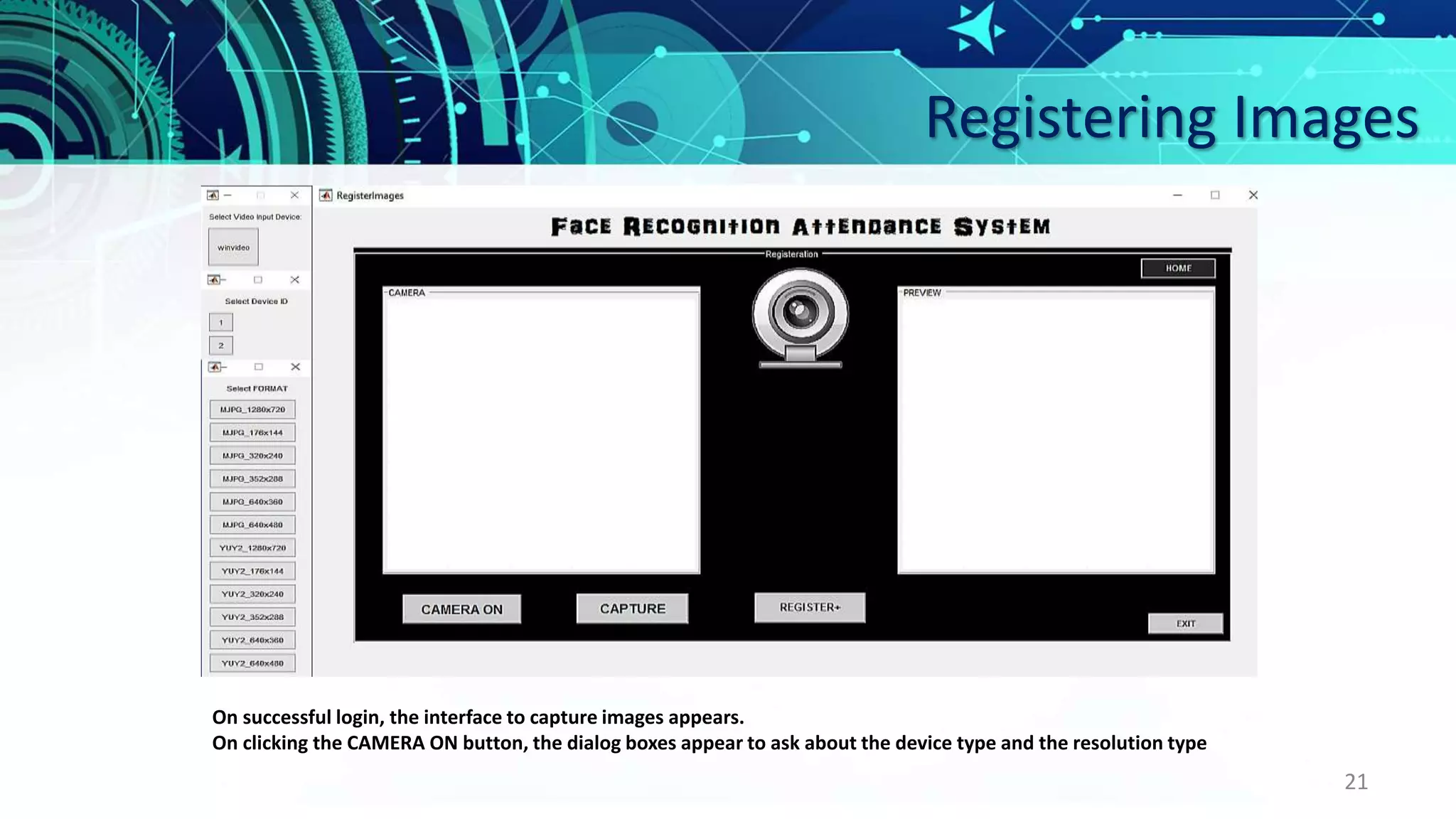
Registering Images
21
On successful login, the interface to capture images appears.
On clicking the CAMERA ON button, the dialog boxes appear to ask about the device type and the resolution type
Registration
22
After the camera settings have been selected, the student’s image appears on the axes.
Registration
23
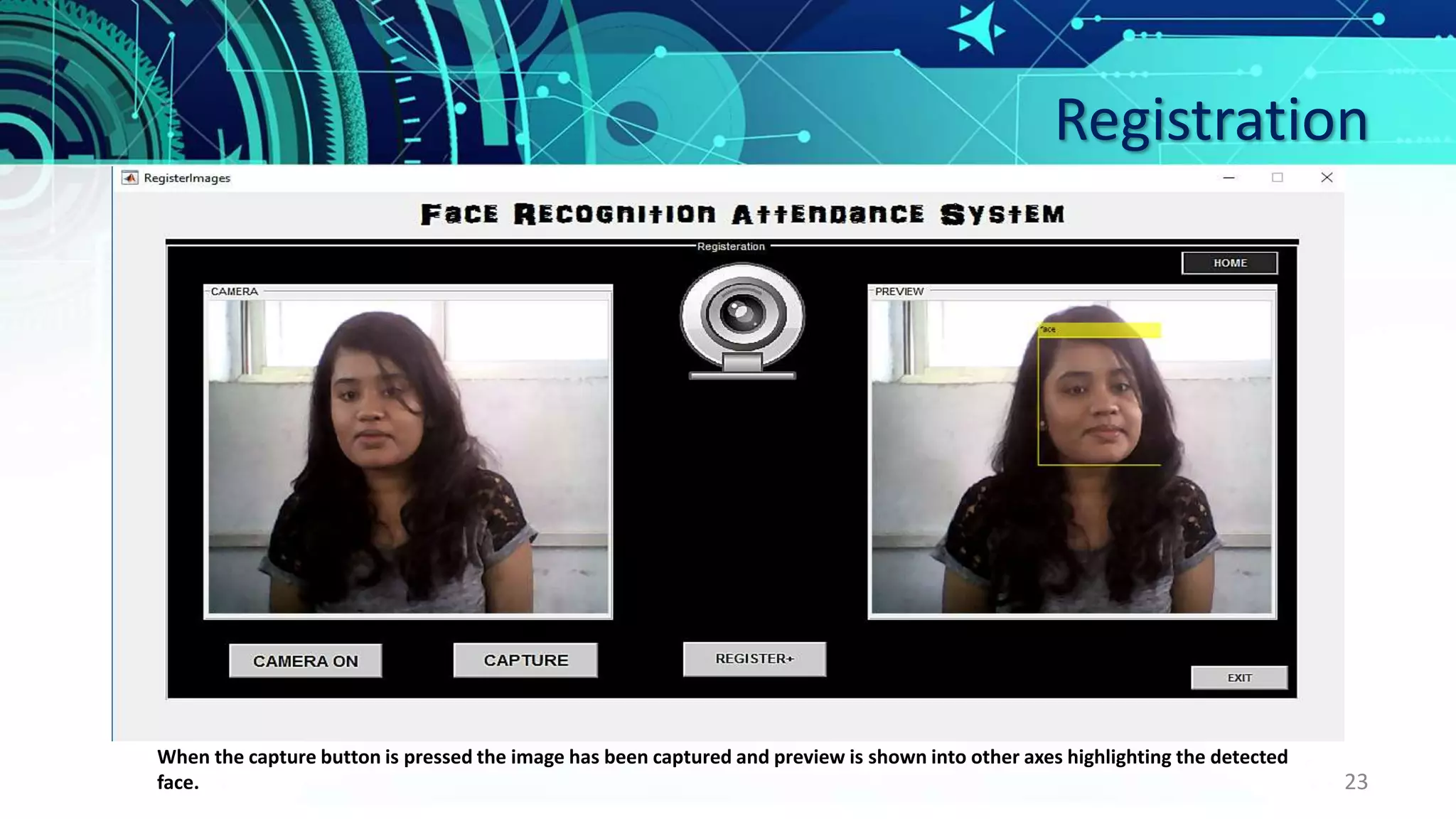
When the capture button is pressed the image has been captured and preview is shown into other axes highlighting the detected
face.
Training set
24
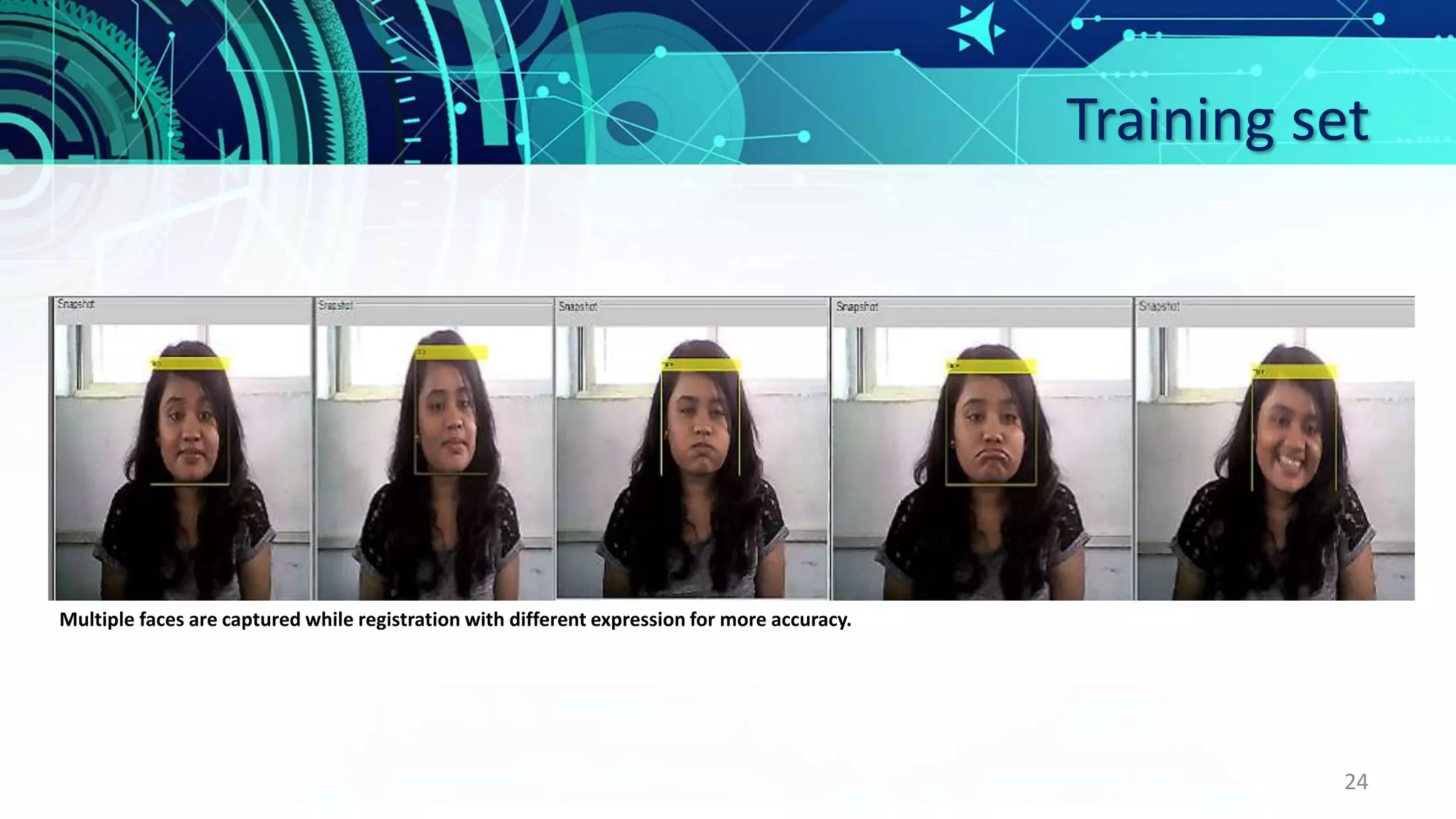
Multiple faces are captured while registration with different expression for more accuracy.
Attendance Time
25
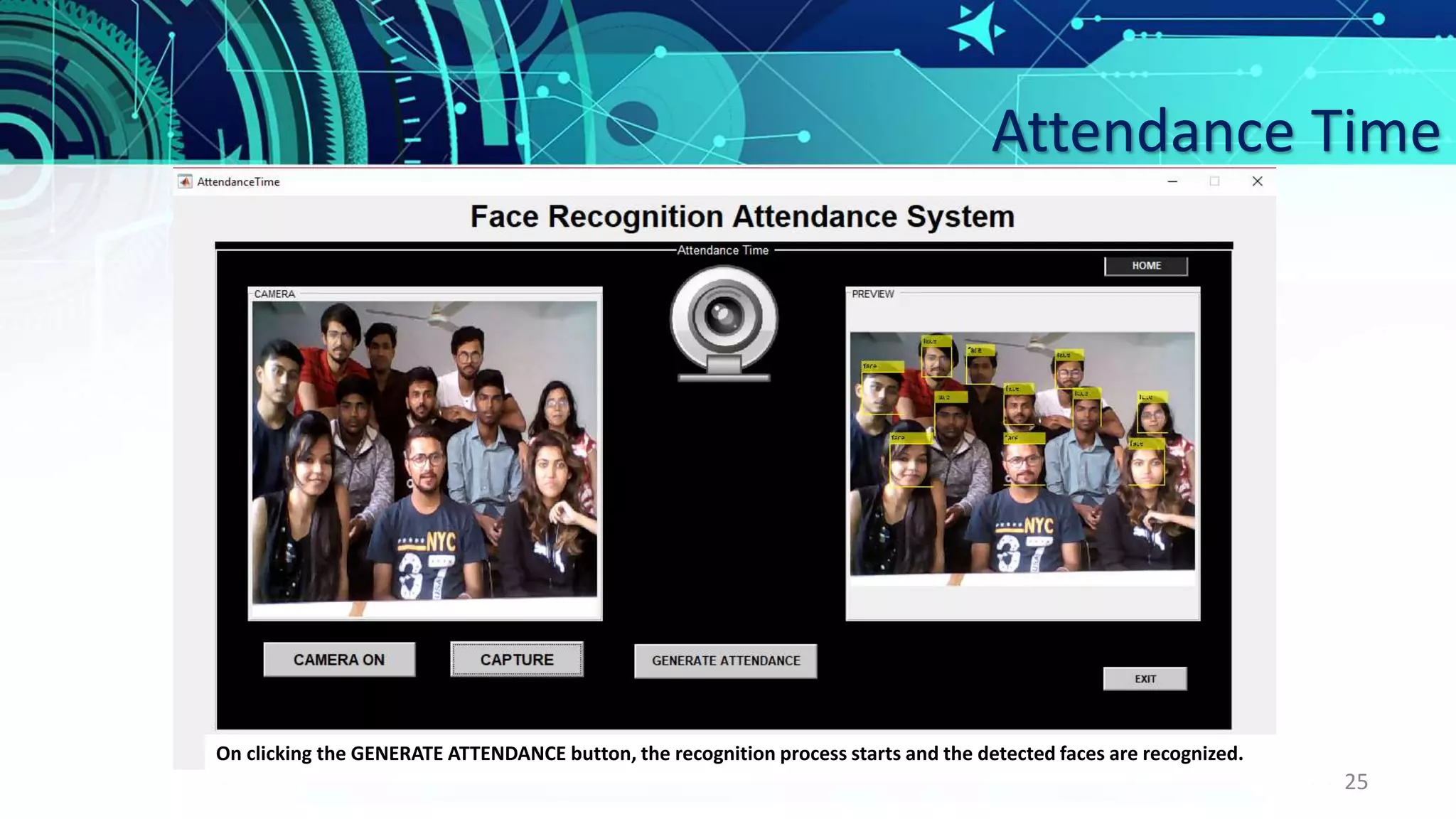
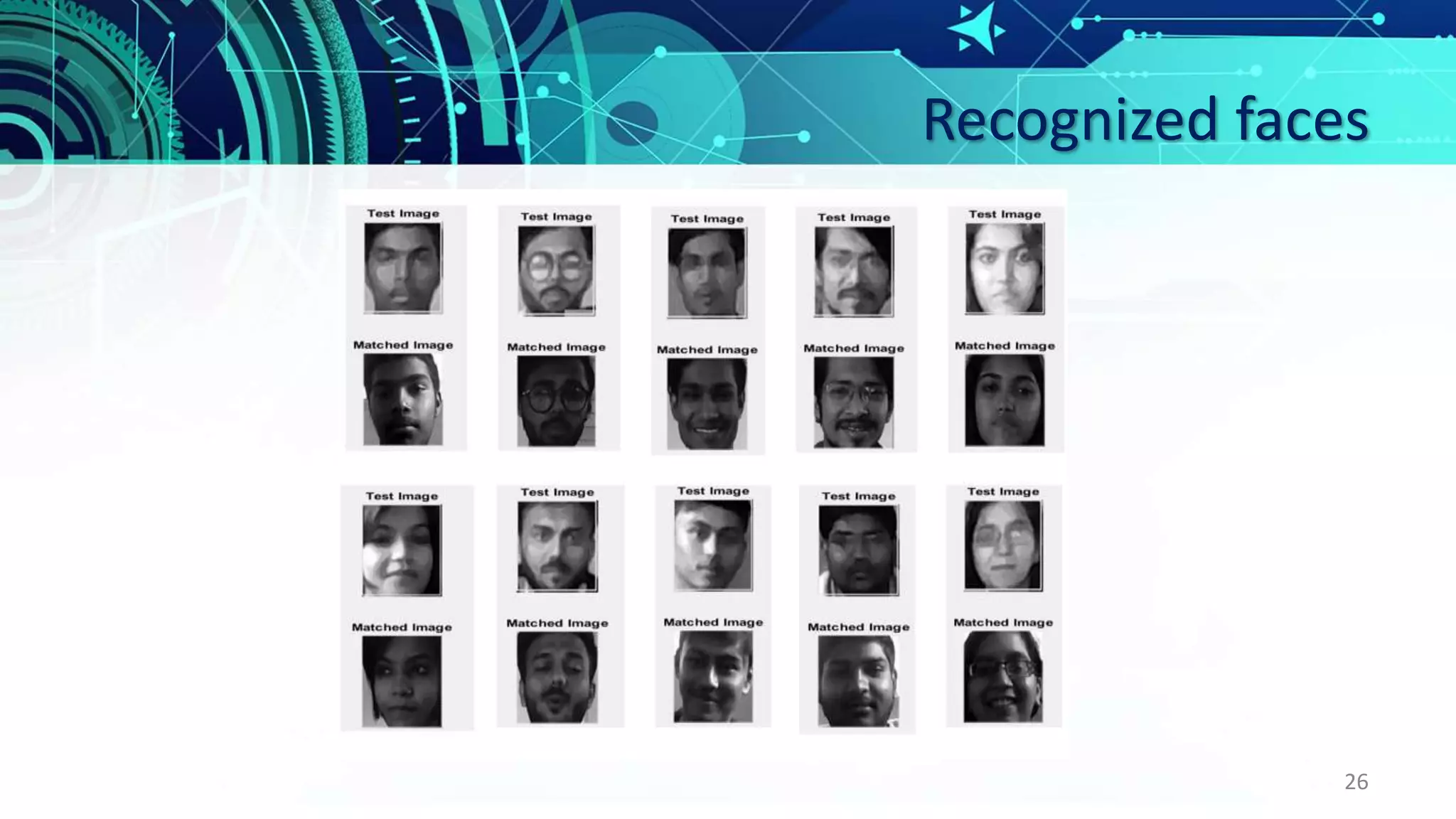
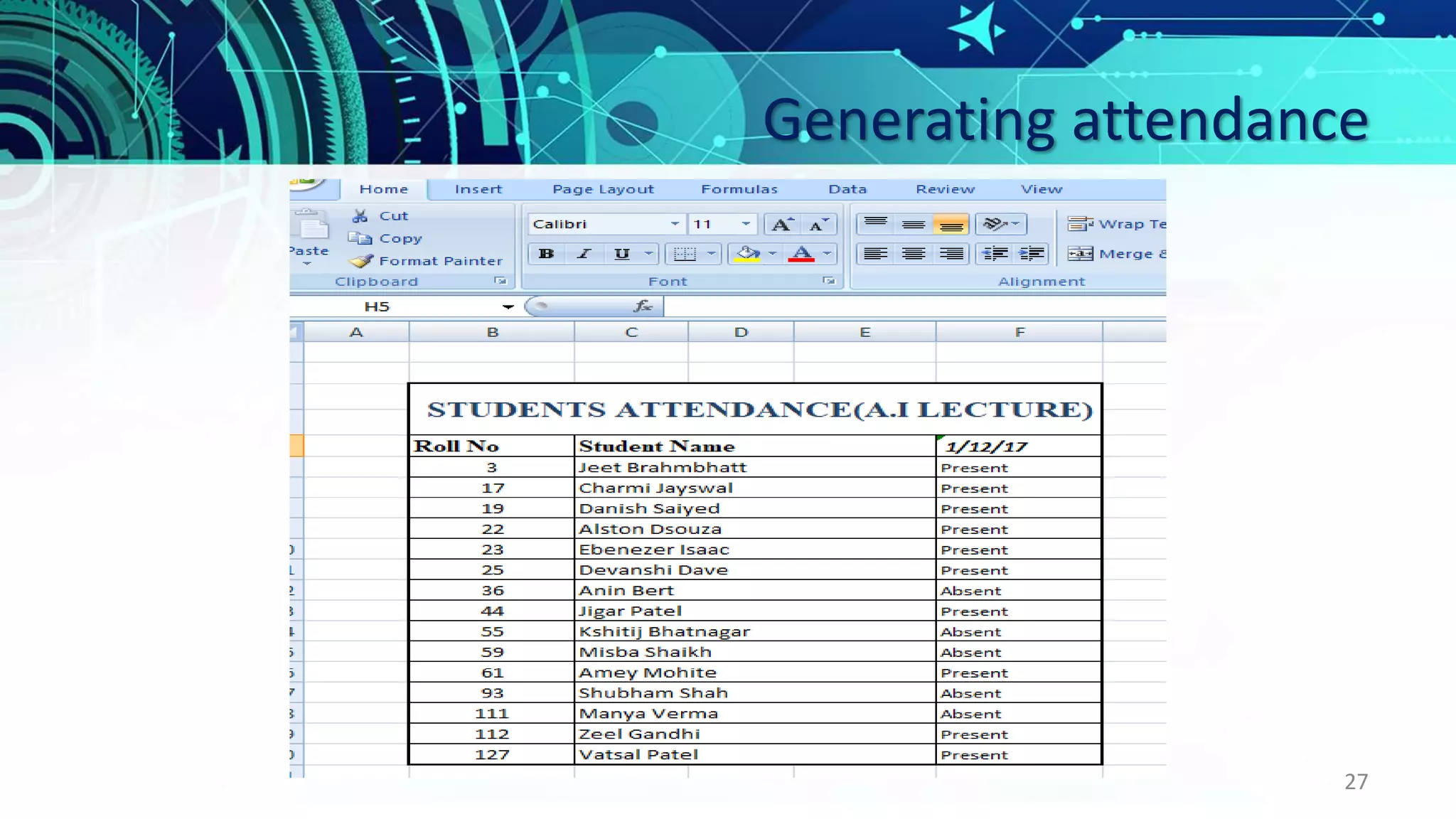
On clicking the GENERATE ATTENDANCE button, the recognition process starts and the detected faces are recognized.
Recognized faces
26
Generating attendance
27
Learning and Experience
From scratch to working software, carrying out real-world software projects in our academic studies
helps us to understand what we have to face in industry.
It was a wonderful experience working on Face Recognition Attendance System with enthusiastic and
like-minded people wherein we explored a part of Artificial Intelligence, i.e. image processing, which
relates to our system from capturing images, detecting faces, storing them in a database, extracting
facial features, recognizing them and generating attendance through different algorithms, books,
websites and with the guidance of our guide.
We have learned most of the industrial strategies used for completion of project by keeping accounts of
time, quality, and budget.
This project was a door to a Stairs of Success towards the bright Software Engineering career.
28
29

Face recognition attendance system