Docker 101
Nishith (@busk3r)
Date: 06/02/2020
Venue: Net-Square
#techiethursday
#whoami
● Security Enthusiast
● Twitter: @busk3r
Nishith K
What is Docker?
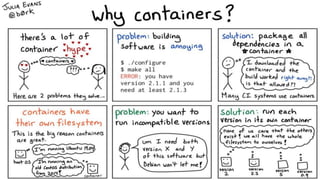
● Tool to easily deploy applications in sandbox
environment (Container)
● Dependency issue resolver
● Low overhead unlike virtual machine
Nishith K
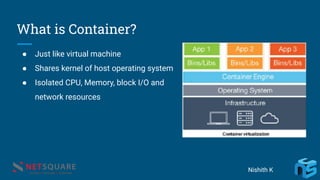
What is Container?
● Just like virtual machine
● Shares kernel of host operating system
● Isolated CPU, Memory, block I/O and
network resources
Nishith K
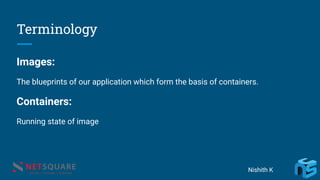
Terminology
Images:
The blueprints of our application which form the basis of containers.
Containers:
Running state of image
Nishith K
Terminology (Cont.)
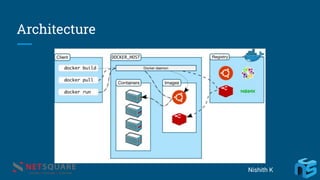
Docker Daemon
Background service running on the host that manages building, running and
distributing Docker containers.
Docker Client
The command line tool that allows the user to interact with the daemon.
Docker Hub
A registry of Docker images
Nishith K
Architecture
Nishith K
Hello-World
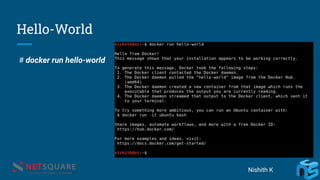
# docker run hello-world
Nishith K
Docker pull
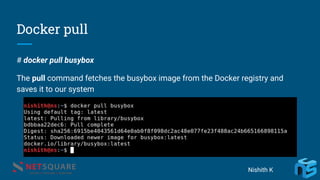
# docker pull busybox
The pull command fetches the busybox image from the Docker registry and
saves it to our system
Nishith K
Docker Images
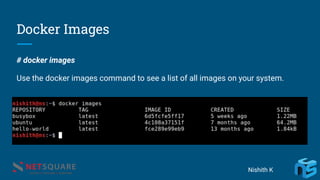
# docker images
Use the docker images command to see a list of all images on your system.
Nishith K
Docker Run
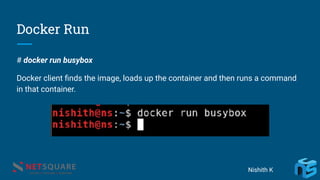
# docker run busybox
Docker client finds the image, loads up the container and then runs a command
in that container.
Nishith K
Docker Run (Cont.)
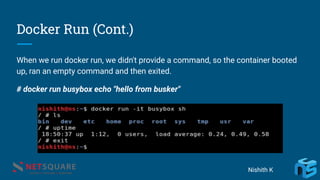
When we run docker run, we didn't provide a command, so the container booted
up, ran an empty command and then exited.
# docker run busybox echo "hello from busker"
Nishith K
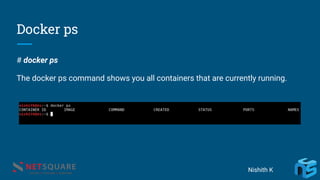
Docker ps
# docker ps
The docker ps command shows you all containers that are currently running.
Nishith K
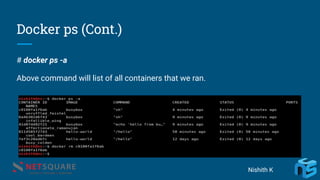
Docker ps (Cont.)
# docker ps -a
Above command will list of all containers that we ran.
Nishith K
Run multiple commands in Docker
# docker run -it busybox sh
Running the run command with the -it flags attaches us to an interactive tty in
the container. We can run multiple commands in shell
Nishith K
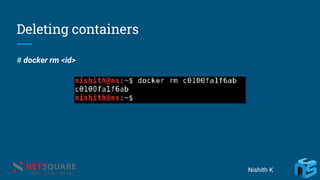
Deleting containers
# docker rm <id>
Nishith K
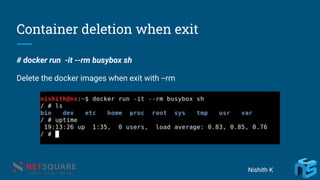
Container deletion when exit
# docker run -it --rm busybox sh
Delete the docker images when exit with --rm
Nishith K
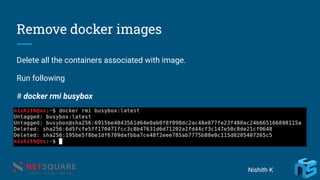
Remove docker images
Delete all the containers associated with image.
Run following
# docker rmi busybox
Nishith K
Creation of Image
Dockerfile
A Dockerfile is a simple text file that contains a list of commands that the Docker
client calls while creating an image.
Nishith K
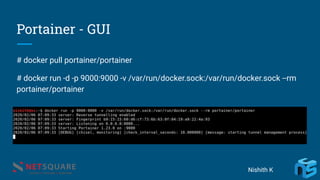
Portainer - GUI
# docker pull portainer/portainer
# docker run -d -p 9000:9000 -v /var/run/docker.sock:/var/run/docker.sock --rm
portainer/portainer
Nishith K
Questions???
Nishith K
Thanks!!
@busk3r
nishithkhadadiya
Nishith K
Net-Square

Docker 101