

7 Steps to
Help Teachers Improve
Learning Outcomes and
Accessibility
Help us understand our audience…
• General special education?
• Adaptive special
education?
• In the classroom?
Agenda – Microsoft Culture
MicrosoftMission
Microsoft Mission
Empower every person and every
organization on the planet to achieve more
Empowering People
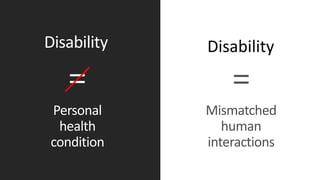
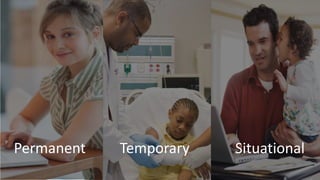
How we think about Disability
Disability Disability
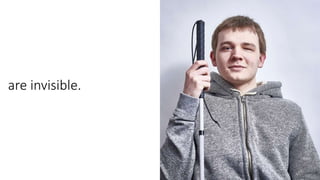
~70% of disabilities…
are invisible.
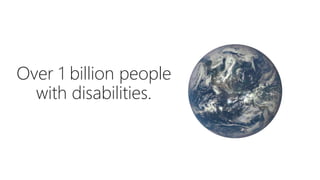
Over 1 billion people
with disabilities.
8 million experience situational exclusion
Agenda – Office Accessibility
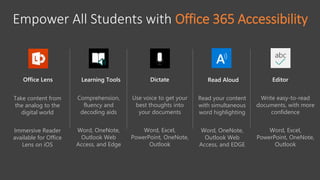
Empower All Students with Office 365 Accessibility
Learning Tools
Comprehension,
fluency and
decoding aids
Word, OneNote,
Outlook Web
Access, and Edge
Office Lens
Take content from
the analog to the
digital world
Immersive Reader
available for Office
Lens on iOS
Dictate
Use voice to get your
best thoughts into
your documents
Word, Excel,
PowerPoint, OneNote,
Outlook
Editor
Write easy-to-read
documents, with more
confidence
Word, Excel,
PowerPoint, OneNote,
Outlook
Read Aloud
Read your content
with simultaneous
word highlighting
Word, OneNote,
Outlook Web
Access, and EDGE
Free Seeing AI app on iOS
https://www.microsoft.com/en-us/seeing-ai/
Free Office Lens on iOS with Immersive Reader
http://aka.ms/officelens
Free Learning Tools for OneNote
http://onenote.com/learningtools
Free Dictate for Office
http://dictate.ms
Free Editor (built into Microsoft Word)
Learning Tool is Improving
Student Outcomes
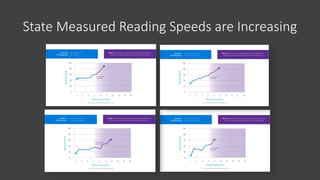
State Measured Reading Speeds are Increasing
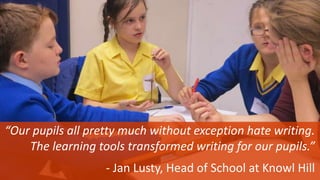
“Our pupils all pretty much without exception hate writing.
The learning tools transformed writing for our pupils.”
- Jan Lusty, Head of School at Knowl Hill
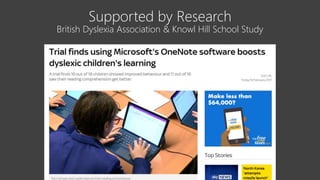
Supported by Research
British Dyslexia Association & Knowl Hill School Study
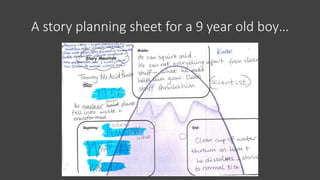
A story planning sheet for a 9 year old boy…
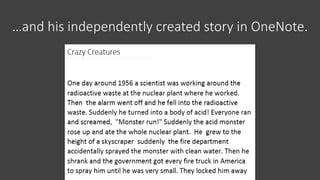
…and his independently created story in OneNote.
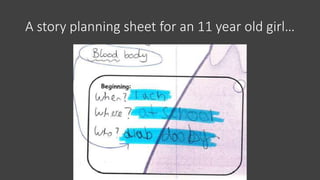
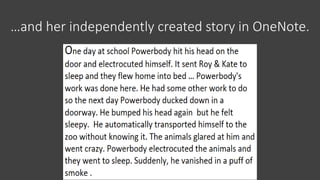
A story planning sheet for an 11 year old girl…
…and her independently created story in OneNote.
Developed with Experts, e.g.
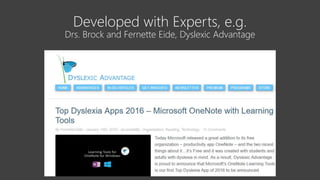
Drs. Brock and Fernette Eide, Dyslexic Advantage
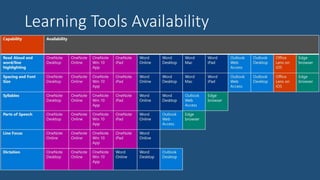
Learning Tools Availability
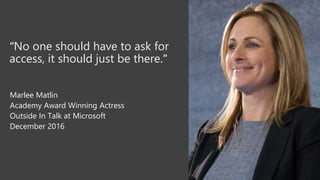
“No one should have to ask for
access, it should just be there.”
Marlee Matlin
Academy Award Winning Actress
Outside In Talk at Microsoft
December 2016
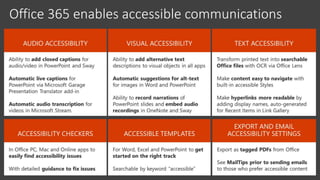
Office 365 enables accessible communications
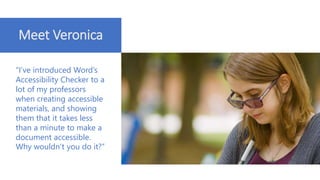
Meet Veronica
“I’ve introduced Word’s
Accessibility Checker to a
lot of my professors
when creating accessible
materials, and showing
them that it takes less
than a minute to make a
document accessible.
Why wouldn’t you do it?”
Agenda – Windows Accessibility
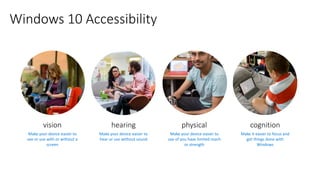
Windows 10 Accessibility
vision
Make your device easier to
see or use with or without a
screen
hearing
Make your device easier to
hear or use without sound
cognition
Make it easier to focus and
get things done with
Windows
physical
Make your device easier to
use of you have limited reach
or strength
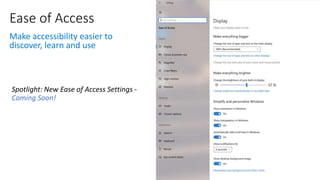
Ease of Access
Make accessibility easier to
discover, learn and use
Coming Soon!
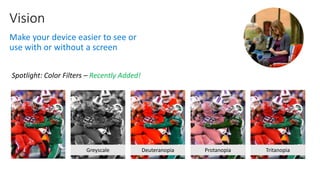
Vision
Make your device easier to see or
use with or without a screen
Recently Added!
Greyscale Deuteranopia Protanopia Tritanopia
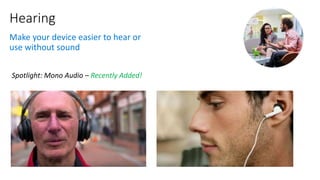
Hearing
Make your device easier to hear or
use without sound
Recently Added!
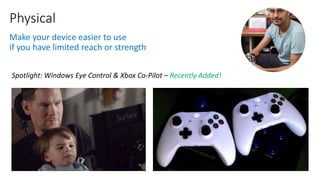
Physical
Make your device easier to use
if you have limited reach or strength
Recently Added!
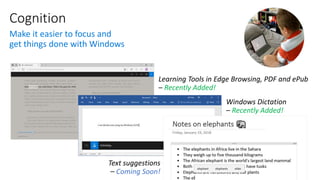
Cognition
Make it easier to focus and
get things done with Windows
Recently Added!
Recently Added!
Coming Soon!
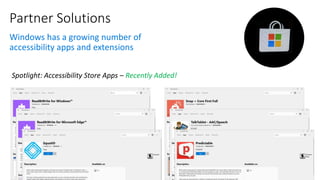
Partner Solutions
Windows has a growing number of
accessibility apps and extensions
Recently Added!
Agenda – Announcements & Resources
Announced this week!
• Dictation in Office—this tool will help students write by using only their voice.
Starting in February, Dictation will be available in Word, Word Online,
PowerPoint, Outlook Desktop, OneNote Windows 10, and OneNote Online—
and in more than nine languages.
• Read Aloud— allows students to hear the contents of an email while each word is
highlighted in sync. It will soon be available on Outlook Desktop in more than 30
text-to-speech languages.
• Immersive Reader— to further support students of different backgrounds,
Immersive Reader now supports an additional 10 new languages. It is also
coming to even more platforms in 2018 and will soon be available on Word for
Mac, iPhone, and Android, as well as Outlook Desktop and OneNote for iPhone,
iPad, and Mac.
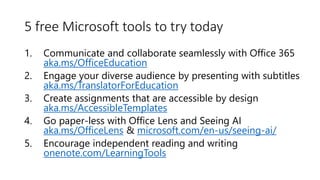
5 free Microsoft tools to try today
1. Communicate and collaborate seamlessly with Office 365
aka.ms/OfficeEducation
2. Engage your diverse audience by presenting with subtitles
aka.ms/TranslatorForEducation
3. Create assignments that are accessible by design
aka.ms/AccessibleTemplates
4. Go paper-less with Office Lens and Seeing AI
aka.ms/OfficeLens & microsoft.com/en-us/seeing-ai/
5. Encourage independent reading and writing
onenote.com/LearningTools
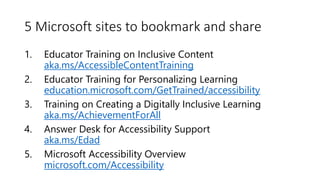
5 Microsoft sites to bookmark and share
1. Educator Training on Inclusive Content
aka.ms/AccessibleContentTraining
2. Educator Training for Personalizing Learning
education.microsoft.com/GetTrained/accessibility
3. Training on Creating a Digitally Inclusive Learning
aka.ms/AchievementForAll
4. Answer Desk for Accessibility Support
aka.ms/Edad
5. Microsoft Accessibility Overview
microsoft.com/Accessibility
Microsoft Inclusive Classroom at FETC 2018

Microsoft Inclusive Classroom at FETC 2018

  • 1.
    7 Steps to HelpTeachers Improve Learning Outcomes and Accessibility
  • 2.
    Help us understandour audience… • General special education? • Adaptive special education? • In the classroom?
  • 3.
  • 4.
    MicrosoftMission Microsoft Mission Empower everyperson and every organization on the planet to achieve more
  • 5.
  • 6.
    How we thinkabout Disability Disability Disability
  • 7.
  • 8.
  • 9.
    Over 1 billionpeople with disabilities.
  • 10.
    8 million experiencesituational exclusion
  • 11.
    Agenda – OfficeAccessibility
  • 12.
    Empower All Studentswith Office 365 Accessibility Learning Tools Comprehension, fluency and decoding aids Word, OneNote, Outlook Web Access, and Edge Office Lens Take content from the analog to the digital world Immersive Reader available for Office Lens on iOS Dictate Use voice to get your best thoughts into your documents Word, Excel, PowerPoint, OneNote, Outlook Editor Write easy-to-read documents, with more confidence Word, Excel, PowerPoint, OneNote, Outlook Read Aloud Read your content with simultaneous word highlighting Word, OneNote, Outlook Web Access, and EDGE
  • 13.
    Free Seeing AIapp on iOS https://www.microsoft.com/en-us/seeing-ai/
  • 14.
    Free Office Lenson iOS with Immersive Reader http://aka.ms/officelens
  • 15.
    Free Learning Toolsfor OneNote http://onenote.com/learningtools
  • 16.
    Free Dictate forOffice http://dictate.ms
  • 17.
    Free Editor (builtinto Microsoft Word)
  • 18.
    Learning Tool isImproving Student Outcomes
  • 19.
    State Measured ReadingSpeeds are Increasing
  • 20.
    “Our pupils allpretty much without exception hate writing. The learning tools transformed writing for our pupils.” - Jan Lusty, Head of School at Knowl Hill
  • 21.
    Supported by Research BritishDyslexia Association & Knowl Hill School Study
  • 22.
    A story planningsheet for a 9 year old boy…
  • 23.
    …and his independentlycreated story in OneNote.
  • 24.
    A story planningsheet for an 11 year old girl…
  • 25.
    …and her independentlycreated story in OneNote.
  • 26.
    Developed with Experts,e.g. Drs. Brock and Fernette Eide, Dyslexic Advantage
  • 27.
  • 28.
    “No one shouldhave to ask for access, it should just be there.” Marlee Matlin Academy Award Winning Actress Outside In Talk at Microsoft December 2016
  • 29.
    Office 365 enablesaccessible communications
  • 30.
    Meet Veronica “I’ve introducedWord’s Accessibility Checker to a lot of my professors when creating accessible materials, and showing them that it takes less than a minute to make a document accessible. Why wouldn’t you do it?”
  • 31.
    Agenda – WindowsAccessibility
  • 32.
    Windows 10 Accessibility vision Makeyour device easier to see or use with or without a screen hearing Make your device easier to hear or use without sound cognition Make it easier to focus and get things done with Windows physical Make your device easier to use of you have limited reach or strength
  • 33.
    Ease of Access Makeaccessibility easier to discover, learn and use Coming Soon!
  • 34.
    Vision Make your deviceeasier to see or use with or without a screen Recently Added! Greyscale Deuteranopia Protanopia Tritanopia
  • 35.
    Hearing Make your deviceeasier to hear or use without sound Recently Added!
  • 36.
    Physical Make your deviceeasier to use if you have limited reach or strength Recently Added!
  • 37.
    Cognition Make it easierto focus and get things done with Windows Recently Added! Recently Added! Coming Soon!
  • 38.
    Partner Solutions Windows hasa growing number of accessibility apps and extensions Recently Added!
  • 39.
  • 40.
    Announced this week! •Dictation in Office—this tool will help students write by using only their voice. Starting in February, Dictation will be available in Word, Word Online, PowerPoint, Outlook Desktop, OneNote Windows 10, and OneNote Online— and in more than nine languages. • Read Aloud— allows students to hear the contents of an email while each word is highlighted in sync. It will soon be available on Outlook Desktop in more than 30 text-to-speech languages. • Immersive Reader— to further support students of different backgrounds, Immersive Reader now supports an additional 10 new languages. It is also coming to even more platforms in 2018 and will soon be available on Word for Mac, iPhone, and Android, as well as Outlook Desktop and OneNote for iPhone, iPad, and Mac.
  • 41.
    5 free Microsofttools to try today 1. Communicate and collaborate seamlessly with Office 365 aka.ms/OfficeEducation 2. Engage your diverse audience by presenting with subtitles aka.ms/TranslatorForEducation 3. Create assignments that are accessible by design aka.ms/AccessibleTemplates 4. Go paper-less with Office Lens and Seeing AI aka.ms/OfficeLens & microsoft.com/en-us/seeing-ai/ 5. Encourage independent reading and writing onenote.com/LearningTools
  • 42.
    5 Microsoft sitesto bookmark and share 1. Educator Training on Inclusive Content aka.ms/AccessibleContentTraining 2. Educator Training for Personalizing Learning education.microsoft.com/GetTrained/accessibility 3. Training on Creating a Digitally Inclusive Learning aka.ms/AchievementForAll 4. Answer Desk for Accessibility Support aka.ms/Edad 5. Microsoft Accessibility Overview microsoft.com/Accessibility

Editor's Notes