Creating scalable, resilient
applications with MongoDB
4
Battle Plan
Intro
• Presentation MongoDB
– NoSQL
– BigData
– JSON/BSON
– CRUD
– Indexes
– Replica Set
– Read Preference
– Write Concern
– Read Concern
• Presentation Mongo-IOT Project
• Live coding mongo-iot server on localhost
5
Battle Plan
Cloud
• Presentation MongoDB Atlas
• Migrate to Atlas
• Presentation Sharded Cluster
• Migrate mongo-iot to AWS with VPC
• Start generator
• Real Time graphs and metrics in Atlas
6
Battle Plan - MongoDB 3.6
• MongoDB Compass
• Aggregation Framework in Compass
• Demo 3.6
– Retryable Writes
– Causal Consistency
– Change Streams
• Live coding analyser with change streams
• Deploy analyser on AWS
• Live coding alert-manager
• Deploy alert-manager on AWS and Slack
7
Battle Plan
More
• MongoDB Stitch
• MongoDB 4.0 : Multi-document ACID Transactions.
8
Document Model
{
first_name: ‘Paul’,
surname: ‘Miller’,
city: ‘London’,
location: {
type : ‘Point’,
coordinates : [45.123,47.232]
},
cars: [
{ model: ‘Bentley’,
year: 1973,
value: 100000, … },
{ model: ‘Rolls Royce’,
year: 1965,
value: 330000, … }
]
}
MongoDB
RDBMS
9
Developer Agility - Documents
{
first_name: ‘Paul’,
surname: ‘Miller’,
ID: 125678,
city: ‘London’,
location: {
type : ‘Point’,
coordinates : [45.123,47.232]
},
Profession: [‘banking’, ‘finance’, ‘trader’],
cars: [
{ model: ‘Bentley’,
year: 1973,
value: 100000, … },
{ model: ‘Rolls Royce’,
year: 1965,
value: 330000, … }
]
}
Fields can contain an array
of sub-documents
Typed field values
Fields can contain
arrays
String
Number
Geo-Location
Fields
10
Developer Agility – Flexible Schema
{
product_name: ‘Acme Paint’,
sku: "123-567-845",
color: [‘Red’, ‘Green’],
size_oz: [8, 32],
finish: [‘satin’, ‘eggshell’]
}
{
product_name: ‘T-shirt’,
sku : "123-589-234",
size: [‘S’, ‘M’, ‘L’, ‘XL’],
color: [‘Heather Gray’ … ],
material: ‘100% cotton’,
wash: ‘cold’,
dry: ‘tumble dry low’
}
{
product_name: ‘Mountain Bike’,
sku : "143-534-678",
brake_style: ‘mechanical disc’,
color: ‘grey’,
frame_material: ‘aluminum’,
no_speeds: 21,
package_height: ‘7.5x32.9x55’,
weight_lbs: 44.05,
suspension_type: ‘dual’,
wheel_size_in: 26
}
11
CRUD & Indexes
12
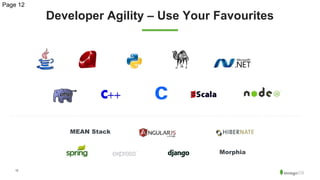
Developer Agility – Use Your Favourites
Page 12
Morphia
MEAN Stack
13
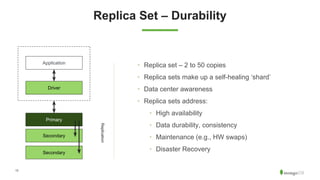
Replica Set – Durability
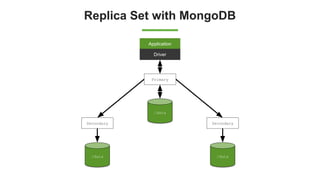
• Replica set – 2 to 50 copies
• Replica sets make up a self-healing ‘shard’
• Data center awareness
• Replica sets address:
• High availability
• Data durability, consistency
• Maintenance (e.g., HW swaps)

• Disaster Recovery
Application
Driver
Primary
Secondary
Secondary
Replication
14
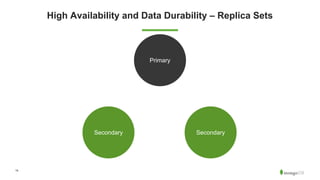
High Availability and Data Durability – Replica Sets
SecondarySecondary
Primary
15
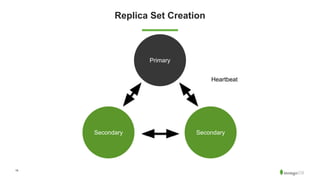
Replica Set Creation
SecondarySecondary
Primary
Heartbeat
16
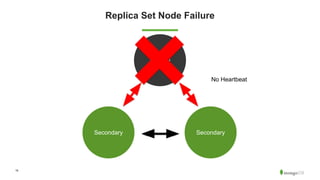
Replica Set Node Failure
SecondarySecondary
Primary
No Heartbeat
17
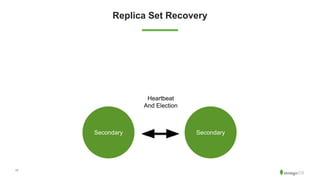
Replica Set Recovery
SecondarySecondary
Heartbeat
And Election
18
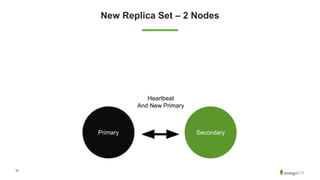
New Replica Set – 2 Nodes
SecondaryPrimary
Heartbeat
And New Primary
19
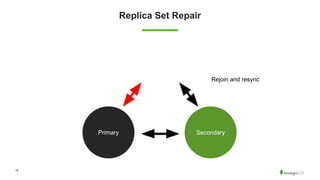
Replica Set Repair
SecondaryPrimary
Secondary
Rejoin and resync
20
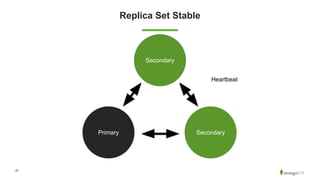
Replica Set Stable
SecondaryPrimary
Secondary
Heartbeat
21
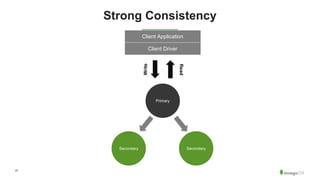
Strong Consistency
SecondarySecondary
Primary
Client Application
Client Driver
Write
Read
22
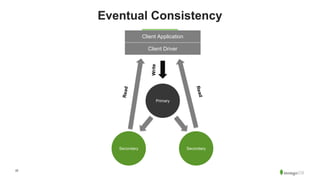
Eventual Consistency
SecondarySecondary
Primary
Client Application
Client Driver
Write
Read
Read
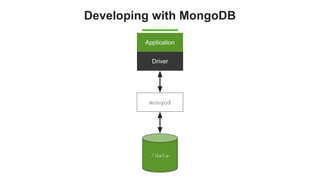
Developing with MongoDB
Application
Driver
mongod
/data
Replica Set with MongoDB
Application
Driver
Primary
/data
Secondary
/data
Secondary
/data
25
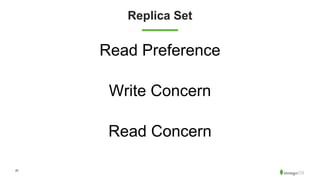
Replica Set
Read Preference
Write Concern
Read Concern
26
Mongo-IOT
MongoDB Atlas
28
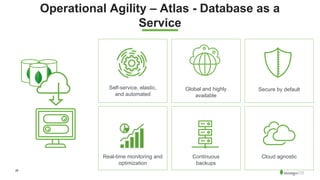
Operational Agility – Atlas - Database as a
Service
Self-service, elastic,
and automated
Secure by defaultGlobal and highly
available
Continuous
backups
Real-time monitoring and
optimization
Cloud agnostic
Aggregation Framework
30
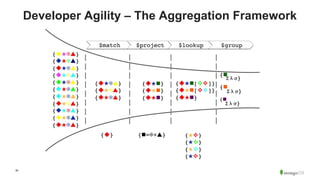
Developer Agility – The Aggregation Framework
31
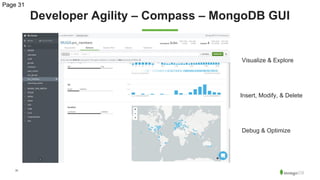
Developer Agility – Compass – MongoDB GUI
Page 31
Debug & Optimize
Visualize & Explore
Insert, Modify, & Delete
Sharded Cluster
33
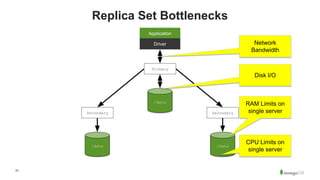
Replica Set Bottlenecks
Application
Driver
Primary
/data
Secondary
/data
Secondary
/data
RAM Limits on
single server
CPU Limits on
single server
Network
Bandwidth
Disk I/O
34
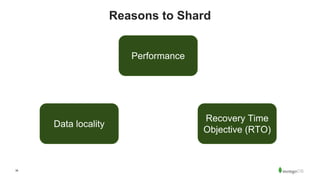
Reasons to Shard
Performance
Data locality
Recovery Time
Objective (RTO)
35
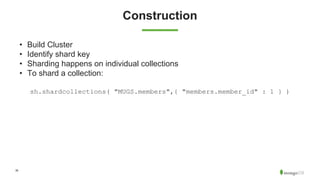
Construction
• Build Cluster
• Identify shard key
• Sharding happens on individual collections
• To shard a collection:
sh.shardcollections( "MUGS.members",{ "members.member_id" : 1 } )
36
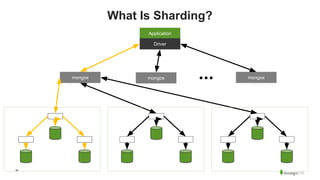
What Is Sharding?
Application
mongos mongos mongos
Driver
37
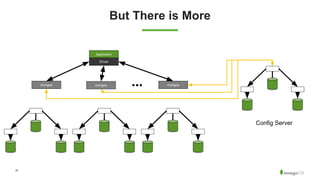
But There is More
Application
mongos mongos mongos
Driver
Config Server
38
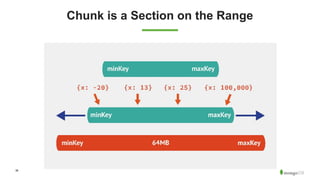
Chunk is a Section on the Range
39
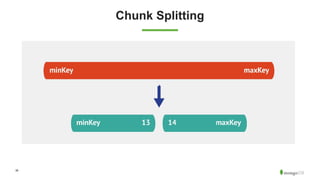
Chunk Splitting
40
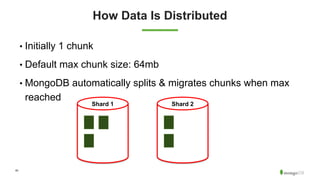
How Data Is Distributed
• Initially 1 chunk
• Default max chunk size: 64mb
• MongoDB automatically splits & migrates chunks when max
reached
Shard 1 Shard 2
41
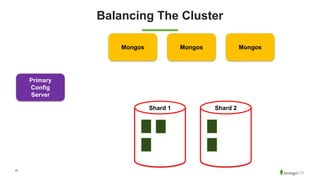
Balancing The Cluster
Shard 1 Shard 2
MongosMongosMongos
Primary
Config
Server
42
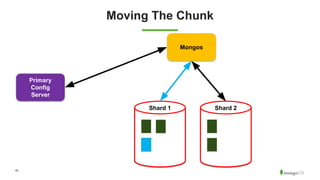
Moving The Chunk
Shard 1 Shard 2
Mongos
Primary
Config
Server
43
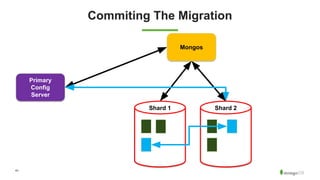
Commiting The Migration
Shard 1 Shard 2
Mongos
Primary
Config
Server
44
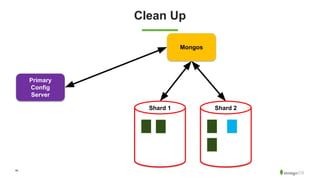
Clean Up
Shard 1 Shard 2
Mongos
Primary
Config
Server
45
Demo!
46
Conclusion
@MBeugnet MaBeuLux88
47
Community is awesome!
https://mongo-db.slack.com
https://mongodb.influitive.com/
48
MongoDB Events
MongoDB .local Paris
MongoDB - Riviera Dev 2018

MongoDB - Riviera Dev 2018