




Presenters
Kent Melville
Sales Engineering Manager
Inductive Automation
Don Pearson
Chief Strategy Officer
Inductive Automation
Guest Presenter
Ross Sheffler
Control System Integrator
Vertech
Agenda
• HMIs
• Ignition HMIs
• Ignition Edge Panel &
Ignition Onboard
• Integrator Case Studies
• Audience Q&A
Ignition by Inductive Automation
The Unlimited Platform for SCADA and So Much More
• Connect, Design, Deploy Without Limits:
○ One central hub for everything on the plant floor
○ Create any kind of industrial application
○ Web-deploy clients to desktops, industrial displays &
mobile devices
• Unlimited licensing
• Industrial-strength security and stability
• Trusted by thousands of companies worldwide
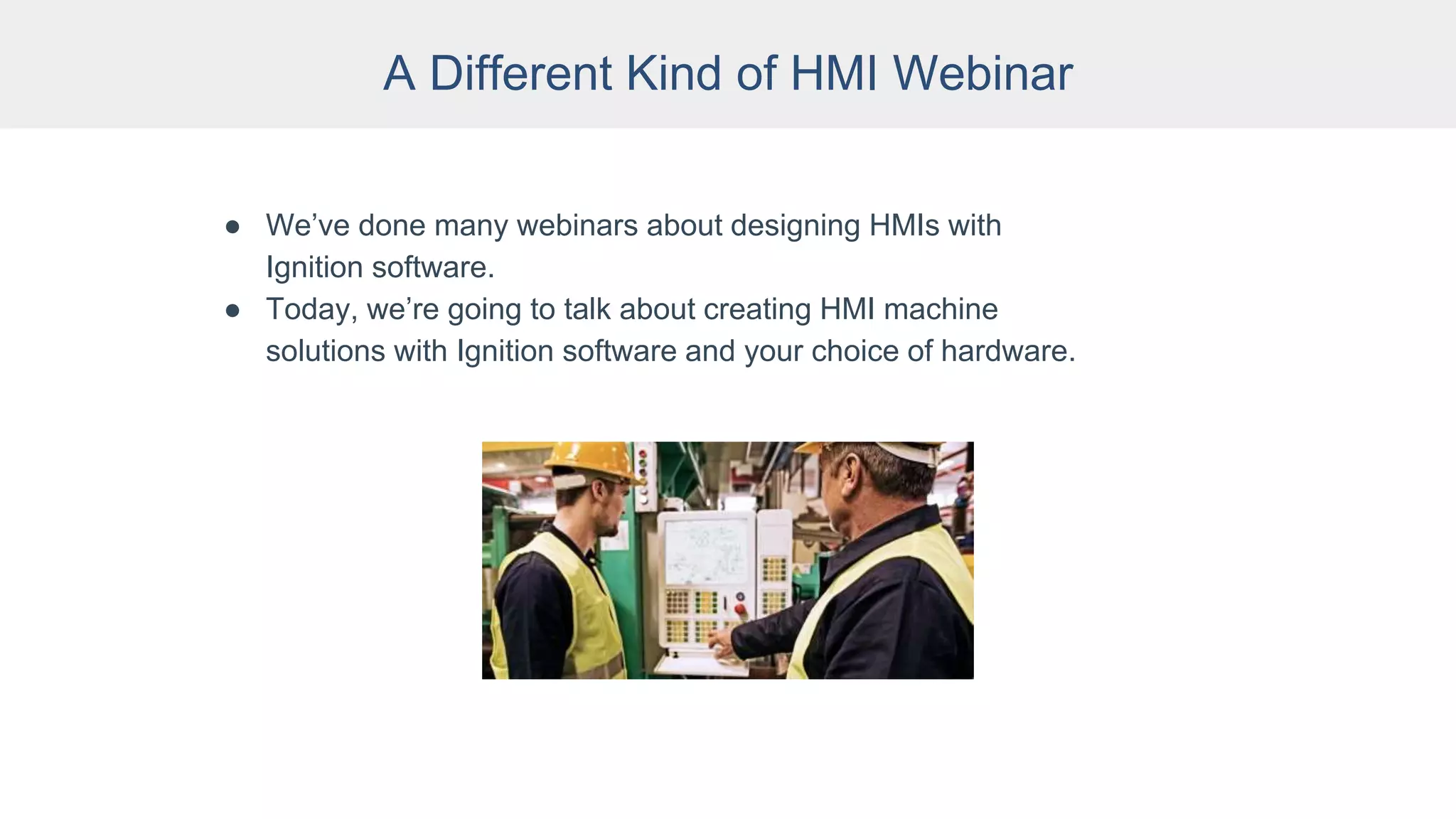
A Different Kind of HMI Webinar
● We’ve done many webinars about designing HMIs with
Ignition software.
● Today, we’re going to talk about creating HMI machine
solutions with Ignition software and your choice of hardware.
What is an HMI?
● Human-Machine Interface: A user interface that
connects a person to a machine, system, or
device.
● In industrial settings, HMIs are used to:
○ Visually display data (including graphs, charts,
buttons, dashboards, etc.)
○ Track production time, trends & tags
○ Oversee KPIs
○ Monitor machine I/O
○ View & manage alarms
○ And more
● Unlike SCADA, HMIs don’t collect and record
information or connect to databases.
What is an HMI?
● Mainly used by operators, engineers, system
integrators
● Can be on the plant floor, on mobile or remote
devices, in the cloud, or the edge of the network
● Made up of hardware and software (HMI
software often comes with the hardware)
● HMI software can be installed on any of the
following hardware:
○ Built-in or embedded screens on machines
○ Graphic terminals
○ Panel-mount displays
○ Regular PCs
○ Mobile devices and wearables
HMI Hardware in the Supply Chain
● Many industrial companies rely on proprietary
hardware such as Allen-Bradley Panel Views for
HMIs.
● This locks many companies into expensive
products from one vendor.
● Recent supply-chain problems are causing long
lead times, making it hard to get traditional HMI
hardware in a timely manner.
● With microchip shortages, limited warehouse
space, and backed-up shipping containers,
these supply-chain issues are unlikely to
change in the near future.
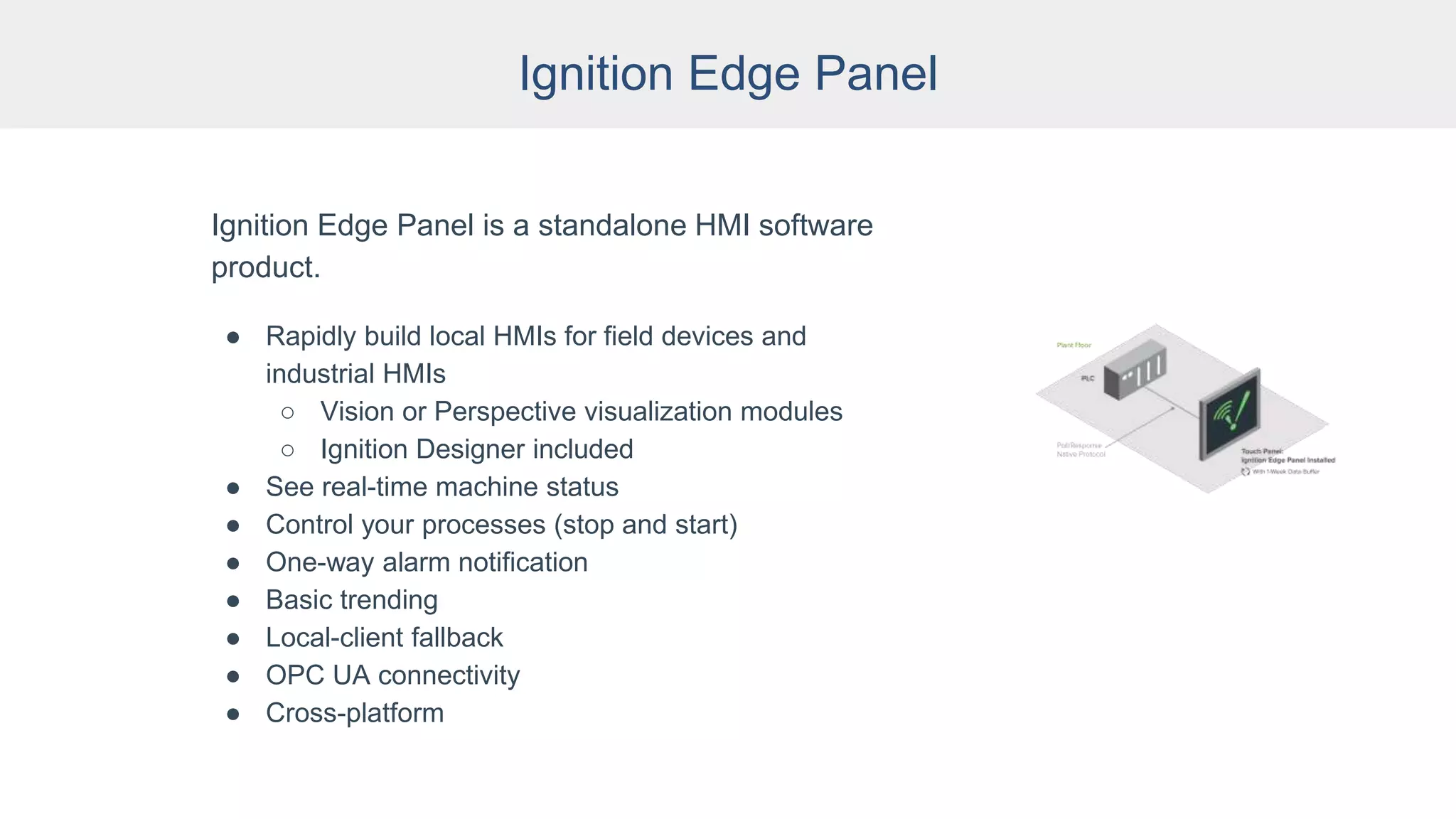
Ignition Edge Panel
Ignition Edge Panel is a standalone HMI software
product.
● Rapidly build local HMIs for field devices and
industrial HMIs
○ Vision or Perspective visualization modules
○ Ignition Designer included
● See real-time machine status
● Control your processes (stop and start)
● One-way alarm notification
● Basic trending
● Local-client fallback
● OPC UA connectivity
● Cross-platform
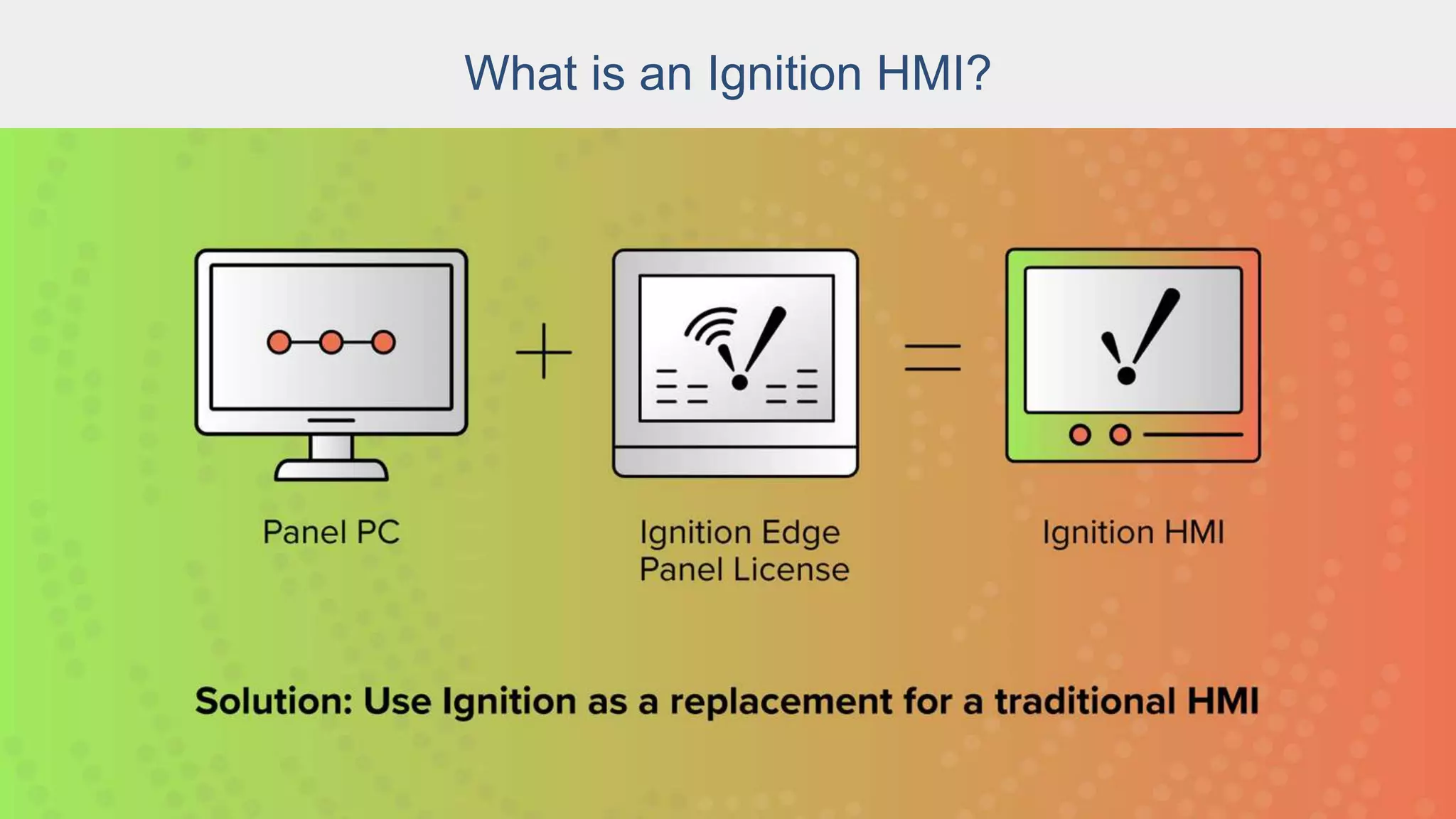
What is an Ignition HMI?
Options:
● Install Ignition Edge Panel onto an existing panel PC.
● Buy a Panel PC or an industrial PC and install Ignition Edge Panel onto
it.
● Buy an Ignition Onboard panel PC with Ignition Edge Panel pre-loaded
and pre-licensed.
Ignition Onboard
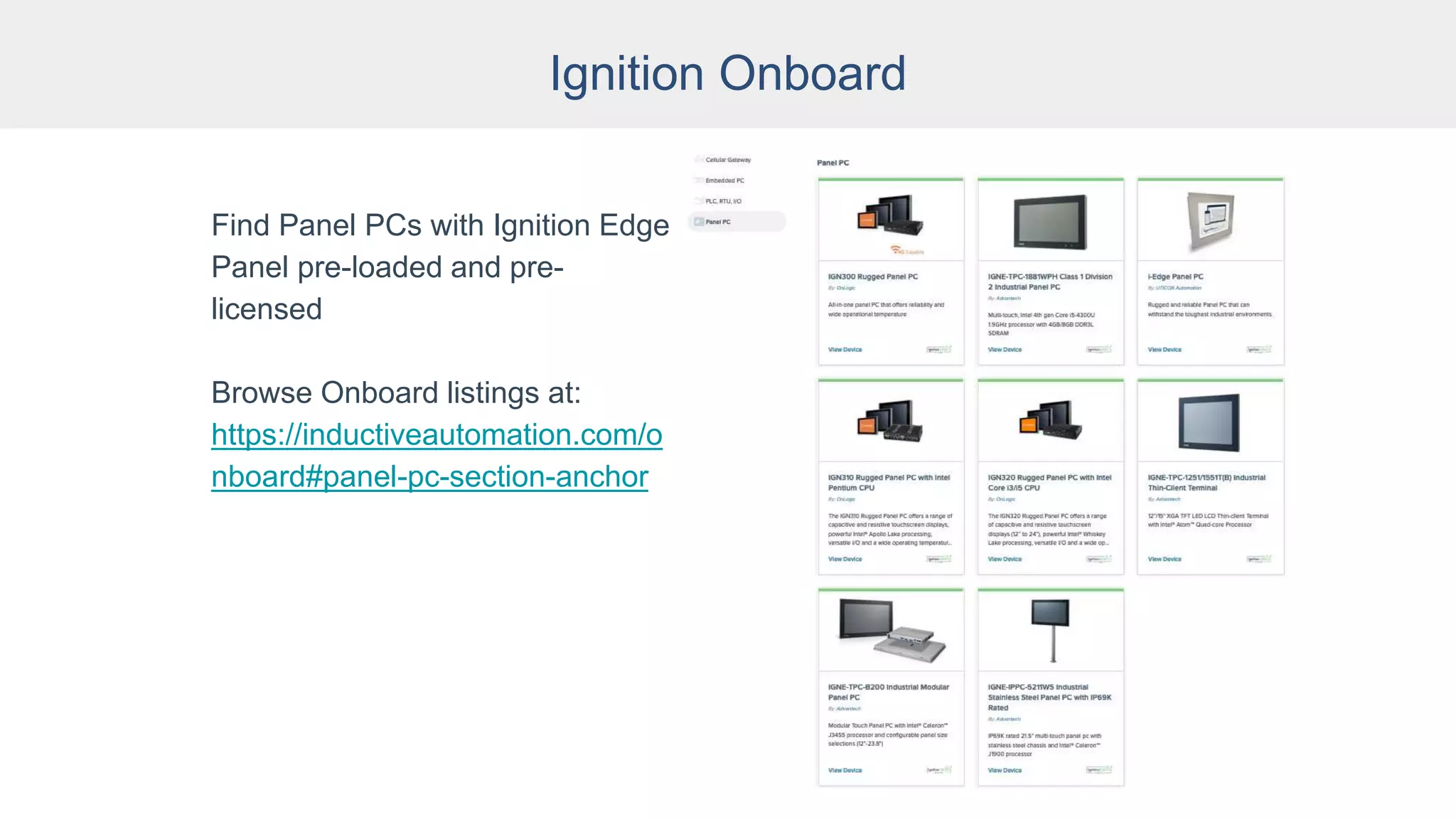
Ignition Onboard
Find Panel PCs with Ignition Edge
Panel pre-loaded and pre-
licensed
Browse Onboard listings at:
https://inductiveautomation.com/o
nboard#panel-pc-section-anchor
Ignition Edge Panel HMI Advantages
● Doesn’t require a specific piece of hardware;
choose whatever hardware you need
● Replace failed HMIs more quickly and
affordably
● Development environment is included, not
licensed separately
● Offers parallel functionality as data collection
software
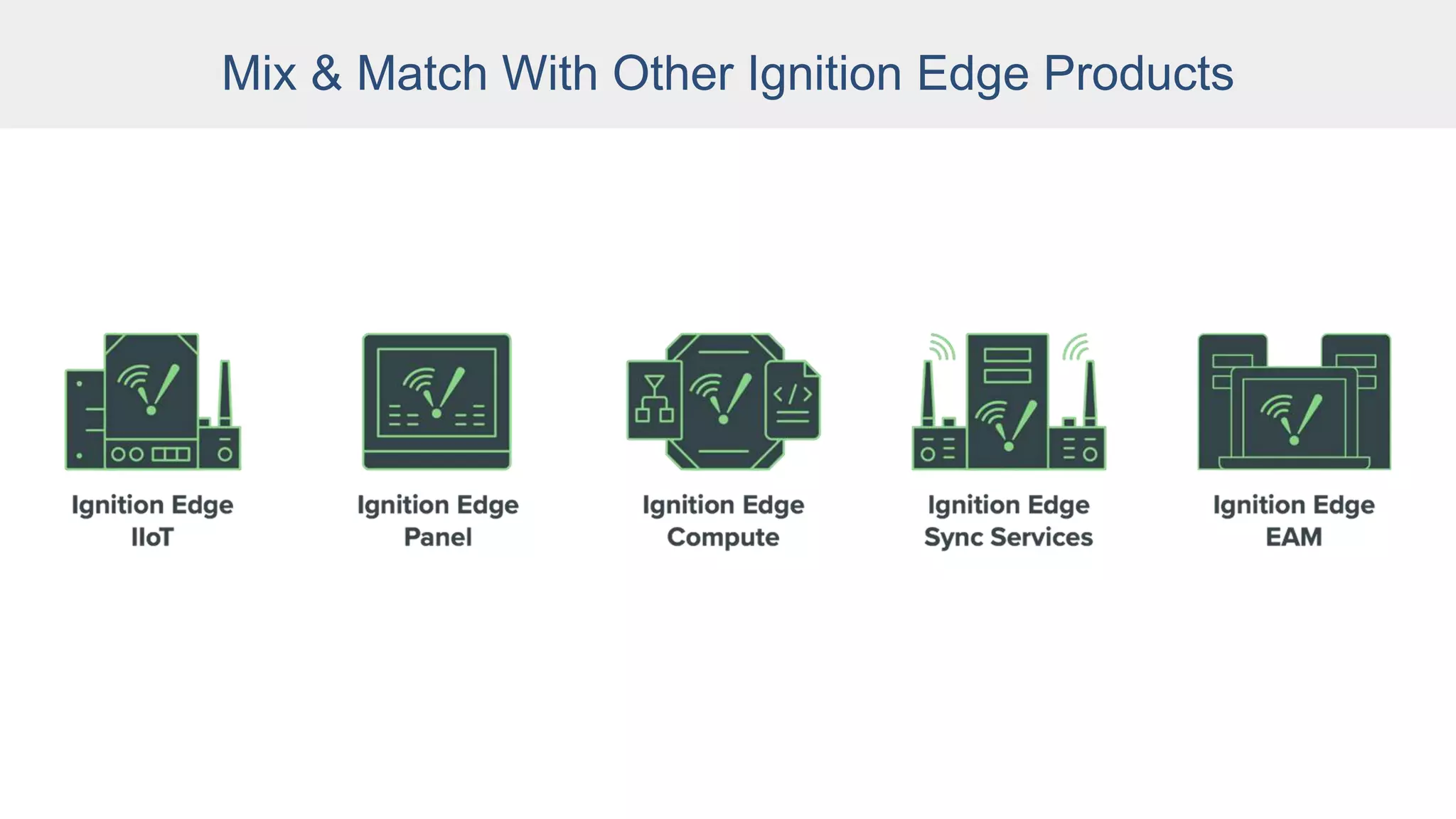
● Mix and match Ignition Edge Panel with other
Ignition Edge products
Mix & Match With Other Ignition Edge Products
Integrator Case Studies
Case Study: Landfill Applications
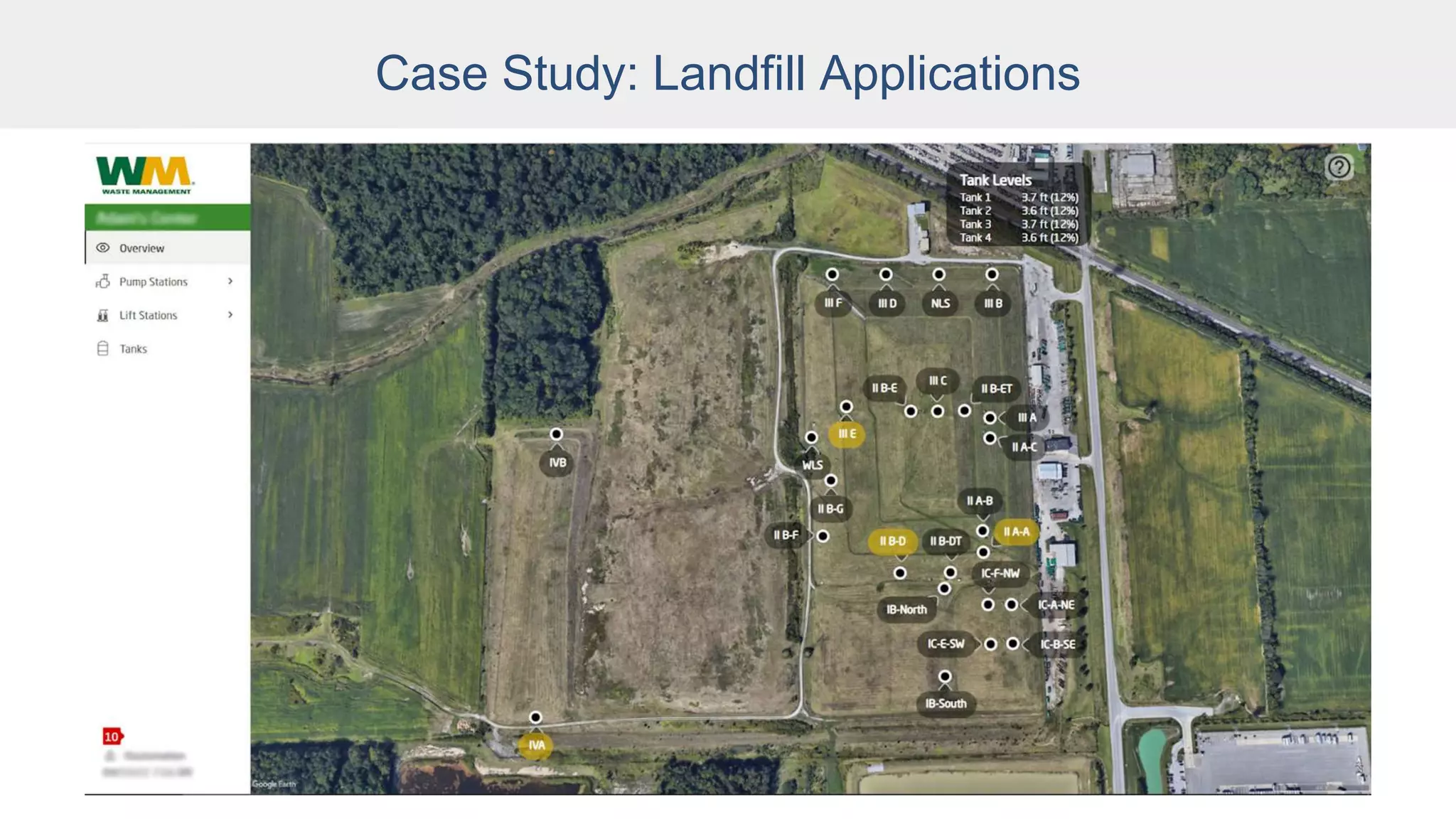
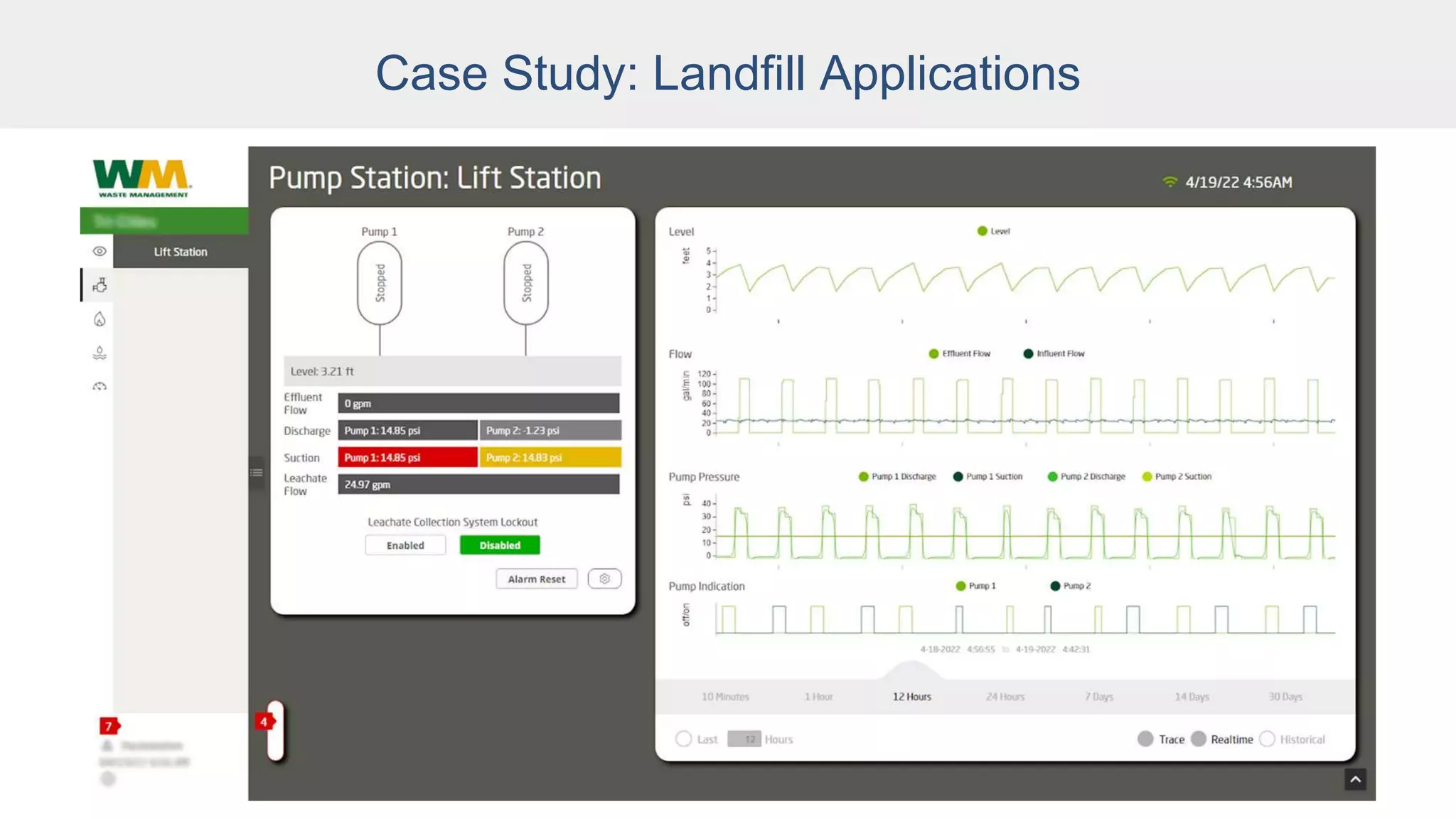
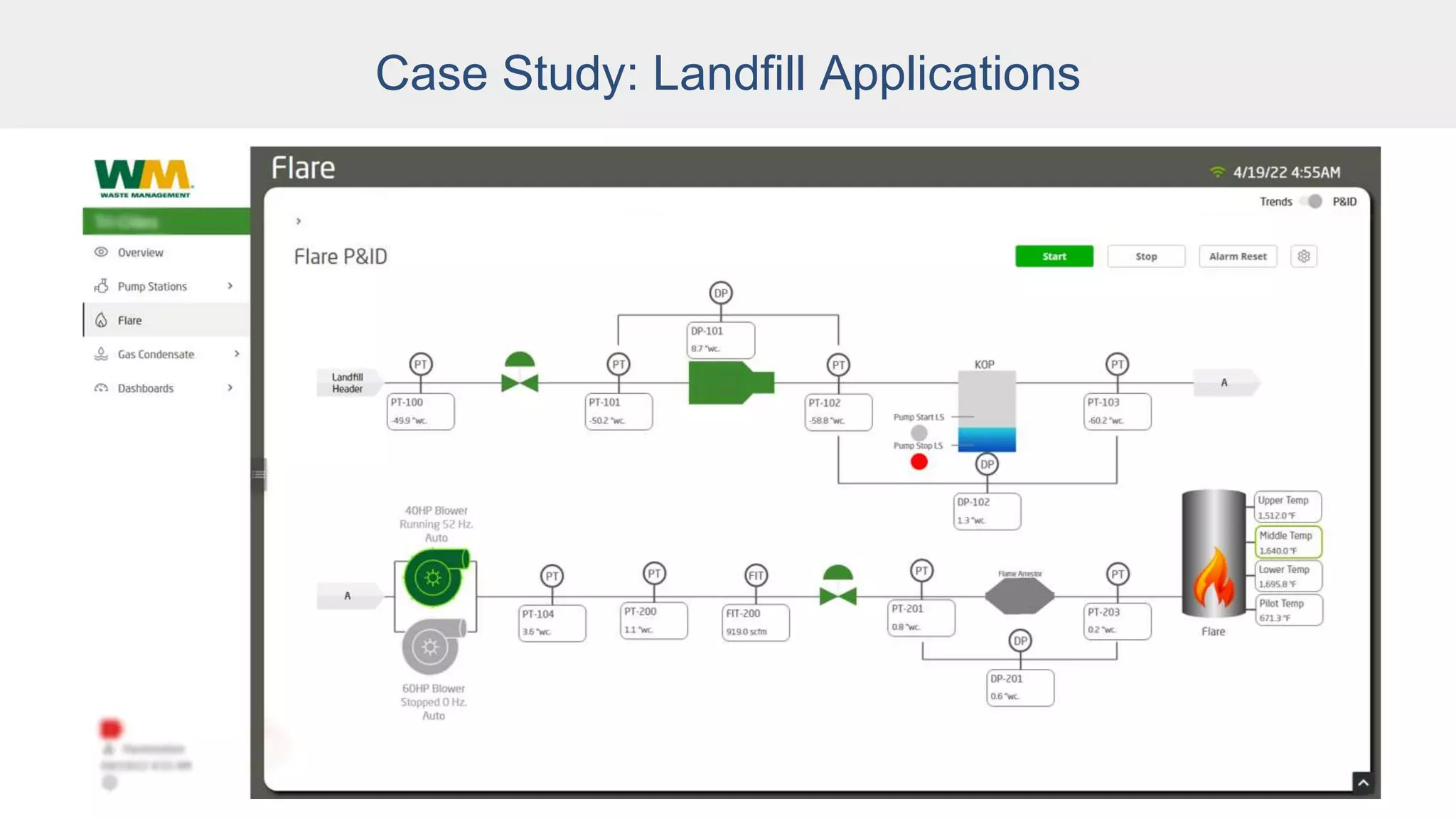
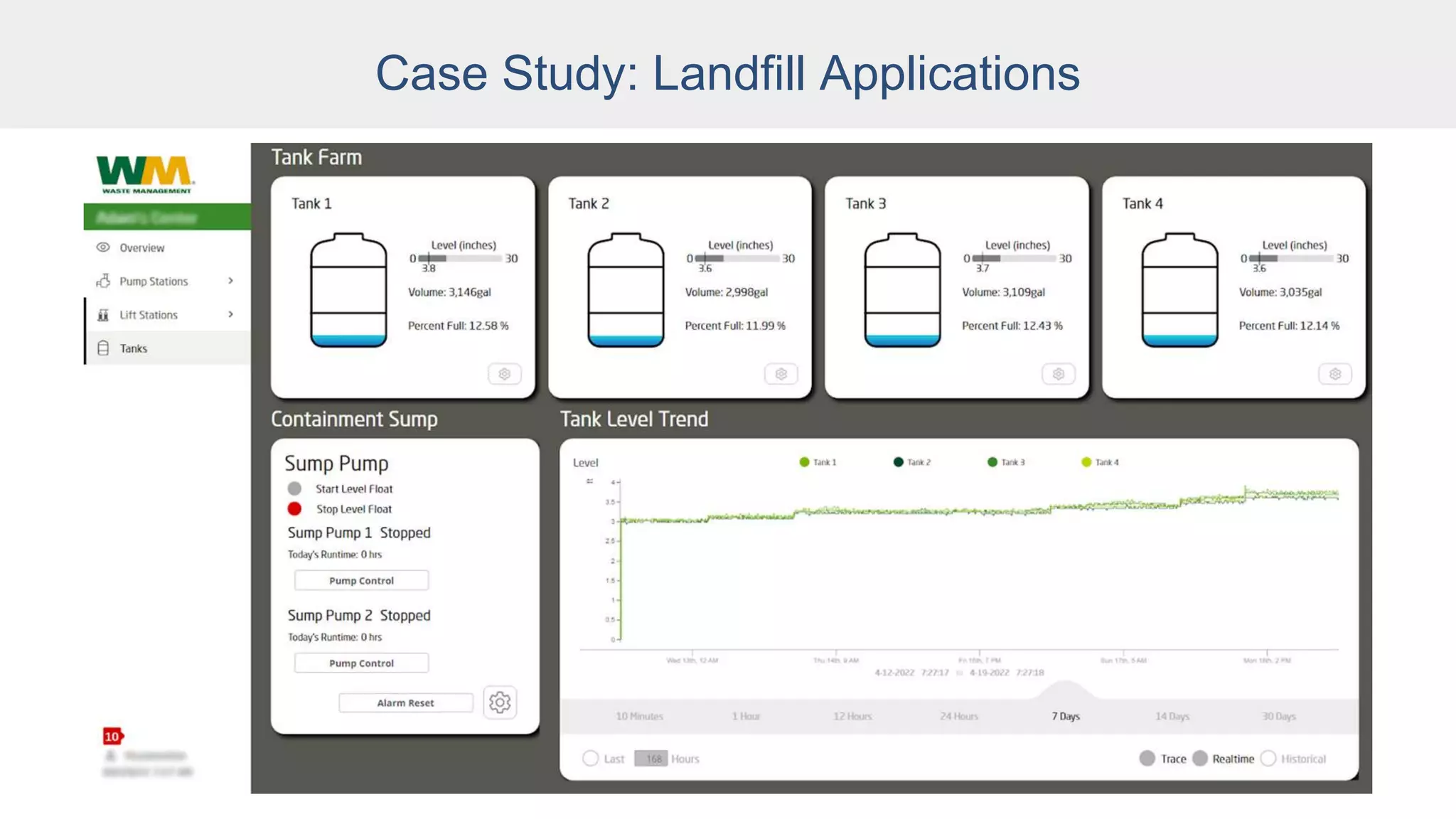
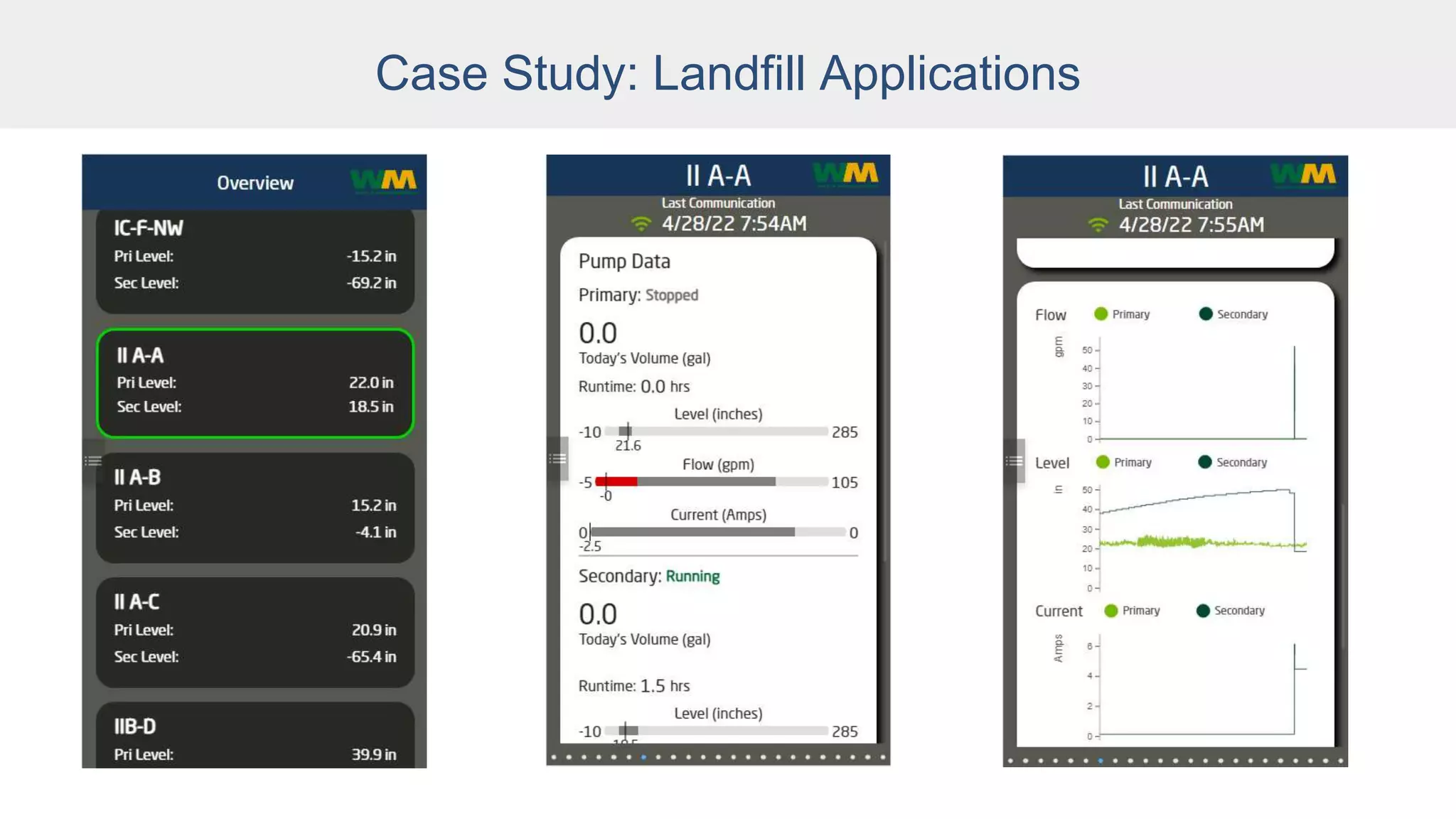
● Two projects: Landfill applications
● Both projects collecting data from multiple
assets and displaying them from a single
touchscreen so operators can control devices to
a single point.
● Uses Edge Panel for local site control.
Case Study: Landfill Applications
● Also collects and pushes data to an Enterprise
Ignition system that collects and displays data
for the entire organization.
● Having local command and control of a site is
required even when communication outages
occur with the Enterprise system.
● Edge Panel enabled reuse of many of the same
views developed for the Enterprise system.
Case Study: Landfill Applications
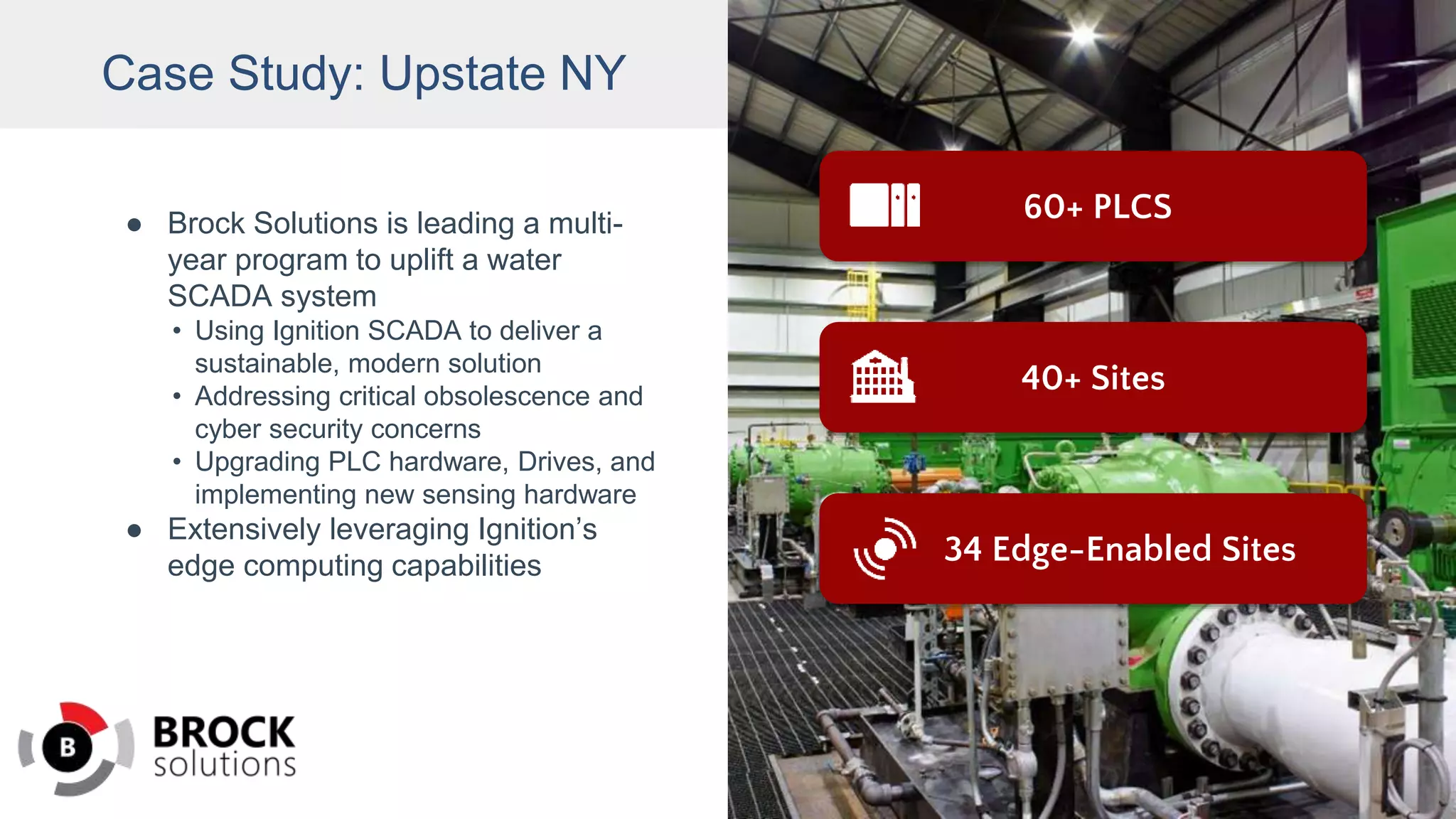
Case Study: Upstate NY
● Brock Solutions is leading a multi-
year program to uplift a water
SCADA system
• Using Ignition SCADA to deliver a
sustainable, modern solution
• Addressing critical obsolescence and
cyber security concerns
• Upgrading PLC hardware, Drives, and
implementing new sensing hardware
● Extensively leveraging Ignition’s
edge computing capabilities
60+ PLCS
34 Edge-Enabled Sites
40+ Sites
Case Study: Upstate NY
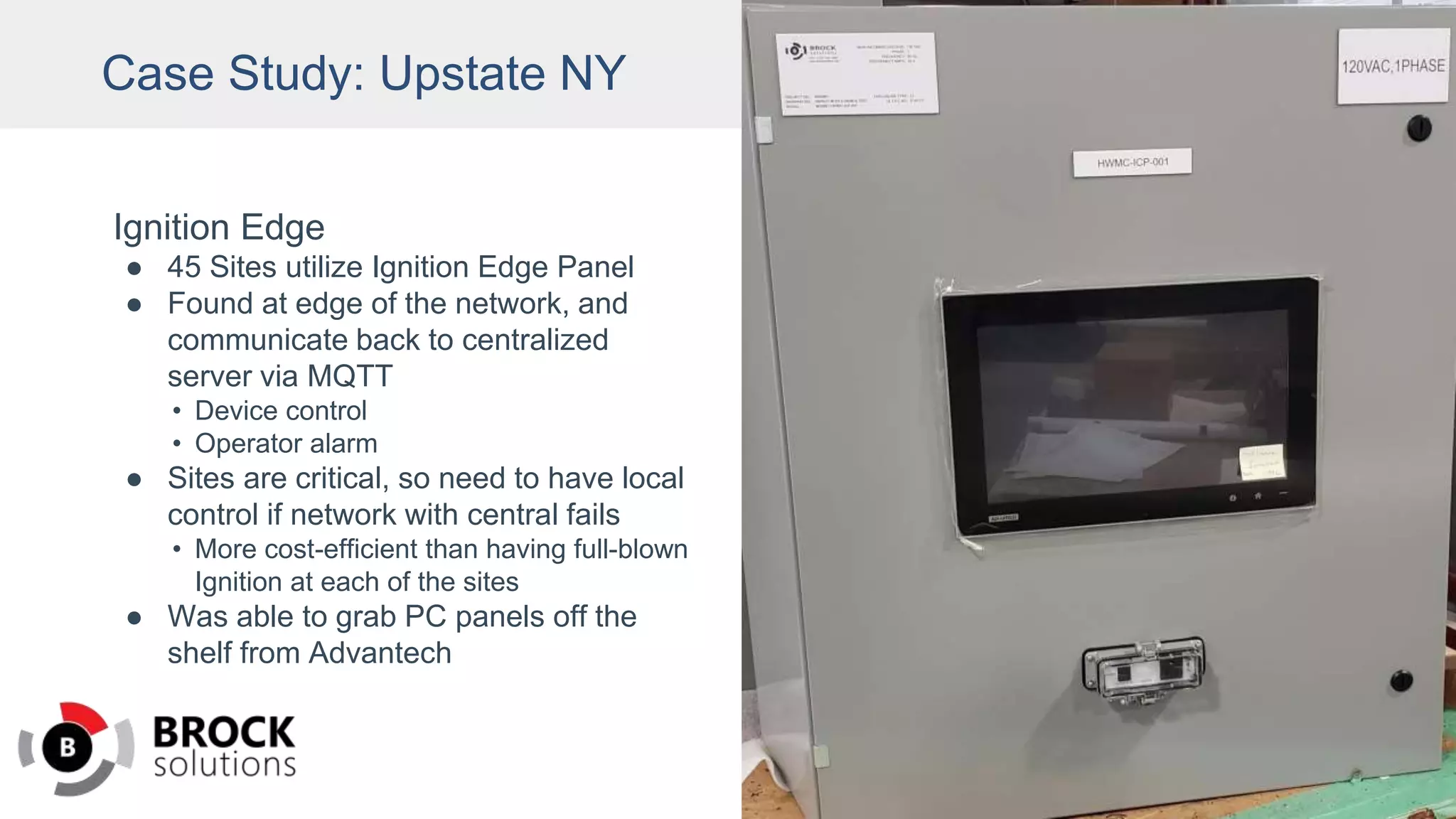
Ignition Edge
● 45 Sites utilize Ignition Edge Panel
● Found at edge of the network, and
communicate back to centralized
server via MQTT
• Device control
• Operator alarm
● Sites are critical, so need to have local
control if network with central fails
• More cost-efficient than having full-blown
Ignition at each of the sites
● Was able to grab PC panels off the
shelf from Advantech
Solutions to Keep You Running
Download Ignition Edge at:
inductiveautomation.com
Browse Ignition Onboard Panel PCs with Ignition
Edge Panel pre-loaded and pre-licensed at:
inductiveautomation.com/onboard
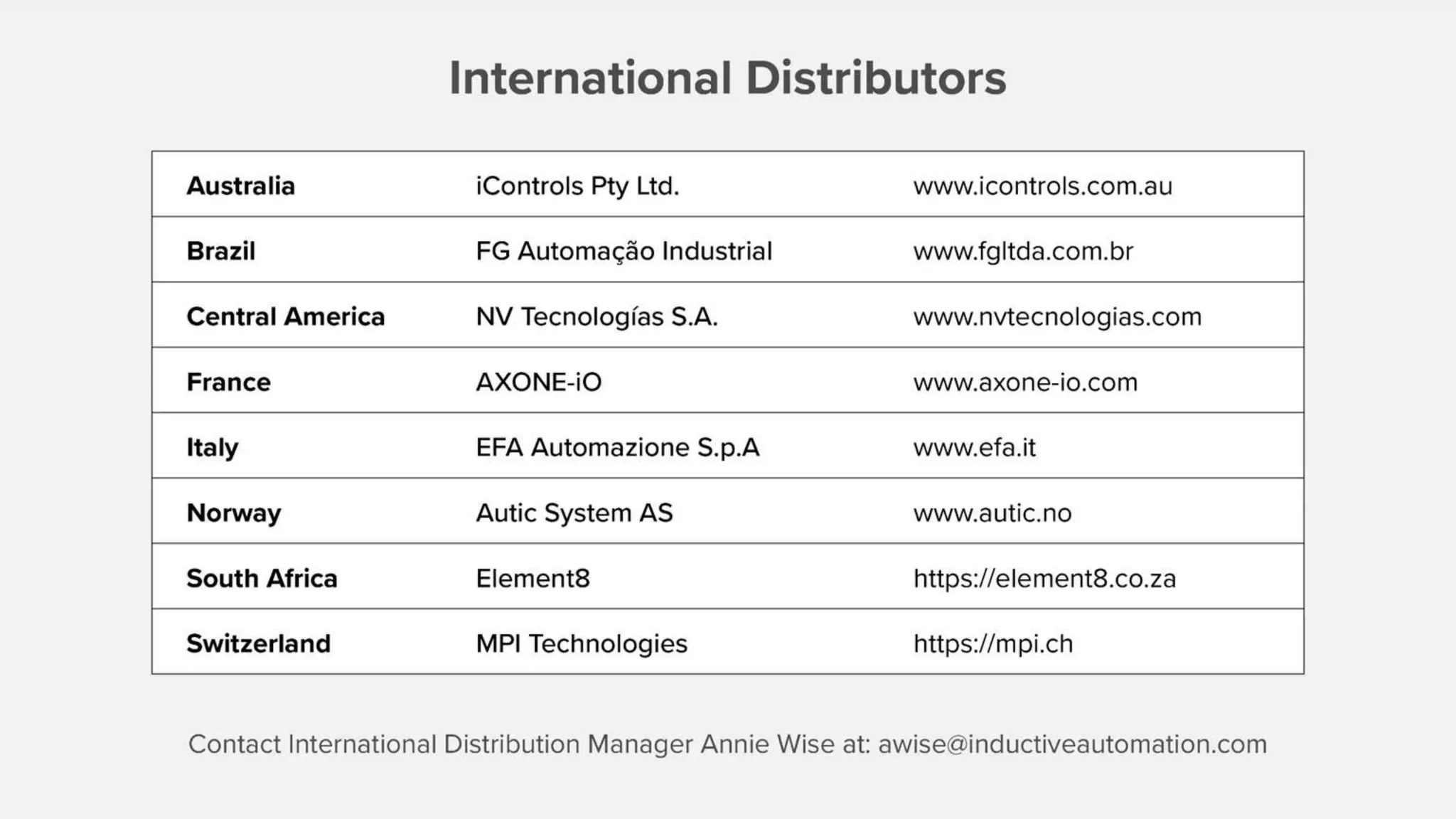
International Distributors
Australia iControls Pty Ltd. www.icontrols.com.au
Brazil FG Automação Industrial www.fgltda.com.br
Central America NV Tecnologías S.A. www.nvtecnologias.com
France AXONE-iO www.axone-io.com
Italy EFA Automazione S.p.A www.efa.it
Norway Autic System AS www.autic.no
South Africa Element8 https://element8.co.za/
Switzerland MPI Technologies https://mpi.ch/
Contact International Distribution Manager Annie Wise at: awise@inductiveautomation.com
Turn Any Panel PC Into an Ignition HMI

Turn Any Panel PC Into an Ignition HMI

  • 2.
    Presenters Kent Melville Sales EngineeringManager Inductive Automation Don Pearson Chief Strategy Officer Inductive Automation
  • 3.
    Guest Presenter Ross Sheffler ControlSystem Integrator Vertech
  • 4.
    Agenda • HMIs • IgnitionHMIs • Ignition Edge Panel & Ignition Onboard • Integrator Case Studies • Audience Q&A
  • 5.
    Ignition by InductiveAutomation The Unlimited Platform for SCADA and So Much More • Connect, Design, Deploy Without Limits: ○ One central hub for everything on the plant floor ○ Create any kind of industrial application ○ Web-deploy clients to desktops, industrial displays & mobile devices • Unlimited licensing • Industrial-strength security and stability • Trusted by thousands of companies worldwide
  • 6.
    A Different Kindof HMI Webinar ● We’ve done many webinars about designing HMIs with Ignition software. ● Today, we’re going to talk about creating HMI machine solutions with Ignition software and your choice of hardware.
  • 7.
    What is anHMI? ● Human-Machine Interface: A user interface that connects a person to a machine, system, or device. ● In industrial settings, HMIs are used to: ○ Visually display data (including graphs, charts, buttons, dashboards, etc.) ○ Track production time, trends & tags ○ Oversee KPIs ○ Monitor machine I/O ○ View & manage alarms ○ And more ● Unlike SCADA, HMIs don’t collect and record information or connect to databases.
  • 8.
    What is anHMI? ● Mainly used by operators, engineers, system integrators ● Can be on the plant floor, on mobile or remote devices, in the cloud, or the edge of the network ● Made up of hardware and software (HMI software often comes with the hardware) ● HMI software can be installed on any of the following hardware: ○ Built-in or embedded screens on machines ○ Graphic terminals ○ Panel-mount displays ○ Regular PCs ○ Mobile devices and wearables
  • 9.
    HMI Hardware inthe Supply Chain ● Many industrial companies rely on proprietary hardware such as Allen-Bradley Panel Views for HMIs. ● This locks many companies into expensive products from one vendor. ● Recent supply-chain problems are causing long lead times, making it hard to get traditional HMI hardware in a timely manner. ● With microchip shortages, limited warehouse space, and backed-up shipping containers, these supply-chain issues are unlikely to change in the near future.
  • 10.
    Ignition Edge Panel IgnitionEdge Panel is a standalone HMI software product. ● Rapidly build local HMIs for field devices and industrial HMIs ○ Vision or Perspective visualization modules ○ Ignition Designer included ● See real-time machine status ● Control your processes (stop and start) ● One-way alarm notification ● Basic trending ● Local-client fallback ● OPC UA connectivity ● Cross-platform
  • 11.
    What is anIgnition HMI?
  • 12.
    What is anIgnition HMI? Options: ● Install Ignition Edge Panel onto an existing panel PC. ● Buy a Panel PC or an industrial PC and install Ignition Edge Panel onto it. ● Buy an Ignition Onboard panel PC with Ignition Edge Panel pre-loaded and pre-licensed.
  • 13.
  • 14.
    Ignition Onboard Find PanelPCs with Ignition Edge Panel pre-loaded and pre- licensed Browse Onboard listings at: https://inductiveautomation.com/o nboard#panel-pc-section-anchor
  • 15.
    Ignition Edge PanelHMI Advantages ● Doesn’t require a specific piece of hardware; choose whatever hardware you need ● Replace failed HMIs more quickly and affordably ● Development environment is included, not licensed separately ● Offers parallel functionality as data collection software ● Mix and match Ignition Edge Panel with other Ignition Edge products
  • 16.
    Mix & MatchWith Other Ignition Edge Products
  • 17.
  • 18.
    Case Study: LandfillApplications ● Two projects: Landfill applications ● Both projects collecting data from multiple assets and displaying them from a single touchscreen so operators can control devices to a single point. ● Uses Edge Panel for local site control.
  • 19.
    Case Study: LandfillApplications ● Also collects and pushes data to an Enterprise Ignition system that collects and displays data for the entire organization. ● Having local command and control of a site is required even when communication outages occur with the Enterprise system. ● Edge Panel enabled reuse of many of the same views developed for the Enterprise system.
  • 20.
  • 21.
  • 22.
  • 23.
  • 24.
  • 25.
    Case Study: UpstateNY ● Brock Solutions is leading a multi- year program to uplift a water SCADA system • Using Ignition SCADA to deliver a sustainable, modern solution • Addressing critical obsolescence and cyber security concerns • Upgrading PLC hardware, Drives, and implementing new sensing hardware ● Extensively leveraging Ignition’s edge computing capabilities 60+ PLCS 34 Edge-Enabled Sites 40+ Sites
  • 26.
    Case Study: UpstateNY Ignition Edge ● 45 Sites utilize Ignition Edge Panel ● Found at edge of the network, and communicate back to centralized server via MQTT • Device control • Operator alarm ● Sites are critical, so need to have local control if network with central fails • More cost-efficient than having full-blown Ignition at each of the sites ● Was able to grab PC panels off the shelf from Advantech
  • 27.
    Solutions to KeepYou Running Download Ignition Edge at: inductiveautomation.com Browse Ignition Onboard Panel PCs with Ignition Edge Panel pre-loaded and pre-licensed at: inductiveautomation.com/onboard
  • 31.
    International Distributors Australia iControlsPty Ltd. www.icontrols.com.au Brazil FG Automação Industrial www.fgltda.com.br Central America NV Tecnologías S.A. www.nvtecnologias.com France AXONE-iO www.axone-io.com Italy EFA Automazione S.p.A www.efa.it Norway Autic System AS www.autic.no South Africa Element8 https://element8.co.za/ Switzerland MPI Technologies https://mpi.ch/ Contact International Distribution Manager Annie Wise at: awise@inductiveautomation.com