Carvertc.com/cloud
Carvertc.com/class-schedule
The Benefits and
Coverage of
CloudMASTER
Cloud Computing
Classes
The CloudMaster Classes
• Cloud Technologies
• Cloud benefits & barriers
• Common cloud issues
• SaaS evaluation and
implementation
• Migration from on premises to
cloud
• Cloud Operations
• Provisioning & administration of
cloud services
• Cloud app deployment
• Administration automation
• Everything dev-ops
• Cloud Architecture
• Cloud infrastructure design
• Cloud service provider
evaluation
• Security & compliance
• Cloud cost analysis, TCO, and
ROI
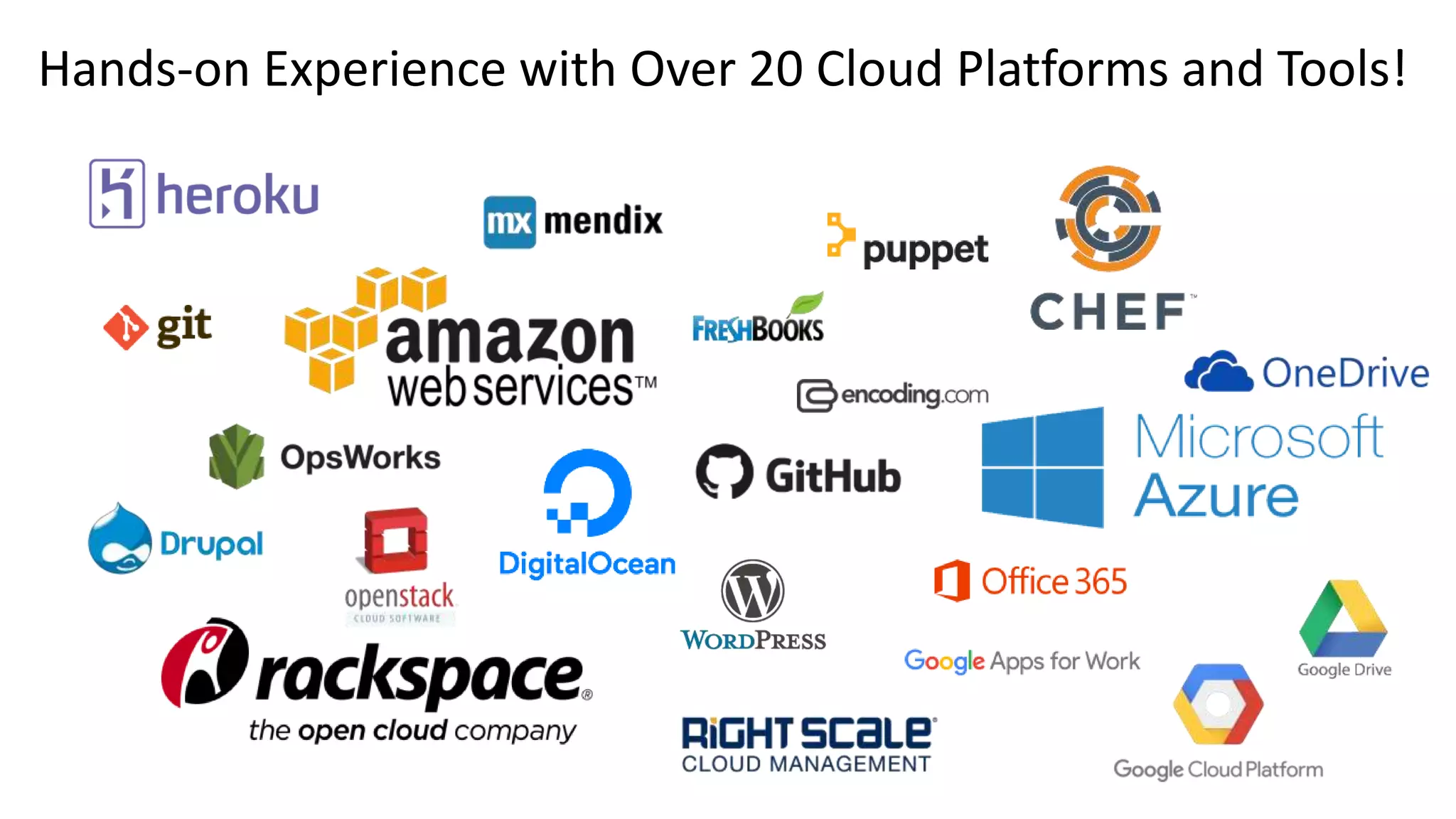
Hands-on Experience with Over 20 Cloud Platforms and Tools!
• Evaluation
• Native vs Web apps
• Cloud vs on-premises cost analysis
• Deployment cost analysis
• Provisioning requirements
• Free vs fee-based solutions
• Migration from on-premises to cloud
• Configuration
• Security
• Compliance
• Integration
Software-as-a-Service
Tasks Taught
• Evaluation
• App deployment (Azure, AWS,
Heroku, and Digital Ocean)
• App database management
• Mobile service implementation
• App migration
• Secure apps in the cloud
• Data import and export
• Phased application migration
from on-premises to cloud
Platform-as-a-Service
Tasks Taught
• Cost calculation and comparison
• Cloud and virtual server
implementation
• Public vs Private vs Hybrid cloud
selection
• Compute component selection
• Database selection
• Scalability design
• Resource management and
optimization
• Automation and orchestration (Chef)
• Disaster Recovery & Business continuity
planning
Infrastructure-as-a-Service Tasks
Taught
Classes address key
concerns of executives
And
Key challenges faced by
IT professionals
Cloud Service Vendor Lock In
Cloud vendor lock-in means once you start with a cloud service provider, it's
difficult and costly to leave. Vendor lock-in is especially concerning because this
problem will happen. It's not an "if" it's a "when."
CloudMASTER Classes Prepare Your Team by:
• Describing key lock-in issues to plan.
• Providing strategies to mitigate lock-in issues.
• Stating key questions to ask cloud service providers.
• Leveraging hands-on practice with tools designed to mitigate vendor lock in.
Security and Privacy
The TOP cloud computing concern of executives
The concerns are real. How do you protect your data and privacy when it's in
someone else data center. The cloud requires a different strategy than on-
premises IT.
CloudMASTER Classes Teach:
• Multi-layer security approach.
• Strategies for securing data in transit.
• Strategies for securing data at rest.
• Use of third party tools for vulnerability scanning and penetration testing.
Compliance
• PCI DSS (payments)
• FCRA (credit reporting)
• FERPA (education)
CloudMASTER Classes Provide:
• Compliance vetting strategies and selection tips for cloud service providers.
• Hybrid cloud alternatives for keeping compliance data on-premises.
• Audit verification strategies, and response processes for cloud service providers.
• SCA (email and content)
• COPPA (children's privacy)
• SOX (Sarbanes-Oxley)
• FISMA (Federal information proection)
• HIPAA (healthcare data)
If your company must be compliant on-premises, it has to stay compliant, and
be able to respond to audits, once data and services are in the cloud.
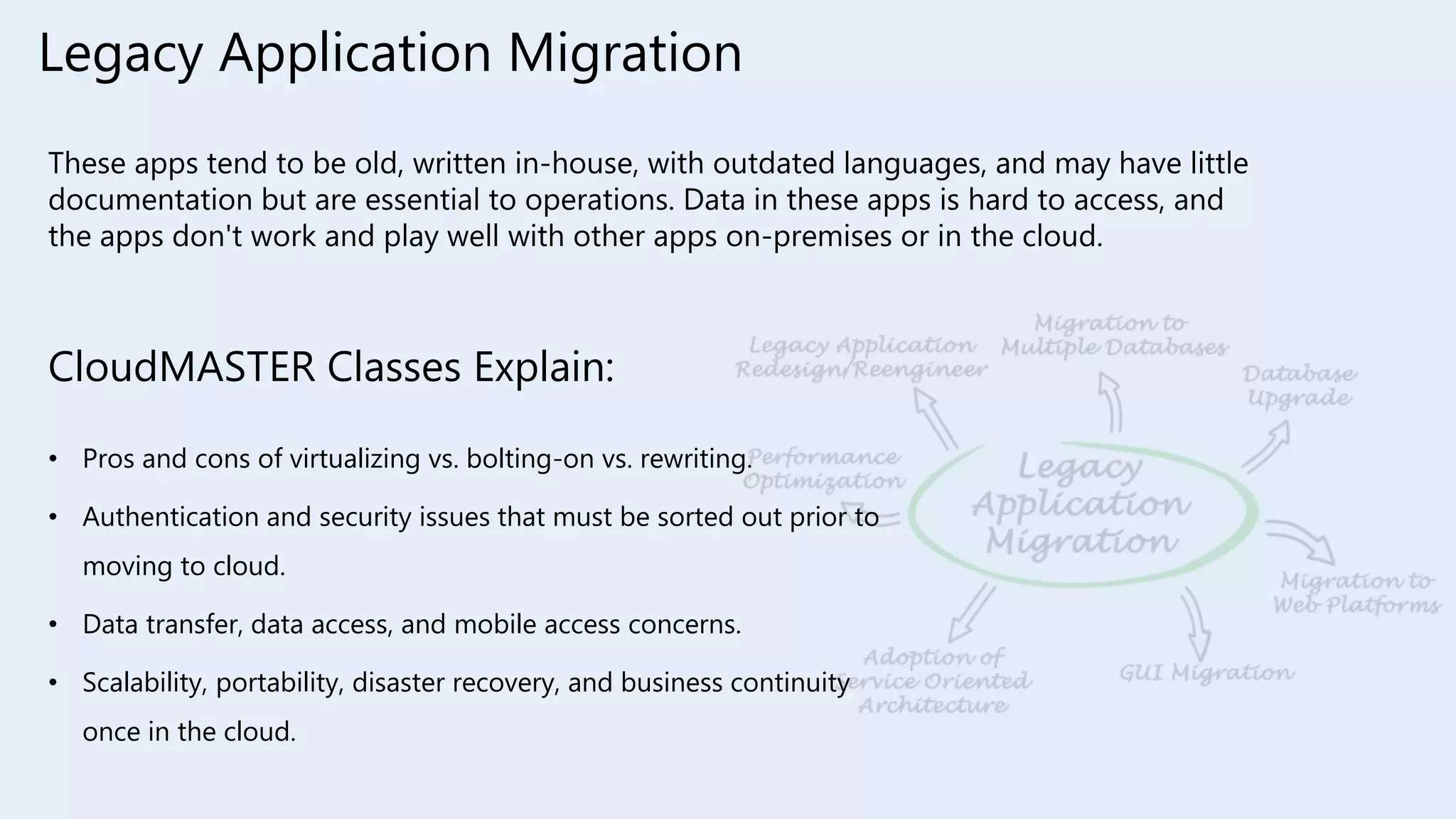
Legacy Application Migration
These apps tend to be old, written in-house, with outdated languages, and may have little
documentation but are essential to operations. Data in these apps is hard to access, and
the apps don't work and play well with other apps on-premises or in the cloud.
CloudMASTER Classes Explain:
• Pros and cons of virtualizing vs. bolting-on vs. rewriting.
• Authentication and security issues that must be sorted out prior to
moving to cloud.
• Data transfer, data access, and mobile access concerns.
• Scalability, portability, disaster recovery, and business continuity
once in the cloud.
Key Planning Tasks for Success
What your organization has to do to successfully get to and perform in the cloud.
CloudMASTER Classes Cover How To:
• Cultural barriers inside the organization.
• Concerns from IT staff.
• Bulk data migration to the cloud.
• Migration risk mitigation.
• Cloud service integration between on-premises and cloud.
• IT service, support, and response after cloud adoption.
How to Present Your Cloud Project Plan
This is overlooked in most cloud computing training. All the cloud training in the world
won’t do you any good if you can’t get your cloud project green lighted. Whether you’re
a project owner or a consultant, this is an essential skill in cloud computing project
enablement.
CloudMASTER Classes Tell You How:
• To create a presentation that drives home your key points with impact.
• How to present to executives.
• What to focus on to win executive approval.
Connect with us on our Cloud Channels:
Cloud Blog: http://blog.carvertc.com/cloud
Class Schedule: http://carvertc.com/class-schedule
The Benefits and Coverage of CloudMASTER Cloud Computing Classes

The Benefits and Coverage of CloudMASTER Cloud Computing Classes

  • 1.
  • 2.
    The CloudMaster Classes •Cloud Technologies • Cloud benefits & barriers • Common cloud issues • SaaS evaluation and implementation • Migration from on premises to cloud • Cloud Operations • Provisioning & administration of cloud services • Cloud app deployment • Administration automation • Everything dev-ops • Cloud Architecture • Cloud infrastructure design • Cloud service provider evaluation • Security & compliance • Cloud cost analysis, TCO, and ROI
  • 3.
    Hands-on Experience withOver 20 Cloud Platforms and Tools!
  • 4.
    • Evaluation • Nativevs Web apps • Cloud vs on-premises cost analysis • Deployment cost analysis • Provisioning requirements • Free vs fee-based solutions • Migration from on-premises to cloud • Configuration • Security • Compliance • Integration Software-as-a-Service Tasks Taught
  • 5.
    • Evaluation • Appdeployment (Azure, AWS, Heroku, and Digital Ocean) • App database management • Mobile service implementation • App migration • Secure apps in the cloud • Data import and export • Phased application migration from on-premises to cloud Platform-as-a-Service Tasks Taught
  • 6.
    • Cost calculationand comparison • Cloud and virtual server implementation • Public vs Private vs Hybrid cloud selection • Compute component selection • Database selection • Scalability design • Resource management and optimization • Automation and orchestration (Chef) • Disaster Recovery & Business continuity planning Infrastructure-as-a-Service Tasks Taught
  • 7.
    Classes address key concernsof executives And Key challenges faced by IT professionals
  • 8.
    Cloud Service VendorLock In Cloud vendor lock-in means once you start with a cloud service provider, it's difficult and costly to leave. Vendor lock-in is especially concerning because this problem will happen. It's not an "if" it's a "when." CloudMASTER Classes Prepare Your Team by: • Describing key lock-in issues to plan. • Providing strategies to mitigate lock-in issues. • Stating key questions to ask cloud service providers. • Leveraging hands-on practice with tools designed to mitigate vendor lock in.
  • 9.
    Security and Privacy TheTOP cloud computing concern of executives The concerns are real. How do you protect your data and privacy when it's in someone else data center. The cloud requires a different strategy than on- premises IT. CloudMASTER Classes Teach: • Multi-layer security approach. • Strategies for securing data in transit. • Strategies for securing data at rest. • Use of third party tools for vulnerability scanning and penetration testing.
  • 10.
    Compliance • PCI DSS(payments) • FCRA (credit reporting) • FERPA (education) CloudMASTER Classes Provide: • Compliance vetting strategies and selection tips for cloud service providers. • Hybrid cloud alternatives for keeping compliance data on-premises. • Audit verification strategies, and response processes for cloud service providers. • SCA (email and content) • COPPA (children's privacy) • SOX (Sarbanes-Oxley) • FISMA (Federal information proection) • HIPAA (healthcare data) If your company must be compliant on-premises, it has to stay compliant, and be able to respond to audits, once data and services are in the cloud.
  • 11.
    Legacy Application Migration Theseapps tend to be old, written in-house, with outdated languages, and may have little documentation but are essential to operations. Data in these apps is hard to access, and the apps don't work and play well with other apps on-premises or in the cloud. CloudMASTER Classes Explain: • Pros and cons of virtualizing vs. bolting-on vs. rewriting. • Authentication and security issues that must be sorted out prior to moving to cloud. • Data transfer, data access, and mobile access concerns. • Scalability, portability, disaster recovery, and business continuity once in the cloud.
  • 12.
    Key Planning Tasksfor Success What your organization has to do to successfully get to and perform in the cloud. CloudMASTER Classes Cover How To: • Cultural barriers inside the organization. • Concerns from IT staff. • Bulk data migration to the cloud. • Migration risk mitigation. • Cloud service integration between on-premises and cloud. • IT service, support, and response after cloud adoption.
  • 13.
    How to PresentYour Cloud Project Plan This is overlooked in most cloud computing training. All the cloud training in the world won’t do you any good if you can’t get your cloud project green lighted. Whether you’re a project owner or a consultant, this is an essential skill in cloud computing project enablement. CloudMASTER Classes Tell You How: • To create a presentation that drives home your key points with impact. • How to present to executives. • What to focus on to win executive approval.
  • 14.
    Connect with uson our Cloud Channels: Cloud Blog: http://blog.carvertc.com/cloud Class Schedule: http://carvertc.com/class-schedule