PROGRESSIVE
     ENHANCEMENT
    &  MOBILE
Aaron Gustafson
@aarongustafson
slideshare.net/AaronGustafson
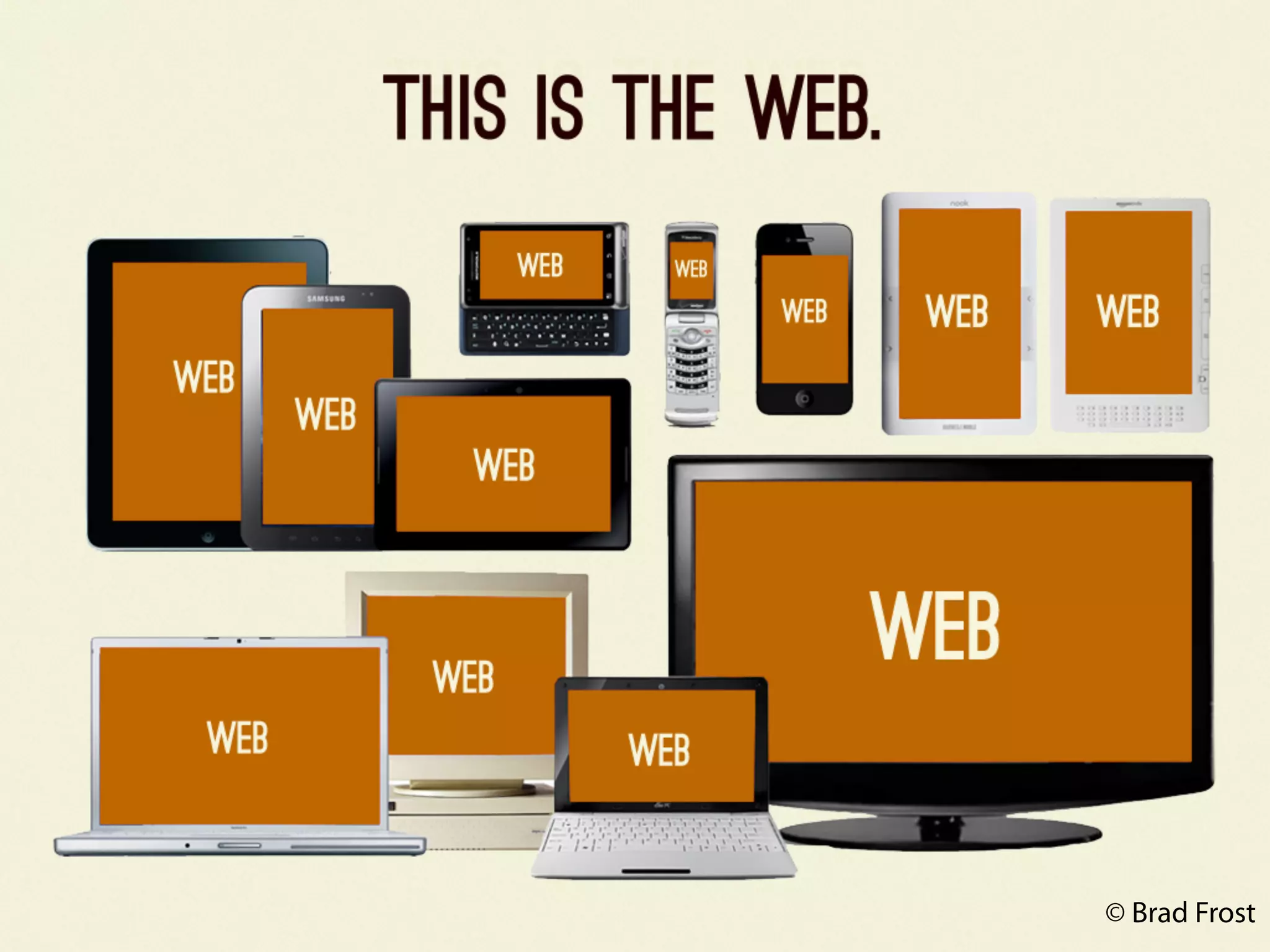
BROWSERS ARE A
 PAIN IN THE ASS
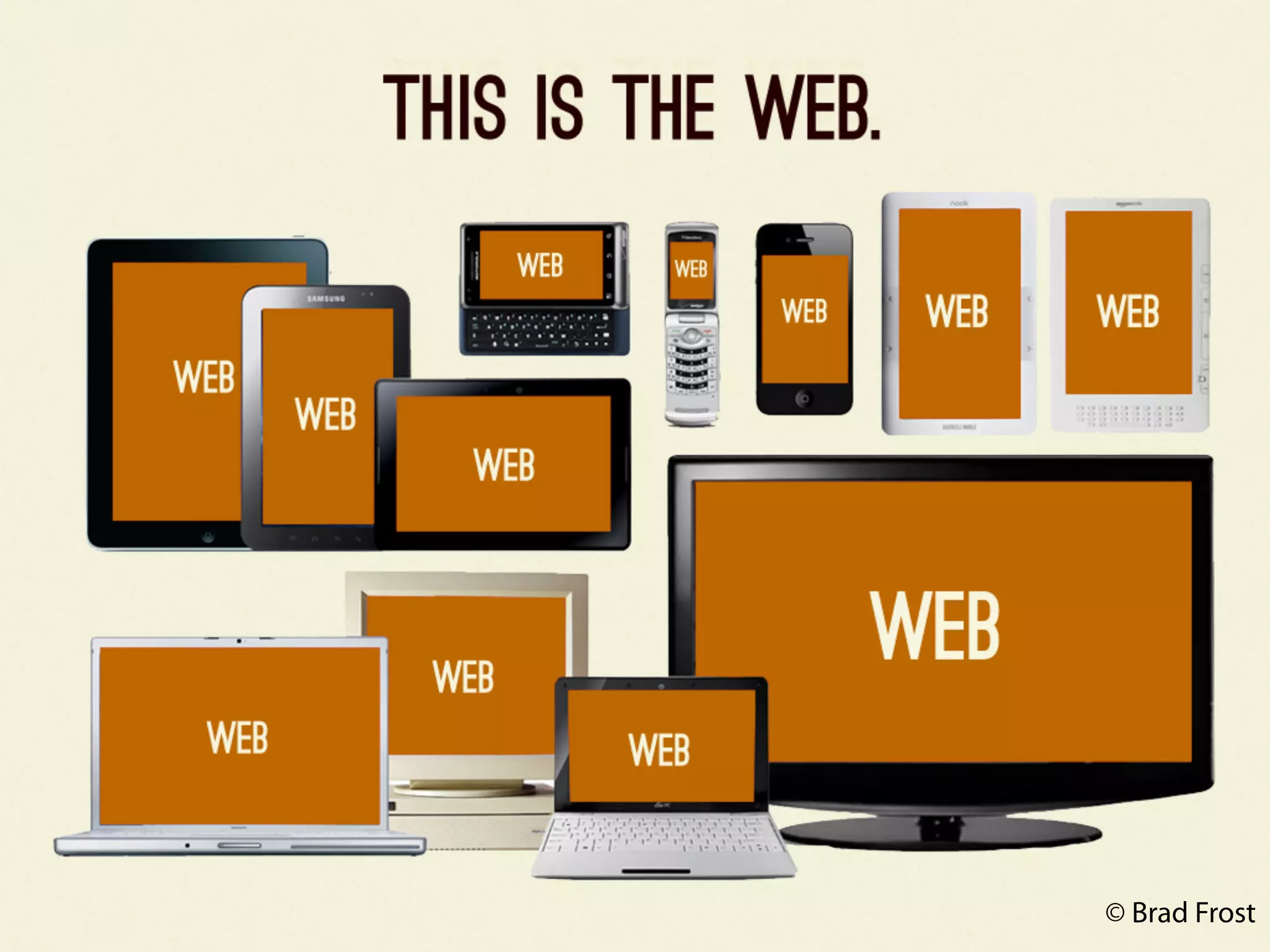
© Brad Frost
© Brad Frost
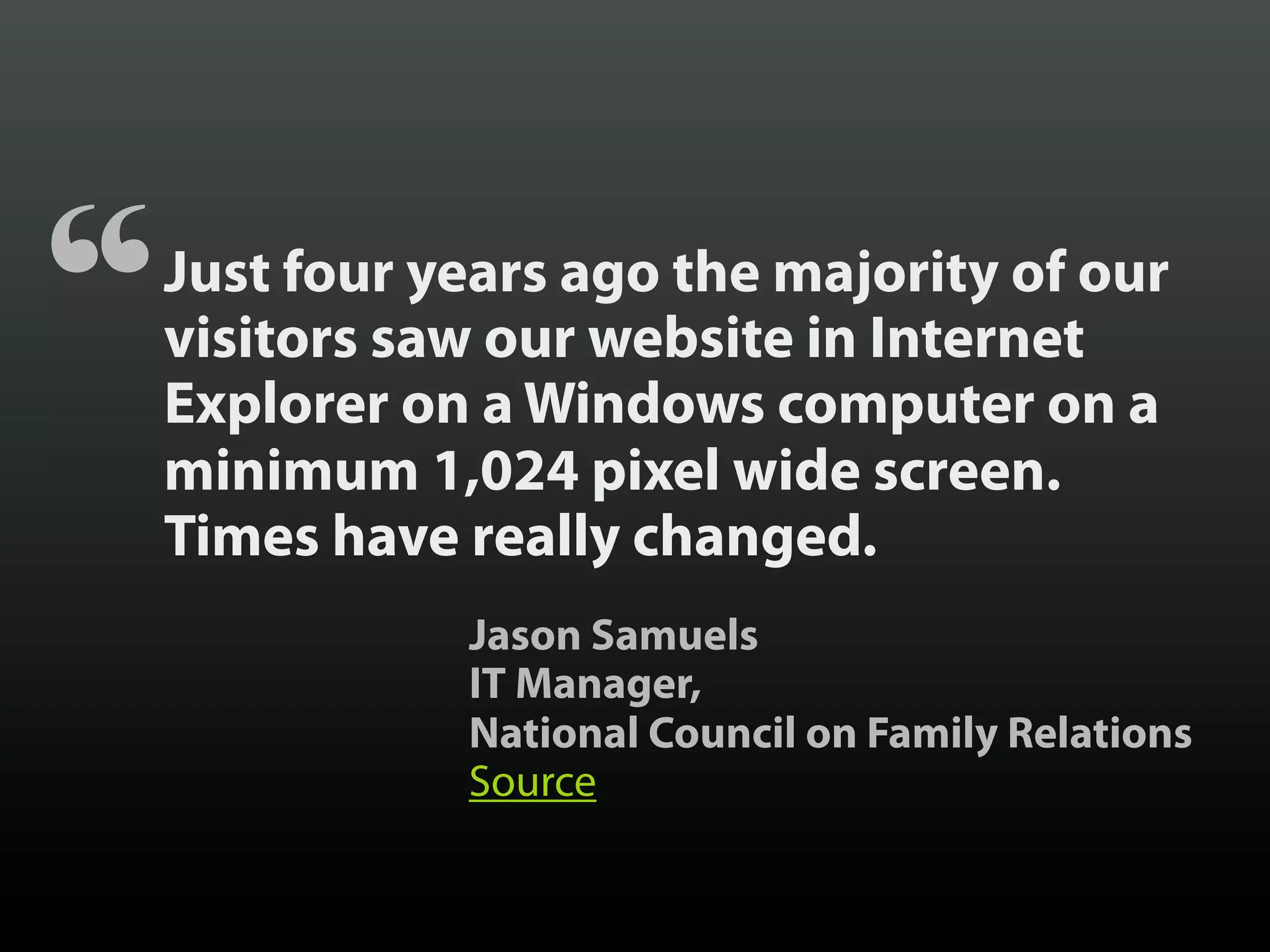
“   Just four years ago the majority of our
    visitors saw our website in Internet
    Explorer on a Windows computer on a
    minimum 1,024 pixel wide screen.
    Times have really changed.
               Jason Samuels
               IT Manager,
               National Council on Family Relations
               Source
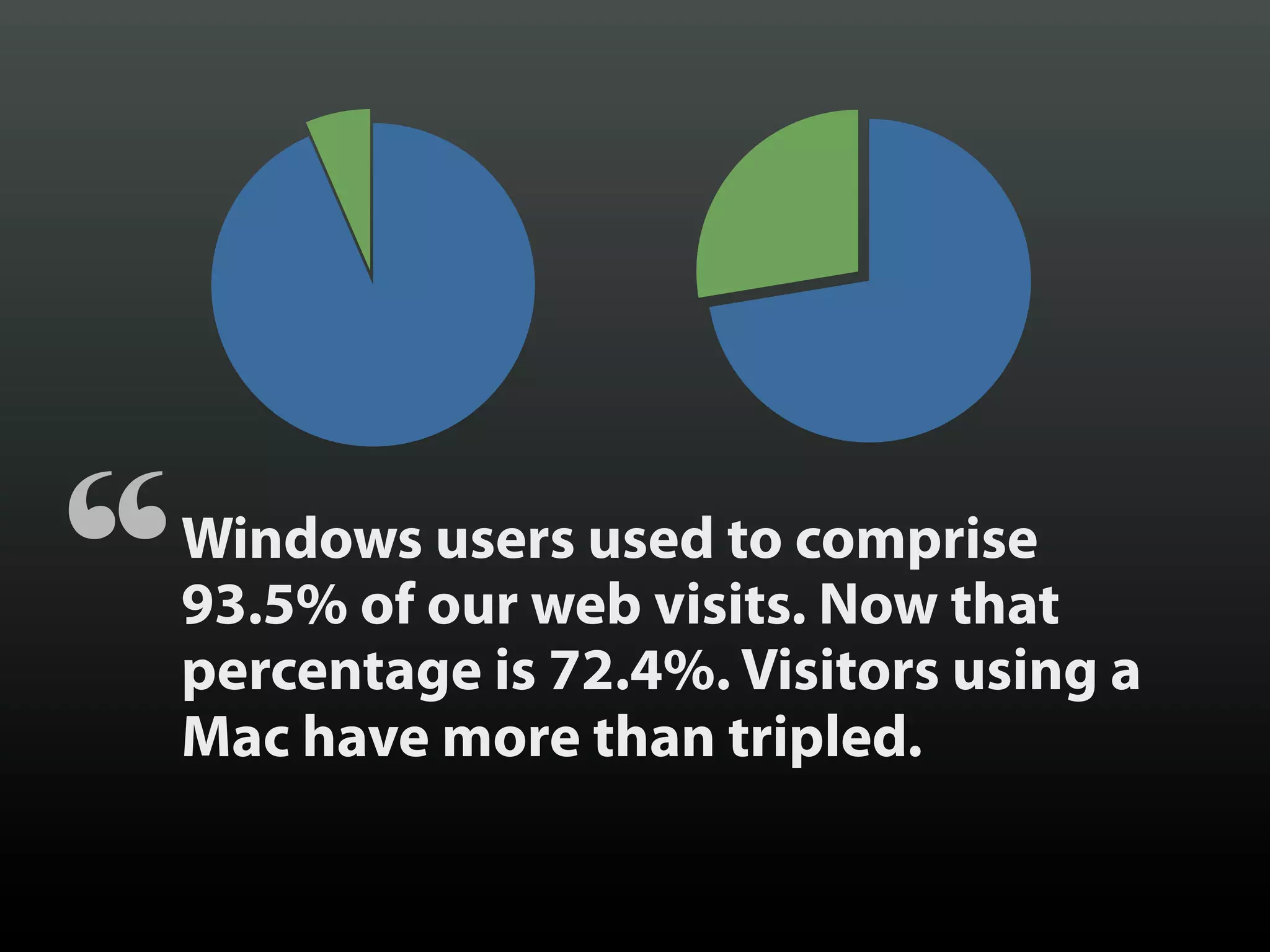
“   Windows users used to comprise
    93.5% of our web visits. Now that
    percentage is 72.4%. Visitors using a
    Mac have more than tripled.
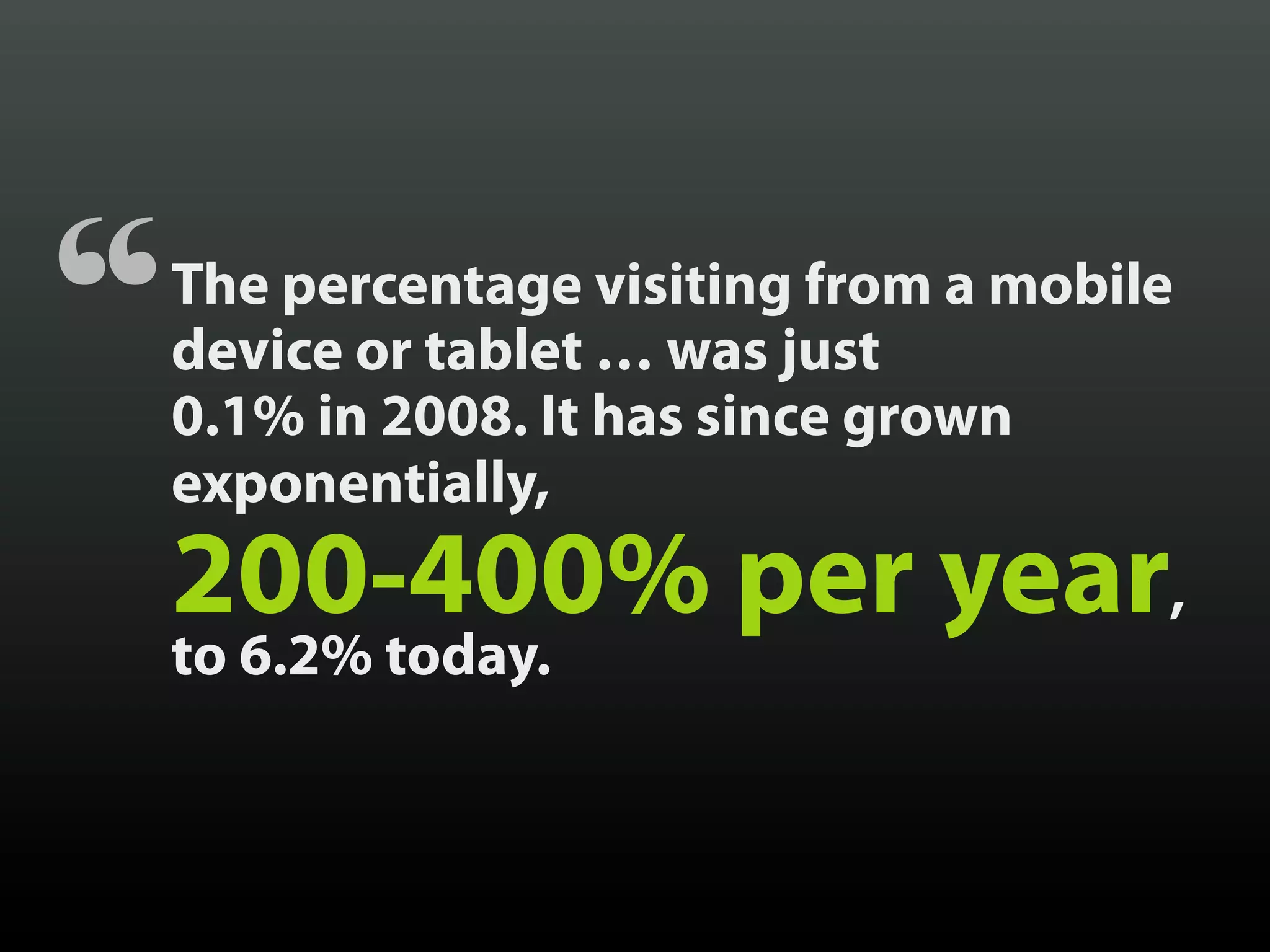
“   The percentage visiting from a mobile
    device or tablet … was just
    0.1% in 2008. It has since grown
    exponentially,
    200-400% per year,
    to 6.2% today.
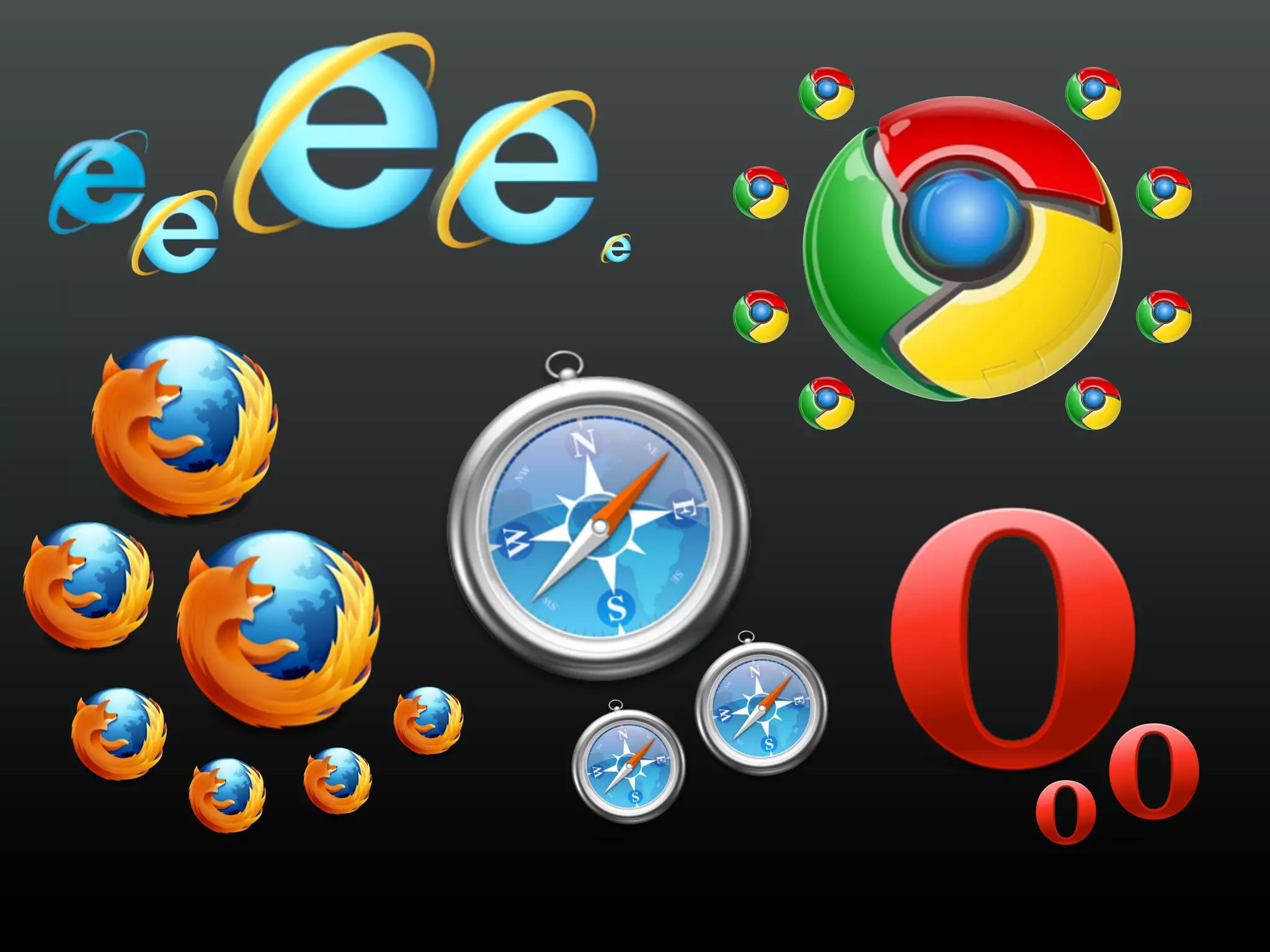
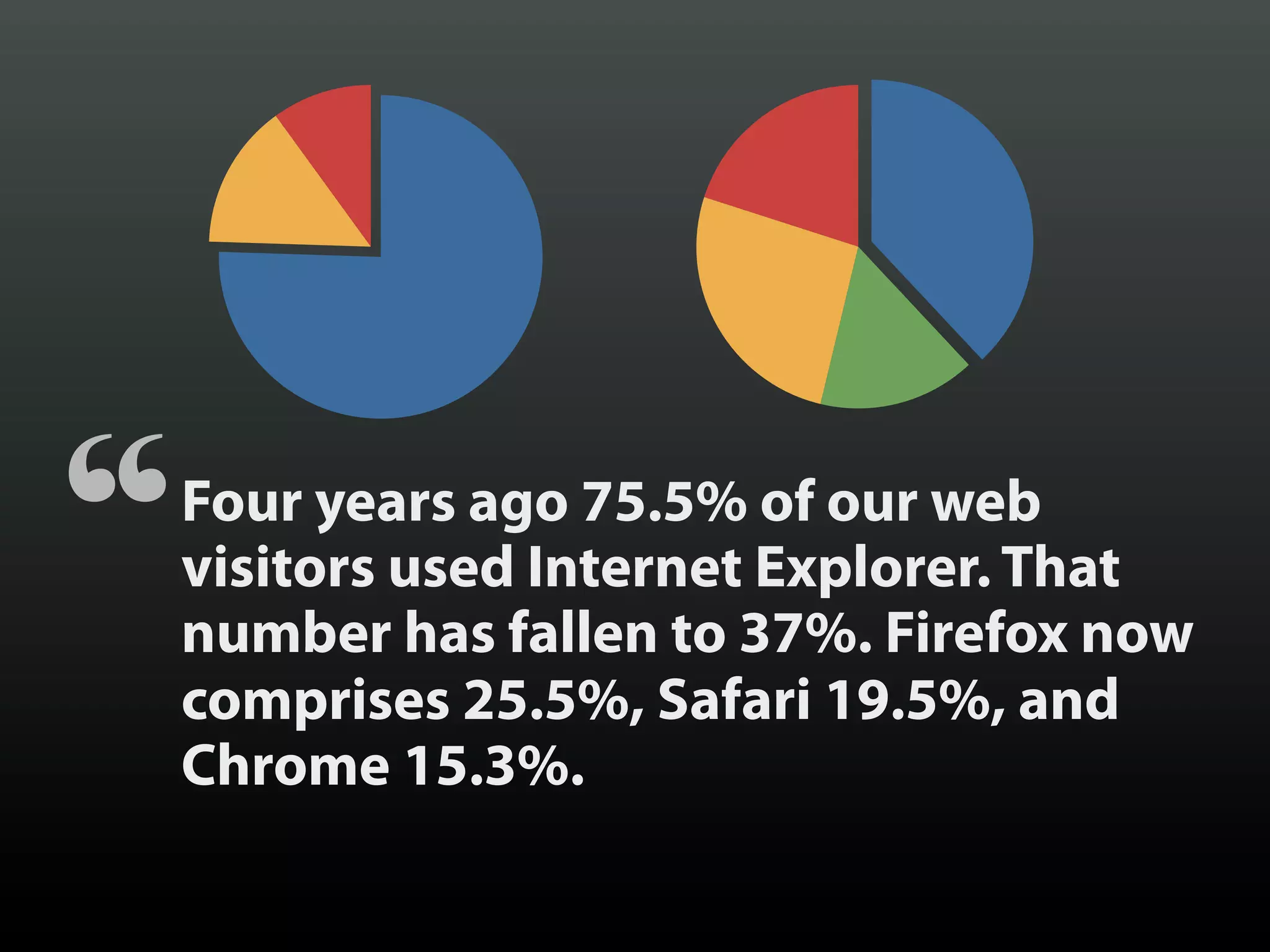
“   Four years ago 75.5% of our web
    visitors used Internet Explorer. That
    number has fallen to 37%. Firefox now
    comprises 25.5%, Safari 19.5%, and
    Chrome 15.3%.
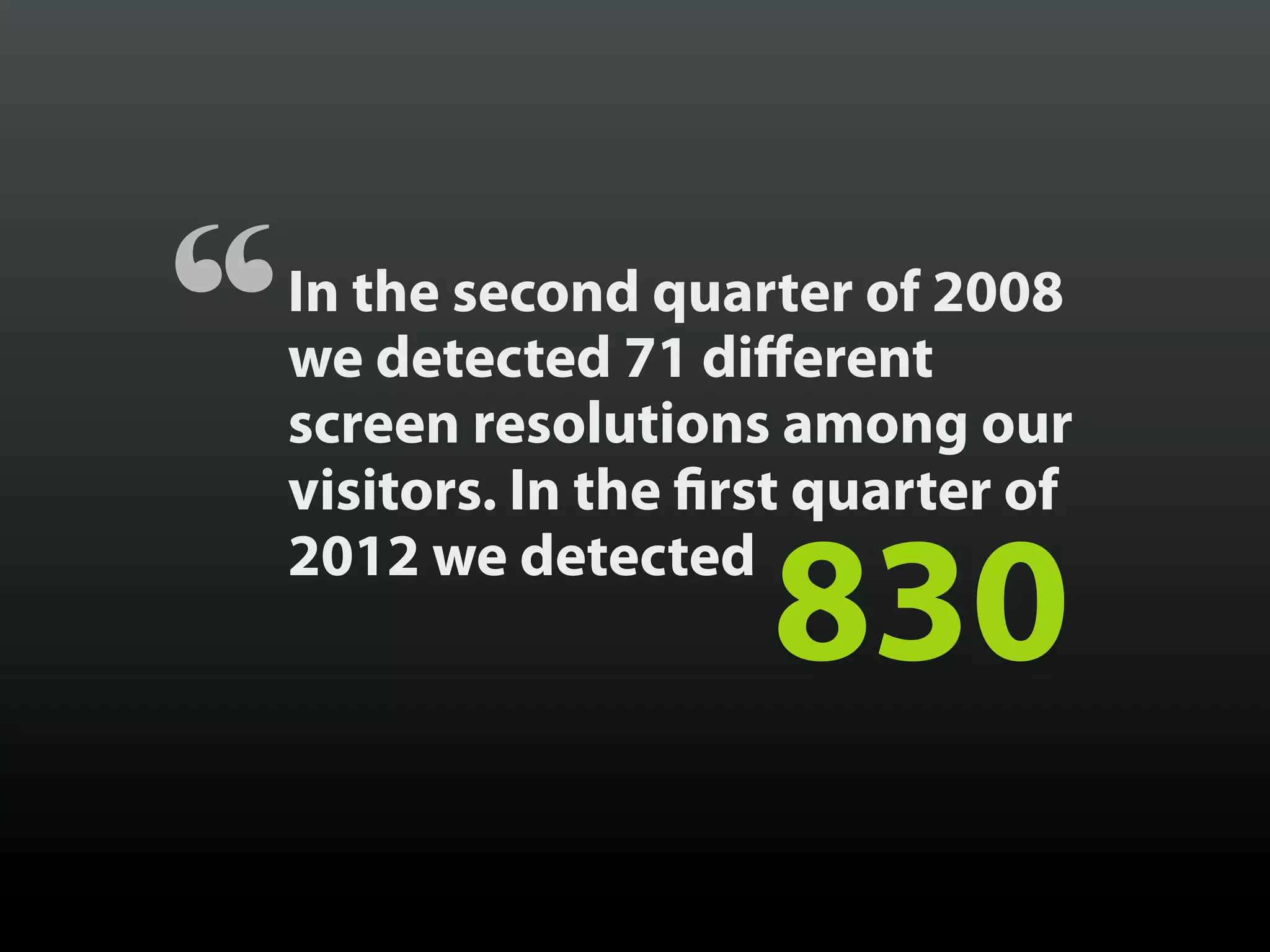
“   In the second quarter of 2008
    we detected 71 different
    screen resolutions among our
    visitors. In the first quarter of
    2012 we detected
                        830
LET’S TALK
MOBILE
FIRST OFF
MOBILE
IS NOT THE
BEST WORD
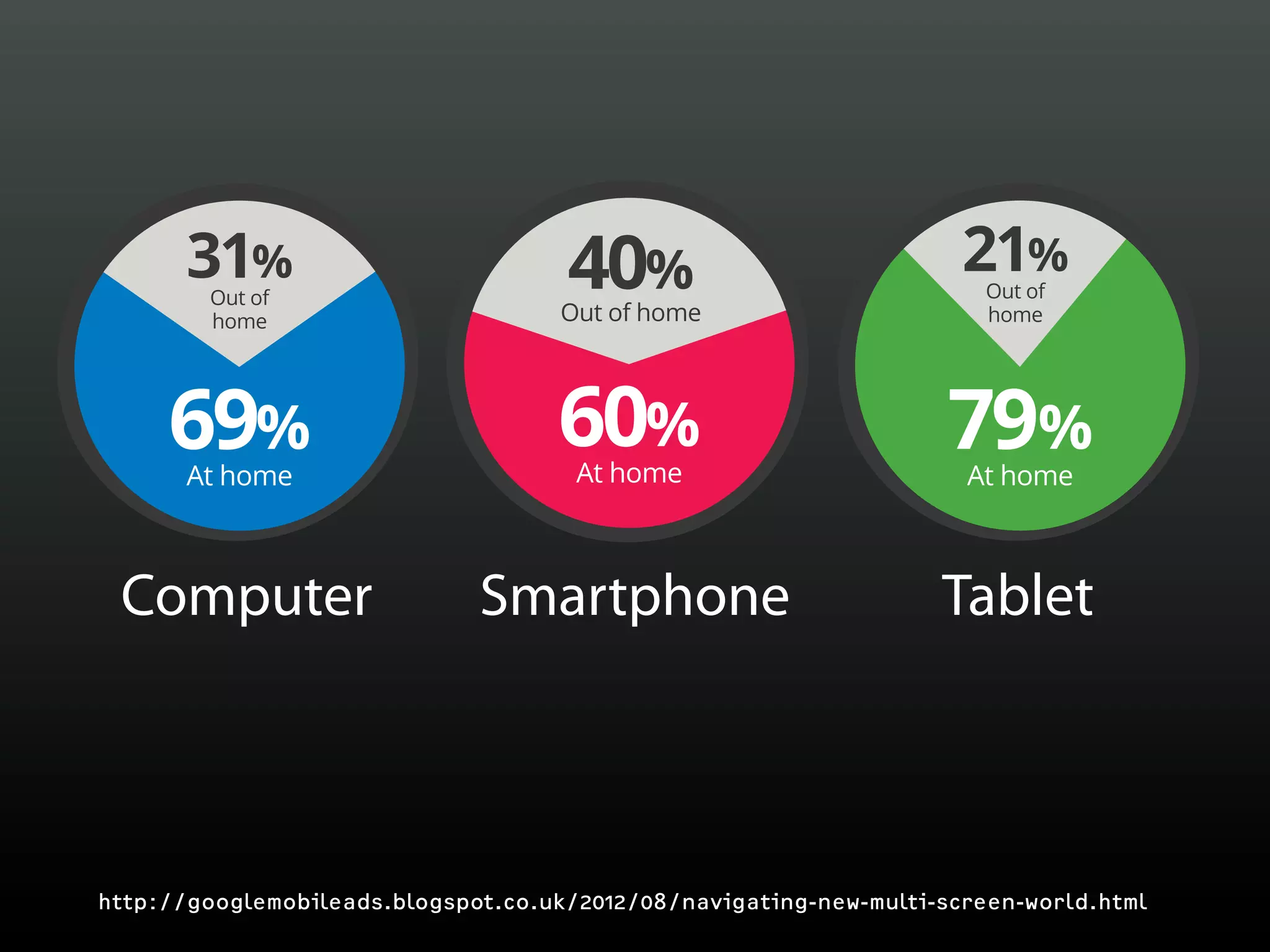
31%                           40%                             21%
                                                                       Out of
        Out of
        home                         Out of home                       home


     69%
       At home
                                    60%
                                      At home
                                                                   79%
                                                                     At home

                     54%         of our daily
 Computer                        media interactions
                              Smartphone                           Tablet


http://googlemobileads.blogspot.co.uk/2012/08/navigating-new-multi-screen-world.html
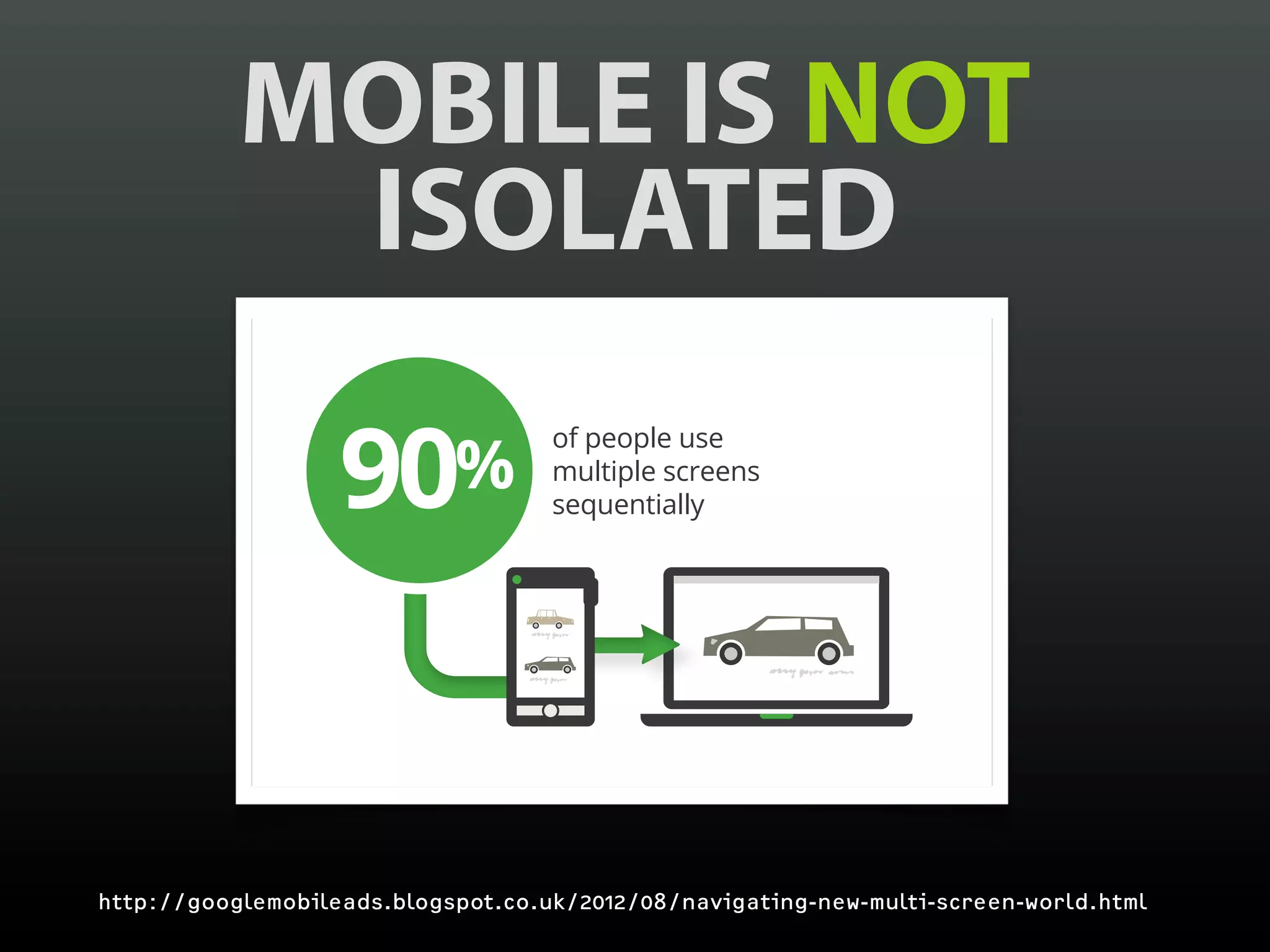
MOBILE IS NOT
            ISOLATED

                   90       %
                                    of people use
                                    multiple screens
                                    sequentially


http://googlemobileads.blogspot.co.uk/2012/08/navigating-new-multi-screen-world.html
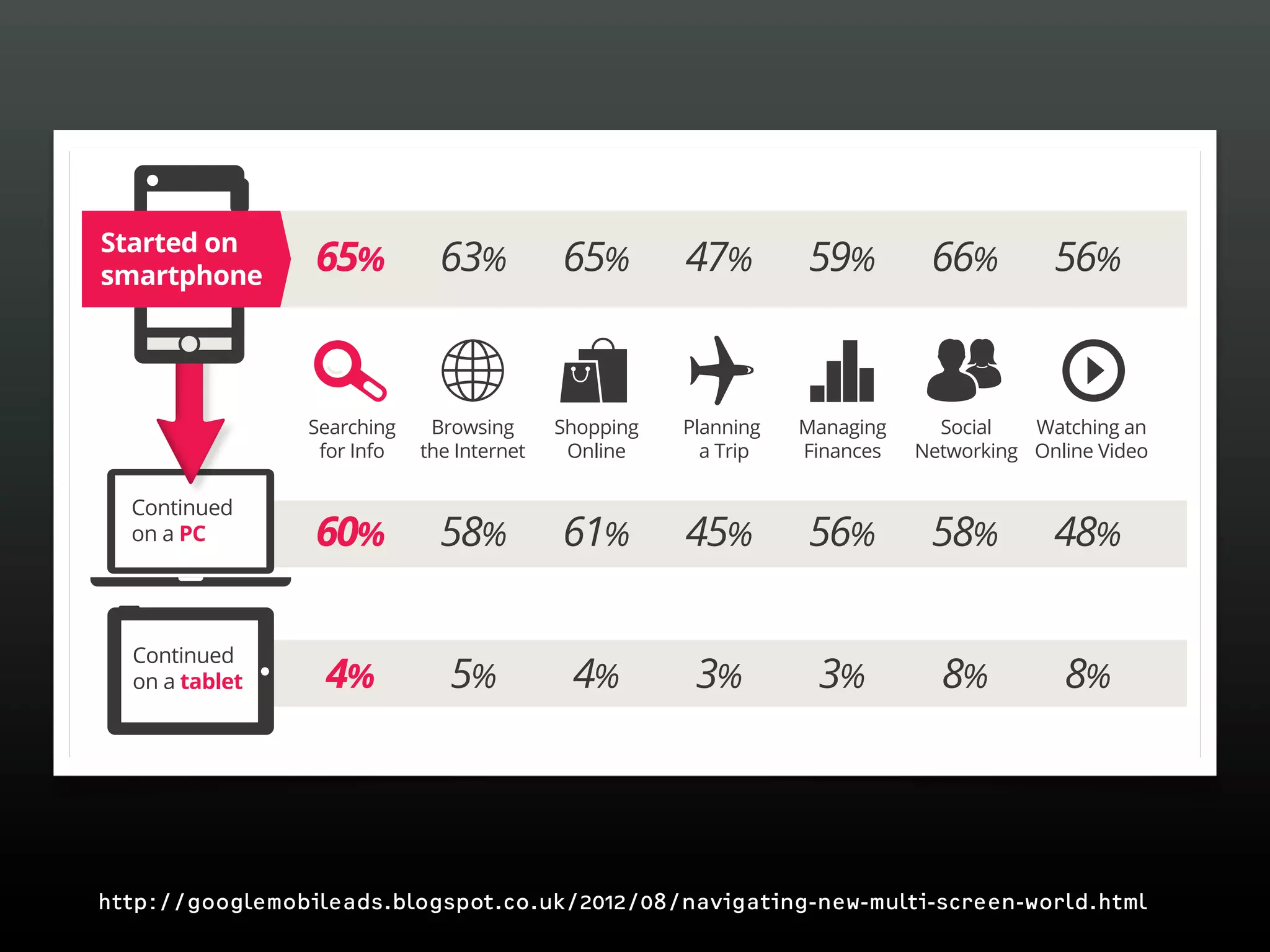
starting place for online activities

Started on
smartphone
                   65%          63%          65%        47%        59%         66%         56%


                  Searching    Browsing      Shopping   Planning   Managing     Social   Watching an
                   for Info   the Internet    Online      a Trip   Finances   Networking Online Video

  Continued
  on a PC          60%          58%          61%        45%        56%         58%         48%

  Continued
  on a tablet      4%            5%           4%         3%         3%          8%          8%


http://googlemobileads.blogspot.co.uk/2012/08/navigating-new-multi-screen-world.html
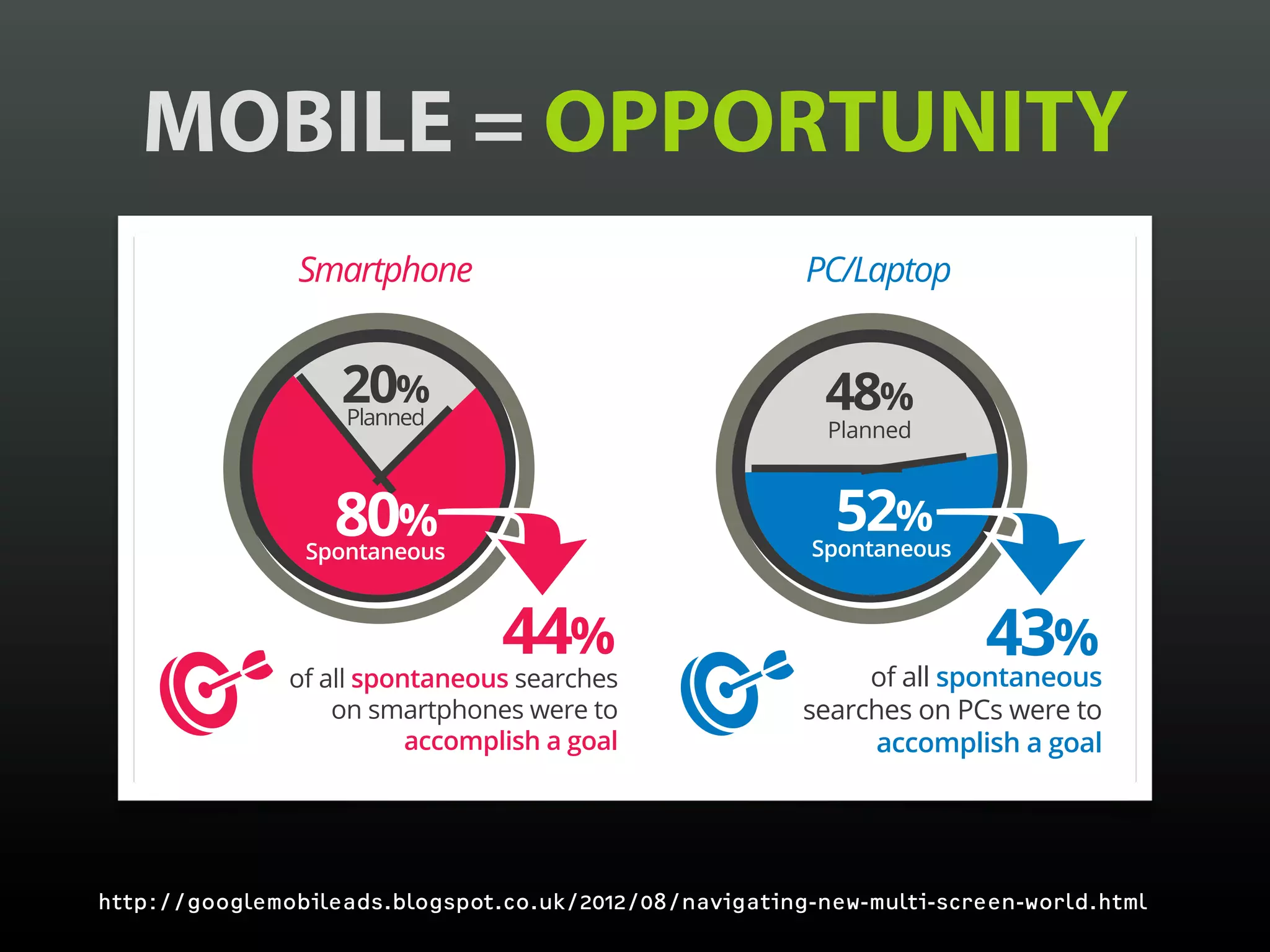
MOBILE = OPPORTUNITY
Often this is for “spur-of-the-moment” activity
    Often this is for “spur-of-the-moment” activity
                                          Spontaneous vs. Planned Search Search
                                                 Spontaneous vs. Planned


                          20% 20%
                          Planned Planned
                                                                                                                               48% 48%
                                                                                                                               Planned Planned


                         80%80%
                    Spontaneous
                            Spontaneous
                                                                                                                                52% 52%
                                                                                                                            Spontaneous
                                                                                                                                    Spontaneous


                                                      44%44%                                                                                     43%43%
                 of all spontaneous searchessearches
                           of all spontaneous                                                                                         of all spontaneous
                                                                                                                                                of all spontaneous
                     on smartphones were to were to
                               on smartphones                                                                              searchessearches on PCs were to
                                                                                                                                    on PCs were to
                            accomplish a goal a goal
                                      accomplish                                                                                 accomplish a goal a goal
                                                                                                                                         accomplish


   http://googlemobileads.blogspot.co.uk/2012/08/navigating-new-multi-screen-world.html
   Base: Total Answering, Follow-Up Occasion (Search) –Occasion (Search)Smartphone (216); Tablet not shown due to smallshown dueQ. Wouldbase consider your use of
                     Base: Total Answering, Follow-Up PC/Laptop (492); – PC/Laptop (492); Smartphone (216); Tablet not base size. to small you size. Q. Would you consider your use of
                                                                                                                                                                                         35
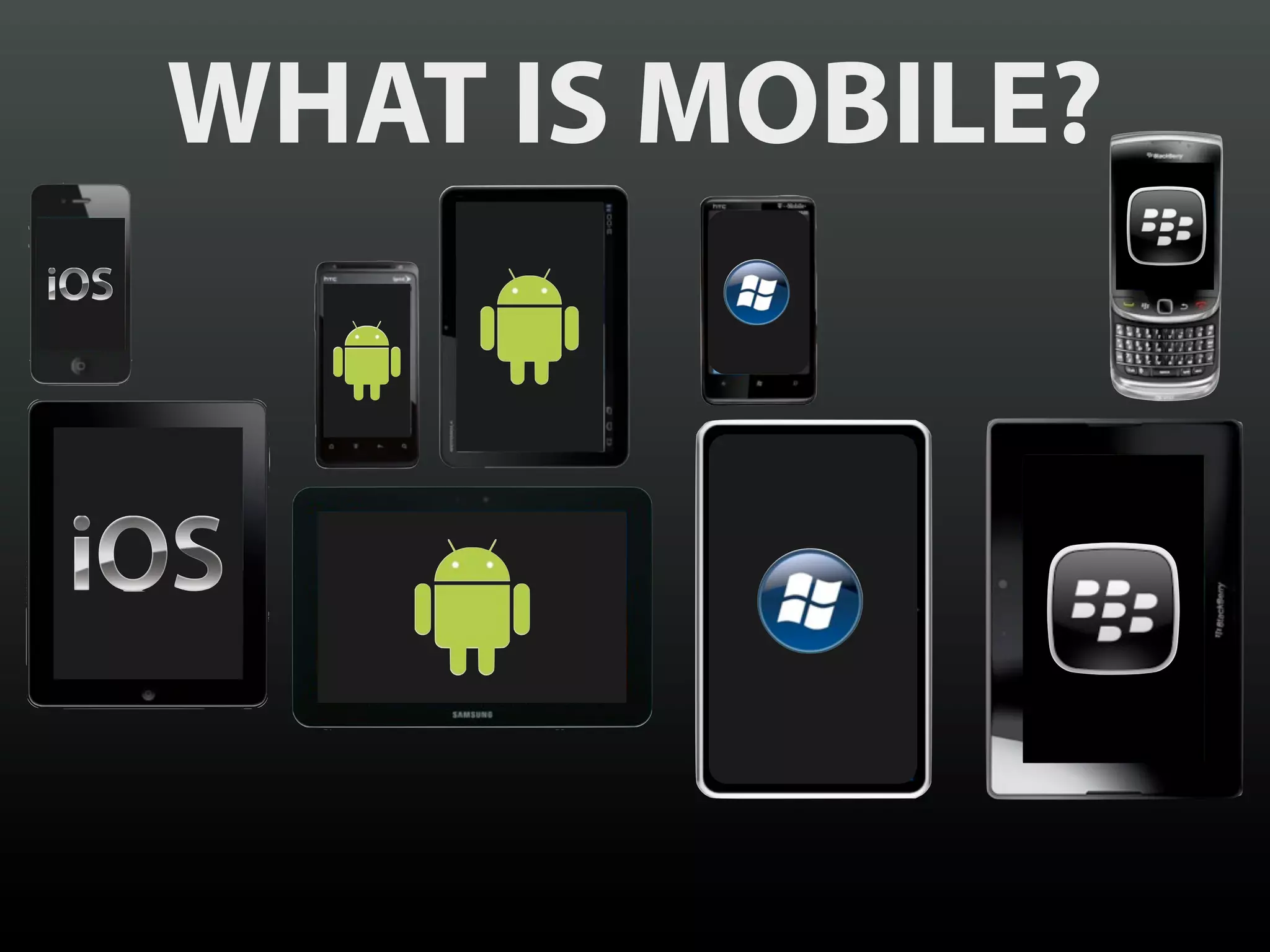
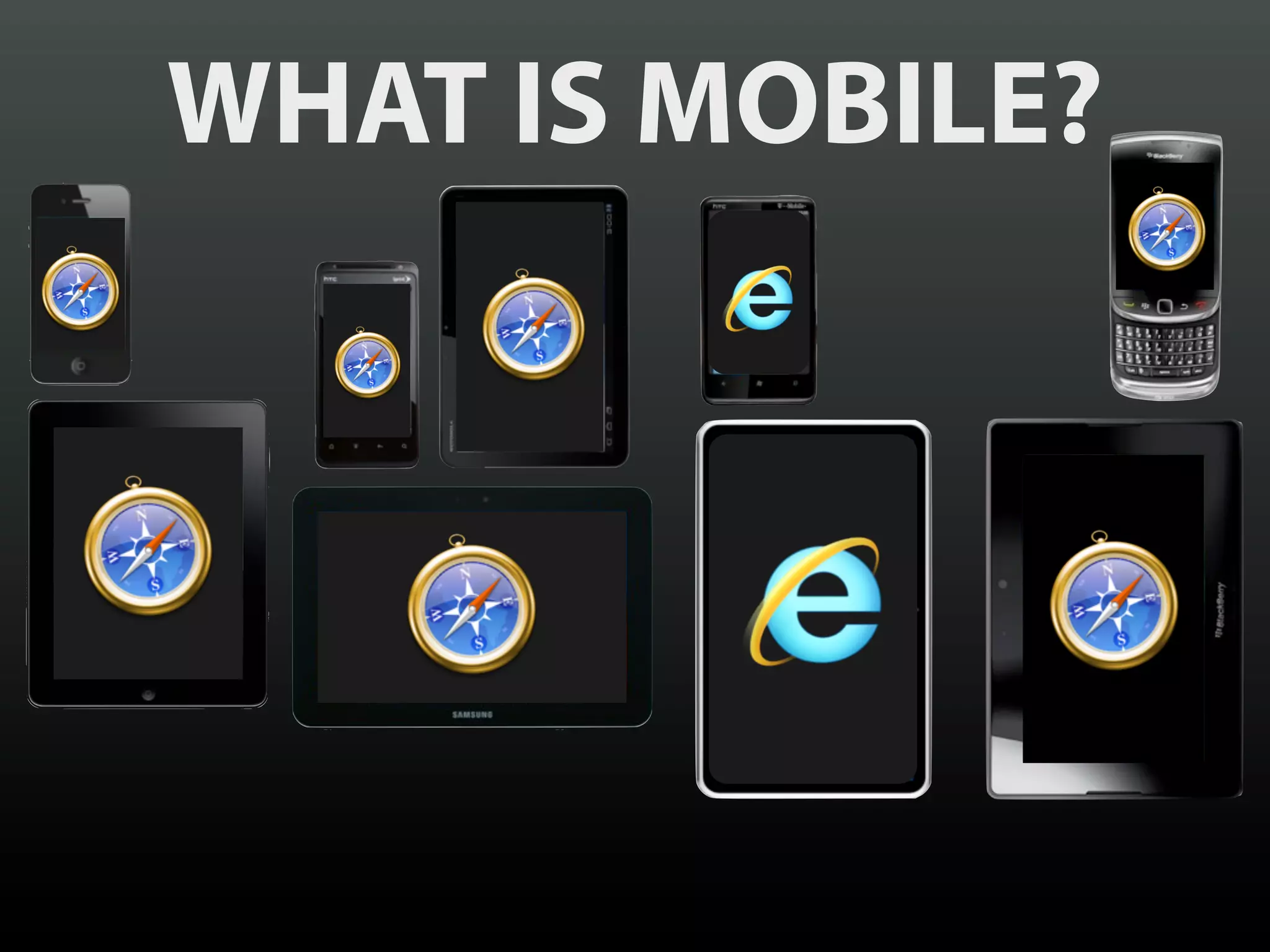
WHAT IS MOBILE?
WHAT IS MOBILE?
“   There is no WebKit
    on Mobile
             — Peter-Paul Koch
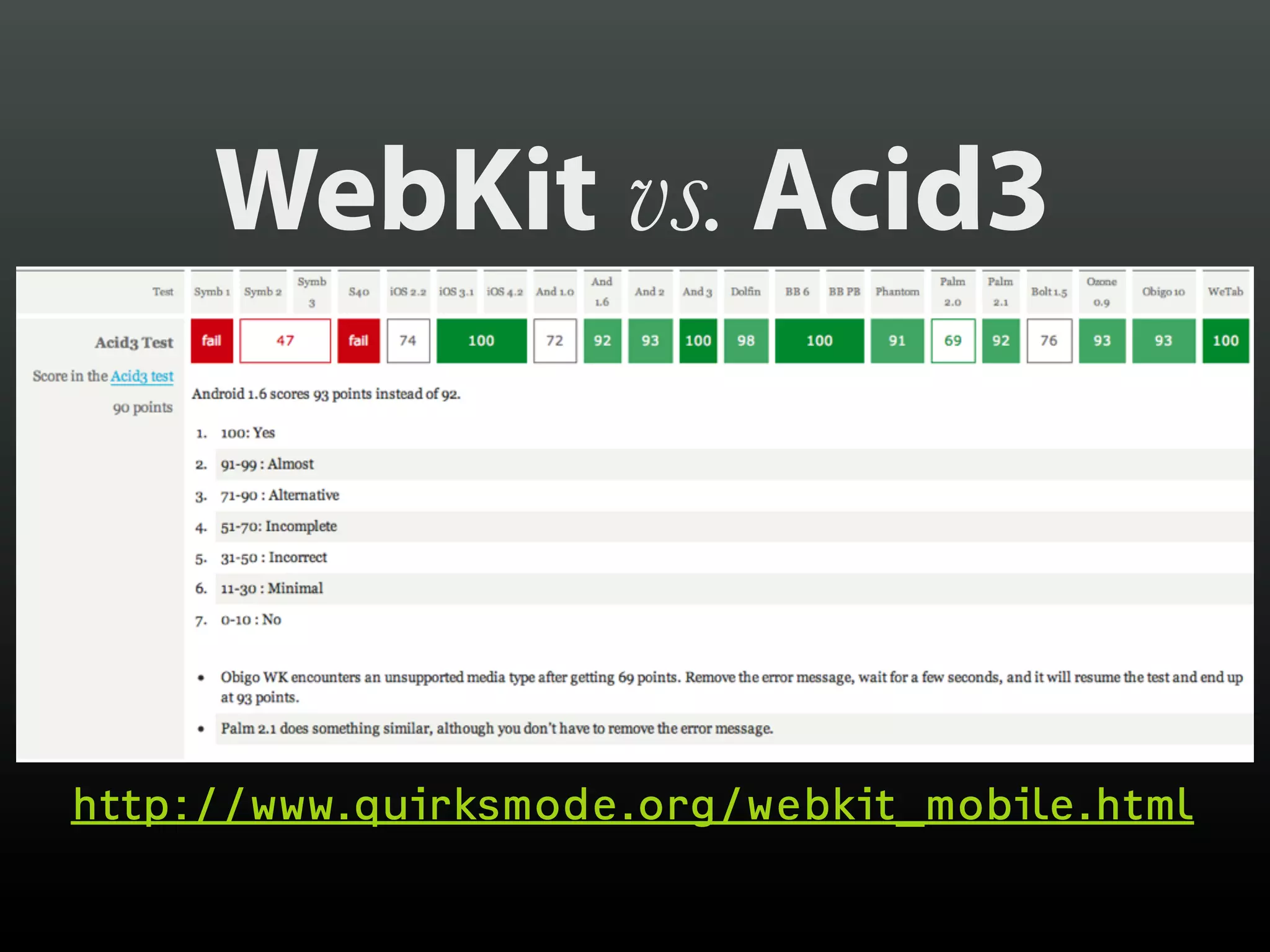
WebKit vs. Acid3


http://www.quirksmode.org/webkit_mobile.html
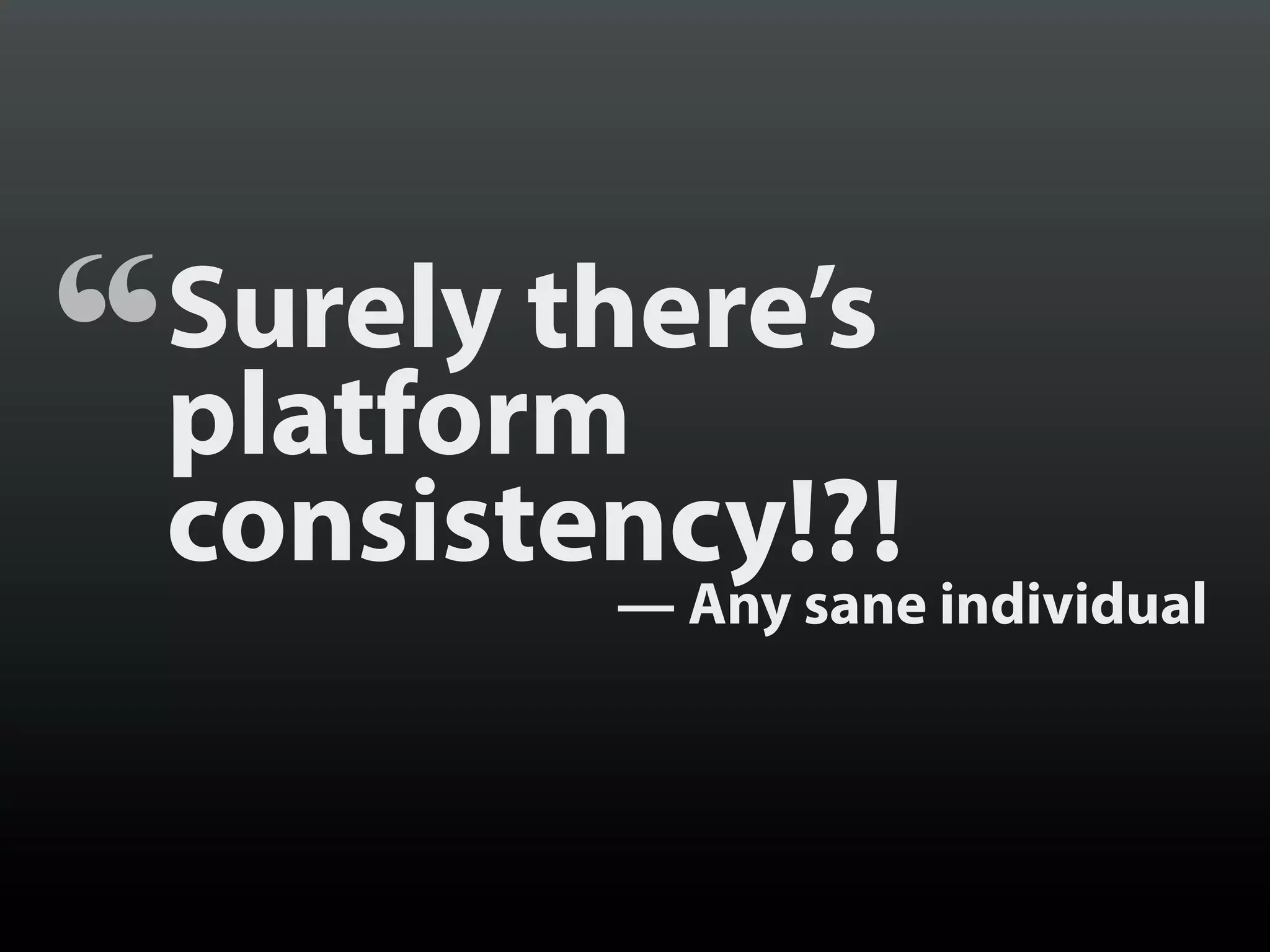
“   Surely there’s
    platform
    consistency!?!
            — Any sane individual
“   There is no Android
             — Stephanie Rieger
http://yfrog.com/z/ob5kndj
BUT ANDROID
IS NOT UNIQUE
    IN THIS
THE CULPRITS?
 SCREEN SIZE
THE CULPRITS?
EMBEDDED VIEWS
THE CULPRITS?
BROWSER CHROME
THE CULPRITS?
 ZOOM LEVEL
THE CULPRITS?
 ZOOM LEVEL
 (Ok, this one’s on Android)
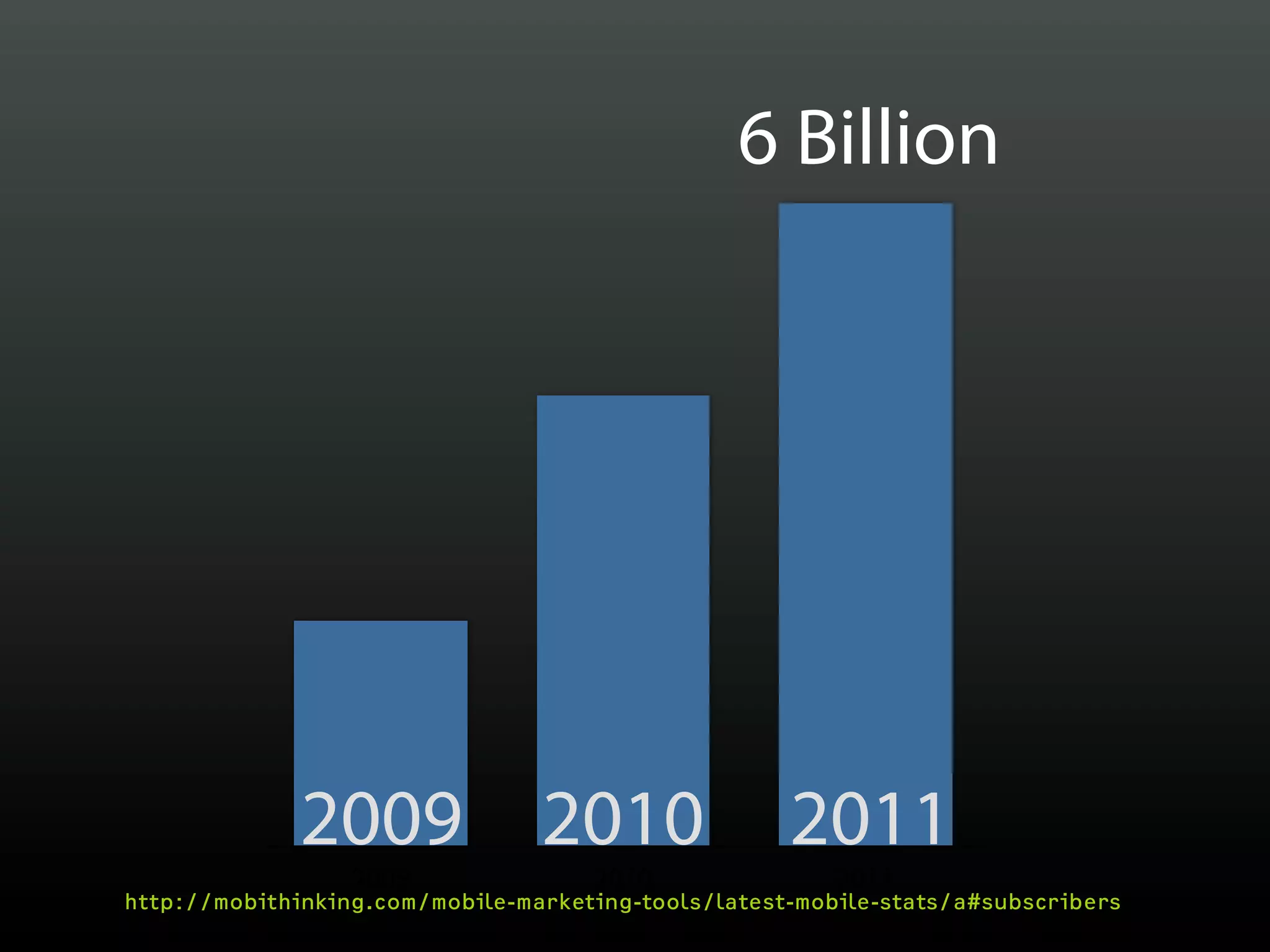
6 Billion


              2009 2010                              2011
                  2009               2010                2011
http://mobithinking.com/mobile-marketing-tools/latest-mobile-stats/a#subscribers
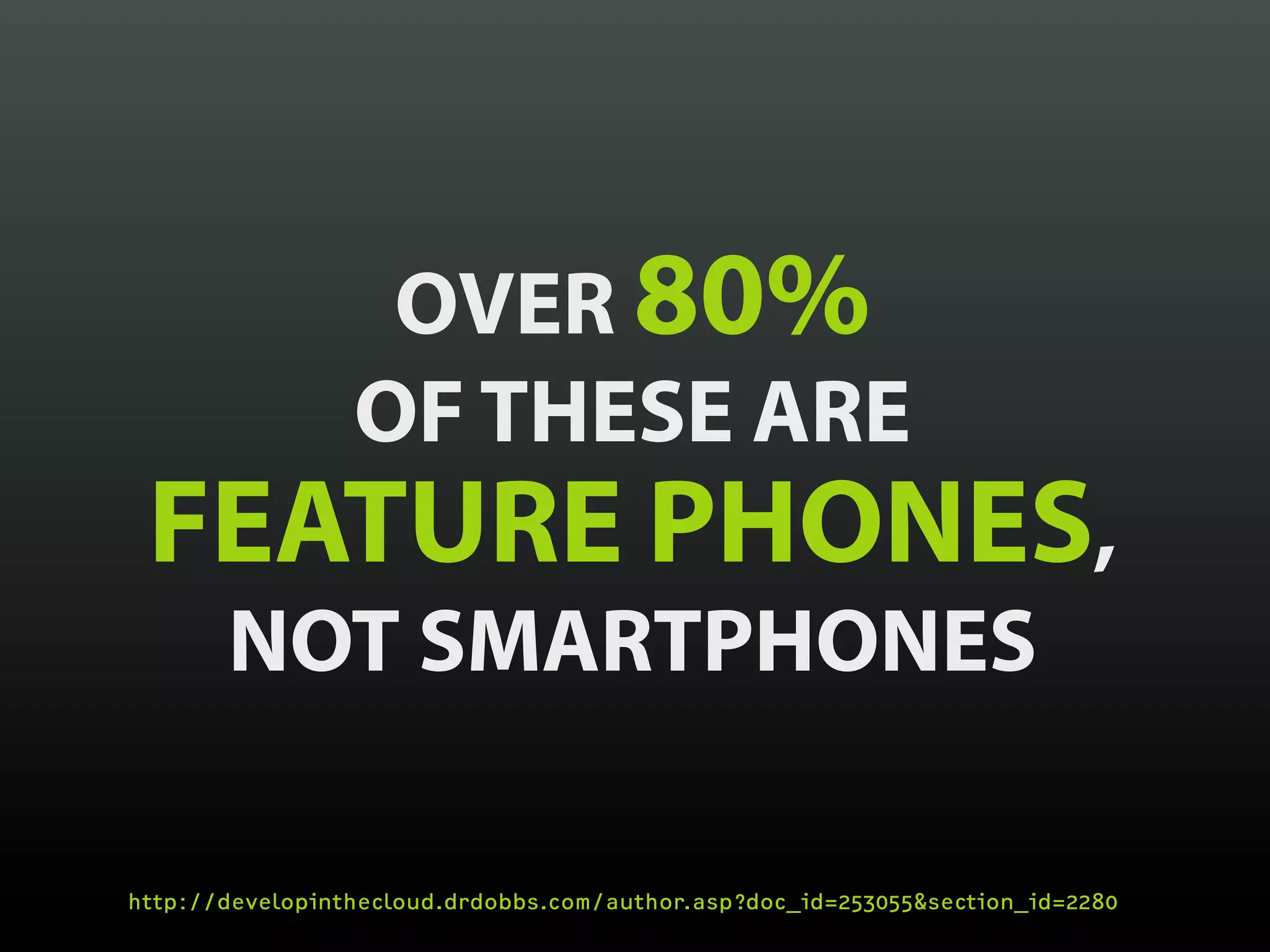
OVER 80%
                 OF THESE ARE
 FEATURE PHONES,
       NOT SMARTPHONES

http://developinthecloud.drdobbs.com/author.asp?doc_id=253055&section_id=2280
ESPECIALLY TRUE IN
 DEVELOPING
 COUNTRIES
INTERNET IN KENYA
       MOBILE = 90%

http://www.cck.go.ke/resc/downloads/SECTOR_STATISTICS_REPORT_Q4_11-12.pdf
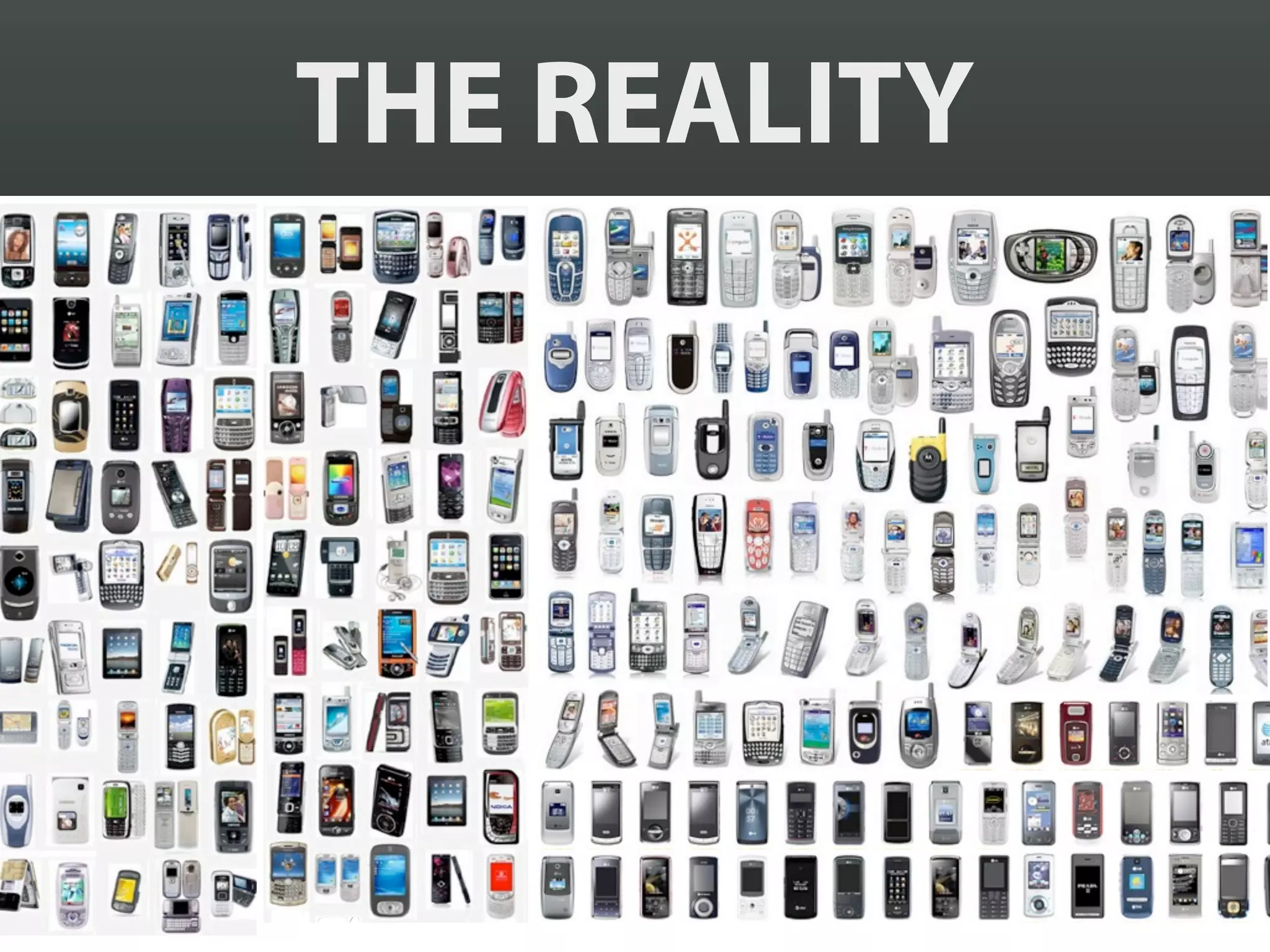
THE REALITY
“The commoditization of smartphone
 hardware is just the beginning … of a
 huge new wave of cheap devices
 about to invade our lives—a zombie
 apocalypse of electronics, if you will.
                            — Scott Jenson
Um… I think I’ll just
build an iPhone app.
      kthxbye.
NATIVE
  vs.
 WEB
NATIVE
  vs.
 WEB
© Brad Frost
© Brad Frost
WE DON’T KNOW
WE DON’T KNOW
EVEN WHEN
 WE THINK
 WE KNOW,
  WE ARE
 PROBABLY
  WRONG
SO HOW DO WE
    COPE?
PROGRESSIVE
ENHANCEMENT
TECHNOLOGICAL
 RESTRICTIONS
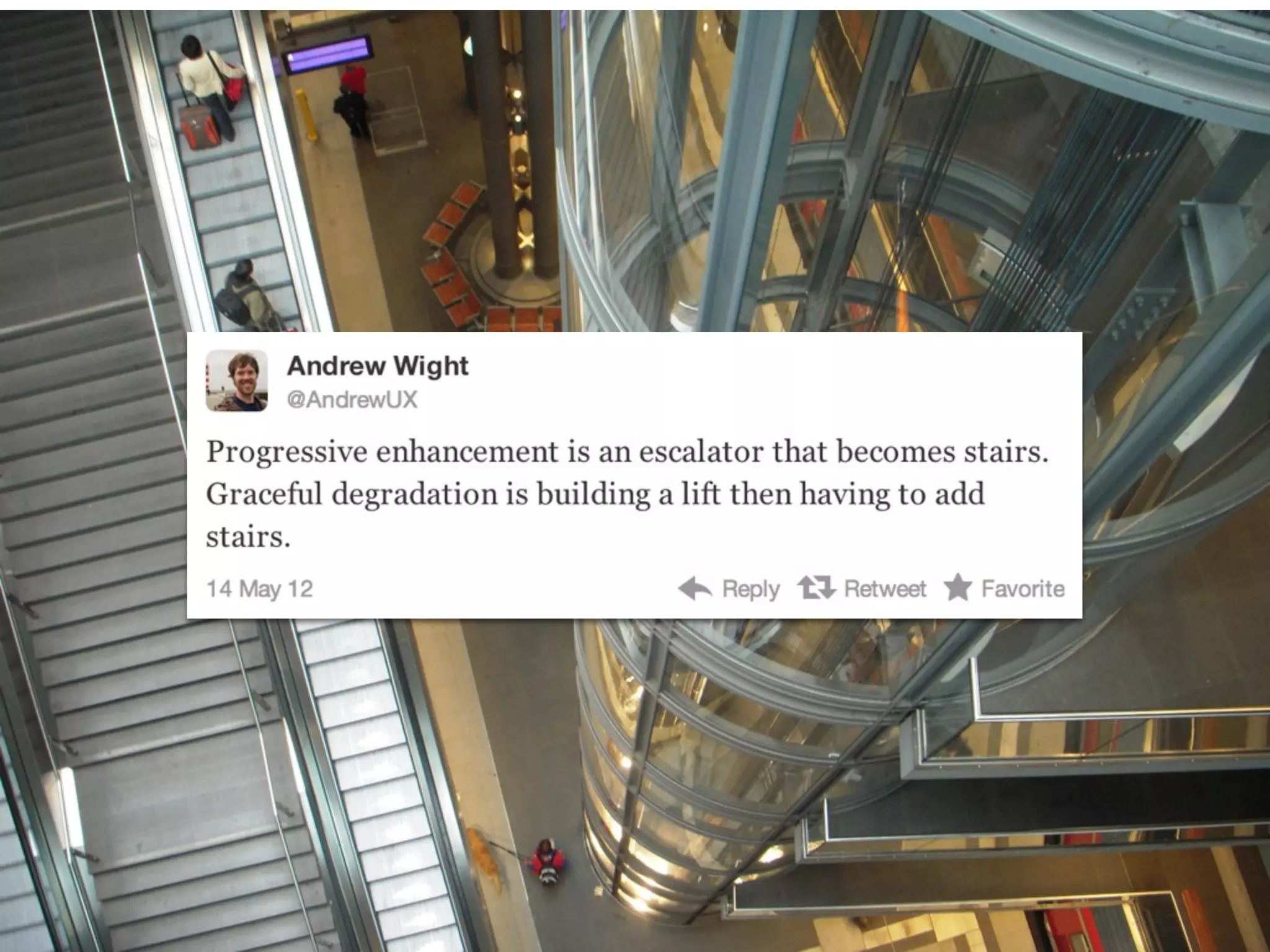
I like an escalator because
an escalator can never break,
it can only become stairs.
             — Mitch Hedberg
GRACEFUL
DEGRADATION
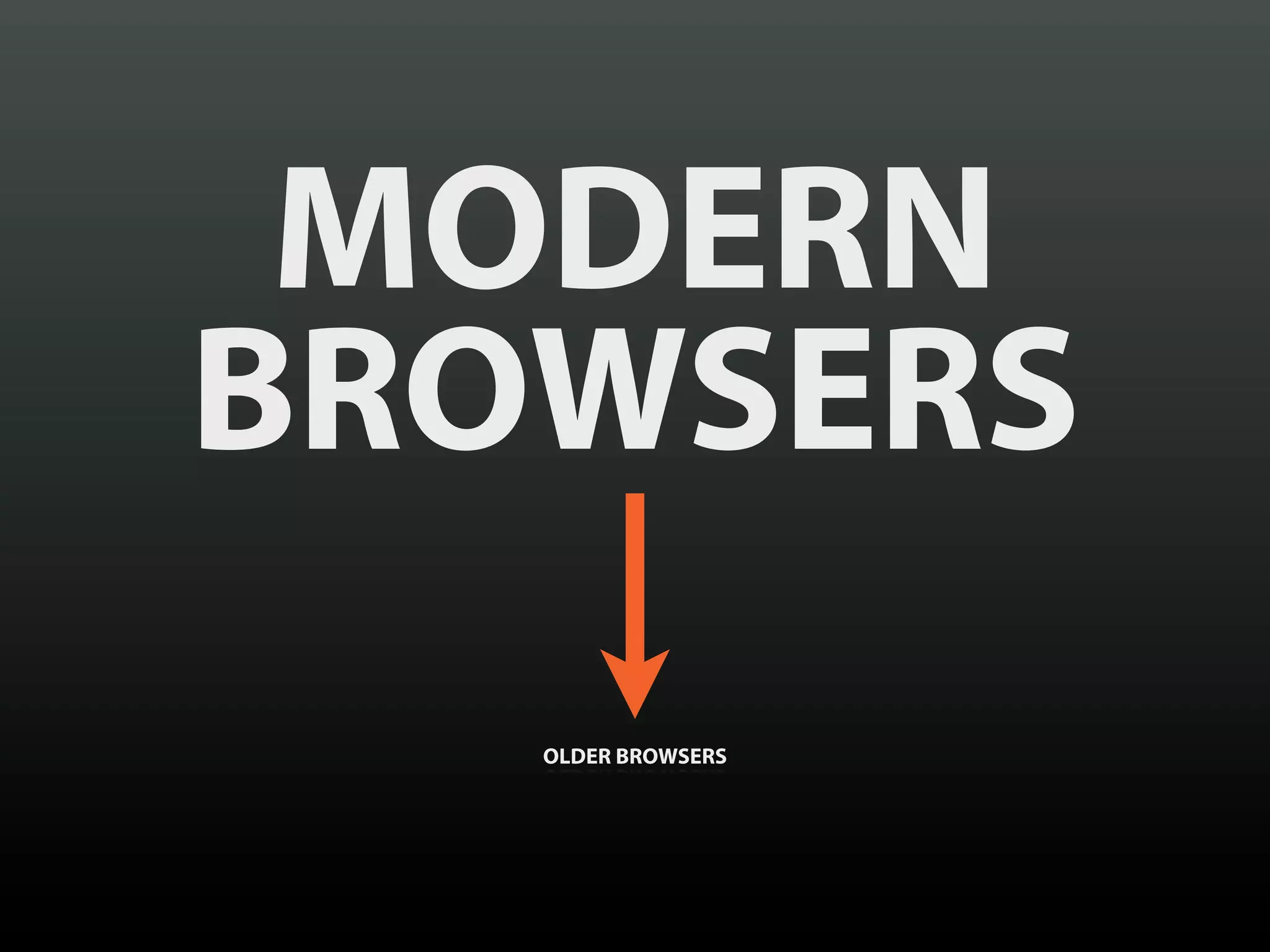
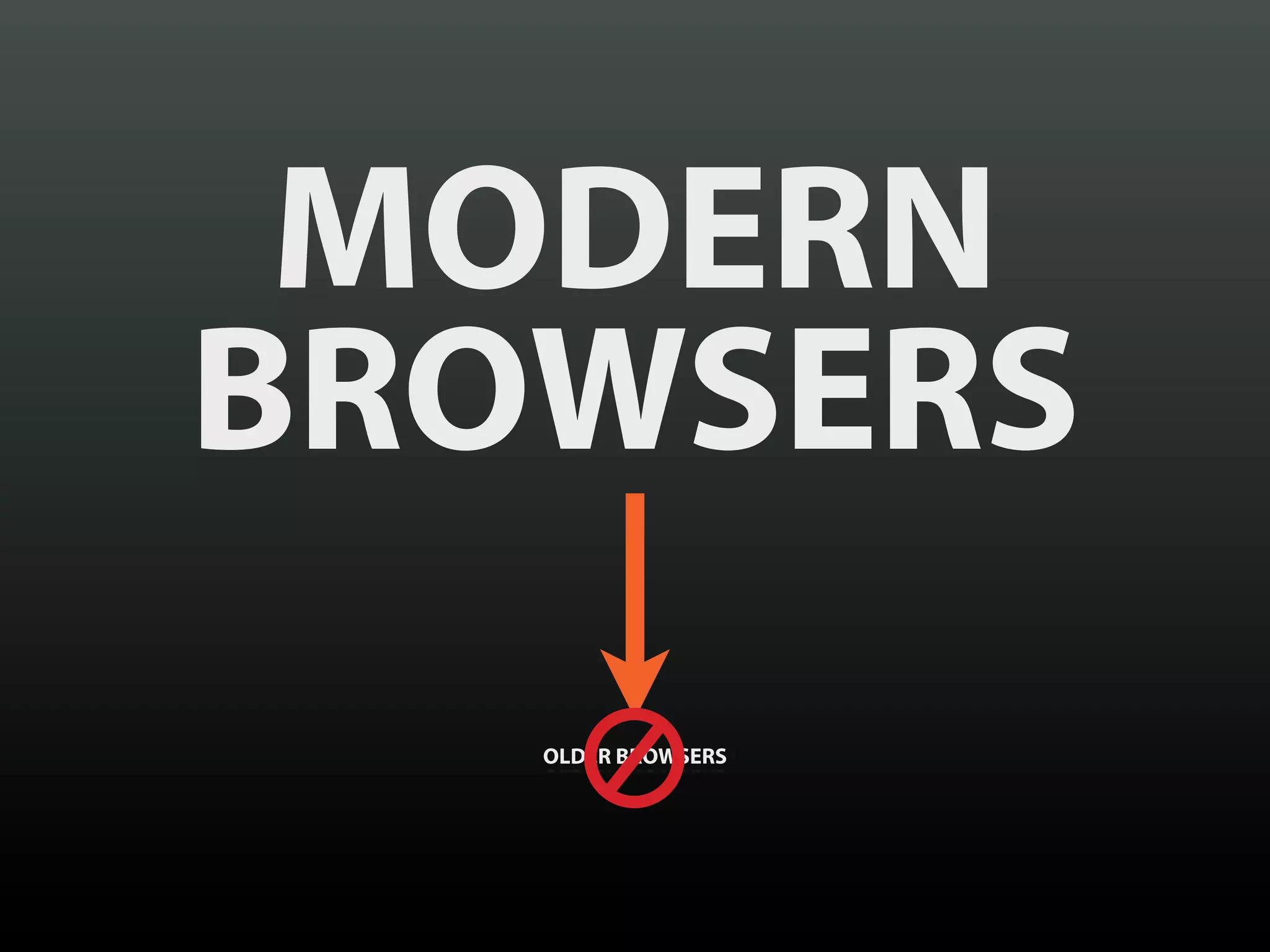
MODERN
BROWSERS
   OLDER BROWSERS
MODERN
BROWSERS
   OLDER BROWSERS
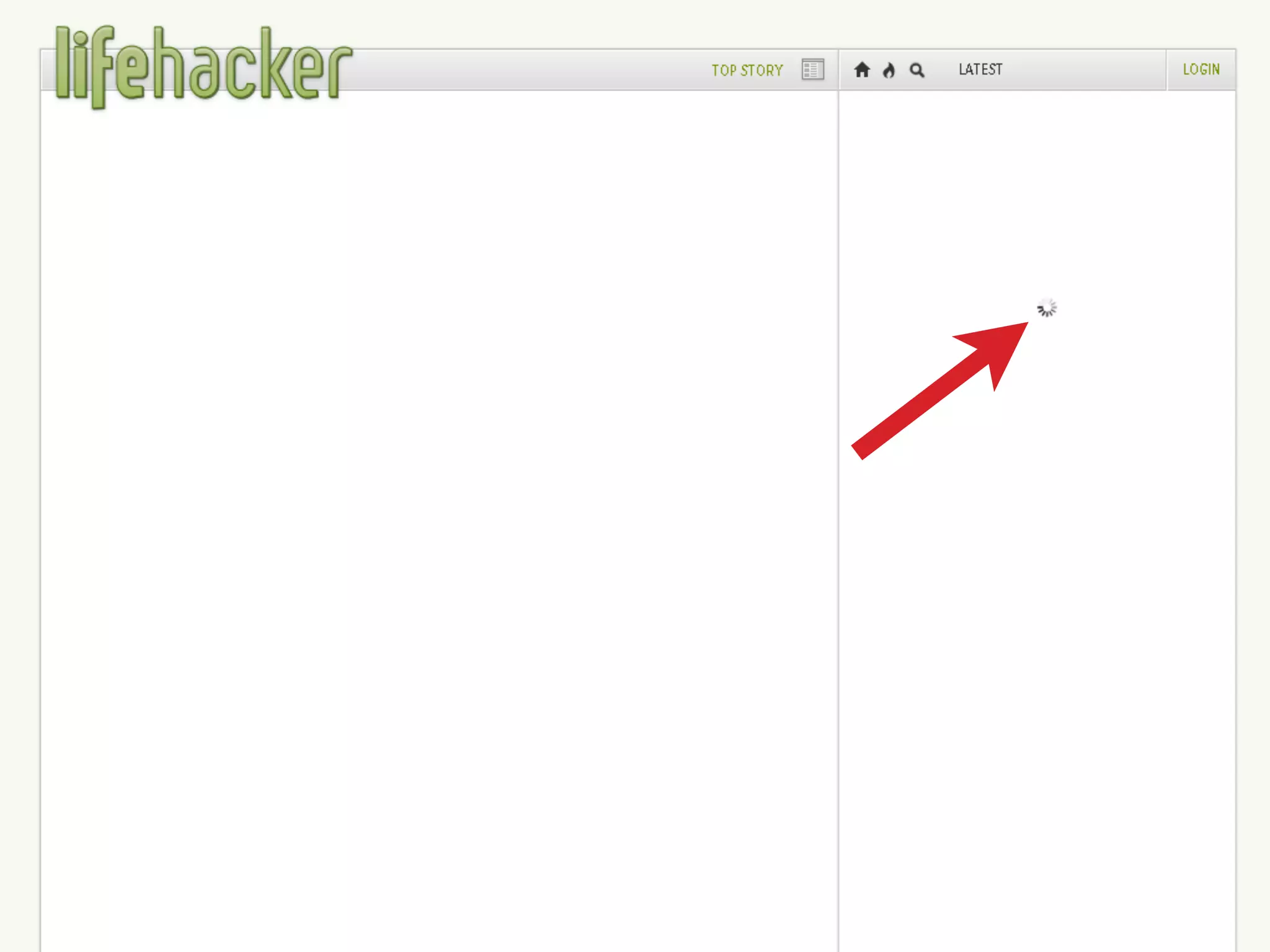
a dynamic web page can
never break, it can only
become a web page.
PROGRESSIVE
ENHANCEMENT
CONTENT
CONTENT
ACCESSIBILITY
“SPECIAL NEEDS”
“SPECIAL NEEDS”
“SPECIAL NEEDS”
    CAN BE
  CONTEXTUAL
PROGRESSIVE
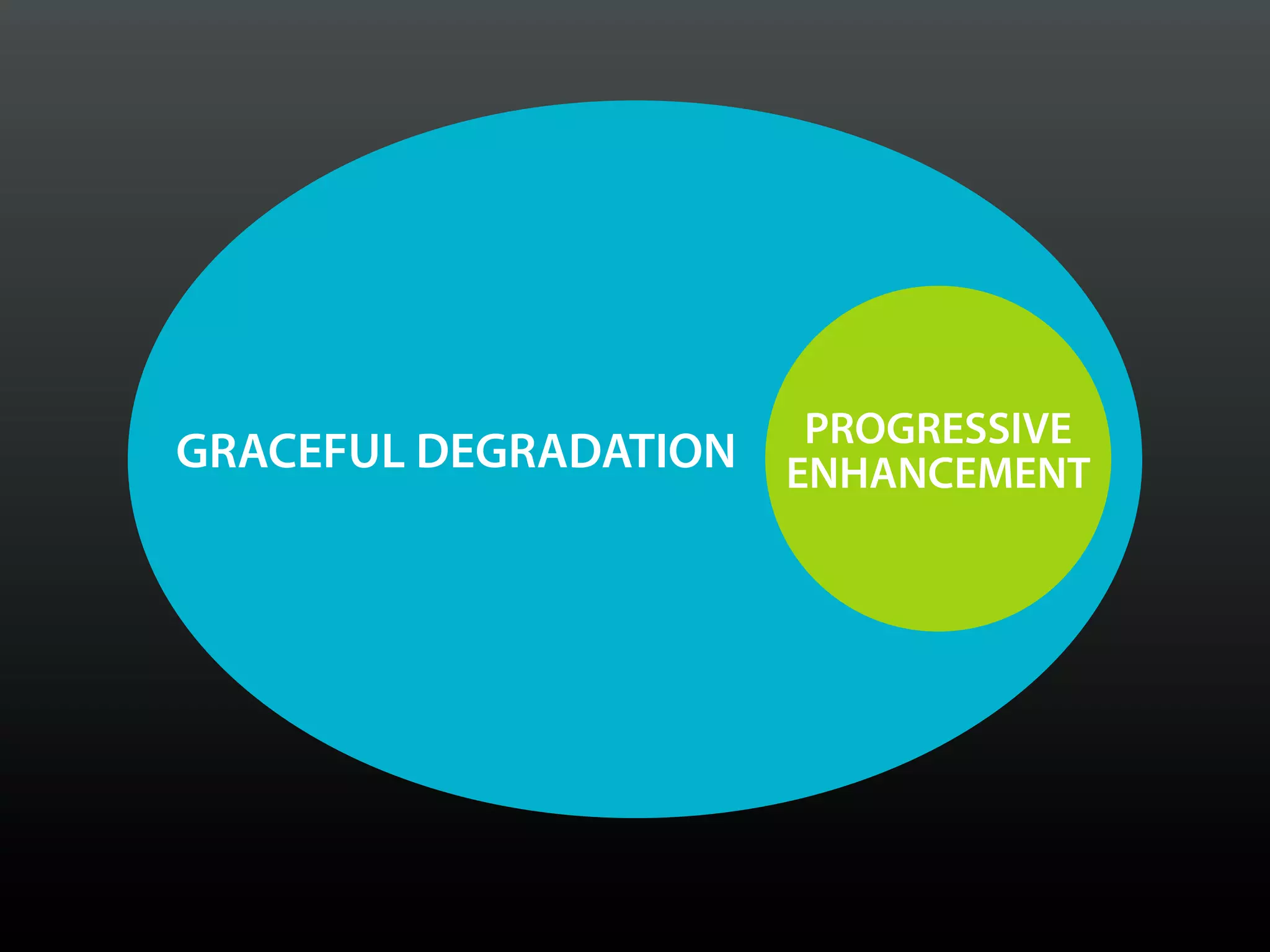
GRACEFUL DEGRADATION   ENHANCEMENT
OOOH, SHINY!
PROGRESSIVE
ENHANCEMENT
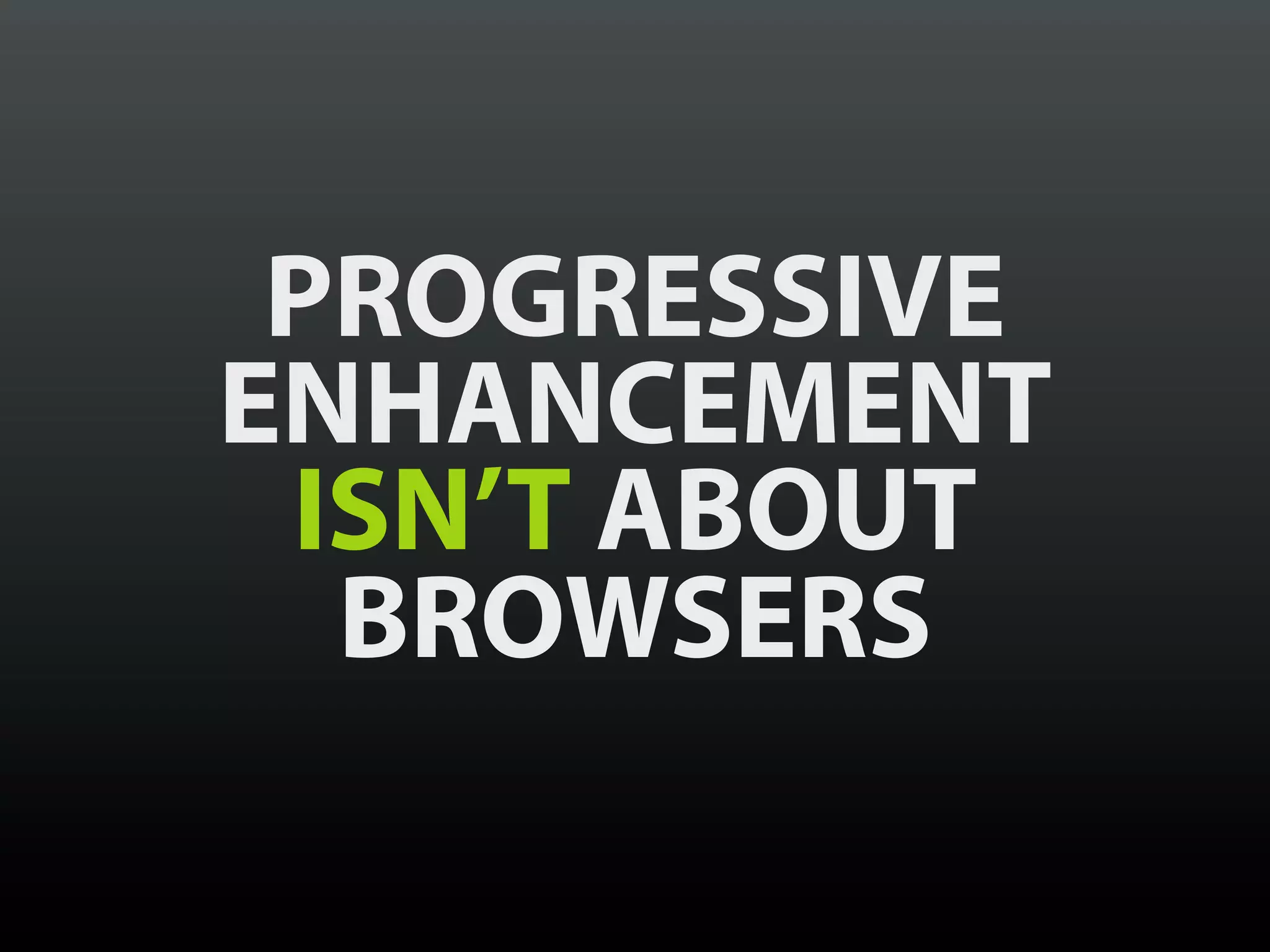
 ISN’T ABOUT
  BROWSERS
BROWSERS AND
TECHNOLOGIES
 COME AND GO
DON’T LOSE SIGHT
 OF YOUR USERS
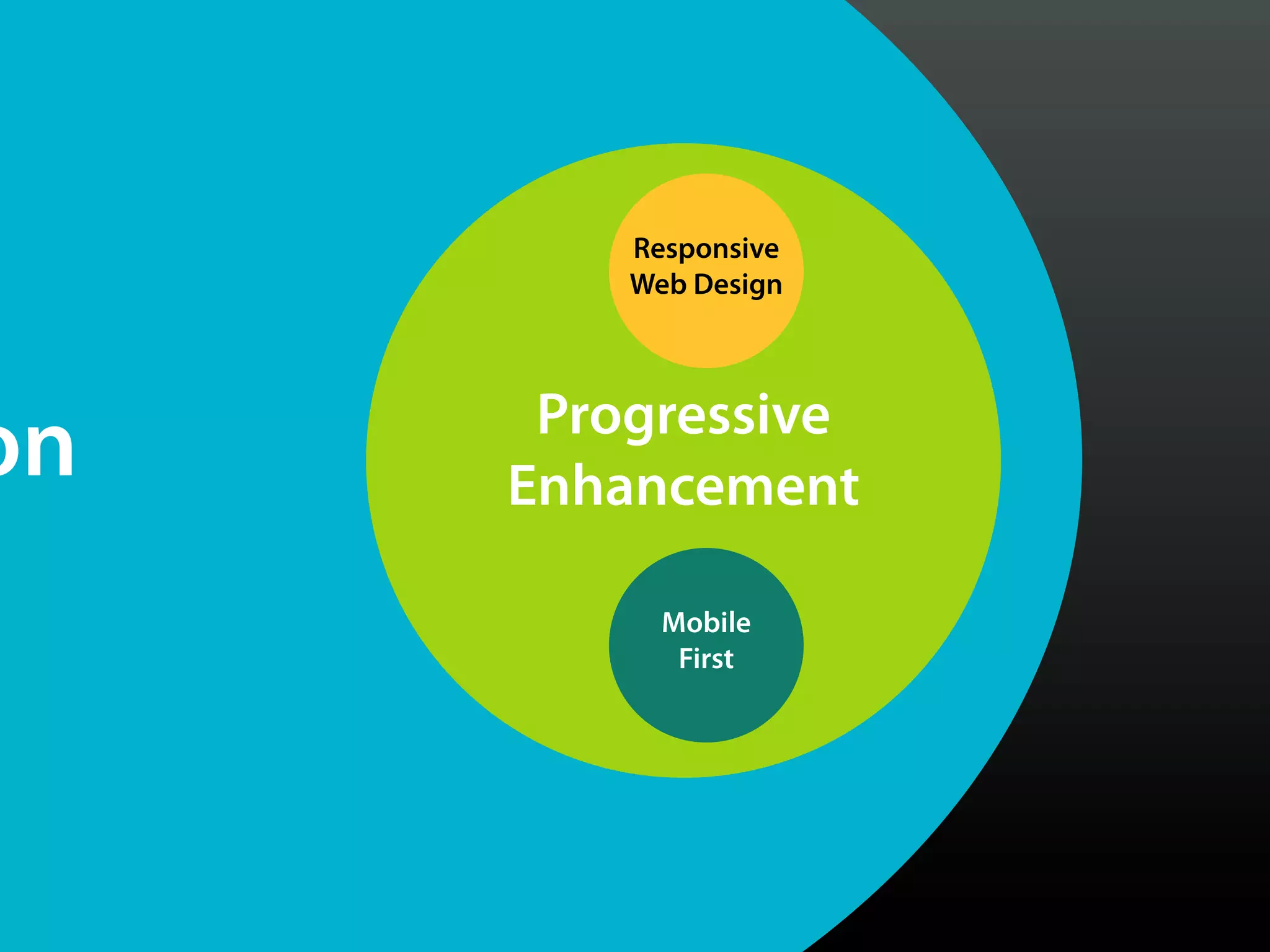
Progressive
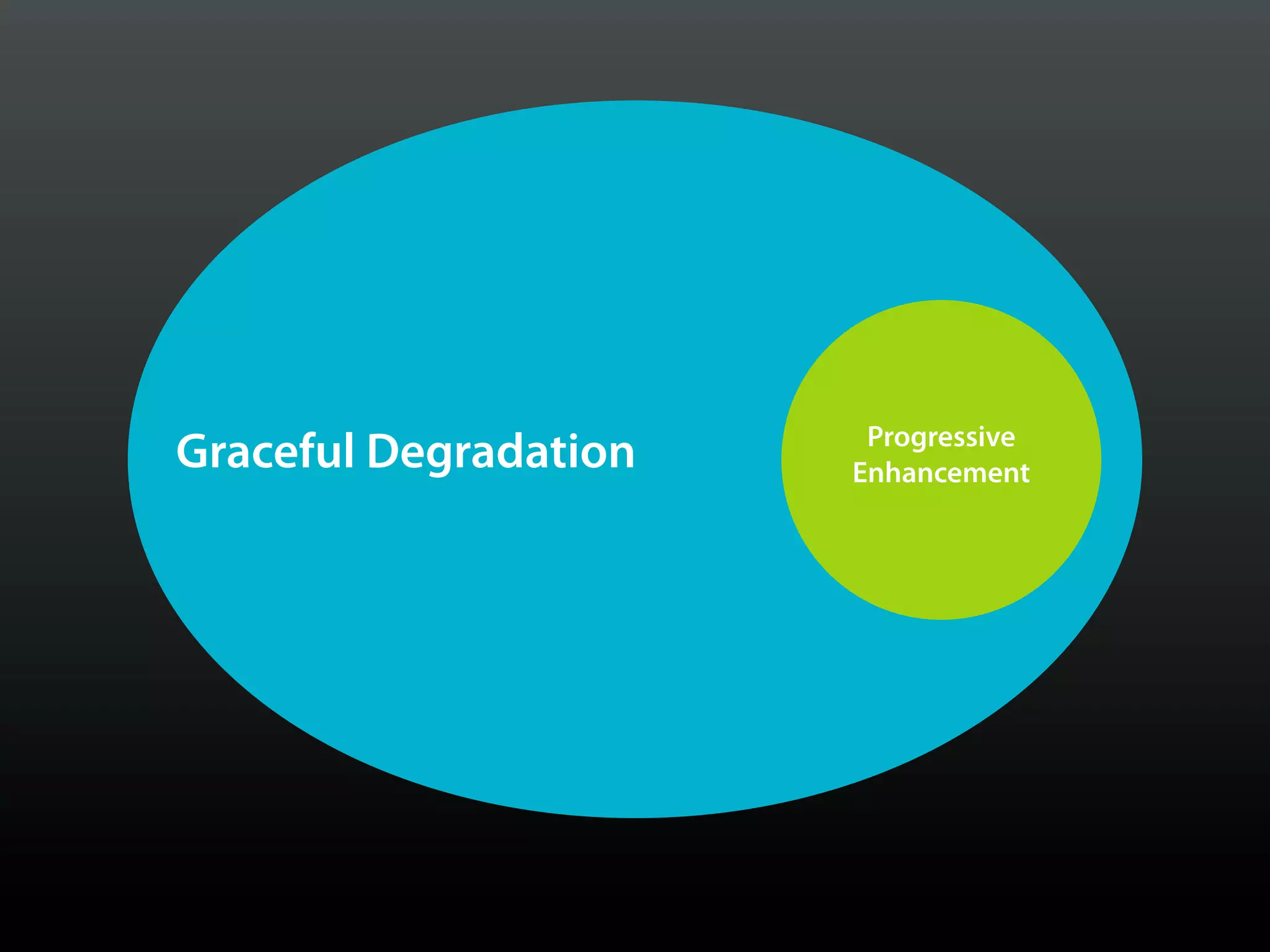
Graceful Degradation   Enhancement
Responsive
         Web Design


      Progressive
on   Enhancement

           Mobile
            First
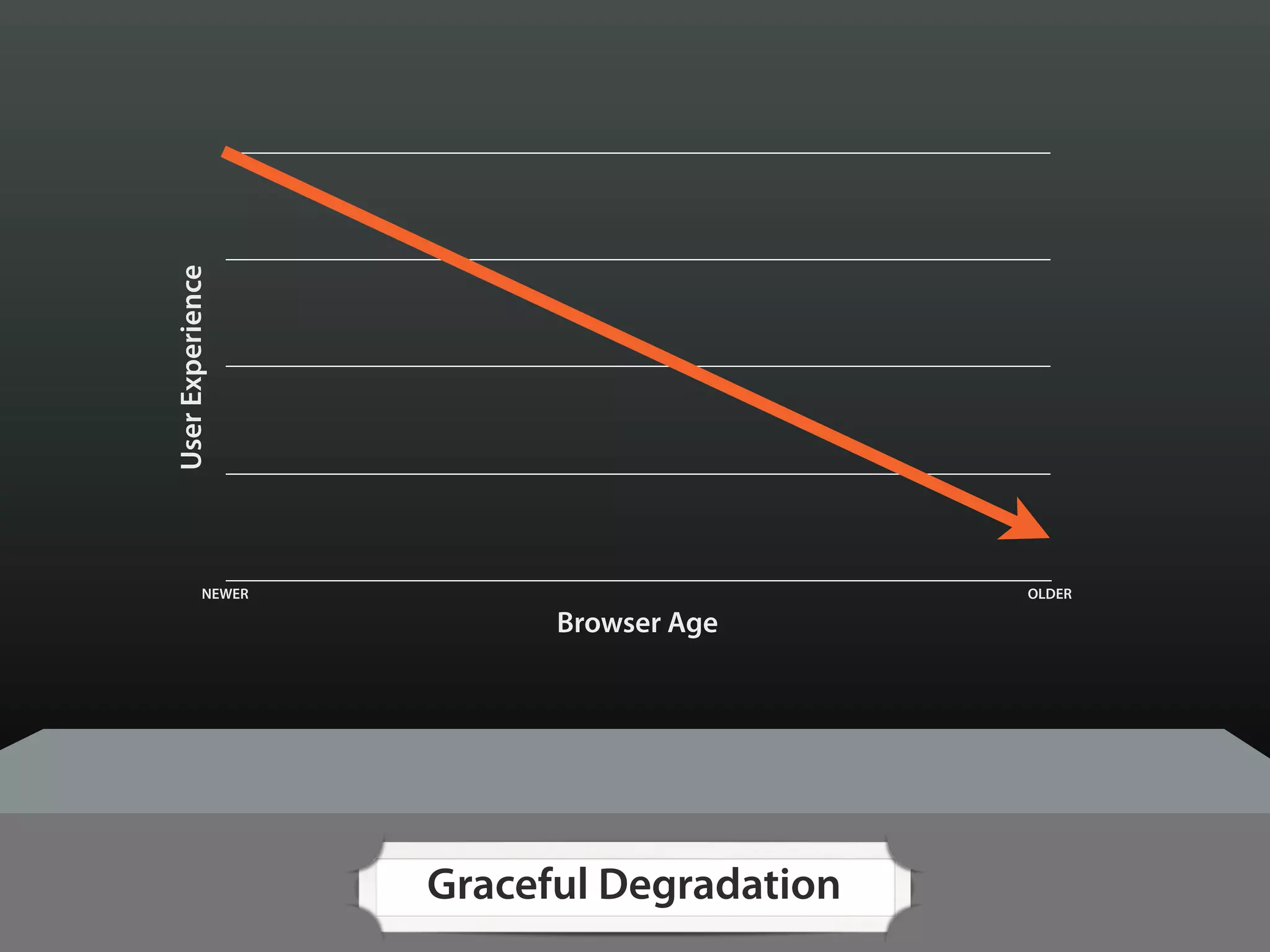
User Experience


            NEWER                          OLDER

                          Browser Age


                    Graceful Degradation
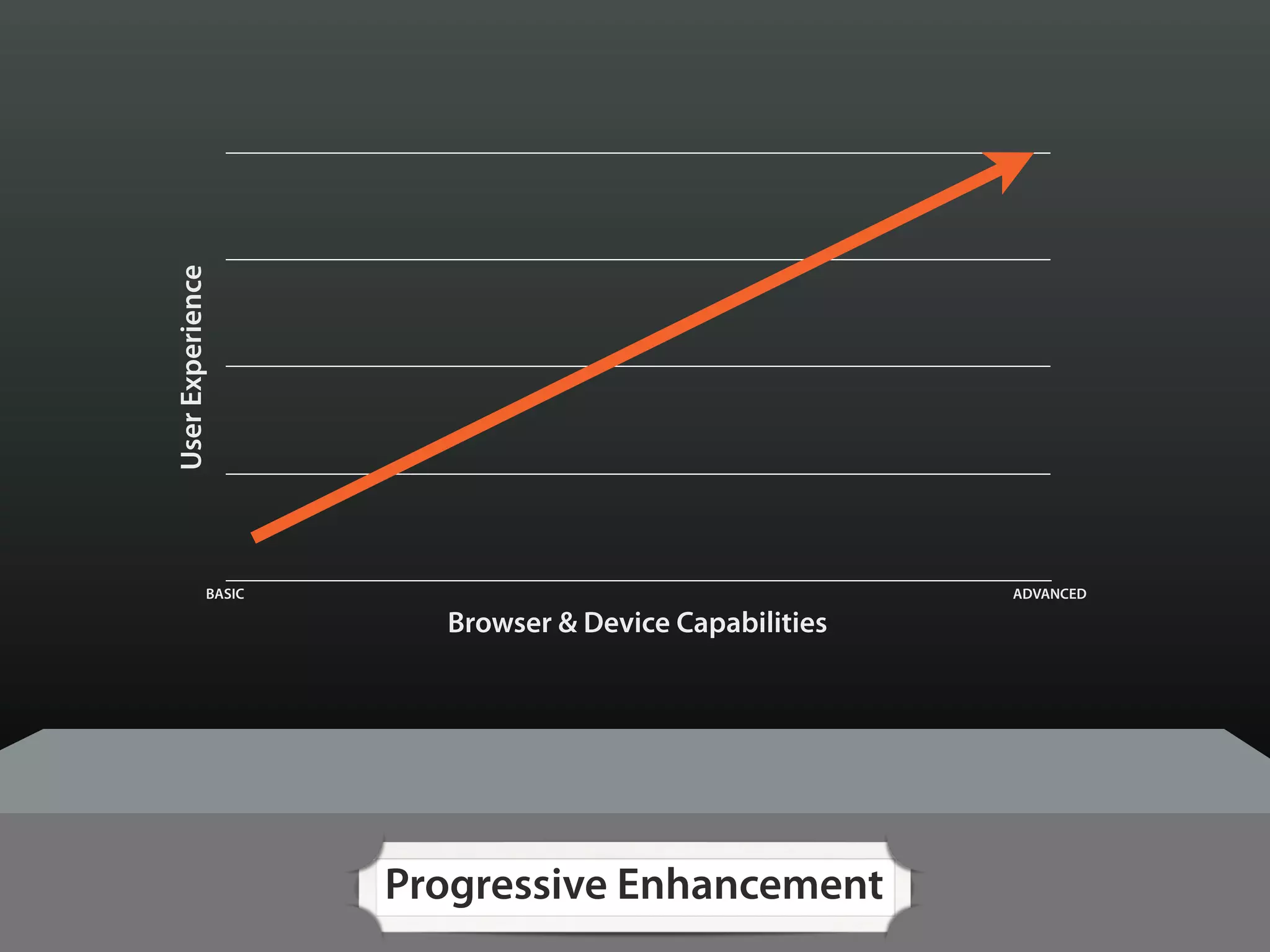
User Experience


             BASIC                                     ADVANCED

                       Browser & Device Capabilities


                     Progressive Enhancement
User Experience


             BASIC                                   ADVANCED

                     Browser & Device Capabilities


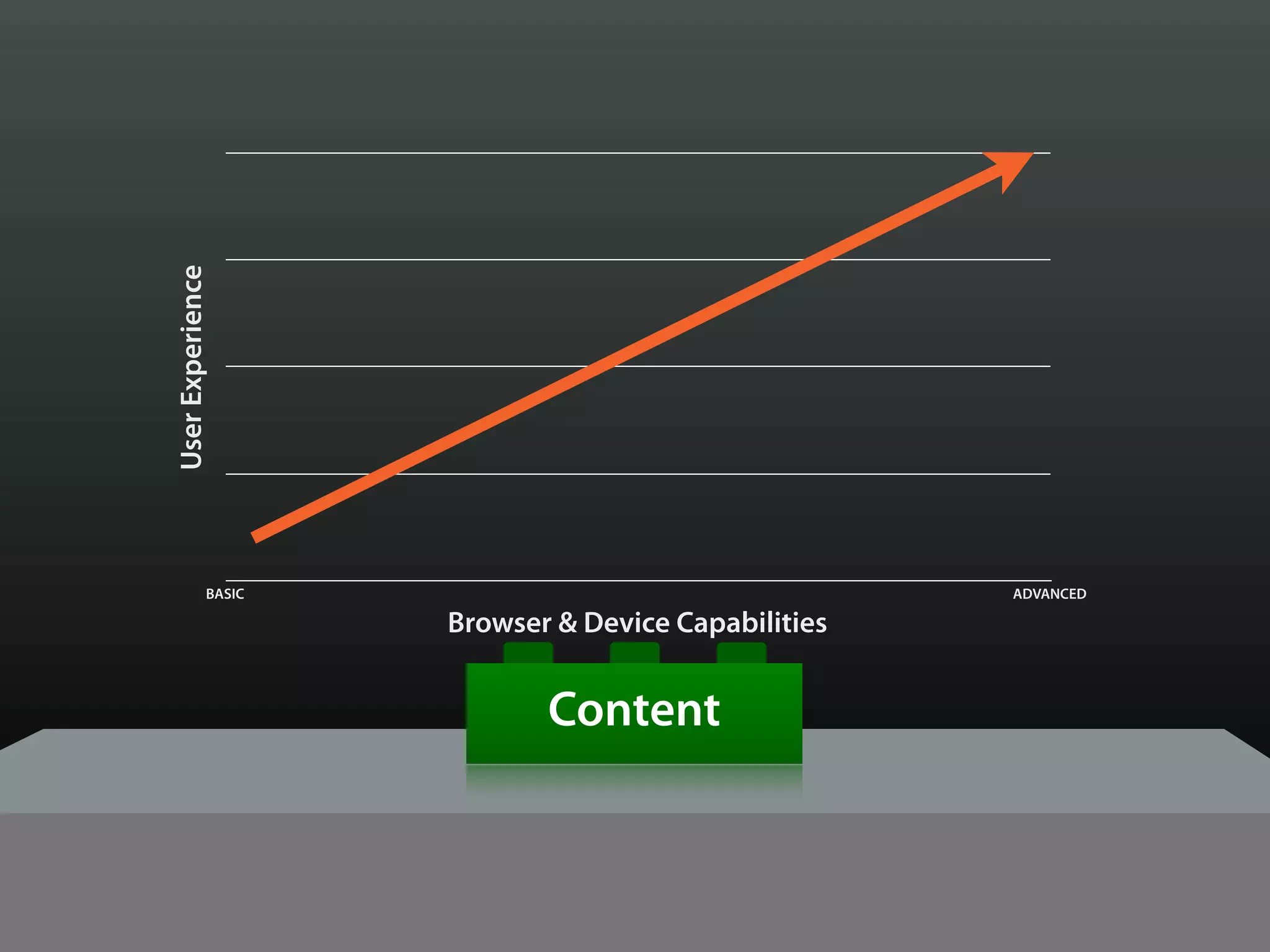
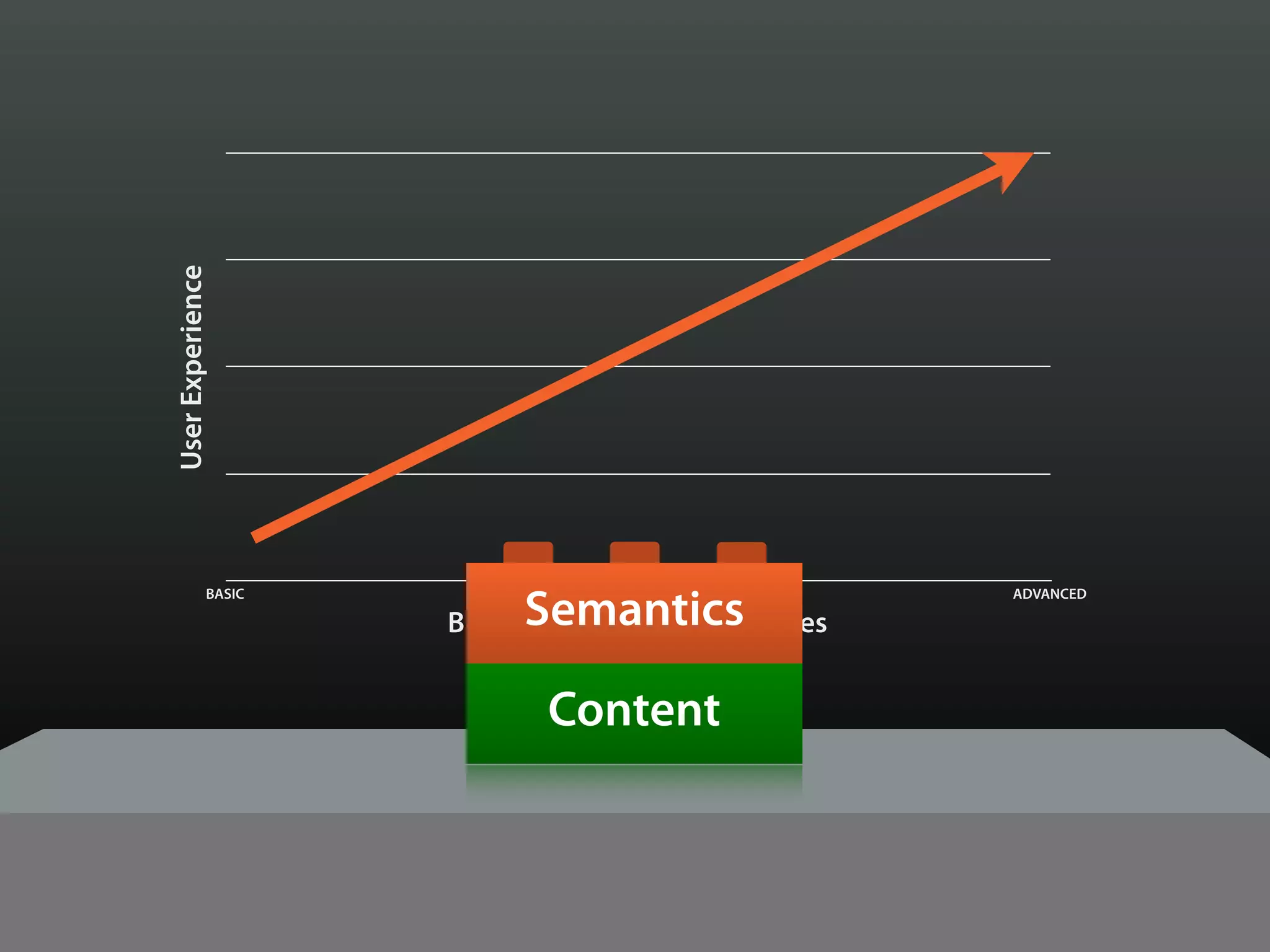
                            Content
User Experience


                          Semantics
             BASIC                                   ADVANCED

                     Browser & Device Capabilities


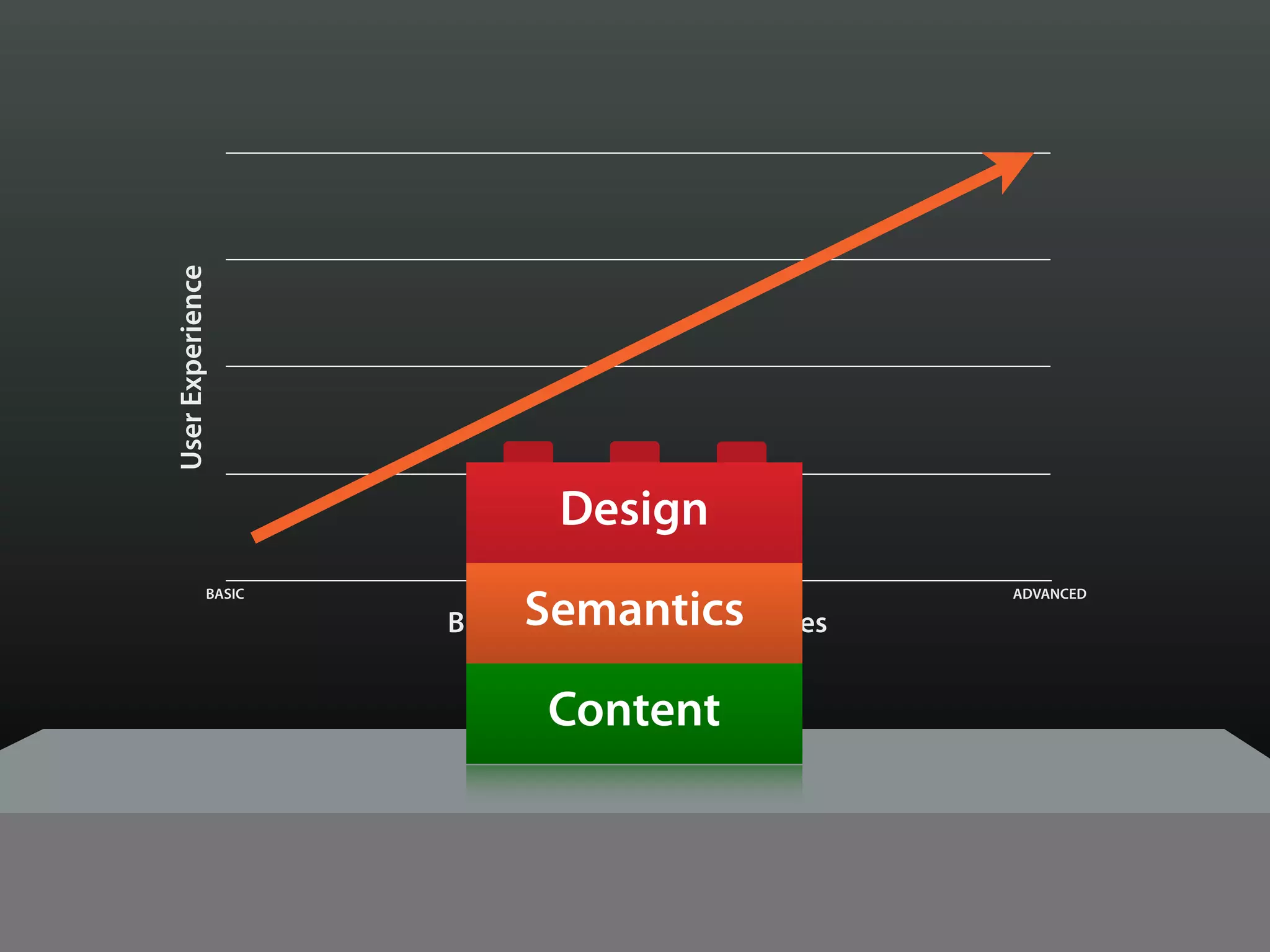
                            Content
User Experience


                             Design

                          Semantics
             BASIC                                   ADVANCED

                     Browser & Device Capabilities


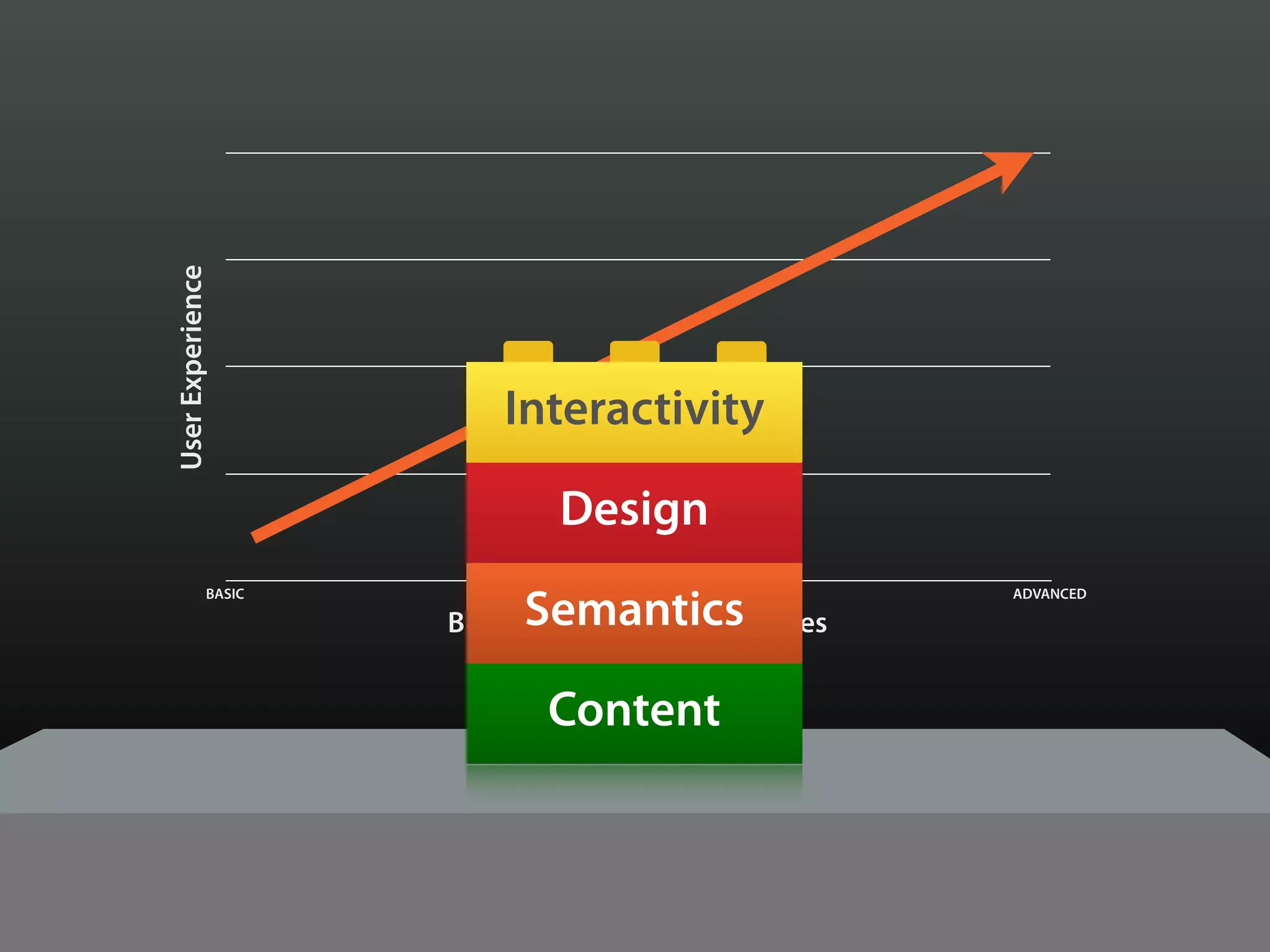
                            Content
User Experience


                         Interactivity

                             Design

                          Semantics
             BASIC                                   ADVANCED

                     Browser & Device Capabilities


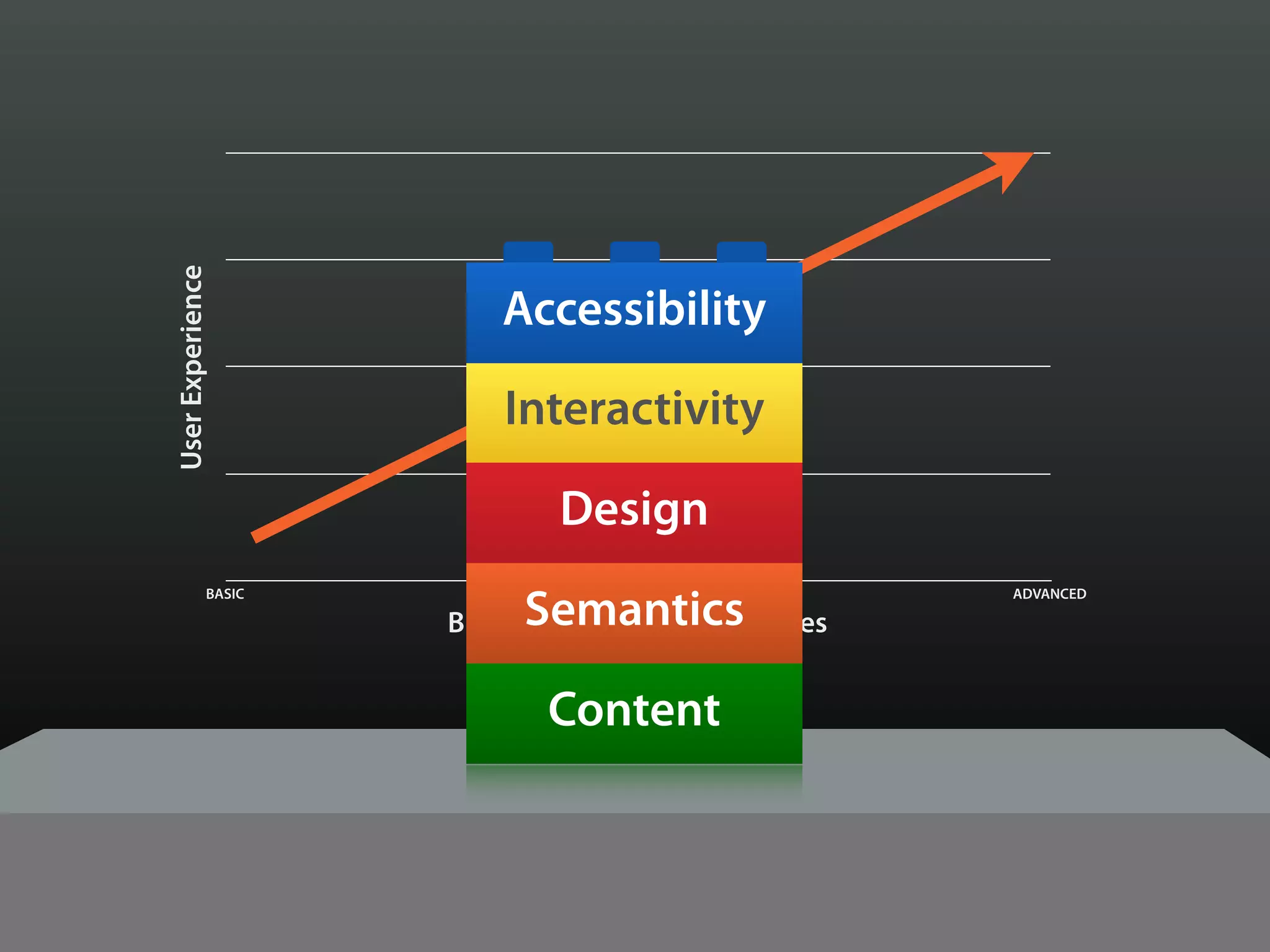
                            Content
User Experience


                         Accessibility

                         Interactivity

                             Design

                          Semantics
             BASIC                                   ADVANCED

                     Browser & Device Capabilities


                            Content
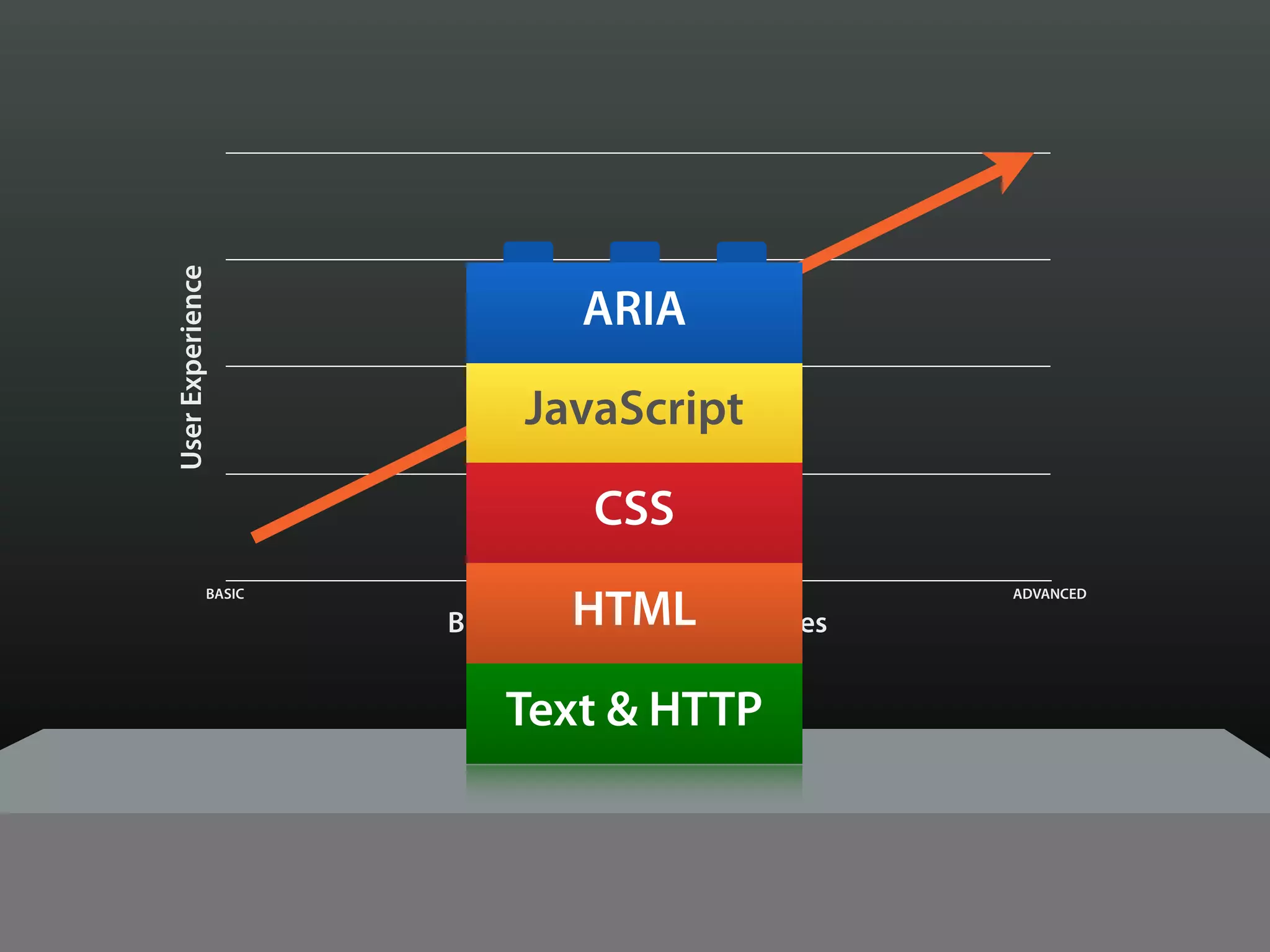
User Experience


                               ARIA

                          JavaScript

                                CSS

                              HTML
             BASIC                                   ADVANCED

                     Browser & Device Capabilities


                         Text & HTTP
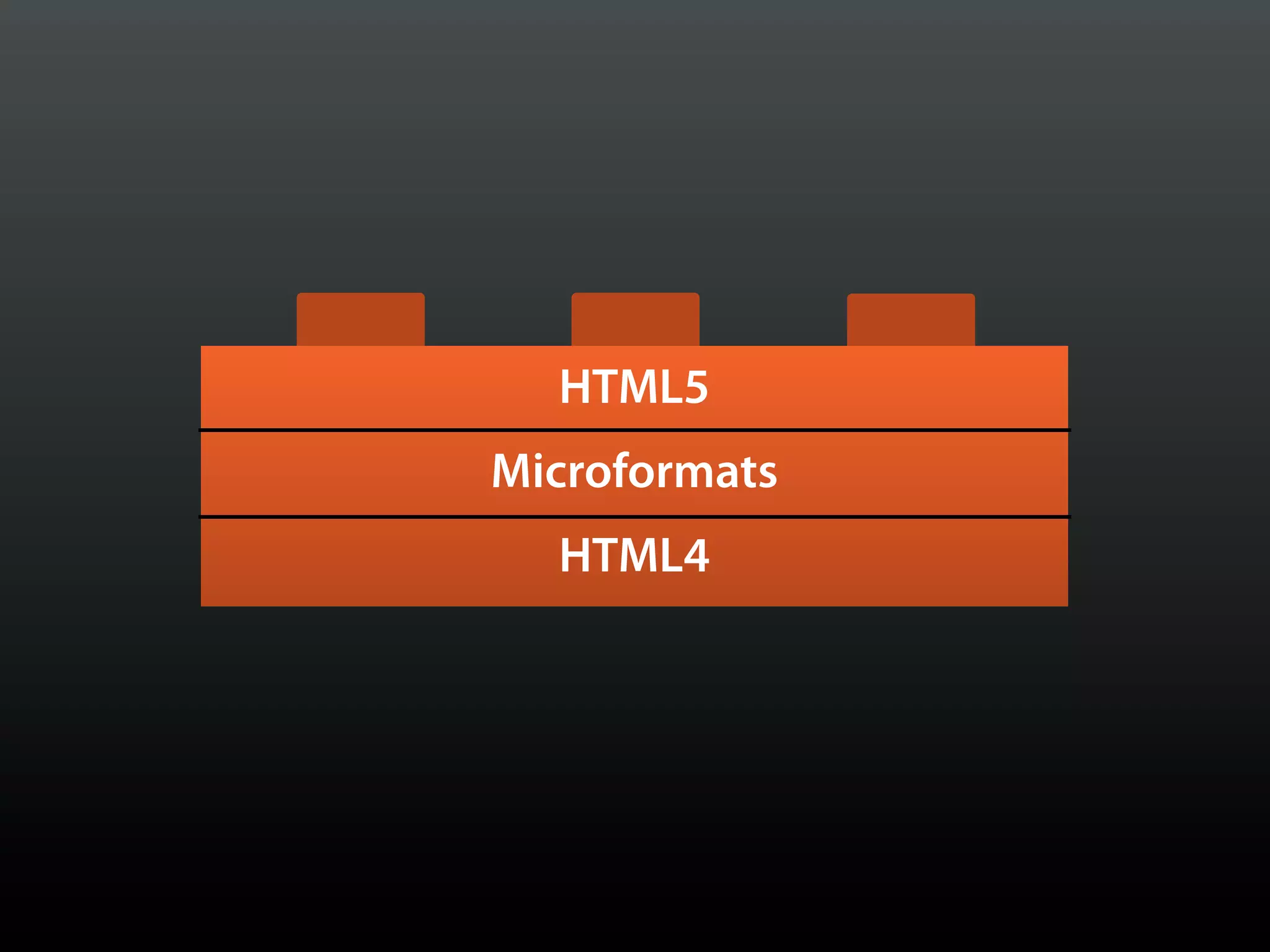
HTML
HTML5

HTML
Microformats
  HTML4
EXAMPLES
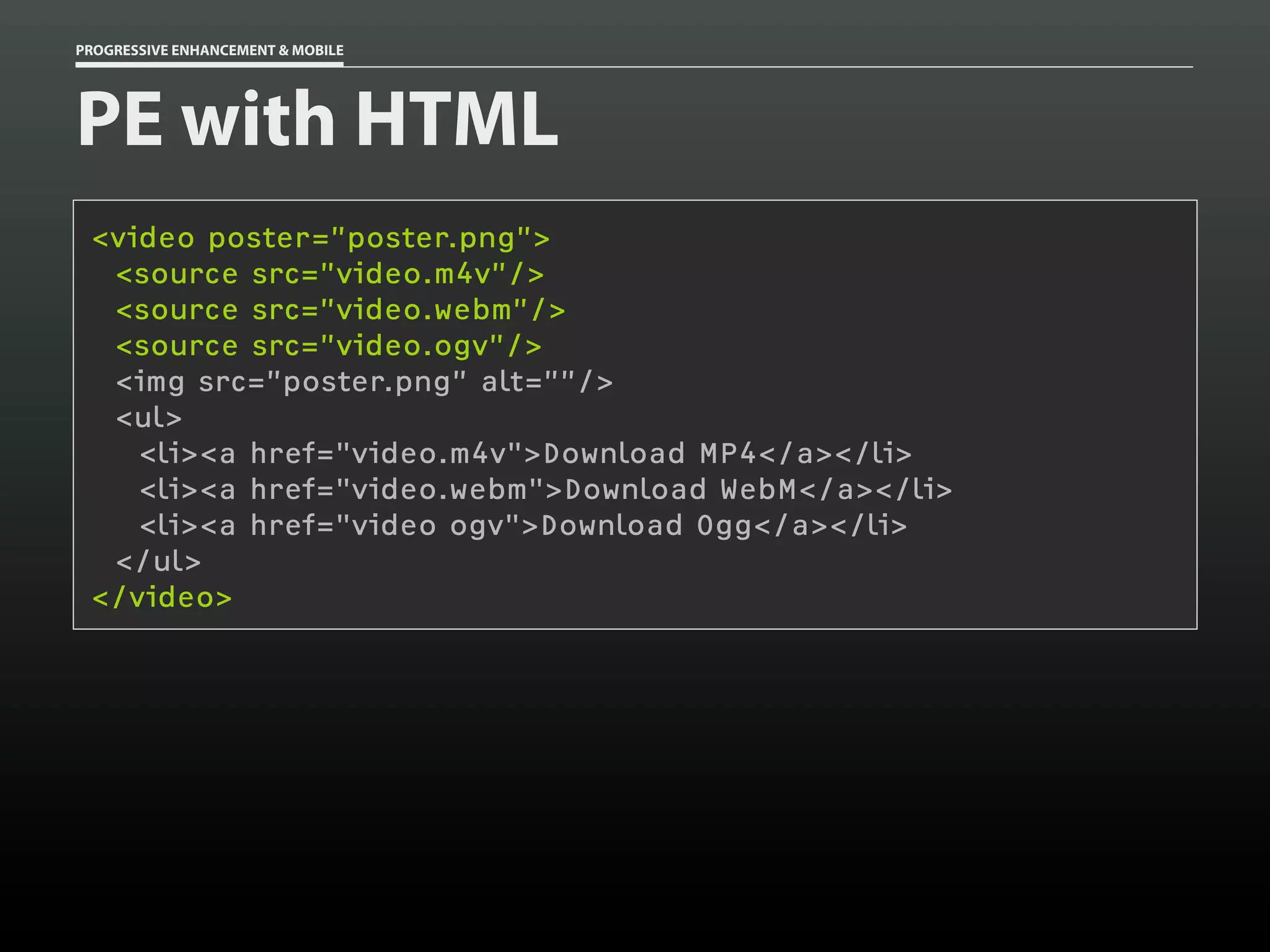
PROGRESSIVE ENHANCEMENT & MOBILE


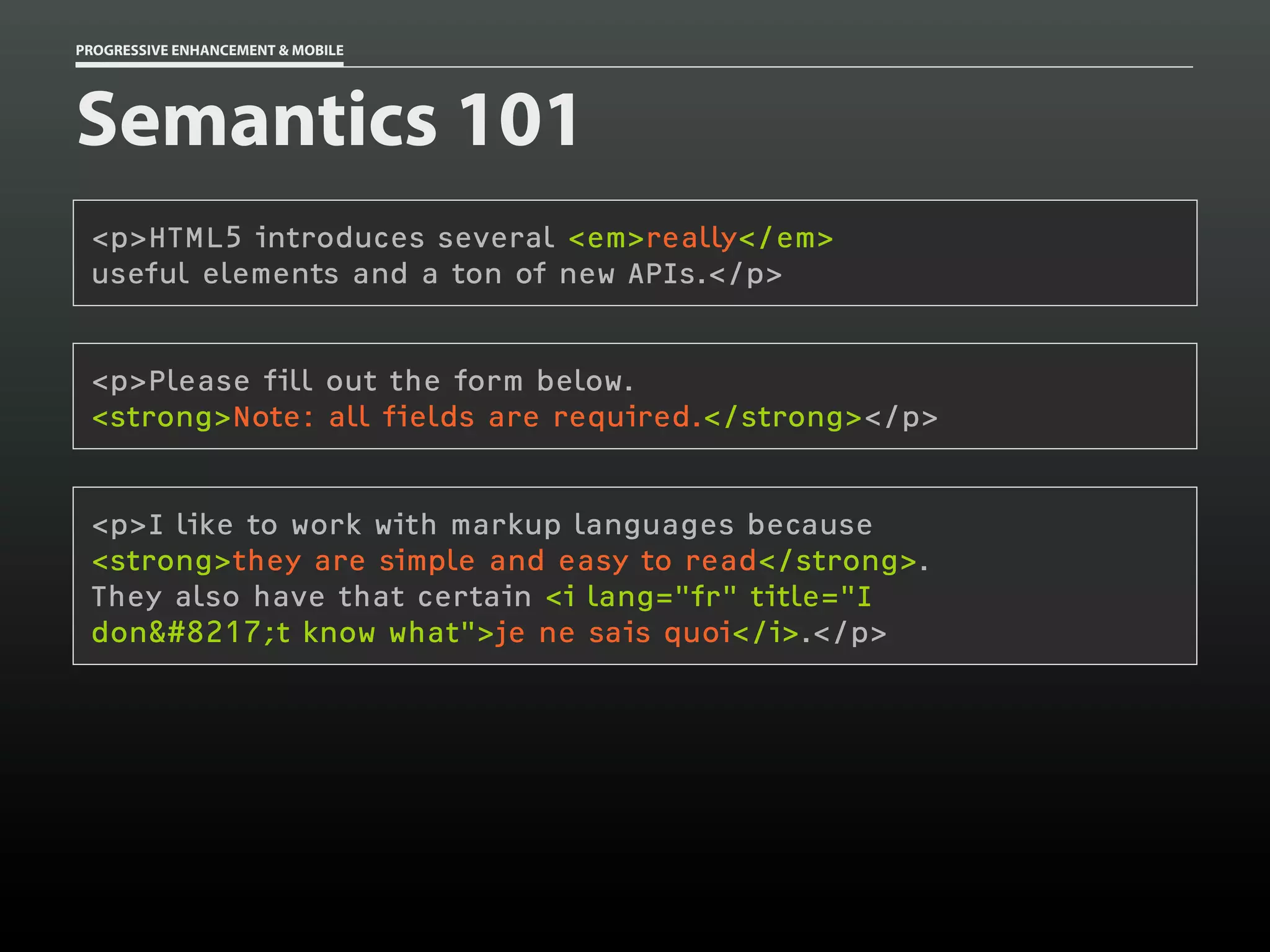
Semantics 101
 <p>HTML5 introduces several <em>really</em>
 useful elements and a ton of new APIs.</p>


 <p>Please fill out the form below.
 <strong>Note: all fields are required.</strong></p>


 <p>I like to work with markup languages because
 <strong>they are simple and easy to read</strong>.
 They also have that certain <i lang="fr" title="I
 don&#8217;t know what">je ne sais quoi</i>.</p>
PROGRESSIVE ENHANCEMENT & MOBILE


PE with HTML
 <video poster=”poster.png”>
  <source src=”video.m4v”/>
  <source src=”video.webm”/>
  <source src=”video.ogv”/>
  <img src=”poster.png” alt=””/>
  <ul>
    <li><a href="video.m4v">Download MP4</a></li>
    <li><a href="video.webm">Download WebM</a></li>
    <li><a href="video ogv">Download Ogg</a></li>
  </ul>
 </video>
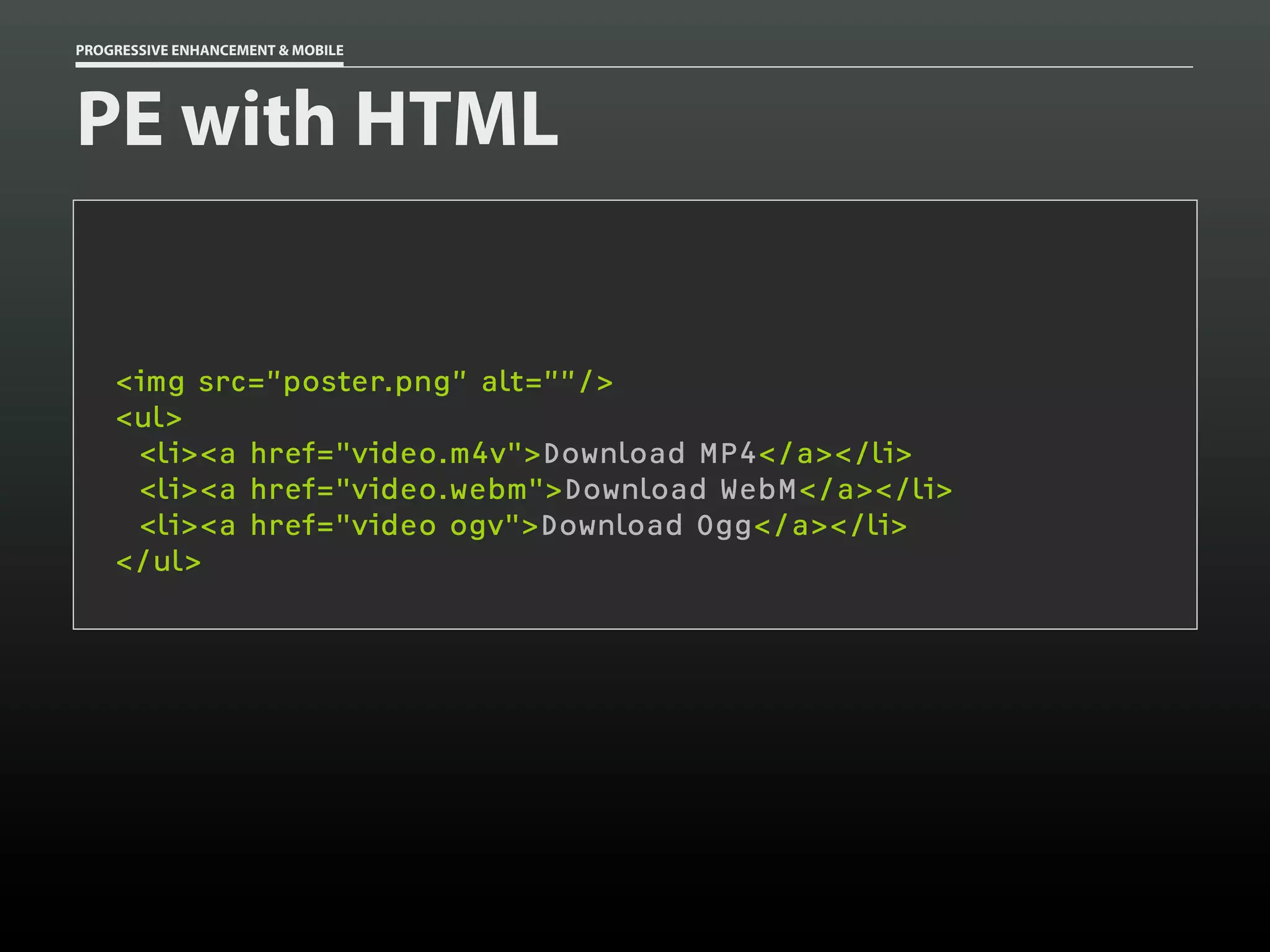
PROGRESSIVE ENHANCEMENT & MOBILE


PE with HTML


    <img src=”poster.png” alt=””/>
    <ul>
     <li><a href="video.m4v">Download MP4</a></li>
     <li><a href="video.webm">Download WebM</a></li>
     <li><a href="video ogv">Download Ogg</a></li>
    </ul>
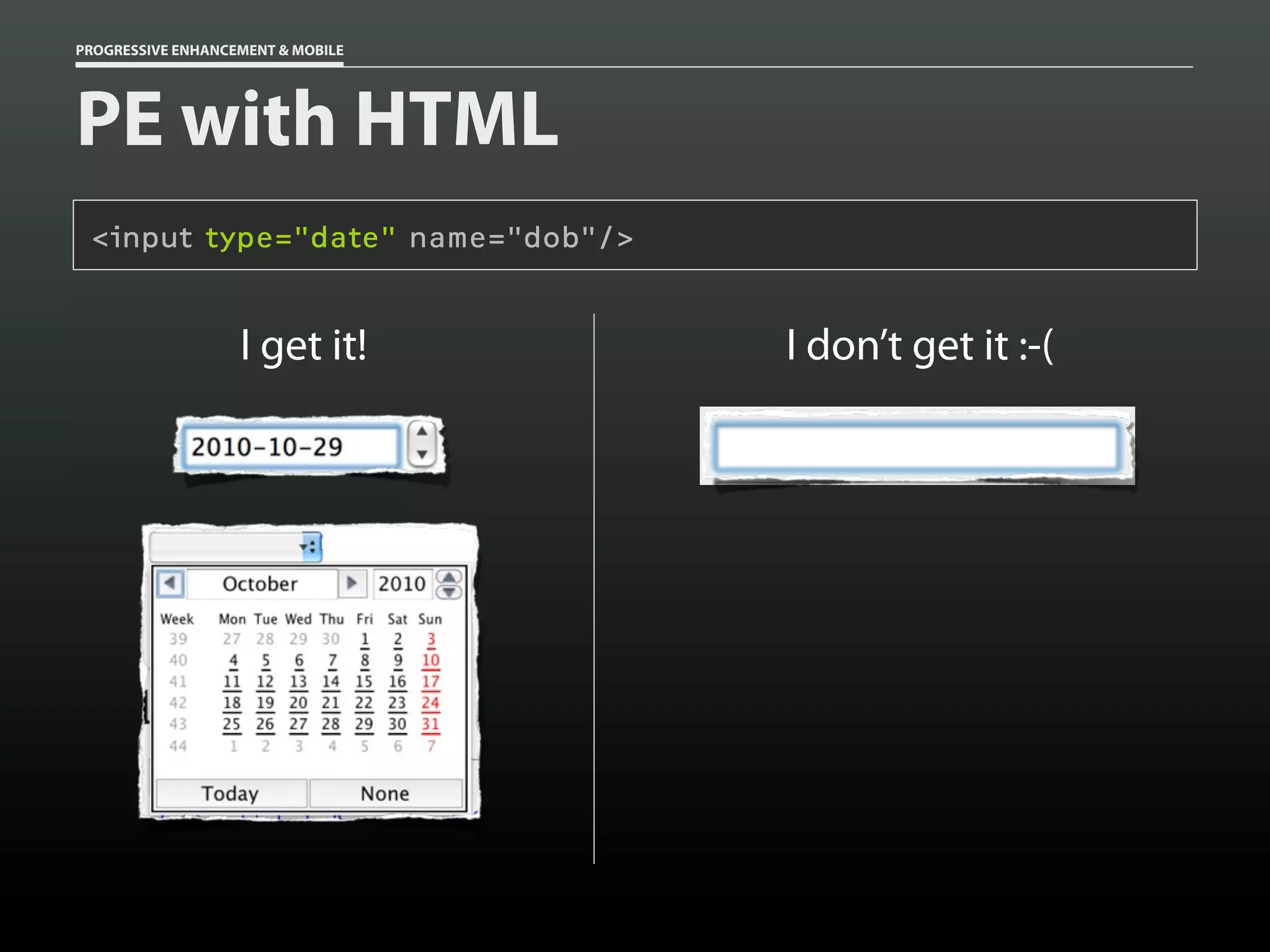
PROGRESSIVE ENHANCEMENT & MOBILE


PE with HTML
 <input type="date" name="dob"/>


                   I get it!       I don’t get it :-(
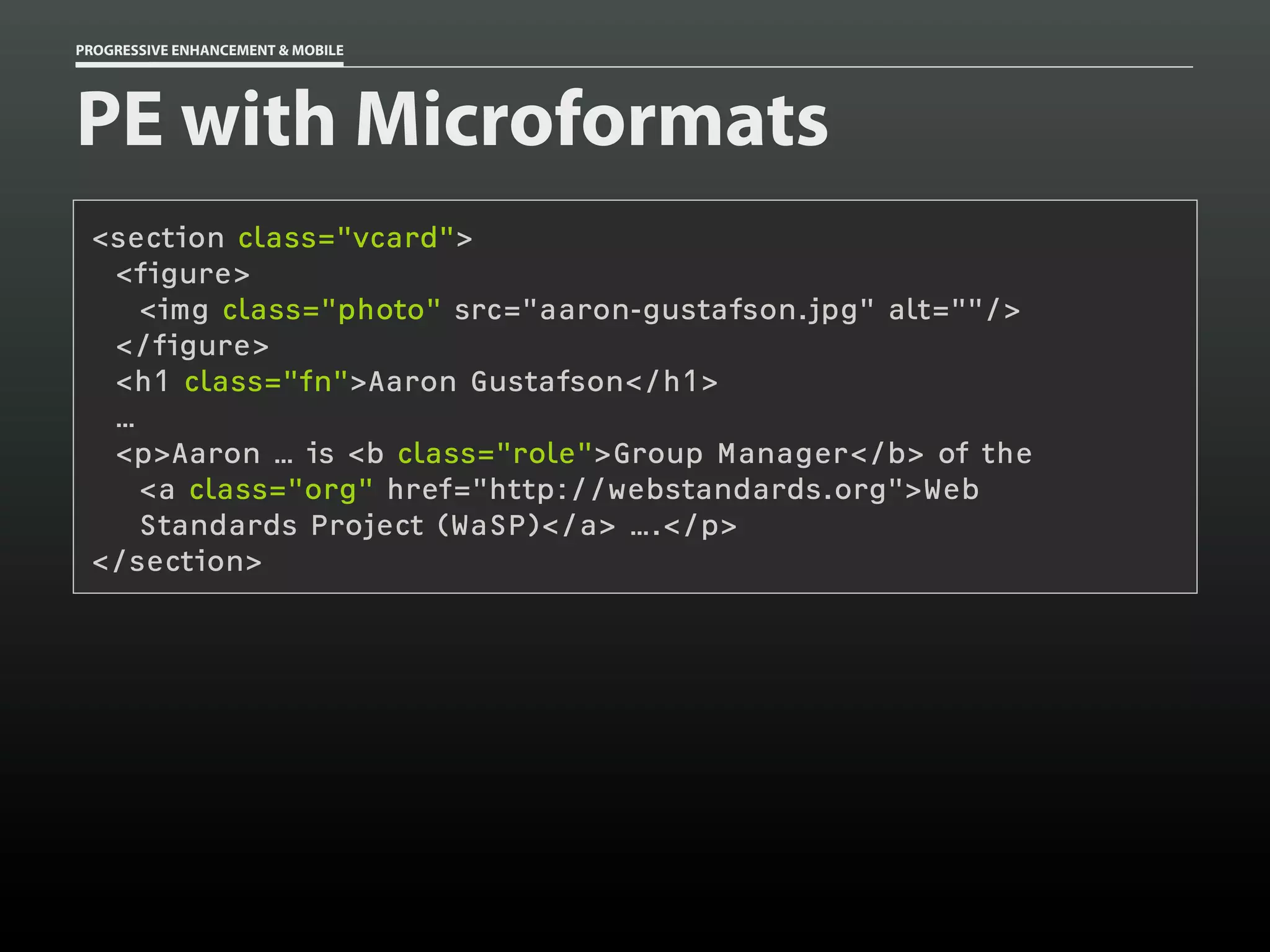
PROGRESSIVE ENHANCEMENT & MOBILE


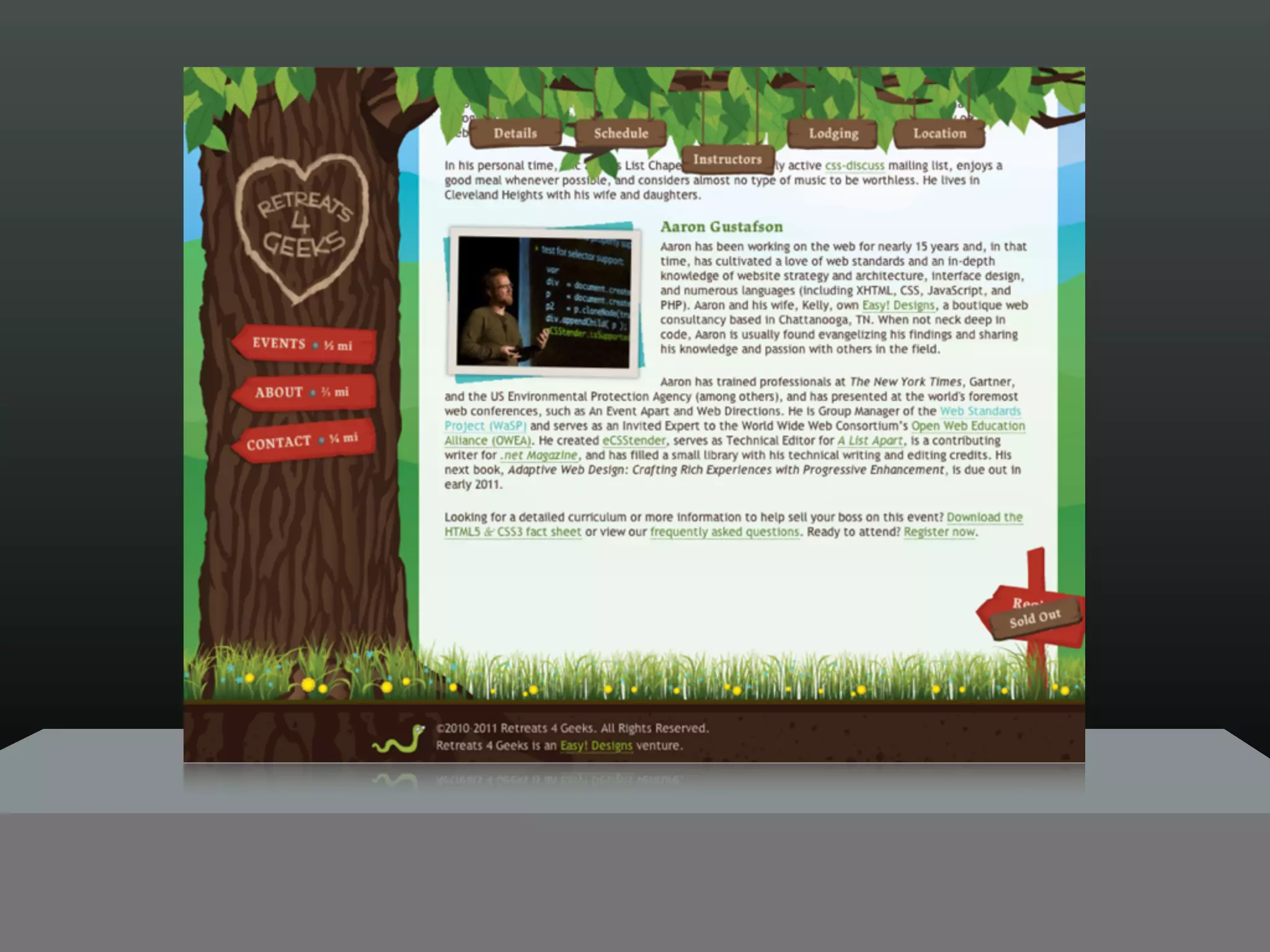
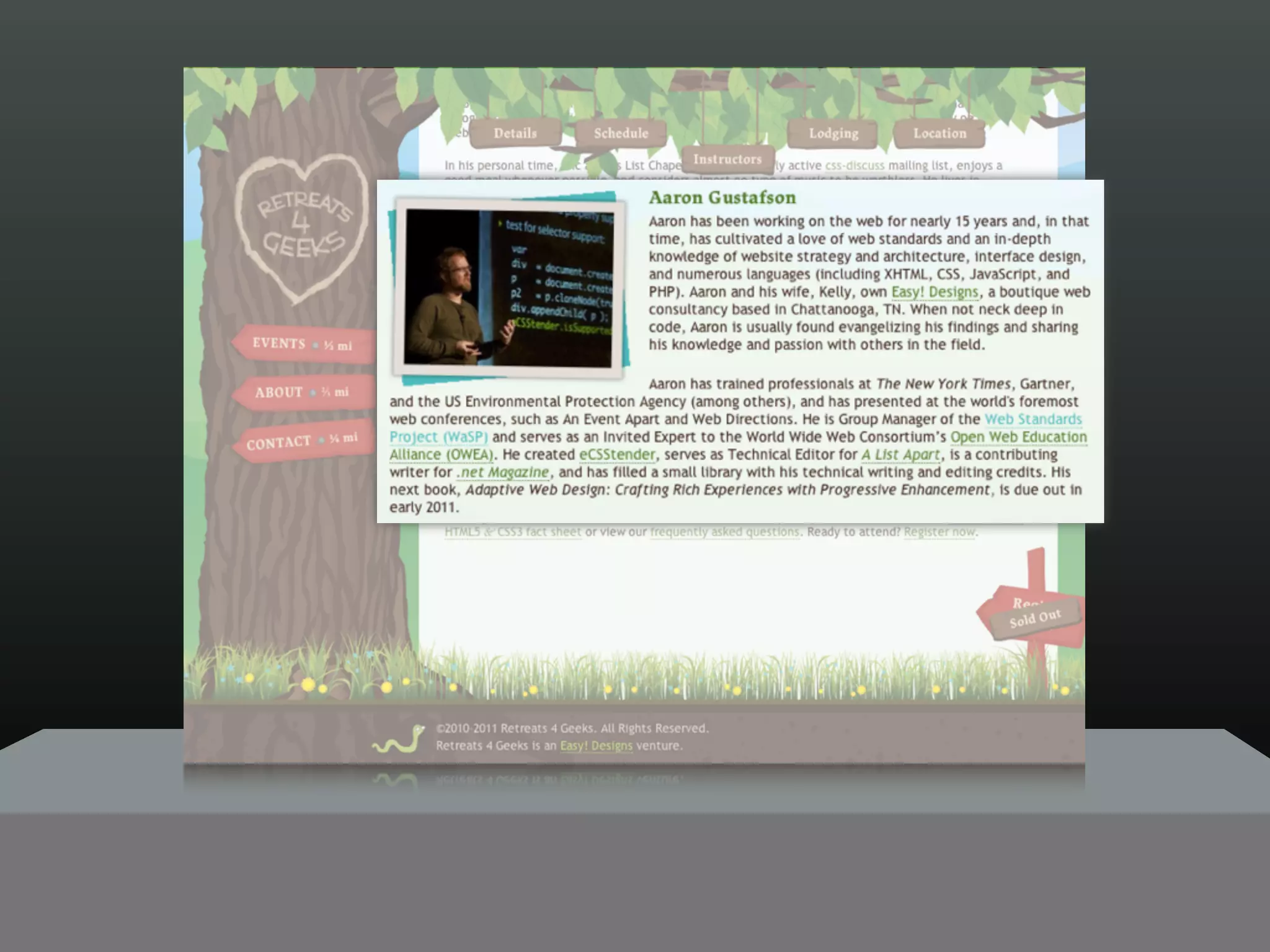
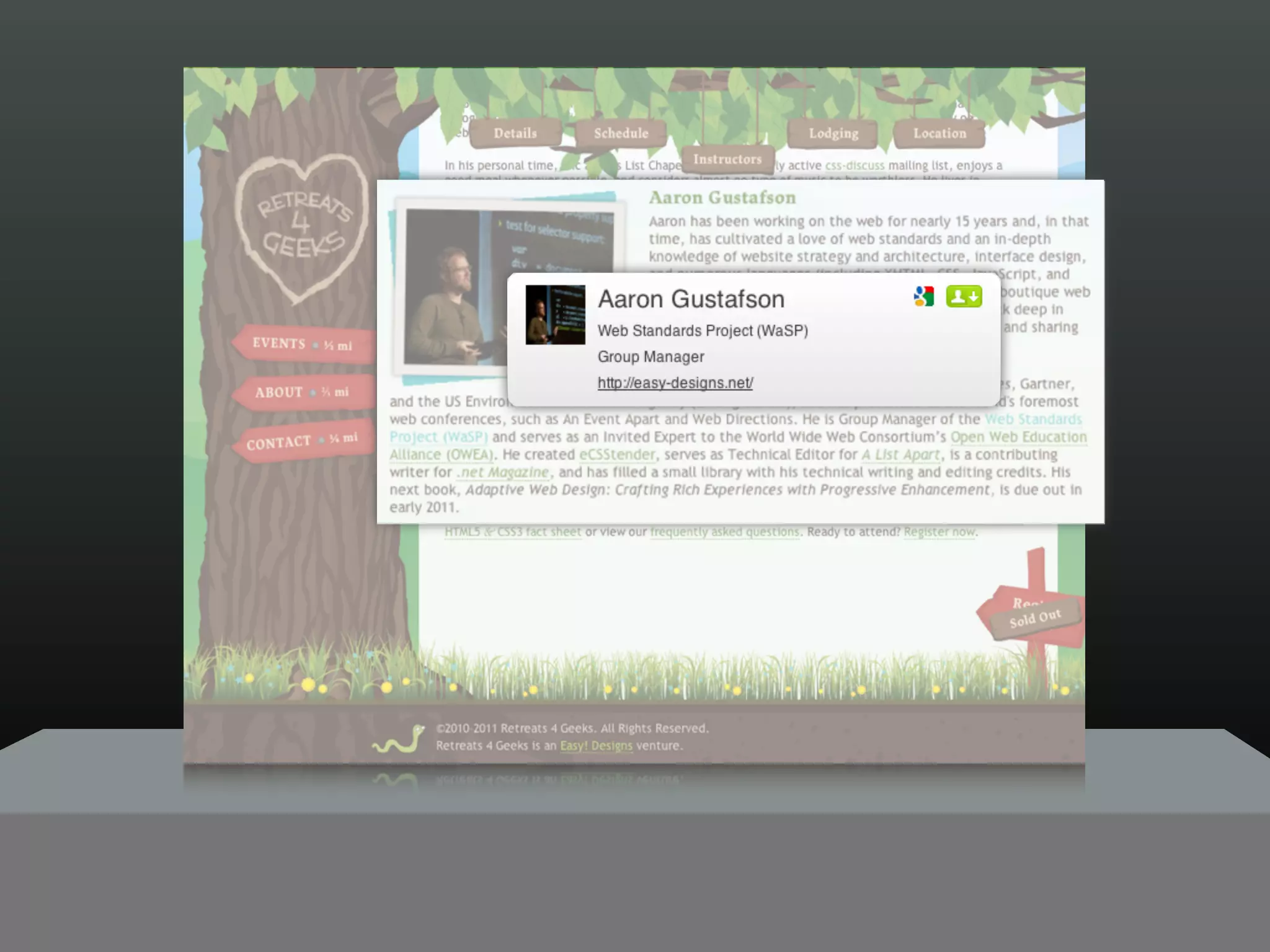
PE with Microformats
 <section class="vcard">
  <figure>
    <img class="photo" src="aaron-gustafson.jpg" alt=""/>
  </figure>
  <h1 class="fn">Aaron Gustafson</h1>
  …
  <p>Aaron … is <b class="role">Group Manager</b> of the
    <a class="org" href="http://webstandards.org">Web
    Standards Project (WaSP)</a> ….</p>
 </section>
PROGRESSIVE ENHANCEMENT & MOBILE


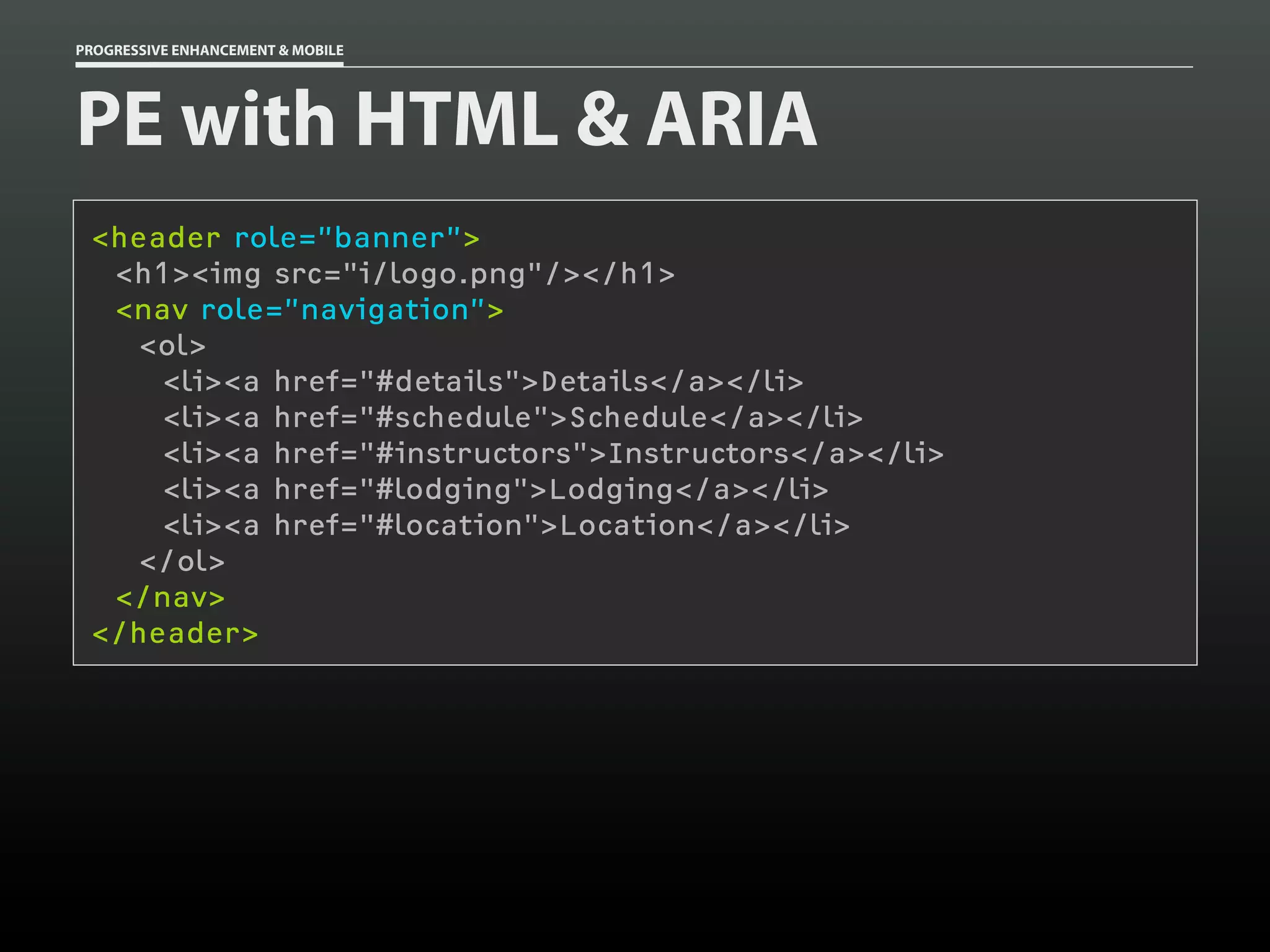
PE with HTML & ARIA
 <header role=”banner”>
  <h1><img src="i/logo.png"/></h1>
  <nav role=”navigation”>
    <ol>
     <li><a href="#details">Details</a></li>
     <li><a href="#schedule">Schedule</a></li>
     <li><a href="#instructors">Instructors</a></li>
     <li><a href="#lodging">Lodging</a></li>
     <li><a href="#location">Location</a></li>
    </ol>
  </nav>
 </header>
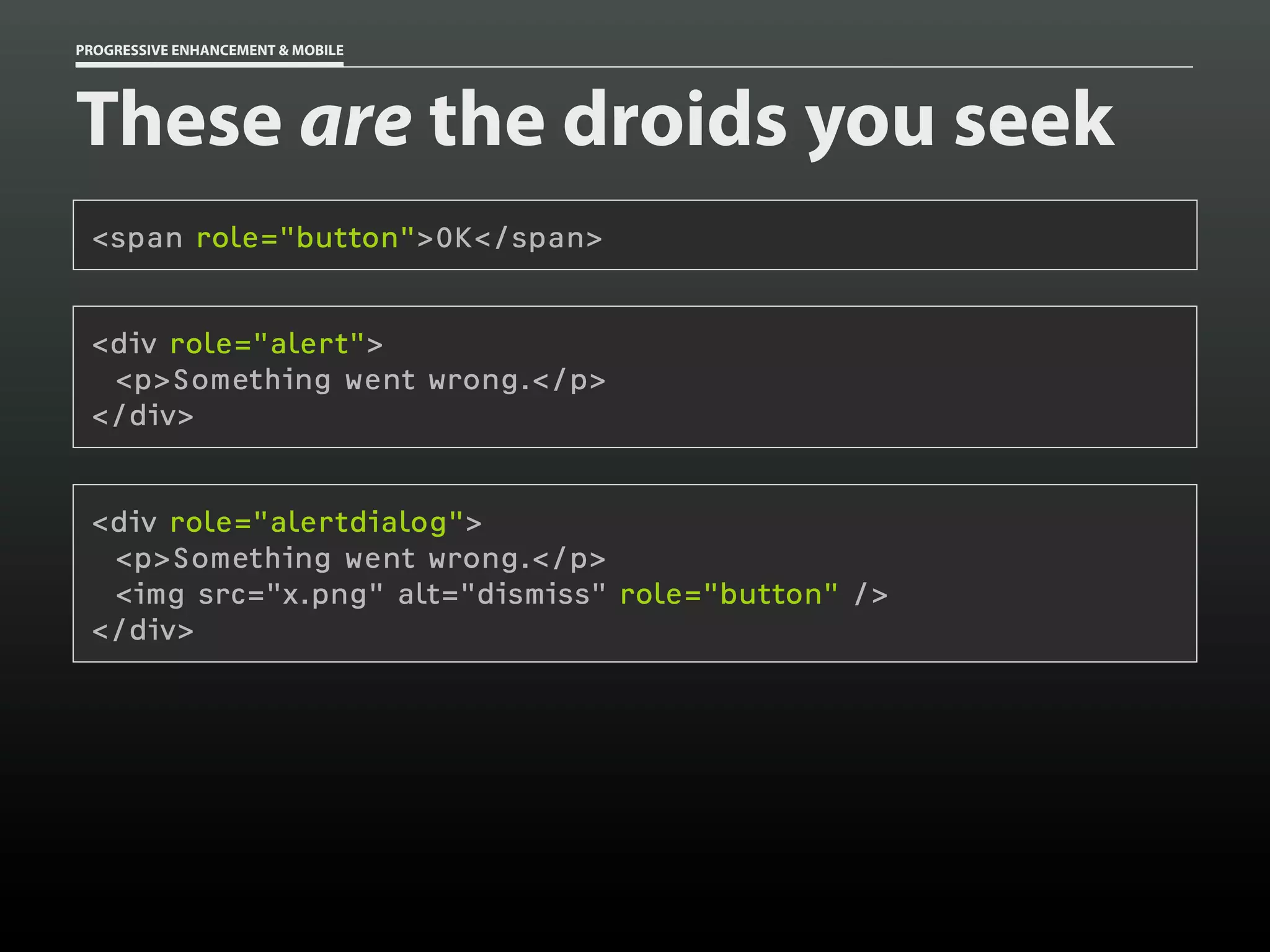
PROGRESSIVE ENHANCEMENT & MOBILE


These are the droids you seek
 <span role="button">OK</span>


 <div role="alert">
  <p>Something went wrong.</p>
 </div>


 <div role="alertdialog">
  <p>Something went wrong.</p>
  <img src="x.png" alt="dismiss" role="button" />
 </div>
PROGRESSIVE ENHANCEMENT & MOBILE


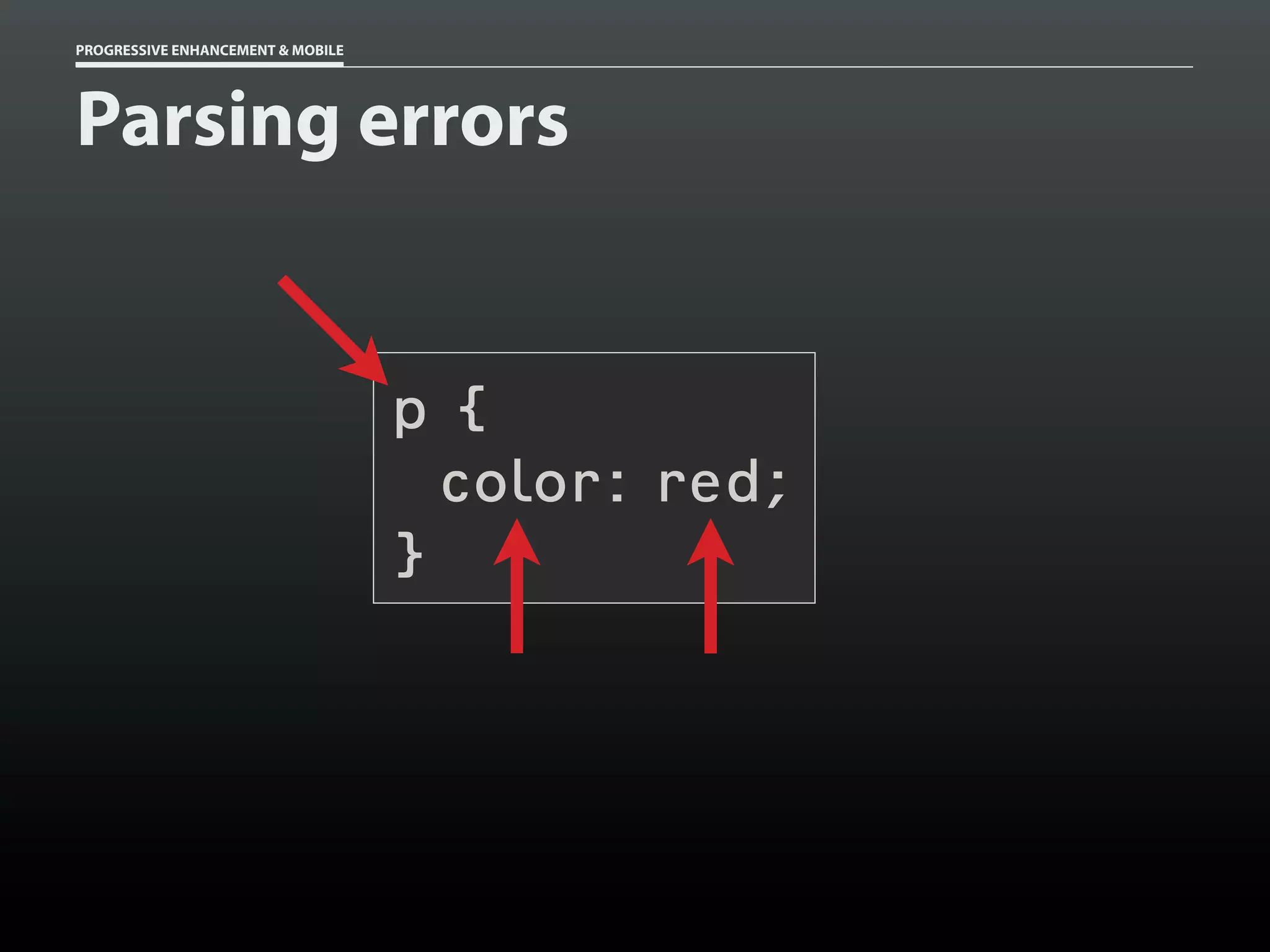
Parsing errors


                                   p{
                                     color: red;
                                   }
PROGRESSIVE ENHANCEMENT & MOBILE


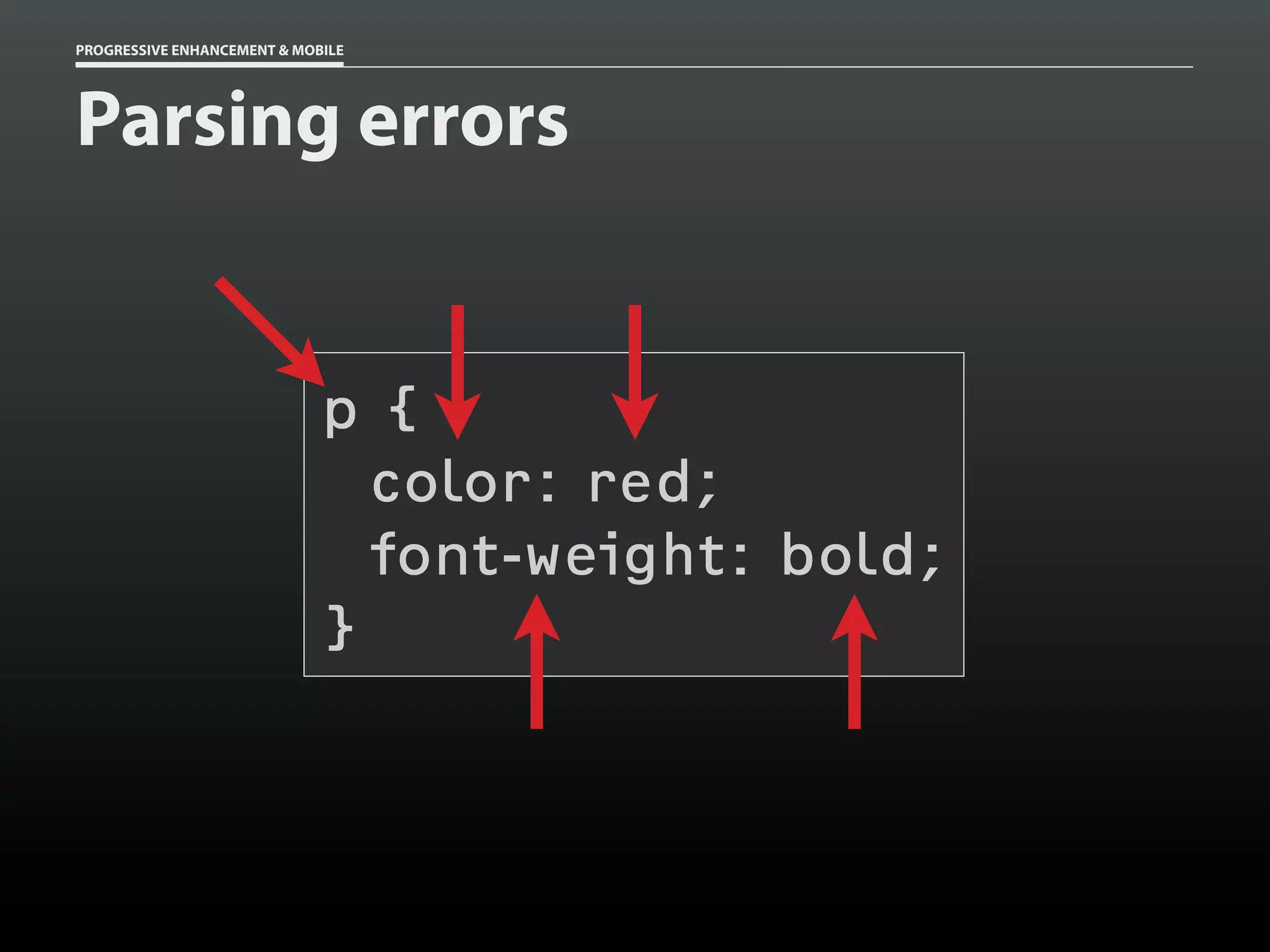
Parsing errors


                             p{
                               color: red;
                               font-weight: bold;
                             }
PROGRESSIVE ENHANCEMENT & MOBILE


Parsing errors
 p {
   color: #ccc;
   color: rgba( 0, 0, 0, .5 );
 }
PROGRESSIVE ENHANCEMENT & MOBILE


Parsing errors
 html[lang] p {
   color: #ccc;
   color: rgba( 0, 0, 0, .5 );
 }
PROGRESSIVE ENHANCEMENT & MOBILE


Parsing errors
 @-moz-document url-prefix() {
   html[lang] p {
     color: #ccc;
     color: rgba( 0, 0, 0, .5 );
   }
 }
#intro {
  /* Basic Layout */
}

/* ... */

body[id=css-zen-garden] #intro {
 /* Advanced Layout */
}
#intro {
  /* Basic Layout */
}

/* ... */

[foo], #intro {
  /* Advanced Layout */
}
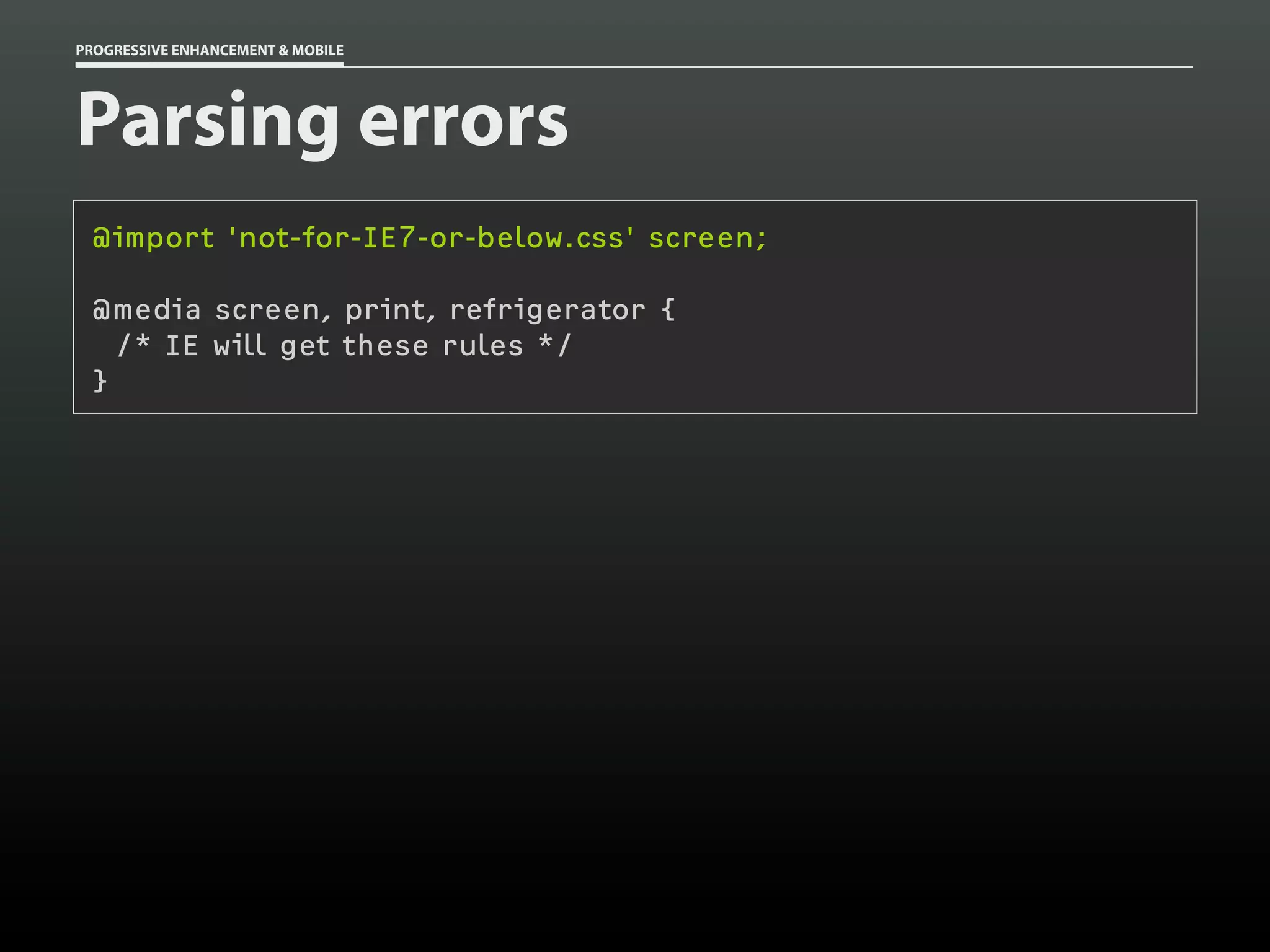
PROGRESSIVE ENHANCEMENT & MOBILE


Parsing errors
 @import 'not-for-IE7-or-below.css' screen;

 @media screen, print, refrigerator {
   /* IE will get these rules */
 }
PROGRESSIVE ENHANCEMENT & MOBILE


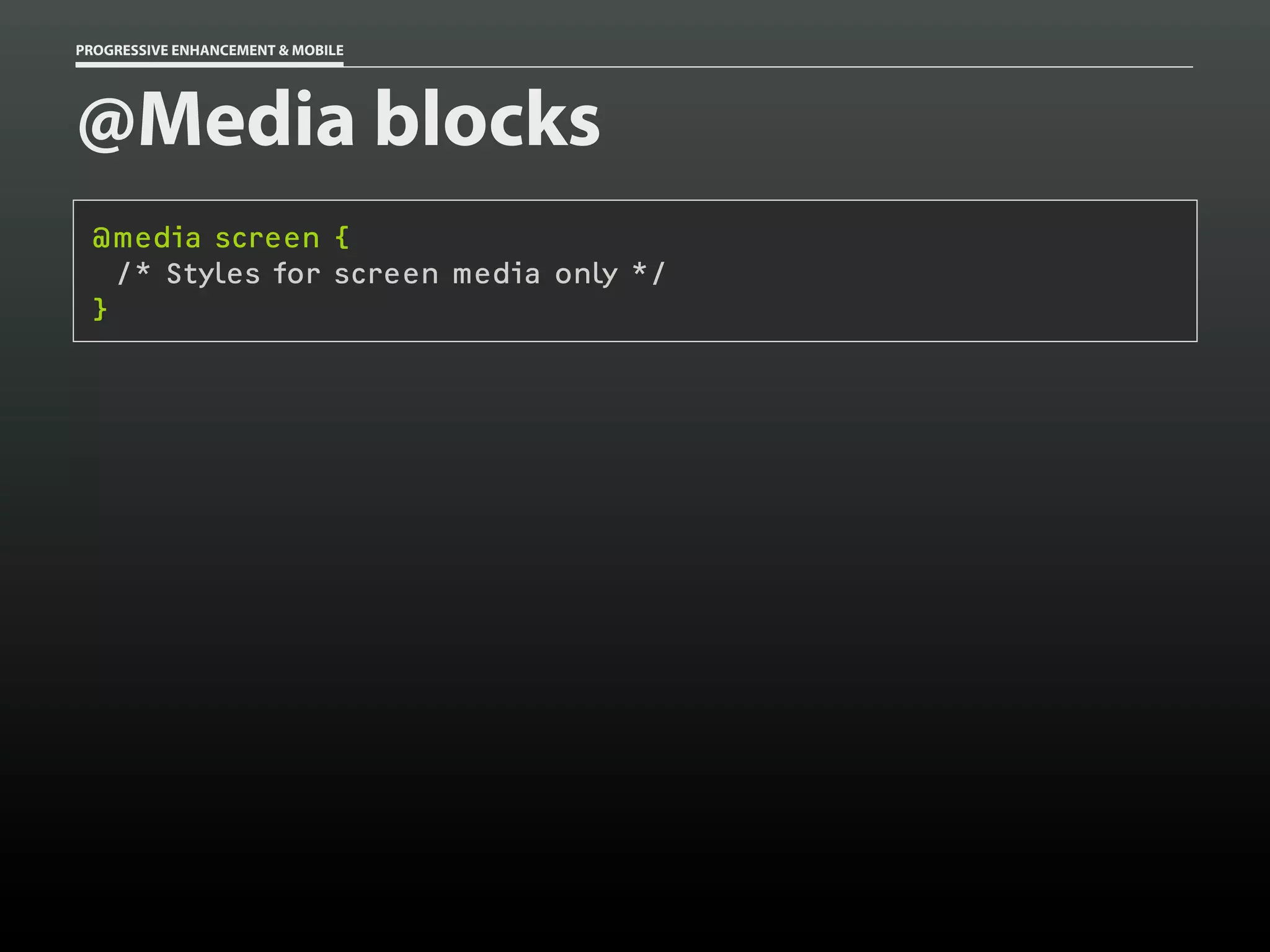
@Media blocks
 @media screen {
   /* Styles for screen media only */
 }
PROGRESSIVE ENHANCEMENT & MOBILE


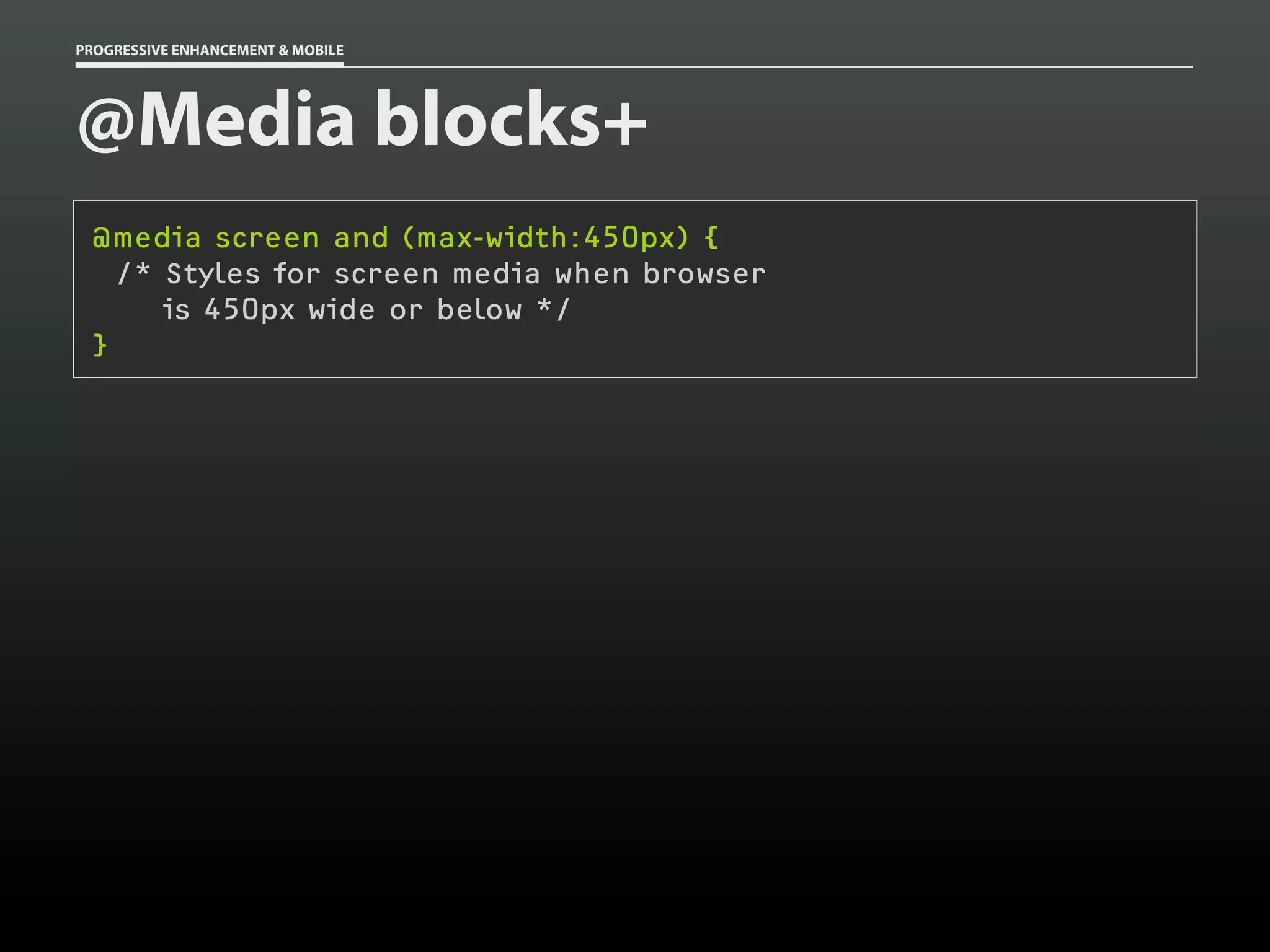
@Media blocks+
 @media screen and (max-width:450px) {
   /* Styles for screen media when browser
      is 450px wide or below */
 }
PROGRESSIVE ENHANCEMENT & MOBILE


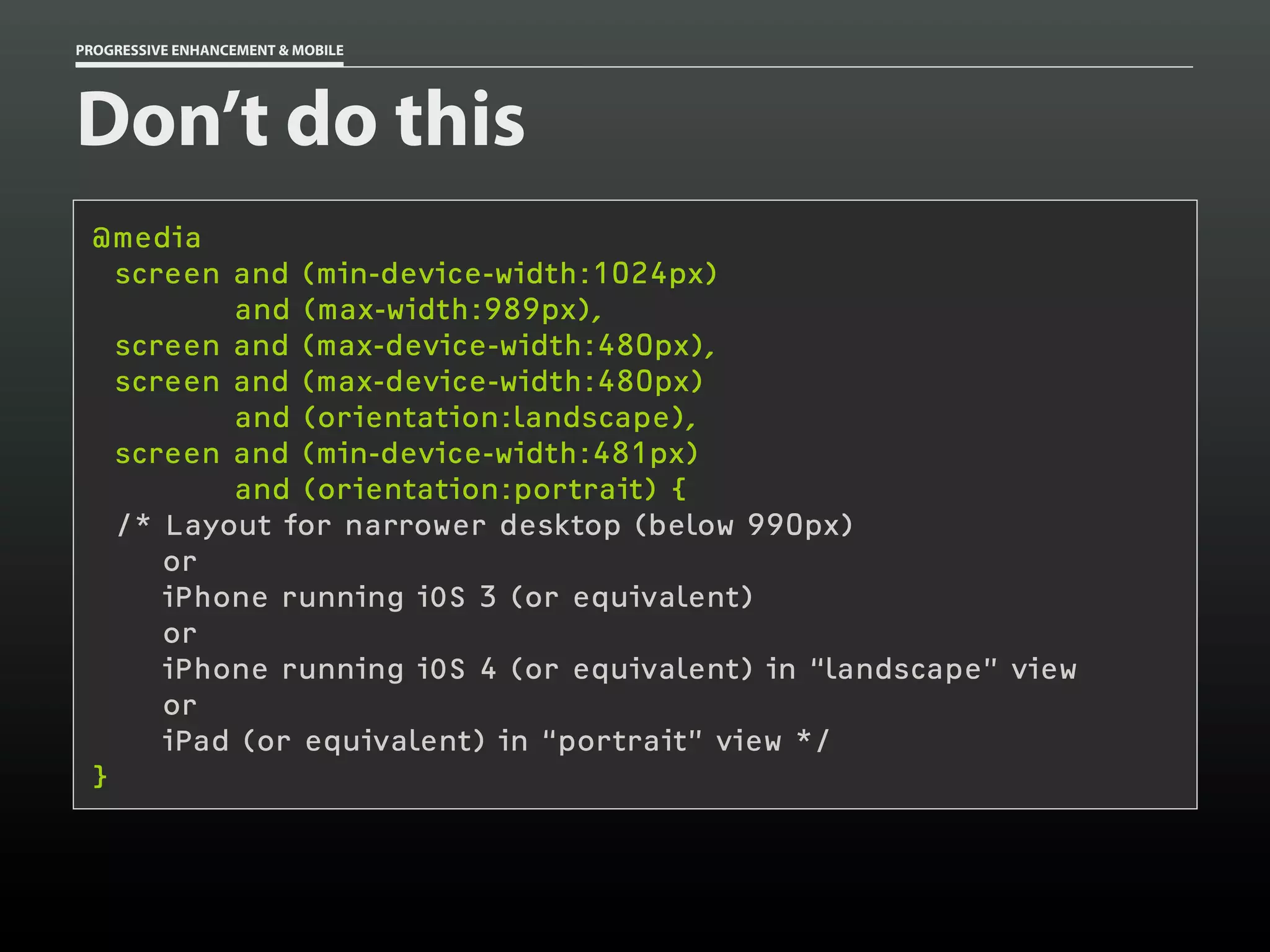
Don’t do this
 @media
   screen and (min-device-width:1024px)
          and (max-width:989px),
   screen and (max-device-width:480px),
   screen and (max-device-width:480px)
          and (orientation:landscape),
   screen and (min-device-width:481px)
          and (orientation:portrait) {
   /* Layout for narrower desktop (below 990px)
      or
      iPhone running iOS 3 (or equivalent)
      or
      iPhone running iOS 4 (or equivalent) in “landscape” view
      or
      iPad (or equivalent) in “portrait” view */
 }
PROGRESSIVE ENHANCEMENT & MOBILE


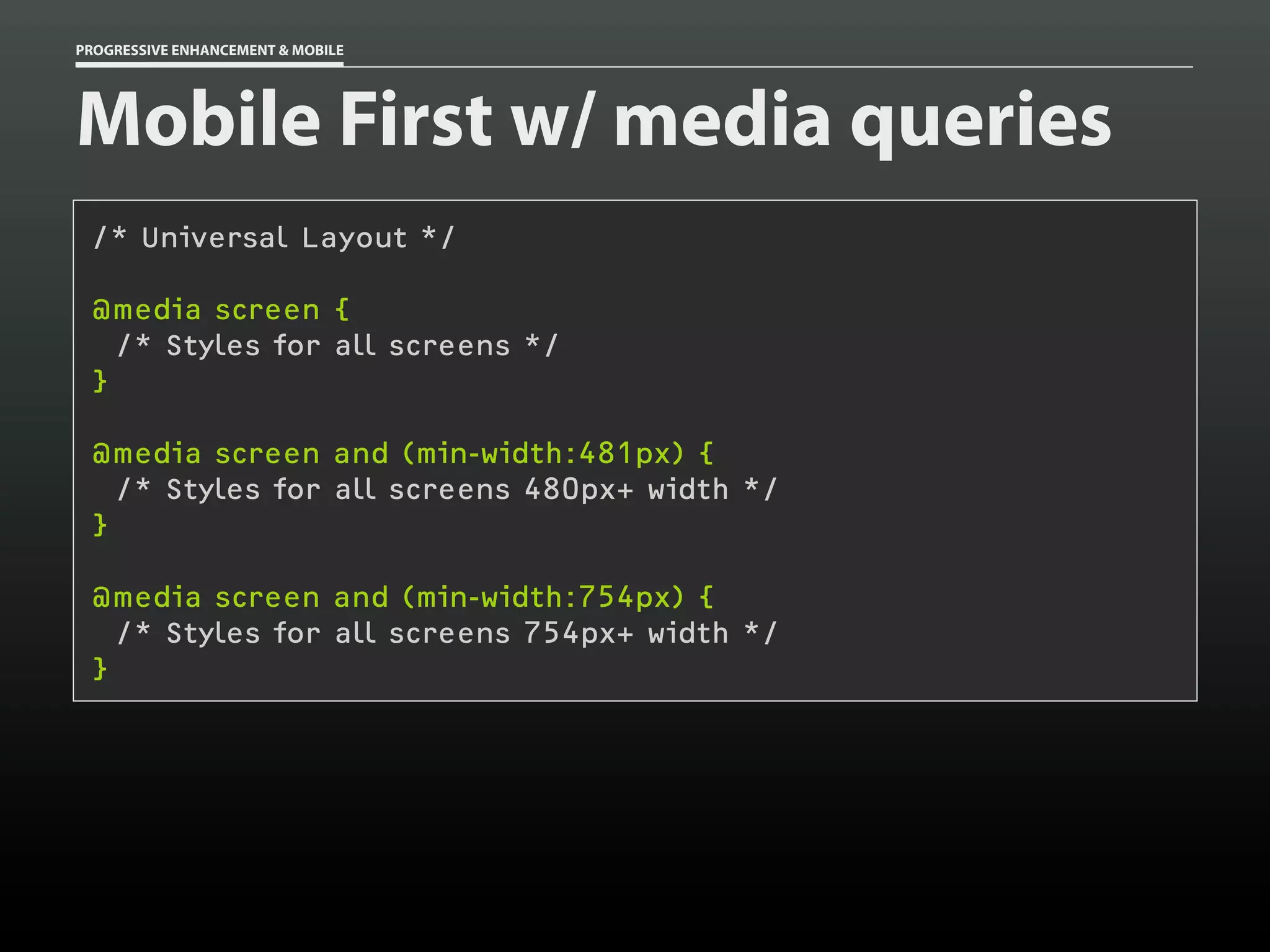
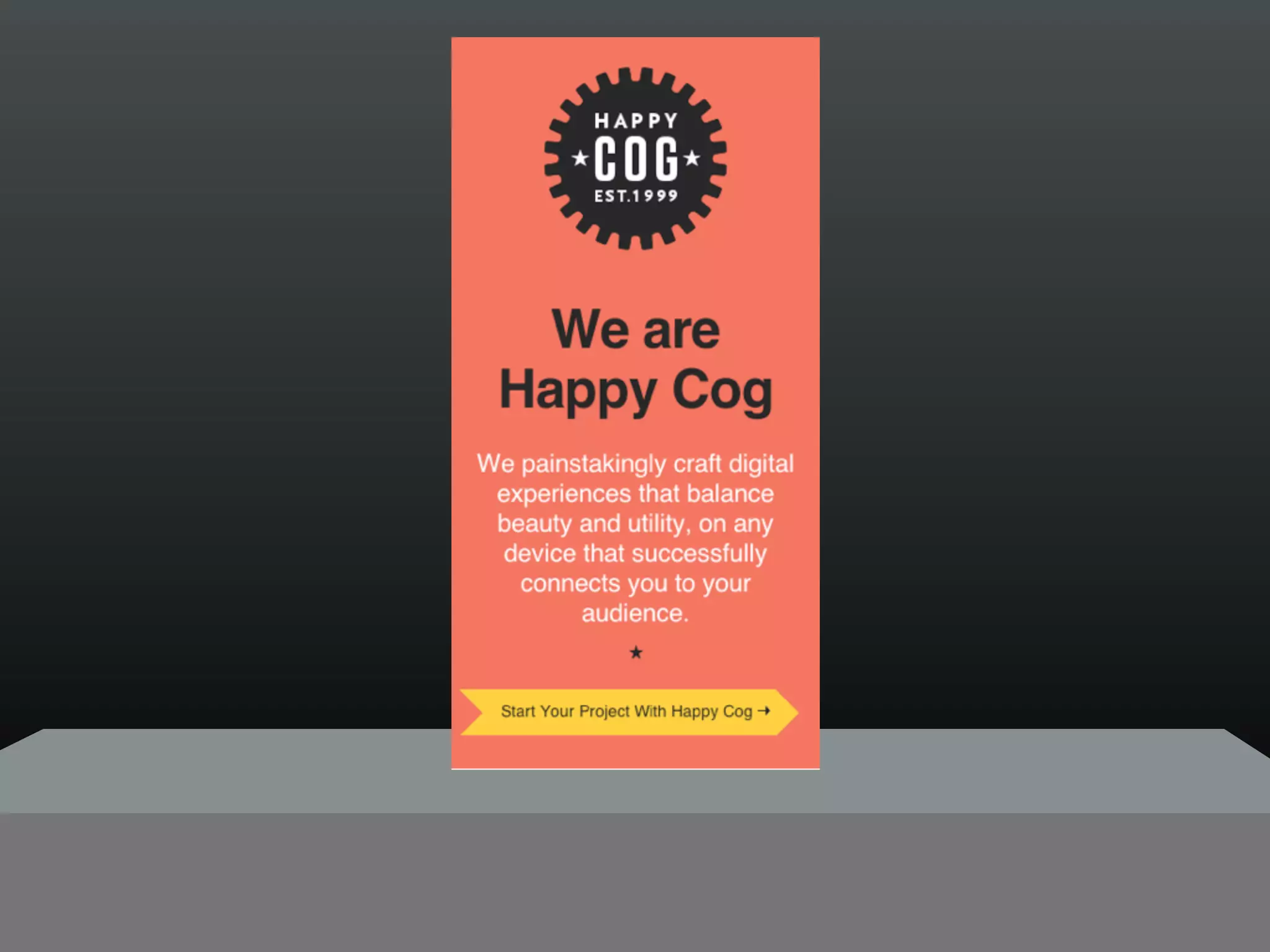
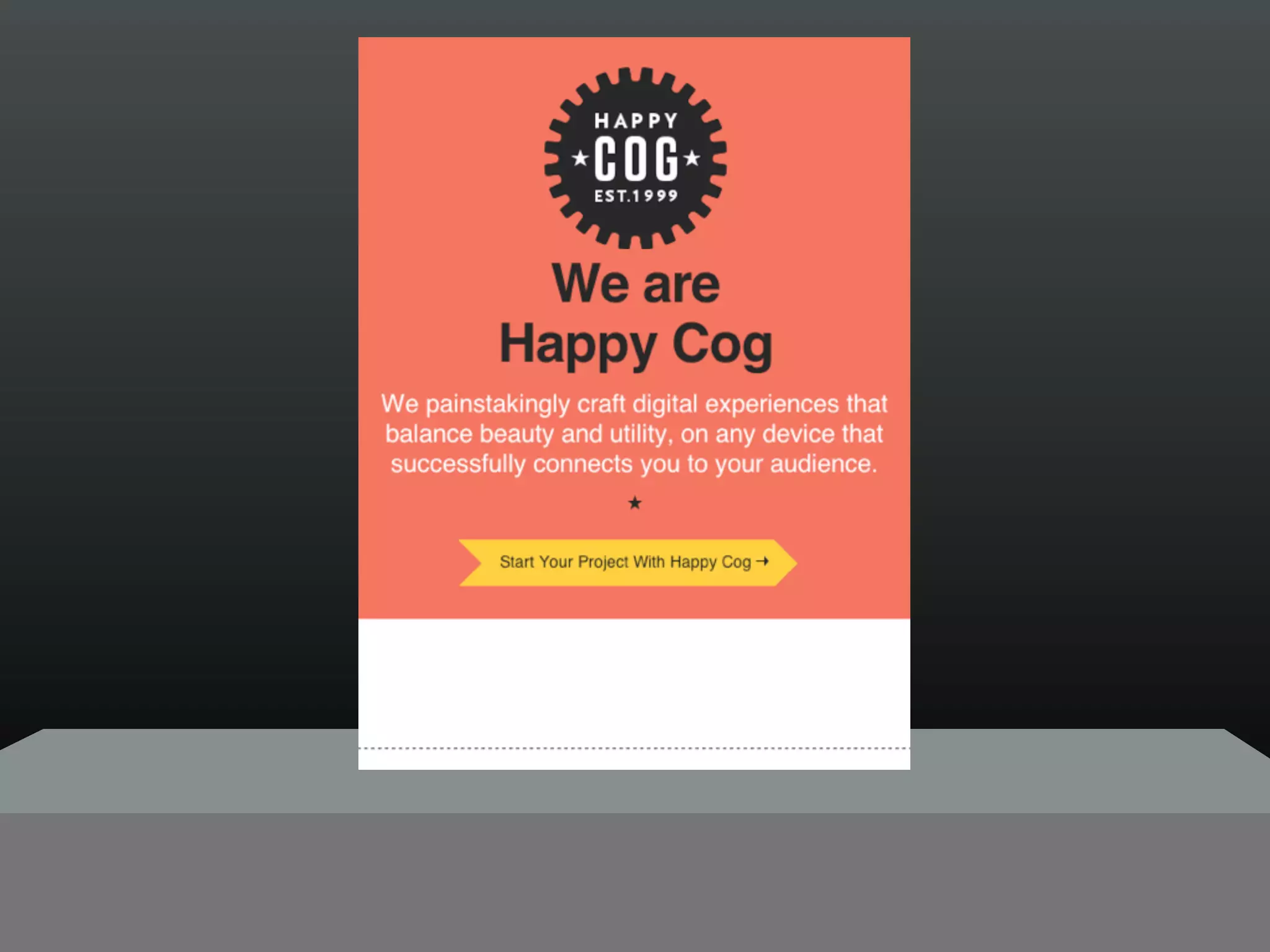
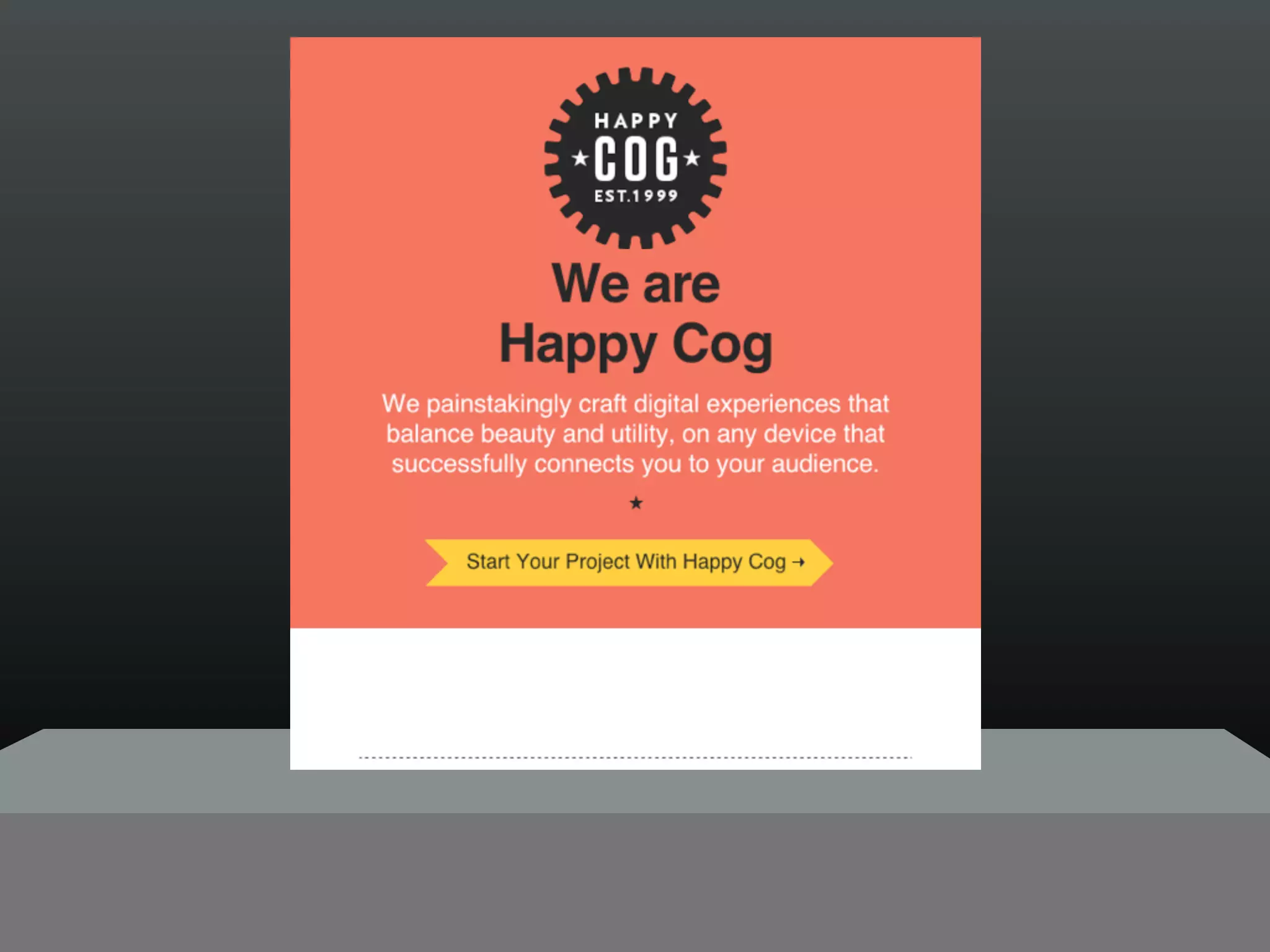
Mobile First w/ media queries
 /* Universal Layout */

 @media screen {
   /* Styles for all screens */
 }

 @media screen and (min-width:481px) {
   /* Styles for all screens 480px+ width */
 }

 @media screen and (min-width:754px) {
   /* Styles for all screens 754px+ width */
 }
http://is.gd/lazyloading_demo
PROGRESSIVE ENHANCEMENT & MOBILE


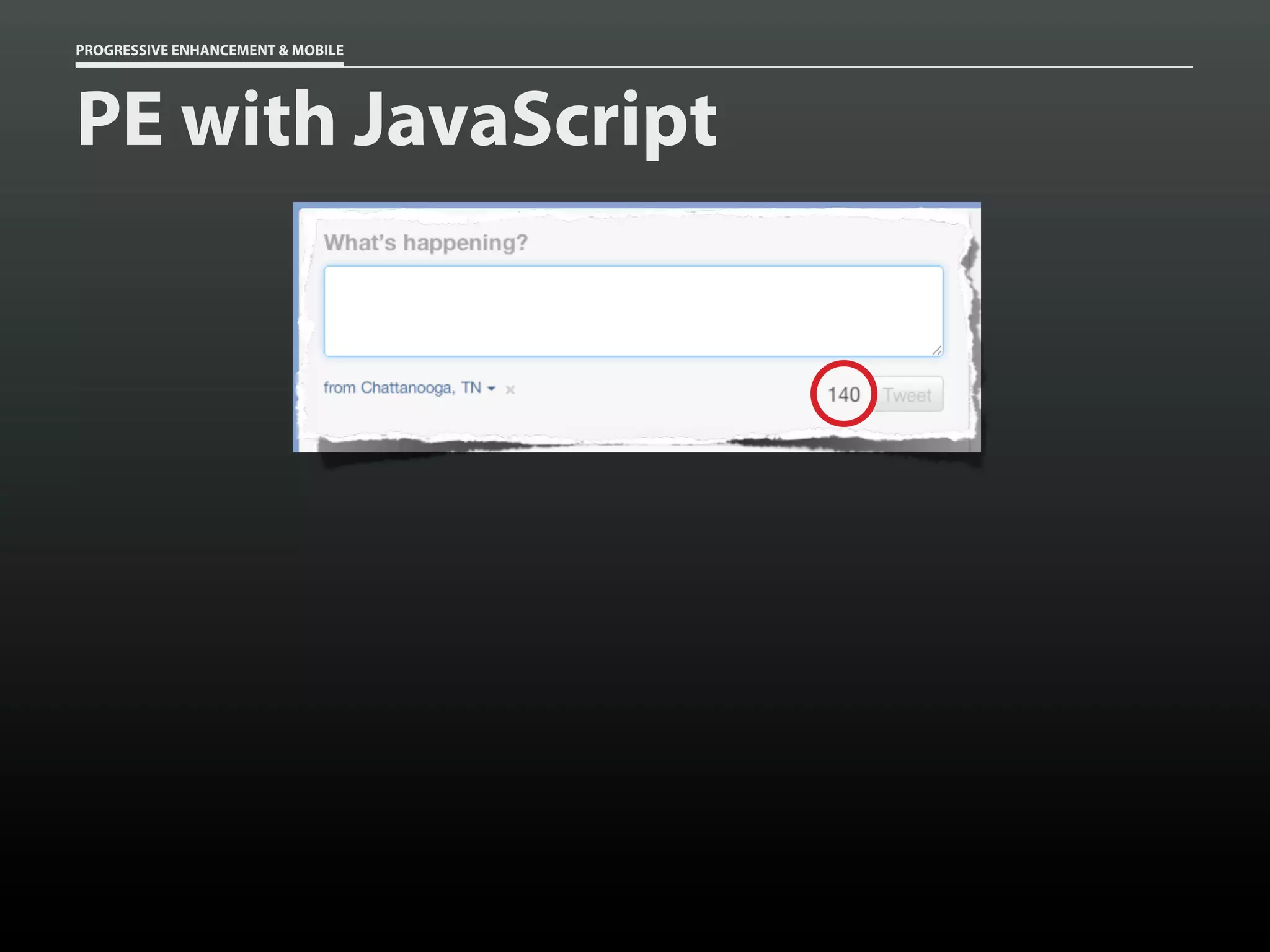
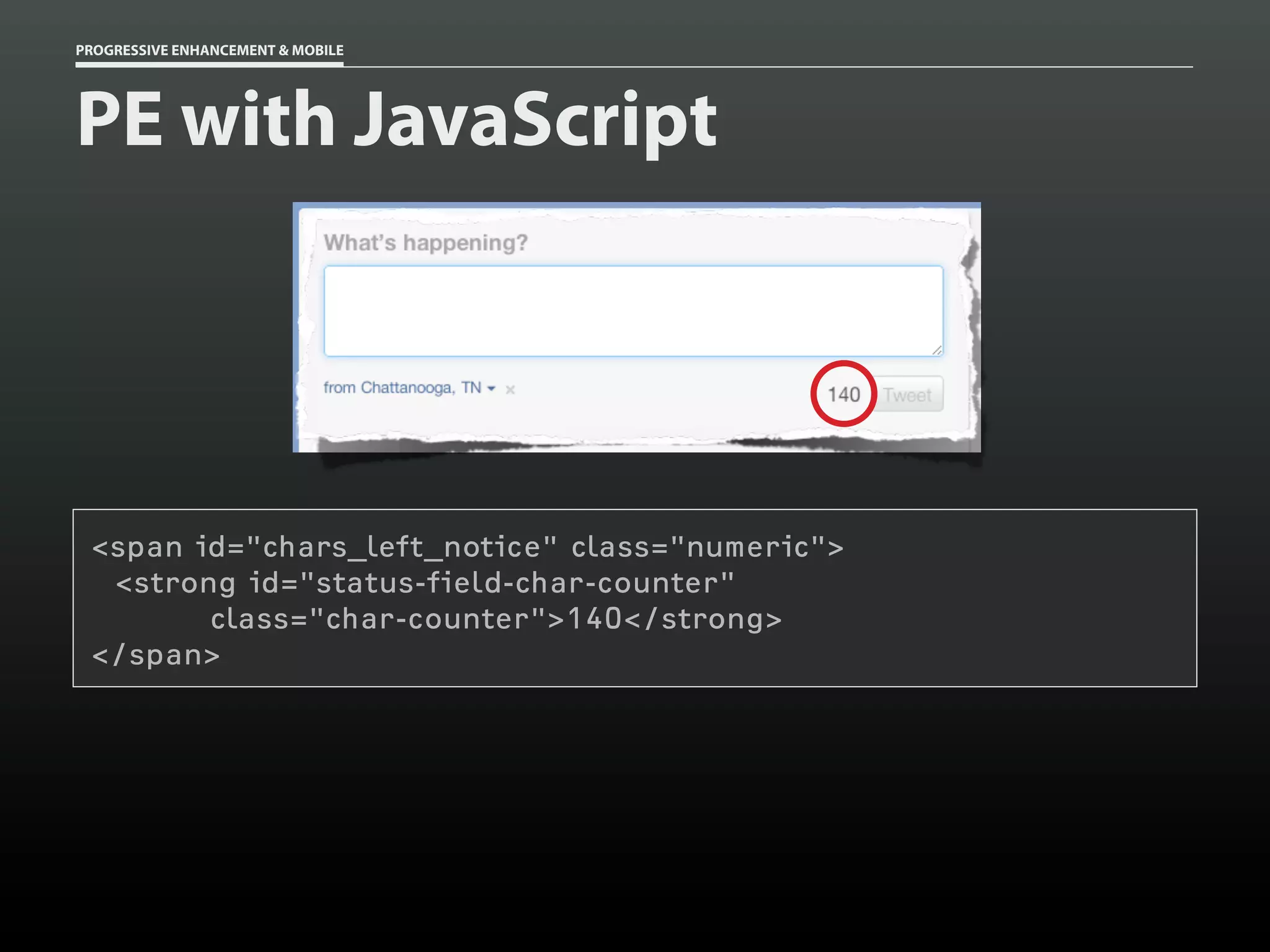
PE with JavaScript
PROGRESSIVE ENHANCEMENT & MOBILE


PE with JavaScript


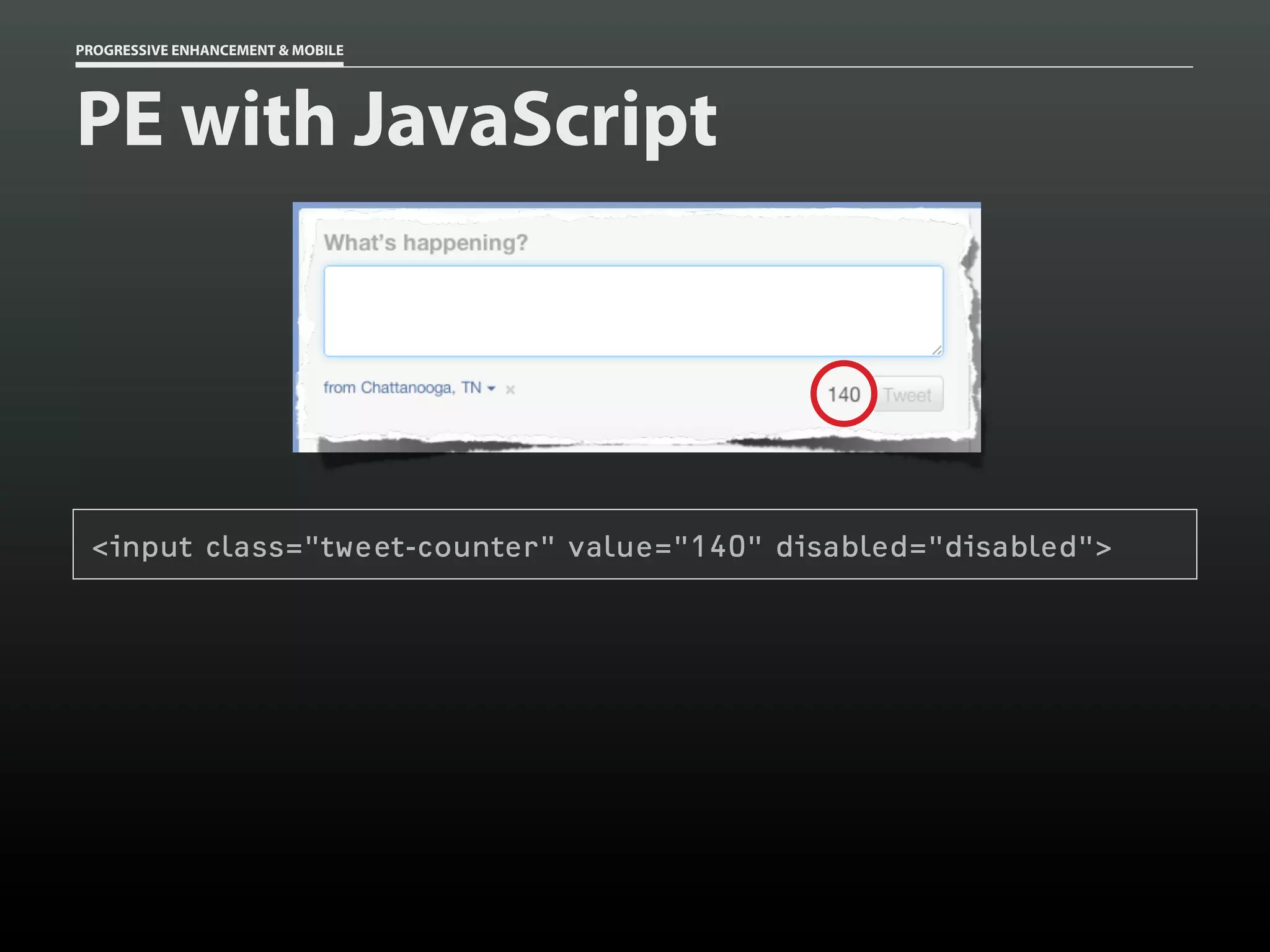
 <input class="tweet-counter" value="140" disabled="disabled">
PROGRESSIVE ENHANCEMENT & MOBILE


PE with JavaScript


 <span id="chars_left_notice" class="numeric">
  <strong id="status-field-char-counter"
        class="char-counter">140</strong>
 </span>
PROGRESSIVE ENHANCEMENT & MOBILE


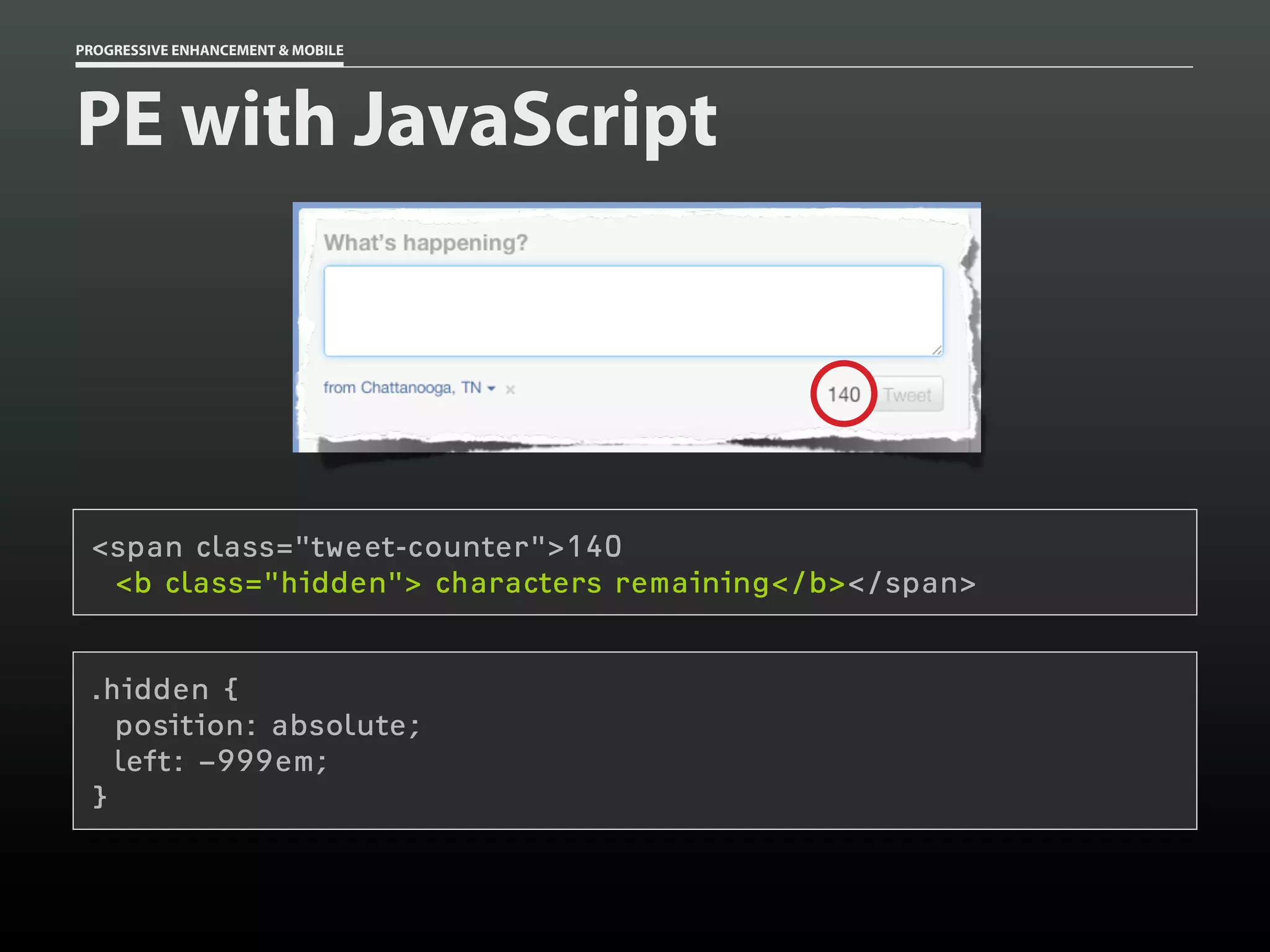
PE with JavaScript


 <span class="tweet-counter">140
  <b class="hidden"> characters remaining</b></span>


 .hidden {
   position: absolute;
   left: 999em;
 }
PROGRESSIVE ENHANCEMENT & MOBILE


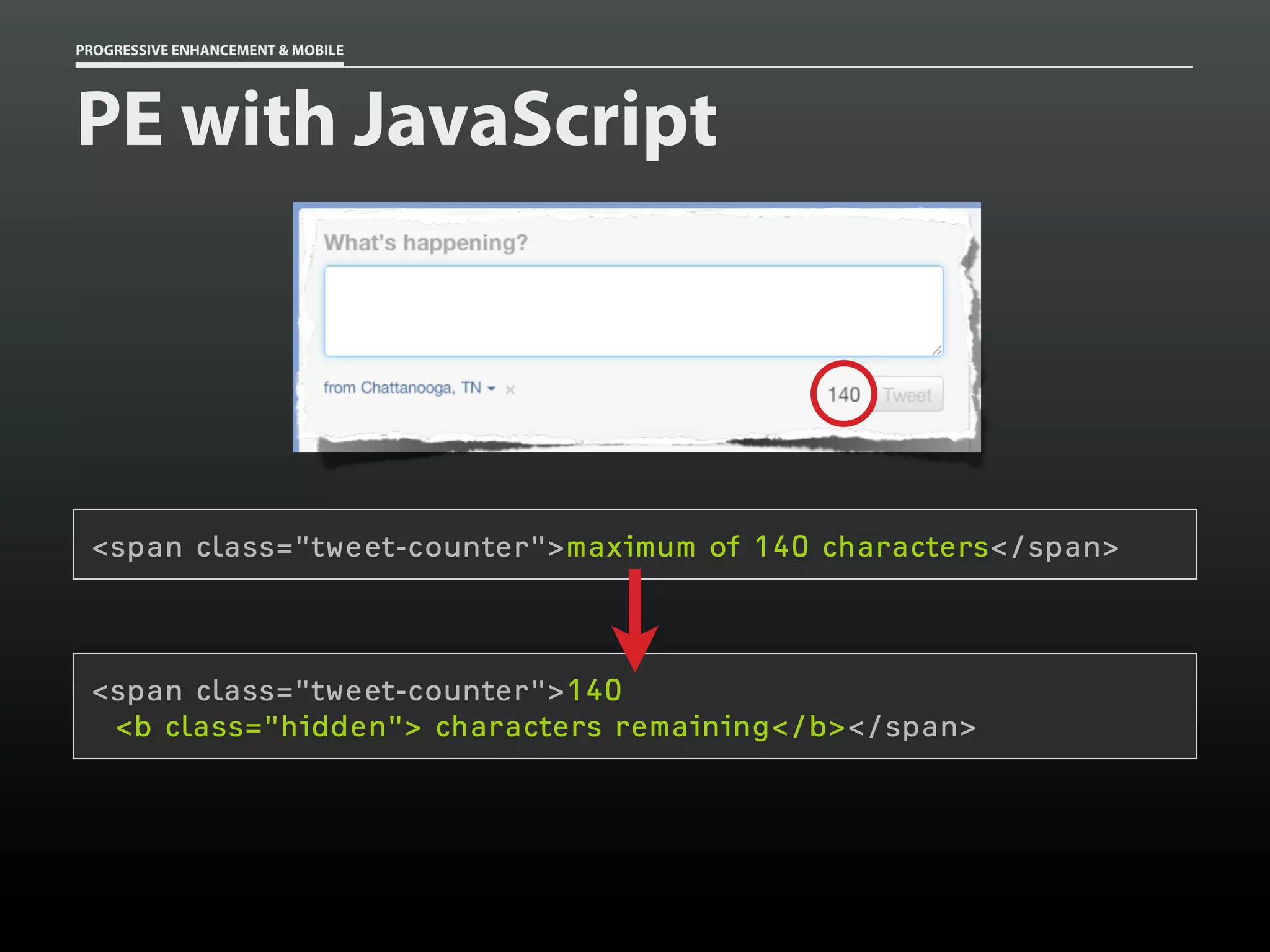
PE with JavaScript


 <span class="tweet-counter">maximum of 140 characters</span>


 <span class="tweet-counter">140
  <b class="hidden"> characters remaining</b></span>
PROGRESSIVE ENHANCEMENT & MOBILE


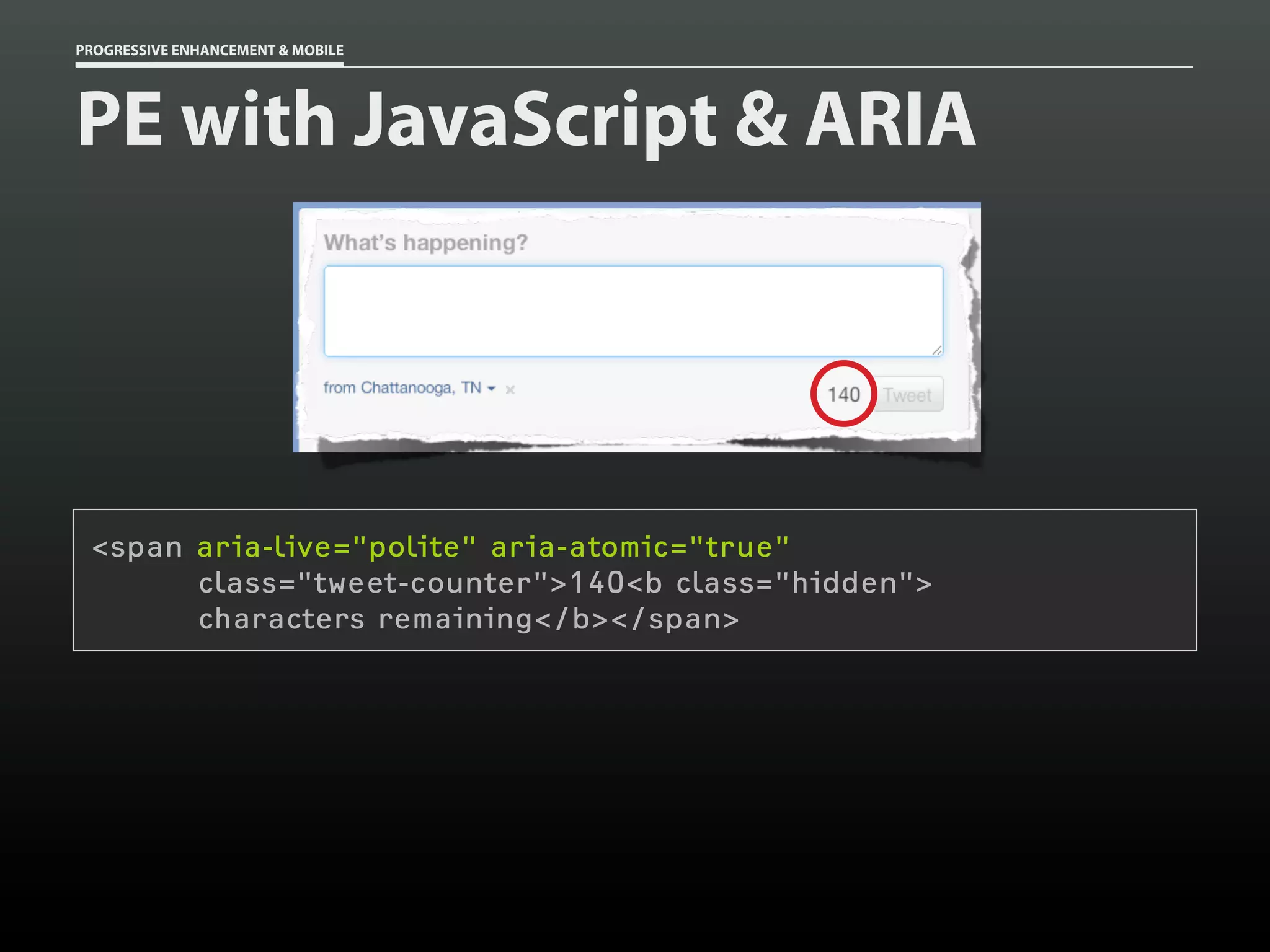
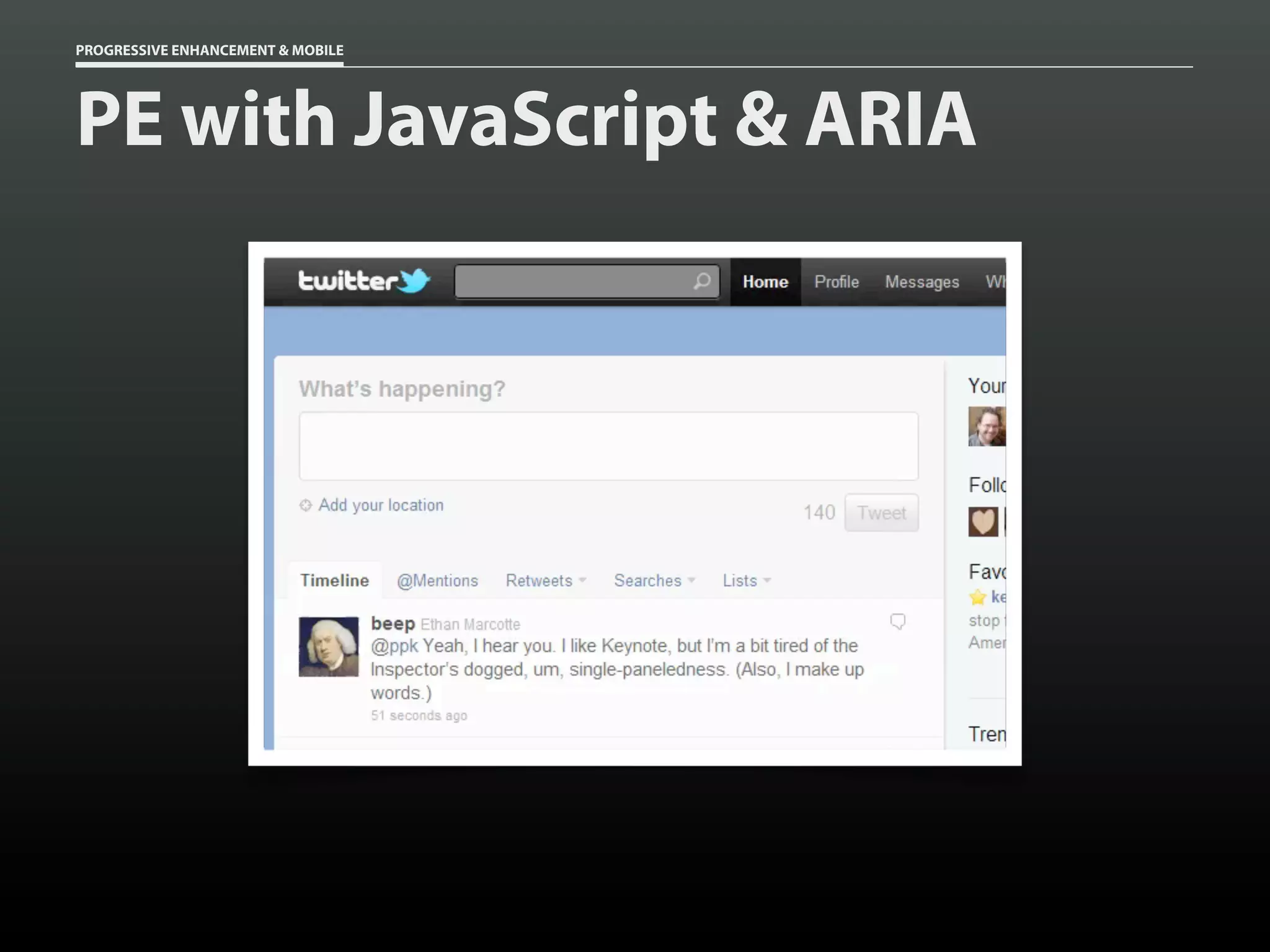
PE with JavaScript & ARIA


 <span aria-live="polite" aria-atomic="true"
       class="tweet-counter">140<b class="hidden">
       characters remaining</b></span>
PROGRESSIVE ENHANCEMENT & MOBILE


PE with JavaScript & ARIA
PROGRESSIVE ENHANCEMENT & MOBILE


PE with JavaScript & ARIA
PROGRESSIVE ENHANCEMENT & MOBILE


PE with JavaScript & ARIA


                                   role="application"
                                   aria-activedescendant="folder-1"
PROGRESSIVE ENHANCEMENT & MOBILE


PE with JavaScript & ARIA
                                   role="tablist"
PROGRESSIVE ENHANCEMENT & MOBILE


PE with JavaScript & ARIA
               role="tab"
               aria-selected="true"
               aria-controls="folder-1"
PROGRESSIVE ENHANCEMENT & MOBILE


PE with JavaScript & ARIA
                                   role="tab"
                                   aria-selected="false"
                                   aria-controls="folder-4"
PROGRESSIVE ENHANCEMENT & MOBILE


PE with JavaScript & ARIA


                                   role="tabpanel"
                                   aria-hidden="false"
                                   aria-labelledby="folder-1-tab"
PROGRESSIVE ENHANCEMENT & MOBILE


PE with JavaScript & ARIA
THANK YOU!
http://readlists.com/7d414b24/
Progressive Enhancement
         & Mobile
                       by Aaron Gustafson
                        @AaronGustafson
                        Further reading:
                http://adaptivewebdesign.info
                 http://blog.easy-designs.net
             http://mobilewebbestpractices.com
                        Slides available at
             http://slideshare.net/AaronGustafson
              This presentation is licensed under
                      Creative Commons
         Attribution-Noncommercial-Share Alike 3.0
                except where otherwise noted

                   flickr Photo Credits
http://www.flickr.com/photos/aarongustafson/galleries/72157629846428745/

Progressive Enhancement & Mobile [HOW Interactive 2012]

  • 1.
    PROGRESSIVE ENHANCEMENT & MOBILE Aaron Gustafson @aarongustafson slideshare.net/AaronGustafson
  • 2.
    BROWSERS ARE A PAIN IN THE ASS
  • 12.
  • 13.
  • 14.
    Just four years ago the majority of our visitors saw our website in Internet Explorer on a Windows computer on a minimum 1,024 pixel wide screen. Times have really changed. Jason Samuels IT Manager, National Council on Family Relations Source
  • 15.
    Windows users used to comprise 93.5% of our web visits. Now that percentage is 72.4%. Visitors using a Mac have more than tripled.
  • 16.
    The percentage visiting from a mobile device or tablet … was just 0.1% in 2008. It has since grown exponentially, 200-400% per year, to 6.2% today.
  • 17.
    Four years ago 75.5% of our web visitors used Internet Explorer. That number has fallen to 37%. Firefox now comprises 25.5%, Safari 19.5%, and Chrome 15.3%.
  • 18.
    In the second quarter of 2008 we detected 71 different screen resolutions among our visitors. In the first quarter of 2012 we detected 830
  • 19.
  • 20.
  • 21.
    31% 40% 21% Out of Out of home Out of home home 69% At home 60% At home 79% At home 54% of our daily Computer media interactions Smartphone Tablet http://googlemobileads.blogspot.co.uk/2012/08/navigating-new-multi-screen-world.html
  • 22.
    MOBILE IS NOT ISOLATED 90 % of people use multiple screens sequentially http://googlemobileads.blogspot.co.uk/2012/08/navigating-new-multi-screen-world.html
  • 23.
    starting place foronline activities Started on smartphone 65% 63% 65% 47% 59% 66% 56% Searching Browsing Shopping Planning Managing Social Watching an for Info the Internet Online a Trip Finances Networking Online Video Continued on a PC 60% 58% 61% 45% 56% 58% 48% Continued on a tablet 4% 5% 4% 3% 3% 8% 8% http://googlemobileads.blogspot.co.uk/2012/08/navigating-new-multi-screen-world.html
  • 24.
    MOBILE = OPPORTUNITY Oftenthis is for “spur-of-the-moment” activity Often this is for “spur-of-the-moment” activity Spontaneous vs. Planned Search Search Spontaneous vs. Planned 20% 20% Planned Planned 48% 48% Planned Planned 80%80% Spontaneous Spontaneous 52% 52% Spontaneous Spontaneous 44%44% 43%43% of all spontaneous searchessearches of all spontaneous of all spontaneous of all spontaneous on smartphones were to were to on smartphones searchessearches on PCs were to on PCs were to accomplish a goal a goal accomplish accomplish a goal a goal accomplish http://googlemobileads.blogspot.co.uk/2012/08/navigating-new-multi-screen-world.html Base: Total Answering, Follow-Up Occasion (Search) –Occasion (Search)Smartphone (216); Tablet not shown due to smallshown dueQ. Wouldbase consider your use of Base: Total Answering, Follow-Up PC/Laptop (492); – PC/Laptop (492); Smartphone (216); Tablet not base size. to small you size. Q. Would you consider your use of 35
  • 25.
  • 26.
  • 27.
    There is no WebKit on Mobile — Peter-Paul Koch
  • 28.
  • 29.
    Surely there’s platform consistency!?! — Any sane individual
  • 30.
    There is no Android — Stephanie Rieger
  • 31.
  • 32.
    BUT ANDROID IS NOTUNIQUE IN THIS
  • 33.
  • 34.
  • 35.
  • 36.
  • 37.
    THE CULPRITS? ZOOMLEVEL (Ok, this one’s on Android)
  • 38.
    6 Billion 2009 2010 2011 2009 2010 2011 http://mobithinking.com/mobile-marketing-tools/latest-mobile-stats/a#subscribers
  • 39.
    OVER 80% OF THESE ARE FEATURE PHONES, NOT SMARTPHONES http://developinthecloud.drdobbs.com/author.asp?doc_id=253055&section_id=2280
  • 40.
    ESPECIALLY TRUE IN DEVELOPING COUNTRIES
  • 41.
    INTERNET IN KENYA MOBILE = 90% http://www.cck.go.ke/resc/downloads/SECTOR_STATISTICS_REPORT_Q4_11-12.pdf
  • 42.
  • 44.
    “The commoditization ofsmartphone hardware is just the beginning … of a huge new wave of cheap devices about to invade our lives—a zombie apocalypse of electronics, if you will. — Scott Jenson
  • 45.
    Um… I thinkI’ll just build an iPhone app. kthxbye.
  • 46.
  • 47.
  • 48.
  • 49.
  • 50.
  • 52.
  • 53.
    EVEN WHEN WETHINK WE KNOW, WE ARE PROBABLY WRONG
  • 54.
    SO HOW DOWE COPE?
  • 55.
  • 56.
  • 57.
    I like anescalator because an escalator can never break, it can only become stairs. — Mitch Hedberg
  • 59.
  • 60.
    MODERN BROWSERS OLDER BROWSERS
  • 61.
    MODERN BROWSERS OLDER BROWSERS
  • 62.
    a dynamic webpage can never break, it can only become a web page.
  • 66.
  • 67.
  • 68.
  • 70.
  • 71.
  • 72.
  • 73.
    “SPECIAL NEEDS” CAN BE CONTEXTUAL
  • 75.
  • 76.
  • 77.
  • 78.
  • 79.
    DON’T LOSE SIGHT OF YOUR USERS
  • 80.
  • 81.
    Responsive Web Design Progressive on Enhancement Mobile First
  • 82.
    User Experience NEWER OLDER Browser Age Graceful Degradation
  • 83.
    User Experience BASIC ADVANCED Browser & Device Capabilities Progressive Enhancement
  • 84.
    User Experience BASIC ADVANCED Browser & Device Capabilities Content
  • 85.
    User Experience Semantics BASIC ADVANCED Browser & Device Capabilities Content
  • 86.
    User Experience Design Semantics BASIC ADVANCED Browser & Device Capabilities Content
  • 87.
    User Experience Interactivity Design Semantics BASIC ADVANCED Browser & Device Capabilities Content
  • 88.
    User Experience Accessibility Interactivity Design Semantics BASIC ADVANCED Browser & Device Capabilities Content
  • 89.
    User Experience ARIA JavaScript CSS HTML BASIC ADVANCED Browser & Device Capabilities Text & HTTP
  • 90.
  • 91.
  • 92.
  • 94.
    PROGRESSIVE ENHANCEMENT &MOBILE Semantics 101 <p>HTML5 introduces several <em>really</em> useful elements and a ton of new APIs.</p> <p>Please fill out the form below. <strong>Note: all fields are required.</strong></p> <p>I like to work with markup languages because <strong>they are simple and easy to read</strong>. They also have that certain <i lang="fr" title="I don&#8217;t know what">je ne sais quoi</i>.</p>
  • 95.
    PROGRESSIVE ENHANCEMENT &MOBILE PE with HTML <video poster=”poster.png”> <source src=”video.m4v”/> <source src=”video.webm”/> <source src=”video.ogv”/> <img src=”poster.png” alt=””/> <ul> <li><a href="video.m4v">Download MP4</a></li> <li><a href="video.webm">Download WebM</a></li> <li><a href="video ogv">Download Ogg</a></li> </ul> </video>
  • 96.
    PROGRESSIVE ENHANCEMENT &MOBILE PE with HTML <img src=”poster.png” alt=””/> <ul> <li><a href="video.m4v">Download MP4</a></li> <li><a href="video.webm">Download WebM</a></li> <li><a href="video ogv">Download Ogg</a></li> </ul>
  • 97.
    PROGRESSIVE ENHANCEMENT &MOBILE PE with HTML <input type="date" name="dob"/> I get it! I don’t get it :-(
  • 98.
    PROGRESSIVE ENHANCEMENT &MOBILE PE with Microformats <section class="vcard"> <figure> <img class="photo" src="aaron-gustafson.jpg" alt=""/> </figure> <h1 class="fn">Aaron Gustafson</h1> … <p>Aaron … is <b class="role">Group Manager</b> of the <a class="org" href="http://webstandards.org">Web Standards Project (WaSP)</a> ….</p> </section>
  • 102.
    PROGRESSIVE ENHANCEMENT &MOBILE PE with HTML & ARIA <header role=”banner”> <h1><img src="i/logo.png"/></h1> <nav role=”navigation”> <ol> <li><a href="#details">Details</a></li> <li><a href="#schedule">Schedule</a></li> <li><a href="#instructors">Instructors</a></li> <li><a href="#lodging">Lodging</a></li> <li><a href="#location">Location</a></li> </ol> </nav> </header>
  • 103.
    PROGRESSIVE ENHANCEMENT &MOBILE These are the droids you seek <span role="button">OK</span> <div role="alert"> <p>Something went wrong.</p> </div> <div role="alertdialog"> <p>Something went wrong.</p> <img src="x.png" alt="dismiss" role="button" /> </div>
  • 104.
    PROGRESSIVE ENHANCEMENT &MOBILE Parsing errors p{ color: red; }
  • 105.
    PROGRESSIVE ENHANCEMENT &MOBILE Parsing errors p{ color: red; font-weight: bold; }
  • 106.
    PROGRESSIVE ENHANCEMENT &MOBILE Parsing errors p { color: #ccc; color: rgba( 0, 0, 0, .5 ); }
  • 107.
    PROGRESSIVE ENHANCEMENT &MOBILE Parsing errors html[lang] p { color: #ccc; color: rgba( 0, 0, 0, .5 ); }
  • 108.
    PROGRESSIVE ENHANCEMENT &MOBILE Parsing errors @-moz-document url-prefix() { html[lang] p { color: #ccc; color: rgba( 0, 0, 0, .5 ); } }
  • 109.
    #intro { /* Basic Layout */ } /* ... */ body[id=css-zen-garden] #intro { /* Advanced Layout */ }
  • 110.
    #intro { /* Basic Layout */ } /* ... */ [foo], #intro { /* Advanced Layout */ }
  • 111.
    PROGRESSIVE ENHANCEMENT &MOBILE Parsing errors @import 'not-for-IE7-or-below.css' screen; @media screen, print, refrigerator { /* IE will get these rules */ }
  • 113.
    PROGRESSIVE ENHANCEMENT &MOBILE @Media blocks @media screen { /* Styles for screen media only */ }
  • 114.
    PROGRESSIVE ENHANCEMENT &MOBILE @Media blocks+ @media screen and (max-width:450px) { /* Styles for screen media when browser is 450px wide or below */ }
  • 115.
    PROGRESSIVE ENHANCEMENT &MOBILE Don’t do this @media screen and (min-device-width:1024px) and (max-width:989px), screen and (max-device-width:480px), screen and (max-device-width:480px) and (orientation:landscape), screen and (min-device-width:481px) and (orientation:portrait) { /* Layout for narrower desktop (below 990px) or iPhone running iOS 3 (or equivalent) or iPhone running iOS 4 (or equivalent) in “landscape” view or iPad (or equivalent) in “portrait” view */ }
  • 116.
    PROGRESSIVE ENHANCEMENT &MOBILE Mobile First w/ media queries /* Universal Layout */ @media screen { /* Styles for all screens */ } @media screen and (min-width:481px) { /* Styles for all screens 480px+ width */ } @media screen and (min-width:754px) { /* Styles for all screens 754px+ width */ }
  • 123.
  • 124.
    PROGRESSIVE ENHANCEMENT &MOBILE PE with JavaScript
  • 125.
    PROGRESSIVE ENHANCEMENT &MOBILE PE with JavaScript <input class="tweet-counter" value="140" disabled="disabled">
  • 126.
    PROGRESSIVE ENHANCEMENT &MOBILE PE with JavaScript <span id="chars_left_notice" class="numeric"> <strong id="status-field-char-counter" class="char-counter">140</strong> </span>
  • 127.
    PROGRESSIVE ENHANCEMENT &MOBILE PE with JavaScript <span class="tweet-counter">140 <b class="hidden"> characters remaining</b></span> .hidden { position: absolute; left: 999em; }
  • 128.
    PROGRESSIVE ENHANCEMENT &MOBILE PE with JavaScript <span class="tweet-counter">maximum of 140 characters</span> <span class="tweet-counter">140 <b class="hidden"> characters remaining</b></span>
  • 129.
    PROGRESSIVE ENHANCEMENT &MOBILE PE with JavaScript & ARIA <span aria-live="polite" aria-atomic="true" class="tweet-counter">140<b class="hidden"> characters remaining</b></span>
  • 130.
    PROGRESSIVE ENHANCEMENT &MOBILE PE with JavaScript & ARIA
  • 131.
    PROGRESSIVE ENHANCEMENT &MOBILE PE with JavaScript & ARIA
  • 132.
    PROGRESSIVE ENHANCEMENT &MOBILE PE with JavaScript & ARIA role="application" aria-activedescendant="folder-1"
  • 133.
    PROGRESSIVE ENHANCEMENT &MOBILE PE with JavaScript & ARIA role="tablist"
  • 134.
    PROGRESSIVE ENHANCEMENT &MOBILE PE with JavaScript & ARIA role="tab" aria-selected="true" aria-controls="folder-1"
  • 135.
    PROGRESSIVE ENHANCEMENT &MOBILE PE with JavaScript & ARIA role="tab" aria-selected="false" aria-controls="folder-4"
  • 136.
    PROGRESSIVE ENHANCEMENT &MOBILE PE with JavaScript & ARIA role="tabpanel" aria-hidden="false" aria-labelledby="folder-1-tab"
  • 137.
    PROGRESSIVE ENHANCEMENT &MOBILE PE with JavaScript & ARIA
  • 138.
  • 139.
    Progressive Enhancement & Mobile by Aaron Gustafson @AaronGustafson Further reading: http://adaptivewebdesign.info http://blog.easy-designs.net http://mobilewebbestpractices.com Slides available at http://slideshare.net/AaronGustafson This presentation is licensed under Creative Commons Attribution-Noncommercial-Share Alike 3.0 except where otherwise noted flickr Photo Credits http://www.flickr.com/photos/aarongustafson/galleries/72157629846428745/