

Nicky Bleiel
Senior Information Developer
ComponentOne
STC Rochester Spectrum Conference
23 April, 2012
What We Will Cover

• Why manage content?
• Reasons to Adopt SharePoint
• SharePoint’s Content Management
  Features
• Demonstration of SharePoint
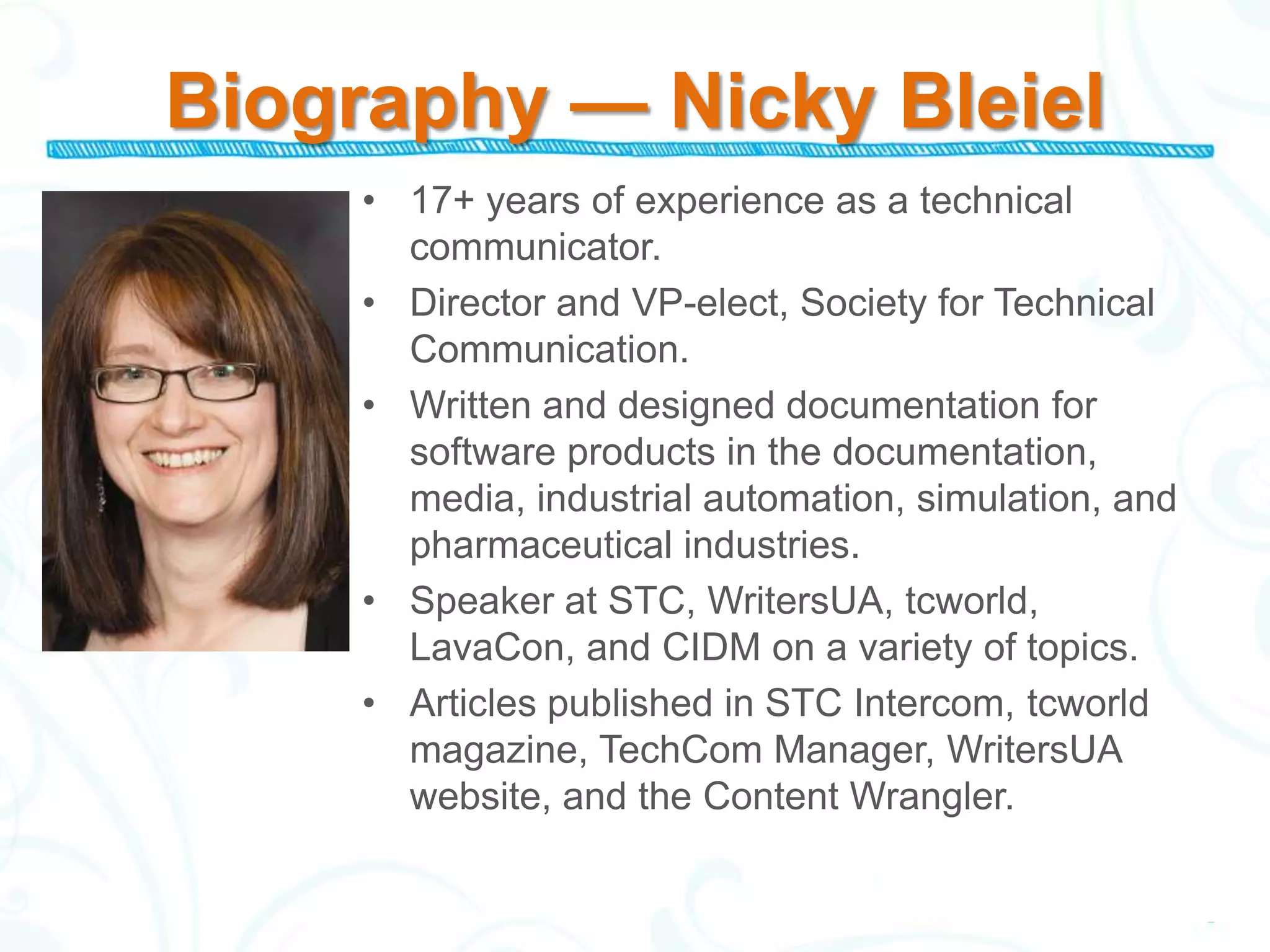
Biography — Nicky Bleiel
     • 17+ years of experience as a technical
       communicator.
     • Director and VP-elect, Society for Technical
       Communication.
     • Written and designed documentation for
       software products in the documentation,
       media, industrial automation, simulation, and
       pharmaceutical industries.
     • Speaker at STC, WritersUA, tcworld,
       LavaCon, and CIDM on a variety of topics.
     • Articles published in STC Intercom, tcworld
       magazine, TechCom Manager, WritersUA
       website, and the Content Wrangler.
Why Manage Content?
• Efficiency
  –   Content stored in a single location
  –   Findability (metadata)
  –   Automation (workflows/alerts)
  –   Track history
• Accuracy
  – Changes only need to be made once
  – Permissions/IRM
  – Consistency (templates)
• Important part of the content lifecycle
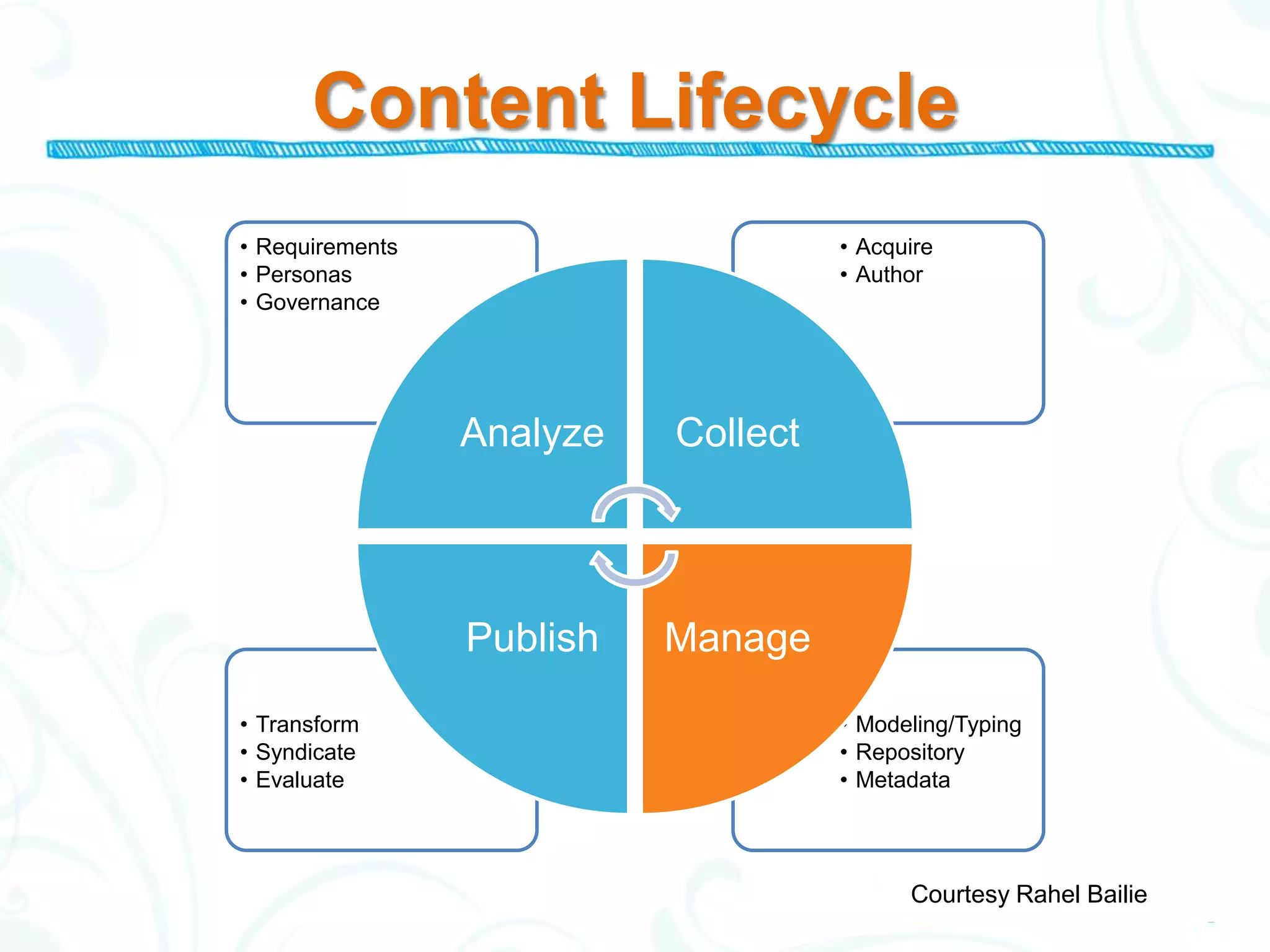
Content Lifecycle
• Requirements                       • Acquire
• Personas                           • Author
• Governance


                 Analyze   Collect


                 Publish   Manage
• Transform                          • Modeling/Typing
• Syndicate                          • Repository
• Evaluate                           • Metadata


                                           Courtesy Rahel Bailie
Reasons to Adopt SharePoint
SharePoint is a solid solution that your
company may already own.
  – SharePoint is an Enterprise Content
    Management System
  – SharePoint has 100 million estimated users
  – 68% of organizations surveyed use it to
    manage documents
  – Tight integration with Microsoft Office
  – SharePoint is useful even if you do not need
    to collaborate across the enterprise
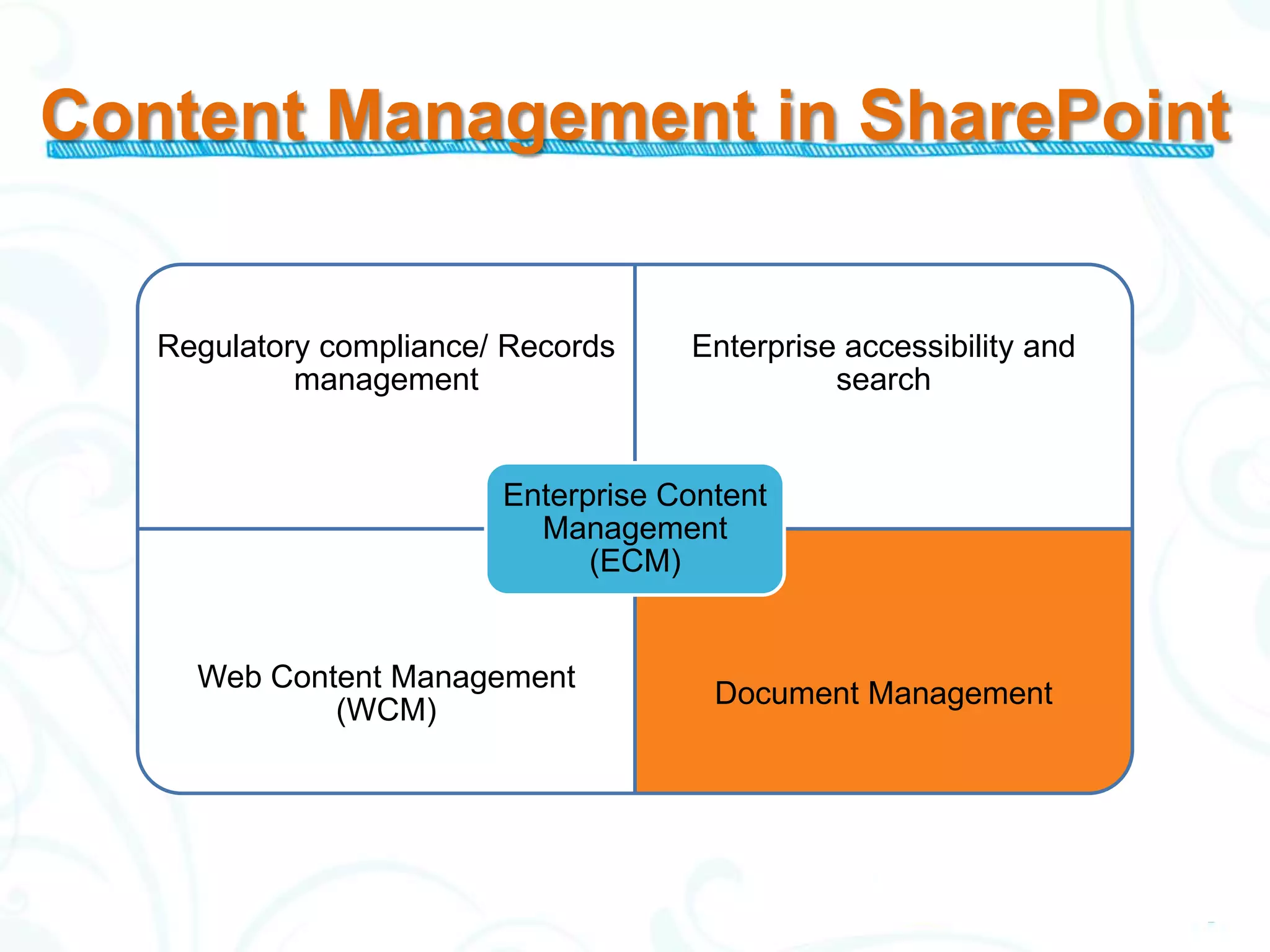
Content Management in SharePoint


   Regulatory compliance/ Records    Enterprise accessibility and
            management                         search


                         Enterprise Content
                           Management
                               (ECM)


     Web Content Management
                                       Document Management
             (WCM)
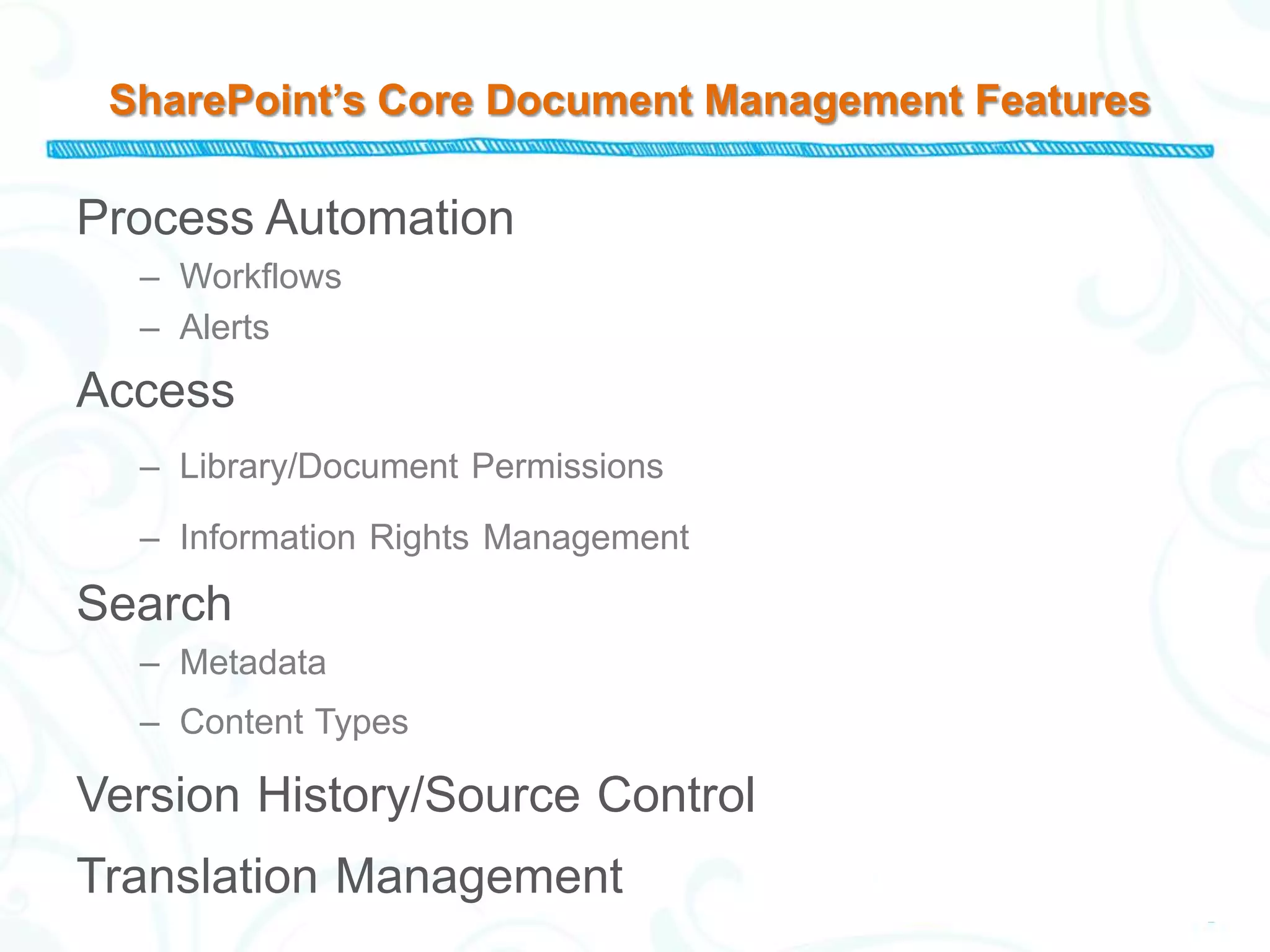
SharePoint’s Core Document Management Features

Process Automation
  – Workflows
  – Alerts
Access
  – Library/Document Permissions

  – Information Rights Management

Search
  – Metadata
  – Content Types

Version History/Source Control
Translation Management
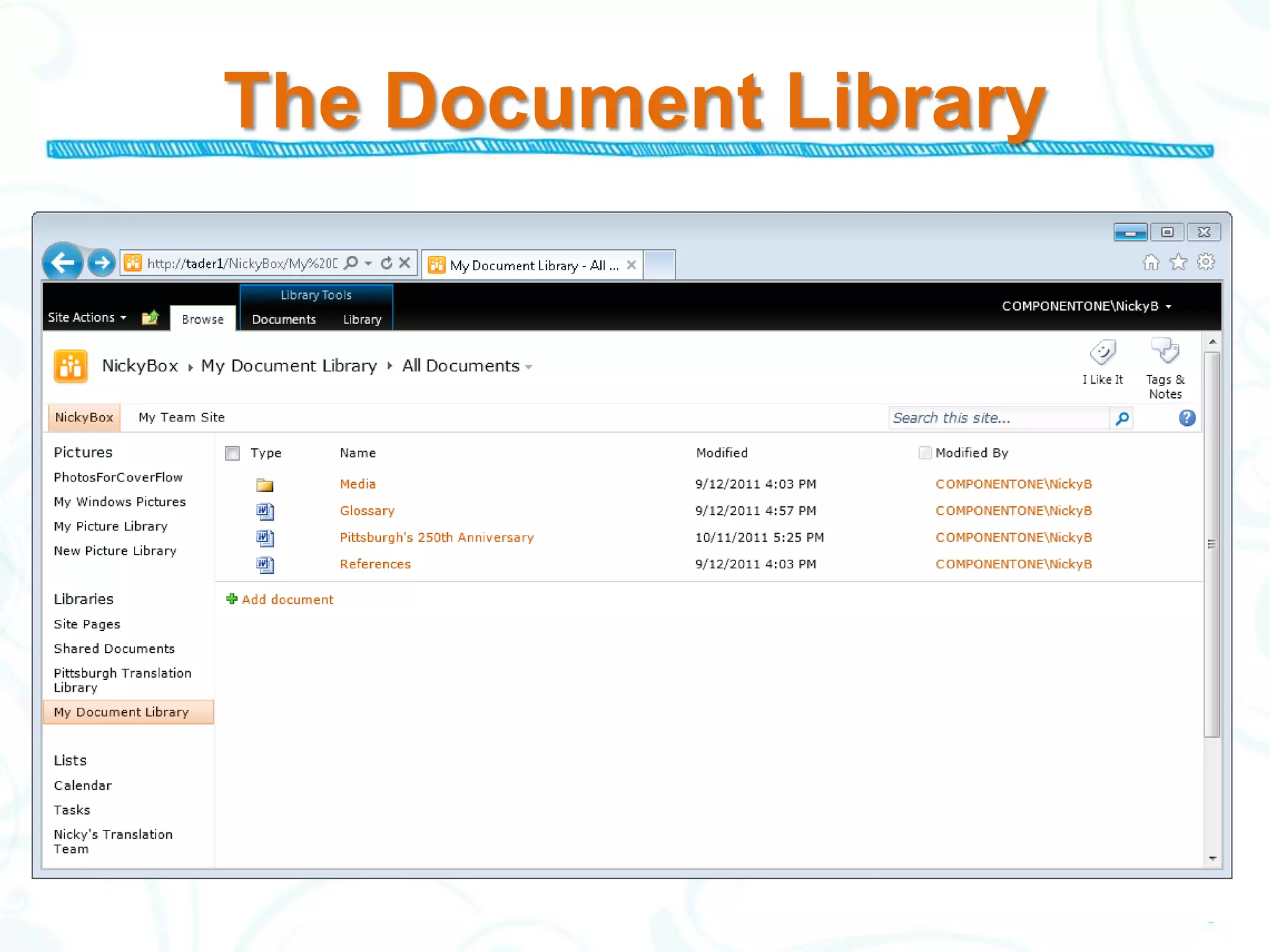
The Document Library
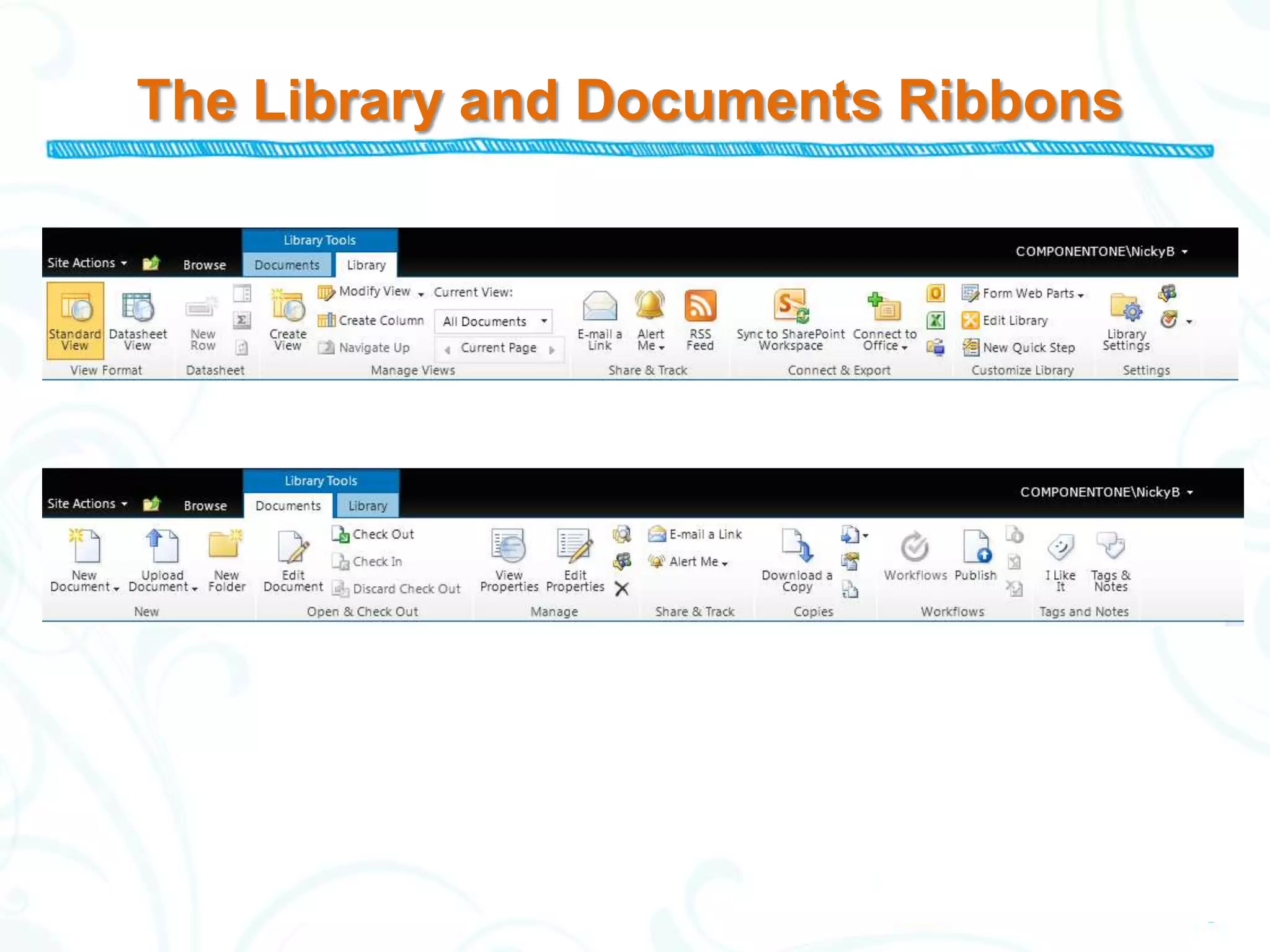
The Library and Documents Ribbons
Demonstration
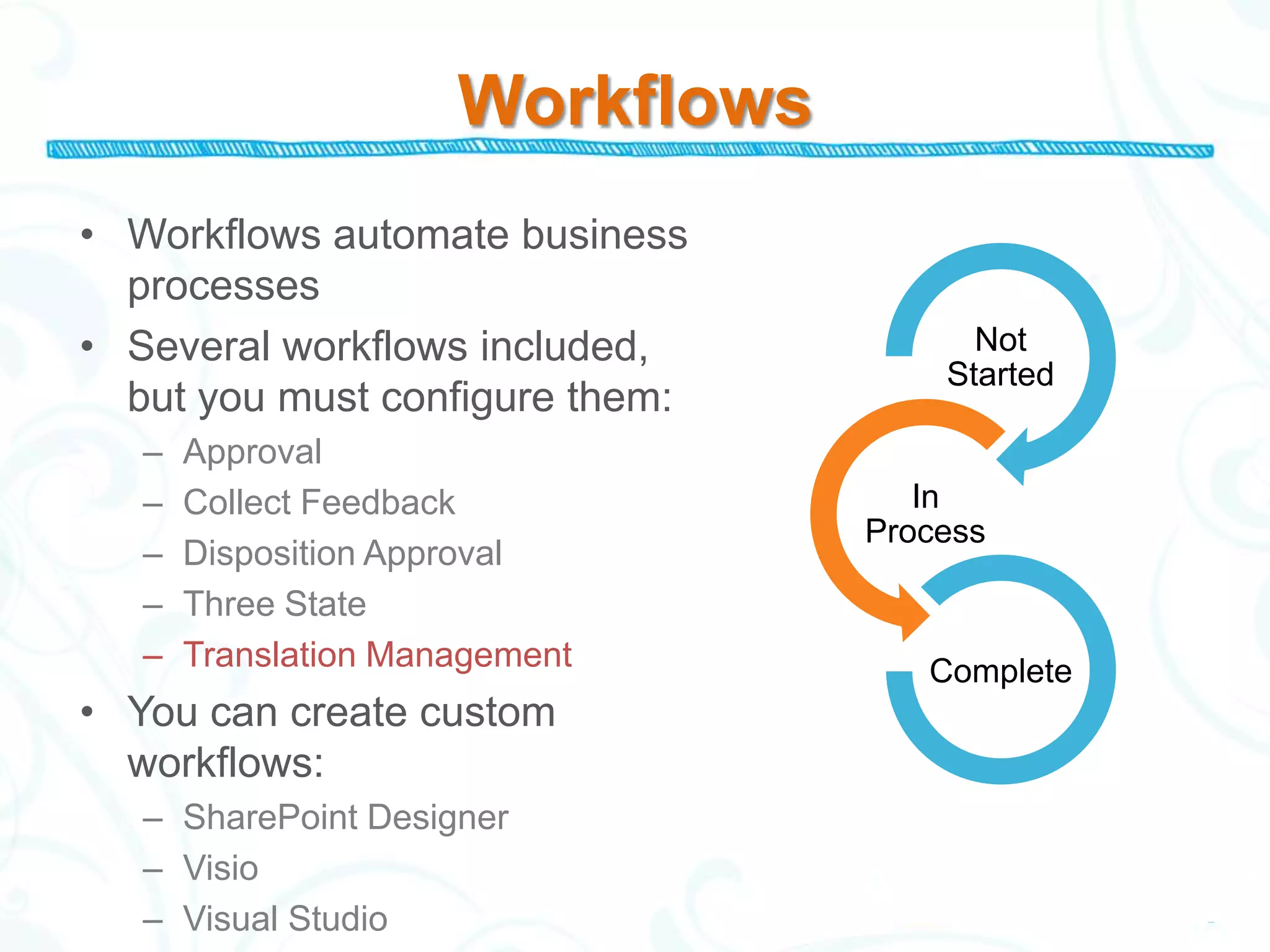
Workflows
• Workflows automate business
  processes
• Several workflows included,           Not
                                      Started
  but you must configure them:
   –   Approval
   –   Collect Feedback              In
                                  Process
   –   Disposition Approval
   –   Three State
   –   Translation Management        Complete
• You can create custom
  workflows:
   – SharePoint Designer
   – Visio
   – Visual Studio
Content Types

“Categories” for content…
• Built in Content Types, plus custom
• Include metadata, workflows
• Can be applied to more than one file type
• Make it possible to aggregate files
  efficiently
Information Rights Management

IRM is more powerful than permissions…
• Restrict printing (even copy/paste)
• Require credentials at intervals
• Auditing features

For confidential/sensitive content
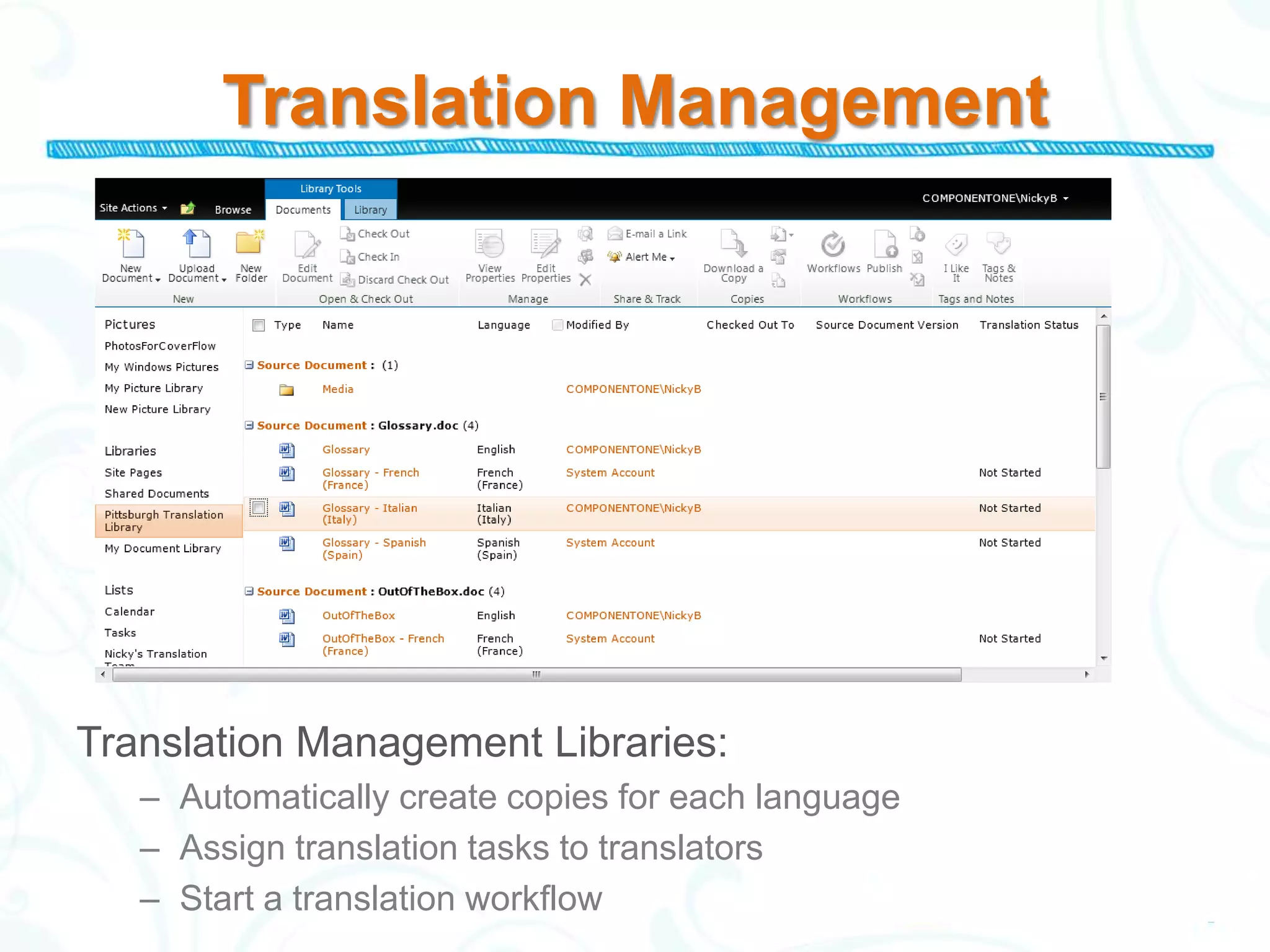
Translation Management


Translation Management Libraries:
   – Automatically create copies for each language
   – Assign translation tasks to translators
   – Start a translation workflow
Translation
Management
In Conclusion
• SharePoint is installed at many organizations
• SharePoint is easy to use, and has many
  powerful features.
• Implementing SharePoint for content
  management has few risks.
• SharePoint’s content management features are
  useful even if you work alone.
References/Further Reading
“How Many SharePoint Users? No One Knows for Sure” by Ann All
http://www.itbusinessedge.com/cm/blogs/all/how-many-sharepoint-
users-no-one-knows-for-sure/?cs=36875
“How are Businesses Using SharePoint in the Enterprise?” White
Paper from Global 360: http://global360.com/xres/uploads/resource-
center-documents/012811_WhitePaper_SharePoint_Survey_2011-
B.pdf
Three-part blog series on managing Microsoft Word Document
Reviews in SharePoint:
• http://our.componentone.com/2011/07/11/managing-word-document-
   reviews-in-microsoft-sharepoint/
Blog post with SharePoint installation instructions:
• http://our.componentone.com/2011/03/17/curious-about-sharepoint-
   it-is-easy-to-install/
Learn More
LinkedIn Groups (www.linkedin.com)
• SharePoint 2010
• SharePoint Users Group
• SharePoint 2007 & 2010
Microsoft SharePoint Help and How-to:
http://office.microsoft.com/en-us/sharepoint-server-
help/
Microsoft’s “SharePoint 2010 Training at Your
Desk” http://office.microsoft.com/en-
us/sharepoint-server-help/take-sharepoint-server-
2010-training-at-your-desk-HA101859255.aspx
Questions?
Contact information:
Nicky Bleiel
ComponentOne
Pittsburgh, PA
nickyb@componentone.com

www.doctohelp.com
www.nickybleiel.com


Twitter: @DocToHelp @nickybleiel

How Microsoft SharePoint Gives You a Realistic Approach to Content Management

  • 1.
    Nicky Bleiel Senior InformationDeveloper ComponentOne STC Rochester Spectrum Conference 23 April, 2012
  • 2.
    What We WillCover • Why manage content? • Reasons to Adopt SharePoint • SharePoint’s Content Management Features • Demonstration of SharePoint
  • 3.
    Biography — NickyBleiel • 17+ years of experience as a technical communicator. • Director and VP-elect, Society for Technical Communication. • Written and designed documentation for software products in the documentation, media, industrial automation, simulation, and pharmaceutical industries. • Speaker at STC, WritersUA, tcworld, LavaCon, and CIDM on a variety of topics. • Articles published in STC Intercom, tcworld magazine, TechCom Manager, WritersUA website, and the Content Wrangler.
  • 4.
    Why Manage Content? •Efficiency – Content stored in a single location – Findability (metadata) – Automation (workflows/alerts) – Track history • Accuracy – Changes only need to be made once – Permissions/IRM – Consistency (templates) • Important part of the content lifecycle
  • 5.
    Content Lifecycle • Requirements • Acquire • Personas • Author • Governance Analyze Collect Publish Manage • Transform • Modeling/Typing • Syndicate • Repository • Evaluate • Metadata Courtesy Rahel Bailie
  • 6.
    Reasons to AdoptSharePoint SharePoint is a solid solution that your company may already own. – SharePoint is an Enterprise Content Management System – SharePoint has 100 million estimated users – 68% of organizations surveyed use it to manage documents – Tight integration with Microsoft Office – SharePoint is useful even if you do not need to collaborate across the enterprise
  • 7.
    Content Management inSharePoint Regulatory compliance/ Records Enterprise accessibility and management search Enterprise Content Management (ECM) Web Content Management Document Management (WCM)
  • 8.
    SharePoint’s Core DocumentManagement Features Process Automation – Workflows – Alerts Access – Library/Document Permissions – Information Rights Management Search – Metadata – Content Types Version History/Source Control Translation Management
  • 9.
  • 10.
    The Library andDocuments Ribbons
  • 11.
  • 12.
    Workflows • Workflows automatebusiness processes • Several workflows included, Not Started but you must configure them: – Approval – Collect Feedback In Process – Disposition Approval – Three State – Translation Management Complete • You can create custom workflows: – SharePoint Designer – Visio – Visual Studio
  • 13.
    Content Types “Categories” forcontent… • Built in Content Types, plus custom • Include metadata, workflows • Can be applied to more than one file type • Make it possible to aggregate files efficiently
  • 14.
    Information Rights Management IRMis more powerful than permissions… • Restrict printing (even copy/paste) • Require credentials at intervals • Auditing features For confidential/sensitive content
  • 15.
    Translation Management Translation ManagementLibraries: – Automatically create copies for each language – Assign translation tasks to translators – Start a translation workflow
  • 16.
  • 17.
    In Conclusion • SharePointis installed at many organizations • SharePoint is easy to use, and has many powerful features. • Implementing SharePoint for content management has few risks. • SharePoint’s content management features are useful even if you work alone.
  • 18.
    References/Further Reading “How ManySharePoint Users? No One Knows for Sure” by Ann All http://www.itbusinessedge.com/cm/blogs/all/how-many-sharepoint- users-no-one-knows-for-sure/?cs=36875 “How are Businesses Using SharePoint in the Enterprise?” White Paper from Global 360: http://global360.com/xres/uploads/resource- center-documents/012811_WhitePaper_SharePoint_Survey_2011- B.pdf Three-part blog series on managing Microsoft Word Document Reviews in SharePoint: • http://our.componentone.com/2011/07/11/managing-word-document- reviews-in-microsoft-sharepoint/ Blog post with SharePoint installation instructions: • http://our.componentone.com/2011/03/17/curious-about-sharepoint- it-is-easy-to-install/
  • 19.
    Learn More LinkedIn Groups(www.linkedin.com) • SharePoint 2010 • SharePoint Users Group • SharePoint 2007 & 2010 Microsoft SharePoint Help and How-to: http://office.microsoft.com/en-us/sharepoint-server- help/ Microsoft’s “SharePoint 2010 Training at Your Desk” http://office.microsoft.com/en- us/sharepoint-server-help/take-sharepoint-server- 2010-training-at-your-desk-HA101859255.aspx
  • 20.
    Questions? Contact information: Nicky Bleiel ComponentOne Pittsburgh,PA nickyb@componentone.com www.doctohelp.com www.nickybleiel.com Twitter: @DocToHelp @nickybleiel