





How to Win in the Virtual
  Vcoach Classroom
 @ Facebook #Twitter
       (Learn on-line, on-time
assignment and seatwork submissions)

                                      2013 Edition
Prof. Remigio Joseph De Ungria, MBA, CDM
    Ateneo Graduate School of Business
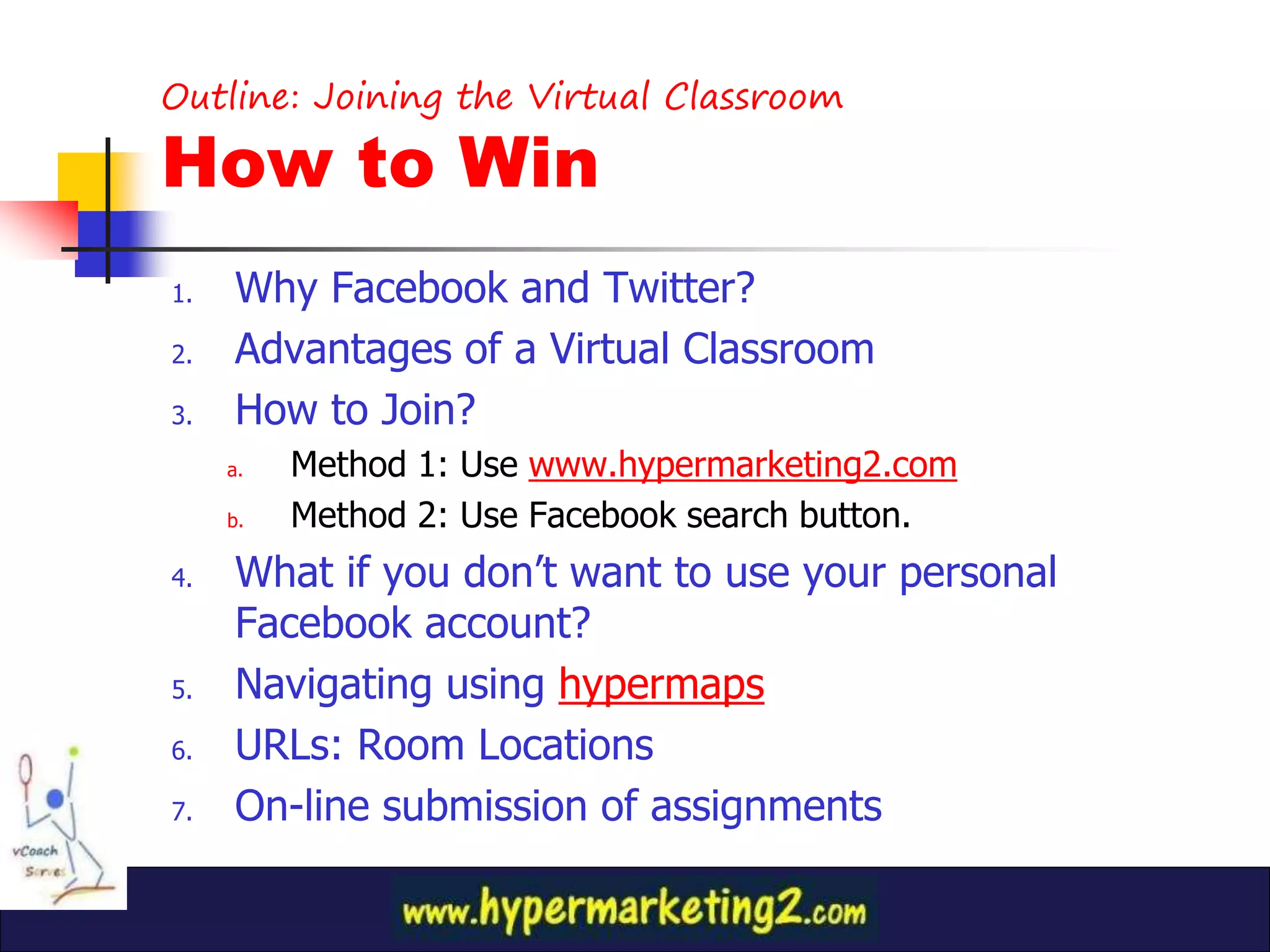
Outline: Joining the Virtual Classroom

How to Win
1.   Why Facebook and Twitter?
2.   Advantages of a Virtual Classroom
3.   How to Join?
     a.   Method 1: Use www.hypermarketing2.com
     b.   Method 2: Use Facebook search button.
4.   What if you don’t want to use your personal
     Facebook account?
5.   Navigating using hypermaps
6.   URLs: Room Locations
7.   On-line submission of assignments
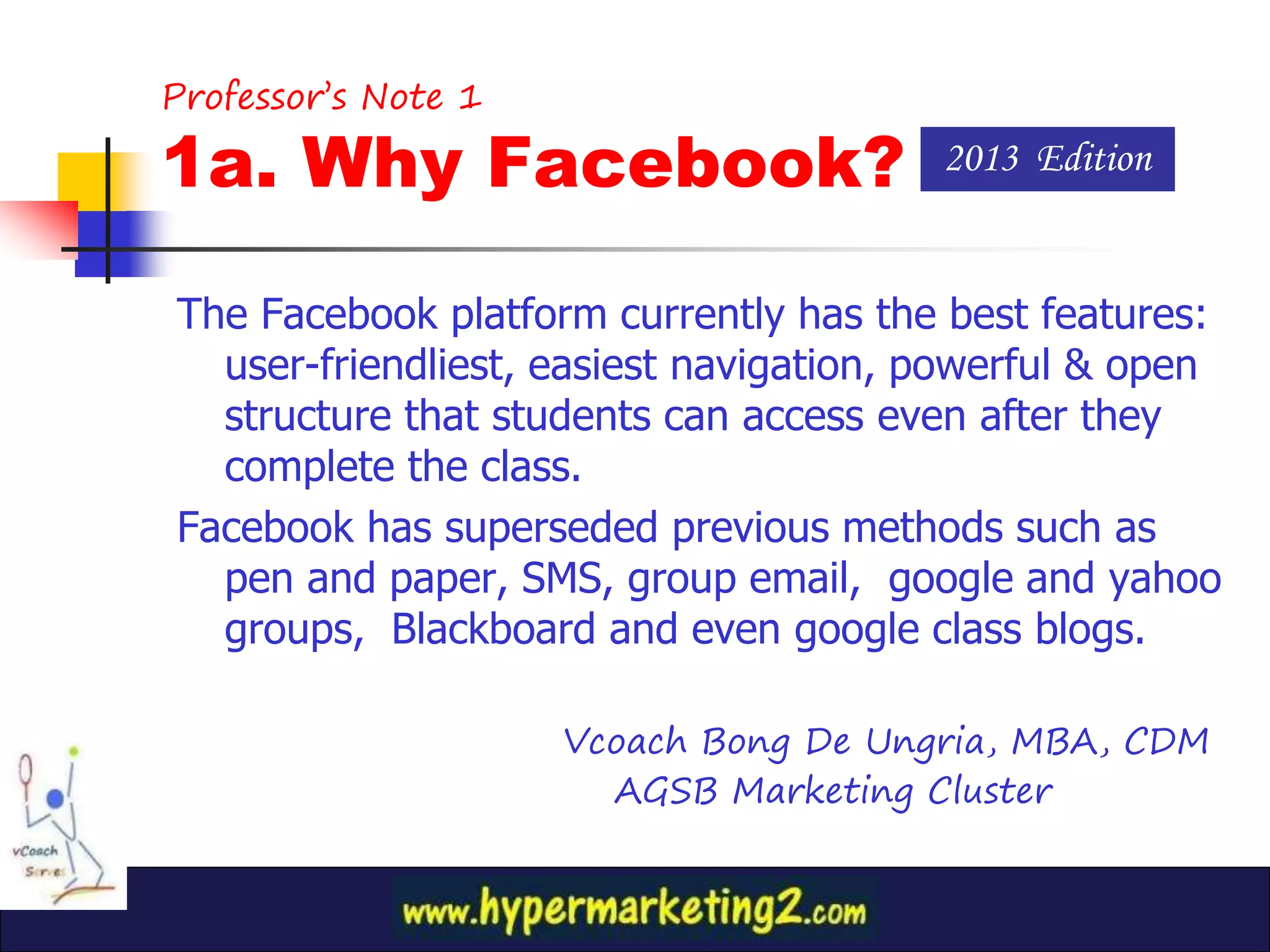
Professor’s Note 1

1a. Why Facebook?                       2013 Edition


The Facebook platform currently has the best features:
  user-friendliest, easiest navigation, powerful & open
  structure that students can access even after they
  complete the class.
Facebook has superseded previous methods such as
  pen and paper, SMS, group email, google and yahoo
  groups, Blackboard and even google class blogs.

                     Vcoach Bong De Ungria, MBA, CDM
                       AGSB Marketing Cluster
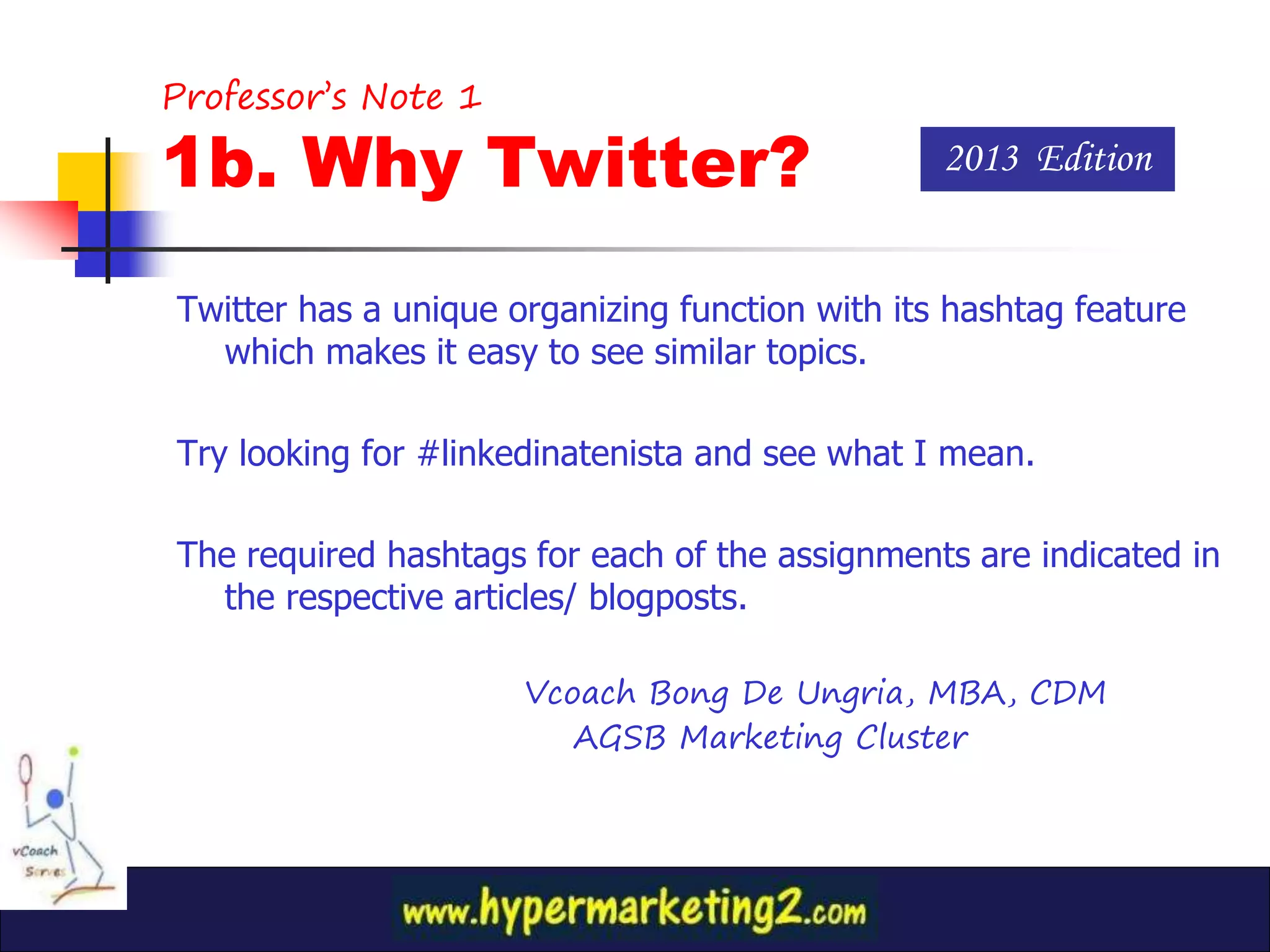
Professor’s Note 1

1b. Why Twitter?                                 2013 Edition


Twitter has a unique organizing function with its hashtag feature
  which makes it easy to see similar topics.

Try looking for #linkedinatenista and see what I mean.

The required hashtags for each of the assignments are indicated in
  the respective articles/ blogposts.

                      Vcoach Bong De Ungria, MBA, CDM
                         AGSB Marketing Cluster
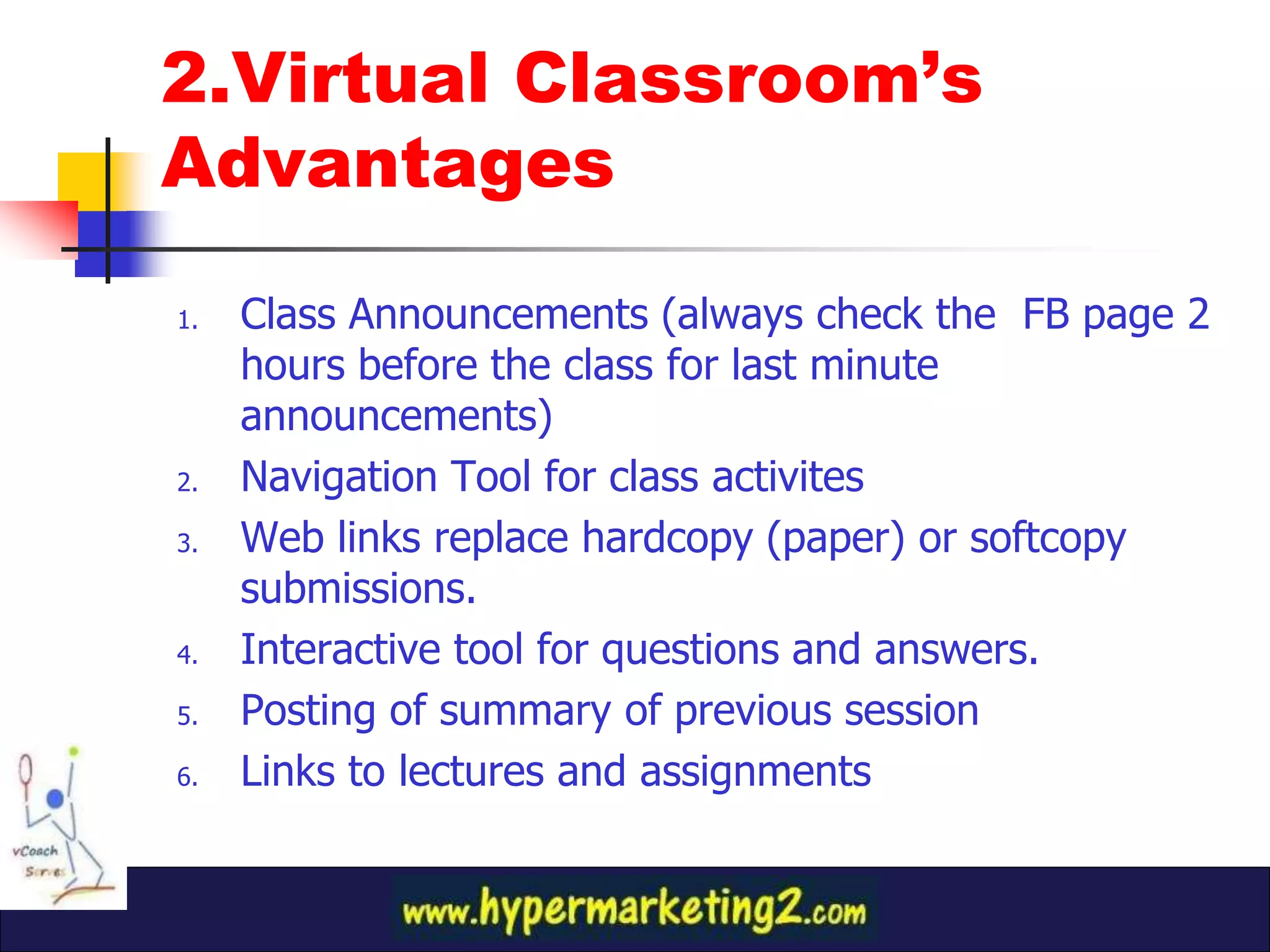
2.Virtual Classroom’s
Advantages

1.   Class Announcements (always check the FB page 2
     hours before the class for last minute
     announcements)
2.   Navigation Tool for class activites
3.   Web links replace hardcopy (paper) or softcopy
     submissions.
4.   Interactive tool for questions and answers.
5.   Posting of summary of previous session
6.   Links to lectures and assignments
3a. How to Join?
       (Method 1)

Go through the hypermarketing blog
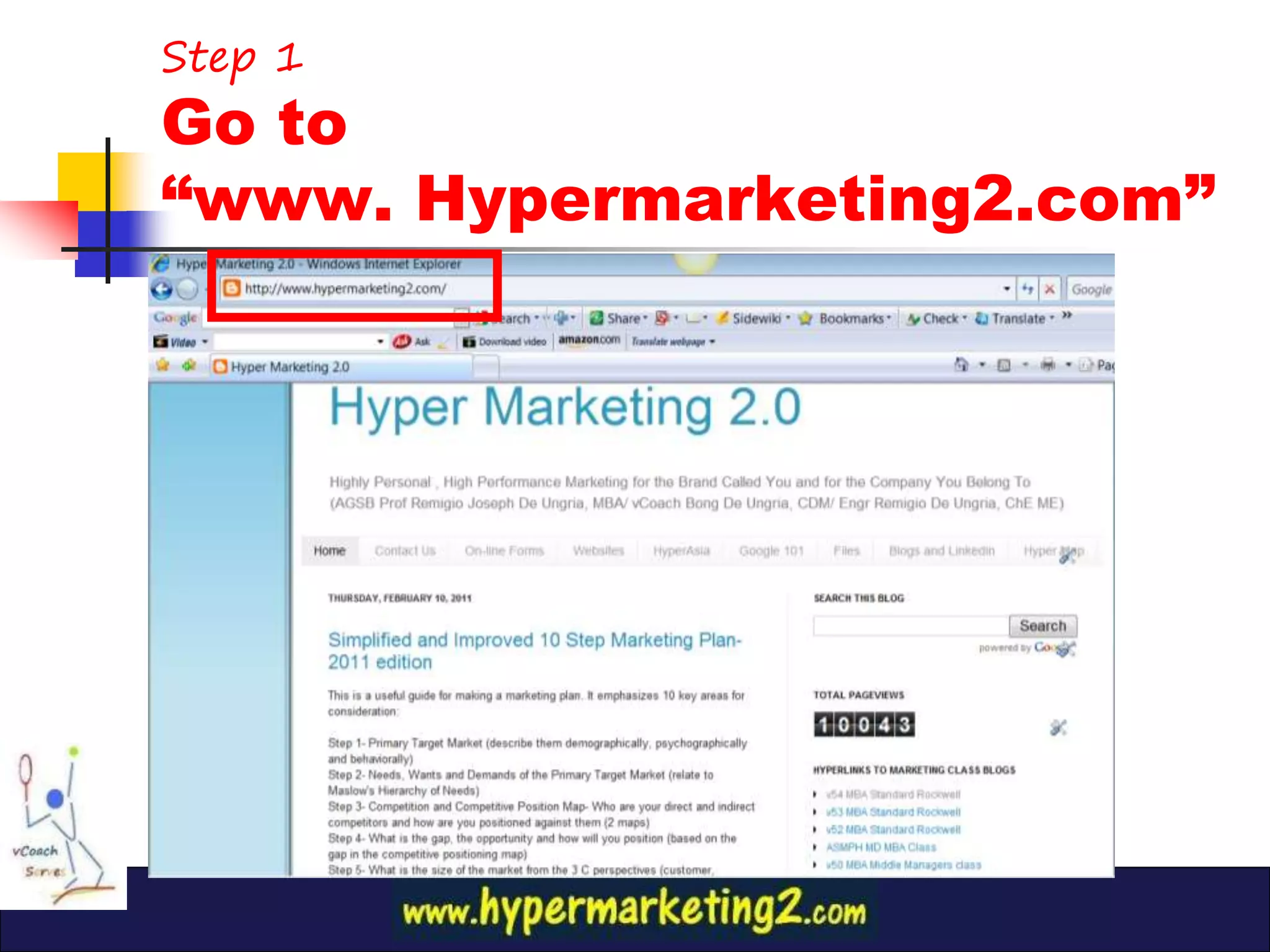
Step 1
Go to
“www. Hypermarketing2.com”
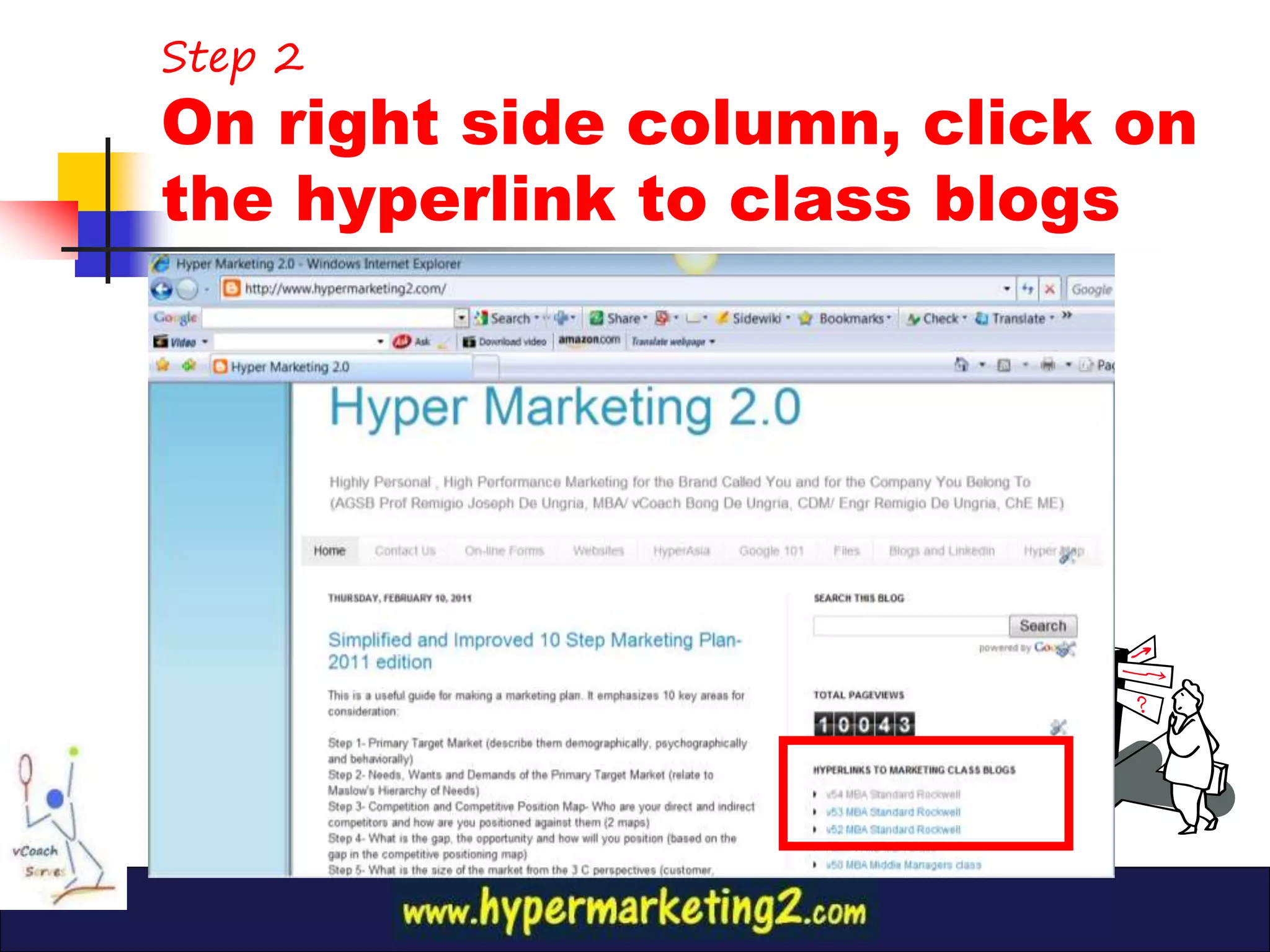
Step 2
On right side column, click on
the hyperlink to class blogs
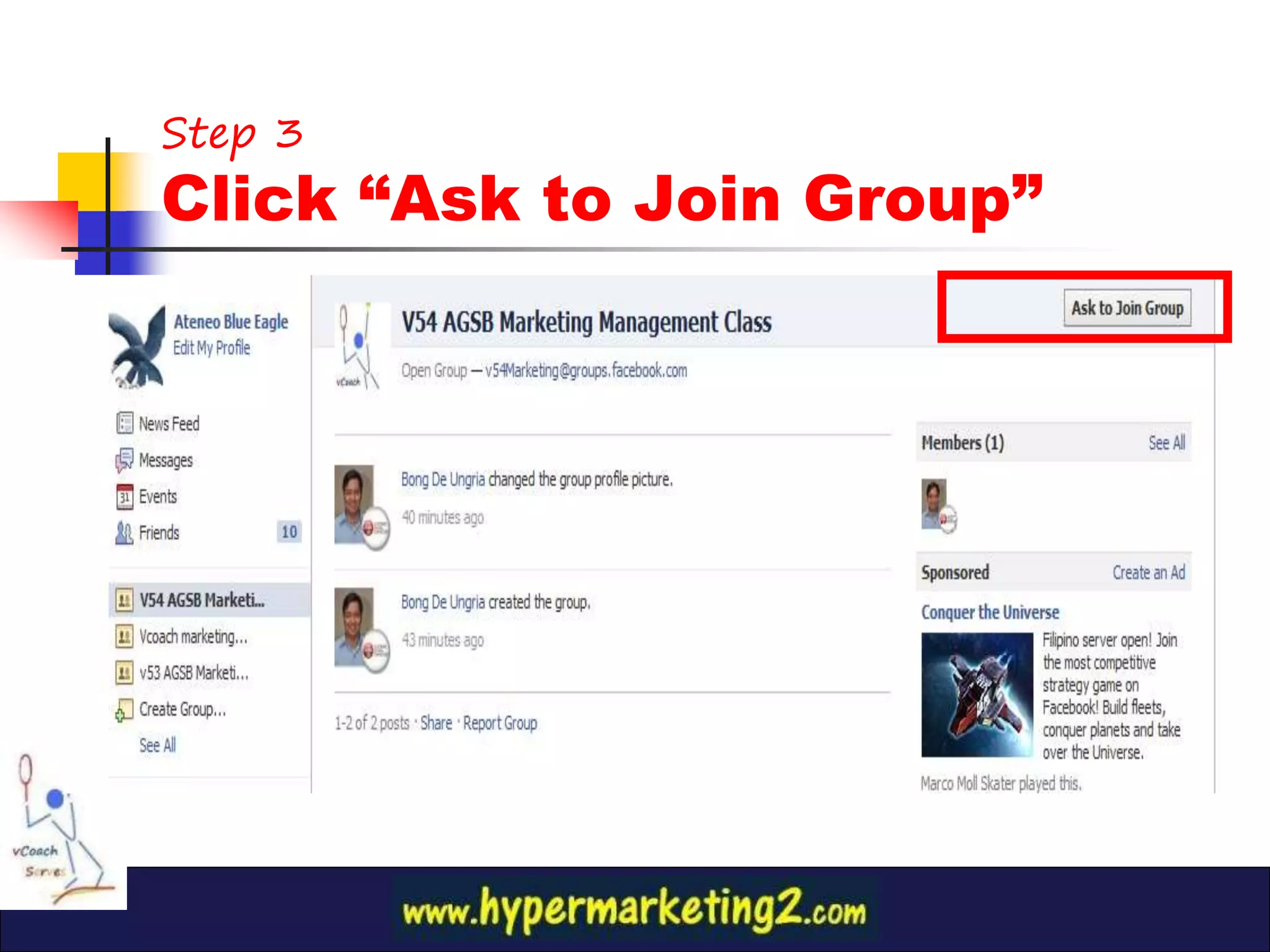
Step 3
Click “Ask to Join Group”
3b. How to Join?
   (Method 2)

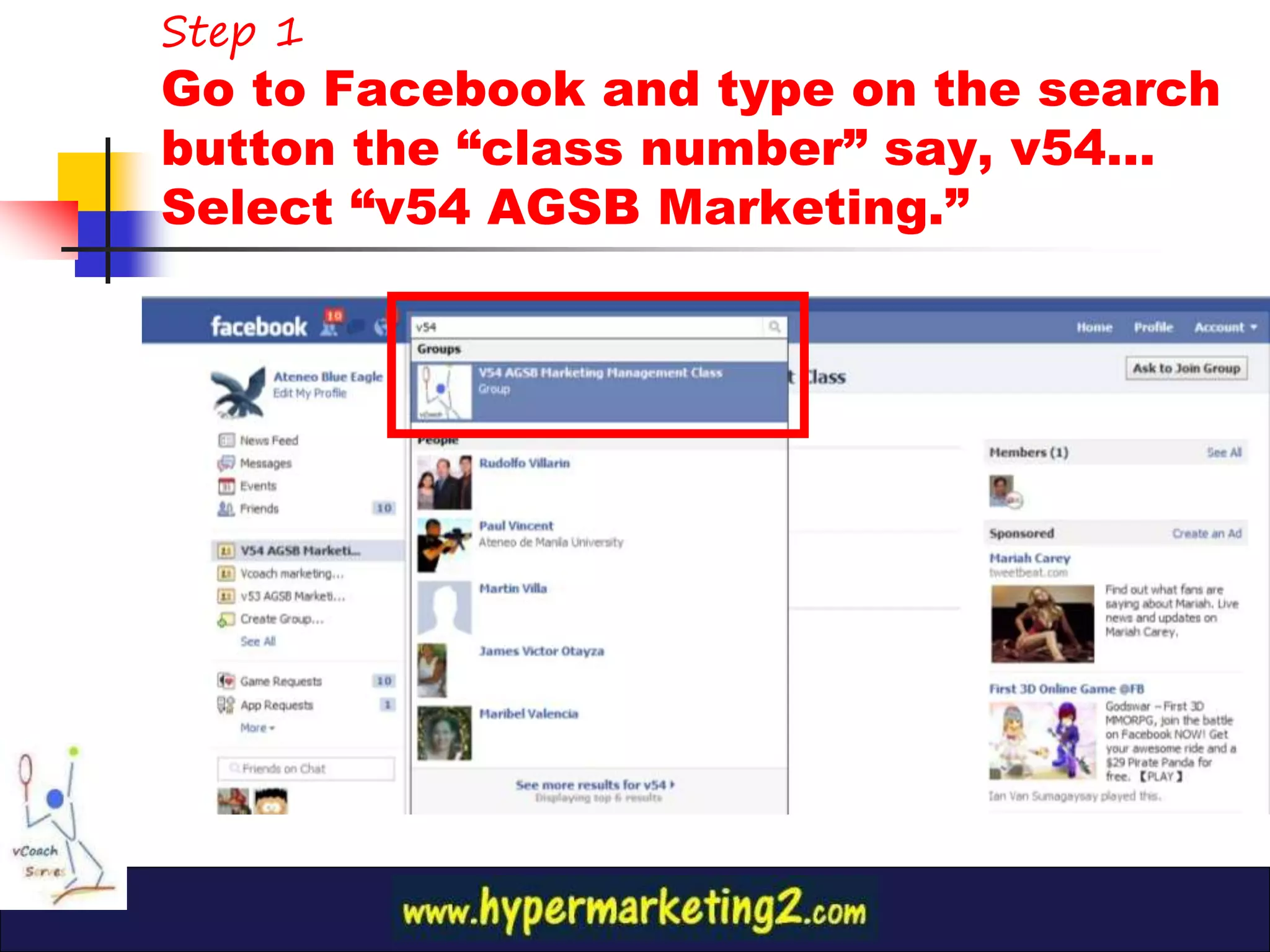
Go straight to Facebook
Step 1
Go to Facebook and type on the search
button the “class number” say, v54…
Select “v54 AGSB Marketing.”
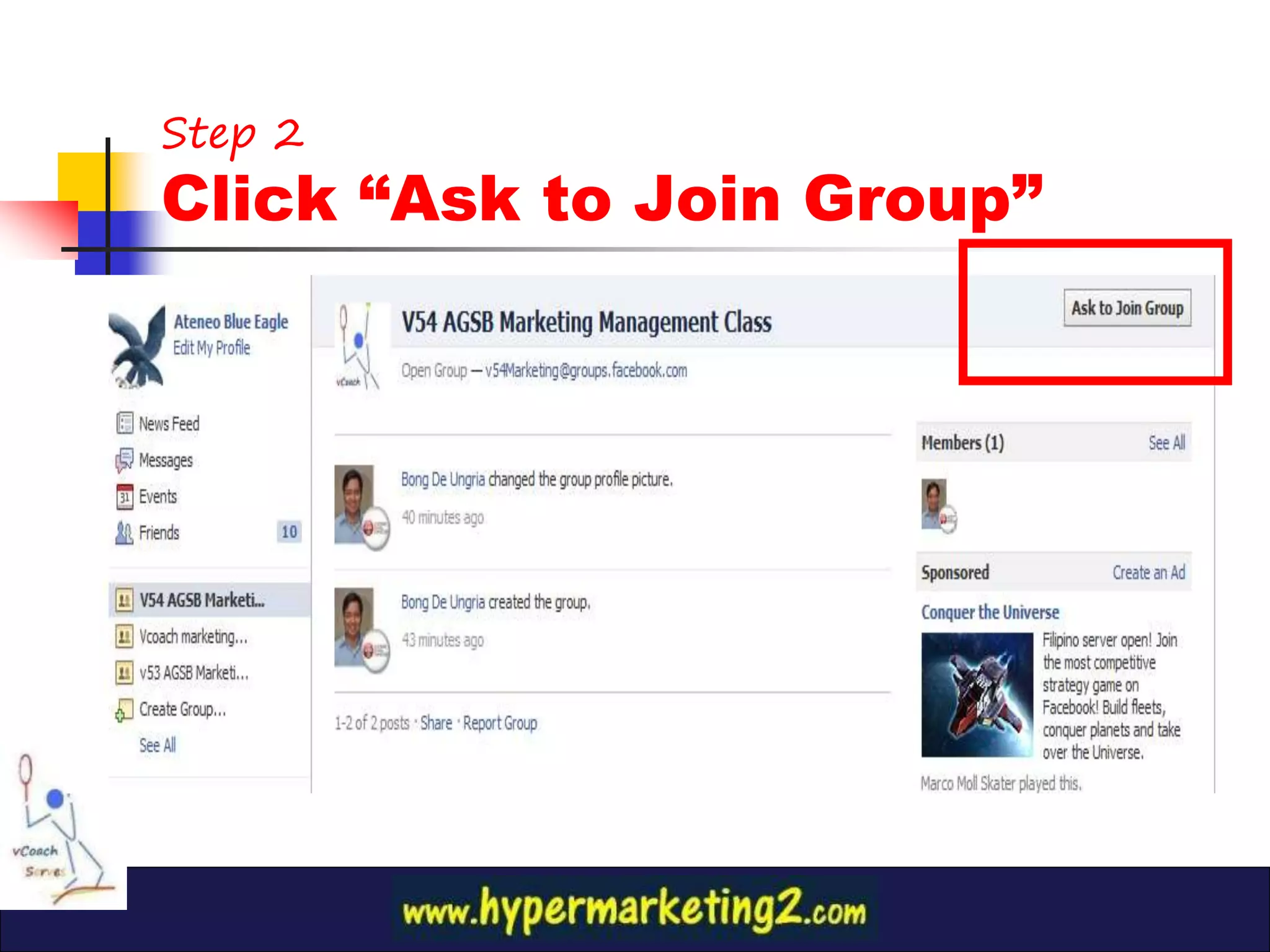
Step 2
Click “Ask to Join Group”
4. What if I don’t want to
use my personal FB profile
for the class?
(for privacy concerns)

                         Answer:
Create a second FB account which at least has you’re the
        same initials as your first and last name

                       Example:
                 Real Name: Juan Cruz
 Alias, Pseudonym, 2nd name: (John Cross or Jim Croce)
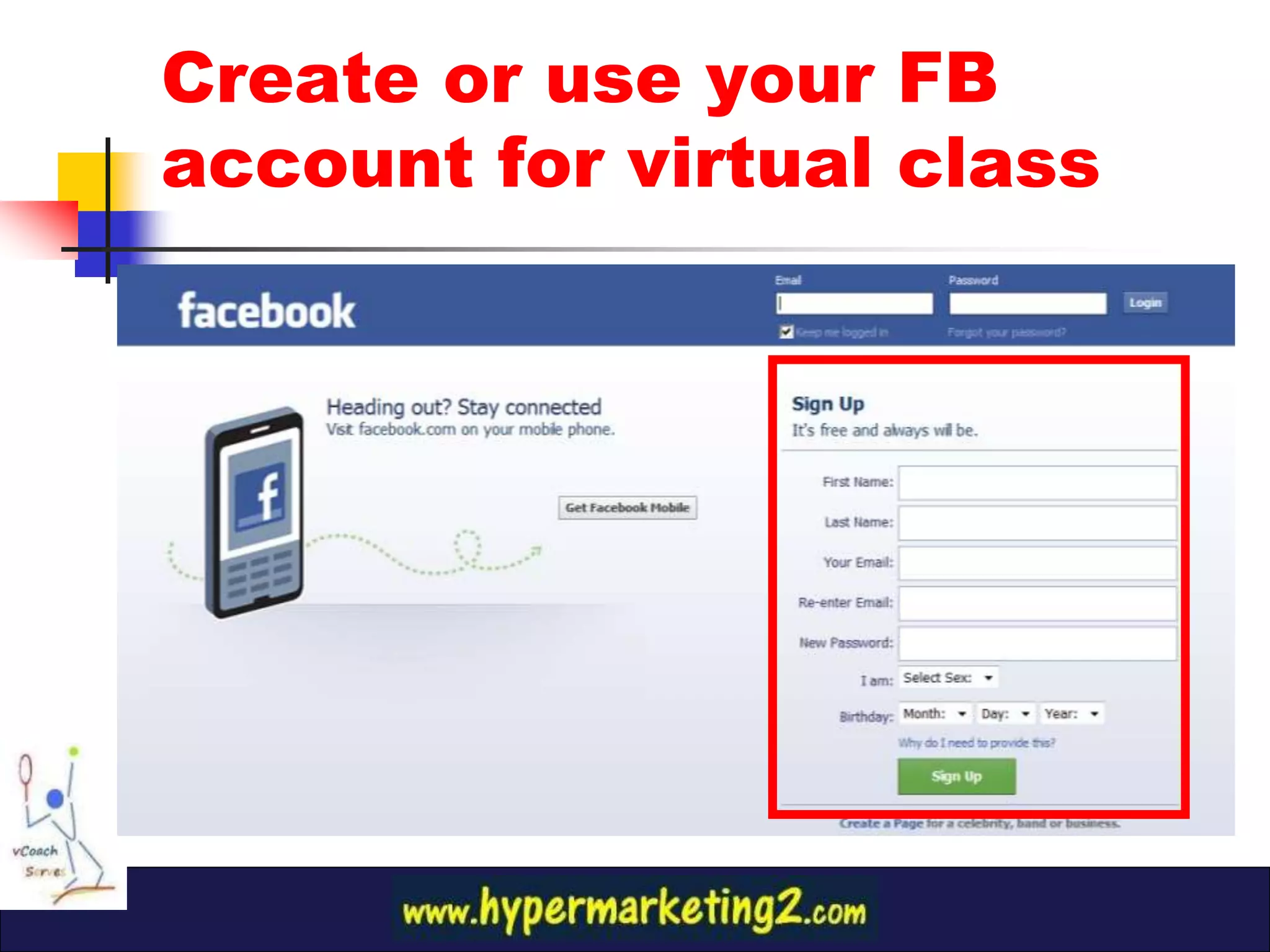
Create or use your FB
account for virtual class
5. Navigating
using HyperMaps

  Go to main blog guide:

www.hypermarketing2.com
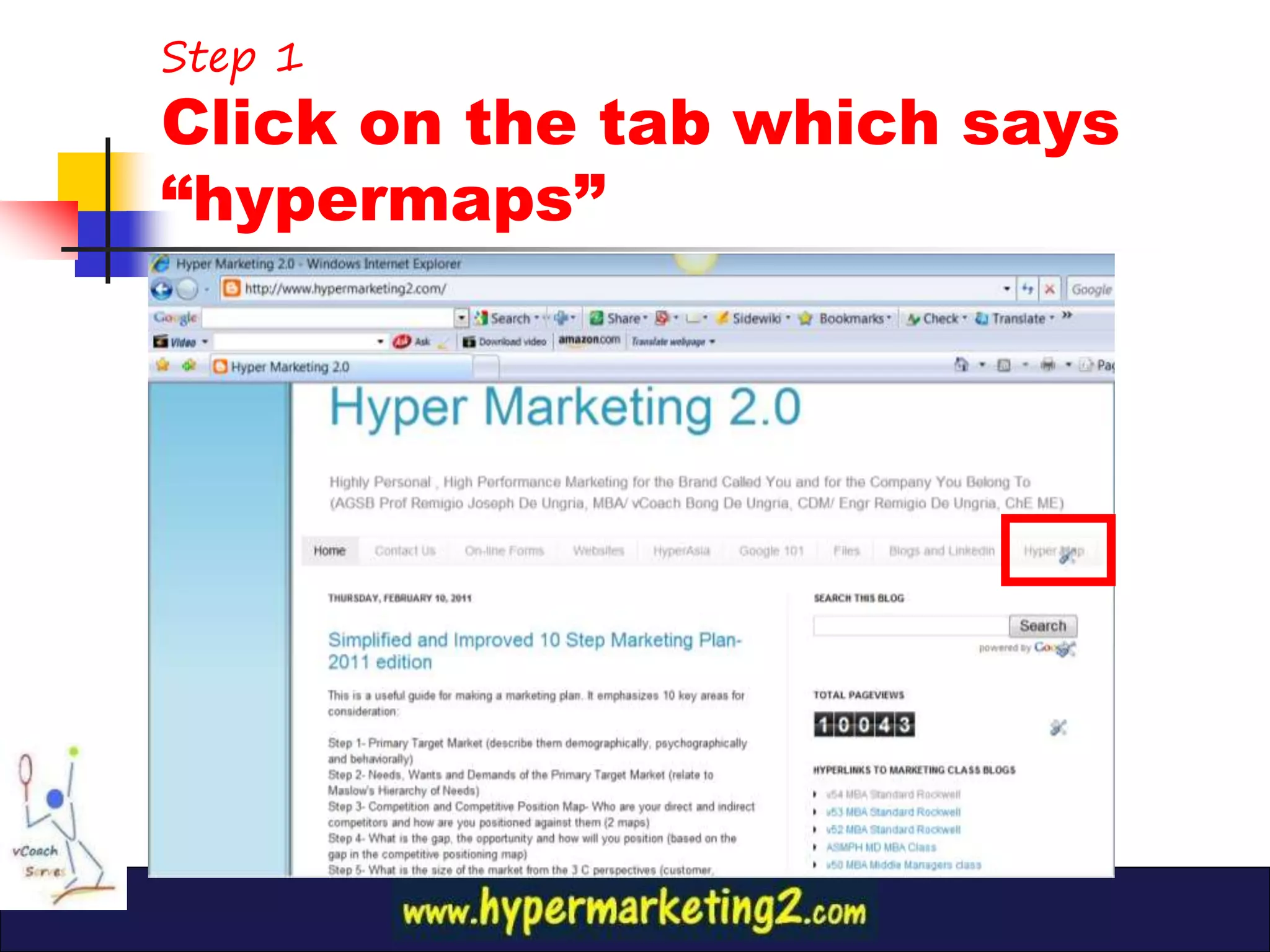
Step 1
Click on the tab which says
“hypermaps”
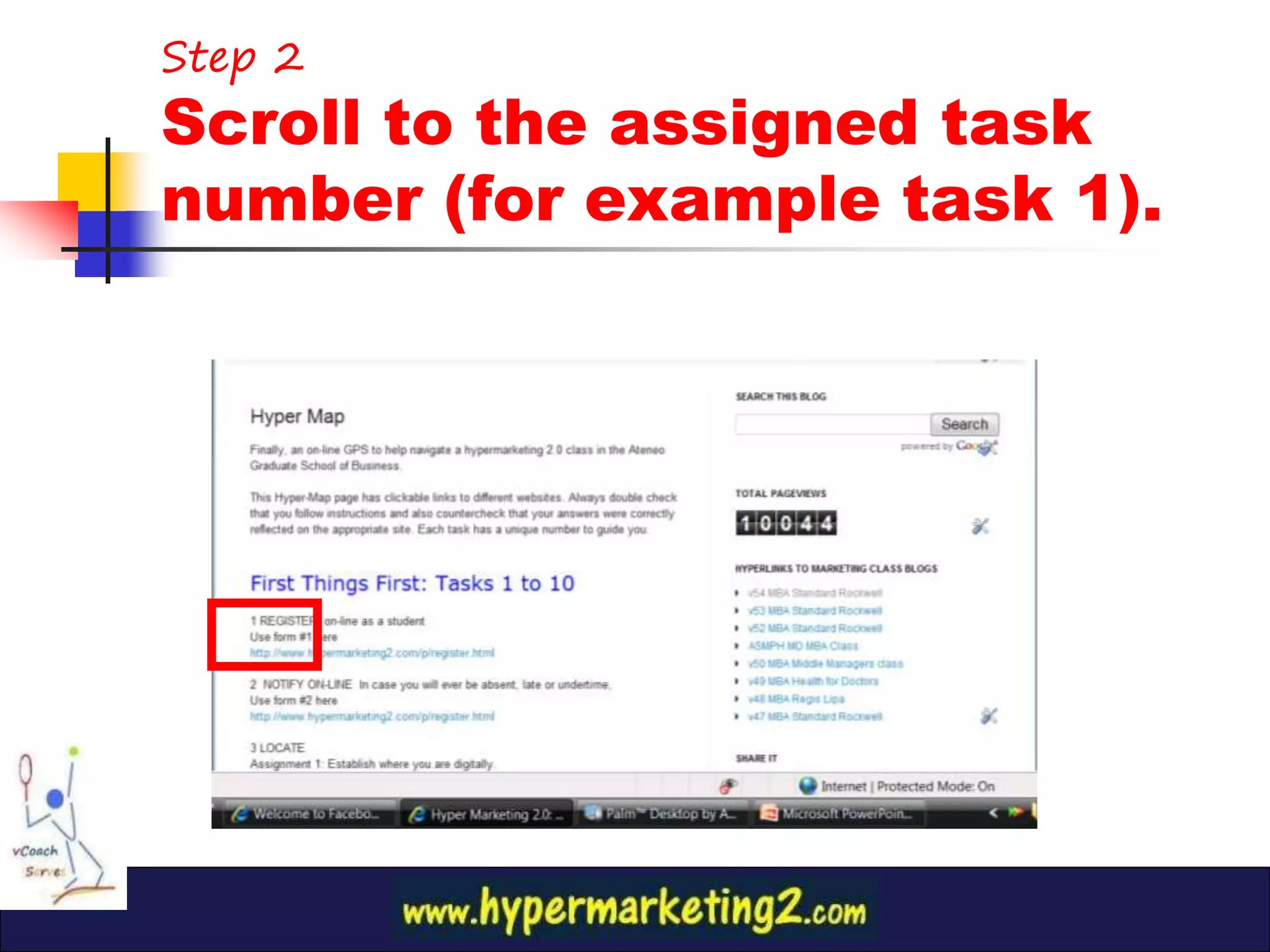
Step 2
Scroll to the assigned task
number (for example task 1).
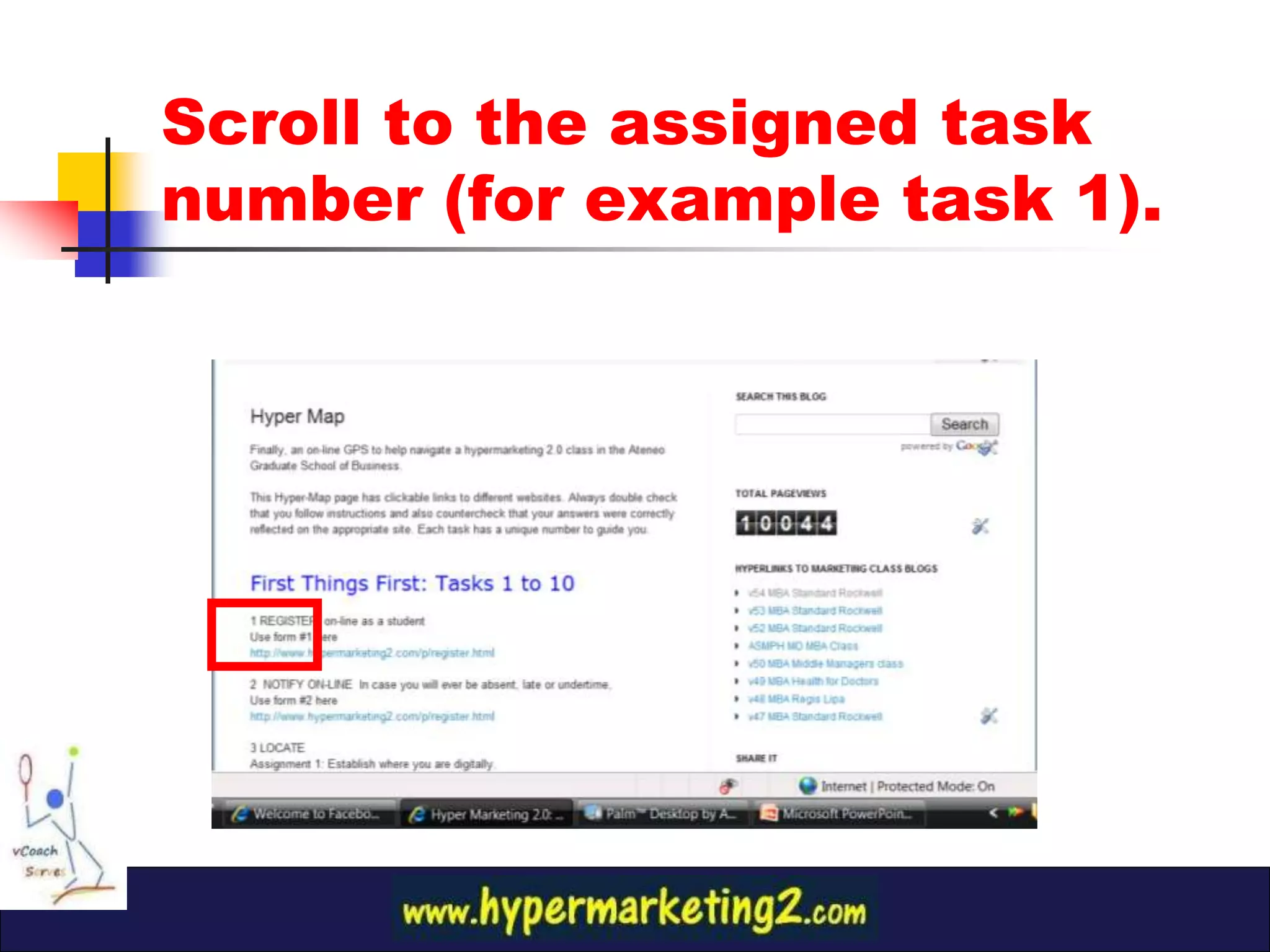
5. Navigating
  using HyperMaps

   Or Go straight to this url

http://vcoachbong.blogspot.com/
Scroll to the assigned task
number (for example task 1).
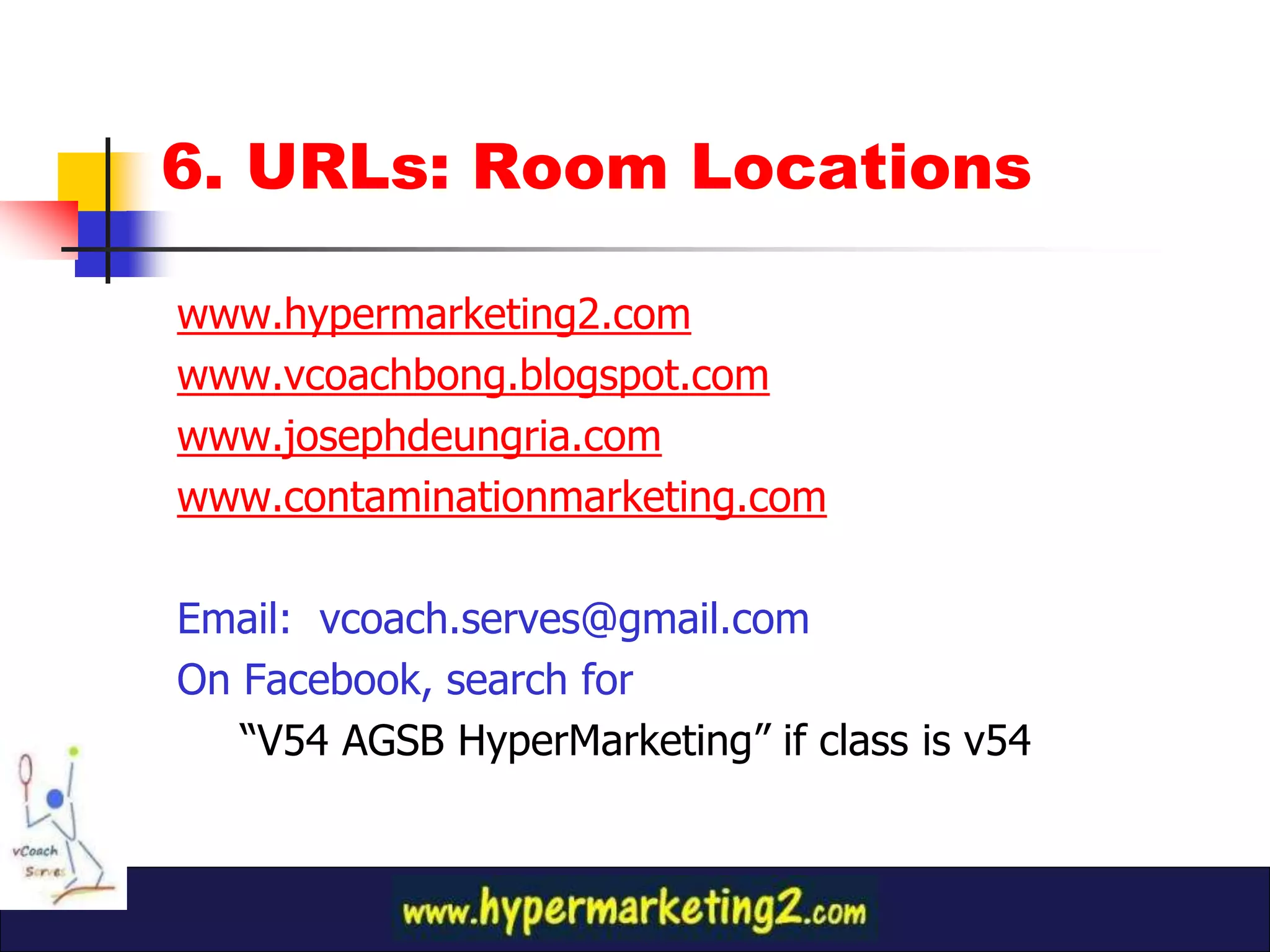
6. URLs: Room Locations

www.hypermarketing2.com
www.vcoachbong.blogspot.com
www.josephdeungria.com
www.contaminationmarketing.com

Email: vcoach.serves@gmail.com
On Facebook, search for
   “V54 AGSB HyperMarketing” if class is v54
7. What is on-time?
11:59 pm of the day before class
7a. Why 11:59 pm?

1.    Instill real business, exact value of
      time
2.    Avoids = Results
     1.   Late night work (3 am) = sleeping in class
     2.   Doing assignment on class day= absent or tardy
     3.   Accumulation of work= poor quality
3.    Destroys myth that mere attendance=
      passing the course
7b. How?
Email the file!

   Email attachments are permanent records and cannot
    be changed by student after sending (Student can
    opt to send an improved version of the assignment
    but the date and time stamp will be based on latter)
   Emails bear time and date stamp that cannot be
    changed by the student or the coach.
   Remember: Email to: vcoach.serves@gmail.com
   IMPORTANT: Always test your file attachment! Send
    the file to yourself and open the attachment. There
    are many occasions that attachment cant be opened.
How to submit assignments on-line?
7b
What is basis for time of submission?
On or before the deadline
1.   Email the file to vcoach.serves@gmail.com (This is the sole,
     only basis for the date/time of submission).
Do these other things to make it easier to discuss your assignment
in class. (However, this does are not substitute for #1)
2.   Post the url link* of your slidehsare upload on the correct
     location on FB. The correct location is indicated in the article
     or blogpost explaining the assignment.
3.   Embed* in your individual blog.
4.   Twit the url with the correct hashtag.

* Requires uploading of the “public version” of your file on Slideshare. Recommend to
      “Compress” file to 2 mb or less, convert to pdf, before uploading.
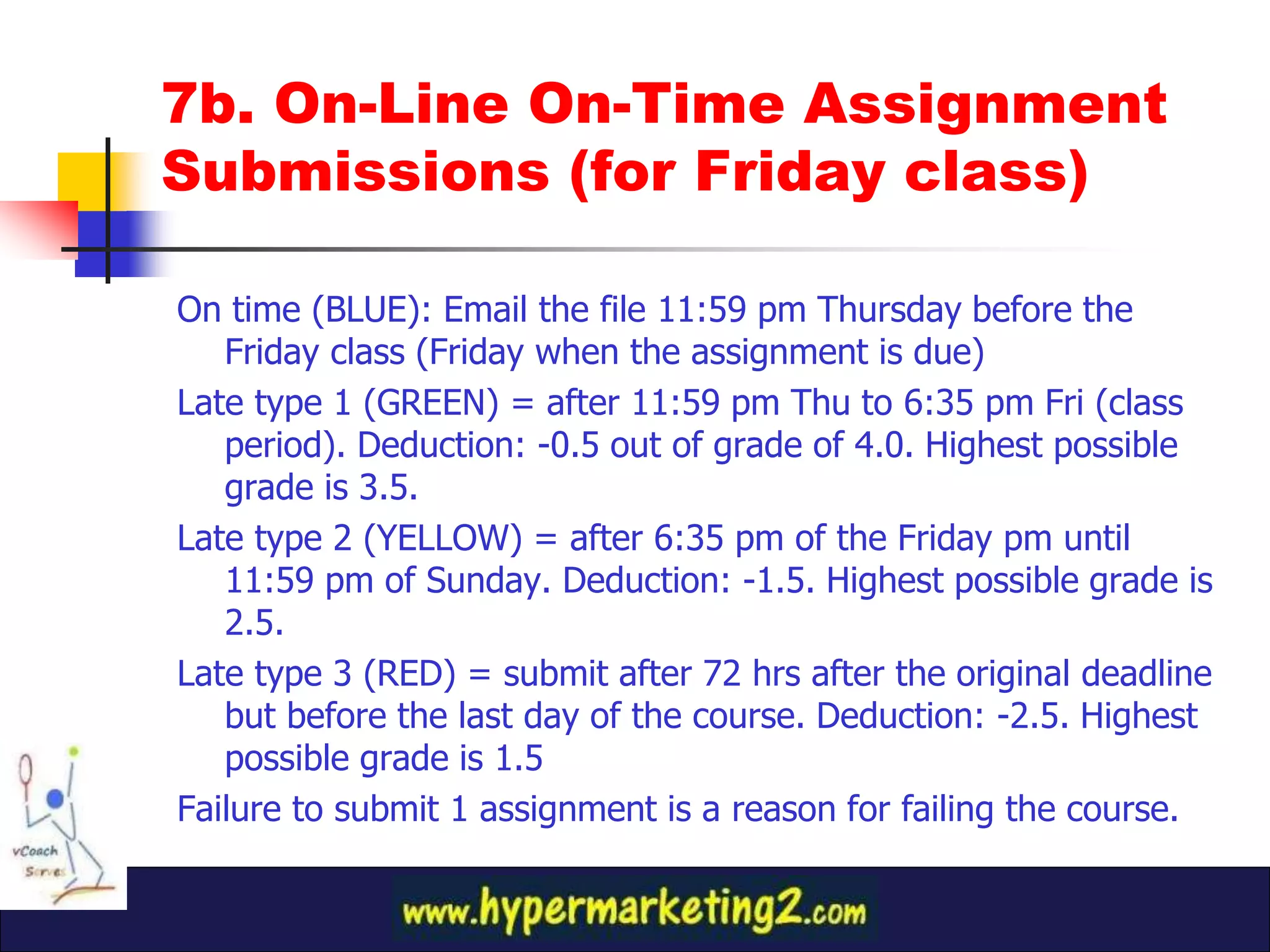
7b. On-Line On-Time Assignment
Submissions (for Friday class)

On time (BLUE): Email the file 11:59 pm Thursday before the
   Friday class (Friday when the assignment is due)
Late type 1 (GREEN) = after 11:59 pm Thu to 6:35 pm Fri (class
   period). Deduction: -0.5 out of grade of 4.0. Highest possible
   grade is 3.5.
Late type 2 (YELLOW) = after 6:35 pm of the Friday pm until
   11:59 pm of Sunday. Deduction: -1.5. Highest possible grade is
   2.5.
Late type 3 (RED) = submit after 72 hrs after the original deadline
   but before the last day of the course. Deduction: -2.5. Highest
   possible grade is 1.5
Failure to submit 1 assignment is a reason for failing the course.
Special considerations
may be given

1.   On extreme cases only

2.   Cant encourage those who don’t follow
3.   Cant discourage those who do

4.   Assignments are discussed in class so
     late submissions get undue advantage
Summary: SURVIVING the Virtual Classroom

How to Win
1.   Why Facebook?
2.   Advantages of a Virtual Classroom
3.   How to Join?
     a.   Method 1: Use www.hypermarketing2.com
     b.   Method 2: Use Facebook search button.
4.   What if you don’t want to use your personal
     Facebook account?
5.   Navigating using hypermaps
6.   URLs: Room Locations
7.   On-line submission of assignments
How to Win in the Virtual
  Vcoach Classroom
 @ Facebook #Twitter
       (Learn on-line, on-time
assignment and seatwork submissions)

                                      2013 Edition
Prof. Remigio Joseph De Ungria, MBA, CDM
    Ateneo Graduate School of Business

How To join the Vcoach Virtual Classroom

  • 1.
    How to Winin the Virtual Vcoach Classroom @ Facebook #Twitter (Learn on-line, on-time assignment and seatwork submissions) 2013 Edition Prof. Remigio Joseph De Ungria, MBA, CDM Ateneo Graduate School of Business
  • 2.
    Outline: Joining theVirtual Classroom How to Win 1. Why Facebook and Twitter? 2. Advantages of a Virtual Classroom 3. How to Join? a. Method 1: Use www.hypermarketing2.com b. Method 2: Use Facebook search button. 4. What if you don’t want to use your personal Facebook account? 5. Navigating using hypermaps 6. URLs: Room Locations 7. On-line submission of assignments
  • 3.
    Professor’s Note 1 1a.Why Facebook? 2013 Edition The Facebook platform currently has the best features: user-friendliest, easiest navigation, powerful & open structure that students can access even after they complete the class. Facebook has superseded previous methods such as pen and paper, SMS, group email, google and yahoo groups, Blackboard and even google class blogs. Vcoach Bong De Ungria, MBA, CDM AGSB Marketing Cluster
  • 4.
    Professor’s Note 1 1b.Why Twitter? 2013 Edition Twitter has a unique organizing function with its hashtag feature which makes it easy to see similar topics. Try looking for #linkedinatenista and see what I mean. The required hashtags for each of the assignments are indicated in the respective articles/ blogposts. Vcoach Bong De Ungria, MBA, CDM AGSB Marketing Cluster
  • 5.
    2.Virtual Classroom’s Advantages 1. Class Announcements (always check the FB page 2 hours before the class for last minute announcements) 2. Navigation Tool for class activites 3. Web links replace hardcopy (paper) or softcopy submissions. 4. Interactive tool for questions and answers. 5. Posting of summary of previous session 6. Links to lectures and assignments
  • 6.
    3a. How toJoin? (Method 1) Go through the hypermarketing blog
  • 7.
    Step 1 Go to “www.Hypermarketing2.com”
  • 8.
    Step 2 On rightside column, click on the hyperlink to class blogs
  • 9.
    Step 3 Click “Askto Join Group”
  • 10.
    3b. How toJoin? (Method 2) Go straight to Facebook
  • 11.
    Step 1 Go toFacebook and type on the search button the “class number” say, v54… Select “v54 AGSB Marketing.”
  • 12.
    Step 2 Click “Askto Join Group”
  • 13.
    4. What ifI don’t want to use my personal FB profile for the class? (for privacy concerns) Answer: Create a second FB account which at least has you’re the same initials as your first and last name Example: Real Name: Juan Cruz Alias, Pseudonym, 2nd name: (John Cross or Jim Croce)
  • 14.
    Create or useyour FB account for virtual class
  • 15.
    5. Navigating using HyperMaps Go to main blog guide: www.hypermarketing2.com
  • 16.
    Step 1 Click onthe tab which says “hypermaps”
  • 17.
    Step 2 Scroll tothe assigned task number (for example task 1).
  • 18.
    5. Navigating using HyperMaps Or Go straight to this url http://vcoachbong.blogspot.com/
  • 19.
    Scroll to theassigned task number (for example task 1).
  • 20.
    6. URLs: RoomLocations www.hypermarketing2.com www.vcoachbong.blogspot.com www.josephdeungria.com www.contaminationmarketing.com Email: vcoach.serves@gmail.com On Facebook, search for “V54 AGSB HyperMarketing” if class is v54
  • 21.
    7. What ison-time? 11:59 pm of the day before class
  • 22.
    7a. Why 11:59pm? 1. Instill real business, exact value of time 2. Avoids = Results 1. Late night work (3 am) = sleeping in class 2. Doing assignment on class day= absent or tardy 3. Accumulation of work= poor quality 3. Destroys myth that mere attendance= passing the course
  • 23.
    7b. How? Email thefile!  Email attachments are permanent records and cannot be changed by student after sending (Student can opt to send an improved version of the assignment but the date and time stamp will be based on latter)  Emails bear time and date stamp that cannot be changed by the student or the coach.  Remember: Email to: vcoach.serves@gmail.com  IMPORTANT: Always test your file attachment! Send the file to yourself and open the attachment. There are many occasions that attachment cant be opened.
  • 24.
    How to submitassignments on-line? 7b What is basis for time of submission? On or before the deadline 1. Email the file to vcoach.serves@gmail.com (This is the sole, only basis for the date/time of submission). Do these other things to make it easier to discuss your assignment in class. (However, this does are not substitute for #1) 2. Post the url link* of your slidehsare upload on the correct location on FB. The correct location is indicated in the article or blogpost explaining the assignment. 3. Embed* in your individual blog. 4. Twit the url with the correct hashtag. * Requires uploading of the “public version” of your file on Slideshare. Recommend to “Compress” file to 2 mb or less, convert to pdf, before uploading.
  • 25.
    7b. On-Line On-TimeAssignment Submissions (for Friday class) On time (BLUE): Email the file 11:59 pm Thursday before the Friday class (Friday when the assignment is due) Late type 1 (GREEN) = after 11:59 pm Thu to 6:35 pm Fri (class period). Deduction: -0.5 out of grade of 4.0. Highest possible grade is 3.5. Late type 2 (YELLOW) = after 6:35 pm of the Friday pm until 11:59 pm of Sunday. Deduction: -1.5. Highest possible grade is 2.5. Late type 3 (RED) = submit after 72 hrs after the original deadline but before the last day of the course. Deduction: -2.5. Highest possible grade is 1.5 Failure to submit 1 assignment is a reason for failing the course.
  • 26.
    Special considerations may begiven 1. On extreme cases only 2. Cant encourage those who don’t follow 3. Cant discourage those who do 4. Assignments are discussed in class so late submissions get undue advantage
  • 27.
    Summary: SURVIVING theVirtual Classroom How to Win 1. Why Facebook? 2. Advantages of a Virtual Classroom 3. How to Join? a. Method 1: Use www.hypermarketing2.com b. Method 2: Use Facebook search button. 4. What if you don’t want to use your personal Facebook account? 5. Navigating using hypermaps 6. URLs: Room Locations 7. On-line submission of assignments
  • 28.
    How to Winin the Virtual Vcoach Classroom @ Facebook #Twitter (Learn on-line, on-time assignment and seatwork submissions) 2013 Edition Prof. Remigio Joseph De Ungria, MBA, CDM Ateneo Graduate School of Business