Evaluation Question 4: Media Technologies - How did you use
 Media technologies in the construction, research, planning
                  and evaluation stages?


           Throughout the coursework, I have used a range of media
       technologies which have helped me greatly in the construction,
      research, planning and evaluation stages of my coursework. Each
       of these technologies have different functions, which as a result
        has helped me with many different aspects of the coursework.
        Here is a list of those media technologies and what they have
                  helped me with, with examples provided….
Celtx is a advanced program designed for filmmakers to use to design and write
    screenplays, it is very popular due to the various features it has and its
    professionalism. In regards to my work, Celtx has helped me greatly in the
    planning stages of my work as, unlike with previous work I done last year writing
    scripts in which I done very hastily on a peace of paper, Celtx allowed me to draw
    up a storyboard on it, and then convert that into a actual script in which it allowed
    you to work with attention to detail. Furthermore, through Celtx I was even able to
    write up characters background which not only made things much easier for our
    actors when it came to filming, it also allowed me to think about ways in which I
    could develop characters background story’s in order to further emphasize the
    emotional hook of our film. Moreover, we were also able to organize a filming
    schedule on Celtx which meant we worked proficiently and to a good standard as
    we had everything organized for a certain day in advance, and also meant we were
    good at keeping deadlines.
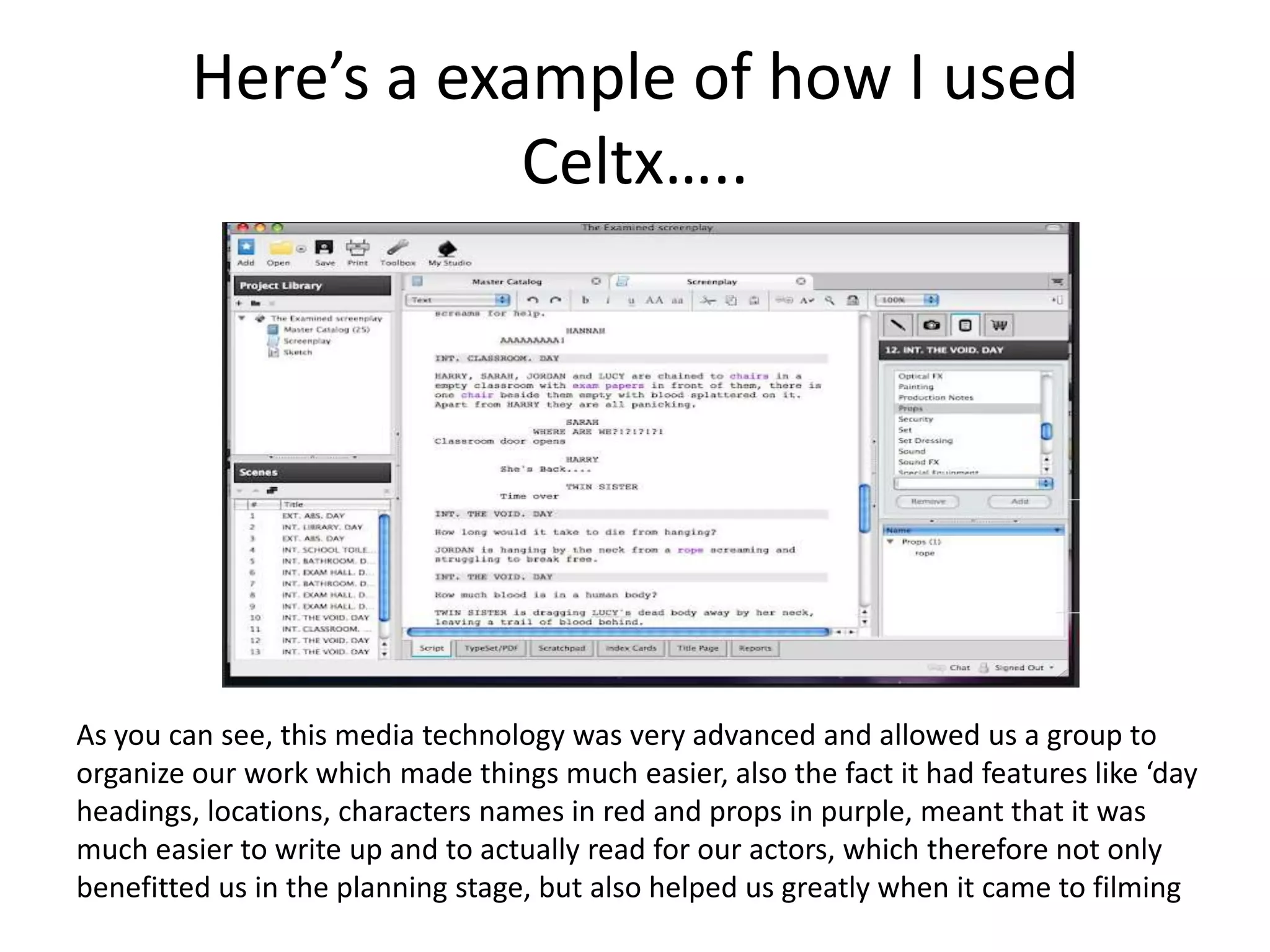
Here’s a example of how I used
                     Celtx…..


As you can see, this media technology was very advanced and allowed us a group to
organize our work which made things much easier, also the fact it had features like ‘day
headings, locations, characters names in red and props in purple, meant that it was
much easier to write up and to actually read for our actors, which therefore not only
benefitted us in the planning stage, but also helped us greatly when it came to filming
Photoshop
Photoshop was a program that I had already used previously and so was very easy for
   me to use, however I still feel that I was able to develop my skills even more.
   Photoshop, a software that specializes in picture editing/ manipulation, was very
   helpful when it came to the creative side of my coursework. This is because
   Photoshop allowed me to do things like manipulate layers and images, by changing
   the brightness on certain images, changing color and gradient levels, and also
   adding borders and images in order to give my ancillary texts, like my horror
   magazine, movie poster and credits a much more professional look.
Here’s a example of how I used
                    Photoshop….


The first two images shows examples of the creative process of actually creating the logo for our
production company, and some of the features I use in order to create such a deranged and chilling look
for the logo which links to the genre, thus highlighting how this media technology was very beneficial in
the creative process. Also, the two bottom images shows the finished versions of ‘The Examined’ poster
and magazine cover, which were both made using Photoshop; In which the extensive features that
Photoshop posses proved to be very beneficial to me.
Blogger
Throughout the creation process, I have used blogger, as I saw
  it as a perfect platform to showcase my work, and highlight
  the gradual progress of our product. In a way, blogger has
  acted as my online diary, in which I have made sure to
  frequently update, with any new developments that have
  occurred regarding my work. Also, blogger has helped me
  store information about the research and planning process
  I have been through, which has made it easier to look back
  on that process and implement my ideas from there into
  my final product (trailer). I was already quite aware of how
  to use blogger, due to using it for my coursework last year
  and also due to the fact I already own my own blog on the
  website. Because of that I had no problems using it.
Here’s a example of how I used
                      blogger….


As you can see, this media technology has helped me with all stages of my work as I have
been able to use it to store and evaluate each stage of my work which has benefitted me
greatly. Blogger is also another form of way to get feedback on your posts, which can be
very beneficial in helping you see what you’re doing right, and what you’re doing wrong.
iMovie
I had previously used a editing software (final
   cut), and although iMovie isn't as
   sophisticated as final cut, I still believe it was a
   very good quality and professional program
   which was very easy to use, but at the same
   time very advanced. iMovie allowed us to cut
   our footage, slow down the speed of shots of
   make them faster, add text to enhance the
   story, and also allowed us to string our story
   along nicely.
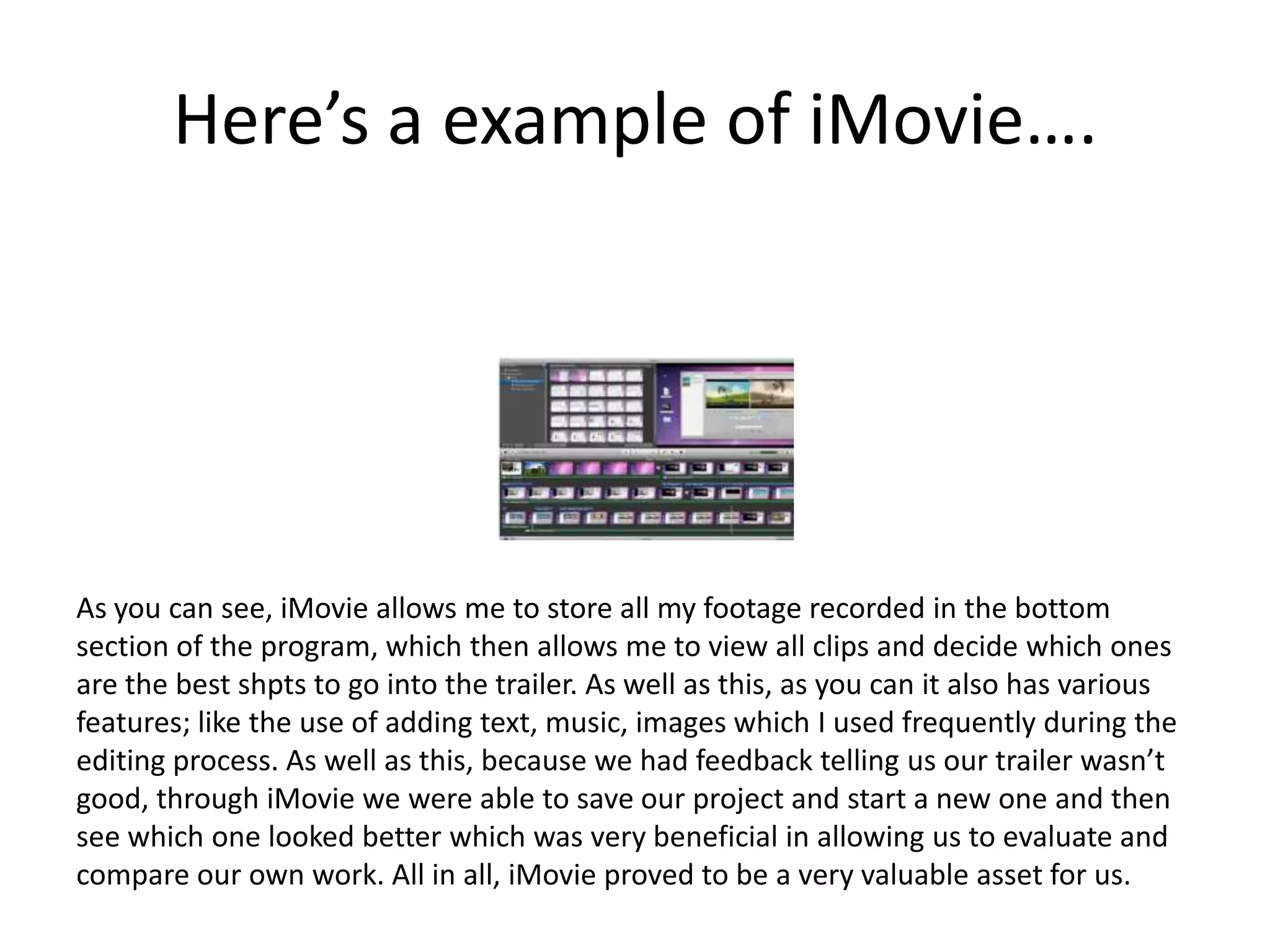
Here’s a example of iMovie….


As you can see, iMovie allows me to store all my footage recorded in the bottom
section of the program, which then allows me to view all clips and decide which ones
are the best shpts to go into the trailer. As well as this, as you can it also has various
features; like the use of adding text, music, images which I used frequently during the
editing process. As well as this, because we had feedback telling us our trailer wasn’t
good, through iMovie we were able to save our project and start a new one and then
see which one looked better which was very beneficial in allowing us to evaluate and
compare our own work. All in all, iMovie proved to be a very valuable asset for us.
Garage Band
Garage Band, very similar to what Photoshop
 does with pictures, allowed us to edit any
 sound or music we used in our trailer by
 manipulating the sound in many different
 ways in which Garage Band allowed us to do.
 We were able to do things like, rerecord any
 sound that may have been bad in quality,
 manipulate voices by making them deeper &
 creating a echo, and also allowed us to cut
 down the length of our sound clips.
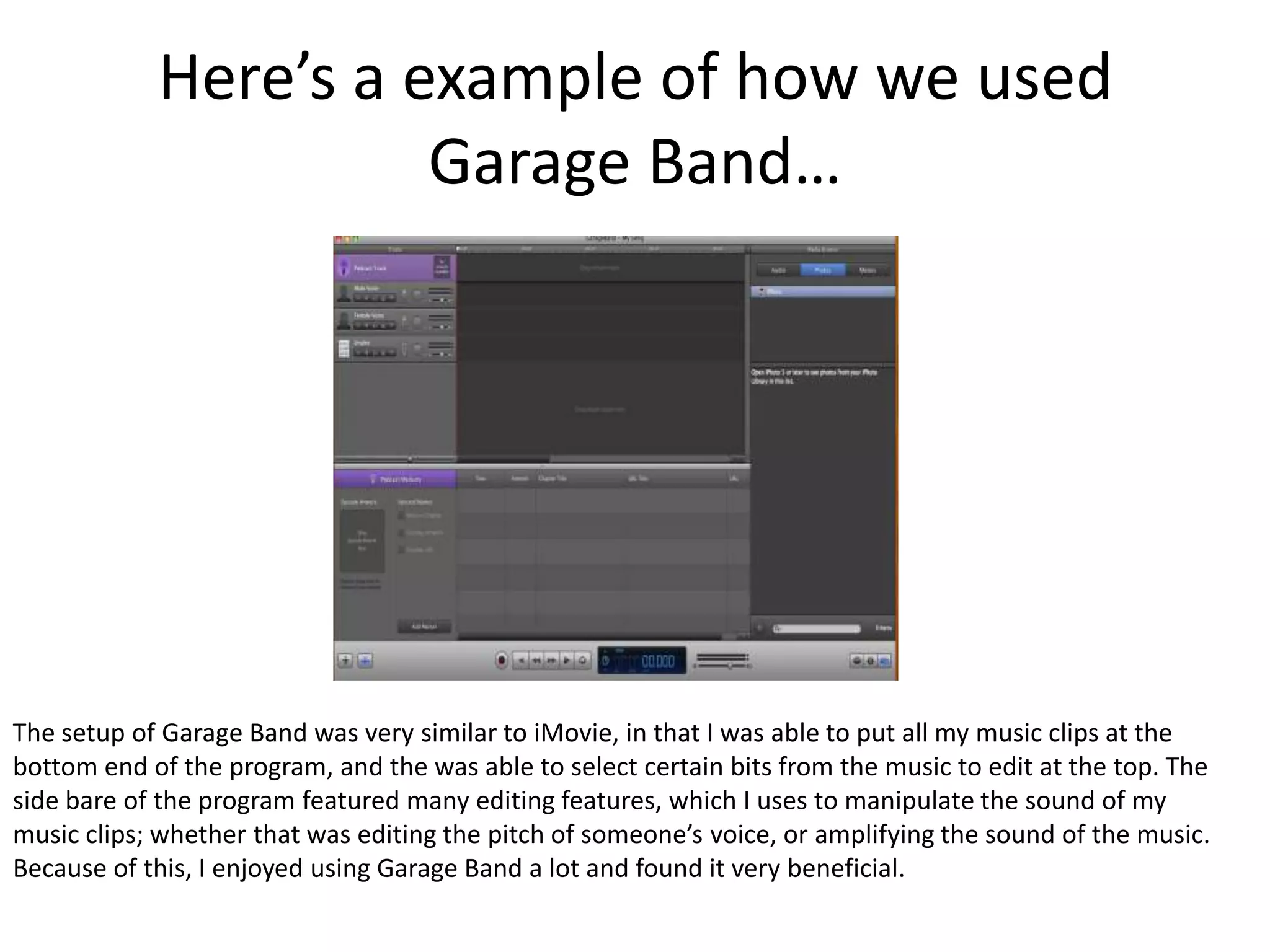
Here’s a example of how we used
                      Garage Band…


The setup of Garage Band was very similar to iMovie, in that I was able to put all my music clips at the
bottom end of the program, and the was able to select certain bits from the music to edit at the top. The
side bare of the program featured many editing features, which I uses to manipulate the sound of my
music clips; whether that was editing the pitch of someone’s voice, or amplifying the sound of the music.
Because of this, I enjoyed using Garage Band a lot and found it very beneficial.
SlideShare
SlideShare was used, in order to help me present
   my work in a which wasn’t heavily text based and
   so was much easier to use and presented my
   work in a much more professional way.
   SlideShare was very helpful throughout my
   course which can be seen by the fact I have used
   it frequently, and especially in my evaluation
   questions, where I feel the overall quality of my
   responses to the questions asked were improved
   due to the fact I was able to do it in a
   presentation format.
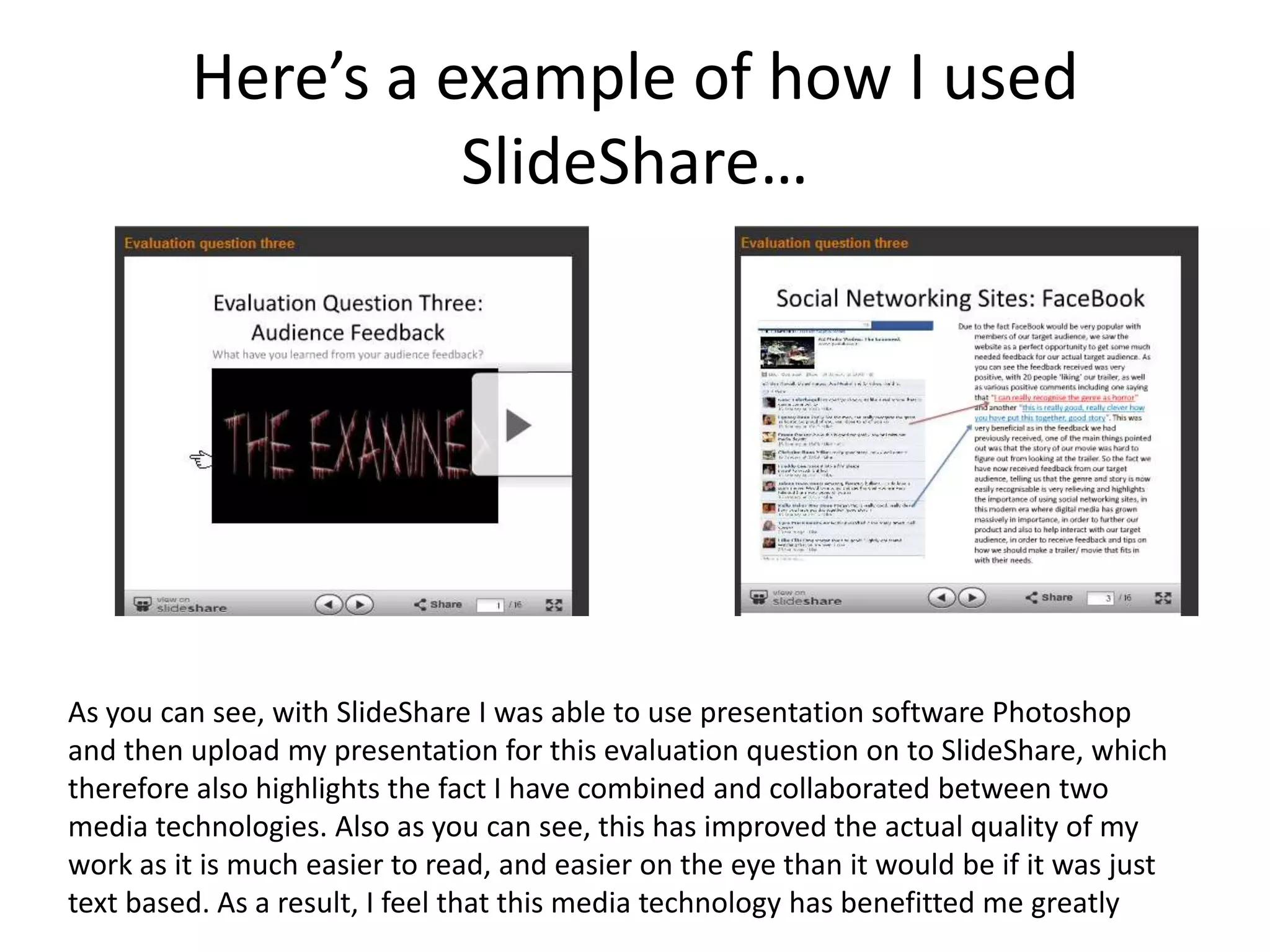
Here’s a example of how I used
                   SlideShare…


As you can see, with SlideShare I was able to use presentation software Photoshop
and then upload my presentation for this evaluation question on to SlideShare, which
therefore also highlights the fact I have combined and collaborated between two
media technologies. Also as you can see, this has improved the actual quality of my
work as it is much easier to read, and easier on the eye than it would be if it was just
text based. As a result, I feel that this media technology has benefitted me greatly
Adobe After Effects
Adobe After Effects, was one of the new programs
  introduced to me when we were creating our trailer. Its
  purpose is to create animations and visual effects to
  images, videos or text. For our trailer, we used After
  Effects when creating the text for our title, in which we
  created the animation of the title appearing on screen
  letter by letter. This was very beneficial as we had
  learnt, through our analysis of horror trailers, that the
  text of the title is often manipulated to fit in with the
  genre/ theme of the movie/ trailer. I believe that After
  Effects gave us the perfect platform to do this.
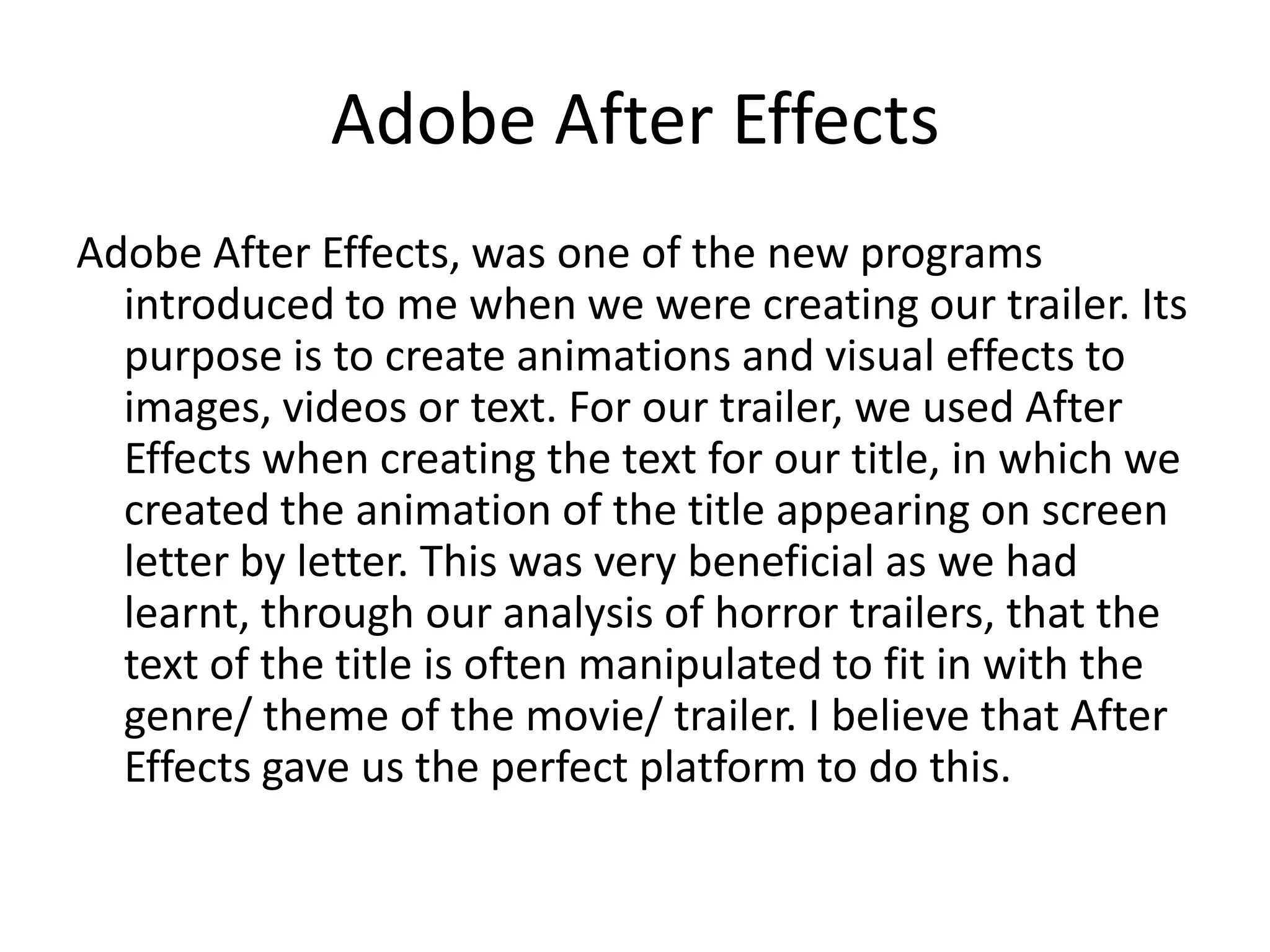
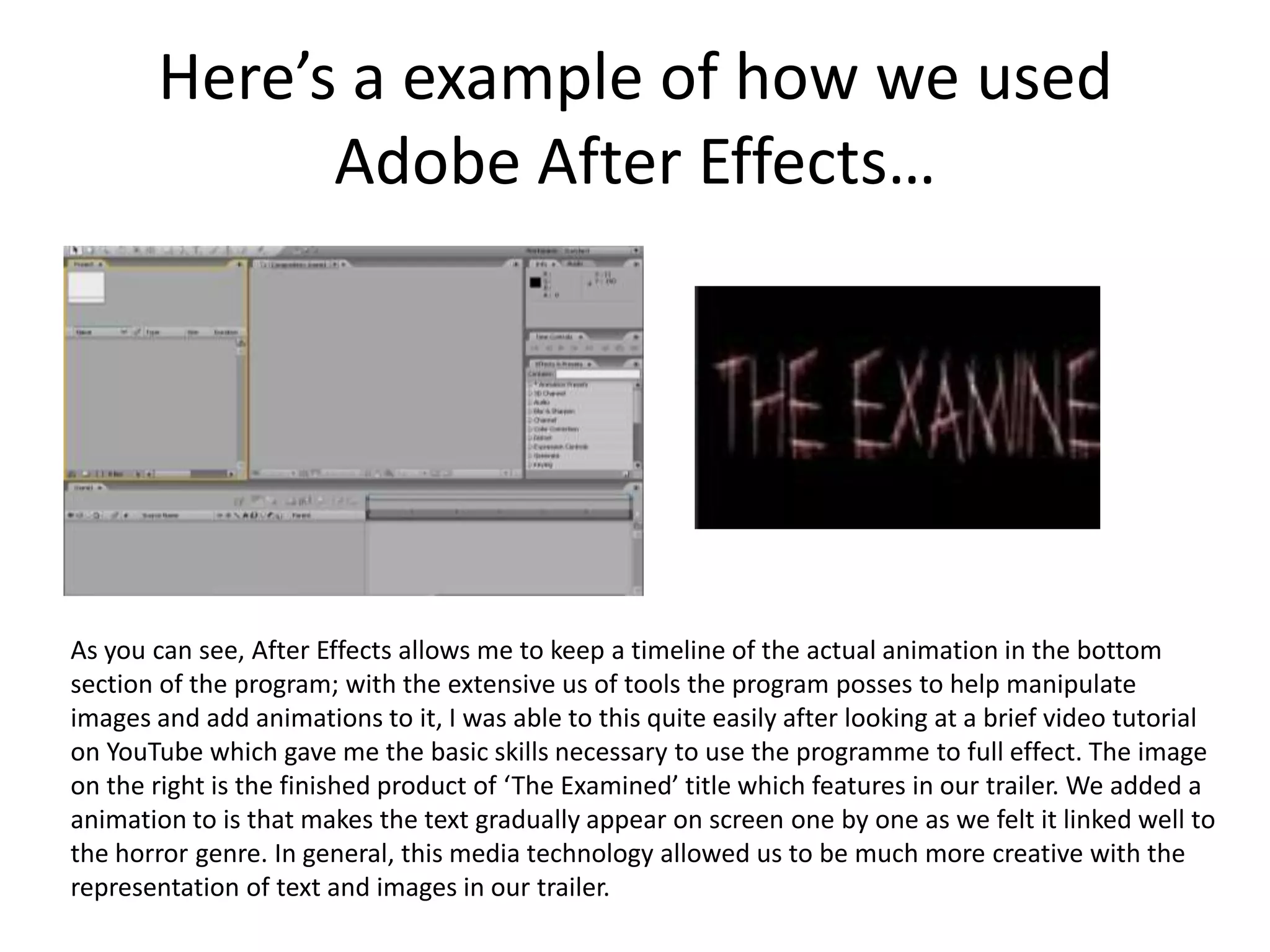
Here’s a example of how we used
             Adobe After Effects…


As you can see, After Effects allows me to keep a timeline of the actual animation in the bottom
section of the program; with the extensive us of tools the program posses to help manipulate
images and add animations to it, I was able to this quite easily after looking at a brief video tutorial
on YouTube which gave me the basic skills necessary to use the programme to full effect. The image
on the right is the finished product of ‘The Examined’ title which features in our trailer. We added a
animation to is that makes the text gradually appear on screen one by one as we felt it linked well to
the horror genre. In general, this media technology allowed us to be much more creative with the
representation of text and images in our trailer.
Prezi
Similarly to SlideShare, Prezi was a digital technology that
  I used throughout each stages of my coursework in
  order to present the research and planning stages, as
  well as helping to answer my evaluation questions. The
  ability to zoom in and out on images and create
  pathways, makes Prezi a really innovative and dynamic
  website which I feel has enhanced the quality of work
  as a result, Although, I was only introduced to Prezi
  recently, I feel that if you keep on using it you will
  eventually understand all its features, features that
  have benefitted me greatly in the presentation of my
  work.
Here’s a example of how I used Prezi…


As you can see, on Prezi you’re presented with a much larger landscape to show your work which
is very easy on the eye. Because there is such a big landscape, when I was presenting two
different topics on one presentation, I was able to create different sections for them and place
them on completely different ends of the background which, due to the combination of using
pathways, gave my presentations a much more dynamic look that is perhaps missing from my
SlideShare presentations, and also made it easier to read which highlights how much I’ve
benefitted from this media technology.
YouTube
YouTube, a website notorious for its video-sharing abilities, was very
   helpful in the research and evaluation stages of my coursework,
   This is because YouTube, allowed me to search up videos that can
   give me more research on a certain subject, E.G. The BFI film ratings
   system which gave me more information on how the BFI go about
   rating certain films. This as a result, helped me and my group on
   what rating to give our own film, and what we should look to
   include and not include in order to fit within that specific rating.
   YouTube, also helped with out audience feedback in the evaluation
   stages, as we were able to get our target audience to like/ dislike
   our trailer, as well as providing us with statistics on how much
   people have watched our trailer, and their age/ gender and country
   they come from. This as a result, helped us see if we were attracting
   our target audience, and also helped us see what secondary
   audience we were attracting.
Here’s a example of how I used
                    YouTube…


This Media Technology as you can see, was very beneficial in helping our trailer not
only provide easy access for our target audience to see., but also made it available to a
wider audience as well which helped us seen the wide scale of specific audiences that
were interested in our trailer/ film. This made it much easier for me to answer
evaluation question 3, as I had a wide range of feedback from many different people
due to YouTube.
FaceBook
FaceBook was very beneficial to us throughout all stages of our
   coursework. With FaceBook, we were abkle to use the Film’s Cool
   place as a platform for creating the emotional hook/ themes of our
   trailer, throuigh discussions on FaceBook and also industry
   professionals (who also gave us feedback on our magazine covers,
   movie posters and trailers via FaceBook). As well as this, because
   FaceBook is used by a sizable number of adolescents, we used the
   website in order to gain feedback from our target audience and to
   set up a Examined FaceBook page to help with our marketing
   strategy. Because of this, we gained a lot of feedback from our
   chosen target audience on the things were doing right, and the
   things we should improve on. This was very beneficial as coming
   from our target audience, this was the type of feedback we needed
   in order to make our trailer fit within their needs and wants.
Here’s a example of how I used
          FaceBook…
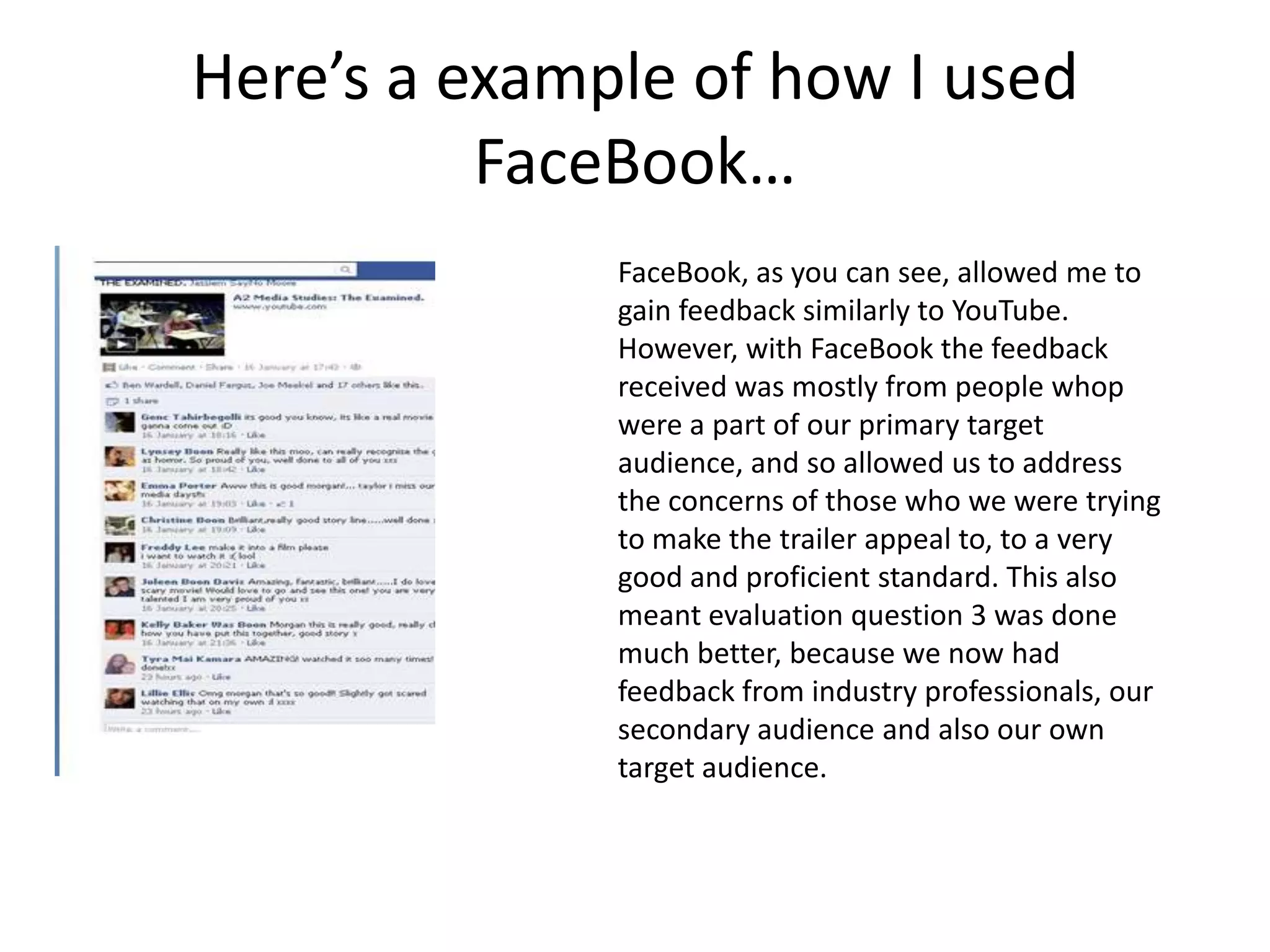
              FaceBook, as you can see, allowed me to
              gain feedback similarly to YouTube.
              However, with FaceBook the feedback
              received was mostly from people whop
              were a part of our primary target
              audience, and so allowed us to address
              the concerns of those who we were trying
              to make the trailer appeal to, to a very
              good and proficient standard. This also
              meant evaluation question 3 was done
              much better, because we now had
              feedback from industry professionals, our
              secondary audience and also our own
              target audience.
In Conclusion….
If I think about what it would’ve been like if I didn’t
   have access to these media technologies, it
   makes me see how much I have benefitted from
   the use of them. Without them, my research and
   planning of my coursework would be very
   limited, which as a result would effect all the
   other stages of my work greatly. However, by
   using media technologies I have been able to not
   only express and show my work in really dynamic
   ways, I have also been able to create my products
   using professional programmes which has
   enhanced the quality of my finals products.

Ev4

  • 1.
    Evaluation Question 4:Media Technologies - How did you use Media technologies in the construction, research, planning and evaluation stages? Throughout the coursework, I have used a range of media technologies which have helped me greatly in the construction, research, planning and evaluation stages of my coursework. Each of these technologies have different functions, which as a result has helped me with many different aspects of the coursework. Here is a list of those media technologies and what they have helped me with, with examples provided….
  • 2.
    Celtx is aadvanced program designed for filmmakers to use to design and write screenplays, it is very popular due to the various features it has and its professionalism. In regards to my work, Celtx has helped me greatly in the planning stages of my work as, unlike with previous work I done last year writing scripts in which I done very hastily on a peace of paper, Celtx allowed me to draw up a storyboard on it, and then convert that into a actual script in which it allowed you to work with attention to detail. Furthermore, through Celtx I was even able to write up characters background which not only made things much easier for our actors when it came to filming, it also allowed me to think about ways in which I could develop characters background story’s in order to further emphasize the emotional hook of our film. Moreover, we were also able to organize a filming schedule on Celtx which meant we worked proficiently and to a good standard as we had everything organized for a certain day in advance, and also meant we were good at keeping deadlines.
  • 3.
    Here’s a exampleof how I used Celtx….. As you can see, this media technology was very advanced and allowed us a group to organize our work which made things much easier, also the fact it had features like ‘day headings, locations, characters names in red and props in purple, meant that it was much easier to write up and to actually read for our actors, which therefore not only benefitted us in the planning stage, but also helped us greatly when it came to filming
  • 4.
    Photoshop Photoshop was aprogram that I had already used previously and so was very easy for me to use, however I still feel that I was able to develop my skills even more. Photoshop, a software that specializes in picture editing/ manipulation, was very helpful when it came to the creative side of my coursework. This is because Photoshop allowed me to do things like manipulate layers and images, by changing the brightness on certain images, changing color and gradient levels, and also adding borders and images in order to give my ancillary texts, like my horror magazine, movie poster and credits a much more professional look.
  • 5.
    Here’s a exampleof how I used Photoshop…. The first two images shows examples of the creative process of actually creating the logo for our production company, and some of the features I use in order to create such a deranged and chilling look for the logo which links to the genre, thus highlighting how this media technology was very beneficial in the creative process. Also, the two bottom images shows the finished versions of ‘The Examined’ poster and magazine cover, which were both made using Photoshop; In which the extensive features that Photoshop posses proved to be very beneficial to me.
  • 6.
    Blogger Throughout the creationprocess, I have used blogger, as I saw it as a perfect platform to showcase my work, and highlight the gradual progress of our product. In a way, blogger has acted as my online diary, in which I have made sure to frequently update, with any new developments that have occurred regarding my work. Also, blogger has helped me store information about the research and planning process I have been through, which has made it easier to look back on that process and implement my ideas from there into my final product (trailer). I was already quite aware of how to use blogger, due to using it for my coursework last year and also due to the fact I already own my own blog on the website. Because of that I had no problems using it.
  • 7.
    Here’s a exampleof how I used blogger…. As you can see, this media technology has helped me with all stages of my work as I have been able to use it to store and evaluate each stage of my work which has benefitted me greatly. Blogger is also another form of way to get feedback on your posts, which can be very beneficial in helping you see what you’re doing right, and what you’re doing wrong.
  • 8.
    iMovie I had previouslyused a editing software (final cut), and although iMovie isn't as sophisticated as final cut, I still believe it was a very good quality and professional program which was very easy to use, but at the same time very advanced. iMovie allowed us to cut our footage, slow down the speed of shots of make them faster, add text to enhance the story, and also allowed us to string our story along nicely.
  • 9.
    Here’s a exampleof iMovie…. As you can see, iMovie allows me to store all my footage recorded in the bottom section of the program, which then allows me to view all clips and decide which ones are the best shpts to go into the trailer. As well as this, as you can it also has various features; like the use of adding text, music, images which I used frequently during the editing process. As well as this, because we had feedback telling us our trailer wasn’t good, through iMovie we were able to save our project and start a new one and then see which one looked better which was very beneficial in allowing us to evaluate and compare our own work. All in all, iMovie proved to be a very valuable asset for us.
  • 10.
    Garage Band Garage Band,very similar to what Photoshop does with pictures, allowed us to edit any sound or music we used in our trailer by manipulating the sound in many different ways in which Garage Band allowed us to do. We were able to do things like, rerecord any sound that may have been bad in quality, manipulate voices by making them deeper & creating a echo, and also allowed us to cut down the length of our sound clips.
  • 11.
    Here’s a exampleof how we used Garage Band… The setup of Garage Band was very similar to iMovie, in that I was able to put all my music clips at the bottom end of the program, and the was able to select certain bits from the music to edit at the top. The side bare of the program featured many editing features, which I uses to manipulate the sound of my music clips; whether that was editing the pitch of someone’s voice, or amplifying the sound of the music. Because of this, I enjoyed using Garage Band a lot and found it very beneficial.
  • 12.
    SlideShare SlideShare was used,in order to help me present my work in a which wasn’t heavily text based and so was much easier to use and presented my work in a much more professional way. SlideShare was very helpful throughout my course which can be seen by the fact I have used it frequently, and especially in my evaluation questions, where I feel the overall quality of my responses to the questions asked were improved due to the fact I was able to do it in a presentation format.
  • 13.
    Here’s a exampleof how I used SlideShare… As you can see, with SlideShare I was able to use presentation software Photoshop and then upload my presentation for this evaluation question on to SlideShare, which therefore also highlights the fact I have combined and collaborated between two media technologies. Also as you can see, this has improved the actual quality of my work as it is much easier to read, and easier on the eye than it would be if it was just text based. As a result, I feel that this media technology has benefitted me greatly
  • 14.
    Adobe After Effects AdobeAfter Effects, was one of the new programs introduced to me when we were creating our trailer. Its purpose is to create animations and visual effects to images, videos or text. For our trailer, we used After Effects when creating the text for our title, in which we created the animation of the title appearing on screen letter by letter. This was very beneficial as we had learnt, through our analysis of horror trailers, that the text of the title is often manipulated to fit in with the genre/ theme of the movie/ trailer. I believe that After Effects gave us the perfect platform to do this.
  • 15.
    Here’s a exampleof how we used Adobe After Effects… As you can see, After Effects allows me to keep a timeline of the actual animation in the bottom section of the program; with the extensive us of tools the program posses to help manipulate images and add animations to it, I was able to this quite easily after looking at a brief video tutorial on YouTube which gave me the basic skills necessary to use the programme to full effect. The image on the right is the finished product of ‘The Examined’ title which features in our trailer. We added a animation to is that makes the text gradually appear on screen one by one as we felt it linked well to the horror genre. In general, this media technology allowed us to be much more creative with the representation of text and images in our trailer.
  • 16.
    Prezi Similarly to SlideShare,Prezi was a digital technology that I used throughout each stages of my coursework in order to present the research and planning stages, as well as helping to answer my evaluation questions. The ability to zoom in and out on images and create pathways, makes Prezi a really innovative and dynamic website which I feel has enhanced the quality of work as a result, Although, I was only introduced to Prezi recently, I feel that if you keep on using it you will eventually understand all its features, features that have benefitted me greatly in the presentation of my work.
  • 17.
    Here’s a exampleof how I used Prezi… As you can see, on Prezi you’re presented with a much larger landscape to show your work which is very easy on the eye. Because there is such a big landscape, when I was presenting two different topics on one presentation, I was able to create different sections for them and place them on completely different ends of the background which, due to the combination of using pathways, gave my presentations a much more dynamic look that is perhaps missing from my SlideShare presentations, and also made it easier to read which highlights how much I’ve benefitted from this media technology.
  • 18.
    YouTube YouTube, a websitenotorious for its video-sharing abilities, was very helpful in the research and evaluation stages of my coursework, This is because YouTube, allowed me to search up videos that can give me more research on a certain subject, E.G. The BFI film ratings system which gave me more information on how the BFI go about rating certain films. This as a result, helped me and my group on what rating to give our own film, and what we should look to include and not include in order to fit within that specific rating. YouTube, also helped with out audience feedback in the evaluation stages, as we were able to get our target audience to like/ dislike our trailer, as well as providing us with statistics on how much people have watched our trailer, and their age/ gender and country they come from. This as a result, helped us see if we were attracting our target audience, and also helped us see what secondary audience we were attracting.
  • 19.
    Here’s a exampleof how I used YouTube… This Media Technology as you can see, was very beneficial in helping our trailer not only provide easy access for our target audience to see., but also made it available to a wider audience as well which helped us seen the wide scale of specific audiences that were interested in our trailer/ film. This made it much easier for me to answer evaluation question 3, as I had a wide range of feedback from many different people due to YouTube.
  • 20.
    FaceBook FaceBook was verybeneficial to us throughout all stages of our coursework. With FaceBook, we were abkle to use the Film’s Cool place as a platform for creating the emotional hook/ themes of our trailer, throuigh discussions on FaceBook and also industry professionals (who also gave us feedback on our magazine covers, movie posters and trailers via FaceBook). As well as this, because FaceBook is used by a sizable number of adolescents, we used the website in order to gain feedback from our target audience and to set up a Examined FaceBook page to help with our marketing strategy. Because of this, we gained a lot of feedback from our chosen target audience on the things were doing right, and the things we should improve on. This was very beneficial as coming from our target audience, this was the type of feedback we needed in order to make our trailer fit within their needs and wants.
  • 21.
    Here’s a exampleof how I used FaceBook… FaceBook, as you can see, allowed me to gain feedback similarly to YouTube. However, with FaceBook the feedback received was mostly from people whop were a part of our primary target audience, and so allowed us to address the concerns of those who we were trying to make the trailer appeal to, to a very good and proficient standard. This also meant evaluation question 3 was done much better, because we now had feedback from industry professionals, our secondary audience and also our own target audience.
  • 22.
    In Conclusion…. If Ithink about what it would’ve been like if I didn’t have access to these media technologies, it makes me see how much I have benefitted from the use of them. Without them, my research and planning of my coursework would be very limited, which as a result would effect all the other stages of my work greatly. However, by using media technologies I have been able to not only express and show my work in really dynamic ways, I have also been able to create my products using professional programmes which has enhanced the quality of my finals products.