POCKET 
WEBGL
What is WebGL? 
Khronos 
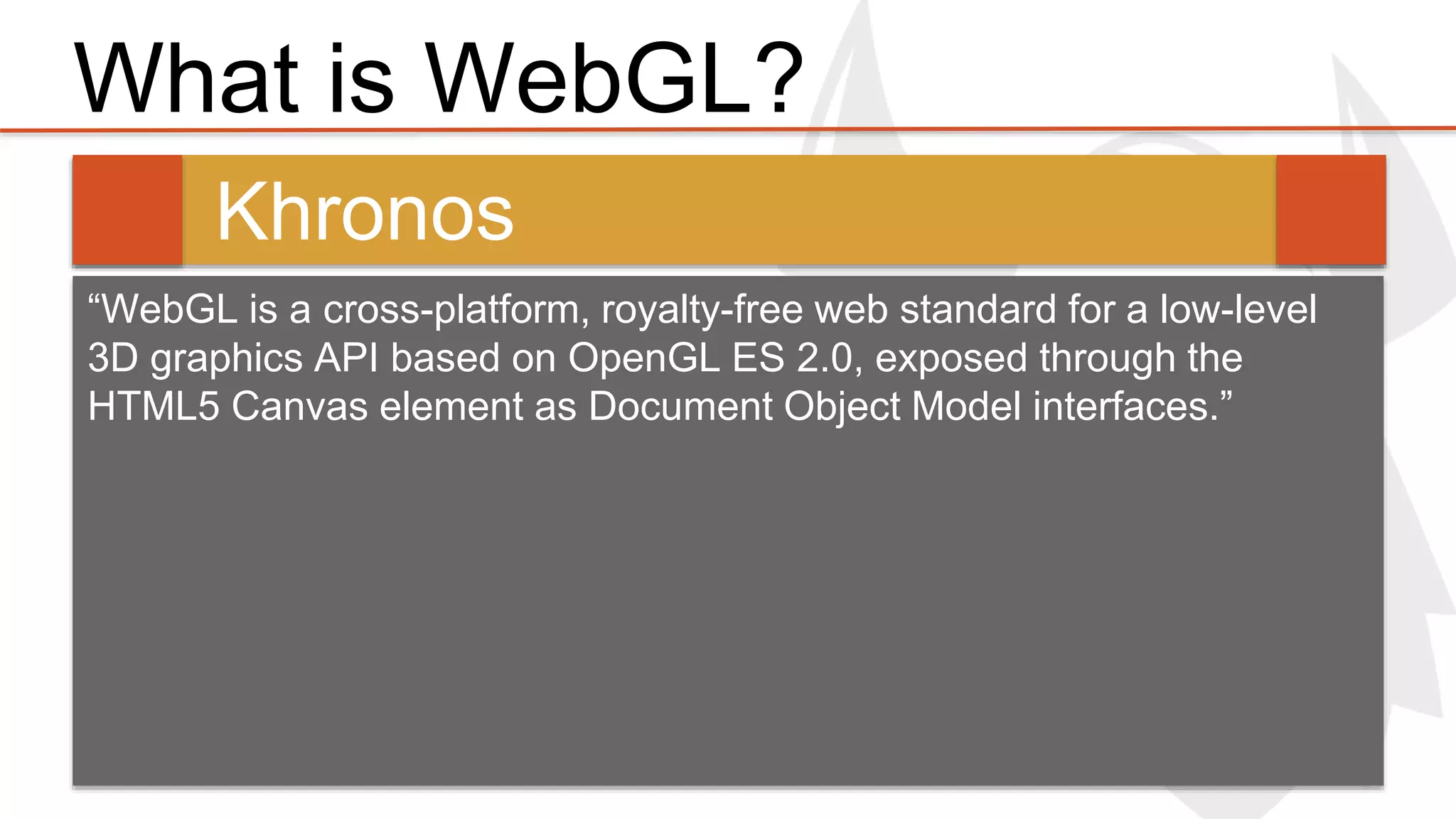
“WebGL is a cross-platform, royalty-free web standard for a low-level 
3D graphics API based on OpenGL ES 2.0, exposed through the 
HTML5 Canvas element as Document Object Model interfaces.”
Why do we want WebGL? 
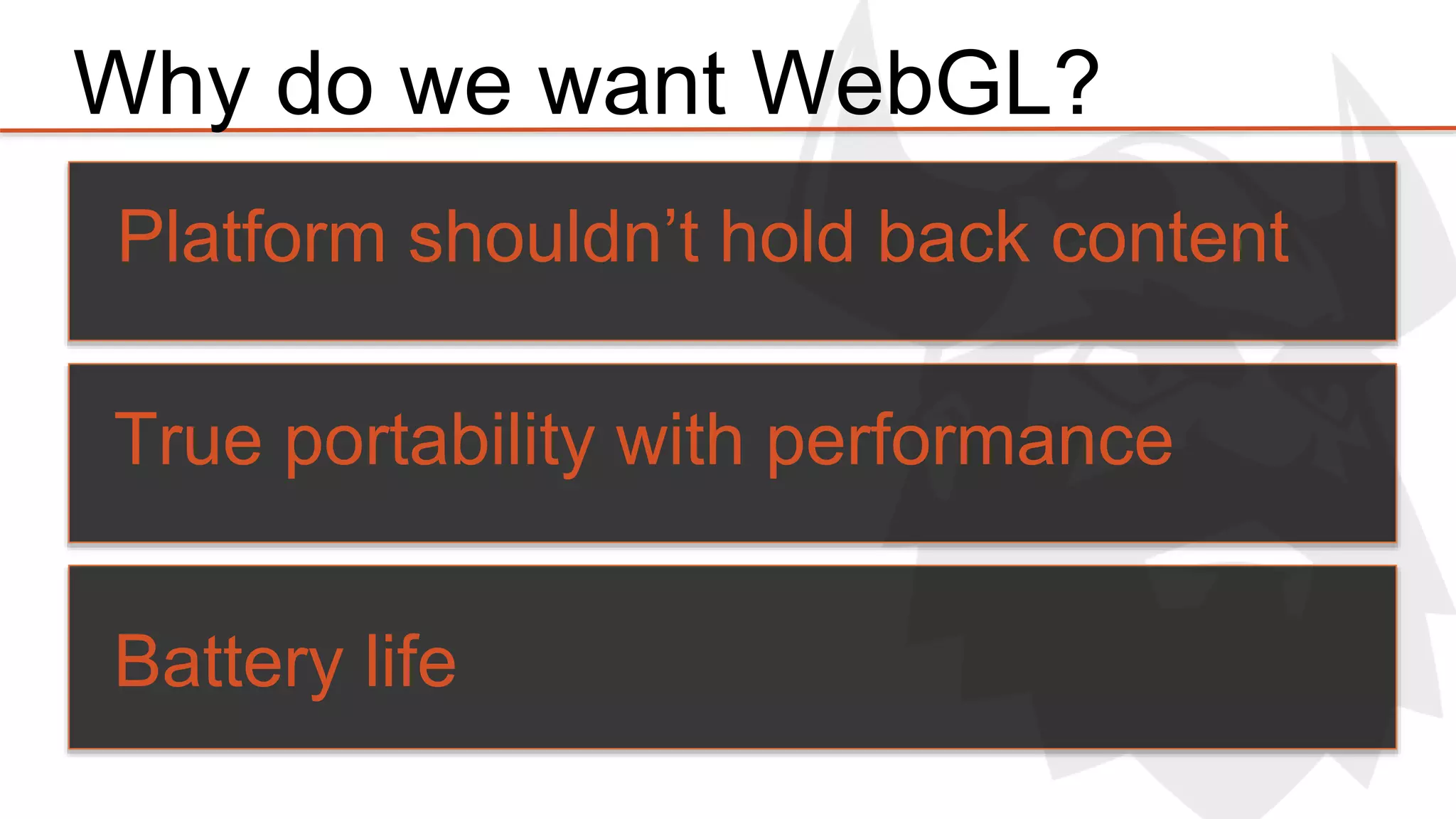
Platform shouldn’t hold back content 
True portability with performance 
Battery life
HELLO WEBGL
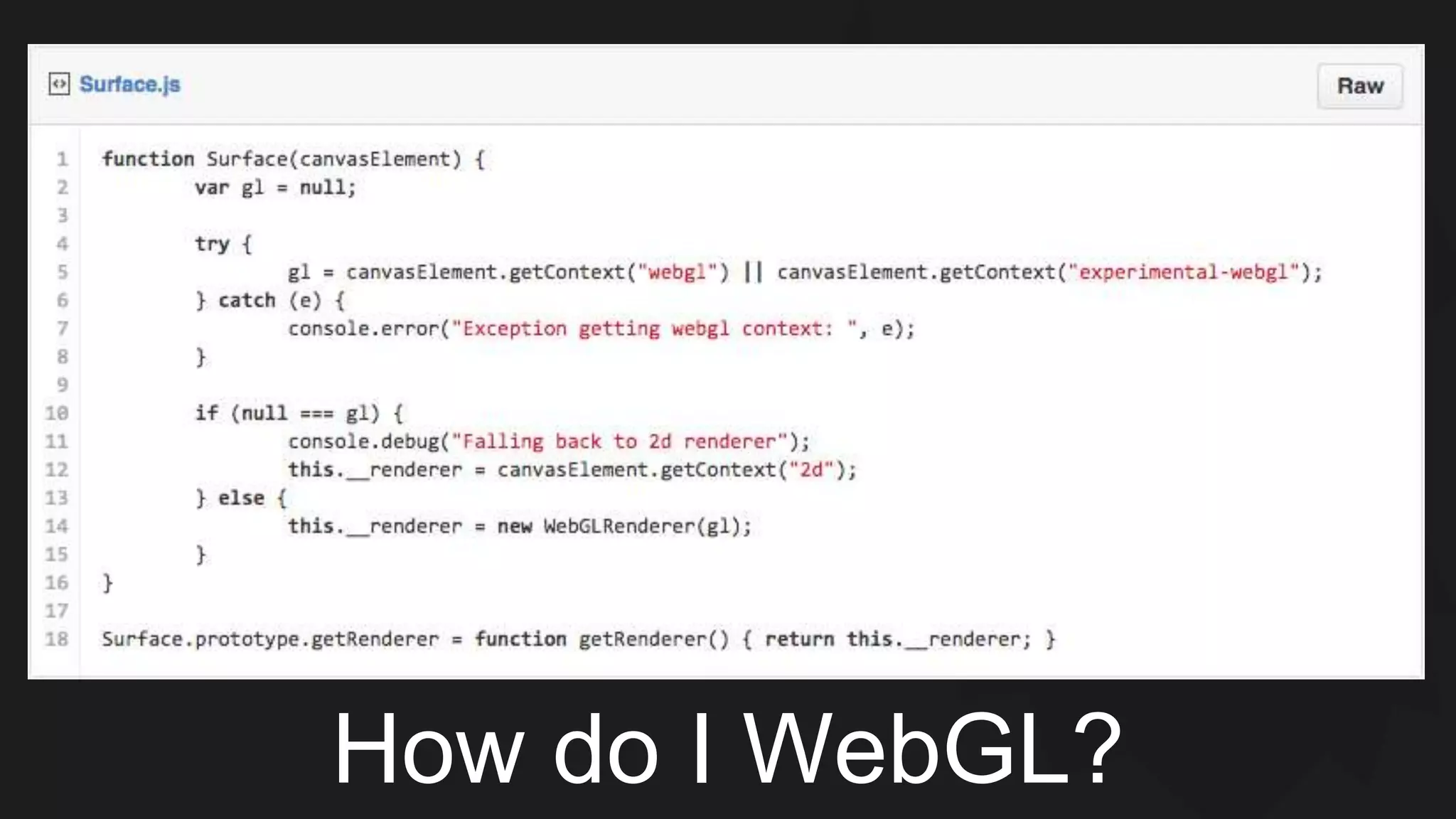
How do I WebGL?
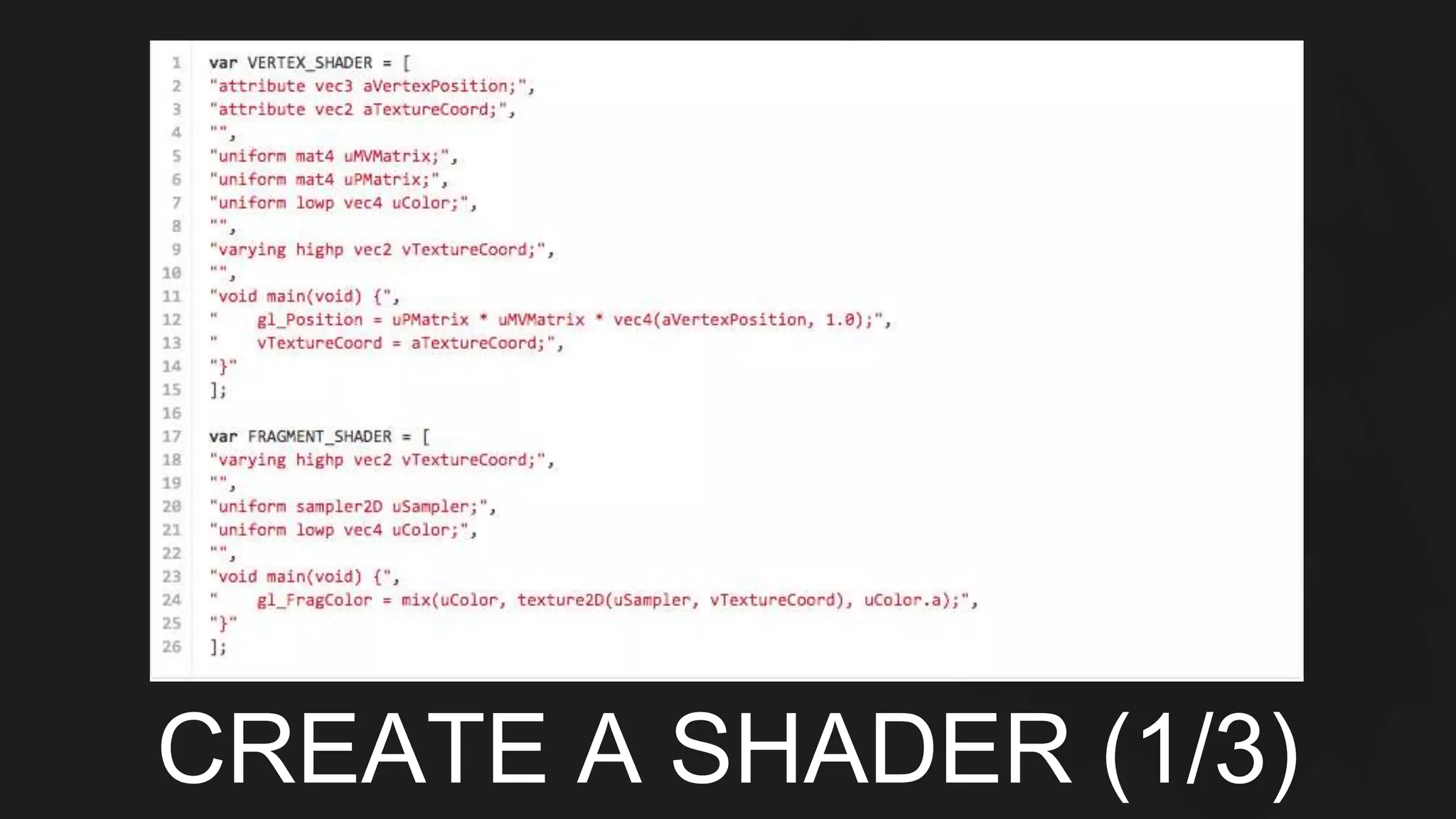
CREATE A SHADER (1/3)
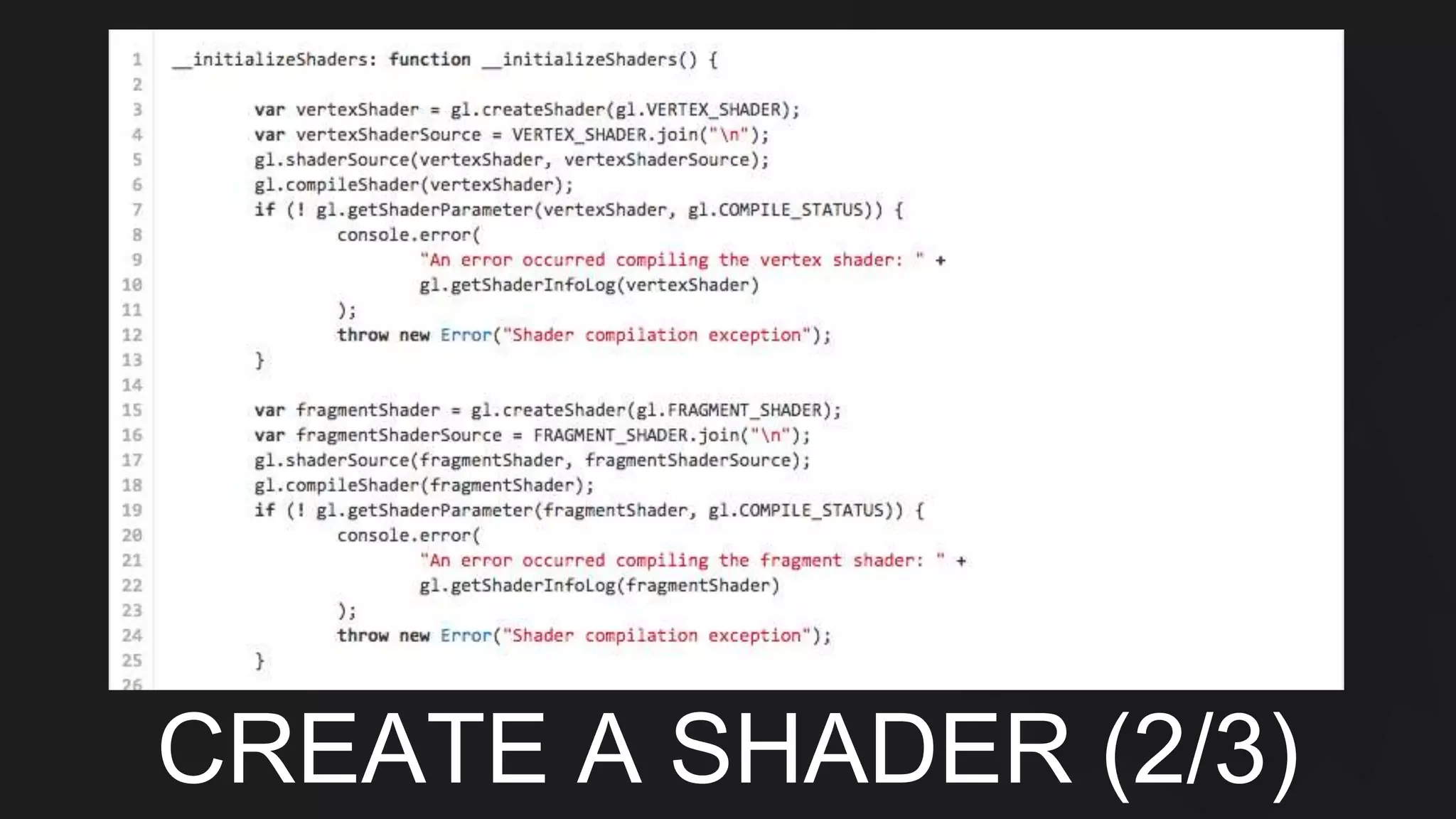
CREATE A SHADER (2/3)
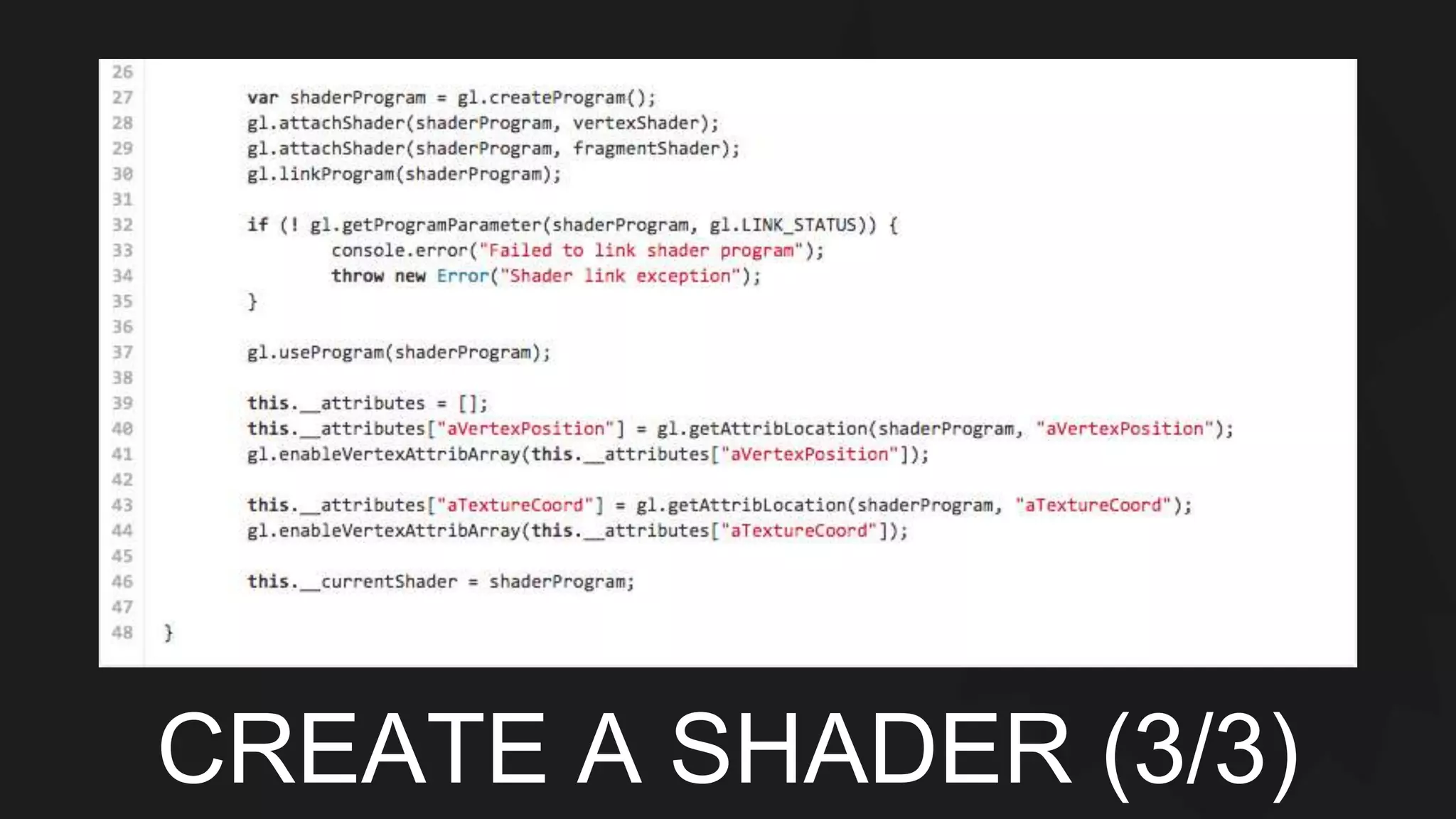
CREATE A SHADER (3/3)
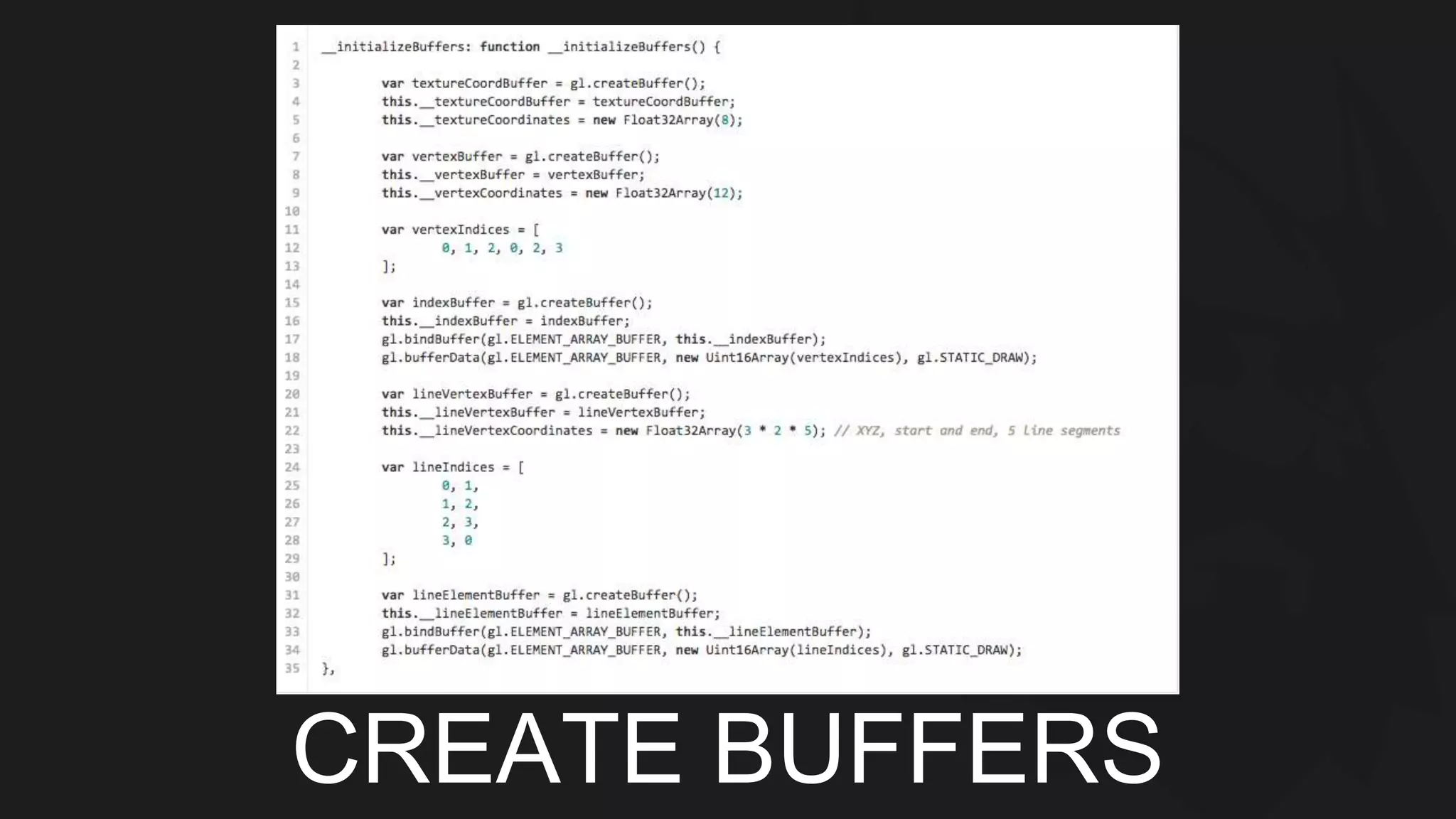
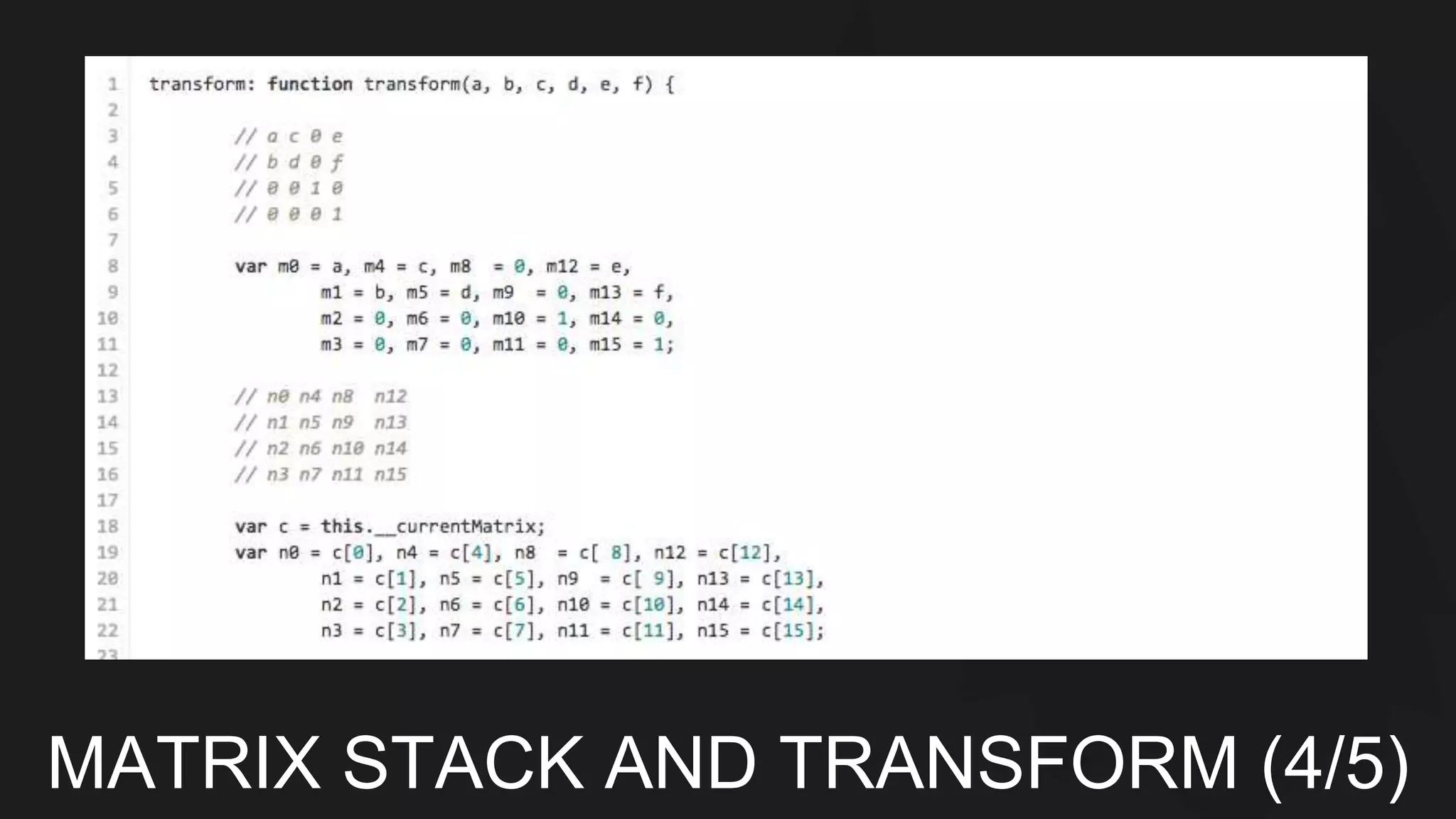
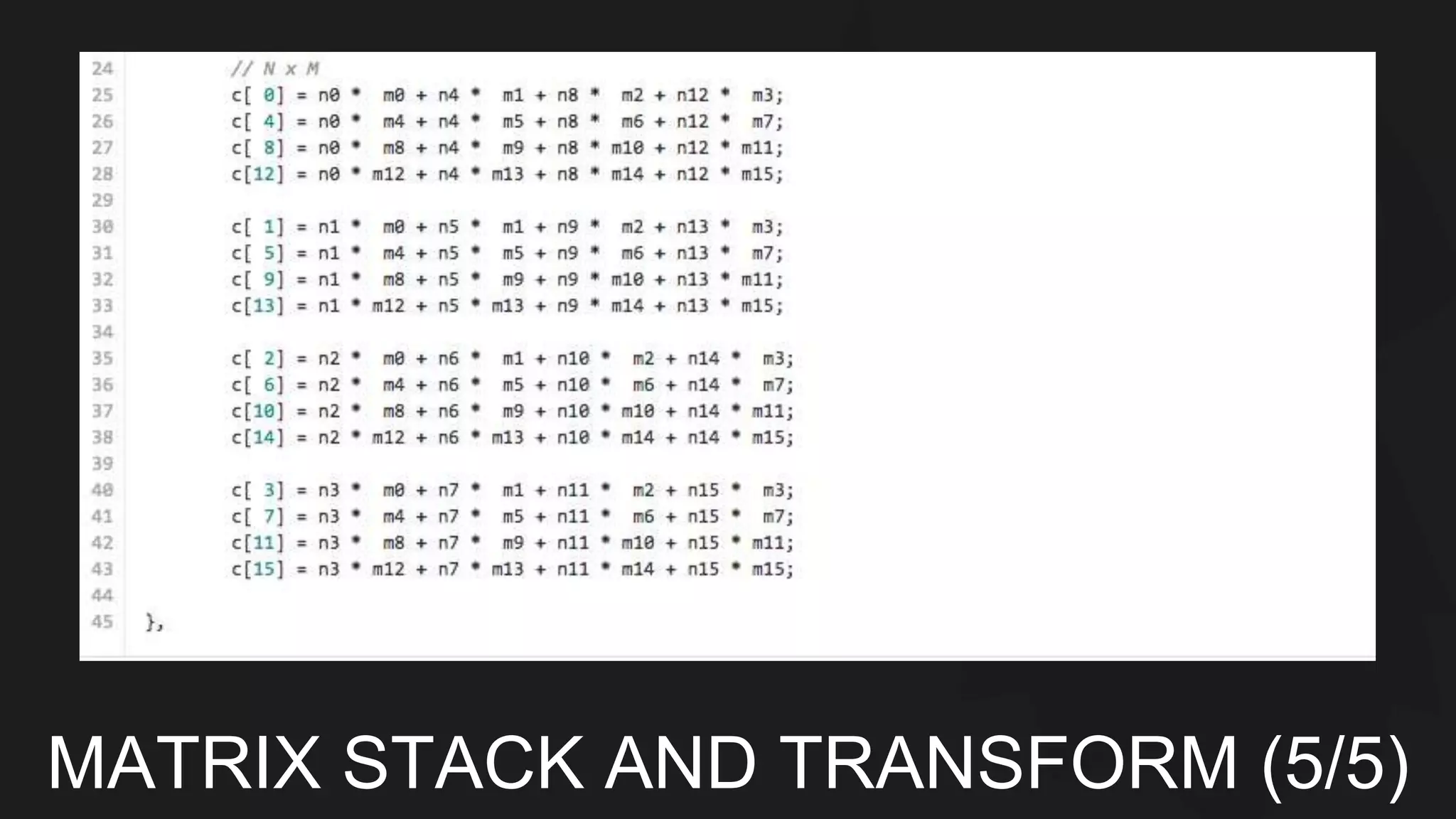
CREATE BUFFERS
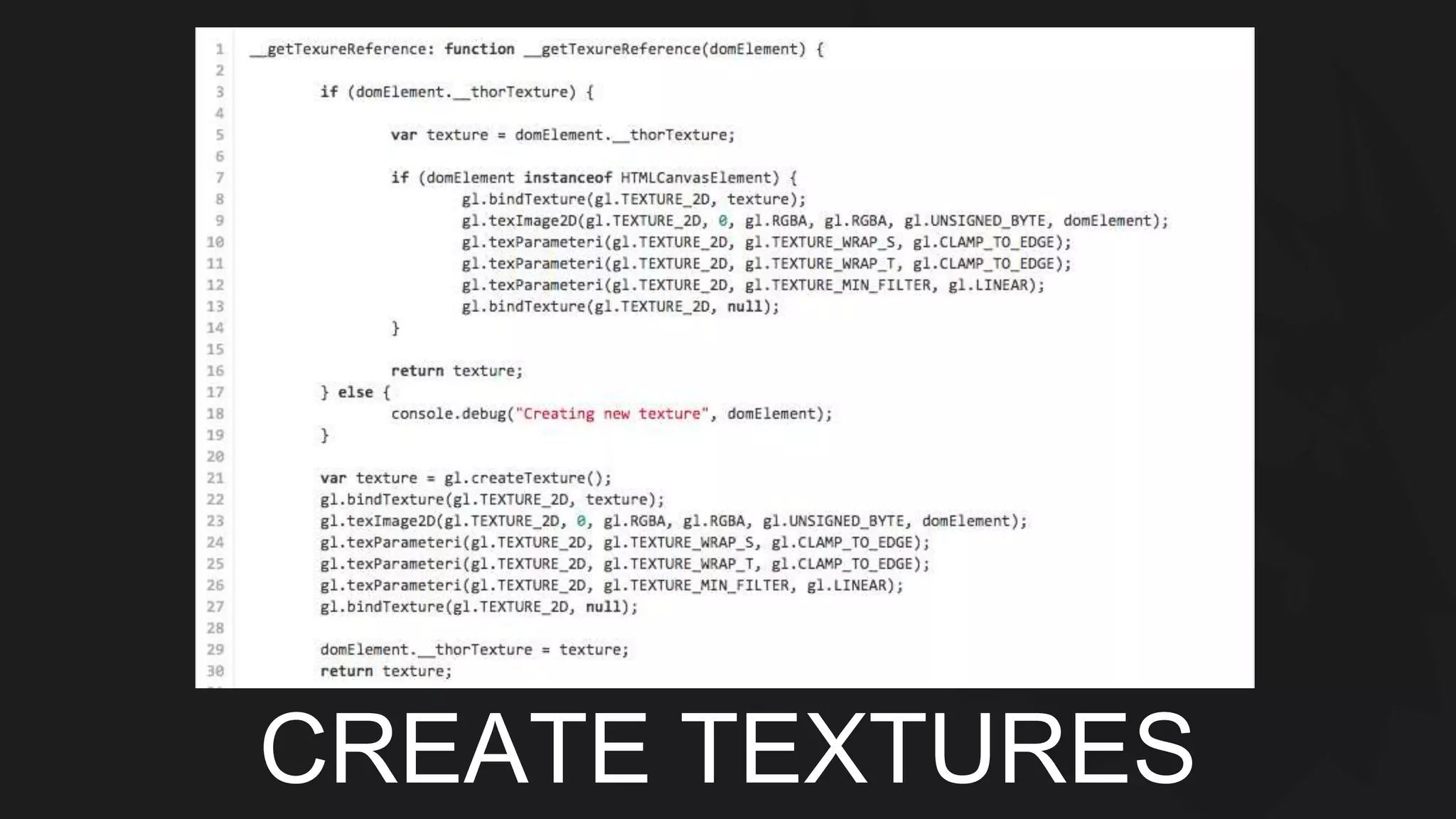
CREATE TEXTURES
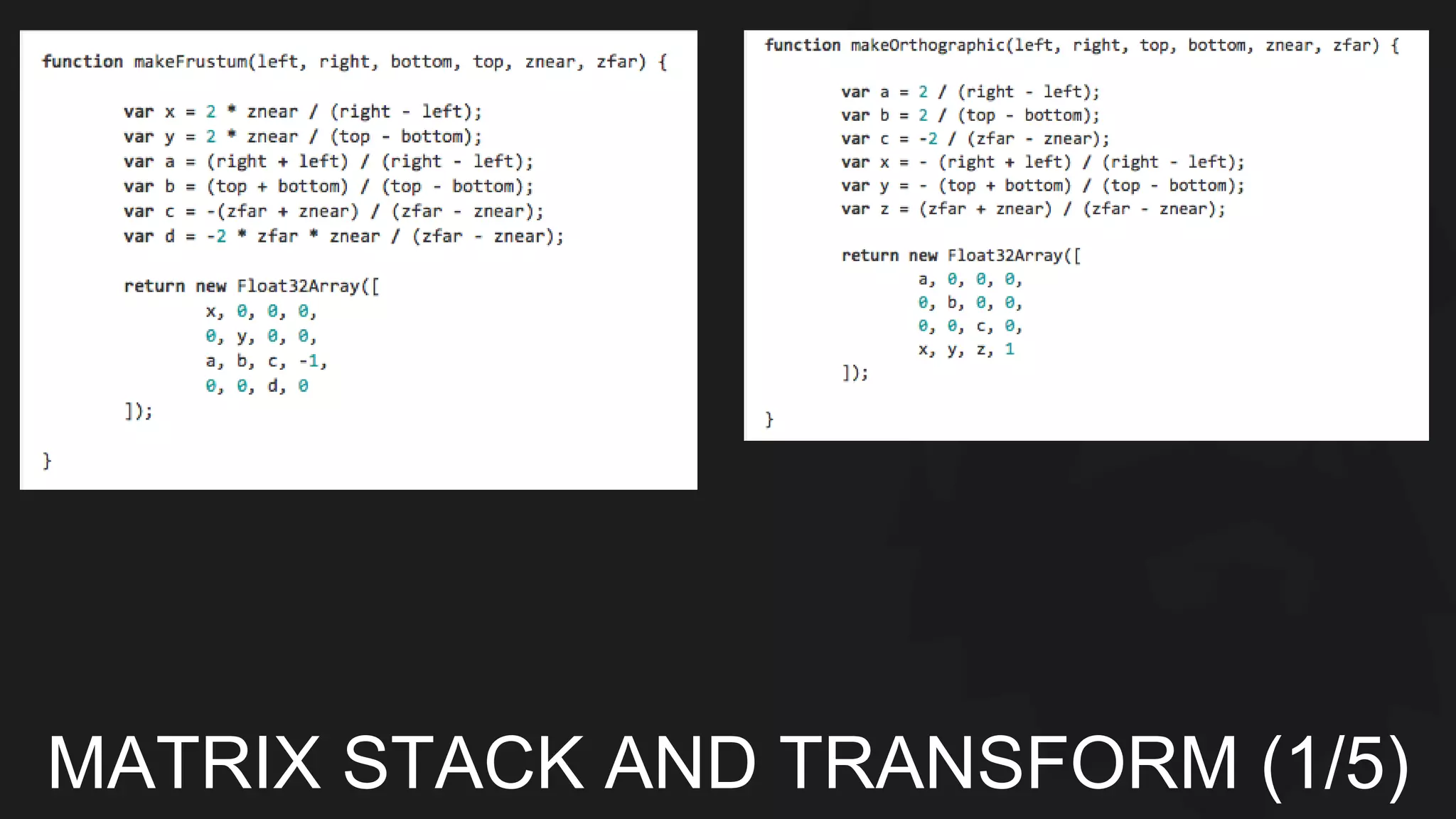
MATRIX STACK AND TRANSFORM (1/5)
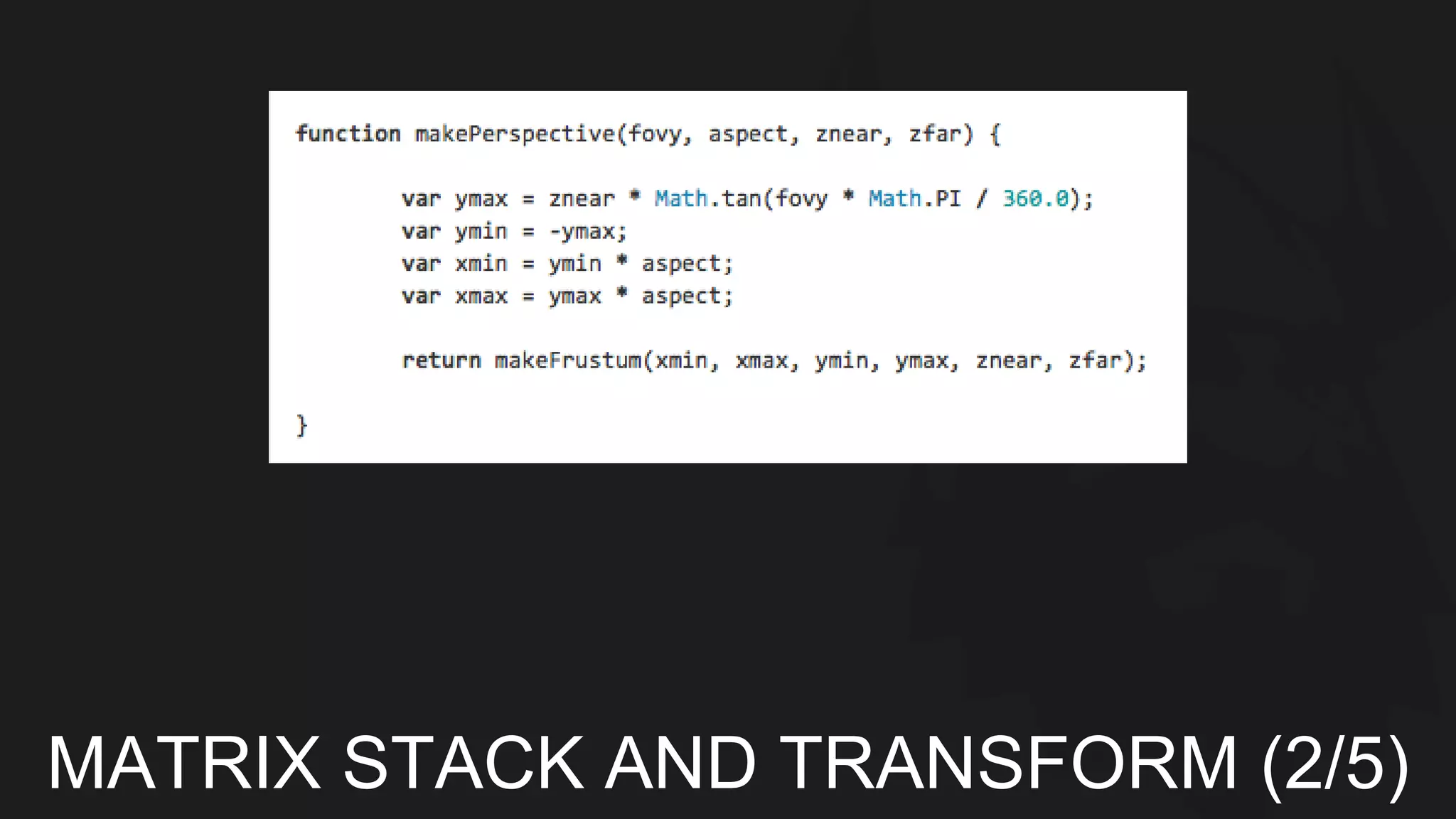
MATRIX STACK AND TRANSFORM (2/5)
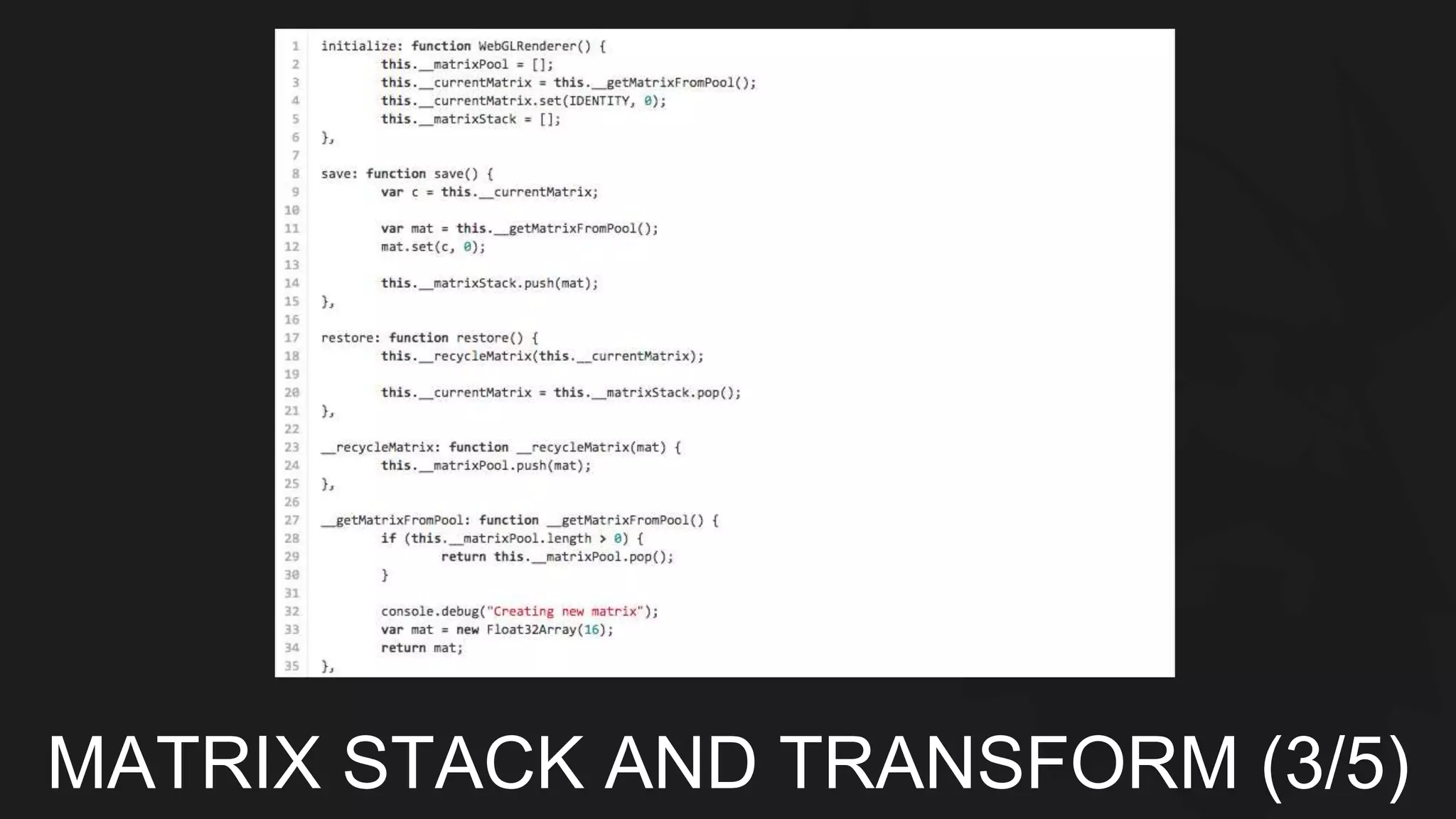
MATRIX STACK AND TRANSFORM (3/5)
MATRIX STACK AND TRANSFORM (4/5)
MATRIX STACK AND TRANSFORM (5/5)
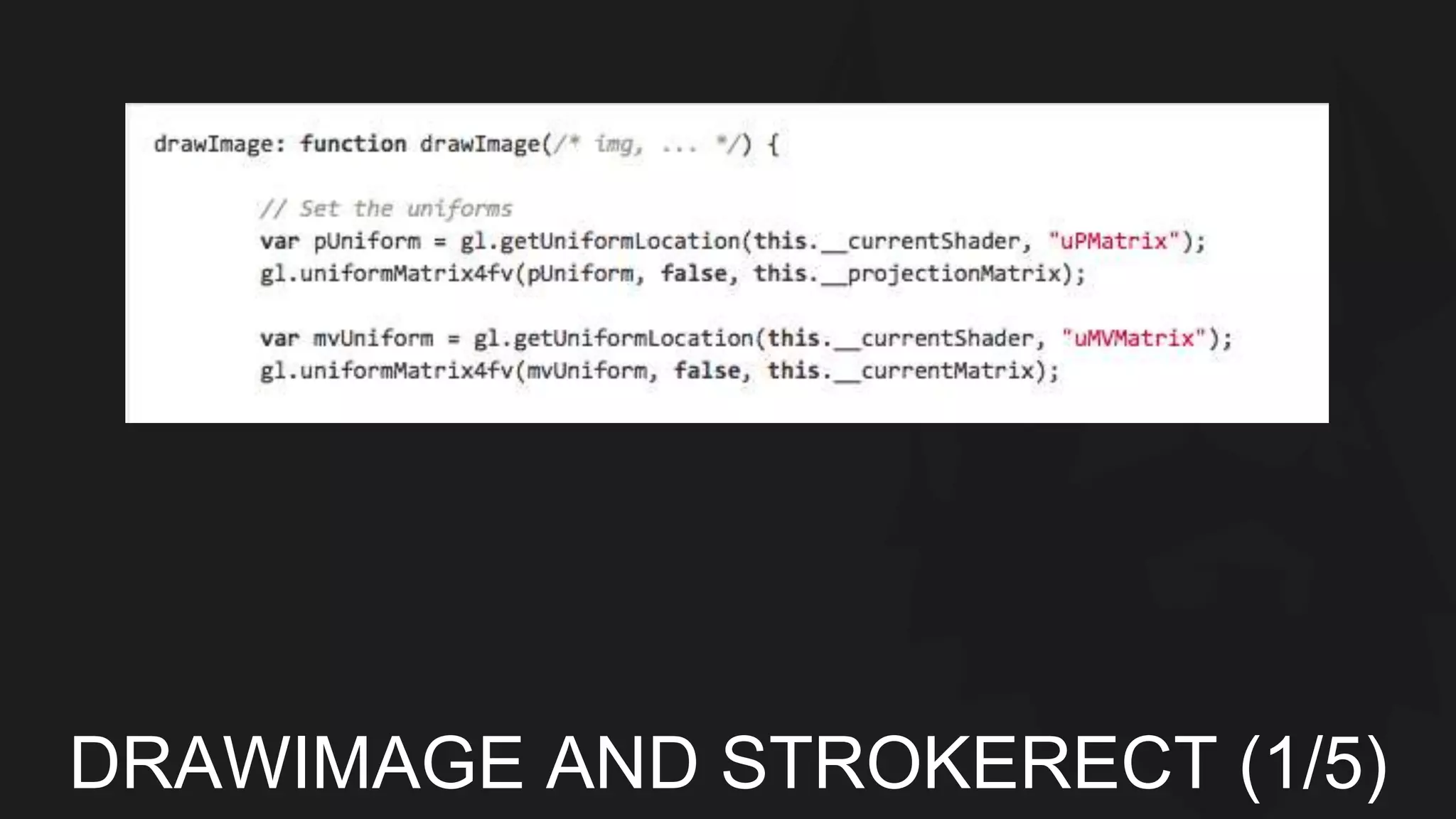
DRAWIMAGE AND STROKERECT (1/5)
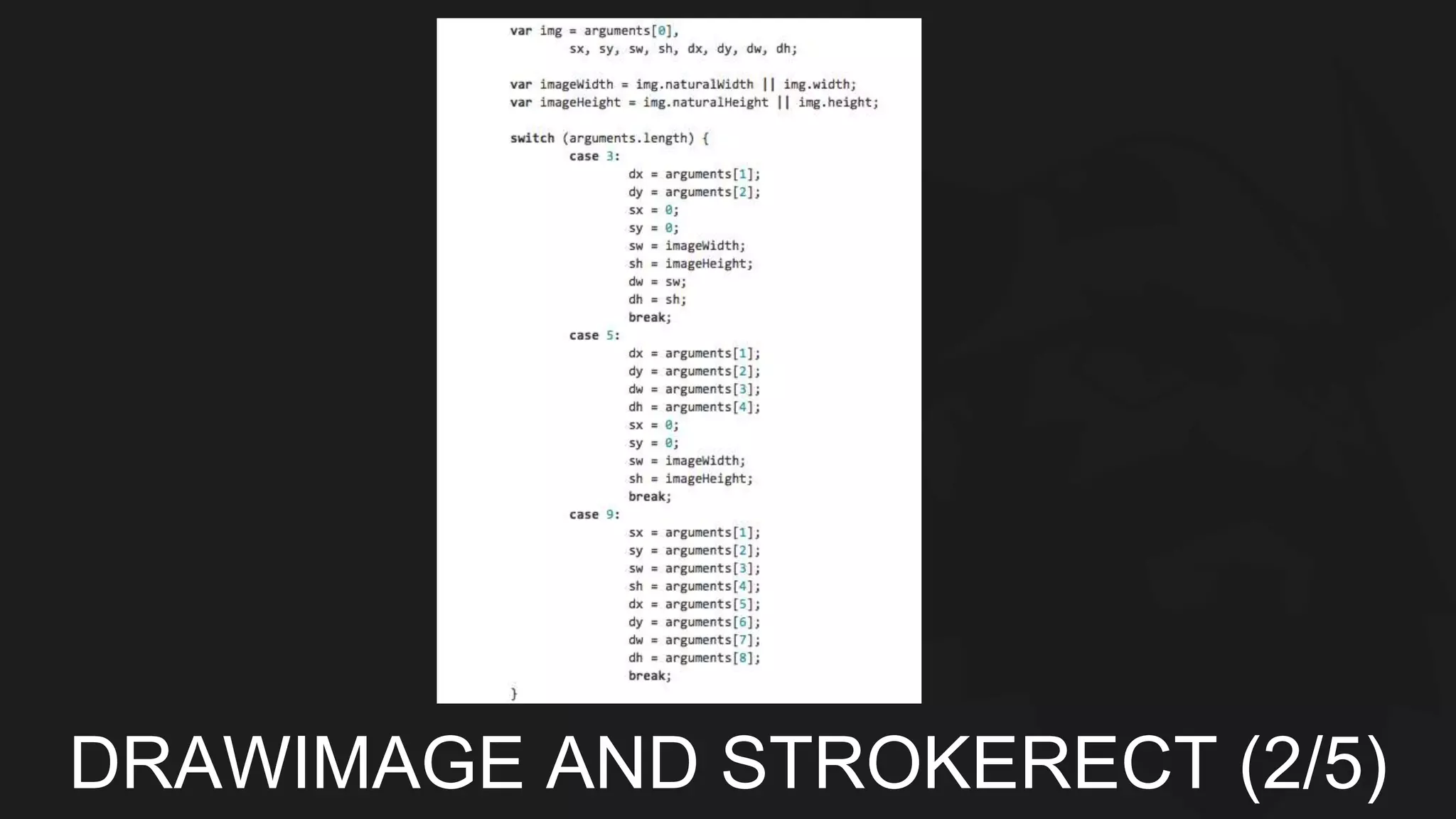
DRAWIMAGE AND STROKERECT (2/5)
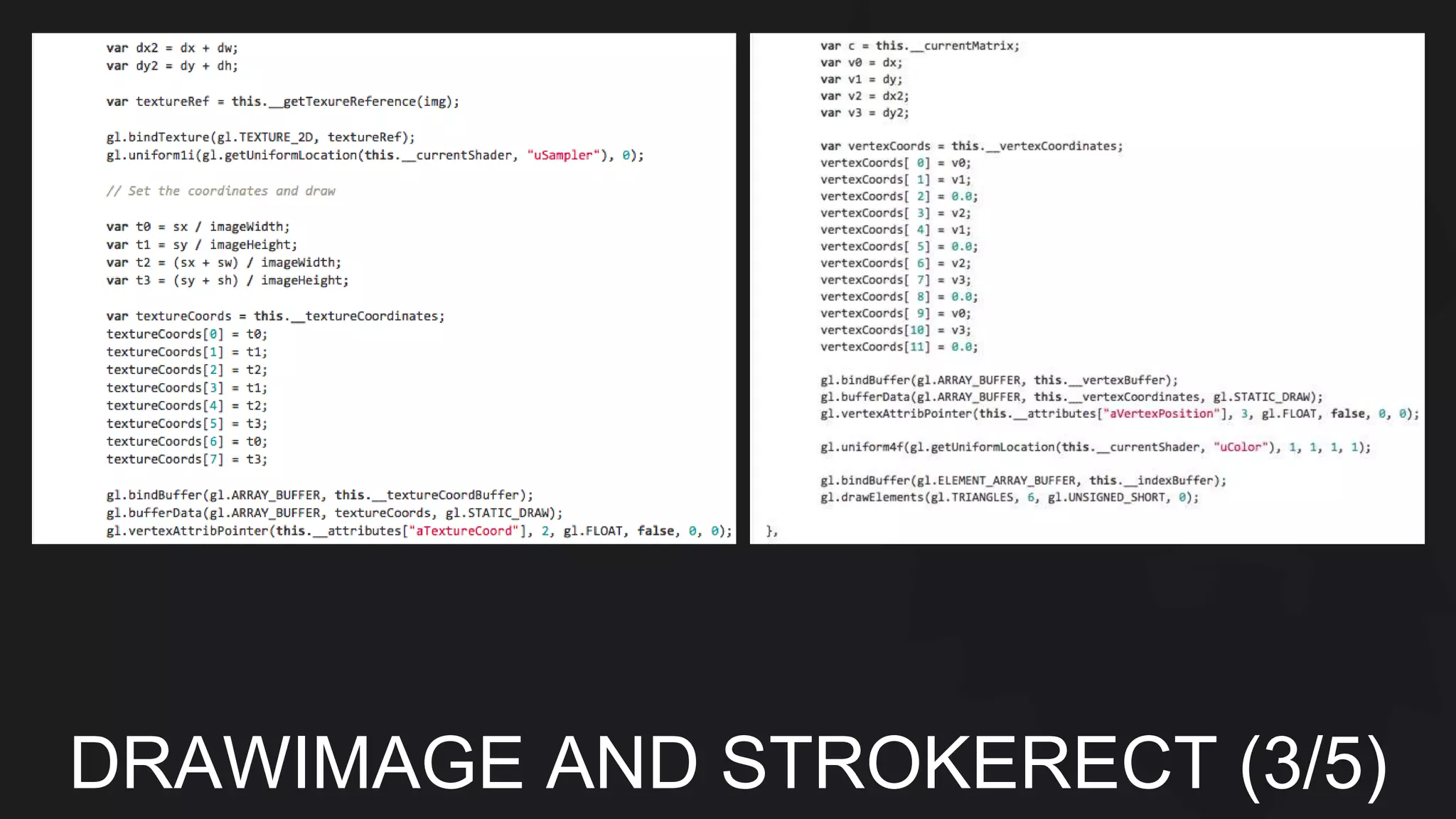
DRAWIMAGE AND STROKERECT (3/5)
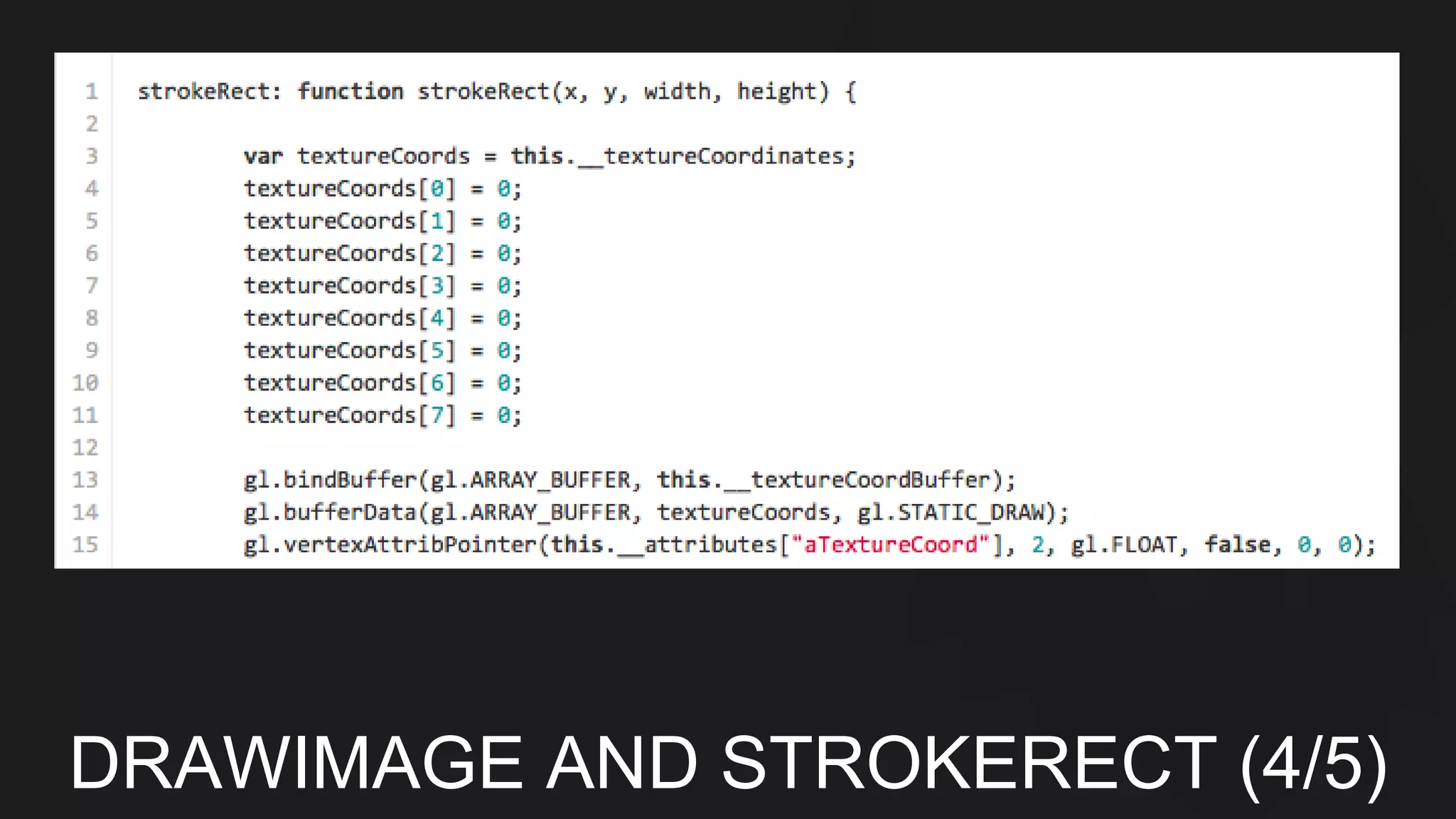
DRAWIMAGE AND STROKERECT (4/5)
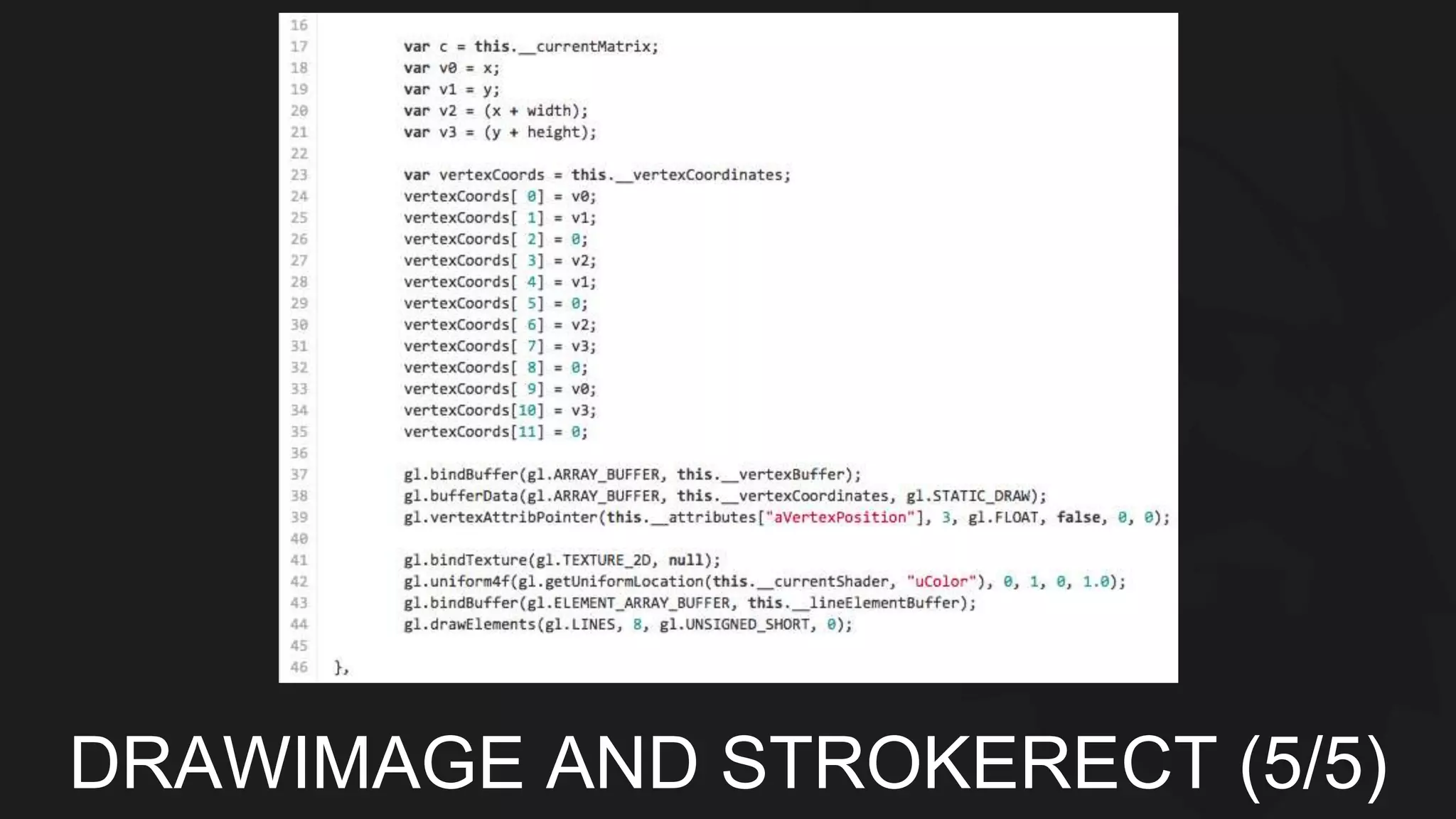
DRAWIMAGE AND STROKERECT (5/5)
PROFILING
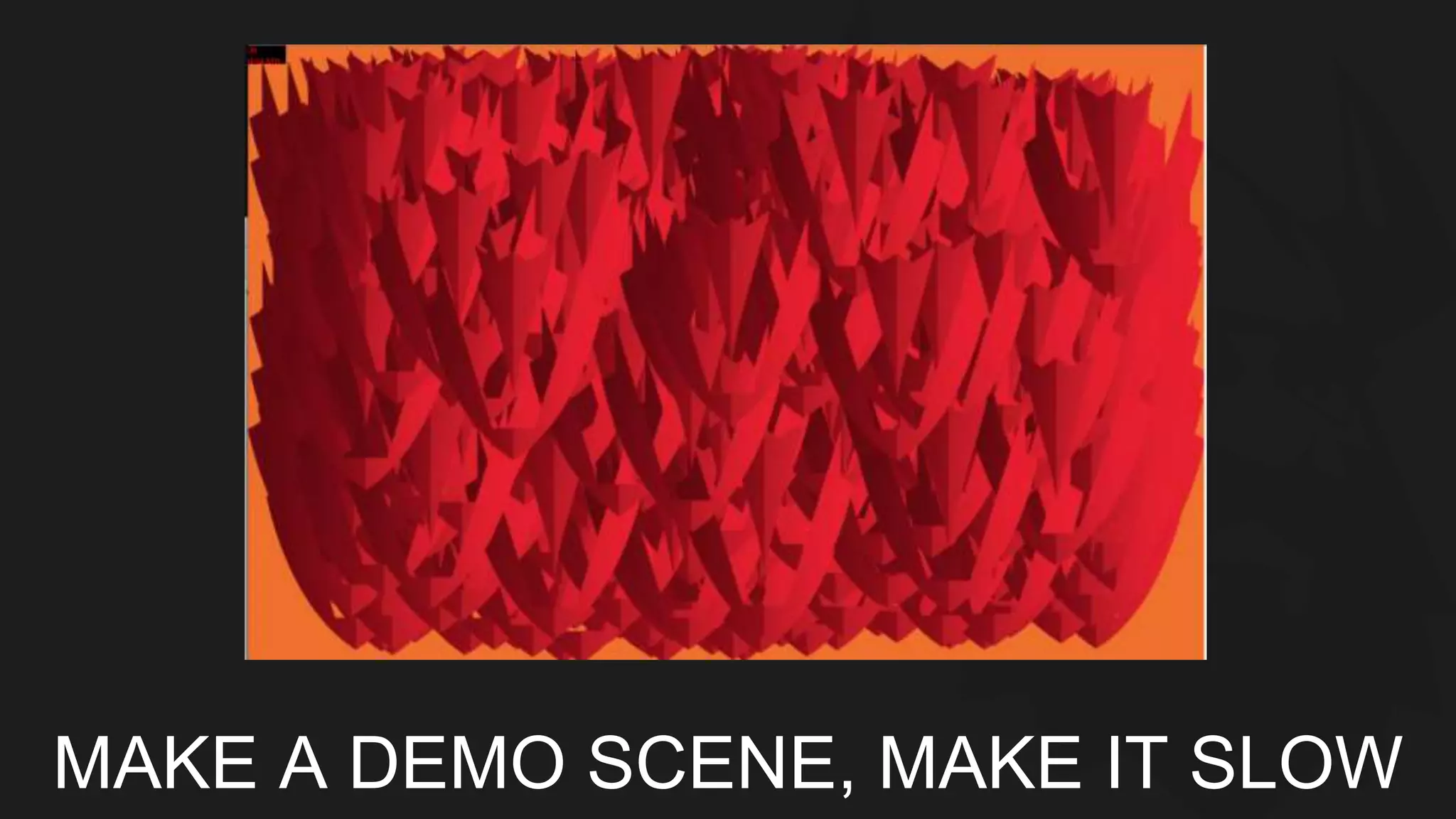
MAKE A DEMO SCENE, MAKE IT SLOW
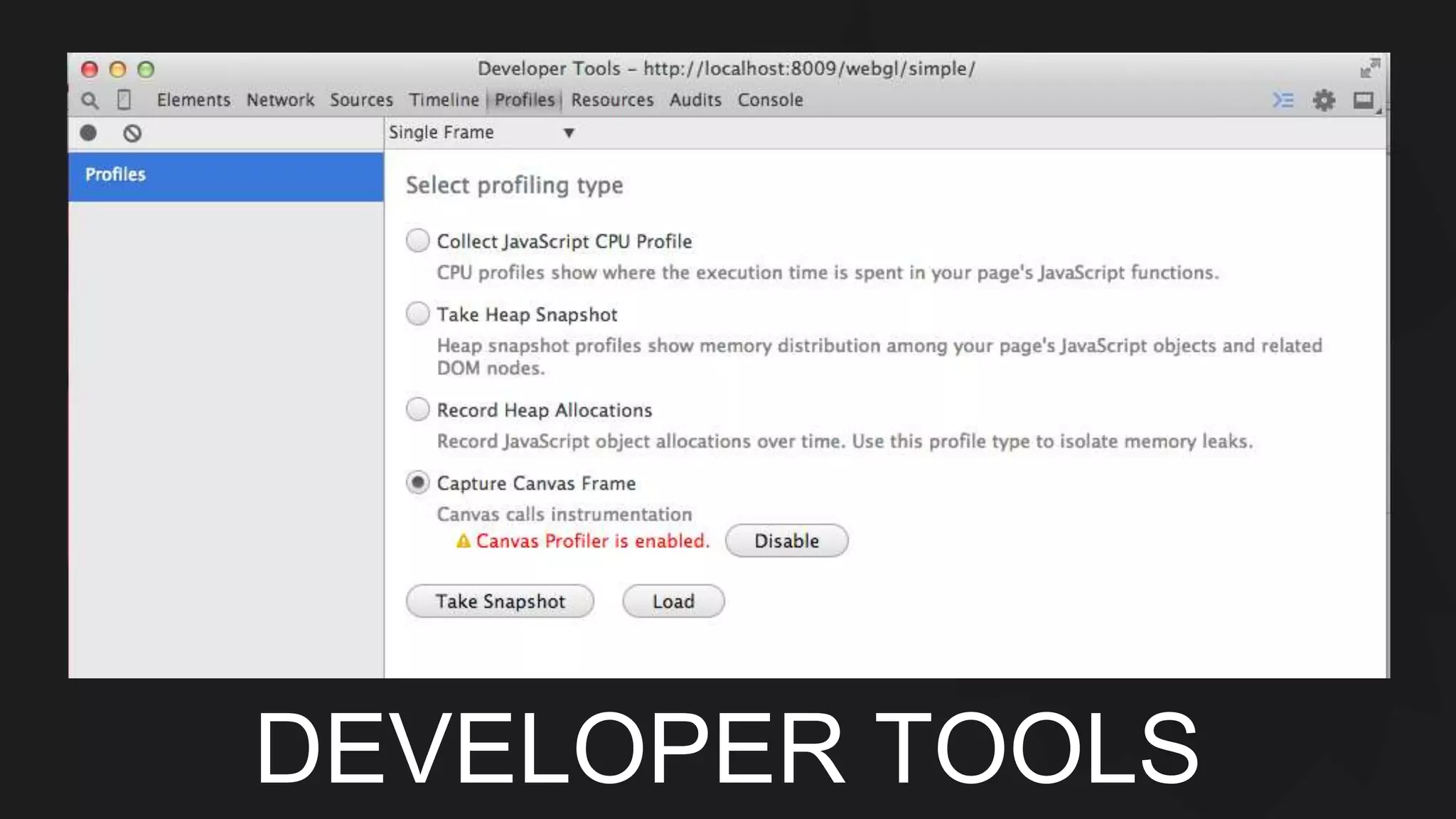
DEVELOPER TOOLS
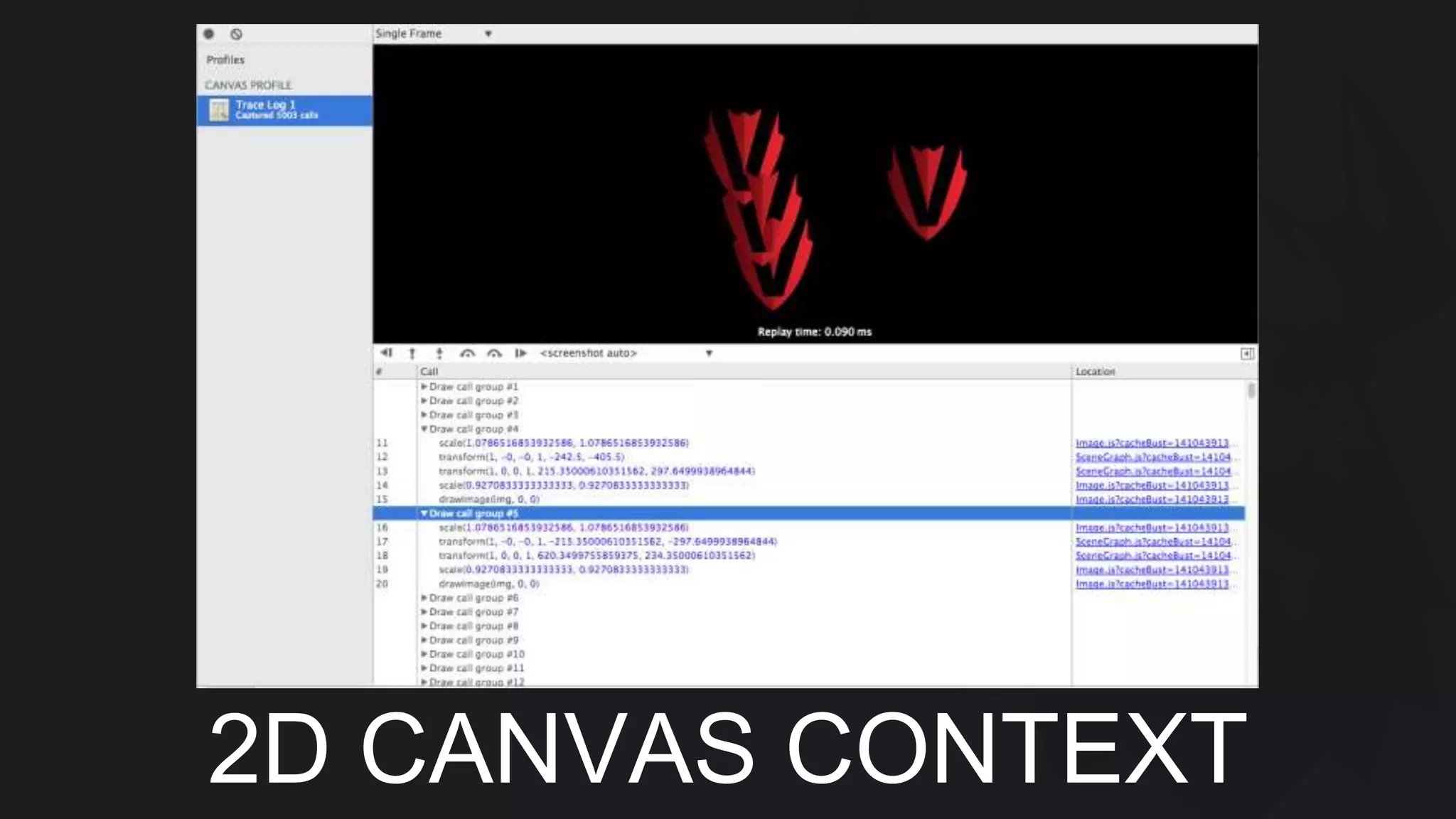
2D CANVAS CONTEXT
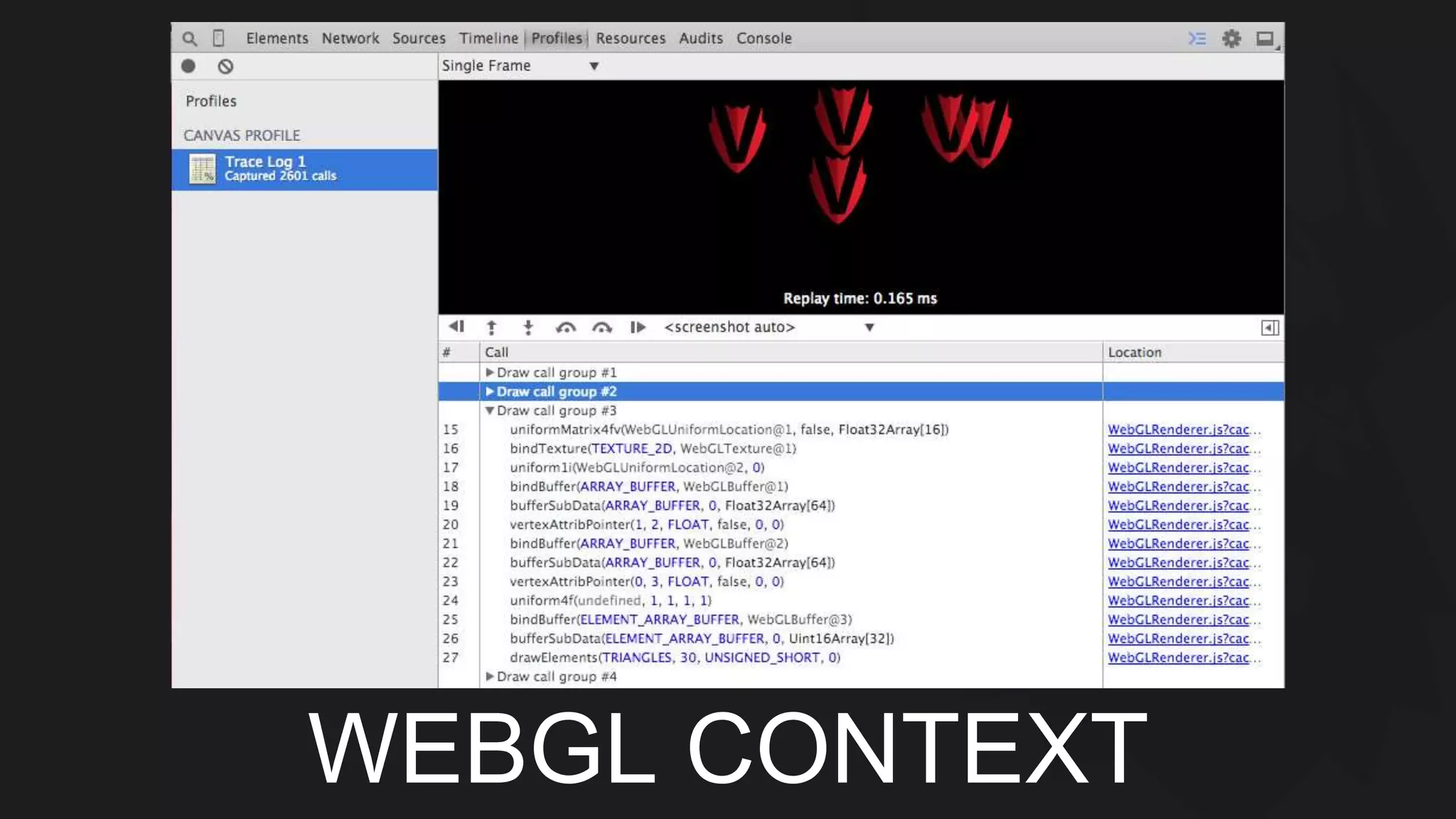
WEBGL CONTEXT
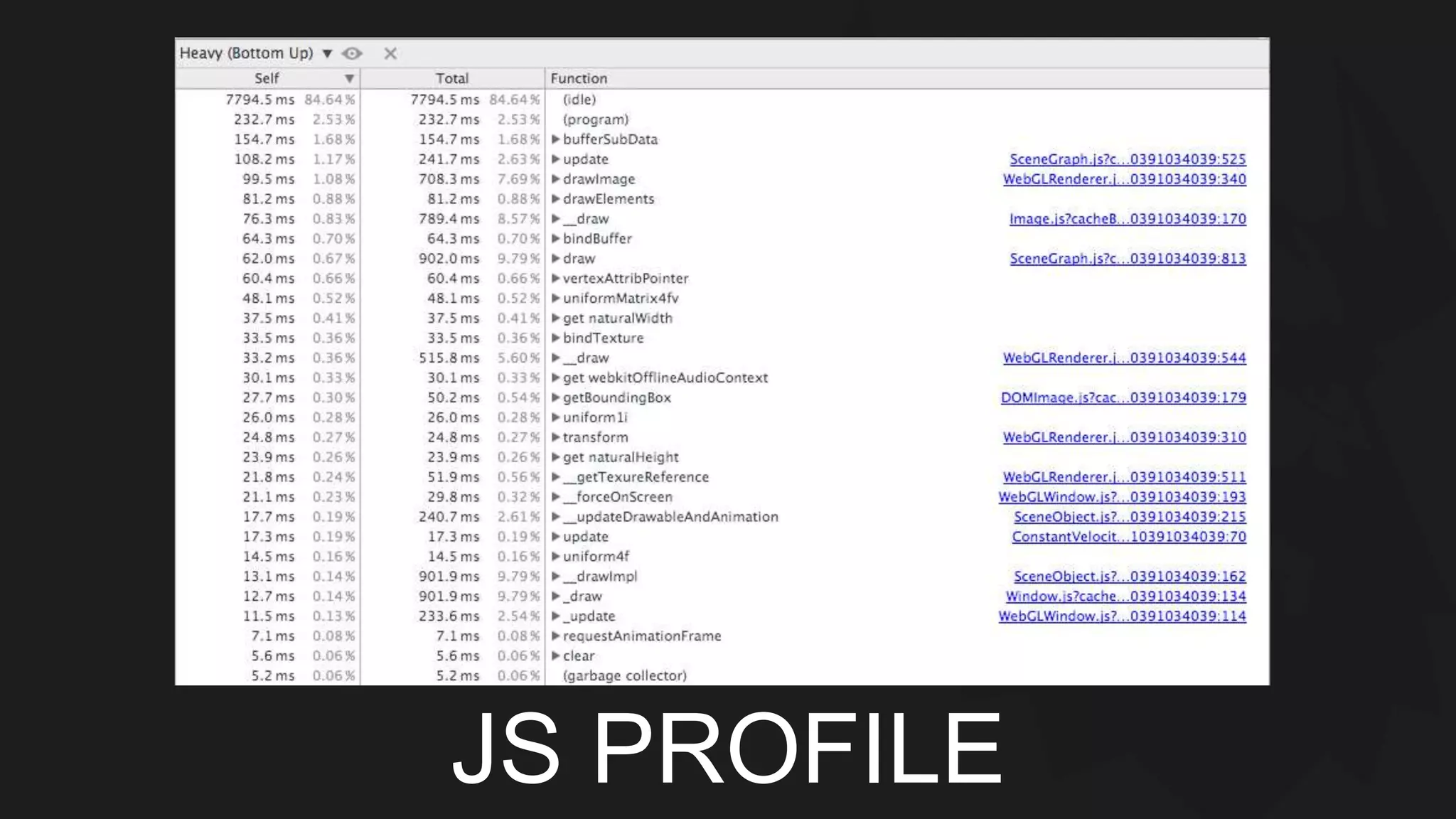
JS PROFILE
OPTIMIZE
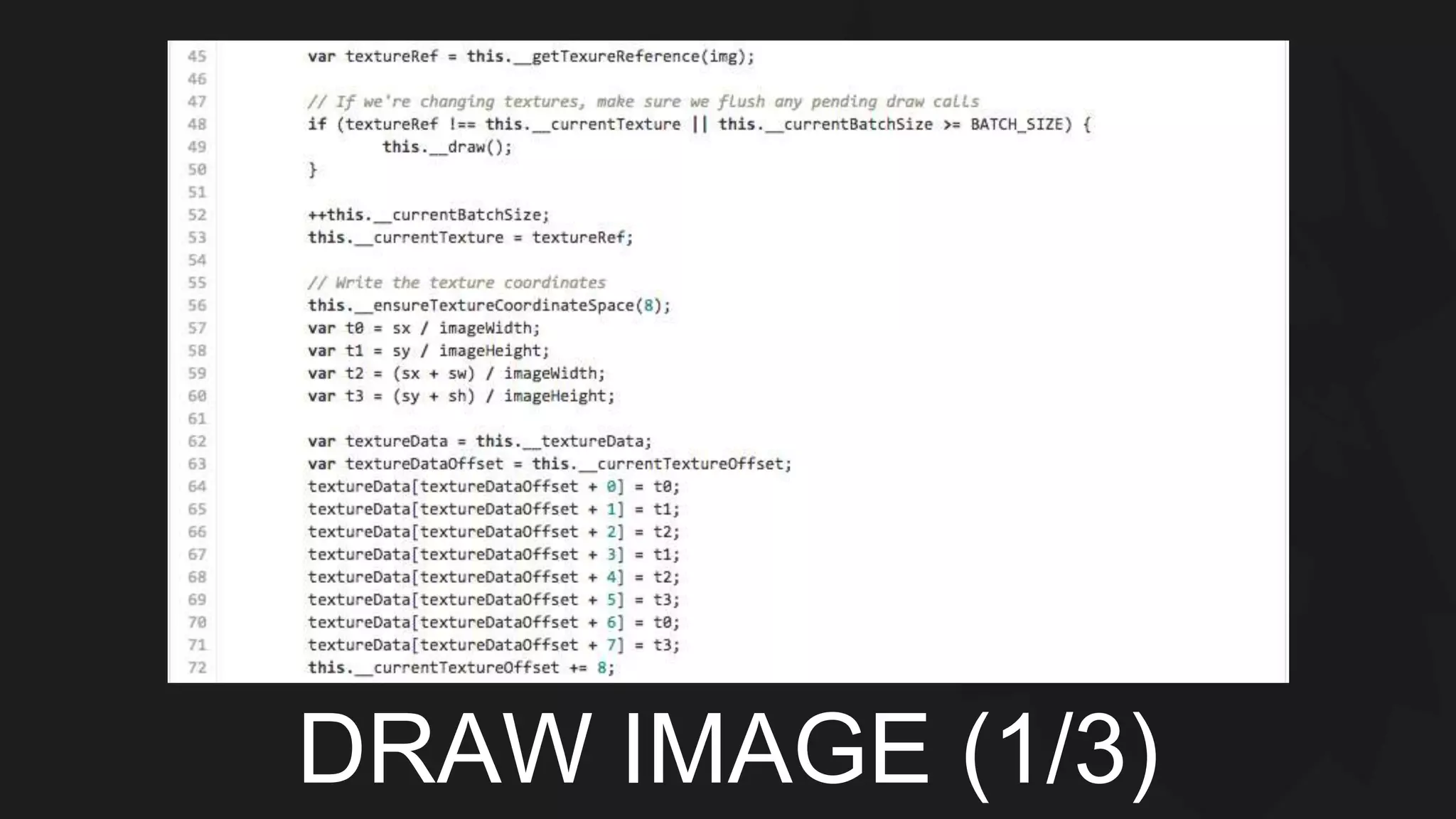
DRAW IMAGE (1/3)
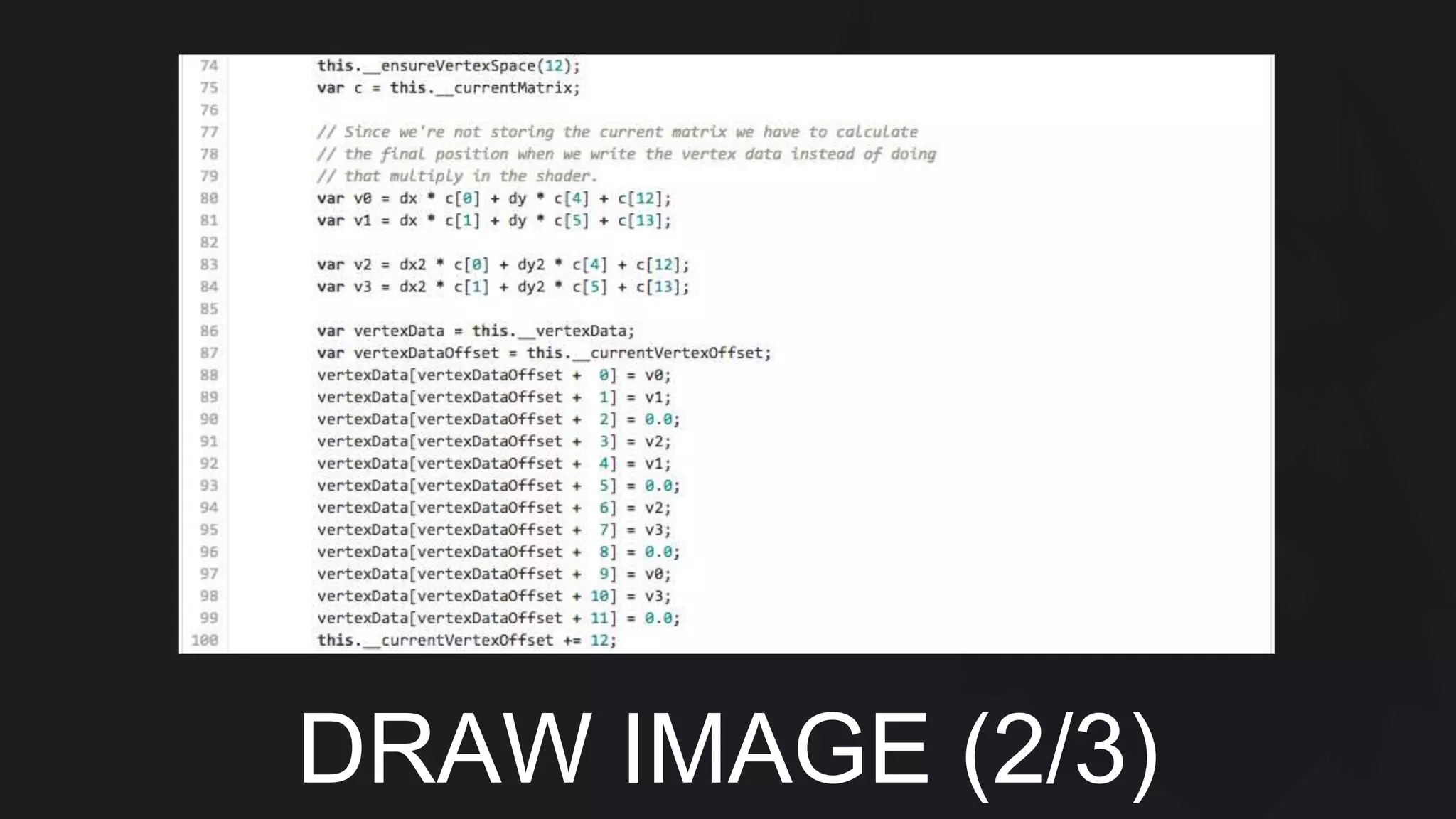
DRAW IMAGE (2/3)
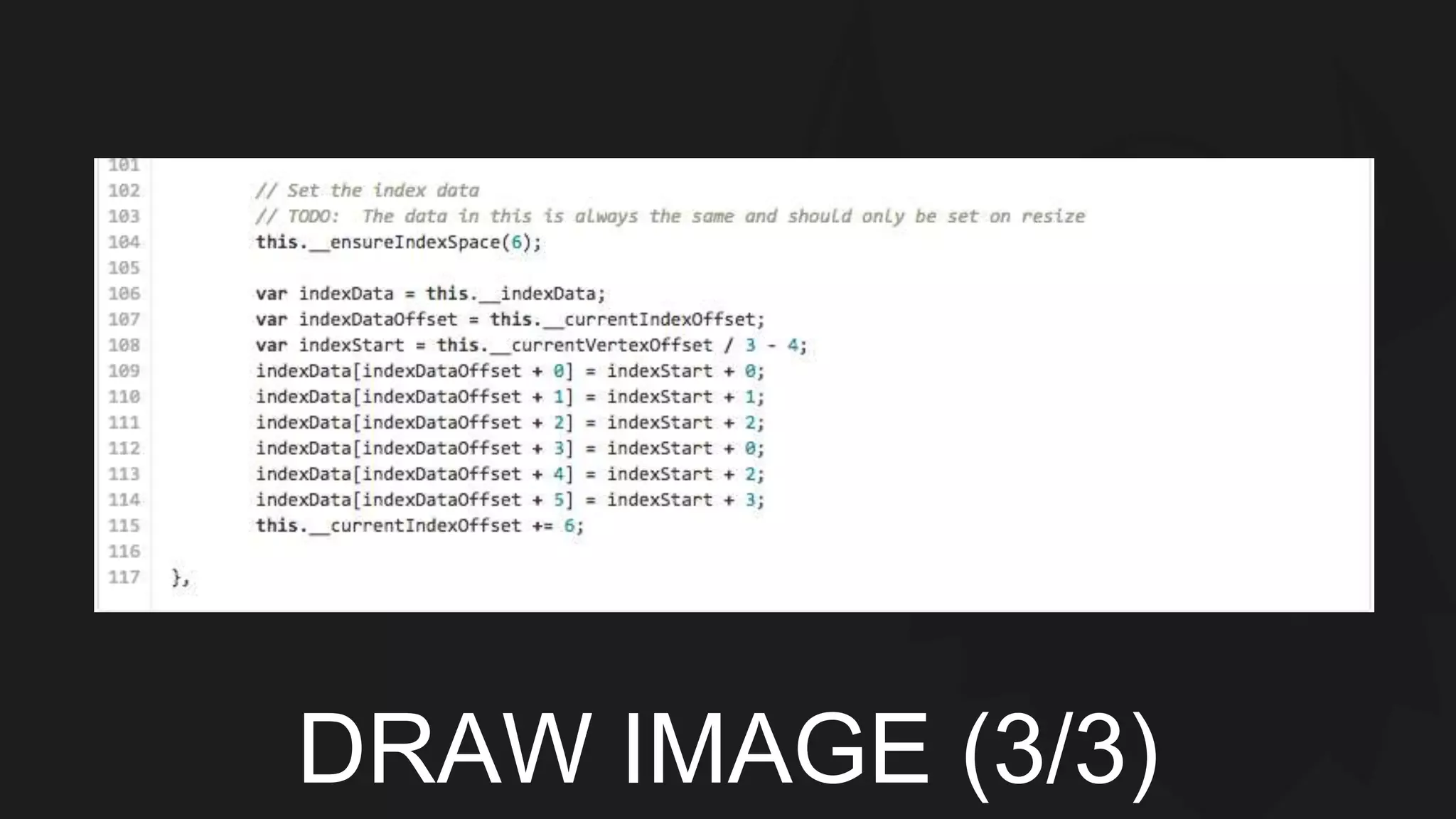
DRAW IMAGE (3/3)
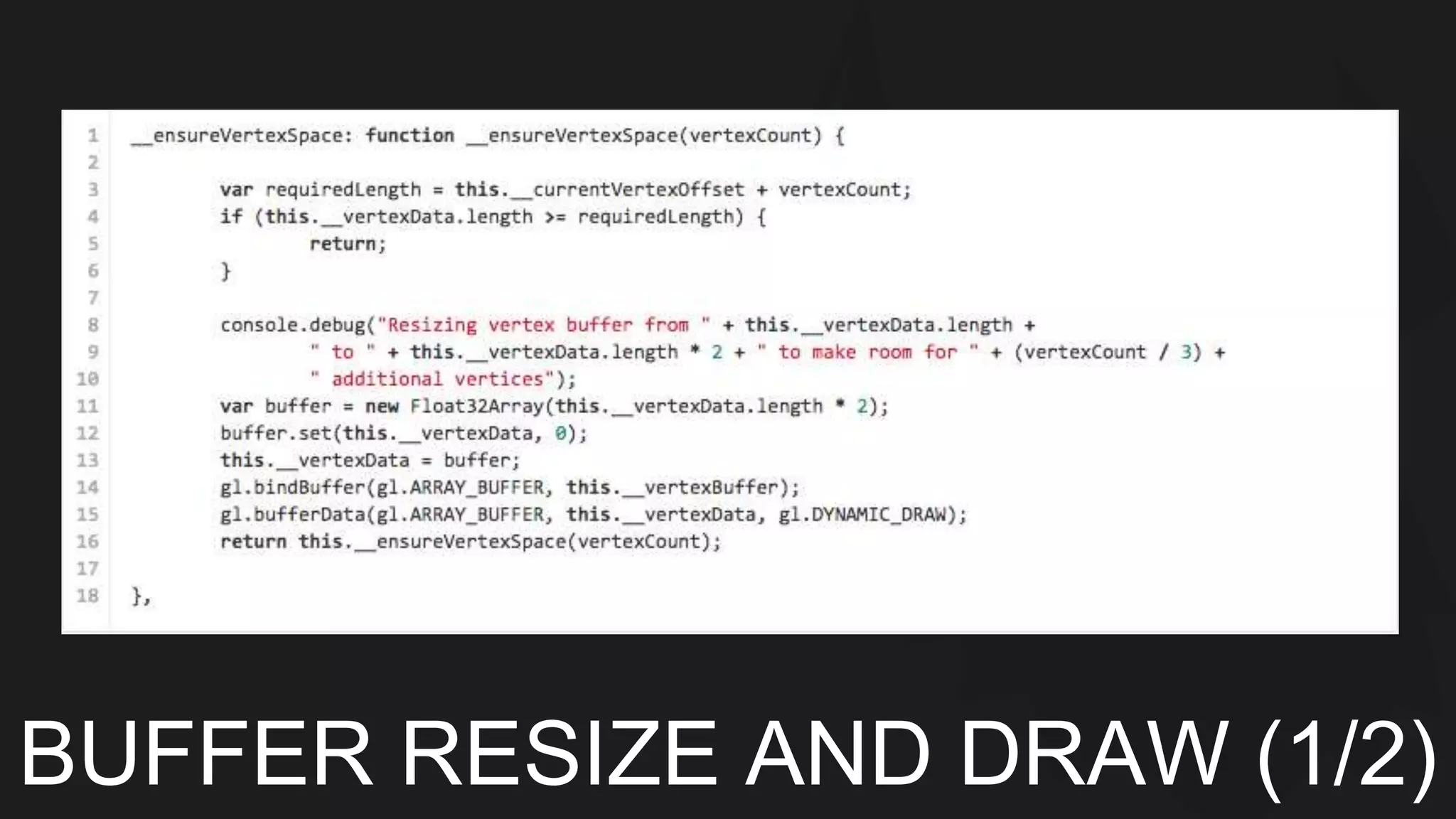
BUFFER RESIZE AND DRAW (1/2)
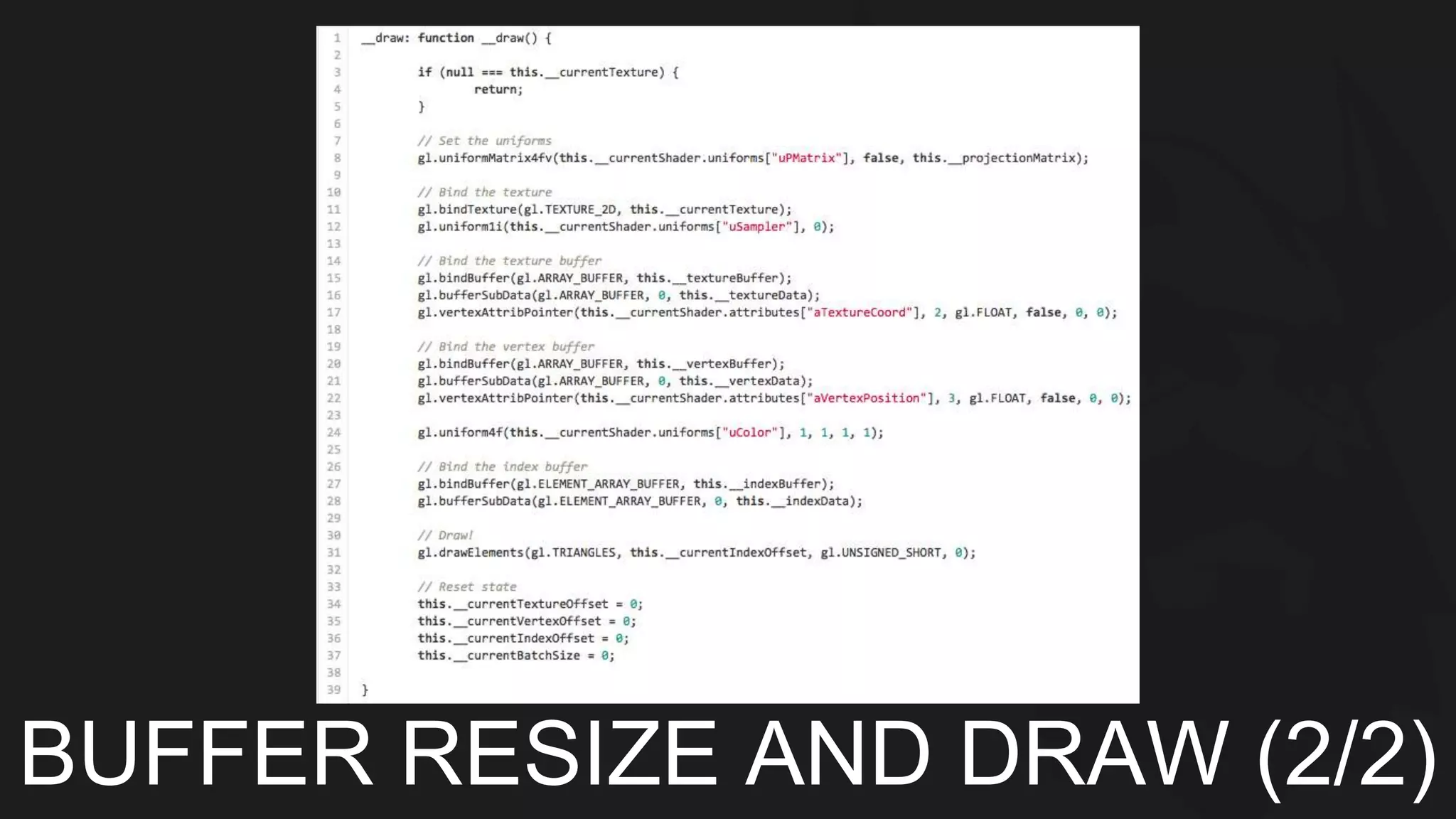
BUFFER RESIZE AND DRAW (2/2)
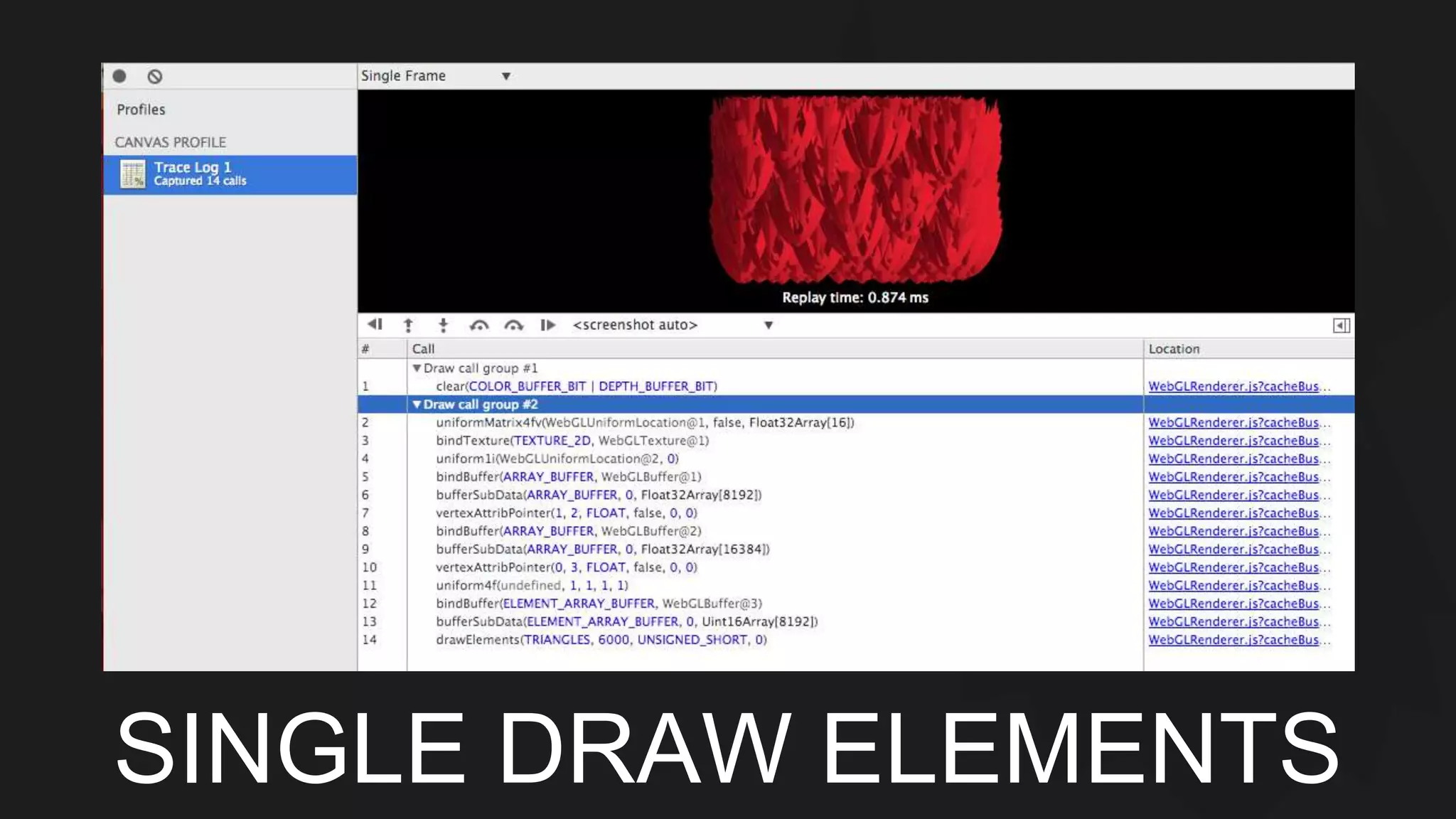
SINGLE DRAW ELEMENTS
MOVING TO MOBILE
OVERVIEW 
Does it run WKWebView What’s 
different
Tile-based 
Deferred rendering
TBDR 
Hardware - PowerVR 
What is the bottleneck 
Mobile specific concerns
TBDR 
Draw calls are buffered and tiled 
Hardware hidden surface removal 
0 overdraw (only opaque fragments)
Going deeper on mobile 
Native profiling
Mobile Profiling 
Instruments 
OpenGL ES Analyzer 
Custom build an app
Resources 
Resources 
- OpenGL Insights (http://openglinsights.com/) 
- MDN (https://developer.mozilla.org/en-US/) 
- WebGL Spec (https://www.khronos.org/webgl/) 
- Your hardware vendor (http://www.imgtec.com/powervr/graphics.asp) 
- Your platform vendor (https://developer.apple.com/library/ios) 
- Learning WebGL (http://learningwebgl.com)

Pocket web gl sk

Editor's Notes

  • #2 Just so I can get an idea of the experience level of all of you, raise your hand if you have done the following: - Written an html5 canvas based application - Written an html5 canvas based application for mobile - Written a shader Written a webgl application This presentation is going to have a couple major sections. These include a narrated journey through my first experience with WebGL from first principles to a couple of optimization passes. Then we’ll look at how iOS8 in particular enables HTML 5 developers and we’ll also go through a number of best practices for mobile hardware with an additional focus on Apple’s hardware.
  • #3 WebGL is a specification similar to HTML itself. There are a couple other specifications that tie in very nicely with WebGL, namely typed Arrays and WebSockets.
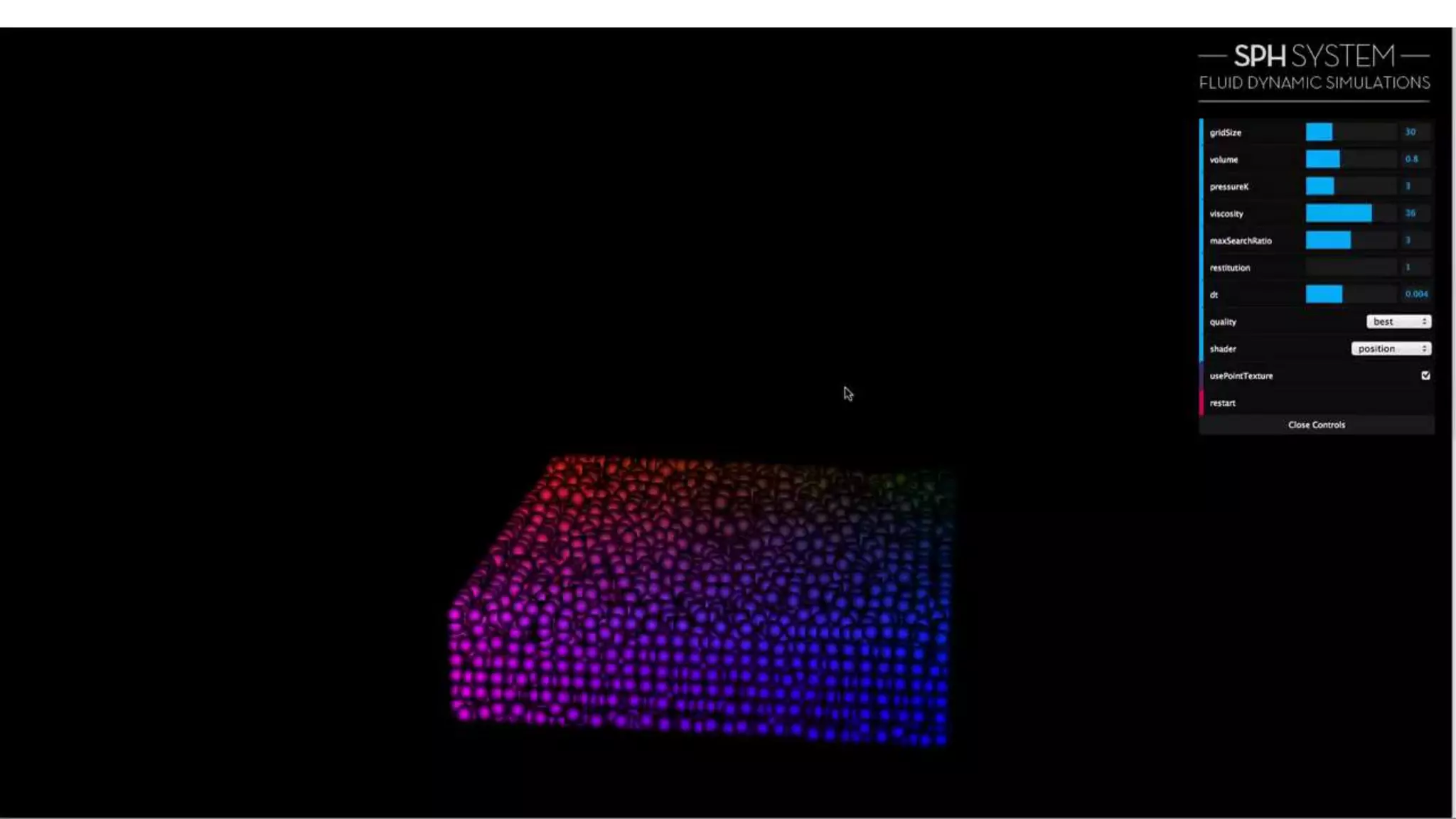
  • #4 This is a fluid simulation done with smoothed particle hydrodynamics by miaumaiu interactive studio (http://miaumiau.cat)
  • #5 At BVG we having been building mobile html5 games for a couple years now. We started with relatively low expectations from a mobile html5 game. Our first prototype was a fully DOM based text game. It targeted the iphone 4. We saw what other games were capable of delivering, and we were really not happy with purely text based. So we decided to explore more graphical options. Initially this included a CSS animation based avatar system and a very “wide” map system. When I say “wide” here, I’m referring to the number of sibling nodes under the map container. We had several thousand of them in some cases. These systems performed pretty well actually. We decided to expand the avatar system to include a kind of 1v1 fight simulation. This required precise timing to trigger explosions, projectiles, and other effects. We had significant issues related to timing when using CSS animations. We also had issues with the map in terms of scrolling performance and attempting to layer effects on top. At this point we moved the map system to a canvas based approach. This was much more flexible and ended up giving us even more performance. We liked it so much that we moved the avatar system to a fully canvas implementation as well. By now we were using a full fledged scene graph model to display everything in our engine. Our performance gains became much harder to come by. At this point we really needed another big change to get to the next level. Going direct to the hardware is that change. We developed a mechanism of driving a native renderer from java script. This did end up working for our needs, but it was clunky and really a disaster in terms of usability. At this point WebGL had been maturing on desktop browsers for some time and we were really excited about the chance to use it for mobile. In fact, iAds had support for WebGL since iOS 5 and UIWebViews had a private API that could enable WebGL. These techniques were of course not possible for our production apps. With the release of iOS 8 everything changed. Not only do we get WebGL support in a public API, we also get a JIT for apps that use embedded web views. These are both massive improvements, and they compliment each other. The performance implications of these two features together has the end result of really allowing developers to say “yes” more to artists and designers. As a developer myself, this makes me happy. So let’s get into how we do it.
  • #7 https://gist.github.com/CShankland/c4da10206e99dfbcb61c - Context creation - Initialize viewport - Create a projection matrix - Create shaders - Create geometry - Draw
  • #8 https://gist.github.com/CShankland/b4974768e106fbbbbfe2 Actual shader text - Extremely simple texture enabled shader (single sampler)
  • #9 Create the GL objects and compile the shaders
  • #10 Then we link the shaders into a program and grab the attributes
  • #11 https://gist.github.com/CShankland/c813b3ce8d0f212159c2 Buffers are what we use to actually store data that is going to be sent through our shaders and allows us to give data to WebGL
  • #12 https://gist.github.com/CShankland/4afecc7dab1d2695e96d This is a simple function that will create a texture from either an HTML Image element or an HTML Canvas element.
  • #13 Camera functions https://gist.github.com/CShankland/c27fcccaae8c4f99bbf6
  • #14 Perspective transform https://gist.github.com/CShankland/c27fcccaae8c4f99bbf6
  • #15 https://gist.github.com/CShankland/0f3f04df4eb48b13da1a We have a matrix stack here that uses a pool
  • #16 https://gist.github.com/CShankland/b5193fb8e20ccd885076 This is the actual transform function
  • #17 https://gist.github.com/CShankland/b5193fb8e20ccd885076 Here’s the matrix multiply
  • #18 https://gist.github.com/CShankland/96546df7f2bab384f29a To draw an image we first set our uniforms
  • #19 https://gist.github.com/CShankland/96546df7f2bab384f29a Then we need to figure out which drawImage function is actually being called and set the parameters
  • #20 https://gist.github.com/CShankland/96546df7f2bab384f29a Then we update the data in our buffers and go ahead and draw
  • #21 https://gist.github.com/CShankland/9de3f502a208b1805658 Stroking a rectangle is similar to drawing an image except we don’t have a texture and we will use the uColor uniform
  • #22 https://gist.github.com/CShankland/9de3f502a208b1805658
  • #24 - Draw enough that it makes the frame rate low - Fire up the dev tools - What’s slow? - Canvas profiler - How many draw calls?
  • #25 - Draw enough that it makes the frame rate low - Fire up the dev tools - What’s slow? - Canvas profiler - How many draw calls?
  • #30 https://gist.github.com/CShankland/6381ec29d9b6aee91310 Batch by texture using a high water mark buffer
  • #31 https://gist.github.com/CShankland/6381ec29d9b6aee91310 Set the texture coordinates
  • #32 https://gist.github.com/CShankland/6381ec29d9b6aee91310 Set the indices and update our offsets
  • #33 https://gist.github.com/CShankland/fc867b9eca360b65a776 This is the helper function that makes sure we have space in our buffer. It’s going to use bufferData to actually allocate a new buffer
  • #34 https://gist.github.com/CShankland/fab4eb41548f84cadfd7 Here’s the draw function. We use bufferSubData to just replace the data in our buffer instead of allocating a new one, and then we make a single draw call for all of our primitives that use this texture
  • #37 It does actually run! WKWebView gives us another extremely important property – a JIT The things that are different are mostly concerned with the actual hardware that we’re running against.
  • #39 - Hardware (PowerVR) - What’s slow? - Memory access - Memory bandwidth - Power efficiency - Fast memory on-chip
  • #40 - Geometry is pre-processed into tiles this includes hidden surface removal - Then the fragments are textured and shaded - Finally the tile is written out to main memory - For fully opaque fragments, there is 0 overdraw - The hardware will automatically sort non-transparent fragments as well
  • #42 - There’s a whole new set of profiling tools to use on iOS - Instruments - Time profiler - OpenGL ES Analyzer - Unfortunately for us… - WebKit runs on a different process - You can’t attach the OGLES analyzer to it - You can’t get debug symbols - What can you do? - Read the source - Use Chrome or another profiler to trace your OGL calls and run them in a native app