AMD - WHY, WHAT,
            AND HOW


Mike Wilcox - January
2012
Tweets: @clubajax
Blogs: clubajax.org
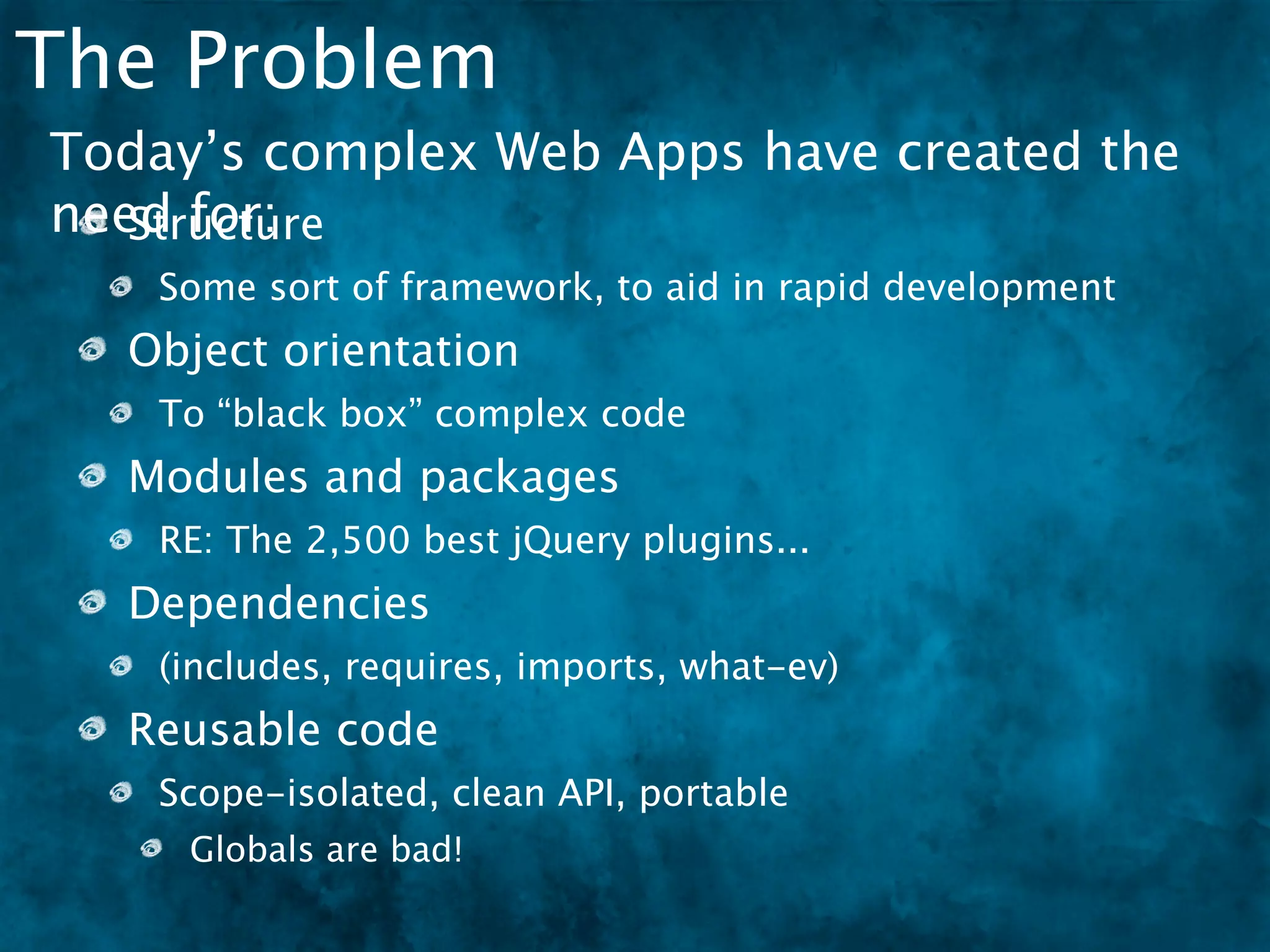
The Problem
The Problem
Today’s complex Web Apps have created the
need for:
The Problem
Today’s complex Web Apps have created the
need for:
   Structure
   Some sort of framework, to aid in rapid development
The Problem
Today’s complex Web Apps have created the
need for:
   Structure
   Some sort of framework, to aid in rapid development
  Object orientation
   To “black box” complex code
The Problem
Today’s complex Web Apps have created the
need for:
   Structure
   Some sort of framework, to aid in rapid development
  Object orientation
   To “black box” complex code
  Modules and packages
   RE: The 2,500 best jQuery plugins...
The Problem
Today’s complex Web Apps have created the
need for:
   Structure
   Some sort of framework, to aid in rapid development
  Object orientation
   To “black box” complex code
  Modules and packages
   RE: The 2,500 best jQuery plugins...
  Dependencies
   (includes, requires, imports, what-ev)
The Problem
Today’s complex Web Apps have created the
need for:
   Structure
   Some sort of framework, to aid in rapid development
  Object orientation
   To “black box” complex code
  Modules and packages
   RE: The 2,500 best jQuery plugins...
  Dependencies
   (includes, requires, imports, what-ev)
  Reusable code
   Scope-isolated, clean API, portable
     Globals are bad!
Single Files
Single Files
 The “old fashioned way” to write JavaScript was to do
 it all in a single file.
Single Files
 The “old fashioned way” to write JavaScript was to do
 it all in a single file.


 // define library
 !  var!noop = function(){
 !  !   },

 !   !   isEmpty = function(it){
 !   !   !   for(var p in it){
 !   !   !   !   return 0;
 !   !   !   }
 !   !   !   return 1;
 !   !   },

 !   !   toString = {}.toString,

 !   !   isFunction = function(it){
 !   !   !   return toString.call(it) == "[object Function]";
 !   !   },

 !   !   isString = function(it){
 !   !   !   return toString.call(it) == "[object String]";
Single Files
 !
 !
 !
     !
     !
     !
         !
         !
         !
            computeMapProg = function(map, dest, packName){
            !
            !
                dest.splice(0, dest.length);
                var p, i, item, reverseName = 0;
 The “old fashioned way” to write JavaScript was to do
 !   !   !  !   for(p in map){
 !   !   !  !   !   dest.push([p, map[p]]);
 it all in a single file.
 !   !   !  !   !   if(map[p]==packName){
 !   !   !  !   !   !   reverseName = p;
 !   !   !  !   !   }
 !   !   !  !   }
 !   !   !  !   dest.sort(function(lhs, rhs){
 !   !   !  !   !   return rhs[0].length - lhs[0].length;
 !   !   !  !   });
 !   !   !  !   for(i = 0; i < dest.length;){
 !   !   !  !   !   item = dest[i++];
 !   !   !  !   !   item[2] = new RegExp("^" + item[0].replace(/([.$?*|{}
 ()[]/+^])/g, function(c){ return "" + c; }) + "(/|$)");
 !   !   !  !   !   item[3] = item[0].length + 1;
 !   !   !  !   }
 !   !   !  !   return reverseName;
 !   !   !  },

 !     !   !  fixupPackageInfo = function(packageInfo, baseUrl){
 !     !   !  !   // calculate the precise (name, baseUrl, main, mappings)
 for   a package
 !     !   !  !   var name = packageInfo.name;
 !     !   !  !   if(!name){
Single File - pros & cons
 Pros
   Fewer resources means faster load times.
Single File - pros & cons
 Pros
   Fewer resources means faster load times.
   No “build step” necessary.
Single File - pros & cons
 Pros
   Fewer resources means faster load times.
   No “build step” necessary.

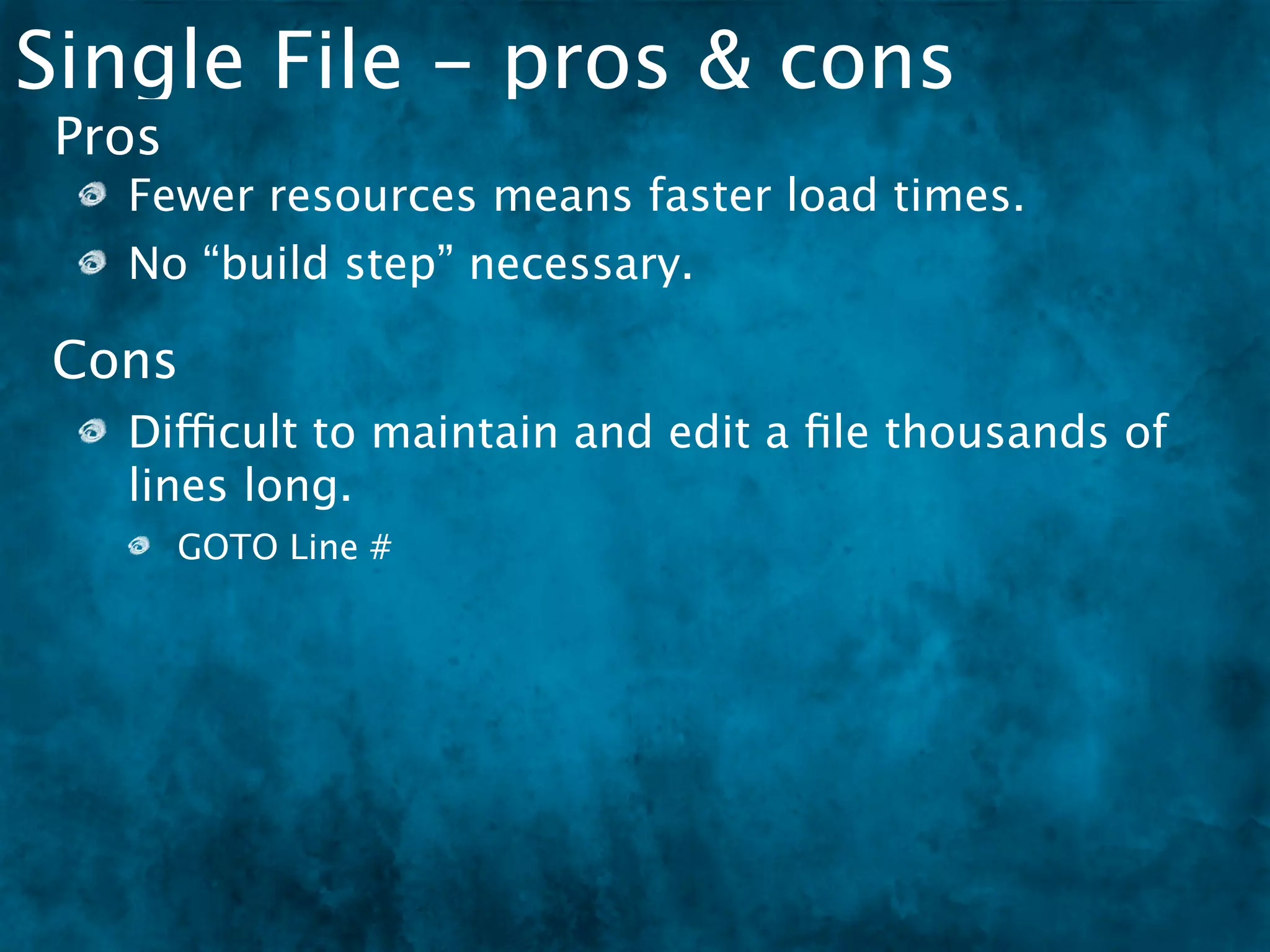
Cons
   Difficult to maintain and edit a file thousands of
   lines long.
        GOTO Line #
Single File - pros & cons
 Pros
   Fewer resources means faster load times.
   No “build step” necessary.

Cons
   Difficult to maintain and edit a file thousands of
   lines long.
        GOTO Line #
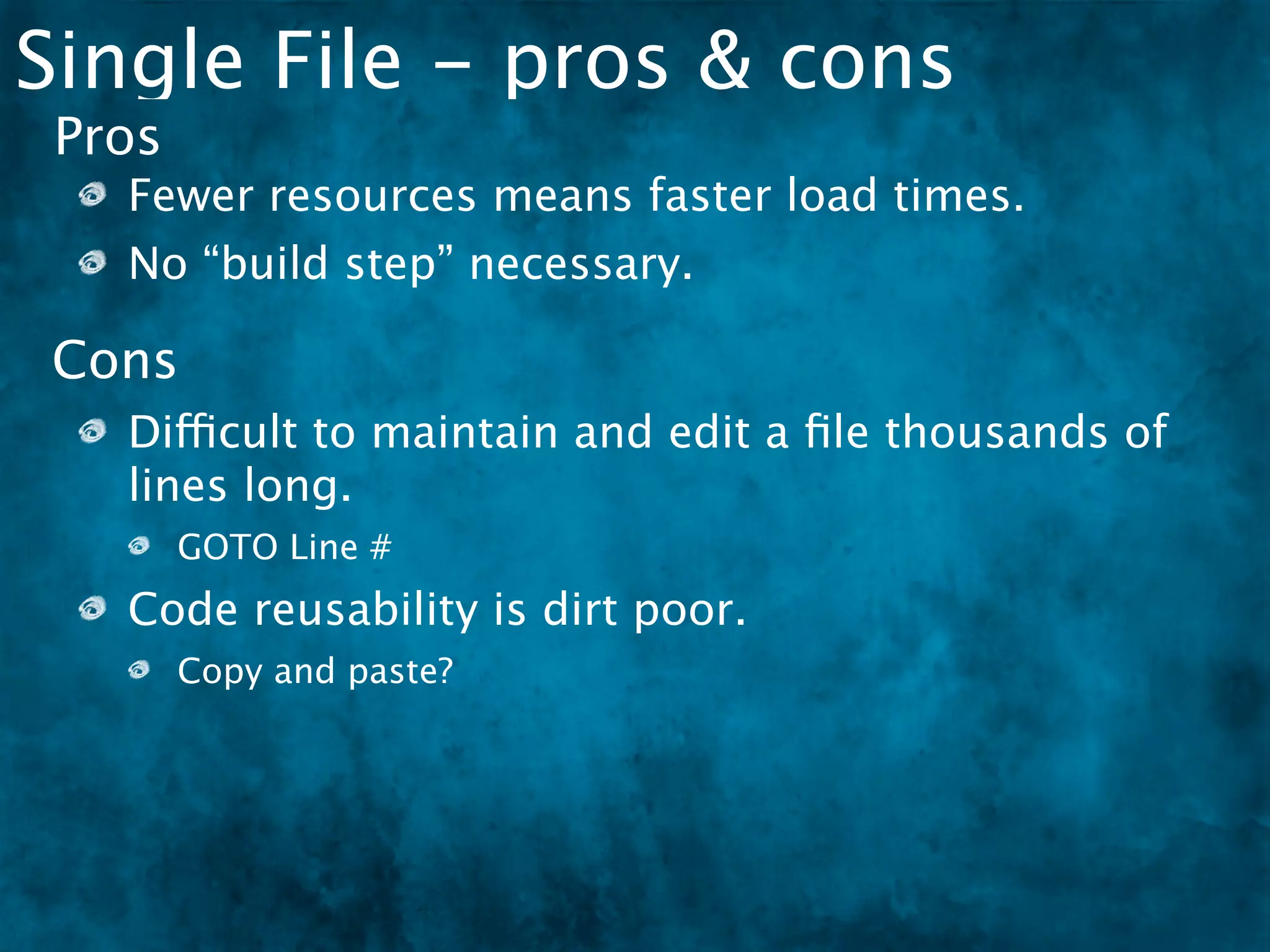
   Code reusability is dirt poor.
        Copy and paste?
Single File - pros & cons
 Pros
   Fewer resources means faster load times.
   No “build step” necessary.

Cons
   Difficult to maintain and edit a file thousands of
   lines long.
        GOTO Line #
   Code reusability is dirt poor.
        Copy and paste?
   Makes team development near impossible.
        GITMERGETOOL
Multiple Files
Multiple Files
Multiple files which follow an object oriented or
namespaced approach are easier to maintain because
the brain more easily maps files to ideas.
Multiple Files
Multiple files which follow an object oriented or
namespaced approach are easier to maintain because
the brain more easily maps files to ideas.


  [dom.js]                        [lang.js]

  library.dom = {                 library.lang = {
    // code                         // code
  }                               }
                    [events.js]                [string.js]

                    library.events =          library.string =
                    {                         {
                      // code                   // code
                    }                         }
Multi File - pros & cons
 Pros
   One-to-one, file-to-class makes organization
   easier.
Multi File - pros & cons
 Pros
   One-to-one, file-to-class makes organization
   easier.
   The brain more easily maps files to concepts
   (objects).
Multi File - pros & cons
 Pros
   One-to-one, file-to-class makes organization
   easier.
   The brain more easily maps files to concepts
   (objects).
    More team friendly.
Multi File - pros & cons
 Pros
   One-to-one, file-to-class makes organization
   easier.
   The brain more easily maps files to concepts
   (objects).
    More team friendly.
Cons
   The files (and server requests) will add up fast and
   that will slow down the page.
Multi File - pros & cons
 Pros
   One-to-one, file-to-class makes organization
   easier.
   The brain more easily maps files to concepts
   (objects).
    More team friendly.
Cons
   The files (and server requests) will add up fast and
   that will slow down the page.
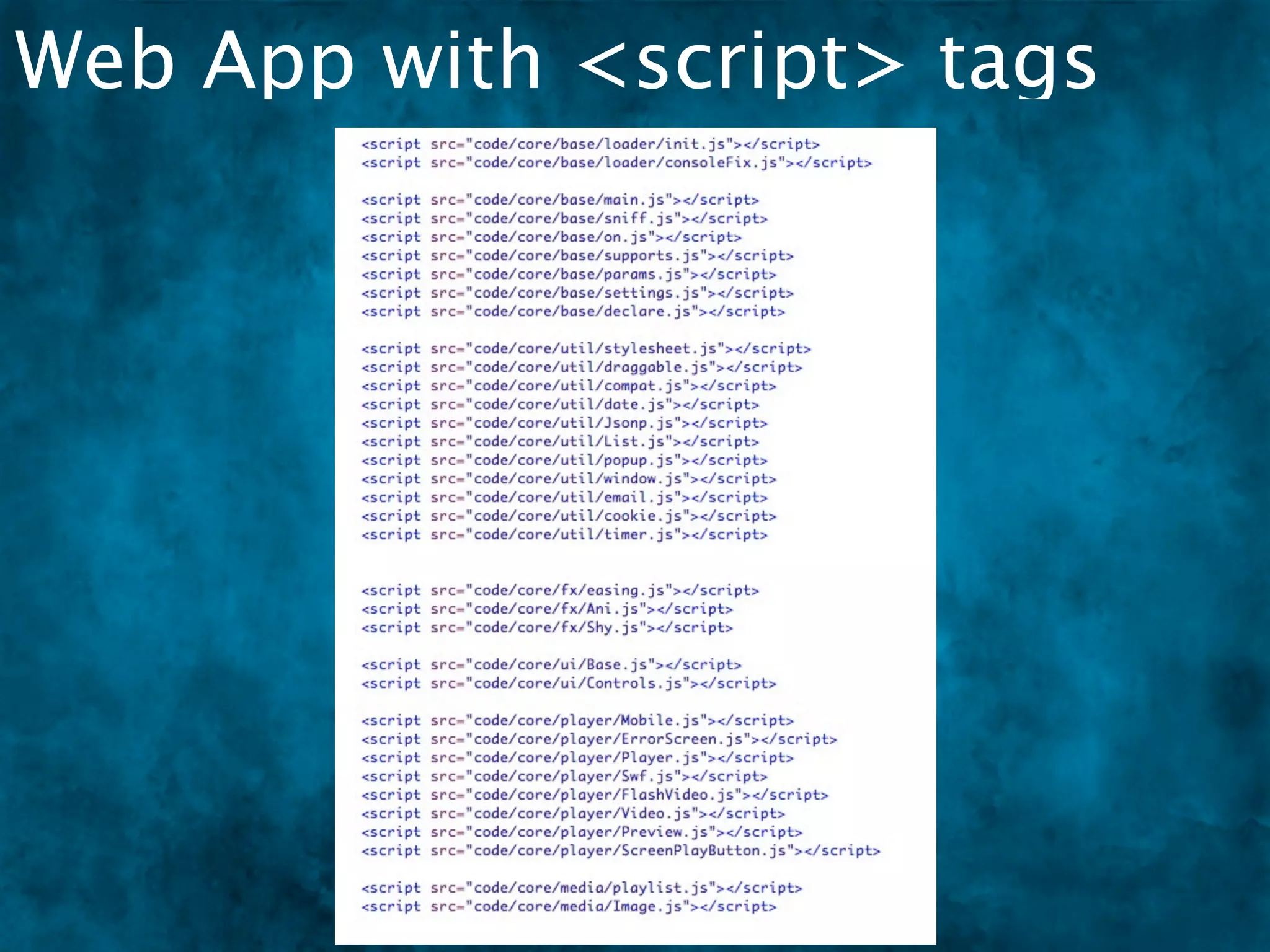
   Lots of <script> tags. BLEAH.
Multi File - pros & cons
 Pros
   One-to-one, file-to-class makes organization
   easier.
   The brain more easily maps files to concepts
   (objects).
    More team friendly.
Cons
   The files (and server requests) will add up fast and
   that will slow down the page.
   Lots of <script> tags. BLEAH.
   The system to track all these files and their order is
   YOU.
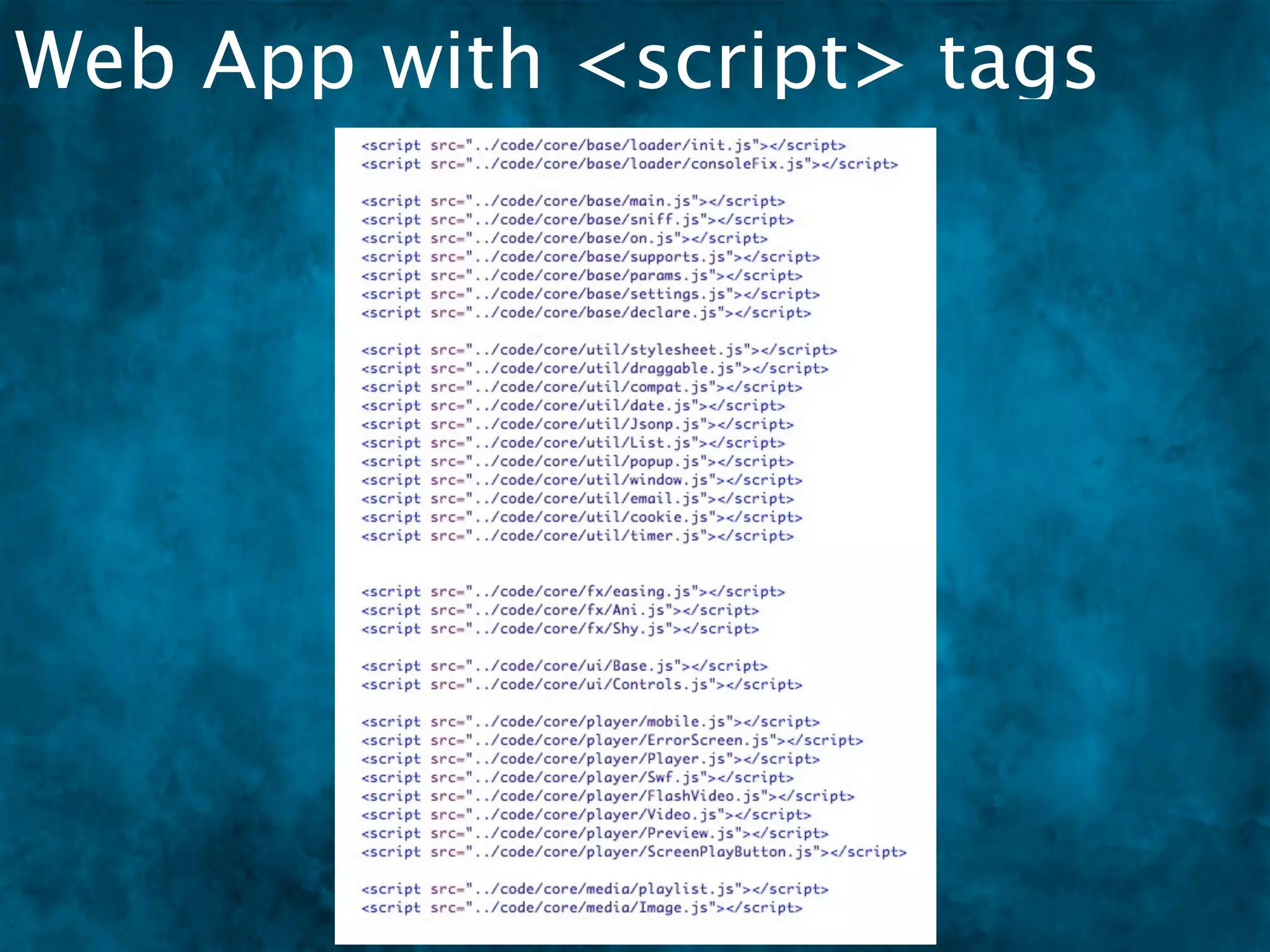
Web App with <script> tags
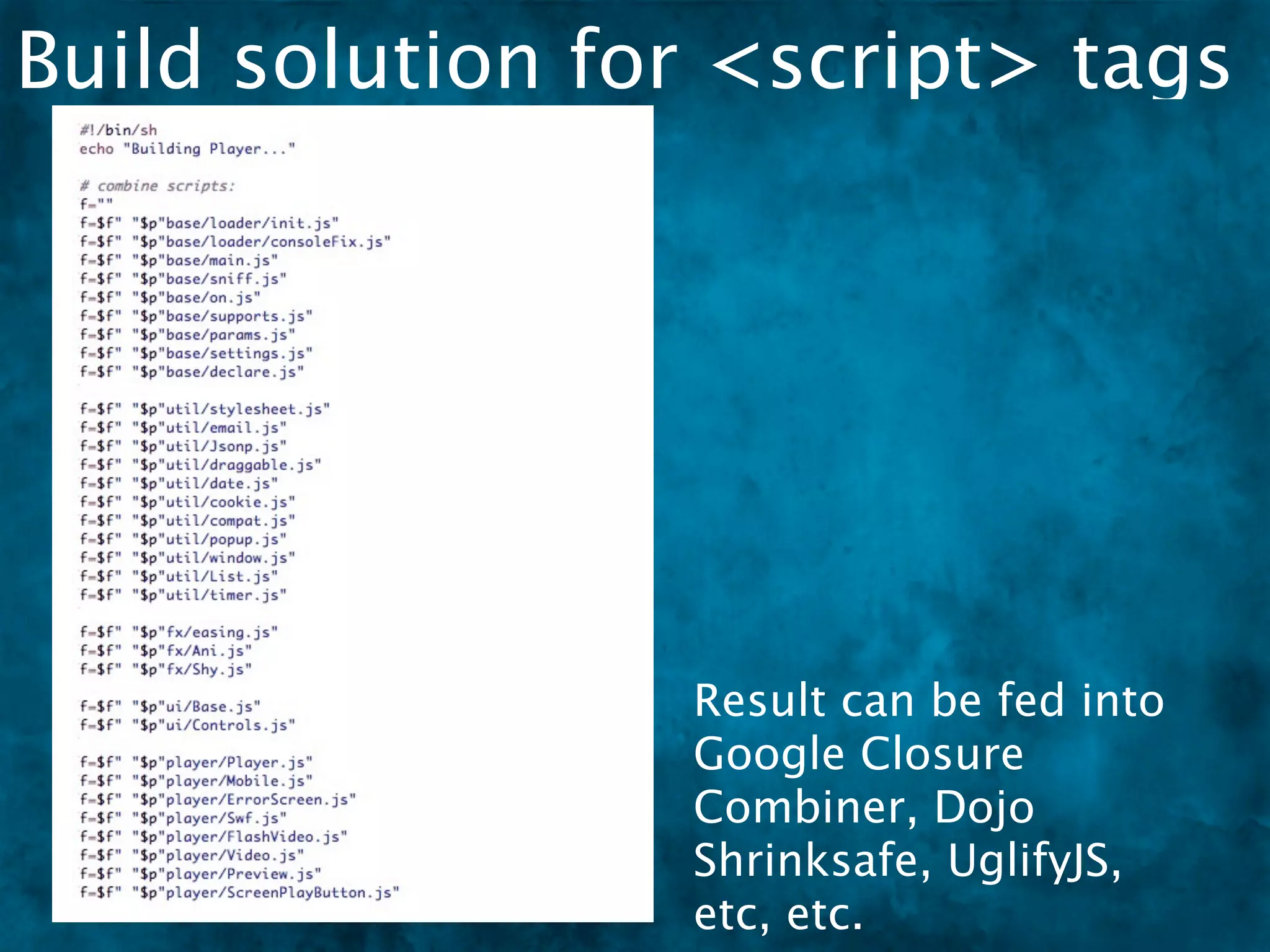
Build solution for <script> tags


                 Result can be fed into
                 Google Closure
                 Combiner, Dojo
                 Shrinksafe, UglifyJS,
                 etc, etc.
Dependency Matters
Dependency Matters
 Scripts load in this order


[dom.js]
   [events.js]
library.dom = {
  // code
      [lang.js]
   library.events =
}
   {
         [string.js]
      library.lang = {
     // code
   }    // code
      } library.string =
         {
           // code
         }
Dependency Matters
 Scripts load in this order
                              A change is made to dom.js
                               Adds events to node on create.
[dom.js]
   [events.js]
library.dom = {
  // code
      [lang.js]
   library.events =
}
   {
         [string.js]
      library.lang = {
     // code
   }    // code
      } library.string =
         {
           // code
         }
Dependency Matters
 Scripts load in this order
                              A change is made to dom.js
                               Adds events to node on create.
[dom.js]
   [events.js]
library.dom = {
  // code
      [lang.js]
   library.events =
}
   {
         [string.js]
                           dom.js is trying to access
      library.lang = {
     // code
   }    // code            events.js but it’s not loaded
      } library.string =   yet
         {
           // code
         }
Dependency Management


[dom.js]
   [events.js]
library.dom = {
  // code
      [lang.js]
   library.events =
}
   {
         [string.js]
      library.lang = {
     // code
   }    // code
      } library.string =
         {
           // code
         }
Dependency Management
                           [player.html]


[dom.js]
   [events.js]
library.dom = {
  // code

                                           [admin.html]
      [lang.js]
   library.events =
}
   {
         [string.js]
      library.lang = {
     // code
   }    // code
      } library.string =
         {
           // code
         }


                                               [test.html]


Now script order needs
to be changed in all your
I thought Dojo had a
    build tool with
     dependency
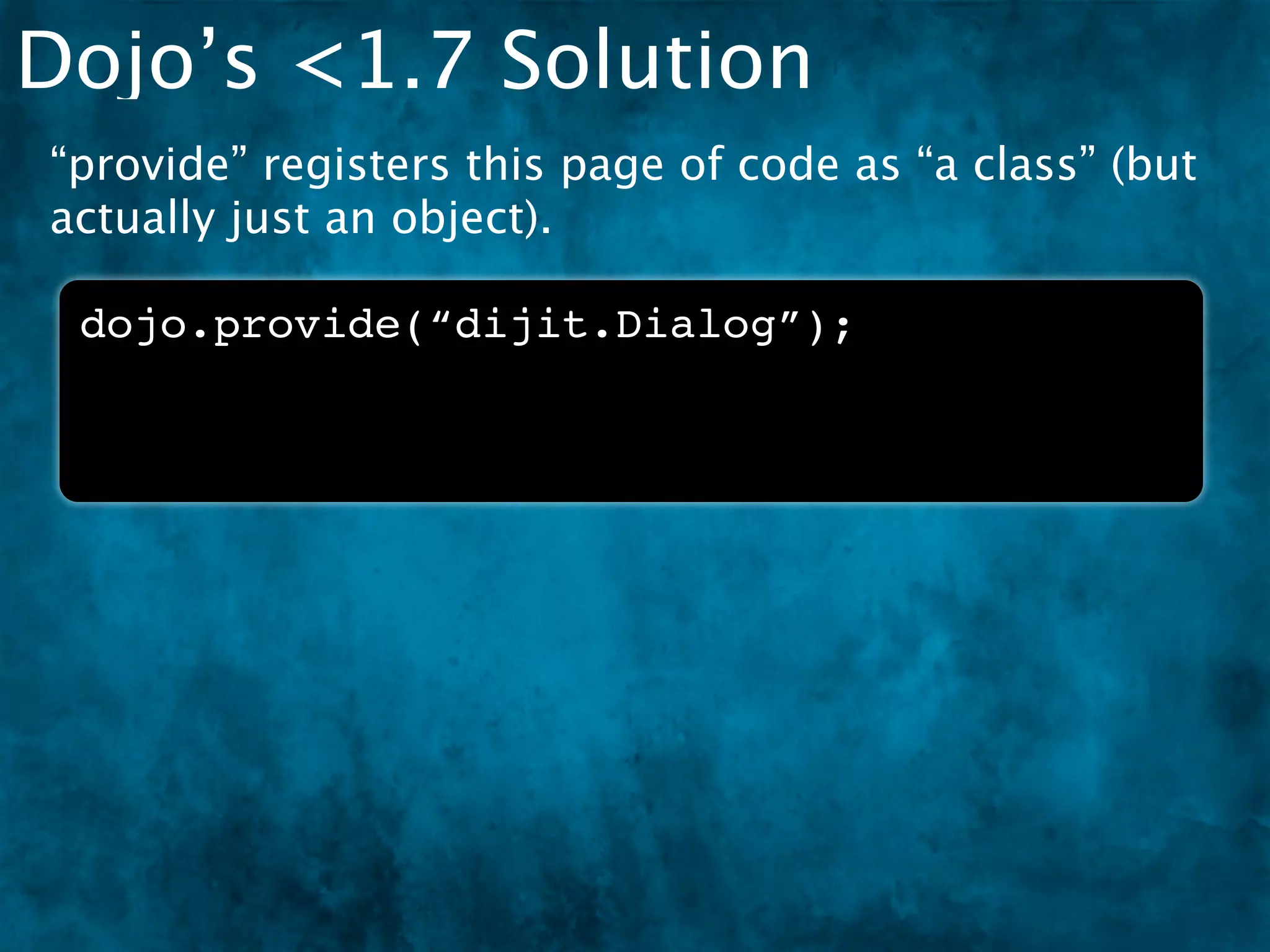
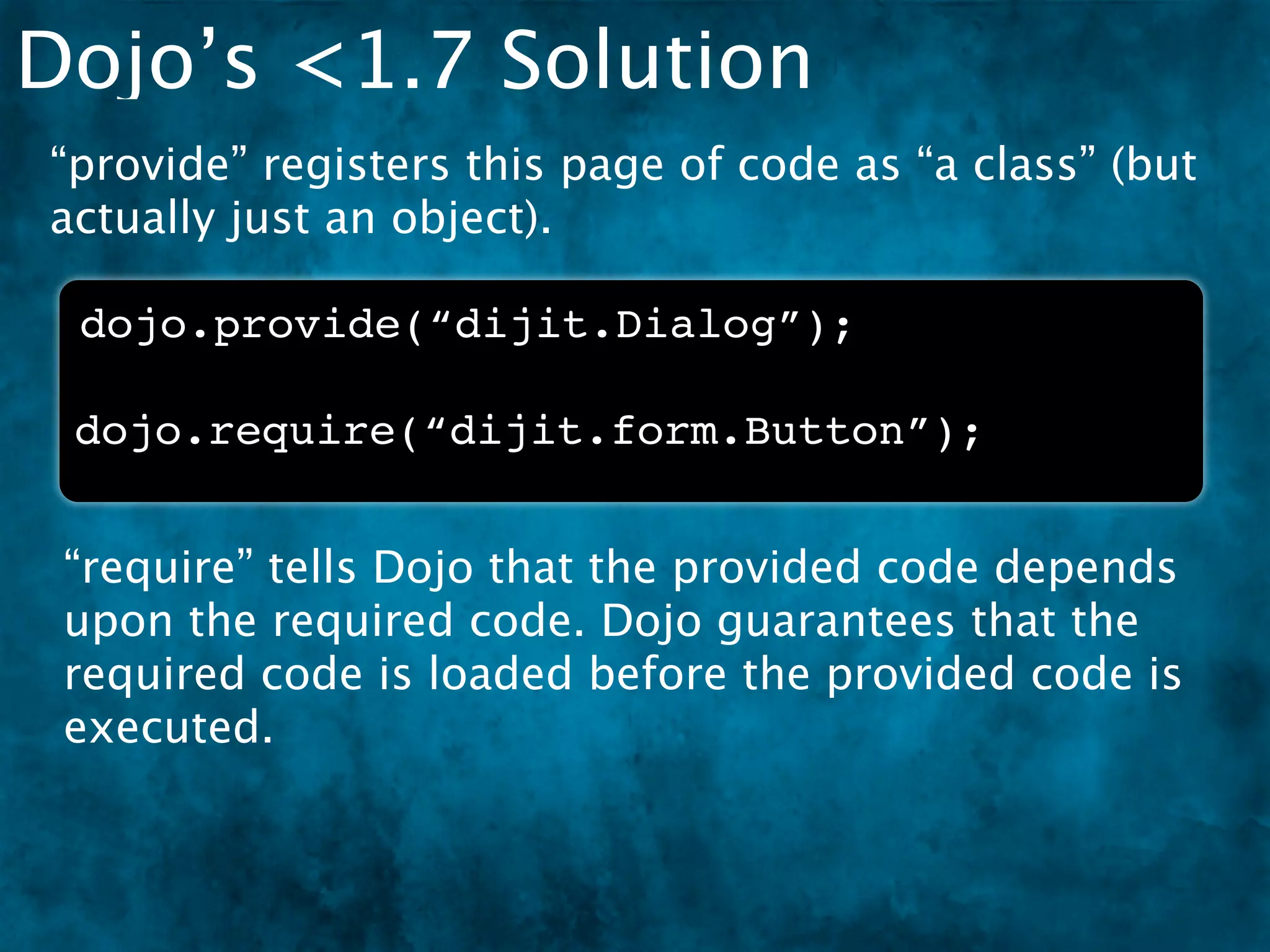
Dojo’s <1.7 Solution
“provide” registers this page of code as “a class” (but
actually just an object).

 dojo.provide(“dijit.Dialog”);
Dojo’s <1.7 Solution
“provide” registers this page of code as “a class” (but
actually just an object).

 dojo.provide(“dijit.Dialog”);

 dojo.require(“dijit.form.Button”);


 “require” tells Dojo that the provided code depends
 upon the required code. Dojo guarantees that the
 required code is loaded before the provided code is
 executed.
How Dojo <1.7 Worked
    Script files were pulled in as text with XHR.


   -= XHR =-

[dom.js]
code
code
code
require(‘event’)
library.dom = {
  // code
}
How Dojo <1.7 Worked
    Script files were pulled in as text with XHR.
    One at a time, each text file is eval’d into
    JavaScript.

          synchronously!


   -= XHR =-                 -= EVAL =-

[dom.js]                   [dom.js]           [dom.js]
code                       code               code
require(‘event’)           require(‘event’)   require(‘event’)
library.dom = {            library.dom = {    library.dom = {
  // code                    // code            // code
}                          }                  }
Dojo <1.7 Problems
Dojo <1.7 Problems
 XHR load has same-origin restrictions
Dojo <1.7 Problems
 XHR load has same-origin restrictions
  Special, complex, XD loader was needed
Dojo <1.7 Problems
 XHR load has same-origin restrictions
  Special, complex, XD loader was needed
 Eval’d code totally fubar’d syntax-error line
 numbers
Dojo <1.7 Problems
 XHR load has same-origin restrictions
  Special, complex, XD loader was needed
 Eval’d code totally fubar’d syntax-error line
 numbers
 Synchronous XHR is very slow
Dojo <1.7 Problems
 XHR load has same-origin restrictions
  Special, complex, XD loader was needed
 Eval’d code totally fubar’d syntax-error line
 numbers
 Synchronous XHR is very slow
 Some environments do not allow eval (like Adobe
 AIR)
Dojo <1.7 Problems
 XHR load has same-origin restrictions
  Special, complex, XD loader was needed
 Eval’d code totally fubar’d syntax-error line
 numbers
 Synchronous XHR is very slow
 Some environments do not allow eval (like Adobe
 AIR)
 eval executes differently across browsers
Dojo <1.7 Problems
 XHR load has same-origin restrictions
  Special, complex, XD loader was needed
 Eval’d code totally fubar’d syntax-error line
 numbers
 Synchronous XHR is very slow
 Some environments do not allow eval (like Adobe
 AIR)
 eval executes differently across browsers
 Developers are taught that eval is evil
ALTERNATIVE LOADER
    TECHNIQUES
Async
Async
 var Employee = require("Employee");

 function Manager () { }

 Manager.prototype = new Employee();   [ ERROR ]
Async
  var Employee = require("Employee");

 function Manager () { }

 Manager.prototype = new Employee();    [ ERROR ]


The Employee code is loaded async, so it happens in
the background while Manager is invoked, which
means Employee is not ready and an error occurs.
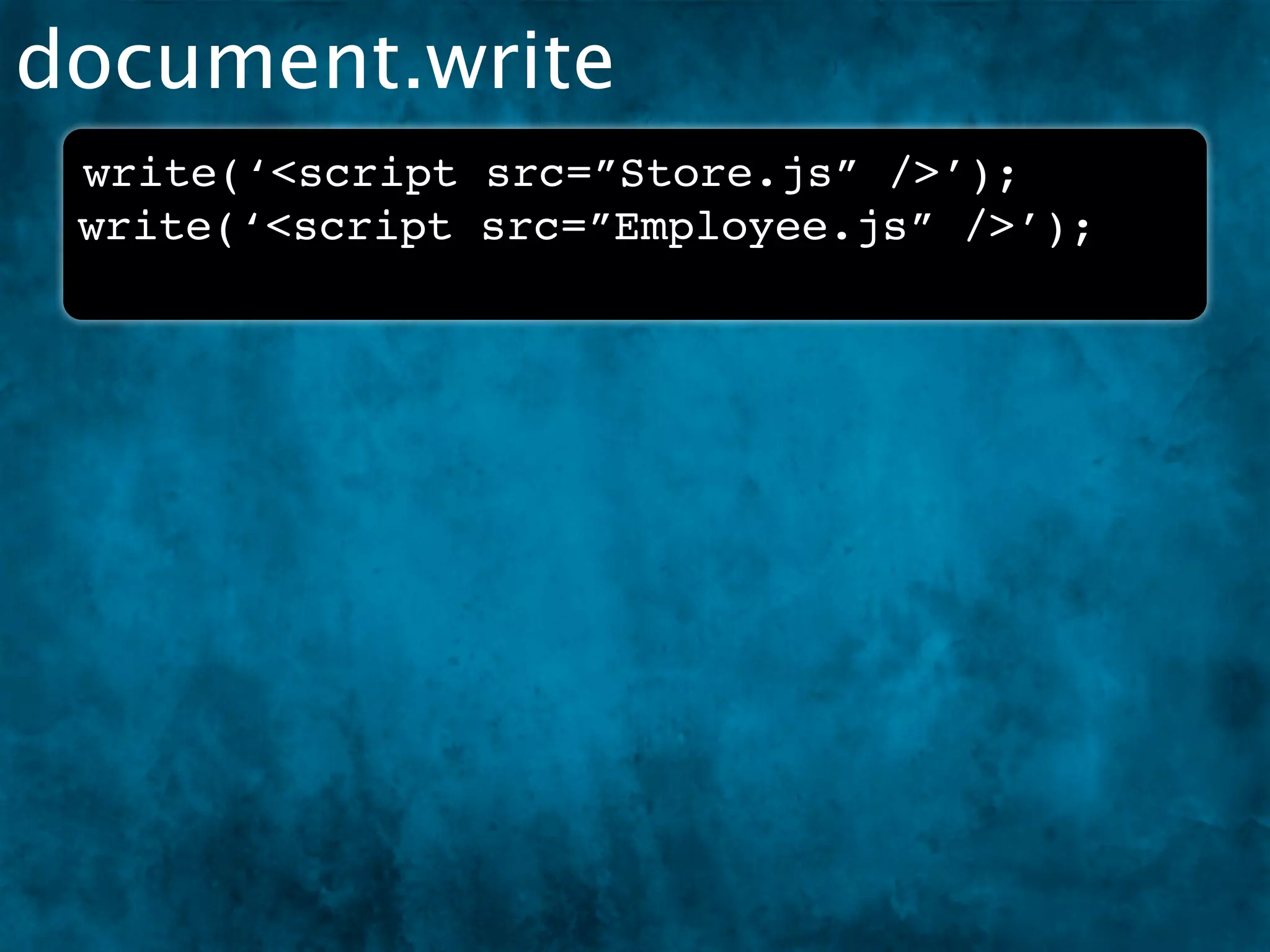
document.write
document.write
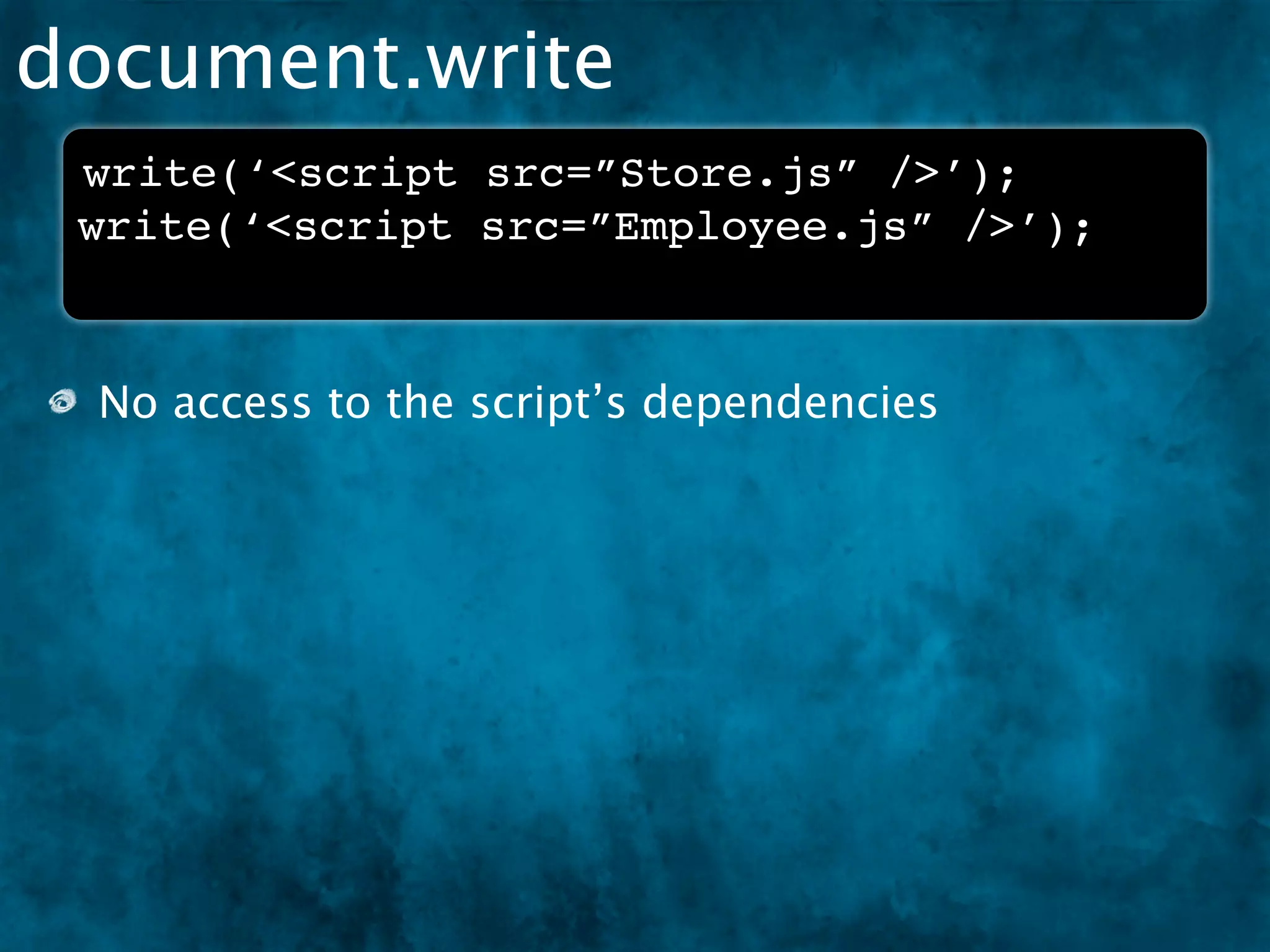
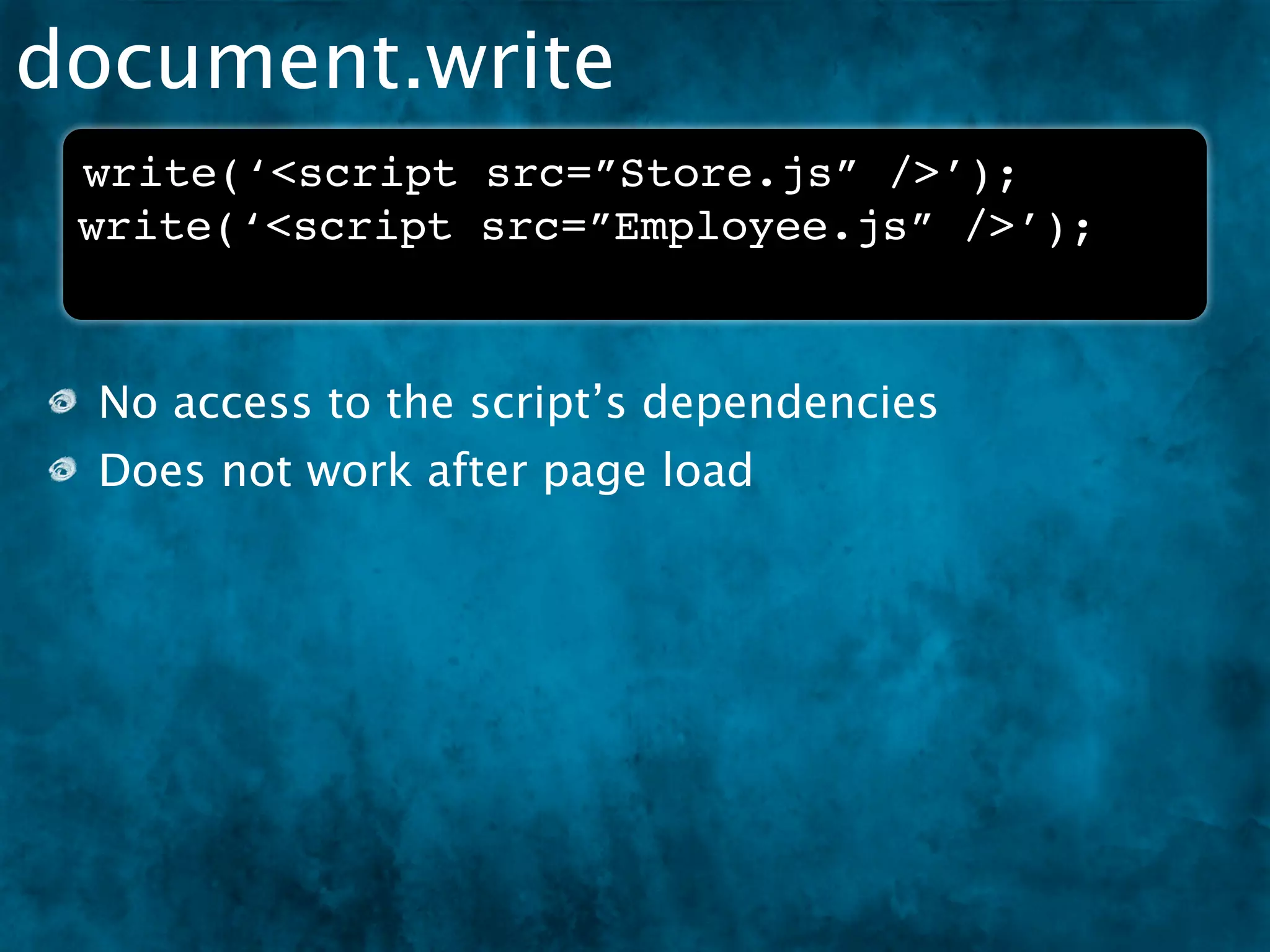
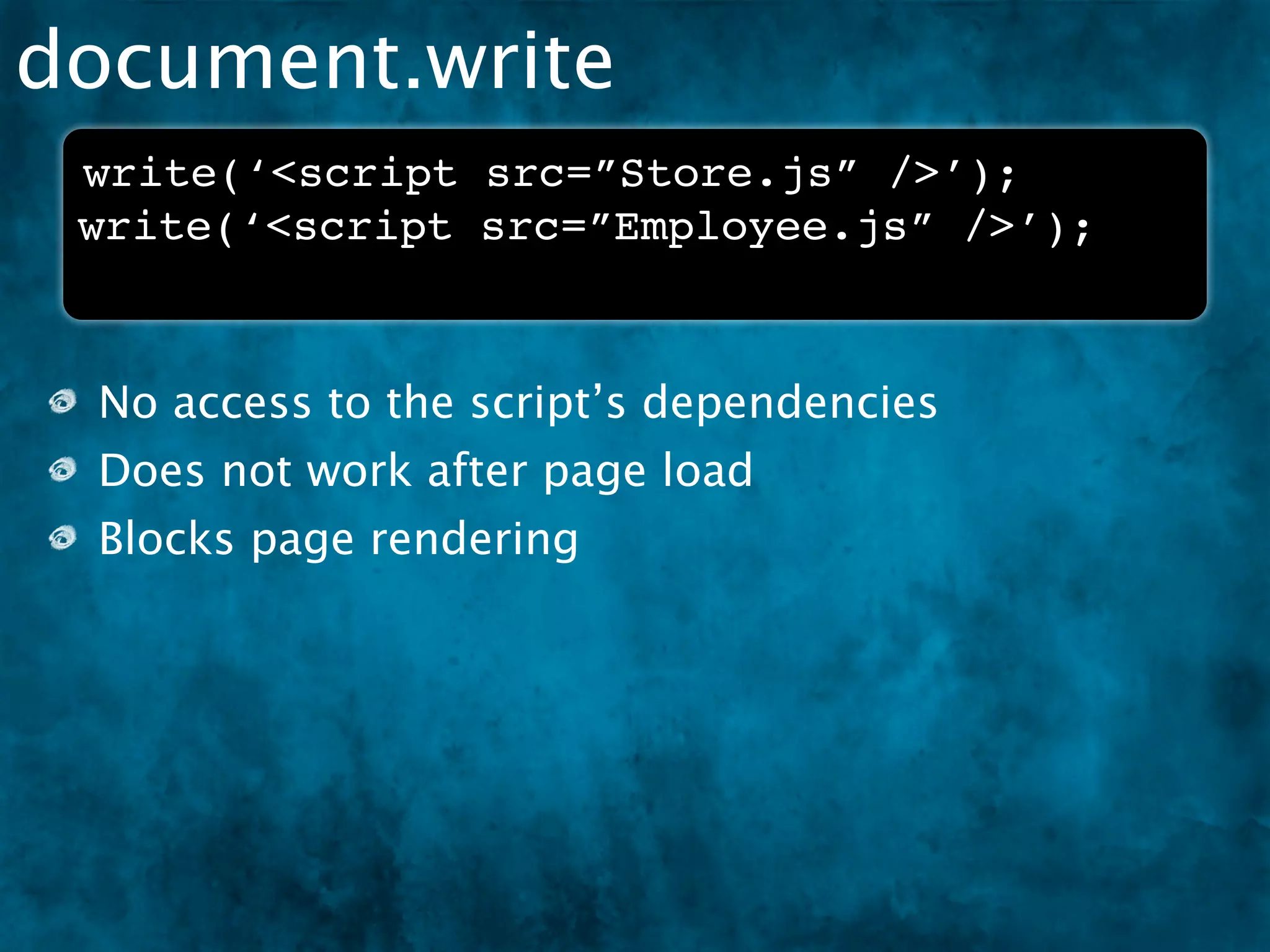
 write(‘<script src=”Store.js” />’);
 write(‘<script src=”Employee.js” />’);
document.write
 write(‘<script src=”Store.js” />’);
 write(‘<script src=”Employee.js” />’);


 No access to the script’s dependencies
document.write
 write(‘<script src=”Store.js” />’);
 write(‘<script src=”Employee.js” />’);


 No access to the script’s dependencies
 Does not work after page load
document.write
 write(‘<script src=”Store.js” />’);
 write(‘<script src=”Employee.js” />’);


 No access to the script’s dependencies
 Does not work after page load
 Blocks page rendering
appendChild(‘script’);
 head = document.getElementsByTagName('head')[0];
 script = document.createElement('script');
 script.src = url;
 head.appendChild(script);


  No access to the script’s dependencies
appendChild(‘script’);
 head = document.getElementsByTagName('head')[0];
 script = document.createElement('script');
 script.src = url;
 head.appendChild(script);


  No access to the script’s dependencies
  Has same async issues
THE SOLUTION
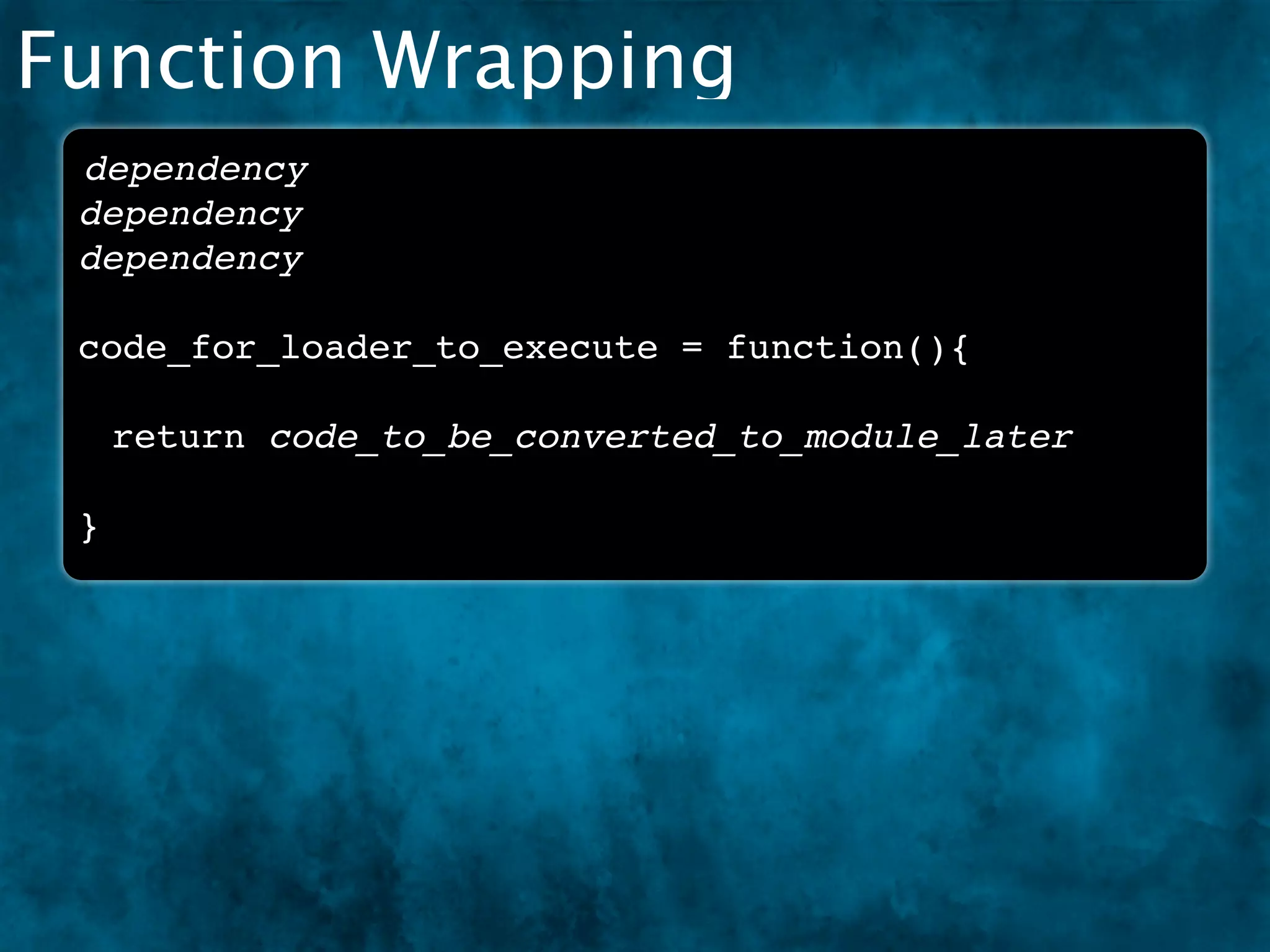
Function Wrapping
Function Wrapping
 dependency
 dependency
 dependency

 code_for_loader_to_execute = function(){

     return code_to_be_converted_to_module_later

 }
Function Wrapping
 dependency
 dependency
 dependency

 code_for_loader_to_execute = function(){

     return code_to_be_converted_to_module_later

 }


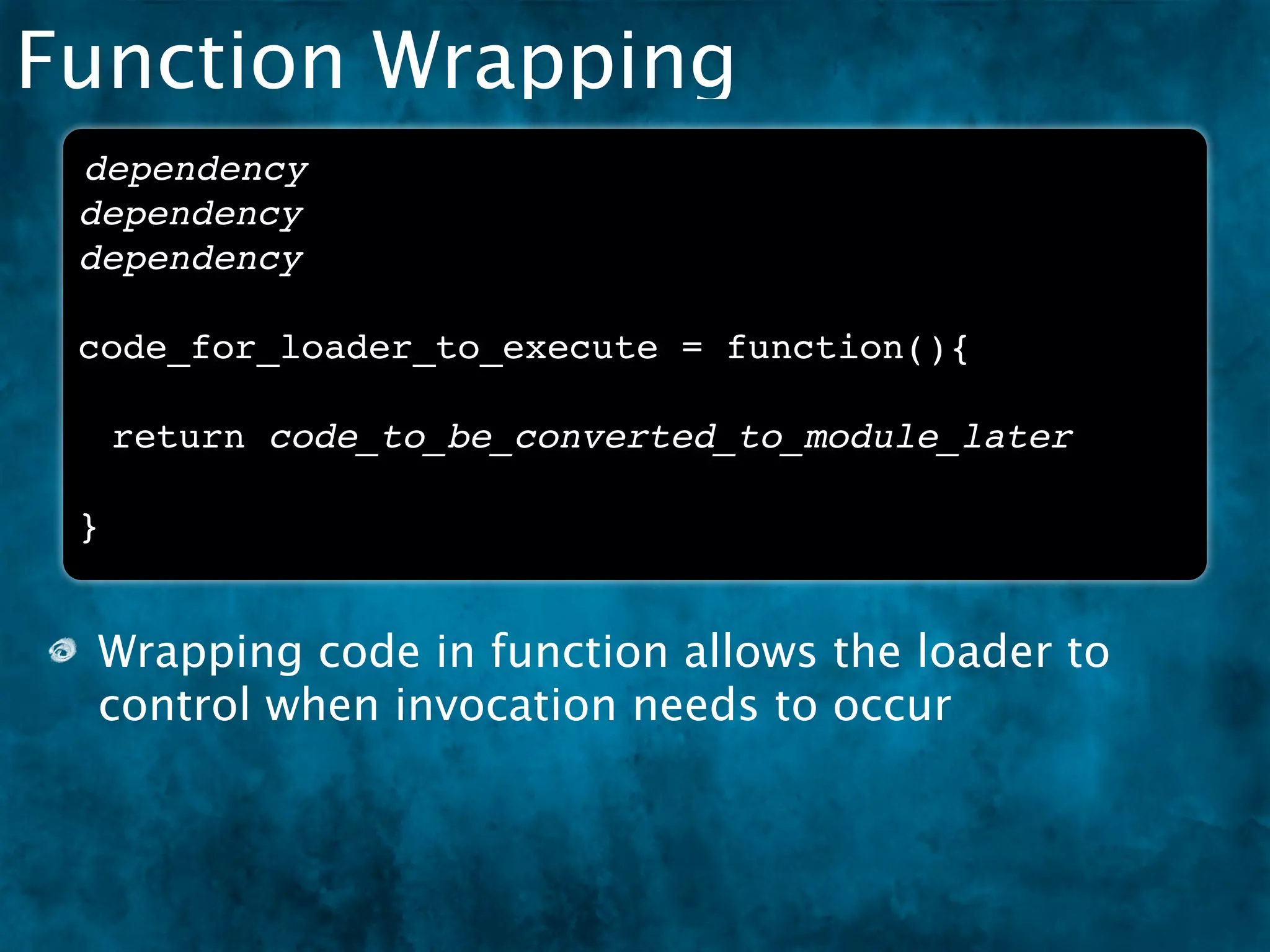
 Wrapping code in function allows the loader to
 control when invocation needs to occur
Function Wrapping
 dependency
 dependency
 dependency

 code_for_loader_to_execute = function(){

     return code_to_be_converted_to_module_later

 }


 Wrapping code in function allows the loader to
 control when invocation needs to occur
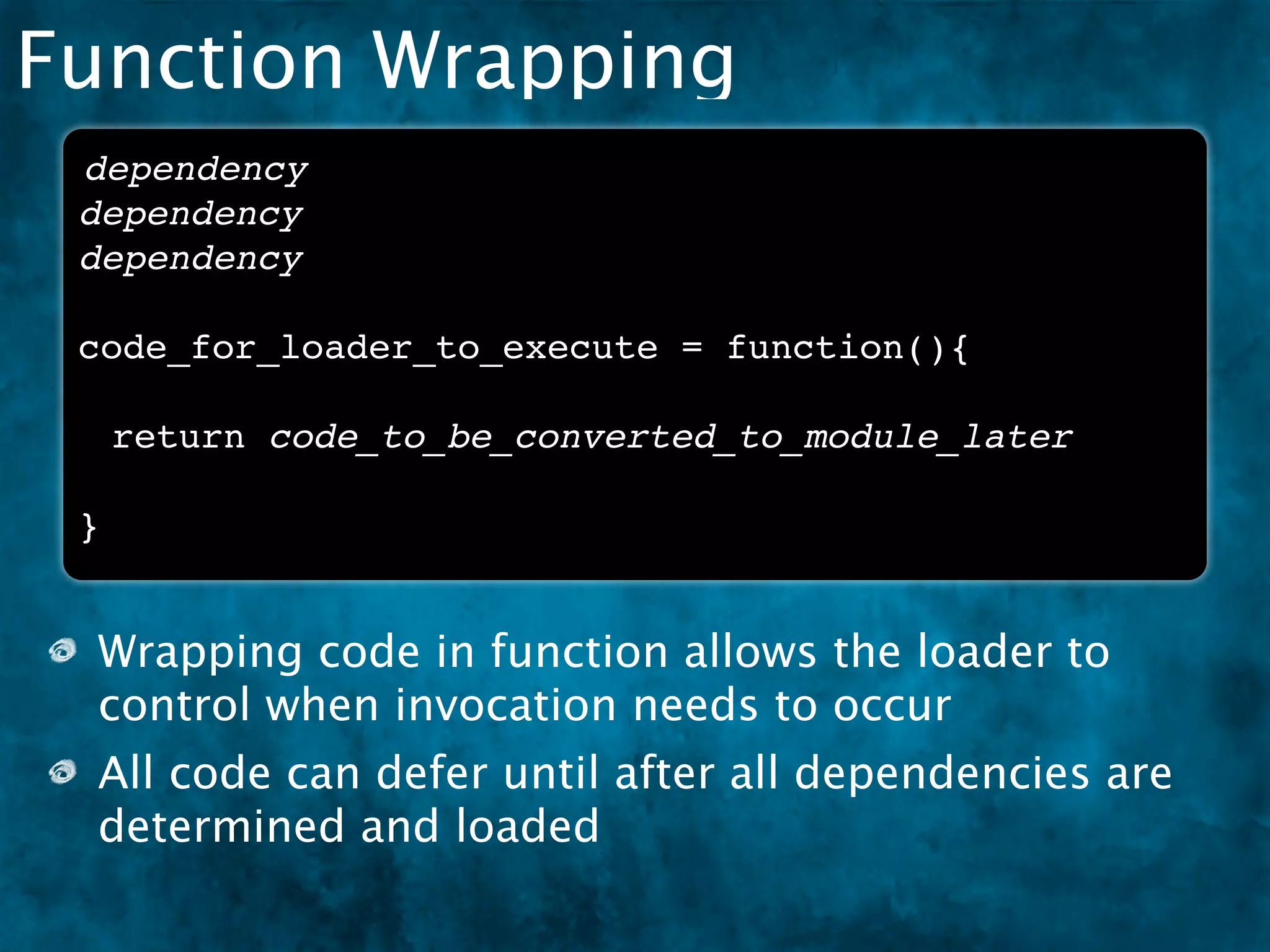
 All code can defer until after all dependencies are
 determined and loaded
AMD’s Methods
AMD’s Methods
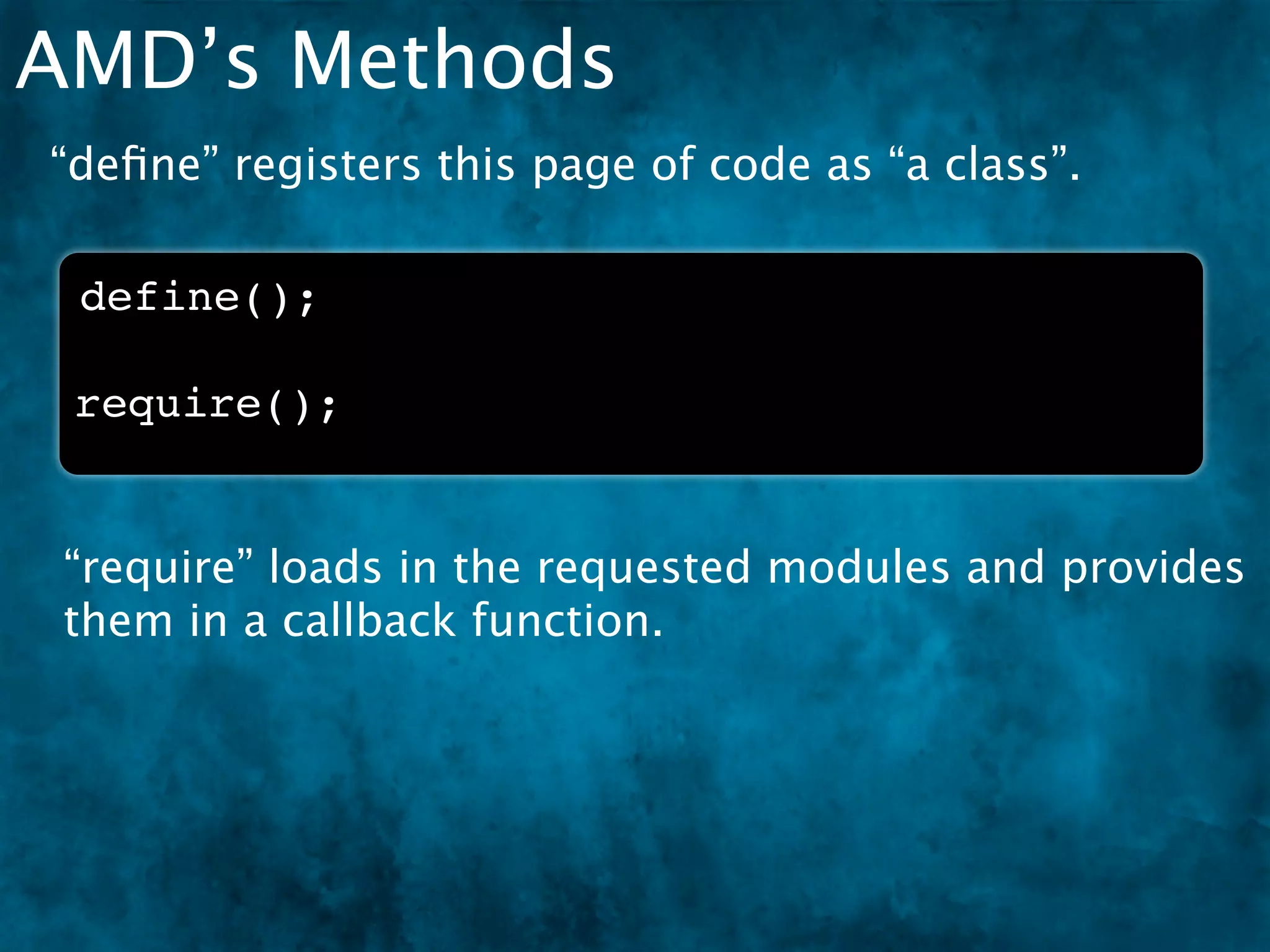
“define” registers this page of code as “a class”.

 define();
AMD’s Methods
“define” registers this page of code as “a class”.

 define();

 require();


 “require” loads in the requested modules and provides
 them in a callback function.
Anatomy of AMD - define()


 define(
  [
     “./depA”,
     “./depB”
  ], function(depA, depB){
     var myModule = {};
     return myModule;
  }
 );


               * There are other argument options, but these are the most
                                                                common.
Anatomy of AMD - define()
One of two
globals used in
the spec
 define(
  [
     “./depA”,
     “./depB”
  ], function(depA, depB){
     var myModule = {};
     return myModule;
  }
 );


                  * There are other argument options, but these are the most
                                                                   common.
Anatomy of AMD - define()
One of two                       Dependencies list defined
globals used in                  as an array in the first
the spec                         argument
 define(
  [
     “./depA”,
     “./depB”
  ], function(depA, depB){
     var myModule = {};
     return myModule;
  }
 );


                  * There are other argument options, but these are the most
                                                                   common.
Anatomy of AMD - define()
One of two               Dependencies list defined
globals used in          as an array in the first
the spec                 argument
                               The second
 define(
  [                            argument is the
     “./depA”,                 Factory which is
     “./depB”                  consumed when
  ], function(depA, depB){     module is requested
      var myModule = {};
      return myModule;
  }
 );


                  * There are other argument options, but these are the most
                                                                   common.
Anatomy of AMD - define()
One of two               Dependencies list defined
globals used in          as an array in the first
the spec                 argument
                               The second
 define(
  [                            argument is the
     “./depA”,                 Factory which is
     “./depB”                  consumed when
  ], function(depA, depB){     module is requested
     var myModule = {};        Dependencies
     return myModule;          passed as factory’s
  }                            arguments
 );


                  * There are other argument options, but these are the most
                                                                   common.
Anatomy of AMD - define()
One of two               Dependencies list defined
globals used in          as an array in the first
the spec                 argument
                               The second
 define(
  [                            argument is the
     “./depA”,                 Factory which is
     “./depB”                  consumed when
  ], function(depA, depB){     module is requested
     var myModule = {};        Dependencies
     return myModule;          passed as factory’s
  }                            arguments
                               All of your module
 );
                               magic happens here,
                               complete with scope
                               isolation

                  * There are other argument options, but these are the most
                                                                   common.
Anatomy of AMD - define()
One of two                      Dependencies list defined
globals used in                 as an array in the first
the spec                        argument
                                        The second
 define(
  [                                     argument is the
      “./depA”,                         Factory which is
      “./depB”                          consumed when
  ], function(depA, depB){              module is requested
      var myModule = {};                Dependencies
      return myModule;                  passed as factory’s
  }                                     arguments
                                        All of your module
);
                                        magic happens here,
                                        complete with scope
                                        isolation
Looks like a class, smells
like a class... * There are other argument options, but these are the most
                                                                 common.
Anatomy of AMD - require()


 require(
  [
     “library/depA”,
     “library/depB”
  ], function(depA, depB){
     depA.doSomething();
     depB.someMore();
  }
 );


               * There are other argument options, but these are the most
                                                                common.
Anatomy of AMD - require()
The other global

 require(
  [
     “library/depA”,
     “library/depB”
  ], function(depA, depB){
     depA.doSomething();
     depB.someMore();
  }
 );


               * There are other argument options, but these are the most
                                                                common.
Anatomy of AMD - require()
                           Modules, or “Imports” list
The other global           defined as an array in the first
                           argument
 require(
  [
     “library/depA”,
     “library/depB”
  ], function(depA, depB){
     depA.doSomething();
     depB.someMore();
  }
 );


               * There are other argument options, but these are the most
                                                                common.
Anatomy of AMD - require()
                           Modules, or “Imports” list
The other global           defined as an array in the first
                           argument
 require(                              Callback fires when
  [
                                       modules are loaded
     “library/depA”,
     “library/depB”                    and ready
  ], function(depA, depB){
     depA.doSomething();
     depB.someMore();
  }
 );


               * There are other argument options, but these are the most
                                                                common.
Anatomy of AMD - require()
                           Modules, or “Imports” list
The other global           defined as an array in the first
                           argument
 require(                              Callback fires when
  [
                                       modules are loaded
     “library/depA”,
     “library/depB”                    and ready
  ], function(depA, depB){
     depA.doSomething();               Modules passed as
     depB.someMore();                  callback’s
  }                                    arguments
 );


               * There are other argument options, but these are the most
                                                                common.
Anatomy of AMD - require()
                           Modules, or “Imports” list
The other global           defined as an array in the first
                           argument
 require(                              Callback fires when
  [
                                       modules are loaded
     “library/depA”,
     “library/depB”                    and ready
  ], function(depA, depB){
     depA.doSomething();               Modules passed as
     depB.someMore();                  callback’s
  }                                    arguments
 );
                                       Modules are ready to
                                       access here


               * There are other argument options, but these are the most
                                                                common.
Anatomy of AMD - require()
                           Modules, or “Imports” list
The other global           defined as an array in the first
                           argument
 require(                              Callback fires when
  [
                                       modules are loaded
     “library/depA”,
     “library/depB”                    and ready
  ], function(depA, depB){
     depA.doSomething();               Modules passed as
     depB.someMore();                  callback’s
  }                                    arguments
 );
                                       Modules are ready to
                                       access here

Looks like “define”! Simple!
               * There are other argument options, but these are the most
                                                                common.
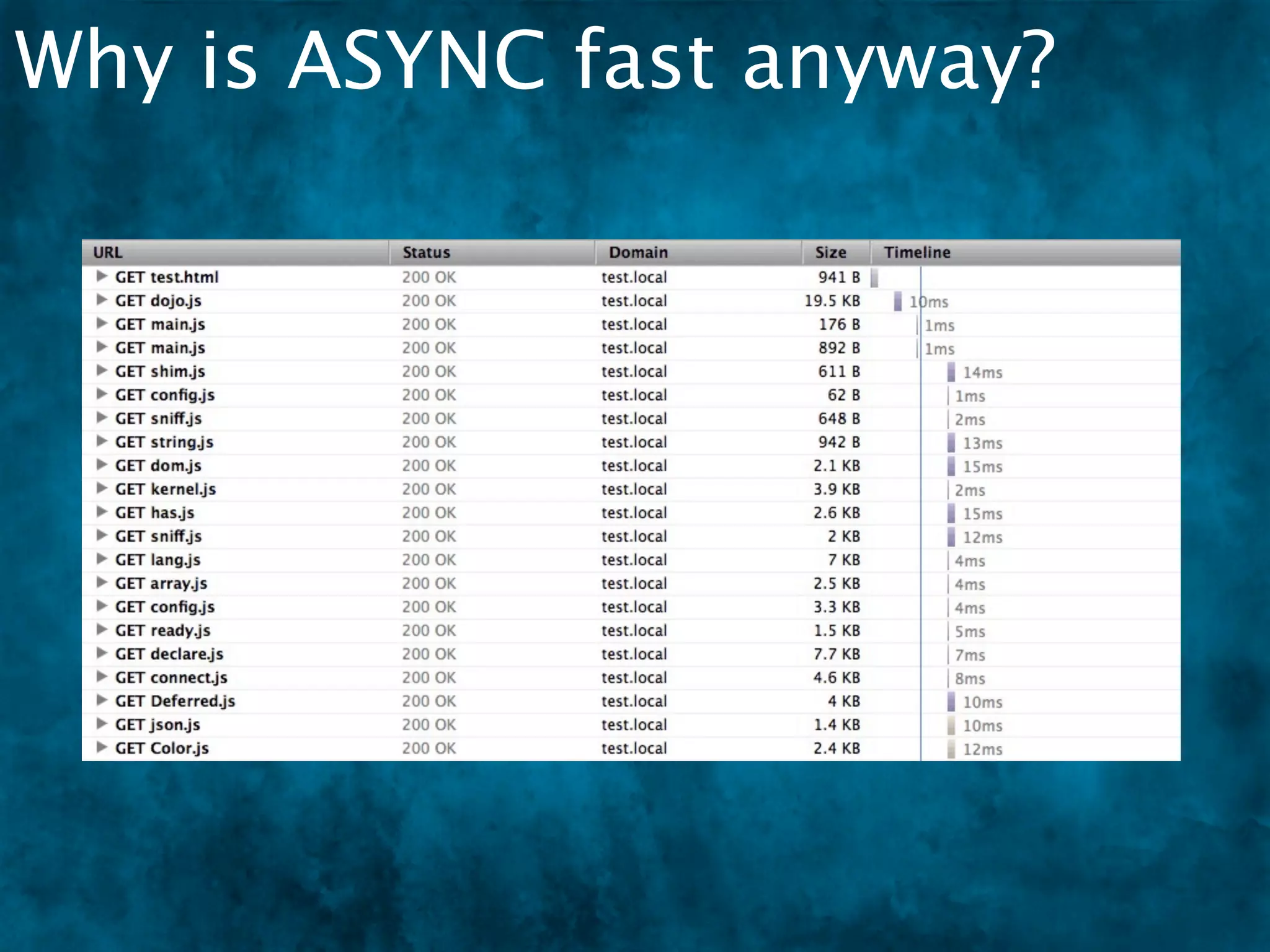
Why is ASYNC fast anyway?
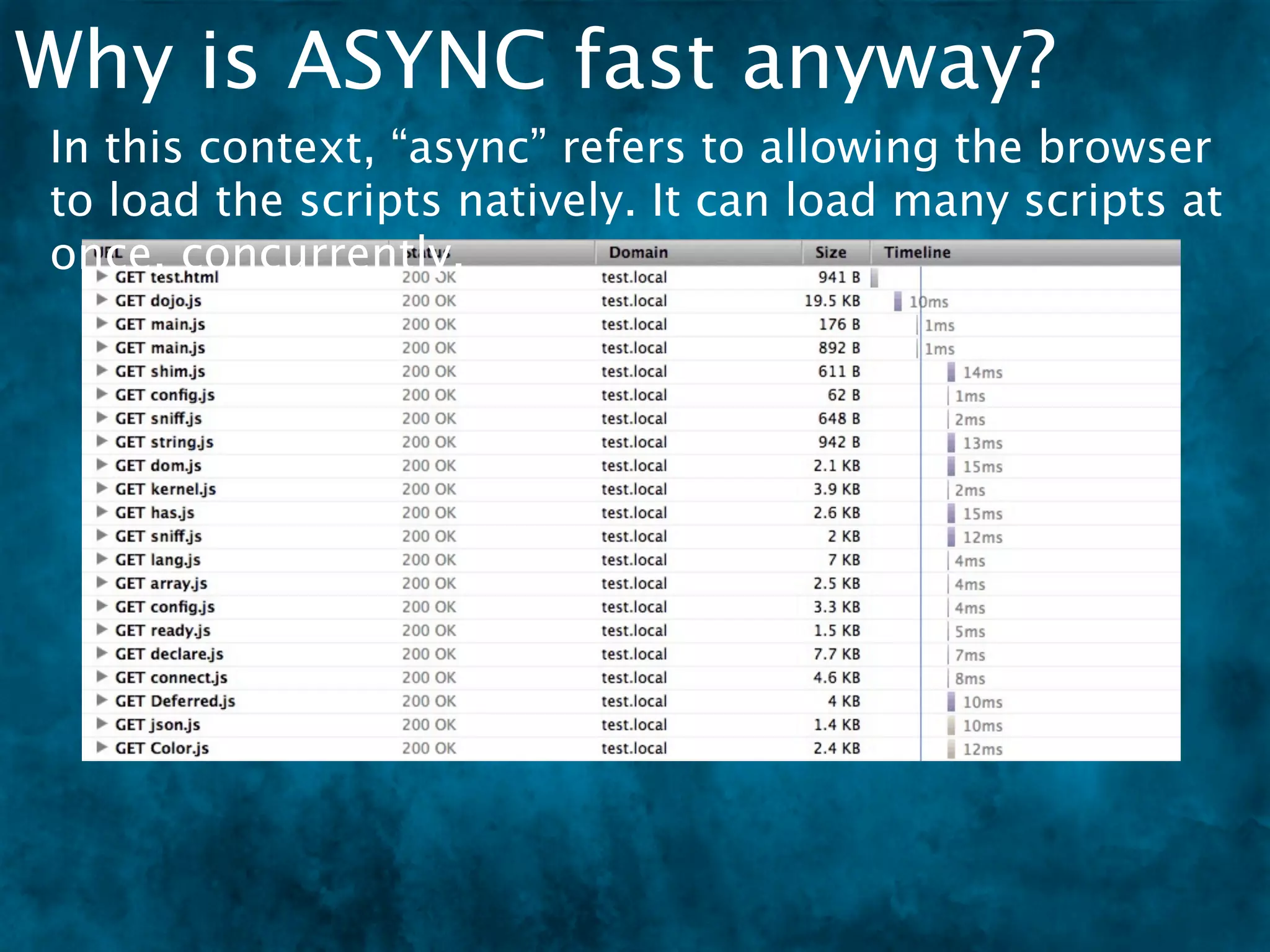
In this context, “async” refers to allowing the browser
to load the scripts natively. It can load many scripts at
once, concurrently.
Why is ASYNC fast anyway?


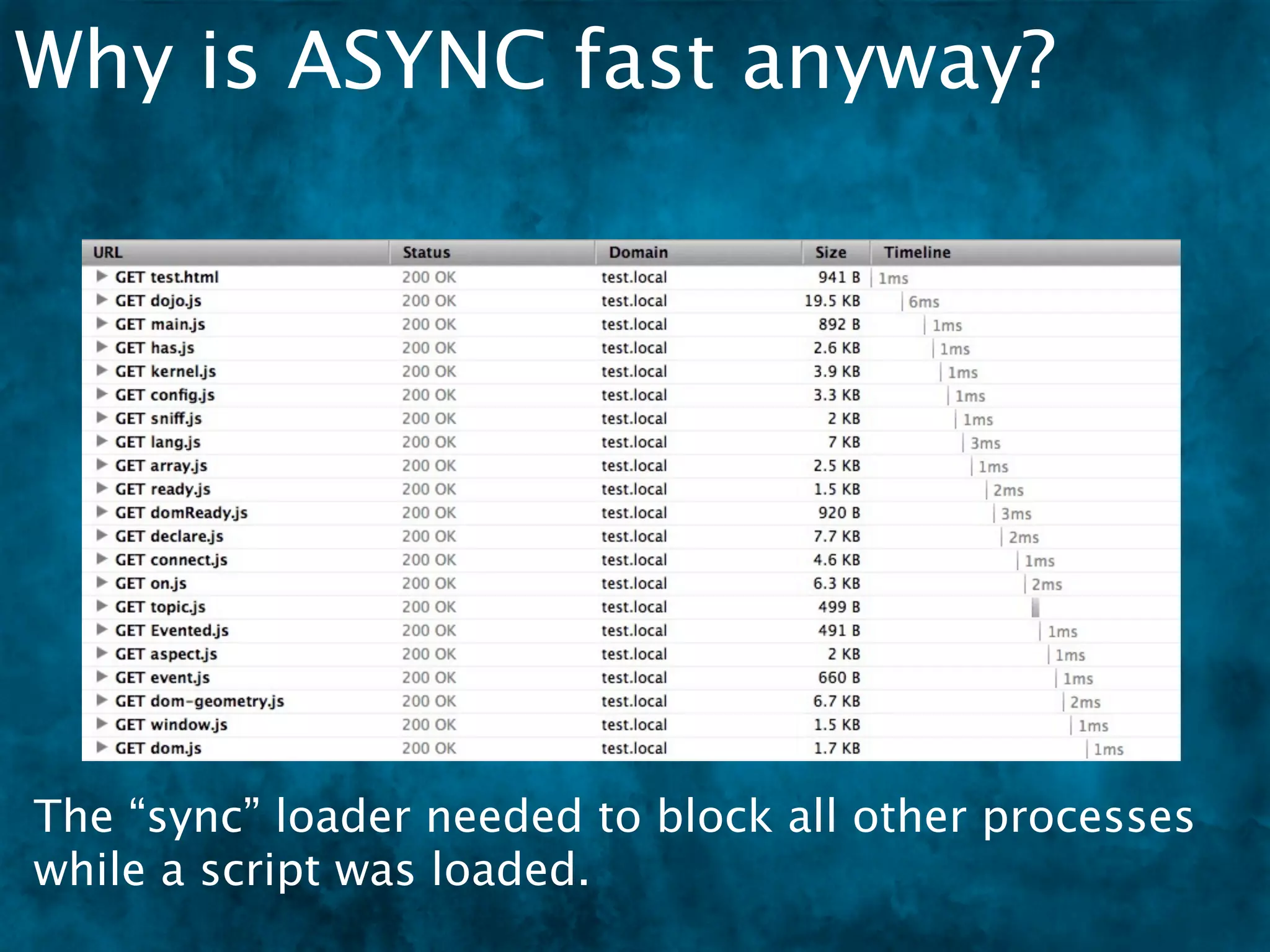
The “sync” loader needed to block all other processes
while a script was loaded.
EXTENDING AMD
Plugins
Plugins
The bang! symbol represents a plugin that
performs a special task.


 require(["dojo", "dojo/domReady!"], function(dojo){
 ! doDomStuff();
 });

 define([
     “dijit/Widget”,
     “dojo/text!myTemplate.html”
 ], function(Widget, template){
     // build a widget
 });
Plugins
The bang! symbol represents a plugin that
performs a special task.
    domReady! is a common plugin that prevents
    the callback from firing until the DOM is in
    fact... ready.
 require(["dojo", "dojo/domReady!"], function(dojo){
 ! doDomStuff();
 });

 define([
     “dijit/Widget”,
     “dojo/text!myTemplate.html”
 ], function(Widget, template){
     // build a widget
 });
Plugins
The bang! symbol represents a plugin that
performs a special task.
    domReady! is a common plugin that prevents
    the callback from firing until the DOM is in
    fact... ready.
 require(["dojo", "dojo/domReady!"], function(dojo){
 ! doDomStuff();
 });

 define([
     “dijit/Widget”,
     “dojo/text!myTemplate.html”
 ], function(Widget, template){
     // build a widget
 });


 text! knows that it is reading text or HTML
 and possibly applies transforms to it.
Build Tools
Build Tools
A “profile” is the description file the Dojo Builder uses.
The AMD structure works well as individual files or as
one combined file.
 var profile = {
 ! releaseDir:"../clubajax-deploy",
 ! packages:[
 ! ! {
 ! ! ! name:"clubajax",
 ! ! ! location:"."
 ! ! },{
 ! ! ! name:"plugin",
 ! ! ! location:"../plugin"
 ! ! }
 ! ],
 ! layers:{
 ! ! "clubajax/layer":{
 ! ! ! include:[ 'custom/main', 'plugin/main' ]
 ! ! }
 ! }
 };
Packages
Packages
A package.json file will help describe your code, its
external dependencies, and how it should be used.
 {
     "name": "clubajax.js",
     "description": "Club AJAX Base Library",
     "licenses": [{
             "type": "AFLv2.1",
             "url": "http://dojo/LICENSE"
     }],
     "bugs": "",
     "keywords": [],
     "homepage": "http://clubajax.org/",
     "dependencies": {},
     "dojoBuild": "clubajax.profile.js",
     "main": "./main"
Packages
A package.json file will help describe your code, its
external dependencies, and how it should be used.
 {
     "name": "clubajax.js",
     "description": "Club AJAX Base Library",
     "licenses": [{
             "type": "AFLv2.1",
             "url": "http://dojo/LICENSE"
     }],
     "bugs": "",
     "keywords": [],
     "homepage": "http://clubajax.org/",
     "dependencies": {},
     "dojoBuild": "clubajax.profile.js",
     "main": "./main"


“dojoBuild” points to the profile, and “main” points to
the master file that knows of all the files in the
package.
RESOURCES
AMD Authors
AMD Authors

         James Burke
          Original Dojo Loader author
          Developed RequireJS and
          spearheaded AMD
AMD Authors
AMD Authors

         Kevin Dangoor
          Authored blog post: “What
          Server Side JavaScript Needs”
          Founded CommonJS
          Expressed the need for JS
          modules and packages
          RequireJS based on CommonJS
          module spec
AMD Authors
AMD Authors

         Rawld Gill
          Wrote the Dojo 1.7 loader and
          Node.js build tool
          key contributor to AMD spec
          Authored all AMD plugins (text,
          i18n, domReady, ready)
          dojo bootstrap (kernel and base
          load)
          dojo's has.js implementation
          (enhanced from standard
          version)
AMD Authors
AMD Authors

         Kris Zyp
          Of course he helped. What is
          there that Kris Zyp DOESN’T
          do??
AMD Libraries
The following libraries are either AMD-
compliant or AMD loaders
  jQuery 1.7
  Dojo 1.7
  MooTools 2.0
  EmbedJS
  curl.js
More AMD Info
    https://github.com/amdjs/amdjs-api/wiki/AMD
    http://www.commonjs.org/
    http://www.commonjs.org/specs/
    http://dojotoolkit.org/reference-guide/loader/
    index.html#loader-index
    http://dojotoolkit.org/reference-guide/loader/amd.html#loader-
    amd
    http://arstechnica.com/web/news/2009/12/commonjs-effort-
    sets-javascript-on-path-for-world-domination.ars
    http://requirejs.org/docs/history.html
    http://www.commonjs.org/history/
    https://groups.google.com/group/amd-implement?pli=1
✴   Special credit to Rawld Gill of Alto Visio for his in depth
    explanations of Dojo Loader and Build Tool
✴   And a very special credit to James Burke - since most of the
    information in this presentation came from the RequireJS pages.
Description

AMD - Why, What and How

  • 1.
    AMD - WHY,WHAT, AND HOW Mike Wilcox - January 2012 Tweets: @clubajax Blogs: clubajax.org
  • 2.
  • 3.
    The Problem Today’s complexWeb Apps have created the need for:
  • 4.
    The Problem Today’s complexWeb Apps have created the need for: Structure Some sort of framework, to aid in rapid development
  • 5.
    The Problem Today’s complexWeb Apps have created the need for: Structure Some sort of framework, to aid in rapid development Object orientation To “black box” complex code
  • 6.
    The Problem Today’s complexWeb Apps have created the need for: Structure Some sort of framework, to aid in rapid development Object orientation To “black box” complex code Modules and packages RE: The 2,500 best jQuery plugins...
  • 7.
    The Problem Today’s complexWeb Apps have created the need for: Structure Some sort of framework, to aid in rapid development Object orientation To “black box” complex code Modules and packages RE: The 2,500 best jQuery plugins... Dependencies (includes, requires, imports, what-ev)
  • 8.
    The Problem Today’s complexWeb Apps have created the need for: Structure Some sort of framework, to aid in rapid development Object orientation To “black box” complex code Modules and packages RE: The 2,500 best jQuery plugins... Dependencies (includes, requires, imports, what-ev) Reusable code Scope-isolated, clean API, portable Globals are bad!
  • 9.
  • 10.
    Single Files The“old fashioned way” to write JavaScript was to do it all in a single file.
  • 11.
    Single Files The“old fashioned way” to write JavaScript was to do it all in a single file. // define library ! var!noop = function(){ ! ! }, ! ! isEmpty = function(it){ ! ! ! for(var p in it){ ! ! ! ! return 0; ! ! ! } ! ! ! return 1; ! ! }, ! ! toString = {}.toString, ! ! isFunction = function(it){ ! ! ! return toString.call(it) == "[object Function]"; ! ! }, ! ! isString = function(it){ ! ! ! return toString.call(it) == "[object String]";
  • 12.
    Single Files ! ! ! ! ! ! ! ! ! computeMapProg = function(map, dest, packName){ ! ! dest.splice(0, dest.length); var p, i, item, reverseName = 0; The “old fashioned way” to write JavaScript was to do ! ! ! ! for(p in map){ ! ! ! ! ! dest.push([p, map[p]]); it all in a single file. ! ! ! ! ! if(map[p]==packName){ ! ! ! ! ! ! reverseName = p; ! ! ! ! ! } ! ! ! ! } ! ! ! ! dest.sort(function(lhs, rhs){ ! ! ! ! ! return rhs[0].length - lhs[0].length; ! ! ! ! }); ! ! ! ! for(i = 0; i < dest.length;){ ! ! ! ! ! item = dest[i++]; ! ! ! ! ! item[2] = new RegExp("^" + item[0].replace(/([.$?*|{} ()[]/+^])/g, function(c){ return "" + c; }) + "(/|$)"); ! ! ! ! ! item[3] = item[0].length + 1; ! ! ! ! } ! ! ! ! return reverseName; ! ! ! }, ! ! ! fixupPackageInfo = function(packageInfo, baseUrl){ ! ! ! ! // calculate the precise (name, baseUrl, main, mappings) for a package ! ! ! ! var name = packageInfo.name; ! ! ! ! if(!name){
  • 13.
    Single File -pros & cons
  • 14.
    Single File -pros & cons Pros Fewer resources means faster load times.
  • 15.
    Single File -pros & cons Pros Fewer resources means faster load times. No “build step” necessary.
  • 16.
    Single File -pros & cons Pros Fewer resources means faster load times. No “build step” necessary. Cons Difficult to maintain and edit a file thousands of lines long. GOTO Line #
  • 17.
    Single File -pros & cons Pros Fewer resources means faster load times. No “build step” necessary. Cons Difficult to maintain and edit a file thousands of lines long. GOTO Line # Code reusability is dirt poor. Copy and paste?
  • 18.
    Single File -pros & cons Pros Fewer resources means faster load times. No “build step” necessary. Cons Difficult to maintain and edit a file thousands of lines long. GOTO Line # Code reusability is dirt poor. Copy and paste? Makes team development near impossible. GITMERGETOOL
  • 19.
  • 20.
    Multiple Files Multiple fileswhich follow an object oriented or namespaced approach are easier to maintain because the brain more easily maps files to ideas.
  • 21.
    Multiple Files Multiple fileswhich follow an object oriented or namespaced approach are easier to maintain because the brain more easily maps files to ideas. [dom.js] [lang.js] library.dom = { library.lang = { // code // code } } [events.js] [string.js] library.events = library.string = { { // code // code } }
  • 22.
    Multi File -pros & cons
  • 23.
    Multi File -pros & cons Pros One-to-one, file-to-class makes organization easier.
  • 24.
    Multi File -pros & cons Pros One-to-one, file-to-class makes organization easier. The brain more easily maps files to concepts (objects).
  • 25.
    Multi File -pros & cons Pros One-to-one, file-to-class makes organization easier. The brain more easily maps files to concepts (objects). More team friendly.
  • 26.
    Multi File -pros & cons Pros One-to-one, file-to-class makes organization easier. The brain more easily maps files to concepts (objects). More team friendly. Cons The files (and server requests) will add up fast and that will slow down the page.
  • 27.
    Multi File -pros & cons Pros One-to-one, file-to-class makes organization easier. The brain more easily maps files to concepts (objects). More team friendly. Cons The files (and server requests) will add up fast and that will slow down the page. Lots of <script> tags. BLEAH.
  • 28.
    Multi File -pros & cons Pros One-to-one, file-to-class makes organization easier. The brain more easily maps files to concepts (objects). More team friendly. Cons The files (and server requests) will add up fast and that will slow down the page. Lots of <script> tags. BLEAH. The system to track all these files and their order is YOU.
  • 29.
    Web App with<script> tags
  • 30.
    Web App with<script> tags
  • 31.
    Web App with<script> tags
  • 32.
    Build solution for<script> tags
  • 33.
    Build solution for<script> tags Result can be fed into Google Closure Combiner, Dojo Shrinksafe, UglifyJS, etc, etc.
  • 34.
  • 35.
    Dependency Matters Scriptsload in this order [dom.js] [events.js] library.dom = { // code [lang.js] library.events = } { [string.js] library.lang = { // code } // code } library.string = { // code }
  • 36.
    Dependency Matters Scriptsload in this order A change is made to dom.js Adds events to node on create. [dom.js] [events.js] library.dom = { // code [lang.js] library.events = } { [string.js] library.lang = { // code } // code } library.string = { // code }
  • 37.
    Dependency Matters Scriptsload in this order A change is made to dom.js Adds events to node on create. [dom.js] [events.js] library.dom = { // code [lang.js] library.events = } { [string.js] dom.js is trying to access library.lang = { // code } // code events.js but it’s not loaded } library.string = yet { // code }
  • 38.
    Dependency Management [dom.js] [events.js] library.dom = { // code [lang.js] library.events = } { [string.js] library.lang = { // code } // code } library.string = { // code }
  • 39.
    Dependency Management [player.html] [dom.js] [events.js] library.dom = { // code [admin.html] [lang.js] library.events = } { [string.js] library.lang = { // code } // code } library.string = { // code } [test.html] Now script order needs to be changed in all your
  • 41.
    I thought Dojohad a build tool with dependency
  • 42.
  • 43.
    Dojo’s <1.7 Solution “provide”registers this page of code as “a class” (but actually just an object). dojo.provide(“dijit.Dialog”);
  • 44.
    Dojo’s <1.7 Solution “provide”registers this page of code as “a class” (but actually just an object). dojo.provide(“dijit.Dialog”); dojo.require(“dijit.form.Button”); “require” tells Dojo that the provided code depends upon the required code. Dojo guarantees that the required code is loaded before the provided code is executed.
  • 45.
  • 46.
    How Dojo <1.7Worked Script files were pulled in as text with XHR. -= XHR =- [dom.js] code code code require(‘event’) library.dom = { // code }
  • 47.
    How Dojo <1.7Worked Script files were pulled in as text with XHR. One at a time, each text file is eval’d into JavaScript. synchronously! -= XHR =- -= EVAL =- [dom.js] [dom.js] [dom.js] code code code code code code code code code require(‘event’) require(‘event’) require(‘event’) library.dom = { library.dom = { library.dom = { // code // code // code } } }
  • 48.
  • 49.
    Dojo <1.7 Problems XHR load has same-origin restrictions
  • 50.
    Dojo <1.7 Problems XHR load has same-origin restrictions Special, complex, XD loader was needed
  • 51.
    Dojo <1.7 Problems XHR load has same-origin restrictions Special, complex, XD loader was needed Eval’d code totally fubar’d syntax-error line numbers
  • 52.
    Dojo <1.7 Problems XHR load has same-origin restrictions Special, complex, XD loader was needed Eval’d code totally fubar’d syntax-error line numbers Synchronous XHR is very slow
  • 53.
    Dojo <1.7 Problems XHR load has same-origin restrictions Special, complex, XD loader was needed Eval’d code totally fubar’d syntax-error line numbers Synchronous XHR is very slow Some environments do not allow eval (like Adobe AIR)
  • 54.
    Dojo <1.7 Problems XHR load has same-origin restrictions Special, complex, XD loader was needed Eval’d code totally fubar’d syntax-error line numbers Synchronous XHR is very slow Some environments do not allow eval (like Adobe AIR) eval executes differently across browsers
  • 55.
    Dojo <1.7 Problems XHR load has same-origin restrictions Special, complex, XD loader was needed Eval’d code totally fubar’d syntax-error line numbers Synchronous XHR is very slow Some environments do not allow eval (like Adobe AIR) eval executes differently across browsers Developers are taught that eval is evil
  • 57.
  • 58.
  • 59.
    Async var Employee= require("Employee"); function Manager () { } Manager.prototype = new Employee(); [ ERROR ]
  • 60.
    Async varEmployee = require("Employee"); function Manager () { } Manager.prototype = new Employee(); [ ERROR ] The Employee code is loaded async, so it happens in the background while Manager is invoked, which means Employee is not ready and an error occurs.
  • 61.
  • 62.
    document.write write(‘<script src=”Store.js”/>’); write(‘<script src=”Employee.js” />’);
  • 63.
    document.write write(‘<script src=”Store.js”/>’); write(‘<script src=”Employee.js” />’); No access to the script’s dependencies
  • 64.
    document.write write(‘<script src=”Store.js”/>’); write(‘<script src=”Employee.js” />’); No access to the script’s dependencies Does not work after page load
  • 65.
    document.write write(‘<script src=”Store.js”/>’); write(‘<script src=”Employee.js” />’); No access to the script’s dependencies Does not work after page load Blocks page rendering
  • 66.
  • 67.
    appendChild(‘script’); head =document.getElementsByTagName('head')[0]; script = document.createElement('script'); script.src = url; head.appendChild(script); No access to the script’s dependencies
  • 68.
    appendChild(‘script’); head =document.getElementsByTagName('head')[0]; script = document.createElement('script'); script.src = url; head.appendChild(script); No access to the script’s dependencies Has same async issues
  • 70.
  • 71.
  • 72.
    Function Wrapping dependency dependency dependency code_for_loader_to_execute = function(){ return code_to_be_converted_to_module_later }
  • 73.
    Function Wrapping dependency dependency dependency code_for_loader_to_execute = function(){ return code_to_be_converted_to_module_later } Wrapping code in function allows the loader to control when invocation needs to occur
  • 74.
    Function Wrapping dependency dependency dependency code_for_loader_to_execute = function(){ return code_to_be_converted_to_module_later } Wrapping code in function allows the loader to control when invocation needs to occur All code can defer until after all dependencies are determined and loaded
  • 75.
  • 76.
    AMD’s Methods “define” registersthis page of code as “a class”. define();
  • 77.
    AMD’s Methods “define” registersthis page of code as “a class”. define(); require(); “require” loads in the requested modules and provides them in a callback function.
  • 78.
    Anatomy of AMD- define()
  • 79.
    Anatomy of AMD- define() define( [ “./depA”, “./depB” ], function(depA, depB){ var myModule = {}; return myModule; } ); * There are other argument options, but these are the most common.
  • 80.
    Anatomy of AMD- define() One of two globals used in the spec define( [ “./depA”, “./depB” ], function(depA, depB){ var myModule = {}; return myModule; } ); * There are other argument options, but these are the most common.
  • 81.
    Anatomy of AMD- define() One of two Dependencies list defined globals used in as an array in the first the spec argument define( [ “./depA”, “./depB” ], function(depA, depB){ var myModule = {}; return myModule; } ); * There are other argument options, but these are the most common.
  • 82.
    Anatomy of AMD- define() One of two Dependencies list defined globals used in as an array in the first the spec argument The second define( [ argument is the “./depA”, Factory which is “./depB” consumed when ], function(depA, depB){ module is requested var myModule = {}; return myModule; } ); * There are other argument options, but these are the most common.
  • 83.
    Anatomy of AMD- define() One of two Dependencies list defined globals used in as an array in the first the spec argument The second define( [ argument is the “./depA”, Factory which is “./depB” consumed when ], function(depA, depB){ module is requested var myModule = {}; Dependencies return myModule; passed as factory’s } arguments ); * There are other argument options, but these are the most common.
  • 84.
    Anatomy of AMD- define() One of two Dependencies list defined globals used in as an array in the first the spec argument The second define( [ argument is the “./depA”, Factory which is “./depB” consumed when ], function(depA, depB){ module is requested var myModule = {}; Dependencies return myModule; passed as factory’s } arguments All of your module ); magic happens here, complete with scope isolation * There are other argument options, but these are the most common.
  • 85.
    Anatomy of AMD- define() One of two Dependencies list defined globals used in as an array in the first the spec argument The second define( [ argument is the “./depA”, Factory which is “./depB” consumed when ], function(depA, depB){ module is requested var myModule = {}; Dependencies return myModule; passed as factory’s } arguments All of your module ); magic happens here, complete with scope isolation Looks like a class, smells like a class... * There are other argument options, but these are the most common.
  • 86.
    Anatomy of AMD- require()
  • 87.
    Anatomy of AMD- require() require( [ “library/depA”, “library/depB” ], function(depA, depB){ depA.doSomething(); depB.someMore(); } ); * There are other argument options, but these are the most common.
  • 88.
    Anatomy of AMD- require() The other global require( [ “library/depA”, “library/depB” ], function(depA, depB){ depA.doSomething(); depB.someMore(); } ); * There are other argument options, but these are the most common.
  • 89.
    Anatomy of AMD- require() Modules, or “Imports” list The other global defined as an array in the first argument require( [ “library/depA”, “library/depB” ], function(depA, depB){ depA.doSomething(); depB.someMore(); } ); * There are other argument options, but these are the most common.
  • 90.
    Anatomy of AMD- require() Modules, or “Imports” list The other global defined as an array in the first argument require( Callback fires when [ modules are loaded “library/depA”, “library/depB” and ready ], function(depA, depB){ depA.doSomething(); depB.someMore(); } ); * There are other argument options, but these are the most common.
  • 91.
    Anatomy of AMD- require() Modules, or “Imports” list The other global defined as an array in the first argument require( Callback fires when [ modules are loaded “library/depA”, “library/depB” and ready ], function(depA, depB){ depA.doSomething(); Modules passed as depB.someMore(); callback’s } arguments ); * There are other argument options, but these are the most common.
  • 92.
    Anatomy of AMD- require() Modules, or “Imports” list The other global defined as an array in the first argument require( Callback fires when [ modules are loaded “library/depA”, “library/depB” and ready ], function(depA, depB){ depA.doSomething(); Modules passed as depB.someMore(); callback’s } arguments ); Modules are ready to access here * There are other argument options, but these are the most common.
  • 93.
    Anatomy of AMD- require() Modules, or “Imports” list The other global defined as an array in the first argument require( Callback fires when [ modules are loaded “library/depA”, “library/depB” and ready ], function(depA, depB){ depA.doSomething(); Modules passed as depB.someMore(); callback’s } arguments ); Modules are ready to access here Looks like “define”! Simple! * There are other argument options, but these are the most common.
  • 94.
    Why is ASYNCfast anyway?
  • 95.
    Why is ASYNCfast anyway? In this context, “async” refers to allowing the browser to load the scripts natively. It can load many scripts at once, concurrently.
  • 96.
    Why is ASYNCfast anyway? The “sync” loader needed to block all other processes while a script was loaded.
  • 98.
  • 99.
  • 100.
    Plugins The bang! symbolrepresents a plugin that performs a special task. require(["dojo", "dojo/domReady!"], function(dojo){ ! doDomStuff(); }); define([ “dijit/Widget”, “dojo/text!myTemplate.html” ], function(Widget, template){ // build a widget });
  • 101.
    Plugins The bang! symbolrepresents a plugin that performs a special task. domReady! is a common plugin that prevents the callback from firing until the DOM is in fact... ready. require(["dojo", "dojo/domReady!"], function(dojo){ ! doDomStuff(); }); define([ “dijit/Widget”, “dojo/text!myTemplate.html” ], function(Widget, template){ // build a widget });
  • 102.
    Plugins The bang! symbolrepresents a plugin that performs a special task. domReady! is a common plugin that prevents the callback from firing until the DOM is in fact... ready. require(["dojo", "dojo/domReady!"], function(dojo){ ! doDomStuff(); }); define([ “dijit/Widget”, “dojo/text!myTemplate.html” ], function(Widget, template){ // build a widget }); text! knows that it is reading text or HTML and possibly applies transforms to it.
  • 103.
  • 104.
    Build Tools A “profile”is the description file the Dojo Builder uses. The AMD structure works well as individual files or as one combined file. var profile = { ! releaseDir:"../clubajax-deploy", ! packages:[ ! ! { ! ! ! name:"clubajax", ! ! ! location:"." ! ! },{ ! ! ! name:"plugin", ! ! ! location:"../plugin" ! ! } ! ], ! layers:{ ! ! "clubajax/layer":{ ! ! ! include:[ 'custom/main', 'plugin/main' ] ! ! } ! } };
  • 105.
  • 106.
    Packages A package.json filewill help describe your code, its external dependencies, and how it should be used. { "name": "clubajax.js", "description": "Club AJAX Base Library", "licenses": [{ "type": "AFLv2.1", "url": "http://dojo/LICENSE" }], "bugs": "", "keywords": [], "homepage": "http://clubajax.org/", "dependencies": {}, "dojoBuild": "clubajax.profile.js", "main": "./main"
  • 107.
    Packages A package.json filewill help describe your code, its external dependencies, and how it should be used. { "name": "clubajax.js", "description": "Club AJAX Base Library", "licenses": [{ "type": "AFLv2.1", "url": "http://dojo/LICENSE" }], "bugs": "", "keywords": [], "homepage": "http://clubajax.org/", "dependencies": {}, "dojoBuild": "clubajax.profile.js", "main": "./main" “dojoBuild” points to the profile, and “main” points to the master file that knows of all the files in the package.
  • 109.
  • 110.
  • 111.
    AMD Authors James Burke Original Dojo Loader author Developed RequireJS and spearheaded AMD
  • 112.
  • 113.
    AMD Authors Kevin Dangoor Authored blog post: “What Server Side JavaScript Needs” Founded CommonJS Expressed the need for JS modules and packages RequireJS based on CommonJS module spec
  • 114.
  • 115.
    AMD Authors Rawld Gill Wrote the Dojo 1.7 loader and Node.js build tool key contributor to AMD spec Authored all AMD plugins (text, i18n, domReady, ready) dojo bootstrap (kernel and base load) dojo's has.js implementation (enhanced from standard version)
  • 116.
  • 117.
    AMD Authors Kris Zyp Of course he helped. What is there that Kris Zyp DOESN’T do??
  • 118.
    AMD Libraries The followinglibraries are either AMD- compliant or AMD loaders jQuery 1.7 Dojo 1.7 MooTools 2.0 EmbedJS curl.js
  • 119.
    More AMD Info https://github.com/amdjs/amdjs-api/wiki/AMD http://www.commonjs.org/ http://www.commonjs.org/specs/ http://dojotoolkit.org/reference-guide/loader/ index.html#loader-index http://dojotoolkit.org/reference-guide/loader/amd.html#loader- amd http://arstechnica.com/web/news/2009/12/commonjs-effort- sets-javascript-on-path-for-world-domination.ars http://requirejs.org/docs/history.html http://www.commonjs.org/history/ https://groups.google.com/group/amd-implement?pli=1 ✴ Special credit to Rawld Gill of Alto Visio for his in depth explanations of Dojo Loader and Build Tool ✴ And a very special credit to James Burke - since most of the information in this presentation came from the RequireJS pages.
  • 120.