Introduction to Sage ERP X3 1
Sage ERP X3 Technology Overview
Start Time 2:00 pm EST
Technical Difficulties
Call: (805) 617-7000 (Option 1)
Today’s Agenda
10 Minutes Introduction of Presenters
50 Minutes Overview of the Technology behind Sage X3
Architecture
Mobility
Usability
Personalization
Creating Landing Pages
Screen Modifications
Development
Integration Tools
Additional Items
Questions and Answers
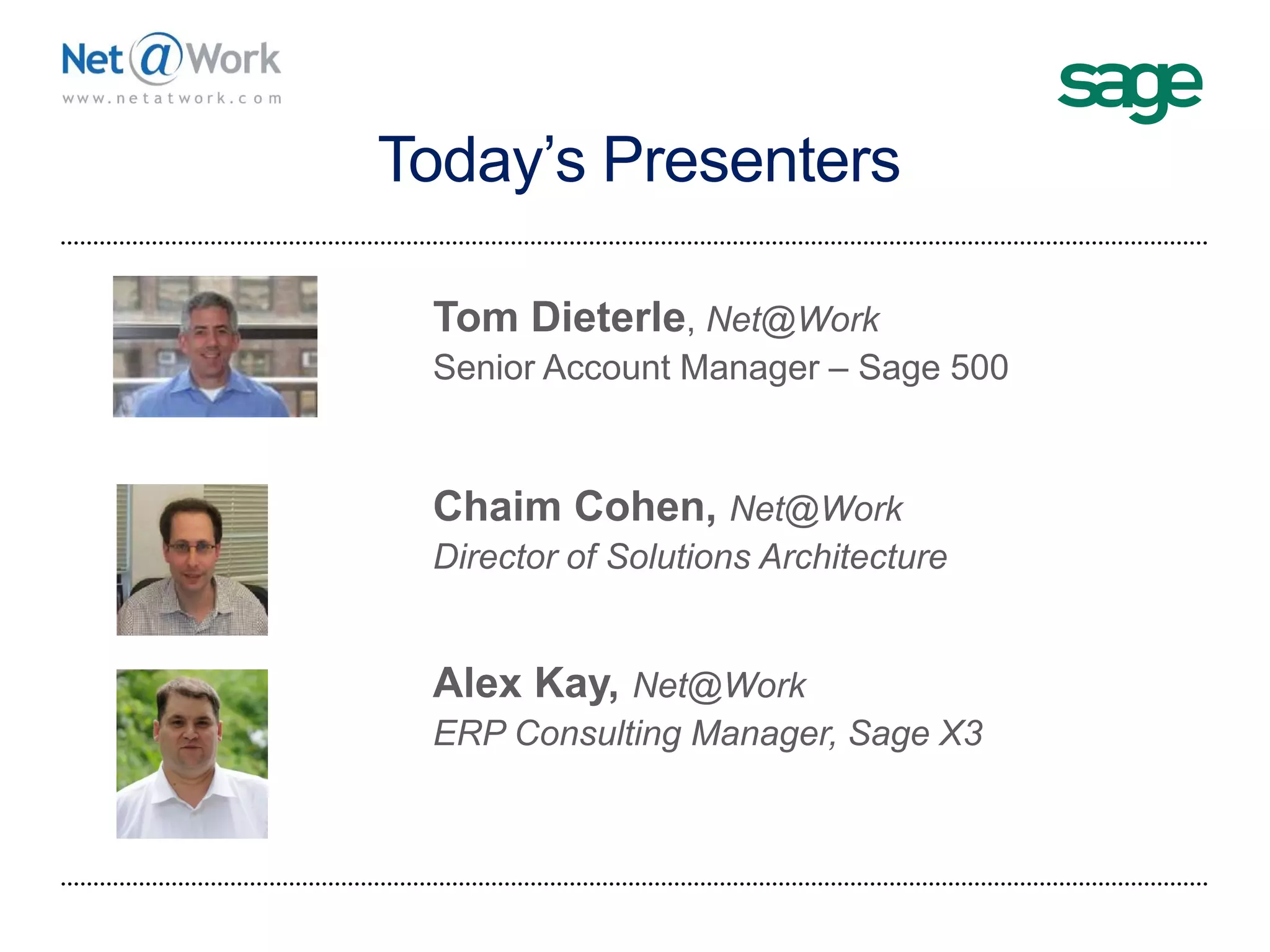
Today’s Presenters
Net@Work
Tom Dieterle, Net@Work
Senior Account Manager – Sage 500
Net@Work
Webinar Details
 Presentation is roughly 1 hour
 All phone lines are muted
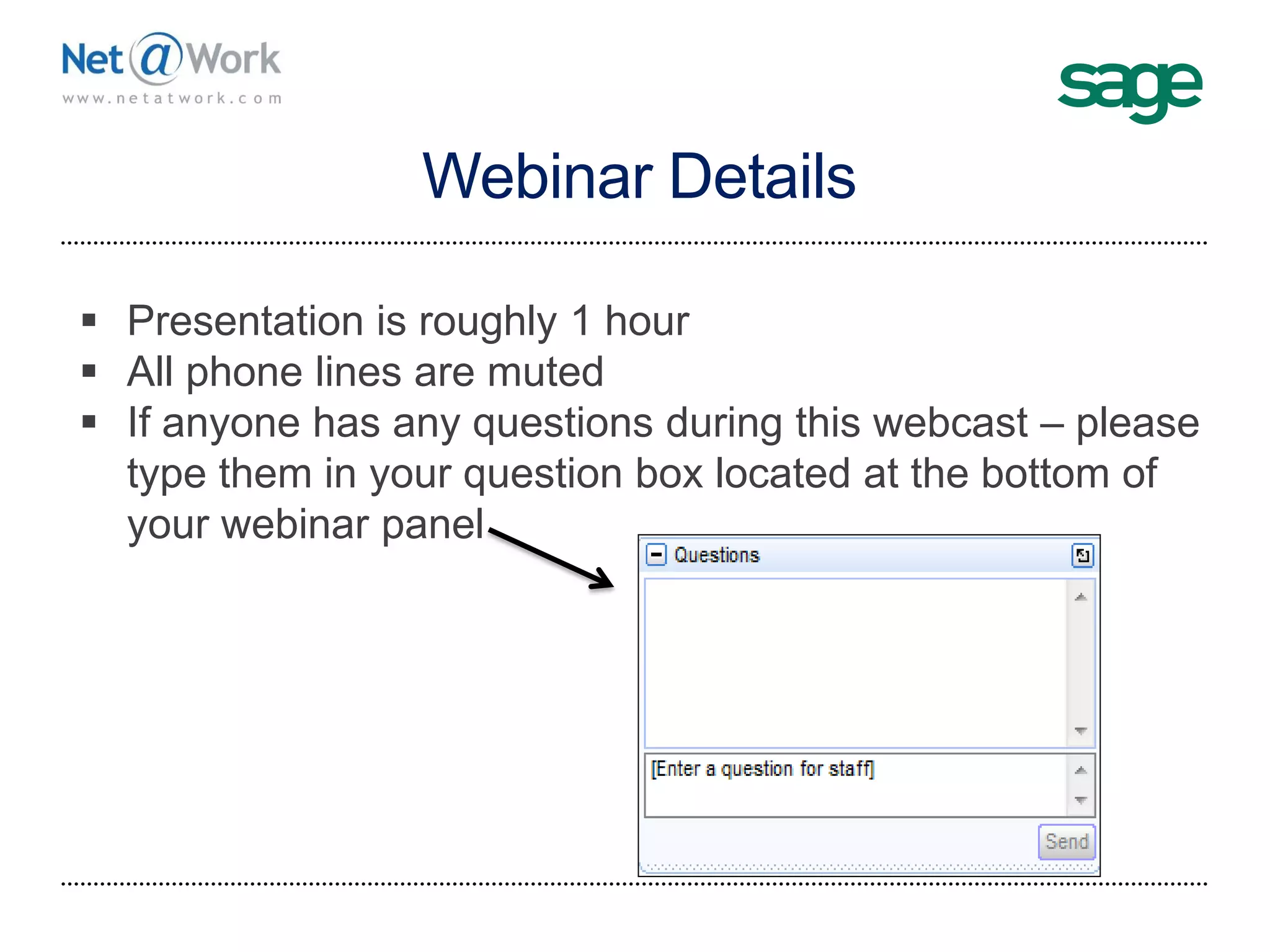
 If anyone has any questions during this webcast – please
type them in your question box located at the bottom of
your webinar panel
Sage ERP X3
Architecture
5
Sage ERP X3 Architecture
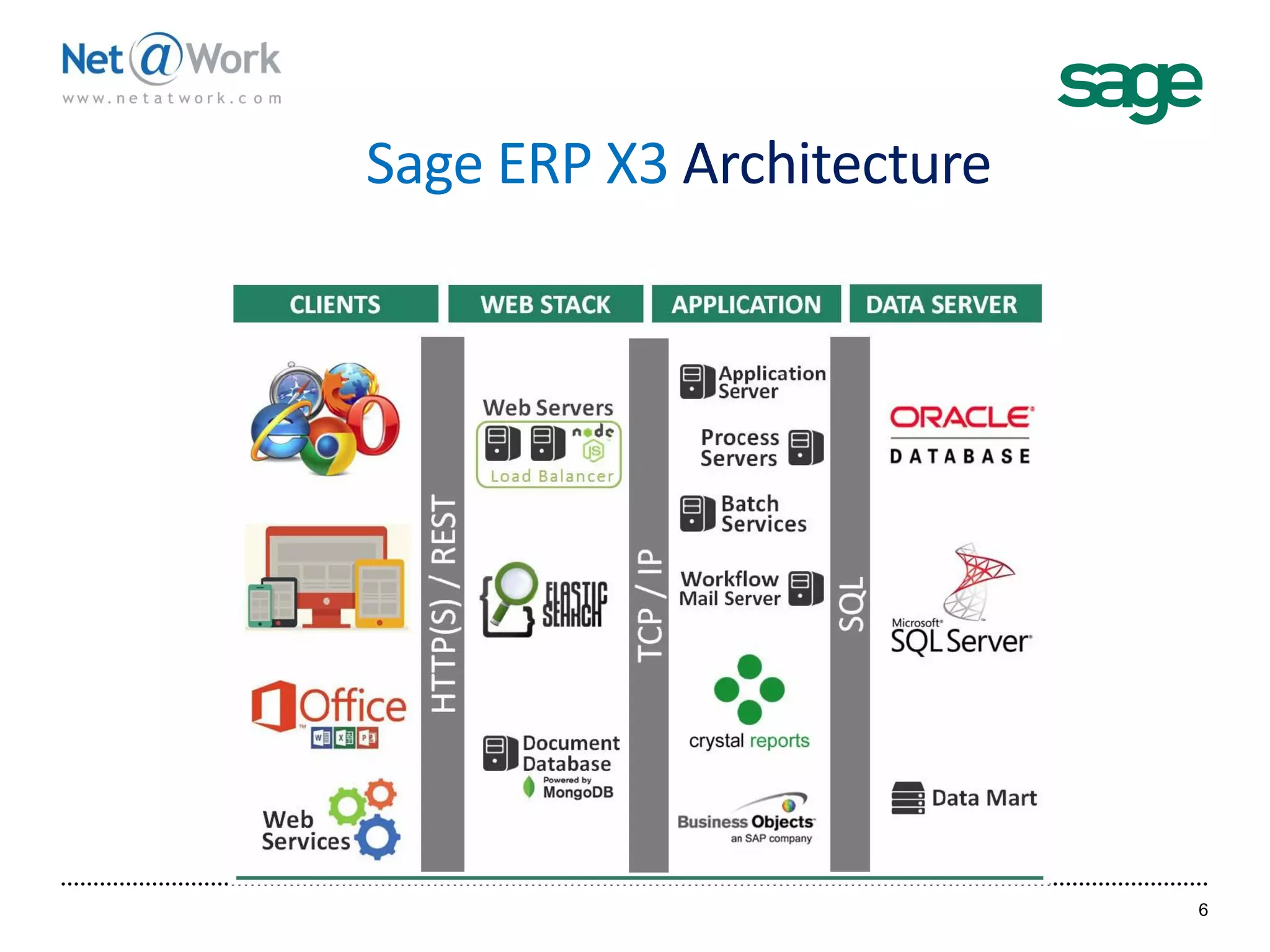
6
Sage ERP X3 Architecture
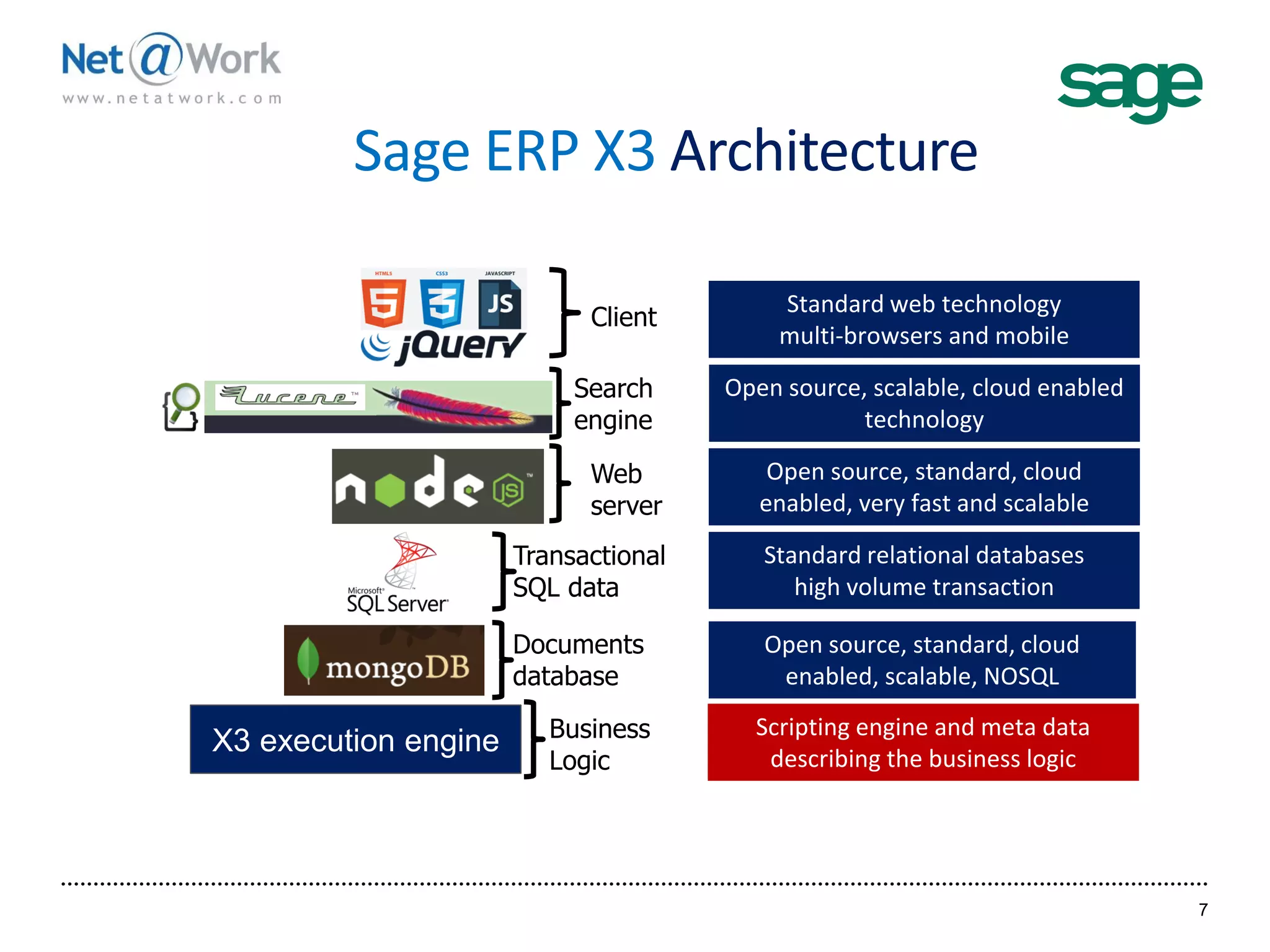
7
Open source, standard, cloud
enabled, very fast and scalable
Client
Search
engine
Web
server
Standard web technology
multi-browsers and mobile
Open source, scalable, cloud enabled
technology
Standard relational databases
high volume transaction
Open source, standard, cloud
enabled, scalable, NOSQL
Transactional
SQL data
Documents
database
X3 execution engine
Scripting engine and meta data
describing the business logic
Business
Logic
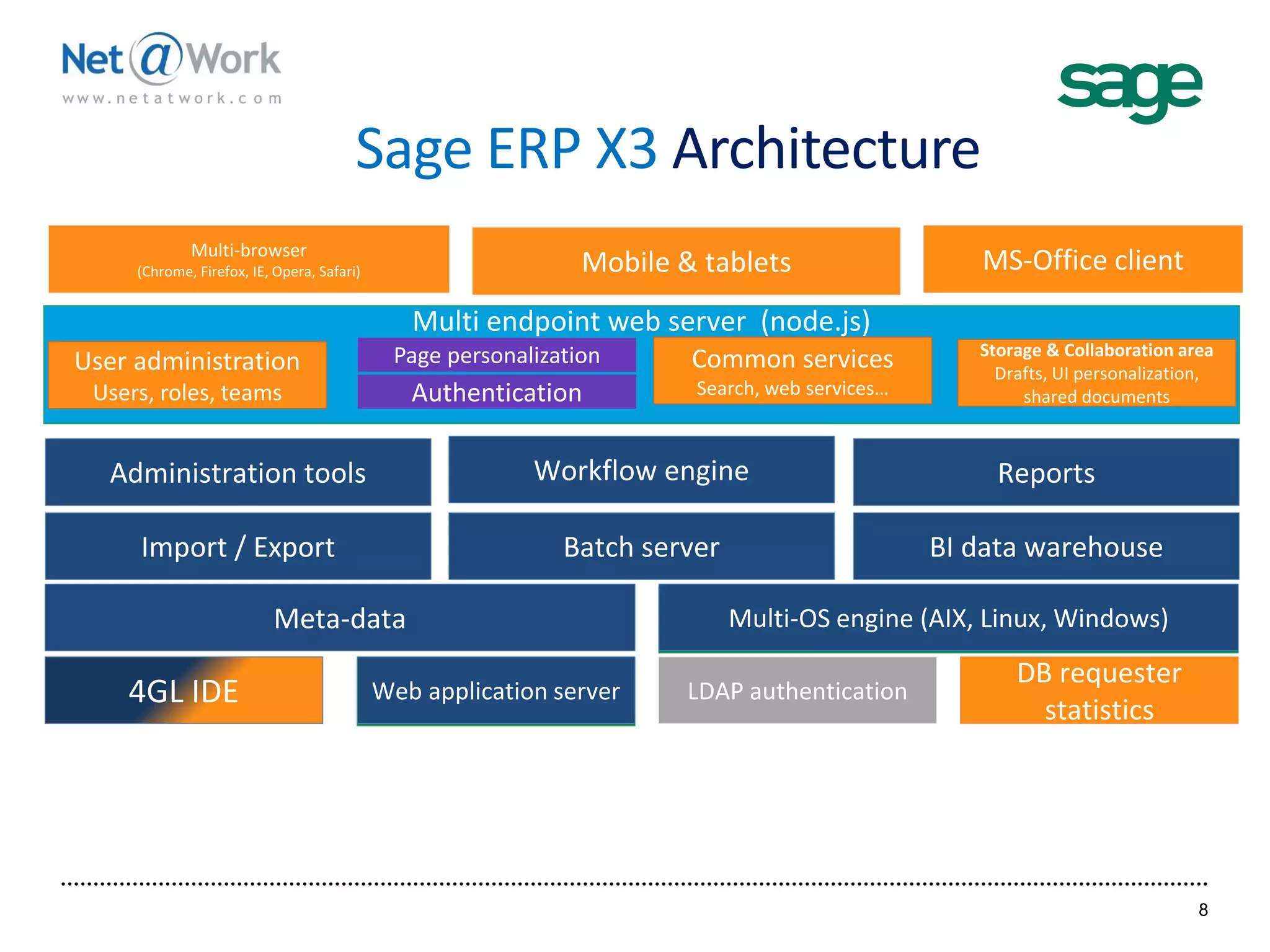
Sage ERP X3 Architecture
8
Administration tools Workflow engine Reports
Import / Export Batch server BI data warehouse
4GL IDE LDAP authentication
DB requester
statistics
Meta-data
Multi endpoint web server (node.js)
Multi-browser
(Chrome, Firefox, IE, Opera, Safari) Mobile & tablets MS-Office client
Web application server
Multi-OS engine (AIX, Linux, Windows)
Web application server
Multi-OS engine (AIX, Linux, Windows)
Page personalization Common services
Search, web services…
Storage & Collaboration area
Drafts, UI personalization,
shared documentsAuthentication
User administration
Users, roles, teams
Sage ERP X3
Mobility
9
Information Where You Need It
10
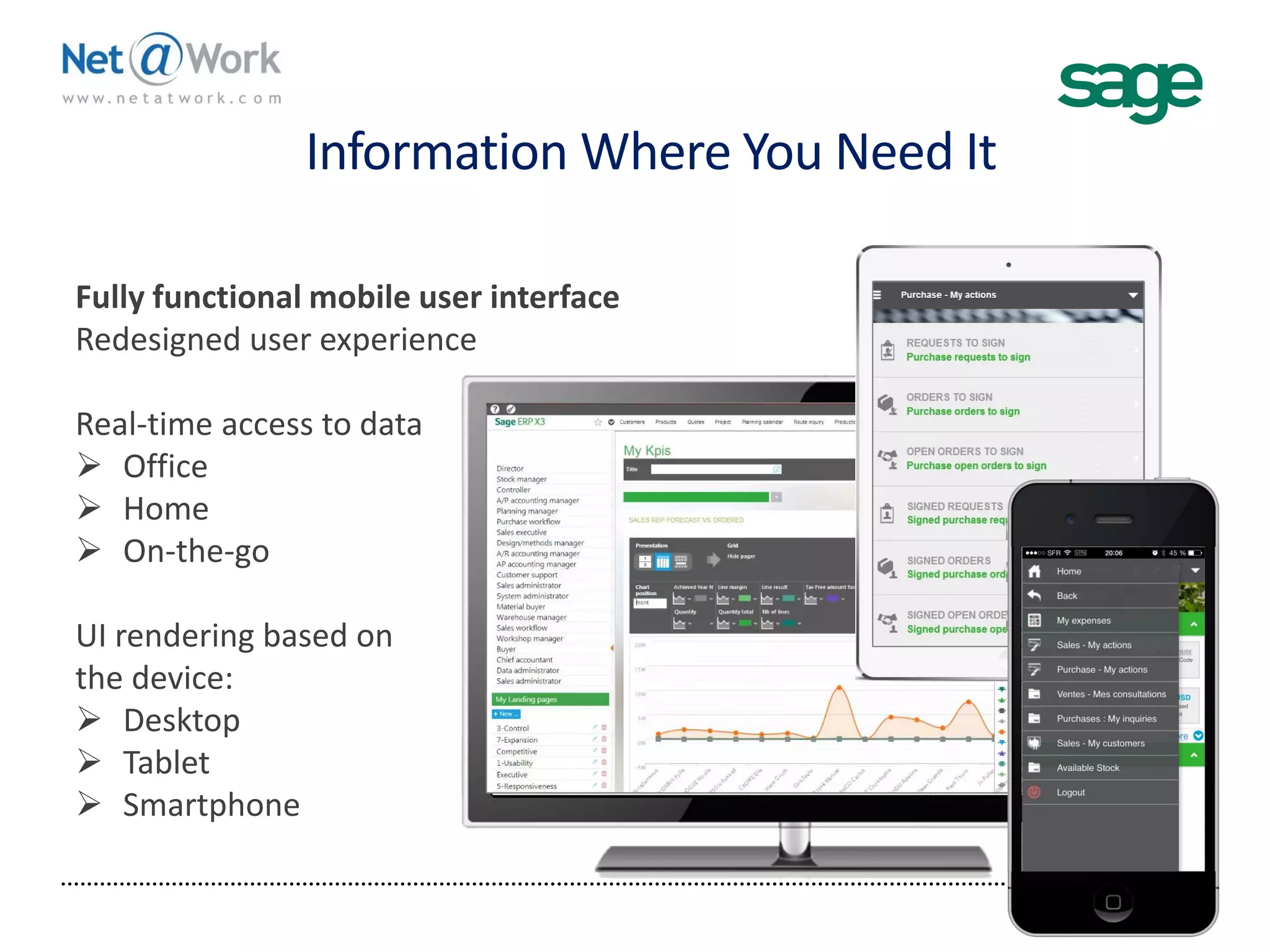
Fully functional mobile user interface
Redesigned user experience
Real-time access to data
 Office
 Home
 On-the-go
UI rendering based on
the device:
 Desktop
 Tablet
 Smartphone
Device and Brower Agnostic
11
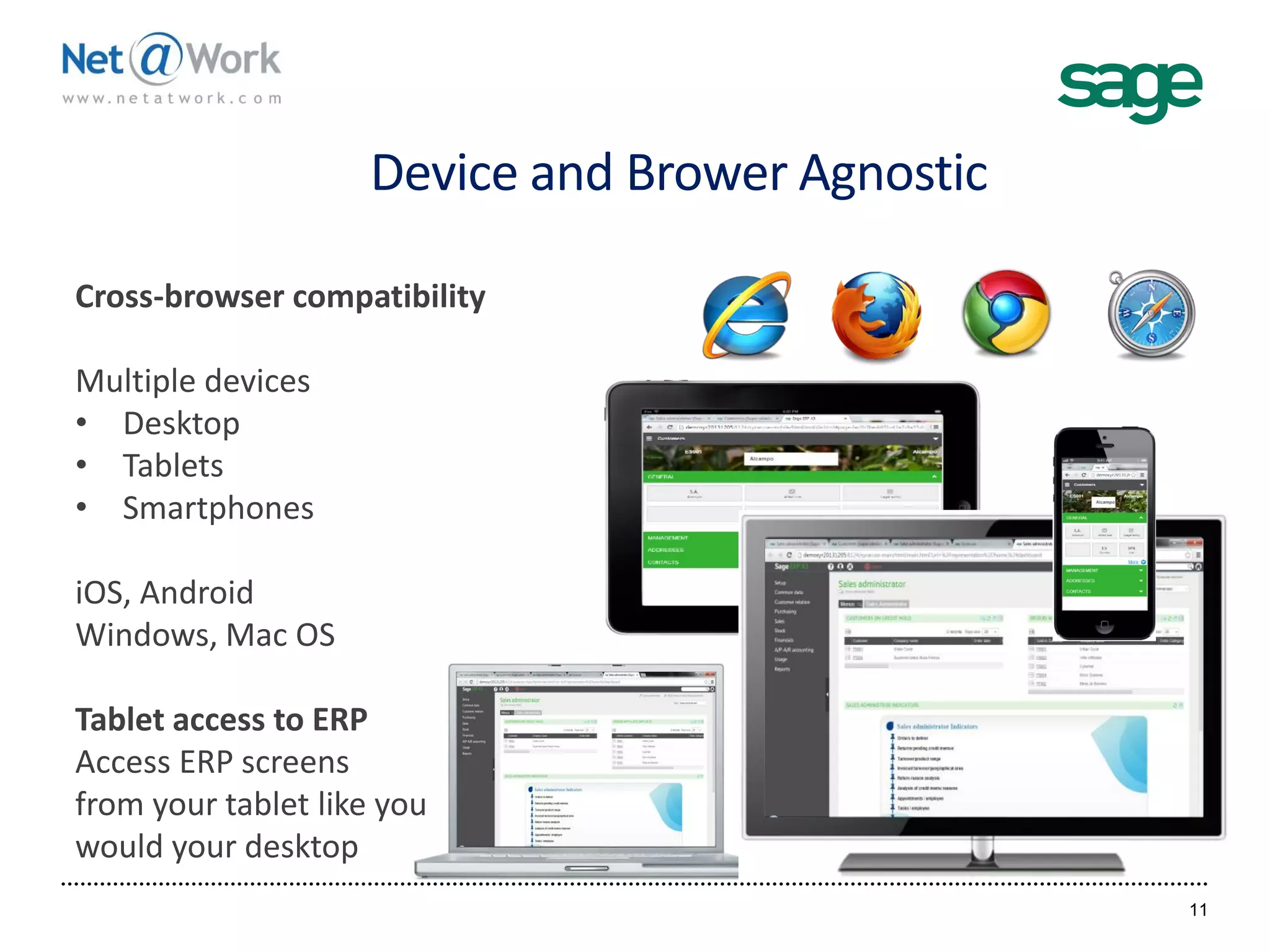
Cross-browser compatibility
Multiple devices
• Desktop
• Tablets
• Smartphones
iOS, Android
Windows, Mac OS
Tablet access to ERP
Access ERP screens
from your tablet like you
would your desktop
Sage ERP X3 Mobile Web Apps
12
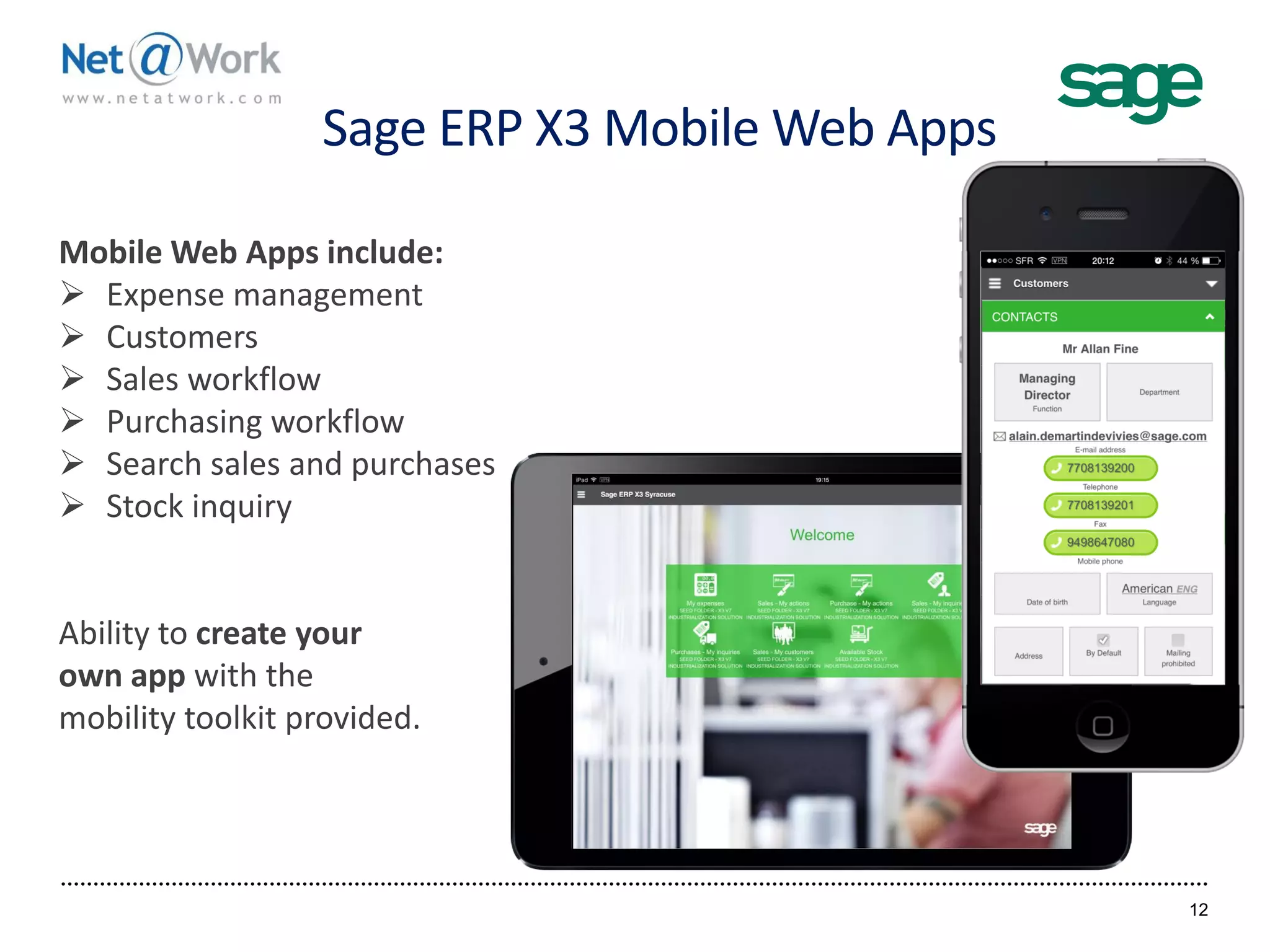
Mobile Web Apps include:
 Expense management
 Customers
 Sales workflow
 Purchasing workflow
 Search sales and purchases
 Stock inquiry
Ability to create your
own app with the
mobility toolkit provided.
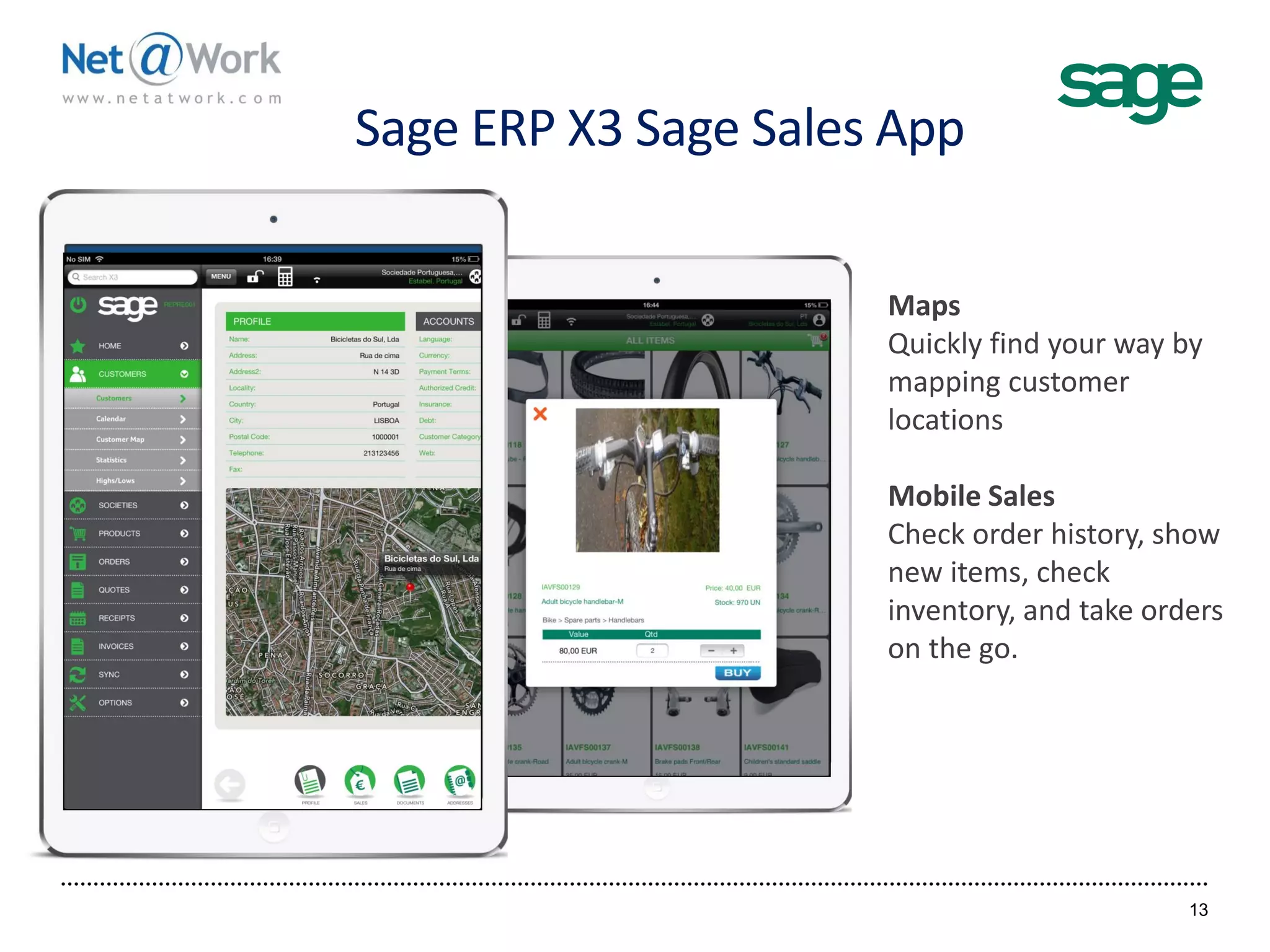
Sage ERP X3 Sage Sales App
13
Maps
Quickly find your way by
mapping customer
locations
Mobile Sales
Check order history, show
new items, check
inventory, and take orders
on the go.
Sage ERP X3
Usability
14
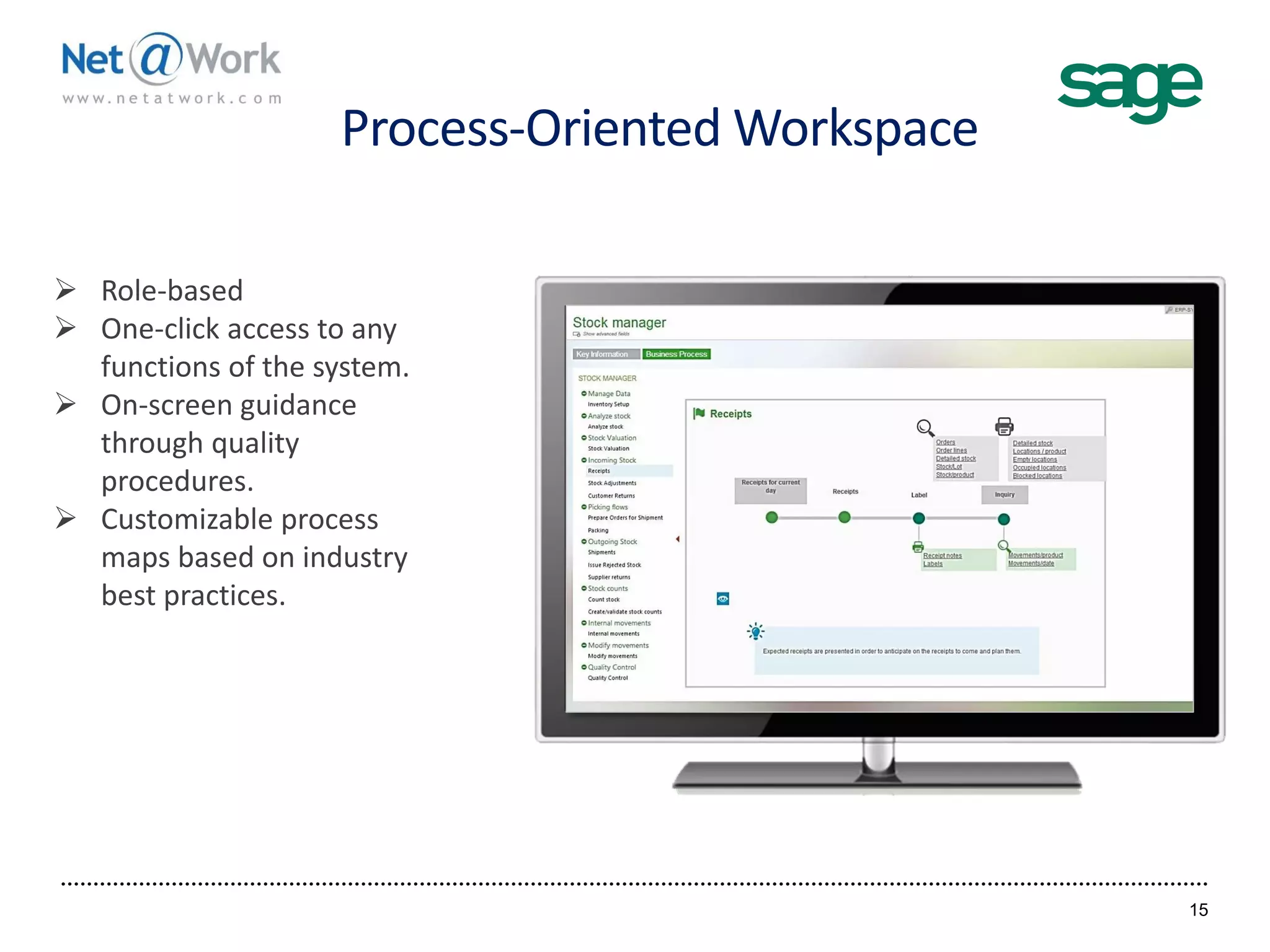
Process-Oriented Workspace
15
 Role-based
 One-click access to any
functions of the system.
 On-screen guidance
through quality
procedures.
 Customizable process
maps based on industry
best practices.
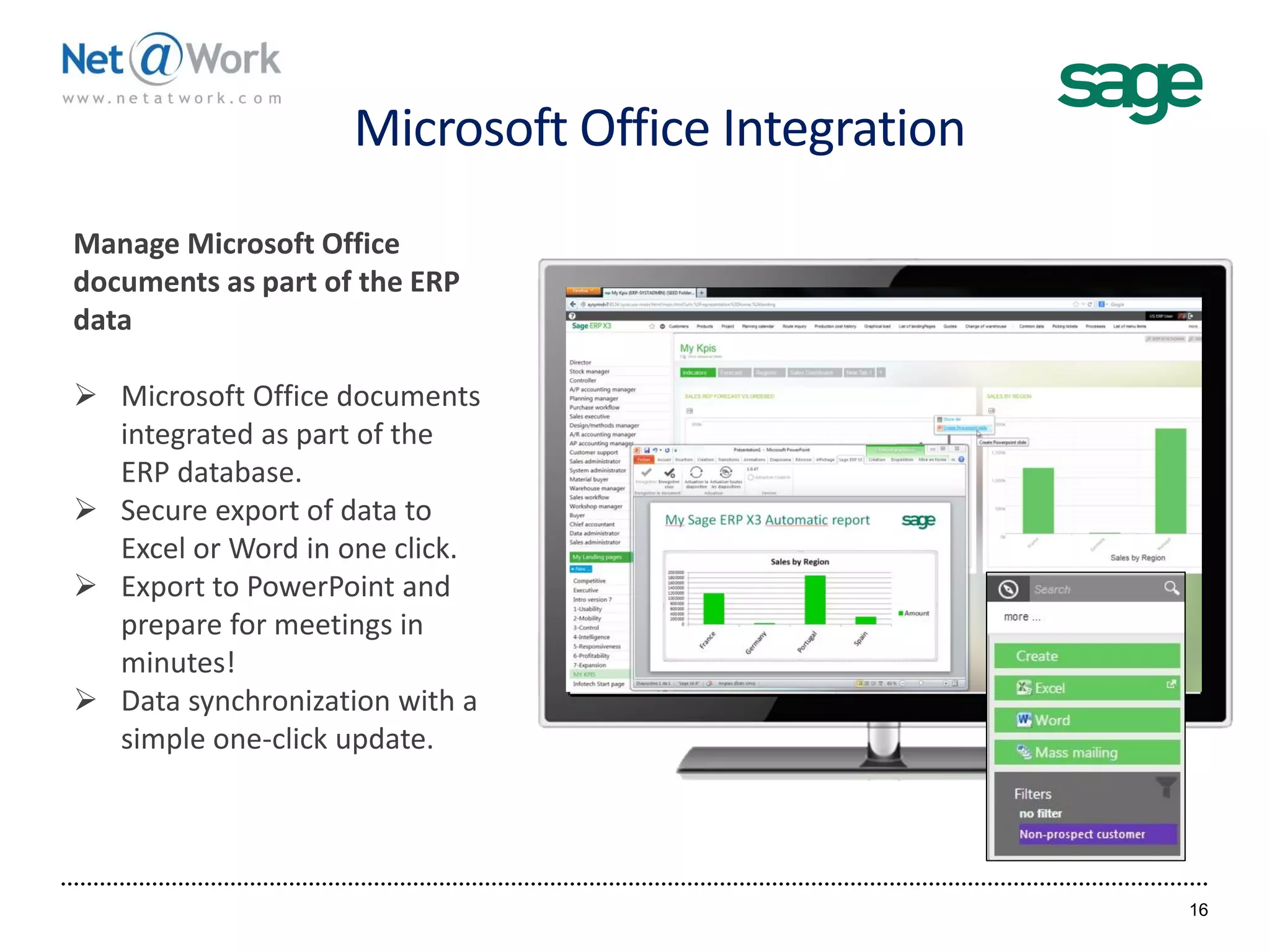
Microsoft Office Integration
16
Manage Microsoft Office
documents as part of the ERP
data
 Microsoft Office documents
integrated as part of the
ERP database.
 Secure export of data to
Excel or Word in one click.
 Export to PowerPoint and
prepare for meetings in
minutes!
 Data synchronization with a
simple one-click update.
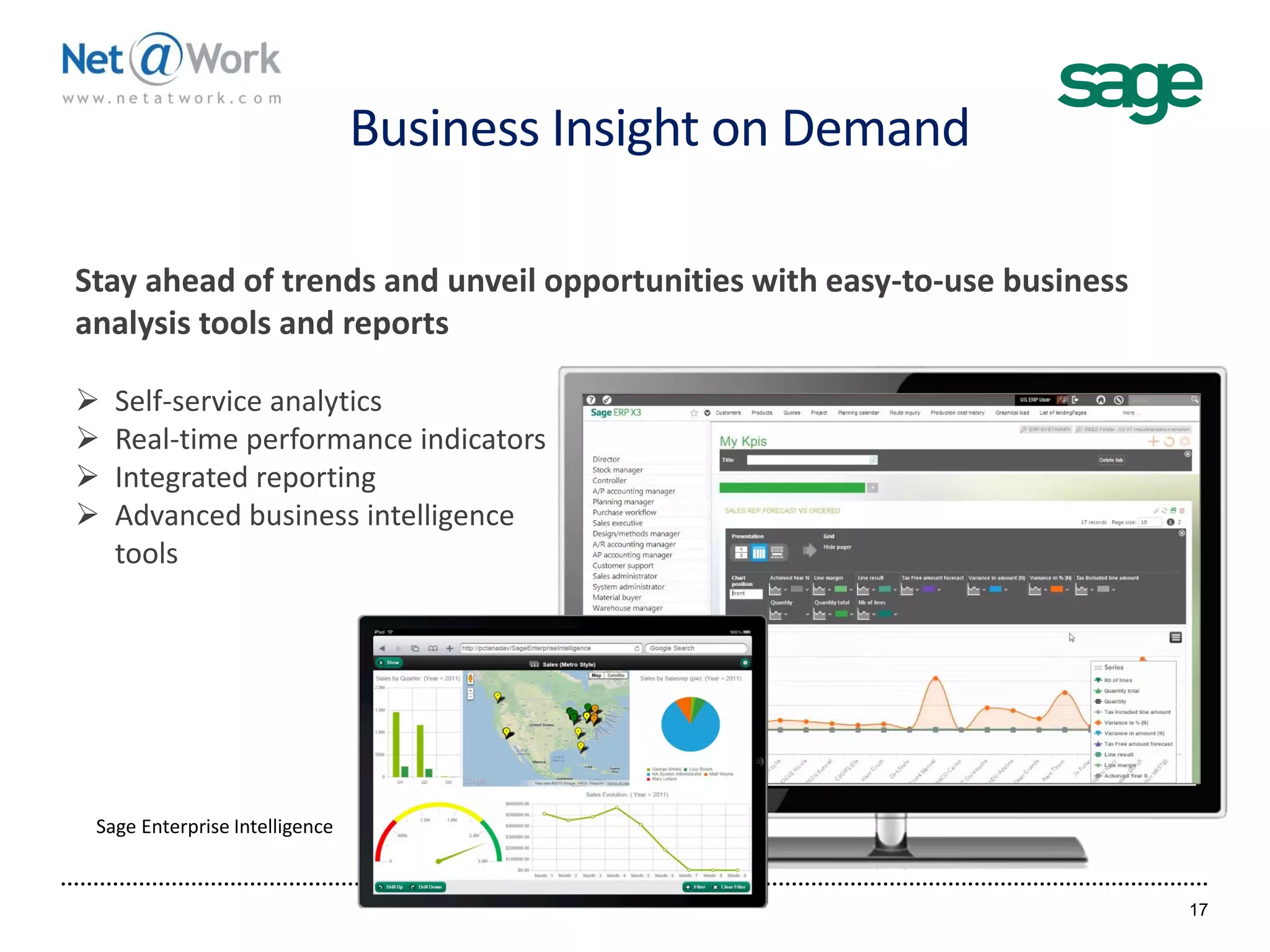
Business Insight on Demand
17
Stay ahead of trends and unveil opportunities with easy-to-use business
analysis tools and reports
 Self-service analytics
 Real-time performance indicators
 Integrated reporting
 Advanced business intelligence
tools
Sage Enterprise Intelligence
Sage ERP X3
Personalization,
Creating Landing Pages,
Screen Modification
18
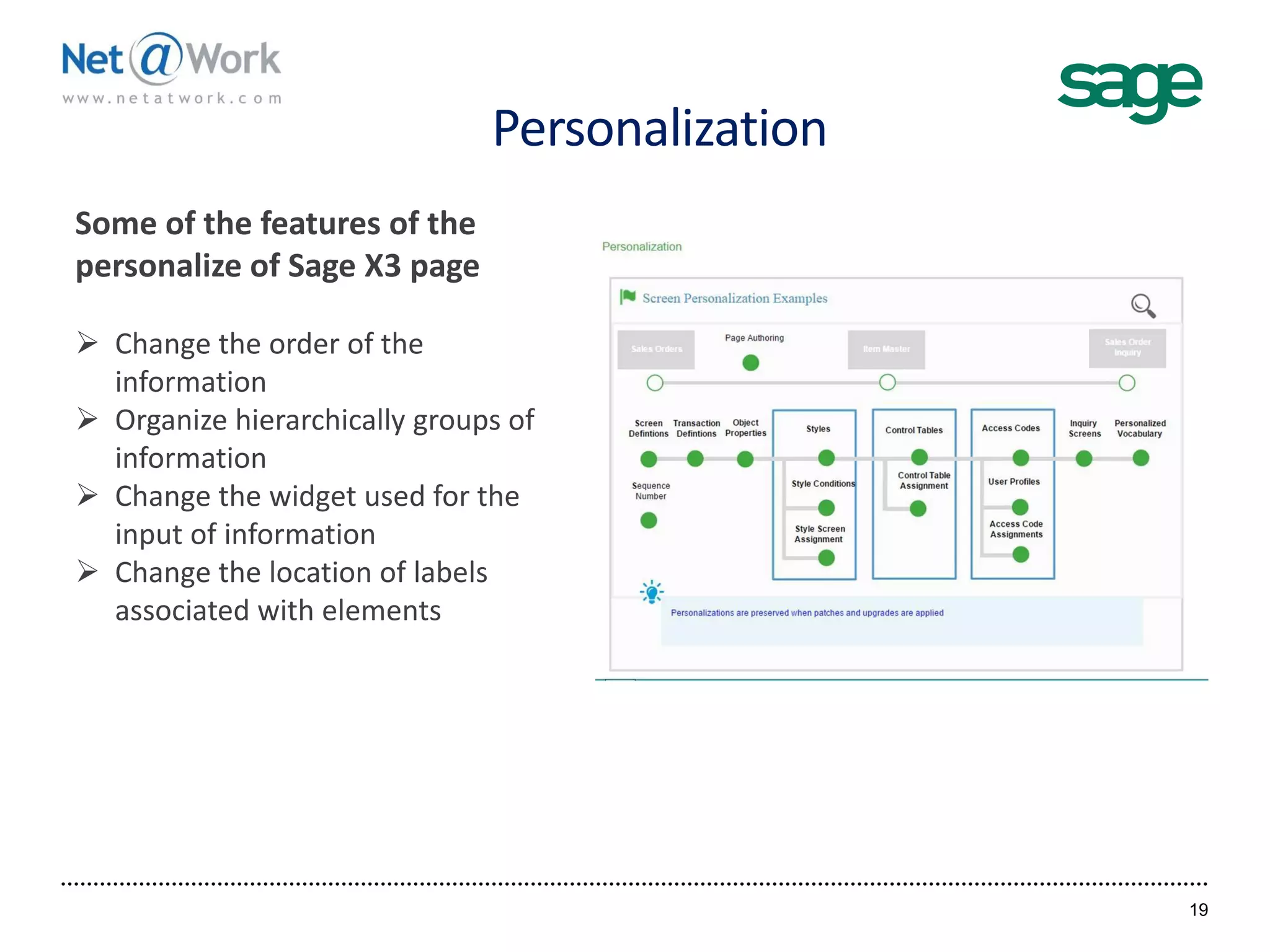
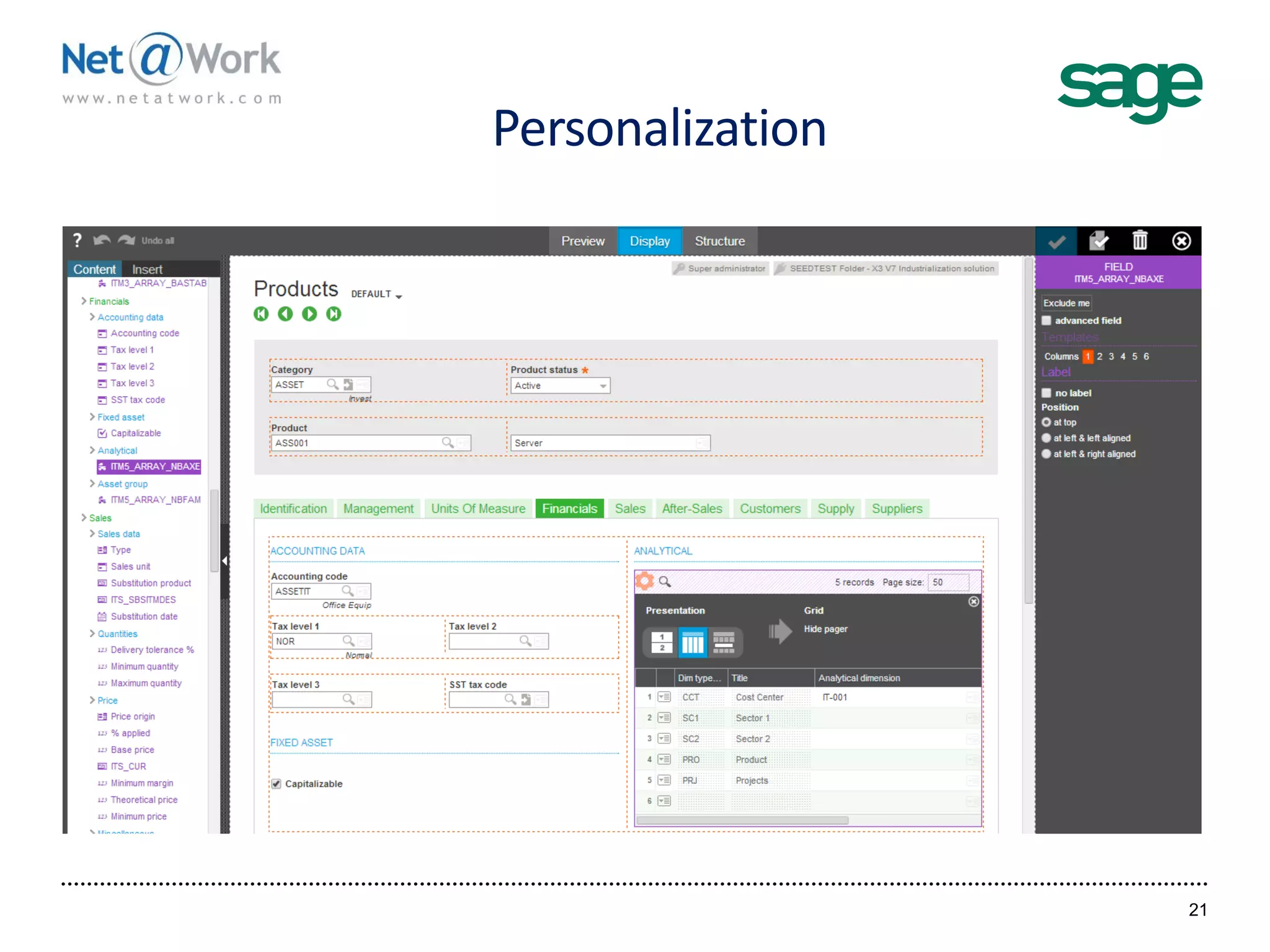
Personalization
19
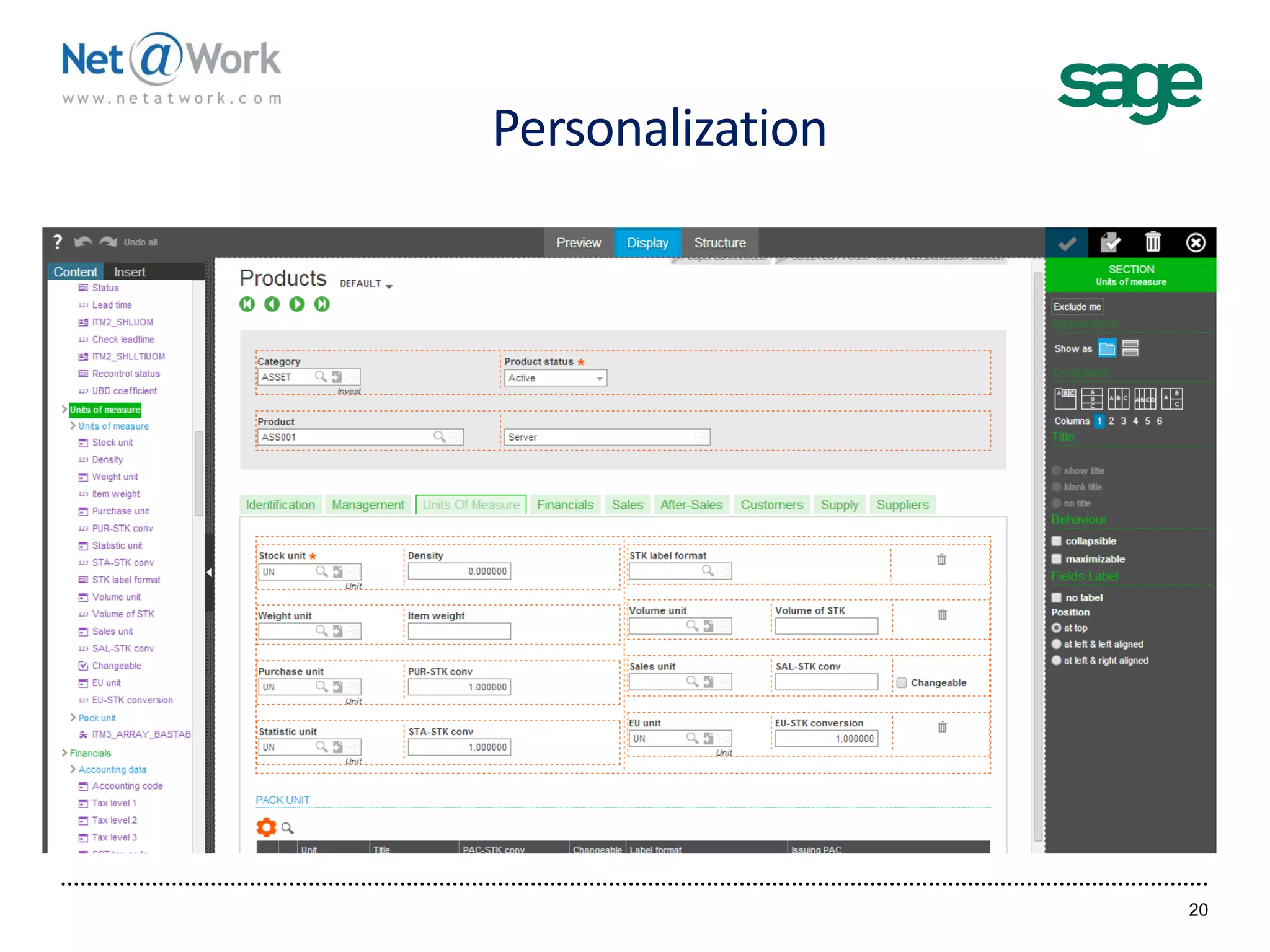
Some of the features of the
personalize of Sage X3 page
 Change the order of the
information
 Organize hierarchically groups of
information
 Change the widget used for the
input of information
 Change the location of labels
associated with elements
Personalization
20
Personalization
21
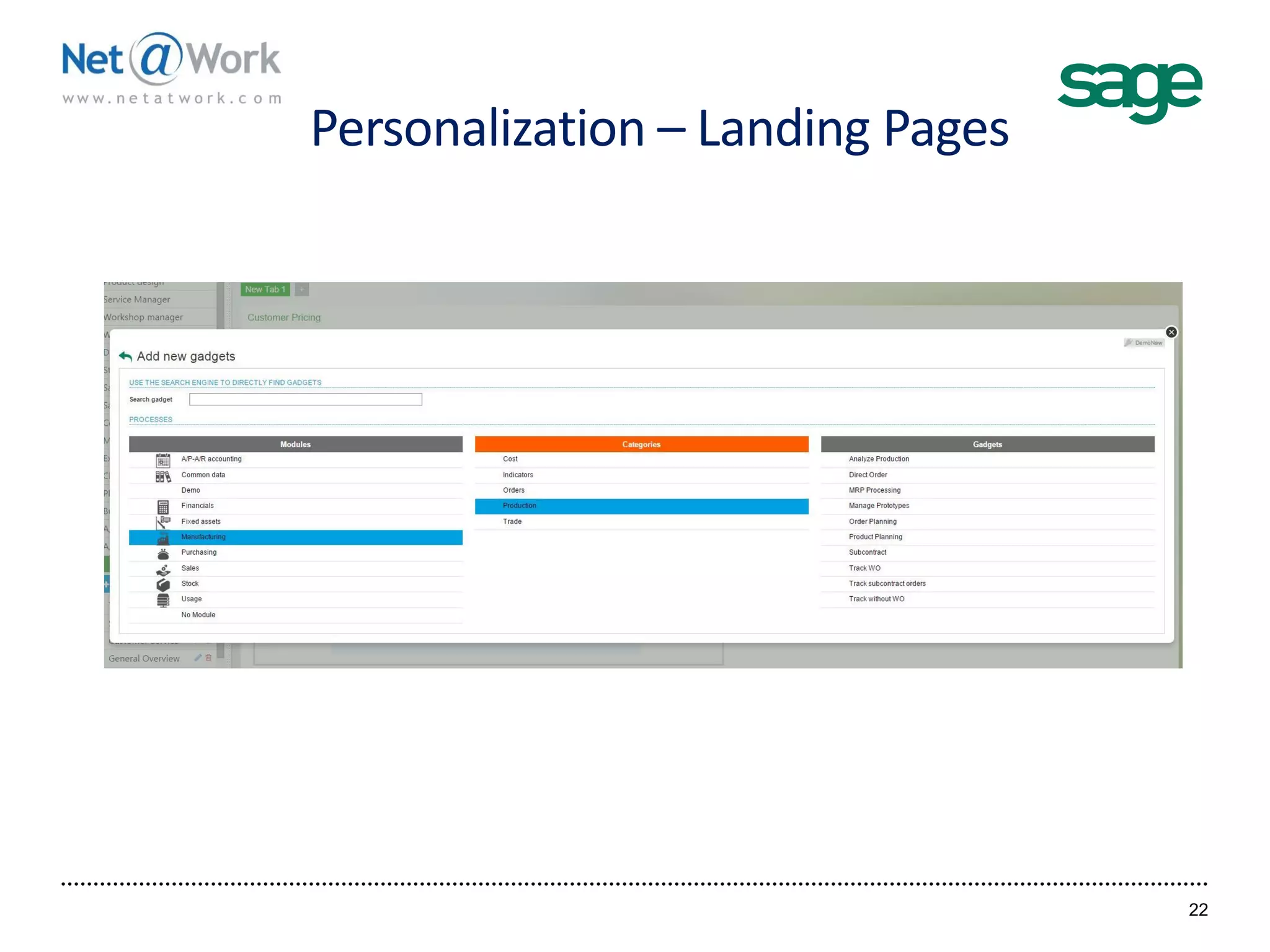
Personalization – Landing Pages
22
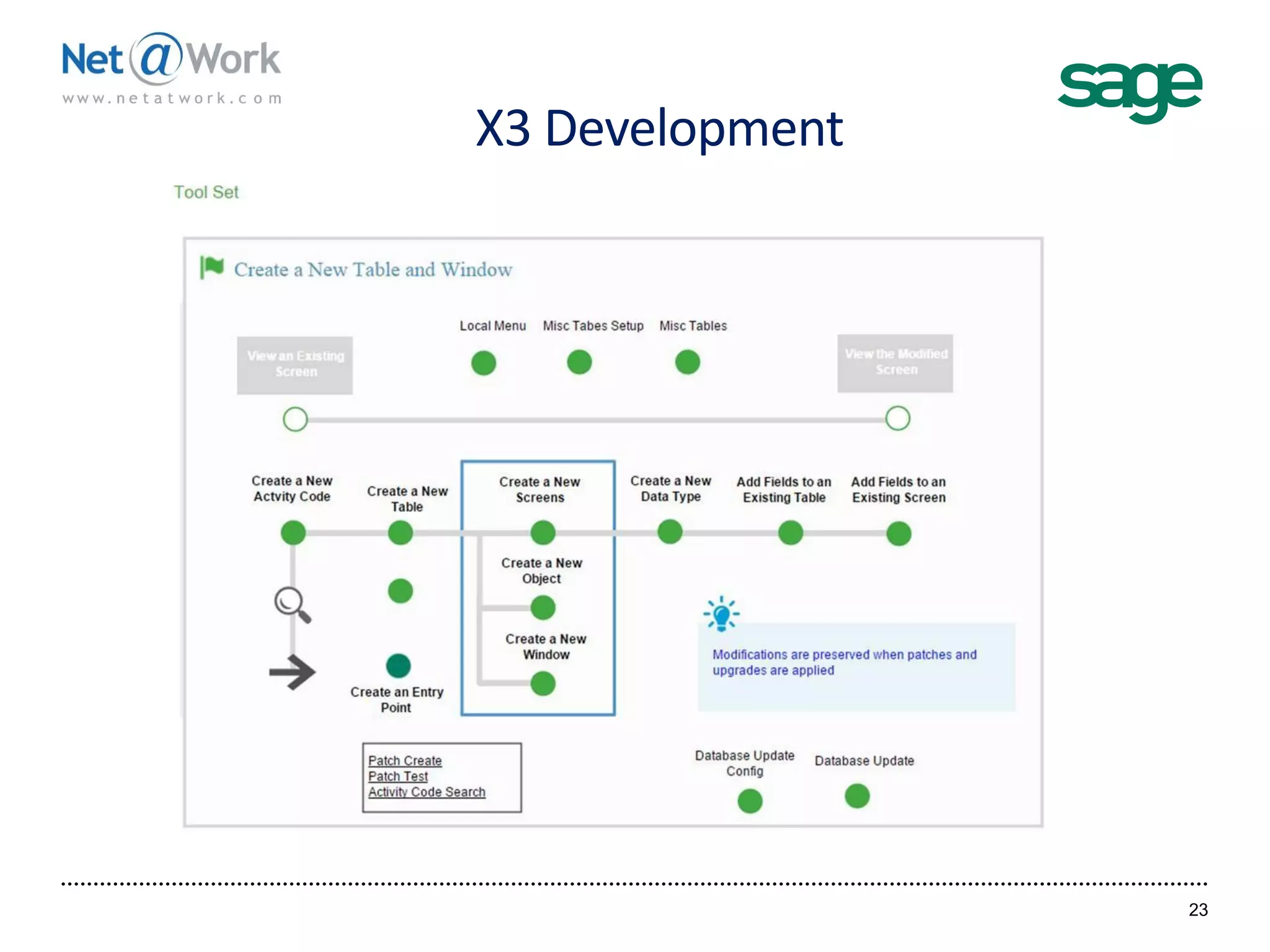
X3 Development
23
Sage ERP X3
Integration Tools
24
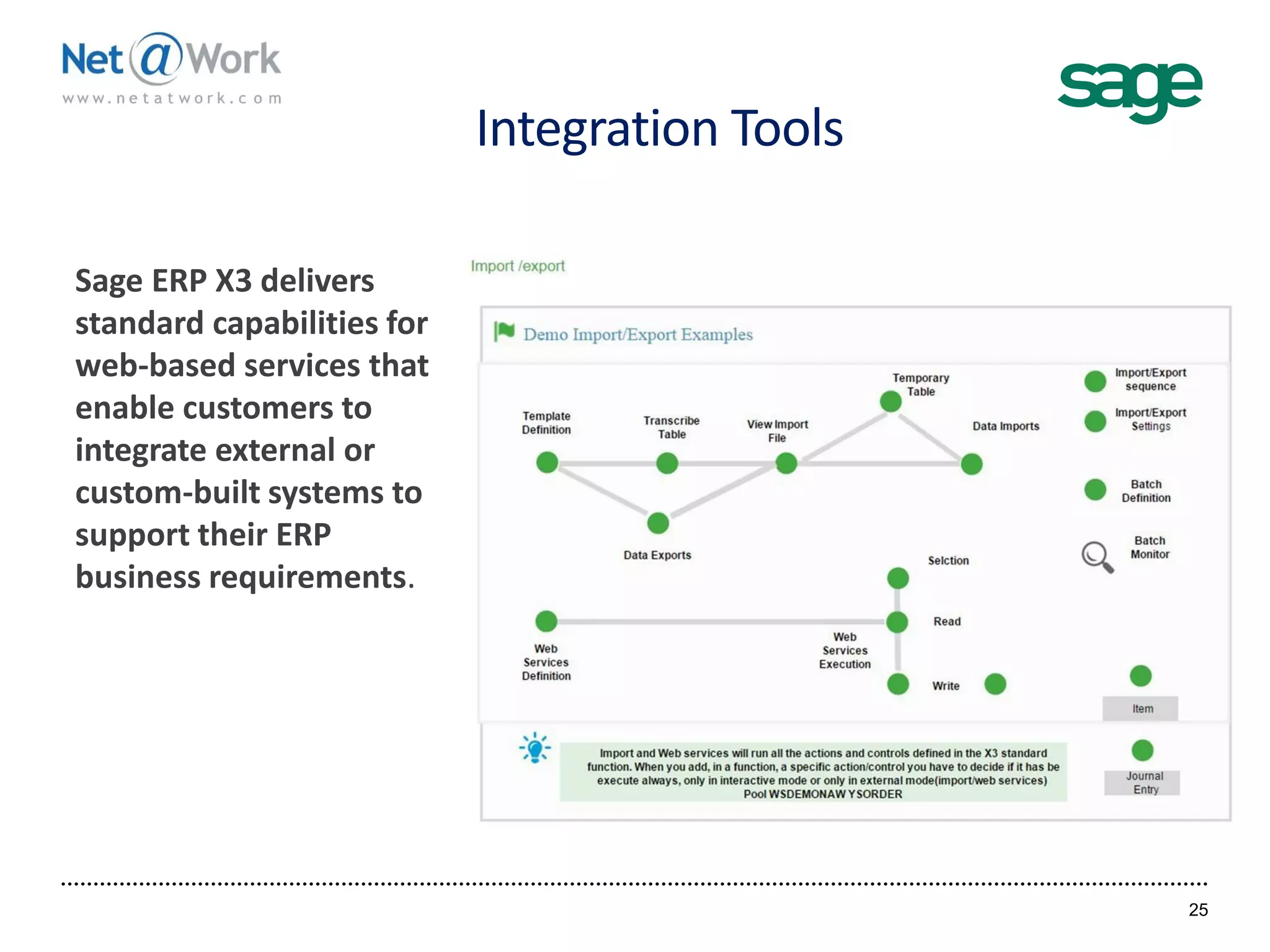
Integration Tools
25
Sage ERP X3 delivers
standard capabilities for
web-based services that
enable customers to
integrate external or
custom-built systems to
support their ERP
business requirements.
Sage ERP X3
Additional Items
26
Sage ERP X3 Additional Items
27
 Security
 Workflow
 Data Tier
 Development Environment
28
Tom Dieterle, Net@Work
Senior Account Manager – Sage 500
Phone: (646) 293-786
Email: tdieterle@netatwork.com
Sage 300
Financials
Sage 300
Project Account
Sage ERP X3
Financials
Sage ERP X3
Distribution
Sage ERP X3
Manufacturing
Recordings of Pervious Webinars

Sage ERP X3 Technology & Architecture Review

  • 1.
    Introduction to SageERP X3 1 Sage ERP X3 Technology Overview Start Time 2:00 pm EST Technical Difficulties Call: (805) 617-7000 (Option 1)
  • 2.
    Today’s Agenda 10 MinutesIntroduction of Presenters 50 Minutes Overview of the Technology behind Sage X3 Architecture Mobility Usability Personalization Creating Landing Pages Screen Modifications Development Integration Tools Additional Items Questions and Answers
  • 3.
    Today’s Presenters Net@Work Tom Dieterle,Net@Work Senior Account Manager – Sage 500 Net@Work
  • 4.
    Webinar Details  Presentationis roughly 1 hour  All phone lines are muted  If anyone has any questions during this webcast – please type them in your question box located at the bottom of your webinar panel
  • 5.
  • 6.
    Sage ERP X3Architecture 6
  • 7.
    Sage ERP X3Architecture 7 Open source, standard, cloud enabled, very fast and scalable Client Search engine Web server Standard web technology multi-browsers and mobile Open source, scalable, cloud enabled technology Standard relational databases high volume transaction Open source, standard, cloud enabled, scalable, NOSQL Transactional SQL data Documents database X3 execution engine Scripting engine and meta data describing the business logic Business Logic
  • 8.
    Sage ERP X3Architecture 8 Administration tools Workflow engine Reports Import / Export Batch server BI data warehouse 4GL IDE LDAP authentication DB requester statistics Meta-data Multi endpoint web server (node.js) Multi-browser (Chrome, Firefox, IE, Opera, Safari) Mobile & tablets MS-Office client Web application server Multi-OS engine (AIX, Linux, Windows) Web application server Multi-OS engine (AIX, Linux, Windows) Page personalization Common services Search, web services… Storage & Collaboration area Drafts, UI personalization, shared documentsAuthentication User administration Users, roles, teams
  • 9.
  • 10.
    Information Where YouNeed It 10 Fully functional mobile user interface Redesigned user experience Real-time access to data  Office  Home  On-the-go UI rendering based on the device:  Desktop  Tablet  Smartphone
  • 11.
    Device and BrowerAgnostic 11 Cross-browser compatibility Multiple devices • Desktop • Tablets • Smartphones iOS, Android Windows, Mac OS Tablet access to ERP Access ERP screens from your tablet like you would your desktop
  • 12.
    Sage ERP X3Mobile Web Apps 12 Mobile Web Apps include:  Expense management  Customers  Sales workflow  Purchasing workflow  Search sales and purchases  Stock inquiry Ability to create your own app with the mobility toolkit provided.
  • 13.
    Sage ERP X3Sage Sales App 13 Maps Quickly find your way by mapping customer locations Mobile Sales Check order history, show new items, check inventory, and take orders on the go.
  • 14.
  • 15.
    Process-Oriented Workspace 15  Role-based One-click access to any functions of the system.  On-screen guidance through quality procedures.  Customizable process maps based on industry best practices.
  • 16.
    Microsoft Office Integration 16 ManageMicrosoft Office documents as part of the ERP data  Microsoft Office documents integrated as part of the ERP database.  Secure export of data to Excel or Word in one click.  Export to PowerPoint and prepare for meetings in minutes!  Data synchronization with a simple one-click update.
  • 17.
    Business Insight onDemand 17 Stay ahead of trends and unveil opportunities with easy-to-use business analysis tools and reports  Self-service analytics  Real-time performance indicators  Integrated reporting  Advanced business intelligence tools Sage Enterprise Intelligence
  • 18.
    Sage ERP X3 Personalization, CreatingLanding Pages, Screen Modification 18
  • 19.
    Personalization 19 Some of thefeatures of the personalize of Sage X3 page  Change the order of the information  Organize hierarchically groups of information  Change the widget used for the input of information  Change the location of labels associated with elements
  • 20.
  • 21.
  • 22.
  • 23.
  • 24.
  • 25.
    Integration Tools 25 Sage ERPX3 delivers standard capabilities for web-based services that enable customers to integrate external or custom-built systems to support their ERP business requirements.
  • 26.
  • 27.
    Sage ERP X3Additional Items 27  Security  Workflow  Data Tier  Development Environment
  • 28.
    28 Tom Dieterle, Net@Work SeniorAccount Manager – Sage 500 Phone: (646) 293-786 Email: tdieterle@netatwork.com Sage 300 Financials Sage 300 Project Account Sage ERP X3 Financials Sage ERP X3 Distribution Sage ERP X3 Manufacturing Recordings of Pervious Webinars