Better Performance In Project Management! The Almost Complete Guide
The document provides an extensive overview of project management, detailing its definitions, such as performance improvement and project management knowledge areas. It outlines various modules focusing on essential topics including project selection, the project life cycle, and the triple constraint, emphasizing the systematic process required for effective project management. Additionally, it offers insights into selection criteria and tools for evaluating potential projects against organizational goals.
Introduction to project management concepts focusing on performance improvement processes and gaps.
Details of various project management training modules covering essentials from defined scope to project scheduling.
Exploration of project definitions, management roles, functions, and project types outlining key management theories.
Nine essential knowledge areas in project management as defined by the Project Management Institute.
In-depth breakdown of PMI’s knowledge areas such as integration, scope, time, cost, quality, human resources, communications, risk, and procurement. Definition and systematic processes of project management addressing resources and tasks. Focus on the triple constraints: time, cost, and quality/scope, and their trade-offs in project management.
Introduction to the project life cycle phases emphasizing the importance of structured project management.
Discussion on various project selection criteria and tools for evaluating potential projects.
Insight into project environment analysis, stakeholder identification, and factor impact assessment.
Focus on defining product and project scope, highlighting the importance of clear objectives.
Guidelines on crafting SMART objectives to enhance project success.
Overview of risk management processes, identifying risks, and addressing project assumptions.
Definition and critical importance of project charters in gaining project approval.Exploration of responsibility matrices and work breakdown structures (WBS) defining team roles.
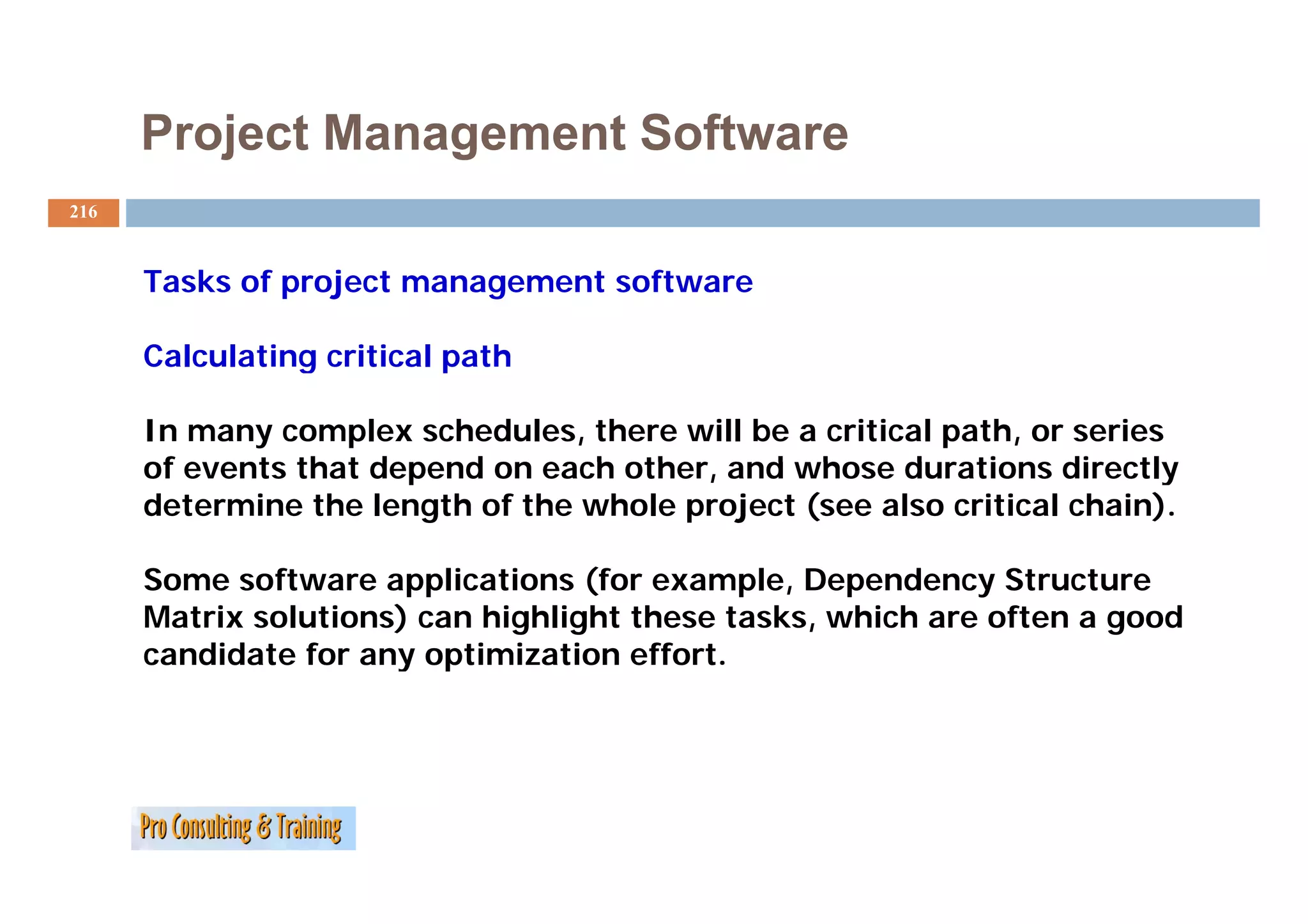
Introduction to project scheduling methods, focusing on PERT and Gantt charts.
Detailed discussion on controlling and monitoring of projects, with emphasis on performance measures.
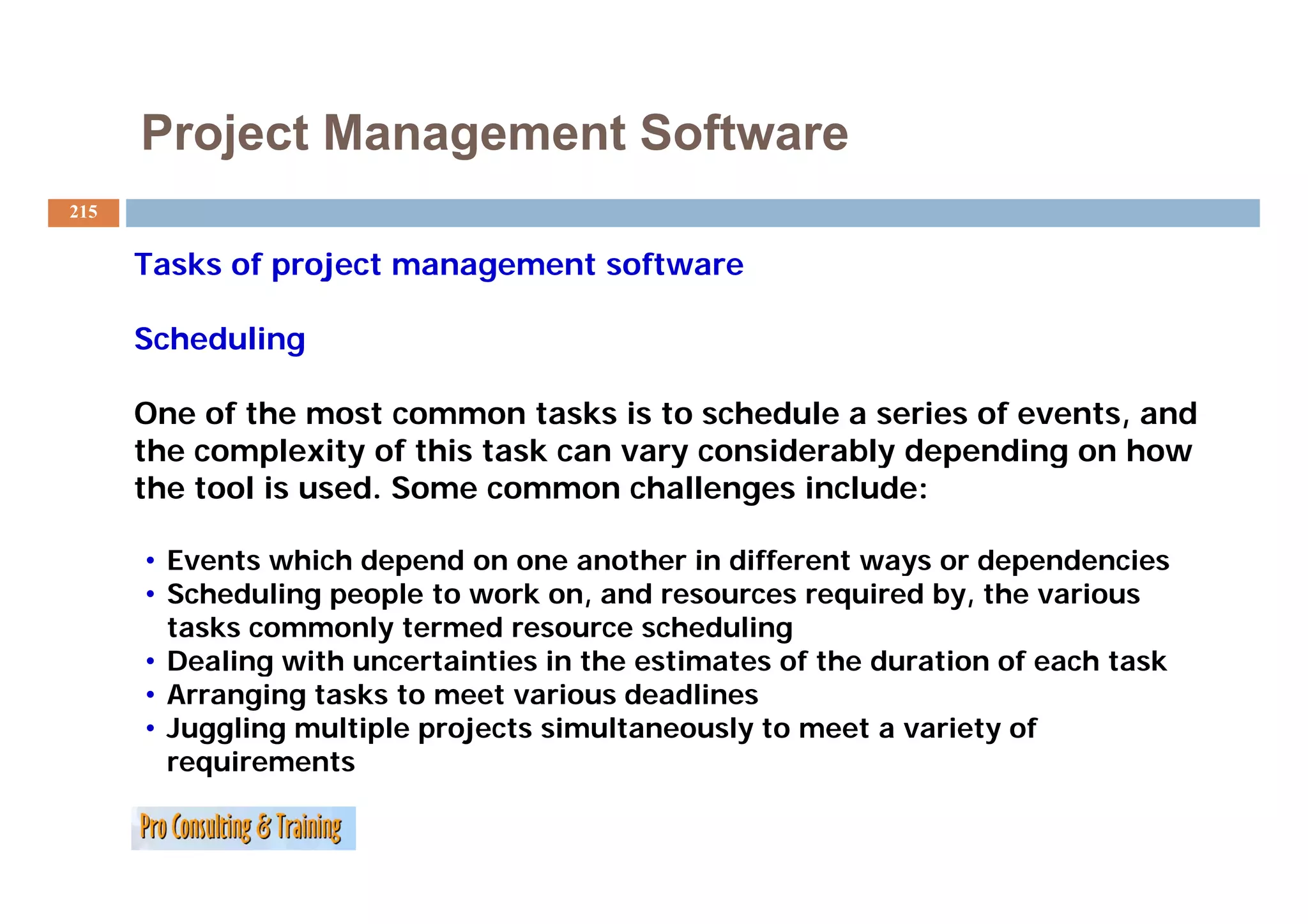
Exploration of different software tools and their roles in project management.
Discussion on best practices in project closing and conducting evaluations.
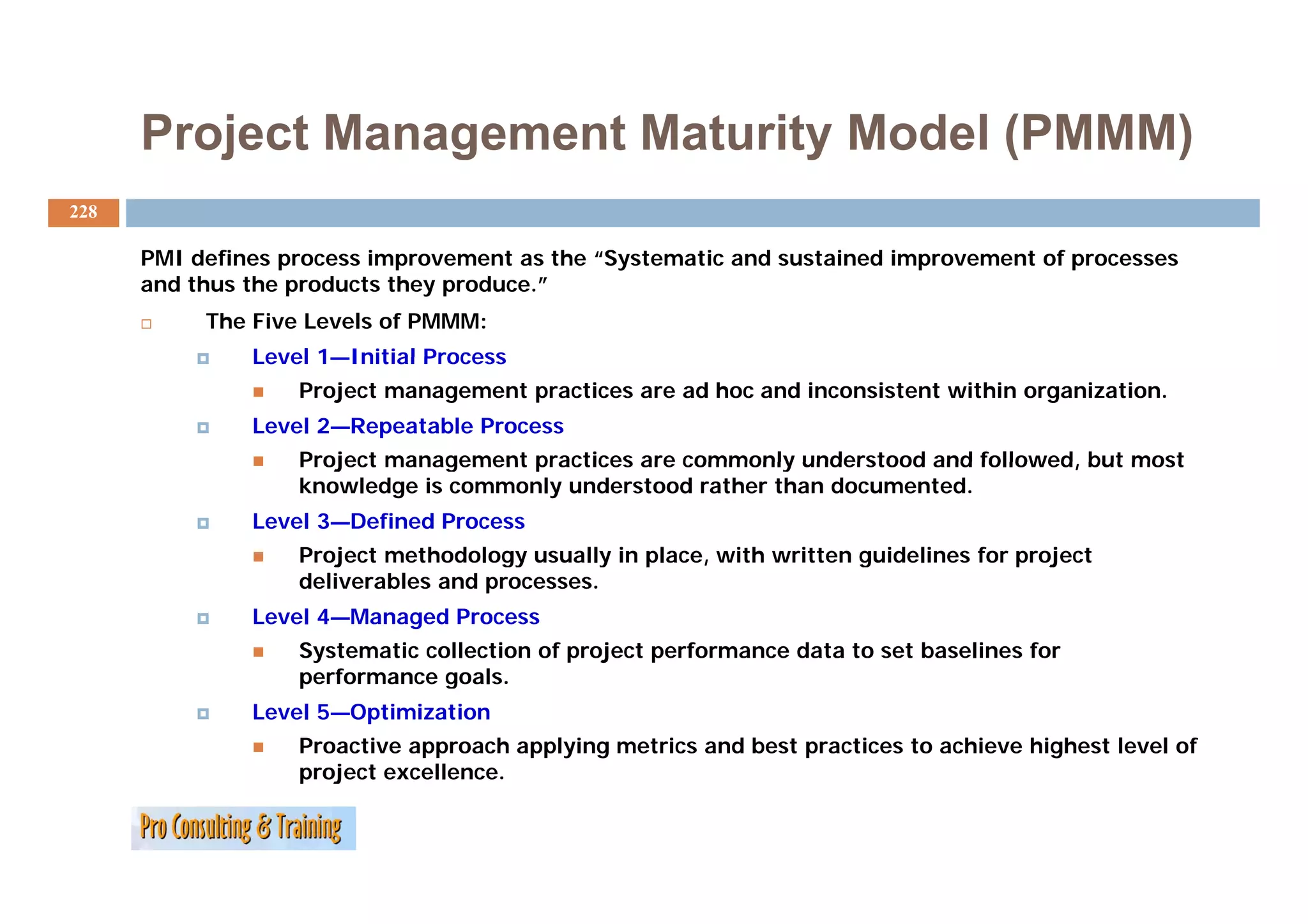
The stages of the Project Management Maturity Model with a focus on continuous improvement.
Team dynamics and models discussing efficient teamwork and collaboration.
Strategies for planning and enhancing future project management success.
Reflections on project management success factors and challenges.
Better Performance In Project Management! The Almost Complete Guide
1.
Better Performance
B tt P f
in Project Management (PM)
the almost complete guide…
p g
Axel Böhm
2.
Performance Improvement, definition
2
The American Society of Training & Development (ASTD) defines
Performance Improvement as "the process of identifying
the
and analyzing important organizational and individual
performance gaps, planning for future performance
improvement, designing and developing cost-effective and
p , g g p g
ethically justifiable interventions to close performance
gaps, i l
implementing the interventions and evaluating the
ti th i t ti d l ti th
financial and non-financial results."
3.
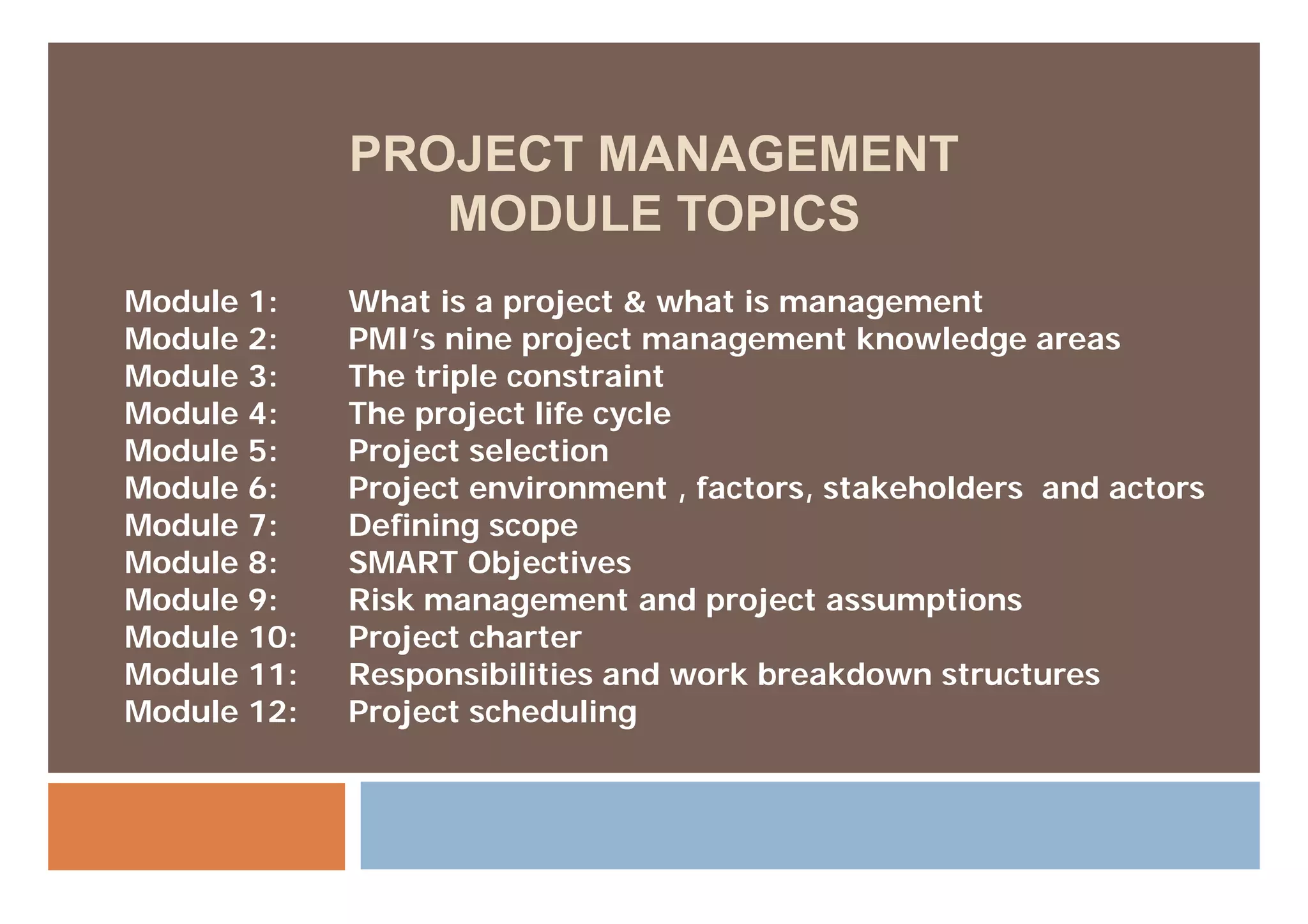
PROJECT MANAGEMENT
MODULE TOPICS
Module 1: What is a project & what is management
Module 2: PMI’s nine project management knowledge areas
Module 3: The triple constraint
Module 4: The project life cycle
Module 5: Project selection
j
Module 6: Project environment , factors, stakeholders and actors
Module 7: Defining scope
Module 8: SMART Objectives
Module 9: Risk management and project assumptions
Module 10: Project charter
Module 11: Responsibilities and work breakdown structures
Module 12: Project scheduling
4.
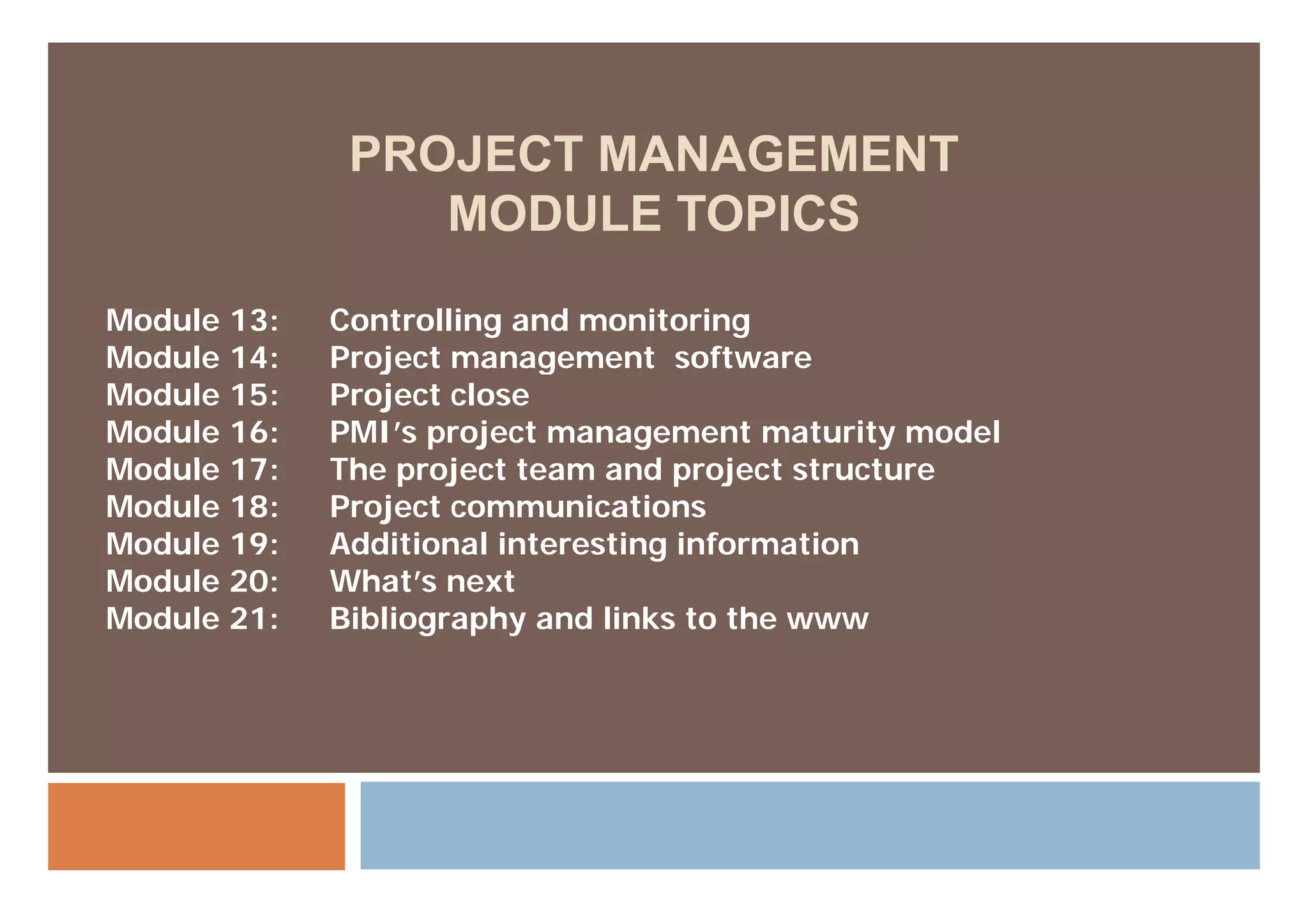
PROJECT MANAGEMENT
MODULE TOPICS
Module 13: Controlling and monitoring
Module 14: Project management software
Module 15: Project close
Module 16: PMI’s project management maturity model
Module 17:
M d l 17 The
Th project team and project structure
j tt d j t t t
Module 18: Project communications
Module 19: Additional interesting information
Module 20: What’s next
Module 21: Bibliography and links to the www
5.
Please note:
5
Besides its function as a PowerPoint presentation, this handout is meant
to give participants additional information related to Project
Management.
The sequence of pages (if presented) might change due to the actual flow
of the training.
A copyright note: ‘The content is based on the American Society for
Training and Development (ASTD) and the Project Management Institute
(PMI) training workshop series and is supplemented with material from
Pro Consulting and Training (Pro Consulting and Training).
The copyright for the pictures used is with the respective owner.
What is aProject?
7
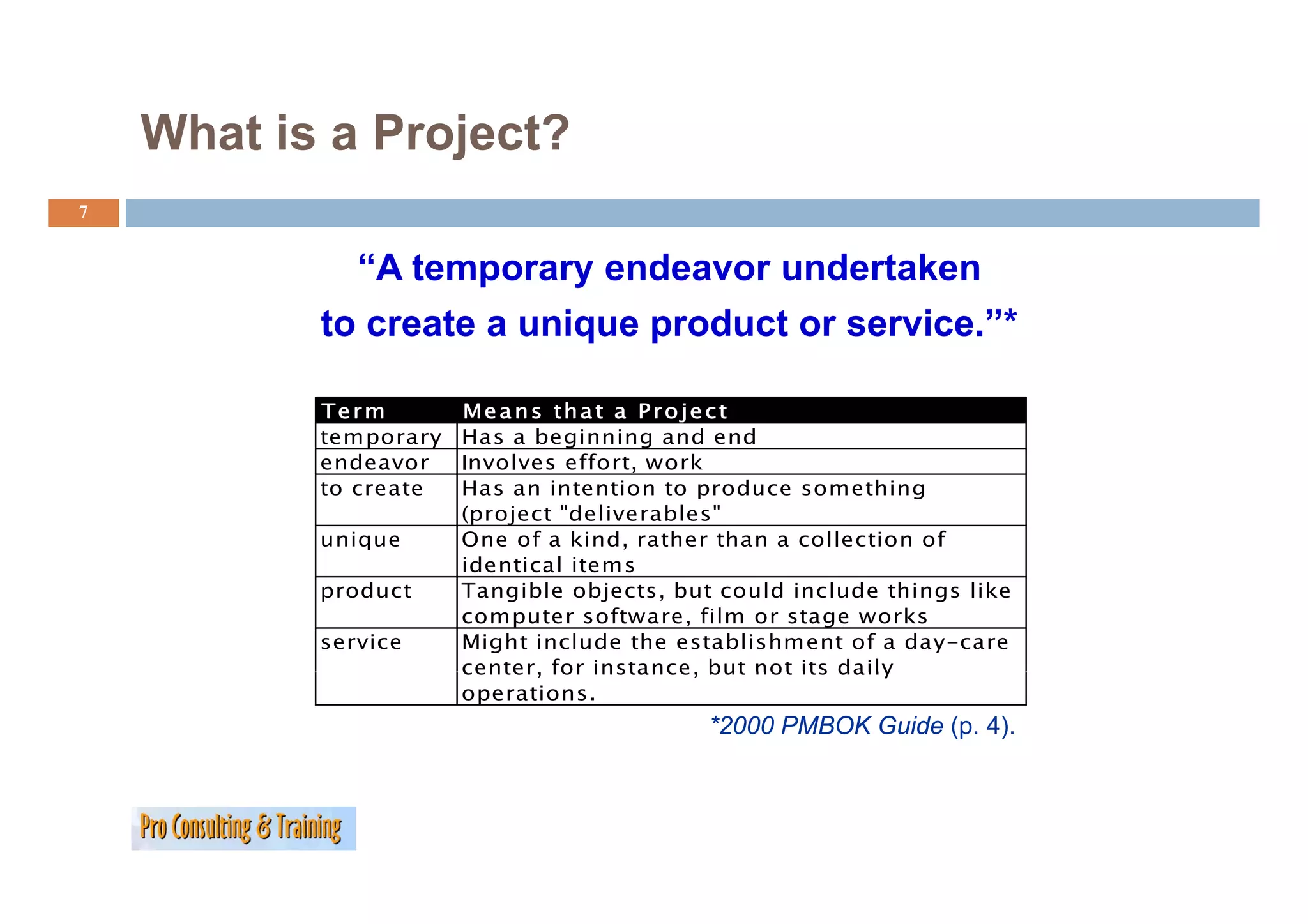
“A temporary endeavor undertaken
to create a unique product or service.”*
Term M e a n s th a t a P r o je c t
temporary Has a beginning and end
endeavor Involves effort, work
effort
to create Has an intention to produce something
(project "deliverables"
unique One of a kind, rather than a collection of
identical items
product Tangible objects, but could include things like
computer software, film or stage works
service Might include the establishment of a day-care
center,
center for instance, but not its daily
instance
operations.
*2000 PMBOK Guide (p. 4).
8.
What is aProject? Some more ‘definitions’
definitions
8
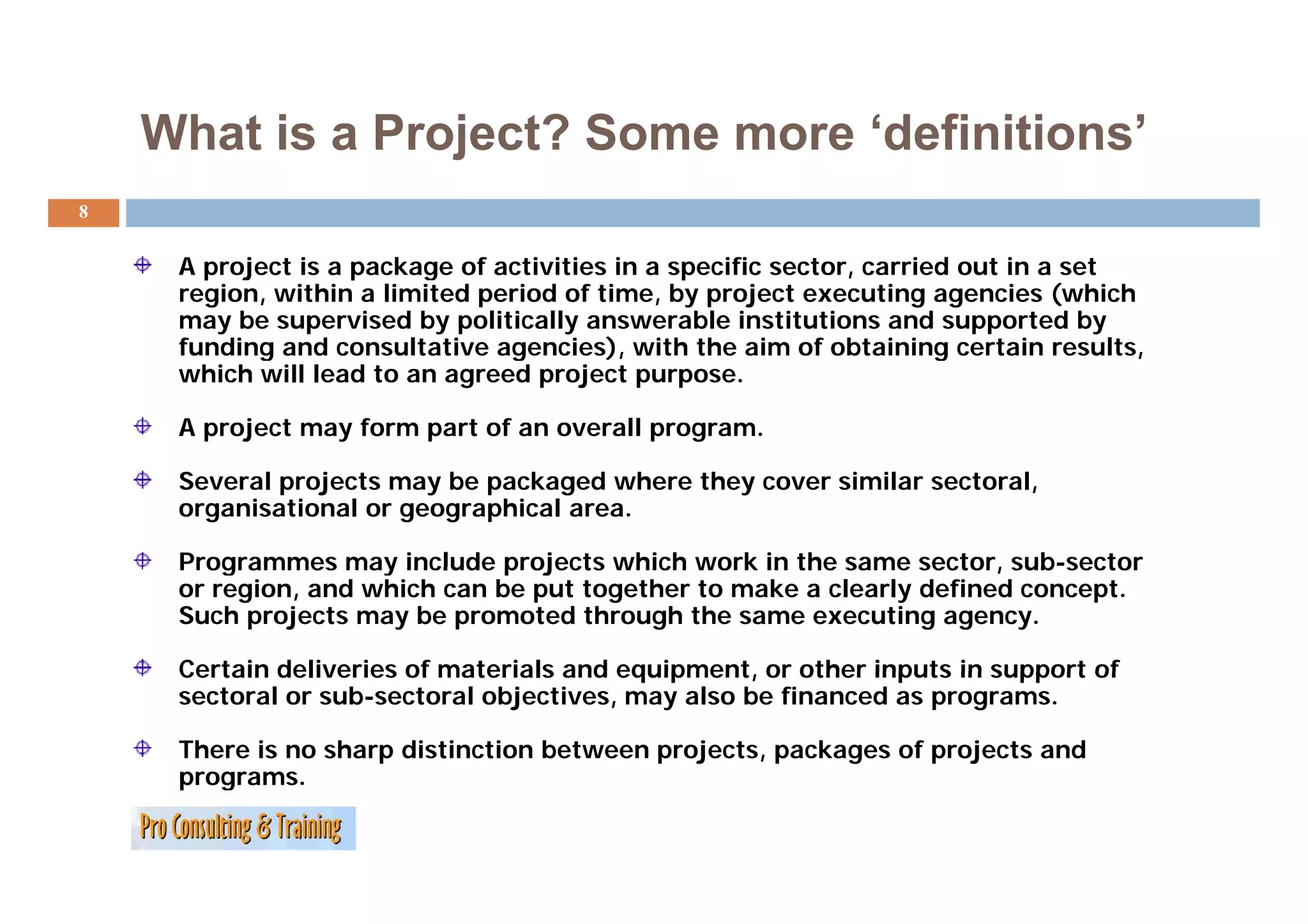
A project is a package of activities in a specific sector, carried out in a set
region, within a limited period of time, by project executing agencies (which
may be supervised by politically answerable institutions and supported by
funding and consultative agencies), with the aim of obtaining certain results,
g g ), g ,
which will lead to an agreed project purpose.
A project may form part of an overall program.
Several projects may be packaged where they cover similar sectoral,
organisational or geographical area.
Programmes may include projects which work in the same sector, sub sector
sub-sector
or region, and which can be put together to make a clearly defined concept.
Such projects may be promoted through the same executing agency.
Certain deliveries of materials and equipment, or other inputs in support of
equipment
sectoral or sub-sectoral objectives, may also be financed as programs.
There is no sharp distinction between projects, packages of projects and
programs.
programs
9.
What is Management?
9
Theoretical scope
Th ti l
Mary Parker Follett (1868–1933), who wrote on the topic in the early
twentieth century and defined management as "the art of getting things
done through people".
One can also think of management functionally, as the action of measuring a
quantity on a regular basis and of adjusting some initial plan; or as the
actions taken to reach one's intended goal. This applies even in situations
where planning does not take place.
10.
What is Management?
10
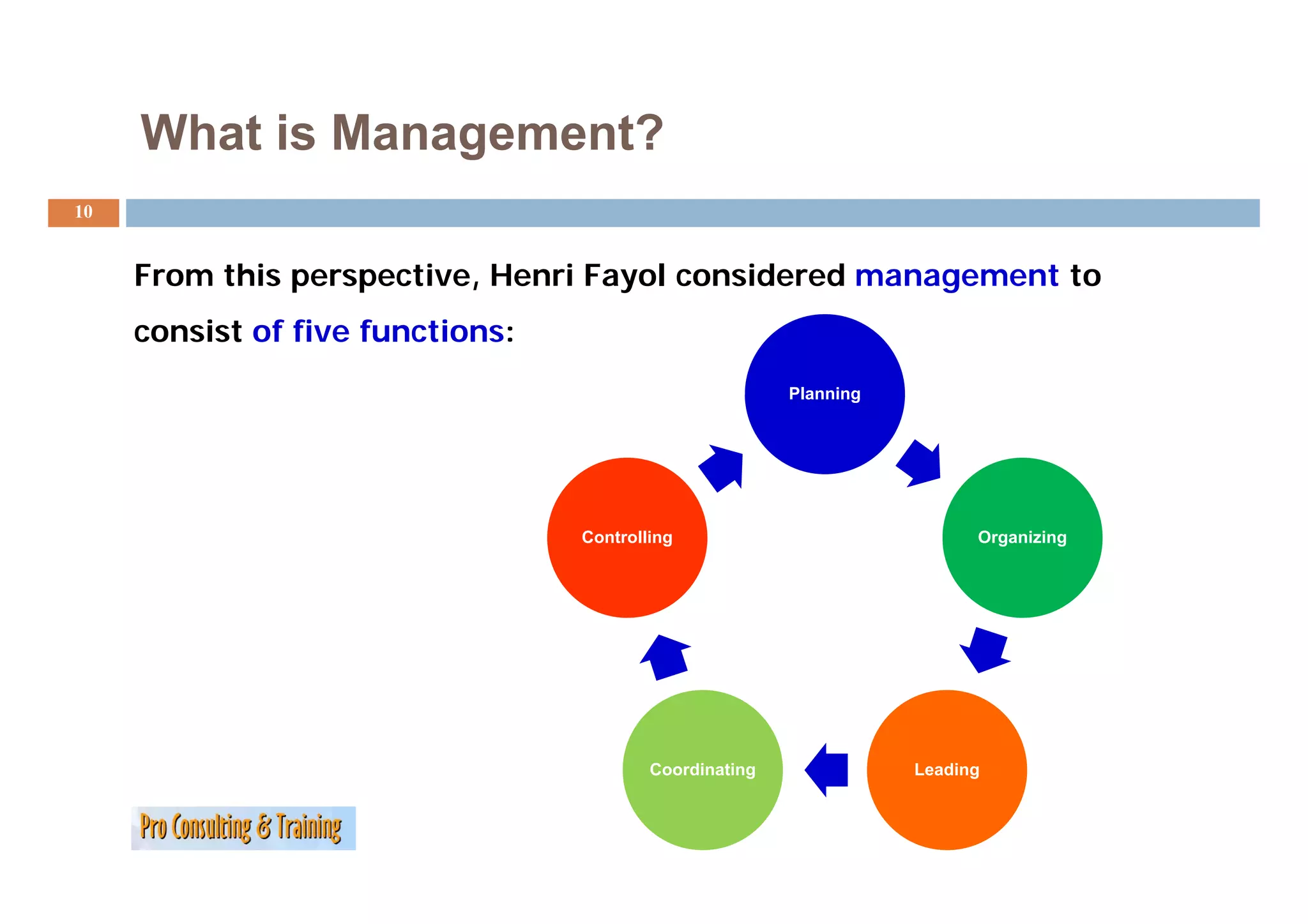
From this perspective, Henri Fayol considered management to
consist of five functions:
Planning
Controlling Organizing
Coordinating
g Leading
g
Your Turn:
12
What is ‘performance’?
What is a Project & what is Management?
j g
…
…
…
…
13.
MODULE 2: PMI’SNINE PROJECT
MANAGEMENT KNOWLEDGE AREAS
- AND WHAT IS PROJECT
MANAGEMENT?
14.
PMI’s
Nine P j t M
Ni Project Management Knowledge Areas
tK l d A
14
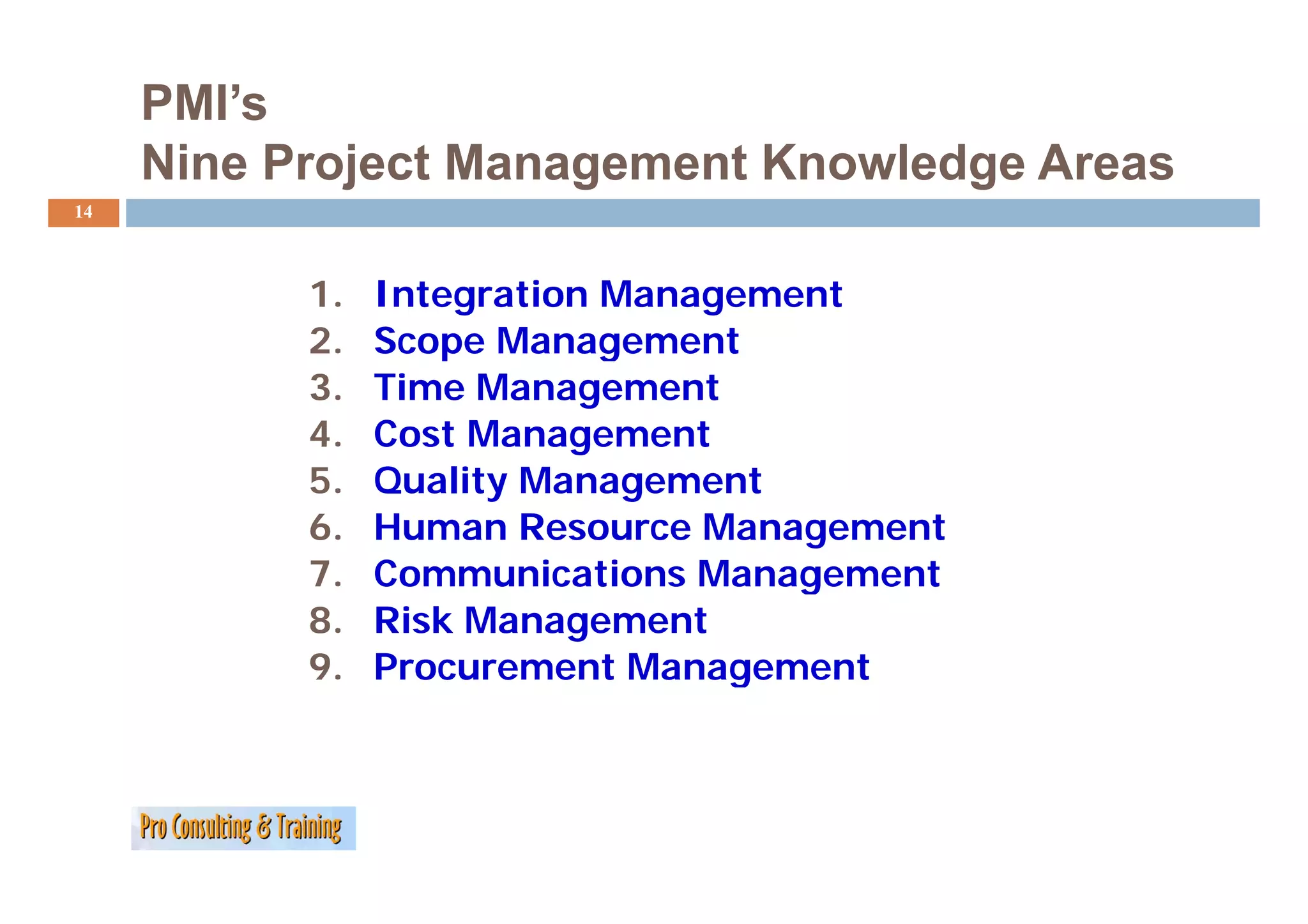
1. Integration Management
2. Scope Management
p g
3. Time Management
4. Cost Management
5. Quality Management
6. Human Resource Management
7.
7 Communications Management
8. Risk Management
9.
9 Procurement Management
15.
#1
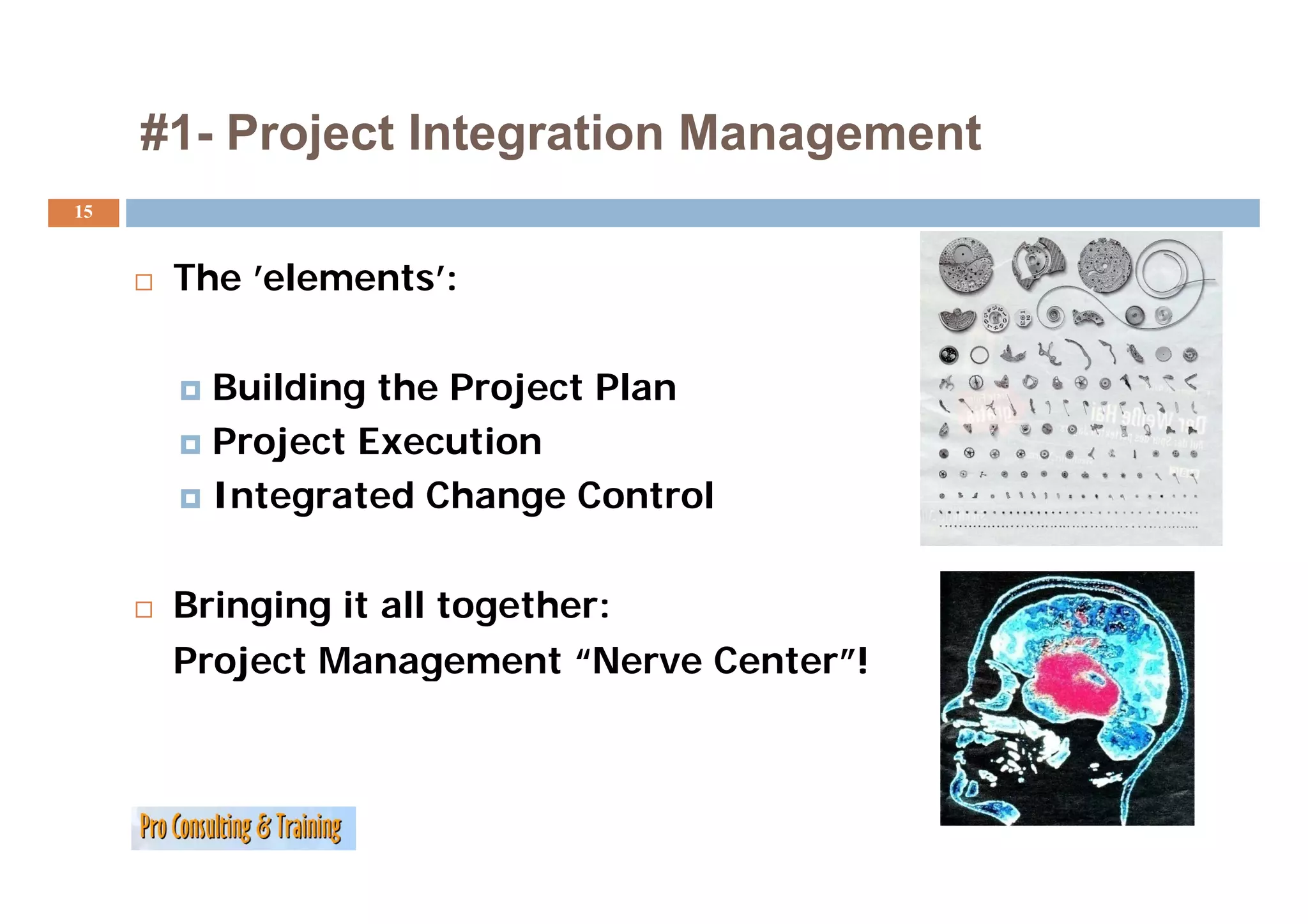
#1- Project Integration Management
15
The ’elements’:
Building the Project Plan
Project Execution
Integrated Change Control
Bringing it all together:
Project Management “Nerve Center !
Nerve Center”!
16.
#2 - ProjectScope Management
16
Staying vigilant in defining and containing scope
throughout the project!
Project Initiation
Scope Planning
S l i
Scope Definition
Scope Verification
Scope Change Control
17.
#3 - ProjectTime Management
17
Determining What Gets Done and When through:
Activity Definition
Activity Sequencing
Activity Duration Estimating
Schedule Development
Schedule Control
18.
#4 - ProjectCost Management
18
Planning for Resources
Estimating Costs
Creating the Budget
Managing/Controlling
the Budget
Your Turn: WhatWe Know Already
24
Look back over your previous experience in project
management!
How many of the nine knowledge areas did you use?
(
(Probably all nine!)
y )
Take a quick inventory and point to your most
successful application and the most difficult one to
manage!
Pick up at least one new tip from others right now!
25.
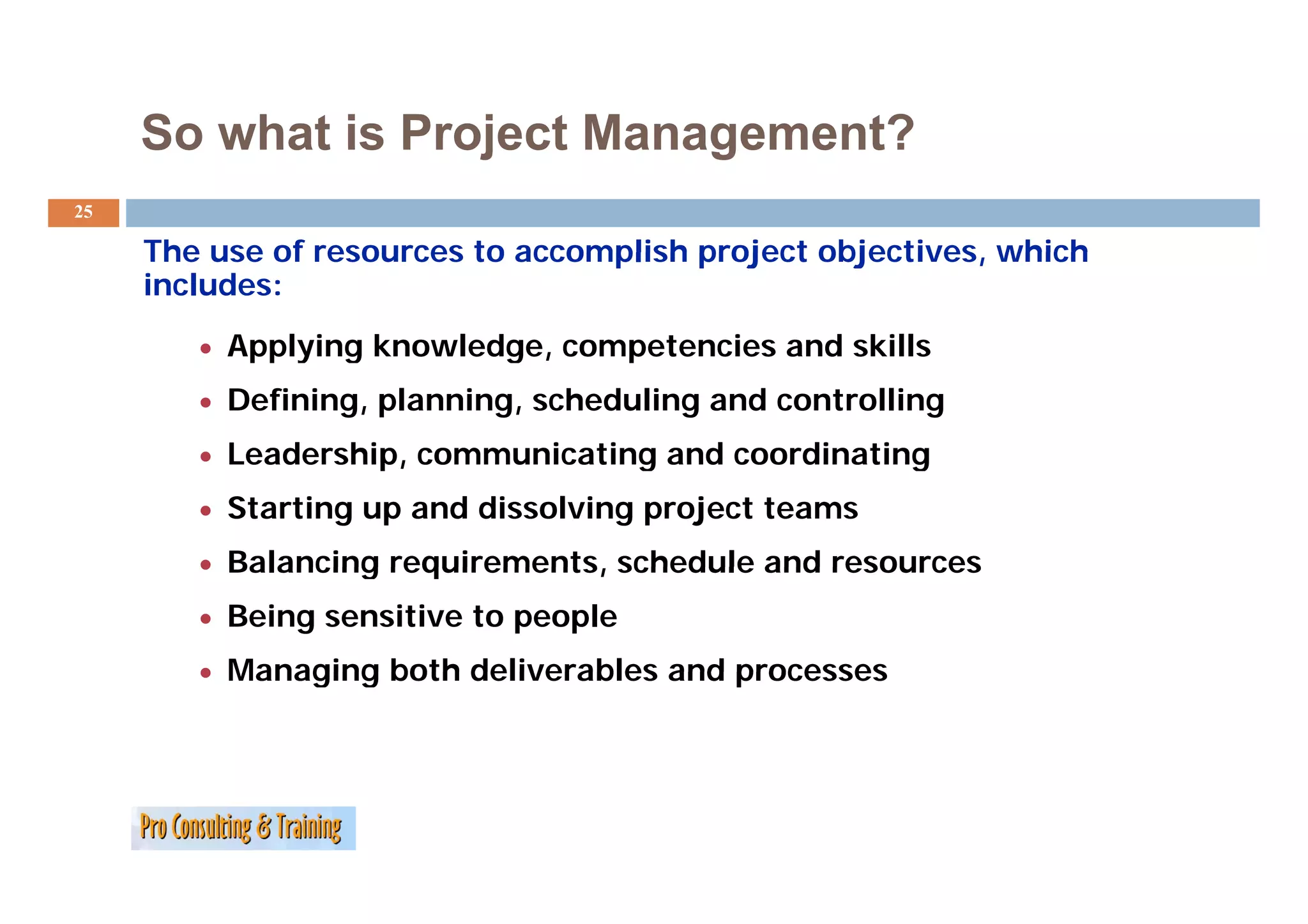
So what isProject Management?
25
The use of resources to accomplish project objectives, which
objectives
includes:
• Applying knowledge, competencies and skills
pp y g g , p
• Defining, planning, scheduling and controlling
• Leadership, communicating and coordinating
• Starting up and dissolving project teams
• Balancing requirements, schedule and resources
• Being sensitive to people
• Managing both deliverables and processes
26.
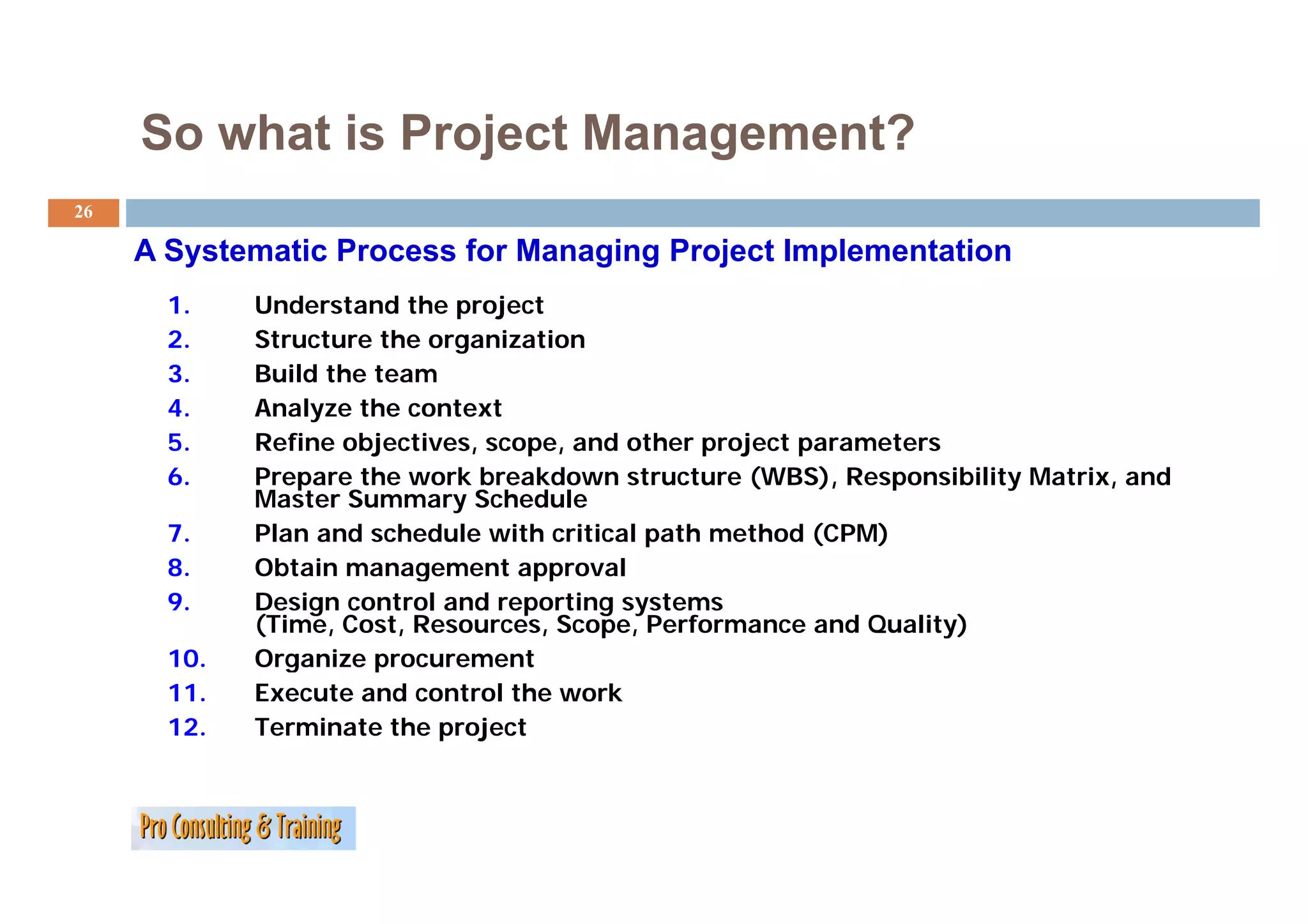
So what isProject Management?
26
A Systematic Process for Managing Project Implementation
1. Understand the project
2. Structure the organization
3. Build the team
4. Analyze the context
5. Refine objectives, scope, and other project parameters
6. Prepare the work breakdown structure (WBS), Responsibility Matrix, and
Master Summary Schedule
7. Plan and schedule with critical path method (CPM)
8.
8 Obtain management approval
9. Design control and reporting systems
(Time, Cost, Resources, Scope, Performance and Quality)
10. Organize p
g procurement
11. Execute and control the work
12. Terminate the project
27.
Your Turn:
27
What are the 9 PM Knowledge Areas
…
…
…
…
…
…
…
…
…
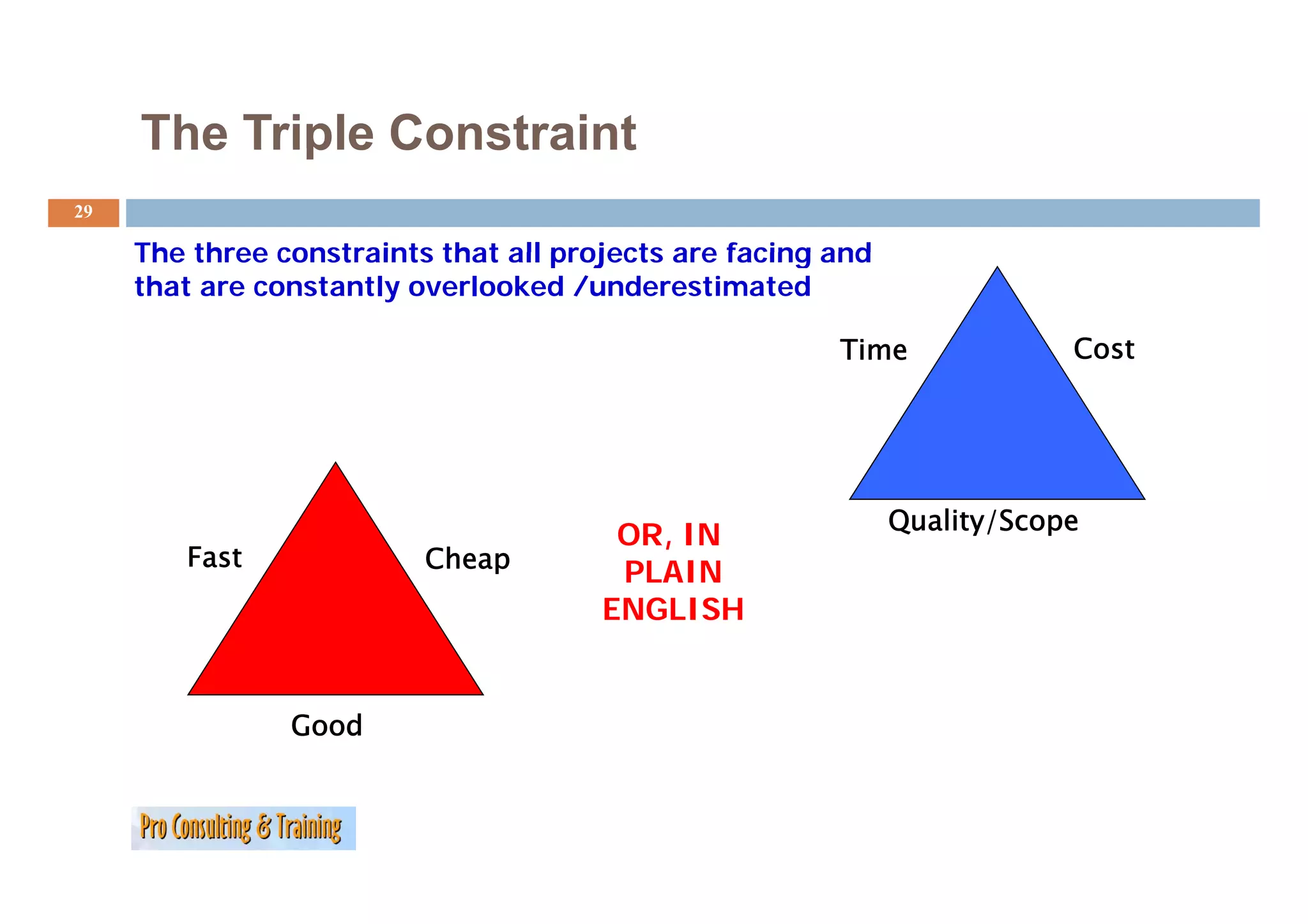
The Triple Constraint
29
The three constraints that all projects are facing and
that are constantly overlooked /underestimated
Time Cost
Quality/Scope
OR, IN
Fast
ast Cheap
PLAIN
ENGLISH
Good
30.
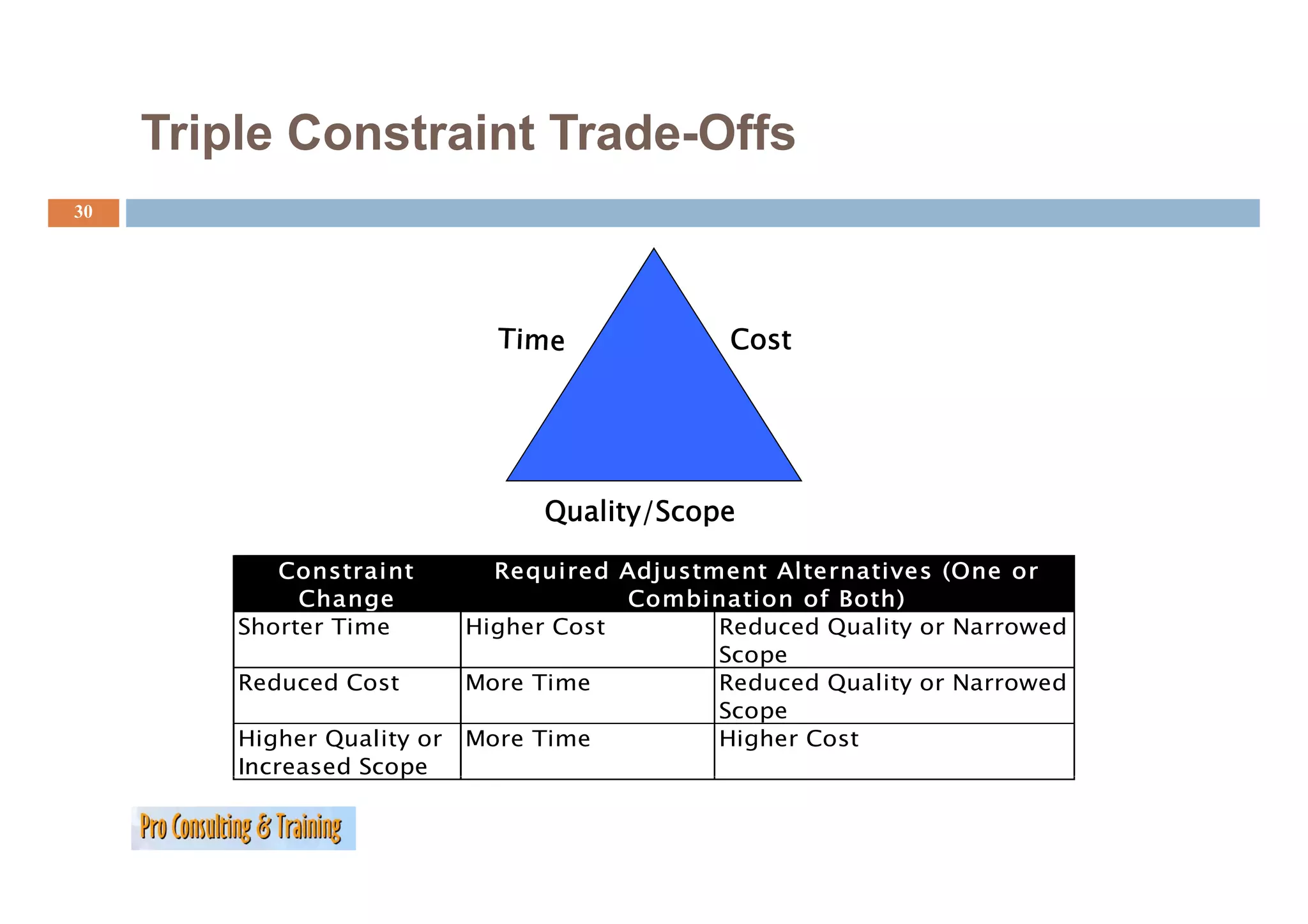
Triple Constraint TradeOffs
Trade-Offs
30
Cost
Quality/Scope
Constraint Required Adjustment Alternatives
Req ired Adj stment Alternati es (One or
Change Combination of Both)
Shorter Time Higher Cost Reduced Quality or Narrowed
Scope
Reduced Cost More Time Reduced Quality or Narrowed
Scope
Higher Quality or More Time Higher Cost
Increased Scope
p
31.
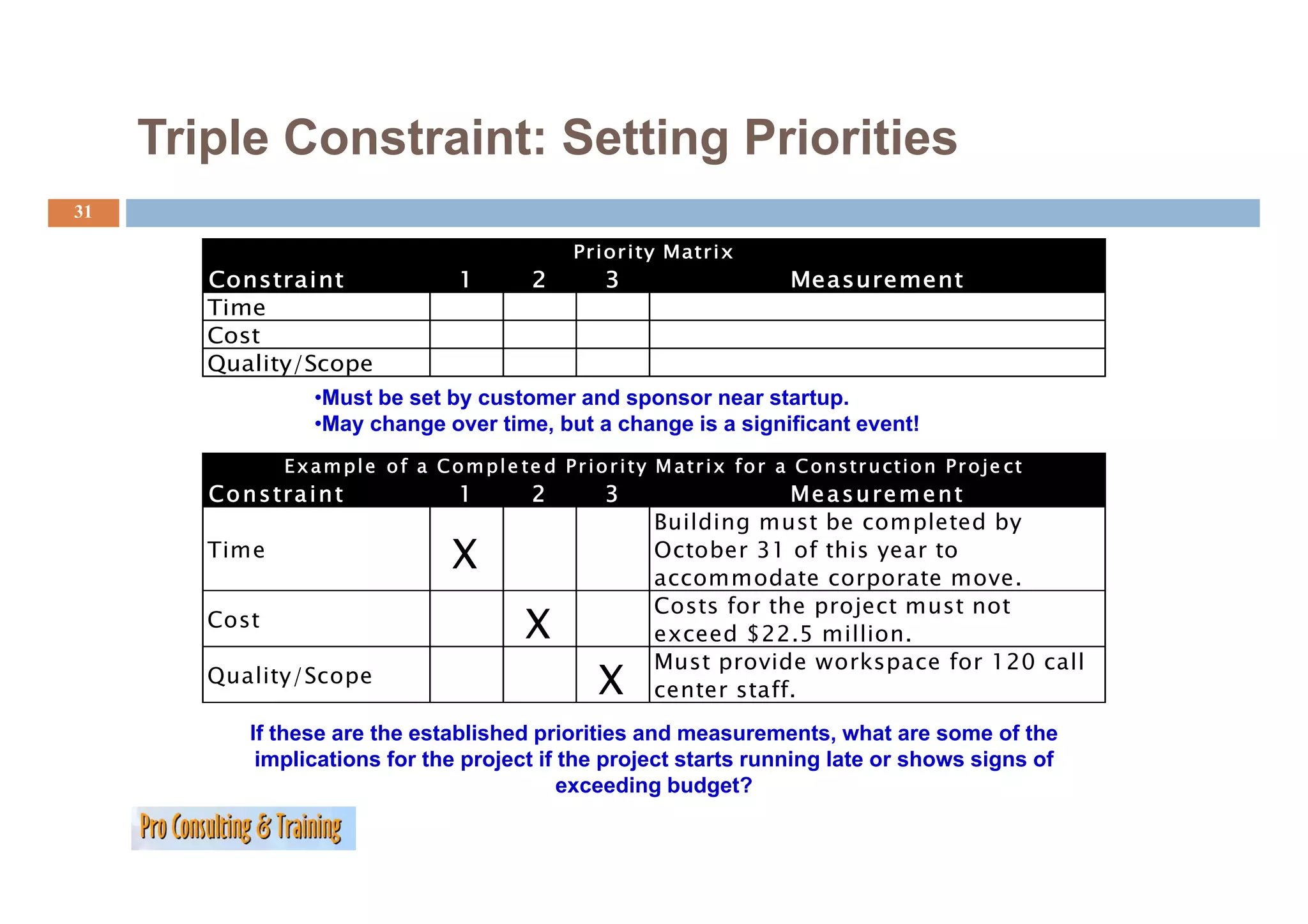
Triple Constraint: SettingPriorities
31
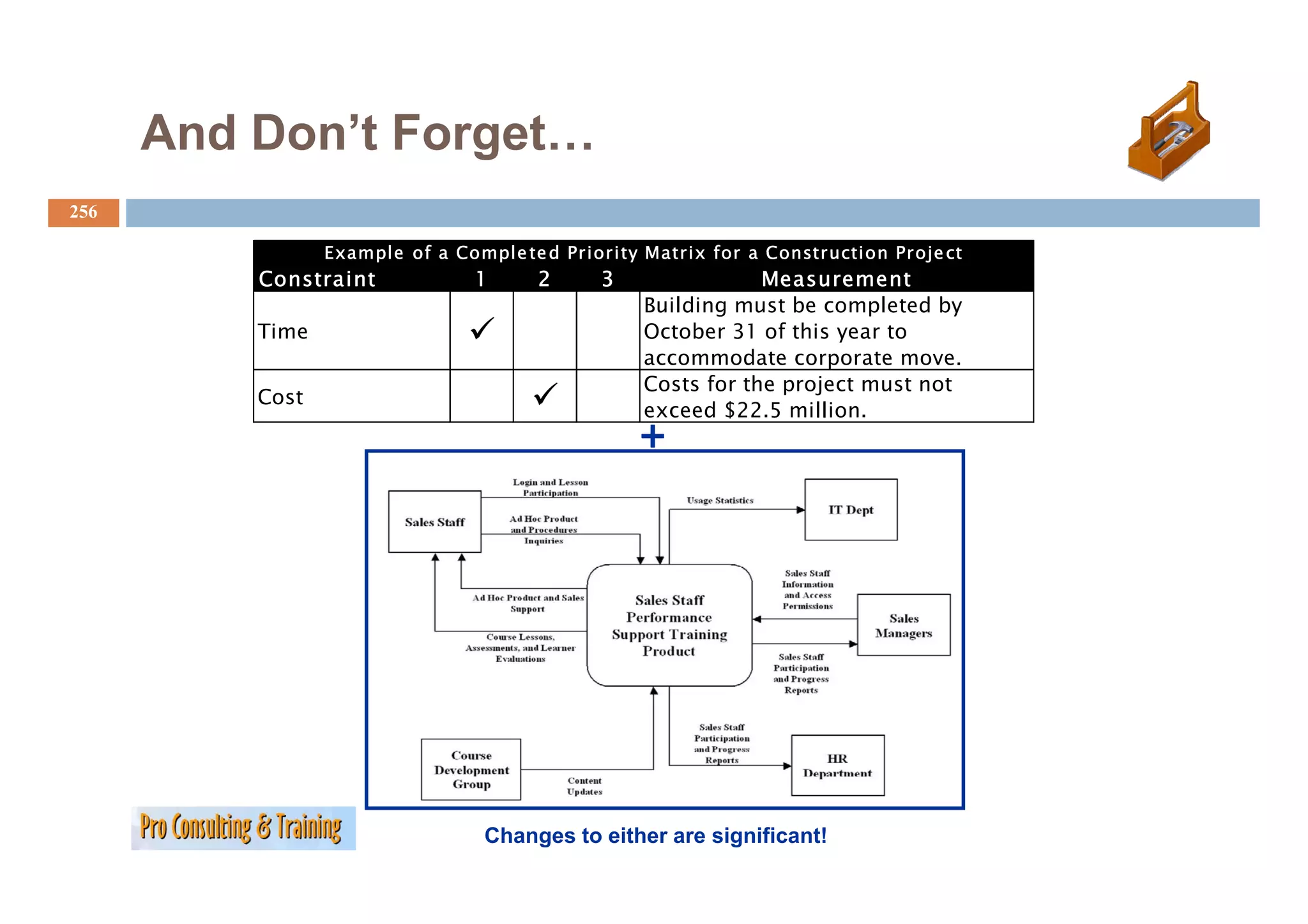
Prior ity Matrix
Constraint 1 2 3 Measurement
Time
Cost
Quality/Scope
Q lit /S
•Must be set by customer and sponsor near startup.
•May change over time, but a change is a significant event!
E x a m p l e o f a C o m p l e te d P r i o r i ty M a t i x f r a C o n str u cti o n P r o je ct
t t tr fo t ti j t
Co n s tra i n t 1 2 3 Me a s u re m e n t
Building must be completed by
Time X October 31 of this year to
accommodate corporate move.
Costs for the project must not
Cost X exceed $22.5 million.
Must provide workspace for 120 call
p p
Quality/Scope X center staff.
If these are the established priorities and measurements, what are some of the
implications for the project if the project starts running late or shows signs of
exceeding budget?
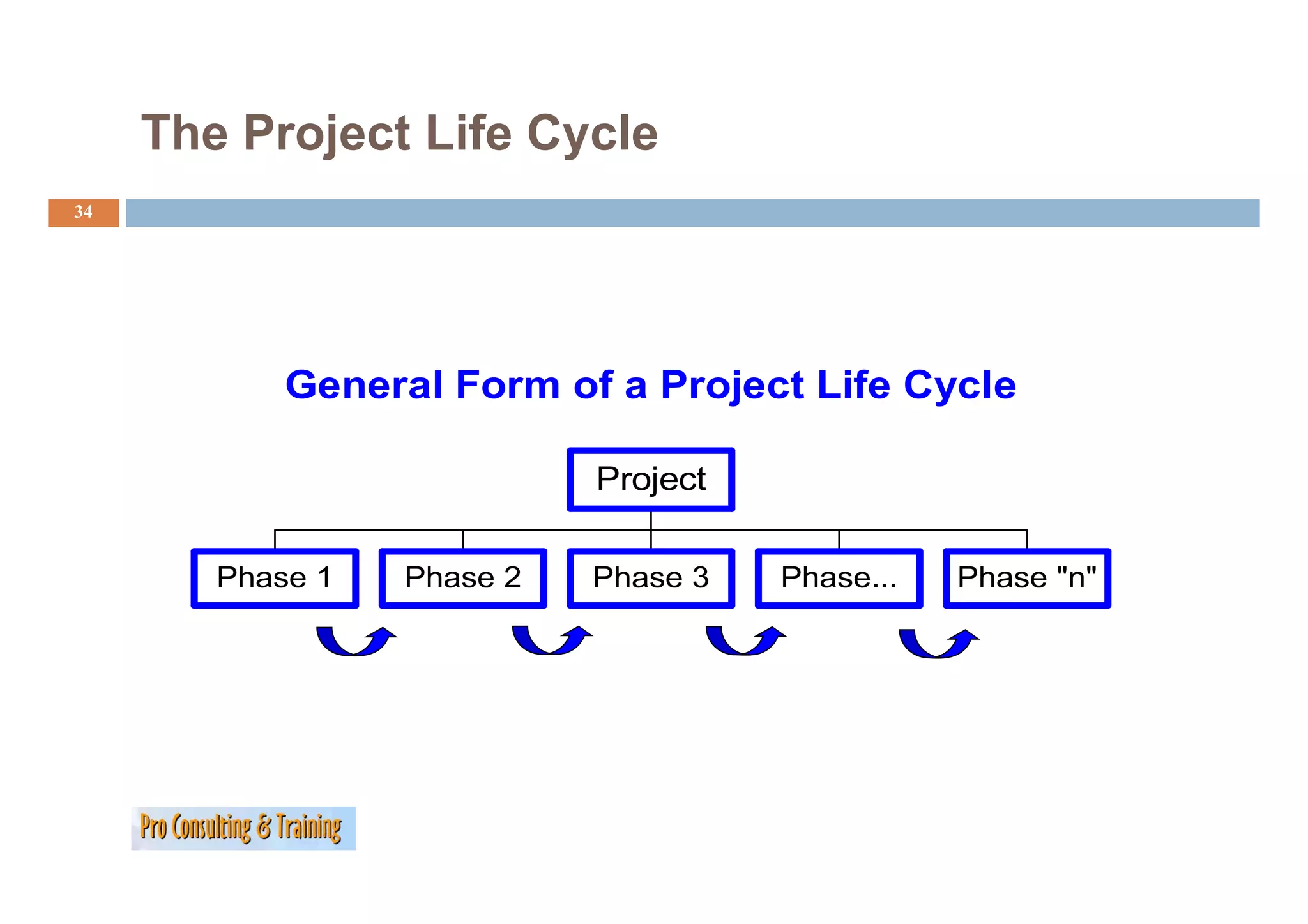
The Project LifeCycle
34
General Form of a Project Life Cycle
Project
Phase 1
Ph Phase 2
Ph Phase 3
Ph Phase...
Ph Phase " "
Ph "n"
35.
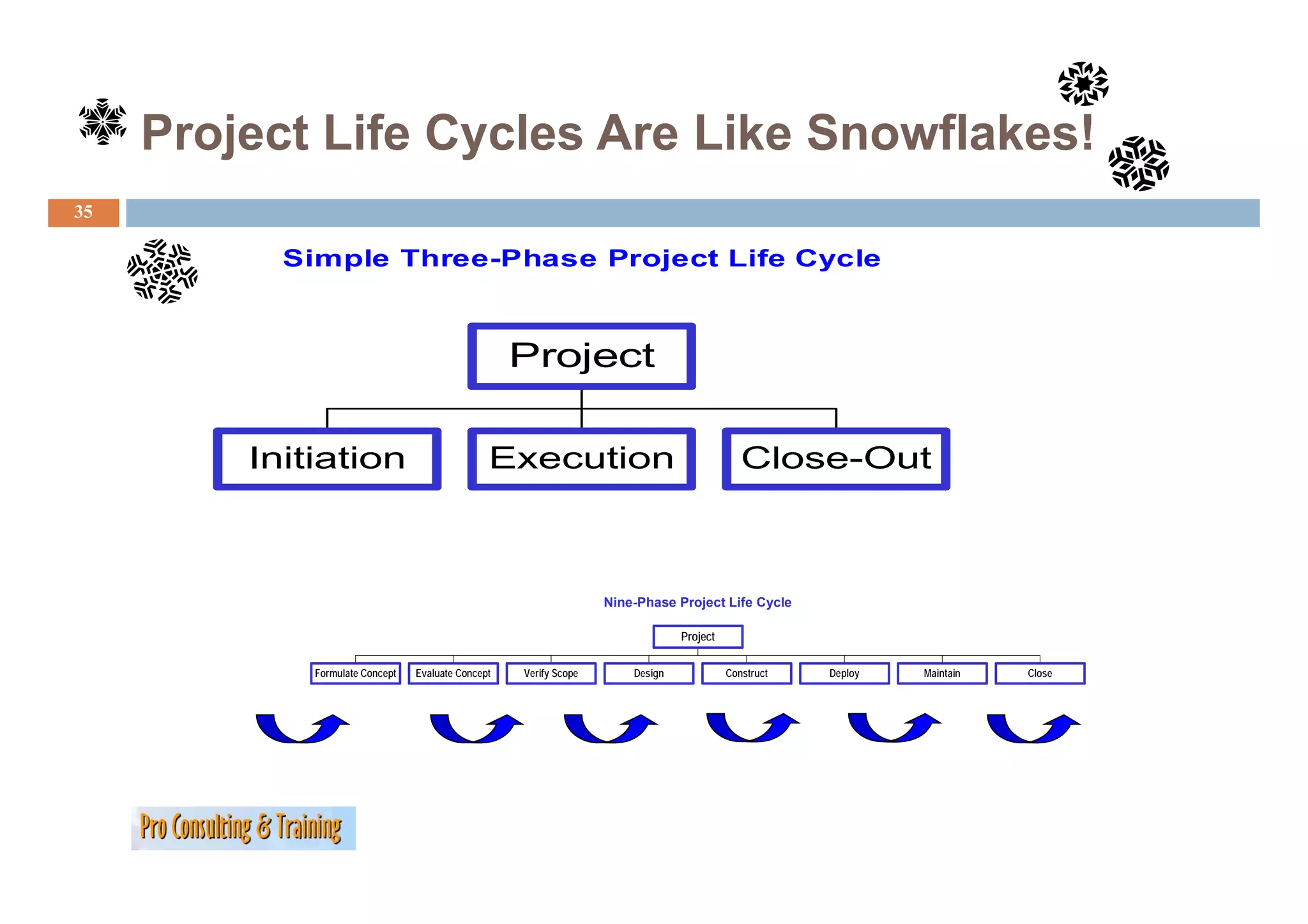
Project Life CyclesAre Like Snowflakes!
35
Simple Three-Phase Project Life Cycle
Si l Th Ph P j t Lif C l
Project
Initiation Execution Close Out
Close-Out
Nine-Phase Project Life Cycle
Project
Formulate Concept Evaluate Concept Verify Scope Design Construct Deploy Maintain Close
36.
Project Life CyclesAre Like Snowflakes!
36
Program/Project
Identification
Completion &
Evaluation Phase
PCM Model
37.
Project Life CyclesAre Like Snowflakes
37
Continuous I
C i Improvement
Lessons
Learned
Project
IInitiation
iti ti Definition
D fi iti Planning
Pl i IImplementation
l t ti Closure
Cl
38.
Project Life CyclesAre Like Snowflakes
38
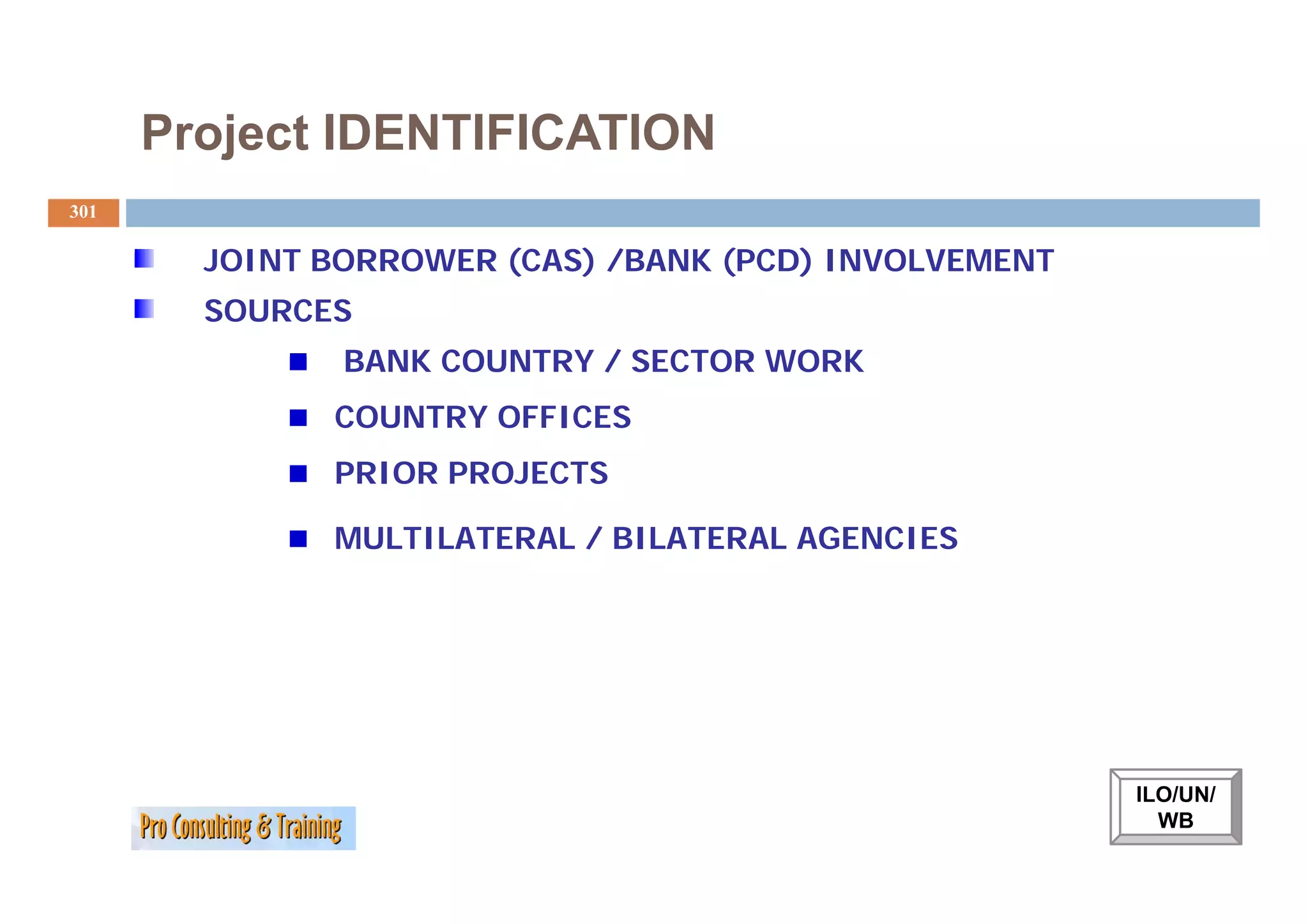
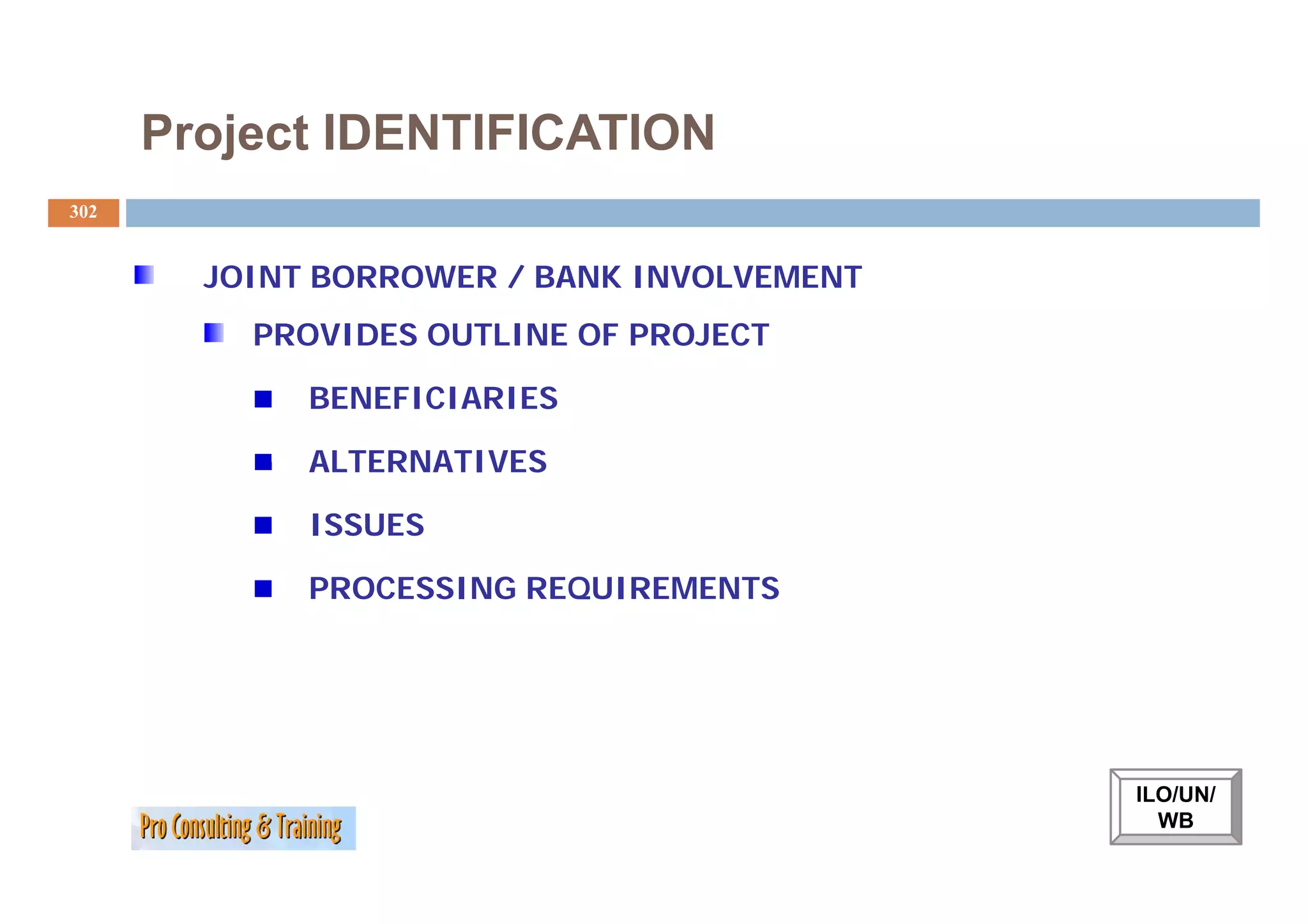
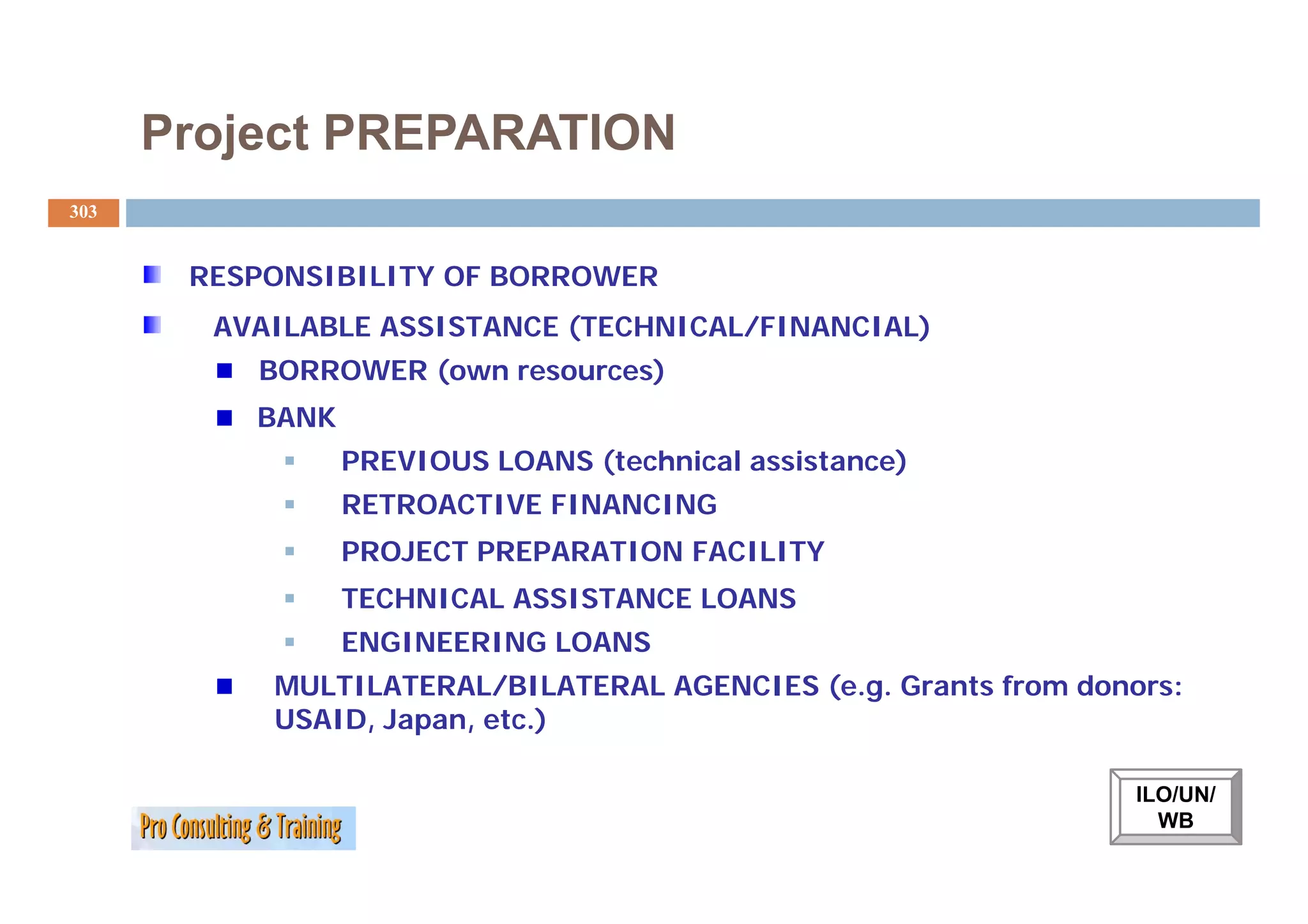
IDENTIFICATION
PREPARATION
APPRAISAL
NEGOTIATION
IMPLEMENTATION
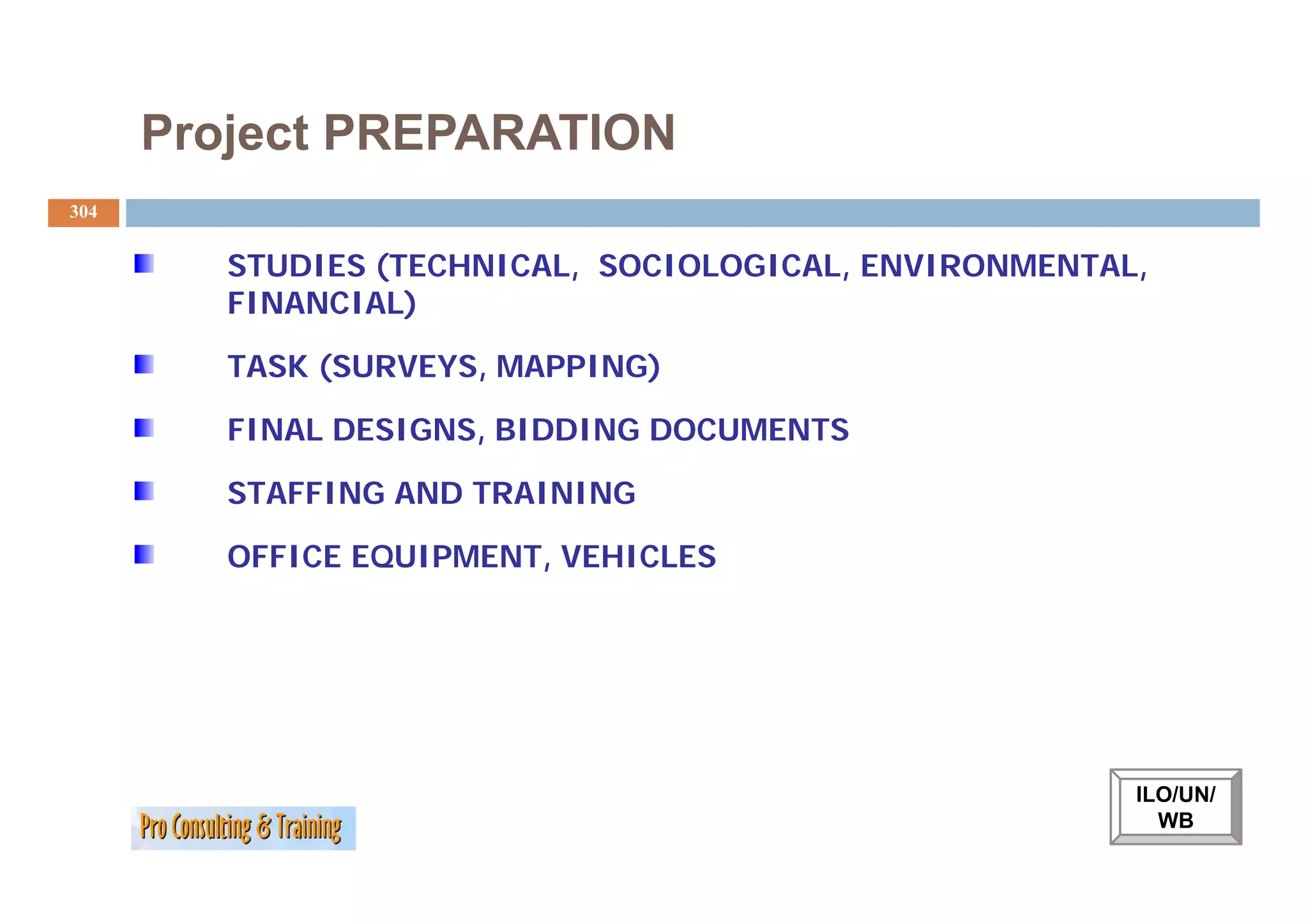
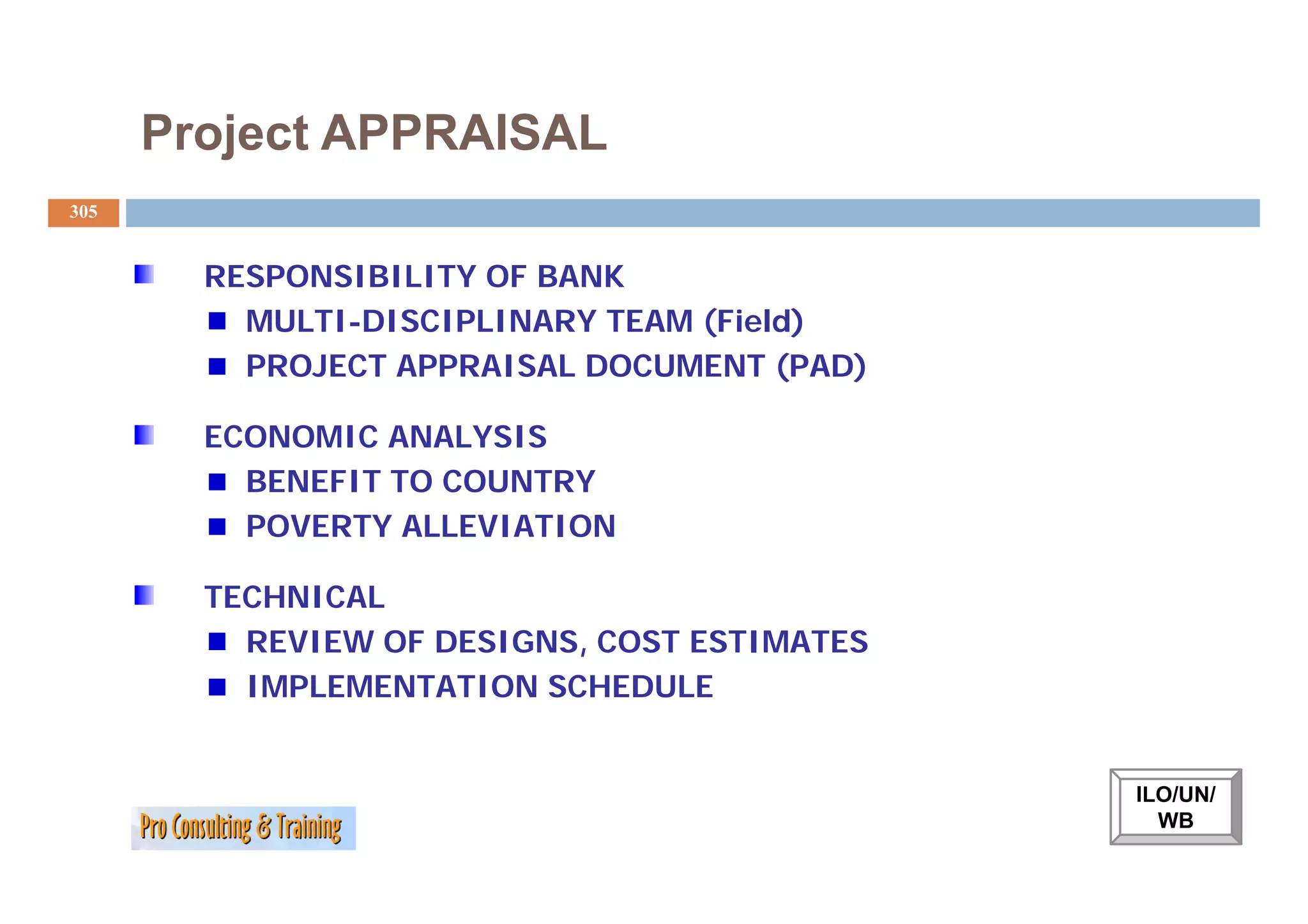
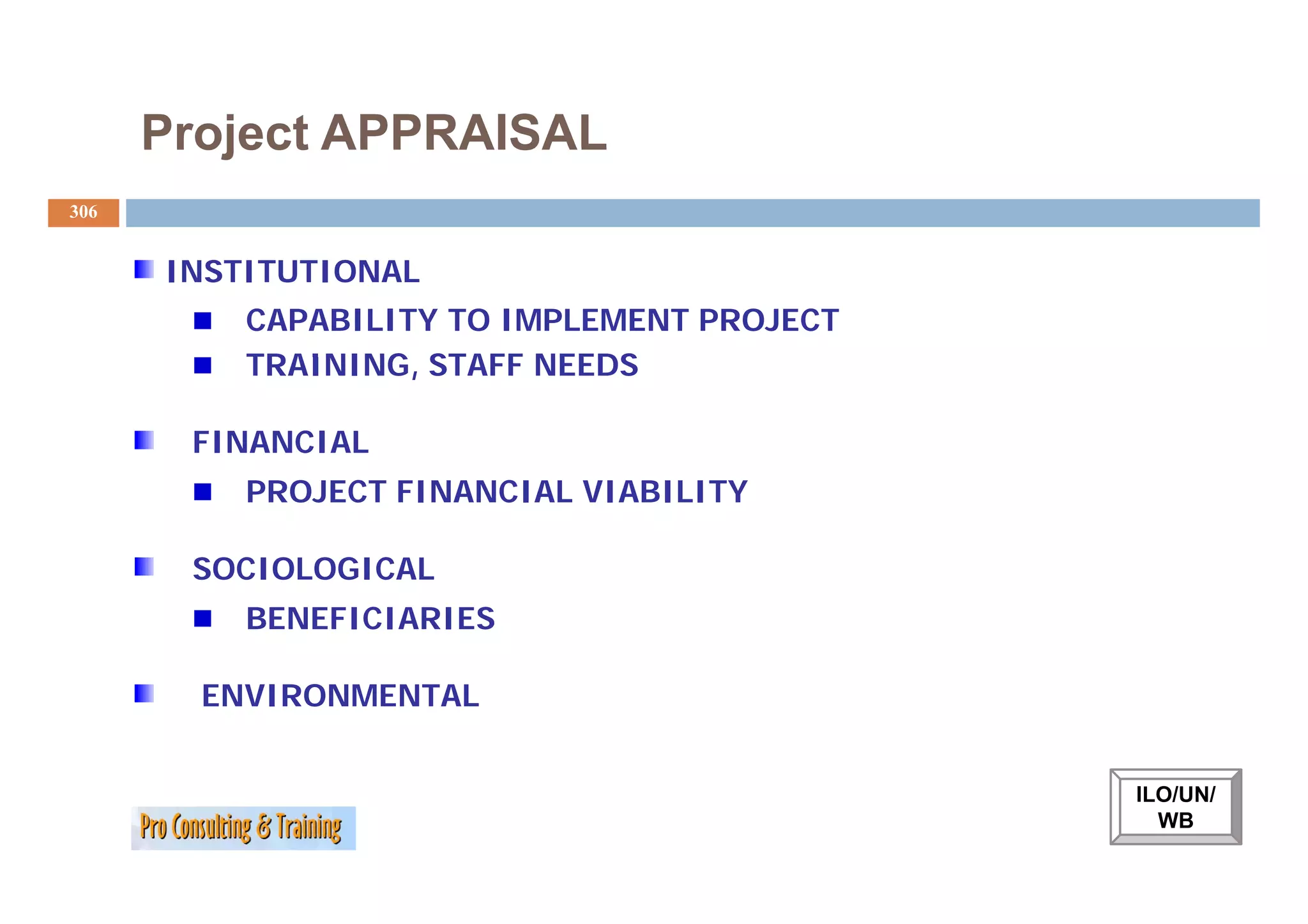
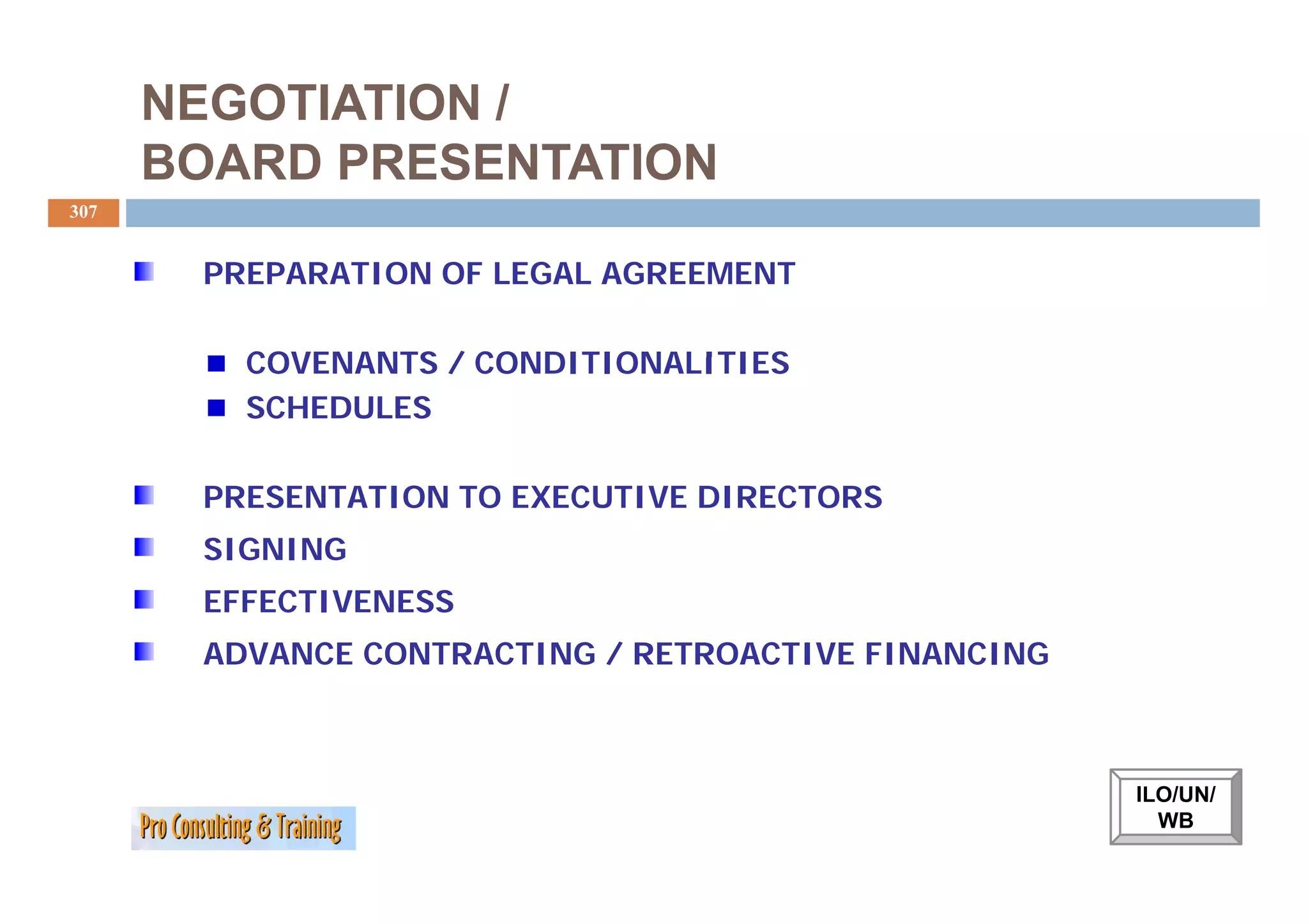
ILO/UN Model
EVALUATION
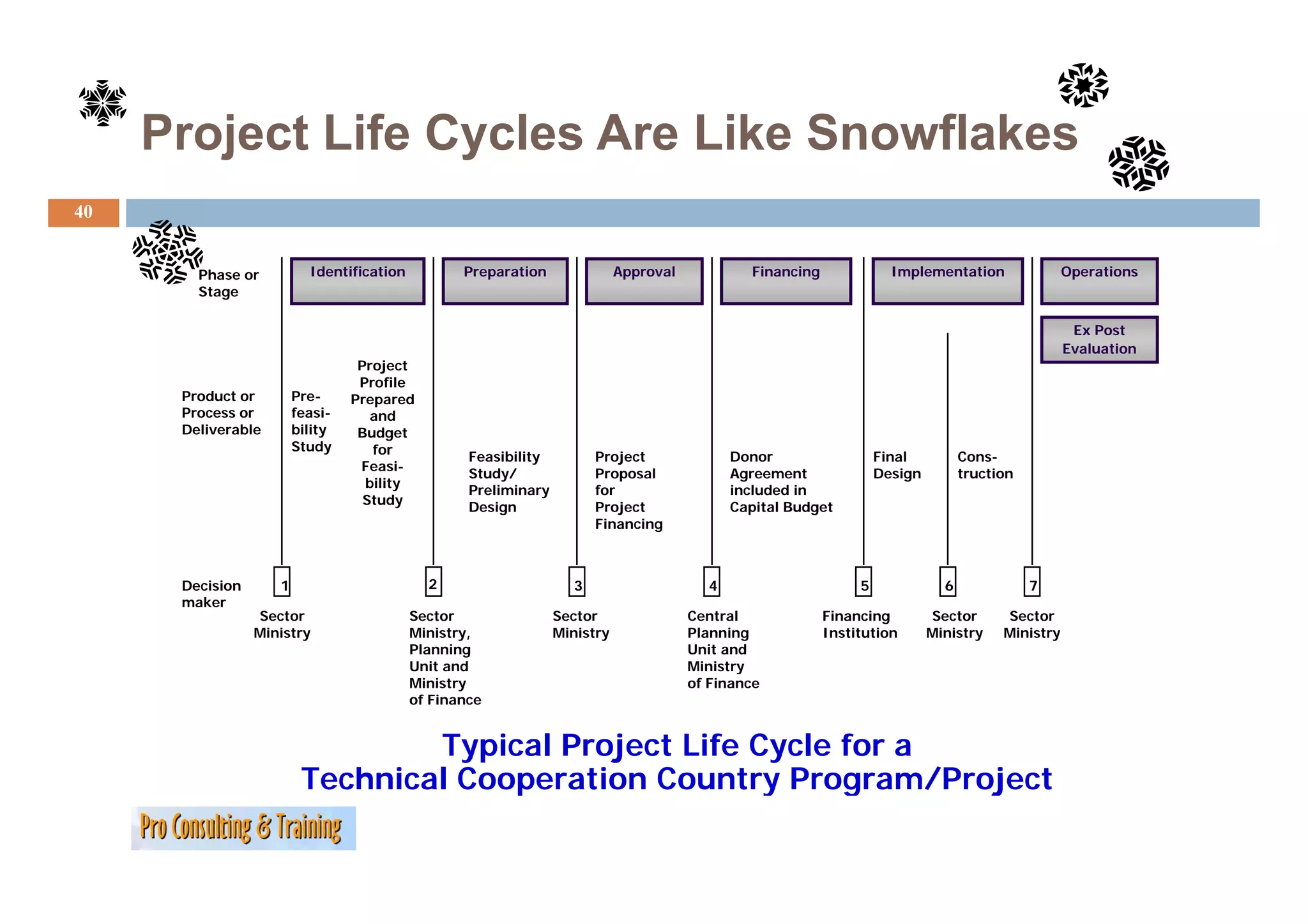
Project Life CyclesAre Like Snowflakes
40
Phase or Identification Preparation Approval Financing Implementation Operations
Stage
Ex Post
Evaluation
Project
Profile
Product or Pre- Prepared
Process or feasi- and
Deliverable bility Budget
Study for
Feasibility
y Project
j Donor Final Cons-
Feasi-
F i
Study/ Proposal Agreement Design truction
bility
Preliminary for included in
Study
Design Project Capital Budget
Financing
Decision 1 2 3 4 5 6 7
maker
Sector Sector Sector Central Financing Sector Sector
Ministry Ministry, Ministry Planning Institution Ministry Ministry
Planning Unit and
Unit and Ministry
y
Ministry of Finance
of Finance
Typical Project Life Cycle for a
Technical Cooperation Country Program/Project
41.
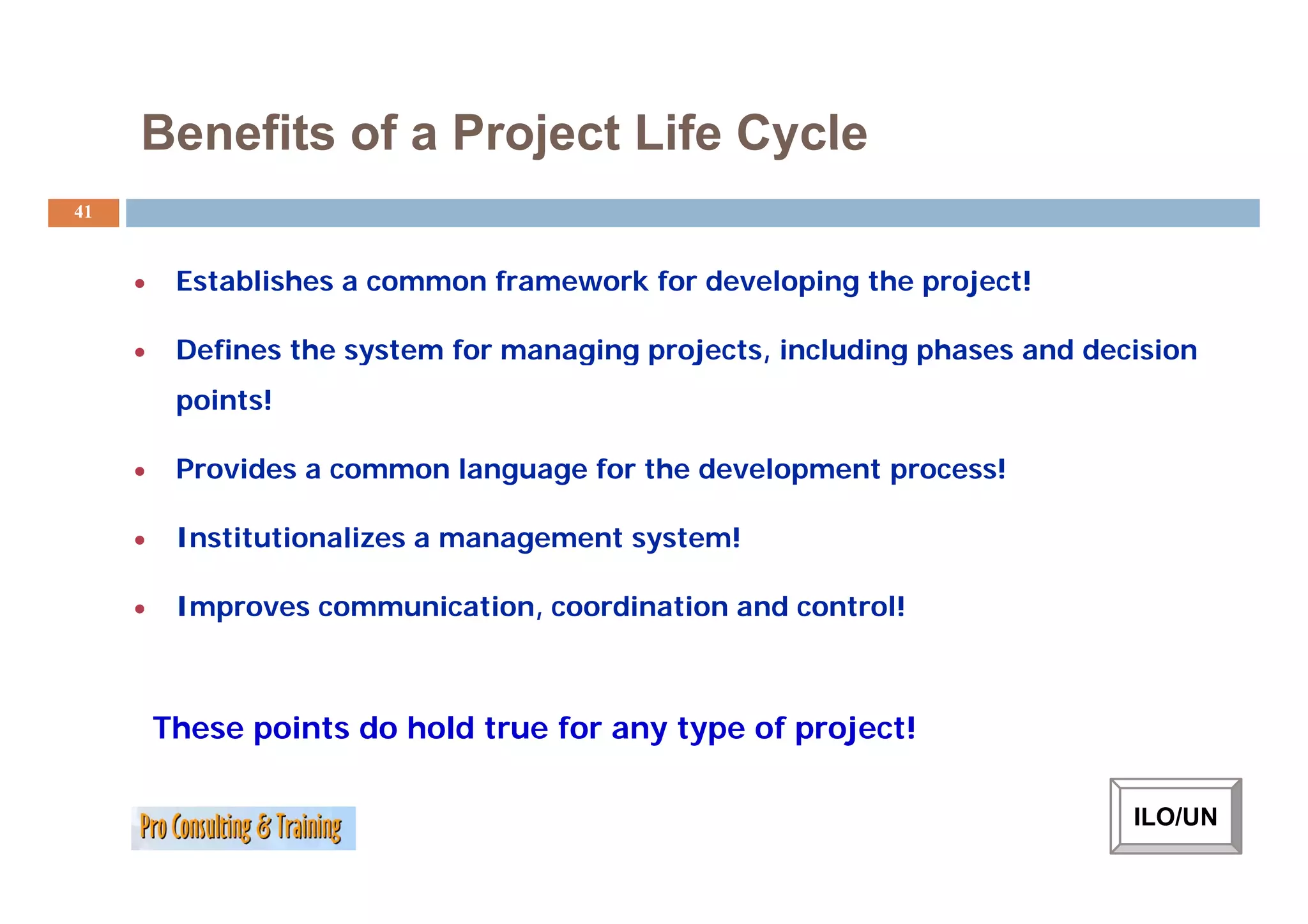
Benefits of aProject Life Cycle
41
• Establishes a common framework for developing the project!
• Defines the system for managing projects, including phases and decision
points!
• Provides a common l
P id language f th d
for the development process!
l t !
• Institutionalizes a management system!
• Improves communication, coordination and control!
These points do hold true for any type of project!
ILO/UN
42.
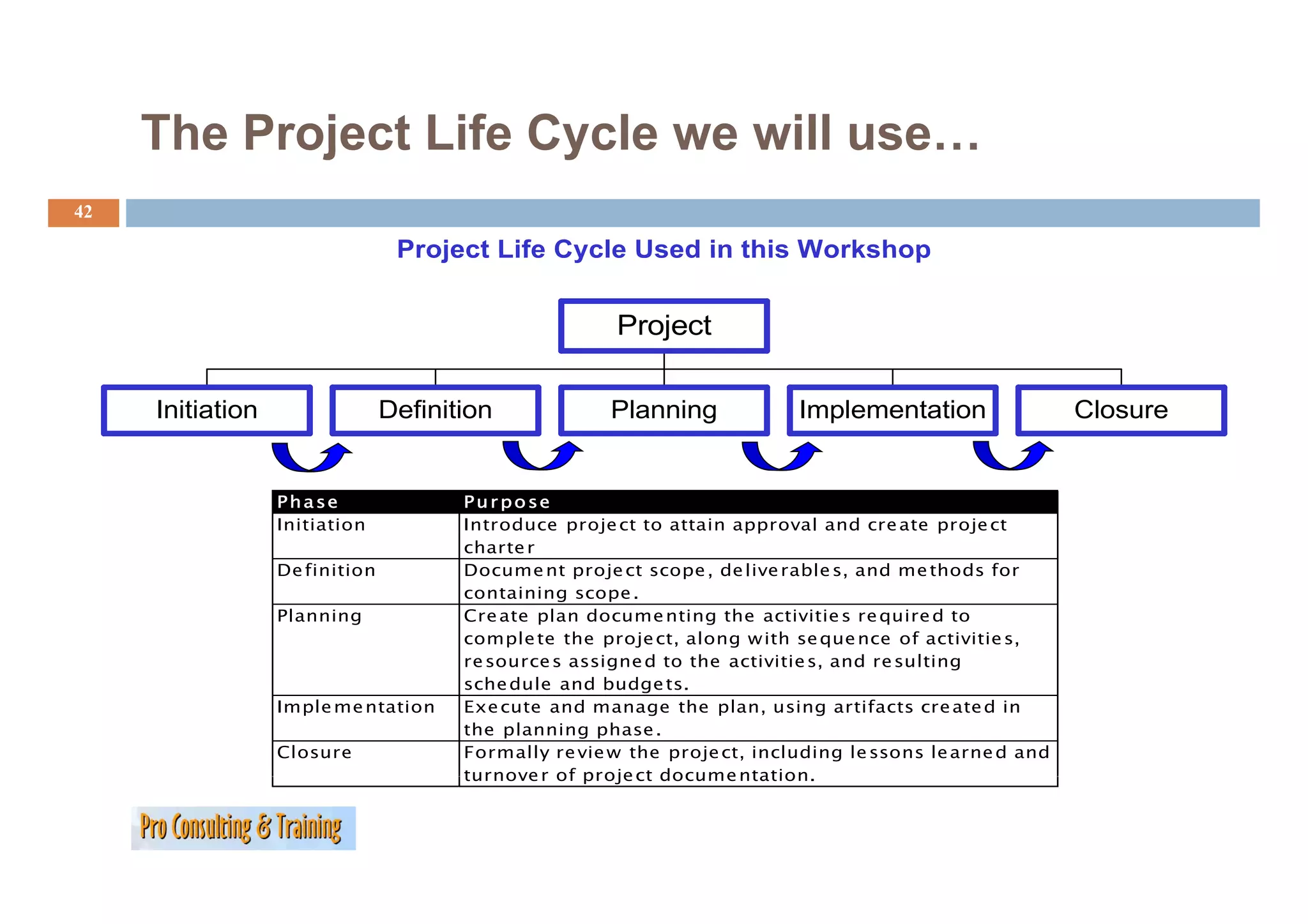
The Project LifeCycle we will use…
42
Project Life Cycle Used in this Workshop
Project
Initiation Definition Planning Implementation Closure
Phase Pur po se
Initiation Introduce proje ct to attain approval and cre ate proje ct
charte r
De finition
D fi iti Docume nt proje ct scope , d li rable s, and me th d f
D t j t de live bl d thods for
containing scope .
Planning Cre ate plan docume nting the activitie s re quire d to
comple te the proje ct, along w ith se que nce of activitie s,
re source s assigne d to the activitie s, and re sulting
sche dule and budge ts.
Imple me ntation Exe cute and manage the plan, using artifacts cre ate d in
the planning phase .
Closure Formally re vie w the proje ct, including le ssons le arne d and
turnove r of proje ct docume ntation.
ntation
43.
Your Turn:
43
Which ‘steps/sequences’ you will find in a Project Life
Cycle (make sure you get them in the right order) ?
…
…
…
…
How Projects Cometo Be
Be…
45
Project selection can be a difficult process, especially when there
are a large number of potential projects competing for scarce
money.
Some selection methods are highly intuitive; others try to add
rigor through more scientific selection processes.
46.
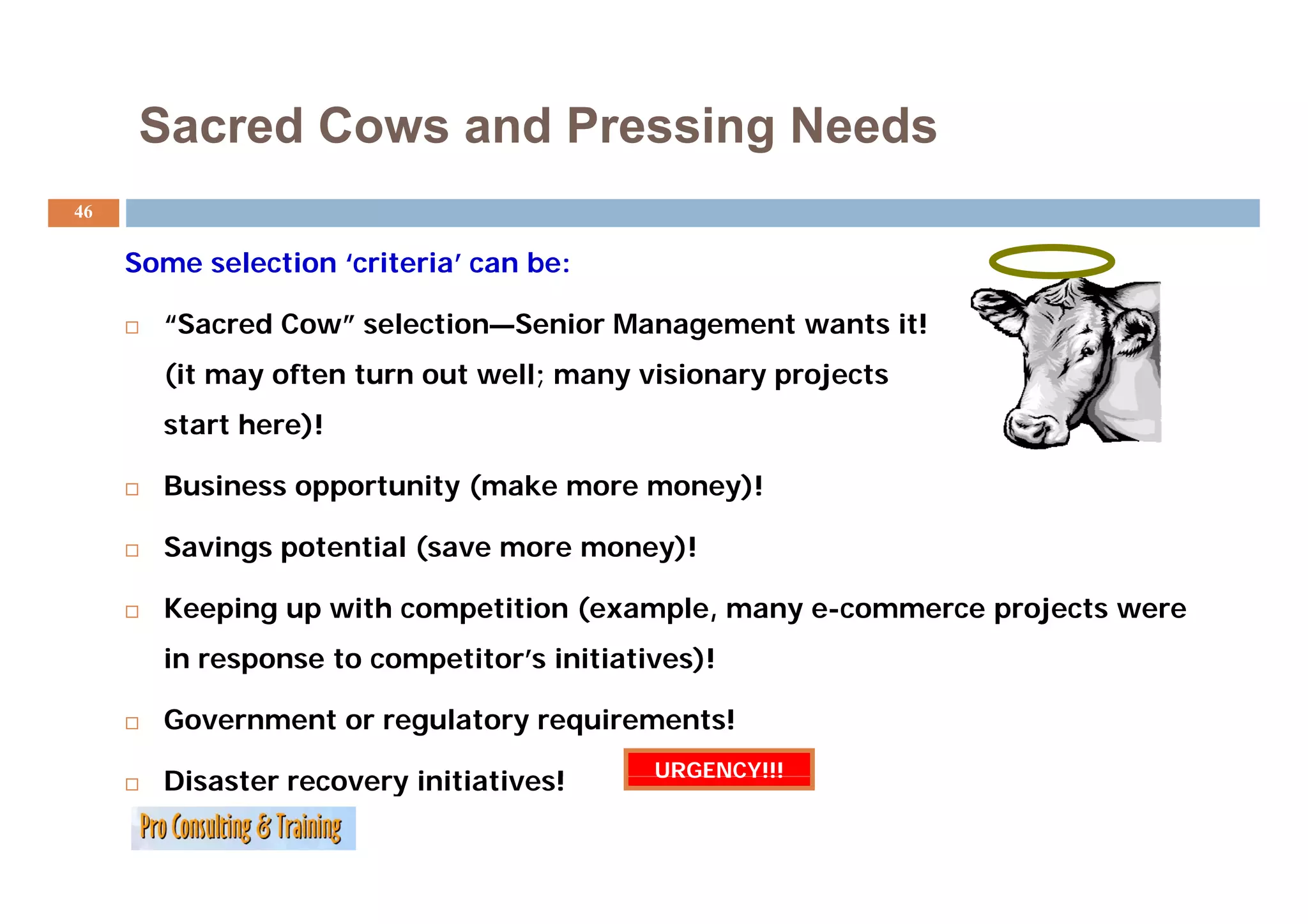
Sacred Cows andPressing Needs
g
46
Some selection ‘criteria’ can b
S l i ‘ i i ’ be:
“Sacred Cow” selection—Senior Management wants it!
(it may often turn out well; many visionary projects
start here)!
Business opportunity (make more money)!
Savings potential (save more money)!
Keeping up with competition (example, many e-commerce projects were
in response to competitor’s initiatives)!
p p )
Government or regulatory requirements!
URGENCY!!!
Disaster recovery initiatives!
47.
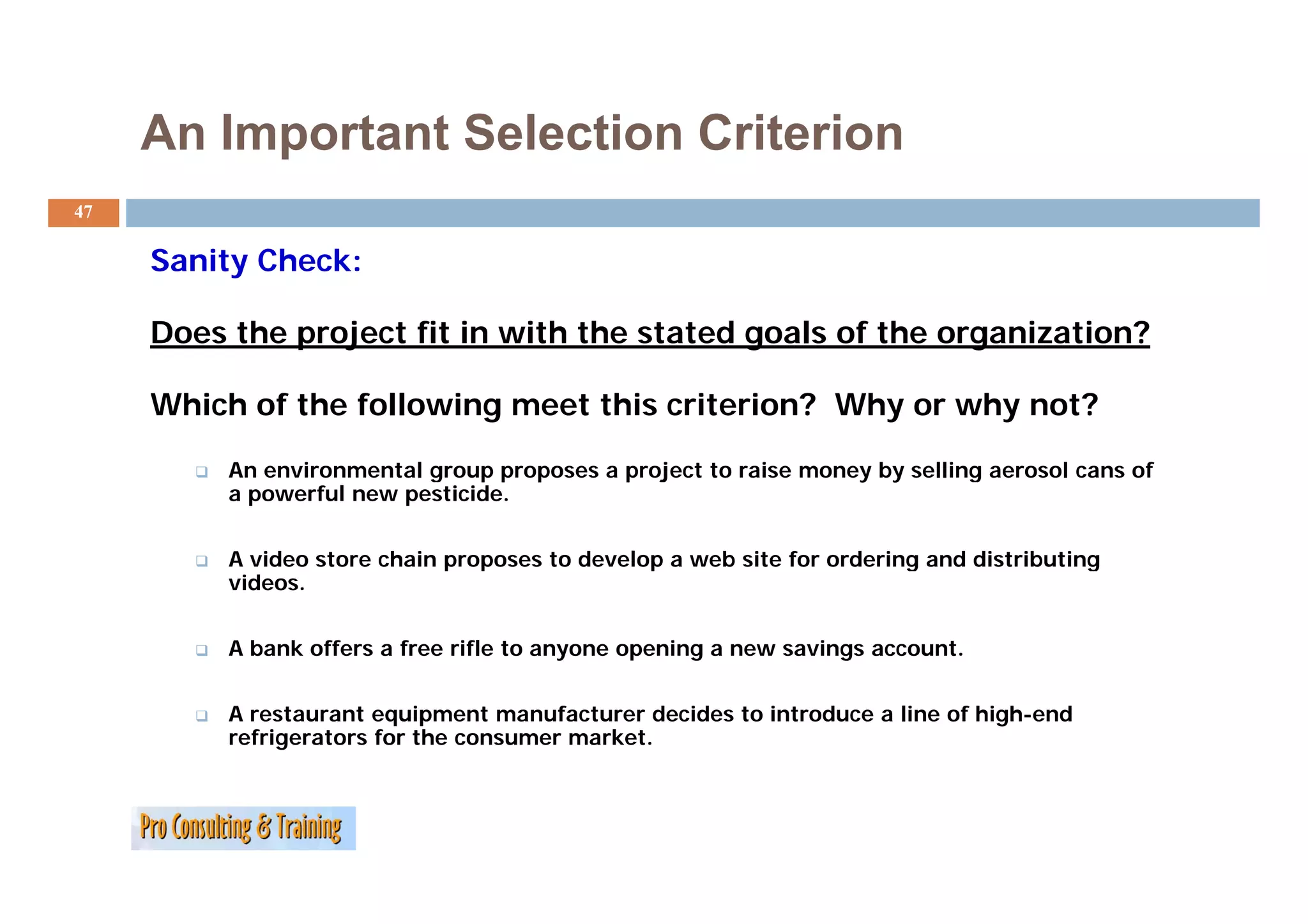
An Important SelectionCriterion
47
Sanity Ch k
S it Check:
Does the project fit in with the stated goals of the organization?
Which of the following meet this criterion? Why or why not?
An
A environmental group proposes a project to raise money by selling aerosol cans of
i l j i b lli l f
a powerful new pesticide.
A video store chain proposes to develop a web site for ordering and distributing
deo sto e c a p oposes de e op eb s te o o de g a d d st but g
videos.
A bank offers a free rifle to anyone opening a new savings account.
A restaurant equipment manufacturer decides to introduce a line of high-end
refrigerators for the consumer market.
48.
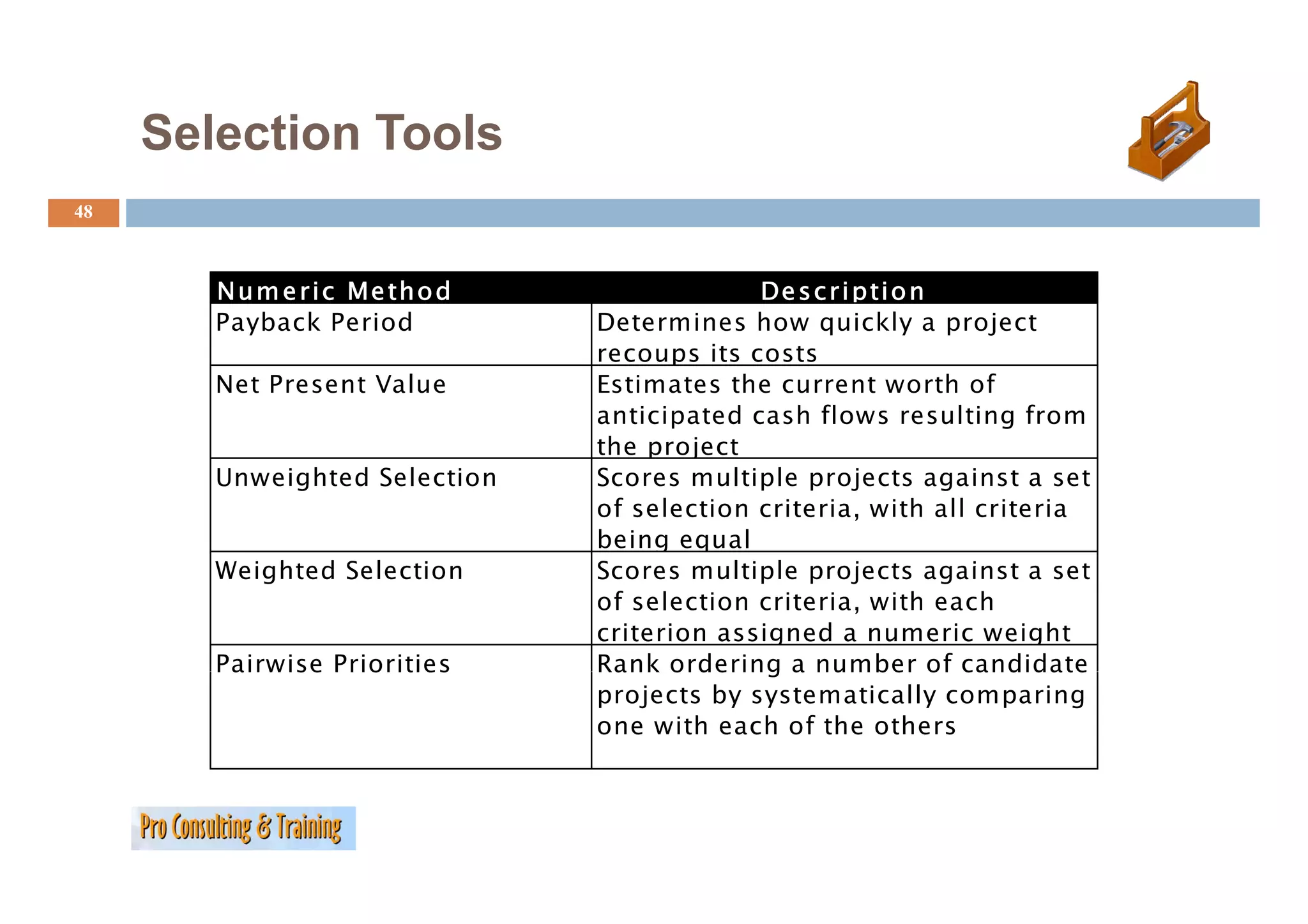
Selection Tools
48
N u m e r i c Me th o d De s c r i p ti o n
Payback Period Determines how quickly a project
recoups its costs
Net Present Value Estimates the current worth of
anticipated cash flows resulting from
the project
Unweighted Selection Scores multiple projects against a set
of selection criteria, with all criteria
being equal
Weighted Selection Scores multiple projects against a set
of selection criteria, with each
criterion assigned a numeric weight
Pairwise Priorities Rank ordering a number of candidate
projects by systematically comparing
one with each of the others
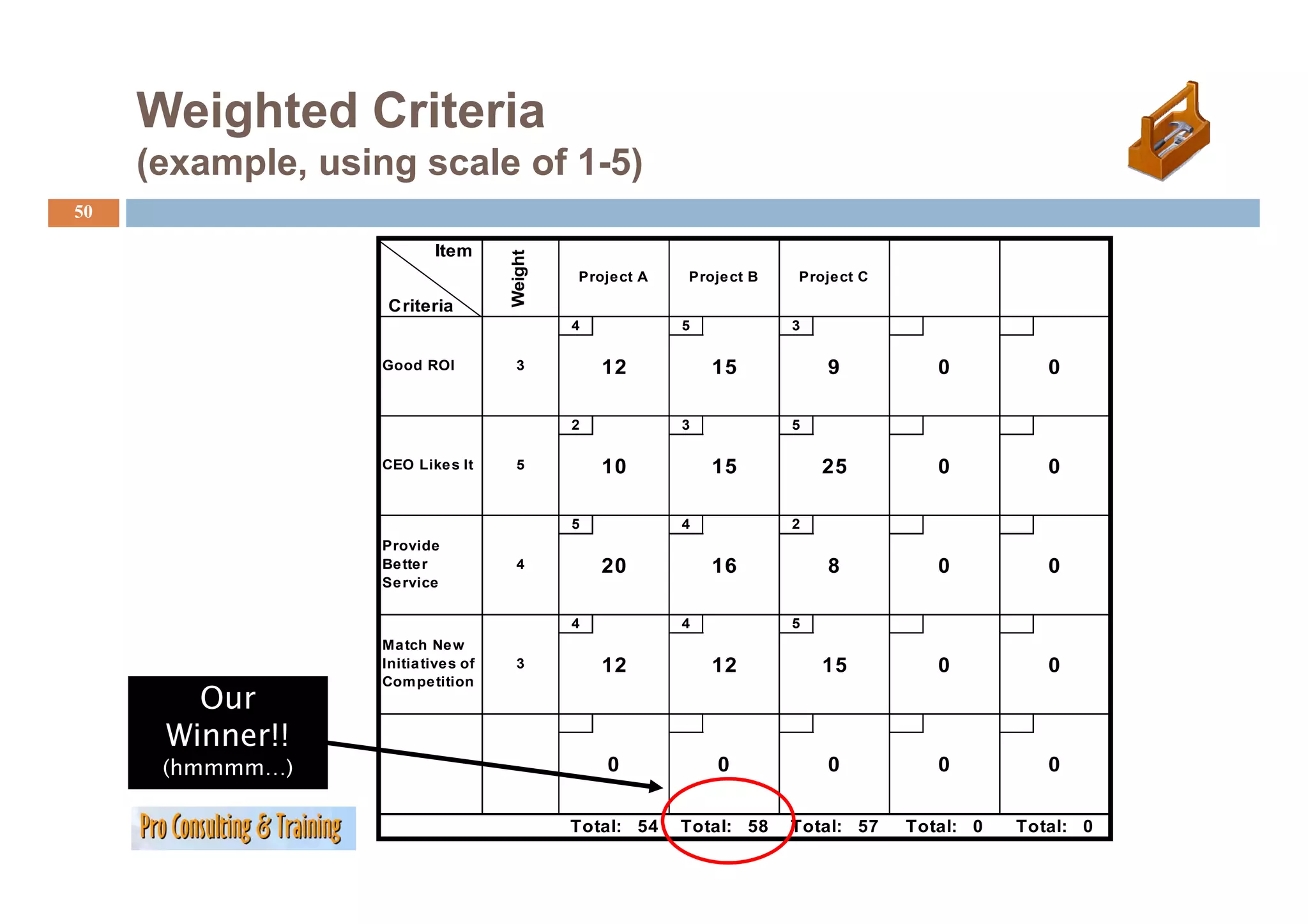
Weighted Criteria
(example, using scale of 1-5)
50
Item
Weight
t
Project A Proje ct B Project C
Criteria
4 5 3
Good ROI 3 12 15 9 0 0
2 3 5
CEO Like s It
Lik 5 10 15 25 0 0
5 4 2
Provide
Be tte r 4 20 16 8 0 0
Se rvice
4 4 5
Ma tch Ne w
Initia tives of 3 12 12 15 0 0
Our
Compe tition
Winner!!
(
(hmmmm…)
) 0 0 0 0 0
Total: 54 Total: 58 Total: 57 Total: 0 Total: 0
51.
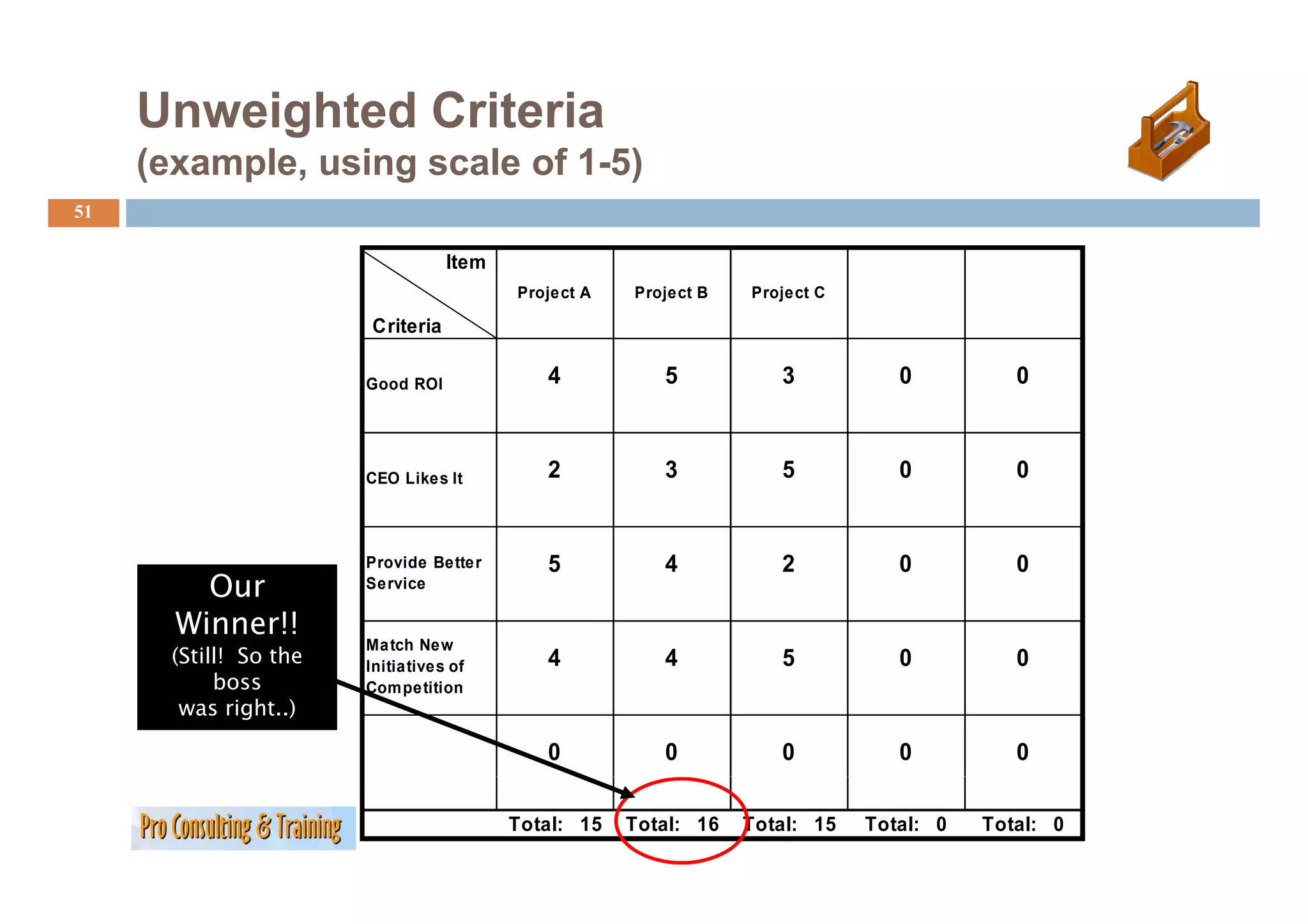
Unweighted Criteria
(example, using scale of 1-5)
51
Item
Project A Project B Project C
Criteria
Good ROI 4 5 3 0 0
CEO Likes It 2 3 5 0 0
Provide Better 5 4 2 0 0
Our Service
Winner!!
Match New
(Still! So the Initiatives of 4 4 5 0 0
boss Competition
was right..)
0 0 0 0 0
Total: 15 Total: 16 Total: 15 Total: 0 Total: 0
52.
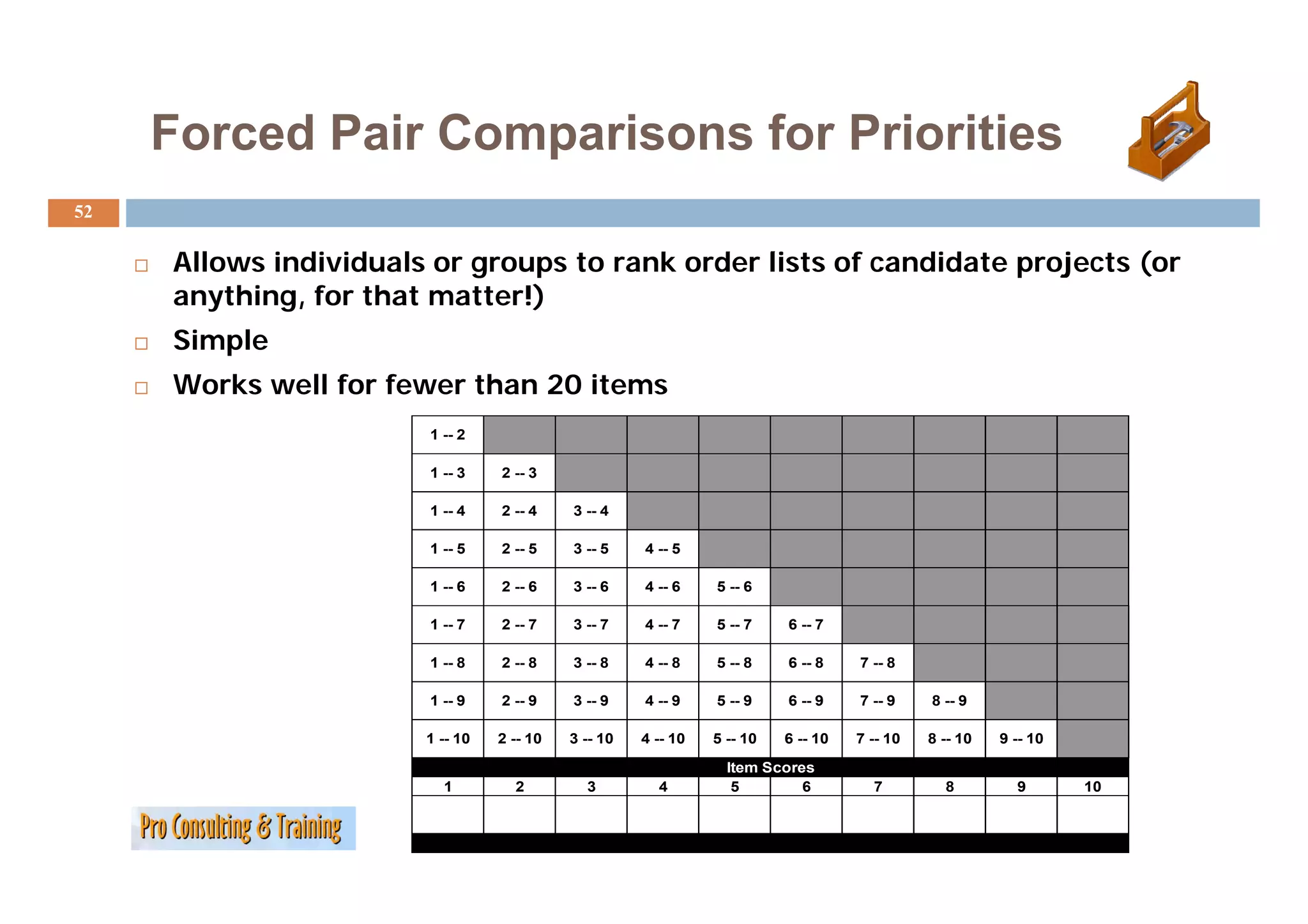
Forced Pair Comparisonsfor Priorities
52
Allows individuals or groups to rank order lists of candidate projects (or
All i di id l t k d li t f did t j t (
anything, for that matter!)
Simple
Works well for fewer than 20 items
1 -- 2
1 -- 3 2 -- 3
1 -- 4 2 -- 4 3 -- 4
1 -- 5 2 -- 5 3 -- 5 4 -- 5
1 -- 6 2 -- 6 3 -- 6 4 -- 6 5 -- 6
1 -- 7 2 -- 7 3 -- 7 4 -- 7 5 -- 7 6 -- 7
1 -- 8 2 -- 8 3 -- 8 4 -- 8 5 -- 8 6 -- 8 7 -- 8
1 -- 9 2 -- 9 3 -- 9 4 -- 9 5 -- 9 6 -- 9 7 -- 9 8 -- 9
1 -- 10 2 -- 10 3 -- 10 4 -- 10 5 -- 10 6 -- 10 7 -- 10 8 -- 10 9 -- 10
Item Scores
1 2 3 4 5 6 7 8 9 10
53.
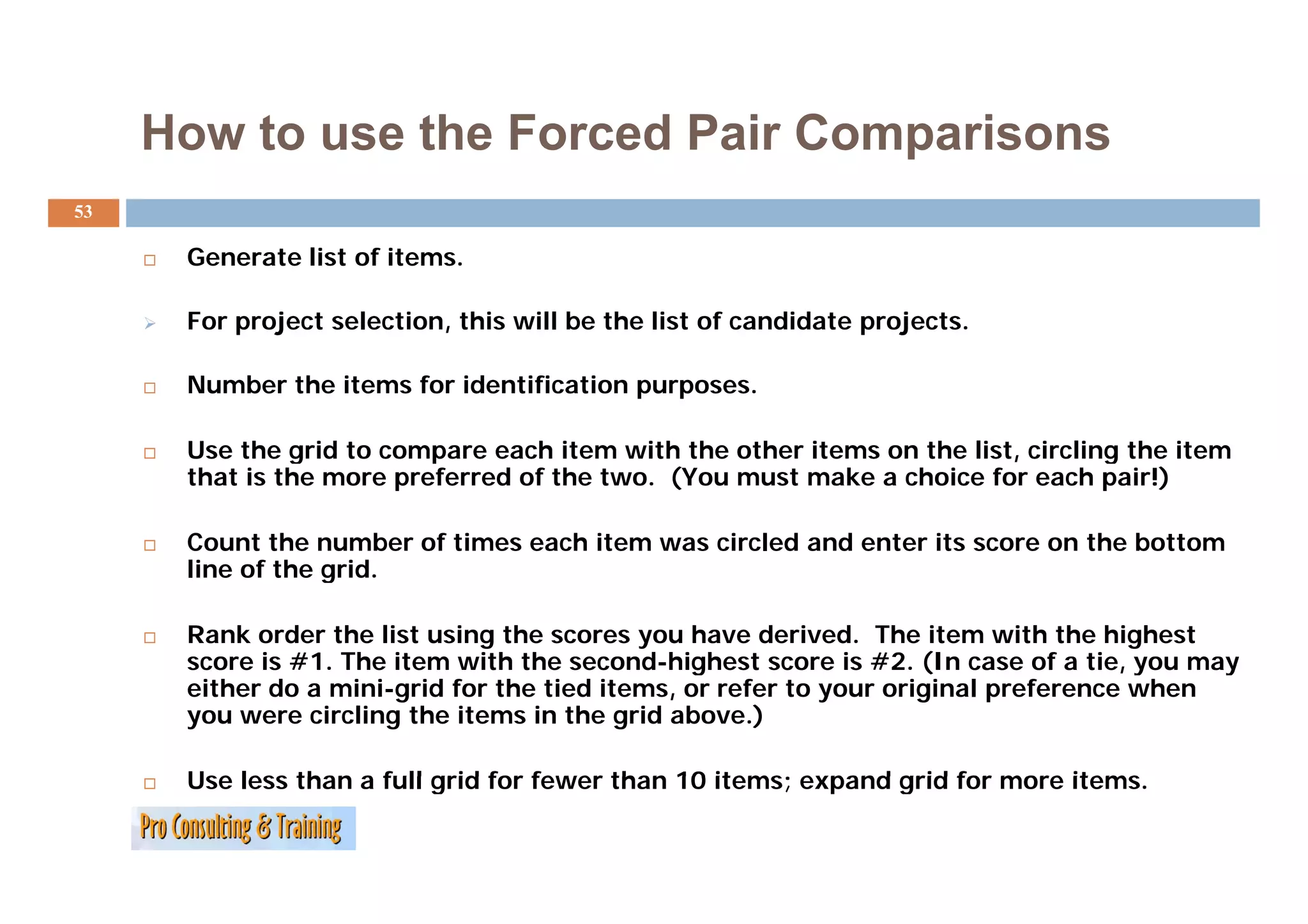
How to usethe Forced Pair Comparisons
53
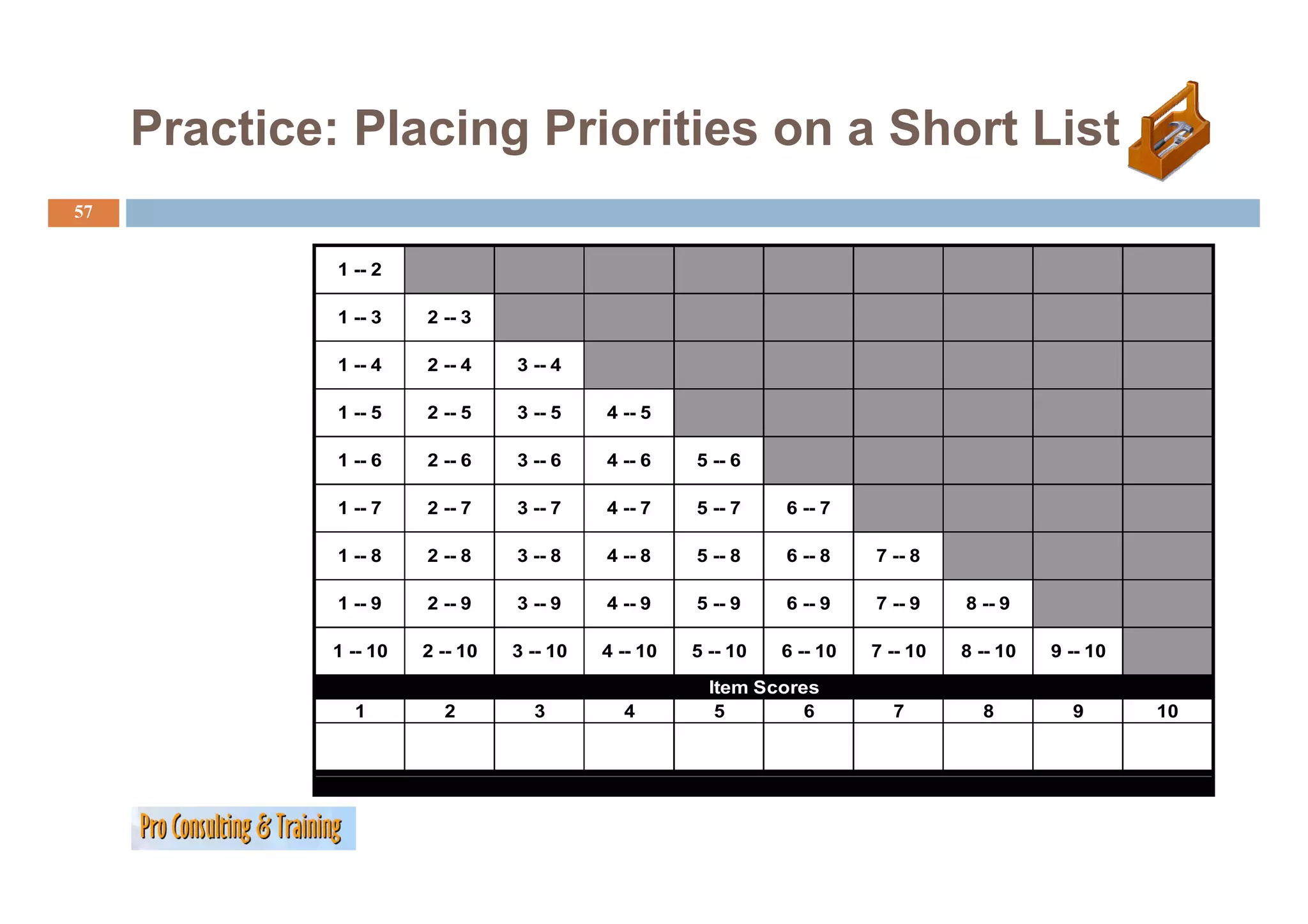
Generate list of items.
items
For project selection, this will be the list of candidate projects.
Number the items for identification purposes.
Use the grid to compare each item with the other items on the list, circling the item
g p , g
that is the more preferred of the two. (You must make a choice for each pair!)
Count the number of times each item was circled and enter its score on the bottom
line of the grid.
grid
Rank order the list using the scores you have derived. The item with the highest
score is #1. The item with the second-highest score is #2. ( case of a tie, you may
g (In ,y y
either do a mini-grid for the tied items, or refer to your original preference when
you were circling the items in the grid above.)
Use less than a full grid for fewer than 10 items; expand grid for more items.
items
54.
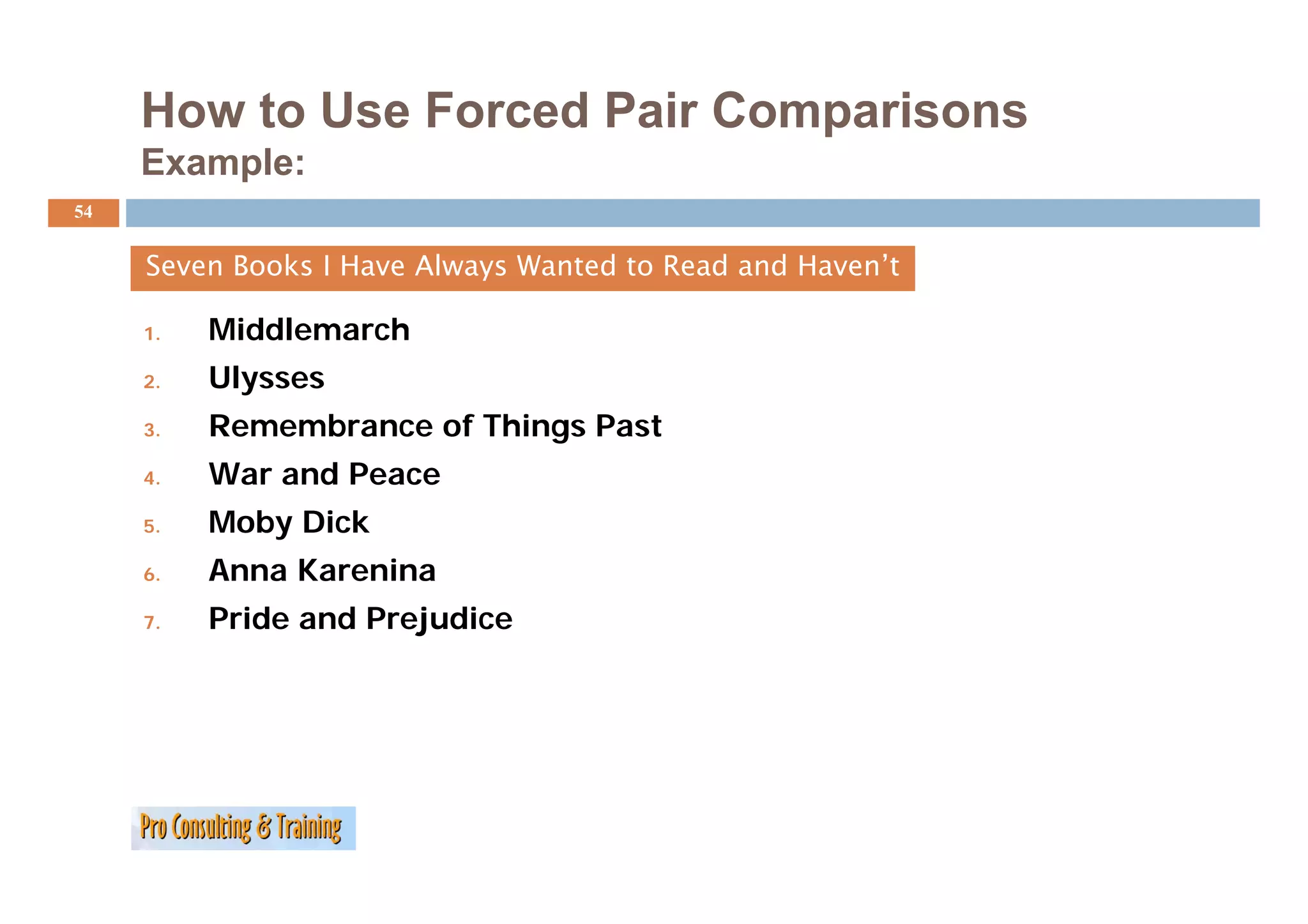
How to UseForced Pair Comparisons
Example:
54
Seven Books I Have Always Wanted to Read and Haven’t
1. Middlemarch
2. Ulysses
3. Remembrance of Things Past
4. War
W and P
d Peace
5. Moby Dick
6. Anna Karenina
7. Pride and Prejudice
55.
How to UseForced Pair Comparisons
Example (continued):
E l ( ti d)
55
1 -- 2
1 -- 3 2 -- 3
1 -- 4 2 -- 4 3 -- 4
1 -- 5 2 -- 5 3 -- 5 4 -- 5
1 -- 6 2 -- 6 3 -- 6 4 -- 6 5 -- 6
1 -- 7 2 -- 7 3 -- 7 4 -- 7 5 -- 7 6 -- 7
1 -- 8 2 -- 8 3 -- 8 4 -- 8 5 -- 8 6 -- 8 7 -- 8
1 -- 9 2 -- 9 3 -- 9 4 -- 9 5 -- 9 6 -- 9 7 -- 9 8 -- 9
1 -- 10 2 -- 10 3 -- 10 4 -- 10 5 -- 10 6 -- 10 7 -- 10 8 -- 10 9 -- 10
Item Scores
1 2 3 4 5 6 7 8 9 10
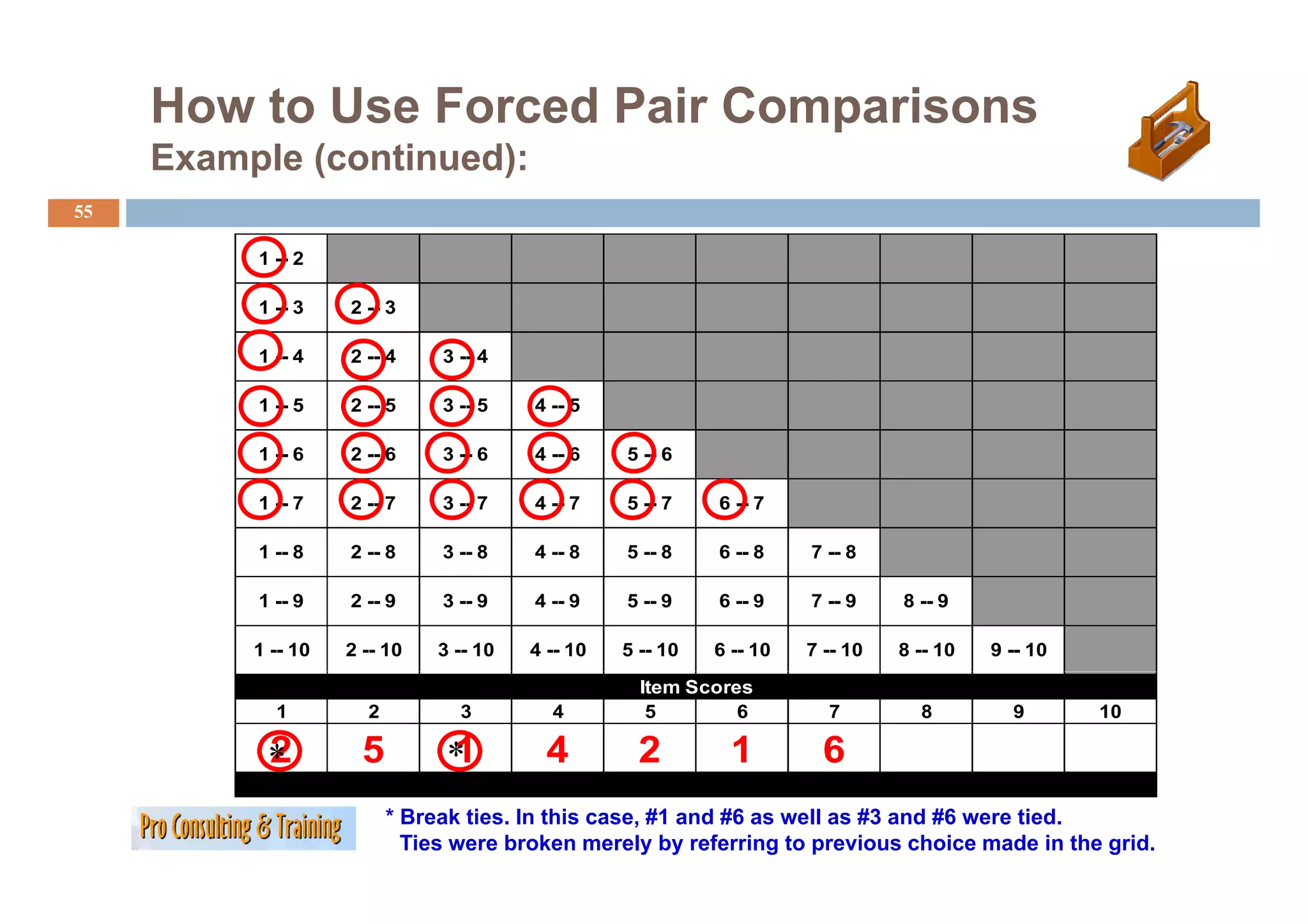
2
* 5 1
* 4 2 1 6
* Break ties. In this case, #1 and #6 as well as #3 and #6 were tied.
Ties were broken merely by referring to previous choice made in the grid.
56.
How to UseForced-Pair Comparisons
Example (concluded):
56
Ranked List f the Seven B k I H
R k d Li t of th S Books Have Al
Always W t d t R d and H
Wanted to Read d Haven’t
’t
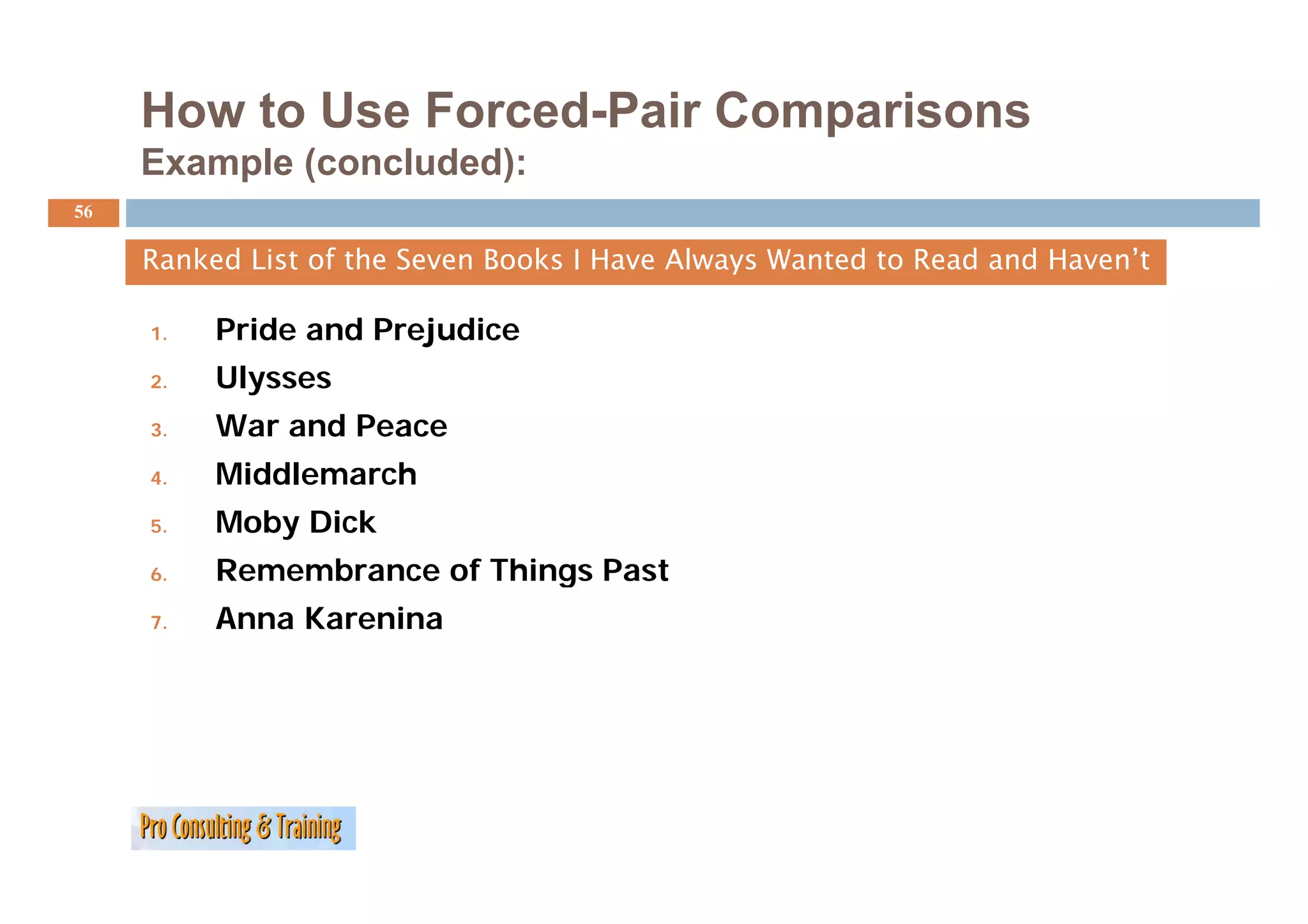
1. Pride and Prejudice
2. Ulysses
3. War and Peace
4. Middlemarch
Middl h
5. Moby Dick
6. Remembrance of Things Past
7. Anna Karenina
Your Turn:
58
How projects come to be? What could be selection
methods?
…
…
…
…
…
59.
MODULE 6: PROJECT
ENVIRONMENT, FACTORS,
ENVIRONMENT FACTORS
STAKEHOLDERS AND ACTORS
60.
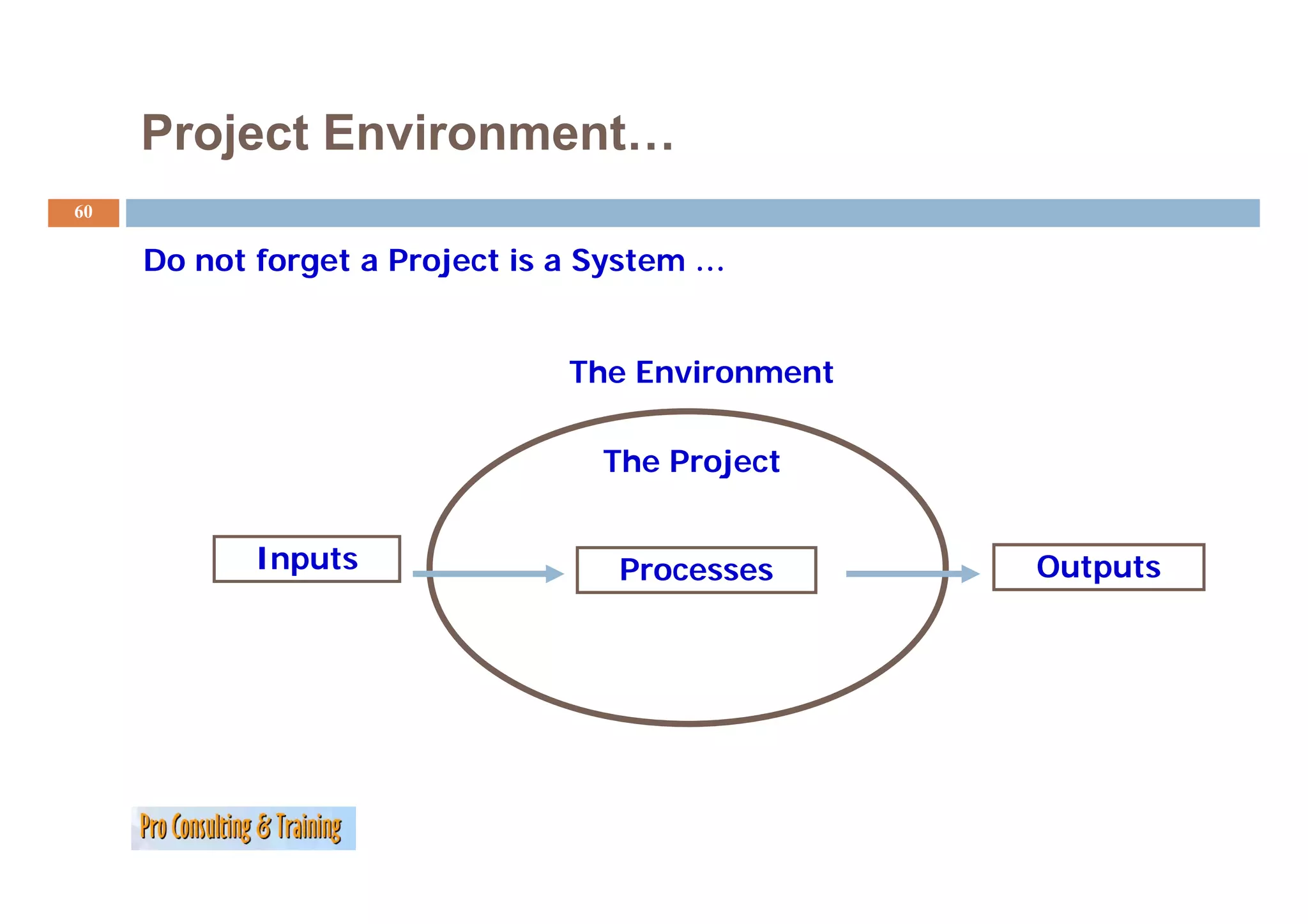
Project Environment…
60
Do
D not forget a Project is a System …
tf t P j ti S t
The Environment
The Project
Inputs Processes Outputs
61.
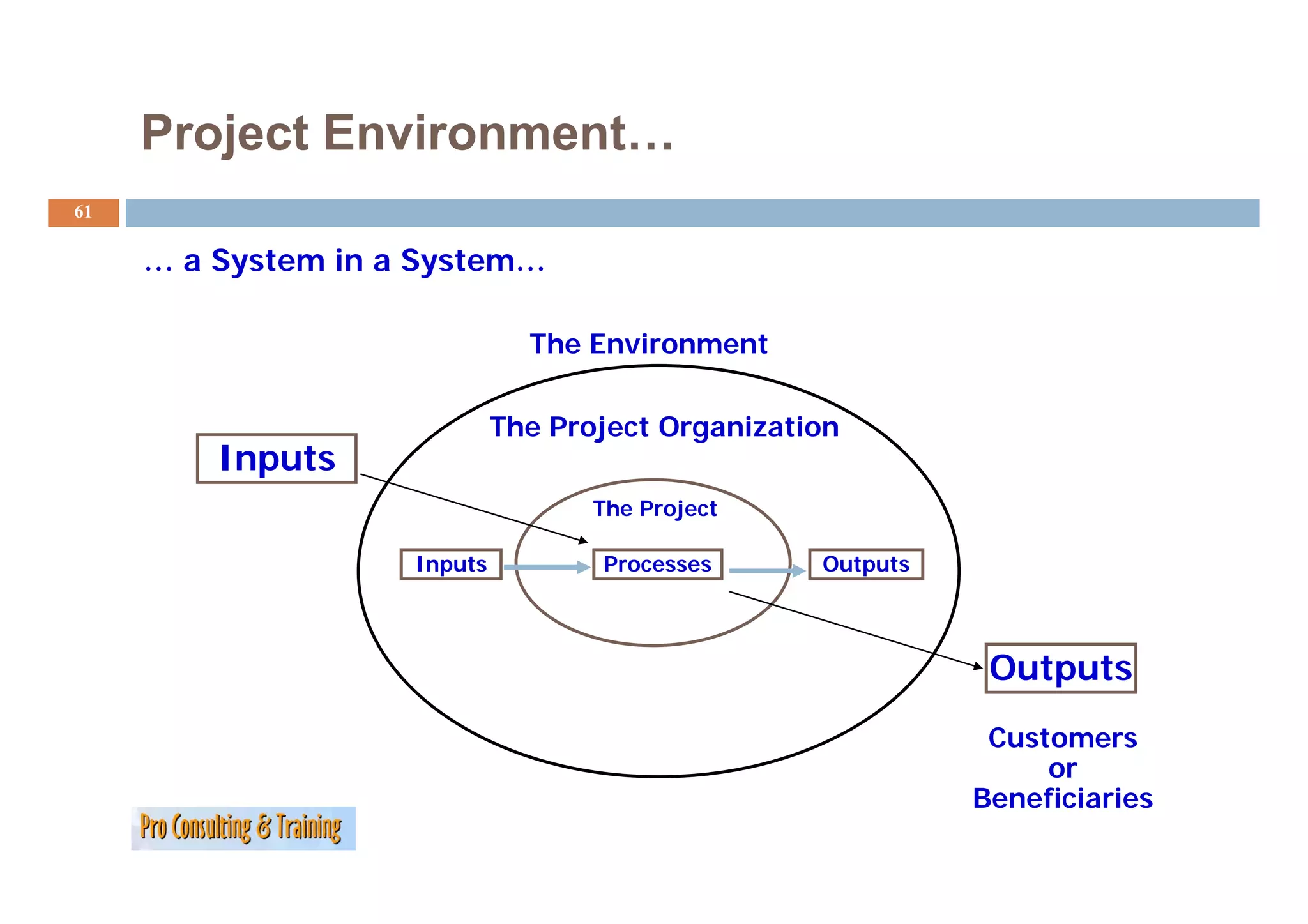
Project Environment…
61
…aS t
System in a System…
i S t
The Environment
The Project Organization
Inputs
The Project
Inputs Processes Outputs
Outputs
Customers
or
Beneficiaries
62.
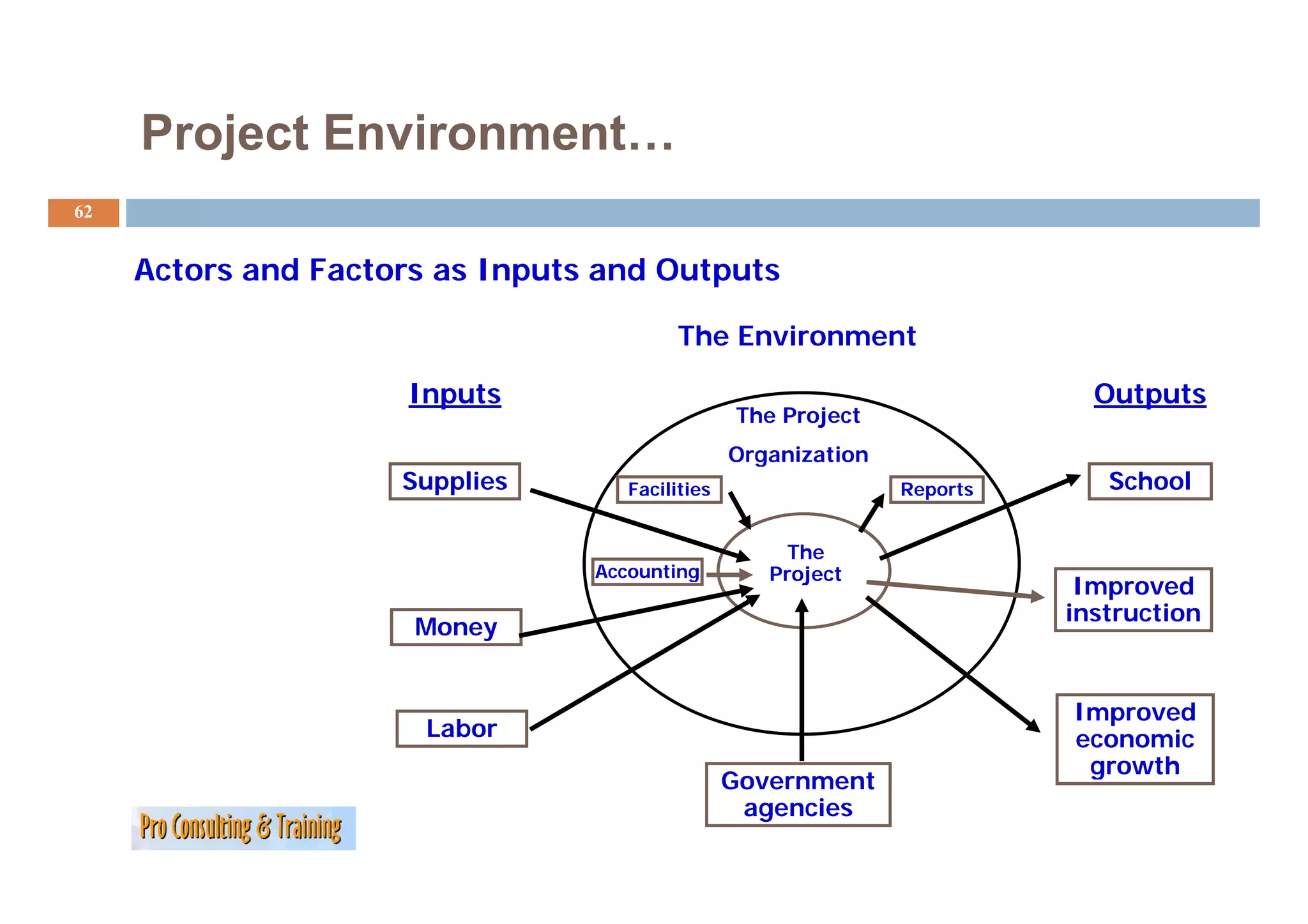
Project Environment…
62
Actors and Factors as Inputs and Outputs
The Environment
Inputs Outputs
The Project
O ga at o
Organization
Supplies Facilities Reports School
The
Accounting
A ti Project
P j t
Improved
instruction
Money
Improved
Labor economic
g
growth
Government
agencies
63.
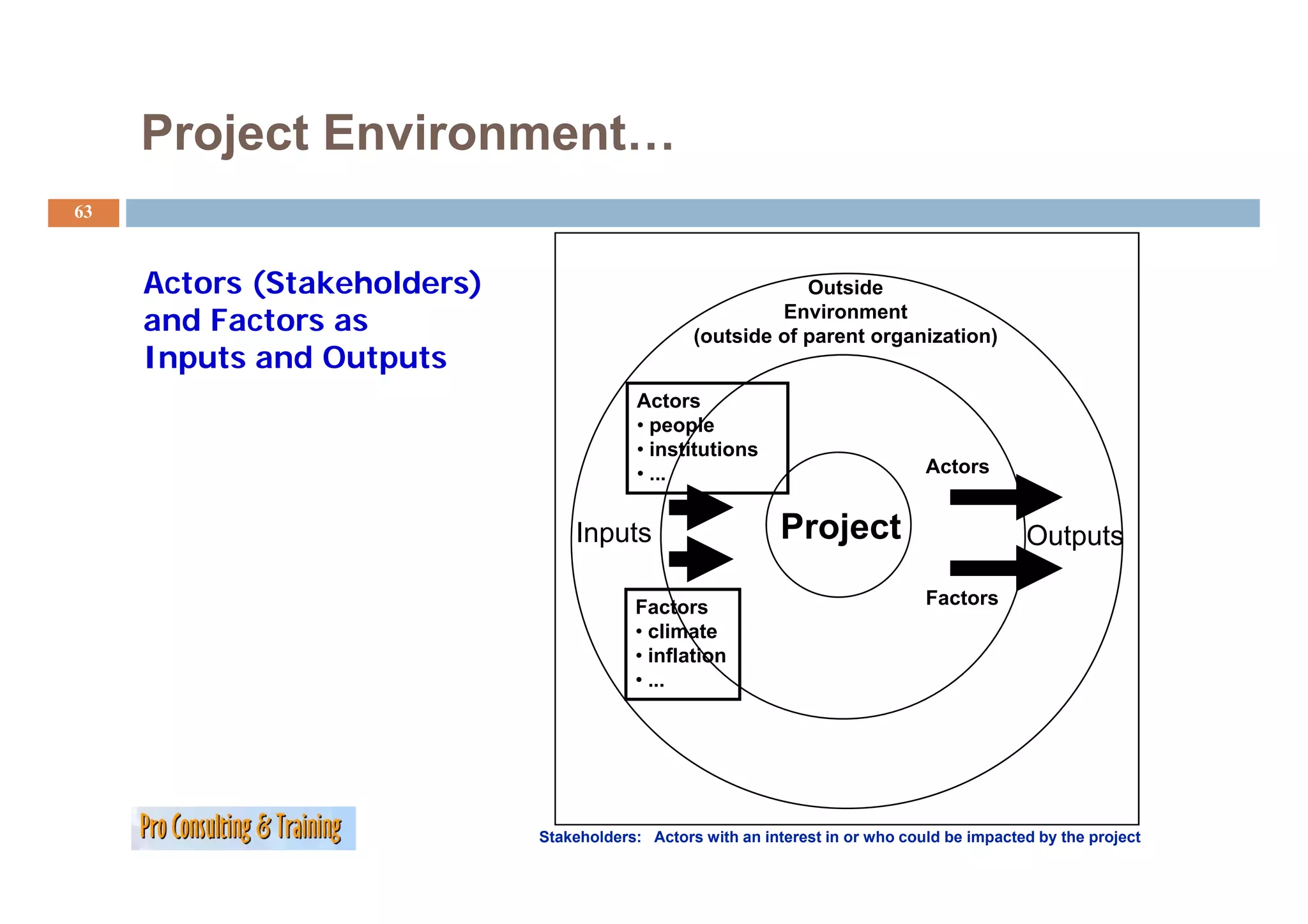
Project Environment…
63
Actors (Stakeholders) Outside
and Factors as Environment
(outside of parent organization)
Inputs and Outputs
Actors
• people
• institutions
• ... Actors
A t
Inputs Project Outputs
Factors Factors
• climate
• inflation
• ...
Stakeholders: Actors with an interest in or who could be impacted by the project
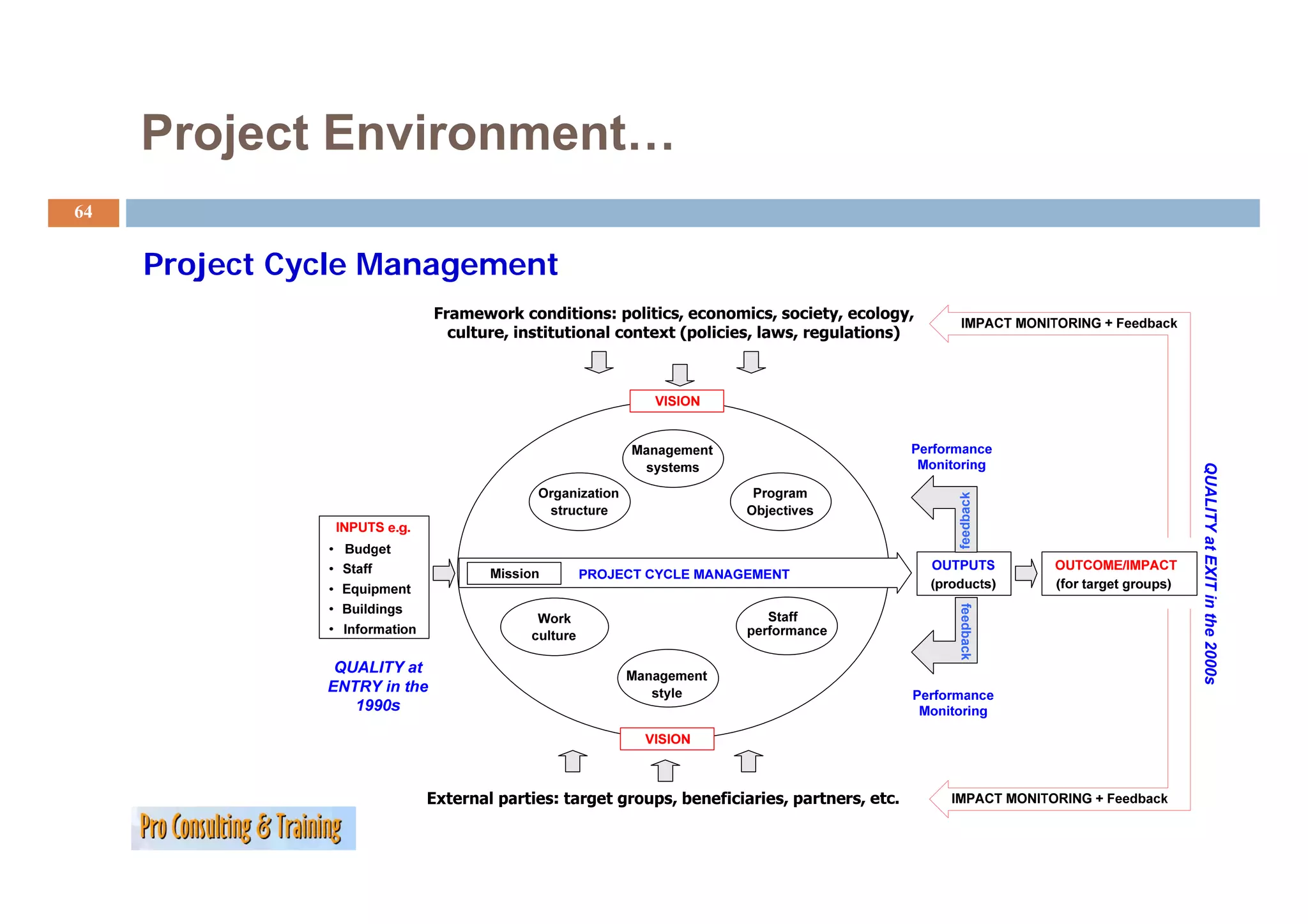
64.
Project Environment…
64
Project Cycle M
P j C l Management
QUALITY at EX in the 2000s
feedback
XIT
feedback
0
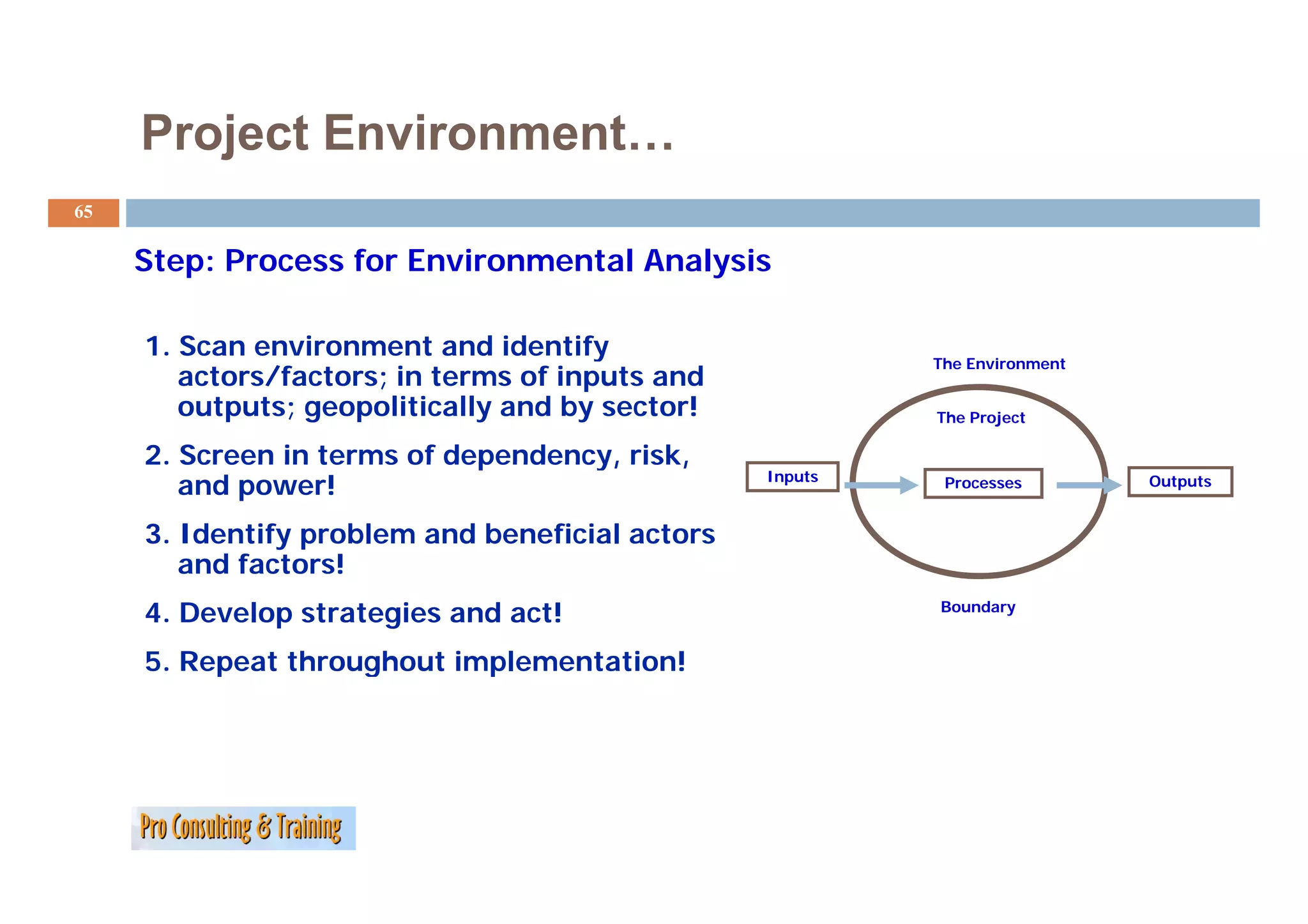
65.
Project Environment…
65
Step: Process f E i
St P for Environmental Analysis
t lA l i
1. Scan environment and identify y The Environment
actors/factors; in terms of inputs and
outputs; geopolitically and by sector! The Project
2. Screen in terms of dependency, risk,
Inputs
and power! Processes Outputs
3. Identify problem and beneficial actors
and factors!
4. Develop strategies and act! Boundary
5. Repeat throughout implementation!
p g p
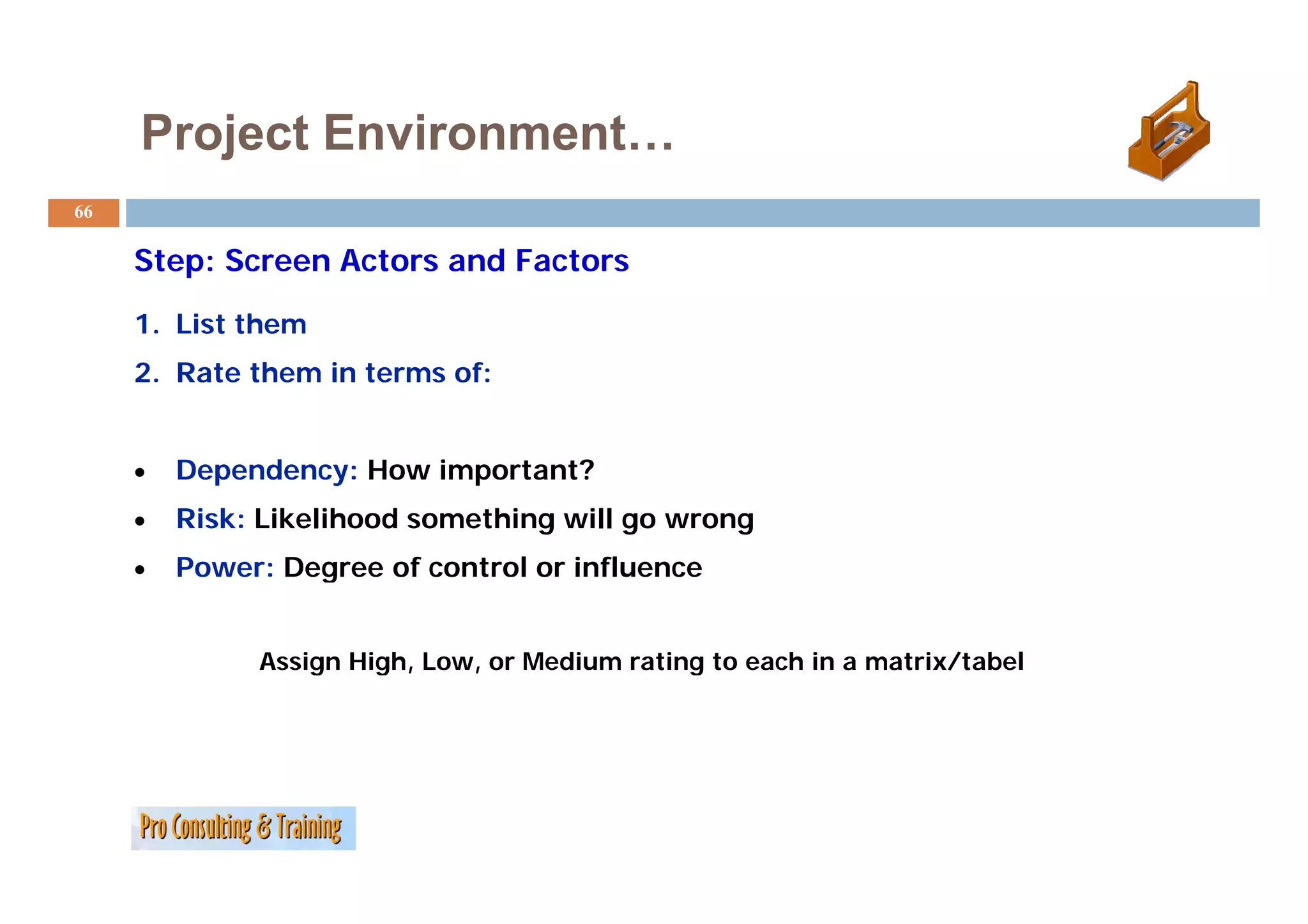
66.
Project Environment…
66
Step: Screen A t
St S Actors and Factors
dF t
1. List them
2. Rate them in terms of:
• Dependency: H
D d How i
important?
t t?
• Risk: Likelihood something will go wrong
• Power: Degree of control or influence
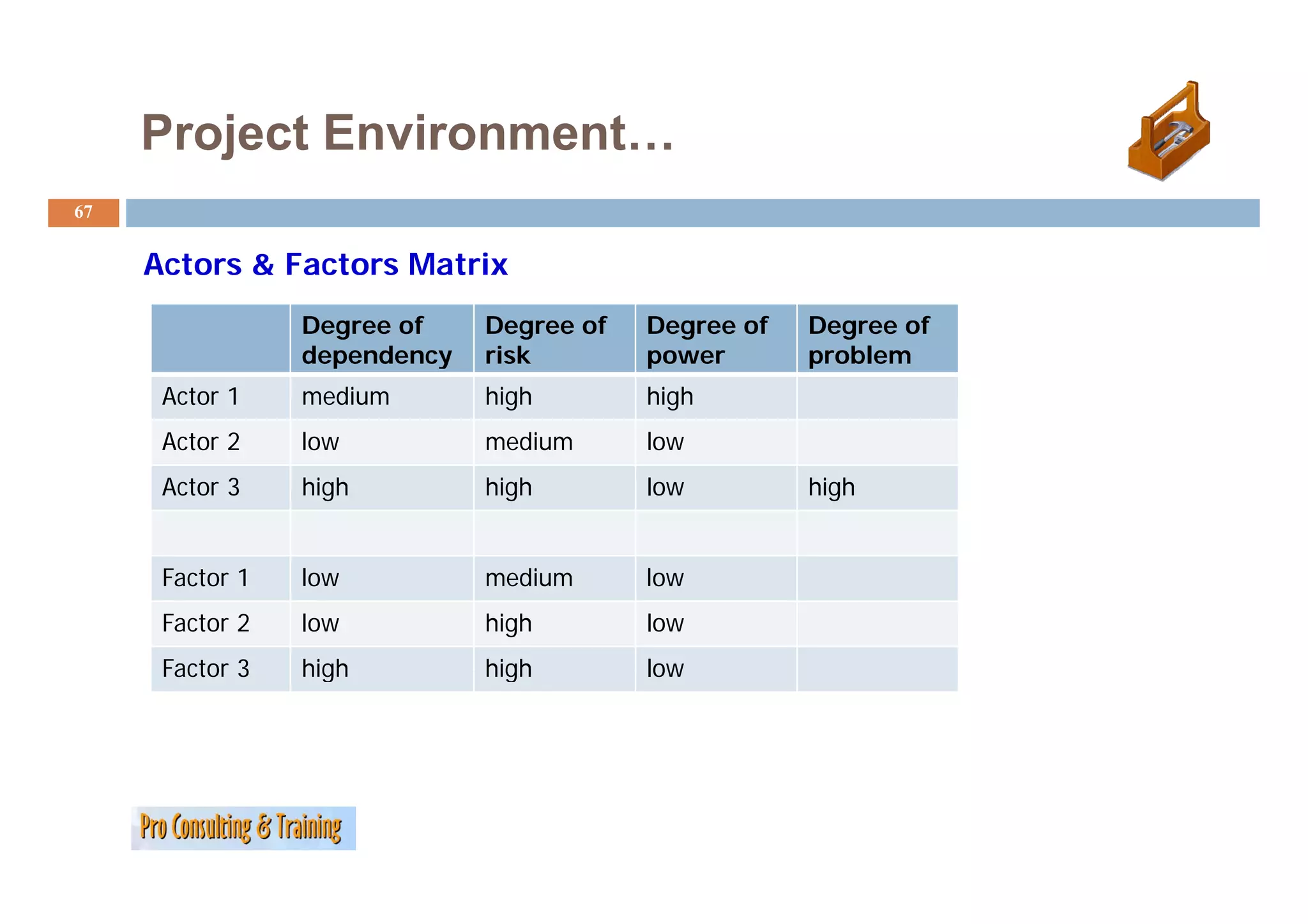
Assign High, Low, or Medium rating to each in a matrix/tabel
g g , , g /
67.
Project Environment…
67
Actors & Factors Matrix
A F M i
Degree of Degree of Degree of Degree of
dependency risk power problem
Actor 1 medium high high
Actor 2 low medium low
Actor 3 high high low high
Factor 1 low medium low
Factor 2 low high low
Factor 3 high high low
68.
Project Environment…
68
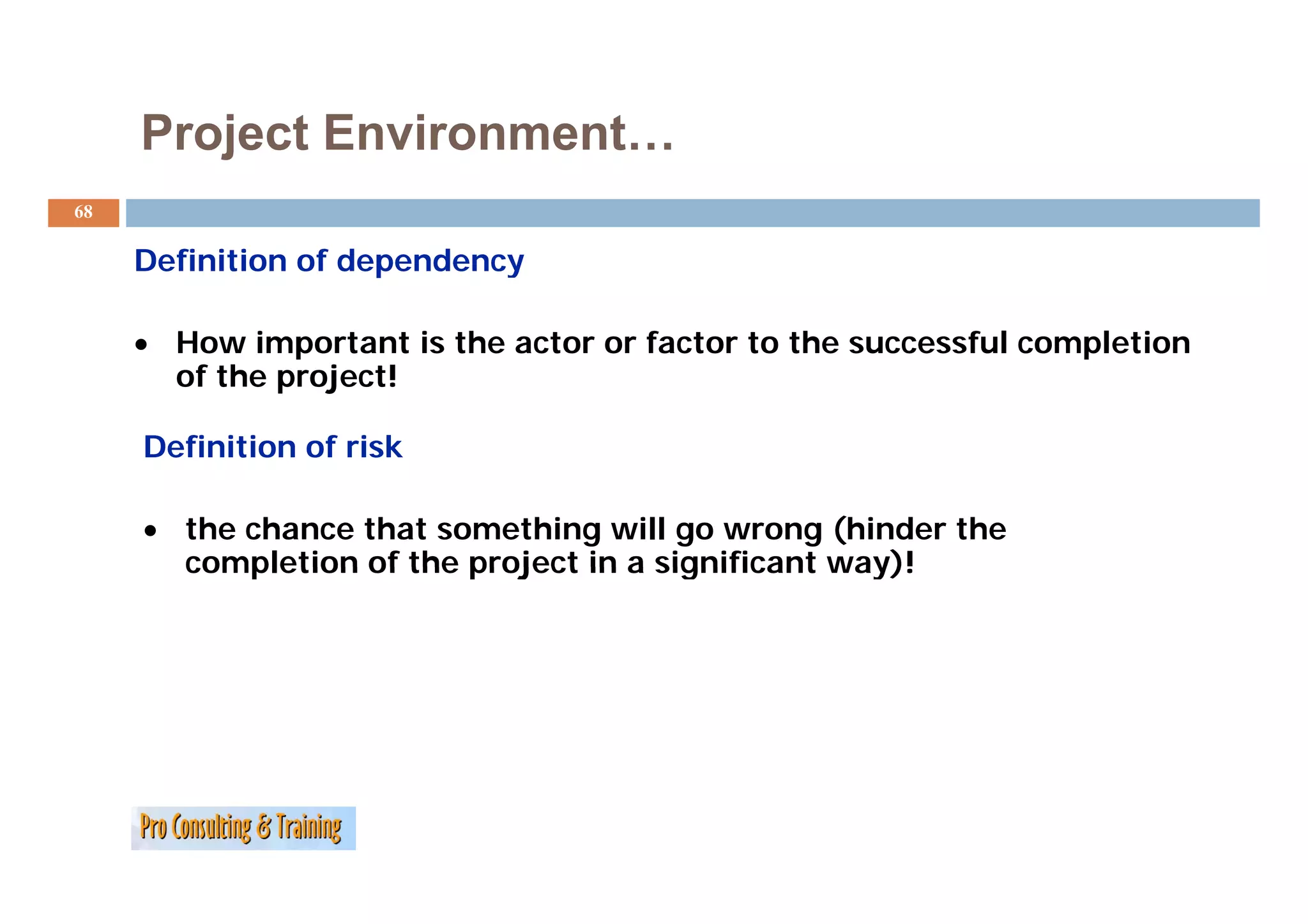
Definition of dependency
D fi iti fd d
• How important is the actor or factor to the successful completion
p p
of the project!
Definition of risk
• the chance that something will go wrong (hinder the
completion of the project in a significant way)!
69.
Project Environment…
69
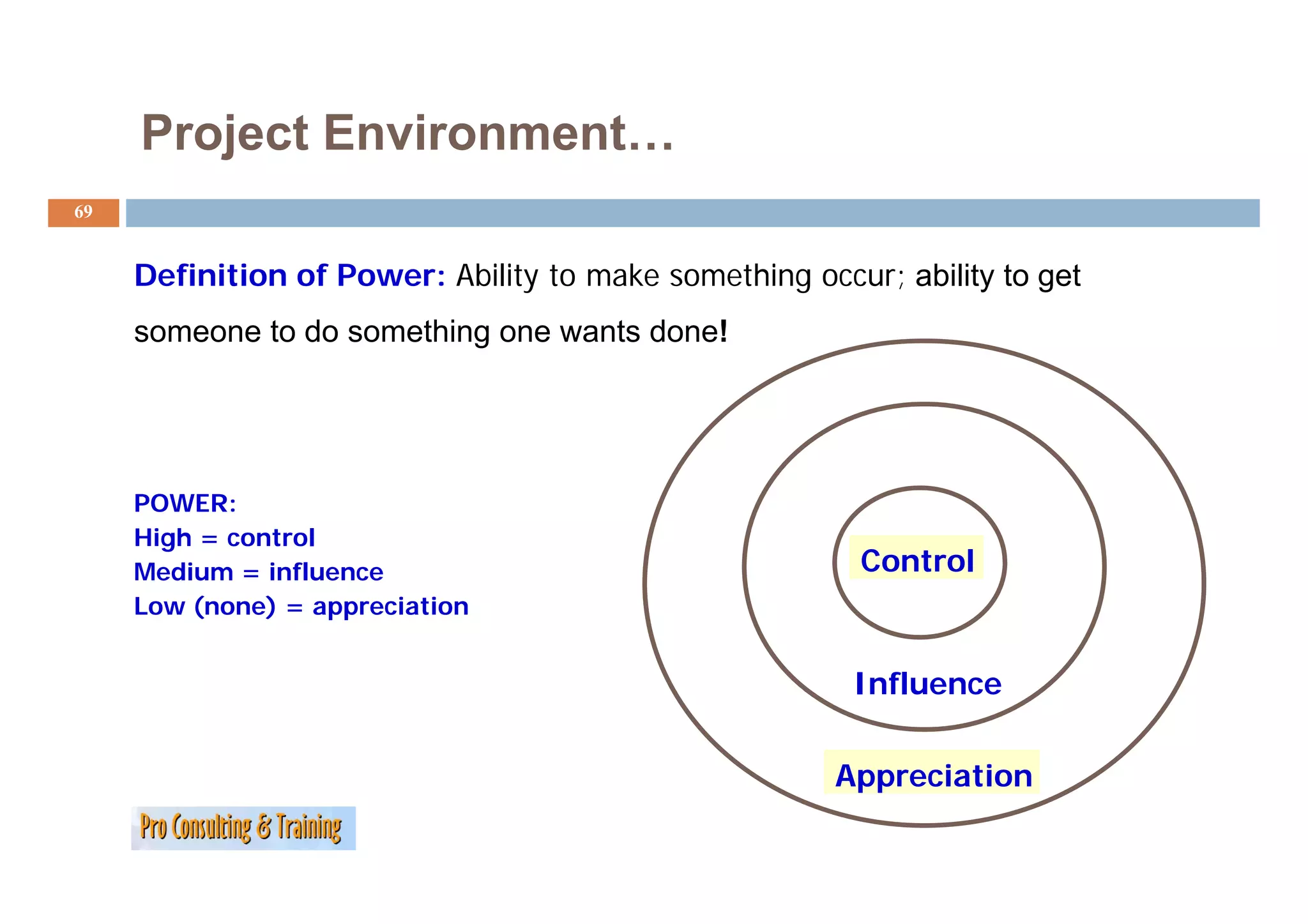
Definition of Power: Ability to make something occur; ability to get
someone to do something one wants done!
POWER:
High = control
Medium = influence Control
Low (none) = appreciation
Influence
I fl
Appreciation
70.
Project Environment…
70
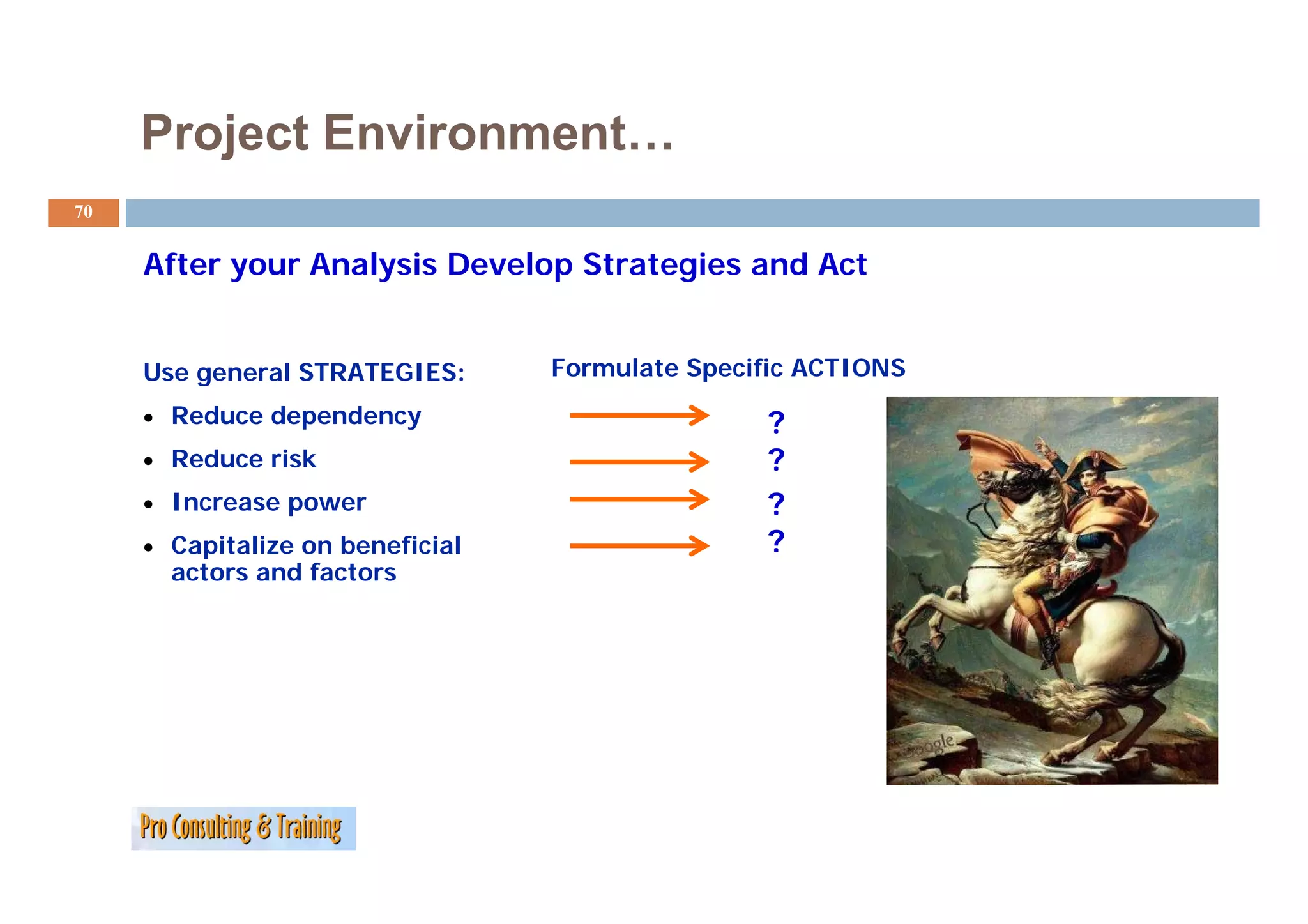
After your Analysis Develop Strategies and Act
Af A l i D l S i dA
Use general STRATEGIES: Formulate Specific ACTIONS
• Reduce dependency ?
• Reduce risk ?
• Increase power ?
• Capitalize on beneficial ?
actors
acto s and factors
facto s
71.
Project Environment…
71
Use Linkages to Increase Influence
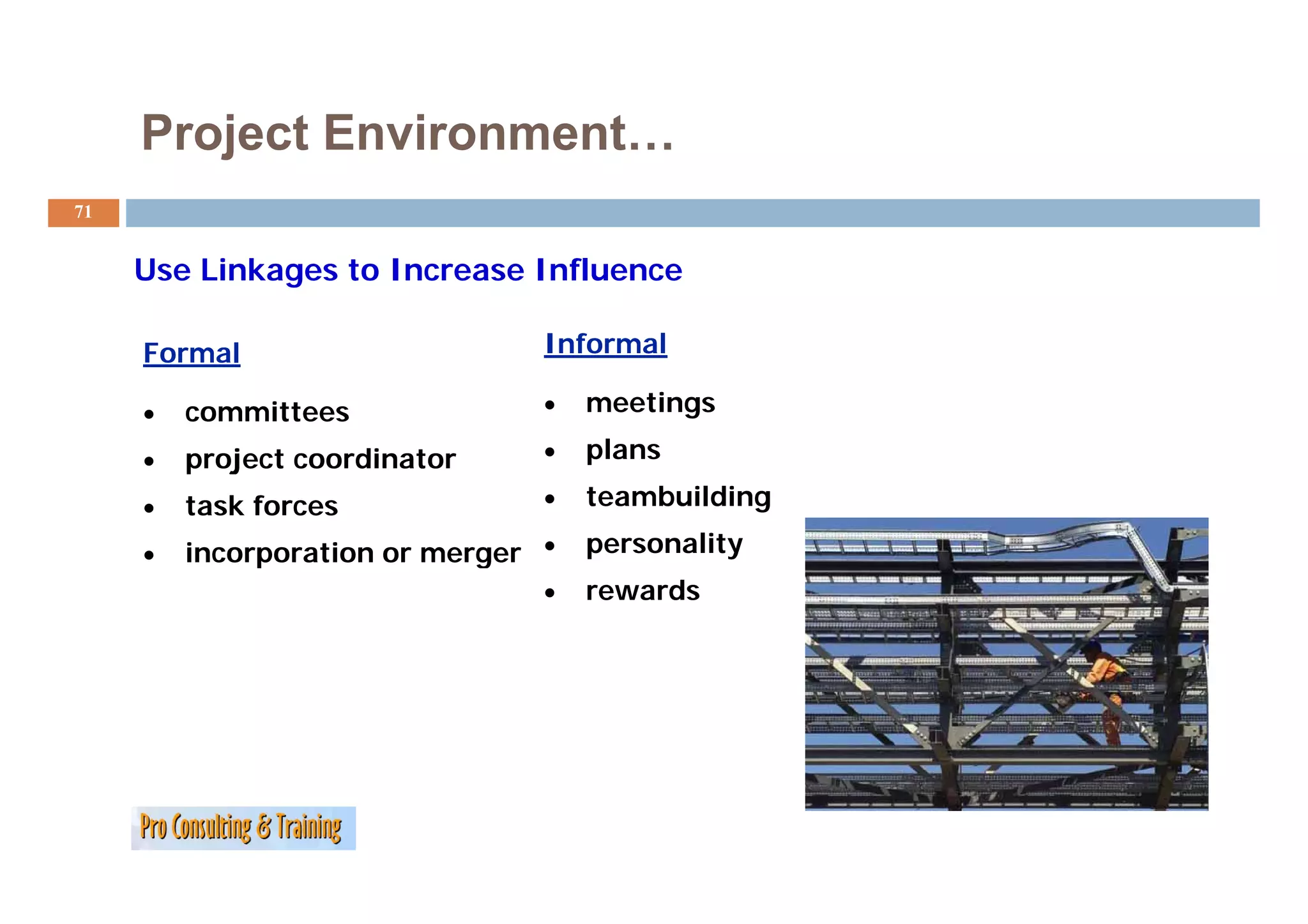
Formal Informal
• committees • meetings
• project coordinator • p
plans
• task forces • teambuilding
• incorporation or merger •
p g personality
• rewards
72.
Project Environment…
72
Continuously Scan the Project Environment
Scanning is not a one-time event
Circumstances change
Keep current
• list of problem actors and factors,
• Strategies and
• contingency plans!
Project Environment…
74
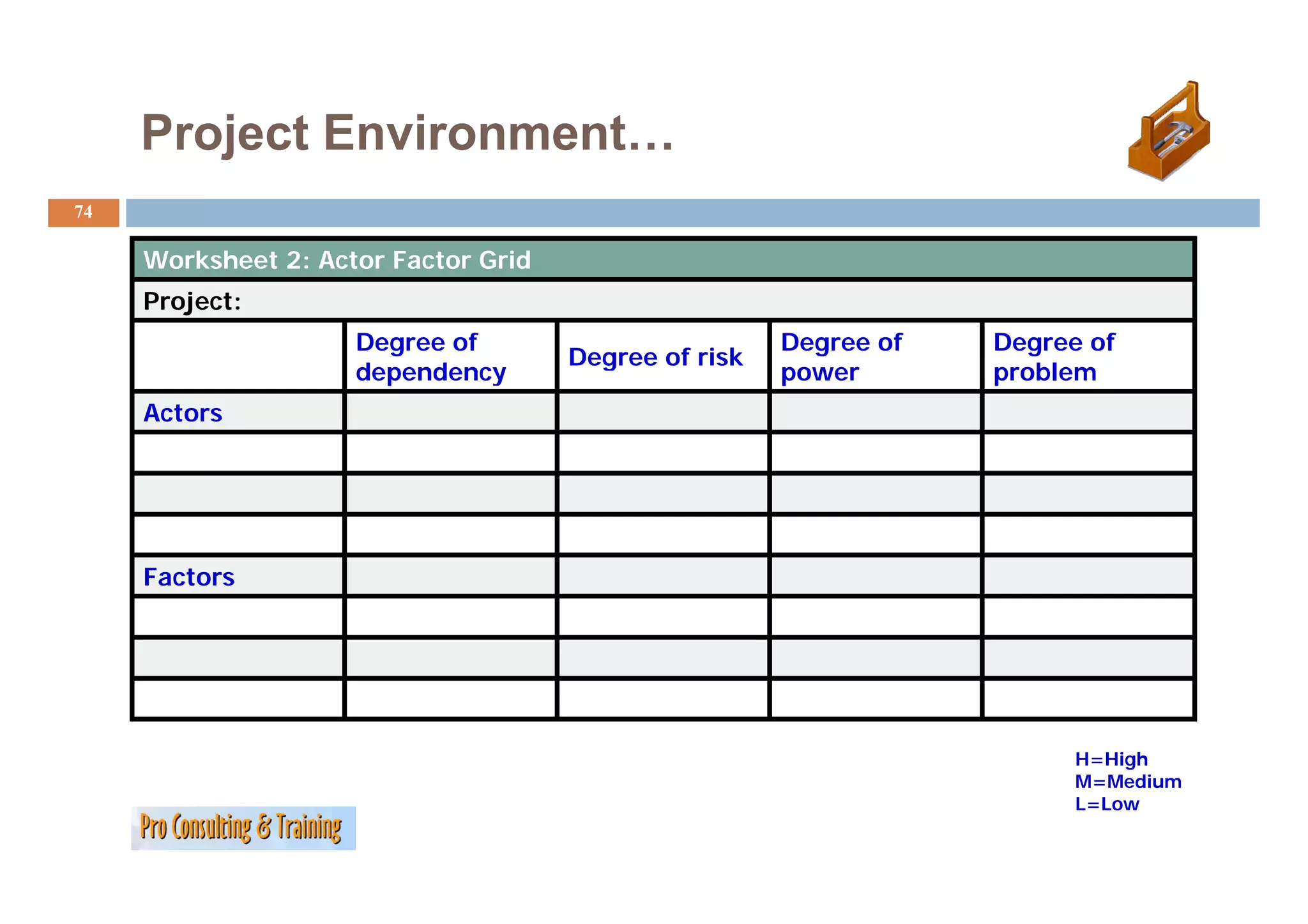
Worksheet 2 Actor F t G id
W k h t 2: A t Factor Grid
Project:
Degree of Degree of Degree of
Degree of risk
dependency power problem
Actors
Factors
H=High
M=Medium
M M di
L=Low
75.
Project Environment…
75
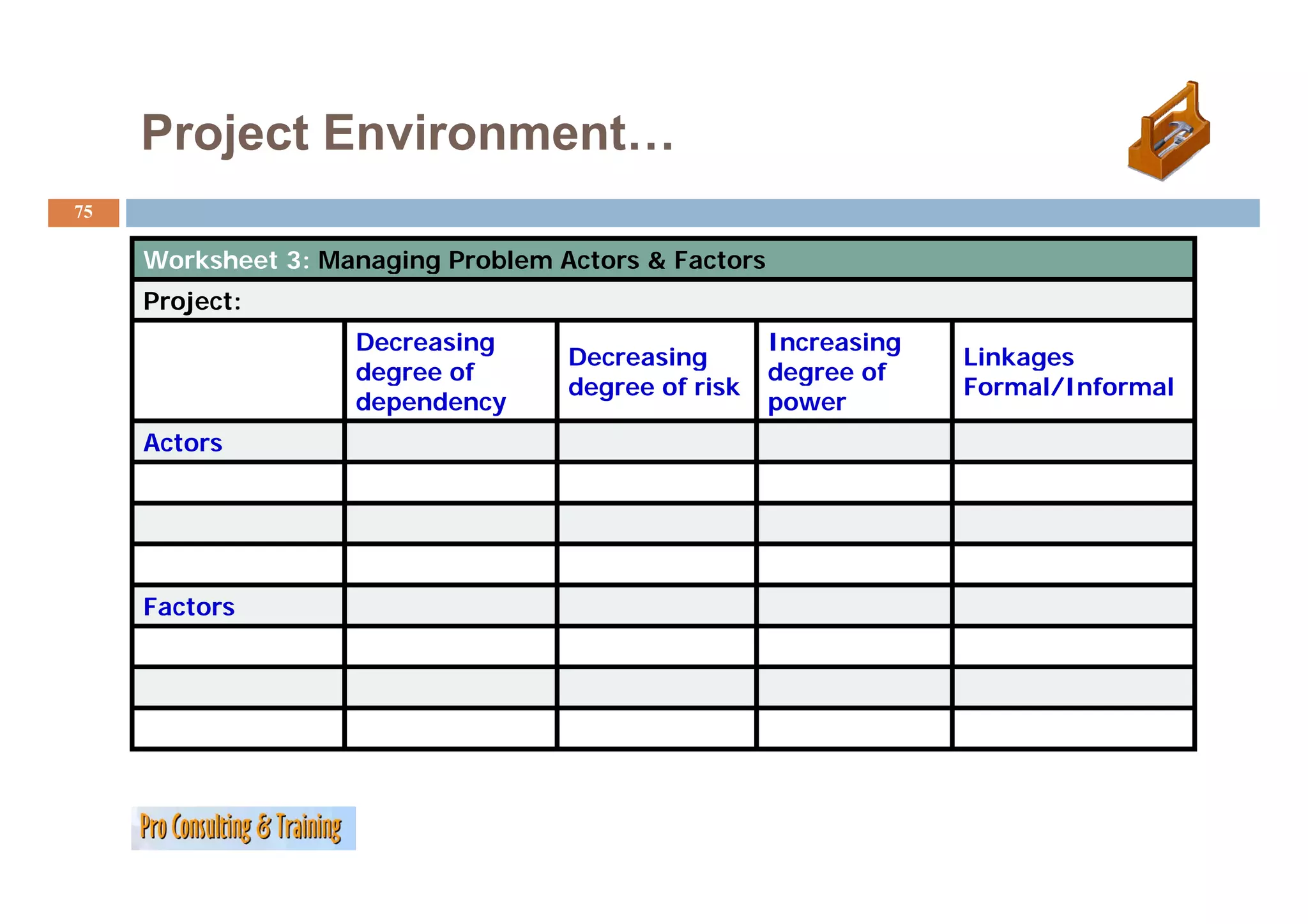
Worksheet 3 Managing Problem Actors & Factors
W k h t 3: M i P bl A t F t
Project:
Decreasing Increasing
Decreasing Linkages
degree of degree of
degree of risk Formal/Informal
dependency power
Actors
Factors
76.
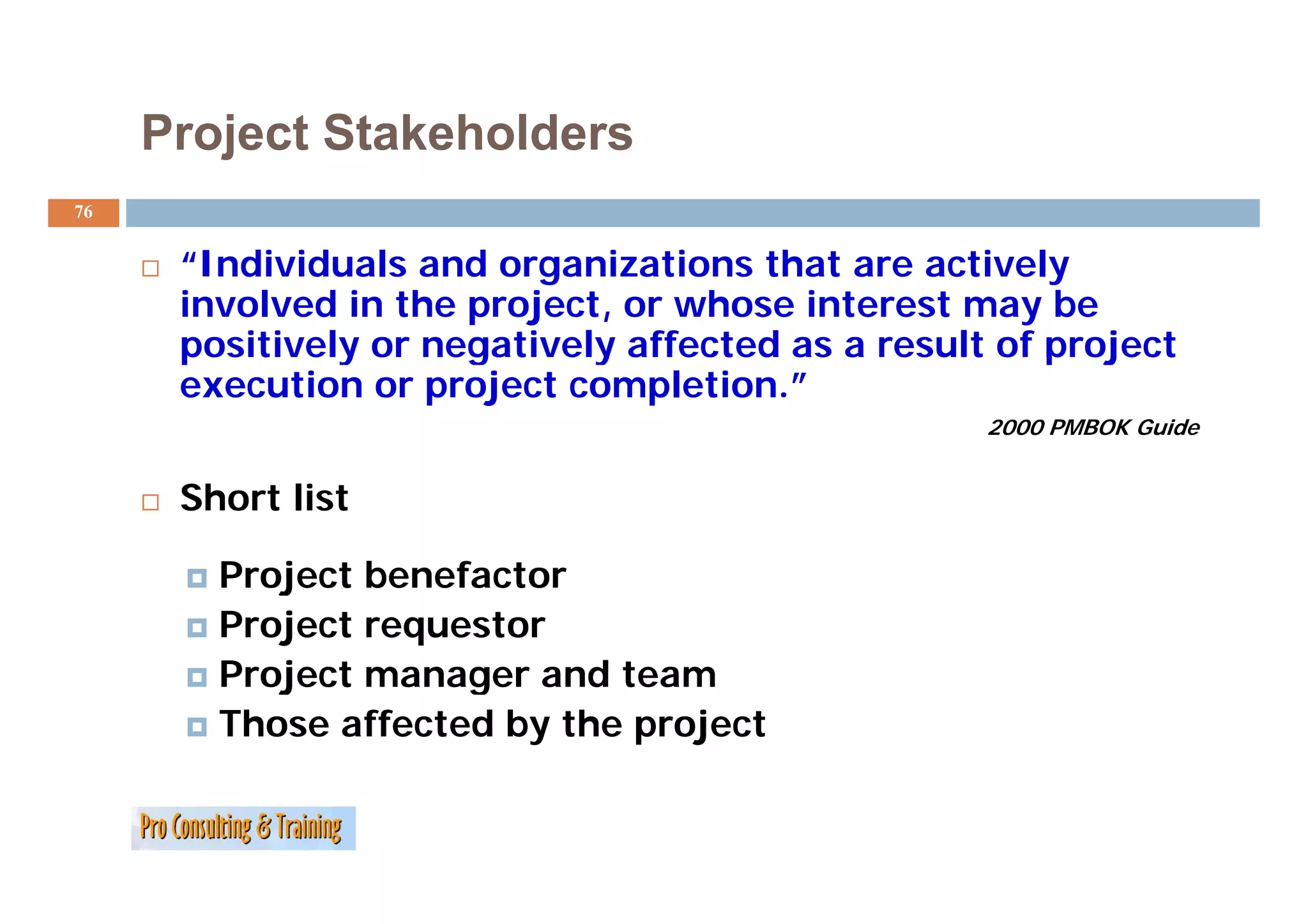
Project Stakeholders
76
“Individuals
“I di id l and organizations th t are actively
d i ti that ti l
involved in the project, or whose interest may be
pos t e y o egat e y a ected
positively or negatively affected as a result of project
esu t o p oject
execution or project completion.”
2000 PMBOK Guide
Short list
Project benefacto
P oject benefactor
Project requestor
Project manager and team
Those affected by the project
77.
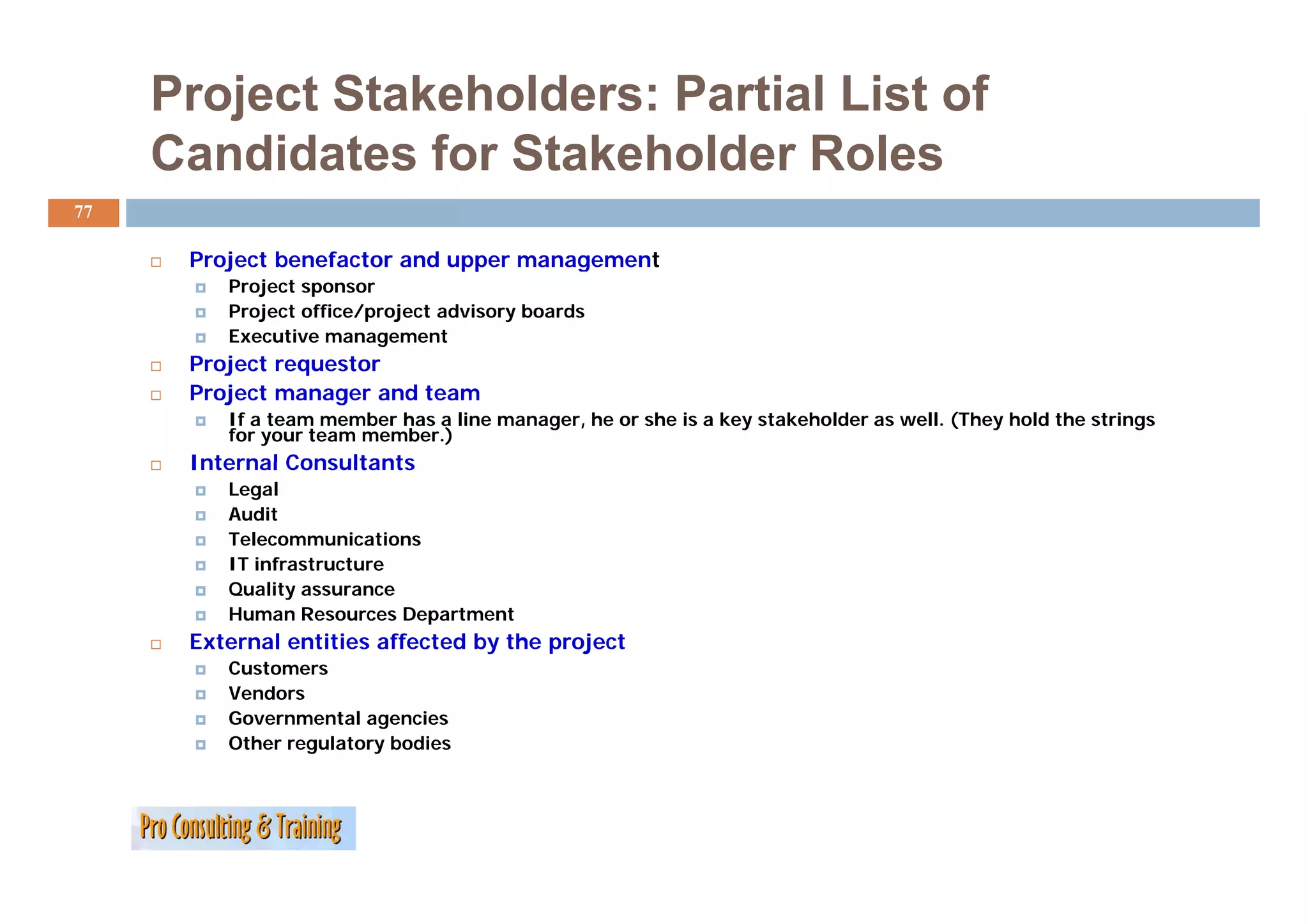
Project Stakeholders: PartialList of
Candidates for Stakeholder Roles
77
Project b
P j t benefactor and upper management
f t d t
Project sponsor
Project office/project advisory boards
Executive management
Project
P j t requestor
t
Project manager and team
If a team member has a line manager, he or she is a key stakeholder as well. (They hold the strings
for your team member.)
Internal Consultants
Legal
Audit
Telecommunications
IT infrastructure
Quality assurance
Human Resources Department
External entities affected by the project
Customers
Vendors
Governmental agencies
Other regulatory bodies
78.
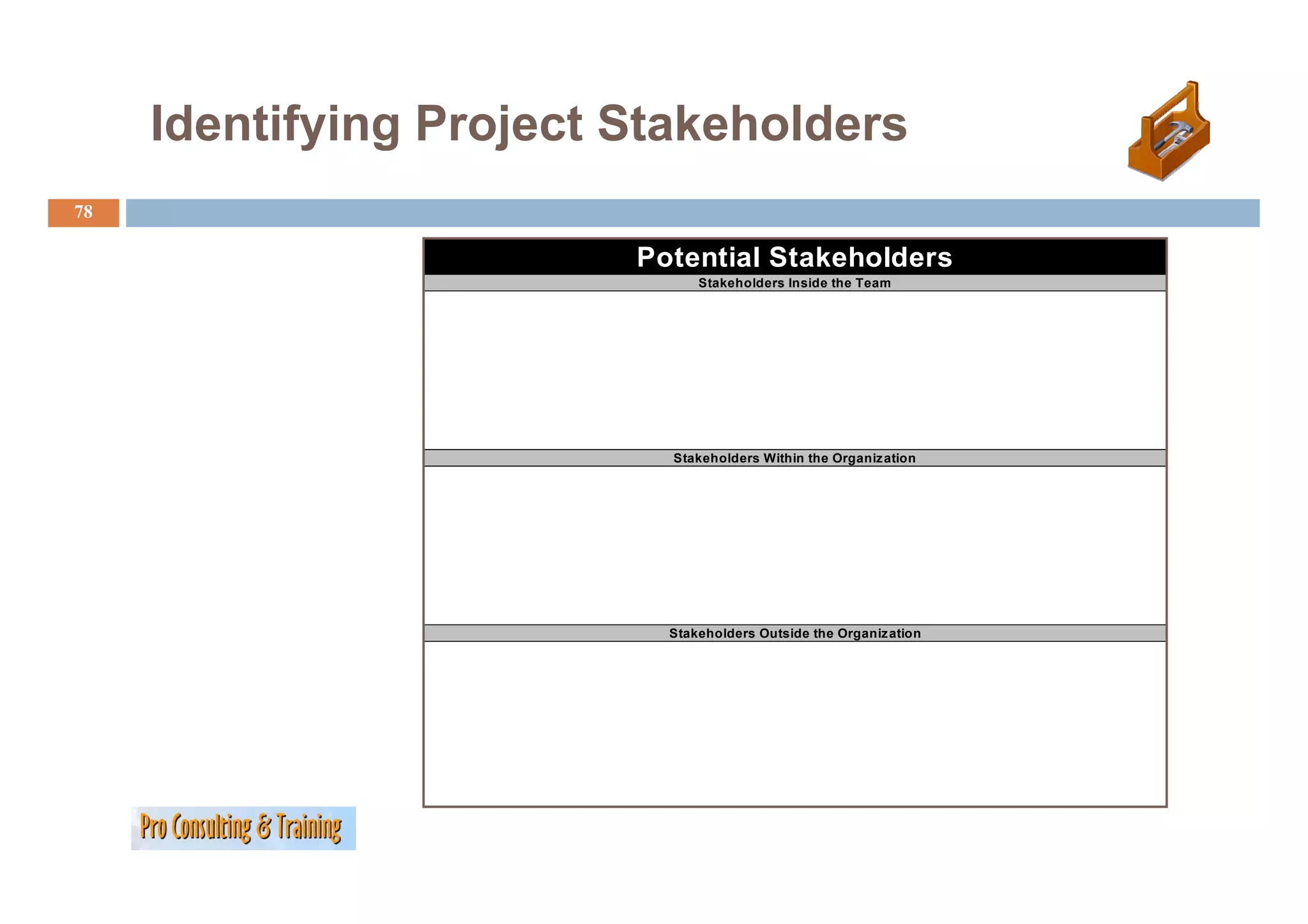
Identifying Project Stakeholders
y g j
78
Potential Stakeholders
Stakeholders Inside the Team
Stakeholders Within the Organiz ation
Stakeholders Outside the Organiz ation
79.
Project Stakeholders
79
Putting even more detail to the stakeholder…
stakeholder
Analyse the characteristics of the group e.g.:
Composition (homogenous or in-homogeneous group in regard to ethnic, social, religious and cultural factors);
Status of the group (informal, formal, social status, legal status, organisational structure, etc.);
Purpose of their existence and main functions;
Needs; Motives and interests, openly expressed or hidden;
Hopes, wishes, expectations - fears, apprehensions, reservations;
Attitudes (opinions, prejudices, taboos, etc.) towards project related factors, e.g. change, progress, work, strangers;
Potentials and deficiencies/Strength and weaknesses of the group (e.g. knowledge, skills, behaviour, commitment,
etc.);
);
Resources (power, possessions, influence, monopolies, connections); What could the group contribute to or withhold
from the project?
Implications for the planning.
planning
PCM
80.
Your Turn:
80
Project stakeholders how to identify and
categorizing them?
…
…
…
…
…
…
Defining Scope
82
Product S
P d Scope versus P j
Project S
Scope
Product Scope: The sum of the features that make up the
product or service created by the project.
Project Scope: All of the activities and resources required to
produce the target product or service.
83.
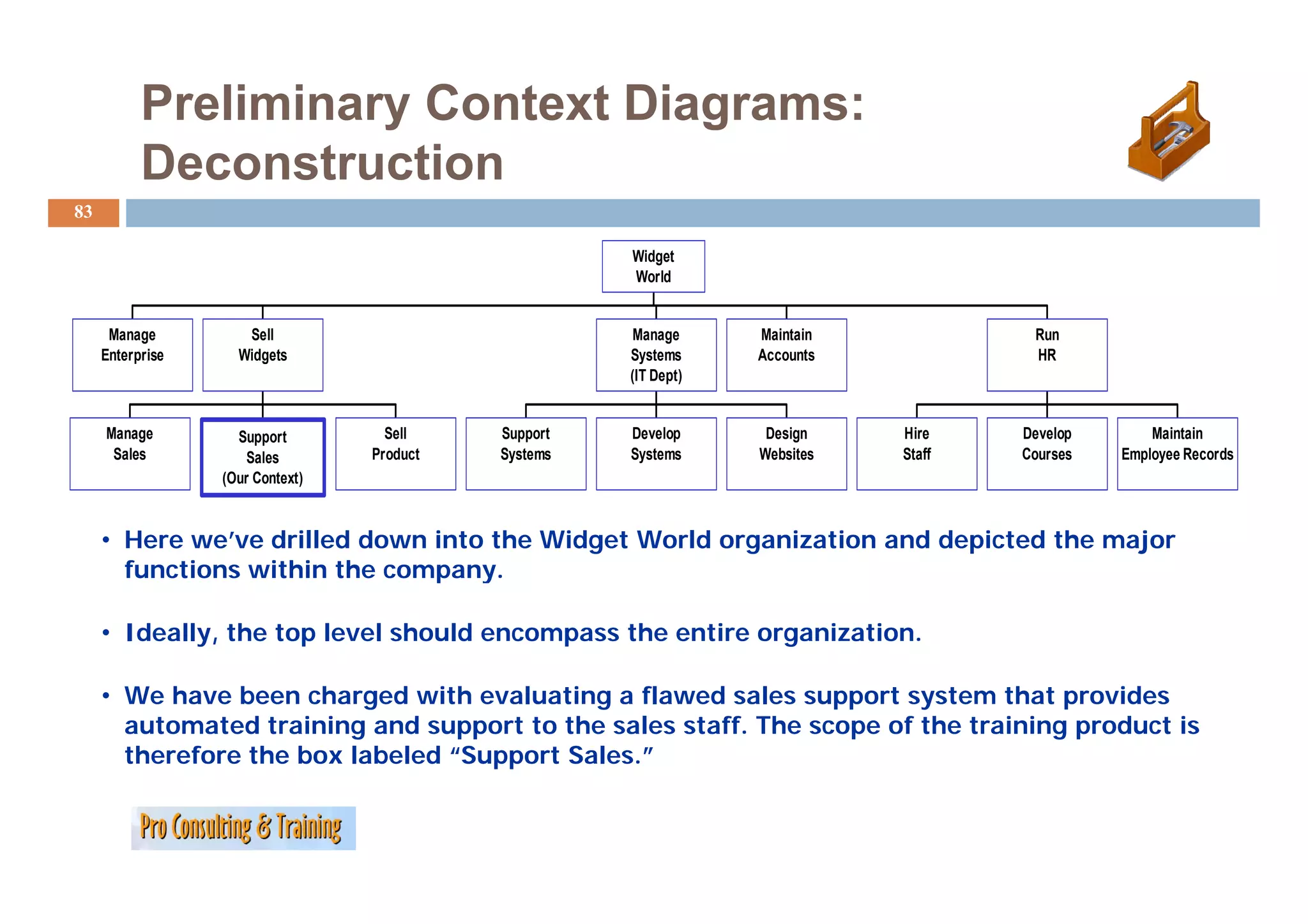
Preliminary Context Diagrams:
Deconstruction
D t ti
83
Widget
Wid t
World
Manage Sell Manage Maintain Run
Enterprise Widgets Systems Accounts HR
(IT Dept)
Manage Support Sell Support Develop Design Hire Develop Maintain
Sales Sales Product y
Systems y
Systems Websites Staff Courses Employee Records
p y
(Our Context)
• Here we’ve drilled down into the Widget World organization and depicted the major
functions within the company.
company
• Ideally, the top level should encompass the entire organization.
• We have been charged with evaluating a flawed sales support system that provides
automated training and support to the sales staff. The scope of the training product is
therefore the box labeled “Support Sales.”
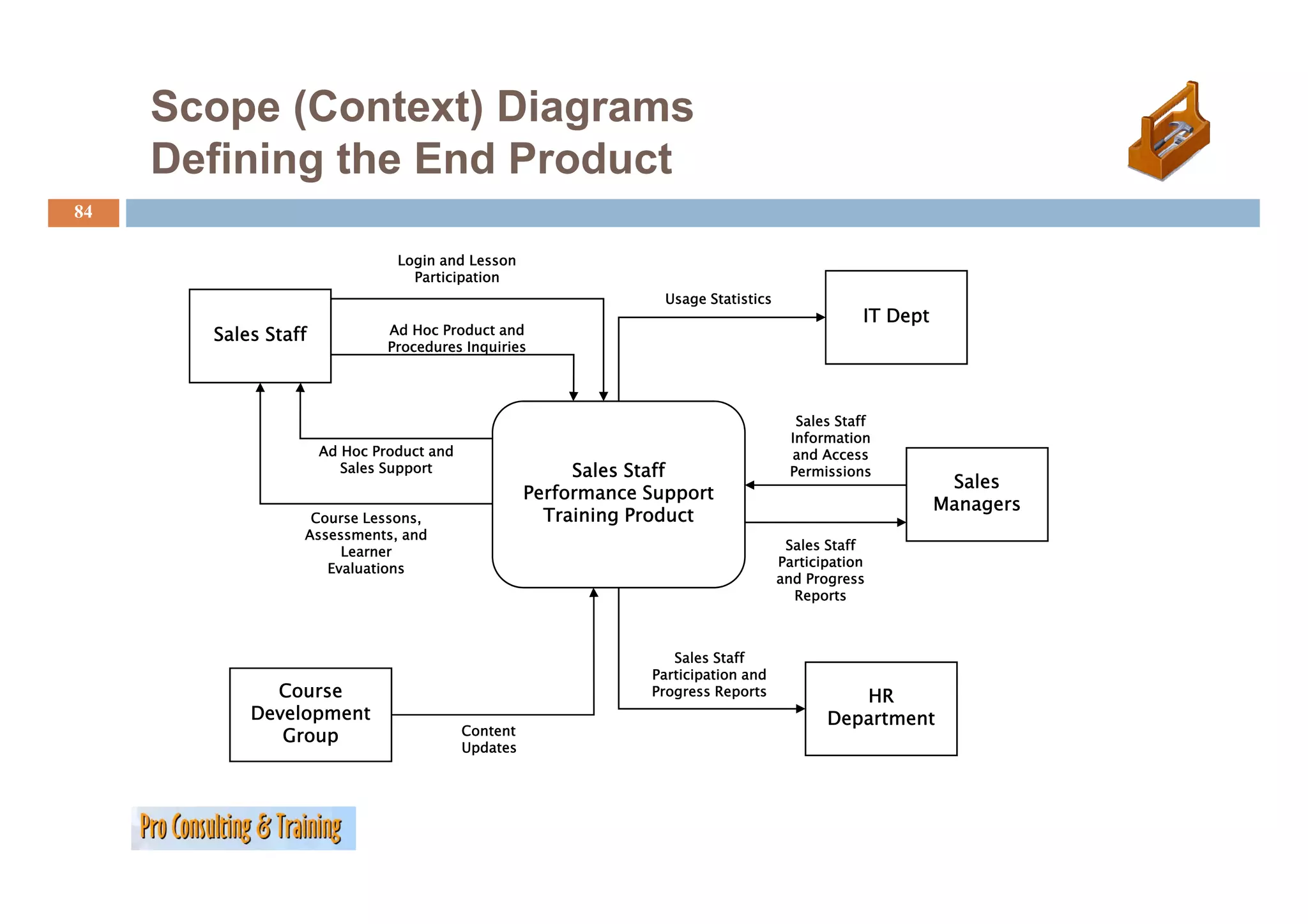
84.
Scope (Context) Diagrams
Defining the E d P d t
D fi i th End Product
84
Login and Lesson
Participation
Usage Statistics
IT Dept
Sales Staff Ad Hoc Product and
Procedures Inquiries
Sales Staff
Information
Ad Hoc Product and and Access
Sales Support Sales Staff Permissions
Sales
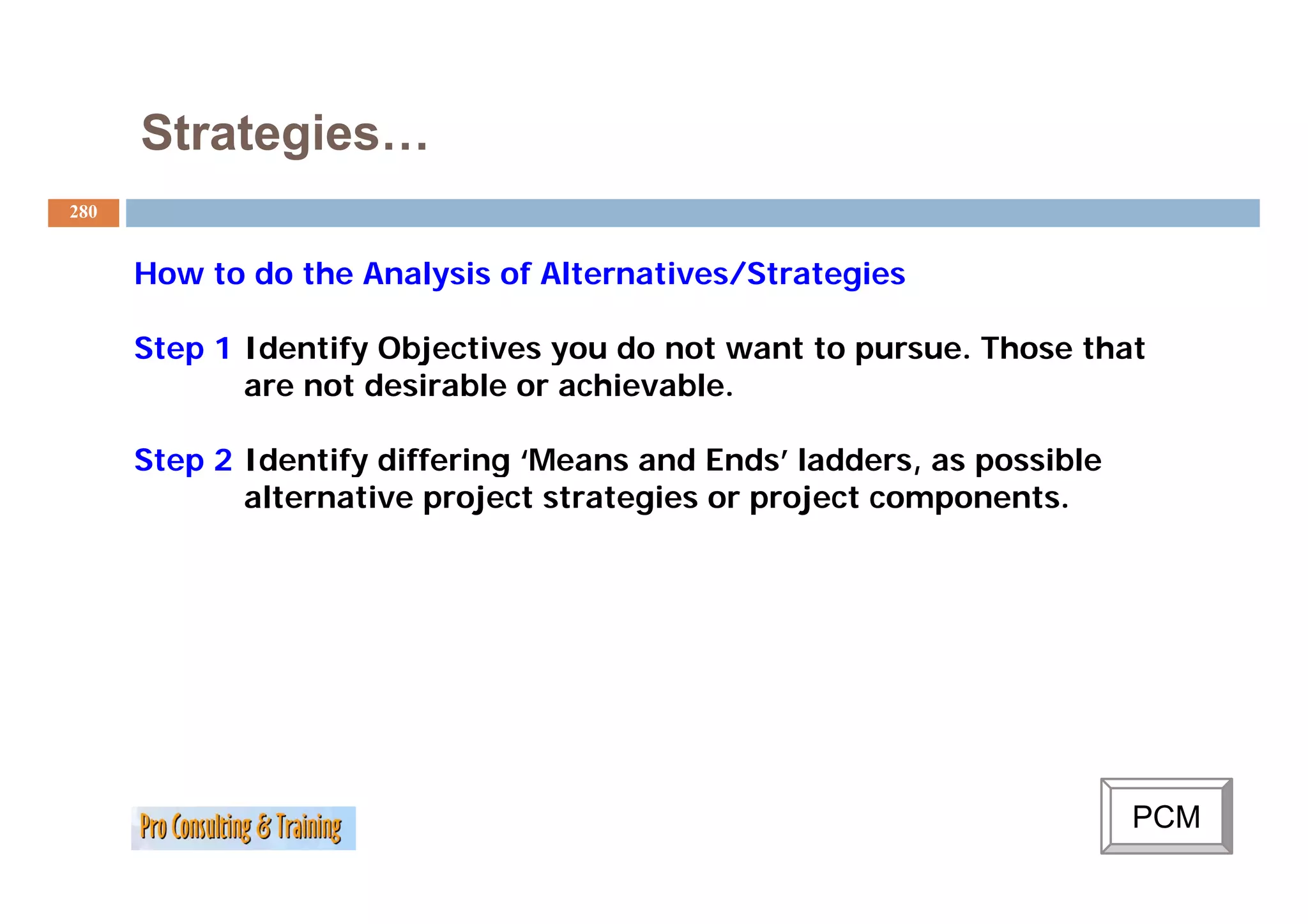
Performance Support
Managers
Course Lessons, Training Product
Assessments, and
Learner Sales Staff
Evaluations a t c pat o
Participation
and Progress
Reports
Sales Staff
Participation and
P ti i ti d
Course Progress Reports HR
Development Department
Group Content
Updates
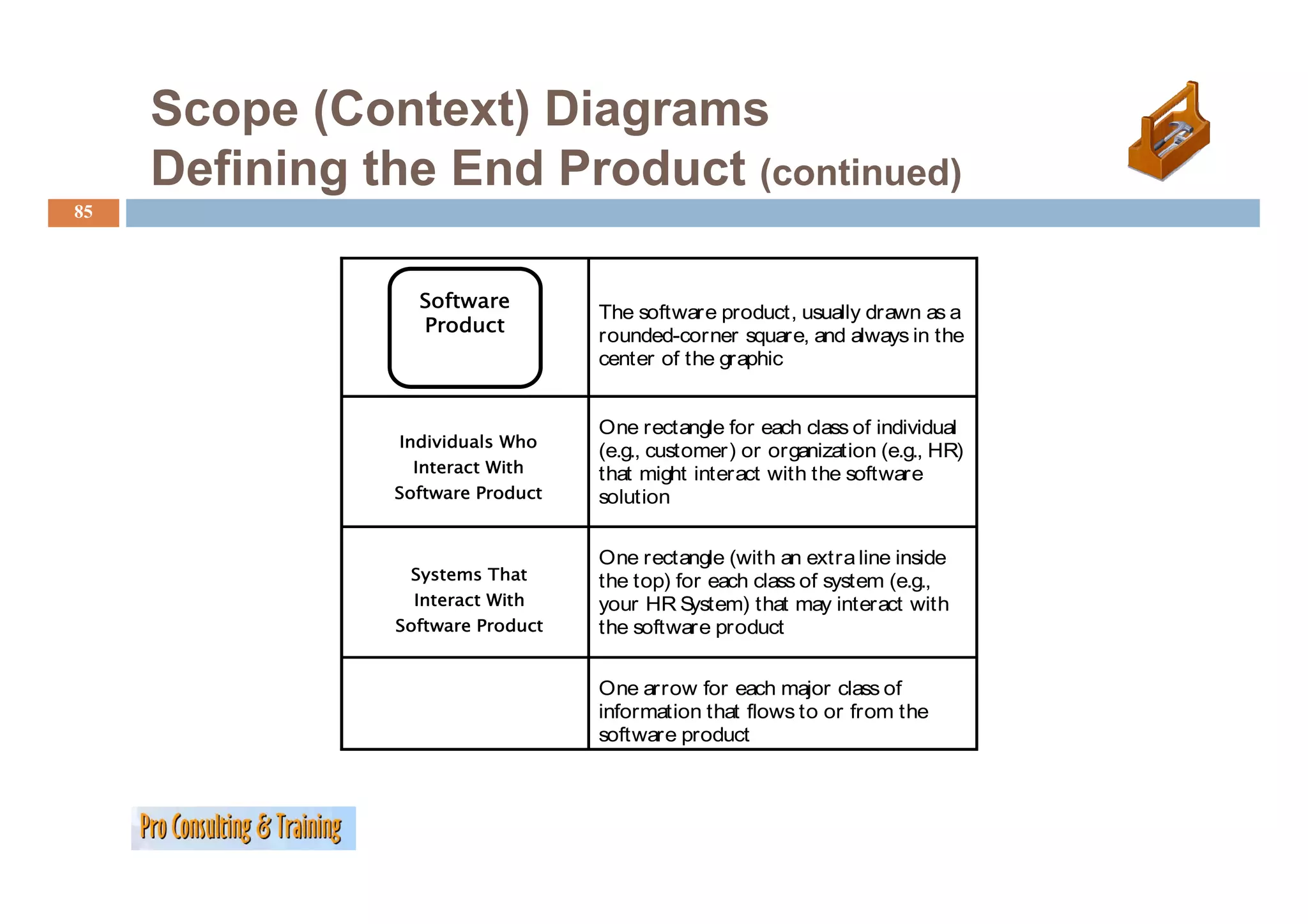
85.
Scope (Context) Diagrams
Defining the End Product (continued)
85
Software
The software product, usually drawn as a
Product
rounded-corner square, and always in the
center of the graphic
One rectangle for each class of individual
Individuals Who
(e.g., customer) or organization (e.g., HR)
Interact Wi h
I With that might interact with the software
Software Product solution
One rectangle (
g (with an extra line inside
Systems That the top) for each class of system (e.g.,
Interact With your HR S ystem) that may interact with
Software Product the software product
One arrow for each major class of
information that flows to or from the
software product
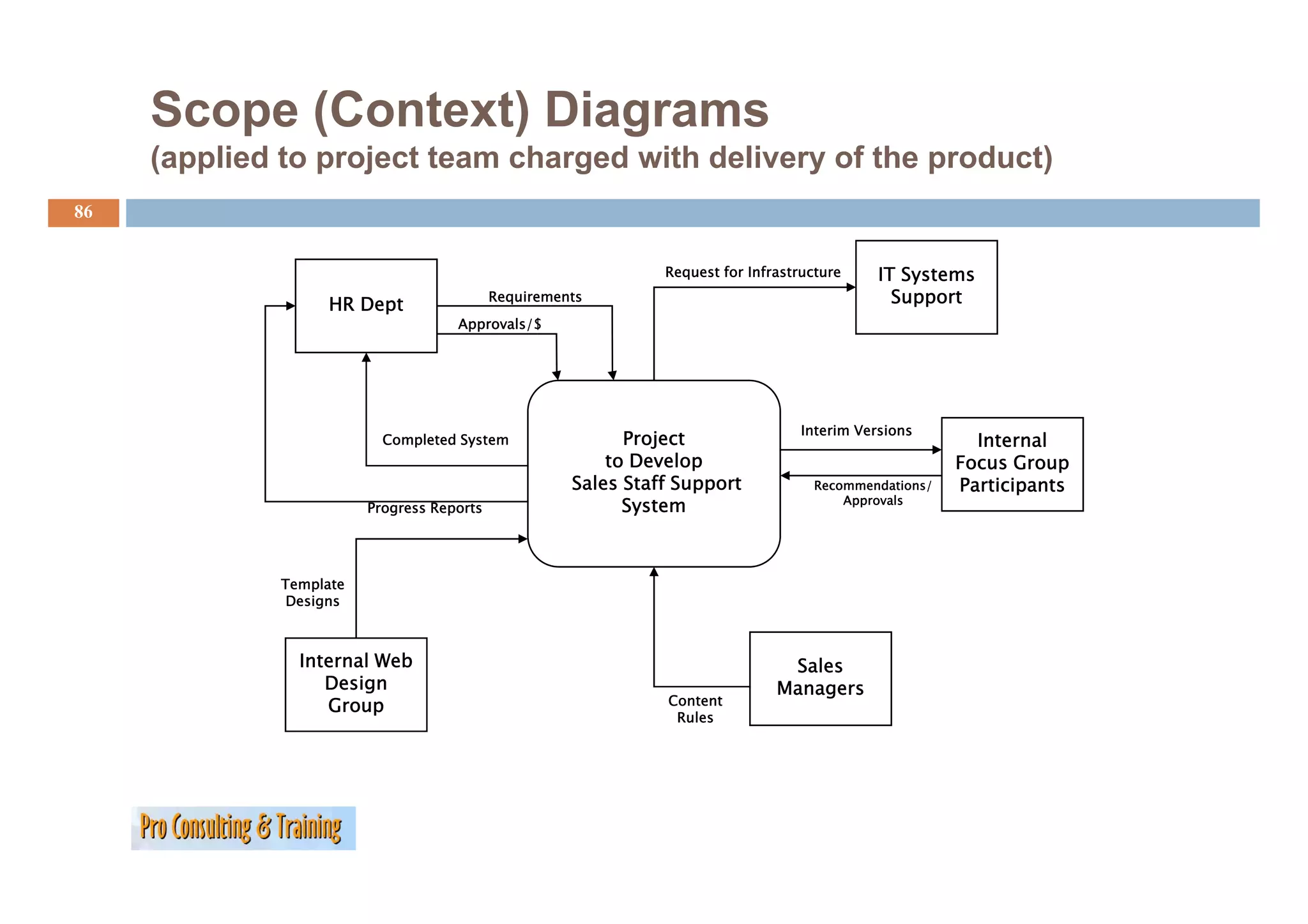
86.
Scope (Context) Diagrams
(applied to project team charged with delivery of the product)
( li d t j tt h d ith d li f th d t)
86
Request for Infrastructure IT Systems
HR Dept Requirements Support
Approvals/$
Interim Versions
Completed System Project Internal
to Develop Focus Group
Sales Staff Support Recommendations/ Participants
Approvals
Progress Reports System
Template
Designs
Internal Web Sales
Design Managers
Group Content
Rules
87.
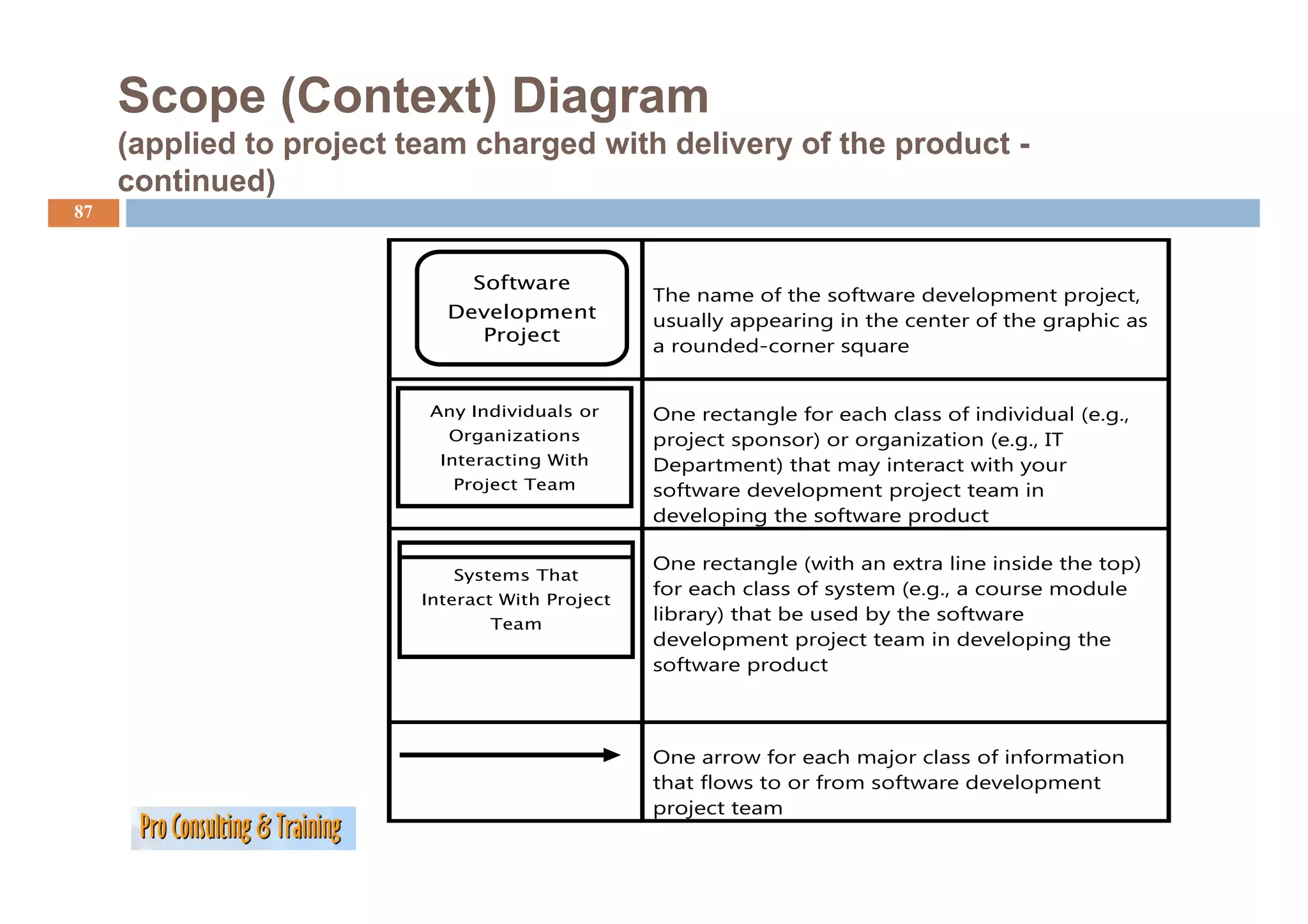
Scope (Context) Diagram
(applied to project team charged with delivery of the product -
continued)
87
Software
The name of the software development project,
Development usually appearing in the center of the graphic as
Project
a rounded-corner square
Any Individuals or One rectangle for each class of individual (e.g.,
Organizations project sponsor) or organization (e.g., IT
Interacting With Department) that may interact with your
Project Team software development project team in
developing the software product
One rectangle (with an extra line inside the top)
Systems That
for each class of system (e.g., a course module
Interact With Project
Team
library) that be used by the software
development project team in developing the
software product
p
One arrow for each major class of information
that flows to or f
h fl from software d
f development
l
project team
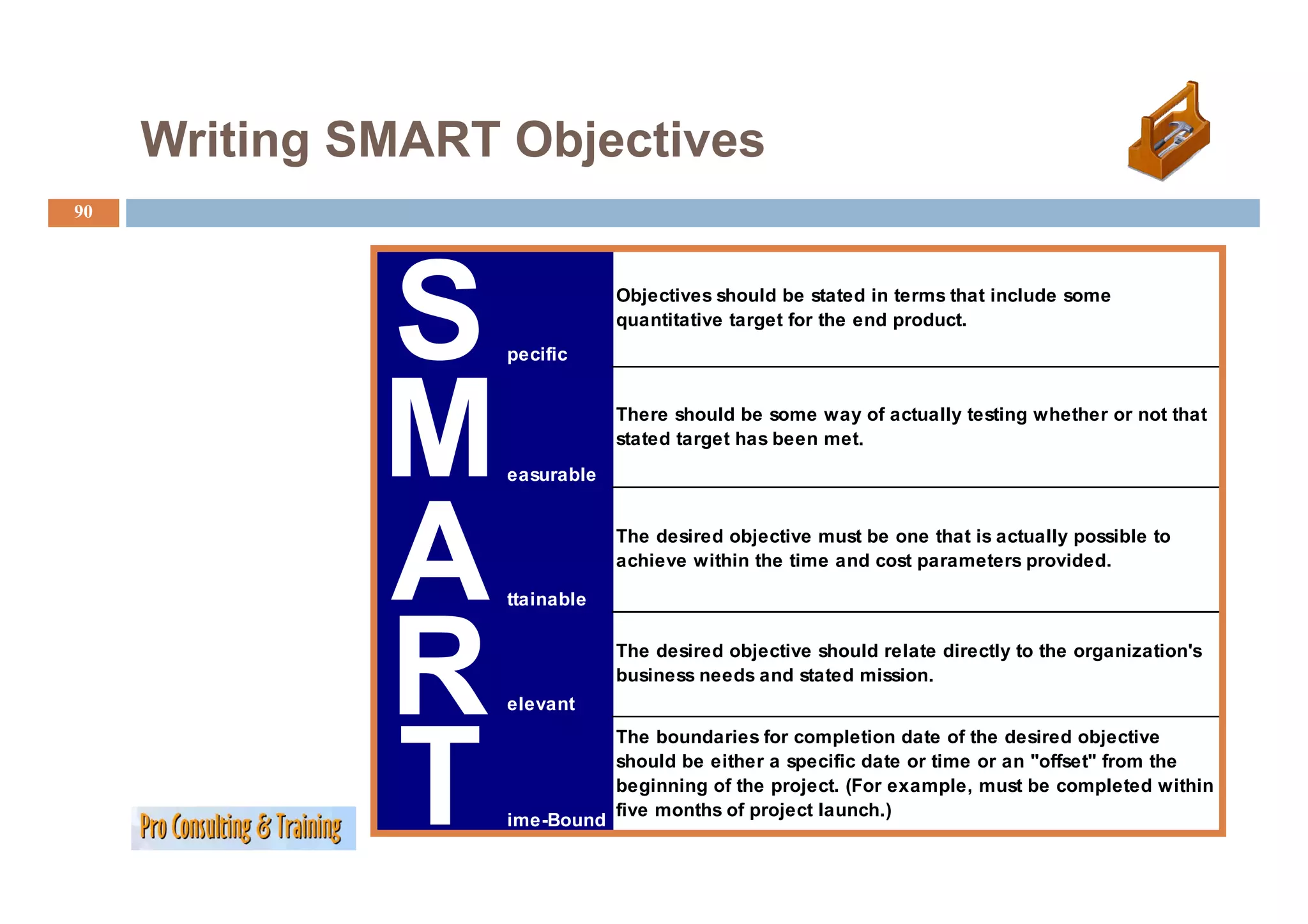
Writing SMART Objectives
90
S pecific
Objectives should be stated in terms that include some
quantitative target for the end product.
M easurable
There should be some way of actually testing whether or not that
stated target has been met.
A ttainable
The desired objective must be one that is actually possible to
ac e e
achieve within t e t e a d cost pa a ete s p o ded
t the time and parameters provided.
R elevant
The desired objective should relate directly to the organization's
business
b siness needs and stated mission
mission.
T
The boundaries for completion date of the desired objective
should be either a specific date or time or an "offset" from the
beginning of the project. (For example, must be completed within
five months of project launch.)
ime-Bound
Risk Management
92
Project Management Institute (PMI) Definition:
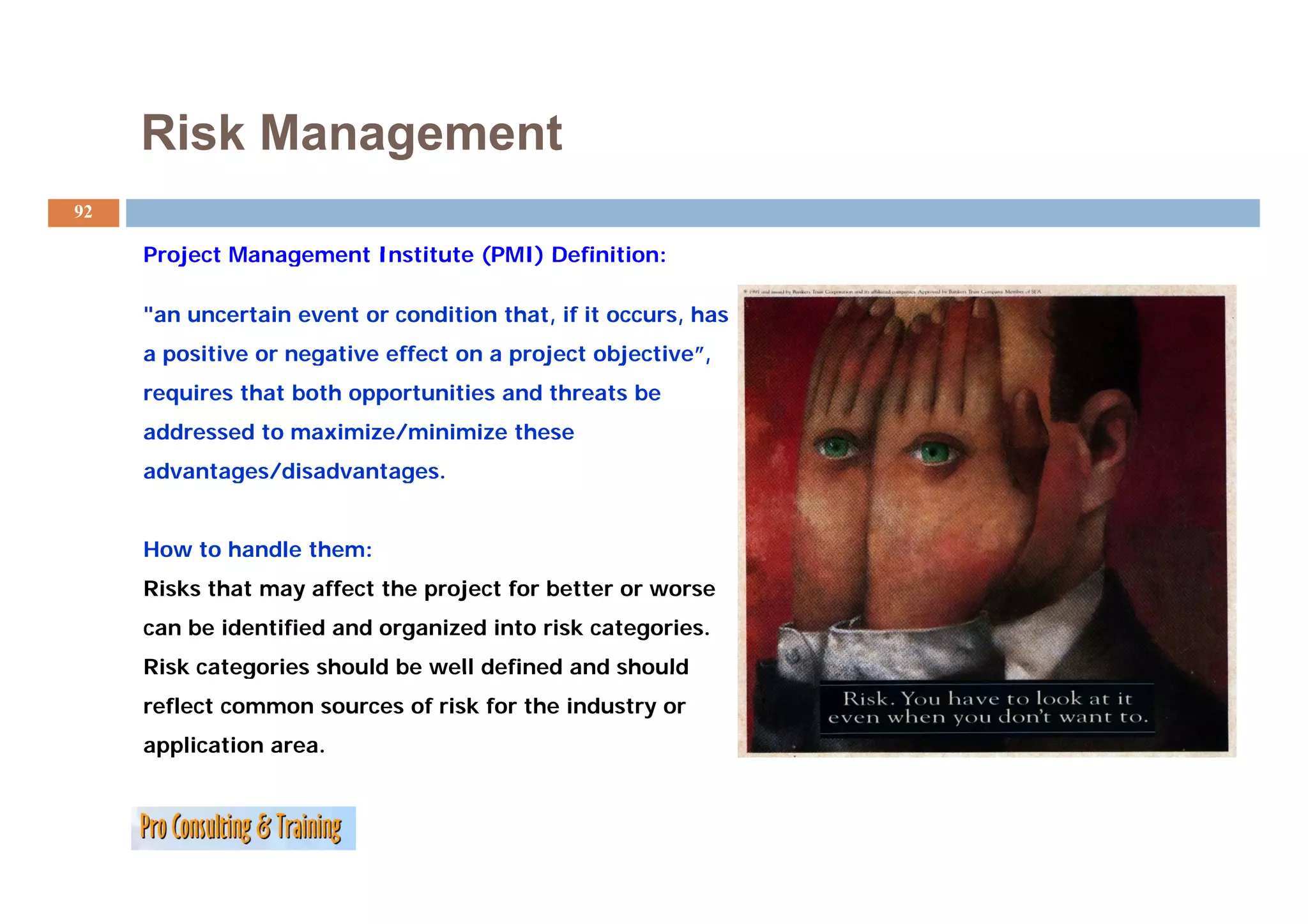
"an uncertain event or condition that, if it occurs, has
a positive or negative effect on a project objective ,
objective”,
requires that both opportunities and threats be
addressed to maximize/minimize these
advantages/disadvantages.
How to handle them:
Risks that may affect the project for better or worse
can be identified and organized into risk categories.
Risk categories should be well defined and should
reflect common sources of risk for the industry or
application area.
93.
Risk Management
93
Risk t
Ri k categories include the following:
i i l d th f ll i
• Technical, quality, or performance risks —such as reliance on unproven or
complex technology, unrealistic performance goals, changes to the
technology used or to i d
h l d industry standards d i
d d during the project
h j
• Project-management risks —such as poor allocation of time and
resources, inadequate quality of the p j
, q q y project p
plan, p
, poor use of p j
project
management disciplines
• Organizational risks —such as cost, time, and scope objectives that are
internally inconsistent, lack of prioritization of projects, inadequacy or
y , p p j , q y
interruption of funding, and resource conflicts with other projects in the
organization
• External risks —such as shifting legal or regulatory environment, labor
such
issues, changing owner priorities, country risk, and weather. Force
majeure risks such as earthquakes, floods, and civil unrest generally
require disaster recovery actions rather than risk management.
94.
Risk Management
94
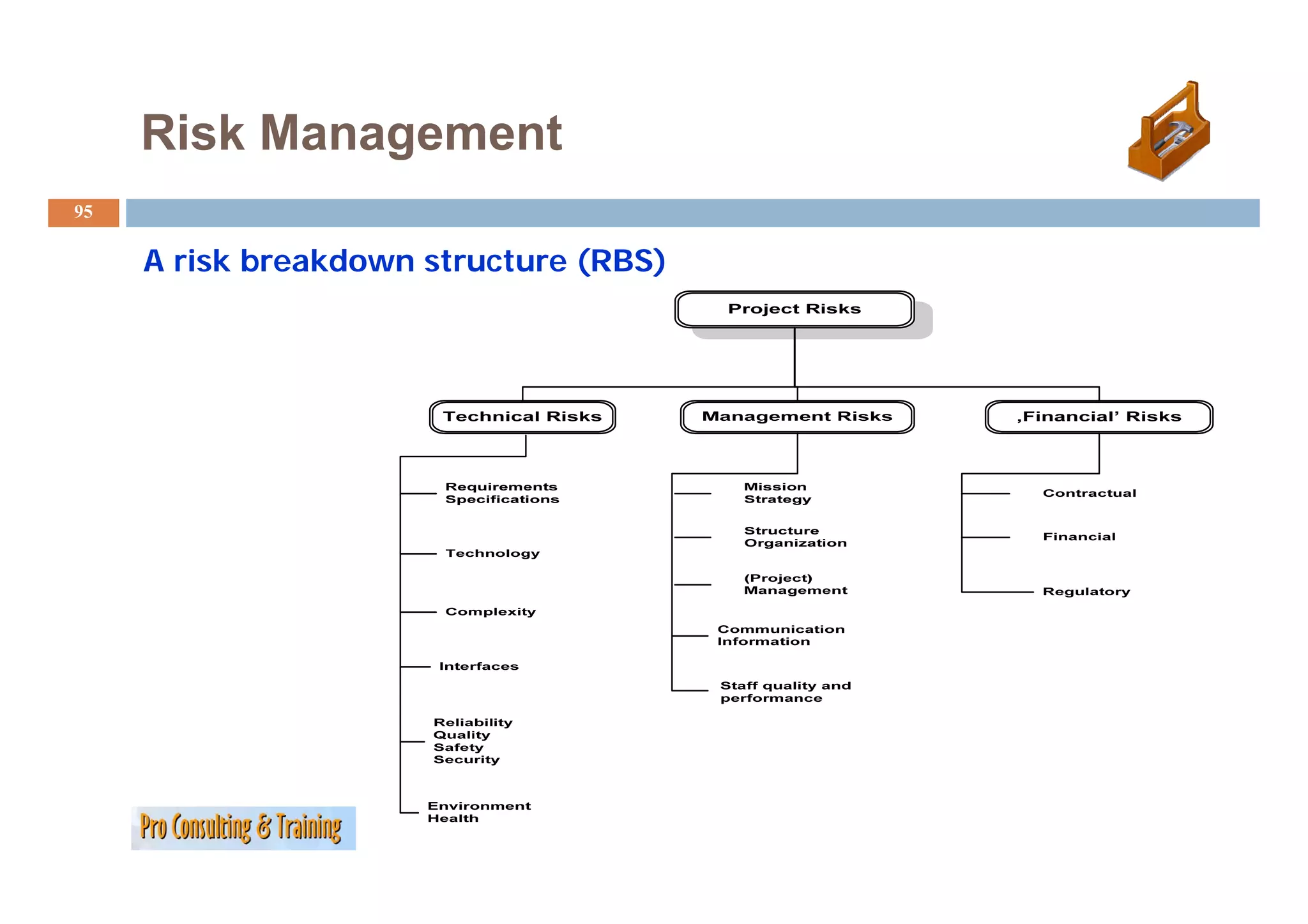
A risk breakdown structure (RBS) provides a hierarchical way to organize risks, proceeding
from an overview of risks associated with an entire project to general categories and individual
risks. The method, developed by Project Management Professional Solutions Ltd. Director of
Consultancy David Hillson, mirrors the work breakdown structure.
As part of this first step in the risk management process, an organization might specify the
methods used to actually identify risks. For example, brainstorming sessions might identify
"communication" problems under "management risk while financial models might evaluate
"financial" uncertainties under "commercial risk.''
In the next steps, specific risks are identified within each of the named categories along with
some ranking of their severity and strategies for managing those risks. As these strategies are
successfully mapped, project managers gain a better understanding of the levels of risk
prevalent within alt areas of a project, and they're able to work systematically to reduce those
risks.
Source: D.A. Hillson's "The Risk Breakdown Structure as an Aid to Effective Risk Management," presented in
June at the PMI Europe 2002 Conference, Cannes, France.
Risk Management
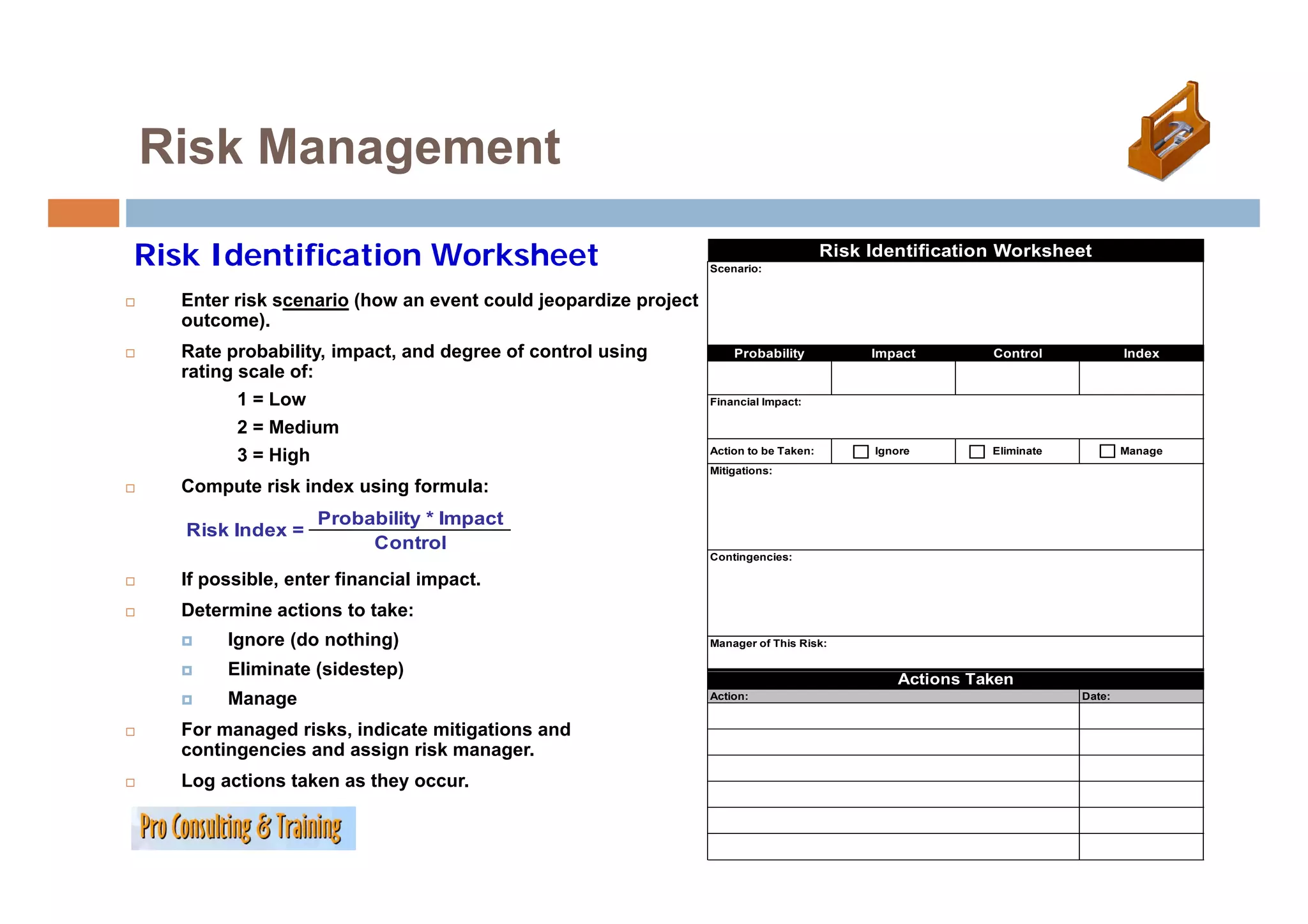
Risk IdentificationWorksheet Scenario:
Risk Identification Worksheet
Enter risk scenario (how an event could jeopardize project
outcome).
Rate probability, impact, and degree of control using Probability Impact Control Index
rating scale of:
1 = Low Financial Impact:
2 = Medium
Action to be Taken: Ignore Eliminate Manage
3 = High
g
Mitigations:
Compute risk index using formula:
Probability * Impact
Risk Index =
Control
Contingencies:
If possible, enter financial impact.
Determine actions to take:
Ignore (do nothing) Manager of This Risk:
Eliminate (sidestep) Actions Taken
Manage Action: Date:
For managed risks, indicate mitigations and
contingencies and assign risk manager.
Log actions taken as they occur.
L ti t k th
97.
Risk Management
g
97
Giving Risks Priorities
Maintain inventory of all risks identified—updating probabilities, impacts, and controls if changes occur.
Risk Priority Worksheet
Risk ID Risk Scenario Probability Impact Control Index
1 Key stakeholders unavailable during project definition phase 2 3 2 3
2 Vendors late in delivering required software for security system 2 2 1 4
3 Loss of key team member in middle of project 1 3 2 1.5
4 Power failure due to seasonal storms 1 3 1 3
5 Final regulations controlling administration of new system late 2 3 1 6
6 Scope changes require additional tasks and resources 2 3 2 3
Focus attention on the risks with the highest indices!!!
Risk Priority Worksheet
Risk ID Risk Scenario Probability Impact Control Index
5 Final regulations controlling administration of new system late 2 3 1 6
2 Vendors late in delivering required software for security system 2 2 1 4
1 Key stakeholders unavailable during project definition phase 2 3 2 3
4 Power failure due to seasonal storms 1 3 1 3
6 Scope changes require additional tasks and resources 2 3 2 3
3 Loss of key team member in middle of project* 1 3 2 1.5
98.
Your Turn: ProjectRisk Scenarios
j
98
Risk Identification Worksheet
Scenario:
1. Individually identify and jot down
four possible risk scenarios this Probability Impact Control Index
project might face.
Financial Impact:
2. Share these within your group
and create a Risk Priority Action to be Taken: Ignore Eliminate Manage
Worksheet of your pooled risks. Mitigations:
3. Score the risks.
4.
4 For the top two brainstorm at
two,
Contingencies:
least one mitigation and one
contingency. Manager of This Risk:
5.
5 Use the Risk Identification Actions Taken
Worksheet as a guide, but you do Action: Date:
not need to complete one for this
exercise.
99.
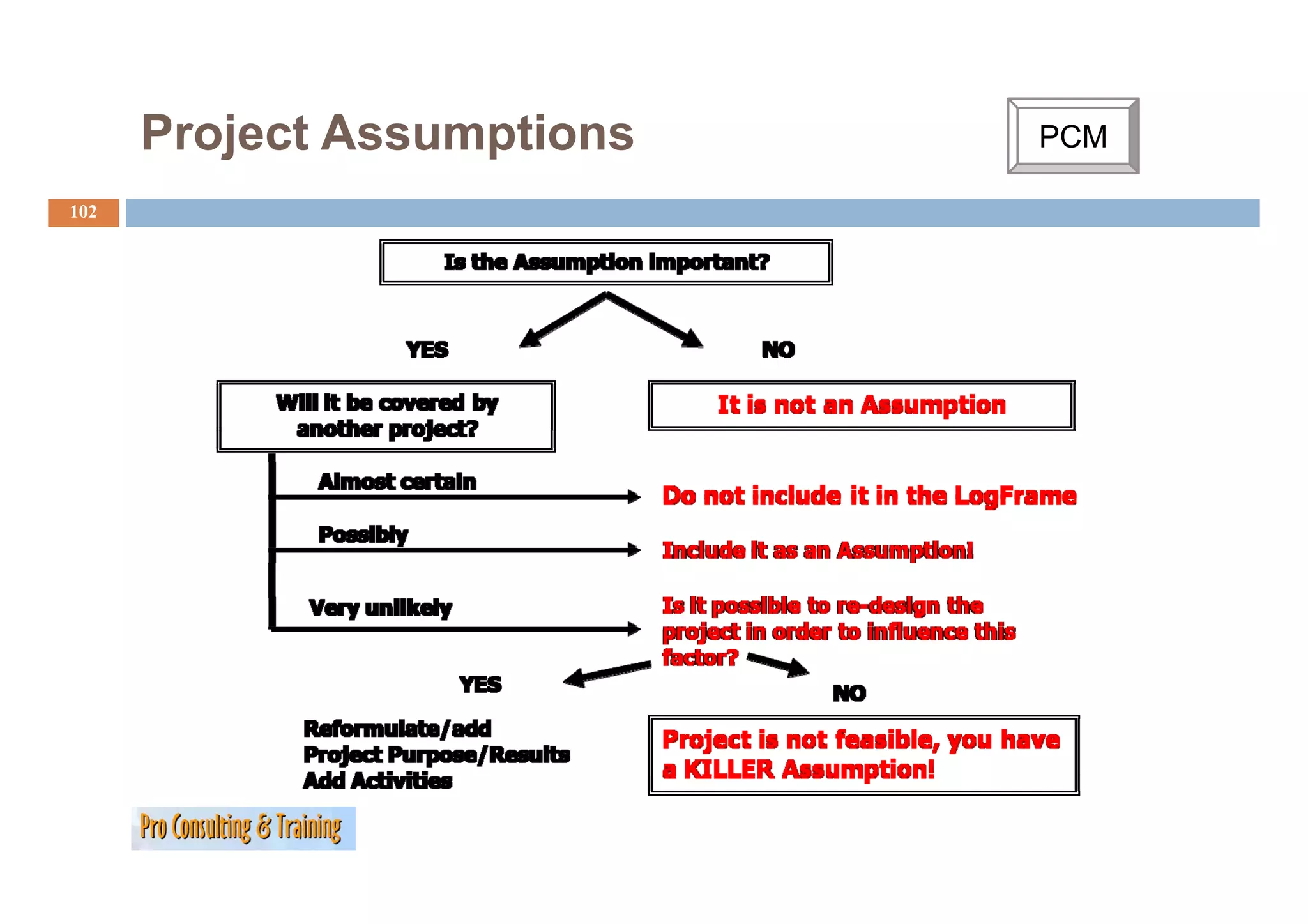
Project Assumptions PCM
C
99
How d
H does PCM d fi
define, f
formulate and h dl ‚Assumptions‘?
l d handle A i ‘?
Assumption Definition:
A ti D fi iti
Conditions/factors that must exist/are important if the
program/project is to succeed but which are not under the
succeed,
direct control of the project, because they do not have e.g. :
• a mandate for it and or
• did choose not to control it and or
• are outside the projects intervention.
100.
Project Assumptions
100
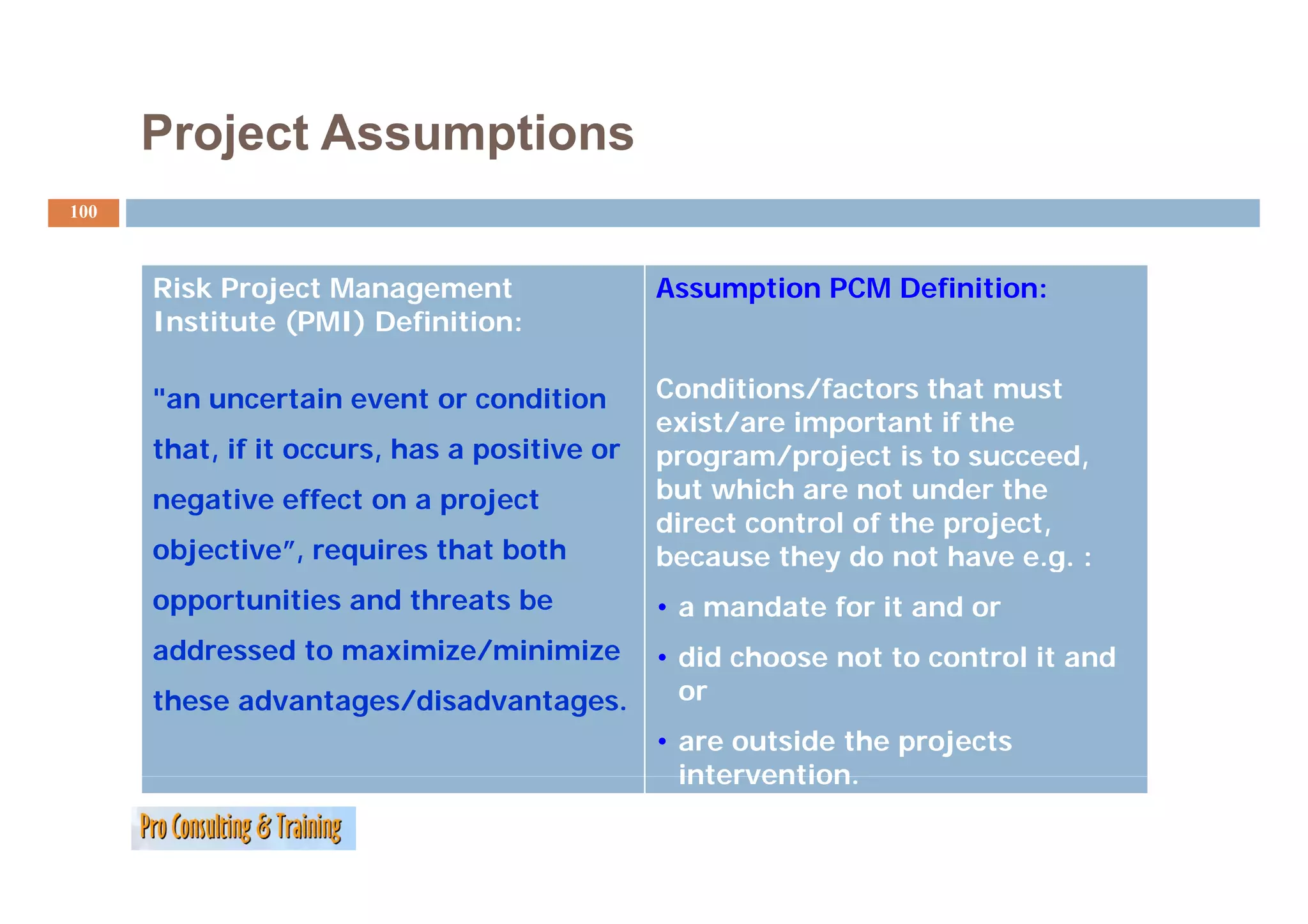
Risk Project Management Assumption PCM Definition:
Institute (PMI) Definition:
"an uncertain event or condition Conditions/factors that must
exist/are important if the
that, if it occurs, has a positive or
, , p program/project is to succeed,
negative effect on a project but which are not under the
direct control of the project,
objective”, requires that both because they do not have e.g. :
y g
opportunities and threats be • a mandate for it and or
addressed to maximize/minimize • did choose not to control it and
these advantages/disadvantages. or
• are outside the projects
intervention.
intervention
101.
Project Assumptions PCM
C
101
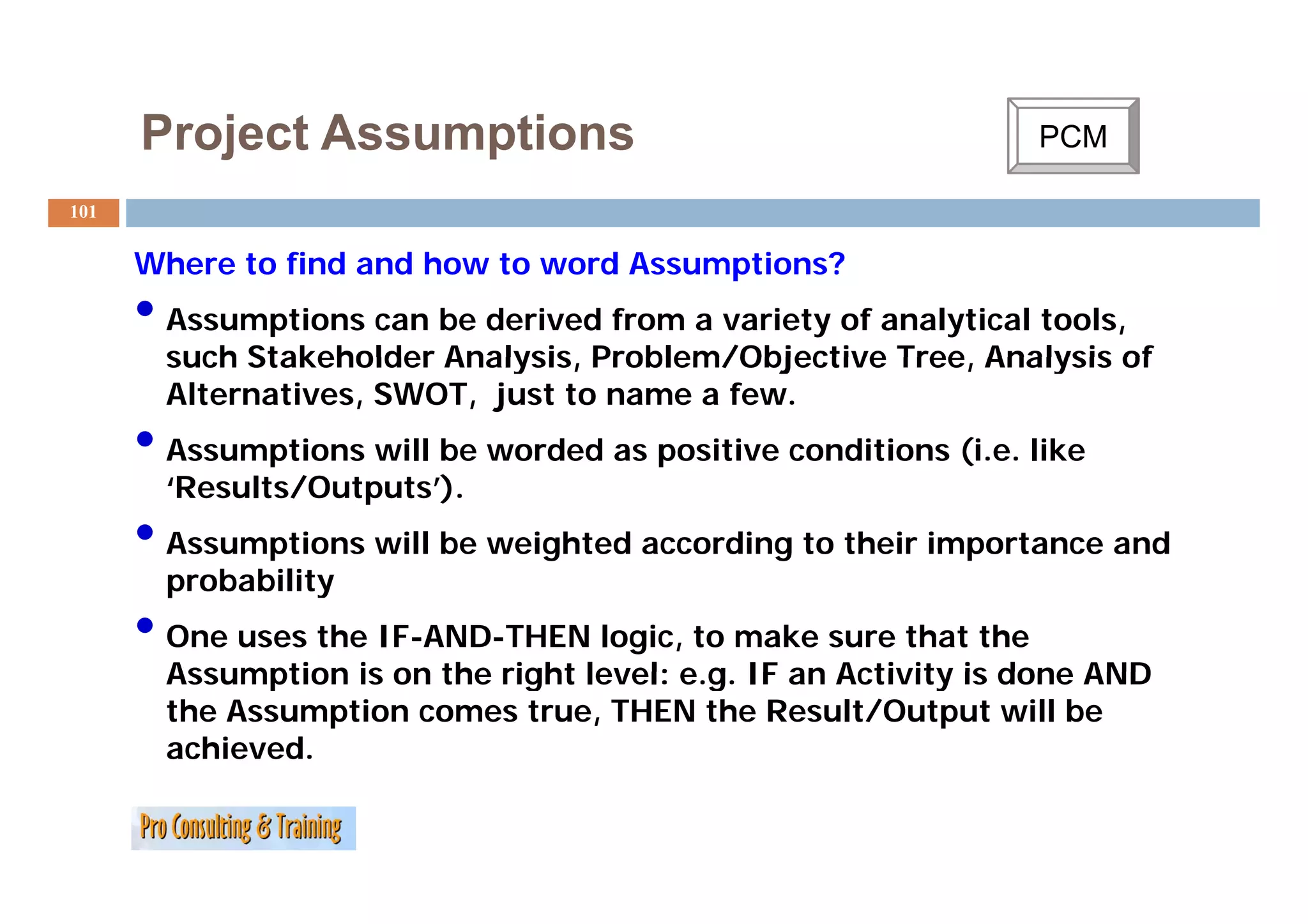
Where to fi d and h
Wh find d how to word A
d Assumptions?
i ?
• Assumptions can be derived from a variety of analytical tools,
such Stakeholder Analysis Problem/Objective Tree, Analysis of
Analysis, Tree
Alternatives, SWOT, just to name a few.
• Assumptions will be worded as p
p positive conditions (
(i.e. like
‘Results/Outputs’).
• Assumptions will be weighted according to their importance and
probability
• One uses the IF-AND-THEN logic, to make sure that the
Assumption is on the right level: e.g. IF an Activity is done AND
eg
the Assumption comes true, THEN the Result/Output will be
achieved.
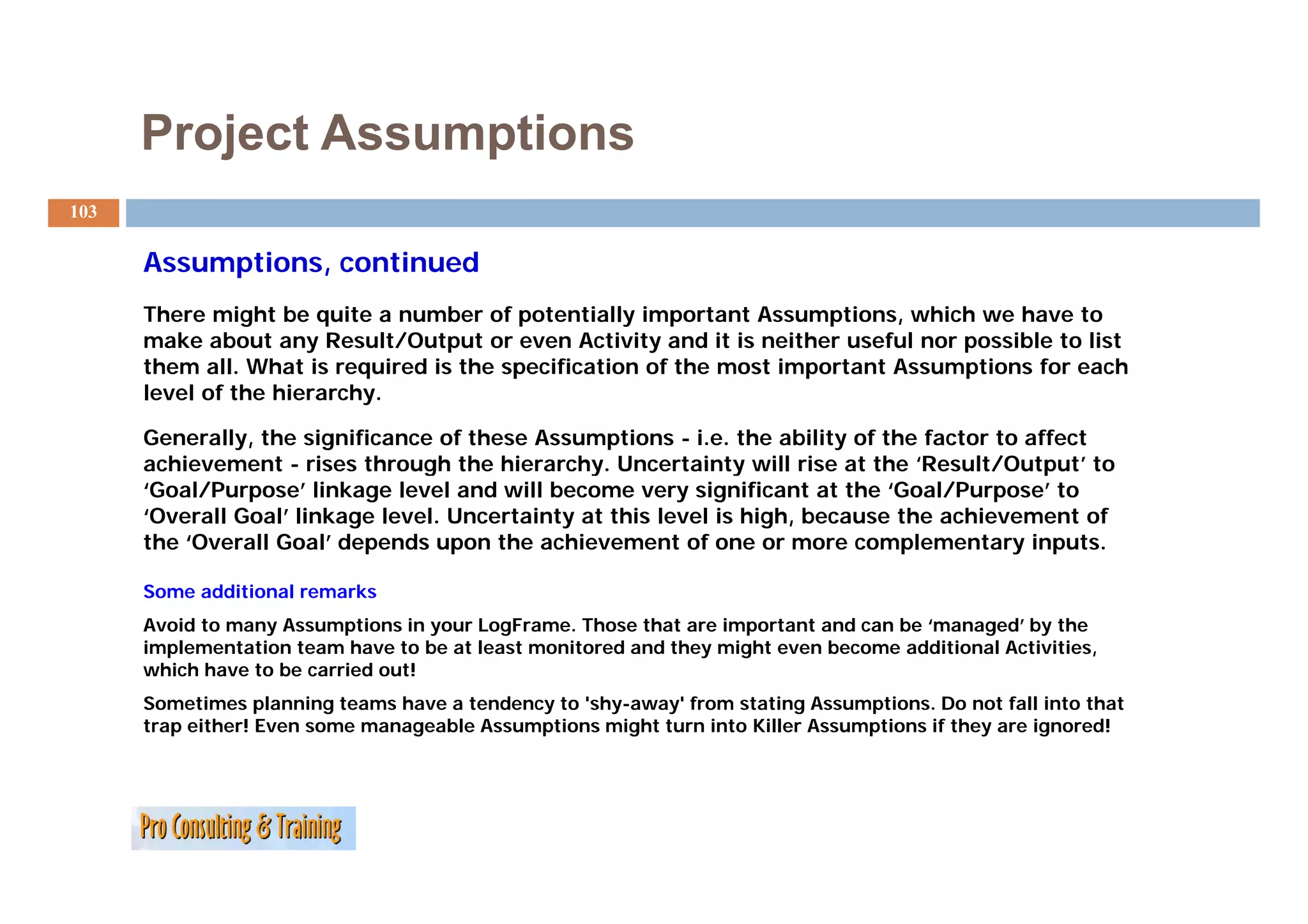
Project Assumptions
103
Assumptions, continued
A ti ti d
There might be quite a number of potentially important Assumptions, which we have to
make about any Result/Output or even Activity and it is neither useful nor possible to list
them all. What is required is the specification of the most important Assumptions for each
level of the hierarchy.
Generally, the significance of these Assumptions - i.e. the ability of the factor to affect
achievement - rises through the hierarchy. Uncertainty will rise at the ‘Result/Output’ to
hierarchy Result/Output
‘Goal/Purpose’ linkage level and will become very significant at the ‘Goal/Purpose’ to
‘Overall Goal’ linkage level. Uncertainty at this level is high, because the achievement of
the ‘Overall Goal’ depends upon the achievement of one or more complementary inputs.
Some additional remarks
Avoid to many Assumptions in your LogFrame. Those that are important and can be ‘managed’ by the
implementation team have to be at least monitored and they might even become additional Activities,
which have to be carried out!
Sometimes planning teams have a tendency to 'shy-away' from stating Assumptions. Do not fall into that
trap either! Even some manageable Assumptions might turn into Killer Assumptions if they are ignored!
104.
Risk Management
104
Finding Risks/Assumptions using a PEST analysis
It is a tool that strategy consultants use to scan the external macro-
environment in which an organisation or company operates. PEST is an acronym
for the following factors:
Political factors
Economic factors
Social factors, and
Technological factors.
PEST factors play an important role in the value creation opportunities of a
strategy. However they are usually beyond the control of the corporation and must
normally be considered as either threats or opportunities Remember macro
opportunities. macro-
economical factors can differ per continent, country or even region, so normally a
PEST analysis should be performed per country. In the table on the following page
y
you find examples of each of these factors.
p
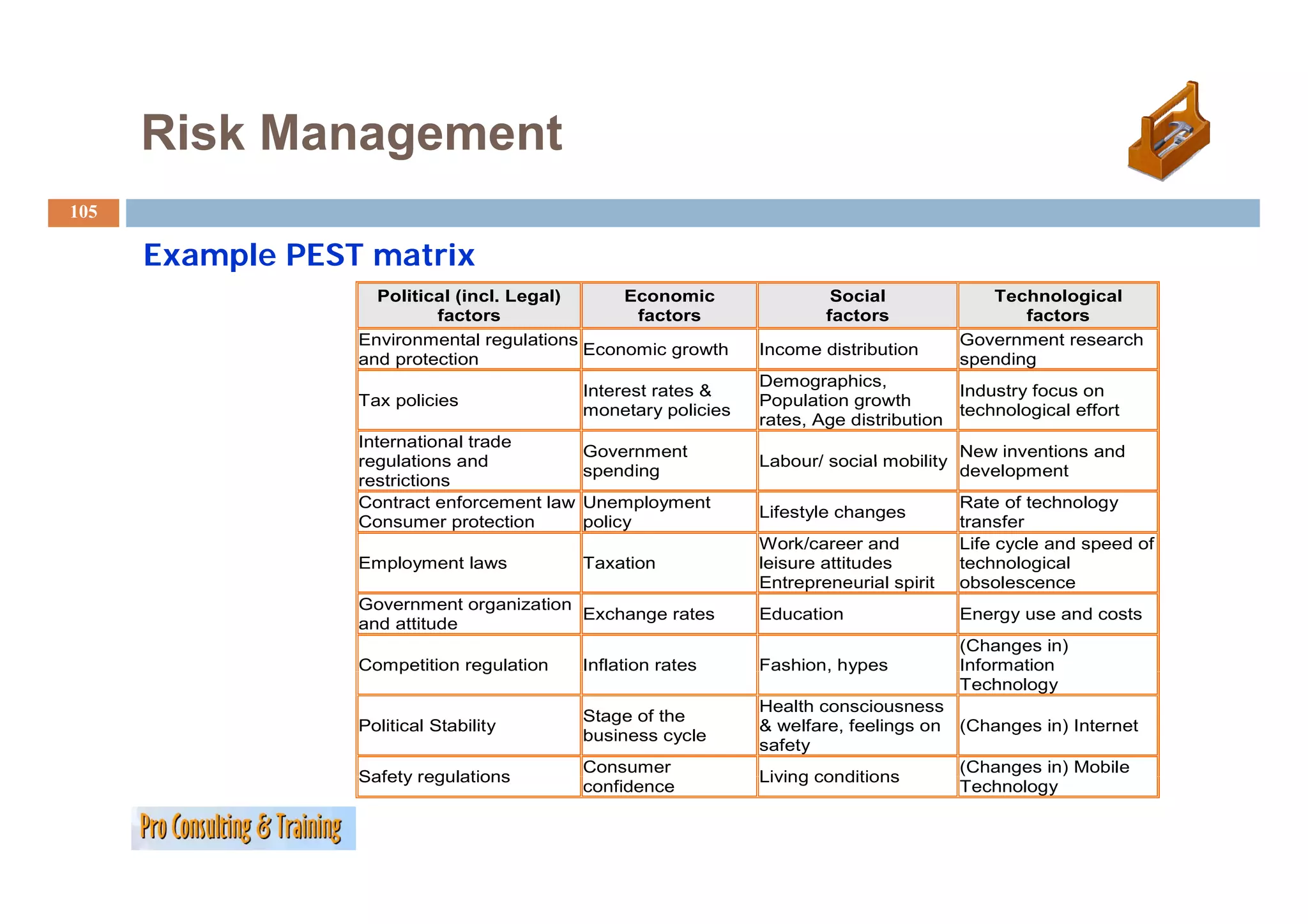
105.
Risk Management
105
Example PEST matrix
Political (incl. Legal) Economic Social Technological
factors factors factors factors
Environmental regulations Government research
Economic growth
g Income distribution
and protection spending
Demographics,
Interest rates & Industry focus on
Tax policies Population growth
monetary policies technological effort
rates, Age distribution
International trade
Government New inventions and
regulations and Labour/ social mobility
spending development
restrictions
Contract enforcement law Unemployment Rate of technology
Lifestyle changes
Consumer protection policy transfer
Work/career and Life cycle and speed of
Employment laws Taxation leisure attitudes technological
Entrepreneurial spirit obsolescence
Government organization
Exchange rates Education Energy use and costs
and attitude
(Changes in)
Competition regulation
p g Inflation rates Fashion, hypes
, yp Information
Technology
Health consciousness
Stage of the
Political Stability & welfare, feelings on (Changes in) Internet
business cycle
safety
Consumer (Changes in) Mobile
Safety regulations Living conditions
confidence Technology
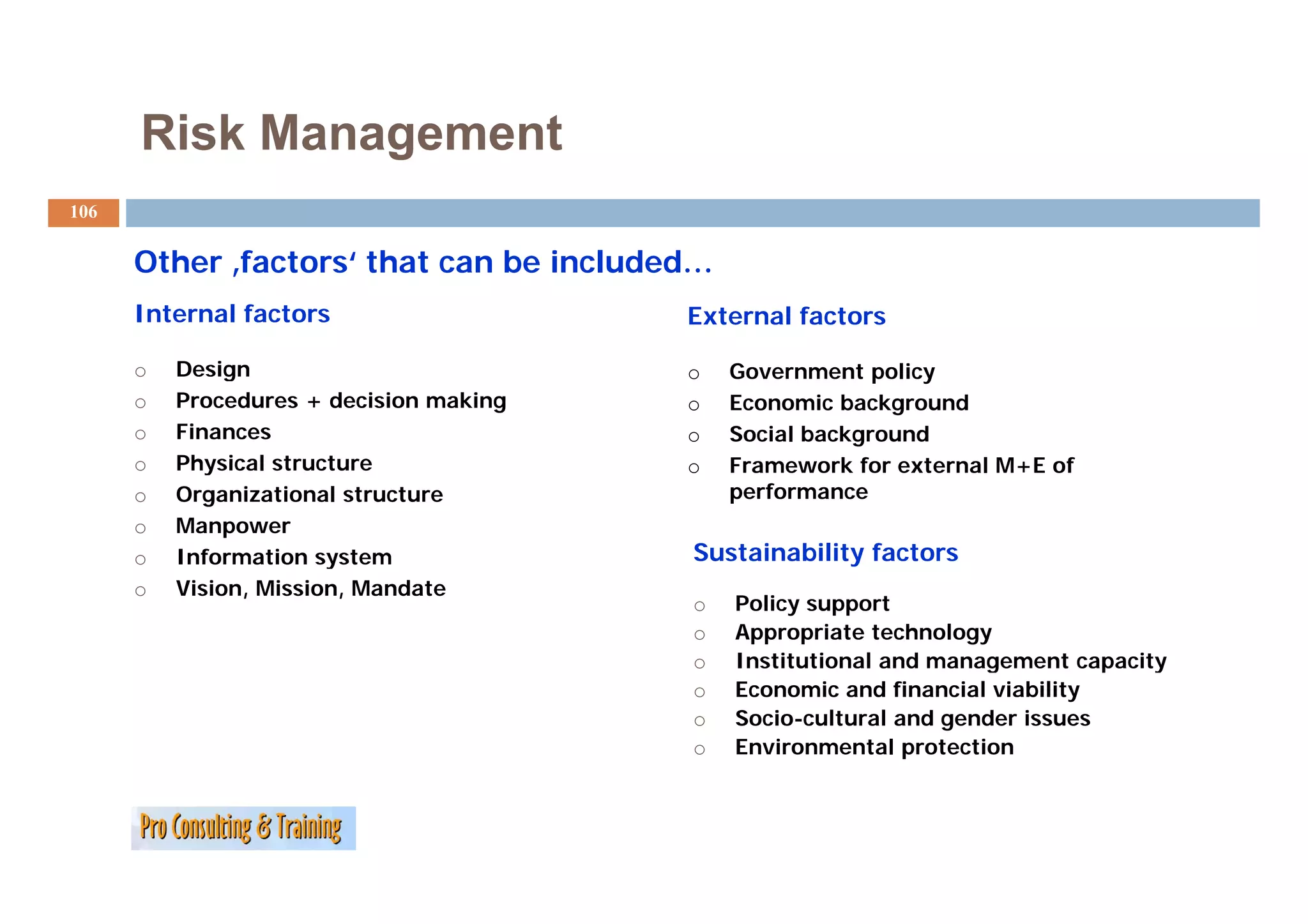
106.
Risk Management
106
Other f t
Oth ‚factors‘ that can be included…
‘ th t b i l d d
Internal factors External factors
o Design o Government policy
o Procedures + decision making o Economic background
o Finances o Social background
o Physical structure o Framework for external M+E of
o Organizational structure performance
o Manpower
o y
Information system Sustainability factors
o Vision, Mission, Mandate
o Policy support
o Appropriate technology
o Institutional and management capacity
g p y
o Economic and financial viability
o Socio-cultural and gender issues
o Environmental protection
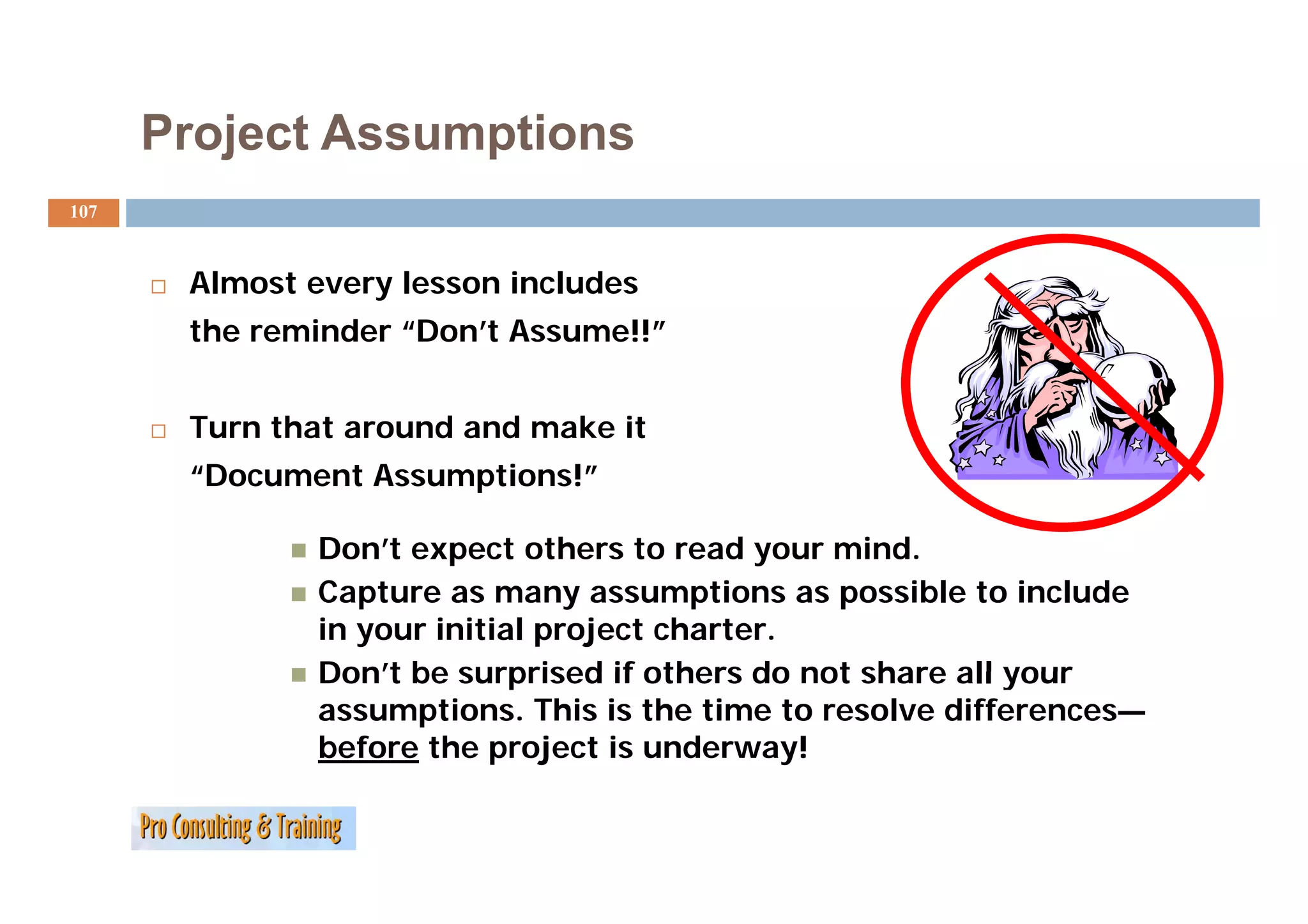
107.
Project Assumptions
107
Almost every lesson includes
the reminder “Don’t Assume!!”
Turn that around and make it
“Document Assumptions!”
Don’t expect others to read your mind.
Capture as many assumptions as possible to include
in your initial project charter.
Don t
Don’t be surprised if others do not share all your
assumptions. This is the time to resolve differences—
before the project is underway!
108.
Your Turn:
108
What are Risks and Assumptions and how to deal
with them?
…
…
…
…
…
…
The Project Charter
110
The
Th project charter i the project’s “li
j h is h j ’ “license to do b i
d business.”
”
It should come from someone outside the project itself with
funding-access, resource-assignment, and decision-making
authority sufficient to support the project.
This person is usually known as the project sponsor.
111.
Why Have aProject Charter?
111
Primary purpose: to get approval to proceed with the project and
P i l d i h h j d
obtain sufficient approval for resources to move to the next
phase of the project.
Communicate to stakeholders and other interested parties the
mission and objectives of the project.
i i d bj ti f th j t
Communicate to the project team what they are expected to
accomplish.
112.
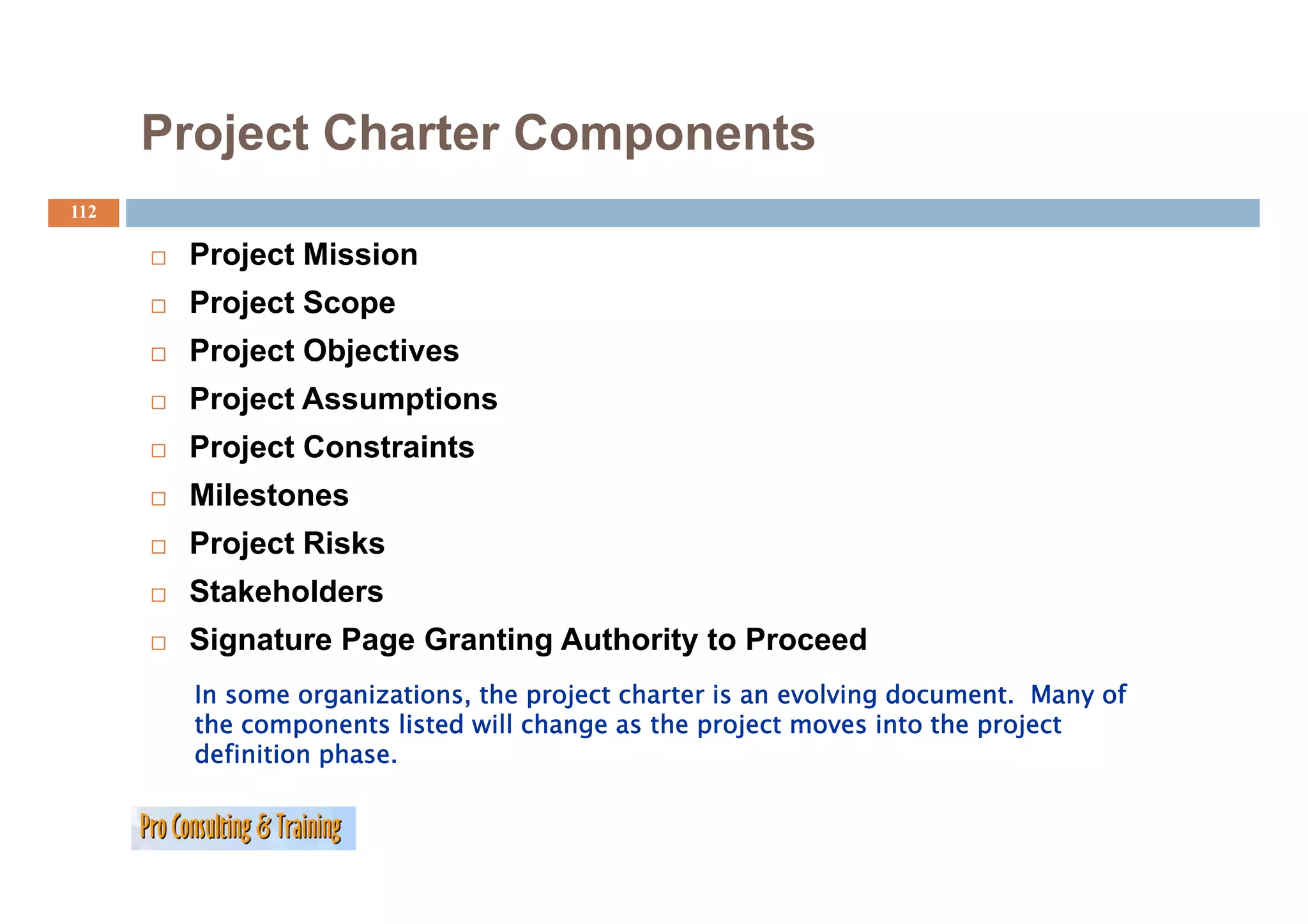
Project Charter Components
112
Project Mission
Project Scope
Project Objectives
Project Assumptions
Project Constraints
j
Milestones
Project Risks
Stakeholders
Signature Page Granting Authority to Proceed
In some organizations, the project charter is an evolving document. Many of
the components listed will change as the project moves into the project
definition phase.
113.
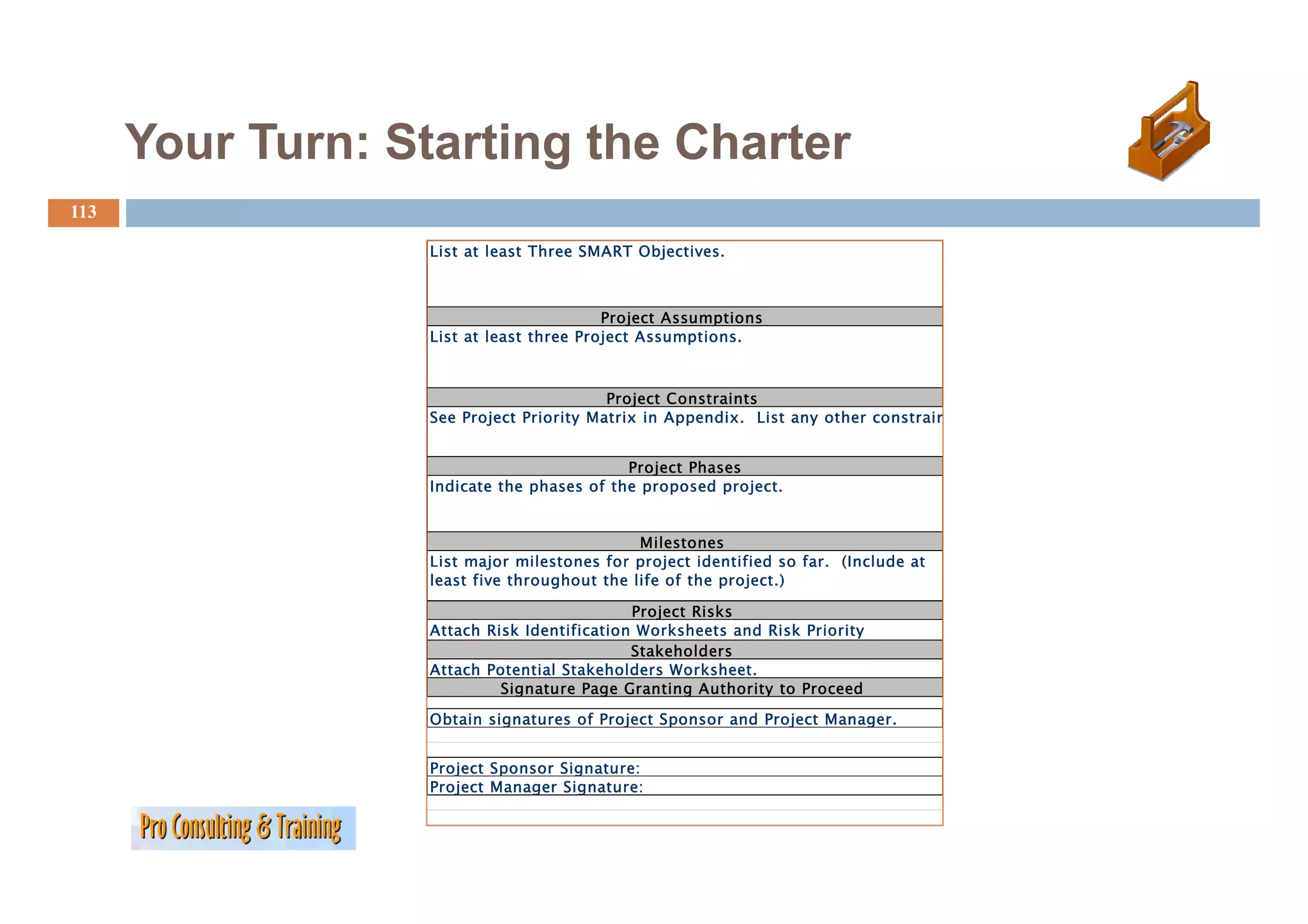
Your Turn: Startingthe Charter
113
List at least Three SMART Objectives
Objectives.
Project Assumptions
List at least three Project Assumptions.
Project Constraints
See Project Priority Matrix in Appendix. List any other constrain
Project Phases
P j Ph
Indicate the phases of the proposed project.
Milestones
List major milestones for p oject identified so far. ( c ude at
st ajo esto es o project de t ed a (Include
least five throughout the life of the project.)
Project Risks
Attach Risk Identification Worksheets and Risk Priority
Stakeholders
Attach Potential Stakeholders Worksheet
Worksheet.
Signature Page Granting Authority to Proceed
Obtain signatures of Project Sponsor and Project Manager.
Project Sponsor Signature:
Project Manager Signature:
114.
The LogFrame,
a P j t Cycle Management Tool
Project C l M tT l
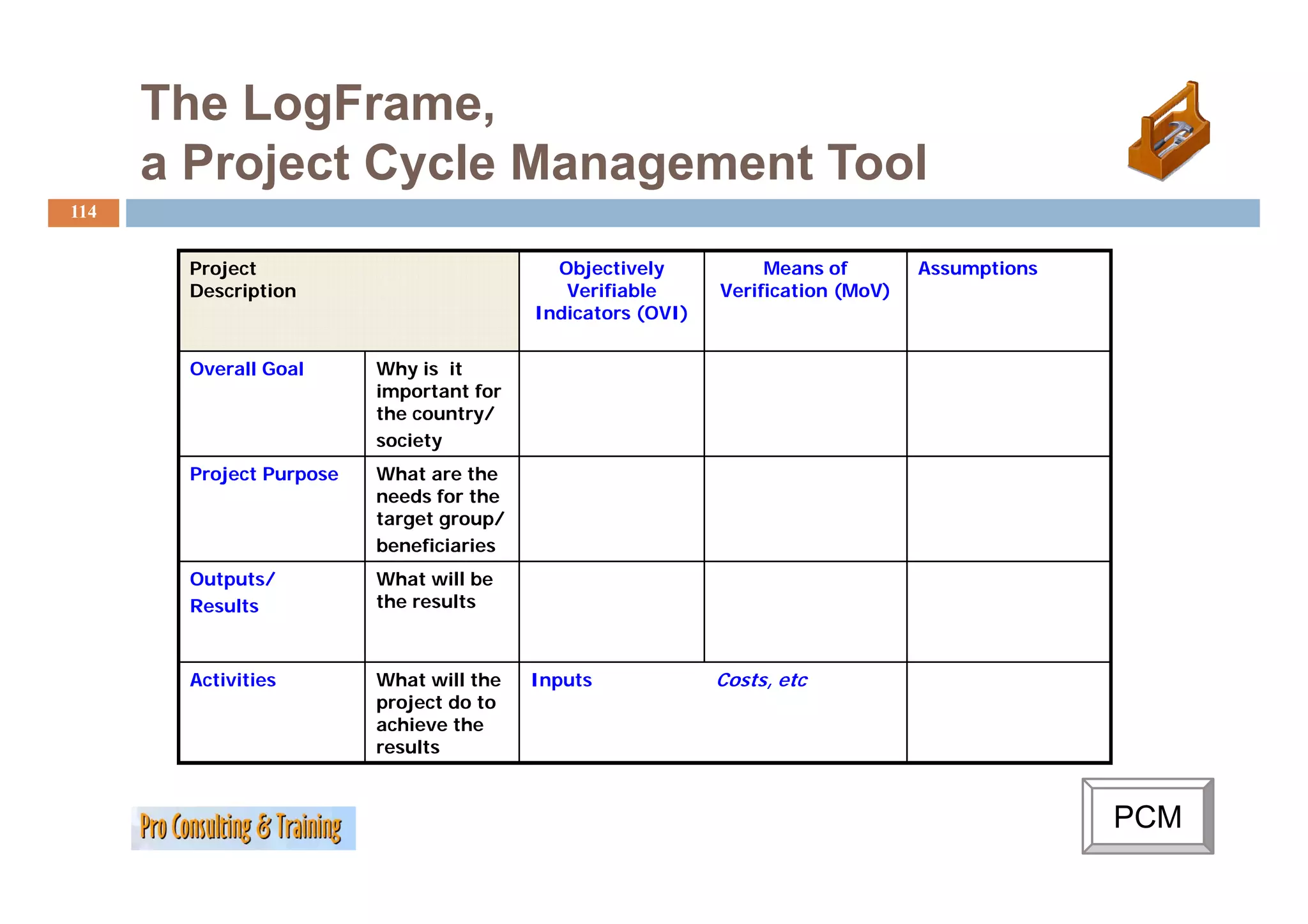
114
Project Objectively Means of Assumptions
Description Verifiable Verification (MoV)
Indicators (OVI)
Overall Goal Why is it
important for
the country/
society
Project Purpose What are the
needs for the
target group/
beneficiaries
Outputs/ What will be
Results the results
Activities What will the Inputs Costs, etc
project do to
achieve the
results
PCM
115.
The LogFrame, whatcan it be used for?
115
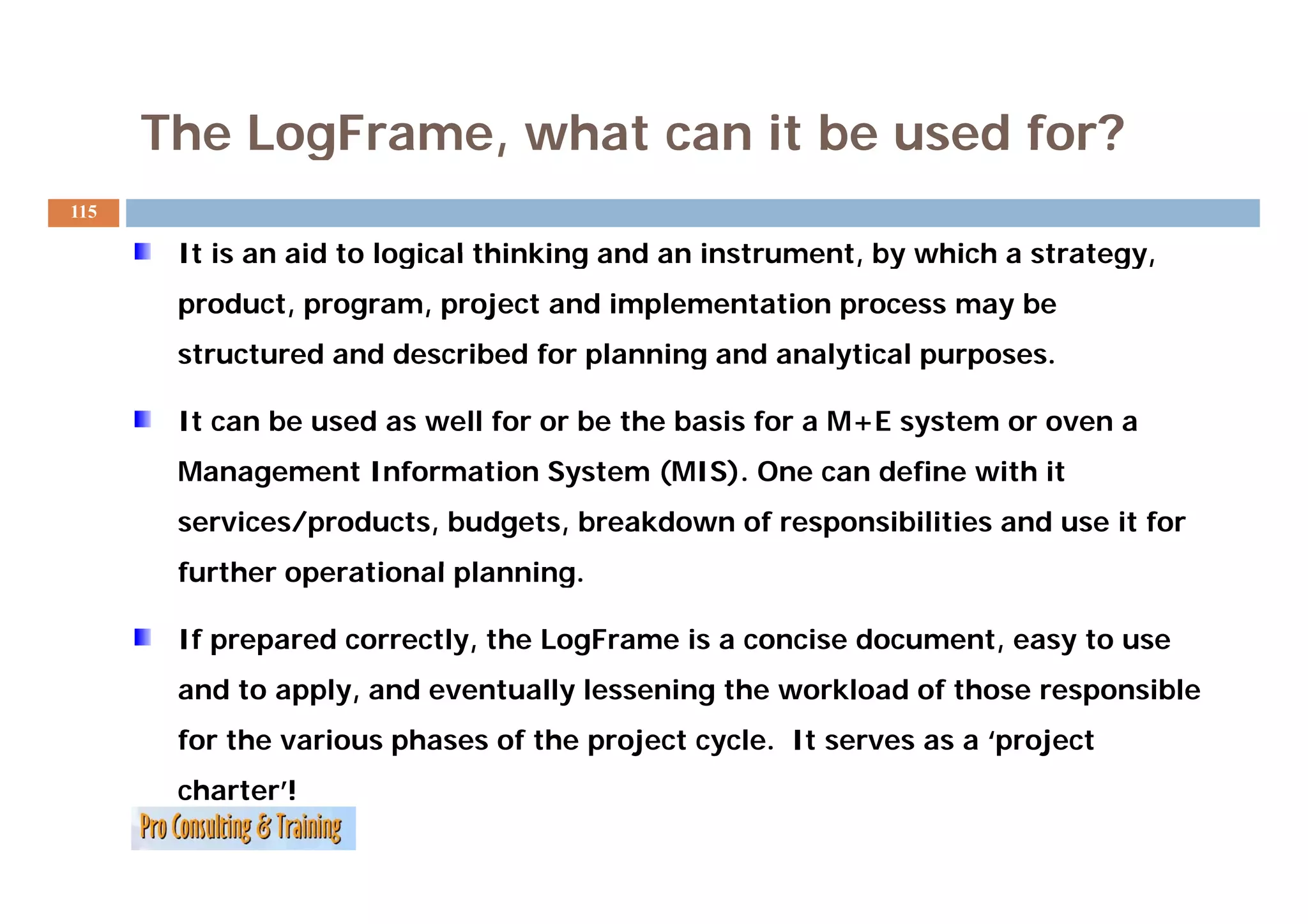
It is an aid to logical thinking and an instrument by which a strategy,
instrument, strategy
product, program, project and implementation process may be
structured and described for planning and analytical purposes.
purposes
It can be used as well for or be the basis for a M+E system or oven a
Management Information S t
M tI f ti System (MIS). One can define with it
(MIS) O d fi ith
services/products, budgets, breakdown of responsibilities and use it for
further operational planning.
planning
If prepared correctly, the LogFrame is a concise document, easy to use
and to apply, and eventually lessening the workload of those responsible
for the various phases of the project cycle. It serves as a ‘project
charter’!
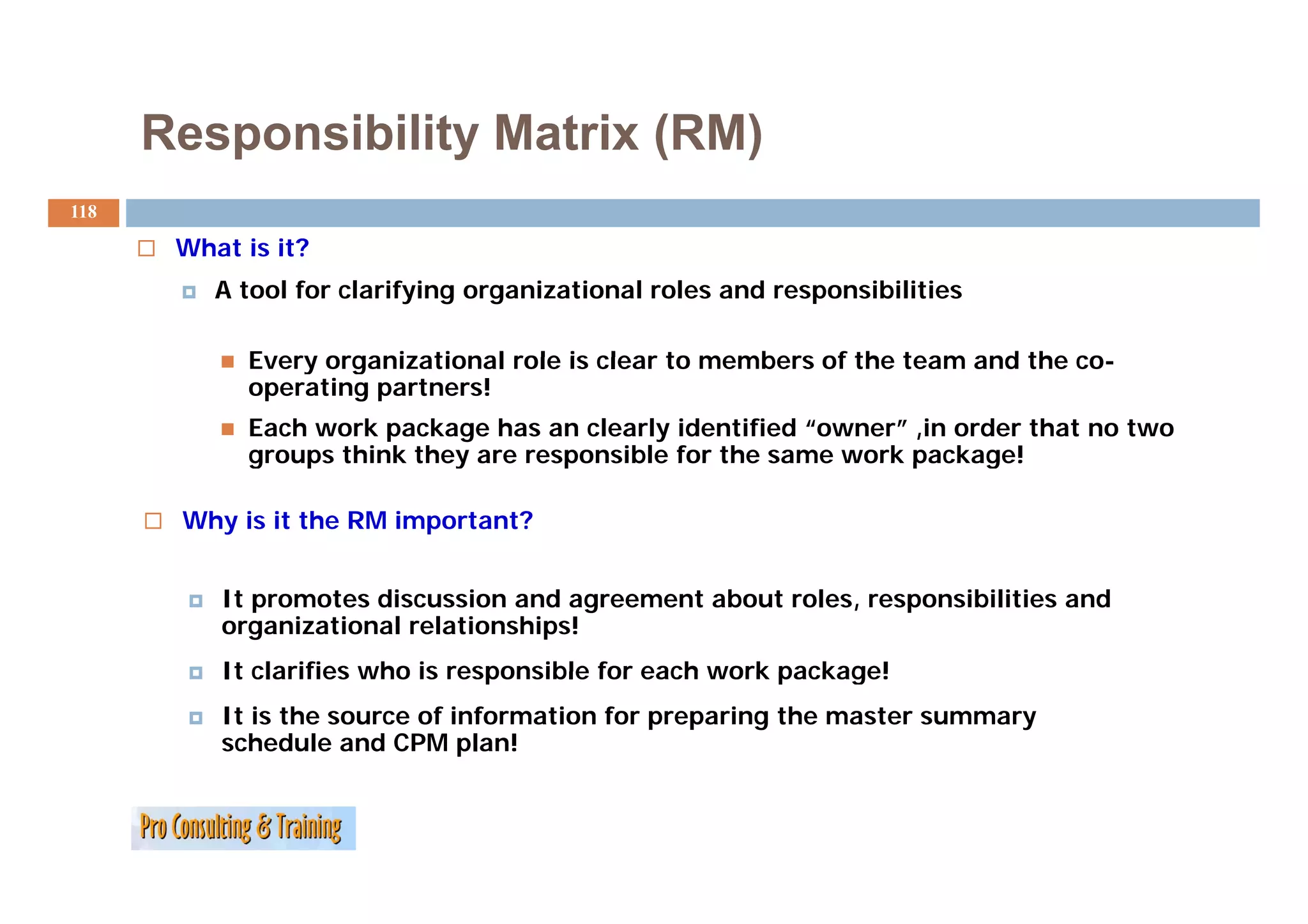
Responsibility Matrix (RM)
118
What is it?
A tool for clarifying organizational roles and responsibilities
Every organizational role is clear to members of the team and the co-
co
operating partners!
Each work package has an clearly identified “owner” ,in order that no two
groups think they are responsible for the same work package!
Why is it the RM important?
It promotes discussion and agreement about roles, responsibilities and
organizational relationships!
It clarifies who is responsible for each work package!
It is the source of information for preparing the master summary
schedule and CPM plan!
119.
Responsibility Matrix (RM)
119
Why is it the RM important?
It promotes discussion and agreement about roles,
responsibilities and organizational relationships!
It clarifies who i responsible for each work package!
l ifi h is ibl f h k k !
It is the source of information for preparing the master
summary schedule and CPM plan
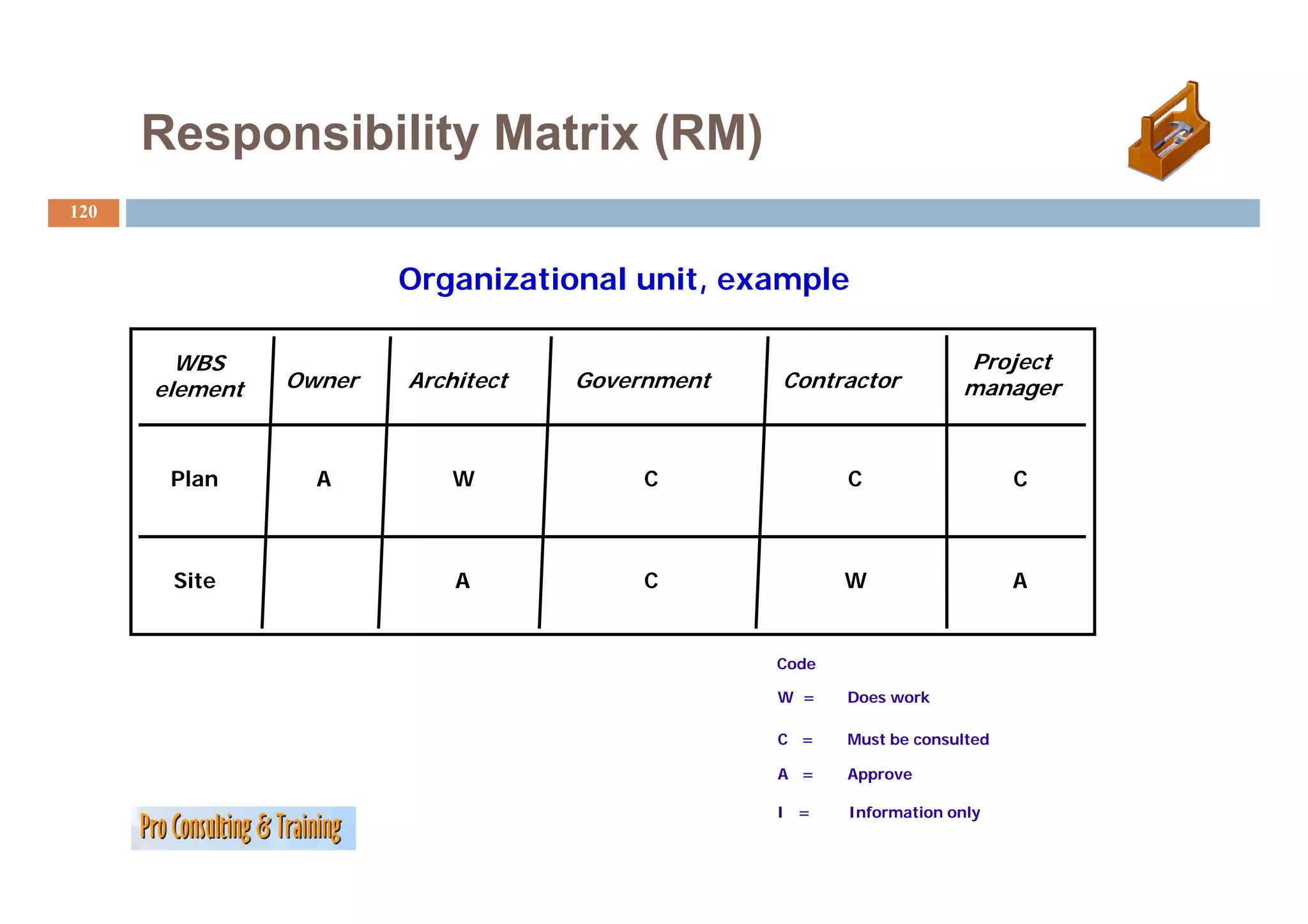
120.
Responsibility Matrix (RM)
120
Organizational unit, example
WBS Project
P oject
element Owner Architect Government Contractor manager
Plan A W C C C
Site A C W A
Code
W = Does work
C = Must be consulted
A = Approve
I = Information only
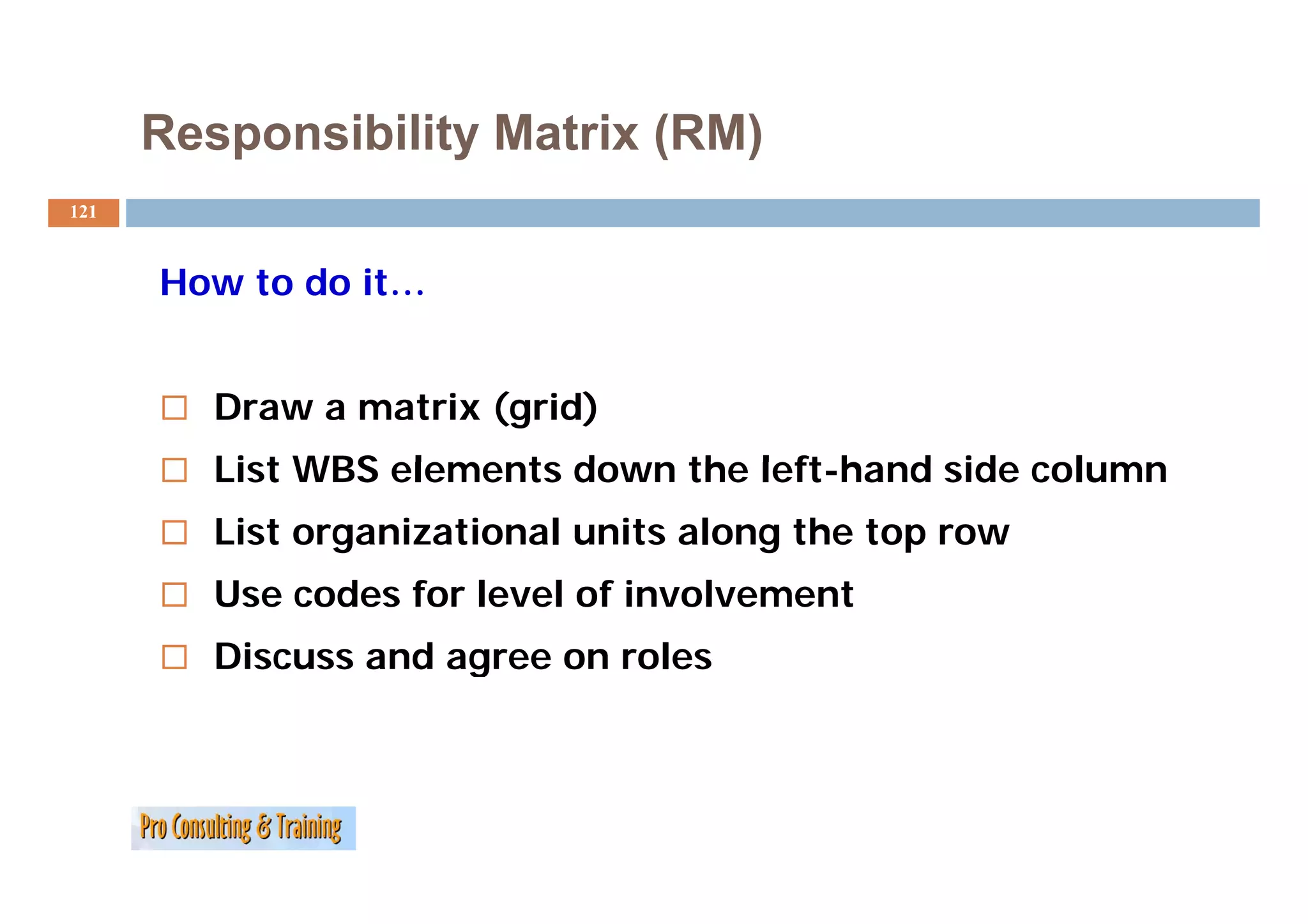
121.
Responsibility Matrix (RM)
121
How to do it…
Draw a matrix (grid)
List WBS elements down the left-hand side column
left hand
List organizational units along the top row
Use codes for level of involvement
Discuss and agree on roles
g
122.
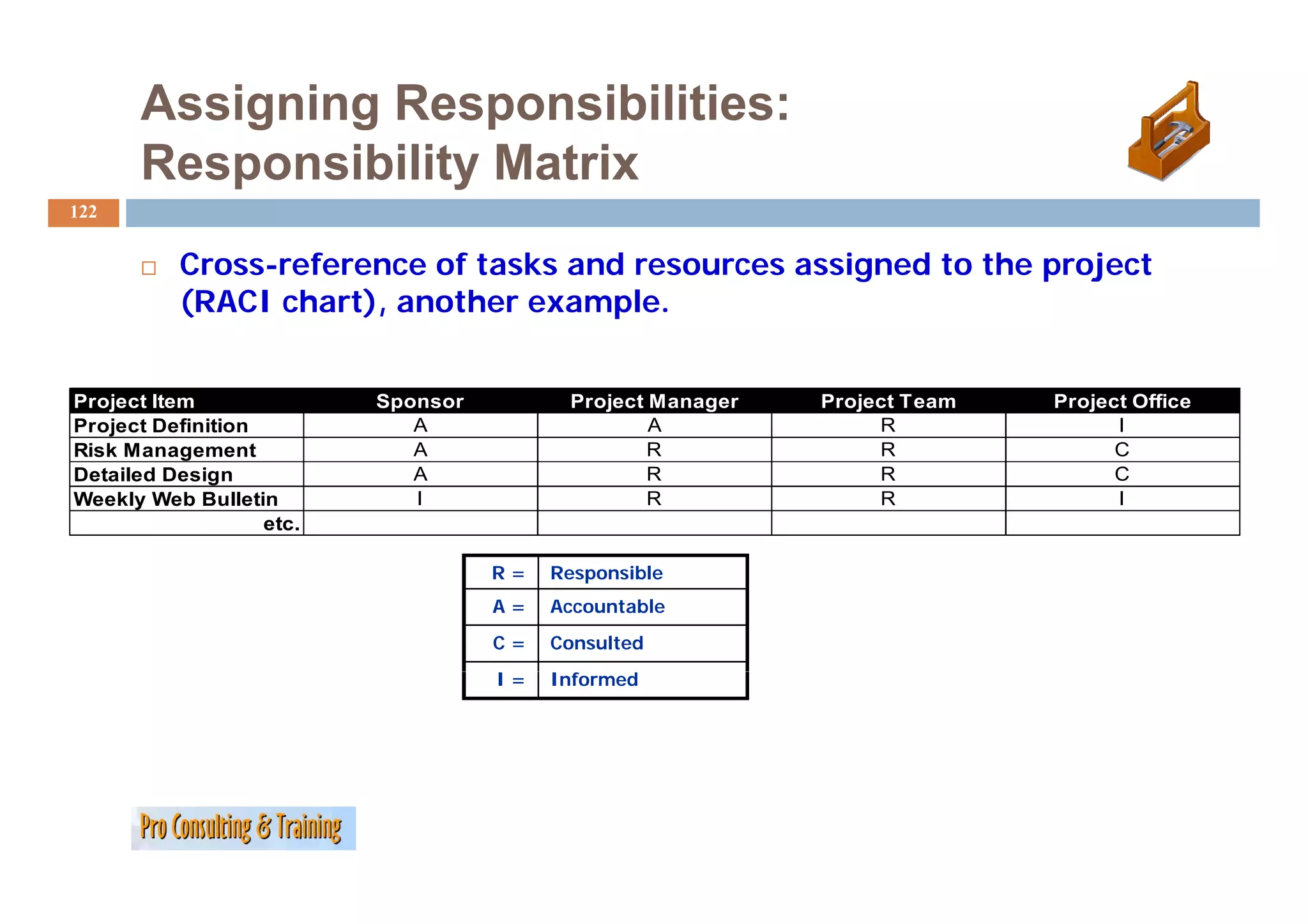
Assigning Responsibilities:
Responsibility Matrix
R ibilit M t i
122
Cross-reference of tasks and resources assigned to the project
C f f k d i d h j
(RACI chart), another example.
Project Item Sponsor Project Manager Project Team Project Office
Project Definition A A R I
Risk Management A R R C
Detailed Design A R R C
Weekly Web Bulletin I R R I
etc.
R= Responsible
R ibl
A= Accountable
C= Consulted
I= Informed
f
Work Breakdown Structures
124
Work B
W k Breakdown Structures (WBSs) help organize the activities
kd S (WBS ) h l i h i i i
required to meet the objectives of the project.
Focus is on deliverables!
May be organized by:
phase of the project
component
125.
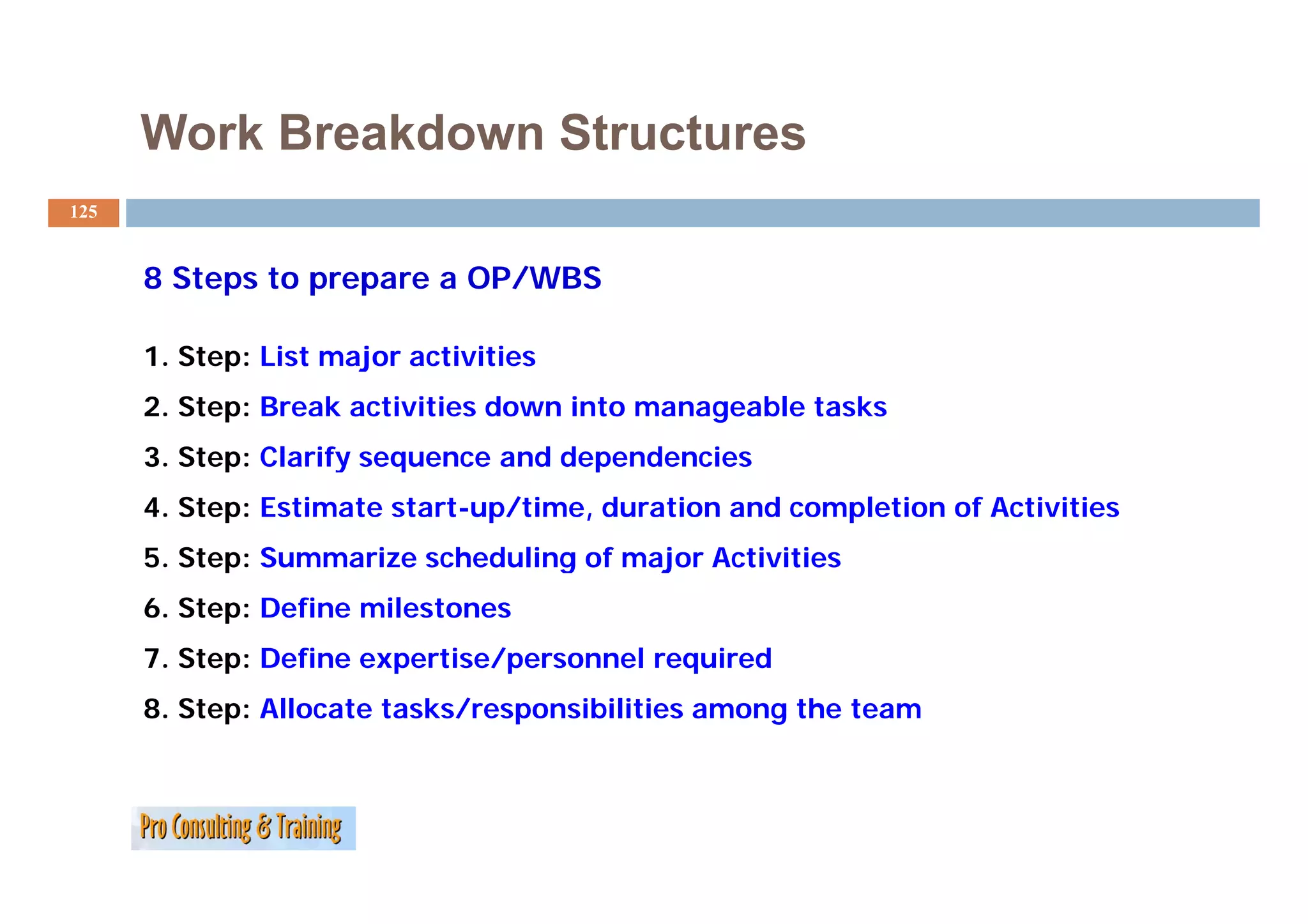
Work Breakdown Structures
125
8 Steps to prepare a OP/WBS
1.
1 Step: List major activities
2. Step: Break activities down into manageable tasks
3. Step: Clarify sequence and dependencies
4. Step: Estimate start-up/time, duration and completion of Activities
5. Step: Summarize scheduling of major Activities
6. Step: Define milestones
7. Step: Define expertise/personnel required
p p /p q
8. Step: Allocate tasks/responsibilities among the team
126.
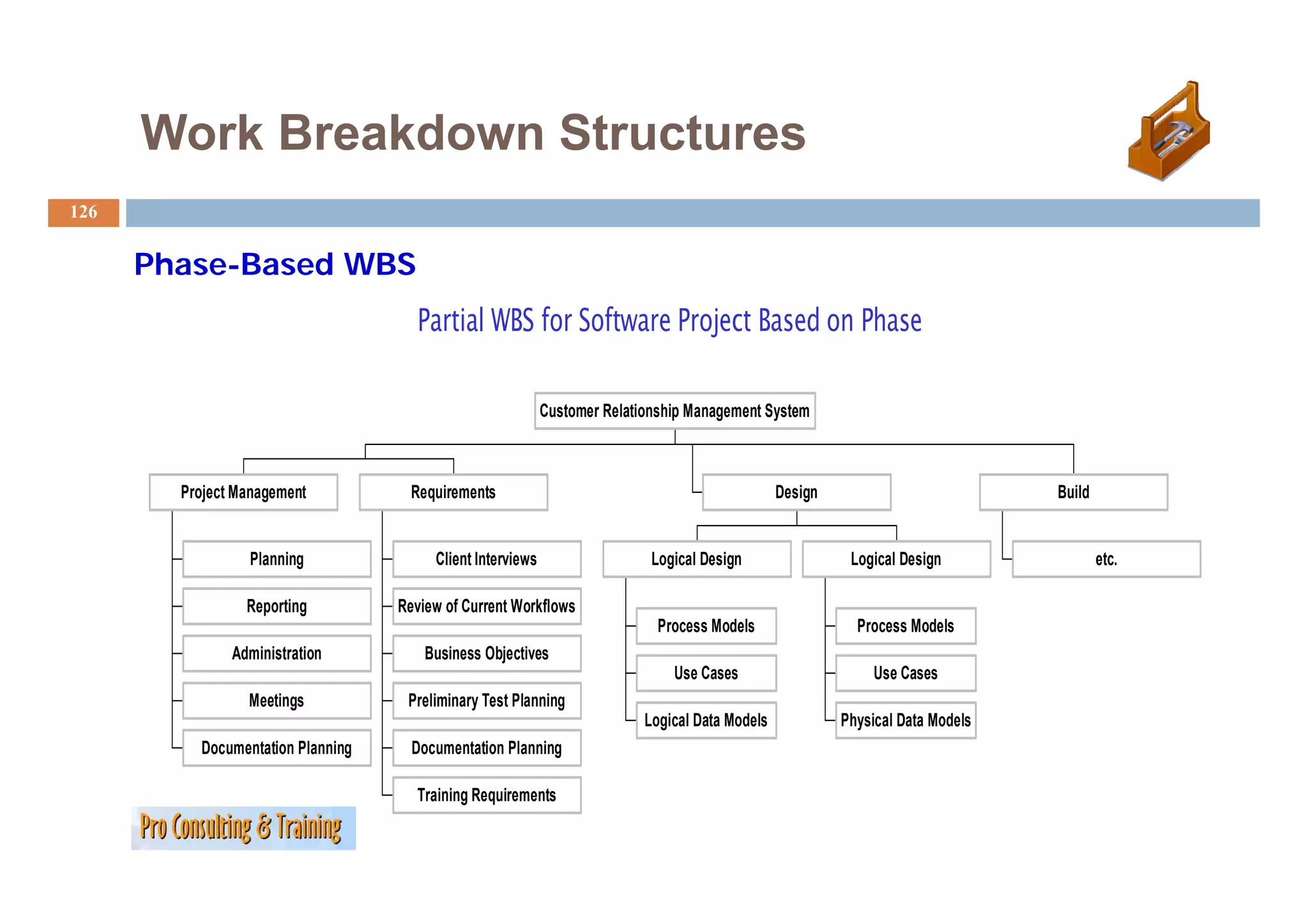
Work Breakdown Structures
126
Phase-Based WBS
Ph B d
Partial WBS for Software Project Based on Phase
Customer Relationship Management System
Project Management Requirements Design Build
Planning
g Client Interviews Logical Design
g g Logical Design
g g etc.
Reporting Review of Current Workflows
Process Models Process Models
Administration Business Objectives
Use Cases Use Cases
Meetings Preliminary Test Planning
Logical Data Models Physical Data Models
Documentation Planning Documentation Planning
Training Requirements
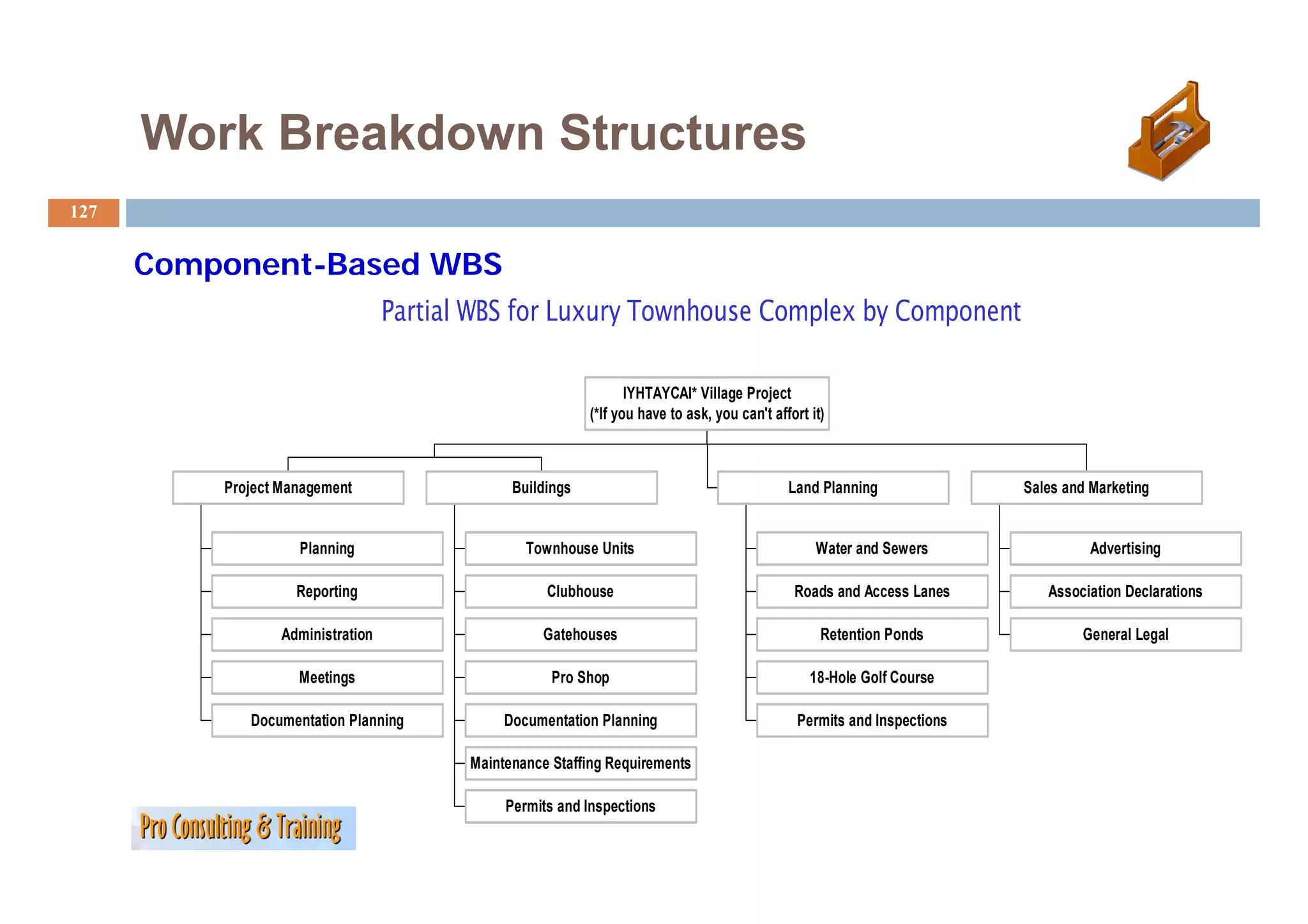
127.
Work Breakdown Structures
127
Component-Based WBS
C B d
Partial WBS for Luxury Townhouse Complex by Component
IYHTAYCAI* Village Project
(*If you have to ask, you can't affort it)
Project Management Buildings Land Planning Sales and Marketing
Planning Townhouse Units Water and Sewers Advertising
Reporting Clubhouse Roads and Access Lanes Association Declarations
Administration Gatehouses Retention Ponds General Legal
Meetings
M ti Pro Sh
P Shop 18-Hole Golf Course
18 H l G lf C
Documentation Planning Documentation Planning Permits and Inspections
Maintenance Staffing Requirements
Permits and Inspections
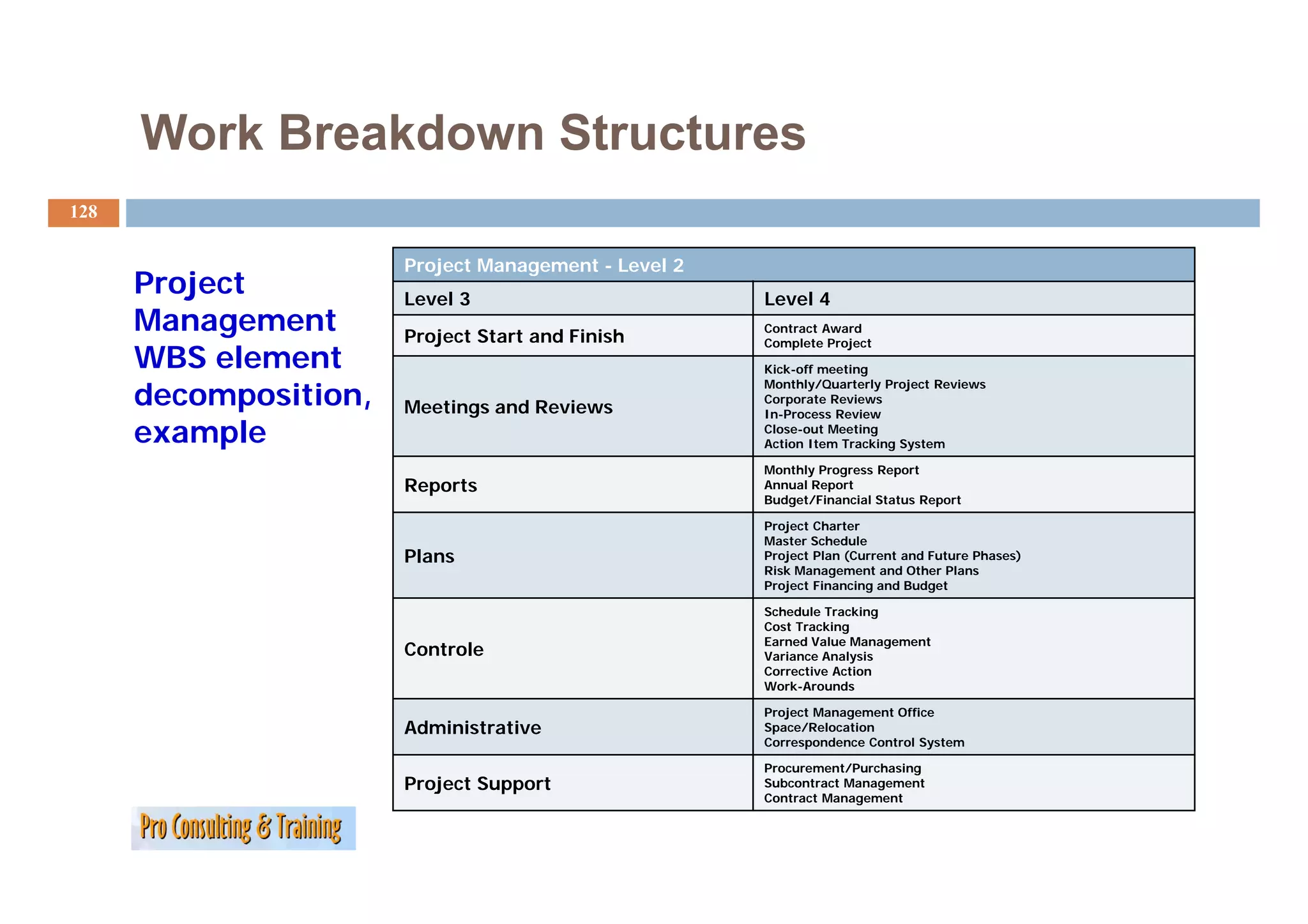
128.
Work Breakdown Structures
128
Project Management - Level 2
Project Level 3 Level 4
Management Project Start and Finish
Contract Award
Complete Project
WBS element Kick-off meeting
decomposition,
Monthly/Quarterly Project Reviews
Corporate Reviews
Meetings and Reviews In-Process Review
example Close-out Meeting
Action Item Tracking System
Monthly Progress Report
Reports Annual Report
Budget/Financial Status Report
Project Charter
Master Schedule
Plans Project Plan (Current and Future Phases)
Risk M
Ri k Management and Oth Pl
t d Other Plans
Project Financing and Budget
Schedule Tracking
Cost Tracking
Earned Value Management
Controle Variance Analysis
Corrective Action
Work-Arounds
Project Management Office
Administrative Space/Relocation
Correspondence Control System
Procurement/Purchasing
Project S
P j Support Subcontract Management
Contract Management
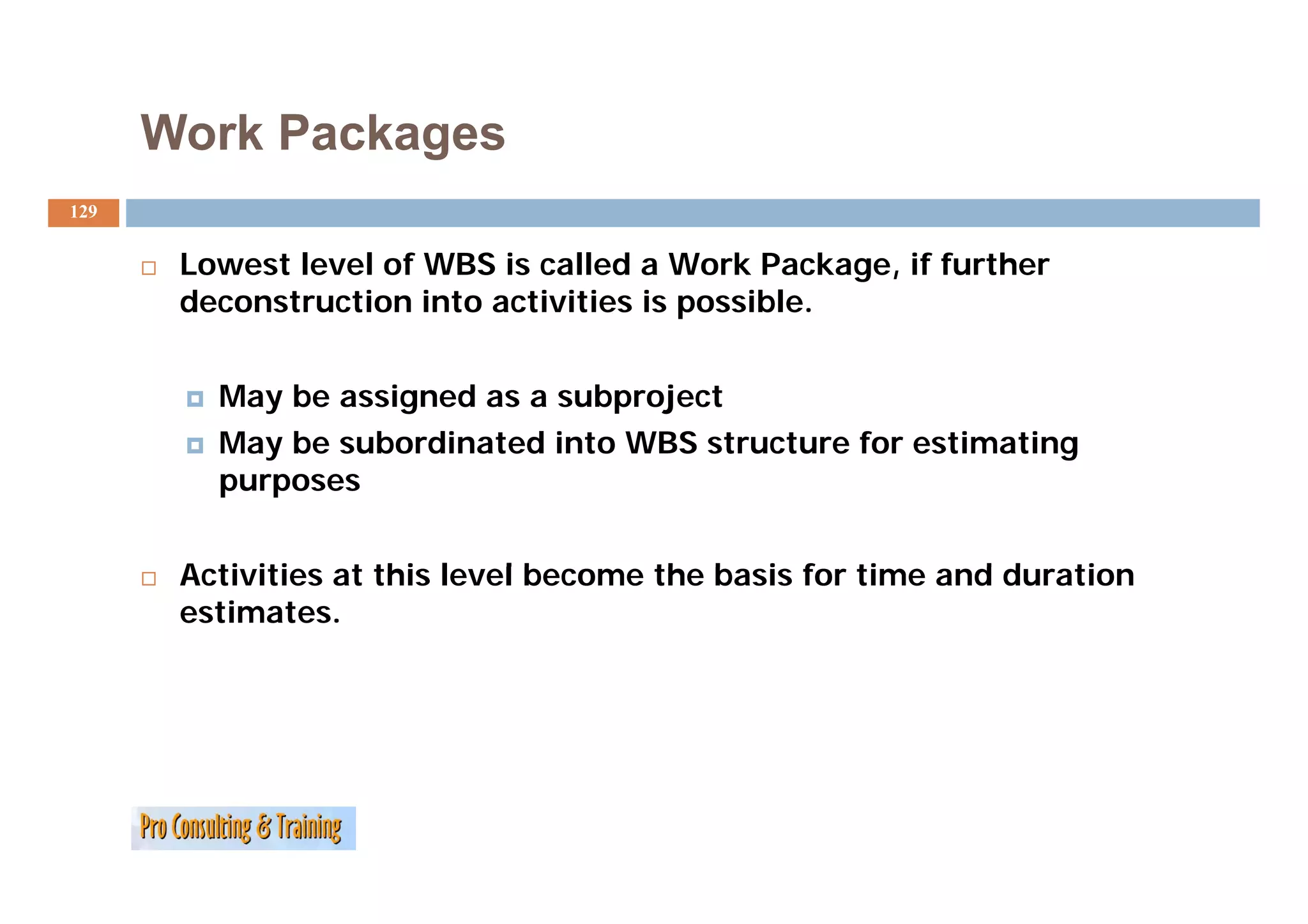
129.
Work Packages
129
Lowest l
L level of WBS i called a Work Package, if further
l f is ll d W k P k f h
deconstruction into activities is possible.
May be assigned as a subproject
May be subordinated into WBS structure for estimating
purposes
Activities t thi l
A ti iti at this level become the basis for time and duration
lb th b i f ti dd ti
estimates.
130.
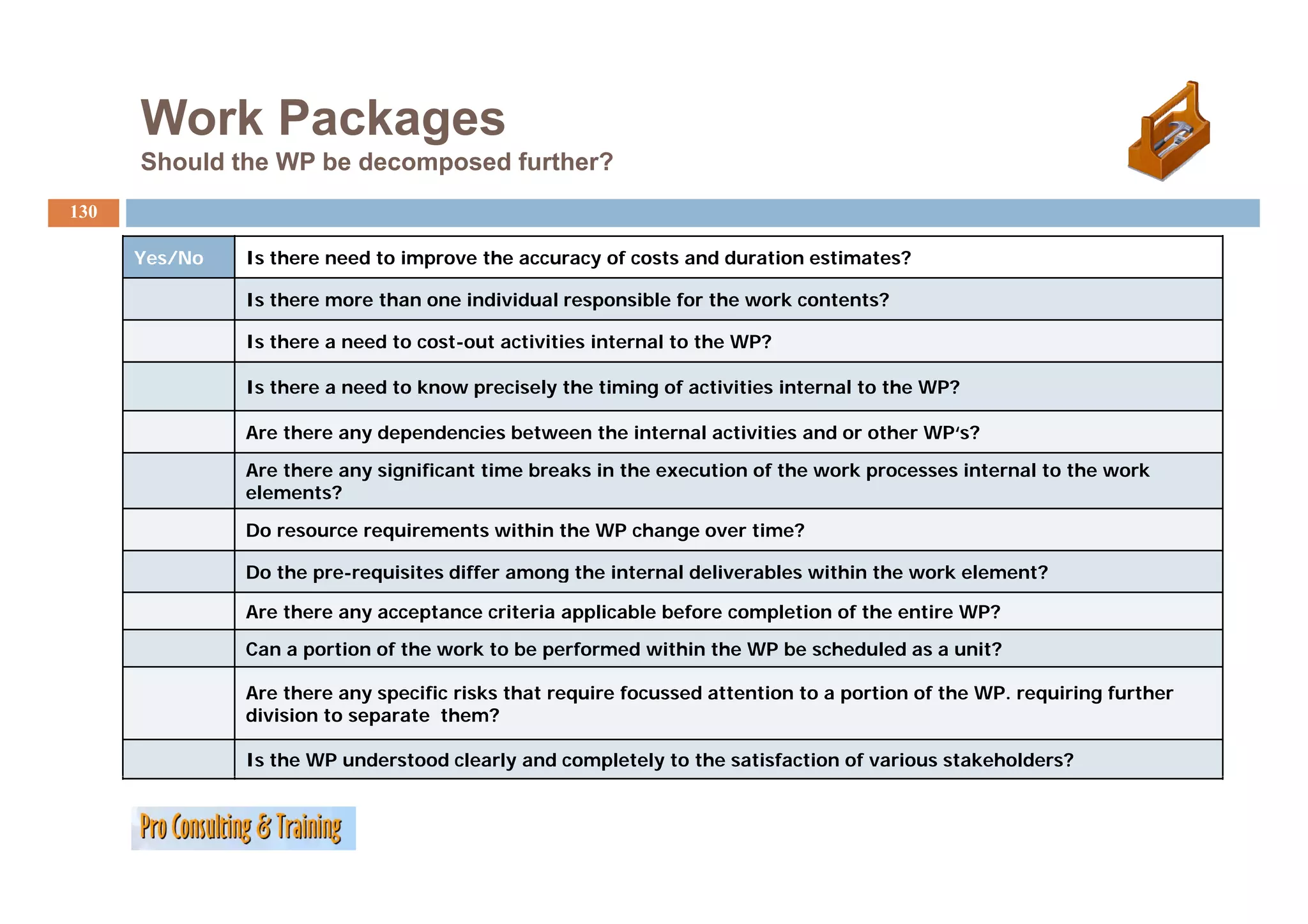
Work Packages
Should the WP be decomposed further?
130
Yes/No
Y /N Is there need t improve the accuracy of costs and duration estimates?
I th d to i th f t dd ti ti t ?
Is there more than one individual responsible for the work contents?
Is there a need to cost-out activities internal to the WP?
Is there a need to know precisely the timing of activities internal to the WP?
Are there any dependencies between the internal activities and or other WP‘s?
Are there any significant time breaks in the execution of the work processes internal to the work
elements?
Do resource requirements within the WP change over time?
Do the
D th pre-requisites differ among the internal deliverables within the work element?
i it diff th i t l d li bl ithi th k l t?
Are there any acceptance criteria applicable before completion of the entire WP?
Can a portion of the work to be performed within the WP be scheduled as a unit?
Are there any specific risks that require focussed attention to a portion of the WP. requiring further
division to separate them?
Is the WP understood clearly and completely to the satisfaction of various stakeholders?
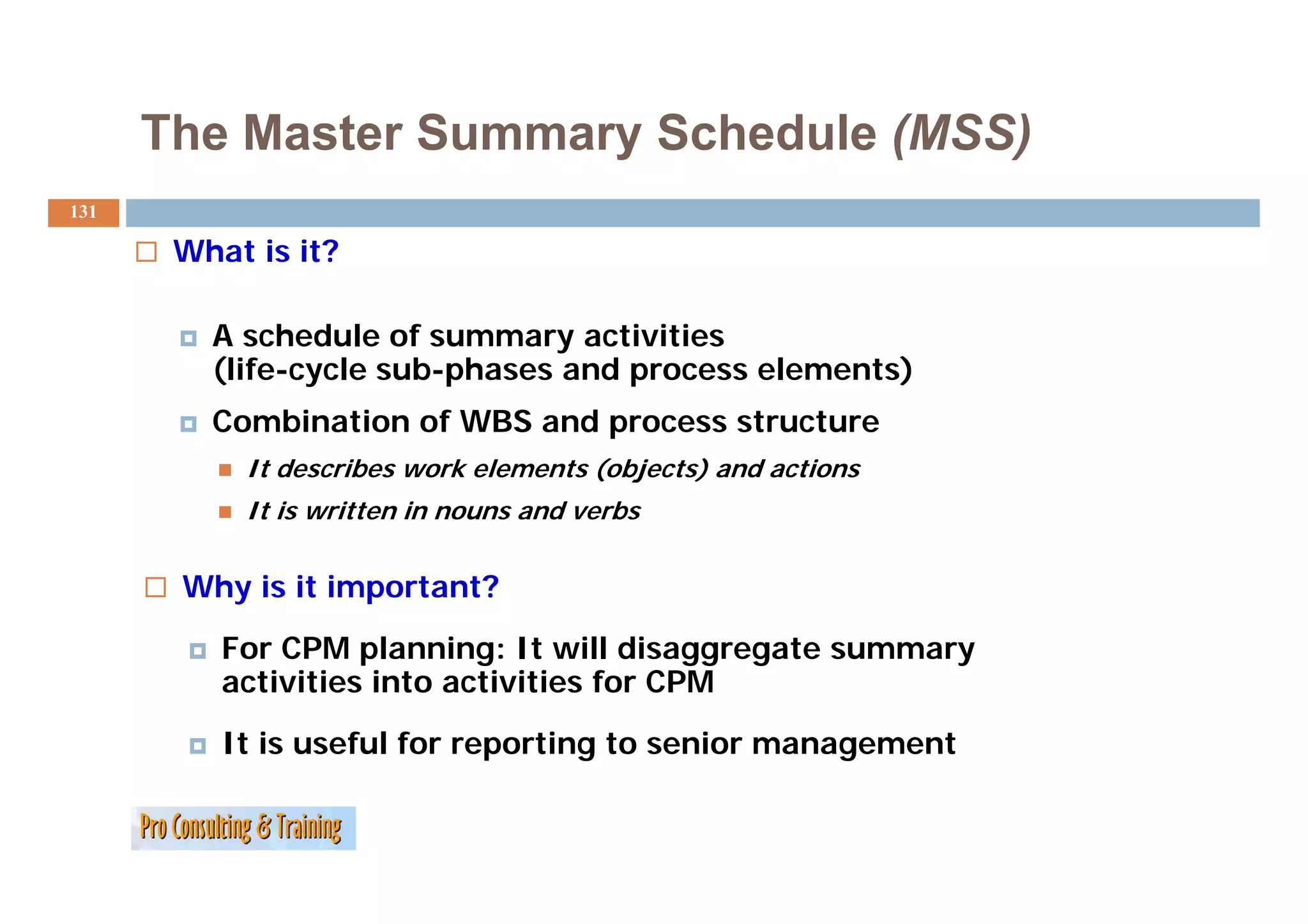
131.
The Master SummarySchedule (MSS)
131
What is it?
A schedule of summary activities
(life-cycle sub-phases and process elements)
(lif l b h d l )
Combination of WBS and process structure
It describes work elements (objects) and actions
d ib k l t ( bj t ) d ti
It is written in nouns and verbs
Why is it important?
For CPM planning: It will disaggregate summary
activities into activities for CPM
ti iti i t ti iti f
It is useful for reporting to senior management
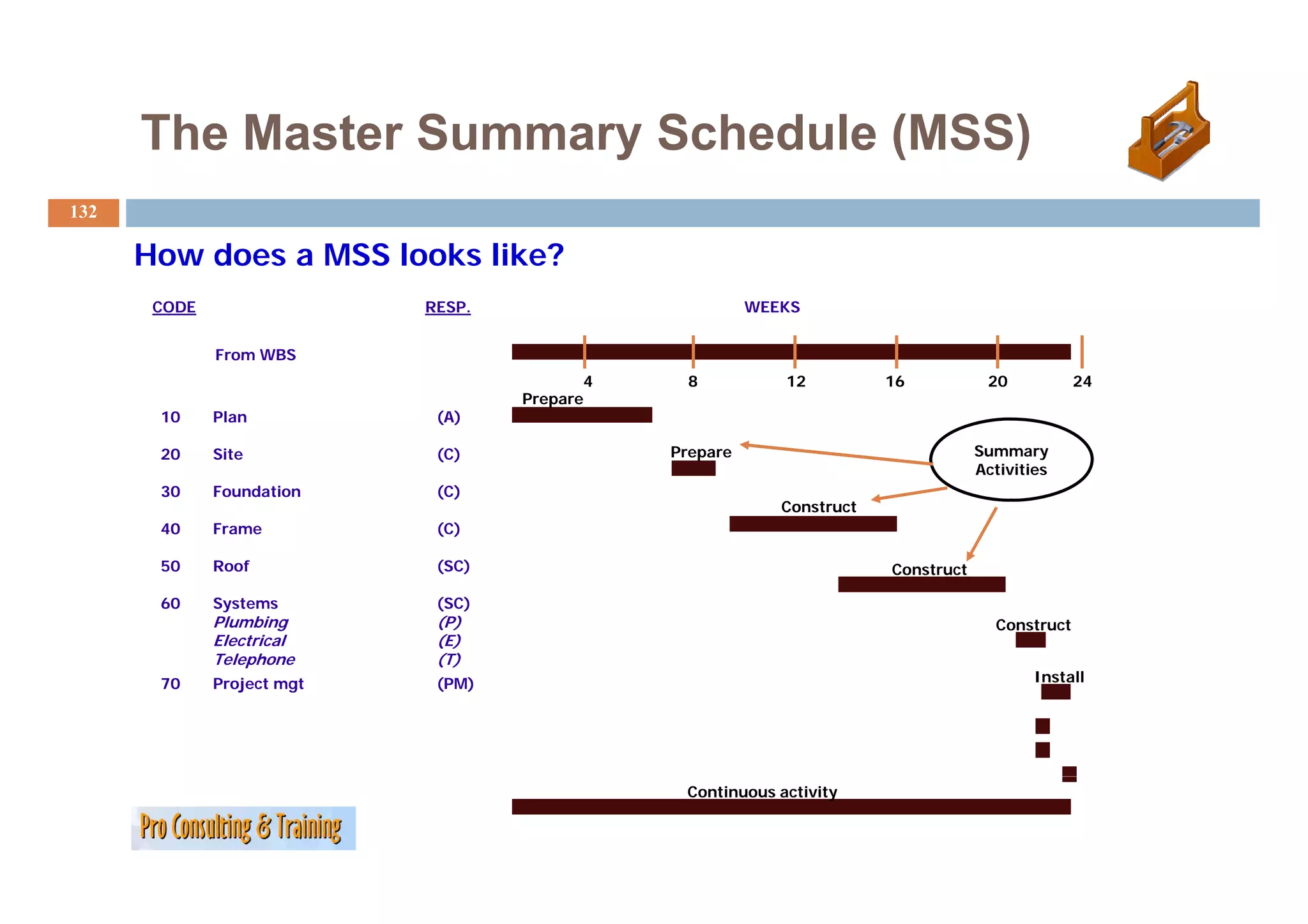
132.
The Master SummarySchedule (MSS)
132
How does a MSS looks like?
CODE RESP. WEEKS
From WBS
4 8 12 16 20 24
Prepare
10 Plan (A)
20 Site ( )
(C) Prepare Summary
Activities
30 Foundation (C)
Construct
40 Frame (C)
50 Roof (SC) Construct
60 Systems (SC)
Plumbing (P) Construct
Electrical (E)
Telephone (T)
70 Project mgt (PM) Install
I t ll
Continuous activity
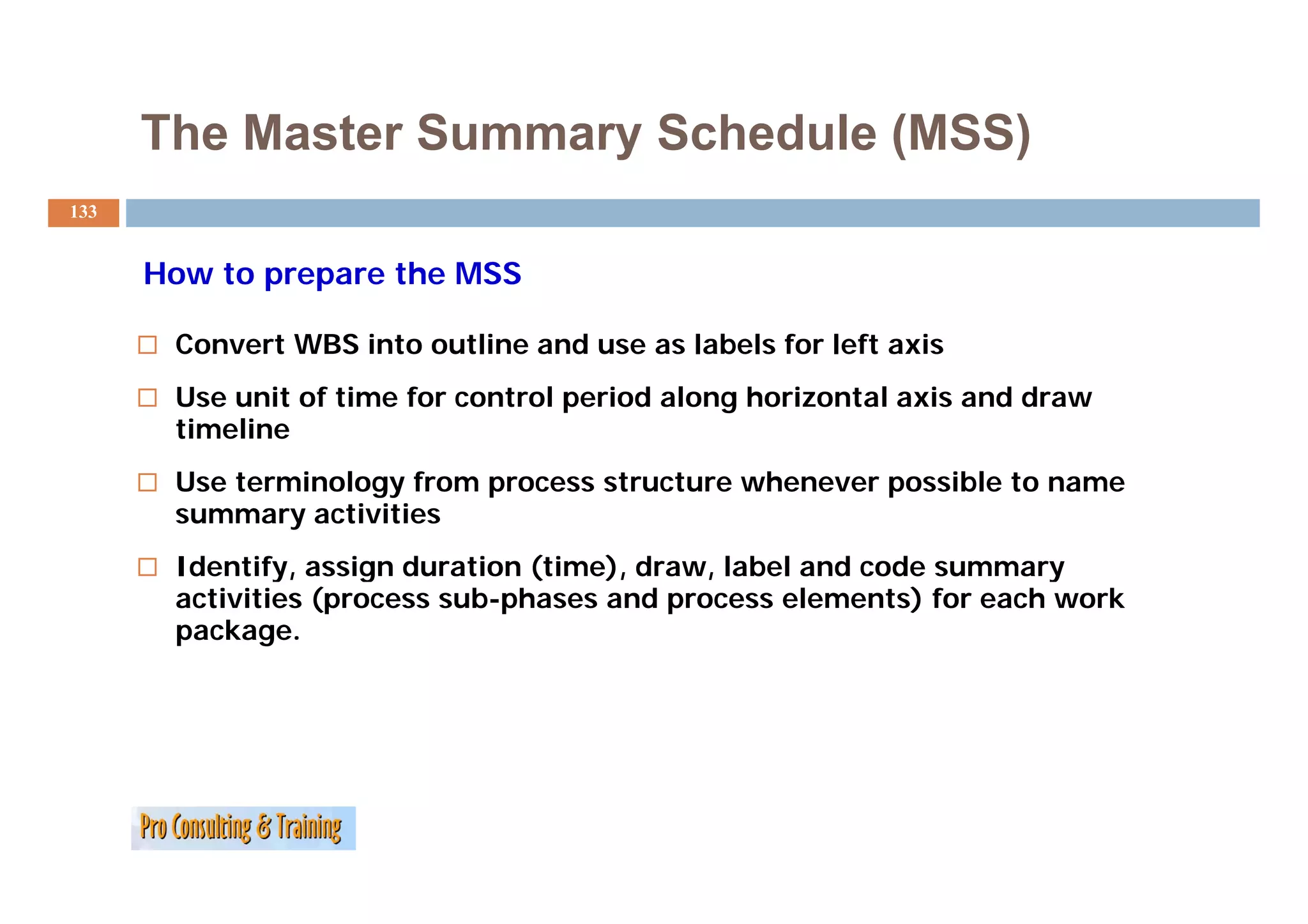
133.
The Master SummarySchedule (MSS)
133
How to prepare the MSS
Convert WBS into outline and use as labels for left axis
Use unit of time for control period along horizontal axis and draw
timeline
Use terminology from process structure whenever possible to name
summary activities
Identify,
Identify assign duration (time) draw, label and code summary
(time), draw
activities (process sub-phases and process elements) for each work
package.
134.
Summary
134
WBS Work breakdown structure Framework for planning budgets,
F kf l i b d t
schedules and control systems
MSS M t summary schedule
Master h d l Draft overall schedule
RM Responsibility matrix Clarify roles and responsibilities
Next step:
Detailed planning and scheduling and assigning resources at
the activity level
More Sources ofProject Activities:
UsingTemplates
136
Don’t reinvent the wheel!
As you get more projects under
your belt, work with other project teams to develop templates for
WBS’s to use as a starting point.
Remember, no two projects are ever exactly alike (remember the
“unique” in the definition of a project)! The template should be a
starting p
g point—to be tailored to the specific needs of the current
p
project.
Even with the time spent in tailoring, templates can be enormous
time-savers.
137.
Your Turn:
137
What is a RM and a WBS and how to manage
them?
…
…
…
…
…
...
Project Scheduling
139
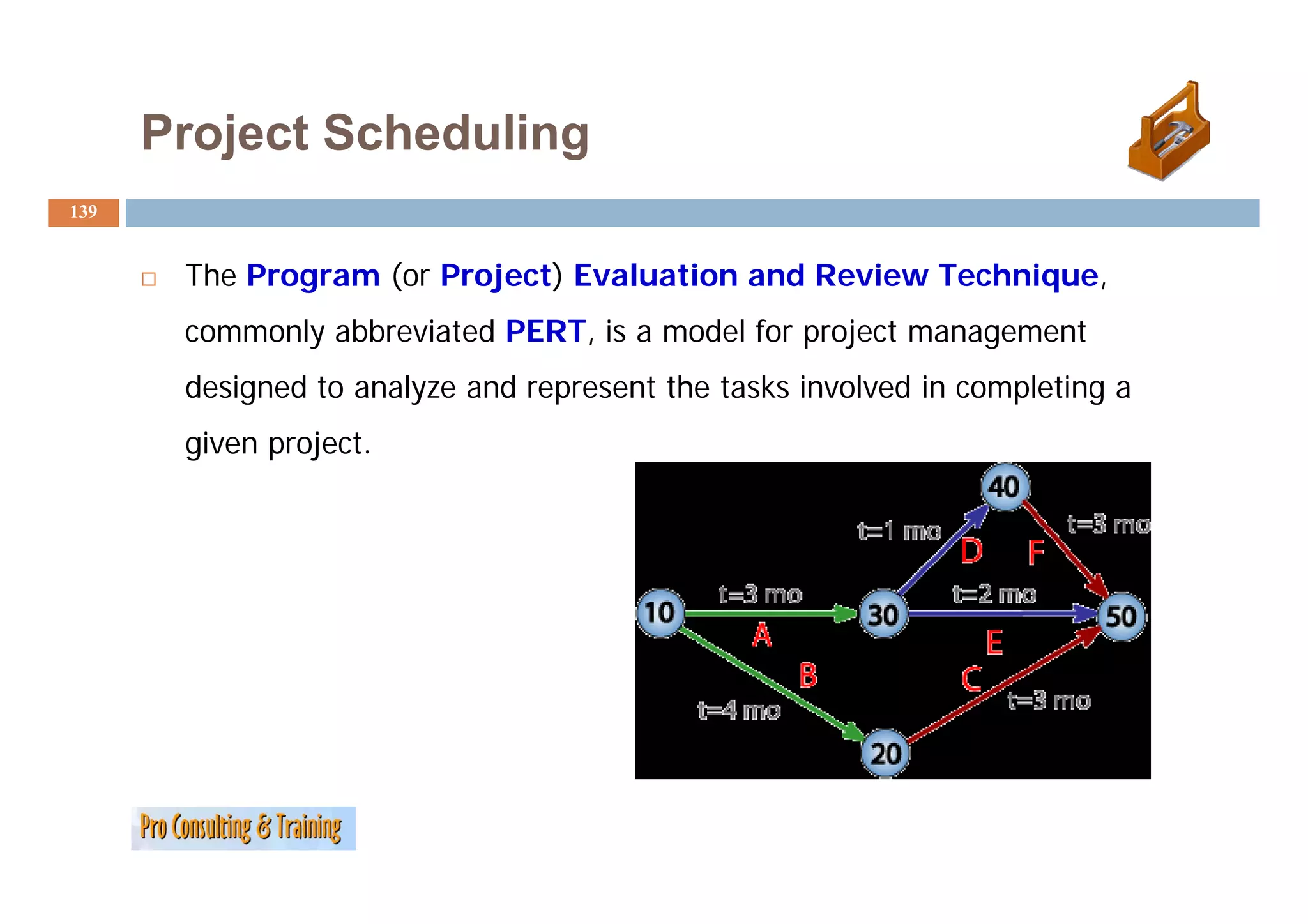
The Program (or Project) Evaluation and Review Technique,
commonly abbreviated PERT, is a model for project management
designed to analyze and represent the tasks involved in completing a
given project.
140.
Project Scheduling
140
PERT an overview
i
PERT is a method to analyze the involved tasks in completing a given project, especially the time
needed to complete each task and identifying the minimum time needed to complete the total
project.
PERT was developed primarily to simplify the planning and scheduling of large and complex
projects. It was able t i
j t bl to incorporate uncertainty b making it possible t schedule a project while
t t i t by ki ibl to h d l j t hil
not knowing precisely the details and durations of all the activities. It is more of an event-
oriented technique rather than start- and completion-oriented and it is used more in R&D-type
p ojects
projects where t e, rather t a cost, is t e major factor.
e e time, at e than s the ajo acto
This project model was the first of its kind, a revival for scientific management, founded in
Fordism and Taylorism. Only DuPont corporation's critical path method was invented at roughly
the
th same time as PERT.
ti PERT
The most recognizable feature of PERT is the "PERT Networks", a chart of interconnecting
timelines. PERT is intended for very large-scale, one-time, complex, non-routine projects.
y g , , p , p j
141.
Project Scheduling
141
Conventions
C ti
A PERT chart is a tool that facilitates decision making; The first draft of a PERT
chart will number its events sequentially in 10s (10 20 30 etc ) to allow the later
(10, 20, 30, etc.)
insertion of additional events.
Two consecutive events in a PERT chart are linked by activities which are
activities,
conventionally represented as arrows in the diagram above.
The events are presented in a logical sequence and no activity can commence until
its immediately preceding event is completed.
The planner decides which milestones should be PERT events and also decides
their “proper” sequence.
A PERT chart may have multiple pages with many sub-tasks.
y p p g y
142.
Project Scheduling
142
Terminology
A PERT event: is a point that marks the start or completion of one or more tasks. It
consumes no time and uses no resources. It marks the completion of one or more
tasks and is not “reached” until all of the activities leading to that event have been
reached
completed.
A predecessor event: an event (or events) that immediately precedes some other
event without any other events intervening. It may be the consequence of more than
intervening
one activity.
A successor event: an event (or events) that immediately follows some other event
without any other events intervening. It may be the consequence of more than one
ith t th t i t i b th f th
activity.
A PERT activity: is the actual performance of a task. It consumes time, it requires
resources and it can be understood as representing the time, effort, and resources
required to move from one event to another. A PERT activity cannot be completed
until the event preceding it has occurred.
143.
Project Scheduling
143
Terminology
Optimistic time (O): the minimum possible time required to accomplish a
task,
task assuming everything proceeds better than is normally expected
Pessimistic time (P): the maximum possible time required to accomplish a
task, assuming everything goes wrong (but excluding major catastrophes).
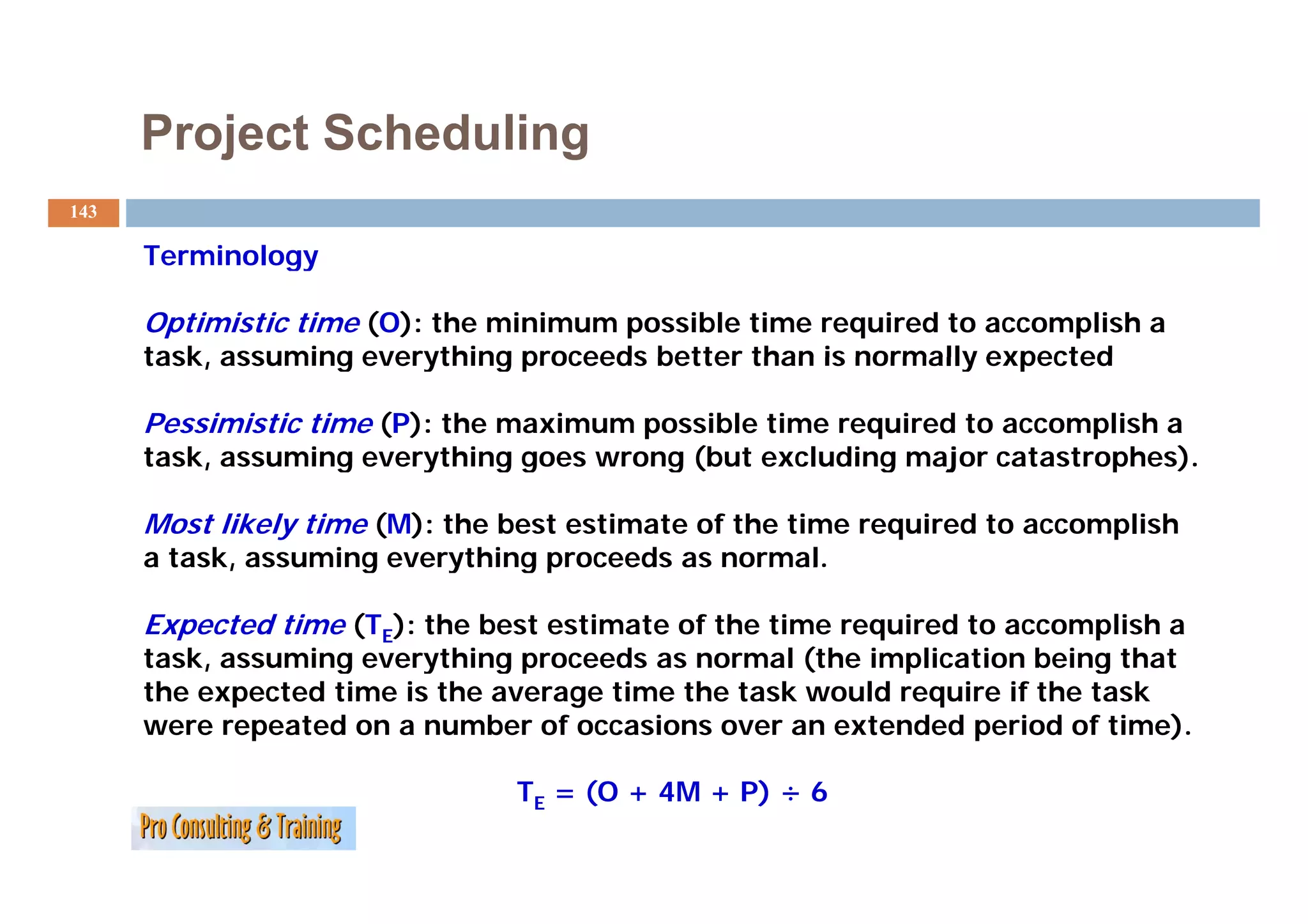
Most likely time (M): the best estimate of the time required to accomplish
a task, assuming everything proceeds as normal.
Expected time (TE): the best estimate of the time required to accomplish a
task, assuming everything p
, g y g proceeds as normal ((the implication being that
p g
the expected time is the average time the task would require if the task
were repeated on a number of occasions over an extended period of time).
TE = (O + 4M + P) ÷ 6
144.
Project Scheduling
144
Critical Path: the longest possible continuous pathway taken from the initial
event to the terminal event. It determines the total calendar time required
for the project; and, therefore, any time delays along the critical path will
delay the
d l th reaching of th terminal event by at least the same amount.
hi f the t i l tb tl t th t
Critical Activity: An activity that has total float equal to zero. Activity with
zero float does not mean it is on critical path.
path
Lead time : the time by which a predecessor event must be completed in
order to allow sufficient time for the activities that must elapse before a
specific PERT event is reached to be completed.
Lag time: the earliest time by which a successor event can follow a specific
PERT event.
145.
Project Scheduling
145
Slack: the slack of an event is a measure of the excess time and resources
available in achieving this event. Positive slack(+) would indicate ahead of
schedule; negative slack would indicate behind schedule; and zero slack
would indicate on schedule.
Fast tracking: performing more critical activities in p
g p g parallel
Crashing critical path: Shortening duration of critical activities
Float or Slack is the amount of time that a task in a project network can be
delayed without causing a delay - Subsequent tasks – (free float) or Project
Completion – (total float)
146.
Project Scheduling
146
Implementing PERT
I l ti
The first step to scheduling the project is to determine the tasks that the
project requires and the order in which they must be completed. The order
completed
may be easy to record for some tasks (e.g.
When building a house the land must be graded before the foundation can
house,
be laid) while difficult for others (There are two areas that need to be
graded, but there are only enough bulldozers to do one).
Additionally, the time estimates usually reflect the normal, non-rushed
time. Many times, the time required to execute the task can be reduced for
an additional cost or a reduction in the quality.
147.
Project Scheduling
147
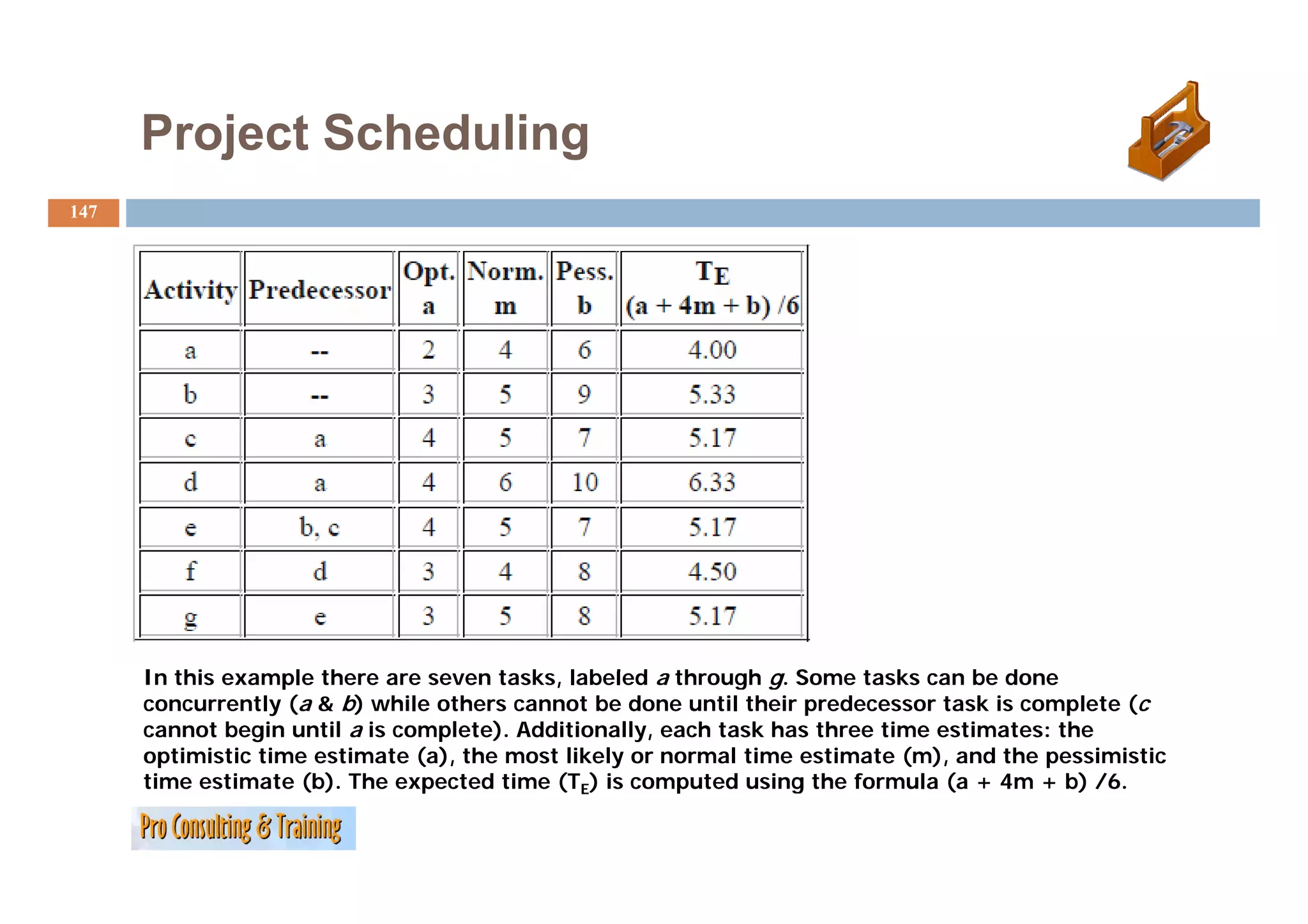
I thi example there are seven tasks, labeled a th
In this l th t k l b l d through g. S
h Some t k can be done
tasks b d
concurrently (a & b) while others cannot be done until their predecessor task is complete (c
cannot begin until a is complete). Additionally, each task has three time estimates: the
optimistic time estimate (a), the most likely or normal time estimate (m), and the pessimistic
time estimate (b). The expected time (TE) i computed using th formula ( + 4 + b) /6.
ti ti t (b) Th t d ti is t d i the f l (a 4m /6
148.
Project Scheduling
148
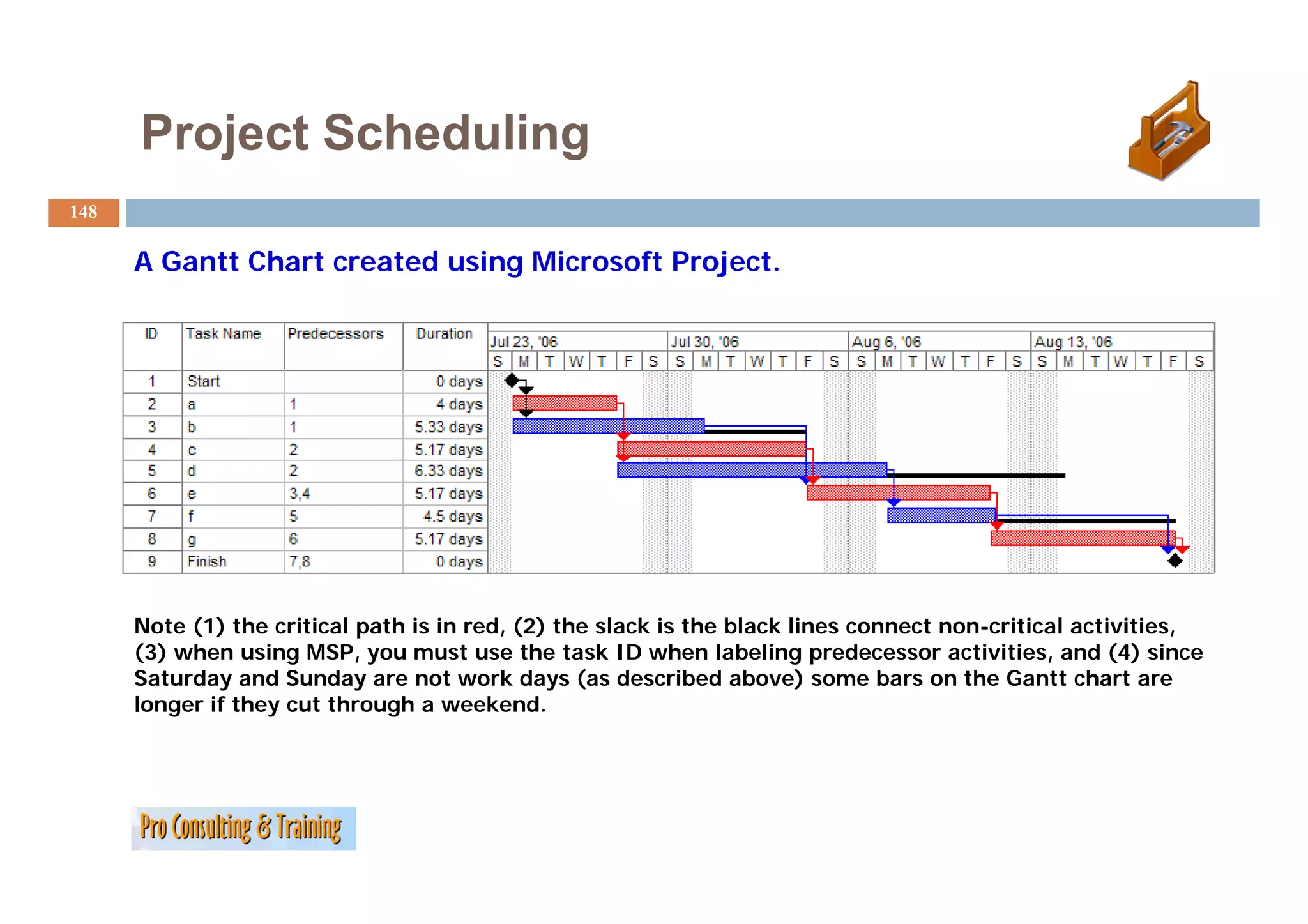
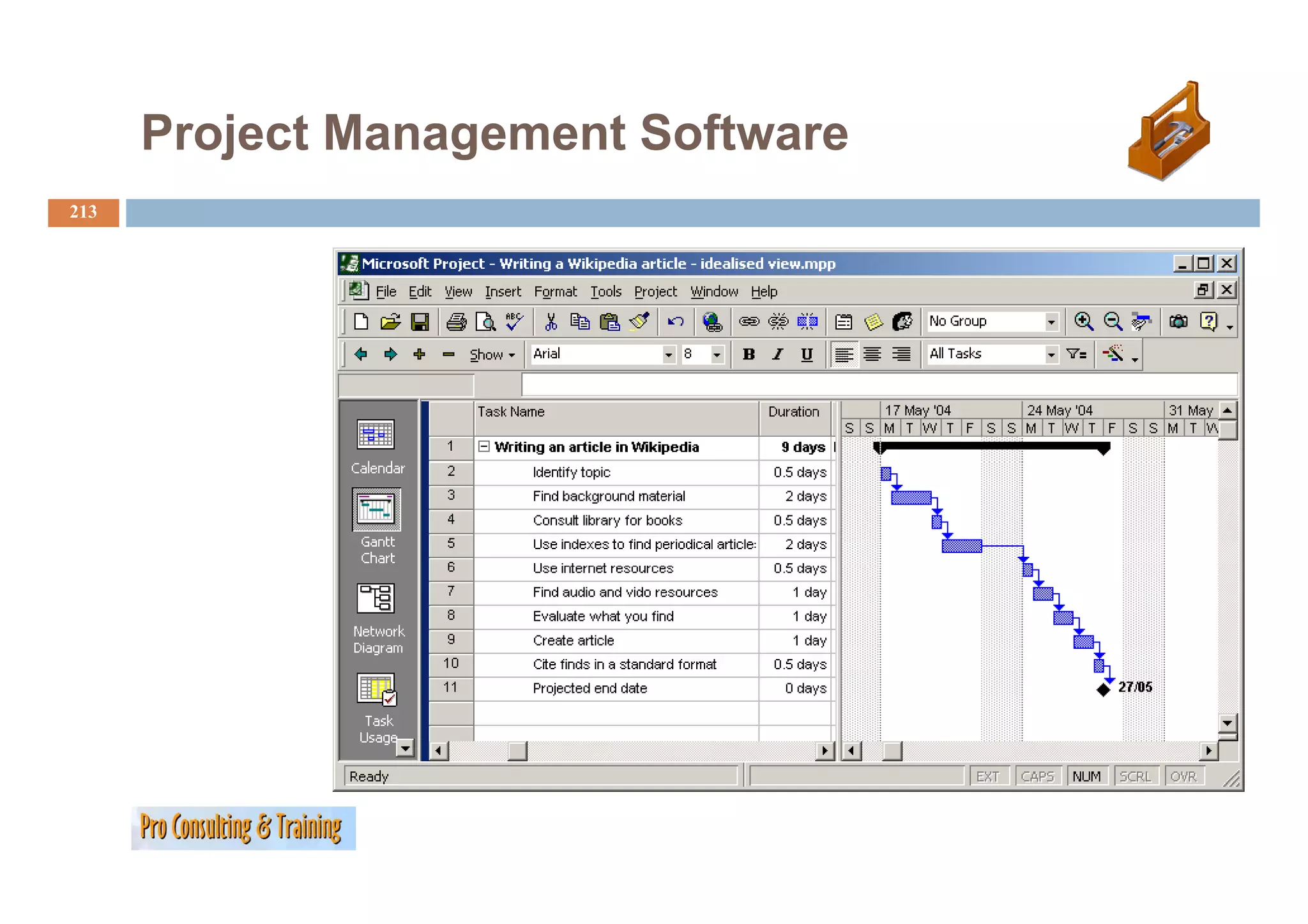
A Gantt Chart created using Microsoft Project.
G tt Ch t t d i Mi ft P j t
Note (1) the critical path is in red, (2) the slack is the black lines connect non-critical activities,
(3) when using MSP, you must use the task ID when labeling predecessor activities, and (4) since
Saturday
S t d and Sunday are not work days ( d
dS d t kd (as described above) some b
ib d b ) bars on th G tt chart are
the Gantt h t
longer if they cut through a weekend.
149.
Project Scheduling
149
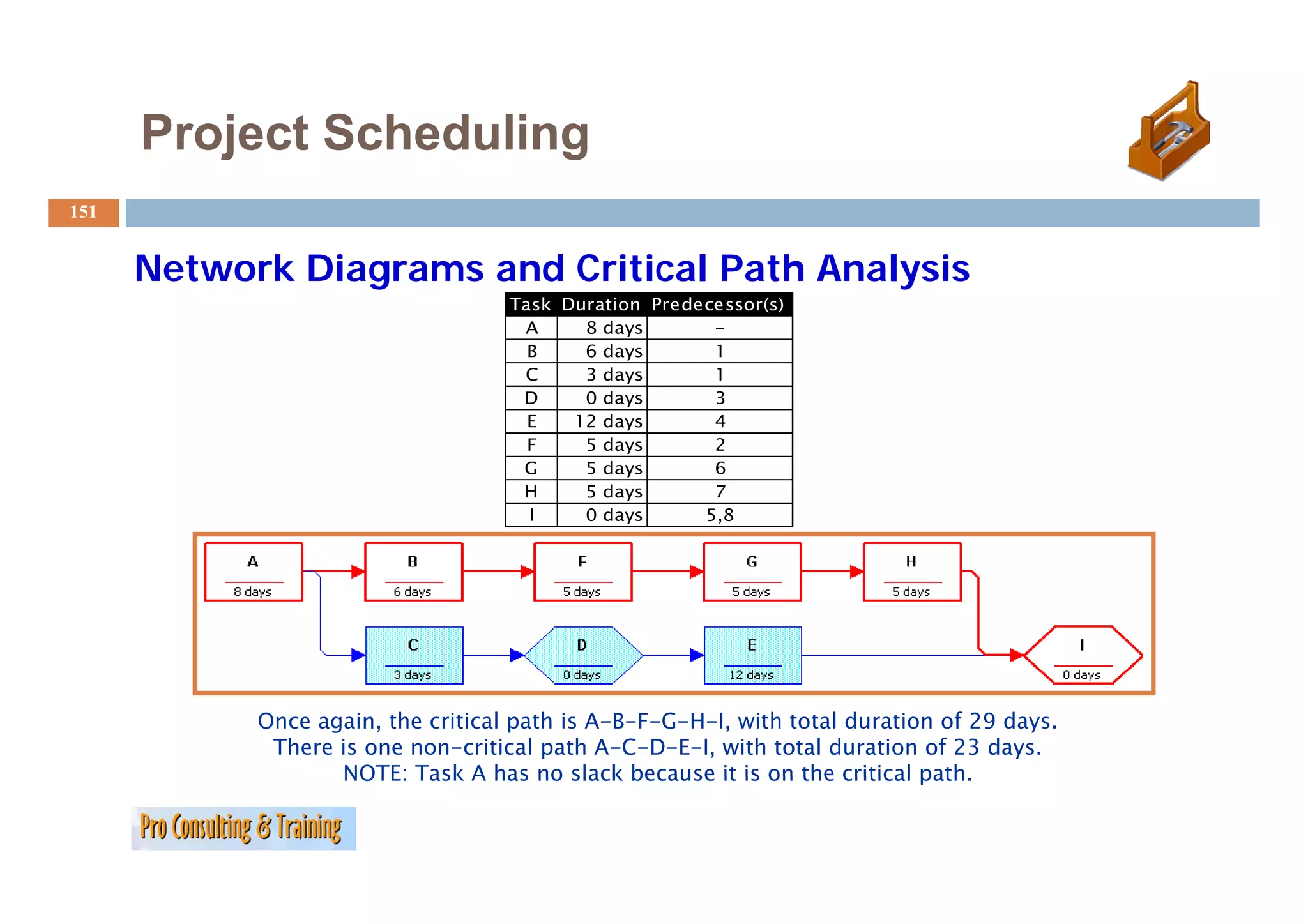
Network Diagrams and Critical Path Analysis
Once you’ve determined the activities for the project and estimated
their durations, network diagrams are the next step for creating
the project schedule.
There are t
Th two types:
t
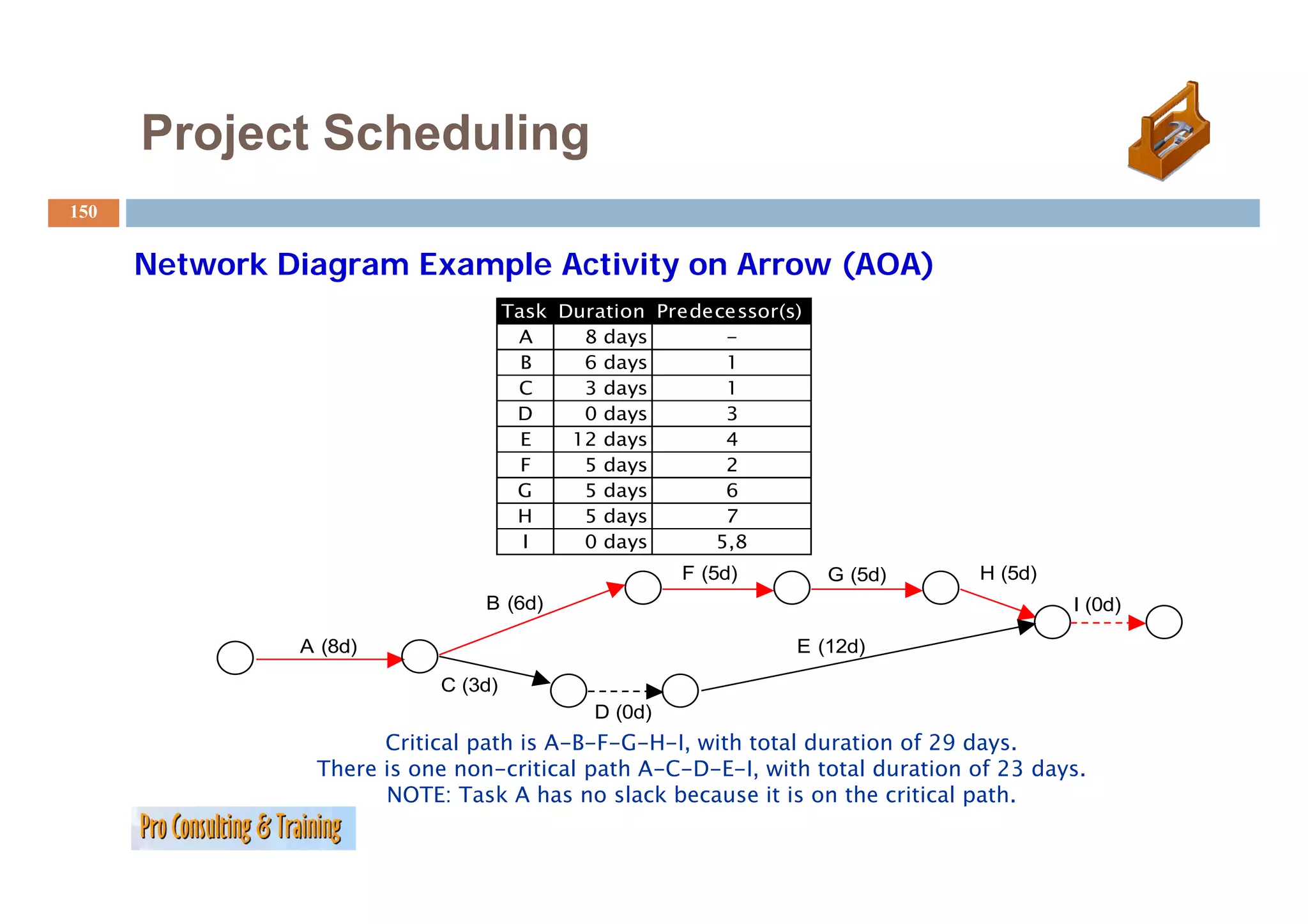
1. Activity on Arrow (AOA) - nodes on the diagram connect
arrows and represent activities
2.
2 Activity
A ti it on Node (AON) - nodes represent activities that are
N d d t ti iti th t
connected by arrows showing the precedence of activities
150.
Project Scheduling
150
Network Diagram Example Activity on Arrow (AOA)
N k Di E l A i i A
Task Duration Predecessor(s)
A 8 days -
B 6ddays 1
C 3 days 1
D 0 days 3
E 12 days 4
F 5 days 2
G 5 days 6
H 5 days 7
I 0 days 5,8
F (5d) G (5d) H (5d)
B (6d) I (0d)
A (8d) E (12d)
C (3d)
D (0d)
Critical path is A-B-F-G-H-I, with total duration of 29 days.
There is one non-critical path A-C-D-E-I, with total duration of 23 days.
p C , 3 y
NOTE: Task A has no slack because it is on the critical path.
151.
Project Scheduling
151
Network Diagrams and Critical Path Analysis
Task Duration Predecessor(s)
A 8 days -
B 6 days 1
C 3 days 1
D 0 days 3
E 12 days 4
F 5 days 2
G 5ddays 6
H 5 days 7
I 0 days 5,8
Once again, the critical path is A-B-F-G-H-I, with total duration of 29 days.
There is one non-critical path A-C-D-E-I, with total duration of 23 days.
NOTE: Task A has no slack because it is on the critical path
path.
Project Scheduling
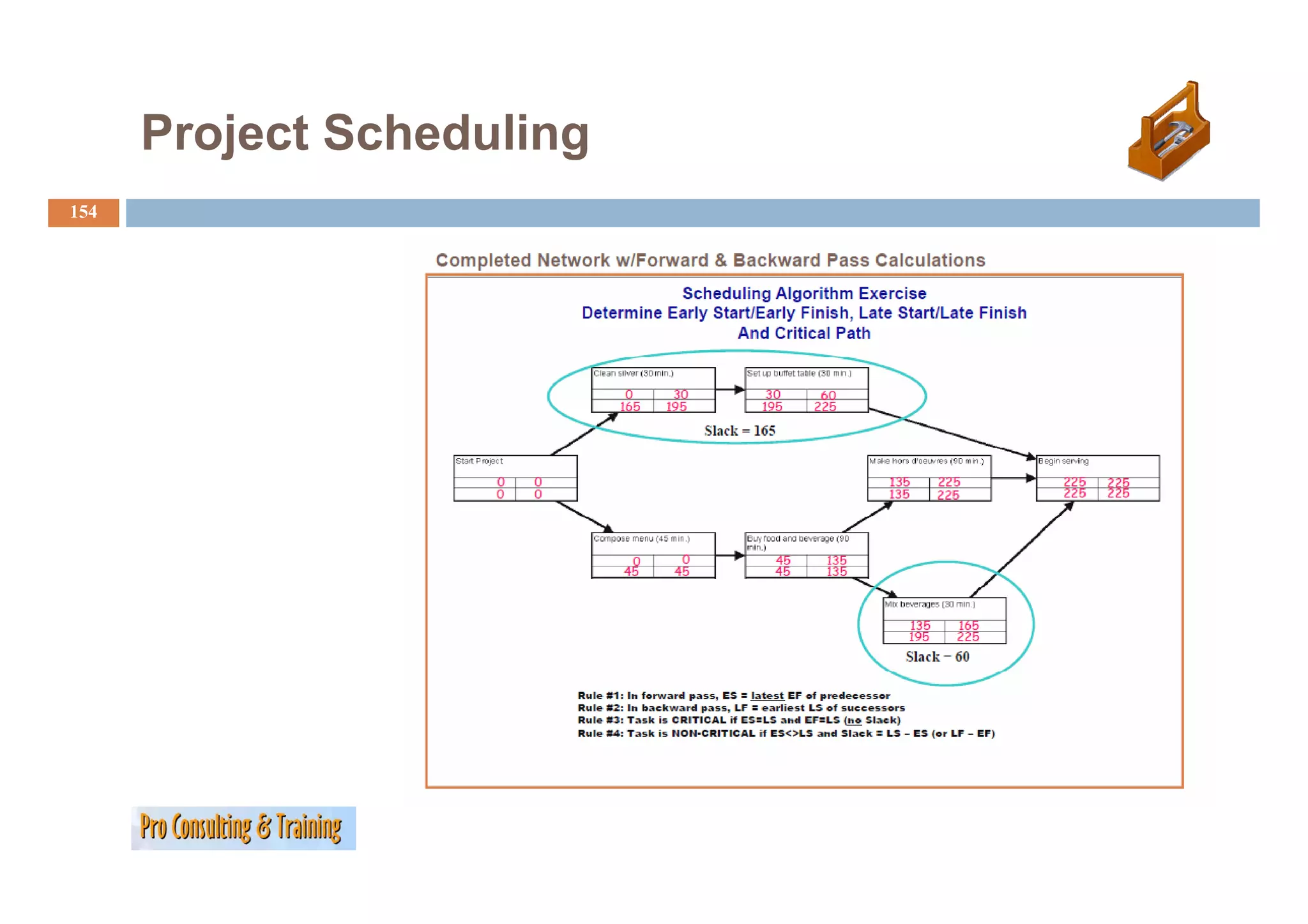
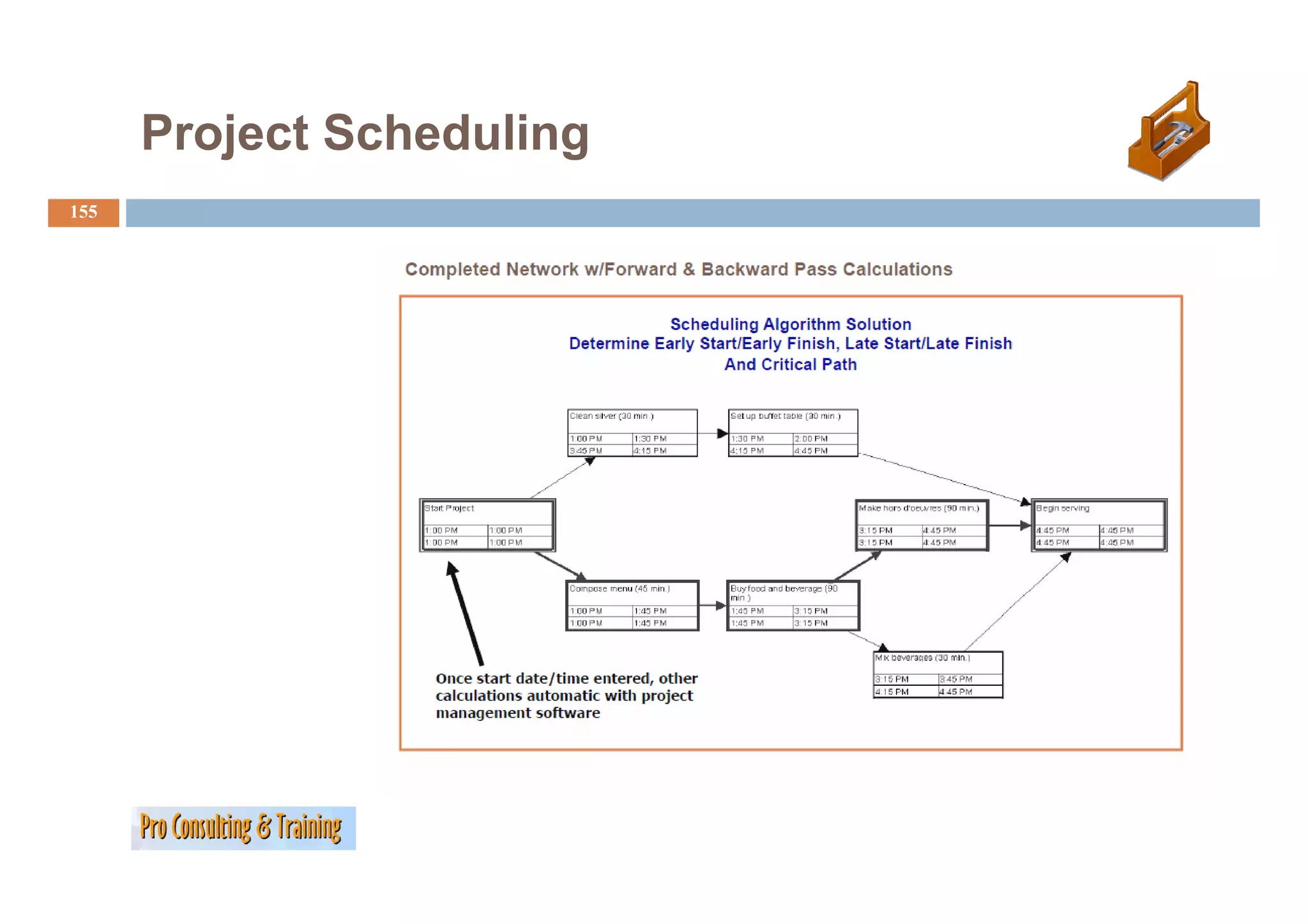
153
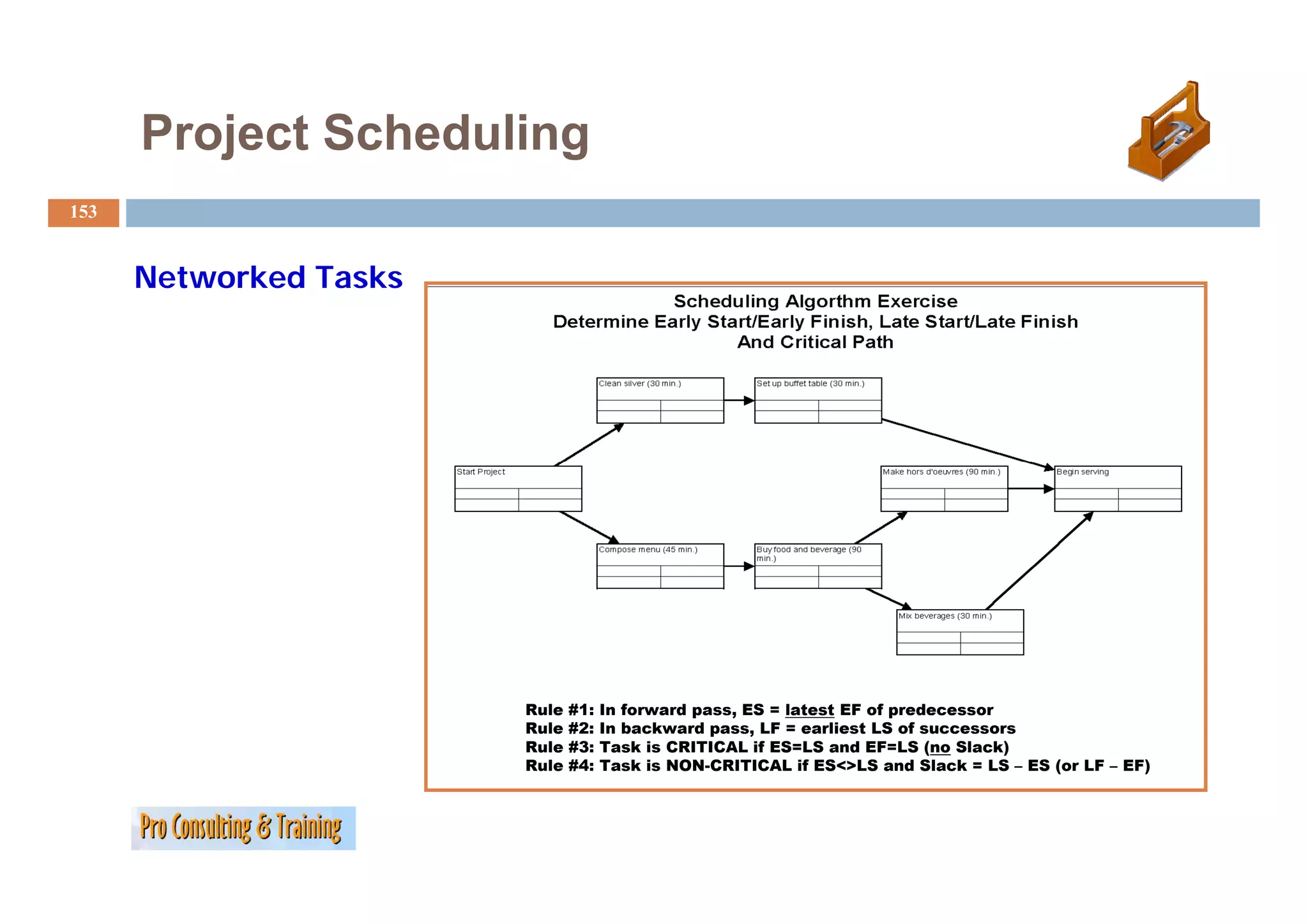
Networked Tasks
Rule #1: In forward pass, ES = latest EF of predecessor
Rule #2: In backward pass, LF = earliest LS of successors
Rule #3: Task is CRITICAL if ES=LS and EF=LS (no Slack)
Rule #4: Task is NON-CRITICAL if ES<>LS and Slack = LS – ES (or LF – EF)
Controlling and Monitoring
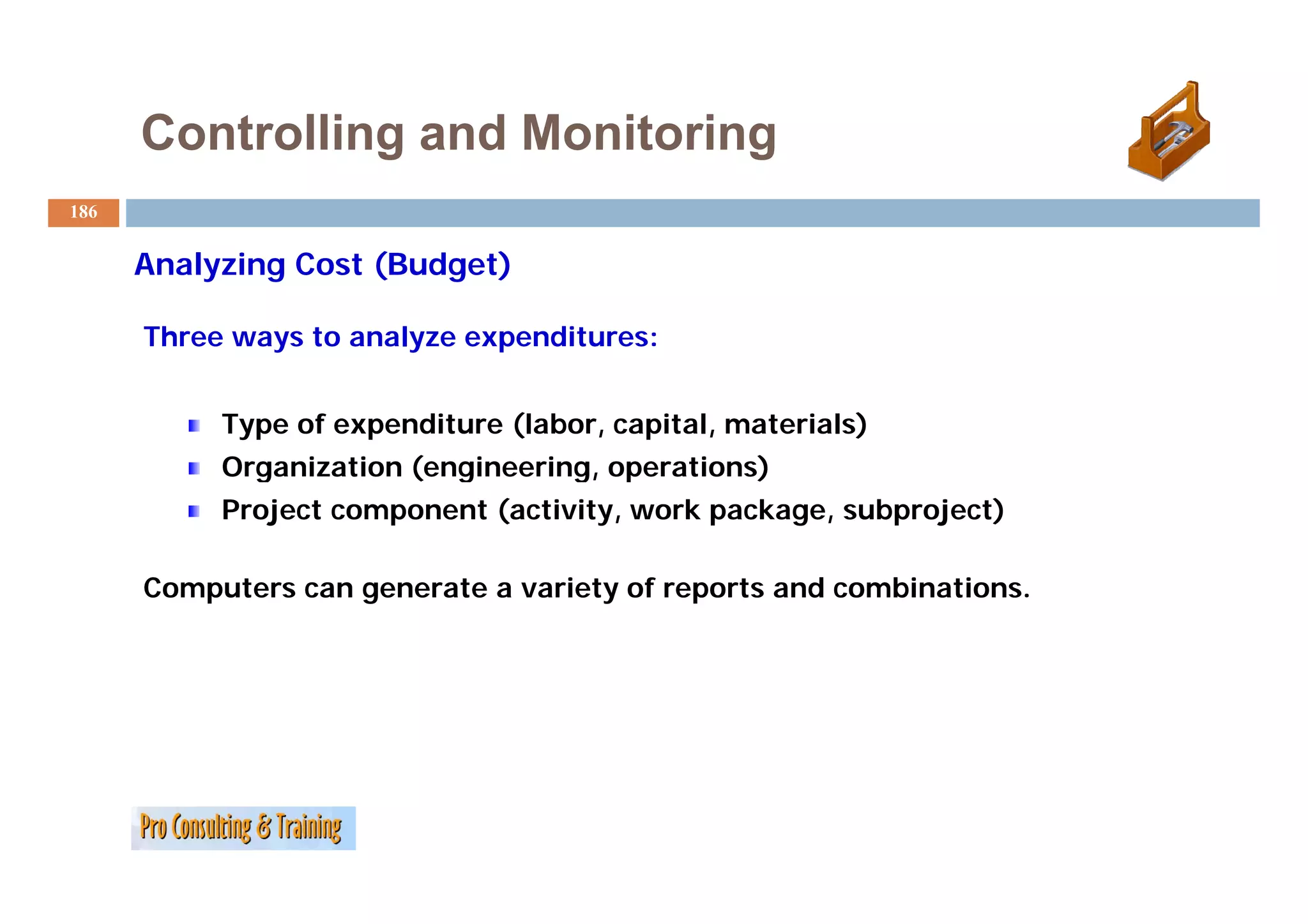
158
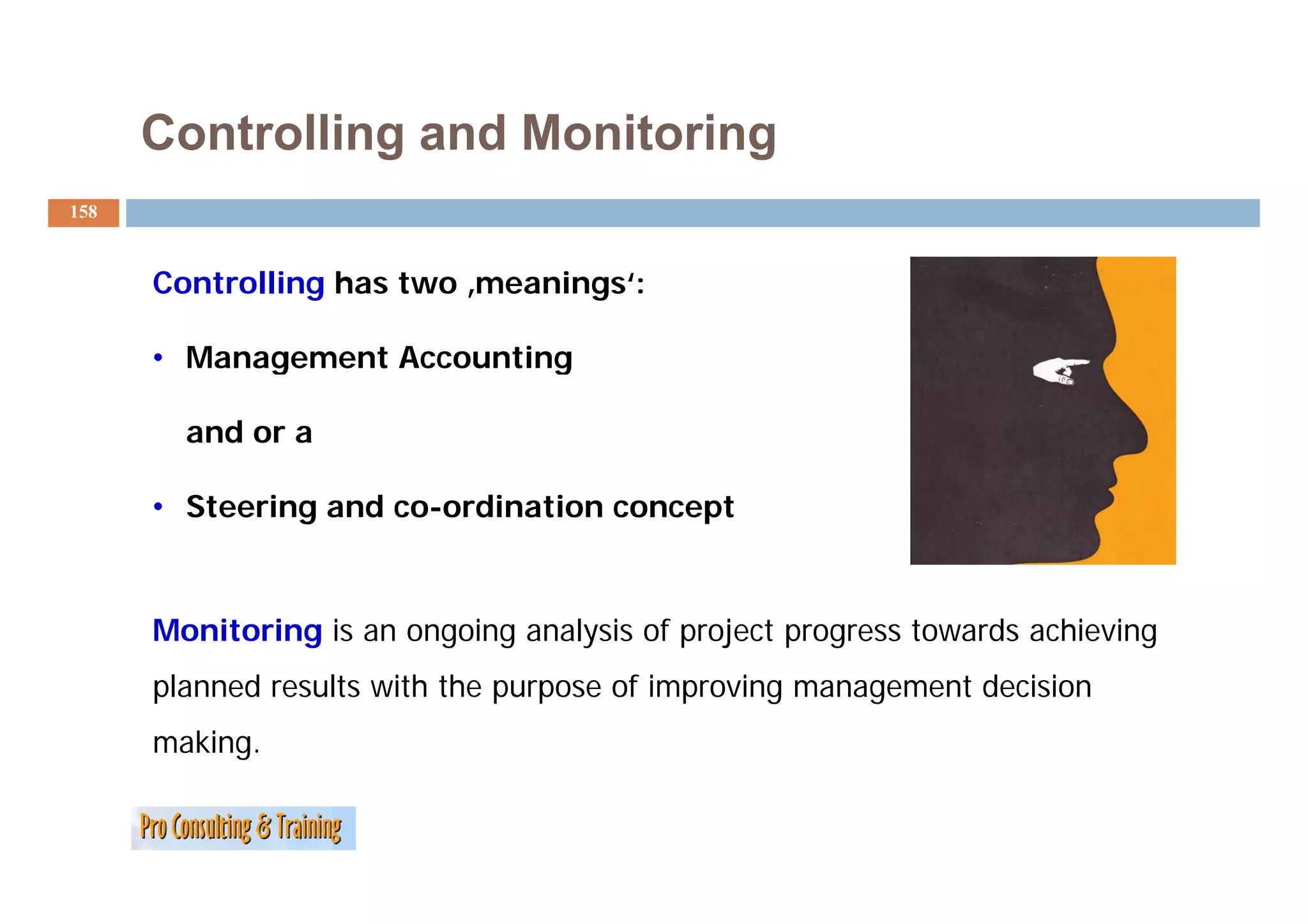
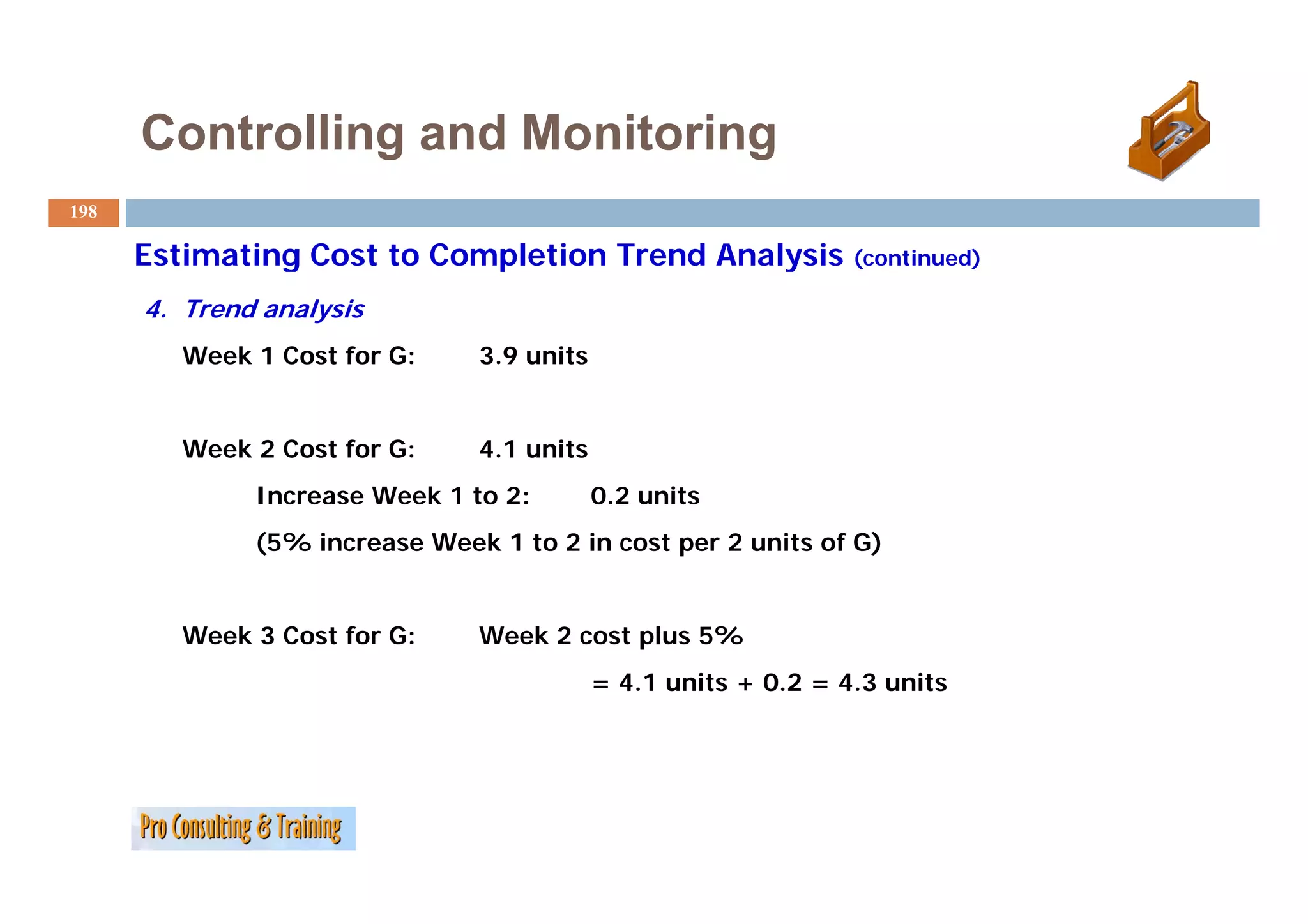
Controlling has two ‚meanings‘:
• Management Accounting
and or a
• Steering and co-ordination concept
Monitoring is an ongoing analysis of project progress towards achieving
planned results with the purpose of improving management decision
making.
159.
Controlling and Monitoring
159
Definition of Management Accounting
According to the Chartered Institute of Management Accountants (CIMA) Management Accounting is:
(CIMA),
"the process of identification, measurement, accumulation, analysis,
preparation, interpretation and communication of information used by
management to plan, evaluate and control within an entity and to assure
appropriate use of and accountability for its resources”.
160.
Controlling and Monitoring
160
Management accounting also comprises the preparation of financial
reports for non management groups such as shareholders,
creditors, regulatory agencies and tax authorities" (CIMA Official Terminology)
authorities
The aims of management accountancy are:
• Formulating strategies
• Planning and constructing business activities
• Helps in making decision
• Optimal use of resources
• Supporting financial reports preparation
• Safeguarding assets
S f di
161.
Controlling and Monitoring
161
Steering and Co-ordination
Main task of controlling is to guard the e.g. economic efficiency of a
company/an organization, but not to guarantee it!
Other tasks include: e.g.
eg
• designing and operating qualitative and quantitative steering
instruments,
instruments
• the arrangement of control factors and variables,
• the coordination of the flow information,
• analysis and interpretation of results/findings and
• the assistance in the decision making process.
162.
Controlling and Monitoring
162
Definition of ‘Monitoring’ from the World Bank…
“A continuing function that uses systematic collection of data on
A
specified indicators to provide management and the main
stakeholders of an ongoing development intervention with
t k h ld f i d l ti t ti ith
indications of the extent of progress and achievement of
objectives and progress in the use of allocated funds”
163.
Controlling and Monitoring
163
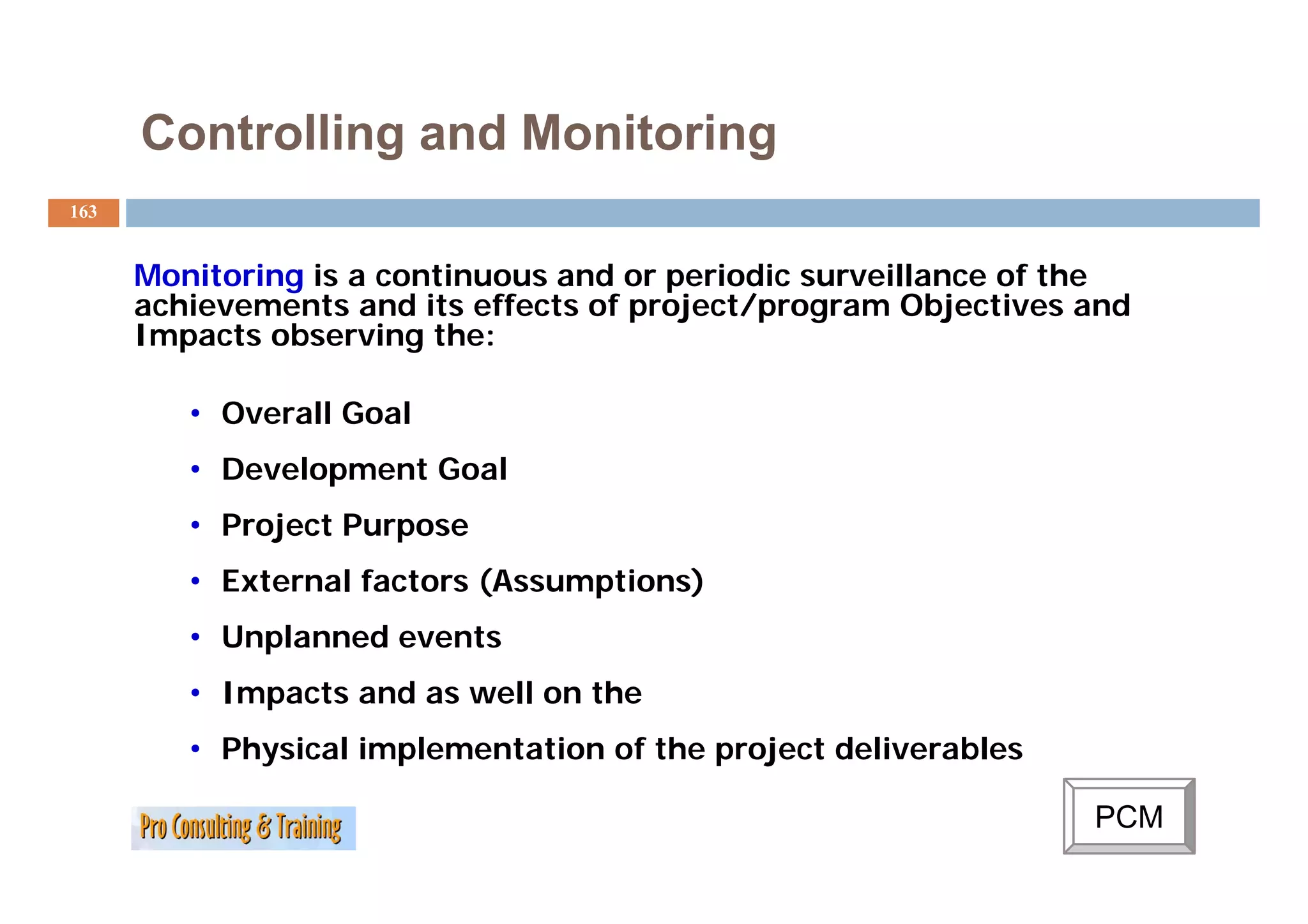
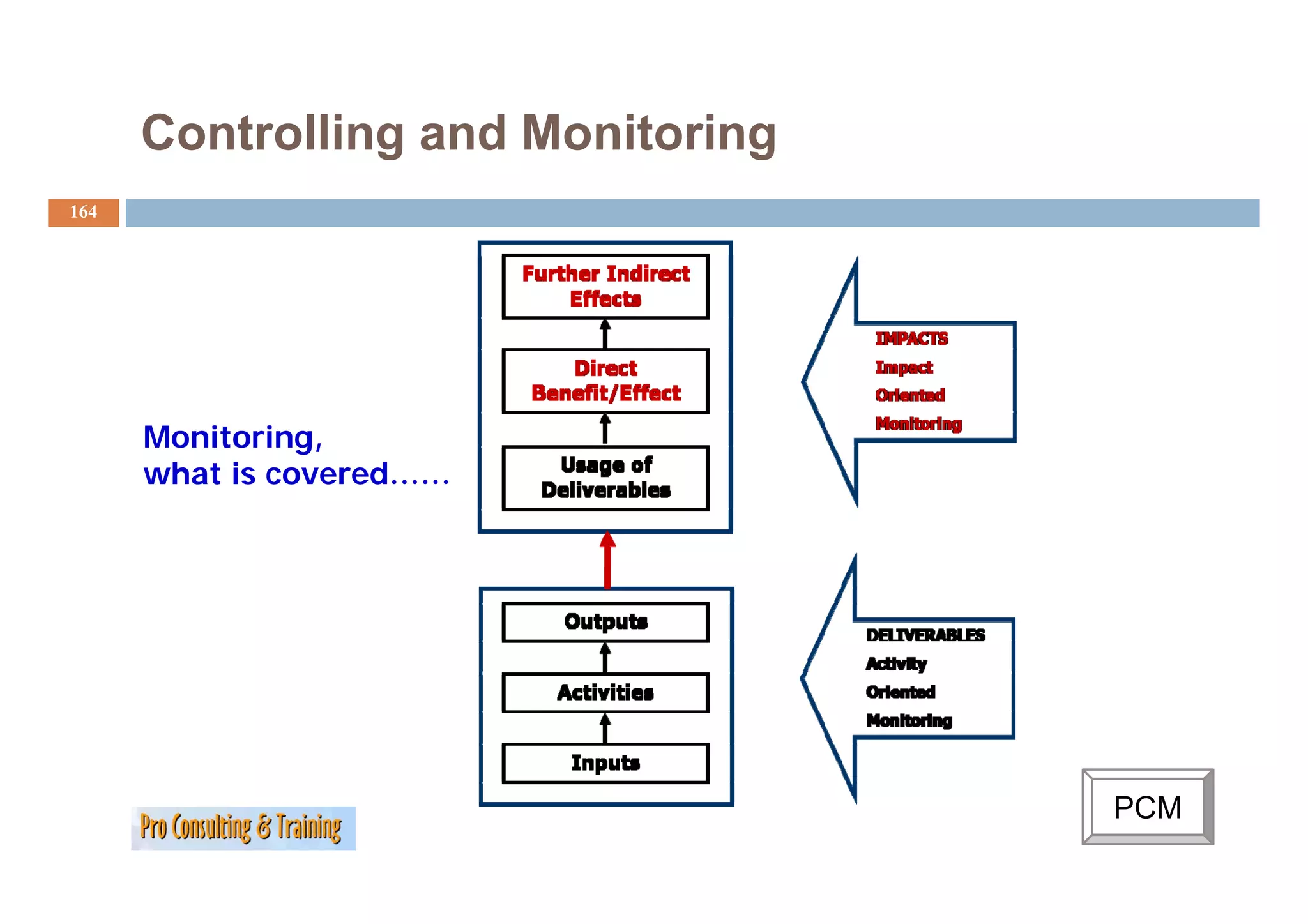
Monitoring is a continuous and or periodic surveillance of the
achievements and its effects of project/program Objectives and
Impacts observing the:
• Overall Goal
• D
Development Goal
l tG l
• Project Purpose
• External factors (Assumptions)
• Unplanned events
• Impacts and as well on the
• Physical implementation of the project deliverables
PCM
Controlling and Monitoring PCM
C
165
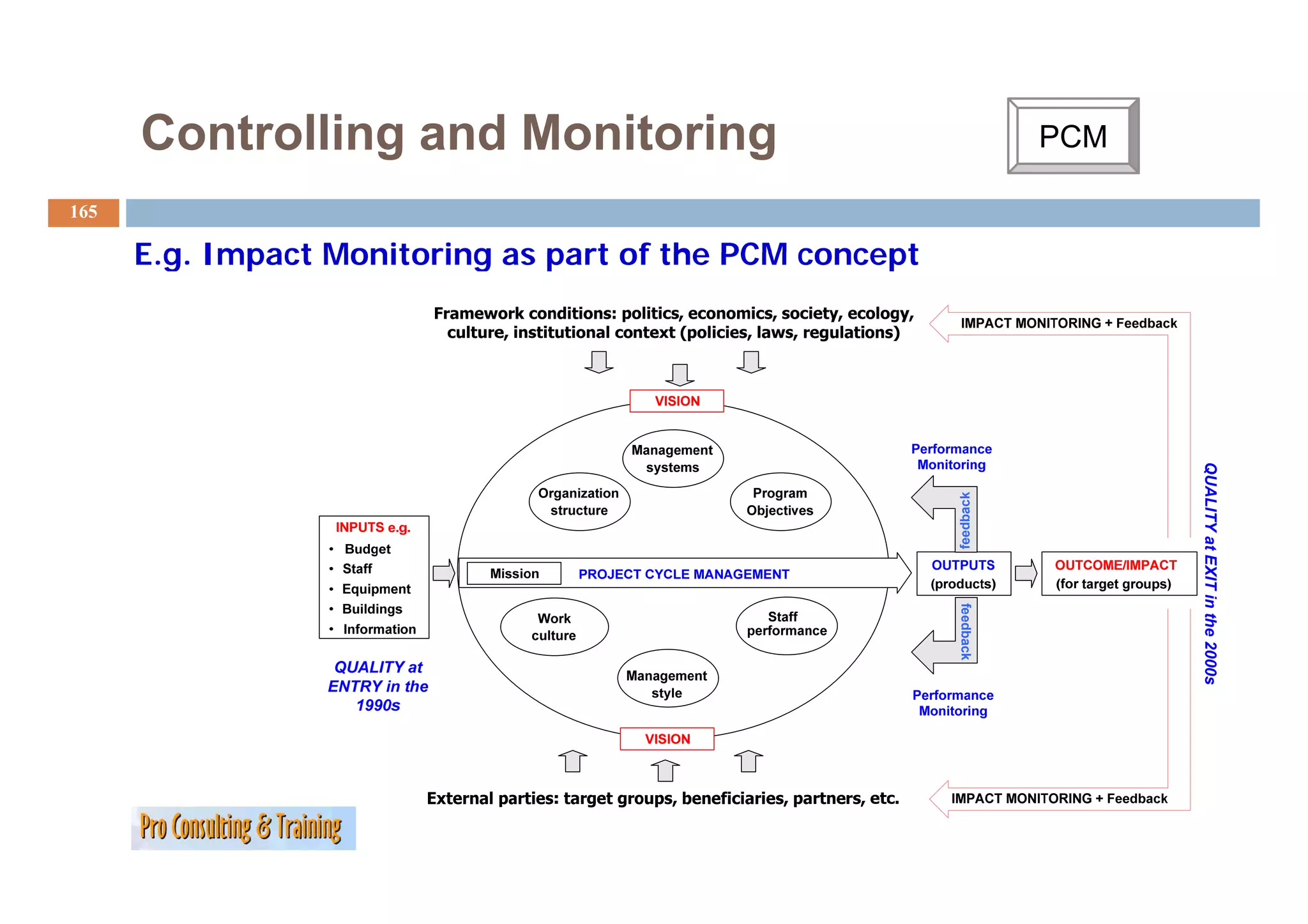
E.g.
E g Impact Monitoring as part of the PCM concept
QUALITY at EX in the 2000s
feedback
XIT
feedback
0
166.
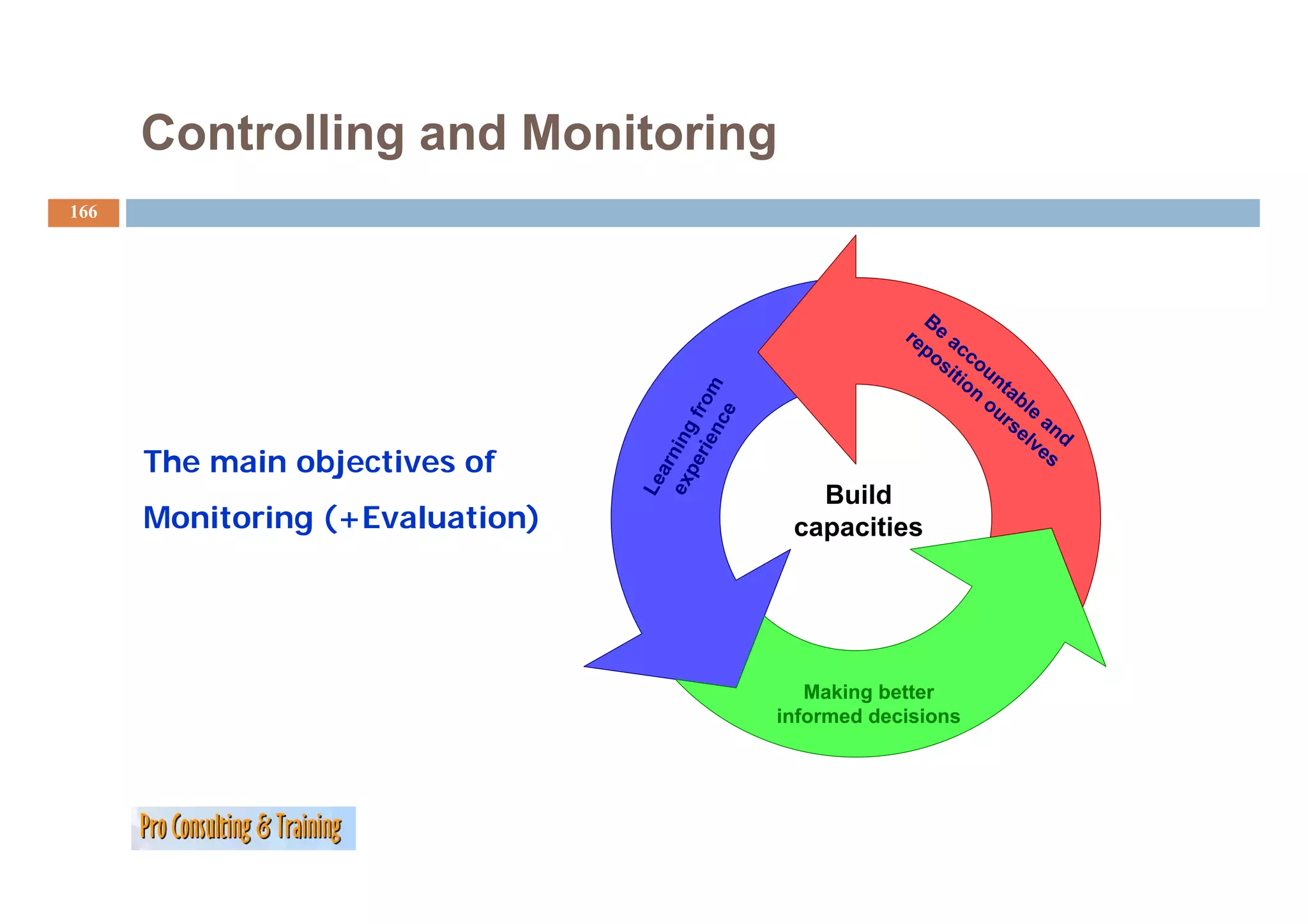
Controlling and Monitoring
166
B
re e a
po cc
si ou
tio n
n tab
rie from
ou l e
e
rs an
nc
el d
ex ning
ve
The main objectives of s
pe
ar
Le
Build
Monitoring (+Evaluation) capacities
Making better
informed decisions
167.
Controlling and Monitoring
167
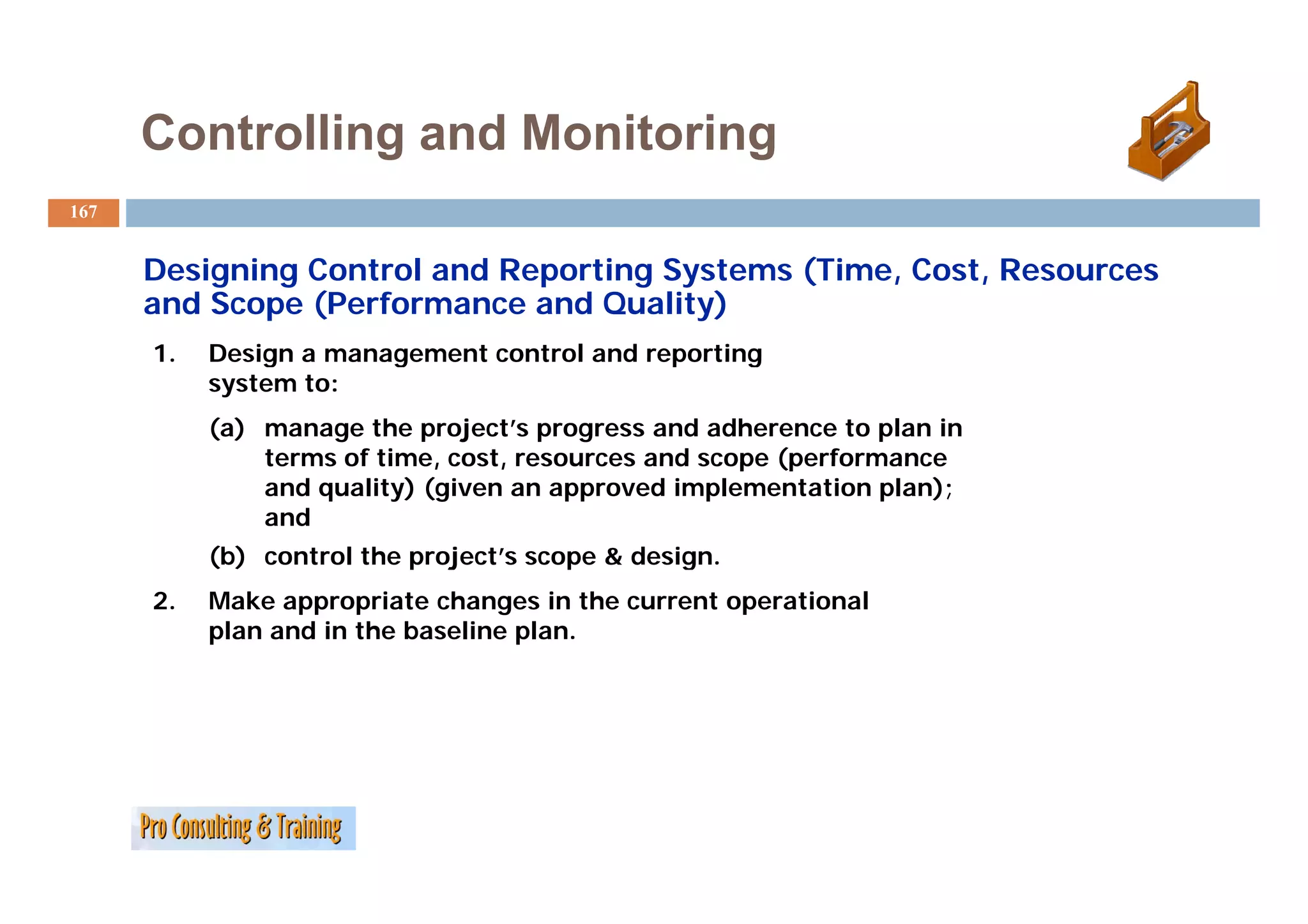
Designing Control and Reporting Systems (Time, Cost, Resources
and Scope (Performance and Quality)
1. Design a management control and reporting
system to:
(a) manage the project’s progress and adherence to plan in
terms of time, cost, resources and scope (performance
and quality) (given an approved implementation plan);
and
( )
(b) control the project’s scope & design.
p j p g
2. Make appropriate changes in the current operational
plan and in the baseline plan.
168.
Controlling and Monitoring
168
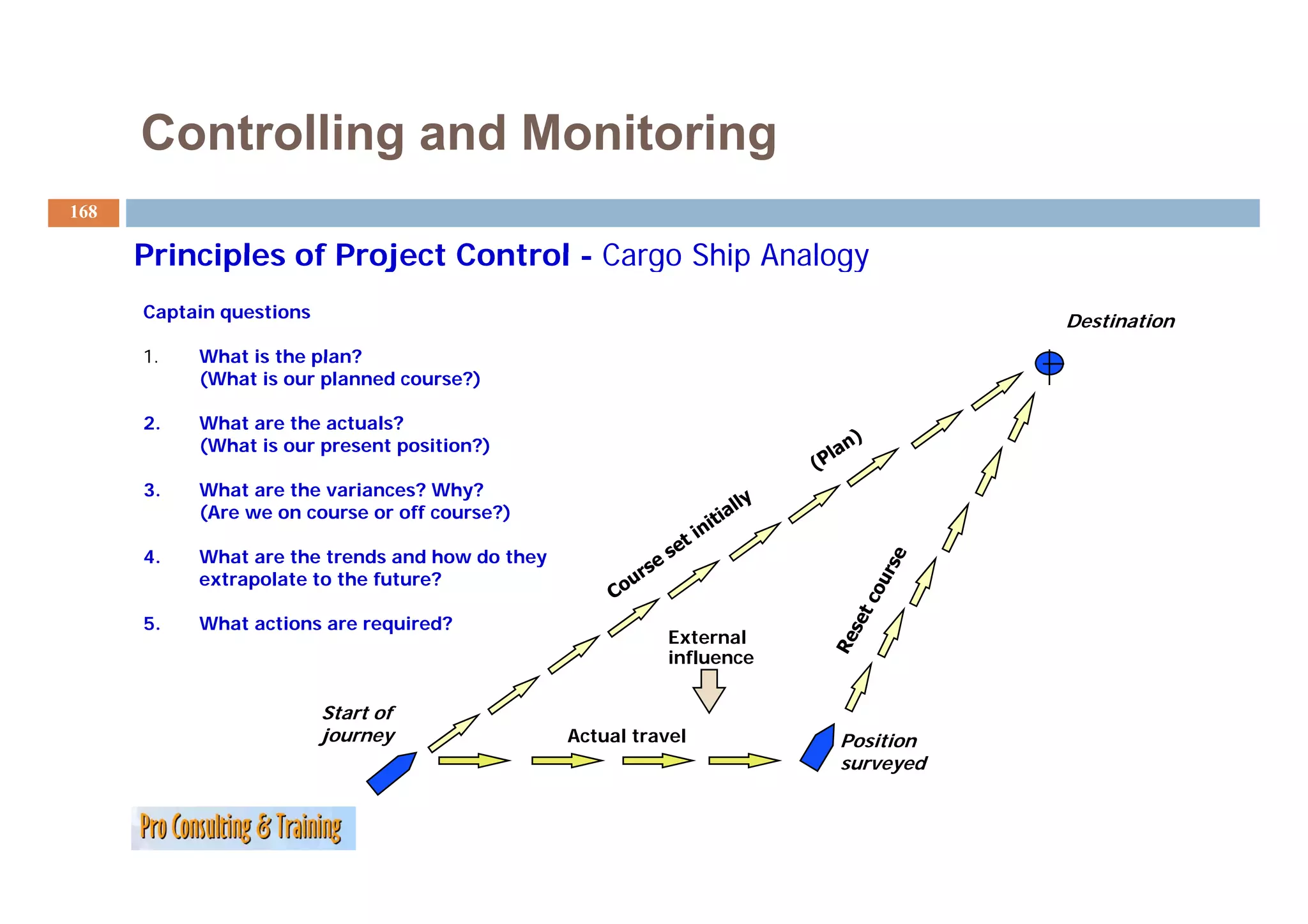
Principles of Project Control - Cargo Ship Analogy
Captain questions Destination
1.
1 What is the plan?
(What is our planned course?)
2. What are the actuals?
(What is our present position?)
3. What are the variances? Why?
(Are we on course or off course?)
4. What are the trends and how do they
y
extrapolate to the future?
5. What actions are required?
External
influence
Start of
journey Actual travel Position
surveyed
169.
Controlling and Monitoring
169
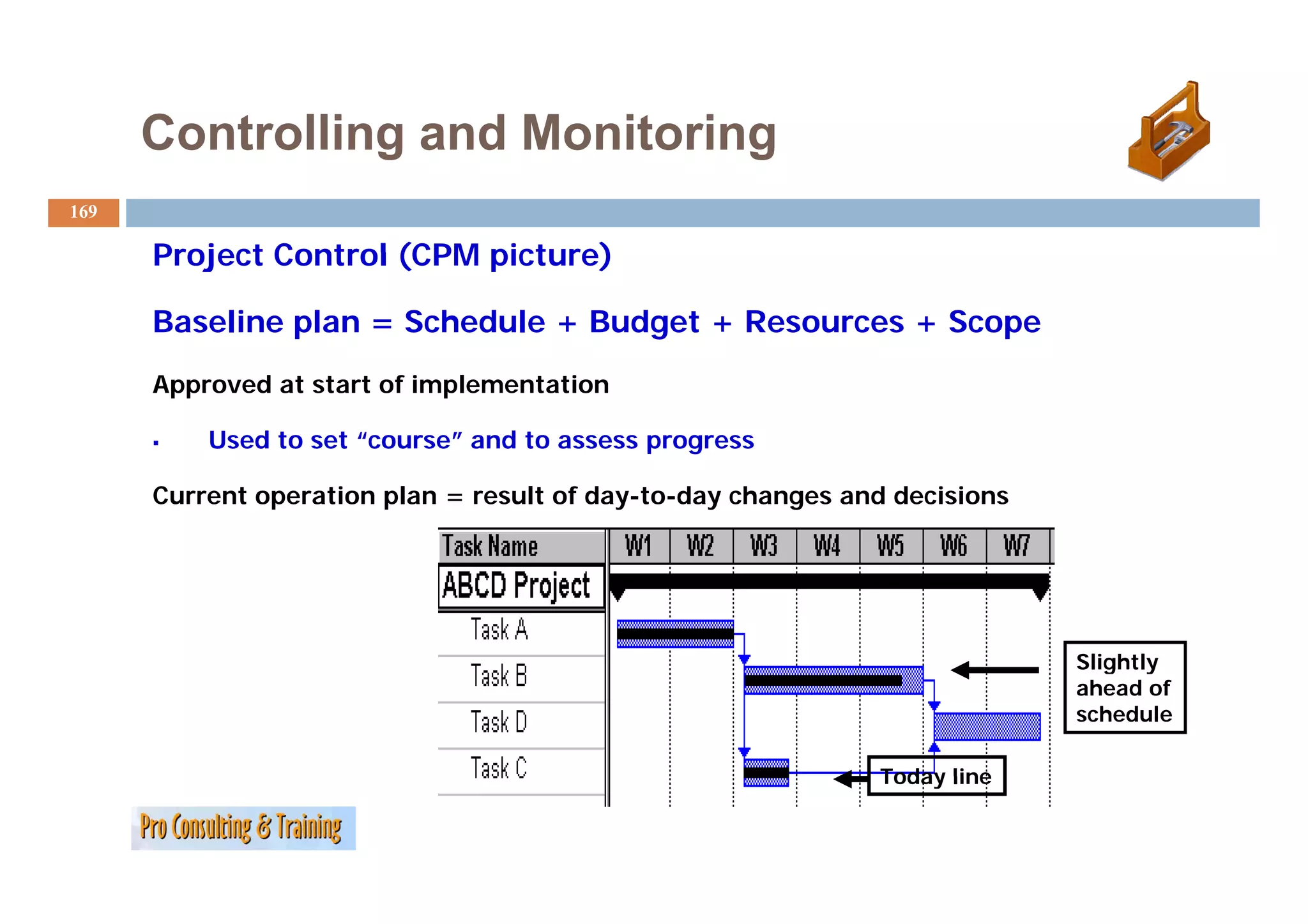
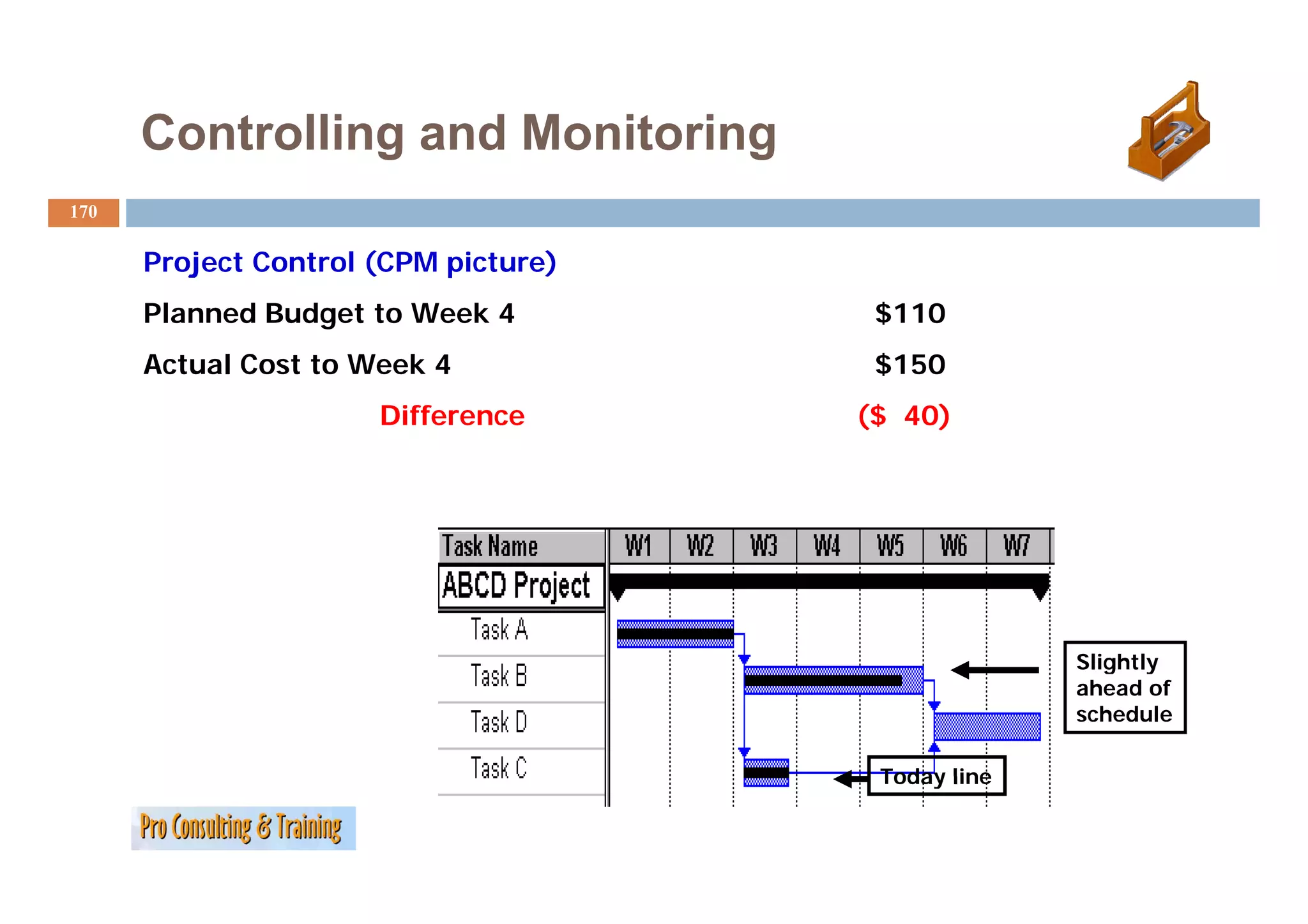
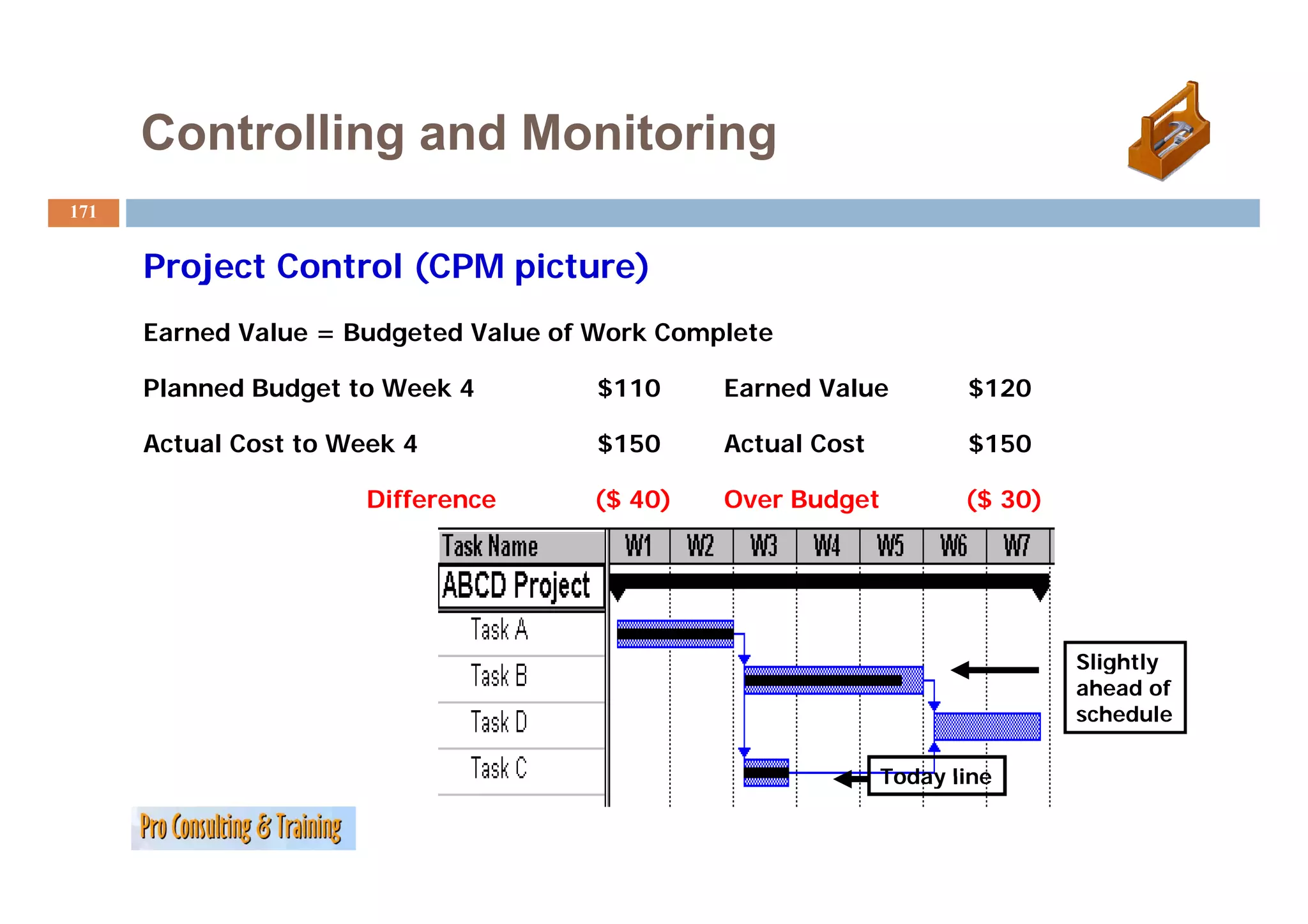
Project Control (CPM picture)
Baseline plan = Schedule + Budget + Resources + Scope
Approved at start of implementation
Used to set “course” and to assess progress
Current operation plan = result of day-to-day changes and decisions
Slightly
g y
ahead of
schedule
Today line
170.
Controlling and Monitoring
170
Project C t l
P j t Control (CPM picture)
i t )
Planned Budget to Week 4 $110
Actual C t t W k
A t l Cost to Week 4 $150
Difference ($ 40)
Slightly
g y
ahead of
schedule
Today line
171.
Controlling and Monitoring
171
Project Control (CPM picture)
j l( i )
Earned Value = Budgeted Value of Work Complete
Planned Budget to Week 4 $110 Earned Value $120
Actual Cost to Week 4 $150 Actual Cost $150
Difference ($ 40) Over Budget ($ 30)
Slightly
g y
ahead of
schedule
Today line
172.
Controlling and Monitoring
172
Time (Schedule) Cost (Budget)
Project
Rectangle
g
Resources Scope
(Performance and Quality ) =
Work done that meets
specifications
173.
Controlling and Monitoring
173
Project Control Process
Set the control period for the frequency of updating
Determine the level of detail at which control will be exercised
Control 4 key variables
y
time (schedule)
cost (budget)
resources (people, materials, equipment)
scope (performance & quality)
Adjust the current operational plan and revise the baseline
plan if necessary
174.
Controlling and Monitoring
174
Controlling Schedule (Time)
Control of schedule is based on the activity plan.
plan
How much work is completed relative to plan?
Measure progress at end of each control period.
Count as complete only work that meets specifications!
W k directly on network diagram or bar chart.
Work di tl t k di b h t
Pay special attention to activities on critical path.
175.
Controlling and Monitoring
175
Schedule: Key Questions 1 & 2
1) What are the actuals?
a) start dates?
b) finish dates of completed activities?
c) progress of incomplete activities?
)
d) anticipated completion of incomplete activities?
p p p
2) What was the plan?
a) start dates?
t td t ?
b) finish dates?
c) duration?
176.
Controlling and Monitoring
176
Schedule: Key Questions 3 & 4
3) What are the variances (ahead or behind)?
Why was there a variance?
a) planned start vs. actual start dates
b) planned finish vs. actual finish dates or anticipated
completion
c) planned duration vs. actual or anticipated duration
4) Wh t are the trends and how do they extrapolate to the
What th t d dh d th t l t t th
future?
a) at the project level?
b) at the subproject (component) level?
c) Are variances staying the same?
177.
Controlling and Monitoring
177
Controlling Schedule: Trend Graph
Expected Total Duration
Planned Project Duration in Weeks
s
35
30
i
25
20
D
15
10
P
5
0
W1 W2 W3 W4 W5 W6 W7 W8 W 9 W 10 W 11 W 12 W 13 W 14 W 15 W 16 W 17 W 18
P
Actual Weeks into Project
178.
Controlling and Monitoring
178
Schedule: Key Question 4 (continued)
S h d l K Q i
4) What are the trends and how do they extrapolate to the
) y p
future?
d) Check the critical path
e) Predict the future
1. Anticipate likely start/finish dates
2. Estimate time to completion
179.
Controlling and Monitoring
179
Schedule: Key Question 5
5) What actions are required?
a) Act on information (Analyze the WHY!)
b) Make decisions
1. Modify current operational plan as needed
2. M dif baseline plan if necessary
2 Modify b li l
180.
Controlling and Monitoring
180
Schedule: Summary of the Process
1) Review the actual performance (work complete)
2) Compare to the planned schedule
3) Determine the schedule variance (gap)
4) Analyze trends and extrapolate to the future
a) Check the expected project completion date
b) Predict the future — Analyze why?
5) Take action
a) Modify the current operational plan as required
b) Modify the baseline plan if necessary
181.
Controlling and Monitoring
181
C t lli
Controlling S
Scope (P f
(Performance and Q lit )
d Quality)
Performance = work completed that meets or exceeds specifications.
(Quality)
Performance is measured by determining if a scheduled activity is
complete.
complete
Activities that do not meet specs are not complete.
It’s harder to assess performance for project with less tangible
deliverables.
Control process i similar to that for schedule.
C l is i il h f h d l
182.
Controlling and Monitoring
182
Measuring Performance: Percent Complete
Percent complete is:
A Summary Ratio
S mma
Built up from completed work of all components
Difficult
Diffi l to use (especially for less tangible deliverables)
( i ll f l ibl d li bl )
and
Do not base percent complete on time and budget
(50% of time and 50% of budget is often not equal to 50%
complete!)
Must actually measure progress (work accomplished)
Use Earned Value as a better measure of performance
183.
Controlling and Monitoring
183
C
Controlling R
lli Resources
Resources are:
People
Equipment
Materials
Facilities
Th project manager must:
The j
Strive to hold functional managers to their commitments to
provide required resources
Track the actual resources assigned to their project
Compare the actual resources with the resource plan
184.
Controlling and Monitoring
184
C
Controlling C
lli Cost (B d
(Budget)
)
Sound cost control begins with a realistic budget.
Plan what needs to be done and then budget!
Then d
Th develop a b d t b
l budget based on th t plan!
d that l !
It is a mistake to budget first and then try to make the project
fit the budget without reducing scope!
185.
Controlling and Monitoring
185
Analyzing Cost (Budget): 5 Key Questions
At the end of each control period ask:
1) Wh t are the actuals?
What th t l ?
What did we actually spend? (commitments treated as
expended)
2) What is the plan (budget)?
What did we plan to spend?
3) What are the variances? Why?
How does planned cost compare with actual cost?
4) What are the trends and how do they extrapolate into the
future?
5) What actions are required?
186.
Controlling and Monitoring
186
A l i
Analyzing C
Cost (B d
(Budget)
)
Three ways to analyze expenditures:
Type of expenditure (labor, capital, materials)
Organization (engineering operations)
(engineering,
Project component (activity, work package, subproject)
Computers can generate a variety of reports and combinations.
187.
Controlling and Monitoring
187
Cost A l i Graph: The S C
C Analysis G h Th S-Curve
Cumulative $
110
100
90
80
70
Plan and Budget
60
50
40
30
20
10
1 2 3 4 5 6 7 8 9 10 11 12 13 14 Time
188.
Controlling and Monitoring
188
Money/Time: Earned Value Estimated Total
Cumulative $ Cost to Complete
Today
Line
110
100
90 Plan and Budget
g
Actual Cost
80 of Work Performed
70
60
{
{ Over Budget V i
O B d Variance
$30
50
40
{
30 Earned Value
(Budgeted Cost of Work Complete)
Behind
20 Schedule
Variance,
10 2 weeks
1 2 3 4 5 6 7 8 9 10 11 12 13 14 Time
189.
Controlling and Monitoring
189
D fi i i
Definitions of E
f Earned V l
d Value
Earned value integrates time performance and actual cost
time, performance,
information into one metric.
Definition 1: the budgeted value of work complete at a
point in time.
Definition 2: the value of the actual work completed
p
expressed in terms of current budgeted dollars.
Overcomes problems with percent complete.
190.
Controlling and Monitoring
190
Status: End of Week 4
Schedule
Cross Hatch
shows completion
Total Cost
Actual Cost Budget
Task A 50 60 50
Task B 50 80 70
Task C 10 10 10
Task D 0 0 5
TOTAL
O 110
0 150
50 135
35
191.
Controlling and Monitoring
191
Planned Budget, Actual Cost, and Earned Value by Week
Note:
Planned
l d
Budget W1 W2 W3 W4 W5 W6 W7 Earned value
for task B for Week 4
Task A 25 25 is 25 plus 10 from
Task B 25 25 20 Week 5 for a Total of 35.
Task C 10 Total
And actual cost is 35 plus
Actual 10 from Week 5 for a
Cost 30 30 45 45 150 Total of 45.
Earned
Value 25 25 35 35 120
= 30
overrun
192.
Controlling and Monitoring
192
Where does overrun of $30 come f
Wh d f from?
?
Budget Actual Overrun
Task A, Weeks 1 + 2 $50 $60 $10
Task B W k
T k B, Weeks 3 + 4 $50 $80 $30
=$40
less
Task B, $10 of Week 5
completed ahead of schedule
in Week 4 - $10
= $30
193.
Controlling and Monitoring
193
Earned Value Calculation
Cumulative Note:
Budget Actual Total Earned
Actual Cost is
W4 Cost Budget Value
150 whereas
Task
T kA 50 60 50 50 Earned Value
E dV l
Task B 50 80 70 60 is 120.
Task C 10 10 10 10
Task D 0 0 5 0
TOTAL 110 150 135 120
Variance=40 Variance=30
194.
Controlling and Monitoring
194
Actual expenditure (Cost of work performed to date) = $150
Cash flow:
Actual expenditure $150
Planned expenditure $110
Variance (cash flow overrun) +$40
Budget:
Cost of work performed to date: $150
Earned value: budgeted value of work
performed to date: $120
Variance (budget overrun)
V i (b d t ) +$30
$30
= 25% Over
$120
195.
Controlling and Monitoring
195
Example: Estimated Cost to Completion
Cost of remaining work exceeds plan:
Variance as percent of actual: 30/150 = 25%
Actual = $150
Earned value t date:
E d l to d t = $120
Variance, 25% = +$30
Original total budget is $135 minus earned value of $120 equals $15 to complete.
Adjusted cost to complete: $15 plus 25% = ($15 + $3.75 ) = $18.75 + $150 = $168.75
Note: The project will end over budget
Final cost = Original Budget + Variance to date + Cost to complete
196.
Controlling and Monitoring
196
Comparisons
Actual $ vs. Budget $ (rate of spending)
vs
Actual work in place vs. Planned work in place (performance
and schedule progress)
Actual $ vs. Earned Value (cost/schedule/performance)
Estimated cost to complete vs. Original budget (forecasted
total budget)
Estimated time to complete vs. Original schedule (forecasted
schedule)
197.
Controlling and Monitoring
197
Estimating Cost to Completion
What is the cost to complete Task G?
1. Planned budgeted cost
Original budgeted cost: 1 unit of cost / unit of work
Estimated cost to complete:
2 units of work x 1 unit of cost = 2 cost units
2. Most recent cost
Last cost for 2 units: 4.1
Estimated cost to complete next two units at same rate:
4.1 cost units
3. Average cost
First
Fi t 2 units: 3.9 (Average = (3.9 + 4.1) / 4 = 2 per unit)
it 3 9 (A (3 9 4 1) it)
Next 2 units: 4.1
Estimated cost to complete:
2 units of work x average cost per unit =
2 units of work x 2 units of cost = 4 cost units
198.
Controlling and Monitoring
198
Estimating Cost to Completion Trend Analysis ( ti d)
(continued)
4. Trend analysis
Week 1 Cost for G: 3.9
3 9 units
Week 2 Cost for G: 4.1 units
Increase Week 1 to 2: 0.2 units
(5% increase Week 1 to 2 in cost per 2 units of G)
Week 3 Cost for G: Week 2 cost plus 5%
= 4.1 units + 0.2 = 4.3 units
199.
Controlling and Monitoring
199
Estimating the Total Cost for Task G
Estimated Cost to Completion + Actual to Date
= E ti
Estimated Total Cost at C
t d T t l C t t Completion
l ti
Our assumptions about cost to completion affect our estimate of total cost at
completion
p
Most
Recent Average Trend Original
Cost Cost Cost Estimate
Actual 8.0 8.0 8.0 8.0
Est. C
E t Com. 4.1
41 4.0
40 4.3
43 2.0
12.1 12.0 12.3 10.0
Actual to Date 3.9 + 4.1 = 8
39 41
200.
Controlling and Monitoring
200
Anticipating Control Challenges
Control problems (challenges) result from:
Budgeting first and planning second
Poor initial planning
Everyday challenges of project management in a changing environment
Predictable types of control problems (challenges):
Cost
Progress
Plan
Administration
201.
Controlling and Monitoring
201
Cost-Related Control Challenges
1. Accounting systems not project-oriented!
2. Delays in getting information!
3. Commitments not tracked!
4. Down payments not accounted for!
202.
Controlling and Monitoring
202
P
Progress-Related C
R l d Control Ch ll
l Challenges
Assessing progress is easier for some projects than others:
How tangible are the activities?
How easy is it to determine if quality standards are met?
How can incomplete work be measured?
50/50 rule!
Percent complete!
Rework can be an issue
203.
Controlling and Monitoring
203
P
Progress-Related C
R l d Control Ch ll
l Challenges (continued)
Changes in scope (crawl)
Baseline plan (definition)
Three views of the baseline plan
p
Concrete plan
Rubber plan
Rational plan
Reasons for changing the baseline p
g g plan
a change in scope of project
a change in the environment
204.
Controlling and Monitoring
204
Administrative Issues
d i i i
Avoid too much detail!
Focus on the future, not the past !
Manage, don’t monitor!
don t
Pay attention to early warnings!
T k h i th M it i fl ti t d i
Track changes in the economy: Monitor inflation rates and price
escalation!
205.
Controlling and Monitoring
205
Causes of Cost Overruns and Schedule Slips
Bad estimates
Inflation
Delayed management decisions
Poor management control
Changes in design (scope)
Shortage of p
g planned resources
Force Majeure (war, riot, revolution, disaster)
Problems with suppliers
Changes in environment
Underestimate of risks
206.
Controlling and Monitoring
206
S
Summary: P i i l
Principles
The Project Manager is like the captain of a ship.
PM must manage (not only monitor) the project rectangle:
time (schedule)
( )
cost (budget)
resources
scope ( f d lit )
(performance and quality)
The control period determines how often the project’s status is
assessed.
d
Earned value integrates time, cost and performance.
207.
Controlling and Monitoring
207
Summary: 5 K Q
S Key Questions
ti
Key questions concerning time, cost, resources and quality of performance
(scope):
1. What are the actuals?
2. What is the plan?
3. What are the variances? Why?
4. What are the trends and how do they extrapolate into the future?
5. What actions are required?
q
208.
Controlling and Monitoring
208
Summary: Types of Plans
Current operational plan
Day-to-day plan
Adjusted regularly
Goal is to match baseline plan
Baseline plan
Approved project plan
Approaches to revision
• concrete
• rubber
• rational
209.
Controlling and Monitoring
209
Summary: Think Ahead!
The project manager must constantly be thinking ahead and
actively managing:
Time to completion
Cost to completion
Cost at completion
Quality of performance to specifications (scope)
210.
Your Turn:
210
Controlling and Monitoring how and what to do?
…
…
…
…
…
…
A Word AboutSoftware & other Tools
212
• Many people assume that project
management is all about management
software.
• That’s like saying that residential
construction is all about hammers!
• Such tools will often make your work
y
simpler and handle complex
calculations with ease.
• However, without a solid
,
understanding of PM concepts, the
tools often provide an illusion of
project control that does not exist.
• Learn the concepts, then the tool.
Project Management Software
214
Project management software is a term covering many types of software
(open source and commercial) , including:
• scheduling,
h d li
• cost control and
• budget management,
• resource allocation,
• collaboration software,
• co
communication,
u cat o ,
• quality management and
• documentation or administration systems,
which are used to d l with the complexity of large projects.
hi h d t deal ith th l it f l j t
Link to open source project management software http://www.project-open.org
215.
Project Management Software
215
Tasks f
T k of project management software
j f
Scheduling
One of the most common tasks is to schedule a series of events, and
the complexity of this task can vary considerably depending on how
p y y y p g
the tool is used. Some common challenges include:
• Events which depend on one another in different ways or dependencies
• Scheduling people to work on, and resources required by, the various
tasks commonly termed resource scheduling
• Dealing with uncertainties in the estimates of the duration of each task
g
• Arranging tasks to meet various deadlines
• Juggling multiple projects simultaneously to meet a variety of
q
requirements
216.
Project Management Software
216
Tasks of project management software
Calculating critical path
In many complex schedules, there will be a critical path, or series
of events that depend on each other and whose durations directly
other,
determine the length of the whole project (see also critical chain).
Some software applications (for example, Dependency Structure
f li i (f l d
Matrix solutions) can highlight these tasks, which are often a good
candidate for any optimization effort.
217.
Project Management Software
217
Tasks f
T k of project management software
j f
Providing information
Project planning software needs to provide a lot of information to
various people, to j
p p , justify the time spent using it. Typical
y p g yp
requirements might include:
• Tasks lists for people, and allocation schedules for resources
• Overview information on how long tasks will take to complete
• Early warning of any risks to the project
• Information on workload, for planning holidays
, p g y
• Evidence
• Historical information on how projects have progressed, and in
p
particular, how actual and pplanned pperformance are related
218.
Project Management Software
218
Approaches to project management software
• Desktop
• Web-based
• Personal
• Single User
• Collaborative
• Integrated
• Non specialized
219.
Your Turn:
219
Project Management Software, what is it good for?
…
…
…
…
…
…
You ve
You’ve already seen the value of this!
221
POST-PROJECT
POST PROJECT REVIEW
Project Name:
Overall Evaluation of the Project
What was the overall mission of the project? Provide a short description based on your understanding of the project.
p j p y g p j
All in all would you say that the project was successful? Why or why not?
How close was the project to meeting its scheduled completion date?
How close was the project to being completed within budget?
Did the project meet its final stated objectives? Why or why not?
222.
Post Project
Post-Project Review (continued)
222
Project Management Issues
j g
Did the project have a sponsor? If so, what was his or her role during the project?
What t l
Wh t tools and techniques were used in planning and tracking the project?
dt h i di l i d t ki th j t?
Did the scope of the project change after the project was underway? If so, what was the overall impact of the change of scope?
How were changes approved?
How was project status communicated during the course of the project?
How were risks managed for the project? Were they identified ahead of time? Did any unforeseen occurrerences hinder the
p g
progress of the project?
p j
At the end of the project, was there a formal lessons-learned process or any sort of review similar to the one used here?
223.
Post-Project Review (continued)
j ( )
223
Collaboration and Team Issues
How effective was the overall leadership of the project? Did the project manager have the resources and support required to be as
effective as she or he could be?
In general, how well did the team members collaborate? Why was this so?
Did team members work together in a single physical area or were they physically separated?
What were the primary modes of team communication? Which ones worked best? Which ones worked least well?
Were all team members available at the times they were needed for project work or status meetings? What impact did this have on
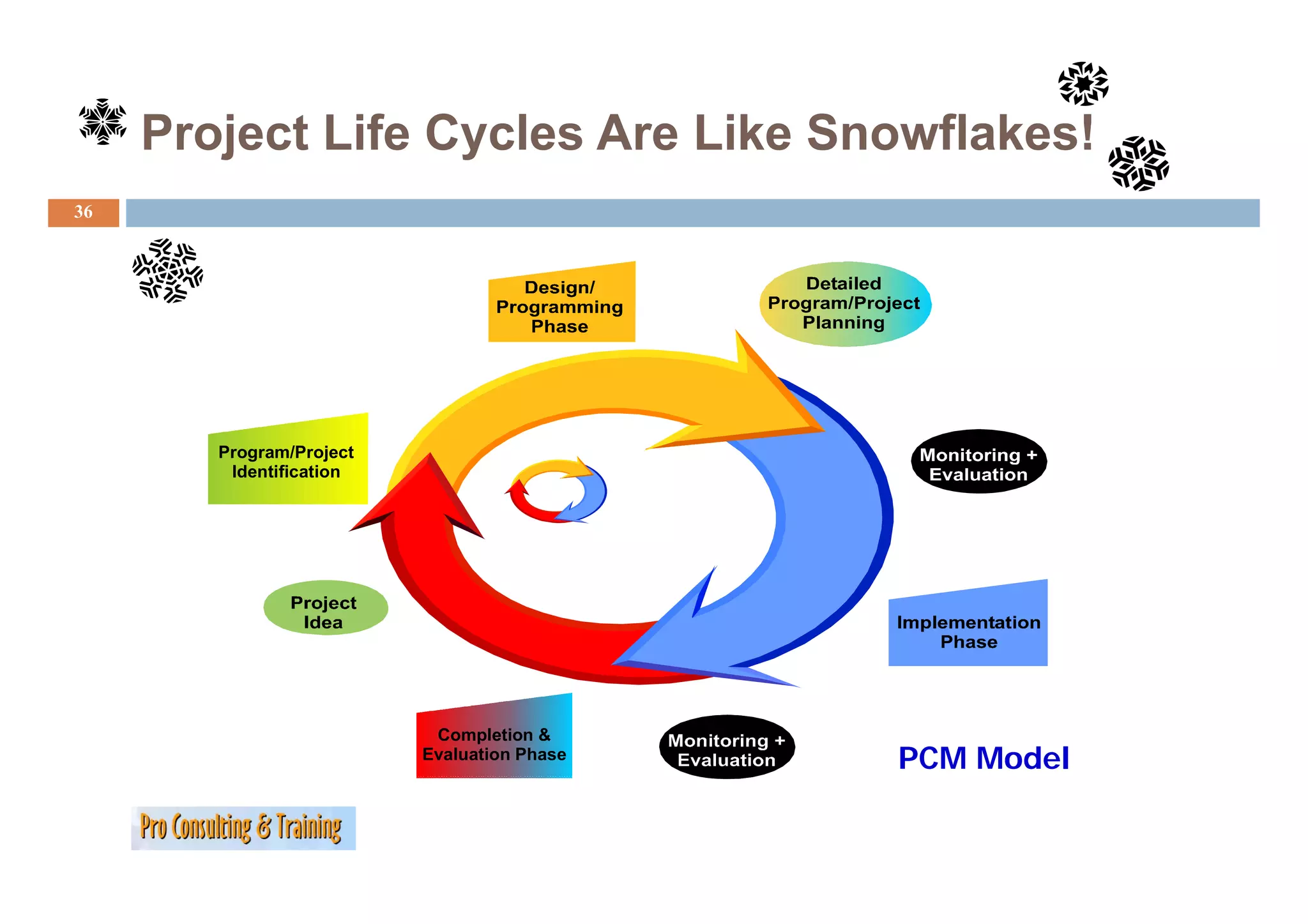
the project?
Were all stakeholders and subject matter experts available to answer questions when needed? What impact did this have on the
project?
224.
Post Project
Post-Project Review (continued)
224
Technology and Knowledge Management Issues
gy g g
How did technology help (or hinder) the progress of the project?
Were any new technologiy tools introduced for this project?
Was any kind of project management software, such as Microsoft Project, used for the project? What are the ways it was used (for
example, scheduling, reporting, and cost reporting).
What other tools (word-processors, spreadsheets, presentation software, or diagramming tools) were used in the project?
Was the project team able to obtain adequate advice and technical support for the technology tools used in the project? How could
it improve?
Are there any areas about which you would like to learn more in order to make you more effective in working on your next project?
What resources are available for obtaining that knowledge or skill?
Participant Name:
Participant Signature:
Evaluation Date:
225.
Stakeholders Report/Celebration
225
Communicate Results
C i t R lt
Pinpoint Successes
po t
Propose Maintenance/Corrective
Measures if needed
share contributing success factors
p
present p
plans for corrective action
“Sharpen the Saw” for the future
Project Best Practices
Celebrate Successes!!!!
Project Management MaturityModel (PMMM)
228
PMI defines process improvement as the “Systematic and sustained improvement of processes
d fi i t th “S t ti d t i di t f
and thus the products they produce.”
The Five Levels of PMMM:
Level 1—Initial Process
Project management practices are ad hoc and inconsistent within organization.
Level 2—Repeatable Process
Project management practices are commonly understood and followed, but most
followed
knowledge is commonly understood rather than documented.
Level 3—Defined Process
Project methodology usually in place, with written guidelines for p j
j gy y p g project
deliverables and processes.
Level 4—Managed Process
Systematic collection of project performance data to set baselines for
performance goals.
f l
Level 5—Optimization
Proactive approach applying metrics and best practices to achieve highest level of
project excellence.
229.
Rewards of PMMM
229
The promise of continuous process improvement through
repeatable processes, benchmarking, and optimization.
To break the triple constraint and to be:
Faster!!
F t !! Cheaper!!
Ch !!
Gooder.. oops,
Gooder oops Better!!!
Team work andteam work models
233
What i
Wh is a team ?
‚group’ ‚team’
Term is derived from sociology Term is derived from psychology
Major task:
Major task: Problem solving
(identifying) clearing relationships
α - Ω hierarchy No hierarchy
Comrades
Friendship
p
(high degree of reliability)
Lots of emotions Few emotions
234.
Team work andteam work models
234
4 Stages of team development
As below As below + High flexibility
Stage 4
S + Appropriate leadership
Mature team + Maximum use of abilities
+ Developing priorities
+ Needs (incl. social) considered
Stage 3 As below + Methodological working
Consolidating team + Agreed procedures
+ Established ground/basic rules
g /
Stage 2 Experimentation takes places. Risky issues are debated/discussed. Wider options
Experimenting team are considered. Personal feelings are raised. Concern for others is shown.
Feelings not dealt with. Workplace is for work only. Established lines prevail.
Stage 1
Nobody ‘rocks the boat’. Poor listening. Weaknesses are covered up. Unclear
Undeveloped team
objectives. Low involvement in planning. Bureaucracy. Boss makes most of the
decisions.
235.
Team work andteam work models
235
Some of the most common team models/approaches used
S f h d l / h d
Belbin‘s team model
Patrick Lencioni, dysfunctional teams
Myers-Briggs Type Indicator (MBTI)
236.
Team work andteam work models
236
Description
Based on the saying, «no one is perfect but a team can be», the Belbin method is
a rational and rigorous tool that allows individuals and groups to reach their full
potential.
After identifying the roles of each individual, you increase the efficiency of the
team by changing its composition or the way it works internally.
y g g p y y
Objectives
To made a rapid diagnosis of the business, the team and the individual according
to the Belbin method.
To enable each individual to develop and make full use of his p
p potential within his
working team.
To encourage cohesion and communication and to promote team spirit.
237.
Team work andteam work models
237
The Belbin
Th B lbi method i based on 3 questionnaires:
th d is b d ti i
• The self-perception form: determines t e preferred roles, the roles that
e se pe cept o o dete es the p e e ed o es, t e o es t at
can be carried out and the roles to be avoided.
• The observers’ form: through appraisals by at least 4 observers,, this
g pp y
questionnaire goes beyond the subjective nature of the self-perception
report.
• The job observation form: identifies the main personal characteristics
required to fulfill the target role.
Team work andteam work models
239
Patrick Lencioni’s ‘approach to team work’
Inattention
Dysfunctional teams show to
typically the following elements RESULTS
in an ascending order and in
different degrees of severeness. Avoidance of
ACCOUNTABILITY
With the help of a questionnaire
and some guided group Lack of
work/consultancy the team can COMMITMENT
determine the weak elements an
then act accordingly. Fear of
CONFLICT
Absence of
TRUST
240.
Team work andteam work models
240
The Myers-Briggs Type Indicator (MBTI) assessment is a psychometric
q
questionnaire designed to identify certain psychological differences according
g y p y g g
to the typological theories of Carl Gustav Jung.
Applications of the MBTI
The indicator is frequently used in the areas of career counseling, pedagogy,
group dynamics, employee training, leadership training, life coaching,
executive coaching, marriage counseling, Workers' compensation claims and
personal development.
241.
Team work andteam work models
241
The 16 personality types of the Myers-Briggs
Type Indicator® instrument are listed here as
they are often shown in what is called a “type
type
table.”
Favorite world: Do you prefer to focus on the outer world or on your own inner
world? This is called Extraversion (E) or Introversion (I).
Information: Do you prefer to focus on the basic information you take in or do you
prefer to interpret and add meaning? This is called Sensing (S) or Intuition (N).
Decisions: When making decisions, do you prefer to first look at logic and
decisions
consistency or first look at the people and special circumstances? This is called Thinking (T)
or Feeling (F).
Structure: In dealing with the outside world, do you prefer to get things decided or
do you prefer to stay open to new information and options? This is called Judging (J) or
Perceiving (P).
Your Personality Type: When you decide on your preference in each category, you
have your own personality type, which can be expressed as a code with four letters
type letters.
242.
Your Turn: Usingthe questionnaire…
242
Use the provided
questionnaire and
evaluate your…
243.
Moving up intoManagement
243
FATAL ASSUMPTIONS
For employees who are Success as an individual contributor will
promoted into management, translate into management success!
many anticipate new
avenues for professional It's out of my control-someone else could and
should fix this!
growth and leadership.
leadership
Being the expert is the most important factor
But an increasing number of for my credibility
managers - b th new and
both d
It’s the rational and logical approach or
experienced - report facing solution that counts!
many obstacles when making
a complete transition into The people I manage are just like me in their
management roles. thinking, expectations, priorities and goals!
Competent people do not need help!
244.
Project Structure andOrganization…
244
Organization is:
Structuring To Accomplish
People Objectives
j
245.
Project Structure andOrganization…
245
Division of Labor
ol
Classic Management Theory - Fayo
Specialization
Functional processes
y
Line vs. staff
Li t ff
Scalar Processes
Hierarchical structure
Chain of command
Unity of control
Authority
A th it and responsibility
d ibilit
Span of control
Organizational Structure
Around objectives and activities, not individuals
Table of organization (chart)
C
Written position description
246.
Project Structure andOrganization…
246
zations
Functional Organization
ypes of organiz
Projectized Organization
Three major ty
Matrix Organization
247.
Project Structure andOrganization
247
Organization Matrix
Type
anizational structure an ist
Functional Projectized
Project Balanced Strong
Weak Matrix Matrix
Characteristics Matrix
nd
Project
influen on projects
Manager’s — Low to Moderate to High to Almost Total
Limited
Authority Moderate
High
Percent of
p
Project
j
Personnel — 85-100%
0-25% 25-50 % 50-
Assigned Full-
85%
time to Project
Work
nce
Project — Part-Time Full- Full-Time Full-Time
Manager’s Role Time
Project Project
Common Titles for — Project Project
g
Manager Manager/
g /
Orga
Project Manger s
Manger’s Manager Manager
/ Project Project
Role
Officer Coordinator
Project Management
Part-time
Administrative Staff — Part-Time Full-Time Full-time
Reference: Adapted from Project Management Body of Knowledge, Project Management Institute, 1996.
248.
Your Turn:
248
Team, Structure and Organization, what and why is
it so important?
…
…
…
Communication Made Simple
250
The Two Floor Rule
Two-Floor
Every stakeholder should receive information at just the right level
of detail for them!
High-level managers won’t want to see all the gory details of the
g g g y
project!
Your team members need to see a great deal more!
If your level of reporting is appropriate, and one of your
stakeholders steps into the elevator and asks about the status of
the project, you should be able to brief him or her by the time the
elevator stops two floors away!
251.
Communication Plan
251
Communication Format Frequency Distribution
Team Briefing Restricted Intranet Daily at 9:00 Team and stakeholders
with access to secure
project info area
j ti f
W eekly W eb Bulletin Internal Intranet W eekly Team, sponsor, senior
management
Technical Incident Email Immediately after W ebmaster, IT
Report Incident Department
Budget and Schedule Spreadsheets and Bi-W eekly Sponsor, Senior
Detail Detailed Gantt Chart Management
Accomplishments a d
cco p s e ts and Email a d Intranet
a and t a et W eekly
ee y All internal sta e o de s
te a stakeholders
Setbacks
Schedule Milestones Email and Intranet W eekly All internal stakeholders
Cost-to-Date
Cost to Date Email and Intranet W eekly All internal stakeholders
Milestones
Current Top 5 Risks Email and Intranet W eekly All internal stakeholders
252.
Some Simple Tools
252
Accomplishments and Setbacks for Period Starting
2/9/04 – 2/15/04
Accomplishments for Setbacks for Period
Period
253.
Some Simple Tools(continued)
253
Schedule Milestones as of 2/15/2004
ID Milestone Scheduled Actual Variance
Completion Completion in Days
254.
Some Simple Tools(continued)
254
Cost-to-Date Milestones as of
2/15/2004
ID Milestone Scheduled Actual Cost-
Cost to Cost to to-Date
Date Date Variance
255.
Some Simple Tools(continued)
255
Top Five Risks as of 2/15/2004
Rank/ Risk Status Activities Activities
Previous This Period Planned for
Rank Next Period
256.
And Don tForget…
Don’t
256
Example of a Comple te d Priority Matrix for a Construction Proje ct
Constraint 1 2 3 Measurement
Building must be completed by
Time October 31 of this year to
accommodate corporate move
move.
Costs for the project must not
Cost
exceed $22.5 million.
+
Changes to either are significant!
257.
Project Reporting toTop Management
Visuals for a Project Status Review
Vi l f P j t St t R i
257
Information Requirements of Top Management
Overview: Schedule & Cost-2
A. Wh t i th
A What is the project background?
j tb k d? Project T
P j t Terms-3 3
Organization-4
Project Appraisal-5
Appraisal 5
B. What does our “Customer” think? Major Milestones-6
Schedule Status-7
C. What do our management systems say? Resource P f
R Performance-8
8
Value of Work Accomplished-9
D. What are the critical problems? Current C i i l P bl
C Critical Problems-10
10
Anticipated Critical Problems-11
258.
Reporting…
258
Overview
S O N D J F M A M J J A S O N D J F M A
SCHEDULE:
COST:
P R O J E C T
University Computer Lab
Schedule Status
Cost Status
Meeting Date
259.
Reporting…
259
Terms…
T
Description
Under signed contract (#123-4) with university to design, assemble, install and test hardware
and software for university computer lab.
Terms
Cost $811.0 K + Incentive Fee
545.3 K Direct Cost
105.6
105 6 K Indirect (Overhead)
160.1 K Projected Profit
40.55 K I. F.* 5 percent of Budgeted Cost for
Performance Quality and Target Delivery
( -1 percent per Week Late Delivery)
200.6 K Max Profit including Incentive Fee
*I. F. = Incentive Fee
260.
Reporting…
260
Organization
J. BROWN
PROJECT MANAGER
Project B. BULB, FINANCIAL
J. RAPPS, MGT. SYS.
S. MATZ, MGR. R. RACE, MGR. E. SELLER, MGR.
SOFTWARE DESIGN MARKETING F. FITS, MGR
SYSTEMS ASSEMBLY
B. BLAT, MGR. R. WATTS, MGR O. CHECK, MGR
INSTALLATION TEST Q.C.
R. CLEAN, DIR.
Customer UNIVERSITY
COMPUTER LAB
S. ADAMS
DEPUTY
DIRECTOR
N. NESS, MGR. J. JONNS, MGR. P. PETERS, MGR.
SYSTEMS DEVELOPMENT APPLICATIONS
261.
Reporting…
261
Major Major Milestones
Milestones
S O N D J F M A M J J A S O N D J F M A
Start
Design review
Spec. (Final)
Start Procurement
Finish Test Parts
All
Parts
available
Finish Assembly
Ship
Install
Test
Approval
262.
Reporting…
262
Schedule
S h d l Schedule Status
Status
S O N D J F M A M J J A S O N D J F M A Remarks
Software
Systems
Redesign
Design of
Test equip.
Procure-
P
ment
Modems
Assembly
Delayed
Installation
Q.C.
Test
263.
Reporting…
263
Resource Performance
Resource
Performance J F M A M J J A S O N D
Remarks
1000
Projected Cost Cost
@ Comp. ($841K) Overrun
900 ($30K)
Target Cost 841
00)
800 811
Dollars (00
Actual Cost 700
700
680 Budget
670 Earned Value
600
500
100
er
alent Manpowe
80
Planned
60
40
Equiva
Actual
20
264.
Reporting…
264
Current Problems
Testing
Problem: System test equipment fails to measure telecom output signals at the
required sensitivity.
sensitivity
Impact: Schedule may slip by two weeks because of redesign of test
equipment.
Resolution: Review test criteria with customer with the objective of relaxing
specifications.
Responsibility: J. Powers, Systems Engineer
Receiver Availability
Problem: Customer furnished modems are currently one week late.
Impact: Item is critical and will cause day-by-day slippage
in end item delivery starting first of September.
September
Resolution: Support receiver manufacturer with our engineer to solve interface
problems.
Responsibility: F. Funk, Design Engineer
265.
Reporting…
265
Anticipated Problem(s)
Cost Overrun: Redesign of Test Equipment
Problem: Design changes are resulting in projected cost overrun of $30K
Impact: Loss of part of incentive fee
Resolution: Tighter configuration control and offset from expected under-run
from power protection equipment
Responsibility: J. Brown, Project Manager
Installation
Problem: Additional slippage in other projects will cause resource stacking
problems within installation
Impact: Compound project slippage and possible loss of incentive fee
Resolution: Reschedule conflicting projects or acquire additional manpower
Responsibility: B. Blat, Director
B Blat Director, Installation
What makes agood Project Manager?
268
Methodological
competency
Correct
The text book answer… Technical handling of a Personality
competency task/job competency
requires ...
Social
S i l competency
t
269.
Motivation…
269
Who needs motivation?
26%
Employees not engaged in
their job
Employees actively disengaged
55% in their jobs
Employee engaged in their jobs
19%
Source: Gallup Management Journal, 2001
270.
Amazing Information…
270
2 hours i the average time per day managers search f i f
h is th ti d h for information.
ti
50 % of the information has no value to the managers (IT managers
were the least likely to feel the information they receive has value-
despite spending the most time trying to find it.
59 % of managers who say they miss out on information that might be
valuable to them almost every day because it exists somewhere else in
y y
the company-and they just can't find it. Part of the problem may lie in
the way managers are gathering and storing all that information.
Only 16% of respondents said they use a collaborative workplace tool,
tool
such as their company's Intranet.
Source PMI 2007
271.
The top 9causes for project failure
271
Source PMI 2007
4,3
,
4,4 1. Poor commuincation
1 P i ti
4,8
2. Insufficient resource planning
28,0
5,2 3. Unrealistic schedules
4. Poor project requirements
6,7
5. Lack of stakeholder buy in
6. Undefined project success/clusre criteria
9,8 7. Unrealistic budgets
8. Insufficient or non risk planning
18,0
13,2 9. Lack of control/change process
272.
Project Management Concepts/Approaches
272
Prince 2
History
PRINCE2 is derived from the earlier PRINCE project management method, which
i d i df th li j t t th d hi h
was initially developed in 1989 by the Central Computer and Telecommunications
Agency (CC ) as a UK Government standard for information systems (IT) project
ge cy (CCTA) U Go e e t sta da d o o at o syste s ( ) p oject
management; however, it soon became regularly applied outside the purely IT
environment.
PRINCE2 was released in 1996 as a generic project management method.
PRINCE2 has become increasingly popular and is now a de facto standard for
project management in the UK. Its use has spread beyond the UK to more than 50
other countries. The most current revision was released in 2009 by the Office of
Government Commerce.
273.
Project Management Concepts/Approaches
273
Prince 2
Description of the PRINCE2 method: The graphic below shows the processes involved in managing a
PRINCE2 project and how they link with each other, creating the normal content of a PRINCE2 project.
Total Quality Management(TQM)
275
W. Edwards Deming made the ‘Shewhart’ cycle as a TQM
model/tool popular:
Plan: Design or revise business process
components to improve results
Do: Implement the plan and measure
its performance
Check: Assess the measurements and
report the results to decision makers
Act: Decide on changes needed to
improve the process
276.
Action Plan: Plan– Do- Check - Act
Do
276
Using the ‘Shewhart’ cycle t b ild an A ti
U i th ‘Sh h t’ l to build Action Plan
Pl
Action Plan
Who will With whom to When Stage/
To whom to
Nr. Activity Plan, Do, cooperate/ should it be Degree of
report
Check, Act work together completed Progress
P
D
1
A
C
P
D
2
A
C
P = Action Planned; D = Start of Action/Intervention/Do; C = Check if suitable/Control;
PL
CT
AN
A
AP
CD
A = Act on Activity Achieved/Measure integrated or corrective action if not completed/achieved
CH
O
EC
D
K
277.
Action Plans: PCMOperational Plan
277
An example for an ‚Operational Plan as it is used in PCM
Operational Plan’
Plan of Operation for Project name: Monitoring symbols: Date prepared:
Project number: Date adjusted:
Partner organisation(s):
g () By:
y
Result 0: Project management activities Time in quarters Resources required
Objectively
Man- Finances, Finances,
Activities Verifiable Responsibilities 1/99 2/99 3/99 4/99 1/2000 2/2000 3/2000 4/2000 Remarks
power partner other
Indicators
Result b t t
R lt 0 sub-totall 0
PCM
278.
Some important definitions
278
strat·e·gy
strat·e·gy (stràt¹e-jê) noun
plural strat·e·gies
1. a. The science and art of using all the forces of a nation to execute approved plans as effectively as possible during peace or
war. b.
war b The science and art of military command as applied to the overall planning and conduct of large scale combat operations.
large-scale operations
2. A plan of action resulting from strategy or intended to accomplish a specific goal. See synonyms at plan.
3. The art or skill of using stratagems in endeavors such as politics and business.
[French stratégie, from Greek stratêgia, office of a general, from stratêgos, general. See stratagem.]
strategical - adjective
behaving: tactical, strategical
cunning: tactical, strategical, deep-laid, well-planned
warlike: operational, strategical, tactical[1]
strat·a·gem
strat·a·gem (stràt¹e-jem) noun
1. A military maneuver designed to deceive or surprise an enemy.
2. clever
2 A clever, often underhand scheme for achieving an objective See synonyms at artifice
objective. artifice.
[Middle English, from Old French stratageme, from Old Italian stratagemma, from Latin stratêgêma, from Greek, from stratêgein,
to be a general, from stratêgos, general : stratos, army + agein, to lead.]
279.
Some important definitions
279
plan
plan (plàn) noun
1. A scheme, program, or method worked out beforehand for the accomplishment of an objective: a plan of attack.
2. A proposed or tentative project or course of action: had no plans for the evening.
3. A systematic arrangement of important parts; an outline or a sketch: the plan of a story.
4. d
4 A drawing or diagram made to scale showing the structure or arrangement of something.
i di d t l h i th t t t f thi
5. In perspective rendering, one of several imaginary planes perpendicular to the line of vision between the viewer and the
object being depicted.
verb
planned, plan·ning, plans verb, transitive
1. To formulate a scheme or program for the accomplishment, enactment, or attainment of: plan a campaign.
2. To have as a specific aim or purpose; intend: They plan to buy a house.
3. To draw or make a graphic representation of.
verb, intransitive
To make plans.
[French, alteration (influenced by plan, flat surface). See plain, of plant, ground plan, map (from planter, to plant, from Latin
plantâre, from planta, sole of the foot).]
— plan¹ner noun
Synonyms: plan, blueprint, design, project, scheme, strategy. The central meaning shared by these nouns is “a method or
program in accordance with which something is to be done or accomplished”: has no vacation plans; a blueprint for the
reorganization of the company; social conventions that are a product of human design; an urban-renewal project; a new scheme
for power conservation; a strategy for capturing a major market share.
280.
Strategies…
280
How to do the Analysis of Alternatives/Strategies
Step 1 Identify Objectives you do not want to pursue. Those that
are not desirable or achievable.
Step 2 Identify differing ‘Means and Ends ladders as possible
Means Ends’ ladders,
alternative project strategies or project components.
PCM
281.
Strategies…
281
Step 3: Assess which Alternative/Strategy in your opinion
represents an option to have a successful project by
using criteria such as:
Expected contribution to key policy objectives/development
priorities
Benefits to Target Groups
Complementary with other ongoing or planned interventions
Local ability to meet recurrent costs
Financial and economic cost – benefit
Contribution to institutional capacity building
Technical feasibility
Social/Environmental impact
You might expand the list with e.g. : time horizon, sustainability and
other relevant criteria
PCM
282.
Strategies…
282
Sample matrix
Assessment Weighing Politically Economically Priority of Follow-up Gender Environ-
Matrix factor acceptable efficient/ the Target costs/ impact mental
(ad criteria if % effective Group additional impact
necessary) (national costs
level)
Alternative/
Strategy
A
Alternative/
Strategy
B
Alternative/
Strategy
C
Sum
Assessment +, ++,+++ ; -, --, ---
Symbol
PCM
283.
Some times misinterpreted…
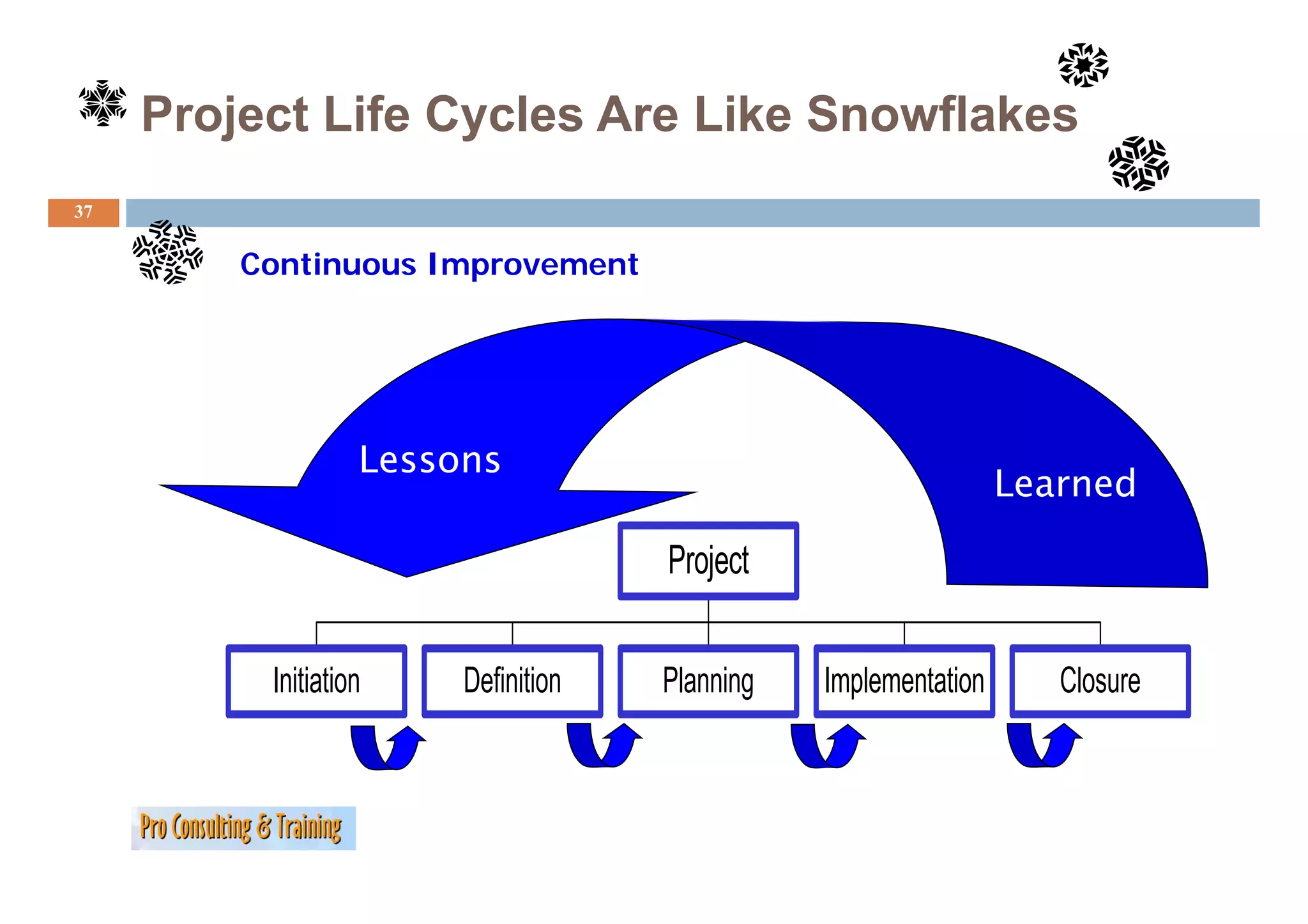
283
A simple way to distinguish among effectiveness, efficacy and
efficiency:
Efficiency: doing the "right" things
Effectiveness: getting things done
g g g
Effectivity: a level of getting things done
Efficacy: Doing things "right"
right
Sustainability is a characteristic of a process or state that can
be maintained at a certain level indefinitely.
284.
Ignorance…
284
Problems known
to management 4 %
An
Problems known
Iceberg
I b to managers 9 %
of
Ignorance
Problems known
to supervisors 74 %
Problems known
to front line staff 100%
The Ideal ProjectManager
286
What managers should do/have/be
Ascetic
Age
To t
T transfer/take action
f /t k ti
Cost consciousness
Self-steering
Team-orientation
Communication competency
Social
S i l competencyt
Capability to handle conflicts
Participative leadership
Civil courage
Ethics
Family
F il
Loyalty
Authoritarian leadership
Being open towards information technology
Project management experience
Change management competency
Ch t t
Vision
Entrepreneurship
Strategy
-40,0
, -20,0
, 0,0
, 20,0
, 40,0
, 60,0
,
287.
Ten critical factorsfor project success
287
1) PROJECT MISSION: A clear sense of direction with clear initial goals
2) TOP MANAGEMENT SUPPORT: A willingness and ability to provide resources, authority
and influence
3) PROJECT/SCHEDULE & PLAN: A detailed specification and schedule for project
implementation
4) CLIENT CONSULTATION Ad
CONSULTATION: Adequate communication, consultation and active listening to
t i ti lt ti d ti li t i t
and with the client.
5) PERSONNEL: Necessary personnel were selected, recruited and trained.
6) TECHNICAL TASKS: Required technologies and expertise were available.
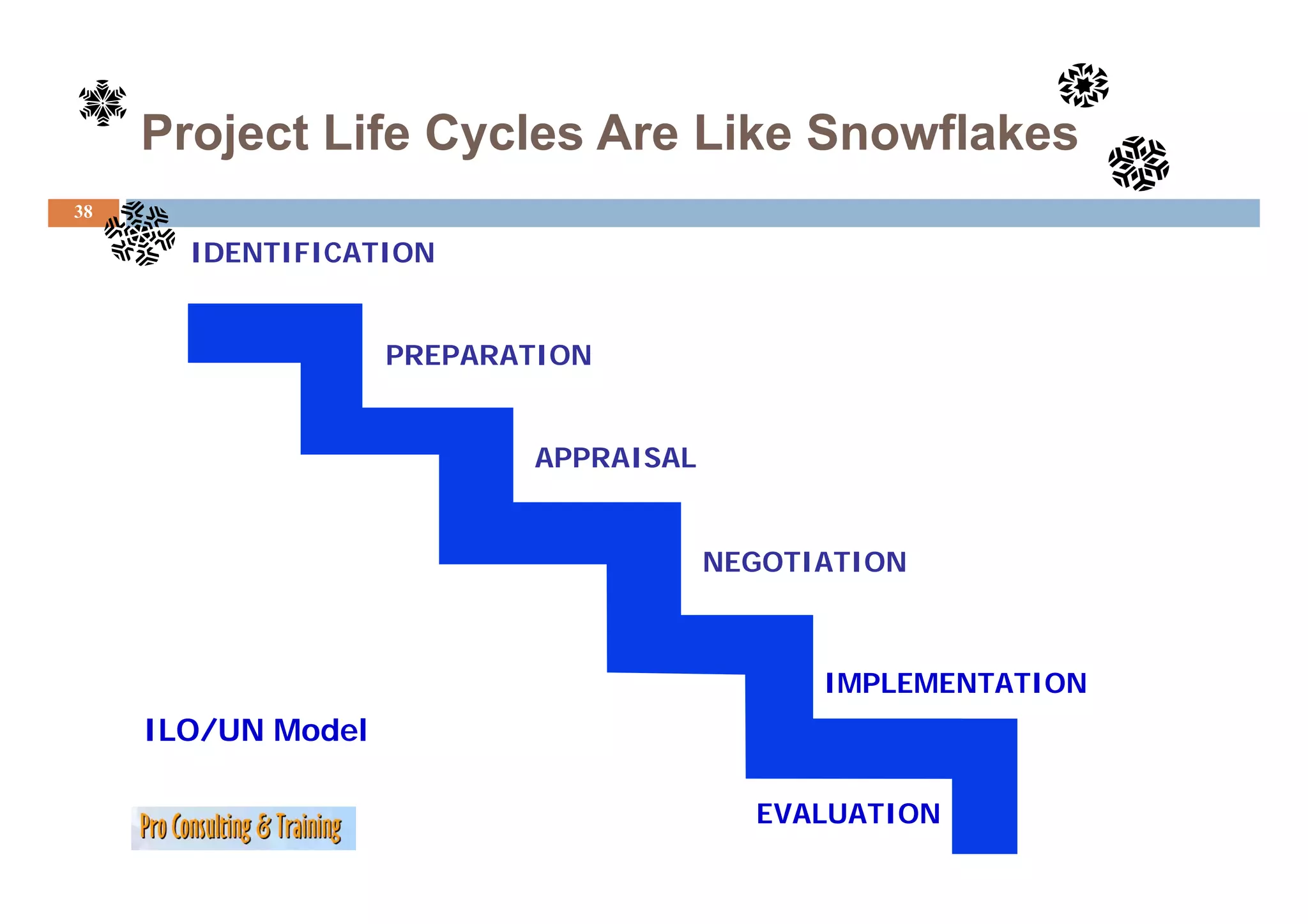
7) CLIENT ACCEPTANCE: Final project was sold to the end user.
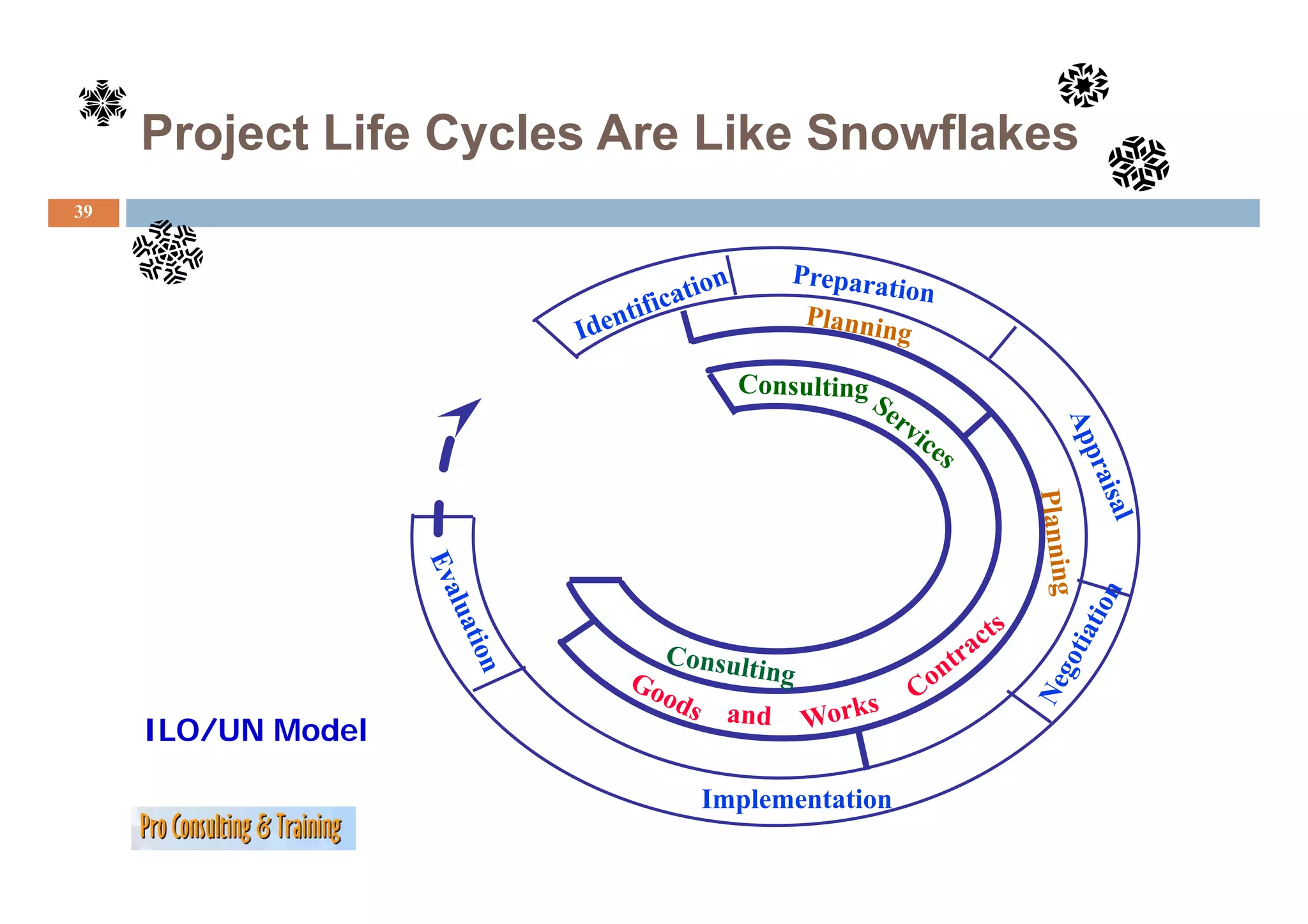
8) MONITORING & FEEDBACK: Provision of comprehensive information at each
) p
implementation stage.
9) TROUBLESHOOTING: An ability to handle unexpected crises and plan deviations.
288.
Ten critical factorsfor project success
288
The 10 CSF s, their sequence and interdependence
CSF’s
289.
Some simple butuseful check‘s
check s
289
Checklist
Ch kli project characteristics
j h i i
Check whether your project is really a project…
Is there a project specific organization?
Is there a clearly defined starting and ending point?
Is there a clear conceptual project formulation?
Is the assignment of tasks complex?
h l l l ‘f d ’i h
Is there a clearly spelt out ‘form and content’ in the target
(description)?
If you can at least answer three questions with a solid YES, then you are on
the safe side!
290.
Some simple butuseful check‘s
check s
290
A good frame work for team work
df kf k
Good team composition
Co-operative working relationship
Give and take relationship (being able to make good compromises)
Jointly defined and accepted target(s)
Joint description and definition of tasks and j
p jobs
Jointly developed ‚laws of the game‘
Good purposeful communication between the team members
If you can at least answer three questions with a solid YES, then you are
on the safe side!
291.
Some simple butuseful check‘s
check s
291
Is the target definition un-ambigious and complete
Yes Partially No
Target establishment was done ‚three dimensionally‘
(Target content; Target degree; Target time)
Target is clear and traceable
g
Target is measurable
Target is complete (target system and hierachy)
Target is unambigious
Target is realistically achieveable
Target is accepted by ‚all‘
all‘
Target has been re-confirmed with ‚donor/contractor‘
Target is written down
292.
Some simple butuseful check‘s
check s
292
Has your project been planned holistically and or a holistic approach
CONTEXT LEVEL Yes Partially No
Project specific organization
Process and task responsibilities are clearly defined and assigned to specific staff
Structured action
Systematic planning
Continuous monitoring
Consistent cause analysis
Comprehensive Information Management
SOCIAL LEVEL Yes
Y Partially
P ti ll No
N
Getting acceptance for the project(work)
Confidence building amongst working partners/team etc.
Active involvement of ALL (stakeholders project team etc.) into the project
(stakeholders, etc )
Participative leadership
Strengthening of personal responsibility
Increasing/facilitating motivation
g/ g
Personal Action Plan
294
This l
Thi plan is your plan and you need not share i with anyone else
i l d d h it i h l
in the workshop.
However, find a colleague with whom you can share your plan.
Make this “Project Management In the First Person” and set out
to put in place the steps you listed to meet your stated goals.
Lots of success in the future!!
295.
Personal Action Plan
295
Personal Self E al ation and Action Plan for Follow-Up after This Workshop
Self-Evaluation Follo Up
These are the knowledge areas and skills that I already knew and had
reinforced by this workshop.
These are the knowledge areas and skills that were new to me that I will be
Th th k l d d kill th t t th t ill b
able to use in my project work in the future.
These are the knowledge areas and skills introduced in the workshop on
which I might need a refresher to use comfortably.
g y
296.
Personal Action Plan(continued)
296
These are the knowledge areas and skills that were not covered (or not
Th h k l d d kill h d(
covered in sufficient detail), but about which I would like to learn more.
These are the steps I plan to take immediately.
These are the steps I want to take within the next six months
These are goals related to project management that I want to achieve within
the next two years.
h
Bibliography
298
• Adams John R., and Campbell, Bryan, Roles and Responsibilities of the Project Manager 4th Edition
Adams, R Campbell Bryan Manager, Edition,
Project Management Institute, 1990
• Baker, Sunny and Kim, The Complete Idiot's Guide to Project Management, New York, NY: Alpha
Books, 1998.
• Bennatan E.M, On Time Within Budget: Software Project Management Practices and Techniques 3rd
Bennatan, E M Techniques,
Edition, New York, Wiley. 2000.
• Brooks, Fredrick. The Mythical Man-Month. Addison Wesley. 1995.
• DeWeaver, Mary F. and Gillespie, Lori C., Real-World Project Management: New Approaches for
Adapting to Change and Uncertainty New York: Quality Resources, 1997
Uncertainty. Resources 1997.
• Dinsmore, Paul C., Human Factors in Project Management. New York: AMACOM, 1990.
• Doyle, Michael and Straus, David, How to Make Meetings Work, New York: Jove Books, 1982.
• Greer, Michael, The Manager's Pocket Guide to Project Management, Amherst, MA: HRD Press,
, , g j g , , ,
1999.
• Greer, Michael, The Project Manager's Partner: A Step-by-Step Guide to Project Management,
Amherst, MA: HRD Press, 1996.
• Haynes, Marion E., Project Management. Crisp Publications, 1989.
y , , j g p ,
• Laufer, Alexander and Hoffman, Edward J., Project Management Success Stories: Lessons of Project
Leadership, New York, Wiley. 2000.
• Lewis, James P., Fundamentals of Project Management. New York: AMACOM, 1997.
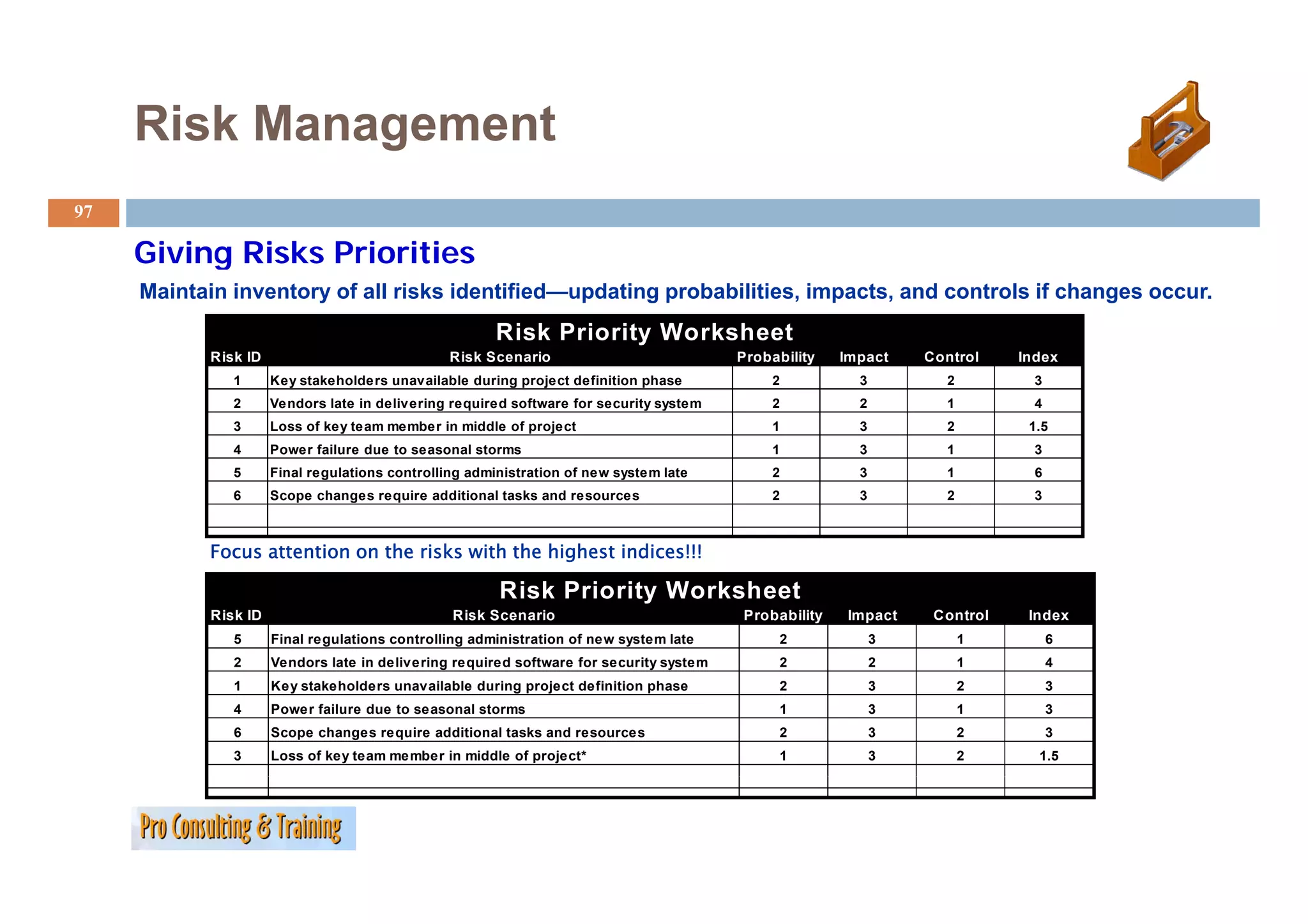
• Lock Dennis Project Management (Sixth Edition). New York: Wiley, 1996.
Lock, Dennis, Edition) Wiley 1996
299.
Bibliography
299
• Martin,
Martin Paula and Tate Karen Getting Started in Project Management New York, Wiley, 2001.
Tate, Karen. Management. York Wiley 2001
• Meredith, Jack R. and Mantel, Jr., Samuel J., Project Management: A Managerial Approach. 5th
Edition. New York. Wiley. 2003.
• Penner, Donald. The Project Manager’s Survival Guide. Battelle Press, 1994.
, j g ,
• Peters, Tom, Reinventing Work: The Project 50: Fifty Ways to Transform Every "Task" Into a Project
That Matters. New York. Alfred A. Knopf, 1999.
• Project Management Institute. A Guide to the Project Management Body of Knowledge (PMBOK
Guide) -- 2000 Edition 2001
Edition, 2001.
• Roberts, W. Leadership Secrets of Attila the Hun. Warner Books, 1987.
• Schrage, Michael. Shared Minds: The New Technologies of Collaboration. New York: Random
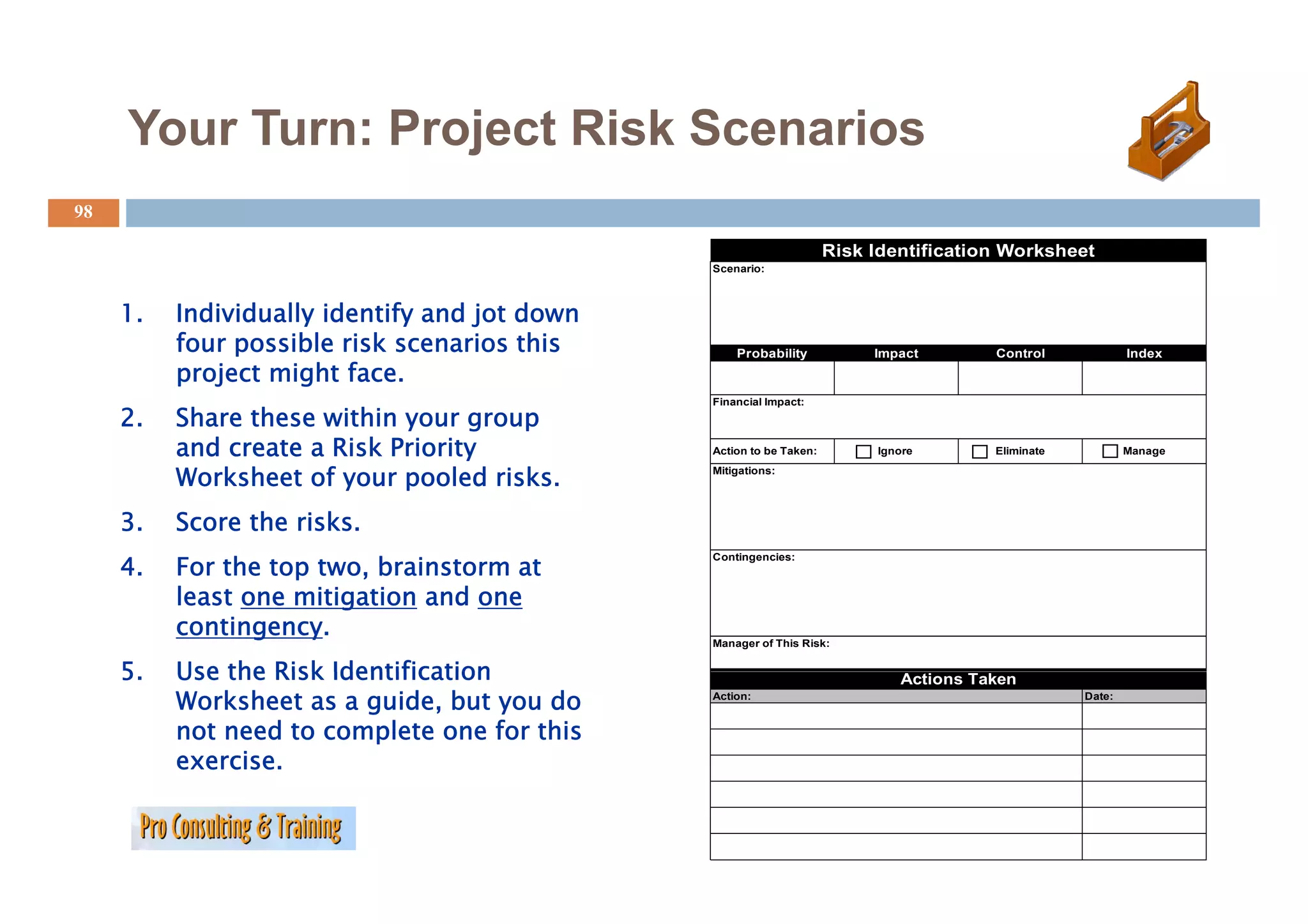
House. 1990.
• Thomsett, R. People and Project Management. Yourdon Press, 1980.
• Verzuh, Eric. The Fast Forward MBA in Project Management: Quick Tips, Speedy Solutions, and
Cutting-Edge Ideas. New York, Wiley. 1999.
• Wideman, R. Max (Editor). Project and Program Risk Management: A Guide to Managing Project
Risks and Opportunities. Project Management Institute, 1992.
• Wysocki, Robert K. et al, Building Effective Project Teams. New York: Wiley, 2001.
• Wysocki,
Wysocki Robert K. et al, Effective Project Management New York: Wiley, 1995.
K al Management. Wiley 1995
300.
NOT A MODULE:WHAT OTHERS DO
MODULE
EXAMPLE ILO/UN/WB
301.
Project IDENTIFICATION
301
JOINT BORROWER (CAS) /BANK (PCD) INVOLVEMENT
SOURCES
BANK COUNTRY / SECTOR WORK
COUNTRY OFFICES
PRIOR PROJECTS
MULTILATERAL / BILATERAL AGENCIES
ILO/UN/
WB
302.
Project IDENTIFICATION
302
JOINT BORROWER / BANK INVOLVEMENT
PROVIDES OUTLINE OF PROJECT
BENEFICIARIES
ALTERNATIVES
ISSUES
PROCESSING REQUIREMENTS
ILO/UN/
WB
303.
Project PREPARATION
303
RESPONSIBILITY OF BORROWER
AVAILABLE ASSISTANCE (TECHNICAL/FINANCIAL)
BORROWER (own resources)
BANK
PREVIOUS LOANS (technical assistance)
RETROACTIVE FINANCING
PROJECT PREPARATION FACILITY
TECHNICAL ASSISTANCE LOANS
ENGINEERING LOANS
MULTILATERAL/BILATERAL AGENCIES (e.g. Grants from donors:
USAID, Japan, etc.)
ILO/UN/
WB
304.
Project PREPARATION
304
STUDIES (TECHNICAL, SOCIOLOGICAL, ENVIRONMENTAL,
FINANCIAL)
TASK (SURVEYS MAPPING)
(SURVEYS,
FINAL DESIGNS, BIDDING DOCUMENTS
STAFFING AND TRAINING
OFFICE EQUIPMENT, VEHICLES
ILO/UN/
WB
305.
Project APPRAISAL
305
RESPONSIBILITY OF BANK
MULTI-DISCIPLINARY TEAM (Field)
PROJECT APPRAISAL DOCUMENT (PAD)
ECONOMIC ANALYSIS
BENEFIT TO COUNTRY
POVERTY ALLEVIATION
TECHNICAL
REVIEW OF DESIGNS, COST ESTIMATES
IMPLEMENTATION SCHEDULE
ILO/UN/
WB
Implementation/Supervision
308
IMPLEMENTATION IS RESPONSIBILITY OF BORROWER
BANK RESPONSIBILITY
MONITOR PROGRESS
ADVISE
ENSURE LOAN PROCEEDS USED FOR PURPOSE INTENDED
ENSURE PROCUREMENT IS ECONOMIC AND PROVIDES FAIR
OPPORTUNITIES
ILO/UN/
WB
309.
Implementation/Supervision
309
SUPERVISION METHODOLOGY
FIELD VISITS
REVIEW AND APPROVE
CONSULTANT SELECTION
BID DOCUMENTS
CONTRACT AWARDS
CHANGES IN SCOPE/COSTS
ILO/UN/
WB
310.
Project Evaluation
310
COMPLETION REPORT PREPARED BY:
BANK OPERATIONS STAFF
DESK AND FIELD REVIEWS
RE-ESTIMATES COST/BENEFITS
INCLUDES BORROWER’S COMMENTS
ANALYSIS OF SUCCESS AND FAILURES
ILO/UN/
WB
311.
Project Evaluation
311
AUDIT REPORT BY INDEPENDENT DEPARTMENT OF BANK (OED)
SPECIAL REVIEWS BY OED
ANALYSIS USED FOR FUTURE PROJECT DESIGN
EVALUATION OF IMPACT
AUDIT REPORT BY INDEPENDENT DEPARTMENT OF BANK (OED)
SPECIAL REVIEWS BY OED
ANALYSIS USED FOR FUTURE PROJECT DESIGN
EVALUATION OF IMPACT
ILO/UN/
WB
The ’egg dropproject
egg drop’
315
Suitable f
for: Team work – Decision making, Planning/Co-ordination/ Co-operation,
Working under ‘pressure’, Monitoring + Evaluation.
Group work:
G k Maximum seven persons per group.
M i
One person from each group will get the assignment to be a neutral
observer/monitor on how the group performs and has to act strictly
neutral (see observer sheet)
sheet).
Task: Produce a package, only from the materials provided, that
will prevent that an egg that is enclosed in it will break, if it
break
is dropped from a fixed height (of 2.50 meter)!
316.
The ’egg dropproject
egg drop’
316
Time available:
Ti il bl 30 minutes, not extendable!
i t t t d bl !
Material supplied to complete the task:
- One fresh (not boiled) egg
- 25 drinking straws (plastic),
- 125 cm of ‘scotch-tape’
f‘ t h t ’
No other material then the supplied one is allowed (e.g.
Sc sso s, poc et
Scissors, pocket knifes, additional padding material, etc.!
es, add t o a padd g ate a , etc
No manipulation on the egg (e.g. blowing it out, boiling it, etc.)!
You are not allowed to visit any competing group!
You are not allowed to conduct any pre- test!
317.
The ’egg dropproject
egg drop’
317
Working steps:
• Assign tasks/functions to person in your group/team (e.g. designer,
engineer, manager, material supplier/holder etc) and label the group
member visibly, so that she/he can be easily identified.
• Design a package only from the materials supplied, with an egg inside, so
that the egg will survive a drop from a height of 2.50 meter.
2 50 meter
Stand for the contest:
Select
S l t a member of your t
b f team who h t d
h has to drop your package ( ith th egg i id ) f
k (with the inside) from a h i ht
height
of 2.50 meter! The winning group will be that one, where the egg is not broken!
* In case of a ‘draw’ situation the audience will select the ‘winner’, based on additional criteria,
, ,
such as ‘overall group performance, product appearance’ etc.
318.
Trainer things…
318
The form of management = mis-managment
Imagine:
An advisor knows 96 different positions and no women is interested
319.
What happens whenwe learn?
319
V “diencephalon” E We do not send/exchange
information but signals
g
I N
20 % of impulses are new
Values 80 % are from our ‚inventory
inventory’
Interests
Expectations
Needs
Often used container metaphor – Morse code; sender and receiver is wrong
Things that cango wrong…
321
Murphy s
Murphy's Laws
1. If anything can go wrong, it will.
2. If there is a possibility of several things going wrong, the one that will cause the
most damage will be the first one to go wrong.
3.
3 If anything just cannot go wrong, it will anyway.
wrong anyway
4. If you perceive that there are four possible ways in which something can go wrong,
and circumvent these, then a fifth way, unprepared for, will promptly develop.
5. Left to themselves, things tend to go from bad to worse.
6. If everything seems to be going well, you have obviously overlooked something.
7. Nature always sides with the hidden flaw.
8. Mother nature is a bitch.
322.
Wisdom…
322
You don’t need to know everything, but you should
y g, y
know who does….
Henry F d
H Ford
323.
Team work…
323
Do you want to do
donkey work
or t
team work?
k?
Chasing the plan…
325
Working the pyramide
THE TARGET ACHIEVED?
WHAT and HOW
Quality Management
WHEN and COSTS
Budget
WHO and HOW MUCH
Capacity Plan
WHAT until WHEN
Operation Chart
WHAT
Structured Project Plan
j
WHY
Clear Target
326.
Chasing the plan…
326
If reality hits you…
Changing plans (because reality has its own plan), does not mean
you have planned badly! It is your obligation to adjust to reality!