Hypervisor & Nova
Vinoth Kumar Selvaraj
Cloudenablers
07-Oct’15
Agenda
❏Introduction to Virtualization
❏What is Hypervisor
❏Types of Hypervisor
❏Openstack - Nova
❏Nova api
❏Nova Conductor
❏Nova scheduler
❏Nova Compute
❏Supported Hypervisor
what is Virtualization?
Creating a virtual version of something!
A server,
A storage device,
Network resources
Ex:-
Have you ever divided your hard drive into different
partitions?
What is hypervisor?
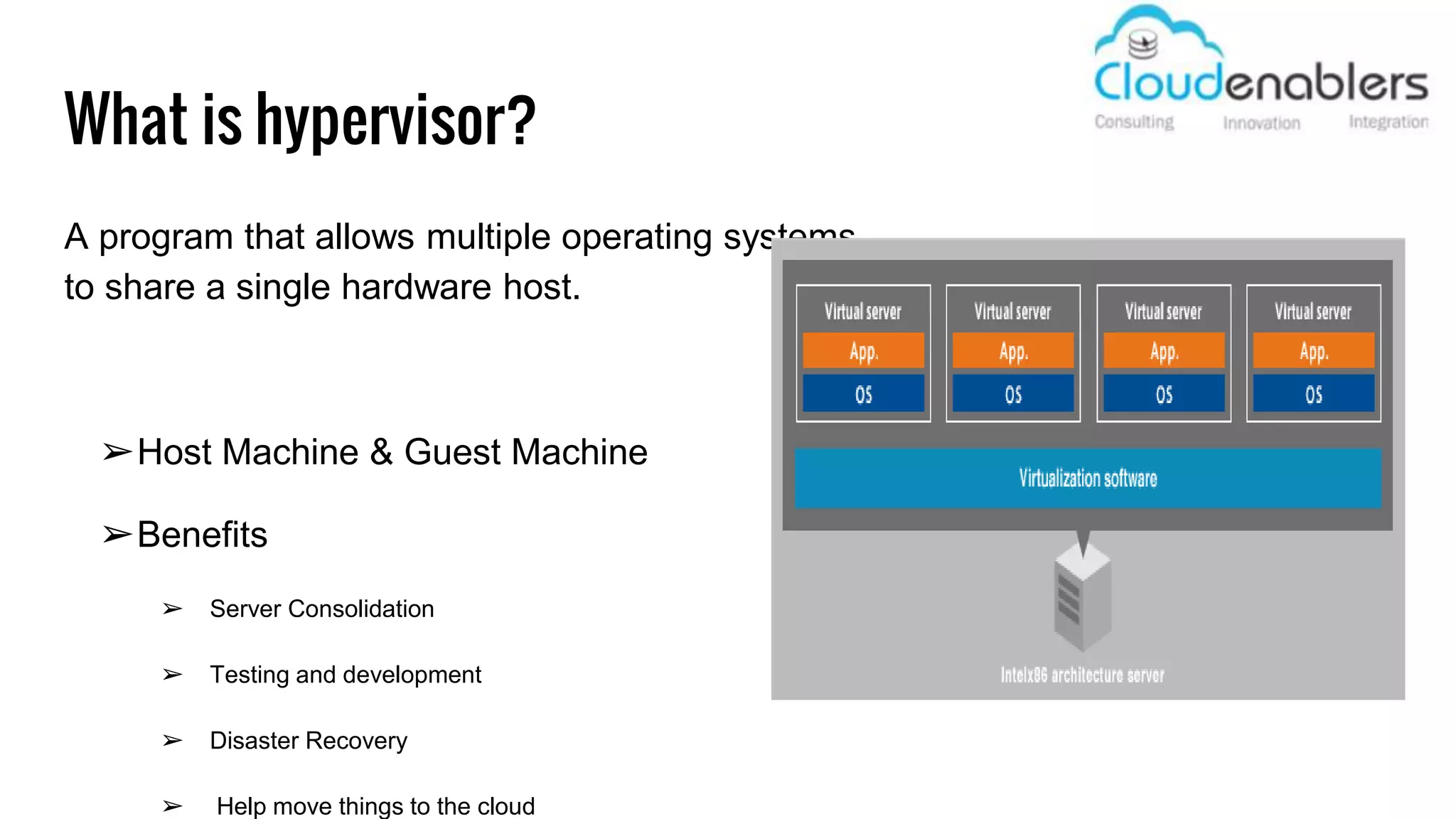
A program that allows multiple operating systems
to share a single hardware host.
➢Host Machine & Guest Machine
➢Benefits
➢ Server Consolidation
➢ Testing and development
➢ Disaster Recovery
➢ Help move things to the cloud
Types of hypervisor?
Type 1, which is considered a bare-metal
hypervisor and runs directly on top of hardware.
The Type 1 hypervisor is often referred to as a
hardware virtualization engine.
Type 2, which operates as an application on top
of an existing operating system.
Nova
Nova, also known as OpenStack Compute
Software that controls your IaaS cloud computing platform.
Similar to Amazon EC2
Nova is not virtualization software.
written in Python
Nova api : Create VM
_____________________
POST
/v2/​{tenant_id}​/servers
{
"server": {
"name": "server-test-1",
"imageRef": "b5660a6e-4b46-4be3-9707-
6b47221b454f",
"flavorRef": "2",
"max_count": 1,
"min_count": 1,
"networks": [
{
"uuid": "d32019d3-bc6e-4319-9c1d-
6722fc136a22"
}
],
}
}
KVM libvirt api : create VM
____________________________
virt-install --virt-type kvm --name linux 
--ram 1024 --cdrom=/tmp/linux.iso 
--disk vyatta.qcow2,format=qcow2 
--network network=default 
--graphics vnc,listen=0.0.0.0 
--noautoconsole --os-type=linux
libvirt
driver
Create VM action
supported Hypervisor?
qemu/KVM
Hyper-V
VMware
XenServer
baremetal
docker
Is anyone still awake for the Questions?

Hypervisor and Nova

  • 1.
    Hypervisor & Nova VinothKumar Selvaraj Cloudenablers 07-Oct’15
  • 2.
    Agenda ❏Introduction to Virtualization ❏Whatis Hypervisor ❏Types of Hypervisor ❏Openstack - Nova ❏Nova api ❏Nova Conductor ❏Nova scheduler ❏Nova Compute ❏Supported Hypervisor
  • 3.
    what is Virtualization? Creatinga virtual version of something! A server, A storage device, Network resources Ex:- Have you ever divided your hard drive into different partitions?
  • 4.
    What is hypervisor? Aprogram that allows multiple operating systems to share a single hardware host. ➢Host Machine & Guest Machine ➢Benefits ➢ Server Consolidation ➢ Testing and development ➢ Disaster Recovery ➢ Help move things to the cloud
  • 7.
    Types of hypervisor? Type1, which is considered a bare-metal hypervisor and runs directly on top of hardware. The Type 1 hypervisor is often referred to as a hardware virtualization engine. Type 2, which operates as an application on top of an existing operating system.
  • 9.
    Nova Nova, also knownas OpenStack Compute Software that controls your IaaS cloud computing platform. Similar to Amazon EC2 Nova is not virtualization software. written in Python
  • 20.
    Nova api :Create VM _____________________ POST /v2/​{tenant_id}​/servers { "server": { "name": "server-test-1", "imageRef": "b5660a6e-4b46-4be3-9707- 6b47221b454f", "flavorRef": "2", "max_count": 1, "min_count": 1, "networks": [ { "uuid": "d32019d3-bc6e-4319-9c1d- 6722fc136a22" } ], } } KVM libvirt api : create VM ____________________________ virt-install --virt-type kvm --name linux --ram 1024 --cdrom=/tmp/linux.iso --disk vyatta.qcow2,format=qcow2 --network network=default --graphics vnc,listen=0.0.0.0 --noautoconsole --os-type=linux libvirt driver Create VM action
  • 22.
  • 23.
    Is anyone stillawake for the Questions?

Editor's Notes

  • #4 Creating a virtual rather than actual version of something! This virtual version could be a server , network resources or a storage device. You would probably experience the virtualization, if you ever partitioned your PC HDD. Because a partition is a logical division of physical HDD to use as two different HDD. The main advantage is we could use our machine more effectively. As we buy the machine with 8GB RAM and running a web server which utilize only 4GB RAM of it which will result in waste of 4GB RAM Without Virtualization. This machine could be used effectively by running 2 different OS - one for web server and another for db. It will save the cost because we can use a single NIC as 10NIC or could run a multiple OS in single machine.
  • #5 A hypervisor, also called a virtual machine manager which could only manage the VMs running in that host machine. A software that allows multiple OS to share a single H/w host is called Hypervisor. All the VM created and managed using hypervisor are appears to have dedicated physical device like each VM has its own HDD, NIC, CPUs, etc., But behind the screen, Hypervisor does the Virtualization techniques to manage and allocate the virtual HDD, RAM and CPUs to each VMs. Most probably you should hear about the word “ Host machine & Guest Machine” which is nothing but the host OS which runs the hypervisor software is called host OS and the OS or VM created and managed by the hypervisor is called Guest machine. There will be lot of benefits in using hypervisor rather than individual host. Server consolidation which means we could run 10 servers on top of one physical machine rather than running 10 servers in individual physical machine. which will save cost in all types. Testing & development: Since VMs managed using hypervisor has more features like snapshotting & restoring - backup. So we could restore it easily if some errors occured during development cycles. Also each VM are completely isolated from each other VMs. So there won’t be any libraries or version conflict occur during testing. Move to cloud - it will be easy to move to cloud while using VMs which has features for providing snapshot and image export/import facility. Also there won’t be any hardware / software dependencies problem. There are some older version software may have option that will run only on older hardware. we could overcome this problem of using legacy software with hypervisor.
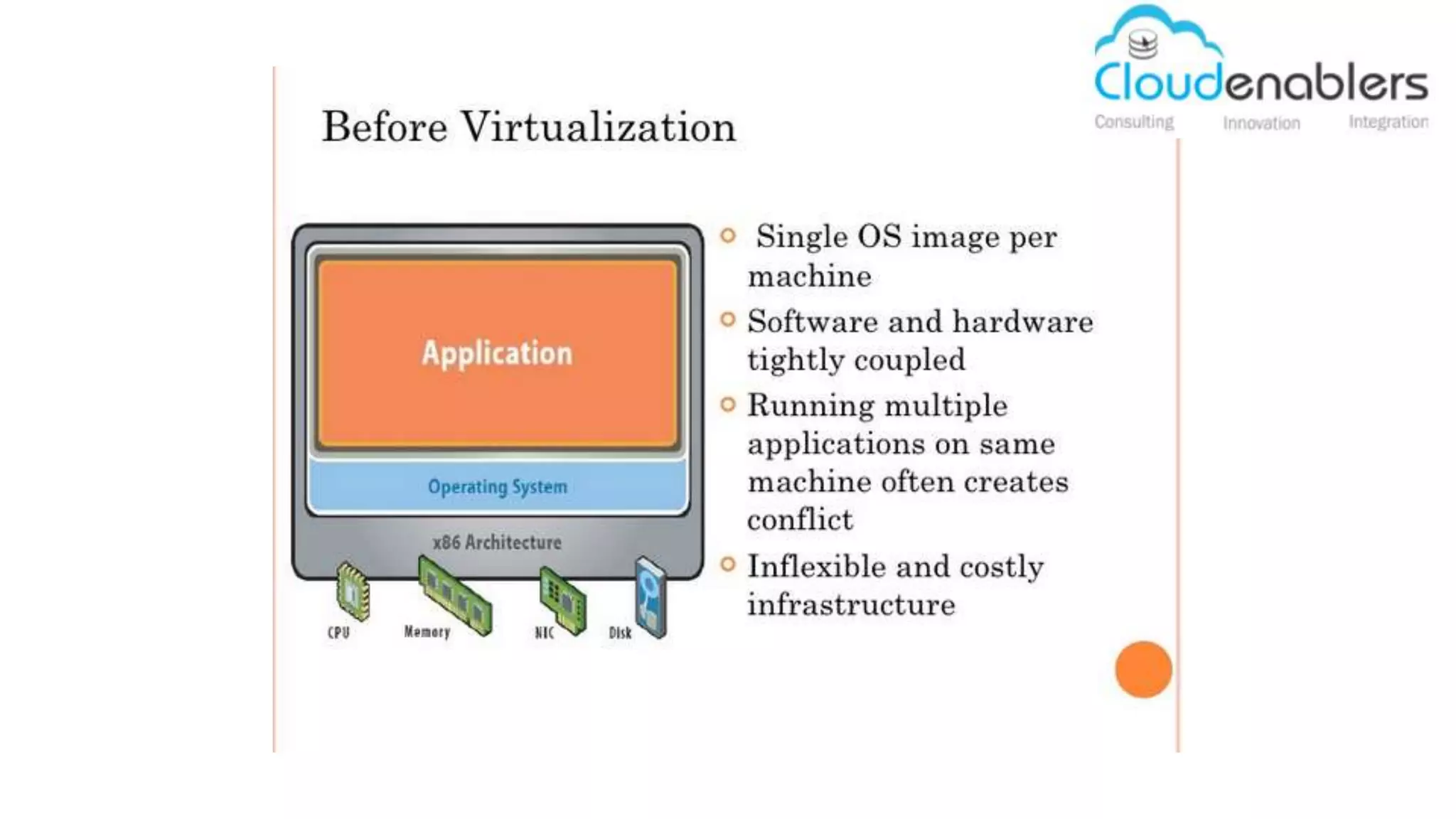
  • #6 How was the stuff designed before virtualization? We could run only one OS per physical machine at same time. OS and hardware were tightly coupled for example, some OS were designed to run only in the specific hardware. Running multiple application on same OS may create conflict. For example, Two different software may only support two different version of same dependent software. In that case we can’t install both the software in same machine which create conflicts. As I mentioned in server consolidation, this could be costly since we are running 100 machine rather than running 10 machines.
  • #7 How infrastructure redefined after virtualization? Any OS can run on top of any H/W. No S/W and H/w dependencies. Virtual Machine can be migrated and deployed in any other machine which support Virtualization.
  • #8 So what are the major types available in hypervisor? Hypervisor can be in type1 or type2. type1 is also called as Bare-metal or native hypervisor and type2 as Hosted hypervisor. You can see the diagram here, Bare metal hypervisor runs directly on top of hardware. It’s comes like the minimal OS bundle with virtualization software. We can install the bare metal hypervisor as an OS using boot CD. Examples are ESX, Xenserver. Hosted Hypervisor are the type2 hypervisor which will run on top of OS. So we will be installing this hosted hypervisor as a software in our host machine. For examples, Virtual box, fussion, KVM. Comparably, Type1 bare metal hypervisors are more effecient than hosted hypervisor. Since it runs directly on the hardware which will save the resources needed for running OS unlike hosted hypervisor.
  • #9 This is the command to install new VM in KVM. Also has api to do the same process. So by using this api we could control the KVM hypervisor from any point. This is what nova will do using libvirt api call to control the KVM hypervisor. Similarly, Nova have set of many hypervisor drivers which will speak to the respective hypervisor for managing the VM. I will talk about this process in detailed in the upcoming slides.
  • #10 Nova is the core service in openstack. Nova is the 1st project incubated and developed in openstack from NASA. Nova service is also known as openstack compute service which will manage and control the IAAS cloud computing platform. In simple words, Nova is a service to control and manage multiple hypervisors to create and manage the VM from one place. As I said in my previous presentation, If we have one hypervisor we can manage the VM in it easily. Suppose what if we have to manage 100 hypervisor? It will be the big headache to list what are the VM currently running on which machine and the log-in details! So there comes the nova service which will help as manage all the hypervisor from one place thru set of api to control all this 100 machines. If you ever worked in amazon ec2, then we could compare ec2 service with nova which is very similar. Keep one thing very clear that nova is not a hypervisor it just a service to manage hypervisor. well hypervisor will take care of managing VMs. All this nova service is written in python.
  • #11 These are the components available in nova service. I have highlighted the most important demon and will explain the process carried out by these demons.
  • #12 Nova api demon - will take care of accepting & responding to user’s compute api call like create VM, delete, snapshot… Nova api will validate the api call and accept it then pushed it into queue. So the other component will consume the request from queue and process it. All the orchestration activities are carried through the nova api demon.
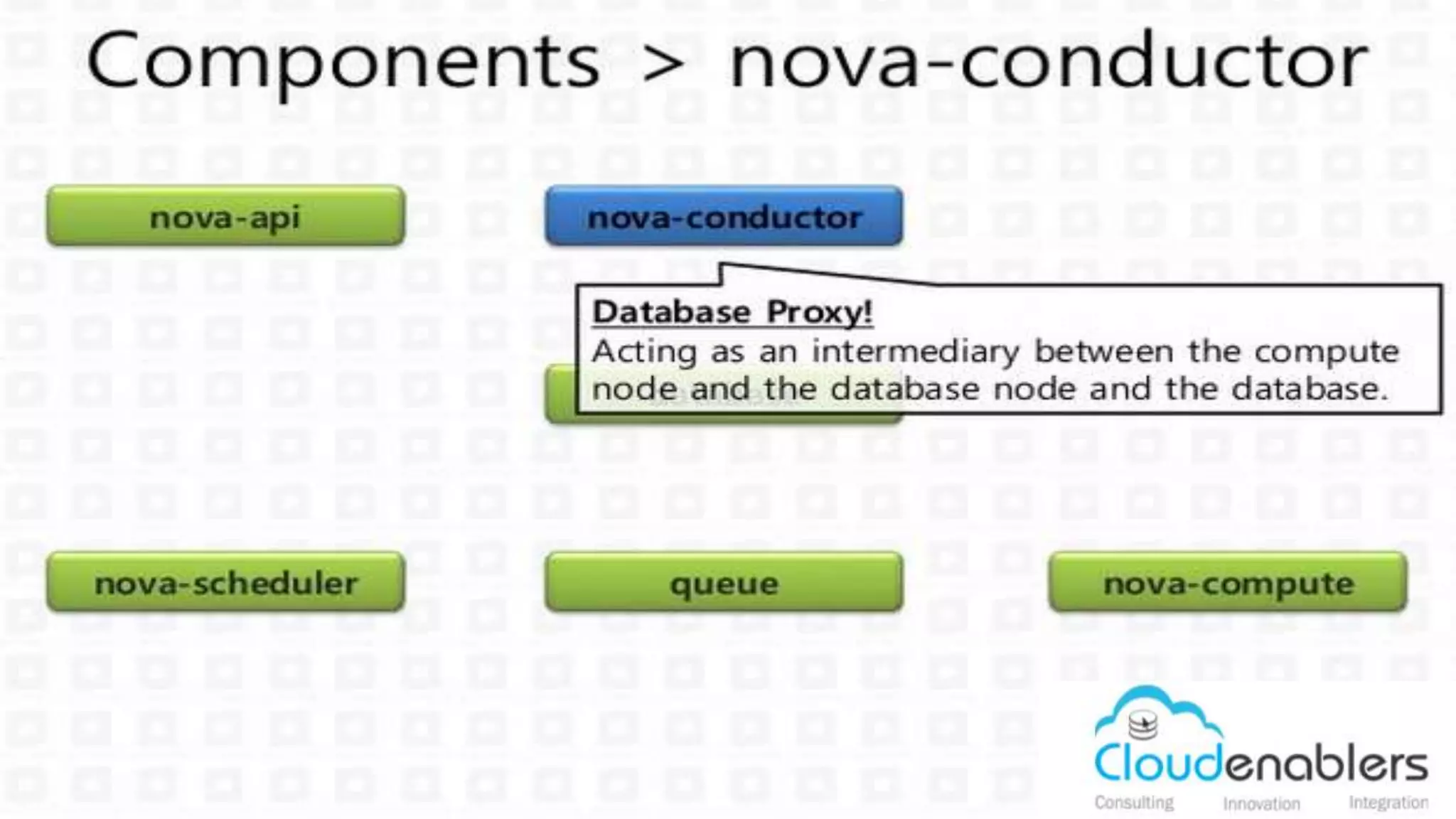
  • #13 Nova conductor is an intermediate between the DB and compute node. Since compute nodes & nova compute service are the least trusted service in openstack. This is because if anyone hacked into the compute node. Then there are the possibilities that the user can access the DB and access rhe other tenant user information. So for this reason no compute node is allowed to access the db directly.
  • #14 you can see it here, all the requests are placed in the queue and nova conductor will consume the message and update the db.
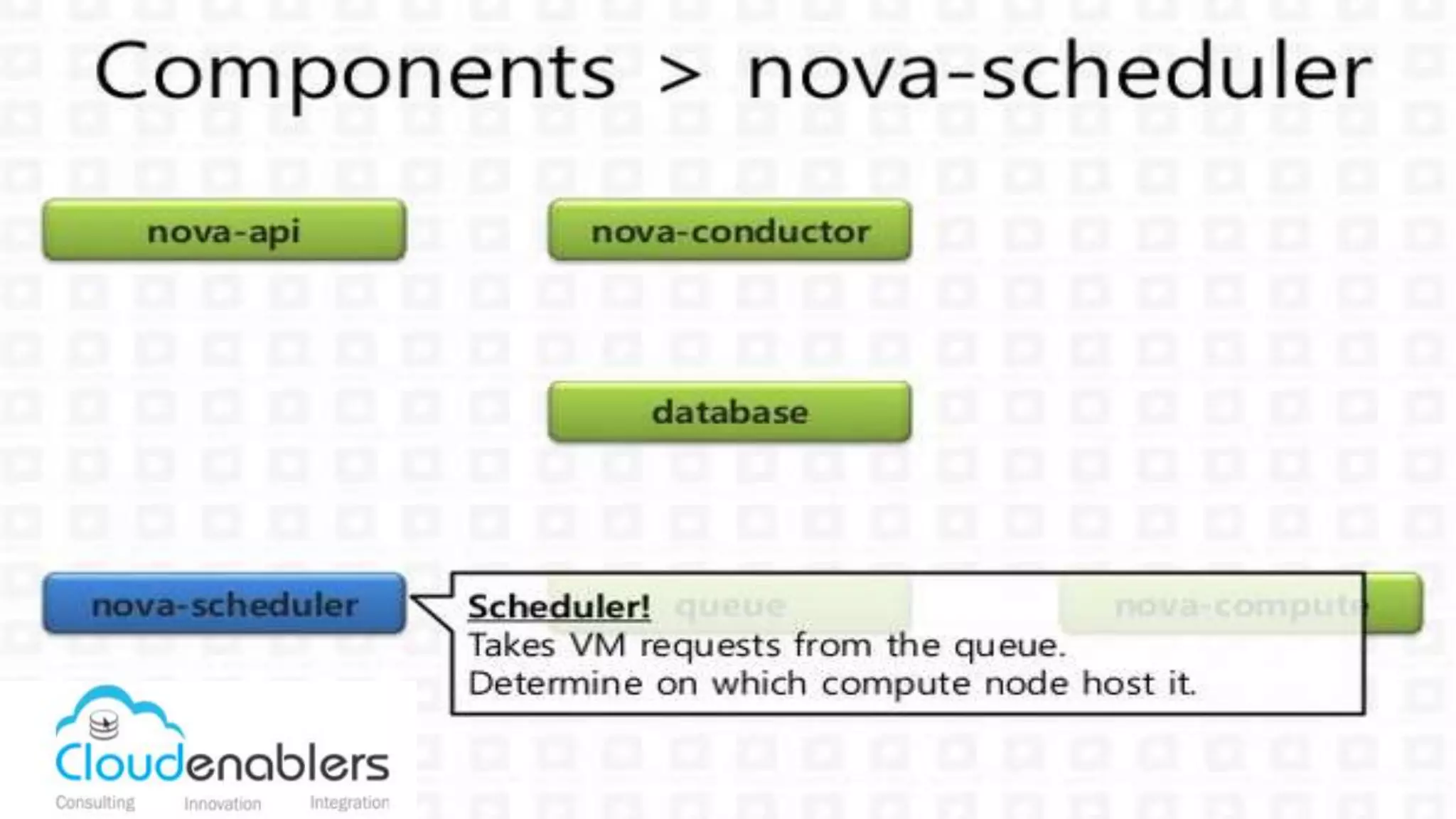
  • #15 Consider you have 10 compute node that is bing controlled by nova service. Now you send the request to create VM with 4GB ram to the nova api. So which node out of 10 node this nova service chose to provision the VM? This node selection is carried out by the nova scheduler demon.
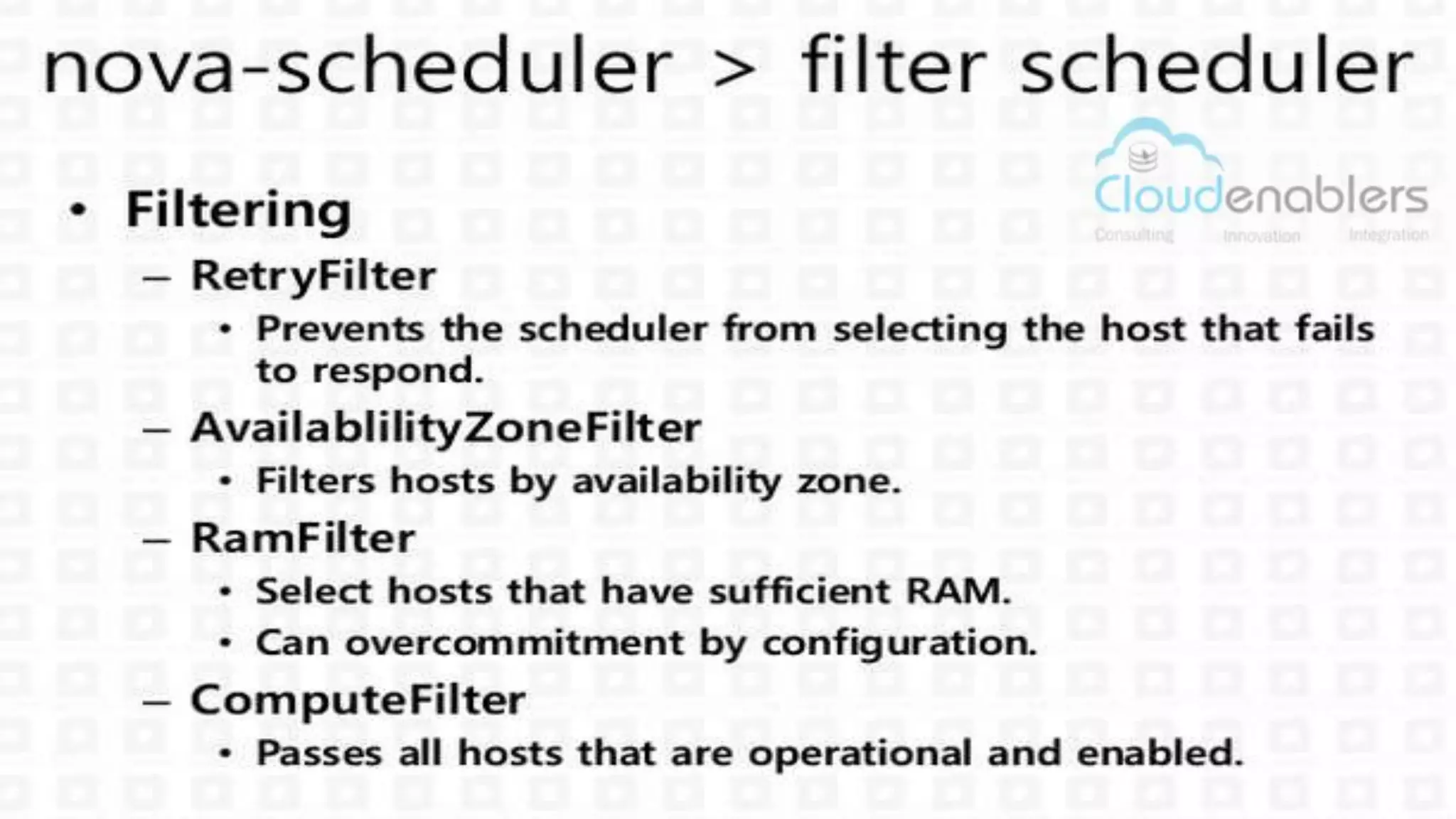
  • #16 Nova scheduler is a two step process - filtering and weighting. Filtering will filter the host that are capable of hosting the new VM. In our case, we have planned to provision the VM with 4GB RAM. So the scheduler will filter the host that don’t have the capacity to launch the 4GB RAM VM. It will choose all other host which pass the RAM filter will be shortlisted for weighting process.
  • #17 I have listed some basic filters here. Retryfilter will prevents the scheduler from selecting the host that are fails to respond. RAM filter - Computefilter- and so many.. We have option in openstack to overcommit the RAM and storage available. Default RAM over commit ratio is 1:1.5 which means scheduler see the host RAM as 3GB even though it has only 1.5GB ram.
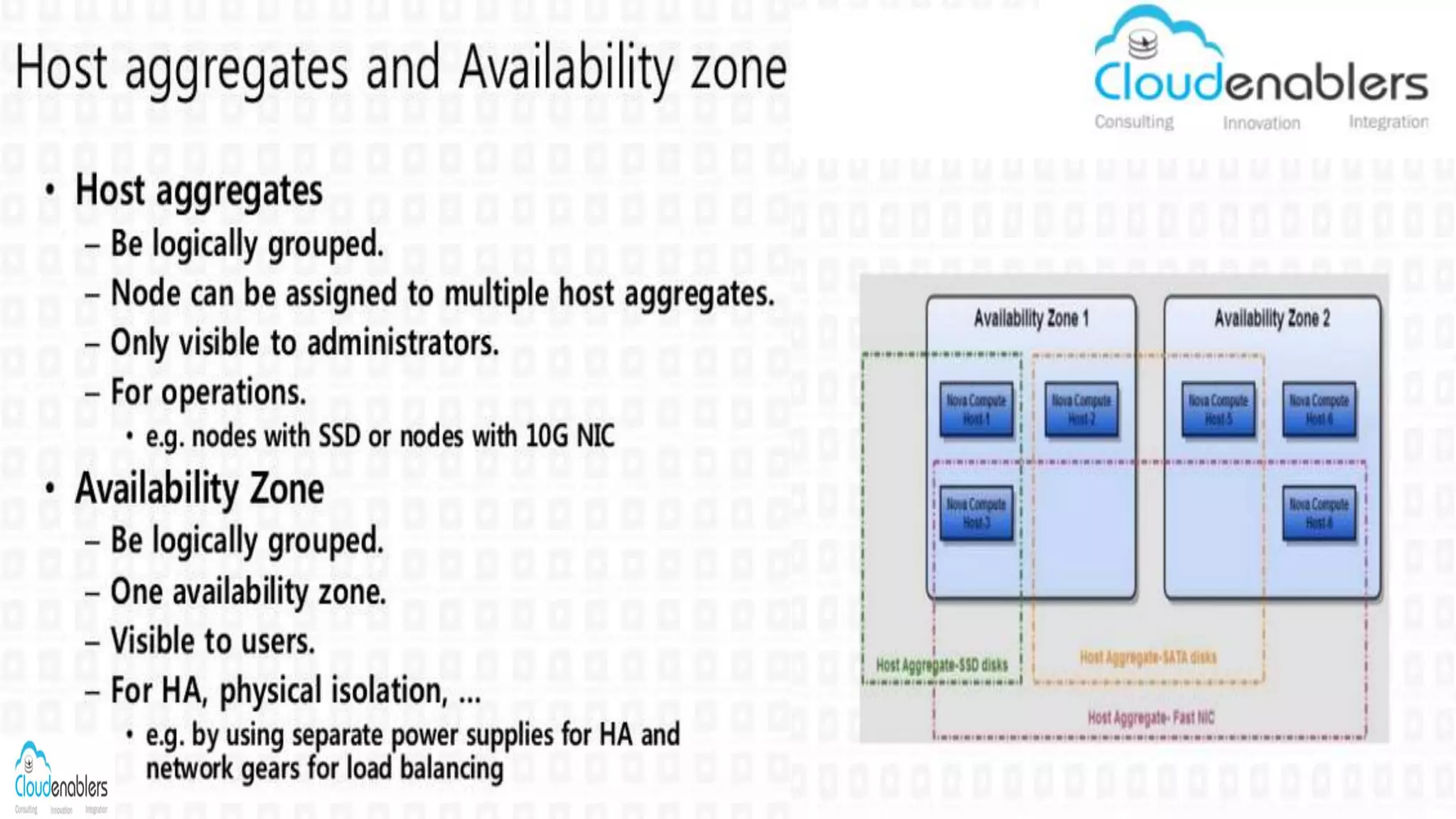
  • #18 We also have option to aggregate the host group for VM provision. using host aggregate we can group the host based on the specifications. For example, We can group all the host with SSD HDD by adding all this host under one aggregate. VM with DB requires more I/O operation. So this VM can be set to provision under SSD aggregates. Availability zones are comes under regions. Where one region can have multiple availability zones. Real time comparison would be we can set region as India and Zones as chennai, bangalore. Host aggregate is possible across Zones not regions.
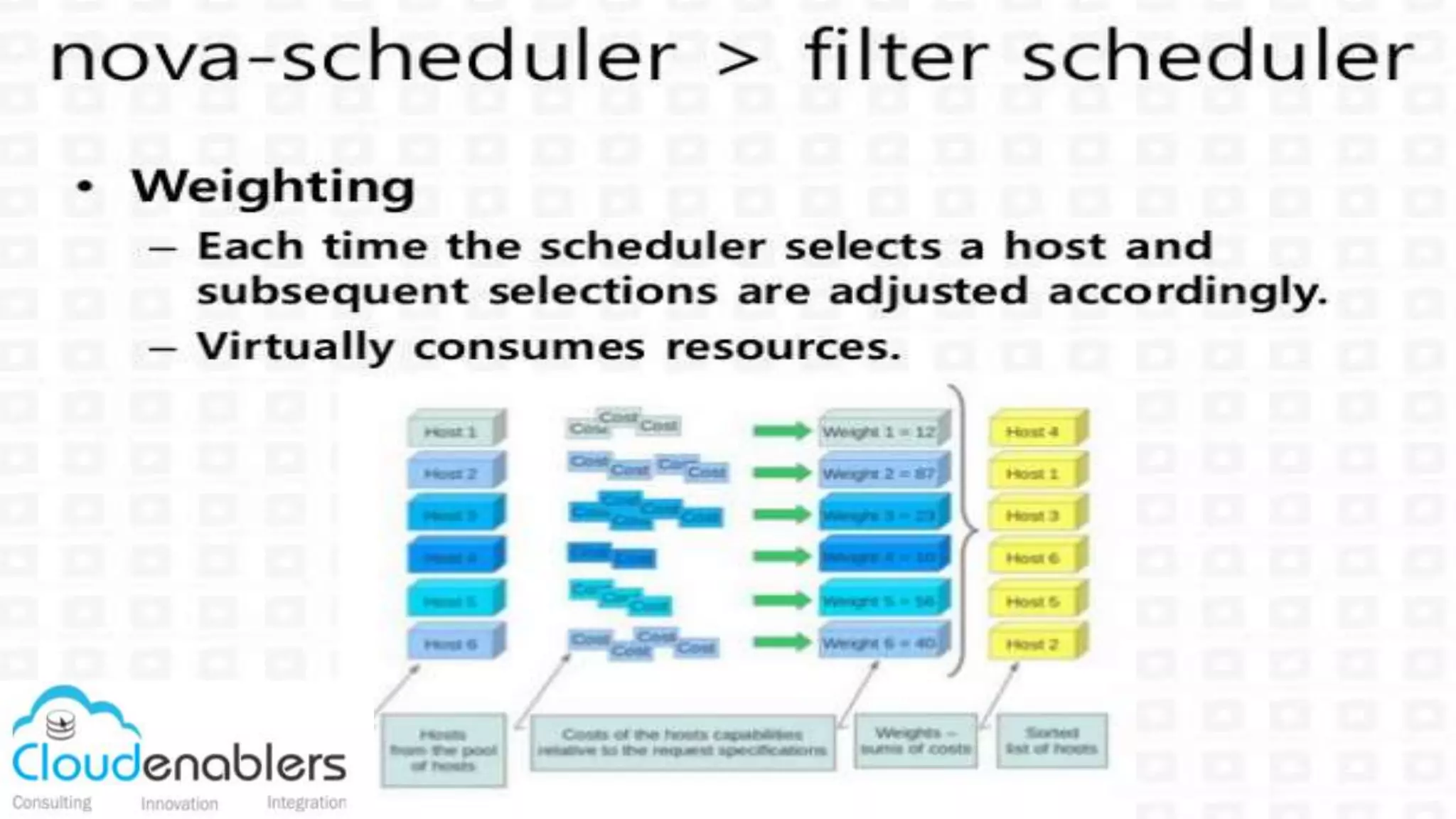
  • #19 After filtering the list of all capable host. Nova scheduler will undergo the next process called weighting. This weighting process will ordered the selected hosts from filtering based on ranking. In our case, we have 10 machine and in which 3 got shortlisted to provision the 4BG RAM VM. Now weighting will rank the selected host based on the resources. In that one host may have 10GB free RAM and later host may have 8GB available. So the host with hosh resource will win the scheduler game. The new VM will be set to created in the 1st host with 10GB RAM resources.
  • #20 Once the scheduler selected the host and will send the request to nova compute demon which runs in compute node. Nova Compute demon will take care of provisioning the VM in the hypervisor. Nova service have multiple driver support for different hypervisor which will convert the nova api into the hypervisor api to provisioning VM.
  • #21 This is the sample process of how nova api will be converted into KVM libvirt api using libvirt driver in nova compute.
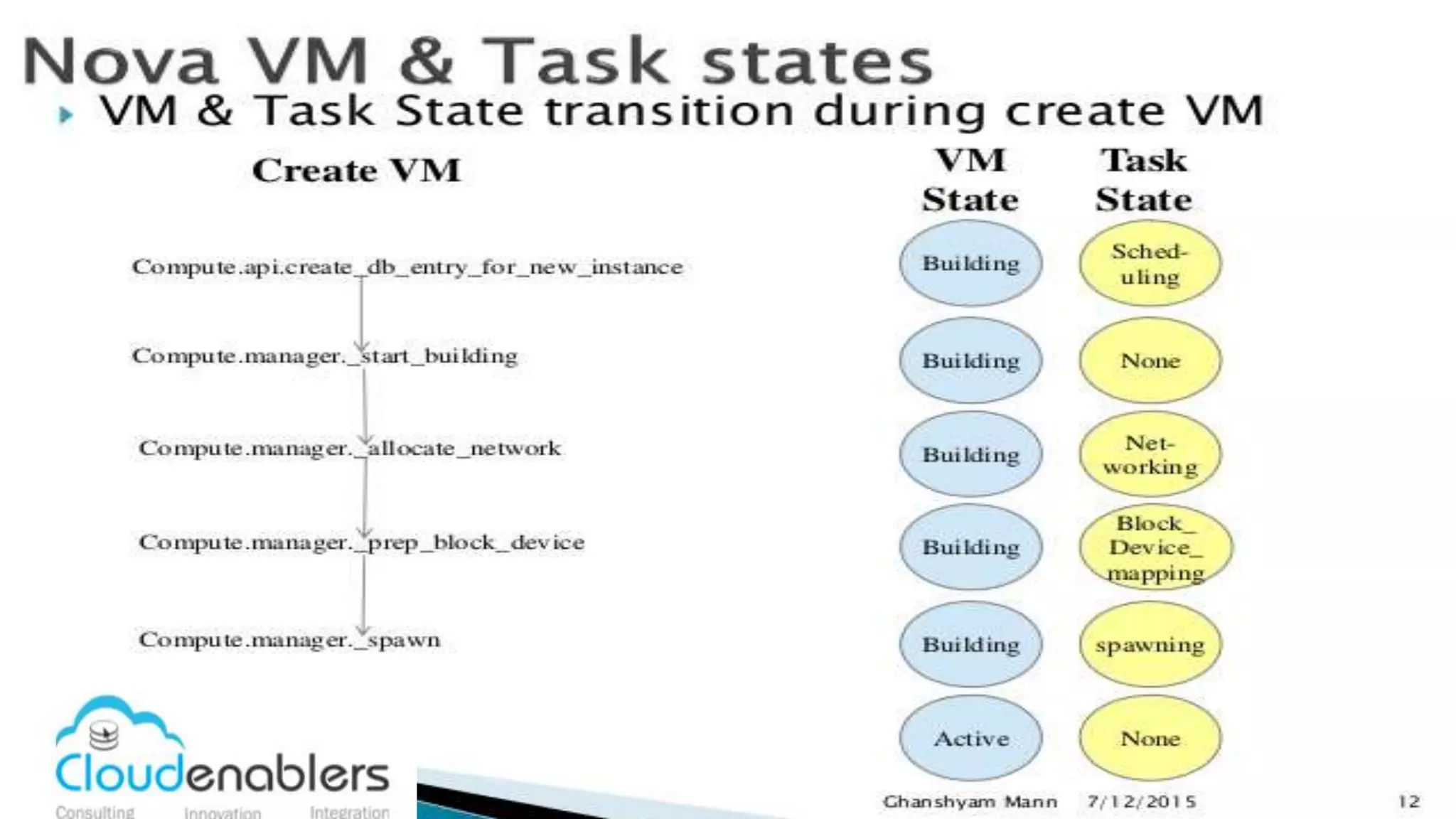
  • #22 This workflow will tells you the notification you see and the respective process in nova service. When you create the VM in horizon, you can see the TASk state and VM state. When it show scheduling it means entry for new vm is created. Then it will pass the request to nova compute to initiate the VM bulding process. Then networking indicates nova network or neutron network service processing the network creation for the VM. Then Root disk creation is carried which will be represented as Block-device mapping. And finally nova compute copy the VM image from glance repo which is called spawning process. Then the VM will turn to active state. Most of the time we used to identify the problem in nova service by closely watching the state changes. That mean, if the VM failed to launch before scheduling state then the problem should be in nova scheduler. So we will look at the nova log for the errors and troubleshoot them.
  • #23 Here is the list of nova supported hypervisor in openstack. Each hypervisor has different and additional features that may not be supported by nova. The list of all available features supported by nova in specific hypervisors are listed in the hypervisor supported matrix list available in openstack forum.
  • #24 Thank you :-)