Google Analytics for the Digital
Developer
Moving Towards Actionable Insights


 Vinoaj Vijeyakumaar
 Google Analytics JAPAC Lead, Global Technical Services
 Google Southeast Asia

      http://twitter.com/vinoaj

      http://cse-sea.blogspot.com


                                                      Google Confidential and Proprietary   1
Today

Google Analytics for the Digital Developer

    1   Why Google Analytics

    2   How Google Analytics Works

    3   Measuring Your Apps

    4   Data Export API

    5   Resources


                                             2
Why Google Analytics


                       Google Confidential and Proprietary   3
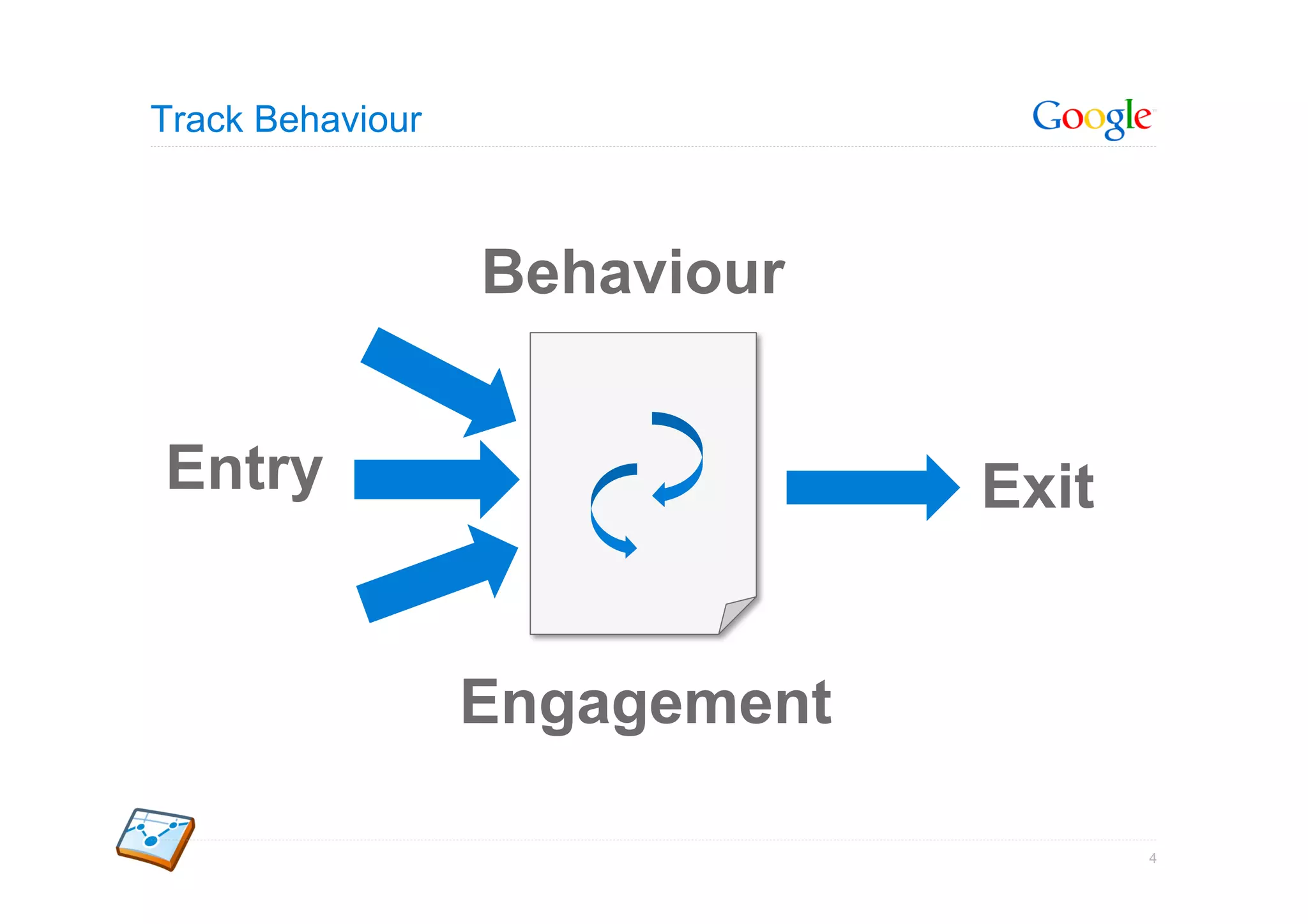
Track Behaviour


                  Behaviour


Entry                          Exit


                  Engagement

                                      4
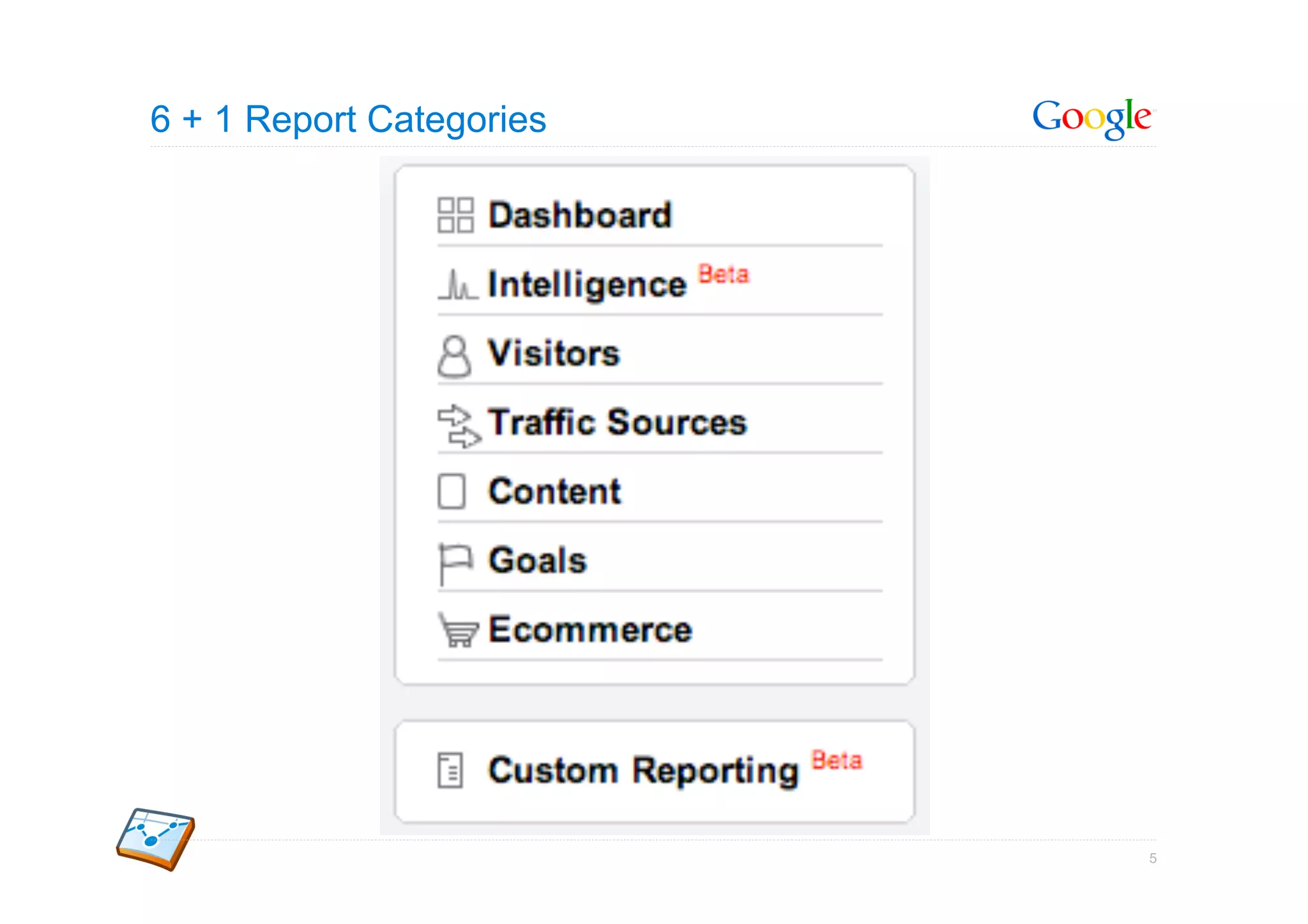
6 + 1 Report Categories


                          5
6 + 1 Report Categories


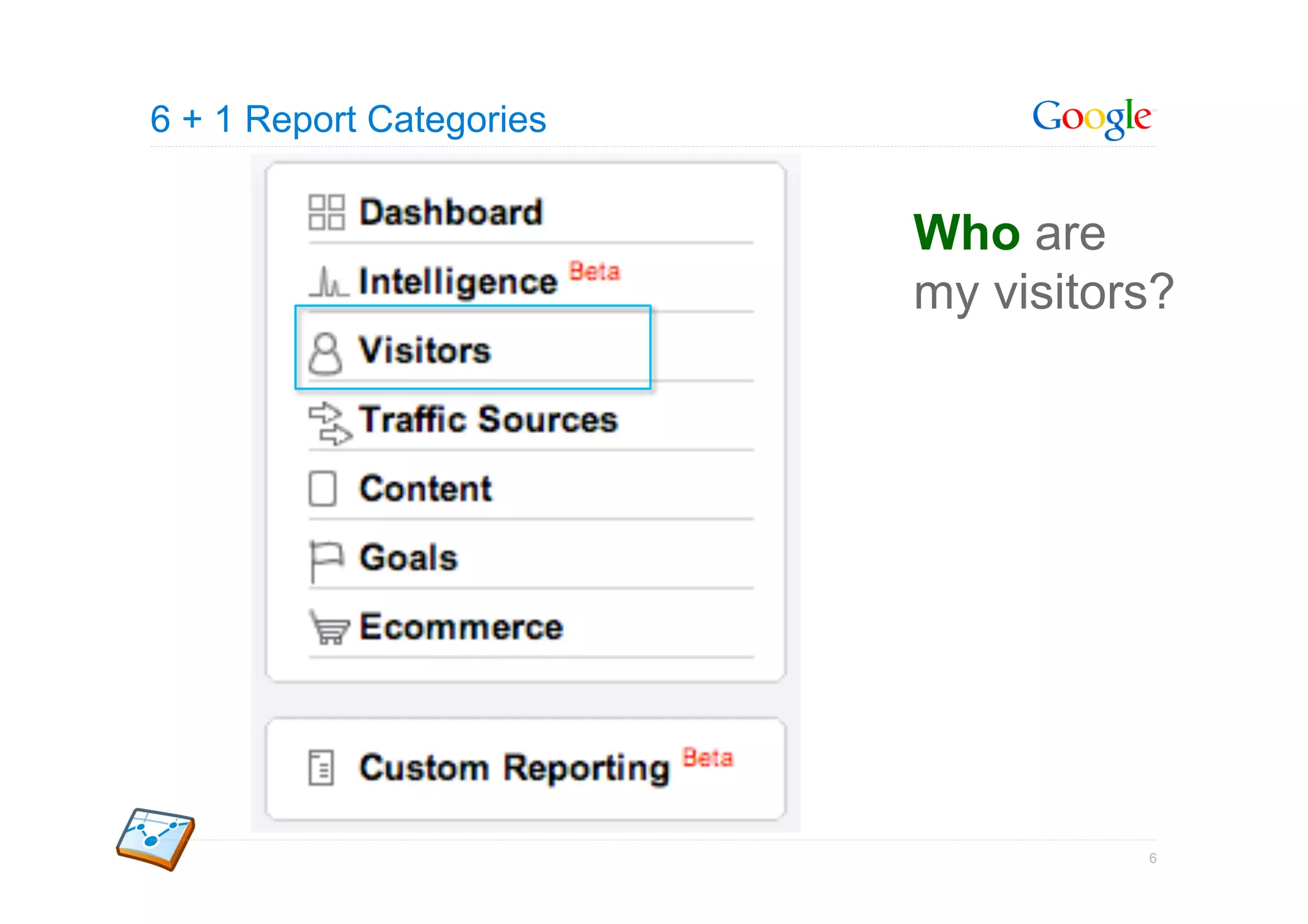
                          Who are
                          my visitors?


                                    6
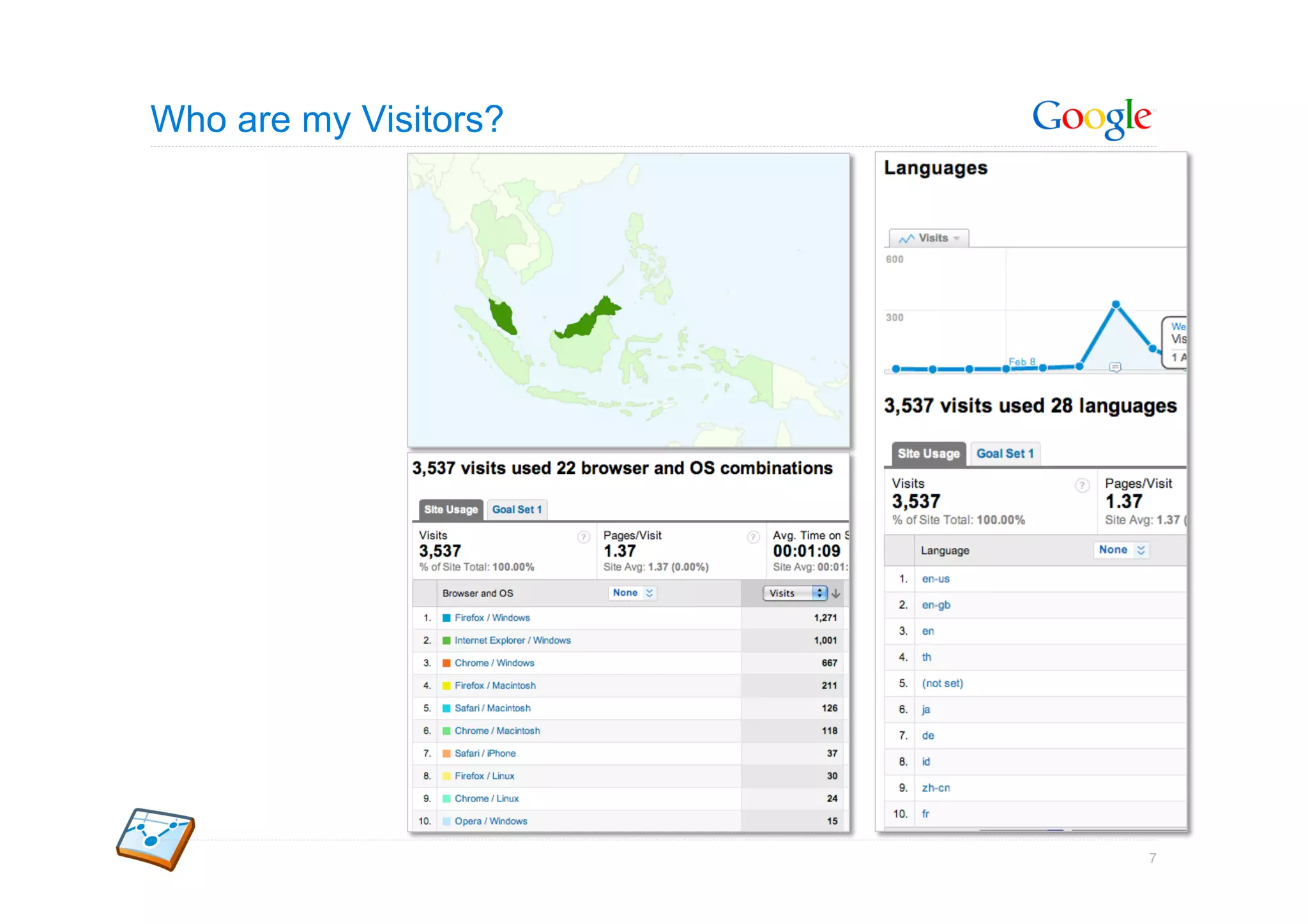
Who are my Visitors?


                       7
6 + 1 Report Categories


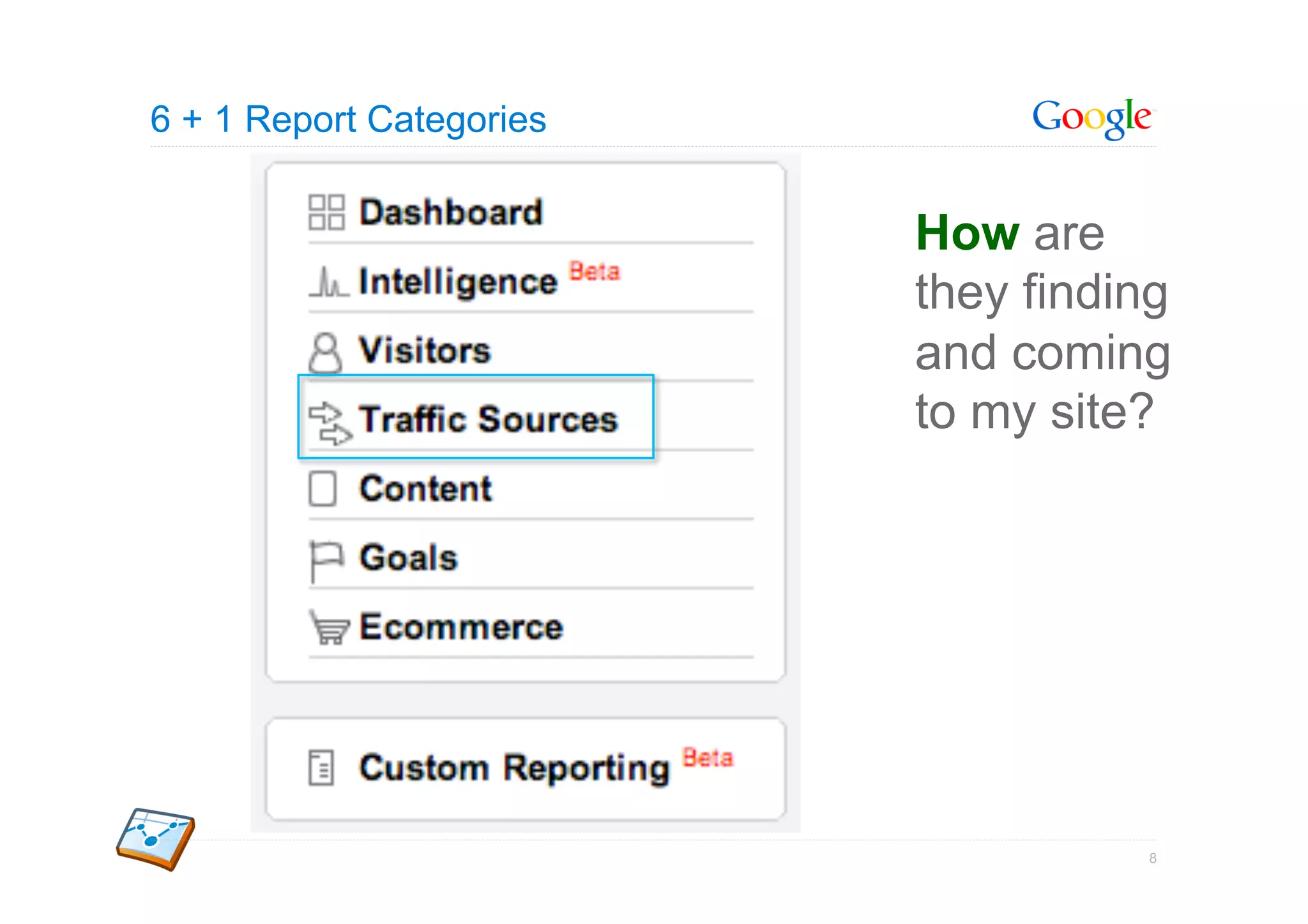
                          How are
                          they finding
                          and coming
                          to my site?


                                    8
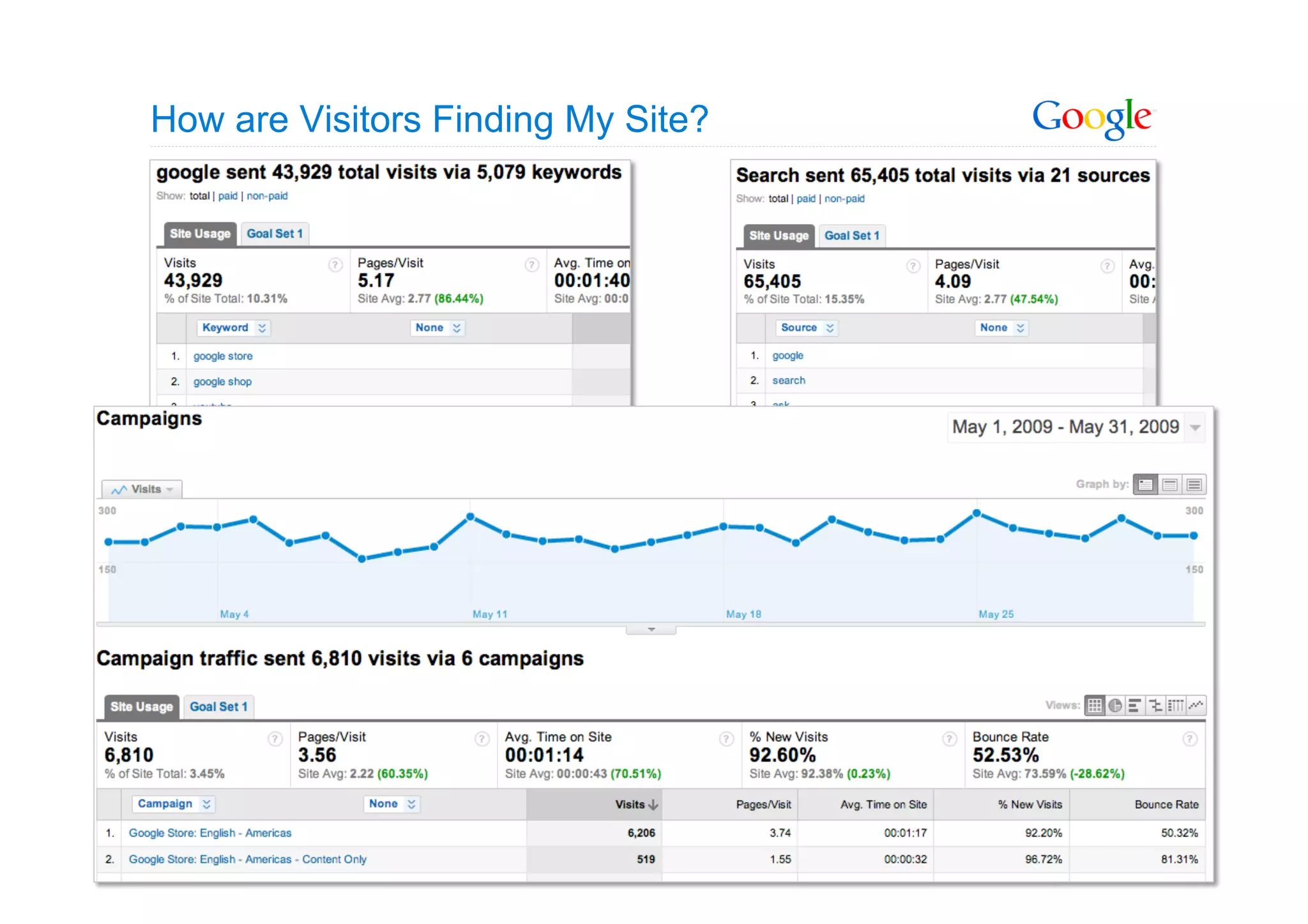
How are Visitors Finding My Site?


                                    9
6 + 1 Report Categories


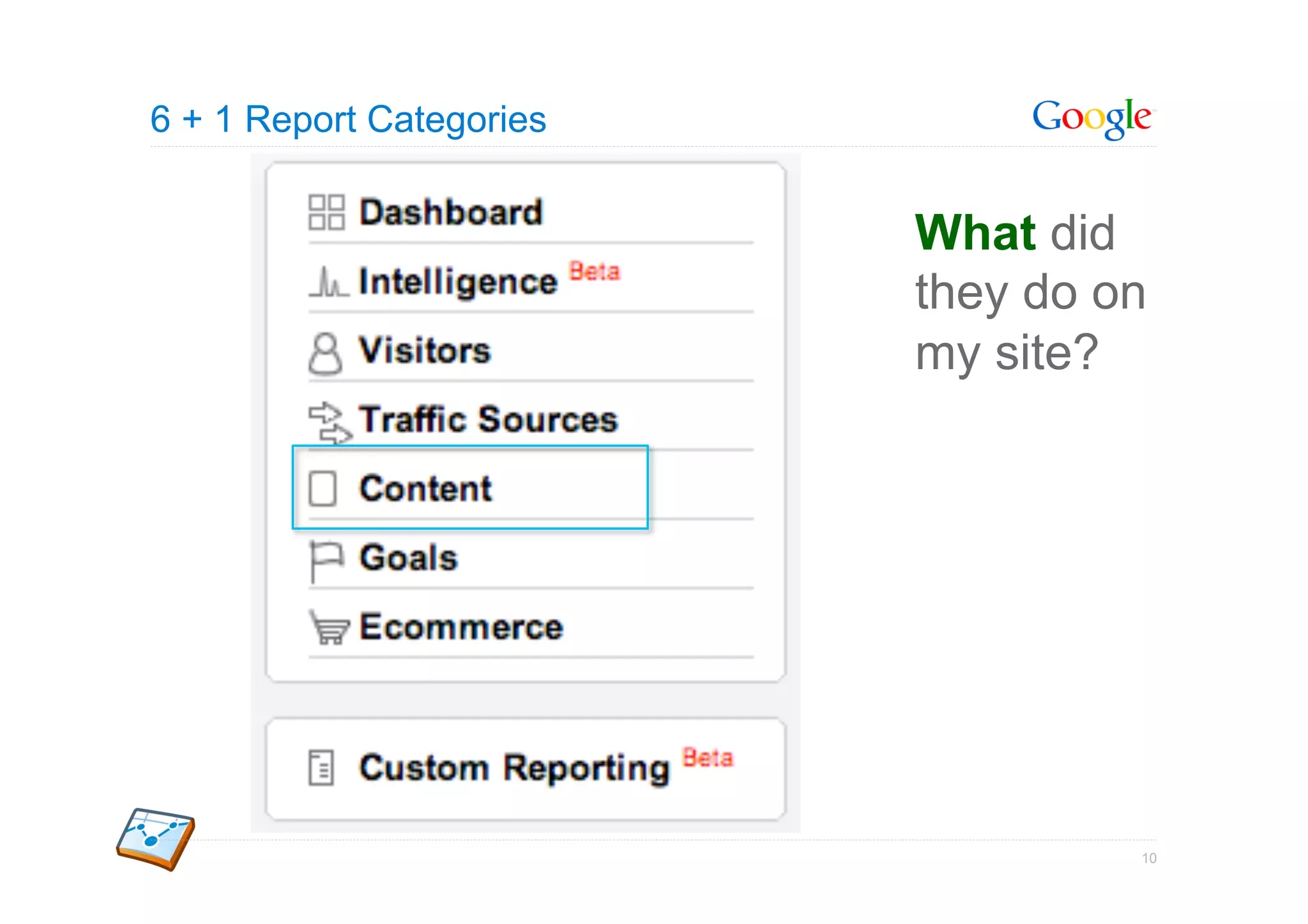
                          What did
                          they do on
                          my site?


                                   10
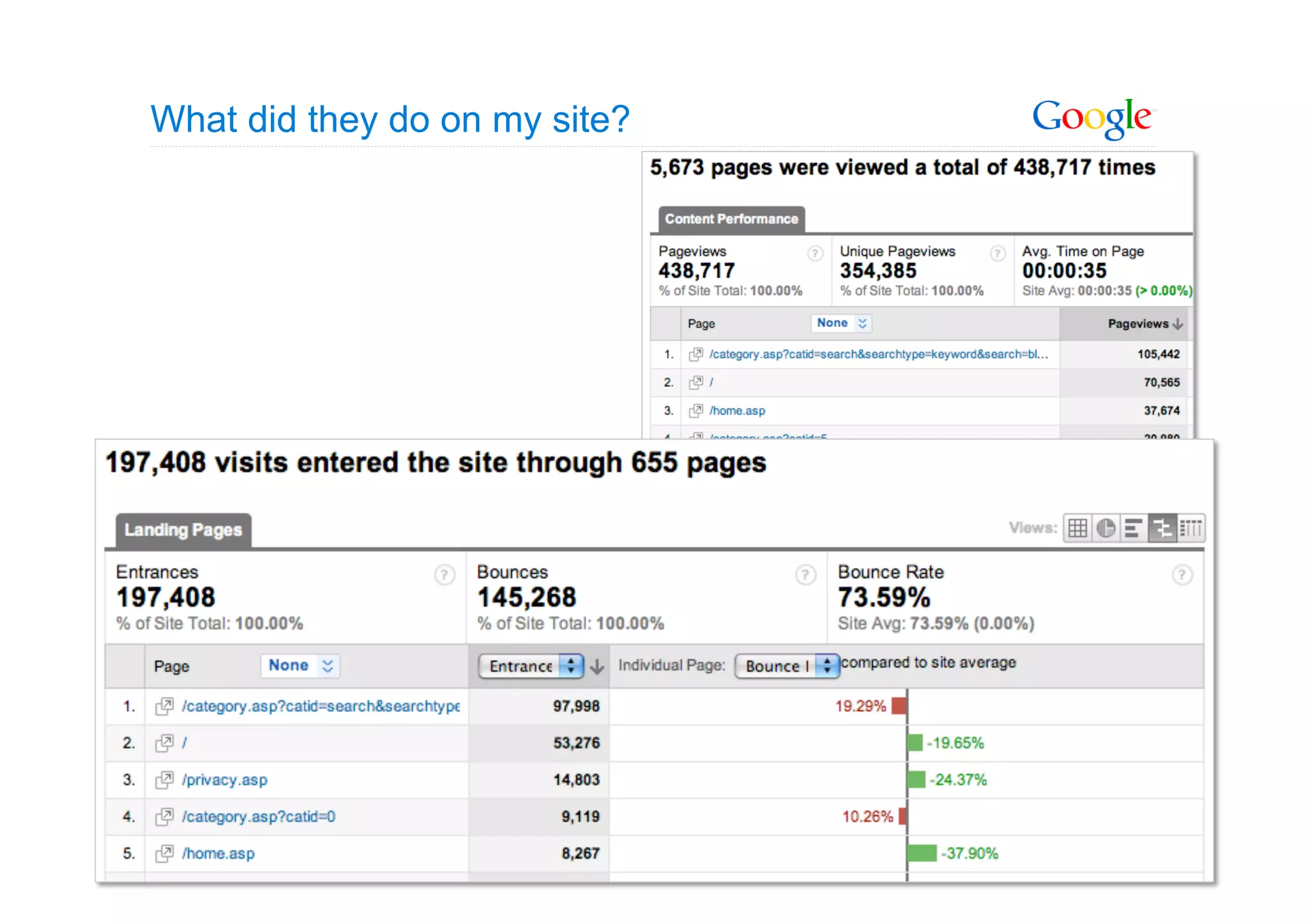
What did they do on my site?


                               11
6 + 1 Report Categories


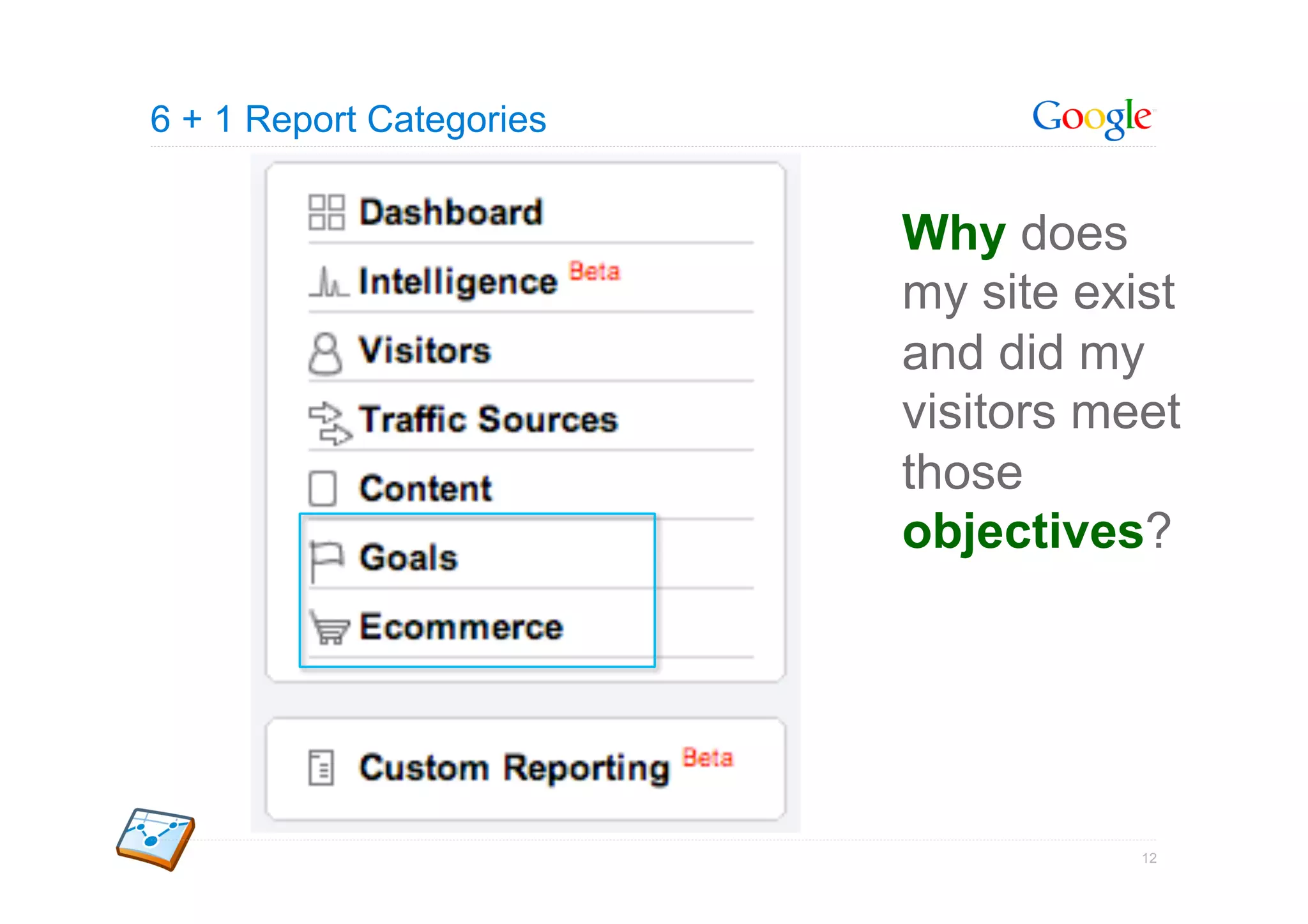
                          Why does
                          my site exist
                          and did my
                          visitors meet
                          those
                          objectives?


                                     12
13
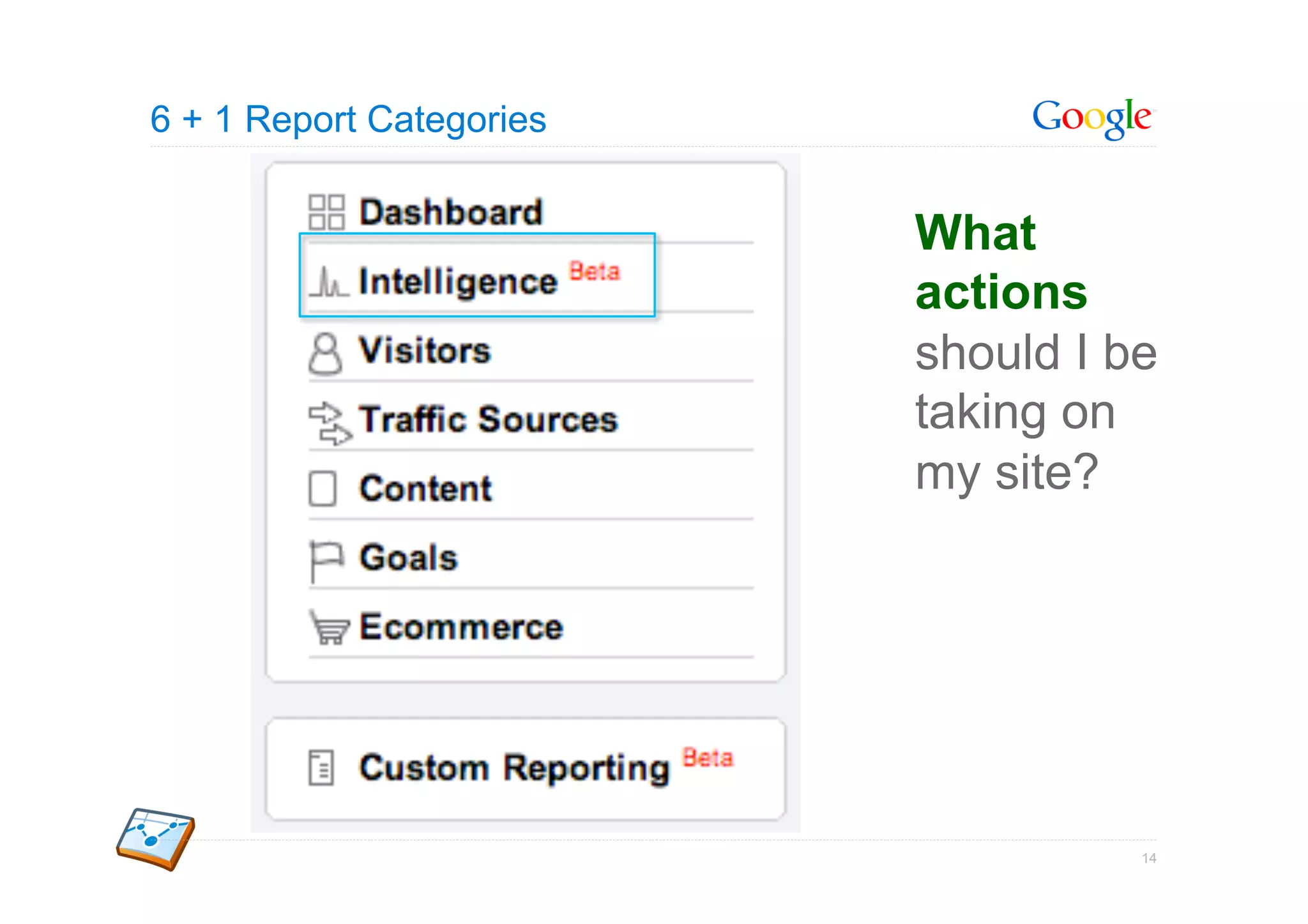
6 + 1 Report Categories


                          What
                          actions
                          should I be
                          taking on
                          my site?


                                    14
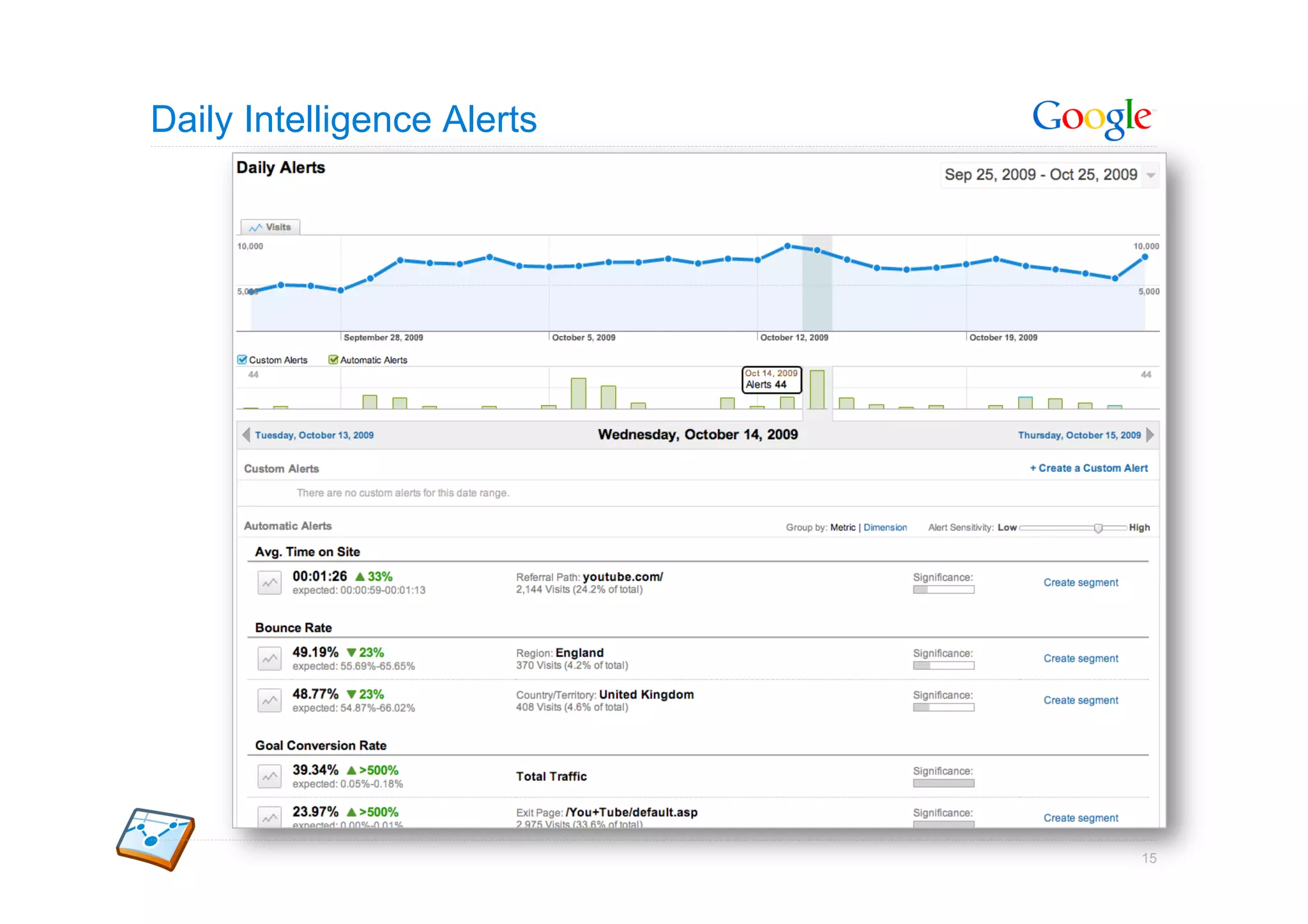
Daily Intelligence Alerts


                            15
How Google Analytics Works


                      Google Confidential and Proprietary   16
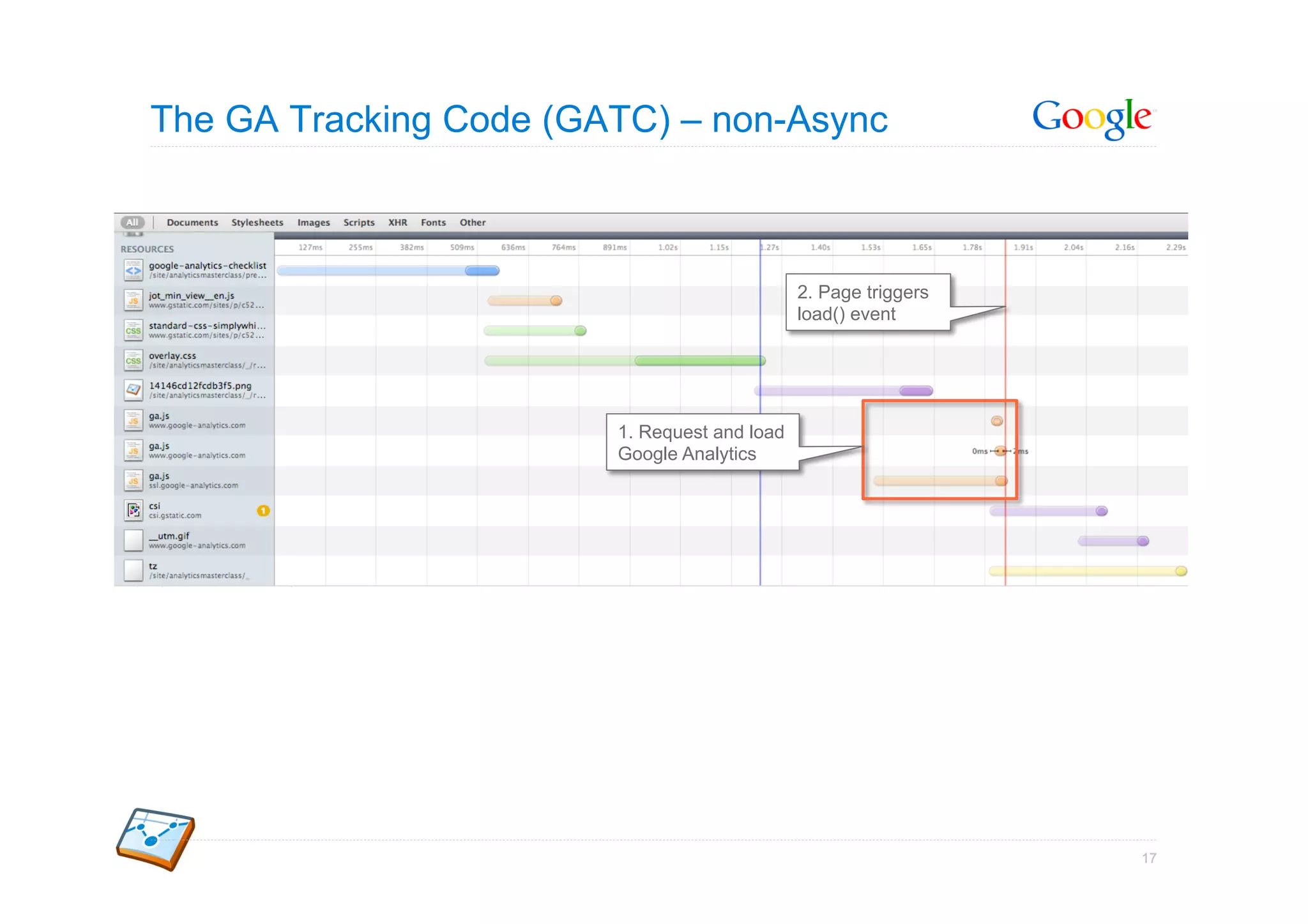
The GA Tracking Code (GATC) – non-Async


                                              2. Page triggers
                                              load() event


                        1. Request and load
                        Google Analytics


                                                                 17
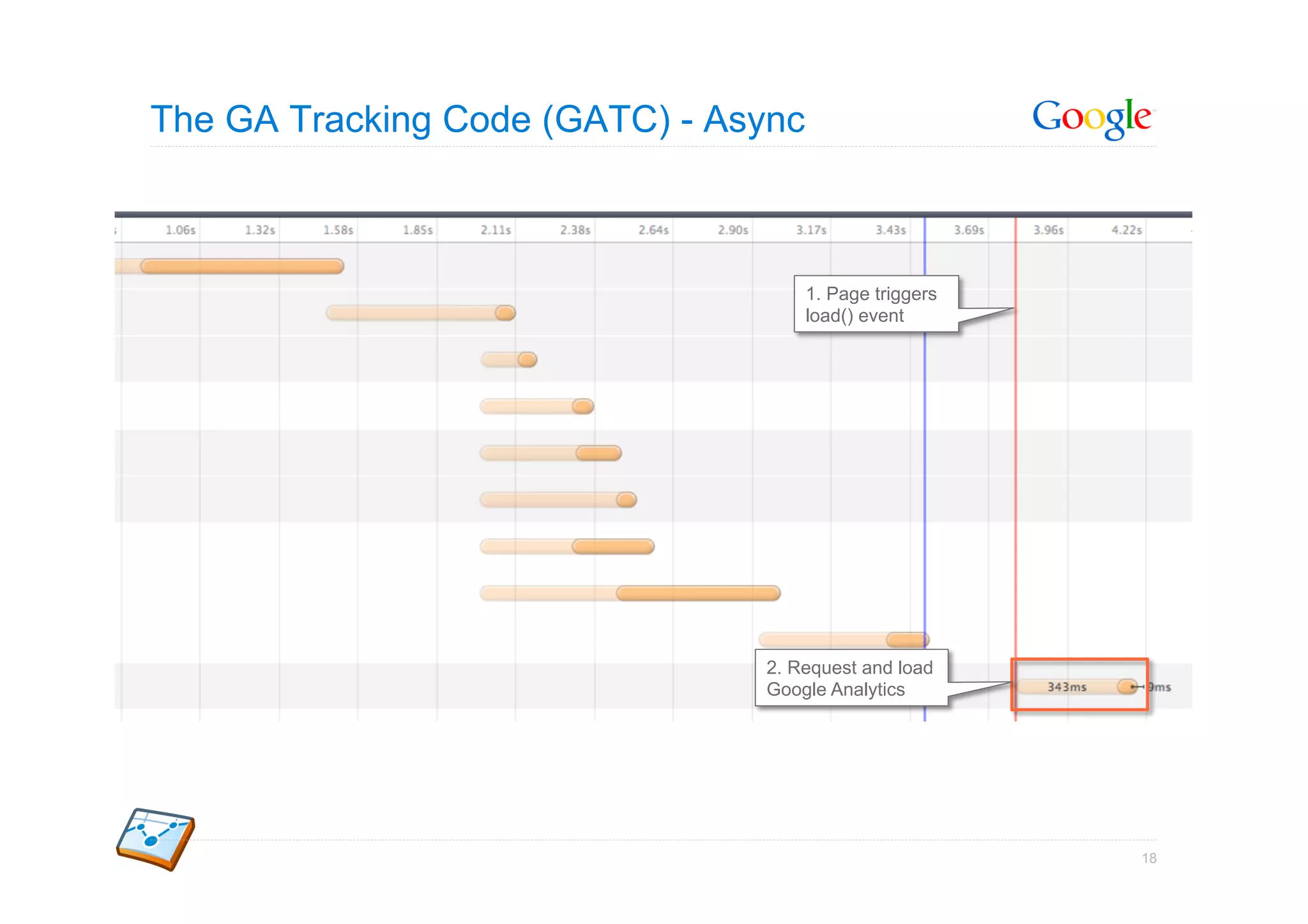
The GA Tracking Code (GATC) - Async


                                      1. Page triggers
                                      load() event


                                2. Request and load
                                Google Analytics


                                                         18
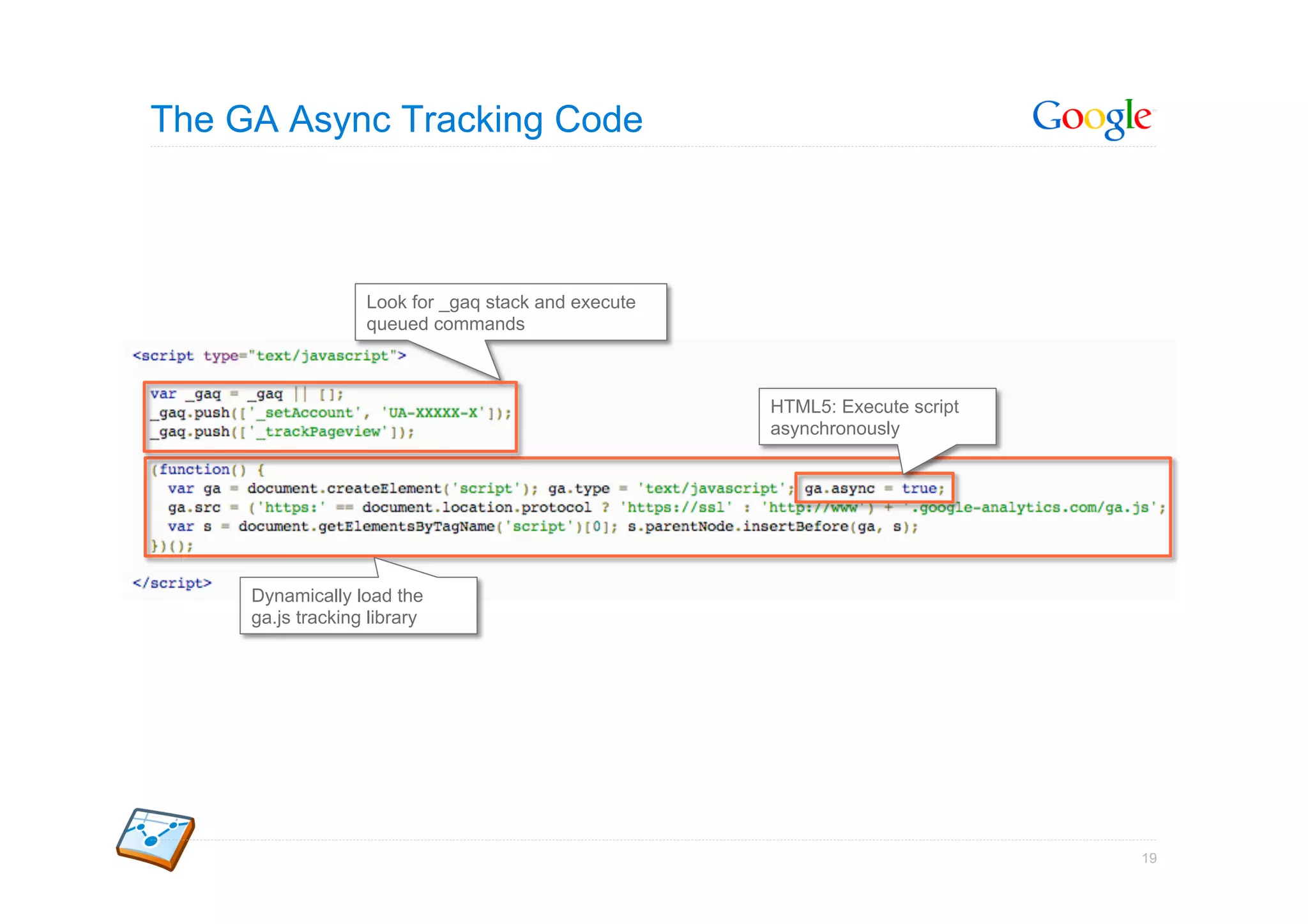
The GA Async Tracking Code


                   Look for _gaq stack and execute
                   queued commands


                                                     HTML5: Execute script
                                                     asynchronously


     Dynamically load the
     ga.js tracking library


                                                                             19
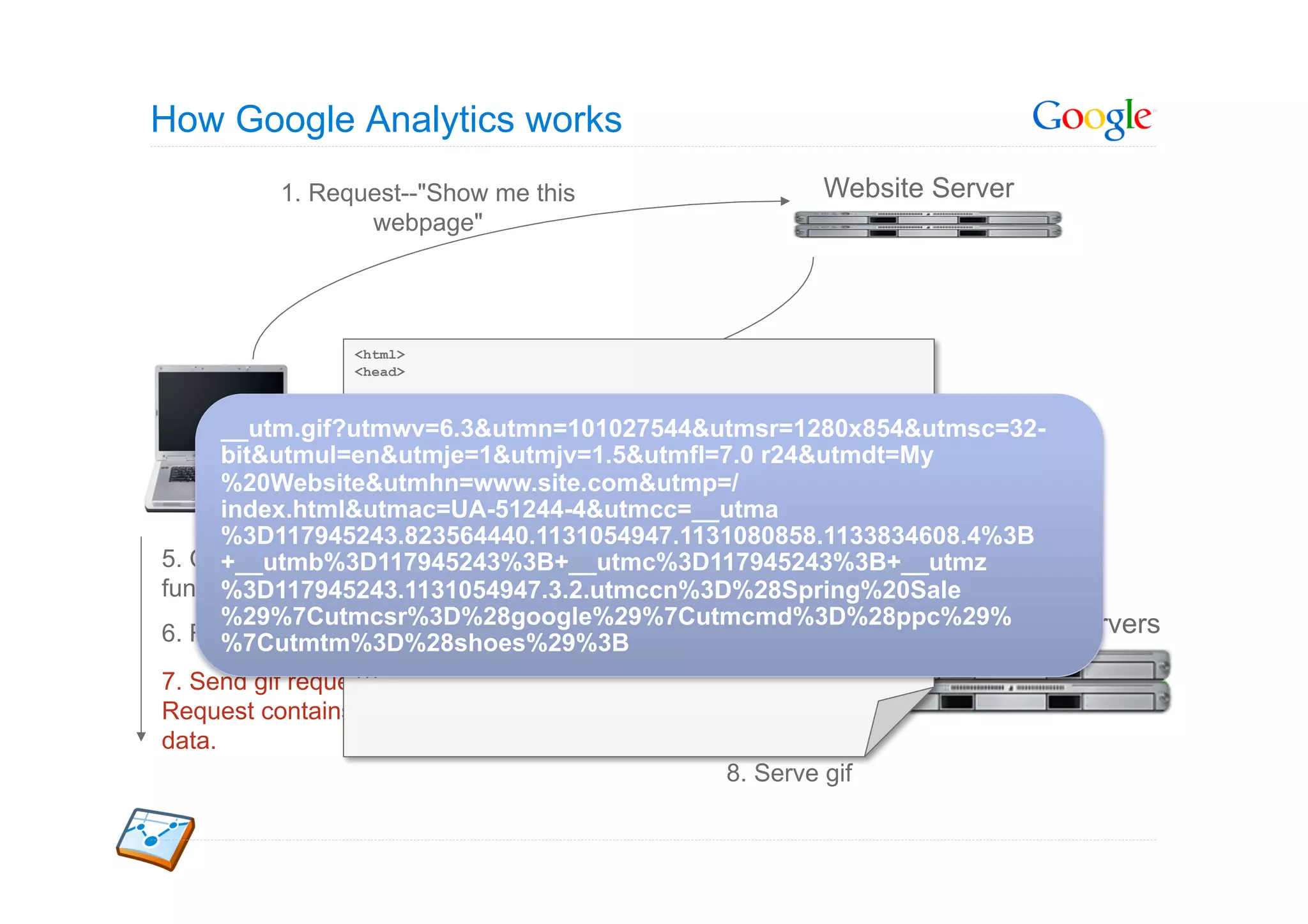
How Google Analytics works
          1. Request--"Show me this                   Website Server
                 webpage"


                 <html>
                 <head>                     2. Serve page
                 ...

      __utm.gif?utmwv=6.3&utmn=101027544&utmsr=1280x854&utmsc=32-
                 ...

      bit&utmul=en&utmje=1&utmjv=1.5&utmfl=7.0 r24&utmdt=My
              User
      %20Website&utmhn=www.site.com&utmp=/  3. Request: ga.js
      index.html&utmac=UA-51244-4&utmcc=__utma
      %3D117945243.823564440.1131054947.1131080858.1133834608.4%3B
5. Call trackPageview()
      +__utmb%3D117945243%3B+__utmc%3D117945243%3B+__utmz
                             4. Serve ga.js
function
      %3D117945243.1131054947.3.2.utmccn%3D%28Spring%20Sale
                 </head>
      %29%7Cutmcsr%3D%28google%29%7Cutmcmd%3D%28ppc%29%
                 <html>                                    Secure Google Servers
6. Read & write cookies
      %7Cutmtm%3D%28shoes%29%3B
                 ...
                 ...
7. Send gif request.
Request contains
data.
                                             8. Serve gif
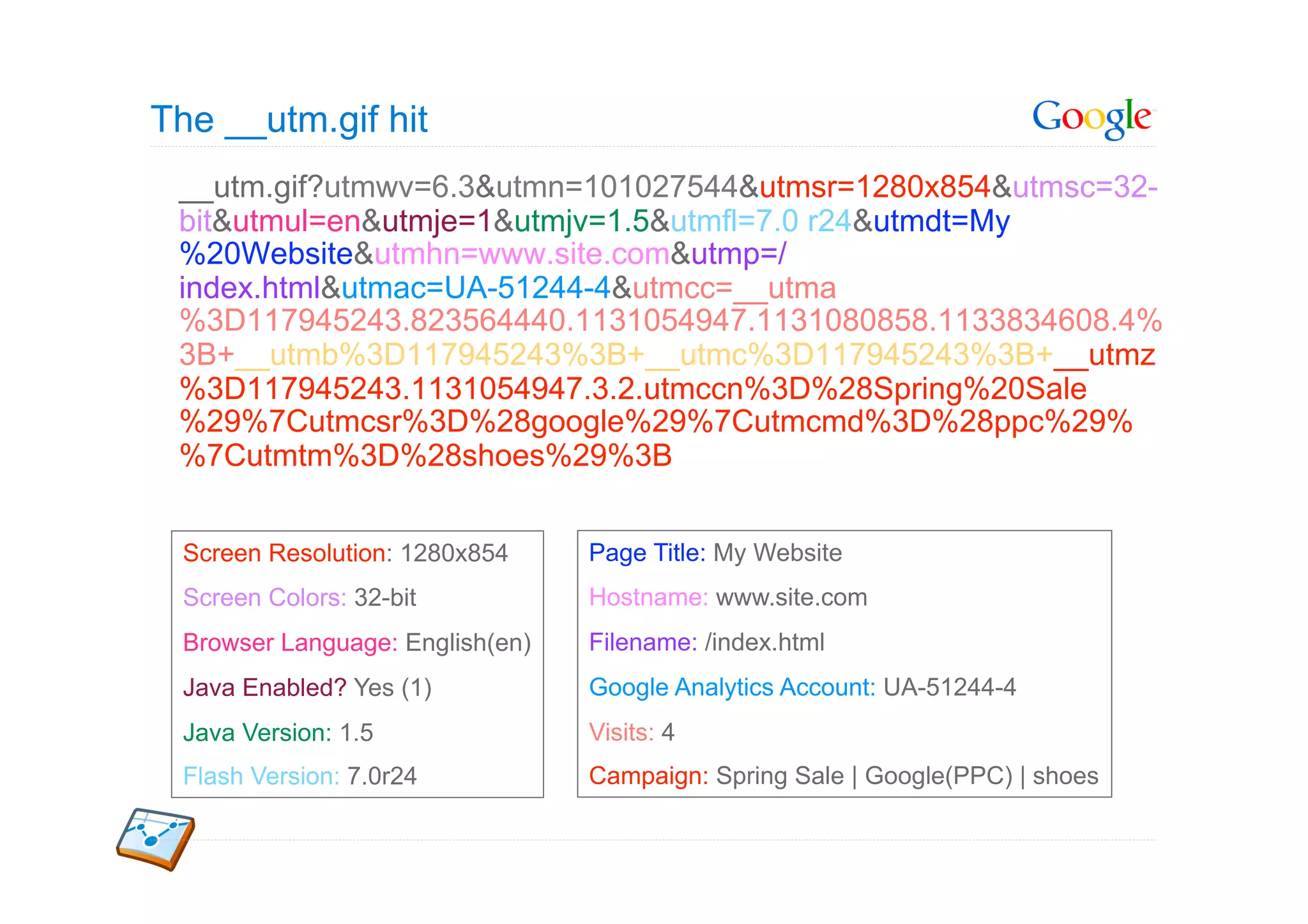
The __utm.gif hit
 __utm.gif?utmwv=6.3&utmn=101027544&utmsr=1280x854&utmsc=32-
 bit&utmul=en&utmje=1&utmjv=1.5&utmfl=7.0 r24&utmdt=My
 %20Website&utmhn=www.site.com&utmp=/
 index.html&utmac=UA-51244-4&utmcc=__utma
 %3D117945243.823564440.1131054947.1131080858.1133834608.4%
 3B+__utmb%3D117945243%3B+__utmc%3D117945243%3B+__utmz
 %3D117945243.1131054947.3.2.utmccn%3D%28Spring%20Sale
 %29%7Cutmcsr%3D%28google%29%7Cutmcmd%3D%28ppc%29%
 %7Cutmtm%3D%28shoes%29%3B


 Screen Resolution: 1280x854     Page Title: My Website
 Screen Colors: 32-bit           Hostname: www.site.com
 Browser Language: English(en)   Filename: /index.html
 Java Enabled? Yes (1)           Google Analytics Account: UA-51244-4
 Java Version: 1.5               Visits: 4
 Flash Version: 7.0r24           Campaign: Spring Sale | Google(PPC) | shoes
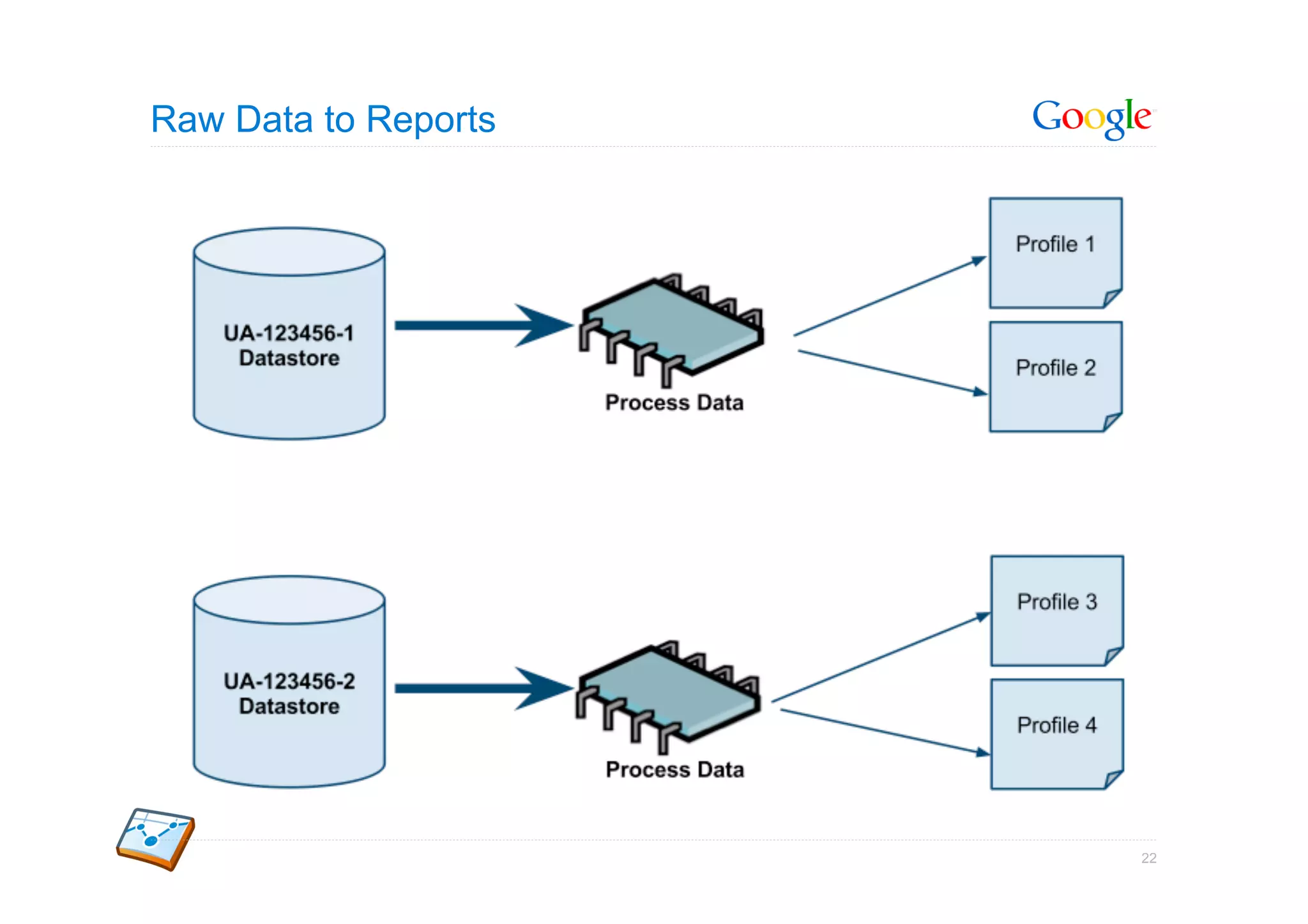
Raw Data to Reports


                      22
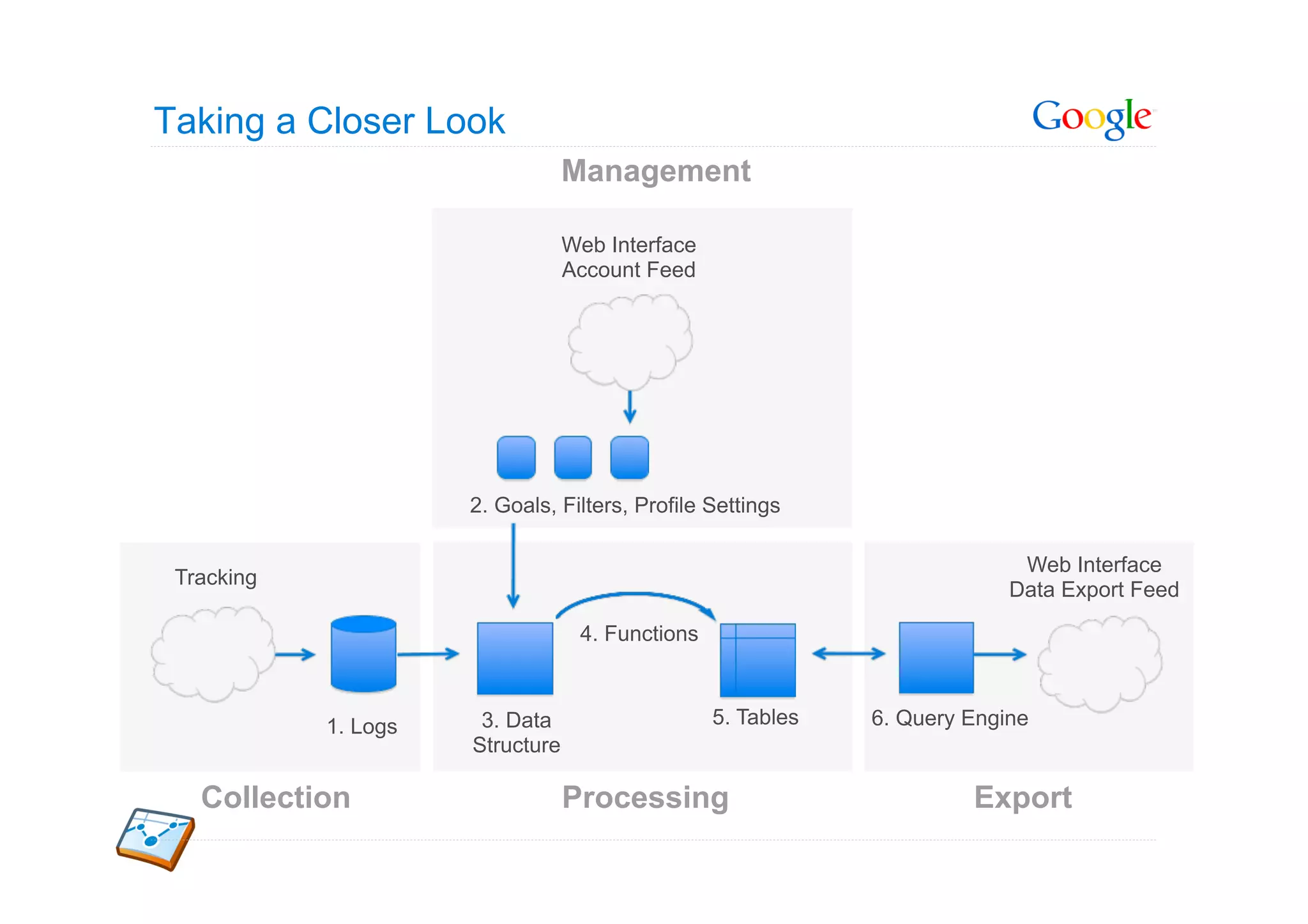
Taking a Closer Look
                                  Management

                                  Web Interface
                                  Account Feed


                      2. Goals, Filters, Profile Settings

                                                                            Web Interface
 Tracking
                                                                           Data Export Feed

                                   4. Functions


            1. Logs    3. Data                    5. Tables   6. Query Engine
                      Structure

   Collection                     Processing                           Export
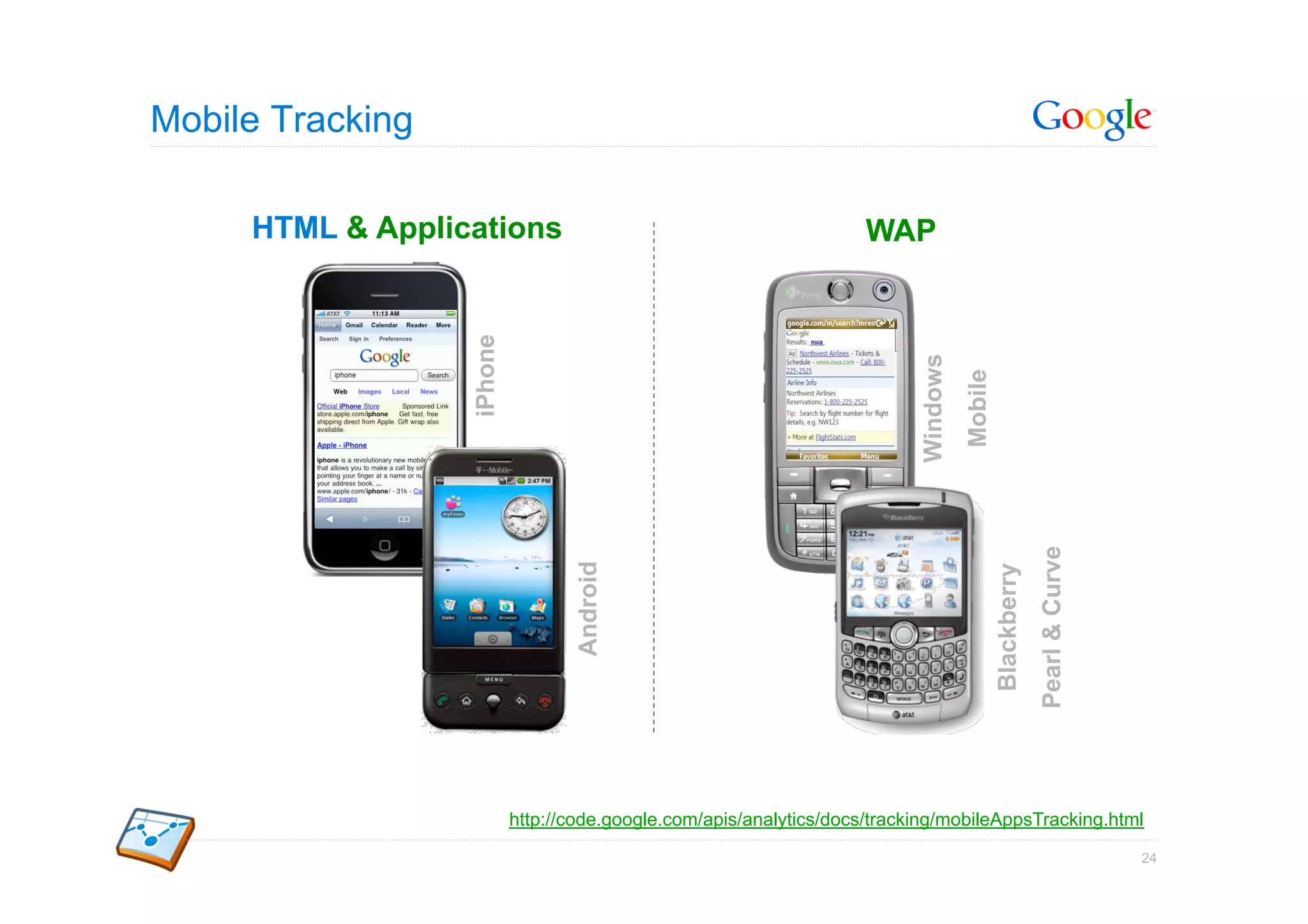
Mobile Tracking

     HTML & Applications                                             WAP


                  iPhone


                                                                           Windows
                                                                                     Mobile

                                                                                                           Pearl & Curve
                                  Android


                                                                                              Blackberry
                           http://code.google.com/apis/analytics/docs/tracking/mobileAppsTracking.html

                                                                                                                           24
Track Activity to Mobile Websites [link]


                        Mobile Websites

                         Server-side tracking
     [Ad] Car Sale –
     Low car prices –    Track all web-enabled devices (not just JS & cookie capable)
     cars.com – Call:
      800-123-2431
                         Four languages supported: PHP, Perl, JSP, ASP

                         Works just like Analytics on desktop web pages
                                                                                         25
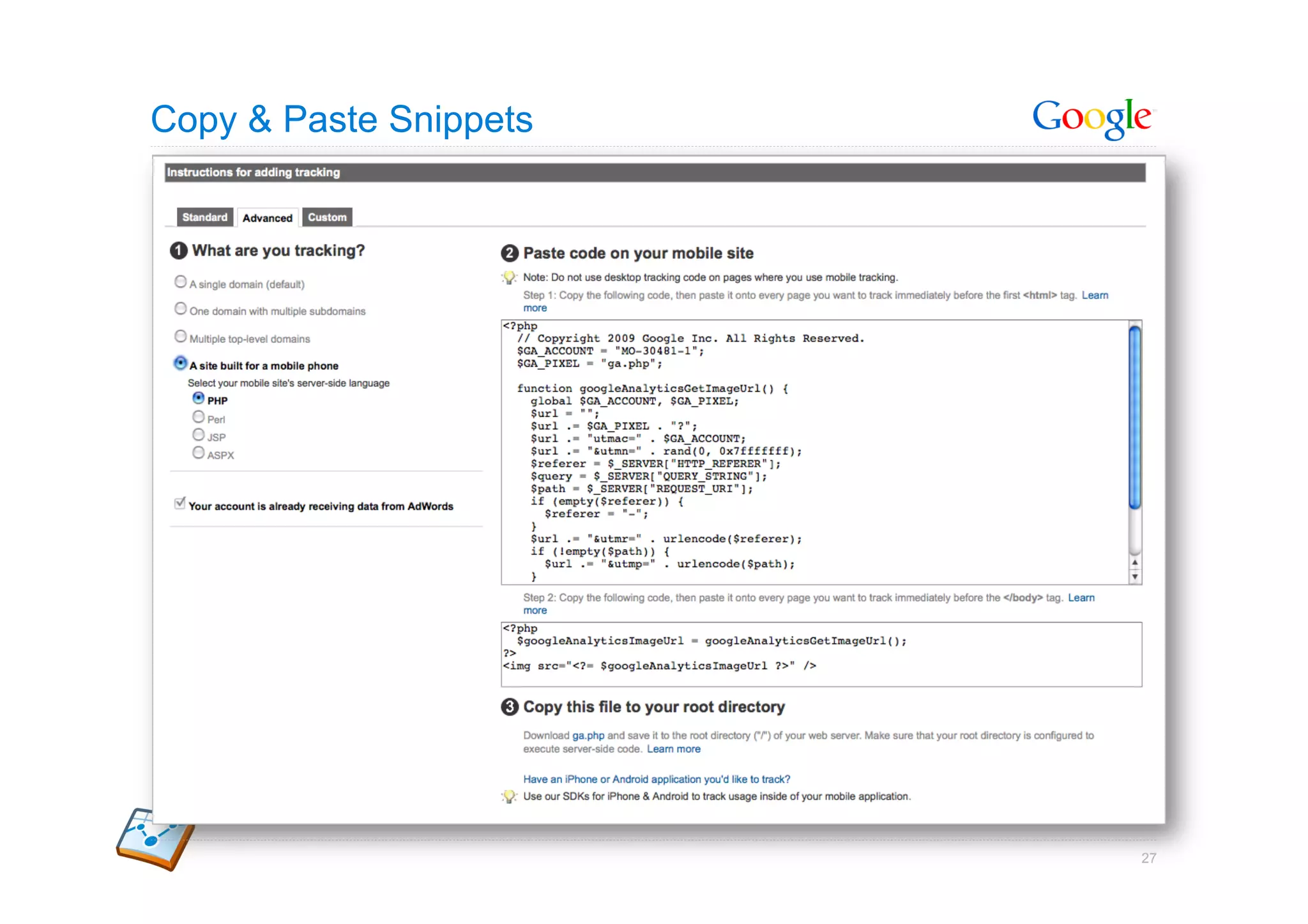
Tracking Your Mobile Site

•  Provided with server-side code to generate the calls to Google
   Analytics

•  Will track all web-enabled devices, not just JS- and cookie-capable
   devices

•  Currently provide code snippets for PHP, Perl, JSP, and ASPX
   platforms


                                                                         26
Copy & Paste Snippets


                        27
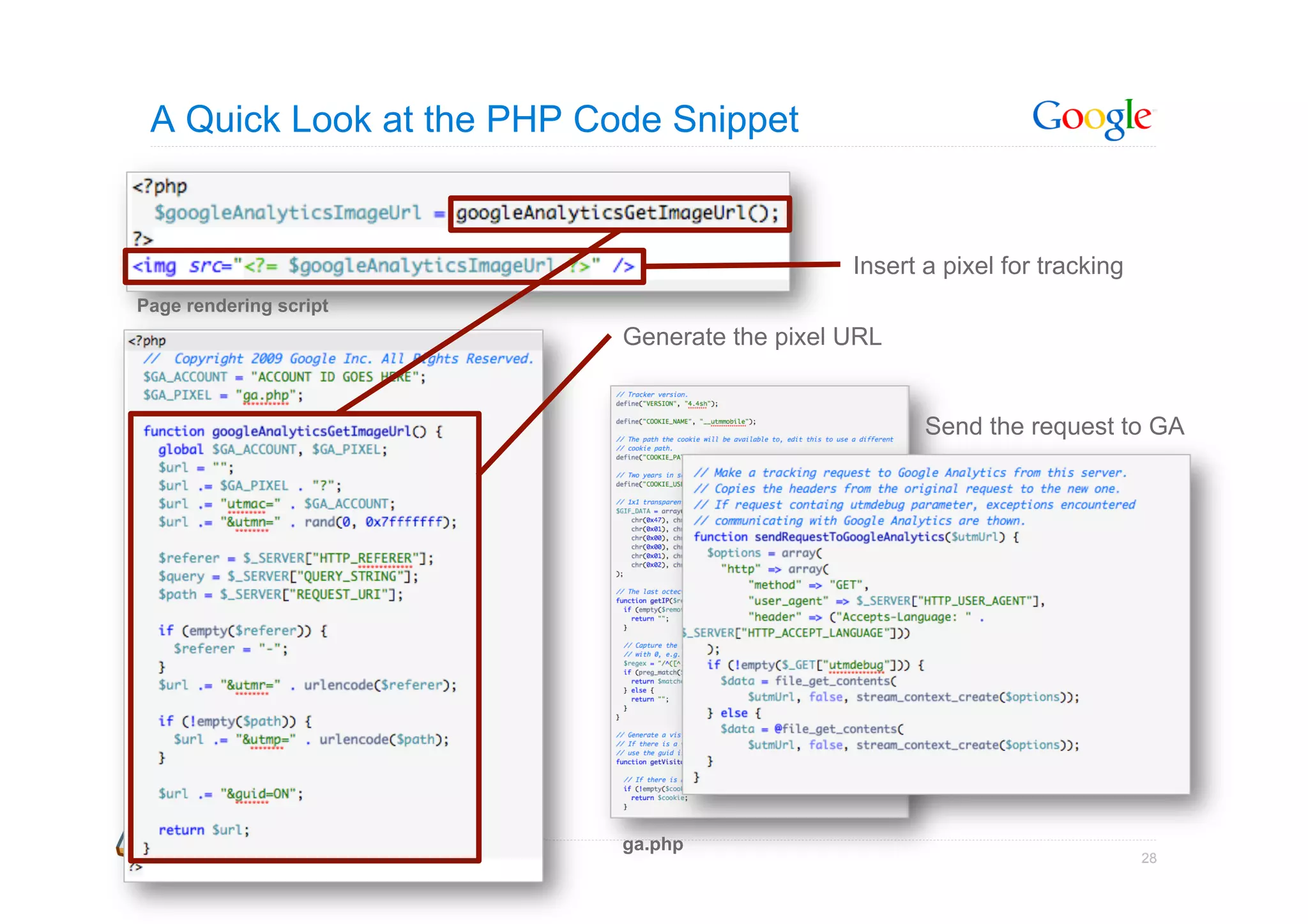
A Quick Look at the PHP Code Snippet


                                              Insert a pixel for tracking
Page rendering script
                           Generate the pixel URL


                                                     Send the request to GA


                           ga.php
                                                                            28
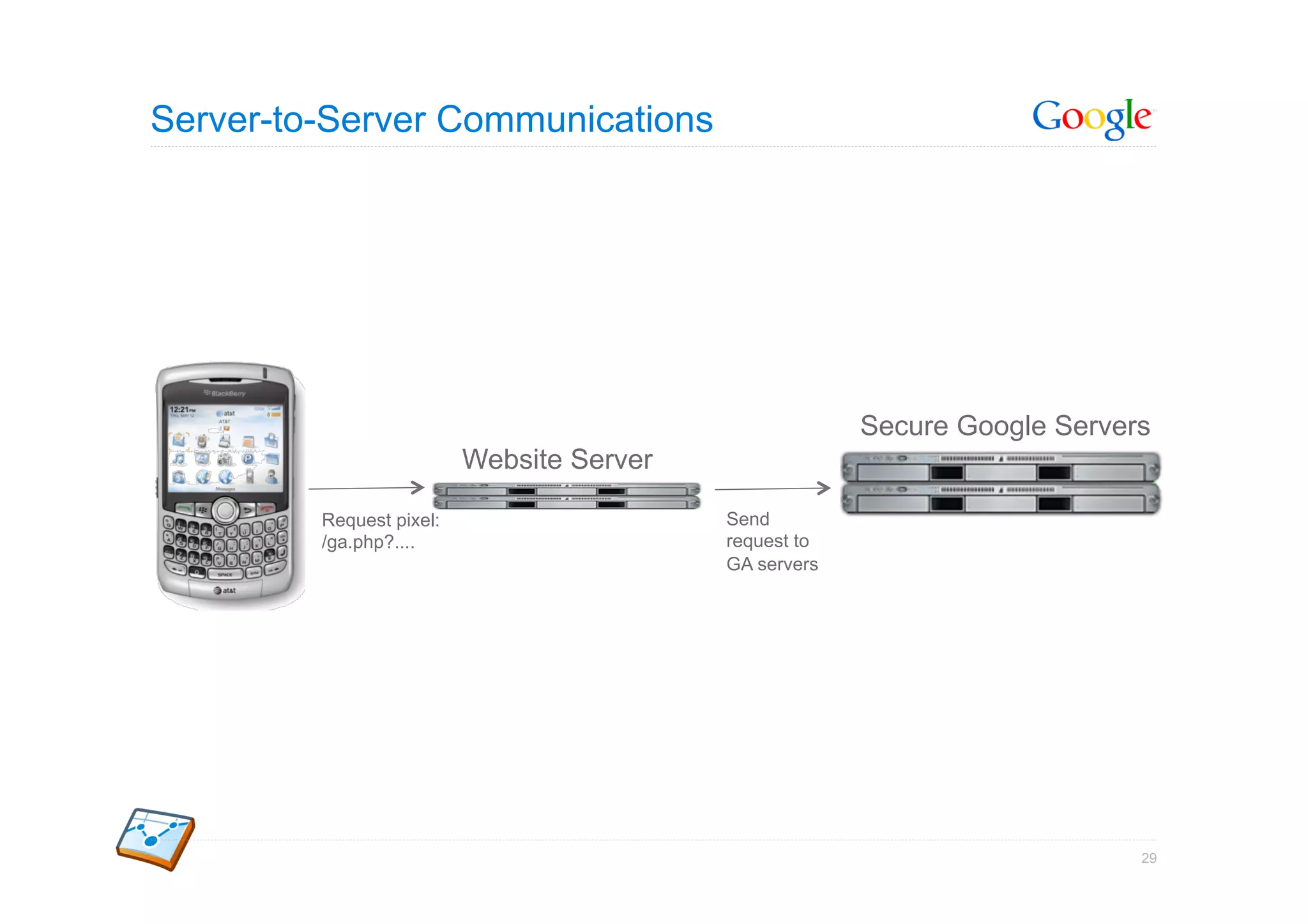
Server-to-Server Communications


                                                        Secure Google Servers
                          Website Server

         Request pixel:                    Send
         /ga.php?....                      request to
                                           GA servers


                                                                            29
Measuring Your Apps


                      Google Confidential and Proprietary   30
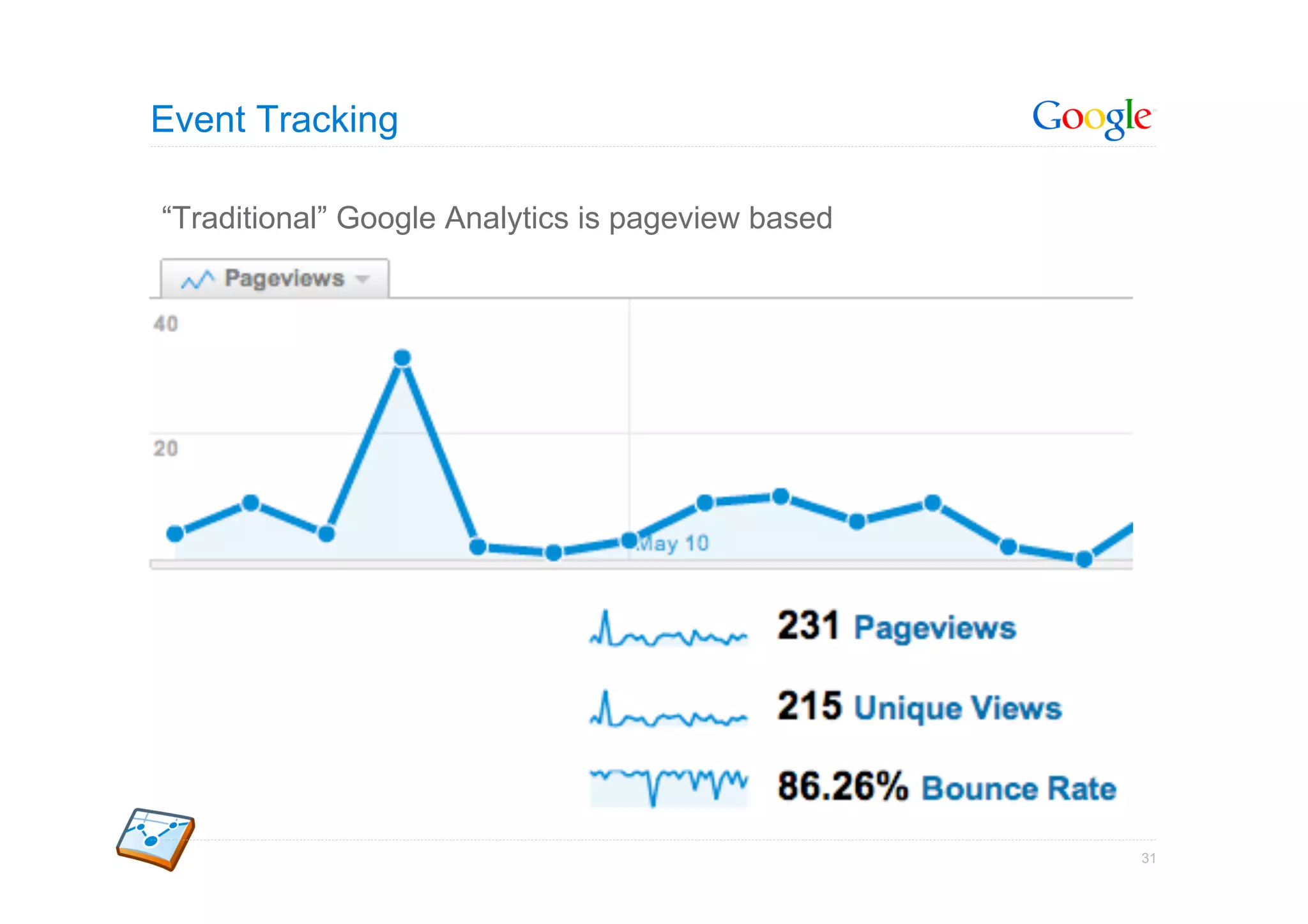
Event Tracking

“Traditional” Google Analytics is pageview based


                                                   31
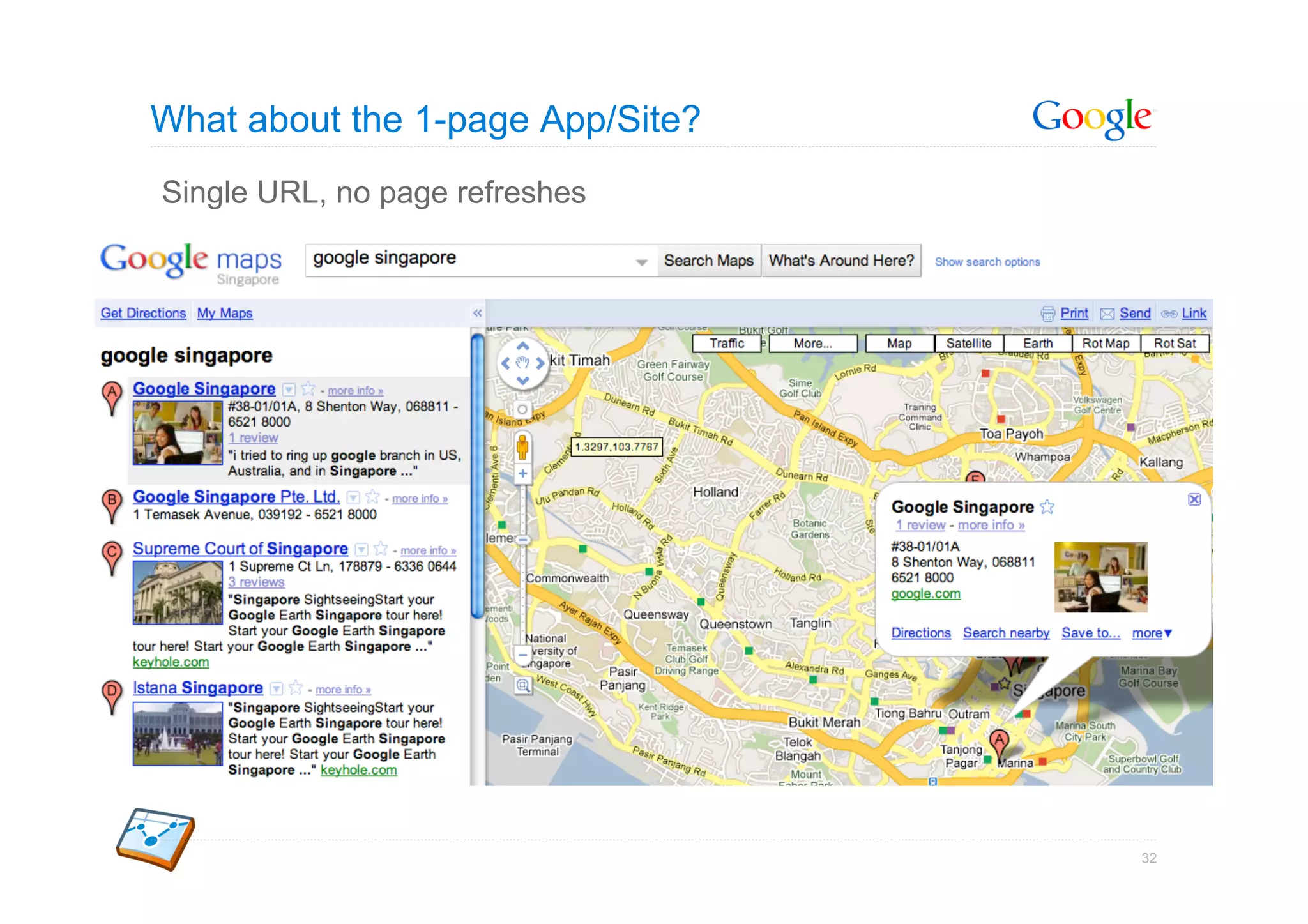
What about the 1-page App/Site?
Single URL, no page refreshes


                                  32
Enter Event Tracking

 Track events on your site

 Detect events and trigger tracking call


_gaq.push(['_trackEvent',                  Purpose                    Example

                                           Group of objects being
                  category,                tracked
                                                                      'Markers'

                                           Type of user interaction   'Click'
                  action,                  with the object
                                           Additional info about      'Google
                  opt_label,               the event                  Singapore'
                                           Numerical data about       1
                  opt_value]);             the event

                                                                                   33
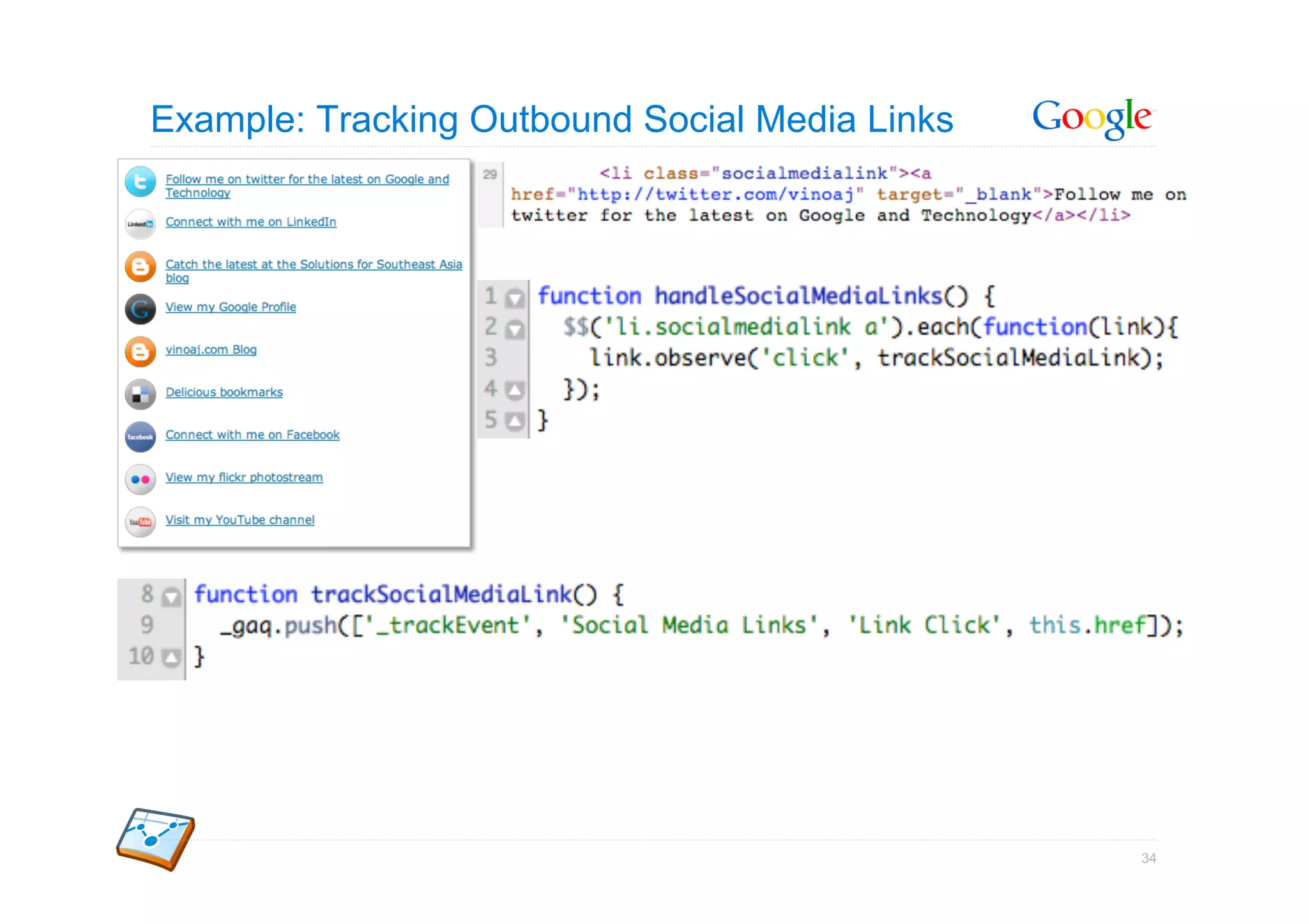
Example: Tracking Outbound Social Media Links


                                                34
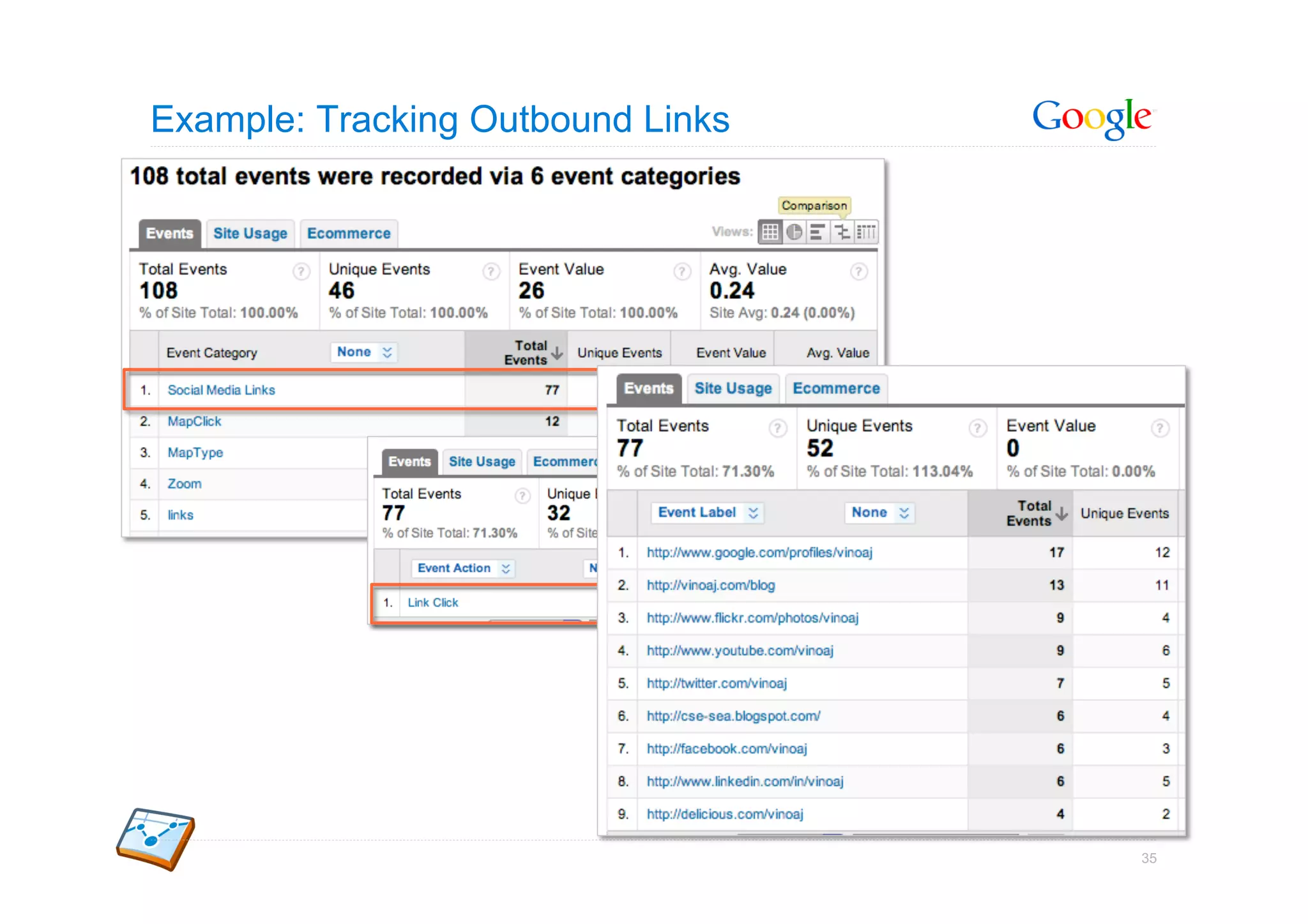
Example: Tracking Outbound Links


                                   35
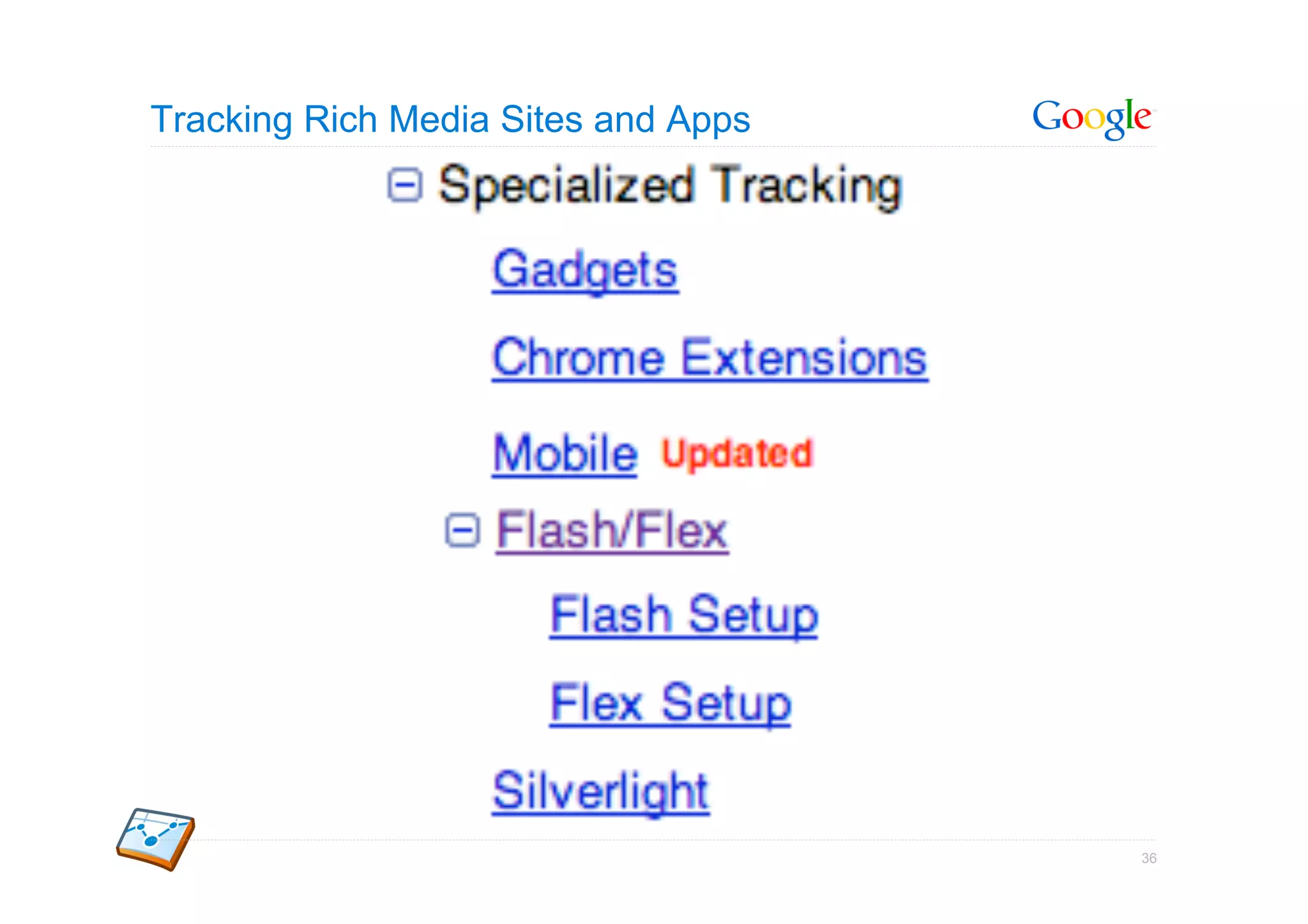
Tracking Rich Media Sites and Apps


                                     36
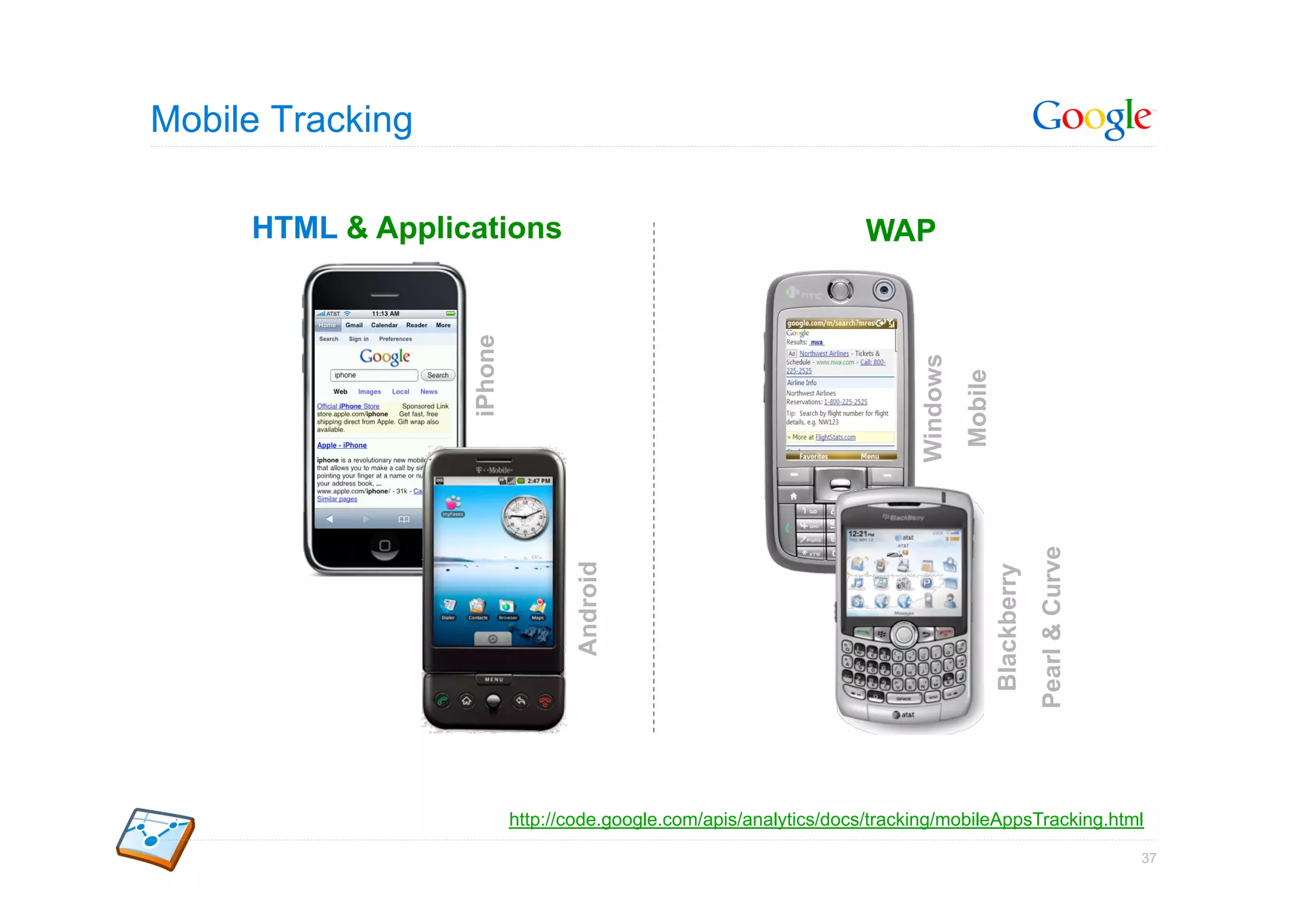
Mobile Tracking

     HTML & Applications                                             WAP


                  iPhone


                                                                           Windows
                                                                                     Mobile

                                                                                                           Pearl & Curve
                                  Android


                                                                                              Blackberry
                           http://code.google.com/apis/analytics/docs/tracking/mobileAppsTracking.html

                                                                                                                           37
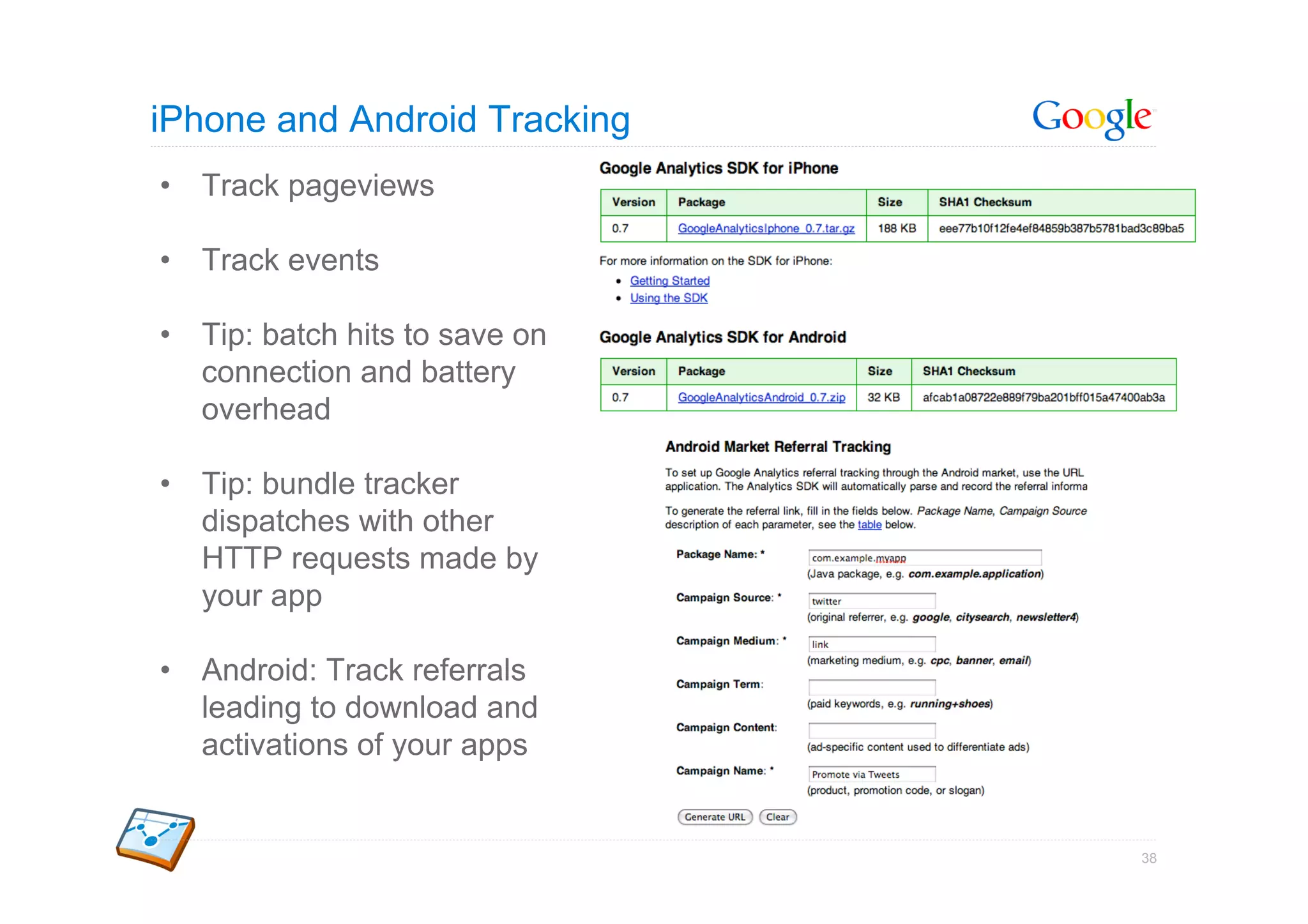
iPhone and Android Tracking
•  Track pageviews

•  Track events

•  Tip: batch hits to save on
   connection and battery
   overhead

•  Tip: bundle tracker
   dispatches with other
   HTTP requests made by
   your app

•  Android: Track referrals
   leading to download and
   activations of your apps


                                38
Chrome Extensions

Load GA within Chrome extension
page


Call _trackPageView to measure
extension activation


Call _trackEvent to track
interactions


                                  39
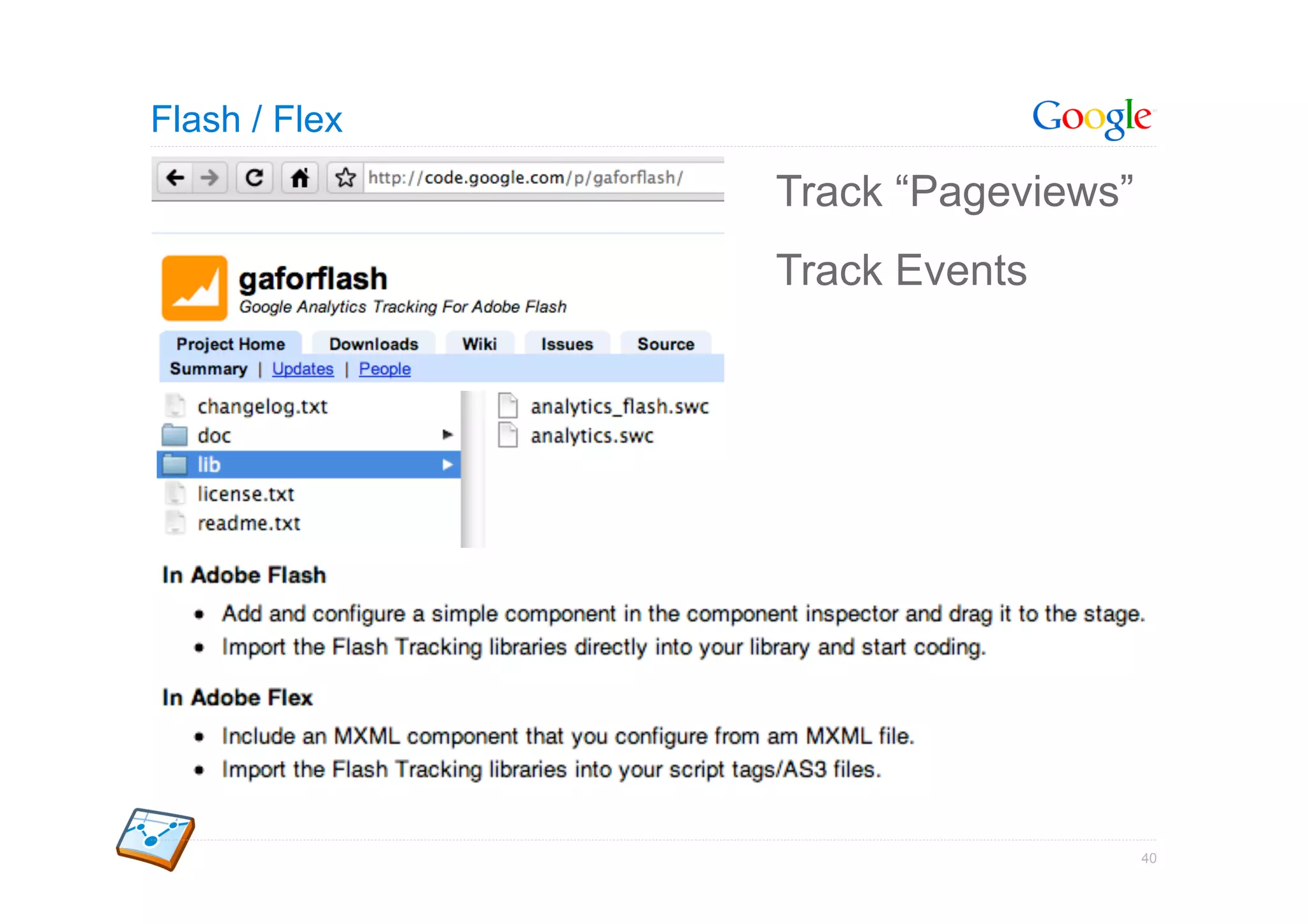
Flash / Flex
               Track “Pageviews”
               Track Events


                                   40
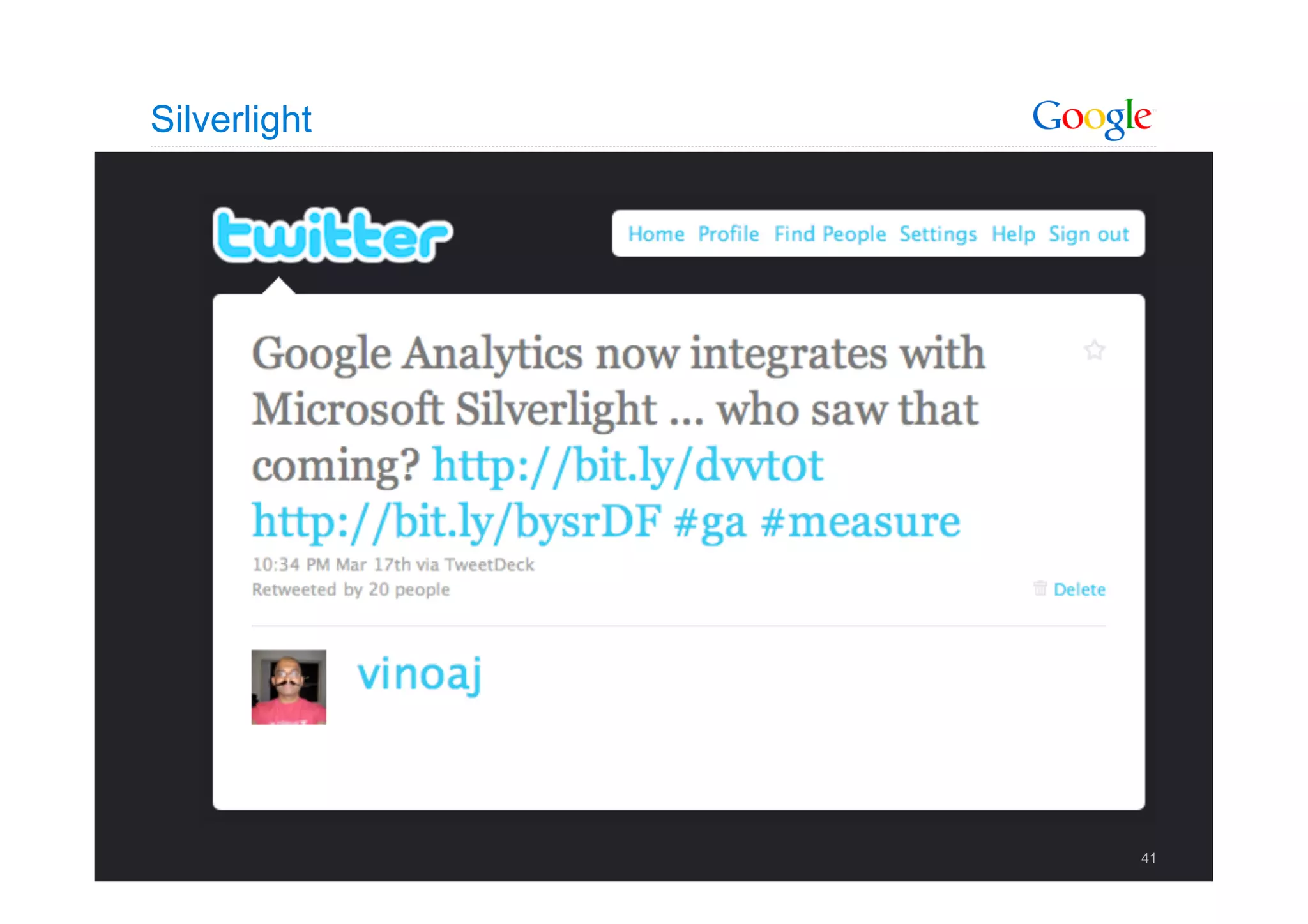
Silverlight


              41
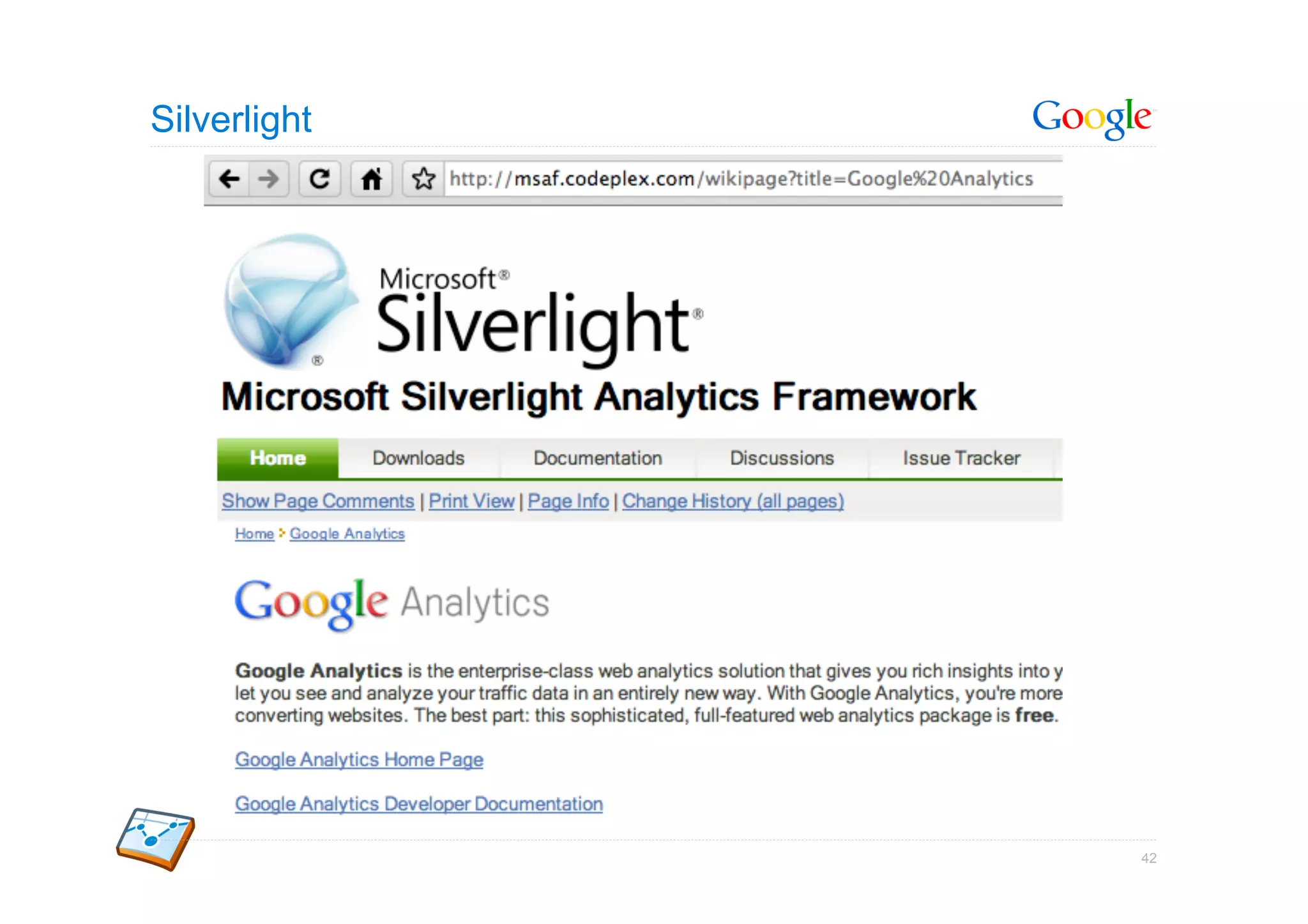
Silverlight


              42
Data Export API


                  Google Confidential and Proprietary   43
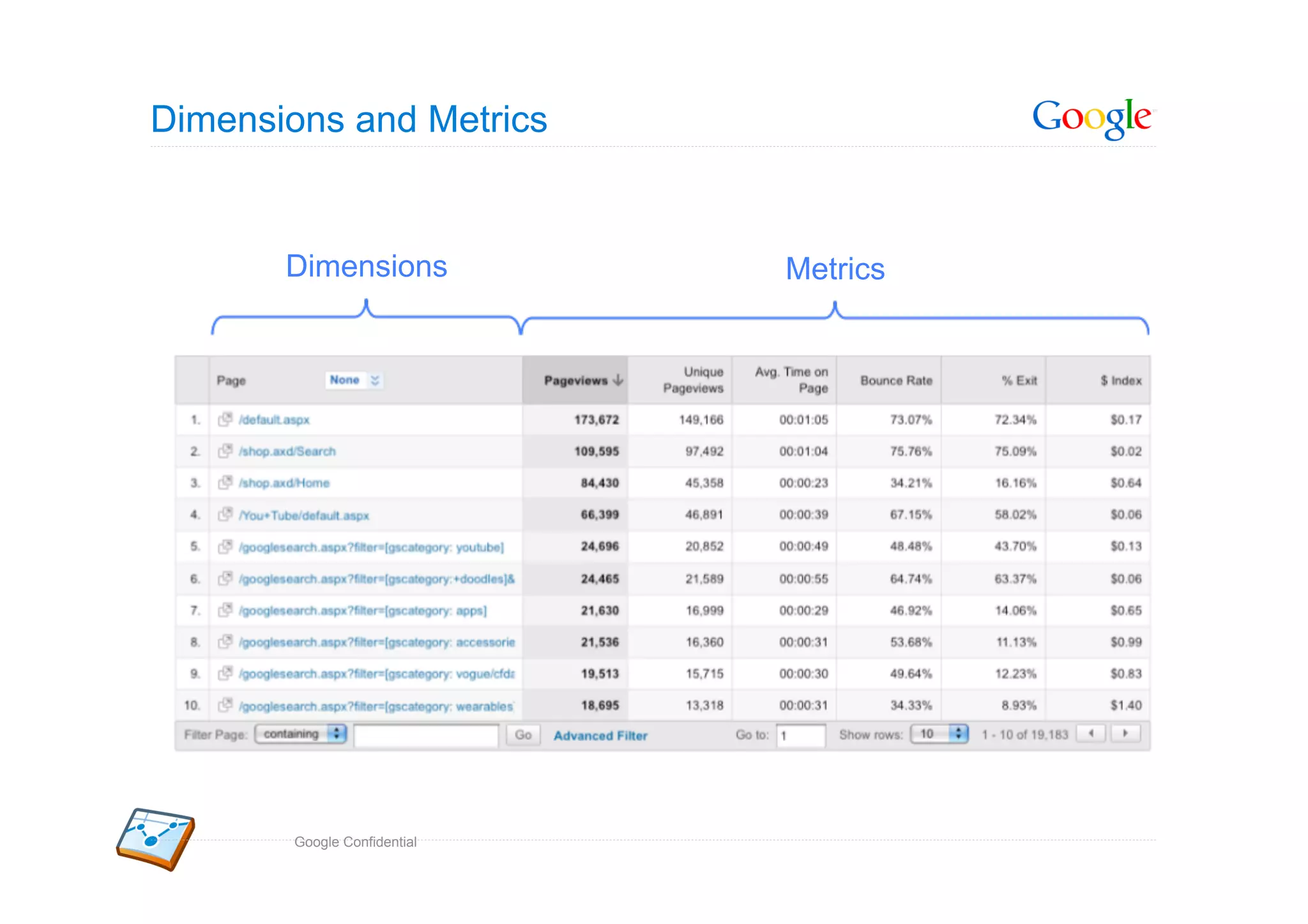
Dimensions and Metrics


       Dimensions            Metrics


       Google Confidential
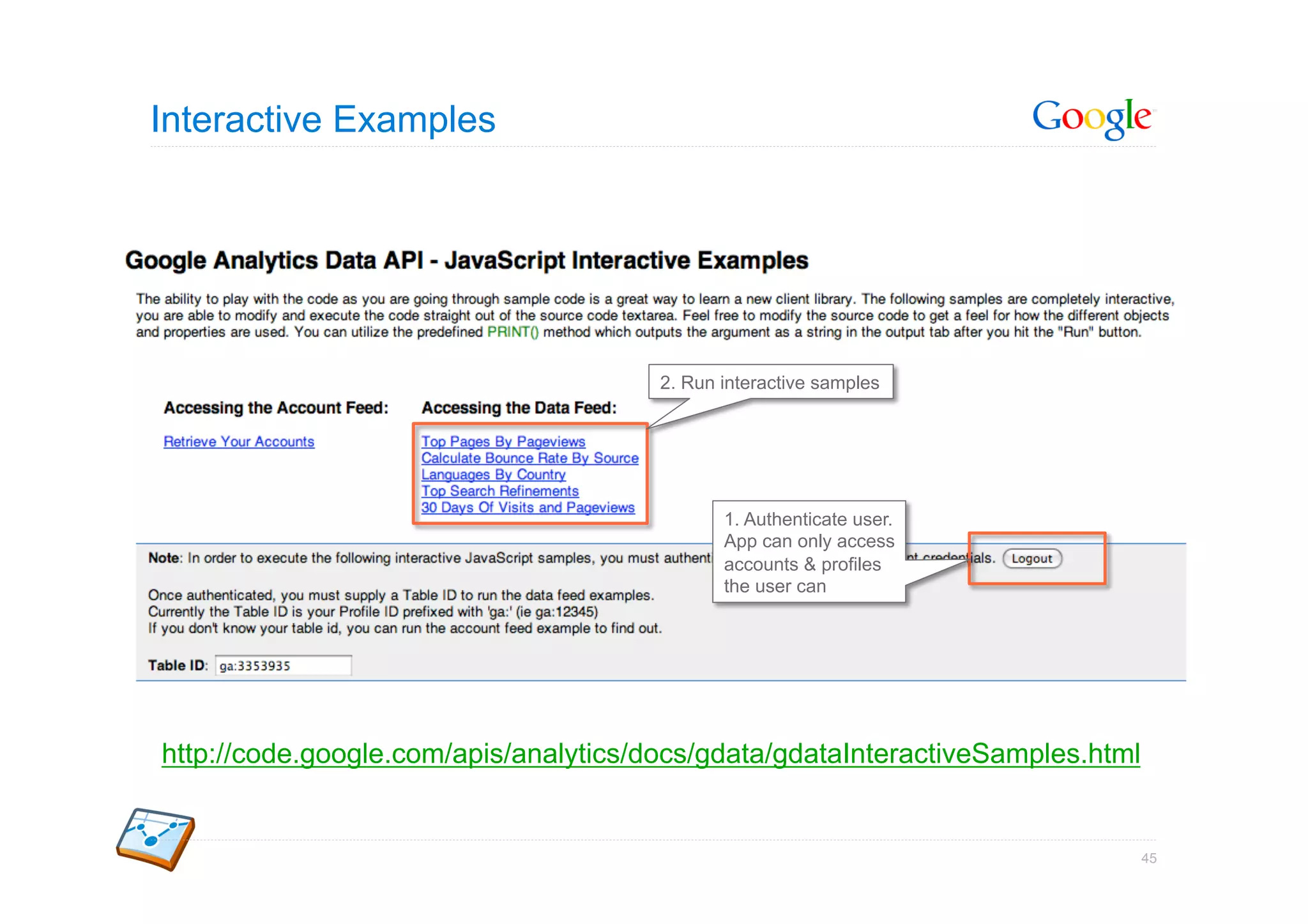
Interactive Examples


                                       2. Run interactive samples


                                              1. Authenticate user.
                                              App can only access
                                              accounts & profiles
                                              the user can


http://code.google.com/apis/analytics/docs/gdata/gdataInteractiveSamples.html


                                                                                45
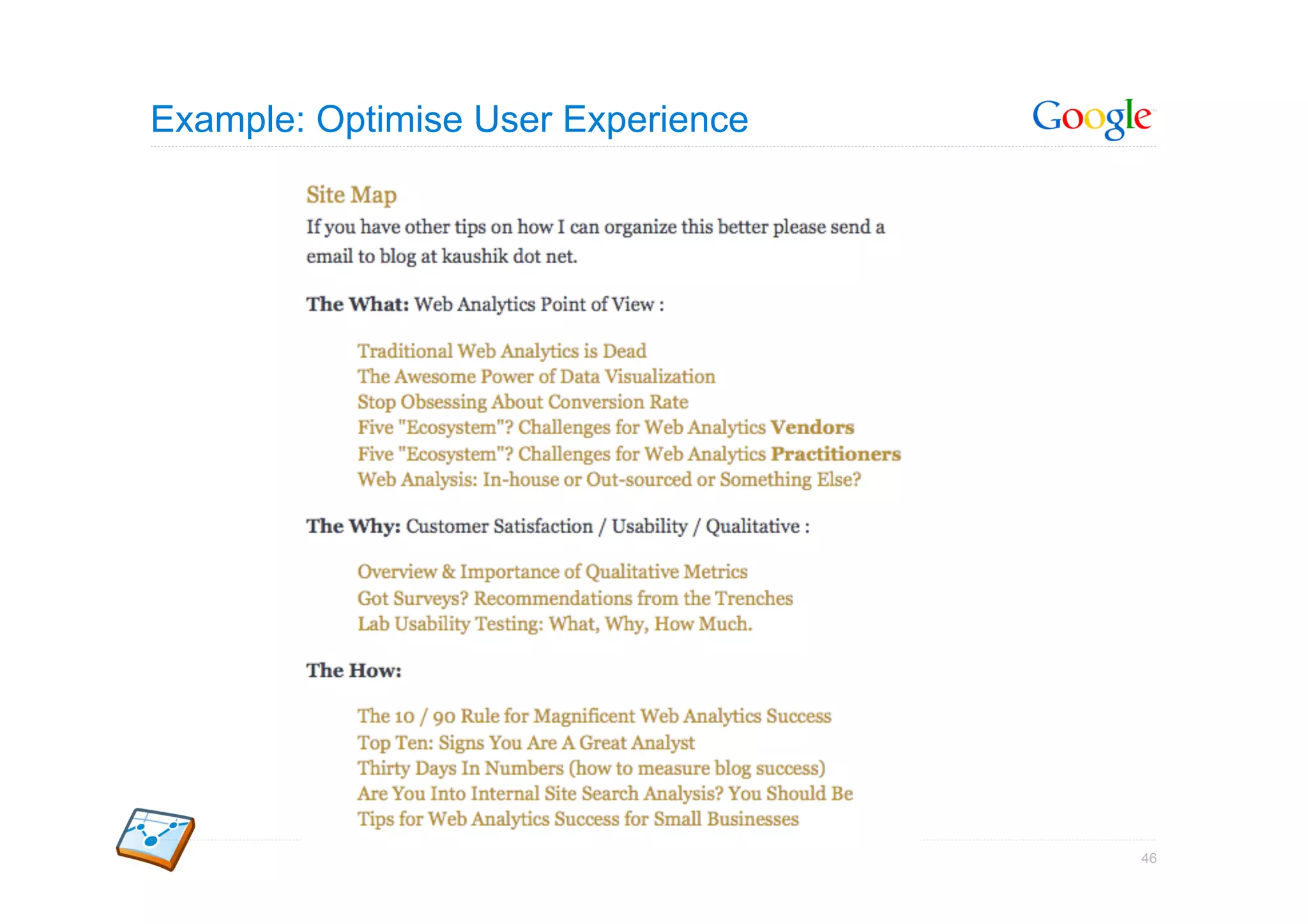
Example: Optimise User Experience


                                    46
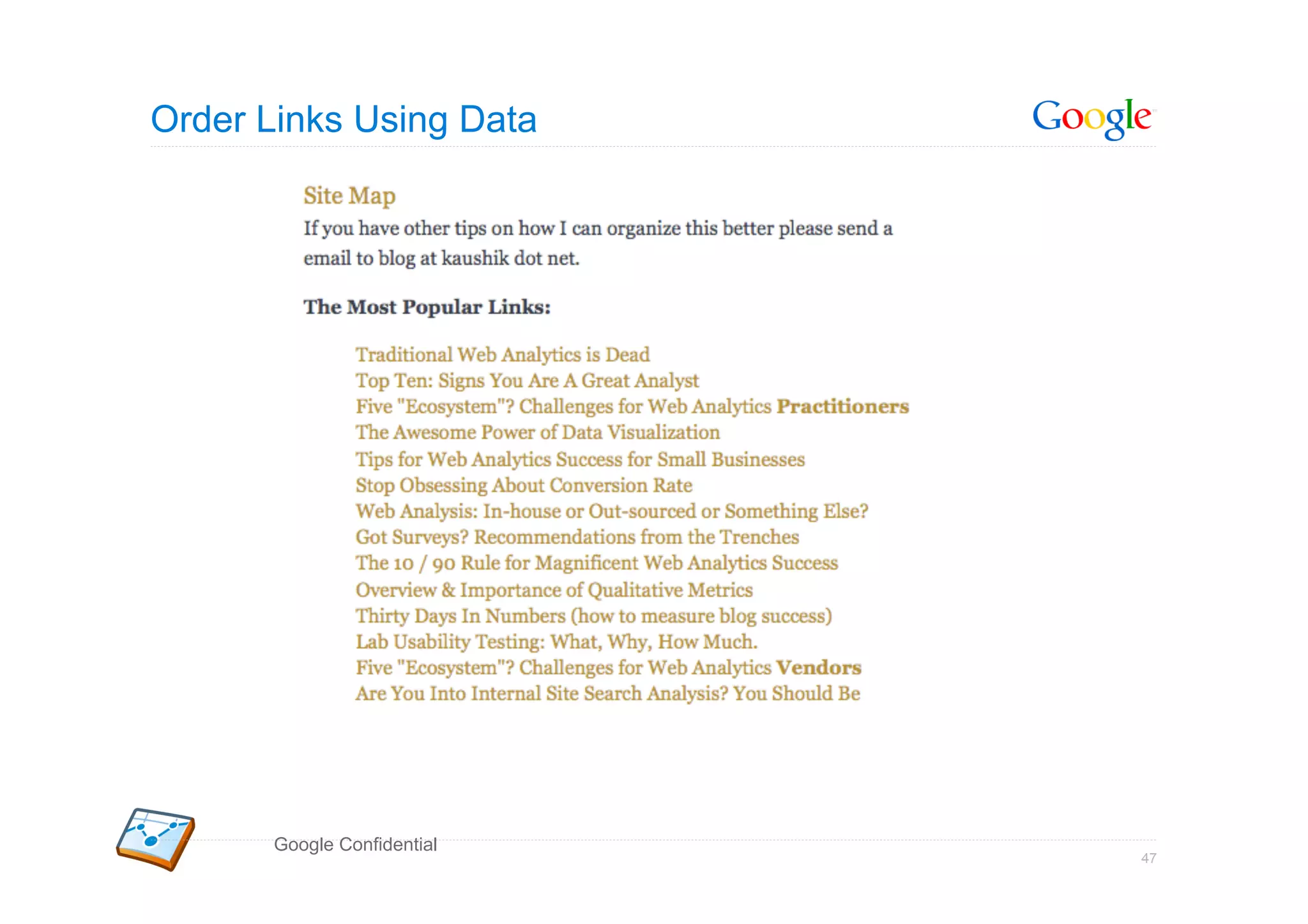
Order Links Using Data


       Google Confidential
                             47
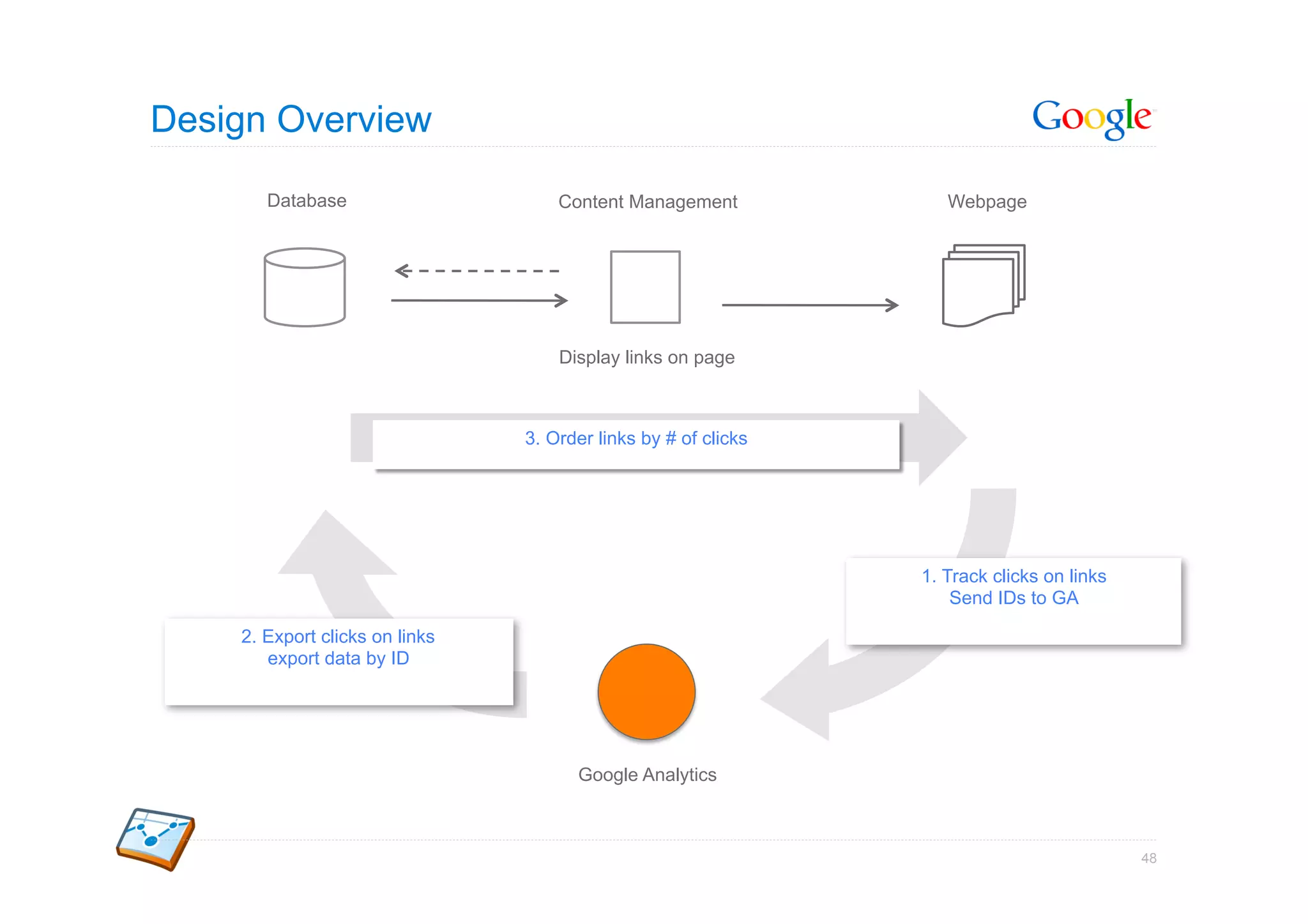
Design Overview

       Database                     Content Management             Webpage


                                    Display links on page


                                3. Order links by # of clicks


                                                                1. Track clicks on links
                                                                    Send IDs to GA

    2. Export clicks on links
       export data by ID


                                      Google Analytics


                                                                                           48
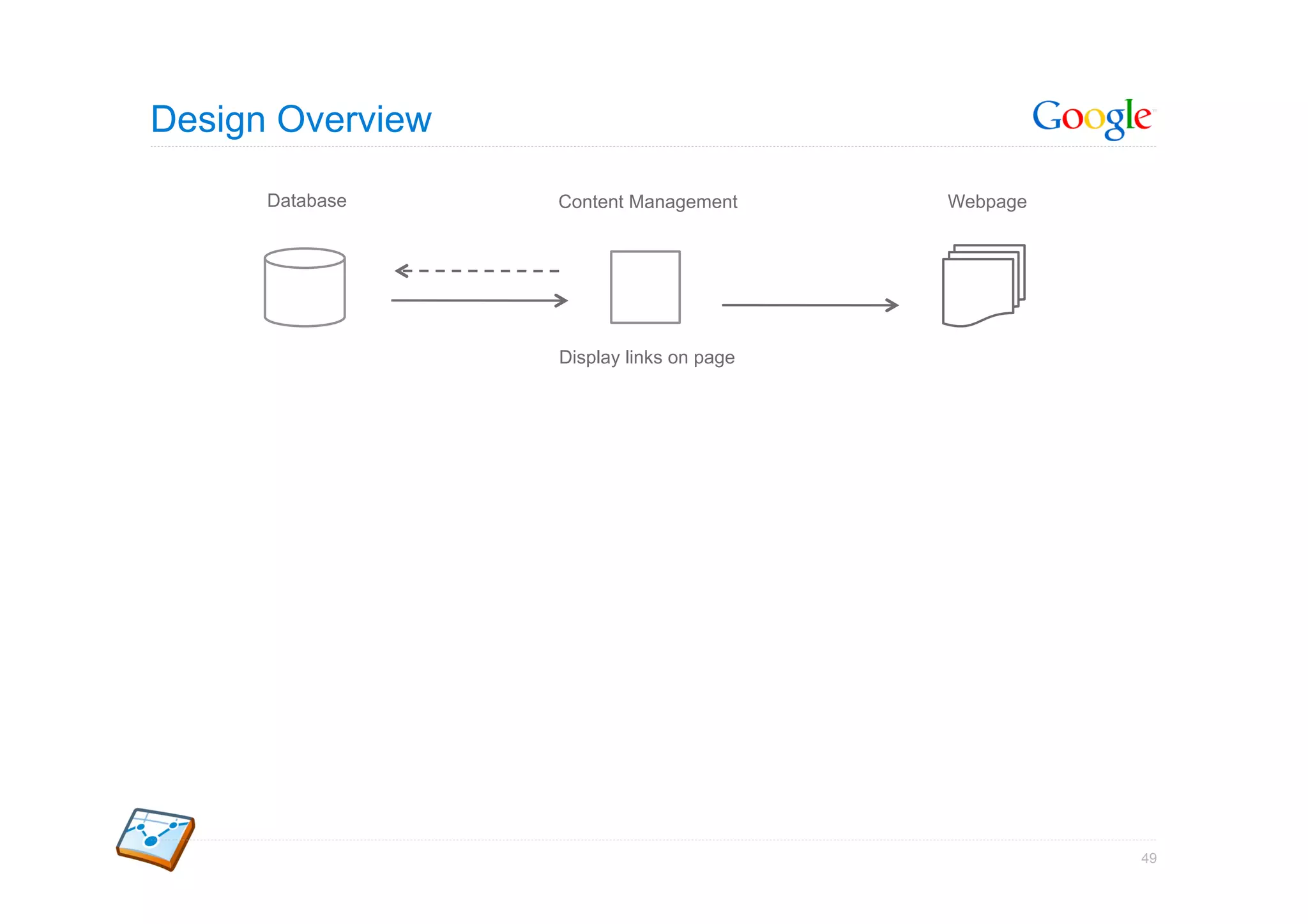
Design Overview

      Database    Content Management      Webpage


                  Display links on page


                                                    49
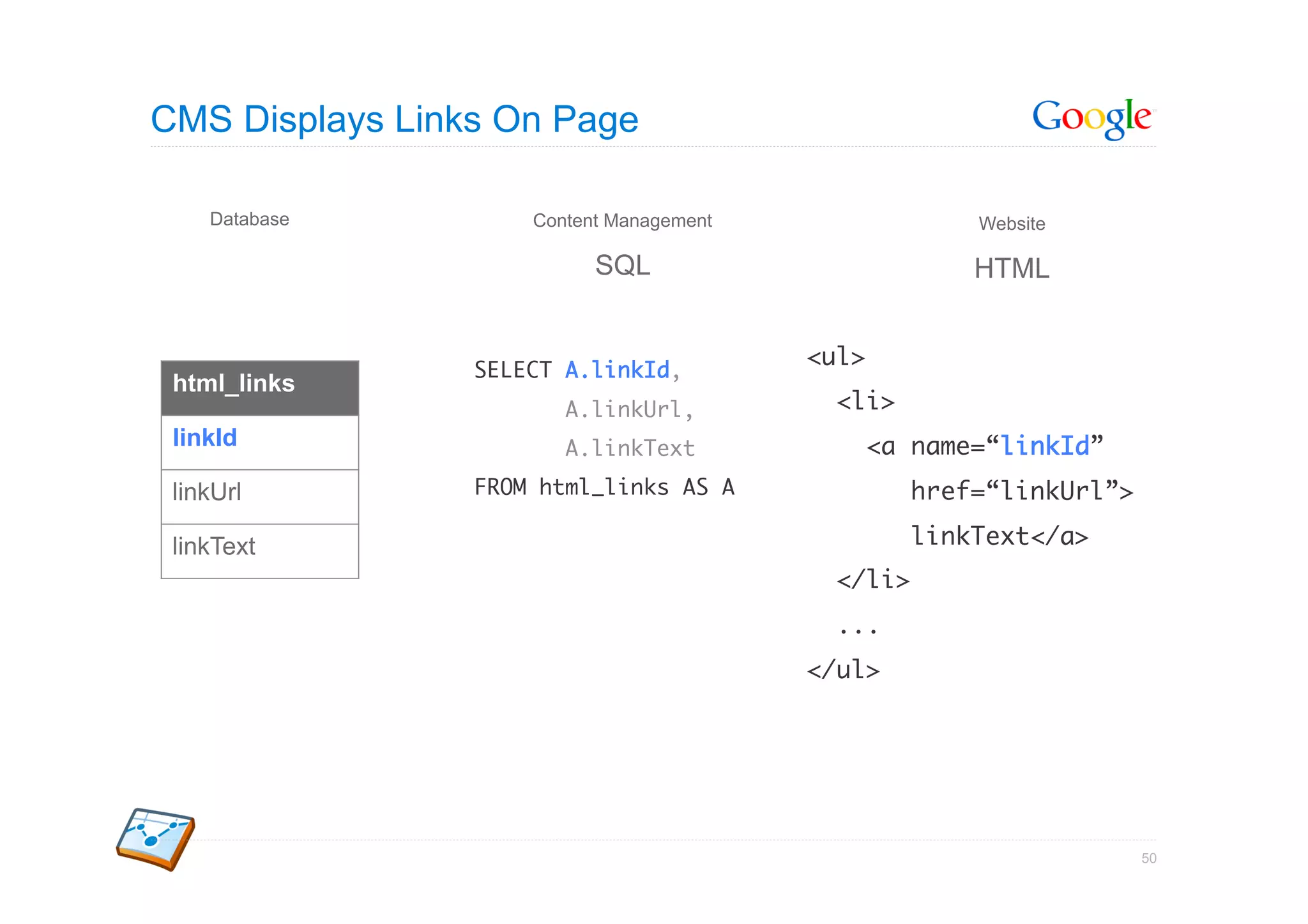
CMS Displays Links On Page

    Database         Content Management                  Website

                           SQL                           HTML


                                          <ul>	
                 SELECT A.linkId,	
 html_links
                        A.linkUrl,	         <li>	
 linkId                 A.linkText	          <a name=“linkId”	
 linkUrl         FROM html_links AS A	             href=“linkUrl”>	

 linkText                                          linkText</a>	
                                            </li>	
                                            ...	
                                          </ul>      	


                                                                   50
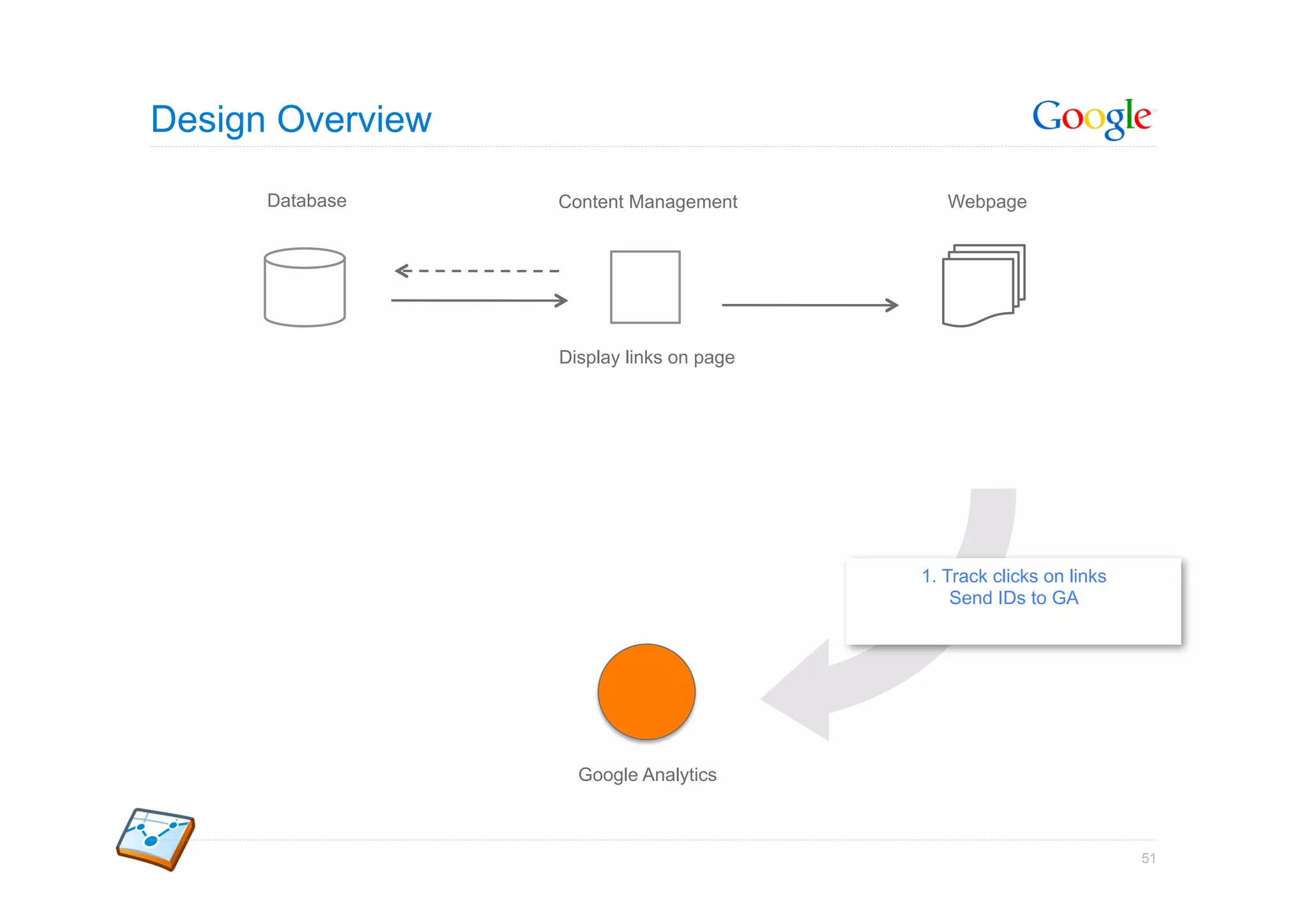
Design Overview

      Database    Content Management         Webpage


                  Display links on page


                                          1. Track clicks on links
                                              Send IDs to GA


                    Google Analytics


                                                                     51
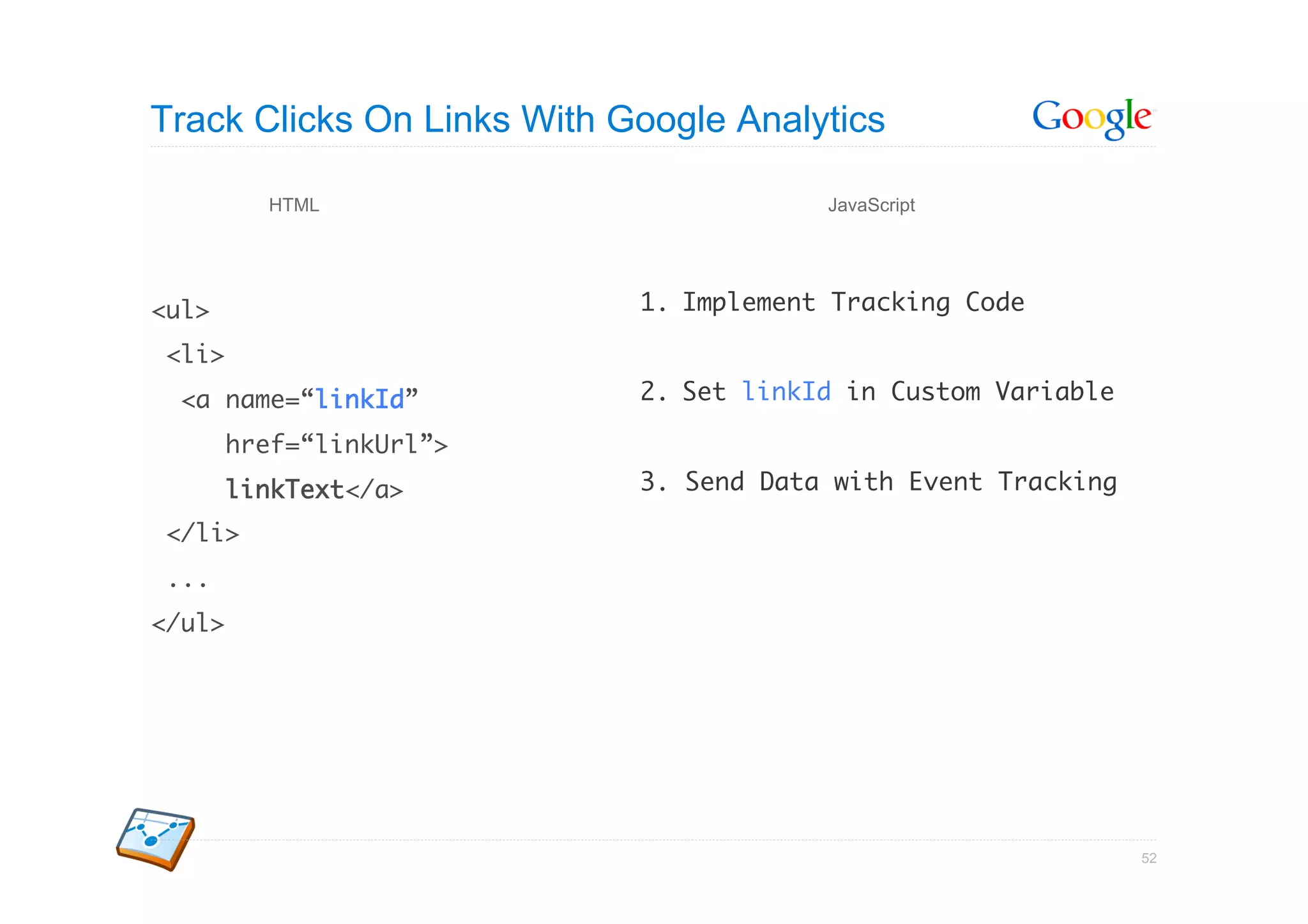
Track Clicks On Links With Google Analytics

          HTML                           JavaScript


<ul>	                       1.  Implement Tracking Code	

<li>	
  <a name=“linkId”	         2.  Set linkId in Custom Variable	

        href=“linkUrl”>	
        linkText</a>	       3. Send Data with Event Tracking	

</li>	
...	
</ul>      	


                                                                 52
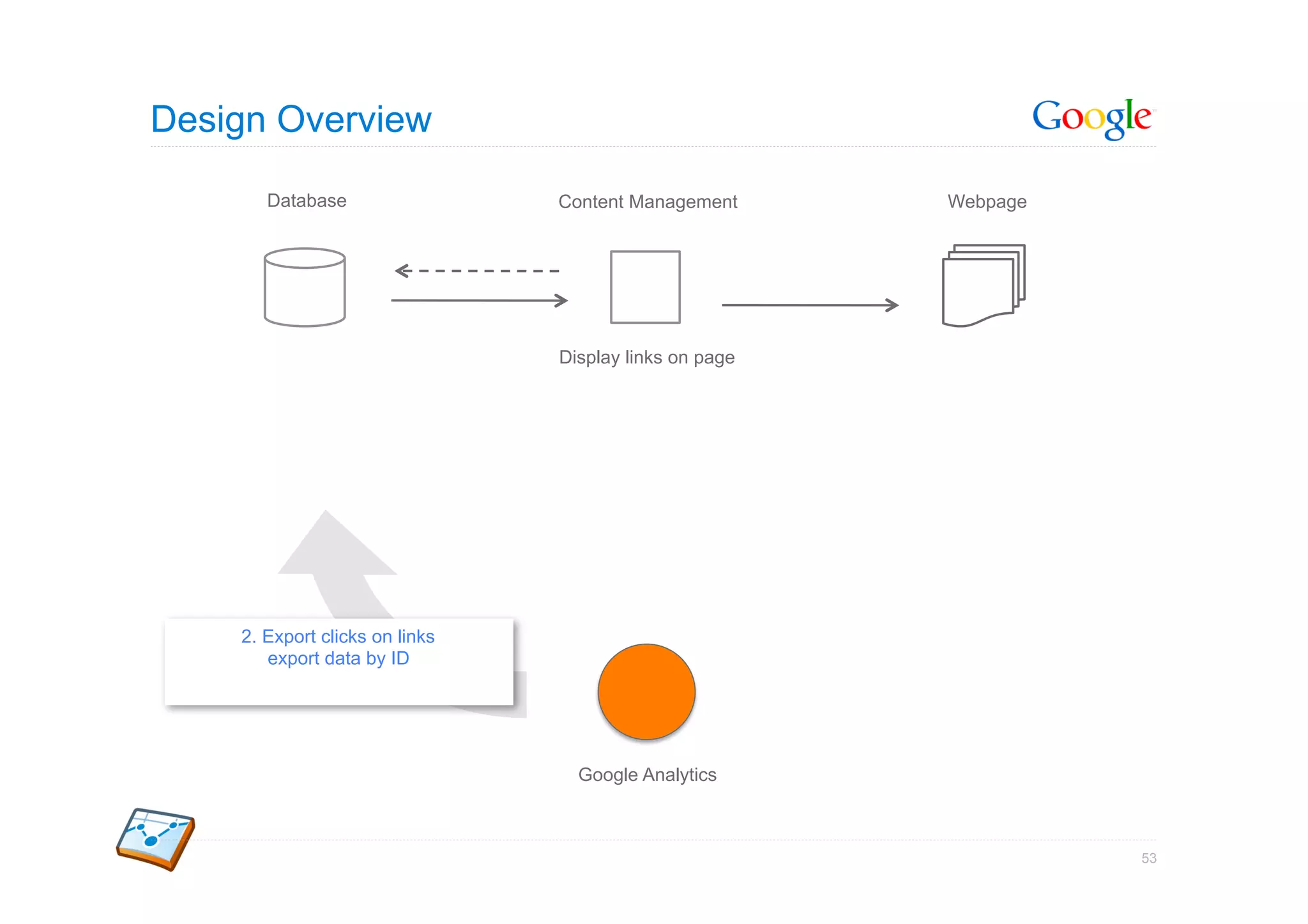
Design Overview

       Database                 Content Management      Webpage


                                Display links on page


    2. Export clicks on links
       export data by ID


                                  Google Analytics


                                                                  53
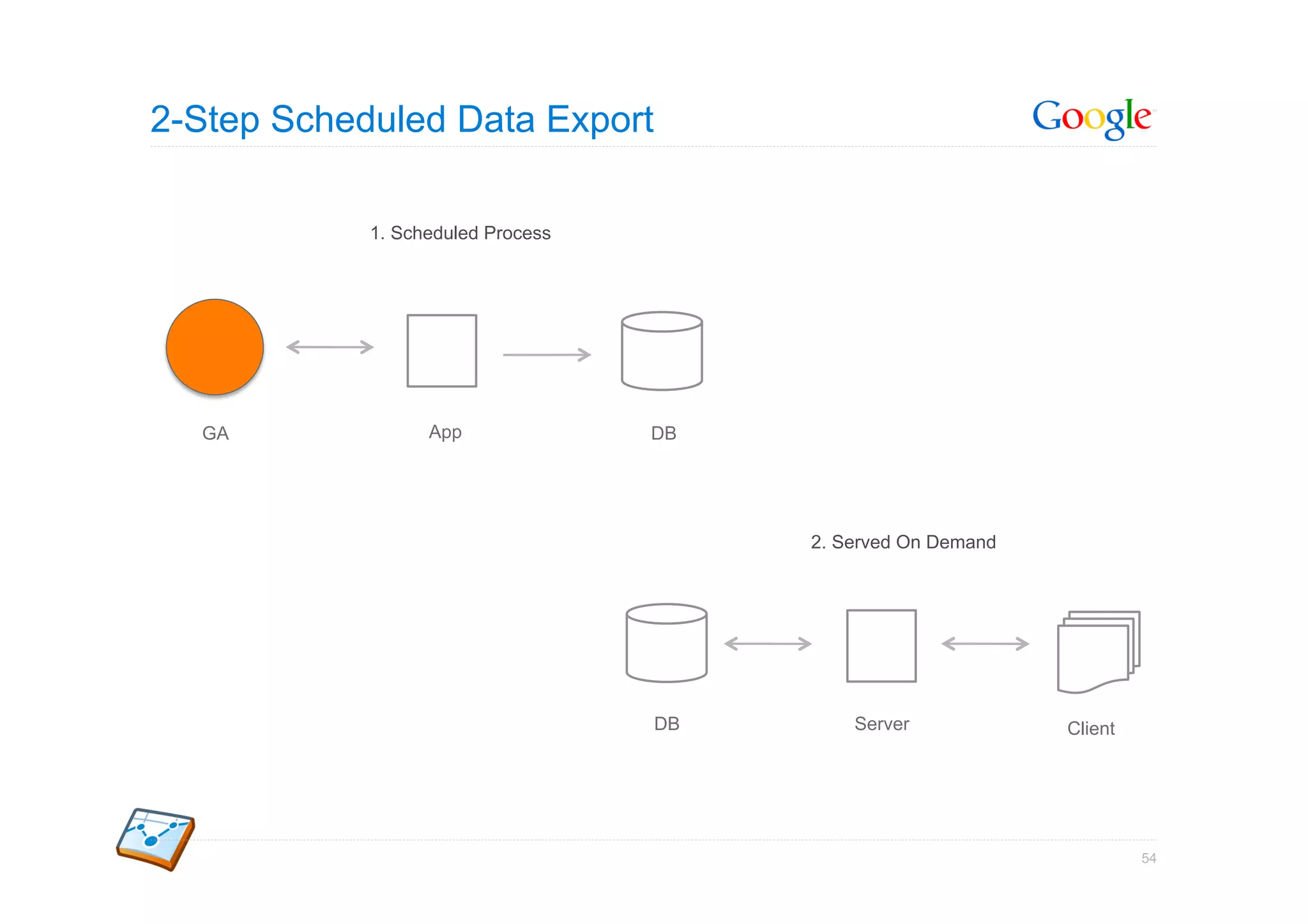
2-Step Scheduled Data Export

            1. Scheduled Process


  GA              App              DB


                                        2. Served On Demand


                                   DB       Server            Client


                                                                       54
Query The Right Data


Tracking Code
_gaq.push(['_setCustomVar', 1, ‘top-links’, linkId, 3]);	
_gaq.push(['_trackEvent', enclosingId, linkText]);	


Data Export API Query
query.setFilters("ga:customVarName1==top-links");	
query.setDimensions("ga:customVarValue1");	
query.setMetrics("ga:totalEvents");	


                                                            55
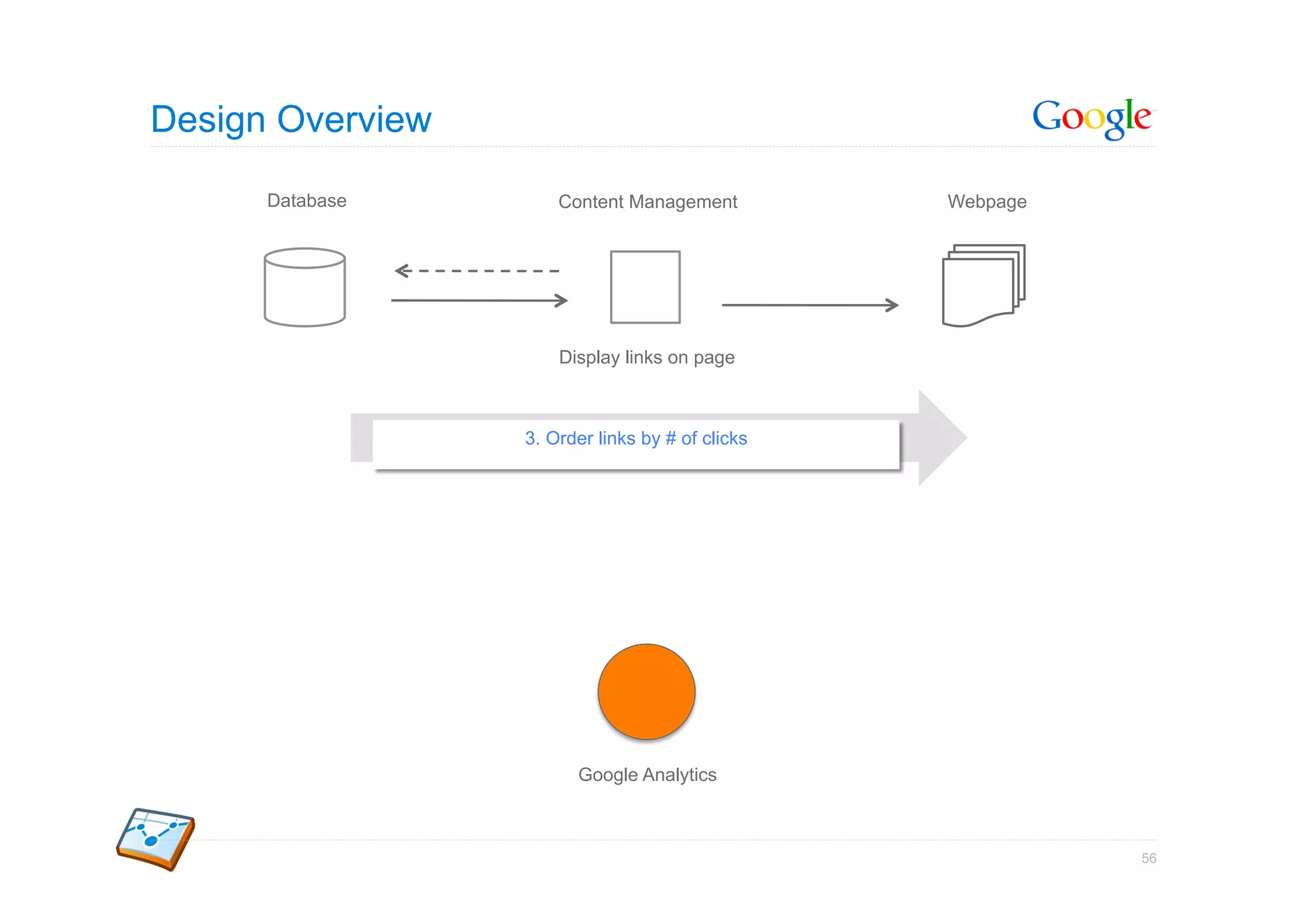
Design Overview

      Database        Content Management          Webpage


                      Display links on page


                  3. Order links by # of clicks


                        Google Analytics


                                                            56
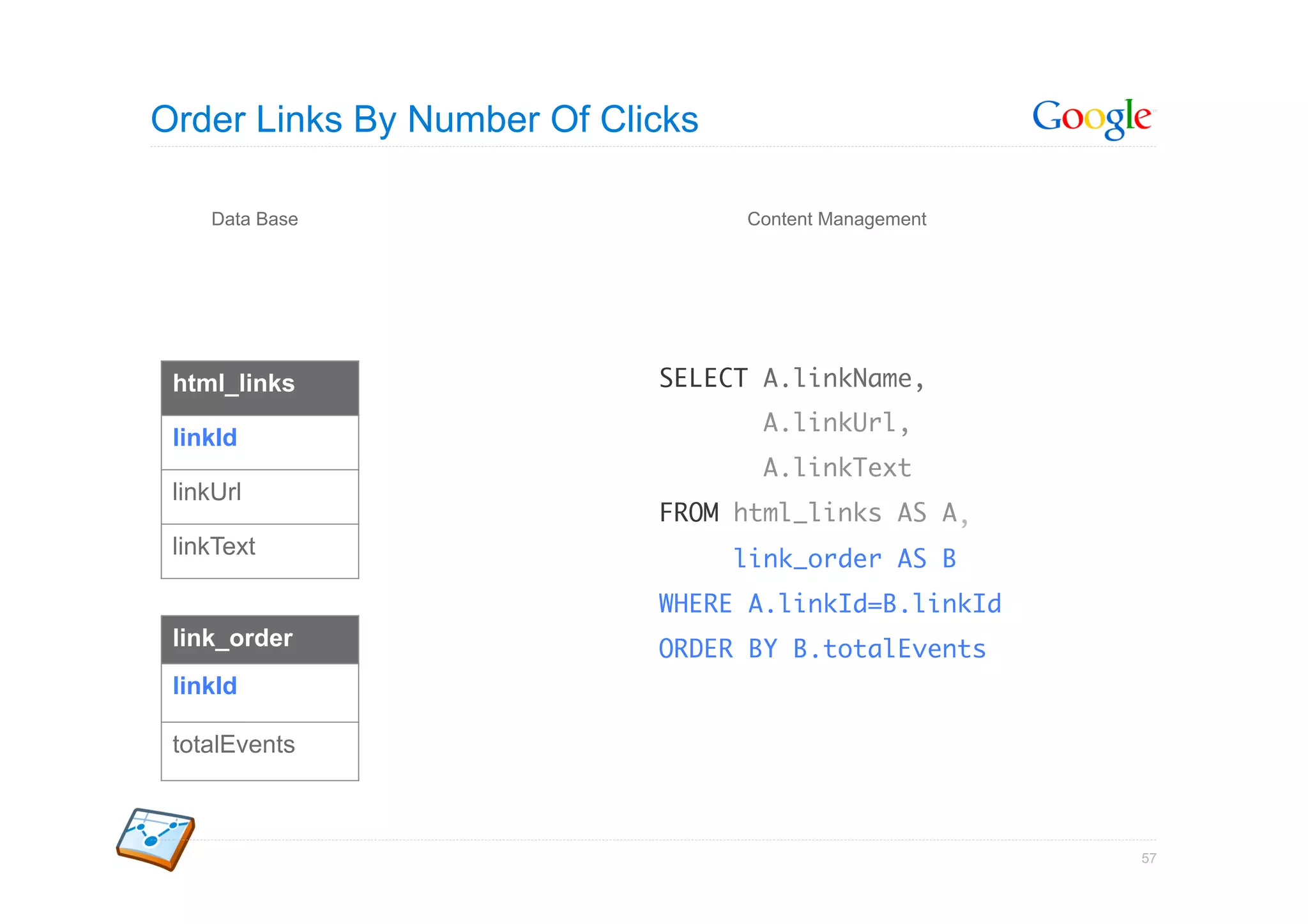
Order Links By Number Of Clicks

    Data Base                     Content Management


 html_links                 SELECT A.linkName,	
                                   A.linkUrl,	
 linkId
                                   A.linkText	
 linkUrl
                            FROM html_links AS A	
                                                ,	
 linkText
                                  link_order AS B	
                            WHERE A.linkId=B.linkId	
 link_order                 ORDER BY B.totalEvents	
 linkId

 totalEvents


                                                       57
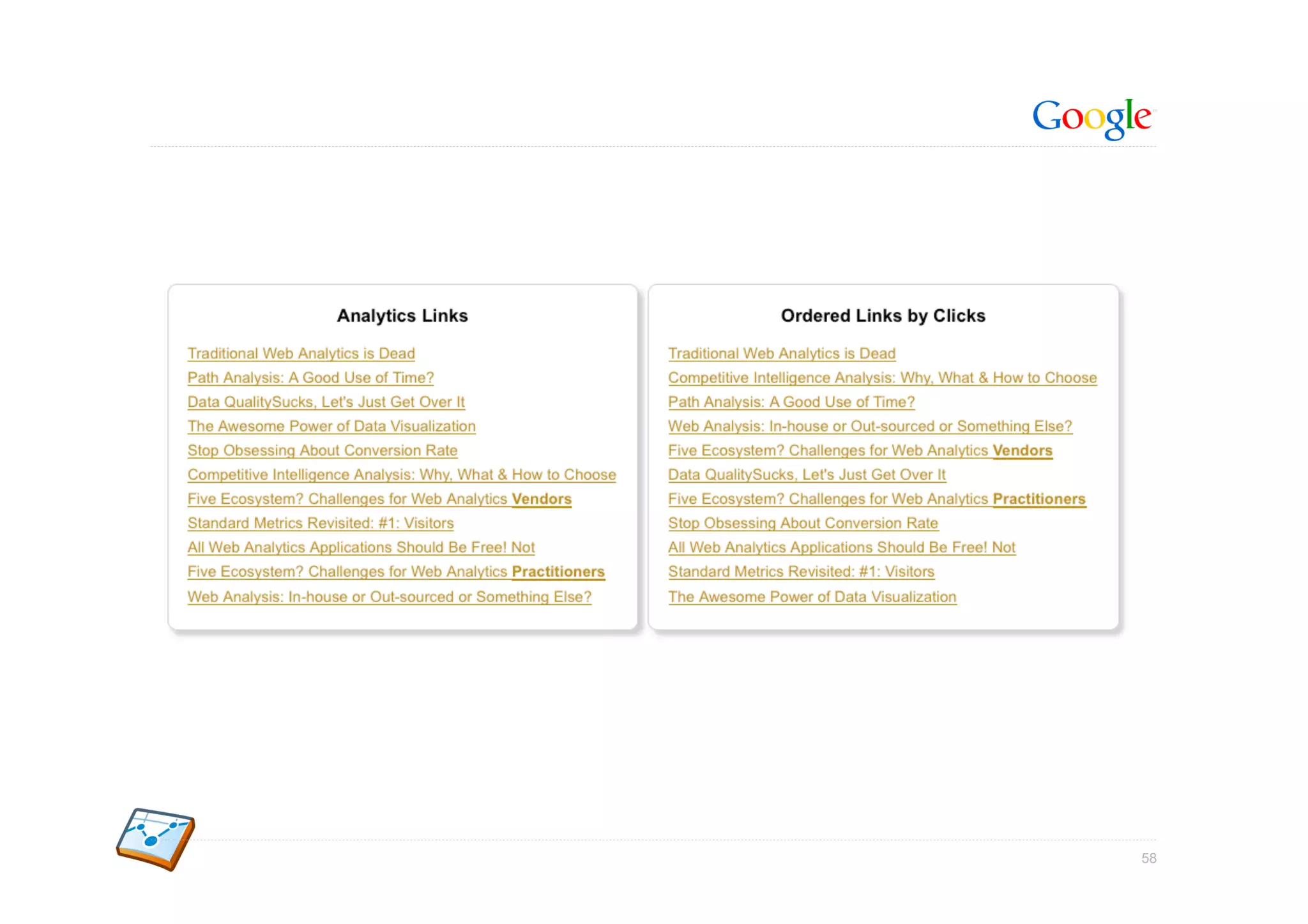
58
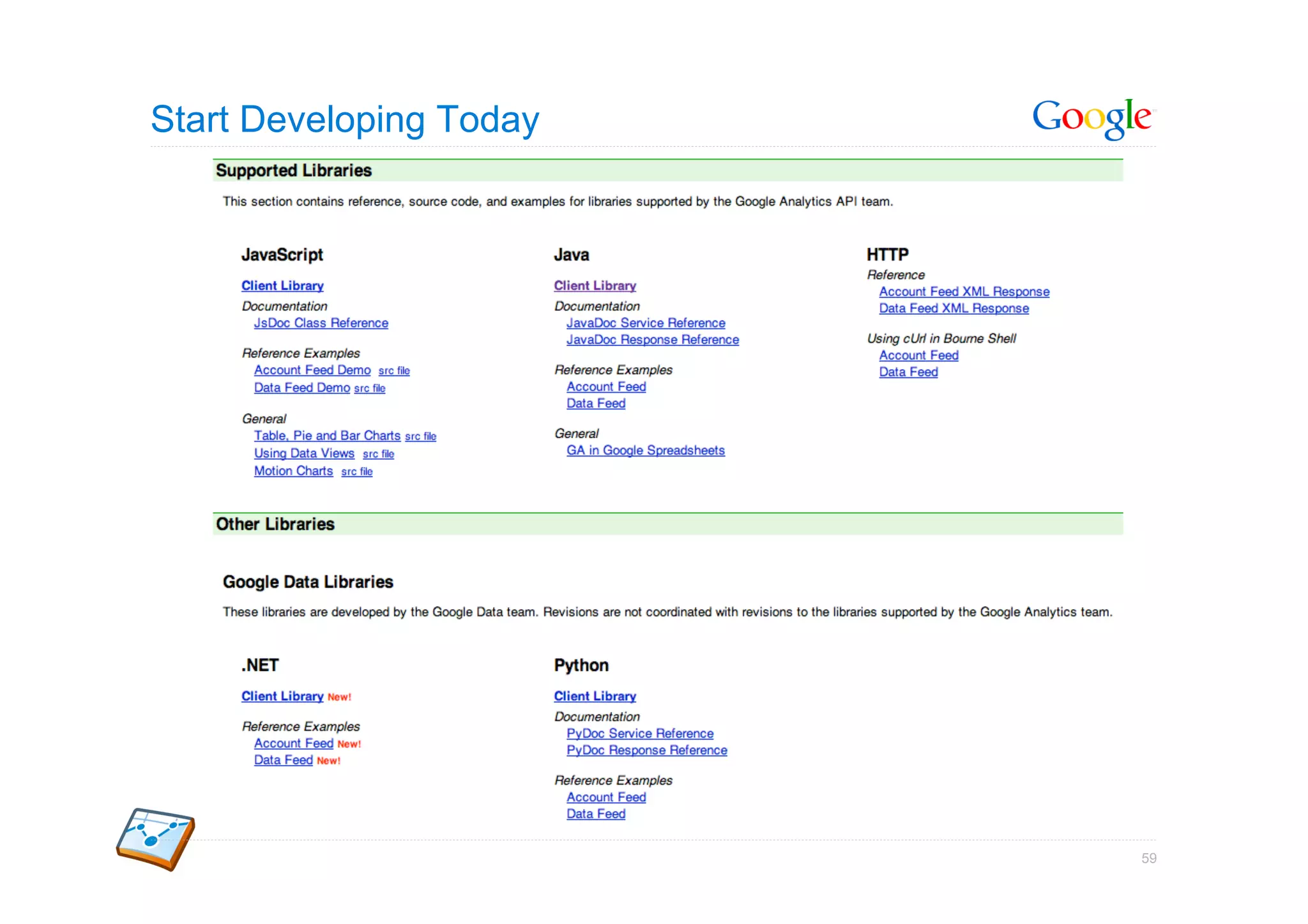
Start Developing Today


                         59
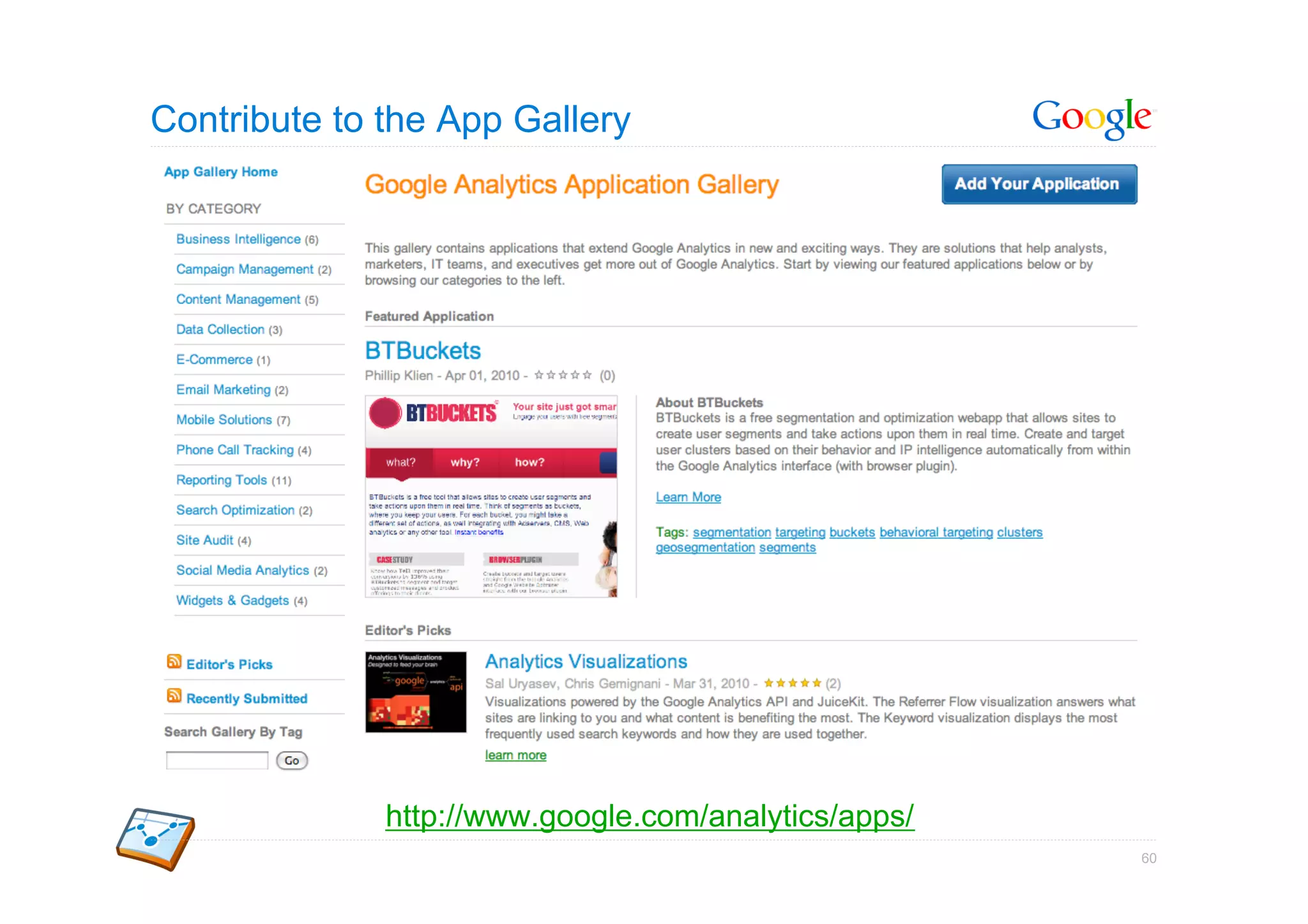
Contribute to the App Gallery


              http://www.google.com/analytics/apps/
                                                      60
Resources


            Google Confidential and Proprietary   61
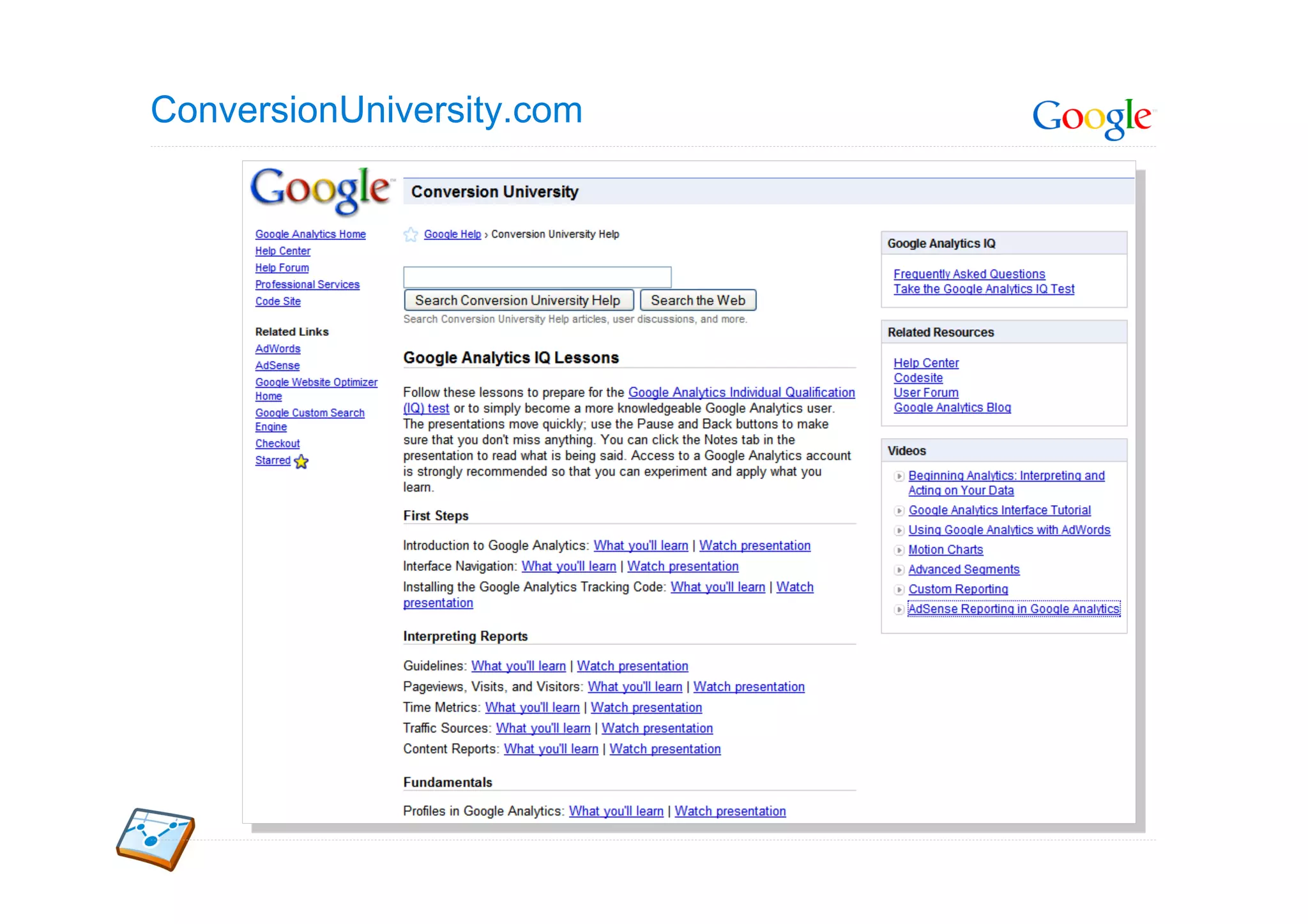
ConversionUniversity.com
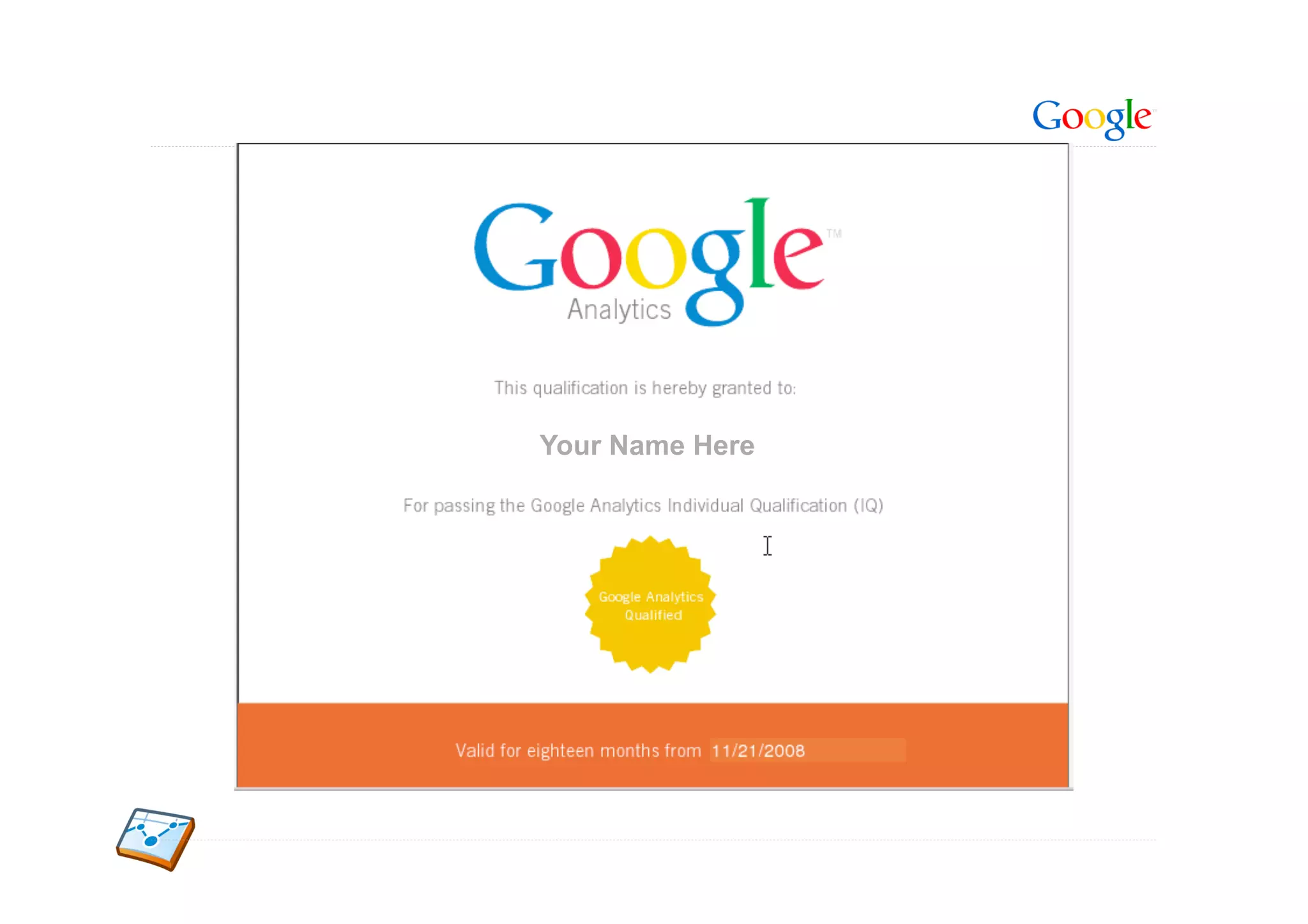
Your Name Here
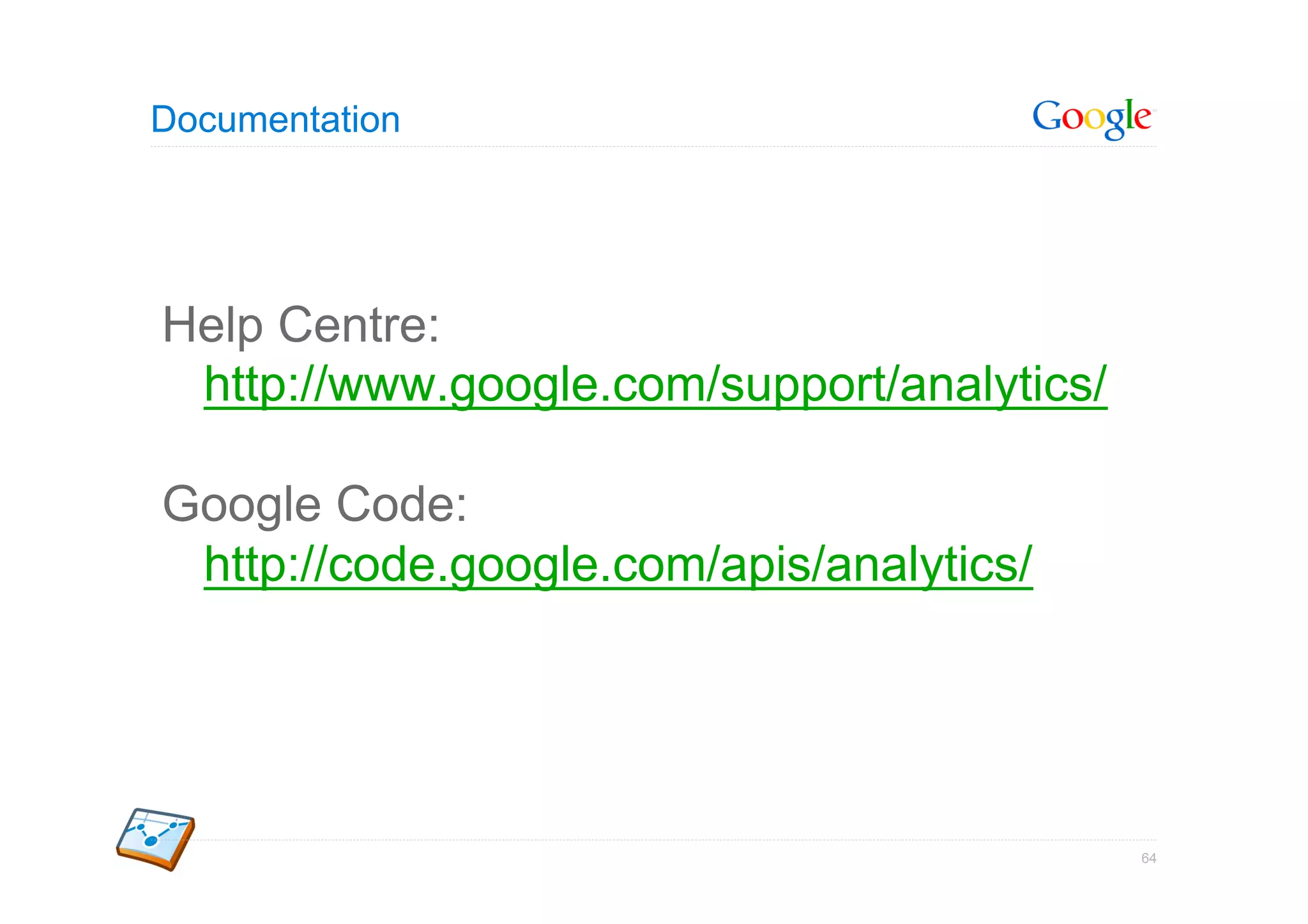
Documentation


Help Centre:
 http://www.google.com/support/analytics/

Google Code:
 http://code.google.com/apis/analytics/


                                            64
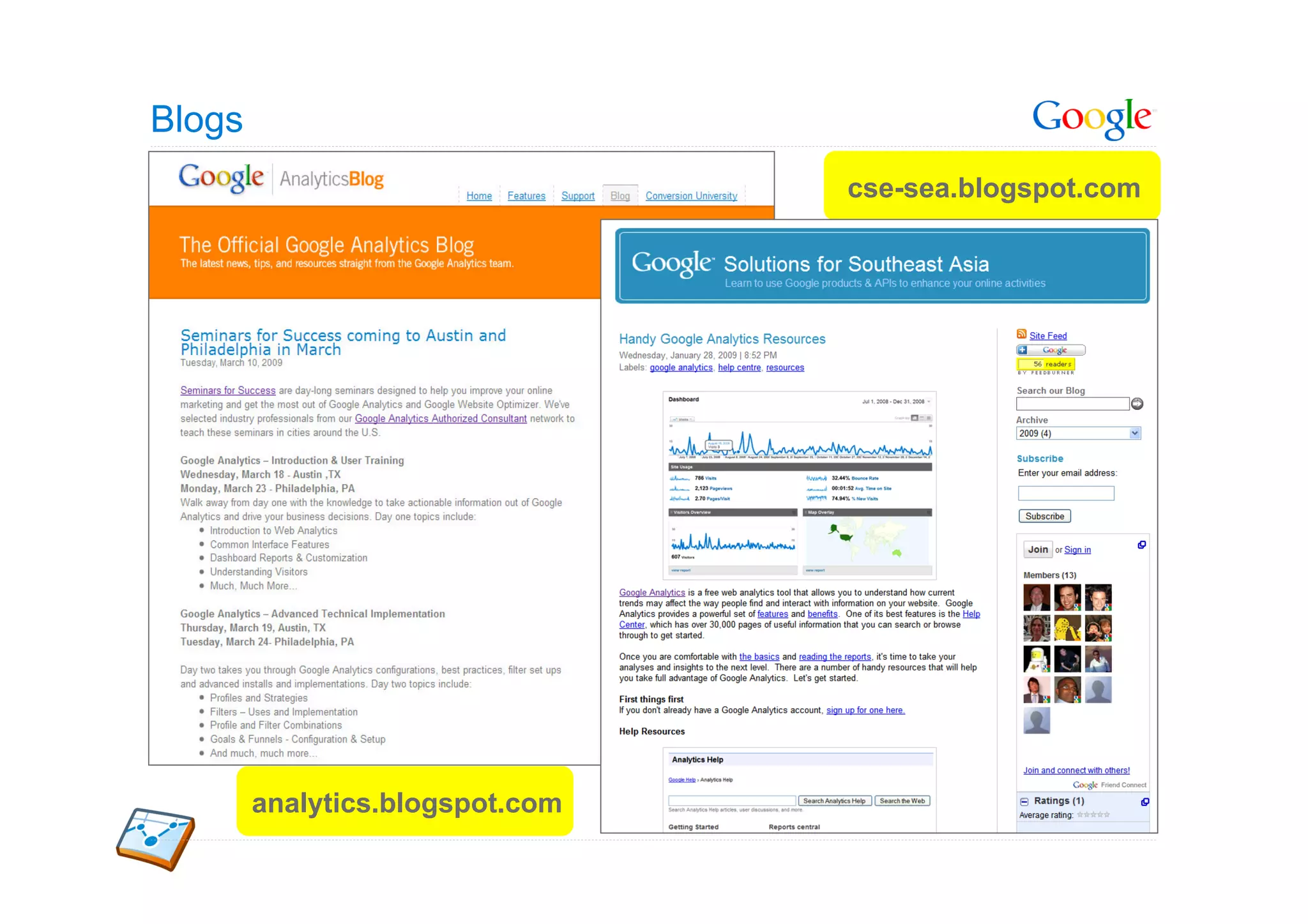
Blogs
                                 cse-sea.blogspot.com


        analytics.blogspot.com
Thank You!
Q&A


http://twitter.com/vinoaj

http://cse-sea.blogspot.com


                              Google Confidential and Proprietary   66

Gtug sg google analytics - 2010-06-05

  • 1.
    Google Analytics forthe Digital Developer Moving Towards Actionable Insights Vinoaj Vijeyakumaar Google Analytics JAPAC Lead, Global Technical Services Google Southeast Asia http://twitter.com/vinoaj http://cse-sea.blogspot.com Google Confidential and Proprietary 1
  • 2.
    Today Google Analytics forthe Digital Developer 1 Why Google Analytics 2 How Google Analytics Works 3 Measuring Your Apps 4 Data Export API 5 Resources 2
  • 3.
    Why Google Analytics Google Confidential and Proprietary 3
  • 4.
    Track Behaviour Behaviour Entry Exit Engagement 4
  • 5.
    6 + 1Report Categories 5
  • 6.
    6 + 1Report Categories Who are my visitors? 6
  • 7.
    Who are myVisitors? 7
  • 8.
    6 + 1Report Categories How are they finding and coming to my site? 8
  • 9.
    How are VisitorsFinding My Site? 9
  • 10.
    6 + 1Report Categories What did they do on my site? 10
  • 11.
    What did theydo on my site? 11
  • 12.
    6 + 1Report Categories Why does my site exist and did my visitors meet those objectives? 12
  • 13.
  • 14.
    6 + 1Report Categories What actions should I be taking on my site? 14
  • 15.
  • 16.
    How Google AnalyticsWorks Google Confidential and Proprietary 16
  • 17.
    The GA TrackingCode (GATC) – non-Async 2. Page triggers load() event 1. Request and load Google Analytics 17
  • 18.
    The GA TrackingCode (GATC) - Async 1. Page triggers load() event 2. Request and load Google Analytics 18
  • 19.
    The GA AsyncTracking Code Look for _gaq stack and execute queued commands HTML5: Execute script asynchronously Dynamically load the ga.js tracking library 19
  • 20.
    How Google Analyticsworks 1. Request--"Show me this Website Server webpage" <html> <head> 2. Serve page ... __utm.gif?utmwv=6.3&utmn=101027544&utmsr=1280x854&utmsc=32- ... bit&utmul=en&utmje=1&utmjv=1.5&utmfl=7.0 r24&utmdt=My User %20Website&utmhn=www.site.com&utmp=/ 3. Request: ga.js index.html&utmac=UA-51244-4&utmcc=__utma %3D117945243.823564440.1131054947.1131080858.1133834608.4%3B 5. Call trackPageview() +__utmb%3D117945243%3B+__utmc%3D117945243%3B+__utmz 4. Serve ga.js function %3D117945243.1131054947.3.2.utmccn%3D%28Spring%20Sale </head> %29%7Cutmcsr%3D%28google%29%7Cutmcmd%3D%28ppc%29% <html> Secure Google Servers 6. Read & write cookies %7Cutmtm%3D%28shoes%29%3B ... ... 7. Send gif request. Request contains data. 8. Serve gif
  • 21.
    The __utm.gif hit __utm.gif?utmwv=6.3&utmn=101027544&utmsr=1280x854&utmsc=32- bit&utmul=en&utmje=1&utmjv=1.5&utmfl=7.0 r24&utmdt=My %20Website&utmhn=www.site.com&utmp=/ index.html&utmac=UA-51244-4&utmcc=__utma %3D117945243.823564440.1131054947.1131080858.1133834608.4% 3B+__utmb%3D117945243%3B+__utmc%3D117945243%3B+__utmz %3D117945243.1131054947.3.2.utmccn%3D%28Spring%20Sale %29%7Cutmcsr%3D%28google%29%7Cutmcmd%3D%28ppc%29% %7Cutmtm%3D%28shoes%29%3B Screen Resolution: 1280x854 Page Title: My Website Screen Colors: 32-bit Hostname: www.site.com Browser Language: English(en) Filename: /index.html Java Enabled? Yes (1) Google Analytics Account: UA-51244-4 Java Version: 1.5 Visits: 4 Flash Version: 7.0r24 Campaign: Spring Sale | Google(PPC) | shoes
  • 22.
    Raw Data toReports 22
  • 23.
    Taking a CloserLook Management Web Interface Account Feed 2. Goals, Filters, Profile Settings Web Interface Tracking Data Export Feed 4. Functions 1. Logs 3. Data 5. Tables 6. Query Engine Structure Collection Processing Export
  • 24.
    Mobile Tracking HTML & Applications WAP iPhone Windows Mobile Pearl & Curve Android Blackberry http://code.google.com/apis/analytics/docs/tracking/mobileAppsTracking.html 24
  • 25.
    Track Activity toMobile Websites [link] Mobile Websites  Server-side tracking [Ad] Car Sale – Low car prices –  Track all web-enabled devices (not just JS & cookie capable) cars.com – Call: 800-123-2431  Four languages supported: PHP, Perl, JSP, ASP  Works just like Analytics on desktop web pages 25
  • 26.
    Tracking Your MobileSite •  Provided with server-side code to generate the calls to Google Analytics •  Will track all web-enabled devices, not just JS- and cookie-capable devices •  Currently provide code snippets for PHP, Perl, JSP, and ASPX platforms 26
  • 27.
    Copy & PasteSnippets 27
  • 28.
    A Quick Lookat the PHP Code Snippet Insert a pixel for tracking Page rendering script Generate the pixel URL Send the request to GA ga.php 28
  • 29.
    Server-to-Server Communications Secure Google Servers Website Server Request pixel: Send /ga.php?.... request to GA servers 29
  • 30.
    Measuring Your Apps Google Confidential and Proprietary 30
  • 31.
    Event Tracking “Traditional” GoogleAnalytics is pageview based 31
  • 32.
    What about the1-page App/Site? Single URL, no page refreshes 32
  • 33.
    Enter Event Tracking Track events on your site Detect events and trigger tracking call _gaq.push(['_trackEvent', Purpose Example Group of objects being category, tracked 'Markers' Type of user interaction 'Click' action, with the object Additional info about 'Google opt_label, the event Singapore' Numerical data about 1 opt_value]); the event 33
  • 34.
    Example: Tracking OutboundSocial Media Links 34
  • 35.
  • 36.
    Tracking Rich MediaSites and Apps 36
  • 37.
    Mobile Tracking HTML & Applications WAP iPhone Windows Mobile Pearl & Curve Android Blackberry http://code.google.com/apis/analytics/docs/tracking/mobileAppsTracking.html 37
  • 38.
    iPhone and AndroidTracking •  Track pageviews •  Track events •  Tip: batch hits to save on connection and battery overhead •  Tip: bundle tracker dispatches with other HTTP requests made by your app •  Android: Track referrals leading to download and activations of your apps 38
  • 39.
    Chrome Extensions Load GAwithin Chrome extension page Call _trackPageView to measure extension activation Call _trackEvent to track interactions 39
  • 40.
    Flash / Flex Track “Pageviews” Track Events 40
  • 41.
  • 42.
  • 43.
    Data Export API Google Confidential and Proprietary 43
  • 44.
    Dimensions and Metrics Dimensions Metrics Google Confidential
  • 45.
    Interactive Examples 2. Run interactive samples 1. Authenticate user. App can only access accounts & profiles the user can http://code.google.com/apis/analytics/docs/gdata/gdataInteractiveSamples.html 45
  • 46.
  • 47.
    Order Links UsingData Google Confidential 47
  • 48.
    Design Overview Database Content Management Webpage Display links on page 3. Order links by # of clicks 1. Track clicks on links Send IDs to GA 2. Export clicks on links export data by ID Google Analytics 48
  • 49.
    Design Overview Database Content Management Webpage Display links on page 49
  • 50.
    CMS Displays LinksOn Page Database Content Management Website SQL HTML <ul> SELECT A.linkId, html_links A.linkUrl, <li> linkId A.linkText <a name=“linkId” linkUrl FROM html_links AS A href=“linkUrl”> linkText linkText</a> </li> ... </ul> 50
  • 51.
    Design Overview Database Content Management Webpage Display links on page 1. Track clicks on links Send IDs to GA Google Analytics 51
  • 52.
    Track Clicks OnLinks With Google Analytics HTML JavaScript <ul> 1.  Implement Tracking Code <li> <a name=“linkId” 2.  Set linkId in Custom Variable href=“linkUrl”> linkText</a> 3. Send Data with Event Tracking </li> ... </ul> 52
  • 53.
    Design Overview Database Content Management Webpage Display links on page 2. Export clicks on links export data by ID Google Analytics 53
  • 54.
    2-Step Scheduled DataExport 1. Scheduled Process GA App DB 2. Served On Demand DB Server Client 54
  • 55.
    Query The RightData Tracking Code _gaq.push(['_setCustomVar', 1, ‘top-links’, linkId, 3]); _gaq.push(['_trackEvent', enclosingId, linkText]); Data Export API Query query.setFilters("ga:customVarName1==top-links"); query.setDimensions("ga:customVarValue1"); query.setMetrics("ga:totalEvents"); 55
  • 56.
    Design Overview Database Content Management Webpage Display links on page 3. Order links by # of clicks Google Analytics 56
  • 57.
    Order Links ByNumber Of Clicks Data Base Content Management html_links SELECT A.linkName, A.linkUrl, linkId A.linkText linkUrl FROM html_links AS A , linkText link_order AS B WHERE A.linkId=B.linkId link_order ORDER BY B.totalEvents linkId totalEvents 57
  • 58.
  • 59.
  • 60.
    Contribute to theApp Gallery http://www.google.com/analytics/apps/ 60
  • 61.
    Resources Google Confidential and Proprietary 61
  • 62.
  • 63.
  • 64.
  • 65.
    Blogs cse-sea.blogspot.com analytics.blogspot.com
  • 66.