COLLABORATION AND
COMMUNITY BUILDING
Making the Move to K-12 Online Teaching:
Chapter 5 by Kerry Rice

Chandler Stroup
When I Grow Up…






When we were younger, we all had aspirations
for who we wanted to be when we were older.
Please share with the group what you wanted
to be when you were younger.
“I wanted to be…. because…”
Overview




Social Presence
Working with Others
Tools for Online teaching
The Online Community


Social Presence
 How

a learner feels they are part of the
community
 For online education, easier to establish as
compared to brick and mortar setting
 Social

networks- Classroom 2.0, TeacherStream
 YouTube
Building the Community



Introduce yourself
Have learner’s introductions
 Sharing

photos, stories, interests etc.
 Icebreakers



Profiles
Immediate feedback
 Email,





phone calls, homework, etc.

Contributing to discussions
“Be yourself”
Collaboration Online


Benefits
 Less

inhibition
 Reinforce community
 Exchange of ideas
 Meaningful Learning



Challenges
 Privacy/

Communication
 Skill with technology
required
 Structure needed
 “Groupthink”
 Quick Consensus vs.
diligent problem
solving
Collaborative Activities
Asynchronous Tools (Delayed)




Email
Discussion Board
Tools for Sharing

Synchronous Tools (Real Time)




Chat
Phone Conference
Web Conference
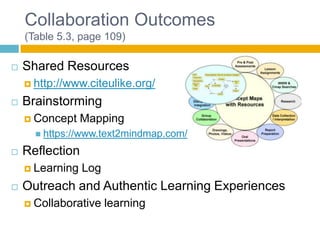
Collaboration Outcomes
(Table 5.3, page 109)


Shared Resources
 http://www.citeulike.org/



Brainstorming
 Concept

Mapping

 https://www.text2mindmap.com/



Reflection
 Learning



Log

Outreach and Authentic Learning Experiences
 Collaborative

learning
Collaboration Outcomes
(Continued)


Problem Solving
 Case



Studies

Product Development
 Creating



Immersive and Quest Based Learning
 Role



papers, websites, or videos

playing

Demonstration of Mastery
 Portfolio
Collaboration Guidelines


Communication




Tool requirements




Standard access to the same resources for all
members and provides the educator with access to
the information gathered

Use of Similar file types




Standard for how the communication between group
members (i.e. email, discussion board)

Needs to be able to be accessed on any computer
platform

File sizes


The smaller the better
Thanks for Listening


Any Questions?

Collaboration and community building

  • 1.
    COLLABORATION AND COMMUNITY BUILDING Makingthe Move to K-12 Online Teaching: Chapter 5 by Kerry Rice Chandler Stroup
  • 2.
    When I GrowUp…    When we were younger, we all had aspirations for who we wanted to be when we were older. Please share with the group what you wanted to be when you were younger. “I wanted to be…. because…”
  • 3.
    Overview    Social Presence Working withOthers Tools for Online teaching
  • 4.
    The Online Community  SocialPresence  How a learner feels they are part of the community  For online education, easier to establish as compared to brick and mortar setting  Social networks- Classroom 2.0, TeacherStream  YouTube
  • 5.
    Building the Community   Introduceyourself Have learner’s introductions  Sharing photos, stories, interests etc.  Icebreakers   Profiles Immediate feedback  Email,   phone calls, homework, etc. Contributing to discussions “Be yourself”
  • 6.
    Collaboration Online  Benefits  Less inhibition Reinforce community  Exchange of ideas  Meaningful Learning  Challenges  Privacy/ Communication  Skill with technology required  Structure needed  “Groupthink”  Quick Consensus vs. diligent problem solving
  • 7.
    Collaborative Activities Asynchronous Tools(Delayed)    Email Discussion Board Tools for Sharing Synchronous Tools (Real Time)    Chat Phone Conference Web Conference
  • 8.
    Collaboration Outcomes (Table 5.3,page 109)  Shared Resources  http://www.citeulike.org/  Brainstorming  Concept Mapping  https://www.text2mindmap.com/  Reflection  Learning  Log Outreach and Authentic Learning Experiences  Collaborative learning
  • 9.
    Collaboration Outcomes (Continued)  Problem Solving Case  Studies Product Development  Creating  Immersive and Quest Based Learning  Role  papers, websites, or videos playing Demonstration of Mastery  Portfolio
  • 10.
    Collaboration Guidelines  Communication   Tool requirements   Standardaccess to the same resources for all members and provides the educator with access to the information gathered Use of Similar file types   Standard for how the communication between group members (i.e. email, discussion board) Needs to be able to be accessed on any computer platform File sizes  The smaller the better
  • 11.

Editor's Notes

  • #5 Social presence- explains the feeling of connectedness learners have with their peers and teachers in online coursesFor online teaching, it is easier to establish an online community since it is easy to negotiate the connections within the local, national, and global networksSocial Networks- Professional Learning Communities (PLC) Personal Learning Networks/Environments (PLN/E)- used for informal learning, professional development, and career improvement
  • #9 It is necessary to identify key elements for the class that the teacher wants to focus on and give tools that support it.Shared resources- site that allows for resources to be shared with one anotherBrainstorming allows the learners to develop out of the box ideas with one another and there are sites and resources available to them that allows for this to occur. Phone or web conference, Skype, Live Chat, or concept mapping websites.Reflection- Helps with the team building process and helps the learner reflect on what he/she may have learned so far. Blogs, private discussion forum, Google docs, media sharing sites.Outreach and Authentic Learning experiences- Collaborative learning such as with guest speakers, classroom to classroom learning, project learning. Resources include, Skype , Google Talk, Messenger
  • #10 Problem Solving- Important for the 21st century collaborative work.