Java. Logging.
Log4j, SLF4j, etc
IT Academy
19/01/2015
Agenda
▪Loggin Oveview
▪Log4j Introduction
–Configuration Files
–Loggin Levels
–Appenders
–Layouts
▪Logging Tools in Java
▪Case studies
Loggin Oveview
Loggin Oveview
▪ Logging is the process of writing log messages during the
execution of a program to a central place.
▪ This logging allows you to report and persist error and
warning messages as well as info messages (e.g., runtime
statistics) so that the messages can later be retrieved and
analyzed.
▪ The object which performs the logging in applications is
typically just called Logger.
Loggin Oveview
▪ To create a logger in your Java code, you can use the following
snippet.
import java.util.logging.Logger;
… … …
// Assumes the current class is called logger
private final static Logger LOGGER =
Logger.getLogger(MyClass.class.getName());
▪ The Logger you create is actually a hierarchy of Loggers, and
a . (dot) in the hierarchy indicates a level in the hierarchy.
Log4j Introduction
Log4j Introduction
▪ Log4j initially developed in the framework of "Apache Jakarta
Project".
▪ Separated into a journaling project.
▪ Has been the de facto standard.
▪ Apache log4j is a Java-based logging utility.
▪ The log4j team has created a successor to log4j with version
number 2.0.
▪ log4j 2.0 was developed with a focus on the problems of log4j
1.2, 1.3.
▪ You can define three main components:
– Loggers, Appenders and Layouts.
Simplest Example
package com.softserve.edu;
import org.apache.log4j.Logger;
public class App {
public static final Logger LOG =
Logger.getLogger(App.class);
public static void main(String[] args) {
System.out.println("The Start");
LOG.info("Hello World!");
}
}
Loggin Oveview
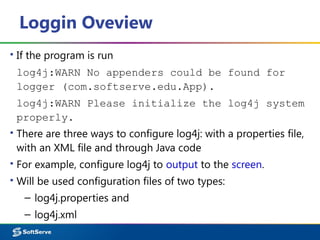
▪ If the program is run
log4j:WARN No appenders could be found for
logger (com.softserve.edu.App).
log4j:WARN Please initialize the log4j system
properly.
▪ There are three ways to configure log4j: with a properties file,
with an XML file and through Java code
▪ For example, configure log4j to output to the screen.
▪ Will be used configuration files of two types:
– log4j.properties and
– log4j.xml
Loggin Levels
Loggin Levels
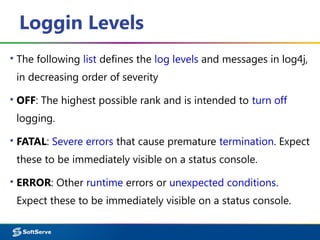
▪ The following list defines the log levels and messages in log4j,
in decreasing order of severity
▪ OFF: The highest possible rank and is intended to turn off
logging.
▪ FATAL: Severe errors that cause premature termination. Expect
these to be immediately visible on a status console.
▪ ERROR: Other runtime errors or unexpected conditions.
Expect these to be immediately visible on a status console.
Loggin Levels
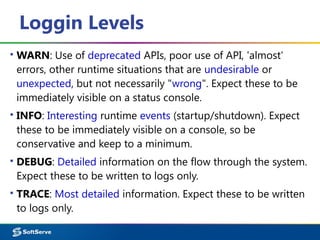
▪ WARN: Use of deprecated APIs, poor use of API, 'almost'
errors, other runtime situations that are undesirable or
unexpected, but not necessarily "wrong". Expect these to be
immediately visible on a status console.
▪ INFO: Interesting runtime events (startup/shutdown). Expect
these to be immediately visible on a console, so be
conservative and keep to a minimum.
▪ DEBUG: Detailed information on the flow through the system.
Expect these to be written to logs only.
▪ TRACE: Most detailed information. Expect these to be written
to logs only.
Loggin Levels
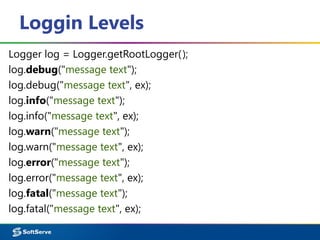
Logger log = Logger.getRootLogger();
log.debug("message text");
log.debug("message text", ex);
log.info("message text");
log.info("message text", ex);
log.warn("message text");
log.warn("message text", ex);
log.error("message text");
log.error("message text", ex);
log.fatal("message text");
log.fatal("message text", ex);
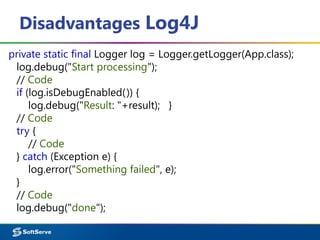
Disadvantages Log4J
private static final Logger log = Logger.getLogger(App.class);
log.debug("Start processing");
// Code
if (log.isDebugEnabled()) {
log.debug("Result: "+result); }
// Code
try {
// Code
} catch (Exception e) {
log.error("Something failed", e);
}
// Code
log.debug("done");
Log4j Appenders
http://logging.apache.org/log4j/2.x/manual/appenders.html
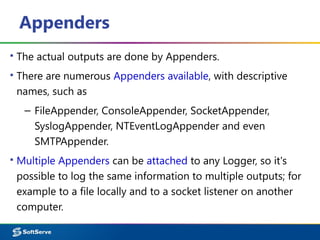
Appenders
▪ The actual outputs are done by Appenders.
▪ There are numerous Appenders available, with descriptive
names, such as
– FileAppender, ConsoleAppender, SocketAppender,
SyslogAppender, NTEventLogAppender and even
SMTPAppender.
▪ Multiple Appenders can be attached to any Logger, so it's
possible to log the same information to multiple outputs; for
example to a file locally and to a socket listener on another
computer.
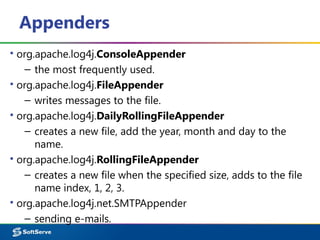
Appenders
▪ org.apache.log4j.ConsoleAppender
– the most frequently used.
▪ org.apache.log4j.FileAppender
– writes messages to the file.
▪ org.apache.log4j.DailyRollingFileAppender
– creates a new file, add the year, month and day to the
name.
▪ org.apache.log4j.RollingFileAppender
– creates a new file when the specified size, adds to the file
name index, 1, 2, 3.
▪ org.apache.log4j.net.SMTPAppender
– sending e-mails.
Log4j Layouts
http://logging.apache.org/log4j/2.x/manual/layouts.html
Layouts
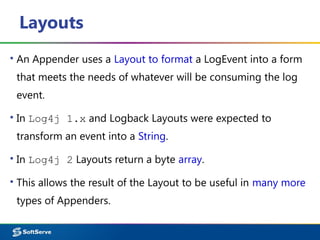
▪ An Appender uses a Layout to format a LogEvent into a form
that meets the needs of whatever will be consuming the log
event.
▪ In Log4j 1.x and Logback Layouts were expected to
transform an event into a String.
▪ In Log4j 2 Layouts return a byte array.
▪ This allows the result of the Layout to be useful in many more
types of Appenders.
PatternLayout
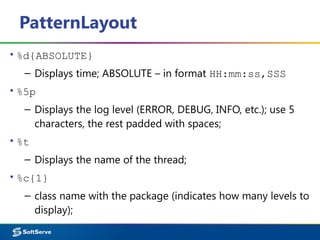
▪ %d{ABSOLUTE}
– Displays time; ABSOLUTE – in format HH:mm:ss,SSS
▪ %5p
– Displays the log level (ERROR, DEBUG, INFO, etc.); use 5
characters, the rest padded with spaces;
▪ %t
– Displays the name of the thread;
▪ %c{1}
– class name with the package (indicates how many levels to
display);
PatternLayout
▪ %M
– The method name;
▪ %L
– Line number;
▪ %m
– Message that is sent to the log;
▪ %n
– Newline.
▪ %highlight{pattern}{style}
– Adds ANSI colors to the result of the enclosed pattern
based on the current event's logging level.
– %highlight{%d [%t]}
Output Settings
Output Settings
▪ Appenders can be easily changed.
log4j.appender.<APPENDER_NAME>.<PROPERTY>=<VALUE>
▪ For example
log4j.rootLogger=INFO, stdout, logfile
log4j.appender.stdout=org.apache.log4j.ConsoleAppender
log4j.appender.stdout.layout=org.apache.log4j.PatternLayout
log4j.appender.stdout.layout.ConversionPattern=
[%5p] %d{mm:ss} (%F:%M:%L)%n%m%n%n
log4j.appender.stdout.target=System.err
Output Settings
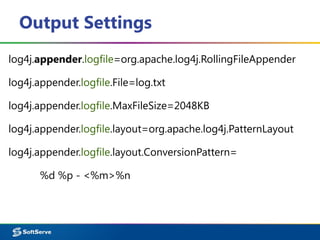
log4j.appender.logfile=org.apache.log4j.RollingFileAppender
log4j.appender.logfile.File=log.txt
log4j.appender.logfile.MaxFileSize=2048KB
log4j.appender.logfile.layout=org.apache.log4j.PatternLayout
log4j.appender.logfile.layout.ConversionPattern=
%d %p - <%m>%n
Output Settings
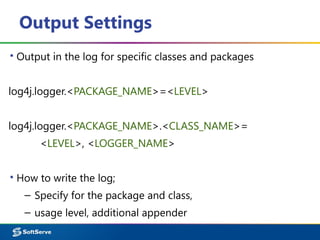
▪ Output in the log for specific classes and packages
log4j.logger.<PACKAGE_NAME>=<LEVEL>
log4j.logger.<PACKAGE_NAME>.<CLASS_NAME>=
<LEVEL>, <LOGGER_NAME>
▪ How to write the log;
– Specify for the package and class,
– usage level, additional appender
Output Settings
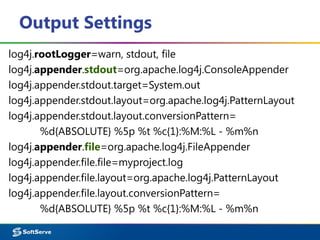
log4j.rootLogger=warn, stdout, file
log4j.appender.stdout=org.apache.log4j.ConsoleAppender
log4j.appender.stdout.target=System.out
log4j.appender.stdout.layout=org.apache.log4j.PatternLayout
log4j.appender.stdout.layout.conversionPattern=
%d{ABSOLUTE} %5p %t %c{1}:%M:%L - %m%n
log4j.appender.file=org.apache.log4j.FileAppender
log4j.appender.file.file=myproject.log
log4j.appender.file.layout=org.apache.log4j.PatternLayout
log4j.appender.file.layout.conversionPattern=
%d{ABSOLUTE} %5p %t %c{1}:%M:%L - %m%n
Output Settings
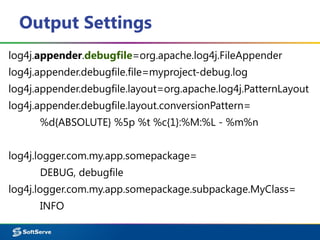
log4j.appender.debugfile=org.apache.log4j.FileAppender
log4j.appender.debugfile.file=myproject-debug.log
log4j.appender.debugfile.layout=org.apache.log4j.PatternLayout
log4j.appender.debugfile.layout.conversionPattern=
%d{ABSOLUTE} %5p %t %c{1}:%M:%L - %m%n
log4j.logger.com.my.app.somepackage=
DEBUG, debugfile
log4j.logger.com.my.app.somepackage.subpackage.MyClass=
INFO
Case studies
package com.softserve.edu;
import com.softserve.training.Calc;
import com.softserve.training.Some;
public class App {
public static final Logger logger =
Logger.getLogger(App.class); // LoggerFactory
public static void main(String[] args) {
System.out.println("Hello from App:");
App app = new App();
Calc calc = new Calc();
Some some = new Some();
Case studies
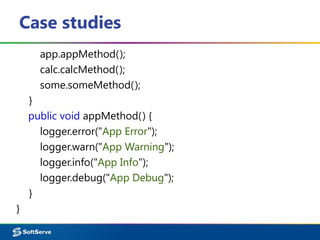
app.appMethod();
calc.calcMethod();
some.someMethod();
}
public void appMethod() {
logger.error("App Error");
logger.warn("App Warning");
logger.info("App Info");
logger.debug("App Debug");
}
}
Case studies
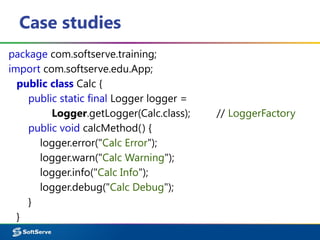
package com.softserve.training;
import com.softserve.edu.App;
public class Calc {
public static final Logger logger =
Logger.getLogger(Calc.class); // LoggerFactory
public void calcMethod() {
logger.error("Calc Error");
logger.warn("Calc Warning");
logger.info("Calc Info");
logger.debug("Calc Debug");
}
}
Case studies
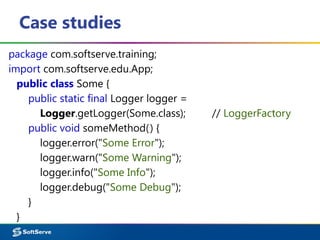
package com.softserve.training;
import com.softserve.edu.App;
public class Some {
public static final Logger logger =
Logger.getLogger(Some.class); // LoggerFactory
public void someMethod() {
logger.error("Some Error");
logger.warn("Some Warning");
logger.info("Some Info");
logger.debug("Some Debug");
}
}
Case studies
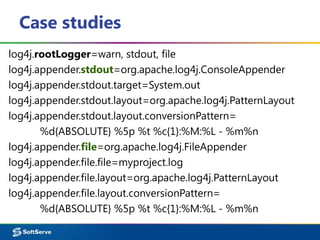
log4j.rootLogger=warn, stdout, file
log4j.appender.stdout=org.apache.log4j.ConsoleAppender
log4j.appender.stdout.target=System.out
log4j.appender.stdout.layout=org.apache.log4j.PatternLayout
log4j.appender.stdout.layout.conversionPattern=
%d{ABSOLUTE} %5p %t %c{1}:%M:%L - %m%n
log4j.appender.file=org.apache.log4j.FileAppender
log4j.appender.file.file=myproject.log
log4j.appender.file.layout=org.apache.log4j.PatternLayout
log4j.appender.file.layout.conversionPattern=
%d{ABSOLUTE} %5p %t %c{1}:%M:%L - %m%n
Case studies
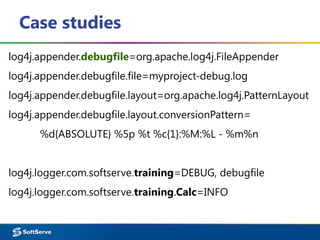
log4j.appender.debugfile=org.apache.log4j.FileAppender
log4j.appender.debugfile.file=myproject-debug.log
log4j.appender.debugfile.layout=org.apache.log4j.PatternLayout
log4j.appender.debugfile.layout.conversionPattern=
%d{ABSOLUTE} %5p %t %c{1}:%M:%L - %m%n
log4j.logger.com.softserve.training=DEBUG, debugfile
log4j.logger.com.softserve.training.Calc=INFO
Logging Tools in Java
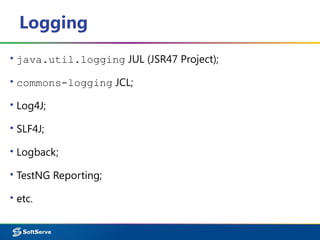
Logging
▪ java.util.logging JUL (JSR47 Project);
▪ commons-logging JCL;
▪ Log4J;
▪ SLF4J;
▪ Logback;
▪ TestNG Reporting;
▪ etc.
LoggerFactory SLF4J
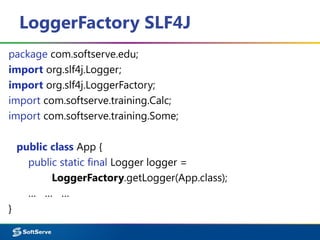
package com.softserve.edu;
import org.slf4j.Logger;
import org.slf4j.LoggerFactory;
import com.softserve.training.Calc;
import com.softserve.training.Some;
public class App {
public static final Logger logger =
LoggerFactory.getLogger(App.class);
… … …
}
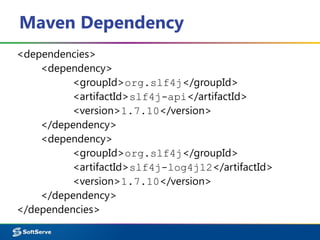
Maven Dependency
<dependencies>
<dependency>
<groupId>org.slf4j</groupId>
<artifactId>slf4j-api</artifactId>
<version>1.7.10</version>
</dependency>
<dependency>
<groupId>org.slf4j</groupId>
<artifactId>slf4j-log4j12</artifactId>
<version>1.7.10</version>
</dependency>
</dependencies>
Logging

Logging