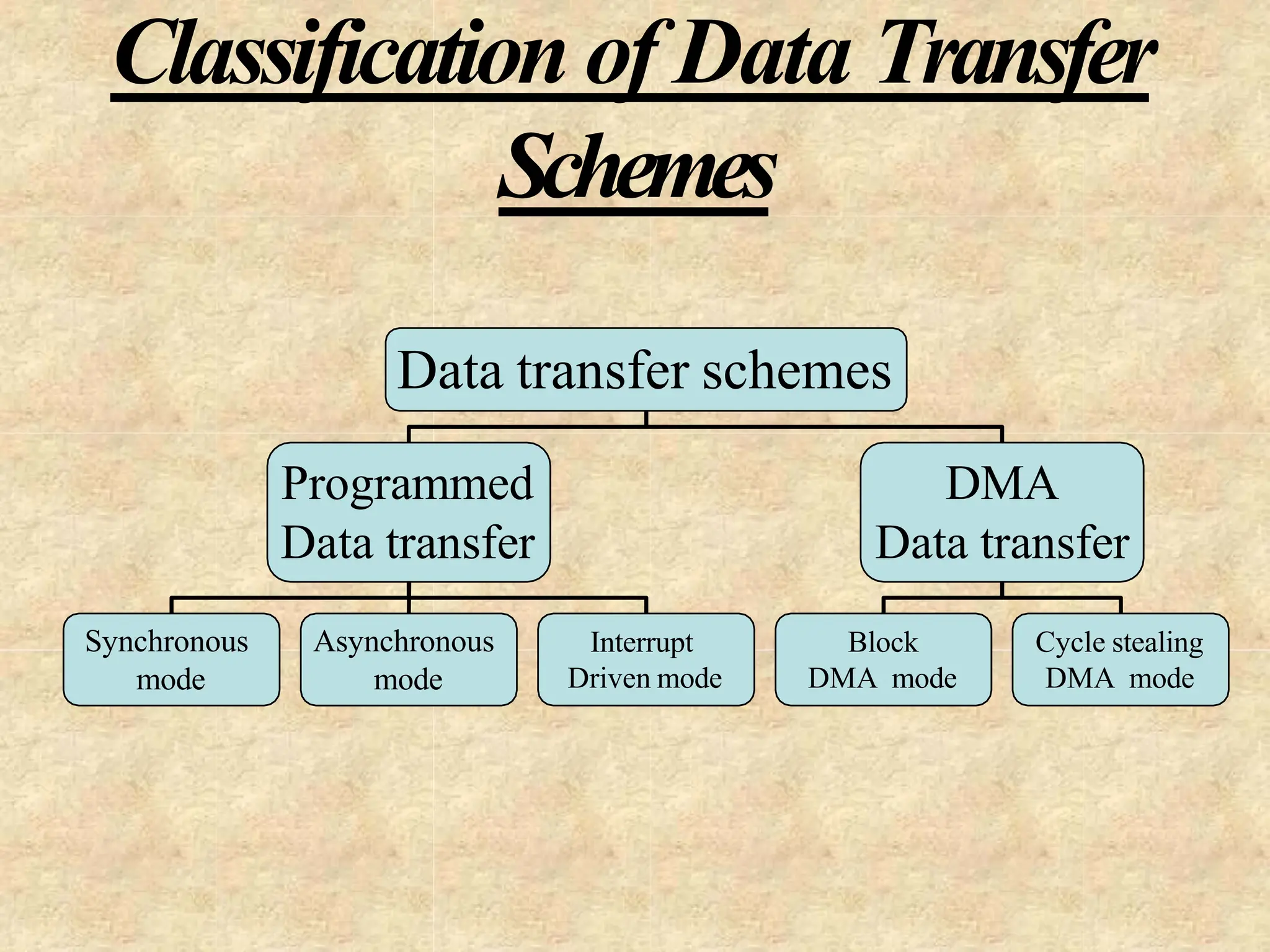
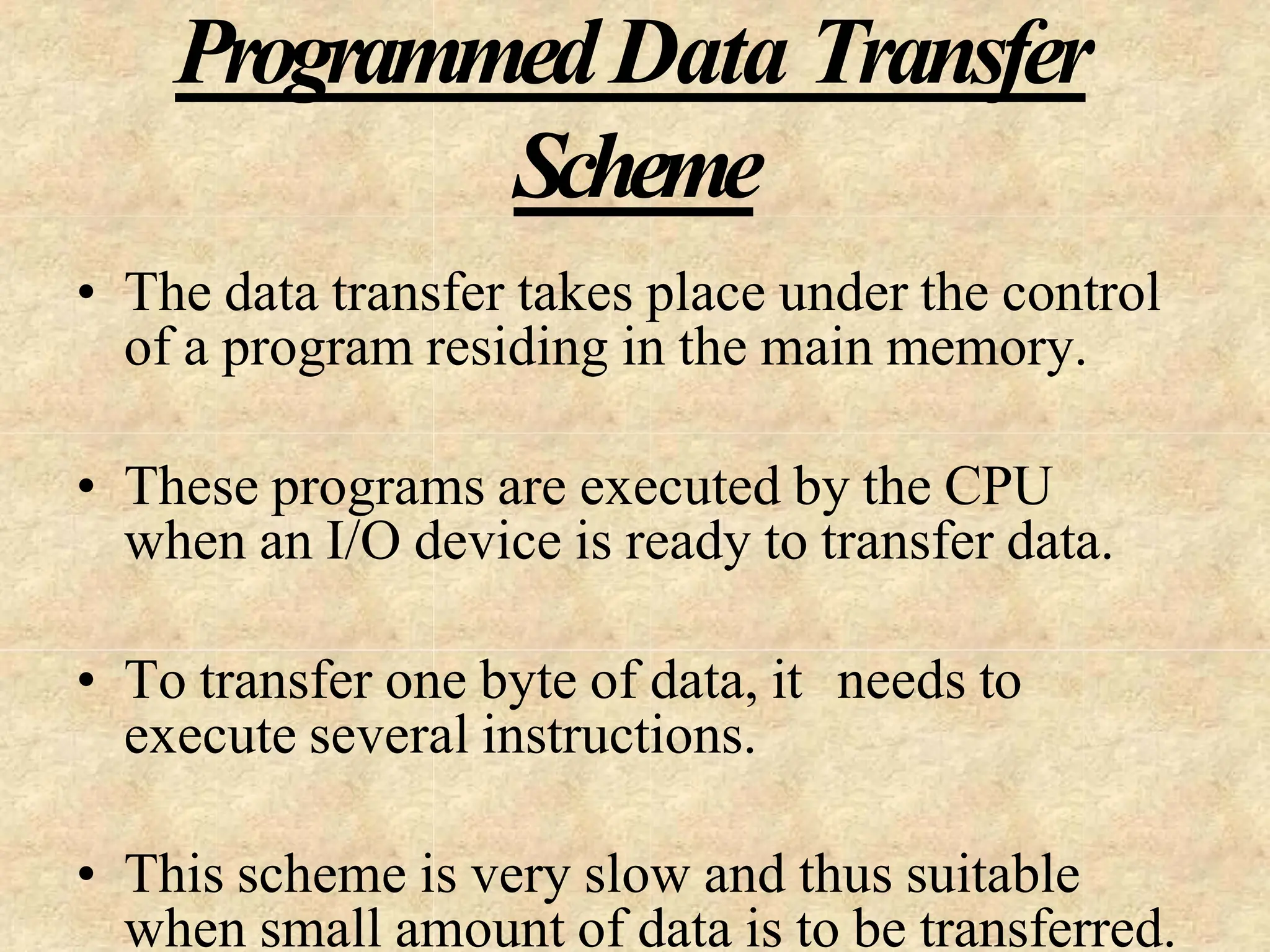
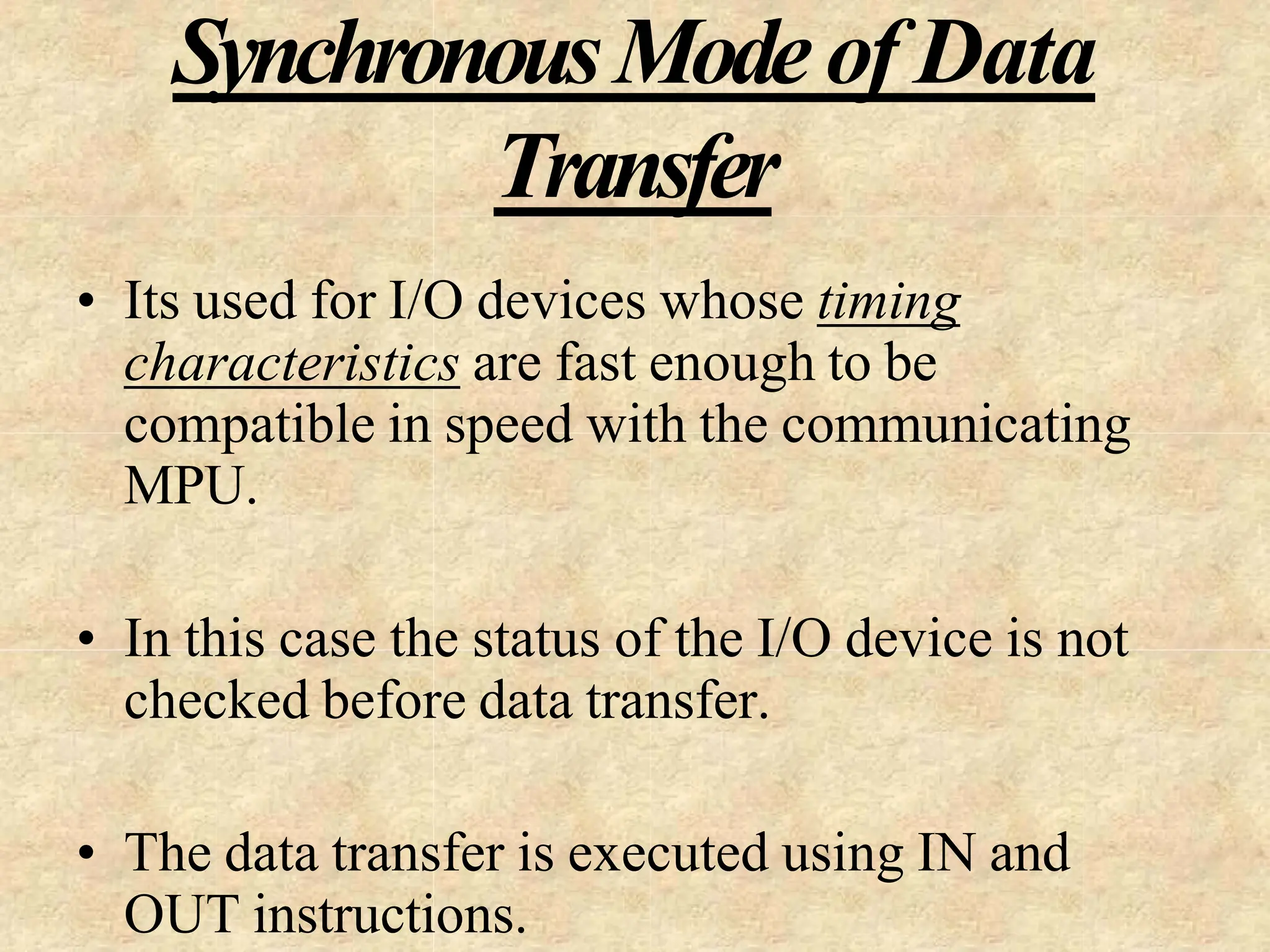
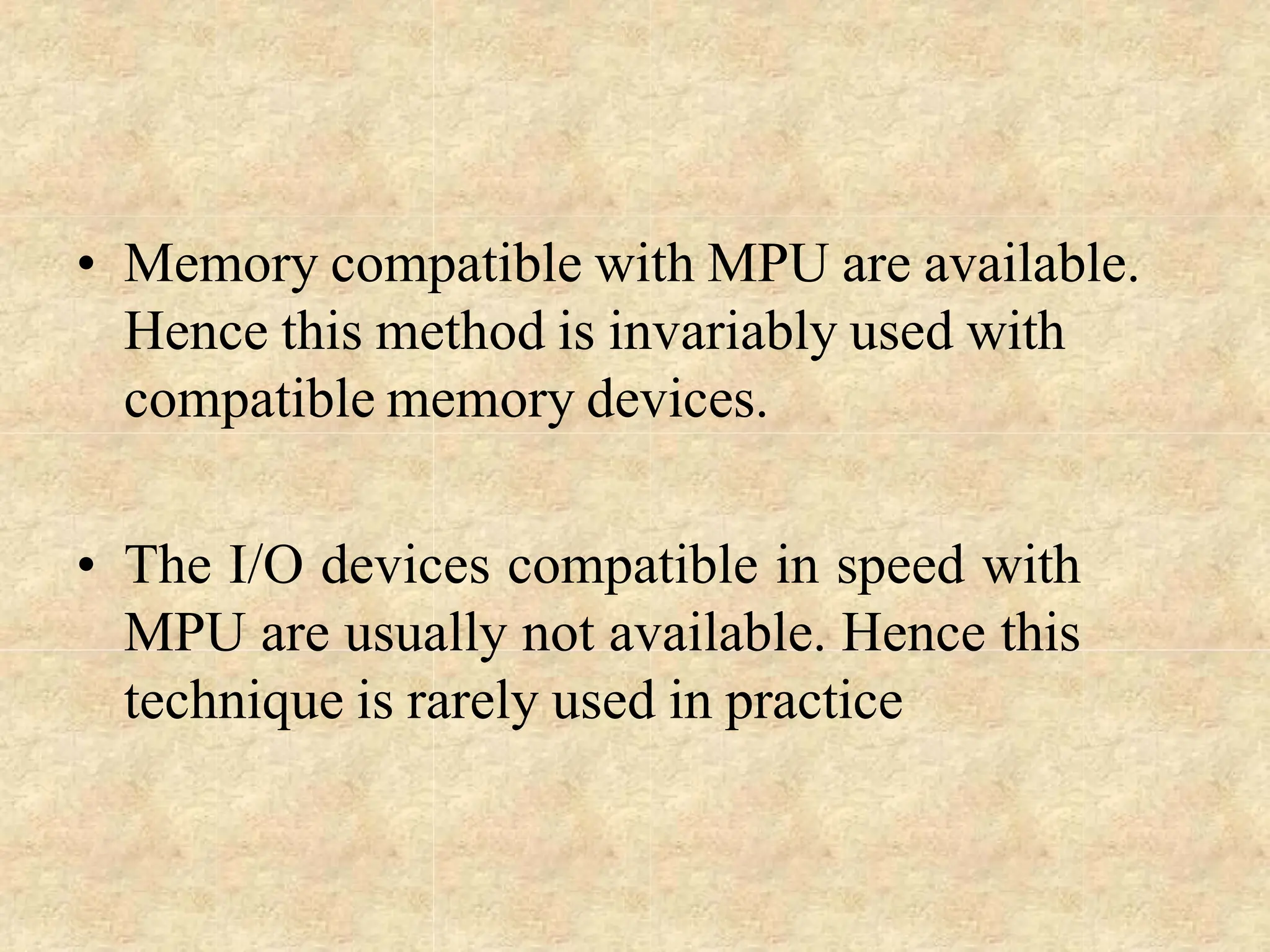
What is a Microprocessor?
• The word comes from the combination micro and processor.
– Processor is a device that processes, specifically binary numbers, 0’s
and 1’s.
– In the late 1960’s, processors were built using discrete elements.
• These devices performed the required operation, but were too large
and too slow.
– In the early 1970’s the small/microchip was invented. All of the
components that made up the processor were now placed on a single
piece of silicon. The size became several thousand times smaller and
the speed became several hundred times faster. The “Micro”Processor
was born.
• As the technology advanced, scale of integration from small to
large no.of gates were also increased.
SSI (designing few logic gates on single chip)
MSI (>> 100)
LSI, VLSI, SLSI ( >>1000)
Definition of the Microprocessor
The microprocessor is a programmable device
that takes in numbers, performs arithmetic or
logical operations according to the program
stored in memory and then produces other
numbers as a result.
– Programmable device: Microprocessor can perform different sets of
operations on the data it receives depending on the sequence of
instructions supplied in the given program.
By changing the program, the microprocessor manipulates the data in
different ways.
– Instructions: Each microprocessor is designed to execute a specific
group of operations. This group of operations is called an instruction
set. This instruction set defines what the microprocessor can and
cannot do.
The data that the microprocessor manipulates must come from somewhere.
• It comes from what is called “input devices” such as a keyboard,
mouse, switches…
• Microprocessor recognizes input in the form of binary digit, called
bit, a group of bits together called a “word”, a sequence of
words/command to accomplish a task called “instruction”,
mnemonic.., program.
• The number of bits in a Microprocessor’s word, is a measure of its
“ability”.
– Words, Bytes, etc.
• The earliest microprocessor (the Intel 8085/8080A and Motorola’s 6800)
recognized 8-bit words.
– They processed information 8-bits at a time. That’s why they are called “8-bit
processors”. They can handle large numbers, but in order to process these
numbers, they broke them into 8-bit pieces and processed each group of 8-bits
separately. Speed is limited to 10MHz. Hence, the requirement for the faster
processor began, 16 bit mp was brought in.
• Microprocessors (8086 and 68000) were designed with 16-bit words in 1979.
• Today, all processors manipulate at least 32 bits (80386) at a time and there
exists microprocessors that can process 64, 80, 128 bits (80486,…, Pentium
processors compatible to 80x86).
• Every microprocessor has arithmetic operations such as add, subtract.. as
part of its instruction set.
• In addition, microprocessors have logic operations as well such as AND,
OR, XOR, shift left, shift right, etc.
• Again, the number and types of operations define the microprocessor’s
instruction set and depends on the specific microprocessor.
Microprocessor is a complete CPU on a chip.
Advantage over mainframe systems:
Compact, powerful, ease of use, can be microrogrammed to
suit the users needs.
Microprocessor – silicon chip which includes ALU, register
circuits & control circuits.
Microcomputer – a computer with a microprocessor as its
CPU. Includes memory, I/O etc.
Microcontroller – silicon chip which includes microprocessor,
memory & I/O in a single package.
Single chip microcomputer.
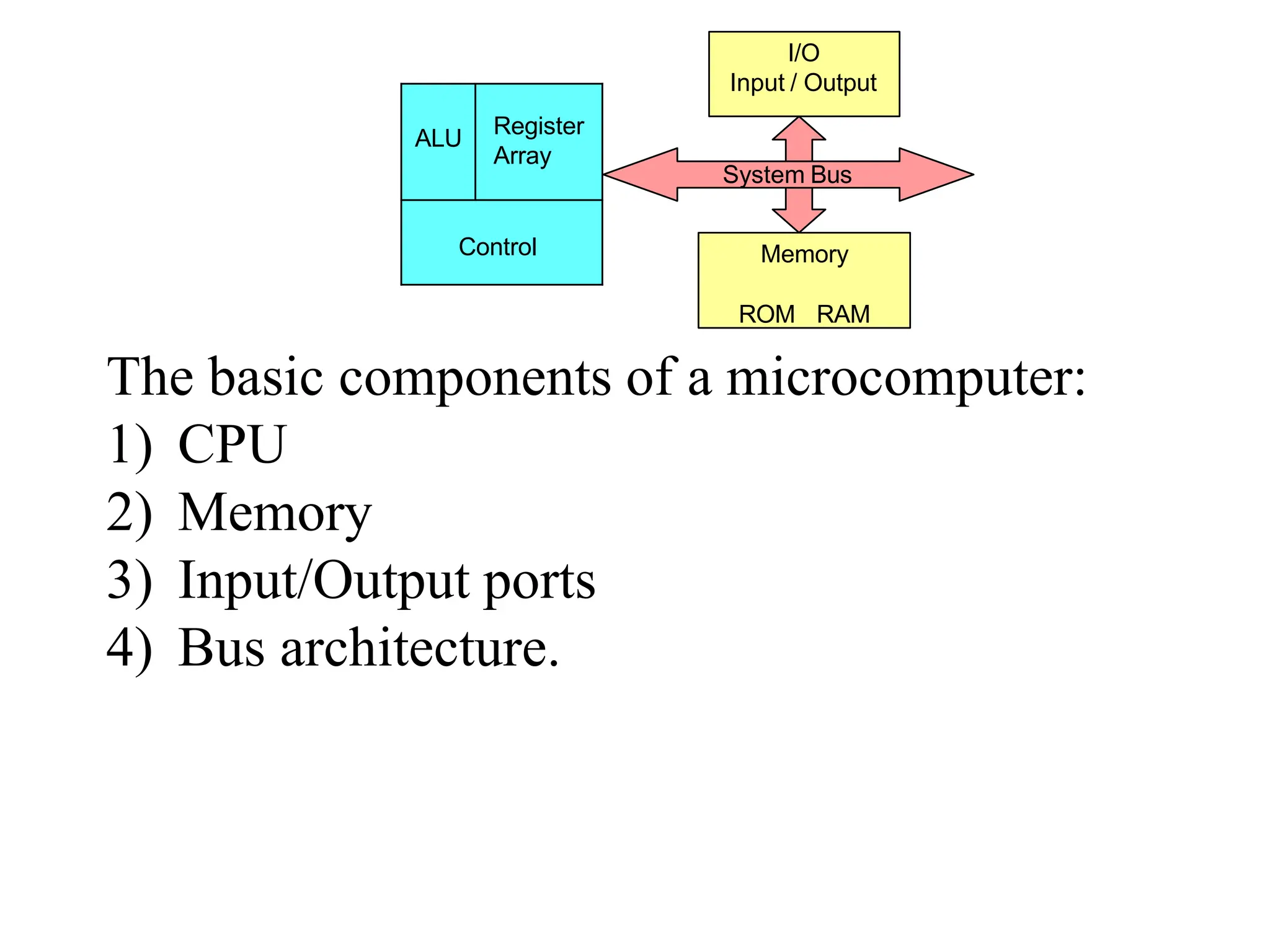
The basic components of a microcomputer:
1) CPU
2) Memory
3) Input/Output ports
4) Bus architecture.
I/O
Input / Output
Memory
ROM RAM
System Bus
ALU
Register
Array
Control
Central Processing Unit: performs operations &timing functions through set of instructions
called program. It contains ALU (Arithmetic and Logic Unit), Register unit and Control unit.
a) ALU performs arithmetic operations such as additions subtraction and logical
operation such as AND, OR rotate etc. Result are stored either in registers or in
memory or sent to output devices. It has flag bits such as sign, zero, carry, parity which
signals results of manipulations.
Sign: 0 for +ve, 1 for –ve
Zero: 1/True if result is Zero, 0/False if result is non zero
Carry: Shows whether there is carry/barrow after operation. Also shows LSB, MSB
after logical operations.
Parity: Finds even or odd #1’s in data (odd parity check)
a) Register Unit: Sores data temporarily during the execution of a program. Some of the
registers are accessible to the uses through instructions.
b) Control Unit: It provides necessary timing & control signals to all the operations in the
microcomputer. It controls the flow of data between the processor and peripherals
(input, output & memory).
The control unit gets a clock which determines the speed of the processor.
The CPU has three basic functions:
1) Fetches an instructions word stored in memory.
2) Decodes the instruction.
3) Executes the instruction.
Executing involves tasks such as transfer of data from reg. to reg/ between a reg. to a
memory location vice versa.
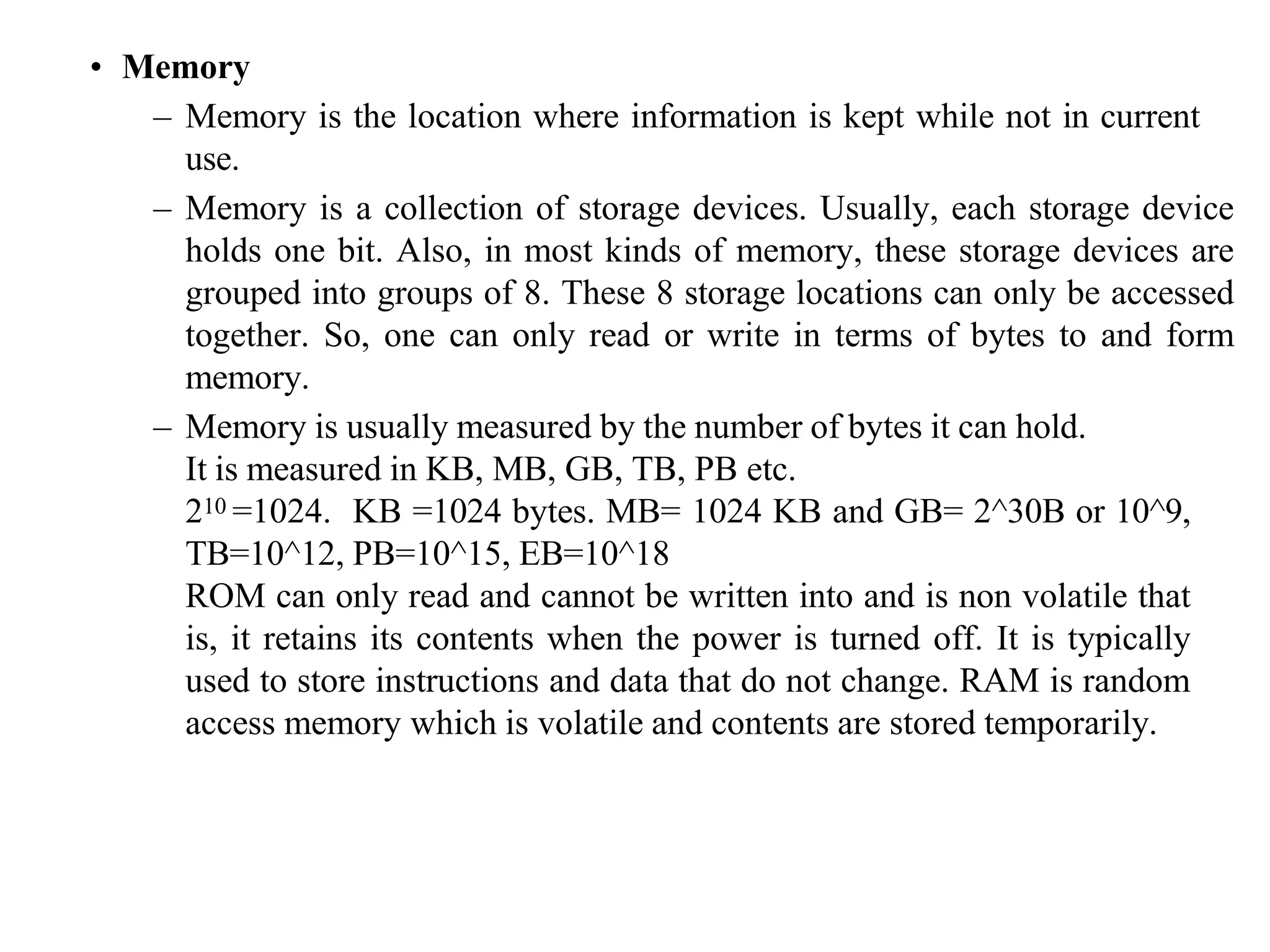
• Memory
– Memory is the location where information is kept while not in current
use.
– Memory is a collection of storage devices. Usually, each storage device
holds one bit. Also, in most kinds of memory, these storage devices are
grouped into groups of 8. These 8 storage locations can only be accessed
together. So, one can only read or write in terms of bytes to and form
memory.
– Memory is usually measured by the number of bytes it can hold.
It is measured in KB, MB, GB, TB, PB etc.
210 =1024. KB =1024 bytes. MB= 1024 KB and GB= 2^30B or 10^9,
TB=10^12, PB=10^15, EB=10^18
ROM can only read and cannot be written into and is non volatile that
is, it retains its contents when the power is turned off. It is typically
used to store instructions and data that do not change. RAM is random
access memory which is volatile and contents are stored temporarily.
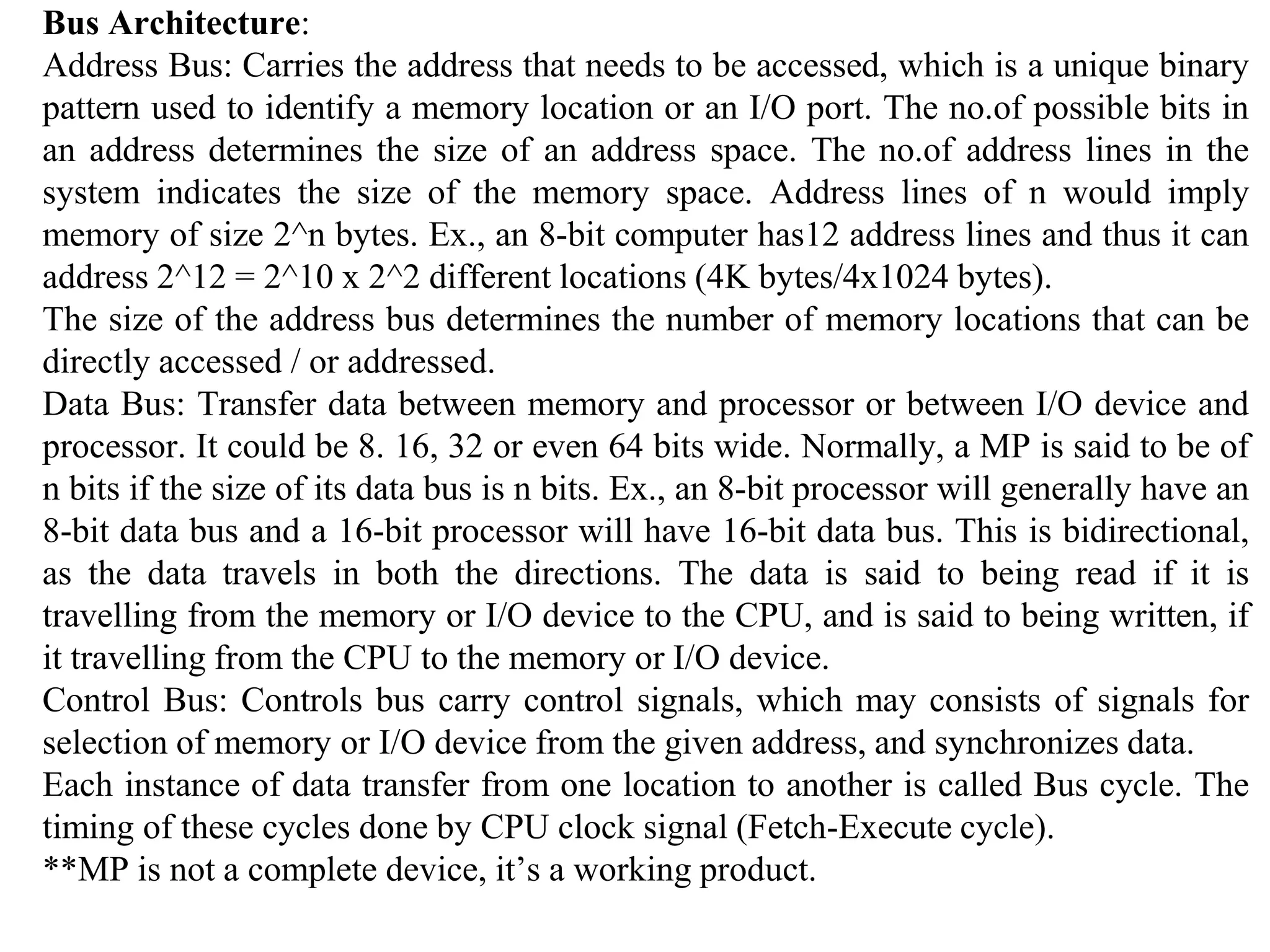
Bus Architecture:
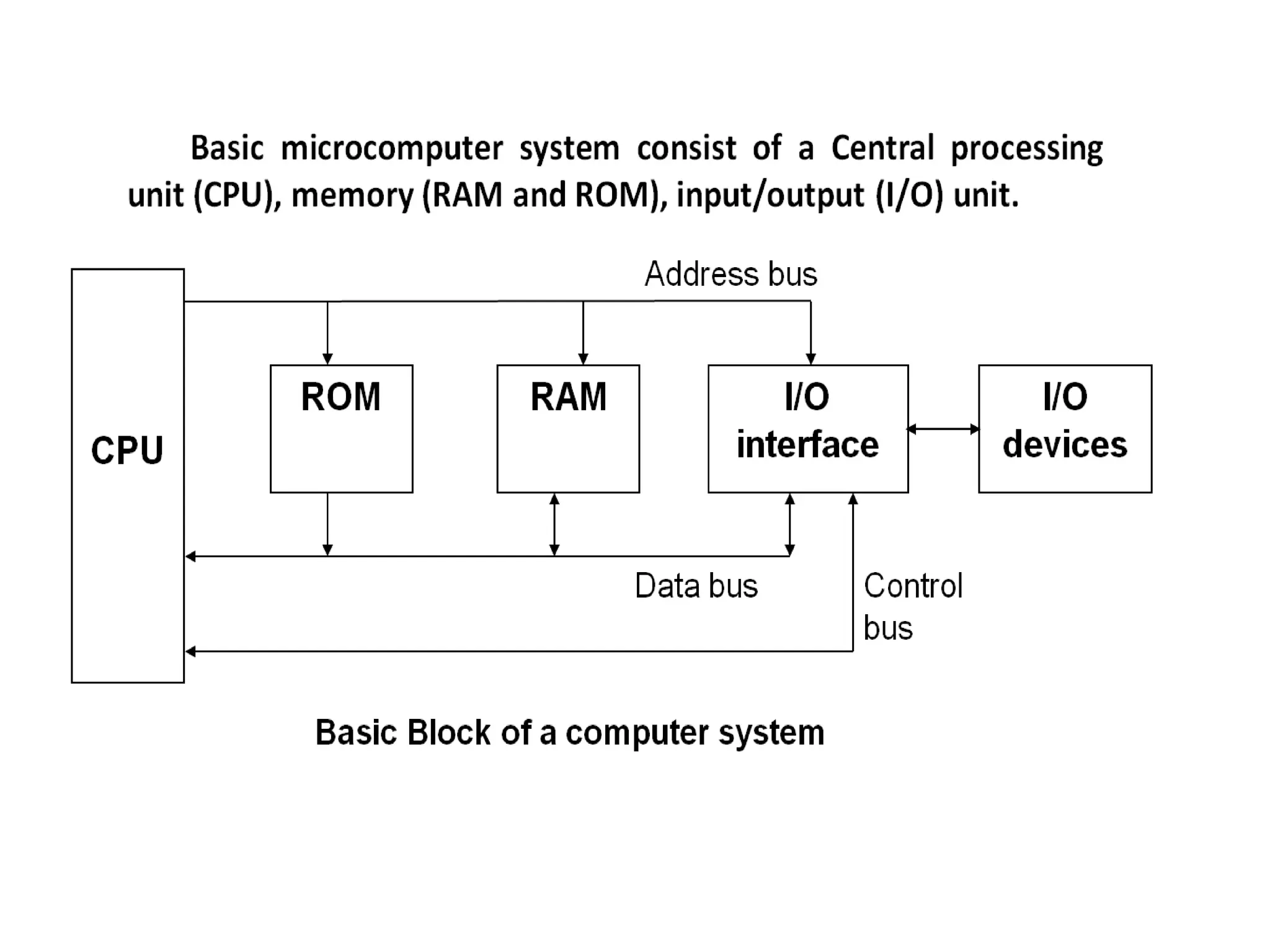
Address Bus: Carries the address that needs to be accessed, which is a unique binary
pattern used to identify a memory location or an I/O port. The no.of possible bits in
an address determines the size of an address space. The no.of address lines in the
system indicates the size of the memory space. Address lines of n would imply
memory of size 2^n bytes. Ex., an 8-bit computer has12 address lines and thus it can
address 2^12 = 2^10 x 2^2 different locations (4K bytes/4x1024 bytes).
The size of the address bus determines the number of memory locations that can be
directly accessed / or addressed.
Data Bus: Transfer data between memory and processor or between I/O device and
processor. It could be 8. 16, 32 or even 64 bits wide. Normally, a MP is said to be of
n bits if the size of its data bus is n bits. Ex., an 8-bit processor will generally have an
8-bit data bus and a 16-bit processor will have 16-bit data bus. This is bidirectional,
as the data travels in both the directions. The data is said to being read if it is
travelling from the memory or I/O device to the CPU, and is said to being written, if
it travelling from the CPU to the memory or I/O device.
Control Bus: Controls bus carry control signals, which may consists of signals for
selection of memory or I/O device from the given address, and synchronizes data.
Each instance of data transfer from one location to another is called Bus cycle. The
timing of these cycles done by CPU clock signal (Fetch-Execute cycle).
**MP is not a complete device, it’s a working product.
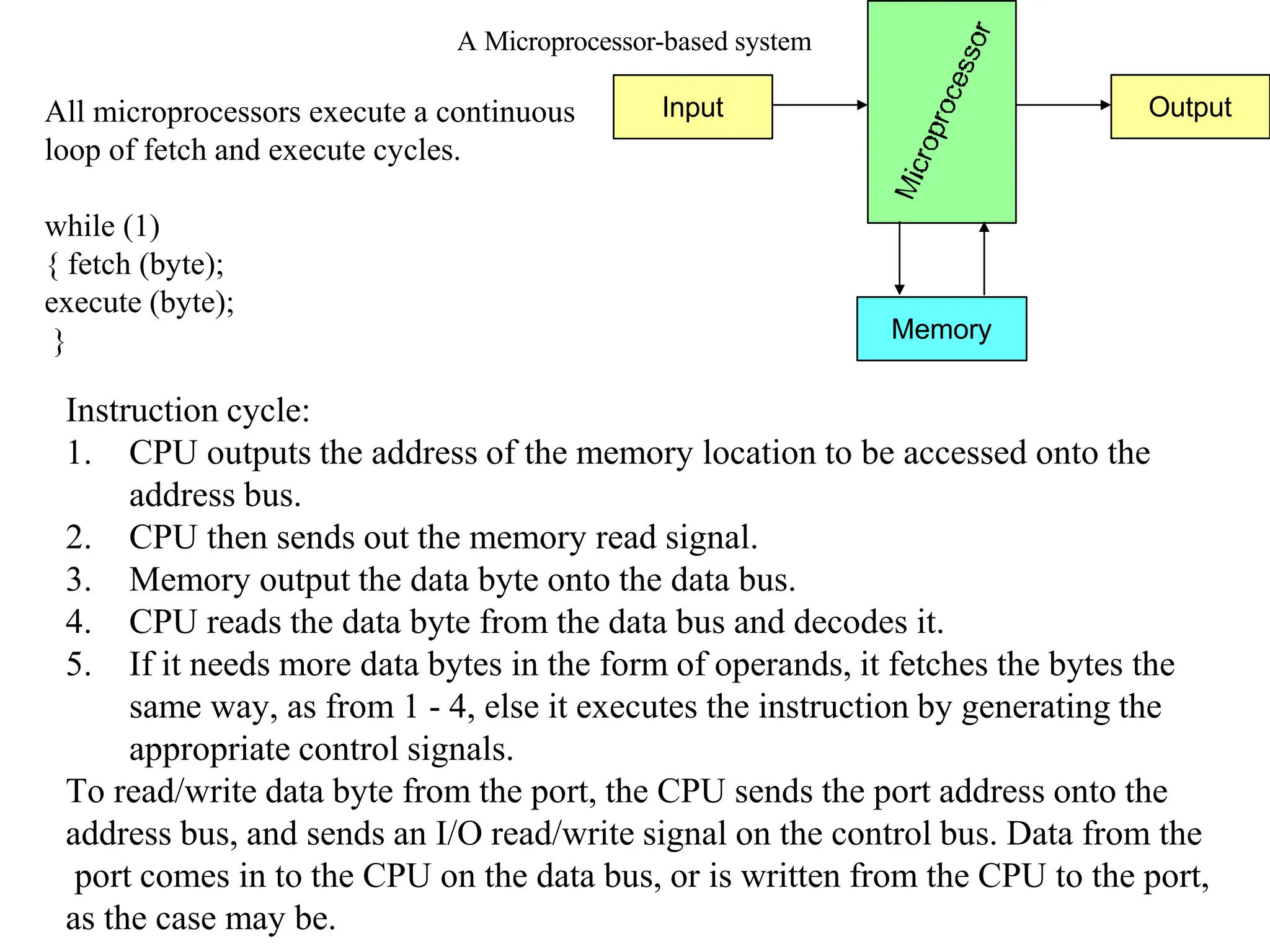
Memory
Output
Input
A Microprocessor-based system
Instruction cycle:
1. CPU outputs the address of the memory location to be accessed onto the
address bus.
2. CPU then sends out the memory read signal.
3. Memory output the data byte onto the data bus.
4. CPU reads the data byte from the data bus and decodes it.
5. If it needs more data bytes in the form of operands, it fetches the bytes the
same way, as from 1 - 4, else it executes the instruction by generating the
appropriate control signals.
To read/write data byte from the port, the CPU sends the port address onto the
address bus, and sends an I/O read/write signal on the control bus. Data from the
port comes in to the CPU on the data bus, or is written from the CPU to the port,
as the case may be.
All microprocessors execute a continuous
loop of fetch and execute cycles.
while (1)
{ fetch (byte);
execute (byte);
}
Machine Language
• The number of bits that form the “word” of a
microprocessor is fixed for that particular
processor.
– These bits define a maximum number of combinations.
• For example an 8-bit microprocessor can have at most 28 = 256
different combinations.
• However, in most microprocessors, not all of these
combinations are used.
– Certain patterns are chosen and assigned specific
meanings.
– Each of these patterns forms an instruction for the
microprocessor.
– The complete set of patterns makes up the
microprocessor’s machine language.
The 8085 Machine Language
• The 8085 (from Intel) is an 8-bit microprocessor.
– The 8085 uses a total of 256 bit patterns to form its
instruction set.
– Because it is very difficult to enter the bit patterns
correctly, they are usually entered in hexadecimal
instead of binary.
• Entering the instructions using hexadecimal is quite
easier than entering the binary combinations.
– However, it still is difficult to understand what a program
written in hexadecimal does.
– So, each company defines a symbolic code for the
instructions.
– These codes are called “mnemonics”.
– The mnemonic for each instruction is usually a group of
letters that suggest the operation performed.
Assembly Language
• It is important to remember that a machine language and its
associated assembly language are completely machine dependent.
They are not transferable from one microprocessor to a
different one.
• For example, Motorolla has an 8-bit
microprocessor called the 6800.
8085 machine language is very different from that of the 6800. So
is the assembly language.
A program written for the 8085 cannot be executed on the 6800
and vice versa.
Assembly Language
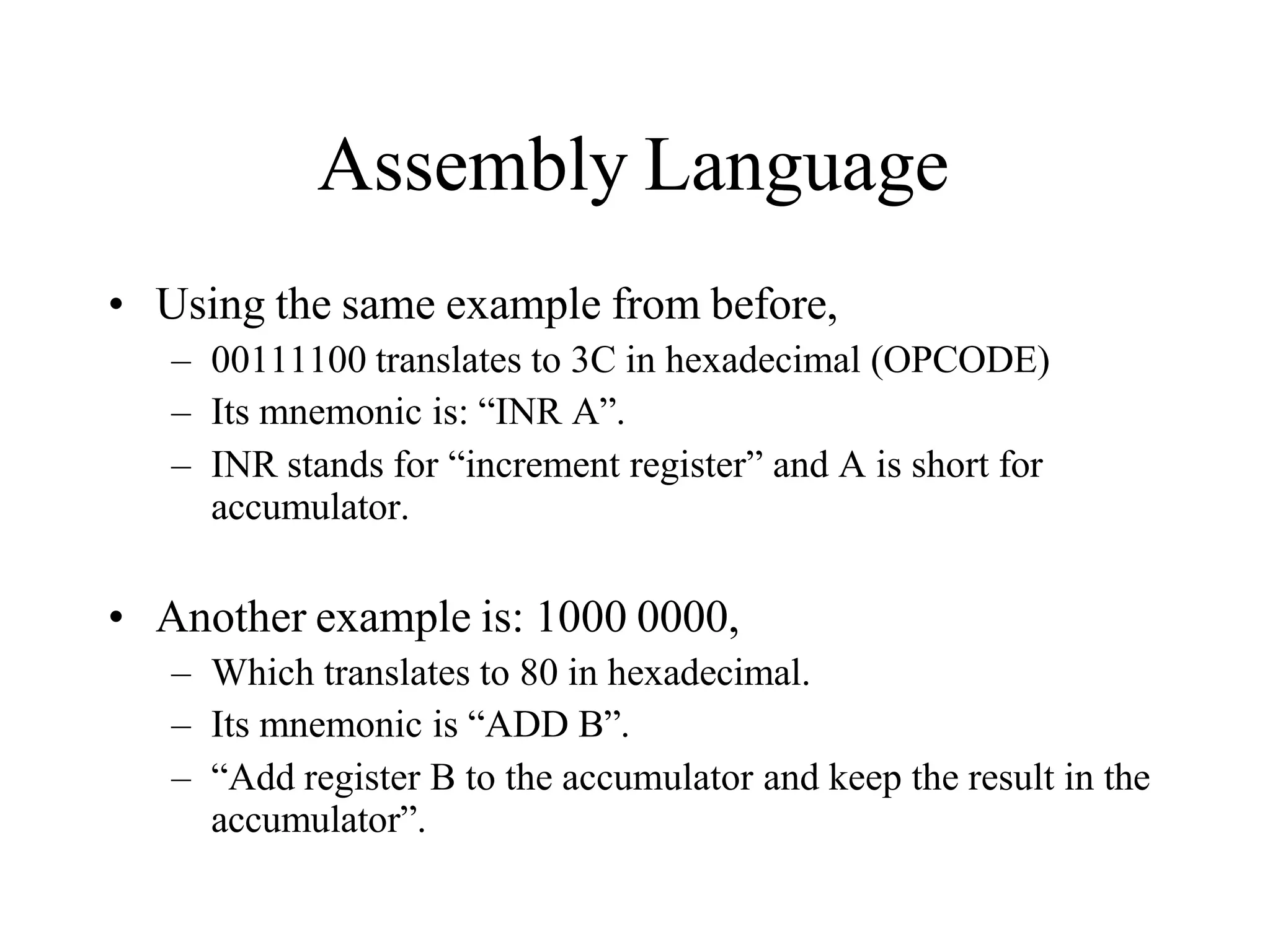
• Using the same example from before,
– 00111100 translates to 3C in hexadecimal (OPCODE)
– Its mnemonic is: “INR A”.
– INR stands for “increment register” and A is short for
accumulator.
• Another example is: 1000 0000,
– Which translates to 80 in hexadecimal.
– Its mnemonic is “ADD B”.
– “Add register B to the accumulator and keep the result in the
accumulator”.
“Assembling” The Program
• How does assembly language get translated into
machine language?
– There are two ways:
– 1st there is “hand assembly”.
• The programmer translates each assembly language instruction
into its equivalent hexadecimal code (machine language). Then
the hexadecimal code is entered into memory.
– The other possibility is a program called an
“assembler”, which does the translation automatically.
8085 Microprocessor Architecture
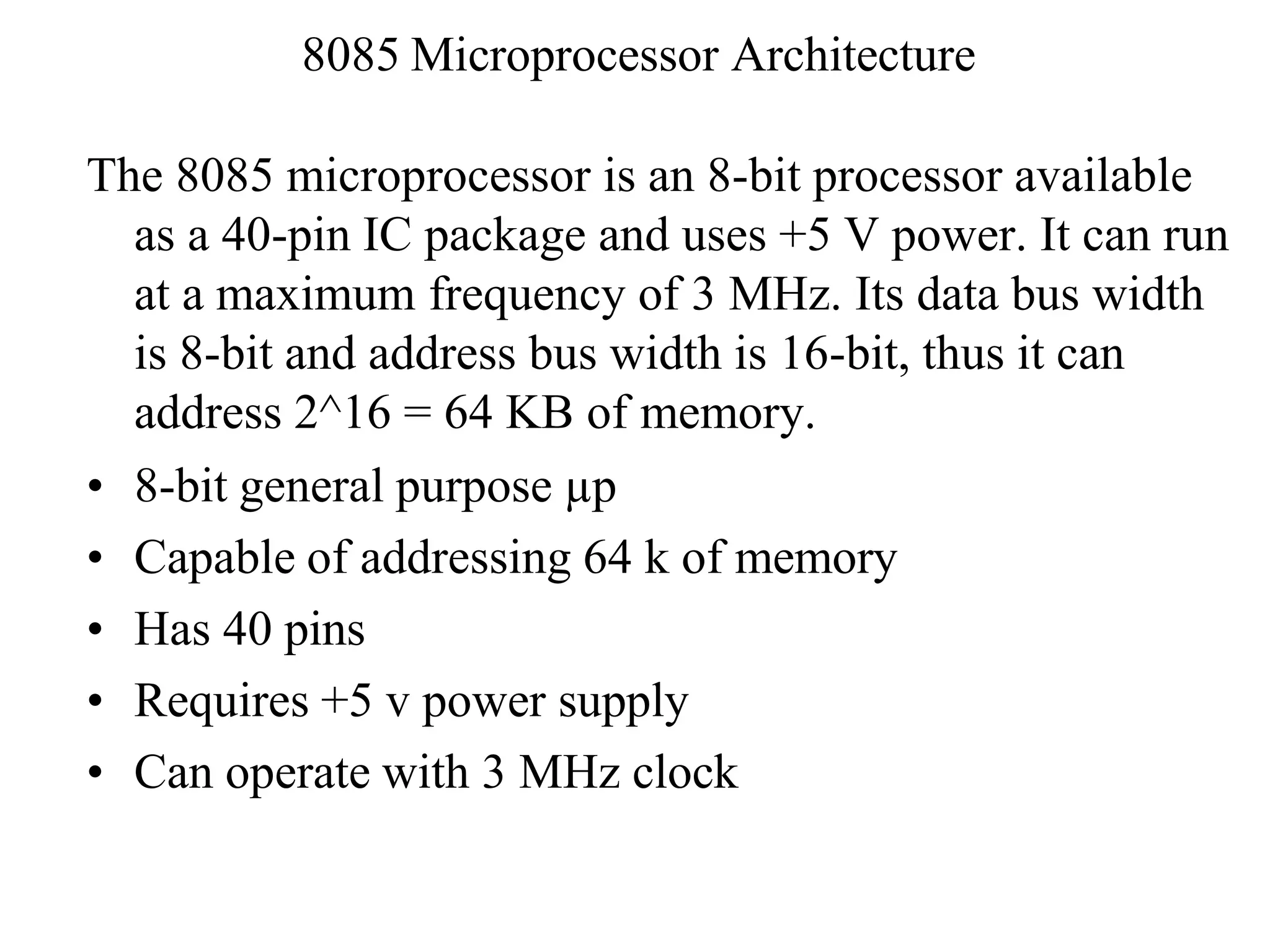
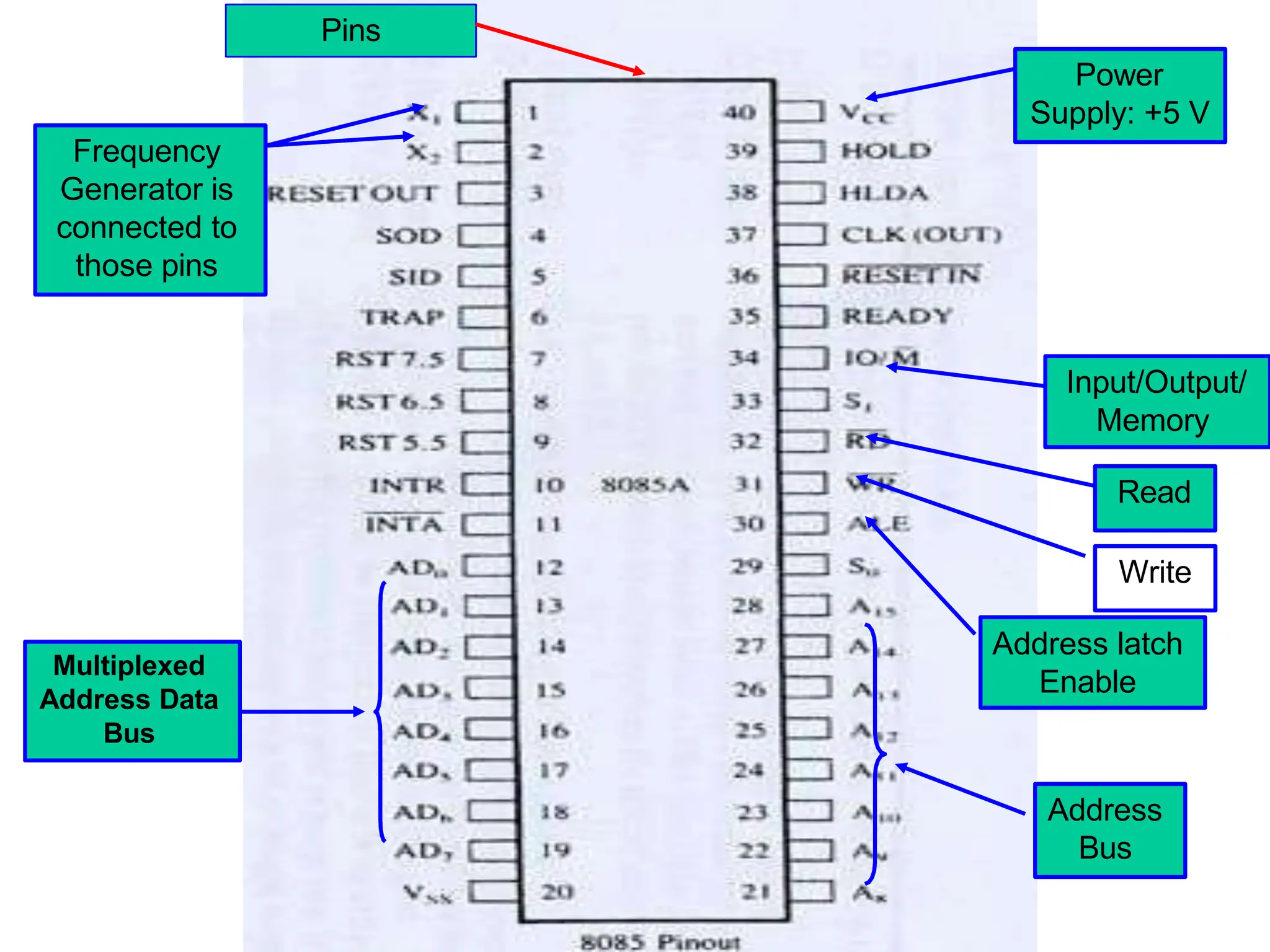
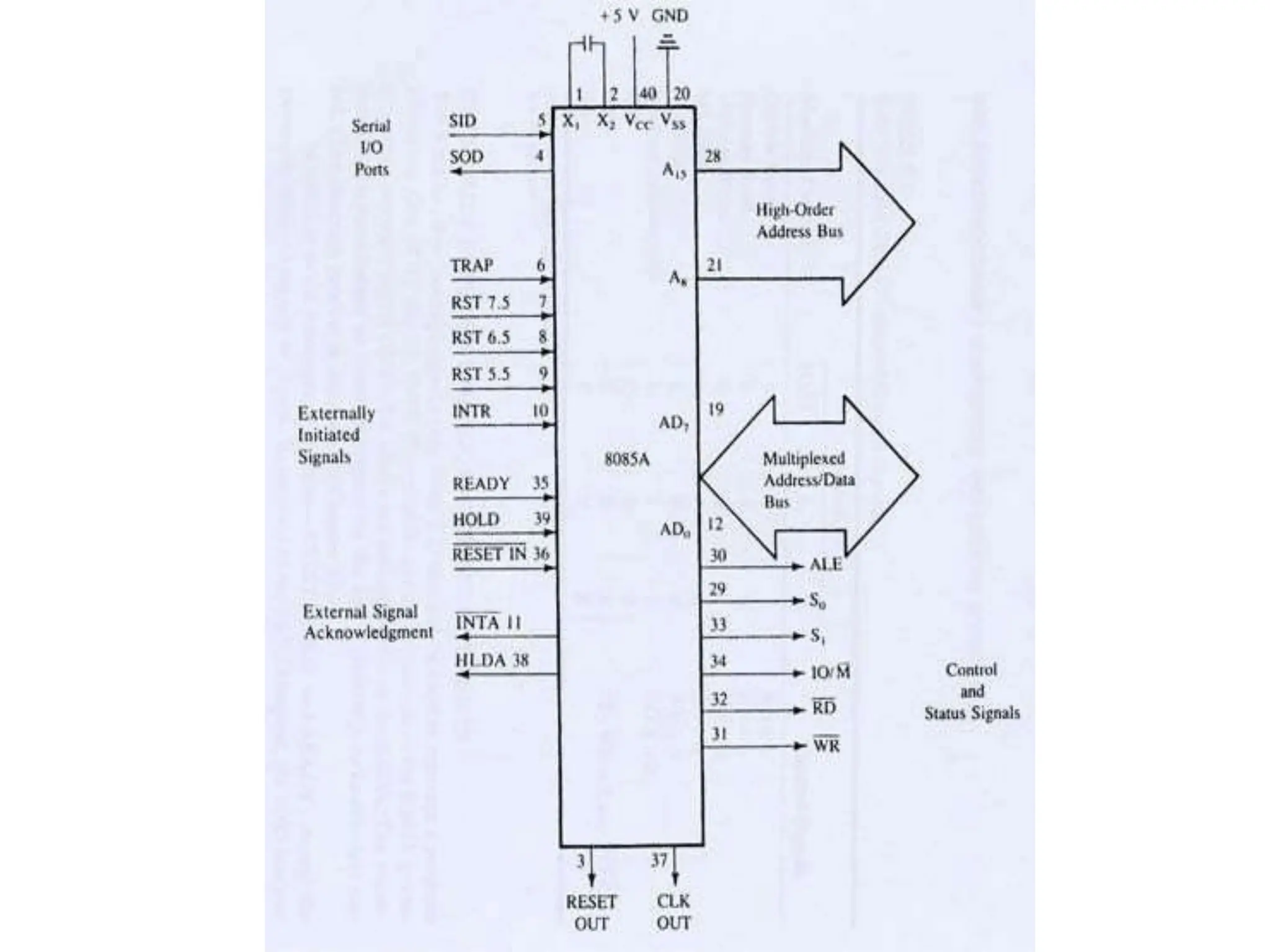
The 8085 microprocessor is an 8-bit processor available
as a 40-pin IC package and uses +5 V power. It can run
at a maximum frequency of 3 MHz. Its data bus width
is 8-bit and address bus width is 16-bit, thus it can
address 2^16 = 64 KB of memory.
• 8-bit general purpose µp
• Capable of addressing 64 k of memory
• Has 40 pins
• Requires +5 v power supply
• Can operate with 3 MHz clock
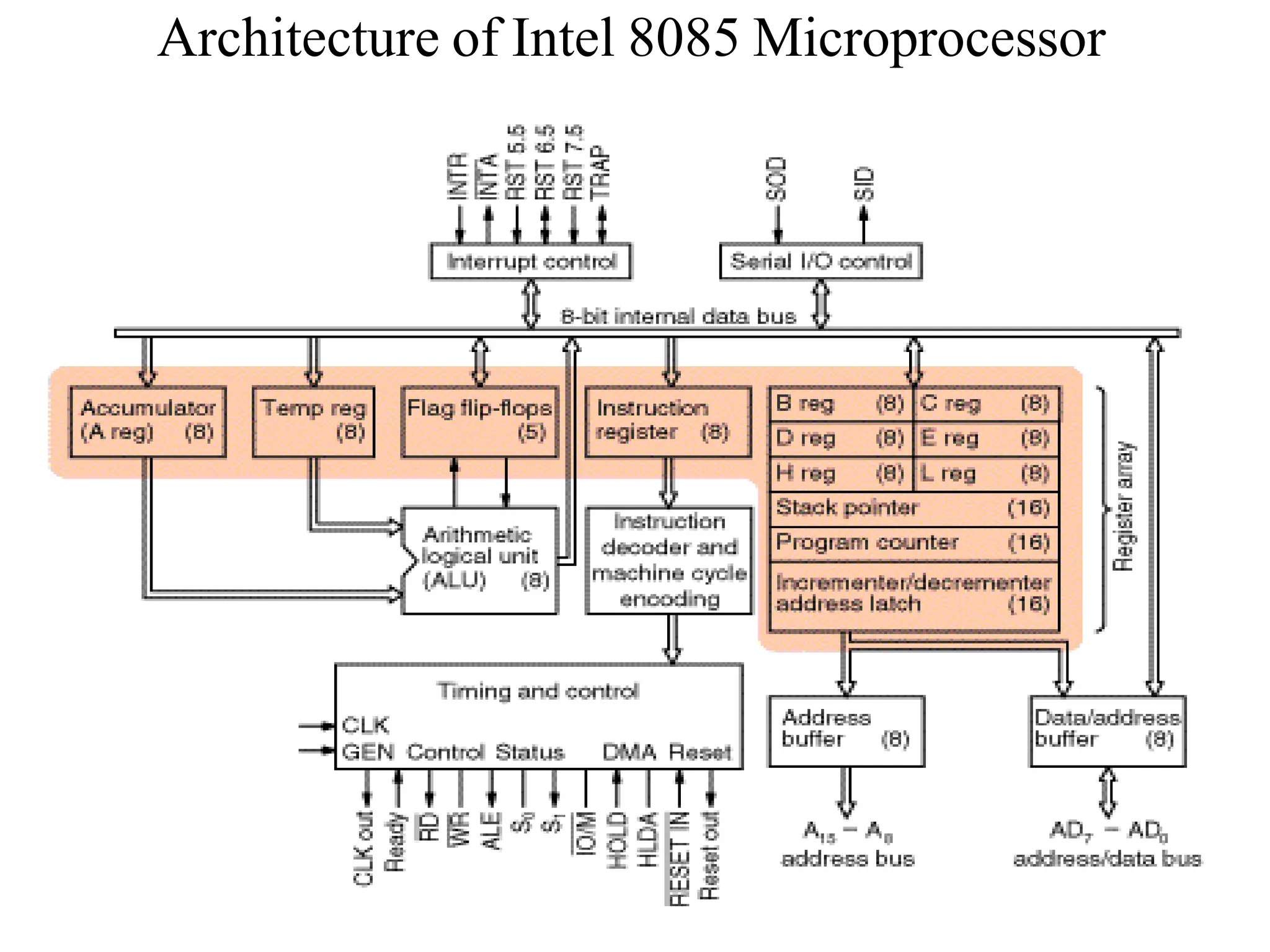
Architecture of Intel 8085 Microprocessor
Pins
Frequency
Generator is
connected to
those pins
Power
Supply: +5 V
Address latch
Enable
Read
Write
Input/Output/
Memory
Multiplexed
Address Data
Bus
Address
Bus
The ALU
• In addition to the arithmetic & logic circuits, the
ALU includes the accumulator, which is part of
every arithmetic & logic operation.
• Also, the ALU includes a temporary register used
for holding data temporarily during the execution
of the operation. This temporary register is not
accessible by the programmer.
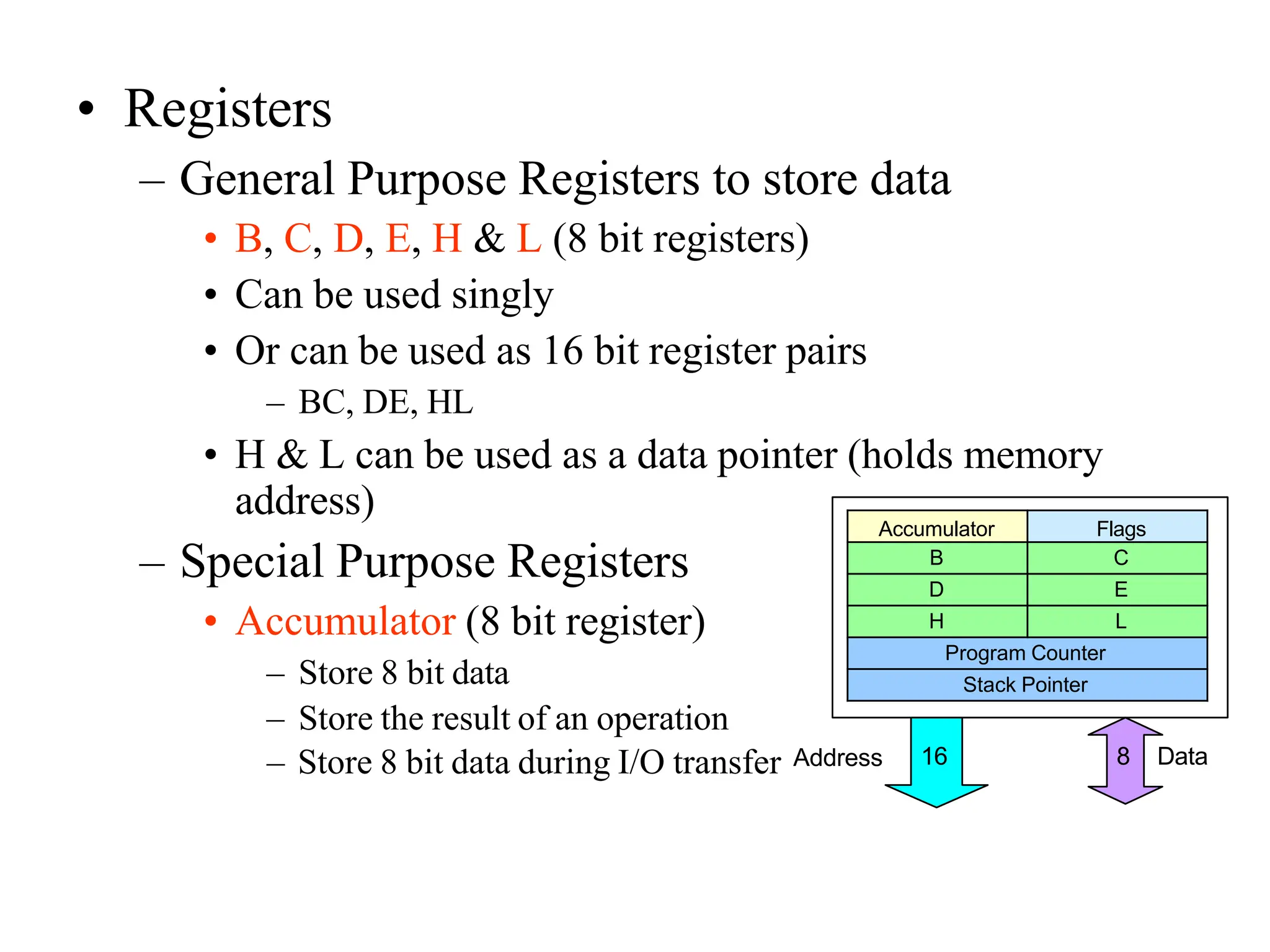
• Registers
– General Purpose Registers to store data
• B, C, D, E, H & L (8 bit registers)
• Can be used singly
• Or can be used as 16 bit register pairs
– BC, DE, HL
• H & L can be used as a data pointer (holds memory
address)
– Special Purpose Registers
• Accumulator (8 bit register)
– Store 8 bit data
– Store the result of an operation
Accumulator Flags
B C
D E
H L
Program Counter
Stack Pointer
– Store 8 bit data during I/O transfer Address 8 Data
16
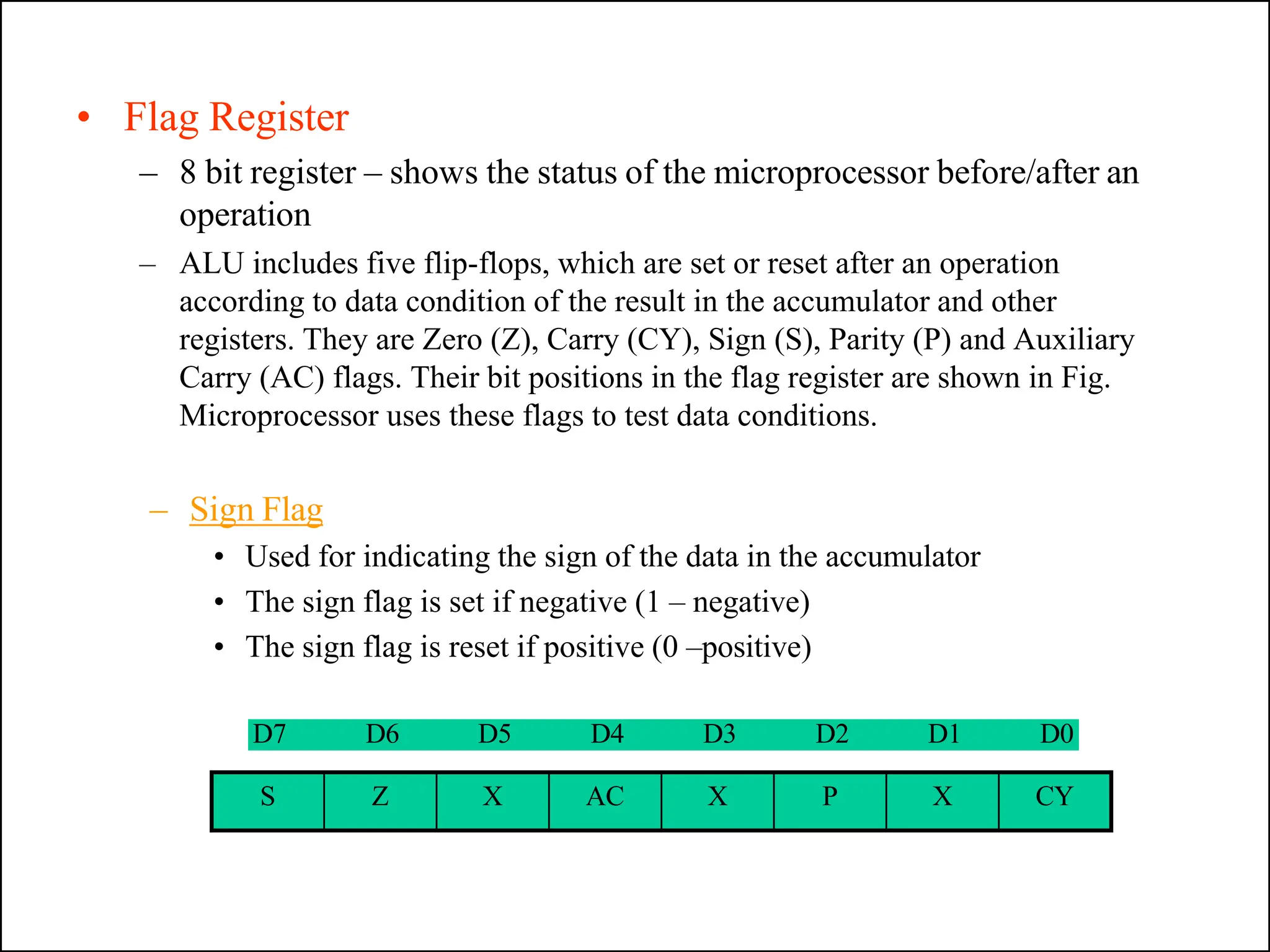
• Flag Register
– 8 bit register – shows the status of the microprocessor before/after an
operation
– ALU includes five flip-flops, which are set or reset after an operation
according to data condition of the result in the accumulator and other
registers. They are Zero (Z), Carry (CY), Sign (S), Parity (P) and Auxiliary
Carry (AC) flags. Their bit positions in the flag register are shown in Fig.
Microprocessor uses these flags to test data conditions.
– Sign Flag
• Used for indicating the sign of the data in the accumulator
• The sign flag is set if negative (1 – negative)
• The sign flag is reset if positive (0 –positive)
D7 D6 D5 D4 D3 D2 D1 D0
S Z X AC X P X CY
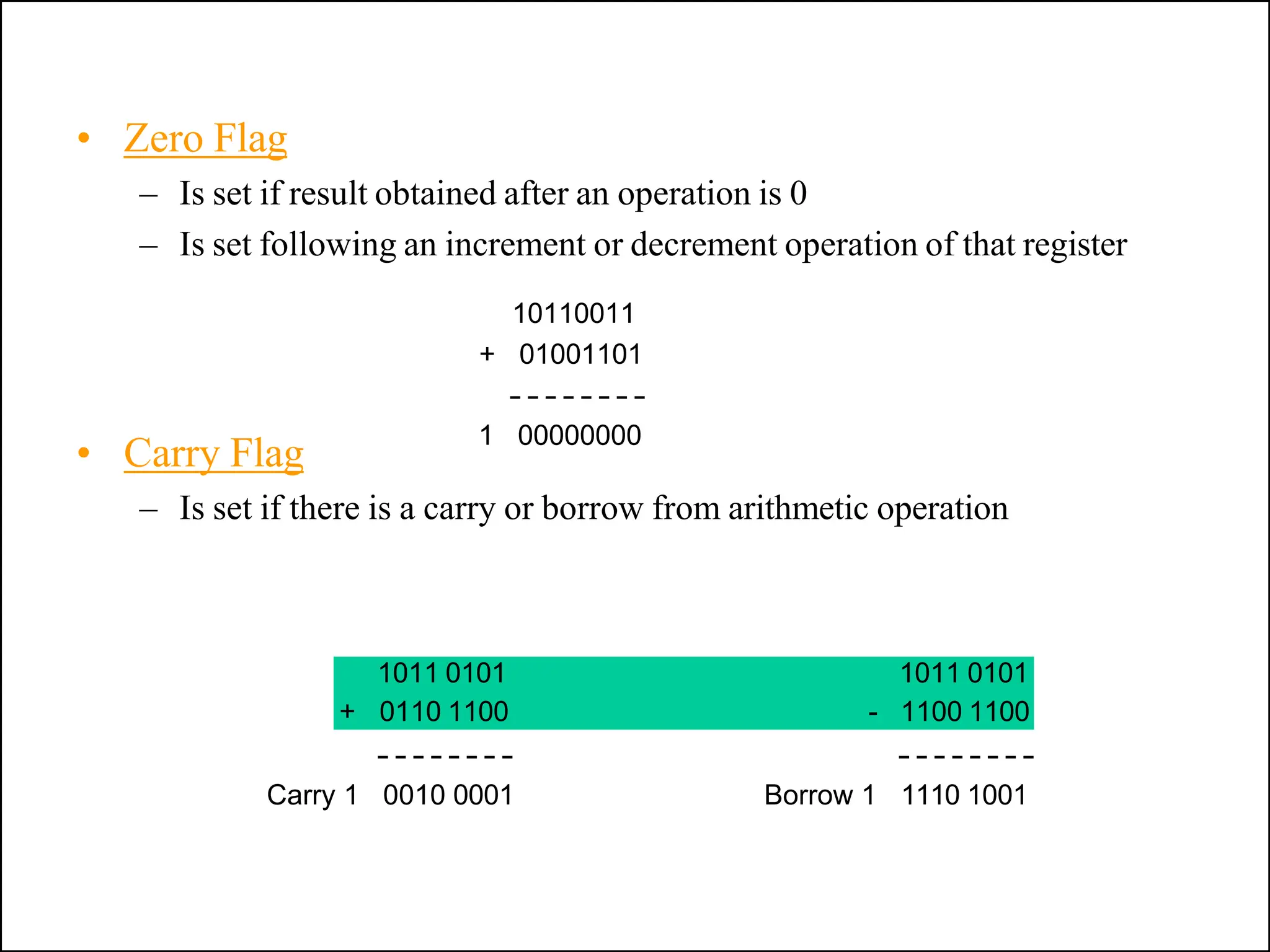
• Carry Flag
– Is set if there is a carry or borrow from arithmetic operation
• Zero Flag
– Is set if result obtained after an operation is 0
– Is set following an increment or decrement operation of that register
10110011
+ 01001101
1 00000000
Carry 1 0010 0001
1011 0101 1011 0101
+ 0110 1100 - 1100 1100
Borrow 1 1110 1001
• Auxillary Carry Flag
– Is set if there is a carry out of bit 3
• Parity Flag
– Is set if parity is even
– Is cleared if parity is odd
• The Program Counter (PC)
– Used to control the sequencing of execution of
instructions.
– This register always holds the address of the next
instruction to be fetched.
– When a byte instruction is being fetched, it
automatically increments to point to next
memory location
– Since it holds an address, it is 16 bit wide.
• Stack pointer
– 16-bit register used as a memory pointer, points to
R/W memory called Stack.
– The stack is usually accessed in a Last In First Out
(LIFO) fashion.
Non Programmable Registers
• Instruction Register & Decoder
– Instruction is stored in IR after fetched by processor
– Decoder decodes instruction in IR
Internal Clock generator
– 3.125 MHz internally
– 6.25 MHz externally
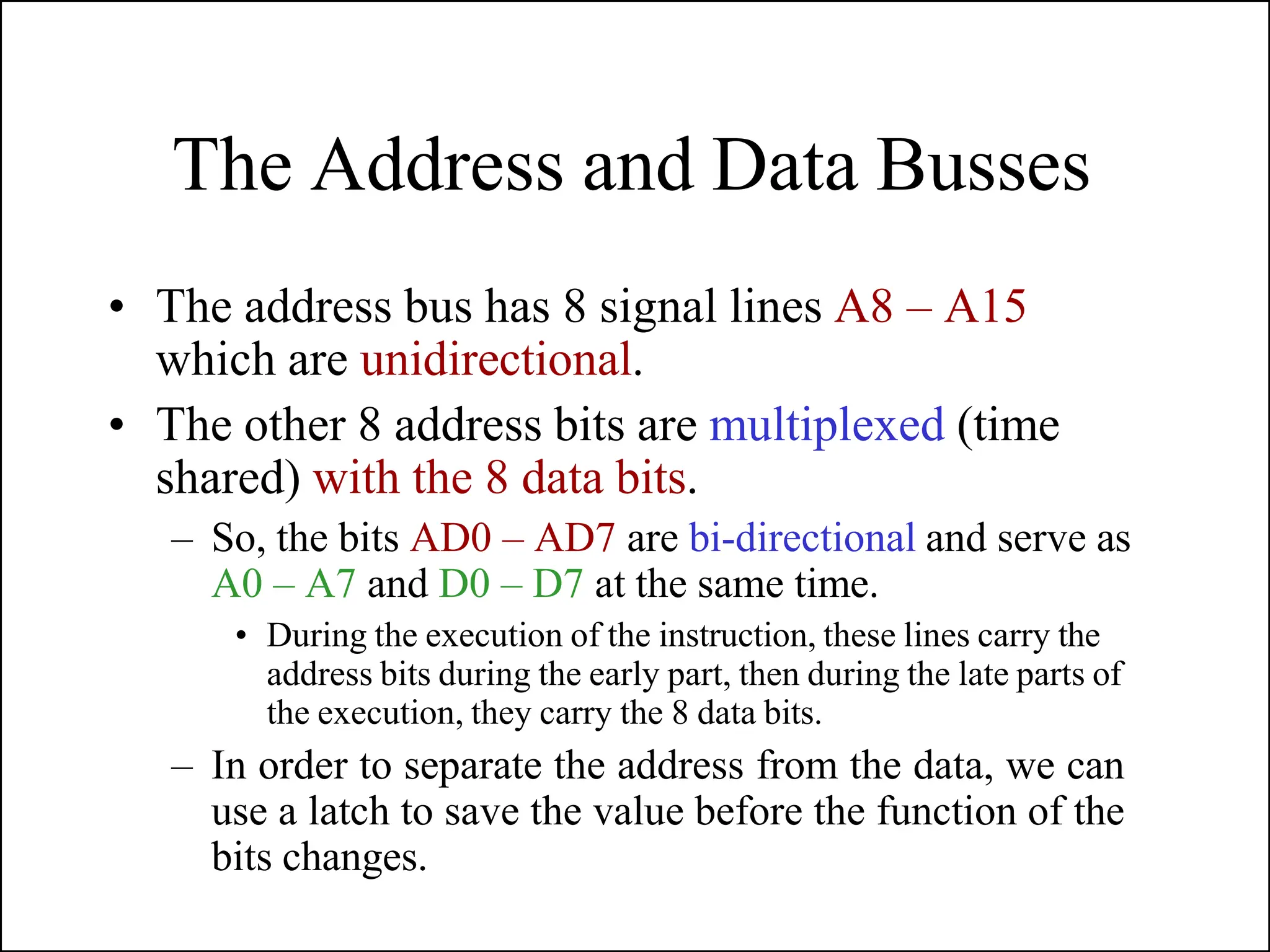
The Address and Data Busses
• The address bus has 8 signal lines A8 – A15
which are unidirectional.
• The other 8 address bits are multiplexed (time
shared) with the 8 data bits.
– So, the bits AD0 – AD7 are bi-directional and serve as
A0 – A7 and D0 – D7 at the same time.
• During the execution of the instruction, these lines carry the
address bits during the early part, then during the late parts of
the execution, they carry the 8 data bits.
– In order to separate the address from the data, we can
use a latch to save the value before the function of the
bits changes.
Demultiplexing AD7-AD0
– AD7– AD0 lines are serving a dual purpose and
that they need to be demultiplexed to get all the
information.
– The high order bits of the address remain on the
bus for three clock periods. However, the low order
bits remain for only one clock period and they
would be lost if they are not saved externally. Also,
notice that the low order bits of the address
disappear when they are needed most.
– To make sure we have the entire address for the
full three clock cycles, we will use an external latch
to save the value of AD7– AD0 when it is carrying
the address bits. We use the ALE signal to enable
this latch.
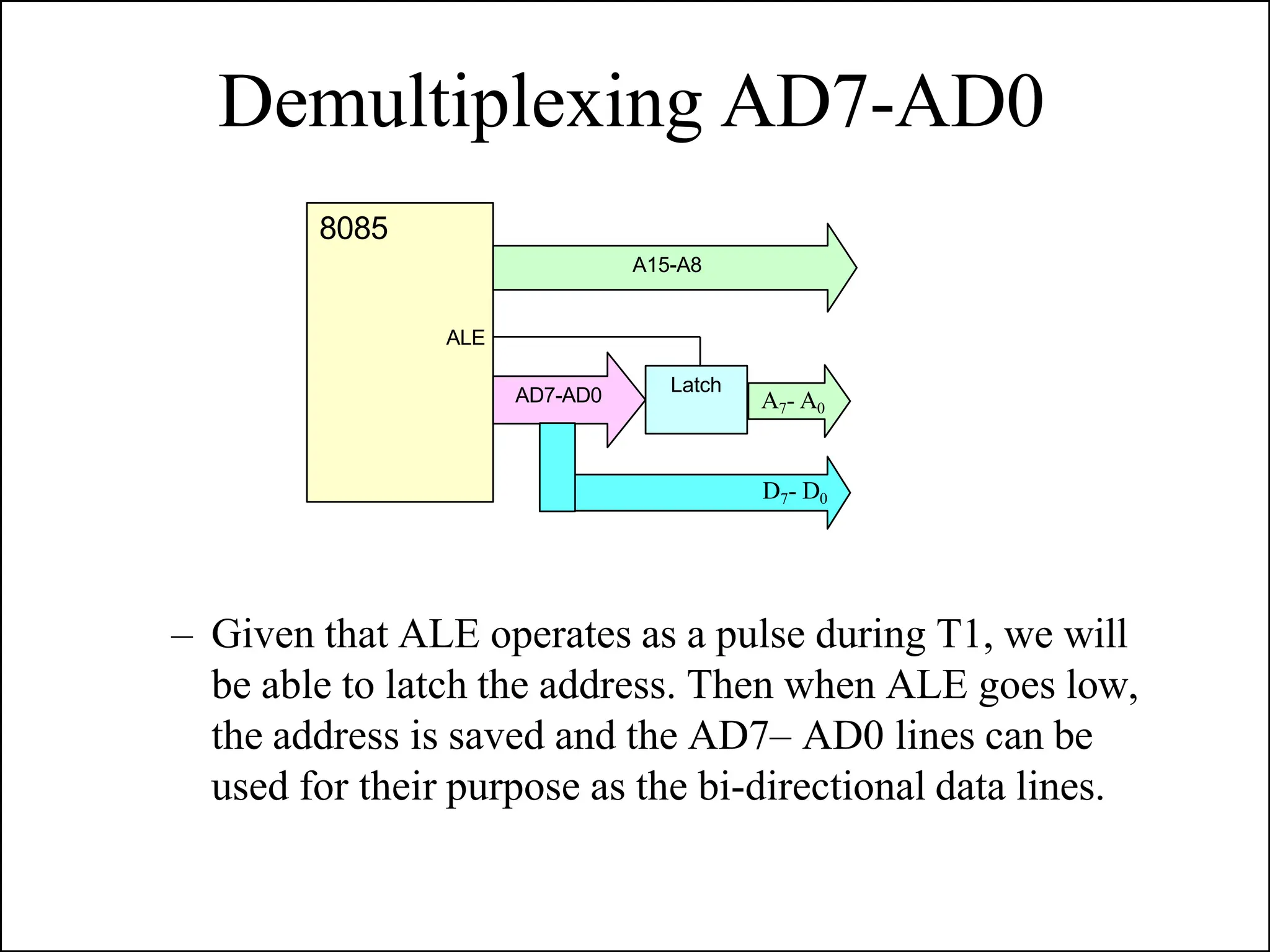
Demultiplexing AD7-AD0
– Given that ALE operates as a pulse during T1, we will
be able to latch the address. Then when ALE goes low,
the address is saved and the AD7– AD0 lines can be
used for their purpose as the bi-directional data lines.
A15-A8
Latch
AD7-AD0
D7- D0
A7- A0
8085
ALE
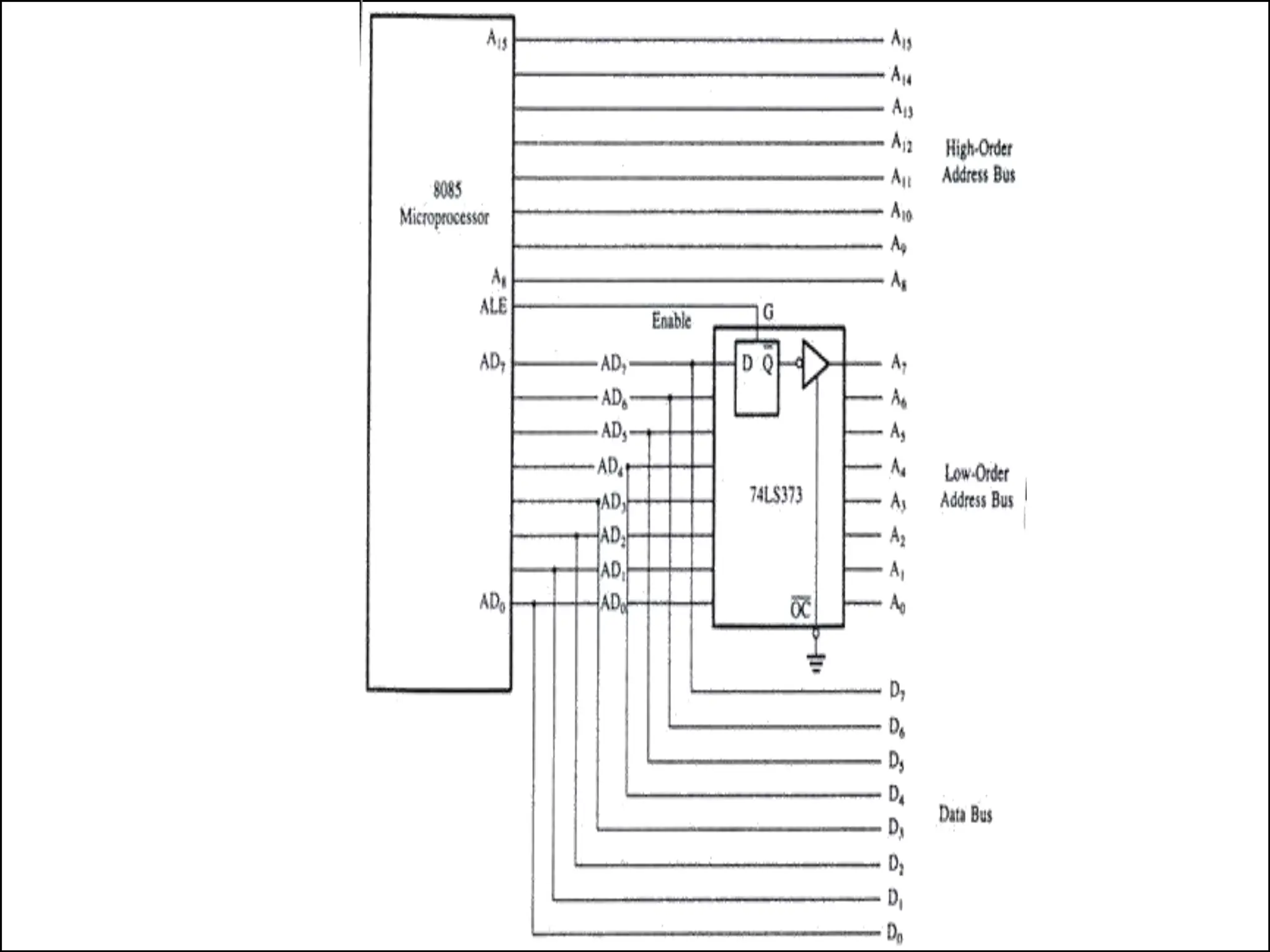
Demultiplexing the Bus AD7 – AD0
• The high order address is placed on the address bus and hold for 3 clk
periods,
• The low order address is lost after the first clk period, this address
needs to be hold however we need to use latch
• The address AD7 – AD0 is connected as inputs to the latch 74LS373.
• The ALE signal is connected to the enable (G) pin of the latch and the
OC – Output control – of the latch is grounded
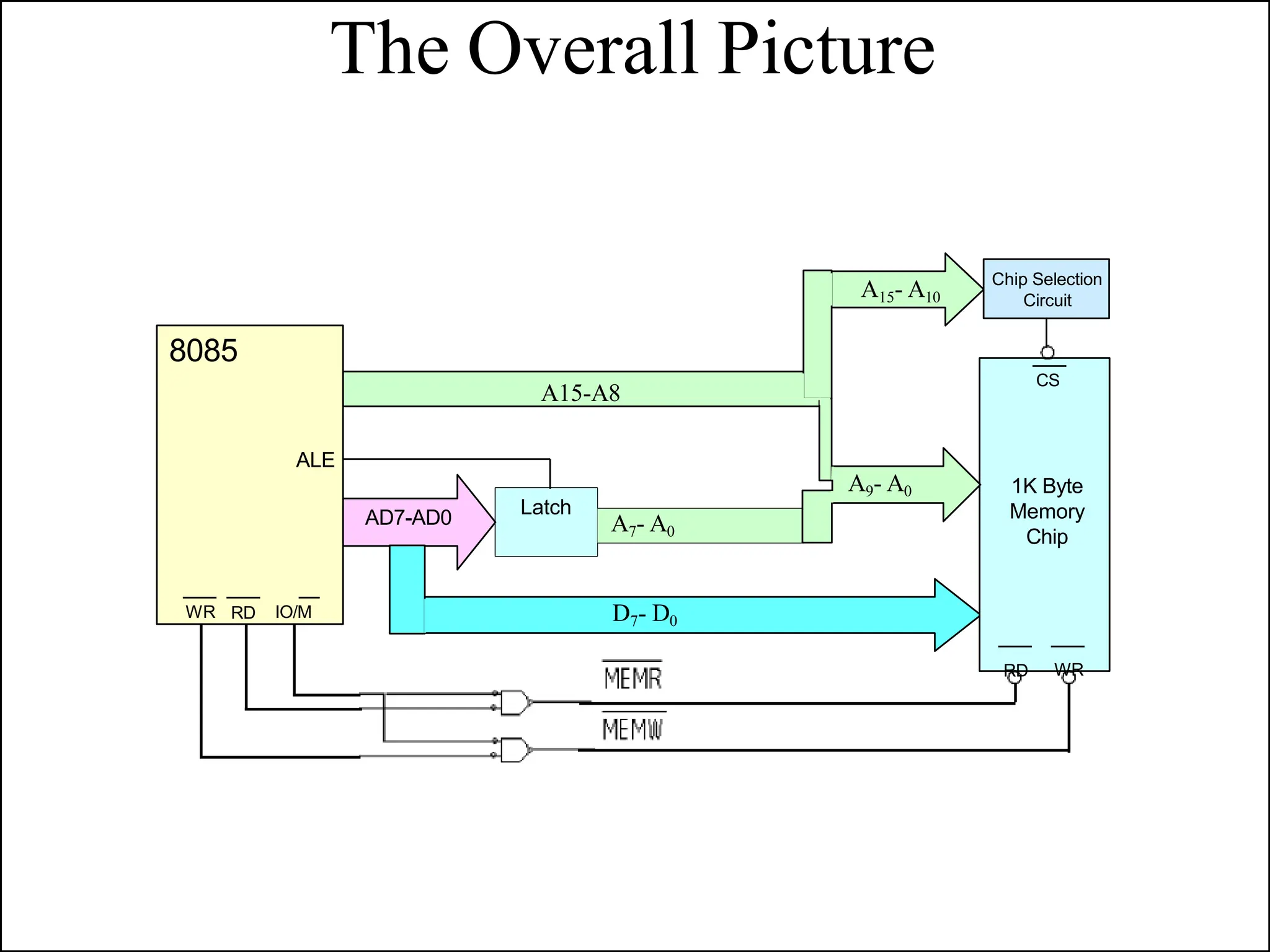
The Overall Picture
A15-A8
Latch
AD7-AD0
D7- D0
A7- A0
8085
ALE
WR RD IO/M
CS
1K Byte
Memory
Chip
RD WR
A9- A0
A15- A10
Chip Selection
Circuit
Introduction to 8085 Instructions
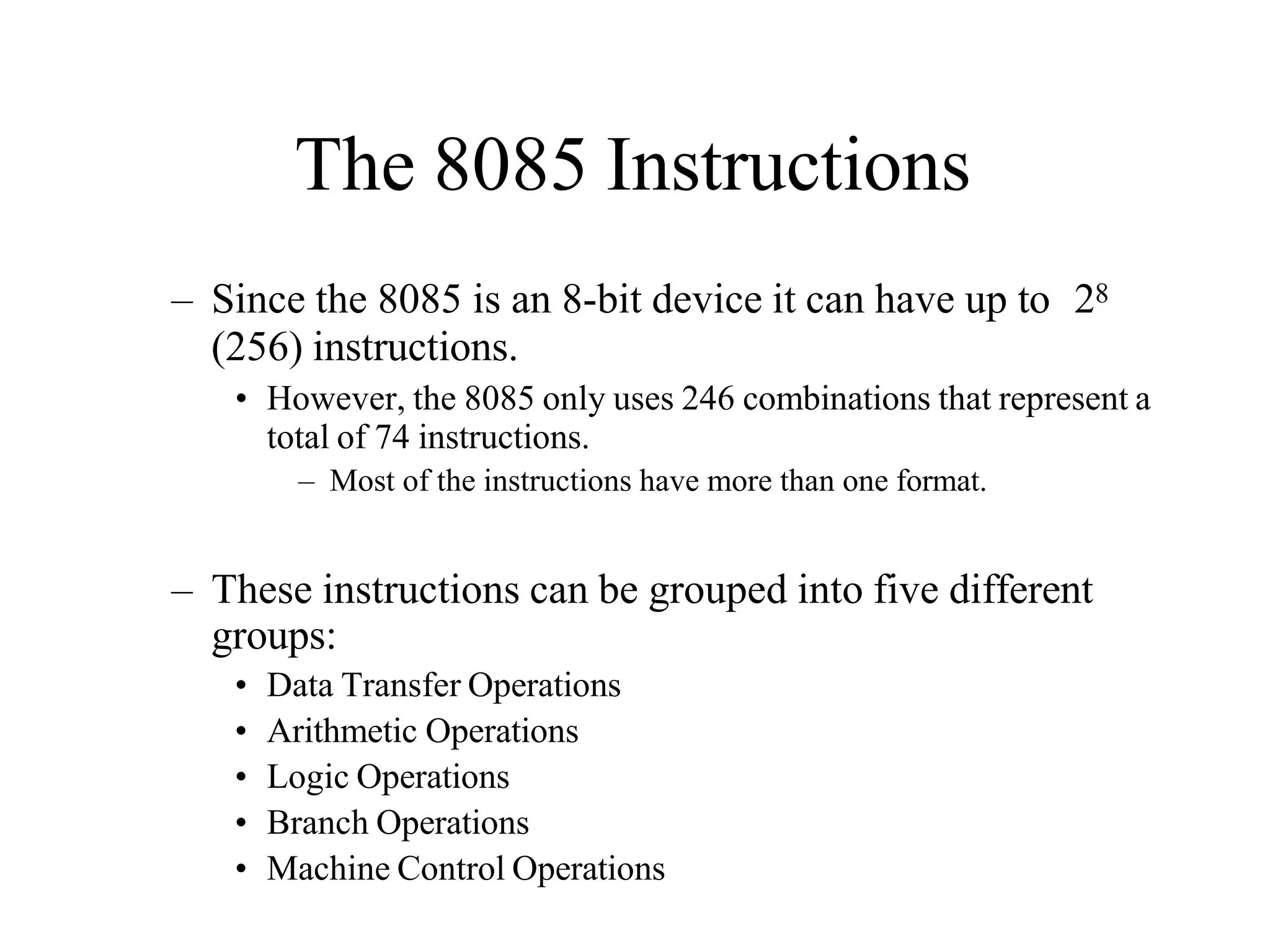
The 8085 Instructions
– Since the 8085 is an 8-bit device it can have up to 28
(256) instructions.
• However, the 8085 only uses 246 combinations that represent a
total of 74 instructions.
– Most of the instructions have more than one format.
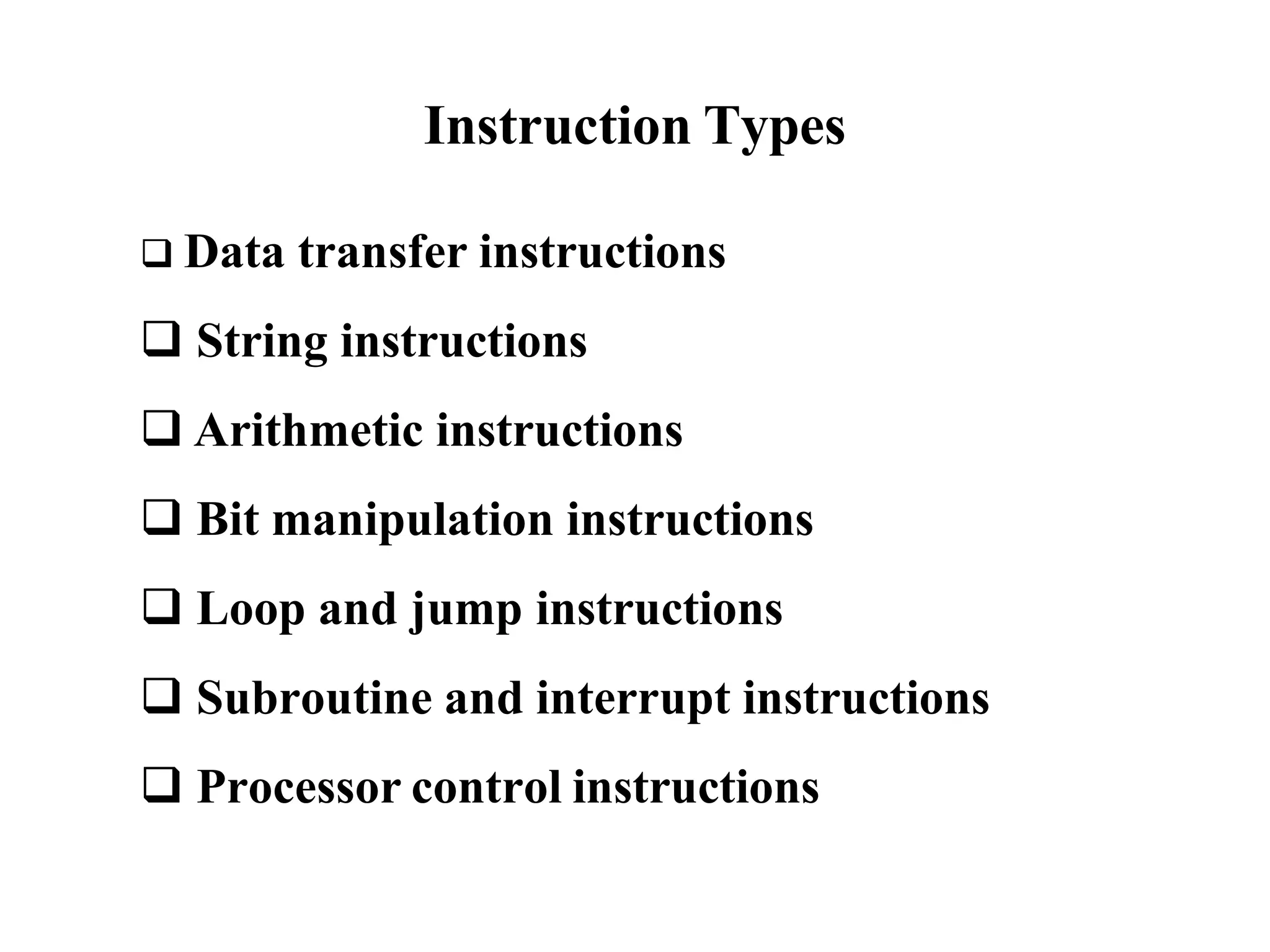
– These instructions can be grouped into five different
groups:
• Data Transfer Operations
• Arithmetic Operations
• Logic Operations
• Branch Operations
• Machine Control Operations
Instruction and Data Formats
• Each instruction has two parts.
– The first part is the task or operation to be
performed.
• This part is called the “opcode” (operation code).
– The second part is the data to be operated on
• Called the “operand”.
Data Transfer Operations
– These operations simply COPY the data from the
source to the destination.
– MOV, MVI, LDA, and STA
– They transfer:
• Data between registers.
• Data Byte to a register or memory location.
• Data between a memory location and a register.
• Data between an IO Device and the accumulator.
– The data in the source is not changed.
The LXI instruction
• The 8085 provides an instruction to place
the 16-bit data into the register pair in one
step.
• LXI Rp, <16-bit address> (Load eXtended Immediate)
– The instruction LXI B 4000H will place the
16-bit number 4000 into the register pair B, C.
• The upper two digits are placed in the 1st register of
the pair and the lower two digits in the 2nd .
40 00
LXI B 40 00H B C
The Memory “Register”
• Most of the instructions of the 8085 can use a
memory location in place of a register.
– The memory location will become the “memory” register M.
• MOV M B
– copy the data from register B into a memory location.
– Which memory location?
• The memory location is identified by the contents
of the HL register pair.
– The 16-bit contents of the HL register pair are treated
as a 16-bit address and used to identify the memory
location.
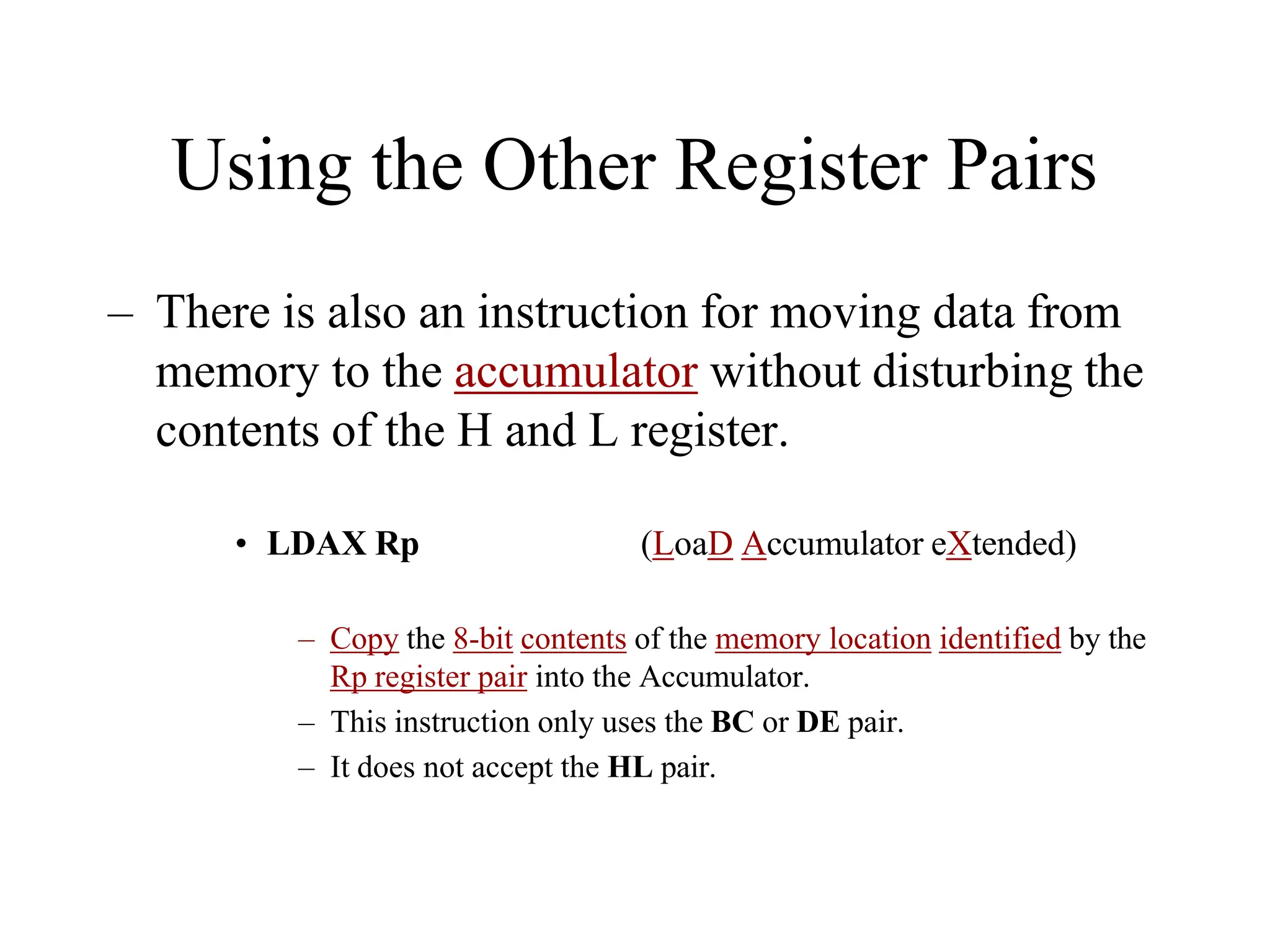
Using the Other Register Pairs
– There is also an instruction for moving data from
memory to the accumulator without disturbing the
contents of the H and L register.
• LDAX Rp (LoaD Accumulator eXtended)
– Copy the 8-bit contents of the memory location identified by the
Rp register pair into the Accumulator.
– This instruction only uses the BC or DE pair.
– It does not accept the HL pair.
Indirect Addressing Mode
• Using data in memory directly (without loading
first into a Microprocessor’s register) is called
Indirect Addressing.
• Indirect addressing uses the data in a register pair
as a 16-bit address to identify the memory location
being accessed.
– The HL register pair is always used in conjunction with
the memory register “M”.
– The BC and DE register pairs can be used to load data
into the Accumultor using indirect addressing.
Arithmetic Operations
– Addition (ADD, ADI):
– Any 8-bit number.
– The contents of a register.
– The contents of a memory location.
• Can be added to the contents of the accumulator and the result
is stored in the accumulator.
– Subtraction (SUB, SUI):
– Any 8-bit number
– The contents of a register
– The contents of a memory location
• Can be subtracted from the contents of the accumulator. The
result is stored in the accumulator.
Arithmetic Operations Related to
Memory
• These instructions perform an arithmetic operation
using the contents of a memory location while
they are still in memory.
– ADD M
• Add the contents of M to the Accumulator
– SUB M
• Sub the contents of M from the Accumulator
– INR M / DCR M
• Increment/decrement the contents of the memory location in
place.
– All of these use the contents of the HL register pair to
identify the memory location being used.
Arithmetic Operations
– Increment (INR) and Decrement (DCR):
• The 8-bit contents of any memory location or any
register can be directly incremented or decremented
by 1.
• No need to disturb the contents of the accumulator.
Manipulating Addresses
• Now that we have a 16-bit address in a register
pair, how do we manipulate it?
– It is possible to manipulate a 16-bit address stored in a
register pair as one entity using some special
instructions.
• INX Rp
• DCX Rp
(Increment the 16-bit number in the register pair)
(Decrement the 16-bit number in the register pair)
– The register pair is incremented or decremented as one
entity. No need to worry about a carry from the lower
8-bits to the upper. It is taken care of automatically.
Logic Operations
• These instructions perform logic operations on the
contents of the accumulator.
– ANA, ANI, ORA, ORI, XRA and XRI
• Source: Accumulator and
– An 8-bit number
– The contents of a register
– The contents of a memory location
• Destination: Accumulator
ANA
ANI
R/M
#
AND Accumulator With Reg/Mem
AND Accumulator With an 8-bit number
ORA R/M OR Accumulator With Reg/Mem
ORI # OR Accumulator With an 8-bit number
XRA R/M XOR Accumulator With Reg/Mem
XRI # XOR Accumulator With an 8-bit number
Logic Operations
– Complement:
• 1’s complement of the contents of the accumulator.
CMA No operand
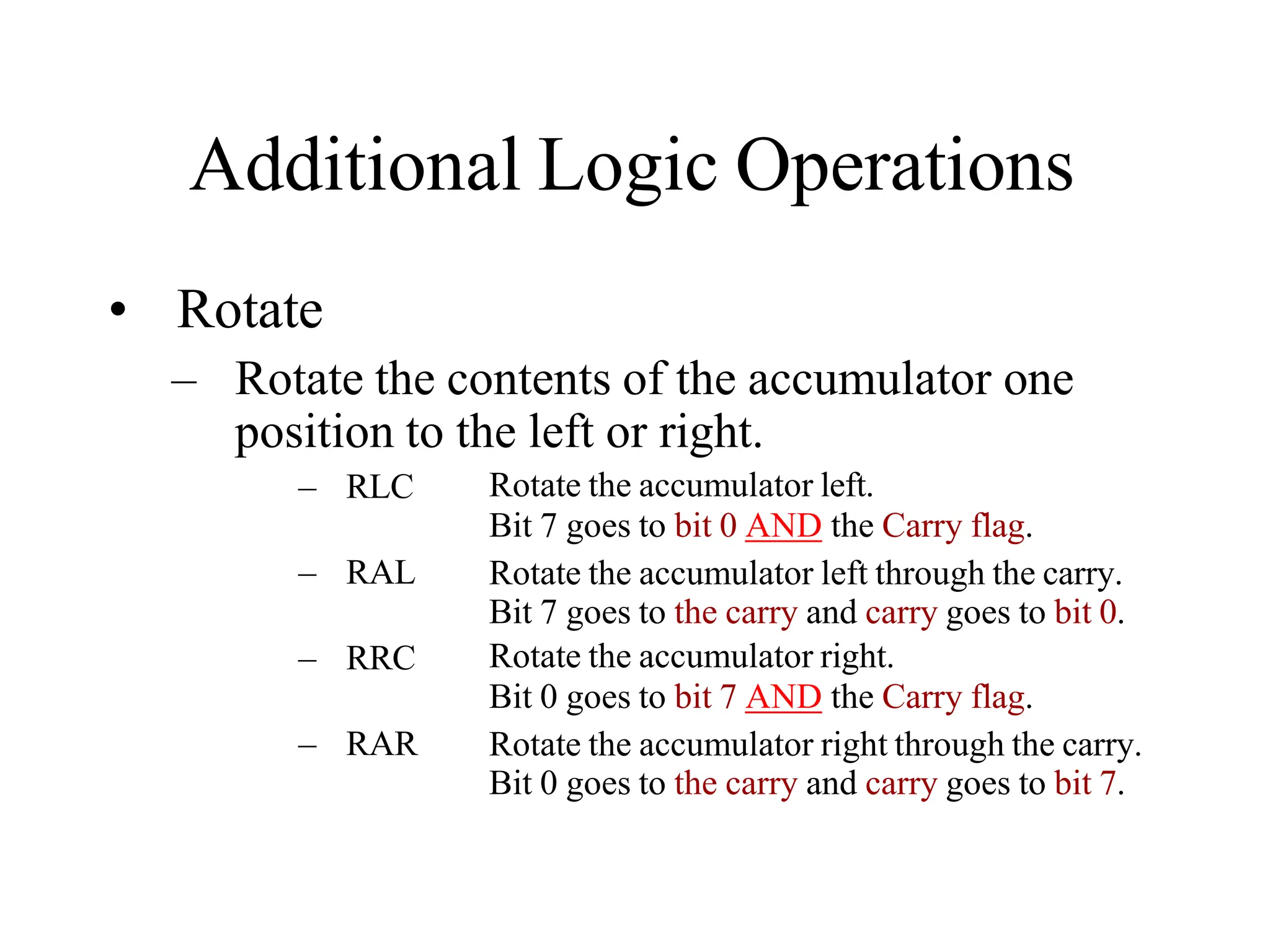
Additional Logic Operations
• Rotate
– Rotate the contents of the accumulator one
position to the left or right.
– RLC
– RAL
– RRC
– RAR
Rotate the accumulator left.
Bit 7 goes to bit 0 AND the Carry flag.
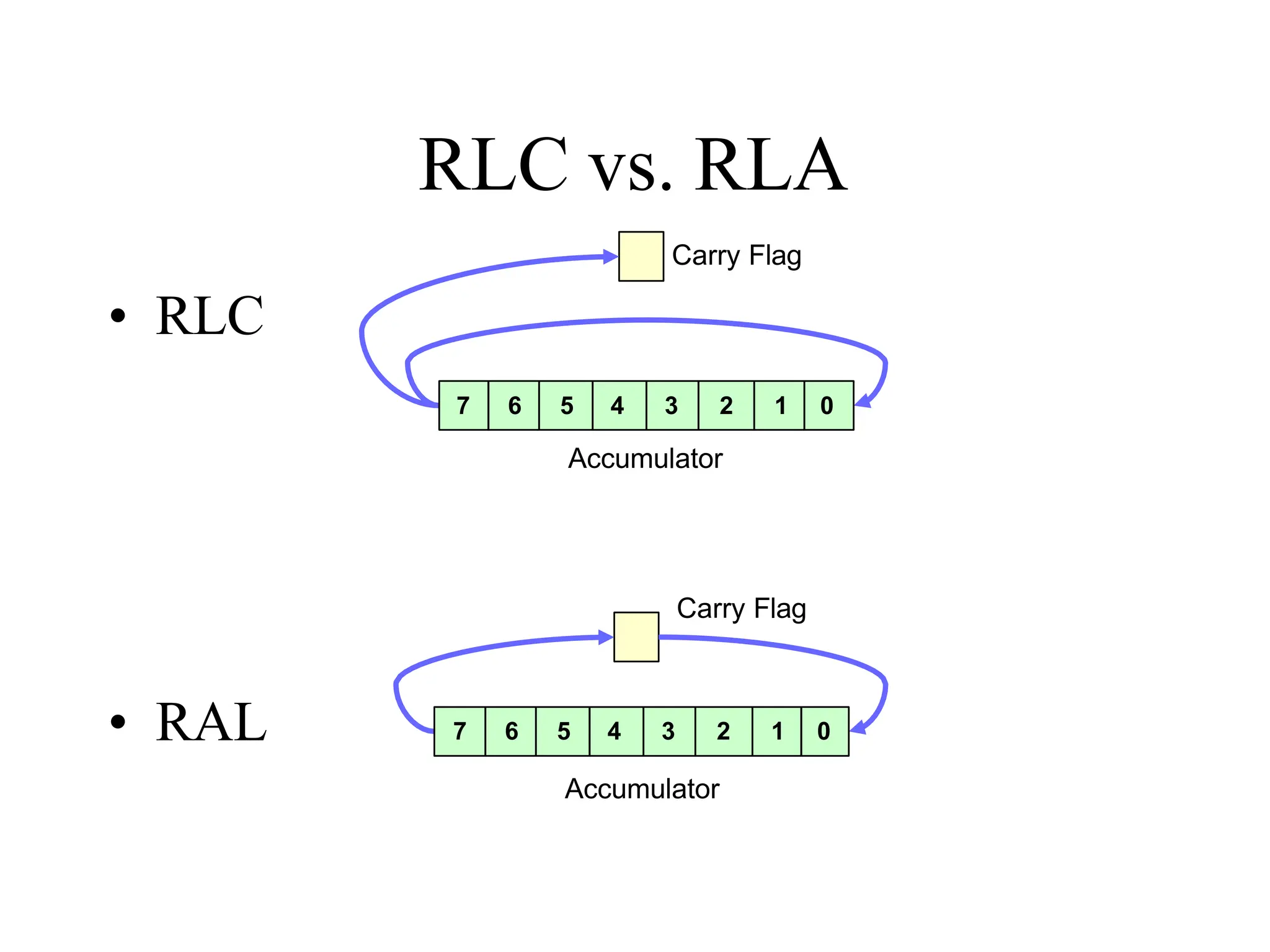
Rotate the accumulator left through the carry.
Bit 7 goes to the carry and carry goes to bit 0.
Rotate the accumulator right.
Bit 0 goes to bit 7 AND the Carry flag.
Rotate the accumulator right through the carry.
Bit 0 goes to the carry and carry goes to bit 7.
RLC vs. RLA
• RLC
• RAL
Accumulator
Carry Flag
7 6 5 4 3 2 1 0
Accumulator
Carry Flag
7 6 5 4 3 2 1 0
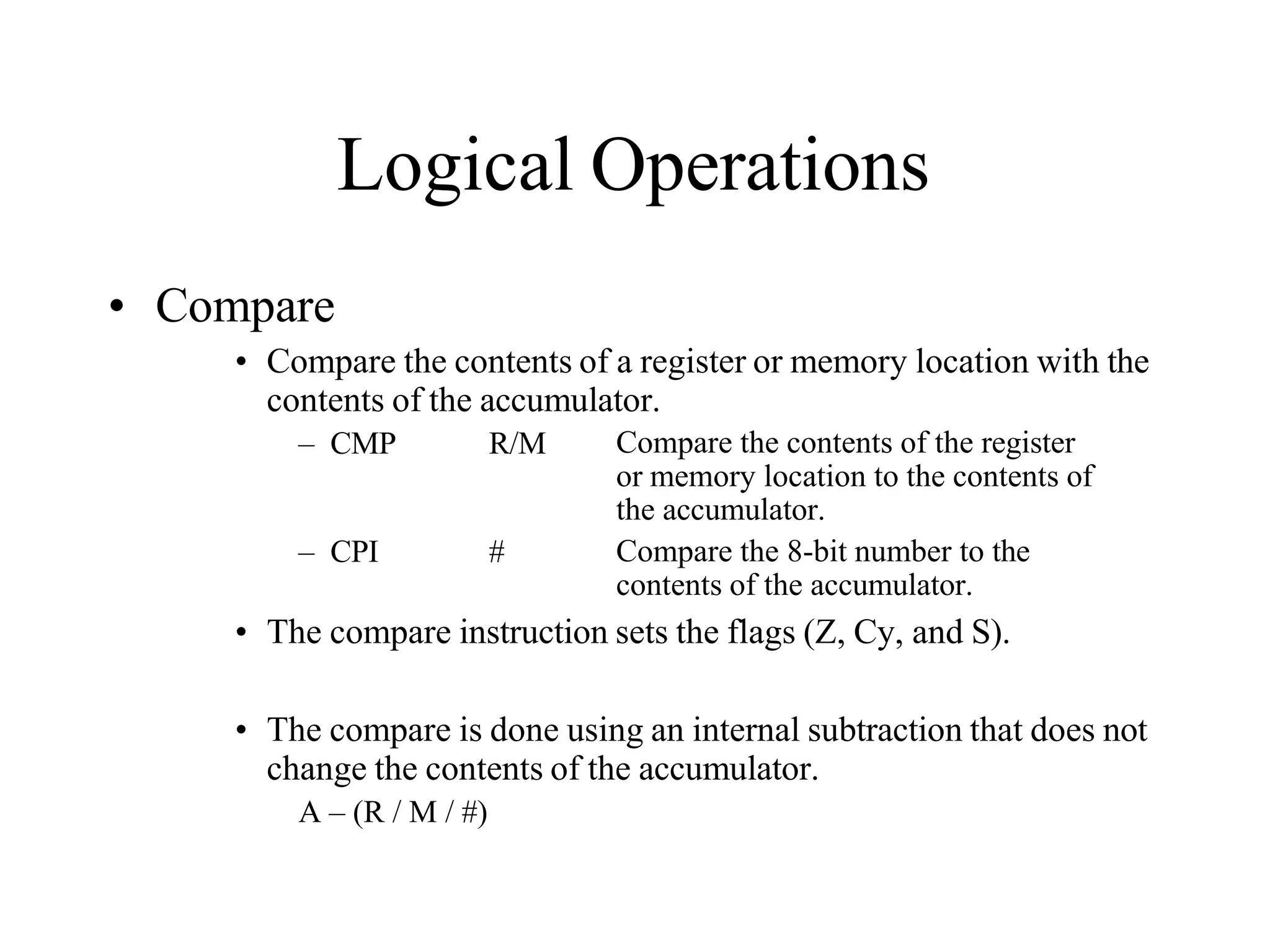
Logical Operations
• Compare
• Compare the contents of a register or memory location with the
contents of the accumulator.
– CMP R/M Compare the contents of the register
or memory location to the contents of
the accumulator.
– CPI # Compare the 8-bit number to the
contents of the accumulator.
• The compare instruction sets the flags (Z, Cy, and S).
• The compare is done using an internal subtraction that does not
change the contents of the accumulator.
A – (R / M / #)
Branch Operations
• Two types:
– Unconditional branch.
• Go to a new location no matter what.
– Conditional branch.
• Go to a new location if the condition is true.
Unconditional Branch
– JMP Address
• Jump to the address specified (Go to).
– CALL Address
• Jump to the address specified but treat it as a subroutine.
– RET
• Return from a subroutine.
– The addresses supplied to all branch operations must be
16-bits.
Conditional Branch
– Go to new location if a specified condition is met.
• JZ Address (Jump on Zero)
– Go to address specified if the Zero flag is set.
• JNZ Address (Jump on NOT Zero)
– Go to address specified if the Zero flag is not set.
• JC Address (Jump on Carry)
– Go to the address specified if the Carry flag is set.
• JNC Address (Jump on No Carry)
– Go to the address specified if the Carry flag is not set.
• JP Address (Jump on Plus)
– Go to the address specified if the Sign flag is not set
• JM Address (Jump on Minus)
– Go to the address specified if the Sign flag is set.
Machine Control
– HLT
• Stop executing the program.
– NOP
• No operation
• Exactly as it says, do nothing.
• Usually used for delay or to replace instructions
during debugging.
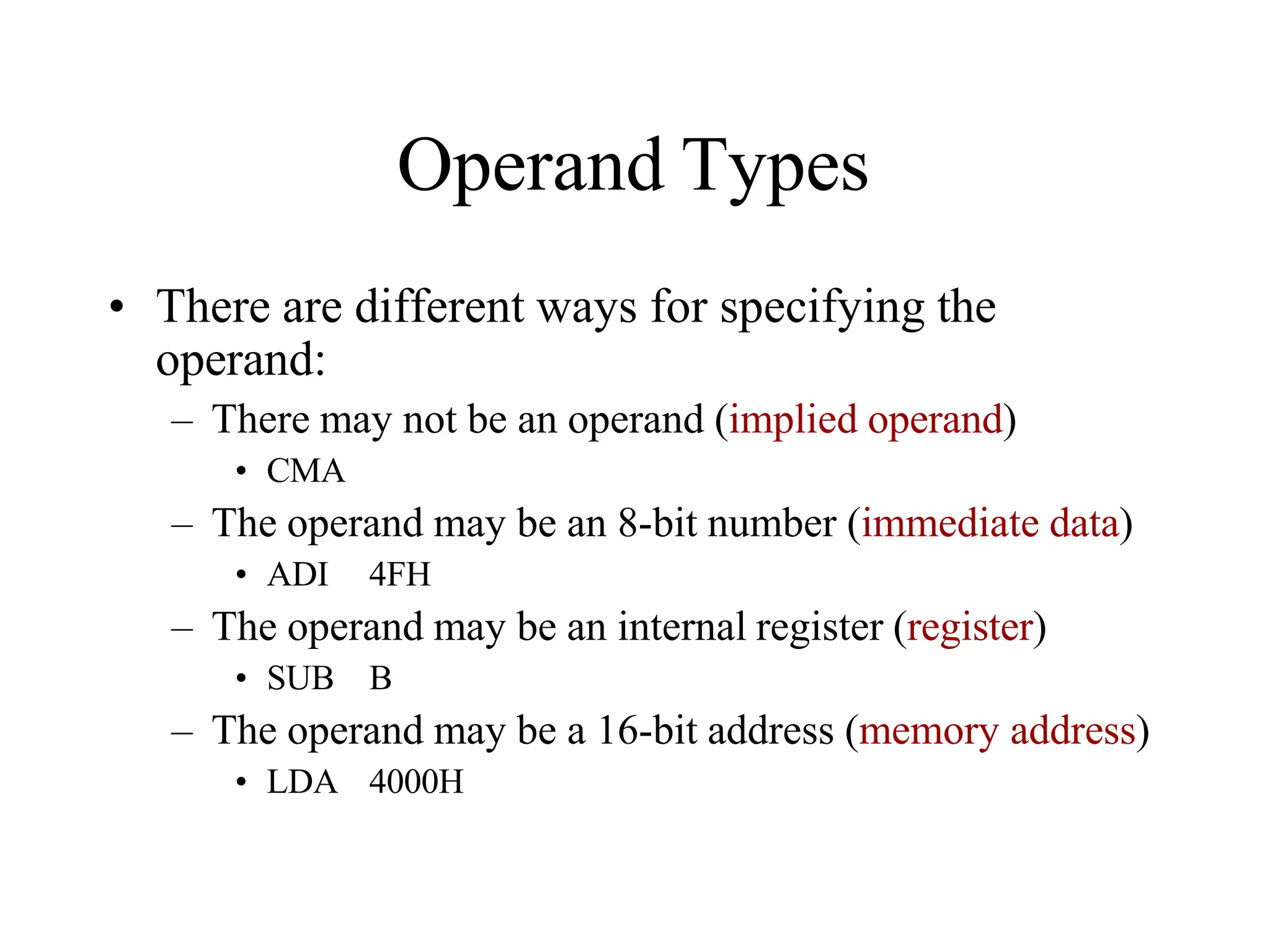
Operand Types
• There are different ways for specifying the
operand:
– There may not be an operand (implied operand)
• CMA
– The operand may be an 8-bit number (immediate data)
• ADI 4FH
– The operand may be an internal register (register)
• SUB B
– The operand may be a 16-bit address (memory address)
• LDA 4000H
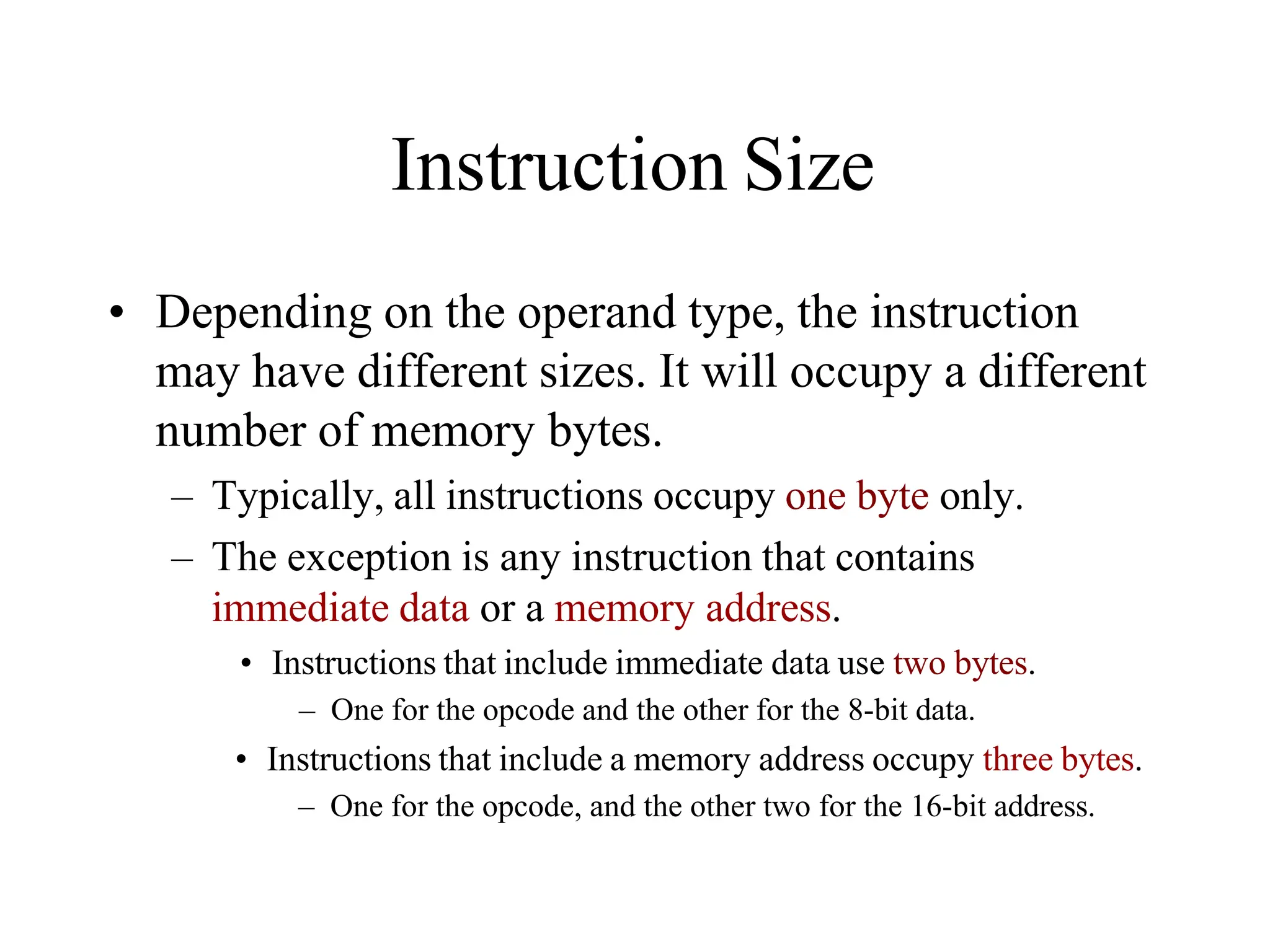
Instruction Size
• Depending on the operand type, the instruction
may have different sizes. It will occupy a different
number of memory bytes.
– Typically, all instructions occupy one byte only.
– The exception is any instruction that contains
immediate data or a memory address.
• Instructions that include immediate data use two bytes.
– One for the opcode and the other for the 8-bit data.
• Instructions that include a memory address occupy three bytes.
– One for the opcode, and the other two for the 16-bit address.
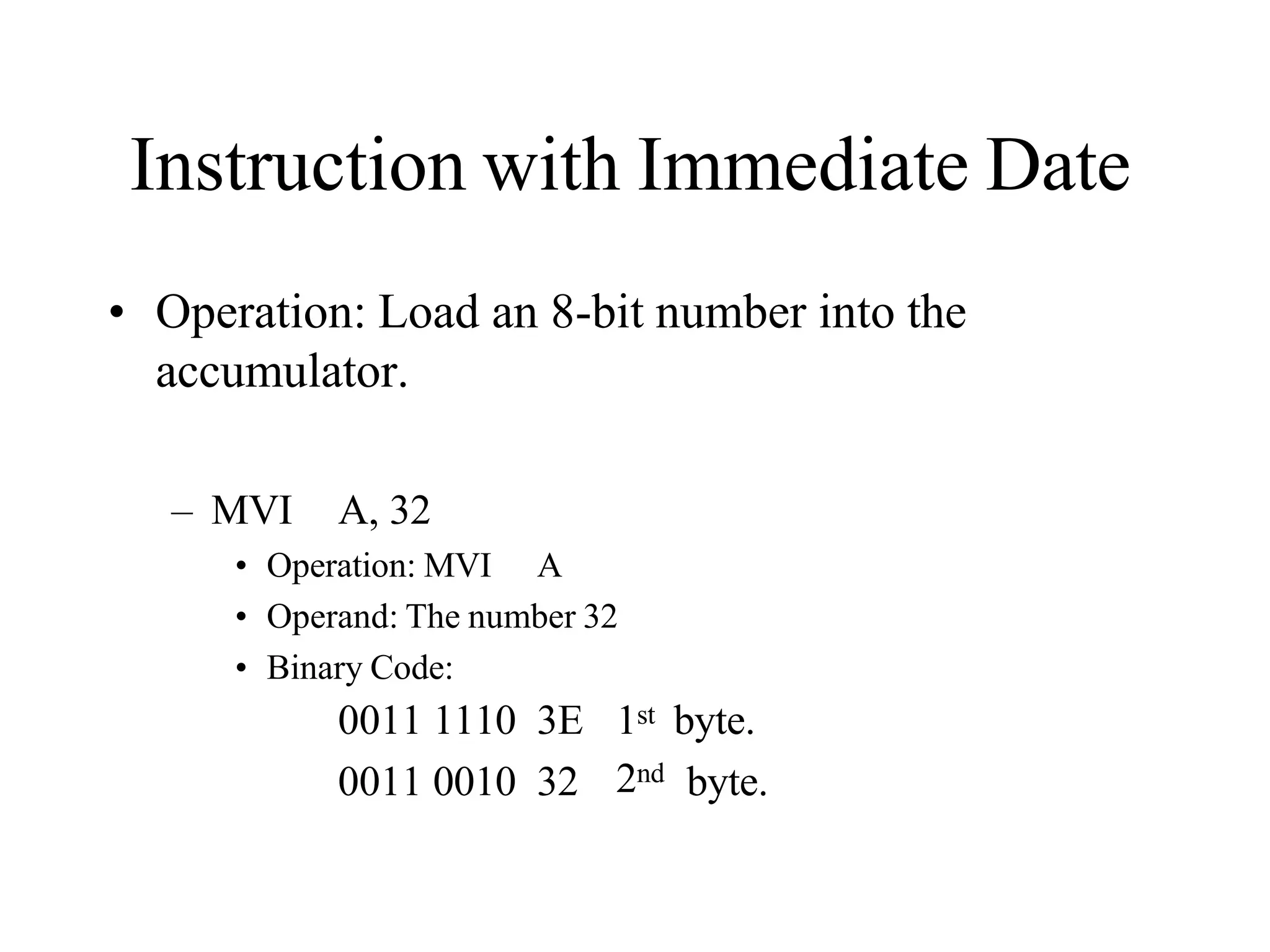
Instruction with Immediate Date
• Operation: Load an 8-bit number into the
accumulator.
– MVI A, 32
• Operation: MVI A
• Operand: The number 32
• Binary Code:
2nd
0011 1110 3E 1st byte.
0011 0010 32 byte.
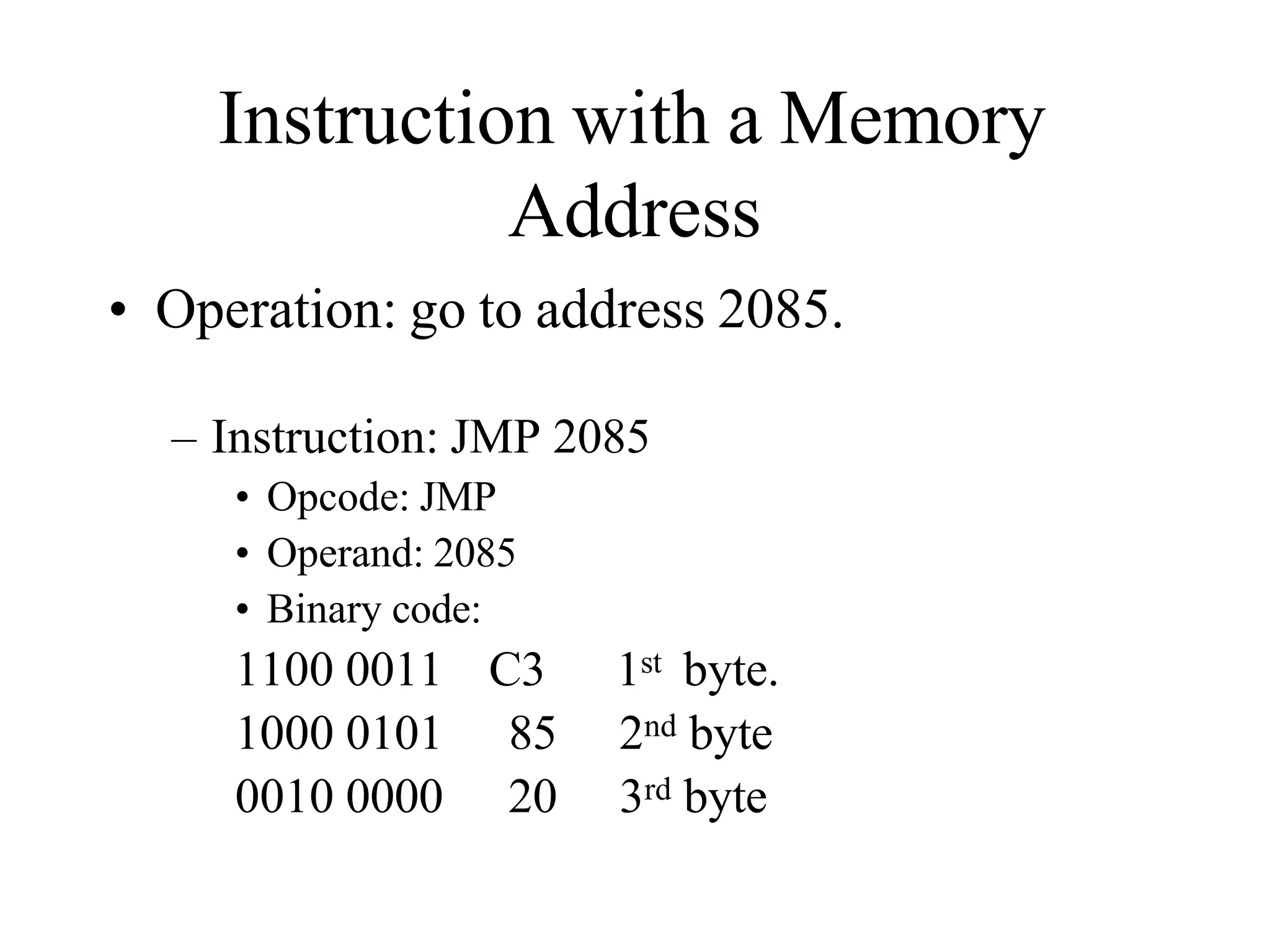
Instruction with a Memory
Address
• Operation: go to address 2085.
– Instruction: JMP 2085
• Opcode: JMP
• Operand: 2085
• Binary code:
1100 0011 C3 1st byte.
1000 0101 85 2nd byte
0010 0000 20 3rd byte
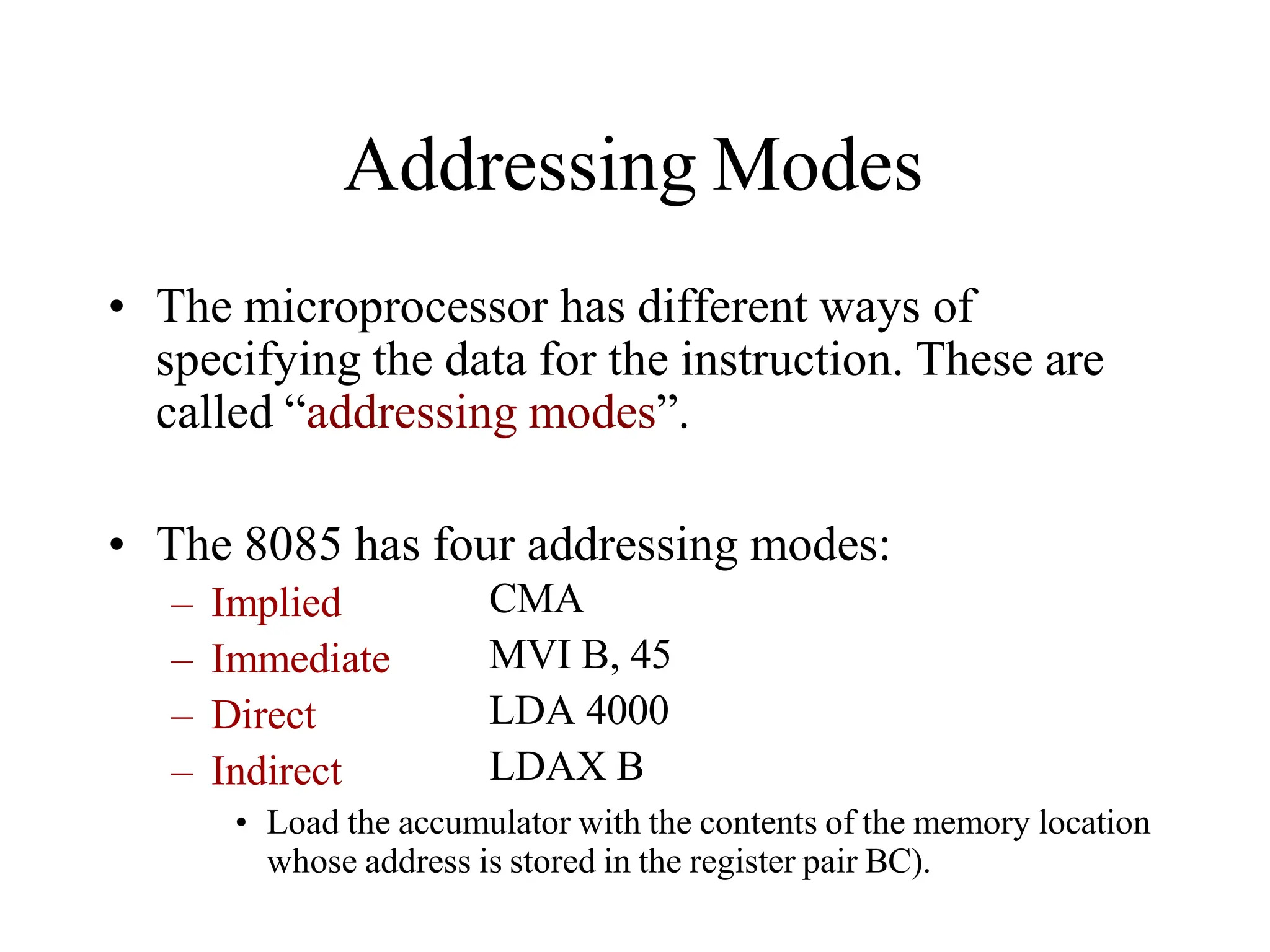
Addressing Modes
• The microprocessor has different ways of
specifying the data for the instruction. These are
called “addressing modes”.
• The 8085 has four addressing modes:
– Implied
– Immediate
– Direct
– Indirect
CMA
MVI B, 45
LDA 4000
LDAX B
• Load the accumulator with the contents of the memory location
whose address is stored in the register pair BC).
Data Formats
• In an 8-bit microprocessor, data can be
represented in one of four formats:
• ASCII
• BCD
• Signed Integer
• Unsigned Integer.
– It is important to recognize that the microprocessor
deals with 0’s and 1’s.
• It deals with values as strings of bits.
• It is the job of the user to add a meaning to these strings.
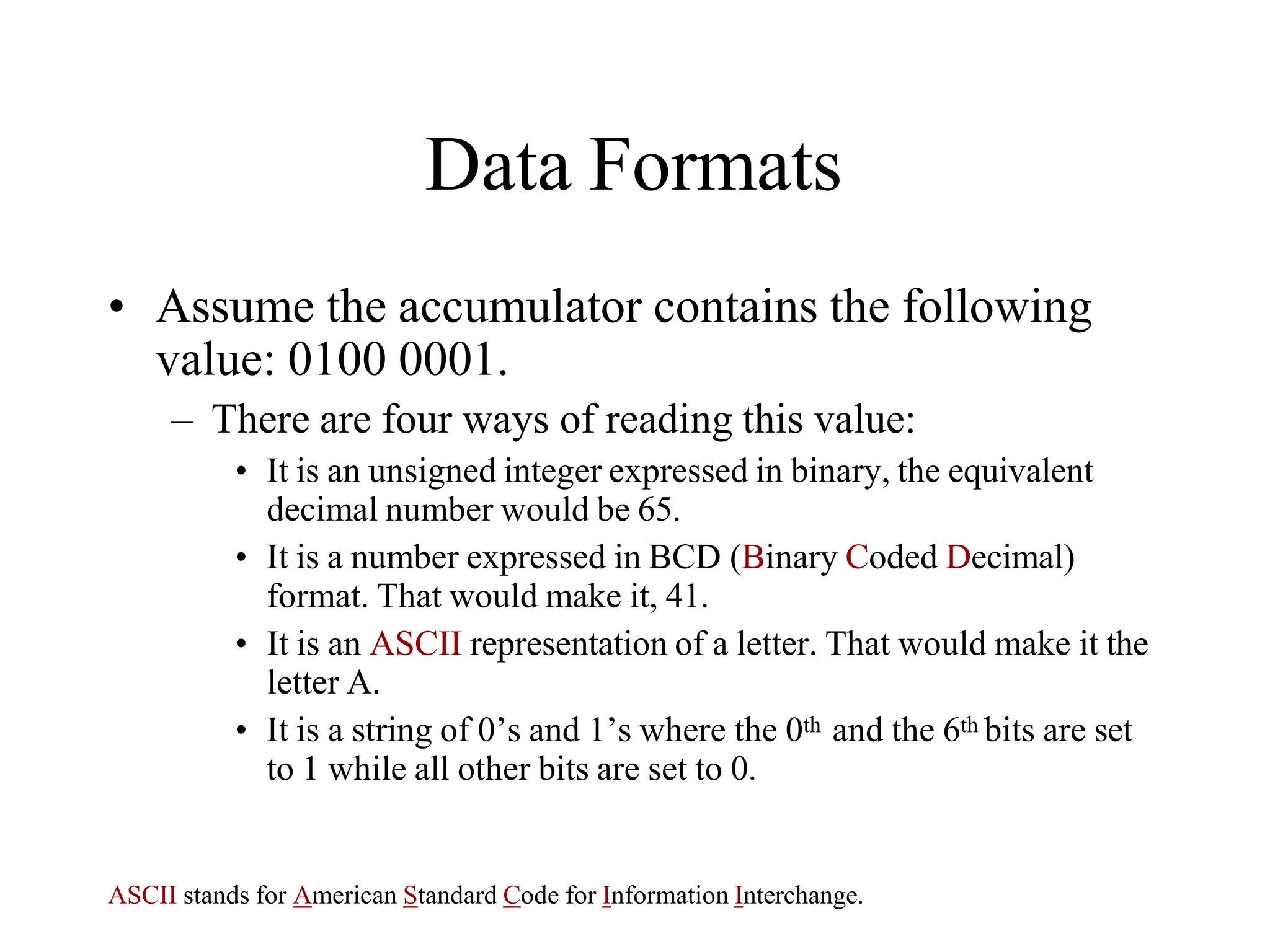
Data Formats
• Assume the accumulator contains the following
value: 0100 0001.
– There are four ways of reading this value:
• It is an unsigned integer expressed in binary, the equivalent
decimal number would be 65.
• It is a number expressed in BCD (Binary Coded Decimal)
format. That would make it, 41.
• It is an ASCII representation of a letter. That would make it the
letter A.
• It is a string of 0’s and 1’s where the 0th and the 6th bits are set
to 1 while all other bits are set to 0.
ASCII stands for American Standard Code for Information Interchange.
Counters & Time Delays
Counters
• A loop counter is set up by loading a register with
a certain value
• Then using the DCR (to decrement) and INR (to
increment) the contents of the register are updated.
• A loop is set up with a conditional jump
instruction that loops back or not depending on
whether the count has reached the termination
count.
Counters
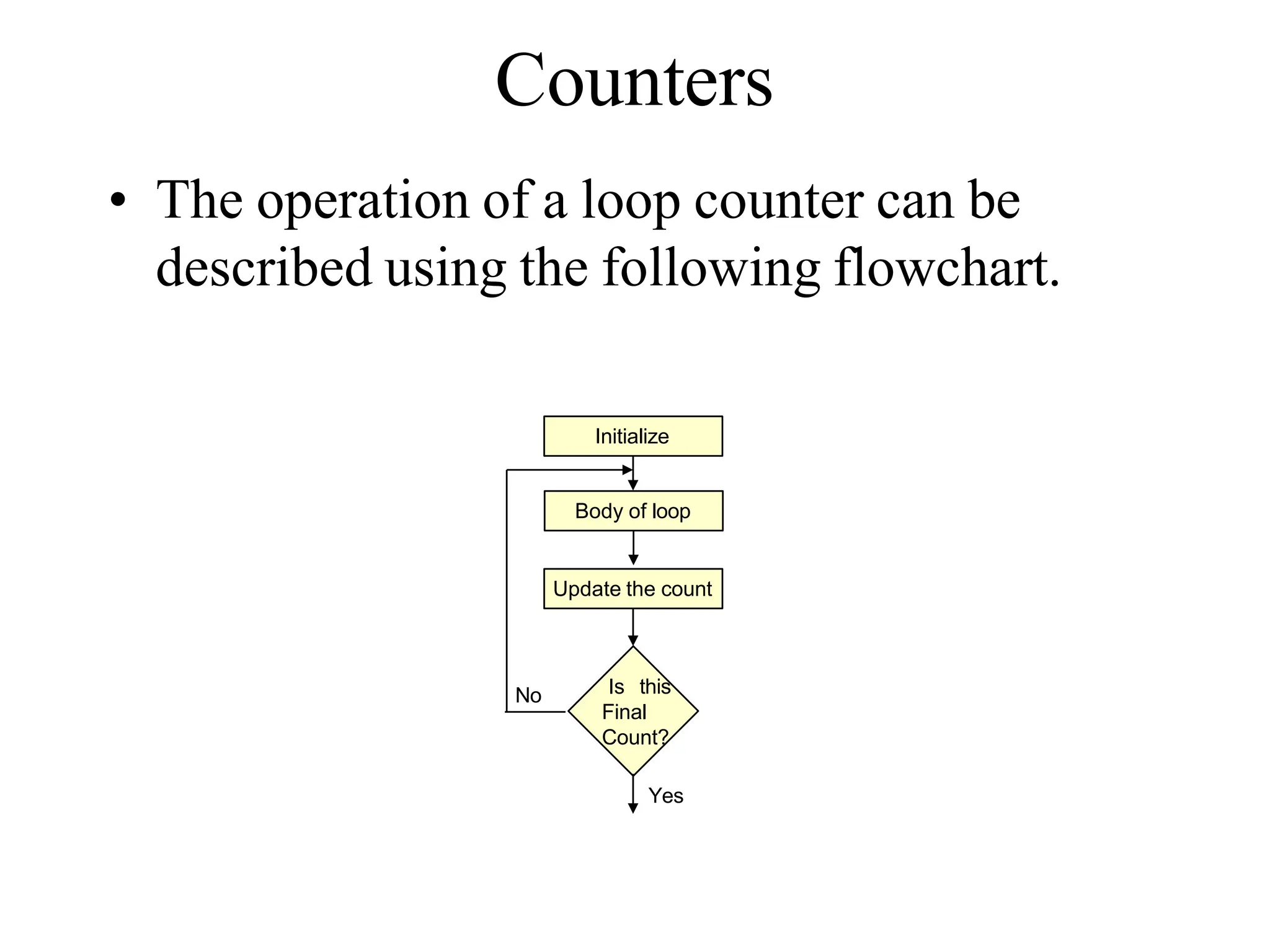
• The operation of a loop counter can be
described using the following flowchart.
Initialize
Update the count
Is this
Final
Count?
Body of loop
No
Yes
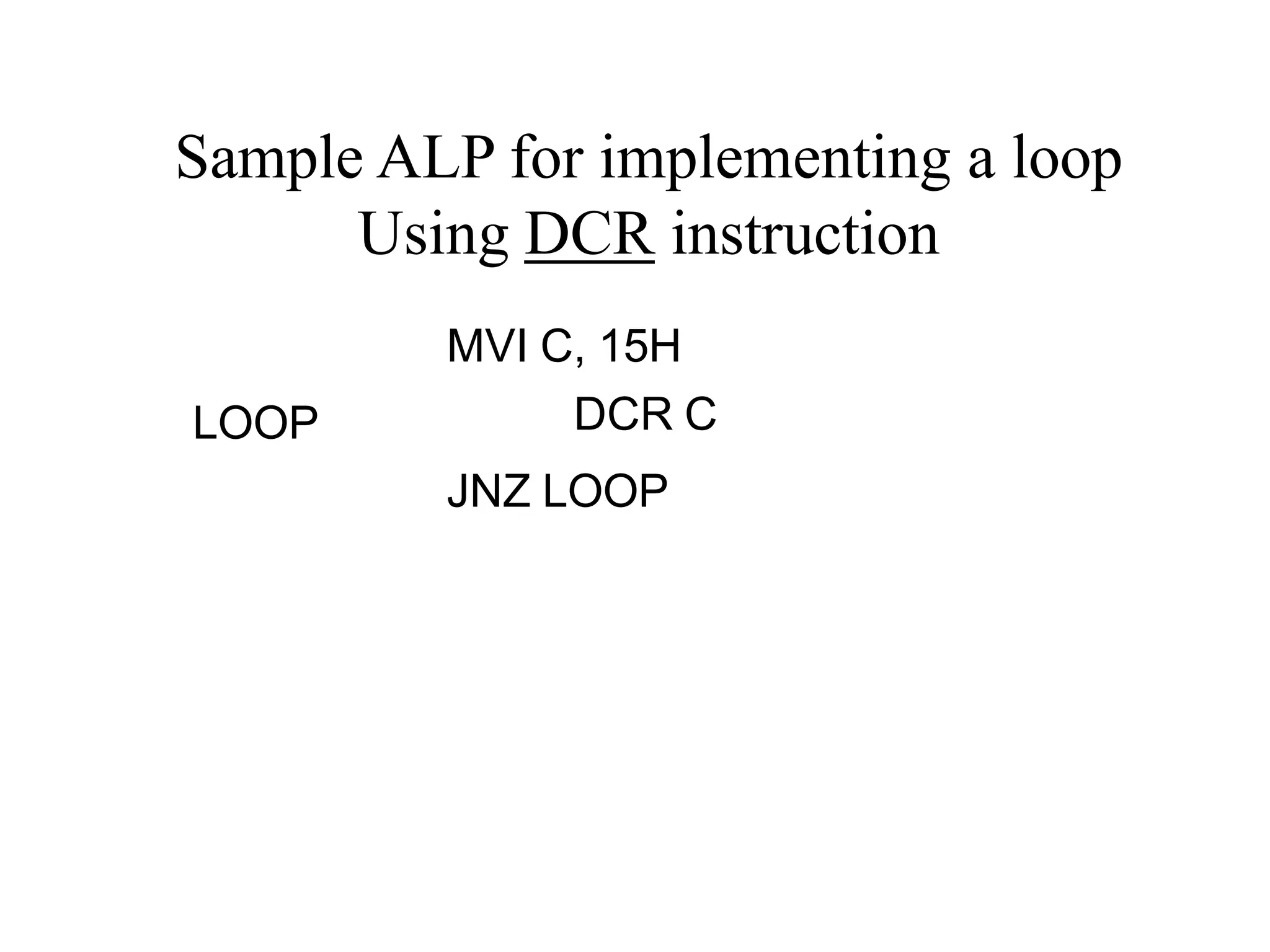
MVI C, 15H
LOOP DCR C
JNZ LOOP
Sample ALP for implementing a loop
Using DCR instruction
Using a Register Pair as a Loop
Counter
• Using a single register, one can repeat a loop for a
maximum count of 255 times.
• It is possible to increase this count by using a
register pair for the loop counter instead of the
single register.
– A minor problem arises in how to test for the final
count since DCX and INX do not modify the flags.
– However, if the loop is looking for when the count
becomes zero, we can use a small trick by ORing the
two registers in the pair and then checking the zero flag.
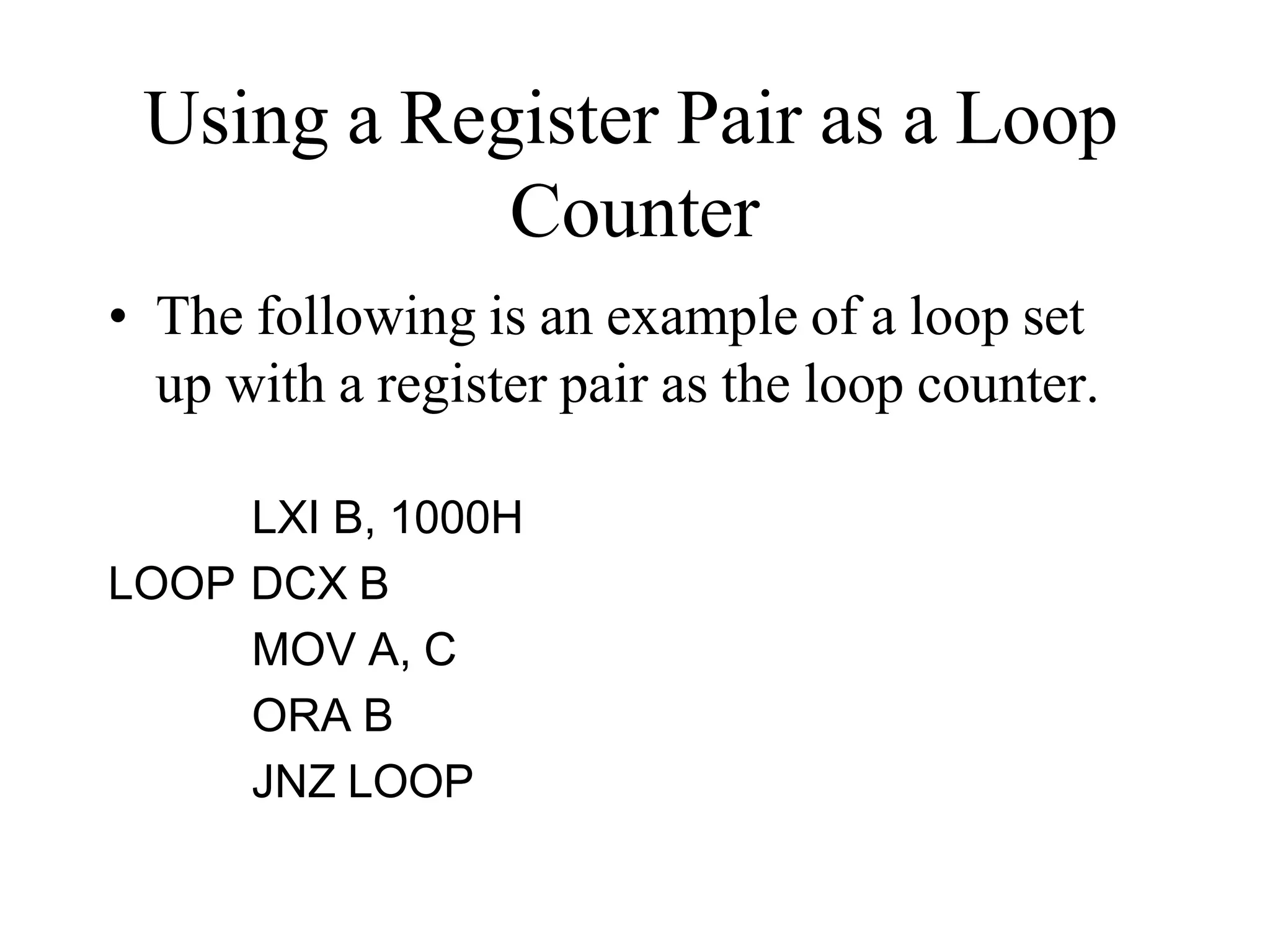
Using a Register Pair as a Loop
Counter
• The following is an example of a loop set
up with a register pair as the loop counter.
LXI B, 1000H
LOOP DCX B
MOV A, C
ORA B
JNZ LOOP
Delays
• It was shown in Chapter 2 that each instruction
passes through different combinations of Fetch,
Memory Read, and Memory Write cycles.
• Knowing the combinations of cycles, one can
calculate how long such an instruction would
require to complete.
• The table in Appendix F of the book contains a
column with the title B/M/T.
– B for Number of Bytes
– M for Number of Machine Cycles
– T for Number of T-State.
Delays
• Knowing how many T-States an instruction
requires, and keeping in mind that a T-State is one
clock cycle long, we can calculate the time using
the following formula:
Delay = No. of T-States / Frequency
• For example a “MVI” instruction uses 7 T-States.
Therefore, if the Microprocessor is running at 2
MHz, the instruction would require 3.5 Seconds
to complete.
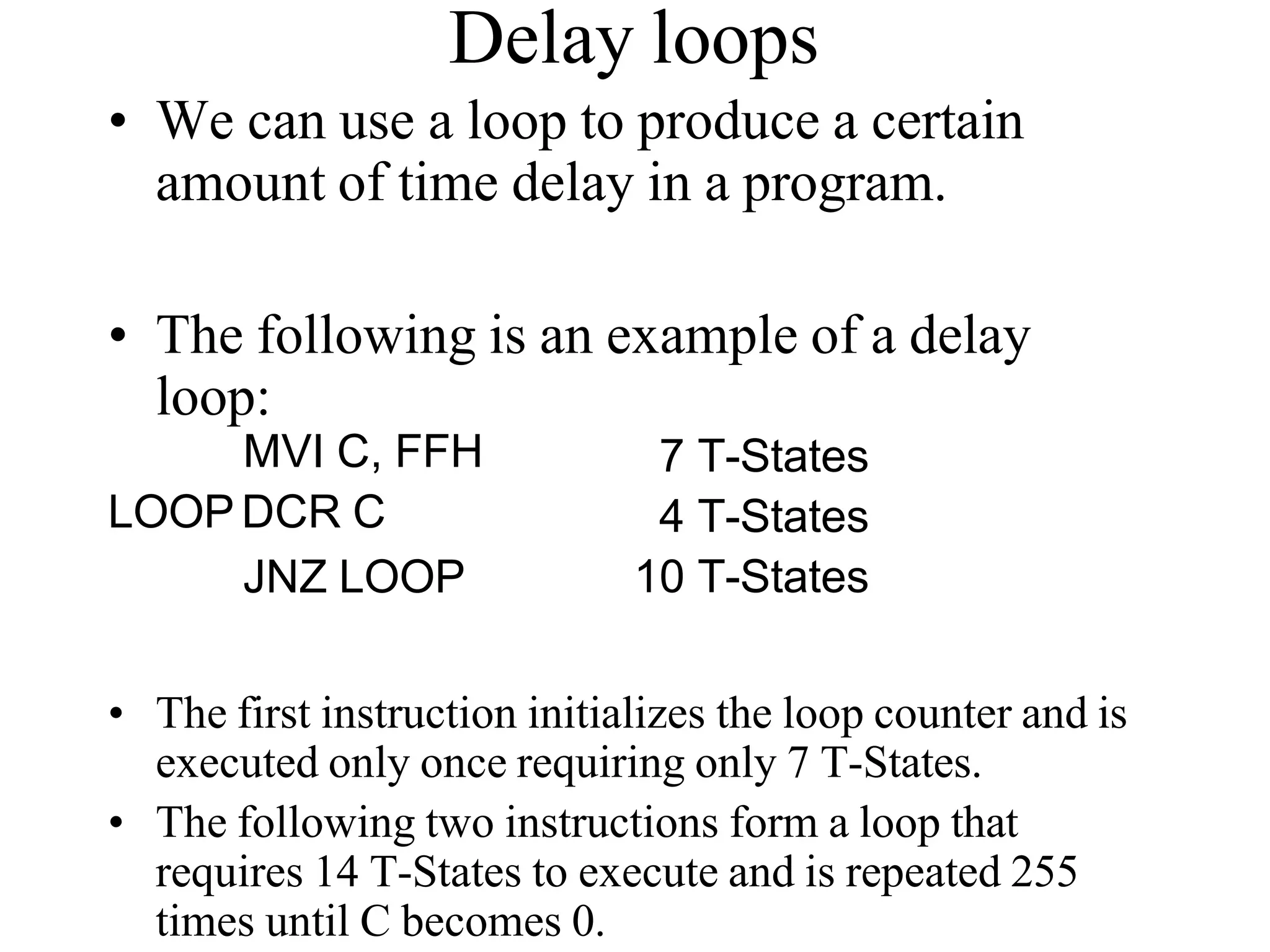
Delay loops
• We can use a loop to produce a certain
amount of time delay in a program.
• The following is an example of a delay
loop:
MVI C, FFH
LOOP DCR C
JNZ LOOP
7 T-States
4 T-States
10 T-States
• The first instruction initializes the loop counter and is
executed only once requiring only 7 T-States.
• The following two instructions form a loop that
requires 14 T-States to execute and is repeated 255
times until C becomes 0.
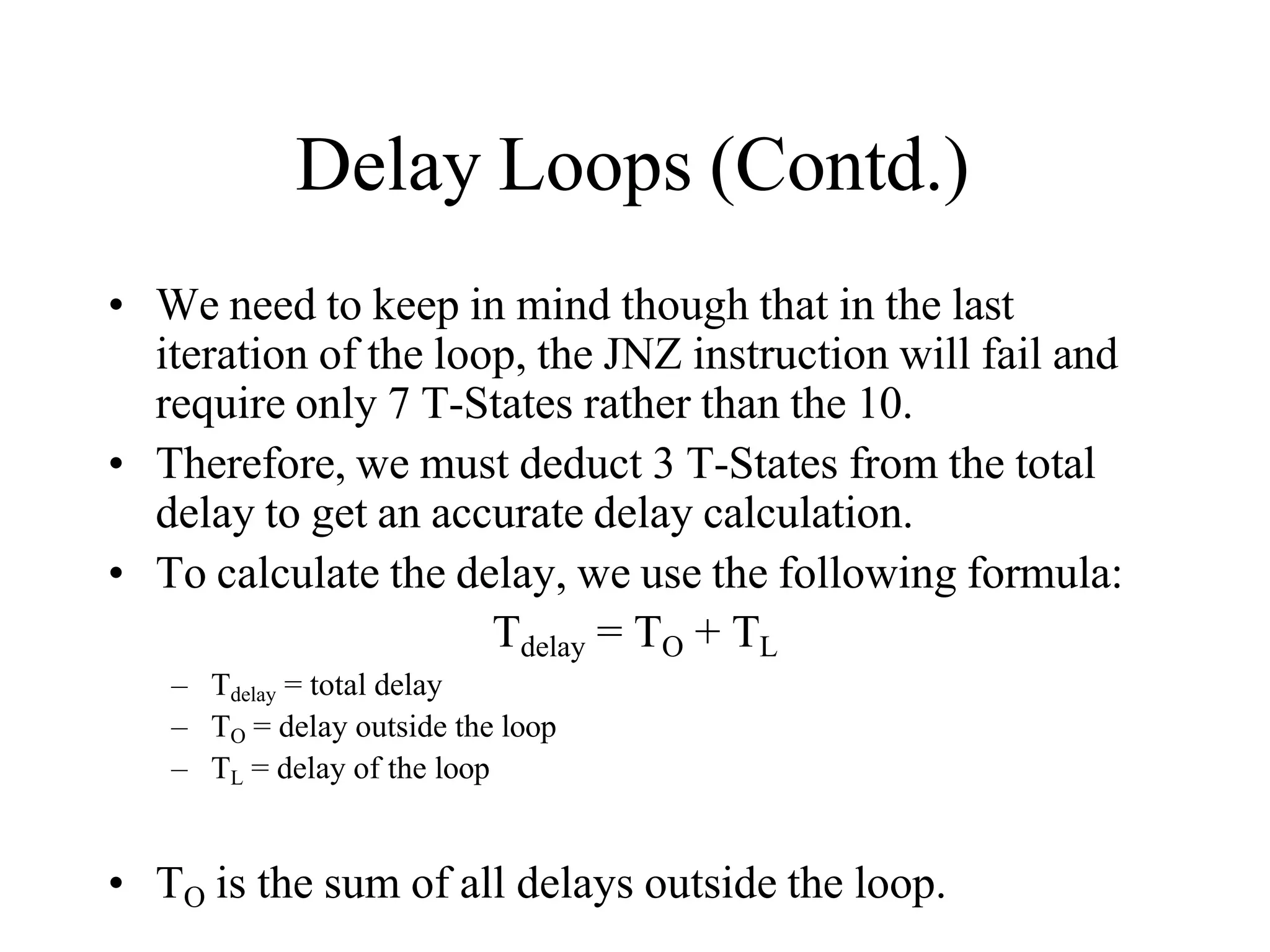
Delay Loops (Contd.)
• We need to keep in mind though that in the last
iteration of the loop, the JNZ instruction will fail and
require only 7 T-States rather than the 10.
• Therefore, we must deduct 3 T-States from the total
delay to get an accurate delay calculation.
• To calculate the delay, we use the following formula:
Tdelay = TO + TL
– Tdelay = total delay
– TO = delay outside the loop
– TL = delay of the loop
• TO is the sum of all delays outside the loop.
Delay Loops (Contd.)
• Using these formulas, we can calculate the
time delay for the previous example:
• TO = 7 T-States
– Delay of the MVI instruction
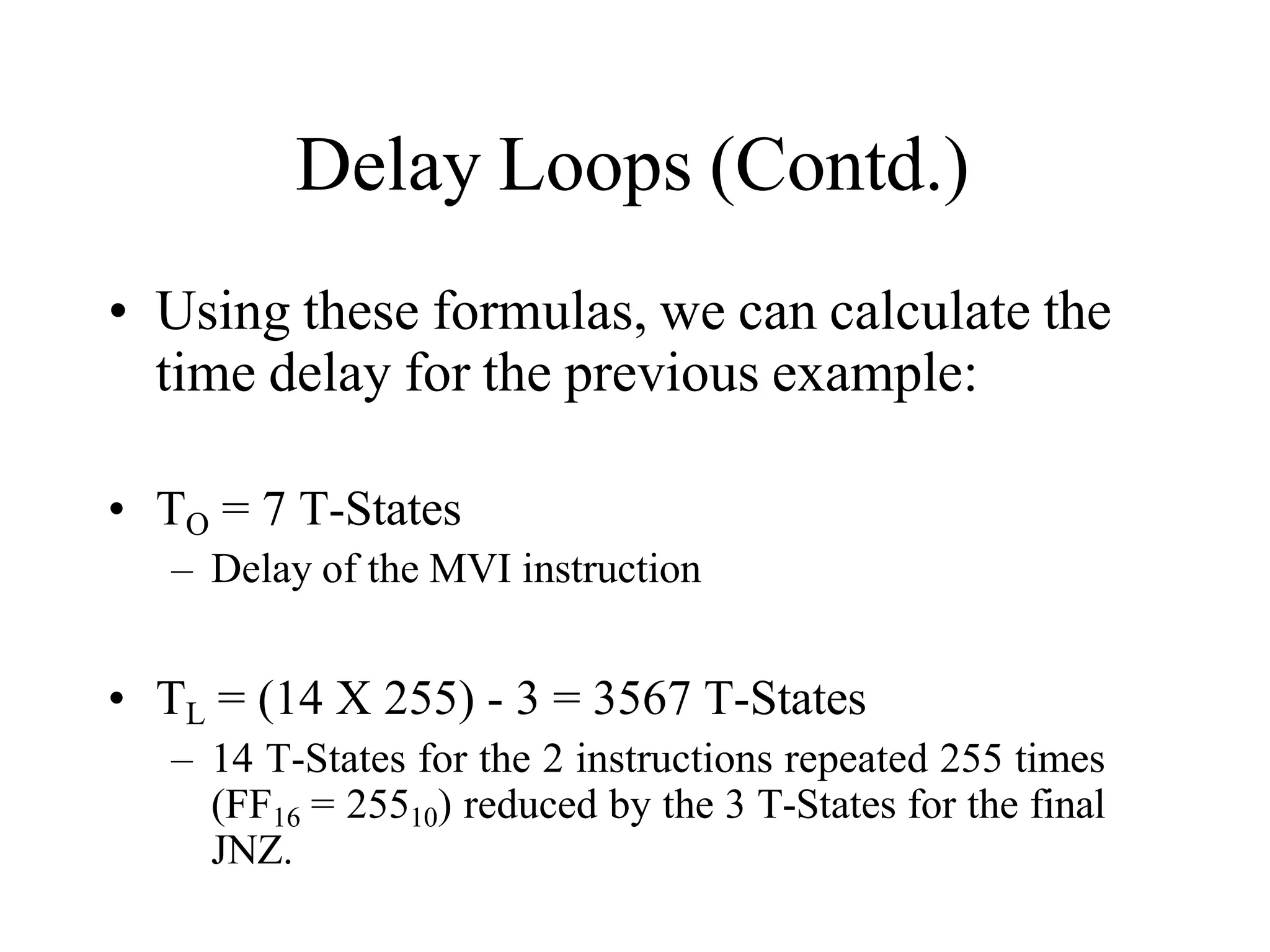
• TL = (14 X 255) - 3 = 3567 T-States
– 14 T-States for the 2 instructions repeated 255 times
(FF16 = 25510) reduced by the 3 T-States for the final
JNZ.
Using a Register Pair as a Loop
Counter
• Using a single register, one can repeat a loop for a
maximum count of 255 times.
• It is possible to increase this count by using a
register pair for the loop counter instead of the
single register.
– A minor problem arises in how to test for the final
count since DCX and INX do not modify the flags.
– However, if the loop is looking for when the count
becomes zero, we can use a small trick by ORing the
two registers in the pair and then checking the zero flag.
Using a Register Pair as a Loop
Counter
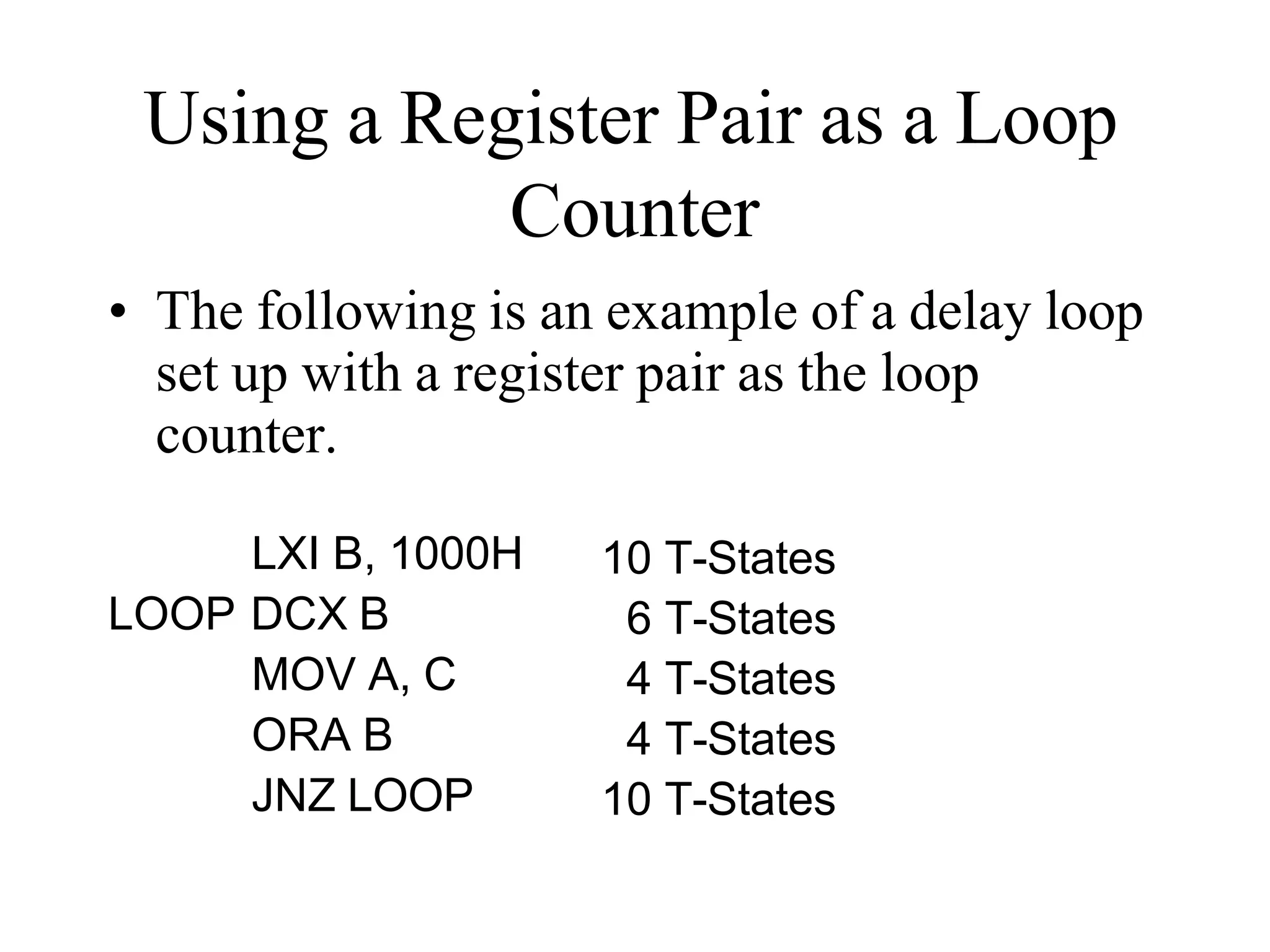
• The following is an example of a delay loop
set up with a register pair as the loop
counter.
LXI B, 1000H
LOOP DCX B
MOV A, C
ORA B
JNZ LOOP
10 T-States
6 T-States
4 T-States
4 T-States
10 T-States
Using a Register Pair as a Loop
Counter
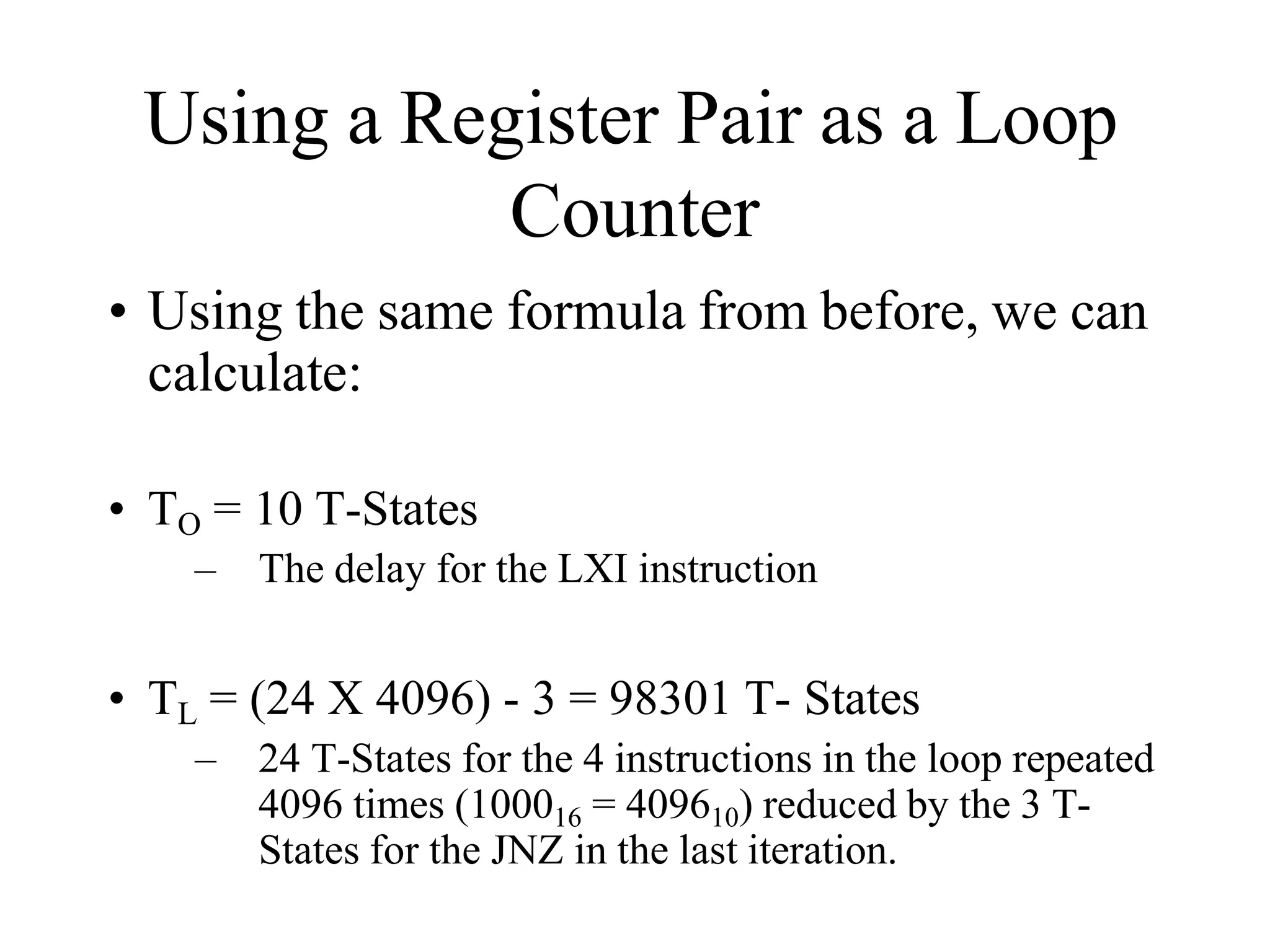
• Using the same formula from before, we can
calculate:
• TO = 10 T-States
– The delay for the LXI instruction
• TL = (24 X 4096) - 3 = 98301 T- States
– 24 T-States for the 4 instructions in the loop repeated
4096 times (100016 = 409610) reduced by the 3 T-
States for the JNZ in the last iteration.
Nested Loops
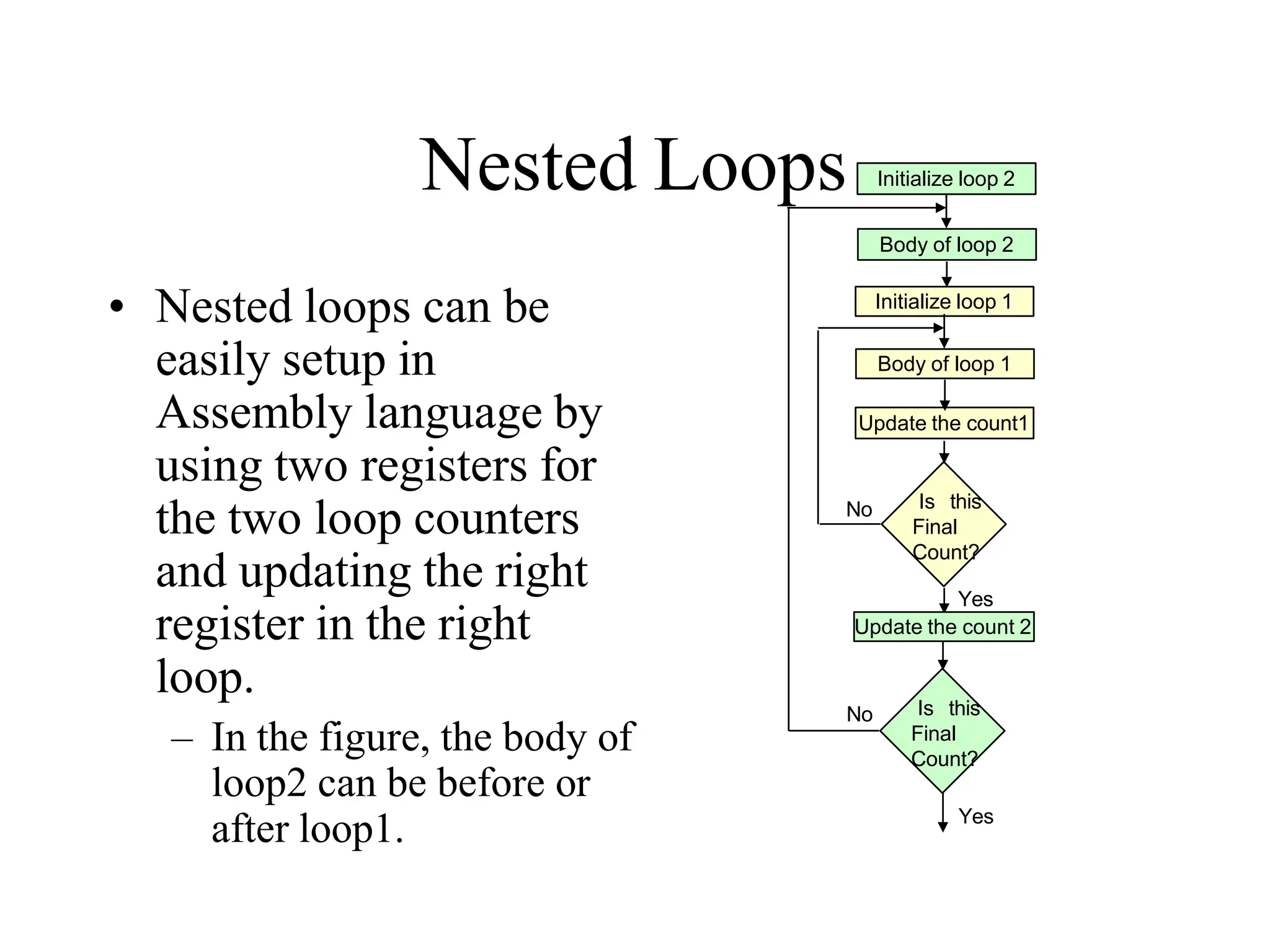
• Nested loops can be
easily setup in
Assembly language by
using two registers for
the two loop counters
and updating the right
register in the right
loop.
– In the figure, the body of
loop2 can be before or
after loop1.
Initialize loop 1
Update the count1
Is this
Final
Count?
Body of loop 1
No
Yes
Initialize loop 2
Body of loop 2
Update the count 2
Is this
Final
Count?
No
Yes
Nested Loops for Delay
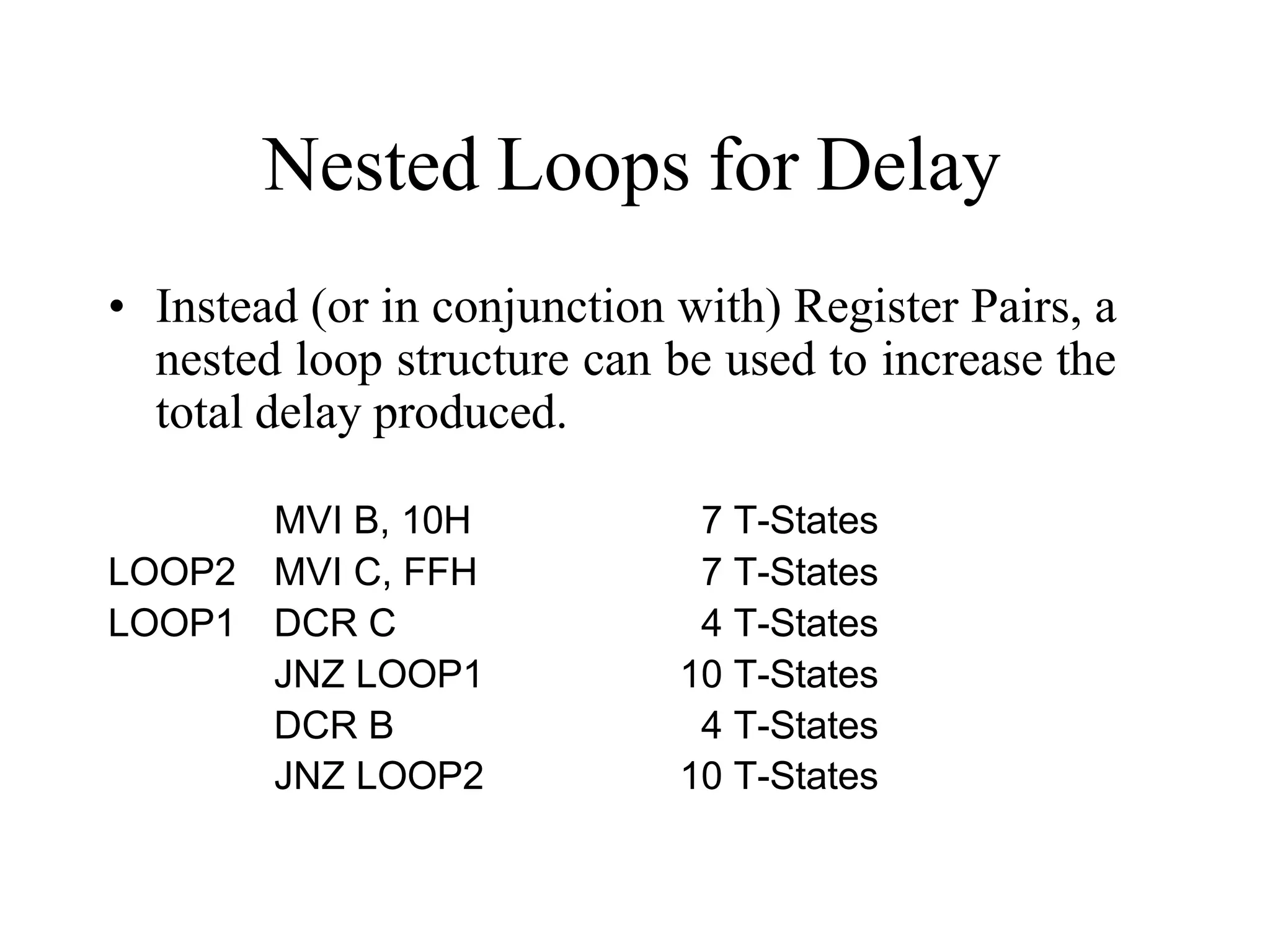
• Instead (or in conjunction with) Register Pairs, a
nested loop structure can be used to increase the
total delay produced.
MVI B, 10H 7 T-States
LOOP2 MVI C, FFH 7 T-States
LOOP1 DCR C 4 T-States
JNZ LOOP1 10 T-States
DCR B 4 T-States
JNZ LOOP2 10 T-States
Delay Calculation of Nested
Loops
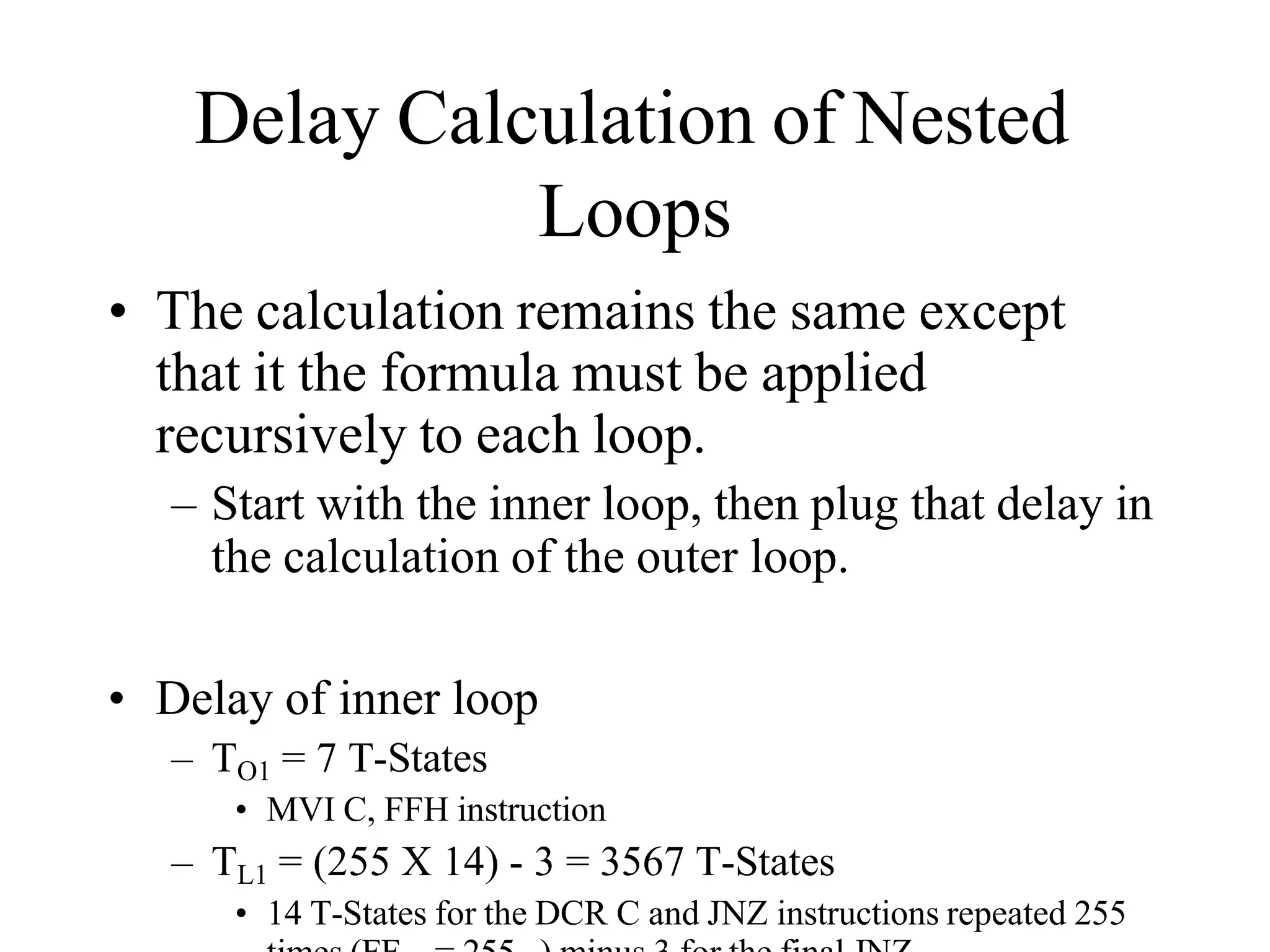
• The calculation remains the same except
that it the formula must be applied
recursively to each loop.
– Start with the inner loop, then plug that delay in
the calculation of the outer loop.
• Delay of inner loop
– TO1 = 7 T-States
• MVI C, FFH instruction
– TL1 = (255 X 14) - 3 = 3567 T-States
• 14 T-States for the DCR C and JNZ instructions repeated 255
Delay Calculation of Nested
Loops
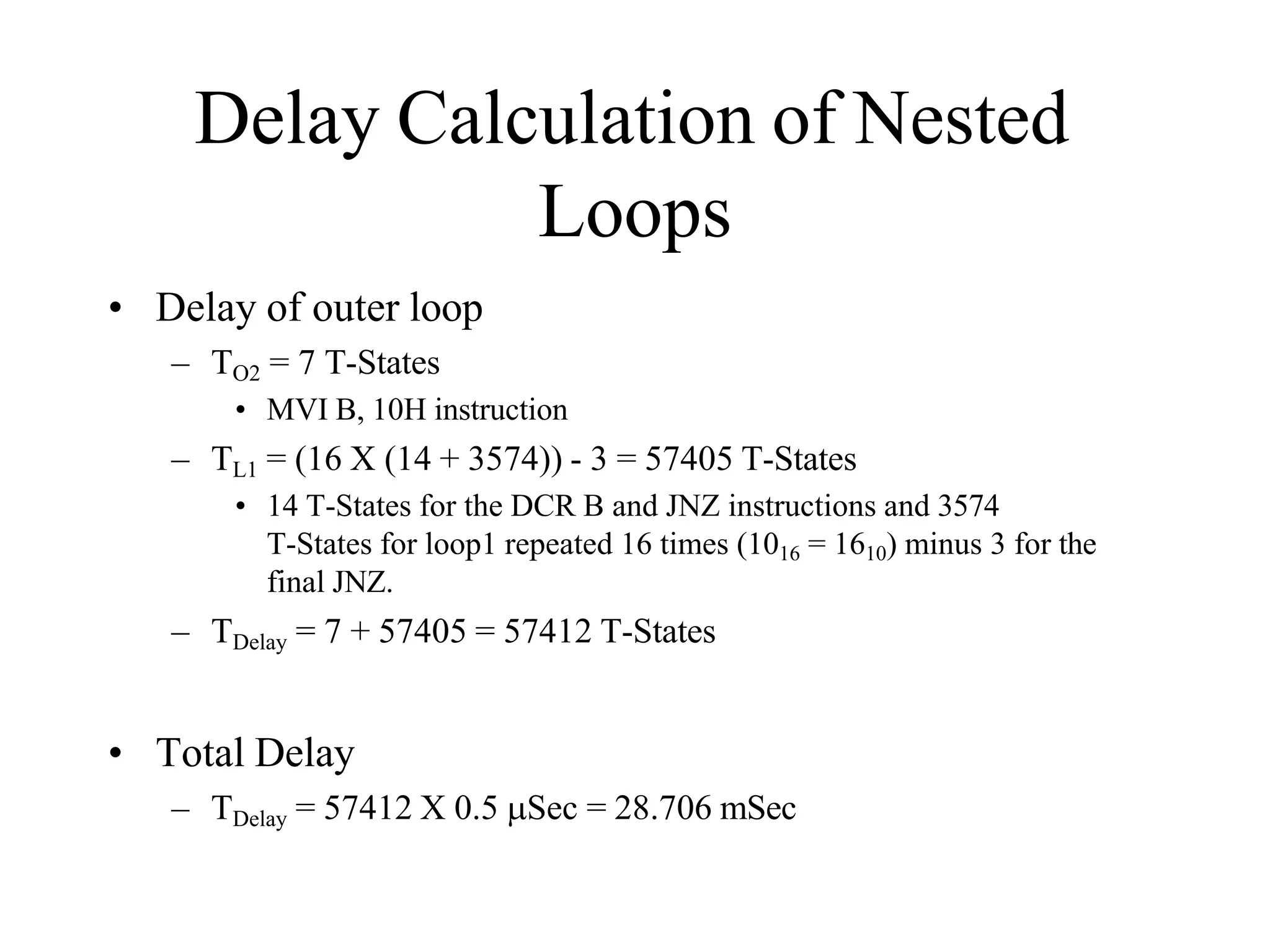
• Delay of outer loop
– TO2 = 7 T-States
• MVI B, 10H instruction
– TL1 = (16 X (14 + 3574)) - 3 = 57405 T-States
• 14 T-States for the DCR B and JNZ instructions and 3574
T-States for loop1 repeated 16 times (1016 = 1610) minus 3 for the
final JNZ.
– TDelay = 7 + 57405 = 57412 T-States
• Total Delay
– TDelay = 57412 X 0.5 Sec = 28.706 mSec
Increasing the delay
• The delay can be further increased by using
register pairs for each of the loop counters
in the nested loops setup.
• It can also be increased by adding dummy
instructions (like NOP) in the body of the
loop.
Representation of Various Control signals generated during
Execution of an Instruction.
Following Buses and Control Signals must be shown in a
Timing Diagram:
•Higher Order Address Bus.
•Lower Address/Data bus
•ALE
•RD
•WR
•IO/M
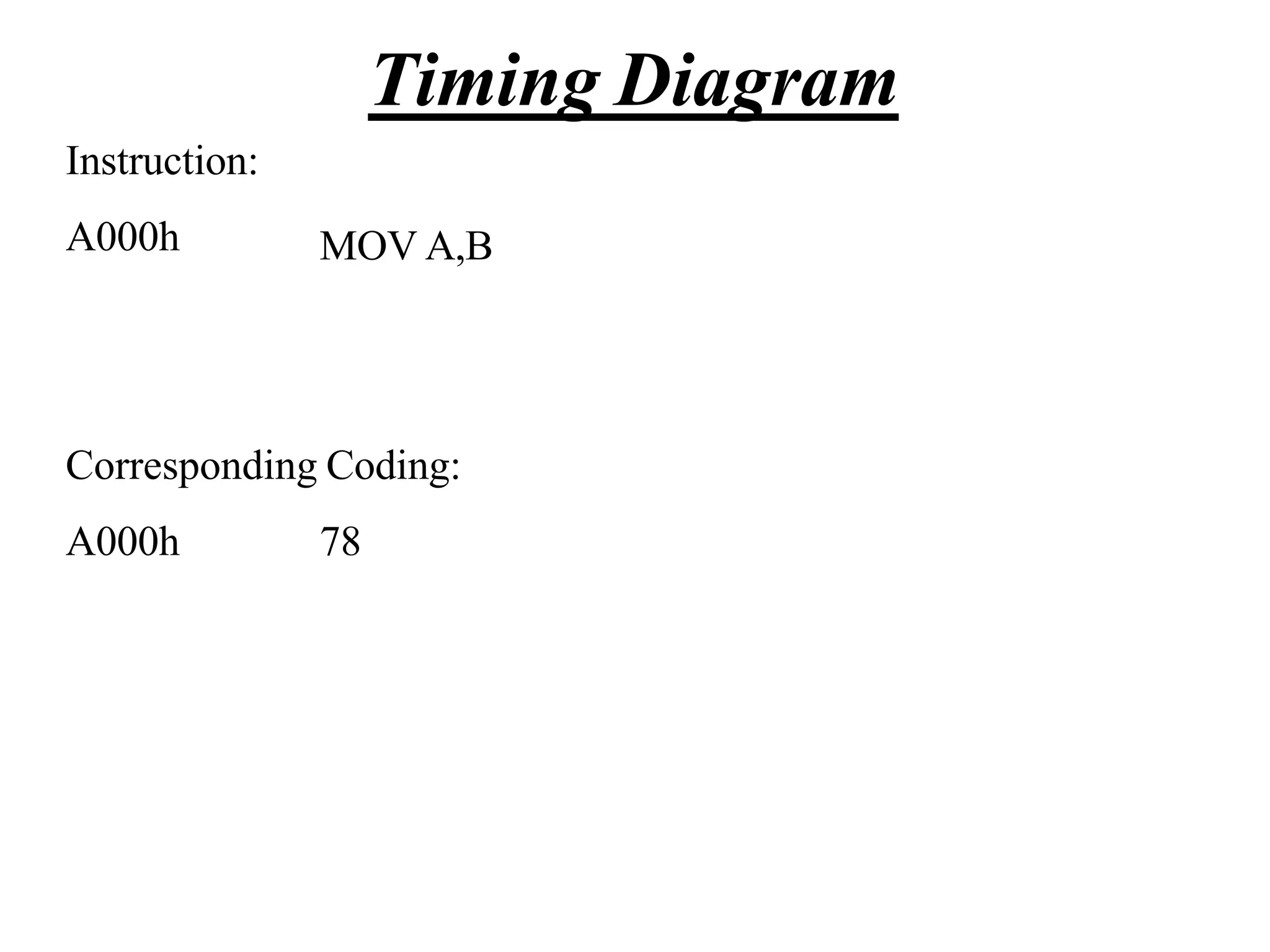
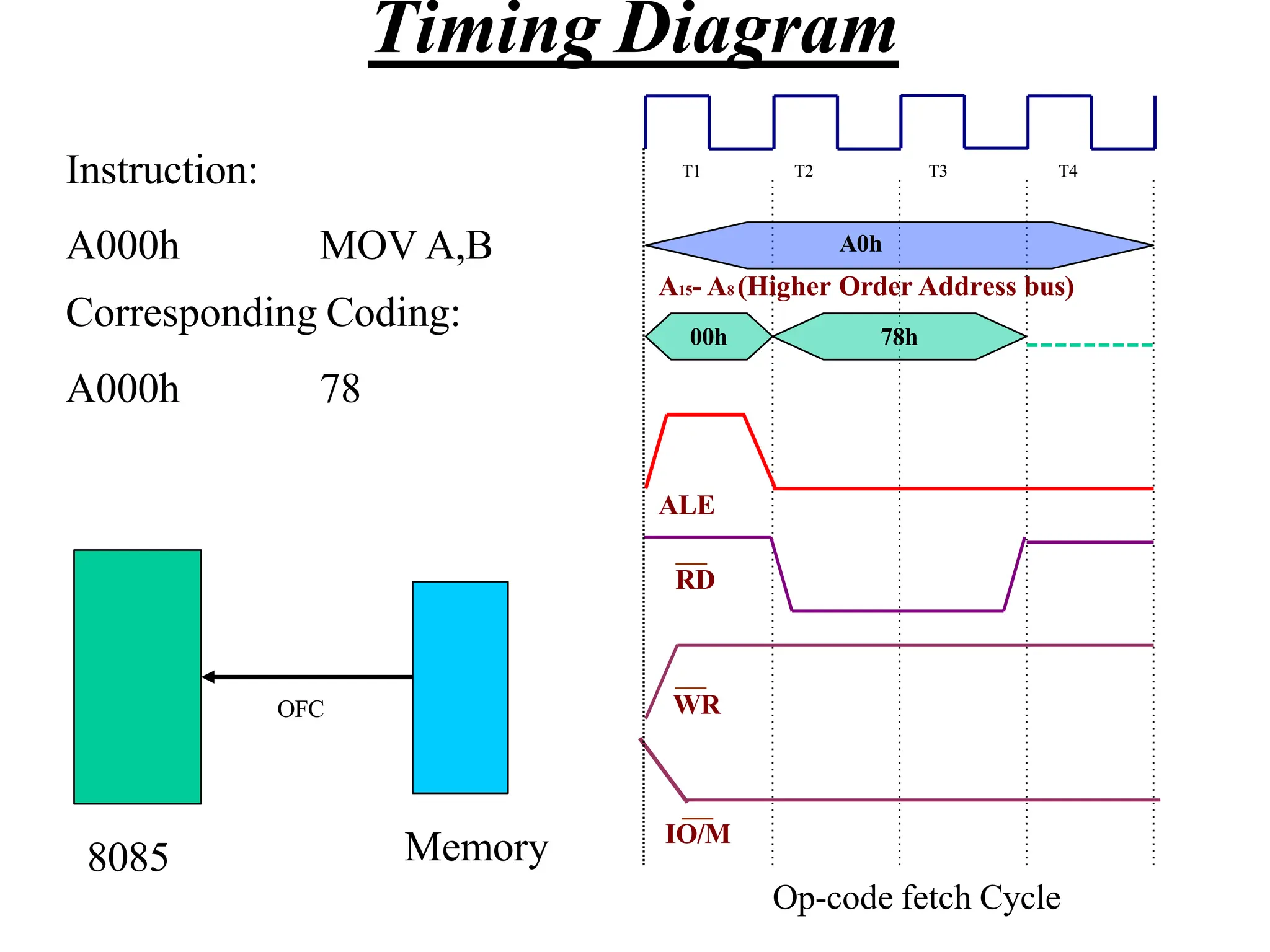
Timing Diagram
Instruction:
A000h MOV A,B
Corresponding Coding:
A000h 78
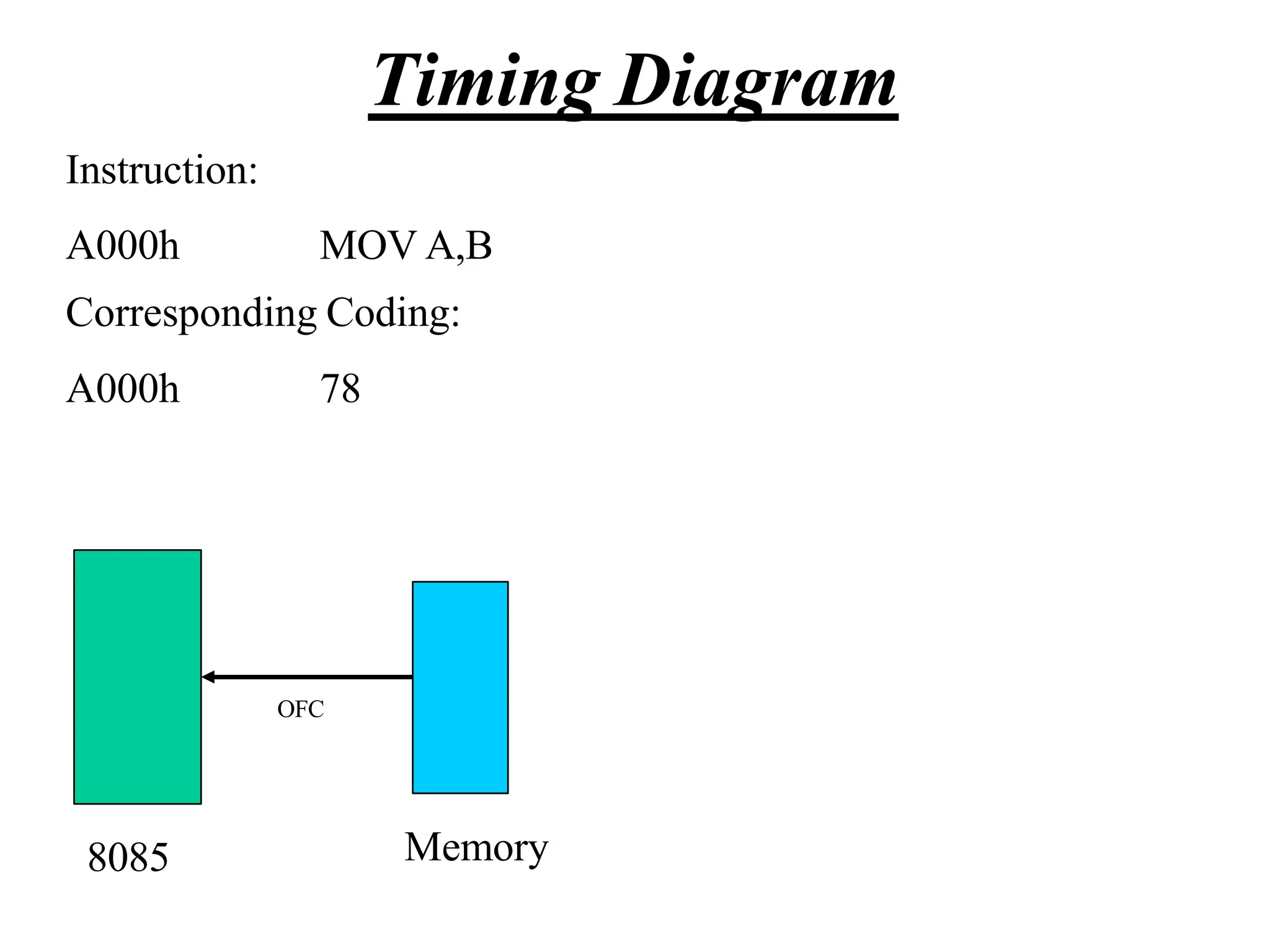
Timing Diagram
Instruction:
A000h MOV A,B
Corresponding Coding:
A000h 78
8085 Memory
OFC
Timing Diagram
ALE
RD
WR
IO/M
T1 T2 T3 T4
A0h
A15- A8 (Higher Order Address bus)
00h 78h
Instruction:
A000h MOV A,B
Corresponding Coding:
A000h 78
8085 Memory
OFC
Op-code fetch Cycle
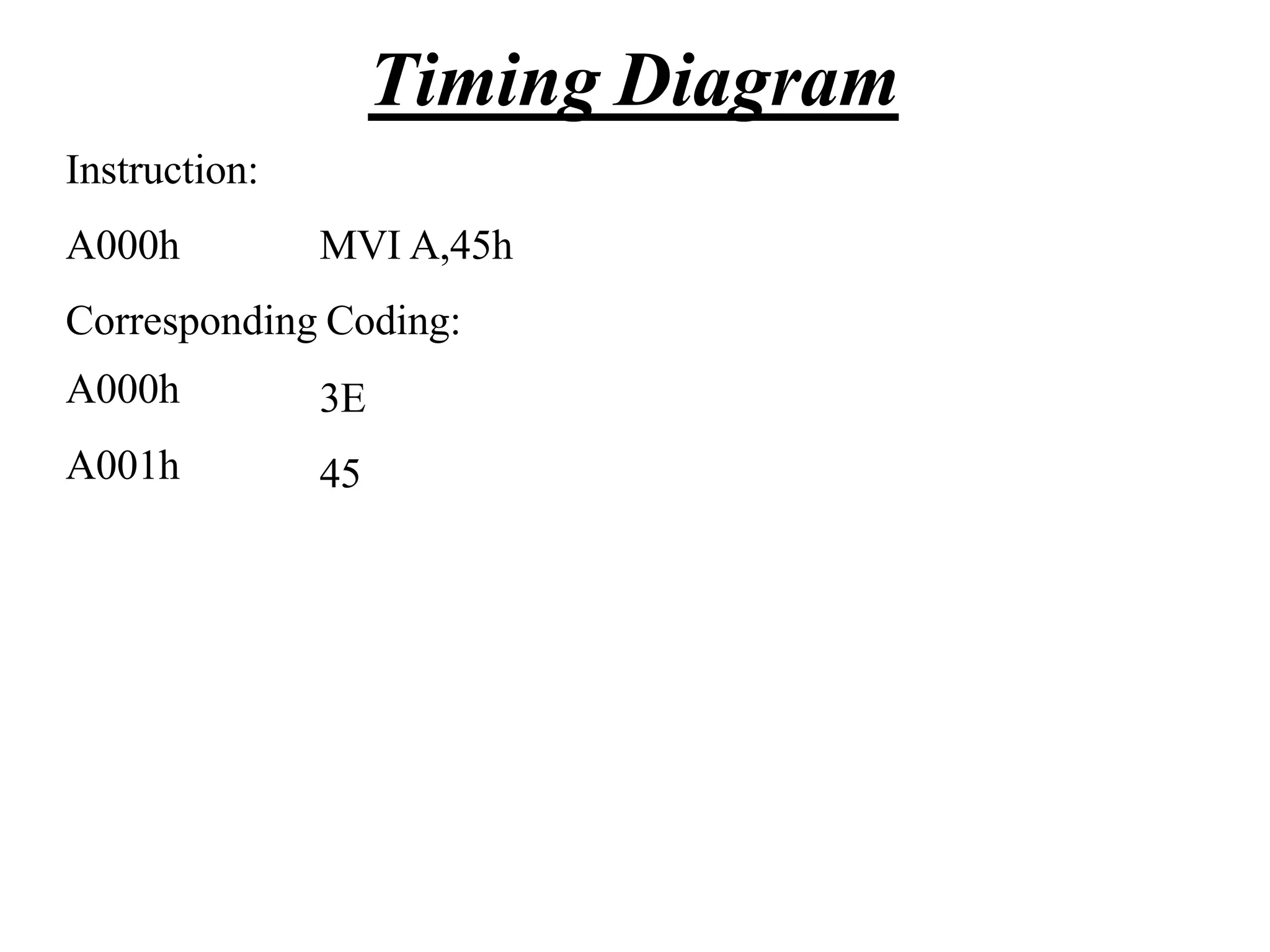
Timing Diagram
Instruction:
A000h MVI A,45h
Corresponding Coding:
A000h
A001h
3E
45
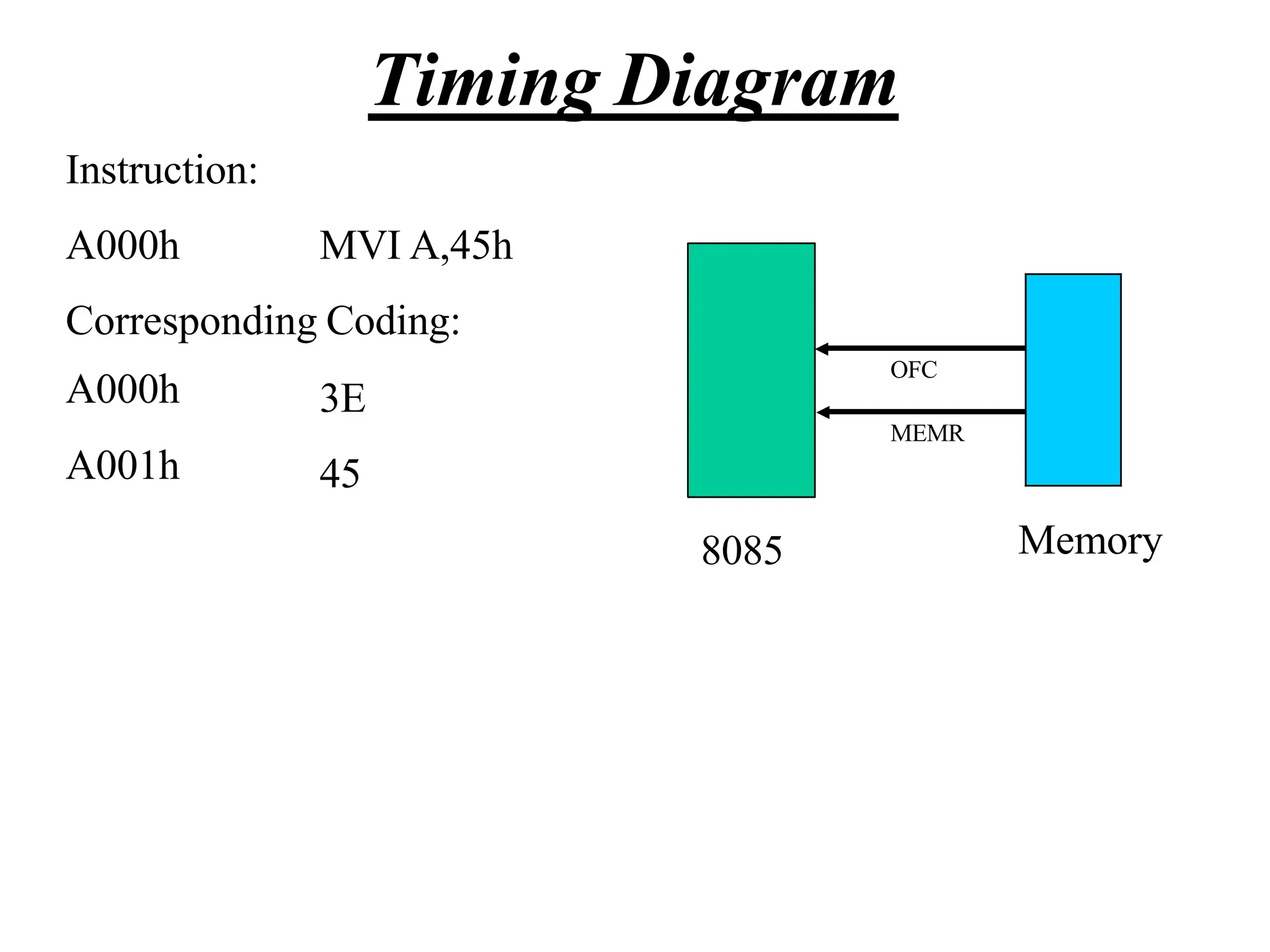
Timing Diagram
Instruction:
A000h MVI A,45h
Corresponding Coding:
A000h
A001h
3E
45
OFC
MEMR
8085 Memory
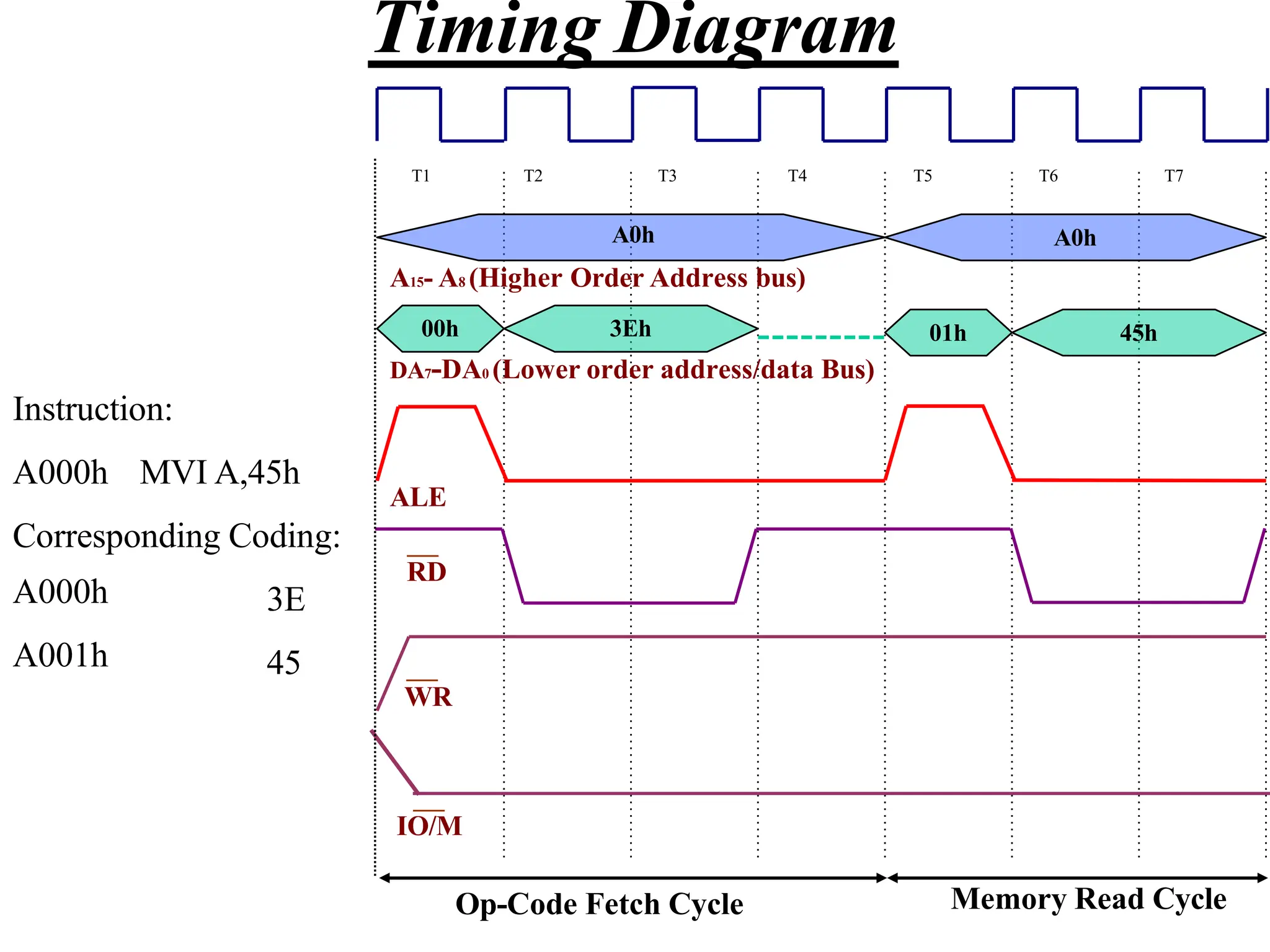
Timing Diagram
01h 45h
A0h
A15- A8 (Higher Order Address bus)
00h 3Eh
DA7-DA0 (Lower order address/data Bus)
ALE
RD
WR
IO/M
Op-Code Fetch Cycle Memory Read Cycle
T1 T2 T3 T4 T5 T6 T7
A0h
Instruction:
A000h MVI A,45h
Corresponding Coding:
A000h
A001h
3E
45
Timing Diagram
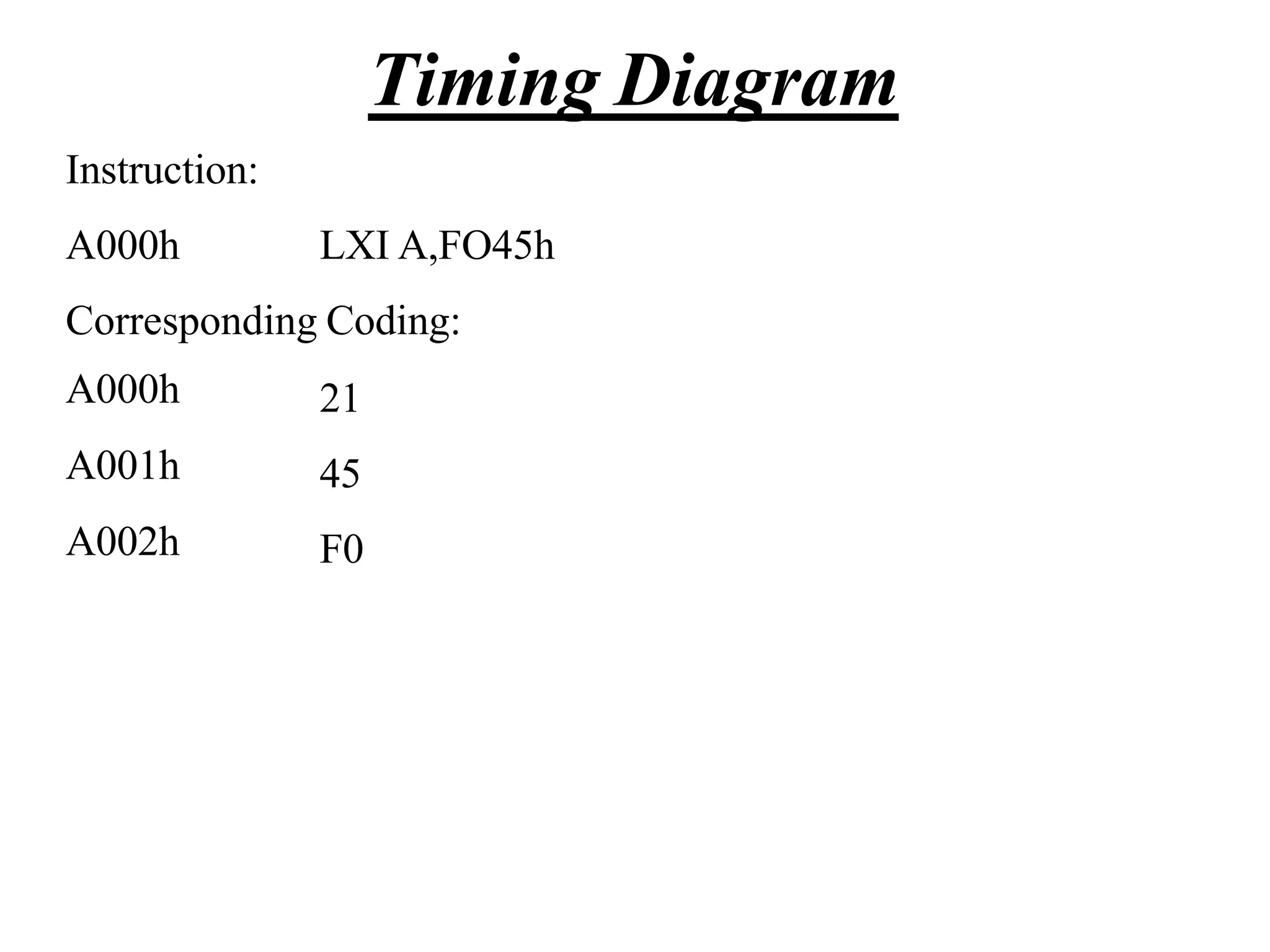
Instruction:
A000h LXI A,FO45h
Corresponding Coding:
A000h
A001h
A002h
21
45
F0
Timing Diagram
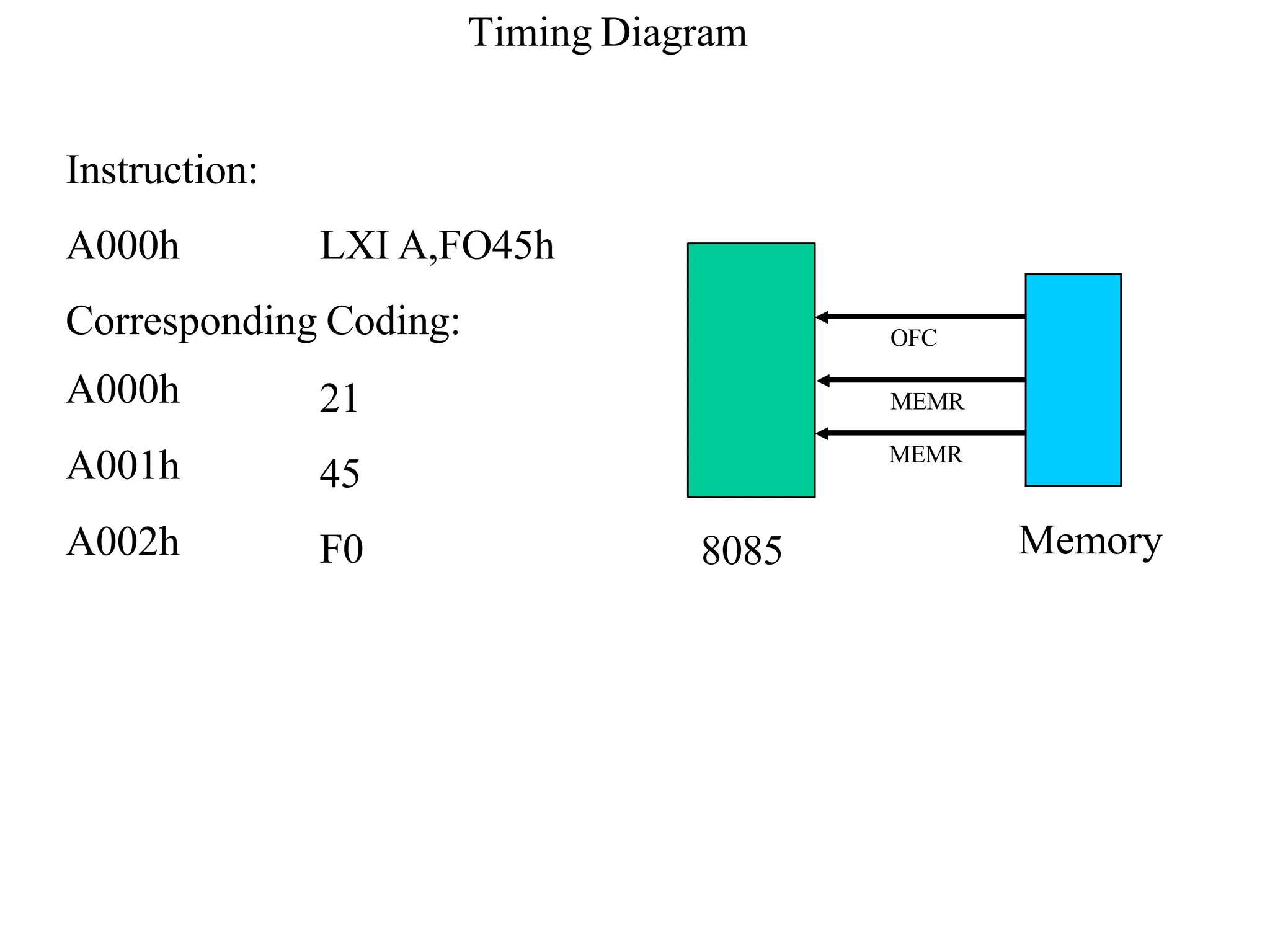
Instruction:
A000h LXI A,FO45h
Corresponding Coding:
A000h
A001h
A002h
21
45
F0
Timing Diagram
OFC
MEMR
MEMR
8085 Memory
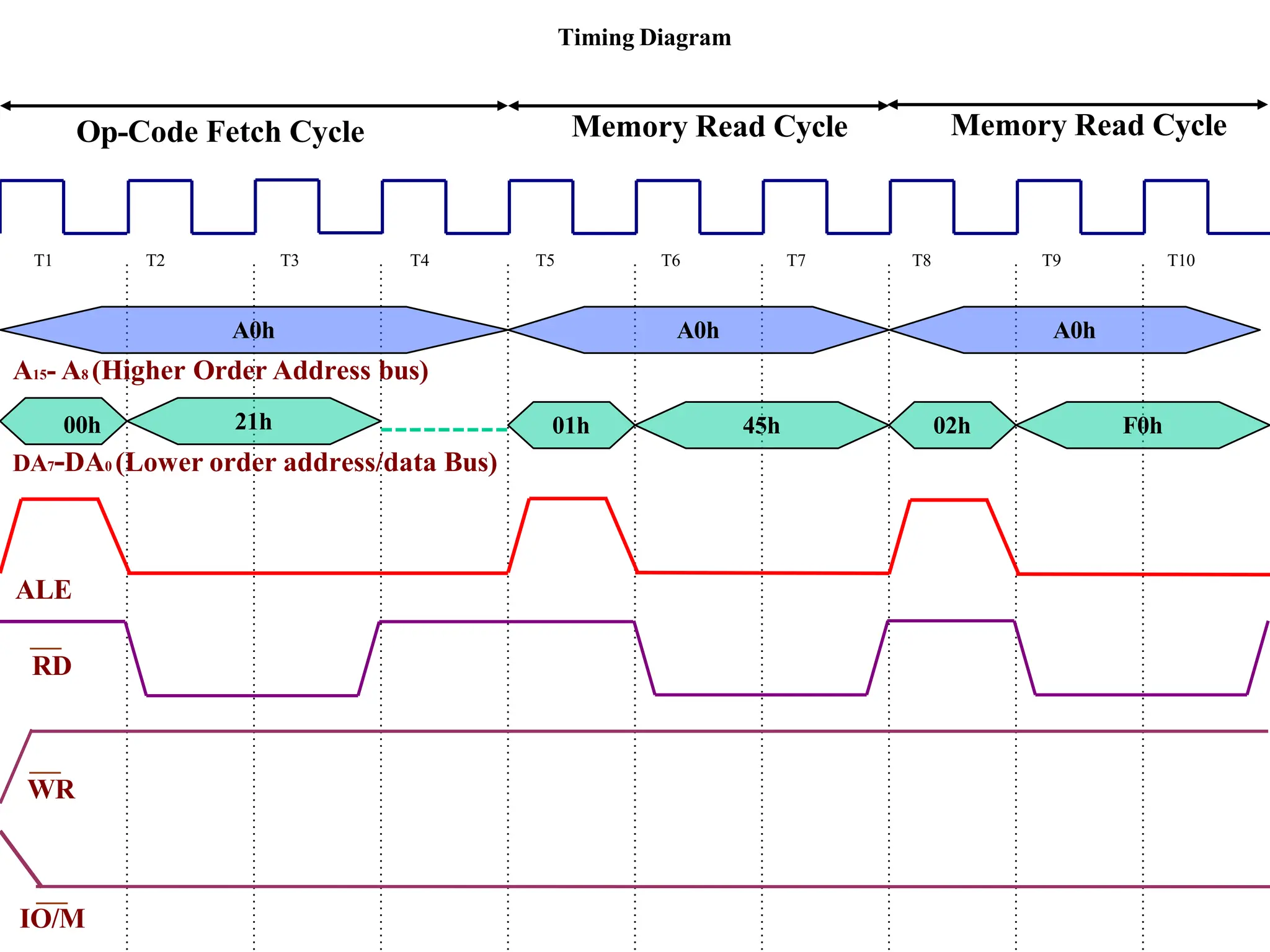
Timing Diagram
T1 T2 T3 T4 T5 T6 T7 T8 T9 T10
21h 01h 45h 02h F0h
A0h A0h A0h
A15- A8 (Higher Order Address bus)
DA7-DA0 (Lower order address/data Bus)
ALE
RD
WR
IO/M
00h
Op-Code Fetch Cycle Memory Read Cycle Memory Read Cycle
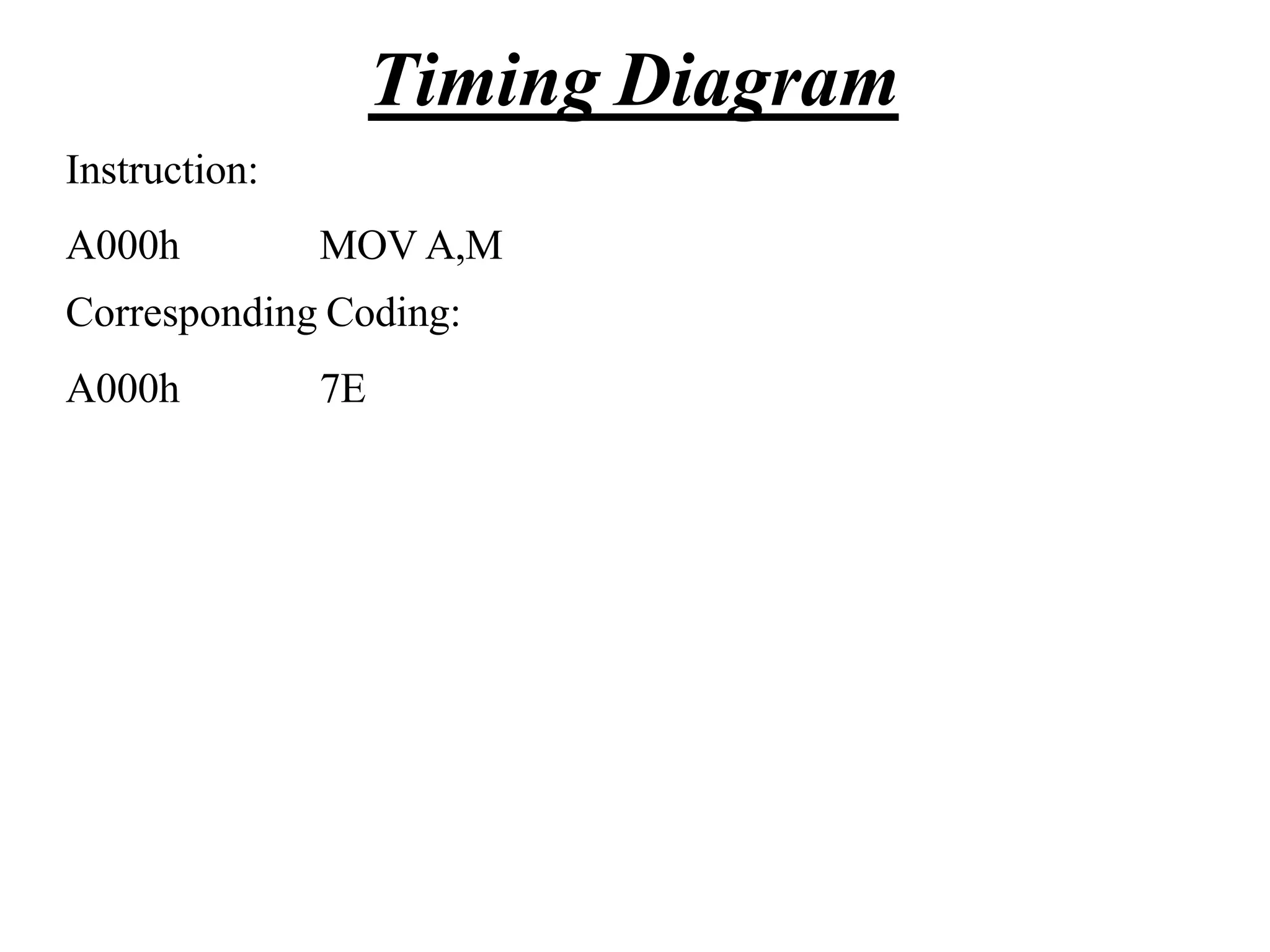
Instruction:
A000h MOV A,M
Corresponding Coding:
A000h 7E
Timing Diagram
OFC
MEMR
8085 Memory
Instruction:
A000h MOV A,M
Corresponding Coding:
A000h 7E
Timing Diagram
L Reg Content Of M
A15- A8 (Higher Order Address bus)
00h 7Eh
DA7-DA0 (Lower order address/data Bus)
ALE
RD
WR
IO/M
Op-Code Fetch Cycle Memory Read Cycle
T1 T2 T3 T4 T5 T6 T7
Content Of Reg H
A0h
Timing Diagram
Instruction:
A000h MOV A,M
Corresponding Coding:
A000h 7E
Instruction:
A000h MOV M,A
Corresponding Coding:
A000h 77
Timing Diagram
Instruction:
A000h MOV M,A
Corresponding Coding:
A000h 77
Timing Diagram
8085 Memory
OFC
MEMW
L Reg Content of Reg A
A15- A8 (Higher Order Address bus)
00h 7Eh
DA7-DA0 (Lower order address/data Bus)
ALE
RD
WR
IO/M
Op-Code Fetch Cycle Memory Write Cycle
T1 T2 T3 T4 T5 T6 T7
Content Of Reg H
A0h
Timing Diagram
Instruction:
A000h MOV M,A
Corresponding Coding:
A000h 77
Chapter 9
Stack and Subroutines
The Stack
• The stack is an area of memory identified by the
programmer for temporary storage of information.
• The stack is a LIFO structure.
– Last In First Out.
• The stack normally grows backwards into
memory.
– In other words, the programmer
defines the bottom of the stack
and the stack grows up into
reducing address range.
Memory
Bottom
of the
Stack
The Stack
grows
backwards
into memory
The Stack
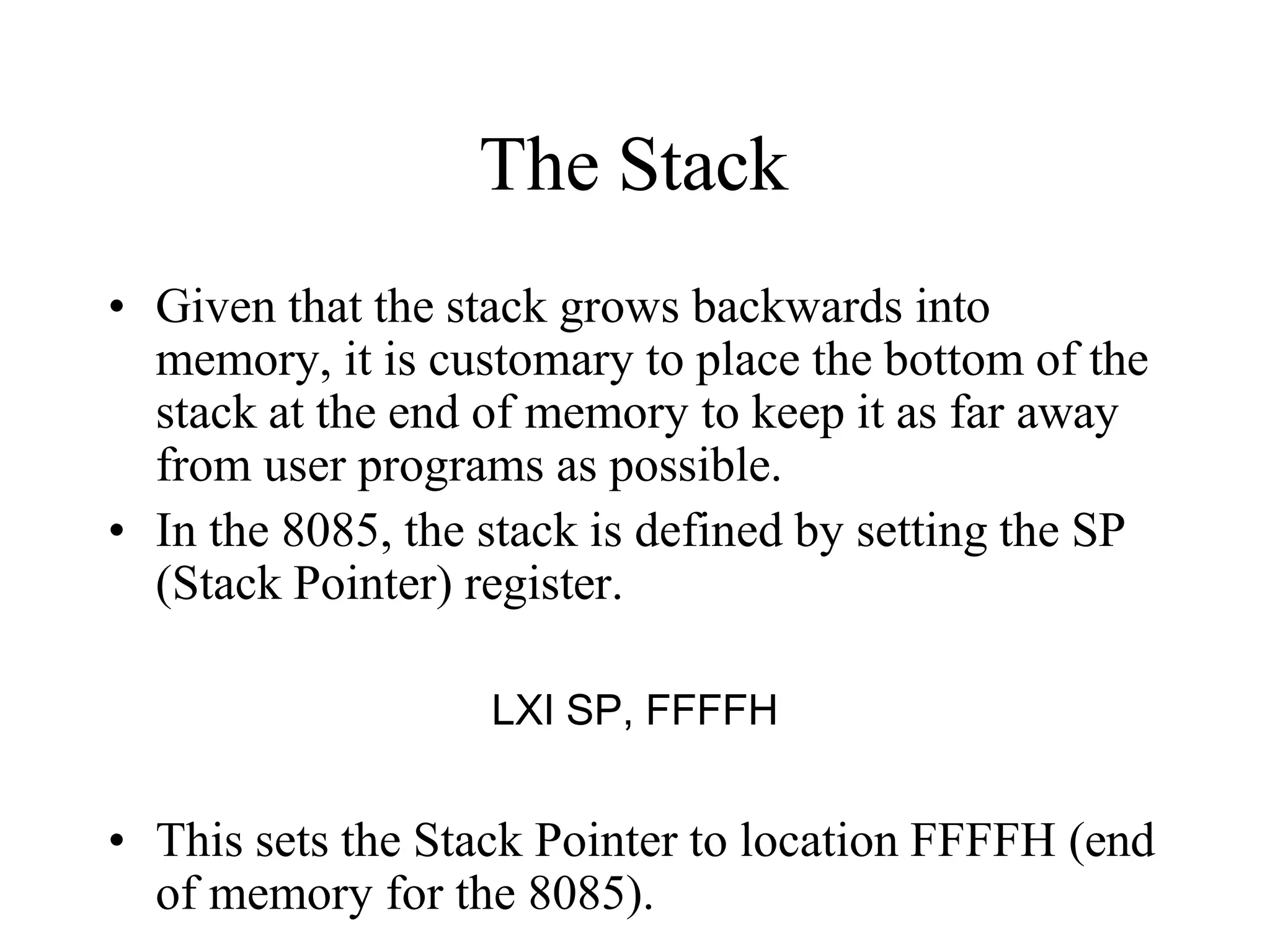
• Given that the stack grows backwards into
memory, it is customary to place the bottom of the
stack at the end of memory to keep it as far away
from user programs as possible.
• In the 8085, the stack is defined by setting the SP
(Stack Pointer) register.
LXI SP, FFFFH
• This sets the Stack Pointer to location FFFFH (end
of memory for the 8085).
Saving Information on the Stack
• Information is saved on the stack by PUSHing it
on.
– It is retrieved from the stack by POPing it off.
• The 8085 provides two instructions: PUSH and
POP for storing information on the stack and
retrieving it back.
– Both PUSH and POP work with register pairs ONLY.
The PUSH Instruction
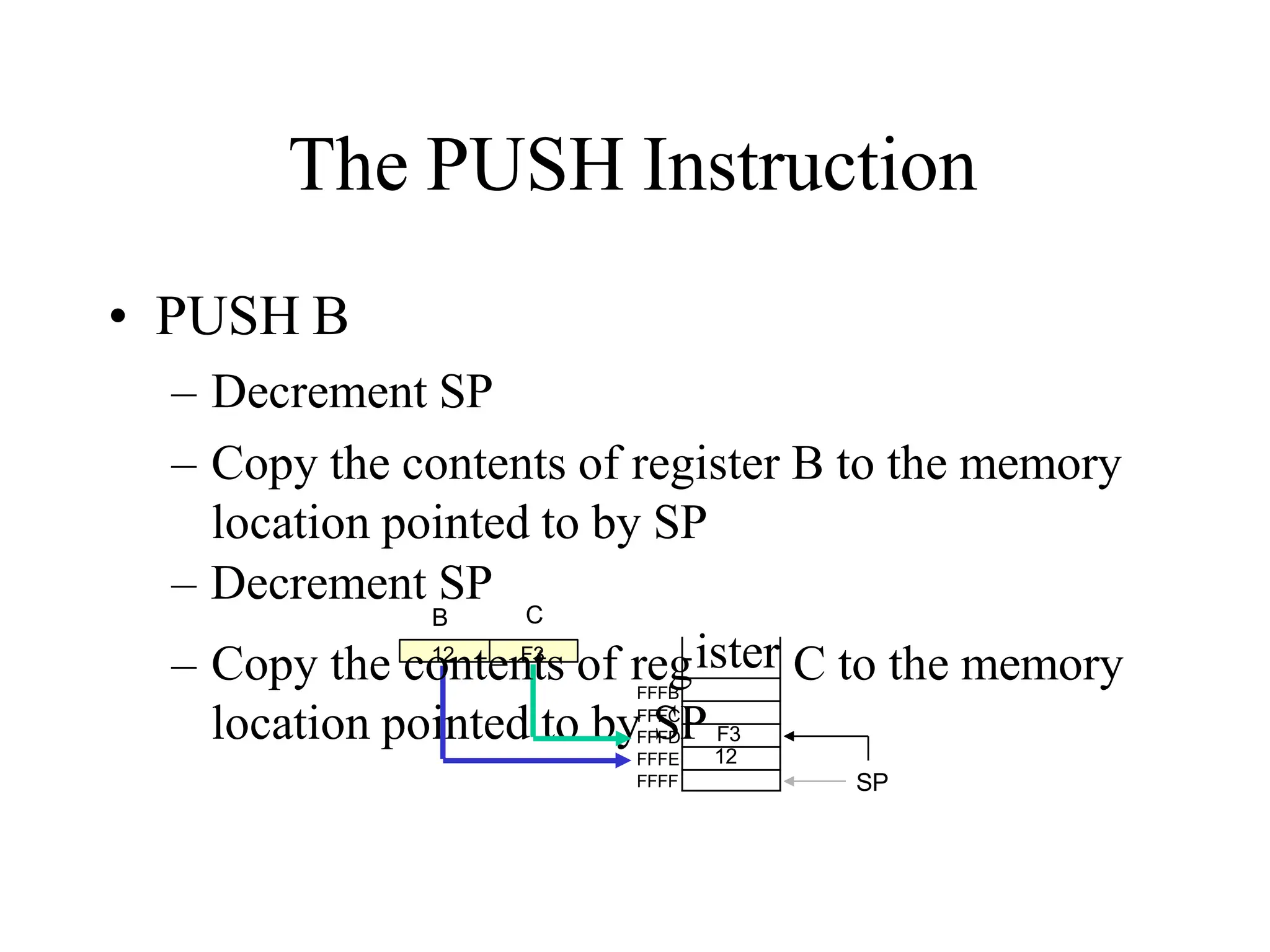
• PUSH B
– Decrement SP
– Copy the contents of register B to the memory
location pointed to by SP
– Decrement SP
B C
SP
FFFD
FFFE
FFFF
FFFC
FFFB
– Copy the co
12
nten
F
t
3
s of reg C to the memory
ister
F3
12
The POP Instruction
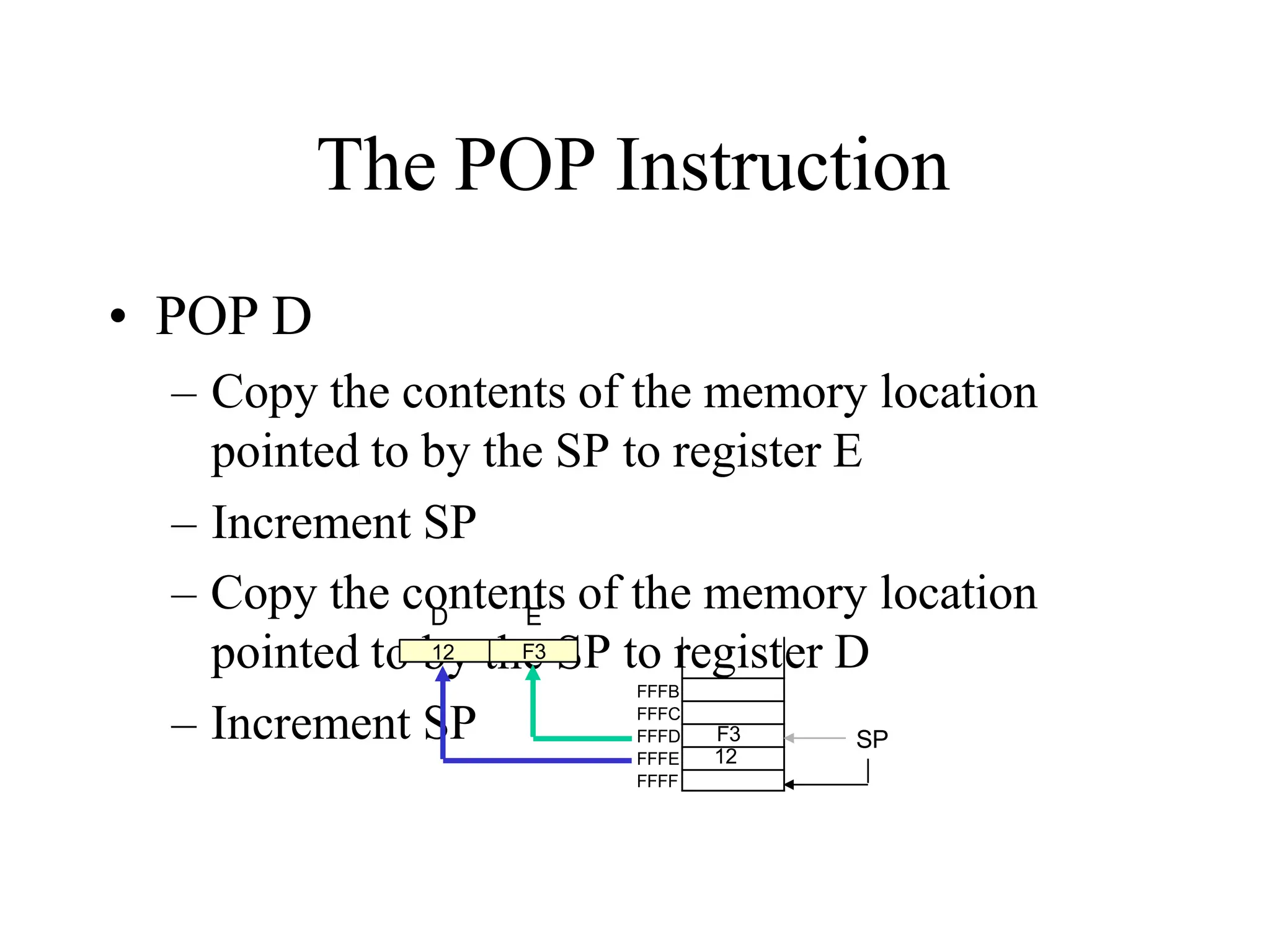
• POP D
– Copy the contents of the memory location
pointed to by the SP to register E
– Increment SP
– Copy the contents of the memory location
o by the S
pointed t P to r er D
– Increment SP
D E
SP
FFFB
FFFC
FFFD
FFFE
FFFF
12 F3 egist
F3
12
Operation of the Stack
• During pushing, the stack operates in a
“decrement then store” style.
– The stack pointer is decremented first, then the
information is placed on the stack.
• During poping, the stack operates in a “use then
increment” style.
– The information is retrieved from the top of the the
stack and then the pointer is incremented.
• The SP pointer always points to “the top of the
stack”.
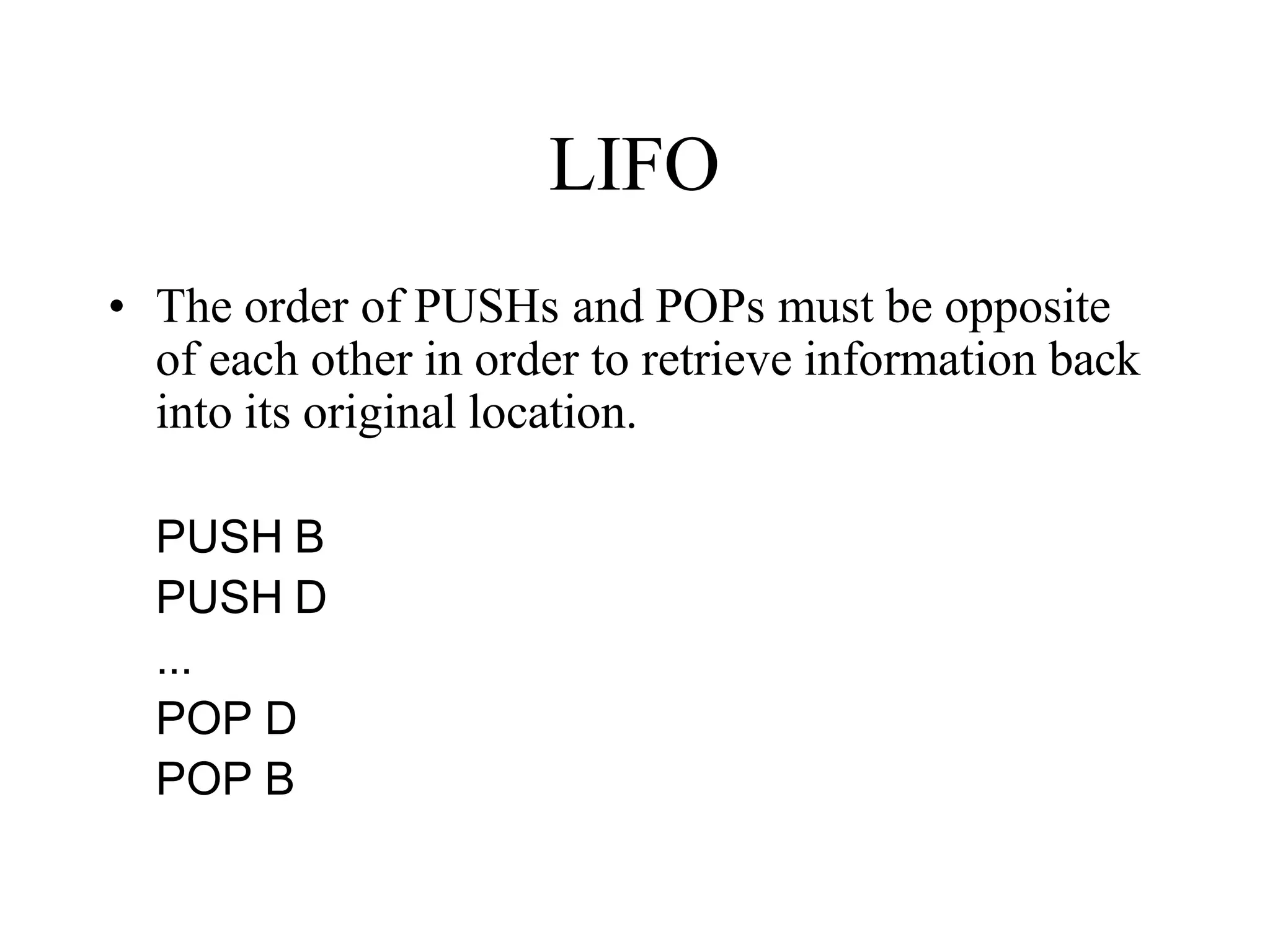
LIFO
• The order of PUSHs and POPs must be opposite
of each other in order to retrieve information back
into its original location.
PUSH B
PUSH D
...
POP D
POP B
The PSW Register Pair
• The 8085 recognizes one additional register pair
called the PSW (Program Status Word).
– This register pair is made up of the Accumulator and
the Flags registers.
• It is possible to push the PSW onto the stack, do
whatever operations are needed, then POP it off of
the stack.
– The result is that the contents of the Accumulator and
the status of the Flags are returned to what they were
before the operations were executed.
Subroutines
• A subroutine is a group of instructions that will be
used repeatedly in different locations of the
program.
– Rather than repeat the same instructions several times,
they can be grouped into a subroutine that is called
from the different locations.
• In Assembly language, a subroutine can exist
anywhere in the code.
– However, it is customary to place subroutines
separately from the main program.
Subroutines
• The 8085 has two instructions for dealing
with subroutines.
– The CALL instruction is used to redirect
program execution to the subroutine.
– The RTE insutruction is used to return the
execution to the calling routine.
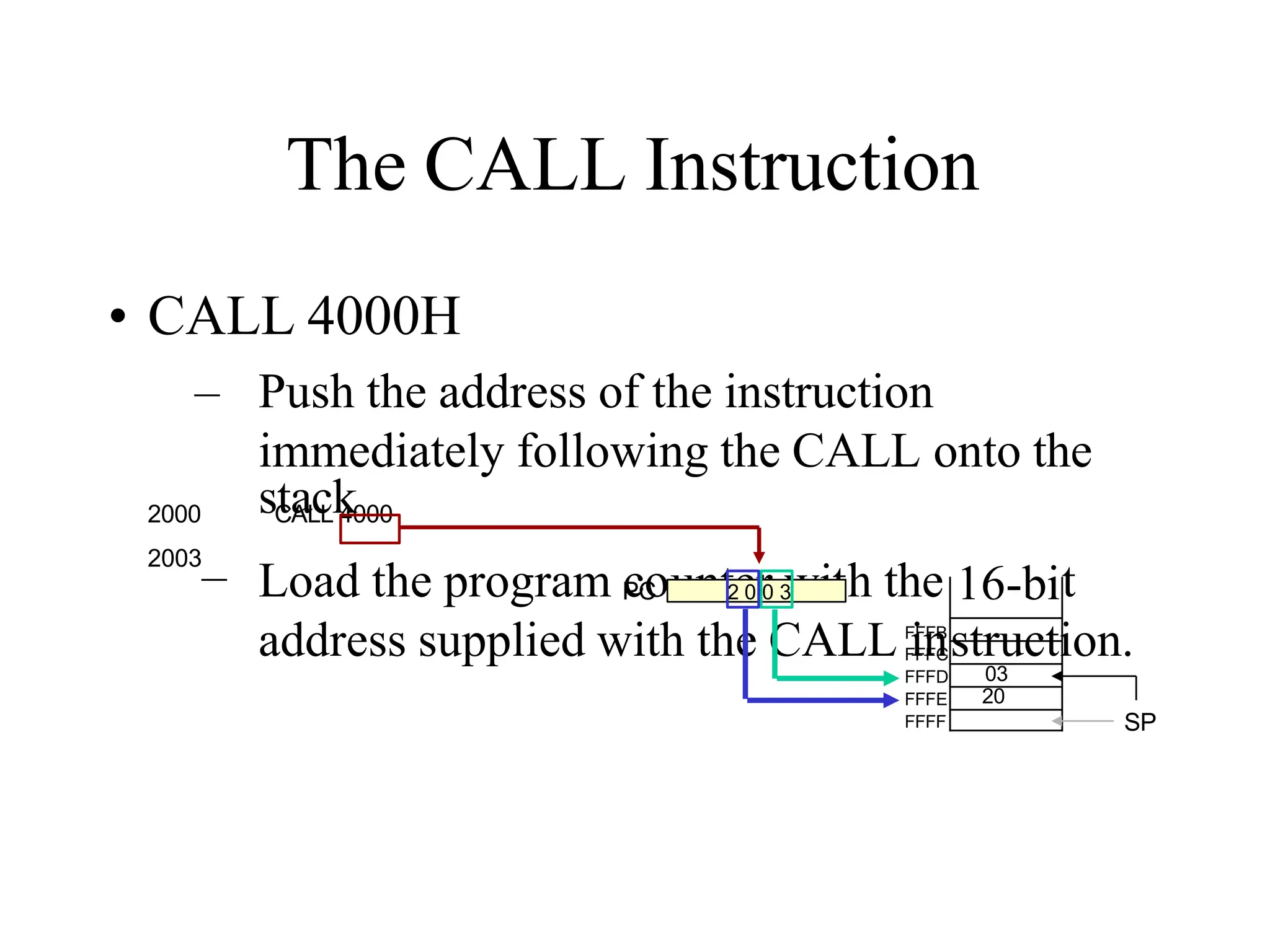
The CALL Instruction
• CALL 4000H
– Push the address of the instruction
immediately following the CALL onto the
unter wit
Load the program co h the t
address supplied with the CALL instruction.
PC
SP
FFFC
FFFD
FFFE
FFFF
FFFB
2 0 0 3 16-bi
03
20
2000 sC
ta
AL
c
Lk
4000
2003
–
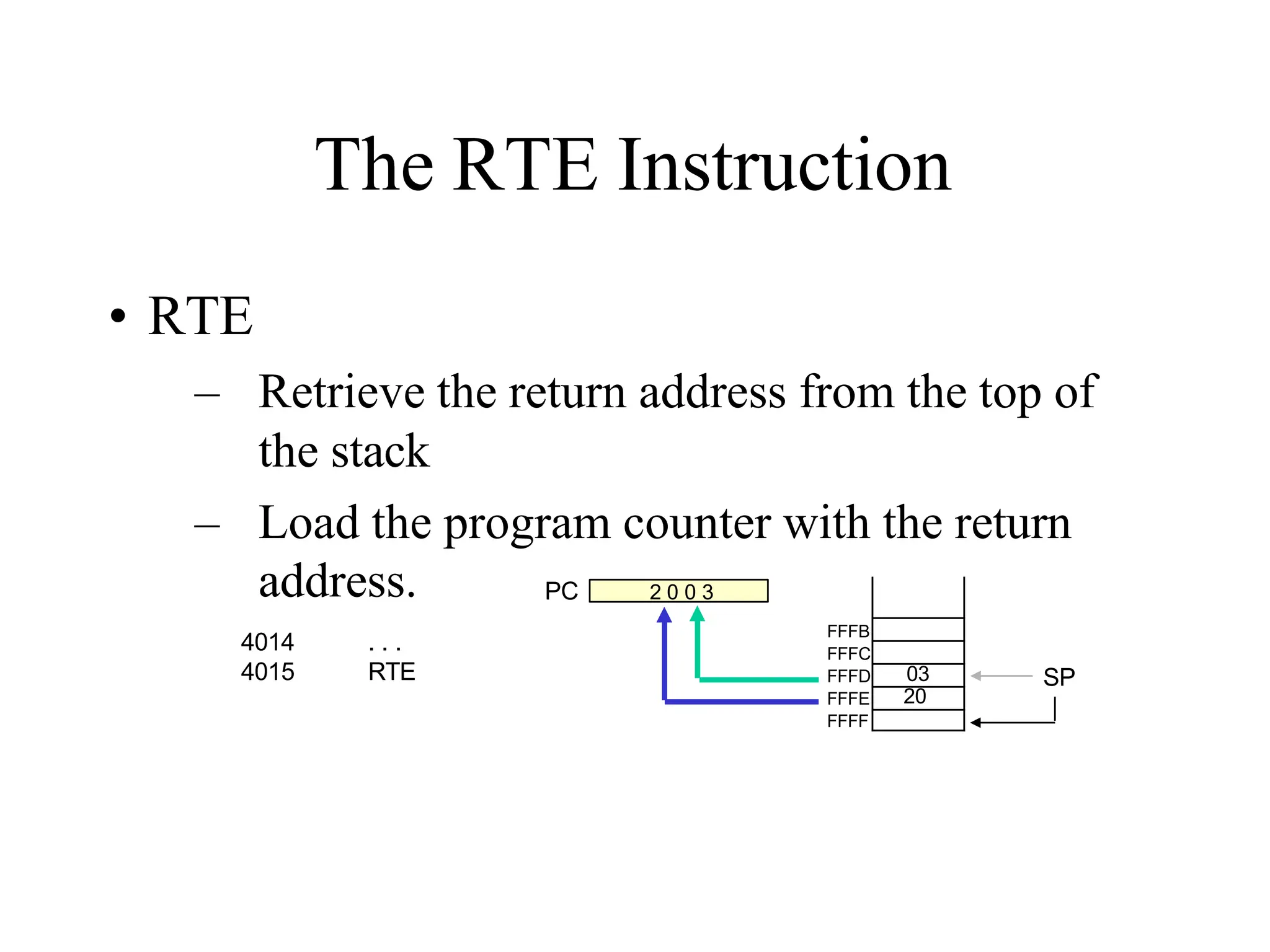
The RTE Instruction
• RTE
– Retrieve the return address from the top of
the stack
– Load the program counter with the return
address. PC
FFFB
FFFC
FFFD
FFFE
FFFF
03
20
2 0 0 3
4014
4015
. . .
RTE SP
Cautions
• The CALL instruction places the return address at
the two memory locations immediately before
where the Stack Pointer is pointing.
– You must set the SP correctly BEFORE using the
CALL instruction.
• The RTE instruction takes the contents of the two
memory locations at the top of the stack and uses
these as the return address.
– Do not modify the stack pointer in a subroutine. You
will loose the return address.
Passing Data to a Subroutine
• In Assembly Language data is passed to a
subroutine through registers.
– The data is stored in one of the registers by the calling
program and the subroutine uses the value from the
register.
• The other possibility is to use agreed upon
memory locations.
– The calling program stores the data in the memory
location and the subroutine retrieves the data from the
location and uses it.
Call by Reference and Call by
Value
• If the subroutine performs operations on the
contents of the registers, then these modifications
will be transferred back to the calling program
upon returning from a subroutine.
– Call by reference
• If this is not desired, the subroutine should PUSH
all the registers it needs on the stack on entry and
POP them on return.
– The original values are restored before execution
returns to the calling program.
Cautions with PUSH and POP
• PUSH and POP should be used in opposite order.
• There has to be as many POP’s as there are
PUSH’s.
– If not, the RET statement will pick up the wrong
information from the top of the stack and the program
will fail.
• It is not advisable to place PUSH or POP inside a
loop.
Conditional CALL and RTE
Instructions
• The 8085 supports conditional CALL and
conditional RTE instructions.
– The same conditions used with conditional JUMP
instructions can be used.
– CC, call subroutine if Carry flag is set.
– CNC, call subroutine if Carry flag is not set
– RC, return from subroutine if Carry flag is set
– RNC, return from subroutine if Carry flag is not set
– Etc.
A Proper Subroutine
• According to Software Engineering practices, a
proper subroutine:
– Is only entered with a CALL and exited with an RTE
– Has a single entry point
• Do not use a CALL statement to jump into different points of
the same subroutine.
– Has a single exit point
• There should be one return statement from any subroutine.
• Following these rules, there should not be any
confusion with PUSH and POP usage.
TheDesignandOperationofMemory
1
Memoryin amicroprocessor systemis where
information (dataandinstructions) is kept.It canbe
classifiedinto twomaintypes:
 Mainmemory(RAMandROM)
 Storagememory(Disks, CDROMs,etc.)
Thesimple view of RAMis that it is madeupof registers that
aremadeupof flip-flops (or memoryelements).
 Thenumberofflip-flops in a“memoryregister”determinesthesizeof
thememoryword.
ROMonthe other handuses diodes instead of theflip-flops
to permanently hold the information.
AccessingInformationin Memory
2
Forthemicroprocessortoaccess(Reador
Write)information in memory(RAMorROM),it
needstodothefollowing:
Select theright memorychip(using part of the
addressbus).
Identify thememorylocation(using therest ofthe
addressbus).
Accessthedata(using thedatabus).
Tri-StateBuffers
3
Animportant circuit elementthatis used
extensivelyin memory.
Thisbuffer is alogic circuit thathasthreestates:
Logic0, logic1,andhighimpedance.
Whenthis circuit is in highimpedancemodeit looks
asif it is disconnectedfromtheoutput completely.
The Output is Low The Output is High High Impedance
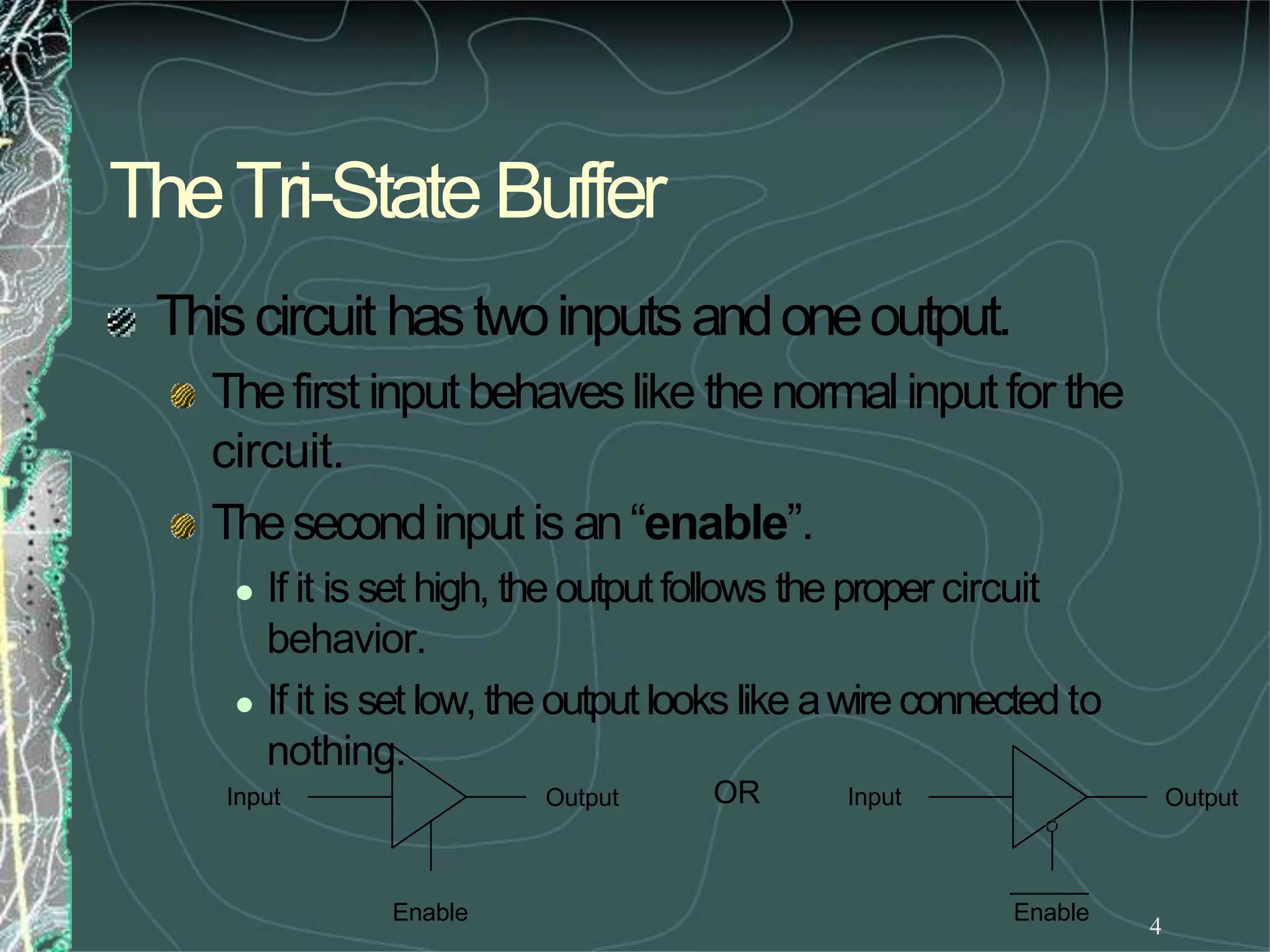
4
TheTri-StateBuffer
Thiscircuit hastwoinputsandoneoutput.
Thefirst inputbehaveslike thenormal inputfor the
circuit.
Thesecondinput is an“enable”.
 If it is set high, theoutputfollows theproper circuit
behavior.
 If it is set low, theoutputlooks like awire connected to
nothing.
Input Output
Enable
Input Output
Enable
OR
TheBasicMemoryElement
5
Thebasicmemoryelementis similar toaD
latch.
Thislatch hasaninputwherethedatacomesin.
It hasanenableinputandanoutputonwhich
datacomesout.
Dat Data Output
a Input
D Q
EN
Enable
TheBasicMemoryElement
6
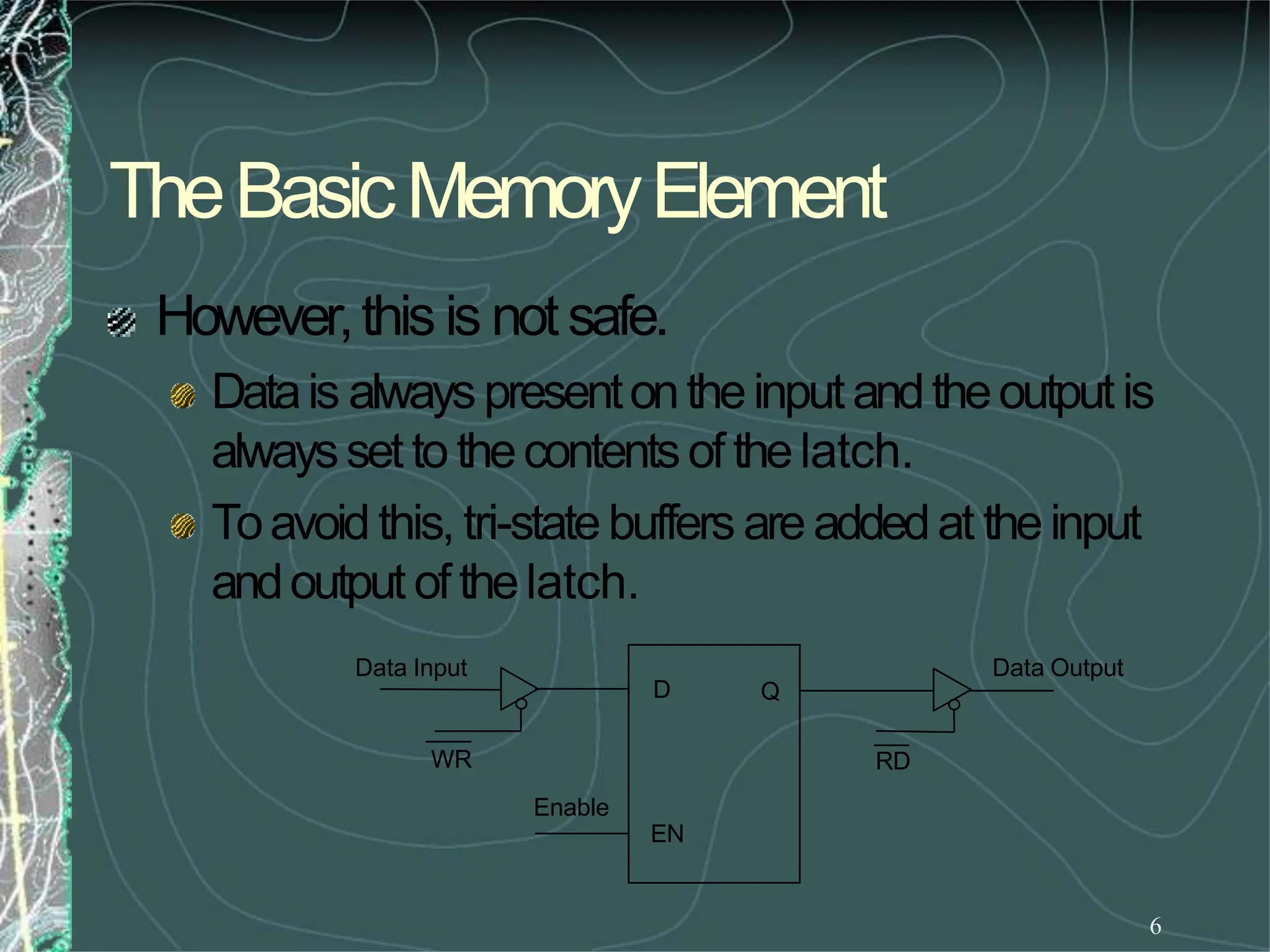
However,this is notsafe.
Datais always presentontheinputandtheoutputis
alwaysset to thecontentsof thelatch.
Toavoid this, tri-statebuffers are addedat theinput
andoutput of thelatch.
Q
D
Data Input Data Output
Enable
EN
WR RD
TheBasicMemoryElement
7
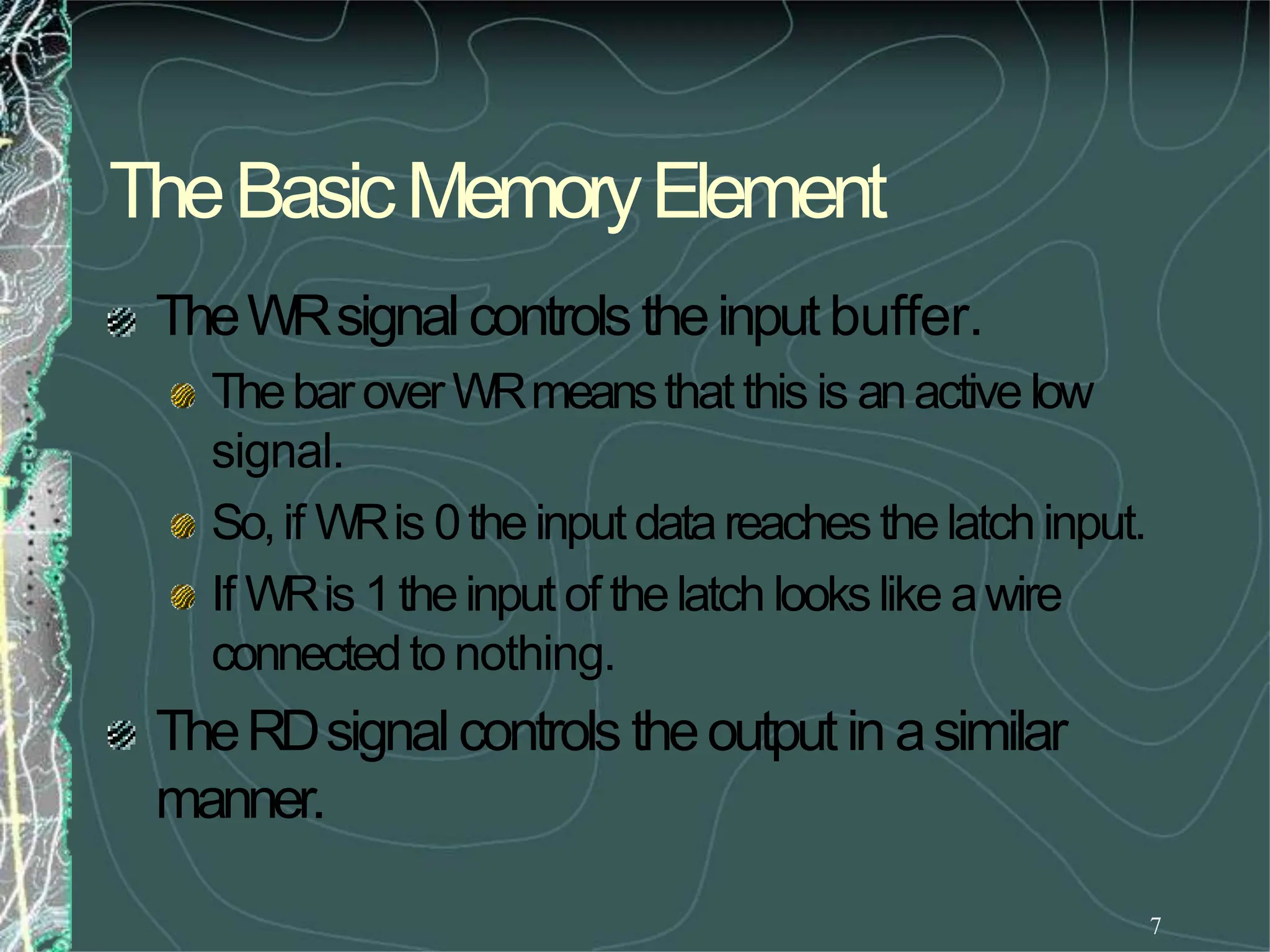
TheWRsignalcontrols theinputbuffer.
ThebaroverWRmeansthat this is anactivelow
signal.
So,if WRis 0theinputdatareachesthelatchinput.
If WRis 1theinput of thelatch lookslike awire
connectedto nothing.
TheRDsignalcontrols theoutputin asimilar
manner.
AMemory“Register”
8
RD
EN
Q
D
EN
Q
D
EN
Q
D
EN
Q
D
EN
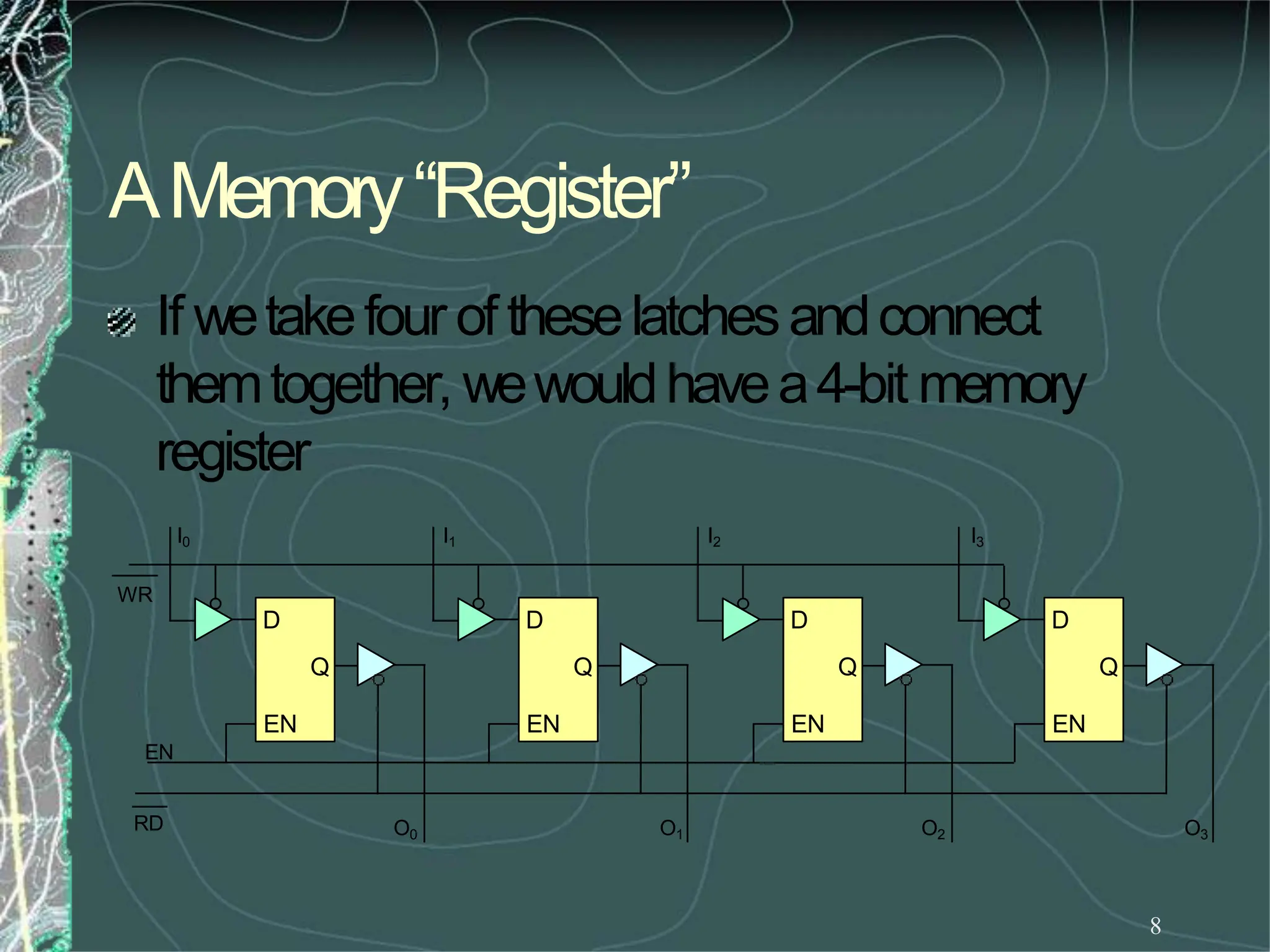
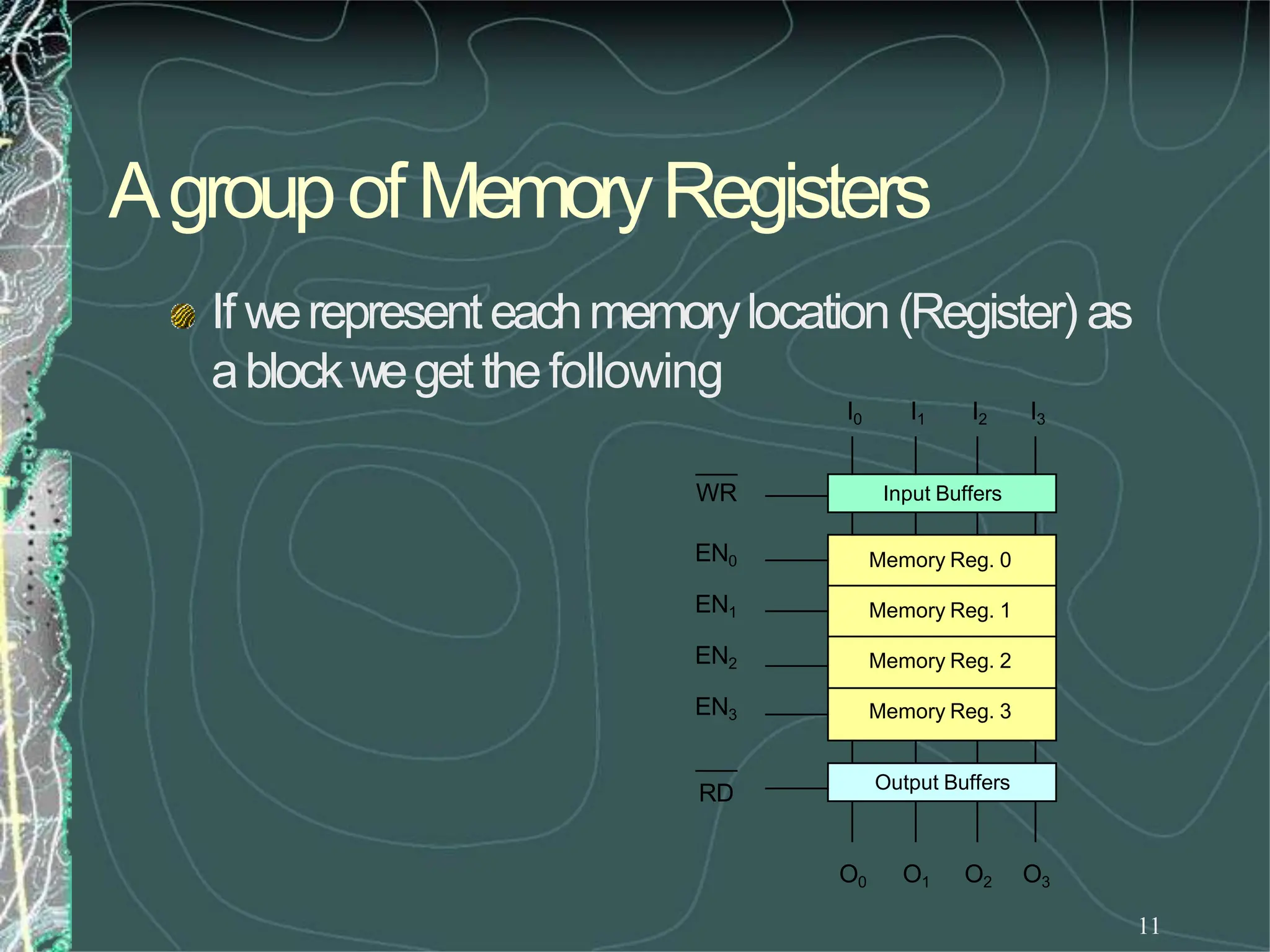
If wetakefour oftheselatchesandconnect
themtogether, wewouldhavea4-bit memory
register
I0 I1 I2 I3
WR
O0 O1 O2 O3
9
Agroupofmemoryregisters
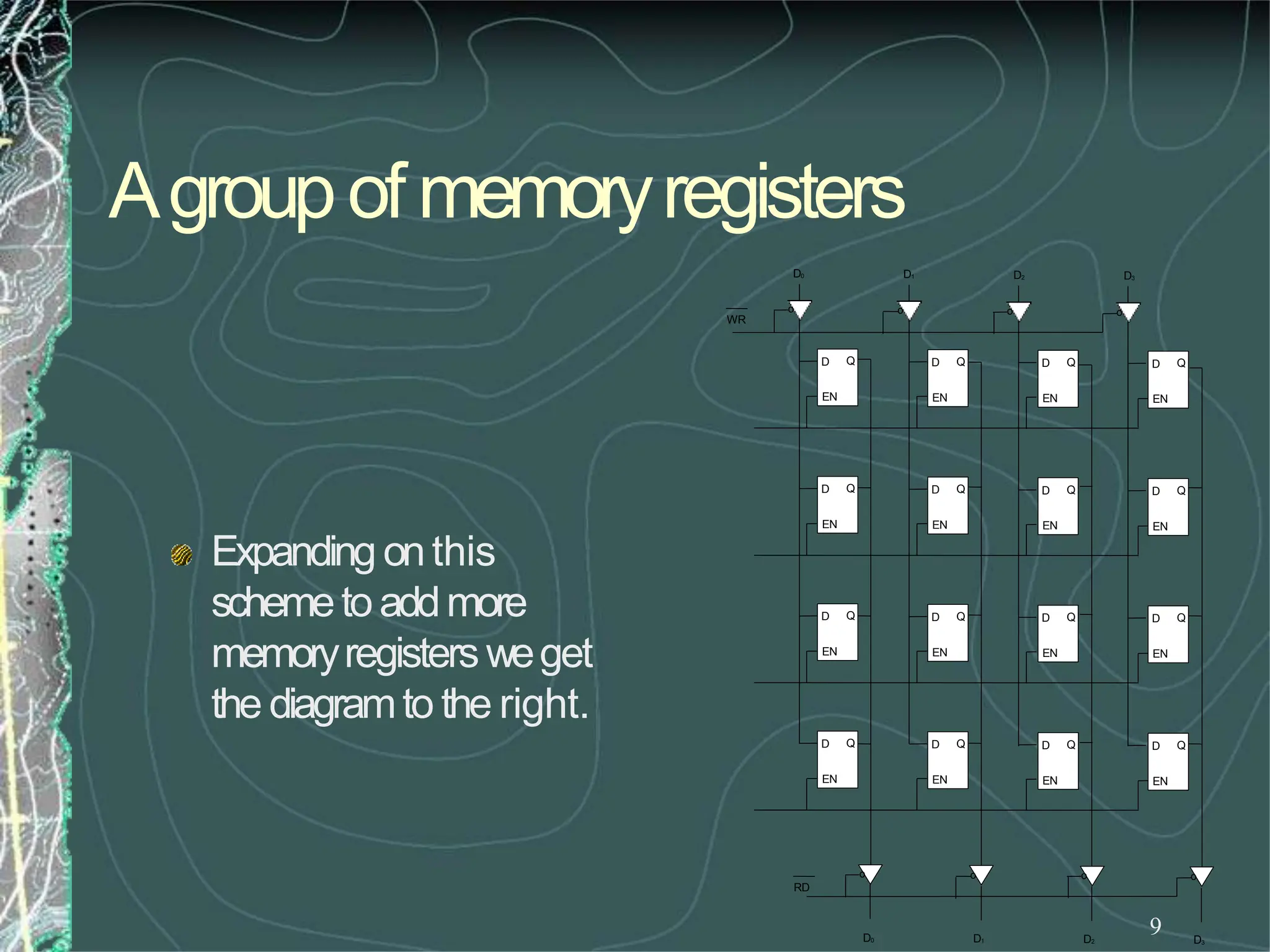
Expanding onthis
schemetoaddmore
memoryregisters weget
the diagramto the right.
EN
D Q
EN
D Q
EN
D Q
EN
D Q
EN
D Q
EN
D Q
EN
D Q
EN
D Q
EN
D Q
EN
D Q
EN
D Q
EN
D Q
EN
D Q
EN
D Q
EN
D Q
EN
D Q
D0 D1 D2 D3
D0 D1 D2 D3
o
o
o
o
o
o
o
o
WR
RD
Externally Initiated Operations
10
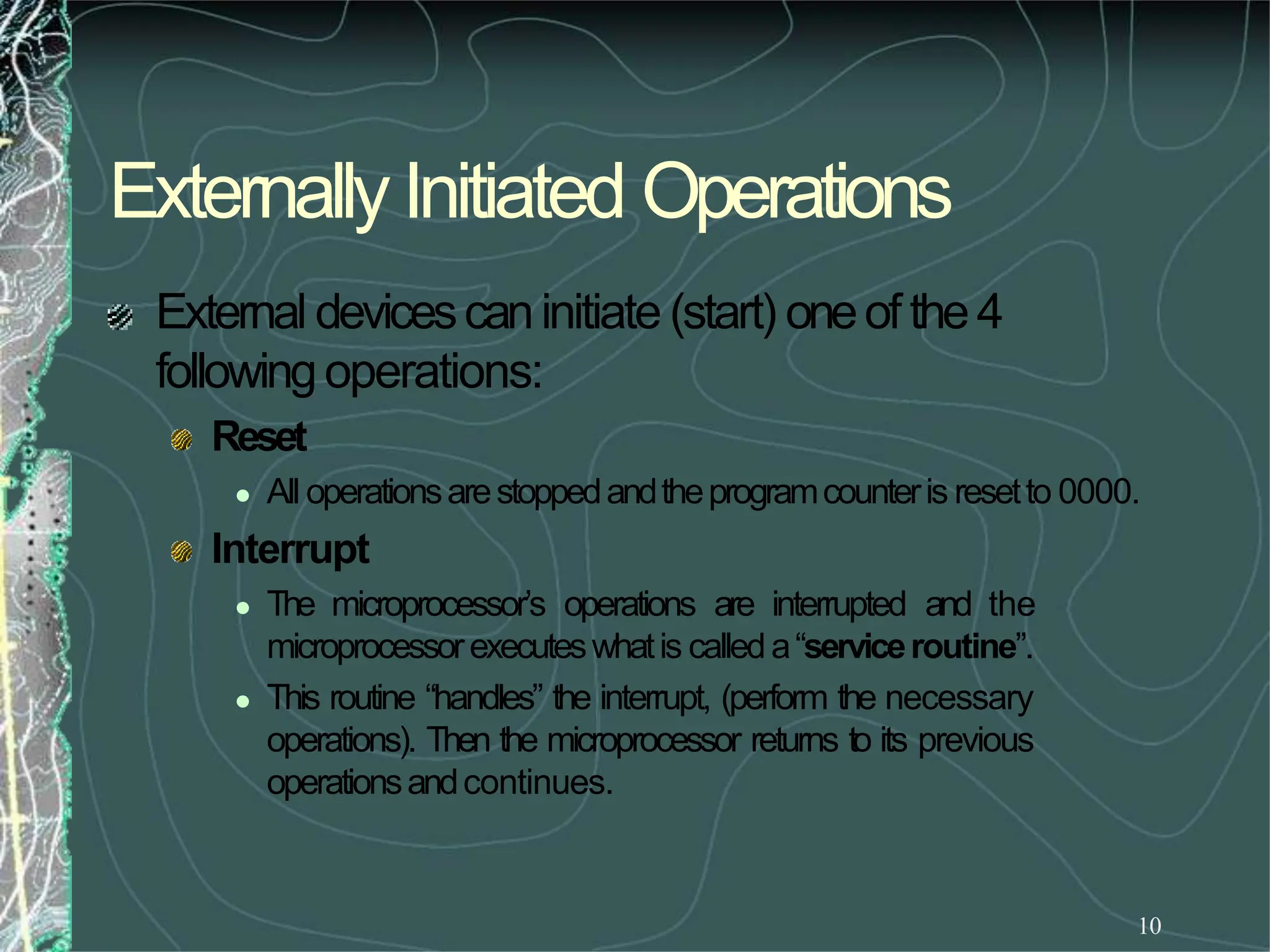
External devicescaninitiate (start) oneof the4
followingoperations:
Reset
 All operationsarestoppedandtheprogramcounteris resetto 0000.
Interrupt
 The microprocessor’s operations are interrupted and the
microprocessorexecuteswhatis calleda“serviceroutine”.
 This routine “handles” the interrupt, (perform the necessary
operations). Then the microprocessor returns to its previous
operationsandcontinues.
AgroupofMemoryRegisters
11
Input Buffers
Memory Reg. 0
Memory Reg. 1
Memory Reg. 2
Memory Reg. 3
Output Buffers
If werepresenteachmemorylocation(Register) as
ablockwegetthefollowing
I0 I1 I2 I3
WR
EN0
EN1
EN2
EN3
RD
O0 O1 O2 O3
TheDesignof aMemoryChip
12
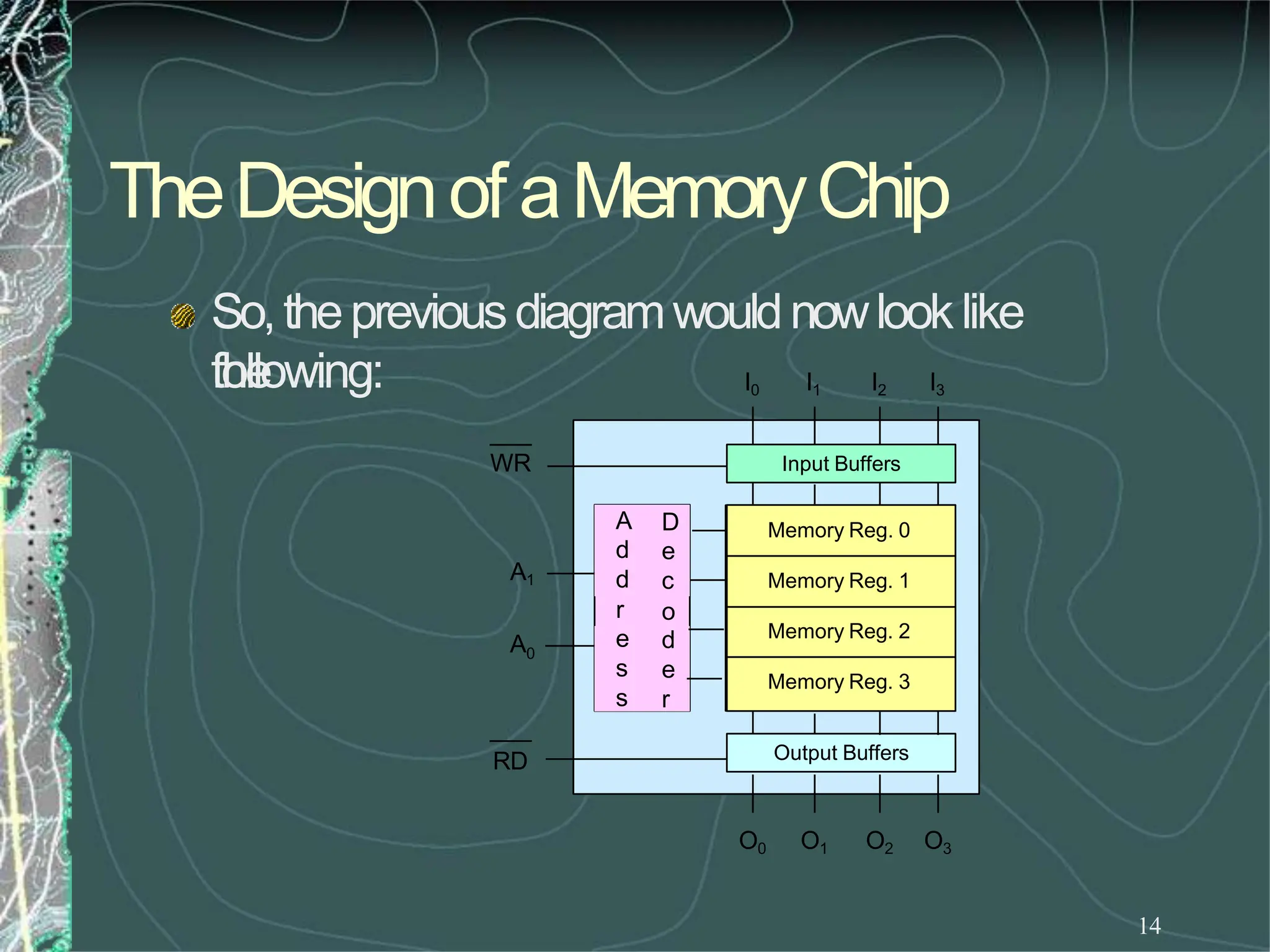
UsingtheRDandWRcontrols wecandeterminethe
direction of flow eitherinto or outof memory.Then
usingtheappropriate Enableinputweenablean
individual memoryregister.
Whatwehavejust designedis amemorywith 4
locations andeachlocationhas4elements (bits). This
memorywouldbecalled4X4[NumberoflocationX
numberof bits per location].
TheEnableInputs
13
Howdoweproducetheseenableline?
Sincewecanneverhavemorethanoneofthese
enablesactiveat thesametime, wecanhavethem
encodedto reducethenumberof lines coming
into thechip.
Theseencodedlines are theaddress lines for
memory.
TheDesignof aMemoryChip
14
So,thepreviousdiagramwouldnowlooklike
the
following:
Input Buffers
Output Buffers
Memory Reg. 0
Memory Reg. 1
Memory Reg. 2
Memory Reg. 3
I0 I1 I2 I3
O0 O1 O2 O3
WR
RD
r
A D
d e
d c
o
e d
s e
s r
A1
A0
TheDesignof aMemoryChip
15
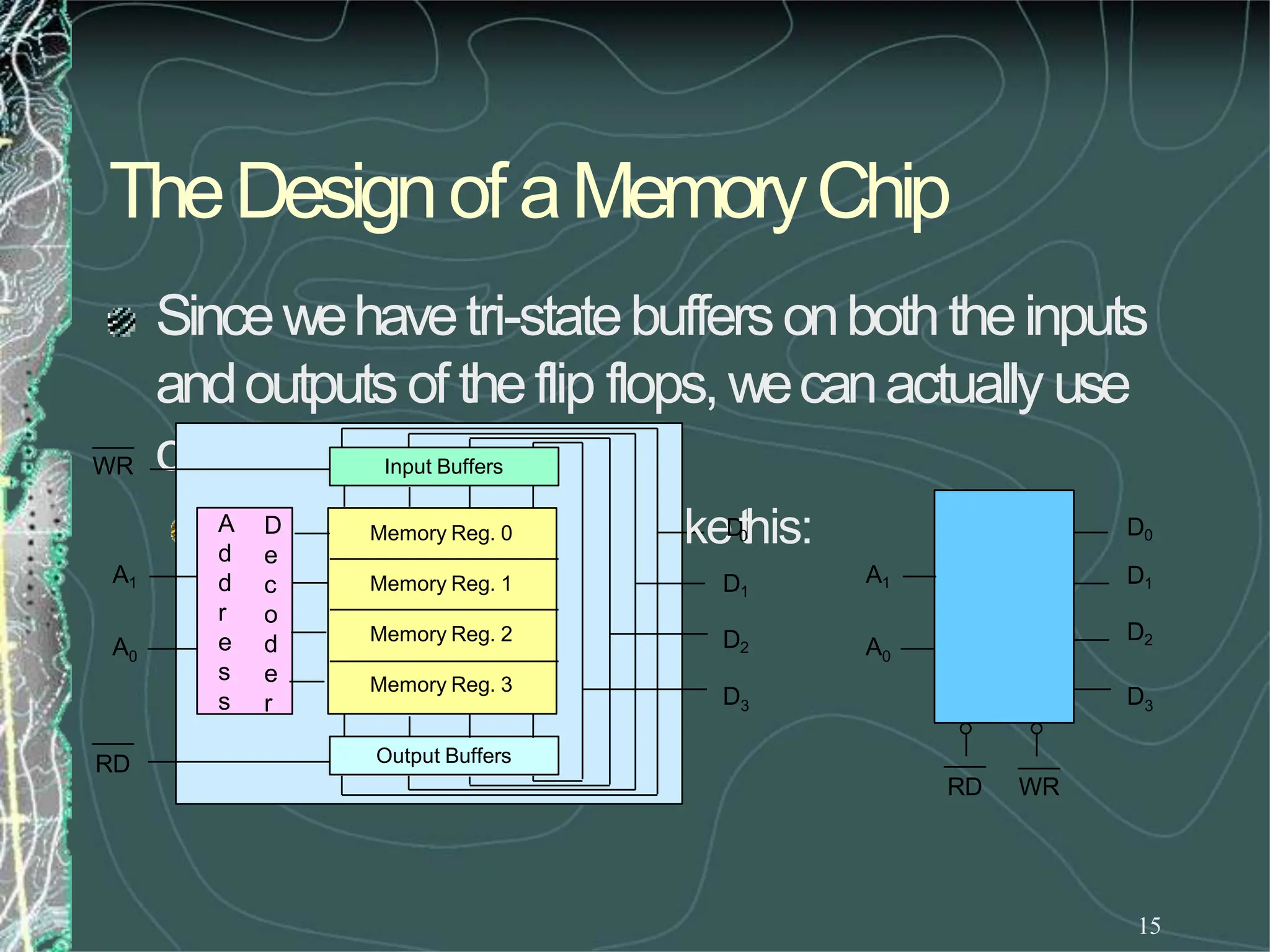
Sincewehavetri-statebuffersonboththeinputs
andoutputs oftheflip flops,wecanactually use
onesetofpinsonly.
Thechipwouldnowlook
li
Input Buffers
Output Buffers
Memory Reg. 0
Memory Reg. 1
Memory Reg. 2
Memory Reg. 3
WR
RD
A
d
d
r
e
s
s
D
e
c
o
d
e
r
A1
A0
keD
t
0
his:
D1
D2
D3
D0
D1
D2
D3
A1
A0
RD WR
Thestepsof writinginto Memory
16
Whathappenswhentheprogrammerissuesthe
STAinstruction?
Themicroprocessorwouldturn ontheWRcontrol
(WR=0) andturn off theRDcontrol(RD=1).
Theaddressis applied to theaddressdecoderwhich
generatesasingleEnablesignalto turn ononly
oneof thememoryregisters.
Thedatais thenapplied onthedatalines andit
isstoredinto theenabled register.
17
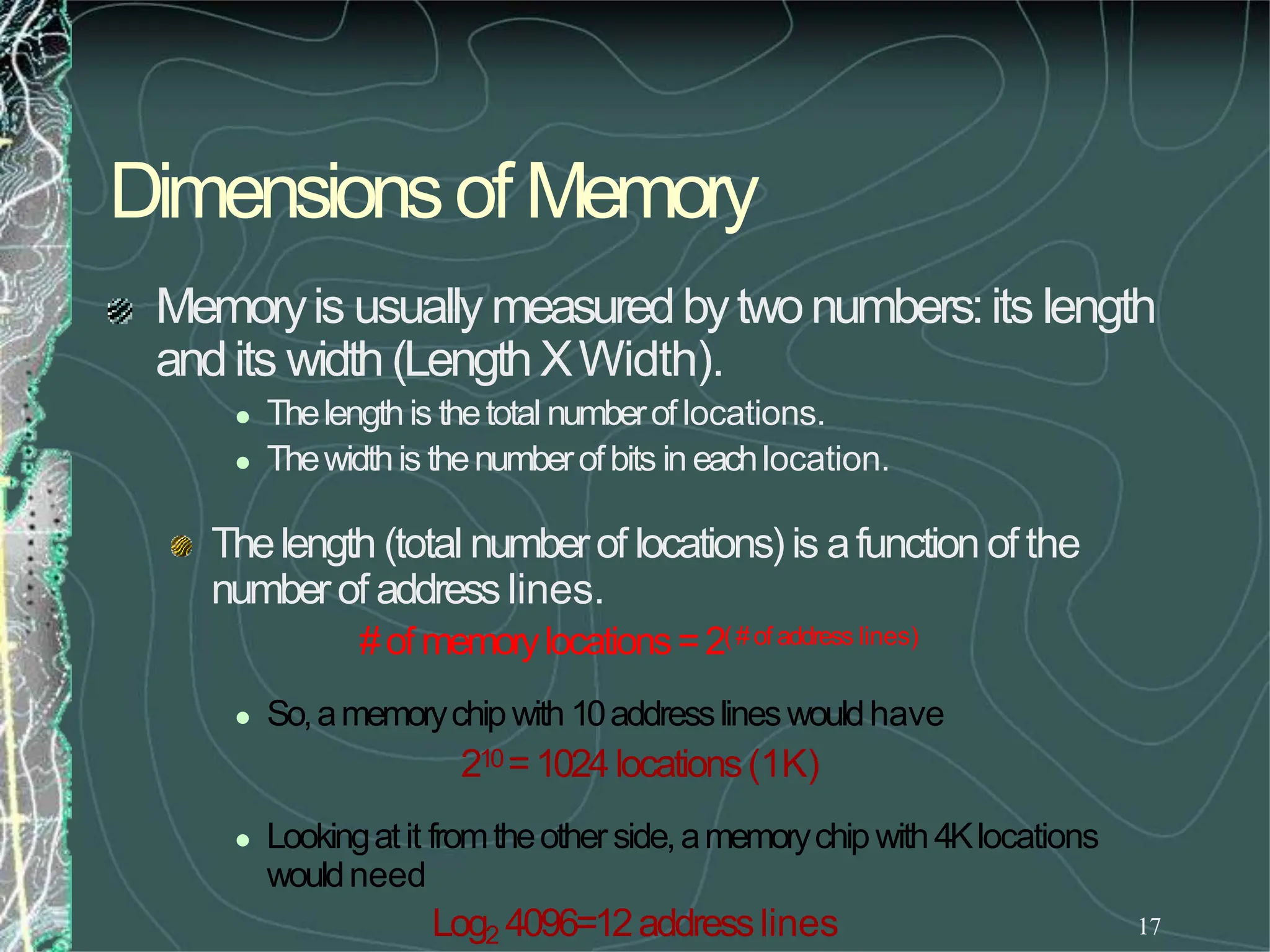
Dimensionsof Memory
Memoryis usually measuredbytwonumbers:its length
andits width(LengthXWidth).
 Thelengthis thetotal numberoflocations.
 Thewidthis thenumberofbits in eachlocation.
Thelength (total numberof locations) is afunction of the
numberof address lines.
#of memorylocations=2(#of address lines)
 So,amemorychipwith 10addresslineswouldhave
210=1024locations(1K)
 Lookingatit fromtheotherside,amemorychipwith4Klocations
wouldneed
Log2 4096=12addresslines
The8085andMemory
18
The8085has16addresslines. Thatmeansit can
address
216=64Kmemorylocations.
Thenit will need1memorychip with 64klocations, or2
chipswith 32Kin each,or 4with 16Keachor16of the 4K
chips, etc.
howwouldweusetheseaddresslines to control
themultiplechips?
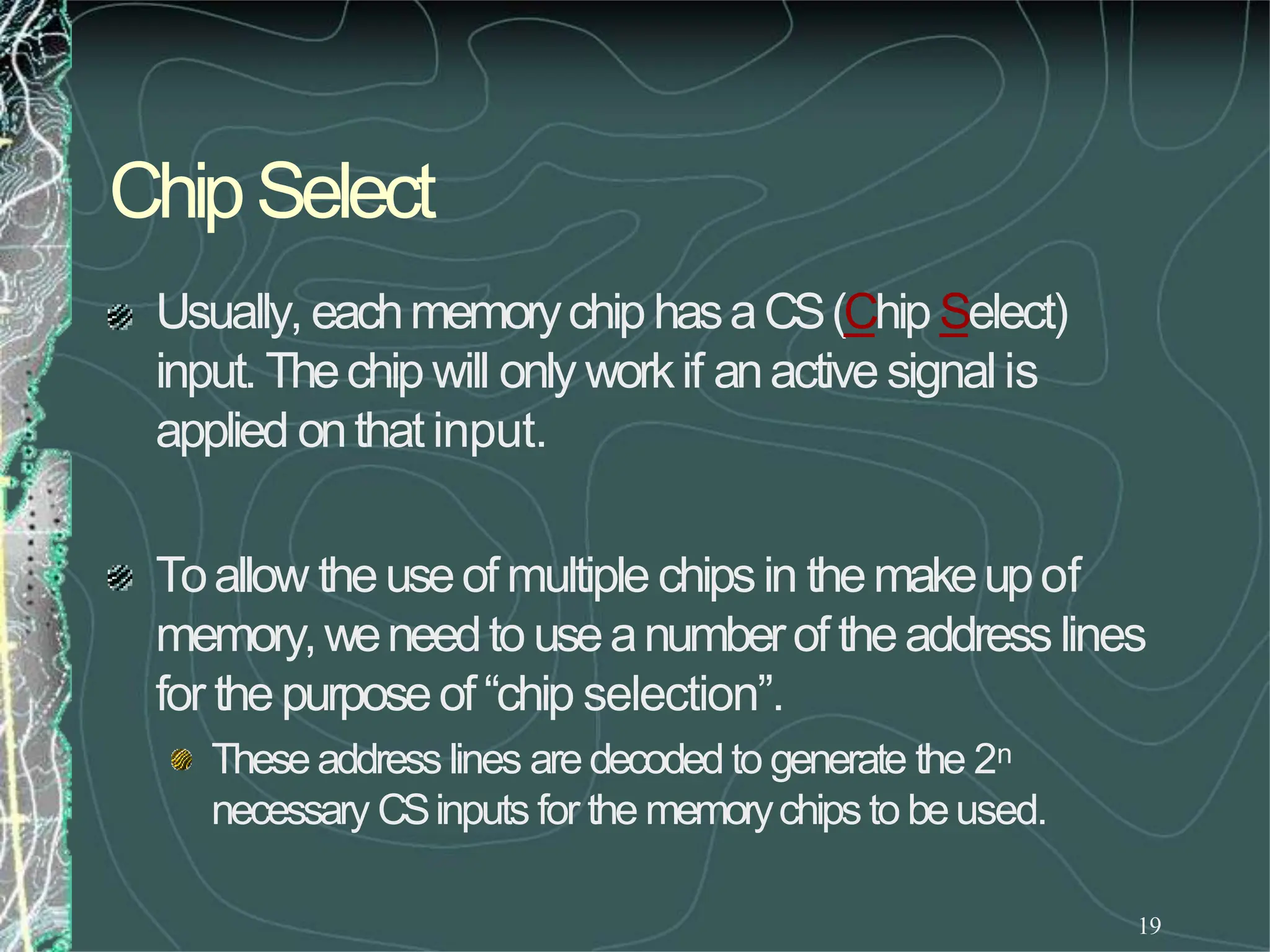
ChipSelect
19
Usually, eachmemorychiphasaCS(Chip Select)
input. Thechip will only workif anactive signalis
applied onthat input.
Toallow theuseof multiple chipsin themakeupof
memory,weneedto useanumberof theaddresslines
for thepurposeof “chip selection”.
Theseaddress lines aredecodedto generate the 2n
necessary CSinputs for the memorychips to beused.
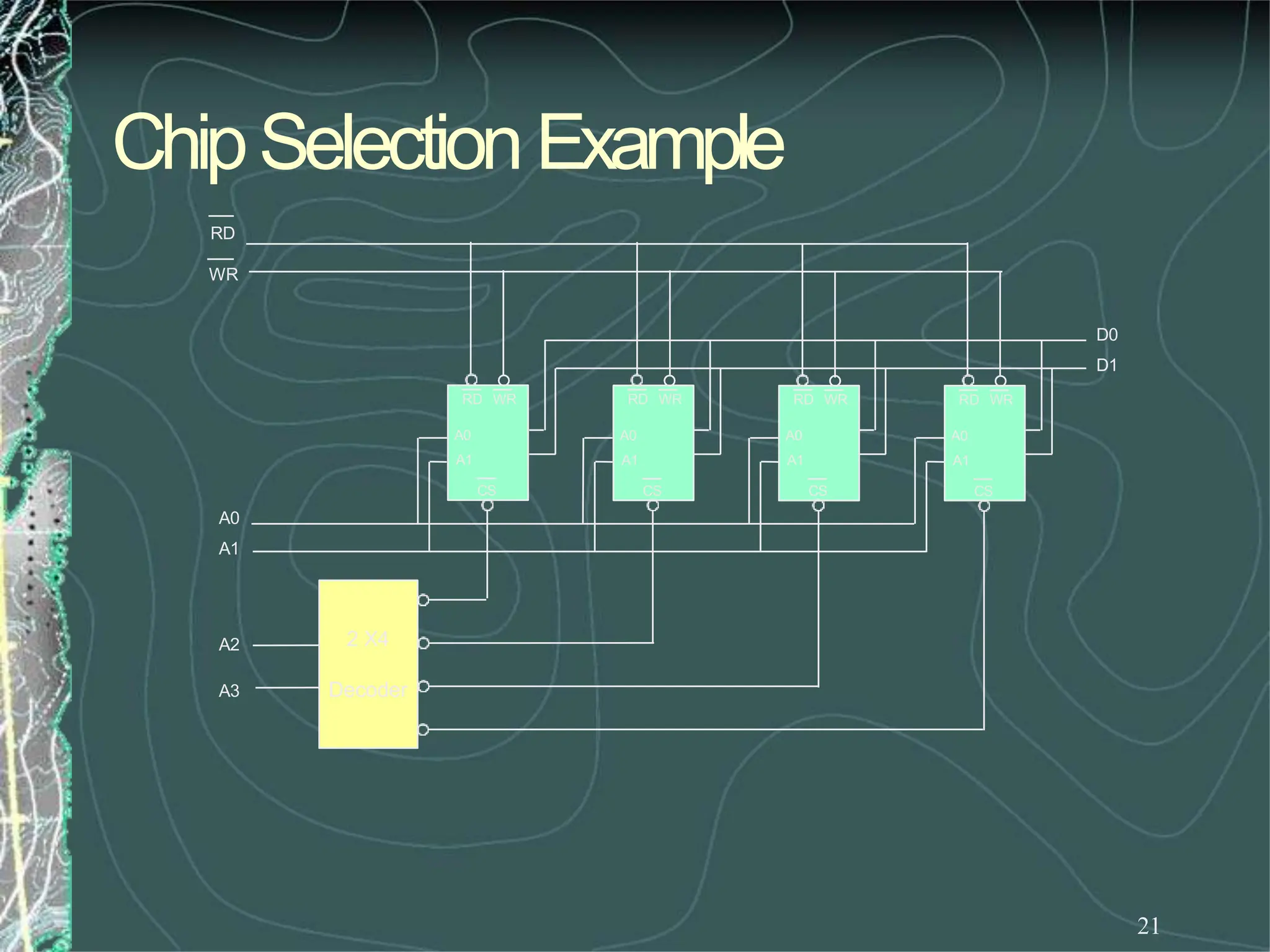
ChipSelectionExample
20
Assumethatweneedto build amemorysystem
madeupof 4of the4X4memorychipswe
designedearlier.
Wewill needto use2inputs andadecoderto
identifywhich chip will beusedat whattime.
Theresulting designwouldnowlooklike theoneon
thefollowing slide.
ChipSelectionExample
21
RD WR
A0
A1
CS
RD WR
A0
A1
CS
RD WR
A0
A1
CS
RD WR
A0
A1
CS
2 X4
Decoder
A3
A2
A0
A1
RD
WR
D0
D1
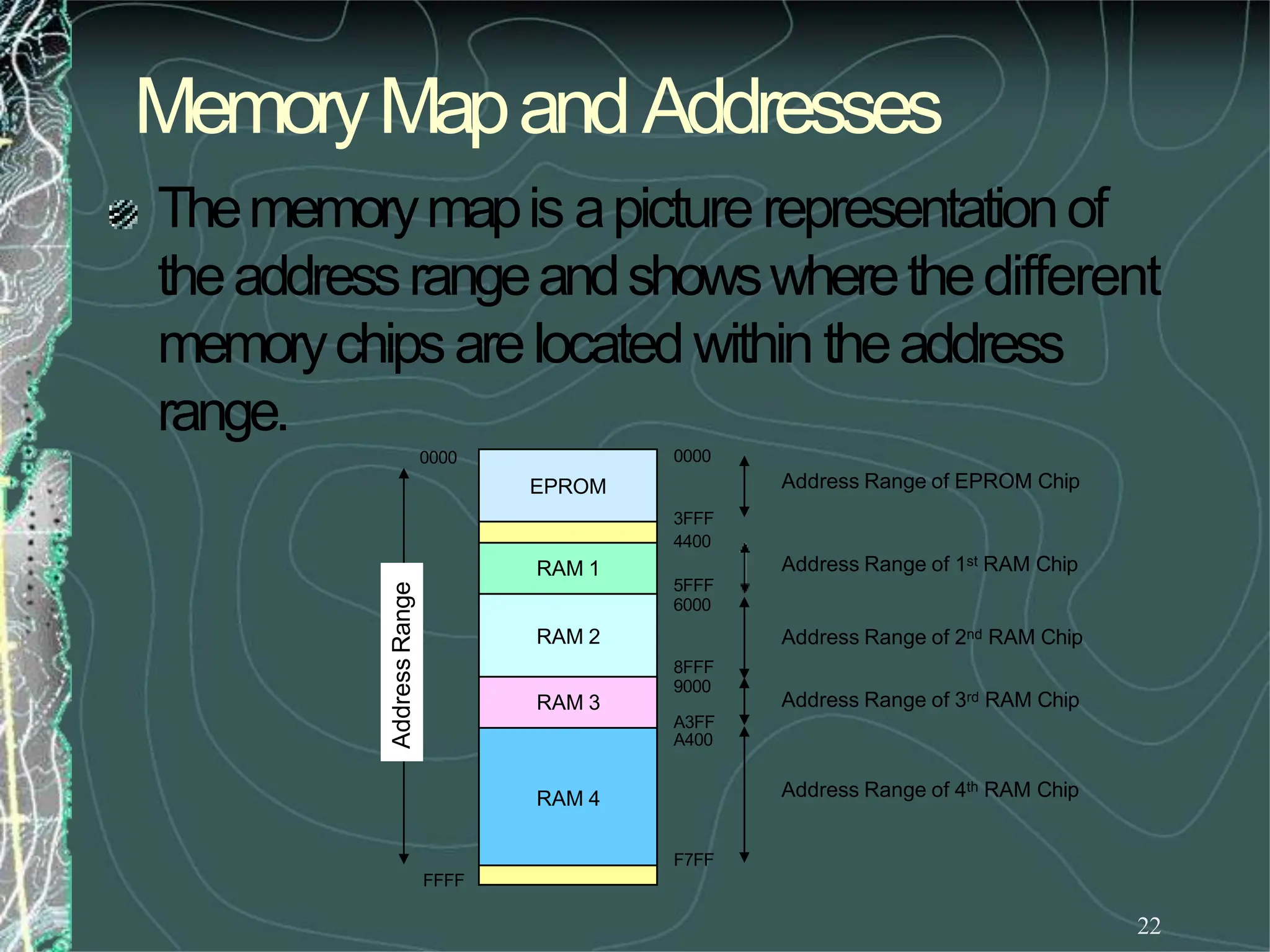
MemoryMapandAddresses
22
FFFF
Address
Range
EPROM
RAM 1
RAM 2
RAM 3
RAM 4
Thememorymapis apicturerepresentationof
theaddressrangeandshowswherethedifferent
memorychipsarelocatedwithin theaddress
range.
0000 0000
8FFF
9000
A3FF
A400
Address Range of EPROM Chip
3FFF
4400
Address Range of 1st RAM Chip
5FFF
6000
Address Range of 2nd RAM Chip
Address Range of 3rd RAM Chip
Address Range of 4th RAM Chip
F7FF
AddressRangeofaMemoryChip
23
Theaddressrangeof aparticularchipis thelist of all
addressesthat aremappedto thechip.
Anexample for the address rangeand its relationship to the
memorychips would bethePostOffice Boxesin the post
office.
• Eachboxhasits unique numberthat is assigned sequentially. (memory
locations)
• Theboxes are grouped into groups. (memorychips)
• Thefirst boxin agroup hasthe numberimmediatelyafter the last boxin
the previous group.
AddressRangeofaMemoryChip
24
Theaboveexamplecanbemodified slightly to makeit closer
to our discussion onmemory.
• Let’s say that this post office hasonly 1000boxes.
• Let’s also say that these are grouped into 10groups of 100boxes each.
Boxes0000 to 0099are in group 0, boxes 0100to 0199 arein group 1
andsoon.
Wecanlookat the boxnumberasif it is madeupof two
pieces:
• Thegroup numberandthe box’sindex within the group.
• So,boxnumber436is the 36thboxin the 4thgroup.
Theupperdigitof theboxnumberidentifies thegroupandthelowertwo
digitsidentify theboxwithin thegroup.
The8085andAddressRanges
25
The 8085 has 16 address lines. So, it can
addressatotal of64Kmemorylocations.
If we use memory chips with 1K locations each, then
wewill need64suchchips.
The 1K memory chip needs 10 address lines to
uniquelyidentifythe1Klocations. (log21024=10)
That leaves 6 address lines which is the exact
number needed for selecting between the 64
different chips(log264=6).
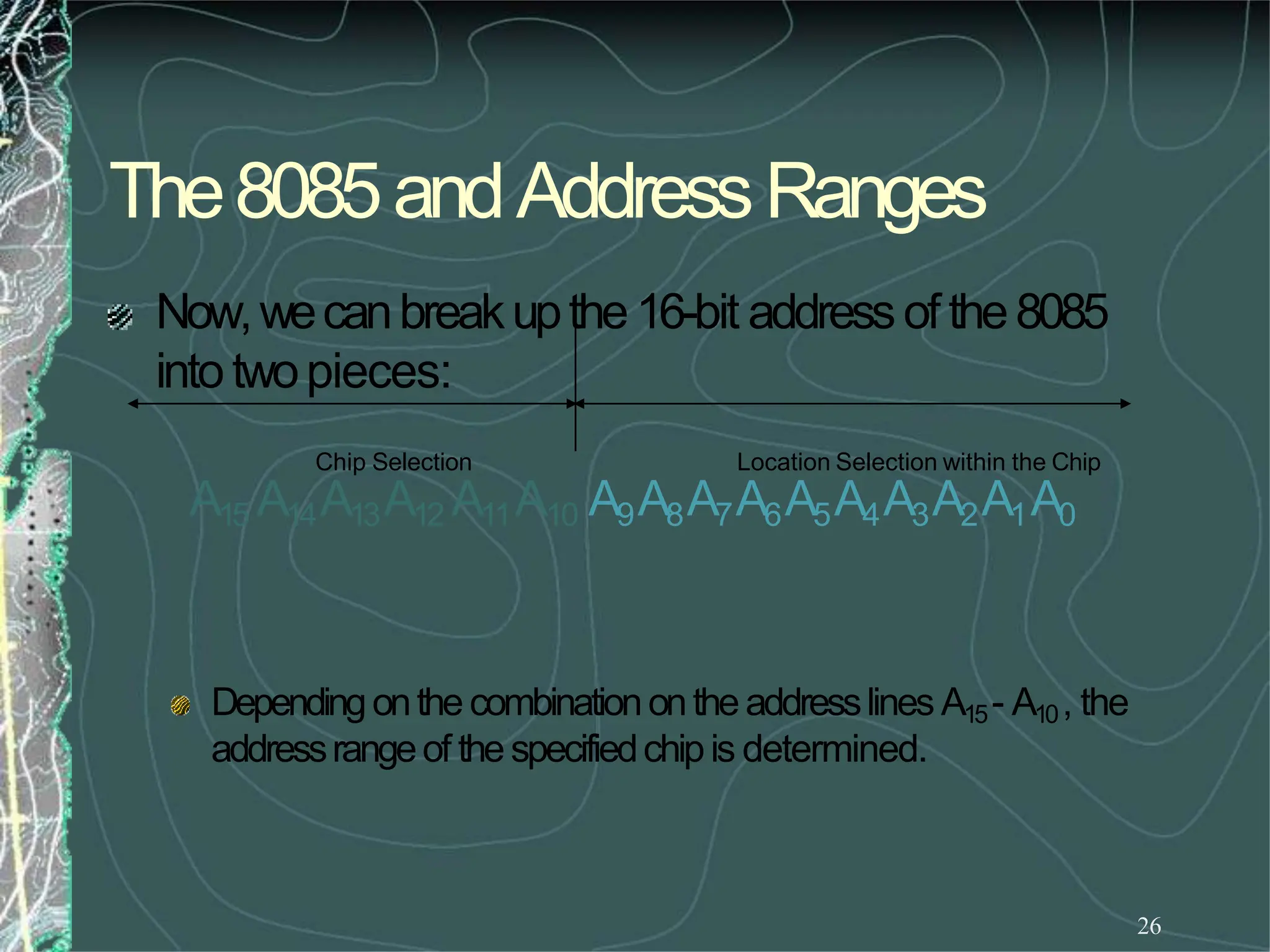
The8085andAddressRanges
26
Dependingonthecombinationontheaddresslines A15- A10, the
addressrangeof thespecifiedchipis determined.
Now,wecanbreakupthe16-bit addressof the8085
intotwopieces:
Chip Selection Location Selection within the Chip
A15 A14A13A12 A11A10 A9A8A7A6A5A4A3A2A1A0
ChipSelectExample
27
AchipthatusesthecombinationA15 - A10=
001000wouldhaveaddressesthatrangefrom
2000Hto23FFH.
Keepinmindthatthe10addresslines onthechipgivesarangeof
0000000000to1111111111or000Hto3FFHfor eachofthechips.
Thememorychipinthis examplewouldrequirethefollowingcircuiton its
chipselectinput:
CS
A10
A11
A12
A13
A14
A15
ChipSelectExample
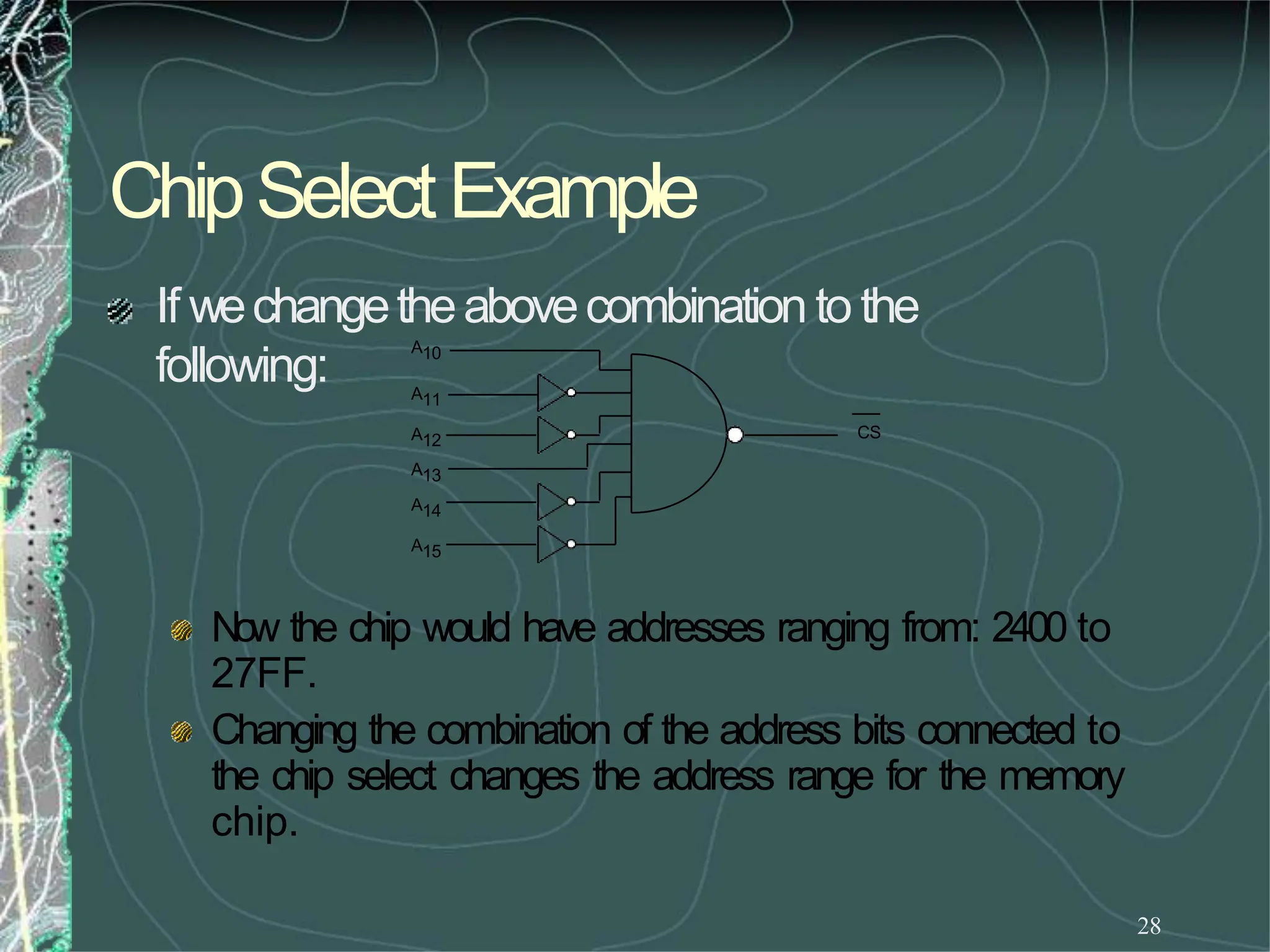
28
If wechangetheabovecombination to the
following:
Now the chip would have addresses ranging from: 2400 to
27FF.
Changing the combination of the address bits connected to
the chip select changes the address range for the memory
chip.
CS
A10
A11
A12
A13
A14
A15
ChipSelectExample
29
Toillustrate this with apicture:
 in the first case, thememorychip occupies the piece of
thememorymapidentified asbefore.
 In the secondcase, it occupies the piece identified as
after.
0000
2000
23FF
FFFF
0000
2400
27FF
FFFF
Before After
High-Ordervs.Low-OrderAddressLines
30
Theaddresslines fromamicroprocessorcanbe
classifiedinto twotypes:
High-Order
 Usedfor memorychip selection
Low-Order
 Usedfor location selection within amemorychip.
Thisclassificationis highlydependentonthe
memorysystemdesign.
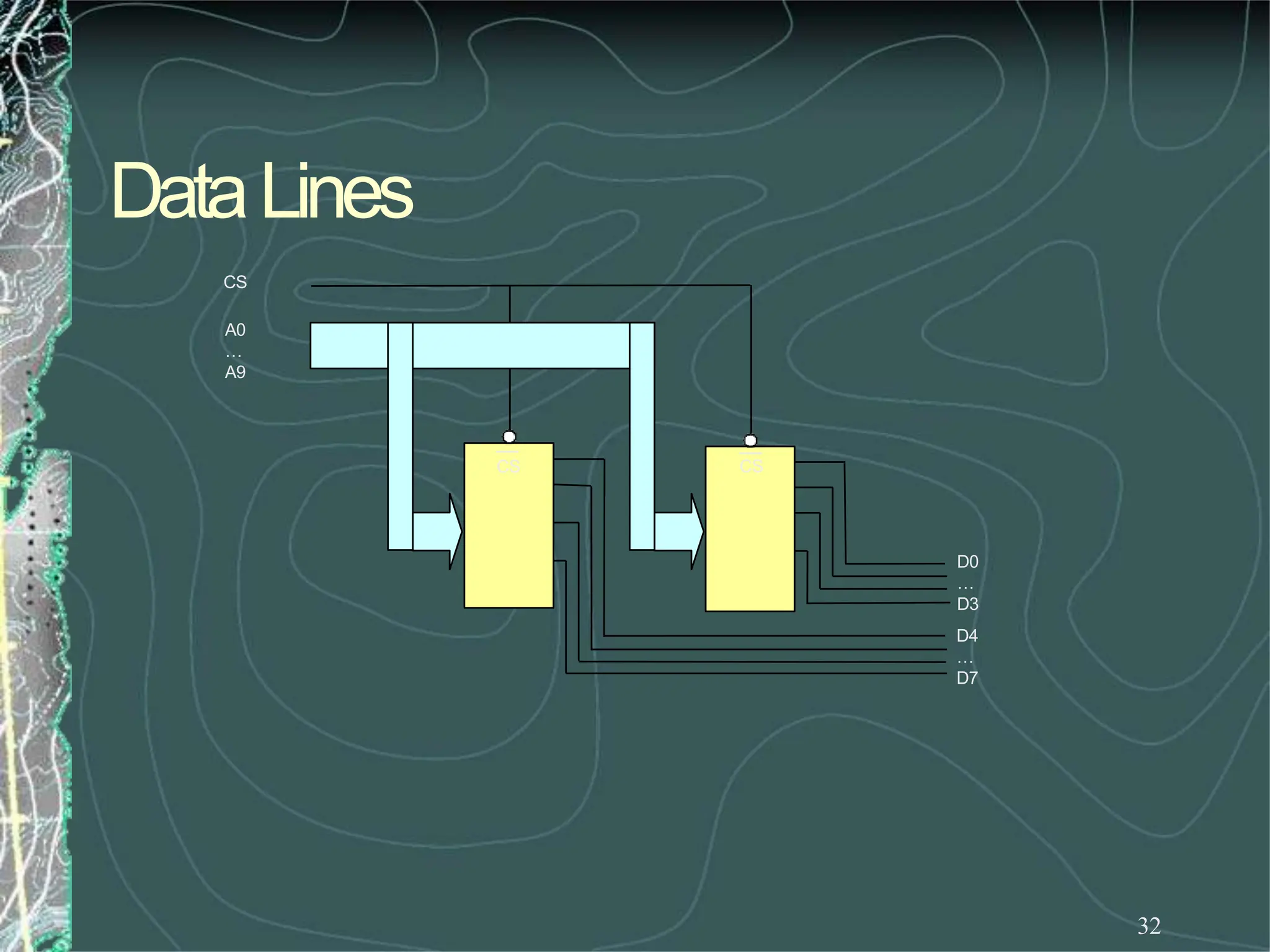
DataLines
31
All of theabovediscussionhasbeenregardingmemory
length.Letslook at memorywidth.
Wesaid thatthewidthis thenumberof bits in each
memoryword.
Wehavebeenassumingsofar that our memorychips have
theright width.
Whatif they don’t?
 It is verycommontofindmemorychipsthathaveonly 4bits per
location.Howwouldyoudesignabytewidememorysystemusing
thesechips?
 Weuse two chips for the sameaddress range. One chip will supply 4
of the data bits per address andthe other chip supply the other 4data
bitsforthesameaddress.
DataLines
32
CS
A0
…
A9
CS CS
D0
…
D3
D4
…
D7
Interrupts
Interrupts
• Interrupt is a process where an external device can
get the attention of the microprocessor.
– The process starts from the I/O device
– The process is asynchronous.
• Interrupts can be classified into two types:
• Maskable (can be delayed)
• Non-Maskable (can not be delayed)
• Interrupts can also be classified into:
• Vectored (the address of the service routine is hard-wired)
• Non-vectored (the address of the service routine needs to be
supplied externally)
Interrupts
• An interrupt is considered to be an emergency
signal.
– The Microprocessor should respond to it as soon as
possible.
• When the Microprocessor receives an interrupt
signal, it suspends the currently executing
program and jumps to an Interrupt Service
Routine (ISR) to respond to the incoming
interrupt.
– Each interrupt will most probably have its own ISR.
Responding to Interrupts
• Responding to an interrupt may be immediate or
delayed depending on whether the interrupt is
maskable or non-maskable and whether interrupts
are being masked or not.
• There are two ways of redirecting the execution to
the ISR depending on whether the interrupt is
vectored or non-vectored.
– The vector is already known to the Microprocessor
– The device will have to supply the vector to the
Microprocessor
The 8085 Interrupts
• The maskable interrupt process in the 8085 is
controlled by a single flip flop inside the
microprocessor. This Interrupt Enable flip flop is
controlled using the two instructions “EI” and
“DI”.
• The 8085 has a single Non-Maskable interrupt.
– The non-maskable interrupt is not affected by the value
of the Interrupt Enable flip flop.
The 8085 Interrupts
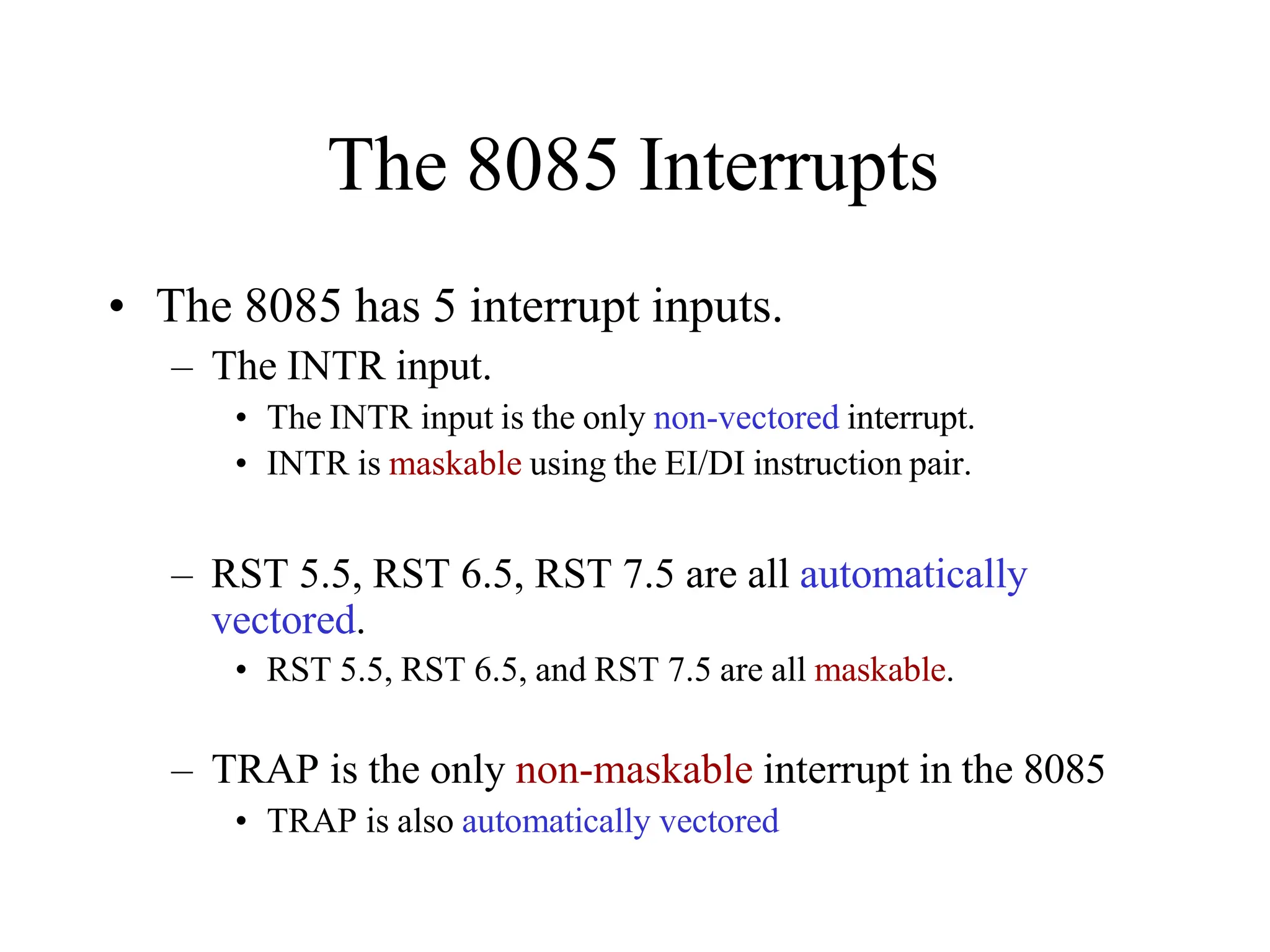
• The 8085 has 5 interrupt inputs.
– The INTR input.
• The INTR input is the only non-vectored interrupt.
• INTR is maskable using the EI/DI instruction pair.
– RST 5.5, RST 6.5, RST 7.5 are all automatically
vectored.
• RST 5.5, RST 6.5, and RST 7.5 are all maskable.
– TRAP is the only non-maskable interrupt in the 8085
• TRAP is also automatically vectored
The 8085 Interrupts
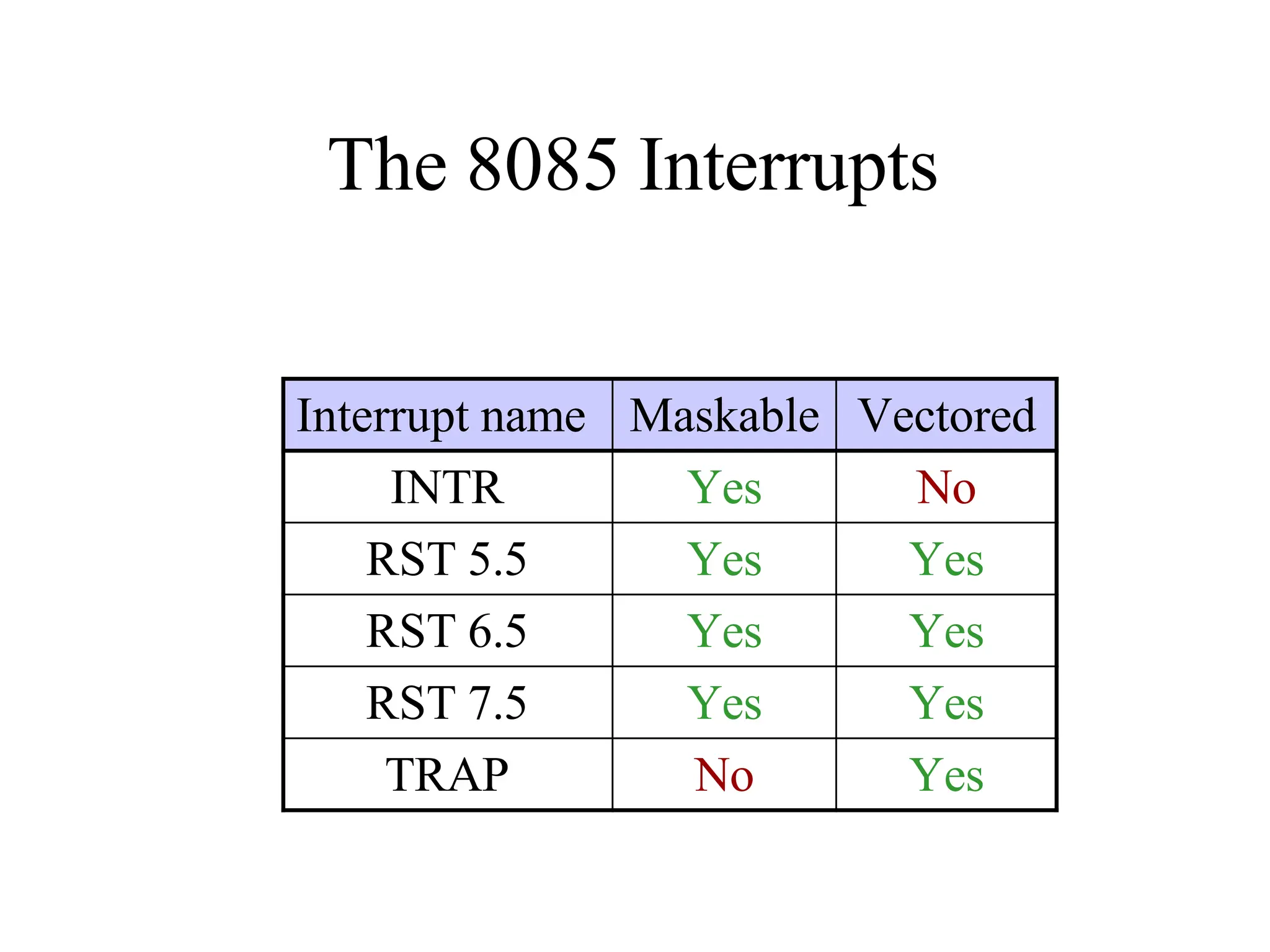
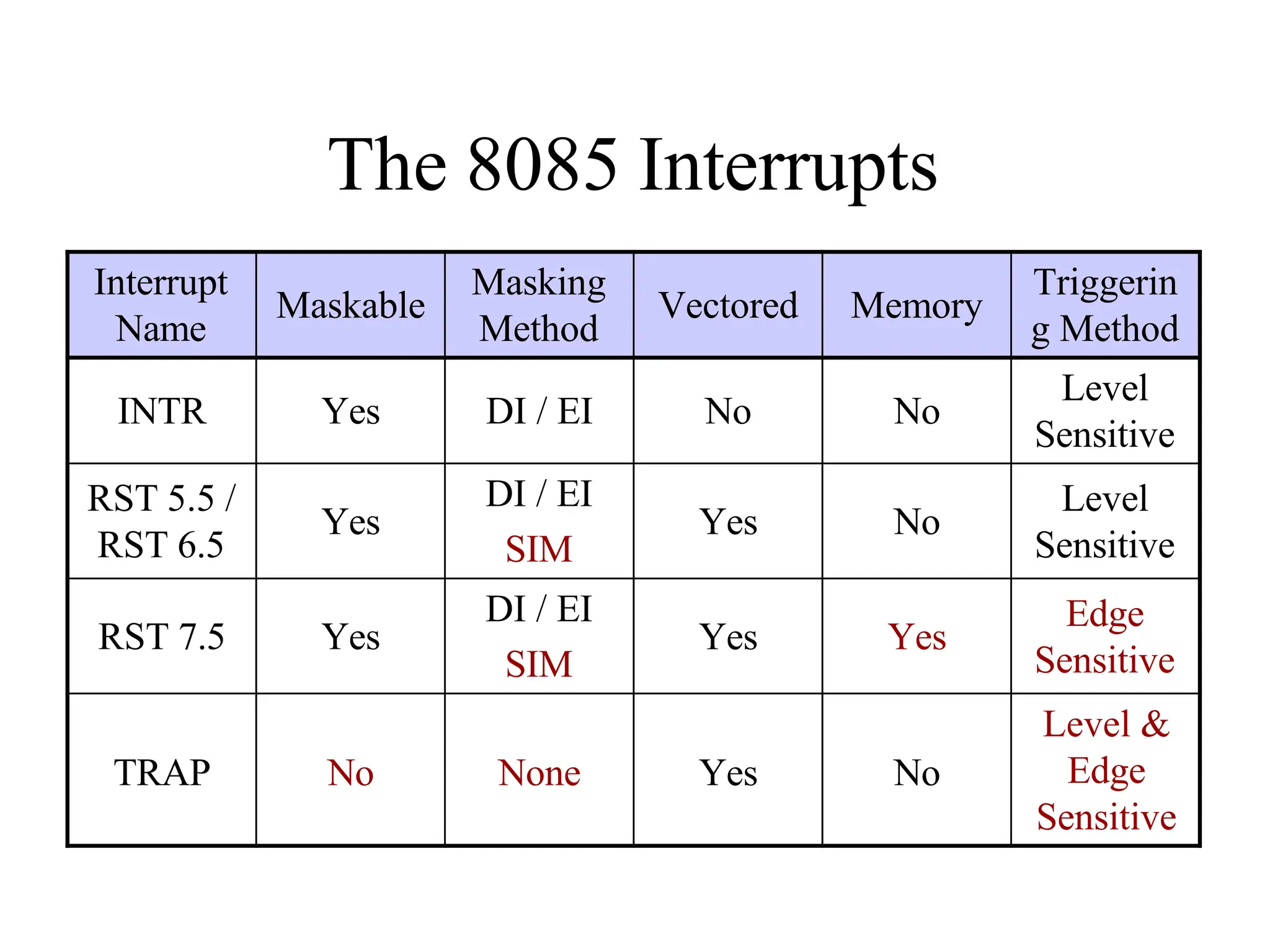
Interrupt name Maskable Vectored
INTR Yes No
RST 5.5 Yes Yes
RST 6.5 Yes Yes
RST 7.5 Yes Yes
TRAP No Yes
Interrupt Vectors and the Vector
Table
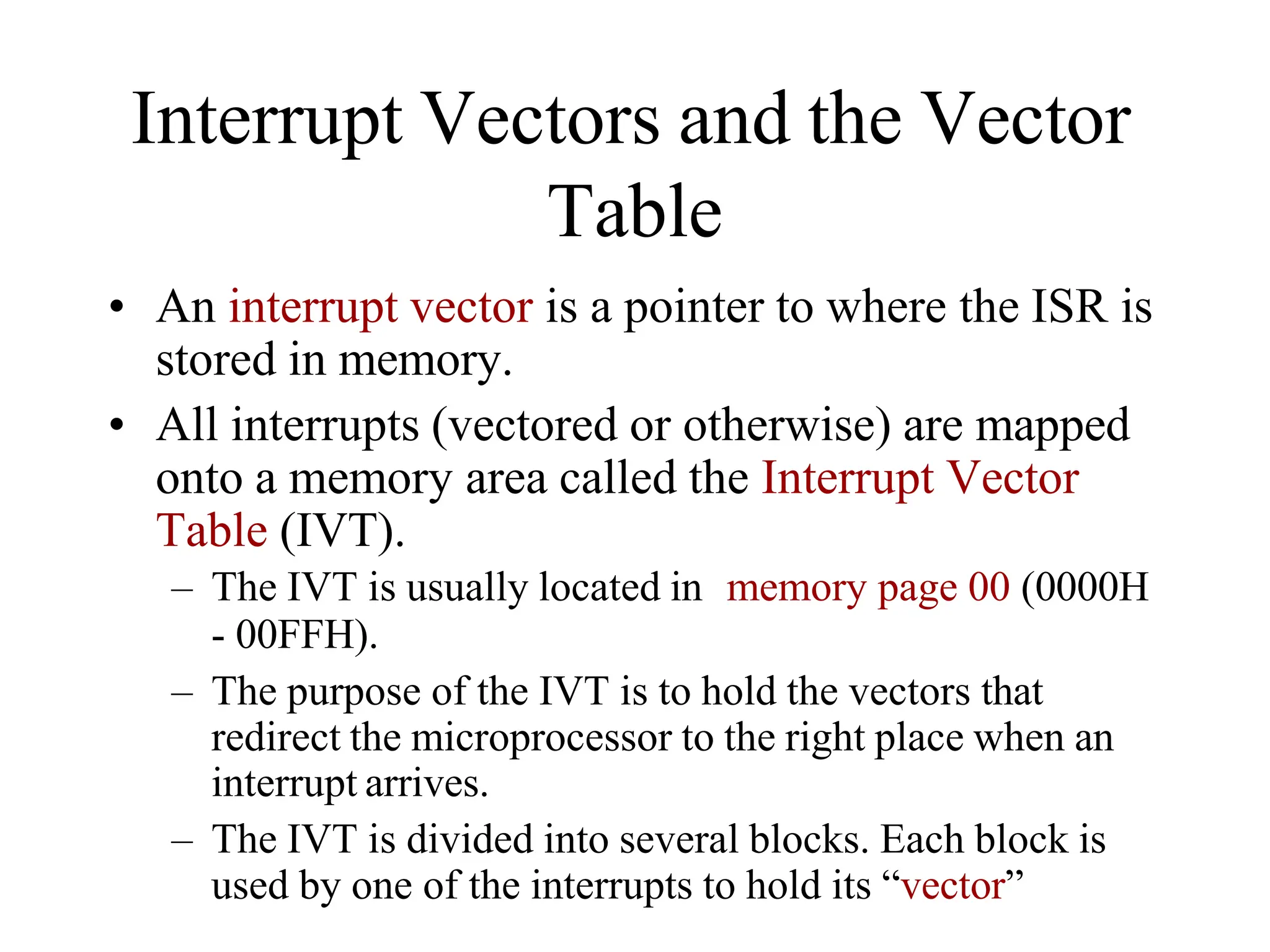
• An interrupt vector is a pointer to where the ISR is
stored in memory.
• All interrupts (vectored or otherwise) are mapped
onto a memory area called the Interrupt Vector
Table (IVT).
– The IVT is usually located in memory page 00 (0000H
- 00FFH).
– The purpose of the IVT is to hold the vectors that
redirect the microprocessor to the right place when an
interrupt arrives.
– The IVT is divided into several blocks. Each block is
used by one of the interrupts to hold its “vector”
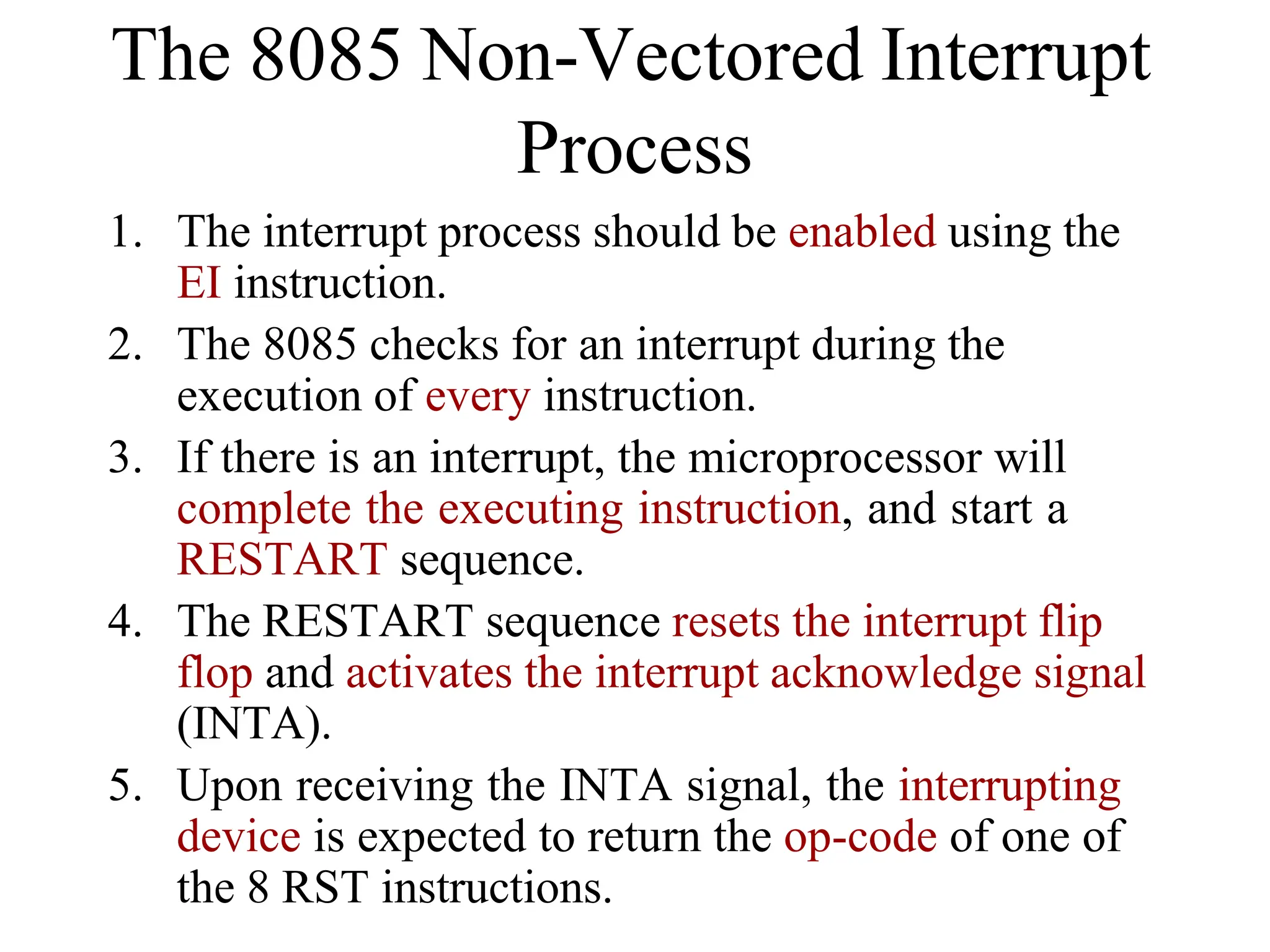
1. The interrupt process should be enabled using the
EI instruction.
2. The 8085 checks for an interrupt during the
execution of every instruction.
3. If there is an interrupt, the microprocessor will
complete the executing instruction, and start a
RESTART sequence.
4. The RESTART sequence resets the interrupt flip
flop and activates the interrupt acknowledge signal
(INTA).
5. Upon receiving the INTA signal, the interrupting
device is expected to return the op-code of one of
the 8 RST instructions.
The 8085 Non-Vectored Interrupt
Process
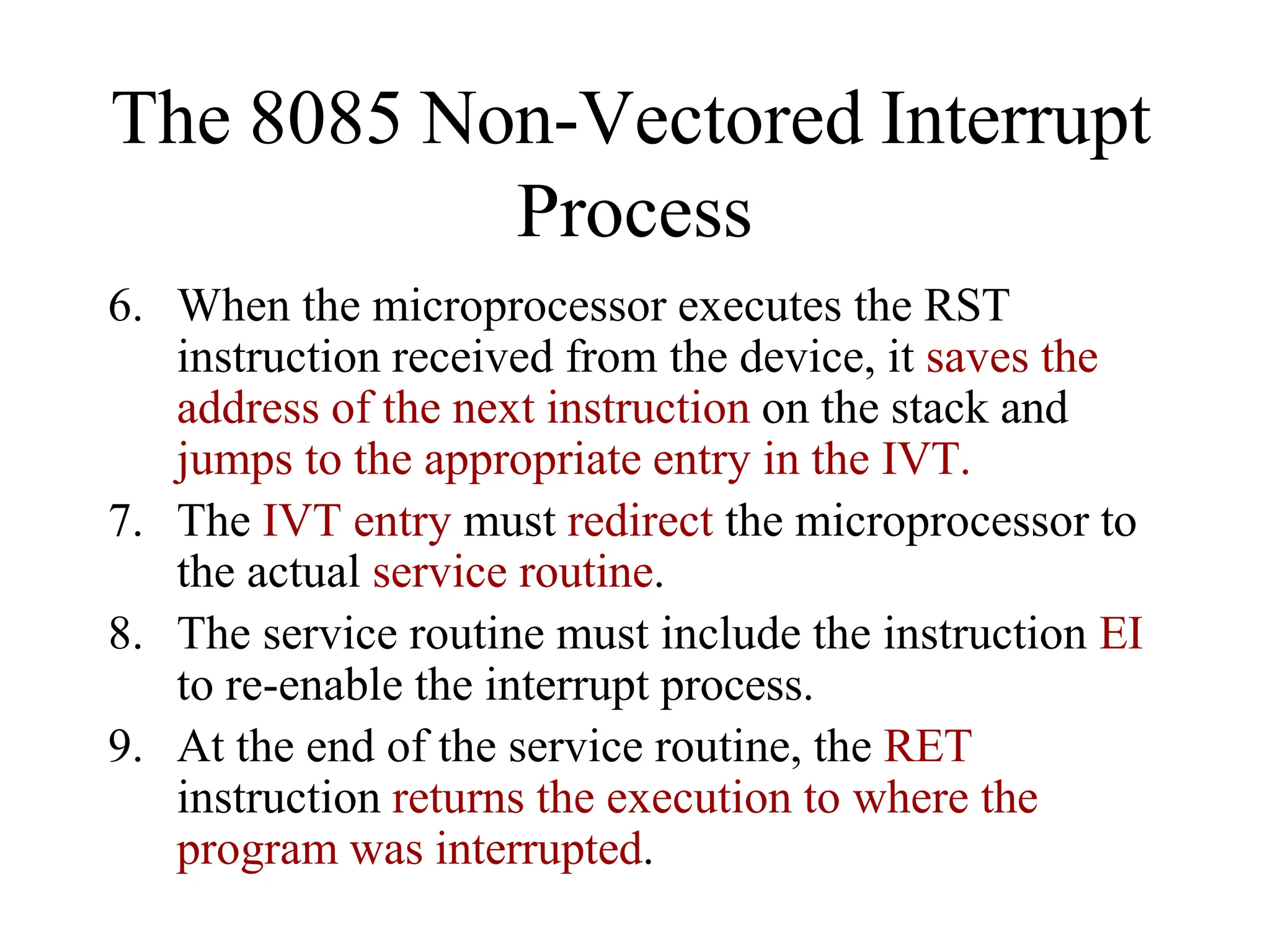
6. When the microprocessor executes the RST
instruction received from the device, it saves the
address of the next instruction on the stack and
jumps to the appropriate entry in the IVT.
7. The IVT entry must redirect the microprocessor to
the actual service routine.
8. The service routine must include the instruction EI
to re-enable the interrupt process.
9. At the end of the service routine, the RET
instruction returns the execution to where the
program was interrupted.
The 8085 Non-Vectored Interrupt
Process
The 8085 Non-Vectored Interrupt Process
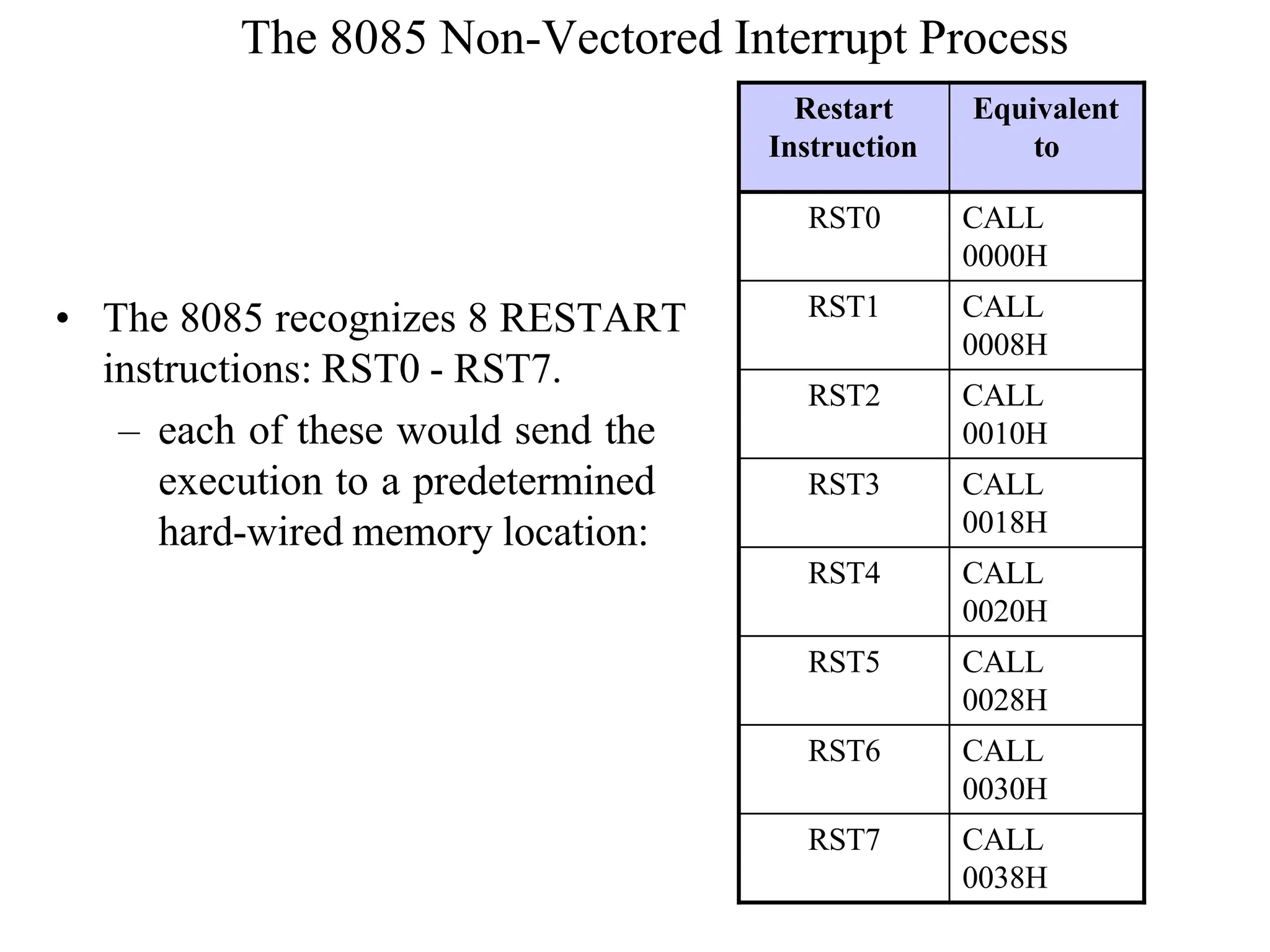
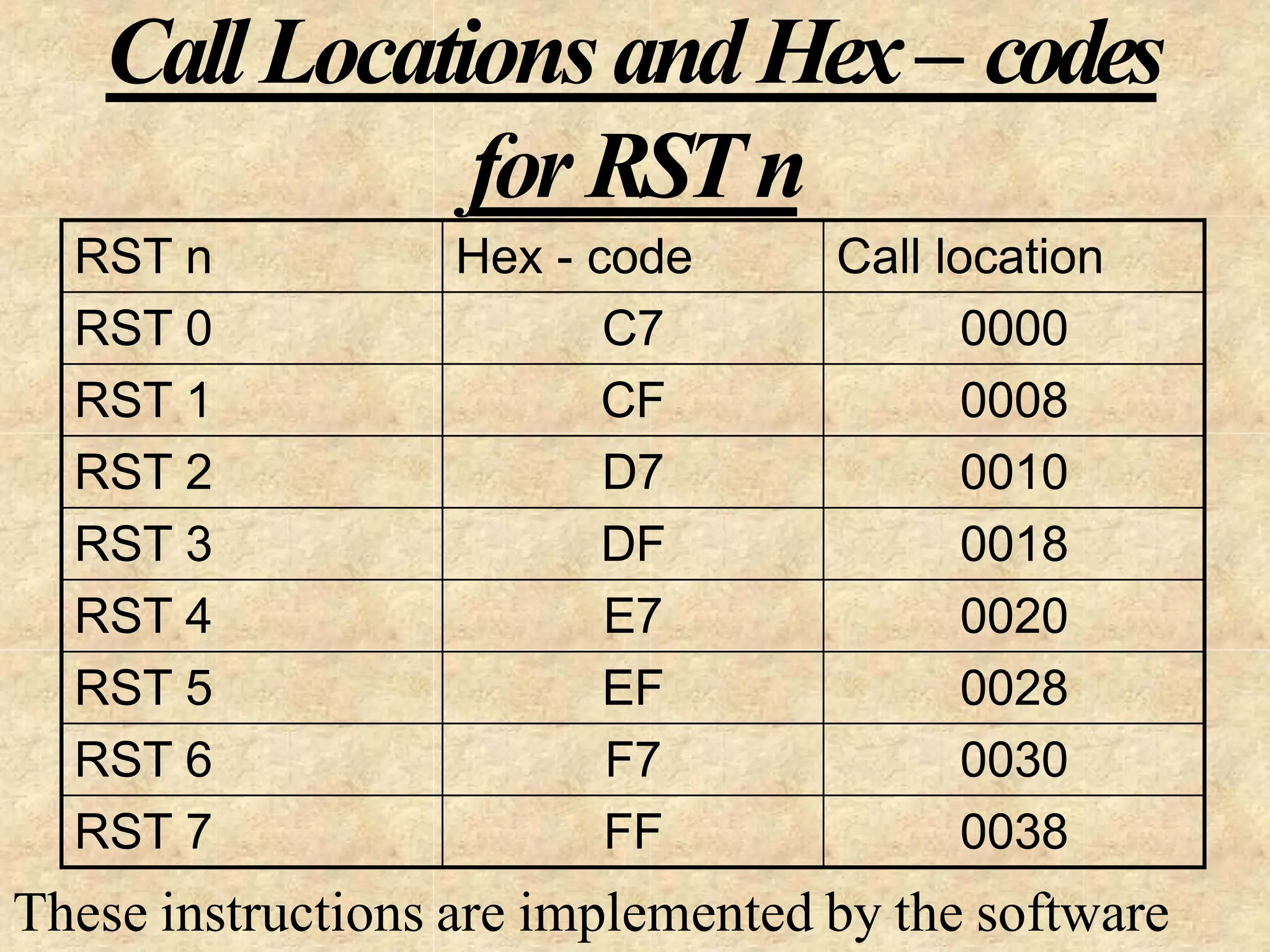
• The 8085 recognizes 8 RESTART
instructions: RST0 - RST7.
– each of these would send the
execution to a predetermined
hard-wired memory location:
Restart
Instruction
Equivalent
to
RST0 CALL
0000H
RST1 CALL
0008H
RST2 CALL
0010H
RST3 CALL
0018H
RST4 CALL
0020H
RST5 CALL
0028H
RST6 CALL
0030H
RST7 CALL
0038H
Restart Sequence
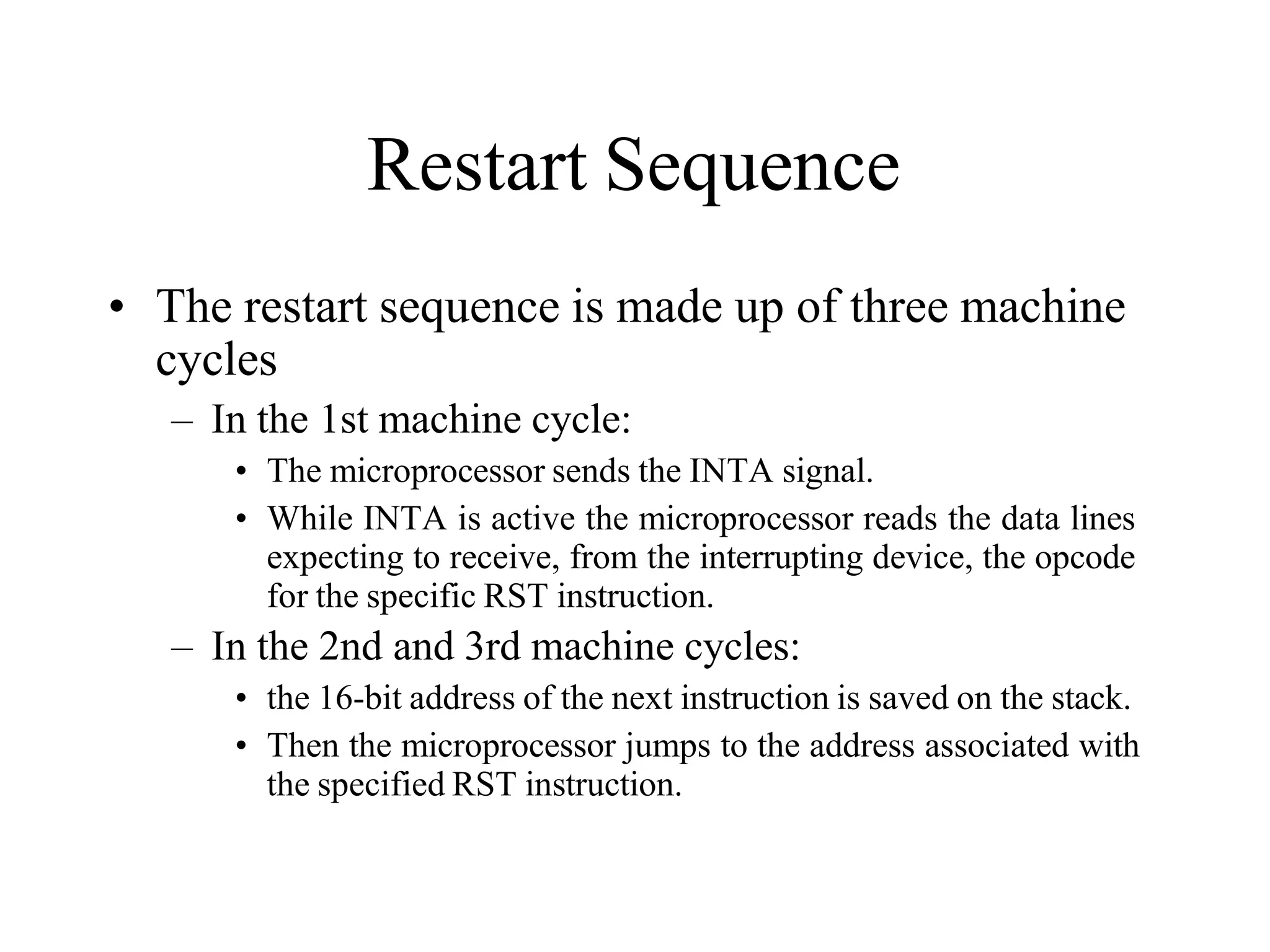
• The restart sequence is made up of three machine
cycles
– In the 1st machine cycle:
• The microprocessor sends the INTA signal.
• While INTA is active the microprocessor reads the data lines
expecting to receive, from the interrupting device, the opcode
for the specific RST instruction.
– In the 2nd and 3rd machine cycles:
• the 16-bit address of the next instruction is saved on the stack.
• Then the microprocessor jumps to the address associated with
the specified RST instruction.
Restart Sequence
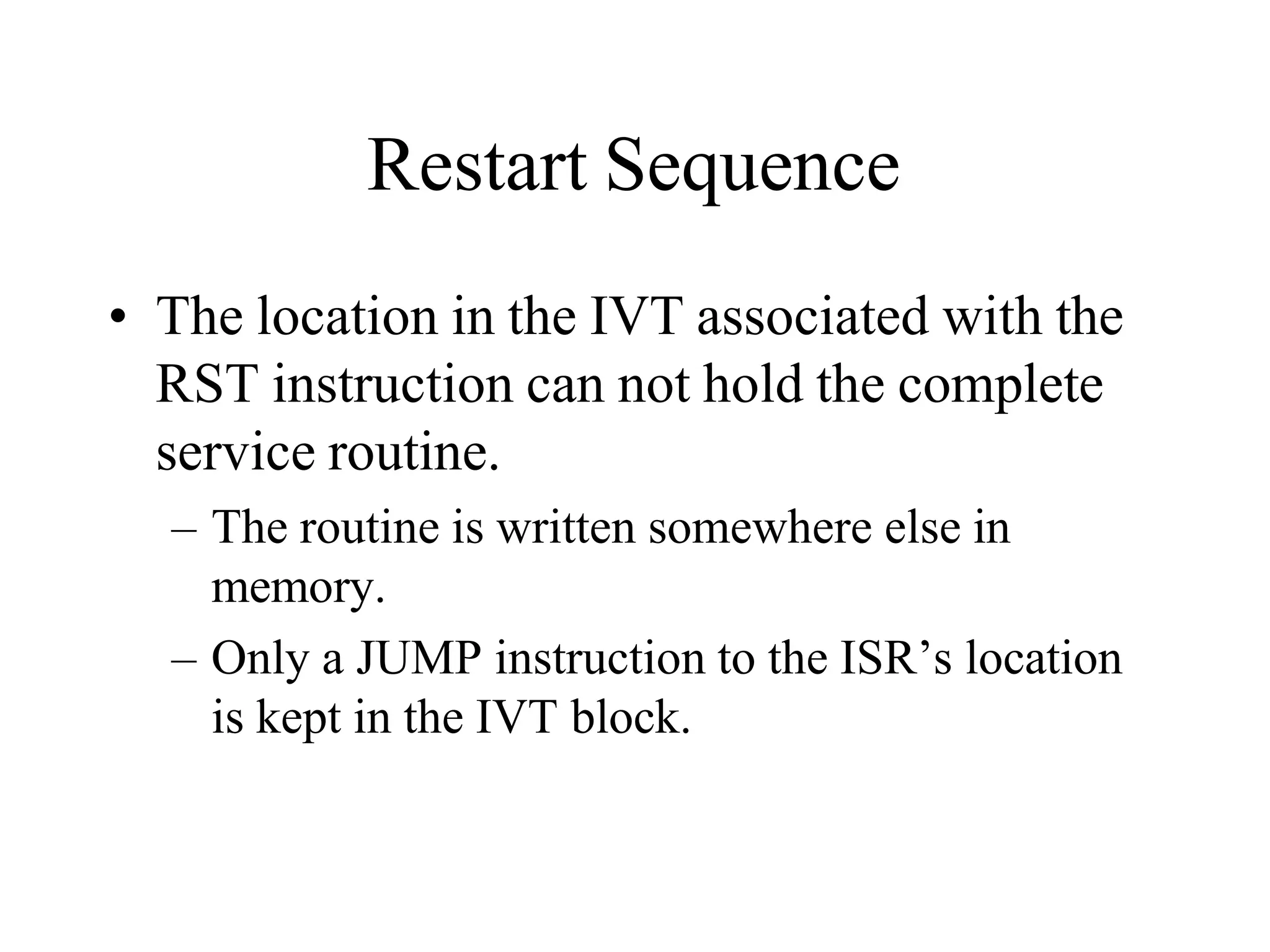
• The location in the IVT associated with the
RST instruction can not hold the complete
service routine.
– The routine is written somewhere else in
memory.
– Only a JUMP instruction to the ISR’s location
is kept in the IVT block.
Hardware Generation of RST
Opcode
• How does the external device produce the
opcode for the appropriate RST instruction?
– The opcode is simply a collection of bits.
– So, the device needs to set the bits of the data
bus to the appropriate value in response to an
INTA signal.
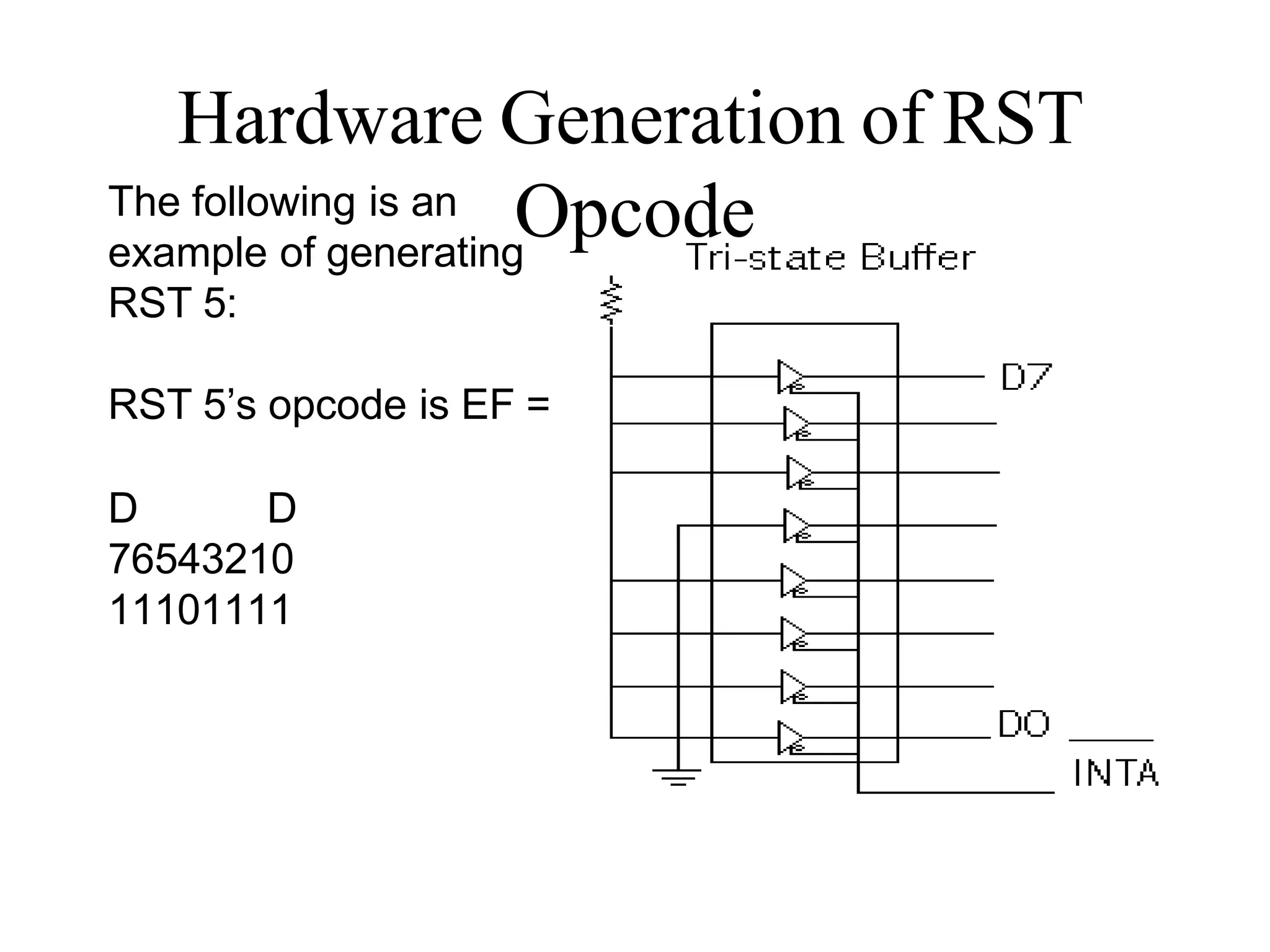
The following is an
example of generating
RST 5:
RST 5’s opcode is EF =
D D
76543210
11101111
Hardware Generation of RST
Opcode
Hardware Generation of RST
Opcode
• During the interrupt acknowledge machine cycle,
(the 1st machine cycle of the RST operation):
– The Microprocessor activates the INTA signal.
– This signal will enable the Tri-state buffers, which will
place the value EFH on the data bus.
– Therefore, sending the Microprocessor the RST 5
instruction.
• The RST 5 instruction is exactly equivalent to
CALL 0028H
Issues in Implementing INTR
Interrupts
• How long must INTR remain high?
– The microprocessor checks the INTR line one clock
cycle before the last T-state of each instruction.
– The interrupt process is Asynchronous.
– The INTR must remain active long enough to allow for
the longest instruction.
– The longest instruction for the 8085 is the conditional
CALL instruction which requires 18 T-states.
Therefore, the INTR must remain active for 17.5
T-states.
Issues in Implementing INTR
Interrupts
• How long can the INTR remain high?
– The INTR line must be deactivated before the EI is
executed. Otherwise, the microprocessor will be
interrupted again.
– The worst case situation is when EI is the first
instruction in the ISR.
– Once the microprocessor starts to respond to an INTR
interrupt, INTA becomes active (=0).
Therefore, INTR should be turned off as soon as the
INTA signal is received.
Issues in Implementing INTR
Interrupts
• Can the microprocessor be interrupted again
before the completion of the ISR?
– As soon as the 1st interrupt arrives, all maskable
interrupts are disabled.
– They will only be enabled after the execution of the EI
instruction.
Therefore, the answer is: “only if you allow it to”.
If the EI instruction is placed early in the ISR, other
interrupt may occur before the ISR is done.
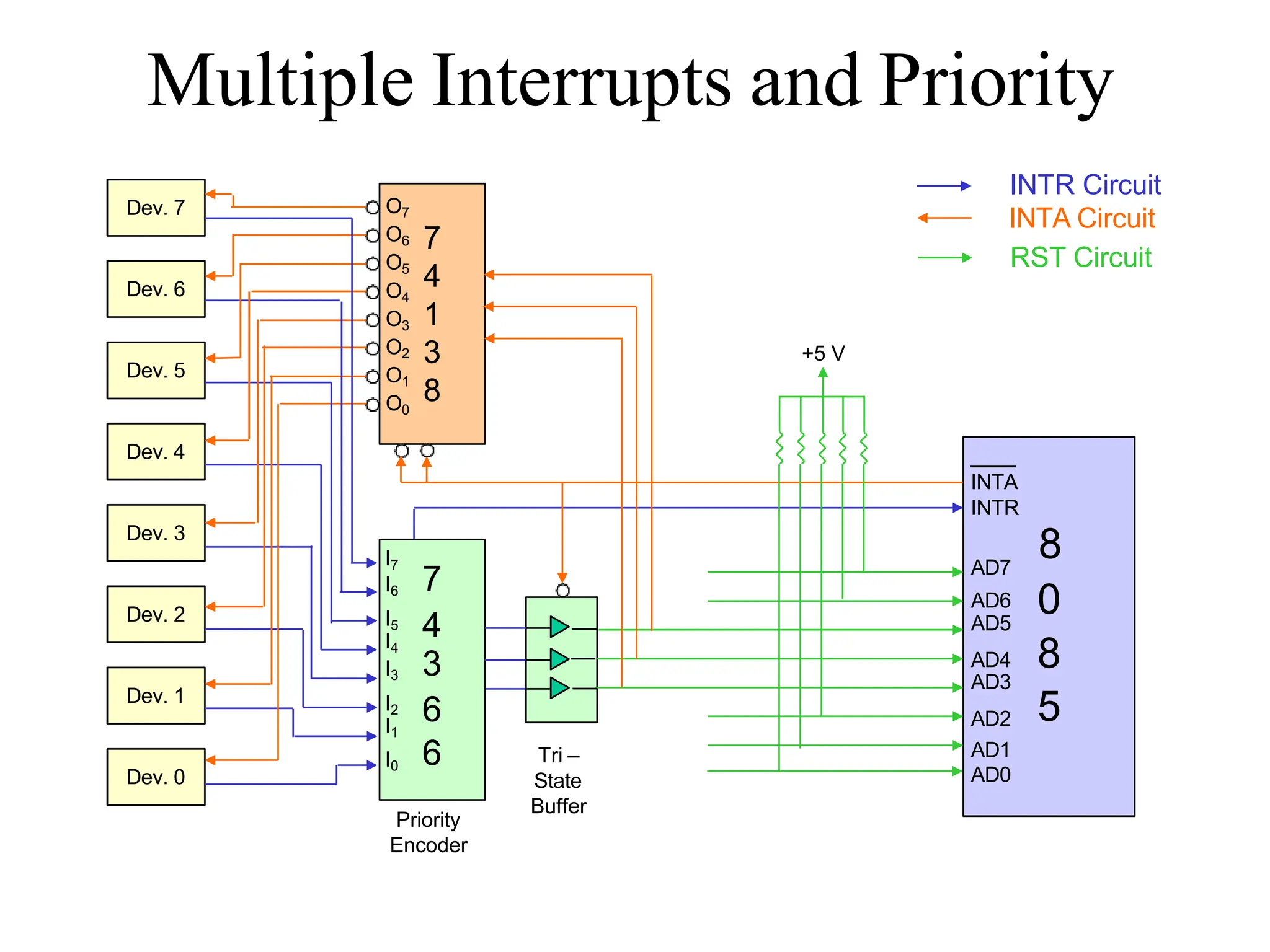
Multiple Interrupts & Priorities
• How do we allow multiple devices to
interrupt using the INTR line?
– The microprocessor can only respond to one
signal on INTR at a time.
– Therefore, we must allow the signal from only
one of the devices to reach the microprocessor.
– We must assign some priority to the different
devices and allow their signals to reach the
microprocessor according to the priority.
The Priority Encoder
• The solution is to use a circuit called the priority
encoder (74366).
– This circuit has 8 inputs and 3 outputs.
– The inputs are assigned increasing priorities according
to the increasing index of the input.
• Input 7 has highest priority and input 0 has the lowest.
– The 3 outputs carry the index of the highest priority
active input.
– Figure 12.4 in the book shoes how this circuit can be
used with a Tri-state buffer to implement an interrupt
priority scheme.
• The figure in the textbook does not show the method for
distributing the INTA signal back to the individual devices.
Multiple Interrupts & Priorities
• Note that the opcodes for the different RST
instructions follow a set pattern.
• Bit D5, D4 and D3 of the opcodes change in a binary
sequence from RST 7 down to RST 0.
• The other bits are always 1.
• This allows the code generated by the 74366 to be used
directly to choose the appropriate RST instruction.
• The one draw back to this scheme is that the only
way to change the priority of the devices
connected to the 74366 is to reconnect the
hardware.
Multiple Interrupts and Priority
Dev. 7
Dev. 6
Dev. 5
Dev. 4
Dev. 3
Dev. 2
Dev. 1
Dev. 0
7
4
1
3
8
INTA
INTR
8
AD7
AD6 0
AD5
AD4 8
AD3
AD2 5
AD1
AD0
O7
O6
O5
O4
O3
O2
O1
O0
I7
I6 7
I5
4
I4
I3 3
I2 6
I1
I0 6 Tri –
State
Buffer
Priority
Encoder
+5 V
INTR Circuit
INTA Circuit
RST Circuit
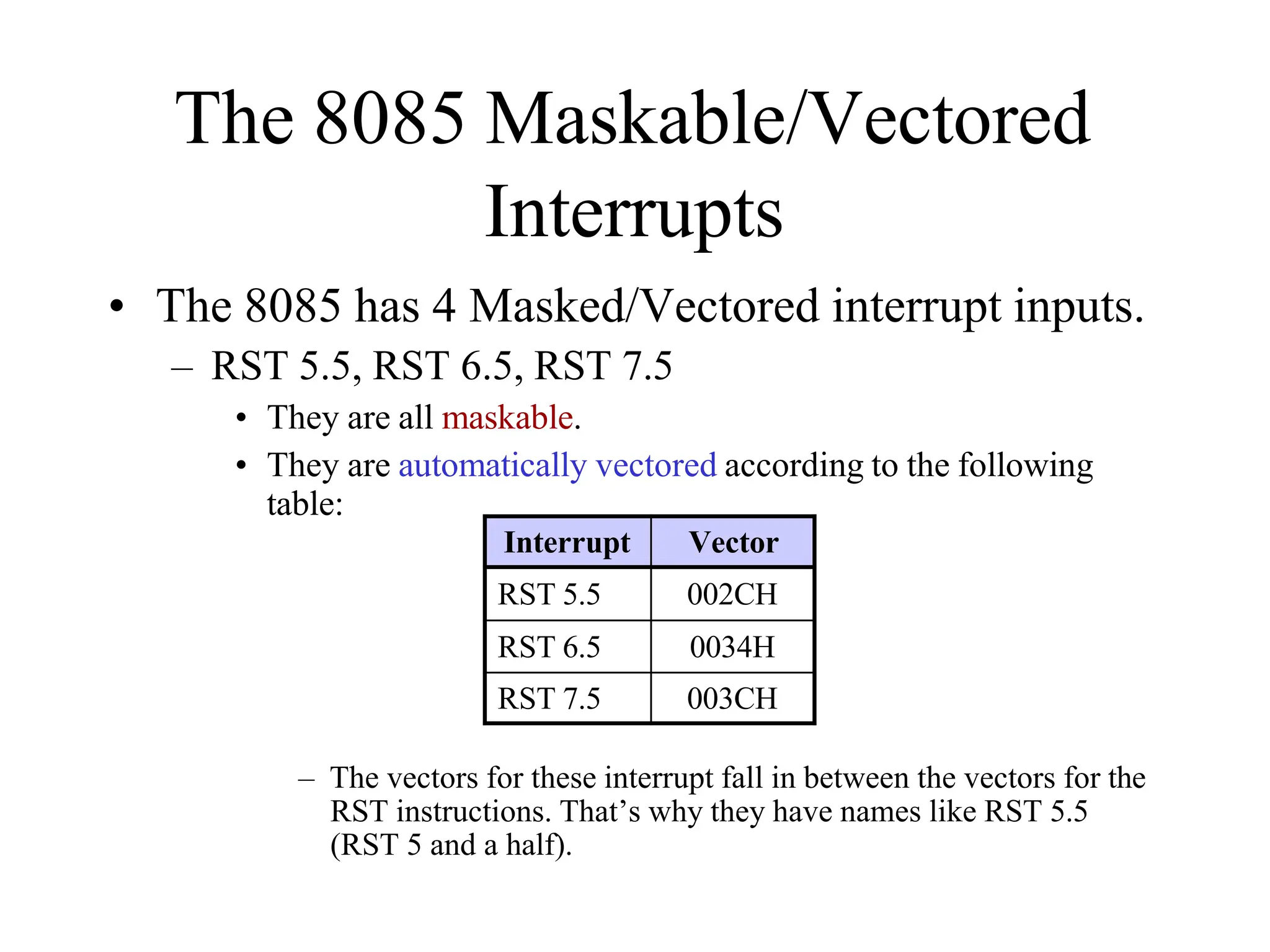
The 8085 Maskable/Vectored
Interrupts
• The 8085 has 4 Masked/Vectored interrupt inputs.
– RST 5.5, RST 6.5, RST 7.5
• They are all maskable.
• They are automatically vectored according to the following
table:
– The vectors for these interrupt fall in between the vectors for the
RST instructions. That’s why they have names like RST 5.5
(RST 5 and a half).
Interrupt Vector
RST 5.5 002CH
RST 6.5 0034H
RST 7.5 003CH
Masking RST 5.5, RST 6.5 and
RST 7.5
• These three interrupts are masked at two
levels:
– Through the Interrupt Enable flip flop and the
EI/DI instructions.
• The Interrupt Enable flip flop controls the whole
maskable interrupt process.
– Through individual mask flip flops that control
the availability of the individual interrupts.
• These flip flops control the interrupts individually.
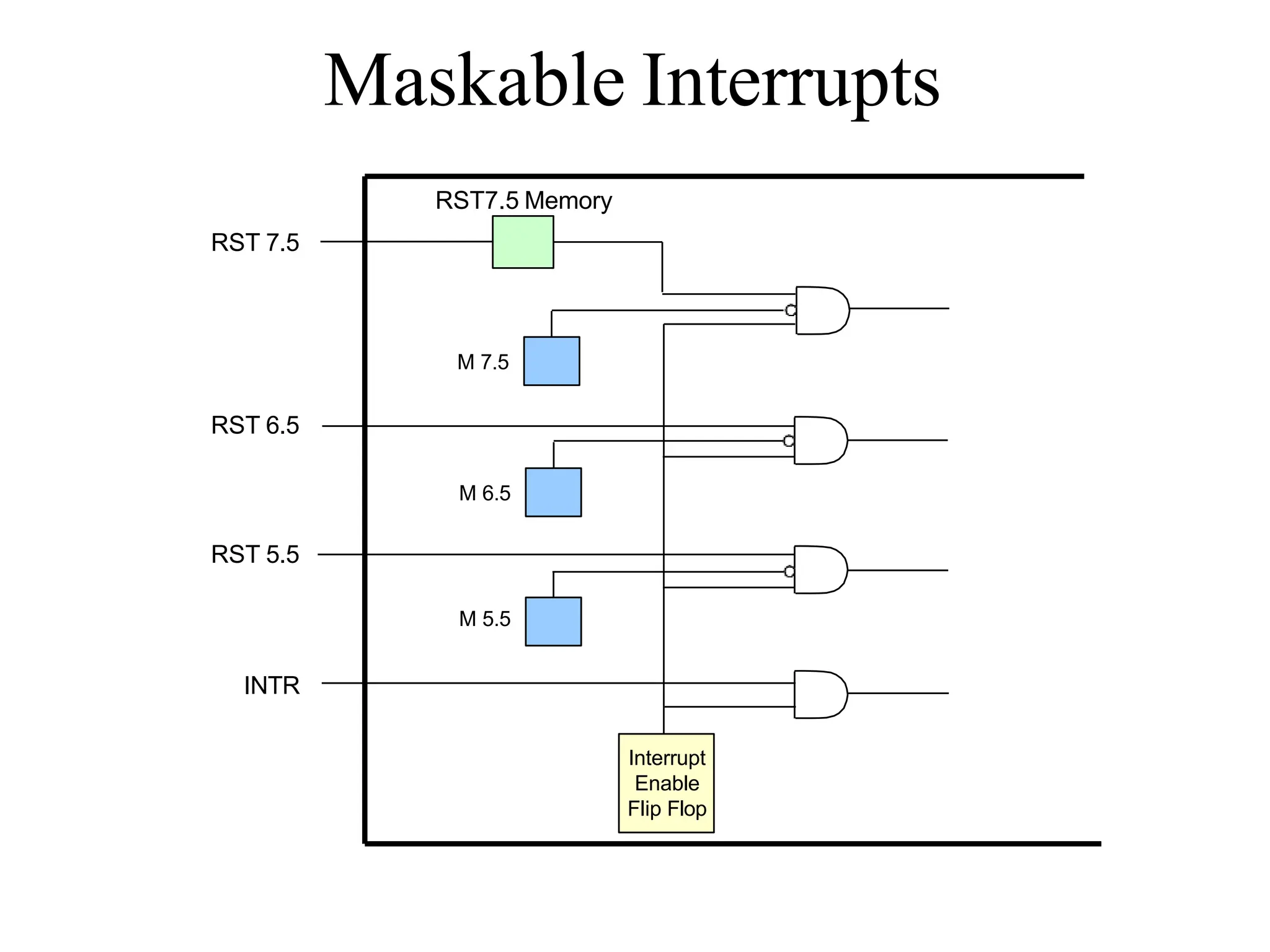
Maskable Interrupts
Interrupt
Enable
Flip Flop
INTR
RST 5.5
RST 6.5
M 5.5
M 6.5
M 7.5
RST7.5 Memory
RST 7.5
The 8085 Maskable/Vectored
Interrupt Process
1. The interrupt process should be enabled using the
EI instruction.
2. The 8085 checks for an interrupt during the
execution of every instruction.
3. If there is an interrupt, and if the interrupt is
enabled using the interrupt mask, the
microprocessor will complete the executing
instruction, and reset the interrupt flip flop.
4. The microprocessor then executes a call instruction
that sends the execution to the appropriate location
in the interrupt vector table.
The 8085 Maskable/Vectored
Interrupt Process
5. When the microprocessor executes the call
instruction, it saves the address of the next
instruction on the stack.
6. The microprocessor jumps to the specific service
routine.
7. The service routine must include the instruction EI
to re-enable the interrupt process.
8. At the end of the service routine, the RET
instruction returns the execution to where the
program was interrupted.
Manipulating the Masks
• The Interrupt Enable flip flop is manipulated using
the EI/DI instructions.
• The individual masks for RST 5.5, RST 6.5 and
RST 7.5 are manipulated using the SIM
instruction.
– This instruction takes the bit pattern in the Accumulator
and applies it to the interrupt mask enabling and
disabling the specific interrupts.
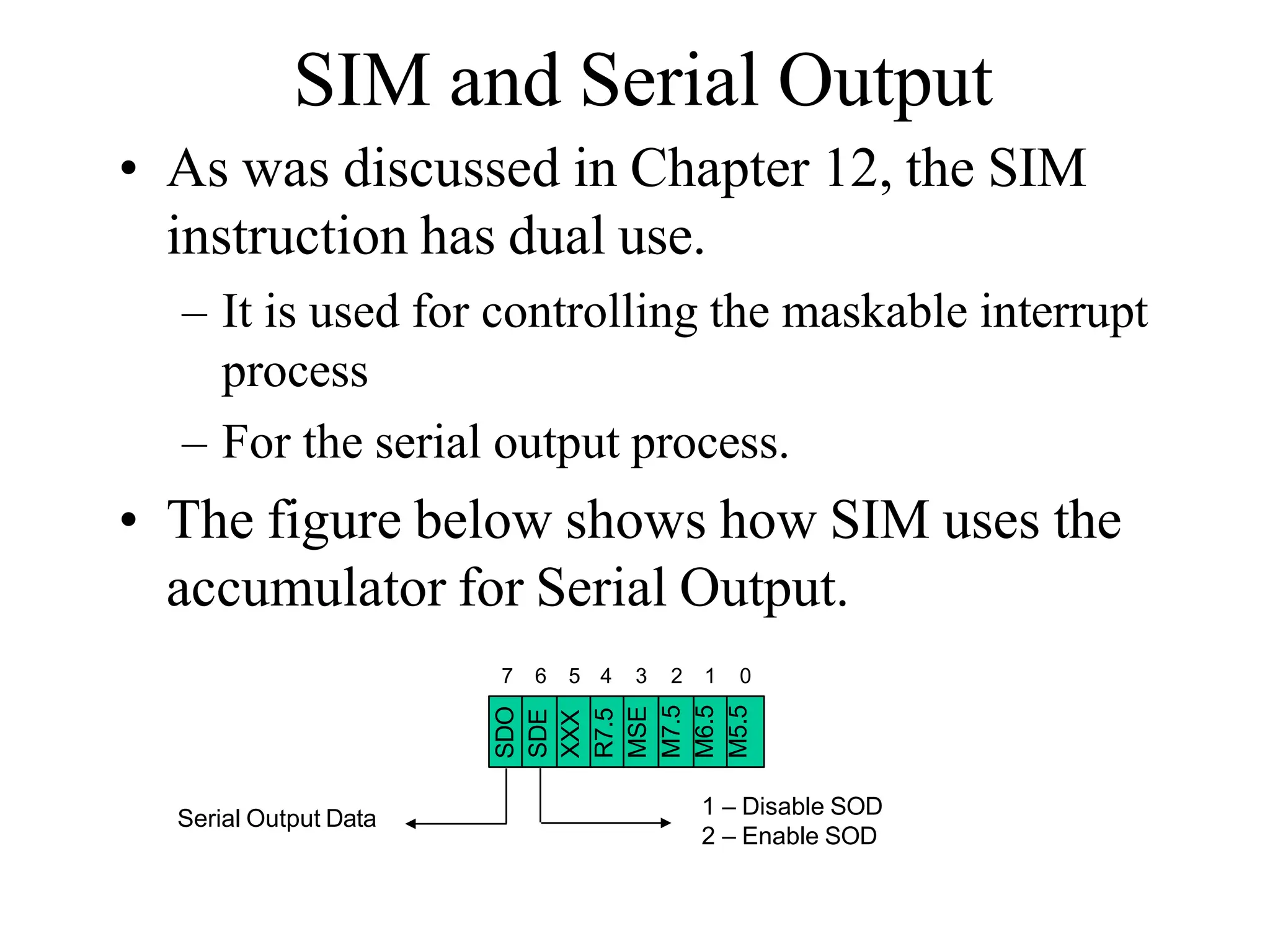
How SIM Interprets the
Accumulator
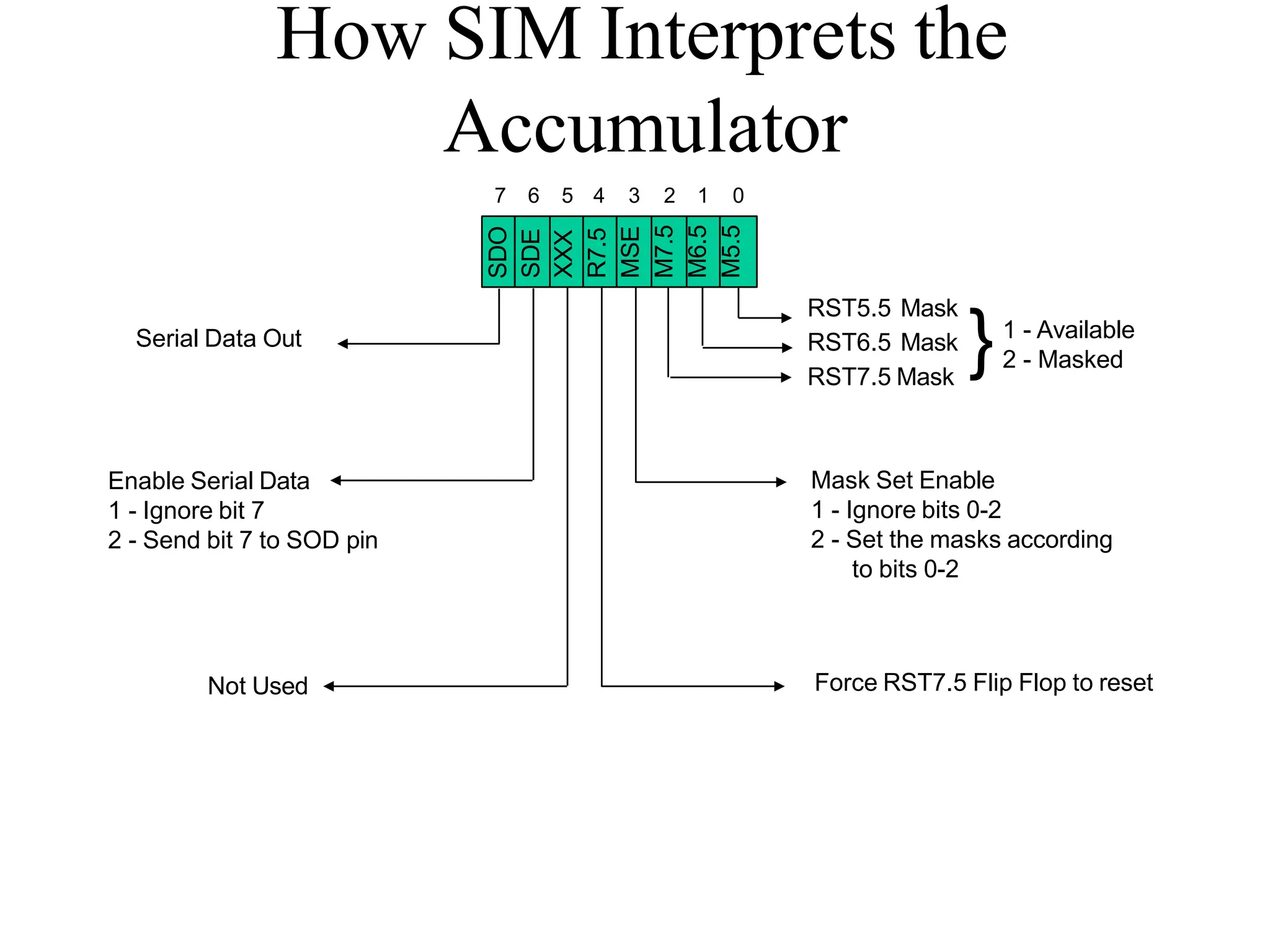
7 6 5 4 3 2 1 0
SDO
SDE
XXX
R7.5
MSE
M7.5
M6.5
M5.5
RST5.5 Mask
RST6.5 Mask
RST7.5 Mask
}1 - Available
2 - Masked
Mask Set Enable
1 - Ignore bits 0-2
2 - Set the masks according
to bits 0-2
Force RST7.5 Flip Flop to reset
Not Used
Enable Serial Data
1 - Ignore bit 7
2 - Send bit 7 to SOD pin
Serial Data Out
SIM and the Interrupt Mask
• Bit 0 is the mask for RST 5.5, bit 1 is the mask for
RST 6.5 and bit 2 is the mask for RST 7.5.
• If the mask bit is 0, the interrupt is available.
• If the mask bit is 1, the interrupt is masked.
• Bit 3 (Mask Set Enable - MSE) is an enable for
setting the mask.
• If it is set to 0 the mask is ignored and the old settings remain.
• If it is set to 1, the new setting are applied.
• The SIM instruction is used for multiple purposes and not only
for setting interrupt masks.
– It is also used to control functionality such as Serial Data
Transmission.
– Therefore, bit 3 is necessary to tell the microprocessor
whether or not the interrupt masks should be modified
SIM and the Interrupt Mask
• The RST 7.5 interrupt is the only 8085 interrupt that has
memory.
– If a signal on RST7.5 arrives while it is masked, a flip flop will
remember the signal.
– When RST7.5 is unmasked, the microprocessor will be interrupted
even if the device has removed the interrupt signal.
– This flip flop will be automatically reset when the microprocessor
responds to an RST 7.5 interrupt.
• Bit 4 of the accumulator in the SIM instruction allows
explicitly resetting the RST 7.5 memory even if the
microprocessor did not respond to it.
SIM and the Interrupt Mask
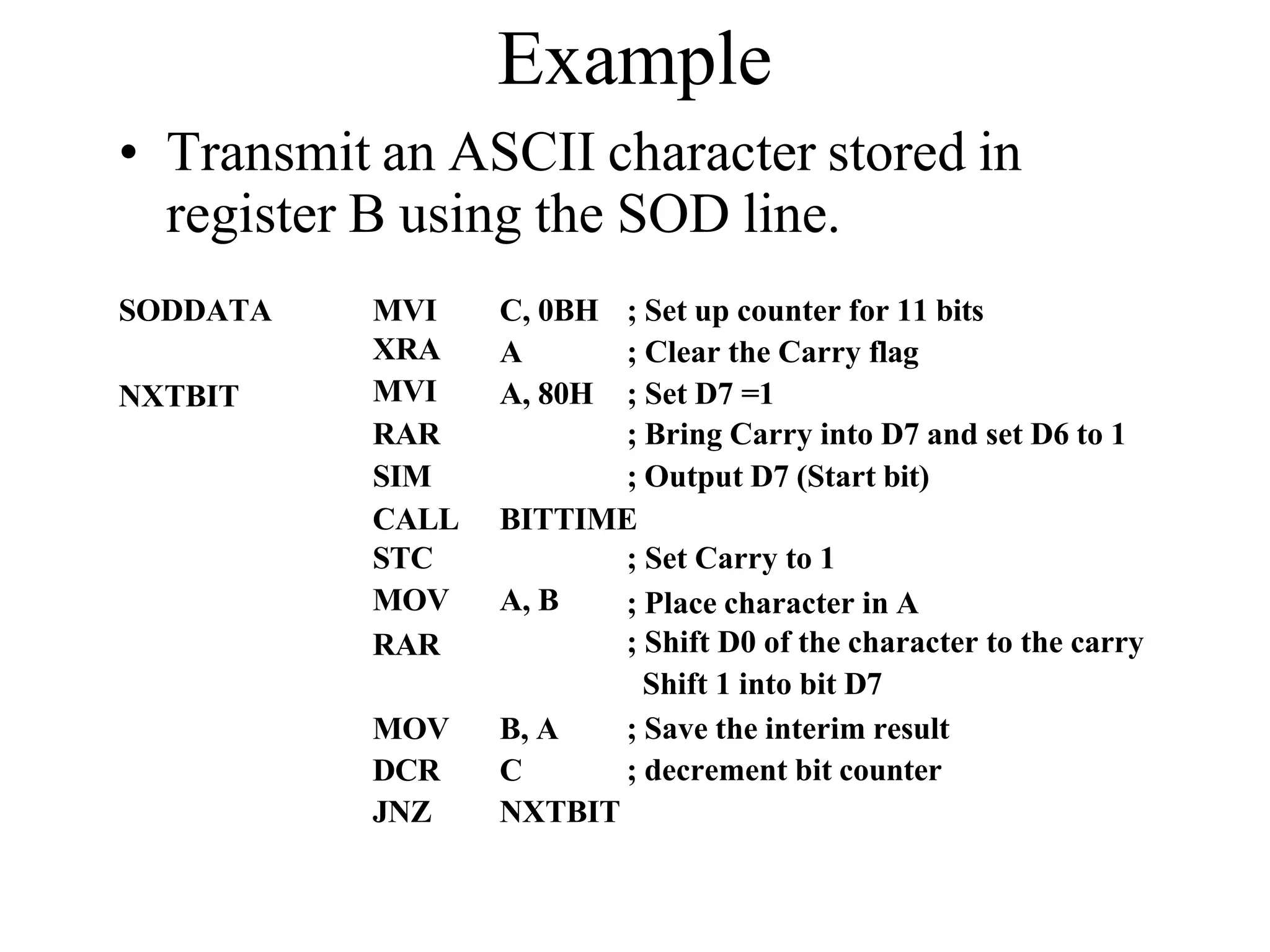
• The SIM instruction can also be used to perform
serial data transmission out of the 8085’s SOD
pin.
– One bit at a time can be sent out serially over the SOD
pin.
• Bit 6 is used to tell the microprocessor whether or
not to perform serial data transmission
• If 0, then do not perform serial data transmission
• If 1, then do.
• The value to be sent out on SOD has to be placed
in bit 7 of the accumulator.
• Bit 5 is not used by the SIM instruction
Using the SIM Instruction to Modify the
Interrupt Masks
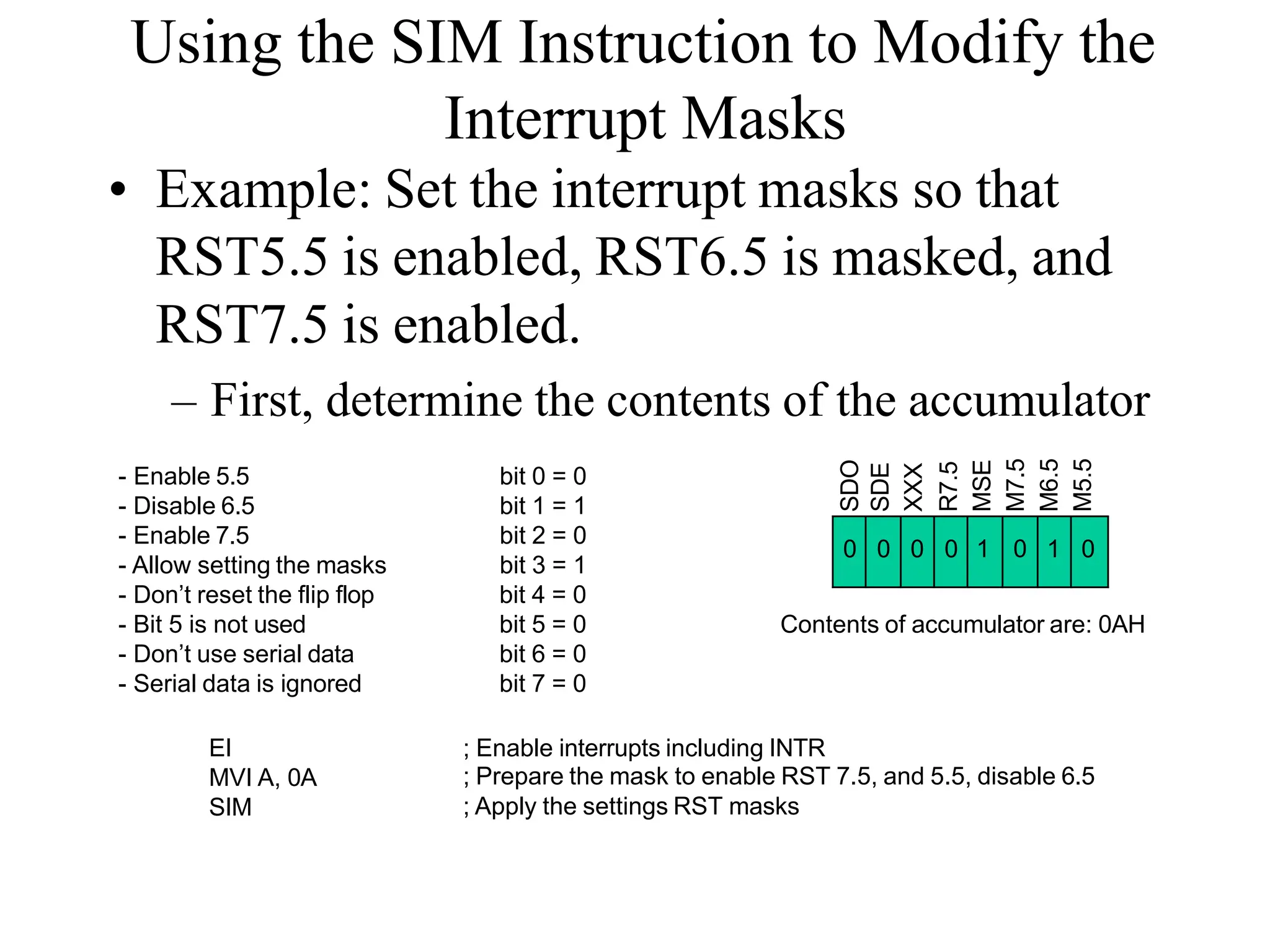
• Example: Set the interrupt masks so that
RST5.5 is enabled, RST6.5 is masked, and
RST7.5 is enabled.
– First, determine the contents of the accumulator
0 0 0 0 1 0 1 0
SDO
SDE
XXX
R7.5
MSE
M7.5
M6.5
M5.5
- Enable 5.5
- Disable 6.5
- Enable 7.5
- Allow setting the masks
- Don’t reset the flip flop
- Bit 5 is not used
- Don’t use serial data
- Serial data is ignored
bit 0 = 0
bit 1 = 1
bit 2 = 0
bit 3 = 1
bit 4 = 0
bit 5 = 0
bit 6 = 0
bit 7 = 0
Contents of accumulator are: 0AH
EI
MVI A, 0A
SIM
; Enable interrupts including INTR
; Prepare the mask to enable RST 7.5, and 5.5, disable 6.5
; Apply the settings RST masks
Triggering Levels
• RST 7.5 is positive edge sensitive.
• When a positive edge appears on the RST7.5 line, a logic 1 is
stored in the flip-flop as a “pending” interrupt.
• Since the value has been stored in the flip flop, the line does
not have to be high when the microprocessor checks for the
interrupt to be recognized.
• The line must go to zero and back to one before a new interrupt
is recognized.
• RST 6.5 and RST 5.5 are level sensitive.
• The interrupting signal must remain present until the
microprocessor checks for interrupts.
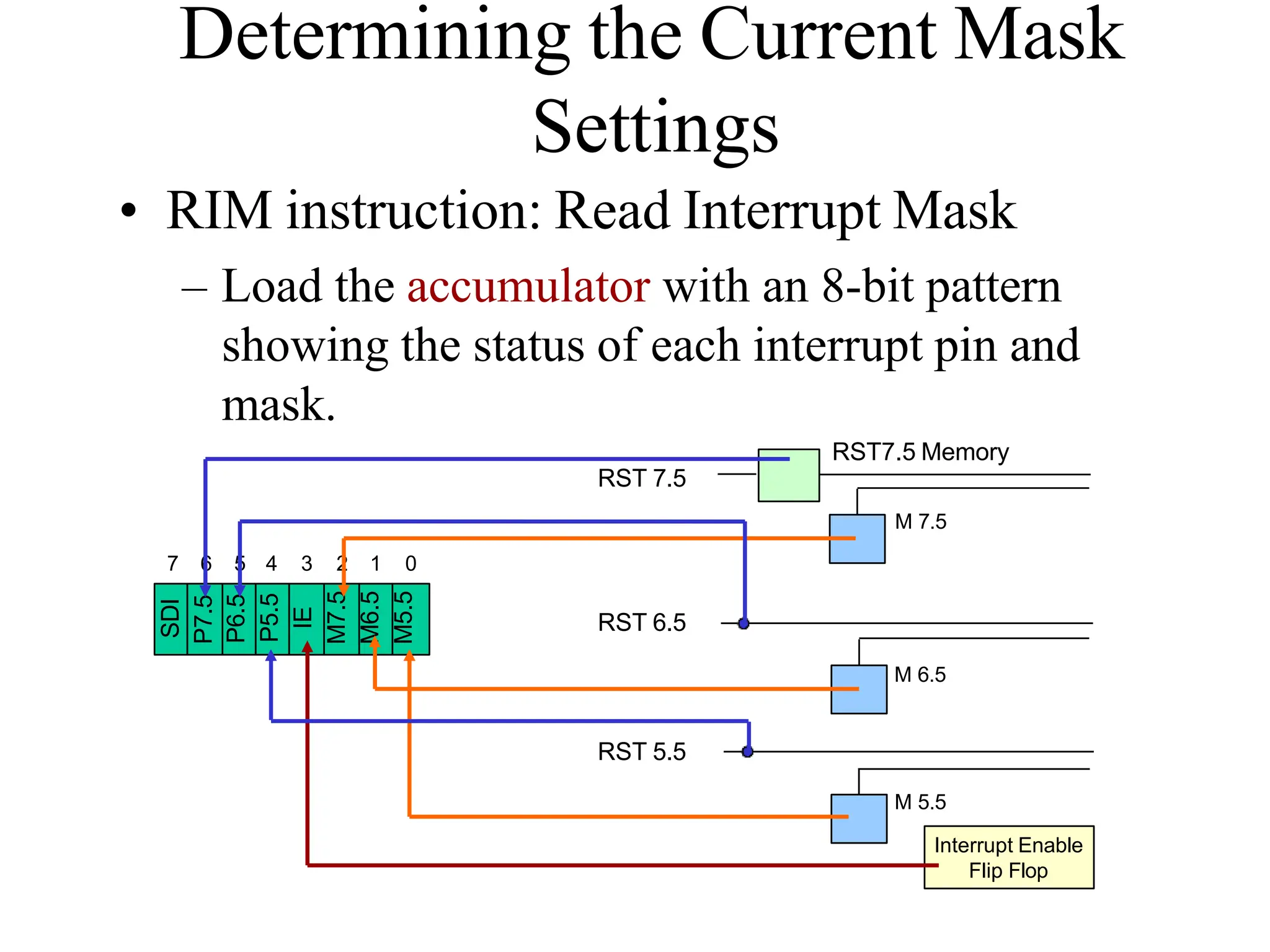
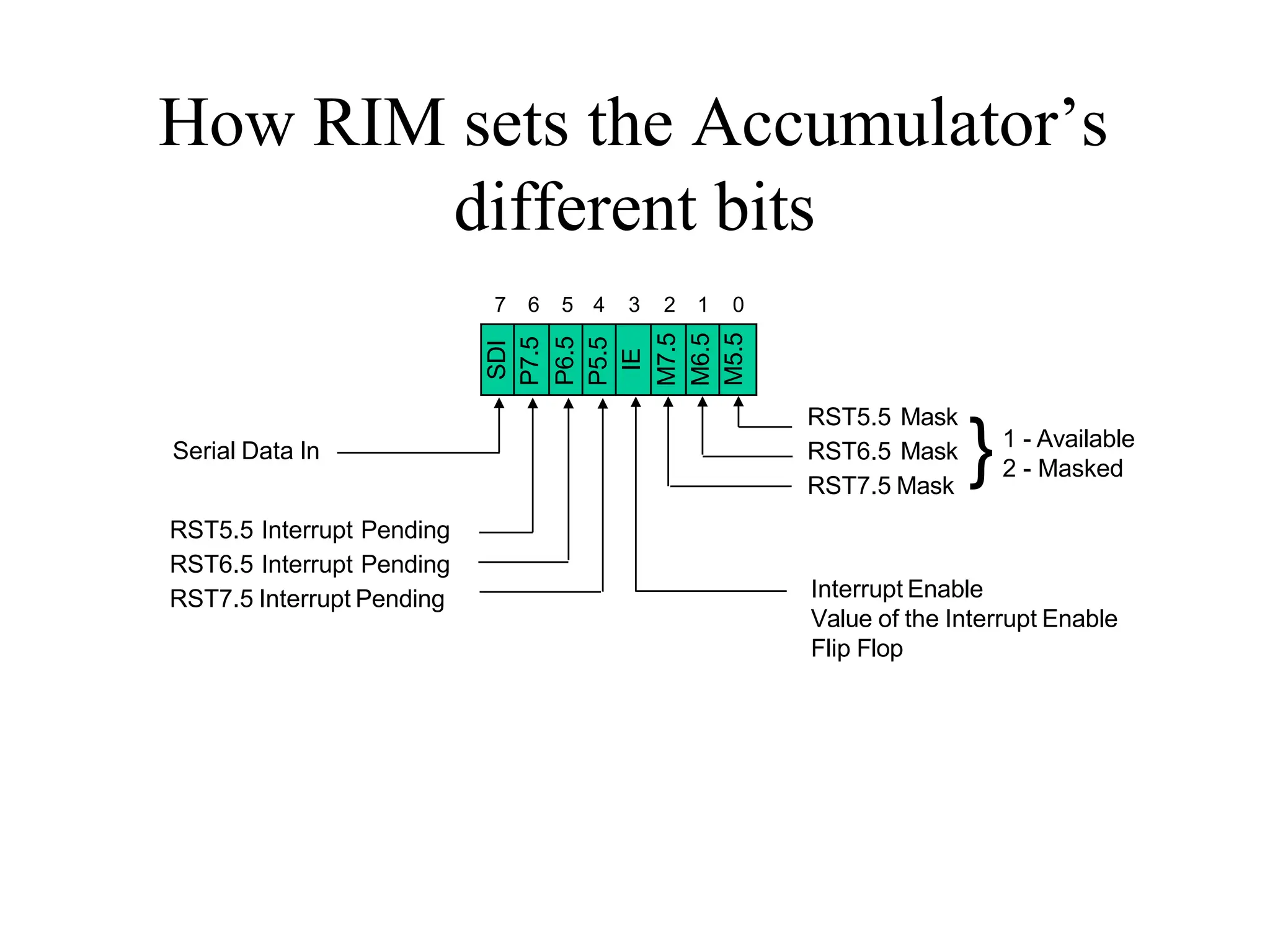
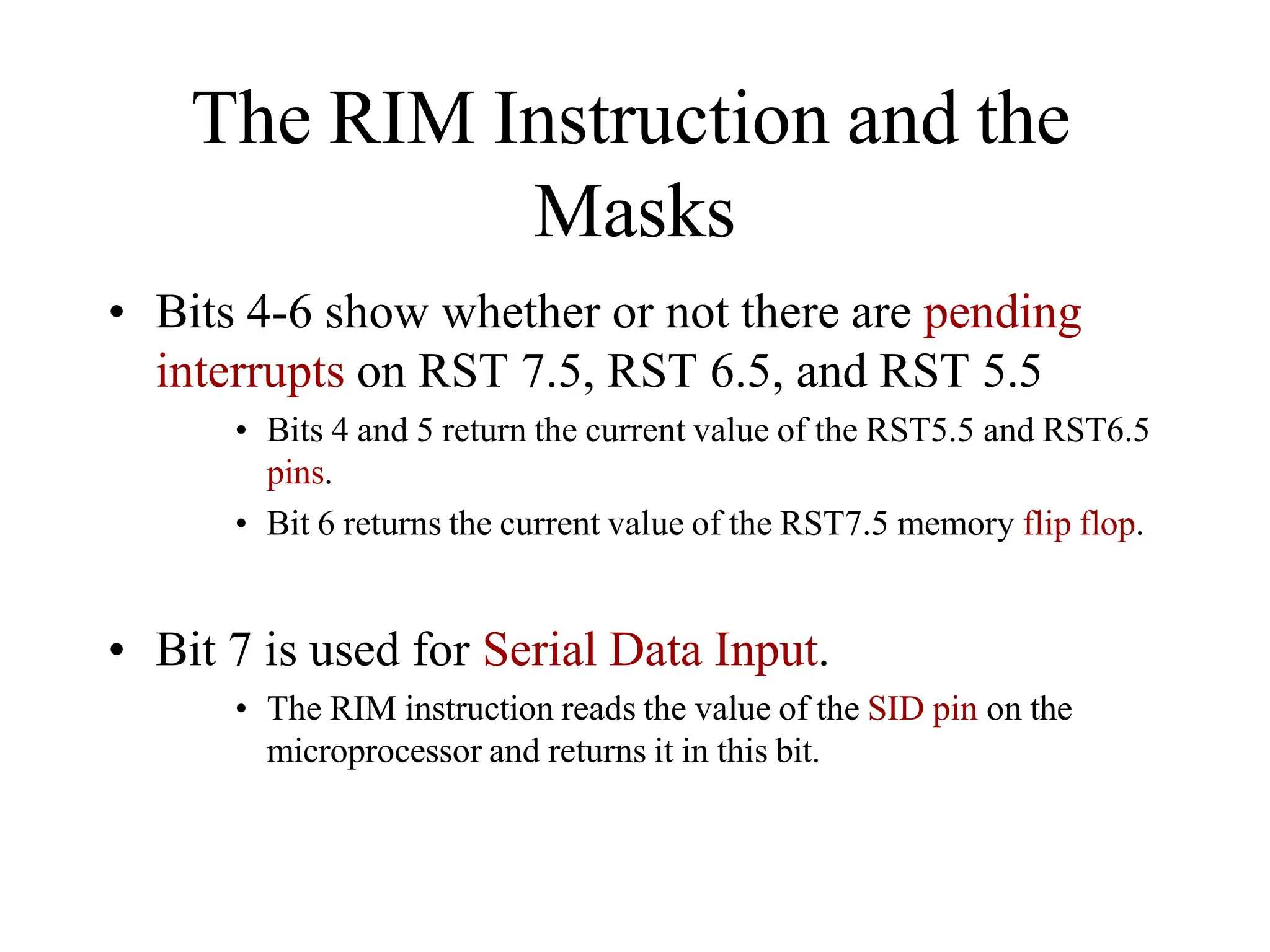
Determining the Current Mask
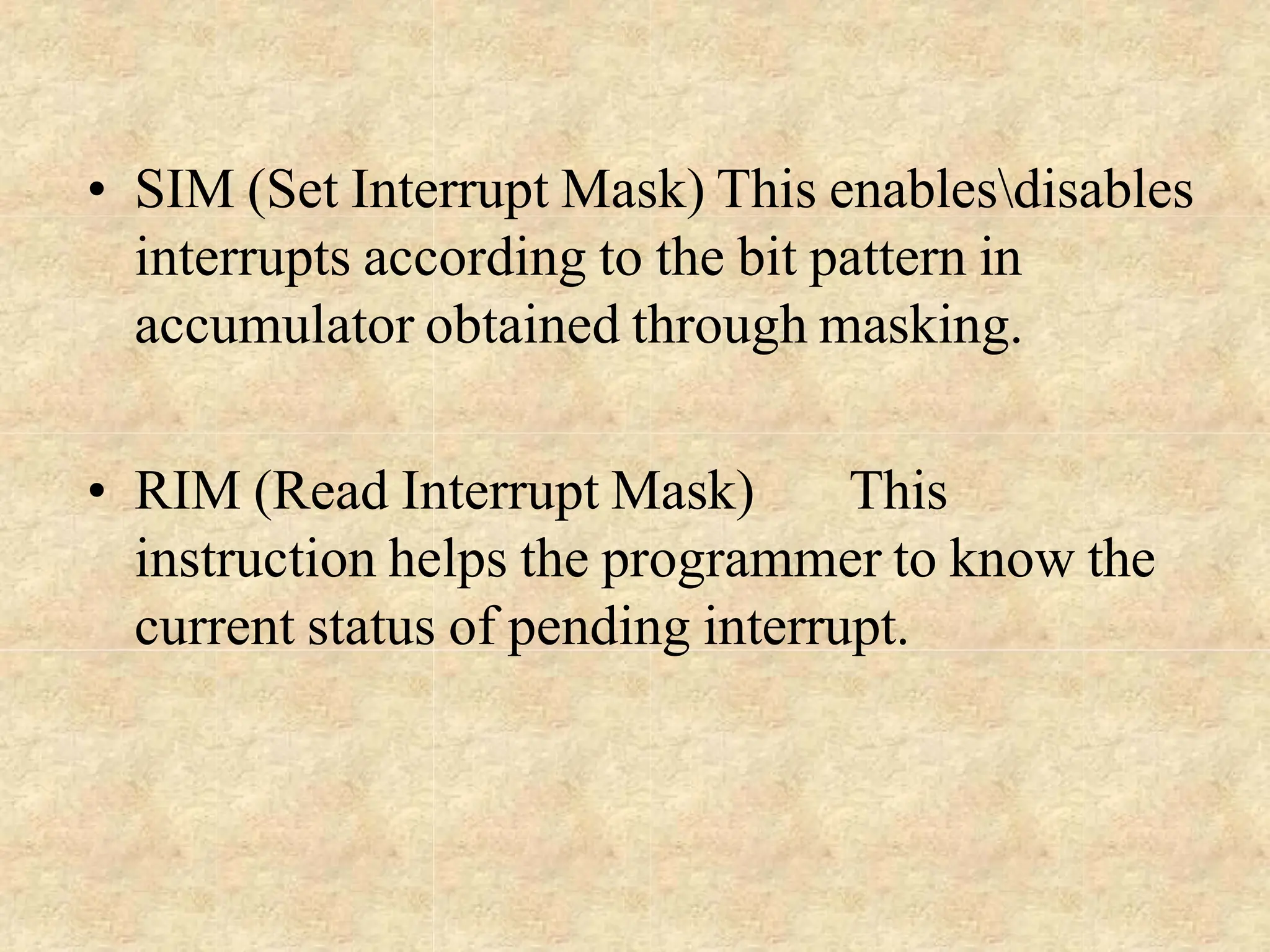
Settings
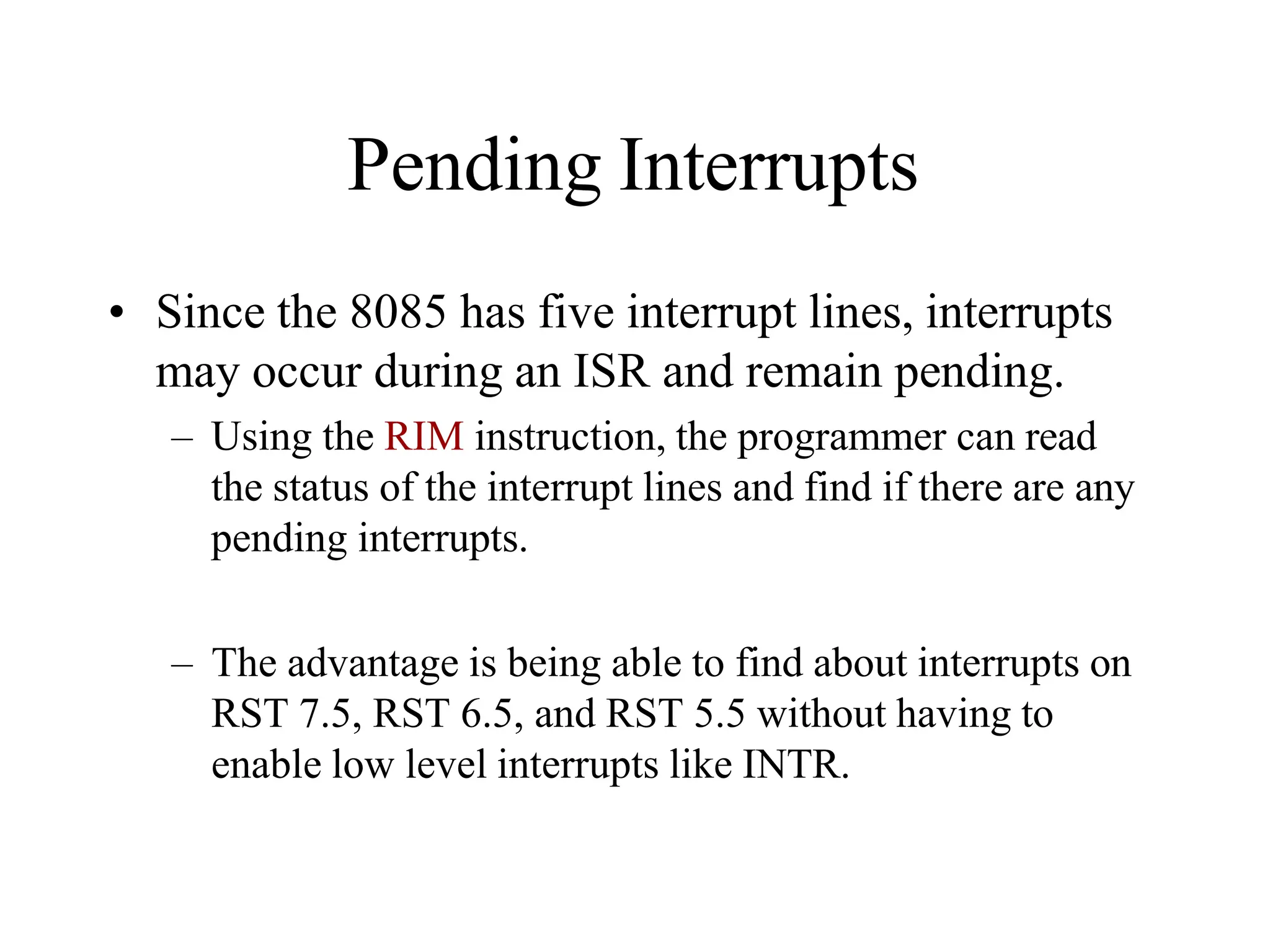
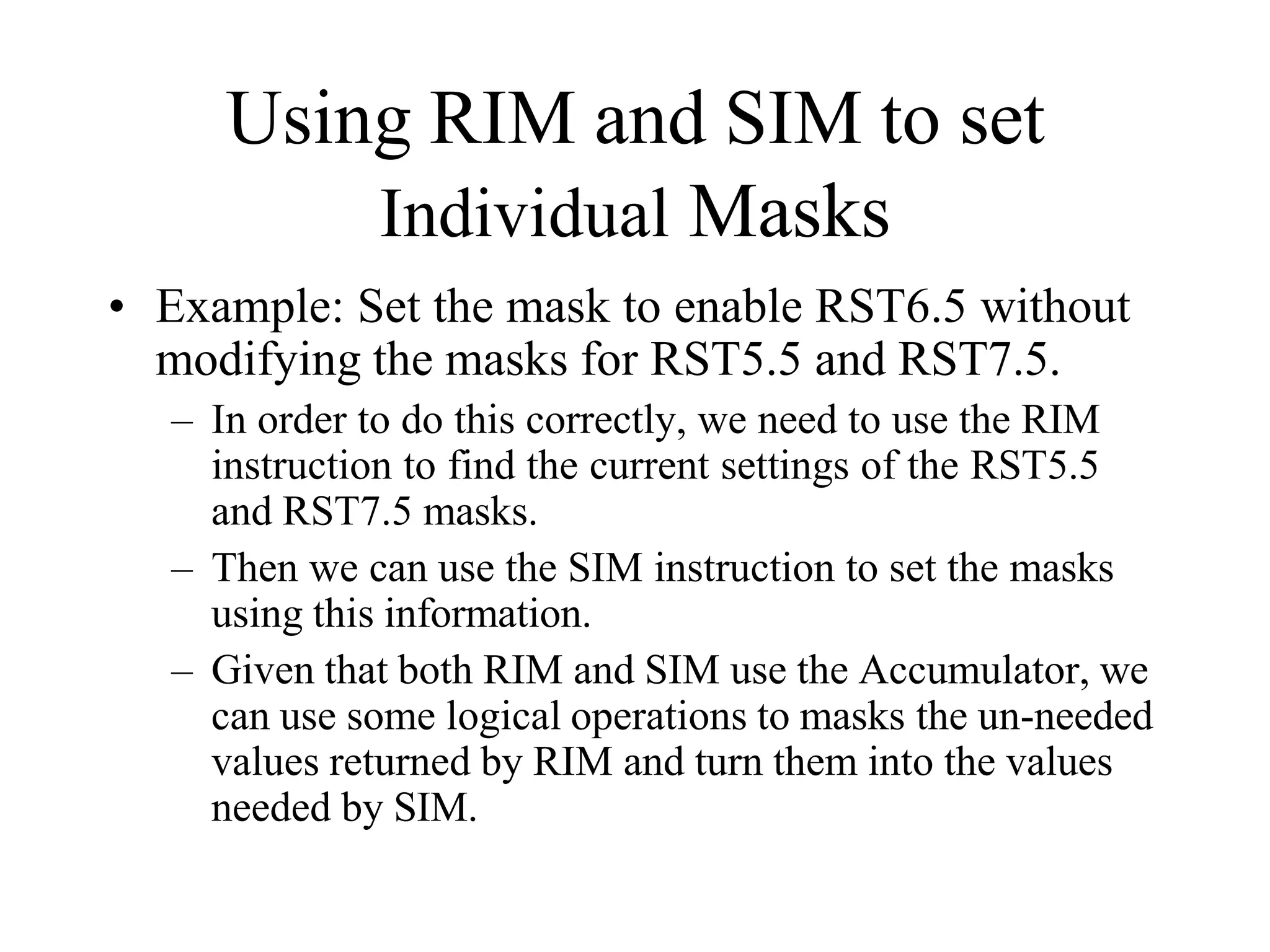
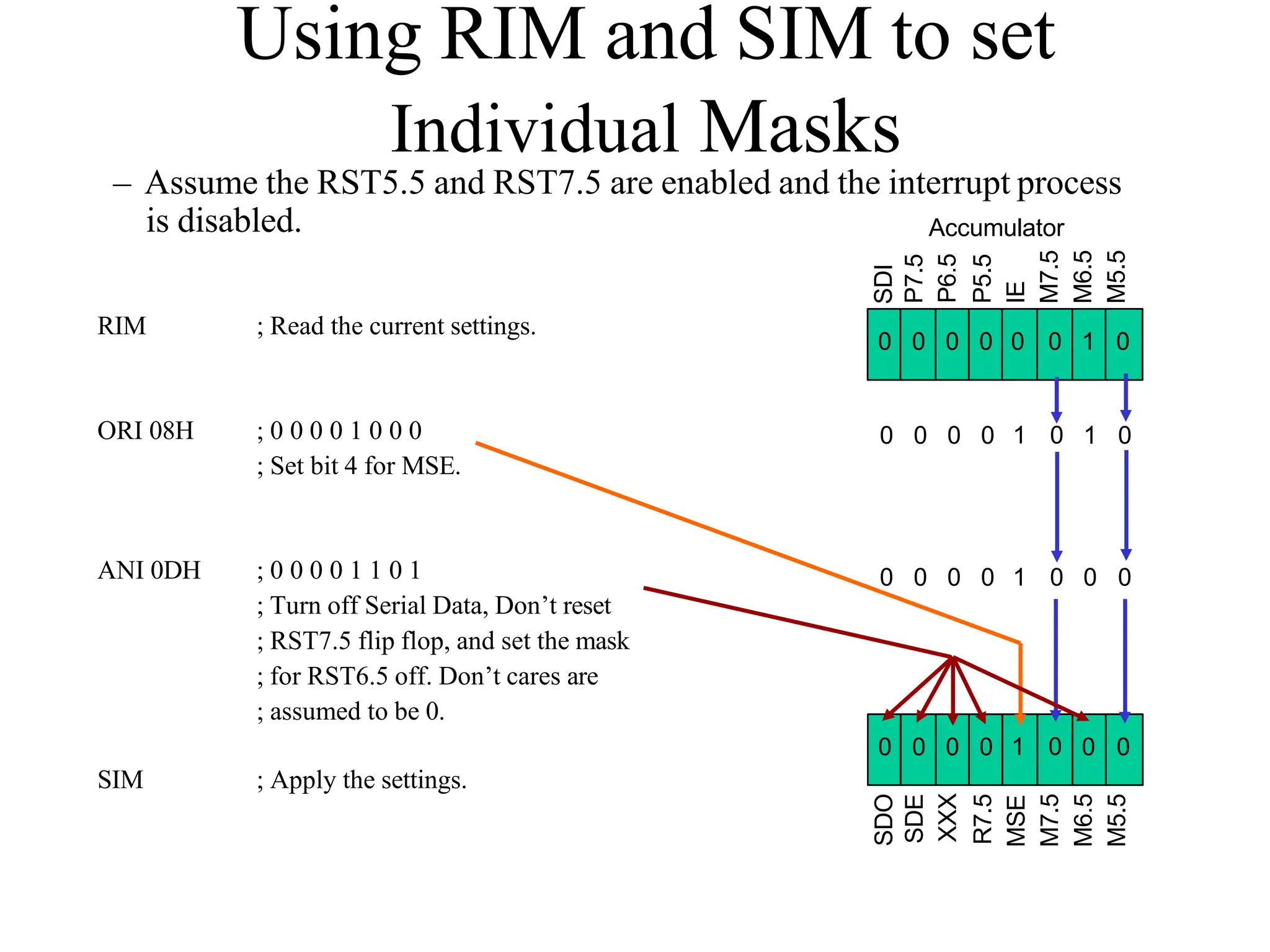
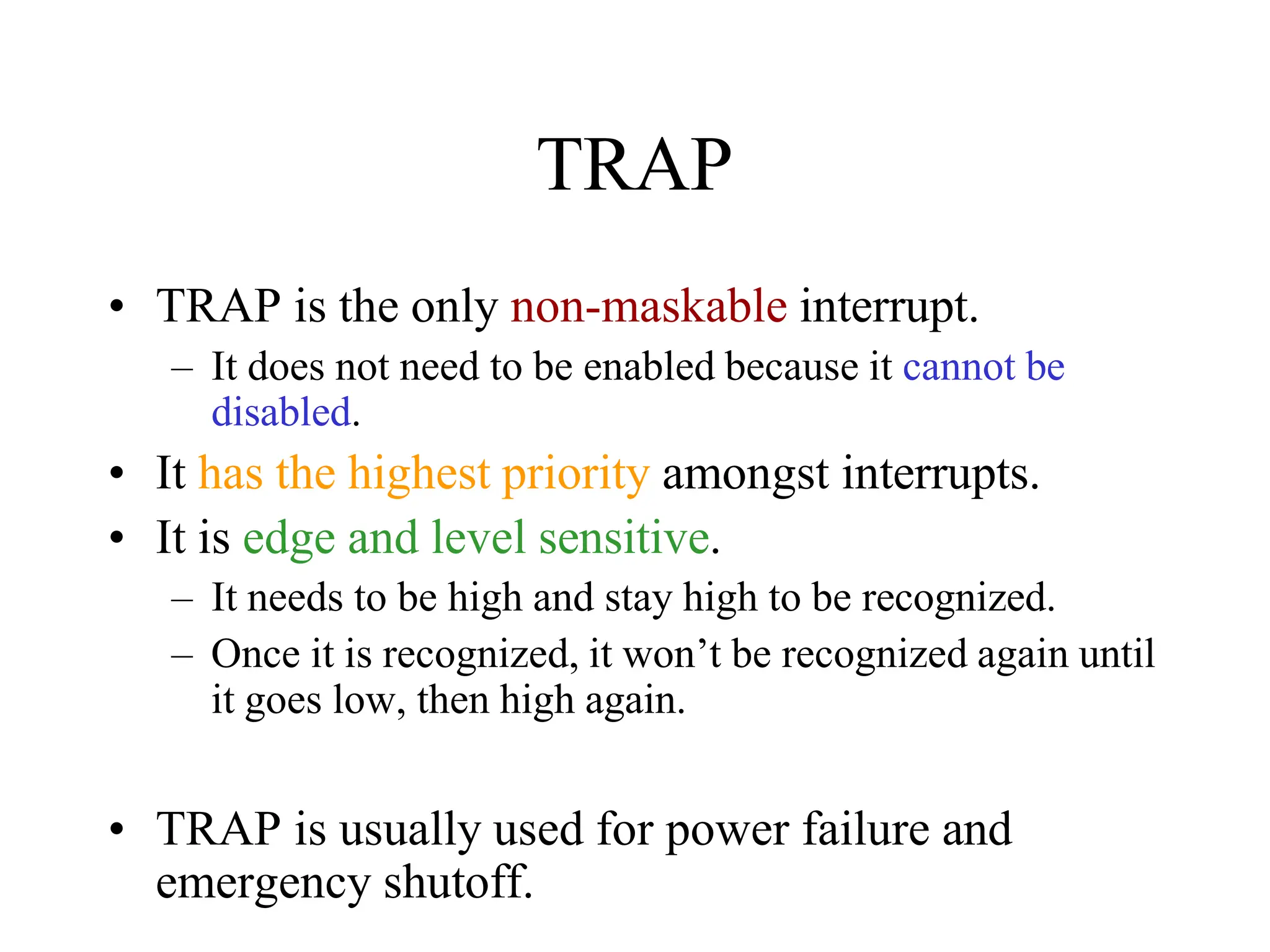
• RIM instruction: Read Interrupt Mask
– Load the accumulator with an 8-bit pattern
showing the status of each interrupt pin and
mask.
RST 5.5
RST 6.5
M 5.5
Interrupt Enable
Flip Flop
M 6.5
RST7.5 Memory
RST 7.5
M 7.5
SDI
P7.5
P6.5
P5.5
IE
M7.5
M6.5
M5.5
7 6 5 4 3 2 1 0
How RIM sets the Accumulator’s
different bits
SDI
P7.5
P6.5
P5.5
IE
M7.5
M6.5
M5.5
7 6 5 4 3 2 1 0
RST5.5 Mask
RST6.5 Mask
RST7.5 Mask
}1 - Available
2 - Masked
Interrupt Enable
Value of the Interrupt Enable
Flip Flop
Serial Data In
RST5.5 Interrupt Pending
RST6.5 Interrupt Pending
RST7.5 Interrupt Pending
The RIM Instruction and the
Masks
• Bits 0-2 show the current setting of the mask for
each of RST 7.5, RST 6.5 and RST 5.5
• They return the contents of the three mask flip flops.
• They can be used by a program to read the mask settings in
order to modify only the right mask.
• Bit 3 shows whether the maskable interrupt
process is enabled or not.
• It returns the contents of the Interrupt Enable Flip Flop.
• It can be used by a program to determine whether or not
interrupts are enabled.
The RIM Instruction and the
Masks
• Bits 4-6 show whether or not there are pending
interrupts on RST 7.5, RST 6.5, and RST 5.5
• Bits 4 and 5 return the current value of the RST5.5 and RST6.5
pins.
• Bit 6 returns the current value of the RST7.5 memory flip flop.
• Bit 7 is used for Serial Data Input.
• The RIM instruction reads the value of the SID pin on the
microprocessor and returns it in this bit.
Pending Interrupts
• Since the 8085 has five interrupt lines, interrupts
may occur during an ISR and remain pending.
– Using the RIM instruction, the programmer can read
the status of the interrupt lines and find if there are any
pending interrupts.
– The advantage is being able to find about interrupts on
RST 7.5, RST 6.5, and RST 5.5 without having to
enable low level interrupts like INTR.
Using RIM and SIM to set
Individual Masks
• Example: Set the mask to enable RST6.5 without
modifying the masks for RST5.5 and RST7.5.
– In order to do this correctly, we need to use the RIM
instruction to find the current settings of the RST5.5
and RST7.5 masks.
– Then we can use the SIM instruction to set the masks
using this information.
– Given that both RIM and SIM use the Accumulator, we
can use some logical operations to masks the un-needed
values returned by RIM and turn them into the values
needed by SIM.
SDO
SDE
XXX
R7.5
MSE
M7.5
M6.5
M5.5
0 0 0
0
0
0
0 1
Using RIM and SIM to set
Individual Masks
– Assume the RST5.5 and RST7.5 are enabled and the interrupt process
is disabled.
RIM ; Read the current settings.
ORI 08H ; 0 0 0 0 1 0 0 0
; Set bit 4 for MSE.
ANI 0DH ; 0 0 0 0 1 1 0 1
; Turn off Serial Data, Don’t reset
; RST7.5 flip flop, and set the mask
; for RST6.5 off. Don’t cares are
; assumed to be 0.
SIM ; Apply the settings.
Accumulator
SDI
P7.5
P6.5
P5.5
IE
M7.5
M6.5
M5.5
0 0 0 0 0 0 1 0
1 0
0 0 0 0 1 0
0 0 0 0 1 0 0 0
TRAP
• TRAP is the only non-maskable interrupt.
– It does not need to be enabled because it cannot be
disabled.
• It has the highest priority amongst interrupts.
• It is edge and level sensitive.
– It needs to be high and stay high to be recognized.
– Once it is recognized, it won’t be recognized again until
it goes low, then high again.
• TRAP is usually used for power failure and
emergency shutoff.
Internal Interrupt Priority
• Internally, the 8085 implements an interrupt
priority scheme.
– The interrupts are ordered as follows:
• TRAP
• RST 7.5
• RST 6.5
• RST 5.5
• INTR
– However, TRAP has lower priority than the HLD signal
used for DMA.
The 8085 Interrupts
Interrupt
Name
Maskable
Masking
Method
Vectored Memory
Triggerin
g Method
INTR Yes DI / EI No No
Level
Sensitive
RST 5.5 /
RST 6.5
Yes
DI / EI
SIM
Yes No
Level
Sensitive
RST 7.5 Yes
DI / EI
SIM
Yes Yes
Edge
Sensitive
TRAP No None Yes No
Level &
Edge
Sensitive
Additional Concepts and
Processes
• Programmable Interrupt Controller 8259 A
– A programmable interrupt managing device
• It manages 8 interrupt requests.
• It can vector an interrupt anywhere in memory
without additional H/W.
• It can support 8 levels of interrupt priorities.
• The priority scheme can be extended to 64 levels
using a hierarchy 0f 8259 device.
The Need for the 8259A
• The 8085 INTR interrupt scheme presented earlier
has a few limitations:
– The RST instructions are all vectored to memory page
00H, which is usually used for ROM.
– It requires additional hardware to produce the RST
instruction opcodes.
– Priorities are set by hardware.
• Therefore, we need a device like the 8259A to
expand the priority scheme and allow mapping to
pages other than 00H.
Interfacing the 8259A to the 8085
Dev. 7
Dev. 6
Dev. 5
Dev. 4
Dev. 3
Dev. 2
Dev. 1
Dev. 0
8
2
5
9
A
8
0
8
5
INTA
INTR
AD7
AD6
AD5
AD4
AD3
AD2
AD1
AD0
I7
I6
I5
I4
3
I
I2
I1
I0
Operating of the 8259A
• The 8259A requires the microprocessor to
provide 2 control words to set up its operation.
After that, the following sequence occurs:
1. One or more interrupts come in.
2. The 8259A resolves the interrupt priorities based on
its internal settings
3. The 8259A sends an INTR signal to the
microprocessor.
4. The microprocessor responds with an INTA signal
and turns off the interrupt enable flip flop.
5. The 8259A responds by placing the op-code for the
CALL instruction (CDH) on the data bus.
Operating of the 8259A
6. When the microprocessor receives the op-code for
CALL instead of RST, it recognizes that the device
will be sending 16 more bits for the address.
7. The microprocessor sends a second INTA signal.
8. The 8259A sends the high order byte of the ISR’s
address.
9. The microprocessor sends a third INTA signal.
10. The 8259A sends the low order byte of the ISR’s
address.
11. The microprocessor executes the CALL instruction
and jumps to the ISR.
Direct Memory Access
• This is a process where data is transferred between
two peripherals directly without the involvement
of the microprocessor.
– This process employs the HOLD pin on the
microprocessor
• The external DMA controller sends a signal on the HOLD pin
to the microprocessor.
• The microprocessor completes the current operation and sends
a signal on HLDA and stops using the buses.
• Once the DMA controller is done, it turns off the HOLD signal
and the microprocessor takes back control of the buses.
Serial I/O and Data
Communication
Basic Concepts in Serial I/O
• Interfacing requirements:
– Identify the device through a port number.
• Memory-mapped.
• Peripheral-mapped.
– Enable the device using the Read and Write control
signals.
• Read for an input device.
• Write for an output device.
– Only one data line is used to transfer the information
instead of the entire data bus.
Basic Concepts in Serial I/O
• Controlling the transfer of data:
– Microprocessor control.
• Unconditional, polling, status check, etc.
– Device control.
• Interrupt.
Synchronous Data Transmission
• The transmitter and receiver are synchronized.
– A sequence of synchronization signals is sent before the
communication begins.
• Usually used for high speed transmission.
• More than 20 K bits/sec.
• Message based.
– Synchronization occurs at the beginning of a long
message.
Asynchronous Data Transmission
• Transmission occurs at any time.
• Character based.
– Each character is sent separately.
• Generally used for low speed transmission.
– Less the 20 K bits/sec.
Asynchronous Data Transmission
• Follows agreed upon standards:
– The line is normally at logic one (mark).
• Logic 0 is known as space.
– The transmission begins with a start bit (low).
– Then the seven or eight bits representing the
character are transmitted.
– The transmission is concluded with one or two
stop bits.
art
St
D0 D1 D2 D3 D4 D5 D6 D7 Stop
Time
One Character
Simplex and Duplex
Transmission
• Simplex.
– One-way transmission.
– Only one wire is needed to connect the two devices
– Like communication from computer to a printer.
• Half-Duplex.
– Two-way transmission but one way at a time.
– One wire is sufficient.
• Full-Duplex.
– Data flows both ways at the same time.
– Two wires are needed.
– Like transmission between two computers.
Rate of Transmission
• For parallel transmission, all of the bits are sent at
once.
• For serial transmission, the bits are sent one at a
time.
– Therefore, there needs to be agreement on how “long”
each bit stays on the line.
• The rate of transmission is usually measured in
bits/second or baud.
Length of Each Bit
• Given a certain baud rate, how long should
each bit last?
– Baud = bits / second.
– Seconds / bits = 1 /baud.
– At 1200 baud, a bit lasts 1/1200 = 0.83 m Sec.
Transmitting a Character
• To send the character A over a serial
communication line at a baud rate of 56.6 K:
– ASCII for A is 41H = 01000001.
– Must add a start bit and two stop bits:
• 11 01000001 0
– Each bit should last 1/56.6K = 17.66  Sec.
• Known as bit time.
– Set up a delay loop for 17.66  Sec and set the
transmission line to the different bits for the duration of
the loop.
Error Checking
• Various types of errors may occur during
transmission.
– To allow checking for these errors, additional
information is transmitted with the data.
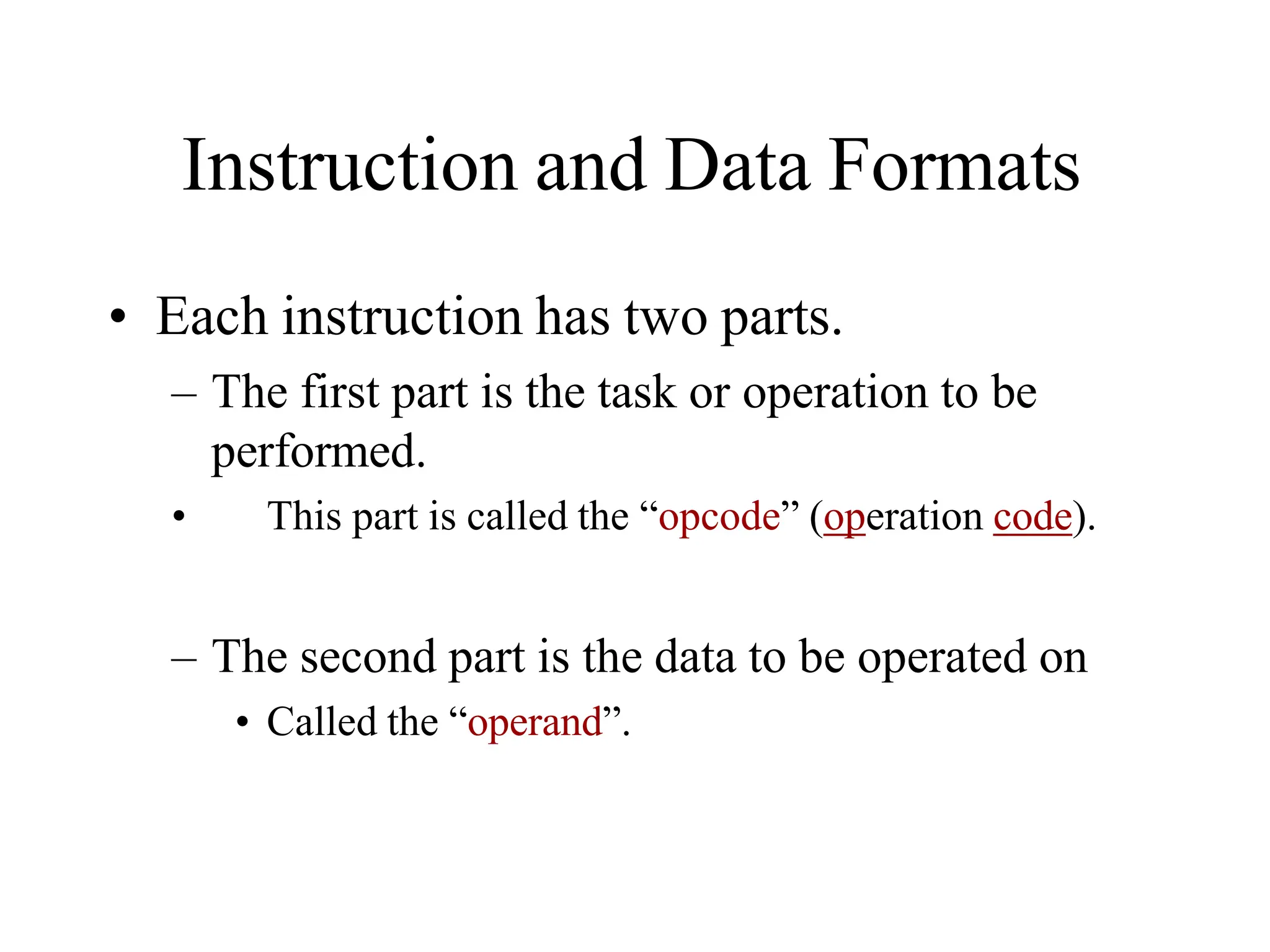
• Error checking techniques:
– Parity Checking.
– Checksum.
• These techniques are for error checking not
correction.
– They only indicate that an error has occurred.
– They do not indicate where or what the correct
information is.
Parity Checking
• Make the number of 1’s in the data Odd or Even.
– Given that ASCII is a 7-bit code, bit D7 is used to carry
the parity information.
– Even Parity
• The transmitter counts the number of ones in the data. If there
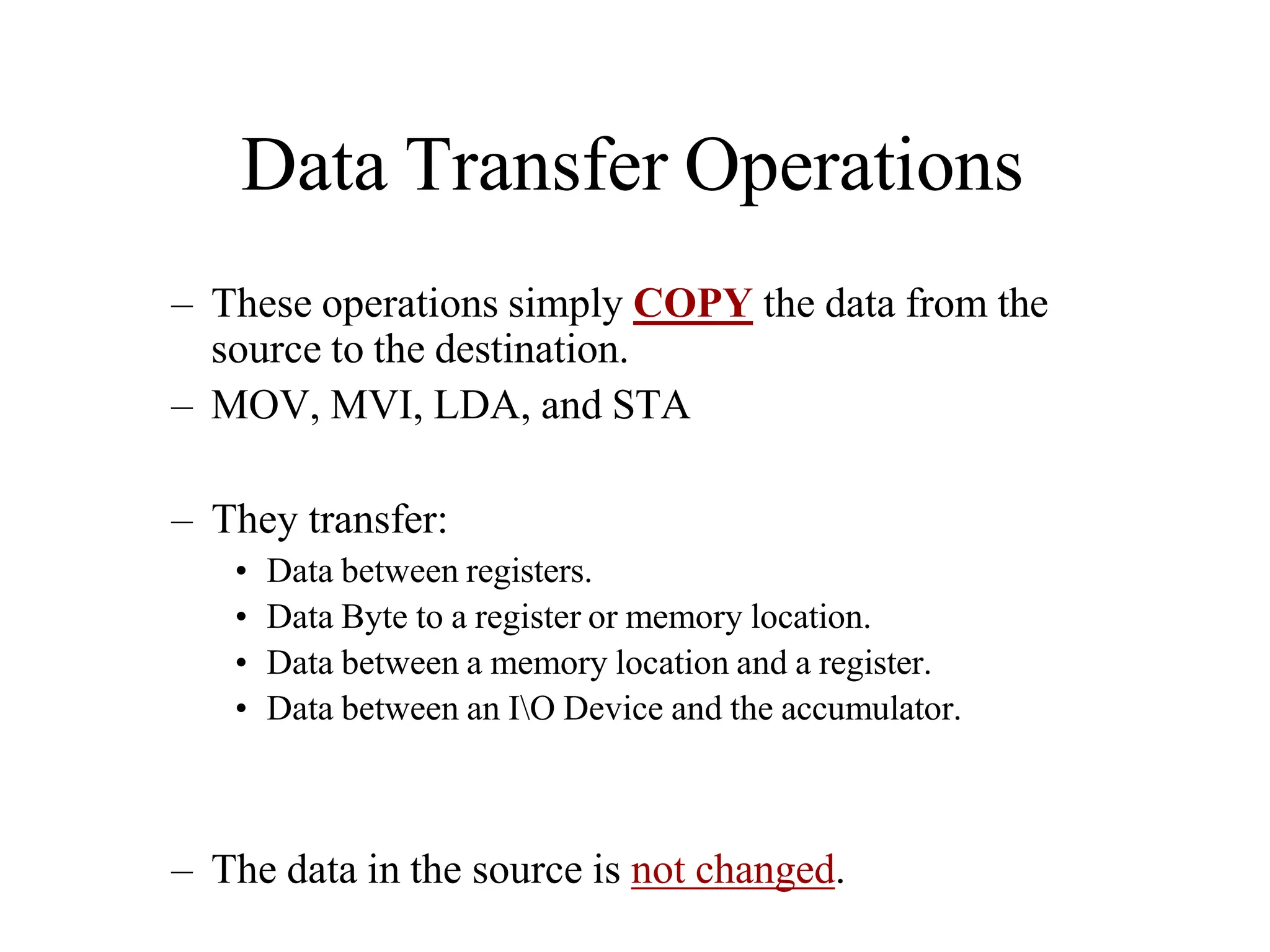
is an odd number of 1’s, bit D7 is set to 1 to make the total
number of 1’s even.
• The receiver calculates the parity of the received message, it
should match bit D7.
– If it doesn’t match, there was an error in the transmission.
Checksum
• Used when larger blocks of data are being
transmitted.
• The transmitter adds all of the bytes in the
message without carries. It then calculates the 2’s
complement of the result and send that as the last
byte.
• The receiver adds all of the bytes in the message
including the last byte. The result should be 0.
– If it isn’t an error has occurred.
RS 232
• A communication standard for connecting
computers to printers, modems, etc.
– The most common communication standard.
– Defined in the 1950’s.
– It uses voltages between +15 and –15 V.
– Restricted to speeds less than 20 K baud.
– Restricted to distances of less than 50 feet (15 m).
• The original standard uses 25 wires to connect the
two devices.
– However, in reality only three of these wires are
needed.
Software-Controlled Serial
Transmission
• The main steps involved in serially transmitting a
character are:
– Transmission line is at logic 1 by default.
– Transmit a start bit for one complete bit length.
– Transmit the character as a stream of bits with
appropriate delay.
– Calculate parity and transmit it if needed.
– Transmit the appropriate number of stop bits.
– Transmission line returns to logic 1.
Serial Transmission
0
1
0
0
0
0
0
1
D7
D6
D5
D4
D3
D2
D1
D0
Accumulator
Shift
Output
Port
0 1 0 0 0 0 0 1
Start
Stop
Time
D0
Flowchart of Serial Transmission
Set up Bit Counter
Set bit D0 of A to 0 (Start Bit)
Wait Bit Time
Get character into A
Wait Bit Time
Rotate A Left
Decrement Bit Counter
Add Parity
Send Stop Bit(s)
No
Last Bit?
Yes
Software-Controlled Serial
Reception
• The main steps involved in serial reception are:
– Wait for a low to appear on the transmission line.
• Start bit
– Read the value of the line over the next 8 bit lengths.
• The 8 bits of the character.
– Calculate parity and compare it to bit 8 of the character.
• Only if parity checking is being used.
– Verify the reception of the appropriate number of stop
bits.
Serial Reception
0 D7
1 D6
0 D5
0 D4
0 D3
0 D2
1 D1
2 D0
Accumulator
Shift
0 1 0 0 0 0 0 1
Start
Stop
Time
D7
Input
Port
Flowchart of Serial Reception
Read Input Port
Start Bit?
Yes
No
Wait for Half Bit Time
Bit Still
Low?
Yes
No
Start Bit Counter
Wait Bit Time
Read Input Port
Decrement Counter
Last Bit?
Check Parity
Wait for Stop Bits
Yes
No
The 8085 Serial I/O Lines
• The 8085 Microprocessor has two serial I/O
pins:
– SOD – Serial Output Data
– SID – Serial Input Data
• Serial input and output is controlled using
the RIM and SIM instructions respectively.
SIM and Serial Output
• As was discussed in Chapter 12, the SIM
instruction has dual use.
– It is used for controlling the maskable interrupt
process
– For the serial output process.
• The figure below shows how SIM uses the
accumulator for Serial Output.
SDO
SDE
XXX
R7.5
MSE
M7.5
M6.5
M5.5
7 6 5 4 3 2 1 0
1 – Disable SOD
2 – Enable SOD
Serial Output Data
RIM and Serial Input
• Again, the RIM instruction has dual use
– Reading the current settings of the Interrupt
Masks
– Serial Data Input
Serial Input Data
• The figure below shows how the RIM
instruction uses the Accumulator for Serial
Input
SDI
P7.5
P6.5
P5.5
IE
M7.5
M6.5
M5.5
7 6 5 4 3 2 1 0
Ports?
• Using the SOD and SID pins, the user
would not need to bother with setting up
input and output ports.
– The two pins themselves can be considered as
the ports.
– The instructions SIM and RIM are similar to
the OUT and IN instructions except that they
only deal with the 1-bit SOD and SID ports.
Example
• Transmit an ASCII character stored in
register B using the SOD line.
SODDATA
NXTBIT
MVI
XRA
MVI
C, 0BH
A
A, 80H
; Set up counter for 11 bits
; Clear the Carry flag
; Set D7 =1
RAR ; Bring Carry into D7 and set D6 to 1
SIM ; Output D7 (Start bit)
CALL BITTIME
STC ; Set Carry to 1
MOV A, B
RAR
; Place character in A
; Shift D0 of the character to the carry
Shift 1 into bit D7
; Save the interim result
; decrement bit counter
MOV B, A
DCR C
JNZ NXTBIT
1
PORT
A
EN
PORT
C
EN
PORT
B
EN
CONTROL
EN
INTE
RNAL
DEC
ODIN
G
RD
WR
RD
REGISTER WR
RD
WR
11
10 C
01 B
00 A
00
10
01
WR
CS
A1
A0
8
2
5
5
A
PORT A
CU
PORT C
CL
PORT B
CONTROL WORD
D7 D6 D5 D4 D3 D2 D1 D0
0/1
BSR MODE
BIT SET/RESET
FOR PORT C
NO EFFECT ON I/O
MODE
I/O MODE
MODE 0
1
SIMPLE I/O FOR
PORTS
A, B AND C
MODE 1
HANDSHAKE
I/O FOR
PORTS A
AND/OR B
PORT C BITS
ARE USED
FOR
HANDSHAKE
MODE 2
BIDIRECTI
ONAL
DATA BUS
FOR PORT
A
PORT B
EITHER IN
MODE 0 OR
1
PORT C
BITS ARE
USED FOR
HANDSHAK
E
GROUP
A
PORT
A
(8)
GROUP
B
PORT
B
(8)
GROUPA
PORT C
UPPER
(4)
GROUPB
PORT C
LOWER
(4)
GROUP
A
CON-
TROL
GROUP
B
CON-
TROL
READ/
WRITE
CONTROL
LOGIC
DATA
BUS
BUFFER
BIDIRECTION
AL DATA BUS
D1,D0
RD
WR
A1
A0
RESET
8-BIT
INTERNAL
DATA BUS
I/O
PA7-PA0
I/O
PC7-PC4
I/O
PC3-
PC0
I/O
PB7-
PB0
+5V
1
CS
GND
POWER
SUPPLIES
8255A
1
Control Word Format for
I/O Mode
D7 D6 D5 D4 D3 D2 D1 D0
1= I/O Mode
0= BSR Mode
Group B
PORT CL (PC3-PC0)
1= INPUT;0= OUTPUT
PORT B
1= INPUT;0= OUTPUT
MODE SELECTION
0=MODE0; 1=MODE 1
Group A
PORT CU (PC7-PC4)
1= INPUT; 0=OUTPUT
PORT A
1= INPUT; 0=OUTPUT
MODE SELECTION
00= MODE 0;01= MODE 1;1X= MODE 2
WR
RESET
PA7
PA0
PC7
PC4
8255A
PC3
PC0
PB7
PB0
CS
A1
A0
RD
1
Mode 0 ( Simple Input or
Output )
PROBLEM 1)
 Interface 8255a to a 8085 microprocessor using I/O-mapped -
I/O technique so that Port a have address 80H in the system.
 Determine addresses of Ports B,C and control register.
 Write an ALP to configure port A and port CL as output ports
and port B and port CU as input ports in mode 0.
 Connect DIP switches connected to the to input ports and
LEDs to the output ports .
 Read switch positions connected to port A and turn on the
respective LEDs of port b. Read switch positions of port CL and
display the reading at port CU
1
BSR (Bit Set/Reset ) Mode
D7 D6 D5
BSR control word
D4 D3 D2 D1 D0
0 X X X BIT SELECT S/R
BSR Mode
1
Not used,
Generally reset to 0
000 = Bit 0
001 = Bit 1
010 = Bit 2
011 = Bit 3
100 = Bit 4
101 = Bit 5
110 = Bit 6
111 = Bit 7
1= Set
0 = Reset
Problem 2)
 Write an ALP to set bits PC7 and PC 3
and reset them after 10 ms in BSR
mode.
1
1
Mode 1: Input or Output with
Handshake
PC4
PC5
PC3
PC2
PC1
PC0
Port A Input
Port B Input
STBA
IBFA
INTRA
STBB
IBFB
INTRB
INTEA
INTEB
I/O
PC 6,7
RD
PA7-PA0
PB7-PB0
Port A with
Handshake
Signal
Port b with
Handshake
Signal
Port A & Port B as
Input in Mode 1
1
Control word – mode 1 input
D7 D6 D5 D4 D3 D2 D1 D0
x
1
1
1
1
0
1 1/0
I/O
Mode
Port A
Mode 1
Port A
Input
Port B
Input
Port B
Mode 1
PC6,7
1=Input;
0=Output
1
Status Word – Mode 1 input
D7 D6 D5 D4 D3 D2 D1 D0
INTRB
IBFB
INTEA
IBFA
I/O I/O INTRA INTEB
STB
IBF
INTR
RD
Input from
peripheral 1
v
1
PC7
PC6
PC3
PC2
PC1
PC0
OBFA
ACKA
INTRA
OBFB
ACKB
INTEA
INTEB
PC 4,5
WR
PA7-PA0 Port A with
Handshake
Signal
Port b with
Handshake
Signal
Port A Output
INTRB
Port B Output PB7-PB0
I/O
Port A & B as Output
In Mode 1
1
Control word – mode 1 Output
D7 D6 D5 D4 D3 D2 D1 D0
x
0
1
0
1
0
1 1/0
I/O
Mode
Port A
Mode 1
Port A
Output
Port B
Output
Port B
Mode 1
PC4,5
1=Input;
0=Output
1
Status Word – Mode 1 Output
D7 D6 D5 D4 D3 D2 D1 D0
INTRB
OBFB
INTEa I/O
OBFA I/O INTRA INTEB
1
WR
OBF
INTR
ACK
output
Status
Initialize Ports
Read port
C for status
Is
Peripheral
Ready?
Interrupt
Initialize Ports
Enable INTE
No
1
Continue
yes
No
Yes
Continue
Problem 3)
 Initialize 8255A in mode 1 to configure Port
A as an input port and Port B as an output
port.
 Assuming that an A-to-d converter is
connected with port A as an interrupt I/O
and a printer is connected with port B as a
status check I/O
1
8086 MICROPROCESSOR
Pinouts
I-46
I-47
8086 Pins
The 8086 comes in a 40 pin package which means that some pins have
more than one use or are multiplexed. The packaging technology of time
limited the number of pin that could be used.
In particular, the address lines 0 - 15 are multiplexed with data lines 0-15,
address lines 16-19 are multiplexed with status lines. These pins are
AD0 - AD15, A16/S3 - A19/S6
The 8086 has one other pin that is multiplexed and this is BHE’/S7.
BHE stands for Byte High Enable. This is an active low signal that is
asserted when there is data on the upper half of the data bus.
The 8086 has two modes of operation that changes the function of some pins.
The SDK-86 uses the 8086 in the minimum mode with the MN/MX’ pin tied to
5 volts. This is a simple single processor mode. The IBM PC uses an 8088
in the maximum mode with the MN/MX” pin tied to ground. This is the mode
required for a coprocessor like the 8087.
I-48
8086 Pins
In the minimum mode the following pins are available.
HOLD When this pin is high, another master is requesting control of the
local bus, e.g., a DMA controller.
HLDA HOLD Acknowledge: the 8086 signals that it is going to float
the local bus.
WR’ Write: the processor is performing a write memory or I/O operation.
M/IO’ Memory or I/O operation.
DT/R’ Data Transmit or Receive.
DEN’ Data Enable: data is on the multiplexed address/data pins.
ALE Address Latch Enable: the address is on the address/data pins.
This signal is used to capture the address in latches to establish the
address bus.
INTA’ Interrupt acknowledge: acknowledges external interrupt requests.
I-49
8086 Pins
The following are pins are available in both minimum and maximum modes.
VCC + 5 volt power supply pin.
GND Ground
RD’ READ: the processor is performing a read memory or I/O operation.
READY Acknowledgement from wait-state logic that the data transfer will
be completed.
RESET Stops processor and restarts execution from FFFF:0. Must be high
for 4 clocks. CS = 0FFFFH, IP = DS = SS = ES = Flags = 0000H, no
other registers are affected.
TEST’ The WAIT instruction waits for this pin to go low. Used with 8087.
NMI Non Maskable Interrupt: transition from low to high causes an
interrupt. Used for emergencies such as power failure.
INTR Interrupt request: masked by the IF bit in FLAG register.
CLK Clock: 33% duty cycle, i.e., high 1/3 the time.
I-8
• 16-bit Arithmetic Logic Unit
• 16-bit data bus (8088 has 8-bit data bus)
• 20-bit address bus - 220 = 1,048,576 = 1 meg
The address refers to a byte in memory. In the 8088, these bytes come in on
the 8-bit data bus. In the 8086, bytes at even addresses come in on the low
half of the data bus (bits 0-7) and bytes at odd addresses come in on the upper
half of the data bus (bits 8-15).
The 8086 can read a 16-bit word at an even address in one operation and at an
odd address in two operations. The 8088 needs two operations in either case.
The least significant byte of a word on an 8086 family microprocessor is at the
lower address.
8086 Features
I-9
8086 Architecture
• The 8086 has two parts, the Bus Interface Unit (BIU) and the
Execution Unit (EU).
• The BIU fetches instructions, reads and writes data, and computes the
20-bit address.
• The EU decodes and executes the instructions using the 16-bit ALU.
• The BIU contains the following registers:
IP - the Instruction Pointer
CS - the Code Segment Register
DS - the Data Segment Register
SS - the Stack Segment Register
ES - the Extra Segment Register
The BIU fetches instructions using the CS and IP, written CS:IP, to contruct
the 20-bit address. Data is fetched using a segment register (usually the DS)
and an effective address (EA) computed by the EU depending on the
addressing mode.
8086 Block Diagram
I-10
8086 Architecture
The EU contains the following 16-bit registers:
AX - the Accumulator
BX - the Base Register
CX - the Count Register
DX - the Data Register
SP - the Stack Pointer  defaults to stack segment
BP - the Base Pointer /
SI - the Source Index Register
DI - the Destination Register
These are referred to as general-purpose registers, although, as seen by
their names, they often have a special-purpose use for some instructions.
The AX, BX, CX, and DX registers can be considers as two 8-bit registers, a
High byte and a Low byte. This allows byte operations and compatibility with
the previous generation of 8-bit processors, the 8080 and 8085. 8085 source
code could be translated in 8086 code and assembled. The 8-bit registers are:
AX --> AH,AL
BX --> BH,BL
CX --> CH,CL
DX --> DH,DL
I-11
Flag Register
 NT IOPL OF DF IF TF SF ZF  AF  PF  CF
 Flag register contains information reflecting the current status of a
microprocessor. It also contains information which controls the
operation of the microprocessor.
15 0
 Control Flags  Status Flags
IF:
DF:
TF:
Interrupt enable flag
Direction flag
Trap flag
CF:
PF:
AF:
ZF:
SF:
OF:
NT:
IOPL:
Carry flag
Parity flag
Auxiliary carry flag
Zero flag
Sign flag
Overflow flag
Nested task flag
Input/output privilege level
Flags Commonly Tested During the Execution of
Instructions
 There are five flag bits that are commonly tested during the execution
of instructions
 Sign Flag (Bit 7), SF: 0 for positive number and 1 for negative number
 Zero Flag (Bit 6), ZF: If the ALU output is 0, this bit is set (1); otherwise,
it is 0
 Carry Flag (Bit 0), CF: It contains the carry generated during the execution
 Auxiliary Carry, AF:
(Bit 4)
Depending on the width of ALU inputs, this flag
bit contains the carry generated at bit 3 (or, 7, 15)
of the 8088 ALU
 Parity Flag (bit2), PF: It is set (1) if the output of the ALU has even number
of ones; otherwise it is zero
Direction Flag
 Direction Flag (DF) is used to control the way SI and DI are adjusted during the
execution of a string instruction
— DF=0, SI and DI will auto-increment during the execution; otherwise, SI and DI
auto-decrement
— Instruction to set DF: STD; Instruction to clear DF: CLD
— Example:
CLD
MOV CX, 5
REP MOVSB
At the beginning of execution,
DS=0510H and SI=0000H
53
48
4F
50
50
45
52
S
H
O
P
P
E
R
DS : SI
0510:0000
0510:0001
0510:0002
0510:0003
0510:0004
0510:0005
0510:0006
Source String
SI CX=5
SI CX=4
SI CX=3
SI CX=2
SI CX=1
SI CX=0
8086 Programmer’s Model
ES
CS
SS
DS
IP
AH AL
BH BL
CH CL
DH DL
SP
BP
SI
DI
FLAGS
AX
BX
CX
DX
Extra Segment
Code Segment
Stack Segment
Data Segment
Instruction Pointer
Accumulator
Base Register
Count Register
Data Register
Stack Pointer
Base Pointer
Source Index Register
Destination Index Register
I-13
BIU registers
(20 bit adder)
EU registers
16 bit arithmetic
Memory Address Calculation
 Segment addresses must be stored
in segment registers
 Offset is derived from the combination
of pointer registers, the Instruction
Pointer (IP), and immediate values
0000
+
Segment address
Offset
Memory address
 Examples
3 4 8 A 0
4 2 1 4
3 8 A B 4
CS
IP +
Instruction address
5 0 0 0 0
F F E 0
5 F F E 0
SS
SP +
Stack address
1 2 3 4 0
0 0 2 2
1 2 3 6 2
DS
DI +
Data address
EEE/CSE 226
Segment
Registers
CODE
STACK
DATA
EXTRA
MEMORY
Address
0H
0FFFFFH
64K Data
Segment
64K Code
Segment
Segments are < or = 64K,
can overlap, start at an address
that ends in 0H.
I-14
Segments
 CS:0
Segment Starting address is segment
register value shifted 4 places to the left.
DATA
STACK
EXTRA
CODE
0100H
0B200H
0CF00H
0FF00H
DS:
SS:
ES:
CS:
01000H
10FFFH
I-15
0B2000H
0C1FFFH
0CF000H
0DEFFFH
0FF000H
0FFFFFH
0H
Segment
Registers
Memory Segments
Segments are < or = 64K and can overlap.
Note that the Code segment is < 64K since 0FFFFFH is the highest address.
8086 Memory Terminology
The Code Segment
Memory
Segment Register
Offset
Physical or
Absolute Address
0
+
I-16
CS:
IP
0400H
0056H
4000H
4056H
0400
0056
04056H
The offset is the distance in bytes from the start of the segment.
The offset is given by the IP for the Code Segment.
Instructions are always fetched with using the CS register.
The physical address is also called the absolute address.
CS:IP = 400:56
Logical Address
0H
0FFFFFH
The Stack Segment
Memory
Segment Register
Offset
Physical Address
+
I-17
SS:
SP
0A00
0100
0A000H
0A100H
0A00 0
0100
0A100H
The offset is given by the SP register.
The stack is always referenced with respect to the stack segment register.
The stack grows toward decreasing memory locations.
The SP points to the last or top item on the stack.
PUSH - pre-decrement the SP
POP - post-increment the SP
SS:SP
0H
0FFFFFH
The Data Segment
Memory
Segment Register
Offset
Physical Address
+
I-18
DS:
EA
05C0
0050
05C00H
05C50H
05C0 0
0050
05C50H
Data is usually fetched with respect to the DS register.
The effective address (EA) is the offset.
The EA depends on the addressing mode.
DS:EA
0H
0FFFFFH
8086 memory Organization
Even addresses are on the low half
of the data bus (D0-D7).
Odd addresses are on the upper
half of the data bus (D8-D15).
A0 = 0 when data is on the low
half of the data bus.
BHE’ = 0 when data is on the upper
half of the data bus.
MAX and MIN Modes
• In minmode, the 9 signals correspond to
control signals that are needed to operate
memory and I/O devices connected to the
8088.
• In maxmode, the 9 signals change their
functions; the 8088 now requires the use of
the 8288 bus controller to generate
memory and I/O read/write signals.
Why MIN and MAX modes?
• Minmode signals can be directly decoded
by memory and I/O circuits, resulting in a
system with minimal hardware
requirements.
• Maxmode systems are more complicated,
but obtain the new signals that allow for bus
grants (e.g. DMA), and the use of an 8087
coprocessor.
The 9 pins (min)
• **ALE: address latch enable (AD0 – AD7)
• **DEN: data enable (connect/disc. buffer)
• **WR: write (writing indication)
• *HOLD
• *HDLA: hold acknowledge
• *INTA: interrupt acknowledge
• IO/M: memory access or I/O access
• DT/R: data transmit / receive (direction)
• SSO: status
The 9 pins (max)
• S0, S1, S2: status
• *RQ/GT0, RQ/GT1: request/grant
• *LOCK: locking the control of the sys. bus
• *QS1, QS0: queue status (tracking of
internal instruction queue).
• HIGH
Instruction Types
 Data transfer instructions
 String instructions
 Arithmetic instructions
 Bit manipulation instructions
 Loop and jump instructions
 Subroutine and interrupt instructions
 Processor control instructions
Addressing Modes
 Immediate addressing
 Register addressing
 Direct addressing
 Register Indirect addressing
 Based addressing
 Indexed addressing
 Based indexed addressing
 Based indexed with displacement addressing
MOV AL, 12H
MOV AL, BL
MOV [500H], AL
MOV DL, [SI]
MOV AX, [BX+4]
MOV [DI-8], BL
MOV [BP+SI], AH
MOV CL, [BX+DI+2]
Exceptions
 String addressing
 Port addressing (e.g. IN AL, 79H)
Addressing Modes Examples
Data Transfer Instructions
 MOV Destination, Source
— Move data from source to destination; e.g. MOV [DI+100H], AH
— It does not modify flags
 For 80x86 family, directly moving data from one memory location to
another memory location is not allowed
MOV [SI], [5000H]
 When the size of data is not clear, assembler directives are used
MOV [SI], 0
 BYTE PTR
 WORD PTR
 DWORD PTR
MOV BYTE PTR [SI], 12H
MOV WORD PTR [SI], 12H
MOV DWORD PTR [SI], 12H
 You can not move an immediate data to segment register by MOV
MOV DS, 1234H
Instructions for Stack Operations
 What is a Stack ?
—A stack is a collection of memory locations. It always follows the rule of
last-in-firs-out
— Generally, SS and SP are used to trace where is the latest date written into stack
 PUSH Source
— Push data (word) onto stack
— It does not modify flags
— For Example: PUSH AX (assume ax=1234H, SS=1000H, SP=2000H
before PUSH AX)
??
??
??
??
1000:1FFD
1000:1FFE
1000:1FFF
1000:2000
1000:1FFE
1000:1FFF
1000:2000
1000:1FFD ??
34
12
??
SS:SP
SS:SP
Before PUSH AX, SP = 2000H After PUSH AX, SP = 1FFEH AX
12 34
 Decrementing the stack pointer during a push is a standard way of implementing stacks in hardware
Instructions for Stack Operations
 PUSHF
— Push the values of the flag register onto stack
— It does not modify flags
 POP Destination
— Pop word off stack
— It does not modify flags
— For example: POP AX
??
34
12
EC
1000:1FFD
1000:1FFE
1000:1FFF
1000:2000
1000:1FFE
1000:1FFF
1000:2000
1000:1FFD ??
34
12
EC
SP
SP
Before POP, SP = 1FFEH After POPAX, SP = 2000H AX
12 34
 POPF
— Pop word from the stack to the flag register
— It modifies all flags
Data Transfer Instructions
 SAHF
— Store data in AH to the low 8 bits of the flag register
— It modifies flags: AF, CF, PF, SF, ZF
 LAHF
— Copies bits 0-7 of the flags register into AH
— It does not modify flags
 LDS Destination Source
— Load 4-byte data (pointer) in memory to two 16-bit registers
— Source operand gives the memory location
— The first two bytes are copied to the register specified in the destination operand;
the second two bytes are copied to register DS
— It does not modify flags
 LES Destination Source
— It is identical to LDS except that the second two bytes are copied to ES
— It does not modify flags
Data Transfer Instructions
 LEA Destination Source
— Transfers the offset address of source (must be a memory location) to the
destination register
— It does not modify flags
 XCHG Destination Source
— It exchanges the content of destination and source
— One operand must be a microprocessor register, the other one can be a register
or a memory location
— It does not modify flags
 XLAT
— Replace the data in AL with a data in a user defined look-up table
— BX stores the beginning address of the table
— At the beginning of the execution, the number in AL is used as the
index of the look-up table
— It does not modify flags
String Instructions
 String is a collection of bytes, words, or long-words that can be up to 64KB
in length
 String instructions can have at most two operands. One is referred to as source
string and the other one is called destination string
— Source string must locate in Data Segment and SI register points to the current
element of the source string
— Destination string must locate in Extra Segment and DI register points to the current
element of the destination string
53
48
4F
50
50
45
52
S
H
O
P
P
E
R
DS : SI
0510:0000
0510:0001
0510:0002
0510:0003
0510:0004
0510:0005
0510:0006
53
48
4F
50
50
49
4E
S
H
O
P
P
I
N
ES : DI
02A8:2000
02A8:2001
02A8:2002
02A8:2003
02A8:2004
02A8:2005
02A8:2006
Source String Destination String
Repeat Prefix Instructions
 REP String Instruction
— The prefix instruction makes the microprocessor repeatedly execute the string instruction
until CX decrements to 0 (During the execution, CX is decreased by one when the string
instruction is executed one time).
— For Example:
MOV CX, 5
REP MOVSB
By the above two instructions, the microprocessor will execute MOVSB 5 times.
— Execution flow of REP MOVSB::
While (CX!=0)
{
CX = CX –1;
MOVSB;
}
Check_CX: If CX!=0 Then
CX = CX –1;
MOVSB;
goto Check_CX;
end if
OR
String Instructions
 MOVSB (MOVSW)
— Move byte (word) at memory location DS:SI to memory location ES:DI and
update SI and DI according to DF and the width of the data being transferred
— It does not modify flags
—Example:
Source String Destination String
MOV AX, 0300H
DS : SI ES : DI
MOV AX, 0510H 0510:0000 53 S 0300:0100
MOV DS, AX 0510:0001 48 H
MOV SI, 0
0510:0002 4F O
MOV ES, AX 0510:0003 50 P
MOV DI, 100H 0510:0004 50 P
CLD 0510:0005 45 E
MOV CX, 5
0510:0006 52 R
REP MOVSB
String Instructions
 CMPSB (CMPSW)
— Compare bytes (words) at memory locations DS:SI and ES:DI;
update SI and DI according to DF and the width of the data being compared
— It modifies flags
—Example:
Assume: ES = 02A8H
DI = 2000H
DS = 0510H
SI = 0000H
CLD
MOV CX, 9
REPZ CMPSB
What’s the values of CX after
The execution?
53
48
4F
50
50
45
52
S
H
O
P
P
E
R
DS : SI
0510:0000
0510:0001
0510:0002
0510:0003
0510:0004
0510:0005
0510:0006
ES : DI
02A8:2000
02A8:2001
02A8:2002
02A8:2003
02A8:2004
02A8:2005
02A8:2006
Source String Destination String
53
48
4F
50
50
49
4E
S
H
O
P
P
I
N
String Instructions
 SCASB (SCASW)
— Move byte (word) in AL (AX) and at memory location ES:DI;
update DI according to DF and the width of the data being compared
— It modifies flags
 LODSB (LODSW)
— Load byte (word) at memory location DS:SI to AL (AX);
update SI according to DF and the width of the data being transferred
— It does not modify flags
 STOSB (STOSW)
— Store byte (word) at in AL (AX) to memory location ES:DI;
update DI according to DF and the width of the data being transferred
— It does not modify flags
Repeat Prefix Instructions
 REPZ String Instruction
— Repeat the execution of the string instruction until CX=0 or zero flag is clear
 REPNZ String Instruction
— Repeat the execution of the string instruction until CX=0 or zero flag is set
 REPE String Instruction
— Repeat the execution of the string instruction until CX=0 or zero flag is clear
 REPNE String Instruction
— Repeat the execution of the string instruction until CX=0 or zero flag is set
I-39
Loops and Conditional Jumps
All loops and conditional jumps are SHORT jumps, i.e., the target must
be in the range of an 8-bit signed displacement (-128 to +127).
The displacement is the number that, when added to the IP, changes the
IP to point at the jump target. Remember the IP is pointing at the next
instruction when this occurs.
The loop instructions perform several operations at one time but do not
change any flags.
LOOP decrements CX and jumps if CX is not zero.
LOOPNZ or LOOPNE -- loop while not zero or not equal: decrements CX
and jumps if CX is not zero or the zero flag ZF = 0.
LOOPZ or LOOPE -- loop while zero or equal: decrements CX and jumps
if CX is zero or the zero flag ZF = 1.
The conditional jump instructions often follow a compare CMP or TEST
instruction. These two instructions only affect the FLAG register and not
the destination. CMP does a SUBtract (dest - src) and TEST does an AND.
For example, if a CMP is followed by a JG (jump greater than), then the
jump is taken if the destination is greater than the source.
Test is used to see if a bit or bits are set in a word or byte such as when
determining the status of a peripheral device.
I-40
Conditional Jumps
Name/Alt Meaning Flag setting
JE/JZ Jump equal/zero ZF = 1
JNE/JNZ Jump not equal/zero ZF = 0
JL/JNGE Jump less than/not greater than or = (SF xor OF) = 1
JNL/JGE Jump not less than/greater than or = (SF xor OF) = 0
JG/JNLE Jump greater than/not less than or = ((SF xor OF) or ZF) = 0
JNG/JLE Jump not greater than/ less than or = ((SF xor OF) or ZF) = 1
JB/JNAE Jump below/not above or equal CF = 1
JNB/JAE Jump not below/above or equal CF = 0
JA/JNBE Jump above/not below or equal (CF or ZF) = 0
JNA/JBE Jump not above/ below or equal (CF or ZF) = 1
JS Jump on sign (jump negative) SF = 1
JNS Jump on not sign (jump positive) SF = 0
JO Jump on overflow OF = 1
JNO Jump on no overflow OF = 0
JP/JPE Jump parity/parity even PF = 1
JNP/JPO Jump no parity/parity odd PF = 0
JCXZ Jump on CX = 0 ---
8254 Internal Architecture
8
Counter
=0
Counter
=1
Counter
=2
Control
Word
Register
Read/
Write
Logic
Data
Bus
Buffer
CLK 0
GATE 0
OUT 0
CLK 1
GATE 1
OUT 1
CLK 2
GATE 2
OUT 2
RD
WR
A0
A1
CS
D7-D0
THE CONTROL WORD REGISTER AND COUNTERS
ARE SELECTED
ACCORDING TO THE SIGNALS ON LINE
A0 and A1 AS SHOWN BELOW
A1 A0 Selection
0 0 Counter 0
0 1 Counter 1
1 0 Counter 2
1 1 Control Register
8254 Control Word Format
SC1 SC0 RW1 RW0 M2 M1 M0 BCD
SC1 SC0
0 0 Select counter 0
0 1 Select counter 1
1 0 Select Counter 2
1 1 Read-Back command
RW1 RW0
0 0 Counter Latch Command
0 1 Read/Write least significant byte only
1 0 Read/Write most significant byte only
1 1 Read/Write least significant byte first,
Then the most significant byte.
0 Binary Counter 16-bits
1 Binary Coded Decimal (BCD) Counter
BCD:
M2 M1 M0
0 0 0 Mode 0
0 0 1 Mode 1
X 1 0 Mode 2
X 1 1 Mode 3
1 0 0 Mode 4
1 0 1 Mode 5
MODE 0 : Interrupt on terminal count
Clk
3 2 1 0
WR
Output
Interrupt
MODE 1 : HARDWARE-RETRIGGERABLE
ONE-SHOT
Clk
WR 3 2 1 0
Output
MODE 2 : RATE GENERATOR CLOCK
3 2 1 0
Clk
WR
3
OUTPUT
MODE 3 : Square Wave Generator
Clk
4 2 4 2 4 2 4 2
OUTPUT(n=4)
5 4 2 5 2 5 4 2
OUTPUT(n=5)
MODE 4 : SOFTWARE TRIGGERED STROBE
In this mode OUT is initially high; it goes low for one
clock period at the end of the count. The count must be
RELOADED -(UNLIKE MODE 2)
for subsequent outputs.
MODE 5 : HARWARE TRIGGERED STROBE
• This mode is similar to MODE 4 except that
it is triggered by the rising pulse at the gate.
Initially, the OUT is low and when the
GATE pulse is triggered from low to high ,
the count begins. At the end of the count the
OUT goes low for one clock period.
READ BACK COMMAND FORMAT:
• THIS FEATURE AVAILABLE ONLY IN
8254 and not in 8253.
1 1 COU STAT CNT2 CNT1 CNT0
NT US
0
Data Transfer
Schemes
Why dowe needdata transfer
schemes?
• Availability of wide variety of I/O devices
because of variations in manufacturing
technologies e.g. electromechanical, electrical,
mechanical, electronic etc.
• Enormous variation in the range of speed.
• Wide variation in the format of data.
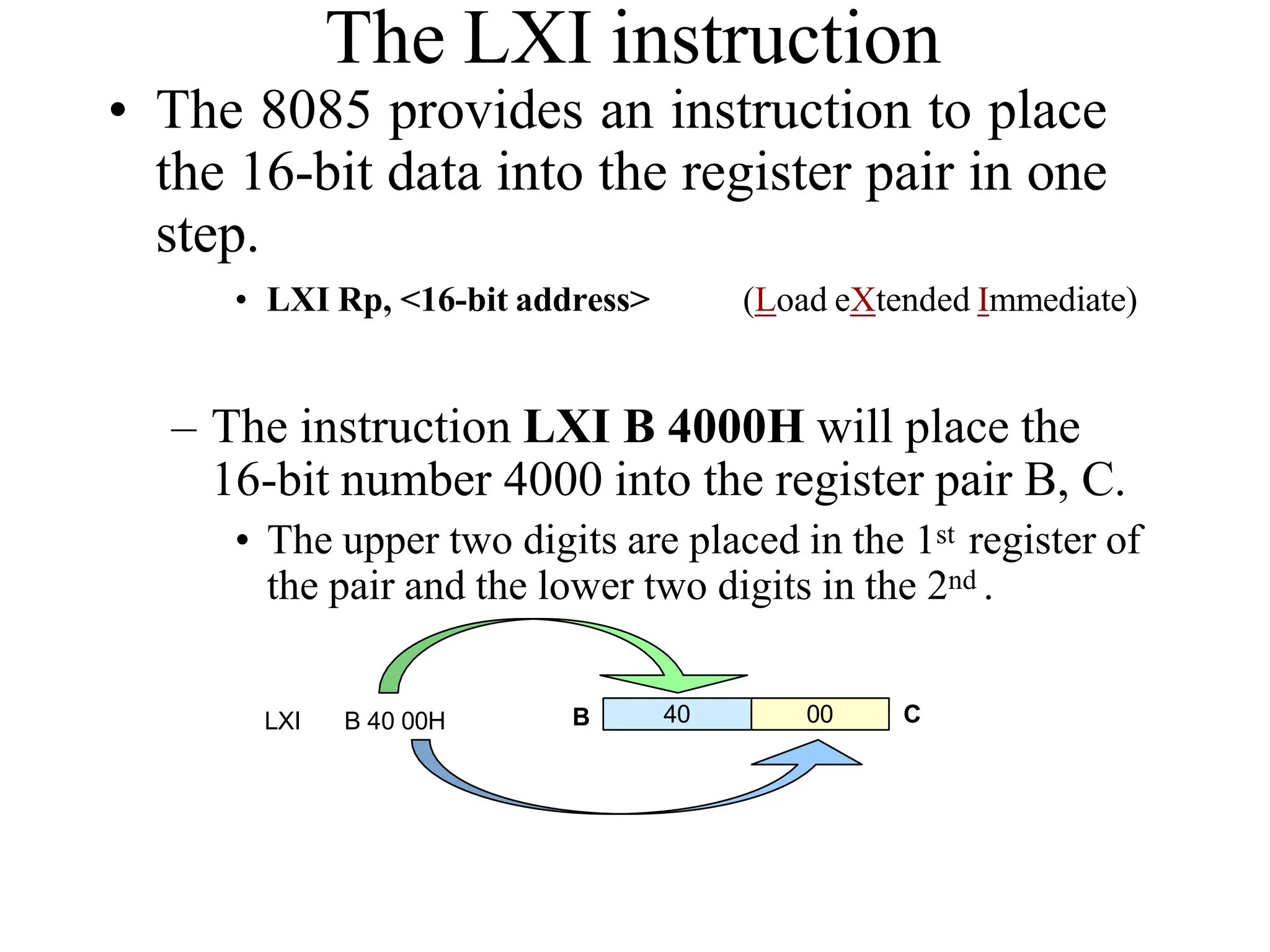
•
Classification of Data Transfer
Schemes
Data transfer schemes
Programmed
Data transfer
DMA
Data transfer
Synchronous
mode
Asynchronous
mode
Interrupt
Driven mode
Block
DMA mode
Cycle stealing
DMA mode
ProgrammedData Transfer
Scheme
• The data transfer takes place under the control
of a program residing in the main memory.

• These programs are executed by the CPU
when an I/O device is ready to transfer data.
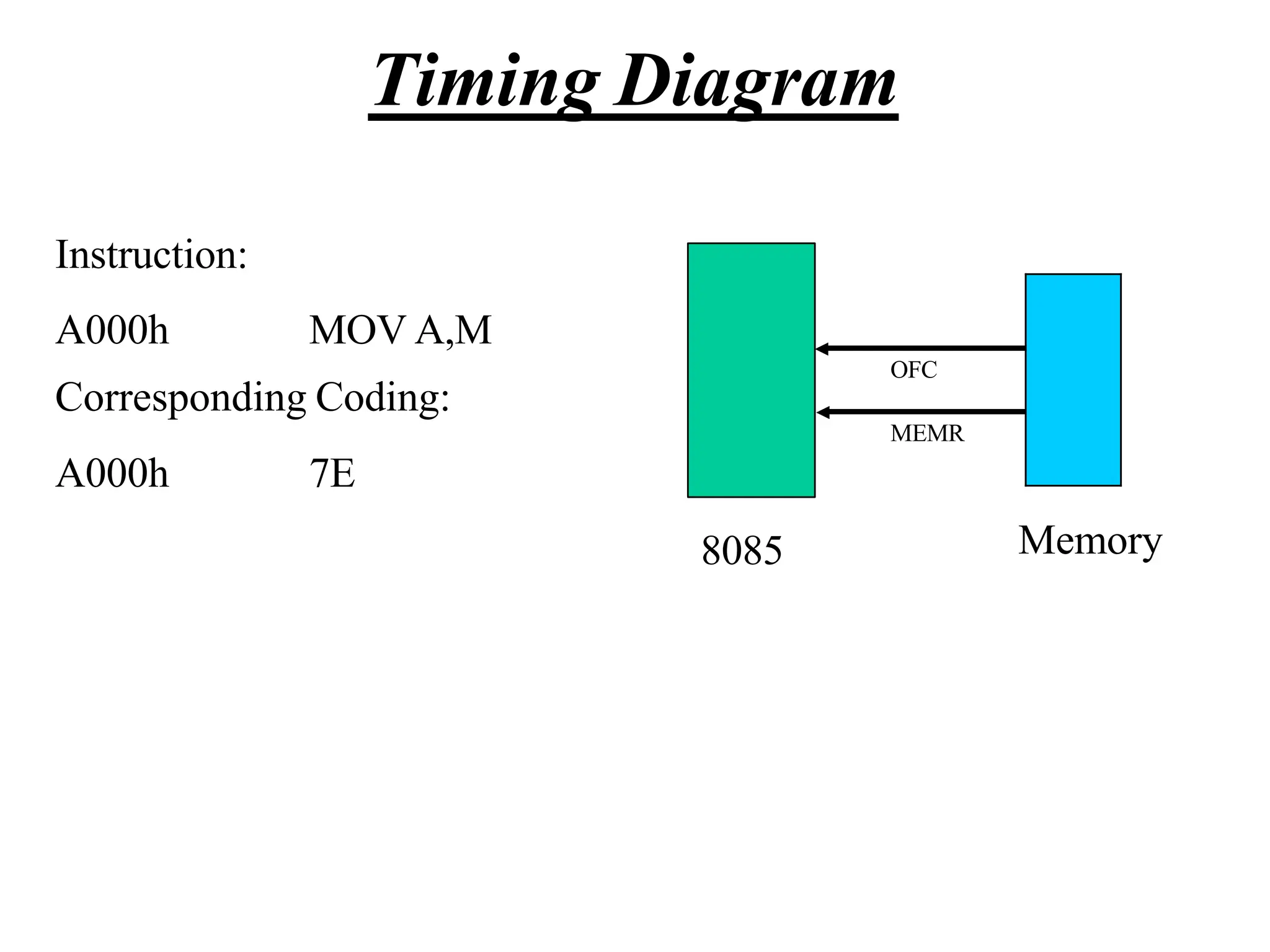
• To transfer one byte of data, it needs to
execute several instructions.
• This scheme is very slow and thus suitable
when small amount of data is to be transferred.
SynchronousModeof Data
Transfer
• Its used for I/O devices whose timing
characteristics are fast enough to be
compatible in speed with the communicating
MPU.
• In this case the status of the I/O device is not
checked before data transfer.
• The data transfer is executed using IN and
OUT instructions.
• Memory compatible with MPU are available.
Hence this method is invariably used with
compatible memory devices.
• The I/O devices compatible in speed with
MPU are usually not available. Hence this
technique is rarely used in practice
AsynchronousData Transfer
• This method of data transfer is also called
Handshaking mode.
• This scheme is used when speed of I/O device
does not match with that of MPU and the
timing characteristics are not predictable.
• The MPU fist sends a request to the device and
then keeps on checking its status.
• The data transfer instructions are executed
only when the I/O device is ready to accept or
supply data.
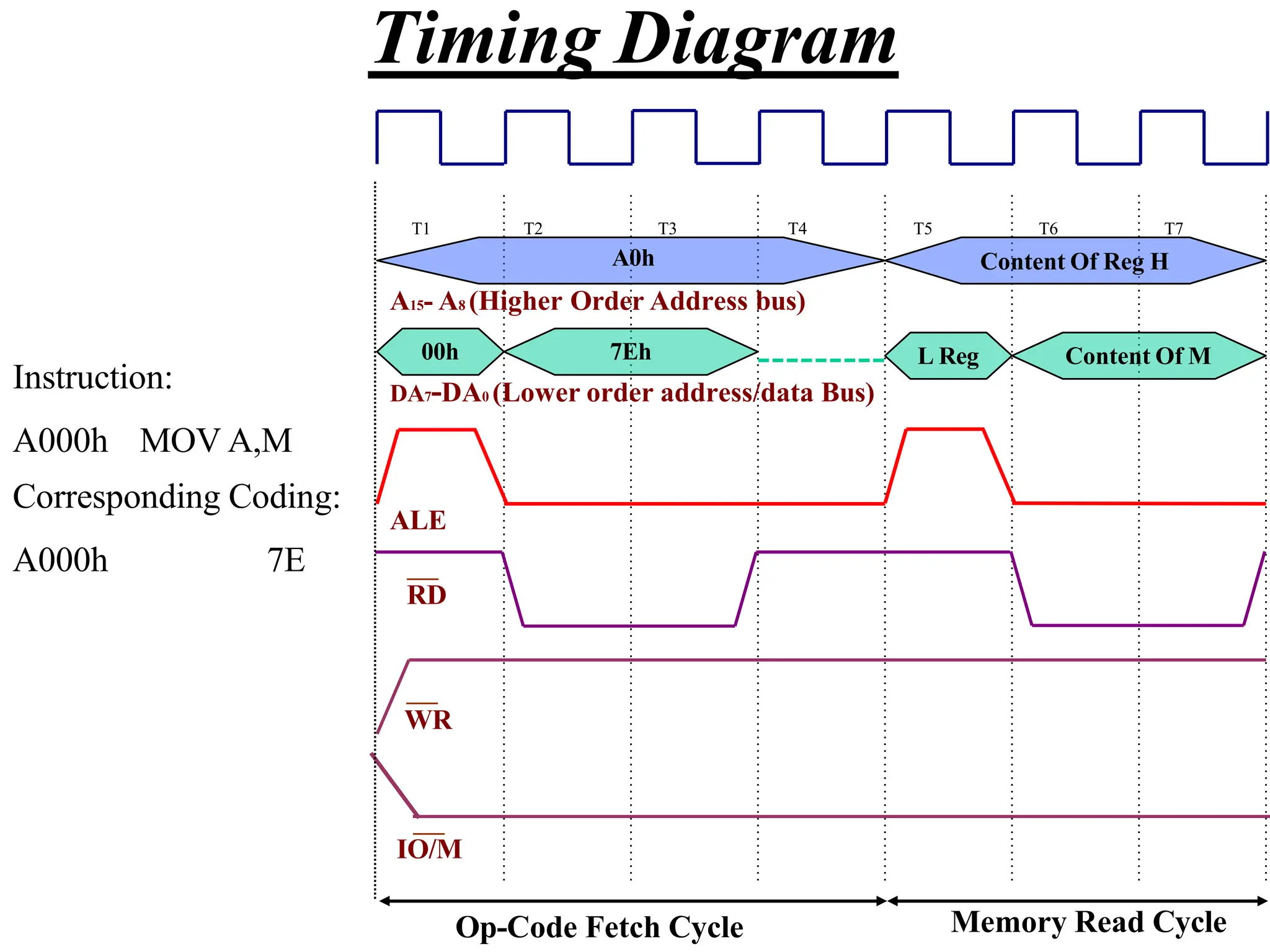
• Each data transfer is preceded by a requesting
signal sent by MPU and READY signal from
the device.
Disadvantages
• A lot of MPU time is wasted during looping to
check the device status which may be
prohibitive in many situations.
• Some simple devices may not have status
signals. In such a case MPU goes on checking
whether data is available on the port or not.
Interrupt Driven Data Transfer
• In this scheme the MPU initiates an I/O device
to get ready and then it executes its main
program instead of remaining in the loop to
check the status of the device.
• When the device gets ready, it sends a signal
to the MPU through a special input line called
an interrupt line.
• The MPU answers the interrupt signal after
executing the current instruction.
• The MPU saves the contents of the PC on the
stack first and then takes up a subroutine called
ISS (Interrupt Service Subroutine).
• After returning from ISS the MPU again loads
the PC with the address that is just loaded in
the stack and thus returns to the main program.
• It is efficient because precious time of MPU is
not wasted while the I/O device gets ready.
• In this scheme the data transfer may also be
initiated by the I/O device.
Multiple Interrupts
• The MPU has one interrupt level and several
I/O devices to be connected to it which are
attended in the order of priority.
• The MPU has several interrupt levels and one
I/O device is to be connected to each interrupt
level.
• The MPU has several interrupt levels and
more than one I/O devices are to be
connected to each interrupt level.
• The MPU executes multiple interrupts by
using a device polling technique to know
which device connected to which
interrupt level has interrupted
Interrupts of 8085
On the basis of priority the interrupt signals are
as follows
• TRAP
• RST 7.5
• RST6.5
• RST5.5
• INTR
These interrupts are implemented by the
hardware
Interrupt Instructions
• EI ( Enable Interrupt) This instruction sets the
interrupt enable Flip Flop to activate the interrupts.
• DI ( Disable Interrupt) This instruction resets the
interrupt enable Flip Flop and deactivates all the
interrupts except the non-maskable interrupt i.e.
TRAP
• RESET This also resets the interrupt enable Flip
Flop.
• SIM (Set Interrupt Mask) This enablesdisables
interrupts according to the bit pattern in
accumulator obtained through masking.
• RIM (Read Interrupt Mask) This
instruction helps the programmer to know the
current status of pending interrupt.
CallLocationsandHex– codes
for RSTn
RST n Hex - code Call location
RST 0 C7 0000
RST 1 CF 0008
RST 2 D7 0010
RST 3 DF 0018
RST 4 E7 0020
RST 5 EF 0028
RST 6 F7 0030
RST 7 FF 0038
These instructions are implemented by the software
DMA Data Transferscheme
• Data transfer from I/O device to memory or
vice-versa is controlled by a DMA controller.
• This scheme is employed when large amount
of data is to be transferred.
• The DMA requests the control of buses
through the HOLD signal and the MPU
acknowledges the request through HLDA
signal and releases the control of buses to
DMA.
• It’s a faster scheme and hence used for high
speed printers.
Blockmodeof data transfer
In this scheme the I/O device withdraws
the DMA request only after all the data
bytes have been transferred.
Cyclestealing technique
In this scheme the bytes are divided into
several parts and after transferring every part
the control of buses is given back to MPU and
later stolen back when MPU does not need it.

8085 Microprocessor - Ramesh Gaonkar.pdf-27 (1).pptx

  • 1.
    What is aMicroprocessor? • The word comes from the combination micro and processor. – Processor is a device that processes, specifically binary numbers, 0’s and 1’s. – In the late 1960’s, processors were built using discrete elements. • These devices performed the required operation, but were too large and too slow. – In the early 1970’s the small/microchip was invented. All of the components that made up the processor were now placed on a single piece of silicon. The size became several thousand times smaller and the speed became several hundred times faster. The “Micro”Processor was born. • As the technology advanced, scale of integration from small to large no.of gates were also increased. SSI (designing few logic gates on single chip) MSI (>> 100) LSI, VLSI, SLSI ( >>1000)
  • 2.
    Definition of theMicroprocessor The microprocessor is a programmable device that takes in numbers, performs arithmetic or logical operations according to the program stored in memory and then produces other numbers as a result.
  • 3.
    – Programmable device:Microprocessor can perform different sets of operations on the data it receives depending on the sequence of instructions supplied in the given program. By changing the program, the microprocessor manipulates the data in different ways. – Instructions: Each microprocessor is designed to execute a specific group of operations. This group of operations is called an instruction set. This instruction set defines what the microprocessor can and cannot do. The data that the microprocessor manipulates must come from somewhere. • It comes from what is called “input devices” such as a keyboard, mouse, switches… • Microprocessor recognizes input in the form of binary digit, called bit, a group of bits together called a “word”, a sequence of words/command to accomplish a task called “instruction”, mnemonic.., program. • The number of bits in a Microprocessor’s word, is a measure of its “ability”.
  • 4.
    – Words, Bytes,etc. • The earliest microprocessor (the Intel 8085/8080A and Motorola’s 6800) recognized 8-bit words. – They processed information 8-bits at a time. That’s why they are called “8-bit processors”. They can handle large numbers, but in order to process these numbers, they broke them into 8-bit pieces and processed each group of 8-bits separately. Speed is limited to 10MHz. Hence, the requirement for the faster processor began, 16 bit mp was brought in. • Microprocessors (8086 and 68000) were designed with 16-bit words in 1979. • Today, all processors manipulate at least 32 bits (80386) at a time and there exists microprocessors that can process 64, 80, 128 bits (80486,…, Pentium processors compatible to 80x86). • Every microprocessor has arithmetic operations such as add, subtract.. as part of its instruction set. • In addition, microprocessors have logic operations as well such as AND, OR, XOR, shift left, shift right, etc. • Again, the number and types of operations define the microprocessor’s instruction set and depends on the specific microprocessor.
  • 5.
    Microprocessor is acomplete CPU on a chip. Advantage over mainframe systems: Compact, powerful, ease of use, can be microrogrammed to suit the users needs. Microprocessor – silicon chip which includes ALU, register circuits & control circuits. Microcomputer – a computer with a microprocessor as its CPU. Includes memory, I/O etc. Microcontroller – silicon chip which includes microprocessor, memory & I/O in a single package. Single chip microcomputer.
  • 7.
    The basic componentsof a microcomputer: 1) CPU 2) Memory 3) Input/Output ports 4) Bus architecture. I/O Input / Output Memory ROM RAM System Bus ALU Register Array Control
  • 8.
    Central Processing Unit:performs operations &timing functions through set of instructions called program. It contains ALU (Arithmetic and Logic Unit), Register unit and Control unit. a) ALU performs arithmetic operations such as additions subtraction and logical operation such as AND, OR rotate etc. Result are stored either in registers or in memory or sent to output devices. It has flag bits such as sign, zero, carry, parity which signals results of manipulations. Sign: 0 for +ve, 1 for –ve Zero: 1/True if result is Zero, 0/False if result is non zero Carry: Shows whether there is carry/barrow after operation. Also shows LSB, MSB after logical operations. Parity: Finds even or odd #1’s in data (odd parity check) a) Register Unit: Sores data temporarily during the execution of a program. Some of the registers are accessible to the uses through instructions. b) Control Unit: It provides necessary timing & control signals to all the operations in the microcomputer. It controls the flow of data between the processor and peripherals (input, output & memory). The control unit gets a clock which determines the speed of the processor. The CPU has three basic functions: 1) Fetches an instructions word stored in memory. 2) Decodes the instruction. 3) Executes the instruction. Executing involves tasks such as transfer of data from reg. to reg/ between a reg. to a memory location vice versa.
  • 9.
    • Memory – Memoryis the location where information is kept while not in current use. – Memory is a collection of storage devices. Usually, each storage device holds one bit. Also, in most kinds of memory, these storage devices are grouped into groups of 8. These 8 storage locations can only be accessed together. So, one can only read or write in terms of bytes to and form memory. – Memory is usually measured by the number of bytes it can hold. It is measured in KB, MB, GB, TB, PB etc. 210 =1024. KB =1024 bytes. MB= 1024 KB and GB= 2^30B or 10^9, TB=10^12, PB=10^15, EB=10^18 ROM can only read and cannot be written into and is non volatile that is, it retains its contents when the power is turned off. It is typically used to store instructions and data that do not change. RAM is random access memory which is volatile and contents are stored temporarily.
  • 10.
    Bus Architecture: Address Bus:Carries the address that needs to be accessed, which is a unique binary pattern used to identify a memory location or an I/O port. The no.of possible bits in an address determines the size of an address space. The no.of address lines in the system indicates the size of the memory space. Address lines of n would imply memory of size 2^n bytes. Ex., an 8-bit computer has12 address lines and thus it can address 2^12 = 2^10 x 2^2 different locations (4K bytes/4x1024 bytes). The size of the address bus determines the number of memory locations that can be directly accessed / or addressed. Data Bus: Transfer data between memory and processor or between I/O device and processor. It could be 8. 16, 32 or even 64 bits wide. Normally, a MP is said to be of n bits if the size of its data bus is n bits. Ex., an 8-bit processor will generally have an 8-bit data bus and a 16-bit processor will have 16-bit data bus. This is bidirectional, as the data travels in both the directions. The data is said to being read if it is travelling from the memory or I/O device to the CPU, and is said to being written, if it travelling from the CPU to the memory or I/O device. Control Bus: Controls bus carry control signals, which may consists of signals for selection of memory or I/O device from the given address, and synchronizes data. Each instance of data transfer from one location to another is called Bus cycle. The timing of these cycles done by CPU clock signal (Fetch-Execute cycle). **MP is not a complete device, it’s a working product.
  • 11.
    Memory Output Input A Microprocessor-based system Instructioncycle: 1. CPU outputs the address of the memory location to be accessed onto the address bus. 2. CPU then sends out the memory read signal. 3. Memory output the data byte onto the data bus. 4. CPU reads the data byte from the data bus and decodes it. 5. If it needs more data bytes in the form of operands, it fetches the bytes the same way, as from 1 - 4, else it executes the instruction by generating the appropriate control signals. To read/write data byte from the port, the CPU sends the port address onto the address bus, and sends an I/O read/write signal on the control bus. Data from the port comes in to the CPU on the data bus, or is written from the CPU to the port, as the case may be. All microprocessors execute a continuous loop of fetch and execute cycles. while (1) { fetch (byte); execute (byte); }
  • 12.
    Machine Language • Thenumber of bits that form the “word” of a microprocessor is fixed for that particular processor. – These bits define a maximum number of combinations. • For example an 8-bit microprocessor can have at most 28 = 256 different combinations. • However, in most microprocessors, not all of these combinations are used. – Certain patterns are chosen and assigned specific meanings. – Each of these patterns forms an instruction for the microprocessor. – The complete set of patterns makes up the microprocessor’s machine language.
  • 13.
    The 8085 MachineLanguage • The 8085 (from Intel) is an 8-bit microprocessor. – The 8085 uses a total of 256 bit patterns to form its instruction set. – Because it is very difficult to enter the bit patterns correctly, they are usually entered in hexadecimal instead of binary. • Entering the instructions using hexadecimal is quite easier than entering the binary combinations. – However, it still is difficult to understand what a program written in hexadecimal does. – So, each company defines a symbolic code for the instructions. – These codes are called “mnemonics”. – The mnemonic for each instruction is usually a group of letters that suggest the operation performed.
  • 14.
    Assembly Language • Itis important to remember that a machine language and its associated assembly language are completely machine dependent. They are not transferable from one microprocessor to a different one. • For example, Motorolla has an 8-bit microprocessor called the 6800. 8085 machine language is very different from that of the 6800. So is the assembly language. A program written for the 8085 cannot be executed on the 6800 and vice versa.
  • 15.
    Assembly Language • Usingthe same example from before, – 00111100 translates to 3C in hexadecimal (OPCODE) – Its mnemonic is: “INR A”. – INR stands for “increment register” and A is short for accumulator. • Another example is: 1000 0000, – Which translates to 80 in hexadecimal. – Its mnemonic is “ADD B”. – “Add register B to the accumulator and keep the result in the accumulator”.
  • 16.
    “Assembling” The Program •How does assembly language get translated into machine language? – There are two ways: – 1st there is “hand assembly”. • The programmer translates each assembly language instruction into its equivalent hexadecimal code (machine language). Then the hexadecimal code is entered into memory. – The other possibility is a program called an “assembler”, which does the translation automatically.
  • 17.
    8085 Microprocessor Architecture The8085 microprocessor is an 8-bit processor available as a 40-pin IC package and uses +5 V power. It can run at a maximum frequency of 3 MHz. Its data bus width is 8-bit and address bus width is 16-bit, thus it can address 2^16 = 64 KB of memory. • 8-bit general purpose µp • Capable of addressing 64 k of memory • Has 40 pins • Requires +5 v power supply • Can operate with 3 MHz clock
  • 18.
    Architecture of Intel8085 Microprocessor
  • 19.
    Pins Frequency Generator is connected to thosepins Power Supply: +5 V Address latch Enable Read Write Input/Output/ Memory Multiplexed Address Data Bus Address Bus
  • 21.
    The ALU • Inaddition to the arithmetic & logic circuits, the ALU includes the accumulator, which is part of every arithmetic & logic operation. • Also, the ALU includes a temporary register used for holding data temporarily during the execution of the operation. This temporary register is not accessible by the programmer.
  • 22.
    • Registers – GeneralPurpose Registers to store data • B, C, D, E, H & L (8 bit registers) • Can be used singly • Or can be used as 16 bit register pairs – BC, DE, HL • H & L can be used as a data pointer (holds memory address) – Special Purpose Registers • Accumulator (8 bit register) – Store 8 bit data – Store the result of an operation Accumulator Flags B C D E H L Program Counter Stack Pointer – Store 8 bit data during I/O transfer Address 8 Data 16
  • 23.
    • Flag Register –8 bit register – shows the status of the microprocessor before/after an operation – ALU includes five flip-flops, which are set or reset after an operation according to data condition of the result in the accumulator and other registers. They are Zero (Z), Carry (CY), Sign (S), Parity (P) and Auxiliary Carry (AC) flags. Their bit positions in the flag register are shown in Fig. Microprocessor uses these flags to test data conditions. – Sign Flag • Used for indicating the sign of the data in the accumulator • The sign flag is set if negative (1 – negative) • The sign flag is reset if positive (0 –positive) D7 D6 D5 D4 D3 D2 D1 D0 S Z X AC X P X CY
  • 24.
    • Carry Flag –Is set if there is a carry or borrow from arithmetic operation • Zero Flag – Is set if result obtained after an operation is 0 – Is set following an increment or decrement operation of that register 10110011 + 01001101 1 00000000 Carry 1 0010 0001 1011 0101 1011 0101 + 0110 1100 - 1100 1100 Borrow 1 1110 1001
  • 25.
    • Auxillary CarryFlag – Is set if there is a carry out of bit 3 • Parity Flag – Is set if parity is even – Is cleared if parity is odd
  • 26.
    • The ProgramCounter (PC) – Used to control the sequencing of execution of instructions. – This register always holds the address of the next instruction to be fetched. – When a byte instruction is being fetched, it automatically increments to point to next memory location – Since it holds an address, it is 16 bit wide. • Stack pointer – 16-bit register used as a memory pointer, points to R/W memory called Stack. – The stack is usually accessed in a Last In First Out (LIFO) fashion.
  • 27.
    Non Programmable Registers •Instruction Register & Decoder – Instruction is stored in IR after fetched by processor – Decoder decodes instruction in IR Internal Clock generator – 3.125 MHz internally – 6.25 MHz externally
  • 28.
    The Address andData Busses • The address bus has 8 signal lines A8 – A15 which are unidirectional. • The other 8 address bits are multiplexed (time shared) with the 8 data bits. – So, the bits AD0 – AD7 are bi-directional and serve as A0 – A7 and D0 – D7 at the same time. • During the execution of the instruction, these lines carry the address bits during the early part, then during the late parts of the execution, they carry the 8 data bits. – In order to separate the address from the data, we can use a latch to save the value before the function of the bits changes.
  • 29.
    Demultiplexing AD7-AD0 – AD7–AD0 lines are serving a dual purpose and that they need to be demultiplexed to get all the information. – The high order bits of the address remain on the bus for three clock periods. However, the low order bits remain for only one clock period and they would be lost if they are not saved externally. Also, notice that the low order bits of the address disappear when they are needed most. – To make sure we have the entire address for the full three clock cycles, we will use an external latch to save the value of AD7– AD0 when it is carrying the address bits. We use the ALE signal to enable this latch.
  • 30.
    Demultiplexing AD7-AD0 – Giventhat ALE operates as a pulse during T1, we will be able to latch the address. Then when ALE goes low, the address is saved and the AD7– AD0 lines can be used for their purpose as the bi-directional data lines. A15-A8 Latch AD7-AD0 D7- D0 A7- A0 8085 ALE
  • 31.
    Demultiplexing the BusAD7 – AD0 • The high order address is placed on the address bus and hold for 3 clk periods, • The low order address is lost after the first clk period, this address needs to be hold however we need to use latch • The address AD7 – AD0 is connected as inputs to the latch 74LS373. • The ALE signal is connected to the enable (G) pin of the latch and the OC – Output control – of the latch is grounded
  • 33.
    The Overall Picture A15-A8 Latch AD7-AD0 D7-D0 A7- A0 8085 ALE WR RD IO/M CS 1K Byte Memory Chip RD WR A9- A0 A15- A10 Chip Selection Circuit
  • 34.
  • 35.
    The 8085 Instructions –Since the 8085 is an 8-bit device it can have up to 28 (256) instructions. • However, the 8085 only uses 246 combinations that represent a total of 74 instructions. – Most of the instructions have more than one format. – These instructions can be grouped into five different groups: • Data Transfer Operations • Arithmetic Operations • Logic Operations • Branch Operations • Machine Control Operations
  • 36.
    Instruction and DataFormats • Each instruction has two parts. – The first part is the task or operation to be performed. • This part is called the “opcode” (operation code). – The second part is the data to be operated on • Called the “operand”.
  • 37.
    Data Transfer Operations –These operations simply COPY the data from the source to the destination. – MOV, MVI, LDA, and STA – They transfer: • Data between registers. • Data Byte to a register or memory location. • Data between a memory location and a register. • Data between an IO Device and the accumulator. – The data in the source is not changed.
  • 38.
    The LXI instruction •The 8085 provides an instruction to place the 16-bit data into the register pair in one step. • LXI Rp, <16-bit address> (Load eXtended Immediate) – The instruction LXI B 4000H will place the 16-bit number 4000 into the register pair B, C. • The upper two digits are placed in the 1st register of the pair and the lower two digits in the 2nd . 40 00 LXI B 40 00H B C
  • 39.
    The Memory “Register” •Most of the instructions of the 8085 can use a memory location in place of a register. – The memory location will become the “memory” register M. • MOV M B – copy the data from register B into a memory location. – Which memory location? • The memory location is identified by the contents of the HL register pair. – The 16-bit contents of the HL register pair are treated as a 16-bit address and used to identify the memory location.
  • 40.
    Using the OtherRegister Pairs – There is also an instruction for moving data from memory to the accumulator without disturbing the contents of the H and L register. • LDAX Rp (LoaD Accumulator eXtended) – Copy the 8-bit contents of the memory location identified by the Rp register pair into the Accumulator. – This instruction only uses the BC or DE pair. – It does not accept the HL pair.
  • 41.
    Indirect Addressing Mode •Using data in memory directly (without loading first into a Microprocessor’s register) is called Indirect Addressing. • Indirect addressing uses the data in a register pair as a 16-bit address to identify the memory location being accessed. – The HL register pair is always used in conjunction with the memory register “M”. – The BC and DE register pairs can be used to load data into the Accumultor using indirect addressing.
  • 42.
    Arithmetic Operations – Addition(ADD, ADI): – Any 8-bit number. – The contents of a register. – The contents of a memory location. • Can be added to the contents of the accumulator and the result is stored in the accumulator. – Subtraction (SUB, SUI): – Any 8-bit number – The contents of a register – The contents of a memory location • Can be subtracted from the contents of the accumulator. The result is stored in the accumulator.
  • 43.
    Arithmetic Operations Relatedto Memory • These instructions perform an arithmetic operation using the contents of a memory location while they are still in memory. – ADD M • Add the contents of M to the Accumulator – SUB M • Sub the contents of M from the Accumulator – INR M / DCR M • Increment/decrement the contents of the memory location in place. – All of these use the contents of the HL register pair to identify the memory location being used.
  • 44.
    Arithmetic Operations – Increment(INR) and Decrement (DCR): • The 8-bit contents of any memory location or any register can be directly incremented or decremented by 1. • No need to disturb the contents of the accumulator.
  • 45.
    Manipulating Addresses • Nowthat we have a 16-bit address in a register pair, how do we manipulate it? – It is possible to manipulate a 16-bit address stored in a register pair as one entity using some special instructions. • INX Rp • DCX Rp (Increment the 16-bit number in the register pair) (Decrement the 16-bit number in the register pair) – The register pair is incremented or decremented as one entity. No need to worry about a carry from the lower 8-bits to the upper. It is taken care of automatically.
  • 46.
    Logic Operations • Theseinstructions perform logic operations on the contents of the accumulator. – ANA, ANI, ORA, ORI, XRA and XRI • Source: Accumulator and – An 8-bit number – The contents of a register – The contents of a memory location • Destination: Accumulator ANA ANI R/M # AND Accumulator With Reg/Mem AND Accumulator With an 8-bit number ORA R/M OR Accumulator With Reg/Mem ORI # OR Accumulator With an 8-bit number XRA R/M XOR Accumulator With Reg/Mem XRI # XOR Accumulator With an 8-bit number
  • 47.
    Logic Operations – Complement: •1’s complement of the contents of the accumulator. CMA No operand
  • 48.
    Additional Logic Operations •Rotate – Rotate the contents of the accumulator one position to the left or right. – RLC – RAL – RRC – RAR Rotate the accumulator left. Bit 7 goes to bit 0 AND the Carry flag. Rotate the accumulator left through the carry. Bit 7 goes to the carry and carry goes to bit 0. Rotate the accumulator right. Bit 0 goes to bit 7 AND the Carry flag. Rotate the accumulator right through the carry. Bit 0 goes to the carry and carry goes to bit 7.
  • 49.
    RLC vs. RLA •RLC • RAL Accumulator Carry Flag 7 6 5 4 3 2 1 0 Accumulator Carry Flag 7 6 5 4 3 2 1 0
  • 50.
    Logical Operations • Compare •Compare the contents of a register or memory location with the contents of the accumulator. – CMP R/M Compare the contents of the register or memory location to the contents of the accumulator. – CPI # Compare the 8-bit number to the contents of the accumulator. • The compare instruction sets the flags (Z, Cy, and S). • The compare is done using an internal subtraction that does not change the contents of the accumulator. A – (R / M / #)
  • 51.
    Branch Operations • Twotypes: – Unconditional branch. • Go to a new location no matter what. – Conditional branch. • Go to a new location if the condition is true.
  • 52.
    Unconditional Branch – JMPAddress • Jump to the address specified (Go to). – CALL Address • Jump to the address specified but treat it as a subroutine. – RET • Return from a subroutine. – The addresses supplied to all branch operations must be 16-bits.
  • 53.
    Conditional Branch – Goto new location if a specified condition is met. • JZ Address (Jump on Zero) – Go to address specified if the Zero flag is set. • JNZ Address (Jump on NOT Zero) – Go to address specified if the Zero flag is not set. • JC Address (Jump on Carry) – Go to the address specified if the Carry flag is set. • JNC Address (Jump on No Carry) – Go to the address specified if the Carry flag is not set. • JP Address (Jump on Plus) – Go to the address specified if the Sign flag is not set • JM Address (Jump on Minus) – Go to the address specified if the Sign flag is set.
  • 54.
    Machine Control – HLT •Stop executing the program. – NOP • No operation • Exactly as it says, do nothing. • Usually used for delay or to replace instructions during debugging.
  • 55.
    Operand Types • Thereare different ways for specifying the operand: – There may not be an operand (implied operand) • CMA – The operand may be an 8-bit number (immediate data) • ADI 4FH – The operand may be an internal register (register) • SUB B – The operand may be a 16-bit address (memory address) • LDA 4000H
  • 56.
    Instruction Size • Dependingon the operand type, the instruction may have different sizes. It will occupy a different number of memory bytes. – Typically, all instructions occupy one byte only. – The exception is any instruction that contains immediate data or a memory address. • Instructions that include immediate data use two bytes. – One for the opcode and the other for the 8-bit data. • Instructions that include a memory address occupy three bytes. – One for the opcode, and the other two for the 16-bit address.
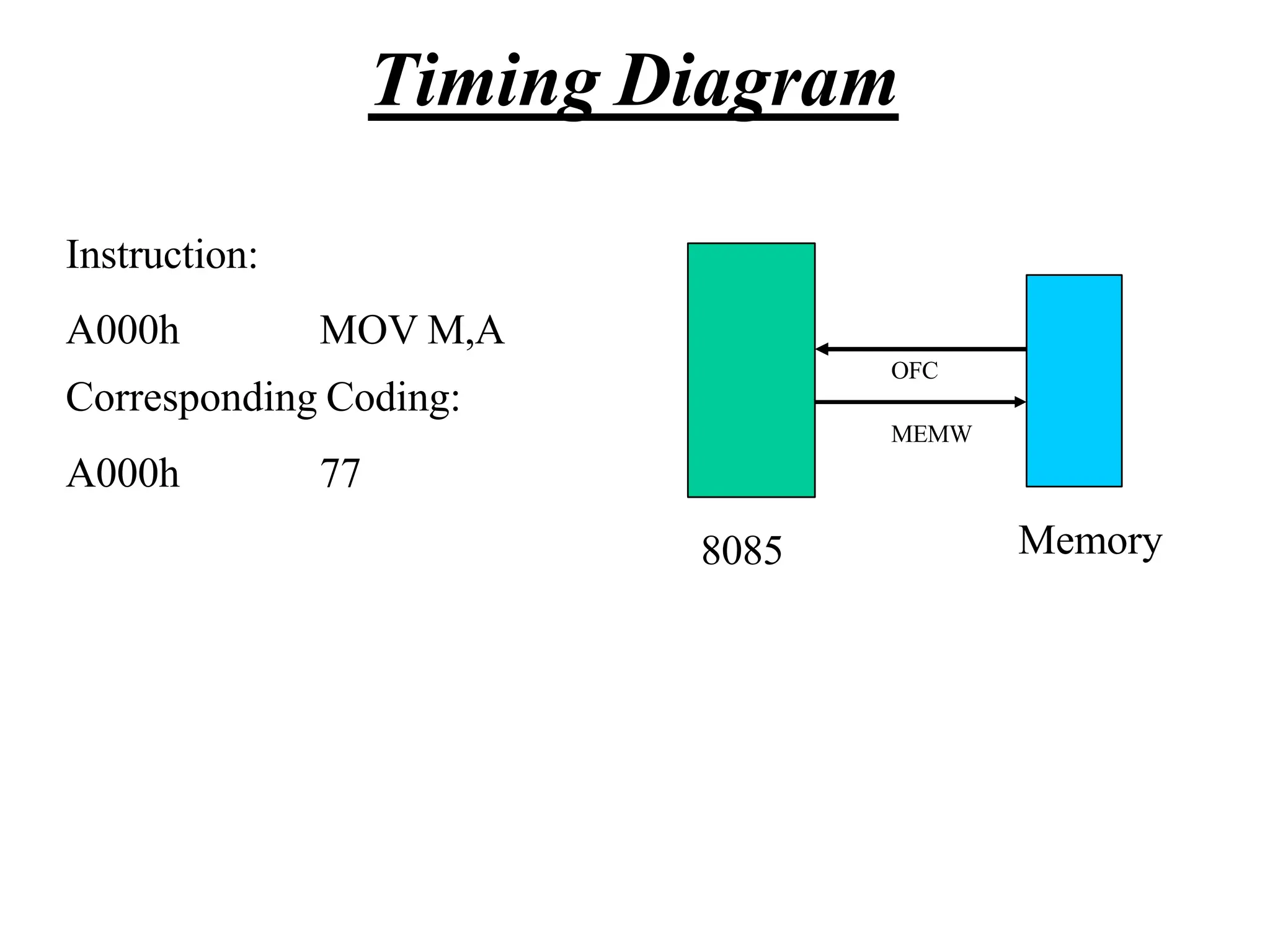
  • 57.
    Instruction with ImmediateDate • Operation: Load an 8-bit number into the accumulator. – MVI A, 32 • Operation: MVI A • Operand: The number 32 • Binary Code: 2nd 0011 1110 3E 1st byte. 0011 0010 32 byte.
  • 58.
    Instruction with aMemory Address • Operation: go to address 2085. – Instruction: JMP 2085 • Opcode: JMP • Operand: 2085 • Binary code: 1100 0011 C3 1st byte. 1000 0101 85 2nd byte 0010 0000 20 3rd byte
  • 59.
    Addressing Modes • Themicroprocessor has different ways of specifying the data for the instruction. These are called “addressing modes”. • The 8085 has four addressing modes: – Implied – Immediate – Direct – Indirect CMA MVI B, 45 LDA 4000 LDAX B • Load the accumulator with the contents of the memory location whose address is stored in the register pair BC).
  • 60.
    Data Formats • Inan 8-bit microprocessor, data can be represented in one of four formats: • ASCII • BCD • Signed Integer • Unsigned Integer. – It is important to recognize that the microprocessor deals with 0’s and 1’s. • It deals with values as strings of bits. • It is the job of the user to add a meaning to these strings.
  • 61.
    Data Formats • Assumethe accumulator contains the following value: 0100 0001. – There are four ways of reading this value: • It is an unsigned integer expressed in binary, the equivalent decimal number would be 65. • It is a number expressed in BCD (Binary Coded Decimal) format. That would make it, 41. • It is an ASCII representation of a letter. That would make it the letter A. • It is a string of 0’s and 1’s where the 0th and the 6th bits are set to 1 while all other bits are set to 0. ASCII stands for American Standard Code for Information Interchange.
  • 63.
  • 64.
    Counters • A loopcounter is set up by loading a register with a certain value • Then using the DCR (to decrement) and INR (to increment) the contents of the register are updated. • A loop is set up with a conditional jump instruction that loops back or not depending on whether the count has reached the termination count.
  • 65.
    Counters • The operationof a loop counter can be described using the following flowchart. Initialize Update the count Is this Final Count? Body of loop No Yes
  • 66.
    MVI C, 15H LOOPDCR C JNZ LOOP Sample ALP for implementing a loop Using DCR instruction
  • 67.
    Using a RegisterPair as a Loop Counter • Using a single register, one can repeat a loop for a maximum count of 255 times. • It is possible to increase this count by using a register pair for the loop counter instead of the single register. – A minor problem arises in how to test for the final count since DCX and INX do not modify the flags. – However, if the loop is looking for when the count becomes zero, we can use a small trick by ORing the two registers in the pair and then checking the zero flag.
  • 68.
    Using a RegisterPair as a Loop Counter • The following is an example of a loop set up with a register pair as the loop counter. LXI B, 1000H LOOP DCX B MOV A, C ORA B JNZ LOOP
  • 69.
    Delays • It wasshown in Chapter 2 that each instruction passes through different combinations of Fetch, Memory Read, and Memory Write cycles. • Knowing the combinations of cycles, one can calculate how long such an instruction would require to complete. • The table in Appendix F of the book contains a column with the title B/M/T. – B for Number of Bytes – M for Number of Machine Cycles – T for Number of T-State.
  • 70.
    Delays • Knowing howmany T-States an instruction requires, and keeping in mind that a T-State is one clock cycle long, we can calculate the time using the following formula: Delay = No. of T-States / Frequency • For example a “MVI” instruction uses 7 T-States. Therefore, if the Microprocessor is running at 2 MHz, the instruction would require 3.5 Seconds to complete.
  • 71.
    Delay loops • Wecan use a loop to produce a certain amount of time delay in a program. • The following is an example of a delay loop: MVI C, FFH LOOP DCR C JNZ LOOP 7 T-States 4 T-States 10 T-States • The first instruction initializes the loop counter and is executed only once requiring only 7 T-States. • The following two instructions form a loop that requires 14 T-States to execute and is repeated 255 times until C becomes 0.
  • 72.
    Delay Loops (Contd.) •We need to keep in mind though that in the last iteration of the loop, the JNZ instruction will fail and require only 7 T-States rather than the 10. • Therefore, we must deduct 3 T-States from the total delay to get an accurate delay calculation. • To calculate the delay, we use the following formula: Tdelay = TO + TL – Tdelay = total delay – TO = delay outside the loop – TL = delay of the loop • TO is the sum of all delays outside the loop.
  • 73.
    Delay Loops (Contd.) •Using these formulas, we can calculate the time delay for the previous example: • TO = 7 T-States – Delay of the MVI instruction • TL = (14 X 255) - 3 = 3567 T-States – 14 T-States for the 2 instructions repeated 255 times (FF16 = 25510) reduced by the 3 T-States for the final JNZ.
  • 74.
    Using a RegisterPair as a Loop Counter • Using a single register, one can repeat a loop for a maximum count of 255 times. • It is possible to increase this count by using a register pair for the loop counter instead of the single register. – A minor problem arises in how to test for the final count since DCX and INX do not modify the flags. – However, if the loop is looking for when the count becomes zero, we can use a small trick by ORing the two registers in the pair and then checking the zero flag.
  • 75.
    Using a RegisterPair as a Loop Counter • The following is an example of a delay loop set up with a register pair as the loop counter. LXI B, 1000H LOOP DCX B MOV A, C ORA B JNZ LOOP 10 T-States 6 T-States 4 T-States 4 T-States 10 T-States
  • 76.
    Using a RegisterPair as a Loop Counter • Using the same formula from before, we can calculate: • TO = 10 T-States – The delay for the LXI instruction • TL = (24 X 4096) - 3 = 98301 T- States – 24 T-States for the 4 instructions in the loop repeated 4096 times (100016 = 409610) reduced by the 3 T- States for the JNZ in the last iteration.
  • 77.
    Nested Loops • Nestedloops can be easily setup in Assembly language by using two registers for the two loop counters and updating the right register in the right loop. – In the figure, the body of loop2 can be before or after loop1. Initialize loop 1 Update the count1 Is this Final Count? Body of loop 1 No Yes Initialize loop 2 Body of loop 2 Update the count 2 Is this Final Count? No Yes
  • 78.
    Nested Loops forDelay • Instead (or in conjunction with) Register Pairs, a nested loop structure can be used to increase the total delay produced. MVI B, 10H 7 T-States LOOP2 MVI C, FFH 7 T-States LOOP1 DCR C 4 T-States JNZ LOOP1 10 T-States DCR B 4 T-States JNZ LOOP2 10 T-States
  • 79.
    Delay Calculation ofNested Loops • The calculation remains the same except that it the formula must be applied recursively to each loop. – Start with the inner loop, then plug that delay in the calculation of the outer loop. • Delay of inner loop – TO1 = 7 T-States • MVI C, FFH instruction – TL1 = (255 X 14) - 3 = 3567 T-States • 14 T-States for the DCR C and JNZ instructions repeated 255
  • 80.
    Delay Calculation ofNested Loops • Delay of outer loop – TO2 = 7 T-States • MVI B, 10H instruction – TL1 = (16 X (14 + 3574)) - 3 = 57405 T-States • 14 T-States for the DCR B and JNZ instructions and 3574 T-States for loop1 repeated 16 times (1016 = 1610) minus 3 for the final JNZ. – TDelay = 7 + 57405 = 57412 T-States • Total Delay – TDelay = 57412 X 0.5 Sec = 28.706 mSec
  • 81.
    Increasing the delay •The delay can be further increased by using register pairs for each of the loop counters in the nested loops setup. • It can also be increased by adding dummy instructions (like NOP) in the body of the loop.
  • 83.
    Representation of VariousControl signals generated during Execution of an Instruction. Following Buses and Control Signals must be shown in a Timing Diagram: •Higher Order Address Bus. •Lower Address/Data bus •ALE •RD •WR •IO/M Timing Diagram
  • 84.
    Instruction: A000h MOV A,B CorrespondingCoding: A000h 78 Timing Diagram
  • 85.
    Instruction: A000h MOV A,B CorrespondingCoding: A000h 78 8085 Memory OFC Timing Diagram
  • 86.
    ALE RD WR IO/M T1 T2 T3T4 A0h A15- A8 (Higher Order Address bus) 00h 78h Instruction: A000h MOV A,B Corresponding Coding: A000h 78 8085 Memory OFC Op-code fetch Cycle Timing Diagram
  • 87.
    Instruction: A000h MVI A,45h CorrespondingCoding: A000h A001h 3E 45 Timing Diagram
  • 88.
    Instruction: A000h MVI A,45h CorrespondingCoding: A000h A001h 3E 45 OFC MEMR 8085 Memory Timing Diagram
  • 89.
    01h 45h A0h A15- A8(Higher Order Address bus) 00h 3Eh DA7-DA0 (Lower order address/data Bus) ALE RD WR IO/M Op-Code Fetch Cycle Memory Read Cycle T1 T2 T3 T4 T5 T6 T7 A0h Instruction: A000h MVI A,45h Corresponding Coding: A000h A001h 3E 45 Timing Diagram
  • 90.
    Instruction: A000h LXI A,FO45h CorrespondingCoding: A000h A001h A002h 21 45 F0 Timing Diagram
  • 91.
    Instruction: A000h LXI A,FO45h CorrespondingCoding: A000h A001h A002h 21 45 F0 Timing Diagram OFC MEMR MEMR 8085 Memory
  • 92.
    Timing Diagram T1 T2T3 T4 T5 T6 T7 T8 T9 T10 21h 01h 45h 02h F0h A0h A0h A0h A15- A8 (Higher Order Address bus) DA7-DA0 (Lower order address/data Bus) ALE RD WR IO/M 00h Op-Code Fetch Cycle Memory Read Cycle Memory Read Cycle
  • 93.
    Instruction: A000h MOV A,M CorrespondingCoding: A000h 7E Timing Diagram
  • 94.
    OFC MEMR 8085 Memory Instruction: A000h MOVA,M Corresponding Coding: A000h 7E Timing Diagram
  • 95.
    L Reg ContentOf M A15- A8 (Higher Order Address bus) 00h 7Eh DA7-DA0 (Lower order address/data Bus) ALE RD WR IO/M Op-Code Fetch Cycle Memory Read Cycle T1 T2 T3 T4 T5 T6 T7 Content Of Reg H A0h Timing Diagram Instruction: A000h MOV A,M Corresponding Coding: A000h 7E
  • 96.
    Instruction: A000h MOV M,A CorrespondingCoding: A000h 77 Timing Diagram
  • 97.
    Instruction: A000h MOV M,A CorrespondingCoding: A000h 77 Timing Diagram 8085 Memory OFC MEMW
  • 98.
    L Reg Contentof Reg A A15- A8 (Higher Order Address bus) 00h 7Eh DA7-DA0 (Lower order address/data Bus) ALE RD WR IO/M Op-Code Fetch Cycle Memory Write Cycle T1 T2 T3 T4 T5 T6 T7 Content Of Reg H A0h Timing Diagram Instruction: A000h MOV M,A Corresponding Coding: A000h 77
  • 99.
  • 100.
    The Stack • Thestack is an area of memory identified by the programmer for temporary storage of information. • The stack is a LIFO structure. – Last In First Out. • The stack normally grows backwards into memory. – In other words, the programmer defines the bottom of the stack and the stack grows up into reducing address range. Memory Bottom of the Stack The Stack grows backwards into memory
  • 101.
    The Stack • Giventhat the stack grows backwards into memory, it is customary to place the bottom of the stack at the end of memory to keep it as far away from user programs as possible. • In the 8085, the stack is defined by setting the SP (Stack Pointer) register. LXI SP, FFFFH • This sets the Stack Pointer to location FFFFH (end of memory for the 8085).
  • 102.
    Saving Information onthe Stack • Information is saved on the stack by PUSHing it on. – It is retrieved from the stack by POPing it off. • The 8085 provides two instructions: PUSH and POP for storing information on the stack and retrieving it back. – Both PUSH and POP work with register pairs ONLY.
  • 103.
    The PUSH Instruction •PUSH B – Decrement SP – Copy the contents of register B to the memory location pointed to by SP location pointed to by SP – Decrement SP B C SP FFFD FFFE FFFF FFFC FFFB – Copy the co 12 nten F t 3 s of reg C to the memory ister F3 12
  • 104.
    The POP Instruction •POP D – Copy the contents of the memory location pointed to by the SP to register E – Increment SP – Copy the contents of the memory location o by the S pointed t P to r er D – Increment SP D E SP FFFB FFFC FFFD FFFE FFFF 12 F3 egist F3 12
  • 105.
    Operation of theStack • During pushing, the stack operates in a “decrement then store” style. – The stack pointer is decremented first, then the information is placed on the stack. • During poping, the stack operates in a “use then increment” style. – The information is retrieved from the top of the the stack and then the pointer is incremented. • The SP pointer always points to “the top of the stack”.
  • 106.
    LIFO • The orderof PUSHs and POPs must be opposite of each other in order to retrieve information back into its original location. PUSH B PUSH D ... POP D POP B
  • 107.
    The PSW RegisterPair • The 8085 recognizes one additional register pair called the PSW (Program Status Word). – This register pair is made up of the Accumulator and the Flags registers. • It is possible to push the PSW onto the stack, do whatever operations are needed, then POP it off of the stack. – The result is that the contents of the Accumulator and the status of the Flags are returned to what they were before the operations were executed.
  • 108.
    Subroutines • A subroutineis a group of instructions that will be used repeatedly in different locations of the program. – Rather than repeat the same instructions several times, they can be grouped into a subroutine that is called from the different locations. • In Assembly language, a subroutine can exist anywhere in the code. – However, it is customary to place subroutines separately from the main program.
  • 109.
    Subroutines • The 8085has two instructions for dealing with subroutines. – The CALL instruction is used to redirect program execution to the subroutine. – The RTE insutruction is used to return the execution to the calling routine.
  • 110.
    The CALL Instruction •CALL 4000H – Push the address of the instruction immediately following the CALL onto the unter wit Load the program co h the t address supplied with the CALL instruction. PC SP FFFC FFFD FFFE FFFF FFFB 2 0 0 3 16-bi 03 20 2000 sC ta AL c Lk 4000 2003 –
  • 111.
    The RTE Instruction •RTE – Retrieve the return address from the top of the stack – Load the program counter with the return address. PC FFFB FFFC FFFD FFFE FFFF 03 20 2 0 0 3 4014 4015 . . . RTE SP
  • 112.
    Cautions • The CALLinstruction places the return address at the two memory locations immediately before where the Stack Pointer is pointing. – You must set the SP correctly BEFORE using the CALL instruction. • The RTE instruction takes the contents of the two memory locations at the top of the stack and uses these as the return address. – Do not modify the stack pointer in a subroutine. You will loose the return address.
  • 113.
    Passing Data toa Subroutine • In Assembly Language data is passed to a subroutine through registers. – The data is stored in one of the registers by the calling program and the subroutine uses the value from the register. • The other possibility is to use agreed upon memory locations. – The calling program stores the data in the memory location and the subroutine retrieves the data from the location and uses it.
  • 114.
    Call by Referenceand Call by Value • If the subroutine performs operations on the contents of the registers, then these modifications will be transferred back to the calling program upon returning from a subroutine. – Call by reference • If this is not desired, the subroutine should PUSH all the registers it needs on the stack on entry and POP them on return. – The original values are restored before execution returns to the calling program.
  • 115.
    Cautions with PUSHand POP • PUSH and POP should be used in opposite order. • There has to be as many POP’s as there are PUSH’s. – If not, the RET statement will pick up the wrong information from the top of the stack and the program will fail. • It is not advisable to place PUSH or POP inside a loop.
  • 116.
    Conditional CALL andRTE Instructions • The 8085 supports conditional CALL and conditional RTE instructions. – The same conditions used with conditional JUMP instructions can be used. – CC, call subroutine if Carry flag is set. – CNC, call subroutine if Carry flag is not set – RC, return from subroutine if Carry flag is set – RNC, return from subroutine if Carry flag is not set – Etc.
  • 117.
    A Proper Subroutine •According to Software Engineering practices, a proper subroutine: – Is only entered with a CALL and exited with an RTE – Has a single entry point • Do not use a CALL statement to jump into different points of the same subroutine. – Has a single exit point • There should be one return statement from any subroutine. • Following these rules, there should not be any confusion with PUSH and POP usage.
  • 119.
    TheDesignandOperationofMemory 1 Memoryin amicroprocessor systemiswhere information (dataandinstructions) is kept.It canbe classifiedinto twomaintypes:  Mainmemory(RAMandROM)  Storagememory(Disks, CDROMs,etc.) Thesimple view of RAMis that it is madeupof registers that aremadeupof flip-flops (or memoryelements).  Thenumberofflip-flops in a“memoryregister”determinesthesizeof thememoryword. ROMonthe other handuses diodes instead of theflip-flops to permanently hold the information.
  • 120.
    AccessingInformationin Memory 2 Forthemicroprocessortoaccess(Reador Write)information inmemory(RAMorROM),it needstodothefollowing: Select theright memorychip(using part of the addressbus). Identify thememorylocation(using therest ofthe addressbus). Accessthedata(using thedatabus).
  • 121.
    Tri-StateBuffers 3 Animportant circuit elementthatisused extensivelyin memory. Thisbuffer is alogic circuit thathasthreestates: Logic0, logic1,andhighimpedance. Whenthis circuit is in highimpedancemodeit looks asif it is disconnectedfromtheoutput completely. The Output is Low The Output is High High Impedance
  • 122.
    4 TheTri-StateBuffer Thiscircuit hastwoinputsandoneoutput. Thefirst inputbehaveslikethenormal inputfor the circuit. Thesecondinput is an“enable”.  If it is set high, theoutputfollows theproper circuit behavior.  If it is set low, theoutputlooks like awire connected to nothing. Input Output Enable Input Output Enable OR
  • 123.
    TheBasicMemoryElement 5 Thebasicmemoryelementis similar toaD latch. Thislatchhasaninputwherethedatacomesin. It hasanenableinputandanoutputonwhich datacomesout. Dat Data Output a Input D Q EN Enable
  • 124.
    TheBasicMemoryElement 6 However,this is notsafe. Dataisalways presentontheinputandtheoutputis alwaysset to thecontentsof thelatch. Toavoid this, tri-statebuffers are addedat theinput andoutput of thelatch. Q D Data Input Data Output Enable EN WR RD
  • 125.
    TheBasicMemoryElement 7 TheWRsignalcontrols theinputbuffer. ThebaroverWRmeansthat thisis anactivelow signal. So,if WRis 0theinputdatareachesthelatchinput. If WRis 1theinput of thelatch lookslike awire connectedto nothing. TheRDsignalcontrols theoutputin asimilar manner.
  • 126.
  • 127.
    9 Agroupofmemoryregisters Expanding onthis schemetoaddmore memoryregisters weget thediagramto the right. EN D Q EN D Q EN D Q EN D Q EN D Q EN D Q EN D Q EN D Q EN D Q EN D Q EN D Q EN D Q EN D Q EN D Q EN D Q EN D Q D0 D1 D2 D3 D0 D1 D2 D3 o o o o o o o o WR RD
  • 128.
    Externally Initiated Operations 10 Externaldevicescaninitiate (start) oneof the4 followingoperations: Reset  All operationsarestoppedandtheprogramcounteris resetto 0000. Interrupt  The microprocessor’s operations are interrupted and the microprocessorexecuteswhatis calleda“serviceroutine”.  This routine “handles” the interrupt, (perform the necessary operations). Then the microprocessor returns to its previous operationsandcontinues.
  • 129.
    AgroupofMemoryRegisters 11 Input Buffers Memory Reg.0 Memory Reg. 1 Memory Reg. 2 Memory Reg. 3 Output Buffers If werepresenteachmemorylocation(Register) as ablockwegetthefollowing I0 I1 I2 I3 WR EN0 EN1 EN2 EN3 RD O0 O1 O2 O3
  • 130.
    TheDesignof aMemoryChip 12 UsingtheRDandWRcontrols wecandeterminethe directionof flow eitherinto or outof memory.Then usingtheappropriate Enableinputweenablean individual memoryregister. Whatwehavejust designedis amemorywith 4 locations andeachlocationhas4elements (bits). This memorywouldbecalled4X4[NumberoflocationX numberof bits per location].
  • 131.
    TheEnableInputs 13 Howdoweproducetheseenableline? Sincewecanneverhavemorethanoneofthese enablesactiveat thesametime, wecanhavethem encodedtoreducethenumberof lines coming into thechip. Theseencodedlines are theaddress lines for memory.
  • 132.
    TheDesignof aMemoryChip 14 So,thepreviousdiagramwouldnowlooklike the following: Input Buffers OutputBuffers Memory Reg. 0 Memory Reg. 1 Memory Reg. 2 Memory Reg. 3 I0 I1 I2 I3 O0 O1 O2 O3 WR RD r A D d e d c o e d s e s r A1 A0
  • 133.
    TheDesignof aMemoryChip 15 Sincewehavetri-statebuffersonboththeinputs andoutputs oftheflipflops,wecanactually use onesetofpinsonly. Thechipwouldnowlook li Input Buffers Output Buffers Memory Reg. 0 Memory Reg. 1 Memory Reg. 2 Memory Reg. 3 WR RD A d d r e s s D e c o d e r A1 A0 keD t 0 his: D1 D2 D3 D0 D1 D2 D3 A1 A0 RD WR
  • 134.
    Thestepsof writinginto Memory 16 Whathappenswhentheprogrammerissuesthe STAinstruction? ThemicroprocessorwouldturnontheWRcontrol (WR=0) andturn off theRDcontrol(RD=1). Theaddressis applied to theaddressdecoderwhich generatesasingleEnablesignalto turn ononly oneof thememoryregisters. Thedatais thenapplied onthedatalines andit isstoredinto theenabled register.
  • 135.
    17 Dimensionsof Memory Memoryis usuallymeasuredbytwonumbers:its length andits width(LengthXWidth).  Thelengthis thetotal numberoflocations.  Thewidthis thenumberofbits in eachlocation. Thelength (total numberof locations) is afunction of the numberof address lines. #of memorylocations=2(#of address lines)  So,amemorychipwith 10addresslineswouldhave 210=1024locations(1K)  Lookingatit fromtheotherside,amemorychipwith4Klocations wouldneed Log2 4096=12addresslines
  • 136.
    The8085andMemory 18 The8085has16addresslines. Thatmeansit can address 216=64Kmemorylocations. Thenitwill need1memorychip with 64klocations, or2 chipswith 32Kin each,or 4with 16Keachor16of the 4K chips, etc. howwouldweusetheseaddresslines to control themultiplechips?
  • 137.
    ChipSelect 19 Usually, eachmemorychiphasaCS(Chip Select) input.Thechip will only workif anactive signalis applied onthat input. Toallow theuseof multiple chipsin themakeupof memory,weneedto useanumberof theaddresslines for thepurposeof “chip selection”. Theseaddress lines aredecodedto generate the 2n necessary CSinputs for the memorychips to beused.
  • 138.
    ChipSelectionExample 20 Assumethatweneedto build amemorysystem madeupof4of the4X4memorychipswe designedearlier. Wewill needto use2inputs andadecoderto identifywhich chip will beusedat whattime. Theresulting designwouldnowlooklike theoneon thefollowing slide.
  • 139.
    ChipSelectionExample 21 RD WR A0 A1 CS RD WR A0 A1 CS RDWR A0 A1 CS RD WR A0 A1 CS 2 X4 Decoder A3 A2 A0 A1 RD WR D0 D1
  • 140.
    MemoryMapandAddresses 22 FFFF Address Range EPROM RAM 1 RAM 2 RAM3 RAM 4 Thememorymapis apicturerepresentationof theaddressrangeandshowswherethedifferent memorychipsarelocatedwithin theaddress range. 0000 0000 8FFF 9000 A3FF A400 Address Range of EPROM Chip 3FFF 4400 Address Range of 1st RAM Chip 5FFF 6000 Address Range of 2nd RAM Chip Address Range of 3rd RAM Chip Address Range of 4th RAM Chip F7FF
  • 141.
    AddressRangeofaMemoryChip 23 Theaddressrangeof aparticularchipis thelistof all addressesthat aremappedto thechip. Anexample for the address rangeand its relationship to the memorychips would bethePostOffice Boxesin the post office. • Eachboxhasits unique numberthat is assigned sequentially. (memory locations) • Theboxes are grouped into groups. (memorychips) • Thefirst boxin agroup hasthe numberimmediatelyafter the last boxin the previous group.
  • 142.
    AddressRangeofaMemoryChip 24 Theaboveexamplecanbemodified slightly tomakeit closer to our discussion onmemory. • Let’s say that this post office hasonly 1000boxes. • Let’s also say that these are grouped into 10groups of 100boxes each. Boxes0000 to 0099are in group 0, boxes 0100to 0199 arein group 1 andsoon. Wecanlookat the boxnumberasif it is madeupof two pieces: • Thegroup numberandthe box’sindex within the group. • So,boxnumber436is the 36thboxin the 4thgroup. Theupperdigitof theboxnumberidentifies thegroupandthelowertwo digitsidentify theboxwithin thegroup.
  • 143.
    The8085andAddressRanges 25 The 8085 has16 address lines. So, it can addressatotal of64Kmemorylocations. If we use memory chips with 1K locations each, then wewill need64suchchips. The 1K memory chip needs 10 address lines to uniquelyidentifythe1Klocations. (log21024=10) That leaves 6 address lines which is the exact number needed for selecting between the 64 different chips(log264=6).
  • 144.
    The8085andAddressRanges 26 Dependingonthecombinationontheaddresslines A15- A10,the addressrangeof thespecifiedchipis determined. Now,wecanbreakupthe16-bit addressof the8085 intotwopieces: Chip Selection Location Selection within the Chip A15 A14A13A12 A11A10 A9A8A7A6A5A4A3A2A1A0
  • 145.
    ChipSelectExample 27 AchipthatusesthecombinationA15 - A10= 001000wouldhaveaddressesthatrangefrom 2000Hto23FFH. Keepinmindthatthe10addresslinesonthechipgivesarangeof 0000000000to1111111111or000Hto3FFHfor eachofthechips. Thememorychipinthis examplewouldrequirethefollowingcircuiton its chipselectinput: CS A10 A11 A12 A13 A14 A15
  • 146.
    ChipSelectExample 28 If wechangetheabovecombination tothe following: Now the chip would have addresses ranging from: 2400 to 27FF. Changing the combination of the address bits connected to the chip select changes the address range for the memory chip. CS A10 A11 A12 A13 A14 A15
  • 147.
    ChipSelectExample 29 Toillustrate this withapicture:  in the first case, thememorychip occupies the piece of thememorymapidentified asbefore.  In the secondcase, it occupies the piece identified as after. 0000 2000 23FF FFFF 0000 2400 27FF FFFF Before After
  • 148.
    High-Ordervs.Low-OrderAddressLines 30 Theaddresslines fromamicroprocessorcanbe classifiedinto twotypes: High-Order Usedfor memorychip selection Low-Order  Usedfor location selection within amemorychip. Thisclassificationis highlydependentonthe memorysystemdesign.
  • 149.
    DataLines 31 All of theabovediscussionhasbeenregardingmemory length.Letslookat memorywidth. Wesaid thatthewidthis thenumberof bits in each memoryword. Wehavebeenassumingsofar that our memorychips have theright width. Whatif they don’t?  It is verycommontofindmemorychipsthathaveonly 4bits per location.Howwouldyoudesignabytewidememorysystemusing thesechips?  Weuse two chips for the sameaddress range. One chip will supply 4 of the data bits per address andthe other chip supply the other 4data bitsforthesameaddress.
  • 150.
  • 151.
  • 152.
    Interrupts • Interrupt isa process where an external device can get the attention of the microprocessor. – The process starts from the I/O device – The process is asynchronous. • Interrupts can be classified into two types: • Maskable (can be delayed) • Non-Maskable (can not be delayed) • Interrupts can also be classified into: • Vectored (the address of the service routine is hard-wired) • Non-vectored (the address of the service routine needs to be supplied externally)
  • 153.
    Interrupts • An interruptis considered to be an emergency signal. – The Microprocessor should respond to it as soon as possible. • When the Microprocessor receives an interrupt signal, it suspends the currently executing program and jumps to an Interrupt Service Routine (ISR) to respond to the incoming interrupt. – Each interrupt will most probably have its own ISR.
  • 154.
    Responding to Interrupts •Responding to an interrupt may be immediate or delayed depending on whether the interrupt is maskable or non-maskable and whether interrupts are being masked or not. • There are two ways of redirecting the execution to the ISR depending on whether the interrupt is vectored or non-vectored. – The vector is already known to the Microprocessor – The device will have to supply the vector to the Microprocessor
  • 155.
    The 8085 Interrupts •The maskable interrupt process in the 8085 is controlled by a single flip flop inside the microprocessor. This Interrupt Enable flip flop is controlled using the two instructions “EI” and “DI”. • The 8085 has a single Non-Maskable interrupt. – The non-maskable interrupt is not affected by the value of the Interrupt Enable flip flop.
  • 156.
    The 8085 Interrupts •The 8085 has 5 interrupt inputs. – The INTR input. • The INTR input is the only non-vectored interrupt. • INTR is maskable using the EI/DI instruction pair. – RST 5.5, RST 6.5, RST 7.5 are all automatically vectored. • RST 5.5, RST 6.5, and RST 7.5 are all maskable. – TRAP is the only non-maskable interrupt in the 8085 • TRAP is also automatically vectored
  • 157.
    The 8085 Interrupts Interruptname Maskable Vectored INTR Yes No RST 5.5 Yes Yes RST 6.5 Yes Yes RST 7.5 Yes Yes TRAP No Yes
  • 158.
    Interrupt Vectors andthe Vector Table • An interrupt vector is a pointer to where the ISR is stored in memory. • All interrupts (vectored or otherwise) are mapped onto a memory area called the Interrupt Vector Table (IVT). – The IVT is usually located in memory page 00 (0000H - 00FFH). – The purpose of the IVT is to hold the vectors that redirect the microprocessor to the right place when an interrupt arrives. – The IVT is divided into several blocks. Each block is used by one of the interrupts to hold its “vector”
  • 159.
    1. The interruptprocess should be enabled using the EI instruction. 2. The 8085 checks for an interrupt during the execution of every instruction. 3. If there is an interrupt, the microprocessor will complete the executing instruction, and start a RESTART sequence. 4. The RESTART sequence resets the interrupt flip flop and activates the interrupt acknowledge signal (INTA). 5. Upon receiving the INTA signal, the interrupting device is expected to return the op-code of one of the 8 RST instructions. The 8085 Non-Vectored Interrupt Process
  • 160.
    6. When themicroprocessor executes the RST instruction received from the device, it saves the address of the next instruction on the stack and jumps to the appropriate entry in the IVT. 7. The IVT entry must redirect the microprocessor to the actual service routine. 8. The service routine must include the instruction EI to re-enable the interrupt process. 9. At the end of the service routine, the RET instruction returns the execution to where the program was interrupted. The 8085 Non-Vectored Interrupt Process
  • 161.
    The 8085 Non-VectoredInterrupt Process • The 8085 recognizes 8 RESTART instructions: RST0 - RST7. – each of these would send the execution to a predetermined hard-wired memory location: Restart Instruction Equivalent to RST0 CALL 0000H RST1 CALL 0008H RST2 CALL 0010H RST3 CALL 0018H RST4 CALL 0020H RST5 CALL 0028H RST6 CALL 0030H RST7 CALL 0038H
  • 162.
    Restart Sequence • Therestart sequence is made up of three machine cycles – In the 1st machine cycle: • The microprocessor sends the INTA signal. • While INTA is active the microprocessor reads the data lines expecting to receive, from the interrupting device, the opcode for the specific RST instruction. – In the 2nd and 3rd machine cycles: • the 16-bit address of the next instruction is saved on the stack. • Then the microprocessor jumps to the address associated with the specified RST instruction.
  • 163.
    Restart Sequence • Thelocation in the IVT associated with the RST instruction can not hold the complete service routine. – The routine is written somewhere else in memory. – Only a JUMP instruction to the ISR’s location is kept in the IVT block.
  • 164.
    Hardware Generation ofRST Opcode • How does the external device produce the opcode for the appropriate RST instruction? – The opcode is simply a collection of bits. – So, the device needs to set the bits of the data bus to the appropriate value in response to an INTA signal.
  • 165.
    The following isan example of generating RST 5: RST 5’s opcode is EF = D D 76543210 11101111 Hardware Generation of RST Opcode
  • 166.
    Hardware Generation ofRST Opcode • During the interrupt acknowledge machine cycle, (the 1st machine cycle of the RST operation): – The Microprocessor activates the INTA signal. – This signal will enable the Tri-state buffers, which will place the value EFH on the data bus. – Therefore, sending the Microprocessor the RST 5 instruction. • The RST 5 instruction is exactly equivalent to CALL 0028H
  • 167.
    Issues in ImplementingINTR Interrupts • How long must INTR remain high? – The microprocessor checks the INTR line one clock cycle before the last T-state of each instruction. – The interrupt process is Asynchronous. – The INTR must remain active long enough to allow for the longest instruction. – The longest instruction for the 8085 is the conditional CALL instruction which requires 18 T-states. Therefore, the INTR must remain active for 17.5 T-states.
  • 168.
    Issues in ImplementingINTR Interrupts • How long can the INTR remain high? – The INTR line must be deactivated before the EI is executed. Otherwise, the microprocessor will be interrupted again. – The worst case situation is when EI is the first instruction in the ISR. – Once the microprocessor starts to respond to an INTR interrupt, INTA becomes active (=0). Therefore, INTR should be turned off as soon as the INTA signal is received.
  • 169.
    Issues in ImplementingINTR Interrupts • Can the microprocessor be interrupted again before the completion of the ISR? – As soon as the 1st interrupt arrives, all maskable interrupts are disabled. – They will only be enabled after the execution of the EI instruction. Therefore, the answer is: “only if you allow it to”. If the EI instruction is placed early in the ISR, other interrupt may occur before the ISR is done.
  • 170.
    Multiple Interrupts &Priorities • How do we allow multiple devices to interrupt using the INTR line? – The microprocessor can only respond to one signal on INTR at a time. – Therefore, we must allow the signal from only one of the devices to reach the microprocessor. – We must assign some priority to the different devices and allow their signals to reach the microprocessor according to the priority.
  • 171.
    The Priority Encoder •The solution is to use a circuit called the priority encoder (74366). – This circuit has 8 inputs and 3 outputs. – The inputs are assigned increasing priorities according to the increasing index of the input. • Input 7 has highest priority and input 0 has the lowest. – The 3 outputs carry the index of the highest priority active input. – Figure 12.4 in the book shoes how this circuit can be used with a Tri-state buffer to implement an interrupt priority scheme. • The figure in the textbook does not show the method for distributing the INTA signal back to the individual devices.
  • 172.
    Multiple Interrupts &Priorities • Note that the opcodes for the different RST instructions follow a set pattern. • Bit D5, D4 and D3 of the opcodes change in a binary sequence from RST 7 down to RST 0. • The other bits are always 1. • This allows the code generated by the 74366 to be used directly to choose the appropriate RST instruction. • The one draw back to this scheme is that the only way to change the priority of the devices connected to the 74366 is to reconnect the hardware.
  • 173.
    Multiple Interrupts andPriority Dev. 7 Dev. 6 Dev. 5 Dev. 4 Dev. 3 Dev. 2 Dev. 1 Dev. 0 7 4 1 3 8 INTA INTR 8 AD7 AD6 0 AD5 AD4 8 AD3 AD2 5 AD1 AD0 O7 O6 O5 O4 O3 O2 O1 O0 I7 I6 7 I5 4 I4 I3 3 I2 6 I1 I0 6 Tri – State Buffer Priority Encoder +5 V INTR Circuit INTA Circuit RST Circuit
  • 174.
    The 8085 Maskable/Vectored Interrupts •The 8085 has 4 Masked/Vectored interrupt inputs. – RST 5.5, RST 6.5, RST 7.5 • They are all maskable. • They are automatically vectored according to the following table: – The vectors for these interrupt fall in between the vectors for the RST instructions. That’s why they have names like RST 5.5 (RST 5 and a half). Interrupt Vector RST 5.5 002CH RST 6.5 0034H RST 7.5 003CH
  • 175.
    Masking RST 5.5,RST 6.5 and RST 7.5 • These three interrupts are masked at two levels: – Through the Interrupt Enable flip flop and the EI/DI instructions. • The Interrupt Enable flip flop controls the whole maskable interrupt process. – Through individual mask flip flops that control the availability of the individual interrupts. • These flip flops control the interrupts individually.
  • 176.
    Maskable Interrupts Interrupt Enable Flip Flop INTR RST5.5 RST 6.5 M 5.5 M 6.5 M 7.5 RST7.5 Memory RST 7.5
  • 177.
    The 8085 Maskable/Vectored InterruptProcess 1. The interrupt process should be enabled using the EI instruction. 2. The 8085 checks for an interrupt during the execution of every instruction. 3. If there is an interrupt, and if the interrupt is enabled using the interrupt mask, the microprocessor will complete the executing instruction, and reset the interrupt flip flop. 4. The microprocessor then executes a call instruction that sends the execution to the appropriate location in the interrupt vector table.
  • 178.
    The 8085 Maskable/Vectored InterruptProcess 5. When the microprocessor executes the call instruction, it saves the address of the next instruction on the stack. 6. The microprocessor jumps to the specific service routine. 7. The service routine must include the instruction EI to re-enable the interrupt process. 8. At the end of the service routine, the RET instruction returns the execution to where the program was interrupted.
  • 179.
    Manipulating the Masks •The Interrupt Enable flip flop is manipulated using the EI/DI instructions. • The individual masks for RST 5.5, RST 6.5 and RST 7.5 are manipulated using the SIM instruction. – This instruction takes the bit pattern in the Accumulator and applies it to the interrupt mask enabling and disabling the specific interrupts.
  • 180.
    How SIM Interpretsthe Accumulator 7 6 5 4 3 2 1 0 SDO SDE XXX R7.5 MSE M7.5 M6.5 M5.5 RST5.5 Mask RST6.5 Mask RST7.5 Mask }1 - Available 2 - Masked Mask Set Enable 1 - Ignore bits 0-2 2 - Set the masks according to bits 0-2 Force RST7.5 Flip Flop to reset Not Used Enable Serial Data 1 - Ignore bit 7 2 - Send bit 7 to SOD pin Serial Data Out
  • 181.
    SIM and theInterrupt Mask • Bit 0 is the mask for RST 5.5, bit 1 is the mask for RST 6.5 and bit 2 is the mask for RST 7.5. • If the mask bit is 0, the interrupt is available. • If the mask bit is 1, the interrupt is masked. • Bit 3 (Mask Set Enable - MSE) is an enable for setting the mask. • If it is set to 0 the mask is ignored and the old settings remain. • If it is set to 1, the new setting are applied. • The SIM instruction is used for multiple purposes and not only for setting interrupt masks. – It is also used to control functionality such as Serial Data Transmission. – Therefore, bit 3 is necessary to tell the microprocessor whether or not the interrupt masks should be modified
  • 182.
    SIM and theInterrupt Mask • The RST 7.5 interrupt is the only 8085 interrupt that has memory. – If a signal on RST7.5 arrives while it is masked, a flip flop will remember the signal. – When RST7.5 is unmasked, the microprocessor will be interrupted even if the device has removed the interrupt signal. – This flip flop will be automatically reset when the microprocessor responds to an RST 7.5 interrupt. • Bit 4 of the accumulator in the SIM instruction allows explicitly resetting the RST 7.5 memory even if the microprocessor did not respond to it.
  • 183.
    SIM and theInterrupt Mask • The SIM instruction can also be used to perform serial data transmission out of the 8085’s SOD pin. – One bit at a time can be sent out serially over the SOD pin. • Bit 6 is used to tell the microprocessor whether or not to perform serial data transmission • If 0, then do not perform serial data transmission • If 1, then do. • The value to be sent out on SOD has to be placed in bit 7 of the accumulator. • Bit 5 is not used by the SIM instruction
  • 184.
    Using the SIMInstruction to Modify the Interrupt Masks • Example: Set the interrupt masks so that RST5.5 is enabled, RST6.5 is masked, and RST7.5 is enabled. – First, determine the contents of the accumulator 0 0 0 0 1 0 1 0 SDO SDE XXX R7.5 MSE M7.5 M6.5 M5.5 - Enable 5.5 - Disable 6.5 - Enable 7.5 - Allow setting the masks - Don’t reset the flip flop - Bit 5 is not used - Don’t use serial data - Serial data is ignored bit 0 = 0 bit 1 = 1 bit 2 = 0 bit 3 = 1 bit 4 = 0 bit 5 = 0 bit 6 = 0 bit 7 = 0 Contents of accumulator are: 0AH EI MVI A, 0A SIM ; Enable interrupts including INTR ; Prepare the mask to enable RST 7.5, and 5.5, disable 6.5 ; Apply the settings RST masks
  • 185.
    Triggering Levels • RST7.5 is positive edge sensitive. • When a positive edge appears on the RST7.5 line, a logic 1 is stored in the flip-flop as a “pending” interrupt. • Since the value has been stored in the flip flop, the line does not have to be high when the microprocessor checks for the interrupt to be recognized. • The line must go to zero and back to one before a new interrupt is recognized. • RST 6.5 and RST 5.5 are level sensitive. • The interrupting signal must remain present until the microprocessor checks for interrupts.
  • 186.
    Determining the CurrentMask Settings • RIM instruction: Read Interrupt Mask – Load the accumulator with an 8-bit pattern showing the status of each interrupt pin and mask. RST 5.5 RST 6.5 M 5.5 Interrupt Enable Flip Flop M 6.5 RST7.5 Memory RST 7.5 M 7.5 SDI P7.5 P6.5 P5.5 IE M7.5 M6.5 M5.5 7 6 5 4 3 2 1 0
  • 187.
    How RIM setsthe Accumulator’s different bits SDI P7.5 P6.5 P5.5 IE M7.5 M6.5 M5.5 7 6 5 4 3 2 1 0 RST5.5 Mask RST6.5 Mask RST7.5 Mask }1 - Available 2 - Masked Interrupt Enable Value of the Interrupt Enable Flip Flop Serial Data In RST5.5 Interrupt Pending RST6.5 Interrupt Pending RST7.5 Interrupt Pending
  • 188.
    The RIM Instructionand the Masks • Bits 0-2 show the current setting of the mask for each of RST 7.5, RST 6.5 and RST 5.5 • They return the contents of the three mask flip flops. • They can be used by a program to read the mask settings in order to modify only the right mask. • Bit 3 shows whether the maskable interrupt process is enabled or not. • It returns the contents of the Interrupt Enable Flip Flop. • It can be used by a program to determine whether or not interrupts are enabled.
  • 189.
    The RIM Instructionand the Masks • Bits 4-6 show whether or not there are pending interrupts on RST 7.5, RST 6.5, and RST 5.5 • Bits 4 and 5 return the current value of the RST5.5 and RST6.5 pins. • Bit 6 returns the current value of the RST7.5 memory flip flop. • Bit 7 is used for Serial Data Input. • The RIM instruction reads the value of the SID pin on the microprocessor and returns it in this bit.
  • 190.
    Pending Interrupts • Sincethe 8085 has five interrupt lines, interrupts may occur during an ISR and remain pending. – Using the RIM instruction, the programmer can read the status of the interrupt lines and find if there are any pending interrupts. – The advantage is being able to find about interrupts on RST 7.5, RST 6.5, and RST 5.5 without having to enable low level interrupts like INTR.
  • 191.
    Using RIM andSIM to set Individual Masks • Example: Set the mask to enable RST6.5 without modifying the masks for RST5.5 and RST7.5. – In order to do this correctly, we need to use the RIM instruction to find the current settings of the RST5.5 and RST7.5 masks. – Then we can use the SIM instruction to set the masks using this information. – Given that both RIM and SIM use the Accumulator, we can use some logical operations to masks the un-needed values returned by RIM and turn them into the values needed by SIM.
  • 192.
    SDO SDE XXX R7.5 MSE M7.5 M6.5 M5.5 0 0 0 0 0 0 01 Using RIM and SIM to set Individual Masks – Assume the RST5.5 and RST7.5 are enabled and the interrupt process is disabled. RIM ; Read the current settings. ORI 08H ; 0 0 0 0 1 0 0 0 ; Set bit 4 for MSE. ANI 0DH ; 0 0 0 0 1 1 0 1 ; Turn off Serial Data, Don’t reset ; RST7.5 flip flop, and set the mask ; for RST6.5 off. Don’t cares are ; assumed to be 0. SIM ; Apply the settings. Accumulator SDI P7.5 P6.5 P5.5 IE M7.5 M6.5 M5.5 0 0 0 0 0 0 1 0 1 0 0 0 0 0 1 0 0 0 0 0 1 0 0 0
  • 193.
    TRAP • TRAP isthe only non-maskable interrupt. – It does not need to be enabled because it cannot be disabled. • It has the highest priority amongst interrupts. • It is edge and level sensitive. – It needs to be high and stay high to be recognized. – Once it is recognized, it won’t be recognized again until it goes low, then high again. • TRAP is usually used for power failure and emergency shutoff.
  • 194.
    Internal Interrupt Priority •Internally, the 8085 implements an interrupt priority scheme. – The interrupts are ordered as follows: • TRAP • RST 7.5 • RST 6.5 • RST 5.5 • INTR – However, TRAP has lower priority than the HLD signal used for DMA.
  • 195.
    The 8085 Interrupts Interrupt Name Maskable Masking Method VectoredMemory Triggerin g Method INTR Yes DI / EI No No Level Sensitive RST 5.5 / RST 6.5 Yes DI / EI SIM Yes No Level Sensitive RST 7.5 Yes DI / EI SIM Yes Yes Edge Sensitive TRAP No None Yes No Level & Edge Sensitive
  • 196.
    Additional Concepts and Processes •Programmable Interrupt Controller 8259 A – A programmable interrupt managing device • It manages 8 interrupt requests. • It can vector an interrupt anywhere in memory without additional H/W. • It can support 8 levels of interrupt priorities. • The priority scheme can be extended to 64 levels using a hierarchy 0f 8259 device.
  • 197.
    The Need forthe 8259A • The 8085 INTR interrupt scheme presented earlier has a few limitations: – The RST instructions are all vectored to memory page 00H, which is usually used for ROM. – It requires additional hardware to produce the RST instruction opcodes. – Priorities are set by hardware. • Therefore, we need a device like the 8259A to expand the priority scheme and allow mapping to pages other than 00H.
  • 198.
    Interfacing the 8259Ato the 8085 Dev. 7 Dev. 6 Dev. 5 Dev. 4 Dev. 3 Dev. 2 Dev. 1 Dev. 0 8 2 5 9 A 8 0 8 5 INTA INTR AD7 AD6 AD5 AD4 AD3 AD2 AD1 AD0 I7 I6 I5 I4 3 I I2 I1 I0
  • 199.
    Operating of the8259A • The 8259A requires the microprocessor to provide 2 control words to set up its operation. After that, the following sequence occurs: 1. One or more interrupts come in. 2. The 8259A resolves the interrupt priorities based on its internal settings 3. The 8259A sends an INTR signal to the microprocessor. 4. The microprocessor responds with an INTA signal and turns off the interrupt enable flip flop. 5. The 8259A responds by placing the op-code for the CALL instruction (CDH) on the data bus.
  • 200.
    Operating of the8259A 6. When the microprocessor receives the op-code for CALL instead of RST, it recognizes that the device will be sending 16 more bits for the address. 7. The microprocessor sends a second INTA signal. 8. The 8259A sends the high order byte of the ISR’s address. 9. The microprocessor sends a third INTA signal. 10. The 8259A sends the low order byte of the ISR’s address. 11. The microprocessor executes the CALL instruction and jumps to the ISR.
  • 201.
    Direct Memory Access •This is a process where data is transferred between two peripherals directly without the involvement of the microprocessor. – This process employs the HOLD pin on the microprocessor • The external DMA controller sends a signal on the HOLD pin to the microprocessor. • The microprocessor completes the current operation and sends a signal on HLDA and stops using the buses. • Once the DMA controller is done, it turns off the HOLD signal and the microprocessor takes back control of the buses.
  • 202.
    Serial I/O andData Communication
  • 203.
    Basic Concepts inSerial I/O • Interfacing requirements: – Identify the device through a port number. • Memory-mapped. • Peripheral-mapped. – Enable the device using the Read and Write control signals. • Read for an input device. • Write for an output device. – Only one data line is used to transfer the information instead of the entire data bus.
  • 204.
    Basic Concepts inSerial I/O • Controlling the transfer of data: – Microprocessor control. • Unconditional, polling, status check, etc. – Device control. • Interrupt.
  • 205.
    Synchronous Data Transmission •The transmitter and receiver are synchronized. – A sequence of synchronization signals is sent before the communication begins. • Usually used for high speed transmission. • More than 20 K bits/sec. • Message based. – Synchronization occurs at the beginning of a long message.
  • 206.
    Asynchronous Data Transmission •Transmission occurs at any time. • Character based. – Each character is sent separately. • Generally used for low speed transmission. – Less the 20 K bits/sec.
  • 207.
    Asynchronous Data Transmission •Follows agreed upon standards: – The line is normally at logic one (mark). • Logic 0 is known as space. – The transmission begins with a start bit (low). – Then the seven or eight bits representing the character are transmitted. – The transmission is concluded with one or two stop bits. art St D0 D1 D2 D3 D4 D5 D6 D7 Stop Time One Character
  • 208.
    Simplex and Duplex Transmission •Simplex. – One-way transmission. – Only one wire is needed to connect the two devices – Like communication from computer to a printer. • Half-Duplex. – Two-way transmission but one way at a time. – One wire is sufficient. • Full-Duplex. – Data flows both ways at the same time. – Two wires are needed. – Like transmission between two computers.
  • 209.
    Rate of Transmission •For parallel transmission, all of the bits are sent at once. • For serial transmission, the bits are sent one at a time. – Therefore, there needs to be agreement on how “long” each bit stays on the line. • The rate of transmission is usually measured in bits/second or baud.
  • 210.
    Length of EachBit • Given a certain baud rate, how long should each bit last? – Baud = bits / second. – Seconds / bits = 1 /baud. – At 1200 baud, a bit lasts 1/1200 = 0.83 m Sec.
  • 211.
    Transmitting a Character •To send the character A over a serial communication line at a baud rate of 56.6 K: – ASCII for A is 41H = 01000001. – Must add a start bit and two stop bits: • 11 01000001 0 – Each bit should last 1/56.6K = 17.66  Sec. • Known as bit time. – Set up a delay loop for 17.66  Sec and set the transmission line to the different bits for the duration of the loop.
  • 212.
    Error Checking • Varioustypes of errors may occur during transmission. – To allow checking for these errors, additional information is transmitted with the data. • Error checking techniques: – Parity Checking. – Checksum. • These techniques are for error checking not correction. – They only indicate that an error has occurred. – They do not indicate where or what the correct information is.
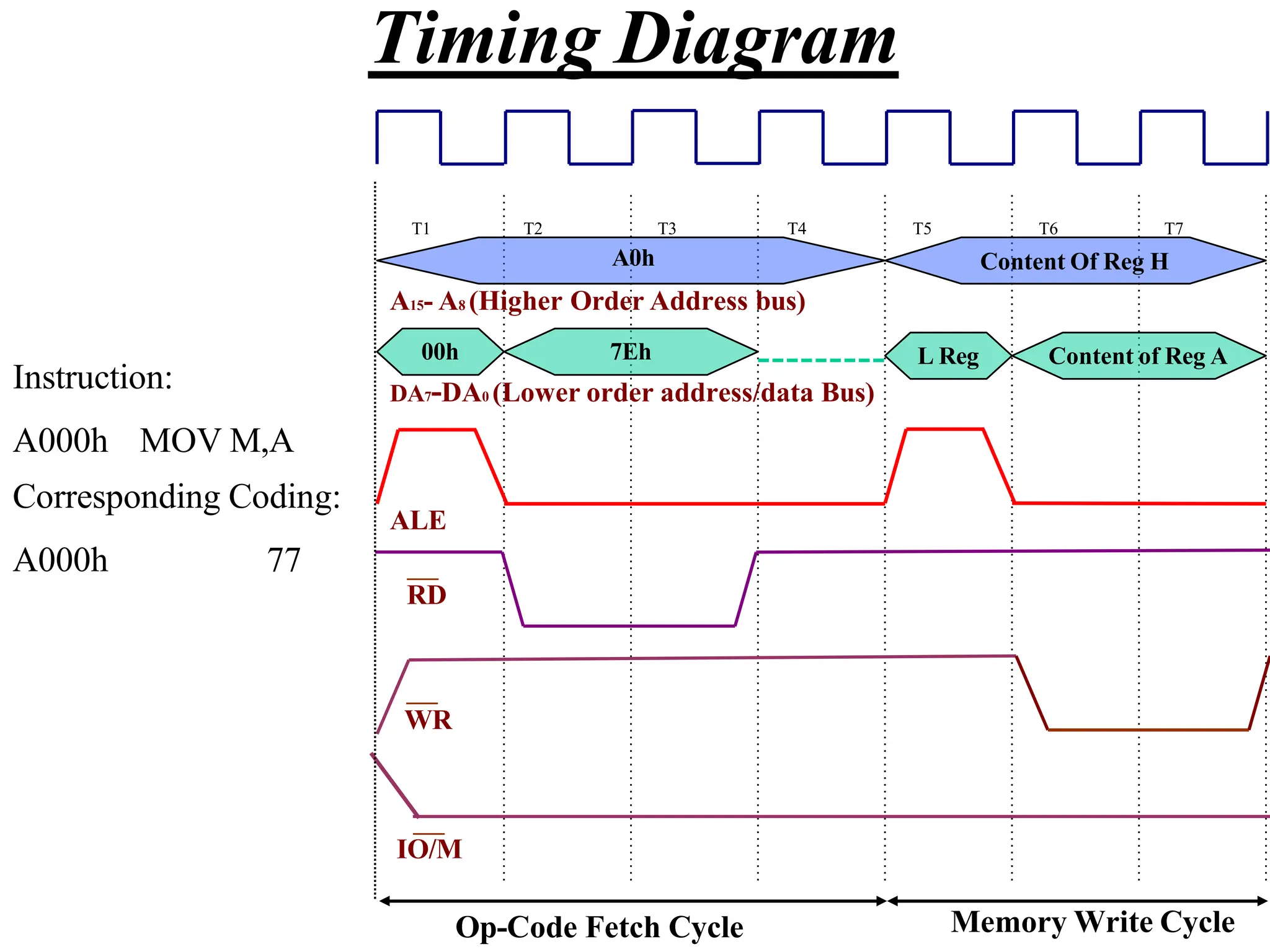
  • 213.
    Parity Checking • Makethe number of 1’s in the data Odd or Even. – Given that ASCII is a 7-bit code, bit D7 is used to carry the parity information. – Even Parity • The transmitter counts the number of ones in the data. If there is an odd number of 1’s, bit D7 is set to 1 to make the total number of 1’s even. • The receiver calculates the parity of the received message, it should match bit D7. – If it doesn’t match, there was an error in the transmission.
  • 214.
    Checksum • Used whenlarger blocks of data are being transmitted. • The transmitter adds all of the bytes in the message without carries. It then calculates the 2’s complement of the result and send that as the last byte. • The receiver adds all of the bytes in the message including the last byte. The result should be 0. – If it isn’t an error has occurred.
  • 215.
    RS 232 • Acommunication standard for connecting computers to printers, modems, etc. – The most common communication standard. – Defined in the 1950’s. – It uses voltages between +15 and –15 V. – Restricted to speeds less than 20 K baud. – Restricted to distances of less than 50 feet (15 m). • The original standard uses 25 wires to connect the two devices. – However, in reality only three of these wires are needed.
  • 216.
    Software-Controlled Serial Transmission • Themain steps involved in serially transmitting a character are: – Transmission line is at logic 1 by default. – Transmit a start bit for one complete bit length. – Transmit the character as a stream of bits with appropriate delay. – Calculate parity and transmit it if needed. – Transmit the appropriate number of stop bits. – Transmission line returns to logic 1.
  • 217.
  • 218.
    Flowchart of SerialTransmission Set up Bit Counter Set bit D0 of A to 0 (Start Bit) Wait Bit Time Get character into A Wait Bit Time Rotate A Left Decrement Bit Counter Add Parity Send Stop Bit(s) No Last Bit? Yes
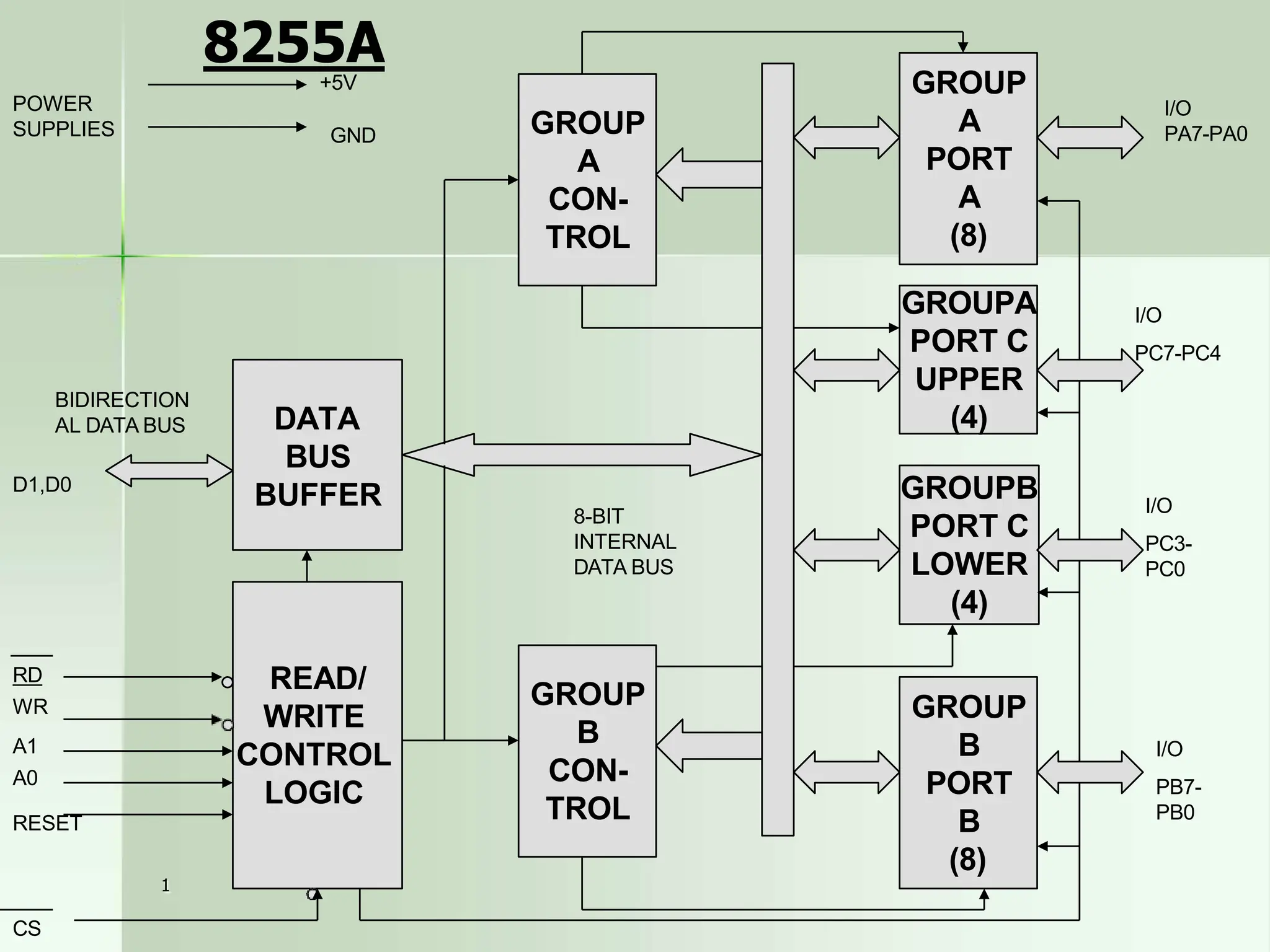
  • 219.
    Software-Controlled Serial Reception • Themain steps involved in serial reception are: – Wait for a low to appear on the transmission line. • Start bit – Read the value of the line over the next 8 bit lengths. • The 8 bits of the character. – Calculate parity and compare it to bit 8 of the character. • Only if parity checking is being used. – Verify the reception of the appropriate number of stop bits.
  • 220.
    Serial Reception 0 D7 1D6 0 D5 0 D4 0 D3 0 D2 1 D1 2 D0 Accumulator Shift 0 1 0 0 0 0 0 1 Start Stop Time D7 Input Port
  • 221.
    Flowchart of SerialReception Read Input Port Start Bit? Yes No Wait for Half Bit Time Bit Still Low? Yes No Start Bit Counter Wait Bit Time Read Input Port Decrement Counter Last Bit? Check Parity Wait for Stop Bits Yes No
  • 222.
    The 8085 SerialI/O Lines • The 8085 Microprocessor has two serial I/O pins: – SOD – Serial Output Data – SID – Serial Input Data • Serial input and output is controlled using the RIM and SIM instructions respectively.
  • 223.
    SIM and SerialOutput • As was discussed in Chapter 12, the SIM instruction has dual use. – It is used for controlling the maskable interrupt process – For the serial output process. • The figure below shows how SIM uses the accumulator for Serial Output. SDO SDE XXX R7.5 MSE M7.5 M6.5 M5.5 7 6 5 4 3 2 1 0 1 – Disable SOD 2 – Enable SOD Serial Output Data
  • 224.
    RIM and SerialInput • Again, the RIM instruction has dual use – Reading the current settings of the Interrupt Masks – Serial Data Input Serial Input Data • The figure below shows how the RIM instruction uses the Accumulator for Serial Input SDI P7.5 P6.5 P5.5 IE M7.5 M6.5 M5.5 7 6 5 4 3 2 1 0
  • 225.
    Ports? • Using theSOD and SID pins, the user would not need to bother with setting up input and output ports. – The two pins themselves can be considered as the ports. – The instructions SIM and RIM are similar to the OUT and IN instructions except that they only deal with the 1-bit SOD and SID ports.
  • 226.
    Example • Transmit anASCII character stored in register B using the SOD line. SODDATA NXTBIT MVI XRA MVI C, 0BH A A, 80H ; Set up counter for 11 bits ; Clear the Carry flag ; Set D7 =1 RAR ; Bring Carry into D7 and set D6 to 1 SIM ; Output D7 (Start bit) CALL BITTIME STC ; Set Carry to 1 MOV A, B RAR ; Place character in A ; Shift D0 of the character to the carry Shift 1 into bit D7 ; Save the interim result ; decrement bit counter MOV B, A DCR C JNZ NXTBIT
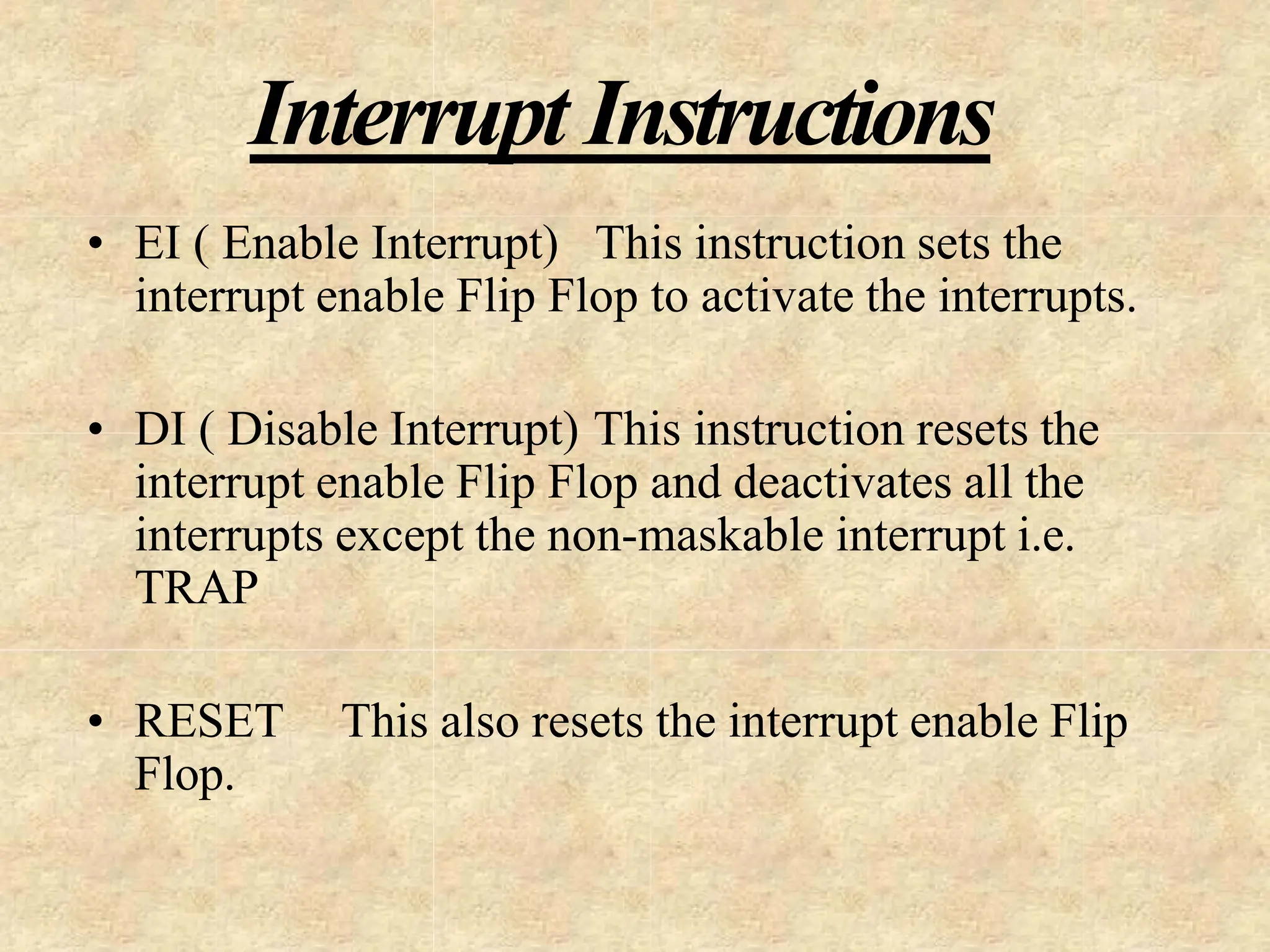
  • 227.
  • 228.
    CONTROL WORD D7 D6D5 D4 D3 D2 D1 D0 0/1 BSR MODE BIT SET/RESET FOR PORT C NO EFFECT ON I/O MODE I/O MODE MODE 0 1 SIMPLE I/O FOR PORTS A, B AND C MODE 1 HANDSHAKE I/O FOR PORTS A AND/OR B PORT C BITS ARE USED FOR HANDSHAKE MODE 2 BIDIRECTI ONAL DATA BUS FOR PORT A PORT B EITHER IN MODE 0 OR 1 PORT C BITS ARE USED FOR HANDSHAK E
  • 229.
    GROUP A PORT A (8) GROUP B PORT B (8) GROUPA PORT C UPPER (4) GROUPB PORT C LOWER (4) GROUP A CON- TROL GROUP B CON- TROL READ/ WRITE CONTROL LOGIC DATA BUS BUFFER BIDIRECTION ALDATA BUS D1,D0 RD WR A1 A0 RESET 8-BIT INTERNAL DATA BUS I/O PA7-PA0 I/O PC7-PC4 I/O PC3- PC0 I/O PB7- PB0 +5V 1 CS GND POWER SUPPLIES 8255A
  • 230.
    1 Control Word Formatfor I/O Mode D7 D6 D5 D4 D3 D2 D1 D0 1= I/O Mode 0= BSR Mode Group B PORT CL (PC3-PC0) 1= INPUT;0= OUTPUT PORT B 1= INPUT;0= OUTPUT MODE SELECTION 0=MODE0; 1=MODE 1 Group A PORT CU (PC7-PC4) 1= INPUT; 0=OUTPUT PORT A 1= INPUT; 0=OUTPUT MODE SELECTION 00= MODE 0;01= MODE 1;1X= MODE 2
  • 231.
  • 232.
    Mode 0 (Simple Input or Output ) PROBLEM 1)  Interface 8255a to a 8085 microprocessor using I/O-mapped - I/O technique so that Port a have address 80H in the system.  Determine addresses of Ports B,C and control register.  Write an ALP to configure port A and port CL as output ports and port B and port CU as input ports in mode 0.  Connect DIP switches connected to the to input ports and LEDs to the output ports .  Read switch positions connected to port A and turn on the respective LEDs of port b. Read switch positions of port CL and display the reading at port CU 1
  • 233.
    BSR (Bit Set/Reset) Mode D7 D6 D5 BSR control word D4 D3 D2 D1 D0 0 X X X BIT SELECT S/R BSR Mode 1 Not used, Generally reset to 0 000 = Bit 0 001 = Bit 1 010 = Bit 2 011 = Bit 3 100 = Bit 4 101 = Bit 5 110 = Bit 6 111 = Bit 7 1= Set 0 = Reset
  • 234.
    Problem 2)  Writean ALP to set bits PC7 and PC 3 and reset them after 10 ms in BSR mode. 1
  • 235.
    1 Mode 1: Inputor Output with Handshake PC4 PC5 PC3 PC2 PC1 PC0 Port A Input Port B Input STBA IBFA INTRA STBB IBFB INTRB INTEA INTEB I/O PC 6,7 RD PA7-PA0 PB7-PB0 Port A with Handshake Signal Port b with Handshake Signal Port A & Port B as Input in Mode 1
  • 236.
    1 Control word –mode 1 input D7 D6 D5 D4 D3 D2 D1 D0 x 1 1 1 1 0 1 1/0 I/O Mode Port A Mode 1 Port A Input Port B Input Port B Mode 1 PC6,7 1=Input; 0=Output
  • 237.
    1 Status Word –Mode 1 input D7 D6 D5 D4 D3 D2 D1 D0 INTRB IBFB INTEA IBFA I/O I/O INTRA INTEB
  • 238.
  • 239.
    1 PC7 PC6 PC3 PC2 PC1 PC0 OBFA ACKA INTRA OBFB ACKB INTEA INTEB PC 4,5 WR PA7-PA0 PortA with Handshake Signal Port b with Handshake Signal Port A Output INTRB Port B Output PB7-PB0 I/O Port A & B as Output In Mode 1
  • 240.
    1 Control word –mode 1 Output D7 D6 D5 D4 D3 D2 D1 D0 x 0 1 0 1 0 1 1/0 I/O Mode Port A Mode 1 Port A Output Port B Output Port B Mode 1 PC4,5 1=Input; 0=Output
  • 241.
    1 Status Word –Mode 1 Output D7 D6 D5 D4 D3 D2 D1 D0 INTRB OBFB INTEa I/O OBFA I/O INTRA INTEB
  • 242.
  • 243.
    Status Initialize Ports Read port Cfor status Is Peripheral Ready? Interrupt Initialize Ports Enable INTE No 1 Continue yes No Yes Continue
  • 244.
    Problem 3)  Initialize8255A in mode 1 to configure Port A as an input port and Port B as an output port.  Assuming that an A-to-d converter is connected with port A as an interrupt I/O and a printer is connected with port B as a status check I/O 1
  • 245.
  • 246.
  • 247.
    I-47 8086 Pins The 8086comes in a 40 pin package which means that some pins have more than one use or are multiplexed. The packaging technology of time limited the number of pin that could be used. In particular, the address lines 0 - 15 are multiplexed with data lines 0-15, address lines 16-19 are multiplexed with status lines. These pins are AD0 - AD15, A16/S3 - A19/S6 The 8086 has one other pin that is multiplexed and this is BHE’/S7. BHE stands for Byte High Enable. This is an active low signal that is asserted when there is data on the upper half of the data bus. The 8086 has two modes of operation that changes the function of some pins. The SDK-86 uses the 8086 in the minimum mode with the MN/MX’ pin tied to 5 volts. This is a simple single processor mode. The IBM PC uses an 8088 in the maximum mode with the MN/MX” pin tied to ground. This is the mode required for a coprocessor like the 8087.
  • 248.
    I-48 8086 Pins In theminimum mode the following pins are available. HOLD When this pin is high, another master is requesting control of the local bus, e.g., a DMA controller. HLDA HOLD Acknowledge: the 8086 signals that it is going to float the local bus. WR’ Write: the processor is performing a write memory or I/O operation. M/IO’ Memory or I/O operation. DT/R’ Data Transmit or Receive. DEN’ Data Enable: data is on the multiplexed address/data pins. ALE Address Latch Enable: the address is on the address/data pins. This signal is used to capture the address in latches to establish the address bus. INTA’ Interrupt acknowledge: acknowledges external interrupt requests.
  • 249.
    I-49 8086 Pins The followingare pins are available in both minimum and maximum modes. VCC + 5 volt power supply pin. GND Ground RD’ READ: the processor is performing a read memory or I/O operation. READY Acknowledgement from wait-state logic that the data transfer will be completed. RESET Stops processor and restarts execution from FFFF:0. Must be high for 4 clocks. CS = 0FFFFH, IP = DS = SS = ES = Flags = 0000H, no other registers are affected. TEST’ The WAIT instruction waits for this pin to go low. Used with 8087. NMI Non Maskable Interrupt: transition from low to high causes an interrupt. Used for emergencies such as power failure. INTR Interrupt request: masked by the IF bit in FLAG register. CLK Clock: 33% duty cycle, i.e., high 1/3 the time.
  • 250.
    I-8 • 16-bit ArithmeticLogic Unit • 16-bit data bus (8088 has 8-bit data bus) • 20-bit address bus - 220 = 1,048,576 = 1 meg The address refers to a byte in memory. In the 8088, these bytes come in on the 8-bit data bus. In the 8086, bytes at even addresses come in on the low half of the data bus (bits 0-7) and bytes at odd addresses come in on the upper half of the data bus (bits 8-15). The 8086 can read a 16-bit word at an even address in one operation and at an odd address in two operations. The 8088 needs two operations in either case. The least significant byte of a word on an 8086 family microprocessor is at the lower address. 8086 Features
  • 251.
    I-9 8086 Architecture • The8086 has two parts, the Bus Interface Unit (BIU) and the Execution Unit (EU). • The BIU fetches instructions, reads and writes data, and computes the 20-bit address. • The EU decodes and executes the instructions using the 16-bit ALU. • The BIU contains the following registers: IP - the Instruction Pointer CS - the Code Segment Register DS - the Data Segment Register SS - the Stack Segment Register ES - the Extra Segment Register The BIU fetches instructions using the CS and IP, written CS:IP, to contruct the 20-bit address. Data is fetched using a segment register (usually the DS) and an effective address (EA) computed by the EU depending on the addressing mode.
  • 252.
  • 253.
    8086 Architecture The EUcontains the following 16-bit registers: AX - the Accumulator BX - the Base Register CX - the Count Register DX - the Data Register SP - the Stack Pointer defaults to stack segment BP - the Base Pointer / SI - the Source Index Register DI - the Destination Register These are referred to as general-purpose registers, although, as seen by their names, they often have a special-purpose use for some instructions. The AX, BX, CX, and DX registers can be considers as two 8-bit registers, a High byte and a Low byte. This allows byte operations and compatibility with the previous generation of 8-bit processors, the 8080 and 8085. 8085 source code could be translated in 8086 code and assembled. The 8-bit registers are: AX --> AH,AL BX --> BH,BL CX --> CH,CL DX --> DH,DL I-11
  • 254.
    Flag Register  NTIOPL OF DF IF TF SF ZF  AF  PF  CF  Flag register contains information reflecting the current status of a microprocessor. It also contains information which controls the operation of the microprocessor. 15 0  Control Flags  Status Flags IF: DF: TF: Interrupt enable flag Direction flag Trap flag CF: PF: AF: ZF: SF: OF: NT: IOPL: Carry flag Parity flag Auxiliary carry flag Zero flag Sign flag Overflow flag Nested task flag Input/output privilege level
  • 255.
    Flags Commonly TestedDuring the Execution of Instructions  There are five flag bits that are commonly tested during the execution of instructions  Sign Flag (Bit 7), SF: 0 for positive number and 1 for negative number  Zero Flag (Bit 6), ZF: If the ALU output is 0, this bit is set (1); otherwise, it is 0  Carry Flag (Bit 0), CF: It contains the carry generated during the execution  Auxiliary Carry, AF: (Bit 4) Depending on the width of ALU inputs, this flag bit contains the carry generated at bit 3 (or, 7, 15) of the 8088 ALU  Parity Flag (bit2), PF: It is set (1) if the output of the ALU has even number of ones; otherwise it is zero
  • 256.
    Direction Flag  DirectionFlag (DF) is used to control the way SI and DI are adjusted during the execution of a string instruction — DF=0, SI and DI will auto-increment during the execution; otherwise, SI and DI auto-decrement — Instruction to set DF: STD; Instruction to clear DF: CLD — Example: CLD MOV CX, 5 REP MOVSB At the beginning of execution, DS=0510H and SI=0000H 53 48 4F 50 50 45 52 S H O P P E R DS : SI 0510:0000 0510:0001 0510:0002 0510:0003 0510:0004 0510:0005 0510:0006 Source String SI CX=5 SI CX=4 SI CX=3 SI CX=2 SI CX=1 SI CX=0
  • 257.
    8086 Programmer’s Model ES CS SS DS IP AHAL BH BL CH CL DH DL SP BP SI DI FLAGS AX BX CX DX Extra Segment Code Segment Stack Segment Data Segment Instruction Pointer Accumulator Base Register Count Register Data Register Stack Pointer Base Pointer Source Index Register Destination Index Register I-13 BIU registers (20 bit adder) EU registers 16 bit arithmetic
  • 258.
    Memory Address Calculation Segment addresses must be stored in segment registers  Offset is derived from the combination of pointer registers, the Instruction Pointer (IP), and immediate values 0000 + Segment address Offset Memory address  Examples 3 4 8 A 0 4 2 1 4 3 8 A B 4 CS IP + Instruction address 5 0 0 0 0 F F E 0 5 F F E 0 SS SP + Stack address 1 2 3 4 0 0 0 2 2 1 2 3 6 2 DS DI + Data address
  • 259.
    EEE/CSE 226 Segment Registers CODE STACK DATA EXTRA MEMORY Address 0H 0FFFFFH 64K Data Segment 64KCode Segment Segments are < or = 64K, can overlap, start at an address that ends in 0H. I-14 Segments  CS:0 Segment Starting address is segment register value shifted 4 places to the left.
  • 260.
    DATA STACK EXTRA CODE 0100H 0B200H 0CF00H 0FF00H DS: SS: ES: CS: 01000H 10FFFH I-15 0B2000H 0C1FFFH 0CF000H 0DEFFFH 0FF000H 0FFFFFH 0H Segment Registers Memory Segments Segments are< or = 64K and can overlap. Note that the Code segment is < 64K since 0FFFFFH is the highest address. 8086 Memory Terminology
  • 261.
    The Code Segment Memory SegmentRegister Offset Physical or Absolute Address 0 + I-16 CS: IP 0400H 0056H 4000H 4056H 0400 0056 04056H The offset is the distance in bytes from the start of the segment. The offset is given by the IP for the Code Segment. Instructions are always fetched with using the CS register. The physical address is also called the absolute address. CS:IP = 400:56 Logical Address 0H 0FFFFFH
  • 262.
    The Stack Segment Memory SegmentRegister Offset Physical Address + I-17 SS: SP 0A00 0100 0A000H 0A100H 0A00 0 0100 0A100H The offset is given by the SP register. The stack is always referenced with respect to the stack segment register. The stack grows toward decreasing memory locations. The SP points to the last or top item on the stack. PUSH - pre-decrement the SP POP - post-increment the SP SS:SP 0H 0FFFFFH
  • 263.
    The Data Segment Memory SegmentRegister Offset Physical Address + I-18 DS: EA 05C0 0050 05C00H 05C50H 05C0 0 0050 05C50H Data is usually fetched with respect to the DS register. The effective address (EA) is the offset. The EA depends on the addressing mode. DS:EA 0H 0FFFFFH
  • 264.
  • 265.
    Even addresses areon the low half of the data bus (D0-D7). Odd addresses are on the upper half of the data bus (D8-D15). A0 = 0 when data is on the low half of the data bus. BHE’ = 0 when data is on the upper half of the data bus.
  • 266.
    MAX and MINModes • In minmode, the 9 signals correspond to control signals that are needed to operate memory and I/O devices connected to the 8088. • In maxmode, the 9 signals change their functions; the 8088 now requires the use of the 8288 bus controller to generate memory and I/O read/write signals.
  • 267.
    Why MIN andMAX modes? • Minmode signals can be directly decoded by memory and I/O circuits, resulting in a system with minimal hardware requirements. • Maxmode systems are more complicated, but obtain the new signals that allow for bus grants (e.g. DMA), and the use of an 8087 coprocessor.
  • 268.
    The 9 pins(min) • **ALE: address latch enable (AD0 – AD7) • **DEN: data enable (connect/disc. buffer) • **WR: write (writing indication) • *HOLD • *HDLA: hold acknowledge • *INTA: interrupt acknowledge • IO/M: memory access or I/O access • DT/R: data transmit / receive (direction) • SSO: status
  • 269.
    The 9 pins(max) • S0, S1, S2: status • *RQ/GT0, RQ/GT1: request/grant • *LOCK: locking the control of the sys. bus • *QS1, QS0: queue status (tracking of internal instruction queue). • HIGH
  • 270.
    Instruction Types  Datatransfer instructions  String instructions  Arithmetic instructions  Bit manipulation instructions  Loop and jump instructions  Subroutine and interrupt instructions  Processor control instructions
  • 271.
    Addressing Modes  Immediateaddressing  Register addressing  Direct addressing  Register Indirect addressing  Based addressing  Indexed addressing  Based indexed addressing  Based indexed with displacement addressing MOV AL, 12H MOV AL, BL MOV [500H], AL MOV DL, [SI] MOV AX, [BX+4] MOV [DI-8], BL MOV [BP+SI], AH MOV CL, [BX+DI+2] Exceptions  String addressing  Port addressing (e.g. IN AL, 79H) Addressing Modes Examples
  • 272.
    Data Transfer Instructions MOV Destination, Source — Move data from source to destination; e.g. MOV [DI+100H], AH — It does not modify flags  For 80x86 family, directly moving data from one memory location to another memory location is not allowed MOV [SI], [5000H]  When the size of data is not clear, assembler directives are used MOV [SI], 0  BYTE PTR  WORD PTR  DWORD PTR MOV BYTE PTR [SI], 12H MOV WORD PTR [SI], 12H MOV DWORD PTR [SI], 12H  You can not move an immediate data to segment register by MOV MOV DS, 1234H
  • 273.
    Instructions for StackOperations  What is a Stack ? —A stack is a collection of memory locations. It always follows the rule of last-in-firs-out — Generally, SS and SP are used to trace where is the latest date written into stack  PUSH Source — Push data (word) onto stack — It does not modify flags — For Example: PUSH AX (assume ax=1234H, SS=1000H, SP=2000H before PUSH AX) ?? ?? ?? ?? 1000:1FFD 1000:1FFE 1000:1FFF 1000:2000 1000:1FFE 1000:1FFF 1000:2000 1000:1FFD ?? 34 12 ?? SS:SP SS:SP Before PUSH AX, SP = 2000H After PUSH AX, SP = 1FFEH AX 12 34  Decrementing the stack pointer during a push is a standard way of implementing stacks in hardware
  • 274.
    Instructions for StackOperations  PUSHF — Push the values of the flag register onto stack — It does not modify flags  POP Destination — Pop word off stack — It does not modify flags — For example: POP AX ?? 34 12 EC 1000:1FFD 1000:1FFE 1000:1FFF 1000:2000 1000:1FFE 1000:1FFF 1000:2000 1000:1FFD ?? 34 12 EC SP SP Before POP, SP = 1FFEH After POPAX, SP = 2000H AX 12 34  POPF — Pop word from the stack to the flag register — It modifies all flags
  • 275.
    Data Transfer Instructions SAHF — Store data in AH to the low 8 bits of the flag register — It modifies flags: AF, CF, PF, SF, ZF  LAHF — Copies bits 0-7 of the flags register into AH — It does not modify flags  LDS Destination Source — Load 4-byte data (pointer) in memory to two 16-bit registers — Source operand gives the memory location — The first two bytes are copied to the register specified in the destination operand; the second two bytes are copied to register DS — It does not modify flags  LES Destination Source — It is identical to LDS except that the second two bytes are copied to ES — It does not modify flags
  • 276.
    Data Transfer Instructions LEA Destination Source — Transfers the offset address of source (must be a memory location) to the destination register — It does not modify flags  XCHG Destination Source — It exchanges the content of destination and source — One operand must be a microprocessor register, the other one can be a register or a memory location — It does not modify flags  XLAT — Replace the data in AL with a data in a user defined look-up table — BX stores the beginning address of the table — At the beginning of the execution, the number in AL is used as the index of the look-up table — It does not modify flags
  • 277.
    String Instructions  Stringis a collection of bytes, words, or long-words that can be up to 64KB in length  String instructions can have at most two operands. One is referred to as source string and the other one is called destination string — Source string must locate in Data Segment and SI register points to the current element of the source string — Destination string must locate in Extra Segment and DI register points to the current element of the destination string 53 48 4F 50 50 45 52 S H O P P E R DS : SI 0510:0000 0510:0001 0510:0002 0510:0003 0510:0004 0510:0005 0510:0006 53 48 4F 50 50 49 4E S H O P P I N ES : DI 02A8:2000 02A8:2001 02A8:2002 02A8:2003 02A8:2004 02A8:2005 02A8:2006 Source String Destination String
  • 278.
    Repeat Prefix Instructions REP String Instruction — The prefix instruction makes the microprocessor repeatedly execute the string instruction until CX decrements to 0 (During the execution, CX is decreased by one when the string instruction is executed one time). — For Example: MOV CX, 5 REP MOVSB By the above two instructions, the microprocessor will execute MOVSB 5 times. — Execution flow of REP MOVSB:: While (CX!=0) { CX = CX –1; MOVSB; } Check_CX: If CX!=0 Then CX = CX –1; MOVSB; goto Check_CX; end if OR
  • 279.
    String Instructions  MOVSB(MOVSW) — Move byte (word) at memory location DS:SI to memory location ES:DI and update SI and DI according to DF and the width of the data being transferred — It does not modify flags —Example: Source String Destination String MOV AX, 0300H DS : SI ES : DI MOV AX, 0510H 0510:0000 53 S 0300:0100 MOV DS, AX 0510:0001 48 H MOV SI, 0 0510:0002 4F O MOV ES, AX 0510:0003 50 P MOV DI, 100H 0510:0004 50 P CLD 0510:0005 45 E MOV CX, 5 0510:0006 52 R REP MOVSB
  • 280.
    String Instructions  CMPSB(CMPSW) — Compare bytes (words) at memory locations DS:SI and ES:DI; update SI and DI according to DF and the width of the data being compared — It modifies flags —Example: Assume: ES = 02A8H DI = 2000H DS = 0510H SI = 0000H CLD MOV CX, 9 REPZ CMPSB What’s the values of CX after The execution? 53 48 4F 50 50 45 52 S H O P P E R DS : SI 0510:0000 0510:0001 0510:0002 0510:0003 0510:0004 0510:0005 0510:0006 ES : DI 02A8:2000 02A8:2001 02A8:2002 02A8:2003 02A8:2004 02A8:2005 02A8:2006 Source String Destination String 53 48 4F 50 50 49 4E S H O P P I N
  • 281.
    String Instructions  SCASB(SCASW) — Move byte (word) in AL (AX) and at memory location ES:DI; update DI according to DF and the width of the data being compared — It modifies flags  LODSB (LODSW) — Load byte (word) at memory location DS:SI to AL (AX); update SI according to DF and the width of the data being transferred — It does not modify flags  STOSB (STOSW) — Store byte (word) at in AL (AX) to memory location ES:DI; update DI according to DF and the width of the data being transferred — It does not modify flags
  • 282.
    Repeat Prefix Instructions REPZ String Instruction — Repeat the execution of the string instruction until CX=0 or zero flag is clear  REPNZ String Instruction — Repeat the execution of the string instruction until CX=0 or zero flag is set  REPE String Instruction — Repeat the execution of the string instruction until CX=0 or zero flag is clear  REPNE String Instruction — Repeat the execution of the string instruction until CX=0 or zero flag is set
  • 283.
    I-39 Loops and ConditionalJumps All loops and conditional jumps are SHORT jumps, i.e., the target must be in the range of an 8-bit signed displacement (-128 to +127). The displacement is the number that, when added to the IP, changes the IP to point at the jump target. Remember the IP is pointing at the next instruction when this occurs. The loop instructions perform several operations at one time but do not change any flags. LOOP decrements CX and jumps if CX is not zero. LOOPNZ or LOOPNE -- loop while not zero or not equal: decrements CX and jumps if CX is not zero or the zero flag ZF = 0. LOOPZ or LOOPE -- loop while zero or equal: decrements CX and jumps if CX is zero or the zero flag ZF = 1. The conditional jump instructions often follow a compare CMP or TEST instruction. These two instructions only affect the FLAG register and not the destination. CMP does a SUBtract (dest - src) and TEST does an AND. For example, if a CMP is followed by a JG (jump greater than), then the jump is taken if the destination is greater than the source. Test is used to see if a bit or bits are set in a word or byte such as when determining the status of a peripheral device.
  • 284.
    I-40 Conditional Jumps Name/Alt MeaningFlag setting JE/JZ Jump equal/zero ZF = 1 JNE/JNZ Jump not equal/zero ZF = 0 JL/JNGE Jump less than/not greater than or = (SF xor OF) = 1 JNL/JGE Jump not less than/greater than or = (SF xor OF) = 0 JG/JNLE Jump greater than/not less than or = ((SF xor OF) or ZF) = 0 JNG/JLE Jump not greater than/ less than or = ((SF xor OF) or ZF) = 1 JB/JNAE Jump below/not above or equal CF = 1 JNB/JAE Jump not below/above or equal CF = 0 JA/JNBE Jump above/not below or equal (CF or ZF) = 0 JNA/JBE Jump not above/ below or equal (CF or ZF) = 1 JS Jump on sign (jump negative) SF = 1 JNS Jump on not sign (jump positive) SF = 0 JO Jump on overflow OF = 1 JNO Jump on no overflow OF = 0 JP/JPE Jump parity/parity even PF = 1 JNP/JPO Jump no parity/parity odd PF = 0 JCXZ Jump on CX = 0 ---
  • 285.
  • 286.
    THE CONTROL WORDREGISTER AND COUNTERS ARE SELECTED ACCORDING TO THE SIGNALS ON LINE A0 and A1 AS SHOWN BELOW A1 A0 Selection 0 0 Counter 0 0 1 Counter 1 1 0 Counter 2 1 1 Control Register
  • 287.
    8254 Control WordFormat SC1 SC0 RW1 RW0 M2 M1 M0 BCD SC1 SC0 0 0 Select counter 0 0 1 Select counter 1 1 0 Select Counter 2 1 1 Read-Back command RW1 RW0 0 0 Counter Latch Command 0 1 Read/Write least significant byte only 1 0 Read/Write most significant byte only 1 1 Read/Write least significant byte first, Then the most significant byte.
  • 288.
    0 Binary Counter16-bits 1 Binary Coded Decimal (BCD) Counter BCD:
  • 289.
    M2 M1 M0 00 0 Mode 0 0 0 1 Mode 1 X 1 0 Mode 2 X 1 1 Mode 3 1 0 0 Mode 4 1 0 1 Mode 5
  • 290.
    MODE 0 :Interrupt on terminal count Clk 3 2 1 0 WR Output Interrupt
  • 291.
    MODE 1 :HARDWARE-RETRIGGERABLE ONE-SHOT Clk WR 3 2 1 0 Output
  • 292.
    MODE 2 :RATE GENERATOR CLOCK 3 2 1 0 Clk WR 3 OUTPUT
  • 293.
    MODE 3 :Square Wave Generator Clk 4 2 4 2 4 2 4 2 OUTPUT(n=4) 5 4 2 5 2 5 4 2 OUTPUT(n=5)
  • 294.
    MODE 4 :SOFTWARE TRIGGERED STROBE In this mode OUT is initially high; it goes low for one clock period at the end of the count. The count must be RELOADED -(UNLIKE MODE 2) for subsequent outputs.
  • 295.
    MODE 5 :HARWARE TRIGGERED STROBE • This mode is similar to MODE 4 except that it is triggered by the rising pulse at the gate. Initially, the OUT is low and when the GATE pulse is triggered from low to high , the count begins. At the end of the count the OUT goes low for one clock period.
  • 296.
    READ BACK COMMANDFORMAT: • THIS FEATURE AVAILABLE ONLY IN 8254 and not in 8253. 1 1 COU STAT CNT2 CNT1 CNT0 NT US 0
  • 297.
  • 298.
    Why dowe needdatatransfer schemes? • Availability of wide variety of I/O devices because of variations in manufacturing technologies e.g. electromechanical, electrical, mechanical, electronic etc. • Enormous variation in the range of speed. • Wide variation in the format of data. •
  • 299.
    Classification of DataTransfer Schemes Data transfer schemes Programmed Data transfer DMA Data transfer Synchronous mode Asynchronous mode Interrupt Driven mode Block DMA mode Cycle stealing DMA mode
  • 300.
    ProgrammedData Transfer Scheme • Thedata transfer takes place under the control of a program residing in the main memory. • These programs are executed by the CPU when an I/O device is ready to transfer data. • To transfer one byte of data, it needs to execute several instructions. • This scheme is very slow and thus suitable when small amount of data is to be transferred.
  • 301.
    SynchronousModeof Data Transfer • Itsused for I/O devices whose timing characteristics are fast enough to be compatible in speed with the communicating MPU. • In this case the status of the I/O device is not checked before data transfer. • The data transfer is executed using IN and OUT instructions.
  • 302.
    • Memory compatiblewith MPU are available. Hence this method is invariably used with compatible memory devices. • The I/O devices compatible in speed with MPU are usually not available. Hence this technique is rarely used in practice
  • 303.
    AsynchronousData Transfer • Thismethod of data transfer is also called Handshaking mode. • This scheme is used when speed of I/O device does not match with that of MPU and the timing characteristics are not predictable. • The MPU fist sends a request to the device and then keeps on checking its status.
  • 304.
    • The datatransfer instructions are executed only when the I/O device is ready to accept or supply data. • Each data transfer is preceded by a requesting signal sent by MPU and READY signal from the device.
  • 305.
    Disadvantages • A lotof MPU time is wasted during looping to check the device status which may be prohibitive in many situations. • Some simple devices may not have status signals. In such a case MPU goes on checking whether data is available on the port or not.
  • 306.
    Interrupt Driven DataTransfer • In this scheme the MPU initiates an I/O device to get ready and then it executes its main program instead of remaining in the loop to check the status of the device. • When the device gets ready, it sends a signal to the MPU through a special input line called an interrupt line. • The MPU answers the interrupt signal after executing the current instruction.
  • 307.
    • The MPUsaves the contents of the PC on the stack first and then takes up a subroutine called ISS (Interrupt Service Subroutine). • After returning from ISS the MPU again loads the PC with the address that is just loaded in the stack and thus returns to the main program. • It is efficient because precious time of MPU is not wasted while the I/O device gets ready. • In this scheme the data transfer may also be initiated by the I/O device.
  • 308.
    Multiple Interrupts • TheMPU has one interrupt level and several I/O devices to be connected to it which are attended in the order of priority. • The MPU has several interrupt levels and one I/O device is to be connected to each interrupt level.
  • 309.
    • The MPUhas several interrupt levels and more than one I/O devices are to be connected to each interrupt level. • The MPU executes multiple interrupts by using a device polling technique to know which device connected to which interrupt level has interrupted
  • 310.
    Interrupts of 8085 Onthe basis of priority the interrupt signals are as follows • TRAP • RST 7.5 • RST6.5 • RST5.5 • INTR These interrupts are implemented by the hardware
  • 311.
    Interrupt Instructions • EI( Enable Interrupt) This instruction sets the interrupt enable Flip Flop to activate the interrupts. • DI ( Disable Interrupt) This instruction resets the interrupt enable Flip Flop and deactivates all the interrupts except the non-maskable interrupt i.e. TRAP • RESET This also resets the interrupt enable Flip Flop.
  • 312.
    • SIM (SetInterrupt Mask) This enablesdisables interrupts according to the bit pattern in accumulator obtained through masking. • RIM (Read Interrupt Mask) This instruction helps the programmer to know the current status of pending interrupt.
  • 313.
    CallLocationsandHex– codes for RSTn RSTn Hex - code Call location RST 0 C7 0000 RST 1 CF 0008 RST 2 D7 0010 RST 3 DF 0018 RST 4 E7 0020 RST 5 EF 0028 RST 6 F7 0030 RST 7 FF 0038 These instructions are implemented by the software
  • 314.
    DMA Data Transferscheme •Data transfer from I/O device to memory or vice-versa is controlled by a DMA controller. • This scheme is employed when large amount of data is to be transferred. • The DMA requests the control of buses through the HOLD signal and the MPU acknowledges the request through HLDA signal and releases the control of buses to DMA. • It’s a faster scheme and hence used for high speed printers.
  • 315.
    Blockmodeof data transfer Inthis scheme the I/O device withdraws the DMA request only after all the data bytes have been transferred. Cyclestealing technique In this scheme the bytes are divided into several parts and after transferring every part the control of buses is given back to MPU and later stolen back when MPU does not need it.