Introduction to XML
■XML stands for Extensible Mark-up Language.
■ XML was designed to store and transport data.
■ XML was designed to be both human- and machine-readable.
■ XML is a markup language for documents containing semistructured information.
■ A W3C (The World Wide Web Consortium) standard to complement HTML.
■ In HTML, both the tag semantics and the tag set are fixed.
■ XML tags are not predefined. Users must define their own tags.
■ Origins: structured text SGML
■ SGML is the Standard Generalized Markup Language defined by ISO (International
Organization for Standardization), but it is not well suited to serving documents over
the web.
■ XML is a software- and hardware-independent tool for storing and transporting data.
1. XML is a mark-up language much like HTML
2.XML was designed to store and transport data
3. XML was designed to be self-descriptive.
■ XML tags identify the data and are used to store and organize the data.
■ XML is not going to replace HTML in the near future, but it introduces new
possibilities by adopting many successful features of HTML
3.
Why XML?
■ Thereare systems with different-different operating systems having
data in different formats. In order to transfer the data between these
systems is a difficult task as the data needs to converted in
compatible formats before it can be used on other system. With
XML, it is so easy to transfer data between such systems as XML
doesn’t depend on platform and the language.
■ XML is a simple document with the data, which can be used to store
and transfer data between any systems irrespective of their
hardware and software compatibilities.
4.
Characteristics of XML
■There are three important characteristics of XML that make it useful
in a variety of systems and solutions:
■ XML is extensible:
XML allows you to create your own self-descriptive tags, or
language, that suits your application.
■ XML carries the data, does not present it:
XML allows you to store the data irrespective of how it will be
presented.
■ XML is a public standard:
XML was developed by an organization called the World Wide
Web Consortium (W3C) and is available as an open standard.
5.
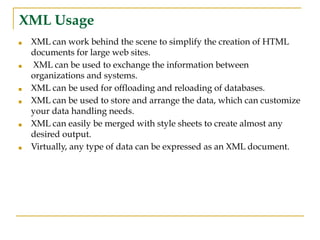
XML Usage
■ XMLcan work behind the scene to simplify the creation of HTML
documents for large web sites.
■ XML can be used to exchange the information between
organizations and systems.
■ XML can be used for offloading and reloading of databases.
■ XML can be used to store and arrange the data, which can customize
your data handling needs.
■ XML can easily be merged with style sheets to create almost any
desired output.
■ Virtually, any type of data can be expressed as an XML document.
6.
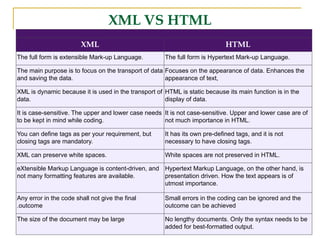
XML VS HTML
XMLHTML
The full form is extensible Mark-up Language. The full form is Hypertext Mark-up Language.
The main purpose is to focus on the transport of data
and saving the data.
Focuses on the appearance of data. Enhances the
appearance of text,
XML is dynamic because it is used in the transport of
data.
HTML is static because its main function is in the
display of data.
It is case-sensitive. The upper and lower case needs
to be kept in mind while coding.
It is not case-sensitive. Upper and lower case are of
not much importance in HTML.
You can define tags as per your requirement, but
closing tags are mandatory.
It has its own pre-defined tags, and it is not
necessary to have closing tags.
XML can preserve white spaces. White spaces are not preserved in HTML.
eXtensible Markup Language is content-driven, and
not many formatting features are available.
Hypertext Markup Language, on the other hand, is
presentation driven. How the text appears is of
utmost importance.
Any error in the code shall not give the final
.outcome
Small errors in the coding can be ignored and the
outcome can be achieved
The size of the document may be large No lengthy documents. Only the syntax needs to be
added for best-formatted output.
7.
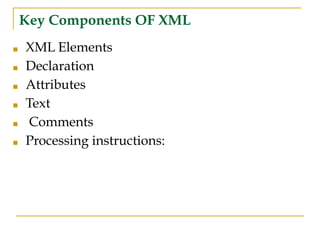
Key Components OFXML
■ XML Elements
■ Declaration
■ Attributes
■ Text
■ Comments
■ Processing instructions:
8.
Conti…
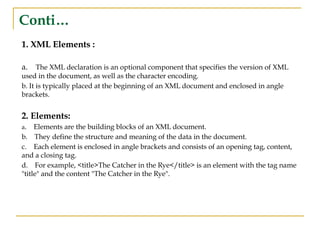
1. XML Elements:
a. The XML declaration is an optional component that specifies the version of XML
used in the document, as well as the character encoding.
b. It is typically placed at the beginning of an XML document and enclosed in angle
brackets.
2. Elements:
a. Elements are the building blocks of an XML document.
b. They define the structure and meaning of the data in the document.
c. Each element is enclosed in angle brackets and consists of an opening tag, content,
and a closing tag.
d. For example, <title>The Catcher in the Rye</title> is an element with the tag name
"title" and the content "The Catcher in the Rye".
9.
Conti…
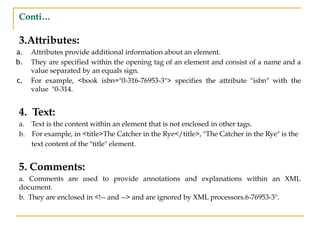
3.Attributes:
a. Attributes provideadditional information about an element.
b. They are specified within the opening tag of an element and consist of a name and a
value separated by an equals sign.
c. For example, <book isbn="0-316-76953-3"> specifies the attribute "isbn" with the
value "0-314.
4. Text:
a. Text is the content within an element that is not enclosed in other tags.
b. For example, in <title>The Catcher in the Rye</title>, "The Catcher in the Rye" is the
text content of the "title" element.
5. Comments:
a. Comments are used to provide annotations and explanations within an XML
document.
b. They are enclosed in <!-- and --> and are ignored by XML processors.6-76953-3".
10.
Conti..
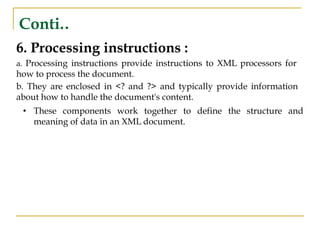
6. Processing instructions:
a. Processing instructions provide instructions to XML processors for
how to process the document.
b. They are enclosed in <? and ?> and typically provide information
about how to handle the document's content.
• These components work together to define the structure and
meaning of data in an XML document.
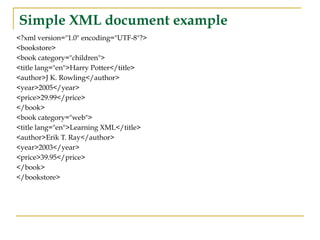
Simple XML documentexample
<?xml version="1.0" encoding="UTF-8"?>
<bookstore>
<book category="children">
<title lang="en">Harry Potter</title>
<author>J K. Rowling</author>
<year>2005</year>
<price>29.99</price>
</book>
<book category="web">
<title lang="en">Learning XML</title>
<author>Erik T. Ray</author>
<year>2003</year>
<price>39.95</price>
</book>
</bookstore>
13.
XML Tree Structure
■XML documents are formed as element trees.
■ An XML tree starts at a root element and branches from the root to child
elements.
■ All elements can have sub elements (child elements):
<root>
<child>
<subchild>.....</subchild>
</child>
</root>
■ The terms parent, child, and sibling are used to describe the relationships
between elements.
■ Parents have children. Children have parents. Siblings are children on the
same level (brothers and sisters)
14.
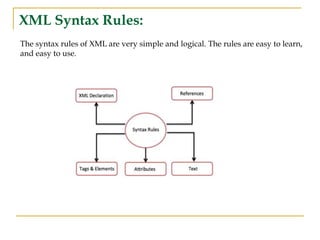
XML Syntax Rules:
Thesyntax rules of XML are very simple and logical. The rules are easy to learn,
and easy to use.
15.
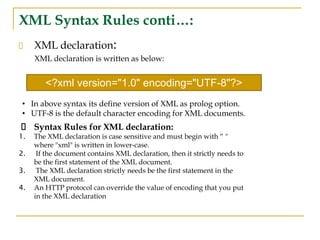
XML Syntax Rulesconti…:
XML declaration:
XML declaration is written as below:
Syntax Rules for XML declaration:
1. The XML declaration is case sensitive and must begin with “ "
where "xml" is written in lower-case.
2. If the document contains XML declaration, then it strictly needs to
be the first statement of the XML document.
3. The XML declaration strictly needs be the first statement in the
XML document.
4. An HTTP protocol can override the value of encoding that you put
in the XML declaration
<?xml version="1.0" encoding="UTF-8"?>
• In above syntax its define version of XML as prolog option.
• UTF-8 is the default character encoding for XML documents.
16.
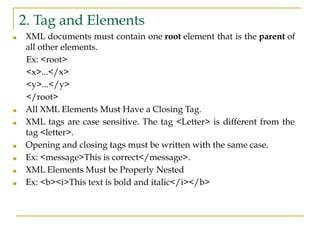
2. Tag andElements
■ XML documents must contain one root element that is the parent of
all other elements.
Ex: <root>
<x>...</x>
<y>...</y>
</root>
■ All XML Elements Must Have a Closing Tag.
■ XML tags are case sensitive. The tag <Letter> is different from the
tag <letter>.
■ Opening and closing tags must be written with the same case.
■ Ex: <message>This is correct</message>.
■ XML Elements Must be Properly Nested
■ Ex: <b><i>This text is bold and italic</i></b>
17.
3.Attribute
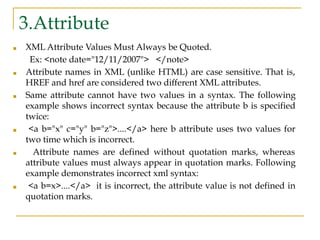
■ XML AttributeValues Must Always be Quoted.
Ex: <note date="12/11/2007"> </note>
■ Attribute names in XML (unlike HTML) are case sensitive. That is,
HREF and href are considered two different XML attributes.
■ Same attribute cannot have two values in a syntax. The following
example shows incorrect syntax because the attribute b is specified
twice:
■ <a b="x" c="y" b="z">....</a> here b attribute uses two values for
two time which is incorrect.
■ Attribute names are defined without quotation marks, whereas
attribute values must always appear in quotation marks. Following
example demonstrates incorrect xml syntax:
■ <a b=x>....</a> it is incorrect, the attribute value is not defined in
quotation marks.
18.
4. REFERANCES
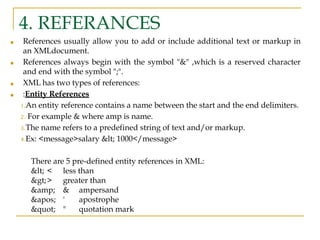
■ Referencesusually allow you to add or include additional text or markup in
an XMLdocument.
■ References always begin with the symbol "&" ,which is a reserved character
and end with the symbol ";".
■ XML has two types of references:
■ :Entity References
1.An entity reference contains a name between the start and the end delimiters.
2. For example & where amp is name.
3.The name refers to a predefined string of text and/or markup.
4.Ex: <message>salary < 1000</message>
There are 5 pre-defined entity references in XML:
< < less than
>> greater than
& & ampersand
' ' apostrophe
" " quotation mark
19.
Referances conti..
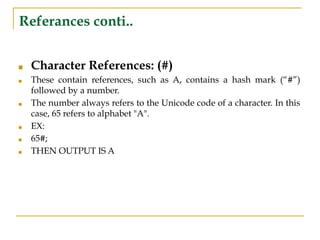
■ CharacterReferences: (#)
■ These contain references, such as A, contains a hash mark (“#”)
followed by a number.
■ The number always refers to the Unicode code of a character. In this
case, 65 refers to alphabet "A".
■ EX:
■ 65#;
■ THEN OUTPUT IS A
20.
5. Text
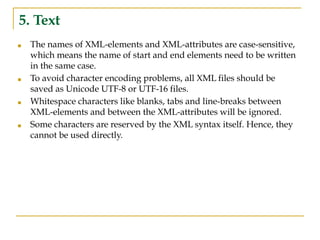
■ Thenames of XML-elements and XML-attributes are case-sensitive,
which means the name of start and end elements need to be written
in the same case.
■ To avoid character encoding problems, all XML files should be
saved as Unicode UTF-8 or UTF-16 files.
■ Whitespace characters like blanks, tabs and line-breaks between
XML-elements and between the XML-attributes will be ignored.
■ Some characters are reserved by the XML syntax itself. Hence, they
cannot be used directly.
21.
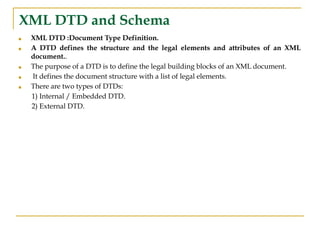
XML DTD andSchema
■ XML DTD :Document Type Definition.
■ A DTD defines the structure and the legal elements and attributes of an XML
document..
■ The purpose of a DTD is to define the legal building blocks of an XML document.
■ It defines the document structure with a list of legal elements.
■ There are two types of DTDs:
1) Internal / Embedded DTD.
2) External DTD.
22.
1) Internal /Embedded DTD
■ A DTD can be placed within the XML file or in a separate file. If the DTD is placed
within the XML document, then it is called as internal DTD.
■ The content inside the square brackets is considered to be the internal subset. And the
keyword! ELEMENT is element declarations, PCDATA is the parsed character data
which are parsed by the XML parsers.
■ This type of DTD is declared inside the XML Document. It is declared as.
■ Syntax:
<!DOCTYPE root name [DTD related specification]>
Ex: <!DOCTYPE healthcare [
<!ELEMENT healthcare (#PCDATA)>
]>
23.
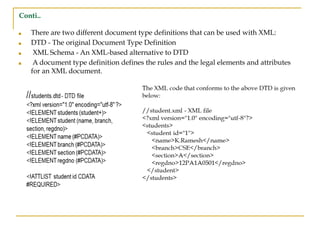
PROGRAM FOR INTERNALDTD
<?xml version="1.0" encoding="utf-8"?>
<!DOCTYPE students[
<!ELEMENT students (student+)>
<!ELEMENT student (name, branch, section, regdno)>
<!ELEMENT name (#PCDATA)>
<!ELEMENT branch (#PCDATA)>
<!ELEMENT section (#PCDATA)>
<!ELEMENT regdno (#PCDATA)>
<!ATTLIST student id CDATA #REQUIRED>
]>
<students>
<student id="1">
<name>K.Ramesh</name>
<branch>CSE</branch>
<section>A</section>
<regdno>12PA1A0501</regdno>
</student>
</students>
24.
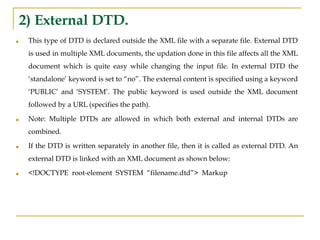
2) External DTD.
■This type of DTD is declared outside the XML file with a separate file. External DTD
is used in multiple XML documents, the updation done in this file affects all the XML
document which is quite easy while changing the input file. In external DTD the
‘standalone’ keyword is set to “no”. The external content is specified using a keyword
‘PUBLIC’ and ‘SYSTEM’. The public keyword is used outside the XML document
followed by a URL (specifies the path).
■ Note: Multiple DTDs are allowed in which both external and internal DTDs are
combined.
■ If the DTD is written separately in another file, then it is called as external DTD. An
external DTD is linked with an XML document as shown below:
■ <!DOCTYPE root-element SYSTEM “filename.dtd”> Markup
25.
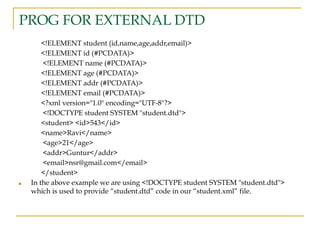
PROG FOR EXTERNALDTD
<!ELEMENT student (id,name,age,addr,email)>
<!ELEMENT id (#PCDATA)>
<!ELEMENT name (#PCDATA)>
<!ELEMENT age (#PCDATA)>
<!ELEMENT addr (#PCDATA)>
<!ELEMENT email (#PCDATA)>
<?xml version="1.0" encoding="UTF-8"?>
<!DOCTYPE student SYSTEM "student.dtd">
<student> <id>543</id>
<name>Ravi</name>
<age>21</age>
<addr>Guntur</addr>
<email>nsr@gmail.com</email>
</student>
■ In the above example we are using <!DOCTYPE student SYSTEM "student.dtd">
which is used to provide “student.dtd” code in our “student.xml” file.
26.
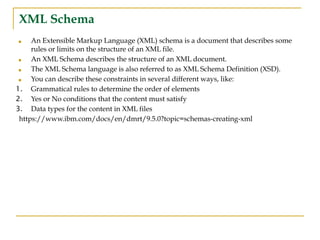
XML Schema
■ AnExtensible Markup Language (XML) schema is a document that describes some
rules or limits on the structure of an XML file.
■ An XML Schema describes the structure of an XML document.
■ The XML Schema language is also referred to as XML Schema Definition (XSD).
■ You can describe these constraints in several different ways, like:
1. Grammatical rules to determine the order of elements
2. Yes or No conditions that the content must satisfy
3. Data types for the content in XML files
https://www.ibm.com/docs/en/dmrt/9.5.0?topic=schemas-creating-xml
27.
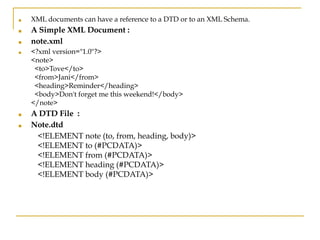
■ XML documentscan have a reference to a DTD or to an XML Schema.
■ A Simple XML Document :
■ note.xml
■ <?xml version="1.0"?>
<note>
<to>Tove</to>
<from>Jani</from>
<heading>Reminder</heading>
<body>Don't forget me this weekend!</body>
</note>
■ A DTD File :
■ Note.dtd
<!ELEMENT note (to, from, heading, body)>
<!ELEMENT to (#PCDATA)>
<!ELEMENT from (#PCDATA)>
<!ELEMENT heading (#PCDATA)>
<!ELEMENT body (#PCDATA)>
28.
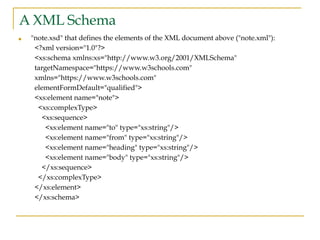
A XML Schema
■"note.xsd" that defines the elements of the XML document above ("note.xml"):
<?xml version="1.0"?>
<xs:schema xmlns:xs="http://www.w3.org/2001/XMLSchema"
targetNamespace="https://www.w3schools.com"
xmlns="https://www.w3schools.com"
elementFormDefault="qualified">
<xs:element name="note">
<xs:complexType>
<xs:sequence>
<xs:element name="to" type="xs:string"/>
<xs:element name="from" type="xs:string"/>
<xs:element name="heading" type="xs:string"/>
<xs:element name="body" type="xs:string"/>
</xs:sequence>
</xs:complexType>
</xs:element>
</xs:schema>
29.
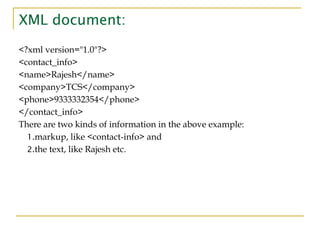
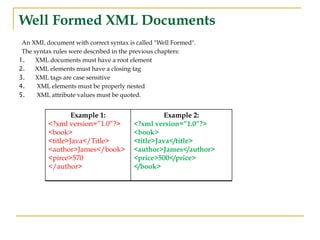
Well Formed XMLDocuments
An XML document with correct syntax is called "Well Formed".
The syntax rules were described in the previous chapters:
1. XML documents must have a root element
2. XML elements must have a closing tag
3. XML tags are case sensitive
4. XML elements must be properly nested
5. XML attribute values must be quoted.
Example 1:
<?xml version=”1.0”?>
<book>
<title>Java</Title>
<author>James</book>
<pirce>570
</author>
Example 2:
<?xml version=”1.0”?>
<book>
<title>Java</title>
<author>James</author>
<price>500</price>
</book>
30.
Valid XML Documents
■A "well formed" XML document is not the same as a "valid" XML document.
■ A "valid" XML document must be well formed. In addition, it must conform to a document type definition.
■ The purpose of a DTD is to define the structure of an XML document. It defines the structure with a list of legal
elements.
<!DOCTYPE book
[
<!ELEMENT book
(title,author,price)> <!ELEMENT
title (#PCDATA)> <!ELEMENT author
(#PCDATA)> <!ELEMENT price
(#PCDATA)> ]>
The DTD above is interpreted like this:
• !DOCTYPE book defines that the root element of the document is book
• !ELEMENT book defines that the book element must contain the elements:
• "title, author, price”
• !ELEMENT title defines the title element to be of type "#PCDATA"
• !ELEMENT author defines the author element to be of type "#PCDATA"
• !ELEMENT price defines the price element to be of type "#PCDATA"
• Note: PCDATA: Parse able Character Data, CDATA: Character Data.
31.
Conti..
■ There aretwo different document type definitions that can be used with XML:
■ DTD - The original Document Type Definition
■ XML Schema - An XML-based alternative to DTD
■ A document type definition defines the rules and the legal elements and attributes
for an XML document.
32.
XSL(Extensible Style sheetLanguage)
■ It is a style sheet language for XML document .
■ Style sheets are typically used to specify how information should be displayed.
■ It support for browsing, printing functionality.
■ XSL is an alternative to CSS that allows greater control over the presentation of the
XML data.
■ performing complex publishing tasks: tables of contents, indexes, reports,...
■ XSL transform one data structure to another i.e. XML to HTML
■ XSL consist of three parts ::
1. XSL Transformations (XSLT) :
An XML language for transforming XML documents .
2. XML Path Language (XPath) –
■ Is an expression language for addressing parts of an XML document, or for
computing values.
■ It defines parts of XML document.
3. XSL Formatting Objects (XSL-FO) :
An XML language for specifying the visual formatting of an XML document
33.
XML APPLICATION
■ xtensibleMarkup Language (XML) is the underlying technology in thousands of
applications, ranging from common productivity tools like word processing to book
publishing software and even complex application configuration systems.
1. Data transfer
You can use XML to transfer data between two systems that store the same data in
different formats. For example, your website stores dates in MM/DD/YYYY format, but
your accounting system stores dates in DD/MM/YYYY format. You can transfer the data
from the website to the accounting system by using XML. Your developers can write code
that automatically converts the following:
■ Website data to XML format
■ XML data to accounting system data
■ Accounting system data back to XML format
■ XML data back to website data
2. Web applications
XML gives structure to the data that you see on webpages. Other website technologies,
like HTML, work with XML to present consistent and relevant data to website visitors.
For example, consider an e-commerce website that sells clothes. Instead of showing all
clothes to all visitors, the website uses XML to create customized webpages based on user
preferences. It shows products from specific brands by filtering the <brand> tag.
34.
Conti..
3. Documentation
You canuse XML to specify the structural information of any technical document. Other
programs then process the document structure to present it flexibly. For example, there are
XML tags for a paragraph, an item in a numbered list, and a heading. Using these tags,
other types of software automatically prepare the document for uses such as printing and
webpage publication.
4. Data type
Many programming languages support XML as a data type. With this support, you can
easily write programs in other languages that work directly with XML files.
5. RSS Feeds
■ RSS (Really Simple Syndication) is an XML-based format for sharing and distributing
frequently updated content, like news articles, blog posts, and podcasts. RSS feeds allow
users to stay up-to-date with their favourite websites without having to visit each site
individually.
6. GIS and Geospatial Data :
XML is commonly used in the Geographic Information System (GIS) domain for encoding and
exchanging geospatial data. Notable XML-based standards include the Geography Markup Language
(GML) and Keyhole Mark-up Language (KML).
35.
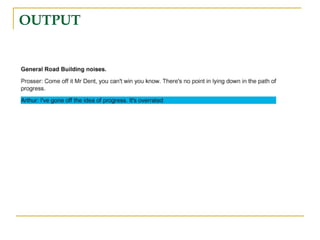
Program for XMLand XSL
XML
<scene>
<FX>General Road Building
noises.</FX>
<speech speaker="Prosser">
Come off it Mr Dent, you can't win
you know. There's no point in lying
down in the path of progress.
</speech>
<speech speaker="Arthur">
I've gone off the idea of progress.
It's overrated
</speech>
</scene>
XSL
...
<xsl:template match="FX">
<fo:block font-weight="bold">
<xsl:apply-templates/>
</fo:block>
</xsl:template>
<xsl:template match ="speech
[@speaker='Arthur']“ >
<fo:block background-color="blue">
<xsl:value-of select="@speaker"/>:
<xsl:apply-templates/>
</fo:block>
</xsl:template>
...
XSLT :XSL Transformations
■XSLT, Extensible Style sheet Language Transformations, provides
the ability to transform XML data from one format to another
automatically.
■ XSLT allows a stylesheet author to transform a primary XML
document in two significant ways: manipulating and sorting the
content, including a wholesale reordering of it if so desired, and
transforming the content into a different format.
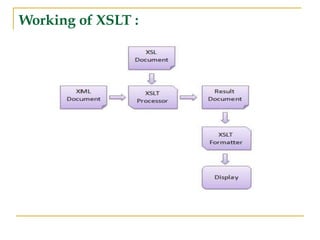
XSLT working conti..
1.An XSLT style sheet is used to define the transformation rules to be applied
on the target XML document. XSLT stylesheet is written in XML format.
2. XSLT Processor takes the XSLT stylesheet and applies the transformation
rules on the target XML document
3. Then it generates a formatted document in the form of XML, HTML, or text
format.
4. This formatted document is then utilized by XSLT formatter to generate the
actual output which is to be displayed to the end-user.
40.
XSLT elements:
1.XSL templaterule:
■ <xsl:template > : defines the template that matches “/ “ attribute associate
with the root of XML document.
Syntax: <xsl:template match="/">
■ <xsl:apply-templates > : element applies a template rule to the current
element or to the current element's child nodes.
Syntax: <xsl:apply-templates name="nodes">
■ <xsl:call-template> : Element calls a named template.
Syntax: <xsl:call-template select="nodes">
2. <xsl:stylesheet > : defines that the styelsheet is xslt style sheet.
2. Flow control
1) <xsl:foreach> : Used to extract the value of a xml element repeatedly.
2) <xsl:if> :conditional stmt.]
41.
Conti..
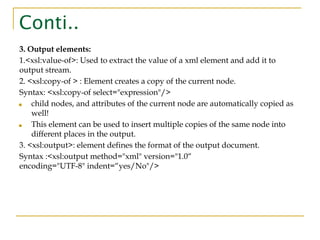
3. Output elements:
1.<xsl:value-of>:Used to extract the value of a xml element and add it to
output stream.
2. <xsl:copy-of > : Element creates a copy of the current node.
Syntax: <xsl:copy-of select="expression"/>
■ child nodes, and attributes of the current node are automatically copied as
well!
■ This element can be used to insert multiple copies of the same node into
different places in the output.
3. <xsl:output>: element defines the format of the output document.
Syntax :<xsl:output method="xml" version="1.0“
encoding="UTF-8" indent=“yes/No"/>
42.
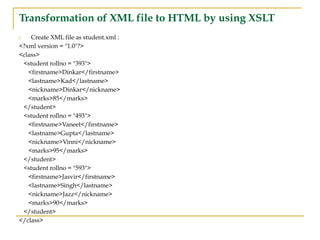
Transformation of XMLfile to HTML by using XSLT
Create XML file as student.xml :
<?xml version = "1.0"?>
<class>
<student rollno = "393">
<firstname>Dinkar</firstname>
<lastname>Kad</lastname>
<nickname>Dinkar</nickname>
<marks>85</marks>
</student>
<student rollno = "493">
<firstname>Vaneet</firstname>
<lastname>Gupta</lastname>
<nickname>Vinni</nickname>
<marks>95</marks>
</student>
<student rollno = "593">
<firstname>Jasvir</firstname>
<lastname>Singh</lastname>
<nickname>Jazz</nickname>
<marks>90</marks>
</student>
</class>
43.
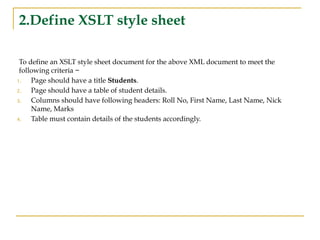
2.Define XSLT stylesheet
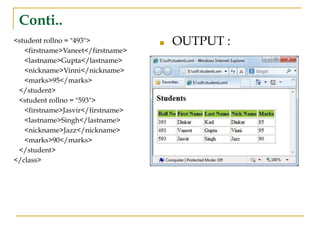
To define an XSLT style sheet document for the above XML document to meet the
following criteria −
1. Page should have a title Students.
2. Page should have a table of student details.
3. Columns should have following headers: Roll No, First Name, Last Name, Nick
Name, Marks
4. Table must contain details of the students accordingly.
44.
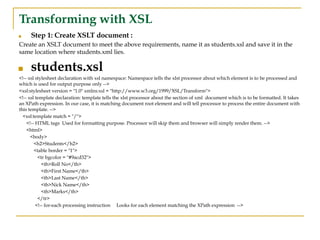
Transforming with XSL
■Step 1: Create XSLT document :
Create an XSLT document to meet the above requirements, name it as students.xsl and save it in the
same location where students.xml lies.
■ students.xsl
<!-- xsl stylesheet declaration with xsl namespace: Namespace tells the xlst processor about which element is to be processed and
which is used for output purpose only -->
<xsl:stylesheet version = "1.0" xmlns:xsl = "http://www.w3.org/1999/XSL/Transform">
<!-- xsl template declaration: template tells the xlst processor about the section of xml document which is to be formatted. It takes
an XPath expression. In our case, it is matching document root element and will tell processor to process the entire document with
this template. -->
<xsl:template match = "/">
<!-- HTML tags Used for formatting purpose. Processor will skip them and browser will simply render them. -->
<html>
<body>
<h2>Students</h2>
<table border = "1">
<tr bgcolor = "#9acd32">
<th>Roll No</th>
<th>First Name</th>
<th>Last Name</th>
<th>Nick Name</th>
<th>Marks</th>
</tr>
<!-- for-each processing instruction Looks for each element matching the XPath expression -->
45.
Conti..
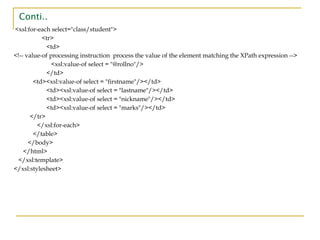
<xsl:for-each select="class/student">
<tr>
<td>
<!-- value-ofprocessing instruction process the value of the element matching the XPath expression -->
<xsl:value-of select = "@rollno"/>
</td>
<td><xsl:value-of select = "firstname"/></td>
<td><xsl:value-of select = "lastname"/></td>
<td><xsl:value-of select = "nickname"/></td>
<td><xsl:value-of select = "marks"/></td>
</tr>
</xsl:for-each>
</table>
</body>
</html>
</xsl:template>
</xsl:stylesheet>
46.
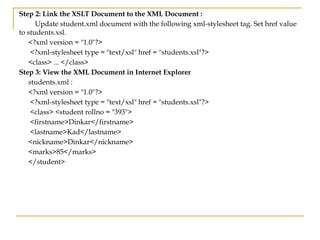
Step 2: Linkthe XSLT Document to the XML Document :
Update student.xml document with the following xml-stylesheet tag. Set href value
to students.xsl.
<?xml version = "1.0"?>
<?xml-stylesheet type = "text/xsl" href = "students.xsl"?>
<class> ... </class>
Step 3: View the XML Document in Internet Explorer
students.xml :
<?xml version = "1.0"?>
<?xml-stylesheet type = "text/xsl" href = "students.xsl"?>
<class> <student rollno = "393">
<firstname>Dinkar</firstname>
<lastname>Kad</lastname>
<nickname>Dinkar</nickname>
<marks>85</marks>
</student>
![1) Internal / Embedded DTD
■ A DTD can be placed within the XML file or in a separate file. If the DTD is placed
within the XML document, then it is called as internal DTD.
■ The content inside the square brackets is considered to be the internal subset. And the
keyword! ELEMENT is element declarations, PCDATA is the parsed character data
which are parsed by the XML parsers.
■ This type of DTD is declared inside the XML Document. It is declared as.
■ Syntax:
<!DOCTYPE root name [DTD related specification]>
Ex: <!DOCTYPE healthcare [
<!ELEMENT healthcare (#PCDATA)>
]>](https://image.slidesharecdn.com/xml-250521032110-00ab8aca/85/XML-for-Web-Development-Information-tech-pdf-22-320.jpg)
![PROGRAM FOR INTERNAL DTD
<?xml version="1.0" encoding="utf-8"?>
<!DOCTYPE students[
<!ELEMENT students (student+)>
<!ELEMENT student (name, branch, section, regdno)>
<!ELEMENT name (#PCDATA)>
<!ELEMENT branch (#PCDATA)>
<!ELEMENT section (#PCDATA)>
<!ELEMENT regdno (#PCDATA)>
<!ATTLIST student id CDATA #REQUIRED>
]>
<students>
<student id="1">
<name>K.Ramesh</name>
<branch>CSE</branch>
<section>A</section>
<regdno>12PA1A0501</regdno>
</student>
</students>](https://image.slidesharecdn.com/xml-250521032110-00ab8aca/85/XML-for-Web-Development-Information-tech-pdf-23-320.jpg)
![Valid XML Documents
■ A "well formed" XML document is not the same as a "valid" XML document.
■ A "valid" XML document must be well formed. In addition, it must conform to a document type definition.
■ The purpose of a DTD is to define the structure of an XML document. It defines the structure with a list of legal
elements.
<!DOCTYPE book
[
<!ELEMENT book
(title,author,price)> <!ELEMENT
title (#PCDATA)> <!ELEMENT author
(#PCDATA)> <!ELEMENT price
(#PCDATA)> ]>
The DTD above is interpreted like this:
• !DOCTYPE book defines that the root element of the document is book
• !ELEMENT book defines that the book element must contain the elements:
• "title, author, price”
• !ELEMENT title defines the title element to be of type "#PCDATA"
• !ELEMENT author defines the author element to be of type "#PCDATA"
• !ELEMENT price defines the price element to be of type "#PCDATA"
• Note: PCDATA: Parse able Character Data, CDATA: Character Data.](https://image.slidesharecdn.com/xml-250521032110-00ab8aca/85/XML-for-Web-Development-Information-tech-pdf-30-320.jpg)
![Program for XML and XSL
XML
<scene>
<FX>General Road Building
noises.</FX>
<speech speaker="Prosser">
Come off it Mr Dent, you can't win
you know. There's no point in lying
down in the path of progress.
</speech>
<speech speaker="Arthur">
I've gone off the idea of progress.
It's overrated
</speech>
</scene>
XSL
...
<xsl:template match="FX">
<fo:block font-weight="bold">
<xsl:apply-templates/>
</fo:block>
</xsl:template>
<xsl:template match ="speech
[@speaker='Arthur']“ >
<fo:block background-color="blue">
<xsl:value-of select="@speaker"/>:
<xsl:apply-templates/>
</fo:block>
</xsl:template>
...](https://image.slidesharecdn.com/xml-250521032110-00ab8aca/85/XML-for-Web-Development-Information-tech-pdf-35-320.jpg)
![XSLT elements:
1.XSL template rule:
■ <xsl:template > : defines the template that matches “/ “ attribute associate
with the root of XML document.
Syntax: <xsl:template match="/">
■ <xsl:apply-templates > : element applies a template rule to the current
element or to the current element's child nodes.
Syntax: <xsl:apply-templates name="nodes">
■ <xsl:call-template> : Element calls a named template.
Syntax: <xsl:call-template select="nodes">
2. <xsl:stylesheet > : defines that the styelsheet is xslt style sheet.
2. Flow control
1) <xsl:foreach> : Used to extract the value of a xml element repeatedly.
2) <xsl:if> :conditional stmt.]](https://image.slidesharecdn.com/xml-250521032110-00ab8aca/85/XML-for-Web-Development-Information-tech-pdf-40-320.jpg)