Introduction to XML
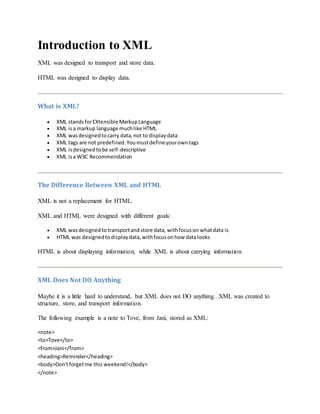
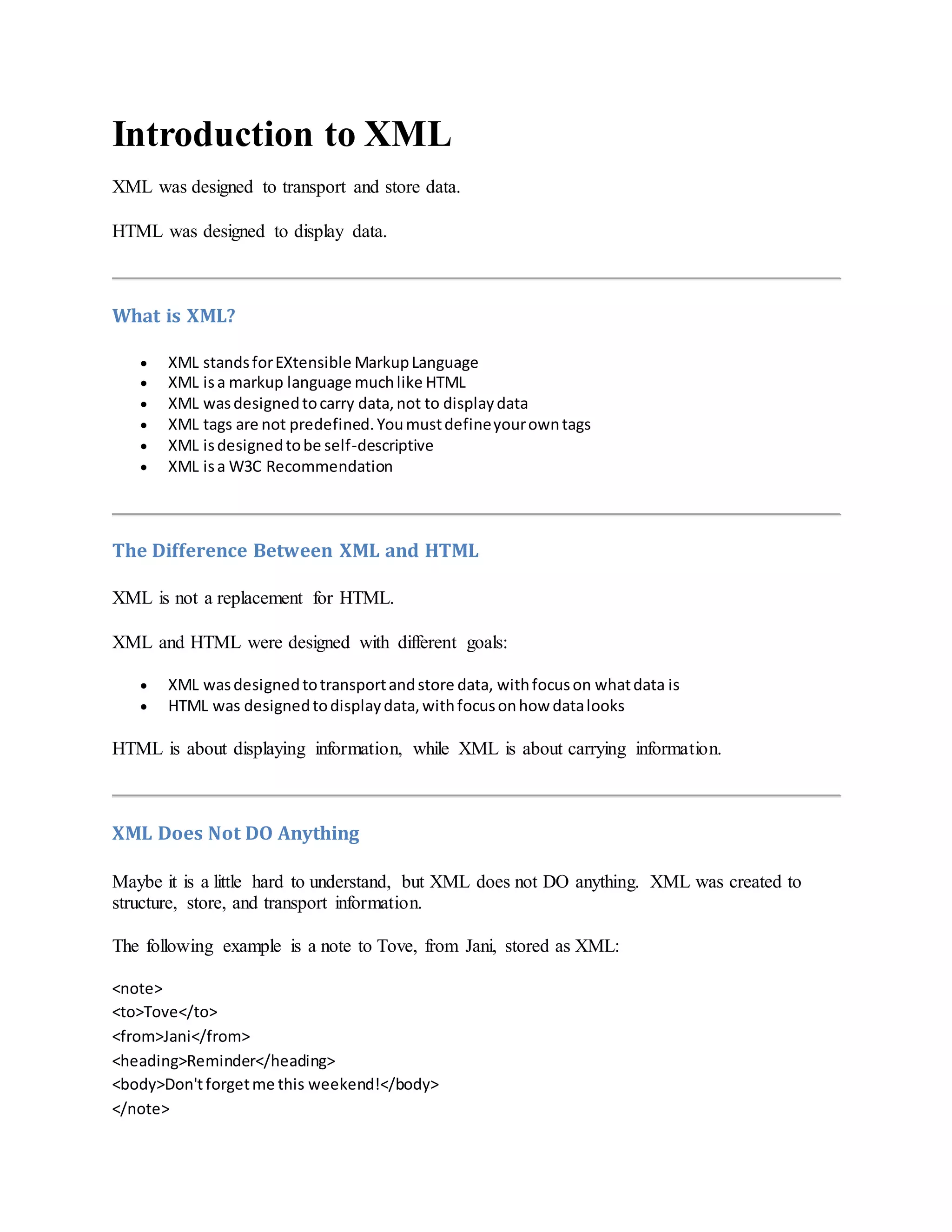
XML was designed to transport and store data.
HTML was designed to display data.
What is XML?
 XML standsforEXtensible MarkupLanguage
 XML isa markup language muchlike HTML
 XML wasdesignedtocarry data,not to displaydata
 XML tags are not predefined.Youmustdefineyourowntags
 XML isdesignedtobe self-descriptive
 XML isa W3C Recommendation
The Difference Between XML and HTML
XML is not a replacement for HTML.
XML and HTML were designed with different goals:
 XML wasdesignedtotransportandstore data, withfocuson whatdata is
 HTML was designedtodisplaydata,withfocusonhow datalooks
HTML is about displaying information, while XML is about carrying information.
XML Does Not DO Anything
Maybe it is a little hard to understand, but XML does not DO anything. XML was created to
structure, store, and transport information.
The following example is a note to Tove, from Jani, stored as XML:
<note>
<to>Tove</to>
<from>Jani</from>
<heading>Reminder</heading>
<body>Don'tforgetme this weekend!</body>
</note>
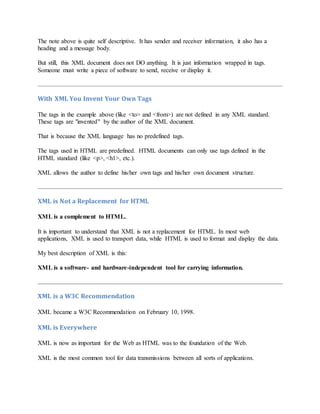
The note above is quite self descriptive. It has sender and receiver information, it also has a
heading and a message body.
But still, this XML document does not DO anything. It is just information wrapped in tags.
Someone must write a piece of software to send, receive or display it.
With XML You Invent Your Own Tags
The tags in the example above (like <to> and <from>) are not defined in any XML standard.
These tags are "invented" by the author of the XML document.
That is because the XML language has no predefined tags.
The tags used in HTML are predefined. HTML documents can only use tags defined in the
HTML standard (like <p>, <h1>, etc.).
XML allows the author to define his/her own tags and his/her own document structure.
XML is Not a Replacement for HTML
XML is a complement to HTML.
It is important to understand that XML is not a replacement for HTML. In most web
applications, XML is used to transport data, while HTML is used to format and display the data.
My best description of XML is this:
XML is a software- and hardware-independent tool for carrying information.
XML is a W3C Recommendation
XML became a W3C Recommendation on February 10, 1998.
XML is Everywhere
XML is now as important for the Web as HTML was to the foundation of the Web.
XML is the most common tool for data transmissions between all sorts of applications.
How Can XML be Used?
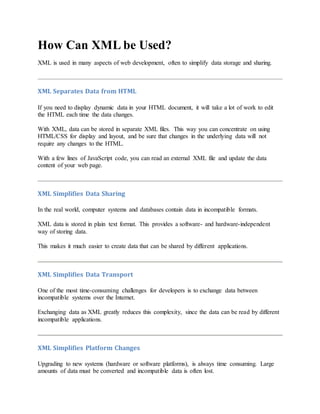
XML is used in many aspects of web development, often to simplify data storage and sharing.
XML Separates Data from HTML
If you need to display dynamic data in your HTML document, it will take a lot of work to edit
the HTML each time the data changes.
With XML, data can be stored in separate XML files. This way you can concentrate on using
HTML/CSS for display and layout, and be sure that changes in the underlying data will not
require any changes to the HTML.
With a few lines of JavaScript code, you can read an external XML file and update the data
content of your web page.
XML Simplifies Data Sharing
In the real world, computer systems and databases contain data in incompatible formats.
XML data is stored in plain text format. This provides a software- and hardware-independent
way of storing data.
This makes it much easier to create data that can be shared by different applications.
XML Simplifies Data Transport
One of the most time-consuming challenges for developers is to exchange data between
incompatible systems over the Internet.
Exchanging data as XML greatly reduces this complexity, since the data can be read by different
incompatible applications.
XML Simplifies Platform Changes
Upgrading to new systems (hardware or software platforms), is always time consuming. Large
amounts of data must be converted and incompatible data is often lost.
XML data is stored in text format. This makes it easier to expand or upgrade to new operating
systems, new applications, or new browsers, without losing data.
XML Makes Your Data More Available
Different applications can access your data, not only in HTML pages, but also from XML data
sources.
With XML, your data can be available to all kinds of "reading machines" (Handheld computers,
voice machines, news feeds, etc), and make it more available for blind people, or people with
other disabilities.
XML is Used to Create New Internet Languages
A lot of new Internet languages are created with XML.
Here are some examples:
 XHTML
 WSDL for describingavailable webservices
 WAPand WML as markup languagesforhandhelddevices
 RSS languagesfornewsfeeds
 RDF and OWL for describingresourcesandontology
 SMIL for describingmultimediaforthe web
If Developers Have Sense
If they DO have sense, future applications will exchange their data in XML.
The future might give us word processors, spreadsheet applications and databases that can read
each other's data in XML format, without any conversion utilities in between.
XMLTree
XML documents form a tree structure that starts at "the root" and branches to "the leaves".
An Example XML Document
XML documents use a self-describing and simple syntax:
<?xml version="1.0"encoding="ISO-8859-1"?>
<note>
<to>Tove</to>
<from>Jani</from>
<heading>Reminder</heading>
<body>Don'tforgetme thisweekend!</body>
</note>
The first line is the XML declaration. It defines the XML version (1.0) and the encoding used
(ISO-8859-1 = Latin-1/West European character set).
The next line describes the root element of the document (like saying: "this document is a
note"):
<note>
The next 4 lines describe 4 child elements of the root (to, from, heading, and body):
<to>Tove</to>
<from>Jani</from>
<heading>Reminder</heading>
<body>Don'tforgetme this weekend!</body>
And finally the last line defines the end of the root element:
</note>
You can assume, from this example, that the XML document contains a note to Tove from Jani.
Don't you agree that XML is pretty self-descriptive?
XML Documents Form a Tree Structure
XML documents must contain a root element. This element is "the parent" of all other elements.
The elements in an XML document form a document tree. The tree starts at the root and
branches to the lowest level of the tree.
All elements can have sub elements (child elements):
<root>
<child>
<subchild>.....</subchild>
</child>
</root>
The terms parent, child, and sibling are used to describe the relationships between elements.
Parent elements have children. Children on the same level are called siblings (brothers or sisters).
All elements can have text content and attributes (just like in HTML).
Example:
The image above represents one book in the XML below:
<bookstore>
<bookcategory="COOKING">
<title lang="en">EverydayItalian</title>
<author>Giada De Laurentiis</author>
<year>2005</year>
<price>30.00</price>
</book>
<bookcategory="CHILDREN">
<title lang="en">HarryPotter</title>
<author>J K. Rowling</author>
<year>2005</year>
<price>29.99</price>
</book>
<bookcategory="WEB">
<title lang="en">LearningXML</title>
<author>Erik T. Ray</author>
<year>2003</year>
<price>39.95</price>
</book>
</bookstore>
The root element in the example is <bookstore>. All <book> elements in the document are
contained within <bookstore>.
The <book> element has 4 children: <title>,< author>, <year>, <price>.
XML Syntax Rules
The syntax rules of XML are very simple and logical. The rules are easy to learn, and easy to
use.
All XML Elements Must Have a Closing Tag
In HTML, some elements do not have to have a closing tag:
<p>This isa paragraph.
<br>
In XML, it is illegal to omit the closing tag. All elements must have a closing tag:
<p>This isa paragraph.</p>
<br />
Note: You might have noticed from the previous example that the XML declaration did not have
a closing tag. This is not an error. The declaration is not a part of the XML document itself, and
it has no closing tag.
XML Tags are Case Sensitive
XML tags are case sensitive. The tag <Letter> is different from the tag <letter>.
Opening and closing tags must be written with the same case:
<Message>Thisisincorrect</message>
<message>Thisiscorrect</message>
Note: "Opening and closing tags" are often referred to as "Start and end tags". Use whatever you
prefer. It is exactly the same thing.
XML Elements Must be Properly Nested
In HTML, you might see improperly nested elements:
<b><i>This textisboldanditalic</b></i>
In XML, all elements must be properly nested within each other:
<b><i>This textisboldanditalic</i></b>
In the example above, "Properly nested" simply means that since the <i> element is opened
inside the <b> element, it must be closed inside the <b> element.
XML Documents Must Have a Root Element
XML documents must contain one element that is the parent of all other elements. This element
is called the root element.
<root>
<child>
<subchild>.....</subchild>
</child>
</root>
XML Attribute Values Must be Quoted
XML elements can have attributes in name/value pairs just like in HTML.
In XML, the attribute values must always be quoted.
Study the two XML documents below. The first one is incorrect, the second is correct:
<note date=12/11/2007>
<to>Tove</to>
<from>Jani</from>
</note>
<note date="12/11/2007">
<to>Tove</to>
<from>Jani</from>
</note>
The error in the first document is that the date attribute in the note element is not quoted.
Entity References
Some characters have a special meaning in XML.
If you place a character like "<" inside an XML element, it will generate an error because the
parser interprets it as the start of a new element.
This will generate an XML error:
<message>if salary<1000 then</message>
To avoid this error, replace the "<" character with an entity reference:
<message>if salary &lt;1000 then</message>
There are 5 predefined entity references in XML:
&lt; < lessthan
&gt; > greaterthan
&amp; & ampersand
&apos; ' apostrophe
&quot; " quotationmark
Note: Only the characters "<" and "&" are strictly illegal in XML. The greater than character is
legal, but it is a good habit to replace it.
Comments in XML
The syntax for writing comments in XML is similar to that of HTML.
<!-- This is a comment -->
White-space is Preserved in XML
HTML truncates multiple white-space characters to one single white-space:
HTML: Hello Tove
Output: HelloTove
With XML, the white-space in a document is not truncated.
XML Stores New Line as LF
In Windows applications, a new line is normally stored as a pair of characters: carriage return
(CR) and line feed (LF). In Unix applications, a new line is normally stored as an LF character.
Macintosh applications also use an LF to store a new line.
XML stores a new line as LF.
XML Elements
What is an XML Element?
An XML element is everything from (including) the element's start tag to (including) the
element's end tag.
An element can contain:
 otherelements
 text
 attributes
 or a mix of all of the above...
<bookstore>
<bookcategory="CHILDREN">
<title>HarryPotter</title>
<author>J K. Rowling</author>
<year>2005</year>
<price>29.99</price>
</book>
<bookcategory="WEB">
<title>LearningXML</title>
<author>Erik T. Ray</author>
<year>2003</year>
<price>39.95</price>
</book>
</bookstore>
In the example above, <bookstore> and <book> have element contents, because they contain
other elements. <book> also has an attribute (category="CHILDREN"). <title>, <author>,
<year>, and <price> have text content because they contain text.
XML Naming Rules
XML elements must follow these naming rules:
 Namescan containletters,numbers,andother characters
 Namescannotstart witha numberor punctuationcharacter
 Namescannotstart withthe lettersxml (orXML, or Xml,etc)
 Namescannotcontainspaces
Any name can be used, no words are reserved.
Best Naming Practices
Make names descriptive. Names with an underscore separator are nice: <first_name>,
<last_name>.
Names should be short and simple, like this: <book_title> not like this: <the_title_of_the_book>.
Avoid "-" characters. If you name something "first-name," some software may think you want to
subtract name from first.
Avoid "." characters. If you name something "first.name," some software may think that "name"
is a property of the object "first."
Avoid ":" characters. Colons are reserved to be used for something called namespaces (more
later).
XML documents often have a corresponding database. A good practice is to use the naming rules
of your database for the elements in the XML documents.
Non-English letters like éòá are perfectly legal in XML, but watch out for problems if your
software vendor doesn't support them.
XML Elements are Extensible
XML elements can be extended to carry more information.
Look at the following XML example:
<note>
<to>Tove</to>
<from>Jani</from>
<body>Don'tforgetme this weekend!</body>
</note>
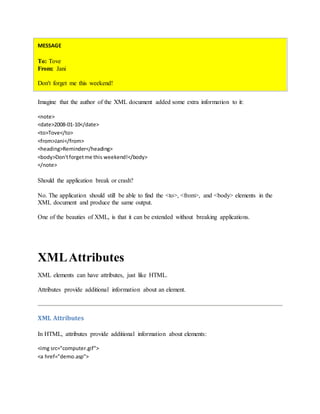
Let's imagine that we created an application that extracted the <to>, <from>, and <body>
elements from the XML document to produce this output:
MESSAGE
To: Tove
From: Jani
Don't forget me this weekend!
Imagine that the author of the XML document added some extra information to it:
<note>
<date>2008-01-10</date>
<to>Tove</to>
<from>Jani</from>
<heading>Reminder</heading>
<body>Don'tforgetme this weekend!</body>
</note>
Should the application break or crash?
No. The application should still be able to find the <to>, <from>, and <body> elements in the
XML document and produce the same output.
One of the beauties of XML, is that it can be extended without breaking applications.
XMLAttributes
XML elements can have attributes, just like HTML.
Attributes provide additional information about an element.
XML Attributes
In HTML, attributes provide additional information about elements:
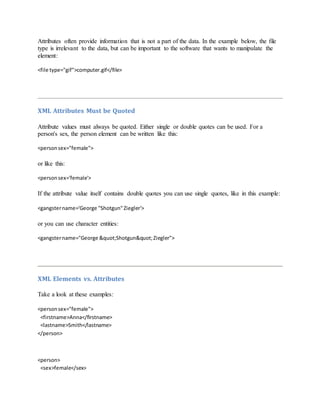
<img src="computer.gif">
<a href="demo.asp">
Attributes often provide information that is not a part of the data. In the example below, the file
type is irrelevant to the data, but can be important to the software that wants to manipulate the
element:
<file type="gif">computer.gif</file>
XML Attributes Must be Quoted
Attribute values must always be quoted. Either single or double quotes can be used. For a
person's sex, the person element can be written like this:
<personsex="female">
or like this:
<personsex='female'>
If the attribute value itself contains double quotes you can use single quotes, like in this example:
<gangstername='George "Shotgun"Ziegler'>
or you can use character entities:
<gangstername="George &quot;Shotgun&quot;Ziegler">
XML Elements vs. Attributes
Take a look at these examples:
<personsex="female">
<firstname>Anna</firstname>
<lastname>Smith</lastname>
</person>
<person>
<sex>female</sex>
<firstname>Anna</firstname>
<lastname>Smith</lastname>
</person>
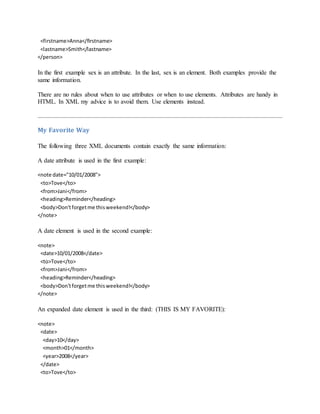
In the first example sex is an attribute. In the last, sex is an element. Both examples provide the
same information.
There are no rules about when to use attributes or when to use elements. Attributes are handy in
HTML. In XML my advice is to avoid them. Use elements instead.
My Favorite Way
The following three XML documents contain exactly the same information:
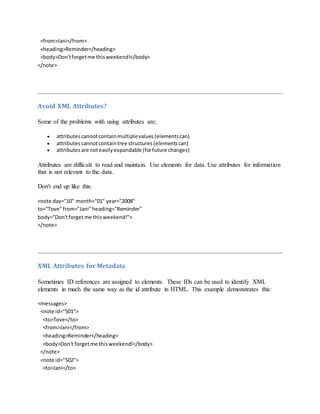
A date attribute is used in the first example:
<note date="10/01/2008">
<to>Tove</to>
<from>Jani</from>
<heading>Reminder</heading>
<body>Don'tforgetme thisweekend!</body>
</note>
A date element is used in the second example:
<note>
<date>10/01/2008</date>
<to>Tove</to>
<from>Jani</from>
<heading>Reminder</heading>
<body>Don'tforgetme thisweekend!</body>
</note>
An expanded date element is used in the third: (THIS IS MY FAVORITE):
<note>
<date>
<day>10</day>
<month>01</month>
<year>2008</year>
</date>
<to>Tove</to>
<from>Jani</from>
<heading>Reminder</heading>
<body>Don'tforgetme thisweekend!</body>
</note>
Avoid XML Attributes?
Some of the problems with using attributes are:
 attributescannotcontainmultiplevalues(elementscan)
 attributes cannotcontaintree structures(elementscan)
 attributesare noteasilyexpandable (forfuture changes)
Attributes are difficult to read and maintain. Use elements for data. Use attributes for information
that is not relevant to the data.
Don't end up like this:
<note day="10" month="01" year="2008"
to="Tove"from="Jani"heading="Reminder"
body="Don'tforgetme thisweekend!">
</note>
XML Attributes for Metadata
Sometimes ID references are assigned to elements. These IDs can be used to identify XML
elements in much the same way as the id attribute in HTML. This example demonstrates this:
<messages>
<note id="501">
<to>Tove</to>
<from>Jani</from>
<heading>Reminder</heading>
<body>Don't forgetme thisweekend!</body>
</note>
<note id="502">
<to>Jani</to>
<from>Tove</from>
<heading>Re:Reminder</heading>
<body>I will not</body>
</note>
</messages>
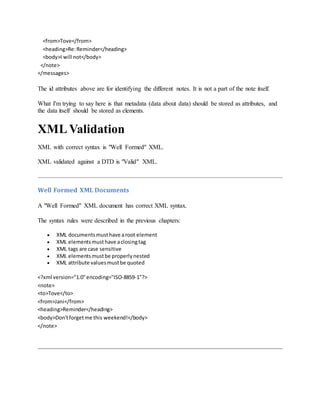
The id attributes above are for identifying the different notes. It is not a part of the note itself.
What I'm trying to say here is that metadata (data about data) should be stored as attributes, and
the data itself should be stored as elements.
XMLValidation
XML with correct syntax is "Well Formed" XML.
XML validated against a DTD is "Valid" XML.
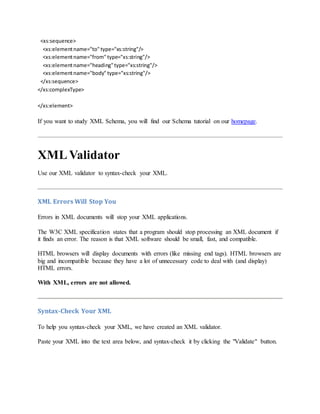
Well Formed XML Documents
A "Well Formed" XML document has correct XML syntax.
The syntax rules were described in the previous chapters:
 XML documentsmusthave aroot element
 XML elementsmusthave aclosingtag
 XML tags are case sensitive
 XML elementsmustbe properlynested
 XML attribute valuesmustbe quoted
<?xml version="1.0"encoding="ISO-8859-1"?>
<note>
<to>Tove</to>
<from>Jani</from>
<heading>Reminder</heading>
<body>Don'tforgetme this weekend!</body>
</note>
Valid XML Documents
A "Valid" XML document is a "Well Formed" XML document, which also conforms to the rules
of a Document Type Definition (DTD):
<?xml version="1.0"encoding="ISO-8859-1"?>
<!DOCTYPE note SYSTEM "Note.dtd">
<note>
<to>Tove</to>
<from>Jani</from>
<heading>Reminder</heading>
<body>Don'tforget me this weekend!</body>
</note>
The DOCTYPE declaration in the example above, is a reference to an external DTD file. The
content of the file is shown in the paragraph below.
XML DTD
The purpose of a DTD is to define the structure of an XML document. It defines the structure
with a list of legal elements:
<!DOCTYPE note
[
<!ELEMENT note (to,from,heading,body)>
<!ELEMENT to (#PCDATA)>
<!ELEMENT from (#PCDATA)>
<!ELEMENT heading(#PCDATA)>
<!ELEMENT body(#PCDATA)>
]>
If you want to study DTD, you will find our DTD tutorial on our homepage.
XML Schema
W3C supports an XML-based alternative to DTD, called XML Schema:
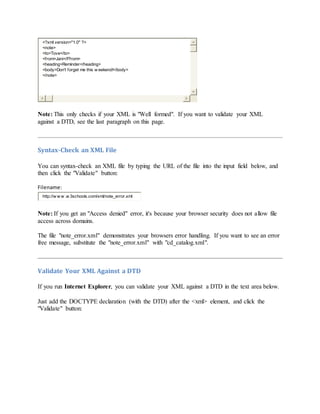
<xs:elementname="note">
<xs:complexType>
<xs:sequence>
<xs:elementname="to" type="xs:string"/>
<xs:elementname="from" type="xs:string"/>
<xs:elementname="heading"type="xs:string"/>
<xs:elementname="body" type="xs:string"/>
</xs:sequence>
</xs:complexType>
</xs:element>
If you want to study XML Schema, you will find our Schema tutorial on our homepage.
XMLValidator
Use our XML validator to syntax-check your XML.
XML Errors Will Stop You
Errors in XML documents will stop your XML applications.
The W3C XML specification states that a program should stop processing an XML document if
it finds an error. The reason is that XML software should be small, fast, and compatible.
HTML browsers will display documents with errors (like missing end tags). HTML browsers are
big and incompatible because they have a lot of unnecessary code to deal with (and display)
HTML errors.
With XML, errors are not allowed.
Syntax-Check Your XML
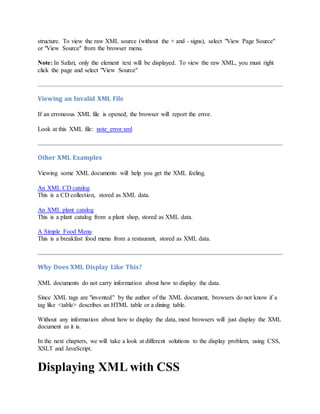
To help you syntax-check your XML, we have created an XML validator.
Paste your XML into the text area below, and syntax-check it by clicking the "Validate" button.
<?xml version="1.0" ?>
<note>
<to>Tove</to>
<from>Jani</Ffrom>
<heading>Reminder</heading>
<body>Don't forget me this w eekend!</body>
</note>
Note: This only checks if your XML is "Well formed". If you want to validate your XML
against a DTD, see the last paragraph on this page.
Syntax-Check an XML File
You can syntax-check an XML file by typing the URL of the file into the input field below, and
then click the "Validate" button:
Filename:
http://w w w .w 3schools.com/xml/note_error.xml
Note: If you get an "Access denied" error, it's because your browser security does not allow file
access across domains.
The file "note_error.xml" demonstrates your browsers error handling. If you want to see an error
free message, substitute the "note_error.xml" with "cd_catalog.xml".
Validate Your XML Against a DTD
If you run Internet Explorer, you can validate your XML against a DTD in the text area below.
Just add the DOCTYPE declaration (with the DTD) after the <xml> element, and click the
"Validate" button:
<?xml version="1.0" ?>
<!DOCTYPEnote [
<!ELEMENT note (to,from,heading,body)>
<!ELEMENT to (#PCDATA)>
<!ELEMENT from (#PCDATA)>
<!ELEMENT heading (#PCDATA)>
<!ELEMENT body (#PCDATA)>
]>
<note>
<to>Tove</to>
<from>Jani</from>
<heading>Reminder</heading>
<message>Don't forget me this w eekend!</message>
</note>
Viewing XML Files
Raw XML files can be viewed in all major browsers.
Don't expect XML files to be displayed as HTML pages.
Viewing XML Files
<?xml version="1.0" encoding="ISO-8859-1"?>
- <note>
<to>Tove</to>
<from>Jani</from>
<heading>Reminder</heading>
<body>Don't forget me this weekend!</body>
</note>
Look at this XML file: note.xml
The XML document will be displayed with color-coded root and child elements. A plus (+) or
minus sign (-) to the left of the elements can be clicked to expand or collapse the element
structure. To view the raw XML source (without the + and - signs), select "View Page Source"
or "View Source" from the browser menu.
Note: In Safari, only the element text will be displayed. To view the raw XML, you must right
click the page and select "View Source"
Viewing an Invalid XML File
If an erroneous XML file is opened, the browser will report the error.
Look at this XML file: note_error.xml
Other XML Examples
Viewing some XML documents will help you get the XML feeling.
An XML CD catalog
This is a CD collection, stored as XML data.
An XML plant catalog
This is a plant catalog from a plant shop, stored as XML data.
A Simple Food Menu
This is a breakfast food menu from a restaurant, stored as XML data.
Why Does XML Display Like This?
XML documents do not carry information about how to display the data.
Since XML tags are "invented" by the author of the XML document, browsers do not know if a
tag like <table> describes an HTML table or a dining table.
Without any information about how to display the data, most browsers will just display the XML
document as it is.
In the next chapters, we will take a look at different solutions to the display problem, using CSS,
XSLT and JavaScript.
Displaying XML with CSS
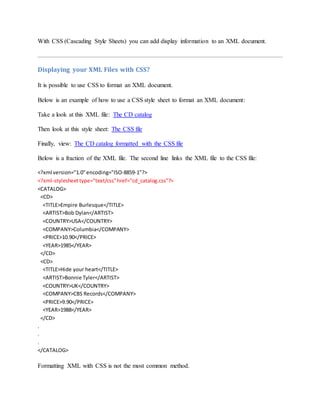
With CSS (Cascading Style Sheets) you can add display information to an XML document.
Displaying your XML Files with CSS?
It is possible to use CSS to format an XML document.
Below is an example of how to use a CSS style sheet to format an XML document:
Take a look at this XML file: The CD catalog
Then look at this style sheet: The CSS file
Finally, view: The CD catalog formatted with the CSS file
Below is a fraction of the XML file. The second line links the XML file to the CSS file:
<?xml version="1.0"encoding="ISO-8859-1"?>
<?xml-stylesheettype="text/css"href="cd_catalog.css"?>
<CATALOG>
<CD>
<TITLE>Empire Burlesque</TITLE>
<ARTIST>Bob Dylan</ARTIST>
<COUNTRY>USA</COUNTRY>
<COMPANY>Columbia</COMPANY>
<PRICE>10.90</PRICE>
<YEAR>1985</YEAR>
</CD>
<CD>
<TITLE>Hide your heart</TITLE>
<ARTIST>Bonnie Tyler</ARTIST>
<COUNTRY>UK</COUNTRY>
<COMPANY>CBS Records</COMPANY>
<PRICE>9.90</PRICE>
<YEAR>1988</YEAR>
</CD>
.
.
.
</CATALOG>
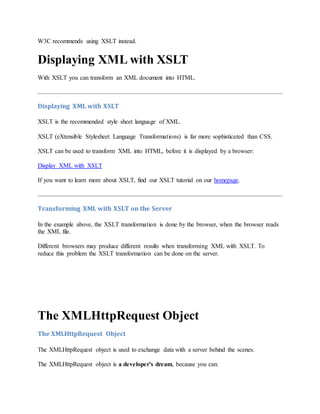
Formatting XML with CSS is not the most common method.
W3C recommends using XSLT instead.
Displaying XML with XSLT
With XSLT you can transform an XML document into HTML.
Displaying XML with XSLT
XSLT is the recommended style sheet language of XML.
XSLT (eXtensible Stylesheet Language Transformations) is far more sophisticated than CSS.
XSLT can be used to transform XML into HTML, before it is displayed by a browser:
Display XML with XSLT
If you want to learn more about XSLT, find our XSLT tutorial on our homepage.
Transforming XML with XSLT on the Server
In the example above, the XSLT transformation is done by the browser, when the browser reads
the XML file.
Different browsers may produce different results when transforming XML with XSLT. To
reduce this problem the XSLT transformation can be done on the server.
The XMLHttpRequest Object
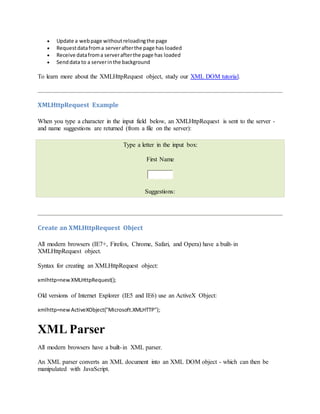
The XMLHttpRequest object is used to exchange data with a server behind the scenes.
The XMLHttpRequest object is a developer's dream, because you can:
 Update a webpage withoutreloadingthe page
 Requestdatafroma serverafterthe page has loaded
 Receive datafroma serverafterthe page has loaded
 Senddata to a serverinthe background
To learn more about the XMLHttpRequest object, study our XML DOM tutorial.
XMLHttpRequest Example
When you type a character in the input field below, an XMLHttpRequest is sent to the server -
and name suggestions are returned (from a file on the server):
Type a letter in the input box:
First Name
Suggestions:
Create an XMLHttpRequest Object
All modern browsers (IE7+, Firefox, Chrome, Safari, and Opera) have a built-in
XMLHttpRequest object.
Syntax for creating an XMLHttpRequest object:
xmlhttp=newXMLHttpRequest();
Old versions of Internet Explorer (IE5 and IE6) use an ActiveX Object:
xmlhttp=newActiveXObject("Microsoft.XMLHTTP");
XML Parser
All modern browsers have a built-in XML parser.
An XML parser converts an XML document into an XML DOM object - which can then be
manipulated with JavaScript.
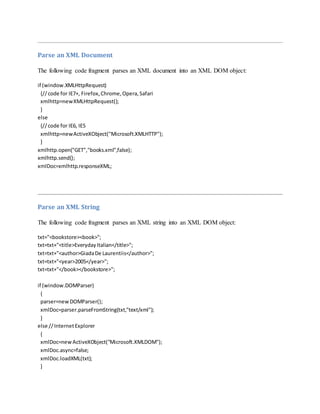
Parse an XML Document
The following code fragment parses an XML document into an XML DOM object:
if (window.XMLHttpRequest)
{//code for IE7+, Firefox,Chrome,Opera,Safari
xmlhttp=newXMLHttpRequest();
}
else
{//code for IE6, IE5
xmlhttp=newActiveXObject("Microsoft.XMLHTTP");
}
xmlhttp.open("GET","books.xml",false);
xmlhttp.send();
xmlDoc=xmlhttp.responseXML;
Parse an XML String
The following code fragment parses an XML string into an XML DOM object:
txt="<bookstore><book>";
txt=txt+"<title>EverydayItalian</title>";
txt=txt+"<author>GiadaDe Laurentiis</author>";
txt=txt+"<year>2005</year>";
txt=txt+"</book></bookstore>";
if (window.DOMParser)
{
parser=newDOMParser();
xmlDoc=parser.parseFromString(txt,"text/xml");
}
else //InternetExplorer
{
xmlDoc=newActiveXObject("Microsoft.XMLDOM");
xmlDoc.async=false;
xmlDoc.loadXML(txt);
}
Note: Internet Explorer uses the loadXML() method to parse an XML string, while other
browsers use the DOMParser object.
Access Across Domains
For security reasons, modern browsers do not allow access across domains.
This means, that both the web page and the XML file it tries to load, must be located on the same
server.
The XML DOM
In the next chapter you will learn how to access and retrieve data from the XML DOM object.
XML DOM
A DOM (Document Object Model) defines a standard way for accessing and manipulating
documents.
The XML DOM
The XML DOM defines a standard way for accessing and manipulating XML documents.
The XML DOM views an XML document as a tree-structure.
All elements can be accessed through the DOM tree. Their content (text and attributes) can be
modified or deleted, and new elements can be created. The elements, their text, and their
attributes are all known as nodes.
What is the DOM?
he DOM is a W3C (World Wide Web Consortium) standard.
The DOM defines a standard for accessing documents like XML and HTML:
"The W3C Document Object Model (DOM) is a platform and language-neutral interface that
allows programs and scripts to dynamically access and update the content, structure, and style
of a document."
The DOM is separated into 3 different parts / levels:
 Core DOM - standardmodel foranystructureddocument
 XML DOM - standardmodel forXML documents
 HTML DOM - standardmodel forHTML documents
The DOM defines the objects and properties of all document elements, and the methods
(interface) to access them.
What is the HTML DOM?
The HTML DOM defines the objects and properties of all HTML elements, and the methods
(interface) to access them.
If you want to study the HTML DOM, find the HTML DOM tutorial on our Home page.
What is the XML DOM?
The XML DOM is:
 A standardobjectmodel forXML
 A standardprogramminginterface forXML
 Platform- andlanguage-independent
 A W3C standard
The XML DOM defines the objects and properties of all XML elements, and the methods
(interface) to access them.
In other words: The XML DOM is a standard for how to get, change, add, or delete XML
elements.
XML DOM Nodes
In the DOM, everything in an XML document is a node.
DOM Nodes
According to the DOM, everything in an XML document is a node.
The DOM says:
 The entire documentisa documentnode
 EveryXML elementisanelementnode
 The textin the XML elementsare textnodes
 Every attribute isan attribute node
 Commentsare commentnodes
DOM Example
Look at the following XML file (books.xml):
<?xml version="1.0"encoding="ISO-8859-1"?>
<bookstore>
<book category="cooking">
<title lang="en">EverydayItalian</title>
<author>Giada De Laurentiis</author>
<year>2005</year>
<price>30.00</price>
</book>
<bookcategory="children">
<title lang="en">HarryPotter</title>
<author>J K. Rowling</author>
<year>2005</year>
<price>29.99</price>
</book>
<bookcategory="web">
<title lang="en">XQueryKickStart</title>
<author>JamesMcGovern</author>
<author>PerBothner</author>
<author>Kurt Cagle</author>
<author>JamesLinn</author>
<author>VaidyanathanNagarajan</author>
<year>2003</year>
<price>49.99</price>
</book>
<bookcategory="web"cover="paperback">
<title lang="en">LearningXML</title>
<author>Erik T. Ray</author>
<year>2003</year>
<price>39.95</price>
</book>
</bookstore>
The root node in the XML above is named <bookstore>. All other nodes in the document are
contained within <bookstore>.
The root node <bookstore> holds four <book> nodes.
The first <book> node holds four nodes: <title>, <author>, <year>, and <price>, which contains
one text node each, "Everyday Italian", "Giada De Laurentiis", "2005", and "30.00".
Text is Always Stored in Text Nodes
A common error in DOM processing is to expect an element node to contain text.
However, the text of an element node is stored in a text node.
In this example: <year>2005</year>, the element node <year>, holds a text node with the value
"2005".
"2005" is not the value of the <year> element!
XML DOM Node Tree
The XML DOM views an XML document as a node-tree.
All the nodes in the tree have a relationship to each other.
The XML DOM Node Tree
The XML DOM views an XML document as a tree-structure. The tree structure is called a node-
tree.
All nodes can be accessed through the tree. Their contents can be modified or deleted, and new
elements can be created.
The node tree shows the set of nodes, and the connections between them. The tree starts at the
root node and branches out to the text nodes at the lowest level of the tree:
The image above represents the XML file books.xml.
Node Parents, Children, and Siblings
The nodes in the node tree have a hierarchical relationship to each other.
The terms parent, child, and sibling are used to describe the relationships. Parent nodes have
children. Children on the same level are called siblings (brothers or sisters).
 In a node tree,the topnode is calledthe root
 Everynode,exceptthe root,hasexactlyone parentnode
 A node can have any numberof children
 A leaf isa node withnochildren
 Siblingsare nodeswiththe same parent
The following image illustrates a part of the node tree and the relationship between the nodes:
Because the XML data is structured in a tree form, it can be traversed without knowing the exact
structure of the tree and without knowing the type of data contained within.
You will learn more about traversing the node tree in a later chapter of this tutorial.
First Child - Last Child
Look at the following XML fragment:
<bookstore>
<bookcategory="cooking">
<title lang="en">EverydayItalian</title>
<author>Giada De Laurentiis</author>
<year>2005</year>
<price>30.00</price>
</book>
</bookstore>
In the XML above, the <title> element is the first child of the <book> element, and the <price>
element is the last child of the <book> element.
Furthermore, the <book> element is the parent node of the <title>, <author>, <year>, and
<price> elements.
XML DOM Parser
Most browsers have a built-in XML parser to read and manipulate XML.
The parser converts XML into a JavaScript accessible object (the XML DOM).
XML Parser
The XML DOM contains methods (functions) to traverse XML trees, access, insert, and delete
nodes.
However, before an XML document can be accessed and manipulated, it must be loaded into an
XML DOM object.
An XML parser reads XML, and converts it into an XML DOM object that can be accessed with
JavaScript.
Most browsers have a built-in XML parser.
Load an XML Document
The following JavaScript fragment loads an XML document ("books.xml"):
Example
if (window.XMLHttpRequest)
{
xhttp=newXMLHttpRequest();
}
else // IE 5/6
{
xhttp=newActiveXObject("Microsoft.XMLHTTP");
}
xhttp.open("GET","books.xml",false);
xhttp.send();
xmlDoc=xhttp.responseXML;
Try it yourself »
Code explained:
 Create an XMLHTTP object
 Openthe XMLHTTP object
 Sendan XML HTTP requesttothe server
 Setthe response asanXML DOM object
Load an XML String
The following code loads and parses an XML string:
Example
if (window.DOMParser)
{
parser=new DOMParser();
xmlDoc=parser.parseFromString(text,"text/xml");
}
else //InternetExplorer
{
xmlDoc=newActiveXObject("Microsoft.XMLDOM");
xmlDoc.async=false;
xmlDoc.loadXML(text);
}
Note:InternetExplorerusesthe loadXML() methodtoparse an XML string,while otherbrowsersuse
the DOMParser object.
Access Across Domains
For security reasons, modern browsers do not allow access across domains.
This means, that both the web page and the XML file it tries to load, must be located on the same
server.
The examples on W3Schools all open XML files located on the W3Schools domain.
If you want to use the example above on one of your web pages, the XML files you load must be
located on your own server.
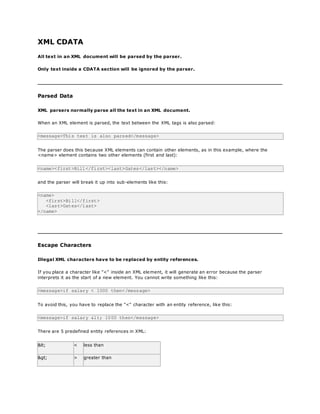
XML CDATA
All text in an XML document will be parsed by the parser.
Only text inside a CDATA section will be ignored by the parser.
Parsed Data
XML parsers normally parse all the text in an XML document.
When an XML element is parsed, the text between the XML tags is also parsed:
<message>This text is also parsed</message>
The parser does this because XML elements can contain other elements, as in this example, where the
<name> element contains two other elements (first and last):
<name><first>Bill</first><last>Gates</last></name>
and the parser will break it up into sub-elements like this:
<name>
<first>Bill</first>
<last>Gates</last>
</name>
Escape Characters
Illegal XML characters have to be replaced by entity references.
If you place a character like "<" inside an XML element, it will generate an error because the parser
interprets it as the start of a new element. You cannot write something like this:
<message>if salary < 1000 then</message>
To avoid this, you have to replace the "<" character with an entity reference, like this:
<message>if salary &lt; 1000 then</message>
There are 5 predefined entity references in XML:
&lt; < less than
&gt; > greater than
&amp; & ampersand
&apos; ' apostrophe
&quot; " quotation mark
Note: Only the characters "<" and "&" are strictly illegal in XML. Apostrophes, quotation marks and greater
than signs are legal, but it is a good habit to replace them.
CDATA
Everything inside a CDATA section is ignored by the parser.
If your text contains a lot of "<" or "&" characters - as program code often does - the XML element can be
defined as a CDATA section.
A CDATA section starts with "<![CDATA[" and ends with "]]>":
<script>
<![CDATA[
function matchwo(a,b)
{
if (a < b && a < 0) then
{
return 1
}
else
{
return 0
}
}
]]>
</script>
In the example above, everything inside the CDATA section is ignored by the parser.
Notes on CDATA sections:
A CDATA section cannot contain the string "]]>", therefore, nested CDATA sections are not allowed.
Also make sure there are no spaces or line breaks inside the "]]>" string.
Introduction to xml

Introduction to xml

  • 1.
    Introduction to XML XMLwas designed to transport and store data. HTML was designed to display data. What is XML?  XML standsforEXtensible MarkupLanguage  XML isa markup language muchlike HTML  XML wasdesignedtocarry data,not to displaydata  XML tags are not predefined.Youmustdefineyourowntags  XML isdesignedtobe self-descriptive  XML isa W3C Recommendation The Difference Between XML and HTML XML is not a replacement for HTML. XML and HTML were designed with different goals:  XML wasdesignedtotransportandstore data, withfocuson whatdata is  HTML was designedtodisplaydata,withfocusonhow datalooks HTML is about displaying information, while XML is about carrying information. XML Does Not DO Anything Maybe it is a little hard to understand, but XML does not DO anything. XML was created to structure, store, and transport information. The following example is a note to Tove, from Jani, stored as XML: <note> <to>Tove</to> <from>Jani</from> <heading>Reminder</heading> <body>Don'tforgetme this weekend!</body> </note>
  • 2.
    The note aboveis quite self descriptive. It has sender and receiver information, it also has a heading and a message body. But still, this XML document does not DO anything. It is just information wrapped in tags. Someone must write a piece of software to send, receive or display it. With XML You Invent Your Own Tags The tags in the example above (like <to> and <from>) are not defined in any XML standard. These tags are "invented" by the author of the XML document. That is because the XML language has no predefined tags. The tags used in HTML are predefined. HTML documents can only use tags defined in the HTML standard (like <p>, <h1>, etc.). XML allows the author to define his/her own tags and his/her own document structure. XML is Not a Replacement for HTML XML is a complement to HTML. It is important to understand that XML is not a replacement for HTML. In most web applications, XML is used to transport data, while HTML is used to format and display the data. My best description of XML is this: XML is a software- and hardware-independent tool for carrying information. XML is a W3C Recommendation XML became a W3C Recommendation on February 10, 1998. XML is Everywhere XML is now as important for the Web as HTML was to the foundation of the Web. XML is the most common tool for data transmissions between all sorts of applications.
  • 3.
    How Can XMLbe Used? XML is used in many aspects of web development, often to simplify data storage and sharing. XML Separates Data from HTML If you need to display dynamic data in your HTML document, it will take a lot of work to edit the HTML each time the data changes. With XML, data can be stored in separate XML files. This way you can concentrate on using HTML/CSS for display and layout, and be sure that changes in the underlying data will not require any changes to the HTML. With a few lines of JavaScript code, you can read an external XML file and update the data content of your web page. XML Simplifies Data Sharing In the real world, computer systems and databases contain data in incompatible formats. XML data is stored in plain text format. This provides a software- and hardware-independent way of storing data. This makes it much easier to create data that can be shared by different applications. XML Simplifies Data Transport One of the most time-consuming challenges for developers is to exchange data between incompatible systems over the Internet. Exchanging data as XML greatly reduces this complexity, since the data can be read by different incompatible applications. XML Simplifies Platform Changes Upgrading to new systems (hardware or software platforms), is always time consuming. Large amounts of data must be converted and incompatible data is often lost.
  • 4.
    XML data isstored in text format. This makes it easier to expand or upgrade to new operating systems, new applications, or new browsers, without losing data. XML Makes Your Data More Available Different applications can access your data, not only in HTML pages, but also from XML data sources. With XML, your data can be available to all kinds of "reading machines" (Handheld computers, voice machines, news feeds, etc), and make it more available for blind people, or people with other disabilities. XML is Used to Create New Internet Languages A lot of new Internet languages are created with XML. Here are some examples:  XHTML  WSDL for describingavailable webservices  WAPand WML as markup languagesforhandhelddevices  RSS languagesfornewsfeeds  RDF and OWL for describingresourcesandontology  SMIL for describingmultimediaforthe web If Developers Have Sense If they DO have sense, future applications will exchange their data in XML. The future might give us word processors, spreadsheet applications and databases that can read each other's data in XML format, without any conversion utilities in between. XMLTree XML documents form a tree structure that starts at "the root" and branches to "the leaves".
  • 5.
    An Example XMLDocument XML documents use a self-describing and simple syntax: <?xml version="1.0"encoding="ISO-8859-1"?> <note> <to>Tove</to> <from>Jani</from> <heading>Reminder</heading> <body>Don'tforgetme thisweekend!</body> </note> The first line is the XML declaration. It defines the XML version (1.0) and the encoding used (ISO-8859-1 = Latin-1/West European character set). The next line describes the root element of the document (like saying: "this document is a note"): <note> The next 4 lines describe 4 child elements of the root (to, from, heading, and body): <to>Tove</to> <from>Jani</from> <heading>Reminder</heading> <body>Don'tforgetme this weekend!</body> And finally the last line defines the end of the root element: </note> You can assume, from this example, that the XML document contains a note to Tove from Jani. Don't you agree that XML is pretty self-descriptive? XML Documents Form a Tree Structure XML documents must contain a root element. This element is "the parent" of all other elements. The elements in an XML document form a document tree. The tree starts at the root and branches to the lowest level of the tree.
  • 6.
    All elements canhave sub elements (child elements): <root> <child> <subchild>.....</subchild> </child> </root> The terms parent, child, and sibling are used to describe the relationships between elements. Parent elements have children. Children on the same level are called siblings (brothers or sisters). All elements can have text content and attributes (just like in HTML). Example: The image above represents one book in the XML below: <bookstore> <bookcategory="COOKING"> <title lang="en">EverydayItalian</title> <author>Giada De Laurentiis</author> <year>2005</year> <price>30.00</price> </book> <bookcategory="CHILDREN"> <title lang="en">HarryPotter</title> <author>J K. Rowling</author>
  • 7.
    <year>2005</year> <price>29.99</price> </book> <bookcategory="WEB"> <title lang="en">LearningXML</title> <author>Erik T.Ray</author> <year>2003</year> <price>39.95</price> </book> </bookstore> The root element in the example is <bookstore>. All <book> elements in the document are contained within <bookstore>. The <book> element has 4 children: <title>,< author>, <year>, <price>. XML Syntax Rules The syntax rules of XML are very simple and logical. The rules are easy to learn, and easy to use. All XML Elements Must Have a Closing Tag In HTML, some elements do not have to have a closing tag: <p>This isa paragraph. <br> In XML, it is illegal to omit the closing tag. All elements must have a closing tag: <p>This isa paragraph.</p> <br /> Note: You might have noticed from the previous example that the XML declaration did not have a closing tag. This is not an error. The declaration is not a part of the XML document itself, and it has no closing tag.
  • 8.
    XML Tags areCase Sensitive XML tags are case sensitive. The tag <Letter> is different from the tag <letter>. Opening and closing tags must be written with the same case: <Message>Thisisincorrect</message> <message>Thisiscorrect</message> Note: "Opening and closing tags" are often referred to as "Start and end tags". Use whatever you prefer. It is exactly the same thing. XML Elements Must be Properly Nested In HTML, you might see improperly nested elements: <b><i>This textisboldanditalic</b></i> In XML, all elements must be properly nested within each other: <b><i>This textisboldanditalic</i></b> In the example above, "Properly nested" simply means that since the <i> element is opened inside the <b> element, it must be closed inside the <b> element. XML Documents Must Have a Root Element XML documents must contain one element that is the parent of all other elements. This element is called the root element. <root> <child> <subchild>.....</subchild> </child> </root>
  • 9.
    XML Attribute ValuesMust be Quoted XML elements can have attributes in name/value pairs just like in HTML. In XML, the attribute values must always be quoted. Study the two XML documents below. The first one is incorrect, the second is correct: <note date=12/11/2007> <to>Tove</to> <from>Jani</from> </note> <note date="12/11/2007"> <to>Tove</to> <from>Jani</from> </note> The error in the first document is that the date attribute in the note element is not quoted. Entity References Some characters have a special meaning in XML. If you place a character like "<" inside an XML element, it will generate an error because the parser interprets it as the start of a new element. This will generate an XML error: <message>if salary<1000 then</message> To avoid this error, replace the "<" character with an entity reference: <message>if salary &lt;1000 then</message> There are 5 predefined entity references in XML: &lt; < lessthan &gt; > greaterthan
  • 10.
    &amp; & ampersand &apos;' apostrophe &quot; " quotationmark Note: Only the characters "<" and "&" are strictly illegal in XML. The greater than character is legal, but it is a good habit to replace it. Comments in XML The syntax for writing comments in XML is similar to that of HTML. <!-- This is a comment --> White-space is Preserved in XML HTML truncates multiple white-space characters to one single white-space: HTML: Hello Tove Output: HelloTove With XML, the white-space in a document is not truncated. XML Stores New Line as LF In Windows applications, a new line is normally stored as a pair of characters: carriage return (CR) and line feed (LF). In Unix applications, a new line is normally stored as an LF character. Macintosh applications also use an LF to store a new line. XML stores a new line as LF.
  • 11.
    XML Elements What isan XML Element? An XML element is everything from (including) the element's start tag to (including) the element's end tag. An element can contain:  otherelements  text  attributes  or a mix of all of the above... <bookstore> <bookcategory="CHILDREN"> <title>HarryPotter</title> <author>J K. Rowling</author> <year>2005</year> <price>29.99</price> </book> <bookcategory="WEB"> <title>LearningXML</title> <author>Erik T. Ray</author> <year>2003</year> <price>39.95</price> </book> </bookstore> In the example above, <bookstore> and <book> have element contents, because they contain other elements. <book> also has an attribute (category="CHILDREN"). <title>, <author>, <year>, and <price> have text content because they contain text. XML Naming Rules XML elements must follow these naming rules:  Namescan containletters,numbers,andother characters  Namescannotstart witha numberor punctuationcharacter  Namescannotstart withthe lettersxml (orXML, or Xml,etc)  Namescannotcontainspaces
  • 12.
    Any name canbe used, no words are reserved. Best Naming Practices Make names descriptive. Names with an underscore separator are nice: <first_name>, <last_name>. Names should be short and simple, like this: <book_title> not like this: <the_title_of_the_book>. Avoid "-" characters. If you name something "first-name," some software may think you want to subtract name from first. Avoid "." characters. If you name something "first.name," some software may think that "name" is a property of the object "first." Avoid ":" characters. Colons are reserved to be used for something called namespaces (more later). XML documents often have a corresponding database. A good practice is to use the naming rules of your database for the elements in the XML documents. Non-English letters like éòá are perfectly legal in XML, but watch out for problems if your software vendor doesn't support them. XML Elements are Extensible XML elements can be extended to carry more information. Look at the following XML example: <note> <to>Tove</to> <from>Jani</from> <body>Don'tforgetme this weekend!</body> </note> Let's imagine that we created an application that extracted the <to>, <from>, and <body> elements from the XML document to produce this output:
  • 13.
    MESSAGE To: Tove From: Jani Don'tforget me this weekend! Imagine that the author of the XML document added some extra information to it: <note> <date>2008-01-10</date> <to>Tove</to> <from>Jani</from> <heading>Reminder</heading> <body>Don'tforgetme this weekend!</body> </note> Should the application break or crash? No. The application should still be able to find the <to>, <from>, and <body> elements in the XML document and produce the same output. One of the beauties of XML, is that it can be extended without breaking applications. XMLAttributes XML elements can have attributes, just like HTML. Attributes provide additional information about an element. XML Attributes In HTML, attributes provide additional information about elements: <img src="computer.gif"> <a href="demo.asp">
  • 14.
    Attributes often provideinformation that is not a part of the data. In the example below, the file type is irrelevant to the data, but can be important to the software that wants to manipulate the element: <file type="gif">computer.gif</file> XML Attributes Must be Quoted Attribute values must always be quoted. Either single or double quotes can be used. For a person's sex, the person element can be written like this: <personsex="female"> or like this: <personsex='female'> If the attribute value itself contains double quotes you can use single quotes, like in this example: <gangstername='George "Shotgun"Ziegler'> or you can use character entities: <gangstername="George &quot;Shotgun&quot;Ziegler"> XML Elements vs. Attributes Take a look at these examples: <personsex="female"> <firstname>Anna</firstname> <lastname>Smith</lastname> </person> <person> <sex>female</sex>
  • 15.
    <firstname>Anna</firstname> <lastname>Smith</lastname> </person> In the firstexample sex is an attribute. In the last, sex is an element. Both examples provide the same information. There are no rules about when to use attributes or when to use elements. Attributes are handy in HTML. In XML my advice is to avoid them. Use elements instead. My Favorite Way The following three XML documents contain exactly the same information: A date attribute is used in the first example: <note date="10/01/2008"> <to>Tove</to> <from>Jani</from> <heading>Reminder</heading> <body>Don'tforgetme thisweekend!</body> </note> A date element is used in the second example: <note> <date>10/01/2008</date> <to>Tove</to> <from>Jani</from> <heading>Reminder</heading> <body>Don'tforgetme thisweekend!</body> </note> An expanded date element is used in the third: (THIS IS MY FAVORITE): <note> <date> <day>10</day> <month>01</month> <year>2008</year> </date> <to>Tove</to>
  • 16.
    <from>Jani</from> <heading>Reminder</heading> <body>Don'tforgetme thisweekend!</body> </note> Avoid XMLAttributes? Some of the problems with using attributes are:  attributescannotcontainmultiplevalues(elementscan)  attributes cannotcontaintree structures(elementscan)  attributesare noteasilyexpandable (forfuture changes) Attributes are difficult to read and maintain. Use elements for data. Use attributes for information that is not relevant to the data. Don't end up like this: <note day="10" month="01" year="2008" to="Tove"from="Jani"heading="Reminder" body="Don'tforgetme thisweekend!"> </note> XML Attributes for Metadata Sometimes ID references are assigned to elements. These IDs can be used to identify XML elements in much the same way as the id attribute in HTML. This example demonstrates this: <messages> <note id="501"> <to>Tove</to> <from>Jani</from> <heading>Reminder</heading> <body>Don't forgetme thisweekend!</body> </note> <note id="502"> <to>Jani</to>
  • 17.
    <from>Tove</from> <heading>Re:Reminder</heading> <body>I will not</body> </note> </messages> Theid attributes above are for identifying the different notes. It is not a part of the note itself. What I'm trying to say here is that metadata (data about data) should be stored as attributes, and the data itself should be stored as elements. XMLValidation XML with correct syntax is "Well Formed" XML. XML validated against a DTD is "Valid" XML. Well Formed XML Documents A "Well Formed" XML document has correct XML syntax. The syntax rules were described in the previous chapters:  XML documentsmusthave aroot element  XML elementsmusthave aclosingtag  XML tags are case sensitive  XML elementsmustbe properlynested  XML attribute valuesmustbe quoted <?xml version="1.0"encoding="ISO-8859-1"?> <note> <to>Tove</to> <from>Jani</from> <heading>Reminder</heading> <body>Don'tforgetme this weekend!</body> </note>
  • 18.
    Valid XML Documents A"Valid" XML document is a "Well Formed" XML document, which also conforms to the rules of a Document Type Definition (DTD): <?xml version="1.0"encoding="ISO-8859-1"?> <!DOCTYPE note SYSTEM "Note.dtd"> <note> <to>Tove</to> <from>Jani</from> <heading>Reminder</heading> <body>Don'tforget me this weekend!</body> </note> The DOCTYPE declaration in the example above, is a reference to an external DTD file. The content of the file is shown in the paragraph below. XML DTD The purpose of a DTD is to define the structure of an XML document. It defines the structure with a list of legal elements: <!DOCTYPE note [ <!ELEMENT note (to,from,heading,body)> <!ELEMENT to (#PCDATA)> <!ELEMENT from (#PCDATA)> <!ELEMENT heading(#PCDATA)> <!ELEMENT body(#PCDATA)> ]> If you want to study DTD, you will find our DTD tutorial on our homepage. XML Schema W3C supports an XML-based alternative to DTD, called XML Schema: <xs:elementname="note"> <xs:complexType>
  • 19.
    <xs:sequence> <xs:elementname="to" type="xs:string"/> <xs:elementname="from" type="xs:string"/> <xs:elementname="heading"type="xs:string"/> <xs:elementname="body"type="xs:string"/> </xs:sequence> </xs:complexType> </xs:element> If you want to study XML Schema, you will find our Schema tutorial on our homepage. XMLValidator Use our XML validator to syntax-check your XML. XML Errors Will Stop You Errors in XML documents will stop your XML applications. The W3C XML specification states that a program should stop processing an XML document if it finds an error. The reason is that XML software should be small, fast, and compatible. HTML browsers will display documents with errors (like missing end tags). HTML browsers are big and incompatible because they have a lot of unnecessary code to deal with (and display) HTML errors. With XML, errors are not allowed. Syntax-Check Your XML To help you syntax-check your XML, we have created an XML validator. Paste your XML into the text area below, and syntax-check it by clicking the "Validate" button.
  • 20.
    <?xml version="1.0" ?> <note> <to>Tove</to> <from>Jani</Ffrom> <heading>Reminder</heading> <body>Don'tforget me this w eekend!</body> </note> Note: This only checks if your XML is "Well formed". If you want to validate your XML against a DTD, see the last paragraph on this page. Syntax-Check an XML File You can syntax-check an XML file by typing the URL of the file into the input field below, and then click the "Validate" button: Filename: http://w w w .w 3schools.com/xml/note_error.xml Note: If you get an "Access denied" error, it's because your browser security does not allow file access across domains. The file "note_error.xml" demonstrates your browsers error handling. If you want to see an error free message, substitute the "note_error.xml" with "cd_catalog.xml". Validate Your XML Against a DTD If you run Internet Explorer, you can validate your XML against a DTD in the text area below. Just add the DOCTYPE declaration (with the DTD) after the <xml> element, and click the "Validate" button:
  • 21.
    <?xml version="1.0" ?> <!DOCTYPEnote[ <!ELEMENT note (to,from,heading,body)> <!ELEMENT to (#PCDATA)> <!ELEMENT from (#PCDATA)> <!ELEMENT heading (#PCDATA)> <!ELEMENT body (#PCDATA)> ]> <note> <to>Tove</to> <from>Jani</from> <heading>Reminder</heading> <message>Don't forget me this w eekend!</message> </note> Viewing XML Files Raw XML files can be viewed in all major browsers. Don't expect XML files to be displayed as HTML pages. Viewing XML Files <?xml version="1.0" encoding="ISO-8859-1"?> - <note> <to>Tove</to> <from>Jani</from> <heading>Reminder</heading> <body>Don't forget me this weekend!</body> </note> Look at this XML file: note.xml The XML document will be displayed with color-coded root and child elements. A plus (+) or minus sign (-) to the left of the elements can be clicked to expand or collapse the element
  • 22.
    structure. To viewthe raw XML source (without the + and - signs), select "View Page Source" or "View Source" from the browser menu. Note: In Safari, only the element text will be displayed. To view the raw XML, you must right click the page and select "View Source" Viewing an Invalid XML File If an erroneous XML file is opened, the browser will report the error. Look at this XML file: note_error.xml Other XML Examples Viewing some XML documents will help you get the XML feeling. An XML CD catalog This is a CD collection, stored as XML data. An XML plant catalog This is a plant catalog from a plant shop, stored as XML data. A Simple Food Menu This is a breakfast food menu from a restaurant, stored as XML data. Why Does XML Display Like This? XML documents do not carry information about how to display the data. Since XML tags are "invented" by the author of the XML document, browsers do not know if a tag like <table> describes an HTML table or a dining table. Without any information about how to display the data, most browsers will just display the XML document as it is. In the next chapters, we will take a look at different solutions to the display problem, using CSS, XSLT and JavaScript. Displaying XML with CSS
  • 23.
    With CSS (CascadingStyle Sheets) you can add display information to an XML document. Displaying your XML Files with CSS? It is possible to use CSS to format an XML document. Below is an example of how to use a CSS style sheet to format an XML document: Take a look at this XML file: The CD catalog Then look at this style sheet: The CSS file Finally, view: The CD catalog formatted with the CSS file Below is a fraction of the XML file. The second line links the XML file to the CSS file: <?xml version="1.0"encoding="ISO-8859-1"?> <?xml-stylesheettype="text/css"href="cd_catalog.css"?> <CATALOG> <CD> <TITLE>Empire Burlesque</TITLE> <ARTIST>Bob Dylan</ARTIST> <COUNTRY>USA</COUNTRY> <COMPANY>Columbia</COMPANY> <PRICE>10.90</PRICE> <YEAR>1985</YEAR> </CD> <CD> <TITLE>Hide your heart</TITLE> <ARTIST>Bonnie Tyler</ARTIST> <COUNTRY>UK</COUNTRY> <COMPANY>CBS Records</COMPANY> <PRICE>9.90</PRICE> <YEAR>1988</YEAR> </CD> . . . </CATALOG> Formatting XML with CSS is not the most common method.
  • 24.
    W3C recommends usingXSLT instead. Displaying XML with XSLT With XSLT you can transform an XML document into HTML. Displaying XML with XSLT XSLT is the recommended style sheet language of XML. XSLT (eXtensible Stylesheet Language Transformations) is far more sophisticated than CSS. XSLT can be used to transform XML into HTML, before it is displayed by a browser: Display XML with XSLT If you want to learn more about XSLT, find our XSLT tutorial on our homepage. Transforming XML with XSLT on the Server In the example above, the XSLT transformation is done by the browser, when the browser reads the XML file. Different browsers may produce different results when transforming XML with XSLT. To reduce this problem the XSLT transformation can be done on the server. The XMLHttpRequest Object The XMLHttpRequest Object The XMLHttpRequest object is used to exchange data with a server behind the scenes. The XMLHttpRequest object is a developer's dream, because you can:
  • 25.
     Update awebpage withoutreloadingthe page  Requestdatafroma serverafterthe page has loaded  Receive datafroma serverafterthe page has loaded  Senddata to a serverinthe background To learn more about the XMLHttpRequest object, study our XML DOM tutorial. XMLHttpRequest Example When you type a character in the input field below, an XMLHttpRequest is sent to the server - and name suggestions are returned (from a file on the server): Type a letter in the input box: First Name Suggestions: Create an XMLHttpRequest Object All modern browsers (IE7+, Firefox, Chrome, Safari, and Opera) have a built-in XMLHttpRequest object. Syntax for creating an XMLHttpRequest object: xmlhttp=newXMLHttpRequest(); Old versions of Internet Explorer (IE5 and IE6) use an ActiveX Object: xmlhttp=newActiveXObject("Microsoft.XMLHTTP"); XML Parser All modern browsers have a built-in XML parser. An XML parser converts an XML document into an XML DOM object - which can then be manipulated with JavaScript.
  • 26.
    Parse an XMLDocument The following code fragment parses an XML document into an XML DOM object: if (window.XMLHttpRequest) {//code for IE7+, Firefox,Chrome,Opera,Safari xmlhttp=newXMLHttpRequest(); } else {//code for IE6, IE5 xmlhttp=newActiveXObject("Microsoft.XMLHTTP"); } xmlhttp.open("GET","books.xml",false); xmlhttp.send(); xmlDoc=xmlhttp.responseXML; Parse an XML String The following code fragment parses an XML string into an XML DOM object: txt="<bookstore><book>"; txt=txt+"<title>EverydayItalian</title>"; txt=txt+"<author>GiadaDe Laurentiis</author>"; txt=txt+"<year>2005</year>"; txt=txt+"</book></bookstore>"; if (window.DOMParser) { parser=newDOMParser(); xmlDoc=parser.parseFromString(txt,"text/xml"); } else //InternetExplorer { xmlDoc=newActiveXObject("Microsoft.XMLDOM"); xmlDoc.async=false; xmlDoc.loadXML(txt); }
  • 27.
    Note: Internet Exploreruses the loadXML() method to parse an XML string, while other browsers use the DOMParser object. Access Across Domains For security reasons, modern browsers do not allow access across domains. This means, that both the web page and the XML file it tries to load, must be located on the same server. The XML DOM In the next chapter you will learn how to access and retrieve data from the XML DOM object. XML DOM A DOM (Document Object Model) defines a standard way for accessing and manipulating documents. The XML DOM The XML DOM defines a standard way for accessing and manipulating XML documents. The XML DOM views an XML document as a tree-structure. All elements can be accessed through the DOM tree. Their content (text and attributes) can be modified or deleted, and new elements can be created. The elements, their text, and their attributes are all known as nodes. What is the DOM? he DOM is a W3C (World Wide Web Consortium) standard. The DOM defines a standard for accessing documents like XML and HTML: "The W3C Document Object Model (DOM) is a platform and language-neutral interface that allows programs and scripts to dynamically access and update the content, structure, and style of a document."
  • 28.
    The DOM isseparated into 3 different parts / levels:  Core DOM - standardmodel foranystructureddocument  XML DOM - standardmodel forXML documents  HTML DOM - standardmodel forHTML documents The DOM defines the objects and properties of all document elements, and the methods (interface) to access them. What is the HTML DOM? The HTML DOM defines the objects and properties of all HTML elements, and the methods (interface) to access them. If you want to study the HTML DOM, find the HTML DOM tutorial on our Home page. What is the XML DOM? The XML DOM is:  A standardobjectmodel forXML  A standardprogramminginterface forXML  Platform- andlanguage-independent  A W3C standard The XML DOM defines the objects and properties of all XML elements, and the methods (interface) to access them. In other words: The XML DOM is a standard for how to get, change, add, or delete XML elements. XML DOM Nodes In the DOM, everything in an XML document is a node. DOM Nodes According to the DOM, everything in an XML document is a node.
  • 29.
    The DOM says: The entire documentisa documentnode  EveryXML elementisanelementnode  The textin the XML elementsare textnodes  Every attribute isan attribute node  Commentsare commentnodes DOM Example Look at the following XML file (books.xml): <?xml version="1.0"encoding="ISO-8859-1"?> <bookstore> <book category="cooking"> <title lang="en">EverydayItalian</title> <author>Giada De Laurentiis</author> <year>2005</year> <price>30.00</price> </book> <bookcategory="children"> <title lang="en">HarryPotter</title> <author>J K. Rowling</author> <year>2005</year> <price>29.99</price> </book> <bookcategory="web"> <title lang="en">XQueryKickStart</title> <author>JamesMcGovern</author> <author>PerBothner</author> <author>Kurt Cagle</author> <author>JamesLinn</author> <author>VaidyanathanNagarajan</author> <year>2003</year> <price>49.99</price> </book> <bookcategory="web"cover="paperback"> <title lang="en">LearningXML</title> <author>Erik T. Ray</author> <year>2003</year> <price>39.95</price>
  • 30.
    </book> </bookstore> The root nodein the XML above is named <bookstore>. All other nodes in the document are contained within <bookstore>. The root node <bookstore> holds four <book> nodes. The first <book> node holds four nodes: <title>, <author>, <year>, and <price>, which contains one text node each, "Everyday Italian", "Giada De Laurentiis", "2005", and "30.00". Text is Always Stored in Text Nodes A common error in DOM processing is to expect an element node to contain text. However, the text of an element node is stored in a text node. In this example: <year>2005</year>, the element node <year>, holds a text node with the value "2005". "2005" is not the value of the <year> element! XML DOM Node Tree The XML DOM views an XML document as a node-tree. All the nodes in the tree have a relationship to each other. The XML DOM Node Tree The XML DOM views an XML document as a tree-structure. The tree structure is called a node- tree. All nodes can be accessed through the tree. Their contents can be modified or deleted, and new elements can be created. The node tree shows the set of nodes, and the connections between them. The tree starts at the root node and branches out to the text nodes at the lowest level of the tree:
  • 31.
    The image aboverepresents the XML file books.xml. Node Parents, Children, and Siblings The nodes in the node tree have a hierarchical relationship to each other. The terms parent, child, and sibling are used to describe the relationships. Parent nodes have children. Children on the same level are called siblings (brothers or sisters).  In a node tree,the topnode is calledthe root  Everynode,exceptthe root,hasexactlyone parentnode  A node can have any numberof children  A leaf isa node withnochildren  Siblingsare nodeswiththe same parent The following image illustrates a part of the node tree and the relationship between the nodes:
  • 32.
    Because the XMLdata is structured in a tree form, it can be traversed without knowing the exact structure of the tree and without knowing the type of data contained within. You will learn more about traversing the node tree in a later chapter of this tutorial. First Child - Last Child Look at the following XML fragment: <bookstore> <bookcategory="cooking"> <title lang="en">EverydayItalian</title> <author>Giada De Laurentiis</author> <year>2005</year> <price>30.00</price> </book> </bookstore> In the XML above, the <title> element is the first child of the <book> element, and the <price> element is the last child of the <book> element. Furthermore, the <book> element is the parent node of the <title>, <author>, <year>, and <price> elements.
  • 33.
    XML DOM Parser Mostbrowsers have a built-in XML parser to read and manipulate XML. The parser converts XML into a JavaScript accessible object (the XML DOM). XML Parser The XML DOM contains methods (functions) to traverse XML trees, access, insert, and delete nodes. However, before an XML document can be accessed and manipulated, it must be loaded into an XML DOM object. An XML parser reads XML, and converts it into an XML DOM object that can be accessed with JavaScript. Most browsers have a built-in XML parser. Load an XML Document The following JavaScript fragment loads an XML document ("books.xml"): Example if (window.XMLHttpRequest) { xhttp=newXMLHttpRequest(); } else // IE 5/6 { xhttp=newActiveXObject("Microsoft.XMLHTTP"); } xhttp.open("GET","books.xml",false); xhttp.send(); xmlDoc=xhttp.responseXML; Try it yourself » Code explained:
  • 34.
     Create anXMLHTTP object  Openthe XMLHTTP object  Sendan XML HTTP requesttothe server  Setthe response asanXML DOM object Load an XML String The following code loads and parses an XML string: Example if (window.DOMParser) { parser=new DOMParser(); xmlDoc=parser.parseFromString(text,"text/xml"); } else //InternetExplorer { xmlDoc=newActiveXObject("Microsoft.XMLDOM"); xmlDoc.async=false; xmlDoc.loadXML(text); } Note:InternetExplorerusesthe loadXML() methodtoparse an XML string,while otherbrowsersuse the DOMParser object. Access Across Domains For security reasons, modern browsers do not allow access across domains. This means, that both the web page and the XML file it tries to load, must be located on the same server. The examples on W3Schools all open XML files located on the W3Schools domain. If you want to use the example above on one of your web pages, the XML files you load must be located on your own server.
  • 35.
    XML CDATA All textin an XML document will be parsed by the parser. Only text inside a CDATA section will be ignored by the parser. Parsed Data XML parsers normally parse all the text in an XML document. When an XML element is parsed, the text between the XML tags is also parsed: <message>This text is also parsed</message> The parser does this because XML elements can contain other elements, as in this example, where the <name> element contains two other elements (first and last): <name><first>Bill</first><last>Gates</last></name> and the parser will break it up into sub-elements like this: <name> <first>Bill</first> <last>Gates</last> </name> Escape Characters Illegal XML characters have to be replaced by entity references. If you place a character like "<" inside an XML element, it will generate an error because the parser interprets it as the start of a new element. You cannot write something like this: <message>if salary < 1000 then</message> To avoid this, you have to replace the "<" character with an entity reference, like this: <message>if salary &lt; 1000 then</message> There are 5 predefined entity references in XML: &lt; < less than &gt; > greater than
  • 36.
    &amp; & ampersand &apos;' apostrophe &quot; " quotation mark Note: Only the characters "<" and "&" are strictly illegal in XML. Apostrophes, quotation marks and greater than signs are legal, but it is a good habit to replace them. CDATA Everything inside a CDATA section is ignored by the parser. If your text contains a lot of "<" or "&" characters - as program code often does - the XML element can be defined as a CDATA section. A CDATA section starts with "<![CDATA[" and ends with "]]>": <script> <![CDATA[ function matchwo(a,b) { if (a < b && a < 0) then { return 1 } else { return 0 } } ]]> </script> In the example above, everything inside the CDATA section is ignored by the parser. Notes on CDATA sections: A CDATA section cannot contain the string "]]>", therefore, nested CDATA sections are not allowed. Also make sure there are no spaces or line breaks inside the "]]>" string.