1
COMA 360 - DMH
WRITING BROCHURES
2
COMA 360 - DMH
WHY WRITE A BROCHURE
 Create awareness of a company, product, service or
opportunity
 Increase understanding of a product, service, or
company mission
 Advertise new aspects about your organization,
product, or service
 Change negative attitudes
 Show ways in which a company, product, or service
surpasses the competition
 Increase frequency of use, visit, or purchase
 Raise or increase interest
3
COMA 360 - DMH
QUALITIES OF BROCHURES
 More detailed than a flier
 Less developed than a newsletter
 Topic and amount of information will determine the
size
 Can be easy to update or modify
 Printing costs vary widely
4
COMA 360 - DMH
CRITERIA FOR WRITING BROCHURES
 Title Page (Front Panel)
• Topic (product name, service,
location, subject)
• Graphic (visual representation)
• Headline with implied action
5
COMA 360 - DMH
AUDIENCE RECOGNITION AND
INVOLVEMENT
 Define any terminology, abbreviations, or acronyms
that cause confusion
 Personalize through pronoun usage and
contractions
 Check for accuracy
 Proofread
6
COMA 360 - DMH
CRITERIA FOR WRITING BROCHURES
 Back Panel (may accomplish any of
the following goals)
• Conclusion (restate the highlights or
suggest a next step)
• Mailing (address, stamp/paid
postage, reader’s address)
• Coupons (incentive to visit;
discounts/complimentary tickets)
• Location (address, hours of
operation, phone numbers, e- mail,
map)
7
COMA 360 - DMH
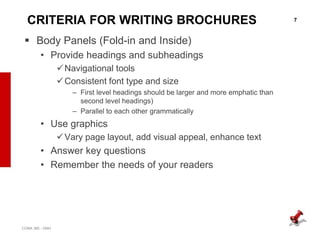
CRITERIA FOR WRITING BROCHURES
 Body Panels (Fold-in and Inside)
• Provide headings and subheadings
Navigational tools
Consistent font type and size
– First level headings should be larger and more emphatic than
second level headings)
– Parallel to each other grammatically
• Use graphics
Vary page layout, add visual appeal, enhance text
• Answer key questions
• Remember the needs of your readers
8
COMA 360 - DMH
9
COMA 360 - DMH
10
COMA 360 - DMH
BROCHURE DESIGN
 Use three or so different highlight techniques
 Limit sentence length to 10-12 words
 Limit paragraph length to 4-6 lines
 Use white space • Indent and itemize information
 Use color for interest, variety, and emphasis
 Bullet key points
 Boldface or underline key ideas
11
COMA 360 - DMH
BROCHURE DESIGN
 For variety and visual appeal, let text and graphics
overlap two or more of the panels.
 Place graphics at angles occasionally) or alternate
their placement at either the center, right, or left
margin of the panel.
 Don’t overdesign!
12
COMA 360 - DMH

Writing brochures

  • 1.
    1 COMA 360 -DMH WRITING BROCHURES
  • 2.
    2 COMA 360 -DMH WHY WRITE A BROCHURE  Create awareness of a company, product, service or opportunity  Increase understanding of a product, service, or company mission  Advertise new aspects about your organization, product, or service  Change negative attitudes  Show ways in which a company, product, or service surpasses the competition  Increase frequency of use, visit, or purchase  Raise or increase interest
  • 3.
    3 COMA 360 -DMH QUALITIES OF BROCHURES  More detailed than a flier  Less developed than a newsletter  Topic and amount of information will determine the size  Can be easy to update or modify  Printing costs vary widely
  • 4.
    4 COMA 360 -DMH CRITERIA FOR WRITING BROCHURES  Title Page (Front Panel) • Topic (product name, service, location, subject) • Graphic (visual representation) • Headline with implied action
  • 5.
    5 COMA 360 -DMH AUDIENCE RECOGNITION AND INVOLVEMENT  Define any terminology, abbreviations, or acronyms that cause confusion  Personalize through pronoun usage and contractions  Check for accuracy  Proofread
  • 6.
    6 COMA 360 -DMH CRITERIA FOR WRITING BROCHURES  Back Panel (may accomplish any of the following goals) • Conclusion (restate the highlights or suggest a next step) • Mailing (address, stamp/paid postage, reader’s address) • Coupons (incentive to visit; discounts/complimentary tickets) • Location (address, hours of operation, phone numbers, e- mail, map)
  • 7.
    7 COMA 360 -DMH CRITERIA FOR WRITING BROCHURES  Body Panels (Fold-in and Inside) • Provide headings and subheadings Navigational tools Consistent font type and size – First level headings should be larger and more emphatic than second level headings) – Parallel to each other grammatically • Use graphics Vary page layout, add visual appeal, enhance text • Answer key questions • Remember the needs of your readers
  • 8.
  • 9.
  • 10.
    10 COMA 360 -DMH BROCHURE DESIGN  Use three or so different highlight techniques  Limit sentence length to 10-12 words  Limit paragraph length to 4-6 lines  Use white space • Indent and itemize information  Use color for interest, variety, and emphasis  Bullet key points  Boldface or underline key ideas
  • 11.
    11 COMA 360 -DMH BROCHURE DESIGN  For variety and visual appeal, let text and graphics overlap two or more of the panels.  Place graphics at angles occasionally) or alternate their placement at either the center, right, or left margin of the panel.  Don’t overdesign!
  • 12.