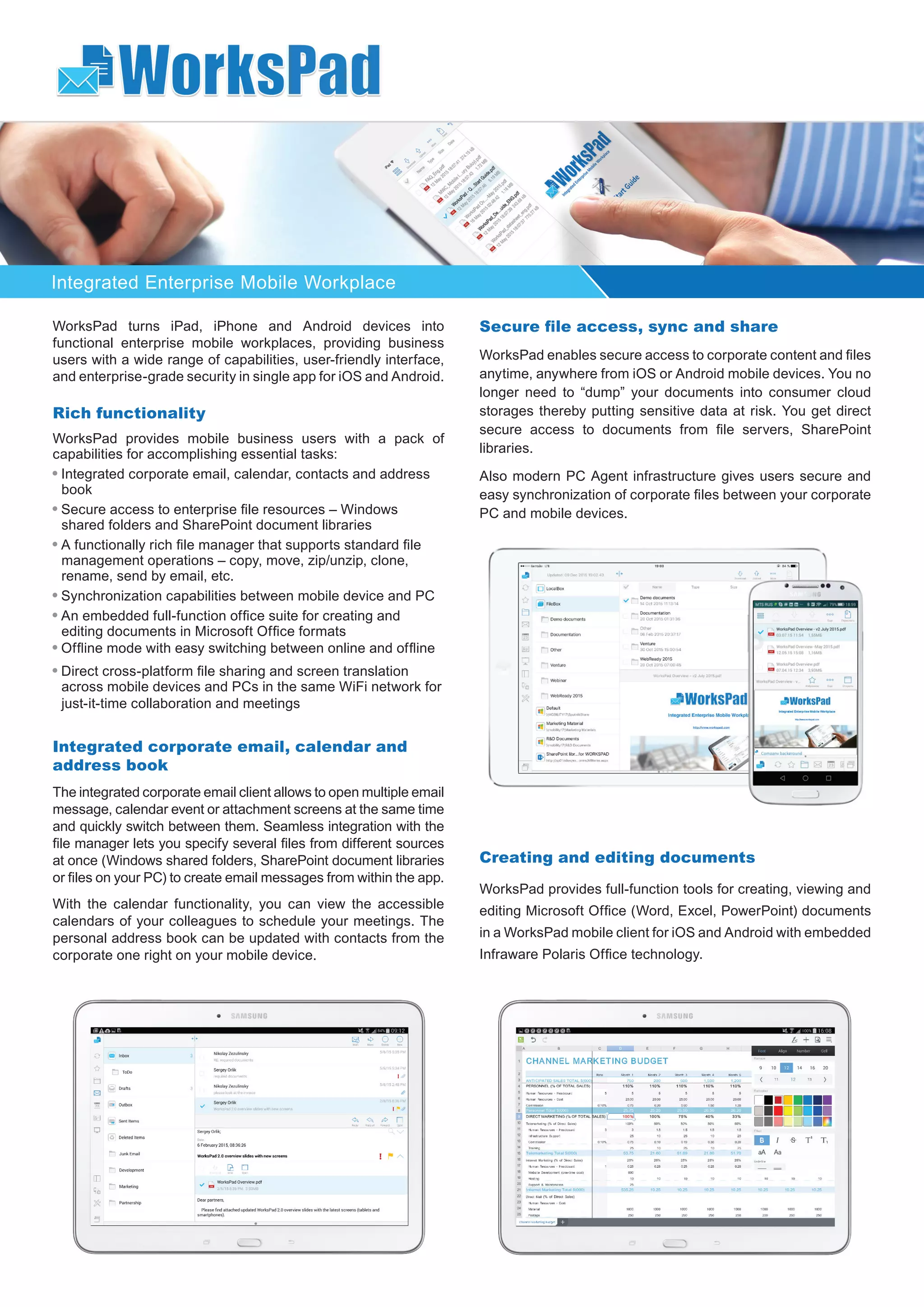
WorksPad turns iPad, iPhone and Android devices into
functional enterprise mobile workplaces, providing business
users with a wide range of capabilities, user-friendly interface,
and enterprise-grade security in single app for iOS and Android.
Rich functionality
WorksPad provides mobile business users with a pack of
capabilities for accomplishing essential tasks:
Integrated corporate email, calendar, contacts and address
book
Secure access to enterprise file resources – Windows
shared folders and SharePoint document libraries
A functionally rich file manager that supports standard file
management operations – copy, move, zip/unzip, clone,
rename, send by email, etc.
Synchronization capabilities between mobile device and PC
An embedded full-function office suite for creating and
editing documents in Microsoft Office formats
Offline mode with easy switching between online and offline
Direct cross-platform file sharing and screen translation
across mobile devices and PCs in the same WiFi network for
just-it-time collaboration and meetings
Integrated corporate email, calendar and
address book
The integrated corporate email client allows to open multiple email
message, calendar event or attachment screens at the same time
and quickly switch between them. Seamless integration with the
file manager lets you specify several files from different sources
at once (Windows shared folders, SharePoint document libraries
or files on your PC) to create email messages from within the app.
With the calendar functionality, you can view the accessible
calendars of your colleagues to schedule your meetings. The
personal address book can be updated with contacts from the
corporate one right on your mobile device.
Secure file access, sync and share
WorksPad enables secure access to corporate content and files
anytime, anywhere from iOS or Android mobile devices. You no
longer need to “dump” your documents into consumer cloud
storages thereby putting sensitive data at risk. You get direct
secure access to documents from file servers, SharePoint
libraries.
Also modern PC Agent infrastructure gives users secure and
easy synchronization of corporate files between your corporate
PC and mobile devices.
Creating and editing documents
WorksPad provides full-function tools for creating, viewing and
editing Microsoft Office (Word, Excel, PowerPoint) documents
in a WorksPad mobile client for iOS and Android with embedded
Infraware Polaris Office technology.
Integrated Enterprise Mobile Workplace
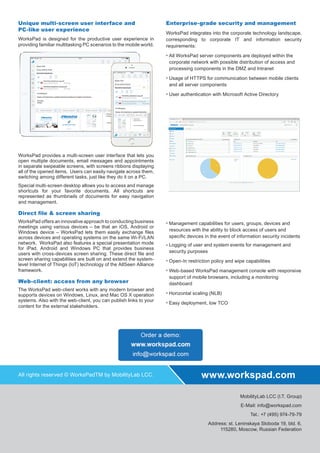
Unique multi-screen user interface and
PC-like user experience
WorksPad is designed for the productive user experience in
providing familiar multitasking PC scenarios to the mobile world.
WorksPad provides a multi-screen user interface that lets you
open multiple documents, email messages and appointments
in separate swipeable screens, with screens ribbons displaying
all of the opened items. Users can easily navigate across them,
switching among different tasks, just like they do it on a PC.
Special multi-screen desktop allows you to access and manage
shortcuts for your favorite documents. All shortcuts are
represented as thumbnails of documents for easy navigation
and management.
Direct file & screen sharing
WorksPad offers an innovative approach to conducting business
meetings using various devices – be that an iOS, Android or
Windows device – WorksPad lets them easily exchange files
across devices and operating systems on the same Wi-Fi/LAN
network. WorksPad also features a special presentation mode
for iPad, Android and Windows PC that provides business
users with cross-devices screen sharing. These direct file and
screen sharing capabilities are built on and extend the system-
level Internet of Things (IoT) technology of the AllSeen Alliance
framework.
Web-client: access from any browser
The WorksPad web-client works with any modern browser and
supports devices on Windows, Linux, and Mac OS X operation
systems. Also with the web-client, you can publish links to your
content for the external stakeholders.
Enterprise-grade security and management
WorksPad integrates into the corporate technology landscape,
corresponding to corporate IT and information security
requirements:
All WorksPad server components are deployed within the
corporate network with possible distribution of access and
processing components in the DMZ and Intranet
Usage of HTTPS for communication between mobile clients
and all server components
User authentication with Microsoft Active Directory
Management capabilities for users, groups, devices and
resources with the ability to block access of users and
specific devices in the event of information security incidents
Logging of user and system events for management and
security purposes
Open-In restriction policy and wipe capabilities
Web-based WorksPad management console with responsive
support of mobile browsers, including a monitoring
dashboard
Horizontal scaling (NLB)
Easy deployment, low TCO
MobilityLab LCC (I.T. Group)
E-Mail: info@workspad.com
Tel.: +7 (495) 974-79-79
Address: st. Leninskaya Sloboda 19, bld. 6,
115280, Moscow, Russian Federation
All rights reserved © WorksPadTM by MobilityLab LCC. www.workspad.com

WorksPad Datasheet

  • 1.
    WorksPad turns iPad,iPhone and Android devices into functional enterprise mobile workplaces, providing business users with a wide range of capabilities, user-friendly interface, and enterprise-grade security in single app for iOS and Android. Rich functionality WorksPad provides mobile business users with a pack of capabilities for accomplishing essential tasks: Integrated corporate email, calendar, contacts and address book Secure access to enterprise file resources – Windows shared folders and SharePoint document libraries A functionally rich file manager that supports standard file management operations – copy, move, zip/unzip, clone, rename, send by email, etc. Synchronization capabilities between mobile device and PC An embedded full-function office suite for creating and editing documents in Microsoft Office formats Offline mode with easy switching between online and offline Direct cross-platform file sharing and screen translation across mobile devices and PCs in the same WiFi network for just-it-time collaboration and meetings Integrated corporate email, calendar and address book The integrated corporate email client allows to open multiple email message, calendar event or attachment screens at the same time and quickly switch between them. Seamless integration with the file manager lets you specify several files from different sources at once (Windows shared folders, SharePoint document libraries or files on your PC) to create email messages from within the app. With the calendar functionality, you can view the accessible calendars of your colleagues to schedule your meetings. The personal address book can be updated with contacts from the corporate one right on your mobile device. Secure file access, sync and share WorksPad enables secure access to corporate content and files anytime, anywhere from iOS or Android mobile devices. You no longer need to “dump” your documents into consumer cloud storages thereby putting sensitive data at risk. You get direct secure access to documents from file servers, SharePoint libraries. Also modern PC Agent infrastructure gives users secure and easy synchronization of corporate files between your corporate PC and mobile devices. Creating and editing documents WorksPad provides full-function tools for creating, viewing and editing Microsoft Office (Word, Excel, PowerPoint) documents in a WorksPad mobile client for iOS and Android with embedded Infraware Polaris Office technology. Integrated Enterprise Mobile Workplace
  • 2.
    Unique multi-screen userinterface and PC-like user experience WorksPad is designed for the productive user experience in providing familiar multitasking PC scenarios to the mobile world. WorksPad provides a multi-screen user interface that lets you open multiple documents, email messages and appointments in separate swipeable screens, with screens ribbons displaying all of the opened items. Users can easily navigate across them, switching among different tasks, just like they do it on a PC. Special multi-screen desktop allows you to access and manage shortcuts for your favorite documents. All shortcuts are represented as thumbnails of documents for easy navigation and management. Direct file & screen sharing WorksPad offers an innovative approach to conducting business meetings using various devices – be that an iOS, Android or Windows device – WorksPad lets them easily exchange files across devices and operating systems on the same Wi-Fi/LAN network. WorksPad also features a special presentation mode for iPad, Android and Windows PC that provides business users with cross-devices screen sharing. These direct file and screen sharing capabilities are built on and extend the system- level Internet of Things (IoT) technology of the AllSeen Alliance framework. Web-client: access from any browser The WorksPad web-client works with any modern browser and supports devices on Windows, Linux, and Mac OS X operation systems. Also with the web-client, you can publish links to your content for the external stakeholders. Enterprise-grade security and management WorksPad integrates into the corporate technology landscape, corresponding to corporate IT and information security requirements: All WorksPad server components are deployed within the corporate network with possible distribution of access and processing components in the DMZ and Intranet Usage of HTTPS for communication between mobile clients and all server components User authentication with Microsoft Active Directory Management capabilities for users, groups, devices and resources with the ability to block access of users and specific devices in the event of information security incidents Logging of user and system events for management and security purposes Open-In restriction policy and wipe capabilities Web-based WorksPad management console with responsive support of mobile browsers, including a monitoring dashboard Horizontal scaling (NLB) Easy deployment, low TCO MobilityLab LCC (I.T. Group) E-Mail: info@workspad.com Tel.: +7 (495) 974-79-79 Address: st. Leninskaya Sloboda 19, bld. 6, 115280, Moscow, Russian Federation All rights reserved © WorksPadTM by MobilityLab LCC. www.workspad.com