graphicallydesigning
Working with themes & plugins 
Susan Ramsey
AGENDA 
 About Me 
 Introduction 
 Themes 
 Frameworks 
 Child Themes 
 Plugins: Free 
 Plugins: Premium 
 FAQs 
 Helpful Links 
 Q&A
About Me 
Susan Ramsey 
Fort Worth, TX 
Owner, Graphically Designing 
www.graphicallydesigning.com 
Where you’ll find me online: 
 Pretty Darn Cute Design – Theme Support & Customizations 
 StudioPress Community Forums – Moderator/Volunteer 
 Twitter: @GraphDesigning
Introduction 
What is a Theme? 
 A theme provides the user a way to control the look, design, 
functionality and presentation of their website. 
 It’s sometimes called the “skin” of a website, but it’s much more than 
that. 
 It’s a collection of files (“template files”) each of which provides 
different functionality.
Default 
Themes 
 Each WordPress install comes loaded with three 
default themes. 
 Even if you don’t use one of these themes, keep one 
in your dashboard. Ideal for Troubleshooting
How to Choose A Theme 
Select a Theme which is suitable for your business and/or niche 
 A theme which is designed for someone who blogs about their 
family is going to look and feel different than a theme design for 
an insurance company.
How to Choose A Theme 
Keep it Simple 
 Choose a theme which provides you with the functionality you need, rather 
than one which has all the “bells and whistles” 
Responsive or non-Responsive? 
Check Browser Compatibility 
Check Terms of Service
Free Themes 
Available through WordPress.org (or via your site’s Dashboard) 
 Support provided via WordPress volunteer support forums 
Available through Third Party Developers 
 Support may or may not be provided
Frameworks 
A Theme framework is a foundation for WordPress development, 
designed to be used with a Child Theme.
“Child” Themes 
A child inherits the functionality of another theme, 
called the parent theme 
Child themes allow you to modify, or add to the 
functionality of that parent theme 
Updates to a child theme will not be wiped out when 
the parent theme is updated. 
Easier for new users to modify
Plugins 
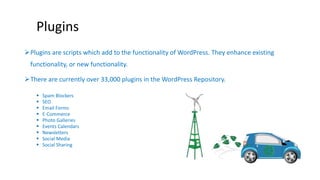
Plugins are scripts which add to the functionality of WordPress. They enhance existing 
functionality, or new functionality. 
There are currently over 33,000 plugins in the WordPress Repository. 
 Spam Blockers 
 SEO 
 Email Forms 
 E-Commerce 
 Photo Galleries 
 Events Calendars 
 Newsletters 
 Social Media 
 Social Sharing
How to Choose a Plugin 
Determine Need – don’t add unnecessary plugins. 
Rating – check the rating and popularity of a plugin; how often has it been 
downloaded? 
Support – who provides the support? Is it free, or an additional cost? Check the 
support forum for the plugin – how quickly are support tickets responded to? 
Updates – when was the plugin last updated? Is it compatible with the latest version 
of WordPress?
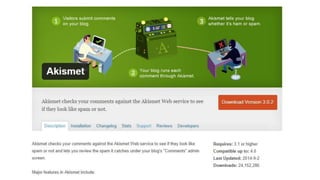
Akismet – Spam Blocker
Yoast SEO
Free Plugins & Premium Plugins 
Free plugins are available through the WordPress Repository, or may 
be available outside of the repository. 
Many plugins off both a free version and a premium version. 
 Premium version offers more functionality, including “add-ons” 
 Dedicated support
Questions?

#WCDFW Presentation Choosing Themes &

  • 1.
  • 2.
    Working with themes& plugins Susan Ramsey
  • 3.
    AGENDA  AboutMe  Introduction  Themes  Frameworks  Child Themes  Plugins: Free  Plugins: Premium  FAQs  Helpful Links  Q&A
  • 4.
    About Me SusanRamsey Fort Worth, TX Owner, Graphically Designing www.graphicallydesigning.com Where you’ll find me online:  Pretty Darn Cute Design – Theme Support & Customizations  StudioPress Community Forums – Moderator/Volunteer  Twitter: @GraphDesigning
  • 5.
    Introduction What isa Theme?  A theme provides the user a way to control the look, design, functionality and presentation of their website.  It’s sometimes called the “skin” of a website, but it’s much more than that.  It’s a collection of files (“template files”) each of which provides different functionality.
  • 6.
    Default Themes Each WordPress install comes loaded with three default themes.  Even if you don’t use one of these themes, keep one in your dashboard. Ideal for Troubleshooting
  • 7.
    How to ChooseA Theme Select a Theme which is suitable for your business and/or niche  A theme which is designed for someone who blogs about their family is going to look and feel different than a theme design for an insurance company.
  • 8.
    How to ChooseA Theme Keep it Simple  Choose a theme which provides you with the functionality you need, rather than one which has all the “bells and whistles” Responsive or non-Responsive? Check Browser Compatibility Check Terms of Service
  • 9.
    Free Themes Availablethrough WordPress.org (or via your site’s Dashboard)  Support provided via WordPress volunteer support forums Available through Third Party Developers  Support may or may not be provided
  • 10.
    Frameworks A Themeframework is a foundation for WordPress development, designed to be used with a Child Theme.
  • 11.
    “Child” Themes Achild inherits the functionality of another theme, called the parent theme Child themes allow you to modify, or add to the functionality of that parent theme Updates to a child theme will not be wiped out when the parent theme is updated. Easier for new users to modify
  • 12.
    Plugins Plugins arescripts which add to the functionality of WordPress. They enhance existing functionality, or new functionality. There are currently over 33,000 plugins in the WordPress Repository.  Spam Blockers  SEO  Email Forms  E-Commerce  Photo Galleries  Events Calendars  Newsletters  Social Media  Social Sharing
  • 13.
    How to Choosea Plugin Determine Need – don’t add unnecessary plugins. Rating – check the rating and popularity of a plugin; how often has it been downloaded? Support – who provides the support? Is it free, or an additional cost? Check the support forum for the plugin – how quickly are support tickets responded to? Updates – when was the plugin last updated? Is it compatible with the latest version of WordPress?
  • 14.
  • 15.
  • 16.
    Free Plugins &Premium Plugins Free plugins are available through the WordPress Repository, or may be available outside of the repository. Many plugins off both a free version and a premium version.  Premium version offers more functionality, including “add-ons”  Dedicated support
  • 17.