Windows on AWS
April 02, 2019
www.datavail.com 2
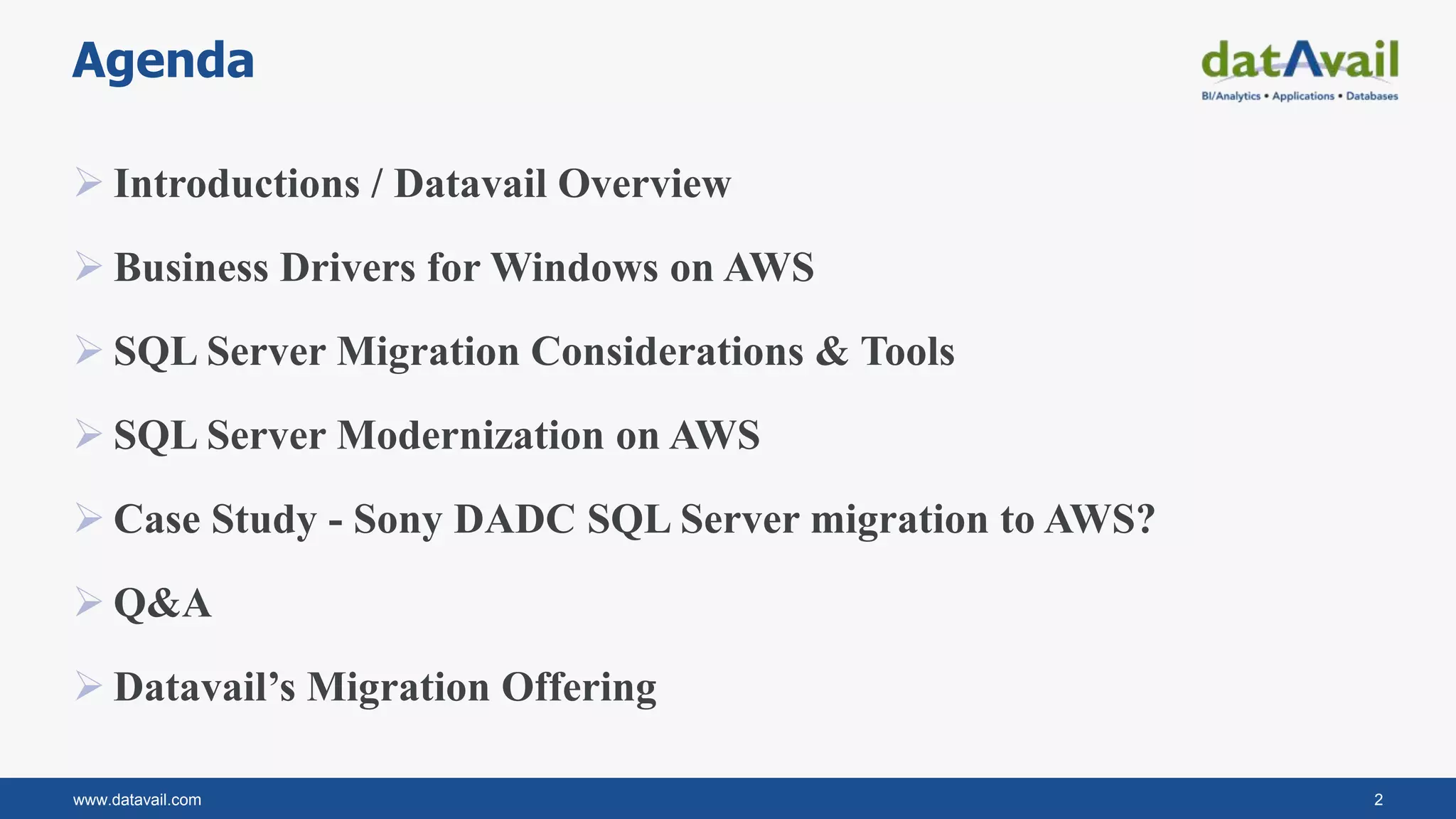
Agenda
 Introductions / Datavail Overview
 Business Drivers for Windows on AWS
 SQL Server Migration Considerations & Tools
 SQL Server Modernization on AWS
 Case Study - Sony DADC SQL Server migration to AWS?
 Q&A
 Datavail’s Migration Offering
www.datavail.com 3
Siva Thangavelu
Areas of Specialization
Database performance tuning
Database scalability
Cloud data architecture/cloud migration
Public knowledge: blogs, case studies, & presentations
Director and Practice Leader,
Cloud Services, Datavail
www.datavail.com 4
Director and Practice Leader,
SQL Server Practice, Datavail
Enterprise SQL Support
Both as a DBA and DBA Team Manager and Director,
JP brings a wealth of technical certifications and
hands-on experience to every project.
SQL Performance Monitoring &
Tuning
SQL Server Blogs &
Whitepapers
Design and develop comprehensive solutions on
database documentation, monitoring and alerting,
stabilization, and continuous improvements with
performance monitoring and tuning.
Eager to share his knowledge with the larger SQL
Server community, JP is an avid blogger and author,
posting regular content on Datavail.com.
JP Chen
www.datavail.com 5
100+ AWS SA’s and
Engineers
15+ Years
Database
Services
500+ Customers
7+ Years
AWS Experience
200,000+ Databases
Managed
100+ AWS Migrations
Datavail AWS Capabilities
• Databases
 Windows Workloads
 Open Source
Workloads
 Oracle Workloads
• Data Integration &
Analytics
EXPERTISE EXPERIENCE OUTCOME
www.datavail.com 6
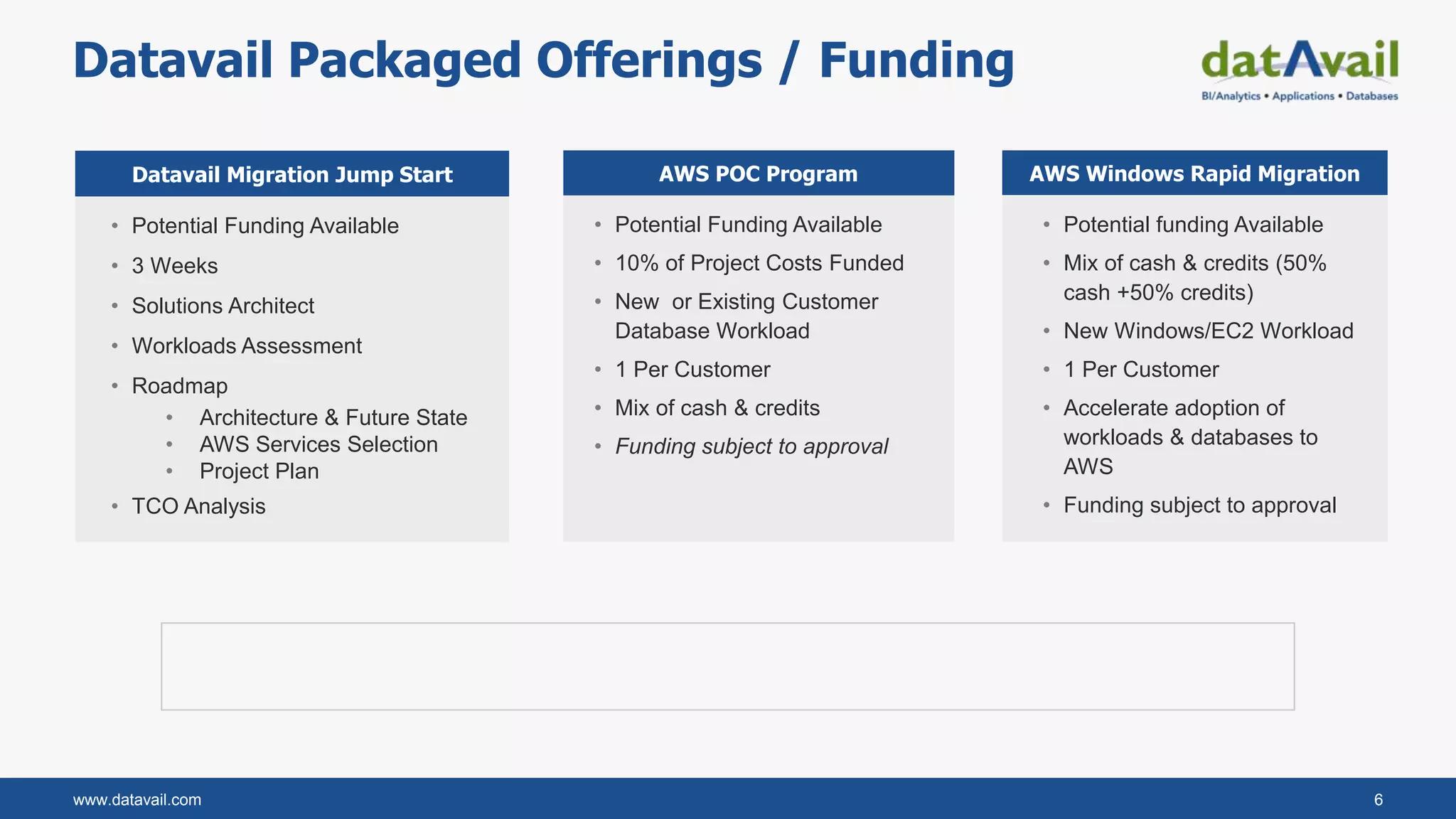
Datavail Packaged Offerings / Funding
• Potential Funding Available
• 3 Weeks
• Solutions Architect
• Workloads Assessment
• Roadmap
• Architecture & Future State
• AWS Services Selection
• Project Plan
• TCO Analysis
Datavail Migration Jump Start
• Potential funding Available
• Mix of cash & credits (50%
cash +50% credits)
• New Windows/EC2 Workload
• 1 Per Customer
• Accelerate adoption of
workloads & databases to
AWS
• Funding subject to approval
AWS Windows Rapid MigrationAWS POC Program
• Potential Funding Available
• 10% of Project Costs Funded
• New or Existing Customer
Database Workload
• 1 Per Customer
• Mix of cash & credits
• Funding subject to approval
www.datavail.com 7
Business Drivers for Windows on AWS
 Agility & Innovation
 Cost & Efficiency
 Scalability
 Reliability, Improve uptime and performance
www.datavail.com 8
SQL Server Migration Considerations
Right sizing the EC2 Instance type
Right sizing the storage for size and performance
Data size and transfer requirements
SQL server version ( Standard vs Enterprise)
SQL server licensing
SQL Sever monitoring & post migration activities
www.datavail.com 9
SQL Server Migration Methods & Tools
SQL Server native backup and restore
Database Migration Services (DMS)
Log Shipping or Transactional replication
VM Import/Export
Snowball to transfer large amounts of data (eg., Full backups)
S3 for medium size backups (eg., Full and log backups)
AWS Direct connect for increased network bandwidth
www.datavail.com 10
SQL Server Modernization on AWS
 SQL Server Deployment and configuration – Cloud formation and Terraform
 Use Microservices architecture, decouple non-database functionalities to services
like Lambda
 Integrate management tools like Chef for automated config management.
 Introduce caching layers like Redis and Mem cache
 Database Backups and archiving on S3 and Glacier
 Deploy SQL Server in multi Az and multi region configuration for HA and DR.
SQL Server Migration – Sony
DADC New Media solutions
Lessons Learned and Open Q&A
www.datavail.com 12
2009
• Sony DADC New Media Solutions (NMS)
• Revenue Generating supply chain Application
2018
• NMS Complete their cloud migration with
AWS
About Sony DADC New Media Solutions (NMS)
www.datavail.com 13
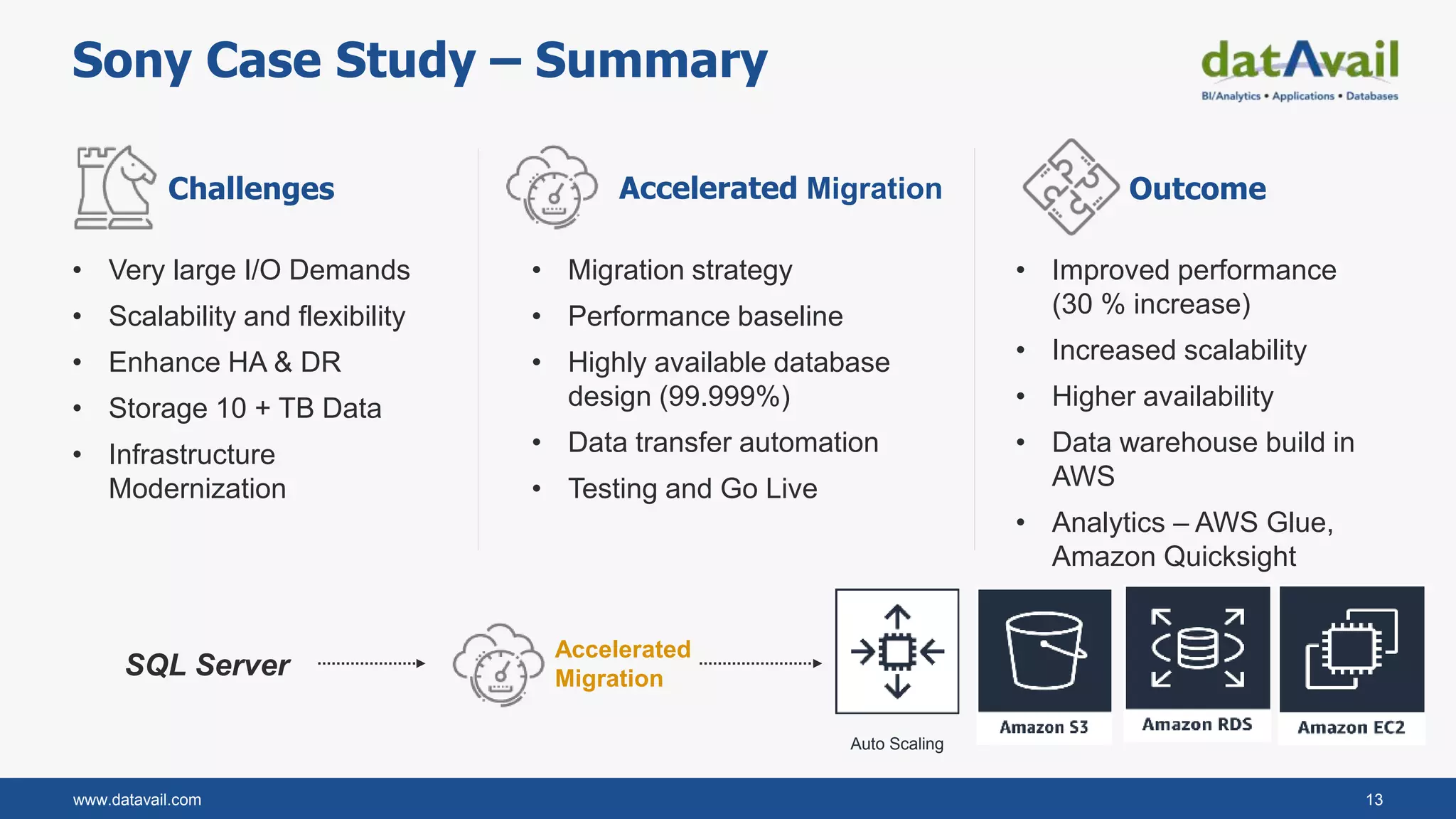
Sony Case Study – Summary
• Very large I/O Demands
• Scalability and flexibility
• Enhance HA & DR
• Storage 10 + TB Data
• Infrastructure
Modernization
• Migration strategy
• Performance baseline
• Highly available database
design (99.999%)
• Data transfer automation
• Testing and Go Live
• Improved performance
(30 % increase)
• Increased scalability
• Higher availability
• Data warehouse build in
AWS
• Analytics – AWS Glue,
Amazon Quicksight
Challenges Accelerated Migration Outcome
Accelerated
Migration
Auto Scaling
SQL Server
www.datavail.com 14
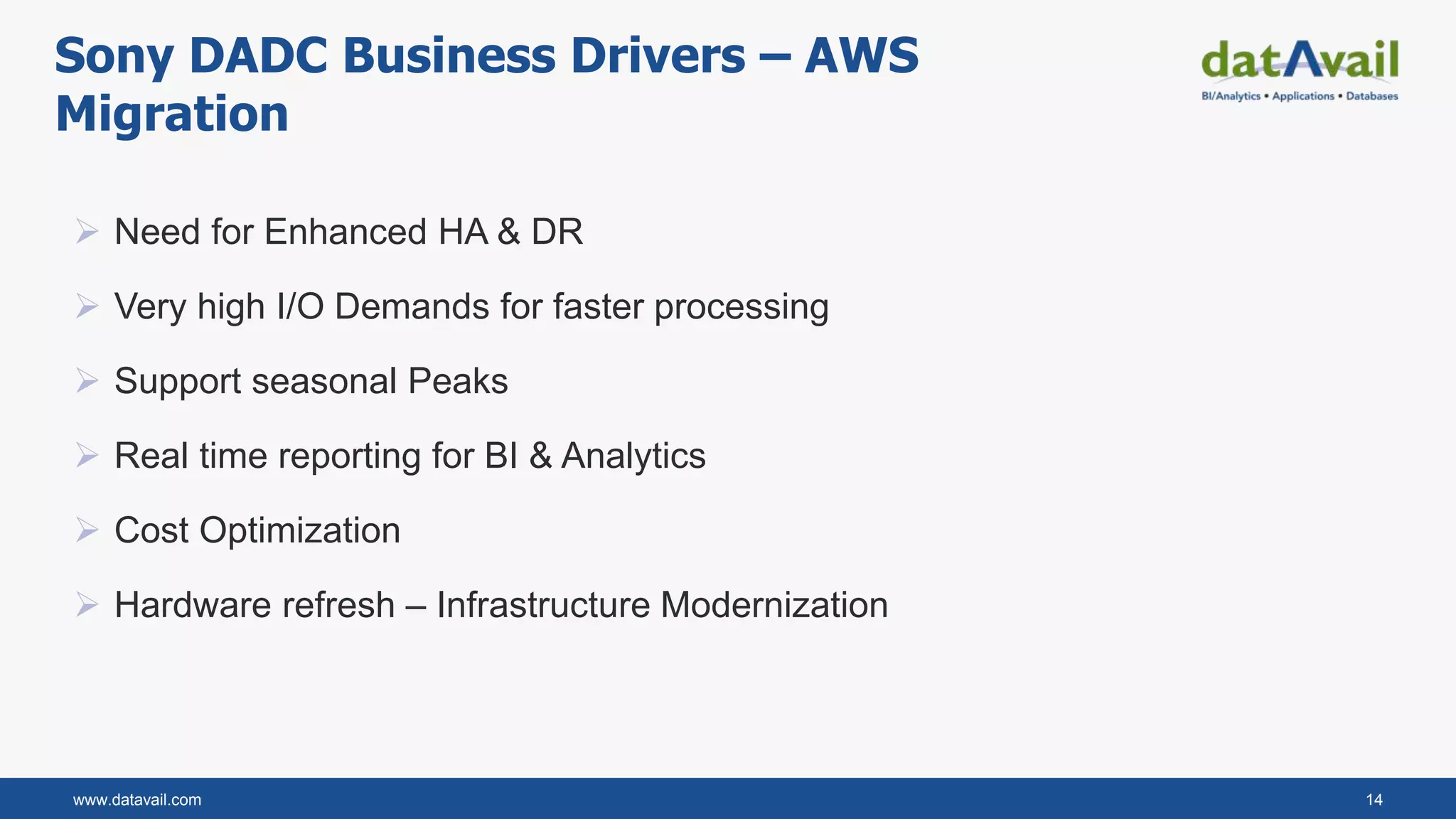
 Need for Enhanced HA & DR
 Very high I/O Demands for faster processing
 Support seasonal Peaks
 Real time reporting for BI & Analytics
 Cost Optimization
 Hardware refresh – Infrastructure Modernization
Sony DADC Business Drivers – AWS
Migration
www.datavail.com 15
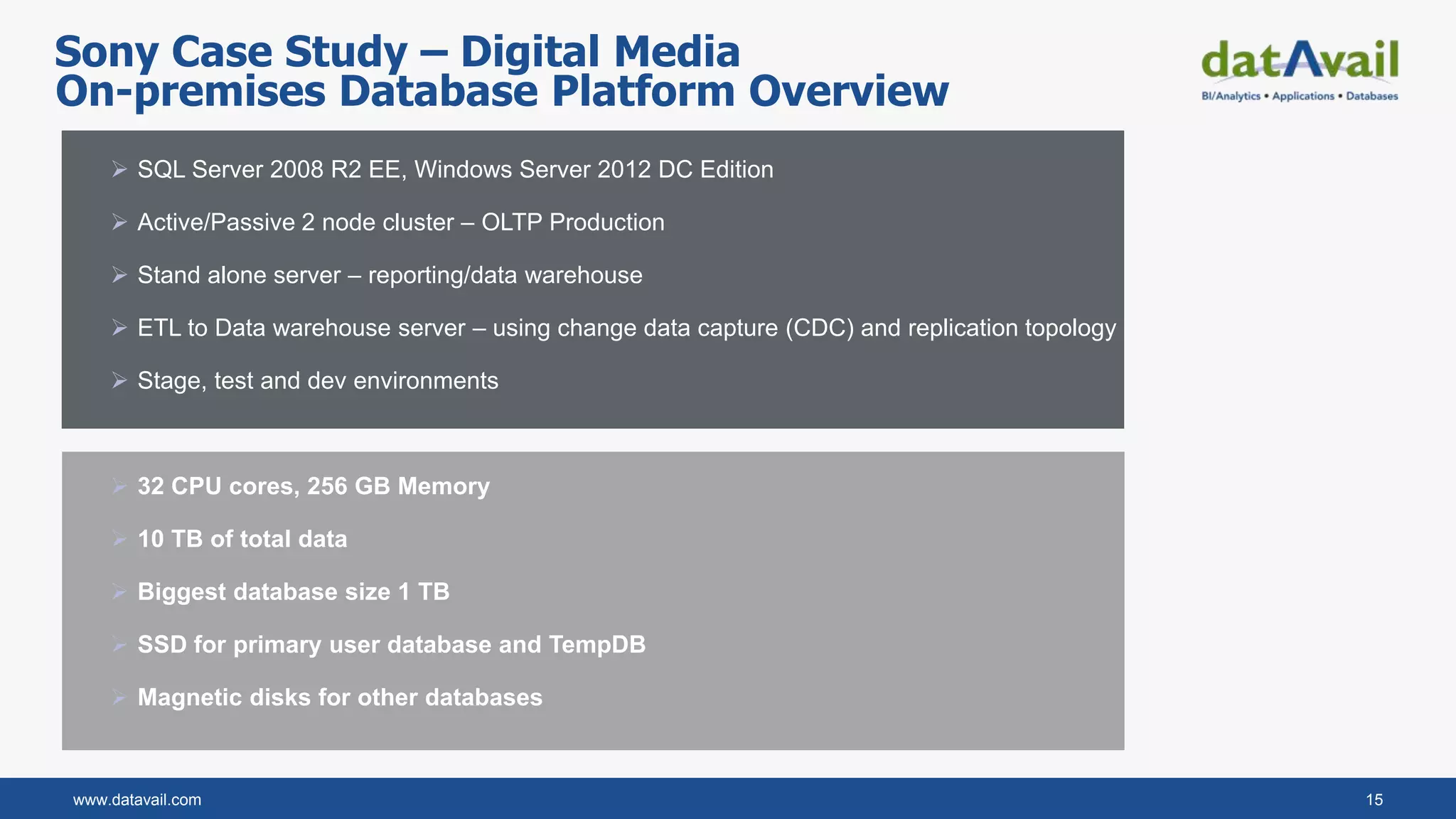
 SQL Server 2008 R2 EE, Windows Server 2012 DC Edition
 Active/Passive 2 node cluster – OLTP Production
 Stand alone server – reporting/data warehouse
 ETL to Data warehouse server – using change data capture (CDC) and replication topology
 Stage, test and dev environments
 32 CPU cores, 256 GB Memory
 10 TB of total data
 Biggest database size 1 TB
 SSD for primary user database and TempDB
 Magnetic disks for other databases
On-premises Database Platform Overview
Sony Case Study – Digital Media
www.datavail.com 16
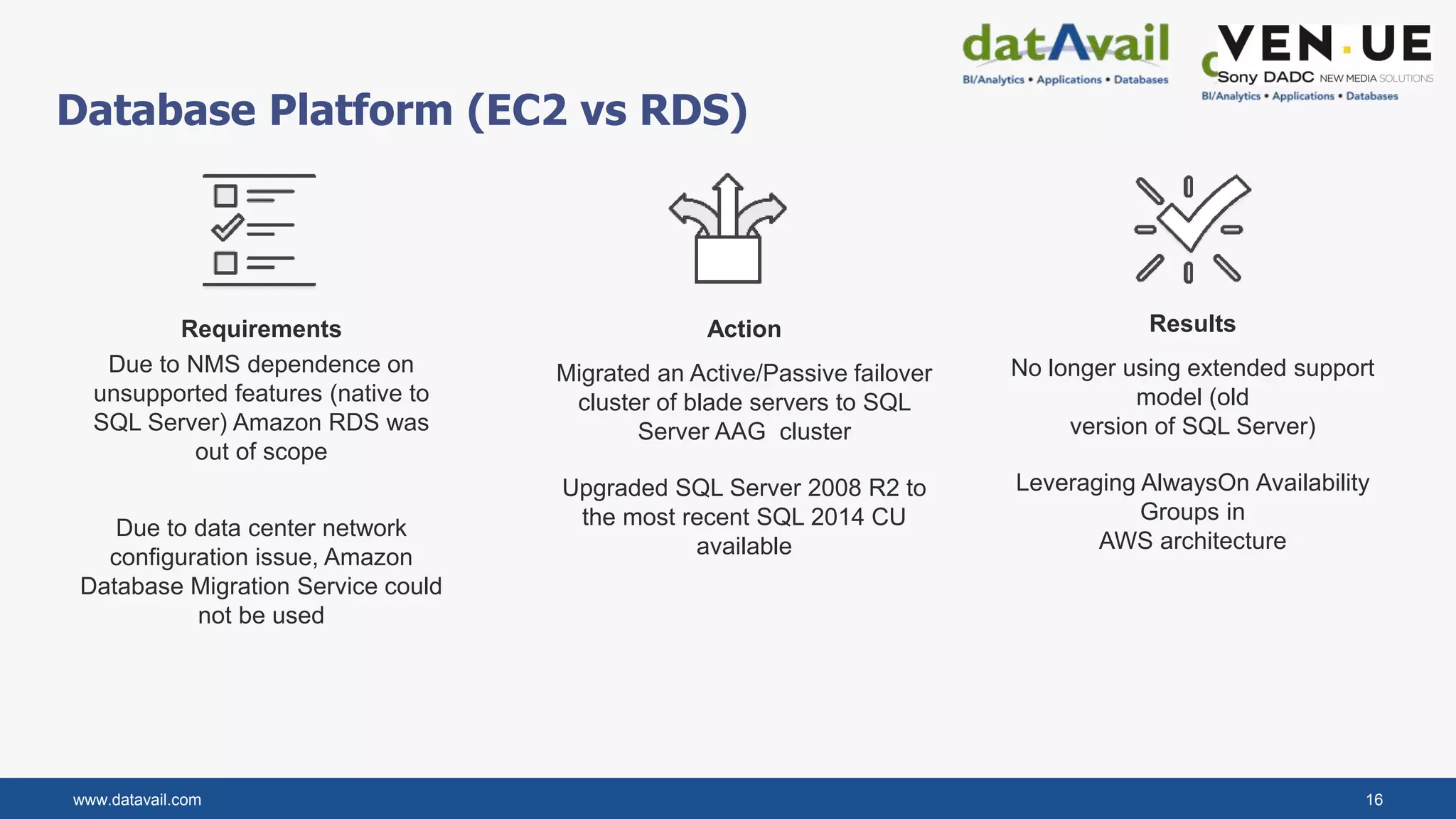
Database Platform (EC2 vs RDS)
Requirements
Due to NMS dependence on
unsupported features (native to
SQL Server) Amazon RDS was
out of scope
Due to data center network
configuration issue, Amazon
Database Migration Service could
not be used
Action
Migrated an Active/Passive failover
cluster of blade servers to SQL
Server AAG cluster
Upgraded SQL Server 2008 R2 to
the most recent SQL 2014 CU
available
Results
No longer using extended support
model (old
version of SQL Server)
Leveraging AlwaysOn Availability
Groups in
AWS architecture
www.datavail.com 17
AWS Cloud Migrations and Unknowns?
• Amazon RDS vs. Amazon EC2?
• Choose the correct instance type in AWS
based on the current workload?
• Choose the right storage?
• How to solve the ETL latency and
scalability problem?
• How to solve the HA and DR problem?
• Achieve cost optimization
• Efficient backup, storage and archival
Our Approach
• Performance Baseline the current server
• Use Multi AZ capabilities & Auto scaling in
AWS
• Upgrade to SQL Server 2014 to use
AlwaysOn Availability Group
• Use Amazon S3 for backup storage and
Amazon Glacier for long term archival
• Use Amazon S3 for transferring backup
files from on-premises to AWS
Migration Unknowns and Approach
www.datavail.com 18
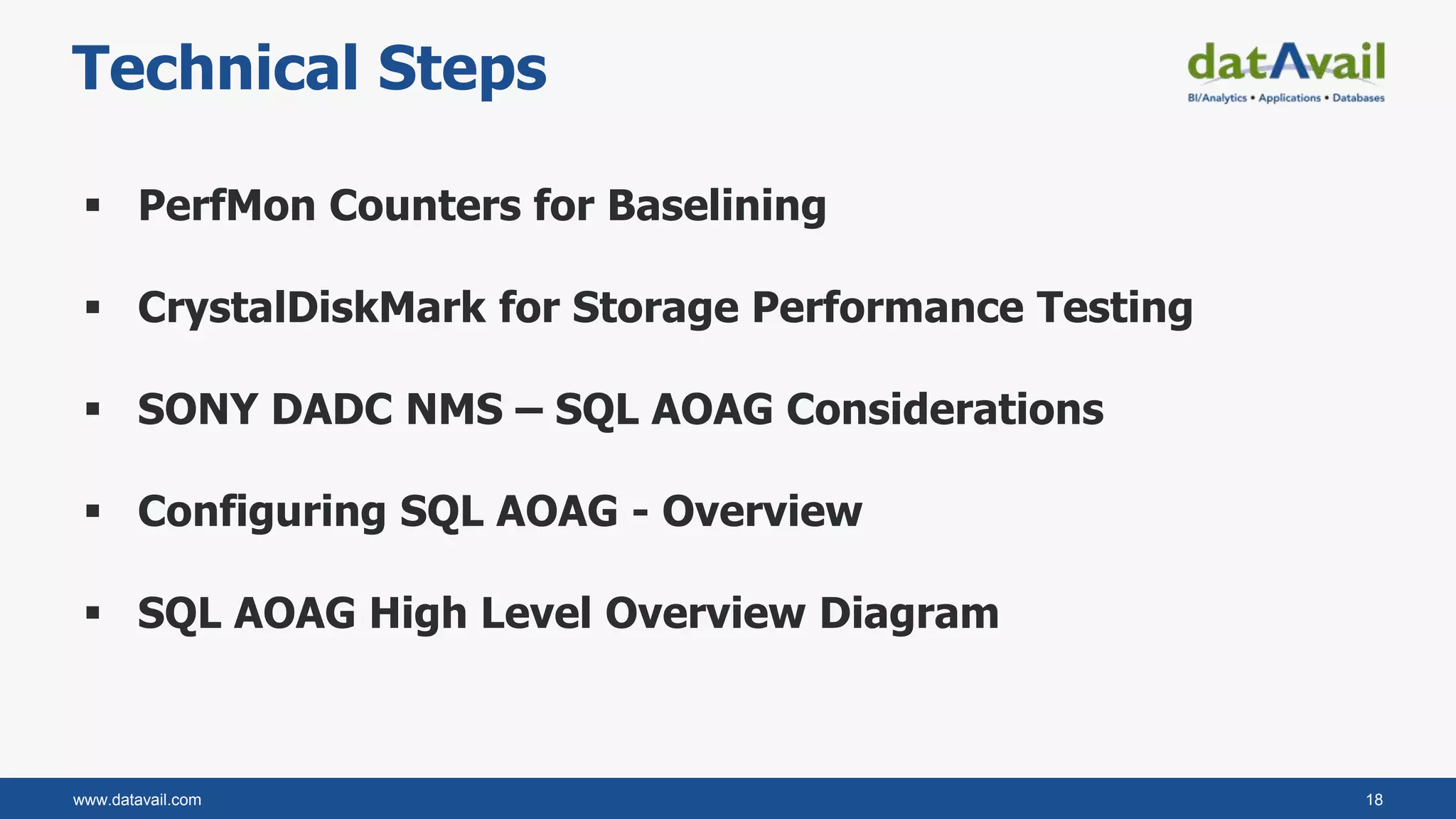
Technical Steps
 PerfMon Counters for Baselining
 CrystalDiskMark for Storage Performance Testing
 SONY DADC NMS – SQL AOAG Considerations
 Configuring SQL AOAG - Overview
 SQL AOAG High Level Overview Diagram
www.datavail.com 19
PerfMon Counters for Baselining
 Memory, Disk, CPU, SQL
 Steps for collecting performance data into a SQL Server table
1. Create the SQLPerfMon database
2. Create the System DSN to the SQLPerfMon database
3. Load the perfmon data. For example:
relog "SQLPerfMon_01211429.blg" -f sql -o sql:SQLPerfMon!logfileidentifier
 Save the results for benchmarking purposes
www.datavail.com 20
CrystalDiskMark for Storage Performance Testing
 Easier to use than SQLIO
 Run on idle server or new server before
installing SQL.
 Not an exact representation of SQL Server’s IO
pattern
 Just a quick and easy measure of how storage
performs.
www.datavail.com 21
SONY DADC NMS – SQL AOAG Considerations
 Offers readable secondary - advantage over AlwaysOn Failover Cluster
 Groups databases into failover groups
 Enables the High Availability (HA) and Disaster Recovery (DR) +
automatic role switching.
www.datavail.com 22
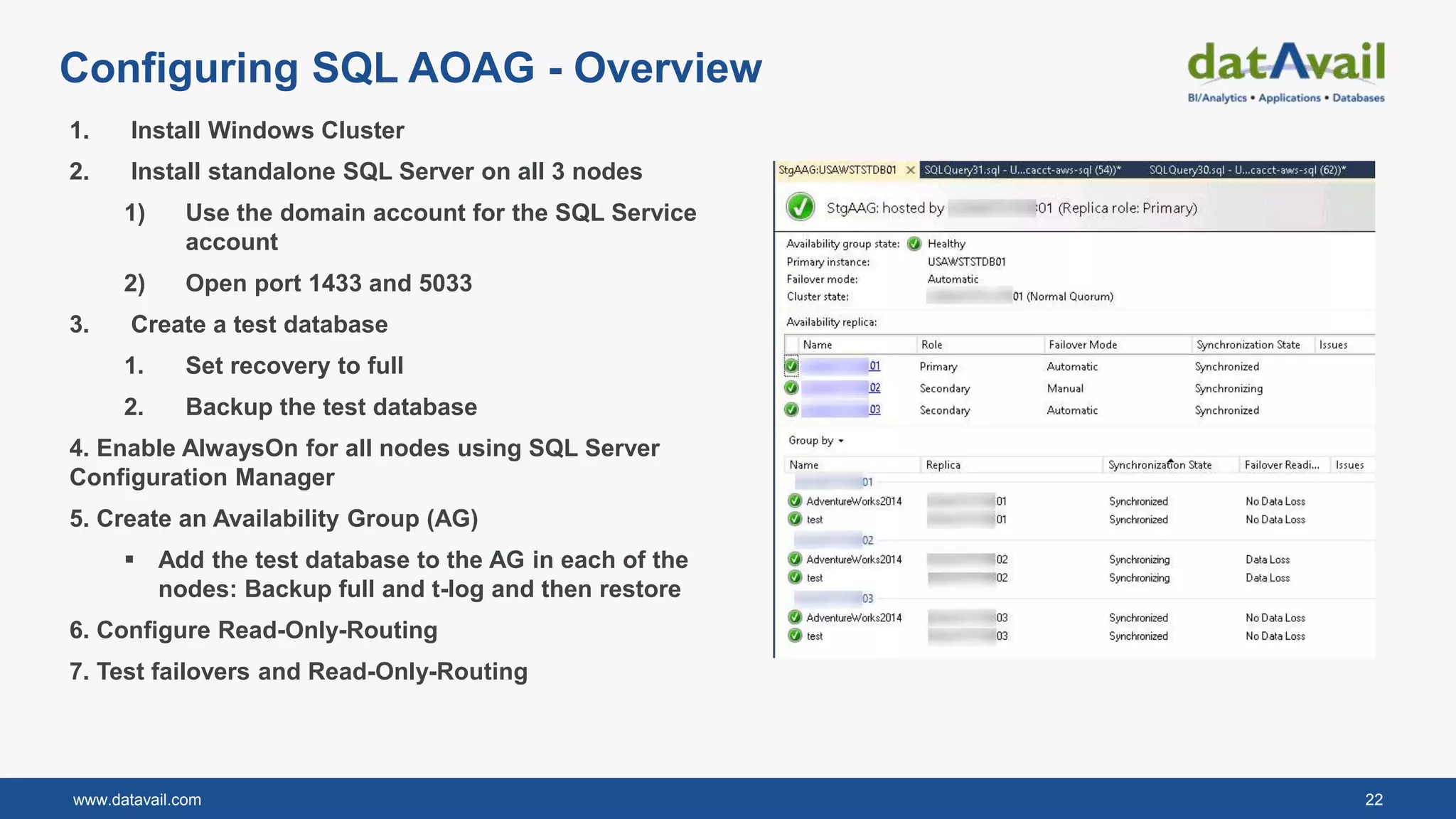
Configuring SQL AOAG - Overview
1. Install Windows Cluster
2. Install standalone SQL Server on all 3 nodes
1) Use the domain account for the SQL Service
account
2) Open port 1433 and 5033
3. Create a test database
1. Set recovery to full
2. Backup the test database
4. Enable AlwaysOn for all nodes using SQL Server
Configuration Manager
5. Create an Availability Group (AG)
 Add the test database to the AG in each of the
nodes: Backup full and t-log and then restore
6. Configure Read-Only-Routing
7. Test failovers and Read-Only-Routing
www.datavail.com 23
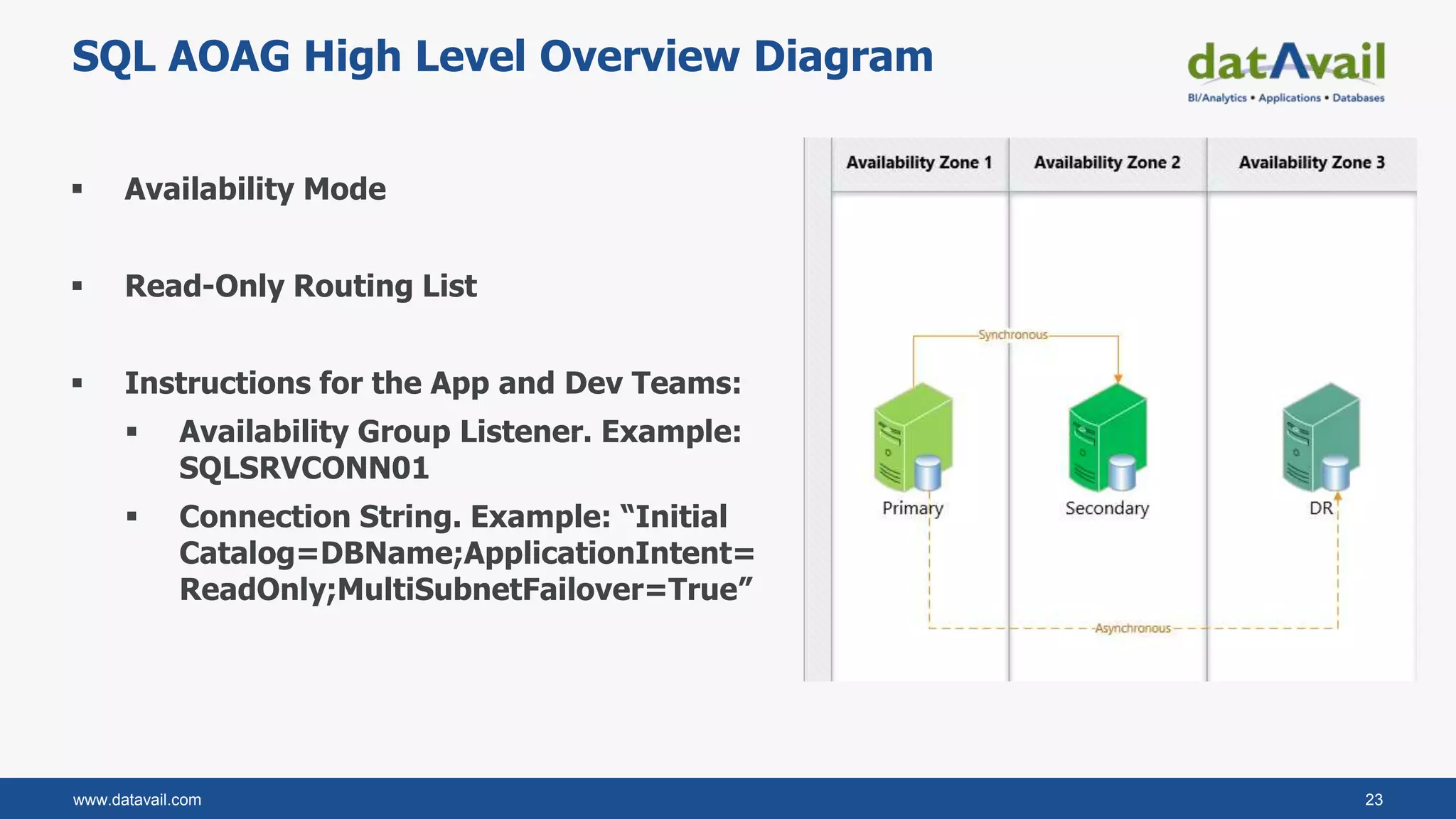
SQL AOAG High Level Overview Diagram
 Availability Mode
 Read-Only Routing List
 Instructions for the App and Dev Teams:
 Availability Group Listener. Example:
SQLSRVCONN01
 Connection String. Example: “Initial
Catalog=DBName;ApplicationIntent=
ReadOnly;MultiSubnetFailover=True”
www.datavail.com 24
Proposed Architecture
Automated Backups
Az1 Az2 Az3
Auto Scaling Group
AZ1 AZ2 AZ3
Windows Failover Cluster
Primary Replica Secondary Replica Secondary Replica
Auto Scaling Group Auto Scaling Group
Asynchronous
Synchronous
www.datavail.com 25
Cost Reduction
Outside database layer:
Right-sized Amazon EC2
templates, taking
advantage of spot
instances and using Auto
Scaling Groups
Within database
layer: Used r3 high-
memory Amazon EC2
template and
Provisioned IOPS
EBS volumes
Ran in production
using On-Demand
model until confident
in configuration
After a few months,
purchased Reserved
Instances to further
reduce costs
Actions taken:
www.datavail.com 26
To be eligible, fill out profile sheet
Contact Information:
Siva Thang - Sivakumar.Thangavelu@datavail.com
Trinity Yach – Trinity.yach@datavail.com
Ali Dawson - Al.dawson@datavail.com

Windows on AWS

  • 1.
  • 2.
    www.datavail.com 2 Agenda  Introductions/ Datavail Overview  Business Drivers for Windows on AWS  SQL Server Migration Considerations & Tools  SQL Server Modernization on AWS  Case Study - Sony DADC SQL Server migration to AWS?  Q&A  Datavail’s Migration Offering
  • 3.
    www.datavail.com 3 Siva Thangavelu Areasof Specialization Database performance tuning Database scalability Cloud data architecture/cloud migration Public knowledge: blogs, case studies, & presentations Director and Practice Leader, Cloud Services, Datavail
  • 4.
    www.datavail.com 4 Director andPractice Leader, SQL Server Practice, Datavail Enterprise SQL Support Both as a DBA and DBA Team Manager and Director, JP brings a wealth of technical certifications and hands-on experience to every project. SQL Performance Monitoring & Tuning SQL Server Blogs & Whitepapers Design and develop comprehensive solutions on database documentation, monitoring and alerting, stabilization, and continuous improvements with performance monitoring and tuning. Eager to share his knowledge with the larger SQL Server community, JP is an avid blogger and author, posting regular content on Datavail.com. JP Chen
  • 5.
    www.datavail.com 5 100+ AWSSA’s and Engineers 15+ Years Database Services 500+ Customers 7+ Years AWS Experience 200,000+ Databases Managed 100+ AWS Migrations Datavail AWS Capabilities • Databases  Windows Workloads  Open Source Workloads  Oracle Workloads • Data Integration & Analytics EXPERTISE EXPERIENCE OUTCOME
  • 6.
    www.datavail.com 6 Datavail PackagedOfferings / Funding • Potential Funding Available • 3 Weeks • Solutions Architect • Workloads Assessment • Roadmap • Architecture & Future State • AWS Services Selection • Project Plan • TCO Analysis Datavail Migration Jump Start • Potential funding Available • Mix of cash & credits (50% cash +50% credits) • New Windows/EC2 Workload • 1 Per Customer • Accelerate adoption of workloads & databases to AWS • Funding subject to approval AWS Windows Rapid MigrationAWS POC Program • Potential Funding Available • 10% of Project Costs Funded • New or Existing Customer Database Workload • 1 Per Customer • Mix of cash & credits • Funding subject to approval
  • 7.
    www.datavail.com 7 Business Driversfor Windows on AWS  Agility & Innovation  Cost & Efficiency  Scalability  Reliability, Improve uptime and performance
  • 8.
    www.datavail.com 8 SQL ServerMigration Considerations Right sizing the EC2 Instance type Right sizing the storage for size and performance Data size and transfer requirements SQL server version ( Standard vs Enterprise) SQL server licensing SQL Sever monitoring & post migration activities
  • 9.
    www.datavail.com 9 SQL ServerMigration Methods & Tools SQL Server native backup and restore Database Migration Services (DMS) Log Shipping or Transactional replication VM Import/Export Snowball to transfer large amounts of data (eg., Full backups) S3 for medium size backups (eg., Full and log backups) AWS Direct connect for increased network bandwidth
  • 10.
    www.datavail.com 10 SQL ServerModernization on AWS  SQL Server Deployment and configuration – Cloud formation and Terraform  Use Microservices architecture, decouple non-database functionalities to services like Lambda  Integrate management tools like Chef for automated config management.  Introduce caching layers like Redis and Mem cache  Database Backups and archiving on S3 and Glacier  Deploy SQL Server in multi Az and multi region configuration for HA and DR.
  • 11.
    SQL Server Migration– Sony DADC New Media solutions Lessons Learned and Open Q&A
  • 12.
    www.datavail.com 12 2009 • SonyDADC New Media Solutions (NMS) • Revenue Generating supply chain Application 2018 • NMS Complete their cloud migration with AWS About Sony DADC New Media Solutions (NMS)
  • 13.
    www.datavail.com 13 Sony CaseStudy – Summary • Very large I/O Demands • Scalability and flexibility • Enhance HA & DR • Storage 10 + TB Data • Infrastructure Modernization • Migration strategy • Performance baseline • Highly available database design (99.999%) • Data transfer automation • Testing and Go Live • Improved performance (30 % increase) • Increased scalability • Higher availability • Data warehouse build in AWS • Analytics – AWS Glue, Amazon Quicksight Challenges Accelerated Migration Outcome Accelerated Migration Auto Scaling SQL Server
  • 14.
    www.datavail.com 14  Needfor Enhanced HA & DR  Very high I/O Demands for faster processing  Support seasonal Peaks  Real time reporting for BI & Analytics  Cost Optimization  Hardware refresh – Infrastructure Modernization Sony DADC Business Drivers – AWS Migration
  • 15.
    www.datavail.com 15  SQLServer 2008 R2 EE, Windows Server 2012 DC Edition  Active/Passive 2 node cluster – OLTP Production  Stand alone server – reporting/data warehouse  ETL to Data warehouse server – using change data capture (CDC) and replication topology  Stage, test and dev environments  32 CPU cores, 256 GB Memory  10 TB of total data  Biggest database size 1 TB  SSD for primary user database and TempDB  Magnetic disks for other databases On-premises Database Platform Overview Sony Case Study – Digital Media
  • 16.
    www.datavail.com 16 Database Platform(EC2 vs RDS) Requirements Due to NMS dependence on unsupported features (native to SQL Server) Amazon RDS was out of scope Due to data center network configuration issue, Amazon Database Migration Service could not be used Action Migrated an Active/Passive failover cluster of blade servers to SQL Server AAG cluster Upgraded SQL Server 2008 R2 to the most recent SQL 2014 CU available Results No longer using extended support model (old version of SQL Server) Leveraging AlwaysOn Availability Groups in AWS architecture
  • 17.
    www.datavail.com 17 AWS CloudMigrations and Unknowns? • Amazon RDS vs. Amazon EC2? • Choose the correct instance type in AWS based on the current workload? • Choose the right storage? • How to solve the ETL latency and scalability problem? • How to solve the HA and DR problem? • Achieve cost optimization • Efficient backup, storage and archival Our Approach • Performance Baseline the current server • Use Multi AZ capabilities & Auto scaling in AWS • Upgrade to SQL Server 2014 to use AlwaysOn Availability Group • Use Amazon S3 for backup storage and Amazon Glacier for long term archival • Use Amazon S3 for transferring backup files from on-premises to AWS Migration Unknowns and Approach
  • 18.
    www.datavail.com 18 Technical Steps PerfMon Counters for Baselining  CrystalDiskMark for Storage Performance Testing  SONY DADC NMS – SQL AOAG Considerations  Configuring SQL AOAG - Overview  SQL AOAG High Level Overview Diagram
  • 19.
    www.datavail.com 19 PerfMon Countersfor Baselining  Memory, Disk, CPU, SQL  Steps for collecting performance data into a SQL Server table 1. Create the SQLPerfMon database 2. Create the System DSN to the SQLPerfMon database 3. Load the perfmon data. For example: relog "SQLPerfMon_01211429.blg" -f sql -o sql:SQLPerfMon!logfileidentifier  Save the results for benchmarking purposes
  • 20.
    www.datavail.com 20 CrystalDiskMark forStorage Performance Testing  Easier to use than SQLIO  Run on idle server or new server before installing SQL.  Not an exact representation of SQL Server’s IO pattern  Just a quick and easy measure of how storage performs.
  • 21.
    www.datavail.com 21 SONY DADCNMS – SQL AOAG Considerations  Offers readable secondary - advantage over AlwaysOn Failover Cluster  Groups databases into failover groups  Enables the High Availability (HA) and Disaster Recovery (DR) + automatic role switching.
  • 22.
    www.datavail.com 22 Configuring SQLAOAG - Overview 1. Install Windows Cluster 2. Install standalone SQL Server on all 3 nodes 1) Use the domain account for the SQL Service account 2) Open port 1433 and 5033 3. Create a test database 1. Set recovery to full 2. Backup the test database 4. Enable AlwaysOn for all nodes using SQL Server Configuration Manager 5. Create an Availability Group (AG)  Add the test database to the AG in each of the nodes: Backup full and t-log and then restore 6. Configure Read-Only-Routing 7. Test failovers and Read-Only-Routing
  • 23.
    www.datavail.com 23 SQL AOAGHigh Level Overview Diagram  Availability Mode  Read-Only Routing List  Instructions for the App and Dev Teams:  Availability Group Listener. Example: SQLSRVCONN01  Connection String. Example: “Initial Catalog=DBName;ApplicationIntent= ReadOnly;MultiSubnetFailover=True”
  • 24.
    www.datavail.com 24 Proposed Architecture AutomatedBackups Az1 Az2 Az3 Auto Scaling Group AZ1 AZ2 AZ3 Windows Failover Cluster Primary Replica Secondary Replica Secondary Replica Auto Scaling Group Auto Scaling Group Asynchronous Synchronous
  • 25.
    www.datavail.com 25 Cost Reduction Outsidedatabase layer: Right-sized Amazon EC2 templates, taking advantage of spot instances and using Auto Scaling Groups Within database layer: Used r3 high- memory Amazon EC2 template and Provisioned IOPS EBS volumes Ran in production using On-Demand model until confident in configuration After a few months, purchased Reserved Instances to further reduce costs Actions taken:
  • 26.
    www.datavail.com 26 To beeligible, fill out profile sheet Contact Information: Siva Thang - Sivakumar.Thangavelu@datavail.com Trinity Yach – Trinity.yach@datavail.com Ali Dawson - Al.dawson@datavail.com

Editor's Notes

  • #5 Hi. I am JP Chen from Datavail. My team and I help support and manage 200+ customers SQL Server environments ranging from small to enterprise sizes. We can help you to plan, design, and setup high availability solutions, migrate your environment from on-premises to the cloud, and resolve complex performance issues. Even if you have 0 or 25 SQL DBAs or if you have 1 or 1000+ SQL Server instances, my team and I can work with you in supporting your SQL Server environment 24x7 ensuring maximum uptime and minimum call-outs.
  • #19 Ask the audience, can we get a show of hand of how many of us here are SQL DBAs? Systems Engineers? Network Engineers? Developers? The planning, designing, and migration process involve multiple steps and also teams. We will share with you the most critical ones. We will go over: PerfMon Counters for Baselining CrystalDiskMark for Storage Performance Testing SONY DADC NMS – SQL AOAG Considerations Configuring SQL AOAG - Overview SQL AOAG High Level Overview Diagram
  • #20 Ask the audience: How do you do baseline and benchmarking for migrations? Our good old friend, PerfMon, can help us: Capture the before and after system performance for baselining and benchmarking Get a clear understanding of the current system performance and if we need to suggest higher performance hardware and specs Based on the results, recommend the instance type and hardware specs such as RAM, I/O, storage, and CPU. MEMORY Memory\Available MBytes CPU Processor\% Processor Time System\Processor Queue Length DISK PhysicalDisk\Avg. Disk Queue Length PhysicalDisk\Avg. Disk sec/Read PhysicalDisk\Avg. Disk sec/Write PhysicalDisk\Current Disk Queue Length PhysicalDisk\Avg. Disk Bytes/Transfer PhysicalDisk\Avg. Disk sec/Transfer PhysicalDisk\Disk Bytes/sec PhysicalDisk\Disk Transfers/sec MSSQL MSSQL$SQL:Buffer Manager\Page life expectancy MSSQL$SQL:General Statistics\User Connections MSSQL$SQL:Memory Manager\Memory Grants Pending MSSQL$SQL:Memory Manager\Total Server Memory (KB) MSSQL$SQL:SQL Statistics\Batch Requests/sec MSSQL$SQL:SQL Statistics\SQL Compilations/sec MSSQL$SQL:SQL Statistics\SQL Re-Compilations/sec Ask the audience: How do you do baselining and benchmarking for migrations?
  • #21 Ask the audience: Generally speaking, what is the main causes for poor SQL Server performance? Let’s not blame the developers for bad coding or application design for a second. Storage I/O contention. How to run and read the results: Across the top, there are three dropdowns: 5: the number of test passes you wish to run. 1GiB: the test file size. I would suggest running test using 50GB as most enterprise databases are much bigger than 1GB. D: The drive to test. Check the free disk before running. You don’t want to create a test file that can run out of disk space of your disk drive. Test your drives that will host the database files. Data, log, and tempdb files. The one we are interested in looking at is the “4Kib Q32T1”. For us SQL DBAs out there, you will notice that 4K operations don’t really measure SQL Server’s IO. SQL Server stores data on disk in 8K pages - groups of 8 8KB pages (64K extents).  Please notes that we are not to get an exact representation of SQL Server’s IO patterns here. This is a quick and easy measure of how storage performs.  Q - Queue length – number of outstanding requests in the disk. T – thread – simulating a user request. Ask the audience: What storage performance testing tools you are using?
  • #22 Offers readable secondary; advantage over AlwaysOn Failover Cluster In SONY DADC NMS’s case – They are a group of databases that are tightly integrated and separating writes and reads will have a big performance gain with read-only routing. All INSERTS, UPDATES, and DELETES will run against the Primary replica and the READS will run on the Secondary replica. In SONY DADC NMS’s case, it actually replaced and phased out replication. These were the main reasons SQL AOAG was chosen over failover clustered instances. Groups databases into failover groups A group of users databases can fail over together rather than the whole instance. Datavail has created the SQL AOAG Sync script. In SQL Server AlwaysOn Availability Groups (AOAG), only databases are kept in sync for high availability. When a failover to one of the secondary nodes either automatically or manually, non-container objects such as SQL Server Agent jobs, linked servers, or logins for example will not be available in the secondary nodes. Manual efforts to script them out and then execute to apply them on the secondary nodes are needed before all database activities can resume. Our Datavail team had resolved this challenge and developed the PowerShell script to automatically sync the linked servers, logins, and jobs. This helps in reducing the time required in resuming business continuity and eliminates the manually efforts or errors. Enables the High Availability (HA) and Disaster Recovery (DR) + automatic role switching Offers the High Safety (synchronous) to one replica and High Performance (asynchronous) to another. Primary and Secondary role switching is automatic.
  • #23 1. Install Windows Cluster Verify first: Get-ClusterResource StgAAG_USAWSTSTCONN01 | Get-ClusterParameter RegisterAllProvidersIP Get-ClusterResource StgAAG_USAWSTSTCONN01 | Get-ClusterParameter HostRecordTTL Set them: Get-ClusterResource StgAAG_USAWSTSTCONN01 | Set-ClusterParameter RegisterAllProvidersIP 0 Get-ClusterResource StgAAG_USAWSTSTCONN01 | Set-ClusterParameter HostRecordTTL 300 Verify again: Get-ClusterResource StgAAG_USAWSTSTCONN01 | Get-ClusterParameter RegisterAllProvidersIP Get-ClusterResource StgAAG_USAWSTSTCONN01 | Get-ClusterParameter HostRecordTTL Check the Quorum to make sure it has odd number voting. In this case, 2 nodes + file share witness. 2. Install standalone SQL Server on all 3 nodes Use the domain account for the SQL Service account Open port 1433 and 5033 Create a test database Set recovery to full Backup the test database 4. Enable AlwaysOn for all nodes using SQL Server Configuration Manager 5. Create an Availability Group (AG) Add the test database to the AG in each of the nodes 6. Configure Read-Only-Routing 7. Test failovers.
  • #24 Availability Mode: Synchronous-commit between the Primary and Secondary replicas. Asynchronous-commit between the Primary and DR replicas. NOTE: The Primary, Secondary, and DR servers are located in separate Availability Zones and separate subnets. Read-Only Routing List: If Availability Zone(AZ) #1 server is the Primary replica, then AZ#2 server is the read-only replica and if not available then the AZ#3 server will be the read-only replica. If AZ#2 server is the Primary replica, then AZ#3 server is the read-only replica and if not available then the AZ#1 server will be the read-only replica. If AZ#3 server is the Primary replica, then AZ#1 server is the read-only replica and if not available then the AZ#2 server will be the read-only replica. NOTE: Read-only requests will get routed to the read-only replica for reporting purposes to reduce the performance impact on the Primary replica. Instructions for the App and Dev Teams: Availability Group Listener. Eg.: SQLServerCONN01 Connection String. Eg.: “Initial Catalog=DBName;ApplicationIntent=ReadOnly;MultiSubnetFailover=True”