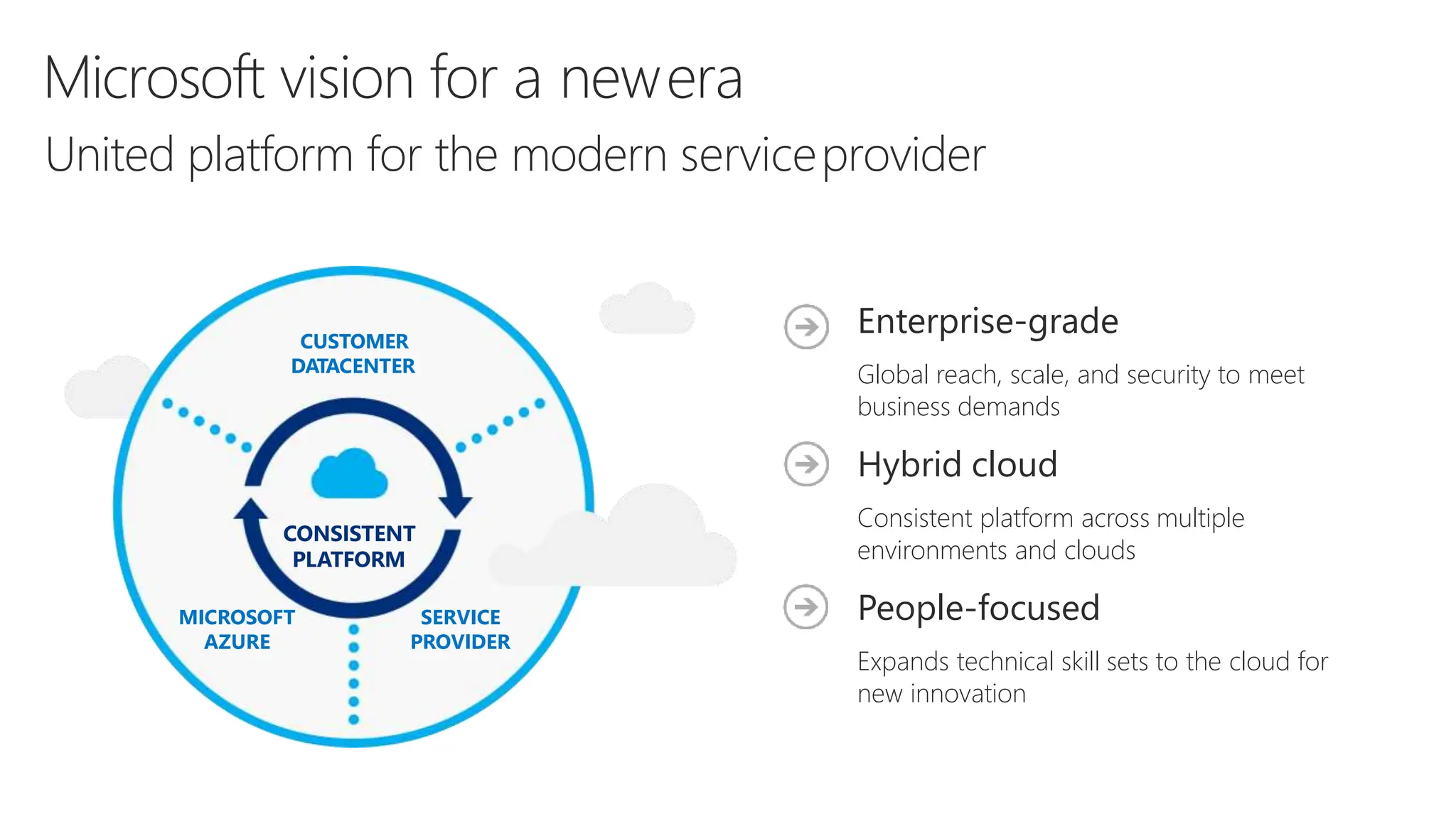
CUSTOMER
DATACENTER
SERVICE
PROVIDER
MICROSOFT
AZURE
CONSISTENT
PLATFORM
Enterprise-grade
Global reach, scale, and security to meet
business demands
Hybrid cloud
Consistent platform across multiple
environments and clouds
People-focused
Expands technical skill sets to the cloud for
new innovation
Microsoft vision for a newera
United platform for the modern serviceprovider
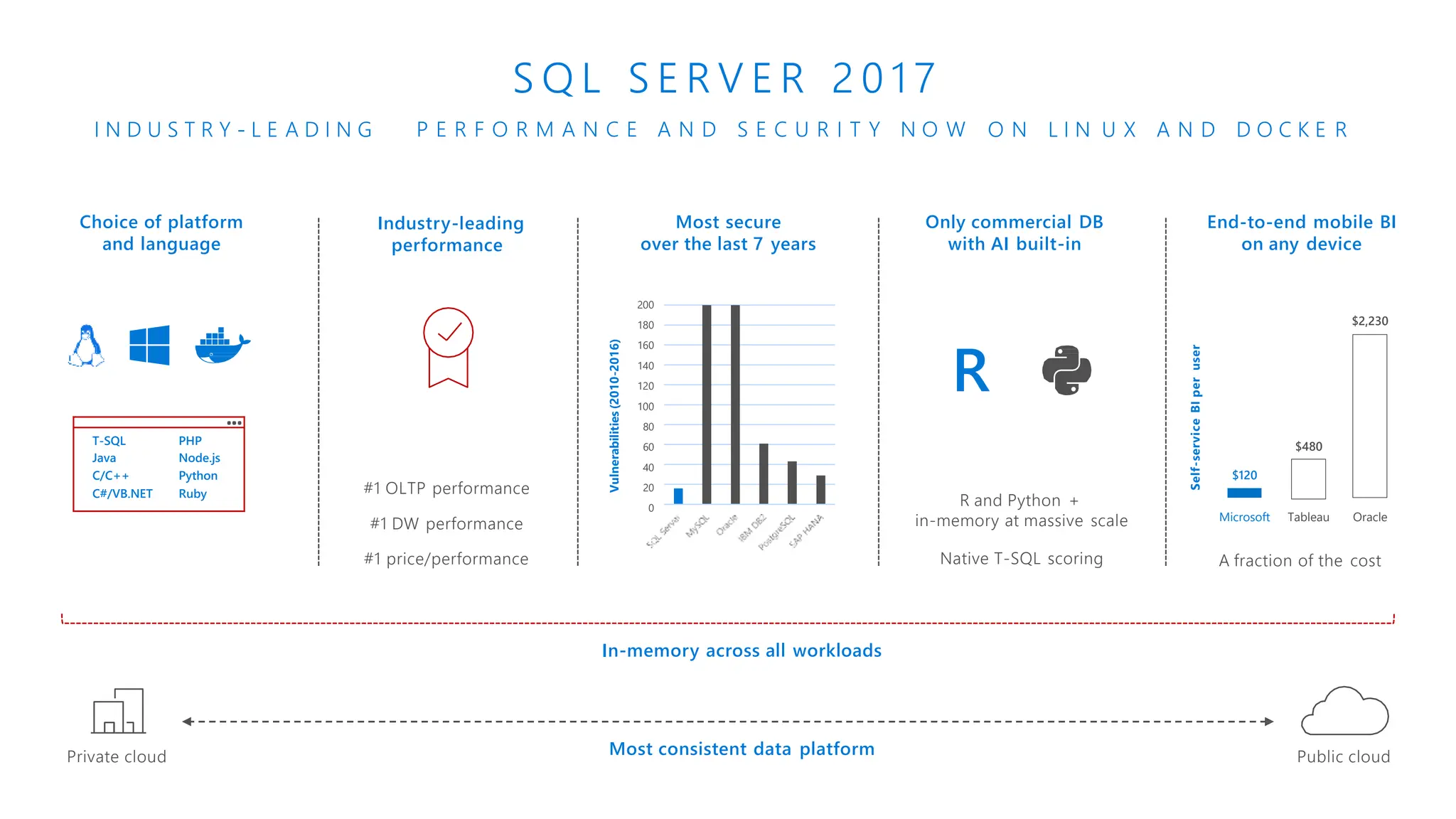
End-to-end mobile BI
on any device
Choice of platform
and language
Most secure
over the last 7 years
200
180
160
140
120
100
80
60
40
20
0
Vulnerabilities
(2010-2016)
A fraction of the cost
Self-service
BI
per
user
Only commercial DB
with AI built-in
Microsoft Tableau Oracle
$120
$480
$2,230
Industry-leading
performance
Most consistent data platform
#1 OLTP performance
#1 DW performance
#1 price/performance
T-SQL PHP
Java Node.js
C/C++ Python
C#/VB.NET Ruby
R
R and Python +
in-memory at massive scale
Native T-SQL scoring
I N D U S T R Y - L E A D I N G
S Q L S E R V E R 2 0 1 7
P E R F O R M A N C E A N D S E C U R I T Y N O W O N L I N U X A N D D O C K E R
Private cloud Public cloud
In-memory across all workloads
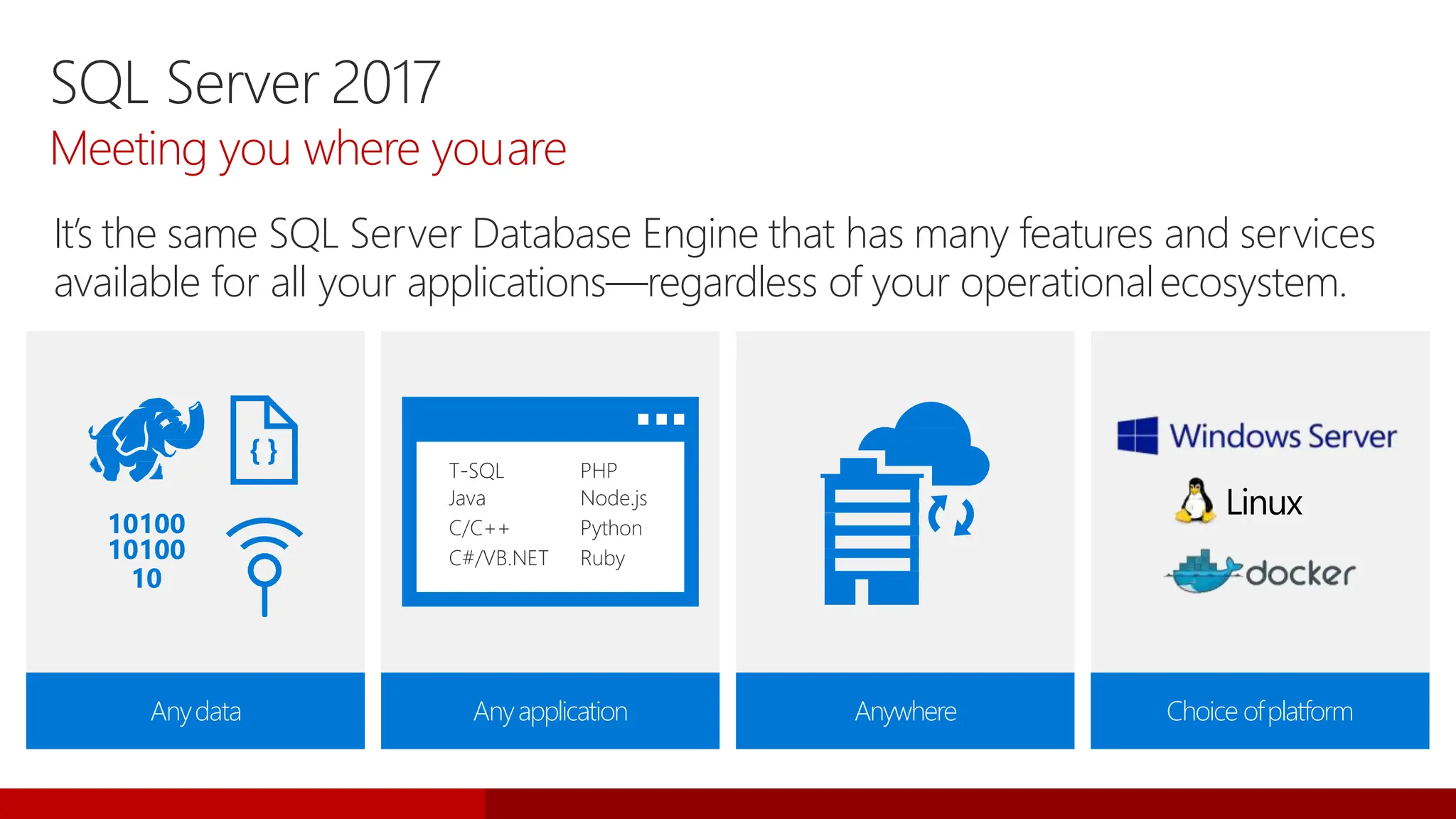
SQL Server 2017
Meeting you where youare
It’s the same SQL Server Database Engine that has many features and services
available for all your applications—regardless of your operationalecosystem.
Linux
Anydata Anyapplication Anywhere Choice ofplatform
T-SQL
Java
C/C++
C#/VB.NET
PHP
Node.js
Python
Ruby
10100
10100
10
{ }
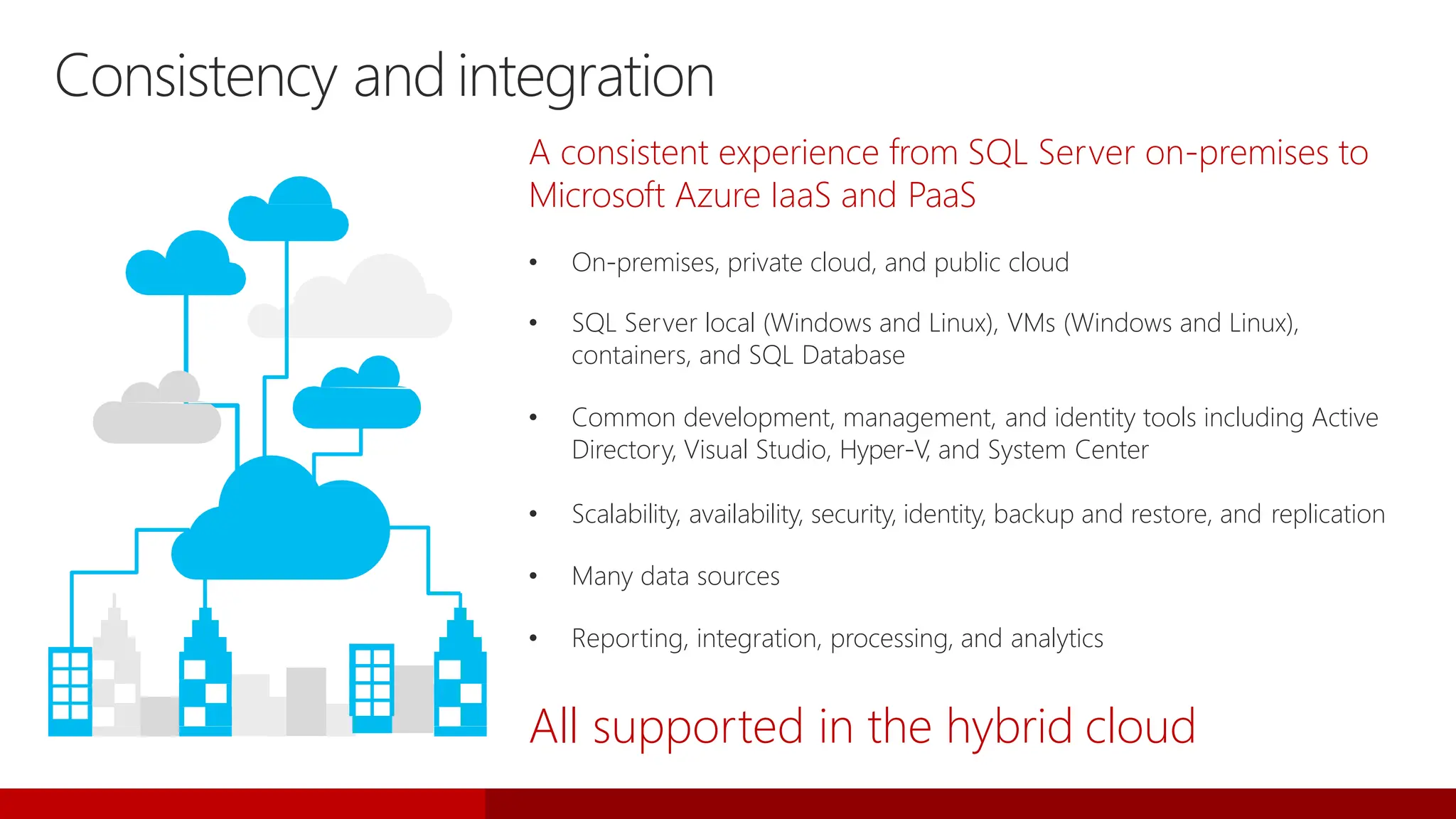
A consistent experience from SQL Server on-premises to
Microsoft Azure IaaS and PaaS
• On-premises, private cloud, and public cloud
• SQL Server local (Windows and Linux), VMs (Windows and Linux),
containers, and SQL Database
• Common development, management, and identity tools including Active
Directory, Visual Studio, Hyper-V, and System Center
• Scalability, availability, security, identity, backup and restore, and replication
• Many data sources
• Reporting, integration, processing, and analytics
All supported in the hybrid cloud
Consistency and integration
SQL Server
2017 New
Features
Database Engine newfeatures
Linux/Docker support
• RHEL, Ubuntu, SLES, andDocker
Adaptive query processing
• Faster queries just by upgrading
• Interleaved execution
• Batch-mode memory grant feedback
• Batch-mode adaptive joins
Database Engine newfeatures
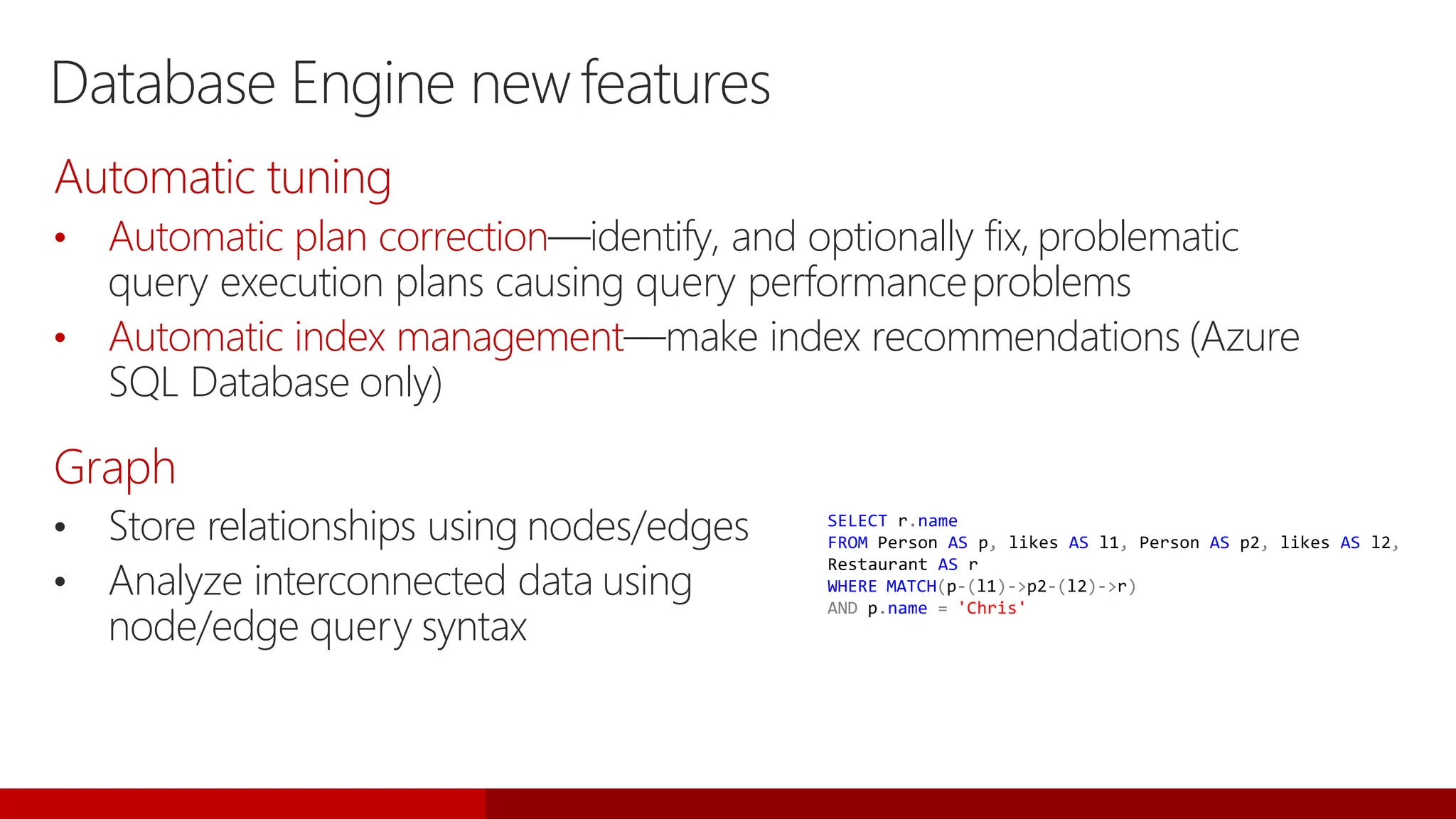
• Store relationships using nodes/edges
• Analyze interconnected data using
node/edge query syntax
SELECT r.name
FROM Person AS p, likes AS l1, Person AS p2, likes AS l2,
Restaurant AS r
WHERE MATCH(p-(l1)->p2-(l2)->r)
AND p.name = 'Chris'
Automatic tuning
• Automatic plan correction—identify, and optionally fix, problematic
query execution plans causing query performanceproblems
• Automatic index management—make index recommendations (Azure
SQL Database only)
Graph
Database Engine newfeatures
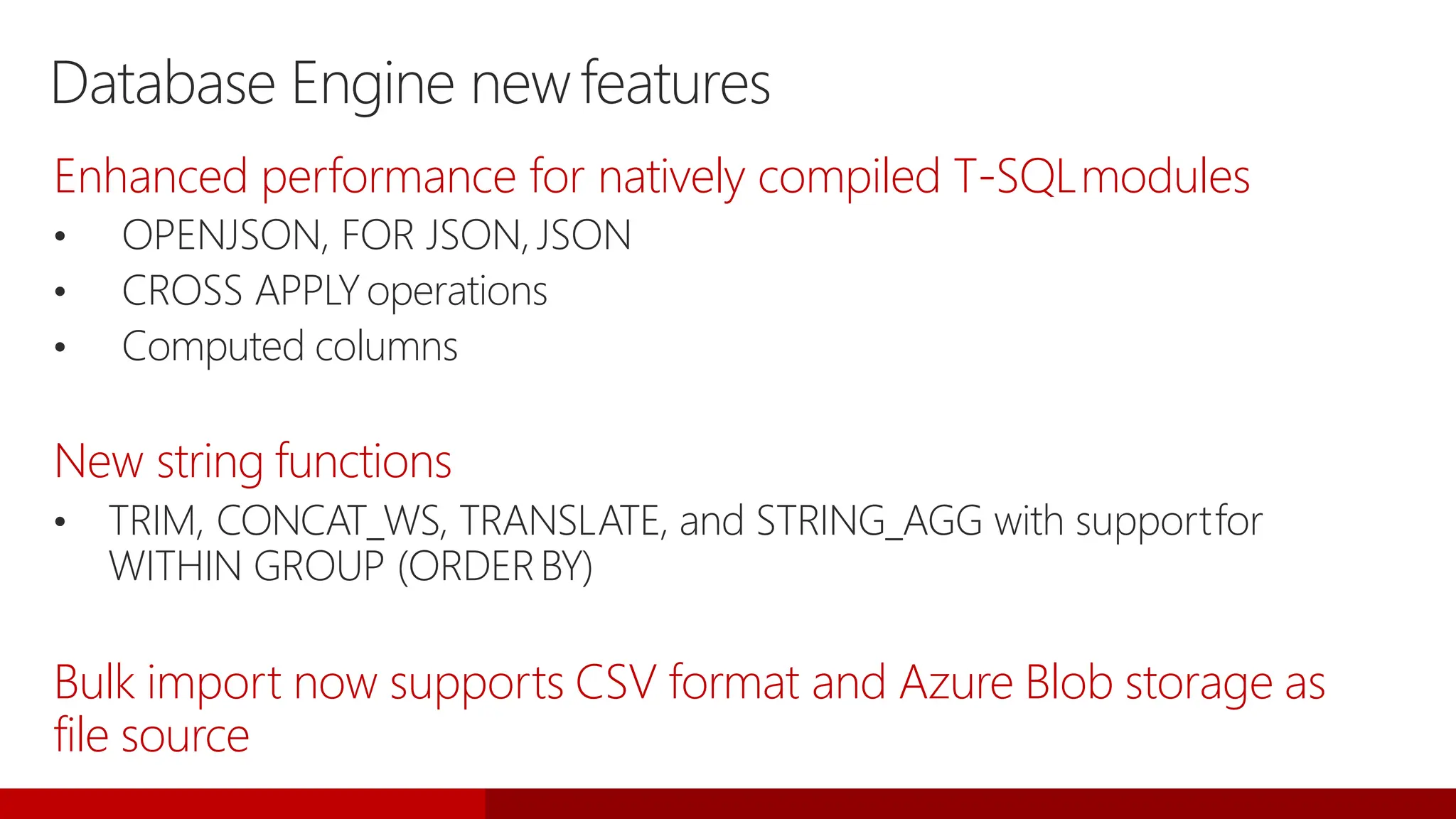
Enhanced performance for natively compiled T-SQLmodules
• OPENJSON, FOR JSON,JSON
• CROSS APPLYoperations
• Computed columns
New string functions
• TRIM, CONCAT_WS, TRANSLATE, and STRING_AGG with supportfor
WITHIN GROUP (ORDERBY)
Bulk import now supports CSV format and Azure Blob storage as
file source
Database Engine newfeatures
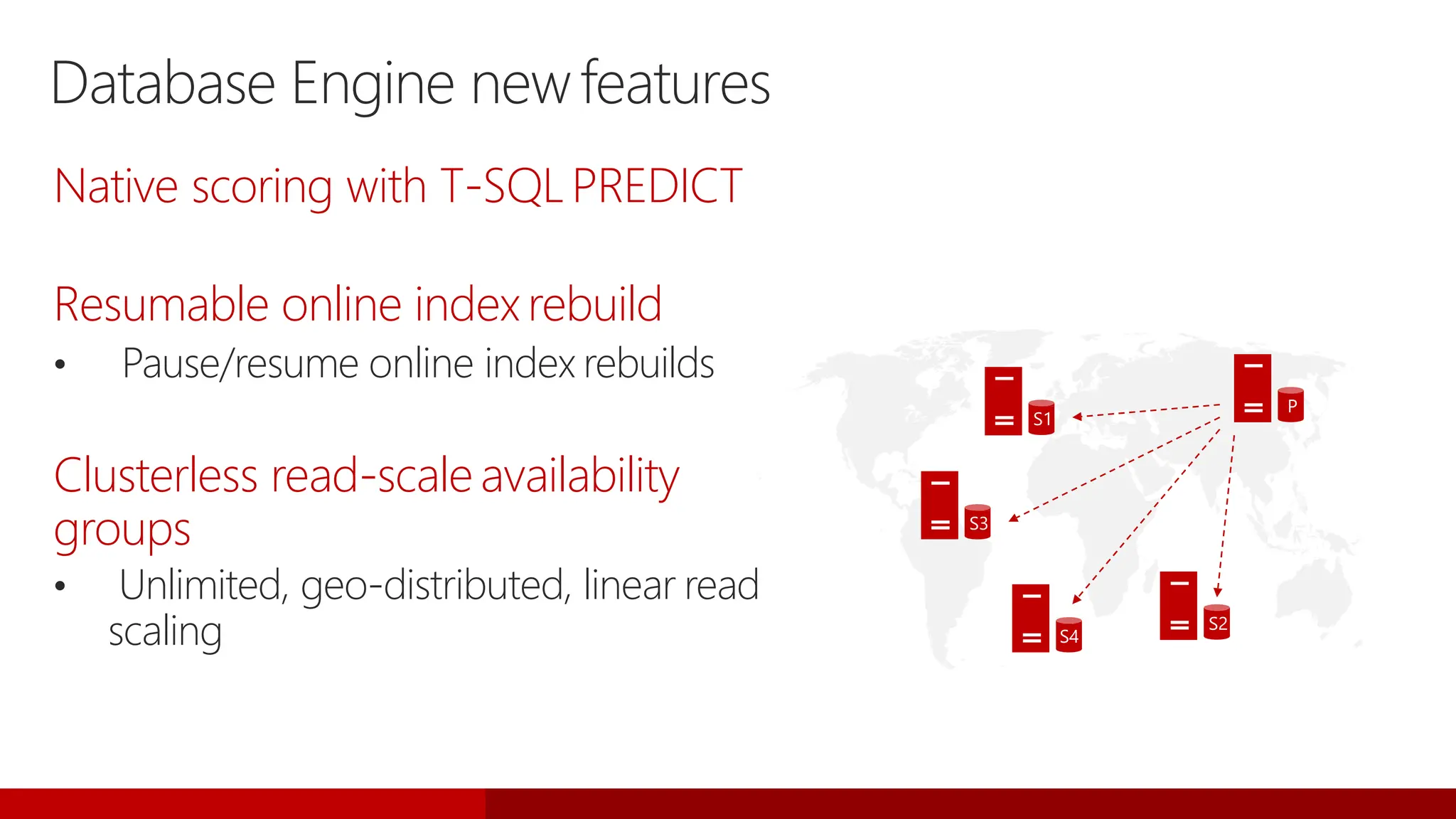
Native scoring with T-SQLPREDICT
Resumable online indexrebuild
• Pause/resume online index rebuilds
Clusterless read-scaleavailability
groups
• Unlimited, geo-distributed, linear read
scaling
P
S1
S2
S3
S4
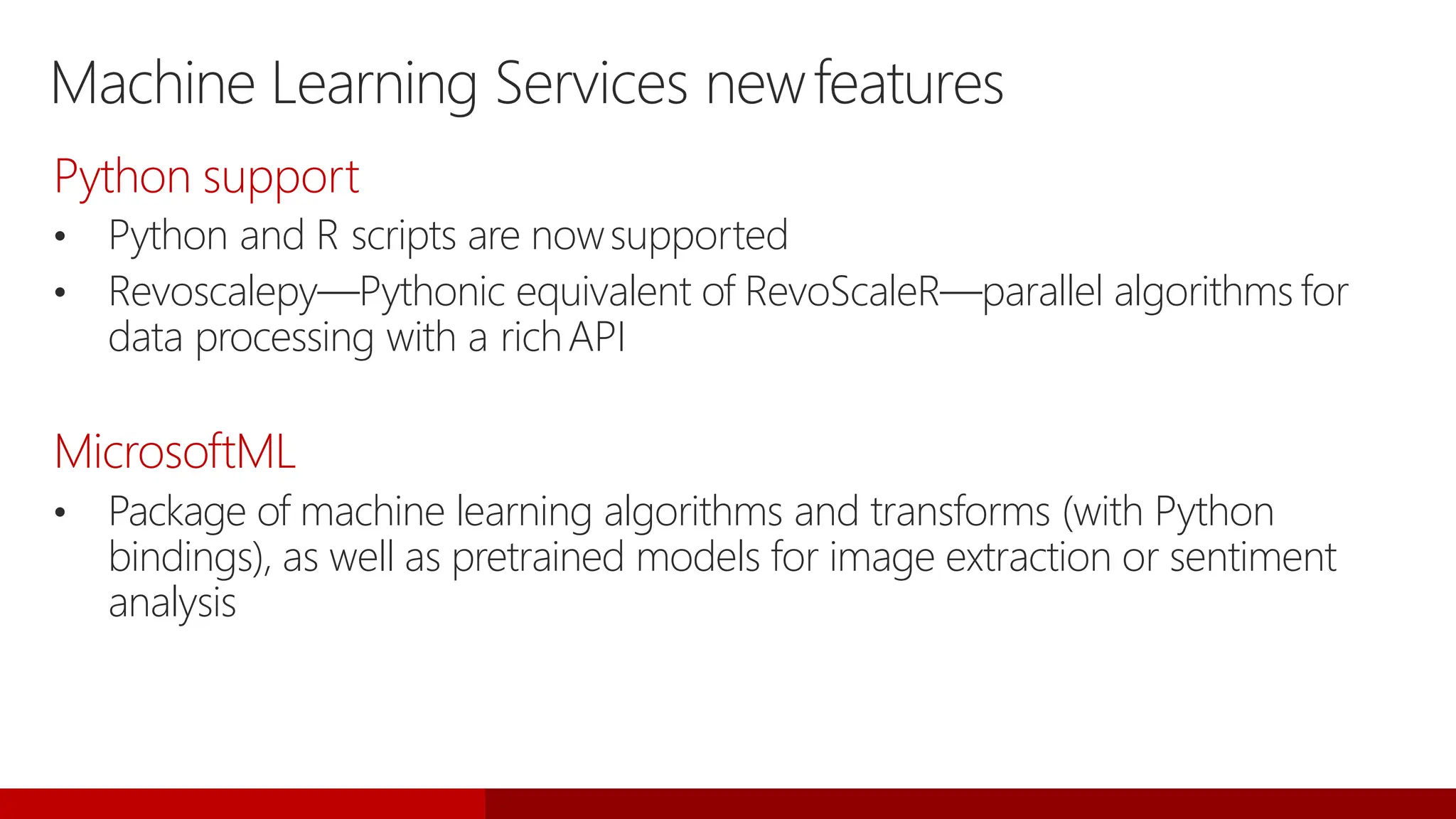
Machine Learning Services newfeatures
Python support
• Python and R scripts are nowsupported
• Revoscalepy—Pythonic equivalent of RevoScaleR—parallel algorithms for
data processing with a richAPI
MicrosoftML
• Package of machine learning algorithms and transforms (with Python
bindings), as well as pretrained models for image extraction or sentiment
analysis
Upgrading to
SQL Server
2017
Upgrade and migrationtools
Data Migration Assistant (DMA)
• Upgrade from previous version of SQL Server (on-premises or SQL Server
2017 in Azure VM)
SQL Server Migration Assistant
• Migrate from Oracle, MySQL, SAP ASE, DB2, or Access to SQL Server 2017
(on-premises or SQL Server 2017 inAzure VM)
Azure Database Migration Service
• Migrate from SQL Server, Oracle, or MySQL to Azure SQL Database or SQL
Server 2017 in AzureVM
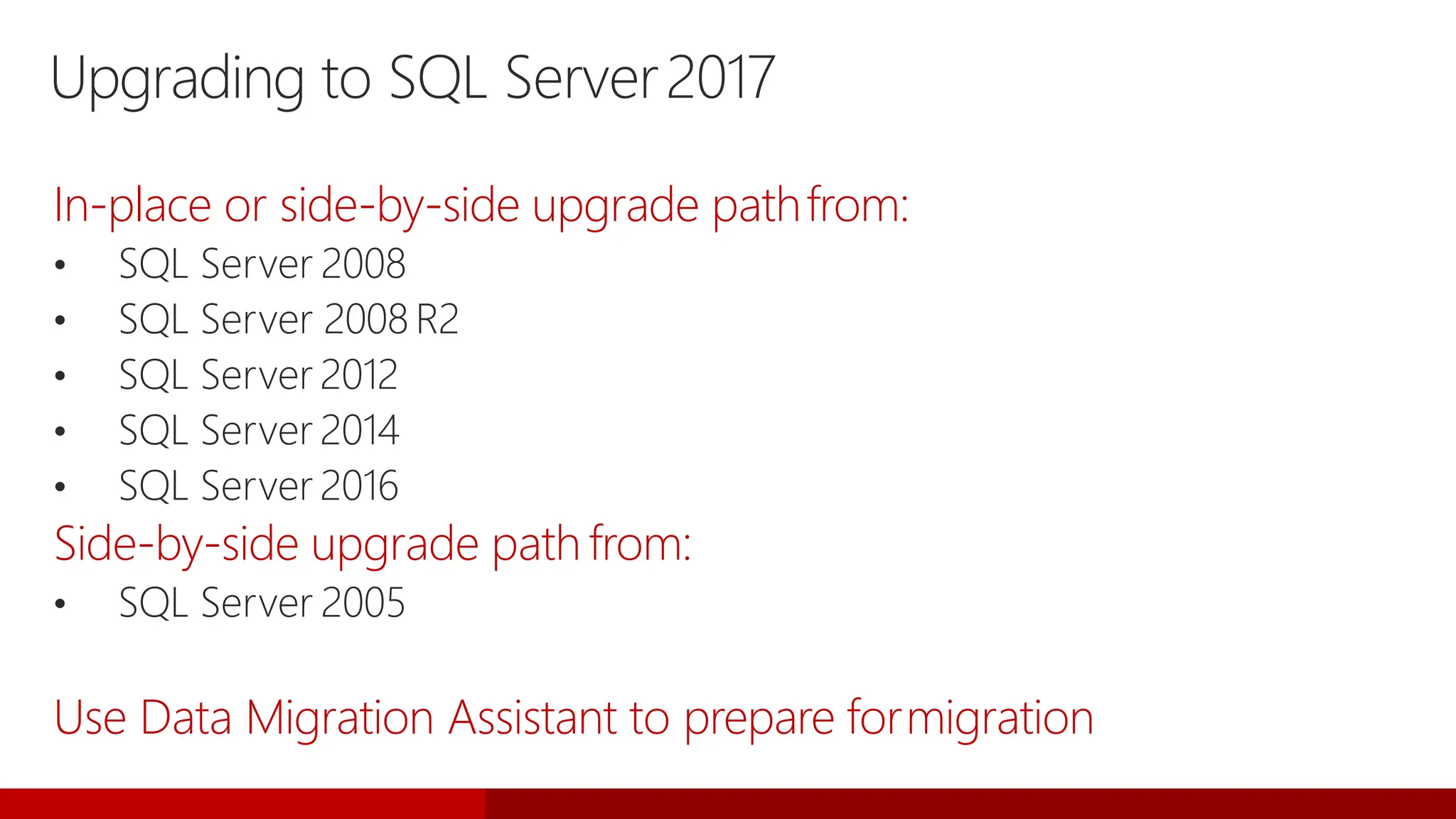
Upgrading to SQL Server2017
In-place or side-by-side upgrade pathfrom:
• SQL Server 2008
• SQL Server 2008R2
• SQL Server 2012
• SQL Server 2014
• SQL Server 2016
Side-by-side upgrade path from:
• SQL Server 2005
Use Data Migration Assistant to prepare formigration
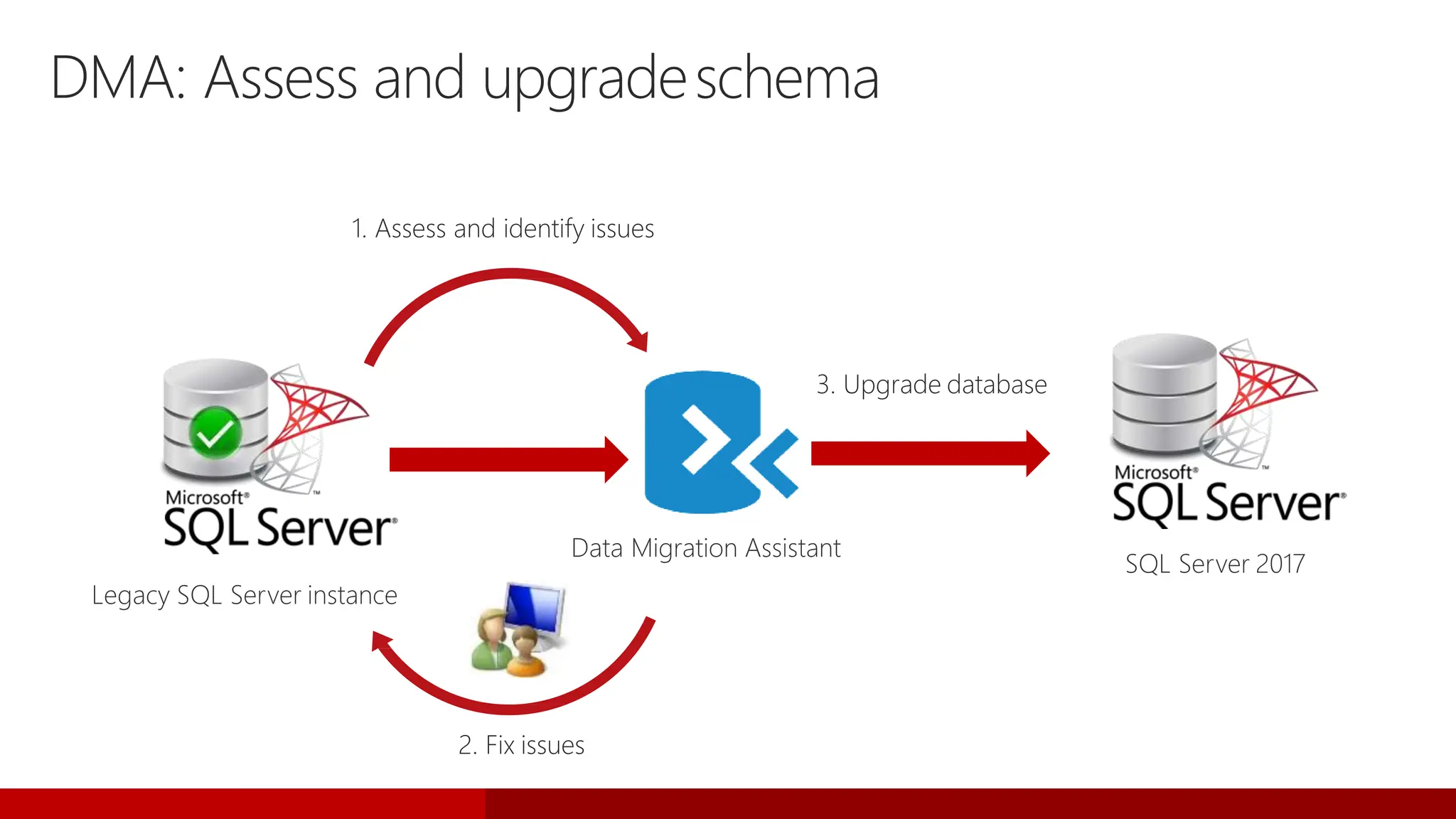
Legacy SQL Server instance
DMA: Assess and upgradeschema
1. Assess and identify issues
2. Fix issues
3. Upgrade database
Data Migration Assistant
SQL Server 2017
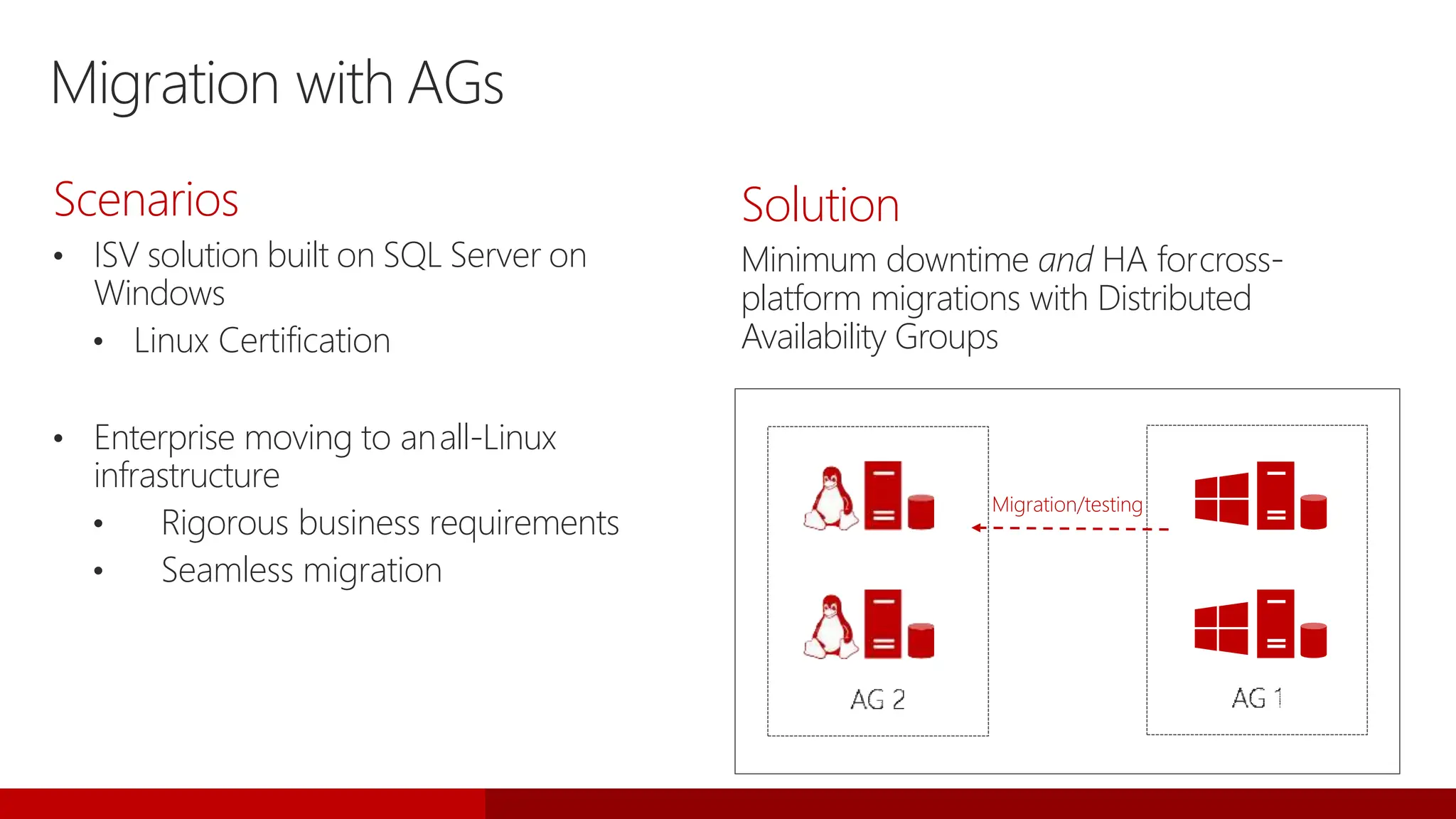
Migration with AGs
Scenarios
• ISV solution built on SQL Server on
Windows
• Linux Certification
• Enterprise moving to anall-Linux
infrastructure
• Rigorous business requirements
• Seamless migration
Solution
Minimum downtime and HA forcross-
platform migrations with Distributed
Availability Groups
Migration/testing
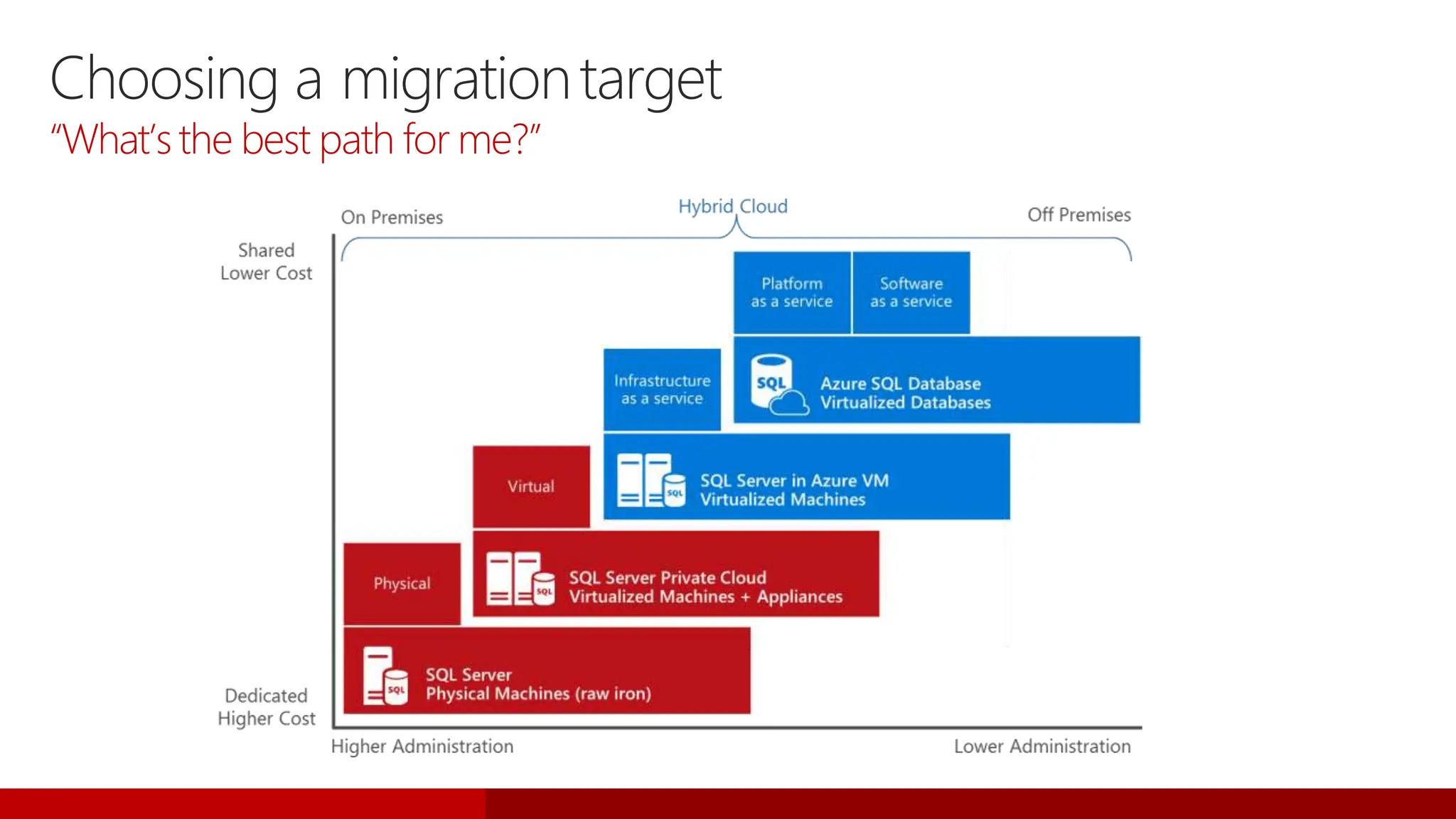
Choosing a migrationtarget
“What’s the best path for me?”
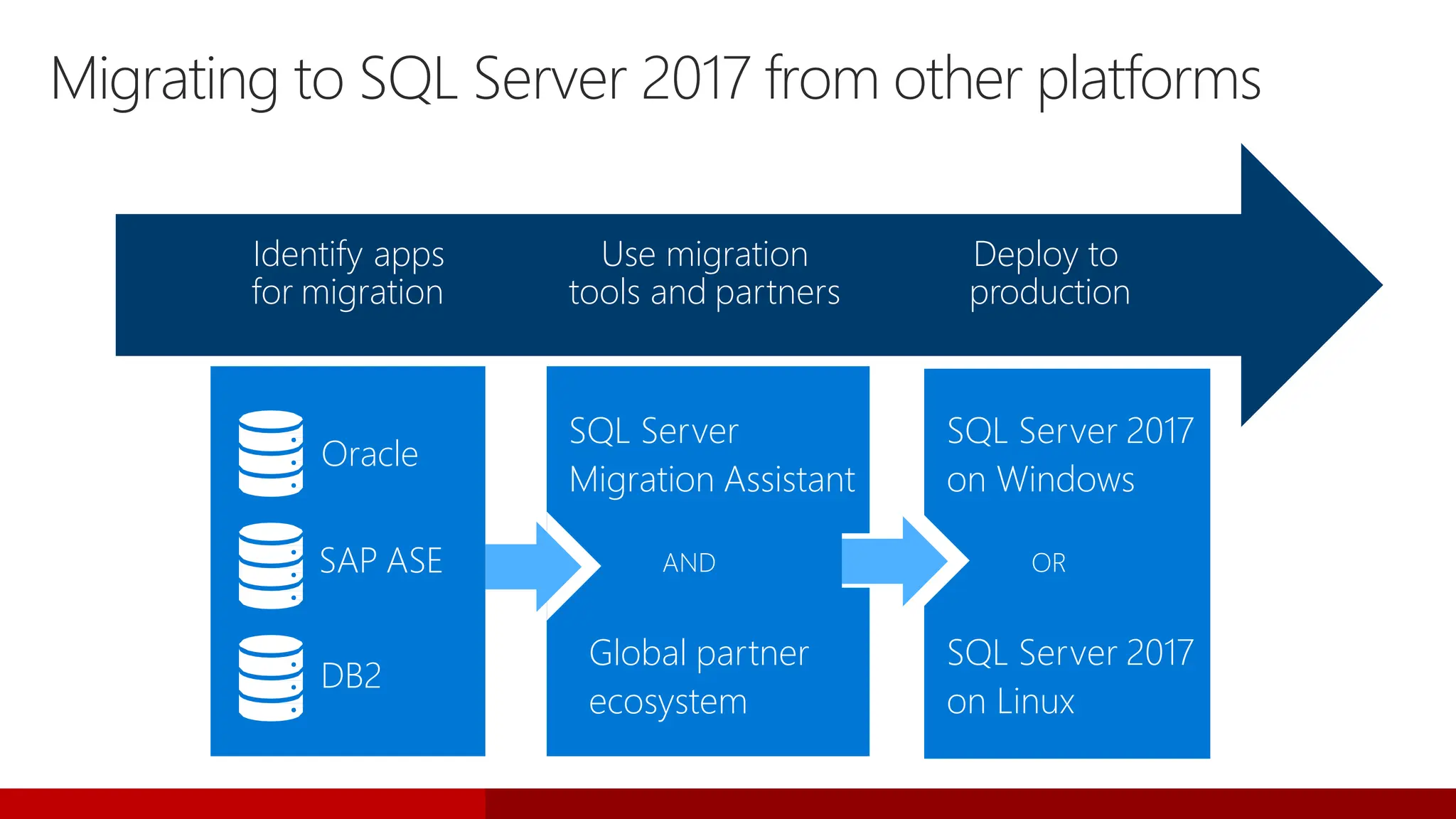
Migrating to SQL Server 2017 from other platforms
Oracle
SAP ASE
DB2
Identify apps
for migration
Use migration
tools and partners
Deploy to
production
Global partner
ecosystem
SQL Server
Migration Assistant
AND
SQL Server 2017
on Linux
SQL Server 2017
on Windows
OR
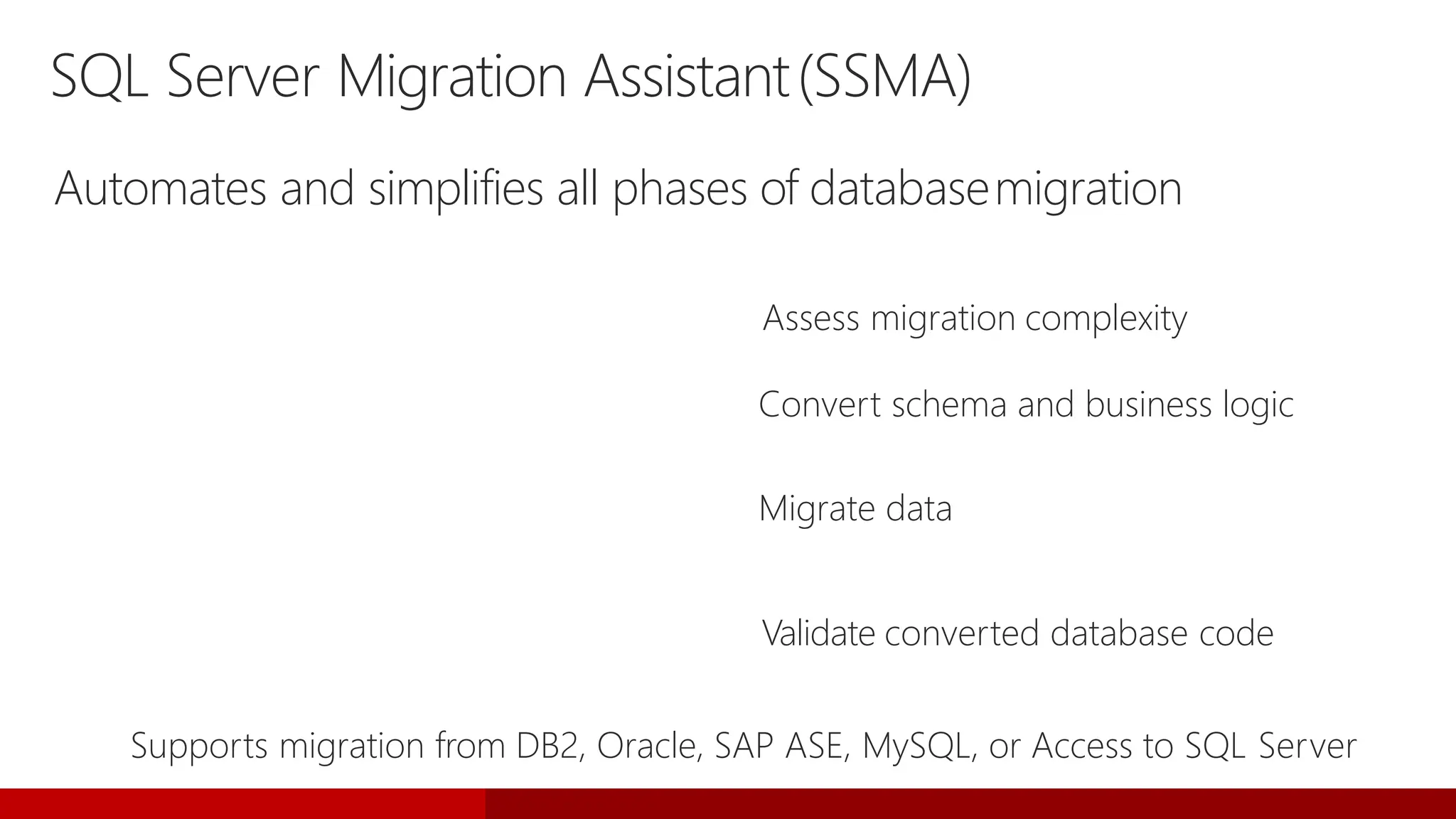
SQL Server Migration Assistant(SSMA)
Automates and simplifies all phases of databasemigration
Migration Analyzer Assess migration complexity
Schema Converter Convert schema and business logic
Data Migrator Migrate data
Migration Tester Validate converted database code
Supports migration from DB2, Oracle, SAP ASE, MySQL, or Access to SQL Server
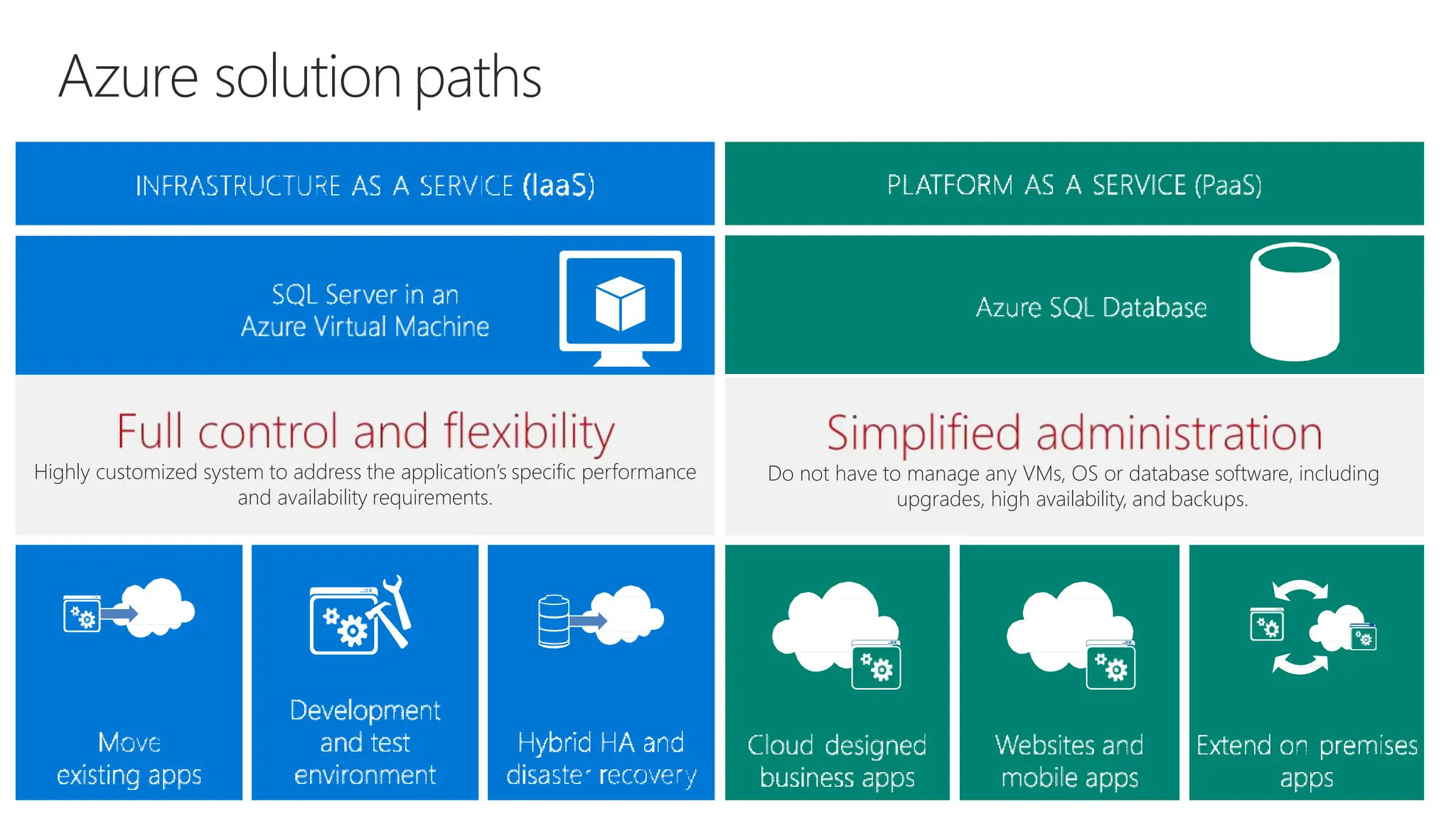
Azure solution paths
Do not have to manage any VMs, OS or database software, including
upgrades, high availability, and backups.
Highly customized system to address the application’s specific performance
and availability requirements.
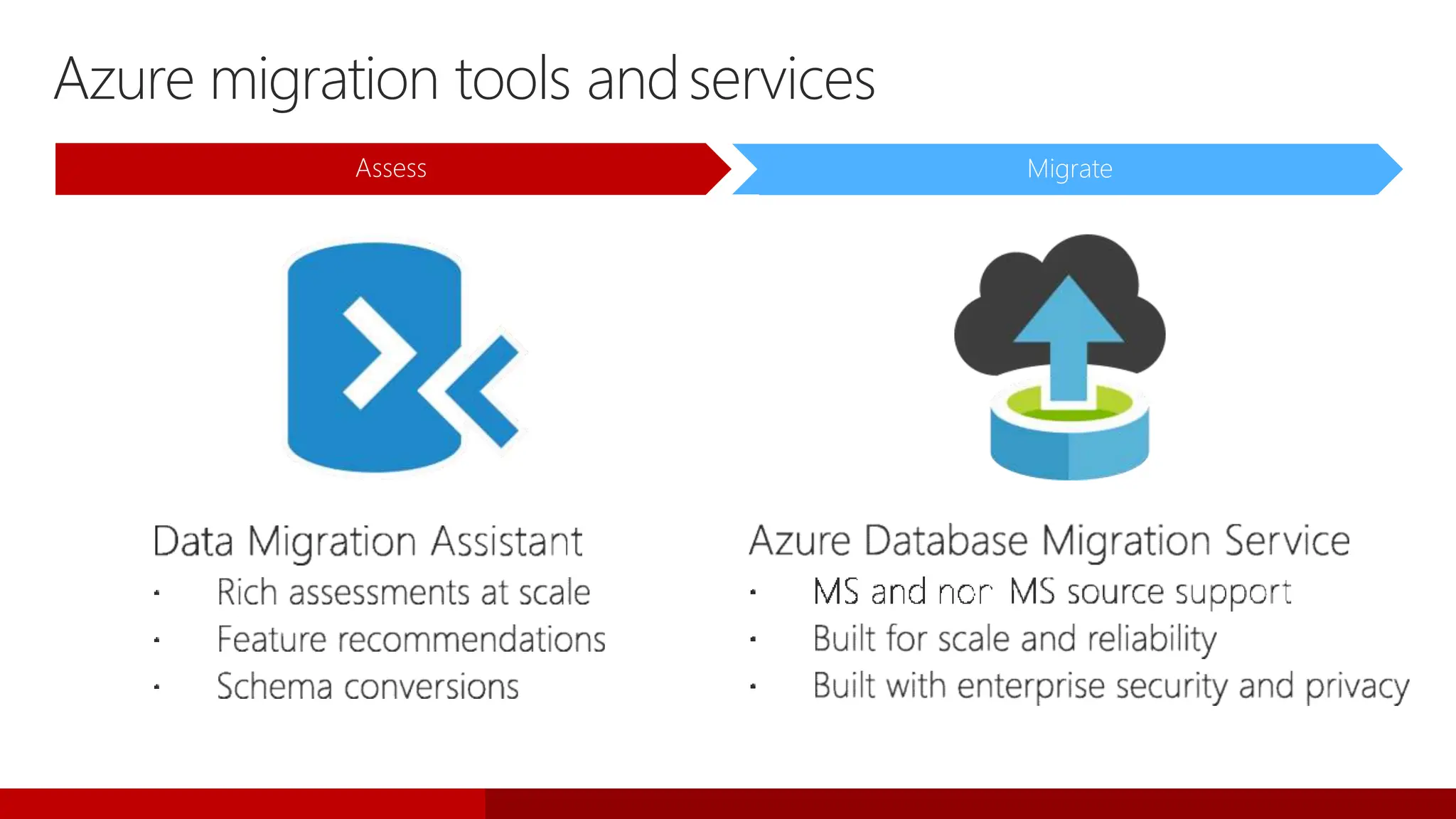
Azure migration tools andservices
Assess Migrate
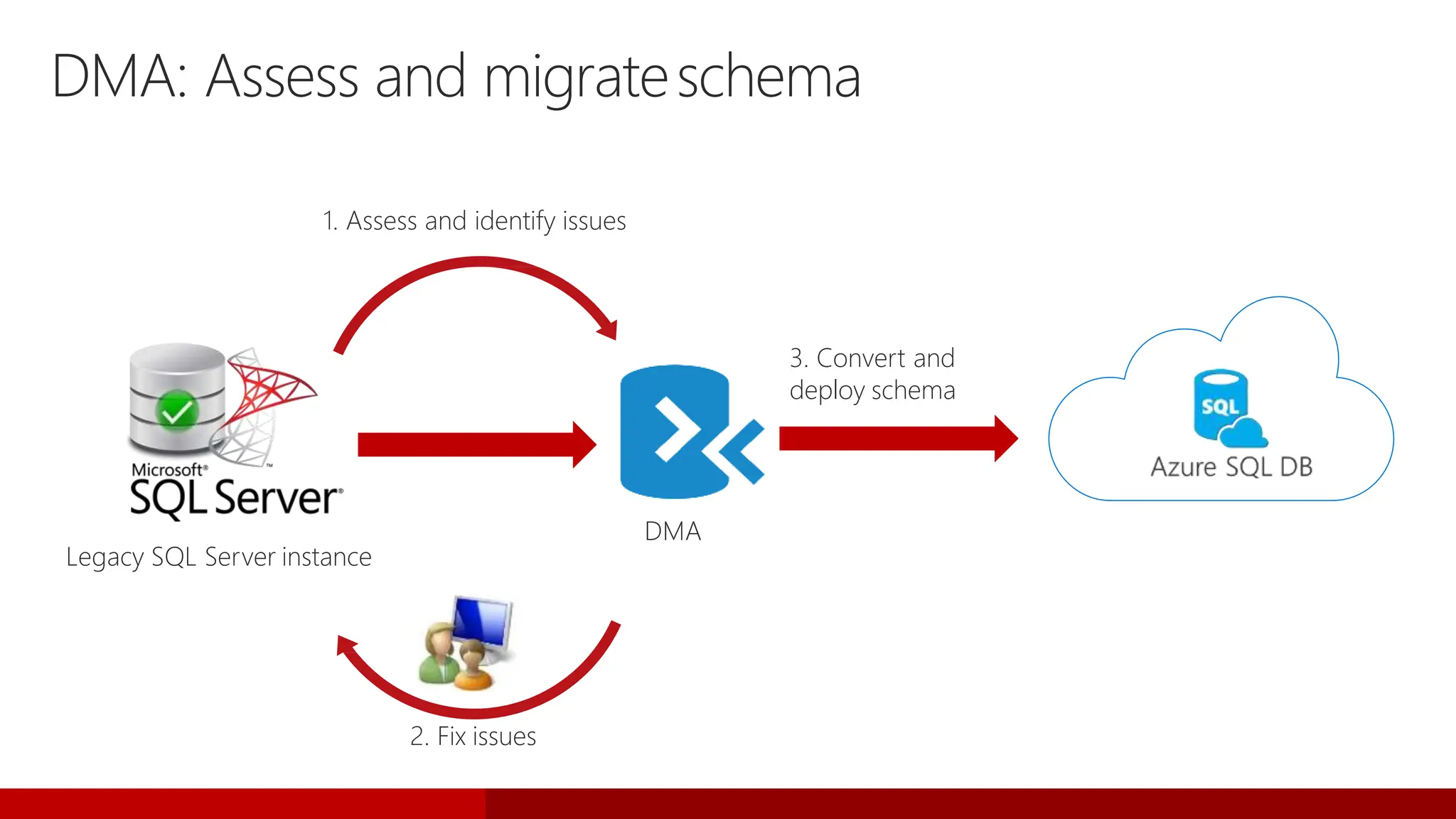
Legacy SQL Server instance
DMA: Assess and migrateschema
1. Assess and identify issues
2. Fix issues
3. Convert and
deploy schema
DMA
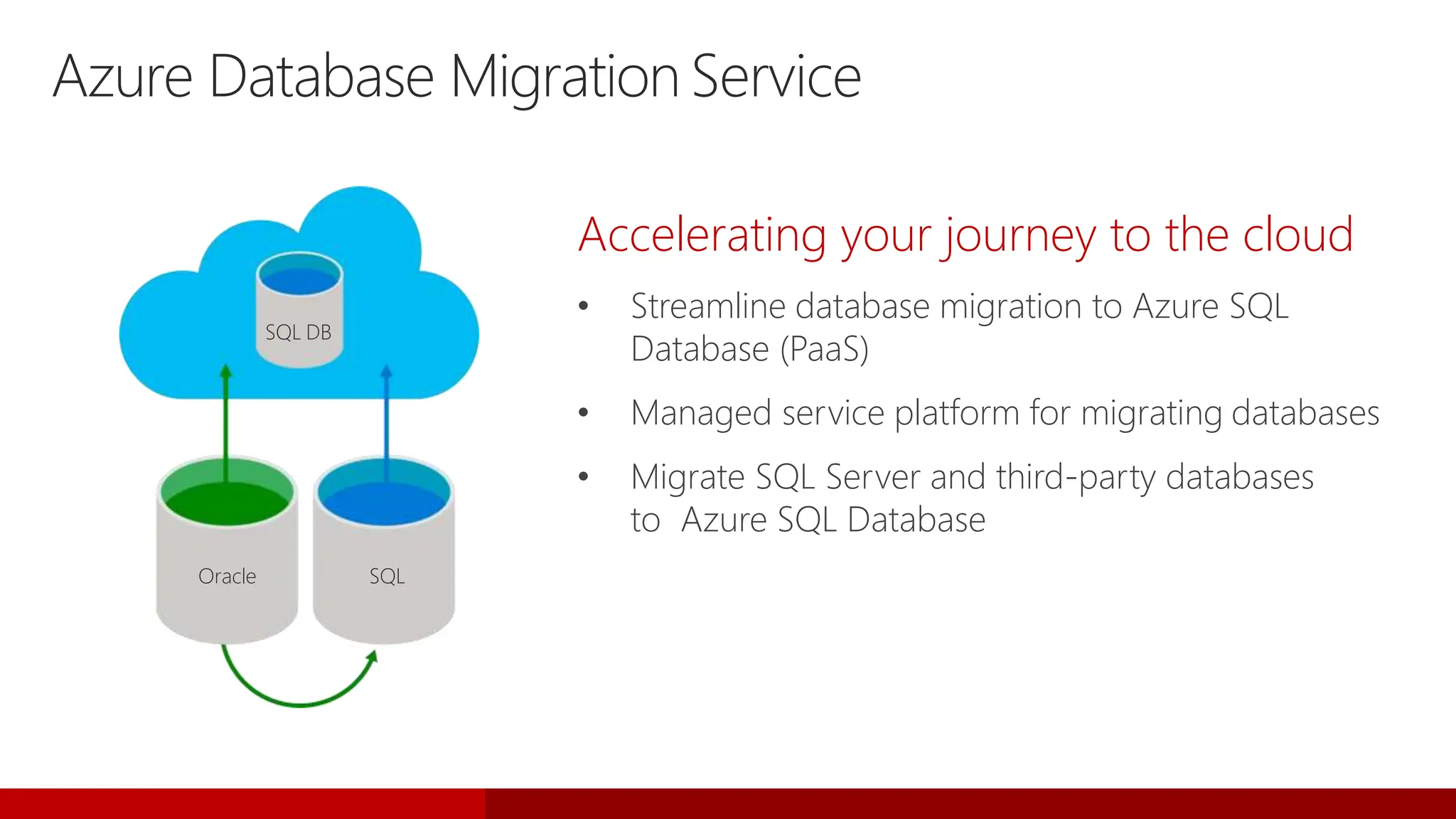
Oracle SQL
SQL DB
Azure Database Migration Service
Accelerating your journey to the cloud
• Streamline database migration to Azure SQL
Database (PaaS)
• Managed service platform for migrating databases
• Migrate SQL Server and third-party databases
to Azure SQL Database
aka.ms/ts/sao-paulo
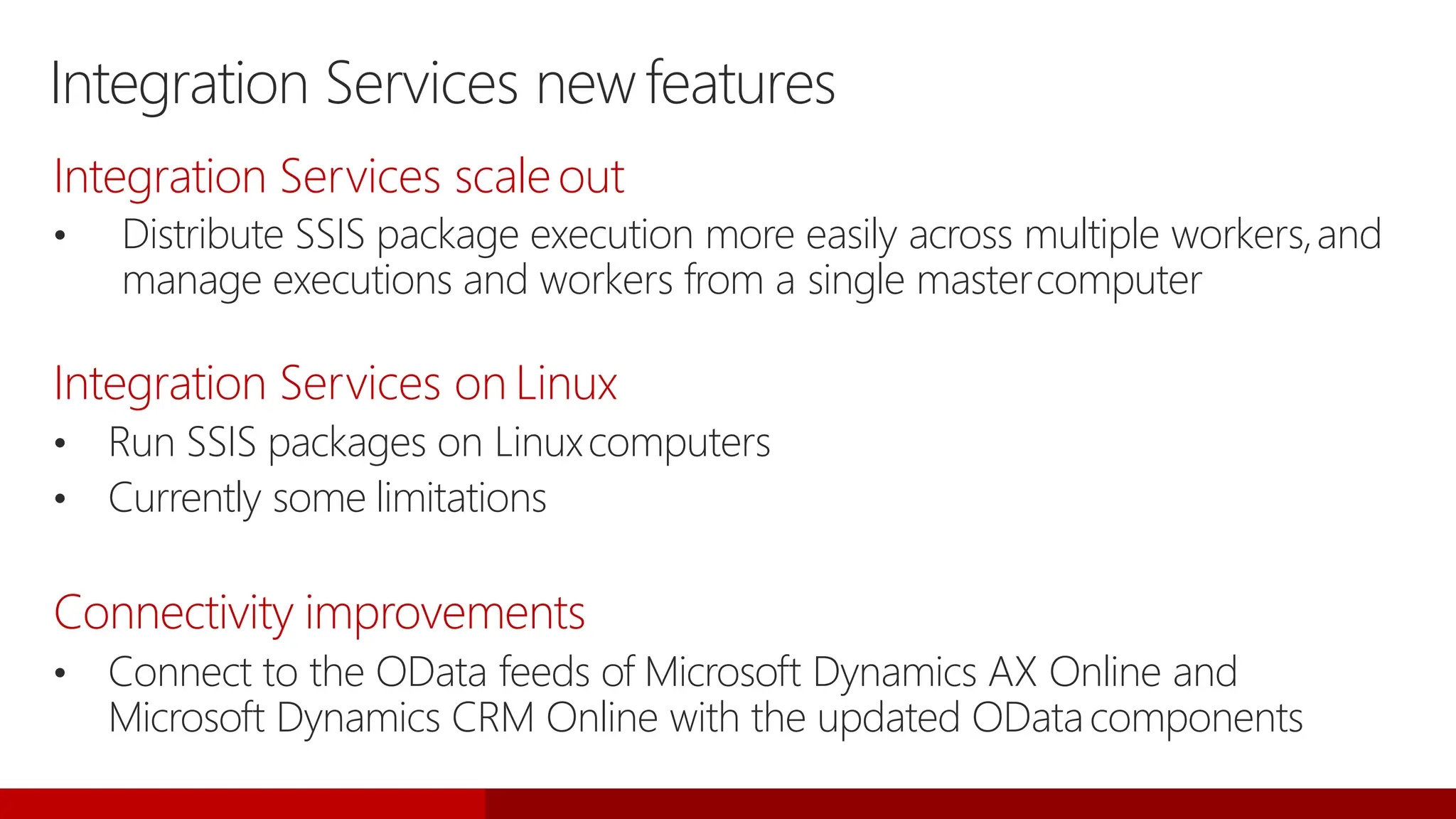
Integration Services newfeatures
Integration Services scaleout
• Distribute SSIS package execution more easily across multiple workers,and
manage executions and workers from a single mastercomputer
Integration Services on Linux
• Run SSIS packages on Linuxcomputers
• Currently some limitations
Connectivity improvements
• Connect to the OData feeds of Microsoft Dynamics AX Online and
Microsoft Dynamics CRM Online with the updated ODatacomponents
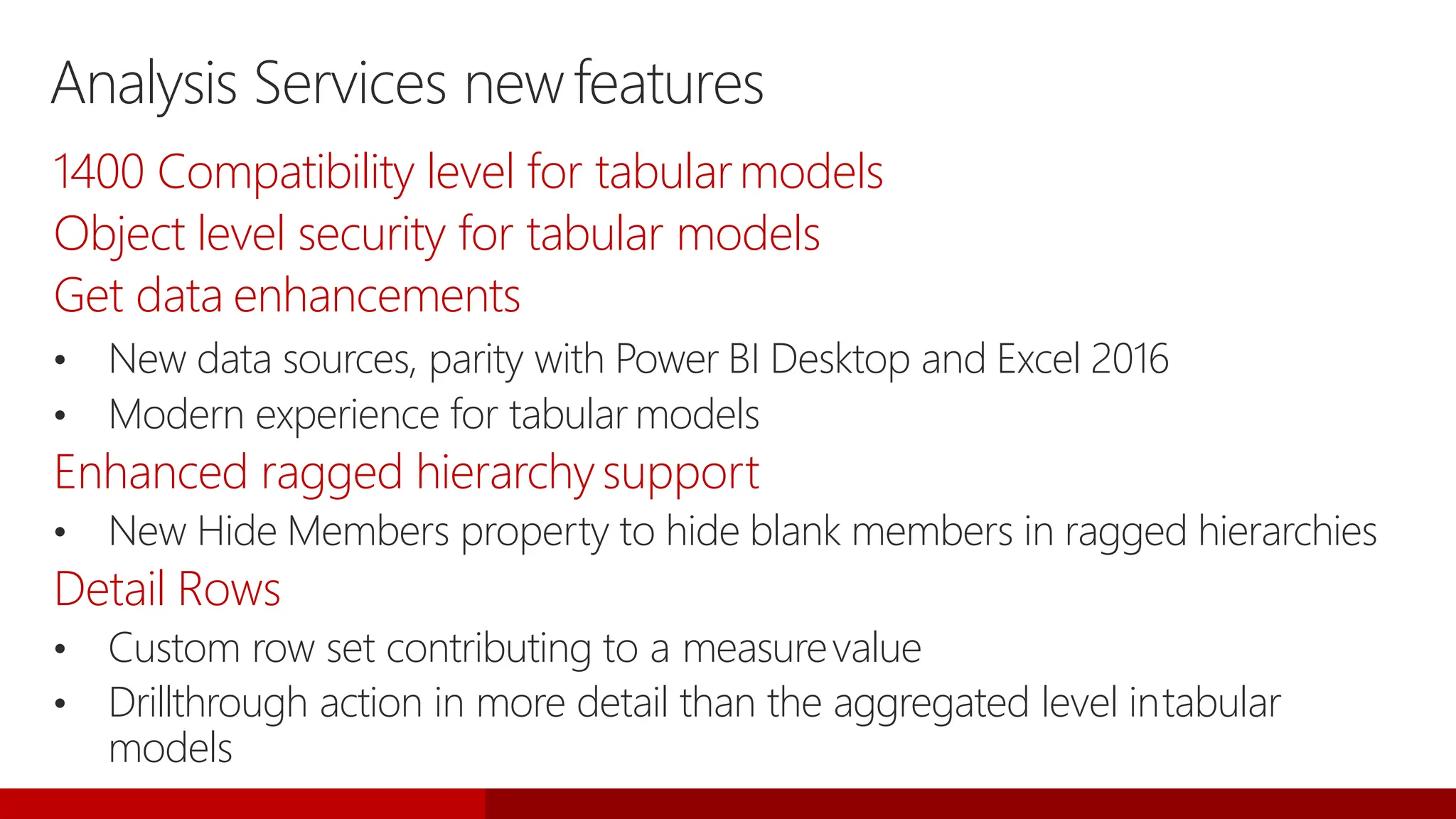
Analysis Services newfeatures
1400 Compatibility level for tabularmodels
Object level security for tabular models
Get data enhancements
• New data sources, parity with Power BI Desktop and Excel 2016
• Modern experience for tabular models
Enhanced ragged hierarchysupport
• New Hide Members property to hide blank members in ragged hierarchies
Detail Rows
• Custom row set contributing to a measurevalue
• Drillthrough action in more detail than the aggregated level intabular
models
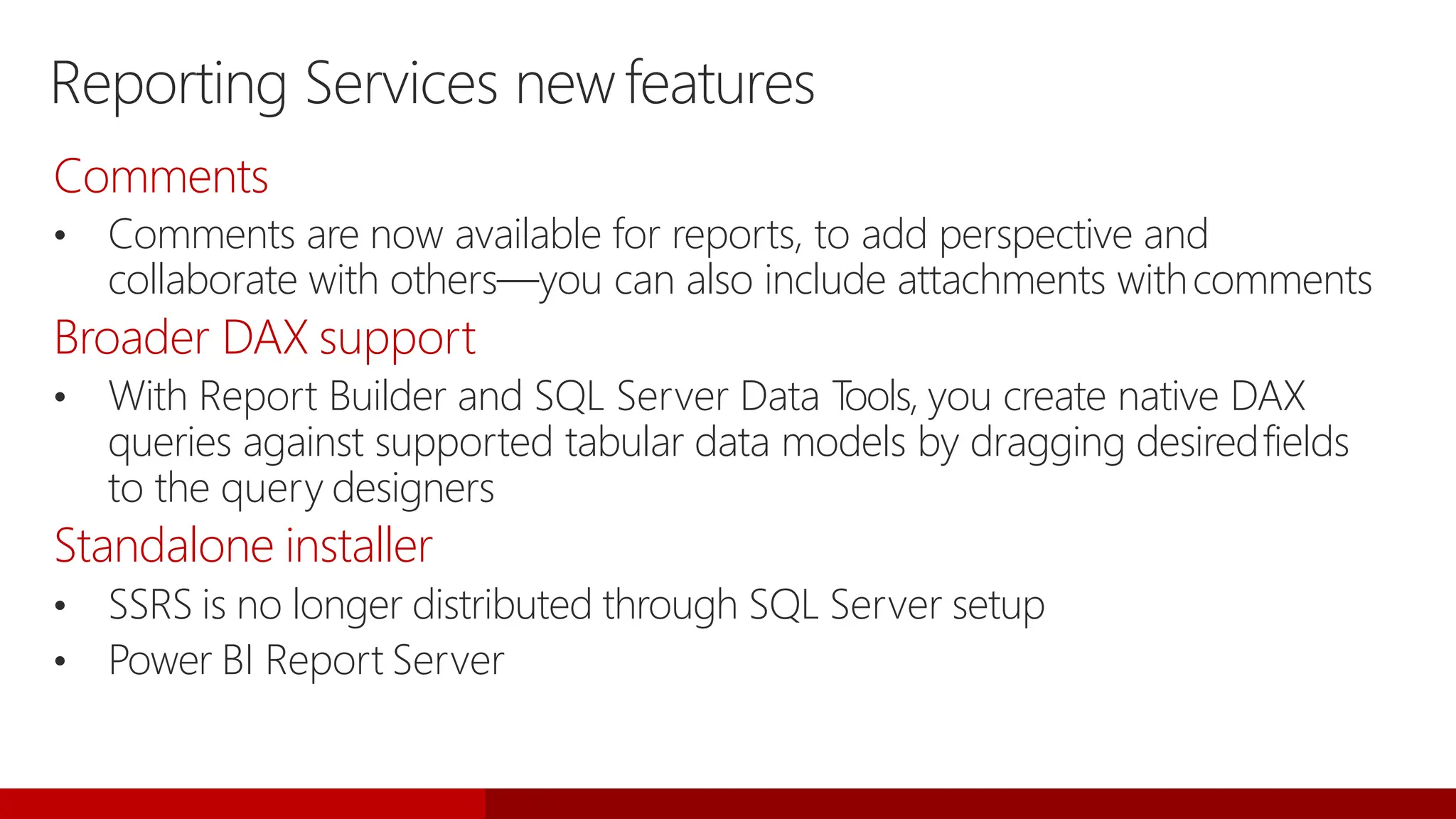
Reporting Services newfeatures
Comments
• Comments are now available for reports, to add perspective and
collaborate with others—you can also include attachments withcomments
Broader DAX support
• With Report Builder and SQL Server Data T
ools, you create native DAX
queries against supported tabular data models by dragging desiredfields
to the query designers
Standalone installer
• SSRS is no longer distributed through SQL Server setup
• Power BI Report Server
BRK2045_Upgrade-SQL-Server-2017-On-Prem-IaaS-and-PaaS_final.pptx

BRK2045_Upgrade-SQL-Server-2017-On-Prem-IaaS-and-PaaS_final.pptx

  • 2.
    CUSTOMER DATACENTER SERVICE PROVIDER MICROSOFT AZURE CONSISTENT PLATFORM Enterprise-grade Global reach, scale,and security to meet business demands Hybrid cloud Consistent platform across multiple environments and clouds People-focused Expands technical skill sets to the cloud for new innovation Microsoft vision for a newera United platform for the modern serviceprovider
  • 3.
    End-to-end mobile BI onany device Choice of platform and language Most secure over the last 7 years 200 180 160 140 120 100 80 60 40 20 0 Vulnerabilities (2010-2016) A fraction of the cost Self-service BI per user Only commercial DB with AI built-in Microsoft Tableau Oracle $120 $480 $2,230 Industry-leading performance Most consistent data platform #1 OLTP performance #1 DW performance #1 price/performance T-SQL PHP Java Node.js C/C++ Python C#/VB.NET Ruby R R and Python + in-memory at massive scale Native T-SQL scoring I N D U S T R Y - L E A D I N G S Q L S E R V E R 2 0 1 7 P E R F O R M A N C E A N D S E C U R I T Y N O W O N L I N U X A N D D O C K E R Private cloud Public cloud In-memory across all workloads
  • 4.
    SQL Server 2017 Meetingyou where youare It’s the same SQL Server Database Engine that has many features and services available for all your applications—regardless of your operationalecosystem. Linux Anydata Anyapplication Anywhere Choice ofplatform T-SQL Java C/C++ C#/VB.NET PHP Node.js Python Ruby 10100 10100 10 { }
  • 5.
    A consistent experiencefrom SQL Server on-premises to Microsoft Azure IaaS and PaaS • On-premises, private cloud, and public cloud • SQL Server local (Windows and Linux), VMs (Windows and Linux), containers, and SQL Database • Common development, management, and identity tools including Active Directory, Visual Studio, Hyper-V, and System Center • Scalability, availability, security, identity, backup and restore, and replication • Many data sources • Reporting, integration, processing, and analytics All supported in the hybrid cloud Consistency and integration
  • 6.
  • 7.
    Database Engine newfeatures Linux/Dockersupport • RHEL, Ubuntu, SLES, andDocker Adaptive query processing • Faster queries just by upgrading • Interleaved execution • Batch-mode memory grant feedback • Batch-mode adaptive joins
  • 8.
    Database Engine newfeatures •Store relationships using nodes/edges • Analyze interconnected data using node/edge query syntax SELECT r.name FROM Person AS p, likes AS l1, Person AS p2, likes AS l2, Restaurant AS r WHERE MATCH(p-(l1)->p2-(l2)->r) AND p.name = 'Chris' Automatic tuning • Automatic plan correction—identify, and optionally fix, problematic query execution plans causing query performanceproblems • Automatic index management—make index recommendations (Azure SQL Database only) Graph
  • 9.
    Database Engine newfeatures Enhancedperformance for natively compiled T-SQLmodules • OPENJSON, FOR JSON,JSON • CROSS APPLYoperations • Computed columns New string functions • TRIM, CONCAT_WS, TRANSLATE, and STRING_AGG with supportfor WITHIN GROUP (ORDERBY) Bulk import now supports CSV format and Azure Blob storage as file source
  • 10.
    Database Engine newfeatures Nativescoring with T-SQLPREDICT Resumable online indexrebuild • Pause/resume online index rebuilds Clusterless read-scaleavailability groups • Unlimited, geo-distributed, linear read scaling P S1 S2 S3 S4
  • 11.
    Machine Learning Servicesnewfeatures Python support • Python and R scripts are nowsupported • Revoscalepy—Pythonic equivalent of RevoScaleR—parallel algorithms for data processing with a richAPI MicrosoftML • Package of machine learning algorithms and transforms (with Python bindings), as well as pretrained models for image extraction or sentiment analysis
  • 12.
  • 13.
    Upgrade and migrationtools DataMigration Assistant (DMA) • Upgrade from previous version of SQL Server (on-premises or SQL Server 2017 in Azure VM) SQL Server Migration Assistant • Migrate from Oracle, MySQL, SAP ASE, DB2, or Access to SQL Server 2017 (on-premises or SQL Server 2017 inAzure VM) Azure Database Migration Service • Migrate from SQL Server, Oracle, or MySQL to Azure SQL Database or SQL Server 2017 in AzureVM
  • 14.
    Upgrading to SQLServer2017 In-place or side-by-side upgrade pathfrom: • SQL Server 2008 • SQL Server 2008R2 • SQL Server 2012 • SQL Server 2014 • SQL Server 2016 Side-by-side upgrade path from: • SQL Server 2005 Use Data Migration Assistant to prepare formigration
  • 15.
    Legacy SQL Serverinstance DMA: Assess and upgradeschema 1. Assess and identify issues 2. Fix issues 3. Upgrade database Data Migration Assistant SQL Server 2017
  • 16.
    Migration with AGs Scenarios •ISV solution built on SQL Server on Windows • Linux Certification • Enterprise moving to anall-Linux infrastructure • Rigorous business requirements • Seamless migration Solution Minimum downtime and HA forcross- platform migrations with Distributed Availability Groups Migration/testing
  • 17.
  • 18.
    Migrating to SQLServer 2017 from other platforms Oracle SAP ASE DB2 Identify apps for migration Use migration tools and partners Deploy to production Global partner ecosystem SQL Server Migration Assistant AND SQL Server 2017 on Linux SQL Server 2017 on Windows OR
  • 19.
    SQL Server MigrationAssistant(SSMA) Automates and simplifies all phases of databasemigration Migration Analyzer Assess migration complexity Schema Converter Convert schema and business logic Data Migrator Migrate data Migration Tester Validate converted database code Supports migration from DB2, Oracle, SAP ASE, MySQL, or Access to SQL Server
  • 20.
    Azure solution paths Donot have to manage any VMs, OS or database software, including upgrades, high availability, and backups. Highly customized system to address the application’s specific performance and availability requirements.
  • 21.
    Azure migration toolsandservices Assess Migrate
  • 22.
    Legacy SQL Serverinstance DMA: Assess and migrateschema 1. Assess and identify issues 2. Fix issues 3. Convert and deploy schema DMA
  • 23.
    Oracle SQL SQL DB AzureDatabase Migration Service Accelerating your journey to the cloud • Streamline database migration to Azure SQL Database (PaaS) • Managed service platform for migrating databases • Migrate SQL Server and third-party databases to Azure SQL Database
  • 24.
  • 27.
    Integration Services newfeatures IntegrationServices scaleout • Distribute SSIS package execution more easily across multiple workers,and manage executions and workers from a single mastercomputer Integration Services on Linux • Run SSIS packages on Linuxcomputers • Currently some limitations Connectivity improvements • Connect to the OData feeds of Microsoft Dynamics AX Online and Microsoft Dynamics CRM Online with the updated ODatacomponents
  • 28.
    Analysis Services newfeatures 1400Compatibility level for tabularmodels Object level security for tabular models Get data enhancements • New data sources, parity with Power BI Desktop and Excel 2016 • Modern experience for tabular models Enhanced ragged hierarchysupport • New Hide Members property to hide blank members in ragged hierarchies Detail Rows • Custom row set contributing to a measurevalue • Drillthrough action in more detail than the aggregated level intabular models
  • 29.
    Reporting Services newfeatures Comments •Comments are now available for reports, to add perspective and collaborate with others—you can also include attachments withcomments Broader DAX support • With Report Builder and SQL Server Data T ools, you create native DAX queries against supported tabular data models by dragging desiredfields to the query designers Standalone installer • SSRS is no longer distributed through SQL Server setup • Power BI Report Server