
Wiki Based Automation Testing :
Fitnesse &DevOps
April 23, 2016
Subrato Ranjan Das
Agenda:
Quick takeways
Description of the Tool - 2
Advantages of Fitnesse - 2
Integration
of Fitnesse with Selenium (Browser testing), J-
Shell (Unix testing) and JDBC (DB testing) -15
Exceptions handing scenario’s in Automation testing -
10
How to use Fitnesse for DevOps -5
Practical Example - 5
Best Practices for Automation testing - 2
Tool selections ideas - 10
Q&A - 10
2
Quick Takeaways:
Awareness of wiki based automation testing frameworks
Automation tool selection process
How to increase turn-around time to report bugs, defects
Alternatives to expensive automation test tools that
perform better under certain situations
Advantages & challenges of some popular automation
tools
3
Description of the tool
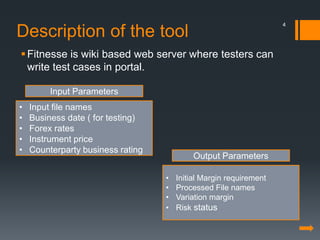
Fitnesse is wiki based web server where testers can
write test cases in portal.
• Input file names
• Business date ( for testing)
• Forex rates
• Instrument price
• Counterparty business rating
• Initial Margin requirement
• Processed File names
• Variation margin
• Risk status
Input Parameters
Output Parameters
4
Advantages of Fitnesse
Version maintenance for test cases
Records time to execute thus measuring performance from
previous results
Test results history with compare functionality
Software installation not required
Can be auto triggered when Developers are using Code
build in Hudson or Jenkins. Code will be tested as soon as
they are checked in
Freeware
5
Integration:
Fitnesse with Selenium, J-Shell
and JDBC
Java functions to achieve various kinds for testing like on
Unix, Database, Browsers
Selenium JAR files can be imported into the Automation
test project to run selenium Functions
J-Shell- for Unix
JDBC for Database connections
Jars Document comparing
JARs are java function libraries which contain in built
methods like openBrowser(), executeQuery() to be used in
testing various applications manually tested in SQL ,
Browser and Unix box
6
Exceptions handing scenarios in
Automation testing:
Exceptions handling mechanism in
Java can be used effectively for
handling exceptions like Connection timeout
in SQL, Web page reload
required or Unix server is slow to response
7
How to use Fitnesse for DevOp
s:
Automation test cases can be written in advance before
code is prepared
although this would clear technical details like expected
response message XML
UI needs to be prepared before business logic is written
over it
8
Practical Example:
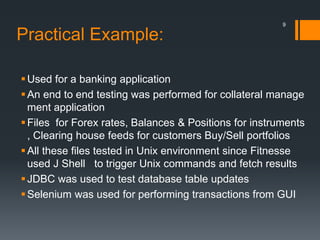
Used for a banking application
An end to end testing was performed for collateral manage
ment application
Files for Forex rates, Balances & Positions for instruments
, Clearing house feeds for customers Buy/Sell portfolios
All these files tested in Unix environment since Fitnesse
used J Shell to trigger Unix commands and fetch results
JDBC was used to test database table updates
Selenium was used for performing transactions from GUI
9
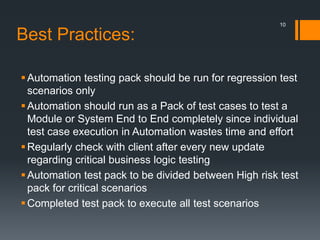
Best Practices:
Automation testing pack should be run for regression test
scenarios only
Automation should run as a Pack of test cases to test a
Module or System End to End completely since individual
test case execution in Automation wastes time and effort
Regularly check with client after every new update
regarding critical business logic testing
Automation test pack to be divided between High risk test
pack for critical scenarios
Completed test pack to execute all test scenarios
10
Tool selections ideas:
Understanding client expectations
What testing tools to use for the application
Which tool to use
Which framework to use
11
Q&A
12
Thank You !
13

WiKi Based Automation Testing: Fitness & DevOps

  • 1.
    Wiki Based AutomationTesting : Fitnesse &DevOps April 23, 2016 Subrato Ranjan Das
  • 2.
    Agenda: Quick takeways Description ofthe Tool - 2 Advantages of Fitnesse - 2 Integration of Fitnesse with Selenium (Browser testing), J- Shell (Unix testing) and JDBC (DB testing) -15 Exceptions handing scenario’s in Automation testing - 10 How to use Fitnesse for DevOps -5 Practical Example - 5 Best Practices for Automation testing - 2 Tool selections ideas - 10 Q&A - 10 2
  • 3.
    Quick Takeaways: Awareness ofwiki based automation testing frameworks Automation tool selection process How to increase turn-around time to report bugs, defects Alternatives to expensive automation test tools that perform better under certain situations Advantages & challenges of some popular automation tools 3
  • 4.
    Description of thetool Fitnesse is wiki based web server where testers can write test cases in portal. • Input file names • Business date ( for testing) • Forex rates • Instrument price • Counterparty business rating • Initial Margin requirement • Processed File names • Variation margin • Risk status Input Parameters Output Parameters 4
  • 5.
    Advantages of Fitnesse Versionmaintenance for test cases Records time to execute thus measuring performance from previous results Test results history with compare functionality Software installation not required Can be auto triggered when Developers are using Code build in Hudson or Jenkins. Code will be tested as soon as they are checked in Freeware 5
  • 6.
    Integration: Fitnesse with Selenium,J-Shell and JDBC Java functions to achieve various kinds for testing like on Unix, Database, Browsers Selenium JAR files can be imported into the Automation test project to run selenium Functions J-Shell- for Unix JDBC for Database connections Jars Document comparing JARs are java function libraries which contain in built methods like openBrowser(), executeQuery() to be used in testing various applications manually tested in SQL , Browser and Unix box 6
  • 7.
    Exceptions handing scenariosin Automation testing: Exceptions handling mechanism in Java can be used effectively for handling exceptions like Connection timeout in SQL, Web page reload required or Unix server is slow to response 7
  • 8.
    How to useFitnesse for DevOp s: Automation test cases can be written in advance before code is prepared although this would clear technical details like expected response message XML UI needs to be prepared before business logic is written over it 8
  • 9.
    Practical Example: Used fora banking application An end to end testing was performed for collateral manage ment application Files for Forex rates, Balances & Positions for instruments , Clearing house feeds for customers Buy/Sell portfolios All these files tested in Unix environment since Fitnesse used J Shell to trigger Unix commands and fetch results JDBC was used to test database table updates Selenium was used for performing transactions from GUI 9
  • 10.
    Best Practices: Automation testingpack should be run for regression test scenarios only Automation should run as a Pack of test cases to test a Module or System End to End completely since individual test case execution in Automation wastes time and effort Regularly check with client after every new update regarding critical business logic testing Automation test pack to be divided between High risk test pack for critical scenarios Completed test pack to execute all test scenarios 10
  • 11.
    Tool selections ideas: Understandingclient expectations What testing tools to use for the application Which tool to use Which framework to use 11
  • 12.
  • 13.