What’s This? Adding QR Codes to the
        Library Catalog
            Benjamin Rawlins
         Kentucky State University
•   What are QR codes?
•   Uses Outside of Libraries
•   Adding QR codes to the Library Catalog
•   Additional Uses at Kentucky State University


Overview
• http://www.polleverywhere.com/multiple_choice_polls/MTYxMD


Poll
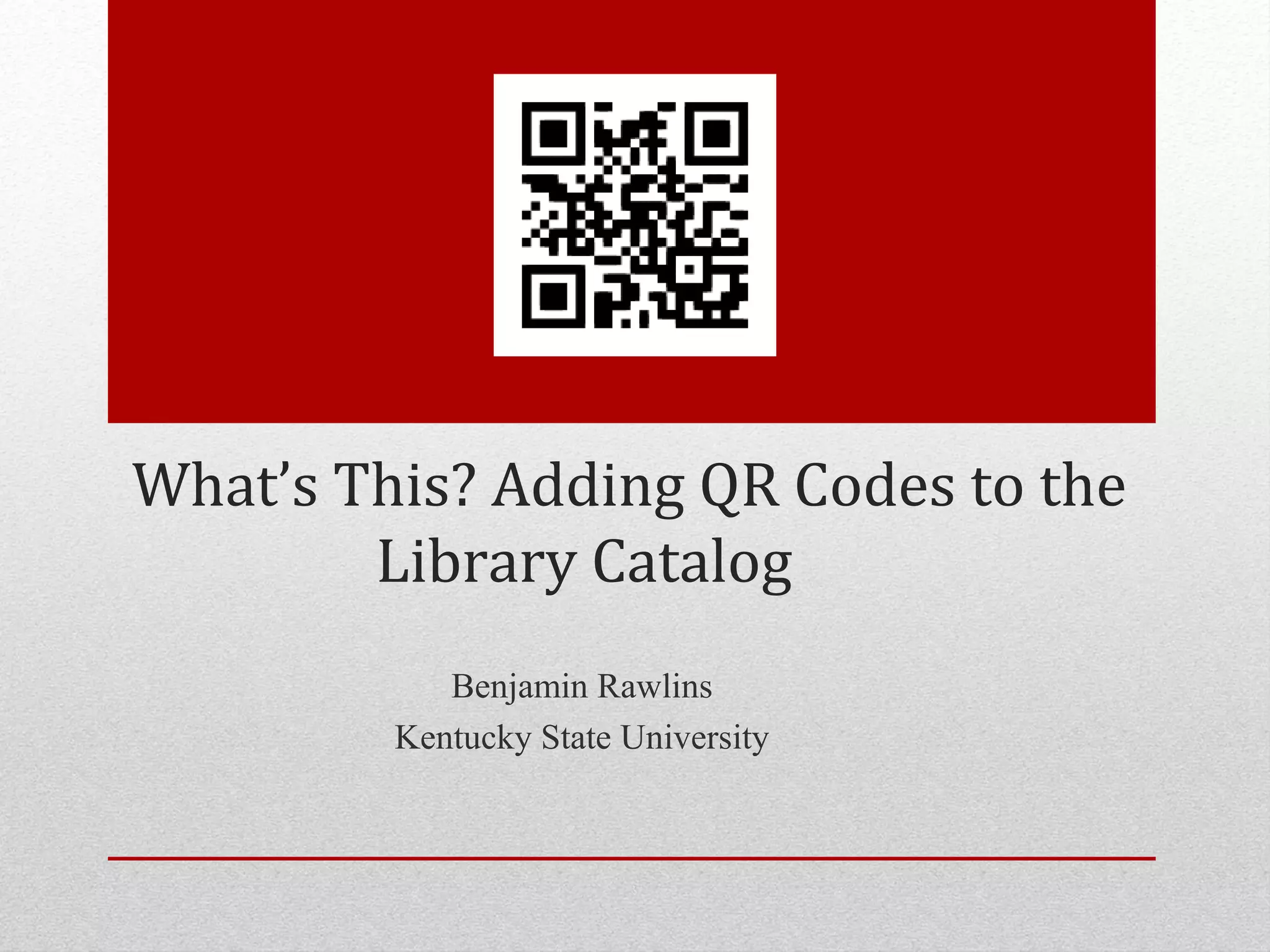
• QR, Quick Response, codes are two dimensional barcodes that
  can be scanned with a mobile device that has a camera. Once
  the code is scanned the device is prompted to load a webpage,
  display text, or other data contained in the code.
• QR codes were first created by Denso-Wave, a Toyota
  subsidiary, in 1994 as a way to track manufactured parts.
  Denso-Wave holds the patent rights for QR codes, but instead
  of exercising them they decided to make the technology freely
  available.


What are QR codes?
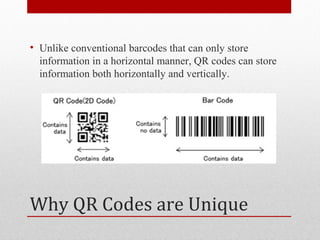
• Unlike conventional barcodes that can only store
  information in a horizontal manner, QR codes can store
  information both horizontally and vertically.


Why QR Codes are Unique
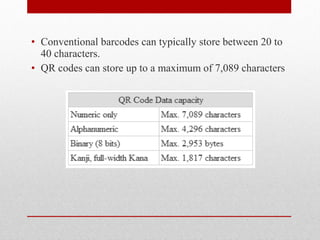
• Conventional barcodes can typically store between 20 to
  40 characters.
• QR codes can store up to a maximum of 7,089 characters
Uses Outside of Libraries
Duncan Hines
Grammy Awards
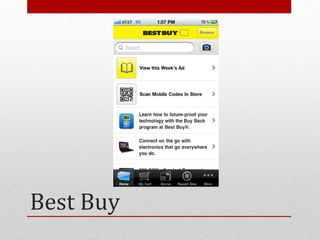
Best Buy
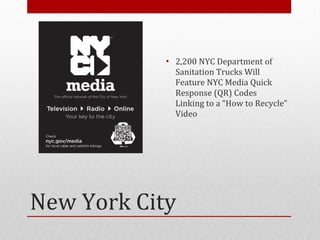
• 2,200 NYC Department of
              Sanitation Trucks Will
              Feature NYC Media Quick
              Response (QR) Codes
              Linking to a “How to Recycle”
              Video


New York City
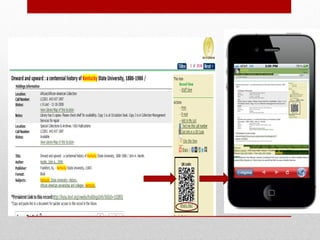
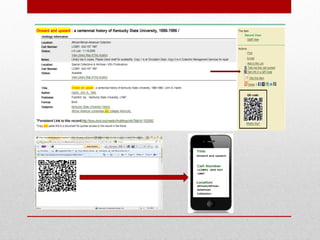
Adding QR Codes to the
   Library Catalog
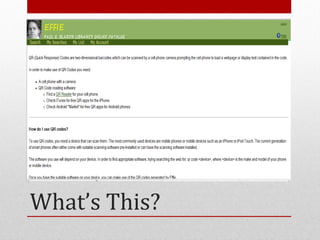
What’s This?
• To get both features 2 files were edited
  • displayFacets.xsl
  • local_callSearch.xsl
     • Text me this call number feature
     • Renamed local_qrCode.xsl


The Coding
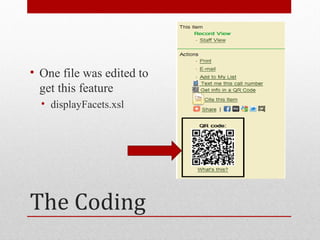
• One file was edited to
  get this feature
  • displayFacets.xsl


The Coding
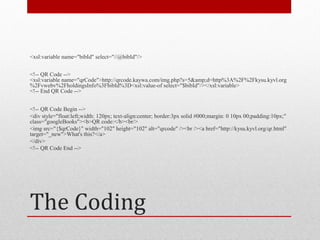
<xsl:variable name="bibId" select="//@bibId"/>


<!-- QR Code -->
<xsl:variable name="qrCode">http://qrcode.kaywa.com/img.php?s=5&amp;d=http%3A%2F%2Fkysu.kyvl.org
%2Fvwebv%2FholdingsInfo%3FbibId%3D<xsl:value-of select="$bibId"/></xsl:variable>
<!-- End QR Code -->


<!-- QR Code Begin -->
<div style="float:left;width: 120px; text-align:center; border:3px solid #000;margin: 0 10px 00;padding:10px;"
class="googleBooks"><b>QR code:</b><br/>
<img src="{$qrCode}" width="102" height="102" alt="qrcode" /><br /><a href="http://kysu.kyvl.org/qr.html"
target="_new">What's this?</a>
</div>
<!-- QR Code End -->


The Coding
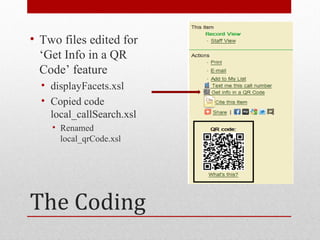
• Two files edited for
  ‘Get Info in a QR
  Code’ feature
  • displayFacets.xsl
  • Copied code
    local_callSearch.xsl
    • Renamed
      local_qrCode.xsl


The Coding
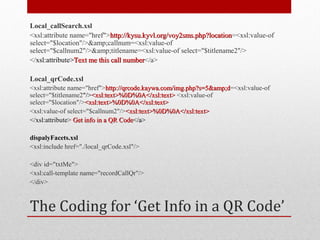
Local_callSearch.xsl
<xsl:attribute name="href">http://kysu.kyvl.org/voy2sms.php?location=<xsl:value-of
                             http://kysu.kyvl.org/voy2sms.php?location
select="$location"/>&amp;callnum=<xsl:value-of
select="$callnum2"/>&amp;titlename=<xsl:value-of select="$titlename2"/>
</xsl:attribute>Text me this call number</a>
                                  number

Local_qrCode.xsl
<xsl:attribute name="href">http://qrcode.kaywa.com/img.php?s=5&amp;d=<xsl:value-of
                              http://qrcode.kaywa.com/img.php?s=5&amp;d
select="$titlename2"/><xsl:text>%0D%0A</xsl:text> <xsl:value-of
select="$location"/><xsl:text>%0D%0A</xsl:text>
<xsl:value-of select="$callnum2"/><xsl:text>%0D%0A</xsl:text>
</xsl:attribute> Get info in a QR Code</a>

dispalyFacets.xsl
<xsl:include href="./local_qrCode.xsl"/>

<div id="txtMe">
<xsl:call-template name="recordCallQr"/>
</div>


The Coding for ‘Get Info in a QR Code’
Why Single Out QR Code
      Features?
Additional Uses at KSU
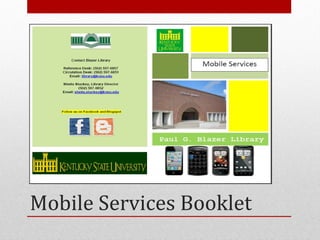
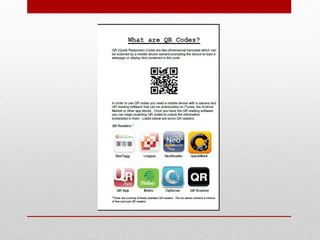
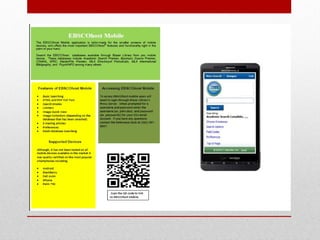
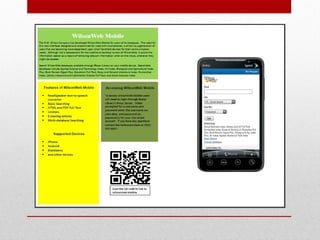
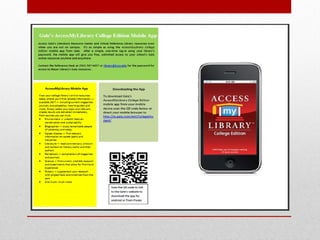
Mobile Services Booklet
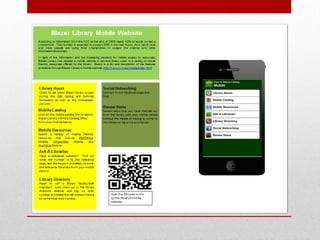
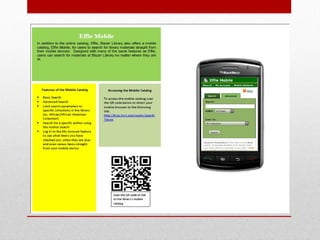
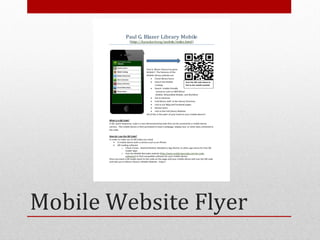
Mobile Website Flyer
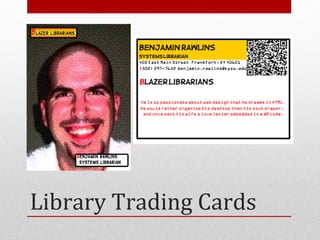
Library Trading Cards
• Hampton, Dantrea, Amanda Peach, and Benjamin
  Rawlins. "Reaching Mobile Users with QR Codes."
  Kentucky Libraries 75.2 (2011): 6-10. Print.


Further Reading
Questions?
Thank You

What’s This? Adding QR Codes to the Library Catalog

  • 1.
    What’s This? AddingQR Codes to the Library Catalog Benjamin Rawlins Kentucky State University
  • 2.
    What are QR codes? • Uses Outside of Libraries • Adding QR codes to the Library Catalog • Additional Uses at Kentucky State University Overview
  • 3.
  • 4.
    • QR, QuickResponse, codes are two dimensional barcodes that can be scanned with a mobile device that has a camera. Once the code is scanned the device is prompted to load a webpage, display text, or other data contained in the code. • QR codes were first created by Denso-Wave, a Toyota subsidiary, in 1994 as a way to track manufactured parts. Denso-Wave holds the patent rights for QR codes, but instead of exercising them they decided to make the technology freely available. What are QR codes?
  • 5.
    • Unlike conventionalbarcodes that can only store information in a horizontal manner, QR codes can store information both horizontally and vertically. Why QR Codes are Unique
  • 6.
    • Conventional barcodescan typically store between 20 to 40 characters. • QR codes can store up to a maximum of 7,089 characters
  • 7.
    Uses Outside ofLibraries
  • 8.
  • 9.
  • 10.
  • 11.
    • 2,200 NYCDepartment of Sanitation Trucks Will Feature NYC Media Quick Response (QR) Codes Linking to a “How to Recycle” Video New York City
  • 12.
    Adding QR Codesto the Library Catalog
  • 14.
  • 16.
    • To getboth features 2 files were edited • displayFacets.xsl • local_callSearch.xsl • Text me this call number feature • Renamed local_qrCode.xsl The Coding
  • 17.
    • One filewas edited to get this feature • displayFacets.xsl The Coding
  • 18.
    <xsl:variable name="bibId" select="//@bibId"/> <!--QR Code --> <xsl:variable name="qrCode">http://qrcode.kaywa.com/img.php?s=5&amp;d=http%3A%2F%2Fkysu.kyvl.org %2Fvwebv%2FholdingsInfo%3FbibId%3D<xsl:value-of select="$bibId"/></xsl:variable> <!-- End QR Code --> <!-- QR Code Begin --> <div style="float:left;width: 120px; text-align:center; border:3px solid #000;margin: 0 10px 00;padding:10px;" class="googleBooks"><b>QR code:</b><br/> <img src="{$qrCode}" width="102" height="102" alt="qrcode" /><br /><a href="http://kysu.kyvl.org/qr.html" target="_new">What's this?</a> </div> <!-- QR Code End --> The Coding
  • 19.
    • Two filesedited for ‘Get Info in a QR Code’ feature • displayFacets.xsl • Copied code local_callSearch.xsl • Renamed local_qrCode.xsl The Coding
  • 20.
    Local_callSearch.xsl <xsl:attribute name="href">http://kysu.kyvl.org/voy2sms.php?location=<xsl:value-of http://kysu.kyvl.org/voy2sms.php?location select="$location"/>&amp;callnum=<xsl:value-of select="$callnum2"/>&amp;titlename=<xsl:value-of select="$titlename2"/> </xsl:attribute>Text me this call number</a> number Local_qrCode.xsl <xsl:attribute name="href">http://qrcode.kaywa.com/img.php?s=5&amp;d=<xsl:value-of http://qrcode.kaywa.com/img.php?s=5&amp;d select="$titlename2"/><xsl:text>%0D%0A</xsl:text> <xsl:value-of select="$location"/><xsl:text>%0D%0A</xsl:text> <xsl:value-of select="$callnum2"/><xsl:text>%0D%0A</xsl:text> </xsl:attribute> Get info in a QR Code</a> dispalyFacets.xsl <xsl:include href="./local_qrCode.xsl"/> <div id="txtMe"> <xsl:call-template name="recordCallQr"/> </div> The Coding for ‘Get Info in a QR Code’
  • 21.
    Why Single OutQR Code Features?
  • 22.
  • 23.
  • 30.
  • 31.
  • 32.
    • Hampton, Dantrea,Amanda Peach, and Benjamin Rawlins. "Reaching Mobile Users with QR Codes." Kentucky Libraries 75.2 (2011): 6-10. Print. Further Reading
  • 33.
  • 34.