1.A basic definition
1.A History of QR codes
2.How to make a very basic QR code

3.QR codes in the library
A BASIC DEFINITION

QR just means Quick Response.
A QR code is basically just a barcode like the
ones on everyday grocery products, only better.
The exception being that you can link
information, and different types of it that you
choose, to the code.
http://www.librarystudies.sit.edu.au/
(02) 9654 3210
0456 123 987
My wonderful essay
By Geoff Lowe
Blah, blah, blah, blah, blah, blah, blah, blah, blah, blah, blah, blah, blah
YOU CAN HAVE THIS
While having this
And this
And this too

To be clear, once you scan the QR code in, if using a mobile device,
it goes into the history folder on the App.
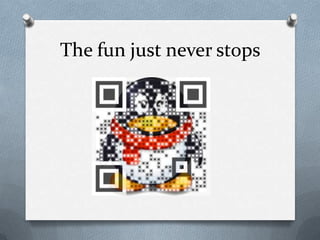
The fun just never stops
A S H O R T H I S T O RY O F T H E C O D E

The QR code was invented in Japan by Toyota's subsidiary, Denso
Wave, in 1994. Its purpose was to track vehicles during
manufacture. Accordingly, it was designed to allow high-speed
component scanning. Today, the QR code is one of the most
popular types of two-dimensional barcodes in the world.
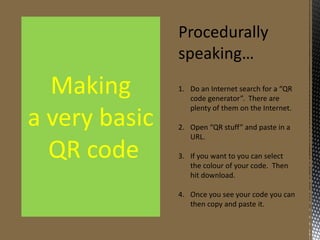
Procedurally
speaking…

Making
a very basic
QR code

1. Do an Internet search for a “QR
code generator”. There are
plenty of them on the Internet.
2. Open “QR stuff” and paste in a
URL.
3. If you want to you can select
the colour of your code. Then
hit download.
4. Once you see your code you can
then copy and paste it.
Some added
information

Making
a very basic
QR code

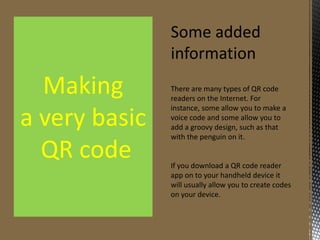
There are many types of QR code
readers on the Internet. For instance,
some allow you to make a voice code
and some allow you to add a groovy
design, such as that with the penguin
on it.

If you download a QR code reader
app on to your handheld device it
will usually allow you to create codes
on your device.
QR CODES IN THE LIBRARY

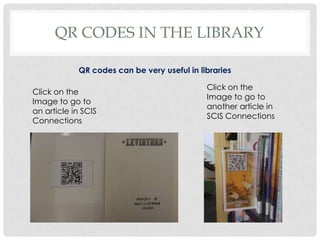
QR codes can be
very useful in
libraries
QR CODES IN THE LIBRARY
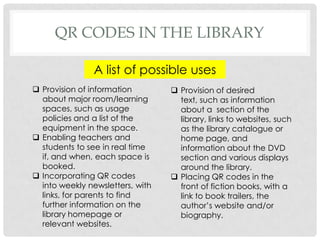
A list of possible uses
 Provision of desired text, such as information
about a section of the library, links to
websites, such as the library catalogue or home
page, and information about the DVD section
and various displays around the library.

 Placing QR codes in the front of fiction
books, with a link to book trailers, the author’s
website and/or biography.
QR CODES IN THE LIBRARY
A list of possible uses
Provision of information about major
room/learning spaces, such as usage policies and
a list of the equipment in the space.
Enabling teachers and students to see in real time
if, and when, each space is booked.
Incorporating QR codes into weekly
newsletters, with links, for parents to find further
information on the library homepage or relevant
websites.
Most Importantly…
QR Codes involve more work and technology. This
requires a commitment on the part of the
librarian(s) and library staff to using technology,
creating and displaying QR codes in the library.
The QR codes in the library must be displayed
prominently where patrons can see them. If they
cannot see or find them then they cannot access
them.
Many patrons are keen to make QR codes and
access those in the library but do not know how to.
Accordingly, education is the key.
MORE INFORMATION PLEASE
Do a search in Slideshare using a phrase,
such as qr codes and libraries or just look at
those following this presentation.
Click on the Denso Wave link in the following
slide.
Talk to the IT librarian at the Ultimo college of
TAFE.
References
 Slide 8 – “Smiley.” Retrieved 3 October, 2013 from
http://en.wikipedia.org/wiki/Smiley.
 Slide 13 - Denso Wave. “History of QR code.” Retrieved
3 October from http://www.qrcode.com/en/history/ .
 Slide 17 – Keen, Narelle. “QR codes and ipads in the
library.” SCIS connections, Issue 81. 2012. Retrieved 1
October, 2013 from: http://bit.ly/1eABX0N
 Slide 18 – Feighan, David. “QR codes, linking print and
online collections.” SCIS connections, Issue 84. 2013.
Retrieved 1 October, 2013 from: http://bit.ly/1d71YqL .
Contact Me
I f you liked this presentation, just wanted to want to make a
comment about something or ask a question please scan the code
below for contact details.
I am looking for work as a Librarian. So, if you feel I am the man for
you email or phone me using the contact details below. I am an
accredited English and History teacher and have a masters in
Teacher Librarianship.
Geoffrey Lowe
Phone: 0418 903699
Email: glowe2145@gmail.com
http://teacherlibrarianportfolio.blogspot.co
m.au/

QR codes and their application in libraries

  • 2.
    1.A basic definition 1.AHistory of QR codes 2.How to make a very basic QR code 3.QR codes in the library
  • 3.
    A BASIC DEFINITION QRjust means Quick Response. A QR code is basically just a barcode like the ones on everyday grocery products, only better. The exception being that you can link information, and different types of it that you choose, to the code.
  • 4.
  • 5.
  • 7.
    My wonderful essay ByGeoff Lowe Blah, blah, blah, blah, blah, blah, blah, blah, blah, blah, blah, blah, blah Blah, blah, blah, blah, blah, blah, blah, blah, blah, blah, blah, blah, blah Blah, blah, blah, blah, blah, blah, blah, blah, blah, blah, blah, blah, blah Blah, blah, blah, blah, blah, blah, blah, blah, blah, blah, blah, blah, blah Blah, blah, blah, blah, blah, blah, blah, blah, blah, blah, blah, blah, blah Blah, blah, blah, blah, blah, blah, blah, blah, blah, blah, blah, blah, blah Blah, blah, blah, blah, blah, blah, blah, blah, blah, blah, blah, blah, blah
  • 8.
  • 9.
  • 10.
  • 11.
    And this too Tobe clear, once you scan the QR code in, if using a mobile device, it goes into the history folder on the App.
  • 12.
    The fun justnever stops
  • 13.
    A S HO R T H I S T O RY O F T H E C O D E The QR code was invented in Japan by Toyota's subsidiary, Denso Wave, in 1994. Its purpose was to track vehicles during manufacture. Accordingly, it was designed to allow high-speed component scanning. Today, the QR code is one of the most popular types of two-dimensional barcodes in the world.
  • 14.
    Procedurally speaking… Making a very basic QRcode 1. Do an Internet search for a “QR code generator”. There are plenty of them on the Internet. 2. Open “QR stuff” and paste in a URL. 3. If you want to you can select the colour of your code. Then hit download. 4. Once you see your code you can then copy and paste it.
  • 15.
    Some added information Making a verybasic QR code There are many types of QR code readers on the Internet. For instance, some allow you to make a voice code and some allow you to add a groovy design, such as that with the penguin on it. If you download a QR code reader app on to your handheld device it will usually allow you to create codes on your device.
  • 16.
    QR CODES INTHE LIBRARY QR codes can be very useful in libraries
  • 17.
    QR CODES INTHE LIBRARY A list of possible uses  Provision of desired text, such as information about a section of the library, links to websites, such as the library catalogue or home page, and information about the DVD section and various displays around the library.  Placing QR codes in the front of fiction books, with a link to book trailers, the author’s website and/or biography.
  • 18.
    QR CODES INTHE LIBRARY A list of possible uses Provision of information about major room/learning spaces, such as usage policies and a list of the equipment in the space. Enabling teachers and students to see in real time if, and when, each space is booked. Incorporating QR codes into weekly newsletters, with links, for parents to find further information on the library homepage or relevant websites.
  • 19.
    Most Importantly… QR Codesinvolve more work and technology. This requires a commitment on the part of the librarian(s) and library staff to using technology, creating and displaying QR codes in the library. The QR codes in the library must be displayed prominently where patrons can see them. If they cannot see or find them then they cannot access them. Many patrons are keen to make QR codes and access those in the library but do not know how to. Accordingly, education is the key.
  • 20.
    MORE INFORMATION PLEASE Doa search in Slideshare using a phrase, such as qr codes and libraries or just look at those following this presentation. Click on the Denso Wave link in the following slide. Talk to the IT librarian at the Ultimo college of TAFE.
  • 21.
    References  Slide 8– “Smiley.” Retrieved 3 October, 2013 from http://en.wikipedia.org/wiki/Smiley.  Slide 13 - Denso Wave. “History of QR code.” Retrieved 3 October from http://www.qrcode.com/en/history/ .  Slide 17 – Keen, Narelle. “QR codes and ipads in the library.” SCIS connections, Issue 81. 2012. Retrieved 1 October, 2013 from: http://bit.ly/1eABX0N  Slide 18 – Feighan, David. “QR codes, linking print and online collections.” SCIS connections, Issue 84. 2013. Retrieved 1 October, 2013 from: http://bit.ly/1d71YqL .
  • 22.
    Contact Me I fyou liked this presentation, just wanted to want to make a comment about something or ask a question please scan the code below for contact details. I am looking for work as a Librarian. So, if you feel I am the man for you email or phone me using the contact details below. I am an accredited English and History teacher and have a masters in Teacher Librarianship. Geoffrey Lowe Phone: 0418 903699 Email: glowe2145@gmail.com http://teacherlibrarianportfolio.blogspot.co m.au/

Editor's Notes

  • #5 This URL is actually not too long but there are still students in a classroom, or adults that left their glasses somewhere, that would struggle to write this down off a board or via word of mouth.
  • #6 We all know how much fun it is writing down or trying to remember phone numbers.
  • #7 Instead of wasting time trying to find a particular web page – and I often have trouble finding this page on the Internet – scan the QR code into a handheld device, such as Ipod Touch. Ipad or an Android device and just go straight to it without wasting precious time. Moreover, let’s say that the link you use most is the Library of Congress Authorities in the Cataloguing sources tab, it is a waste of your time to have to bring up this page, then click on Cataloguing sources, then click on the LCA link. With a QR code linked to every page of the website one can go straight to that page without all the “middle-men” so to speak.