IBM Software Group


What your JVM has been trying to tell you…


         A look at available PD options within the IBM JVM


         May 2007 | John Pape, IBM WebSphere SWAT       © 2008 IBM Corporation
IBM Java Technology


Agenda

     JVM Overview
     JVM Components
     Problem Scenarios
     Summary
     References


2                         © 2007 IBM Corporation
IBM Java Technology


                          JVM Overview


3                                        © 2007 IBM Corporation
IBM Java Technology


JVM Overview
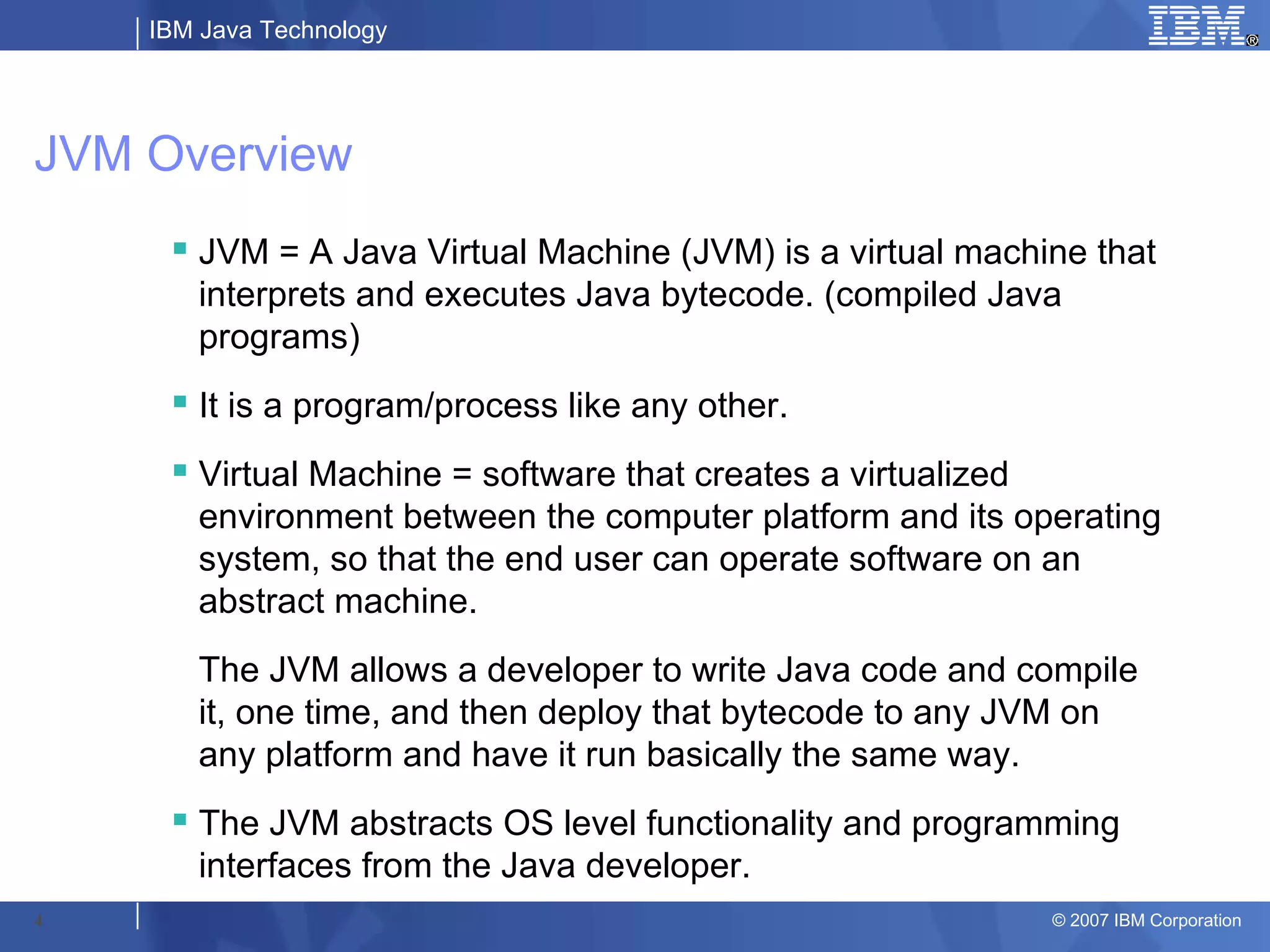
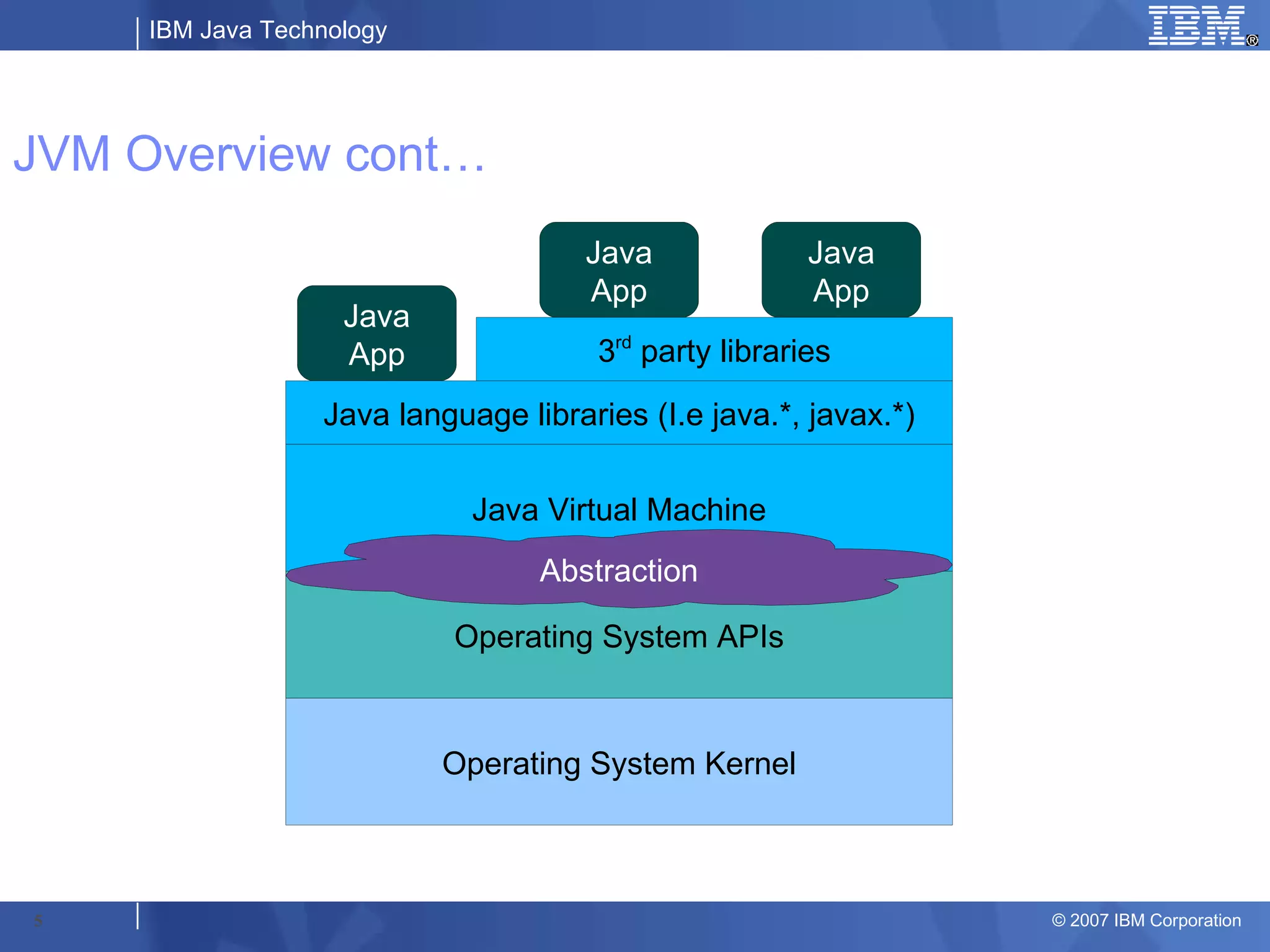
      JVM = A Java Virtual Machine (JVM) is a virtual machine that
       interprets and executes Java bytecode. (compiled Java
       programs)
      It is a program/process like any other.
      Virtual Machine = software that creates a virtualized
       environment between the computer platform and its operating
       system, so that the end user can operate software on an
       abstract machine.
       The JVM allows a developer to write Java code and compile
       it, one time, and then deploy that bytecode to any JVM on
       any platform and have it run basically the same way.
      The JVM abstracts OS level functionality and programming
       interfaces from the Java developer.
4                                                           © 2007 IBM Corporation
IBM Java Technology


JVM Overview cont…
                                     Java              Java
                                     App               App
                    Java
                    App               3rd party libraries

                  Java language libraries (I.e java.*, javax.*)


                             Java Virtual Machine
                                  Abstraction

                           Operating System APIs


                           Operating System Kernel


5                                                                 © 2007 IBM Corporation
IBM Java Technology


                      JVM Components


6                                      © 2007 IBM Corporation
IBM Java Technology


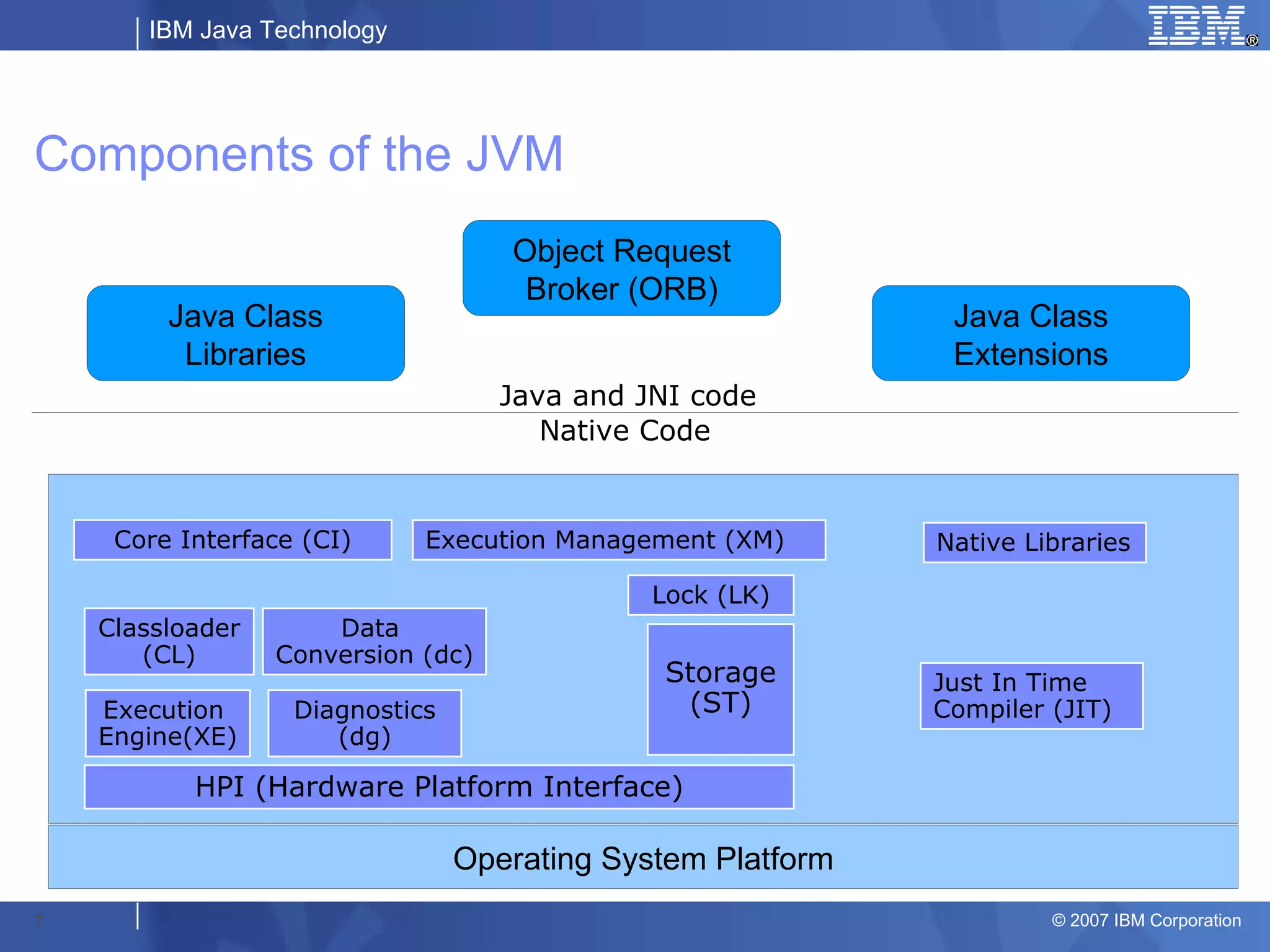
Components of the JVM
                                    Object Request
                                     Broker (ORB)
         Java Class                                           Java Class
          Libraries                                           Extensions
                                    Java and JNI code
                                       Native Code


     Core Interface (CI)     Execution Management (XM)       Native Libraries

                                              Lock (LK)
    Classloader       Data
       (CL)       Conversion (dc)
                                               Storage       Just In Time
    Execution      Diagnostics                  (ST)         Compiler (JIT)
    Engine(XE)        (dg)

           HPI (Hardware Platform Interface)

                                 Operating System Platform
7                                                                     © 2007 IBM Corporation
IBM Java Technology


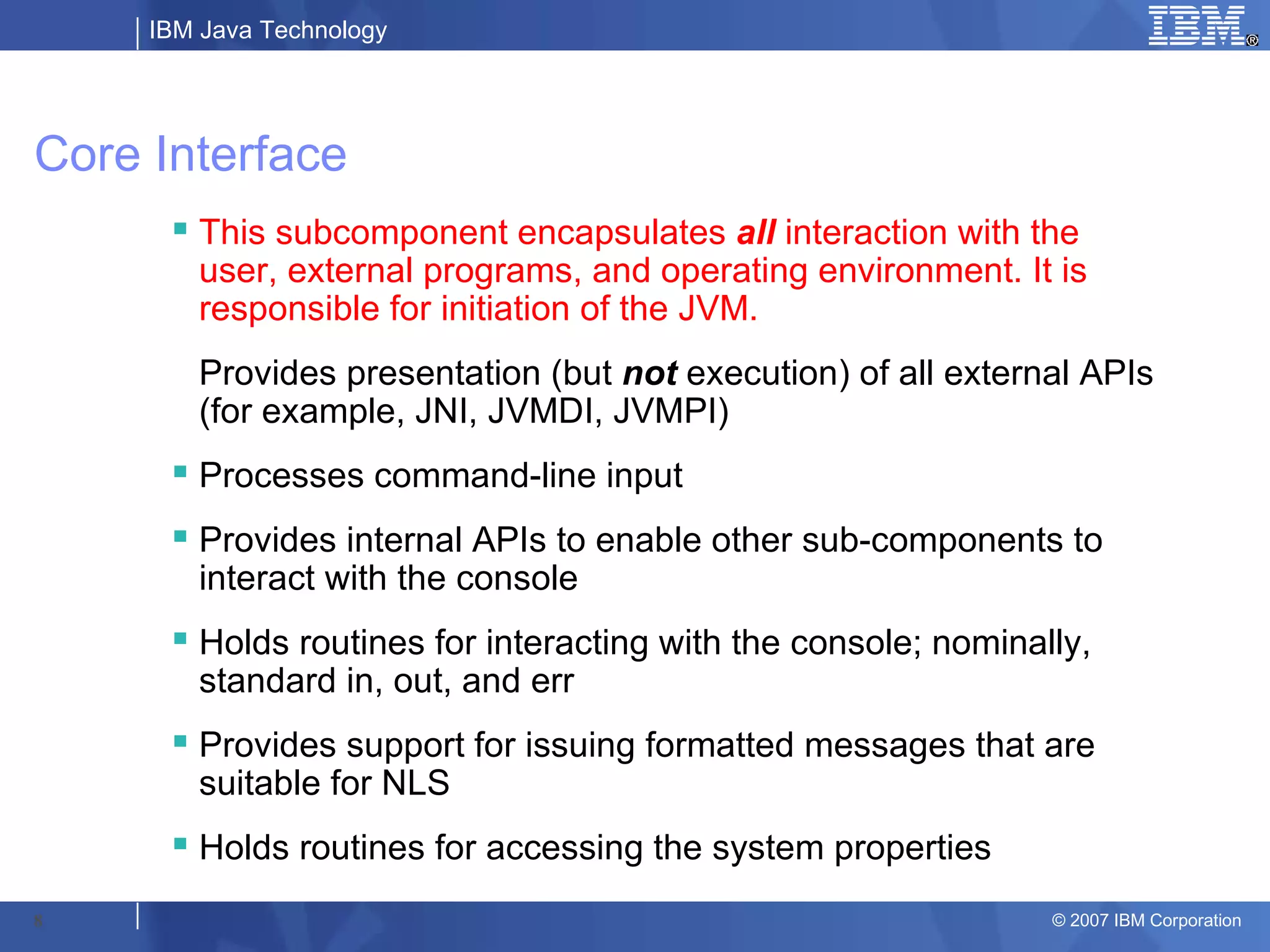
Core Interface
       This subcomponent encapsulates all interaction with the
        user, external programs, and operating environment. It is
        responsible for initiation of the JVM.
        Provides presentation (but not execution) of all external APIs
        (for example, JNI, JVMDI, JVMPI)
       Processes command-line input
       Provides internal APIs to enable other sub-components to
        interact with the console
       Holds routines for interacting with the console; nominally,
        standard in, out, and err
       Provides support for issuing formatted messages that are
        suitable for NLS
       Holds routines for accessing the system properties

8                                                               © 2007 IBM Corporation
IBM Java Technology


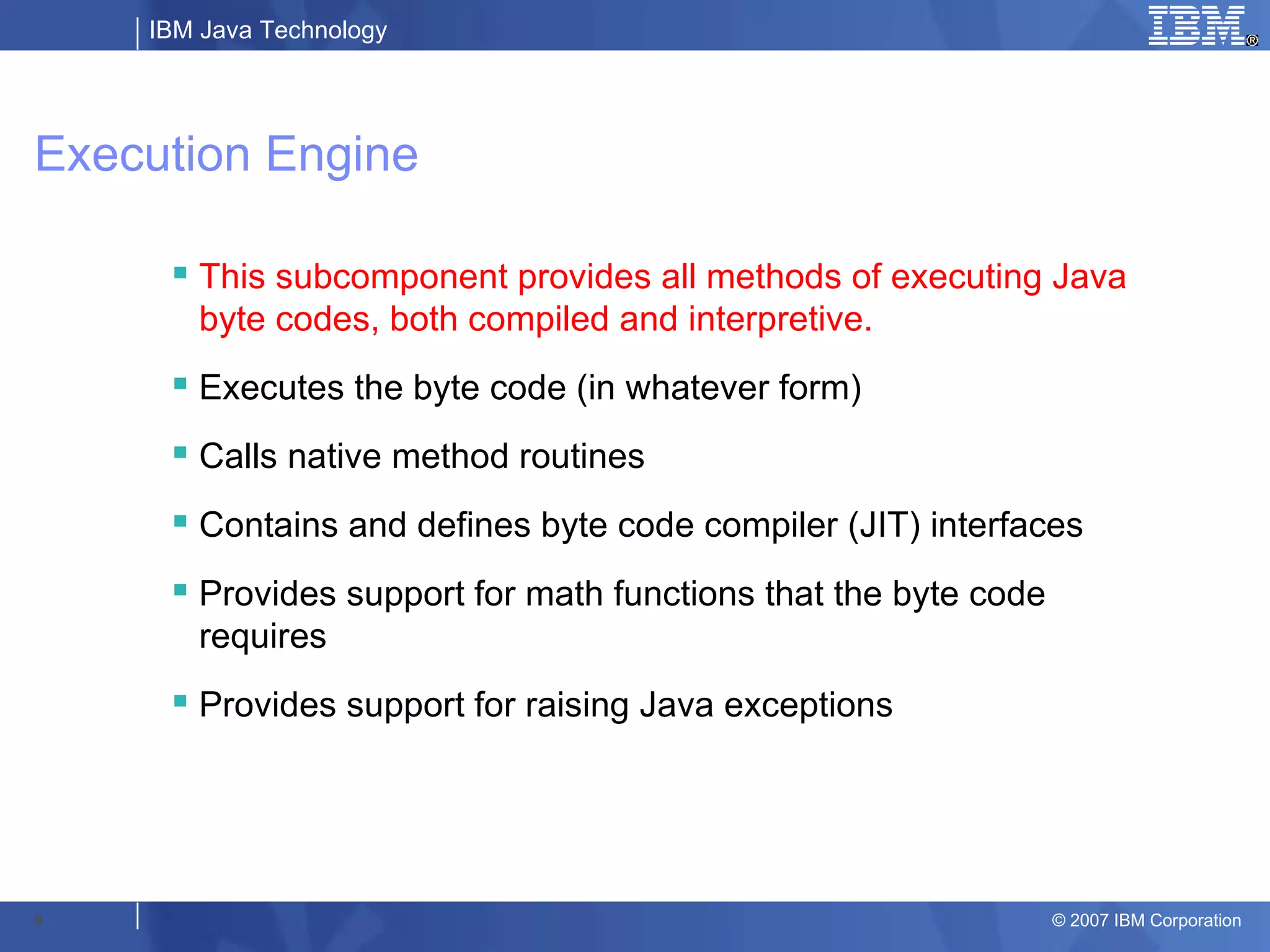
Execution Engine

      This subcomponent provides all methods of executing Java
       byte codes, both compiled and interpretive.
      Executes the byte code (in whatever form)
      Calls native method routines
      Contains and defines byte code compiler (JIT) interfaces
      Provides support for math functions that the byte code
       requires
      Provides support for raising Java exceptions


9                                                               © 2007 IBM Corporation
IBM Java Technology


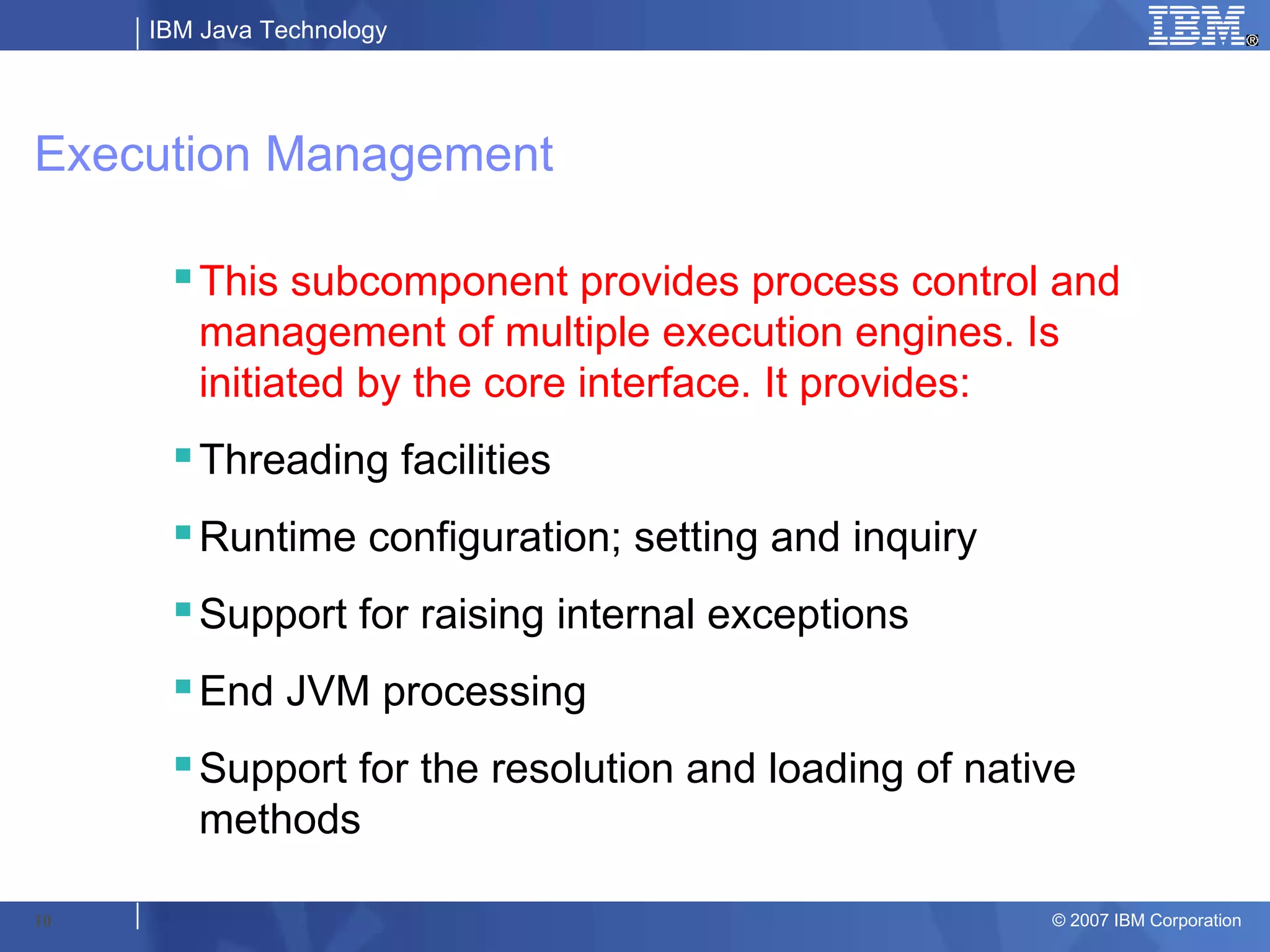
Execution Management

      This subcomponent provides process control and
       management of multiple execution engines. Is
       initiated by the core interface. It provides:
      Threading facilities
      Runtime configuration; setting and inquiry
      Support for raising internal exceptions
      End JVM processing
      Support for the resolution and loading of native
       methods

10                                                   © 2007 IBM Corporation
IBM Java Technology


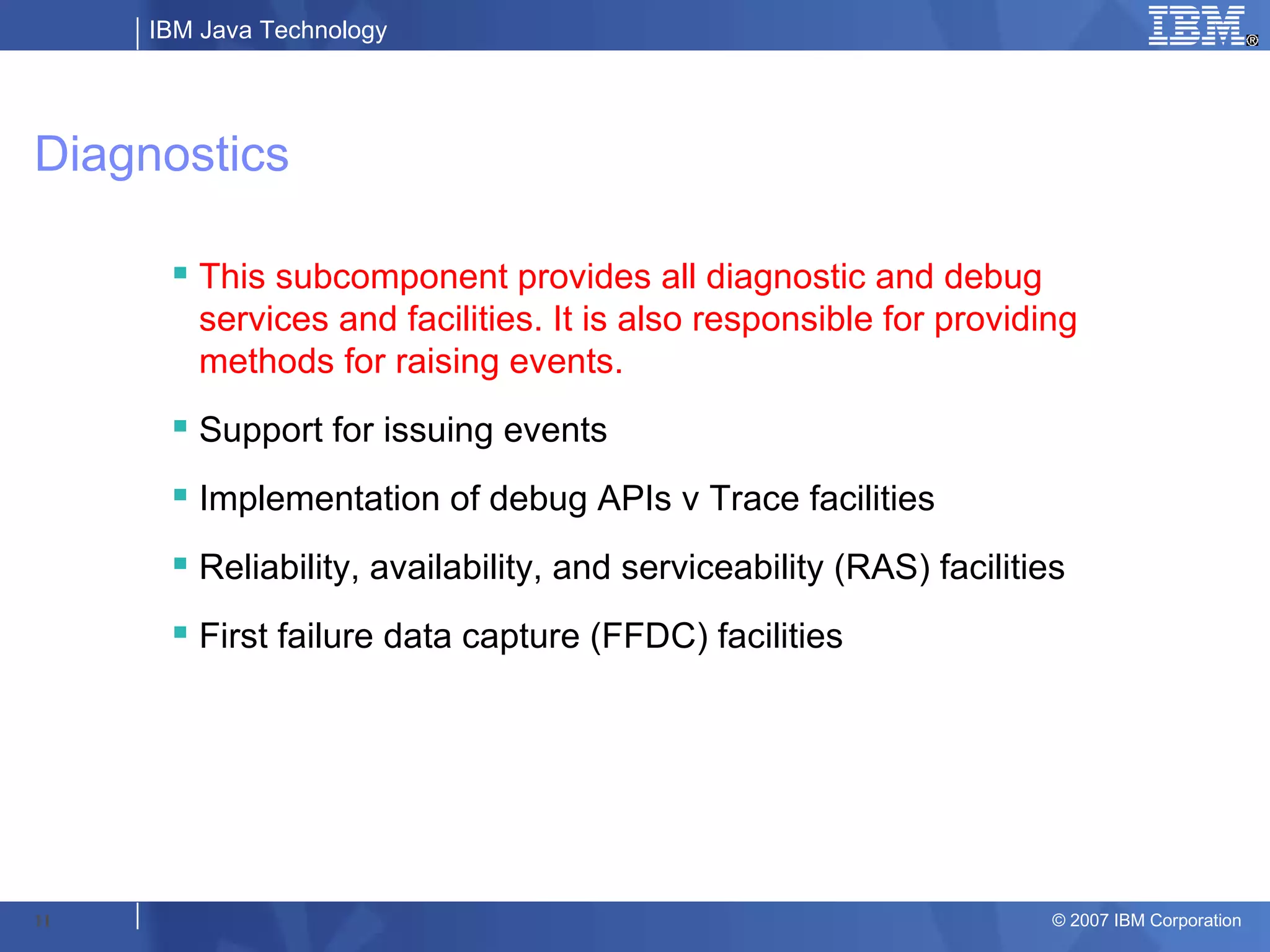
Diagnostics

       This subcomponent provides all diagnostic and debug
        services and facilities. It is also responsible for providing
        methods for raising events.
       Support for issuing events
       Implementation of debug APIs v Trace facilities
       Reliability, availability, and serviceability (RAS) facilities
       First failure data capture (FFDC) facilities


11                                                                   © 2007 IBM Corporation
IBM Java Technology


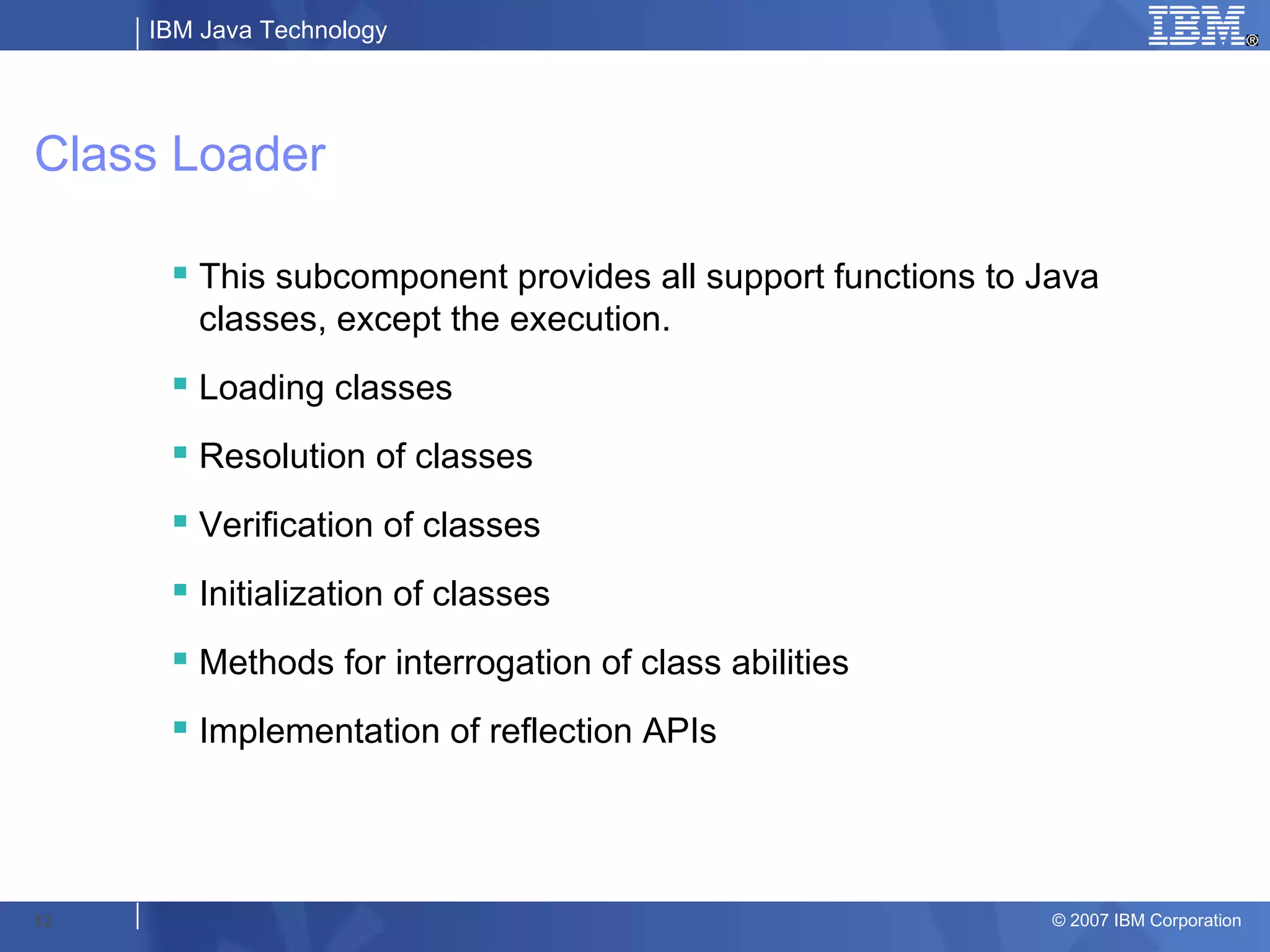
Class Loader

       This subcomponent provides all support functions to Java
        classes, except the execution.
       Loading classes
       Resolution of classes
       Verification of classes
       Initialization of classes
       Methods for interrogation of class abilities
       Implementation of reflection APIs


12                                                           © 2007 IBM Corporation
IBM Java Technology


Data Conversion

       This subcomponent provides support for converting data
        between various formats.
       UTF Translation
       String conversion
       Support for primitive types


13                                                          © 2007 IBM Corporation
IBM Java Technology


Lock

         This subcomponent provides locking and synchronization
          services.
         Maintains Java lock monitors
         Manages thread locking in the JVM
         Provides report on deadlocks in Java thread dumps
         Provides report on monitor pool in Java thread dumps


14                                                               © 2007 IBM Corporation
IBM Java Technology


Storage

       This subcomponent encapsulates all support for storage
        services.
       Facilities to create, manage, and destroy discrete units of
        storage
       Specific allocation strategies
       The Java object store (garbage collectable heap)


15                                                              © 2007 IBM Corporation
IBM Java Technology


Hardware Platform Interface

       This subcomponent consists of a set of well-defined functions
        that provide low-level facilities and services in a platform-
        neutral way.
       The HPI is an external interface that is defined by Sun.


16                                                             © 2007 IBM Corporation
IBM Java Technology


                           Problem
                           Scenarios


17                                     © 2007 IBM Corporation
IBM Java Technology


Problem Scenarios

      My application is running       What does my memory
       slow when running a certain      footprint look like for my
       code path, why?                  application?

      My application has very         Which parts of my application
                                        consume the most CPU time?
       erratic response times;
       sometimes it’s great, others    Which parts of my application
       it’s terrible, why?              are taking up the most
                                        memory?
      I am getting out of memory
       errors on my application due    Is my application performance
       to heap fragmentation, how       as result of synchronization
       can I tell what objects are      problems in my threads?
       pinned and dosed?               I need to know the exact
                                        activities of the JVM when a
                                        certain method is executed.
18                                                               © 2007 IBM Corporation
IBM Java Technology


My application is running slow when executing a certain
code path, why?
      This problem can be approached by setting a JVM method trace.
        – Example:
            – Database calls are slow when called from my stateless session EJB. The database class is
              com.mycorp.db.DatabaseWrapper and the EJB is com.mycorp.ejb.session.LogicBean.
            – The following trace could be enabled on the JVM (the –D parameters are delimited by spaces, there is
              no line break)
                 – -Dibm.dg.trc.maximal=mt –
                    Dibm.dg.trc.methods=com/mycorp/db/DatabaseWrapper.*(),com/mycorp/ejb/session/LogicBean.*
                    () –Dibm.dg.trc.output=/tmp/jvm.trc
            – JVM tracing incurs overhead and can produce large quantities of data, very rapidly. It is best to test the
              code path with a single request to minimize any concerns with disk space usage.
            – After taking the trace, it cannot be read until formatted. To do this you must execute the TraceFormat
              tool contained in the IBM JDK.
                 – java com.ibm.jvm.format.TraceFormat <trace file> -indent
                       – -indent is used to provide helpful formatting of the nested levels of method tracing
                       – Timestamps printed in the JVM trace are in UTC format. This means you must translate the
                         times into your time zone.
      The net result of this tracing is an EXACT code path taken in the application. It may
       be beneficial to add some other classes or packages to the trace to obtain a clear
       overall picture (e.g. include some WebSphere Resource Adapter classes to see
       server activity around the application calls)


19                                                                                                          © 2007 IBM Corporation
IBM Java Technology


My application has very erratic response times; sometimes
it’s great, others it’s terrible, why?
       This problem can be approached in 2 ways:
          – 1. JVM method trace
          – 2. Enable and analyze verbose garbage collection (GC) output
       Since JVM method tracing has been demonstrated already, we’ll focus on
        verbose GC analysis
          – To enable verbose GC:
              – Add –verbosegc or –verbose:gc to JVM arguments
                  – WebSphere has a check box to tick off, other servers/products
                    may have similar methods on enablement
              – Use –Xverbosegclog:/path/to/desired/gcfile.txt to specify a file to
                output verbose GC data to.
              – By default, verbose GC outputs to native_stderr.log. It is also possible
                to create rolling, generational verbose GC logs. Consult the IBM JVM
                Diagnostic Guide for your version of JDK for details.


20                                                                             © 2007 IBM Corporation
IBM Java Technology


I am getting out of memory errors on my application due to
heap fragmentation, how can I tell what objects are pinned
and dosed?
        Pinned Object = Objects on the heap that are permanently immobile until
         explicitly unpinned by JNI. Moving a pinned object would cause a null pointer
         in the native code referencing it.
        Dosed Object = Objects on the heap that are temporarily immobile.

        Pinned and Dosed objects cannot move and thus cannot be compacted
         thereby reducing the overall amount of contiguous free space in memory.
        Useful traces
           – Add -Dibm.dg.trc.print=st_verify
               • Displays the # of pinned/dosed objects on the heap
           – Add -Dibm.dg.trc.print=st_compact_verbose
               • Displays the pinned/dosed objects on the heap during GC
                 compaction
        Knowing the layout of the objects on the heap can help you troubleshoot
         OutOfMemoryErrors as well.
21                                                                           © 2007 IBM Corporation
IBM Java Technology


What does my memory footprint look like for my
application?
      Heapdumps are the primary means                   Heapdumps on JDK 1.4.1 SR1 and
       of viewing memory heap contents.                   later explicitly do a GC before dumping,
                                                          this assures that only live objects are in
      To enable signal-based heapdumps                   the heapdump.
       – that is heapdumps that produced
       on a kill -3 signal:                              Heapdumps are representations of
                                                          memory, so if the JVM has a large
        – Add an environment entry called                 heap size, expect a large dump.
          IBM_HEAPDUMP with a value of true
        – Heapdumps can also be called from Java         Heapdumps can be produced in binary
          code                                            (.phd) format or in text (.txt) format.
            – E.g. com.ibm.jvm.Dump.HeapDump();

      Heapdumps will be produced when a                 The Sun HotSpot JVMs handle
                                                          heapdump generation differently and
       JVM exhausts its Java heap and                     have different parameters to invoke.
       throws an OutOfMemoryException.                    Consult with the references section of
        – To disable this behavior: add environment       this presentation for more information.
          entry IBM_HEAPDUMP_OUTOFMEMORY
          with a value of false (same can be done for
          javacores/javadumps –
          IBM_JAVADUMP_OUTOFMEMORY=false)
        – On older JVM’s you may need to set this
          value in order to produce heapdumps on an
          OutOfMemoryException


22                                                                                       © 2007 IBM Corporation
IBM Java Technology


Which parts of my application consume the most CPU
time?
       Using the HPROF profiler, included with the JDK, you can determine which
        methods are consuming the most CPU time.

       To invoke HPROF:
          – Add –Xrunhprof:<name>=<value> / where <name> and <value> are
            name/value pairs of HPROF parameters
          – To obtain CPU calculations:
              – -Xrunhprof:cpu=samples
          – To obtain greater detail (with a performance trade-off)
              – -Xrunhprof:cpu=timings
       EPROF can be executed on SUN HotSpot JVM's
          – -Xeprof
       Running HPROF can result in an unstable JVM which can crash
        unexpectedly, use with caution (not for production environments)


23                                                                         © 2007 IBM Corporation
IBM Java Technology


Which parts of my application are taking up the most
memory?
        The HPROF profiler can assist here once again
           – To obtain data on memory allocations by method:
               – Add –Xrunhprof:heap=sites
        HPROF will provide a sorted list of sites with the most heavily
         allocated objects at the top.
        This data will show you were the “hot spots” are in the code, that is,
         the places in the code path that is responsible for the generation of
         new objects.
        Useful for determining what part of the application is contributing the
         most to the overall memory footprint.
        Can be used to stem potential memory leaks way before they
         become an issue.


24                                                                      © 2007 IBM Corporation
IBM Java Technology


Is my application performance a result of synchronization
problems in my threads?
       HPROF can be used here once again
           – To collect thread and synchronization data from the
             JVM:
               – Add –Xrunhprof:monitor=y,thread=y
       This setup will provide data shows how much time
        threads are waiting to access resources that are
        already locked (resource contention)
       It also provides a list of active monitors in the JVM,
        this info can be useful to determine the presence of
        deadlocks.

25                                                         © 2007 IBM Corporation
IBM Java Technology


I need to know the exact activities of the JVM when a
certain method is executed.
        In this case, you need to trigger a dump of some kind on a specific
         trigger.
        The JVM can be setup to trigger several different types of dumps on
         many conditions:
           – Example : trigger java dump on uncaught
             ArrayIndexOutOfBoundsException
           – -Xdump:java:events=uncaught,filter=*ArrayIndexOutOfBoundsException*
        Types of dumps that can be produced
           – Java dump / Java core / thread dump
           – Heap dump
           – Core dump / System dump
           – Snap trace
           – Stack dump (JDK 5 SR10 and onwards)


26                                                                      © 2007 IBM Corporation
IBM Java Technology


                           Thanks!


27                                   © 2007 IBM Corporation

What Your Jvm Has Been Trying To Tell You

  • 1.
    IBM Software Group Whatyour JVM has been trying to tell you… A look at available PD options within the IBM JVM May 2007 | John Pape, IBM WebSphere SWAT © 2008 IBM Corporation
  • 2.
    IBM Java Technology Agenda JVM Overview JVM Components Problem Scenarios Summary References 2 © 2007 IBM Corporation
  • 3.
    IBM Java Technology JVM Overview 3 © 2007 IBM Corporation
  • 4.
    IBM Java Technology JVMOverview  JVM = A Java Virtual Machine (JVM) is a virtual machine that interprets and executes Java bytecode. (compiled Java programs)  It is a program/process like any other.  Virtual Machine = software that creates a virtualized environment between the computer platform and its operating system, so that the end user can operate software on an abstract machine. The JVM allows a developer to write Java code and compile it, one time, and then deploy that bytecode to any JVM on any platform and have it run basically the same way.  The JVM abstracts OS level functionality and programming interfaces from the Java developer. 4 © 2007 IBM Corporation
  • 5.
    IBM Java Technology JVMOverview cont… Java Java App App Java App 3rd party libraries Java language libraries (I.e java.*, javax.*) Java Virtual Machine Abstraction Operating System APIs Operating System Kernel 5 © 2007 IBM Corporation
  • 6.
    IBM Java Technology JVM Components 6 © 2007 IBM Corporation
  • 7.
    IBM Java Technology Componentsof the JVM Object Request Broker (ORB) Java Class Java Class Libraries Extensions Java and JNI code Native Code Core Interface (CI) Execution Management (XM) Native Libraries Lock (LK) Classloader Data (CL) Conversion (dc) Storage Just In Time Execution Diagnostics (ST) Compiler (JIT) Engine(XE) (dg) HPI (Hardware Platform Interface) Operating System Platform 7 © 2007 IBM Corporation
  • 8.
    IBM Java Technology CoreInterface  This subcomponent encapsulates all interaction with the user, external programs, and operating environment. It is responsible for initiation of the JVM. Provides presentation (but not execution) of all external APIs (for example, JNI, JVMDI, JVMPI)  Processes command-line input  Provides internal APIs to enable other sub-components to interact with the console  Holds routines for interacting with the console; nominally, standard in, out, and err  Provides support for issuing formatted messages that are suitable for NLS  Holds routines for accessing the system properties 8 © 2007 IBM Corporation
  • 9.
    IBM Java Technology ExecutionEngine  This subcomponent provides all methods of executing Java byte codes, both compiled and interpretive.  Executes the byte code (in whatever form)  Calls native method routines  Contains and defines byte code compiler (JIT) interfaces  Provides support for math functions that the byte code requires  Provides support for raising Java exceptions 9 © 2007 IBM Corporation
  • 10.
    IBM Java Technology ExecutionManagement This subcomponent provides process control and management of multiple execution engines. Is initiated by the core interface. It provides: Threading facilities Runtime configuration; setting and inquiry Support for raising internal exceptions End JVM processing Support for the resolution and loading of native methods 10 © 2007 IBM Corporation
  • 11.
    IBM Java Technology Diagnostics  This subcomponent provides all diagnostic and debug services and facilities. It is also responsible for providing methods for raising events.  Support for issuing events  Implementation of debug APIs v Trace facilities  Reliability, availability, and serviceability (RAS) facilities  First failure data capture (FFDC) facilities 11 © 2007 IBM Corporation
  • 12.
    IBM Java Technology ClassLoader  This subcomponent provides all support functions to Java classes, except the execution.  Loading classes  Resolution of classes  Verification of classes  Initialization of classes  Methods for interrogation of class abilities  Implementation of reflection APIs 12 © 2007 IBM Corporation
  • 13.
    IBM Java Technology DataConversion  This subcomponent provides support for converting data between various formats.  UTF Translation  String conversion  Support for primitive types 13 © 2007 IBM Corporation
  • 14.
    IBM Java Technology Lock  This subcomponent provides locking and synchronization services.  Maintains Java lock monitors  Manages thread locking in the JVM  Provides report on deadlocks in Java thread dumps  Provides report on monitor pool in Java thread dumps 14 © 2007 IBM Corporation
  • 15.
    IBM Java Technology Storage  This subcomponent encapsulates all support for storage services.  Facilities to create, manage, and destroy discrete units of storage  Specific allocation strategies  The Java object store (garbage collectable heap) 15 © 2007 IBM Corporation
  • 16.
    IBM Java Technology HardwarePlatform Interface  This subcomponent consists of a set of well-defined functions that provide low-level facilities and services in a platform- neutral way.  The HPI is an external interface that is defined by Sun. 16 © 2007 IBM Corporation
  • 17.
    IBM Java Technology Problem Scenarios 17 © 2007 IBM Corporation
  • 18.
    IBM Java Technology ProblemScenarios  My application is running  What does my memory slow when running a certain footprint look like for my code path, why? application?  My application has very  Which parts of my application consume the most CPU time? erratic response times; sometimes it’s great, others  Which parts of my application it’s terrible, why? are taking up the most memory?  I am getting out of memory errors on my application due  Is my application performance to heap fragmentation, how as result of synchronization can I tell what objects are problems in my threads? pinned and dosed?  I need to know the exact activities of the JVM when a certain method is executed. 18 © 2007 IBM Corporation
  • 19.
    IBM Java Technology Myapplication is running slow when executing a certain code path, why?  This problem can be approached by setting a JVM method trace. – Example: – Database calls are slow when called from my stateless session EJB. The database class is com.mycorp.db.DatabaseWrapper and the EJB is com.mycorp.ejb.session.LogicBean. – The following trace could be enabled on the JVM (the –D parameters are delimited by spaces, there is no line break) – -Dibm.dg.trc.maximal=mt – Dibm.dg.trc.methods=com/mycorp/db/DatabaseWrapper.*(),com/mycorp/ejb/session/LogicBean.* () –Dibm.dg.trc.output=/tmp/jvm.trc – JVM tracing incurs overhead and can produce large quantities of data, very rapidly. It is best to test the code path with a single request to minimize any concerns with disk space usage. – After taking the trace, it cannot be read until formatted. To do this you must execute the TraceFormat tool contained in the IBM JDK. – java com.ibm.jvm.format.TraceFormat <trace file> -indent – -indent is used to provide helpful formatting of the nested levels of method tracing – Timestamps printed in the JVM trace are in UTC format. This means you must translate the times into your time zone.  The net result of this tracing is an EXACT code path taken in the application. It may be beneficial to add some other classes or packages to the trace to obtain a clear overall picture (e.g. include some WebSphere Resource Adapter classes to see server activity around the application calls) 19 © 2007 IBM Corporation
  • 20.
    IBM Java Technology Myapplication has very erratic response times; sometimes it’s great, others it’s terrible, why?  This problem can be approached in 2 ways: – 1. JVM method trace – 2. Enable and analyze verbose garbage collection (GC) output  Since JVM method tracing has been demonstrated already, we’ll focus on verbose GC analysis – To enable verbose GC: – Add –verbosegc or –verbose:gc to JVM arguments – WebSphere has a check box to tick off, other servers/products may have similar methods on enablement – Use –Xverbosegclog:/path/to/desired/gcfile.txt to specify a file to output verbose GC data to. – By default, verbose GC outputs to native_stderr.log. It is also possible to create rolling, generational verbose GC logs. Consult the IBM JVM Diagnostic Guide for your version of JDK for details. 20 © 2007 IBM Corporation
  • 21.
    IBM Java Technology Iam getting out of memory errors on my application due to heap fragmentation, how can I tell what objects are pinned and dosed?  Pinned Object = Objects on the heap that are permanently immobile until explicitly unpinned by JNI. Moving a pinned object would cause a null pointer in the native code referencing it.  Dosed Object = Objects on the heap that are temporarily immobile.  Pinned and Dosed objects cannot move and thus cannot be compacted thereby reducing the overall amount of contiguous free space in memory.  Useful traces – Add -Dibm.dg.trc.print=st_verify • Displays the # of pinned/dosed objects on the heap – Add -Dibm.dg.trc.print=st_compact_verbose • Displays the pinned/dosed objects on the heap during GC compaction  Knowing the layout of the objects on the heap can help you troubleshoot OutOfMemoryErrors as well. 21 © 2007 IBM Corporation
  • 22.
    IBM Java Technology Whatdoes my memory footprint look like for my application?  Heapdumps are the primary means  Heapdumps on JDK 1.4.1 SR1 and of viewing memory heap contents. later explicitly do a GC before dumping, this assures that only live objects are in  To enable signal-based heapdumps the heapdump. – that is heapdumps that produced on a kill -3 signal:  Heapdumps are representations of memory, so if the JVM has a large – Add an environment entry called heap size, expect a large dump. IBM_HEAPDUMP with a value of true – Heapdumps can also be called from Java  Heapdumps can be produced in binary code (.phd) format or in text (.txt) format. – E.g. com.ibm.jvm.Dump.HeapDump();  Heapdumps will be produced when a  The Sun HotSpot JVMs handle heapdump generation differently and JVM exhausts its Java heap and have different parameters to invoke. throws an OutOfMemoryException. Consult with the references section of – To disable this behavior: add environment this presentation for more information. entry IBM_HEAPDUMP_OUTOFMEMORY with a value of false (same can be done for javacores/javadumps – IBM_JAVADUMP_OUTOFMEMORY=false) – On older JVM’s you may need to set this value in order to produce heapdumps on an OutOfMemoryException 22 © 2007 IBM Corporation
  • 23.
    IBM Java Technology Whichparts of my application consume the most CPU time?  Using the HPROF profiler, included with the JDK, you can determine which methods are consuming the most CPU time.  To invoke HPROF: – Add –Xrunhprof:<name>=<value> / where <name> and <value> are name/value pairs of HPROF parameters – To obtain CPU calculations: – -Xrunhprof:cpu=samples – To obtain greater detail (with a performance trade-off) – -Xrunhprof:cpu=timings  EPROF can be executed on SUN HotSpot JVM's – -Xeprof  Running HPROF can result in an unstable JVM which can crash unexpectedly, use with caution (not for production environments) 23 © 2007 IBM Corporation
  • 24.
    IBM Java Technology Whichparts of my application are taking up the most memory?  The HPROF profiler can assist here once again – To obtain data on memory allocations by method: – Add –Xrunhprof:heap=sites  HPROF will provide a sorted list of sites with the most heavily allocated objects at the top.  This data will show you were the “hot spots” are in the code, that is, the places in the code path that is responsible for the generation of new objects.  Useful for determining what part of the application is contributing the most to the overall memory footprint.  Can be used to stem potential memory leaks way before they become an issue. 24 © 2007 IBM Corporation
  • 25.
    IBM Java Technology Ismy application performance a result of synchronization problems in my threads? HPROF can be used here once again – To collect thread and synchronization data from the JVM: – Add –Xrunhprof:monitor=y,thread=y This setup will provide data shows how much time threads are waiting to access resources that are already locked (resource contention) It also provides a list of active monitors in the JVM, this info can be useful to determine the presence of deadlocks. 25 © 2007 IBM Corporation
  • 26.
    IBM Java Technology Ineed to know the exact activities of the JVM when a certain method is executed.  In this case, you need to trigger a dump of some kind on a specific trigger.  The JVM can be setup to trigger several different types of dumps on many conditions: – Example : trigger java dump on uncaught ArrayIndexOutOfBoundsException – -Xdump:java:events=uncaught,filter=*ArrayIndexOutOfBoundsException*  Types of dumps that can be produced – Java dump / Java core / thread dump – Heap dump – Core dump / System dump – Snap trace – Stack dump (JDK 5 SR10 and onwards) 26 © 2007 IBM Corporation
  • 27.
    IBM Java Technology Thanks! 27 © 2007 IBM Corporation