WEBVIEW: The Fifth Element

@fernando_cejas
Who am I?
•  GDG Organizer
•  Android, Agile and
technology Geek
•  NFC Actions App
•  Mobile Developer

@fernando_cejas
http://www.fernandocejas.com/
Agenda
•  Native vs web
•  Web developers
•  Native developers
•  Benefits and drawbacks
•  The webview
•  Experiences
•  Advices	
  
What the hell…? …I am a native developer
Why the title? What were you thinking
about?
Actually…
•  Activities
•  Intents
•  Services
•  Widgets

•  ...and Webview!!!
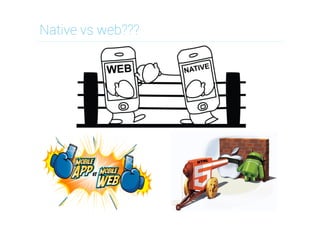
Native vs web???
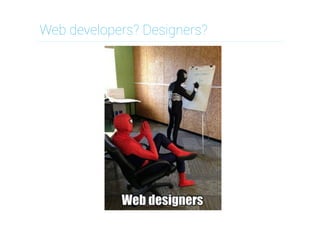
Web developers? Designers?
Native developers…????
Benefits of native development
•  Default OS look & feel (UI conventions)
•  Performance
•  Access to device hardware (GPS, etc)
•  App store/marketplace distribution
•  Benefit from latest OS enhancements
Drawbacks of native development
•  Tied to the particular OS you built for
•  Maintaining a multi OS team/skill-set
•  Dealing with the app store approval
process
•  Keeping app in sync with OS updates
Benefits of hybrid development
•  Common codebase for multiple OS's
•  Access to device hardware (GPS, etc)
•  App store/marketplace distribution
•  Skills you already have (HTML, CSS, JS)
•  Potential code reuse in web site/app
Drawbacks of hybrid development
•  Build for lowest common denominator
•  3rd party SDK's might lag behind OS
–  Want to use feature X? Wait for an
implementation in abstraction layer

•  An abstraction layer can have bugs of
its own. Have to determine if a bug is in
your code, the abstraction layer, or OS.
So, what should I build?

•  Desktop web app
•  Mobile web app
•  Mobile native app
We can live together…
Webview and the mobile web…

•  Webviews and Mobile web are
almost the same…
Webview and the mobile web…

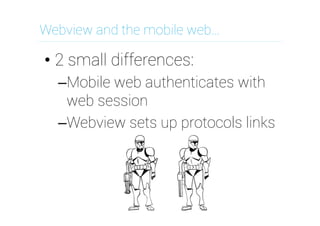
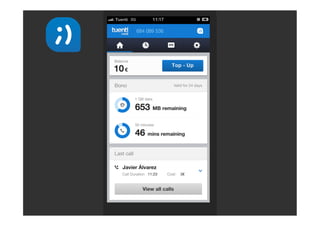
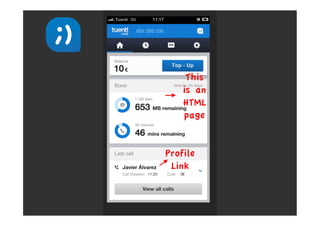
•  2 small differences:
– Mobile web authenticates with
web session
– Webview sets up protocols links
Webview and the mobile web…

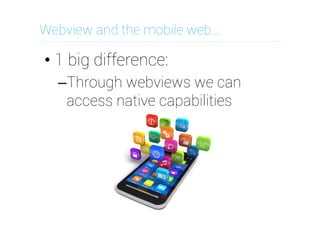
•  1 big difference:
– Through webviews we can
access native capabilities
Pitfalls…experiences?
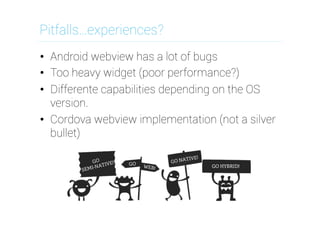
•  Android webview has a lot of bugs
•  Too heavy widget (poor performance?)
•  Differente capabilities depending on the OS
version.
•  Cordova webview implementation (not a silver
bullet)
Some advice…and conclusions…
Minimize number of connections
Do not assume JS has loaded
Minimize page weight
Testing in your desktop is not enough
Do not resize images on the client
Have a version of the web that works
everywhere
•  The most important: know your users
•  Test on real devices
• 
• 
• 
• 
• 
• 
Any questions?
Thanks!

When you look at the dark side, careful you
must be ... for the dark side looks back.
@fernando_cejas
www.fernandocejas.com

"WebView, the fifth element" por @fernando_cejas

  • 1.
    WEBVIEW: The FifthElement @fernando_cejas
  • 2.
    Who am I? • GDG Organizer •  Android, Agile and technology Geek •  NFC Actions App •  Mobile Developer @fernando_cejas http://www.fernandocejas.com/
  • 3.
    Agenda •  Native vsweb •  Web developers •  Native developers •  Benefits and drawbacks •  The webview •  Experiences •  Advices  
  • 4.
    What the hell…?…I am a native developer
  • 5.
    Why the title?What were you thinking about?
  • 6.
    Actually… •  Activities •  Intents • Services •  Widgets •  ...and Webview!!!
  • 7.
  • 8.
  • 9.
  • 10.
    Benefits of nativedevelopment •  Default OS look & feel (UI conventions) •  Performance •  Access to device hardware (GPS, etc) •  App store/marketplace distribution •  Benefit from latest OS enhancements
  • 11.
    Drawbacks of nativedevelopment •  Tied to the particular OS you built for •  Maintaining a multi OS team/skill-set •  Dealing with the app store approval process •  Keeping app in sync with OS updates
  • 12.
    Benefits of hybriddevelopment •  Common codebase for multiple OS's •  Access to device hardware (GPS, etc) •  App store/marketplace distribution •  Skills you already have (HTML, CSS, JS) •  Potential code reuse in web site/app
  • 13.
    Drawbacks of hybriddevelopment •  Build for lowest common denominator •  3rd party SDK's might lag behind OS –  Want to use feature X? Wait for an implementation in abstraction layer •  An abstraction layer can have bugs of its own. Have to determine if a bug is in your code, the abstraction layer, or OS.
  • 14.
    So, what shouldI build? •  Desktop web app •  Mobile web app •  Mobile native app
  • 15.
    We can livetogether…
  • 16.
    Webview and themobile web… •  Webviews and Mobile web are almost the same…
  • 17.
    Webview and themobile web… •  2 small differences: – Mobile web authenticates with web session – Webview sets up protocols links
  • 20.
    Webview and themobile web… •  1 big difference: – Through webviews we can access native capabilities
  • 22.
    Pitfalls…experiences? •  Android webviewhas a lot of bugs •  Too heavy widget (poor performance?) •  Differente capabilities depending on the OS version. •  Cordova webview implementation (not a silver bullet)
  • 23.
    Some advice…and conclusions… Minimizenumber of connections Do not assume JS has loaded Minimize page weight Testing in your desktop is not enough Do not resize images on the client Have a version of the web that works everywhere •  The most important: know your users •  Test on real devices •  •  •  •  •  • 
  • 24.
  • 25.
    Thanks! When you lookat the dark side, careful you must be ... for the dark side looks back. @fernando_cejas www.fernandocejas.com