1
WebST
30th ESUG Conference
European Smalltalk Users Group
Lille, France, 8 - 11 July 2024
2
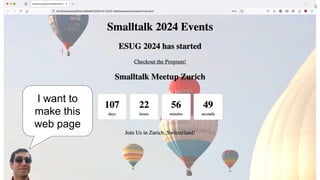
I want to
make this
web page
3
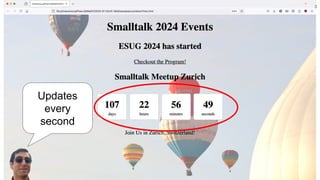
Updates
every
second
4
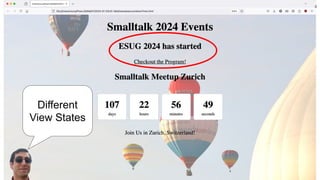
Different
View States
5
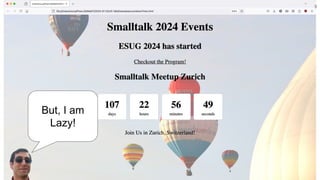
But, I am
Lazy!
6
Web Components
you reuse must
🤯
7
Noury
Bouraqadi
8
PLC3000.com
Noury
Bouraqadi
9
Web Components
&
Smalltalk
● Custom HTML tags
● HTML + CSS + JS
● Encapsulation = No collisions
10
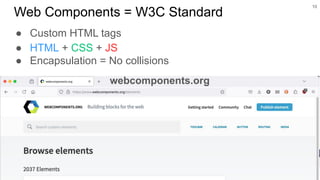
Web Components = W3C Standard
webcomponents.org
11
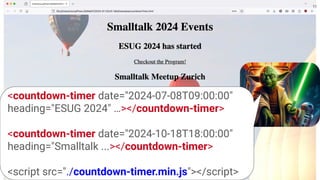
<countdown-timer date="2024-07-08T09:00:00"
heading="ESUG 2024" …></countdown-timer>
<countdown-timer date="2024-10-18T18:00:00"
heading="Smalltalk ...></countdown-timer>
<script src="./countdown-timer.min.js"></script>
12
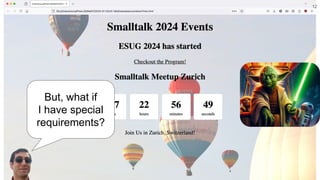
But, what if
I have special
requirements?
13
In Smalltalk
Web
Components
you make!
❤
14
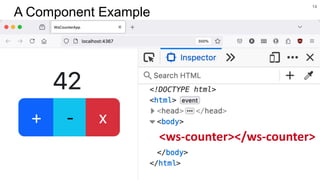
A Component Example
<ws-counter></ws-counter>
15
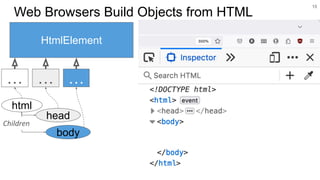
Web Browsers Build Objects from HTML
HtmlElement
…
html
body
head
…
…
Children
16
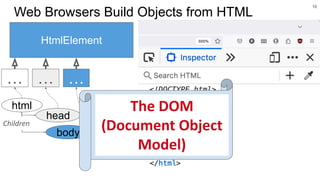
Web Browsers Build Objects from HTML
HtmlElement
…
html
body
head
…
…
Children
The DOM
(Document Object
Model)
17
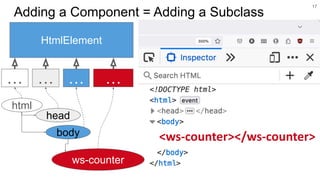
Adding a Component = Adding a Subclass
<ws-counter></ws-counter>
HtmlElement
…
html
body
head
ws-counter
…
… …
18
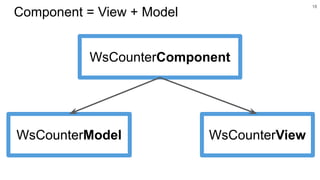
Component = View + Model
WsCounterComponent
WsCounterModel WsCounterView
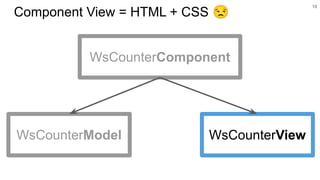
Component View = HTML + CSS 😒
19
WsCounterView
WsCounterComponent
WsCounterModel
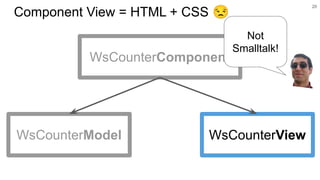
Component View = HTML + CSS 😒
20
WsCounterView
WsCounterComponent
WsCounterModel
Not
Smalltalk!
21
❤
The
force
you must use
22
❤
The
force
you must use
Thanks to Master Johan Brichau
& to the other Jedis!
23
● Client: HTML Generation
● Server: Requests Handling
Web Apps in Smalltalk
24
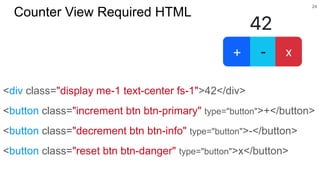
Counter View Required HTML
<div class="display me-1 text-center fs-1">42</div>
<button class="increment btn btn-primary" type="button">+</button>
<button class="decrement btn btn-info" type="button">-</button>
<button class="reset btn btn-danger" type="button">x</button>
25
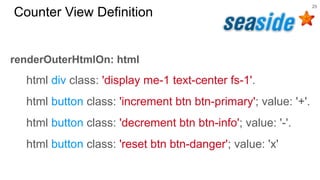
Counter View Definition
renderOuterHtmlOn: html
html div class: 'display me-1 text-center fs-1'.
html button class: 'increment btn btn-primary'; value: '+'.
html button class: 'decrement btn btn-info'; value: '-'.
html button class: 'reset btn btn-danger'; value: 'x'
26
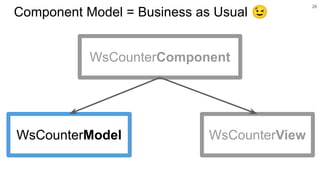
Component Model = Business as Usual 😉
WsCounterComponent
WsCounterModel WsCounterView
27
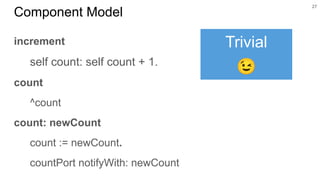
Component Model
increment
self count: self count + 1.
count
^count
count: newCount
count := newCount.
countPort notifyWith: newCount
Trivial
😉
28
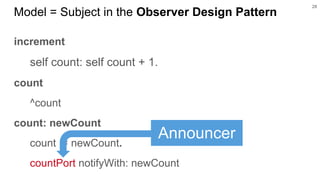
Model = Subject in the Observer Design Pattern
increment
self count: self count + 1.
count
^count
count: newCount
count := newCount.
countPort notifyWith: newCount
Announcer
29
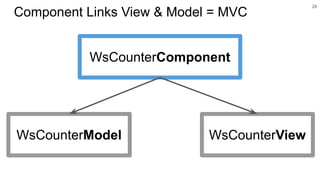
Component Links View & Model = MVC
WsCounterComponent
WsCounterModel WsCounterView
initModel
super initModel.
model -@ #countPort => [ :newCount |
self displayCount: newCount ].
self updateDisplay
updateDisplay
display textContent: model count asString
30
Component Links Model to View
Update View When
Model Changes
initModel
super initModel.
model -@ #countPort => [ :newCount |
self displayCount: newCount ].
self updateDisplay
updateDisplay
display textContent: model count asString
31
View Observes the Model
Subscribe to count changes
initView
| incrementButton decrementButton resetButton |
super initView.
display := view querySelector: '.display'.
incrementButton := view querySelector: '.increment'.
self onClickElement: incrementButton do: [ model increment ].
decrementButton := …
32
Component Links View to Model
Clicks on View
Increment Model
initView
| incrementButton decrementButton resetButton |
super initView.
display := view querySelector: '.display'.
incrementButton := view querySelector: '.increment'.
self onClickElement: incrementButton do: [ model increment ].
decrementButton := …
33
Navigating the DOM
JavaScript
API !
😰
12
34
❤
The
force
you must use
Develop
100% Pharo
Run 100%
JavaScript
35
● Generate JavaScript from Smalltalk
● Link JavaScript Third Party Libraries
● Test JavaScript + Web Clients
Develop 100% Pharo
Run 100% JavaScript
36
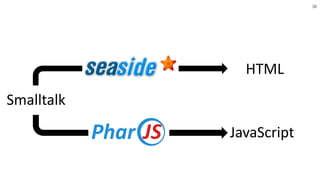
HTML
JavaScript
Smalltalk
37
HTML ✅
JavaScript ✅
CSS❓
38
HTML ✅
JavaScript ✅
CSS❓
Reuse
you must!
The JavaScript
force you must use!
39
Reuse
Candidate
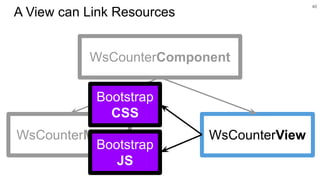
A View can Link Resources
40
WsCounterView
WsCounterComponent
WsCounterModel
Bootstrap
CSS
Bootstrap
JS
41
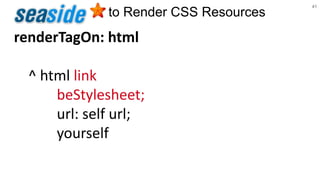
to Render CSS Resources
renderTagOn: html
^ html link
beStylesheet;
url: self url;
yourself
42
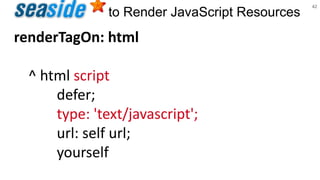
to Render JavaScript Resources
renderTagOn: html
^ html script
defer;
type: 'text/javascript';
url: self url;
yourself
43
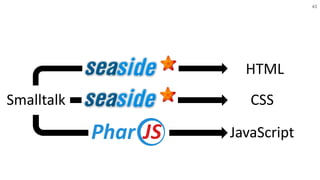
HTML
JavaScript
Smalltalk CSS
44
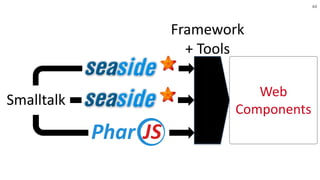
Smalltalk
Web
Components
Framework
+ Tools
45
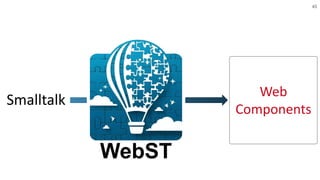
Smalltalk
Web
Components
WebST
46
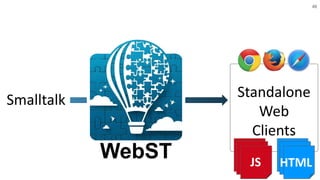
Smalltalk
WebST
Standalone
Web
Clients
JS HTML
47
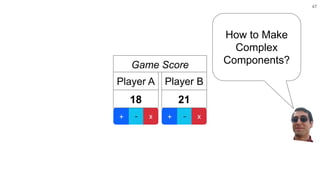
How to Make
Complex
Components?
21
Player B
18
Player A
Game Score
48
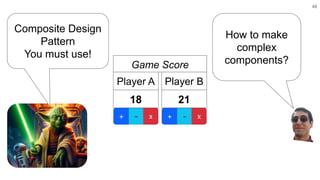
How to make
complex
components?
21
Player B
18
Player A
Game Score
Composite Design
Pattern
You must use!
49
21
Player B
18
Player A
Game Score
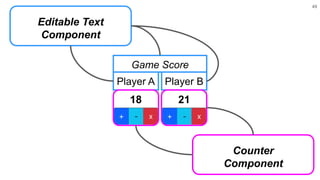
Editable Text
Component
Counter
Component
50
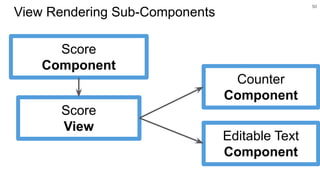
View Rendering Sub-Components
Score
Component
Score
View
Counter
Component
Editable Text
Component
51
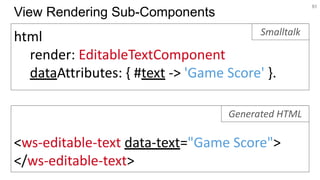
html
render: EditableTextComponent
dataAttributes: { #text -> 'Game Score' }.
View Rendering Sub-Components
<ws-editable-text data-text="Game Score">
</ws-editable-text>
Generated HTML
Smalltalk
52
I want
more!
I want to develop
100% in Smalltalk
ALL THE TIME!
53
❤
Export Full Web
Clients + Server
You Can
54
Wait!
I want
Test-Driven Development
too!
55
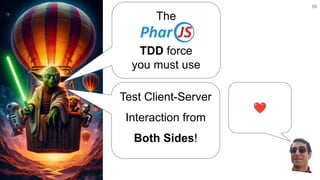
❤
The
TDD force
you must use
Test Client-Server
Interaction from
Both Sides!
100%
Pharo
HTML + JavaScript
Development Production
1. Write tests
3. Export
2. Pass the tests
56
Server + Clients 100%
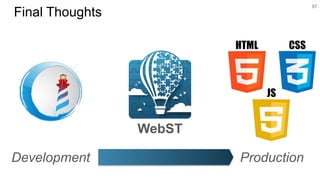
57
WebST
Final Thoughts
Development Production
58
WebST
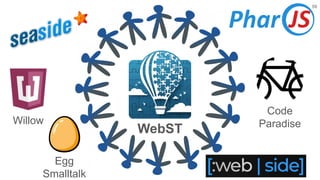
59
Willow
Code
Paradise
Egg
Smalltalk
WebST
60
WebST
Web Components
& Smalltalk
.com/bouraqadi/WebST

WebST: Framework & Tools for Test-Driven Development of Web Components with Smalltalk