A piece of sugar in your
client-side development
        Nicolas Blanco
        Novagile team
JavaScript ?
JavaScript ?
HTML 5
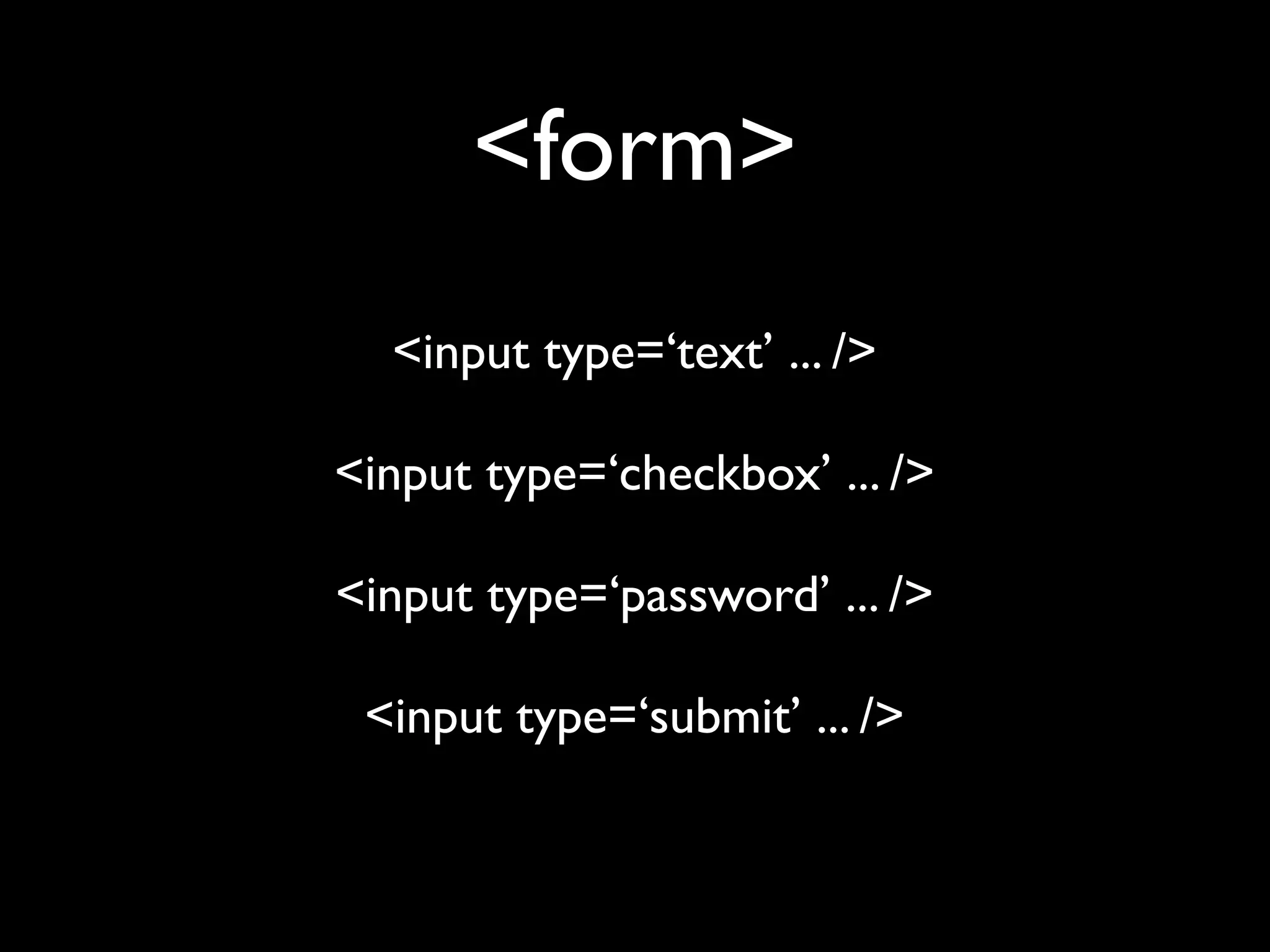
<form>
  <input type=‘text’ ... />

<input type=‘checkbox’ ... />

<input type=‘password’ ... />

 <input type=‘submit’ ... />
<form>
<form>
<form>
           <input type=‘text’ ... />

<input type=‘text’ placeholder=‘Entrez votre
                nom...’ ... />

     <input type=‘text’ autofocus ... />

      <input type=‘text’ required ... />

   <input type=‘text’ pattern=’[0-9]’ ... />
<form>
<input type=‘email’ ... />

 <input type=‘url’ ... />

<input type=‘search’ ... />
<form>

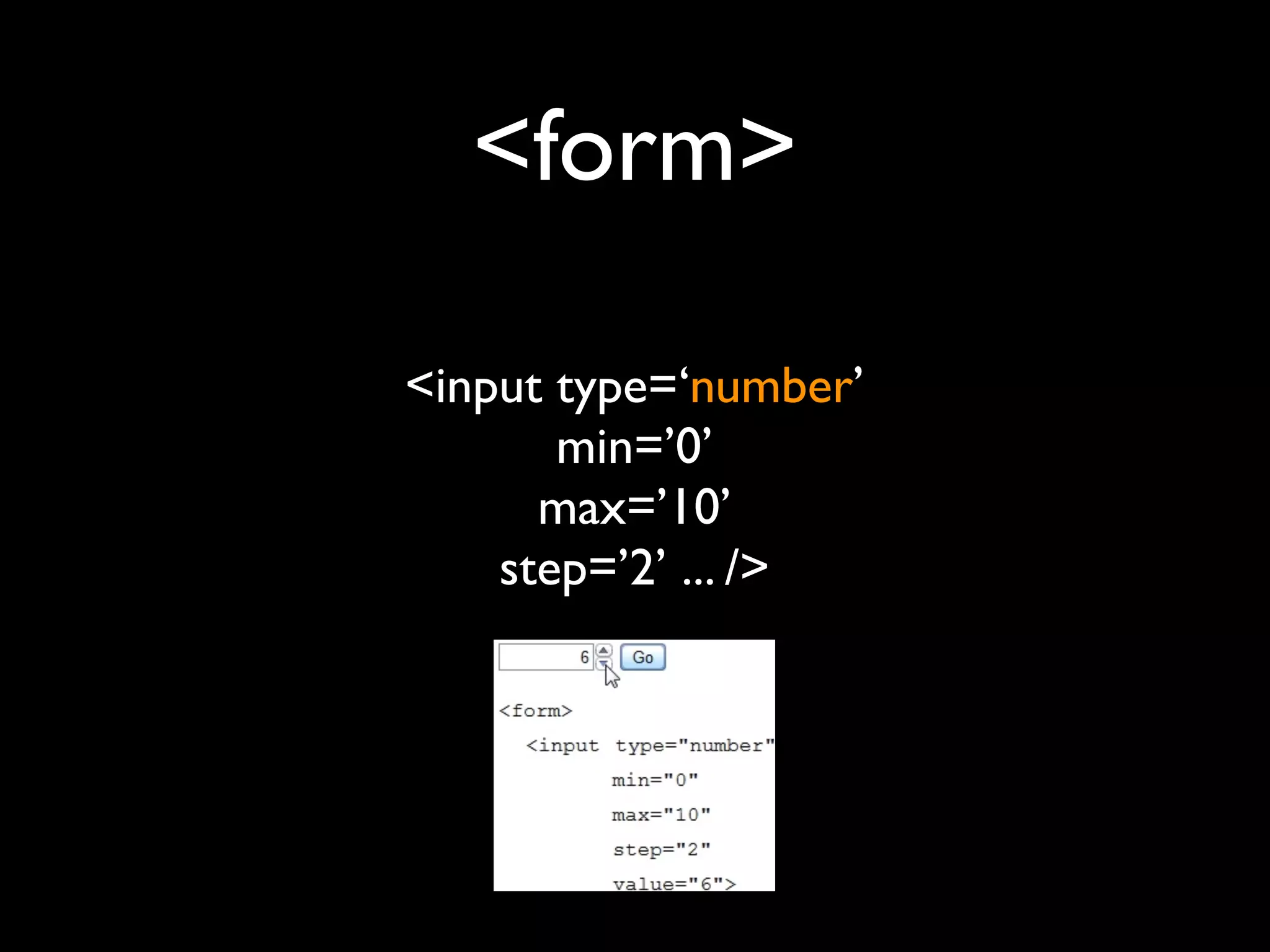
<input type=‘number’
       min=’0’
      max=’10’
    step=’2’ ... />
<form>
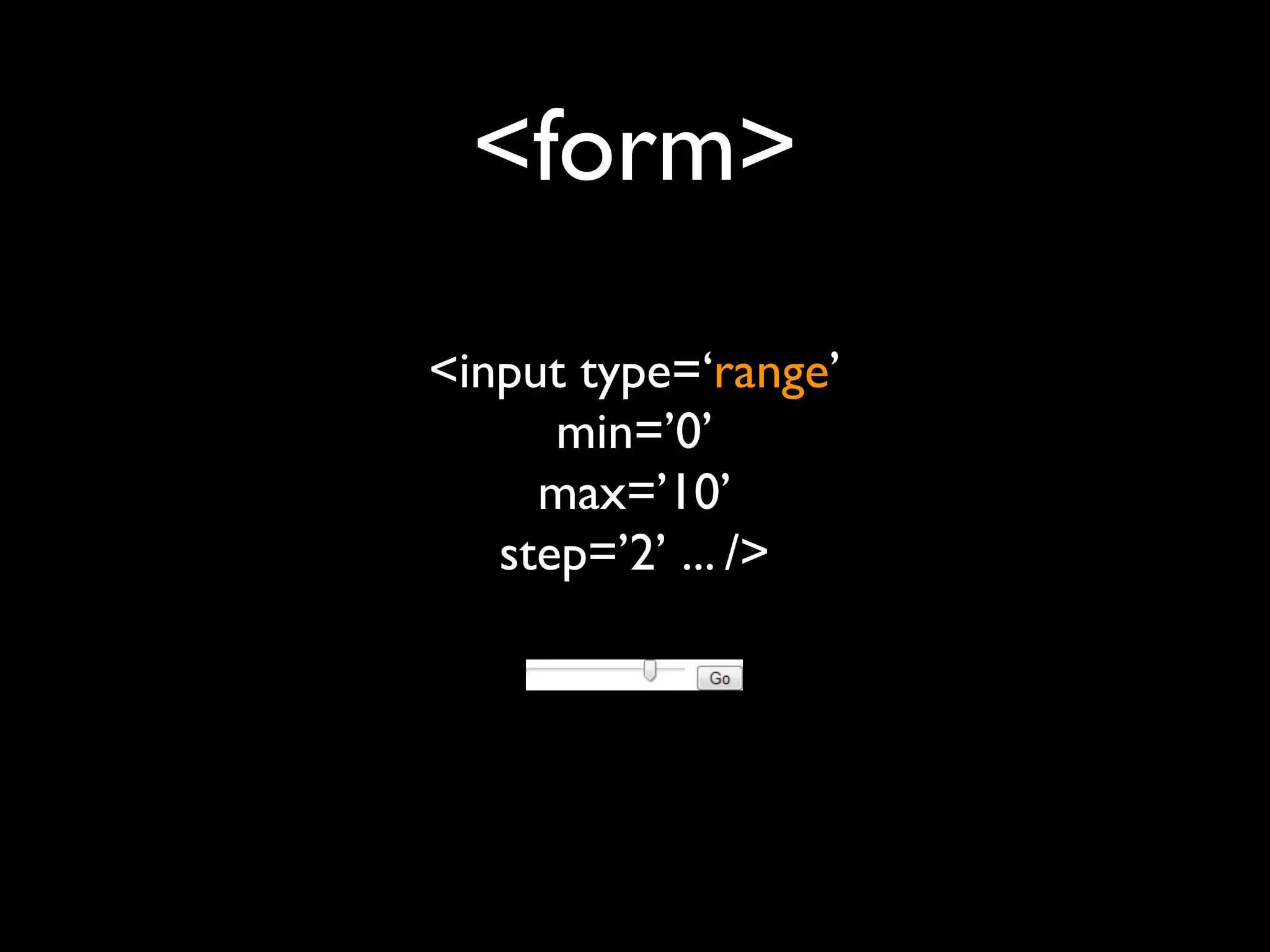
<input type=‘range’
      min=’0’
     max=’10’
   step=’2’ ... />
<form>
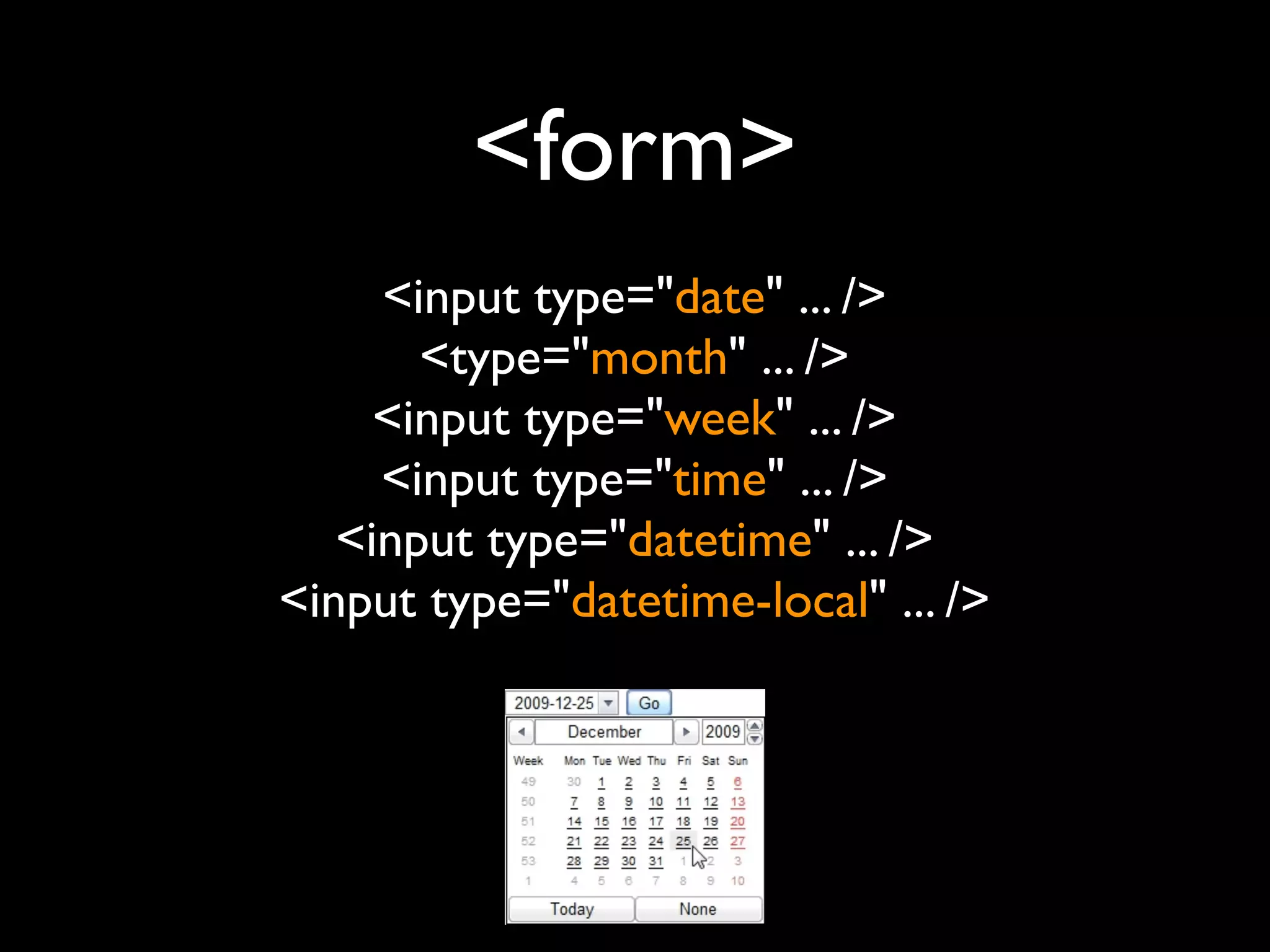
     <input type="date" ... />
       <type="month" ... />
     <input type="week" ... />
     <input type="time" ... />
   <input type="datetime" ... />
<input type="datetime-local" ... />
<form>
<form>


 flowplayer

≠ jQuery UI
<form>
jQuery Tools Form Validator

$(‘form.validator’).validator();
<form>
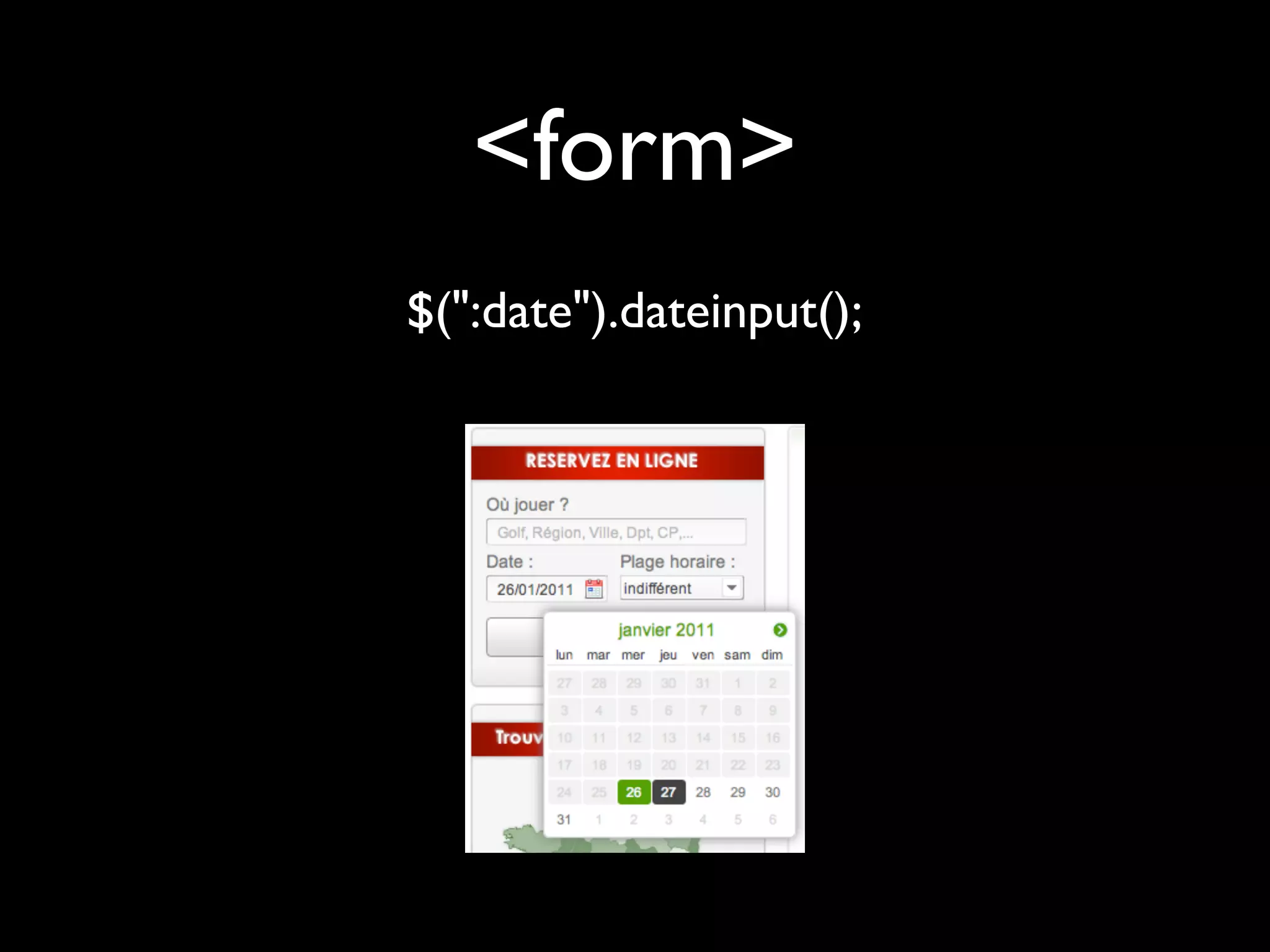
$(":date").dateinput();
<form>
HTML 5 new forms input
         +
   jQuery TOOLS
         =
MUST DO&HAVE!!!
    Obtrusive JavaScript ???
  <a href=’...’ onclick=‘...’ / ...>
   <form onsubmit=’...’ / ...>
                 =
MUST DO&HAVE!!!
   UNobtrusive JavaScript


   «Events» programming
MUST DO&HAVE!!!
MUST DO&HAVE!!!
MUST DO&HAVE!!!


Closure Compiler   YUI Compressor
So... JavaScript ?
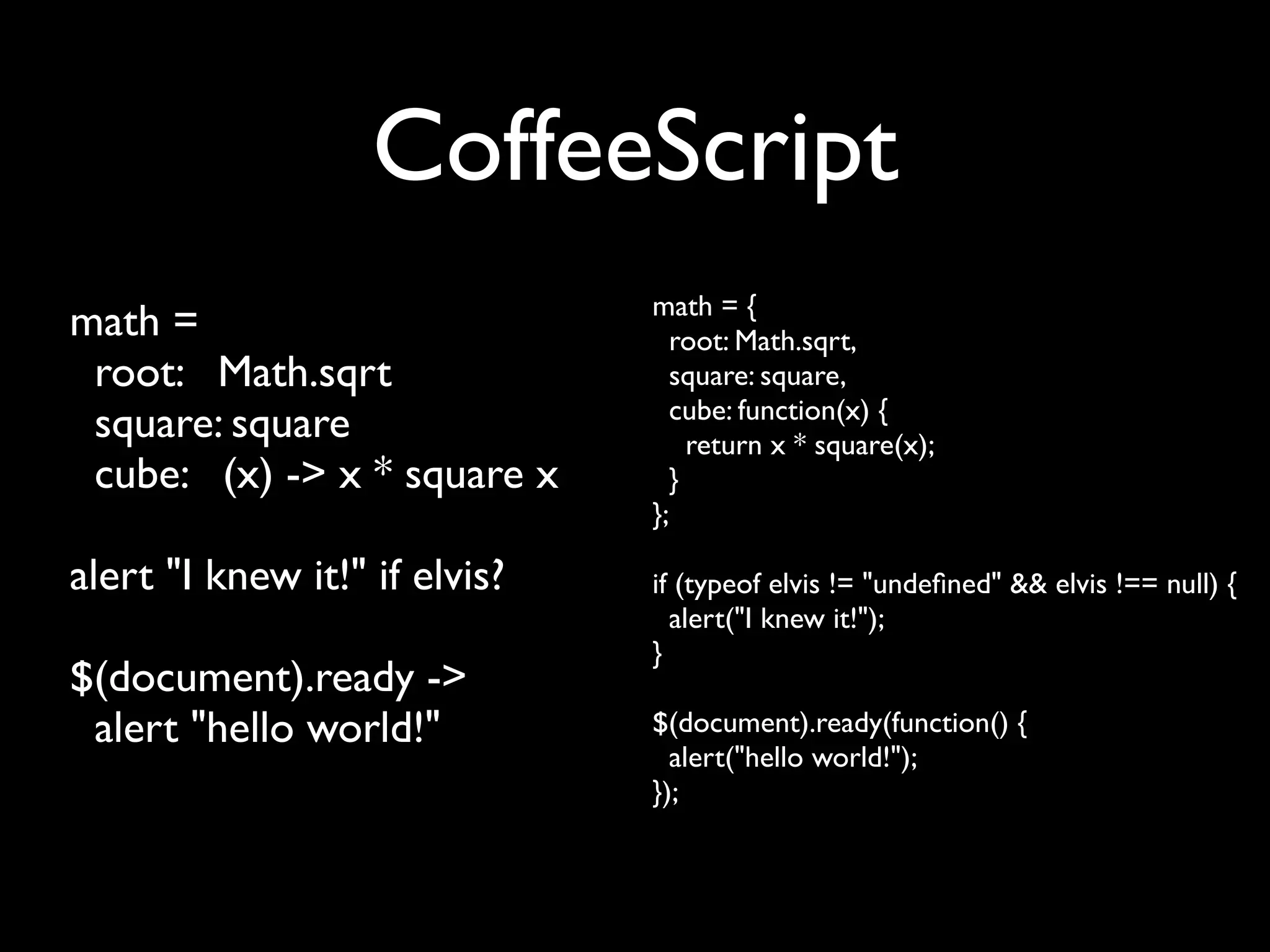
CoffeeScript


« It’s just JavaScript! »
CoffeeScript
                               math = {
math =                           root: Math.sqrt,
 root: Math.sqrt                 square: square,
                                 cube: function(x) {
 square: square                    return x * square(x);
 cube: (x) -> x * square x       }
                               };

alert "I knew it!" if elvis?   if (typeof elvis != "undefined" && elvis !== null) {
                                 alert("I knew it!");
                               }
$(document).ready ->
 alert "hello world!"          $(document).ready(function() {
                                 alert("hello world!");
                               });
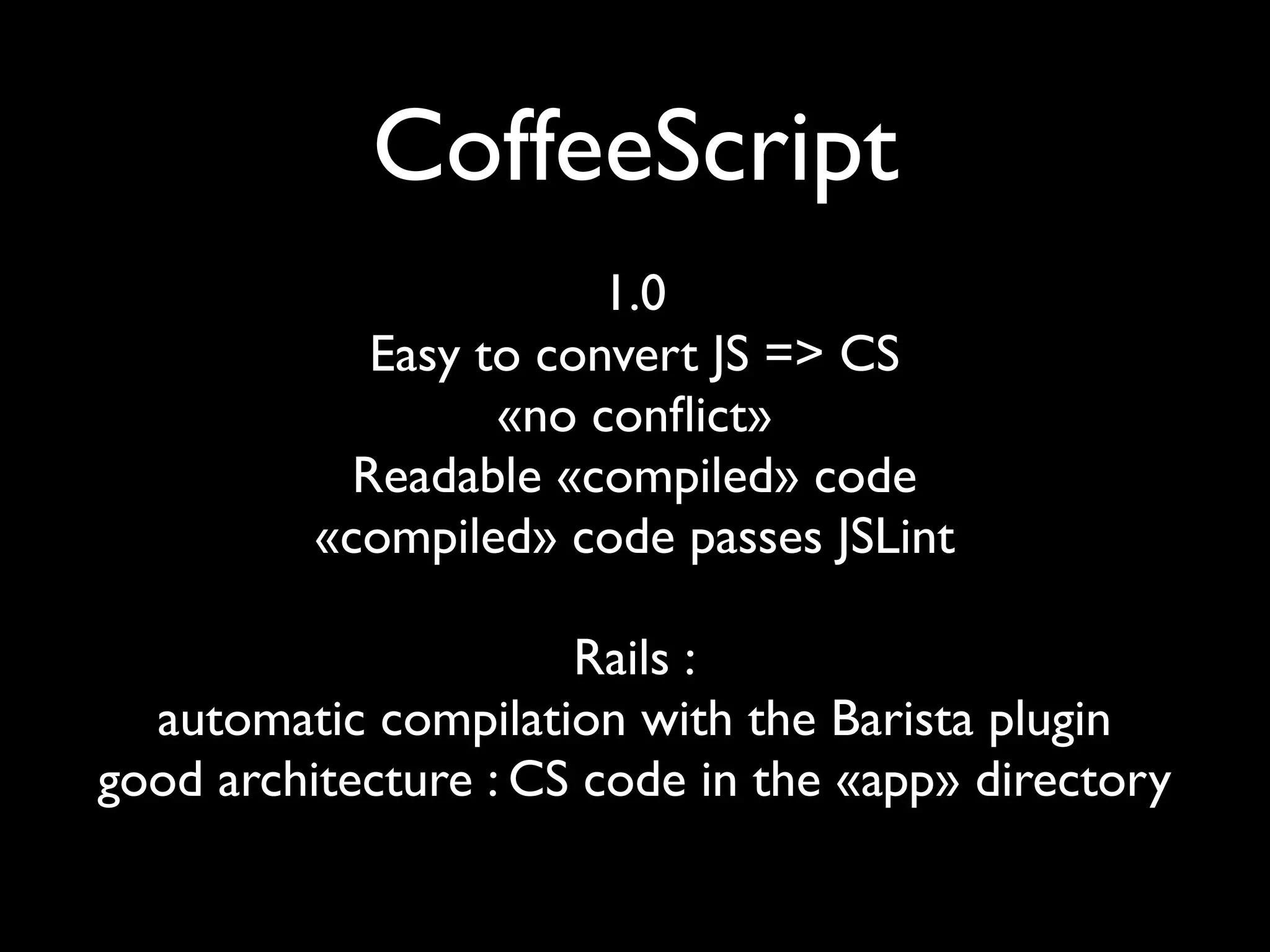
CoffeeScript
                        1.0
             Easy to convert JS => CS
                   «no conflict»
            Readable «compiled» code
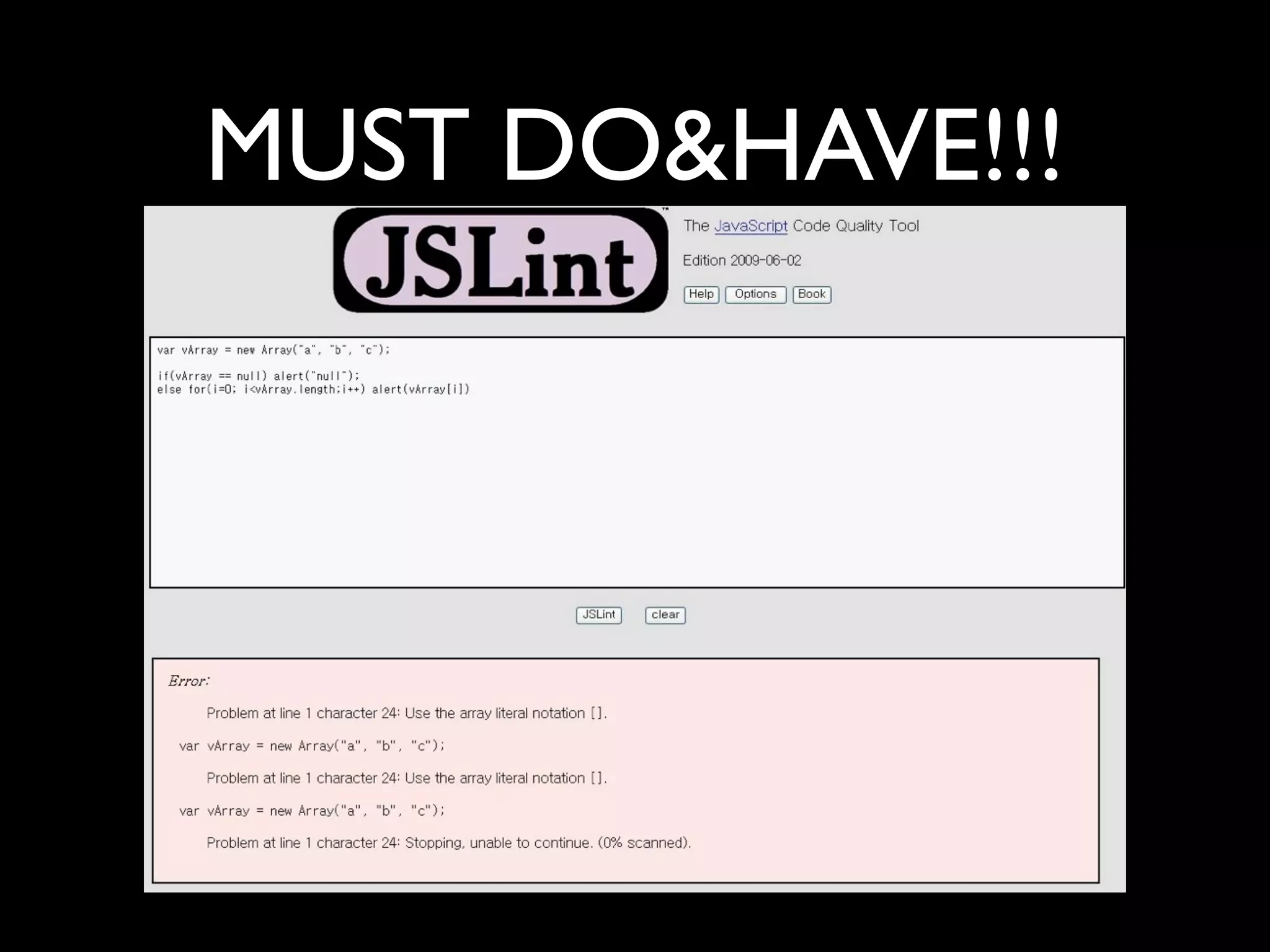
          «compiled» code passes JSLint

                      Rails :
  automatic compilation with the Barista plugin
good architecture : CS code in the «app» directory
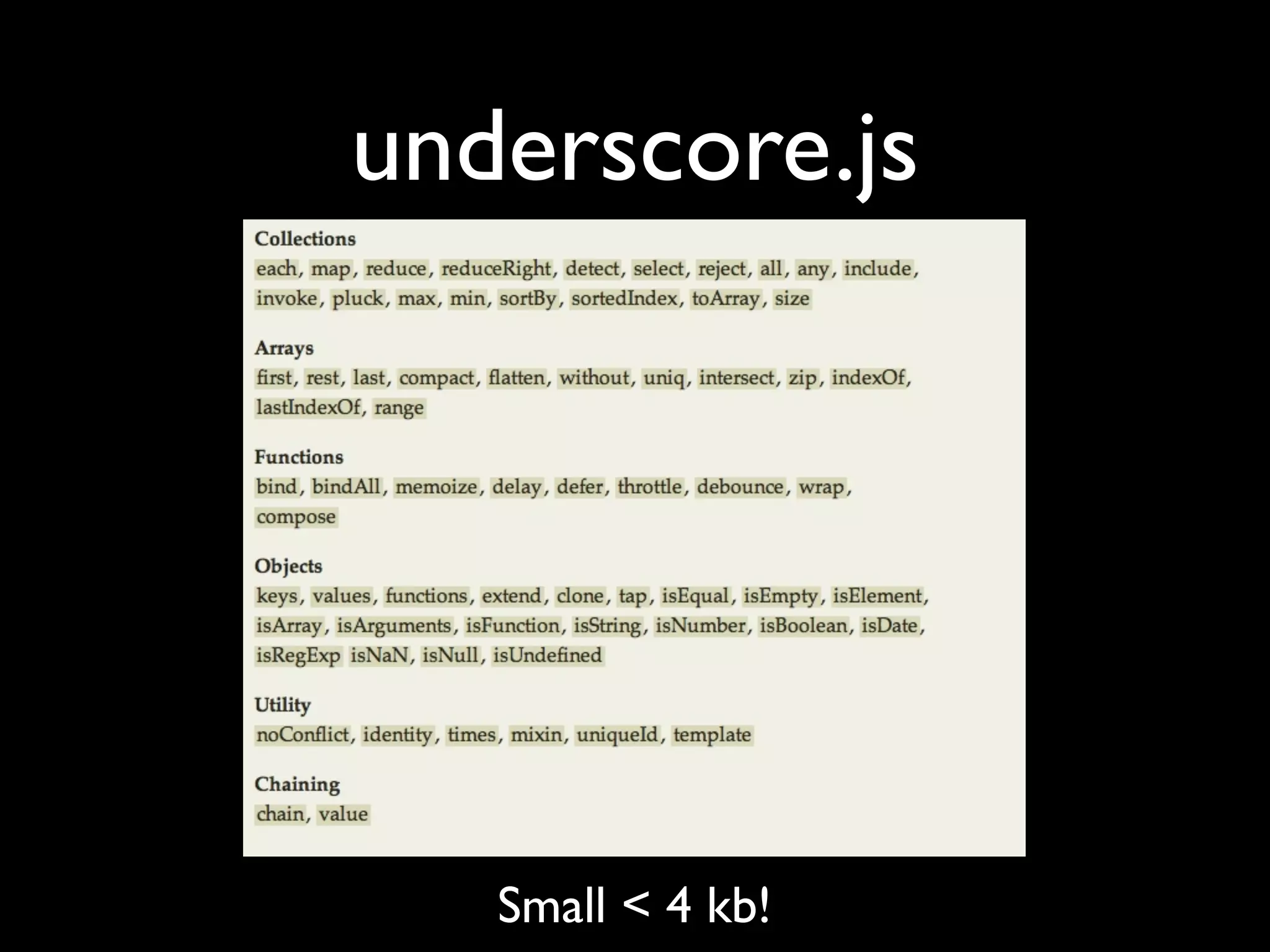
underscore.js


   Small < 4 kb!
underscore.js
            [1, 2, 3] => [2, 4, 6]


                      JS :

_([1, 2, 3]).map(function(n) { return n * 2; });

                     CS :

         _([1, 2, 3]).map (n) -> n * 2
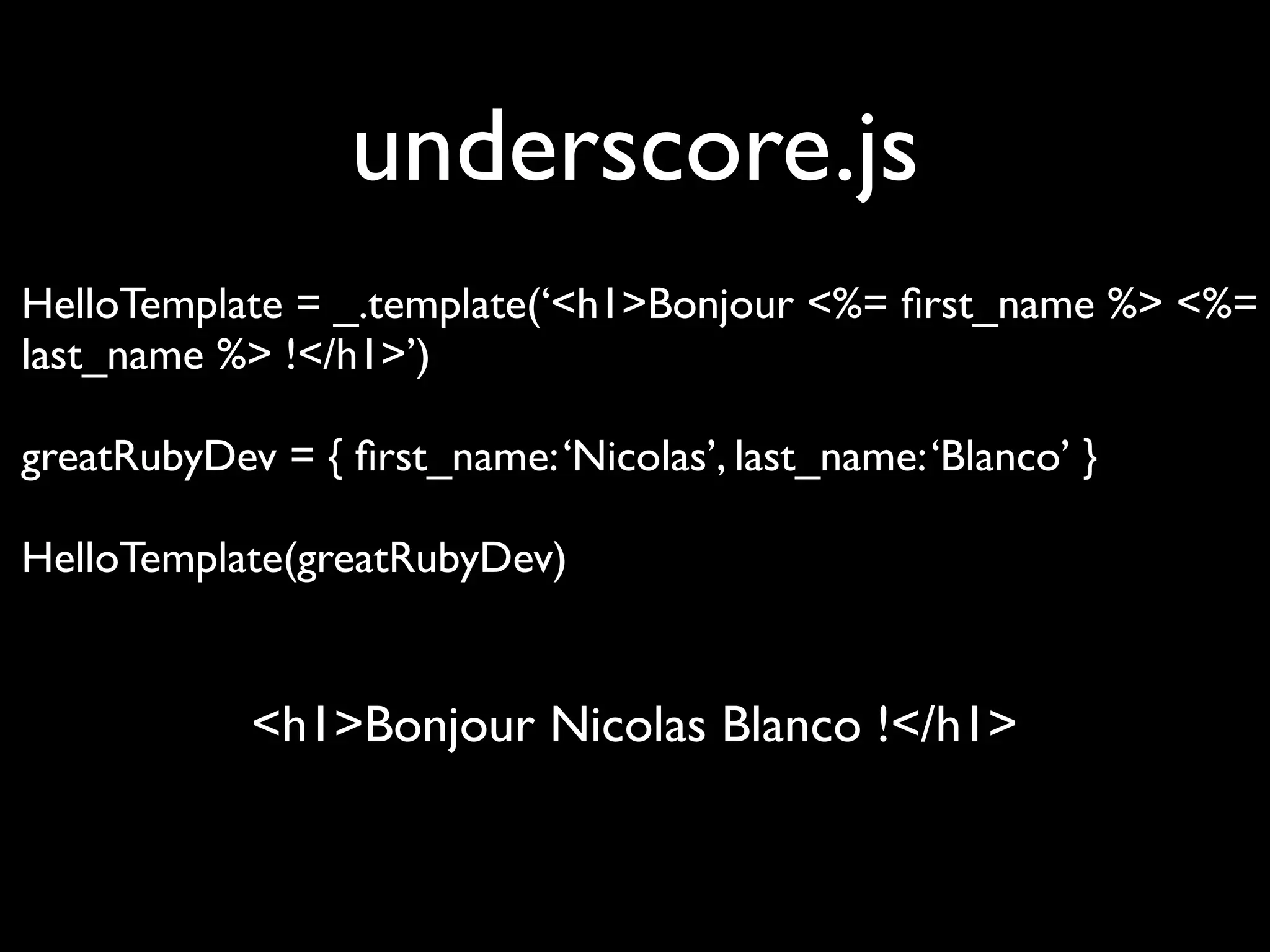
underscore.js
HelloTemplate = _.template(‘<h1>Bonjour <%= first_name %> <%=
last_name %> !</h1>’)

greatRubyDev = { first_name: ‘Nicolas’, last_name: ‘Blanco’ }

HelloTemplate(greatRubyDev)


            <h1>Bonjour Nicolas Blanco !</h1>
Rich client
         Ajax
Communication with server
Rich client
backbone.js

         Small < 5 kb!
Framework & design independent
    Based on underscore.js
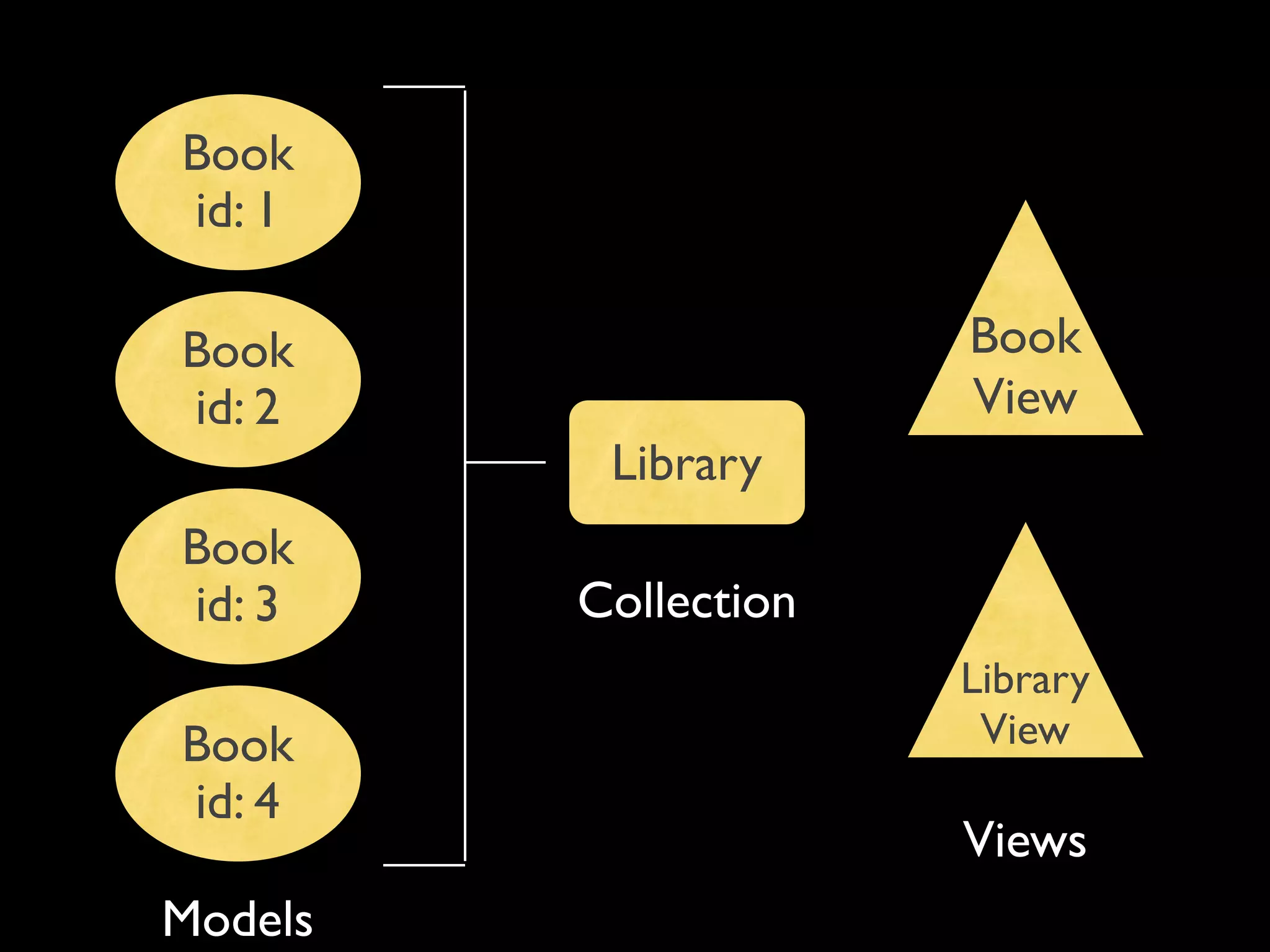
Book
id: 1

Book                  Book
id: 2                 View
          Library
Book
id: 3    Collection
                      Library
Book                   View
id: 4
                      Views
Models
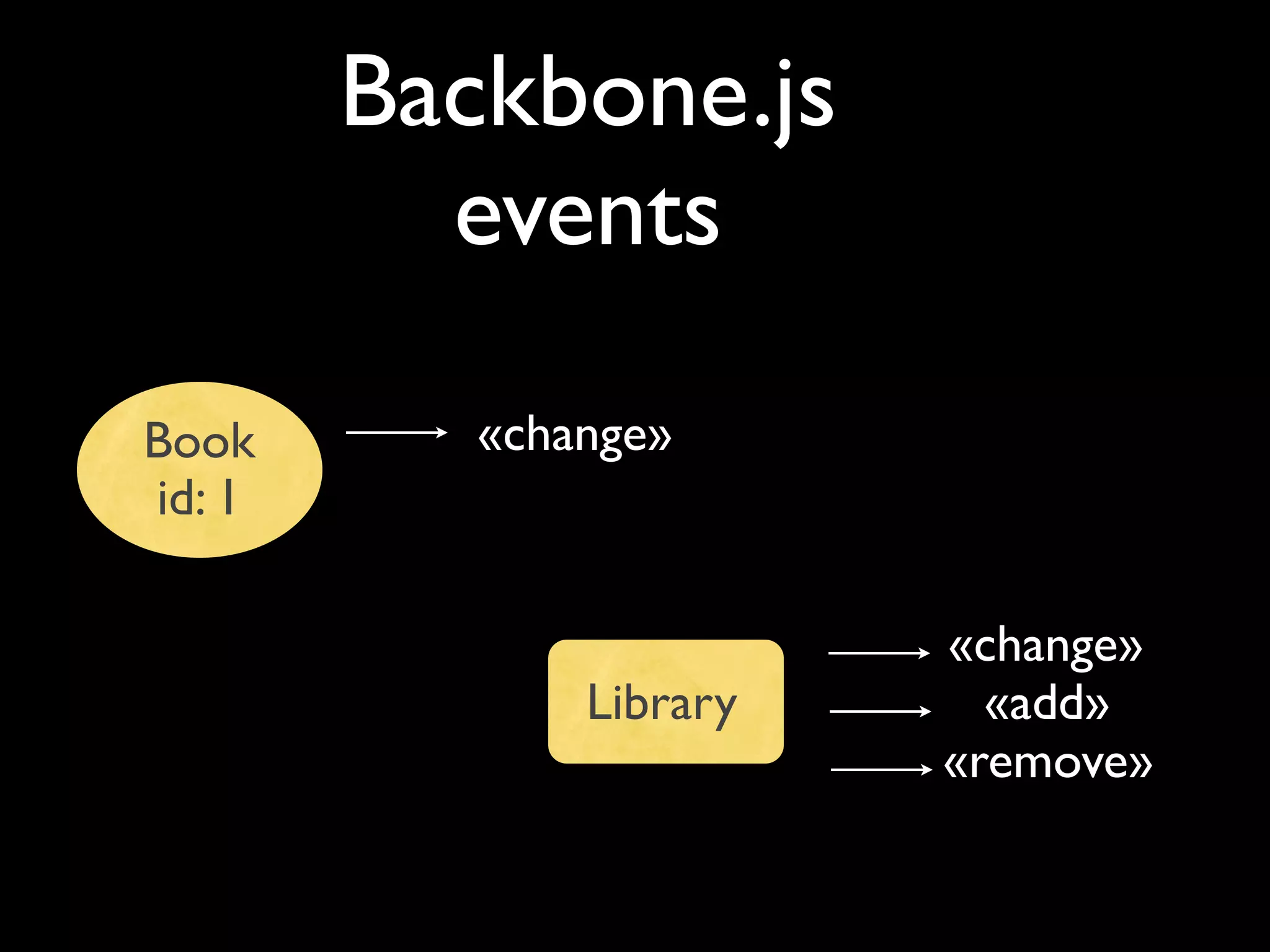
Backbone.js
          events

Book       «change»
id: 1

                         «change»
               Library     «add»
                         «remove»
backbone.js
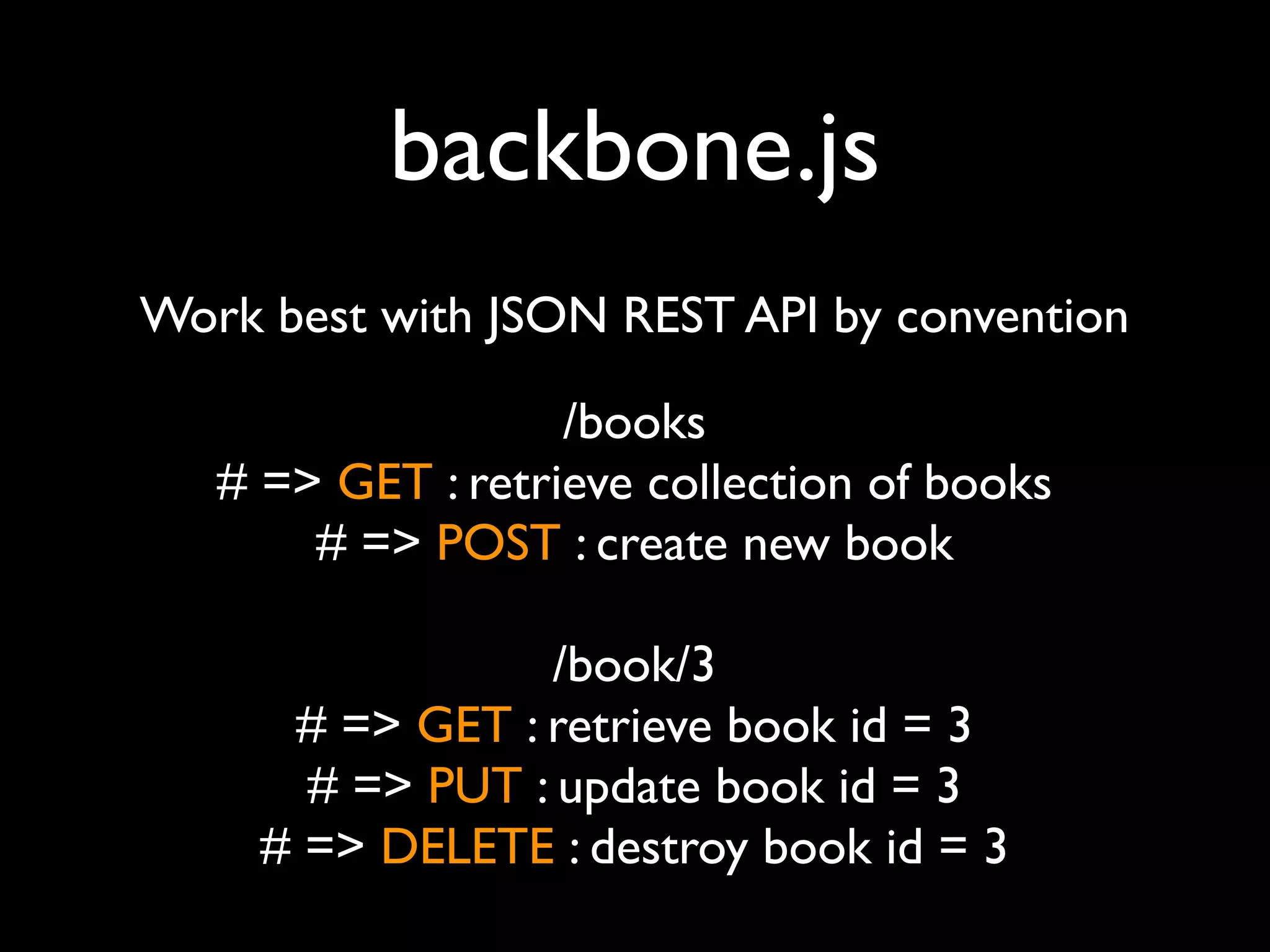
Work best with JSON REST API by convention

                   /books
   # => GET : retrieve collection of books
       # => POST : create new book

                 /book/3
      # => GET : retrieve book id = 3
       # => PUT : update book id = 3
     # => DELETE : destroy book id = 3
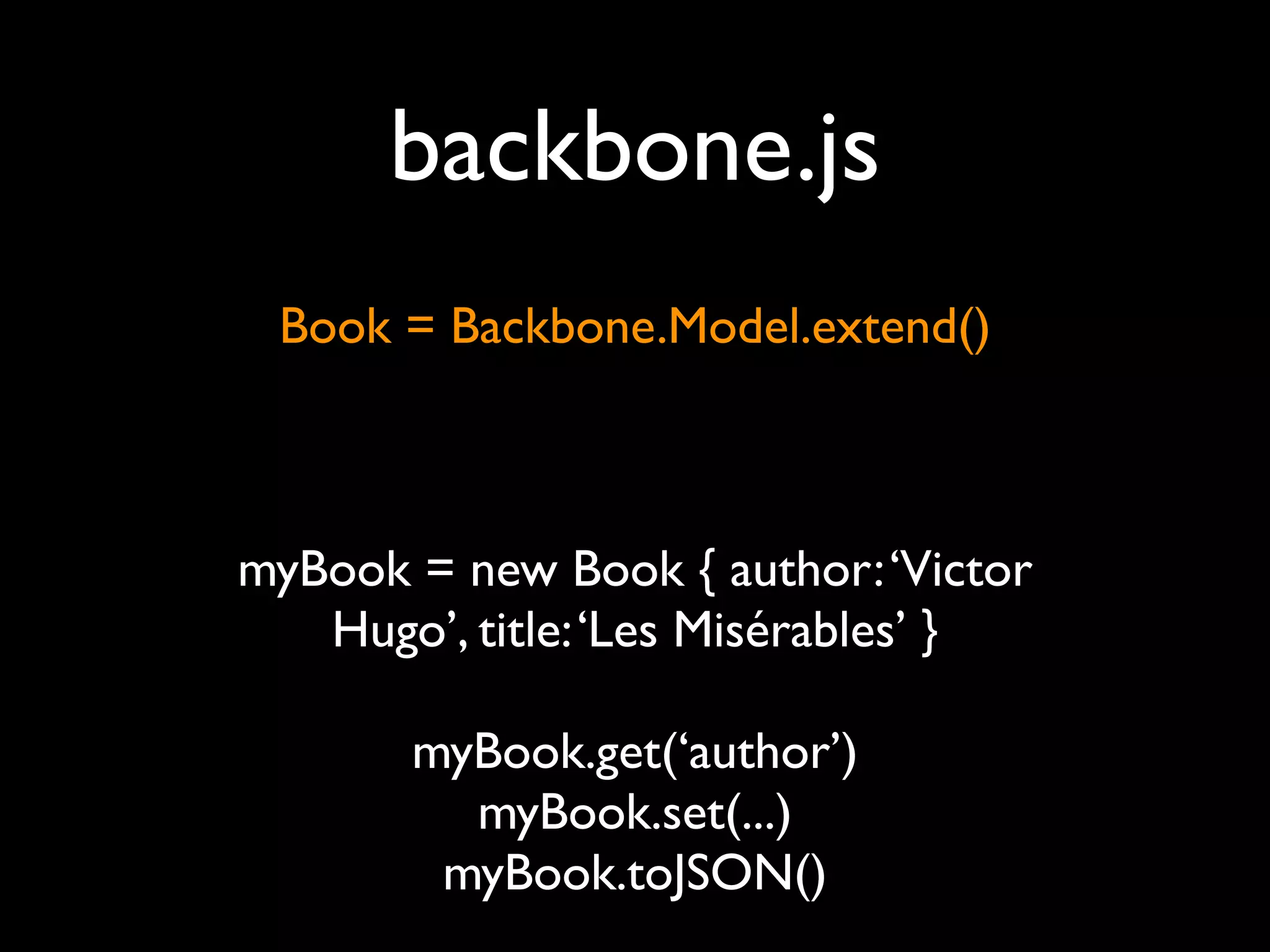
backbone.js
 Book = Backbone.Model.extend()


myBook = new Book { author: ‘Victor
   Hugo’, title: ‘Les Misérables’ }

       myBook.get(‘author’)
         myBook.set(...)
        myBook.toJSON()
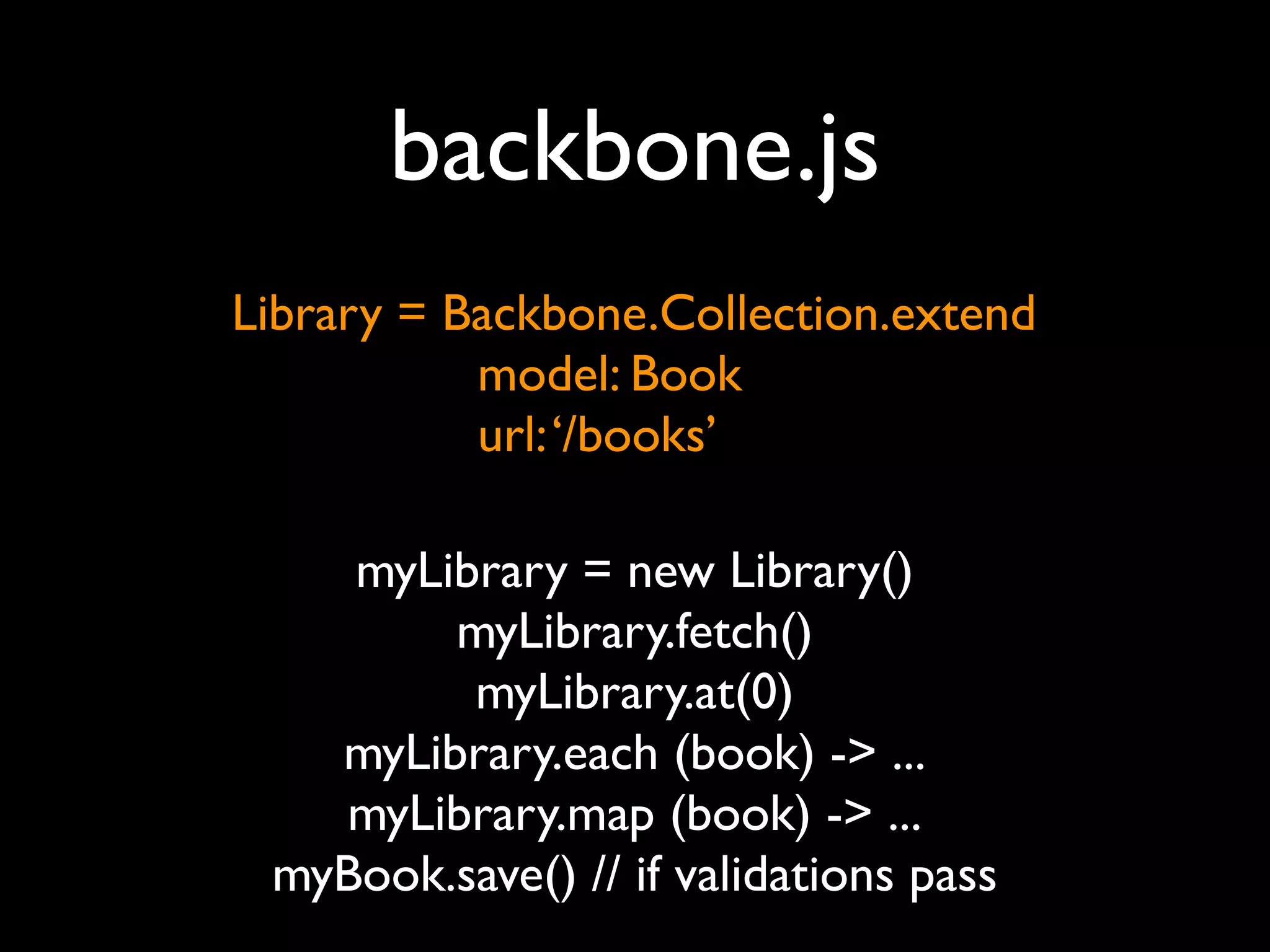
backbone.js
Library = Backbone.Collection.extend
           model: Book
           url: ‘/books’

    myLibrary = new Library()
        myLibrary.fetch()
         myLibrary.at(0)
   myLibrary.each (book) -> ...
   myLibrary.map (book) -> ...
 myBook.save() // if validations pass
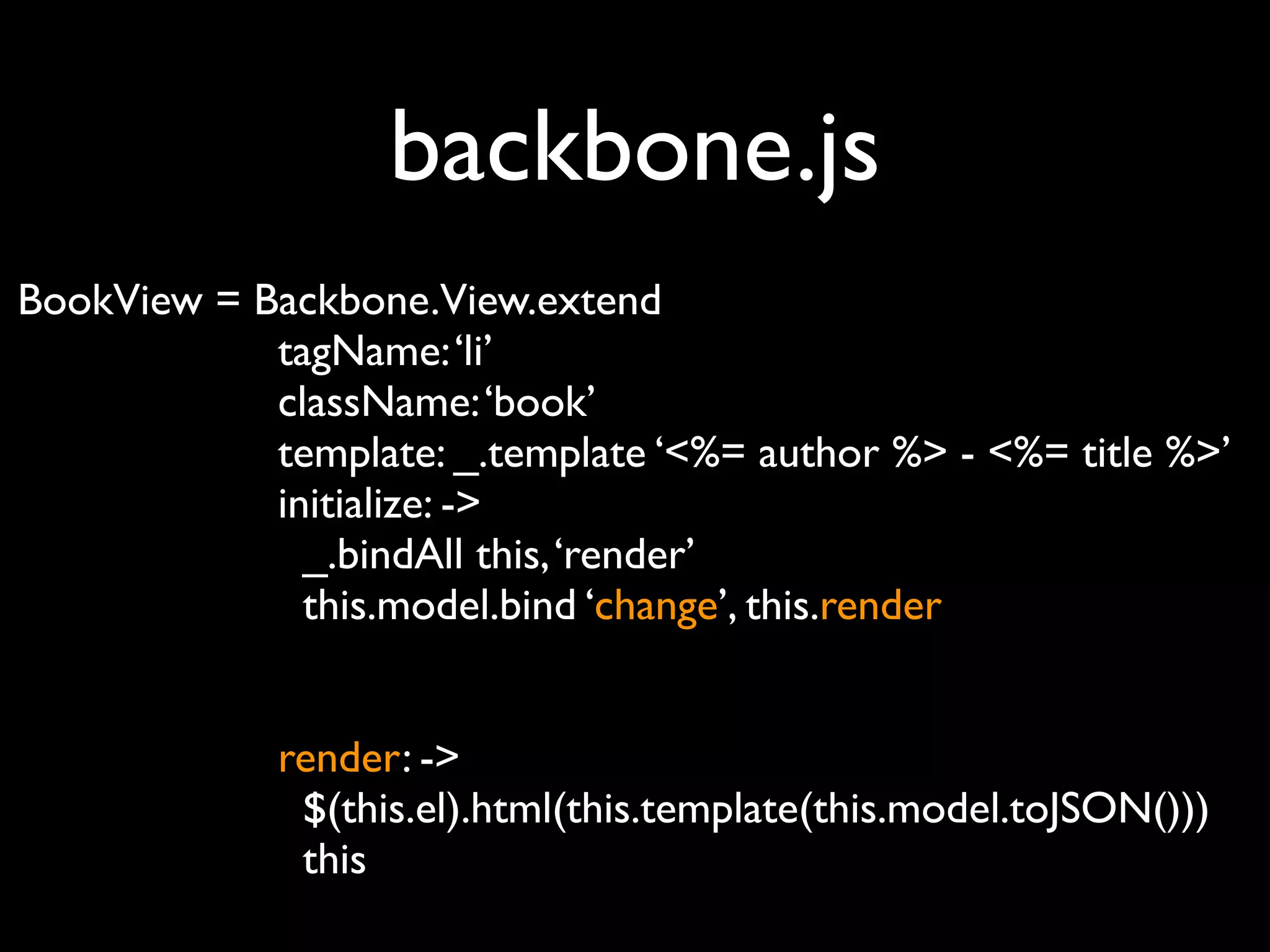
backbone.js
BookView = Backbone.View.extend
            tagName: ‘li’
            className: ‘book’
            template: _.template ‘<%= author %> - <%= title %>’
            initialize: ->
              _.bindAll this, ‘render’
              this.model.bind ‘change’, this.render


             render: ->
              $(this.el).html(this.template(this.model.toJSON()))
              this
backbone.js

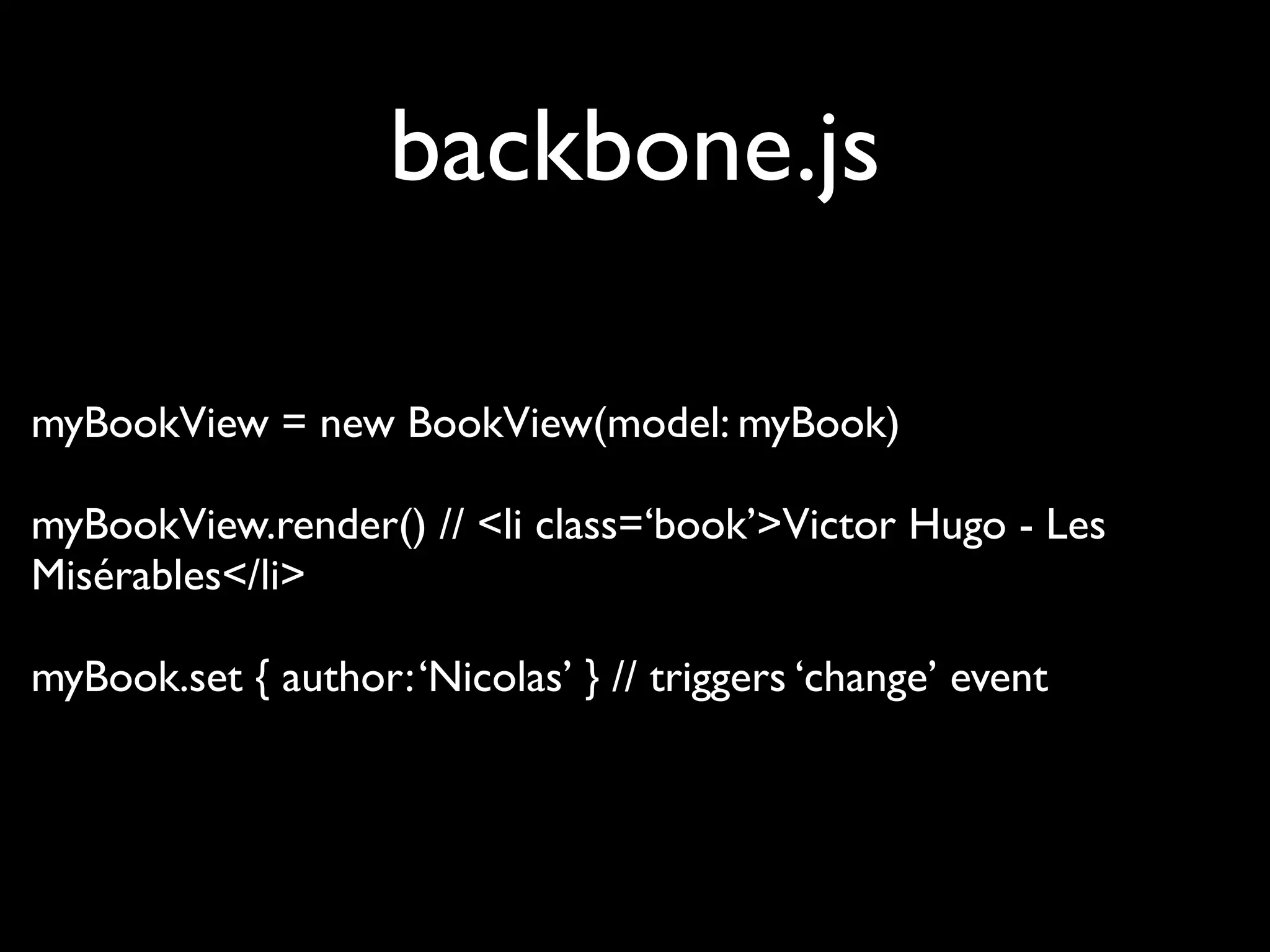
myBookView = new BookView(model: myBook)

myBookView.render() // <li class=‘book’>Victor Hugo - Les
Misérables</li>

myBook.set { author: ‘Nicolas’ } // triggers ‘change’ event
Thank you!
     follow me on twitter :
           @slainer68

A piece of sugar in your client-side development

  • 1.
    A piece ofsugar in your client-side development Nicolas Blanco Novagile team
  • 2.
  • 3.
  • 4.
  • 5.
    <form> <inputtype=‘text’ ... /> <input type=‘checkbox’ ... /> <input type=‘password’ ... /> <input type=‘submit’ ... />
  • 6.
  • 7.
  • 8.
    <form> <input type=‘text’ ... /> <input type=‘text’ placeholder=‘Entrez votre nom...’ ... /> <input type=‘text’ autofocus ... /> <input type=‘text’ required ... /> <input type=‘text’ pattern=’[0-9]’ ... />
  • 9.
    <form> <input type=‘email’ .../> <input type=‘url’ ... /> <input type=‘search’ ... />
  • 10.
    <form> <input type=‘number’ min=’0’ max=’10’ step=’2’ ... />
  • 11.
    <form> <input type=‘range’ min=’0’ max=’10’ step=’2’ ... />
  • 12.
    <form> <input type="date" ... /> <type="month" ... /> <input type="week" ... /> <input type="time" ... /> <input type="datetime" ... /> <input type="datetime-local" ... />
  • 13.
  • 14.
  • 15.
    <form> jQuery Tools FormValidator $(‘form.validator’).validator();
  • 16.
  • 17.
    <form> HTML 5 newforms input + jQuery TOOLS =
  • 18.
    MUST DO&HAVE!!! Obtrusive JavaScript ??? <a href=’...’ onclick=‘...’ / ...> <form onsubmit=’...’ / ...> =
  • 19.
    MUST DO&HAVE!!! UNobtrusive JavaScript «Events» programming
  • 20.
  • 21.
  • 22.
  • 23.
  • 24.
  • 25.
    CoffeeScript math = { math = root: Math.sqrt, root: Math.sqrt square: square, cube: function(x) { square: square return x * square(x); cube: (x) -> x * square x } }; alert "I knew it!" if elvis? if (typeof elvis != "undefined" && elvis !== null) { alert("I knew it!"); } $(document).ready -> alert "hello world!" $(document).ready(function() { alert("hello world!"); });
  • 26.
    CoffeeScript 1.0 Easy to convert JS => CS «no conflict» Readable «compiled» code «compiled» code passes JSLint Rails : automatic compilation with the Barista plugin good architecture : CS code in the «app» directory
  • 27.
    underscore.js Small < 4 kb!
  • 28.
    underscore.js [1, 2, 3] => [2, 4, 6] JS : _([1, 2, 3]).map(function(n) { return n * 2; }); CS : _([1, 2, 3]).map (n) -> n * 2
  • 29.
    underscore.js HelloTemplate = _.template(‘<h1>Bonjour<%= first_name %> <%= last_name %> !</h1>’) greatRubyDev = { first_name: ‘Nicolas’, last_name: ‘Blanco’ } HelloTemplate(greatRubyDev) <h1>Bonjour Nicolas Blanco !</h1>
  • 30.
    Rich client Ajax Communication with server
  • 31.
  • 32.
    backbone.js Small < 5 kb! Framework & design independent Based on underscore.js
  • 33.
    Book id: 1 Book Book id: 2 View Library Book id: 3 Collection Library Book View id: 4 Views Models
  • 34.
    Backbone.js events Book «change» id: 1 «change» Library «add» «remove»
  • 35.
    backbone.js Work best withJSON REST API by convention /books # => GET : retrieve collection of books # => POST : create new book /book/3 # => GET : retrieve book id = 3 # => PUT : update book id = 3 # => DELETE : destroy book id = 3
  • 36.
    backbone.js Book =Backbone.Model.extend() myBook = new Book { author: ‘Victor Hugo’, title: ‘Les Misérables’ } myBook.get(‘author’) myBook.set(...) myBook.toJSON()
  • 37.
    backbone.js Library = Backbone.Collection.extend model: Book url: ‘/books’ myLibrary = new Library() myLibrary.fetch() myLibrary.at(0) myLibrary.each (book) -> ... myLibrary.map (book) -> ... myBook.save() // if validations pass
  • 38.
    backbone.js BookView = Backbone.View.extend tagName: ‘li’ className: ‘book’ template: _.template ‘<%= author %> - <%= title %>’ initialize: -> _.bindAll this, ‘render’ this.model.bind ‘change’, this.render render: -> $(this.el).html(this.template(this.model.toJSON())) this
  • 39.
    backbone.js myBookView = newBookView(model: myBook) myBookView.render() // <li class=‘book’>Victor Hugo - Les Misérables</li> myBook.set { author: ‘Nicolas’ } // triggers ‘change’ event
  • 40.
    Thank you! follow me on twitter : @slainer68