Tuesday, June 11, 2024
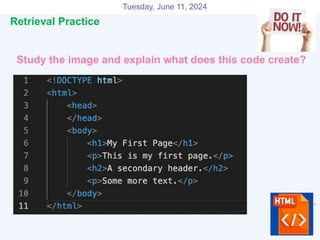
Study the image and explain what does this code create?
1
Retrieval Practice
Tuesday, June 11, 2024
2
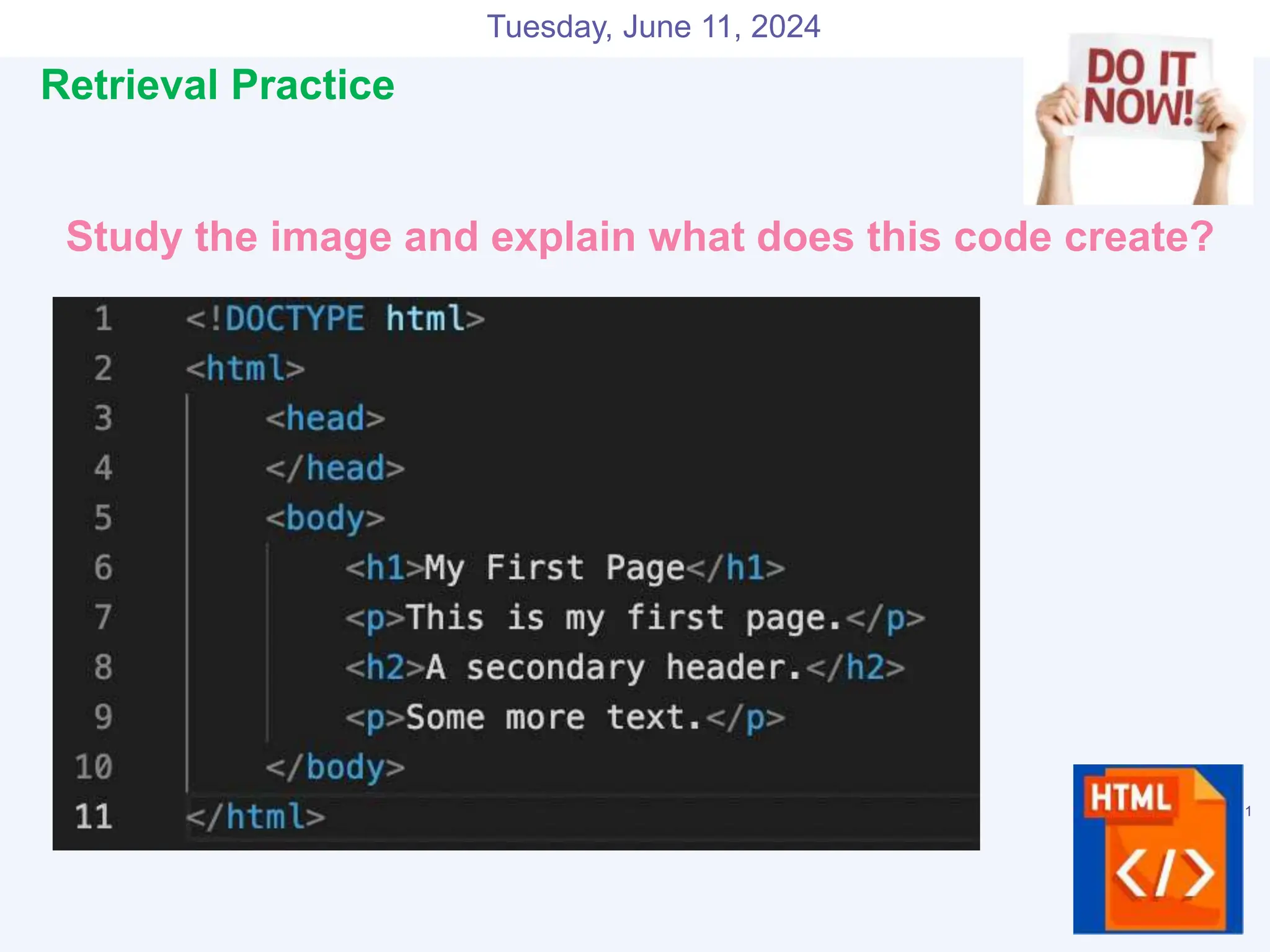
Retrieval Practice - Answers
A simple website
Tuesday, June 11, 2024
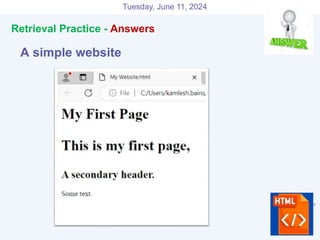
HTML and Web Pages
Challenge– Complete a webpage with images.
Keywords
• HTML
• Tags
• Website
• Browser
Tuesday, June 11, 2024
HTML?
●Hyper Text Markup Language
●HTML is not a programming language
●HTML uses paired tags to markup different elements
of a page
●Language that drives web pages in WWW
Tuesday, June 11, 2024
Editing Your HTML File
●Use Notepad
●WYSIWYG editor, like FrontPage
●Understand the coding behind web pages
●Provides you with the knowledge to make
changes
Tuesday, June 11, 2024
Words to remember
●Tag
● Used to specify special regions to the web browser.
Tags look like this: <tag>
●Element
● A complete tag, having an opening <tag> and a closing
</tag>.
●Attribute
● Used to modify the value of the HTML element.
Elements will often have multiple attributes.
Tuesday, June 11, 2024
Element?
● An element consists of three basic parts: an opening
tag, the element's content, and finally, a closing tag.
● <p> - opening paragraph tag
● Element Content - paragraph content
● </p> - closing tag
● Every webpage contains four basic elements.
1. Html
2. Head
3. Title
4. Body.
Tuesday, June 11, 2024
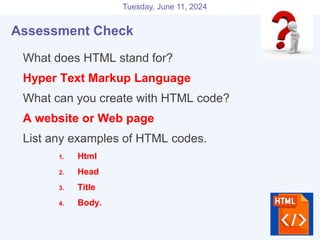
Assessment Check
●What does HTML stand for?
●Hyper Text Markup Language
●What can you create with HTML code?
●A website or Web page
●List any examples of HTML codes.
1. Html
2. Head
3. Title
4. Body.
Tuesday, June 11, 2024
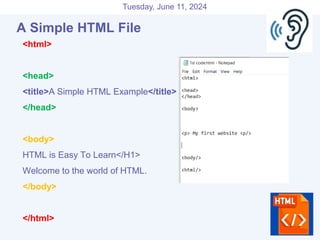
A Simple HTML File
<html>
<head>
<title>A Simple HTML Example</title>
</head>
<body>
HTML is Easy To Learn</H1>
Welcome to the world of HTML.
</body>
</html>
Tuesday, June 11, 2024
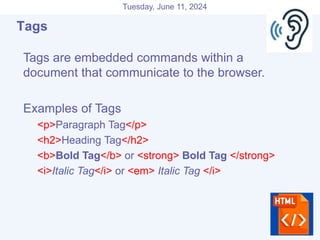
Tags
 Tags are embedded commands within a
document that communicate to the browser.
 Examples of Tags
 <p>Paragraph Tag</p>
 <h2>Heading Tag</h2>
 <b>Bold Tag</b> or <strong> Bold Tag </strong>
 <i>Italic Tag</i> or <em> Italic Tag </i>
Tags
Tuesday, June 11, 2024
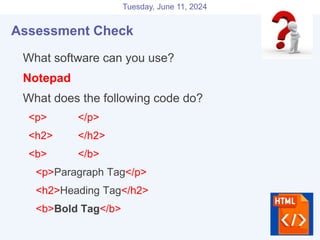
Assessment Check
●What software can you use?
●Notepad
●What does the following code do?
<p> </p>
<h2> </h2>
<b> </b>
<p>Paragraph Tag</p>
<h2>Heading Tag</h2>
<b>Bold Tag</b>
Tuesday, June 11, 2024
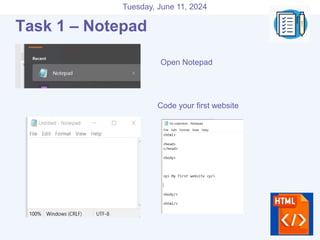
Task 1 – Notepad
Open Notepad
Code your first website
Tuesday, June 11, 2024
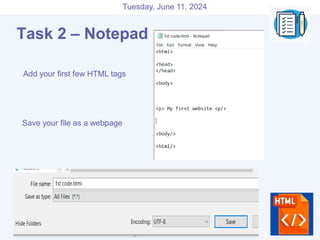
Task 2 – Notepad
Add your first few HTML tags
Save your file as a webpage
Tuesday, June 11, 2024
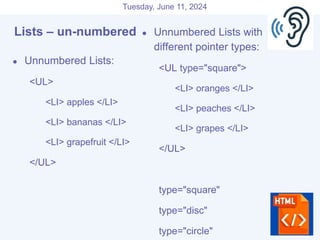
Lists – un-numbered
● Unnumbered Lists:
<UL>
<LI> apples </LI>
<LI> bananas </LI>
<LI> grapefruit </LI>
</UL>
● Unnumbered Lists with
different pointer types:
<UL type="square">
<LI> oranges </LI>
<LI> peaches </LI>
<LI> grapes </LI>
</UL>
type="square"
type="disc"
type="circle"
Tuesday, June 11, 2024
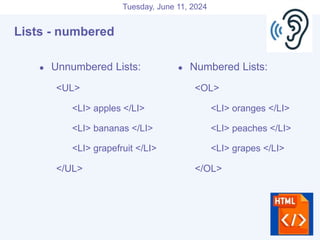
Lists - numbered
● Unnumbered Lists:
<UL>
<LI> apples </LI>
<LI> bananas </LI>
<LI> grapefruit </LI>
</UL>
● Numbered Lists:
<OL>
<LI> oranges </LI>
<LI> peaches </LI>
<LI> grapes </LI>
</OL>
Tuesday, June 11, 2024
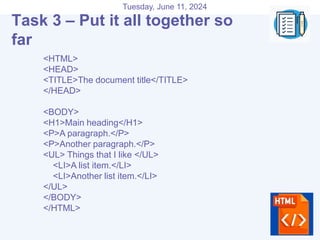
<HTML>
<HEAD>
<TITLE>The document title</TITLE>
</HEAD>
<BODY>
<H1>Main heading</H1>
<P>A paragraph.</P>
<P>Another paragraph.</P>
<UL> Things that I like </UL>
<LI>A list item.</LI>
<LI>Another list item.</LI>
</UL>
</BODY>
</HTML>
Task 3 – Put it all together so
far
Tuesday, June 11, 2024
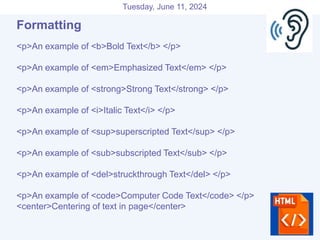
Formatting
<p>An example of <b>Bold Text</b> </p>
<p>An example of <em>Emphasized Text</em> </p>
<p>An example of <strong>Strong Text</strong> </p>
<p>An example of <i>Italic Text</i> </p>
<p>An example of <sup>superscripted Text</sup> </p>
<p>An example of <sub>subscripted Text</sub> </p>
<p>An example of <del>struckthrough Text</del> </p>
<p>An example of <code>Computer Code Text</code> </p>
<center>Centering of text in page</center>
Tuesday, June 11, 2024
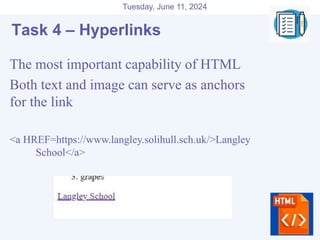
Hyperlinks
The most important capability of HTML
Both text and image can serve as anchors
for the link
<a HREF=https://www.langley.solihull.sch.uk/>Langley
School</a>
Task 4 – Hyperlinks
Tuesday, June 11, 2024
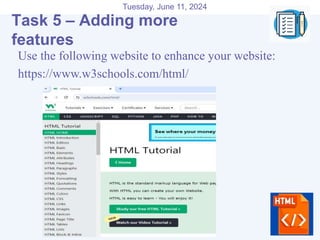
Hyperlinks
Use the following website to enhance your website:
https://www.w3schools.com/html/
Task 5 – Adding more
features

Website creation how to write html code to create websites

  • 1.
    Tuesday, June 11,2024 Study the image and explain what does this code create? 1 Retrieval Practice
  • 2.
    Tuesday, June 11,2024 2 Retrieval Practice - Answers A simple website
  • 3.
    Tuesday, June 11,2024 HTML and Web Pages Challenge– Complete a webpage with images. Keywords • HTML • Tags • Website • Browser
  • 4.
    Tuesday, June 11,2024 HTML? ●Hyper Text Markup Language ●HTML is not a programming language ●HTML uses paired tags to markup different elements of a page ●Language that drives web pages in WWW
  • 5.
    Tuesday, June 11,2024 Editing Your HTML File ●Use Notepad ●WYSIWYG editor, like FrontPage ●Understand the coding behind web pages ●Provides you with the knowledge to make changes
  • 6.
    Tuesday, June 11,2024 Words to remember ●Tag ● Used to specify special regions to the web browser. Tags look like this: <tag> ●Element ● A complete tag, having an opening <tag> and a closing </tag>. ●Attribute ● Used to modify the value of the HTML element. Elements will often have multiple attributes.
  • 7.
    Tuesday, June 11,2024 Element? ● An element consists of three basic parts: an opening tag, the element's content, and finally, a closing tag. ● <p> - opening paragraph tag ● Element Content - paragraph content ● </p> - closing tag ● Every webpage contains four basic elements. 1. Html 2. Head 3. Title 4. Body.
  • 8.
    Tuesday, June 11,2024 Assessment Check ●What does HTML stand for? ●Hyper Text Markup Language ●What can you create with HTML code? ●A website or Web page ●List any examples of HTML codes. 1. Html 2. Head 3. Title 4. Body.
  • 9.
    Tuesday, June 11,2024 A Simple HTML File <html> <head> <title>A Simple HTML Example</title> </head> <body> HTML is Easy To Learn</H1> Welcome to the world of HTML. </body> </html>
  • 10.
    Tuesday, June 11,2024 Tags  Tags are embedded commands within a document that communicate to the browser.  Examples of Tags  <p>Paragraph Tag</p>  <h2>Heading Tag</h2>  <b>Bold Tag</b> or <strong> Bold Tag </strong>  <i>Italic Tag</i> or <em> Italic Tag </i> Tags
  • 11.
    Tuesday, June 11,2024 Assessment Check ●What software can you use? ●Notepad ●What does the following code do? <p> </p> <h2> </h2> <b> </b> <p>Paragraph Tag</p> <h2>Heading Tag</h2> <b>Bold Tag</b>
  • 12.
    Tuesday, June 11,2024 Task 1 – Notepad Open Notepad Code your first website
  • 13.
    Tuesday, June 11,2024 Task 2 – Notepad Add your first few HTML tags Save your file as a webpage
  • 14.
    Tuesday, June 11,2024 Lists – un-numbered ● Unnumbered Lists: <UL> <LI> apples </LI> <LI> bananas </LI> <LI> grapefruit </LI> </UL> ● Unnumbered Lists with different pointer types: <UL type="square"> <LI> oranges </LI> <LI> peaches </LI> <LI> grapes </LI> </UL> type="square" type="disc" type="circle"
  • 15.
    Tuesday, June 11,2024 Lists - numbered ● Unnumbered Lists: <UL> <LI> apples </LI> <LI> bananas </LI> <LI> grapefruit </LI> </UL> ● Numbered Lists: <OL> <LI> oranges </LI> <LI> peaches </LI> <LI> grapes </LI> </OL>
  • 16.
    Tuesday, June 11,2024 <HTML> <HEAD> <TITLE>The document title</TITLE> </HEAD> <BODY> <H1>Main heading</H1> <P>A paragraph.</P> <P>Another paragraph.</P> <UL> Things that I like </UL> <LI>A list item.</LI> <LI>Another list item.</LI> </UL> </BODY> </HTML> Task 3 – Put it all together so far
  • 17.
    Tuesday, June 11,2024 Formatting <p>An example of <b>Bold Text</b> </p> <p>An example of <em>Emphasized Text</em> </p> <p>An example of <strong>Strong Text</strong> </p> <p>An example of <i>Italic Text</i> </p> <p>An example of <sup>superscripted Text</sup> </p> <p>An example of <sub>subscripted Text</sub> </p> <p>An example of <del>struckthrough Text</del> </p> <p>An example of <code>Computer Code Text</code> </p> <center>Centering of text in page</center>
  • 18.
    Tuesday, June 11,2024 Hyperlinks The most important capability of HTML Both text and image can serve as anchors for the link <a HREF=https://www.langley.solihull.sch.uk/>Langley School</a> Task 4 – Hyperlinks
  • 19.
    Tuesday, June 11,2024 Hyperlinks Use the following website to enhance your website: https://www.w3schools.com/html/ Task 5 – Adding more features