Hyper Text Markup Language (HTML)
2
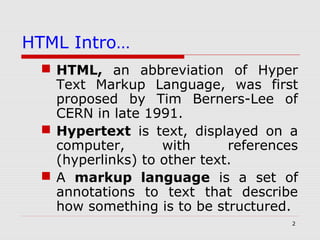
HTML Intro…
 HTML, an abbreviation of Hyper
Text Markup Language, was first
proposed by Tim Berners-Lee of
CERN in late 1991.
 Hypertext is text, displayed on a
computer, with references
(hyperlinks) to other text.
 A markup language is a set of
annotations to text that describe
how something is to be structured.
3
Basics of HTML
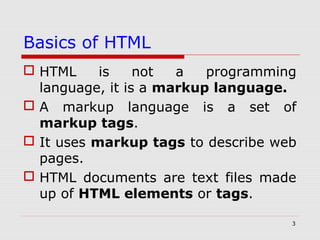
 HTML is not a programming
language, it is a markup language.
 A markup language is a set of
markup tags.
 It uses markup tags to describe web
pages.
 HTML documents are text files made
up of HTML elements or tags.
4
Basics of HTML continued...
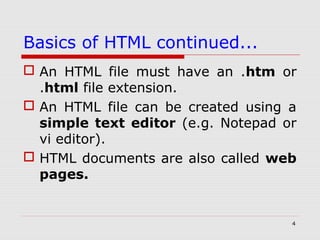
 An HTML file must have an .htm or
.html file extension.
 An HTML file can be created using a
simple text editor (e.g. Notepad or
vi editor).
 HTML documents are also called web
pages.
5
HTML Tags
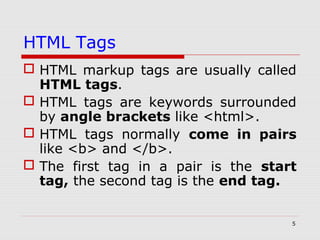
 HTML markup tags are usually called
HTML tags.
 HTML tags are keywords surrounded
by angle brackets like <html>.
 HTML tags normally come in pairs
like <b> and </b>.
 The first tag in a pair is the start
tag, the second tag is the end tag.
6
HTML Tags continued....
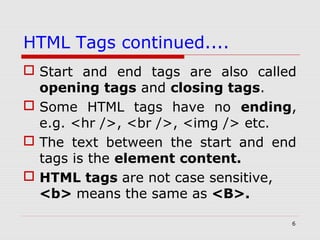
 Start and end tags are also called
opening tags and closing tags.
 Some HTML tags have no ending,
e.g. <hr />, <br />, <img /> etc.
 The text between the start and end
tags is the element content.
 HTML tags are not case sensitive,
<b> means the same as <B>.
7
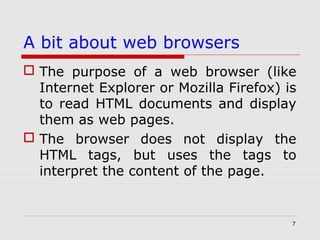
A bit about web browsers
 The purpose of a web browser (like
Internet Explorer or Mozilla Firefox) is
to read HTML documents and display
them as web pages.
 The browser does not display the
HTML tags, but uses the tags to
interpret the content of the page.
8
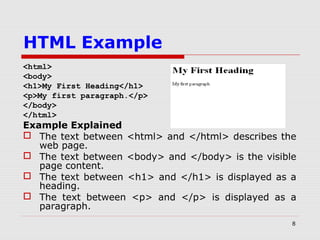
HTML Example
<html>
<body>
<h1>My First Heading</h1>
<p>My first paragraph.</p>
</body>
</html>
Example Explained
 The text between <html> and </html> describes the
web page.
 The text between <body> and </body> is the visible
page content.
 The text between <h1> and </h1> is displayed as a
heading.
 The text between <p> and </p> is displayed as a
paragraph.
9
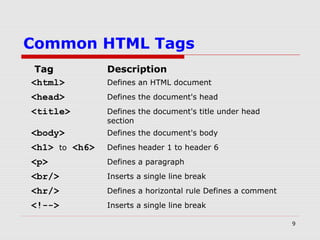
Common HTML Tags
Tag Description
<html> Defines an HTML document
<head> Defines the document's head
<title> Defines the document's title under head
section
<body> Defines the document's body
<h1> to <h6> Defines header 1 to header 6
<p> Defines a paragraph
<br/> Inserts a single line break
<hr/> Defines a horizontal rule Defines a comment
<!--> Inserts a single line break
10
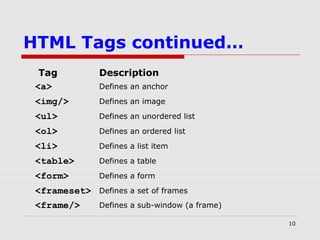
HTML Tags continued…
Tag Description
<a> Defines an anchor
<img/> Defines an image
<ul> Defines an unordered list
<ol> Defines an ordered list
<li> Defines a list item
<table> Defines a table
<form> Defines a form
<frameset> Defines a set of frames
<frame/> Defines a sub-window (a frame)
11
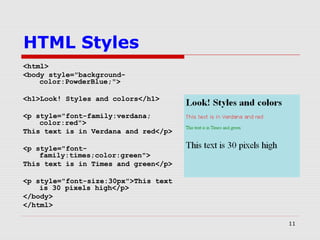
HTML Styles
<html>
<body style="background-
color:PowderBlue;">
<h1>Look! Styles and colors</h1>
<p style="font-family:verdana;
color:red">
This text is in Verdana and red</p>
<p style="font-
family:times;color:green">
This text is in Times and green</p>
<p style="font-size:30px">This text
is 30 pixels high</p>
</body>
</html>
12
HTML QUIZ
 You can test your HTML skills with
this Quiz.
 The test contains 20 questions.
 Let’s start the QUIZ now…
13
HTML QUIZ:-Q1
1. What does HTML stand for?
a> Home Tool Markup Language
b> Hyper Text Markup Language
c> Hyperlinks and Text Markup Language
Answer
(b)
14
HTML QUIZ:-Q2
2. Who is making the Web
standards?
a> Mozilla
b> Microsoft
c> The World Wide Web Consortium
d> The World Wide Web Corporation
Answer
(c)
15
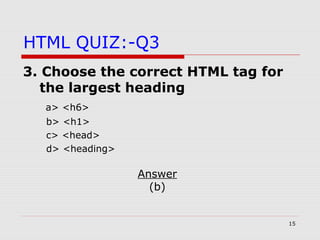
HTML QUIZ:-Q3
3. Choose the correct HTML tag for
the largest heading
a> <h6>
b> <h1>
c> <head>
d> <heading>
Answer
(b)
16
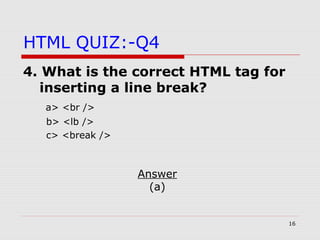
HTML QUIZ:-Q4
4. What is the correct HTML tag for
inserting a line break?
a> <br />
b> <lb />
c> <break />
Answer
(a)
17
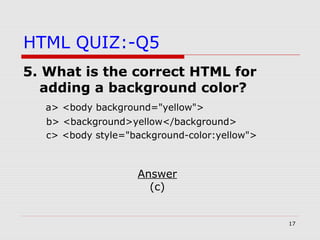
HTML QUIZ:-Q5
5. What is the correct HTML for
adding a background color?
a> <body background="yellow">
b> <background>yellow</background>
c> <body style="background-color:yellow">
Answer
(c)
18
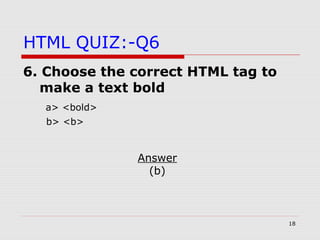
HTML QUIZ:-Q6
6. Choose the correct HTML tag to
make a text bold
a> <bold>
b> <b>
Answer
(b)
19
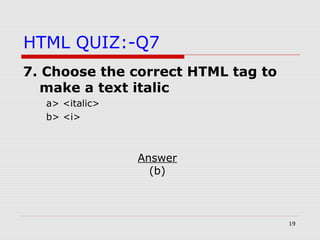
HTML QUIZ:-Q7
7. Choose the correct HTML tag to
make a text italic
a> <italic>
b> <i>
Answer
(b)
20
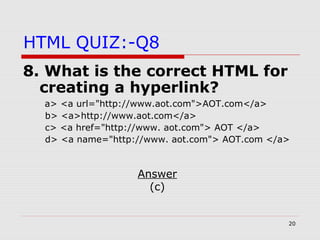
HTML QUIZ:-Q8
8. What is the correct HTML for
creating a hyperlink?
a> <a url="http://www.aot.com">AOT.com</a>
b> <a>http://www.aot.com</a>
c> <a href="http://www. aot.com"> AOT </a>
d> <a name="http://www. aot.com"> AOT.com </a>
Answer
(c)
21
HTML QUIZ:-Q9
9. How can you create an e-mail
link?
a] <mail>xxx@yyy</mail>
b] <mail href="xxx@yyy">
c] <a href="xxx@yyy">
d] <a href="mailto:xxx@yyy">
Answer
(d)
22
HTML QUIZ:-Q10
10. How can you open a link in a
new browser window?
a] <a href="url" new>
b] <a href="url" target="_blank">
c] <a href="url" target="new">
Answer
(b)
23
HTML QUIZ:-Q11
11. Which of these tags are all
<table> tags?
a] <table><tr><tt>
b]<thead><body><tr>
c]<table><tr><td>
d]<table><head><tfoot>
Answer
(c)
24
HTML QUIZ:-Q12
12. Choose the correct HTML to left-align the
content inside a tablecell
a] <td align="left">
b] <tdleft>
c] <td valign="left">
d] <td leftalign>
Answer
(a)
25
HTML QUIZ:-Q13
13. How can you make a list that
lists the items with numbers?
a] <list>
b] <ol>
c] <ul>
d] <dl>
Answer
(b)
26
HTML QUIZ:-Q14
14. How can you make a list that
lists the items with bullets?
a] <ol>
b] <ul>
c] <dl>
d] <list>
Answer
(b)
27
HTML QUIZ:-Q15
15. What is the correct HTML for
making a checkbox?
a] <input type="check" />
b] <input type="checkbox" />
c] <check>
d] <checkbox>
Answer
(b)
28
HTML QUIZ:-Q16
16. What is the correct HTML for
making a text input field?
a] <input type="text" />
b] <input type="textfield" />
c] <textfield>
d] <textinput type="text" />
Answer
(a)
29
HTML QUIZ:-Q17
17. What is the correct HTML for
making a drop-down list?
a] <input type="list" />
b] <select>
c] <list>
d] <input type="dropdown" />
Answer
(b)
30
HTML QUIZ:-Q18
18. What is the correct HTML for
making a text area?
a] <textarea>
b] <input type="textarea" />
c] <input type="textbox" />
Answer
(a)
31
HTML QUIZ:-Q19
19. What is the correct HTML for
inserting an image?
a] <img>image.gif</img>
b] <img src="image.gif" />
c] <image src="image.gif" />
d] <img href="image.gif />
Answer
(b)
32
HTML QUIZ:-Q20
20. What is the correct HTML for
inserting a background image?
a] <body background="background.gif">
b] <background img="background.gif">
c] <img src="background.gif" background />
Answer
(a)
33
End of Quiz…
HOPE YOU HAVE
ENJOYED THE SESSION… !!!

@Html

  • 1.
    Hyper Text MarkupLanguage (HTML)
  • 2.
    2 HTML Intro…  HTML,an abbreviation of Hyper Text Markup Language, was first proposed by Tim Berners-Lee of CERN in late 1991.  Hypertext is text, displayed on a computer, with references (hyperlinks) to other text.  A markup language is a set of annotations to text that describe how something is to be structured.
  • 3.
    3 Basics of HTML HTML is not a programming language, it is a markup language.  A markup language is a set of markup tags.  It uses markup tags to describe web pages.  HTML documents are text files made up of HTML elements or tags.
  • 4.
    4 Basics of HTMLcontinued...  An HTML file must have an .htm or .html file extension.  An HTML file can be created using a simple text editor (e.g. Notepad or vi editor).  HTML documents are also called web pages.
  • 5.
    5 HTML Tags  HTMLmarkup tags are usually called HTML tags.  HTML tags are keywords surrounded by angle brackets like <html>.  HTML tags normally come in pairs like <b> and </b>.  The first tag in a pair is the start tag, the second tag is the end tag.
  • 6.
    6 HTML Tags continued.... Start and end tags are also called opening tags and closing tags.  Some HTML tags have no ending, e.g. <hr />, <br />, <img /> etc.  The text between the start and end tags is the element content.  HTML tags are not case sensitive, <b> means the same as <B>.
  • 7.
    7 A bit aboutweb browsers  The purpose of a web browser (like Internet Explorer or Mozilla Firefox) is to read HTML documents and display them as web pages.  The browser does not display the HTML tags, but uses the tags to interpret the content of the page.
  • 8.
    8 HTML Example <html> <body> <h1>My FirstHeading</h1> <p>My first paragraph.</p> </body> </html> Example Explained  The text between <html> and </html> describes the web page.  The text between <body> and </body> is the visible page content.  The text between <h1> and </h1> is displayed as a heading.  The text between <p> and </p> is displayed as a paragraph.
  • 9.
    9 Common HTML Tags TagDescription <html> Defines an HTML document <head> Defines the document's head <title> Defines the document's title under head section <body> Defines the document's body <h1> to <h6> Defines header 1 to header 6 <p> Defines a paragraph <br/> Inserts a single line break <hr/> Defines a horizontal rule Defines a comment <!--> Inserts a single line break
  • 10.
    10 HTML Tags continued… TagDescription <a> Defines an anchor <img/> Defines an image <ul> Defines an unordered list <ol> Defines an ordered list <li> Defines a list item <table> Defines a table <form> Defines a form <frameset> Defines a set of frames <frame/> Defines a sub-window (a frame)
  • 11.
    11 HTML Styles <html> <body style="background- color:PowderBlue;"> <h1>Look!Styles and colors</h1> <p style="font-family:verdana; color:red"> This text is in Verdana and red</p> <p style="font- family:times;color:green"> This text is in Times and green</p> <p style="font-size:30px">This text is 30 pixels high</p> </body> </html>
  • 12.
    12 HTML QUIZ  Youcan test your HTML skills with this Quiz.  The test contains 20 questions.  Let’s start the QUIZ now…
  • 13.
    13 HTML QUIZ:-Q1 1. Whatdoes HTML stand for? a> Home Tool Markup Language b> Hyper Text Markup Language c> Hyperlinks and Text Markup Language Answer (b)
  • 14.
    14 HTML QUIZ:-Q2 2. Whois making the Web standards? a> Mozilla b> Microsoft c> The World Wide Web Consortium d> The World Wide Web Corporation Answer (c)
  • 15.
    15 HTML QUIZ:-Q3 3. Choosethe correct HTML tag for the largest heading a> <h6> b> <h1> c> <head> d> <heading> Answer (b)
  • 16.
    16 HTML QUIZ:-Q4 4. Whatis the correct HTML tag for inserting a line break? a> <br /> b> <lb /> c> <break /> Answer (a)
  • 17.
    17 HTML QUIZ:-Q5 5. Whatis the correct HTML for adding a background color? a> <body background="yellow"> b> <background>yellow</background> c> <body style="background-color:yellow"> Answer (c)
  • 18.
    18 HTML QUIZ:-Q6 6. Choosethe correct HTML tag to make a text bold a> <bold> b> <b> Answer (b)
  • 19.
    19 HTML QUIZ:-Q7 7. Choosethe correct HTML tag to make a text italic a> <italic> b> <i> Answer (b)
  • 20.
    20 HTML QUIZ:-Q8 8. Whatis the correct HTML for creating a hyperlink? a> <a url="http://www.aot.com">AOT.com</a> b> <a>http://www.aot.com</a> c> <a href="http://www. aot.com"> AOT </a> d> <a name="http://www. aot.com"> AOT.com </a> Answer (c)
  • 21.
    21 HTML QUIZ:-Q9 9. Howcan you create an e-mail link? a] <mail>xxx@yyy</mail> b] <mail href="xxx@yyy"> c] <a href="xxx@yyy"> d] <a href="mailto:xxx@yyy"> Answer (d)
  • 22.
    22 HTML QUIZ:-Q10 10. Howcan you open a link in a new browser window? a] <a href="url" new> b] <a href="url" target="_blank"> c] <a href="url" target="new"> Answer (b)
  • 23.
    23 HTML QUIZ:-Q11 11. Whichof these tags are all <table> tags? a] <table><tr><tt> b]<thead><body><tr> c]<table><tr><td> d]<table><head><tfoot> Answer (c)
  • 24.
    24 HTML QUIZ:-Q12 12. Choosethe correct HTML to left-align the content inside a tablecell a] <td align="left"> b] <tdleft> c] <td valign="left"> d] <td leftalign> Answer (a)
  • 25.
    25 HTML QUIZ:-Q13 13. Howcan you make a list that lists the items with numbers? a] <list> b] <ol> c] <ul> d] <dl> Answer (b)
  • 26.
    26 HTML QUIZ:-Q14 14. Howcan you make a list that lists the items with bullets? a] <ol> b] <ul> c] <dl> d] <list> Answer (b)
  • 27.
    27 HTML QUIZ:-Q15 15. Whatis the correct HTML for making a checkbox? a] <input type="check" /> b] <input type="checkbox" /> c] <check> d] <checkbox> Answer (b)
  • 28.
    28 HTML QUIZ:-Q16 16. Whatis the correct HTML for making a text input field? a] <input type="text" /> b] <input type="textfield" /> c] <textfield> d] <textinput type="text" /> Answer (a)
  • 29.
    29 HTML QUIZ:-Q17 17. Whatis the correct HTML for making a drop-down list? a] <input type="list" /> b] <select> c] <list> d] <input type="dropdown" /> Answer (b)
  • 30.
    30 HTML QUIZ:-Q18 18. Whatis the correct HTML for making a text area? a] <textarea> b] <input type="textarea" /> c] <input type="textbox" /> Answer (a)
  • 31.
    31 HTML QUIZ:-Q19 19. Whatis the correct HTML for inserting an image? a] <img>image.gif</img> b] <img src="image.gif" /> c] <image src="image.gif" /> d] <img href="image.gif /> Answer (b)
  • 32.
    32 HTML QUIZ:-Q20 20. Whatis the correct HTML for inserting a background image? a] <body background="background.gif"> b] <background img="background.gif"> c] <img src="background.gif" background /> Answer (a)
  • 33.
    33 End of Quiz… HOPEYOU HAVE ENJOYED THE SESSION… !!!