HTML email best practices New York Web Standards Meetup 22 October 2009 Scott Trudeau and Jeffrey Barke
Overview Design issues—How to build and test your HTML email Email service providers—What they provide and why you should use them Analytics integration—Track your campaign List hygienics—Legal issues and best practices for your campaign Standards?
1. Design issues
Email clients… are a diverse lot! Outlook 2007, Gmail, Lotus Notes! And they’re not always getting better. Outlook 2007 took a step backwards in rendering! Campaign Monitor maintains a list of popular email clients and the CSS support of those clients: http://www.campaignmonitor.com/stats/email-clients/ http://www.campaignmonitor.com/css/
Why HTML email? Given the state of email clients, why send HTML email? Consistent branding Better response rates Additional tracking data (open rates) Links can be displayed much shorted Why not? Not everyone can or chooses to receive HTML email If done improperly, your email can be unreadable
HTML email design guidelines Campaign Monitor provides a few quick and dirty design guidelines: Don’t waste your readers’ time Permission matters Relevance trumps permission Make unsubscribing easy Image blocking is common Bring back tables Add inline styles Don’t forget your plain text version Meet your legal obligations Test, test, test Source:  Email design guidelines . Campaign Monitor cont’d
Image blocking is common Many clients block images by default and require the user to click a link or button to make them visible. Given this, you cannot rely on people seeing your images. Never design an email using all images! Never use images for important content like headlines, links and any calls to action. Add a text-based link to a web version of your design at the top of your email. Get added to your recipient’s address book or whitelist. Use alt text for all images for a better experience in Gmail. Always add the height and width to the image to ensure that the blank placeholder image doesn’t munge your design. Test your design with images turned off before you send it.
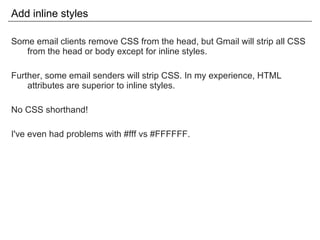
Add inline styles Some email clients remove CSS from the head, but Gmail will strip all CSS from the head or body except for inline styles. Further, some email senders will strip CSS. In my experience, HTML attributes are superior to inline styles. No CSS shorthand! I've even had problems with #fff vs #FFFFFF.
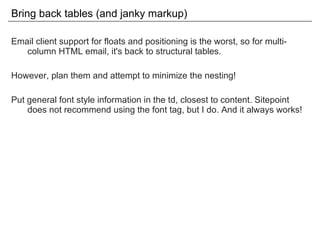
Bring back tables (and janky markup) Email client support for floats and positioning is the worst, so for multi-column HTML email, it's back to structural tables. However, plan them and attempt to minimize the nesting! Put general font style information in the td, closest to content. Sitepoint does not recommend using the font tag, but I do. And it always works!
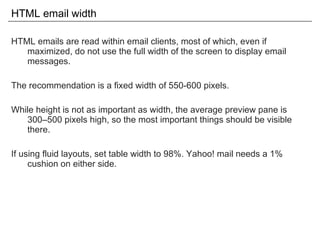
HTML email width HTML emails are read within email clients, most of which, even if maximized, do not use the full width of the screen to display email messages. The recommendation is a fixed width of 550-600 pixels. While height is not as important as width, the average preview pane is 300–500 pixels high, so the most important things should be visible there. If using fluid layouts, set table width to 98%. Yahoo! mail needs a 1% cushion on either side.
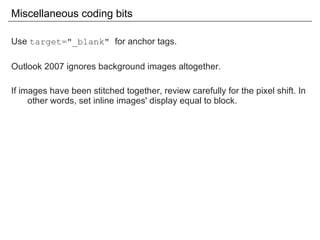
Miscellaneous coding bits Use  target="_blank"  for anchor tags. Outlook 2007 ignores background images altogether. If images have been stitched together, review carefully for the pixel shift. In other words, set inline images' display equal to block.
JavaScript in email? Nope! Gets stripped for security reasons.
Flash in email? The answer is no. Campaign Monitor ran a test and none of the email clients tested displayed either the Flash or alternate content except Mac Mail, which did play the Flash movie. Further, Outlook 2003 and Outlook Express displayed an ActiveX security warning that had to be clicked prior to loading the message. After being clicked, neither the Flash nor the alternate content displayed. Source:  Using Flash in email . Campaign Monitor
HTML5 video in email? Surprisingly, yes! Video plays in Apple Mail, Entourage 2008, MobileMe and the iPhone. All of the other clients display the fallback content. Source: http://www.campaignmonitor.com/blog/post/2905/html5-and-video-in-email/
Forms in email? Nope. Email clients consider email forms to be a security risk. Some warn about the potential danger, others disable the form. Forms are displayed in all major email clients except Outlook 2007. However, the displayed forms are not functional in .Mac, Yahoo! Mail Classic, AOL Webmail, Windows Live Hotmail and Outlook 2003. Source:  Using forms in email . Campaign Monitor
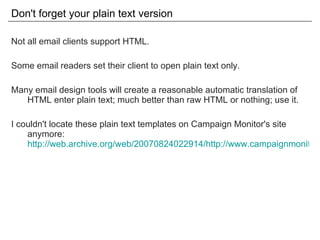
Don't forget your plain text version Not all email clients support HTML. Some email readers set their client to open plain text only. Many email design tools will create a reasonable automatic translation of HTML enter plain text; much better than raw HTML or nothing; use it. I couldn't locate these plain text templates on Campaign Monitor's site anymore:  http://web.archive.org/web/20070824022914/http://www.campaignmonitor.com/resources/plain-text-templates.aspx
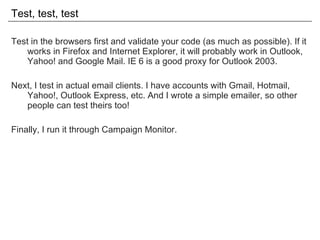
Test, test, test Test in the browsers first and validate your code (as much as possible). If it works in Firefox and Internet Explorer, it will probably work in Outlook, Yahoo! and Google Mail. IE 6 is a good proxy for Outlook 2003. Next, I test in actual email clients. I have accounts with Gmail, Hotmail, Yahoo!, Outlook Express, etc. And I wrote a simple emailer, so other people can test theirs too! Finally, I run it through Campaign Monitor.
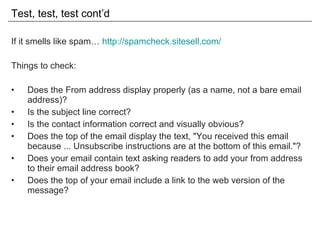
Test, test, test cont’d If it smells like spam…  http://spamcheck.sitesell.com/ Things to check: Does the From address display properly (as a name, not a bare email address)? Is the subject line correct? Is the contact information correct and visually obvious? Does the top of the email display the text, "You received this email because ... Unsubscribe instructions are at the bottom of this email."? Does your email contain text asking readers to add your from address to their email address book? Does the top of your email include a link to the web version of the message?
2. Email service providers
Email service providers Do I really need an Email Service Provider? Yes
Why you need an ESP Ensuring deliverability is a full-time job Stats (delivered, opened, bounced, etc.) Subscribe/unsusbcribe APIs, integrated unsubscribe & list maintenance Browser-based design tools Technical assistance (e.g., SPF/DKIM) Easy A/B testing & client testing
Recommended ESPs I've worked with many. For most people, my two favorites: MailChimp CampaignMonitor Both have great marketing resources, template design help, strong UIs, good reporting, integrated testing, reasonable pricing and responsive tech support.
MailChimp Pay-as-you-go OR all you can eat monthly (for < 50,000 subscribers) Good for few, smaller lists with frequent campaigns
CampaignMonitor Pay-as-you-go White-label Great when working with clients & larger lists w/ less frequent campaigns Price For every email sent to more than five people, you pay $5 plus a cent per recipient. If you purchase credits in advance, the rate decreases after the first 50,000 credits. Source:  http:// www.campaignmonitor.com /pricing/
CampaignMonitor cont’d Does not play well with others. Unfortunately, Campaign Monitor does not seem to integrate with other platforms, or, if it does, it certainly doesn't make it as obvious as MailChip does. Campaign Monitor does have an API, so this should be possible. Since  37signals uses Campaign Monitor , not sure why it hasn't been done yet.
3. Analytics integration
Google Analytics utm_campaign The name of the marketing campaign the email belongs to. utm_medium Marketing medium. For HTML email campaigns, use email. utm_source The list of recipients you're sending the message to. utm_content Content of the email; can be useful to differentiate between version produced for an A/B test. The campaign, medium and source parameters are all required, while the content parameter is optional. Source:  Tracking Email with Google Analytics . Analytics Talk
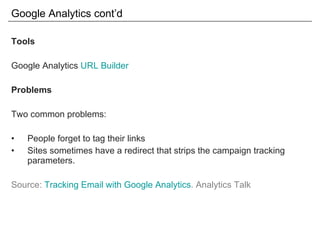
Google Analytics cont’d Tools Google Analytics  URL Builder Problems Two common problems: People forget to tag their links Sites sometimes have a redirect that strips the campaign tracking parameters. Source:  Tracking Email with Google Analytics . Analytics Talk
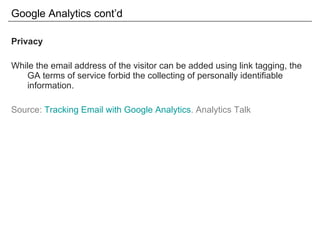
Google Analytics cont’d Privacy While the email address of the visitor can be added using link tagging, the GA terms of service forbid the collecting of personally identifiable information. Source:  Tracking Email with Google Analytics . Analytics Talk
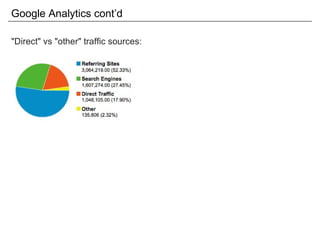
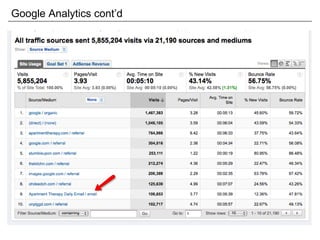
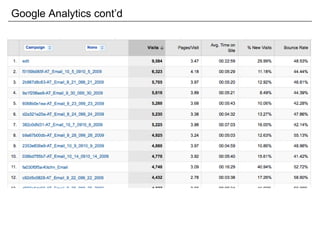
Google Analytics cont’d &quot;Direct&quot; vs &quot;other&quot; traffic sources:
Google Analytics cont’d
4. List hygienics
Keep your lists clean A clean list is a delivered list. Don't be a spammer. Rules-of-thumb: Get permission Do not use pre-checked opt-in checkboxes Use double opt-in Don't break the (CAN-SPAM) law And make it easy to unsubscribe! There's really no point in spamming anyone. Source:  Managing & Growing Your Subscriber List . CampaignMonitor
Keep your lists clean cont’d Scrub your list often (remove duplicates, compare against list of bad domains, remove role accounts.) Remove &quot;spam&quot; email addresses (have the word spam in them) Remove inactive addresses
5. Standards?
The Email Standards Project http://www.email-standards.org/ Rates the various email clients and works with email client developers to improve web standards support and accessibility in email:  http://www.email-standards.org/clients /

HTML email best practices

  • 1.
    HTML email bestpractices New York Web Standards Meetup 22 October 2009 Scott Trudeau and Jeffrey Barke
  • 2.
    Overview Design issues—Howto build and test your HTML email Email service providers—What they provide and why you should use them Analytics integration—Track your campaign List hygienics—Legal issues and best practices for your campaign Standards?
  • 3.
  • 4.
    Email clients… area diverse lot! Outlook 2007, Gmail, Lotus Notes! And they’re not always getting better. Outlook 2007 took a step backwards in rendering! Campaign Monitor maintains a list of popular email clients and the CSS support of those clients: http://www.campaignmonitor.com/stats/email-clients/ http://www.campaignmonitor.com/css/
  • 5.
    Why HTML email?Given the state of email clients, why send HTML email? Consistent branding Better response rates Additional tracking data (open rates) Links can be displayed much shorted Why not? Not everyone can or chooses to receive HTML email If done improperly, your email can be unreadable
  • 6.
    HTML email designguidelines Campaign Monitor provides a few quick and dirty design guidelines: Don’t waste your readers’ time Permission matters Relevance trumps permission Make unsubscribing easy Image blocking is common Bring back tables Add inline styles Don’t forget your plain text version Meet your legal obligations Test, test, test Source: Email design guidelines . Campaign Monitor cont’d
  • 7.
    Image blocking iscommon Many clients block images by default and require the user to click a link or button to make them visible. Given this, you cannot rely on people seeing your images. Never design an email using all images! Never use images for important content like headlines, links and any calls to action. Add a text-based link to a web version of your design at the top of your email. Get added to your recipient’s address book or whitelist. Use alt text for all images for a better experience in Gmail. Always add the height and width to the image to ensure that the blank placeholder image doesn’t munge your design. Test your design with images turned off before you send it.
  • 8.
    Add inline stylesSome email clients remove CSS from the head, but Gmail will strip all CSS from the head or body except for inline styles. Further, some email senders will strip CSS. In my experience, HTML attributes are superior to inline styles. No CSS shorthand! I've even had problems with #fff vs #FFFFFF.
  • 9.
    Bring back tables(and janky markup) Email client support for floats and positioning is the worst, so for multi-column HTML email, it's back to structural tables. However, plan them and attempt to minimize the nesting! Put general font style information in the td, closest to content. Sitepoint does not recommend using the font tag, but I do. And it always works!
  • 10.
    HTML email widthHTML emails are read within email clients, most of which, even if maximized, do not use the full width of the screen to display email messages. The recommendation is a fixed width of 550-600 pixels. While height is not as important as width, the average preview pane is 300–500 pixels high, so the most important things should be visible there. If using fluid layouts, set table width to 98%. Yahoo! mail needs a 1% cushion on either side.
  • 11.
    Miscellaneous coding bitsUse target=&quot;_blank&quot; for anchor tags. Outlook 2007 ignores background images altogether. If images have been stitched together, review carefully for the pixel shift. In other words, set inline images' display equal to block.
  • 12.
    JavaScript in email?Nope! Gets stripped for security reasons.
  • 13.
    Flash in email?The answer is no. Campaign Monitor ran a test and none of the email clients tested displayed either the Flash or alternate content except Mac Mail, which did play the Flash movie. Further, Outlook 2003 and Outlook Express displayed an ActiveX security warning that had to be clicked prior to loading the message. After being clicked, neither the Flash nor the alternate content displayed. Source: Using Flash in email . Campaign Monitor
  • 14.
    HTML5 video inemail? Surprisingly, yes! Video plays in Apple Mail, Entourage 2008, MobileMe and the iPhone. All of the other clients display the fallback content. Source: http://www.campaignmonitor.com/blog/post/2905/html5-and-video-in-email/
  • 15.
    Forms in email?Nope. Email clients consider email forms to be a security risk. Some warn about the potential danger, others disable the form. Forms are displayed in all major email clients except Outlook 2007. However, the displayed forms are not functional in .Mac, Yahoo! Mail Classic, AOL Webmail, Windows Live Hotmail and Outlook 2003. Source: Using forms in email . Campaign Monitor
  • 16.
    Don't forget yourplain text version Not all email clients support HTML. Some email readers set their client to open plain text only. Many email design tools will create a reasonable automatic translation of HTML enter plain text; much better than raw HTML or nothing; use it. I couldn't locate these plain text templates on Campaign Monitor's site anymore: http://web.archive.org/web/20070824022914/http://www.campaignmonitor.com/resources/plain-text-templates.aspx
  • 17.
    Test, test, testTest in the browsers first and validate your code (as much as possible). If it works in Firefox and Internet Explorer, it will probably work in Outlook, Yahoo! and Google Mail. IE 6 is a good proxy for Outlook 2003. Next, I test in actual email clients. I have accounts with Gmail, Hotmail, Yahoo!, Outlook Express, etc. And I wrote a simple emailer, so other people can test theirs too! Finally, I run it through Campaign Monitor.
  • 18.
    Test, test, testcont’d If it smells like spam… http://spamcheck.sitesell.com/ Things to check: Does the From address display properly (as a name, not a bare email address)? Is the subject line correct? Is the contact information correct and visually obvious? Does the top of the email display the text, &quot;You received this email because ... Unsubscribe instructions are at the bottom of this email.&quot;? Does your email contain text asking readers to add your from address to their email address book? Does the top of your email include a link to the web version of the message?
  • 19.
  • 20.
    Email service providersDo I really need an Email Service Provider? Yes
  • 21.
    Why you needan ESP Ensuring deliverability is a full-time job Stats (delivered, opened, bounced, etc.) Subscribe/unsusbcribe APIs, integrated unsubscribe & list maintenance Browser-based design tools Technical assistance (e.g., SPF/DKIM) Easy A/B testing & client testing
  • 22.
    Recommended ESPs I'veworked with many. For most people, my two favorites: MailChimp CampaignMonitor Both have great marketing resources, template design help, strong UIs, good reporting, integrated testing, reasonable pricing and responsive tech support.
  • 23.
    MailChimp Pay-as-you-go ORall you can eat monthly (for < 50,000 subscribers) Good for few, smaller lists with frequent campaigns
  • 24.
    CampaignMonitor Pay-as-you-go White-labelGreat when working with clients & larger lists w/ less frequent campaigns Price For every email sent to more than five people, you pay $5 plus a cent per recipient. If you purchase credits in advance, the rate decreases after the first 50,000 credits. Source: http:// www.campaignmonitor.com /pricing/
  • 25.
    CampaignMonitor cont’d Doesnot play well with others. Unfortunately, Campaign Monitor does not seem to integrate with other platforms, or, if it does, it certainly doesn't make it as obvious as MailChip does. Campaign Monitor does have an API, so this should be possible. Since 37signals uses Campaign Monitor , not sure why it hasn't been done yet.
  • 26.
  • 27.
    Google Analytics utm_campaignThe name of the marketing campaign the email belongs to. utm_medium Marketing medium. For HTML email campaigns, use email. utm_source The list of recipients you're sending the message to. utm_content Content of the email; can be useful to differentiate between version produced for an A/B test. The campaign, medium and source parameters are all required, while the content parameter is optional. Source: Tracking Email with Google Analytics . Analytics Talk
  • 28.
    Google Analytics cont’dTools Google Analytics URL Builder Problems Two common problems: People forget to tag their links Sites sometimes have a redirect that strips the campaign tracking parameters. Source: Tracking Email with Google Analytics . Analytics Talk
  • 29.
    Google Analytics cont’dPrivacy While the email address of the visitor can be added using link tagging, the GA terms of service forbid the collecting of personally identifiable information. Source: Tracking Email with Google Analytics . Analytics Talk
  • 30.
    Google Analytics cont’d&quot;Direct&quot; vs &quot;other&quot; traffic sources:
  • 31.
  • 32.
  • 33.
  • 34.
    Keep your listsclean A clean list is a delivered list. Don't be a spammer. Rules-of-thumb: Get permission Do not use pre-checked opt-in checkboxes Use double opt-in Don't break the (CAN-SPAM) law And make it easy to unsubscribe! There's really no point in spamming anyone. Source: Managing & Growing Your Subscriber List . CampaignMonitor
  • 35.
    Keep your listsclean cont’d Scrub your list often (remove duplicates, compare against list of bad domains, remove role accounts.) Remove &quot;spam&quot; email addresses (have the word spam in them) Remove inactive addresses
  • 36.
  • 37.
    The Email StandardsProject http://www.email-standards.org/ Rates the various email clients and works with email client developers to improve web standards support and accessibility in email: http://www.email-standards.org/clients /