WebEx MeetThe Simple Solution to Your Communication Needs     by Jared Allen, Hanna Goble, Steve Hill and Maggie Meiners
In This Presentation:You will learn:What WebEx Meet isWebEx Meet’s purpose and benefitsHow to use WebEx Meet   
What is WebEx Meet?A free, internet based and social-media driven collaboration tool made by Cisco Systems Created in 2010WebEx Meet is the beta version of WebExWebEx Meet: affordable online meeting solution for small and midsized businessesThe primary function of the software is to allow users to conduct online meetings
Why WebEx?WebEx can be used for a variety of purposes including but not limited to:MeetingsProfessional Selling and SalesTraining Online EventsCustomer SupportIT Support
TutorialSign in hereorCreate a free Account
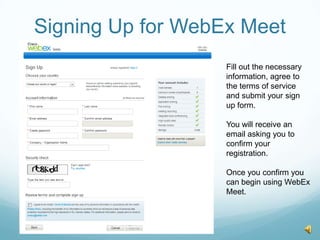
Signing Up for WebEx MeetFill out the necessary information, agree to the terms of service and submit your sign up form.You will receive an email asking you to confirm your registration.Once you confirm you can begin using WebEx Meet.
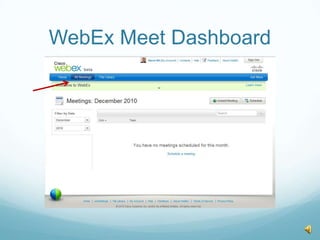
WebEx Meet Dashboard
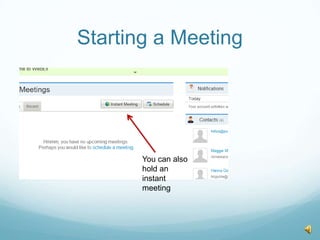
Starting a MeetingClick Schedule
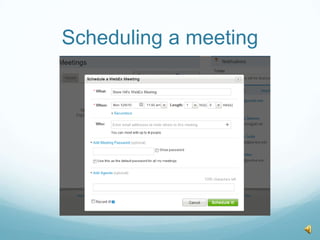
Scheduling a meeting
Starting a MeetingYou can also hold an instant meeting
Instant meeting
Once the meeting begins
Meeting Dashboard
Using ChatWebEx Meet’s chat feature allows you to speak to participants using webcams and microphones. Instant messaging is also an option.
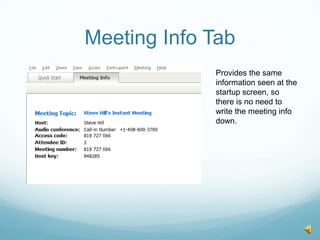
Meeting Info TabProvides the same information seen at the startup screen, so there is no need to write the meeting info down.
Invite and Remind tool
Share your desktop tool
Whiteboard Feature
Sharing Documents
Returning to File Library

Group 6 Presentation: WebEx Meet